Worth It?
Review Summary
Thermal Grizzly Hydronaut Pro is an upgrade over the original Hydronaut. It offers better thermal performance, coming close to Duronaut, while remaining 100% silicone-free. It also features anti-pump-out resistance, which helps ensure long-term durability.
However, it comes at a steep price of $17 for 2 grams, which budget PC builders should keep in mind. If you’re building a budget PC, you’re better off investing that extra money in a better cooler. Nonetheless, it’s a great thermal paste if you want strong performance and superb durability.
Hours Tested: 3 Hours

Overall
-
Overall Rating - 9.5/10
9.5/10
Pros
- Strong Performance
- Silicone-Free Formula
- Recommended for Overclockers
- Recommended for Custom Water Cooling Enthusiasts
- Non-Conductive
- Anti Pump-out Properties
- Includes Applicator, Spatula and Spatula Pro
Cons
- $17 for 2 grams is expensive.


Thermal Grizzly has sent us the Hydronaut Pro and Duronaut Pro. Since we have already covered the Duronaut Pro, we will jump straight to the next one: the Hydronaut Pro, a silicone-free thermal paste for industrial-level systems and high-performance computers.
So, what does “silicone-free” mean here? Unlike other compounds such as Arctic MX-6 or Thermal Grizzly Duronaut Pro, it does not use silicone-based oils such as Siloxanes as the carrier fluid.
Thermal Grizzly Hydronaut Pro is built purely for endurance and virtually eliminates the pump-out effect by removing the silicone. This also means there is no risk of oil bleeding out and degrading custom water-cooling components such as O-rings or seals. Under high heat and repeated temperature fluctuations, the oil can separate from the thermal paste and bleed out from the CPU or GPU cooler.
In custom water-cooling loops, O-rings and rubber seals are the critical barriers that keep the liquid from leaking onto your expensive hardware. Most O-rings are made from industrial rubbers such as EPDM (Ethylene Propylene Diene Monomer) or NBR (Nitrile Butadiene Rubber). So, if leaked silicone creeps onto the water block and contacts the rubber, it can cause a chemical reaction that could lead to a catastrophic leak.
In this review, we’ll cover how this silicone-free compound affects performance compared to other alternatives and whether it makes any noticeable difference. We’ll find out today.
Technical Details:
| Specification | Value |
| Working Temperature | -50 °C to 250 °C |
| Electrical Conductivity | Non-conductive |
| Matrix / Base Carrier | Silicone-free (paraffin/synthetic base) |
| Thermal Particles | Aluminum Oxide and Zinc Oxide |
| Curing / Hardening | None |
| Pump-Out Resistance | High (Designed for long-term stability) |
What Makes Thermal Grizzly Hydronaut Pro Different?
Thermal Grizzly Hydronaut Pro distinguishes itself from standard thermal pastes through a few key engineering choices that target longevity and cater to an industrial audience. It doesn’t chase the peak benchmark numbers.
It’s a 100% silicone-free compound; it uses a synthetic carrier rather than a silicone oil (siloxanes), which also minimises the pump-out effect. If you want a thermal paste that lasts forever, the Hydronaut Pro is a great choice.
Packaging & Accessories
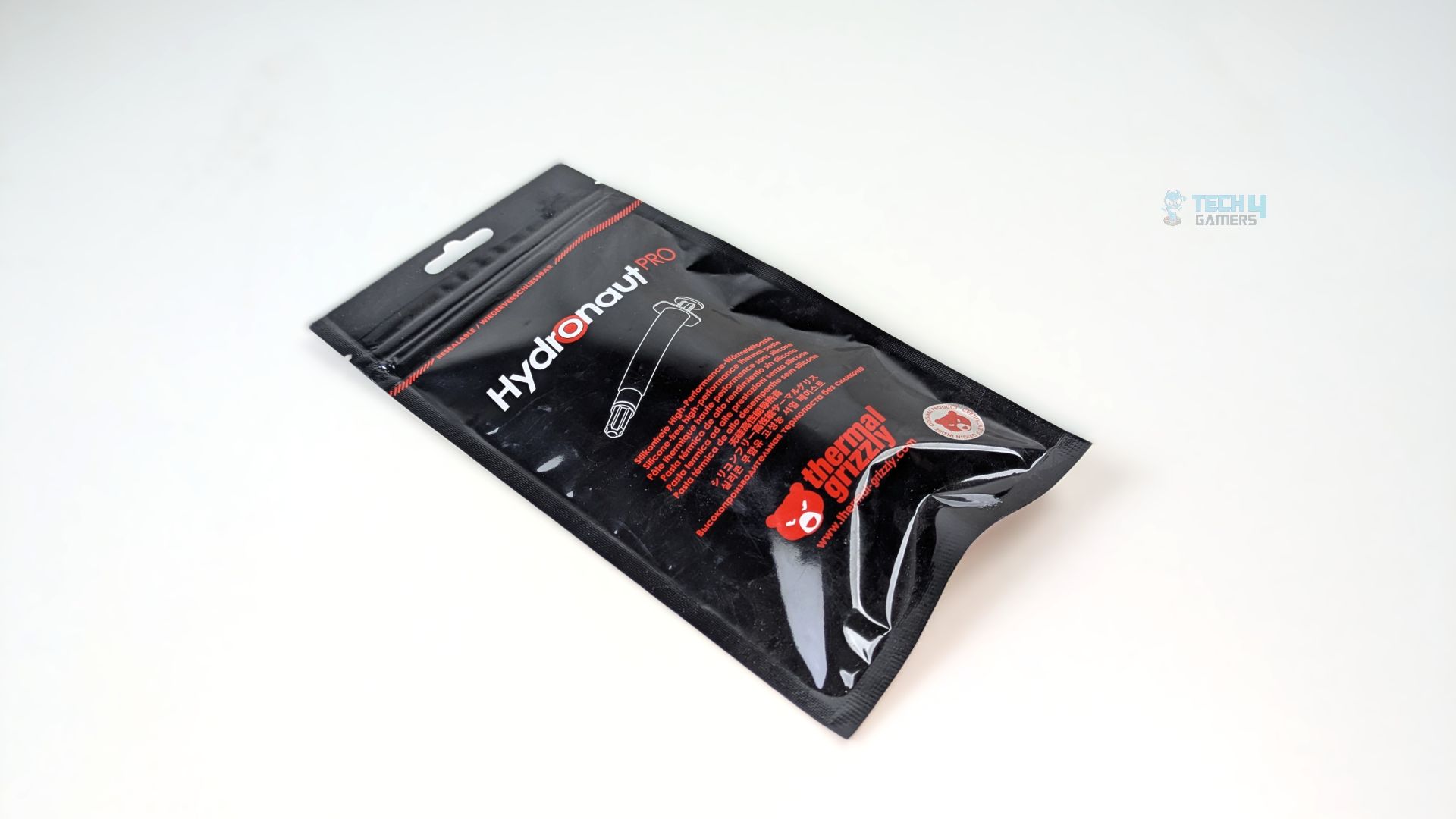
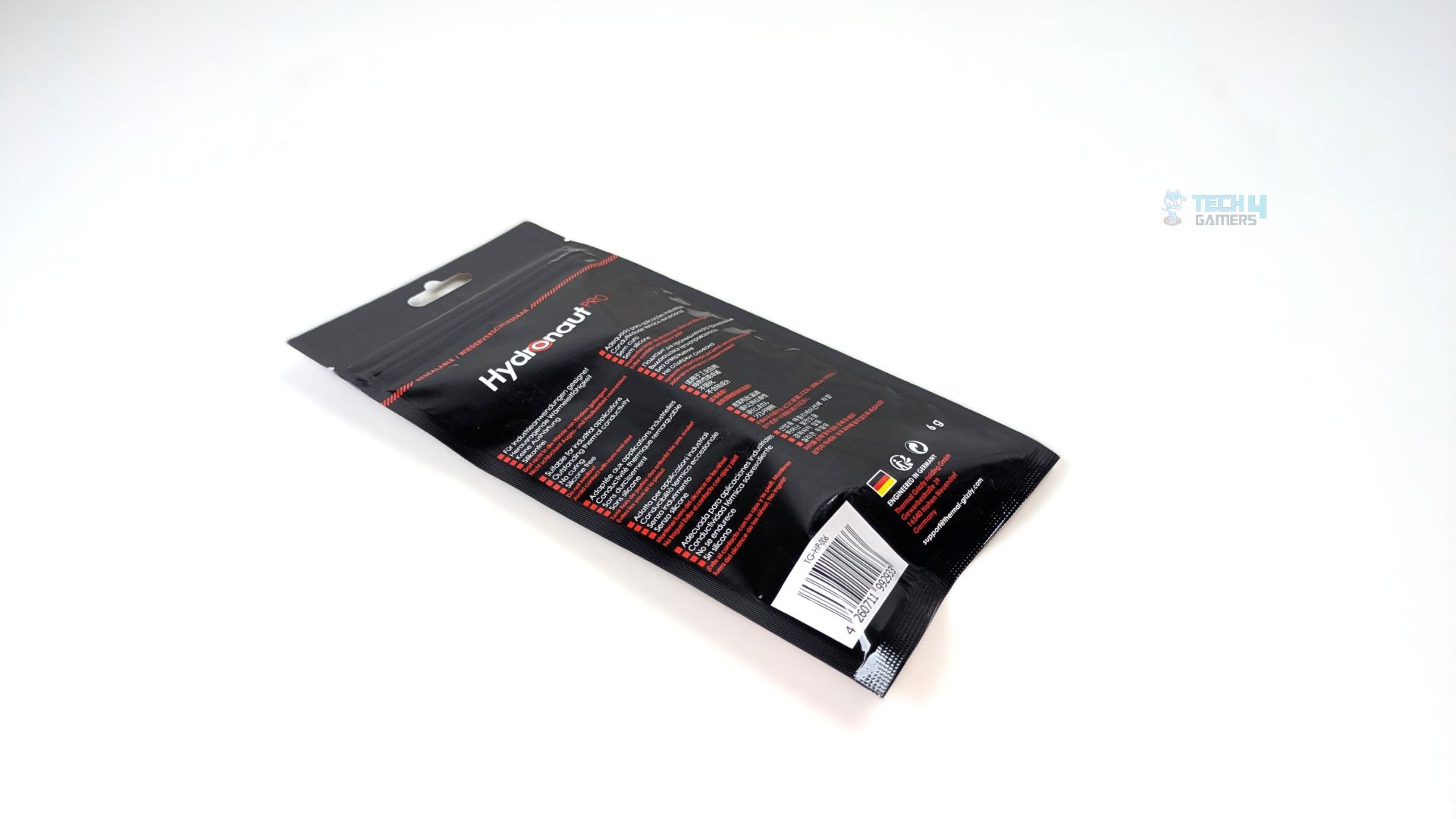
Thermal Grizzly Hydronaut follows the traditional thermal grizzly standard packaging with a UV-like shielded foil pouch with the red and black theme.
It’s a resealable pouch so you can store the thermal-paste without worrying about anything. On the front you get the multi language description highlighting it’s features and at the bottom, there is a authenticity seal in a corner.
The back side of the packaging also reveals key details of the paste.
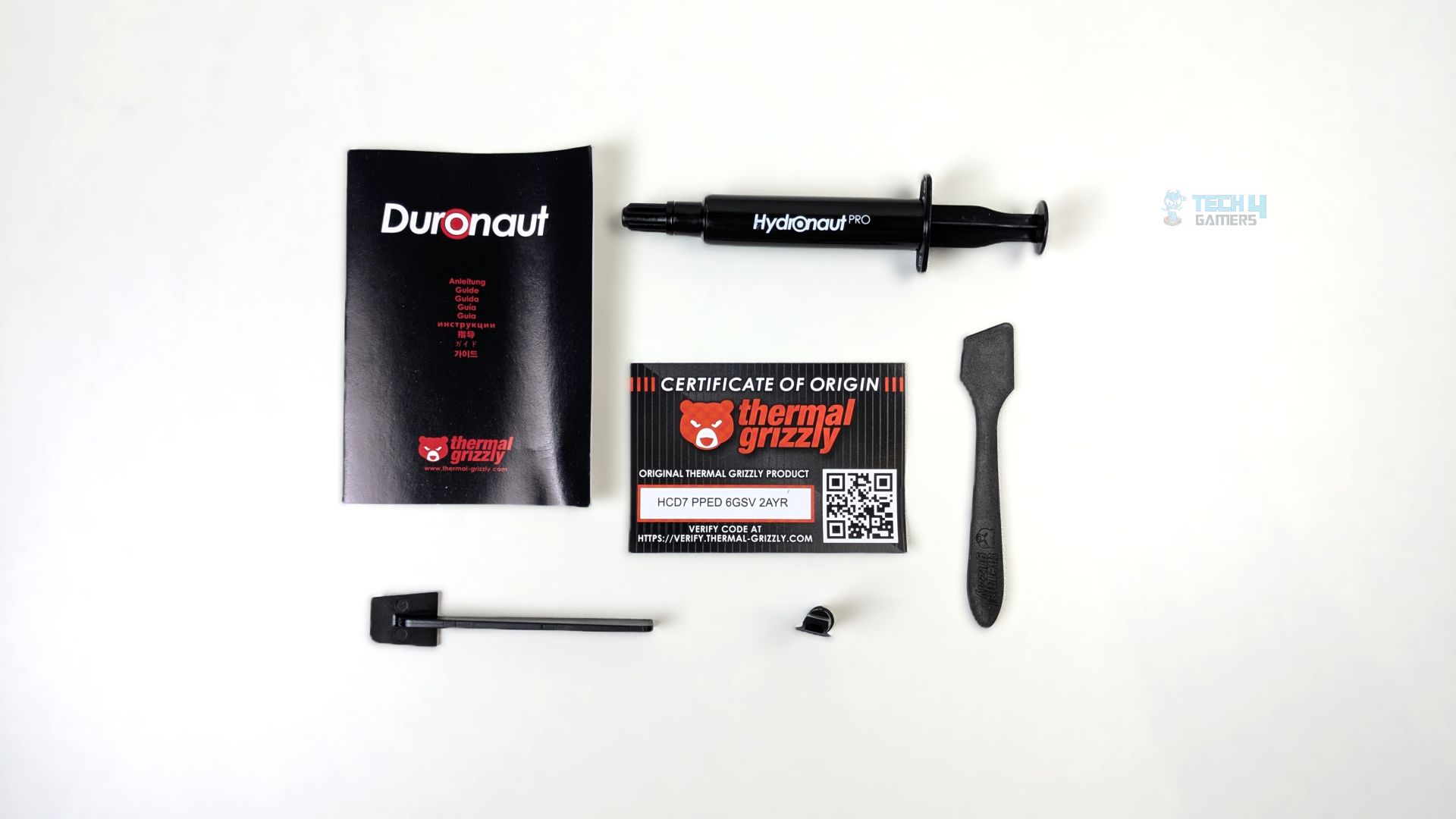
Thermal Grizzly has provided a different range of spatulas and applicators for the Hydronaut Pro, along with an authenticity certificate and a manual.
Here is the list of accessories you get and their features.
| Accessory | Type | Purpose / Feature |
| Hydronaut Pro Syringe | Core Component |
|
| TG Spatula Pro | Application Tool |
Rigid T-bar trowel designed to provide firm downward pressure across thick, viscous pastes.
|
| Standard Spatula | Application Tool |
Flexible grey paddle with an angled blade for manual spreading, fine adjustments, or clean-up.
|
| Applicator Tip & Cap | Application Tool |
Direct-mount spreader nozzle that threads onto the syringe, paired with a protective rubber sealing cap.
|
| Certificate of Origin | Security / Verification |
|
| User Guide | Manual |
|
Availability & Pricing
Thermal Grizzly Duronaut Pro and Hydronaut Pro was officially launched on June 2026, It was showcased and first announced in the Computex in early june. The pastes are available now at the retail-stores.
| Hydronaut | Hydronaut Pro |
| $14.49 (1g) | $17.43 (2g) |
| $24.45 (3ml / ~7.8g) | $29.13 (6g) |
| $44.49 (10ml / ~26g) | $57.99 (30g) |
The original Hydronaut costs around $14.49 for 1 gram, while the Hydronaut arrives for $17.43 for 2 grams, so you’re paying $3 extra to get double the paste with an improved formula. Thermal Grizzly has set an aggressive price for the Hydronaut Pro this time for system builders and industry users buying in bulk; you’re paying a slight premium per gram for the Pro version, but it also comes with peace of mind.
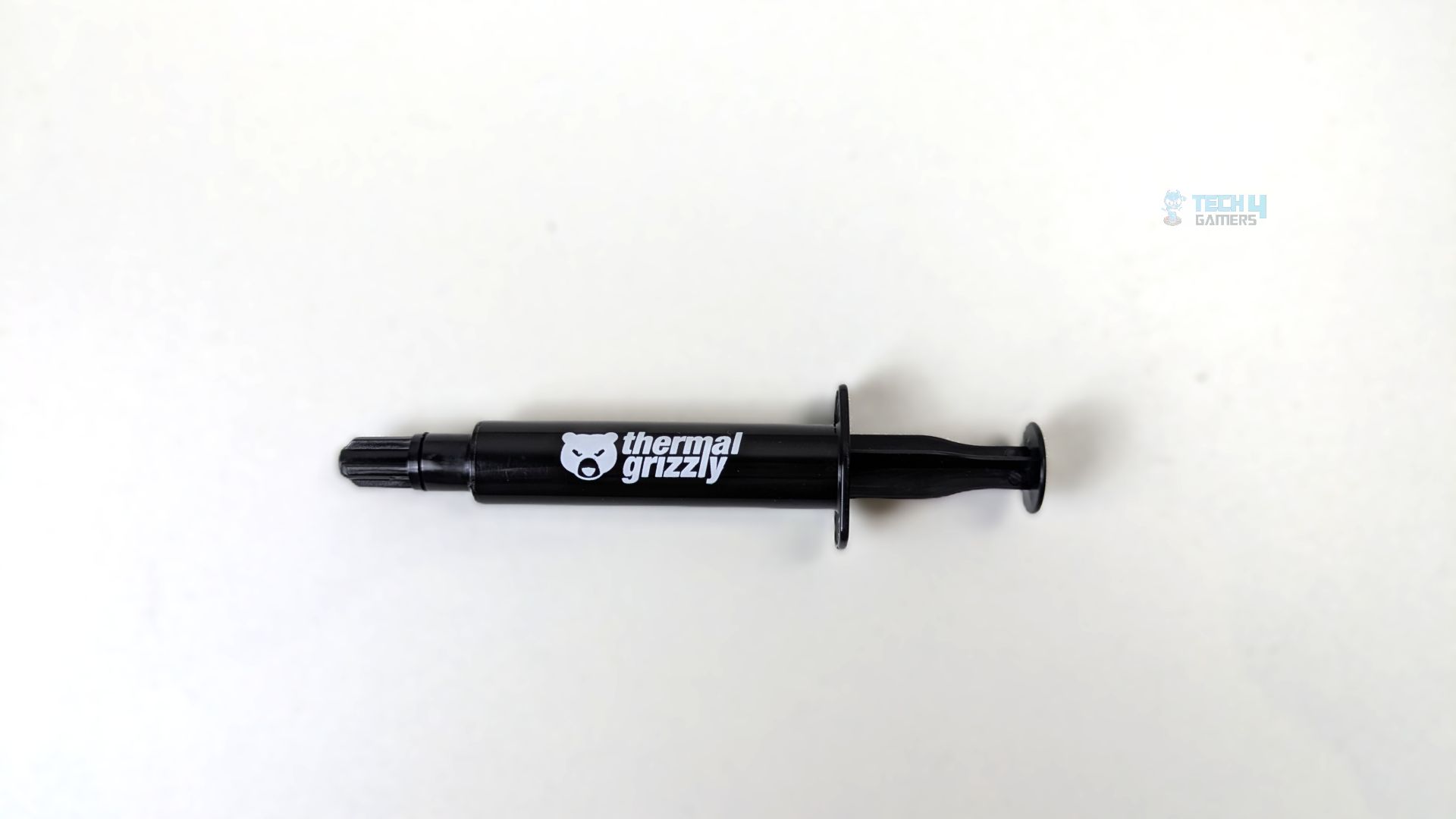
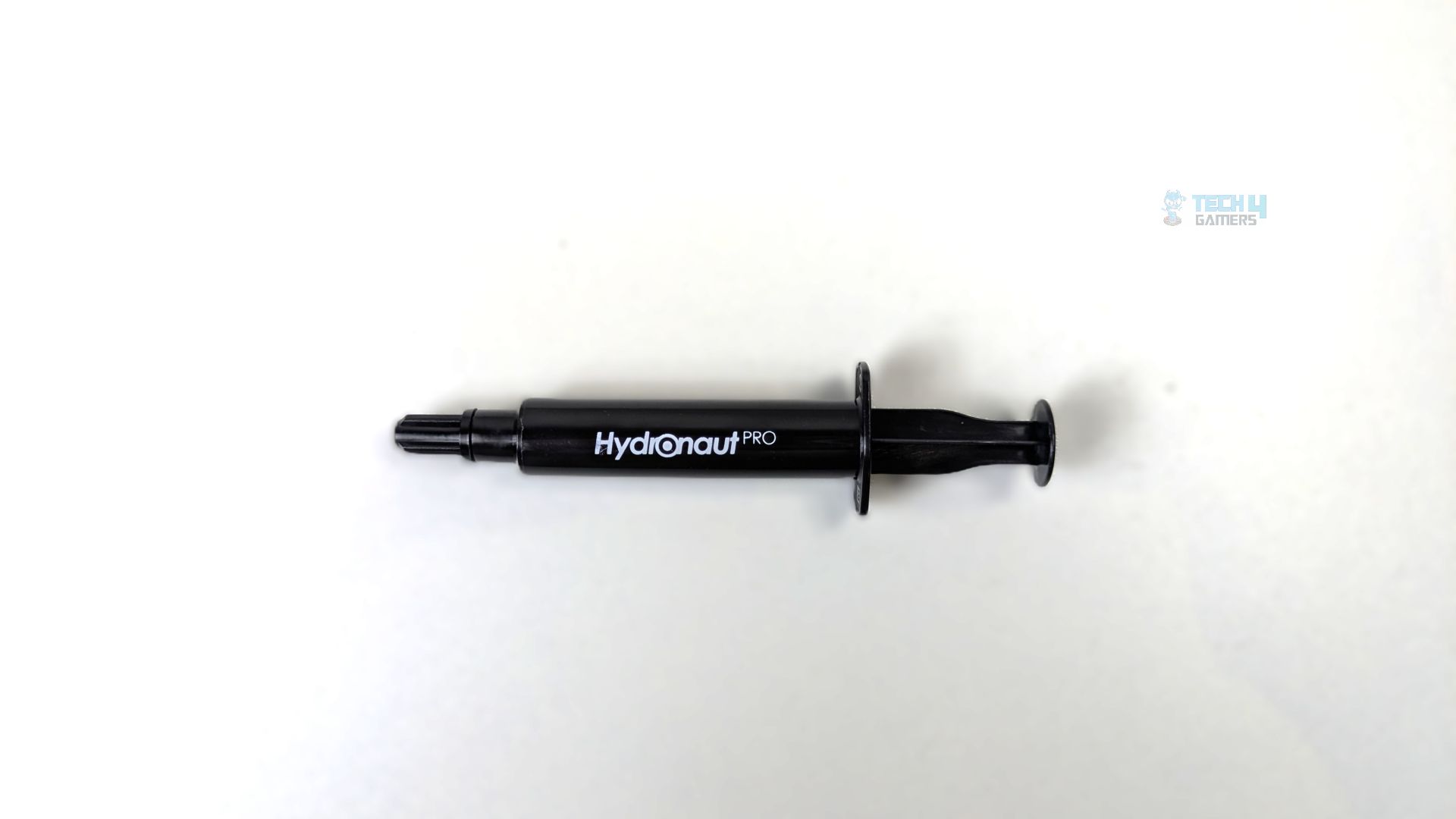
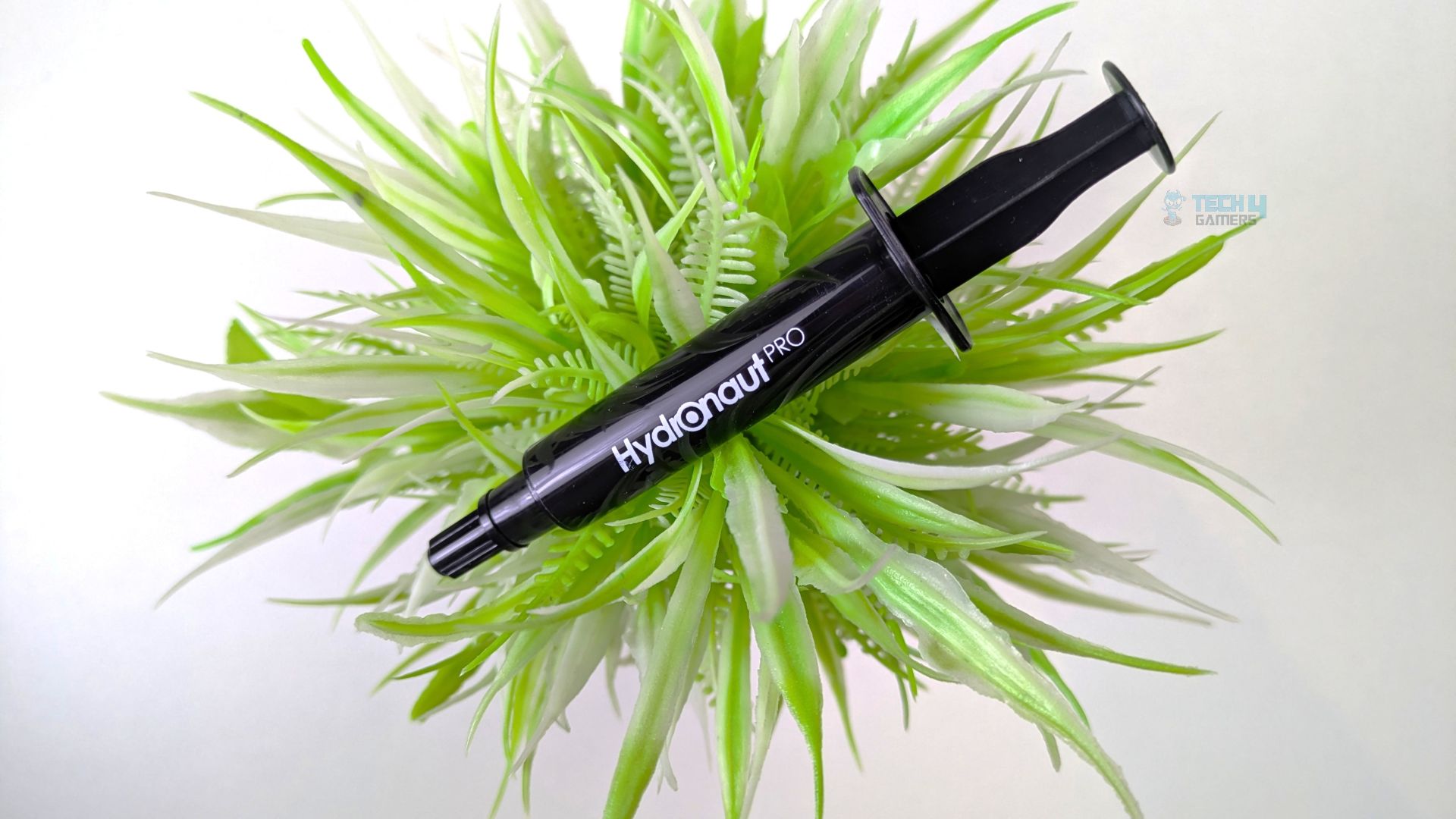
Thermal Grizzly Hydronaut Pro also arrives in a black, high-quality syringe. The design features the Thermal Grizzly logo on one side and the Hydronaut Pro moniker on the other side. The nozzle also carries an integrated screw-thread collar. The tube feels very high quality in hand.
Application & Quality
We’re using a classic five-blob pattern on our AMD Ryzen 9 9950X, which is a recommended thermal paste application method for AM5 processors because it covers all the Core-Complex dies when pressure is applied during mounting.
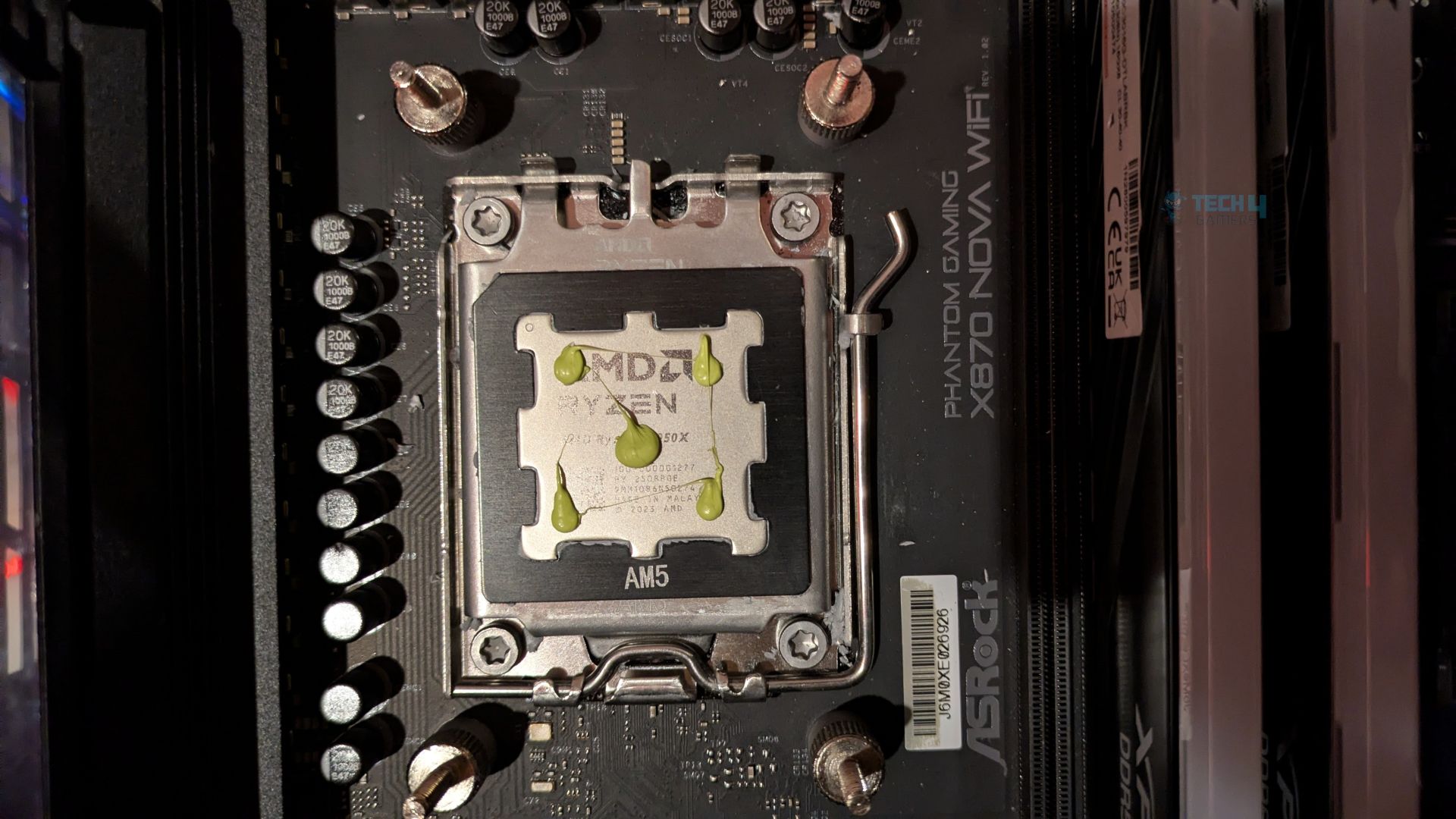
Looking at the paste quality, the first thing you’ll notice is the neon green colour, which sets it apart from the Duronaut Pro and other pastes that are usually greyish. The paste isn’t as viscous as the Duronaut Pro, but it feels exceptionally tacky and binds strongly to itself while maintaining its structure.
It doesn’t feel like it’s sagging or spreading out prematurely, as you would normally see with some pastes. Since it doesn’t contain silicone oil (Siloxane) in the compound, it’s stiff enough to stay where it’s applied.
So far, we haven’t had any issues or encountered anything unusual while applying the thermal paste. The user-friendliness is top-notch here.
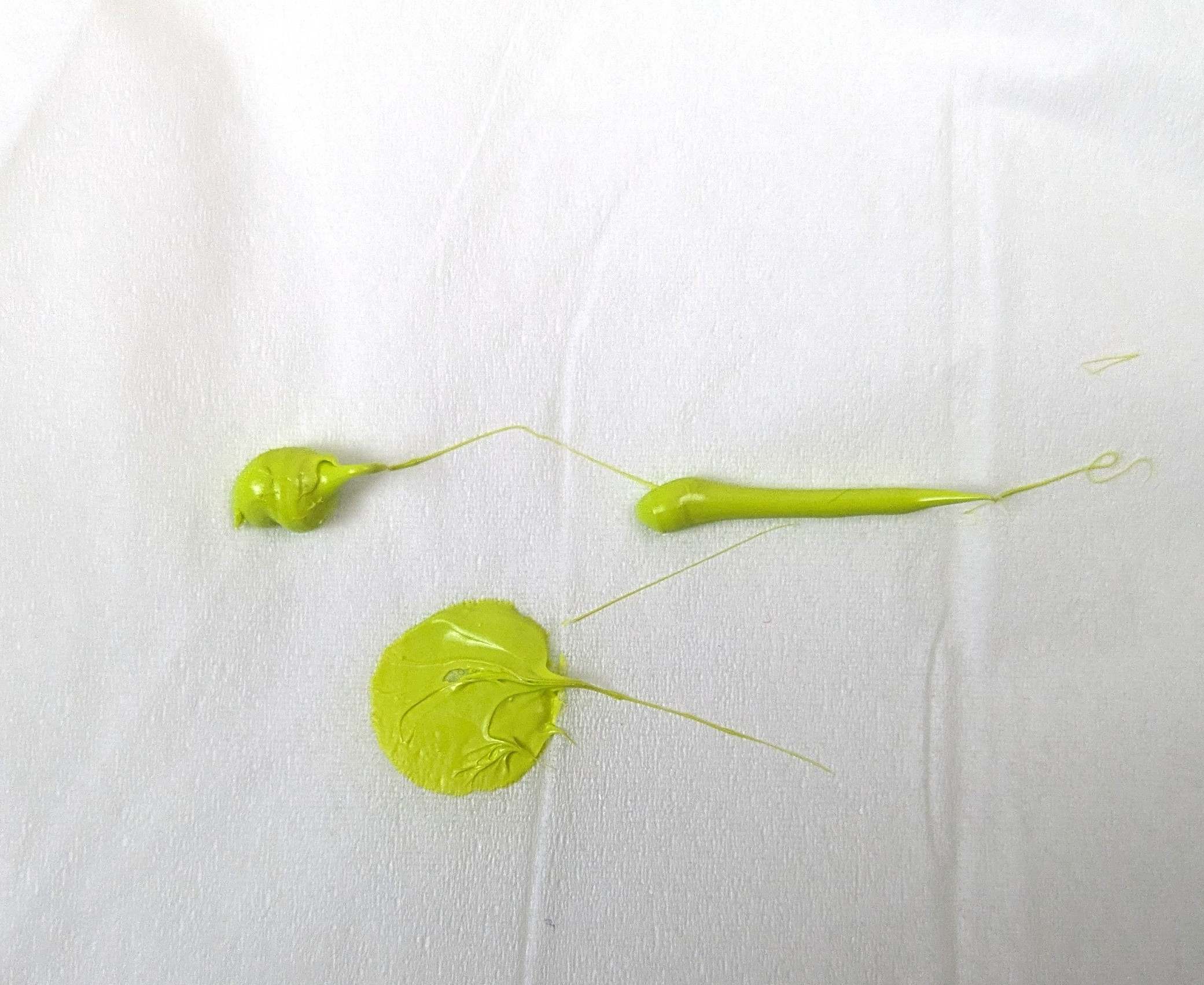
We also did the paper towel test using three different application methods: the blob method, the line method, and a slightly compressed application. If the paste contained silicone oil, you would see a wet oil halo soaking into the paper, which isn’t the case here. As you can see, even when the paste is compressed, there’s no sign of any oil separation.
The paste is also electrically non-conductive, so there’s no risk of shorting the hardware.
Testing Methodology
How We Test Thermal Pastes
- After applying the thermal paste, we ran two 20-minute Cinebench R23 tests, with a 10-minute break between each run to allow the CPU to cool down.
- Most modern thermal pastes require little to no burn-in time. However, if a paste is particularly viscous, additional warm-up runs may be necessary.
Controlled Environment
- We ensure that the room temperature remains consistent throughout our testing, with the ambient temperature controlled and set at 25°C.
- To maintain accurate readings, we use a high-quality thermo-hygrometer. We have also eliminated the influence of ambient temperature from our data, with all results presented as deltas over ambient.
Preparing System
- We are using the HYTE Y70 for our testing, with all panels removed to eliminate airflow restrictions.
- The cooler fans are running at 100% PWM, while the case fans are set to fixed speeds throughout the testing.
Software
- We used HWINFO Pro to record average temperatures on the CPU tDIE on AMD.
Test Setup
- CPU: AMD Ryzen 9 9950X (200W Heat Load)
- RAM: XPG Lancer 16×2 CL30-6000MT/s
- Motherboard: ASRock Phantom Gaming X870 Nova WiFi
- Cooler: Ocypus L36 Sigma with Lian Li Uni Fan TL Flex Fans
- GPU: ZOTAC SOLID RTX 5080
Performance Results
Should You Buy It?
Buy It If:
✅ You’re into Custom Water-Cooling: Thermal Grizzly Hydronaut Pro is 100% silicone-free, eliminating the risk of oil bleeding and ensuring the EPDM and NBR rubber O-rings in the water blocks and fittings will not degrade over time.
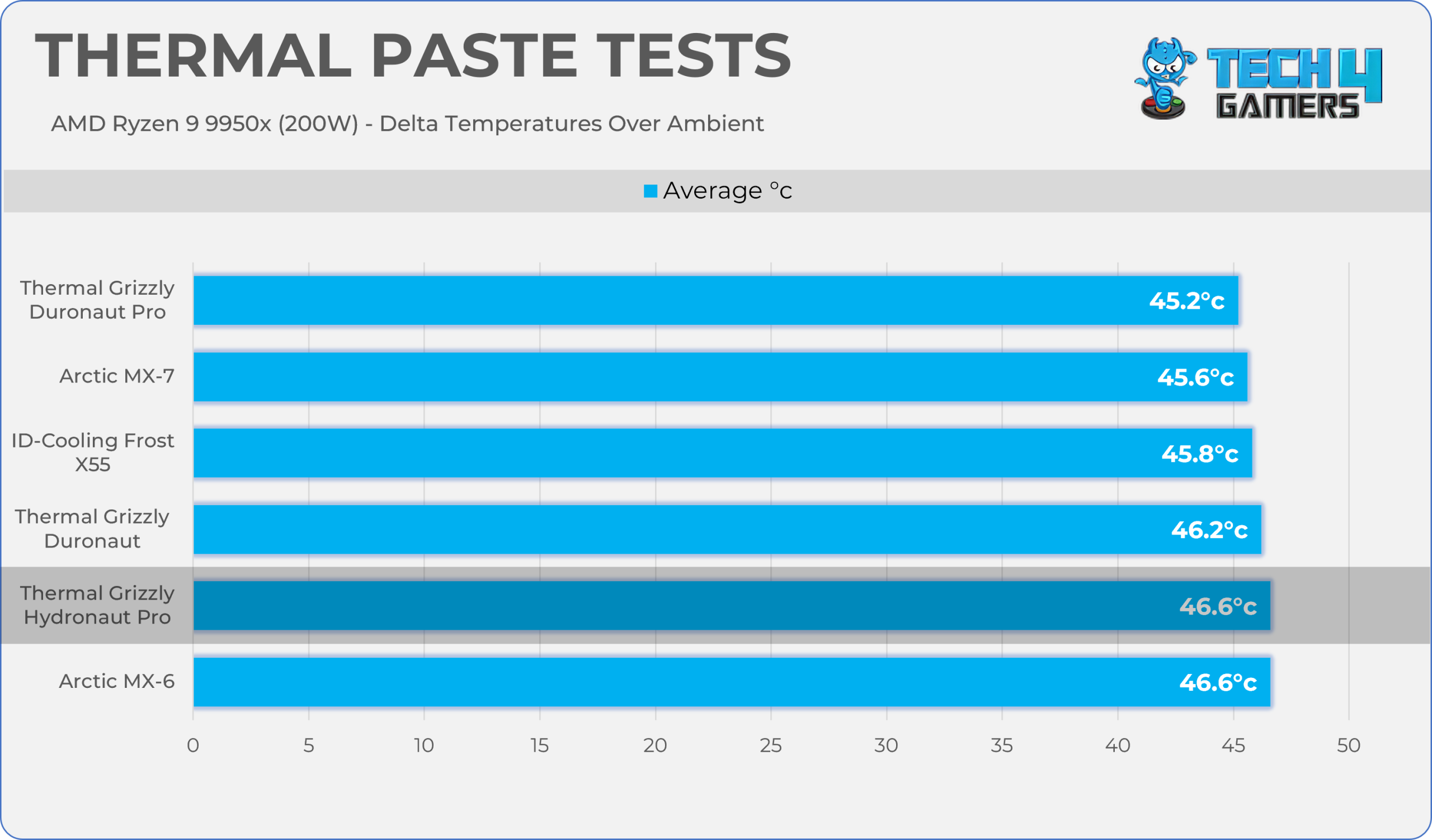
✅ If You Want The Maximum Durability and Good Performance: This paste delivers strong performance and excellent pump-out resistance. It’s perfectly fine to use this paste on mainstream desktop processors, as it’s non-conductive and performs almost as well as the original Hydronaut.
Don’t Buy It If:
❌ For Budget PC Builders: It’s an expensive paste if you’re building a PC on a budget; $17 for a 2-gram tube is a steep premium. Low-wattage processors do not necessarily require high-end thermal paste.
Final Thoughts
Thermal Grizzly Hydronaut delivers outstanding performance while prioritizing longevity. Thanks to its silicone-free formula, the company has engineered a product that aggressively combats the pump-out effect. Its oil-free formula also helps protect custom water-cooling components and fittings from degradation.
However, it comes at a steep price of $17 for a 2-gram tube, which feels like a lot for thermal paste, especially when cheaper alternatives are available from Arctic and ID-Cooling. If you’re building a PC on a budget, you really don’t need to spend that much on thermal paste. Save those extra bucks and put them toward better cooling instead.
However, if you build a PC and leave it alone for 1–2 years without changing the thermal paste, Hydronaut Pro is a great choice because it’s engineered for long-term endurance.
Thank you! Please share your positive feedback. 🔋
How could we improve this post? Please Help us. 😔

Senior Hardware Reviewer at Tech4Gamers with over a decade of experience in the tech industry. My journey began in 2014 as a senior administrator for Pakistan’s largest gaming community forum. I specialize in testing and reviewing components like graphics cards, CPU coolers, and motherboards, while also sharing insights on overclocking and system optimization.