Worth It?
Summary
The Noctua NL-LC1-42 is a behemoth among all-in-one coolers, delivering outstanding thermal performance, excellent acoustics, and some seriously impressive soundproofing engineering. However, it comes with a hefty $270 price tag, and when compared to the NL-LC1-36, the performance difference is negligible at a 200W heat load.
That said, if you’re an overclocker or PC enthusiast pushing your CPU to the highest possible power limits, especially up to 300W, and don’t want your PC sounding like a jet engine, the NL-LC1-42 is an excellent choice.
Hours Tested: 7 Hours

Overall
-
Cooling - 9.6/10
9.6/10
-
Noise - 9.3/10
9.3/10
-
Aesthetics - 8/10
8/10
-
Build Quality - 9.5/10
9.5/10
-
Value - 7/10
7/10
Pros
- High-end Asetek Emma V2 Pump Platform
- Innovative Pump Design
- Three-Layer Sound Proofing Structure
- Physical Switch with Three Pump Speed Profiles
- Three Flagship NF-A14x25 G2 Fans
- Robust SecuFirm2+ Mounting System
- NL-ACF1 Auxilary Cooling Fan Works Very Well!
- Top-Tier Build Quality
- Unbeatable Noise Normalized Performance
- Exceptional Cooling
- NT-H2 Thermal Paste
- Thermal Paste Guard for AMD AM5
- 6-Year Warranty
Cons
- Expensive ($270)
- Performs similar as NL-LC1-36


Prior to this review, we reviewed the Noctua NL-LC1-36, a 360mm all-in-one liquid cooler. This time, we’re looking at its bigger brother. It’s essentially the same cooler, featuring all the bells and whistles of the NL-LC1 series, but with a larger 420mm radiator and three NF-A14x25 G2 fans, Noctua’s flagship 140mm fans.
Personally, I don’t think there was ever really a need for a 420mm version, as the 360mm model was already overkill for the vast majority of users. However, it seems Noctua has taken CPU cooling very seriously and decided to push things even further. With a larger cooler, though, you also need more clearance and a larger case, and the majority of cases simply don’t support radiators larger than 360mm. Regardless, Noctua is clearly targeting overclockers and enthusiasts who want to achieve the lowest temperatures possible.
If you haven’t read our previous review, the NL-LC1 series is built around Asetek’s premium EMMA V2 platform. Noctua has further enhanced the pump block with a three-layer soundproofing and noise-damping architecture, which is particularly important because the pump is capable of running at an extreme 3,400 RPM.
Let’s talk about the specifications:
| Component | Specification |
| Socket Compatibility | AM5, AM4, LGA1700, LGA1851, LGA1954 |
| Fan Model | 3x NF-A14x25 G2 |
| Fan Size | 140 x 140 x 25 mm (square) |
| Fan Speed | 0 – 1500 rpm |
| Fan Noise | 24.8 dB(A) |
| Pump Model | Asetek Emma V2 |
| Pump Height | 70 mm |
| Pump Mechanics | Three Phase Motor, Ceramic Sleeve and Shaft Bearing |
| Pump Max Speeds | 3400 RPM (Manual), 2600 RPM (Balanced), 2100 RPM (Quiet) |
| Pump Control | PWM Controlled |
| Tubes | EPDM Braided Tubes, 410mm Length |
| Radiator Form Factor | 450 mm |
| Radiator Material | Aluminum Build |
| Radiator Dimensions | 459.5 x 143.7 x 30 mm |
| Warranty | 6 Years |
What Makes Noctua NL-LC1-42 AIO Different?
We’ve already covered the NL-LC1-36, and the amount of effort Noctua has put into its acoustic engineering is genuinely impressive. Like its 360mm counterpart, the 420mm model uses the same technology and overall architecture, but pairs it with a much larger radiator and Noctua’s flagship 140mm NF-A14x25 G2 fans.
The NL-LC1-42 is clearly aimed at enthusiasts and over-clockers who don’t want to compromise and want to push their high-end desktop processors to their limits.
What About The Availability & Pricing?
Noctua AIO CPU Liquid Coolers officially launched on June 16, 2026, and are currently available worldwide through major PC hardware stores.
NOCTUA offers three all-in-one liquid coolers in various form factors and sizes.
| Model | Radiator Size | Included Fans | MSRP (USD) |
| NL-LC1-24 | 240mm | 2x NF-A12x25 G2 | $219.95 |
| NL-LC1-36 | 360mm | 3x NF-A12x25 G2 | $249.95 |
| NL-LC1-42 | 420mm | 3x NF-A14x25 G2 | $279.95 |
Another thing to add here is that Noctua also sells an optional NL-ACF1 80mm auxiliary fan for €19.90, which can be installed magnetically onto the pump block in place of the metal face plate, allowing cooling of the motherboard VRMs, M2 SSDs, or the Memory.
The cooler also comes with an official 6-year manufacturer’s warranty.
Packaging


Looking at the box, the front uses Noctua’s classic brown signature aesthetic. The front panel displays the model and a prominent image of this 420mm monster.
The back features technical architecture details, covering its pump design, acoustics, and engineering, alongside dedicated cross-section diagrams. The packaging feels premium, as you’d normally expect from Noctua.

Opening the lid reveals a highly organized, compartmentalized unboxing experience. The fan arrives in a separate box, and the accessories are labelled individually. It’s ecofriendly cardboard packaging.
The radiator and the block are individually protected with clear plastic sleeving. The white envelope-looking thing you see is not a guide or manual, but a cosmetic metal adhesive badge for the block.
Accessories


It’s always nice to see a good amount of stuff included. Noctua covers all the necessary mounting hardware for both Intel and AMD platforms.
Everything is well organized, detailed, and clearly labelled, so it’s hard to mess up during installation.Noctua also includes a tube of NT-H2 thermal paste, thermal paste cleaner, an AM5 thermal paste guard, three-way splitters, an extension cable, and even a decorative Noctua adhesive badge.
| Details | |
| Core Hardware | NL-LC1-42 closed-loop liquid cooler with NL-PNA1 pump noise absorber |
| Metal Noctua logo faceplate | |
| 3x NF-A14x25 G2 PWM fans with speed-offset (PPA/PPB/PPA) | |
| 3x NA-AVG2 anti-vibration gaskets (pre-installed) | |
| Mounting & Installation | SecuFirm2+™ multi-socket mounting system with offset options for AMD AM5/AM4 and Intel LGA1851/1700 |
| Fan and radiator mounting screws (Torx® T20) | |
| NM-SD1 Torx® T20 screwdriver | |
| Thermal Application | NT-H2 thermal compound |
| NA-TPG1 thermal paste guard for AMD AM5 | |
| NA-CW1 cleaning wipe | |
| Cabling & Connectivity | NA-SC1 3-way splitter cable |
| NA-EC1 30cm extension cable | |
| Extras | Noctua metal case badge |
Close Look At The Radiator and Assembly


Looking at the design and assembly first, the first thing that came to mind was, “It’s a big boy.” The fans come in a separate box and aren’t pre-installed on the radiator, which is a bit unusual these days, especially when most brands ship their all-in-one coolers with the fans already mounted.
Noctua is taking a different approach here. While I appreciate the separate packaging, pre-installed fans would have saved builders time during installation.
Anyway, moving forward, let’s take a closer look at the radiator.


The radiator is the only part that changed compared to its younger sibling, and it’s huge, measuring 459.5 x 143.7 x 30 mm. While the thickness remains the same, the length has increased by 60mm and the width by 43.7 mm compared to the 360mm radiator of the NL-LC1-36.
In total, you get 20 FPI (20 fins per inch), 12 water channels, and 13 rows of fins. Also, design-wise, this radiator employs non-louvered fins.


Overall, the housing is clean, and you will see the Asetek x Noctua branding etched along the side profile. As the radiator surface area increased, the tube length also increased to 450 mm; it was 410 mm in the 360 mm version.
Pump Design / Housing
Looking at the pump head now, the 420mm version remains unchanged, built around the Asetek EMMA V2 (Gen8) platform and heavily customized by Noctua for acoustic performance.
Noctua uses its custom-engineered NL-PN1 pump noise absorber underneath the housing, which works on two distinct mechanical principles. The first is a three-layer soundproofing system inside the housing. It includes an inner foam layer of open-pore acoustic foam that sits directly above the pump to reduce high-frequency noise.
Next comes the central mass barrier, which absorbs low-frequency humming around the surface. Lastly, the outer foam layer is a second layer of open-pore foam that blocks any residual noise that penetrates the first two barriers. The second principle is a tuned-mass damper (TMD) system, which prevents physical vibrations from being transferred to the motherboard and case.


From the outside, the pump is enclosed in a thick, matte-black outer housing with scalloped edges. The block material feels soft, not static hard plastic shell. The pump’s surface also acts as a tuned-mass damper.


The cold plate is massive, measuring 55.5 x 55.5 mm, constructed from Copper CU1100 (99.95% high-purity), and incorporates skived-fin microchannels. The top of the block supports swappable faceplates; Noctua has provided the premium metallic faceplate, which sits at the top of the block.


Looking at the rear side the of the block, the first thing you will notice is rotary fittings and between the both tubes, there is a physical switch which allows the user to select between three pump profiles, from left to right, you get the manual mode which tops the speed at 3400 RPM, and in the middle balanced mode which is a factory default setting which provides the flow-rate of up to 2600 RPM, and then comes the quiet mode which imposes a strict hard cap on the motor, and allows the pump to run at 2100 maximum. The pump is also 4-pin PWM-controlled.
VRM Fan (Optional Accessory)
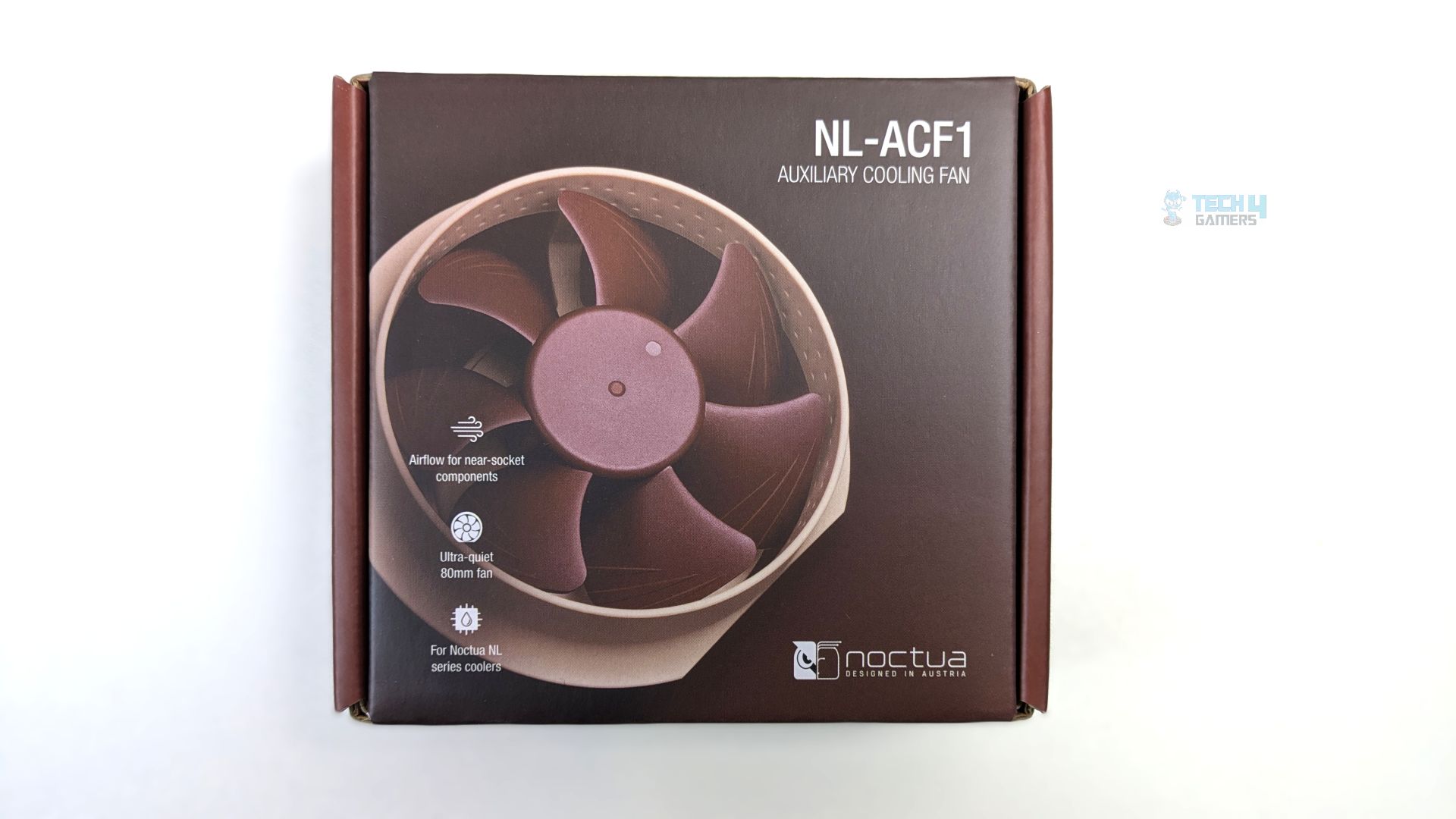
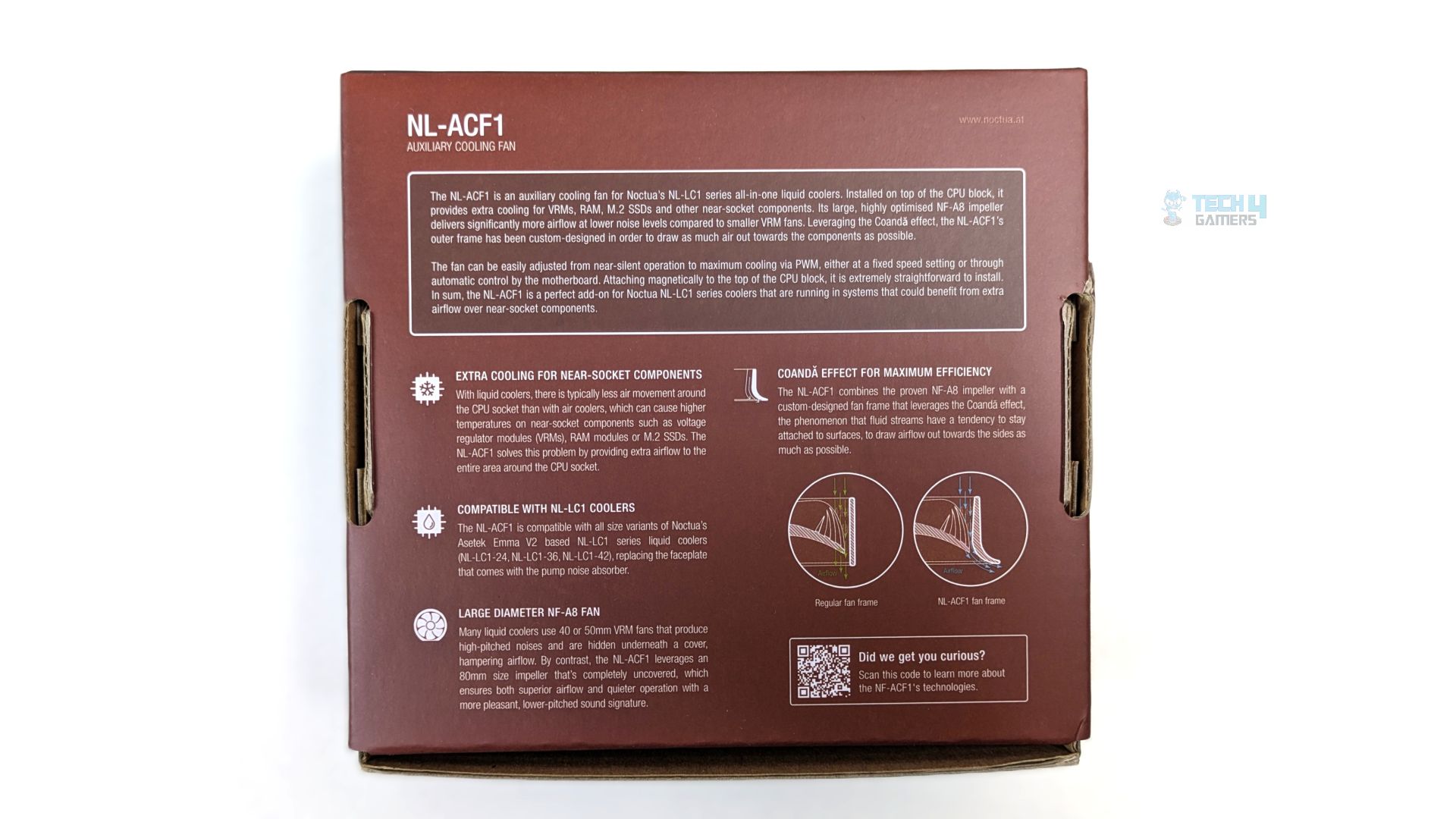
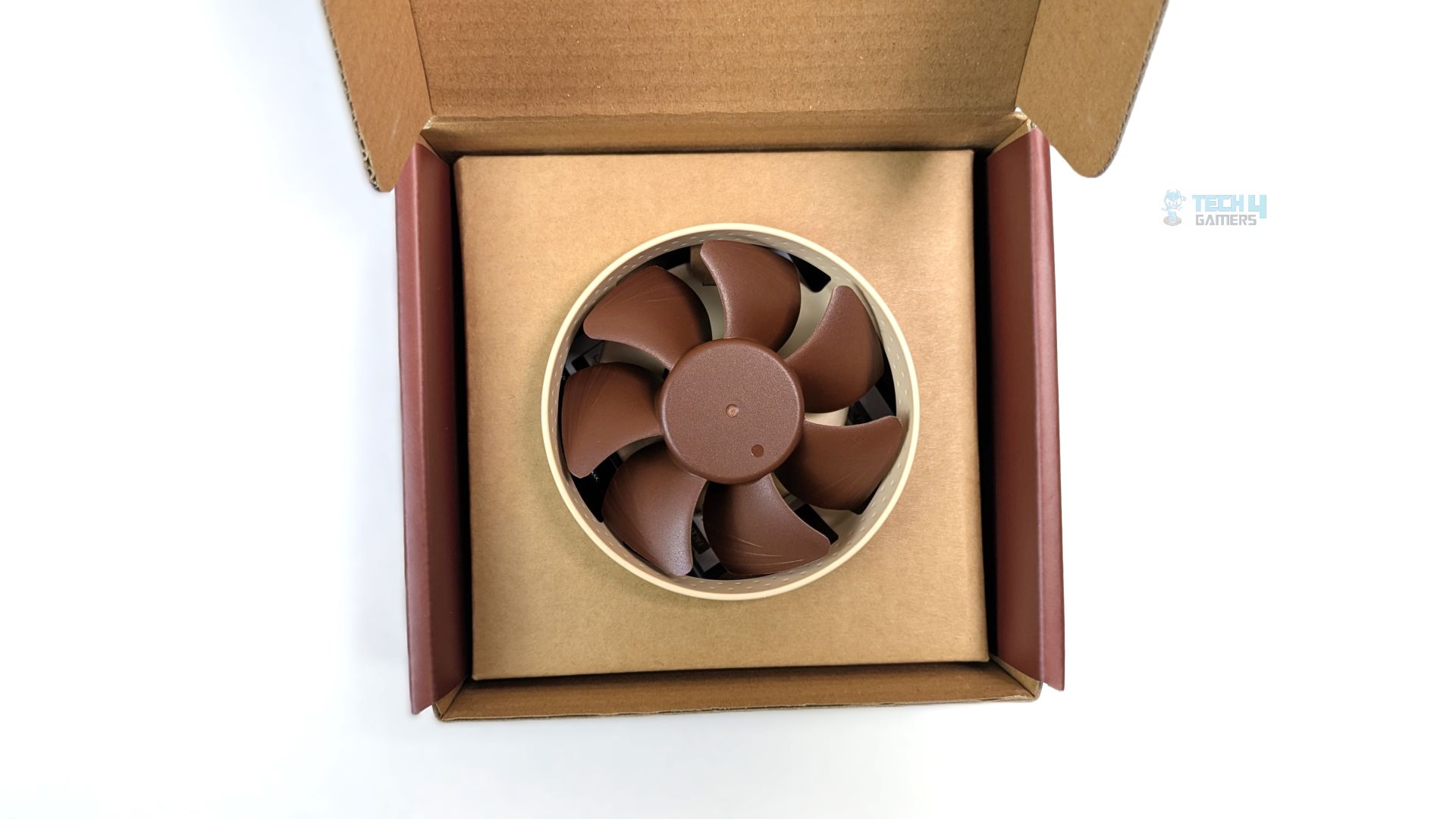
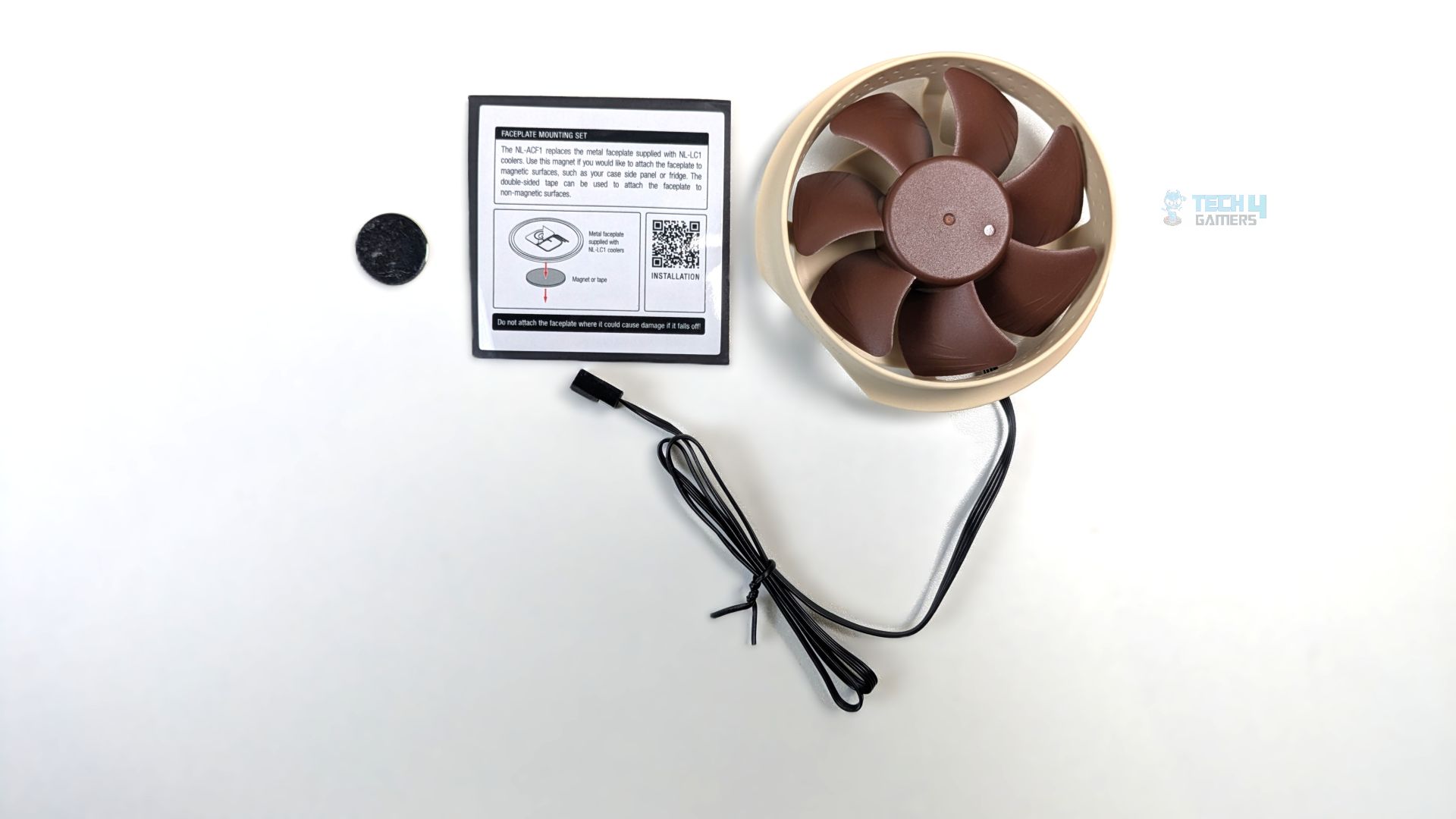
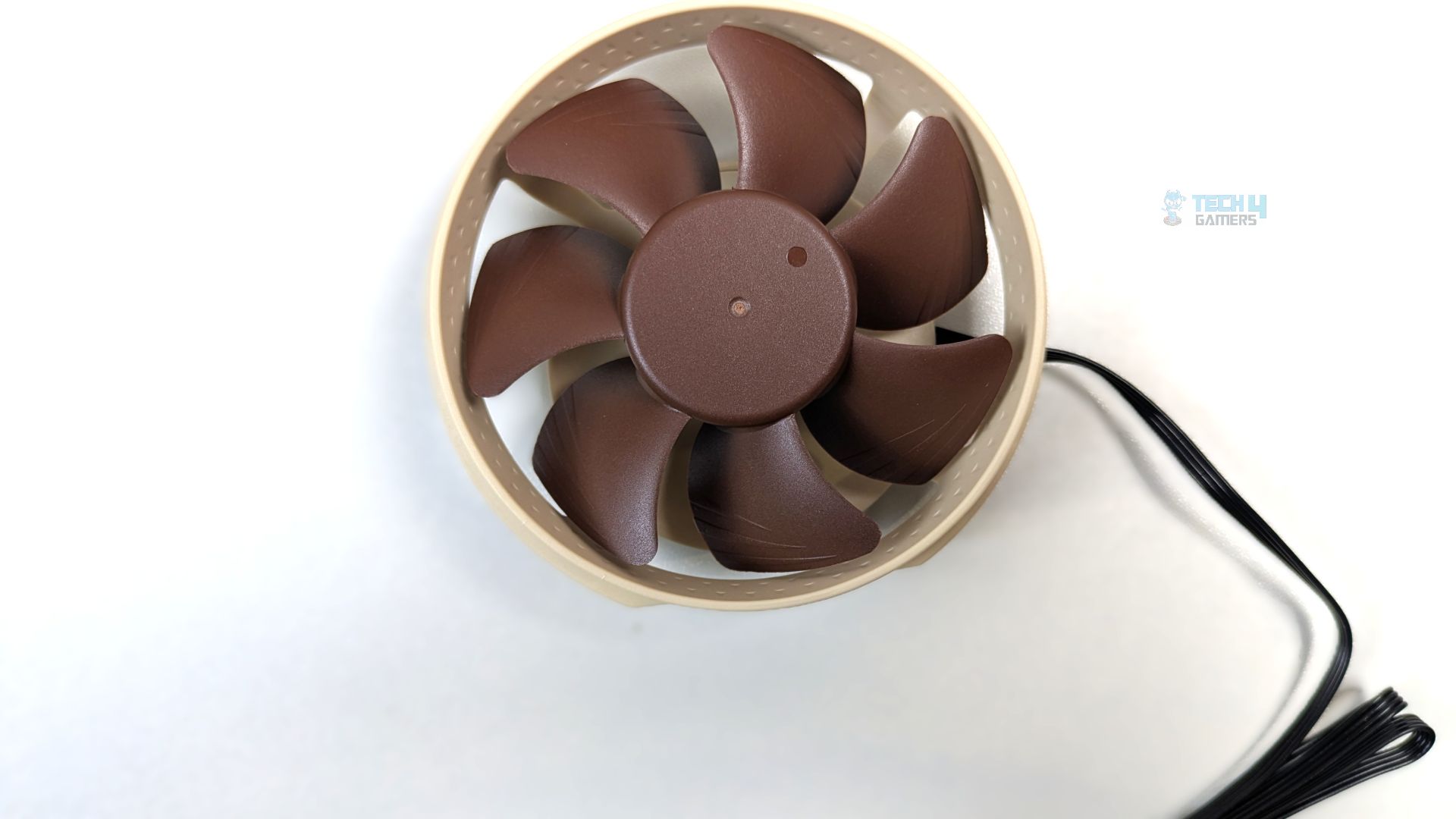
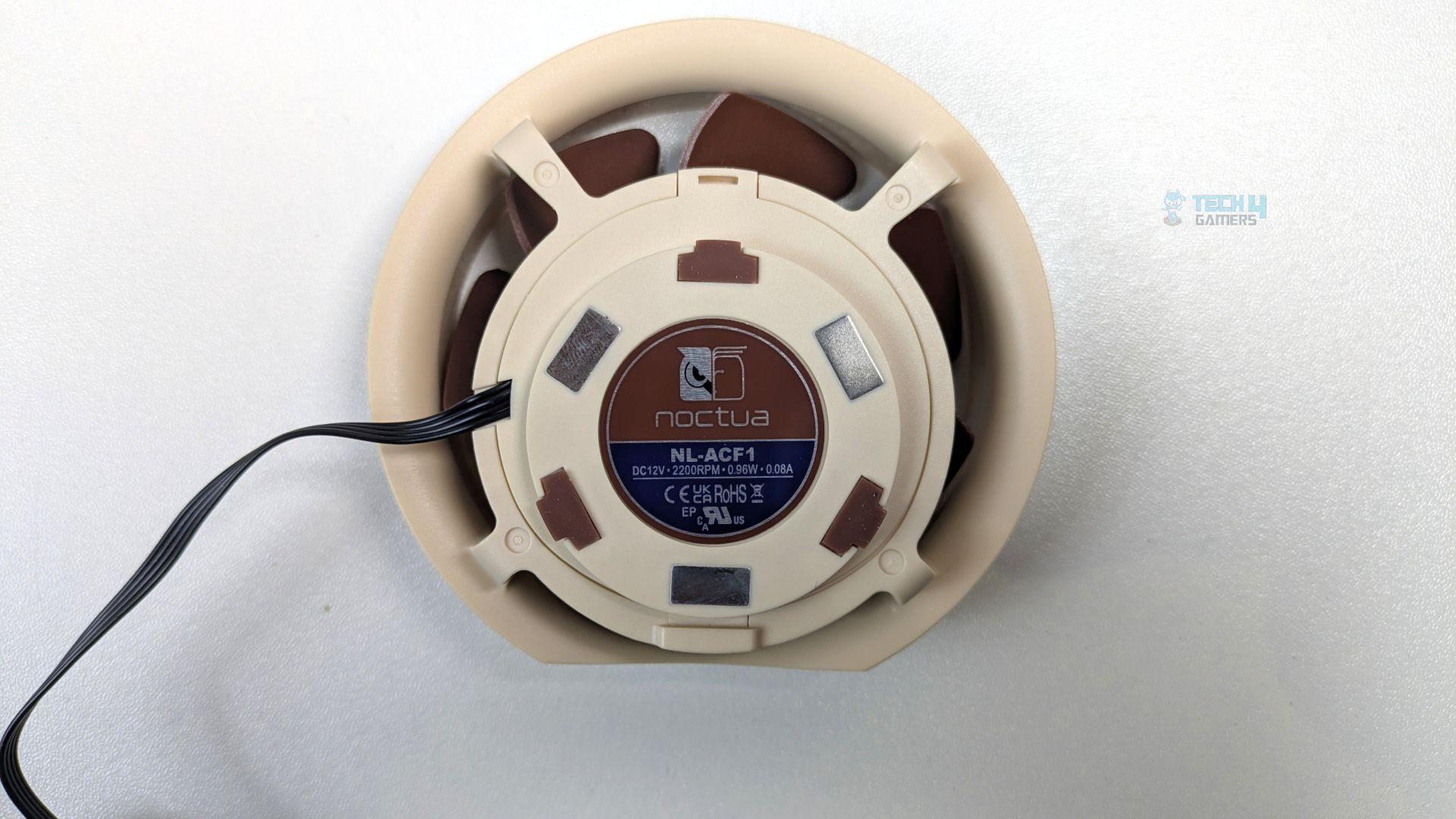
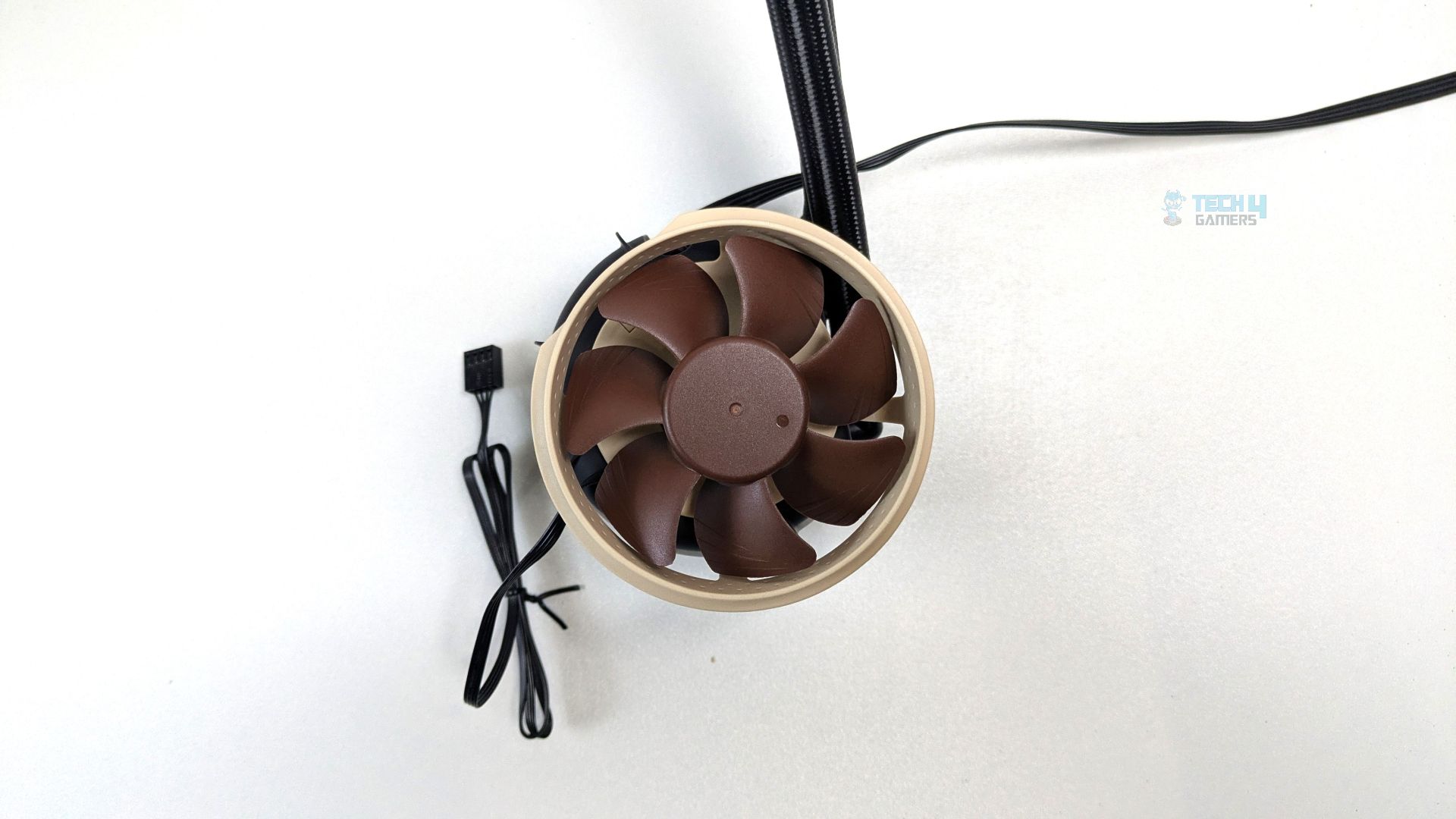
Noctua also sent us the NL-ACF1, an optional auxiliary fan not included in the box; you must purchase it separately for $20. It’s designed to cool motherboard components around the CPU socket reliably. We will also demonstrate its performance to see if it makes any difference to the VRM heatsinks and the DRAM modules near the CPU socket.
it utilizes an 80mm impeller based on the NF-A8 design, set within a custom-engineered frame. Noctua says this frame design leverages the Coandă effect, a fluid-dynamic phenomenon where air follows the curve of a surface rather than traveling straight. This design effectively draws air directly down to the motherboard VRM heatsinks and surrounding components.
The fan can attach directly to the block surface using the magnetic mounting system, which features four small rectangular magnets on the underside. It includes the NA-YC1 splitter cable and the NA-STM1 magnet-and-tape set, allowing secure attachment of the NL-LC1 faceplate to various surfaces
| Dimensions | 93 x 88 x 33 mm |
| Colour | Brown |
| Weight | 95 g |
| Speed range | 0 – 2200 rpm |
| Airflow (max.) | 55.5 m³/h (32.67 CFM) |
| Acoustical noise (max.) | 17.7 db(A) |
| Static pressure (max.) | 2.37 mm H₂O |
| Connector | 4-pin |
| Cable length | 550 mm (21.65 inch) |
| Warranty | 6 year |
Fans
Noctua provides three NF-A14x25 G2 fans for the NL-LC1-42 cooler; the 360mm variant uses three 120 mm NF-A12x25 G2 fans. Since both fans use Noctua’s second-generation architecture, they also share the same core technologies, including Sterrox LCP, Supratorque, and the Centrifugal Turbulator Hub, Progressive Bend Impeller and the SSO2 bearing.
The difference now comes down purely to physical scaling and speed limits, as these fans are built on the 140mm frame; the tip clearance has been increased by 0.2mm. In total, the clearance extends to 0.7mm to accommodate the large frame. Also, the fan now only spins at a maximum of 1500 RPM.
We’ll have to see how it stacks up against the 120mm variant.

| Size (Form factor) | 140 x 140 x 25 mm (square) |
| Speed range | 0 – 1500 rpm |
| Airflow (max.) | 155.6 m³/h (91.58 CFM) |
| Acoustical noise (max.) | 24.8 dB(A) |
| Static pressure (max.) | 2.56 mm H₂O |
| Rated voltage | 12 V |
| Connector | 4-pin |
| Colour | Brown |
| Warranty | 6 years |
Installation (AMD)
We’re using the AMD platform, so our installation steps will only be provided for that.
Prepare the socket
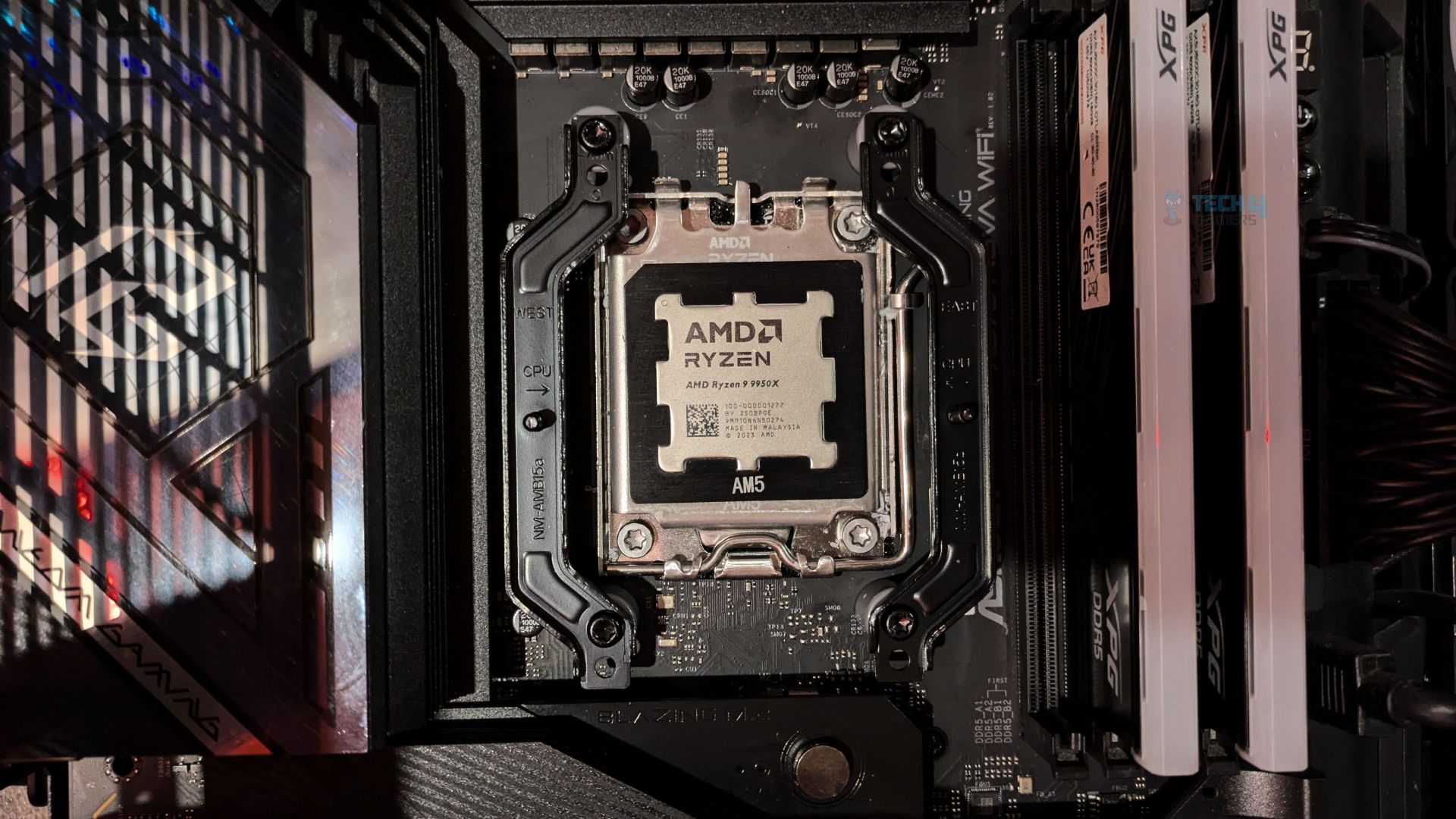
- Remove the two AMD factory brackets that come pre-installed on the AM4/AM5 motherboards.
- Install the gray spacers on the exposed backplate threads.
- Place the AMD mounting bars on top of the spacers. Use the 0.7mm offset mounting holes, and make sure the curved sides of the brackets point outward, away from the CPU. Noctua has also added arrows to the brackets pointing to the CPU; just follow its pattern.
- Now tighten the bars with the four provided long screws.
- Apply thermal paste to the CPU heat spreader; we are using ID-Cooling Frost X45, which we used in all of our cooler testing.
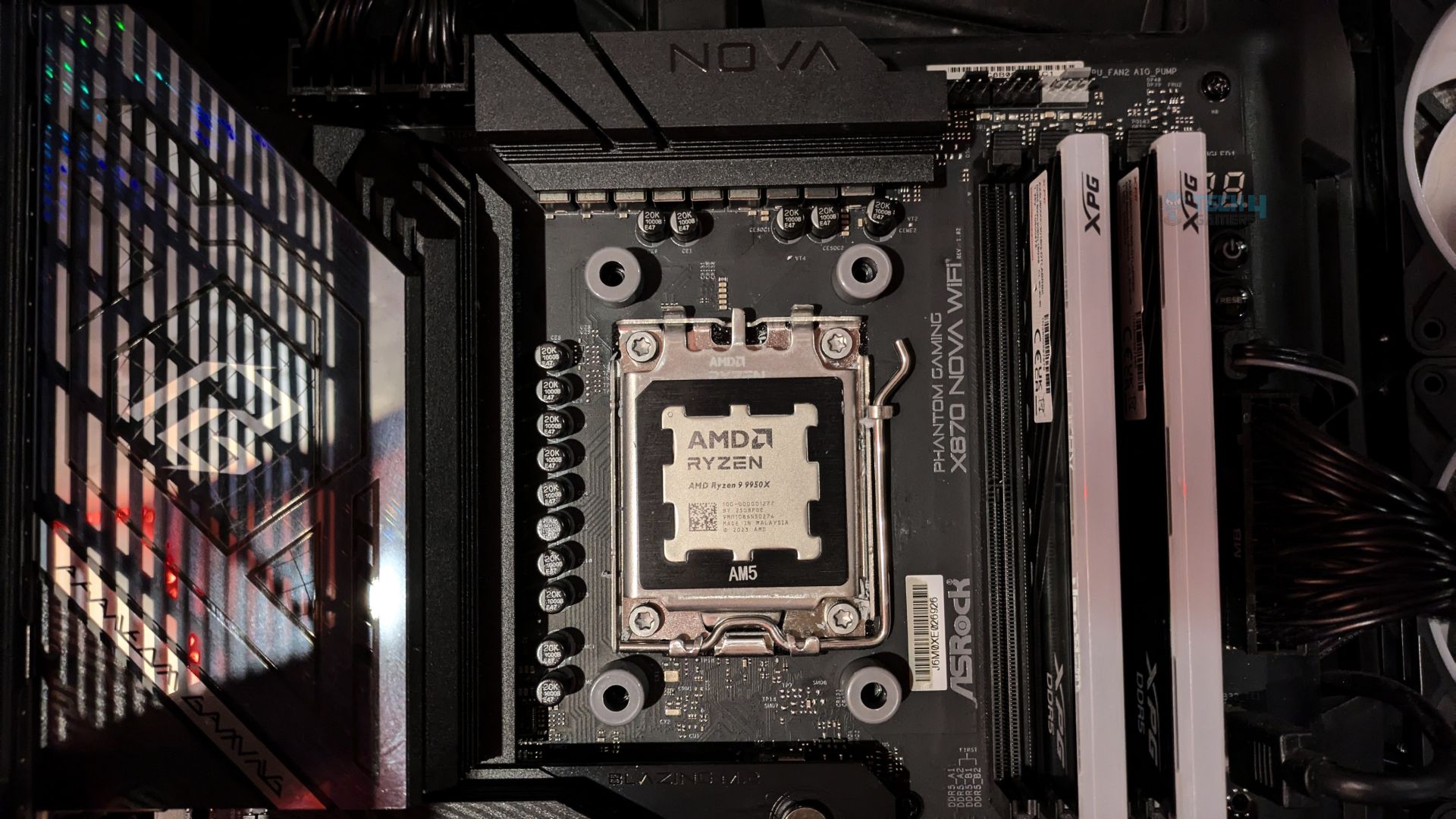
- Don’t forget to peel off the protective film from the cold plate of the block.
- Now rest the pump block onto the CPU aligning it’s two spring loaded screws with the threaded posts of the mounting bars and turn each screw three or four times, alternating back and forth between them for the even mounting pressure on the CPU die.
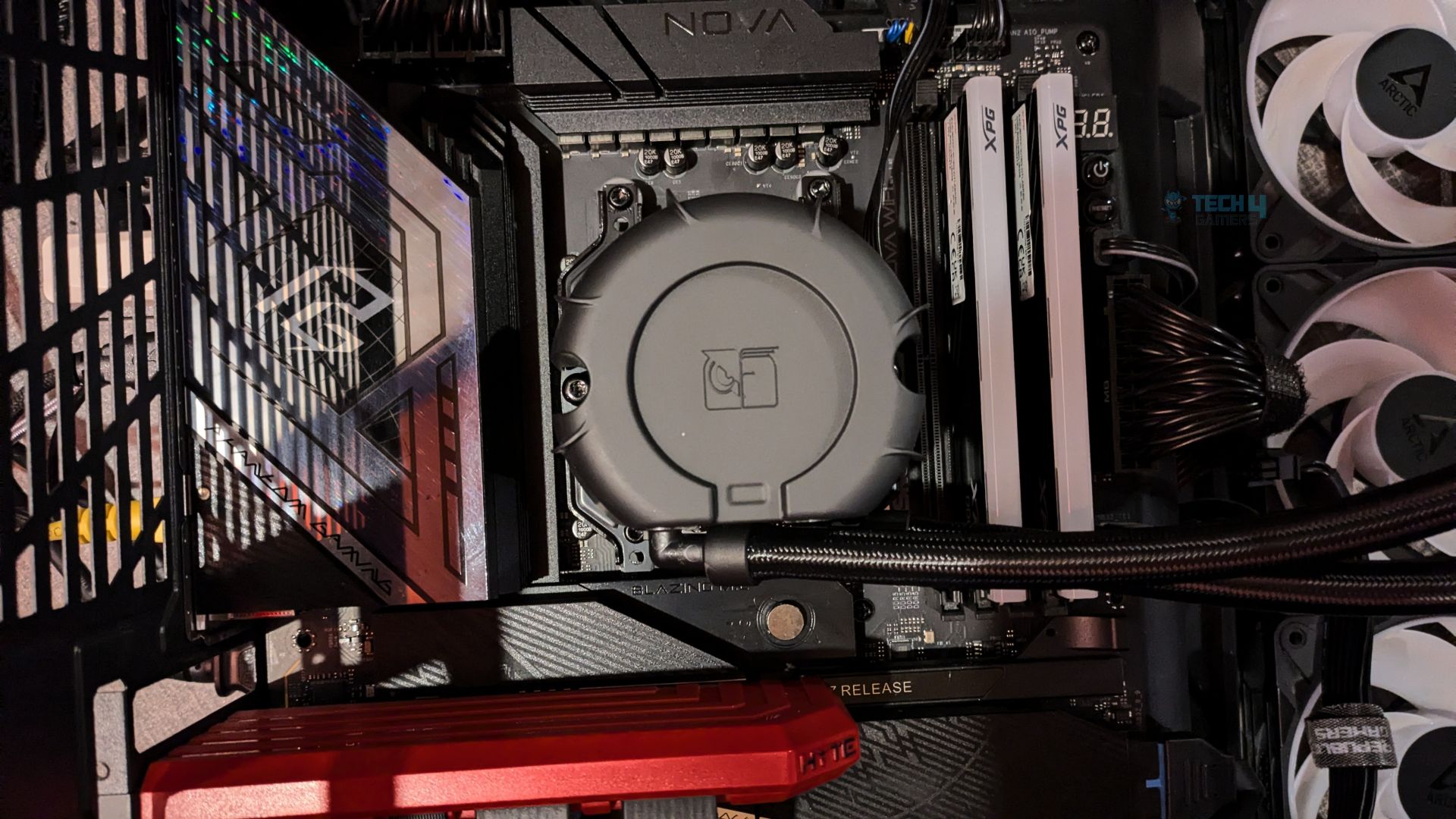
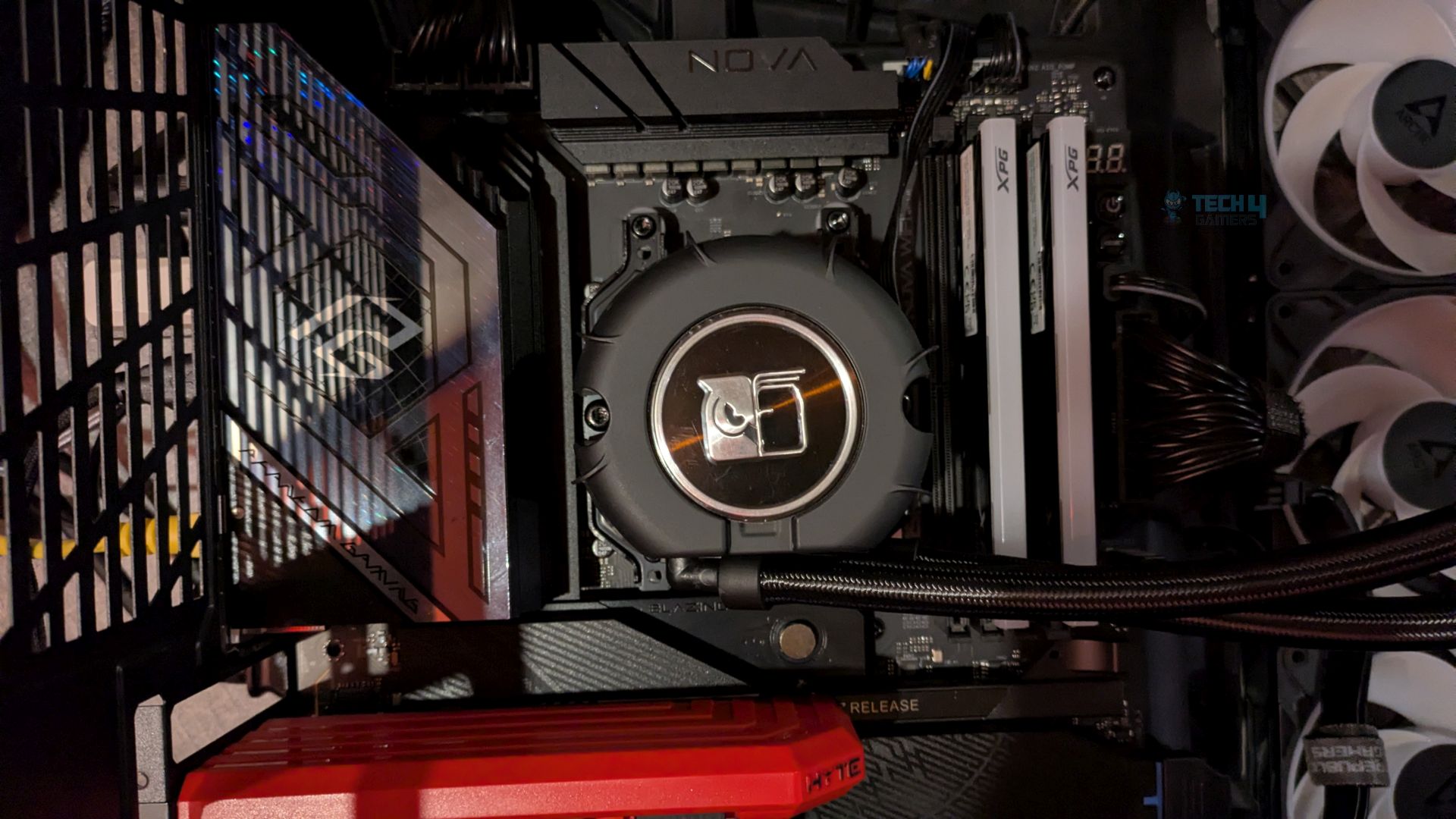
That’s it. The block is now completely installed. If you like you can put the metal adhesive badge on the block. Now plug all the wires to it’s headers. The installation was effortless. We did not run into any issue.
Finished Looks
Unfortunately, the Noctua NL-LC1-42 doesn’t fit in our Hyte Y70 case because it doesn’t support radiators larger than 360mm. We rarely run into this issue, since 360mm has pretty much been the standard, and we don’t have any 420mm coolers in our graphs.


That said, this won’t affect the cooling performance, as the radiator is still sitting at the top, and we test all of our coolers with the panels installed anyway. On the positive side, this is a good example of just how monstrous 420mm all-in-one coolers are in general.
Testing Methodology
CPU Configuration:
- We evaluate the cooler’s performance using three different benchmark methods. Noise-normalized testing is performed at 40dB(A) at the 105W TDP and 170W TDP (Stock) of the Ryzen 9 9950X. We then test the cooler’s performance at the maximum PWM speeds for both TDP configurations.
- Important: The Noctua NL-LC1-36 and NL-LC1-42 has been manually adjusted to its maximum pump speed profile, reaching a maximum speed of 3,400 RPM, as all-in-one coolers are tested at their maximum possible pump speed in our standardized testing methodology.
Controlled Environment:
- We have eliminated the influence of ambient temperatures in our data, and all results are presented as deltas over the ambient conditions. The tests were done in a controlled environment with a room temperature of 25°C.
Preparing System:
- The Coolers are tested in realistic conditions. We don’t use the open bench system; instead, we have installed the cooler in our HYTE Y70 case, mounted at the top. We ensure the airflow is adequate in the case and that the case fans are running at the fixed PWM speeds.
- We are using ID-Cooling X45 thermal paste for all coolers.
Software:
- We have ensured that no other software is running on the computer that could influence the CPU load.
- We’ll be using the Cinebench R23 Loop for 20 minutes after the warm-up test has been completed. Each test has a 10-minute cool-down time.
Test Setup
Here is our test setup!
| Our Primary Test System |
|
|---|---|
| Processor | AMD Ryzen 9 9950X |
| Memory | XPG Lancer 32GB (16x2) 6000MT/s CL30 |
| Motherboard | ASRock X870 Phantom Gaming Nova WiFi (BIOS: 4.43v) |
| Thermal Paste | ID-Cooling X45 |
| Graphics Card | ZOTAC SOLID RTX 5080 , |
| Power Supply Unit | Super Flower LEADEX VII Platinum PRO 850W |
Test – NL-ACF1 Cooling Fan (Is it Effective?)
Before we jump to the CPU thermal numbers, we want to test the VRM fan (NL-ACF1) to see whether it’s actually worth it and whether you should spend the extra 20 bucks. We’ll be using our Thermal Imaging Camera by Goyojo, and the results are captured at a standardised 0.2 m test distance and 0.95 emissivity. Also, these results were obtained during 20 minutes of Cinebench R23 at 200W of heat load for each Fan Off and Fan On Test.
Rear VRM Heatsink
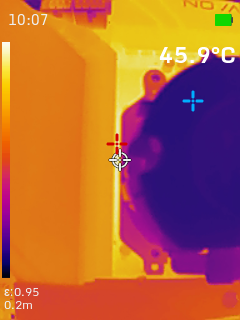
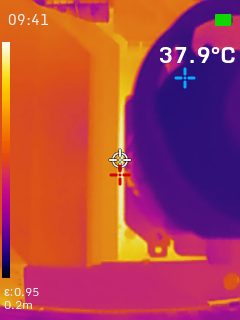
The rear I/O VRM heatsink sees an 8-degree improvement.
Top VRM Heatsink
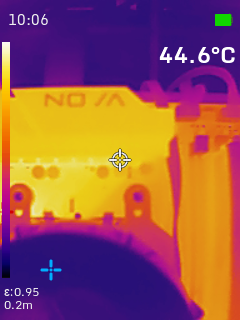
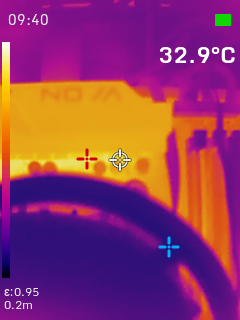
This is massive; the top VRM array benefits the most from the fan’s directed airflow, dropping by nearly 12 degrees.
DRAM Modules
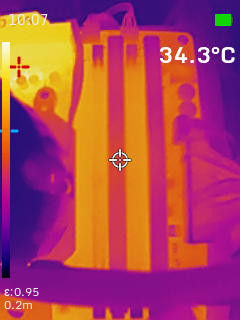
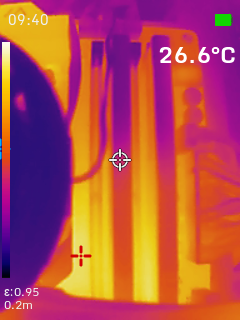
The ambient temperatures across the memory slots dropped by 7.7 degrees, which is also a decent improvement. If you’re tuning the memory, pushing DIMM voltages, or tweaking the memory timings, the lower temperatures would actually help you stabilize the memory.
Test – Noise Normalized 40 dB(A)
Results at the fixed noise level of 40dB(A).
140W Heat Load

200W Heat Load

Test – Maximum Speed
Results at the Maximum PWM Speed.
140W Heat Load

200W Heat Load

Noise and RPM Readings
Let’s take a look at the Noise and RPM Readings. We conducted tests across four different PWM range levels.
25-50% PWM


75-100% PWM


| PWM Level | RPM | Noise (dB(A)) |
| 25% | 378 | 37 |
| 50% | 764 | 38 |
| 75% | 1150 | 43 |
| 100% | 1535 | 51 |
Speed and Acoustic Scaling against vs Noctua NL-LC1-36
Here is the chart showing the scaling of both coolers: the Noctua NL-LC1-36 (3x NF-A12x25 G2) 120mm fans and the NL-LC1-36 (3x NF-A14x25 G2) 140mm fans.

Should You Buy It?
Buy It If
✅ You Prioritize Exceptional Cooling Performance For Extremely High Thermal Loads: The massive 420mm radiator of the NL-LC1-42 provides excellent thermal dissipation for heavy CPU workloads on high-wattage processors like the AMD Ryzen 9950X series, including X3D processors, and the Core Ultra 270K Plus or Core Ultra 285K.
✅ You Take The Acoustics Seriously: The custom-engineered three-layer acoustic foam and tuned mass damper enable the pump’s near-silent operation, and don’t forget Noctua’s Flagship NF-A14x25 G2, which delivers near-silent acoustics while providing excellent performance.
✅ You Demand Long Term Peace of Mind: A comprehensive 6-year warranty covers the NL-LC1-42, also the fans offer a 150,000-hour operational lifespan. This cooler is likely to outlast many CPU generations.
Don’t Buy It If
❌ You’re Running a Lower-Wattage Processor: I highly recommend the NL-LC1-36 / NL-LC1-24, or other cheaper alternatives, if you don’t have a flagship Intel or AMD processor or if your total CPU power draw is below 200 watts do not buy this cooler.
❌ Your PC Chassis Lacks Clearance For a Massive 420mm Radiator: You may need to check cooler compatibility before purchasing.
Final Thoughts
Cooling Performance And Noise
The Noctua NL-LC1-42 delivers excellent overall performance, coming very close to beating all the liquid coolers in our testing. However, it’s neck and neck with its 360mm counterpart, the NL-LC1-36. The 420mm model was only marginally better in our 200W heat-load test at full load, while both coolers performed virtually identically in our noise-normalised thermal results.
A bigger radiator doesn’t always translate into better performance. One could argue that the 140mm fans on the 420mm radiator should have an advantage over the 120mm fans on the 360mm model, but the situation is a little more complicated. As our charts show, the 120mm NF-A12x25 G2 fans demonstrated better efficiency than the 140mm NF-A14x25 G2 fans.
This is mainly because 120mm fans can naturally generate higher static pressure and are generally better suited to pushing air through restrictive surfaces, such as the dense fin stacks found on radiators. The fans on the NL-LC1-42 can move more air, but they may not push it through a dense radiator as effectively.
Our results also show that the NF-A14x25 G2 fans are almost 5 dB(A) louder than the NF-A12x25 G2 fans. In a nutshell, both coolers performed almost identically in our stress tests. However, that doesn’t make the NL-LC1-42 useless, nor does it automatically make the NL-LC1-36 the better buy. Ultimately, it comes down to the use case.
If you’re pushing your CPU under extreme loads, such as 270W or even 300W+, the larger 420mm radiator can help thanks to its greater surface area. However, even at those higher power levels, the difference between the two remains relatively small.
Build Quality / Design
Noctua NL-LC1-42 is another Noctua product that lives up to the brand’s reputation, combining top-tier cooling performance with industry-leading acoustic dampening, built on Asetek’s premium-grade Emma V2 8th Generation platform.
Asetek is a well-known pump manufacturer for liquid coolers, known for dependability and thermal efficiency, so Noctua chose the best in the business and made extra efforts to build a powerful yet silent product.
The pump uses a three-layer acoustic soundproofing structure, which proved useful in our testing: at 3400 RPM, it was barely audible. To give users more control, Noctua also included a physical switch that lets you choose different pump profiles.

The mounting system is also phenomenal: it uses Noctua’s Torx-based Secufirm2+ ecosystem, with an offset mounting option for AMD processors that helps cover the CPU hotspot area and improves thermal efficiency. Installation was effortless, and we had no issues.
However, the fans were louder than the 360mm variant; we recorded almost 5 dB (A) higher, and the performance difference was negligible. In one instance, the LC1-42 outperformed its younger sibling, but only by 0.5 °C. In the noise-normalised benchmarks, where the cooler fans ran at a fixed 40 dB (A) noise profile, they performed almost identically.
Value
Noctua NL-LC1-42 carries a premium MSRP of $279, $30 more than the NL-LC1-36, and sits at the top of Noctua’s liquid-cooling stack; however, whether you should buy this cooler over its 360mm variant is your choice.
Still, personally, I would prefer the NL-LC1-36 and save the extra bucks, since it performs identically in our 200W stress tests. If you’re pushing your high-end processor to the extreme 300 watts or more, the difference would be there, as the 420mm offers more surface area.
Thank you! Please share your positive feedback. 🔋
How could we improve this post? Please Help us. 😔

Senior Hardware Reviewer at Tech4Gamers with over a decade of experience in the tech industry. My journey began in 2014 as a senior administrator for Pakistan’s largest gaming community forum. I specialize in testing and reviewing components like graphics cards, CPU coolers, and motherboards, while also sharing insights on overclocking and system optimization.