 Threads
Worth It?
Review Summary
The ID-Cooling SL360 V2 Plus delivers exceptional value for PC builders and enthusiasts seeking top-tier thermal performance and custom LCD personalization. Thanks to its expanded radiator and powerful AP-120-K fans, it offers flagship thermal performance, decent acoustic efficiency, and strong cooling. This cooler stands out as a highly competitive option in the current market, making it a compelling choice overall.
Overall
-
Cooling - 9.6/10
9.6/10
-
Noise - 8/10
8/10
-
Build Quality - 9.2/10
9.2/10
-
Aesthetics - 8.5/10
8.5/10
-
Value - 9.2/10
9.2/10
Pros
- Outstanding Thermal Performance
- Highly Customizable 2.1-Inch LCD
- Decent Fan Cable Management
- Strong Build Quality
- Exceptional Fan Performance
- Pre-Applied Frost X45 Thermal Paste
- Straightforward AMD Installation
- 138mm-wide radiator
- Clean, Continuous ARGB Side Illumination on the radiator frame
Cons
- Fans get noticeably loud at speeds above 75% PWM
- Proprietary Fan Cables


We have covered many ID-Cooling coolers in the past, and they have always had something to offer with every new release. Now, ID has sent us their brand-new SL360 V2 Plus, a premium 360mm AIO liquid CPU cooler. ID-Cooling has built a reputation for high-quality PC thermal solutions that balance high performance and affordability.
This cooler was showcased as part of ID-Cooling’s updated product line-up at the 2025 Computex, but it took its time to reach shelves and us. It builds on the original SL360 with several changes. The pump speed was increased from 2500 RPM to 2900 RPM, and the radiator was enlarged by increasing the fin area and the thickness of the side frames.
The fans were also upgraded to slightly thicker 28mm three AP-120-K models, which have higher static pressure and airflow. The 2.1-inch circular LCD display remained unchanged, as it was already a stand-out feature in the original.
However, keep in mind that there is an SL360 V2 (Non Plus) variant. Both variants received an upgraded pump motor, but the Plus variant has a slightly larger radiator and better, thicker, faster fans.
Let’s talk about the specifications:
| Component | Specification | Details |
| Platform Compatibility | Intel / AMD | LGA 1954/1851/1700/1200/115X
AM5/AM4 |
| Thermal Capacity | Max TDP | 350W |
| Display | 2.1″ LCD | 480×480 Resolution, 60Hz, 300 cd/m², 18-bit Color |
| Radiator | Dimensions & Material | 396 × 138 × 27 mm (Aluminum) |
| Tubing | Length | 420 mm |
| Waterblock & Pump | Dimensions | 79 × 79 × 68 mm (Copper Cold Plate) |
| Speed | 2900 RPM ±10% | |
| Bearing & Max Noise | Ceramic Bearing / 25 dB(A) | |
| Fans (3x) | Model & Dimensions | AP-120-K / 120 × 120 × 28 mm |
| Speed & Connector | 0 – 2450 RPM ±10% (4-Pin PWM) | |
| Airflow | 88.75 CFM (Max) | |
| Static Pressure | 4.35 mmH₂O (Max) | |
| Bearing & Max Noise | Hydraulic Bearing / 34.3 dB(A) |
What Makes ID-Cooling SL360 V2 Plus AIO Different?
They have made big changes to the design. What truly sets the SL360 V2 Plus apart from the rest of the SL360 line-up and other traditional AIO liquid coolers in the market is its expanded 138mm radiator. Standard liquid coolers on the market use a traditional 120 mm-wide radiator. This allows ID to expand the fin surface area, giving the liquid more room to shed heat before cycling back to the CPU.
Well, of course, for such a wider, denser, and thicker radiator, you also need strong, powerful fans. The V2 Plus ditches the standard 25mm-thick fans in favour of 28mm-thick fans, which allows the blade to generate massive static pressure and airflow to aggressively punch through the expanded fin stack. This is the product that many enthusiasts and overclockers should look into.
What About The Availability & Pricing?
This Cooler is only available in the 360mm variant and in black. However, we do not have the official MSRP numbers. The SL360 was available on Newegg for $170 globally, so it is reasonable to estimate that this cooler would be around that price. However, in my country, where I reside, the cooler costs somewhere around $144, but the exact price can vary depending on the retailer and regional availability. ID-Cooling provides an official 3-year manufacturer warranty for all of their Space LCD series AIO liquid coolers.
Packaging
Let’s take a look at the packaging!
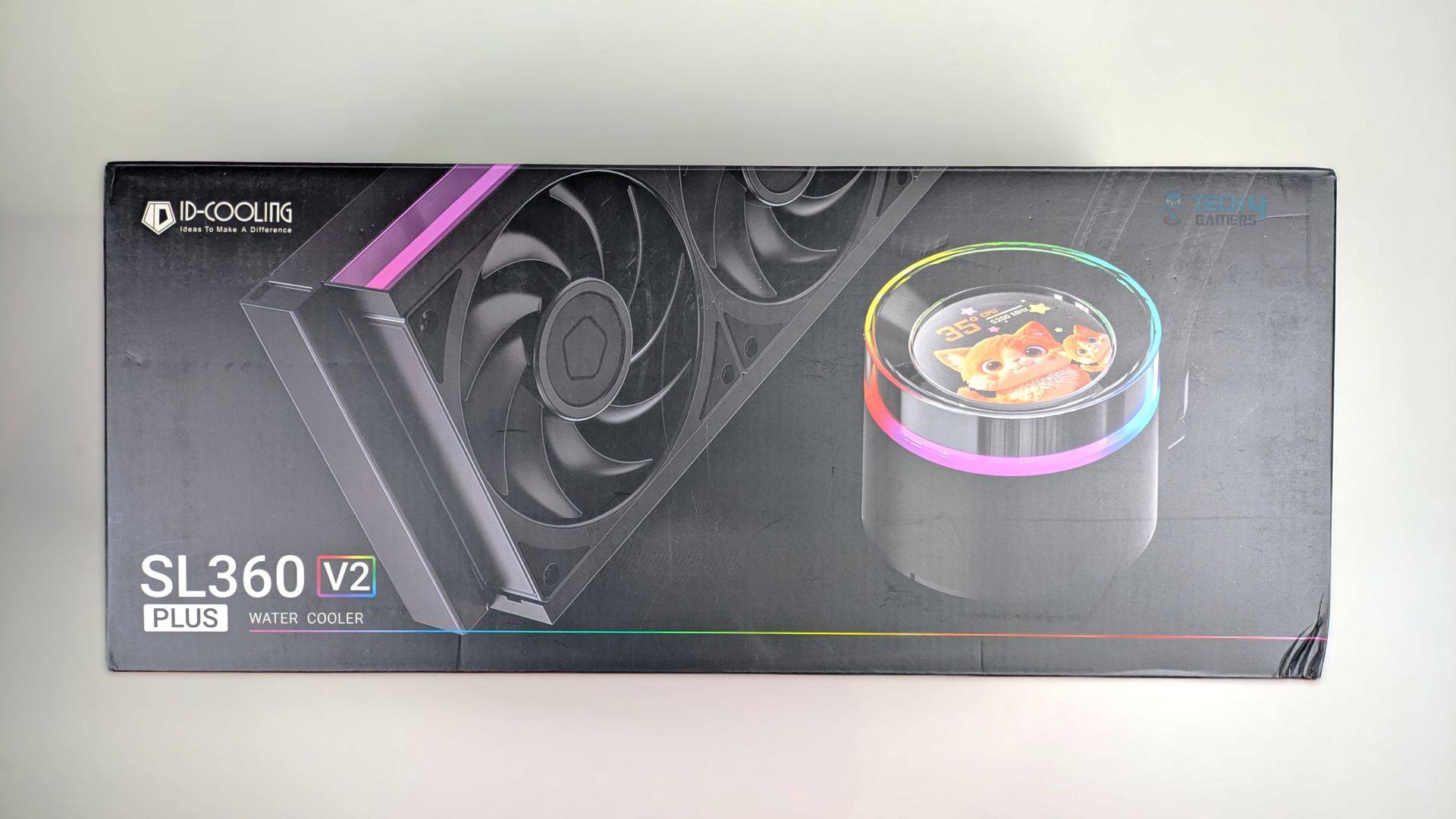
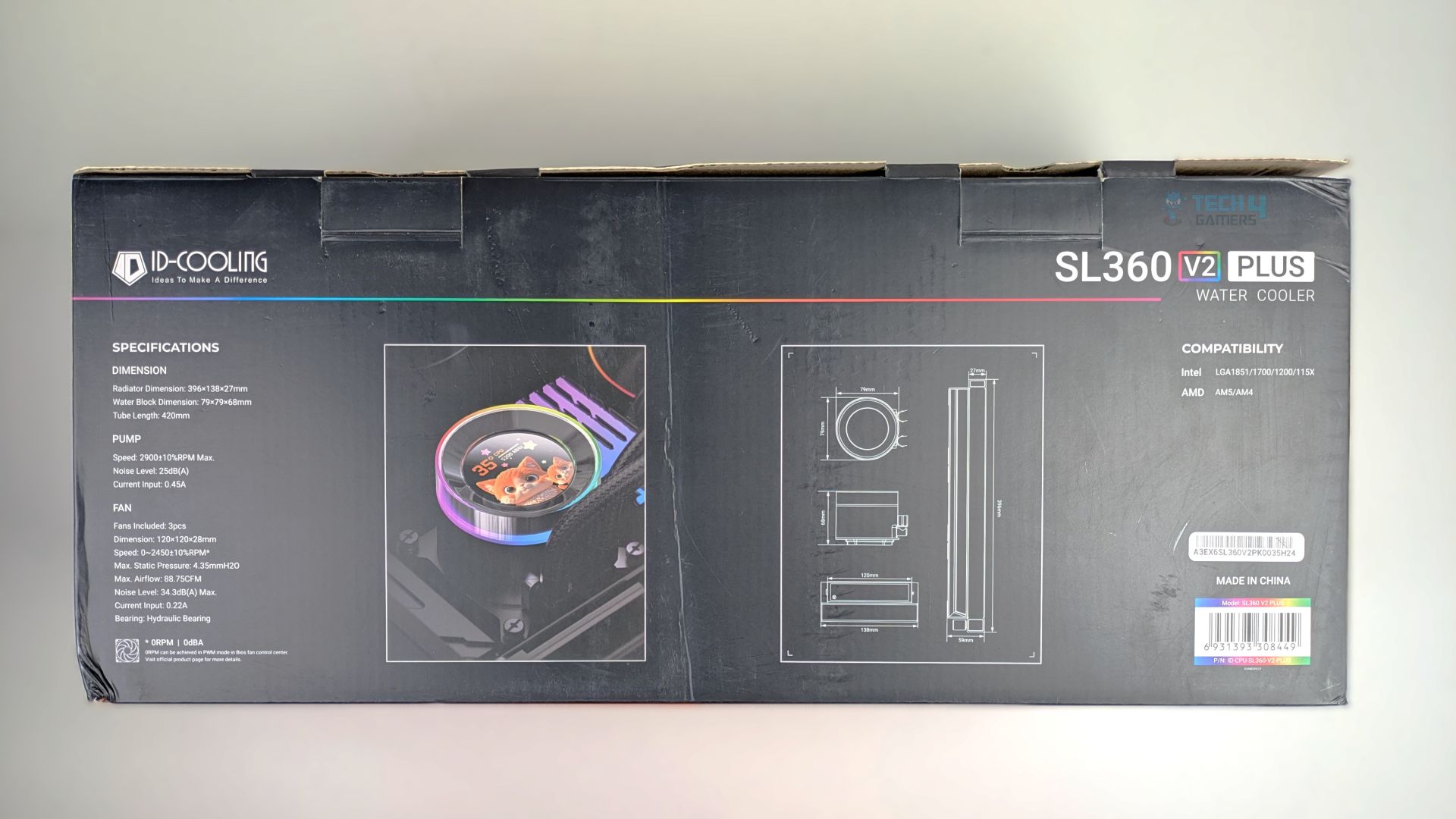
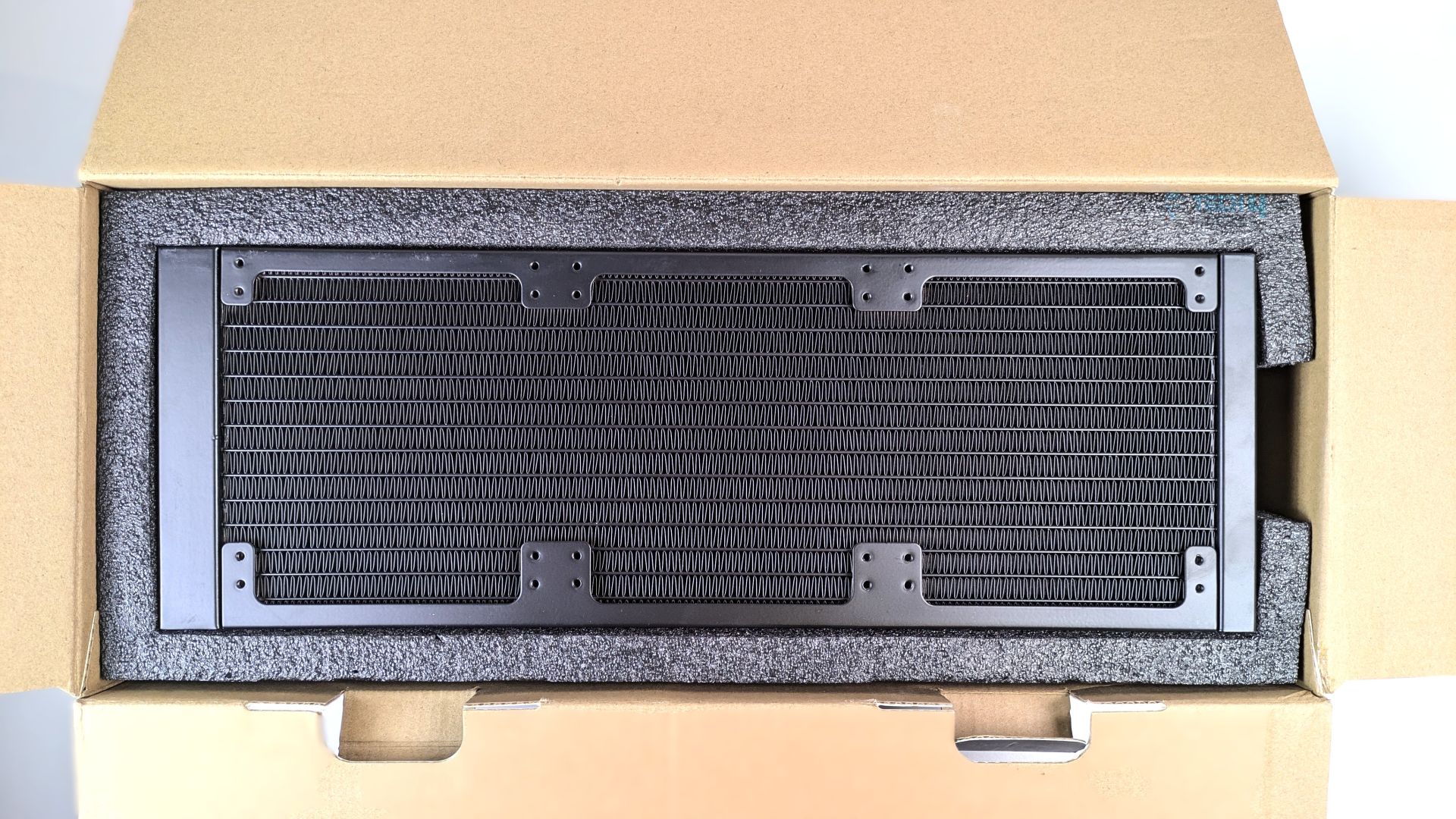
ID-Cooling SL360 V2 Plus comes in a clean matte-black box; this is not the traditional ID-Cooling packaging we have seen on their A620 SLK and other coolers. Instead of going with the full brand theme orange box, they went with a black box featuring the rainbow accent line. The cooler’s render is clearly visible. On the black side of the box, you will find the details and specifications.
Opening the box reveals a highly secure internal layout; ID-Cooling cradles the radiator and pump within thick, high-density black foam.
Accessories
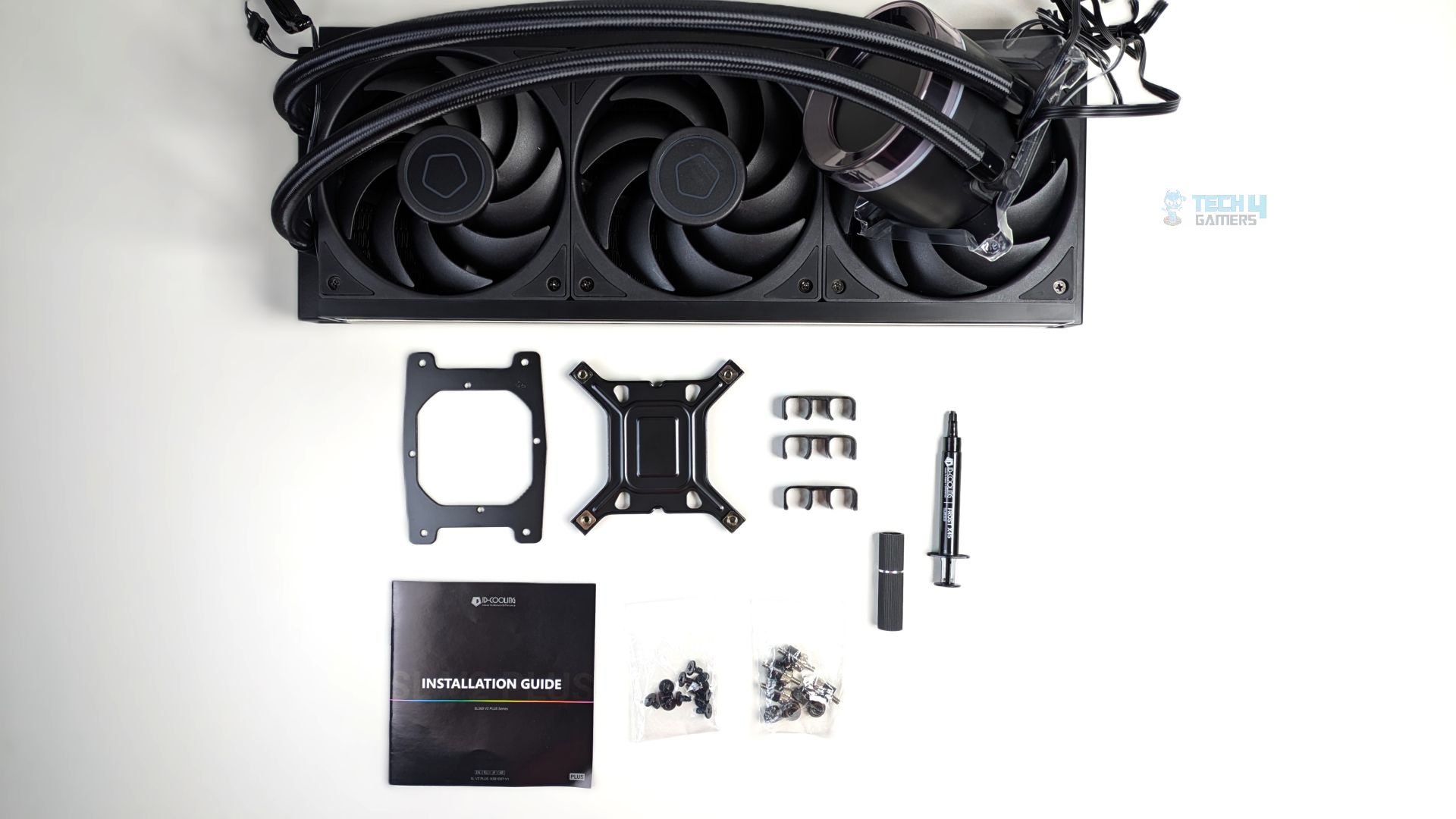
You don’t get many mounting accessories, which is nice. The mounting bracket for each AMD/Intel platform is included, along with the necessary screws, standoffs, and nuts to mount the radiator and cooler, as well as three plastic routing clips. Also, the ID-Cooling X45 thermal paste is included; the X45 is pre-applied to the cooler as well.
| Component | Quantity |
| Intel Backplate | 1x |
| Intel Mounting Bracket (Pre-Installed) | 1x |
| AMD Mounting Bracket | 1x |
| Tubing Clips | 3x |
| Standoffs | 4x |
| Thumb Nuts | 4x |
| Fan Screws | 12x |
| Standoff Installation/Removal Tool | 1x |
| Thermal Paste (ID Cooling X45) | 1x |
| User Guide | 1x |
Close Look At The Radiator and Assembly
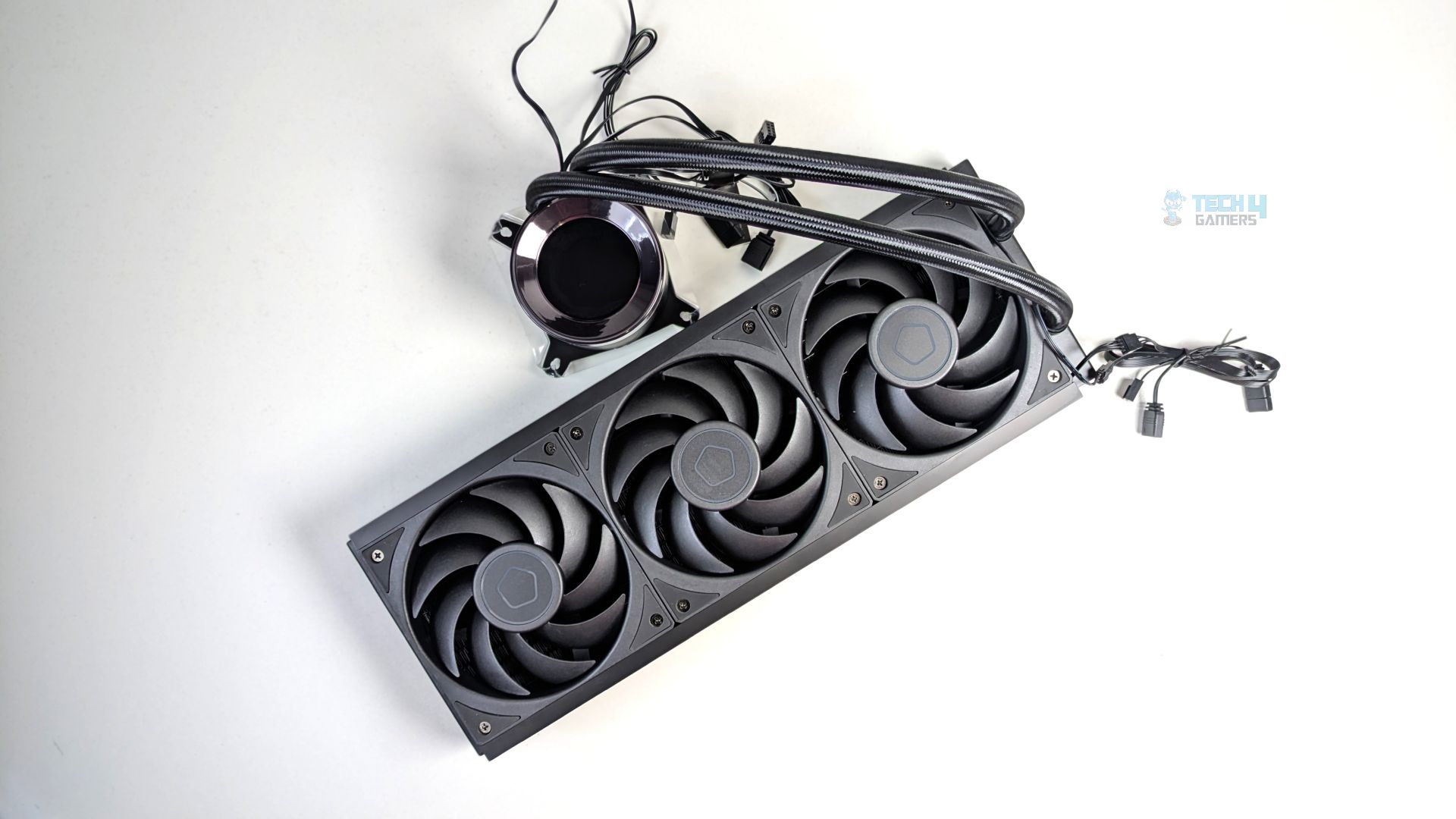
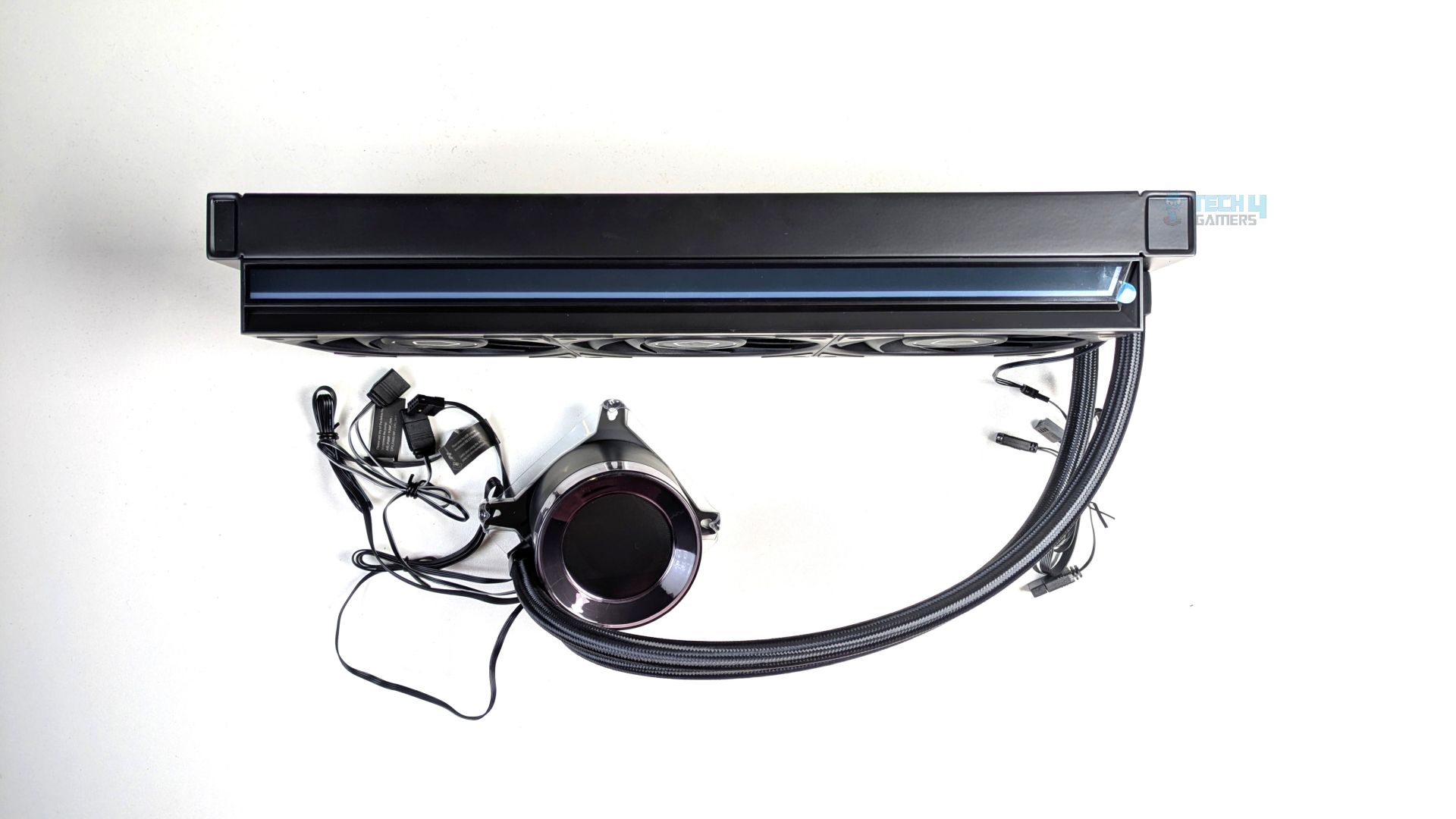
Now the cat is out of the bag: the physical assembly of the SL360 V2 Plus is very straightforward, but it features several design changes that set it apart from standard liquid coolers on the market. The first thing you would notice is the size and thickness of the radiator; while it’s a 360mm-sized radiator which would fit in most cases, it’s noticeably wider. We’ll talk about this below.
They have given a nice touch to the aesthetics, providing a sleek ARGB accent strip running down the centre on the side of the radiator block. Well, the fans have also gotten thick this time. The cooler offers three massive 28mm-thick AP-120-K fans that come pre-installed out of the box. ID has pre-daisy-chained the fan cables along the radiator’s edge.
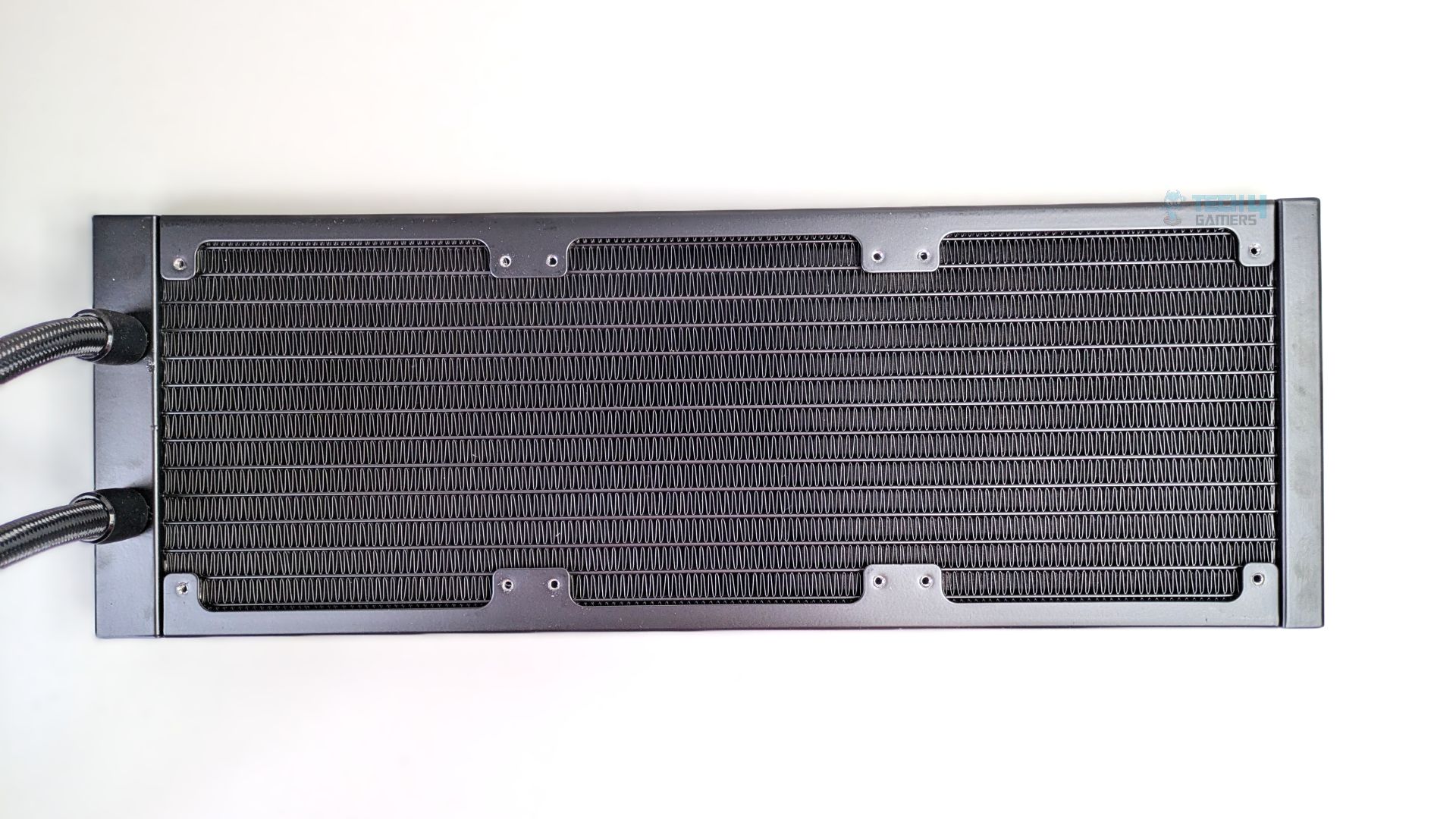
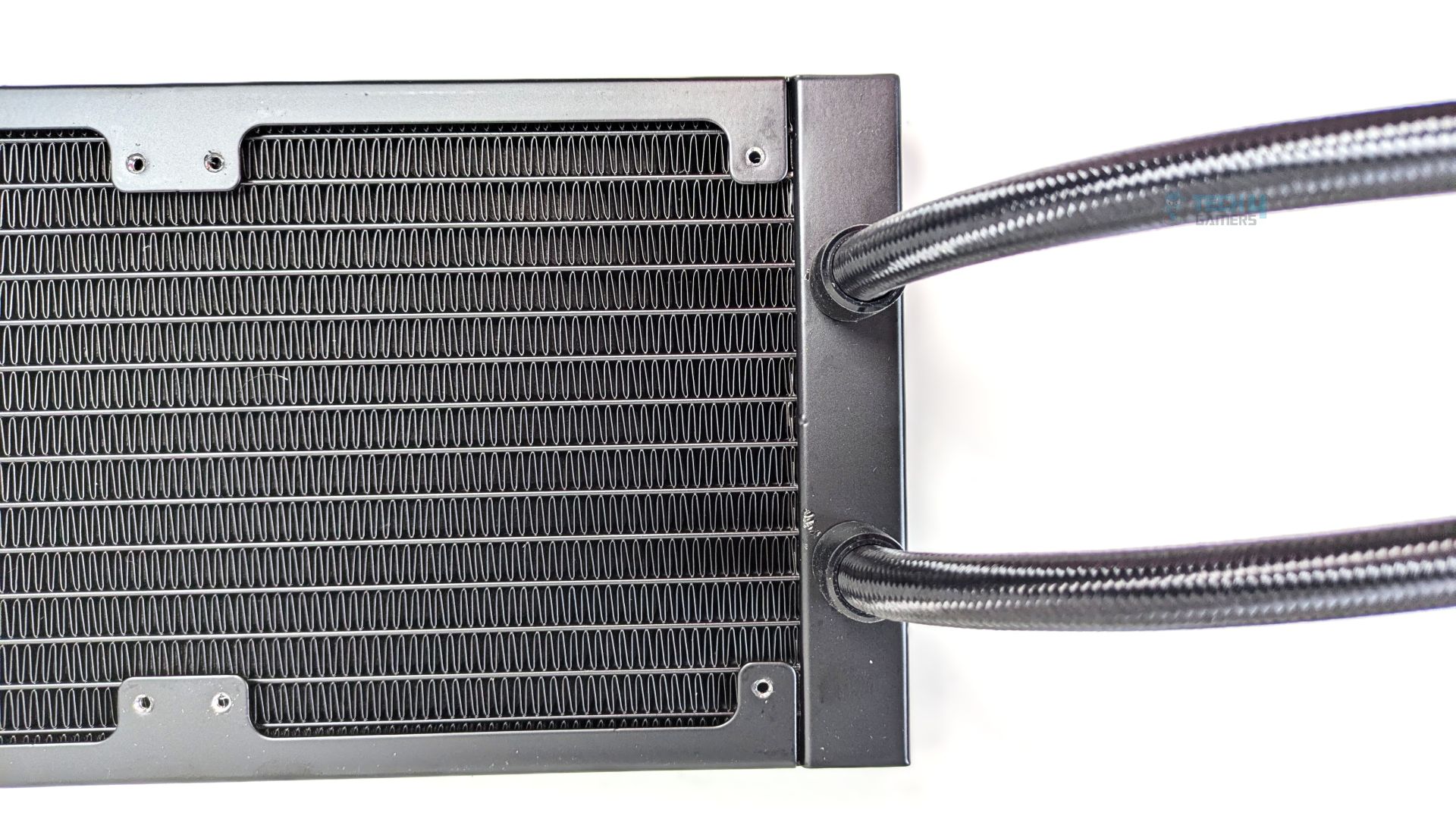
Now this is the very chunky radiator, while the standard radiators are 120mm wide, matching the width of the 120mm fans mounted on them. This time, ID has expanded the physical footprint of this unit to 138mm, which allows the radiator to increase the volume of liquid to flow, also increasing the surface area to dissipate the heat more quickly.
In total, the dimensions of the radiators are 396×138×27mm. Since the radiator is expanded, it has 14 water channels and uses a high-density fin stack, with exactly 20 fins within the 1-inch span.
Speaking of tubes, which are 420mm long, they also utilise a high-quality rubber core surrounded by premium nylon-braided sleeving.
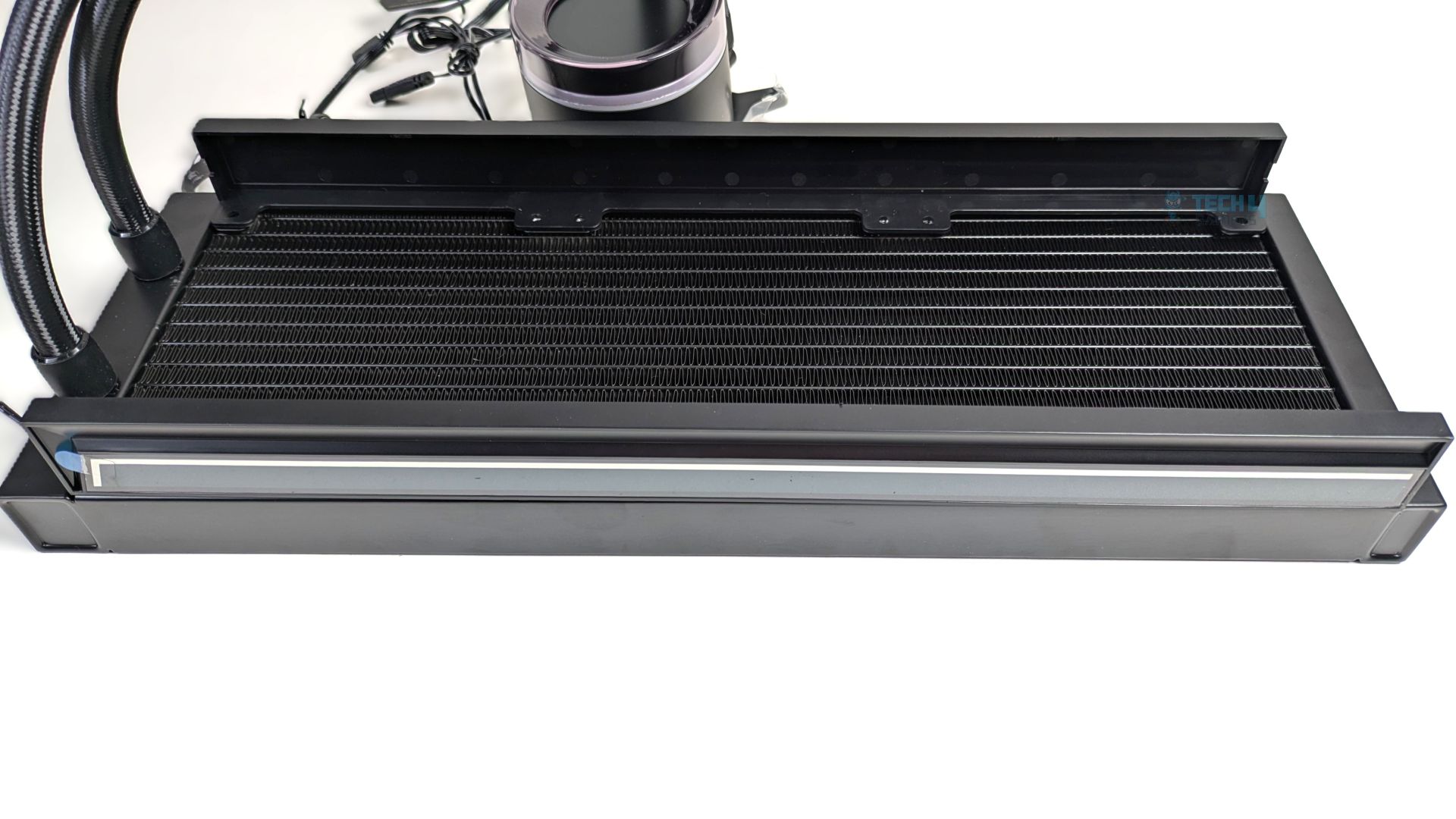
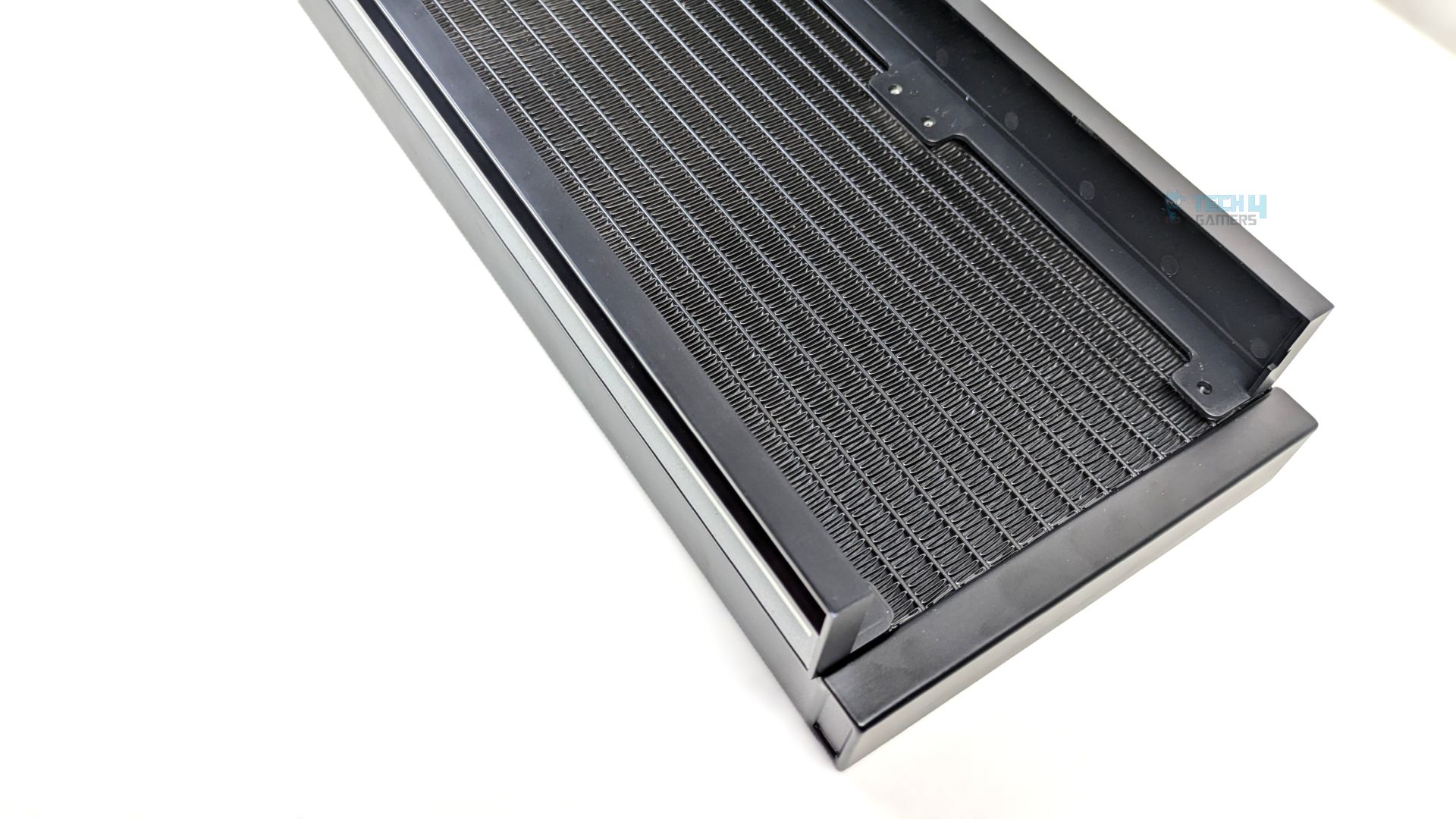
Looking at the radiator’s side profile, you will notice something unique: ID-Cooling has integrated two thick, solid metal bars running the full length of both sides. The outer face of the metal bar, facing the front, serves as a shroud for the long ARGB lighting strip. The top metal bar does not feature integrated ARGB lighting; however, it is useful because the three 28mm-thick fans are preinstalled, and the cables are routed and tucked entirely inside the metal channel, creating a clutter-free experience.
Pump Design / Housing
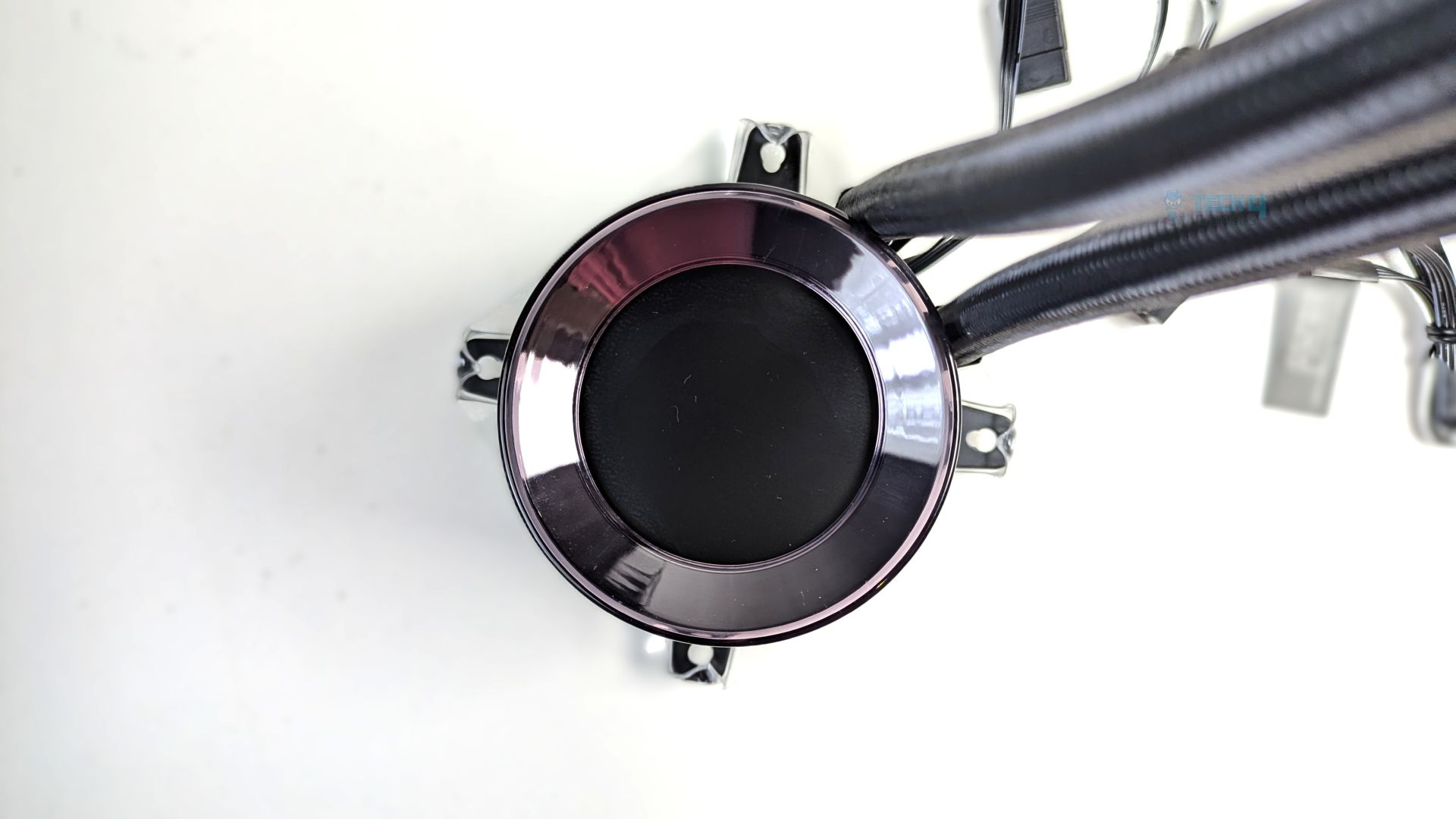
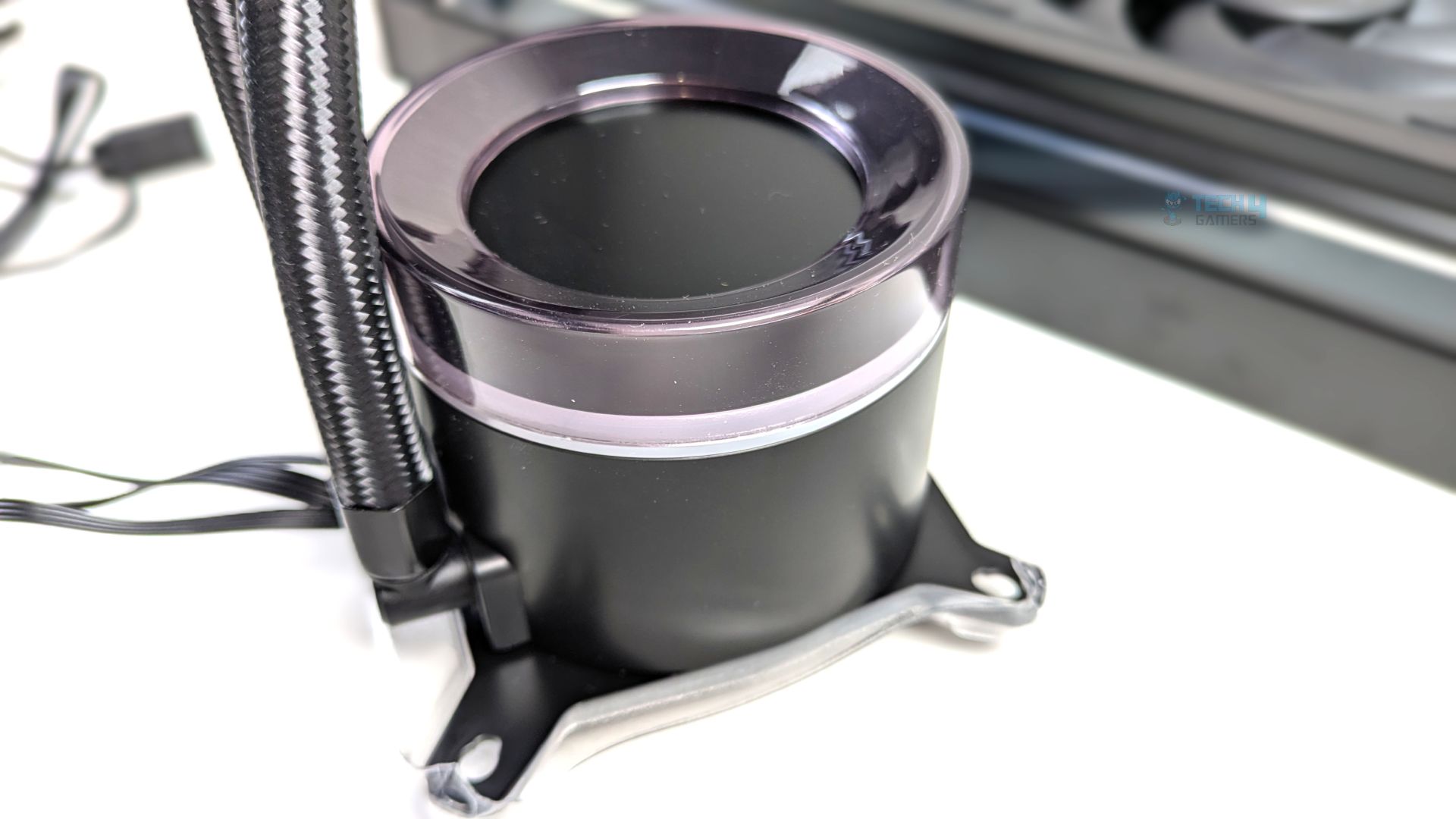
Take a look at the pump head and block, the face of the liquid cooler. The first thing you’ll notice is a 2.1-inch customizable LCD screen with a 480×480 resolution, 60Hz refresh rate, 18-bit color panel, and 300 cd/m² brightness.
The panel is encircled by a thick, translucent acrylic ring housing a 24-LED ARGB lighting array underneath, creating a vibrant, clean halo effect around the central LCD. The design appears highly polished.
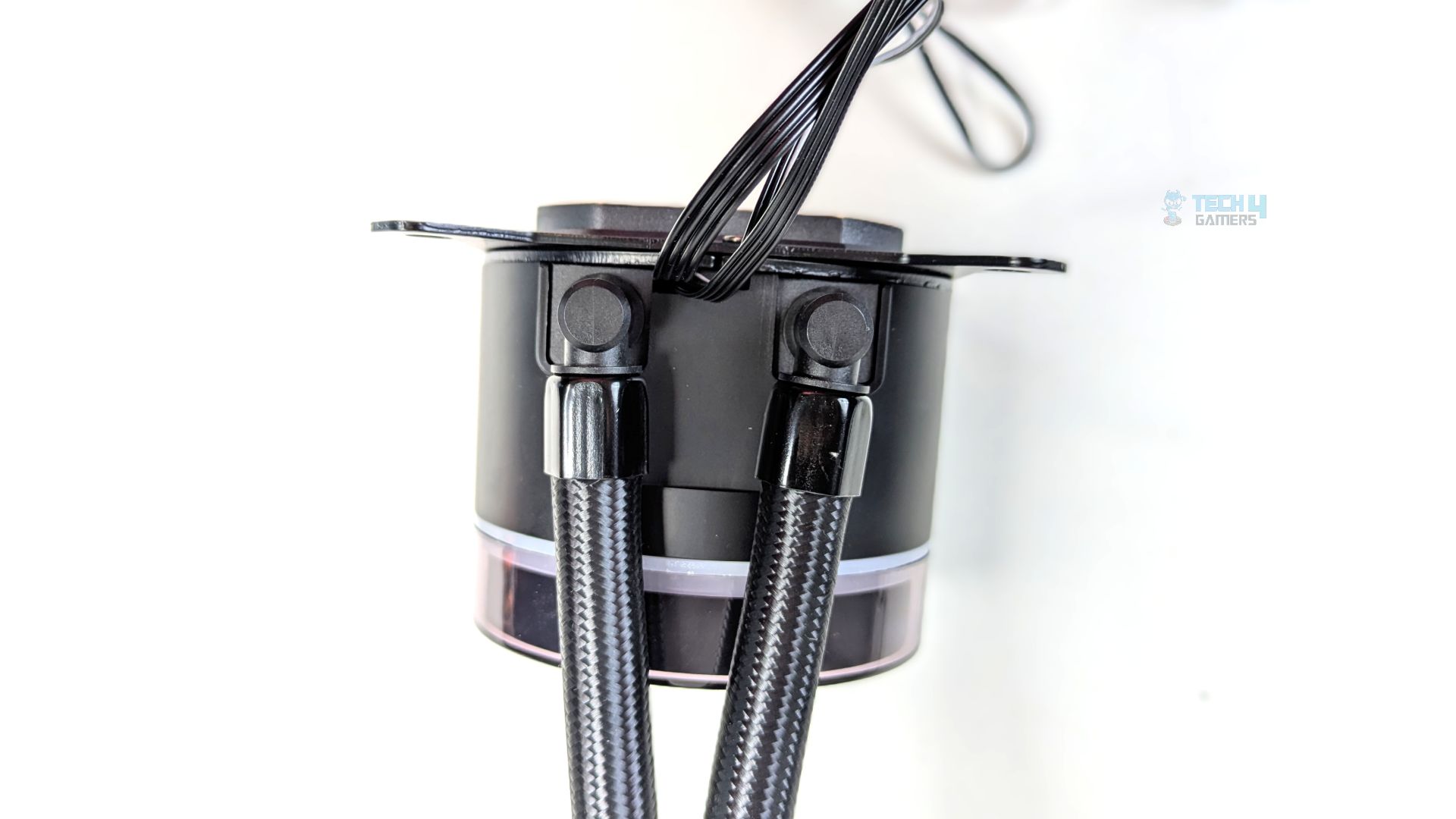
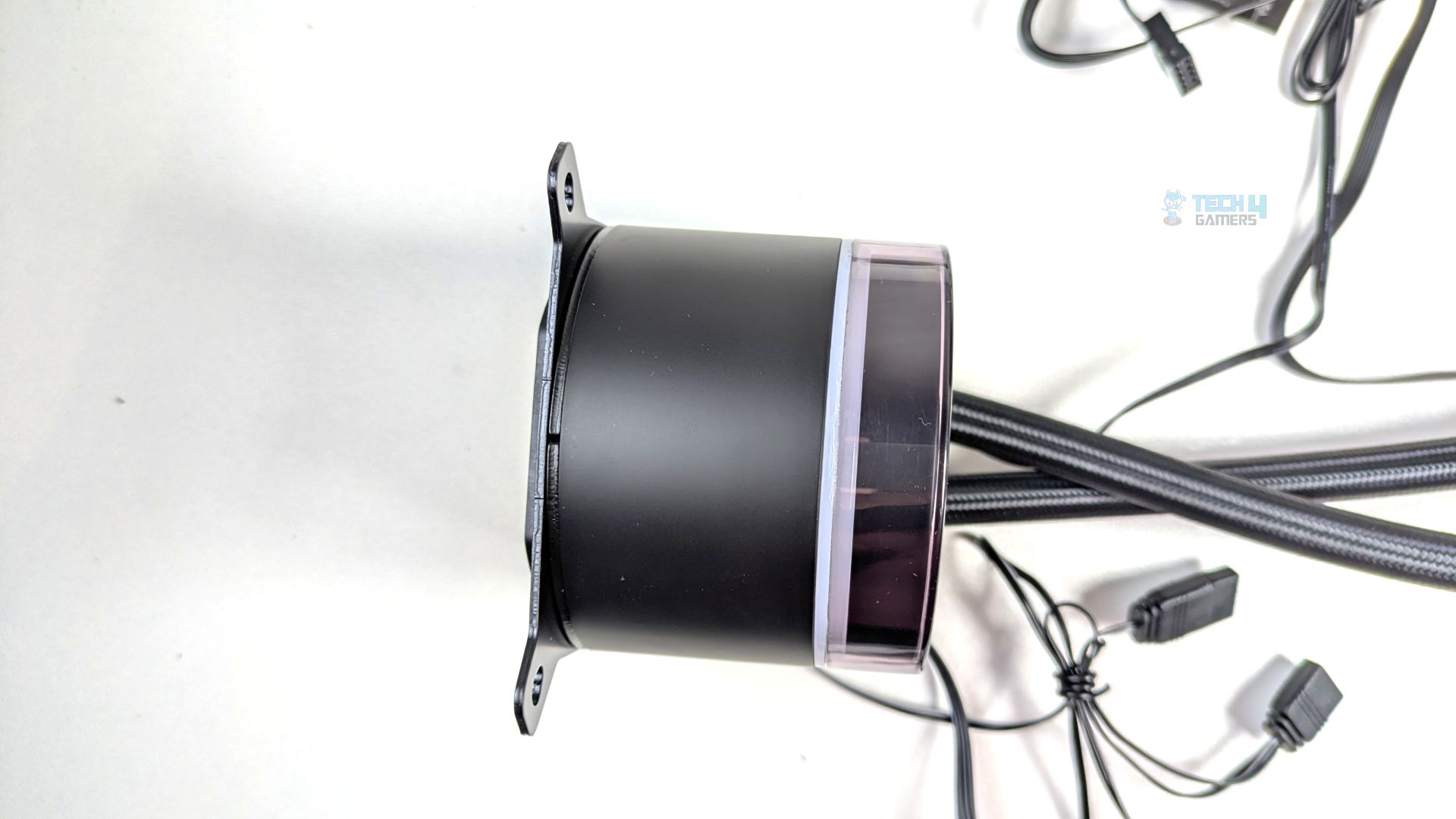
The design, or main body, is matte black and comes in a cylindrical housing; the overall dimensions of the block are 79 x 79 x 68 mm. ID has upgraded the pump in their Space-LCD V2 cooler line-up to the Gen-7 Pro Pump, which now features a ceramic bearing and can run at a maximum speed of 2900 RPM. The pump is also PWM-controlled, so you can set the curve or run it at lower speeds.
Near the bottom edge of the block, you can see the metal mounting wings; the Intel mounting bracket is preinstalled. Speaking of the tubes now, the 420mm sleeved tubing enters the side of the pump via two 90-degree rotary elbows. The connections or wiring exit from the bottom edge of the block, just behind the tube fittings.
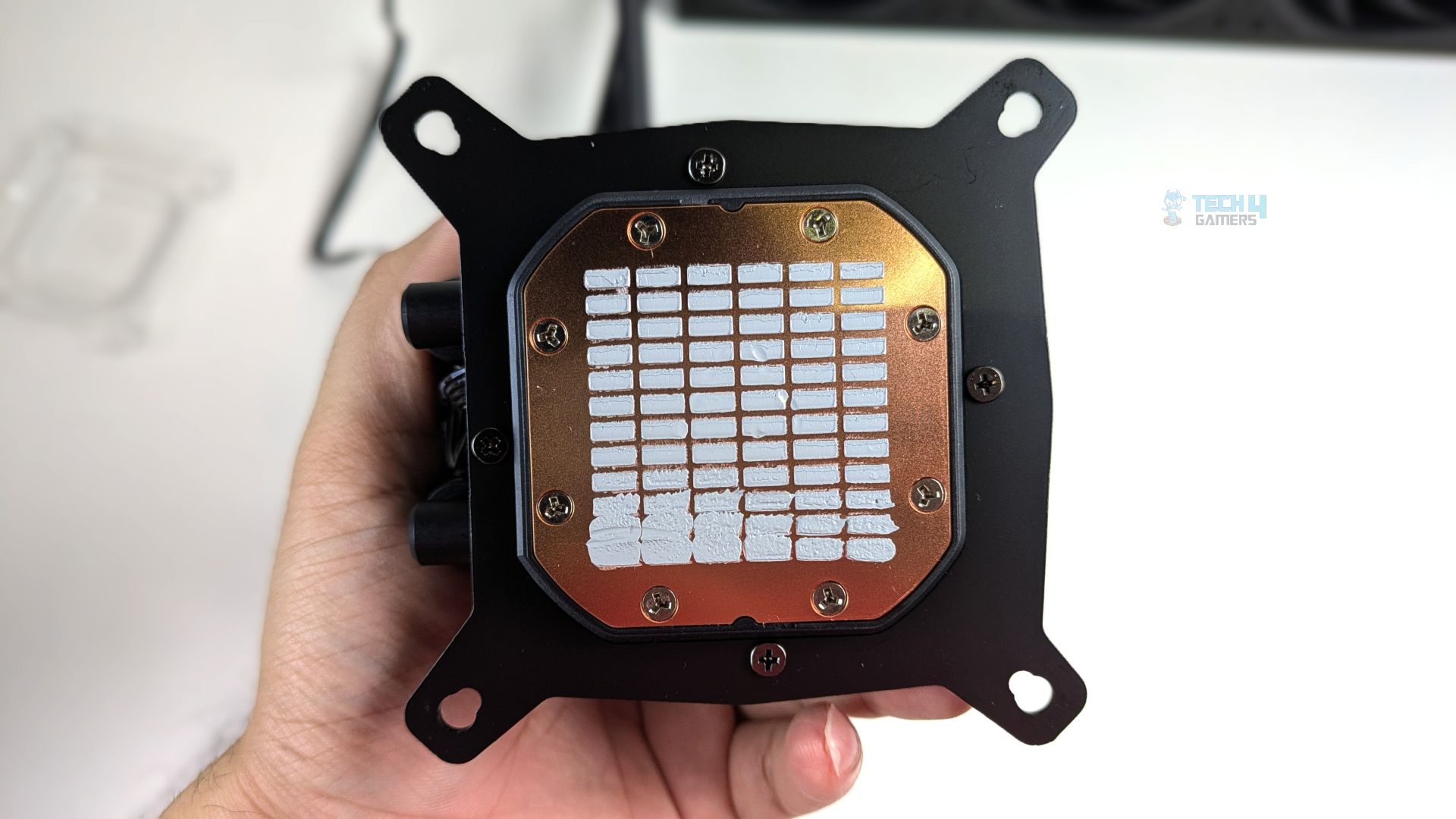
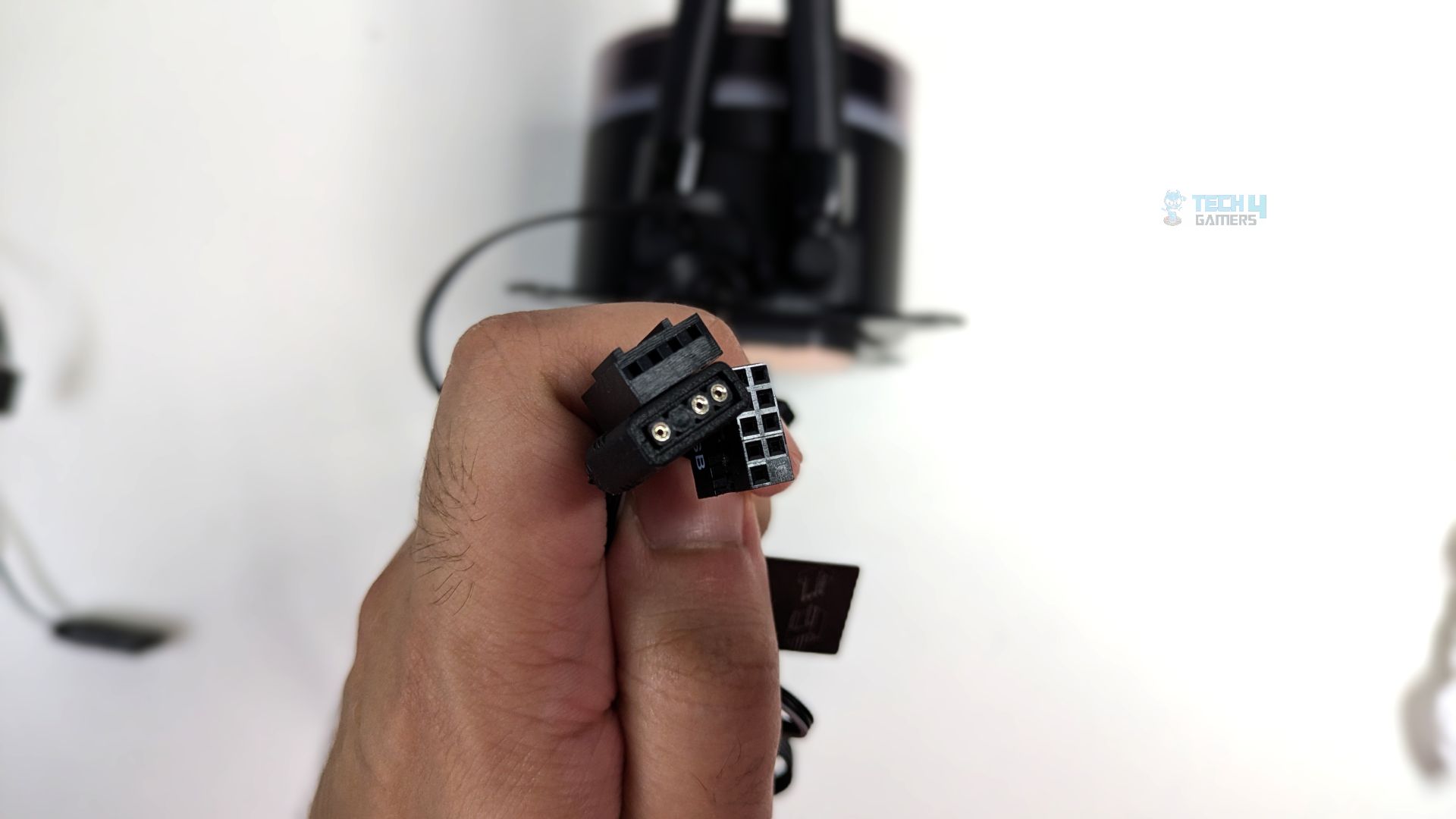
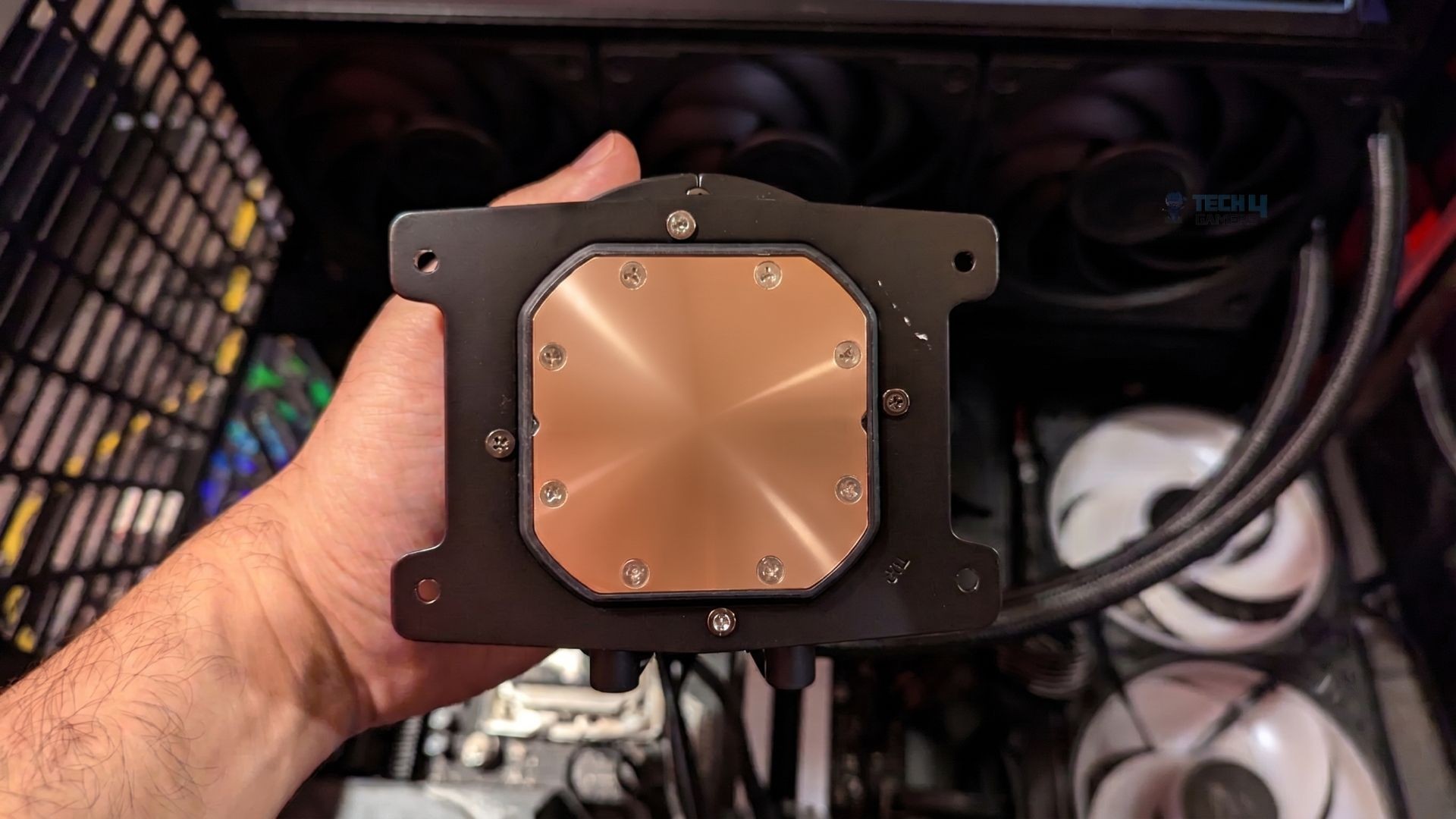
ID has provided a large, solid copper base with a pre-applied Frost X45 thermal paste in a precise segmented grid pattern. For connectivity, you get three cables: a 9-pin USB 2.0 connector, a 3-pin 5V ARGB connector, and the PWM pump power connector.
Fans
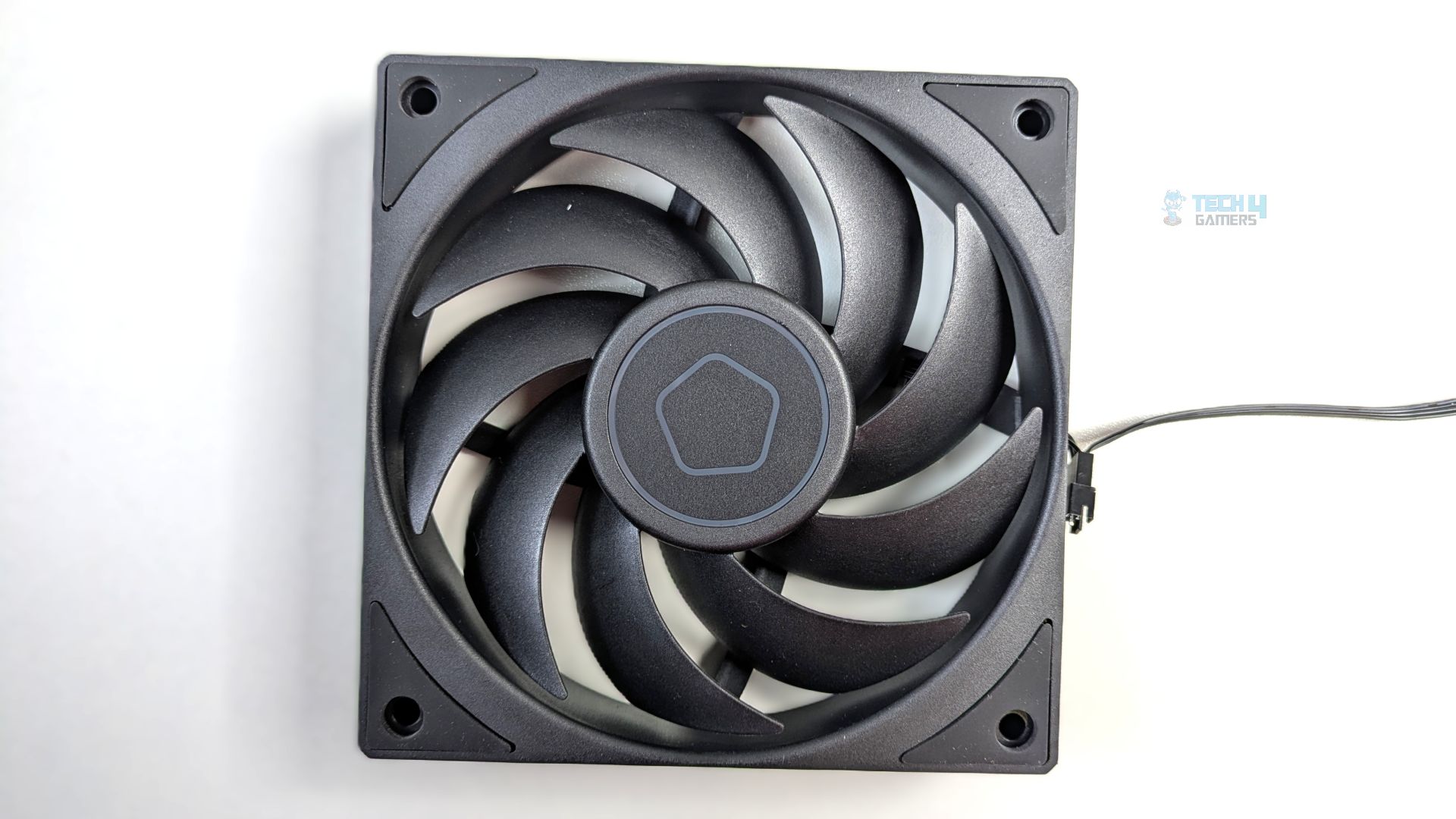
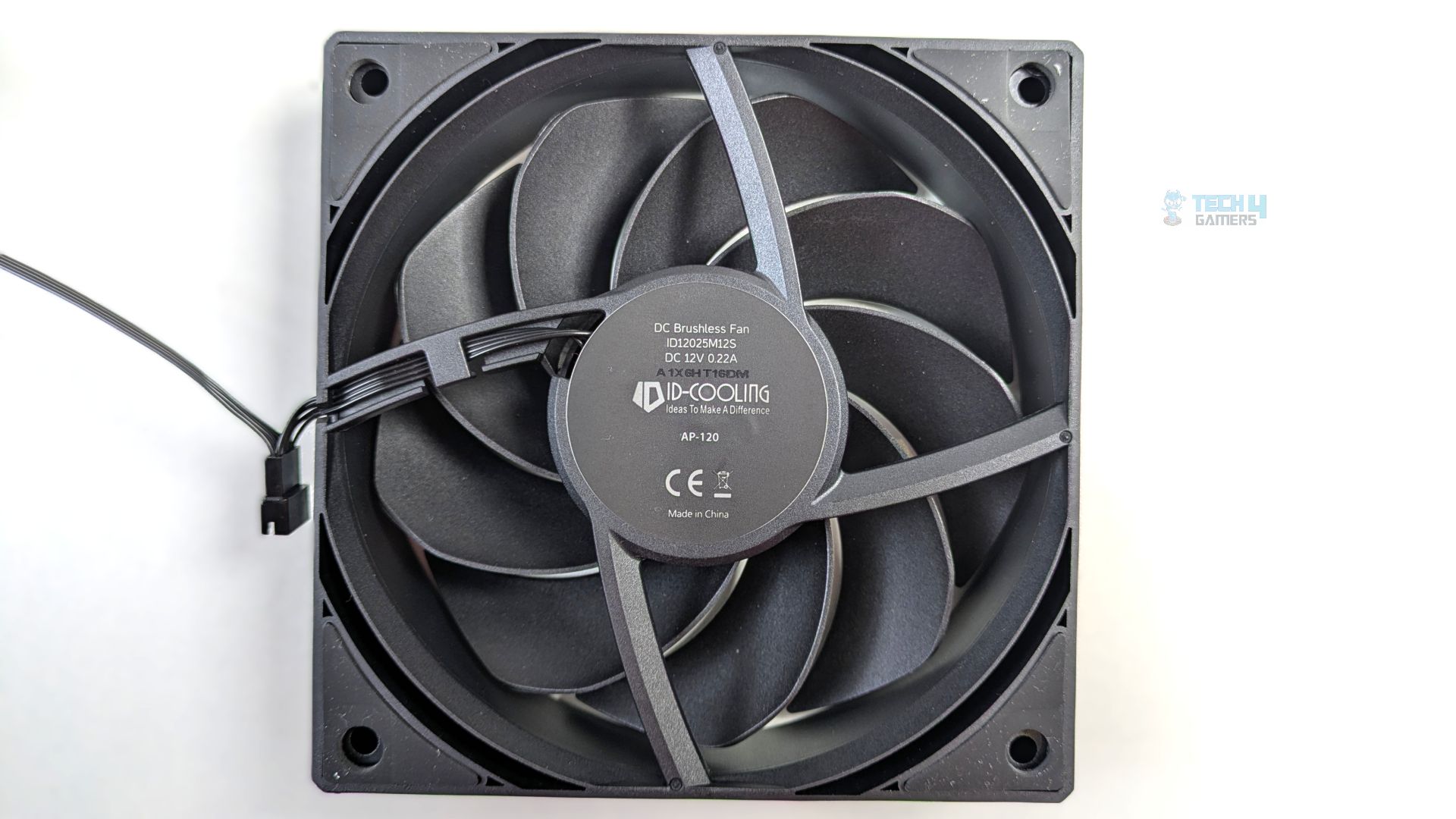
ID-Cooling uses its high-pressure AP-120-K Fans, which appear custom-tailored for this cooler’s thick radiator, while the standard fan measures 25 mm in thickness; these specialized fans are built with a 28mm thickness, allowing for a deeper motor housing, and they incorporate a three-phase motor that enables high static pressure. These are solid fans in terms of their structure, build quality, and cooling advantage.
Looking closely, the fan features 9 aggressive curved blades that operate at up to 2500 RPM. Each corner of the frame features integrated rubber vibration-dampening pads on both sides.
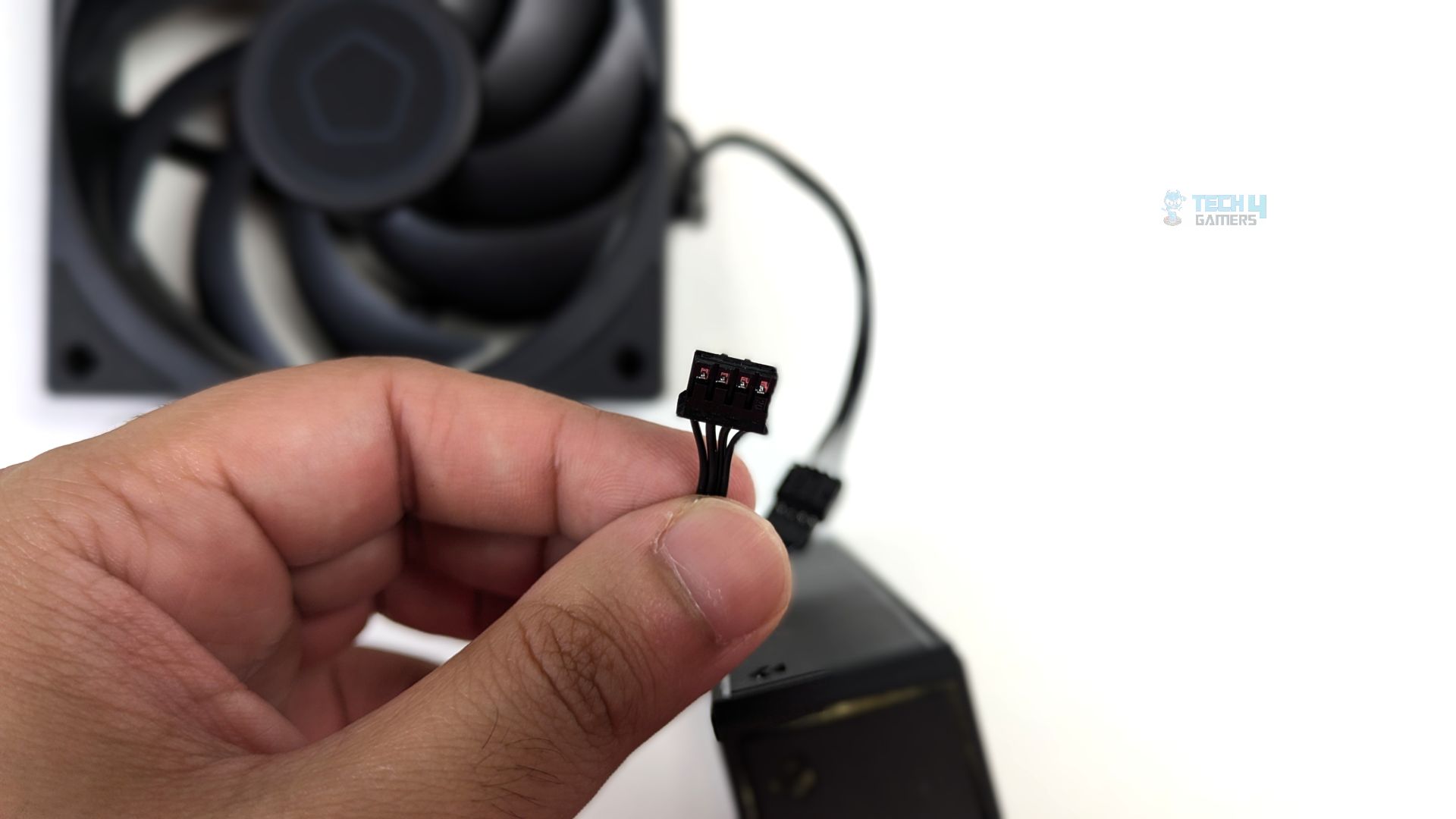
Well, while the final output cable that plugs into the motherboard is a standard 4-Pin PWM cable, the cable coming directly out from the fans is a proprietary micro-connector that daisy-chains all the fans and then connects to the main provided PWM extension, which goes into the motherboard.
AP-120-K Fan Specifications
| Specification | Value |
| Model | AP-120-K |
| Dimensions | 120 × 120 × 28 mm |
| Quantity Included | 3 pcs |
| Fan Speed | 0 ~ 2450 RPM (±10%) |
| Max. Air Flow | 88.75 CFM |
| Max. Static Pressure | 4.35 mmH₂O |
| Max. Noise Level | 34.3 dB(A) |
| Bearing Type | Hydraulic Bearing |
| Rated Voltage | 12V DC |
| Operating Voltage | 10.8 ~ 13.2V DC |
| Starting Voltage | 7V DC |
| Rated Current | 0.22A |
| Power Input | 2.64W |
| Connector | 4-Pin PWM |
Installation (AMD)
We’re using the AMD platform, so our installation steps will only be provided for that.
Prepare the socket
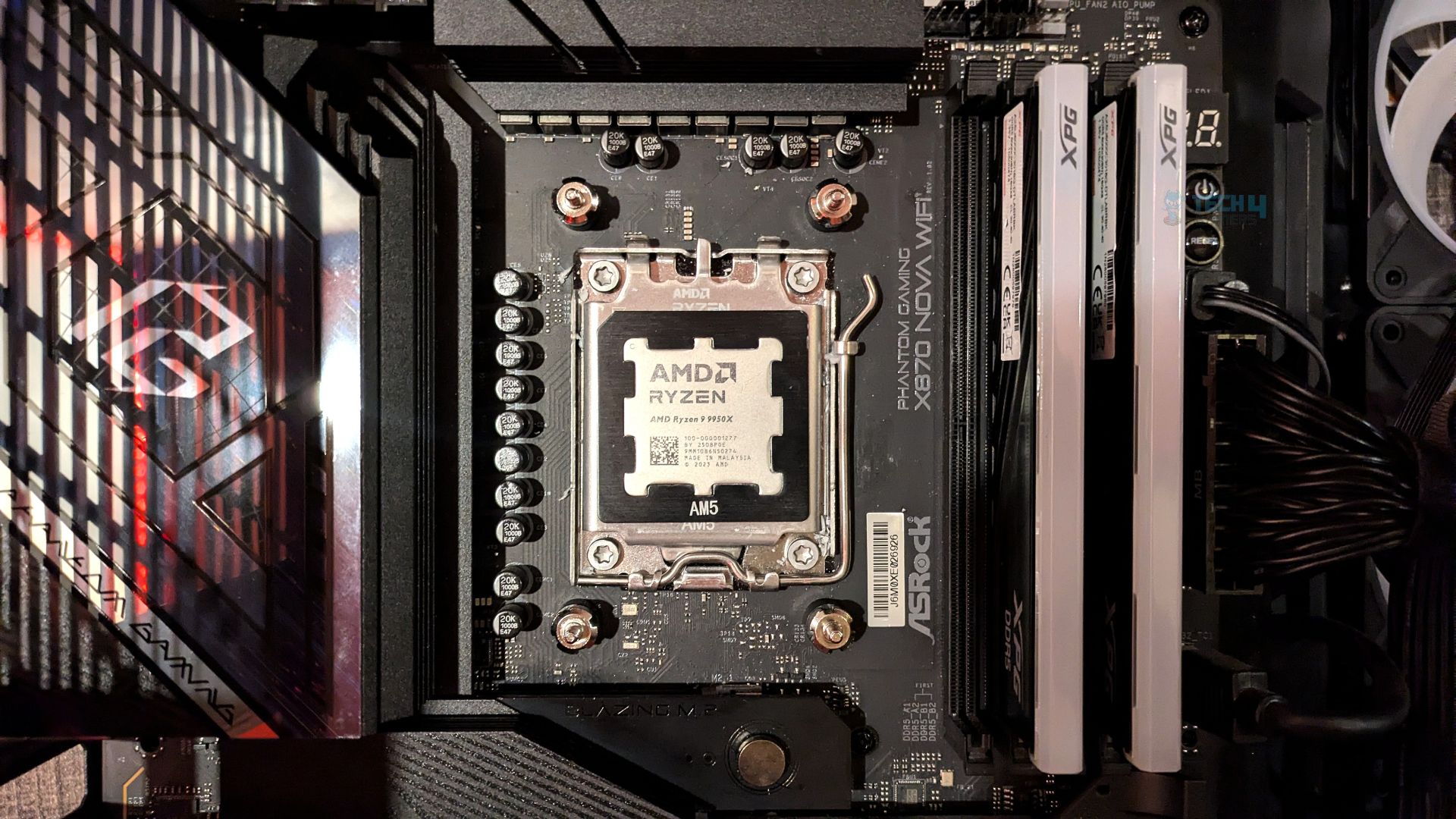
First, remove the motherboard’s stock retention brackets from your AM4/AM5 motherboard. Then install the standoffs from the hardware bag and screw them into the exposed threads of the stock AMD backplate. Use the included plastic installation tool to tighten and secure them.
Out of the box, the cooler comes with the Intel mounting bracket preinstalled. Gently unscrew the bracket and slide it out of the block. Take the dedicated AMD mounting bracket and slide it onto the base of the pump block, then secure it with the four screws.
This cooler comes with a pre-applied thermal paste, Frost X45. To follow our methodology, we cleaned the cold plate and then applied fresh thermal paste to the CPU IHS.
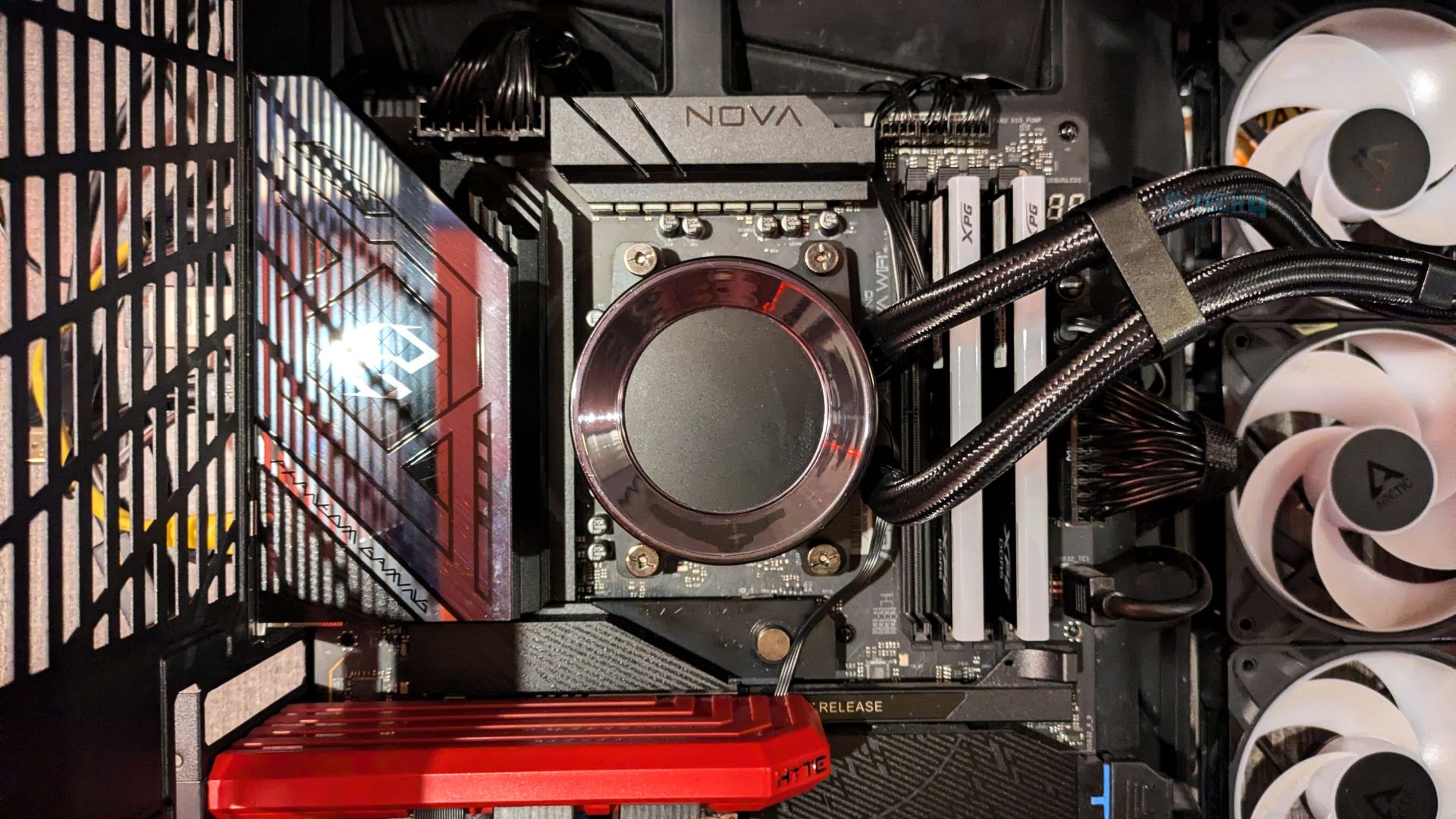
Align the block over the CPU socket and lower it straight down on the four standoffs, ensuring the bracket feet rest on them. Now take the four thumb nuts and screw them onto the standoffs in a criss cross pattern to ensure even mounting pressure.
Finished Looks
The completed installation of the cooler within the HYTE Y70 chassis is shown below. The unit is mounted at the top and configured for exhaust operation.
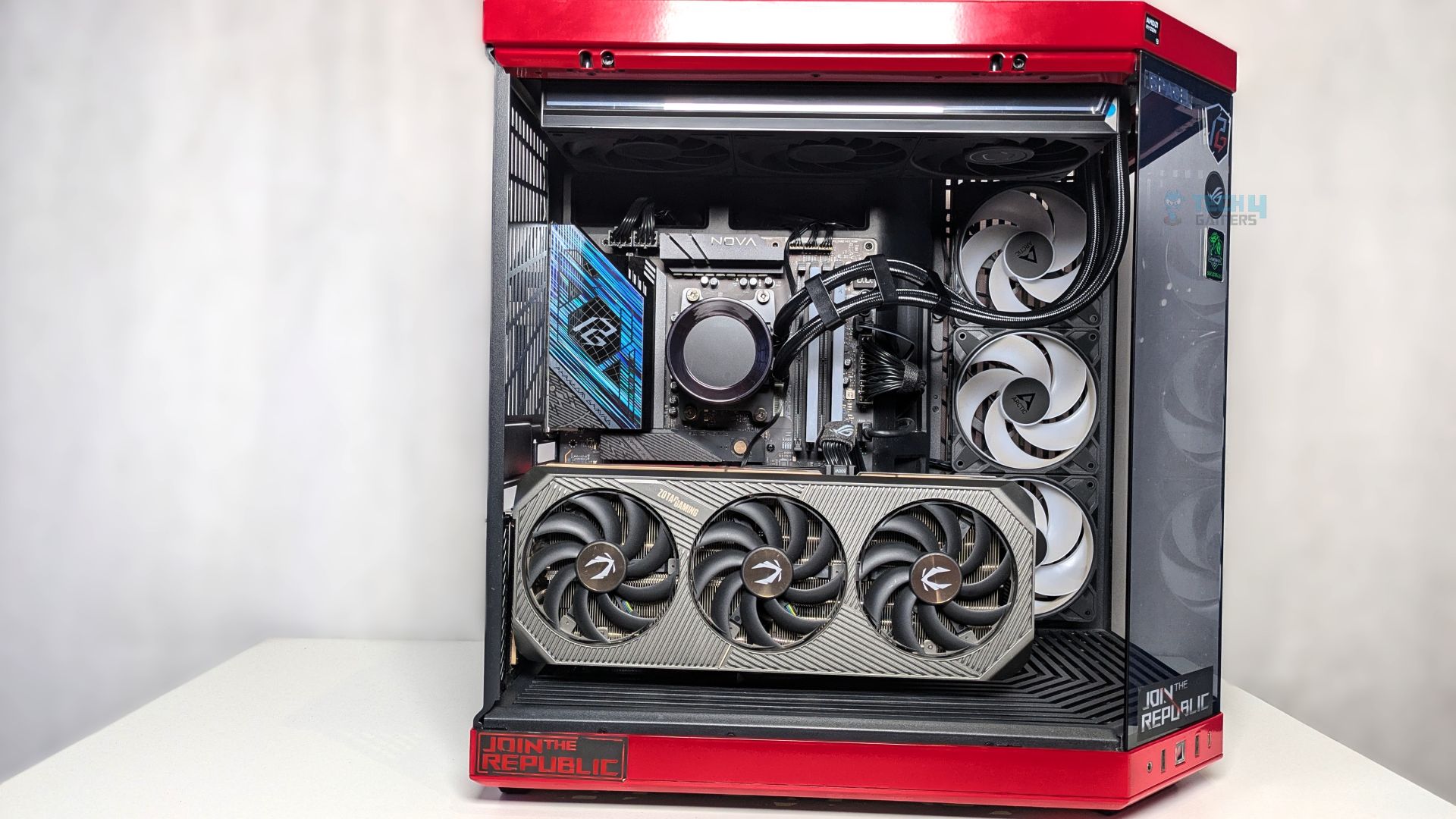
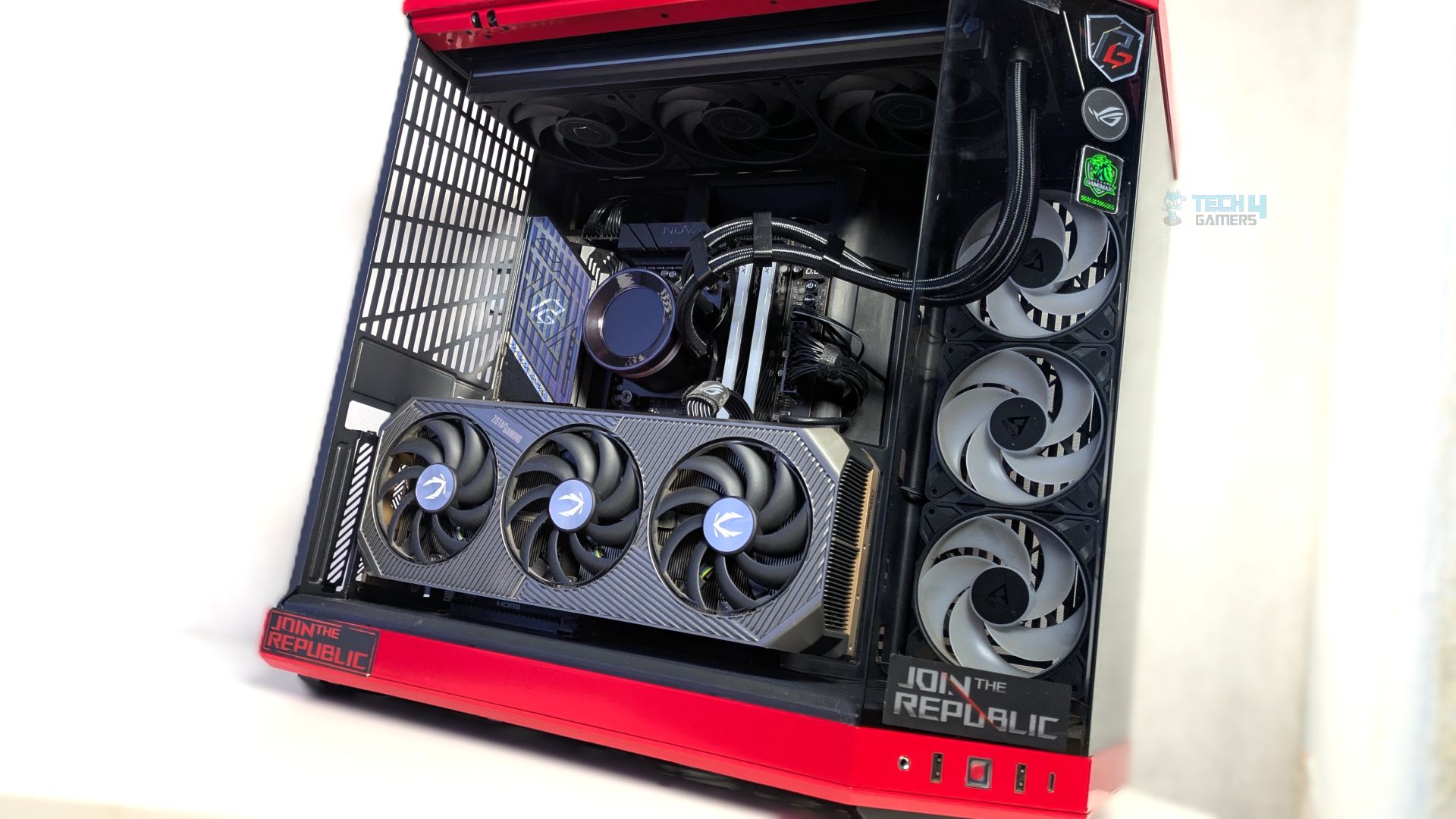
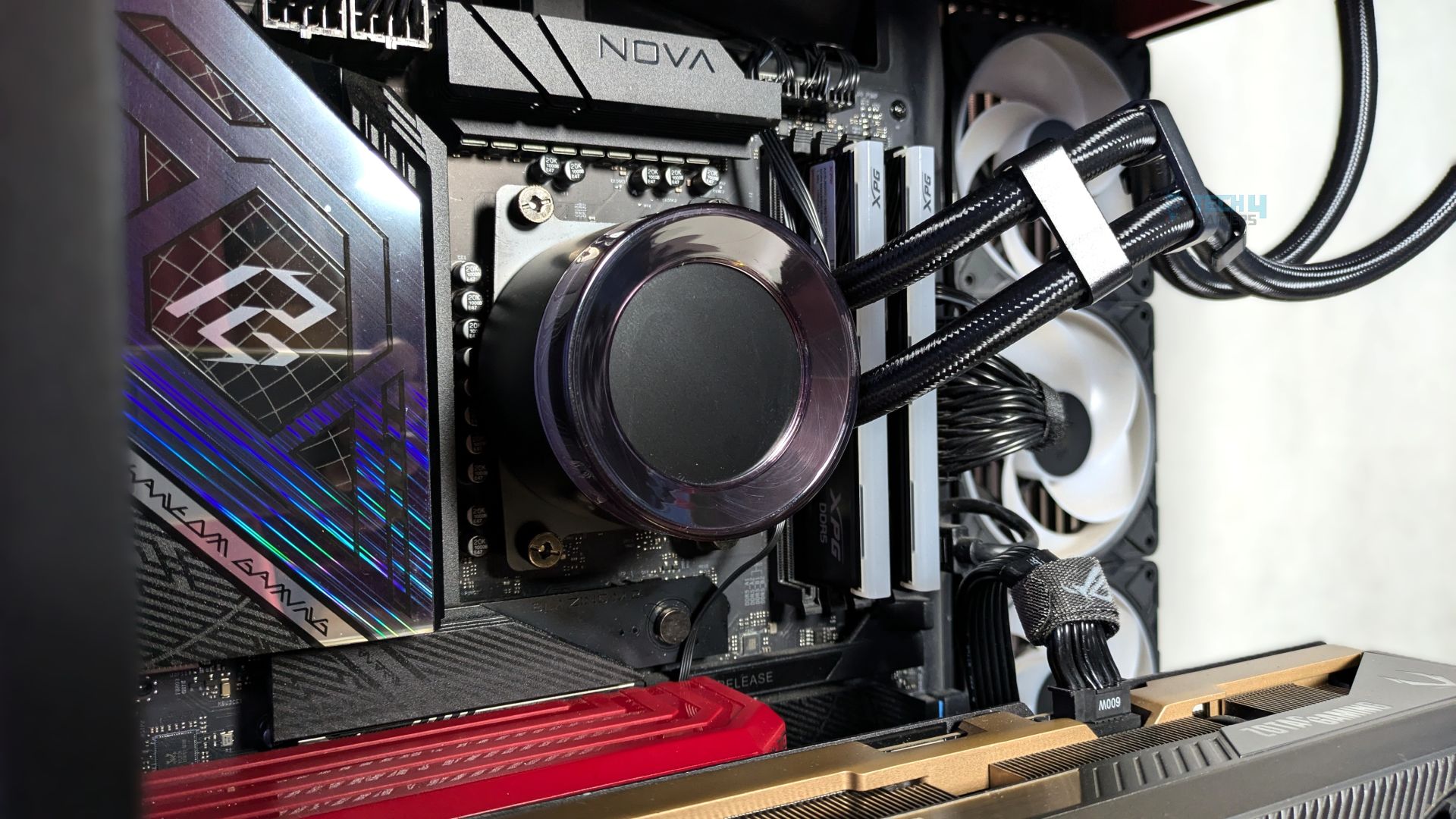
Despite the radiator expanding to 138 mm in width, the assembly has enough clearance without pressing into or obstructing the VRM heatsinks of our motherboard. However, users purchasing this cooler still need to be careful, especially when installing it in a small chassis. Overall, the experience seems clutter-free, as the fan cables are neatly hidden and routed through the metal bar behind the radiator on the back side.
Powered On
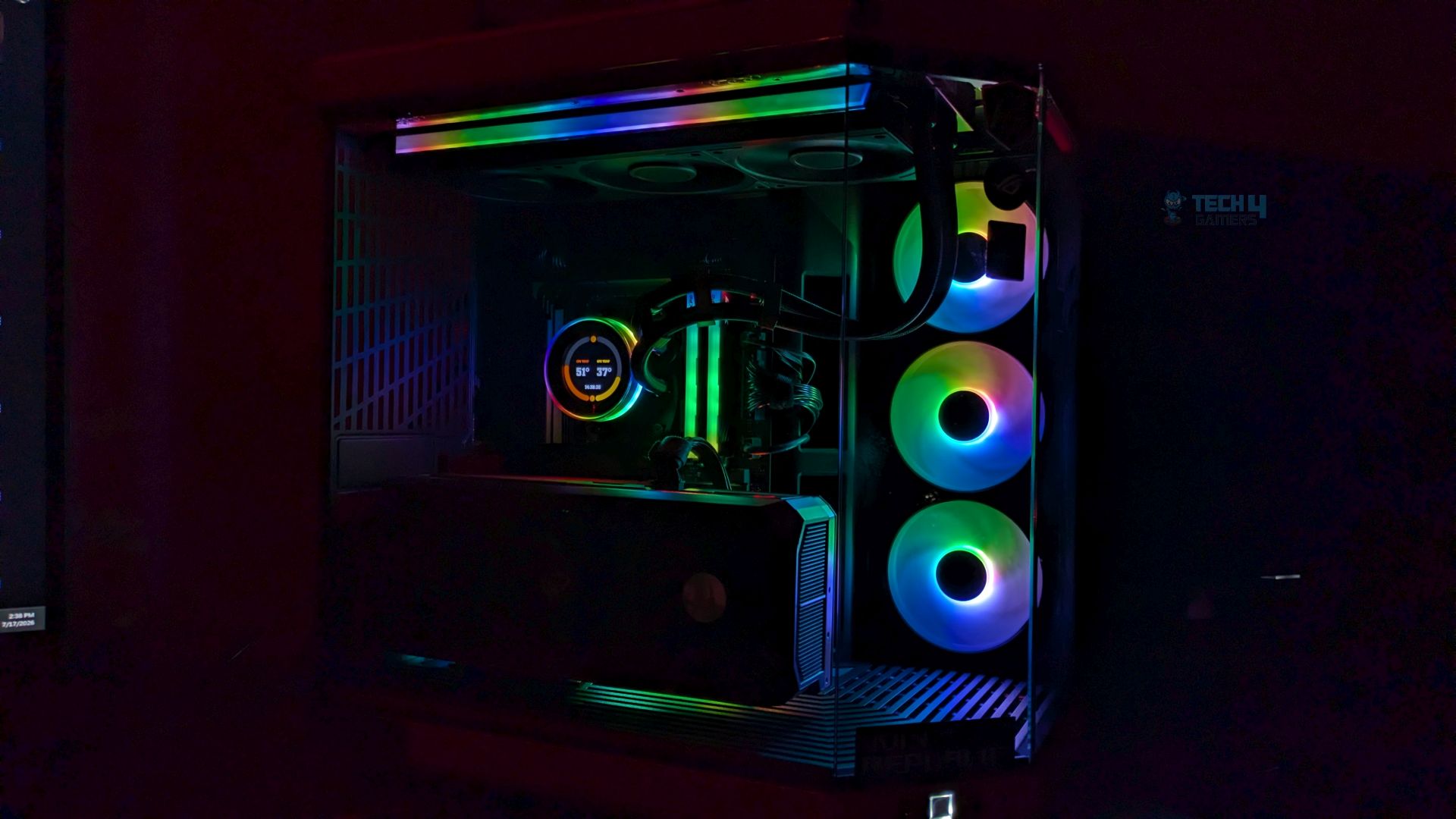
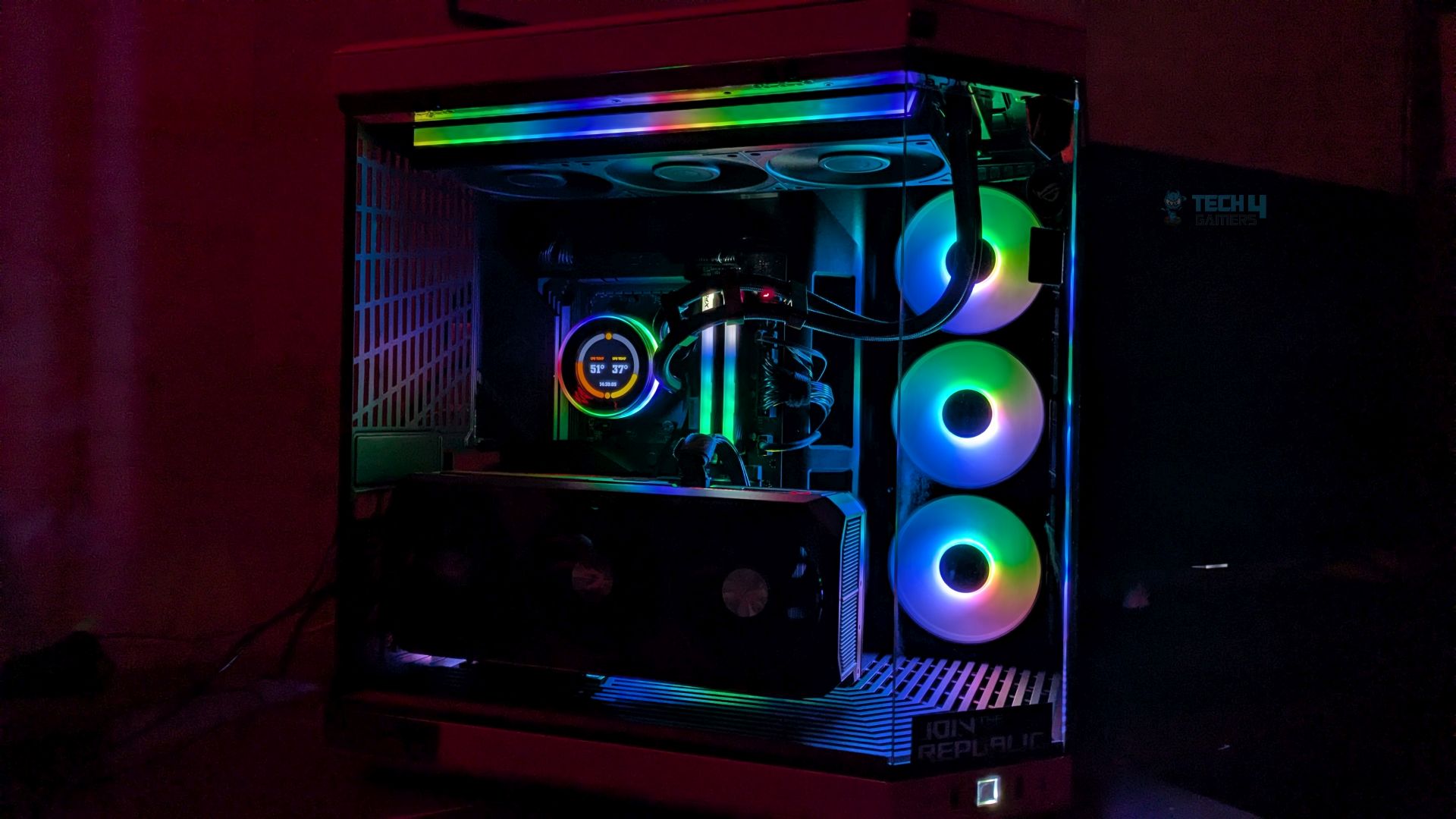
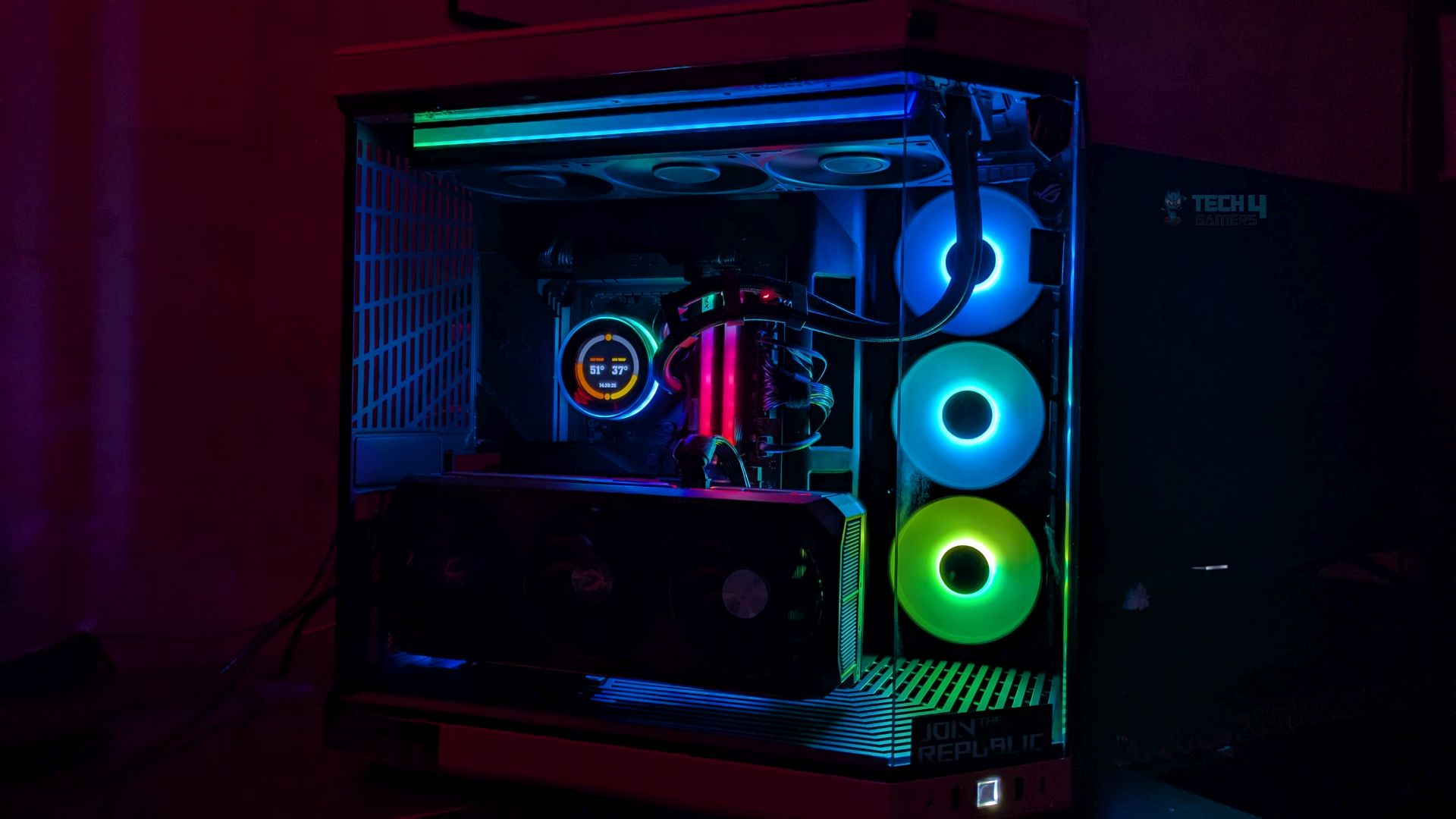
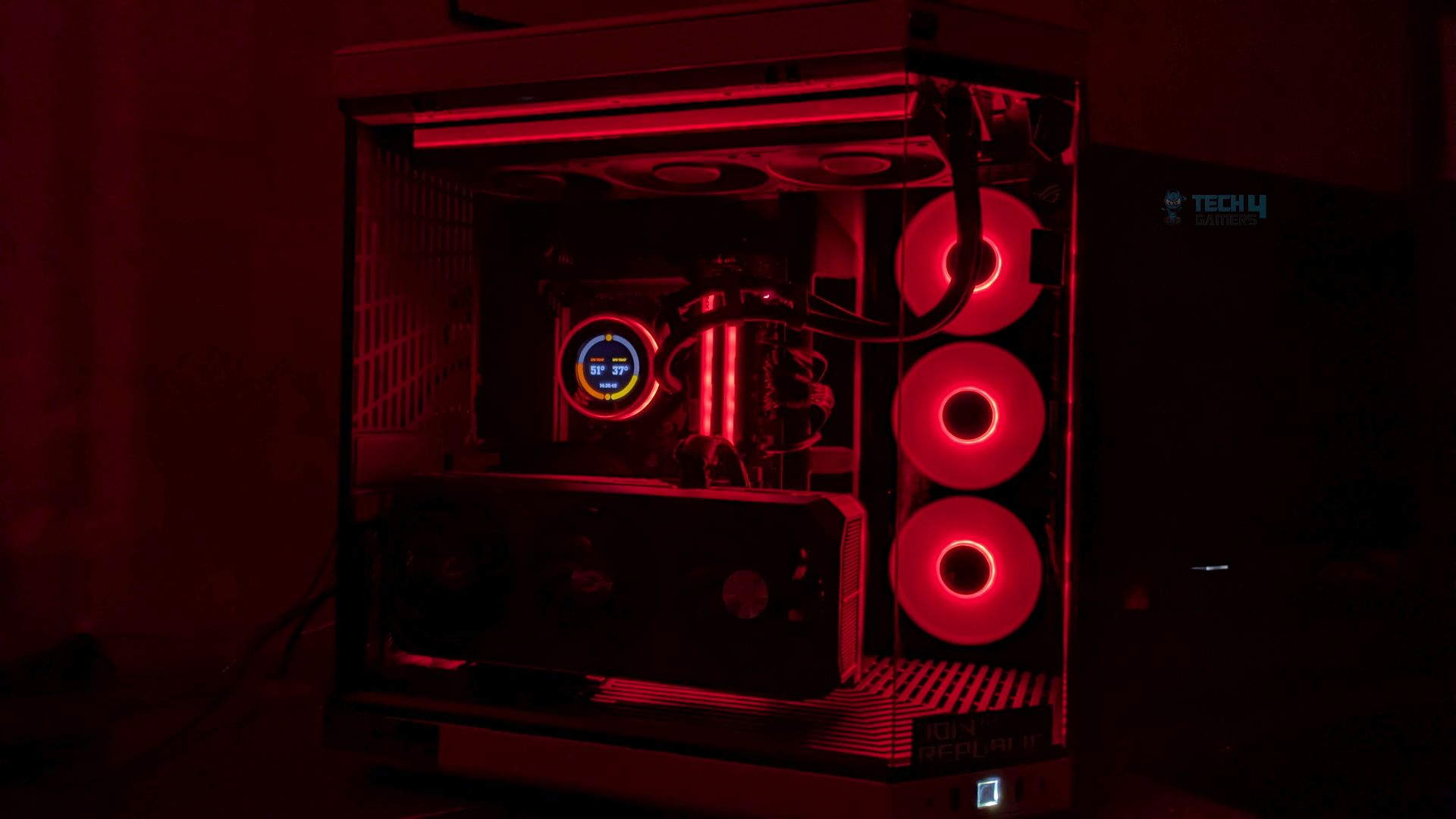
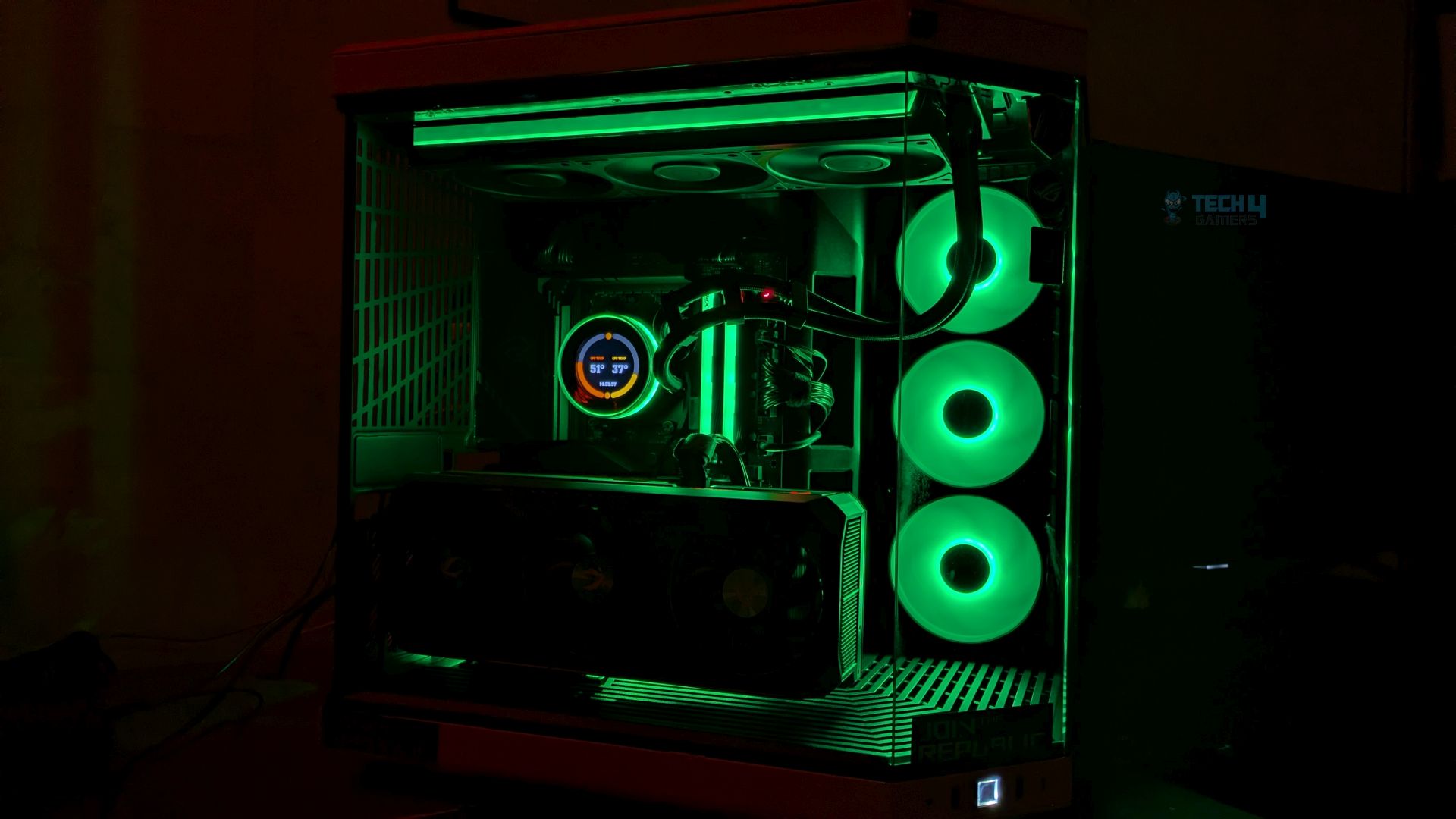
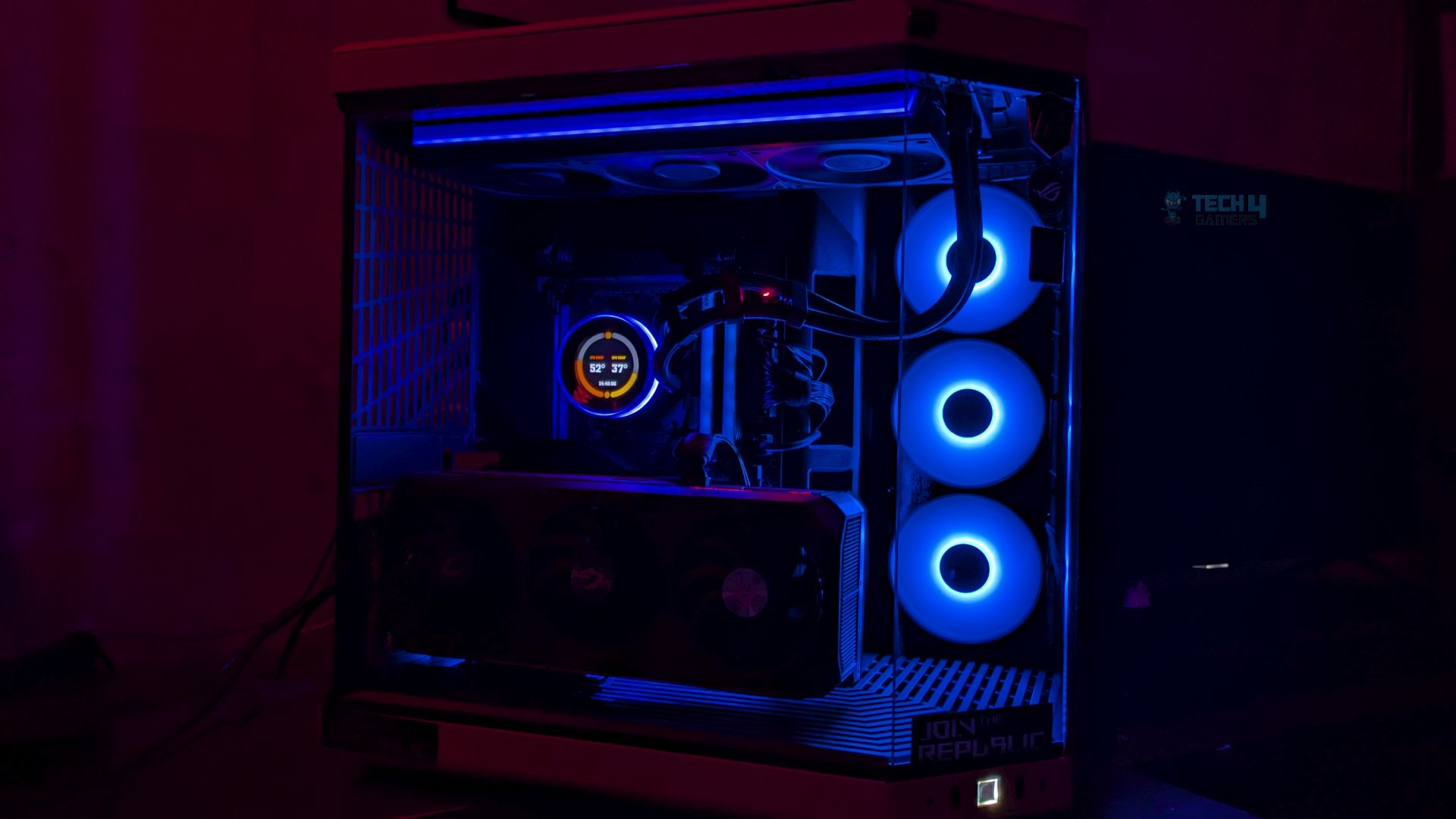
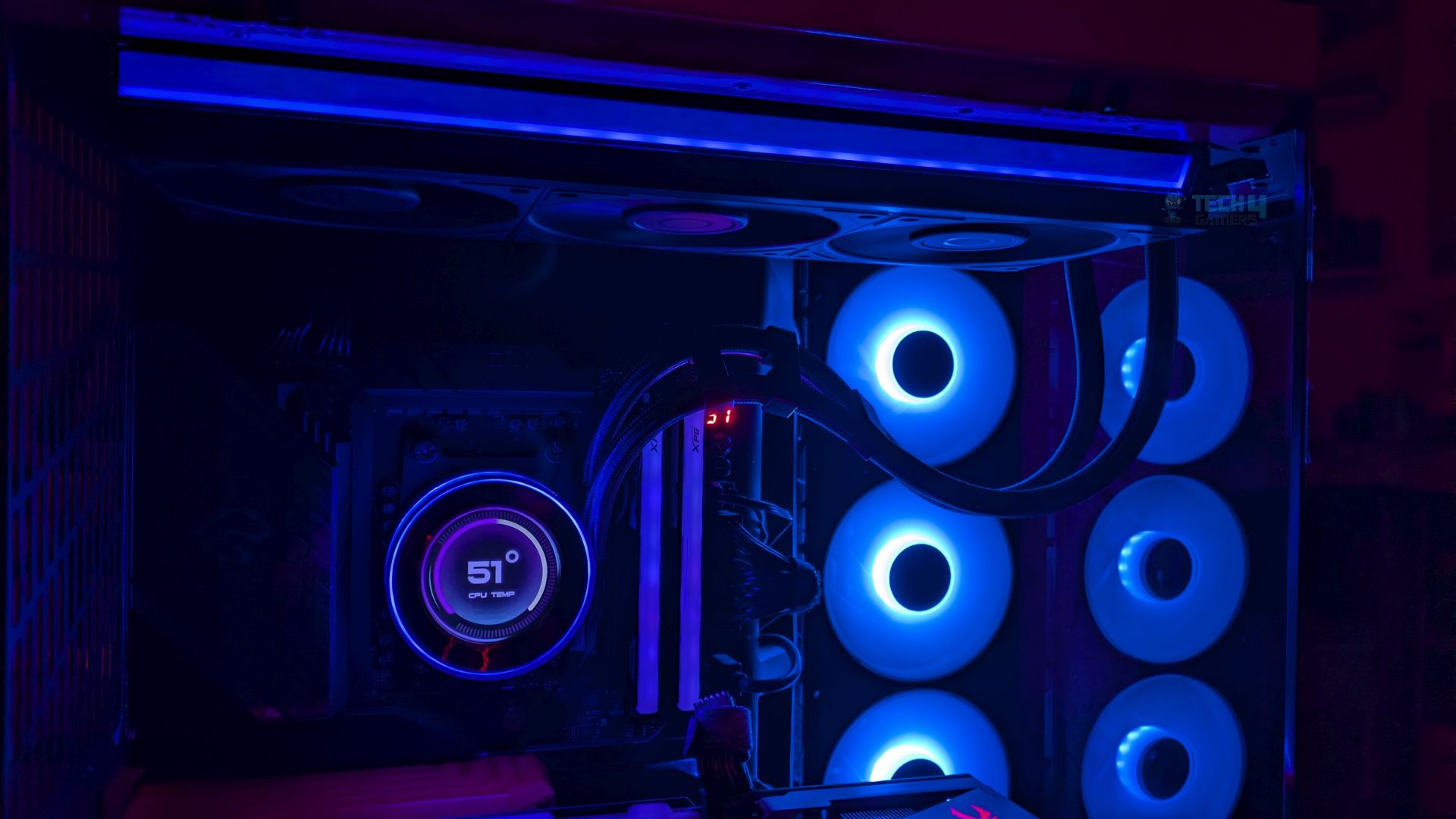
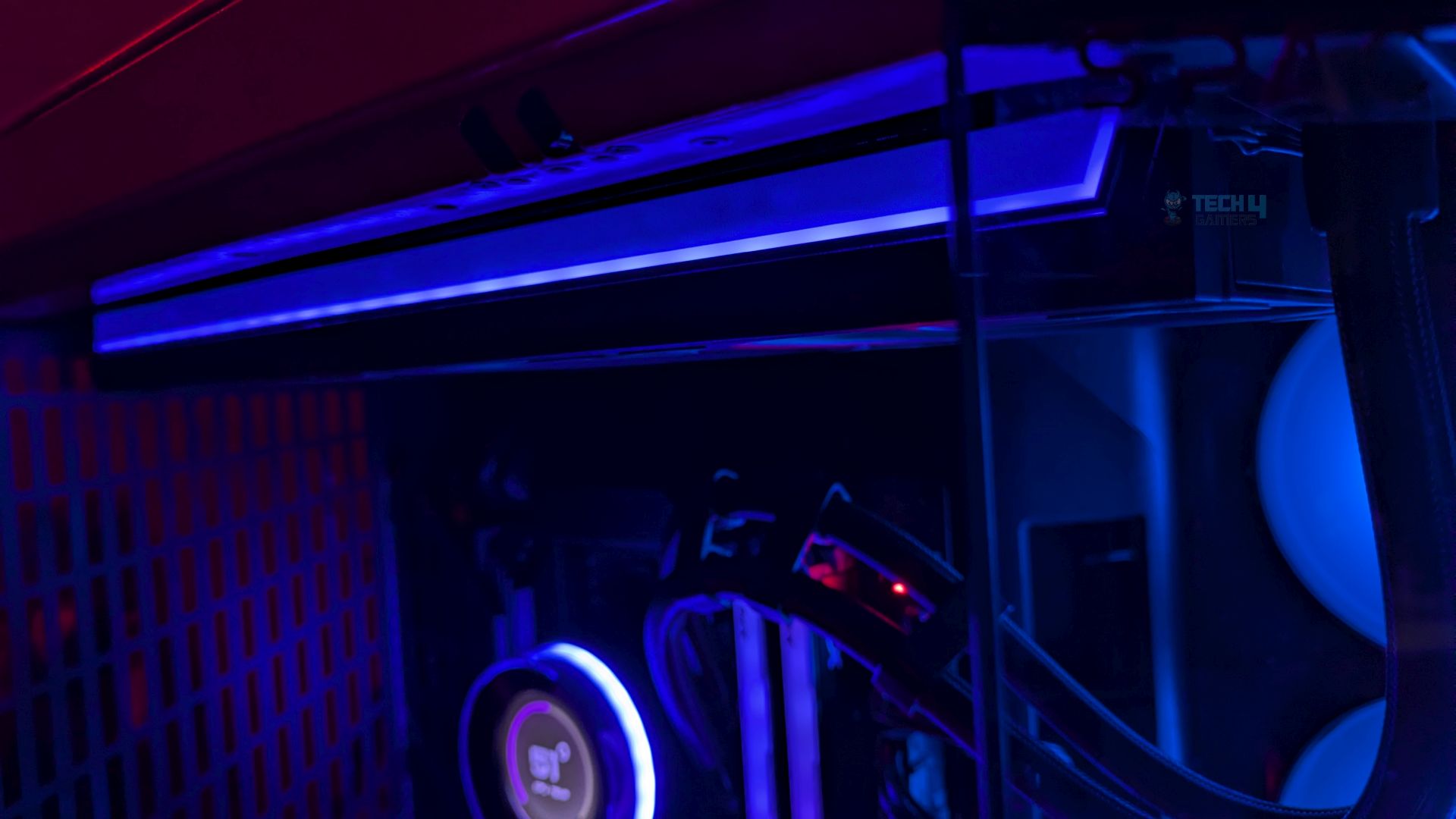
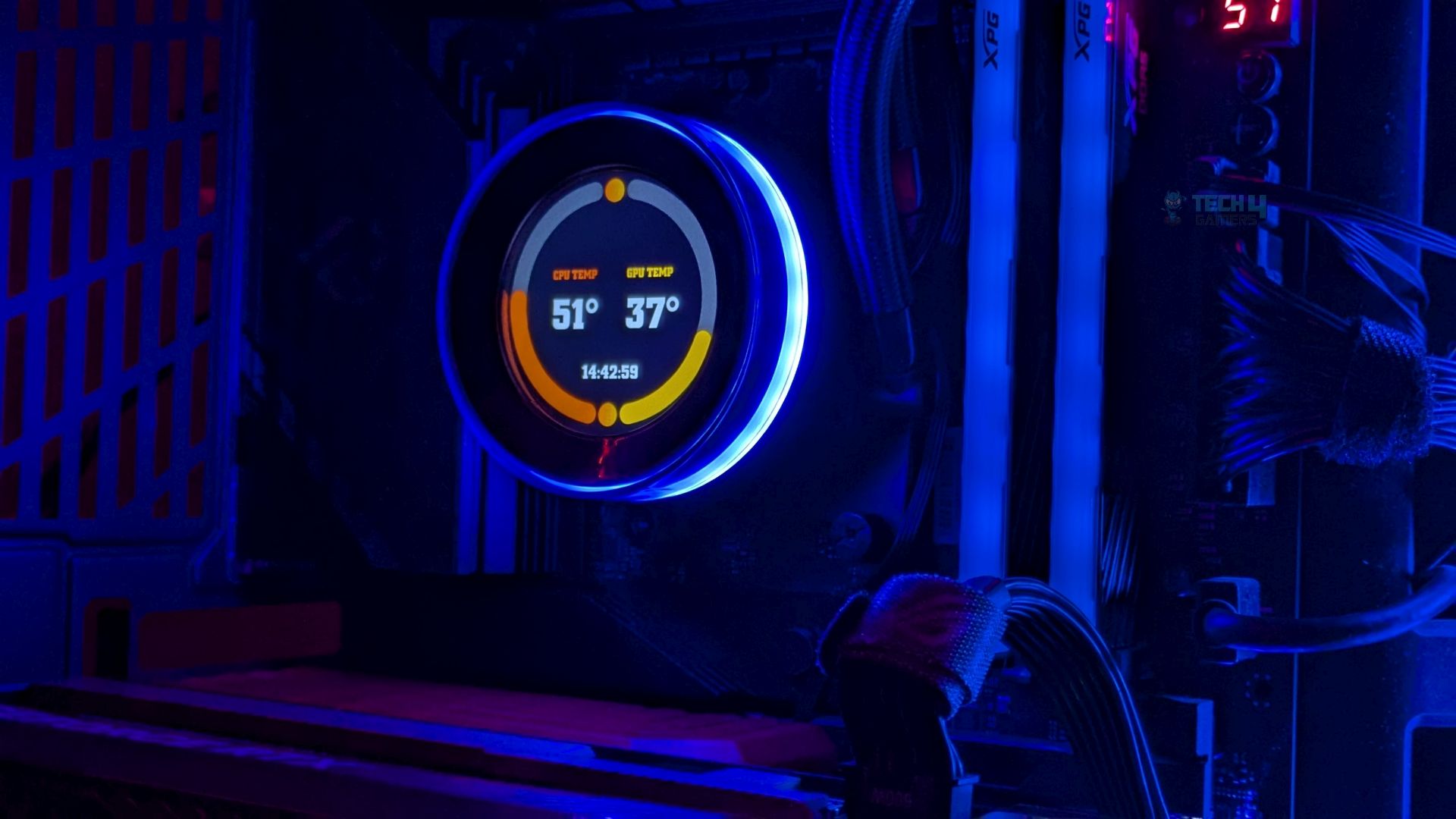
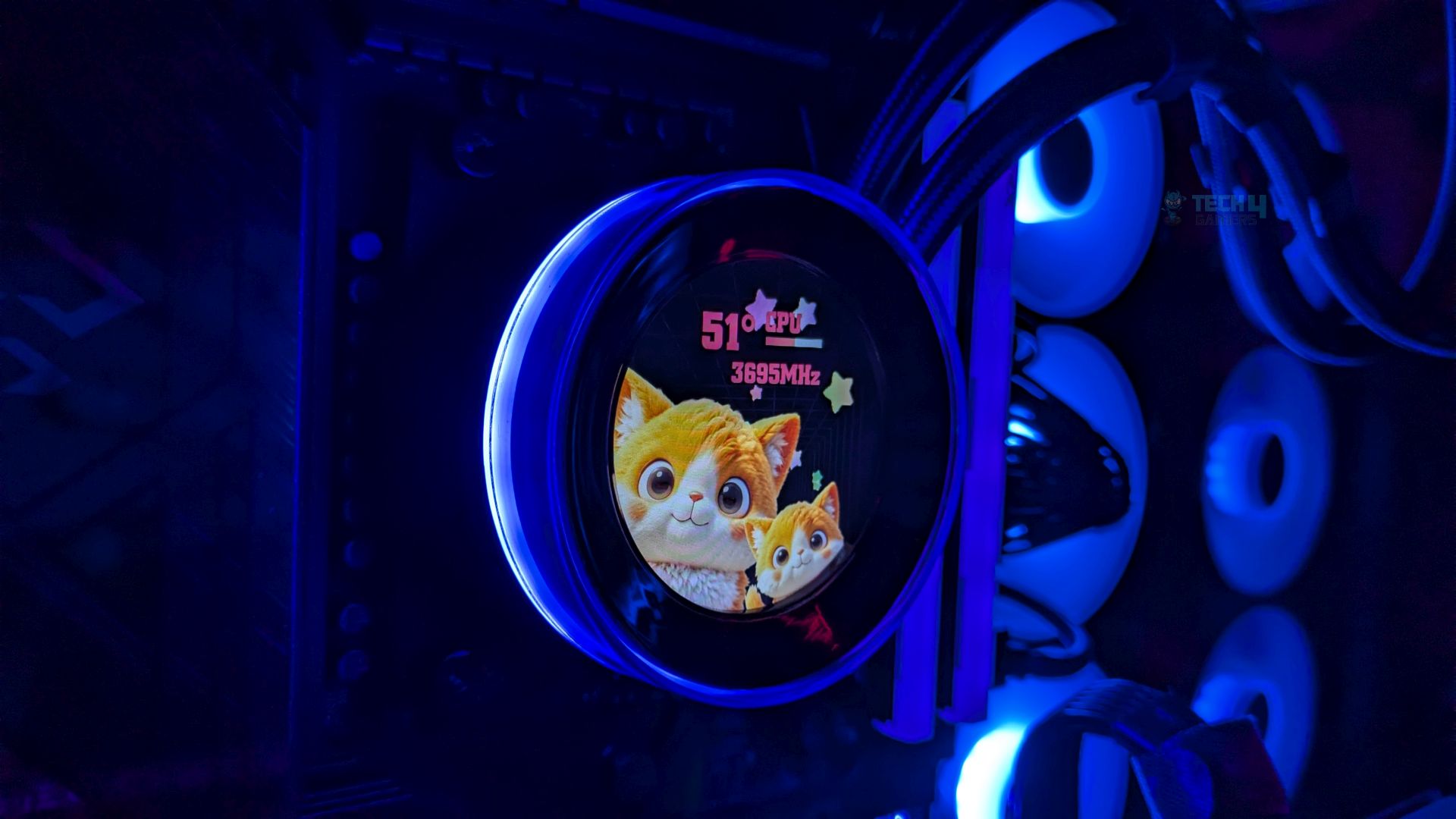
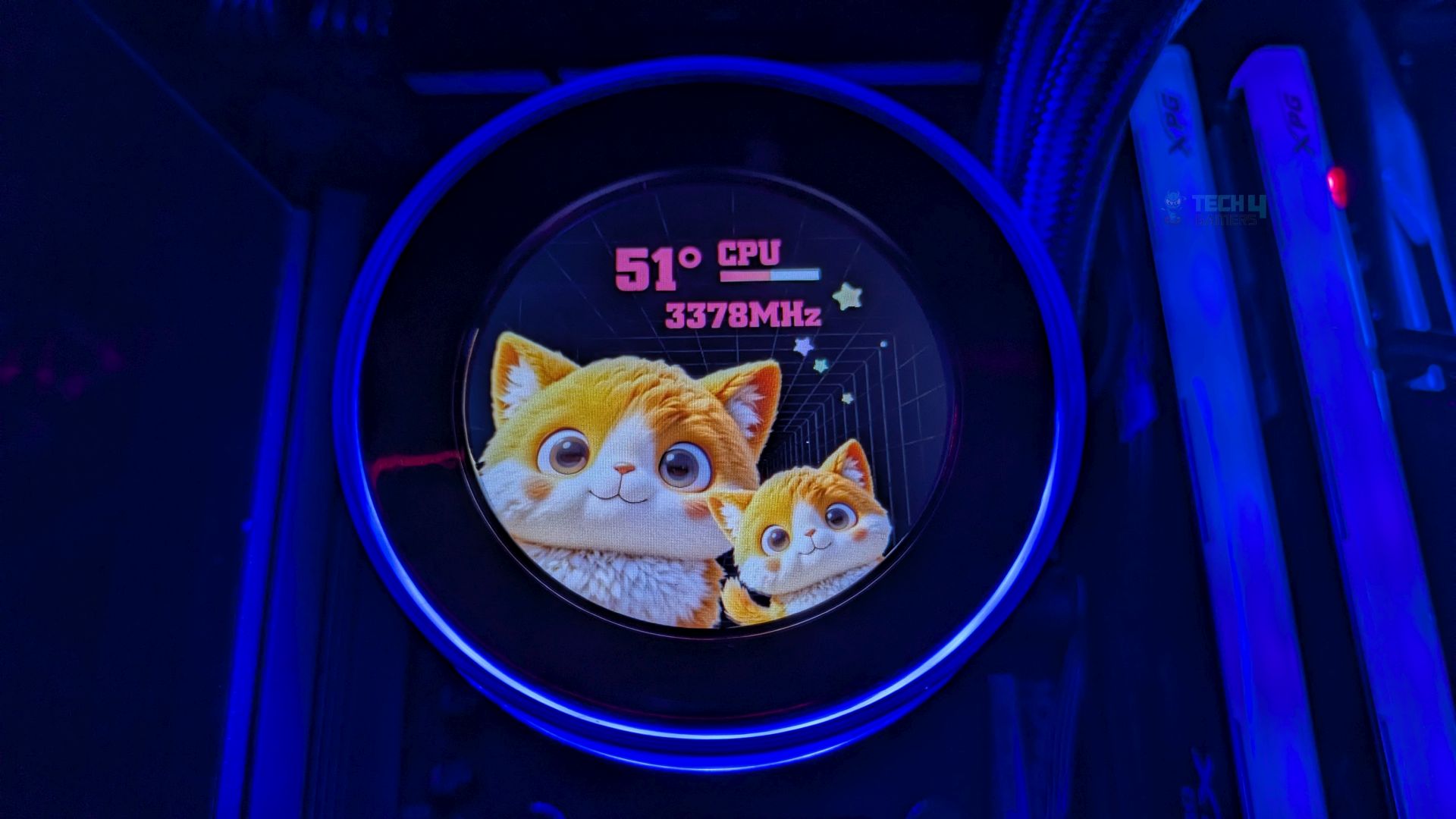
Now that we have powered on the system, the first thing you would notice is the frosted strip on the radiator housed in a diffuser bar. Mostly, the radiator side is dark and dead space; ID-Cooling has utilized it very well. The thick acrylic ring surrounds the LCD screen, creating a deep, vibrant halo that glows around the display. Looking neat!
LCD Presets
ID has provided 9 presets in their software.
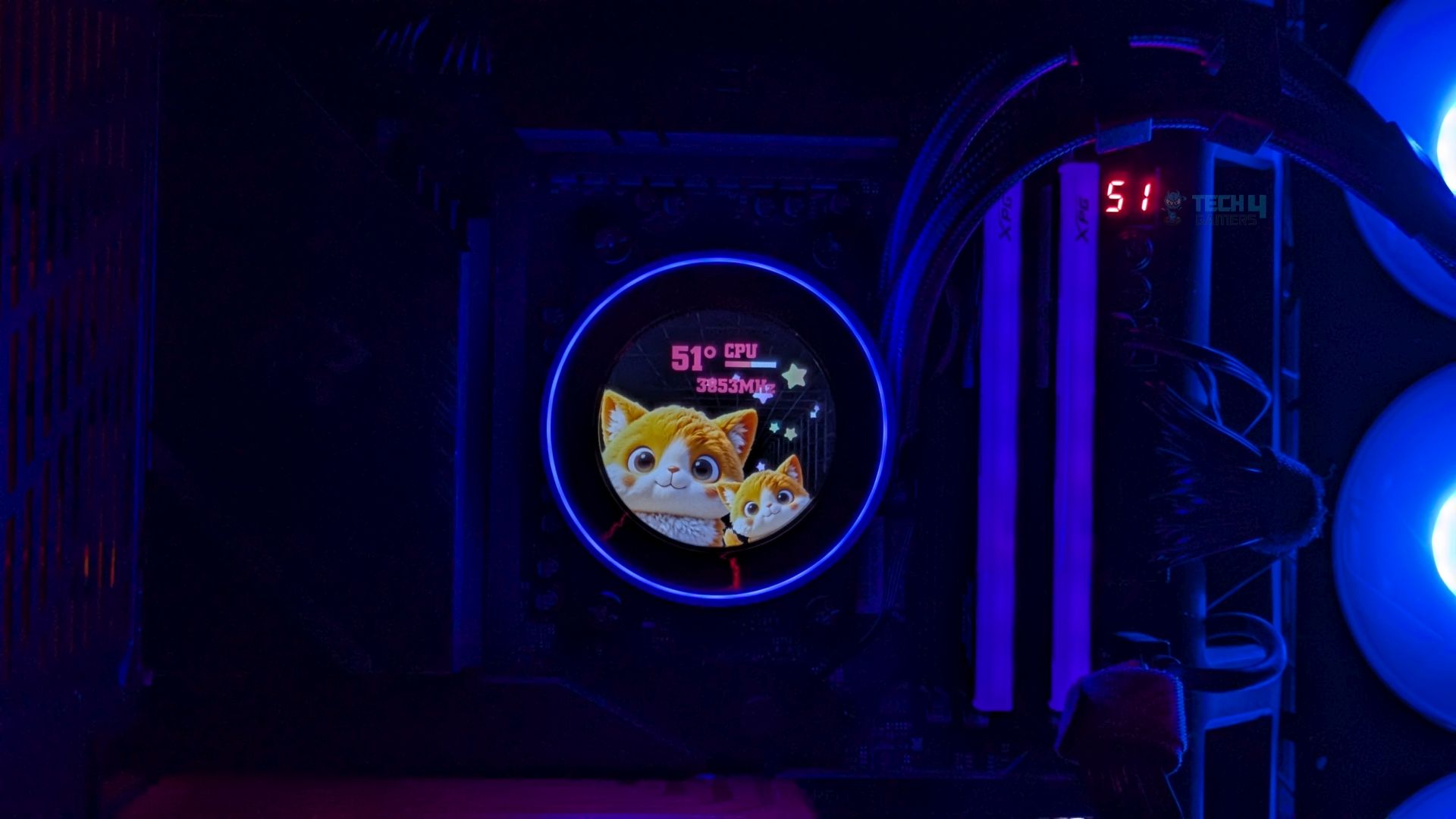
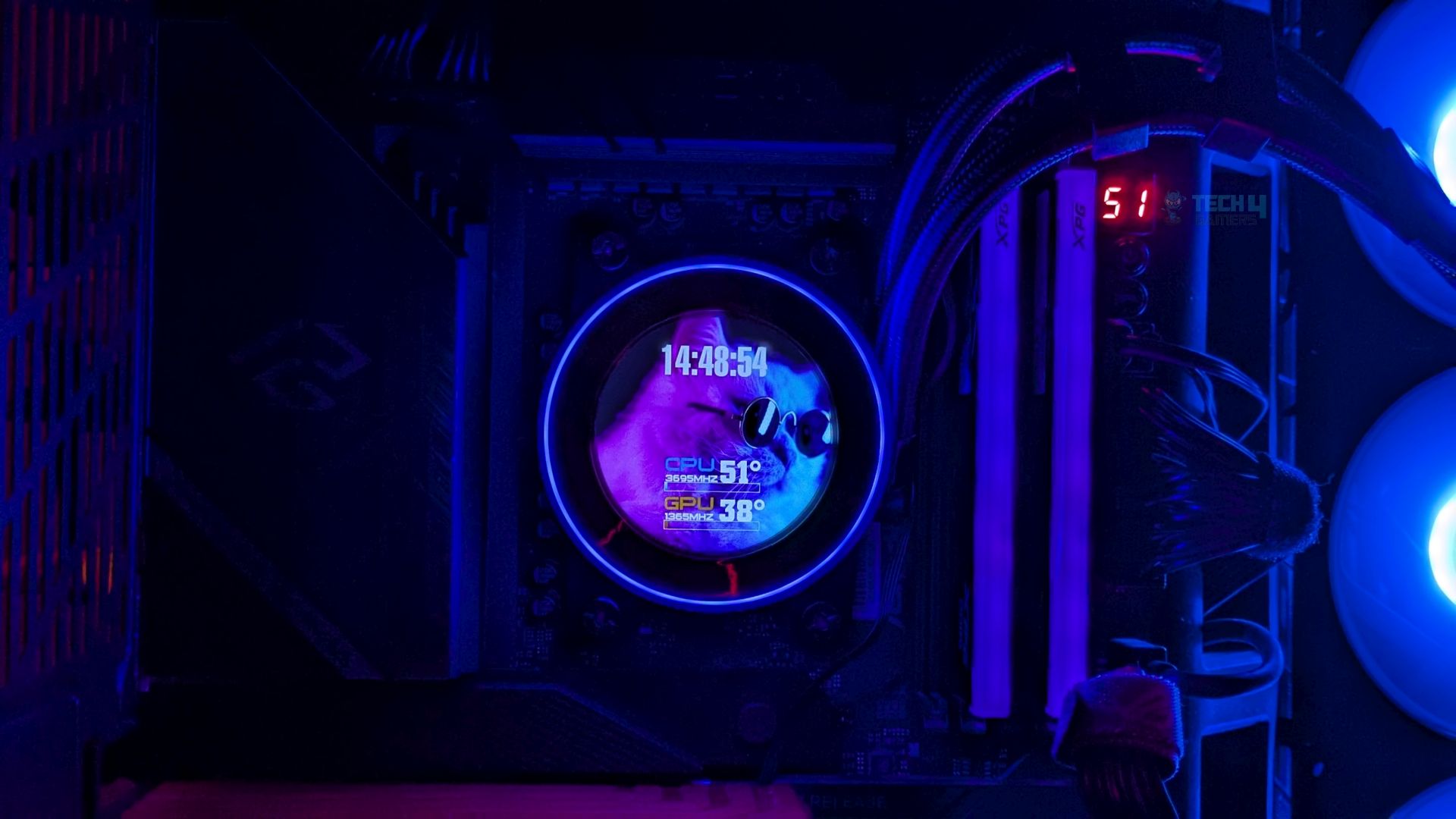
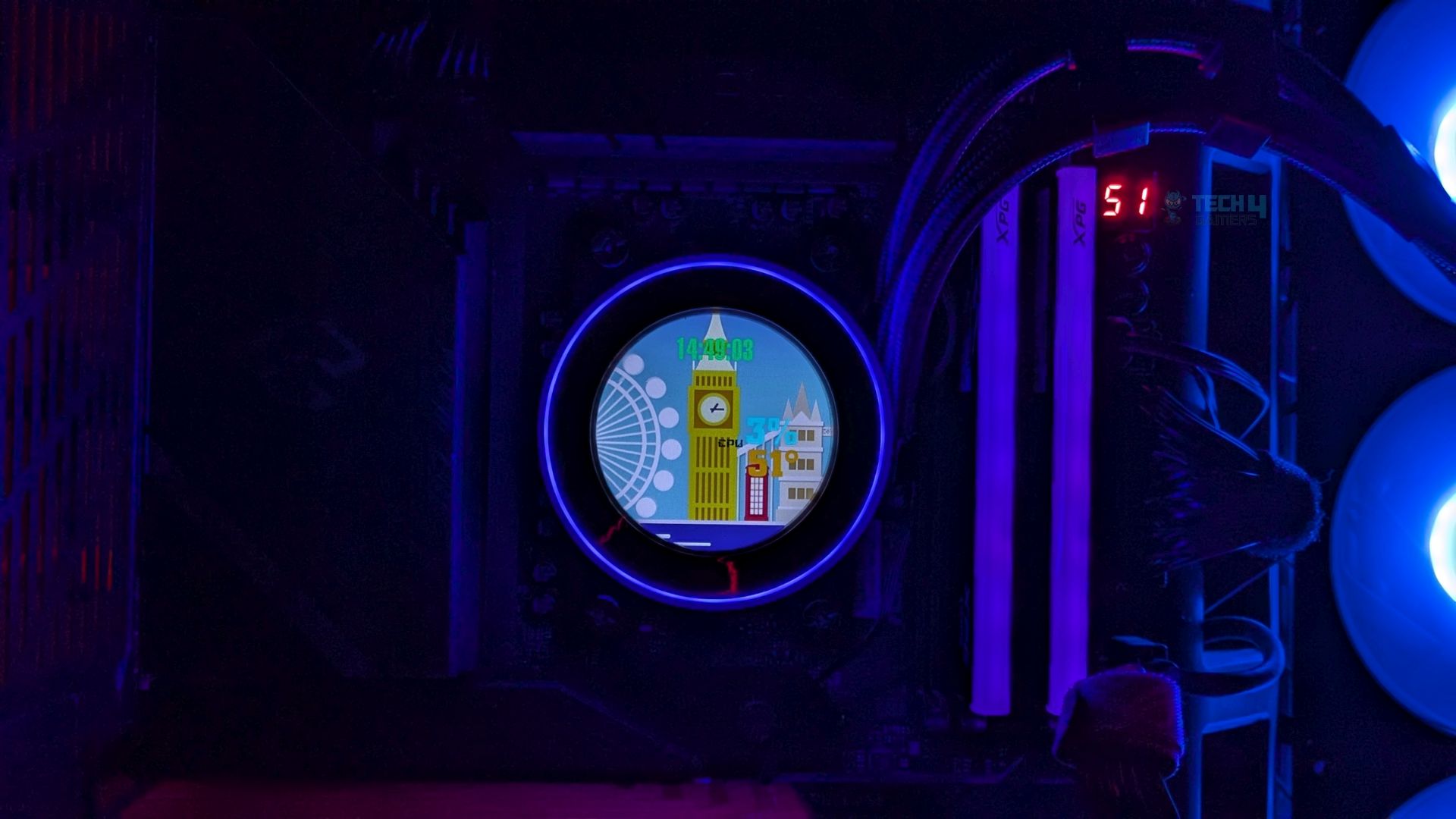
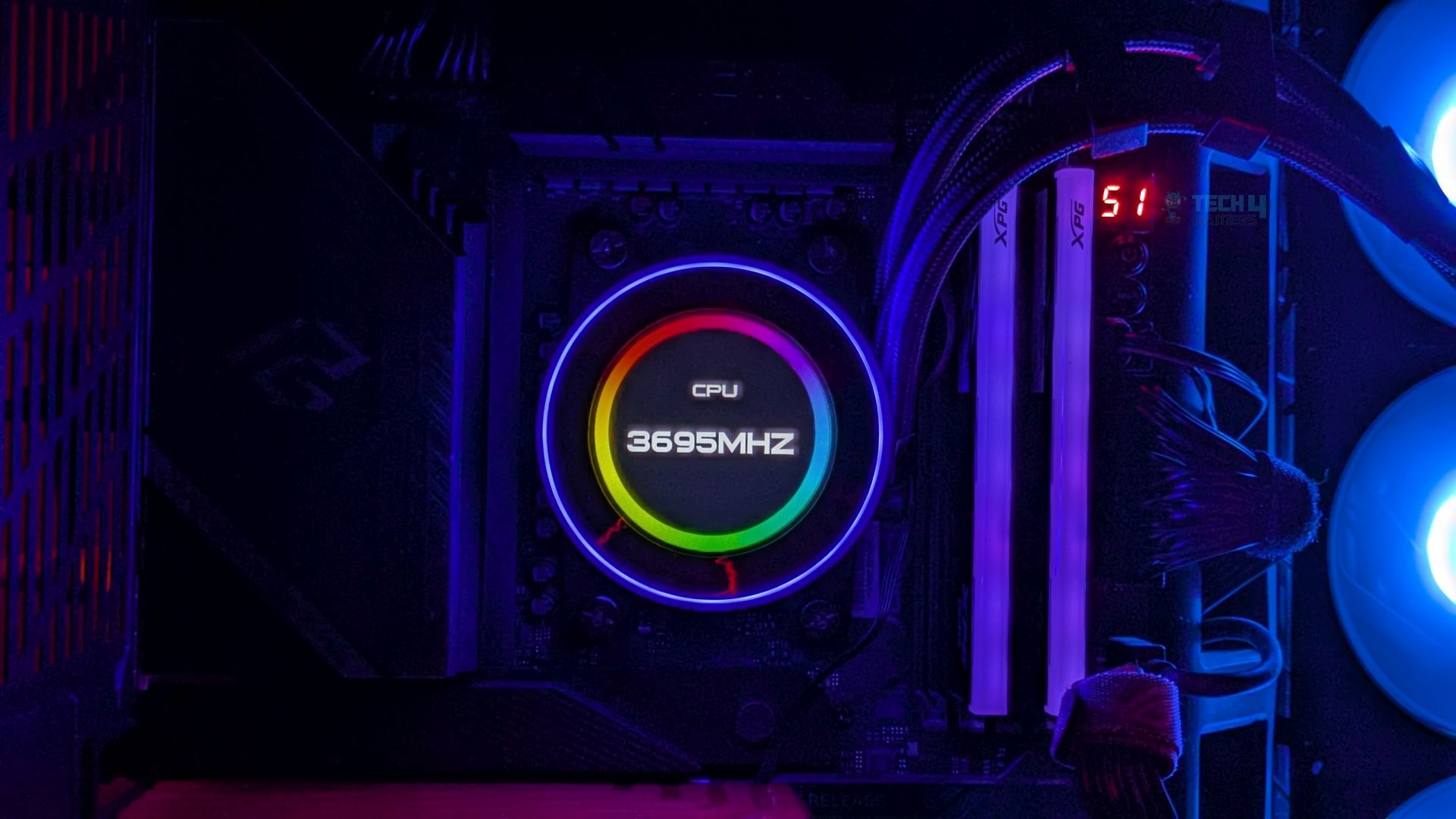
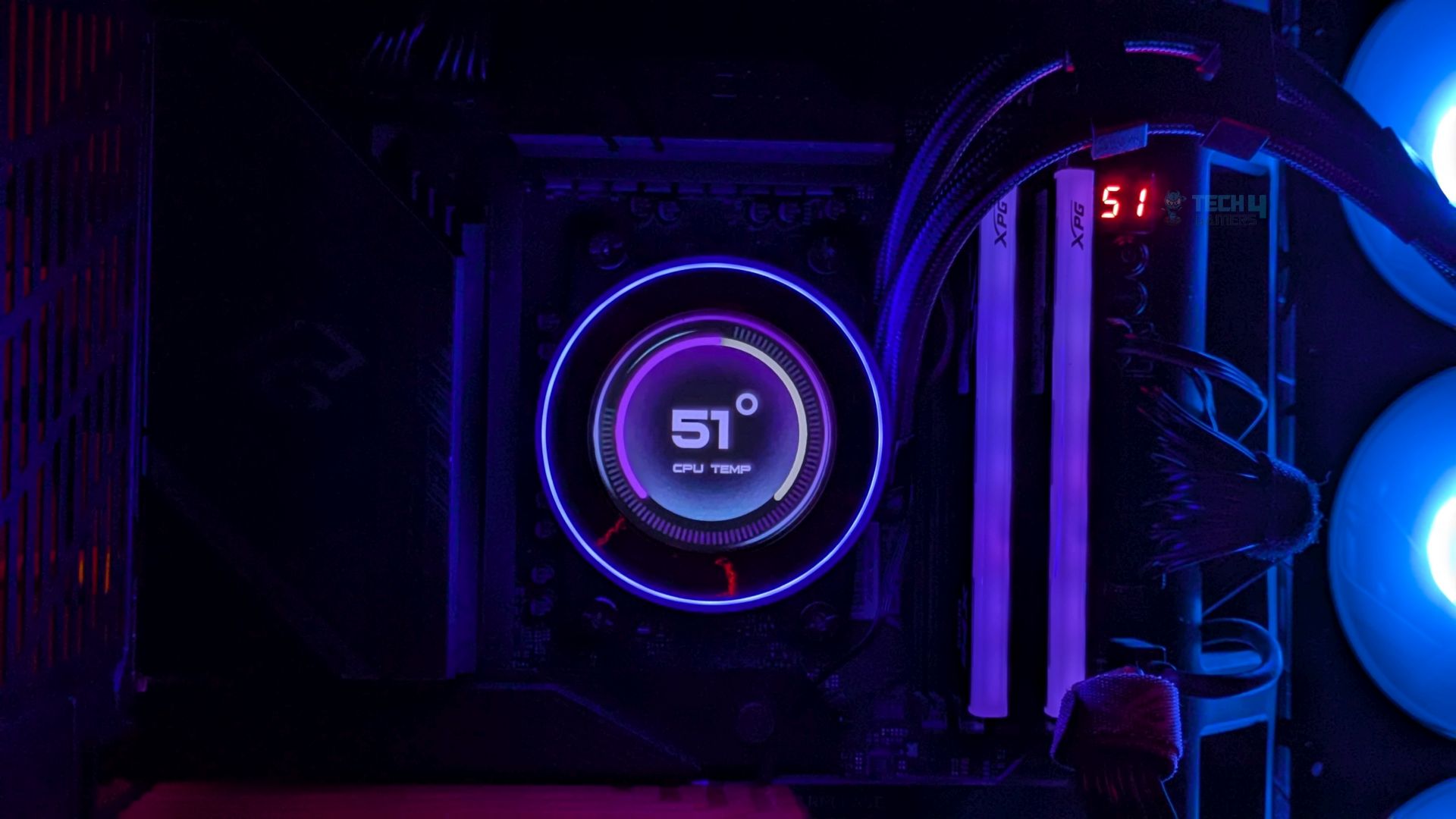
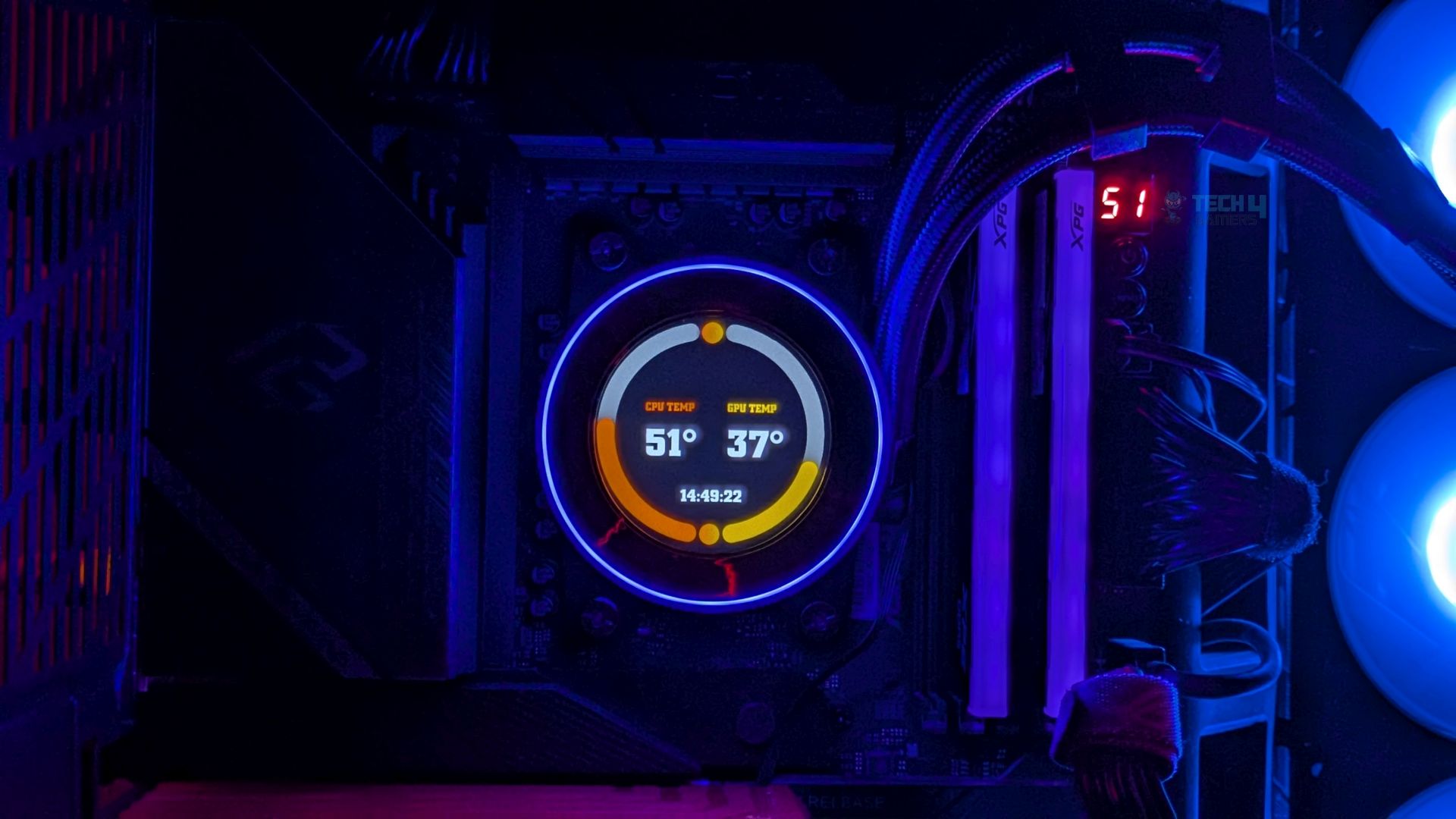
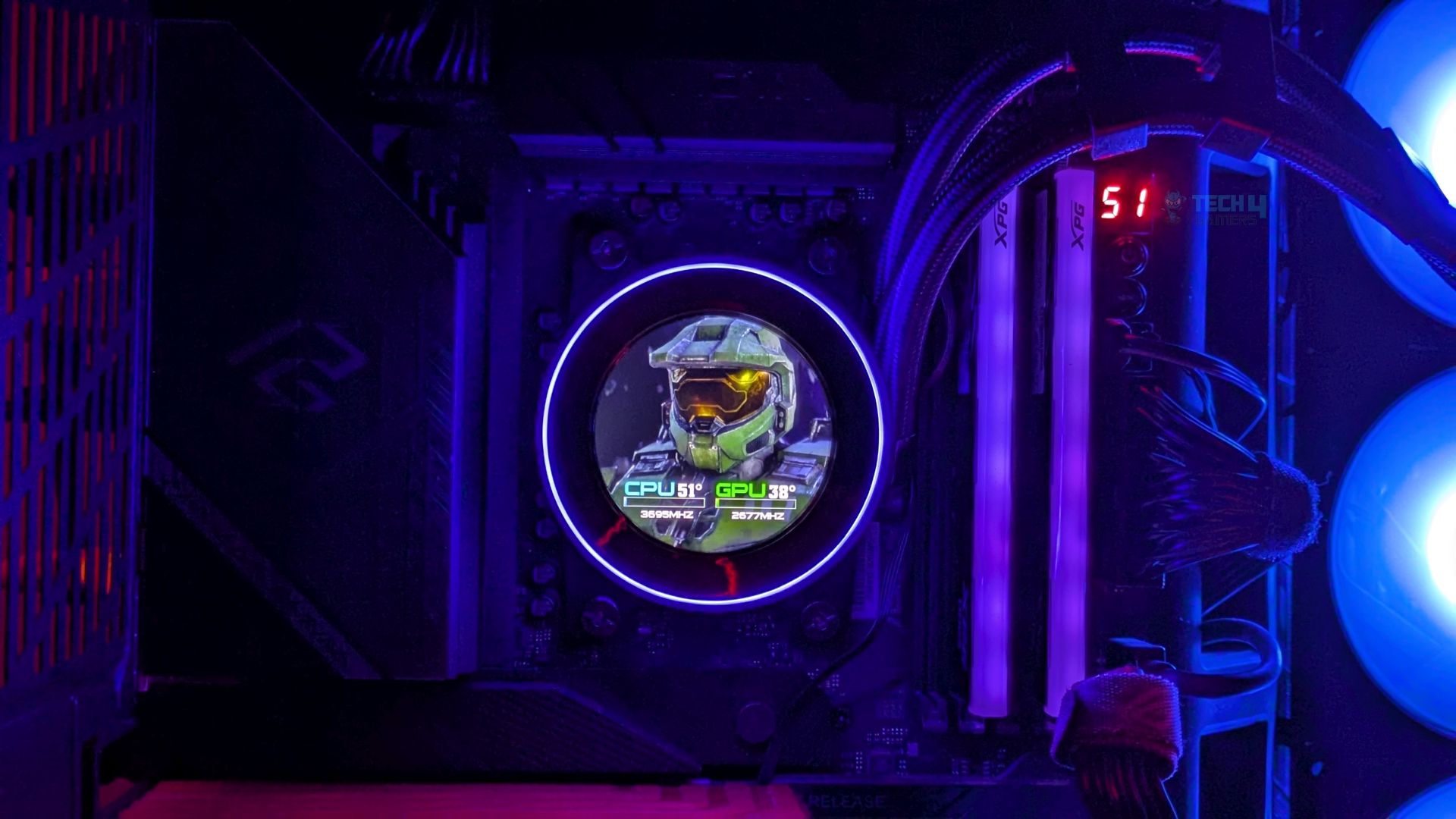
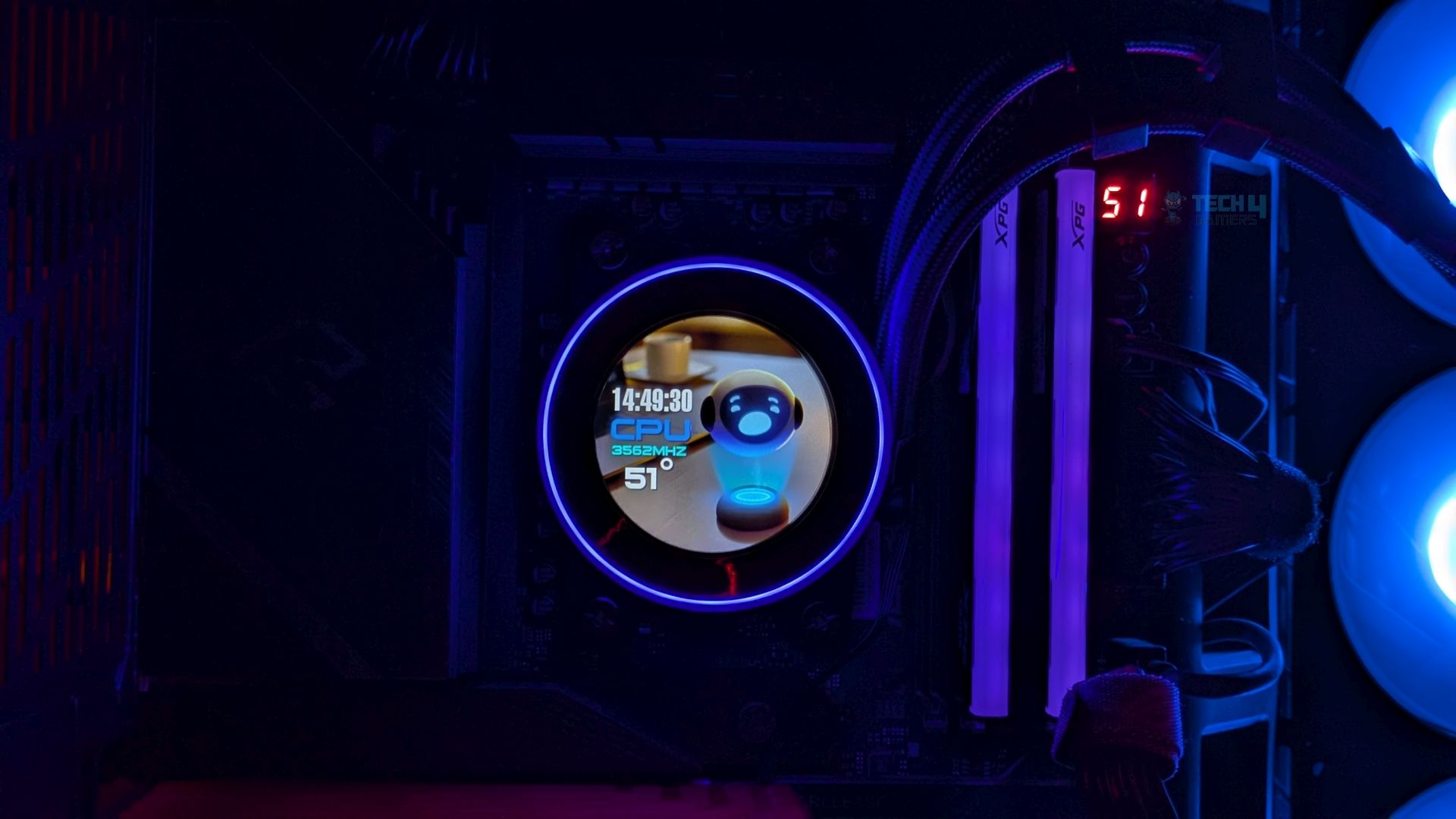
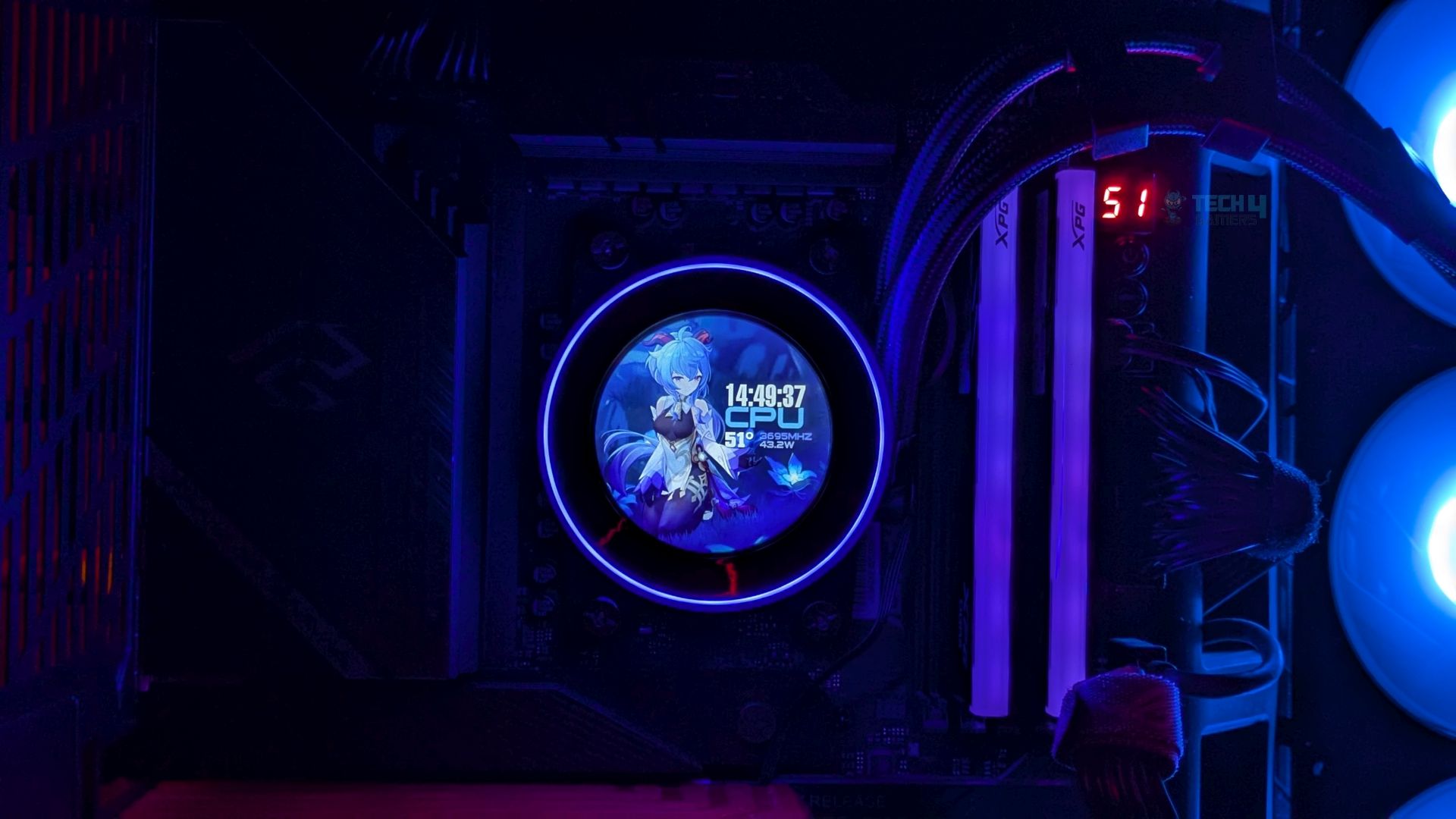
I have mixed thoughts about its screen. First, the 2.1-inch LCD screen delivers a premium visual experience that holds up well under close inspection, providing excellent pixel density; the readouts and text are sharp. However, at full brightness in a fully dark room, I noticed the screen tends to suffer from poor color calibration, a washed-out blue tint, which I had noticed in the previous ID-Cooling FX360 LCD I tested earlier. To fix this, I had to lower my brightness. In a bright day room, that wouldn’t be noticeable much.
Apart from this, to control the LCD, you need software that lets you personalize the display, such as setting it to show live readouts and temperatures of your components, such as the GPU and CPU. You can also set custom graphics and animations, which means you can upload your personalized still images or short MP4 animated graphics and GIFs.
The software experience was alright. Its UI is clean, simple, and straightforward, unlike the other LCD liquid cooler we have tested from Xastra.
Testing Methodology
CPU Configuration:
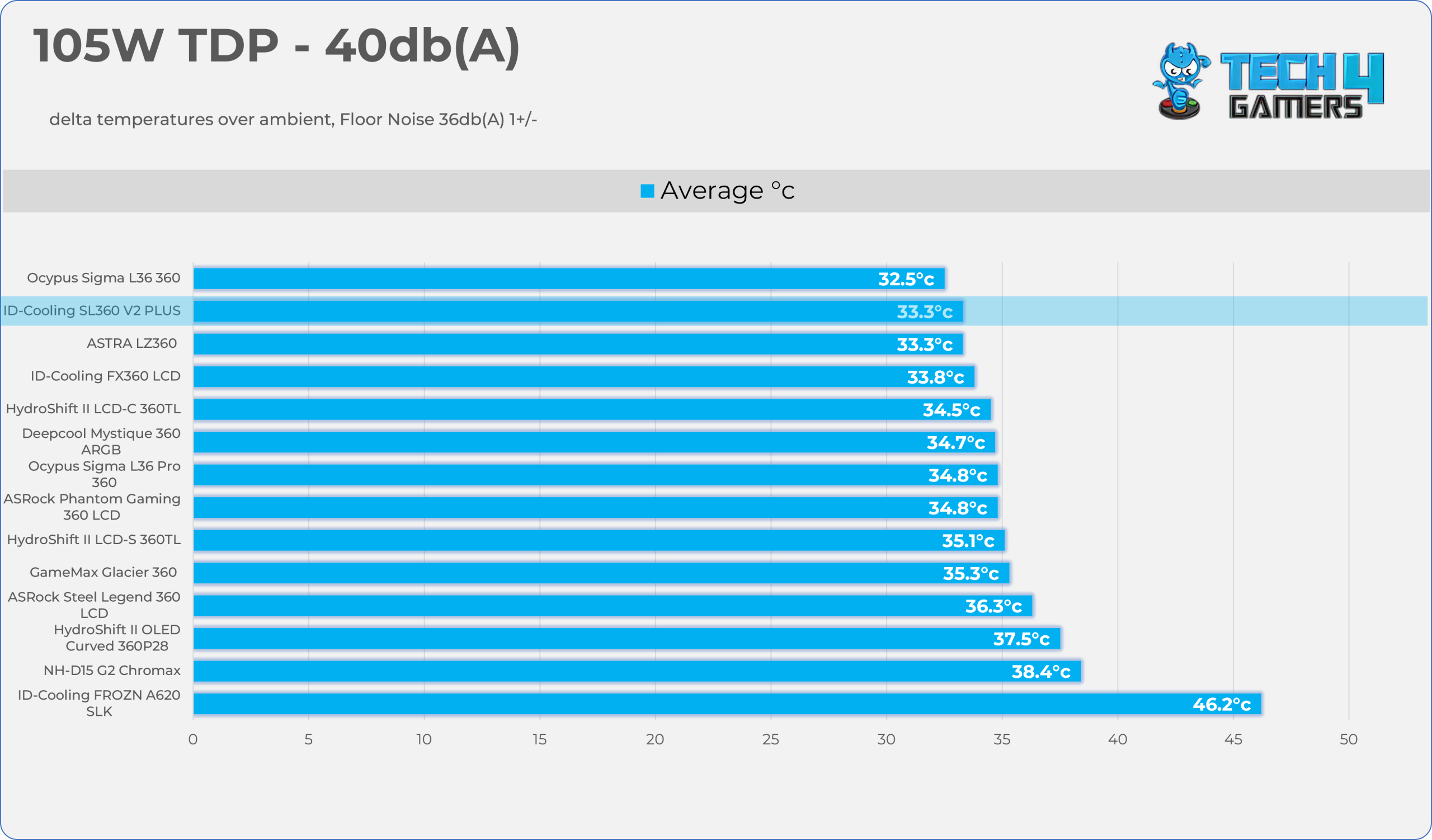
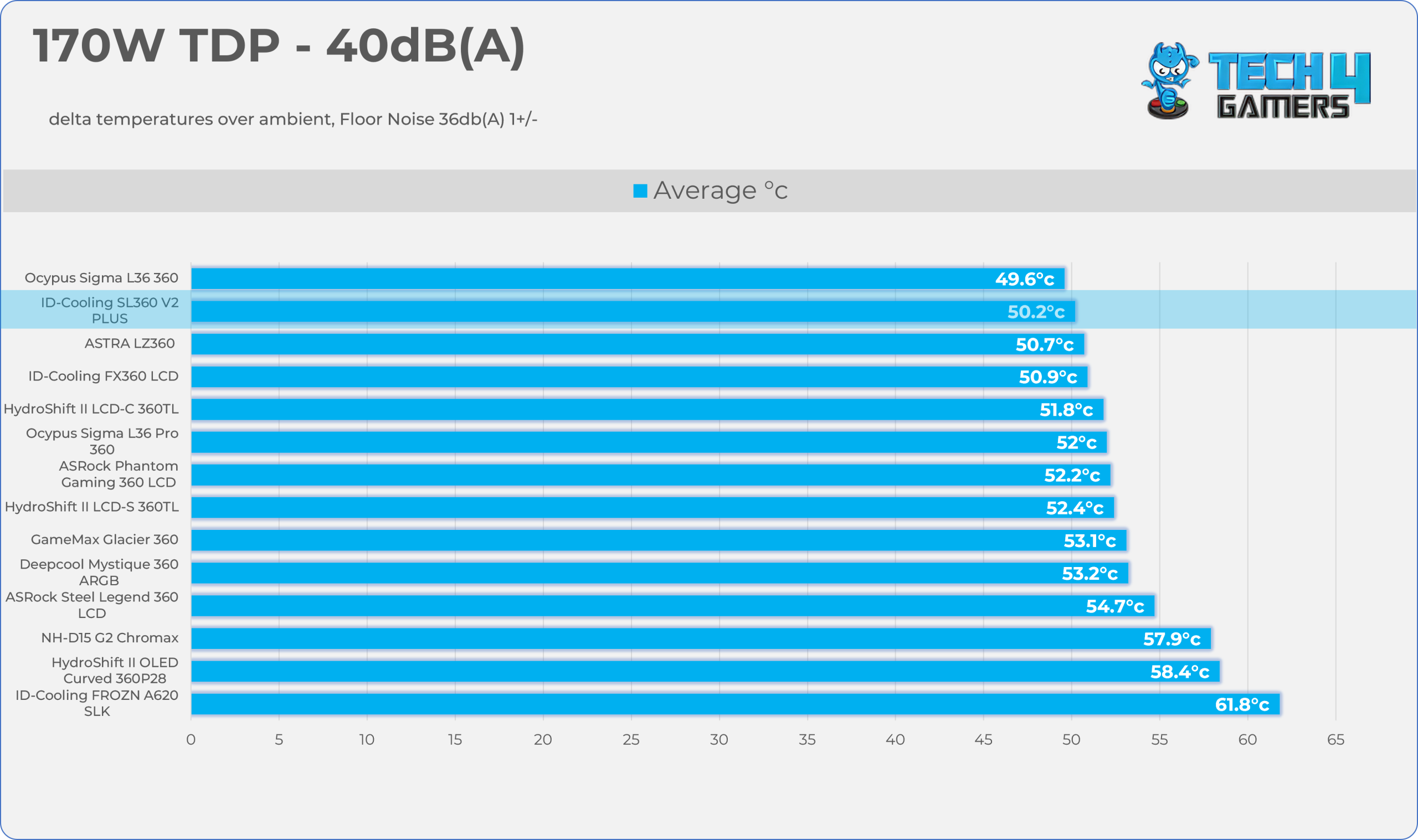
- We evaluate the cooler’s performance using three different benchmark methods. Noise-normalized testing is performed at 40dB(A) at the 105W TDP and 170W TDP (Stock) of the Ryzen 9 9950X. We then test the cooler’s performance at the maximum PWM speeds for both TDP configurations. After that, we unlock the power limits of the CPU to see how much cooler it can dissipate the heat in terms of watts at the maximum PWM Speeds.
Controlled Environment:
- We have eliminated the influence of ambient temperatures in our data, and all results are presented as deltas over the ambient conditions. The tests were done in a controlled environment with a room temperature of 25°C.
Preparing System:
- The Coolers are tested in realistic conditions. We don’t use the open bench system; instead, we have installed the cooler in our HYTE Y70 case, mounted at the top. We ensure the airflow is adequate in the case and that the case fans are running at the fixed PWM speeds.
- We are using ID-Cooling X45 thermal paste for all coolers.
Software:
- We have ensured that no other software is running on the computer that could influence the CPU load.
- We’ll be using the Cinebench R23 Loop for 20 minutes after the warm-up test has been completed. Each test has a 10-minute cool-down time.
Test Setup
Here is our test setup!
| Our Primary Test System |
|
|---|---|
| Processor | AMD Ryzen 9 9950X |
| Memory | XPG Lancer 32GB (16x2) 6000MT/s CL30 |
| Motherboard | ASRock X870 Phantom Gaming Nova WiFi (BIOS: 4.43v) |
| Thermal Paste | ID-Cooling X45 |
| Graphics Card | ZOTAC SOLID RTX 5080 , |
| Power Supply Unit | Super Flower LEADEX VII Platinum PRO 850W |
Test Results – Noise Normalized 40 dB(A)
Results at the fixed noise level of 40dB(A).
105W TDP
170W TDP
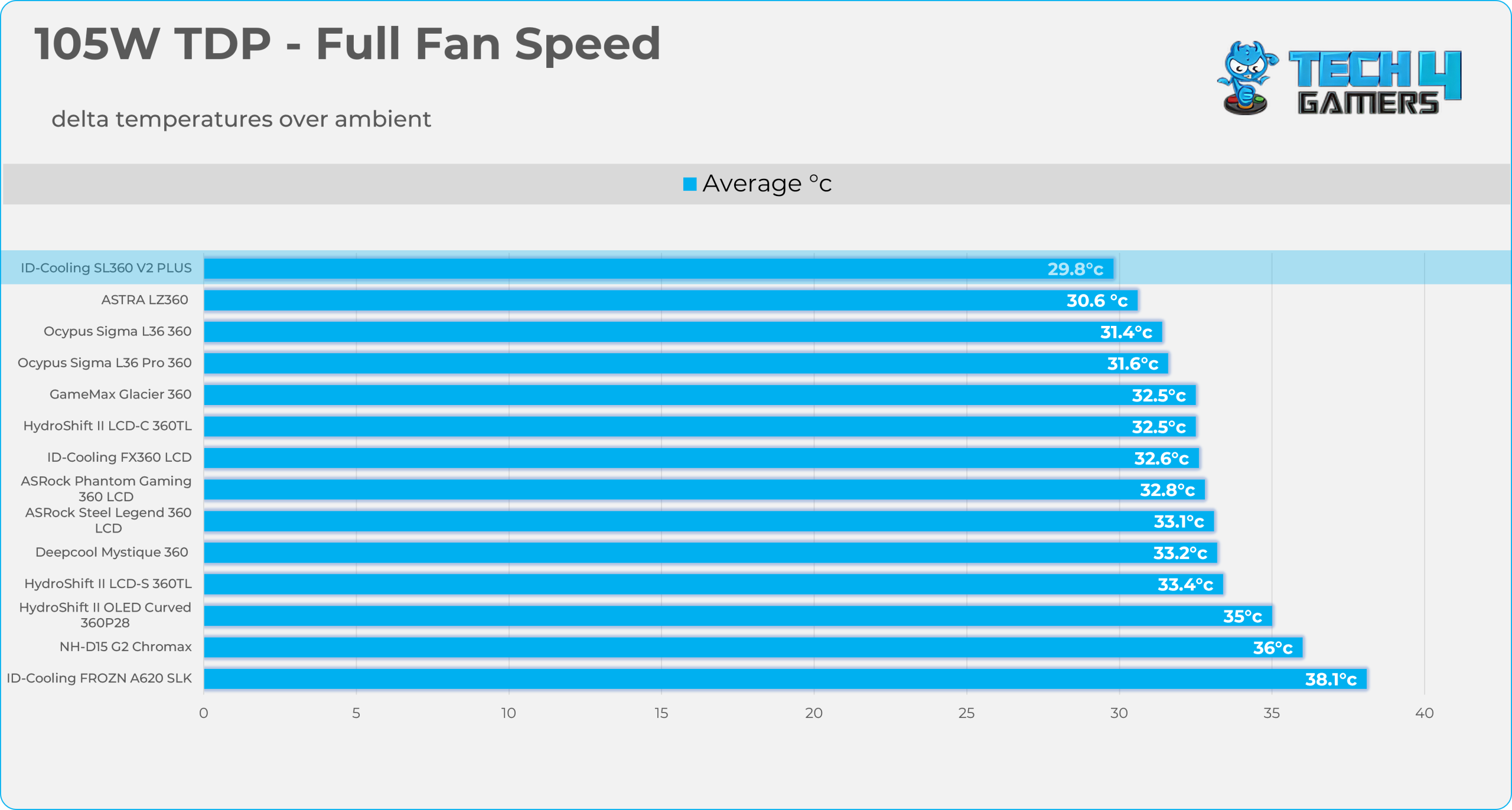
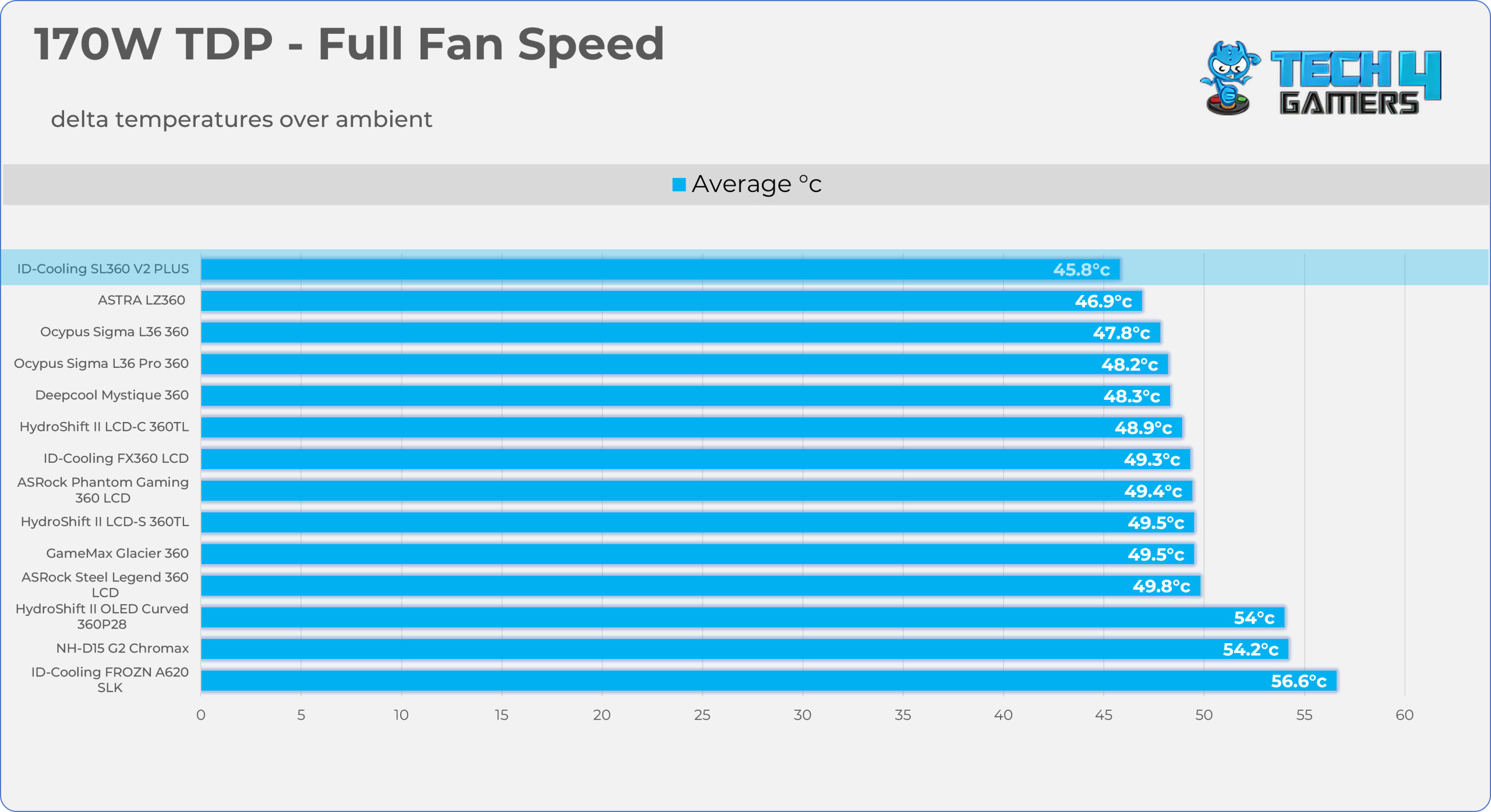
Test Results – Maximum Speed
Results at the Maximum PWM Speed.
105W TDP
170W TDP
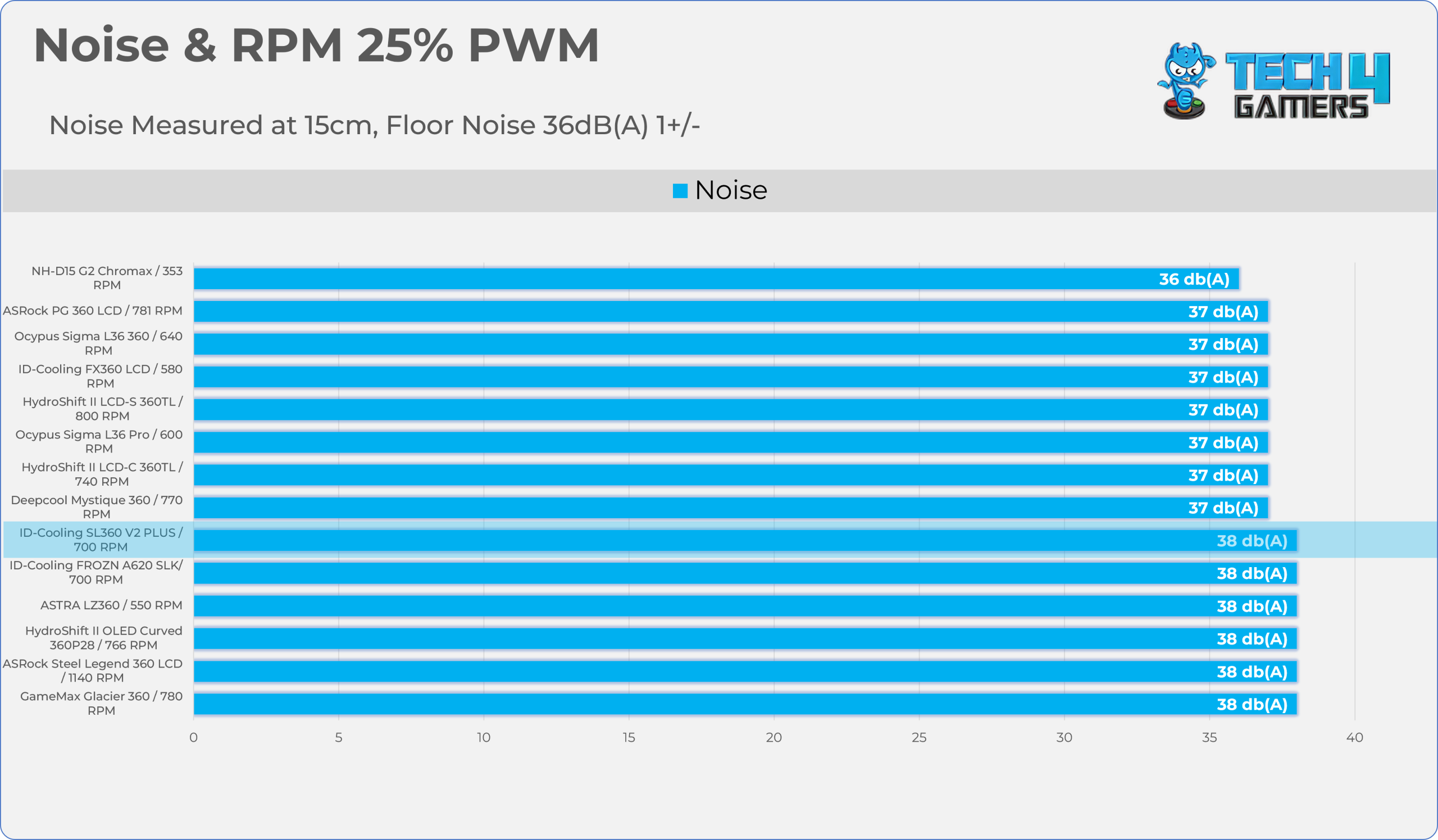
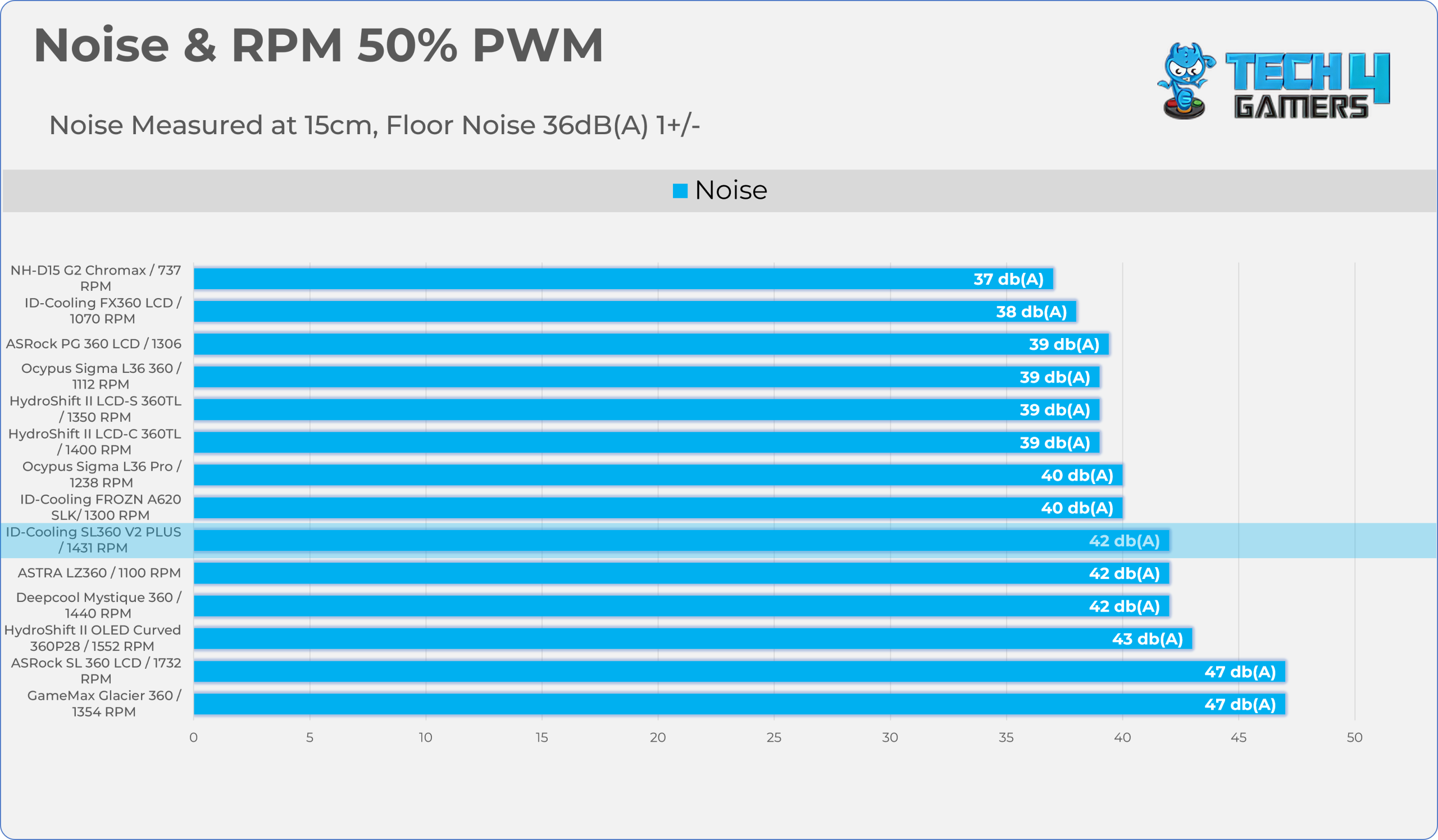
Noise and RPM Readings
Let’s take a look at the Noise and RPM Readings. We conducted tests across four different PWM range levels.
25-50% PWM
75-100% PWM
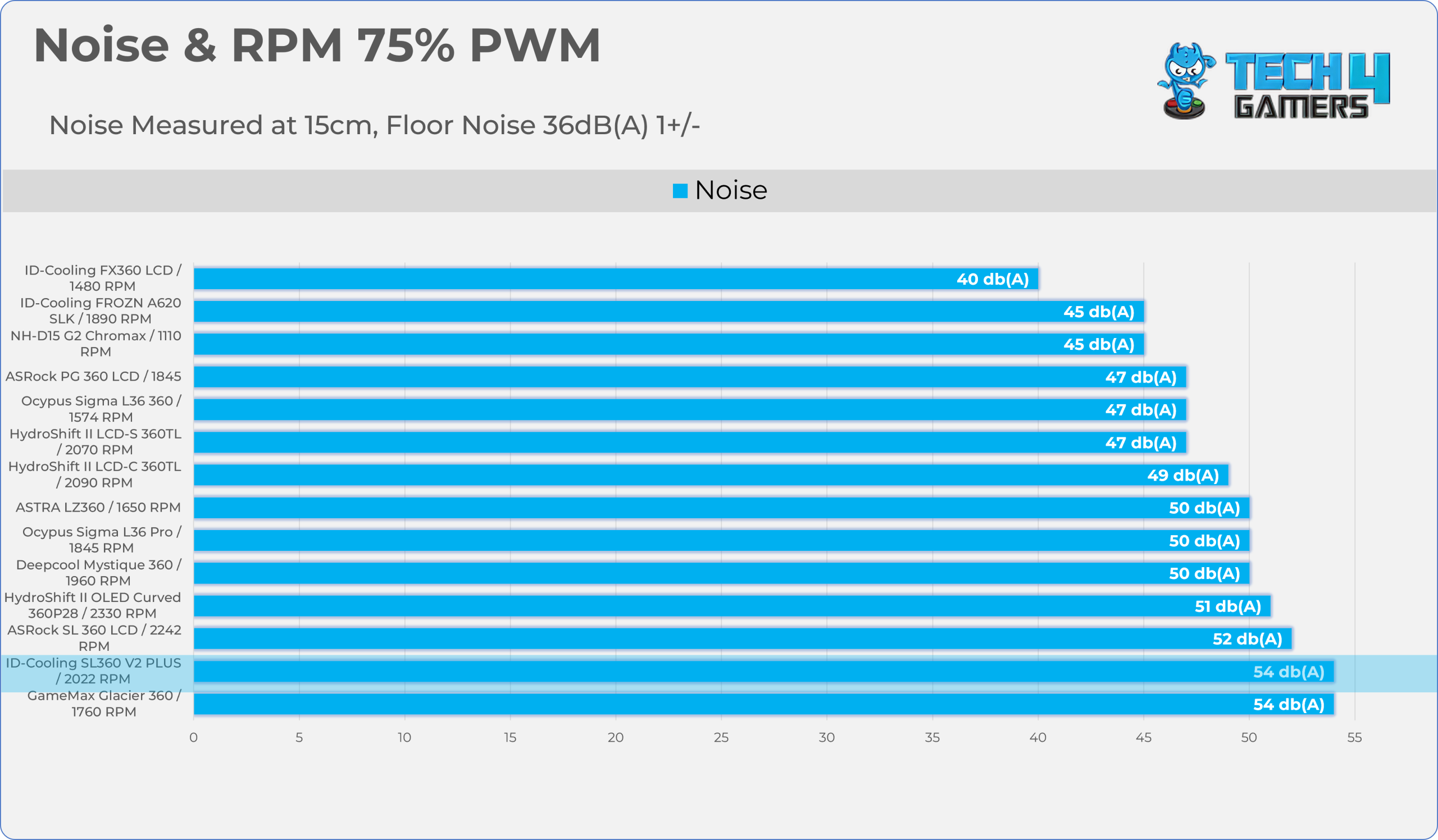
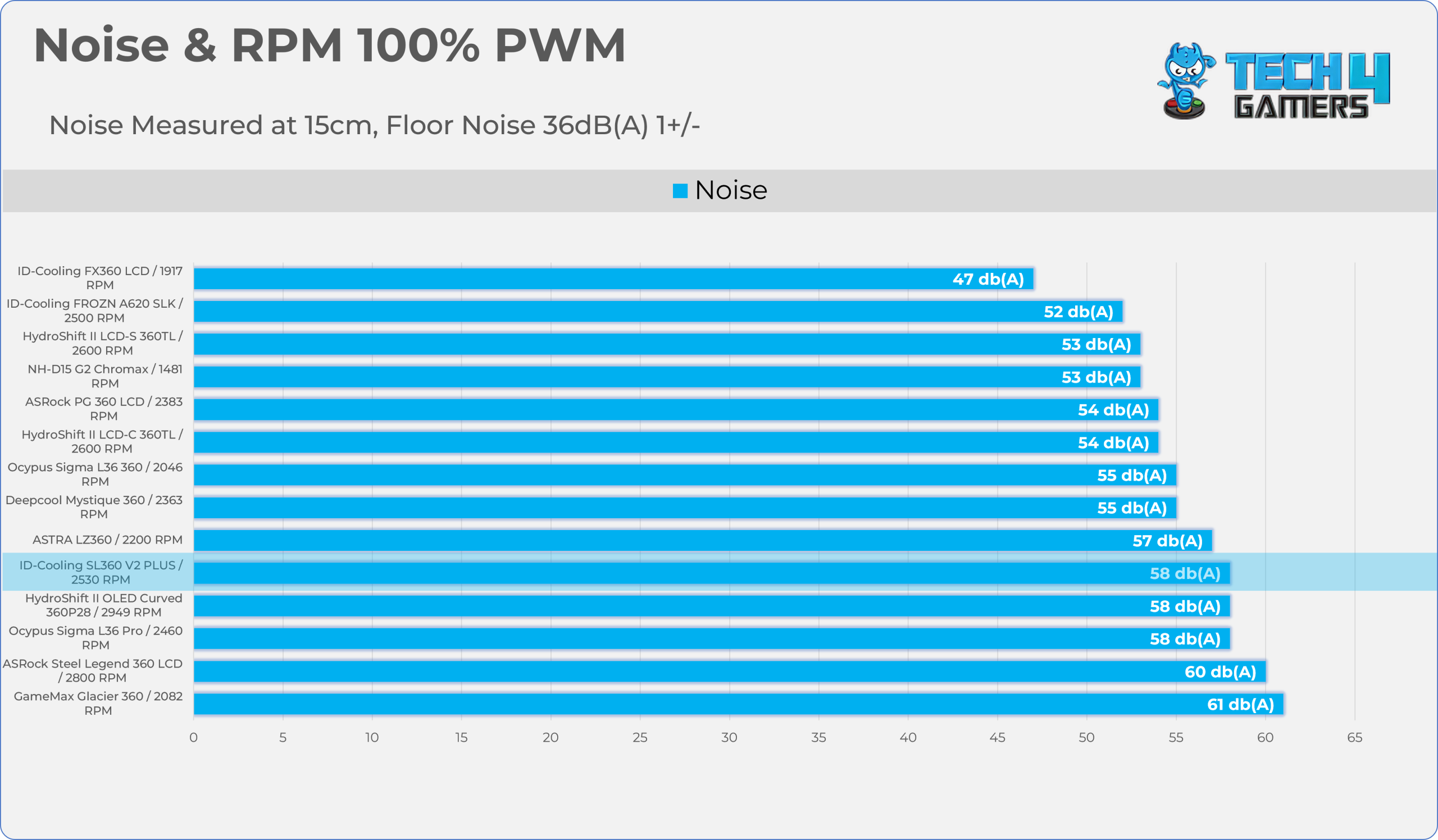
| PWM Level | RPM | Noise (dB(A)) |
| 25% | 700 | 38 |
| 50% | 1431 | 42 |
| 75% | 2022 | 54 |
| 100% | 2530 | 58 |
Should You Buy It?
Buy It If
✅ You’re cooling a High-Wattage CPU: ID-Cooling SL360 V2 Plus is designed for enthusiasts who want to push their processors to the extreme. The combination of a 20 FPI radiator core and extra-thick 28mm high-static-pressure fans gives this AIO the raw mechanical muscle.
✅ You Want Premium LCD Customization: The 2.1-inch LCD screen delivers sharp text, smooth 60Hz animation, still images, short MP4 clips, and full custom GIF support.
✅ You Want Solid Build Quality: The pump now uses a ceramic bearing, which allows it to run at 2900 RPM, stay quiet at 25 dB (A), and is rated to last 50,000 hours. It also features a robust cooler installation mechanism.
Don’t Buy It If
❌ If Your Whole System is ARGB-Supported: the blackout stealth fans might ruin the aesthetics since the AP-120-K included fans do not have fan lighting; only the block features the lighting. If you replace the fans, note that the radiator is thick, so standard ARGB fans may not be enough; you would require high-static-pressure fans. For a cheaper option with ARGB fans, you can purchase the SL360 V2 (Non Plus).
Final Thoughts
Cooling Performance And Noise
After testing the cooler’s performance, there is no doubt that this cooler is a thermal powerhouse when running at the uncapped full-fan speed, as it claimed the top spot overall across 105W and 170W TDP workloads. In the noise-normalized results, the SL360 V2 Plus ended up as the runner-up, gaining the second spot right behind the Ocypus Sigma L36 360. This cooler might be overkill if your processor does not have massive thermal output, because the radiator is expanded to 38 mm, resulting in 2 extra water channels compared to a standard radiator, which also has 20 FPI (Fins per inch). It uses the thick 28mm fans, which allow the cooler to provide flagship-tier cooling performance. If you are into overclocking and chasing scores, this could be a great option under the restricted budget.
Now speaking of the noise levels, the 40db(A) normalized charts demonstrate that the cooler retains over 90% of its cooling efficiency at the moderate fan speeds; running the fans at 100% would be madness as it yields diminishing returns relative to the sound penalty, which isn’t worth it in my case unless you’re chasing the scores. The noise output from going 25% PWM (700 RPM) to 50% PWM (1400 RPM) only increased the noise by 4 dB (A); however, when moving from 50% to 75% PWM, we noticed there is a steep increase in noise by 12 dB(A). If you’re looking to purchase this cooler and want to tune the fan curve, I would advise settling between the 50% to 60% PWM range (1400 to 1600 RPM) for the optimal noise performance.
Build Quality / Design
The build is huge; I’m talking about the SL360 V2 Plus’s physical construction and material choices, focusing on maximizing thermal capacity since the radiator has been enlarged to 396x138x27mm; the 138mm is its width, while traditional radiators are 120mm. The active fin area has also been expanded. It also maintains the ultra-clean visual aesthetic with a subtle touch of ARGB on the radiator side, as the frosted ARGB strip is attached to the radiator, providing a sleek, neon-like accent when mounted against a glass-side panel.
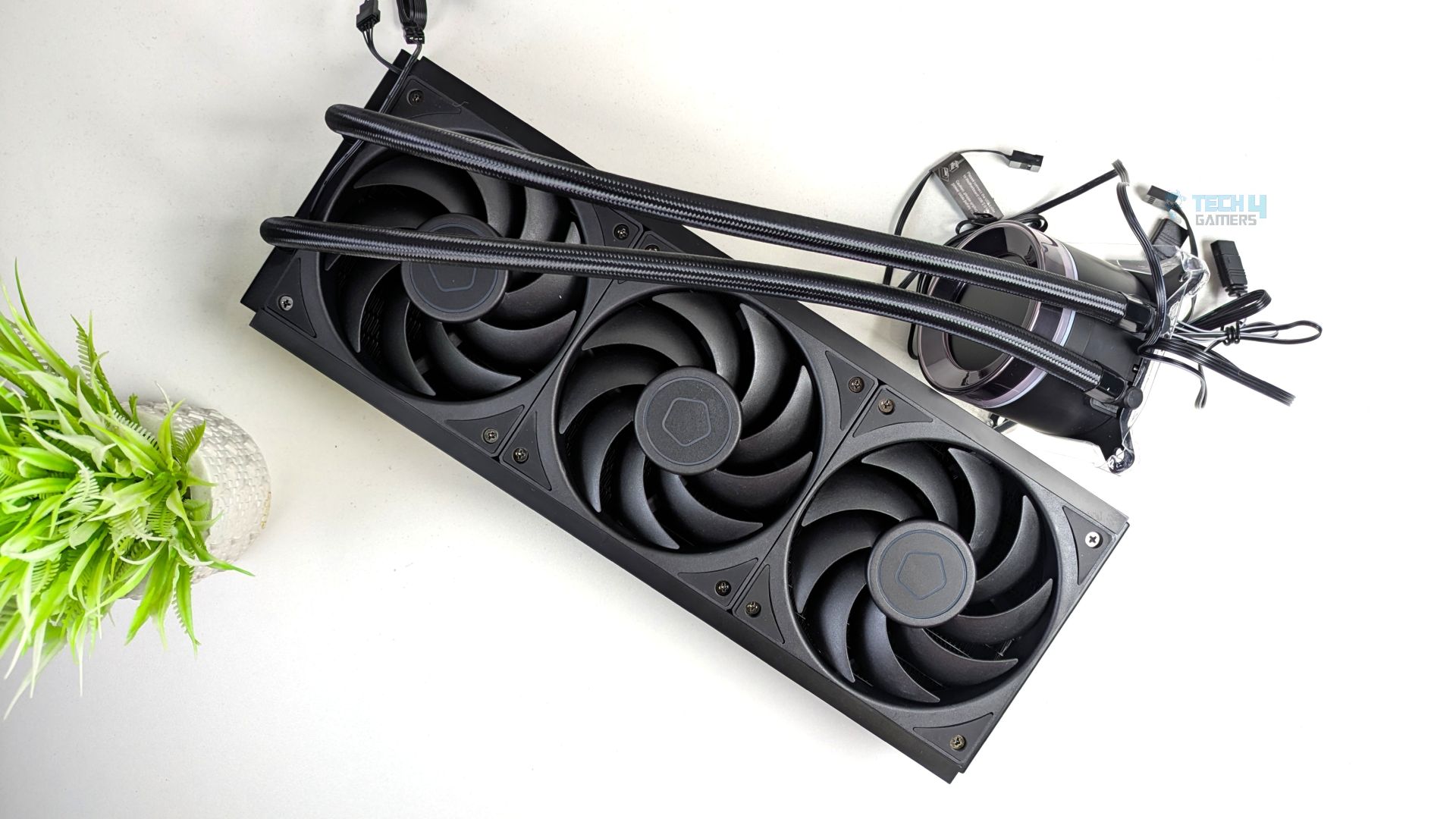
Unlike the standard 25mm fans, the AP-120-K fans included in this cooler are also 3mm thicker, with blades and a bearing, which is an added consideration considering the thickness of the radiator. The mounting hardware is also robust, solid, and straightforward.
Value
The ID-Cooling SL360 V2 Plus stands out as a highly competitive option in the current market based on street price. ID does not always lock in a strict global MSRP due to regional import and taxes, but the cooler is estimated to be around $140- $180 USD based on where you live. At this price, it aggressively undercuts many legacy brands, which often charge around $200, because of the features this cooler provides, such as the high-end pump and the inclusion of thick 28mm three AP-120-K fans with a clean cable eco-system and a 2.1-inch customizable LCD screen.
Thank you! Please share your positive feedback. 🔋
How could we improve this post? Please Help us. 😔

Senior Hardware Reviewer at Tech4Gamers with over a decade of experience in the tech industry. My journey began in 2014 as a senior administrator for Pakistan’s largest gaming community forum. I specialize in testing and reviewing components like graphics cards, CPU coolers, and motherboards, while also sharing insights on overclocking and system optimization.
 Join Our Community