 Threads
Incredibly Quiet!
Review Summary
Having tested the ASUS GeForce RTX 5080 Noctua OC Edition, we can confirm this GPU is virtually inaudible. This is achieved by combining Noctua’s next-generation NF-A12x25 G2 fans with an ultra-premium ASUS cooling block featuring an 11-heatpipe vapor chamber and a phase-change thermal pad for maximum longevity and thermal performance. However, buyers must face an exorbitant ‘ASUS x Noctua Tax’ that pushes the price between $1,500 and $1,700.
Hours Tested: 16

Overall
-
Performance - 9.5/10
9.5/10
-
Design - 9.5/10
9.5/10
-
Acoustics - 9.8/10
9.8/10
-
Value - 6.7/10
6.7/10
Pros
- Incredible build quality
- Amazingly quiet operation
- Includes three Noctua NF-A12x25 G2 PWM 120mm fans
- Idle fan-stop function
- Vapor chamber cooling
- Extreme overclocking potential
- Dual BIOS switch
- Strong cooling performance
- Uses a phase-change GPU thermal pad
Cons
- Expensive
- Might not fit in mid-tower cases


NVIDIA’s RTX 5080 is already a powerhouse graphics card, the second-best GeForce GPU in the Blackwell architecture, pushing 10,752 CUDA Cores; the GB203 silicon requires serious cooling to achieve the highest boost clocks possible, which many RTX 5080 can do comfortably, albeit with higher acoustic levels. Noctua and ASUS have engineered a massive quad-slot cooling solution, housing three of the best fans on the market: the NF-A12x25 G2 120mm fans, known for their high performance and noise efficiency.
Sometimes, it’s not always about aggressive gamer aesthetics or blinding RGB. The motivation behind such innovation is the obsessive pursuit of acoustic perfection and thermal headroom. That is why ASUS and Noctua have collaborated: ASUS has chosen the over-engineered TUF RTX 5080 PCB and strapped the premium Noctua Fans directly to the heat sink.
This card promises to be the holy grail if you wish to push the graphics card to its maximum potential without your rig sounding like a server room. We’ll be putting this beige giant through its paces today to see if it justifies its massive size and the premium tag.
This card has slightly higher boost clocks than the base RTX 5080, which is 2700MHz (2617MHz). The MSRP is set at $1500 for this model, making it expensive, but its key advantages are its silent acoustic profile and the thermal headroom to push performance further, which we will test later in this review.
Let’s start with the specifications
| Specification | RTX 5080 | ASUS x Noctua RTX 5080 OC Edition |
| MSRP | $999 | $1,499 |
| GPU Architecture | Blackwell (GB203) | Blackwell (GB203) |
| CUDA Cores | 10,752 | 10,752 |
| Base Clock | 2295 MHz | 2295 MHz |
| Boost Clock | 2617 MHz | 2730 MHz (OC Mode) / 2700 MHz (Default) |
| Memory | 16 GB GDDR7 | 16 GB GDDR7 |
| Memory Speed | 30 Gbps | 30 Gbps |
| Memory Bus | 256-bit | 256-bit |
| Fan Configuration | 2x Custom Axial Fans | 3x Noctua NF-A12x25 G2 PWM 120mm |
| Dimensions | 304 x 137 x 40 mm | 385 x 151 x 80 mm |
| Slot Size | 2-Slot (Dual-slot) | 4-Slot (Quad-slot) |
| Power (TGP) | 360W | 360W |
| Recommended PSU | 750W | 850W |
What Makes ASUS x Noctua RTX 5080 OC Edition Different?
Well, They did not just slap the Noctua Fans on the GPU heatsink. ASUS had to entirely redesign the fin stack, including a custom vapour chamber and an extra-thick, wider fin array, to match the airflow characteristics of the 120mm fans. However, you get an industrial-grade die-cast aluminium shroud wrapped around the Noctua Signature. Speaking of fans now, it uses three NF-A12x25 G2 PWM fans, which we have already reviewed. These fans feature high static pressure, low noise levels, and efficient airflow, making them stand out among market options.
Packaging
Now this is some serious packaging, and in person the box is very large. The pictures don’t do it justice; this is a massive quad-slot card measuring 385mm in length, with a very large heatsink and shroud housing 3x NF-A12x25 G2 PWM fans. The outer retail box is designed to withstand immense physical weight. The outer shell is made of high-density fluted cardboard in Noctua’s traditional brown style.
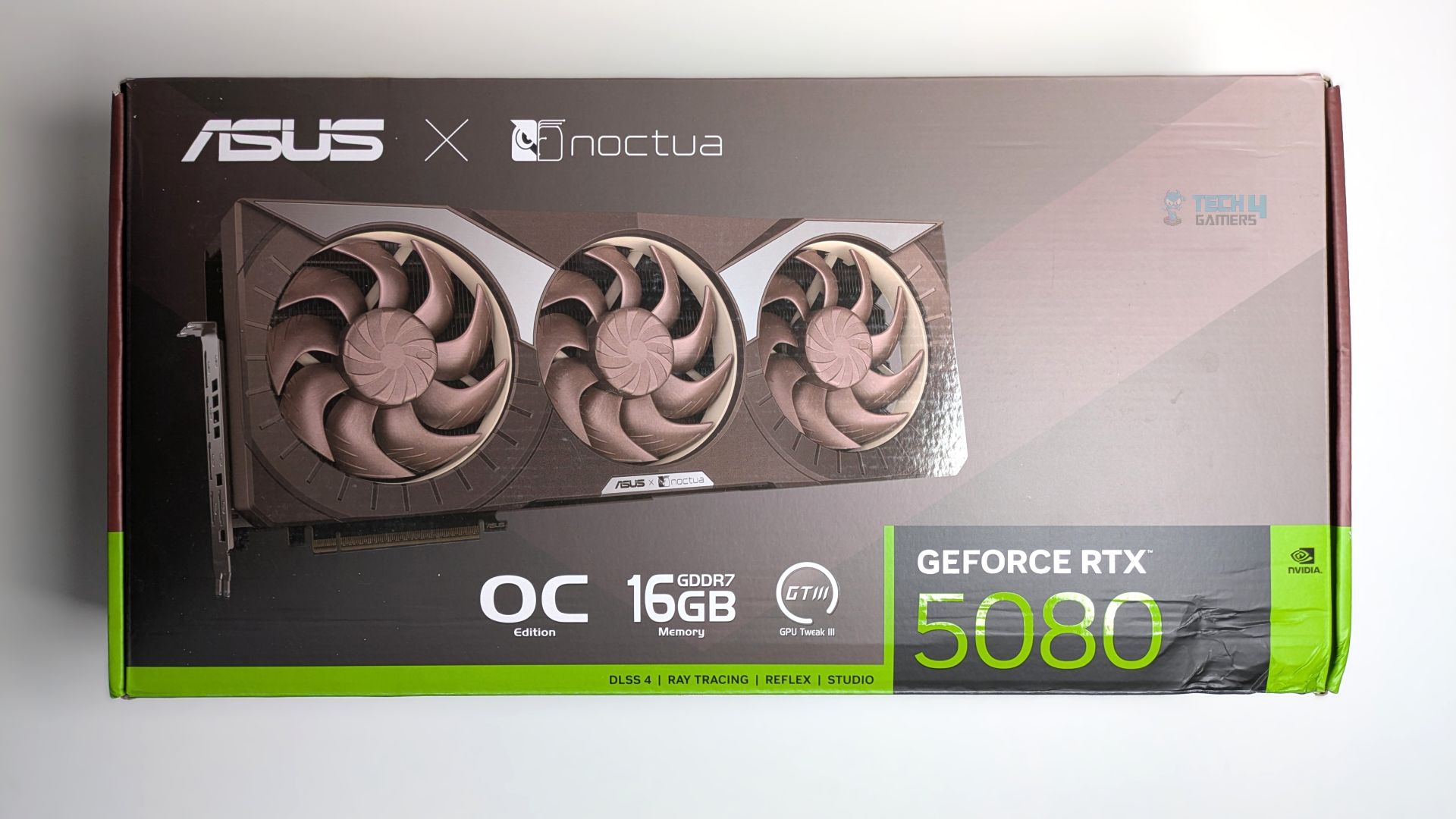
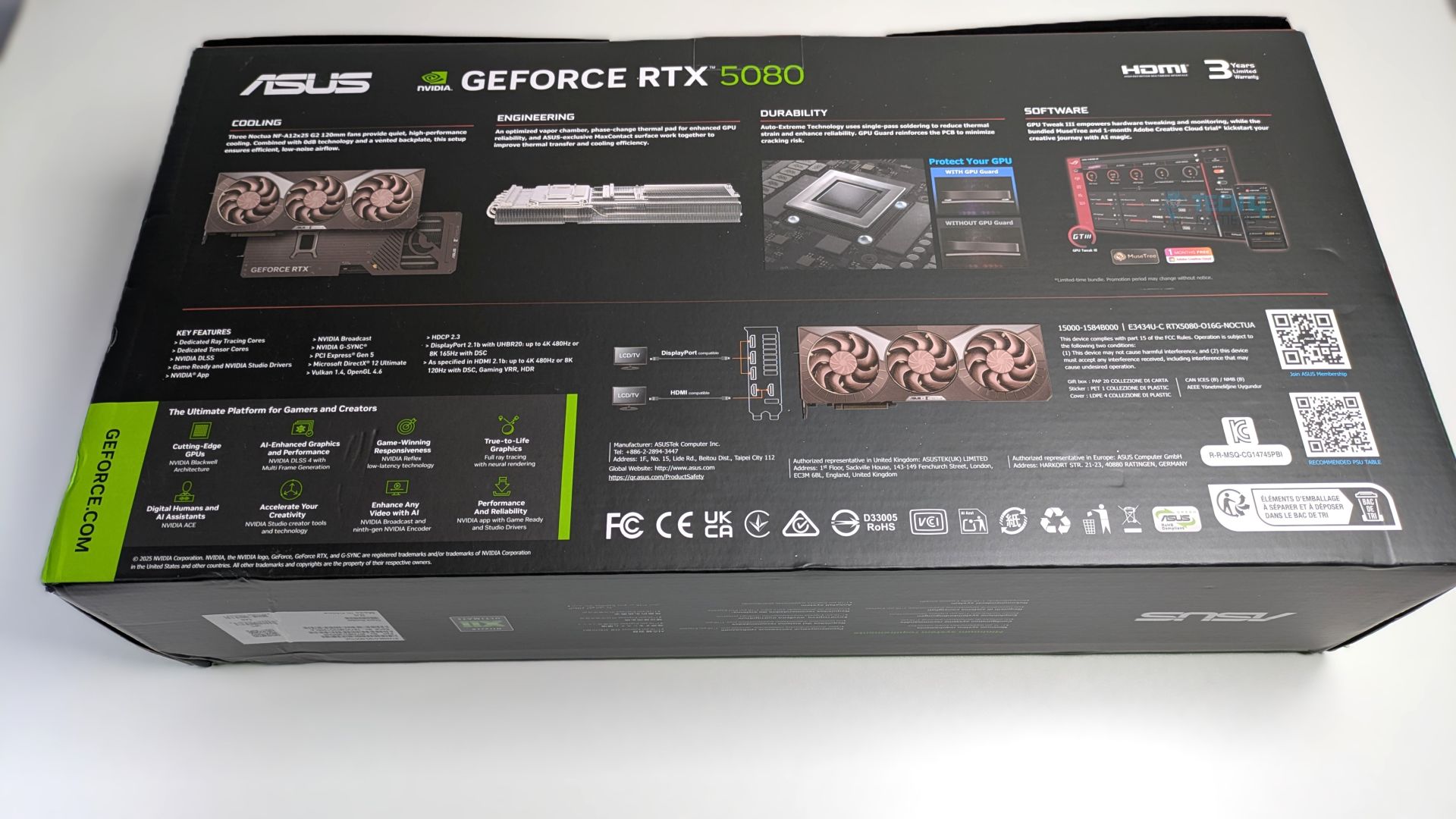
The graphics card’s render is clearly visible on the box, and the OC badge is also seen. The back of the box serves as a comprehensive display of engineering and technical specifications, with a prominent badge highlighting a 3-year limited warranty. I feel the warranty should have been longer; at least 5 years would have been nice.
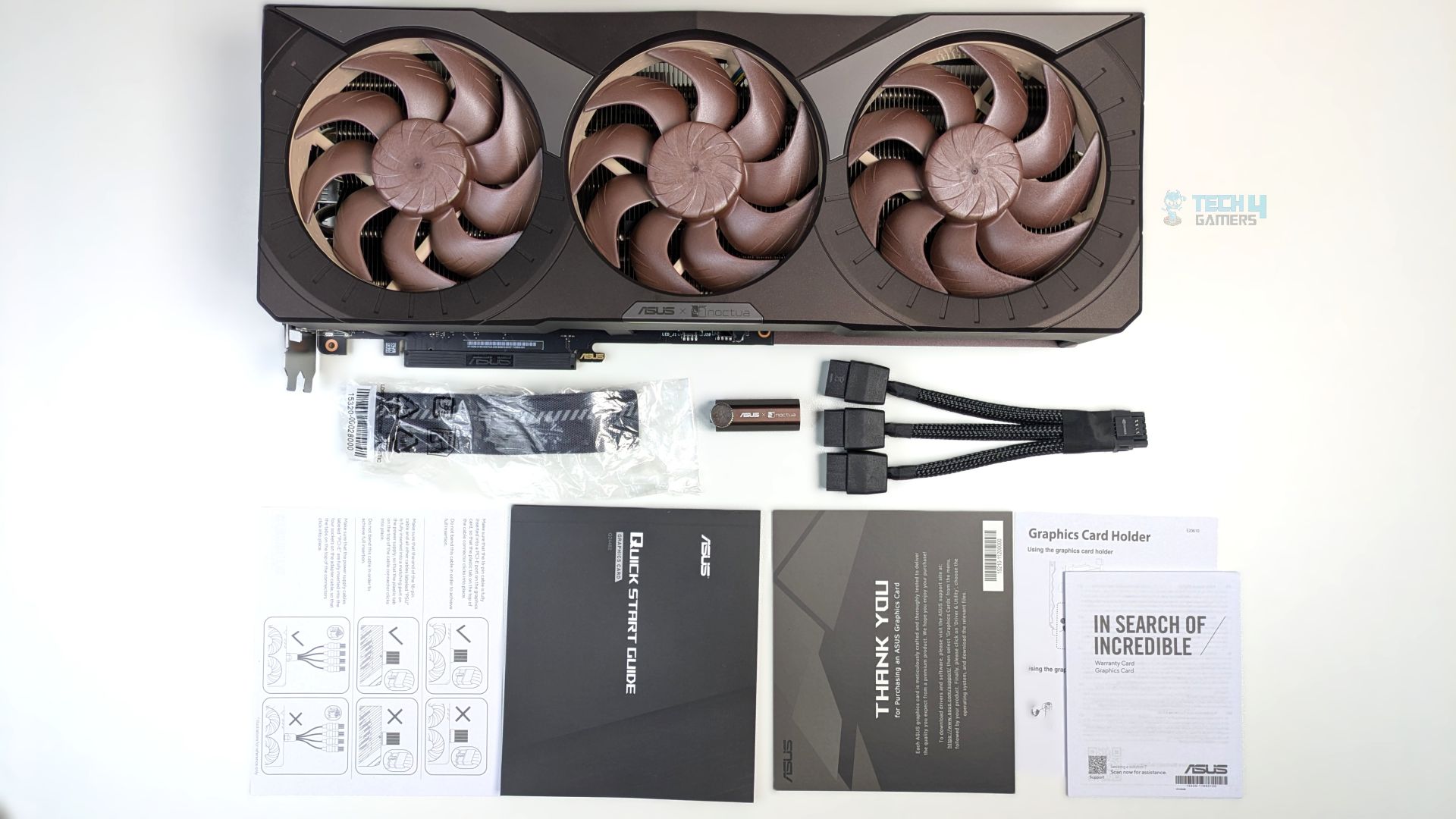
Nothing special in the accessories so far: you get the Speedsetup Manual, Graphics Card Holder, Thank You Card, 1 x Adapter Cable (1-to-3), and the ASUS Velcro Hook & Loop. Still, I’d have loved at least some stickers or adhesive badges for your chassis, considering you’re paying a half-thousand USD premium for this GPU over the base model.
Design
It’s time to talk about it’s design.
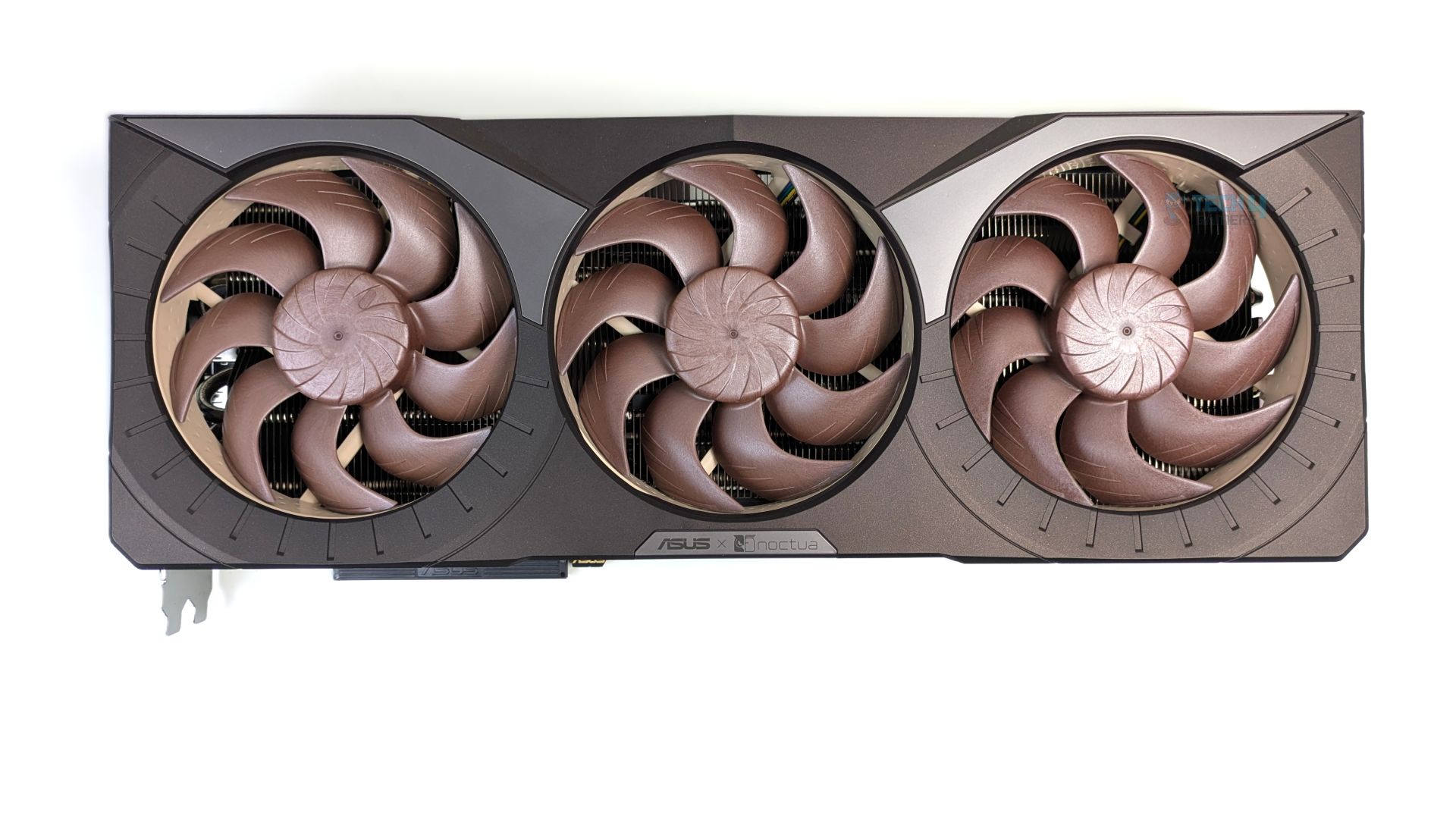
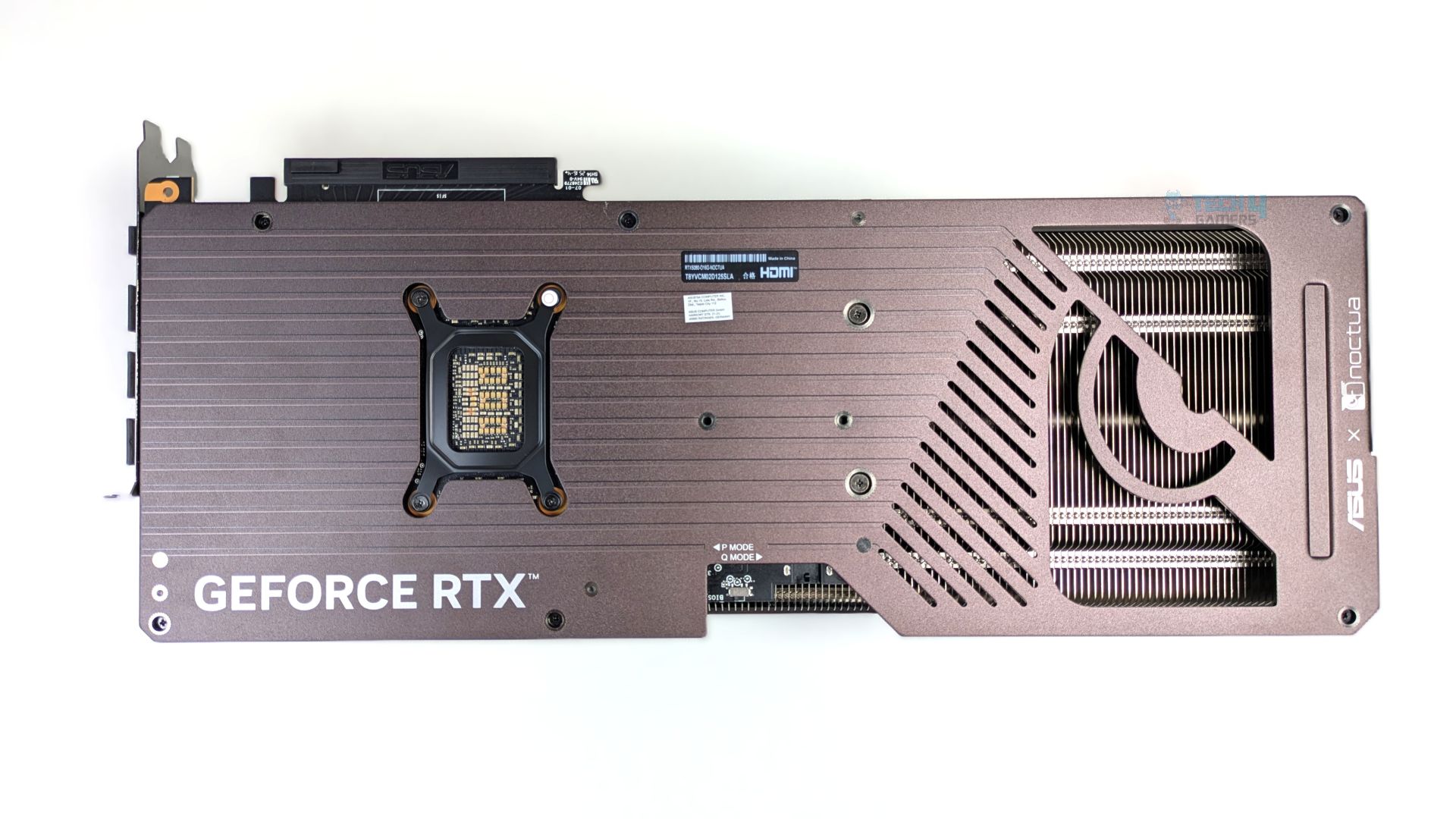
This time, Noctua x ASUS has outdone themselves by evolving the structural design from the prior Noctua dual-fan iteration to a quad-slot, triple-fan design. Three master-piece NF-A12x25 G2 fans are installed into the shroud. This GPU design is the chunkiest I have seen on our test bench; it is massive, measuring 385 × 151 × 80 mm. I won’t dive too deeply into the fans here, as I’ve already covered them extensively in a dedicated review.
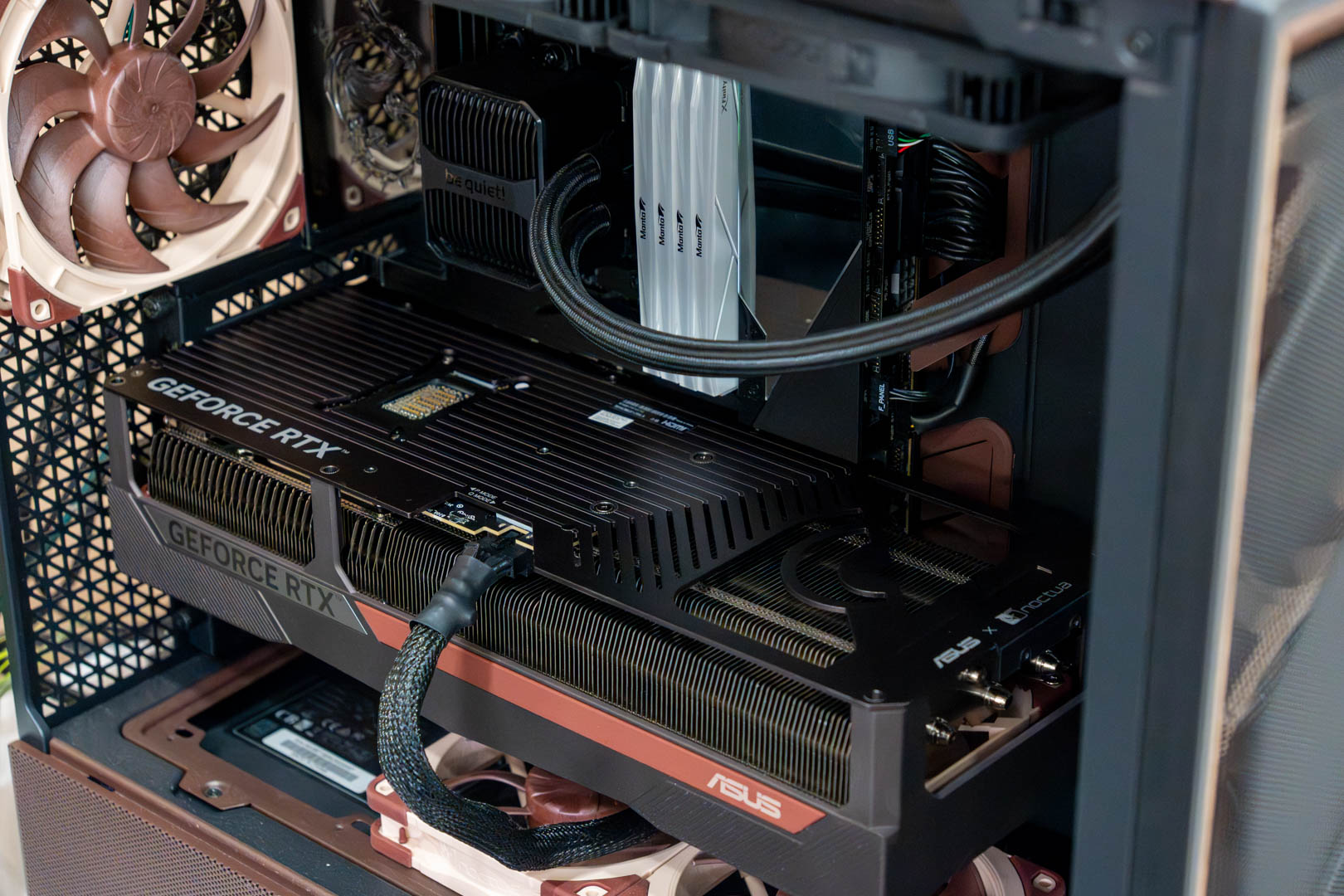
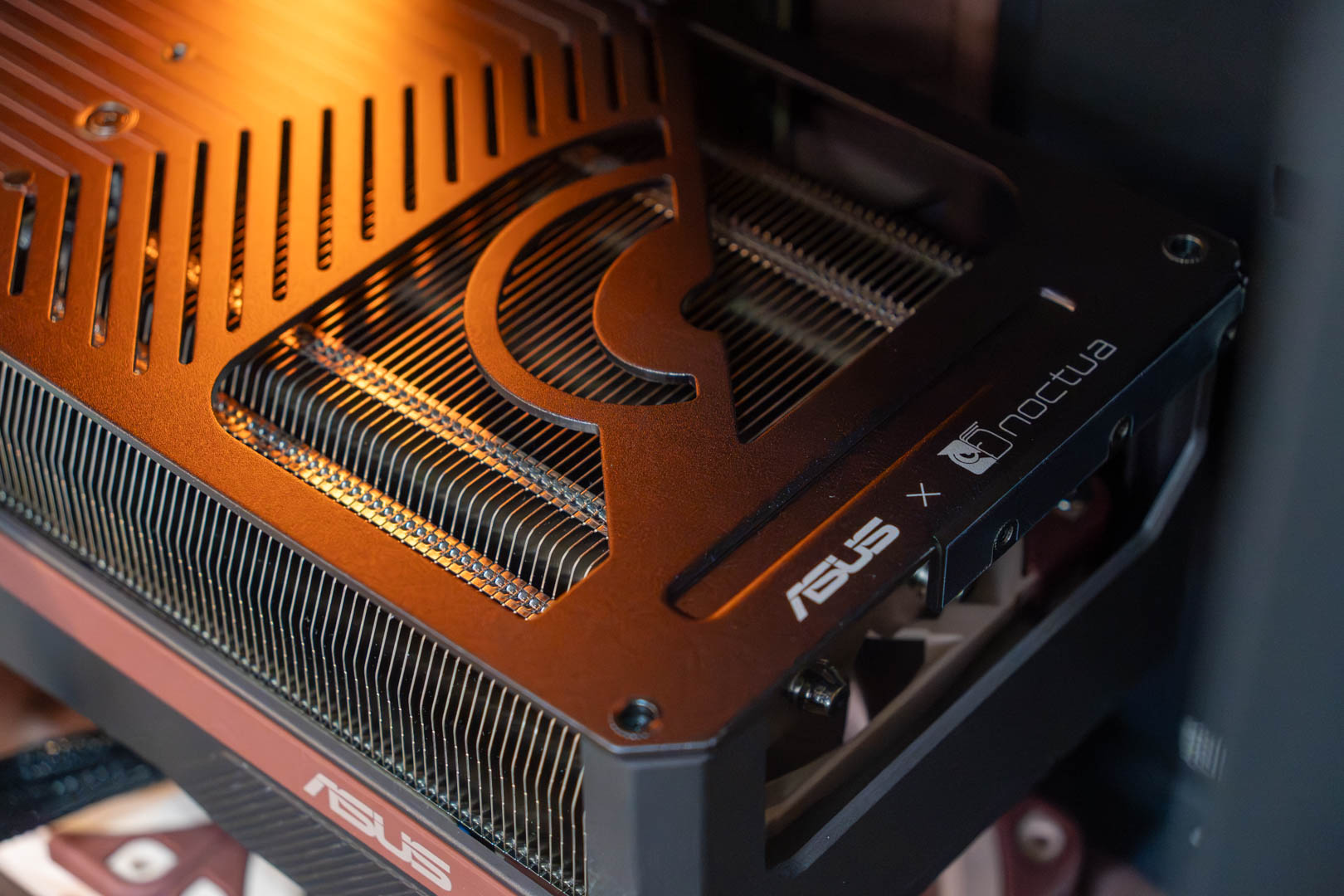
Looking at the back, there is nothing fancy on the back plate, as the card follows the zero RGB philosophy. However, the shroud feels solid, as it features a thick extruded aluminium backplate with full-length horizontal grooves, which is smart because it increases the surface area for passive heat dissipation and extends past the PCB of this GPU. At the tail end of the backplate, you can see the exhaust pass-through vent for airflow, which is owl-shaped.
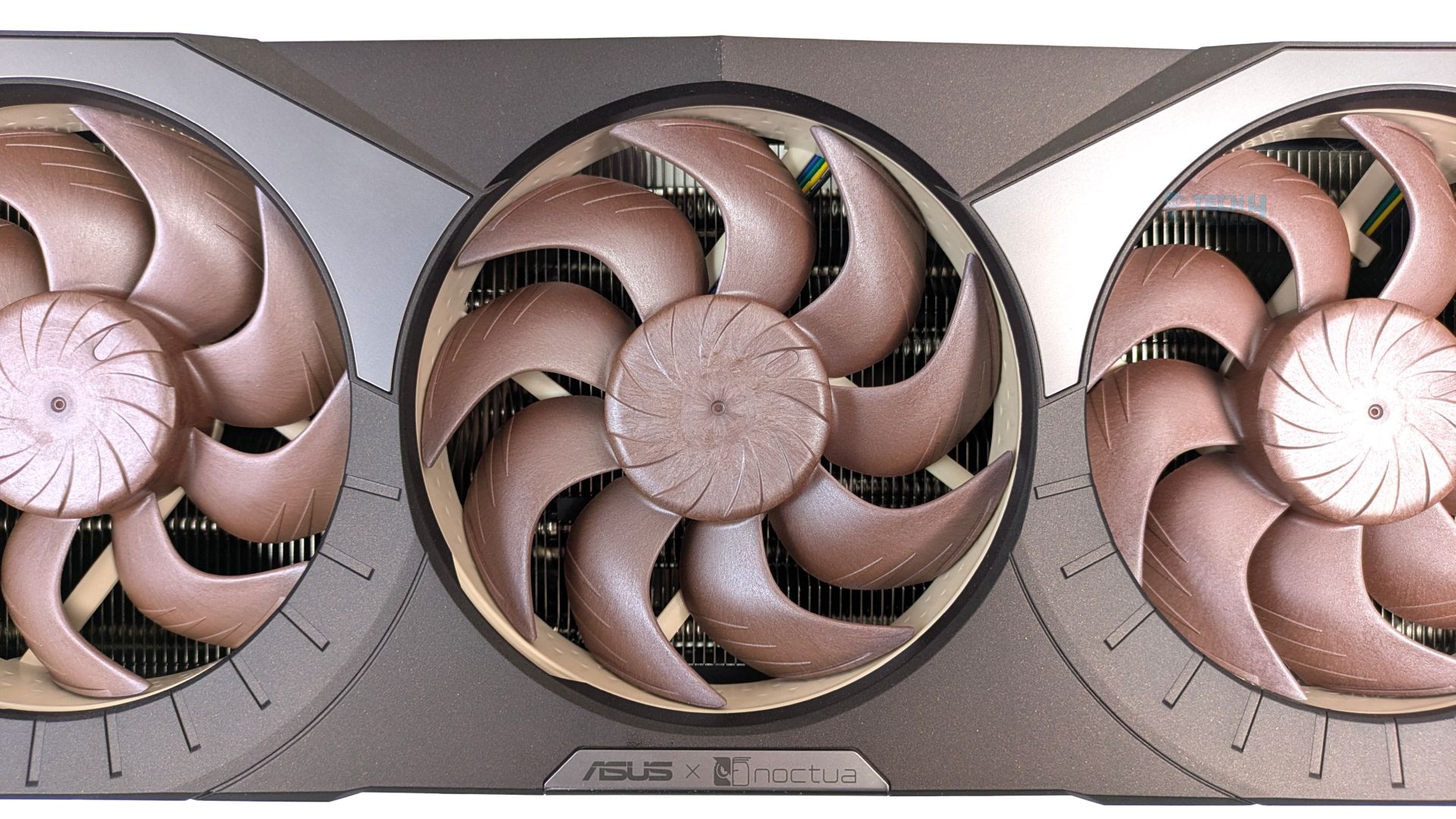
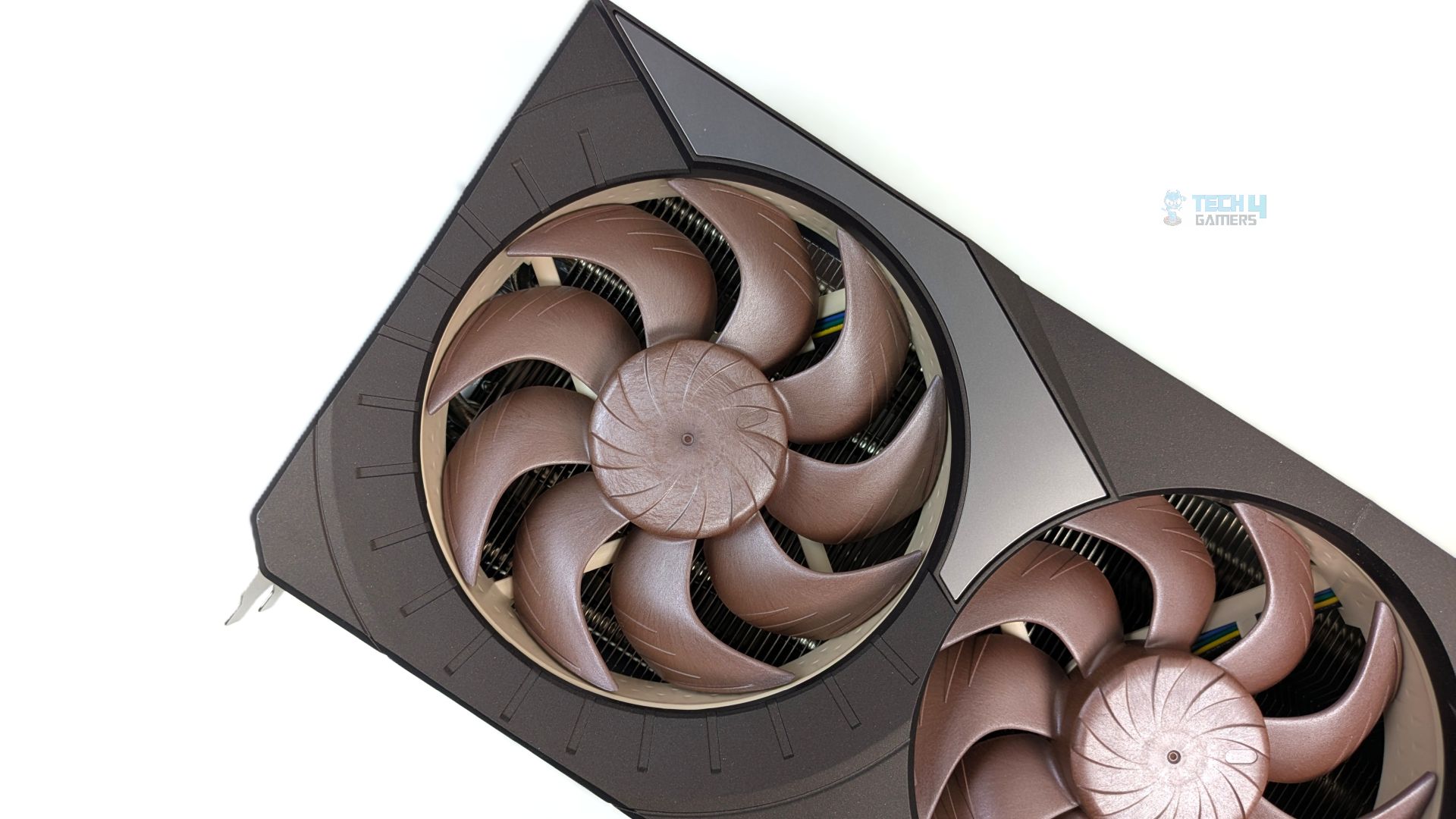
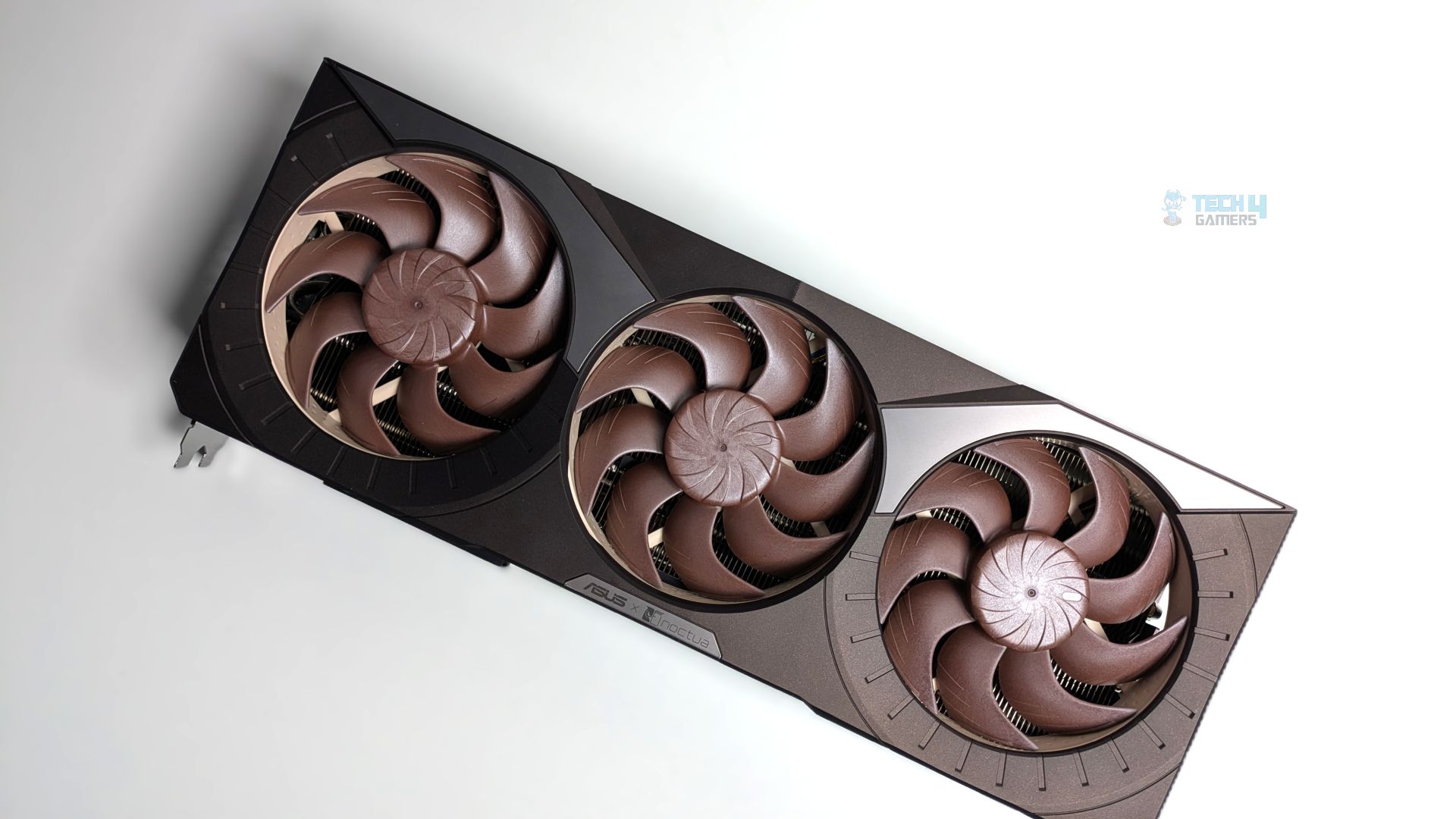
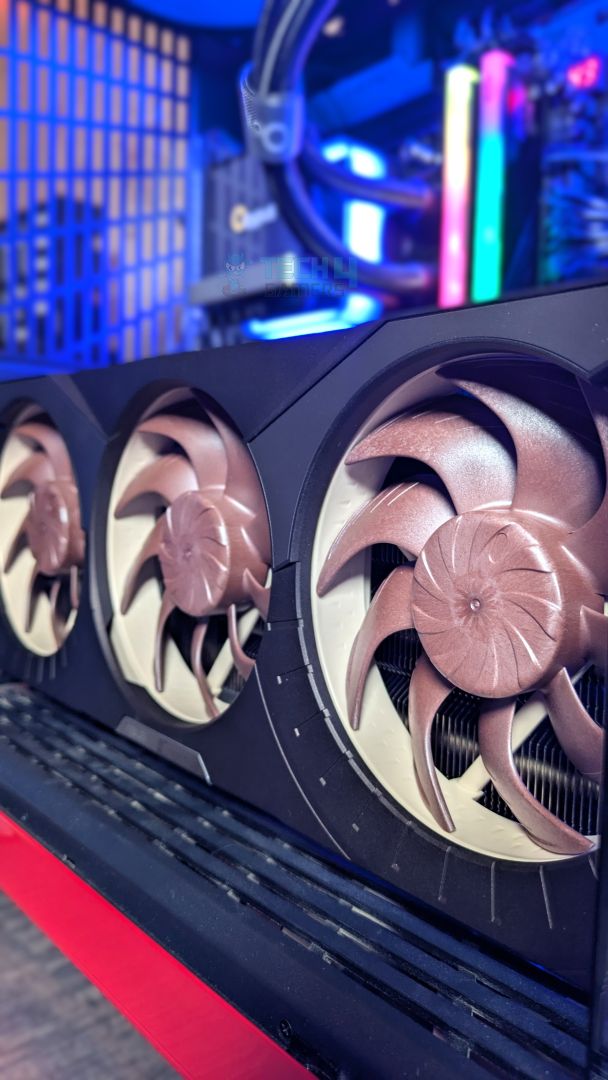
Here is the close-up of the front side. There is some attention to detail; as you can see, the perimeter surrounding each fan resembles an analogue speedometer, which gives a nice touch to the design. At the centre of the base of the middle fan sits a laser-etched, brushed-metal ASUS x Noctua signature.
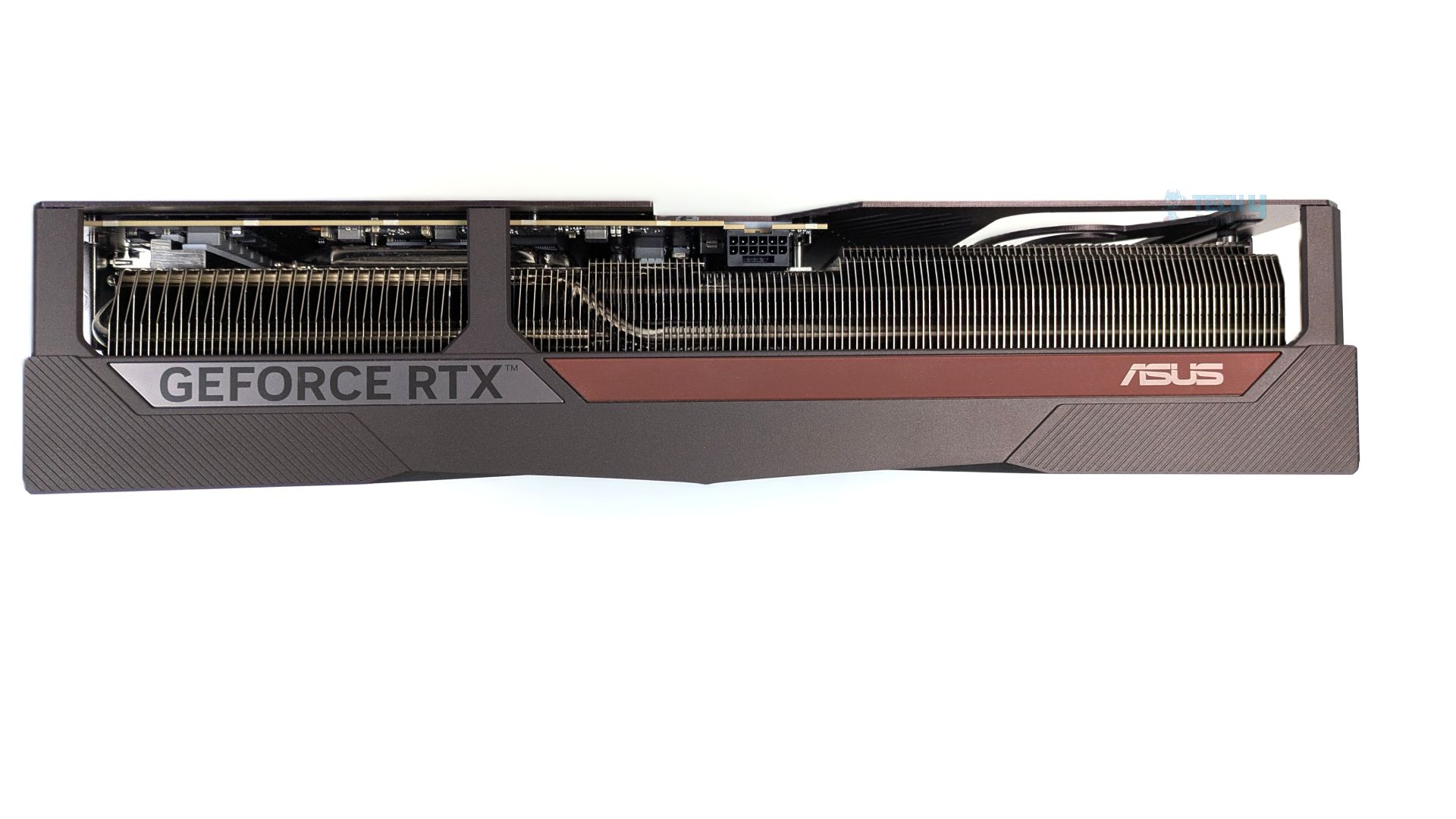
Now taking a look at the side profile, the shroud features textured diagonal grooves that contrast against the brushed gun-metal area displaying the GeForce RTX logo. The side provides pure industrial vibes. If you look closely, the heatpipes run directly into the fin array, right next to the power delivery, helping pull heat away from the VRM/MOSFET stages.
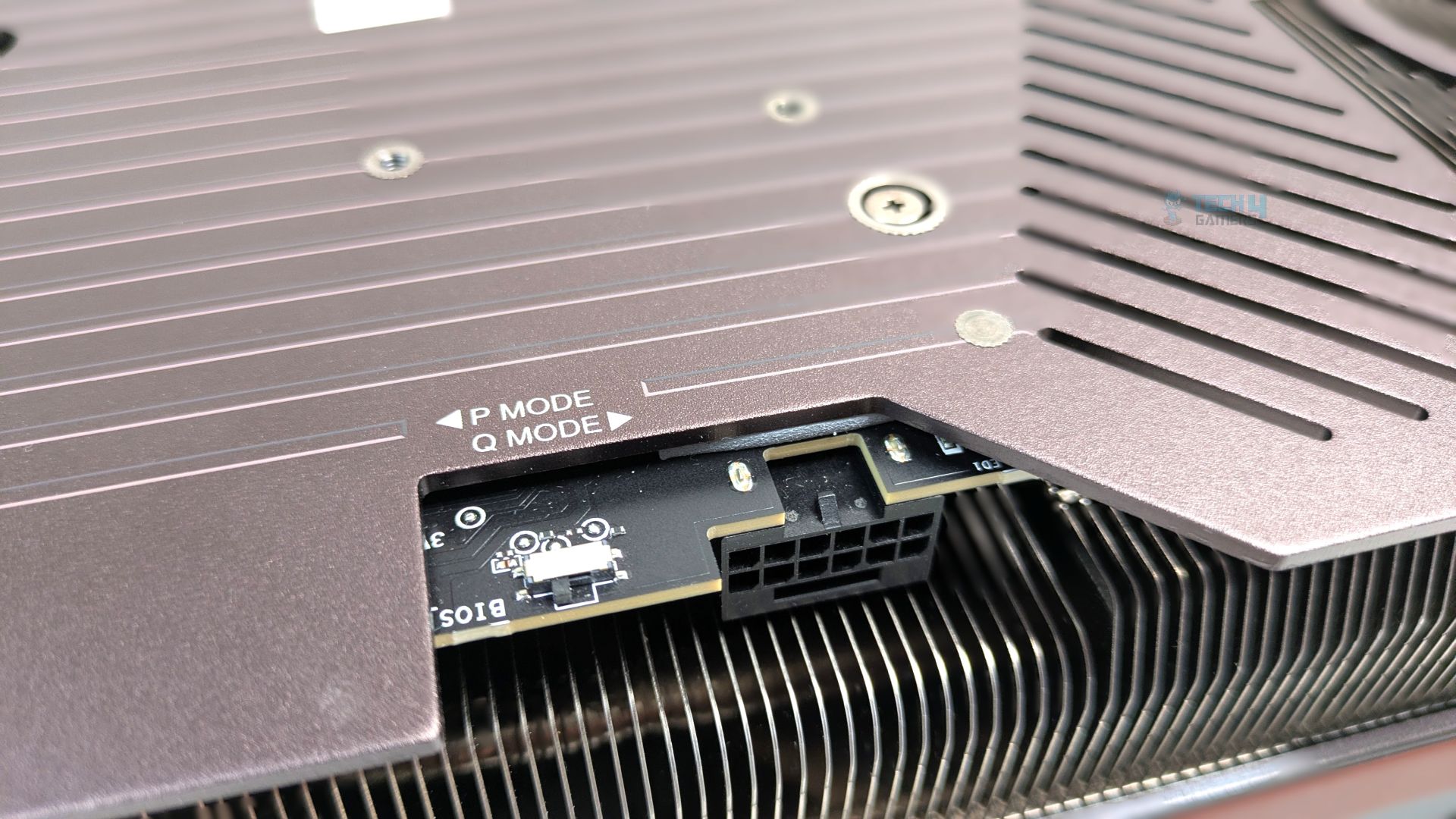
This GPU also features two BIOS profiles: P (Performance Mode) and Q (Quiet Mode). The switch sits directly beside the 16-Pin (12V-2×6) interface.
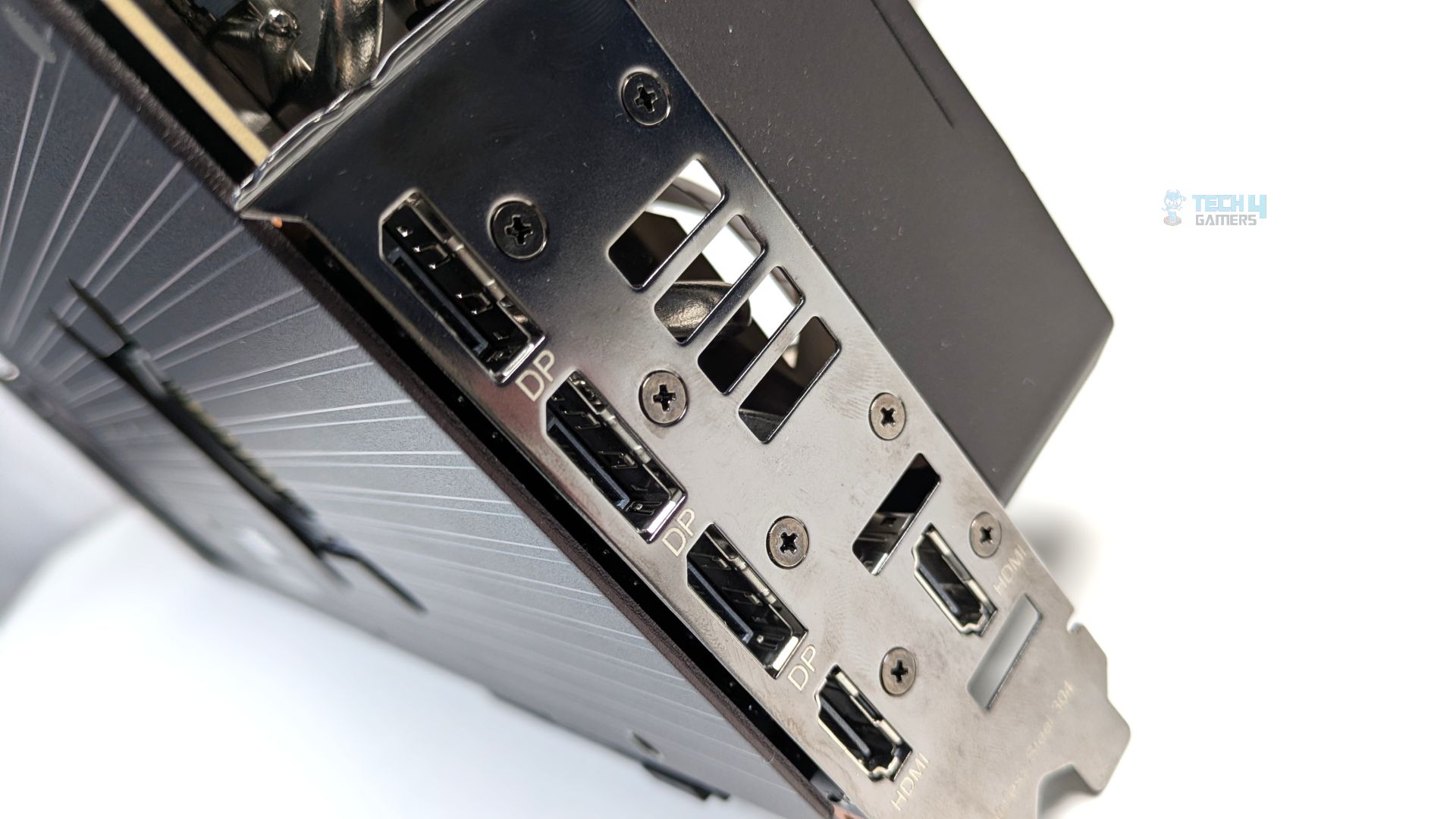
Speaking of the interface, the GPU has 2x (HDMI 2.1b) and 3x (DisplayPort 2.1b), which work natively alongside HDCP support. However, beneath the shroud, the GPU incorporates a vapor-chamber heatsink and a Phase-Change GPU thermal pad to ensure longevity and durability.
Assembled in Chassis
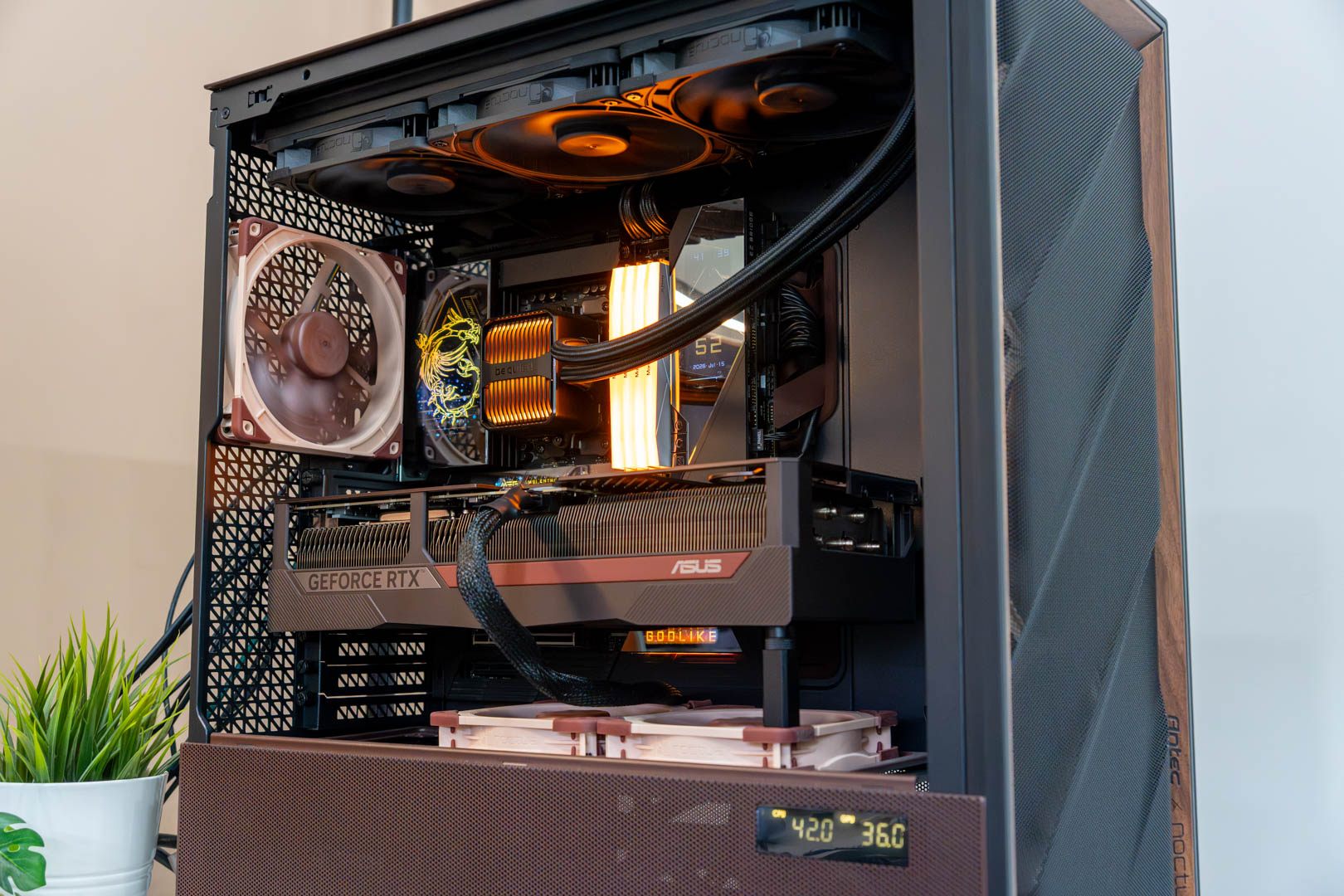
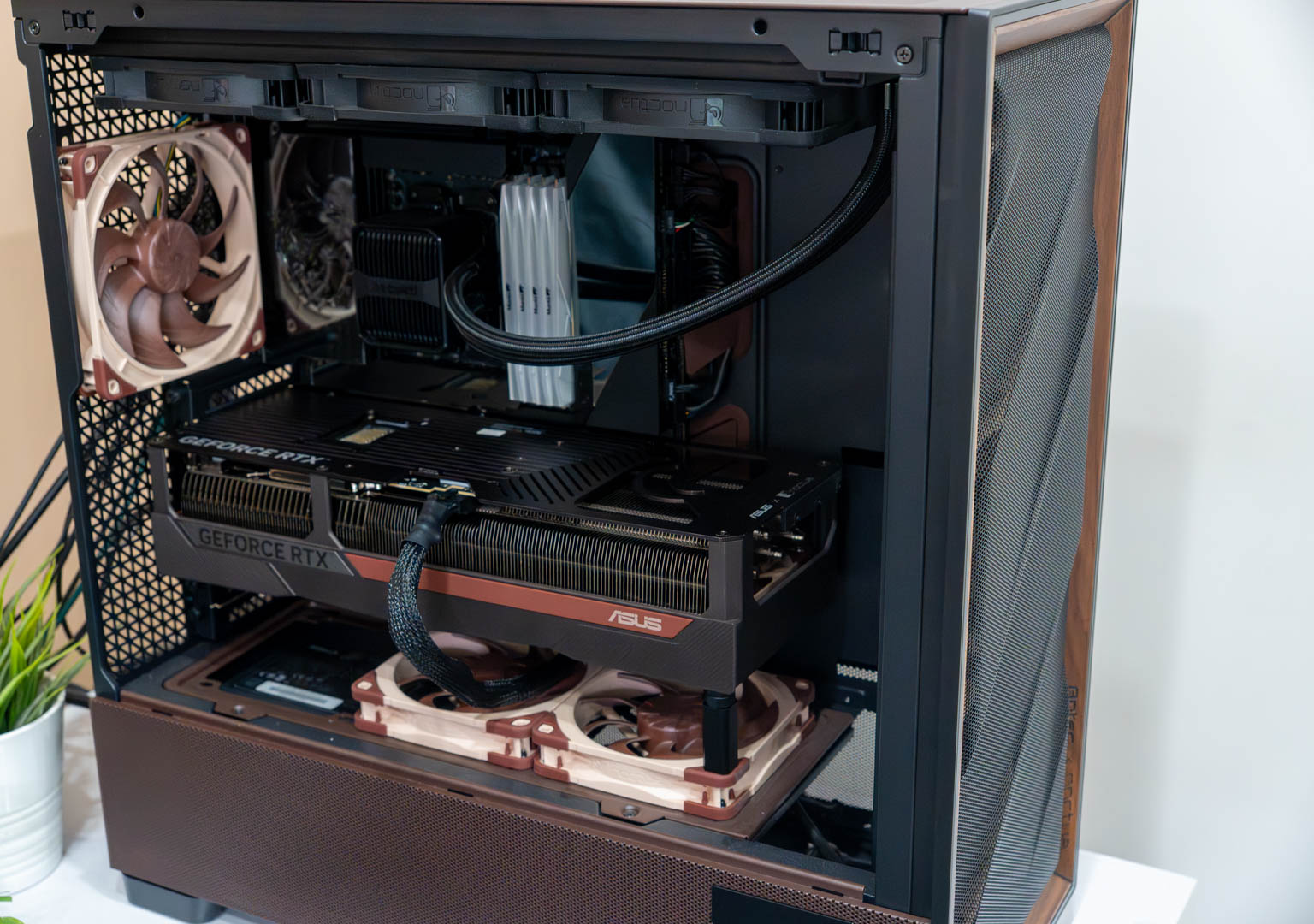
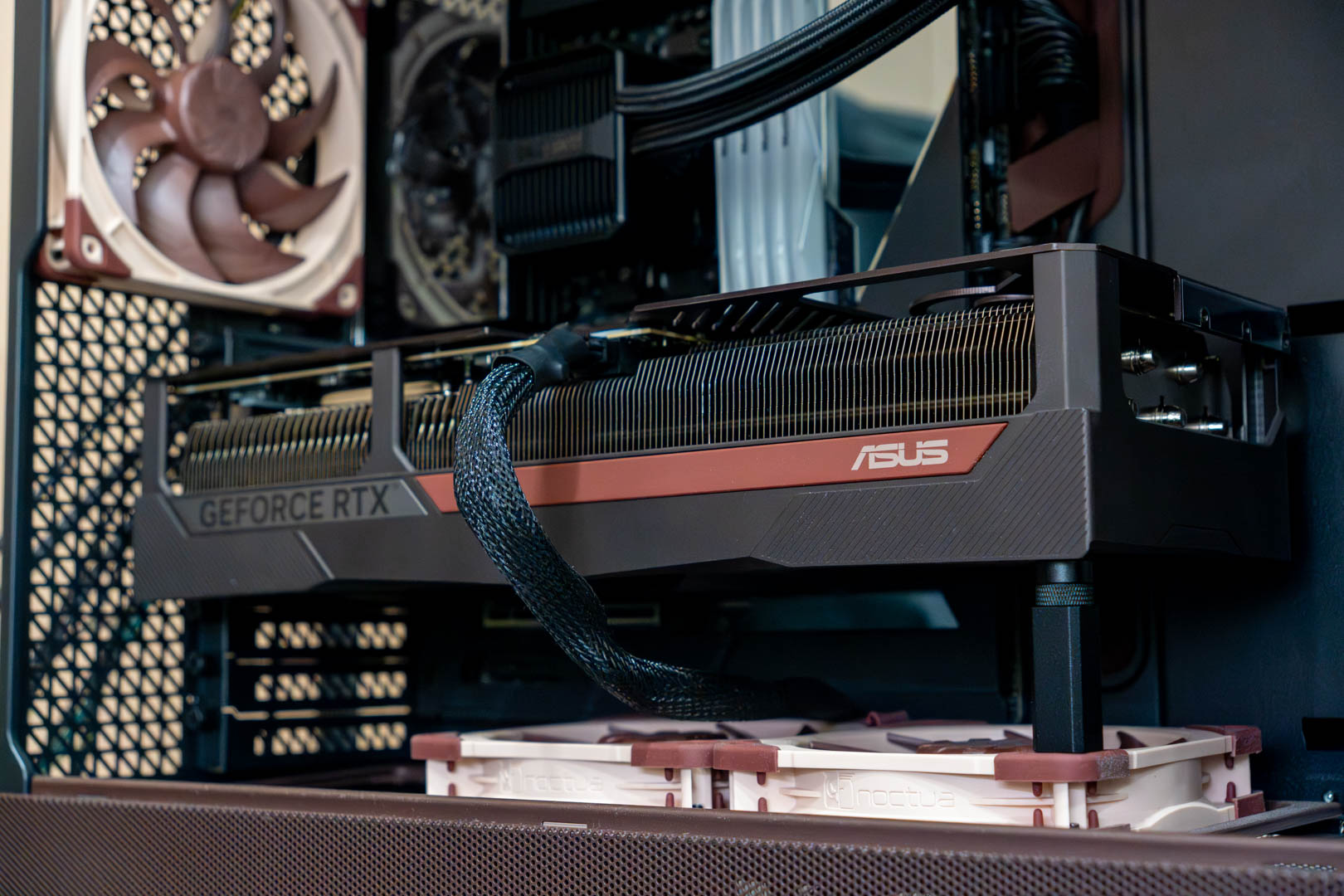
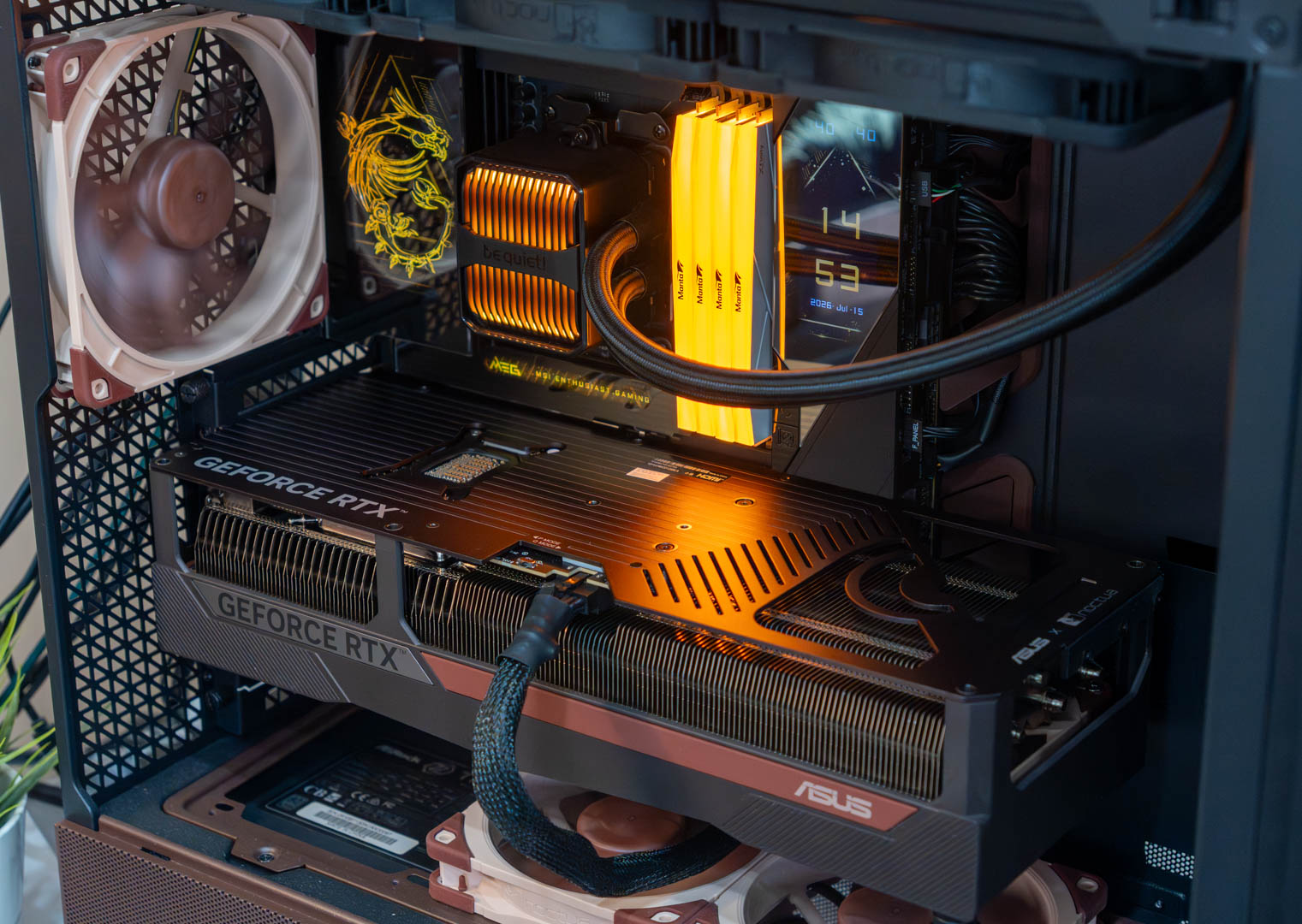
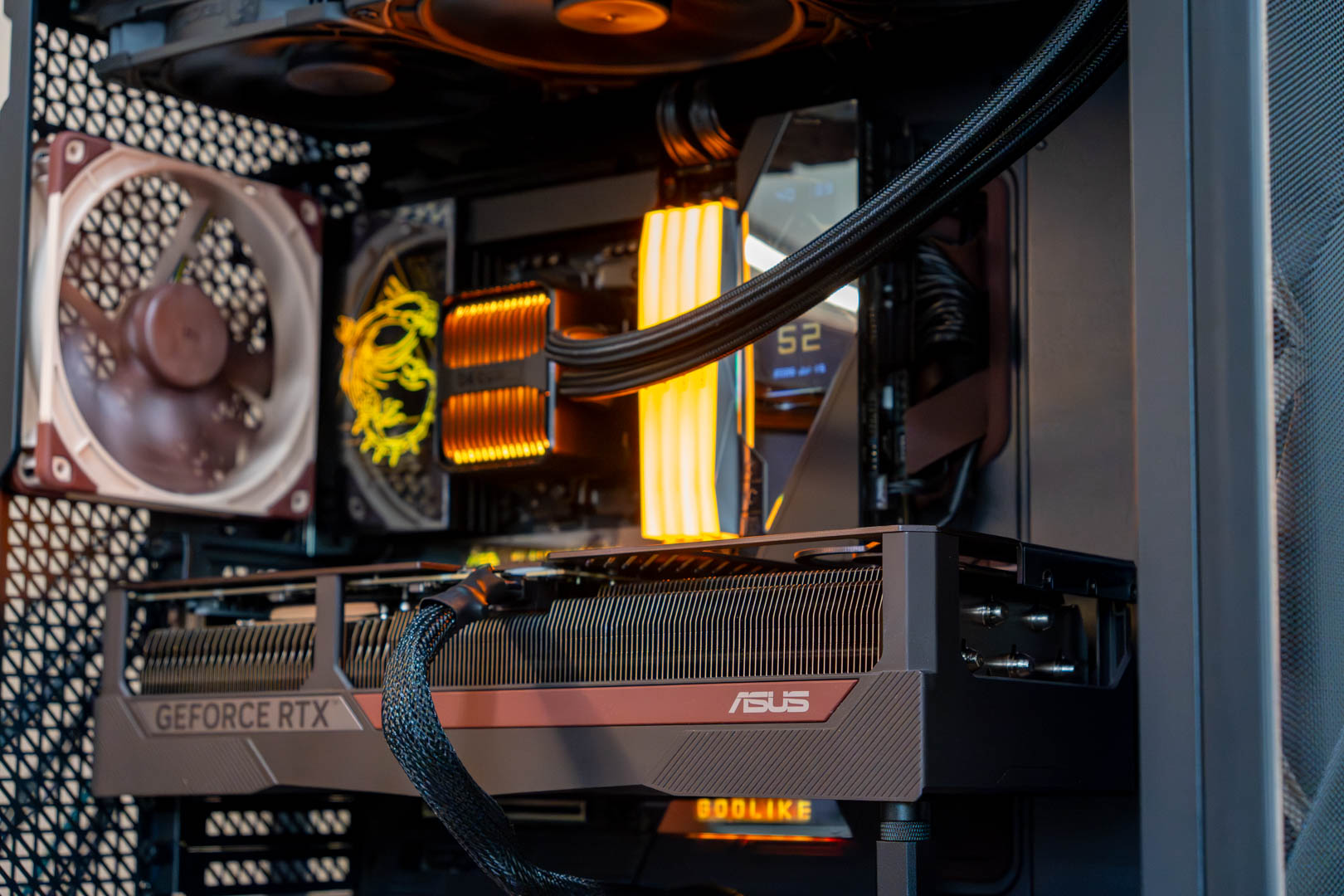
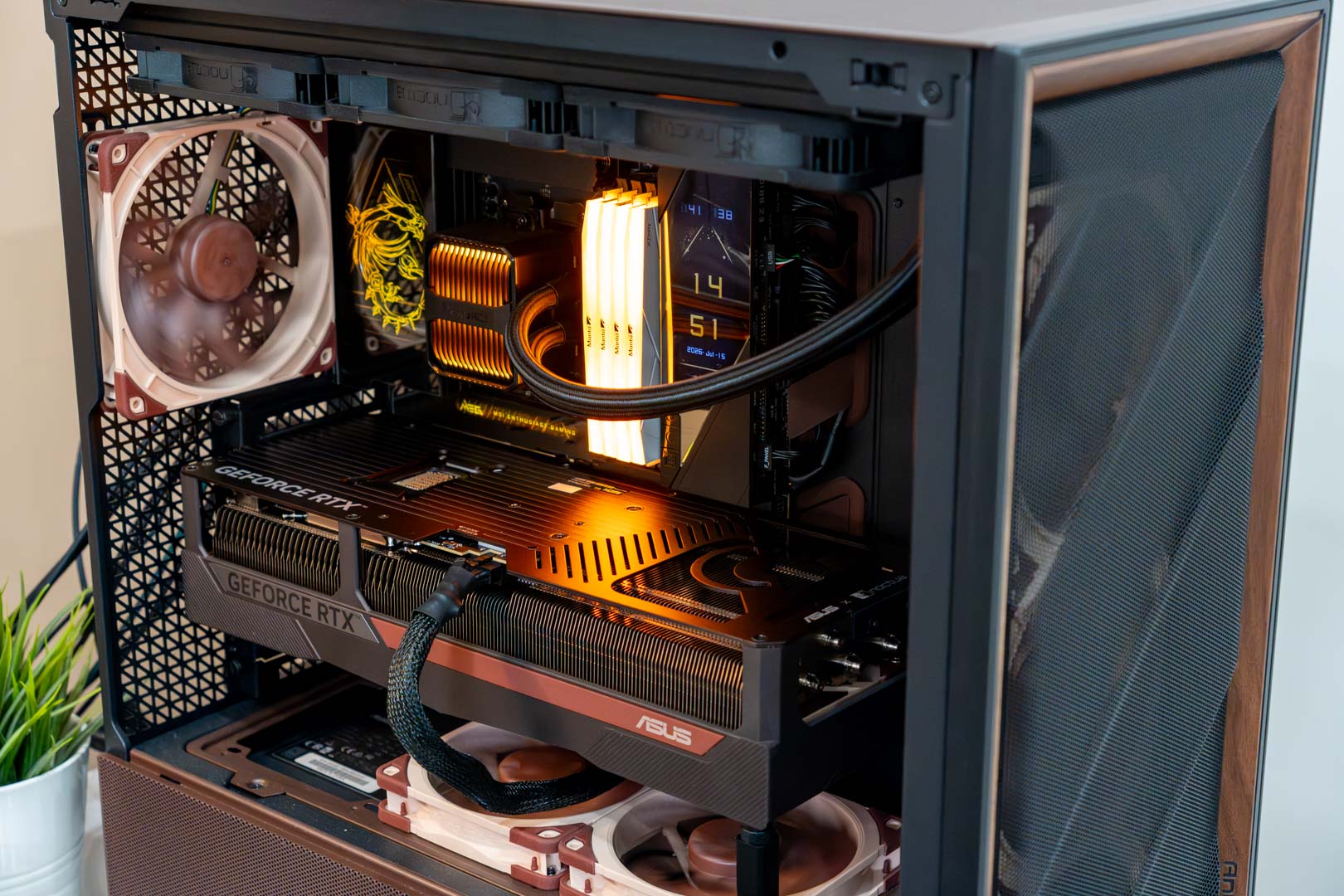
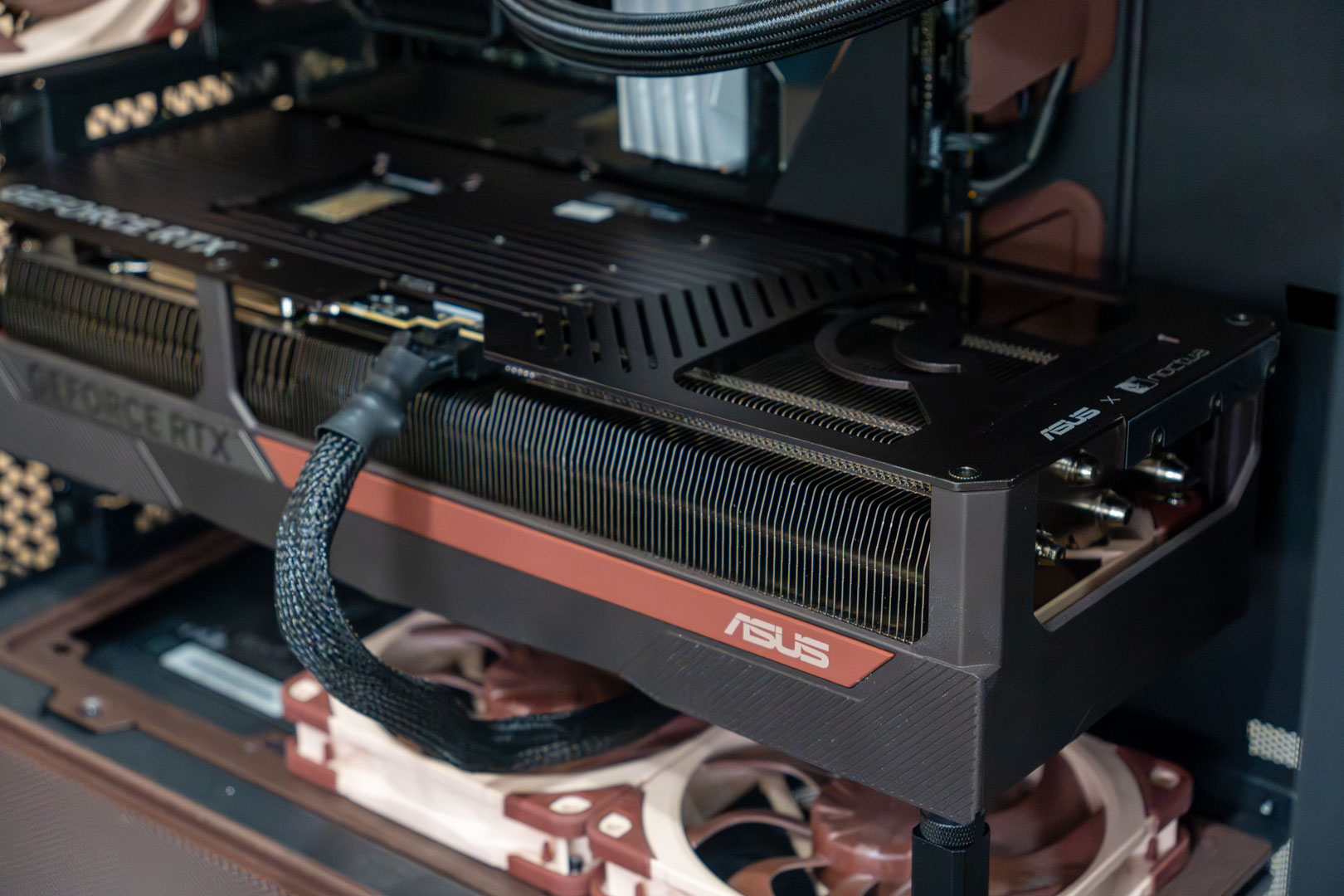
Here are shots of the Asus GeForce RTX 5080 Noctua Edition installed inside the case.
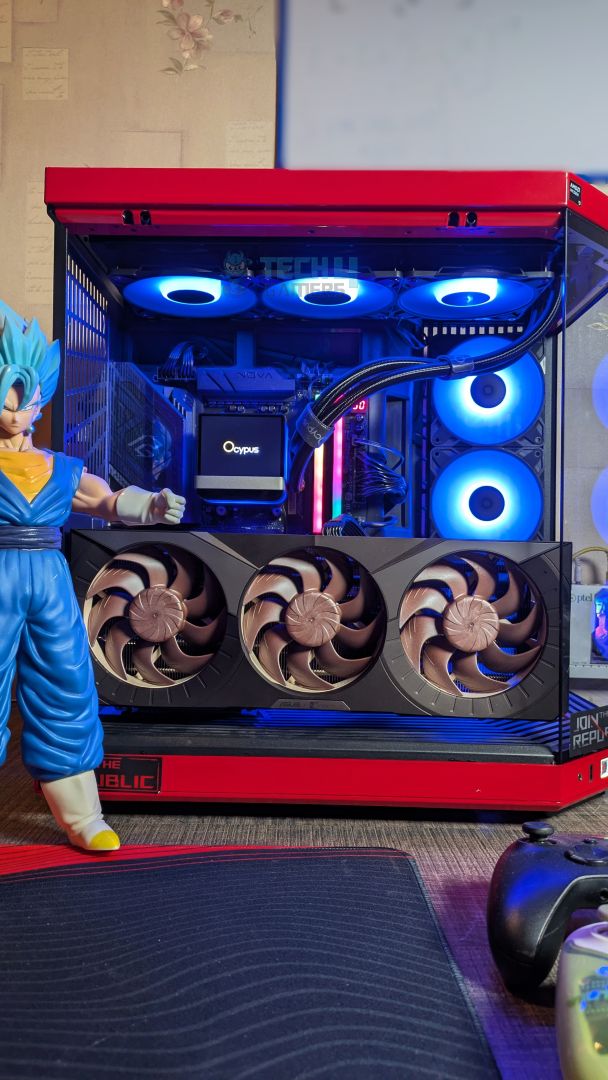
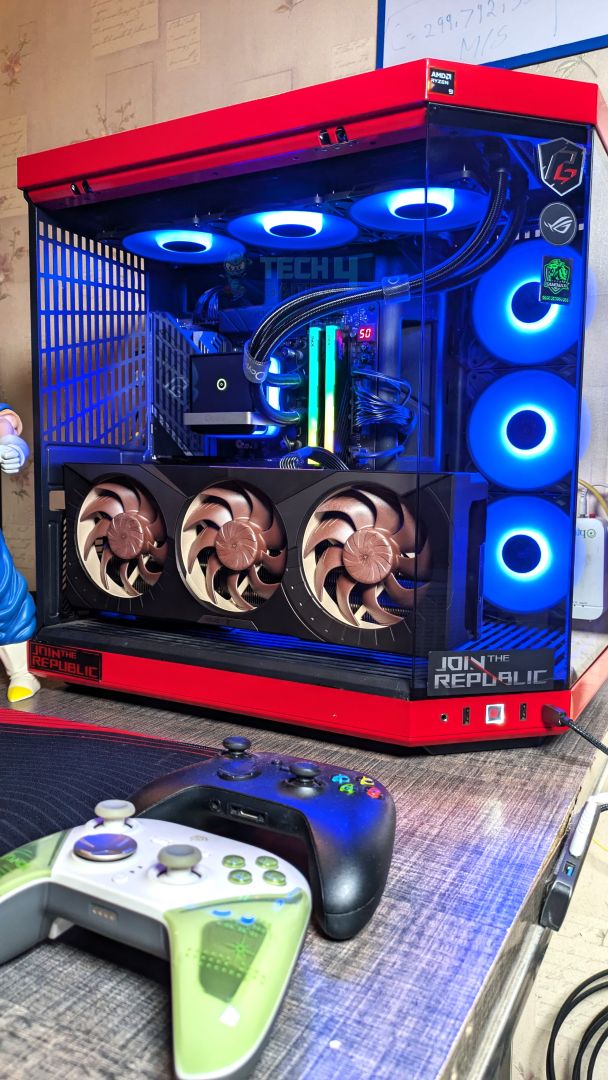
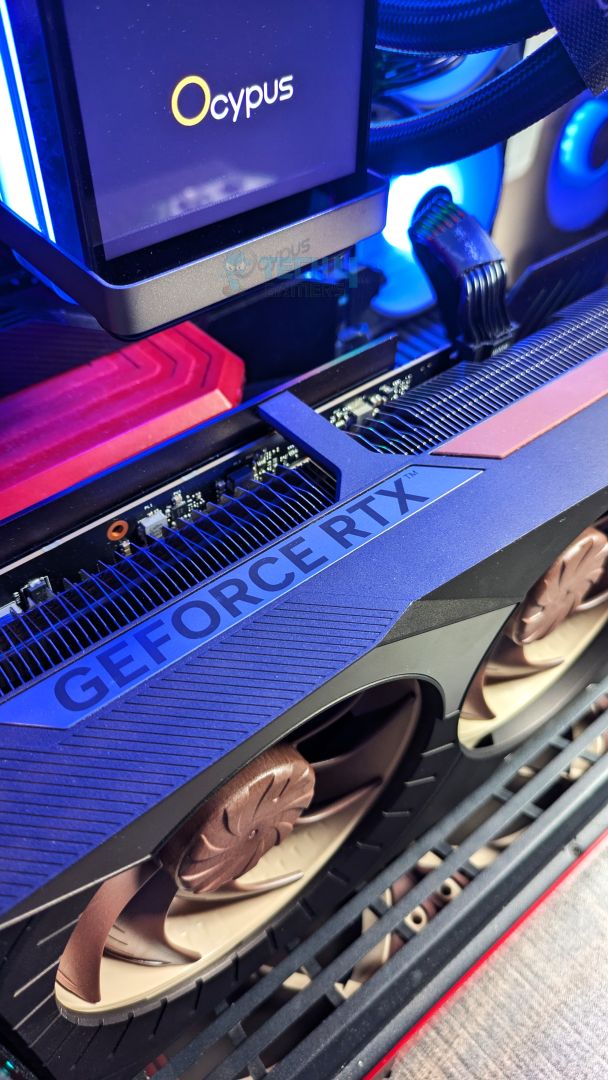
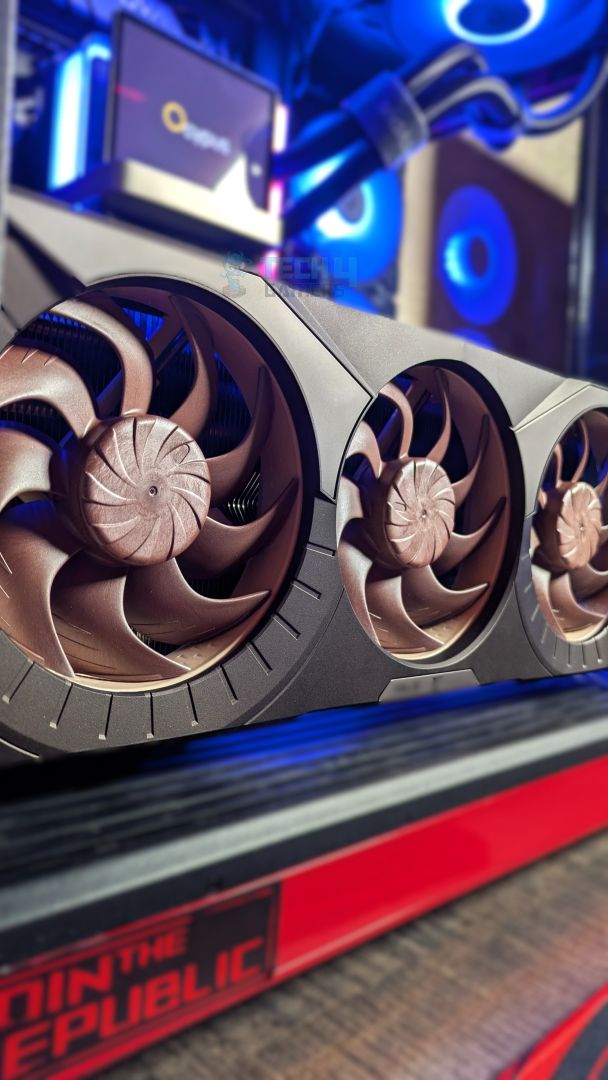
Here is an actual demonstration of the ASUS x Noctua RTX 5080. Look how the large graphics card is just a few centimeters away from touching the front glass. Keep in mind that this case is the Hyte Y70, which is no small case by any means.
ASUS RTX 5080 Noctua OC in Antec Flux Pro Noctua Edition
Test Setup
| Our Test System | |
|---|---|
| Processor | AMD Ryzen 9 9950X |
| Memory | XPG Lancer 32GB (16x2) 6000MT/s CL30 |
| Motherboard | ASRock X870 Phantom Gaming Nova WiFi (BIOS: 3.5v) |
| Power Supply Unit | Super Flower LEADEX VII Platinum PRO 850W |
| CPU Cooler | Ocypus L36 Sigma Pro |
| Chassis | Hyte Y70 |
| Windows Version | Version 25H2 (OS Build 26200.8737 |
| Motherboard BIOS | v3.5 |
| Chipset Version | 8.02.18.557 |
| Nvidia Display Driver | Game Ready v610.62 |
Testing Methodology
If you are interested in reading our testing methodology or learning how we test graphics cards:
- Resolution & Settings (Native Resolution): We typically evaluate performance across 1080p, 1440p, and 2160p resolutions. However, when conducting head-to-head comparisons between different custom variants of the same GPU, we limit our testing exclusively to 1440p.
- Upscaling & AA (FSR Native / DLSS Optional): All upscaling algorithms and frame-generation tools are explicitly disabled to measure raw rasterization performance. To maintain a controlled, cross-vendor testing environment, standard Temporal Anti-Aliasing (TAA) is applied; where native TAA is unsupported, FSR Native is utilized due to its universal hardware compatibility.
- Frame Rate Metrics (MSI Afterburner): Recorded average frames per second (FPS) alongside 1% low figures during gameplay runs.
- Power & Clocks (HWiNFO64 Pro): Monitored real-time operating clock speeds alongside average and maximum power draw.
- Driver Control (Bare Drivers): Telemetry and in-game overlays were explicitly disabled to prevent background performance interference.
- Acoustic Testing (UNI-T UT353 BT Meter): Recorded at a 20cm distance against a 36 dB(A) ambient floor with system fans locked at 25% PWM.
- Benchmark Runs (Built-in & Custom Sequences): Utilized custom gameplay runs when built-in benchmarks failed to reflect actual real-world performance. (3 Runs)
- BIOS Configuration (100% Stock Hardware): All GPUs are evaluated completely out of the box using identical testbench hardware and driver versions, with zero manual overclocking or power limit adjustments applied. At the platform level, only AMD EXPO memory profiles and Resizable BAR (ReBAR) are enabled in the BIOS. Within Windows 11, Game Mode is kept active, while Virtualization-Based Security (VBS) and Memory Integrity (HVCI) are explicitly disabled to prevent any OS-level performance overhead during benchmarking.
Game Settings:
| Game | Preset (1440p) | Ray Tracing | Benchmark Method |
|---|---|---|---|
| Alan Wake II | High (FSR Native) | RT High | Custom Scene |
| Forza Horizon 6 | Extreme | RT Extreme | Benchmark Mode |
| Black Myth: Wukong | Very High (TSR) | Medium | Benchmark Mode |
| Assassin’s Creed Shadows | Ultra High (TAA) | RT GI + RT Reflections | Benchmark Mode |
| Cyberpunk 2077 | Ultra (TAA) | RT Ultra | Benchmark Mode |
| Indiana Jones and the Great Circle | Supreme (TAA) | RT Medium | Custom (First Jungle Sequence) |
Gaming Performance
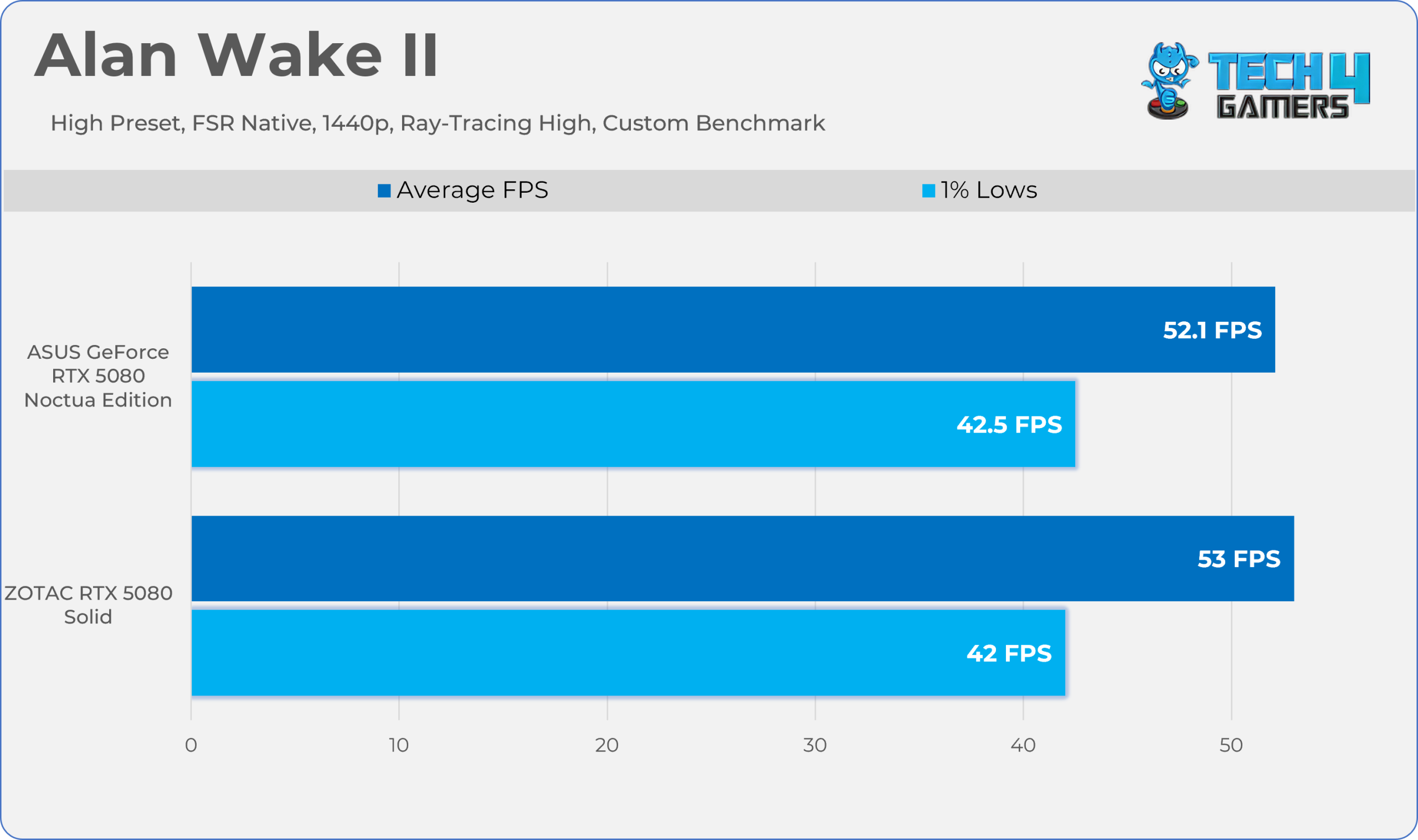
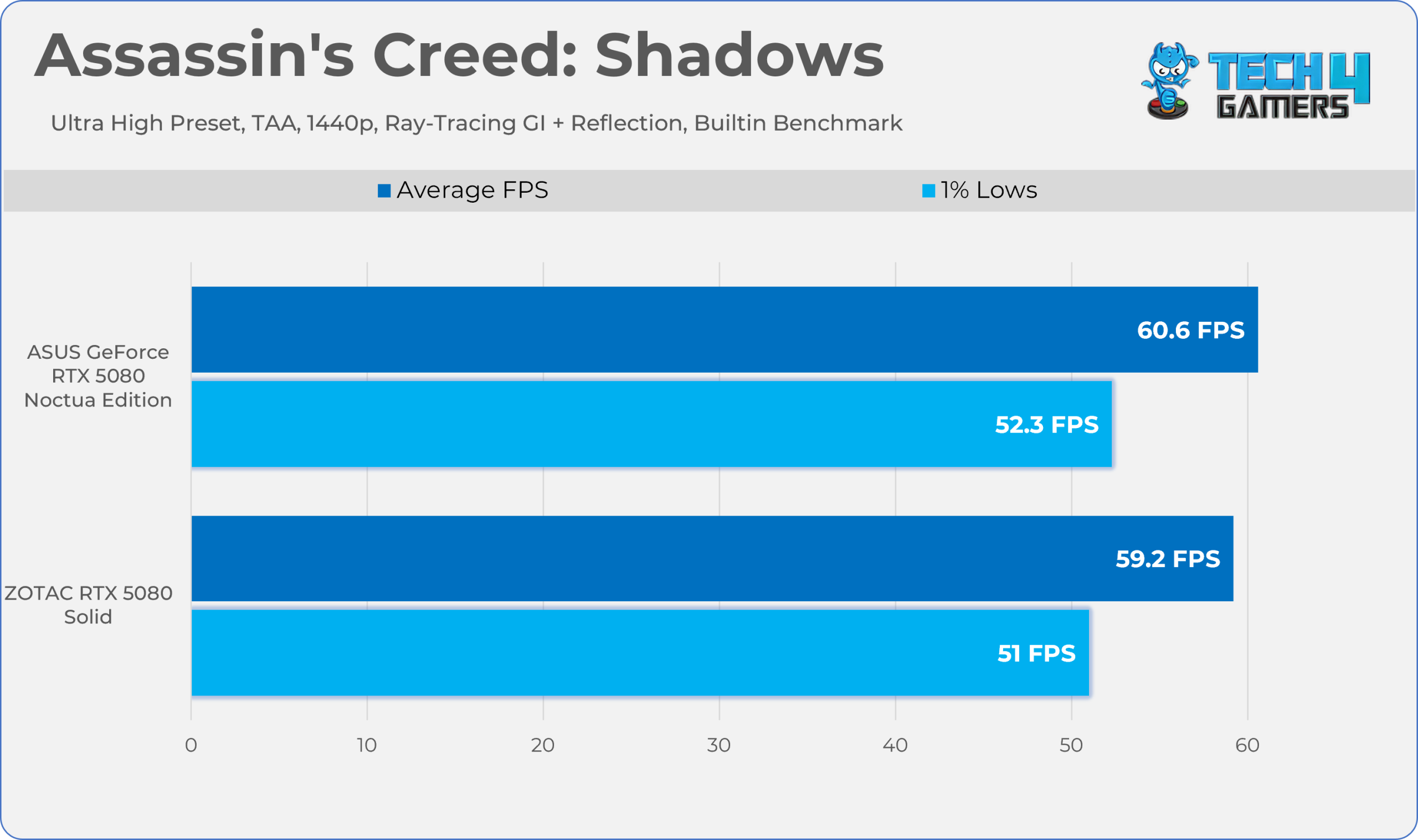
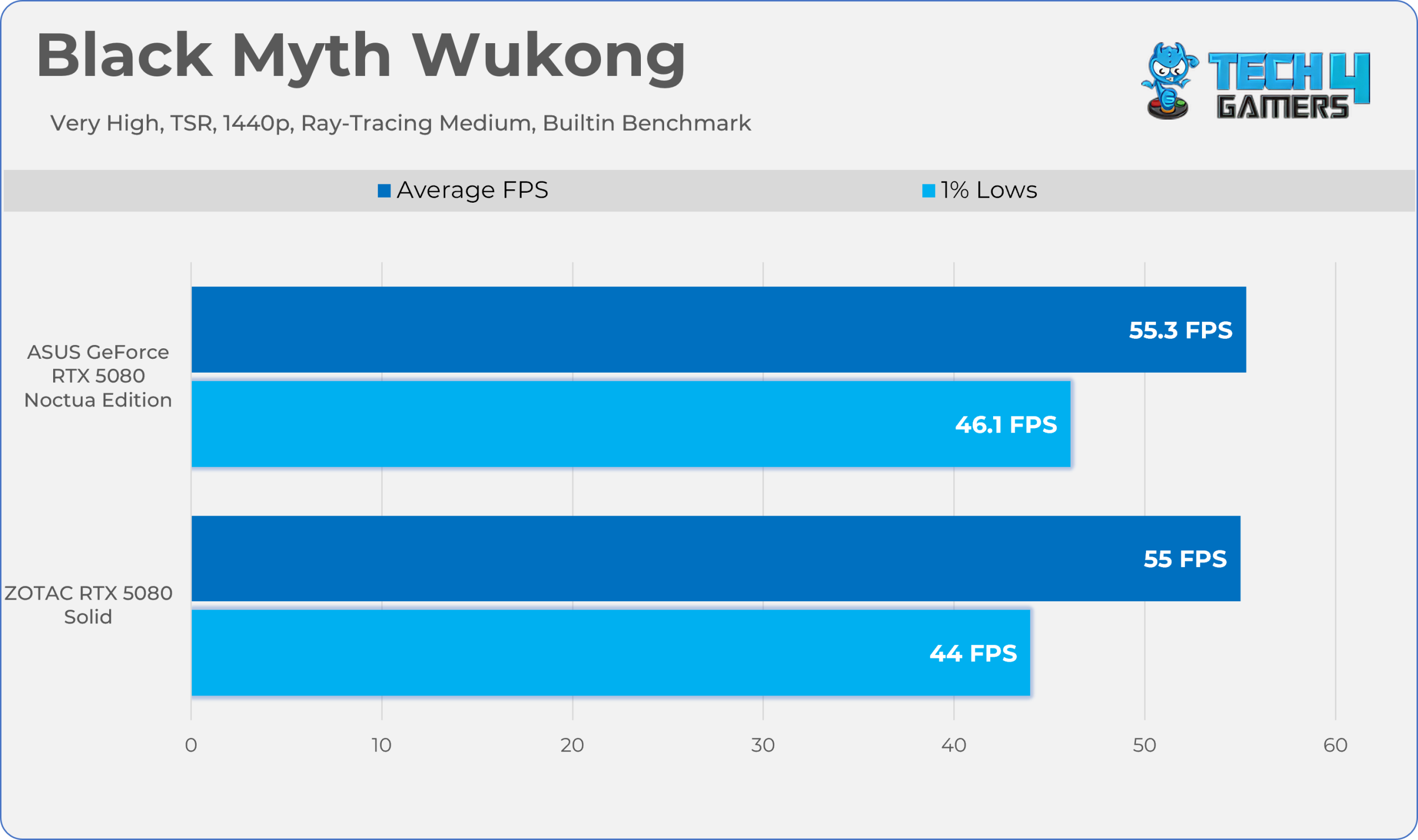
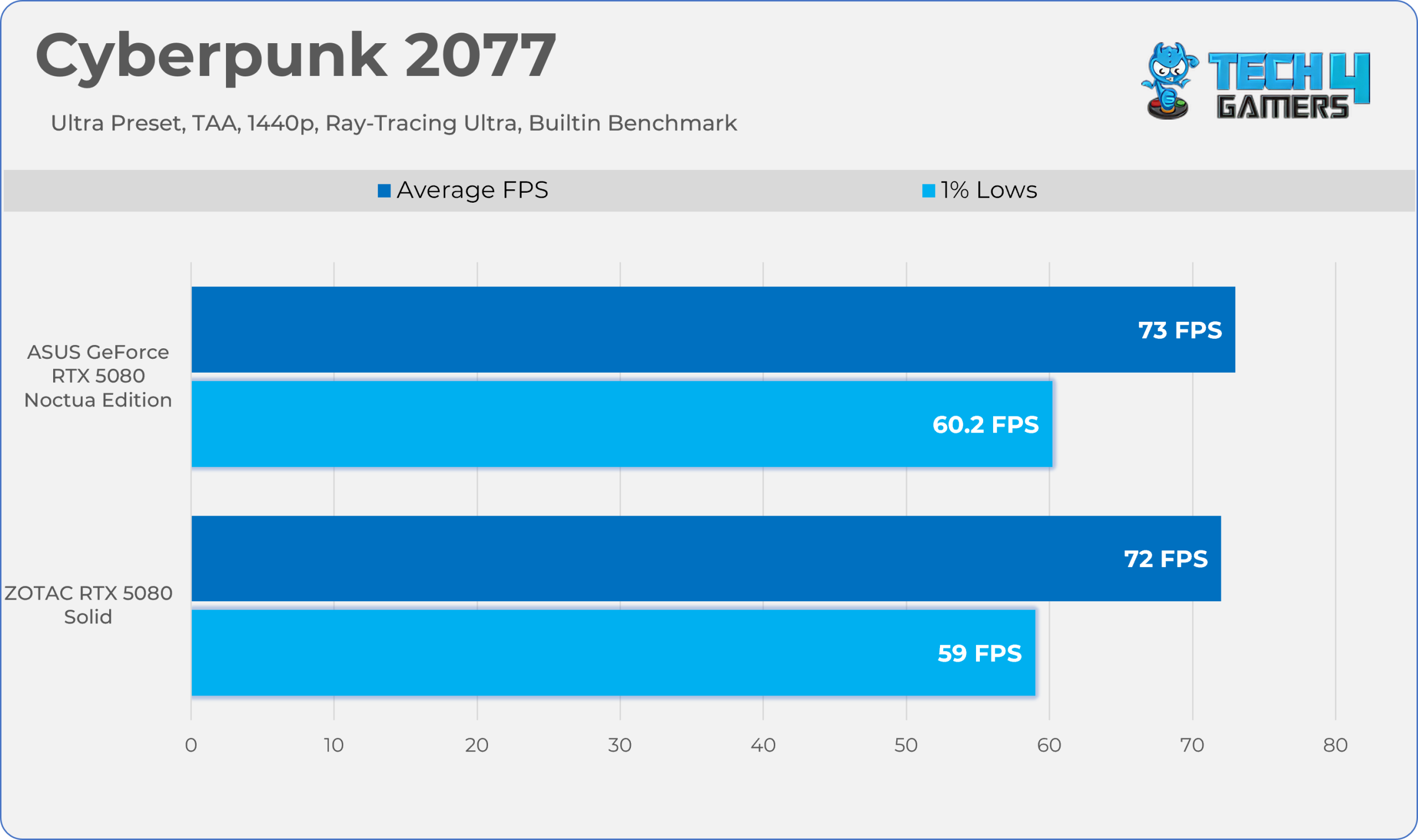
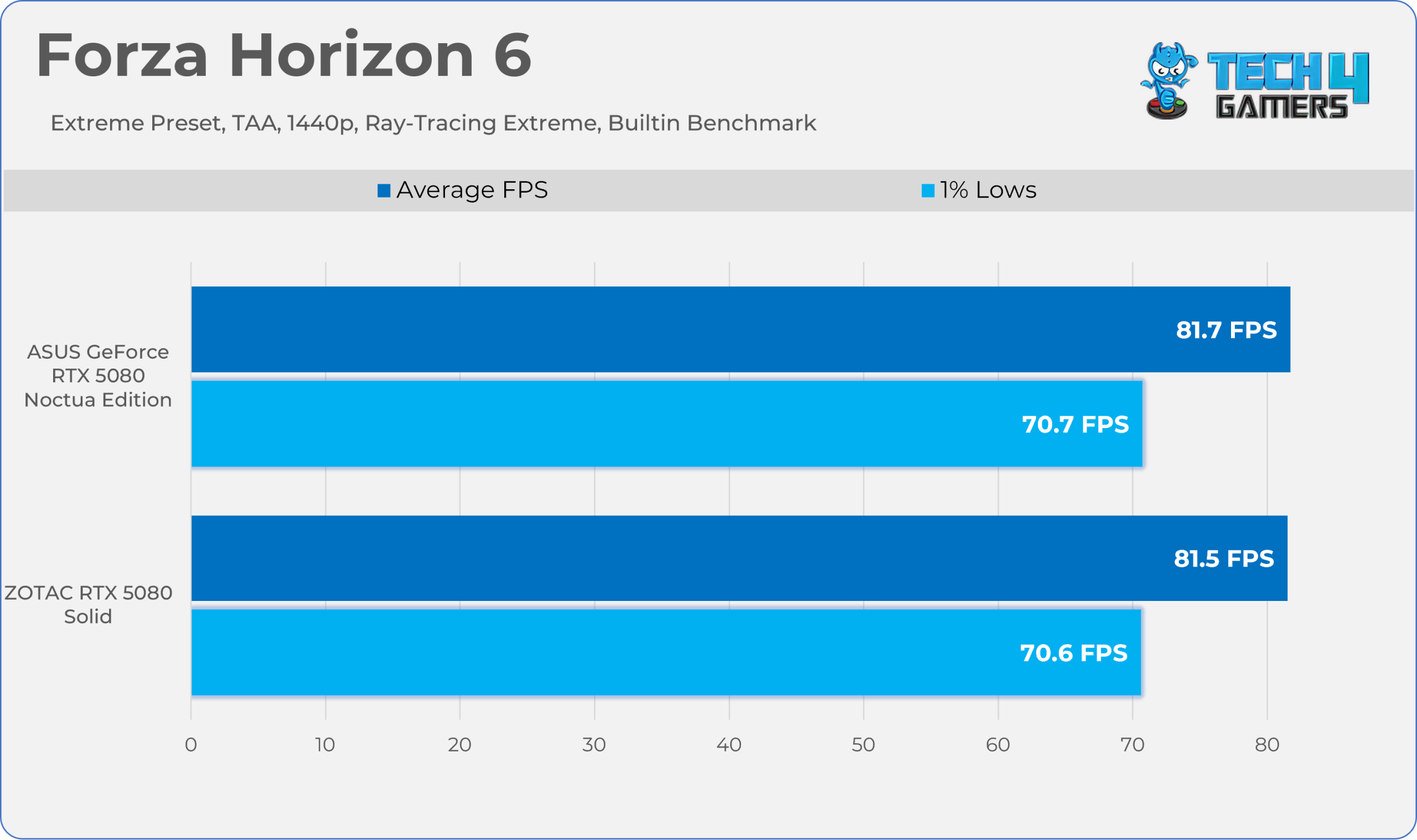
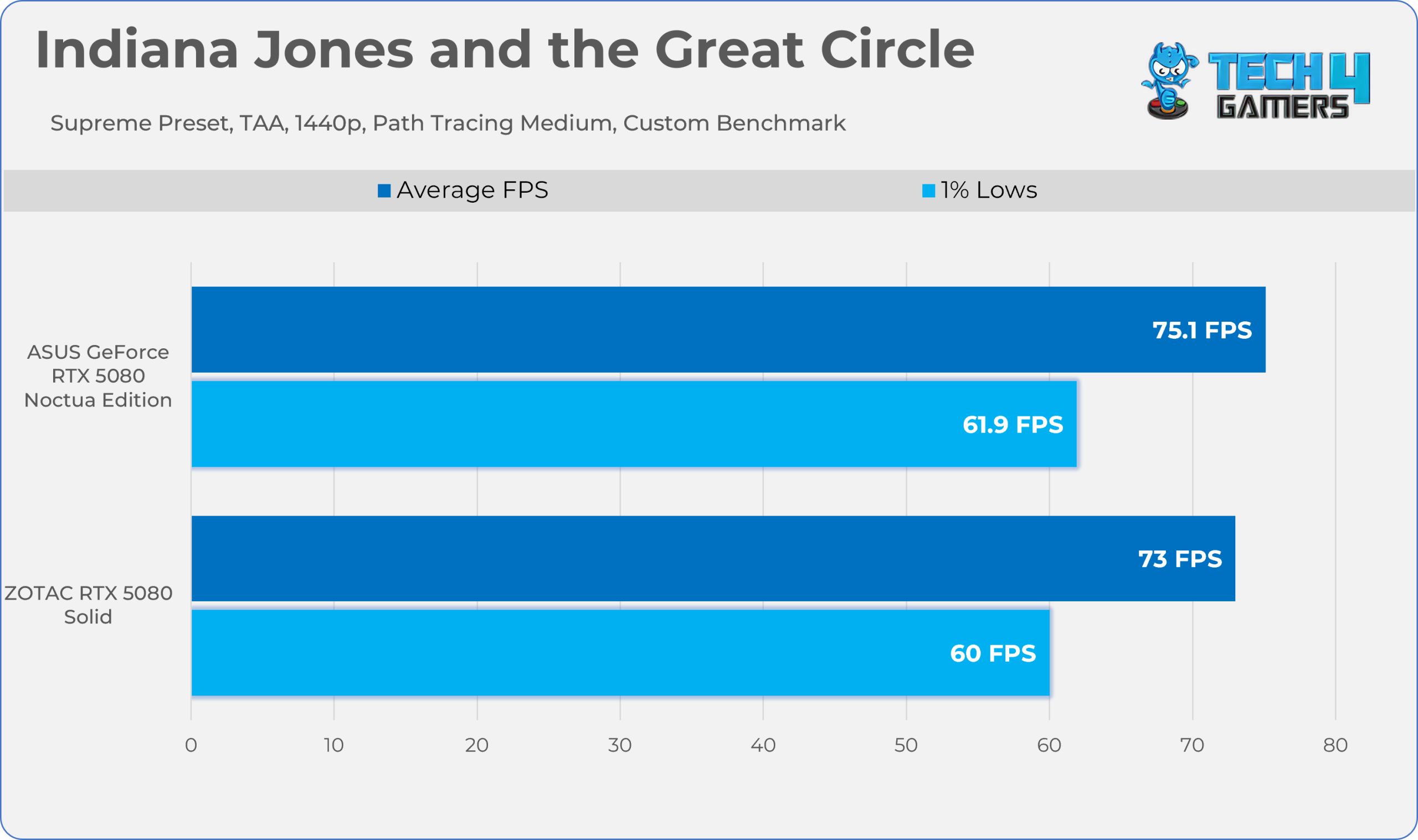
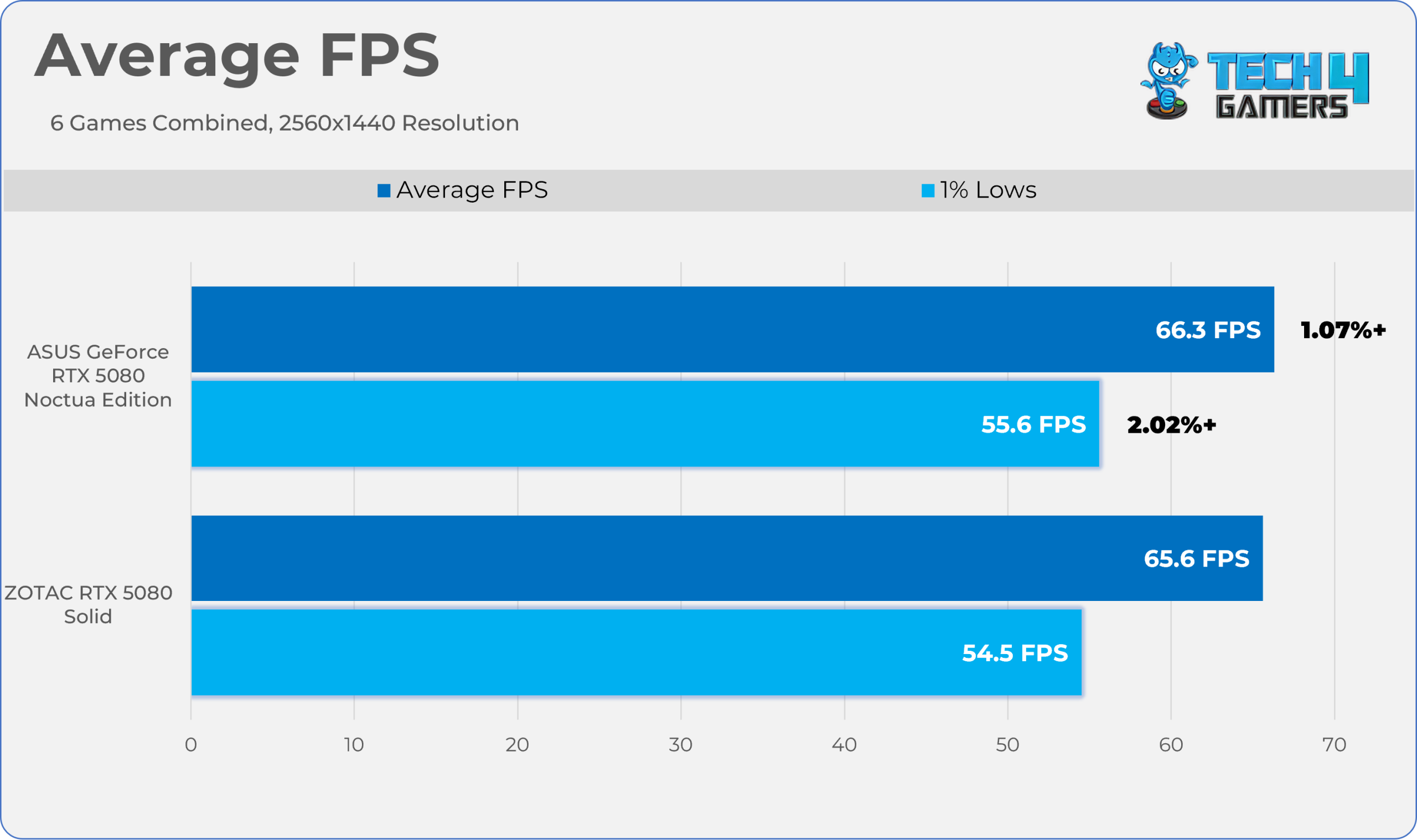
We have tested the six games and compared it with the ZOTAC Solid RTX 5080, which is the base MSRP variant; the ASUS GeForce RTX 5080 Noctua Edition is only 1-2% faster in the best-case scenario. The difference is negligible in terms of FPS.
Average FPS
Thermals, Power, Noise
Here are the thermals, power and noise numbers in different applications and the games.
| GPU | Benchmark / Game | Core Temp (°C) | Clock Speed (MHz) | Fan Speed (RPM) | Noise (dB(A)) | Power (W) |
| ZOTAC Solid RTX 5080 | Cyberpunk 2077 | 64.6 | 2793 | 1615 | 48 | 329 |
| Alan Wake II | 65.7 | 2805 | 1668 | 49 | 347 | |
| Furmark 2.10.2 (GL) | 67.0 | 2540 | 1730 | 51 | 360 | |
| ASUS RTX 5080 Noctua OC Edition | Cyberpunk 2077 | 58.2 | 2816 | 950 | 38 | 303 |
| Alan Wake II | 58.4 | 2825 | 912 | 38 | 316 | |
| Furmark 2.10.2 (GL) | 60.1 | 2535 | 1219 | 40 | 360 |
The ASUS GeForce RTX 5080 ran much cooler and was barely audible in gaming, which is the highlight of this graphics card. The G2 fans are doing their magic here. We checked the GPU to see whether the fans were spinning, and it is much quieter than I expected. We tested the acoustics at a distance of 20 cm from the graphics card. Also keep in mind these tests are conducted on the P (Performance Mode) BIOS.
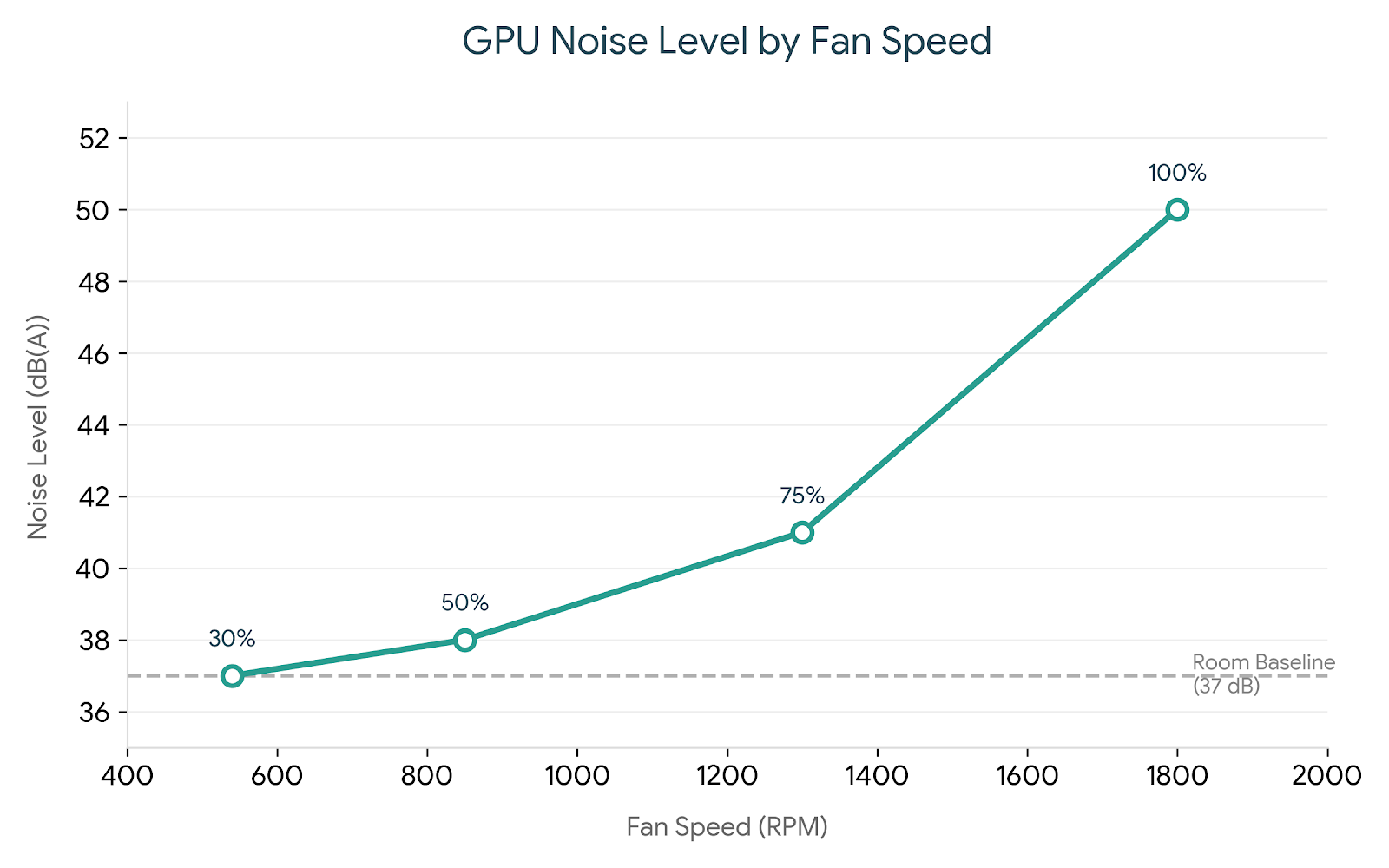
For those who enjoy fine-tuning fan profiles, we tested the four speed levels and found our sweet spot at 75%, where the fans approach 1,500 RPM. At this setting, they are completely inaudible from a standard sitting distance of one to two feet.
Overclocking
Should You Buy It?
Buy It If
✅ If You Demand Top-tier Thermal and Acoustic efficiency: Without a doubt, this is the quietest air-cooled graphics card we have ever tested. The acoustic results are truly outstanding thanks to those Noctua NF-A12x25 G2 PWM 120mm fans. To back them up, ASUS overhauled the entire cooling block, combining a massive custom heatsink, a vapor chamber, and a phase-change thermal pad.
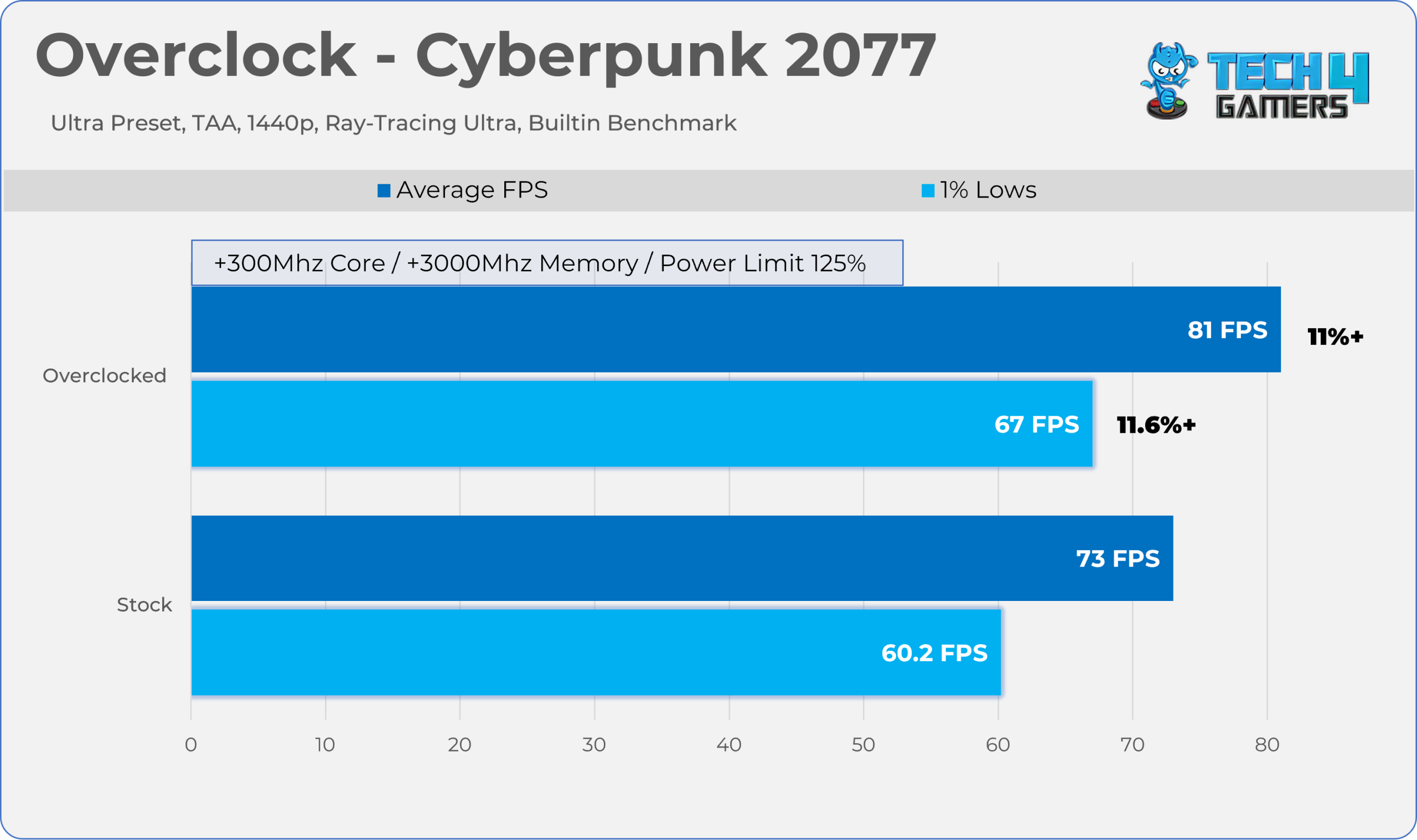
✅ Massive Overclocking Headroom: We have pushed the graphics card to the limit, resulting in an 11% performance improvement in games without increasing fan speed.
✅ Premium Build Quality / Dual BIOS Switch: The build quality of this graphics card is exceptionally rugged, giving it the substantial heft of a solid stone. Furthermore, it includes a physical dual-BIOS switch, allowing you to seamlessly toggle between performance and quiet modes.
Don’t Buy It If
❌ If You Don’t Want To Pay “ASUS / Noctua ” Tax: Priced at $1,500, it demands a massive $500 markup over the standard RTX 5080. Even though availability makes finding any model at MSRP nearly impossible right now, paying that much extra makes the value proposition incredibly difficult to justify based purely on raw performance.
Final Thoughts
To conclude, we’d like to share our final observations.
Cooling / Performance And Noise
This is not the new NVIDIA GPU by any means, as we already reviewed it when this card launched. What’s new is that ASUS and Noctua have collaborated, picked their best hardware and components, and slapped them into a single unit. This GPU packs really serious cooling.
It’s arguably the best graphics card for cooling and noise efficiency. In our tests during heavy gaming with ray tracing enabled, the card stayed unbelievably quiet and cool. The card was almost 10 dB(A) quieter and about 6-7 °C cooler than the ZOTAC Solid RTX 5080 in games. However, at the performance level, this ASUS x Noctua GPU barely beats the base variant GPU.
As the card provides decent thermal efficiency, our benchmarks showed massive overclocking headroom; we gained 11% more performance. We could probably have done more; however, it also stayed under 60 °C the whole time without the fans screaming.
Build Quality / Design
The graphics card is an absolute behemoth, designed to accommodate three full-sized 120mm case fans, which is quite rare. It is one of the largest graphics cards we have tested on this website, measuring a staggering 385mm in length, occupying four slots, and weighing 2.67kg. You could even do bicep curls for the warm-up if you’re interested.
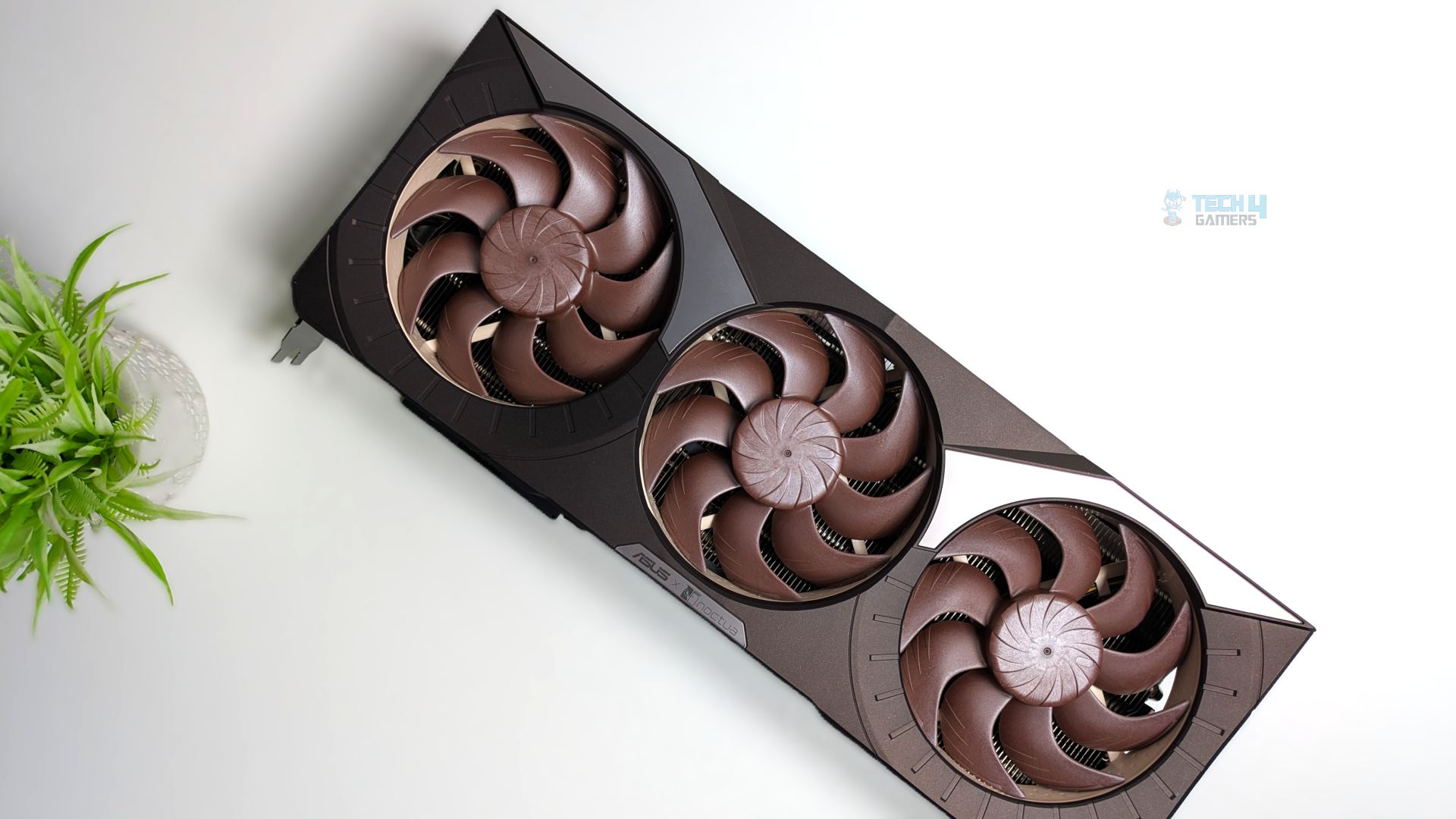
I’m also impressed by its structural rigidity, and it certainly doesn’t feel cheap. The front fan shroud is made of high-quality plastic; the massive fin stack is also quite impressive, stretching to the tail end of the graphics card and featuring an 11-heatpipe array extending from the vapor-chamber plate.
Value
The base MSRP set by NVIDIA for the RTX 5080 is $999; however, we already know graphics cards at the advertised price do not exist anywhere in the world. The same story goes for this model, the ASUS GeForce RTX 5080 Noctua Edition OC, which also has a price of $1500 to $1700.
But here is the reality check: no matter how good or incredible the cooling solution is, underneath the massive heatsink it’s still the same GPU core. This GPU targets deep-pocketed enthusiasts who demand an absolutely silent PC build; if that’s you, the Noctua Edition RTX 5080 would be the best pick.
Thank you! Please share your positive feedback. 🔋
How could we improve this post? Please Help us. 😔

Senior Hardware Reviewer at Tech4Gamers with over a decade of experience in the tech industry. My journey began in 2014 as a senior administrator for Pakistan’s largest gaming community forum. I specialize in testing and reviewing components like graphics cards, CPU coolers, and motherboards, while also sharing insights on overclocking and system optimization.
 Join Our Community