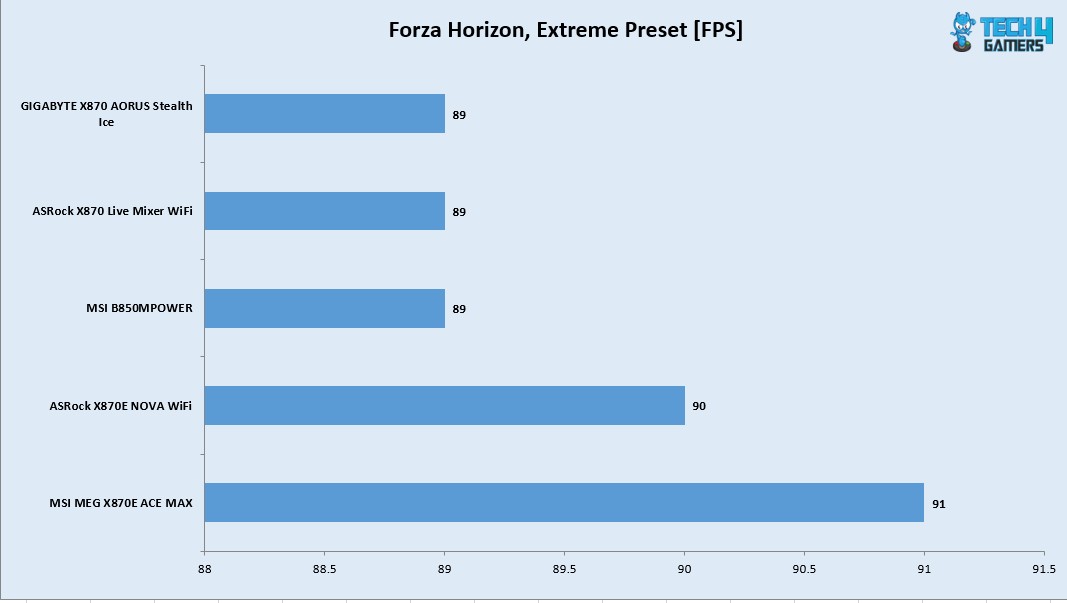
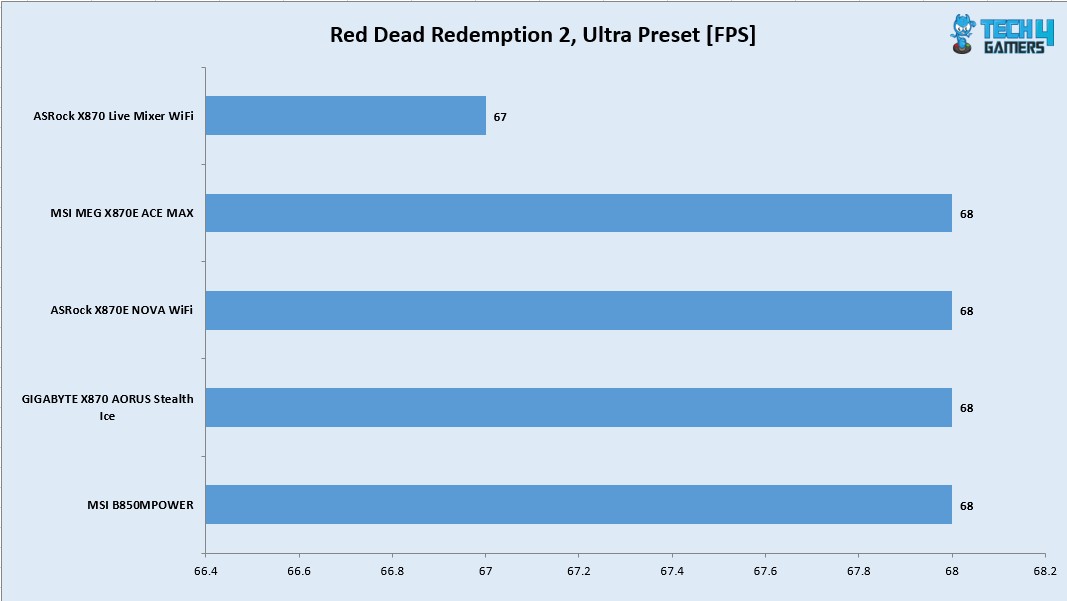
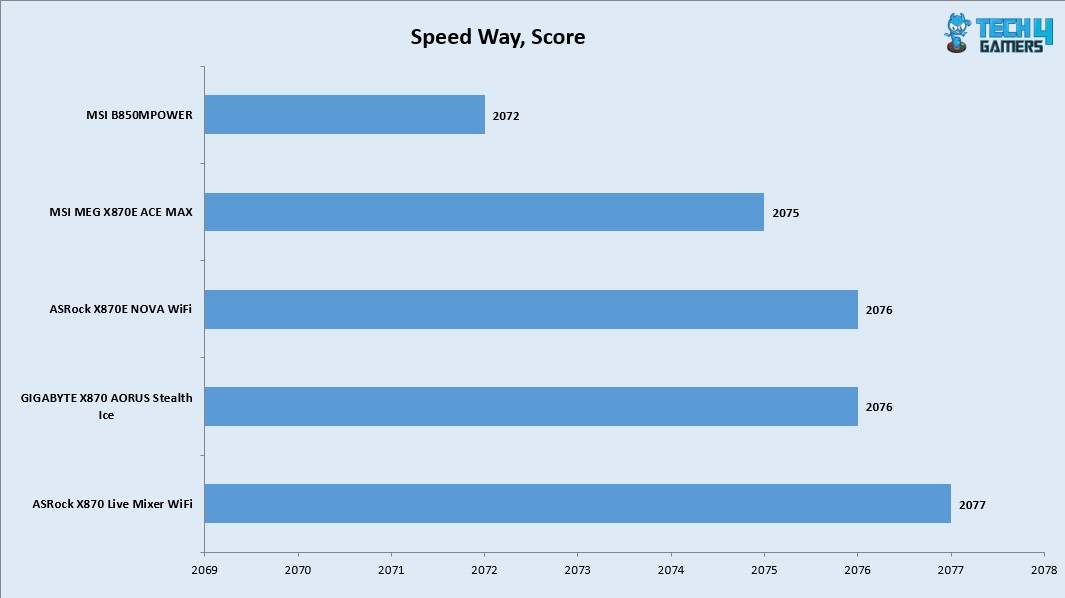
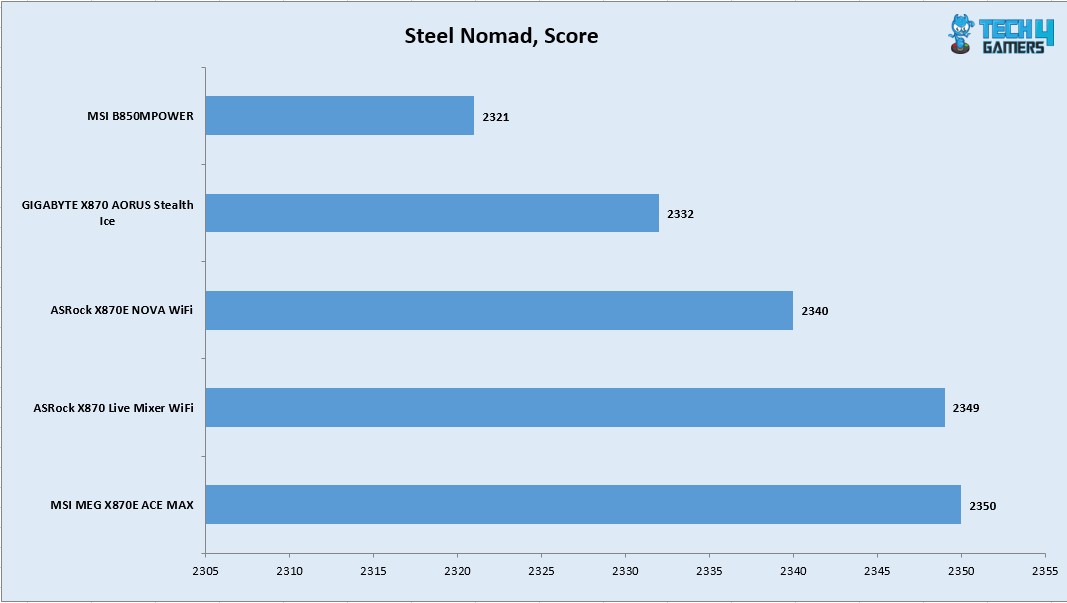
As Tech4Gamers’ Wiki Editor, I dissect gaming products, offering detailed perspectives on a variety of PCMR hardware ranging from the Best Motherboards and CPUs to the Best GPUs, RAM, and PSUs.
Story Highlight
ValueLicensing sued Microsoft for $270M in the UK CAT citing monopolistic and anti-competitive behaviour.
Microsoft responded by claiming that some of its software included original works of creative art, which would mean that ValueLicensing’s business practices constituted copyright infringement.
However, the judges dismissed Microsoft’s witty argument and validated the fairness of ValueLicensing’s business model, but Microsoft has announced its decision to appeal the ruling.
To elaborate, they buy up old, perpetual licenses for products like Windows and Office from companies that do not need them anymore.
Then, they resell those licenses at a discount to other businesses. It is a classic second hand market, like a used car lot for bits and code.
Understandably, ValueLicensing argues this is not just smart business, it is fair business, protected by European law. Their entire model is built on a landmark 2012 ruling from the European Court of Justice in the UsedSoft vs. Oracle case.
That decision was clear. Once a software company sells a perpetual license, it is sold. The buyer owns that copy and has the right to resell it, just like a book or a chair.
The principle is called “exhaustion of rights,” and it is meant to prevent companies from controlling a product forever.
ValueLicensing saw this ruling as a green light. Microsoft, however, apparently saw it as a problem to be solved with some creative contract writing.
Microsoft’s Stealthy Move And The $270 Million Lawsuit
Here is where the plot thickens. ValueLicensing alleges that Microsoft did not take the UsedSoft ruling lying down.
Instead, the company quietly slipped new clauses into its volume licensing contracts with organizations.
Microsoft demanded that licenses purchased under volume licensing must be sold in their entirety rather than in multiple batches of small portions.
It was a clever, if sneaky, end run around the law. By contract, they were trying to strangle the second hand market at its source.
For ValueLicensing, this was an existential threat. If you cannot buy old licenses, you cannot sell them. So, they sued.
They took Microsoft to the UK’s Competition Appeal Tribunal, demanding a staggering $270 million in damages.
Their claim was simple. Microsoft’s covert contractual maneuver was an anti-competitive abuse that deliberately damaged their business.
A Creative Defense: Microsoft Claims Office Is An Art Gallery
Now, Microsoft’s response was, to put it mildly, imaginative. They did not just argue about contracts. They reached for a truly novel legal theory.
Microsoft lawyers contended that their software, specifically Office, was not just a functional product. They claimed it was a work of creative art, protected under different copyright rules.
I am not joking. Their argument pointed to the icons, the fonts, the clip art, even the help files as original artistic works.
Microsoft is delusional enough to think that Office qualifies as an original work of “creative art”. (Image Credits – Office Watch)
Therefore, reselling a license was not like reselling a tool, it was like illegally copying a painting. This was their attempt to sidestep the UsedSoft ruling entirely by claiming their products were special, artistic creations.
When I first read this, I laughed. It seemed like a parody of corporate legalese. The humble Office Assistant, Clippy, reborn as a protected masterpiece.
It was a breathtakingly witty argument, but also a deeply desperate one.
The Court’s Verdict: Common Sense Over Clip Art
Fortunately, the UK court was not buying what Microsoft was selling.
In a resounding ruling, the Competition Appeal Tribunal dismissed the “creative art” argument entirely. The judge saw it for what it was, a transparent attempt to circumvent well established law.
The court reaffirmed the principle from the UsedSoft case. Microsoft’s perpetual software licenses can be resold. Full stop. The contractual clauses meant to block this were anti competitive.
Why This Fight Matters For You And Your Wallet
So, why should you care about a squabble between a tech titan and a software reseller? Because this is about your wallet.
A healthy, legal second hand market for software licenses creates downward pressure on prices. It gives businesses, schools, and non profits a legitimate way to save significant money on essential software. It challenges the move towards subscription only models by giving value to what you already own.
Microsoft’s attempt to kill this market was, at its core, an attempt to control pricing and eliminate a cheaper alternative. Their loss is a win for competition.
In the end, Microsoft’s relentless drive to stop you from getting a discount may cost them far more than $270 million. It may cost them a measure of their control, and that is a price they never wanted to pay.
The appeal is coming, but for now, the little guy has won a major battle. And that is a story worth knowing.
I’ve been the Journalist & Editorial Writer at Tech4Gamers since July 2022. I spearhead our hardware coverage, including overclocking GPUs, benchmarking CPUs, reviewing peripherals, and fine-tuning custom PC builds for every budget. Daily, I report on breaking gaming news, from major launches and studio updates to the latest industry trends, ensuring our community stays informed. Beyond news briefs, I write in-depth feature articles on gaming culture and emerging technologies. And by collaborating closely with the editorial team on content planning, SEO strategy, and our publishing calendar, I help us consistently hit our traffic and engagement targets.
The Epomaker RT82 feels like one of those keyboards that doesn’t look flashy in that “look-at-me” way that some keyboards go for. But that makes sense when you remember how Epomaker has been releasing products lately, experimenting with lots of new ideas in a crowded segment. They take ideas from what people online talk about and filter them down into something a bit more accessible. If you’re exploring the broader landscape of compact boards, you might want to check out our best gaming keyboards list.
Why Trust Tech4Gamers
Abdul Hannan is our peripherals expert who has been testing different mice, keyboards, headphones, microphones, and more for years.
130+ peripherals tested and reviewed by our team of hardware experts (Tech4Gamers Team).
500+ hours spent testing different peripherals for our reviews.
At Tech4Gamers, ensuring you get reliable information is our priority. That’s why every hardware round-up undergoes a meticulous review process by our team of experts and editors. Each review is carefully examined against our strict editorial guidelines, guaranteeing you trustworthy insights you can depend on.
Key Takeaways
The Epomaker RT82 is a 75% keyboard that focuses on typing feel and build quality while offering a layout that stays familiar without feeling cramped.
You should buy the Epomaker RT82 if you care about typing feel, want flexible connectivity, enjoy customization, and fun extras.
You should skip the Epomaker RT82 if you prefer ultra-light keyboards, are picky about aesthetics, and want a flashy RGB showpiece.
Here are the technical specifications:
Layout
QWERTY, ANSI US Layout,75% Mechanical Keyboard
Number of Keys
80 Keys
Screen
1.14-inch LCD Screen
Battery
4000mAh Rechargeable Battery
Battery Life
14 hours (RGB On & Screen On); 17 hours (RGB On & Screen Off); 45 hours (RGB Off & Screen On); 115 hours (RGB Off & Screen Off)
Sandwich Latex, IXPE Switch Pad, PET Sound-Enhancement Pad, Bottom Foam, and Bottom Silicone
Keycaps Profile
Cherry Profile
Keycaps Material
PBT Plastic
Keycaps Manufacturing Technique
Dye-Sublimation Printing
Switch
Pre-Lubed Mechanical Switch
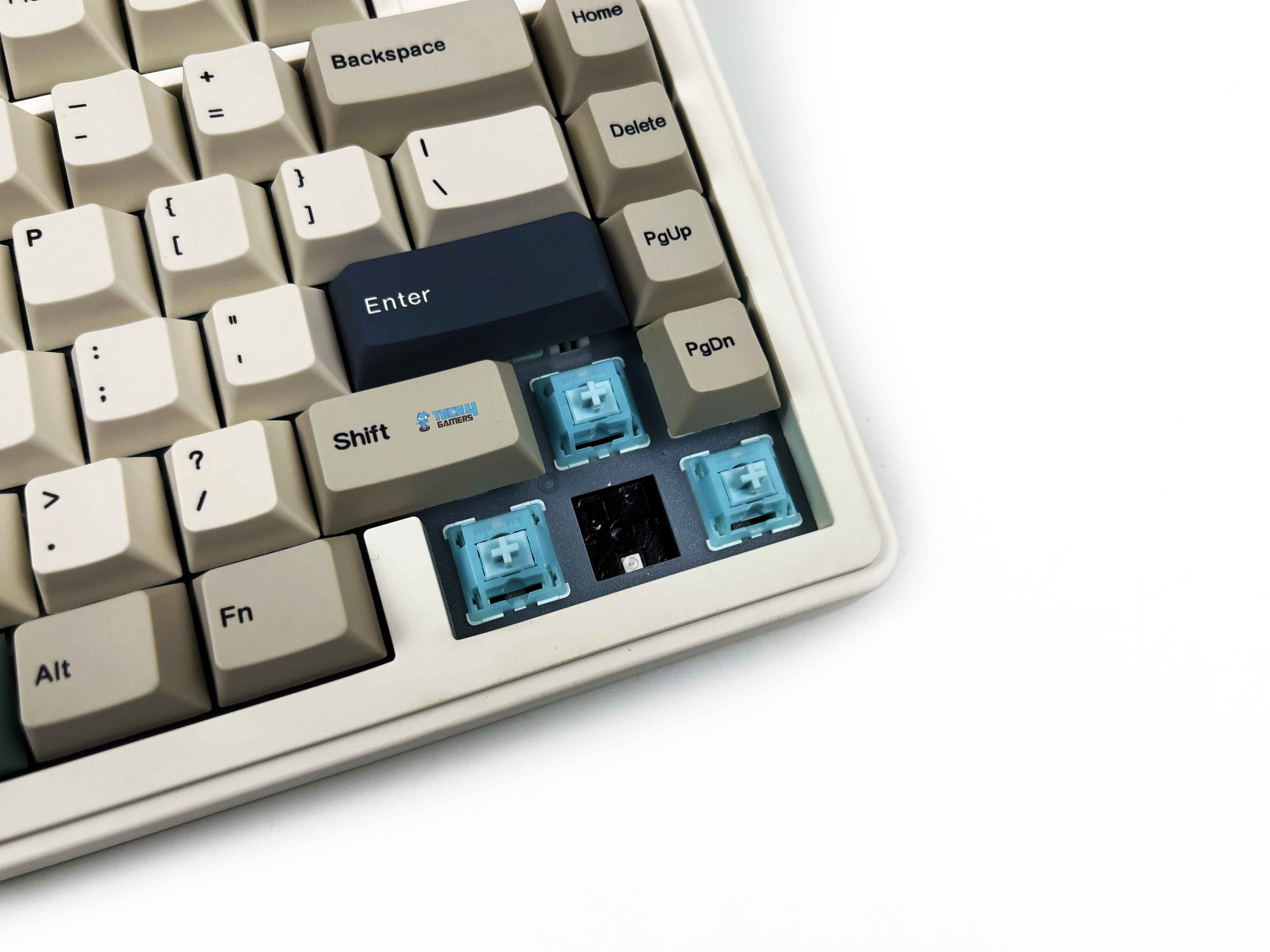
Hot swappable
Yes, compatible with 3/5-pin mechanical switches
RGB
Yes, has a customizable RGB backlight with south-facing per-key LEDs
Polling Rate
1000hz in Wired and 2.4Ghz Wireless Modes, 125hz in Bluetooth Mode
Latency
3ms in Wired Mode, 5ms in 2.4Ghz Mode and 15ms in Bluetooth Mode
Anti-Ghosting
Yes, supports N-Key Rollover
Keyboard Dimensions
326.7*143.2*39.8MM
Keyboard Weight
about 1kg
[toc]
What Makes Epomaker RT82 Different?
Unlike many of its predecessors in the RT lineup, the Epomaker RT82 doesn’t just lean on retro styling. It builds on it with modern features that aren’t usually found together at this price. Into the wider competition, the RT82 pairs its ABS shell with thoughtful engineering so it feels more like a premium keyboard than its plastic might suggest. The combination of retro aesthetics and customizability gives a significant edge in the market.
Packaging & Unboxing
Packaging & Unboxing
1 of 3
Frontside of the Box
Topside of the Box
Backside of the Box
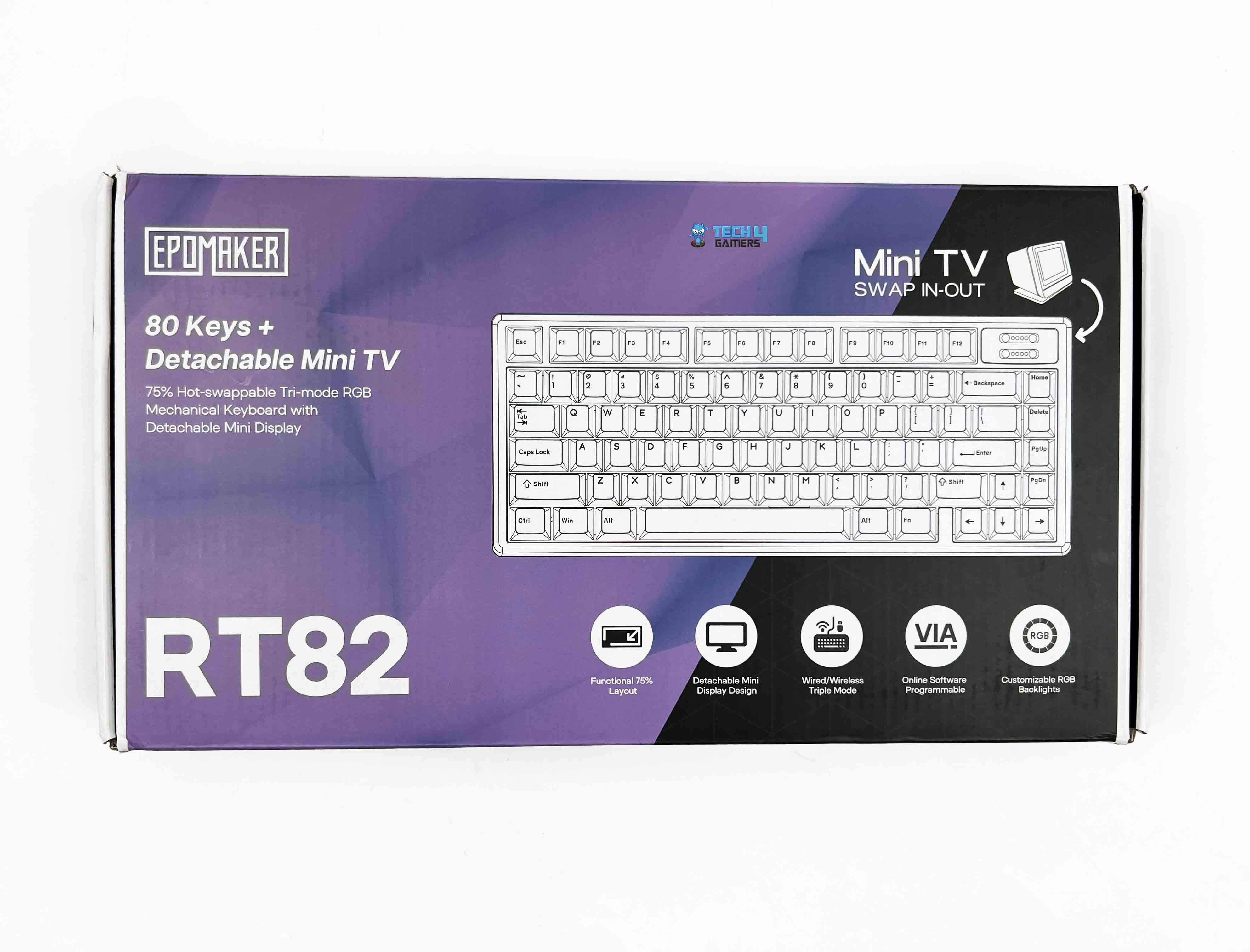
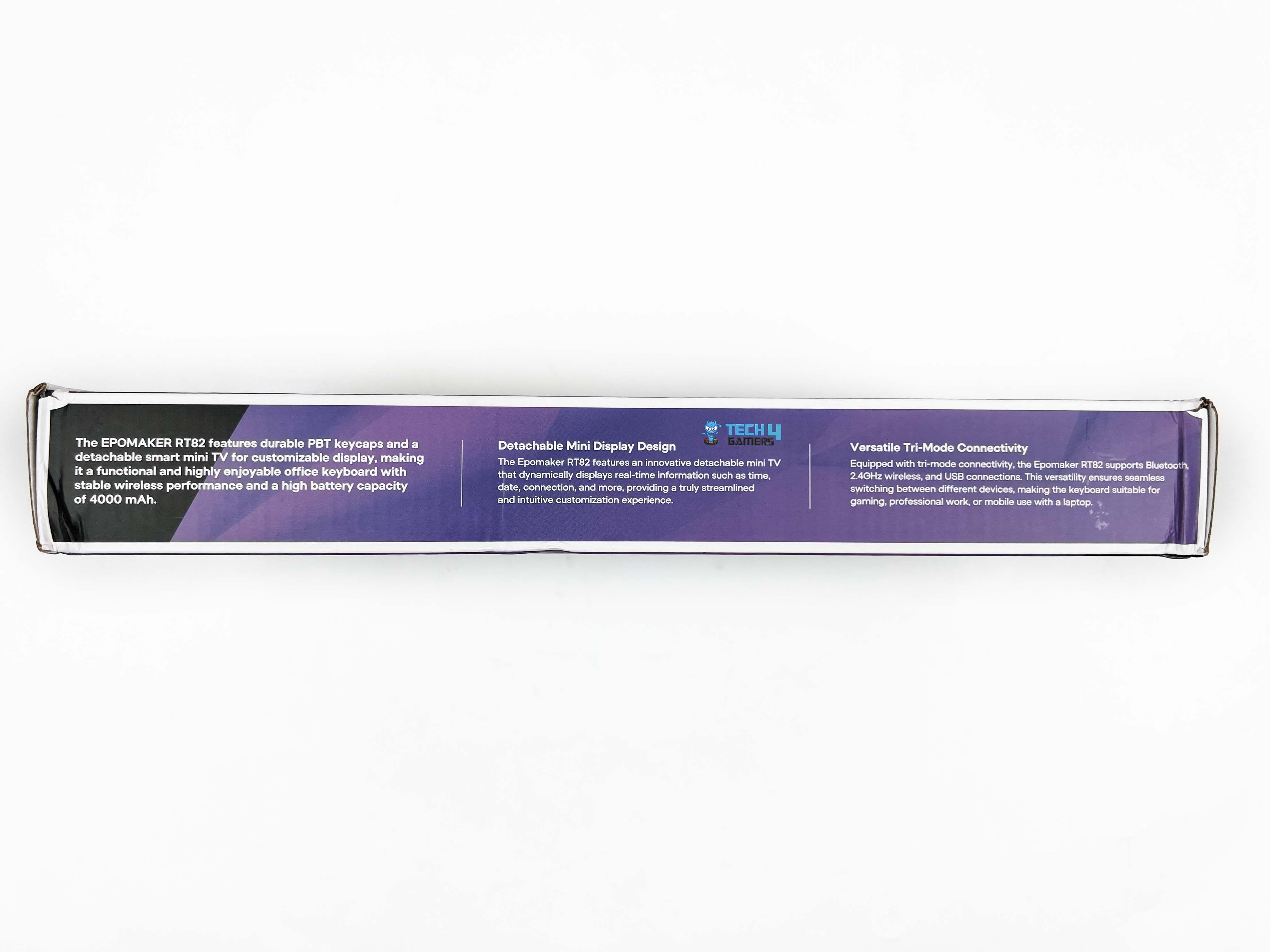
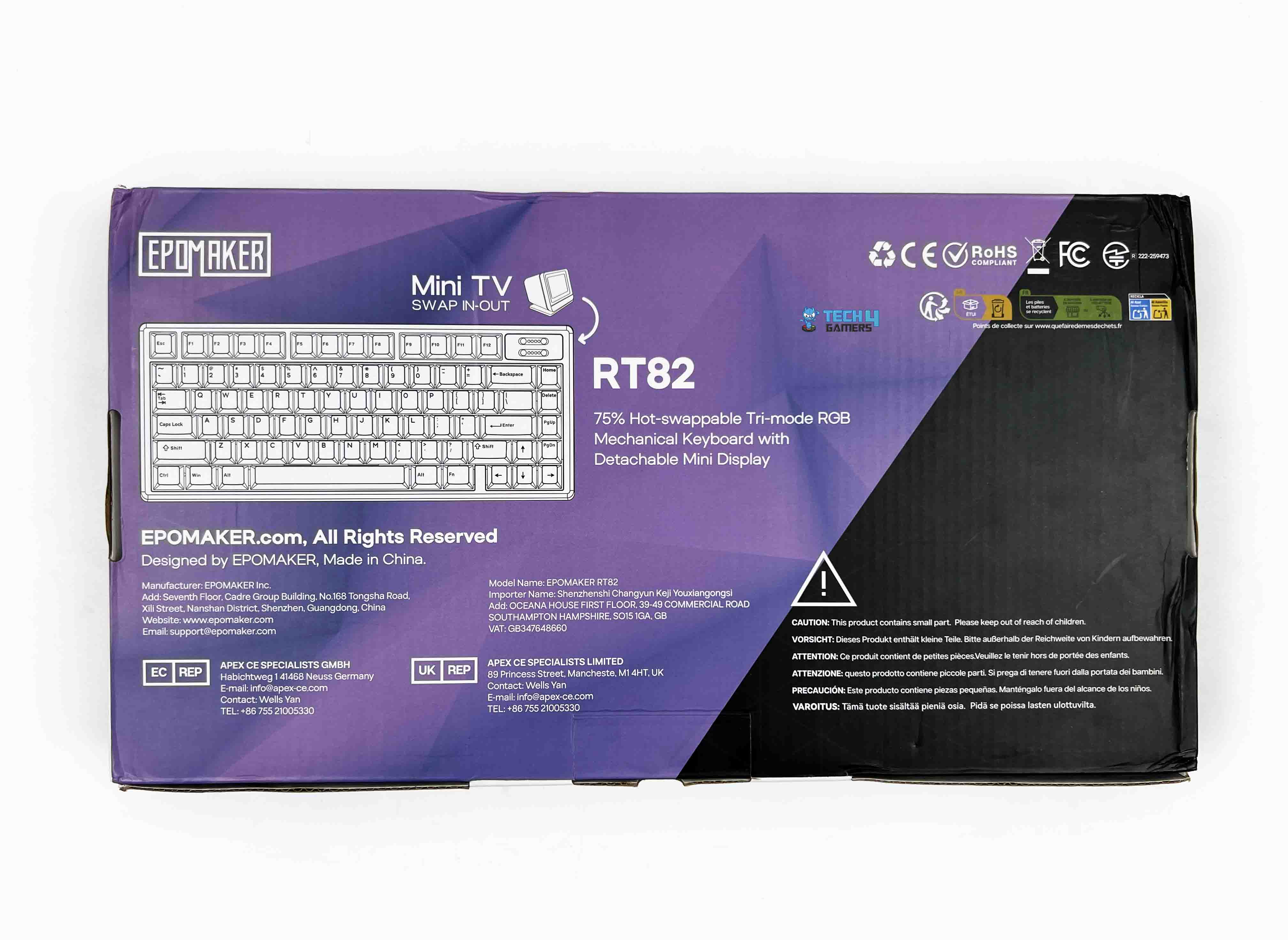
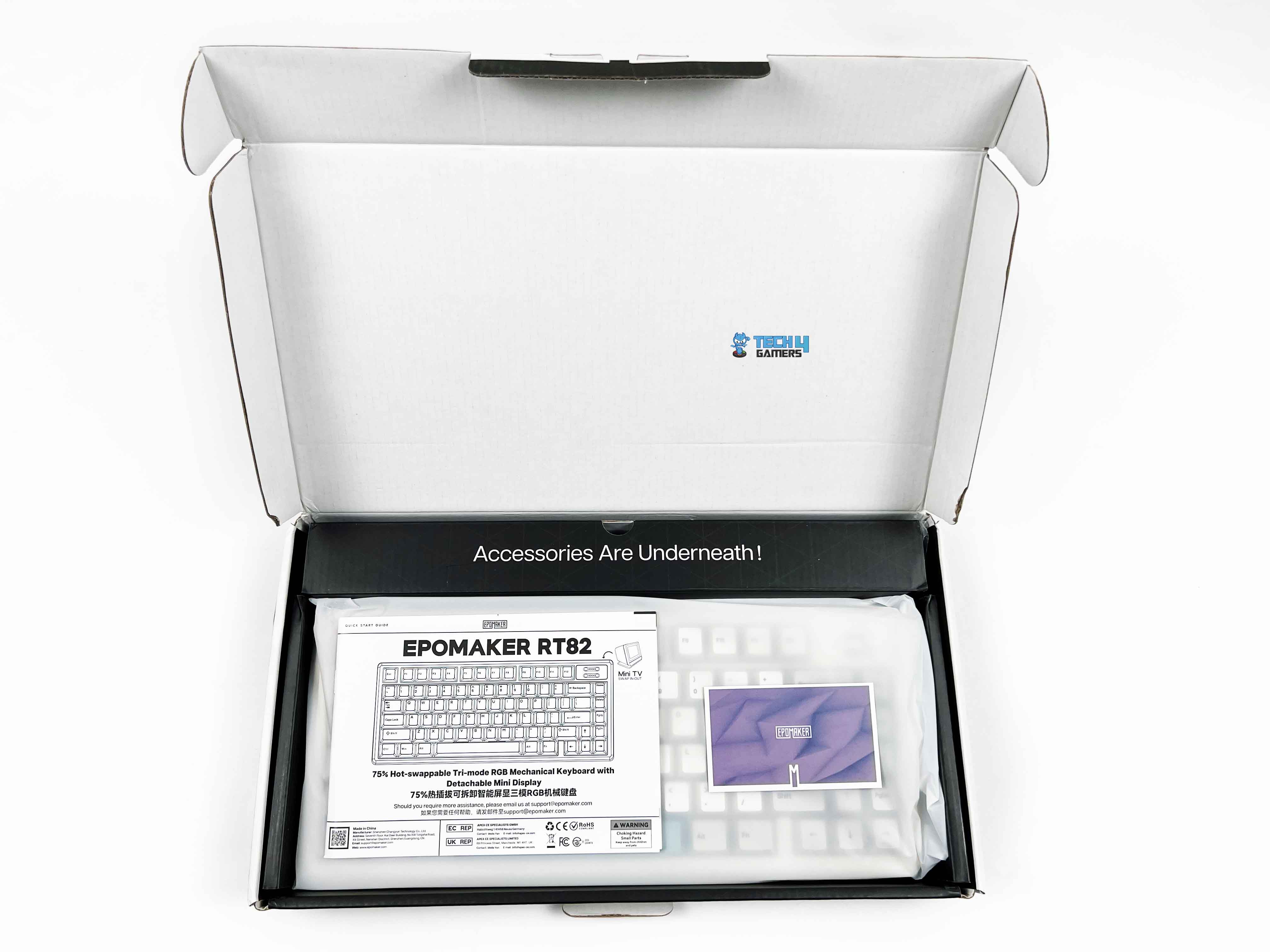
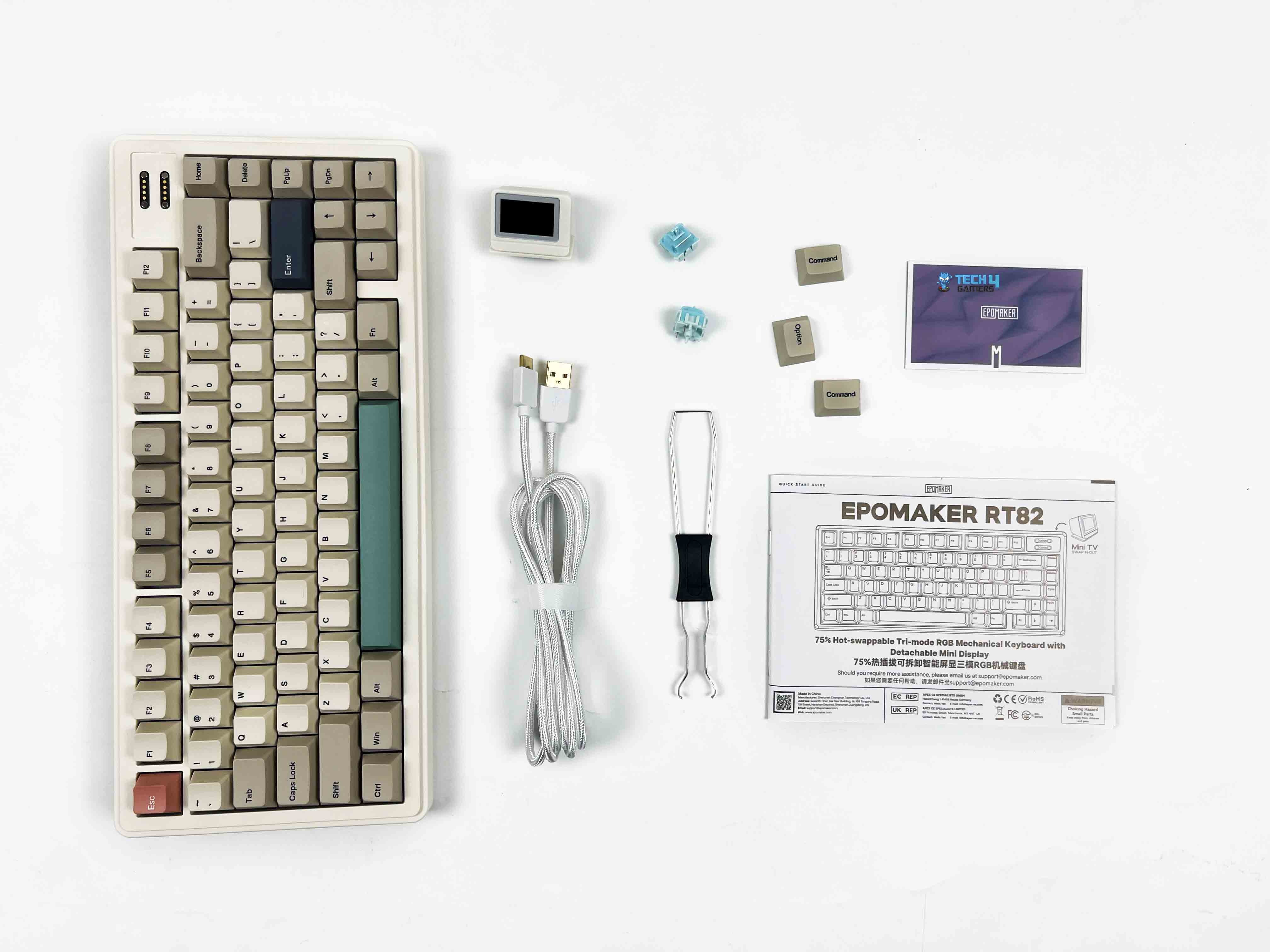
The Epomaker RT82 packaging is reasonably compact. You get an image of the keyboard on the front, along with branding and feature callouts. When you open the box, the keyboard is right there, wrapped in a thin protective sleeve. Above the keyboard, you’ll find the accessories tucked into their own compartments. Here is the list of everything that you’ll find inside the keyboard:
Unboxing
1 of 2
Unboxing
Box Contents
Epomaker RT82 Mechanical Gaming Keyboard
Detachable mini TV
Detachable USB A to C Cable
2.4Ghz Wireless Receiver (Stored on Keyboard)
2-in-1 Switch-and-Keycap Puller
Multilingual Manual
Additional Keycap for Mac
Additional Switches
Design
Design
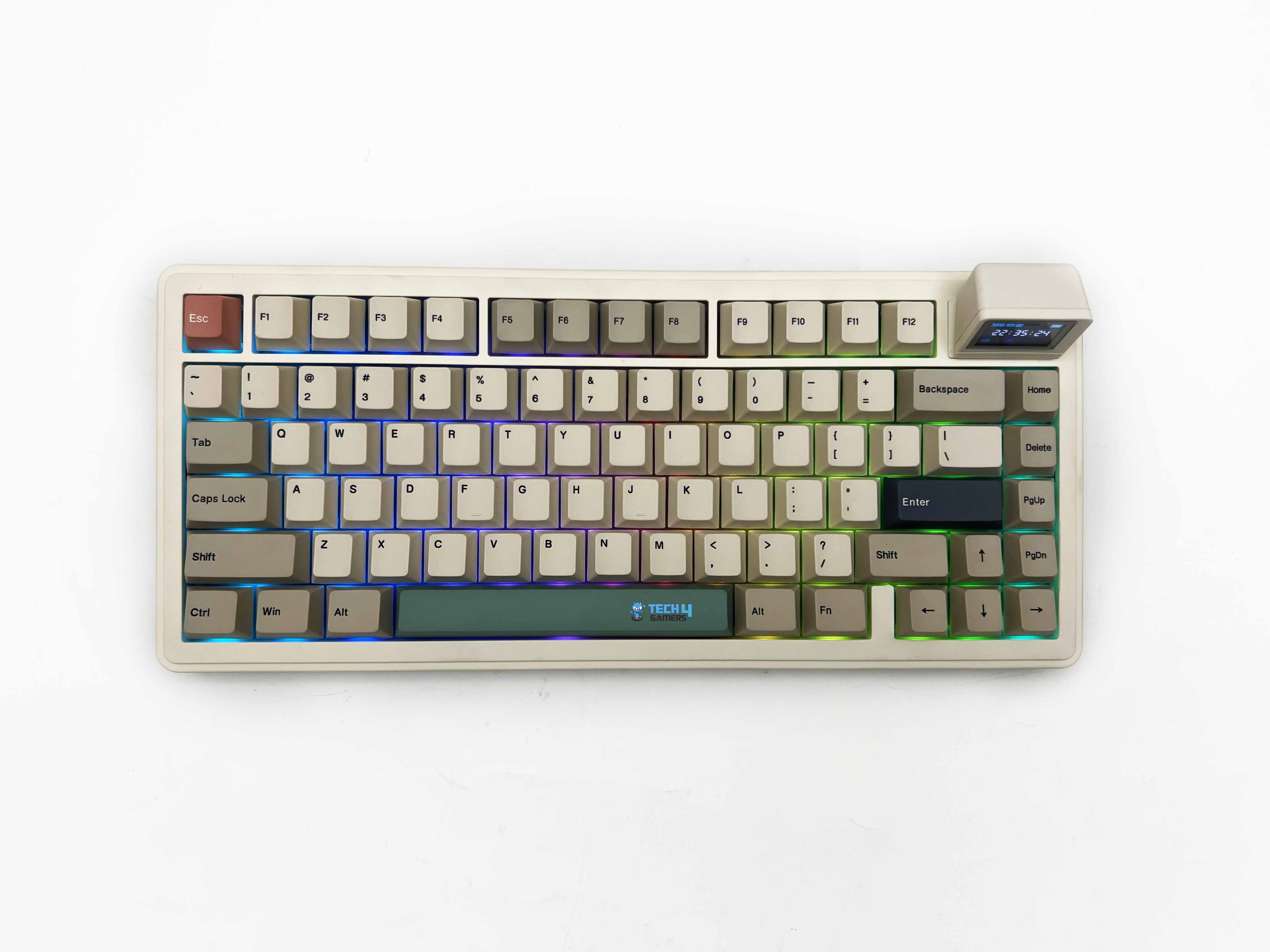
The design of the Epomaker RT82 feels very deliberate. The retro colorway is the first thing that sets the tone. It’s hard not to think of older office keyboards or early home PCs when you see it, thanks to its beige-adjacent tones and softer contrast. It taps into that nostalgia without fully committing to a straight-up vintage replica. Depending on your taste, that can feel charming or a bit dated.
It grew on me, though I can see why it wouldn’t click for everyone. Once it’s on a desk, the keyboard has an engaging presence. It stands out, but it doesn’t ask for attention. It feels more like something you’d expect on a personal workstation rather than a streamer’s setup. If your idea of a good desk is calm and functional, this keyboard would fit in perfectly.
Layout
Layout
The Epomaker RT82 sticks with a standard QWERTY layout in an ANSI US configuration, and that makes it easy to live with. Your hands already know where to go. There’s no learning curve here. This is a 75% board, which means you get most of what matters without the extra width. It has 80 keys in total, which puts it in that comfortable middle ground.
You still have a dedicated function row up top. The arrow keys are separate. Navigation keys like Delete and Page Up are right where your fingers can reach them without stretching too far. What you lose is the numpad, and the trade-off makes sense for the kind of desk space this keyboard is aimed at. What I liked is how the layout doesn’t feel compressed despite the smaller footprint.
Screen
Screen
1 of 2
Screen Off
Screen On
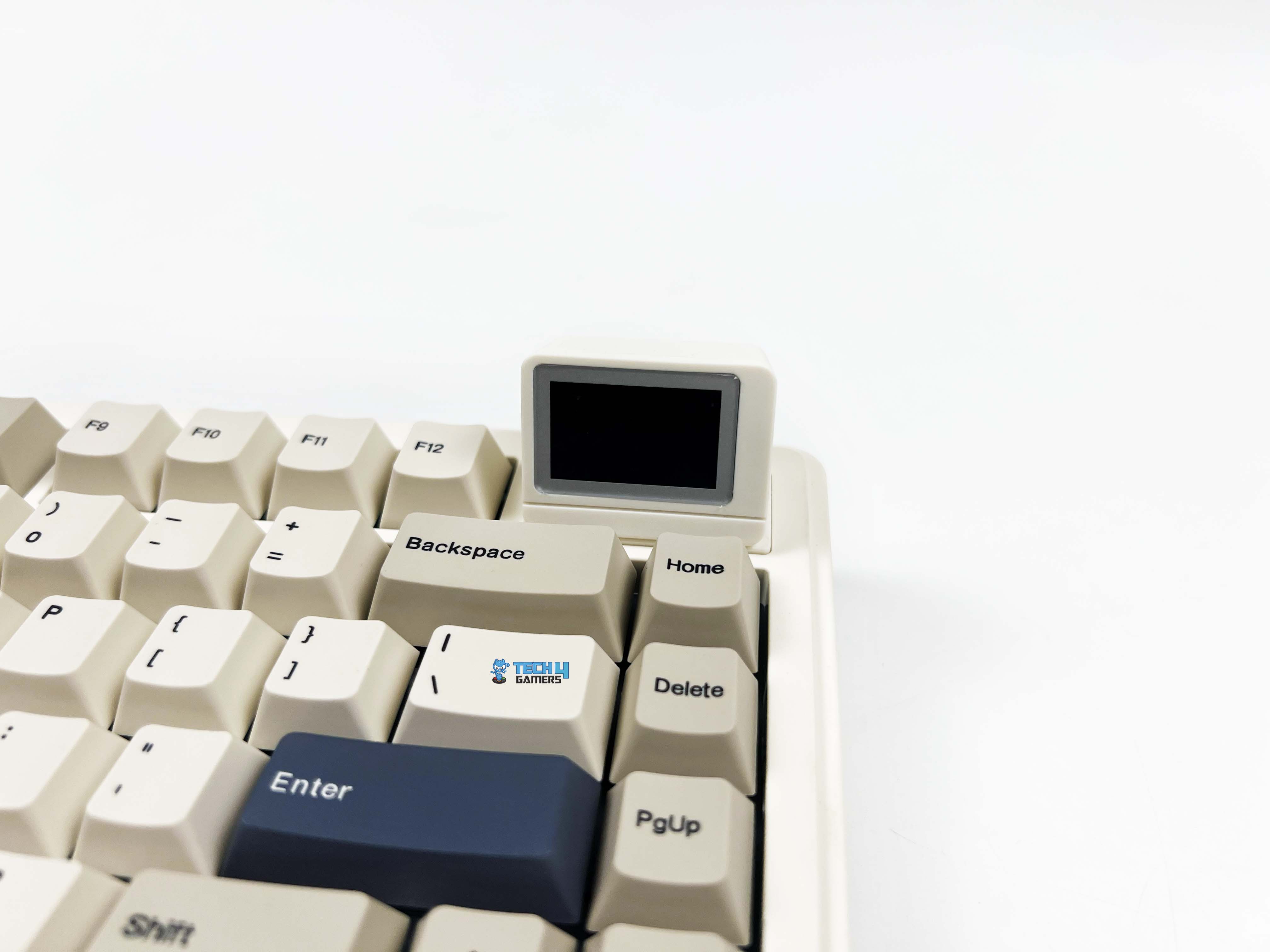
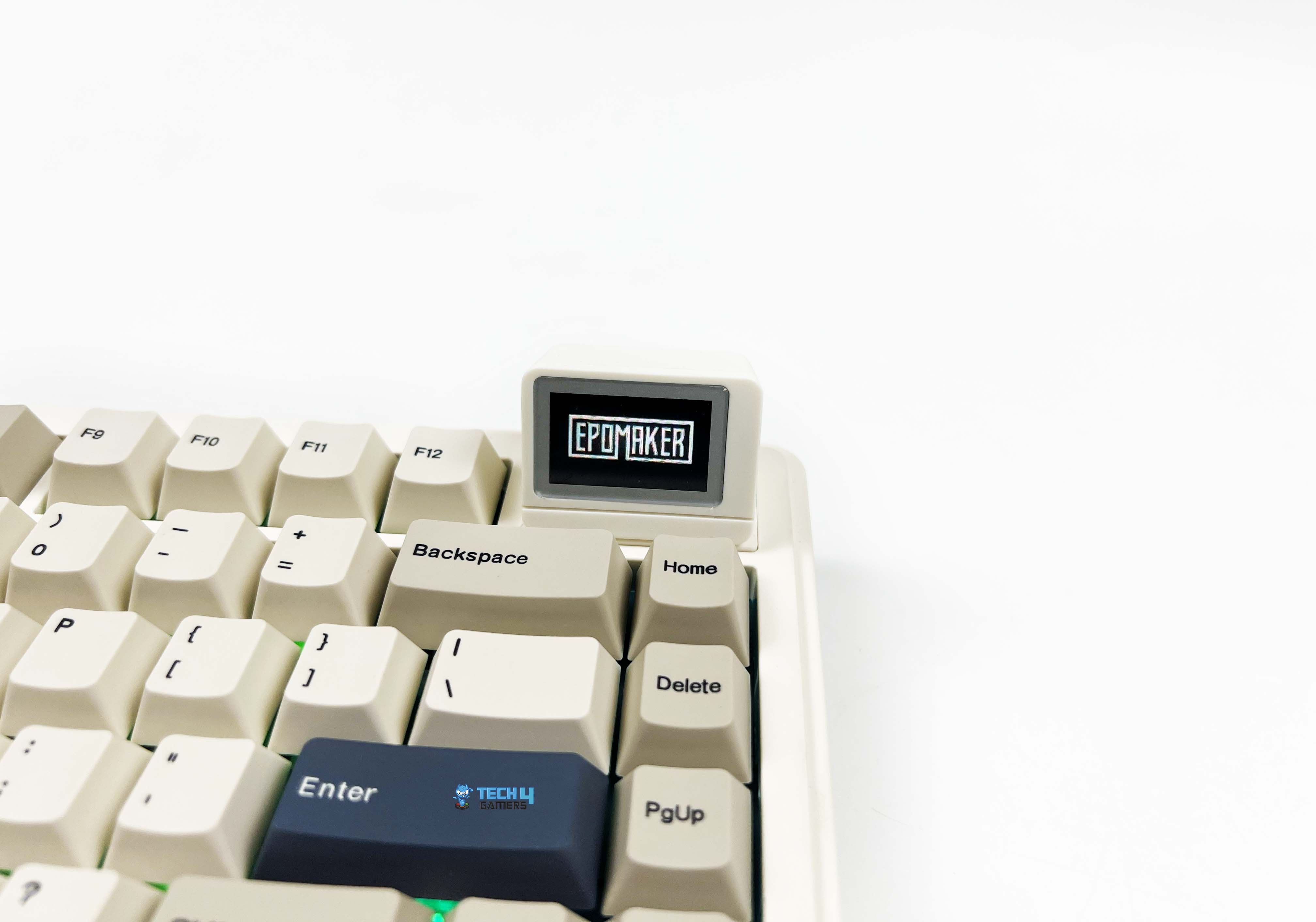
The screen on the Epomaker RT82 is a 1.14-inch LCD. It’s just large enough to be legible at a glance. You don’t have to lean forward or squint to read it, but it’s not trying to compete with your monitor for attention either. The screen is placed on the top right side. It isn’t something you depend on. Most of the time, you forget it’s even there. What it does well is make you smile.
The first time you upload a GIF and see it looping. It’s hard not to react. It feels playful in a way keyboards usually aren’t. I caught myself changing the animation more than once, not because I needed to, but because I could. Moreover, it displays things like the time, the date, or how much battery is left. There’s also a mode that mirrors what you type on the screen.
Underside
Underside
1 of 2
Underside
Feet
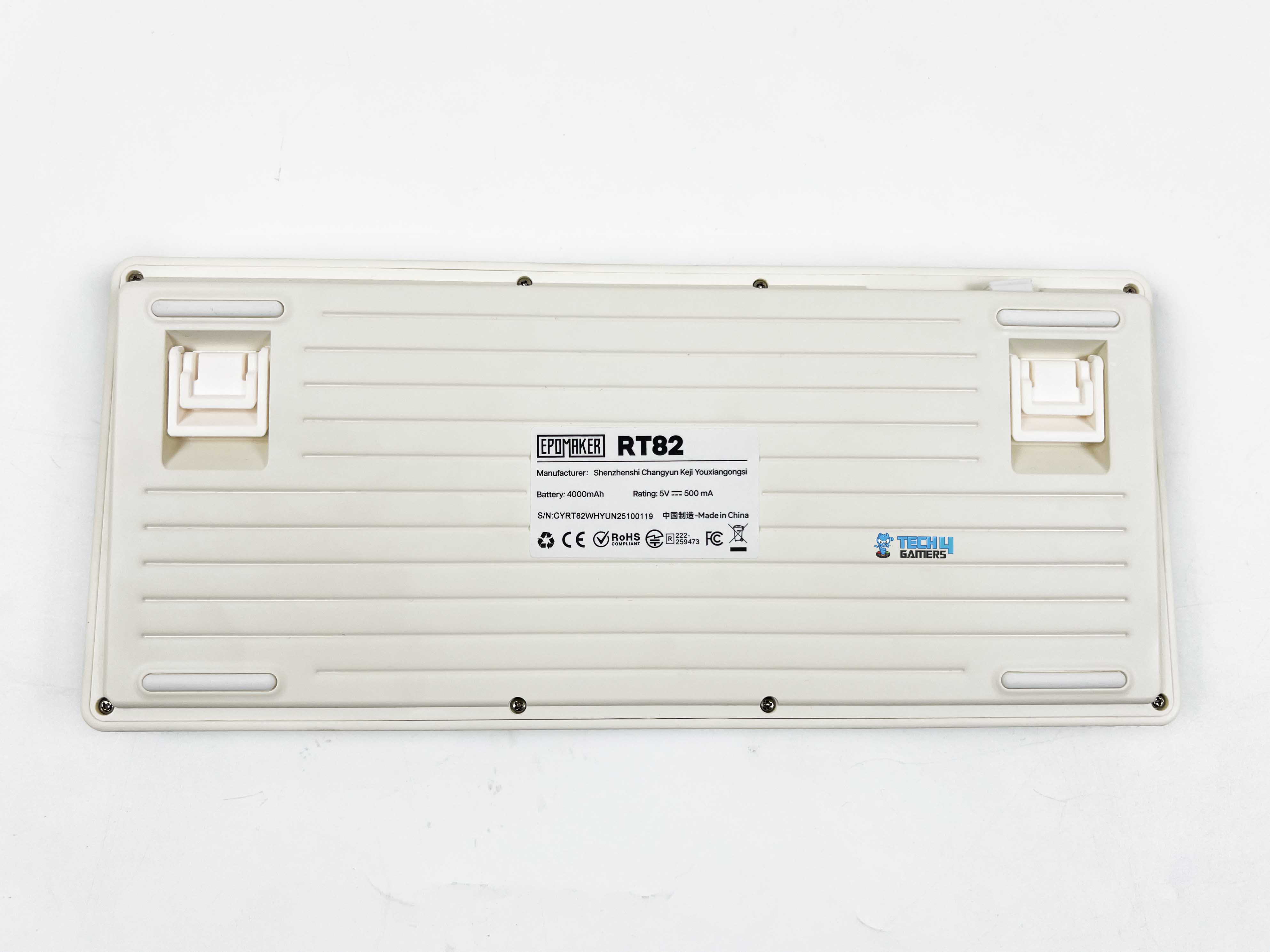
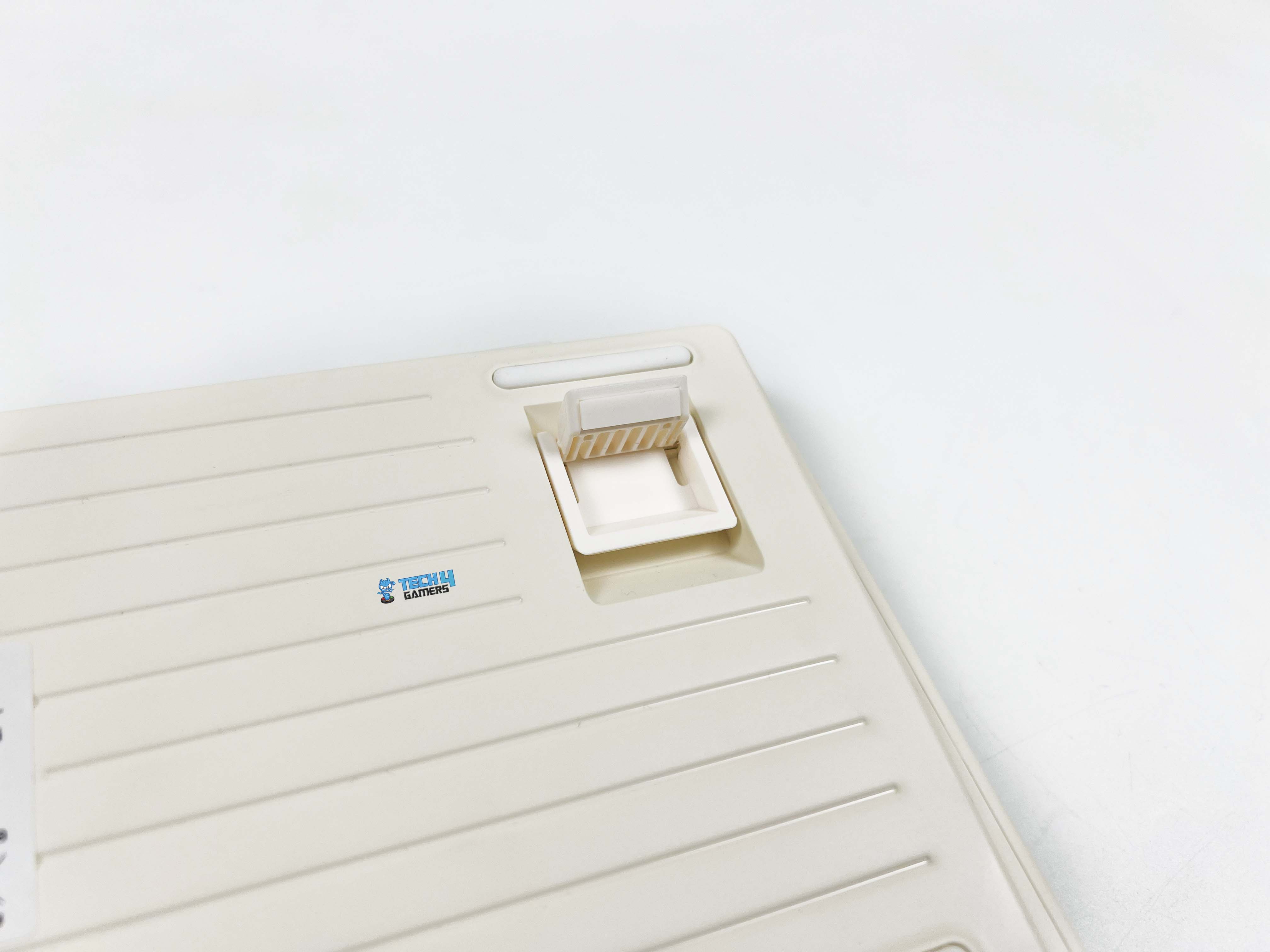
The rubber feet grip the desk surprisingly well. The front height is around 21.8mm. Even without a wrist rest, it stays comfortable for shorter sessions. I noticed it most during long typing stretches, where that lower front edge helped keep my hands relaxed rather than bent upward. The adjustable angle is handled by a two-stage kickstand system. With the feet folded in, the keyboard sits at roughly five degrees.
It feels natural if you type with your hands relatively low. Flip out the first stage, and you’re closer to seven and a half degrees. That’s where I personally settled for most of my use. The highest setting pushes it to around eleven degrees. That angle is noticeably steeper. It works well if you like a more traditional keyboard tilt or tend to rest your palms on the desk while typing.
Build Quality
Build Quality
The Epomaker RT82’s case is made from ABS plastic, which might seem ordinary compared to metal options. However, don’t let that make you think it feels cheap. The plastic feels solid and well-constructed. There’s no flex when you press down on the corners, and the edges are smooth without any sharp seams. Its dimensions are 326.7 by 143.2 by 39.8 mm. On the desk, it doesn’t dominate the space.
But it still feels substantial, especially compared to smaller 60% boards. At around 1 kilogram, it has enough heft to stay planted. The keyboard has weight and balance in just the right places. It doesn’t try to pass for metal, and it doesn’t need to. The whole build is understated, but it’s evident that the materials and design were chosen to make it feel consistent rather than flashy.
Keycaps
Keycaps
The keycaps on the Epomaker RT82 are made of PBT plastic, so they don’t get that worn-out feel. Instead, there’s a subtle grainy texture. It’s subtle, but after a few minutes, you notice how comfortable it is to type on. The profile is Cherry, so each row feels purposefully shaped. Legends are dye-sublimated, meaning they won’t fade. They are crisp and consistent, so you don’t have to guess a key even in dim light.
Unlike thinner, cheaper keycaps that wear down and start to shine after a few months, these hold up well and keep their texture. Early on, some keys felt a little firmer than others, but that’s more about settling into the keyboard’s layout than a flaw in construction. Removing and swapping keycaps is simple, too, and you can give the keyboard a totally different look.
RGB Lighting
RGB Lighting
1 of 2
RGB Lighting
RGB Lighting in Dark
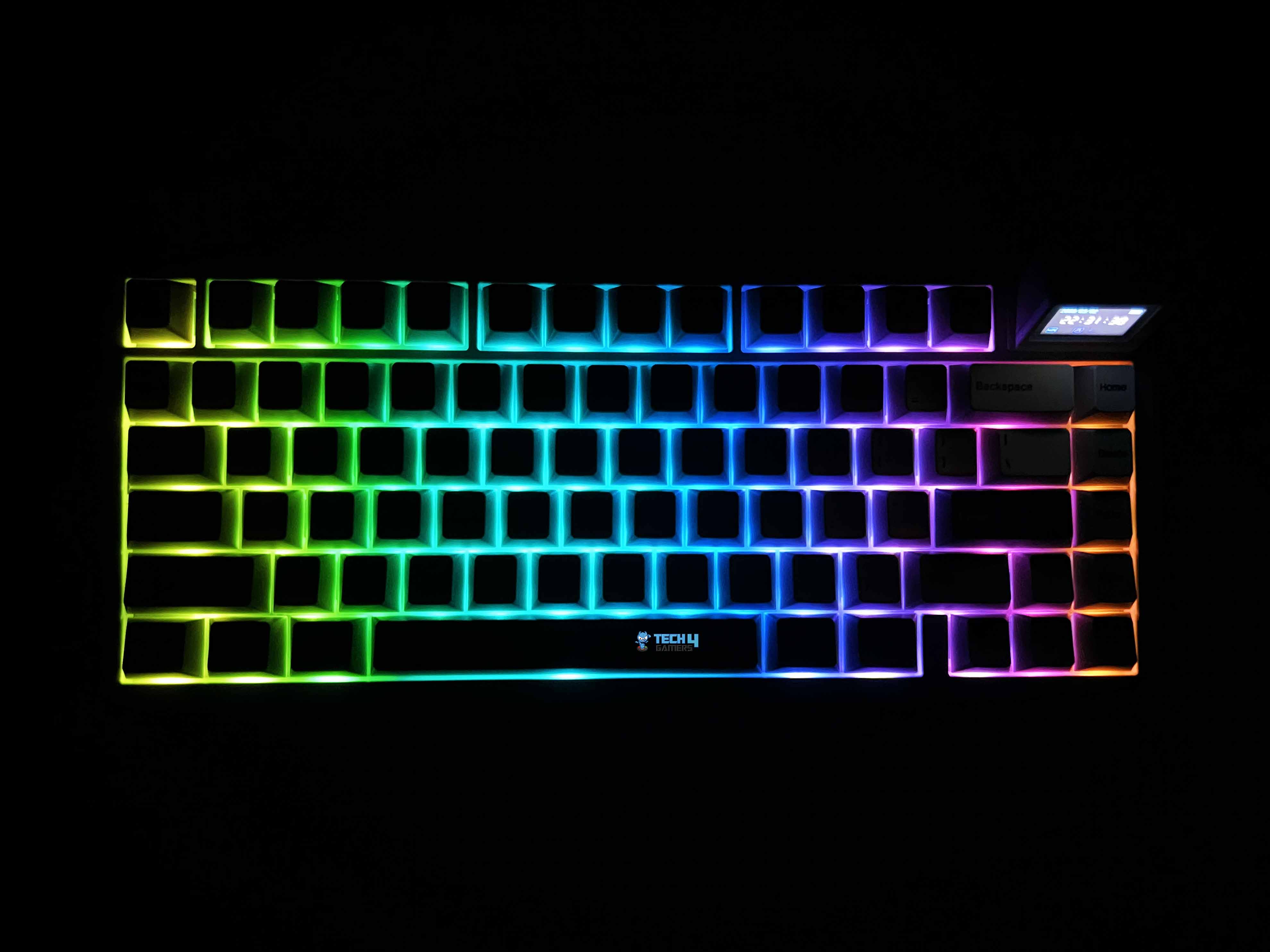
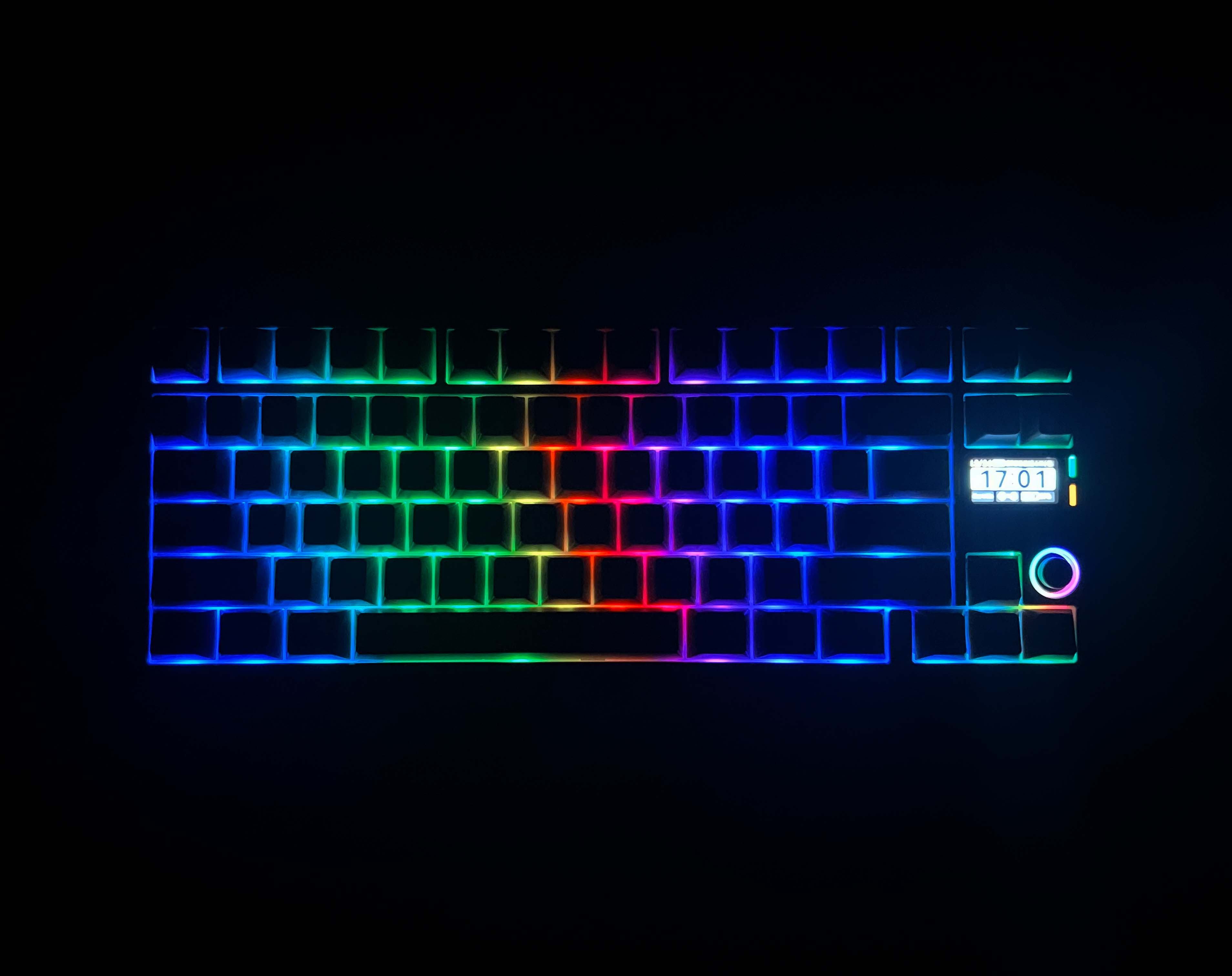
The Epomaker RT82 RGB lighting is more understated than some of the flashy keyboards you see elsewhere. Each key has its own south-facing LED, so the glow is directed toward you rather than bouncing around the desk. Because the PBT keycaps are opaque, the light doesn’t shine through the legends. Therefore, it’s less about showing off colors and more about adding a soft glow around the edges.
It catches your eye in a dim room without ever feeling overwhelming. You can cycle through a few built-in effects. They’re not mind-blowing, but they get the job done if you just want some movement or a splash of color. In low light, the colors pop nicely, and even with the opaque PBT caps, the edges catch the light subtly. It’s bright enough to notice, but it never feels like it’s trying to be extravagant.
Switches
Switches
1 of 2
Switches
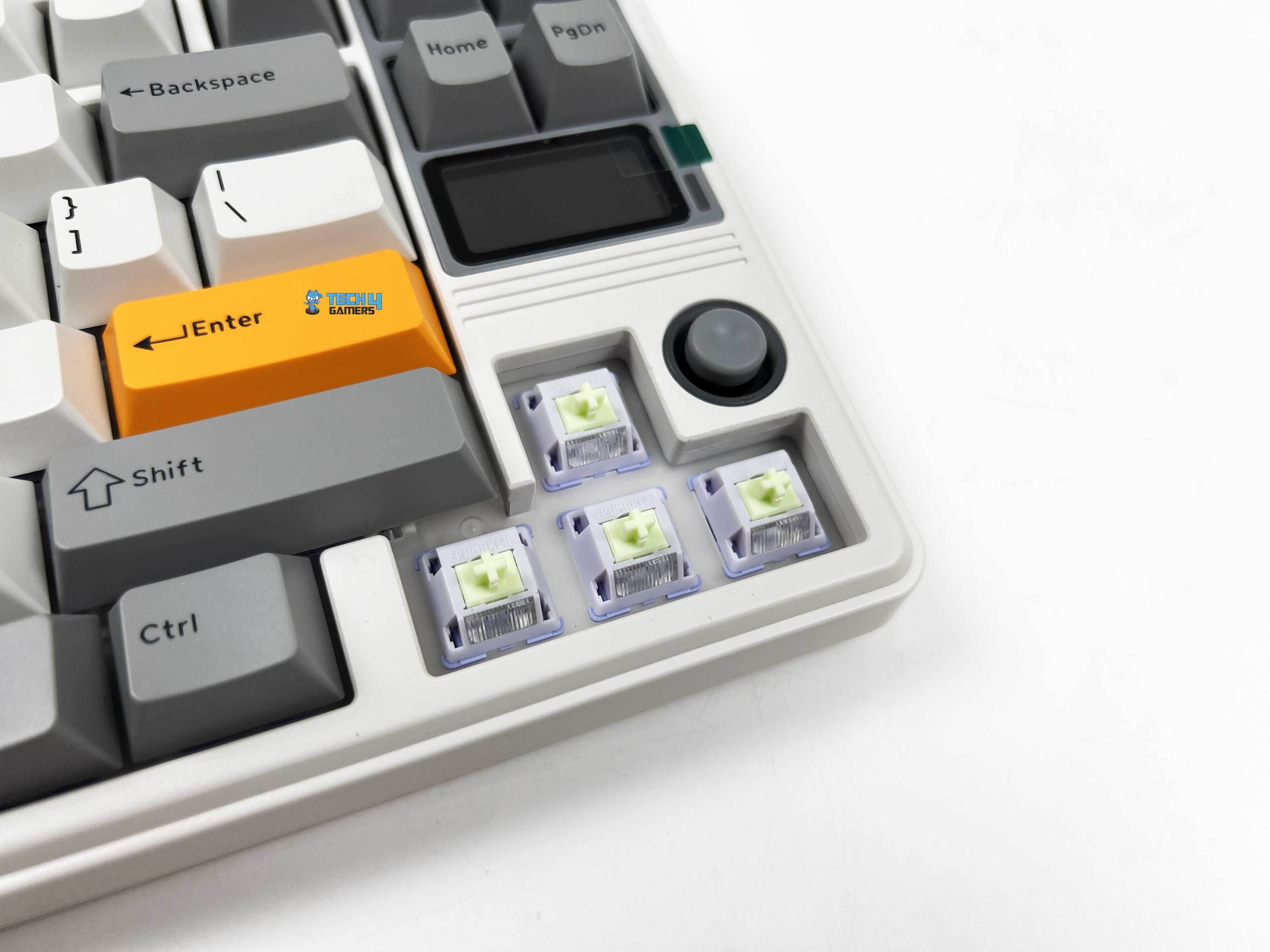
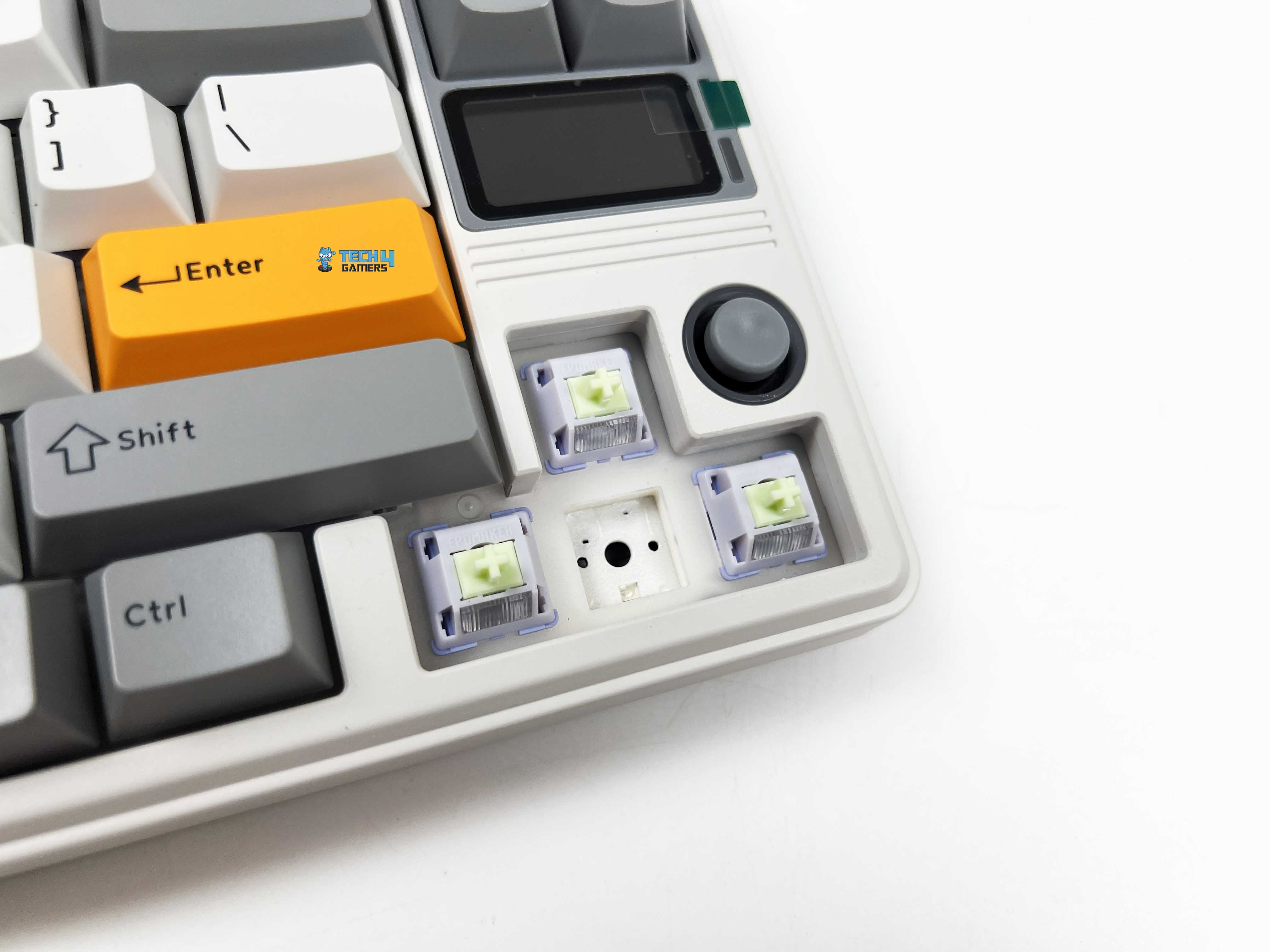
Switch Housing
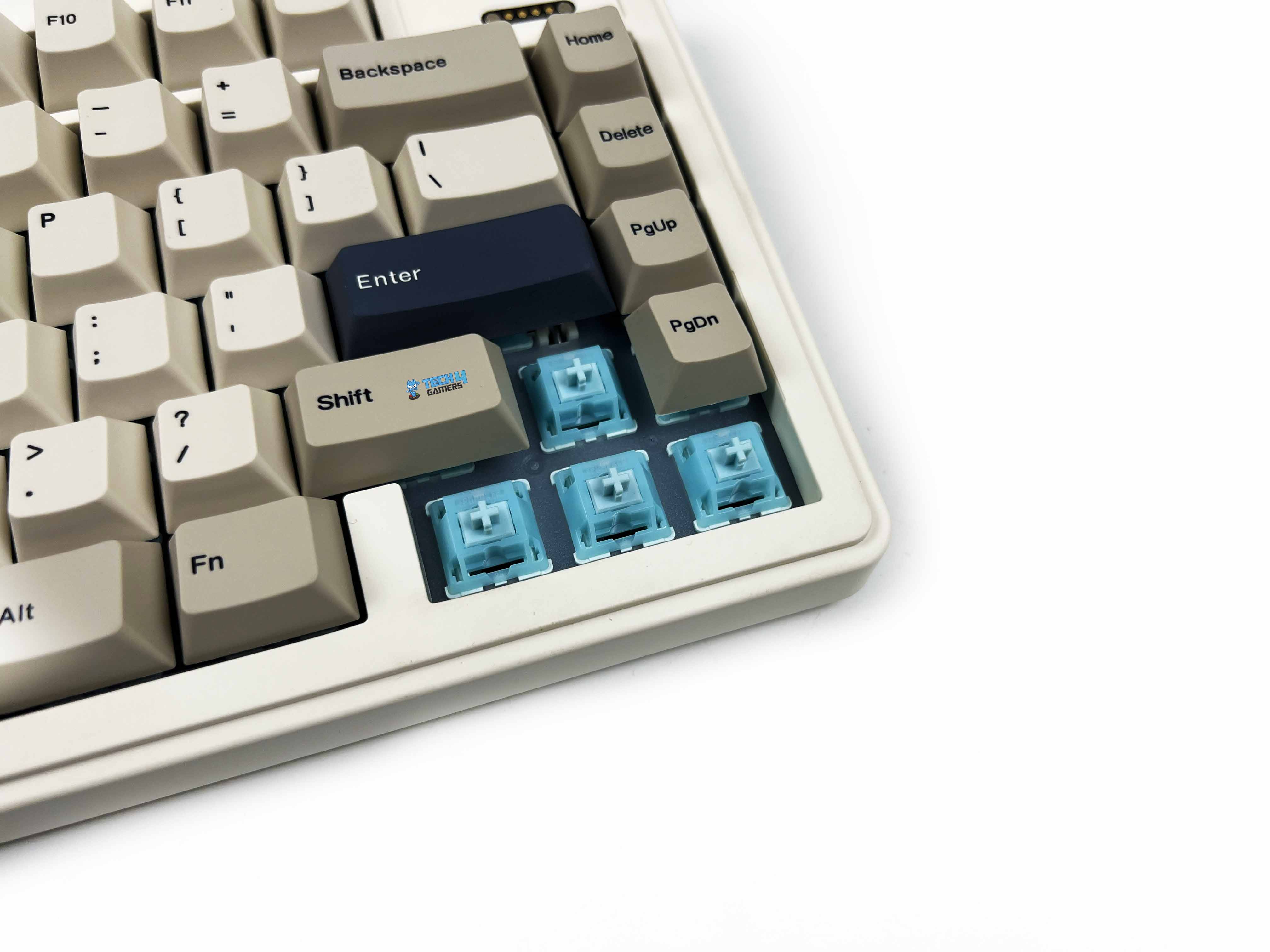
The Epomaker RT82 comes with Epomaker’s Creamy Jade switches, and they’re linear, so there’s no tactile bump. You just push down, and the key goes down smoothly and evenly. The pre-lubed stems make them feel quiet and effortless. Pressing a key takes about 45 grams of force, rising to 50 at the bottom, so it’s light enough to stay nimble but still satisfying. Travel feels well-balanced as well.
You start with about 2 millimeters before the switch actuates, and the full travel is around 3.6 millimeters. That short pre-travel means you can hit keys quickly, but you still get enough movement to feel thought-out. There’s no built-in light diffuser. It’s hot-swappable. You can replace these with other 3- or 5-pin mechanical switches. Moreover, there are many other best custom keyboards out there that lean hard into customizability at the same level.
Typing Experience
Typing on the RT82 has its own rhythm that’s surprisingly controlled. The first few sentences take a moment to settle your fingers, especially if you’re used to clickier switches. But once you find that groove, the keystrokes are soft. The pre-lubed Creamy Jade switches are not mushy, giving just enough resistance to feel thoughtful without tiring your fingers. Each press lands with a cushioned bottom-out, helped along by the gasket-mount structure.
The keys almost float on the frame. The plate is made of PC, which gives the typing sensation a subtle bounce. Stabilizers are plate-mounted and well-lubed, so bigger keys like the spacebar or shift don’t rattle unless you really slam them. Sound is chiefly muted thanks to a combination of sandwich latex, IXPE switch pads, PET pads, bottom foam, and silicone. You notice a quiet thock rather than a sharp click that is consistent and easy on the ears, even in long sessions.
Connectivity
Connectivity
1 of 2
USB Port
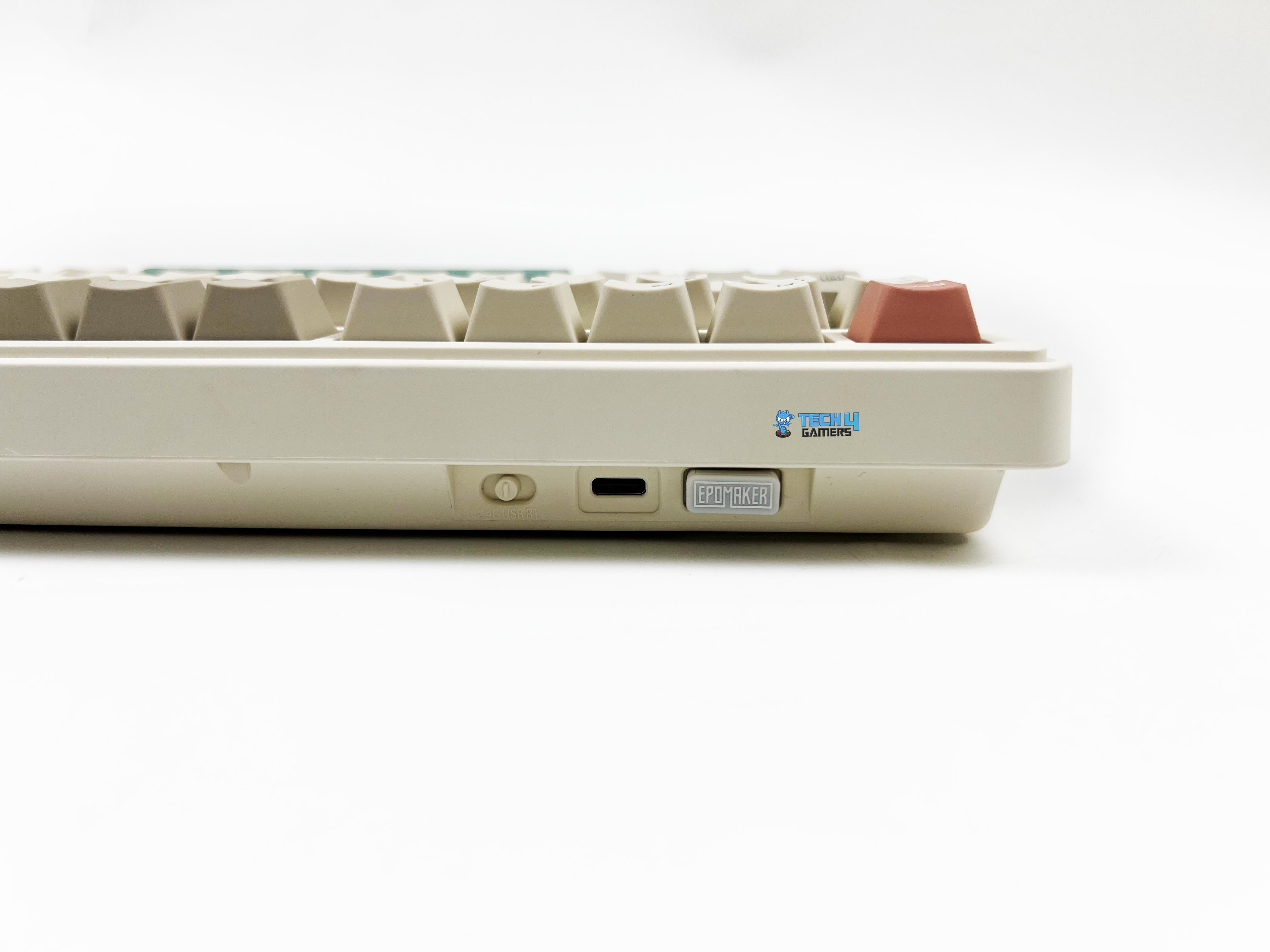
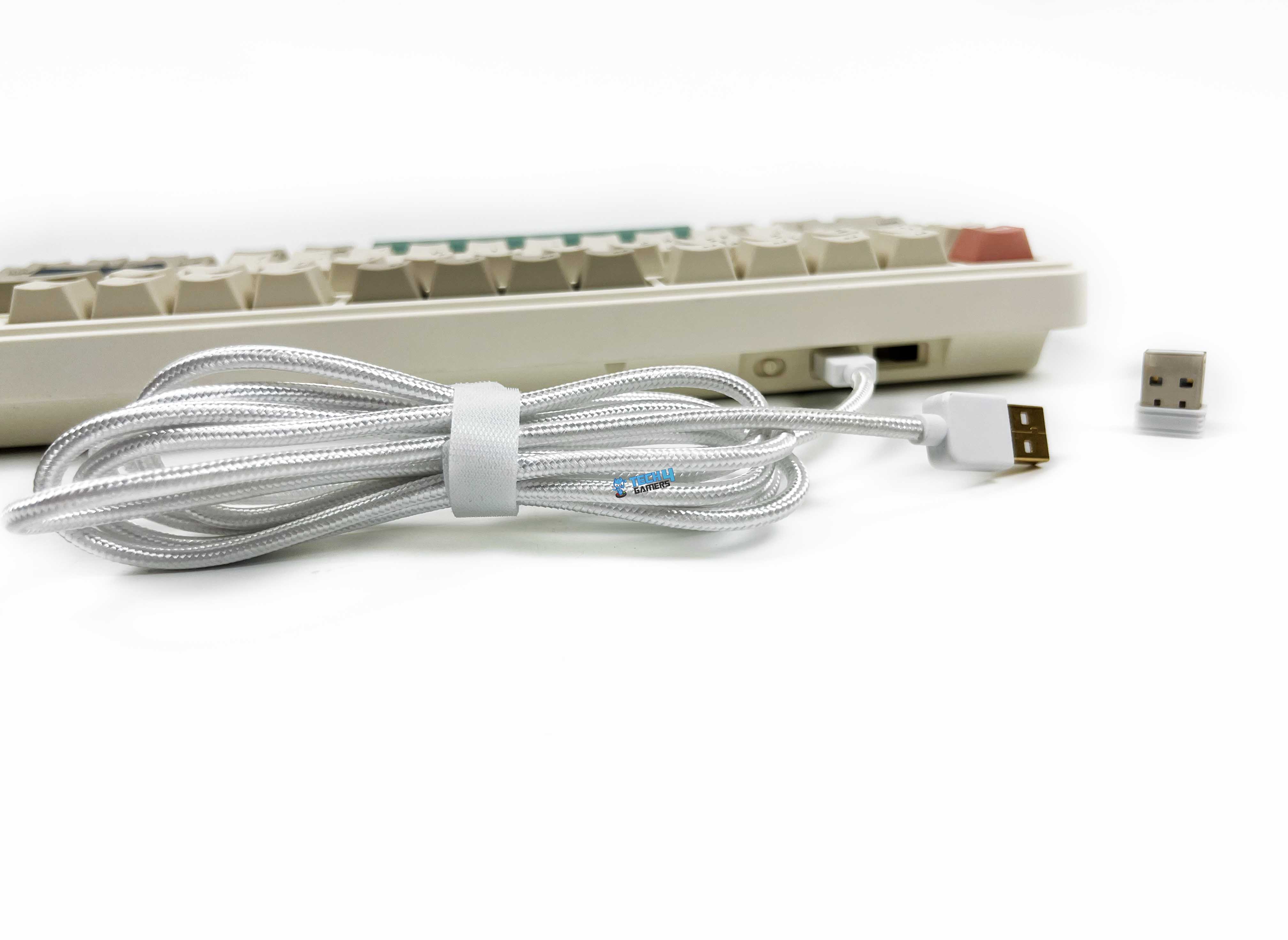
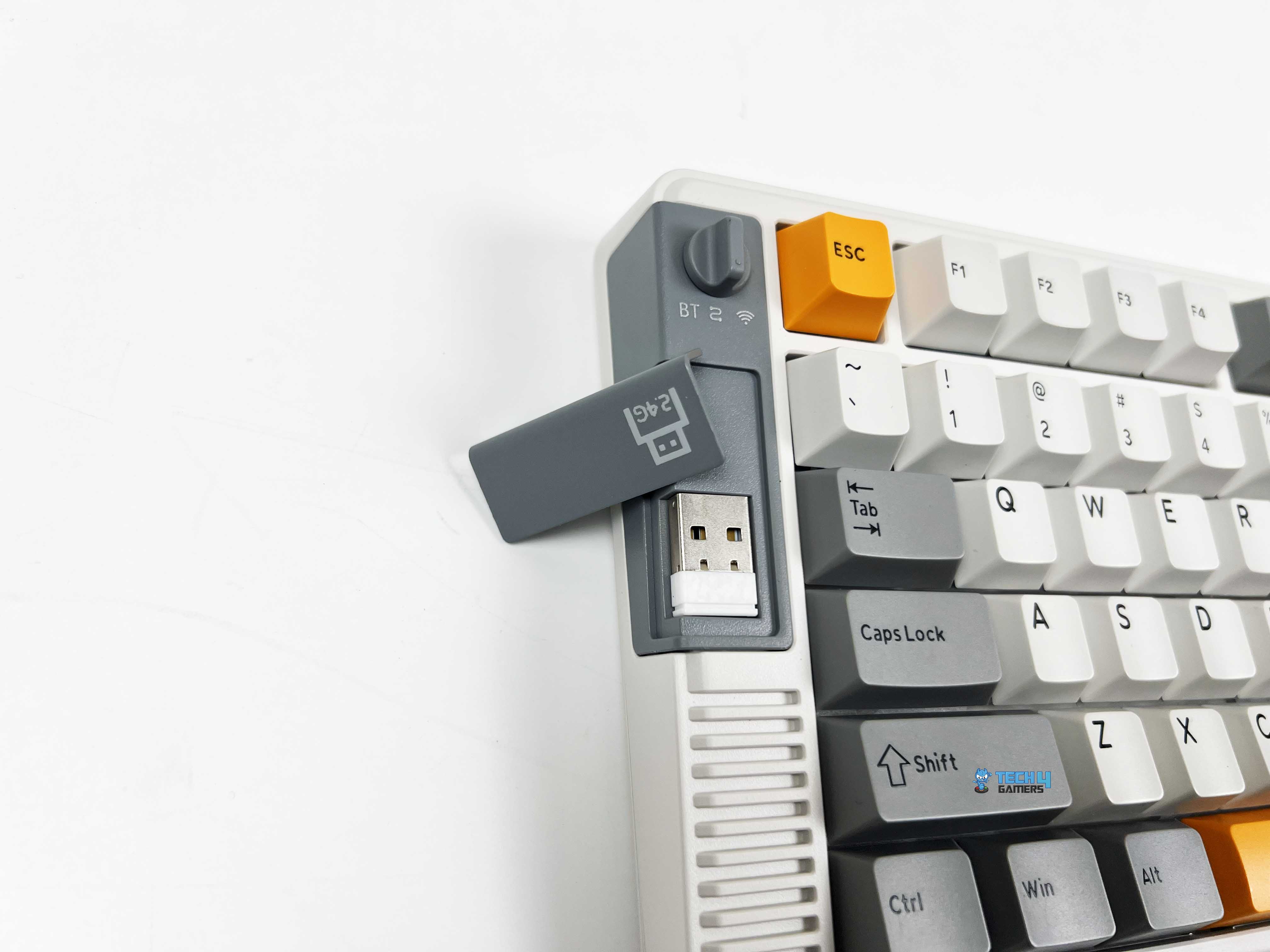
The Epomaker RT82’s connectivity options are flexible enough to cover most setups. You get a braided USB-C cable for a plug-and-play connection. For wireless use, it makes switching between modes straightforward. There’s a little toggle on the underside that lets you switch between 2.4GHz and Bluetooth, and it even has a small nook to store the 2.4GHz dongle when it’s not in use. Getting into wired mode is as simple as flipping the switch to the middle and plugging in the cable.
For 2.4GHz, you flip it over to that side, and a green “R” on the keyboard blinks slowly. Holding Fn + R puts it into pairing mode, and the screen tells you it’s ready. Bluetooth is just as simple. Slide the switch over, hold Fn + Q, W, or E depending on which device slot you want, and the screen will tell you it’s pairing. For those who prioritize multi-mode connectivity like this, our best wireless gaming keyboards list offers a broader look at alternatives worth considering.
Performance
Feet Flipped
Using the RT82 day to day, feels responsive. Gaming or fast typing doesn’t give any performance issues. The keyboard supports a 1000Hz polling rate in wired and 2.4GHz modes, with latency as low as 3ms wired and 5ms over 2.4GHz. Bluetooth drops to 125Hz and about 15ms, but for casual use, it still feels responsive. Switching between Bluetooth and 2.4GHz works as expected. The keyboard doesn’t chase esports-grade numbers.
Still, inputs feel stable, and the feedback matches the sense of control it gives. When it comes to gaming, I feel confident. Every keypress feels immediate, and there’s no lag between what I press and what happens on screen. Even in fast-paced games, movement and executing combos felt natural. Notably, N-Key rollover ensures that rapid keypresses never get missed.
Battery Life
The Epomaker RT82 battery life numbers actually line up with real use. The built-in 4000mAh battery isn’t tiny. With both the RGB and the screen on, I got around 14 hours of usage before it asked for a charge. Turning the screen off stretched that to roughly 17 hours, which covers most of a full day without worrying. If you don’t mind skipping the lights, the keyboard can last 45 hours with RGB off and the screen on, or 115 hours with both off.
Charging via USB-C is hassle-free. I found that plugging it in every few days with all the extras on was enough to keep it running comfortably. Wired users won’t have to worry about this at all, and even in wireless mode, battery anxiety is mostly avoidable once you understand how the features affect runtime. Lastly, the battery indicator on the screen is helpful, so there’s no need for guesswork.
Software
Software
1 of 9
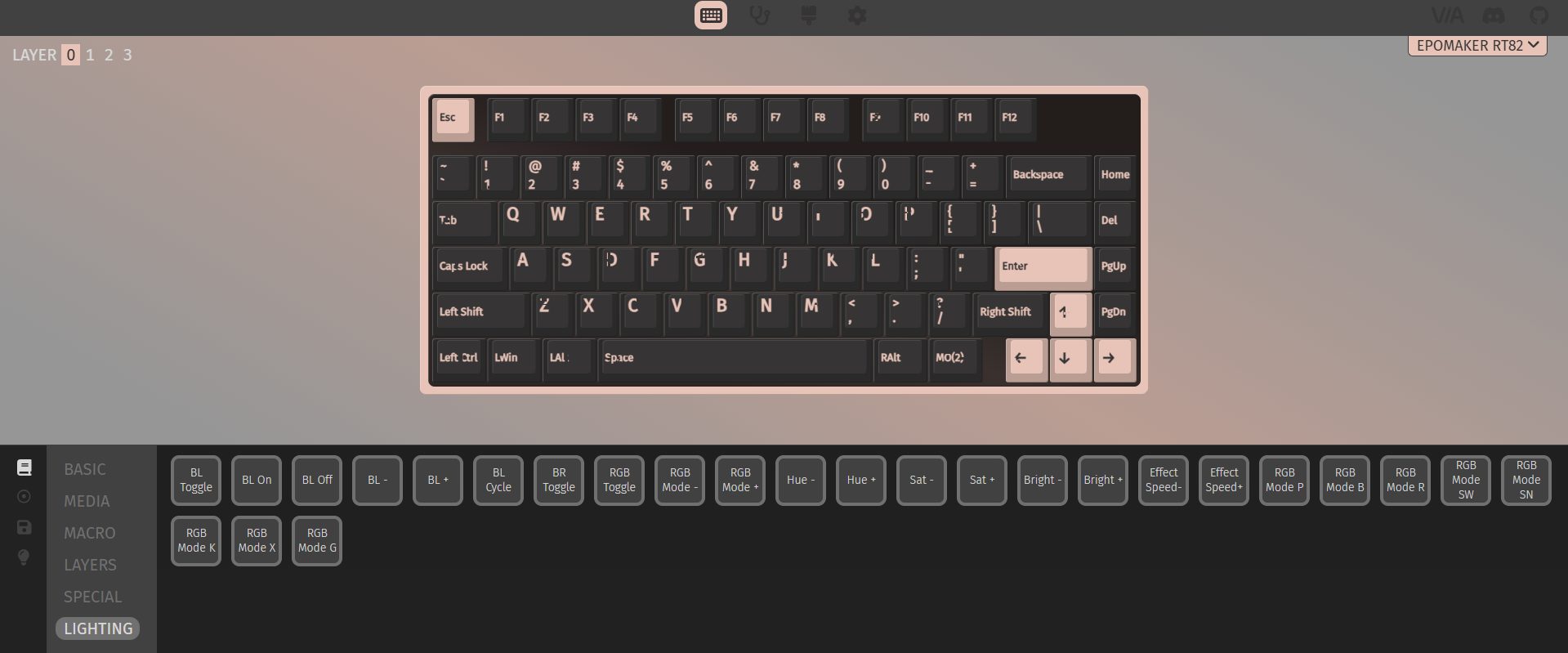
Basic Keys
Media Keys
Macro Keys
Layer Keys
Special Keys
Lighting Keys
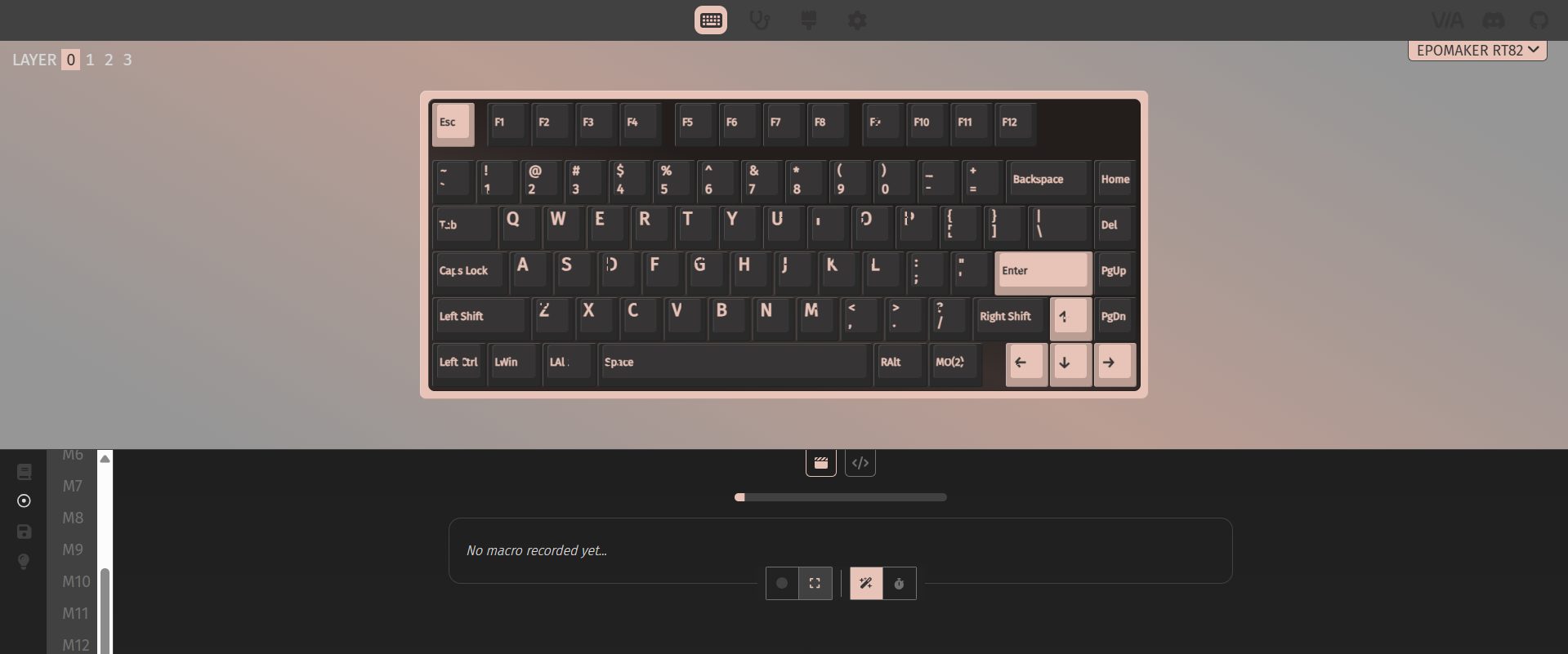
Macros
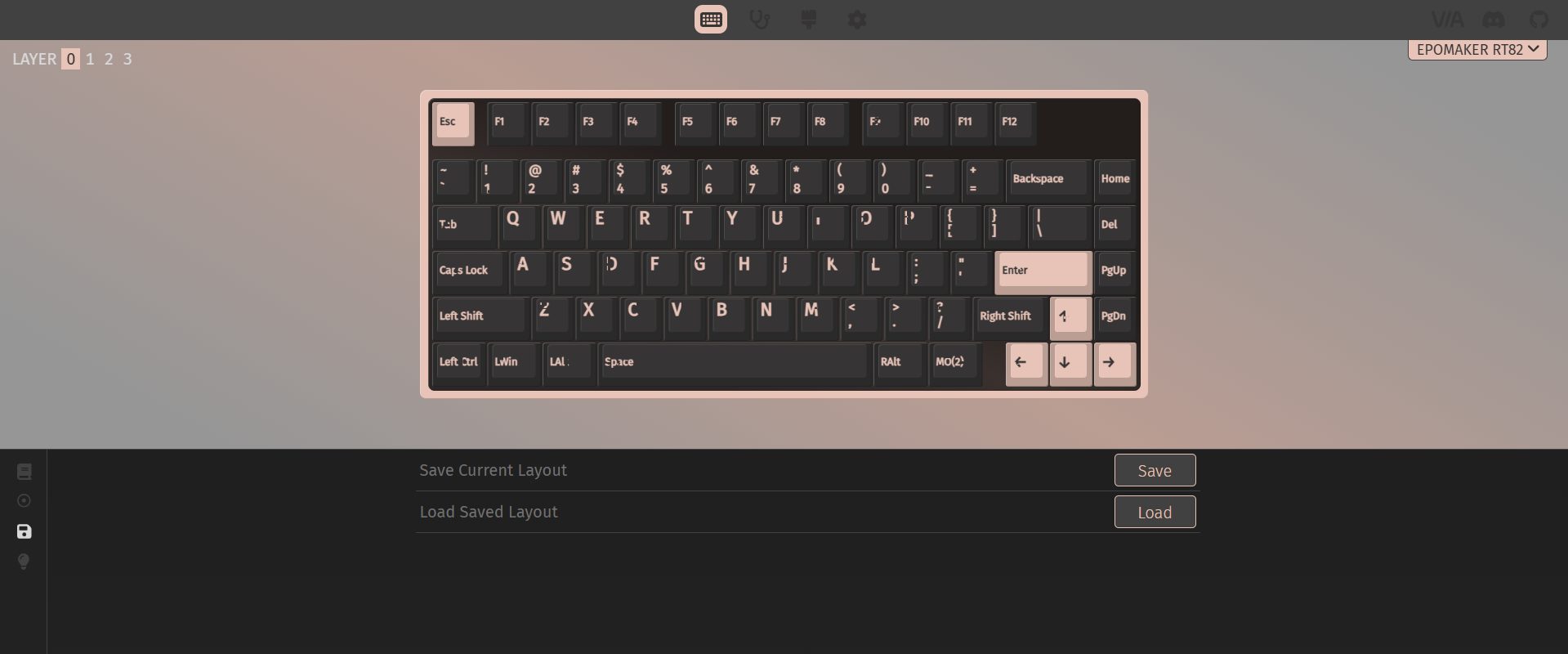
Layouts
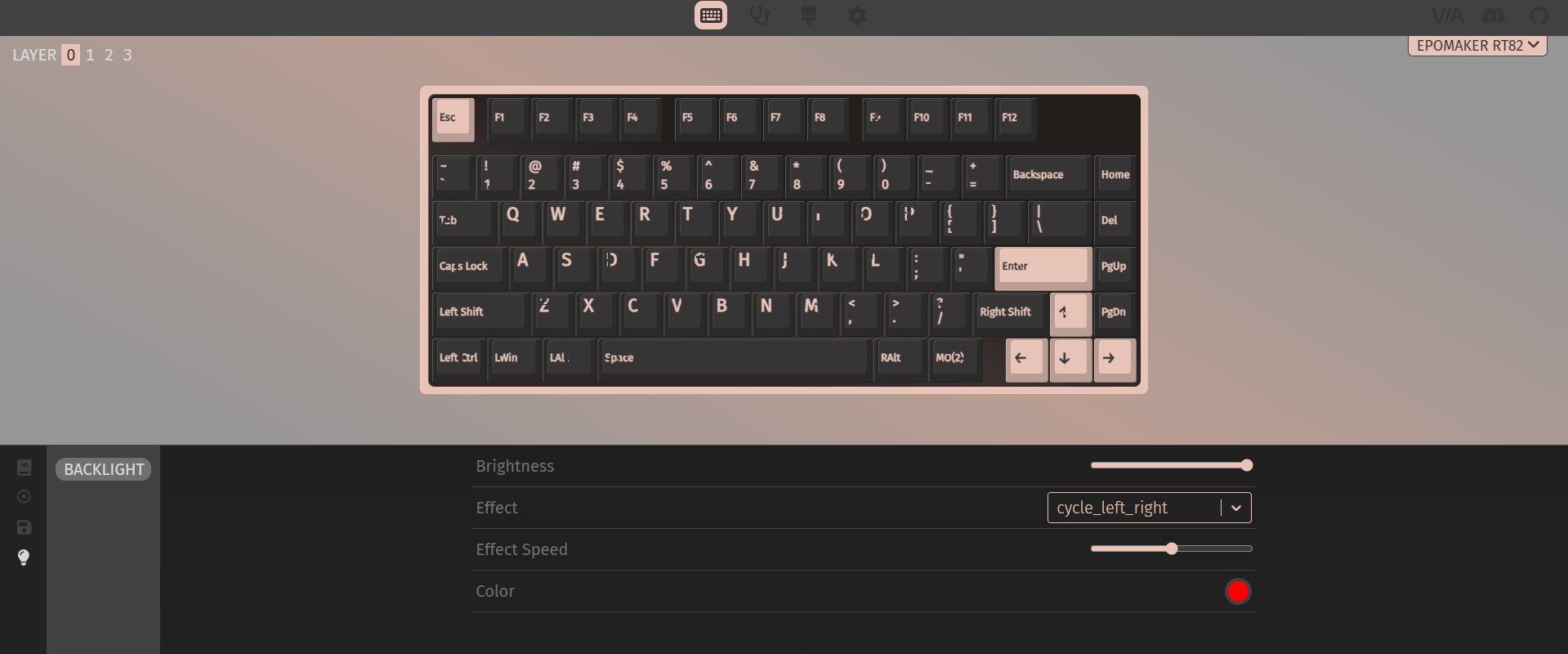
Backlight
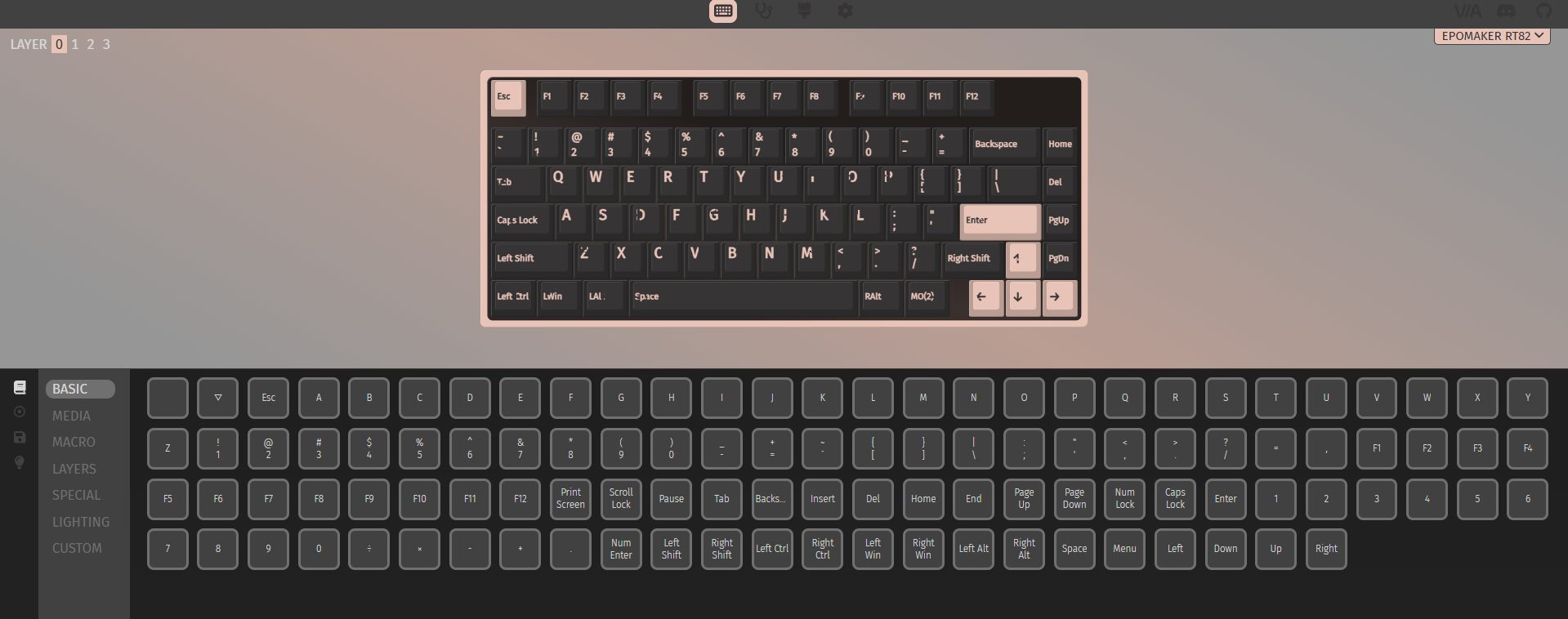
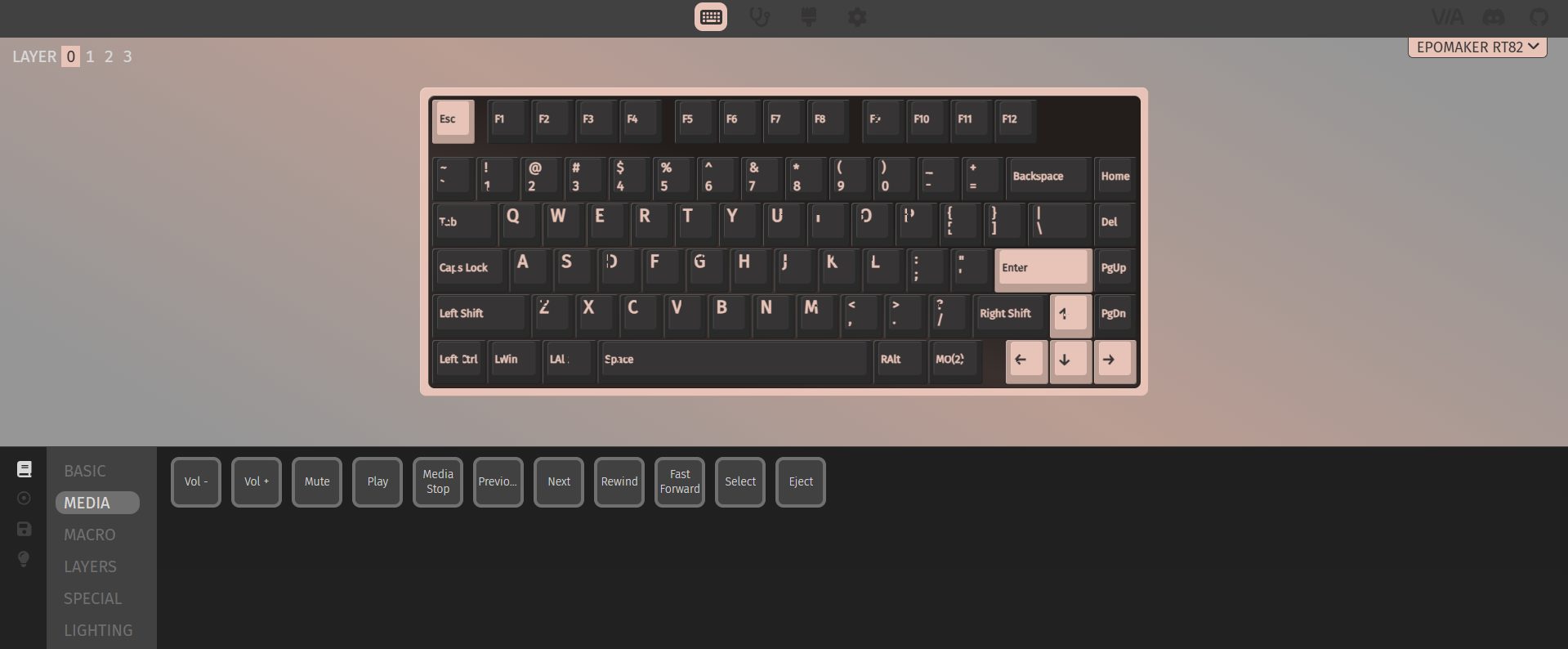
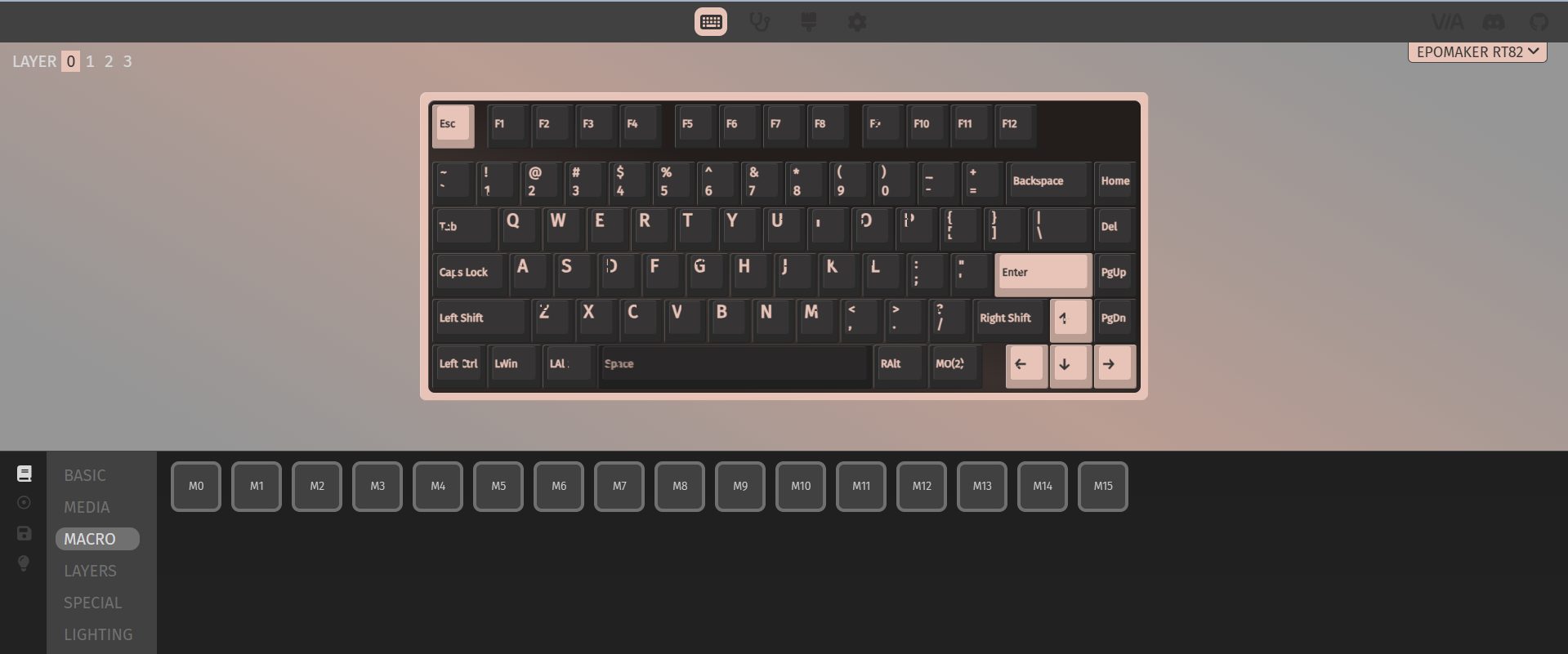
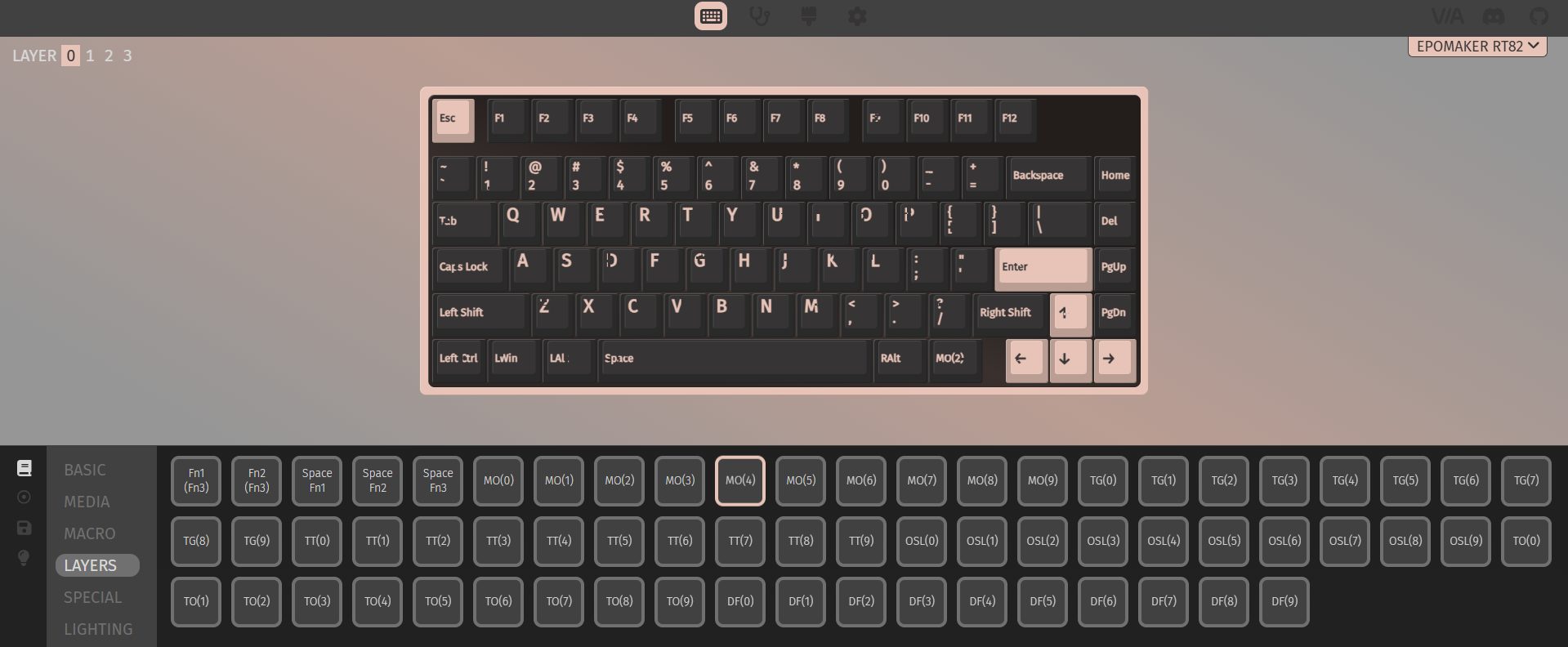
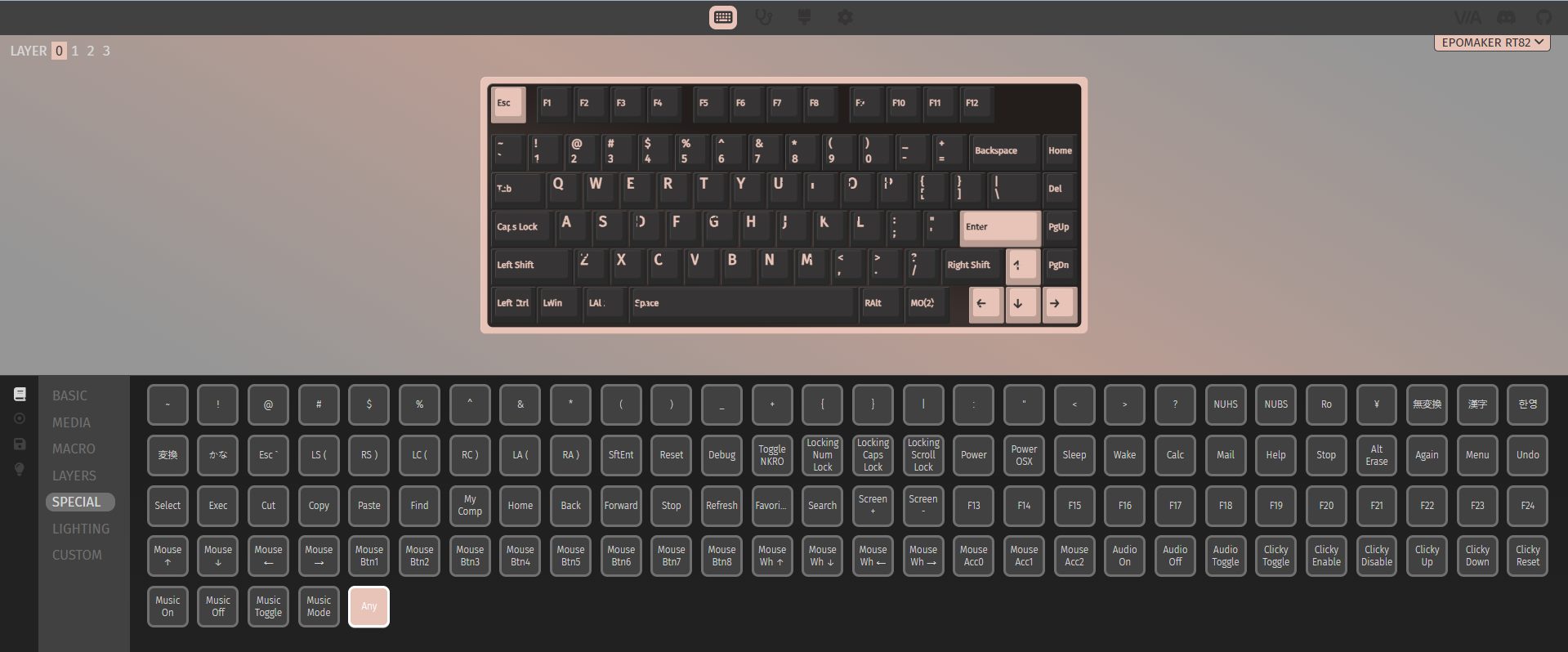
The Epomaker RT82’s software is robust. You don’t need to install anything as it runs in your browser, which is convenient if you don’t want extra programs cluttering your system. VIA support gives you serious customization, letting you remap keys, assign macros, and tweak advanced functions. For someone who likes to tinker, that’s a lot of depth.
Uploading GIFs to the little screen is a similar story. You go to the browser-based tool, connect the keyboard in wired mode, upload your GIF, and then download it to the device. It works, and it’s fun once it’s running. That said, first-time users can hit a few bumps. For enthusiasts, it won’t be a deal-breaker. They’ll figure it out and push the keyboard to its full potential. Casual users might stop after trying a few presets and leave it at that.
Should You Buy it?
Buy it if
✅ You care about typing feel: The pre-lubed Creamy Jade switches and layered sound dampening make long typing sessions comfortable and pleasantly quiet.
✅ You want flexible connectivity: With wired USB-C, 2.4GHz wireless, and Bluetooth support, this keyboard adapts easily to multiple devices, and switching between them is easy.
Don’t Buy it if
❌ You prefer ultra-light keyboards: At around 1kg, the RT82 is heavier than many compact 75% keyboards.
❌ You’re picky about aesthetics: The retro beige-inspired colorway is nostalgic but may not appeal to everyone or fit every setup.
Final Verdict
Spending time with the Epomaker RT82 leaves an interesting impression. It feels thoughtfully put together. This is the kind of keyboard that will click with people who like to fiddle a bit and enjoy calm, steady typing. In today’s market, the RT82 hits a sweet spot. At $89.99, it sits above entry-level boards without straying into overly fancy territory and without requiring a full custom setup. I feel confident in recommending it because it beats most prebuilt keyboards in this segment.
Currently serving as a News Reporter at Tech4Gamers, I have the privilege of combining my love for gaming with the art of storytelling. My role involves crafting engaging narratives that keep our audience abreast of the latest developments in the gaming world.
Story Highlight
MachineGames, the studio behind Wolfenstein games, is working on a new Rainbow Six Siege-like multiplayer shooter.
Current information on the project is scarce aside from the fact that it is not a Quake game.
A new Wolfenstein game is also in development, and an announcement is expected at the Xbox Games Showcase during the summer.
Following the success of 2024’s Indiana Jones and the Great Circle, developer MachineGames has already embarked on its next projects, which may be unique and unexpected from the studio.
According to a new report, the developer’s next game is a Rainbow Six Siege-like multiplayer shooter, which is interesting to hear given their past portfolio.
Why it matters: Rainbow Six Siege is one of the best multiplayer experiences, and MachineGames is using its blueprint and combining it with its own expertise, hinting at great things to come.
Rainbow Siege X Brought An Overhaul To The Base Game, Now Allowing Free Access
This news comes from none other than Jez Corden, a reliable Xbox insider who published a lengthy report on everything expected from Team Green at Windows Central. Whilst talking briefly about MachineGames’ next projects, he stated:
MachineGames’ is also thought to be working on a Rainbow Six Siege-like multiplayer title
Even if this is short information to go by, we can now expect a unique project from the studio that hasn’t worked on a multiplayer project until now. In any case, this will be their first venture into the competitive FPS territory, but considering their quality of work, expect nothing short of perfection.
It is notable that Jez mentions a new Quake game in development at id Software, so it leaves that franchise out of the equation. Even if we can only speculate at this point, we expect the title to be based on an entirely new IP.
What are your thoughts on a Rainbow Six Siege-like multiplayer game from MachineGames? Let us know in the comments below, or at the official Tech4Gamers Forums.
At T4G, my task is to cover the latest news around the gaming globe ASAP and with the utmost precision. I adore all the games and respect all the devs behind the amazing games that we get all year. So, whether it’s a PC or a Console game, I got it all covered.
Story Highlight
Square Enix’s next Life is Strange game has been leaked through a recent PEGI rating.
The game is titled Life is Strange: Reunion and is currently unannounced by the devs.
It’ll have to do a lot to win back fans after the last disappointing entry in the series.
The Life is Strange franchise has seen big ups and downs. The first game was an emotional roller coaster that received universal acclaim. However, the latest title, Double Exposure, released in 2024, couldn’t please the audience in the same way.
Now, a new rating has emerged, suggesting that a new title in the franchise is in the works, titled Life is Strange: Reunion. This is the first time we are hearing about it, so it seems an official announcement could be coming soon.
Why it matters: The developers have a lot to prove with the new game if they are to win back the fans, considering the last one was criticized in almost every aspect, ranging from storytelling to characters and themes.
The next Life is Strange game, titled Reunion, has been leaked via a recent rating
European ratings board, PEGI, has rated Life is Strange: Reunion for ages 16+. It does have a release date, which is presumably just a placeholder. Nonetheless, like previous entries, it will feature violence, drugs, and abusive language.
It isn’t clear if this will be a direct sequel to the last game or something else. Now that it has been rated, Square Enix will likely spill more details about the title soon. It’ll also be interesting to see if people are still interested in the franchise.
The last game was so poor that it led to a massive loss
The studio has been trying to keep the franchise afloat, as a Life is Strange TV show is also in the works. Amazon is working on the show, but the bad news is that the original creators of the game aren’t involved with the project.
What are your thoughts on Life Is Strange: Reunion being potentially leaked through the rating? Let us know your opinions in the comments or join the discussion at the official Tech4Gamers Forum.
At Tech4Gamers, I contribute as a Senior News Reporter, combining my skills and gaming enthusiasm to keep our audience updated on the latest developments.
Story Highlight
Fallout 3 and New Vegas are reportedly being remade by Bethesda.
Both titles will follow Oblivion Remastered’s philosophy in terms of upgrades and changes.
The report also outlines that Fallout 5 has been greenlit by Bethesda.
The Fallout franchise broke new ground when it shot up the charts last year after its successful Amazon adaptation. This show also led to discussions regarding the fate of Fallout games, with Bethesda hinting at plans to release Fallout 5 earlier than initially expected.
Since then, the team has released a remaster for its other big IP, The Elder Scrolls. Building on the foundations established by Oblivion Remastered, it appears Bethesda now plans to remake both Fallout 3 and New Vegas.
Why it matters: Fallout 3 and New Vegas are still considered the best of the series by many longtime fans. Re-releases of these titles have also been discussed in the past.
A Fallout 3 Re-Release Has Been Rumored For Over A Year
As per insider Jez Corden, Bethesda has plans to remake two of Fallout’s greatest hits at some point in the coming years.
These remakes are expected follow Oblivion Remastered’s lead, which, while labelled a remaster, saw Bethesda and Virtuos remake many elements of the original on a new engine.
Both Fallout 3 and New Vegas are quite old by today’s standards, so fans should expect major upgrades if this report comes to fruition. Of course, the team will likely aim to keep the original heart of these games intact while bringing them up to par with modern standards.
Elsewhere, Bethesda is hard at work on The Elder Scrolls 6. Jez Corden also reports that Fallout 5 has now been given the green light, so this combination of remakes and original titles should make for a few very exciting and interesting years for the studio.
Bethesda Plans To Capitalize On Fallout
In other news, the Fallout TV series returned with a second season on Amazon recently. The new season debuted last month and will air through February 2026, making now a great time to jump in for newcomers and old fans alike.
At T4G, my task is to cover the latest news around the gaming globe ASAP and with the utmost precision. I adore all the games and respect all the devs behind the amazing games that we get all year. So, whether it’s a PC or a Console game, I got it all covered.
Story Highlight
Blood of Dawnwalker has managed to reach an impressive 1 million wishlists overall.
The title is being developed by former Witcher 3 core devs, under Rebel Wolves Studio.
The expectations are high, and the game is on track to deliver based on the talent.
The Witcher 3 is widely regarded as one of the best games ever made, so if its developers are working on a new title, one would surely be super hyped. Blood of Dawnwalker is a project developed by former Witcher 3 developers, set for release in 2026.
It captured a massive audience with its initial trailer, and the anticipation is so high that Blood of Dawnwalker has already reached 1 million wishlists. Although it has a 2026 release window, we still don’t have a solid date.
Why it matters: The title presents a very different take on the usual RPG genre, as you’ll be playing as a half-vampire who’ll have 30 in-game days and nights to save your family.
Blood of Dawnwalker has reached an impressive 1 million wishlists
Blood of Dawnwalker has reached an impressive 1 million wishlists, highlighting that fans are really interested in the project. Even CDPR joined forces with Rebel Wolves to support each other for their upcoming projects.
The game is nicely poised for success based on the initial reactions and wishlist numbers. It does share similarities with The Witcher 3, as seen in its trailer. However, it has its own identity that helps it stand out.
The former Witcher 3 devs’ game is brimming with potential
The title is using an older Unreal Engine 5, which at first is a mess because of optimization issues, but Rebel Wolves is confident they’ll fix the stuttering. It has an open-world design, and constant stuttering could ruin the experience.
Nonetheless, Blood of Dawnwalker has high expectations riding on its back. The studio will surely announce a solid release date soon, which is rumored to be sometime during the summer this year.
What are your thoughts on Blood of Dawnwalker reaching 1 million wishlists? Let us know your opinions in the comments or join the discussion at the official Tech4Gamers Forum.
I’ve been the Journalist & Editorial Writer at Tech4Gamers since July 2022. I spearhead our hardware coverage, including overclocking GPUs, benchmarking CPUs, reviewing peripherals, and fine-tuning custom PC builds for every budget. Daily, I report on breaking gaming news, from major launches and studio updates to the latest industry trends, ensuring our community stays informed. Beyond news briefs, I write in-depth feature articles on gaming culture and emerging technologies. And by collaborating closely with the editorial team on content planning, SEO strategy, and our publishing calendar, I help us consistently hit our traffic and engagement targets.
The Epomaker RT85 comes across as a keyboard that’s thought out in strange little ways. It’s not flashy for the sake of being showy. Still, it isn’t trying to hide the fact that it’s got some uniqueness either. Although it took a little time to figure out all the features, it was an enjoyable experience. In this review, I’ll dive into the build, typing feel, switches, connectivity, and all those small details.
Why Trust Tech4Gamers
Abdul Hannan is our peripherals expert who has been testing different mice, keyboards, headphones, microphones, and more for years.
130+ peripherals tested and reviewed by our team of hardware experts (Tech4Gamers Team).
500+ hours spent testing different peripherals for our reviews.
At Tech4Gamers, ensuring you get reliable information is our priority. That’s why every hardware round-up undergoes a meticulous review process by our team of experts and editors. Each review is carefully examined against our strict editorial guidelines, guaranteeing you trustworthy insights you can depend on.
Key Takeaways
The Epomaker RT85 is a compact 75% keyboard that blends retro design with modern features, offering a satisfying typing experience.
You should buy the Epomaker RT85 if you enjoy retro aesthetics, value versatile connectivity, care about typing feel, and sound.
You should skip the Epomaker RT85 if you want advanced software support like VIA and need ultra-lightweight or travel-friendly keyboards.
Here are the technical specifications:
Layout
75% Layout, US ANSI
Number of Keys
82 Keys, 1 Joystick, and 1 Screen
Battery
8000mAh (dual 4000mAh batteries)
Battery Life
320 Hours of Continued Use (RGB Off & Screen Off), 90 Hours of Continued Use (RGB Off & Screen On), and 24 Hours of Continued Use (RGB On & Screen On)
The info page displays the Keyboard’s connection status, OS mode, power percentage, and date. The media page supports DIY pictures or GIFs, while the custom mode lets users customize RGB settings, volumes, etc.
Switch
5-pin Mechanical Switch
Hot swappable
Yes,
RGB
Dynamic RGB backlight with south-facing per-key LEDs
Polling Rate
1000hz in wired and 2.4Ghz mode and 125hz in Bluetooth mode
The Epomaker RT85 doesn’t feel like just another entry in Epomaker’s lineup. It takes the core idea behind earlier models like the RT100 and adds a few distinct touches. Instead of a plain design with keys, Epomaker leaned into a retro‑inspired design with a small, customizable TFT screen and a physical joystick, which you won’t usually see on other 75% keyboards.
Packaging & Unboxing
Packaging & Unboxing
1 of 3
Frontside of the Box
Topside of the Box
Backside of the Box
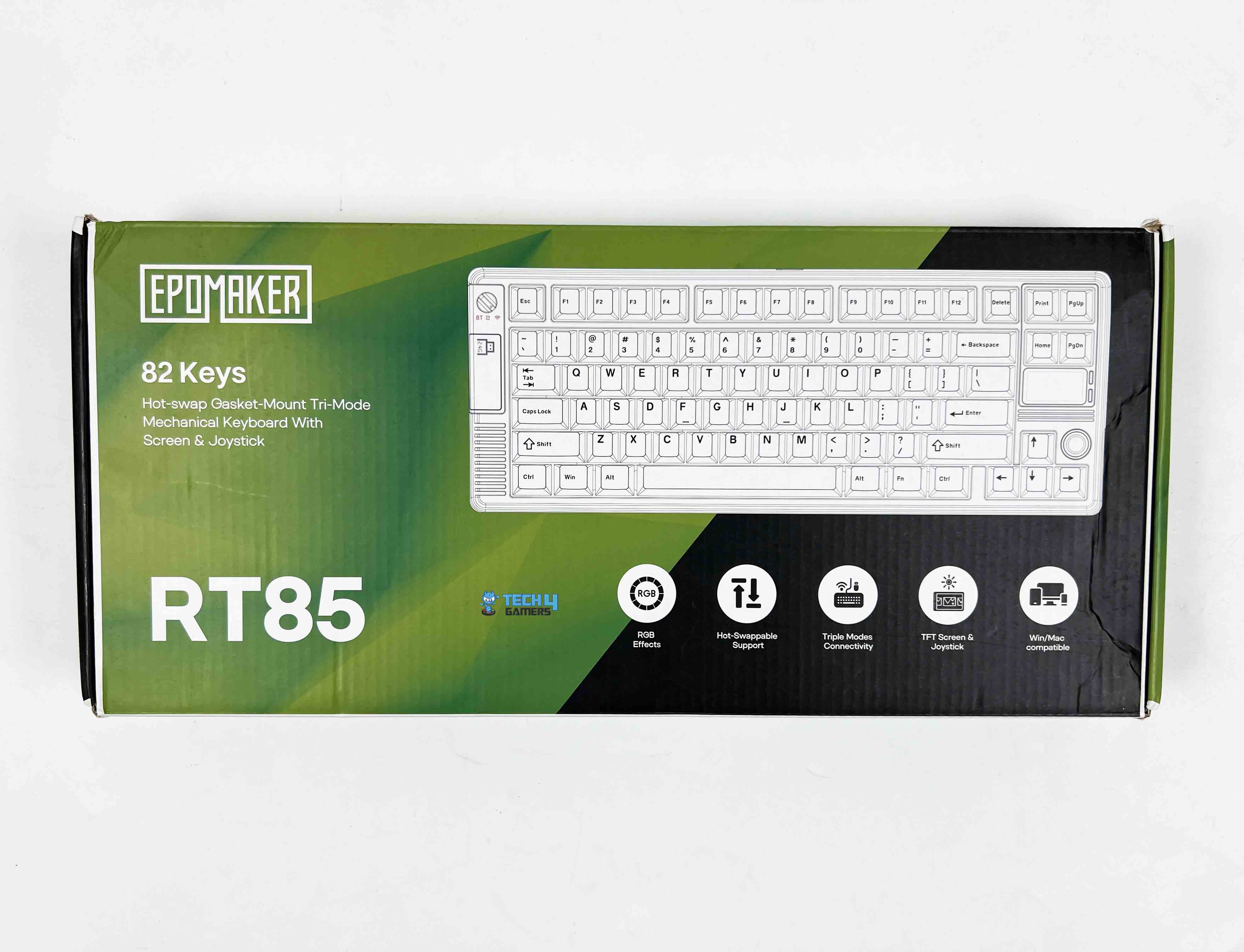
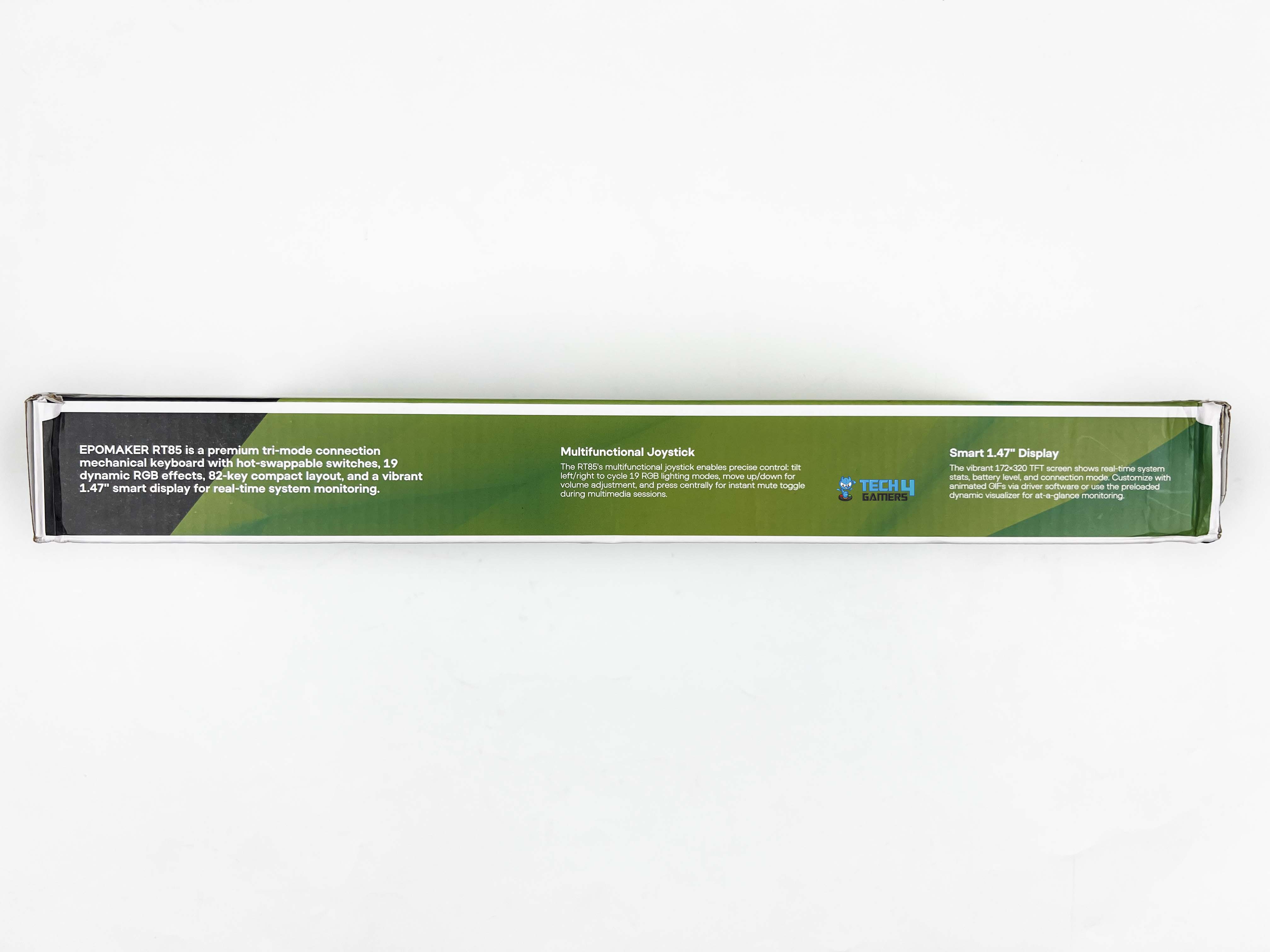
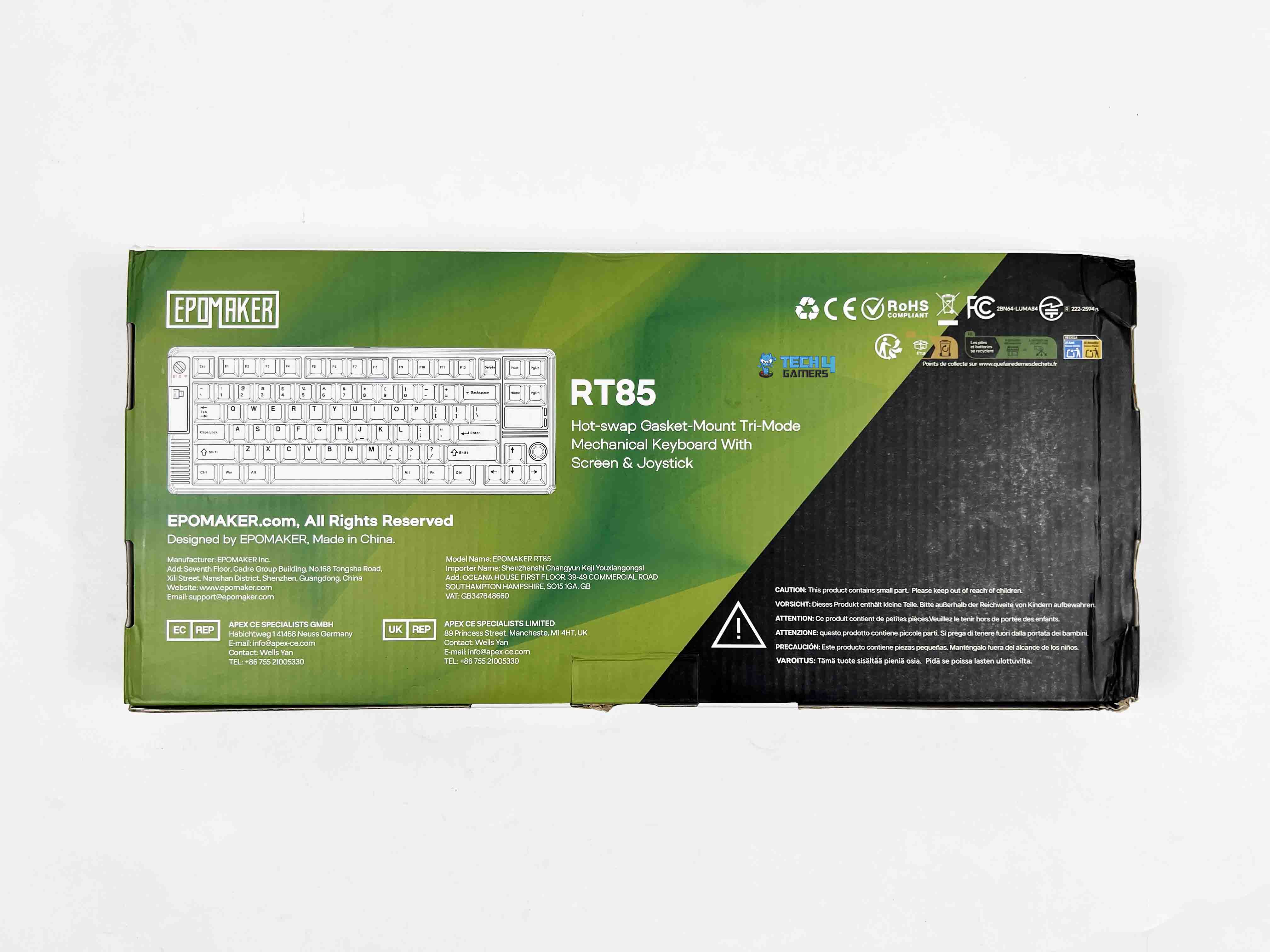
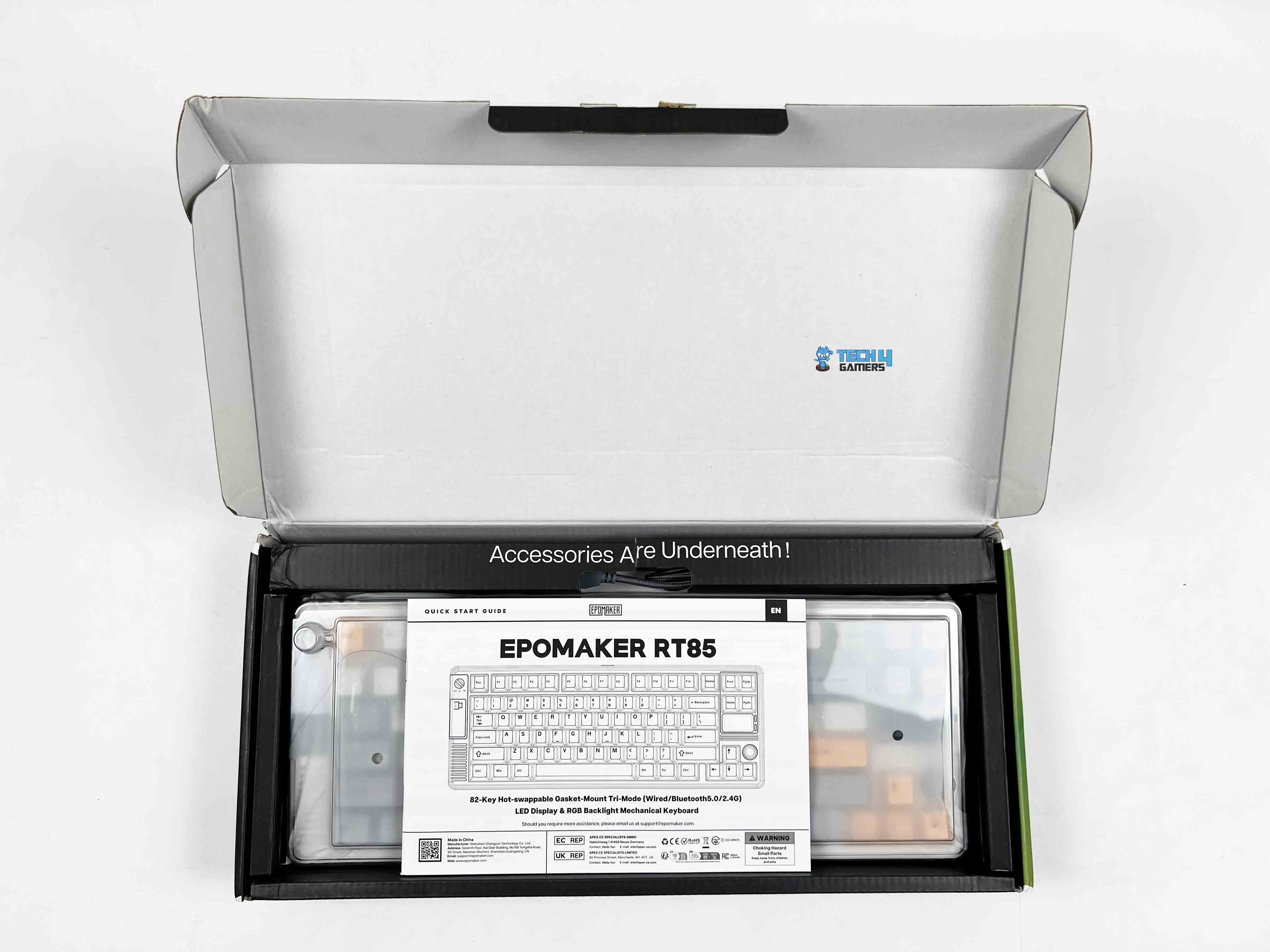
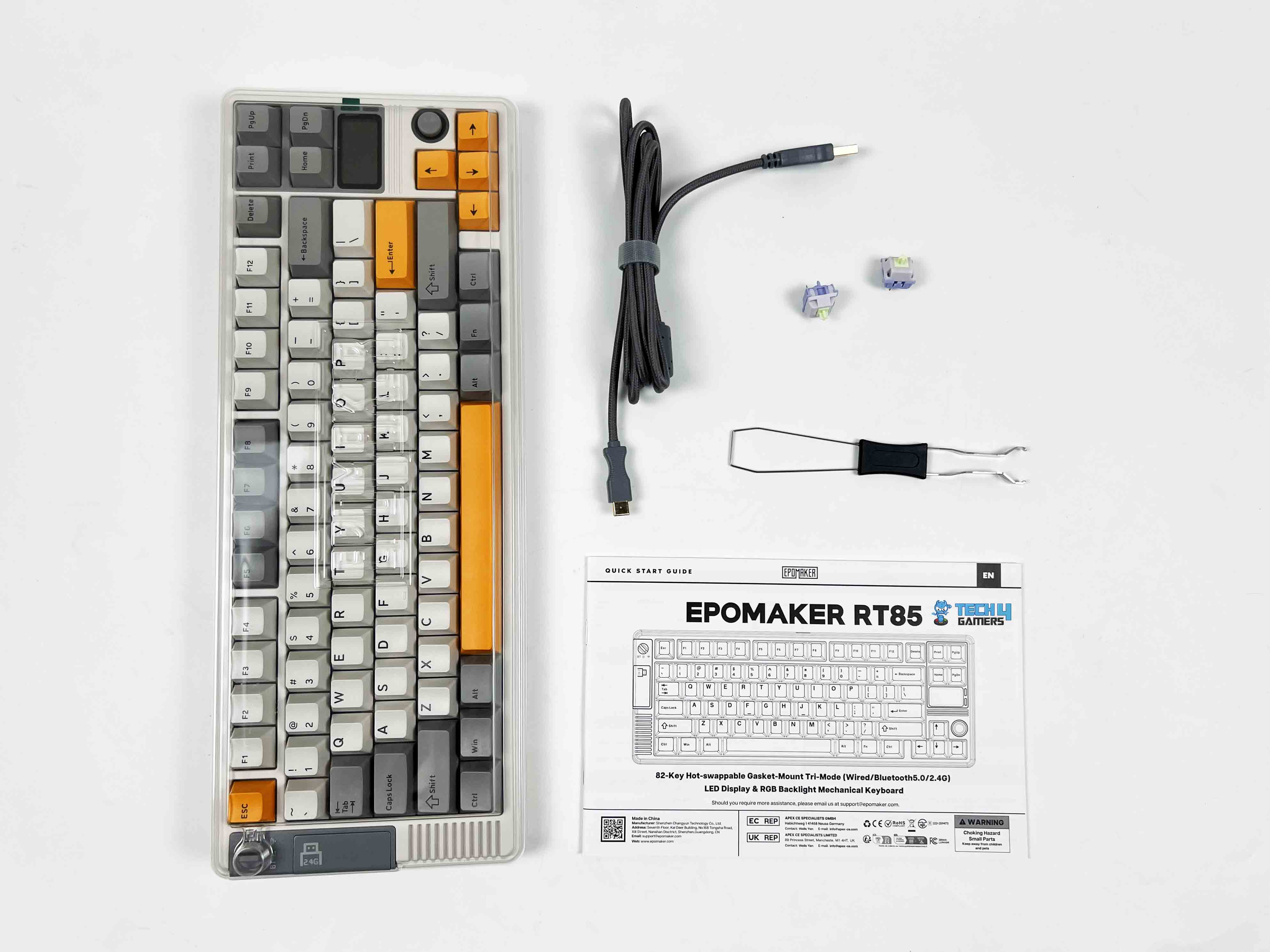
The Epomaker RT85 comes in a relatively simple box, mostly green with black accents. The model name and a small picture are printed on the front along with feature callouts. When you open it, the keyboard is wrapped in a thin plastic sleeve under a dust cover. Above it, there’s a separate compartment that holds all the accessories. Here is the list of everything that you’ll find inside the box:
Unboxing
1 of 2
Unboxing
Box Contents
Epomaker RT85 Wireless Gaming Keyboard
Multilingual Manual
Detachable USB A-to-C Cable
2.4Ghz Wireless Dongle Receiver
Extra Switches
2-in-1 Switch-and-Keycap Puller
Design
Design
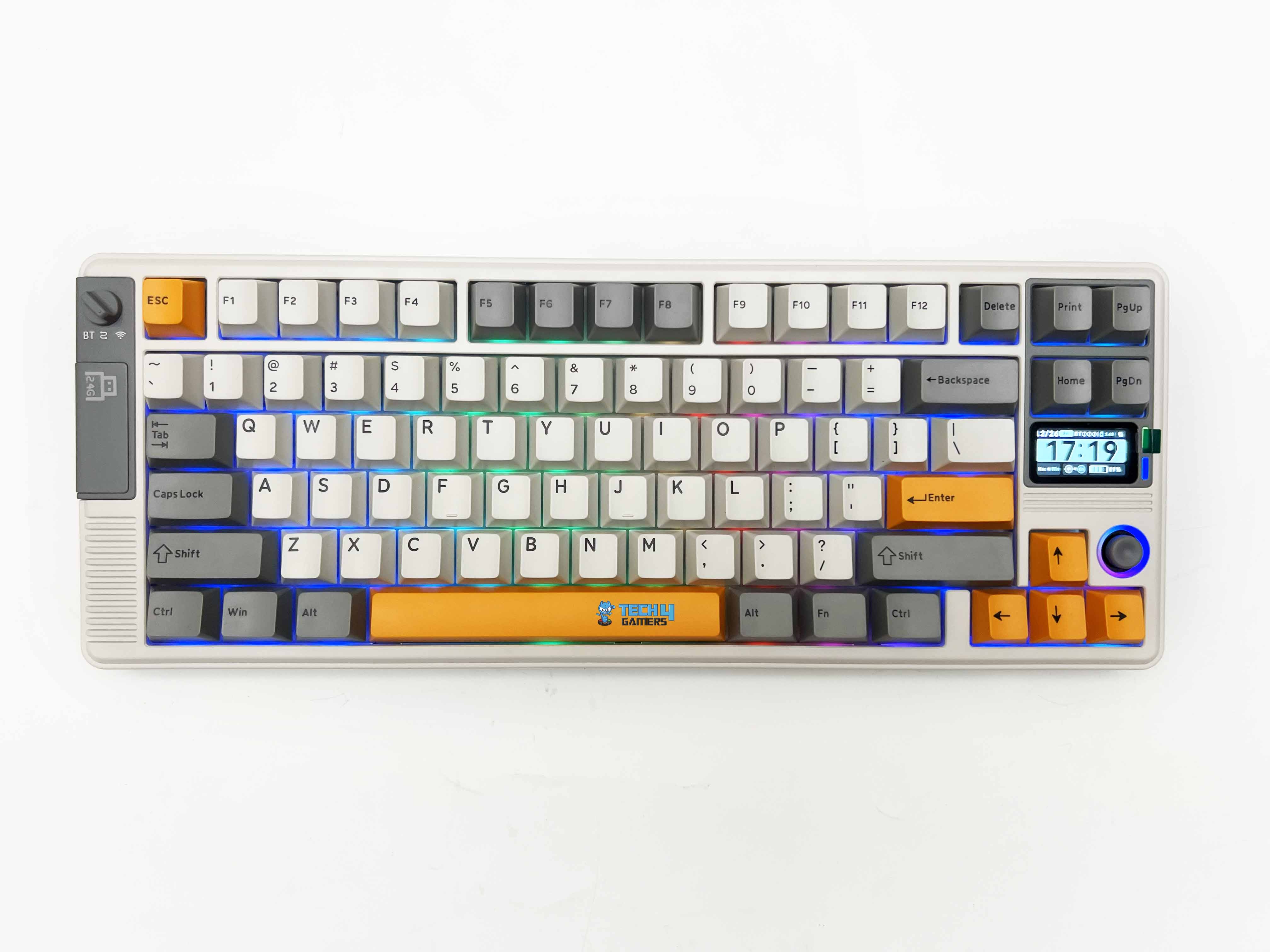
The Epomaker RT85 leans hard into a retro look, but in a way that actually feels intentional rather than forced. There are two color options available. The first one’s a muted green paired with a darker grey. The other is a creamier white with soft grey and a few pops of bright orange that I have for review. Both give off a vibe that’s kind of nostalgic, almost like you’re holding a piece of old-school gaming hardware.
The design manages to feel playful without tipping into toy territory. On the left side of the keyboard, there’s a small physical switch that handles all the connection modes. Just below that switch, there’s a magnetic cover. Remove it, and you’ll find the 2.4 GHz USB dongle inside. If you’re exploring compact boards like this one, you might also want to see our picks for the best gaming keyboards.
Layout
Layout
The Epomaker RT85 sticks to a familiar 75% layout, so it doesn’t take long to feel oriented. This is a standard US ANSI layout. Here, nothing feels out of place. Specifically, Enter, Shift, and Backspace are precisely where you expect them to be. There are 82 keys in total. The keyboard stays compact on the desk, yet it doesn’t feel stripped down. The function row is present. Arrow keys get their own space.
The rest is trimmed just enough to keep things tight without forcing awkward key combos. Because of this layout and key placement choices, the keyboard avoids the learning-curve feeling that some compact keyboards can have. The spacing feels deliberate, not squeezed, and once I got used to its layout for a bit, going back to a full-size board feels oddly excessive.
Screen
Screen
The screen itself is a small 1.47-inch TFT panel. This isn’t meant to be a high-resolution display or something you interact with constantly. It’s closer to a status window. You look at it, take in the information, and move on. By default, it cycles through an info-style page that shows things like the current connection mode, which OS profile you’re on, the remaining battery, and even the date.
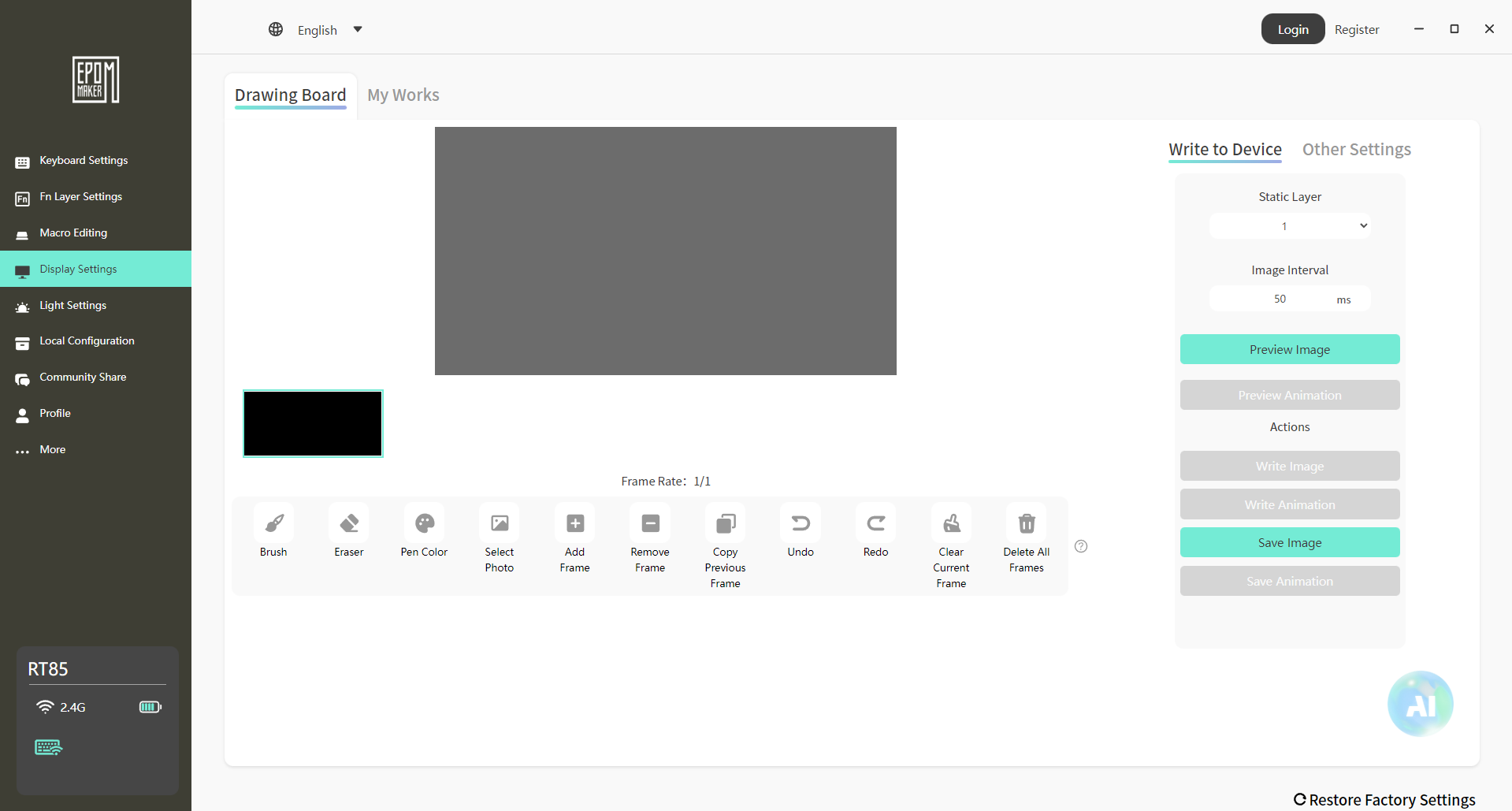
All of that is readable, as long as you’re sitting at a standard desk distance. The colors are fine for what the panel is. You can also set custom images or short GIFs. It’s more of a personalization touch than something you’ll rely on day to day. Fun to set up once, and then it settles into the background. The custom mode goes a bit further, setting the screen into things like RGB behavior or volume changes.
Joystick
Joystick
The joystick is one of those features you notice right away, mostly because you don’t expect it on a keyboard like this. It is placed near the navigational keys, making it easy to reach without having to lift your hand too far. That placement matters, as you can nudge it while using it, usually without breaking your flow. The joystick itself is made from ABS plastic, which is smooth to the touch.
It fits well with the rest of the keyboard. By default, its functionality is straightforward. You can move it up or down to adjust the volume on your system. On the other hand, toggling it left or right cycles through RGB effects. Lastly, pressing it mutes the sound. That click is firm enough that you don’t trigger it by accident.
Underside
Underside
1 of 2
Underside
Feet
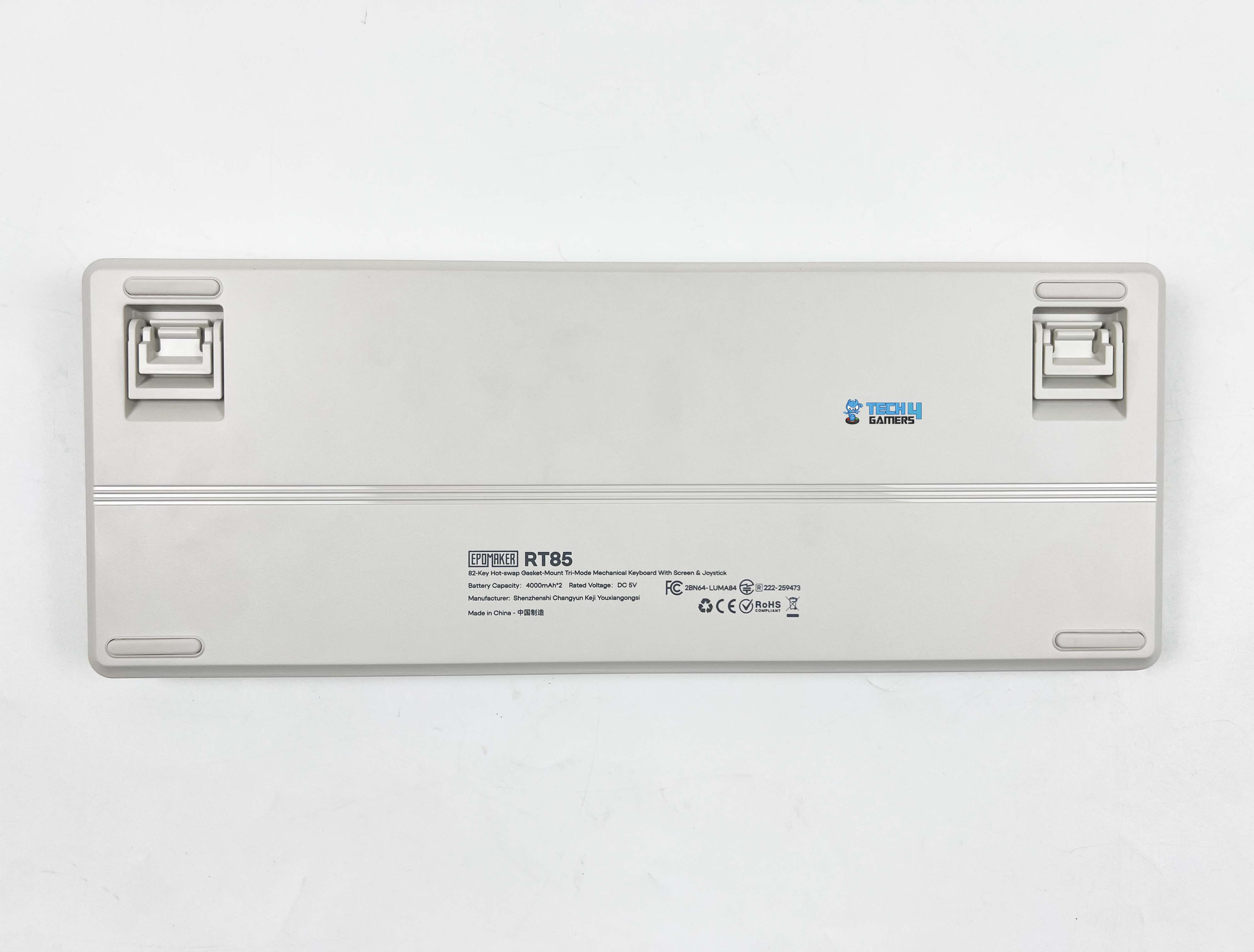
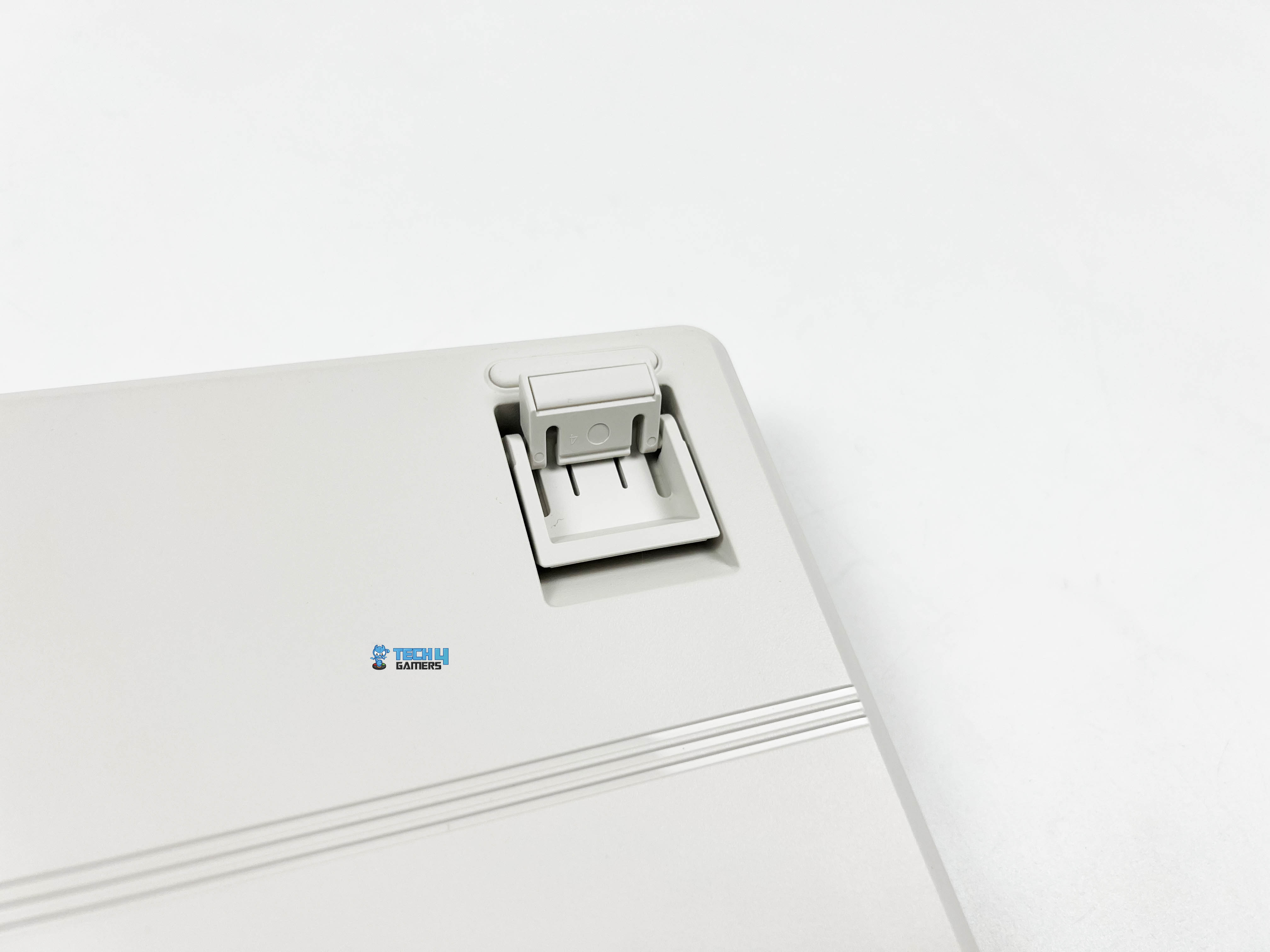
Flipping the Epomaker RT85 over, subtle strip lines are running down the middle. There are rubber feet placed at the usual corners on all sides. They’re wide enough to grip the desk properly. I tried nudging the keyboard around while using it, but it stayed put. You also get flip-out feet for adjusting the typing angle. They click into place with a firm snap and don’t collapse or feel loose over time.
Without them, the front height measures around 2cm, so your wrists aren’t forced upward when you rest your hands on the desk. In comparison, the back rises to about 3.1cm, which gives the board a natural slope. If you do want to change the angle, the flip-out feet give you a few options. You can settle into roughly 5 degrees, push it further to around 6.7, or go all the way up to about 10 degrees.
Build Quality
Build Quality
The Epomaker RT85 weighs around 1 kilogram. It’s not heavy in a metal-case way, but it doesn’t feel hollow either. There’s enough mass there that it stays planted on the desk without feeling bulky when you move it around. Once it’s down, it stays there. The case is made entirely of plastic, but don’t let that make you think it feels cheap. It’s a thicker, firmer plastic that doesn’t flex when pressed.
I tried twisting it slightly from the corners, and it held its shape. Around the edges, the seams are clean. The surface has a subtle texture that keeps it from looking flat. In terms of size, it measures about 36 by 13.8 by 4 centimeters, giving it a wide enough footprint without taking up too much space. It sits comfortably in front of a monitor, and there’s still room left for a mouse without things feeling cramped.
Keycaps
Keycaps
The Epomaker RT85 uses Cherry profile keycaps. The height feels familiar, especially if you’ve spent time on custom boards. Your fingers settle into place with minor adjustment, and the rows flow naturally from one to the next. The material here is PBT plastic, which gives the caps a slightly grainy feel under your fingertips. They don’t get slick after a few hours, and they don’t pick up that shiny look right away.
These are double-shot keycaps, so the legends aren’t printed on top. They’re part of the cap itself. The lettering has crisp edges and uniform thickness. They are easy to read with nothing looking misaligned. There’s no indication that it’ll fade off with time. If you enjoy modding your peripherals, our best custom gaming keyboards round‑up highlights boards that are especially mod-friendly.
RGB Lighting
RGB Lighting
1 of 2
RGB Lighting
RGB Lighting in Dark
The Epomaker RT85 uses a dynamic RGB setup with per-key lighting and LEDs facing south. When you first turn the keyboard on, the light comes through evenly without looking dim around the legends. Each key is lit individually, so effects feel consistent across the board. When you switch between modes, the patterns move smoothly from key to key. When switching modes with the joystick, the changes take effect immediately.
Because the LEDs face south, the glow sits a bit lower under the caps. It gives the keyboard a softer look, especially with the PBT keycaps. You still see the colors clearly, but they don’t blast straight into your eyes. It’s visible without feeling harsh when the lights are on. I tried it during late-night, and it didn’t distract or glare back at me. That balance matters more than fancy patterns, at least in my experience.
Switches
Switches
1 of 2
Switches
Switch Housing
The Epomaker RT85 comes with Epomaker’s Wisteria Linear V2 switches. These are 5-pin linear switches with factory-lubed out of the box. The movement is smooth from the top of the press to the bottom. Actuation happens around 45 grams, so the keys don’t feel heavy. You don’t need to push hard to get a response. Bottoming out sits closer to 62 grams, which gives the press a firmer end without feeling abrupt.
The pre-travel is rated at about 2.0mm, with total travel just under 3.6mm. In practice, that feels familiar if you’re used to linear switch types before. Keystrokes register early enough to feel responsive, but there’s still enough travel to avoid accidental presses. Each switch includes a light diffuser. The keyboard is also hot-swappable and supports standard 5-pin mechanical switches.
Connectivity
Connectivity
1 of 3
USB Dongle
Type-C Port
USB Cable
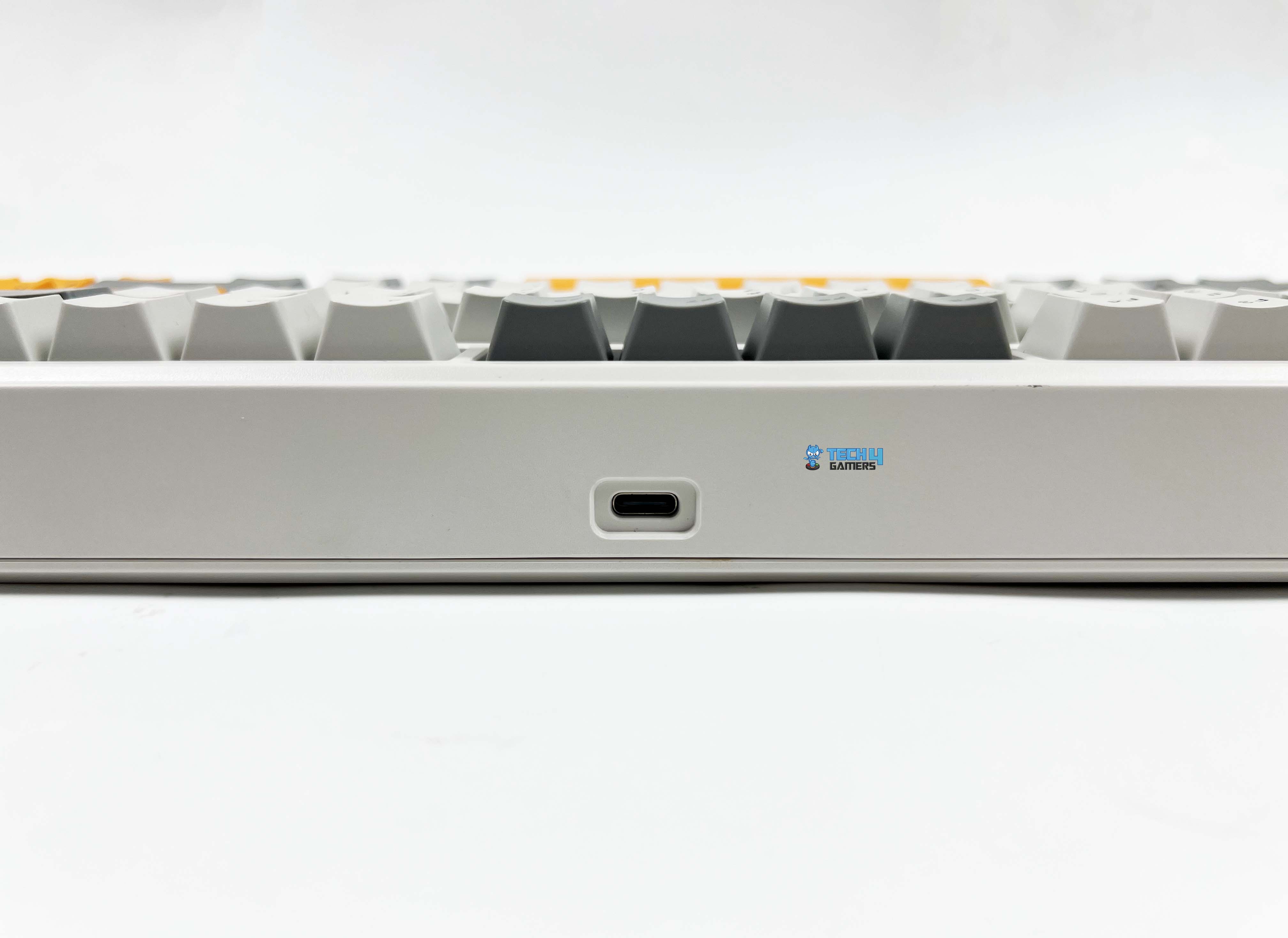
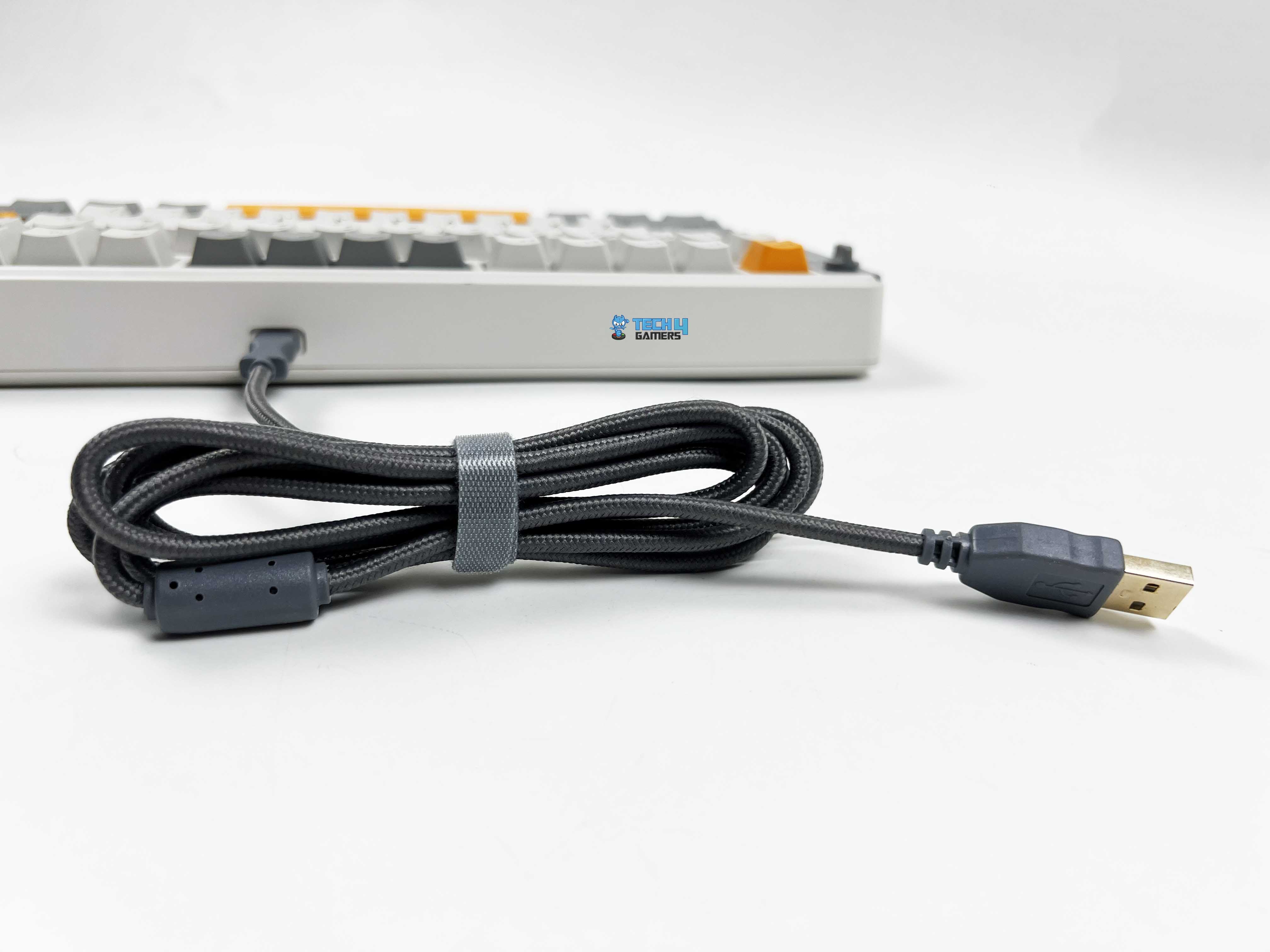
There’s standard wired mode, a 2.4GHz wireless option with a dongle, and Bluetooth. Move the switch to the center position and plug in the USB-C cable for a wired connection. Bluetooth pairing takes a few more steps. Slide the switch to the Bluetooth side, then hold the FN key with Q, W, or E. From there, you just find the RT85 in your device’s Bluetooth list and connect to it. You can also switch between up to three paired devices.
For 2.4GHz wireless, set the switch to the 2.4GHz position, and the R key starts flashing. After that, plug the receiver into your device. Once connected, the R key stops blinking. If you ever need to re-pair, holding FN + R will put it back into this pairing mode. The multi‑mode wireless support puts it in the same conversation as some of the top entries on our best wireless gaming keyboards list.
Typing Experience
Typing on the RT85 gives a kind of thocky feedback. The keyboard’s internal structure plays a big part in that. Under the switches is a PC plate that adds a slight amount of flex. Then there is a layer of PORON sandwich foam. Below that, there’s an IXPE switch pad followed by a PET sound enhancement pad. The hot-swappable PCB makes switch changes easy, and underneath that sits EPDM foam.
Finally, a silicone base softens the whole mounting structure. Each keypress ends with a soft, cushioned thud rather than a harsh bottom-out. The plate-mount stabilizers help as well, keeping big keys like the spacebar or enter feel balanced and with barely any rattle. There’s a faint cushioning effect, and the sound is muted enough that you don’t feel like you’re announcing every keystroke.
Performance
Feet Flipped
Using the Epomaker RT85 feels solid. Each key responds reliably, and even fast presses don’t register any missed strokes thanks to the N-Key rollover support. You can mash multiple keys at once without worrying about missed inputs, which comes in handy for gaming. Wired and 2.4Ghz wireless work at a 1000Hz polling rate, with latencies around 6ms and 12ms, respectively.
Bluetooth is a bit slower, polling at 125Hz with about 18ms latency, which works fine for casual typing or browsing. However, for competitive gaming, it is best to use a wired or 2.4 GHz connection. The keyboard responds immediately, with light pre-travel that lets you hit keys quickly without feeling mushy. Moreover, bottoming out is soft, so rapid combos don’t leave your fingers aching after long sessions.
Battery Life
The Epomaker RT85 has an 8000mAh battery. With the RGB and screen turned off, you could practically forget about charging it for weeks. Epomaker estimates 320 hours of battery life, and my testing wasn’t far off. If you turn the screen on but keep RGB off, you’re looking at around 90 hours, which still covers a whole week of work or gaming sessions.
Turning everything on takes a bigger hit on the battery, but 24 hours of continuous use with lights and the screen active is still enough to get through a couple of days of intense use. Battery status is always visible on the built-in screen. You can easily see the percentage drop. Charging works whether you’re using the keyboard wired or wirelessly, as long as the USB-C cable is plugged in.
Software
Software
1 of 9
Custom Keys
Other Settings
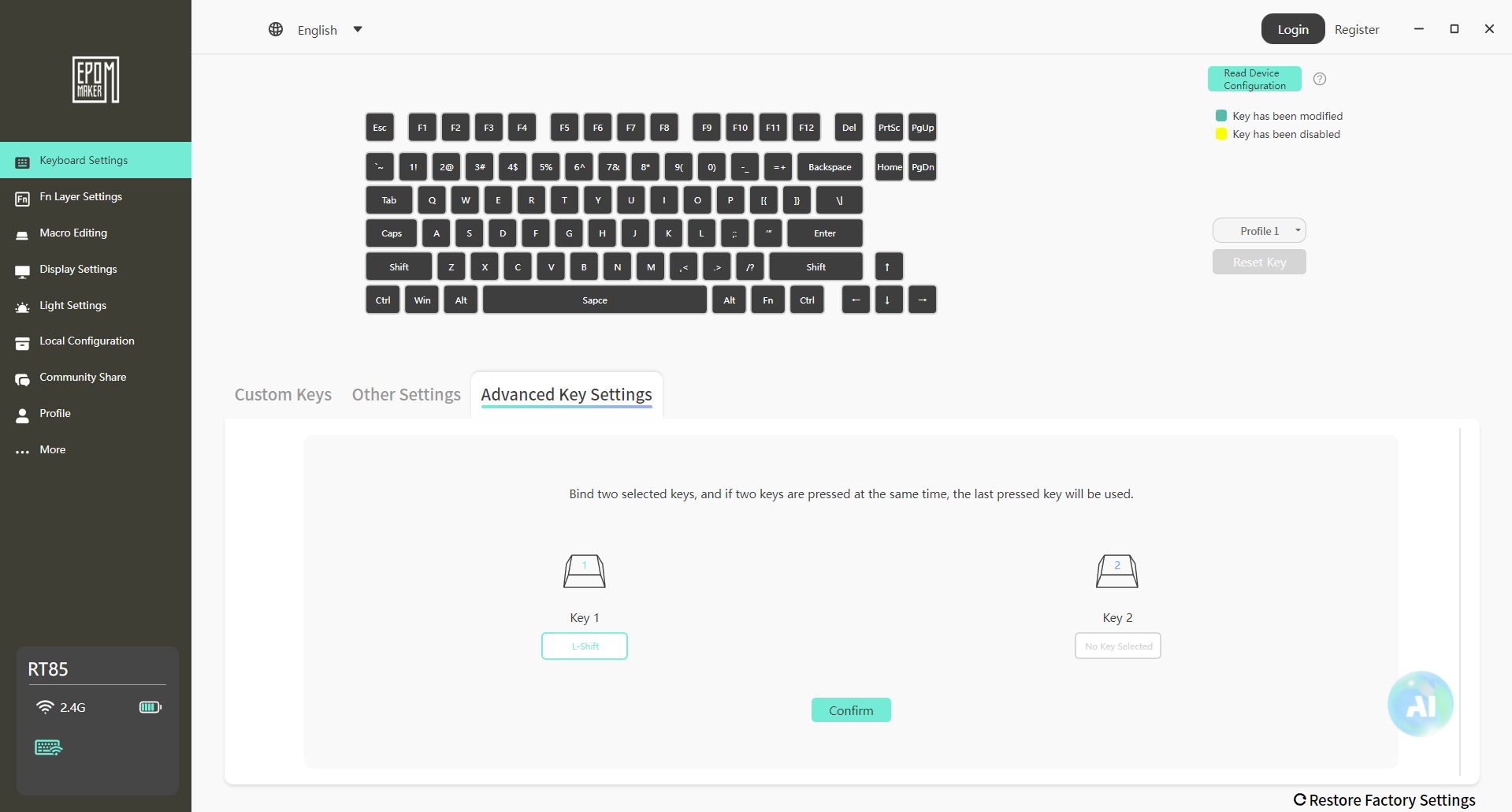
Advanced Key Settings
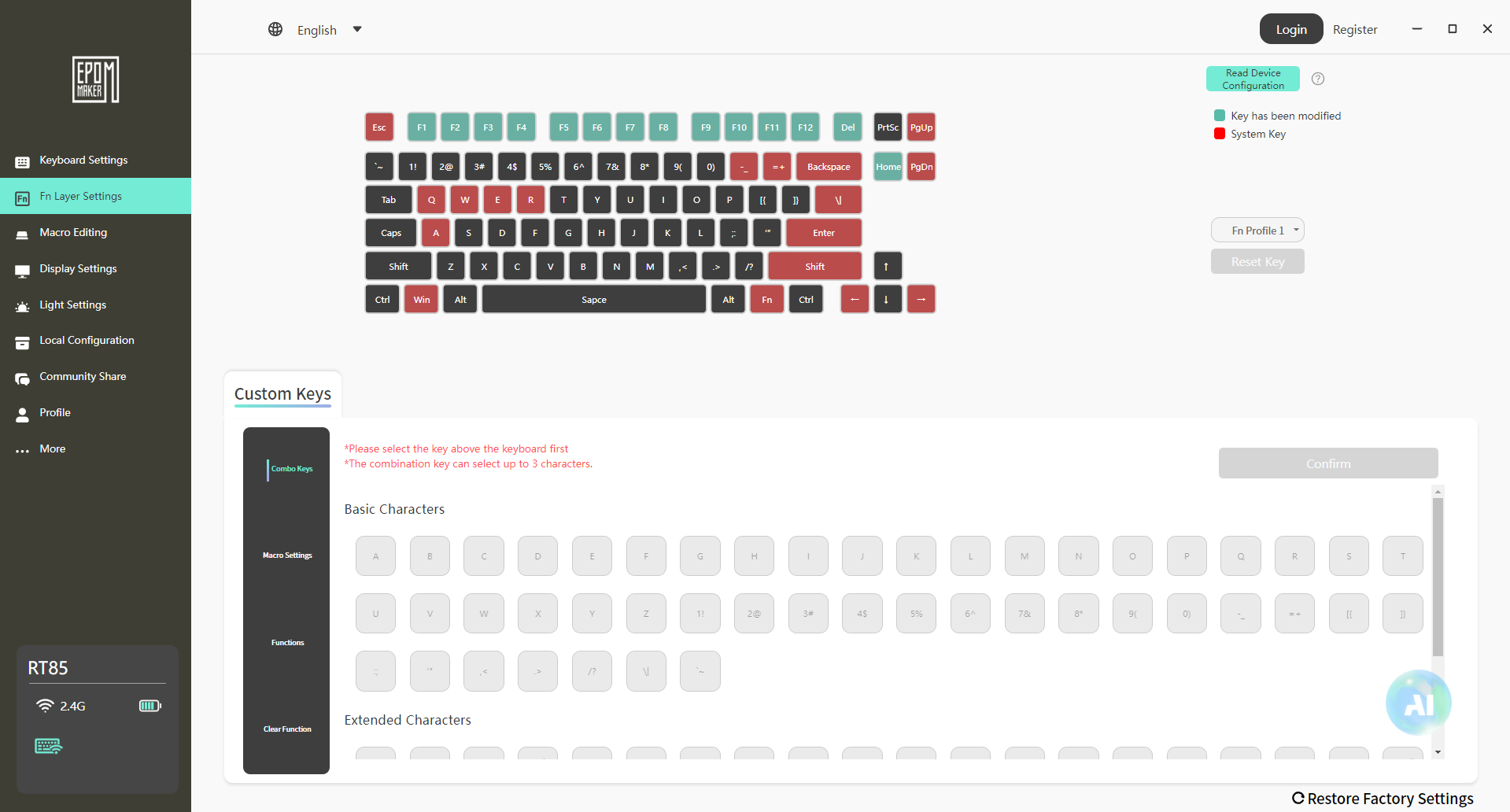
Fn Layer Settings
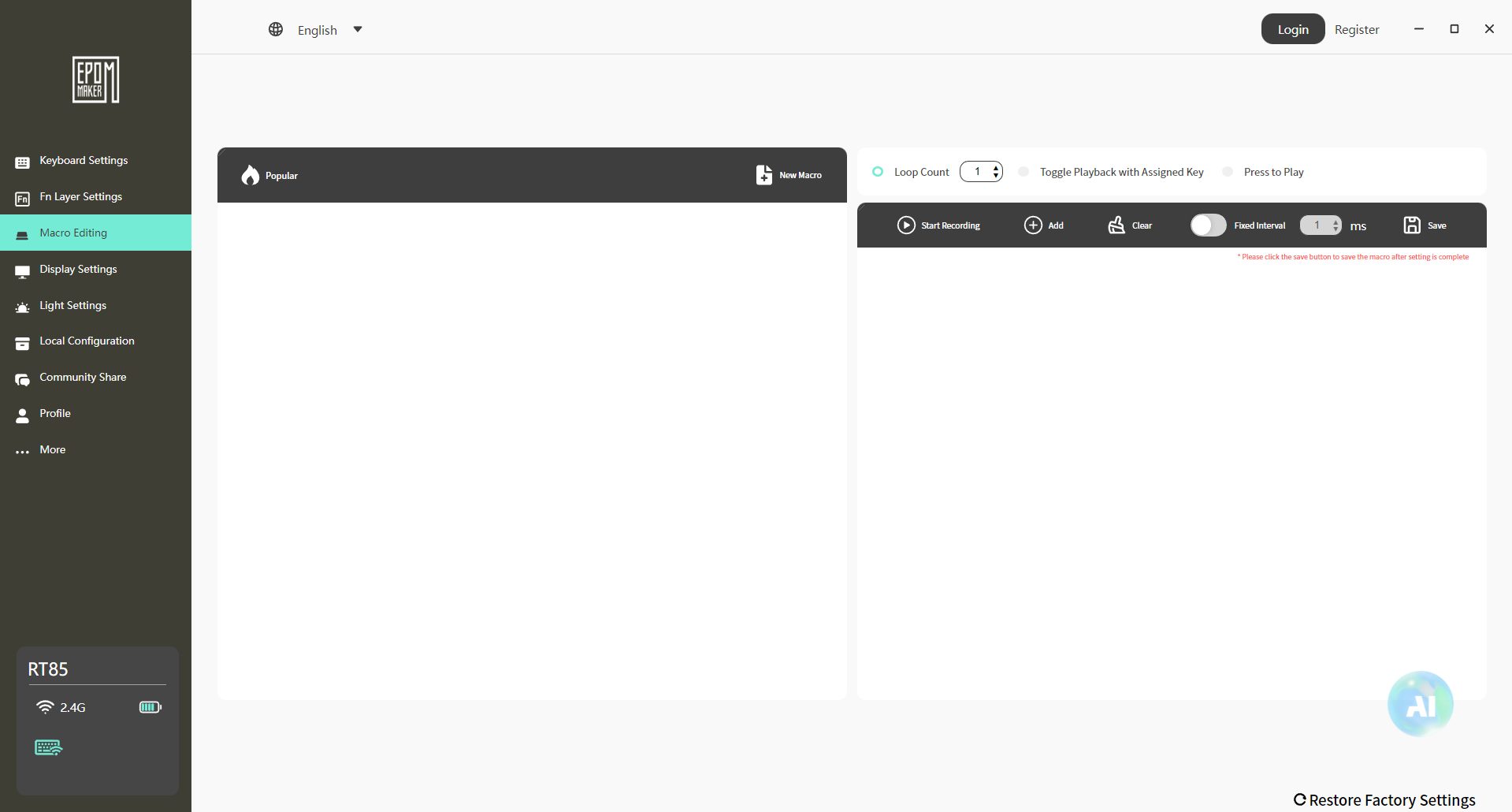
Macro Editing
Display Settings
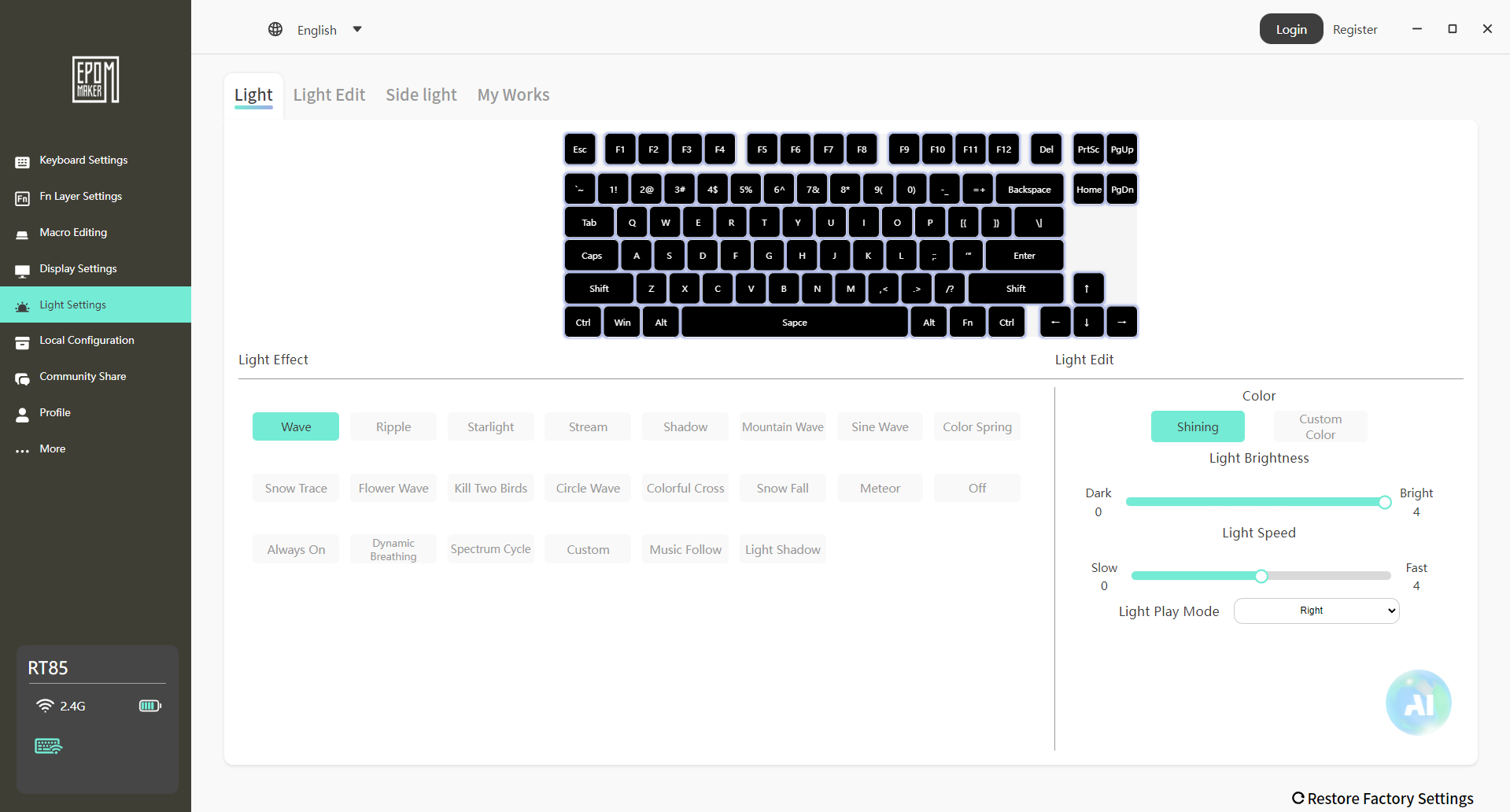
Light Settings
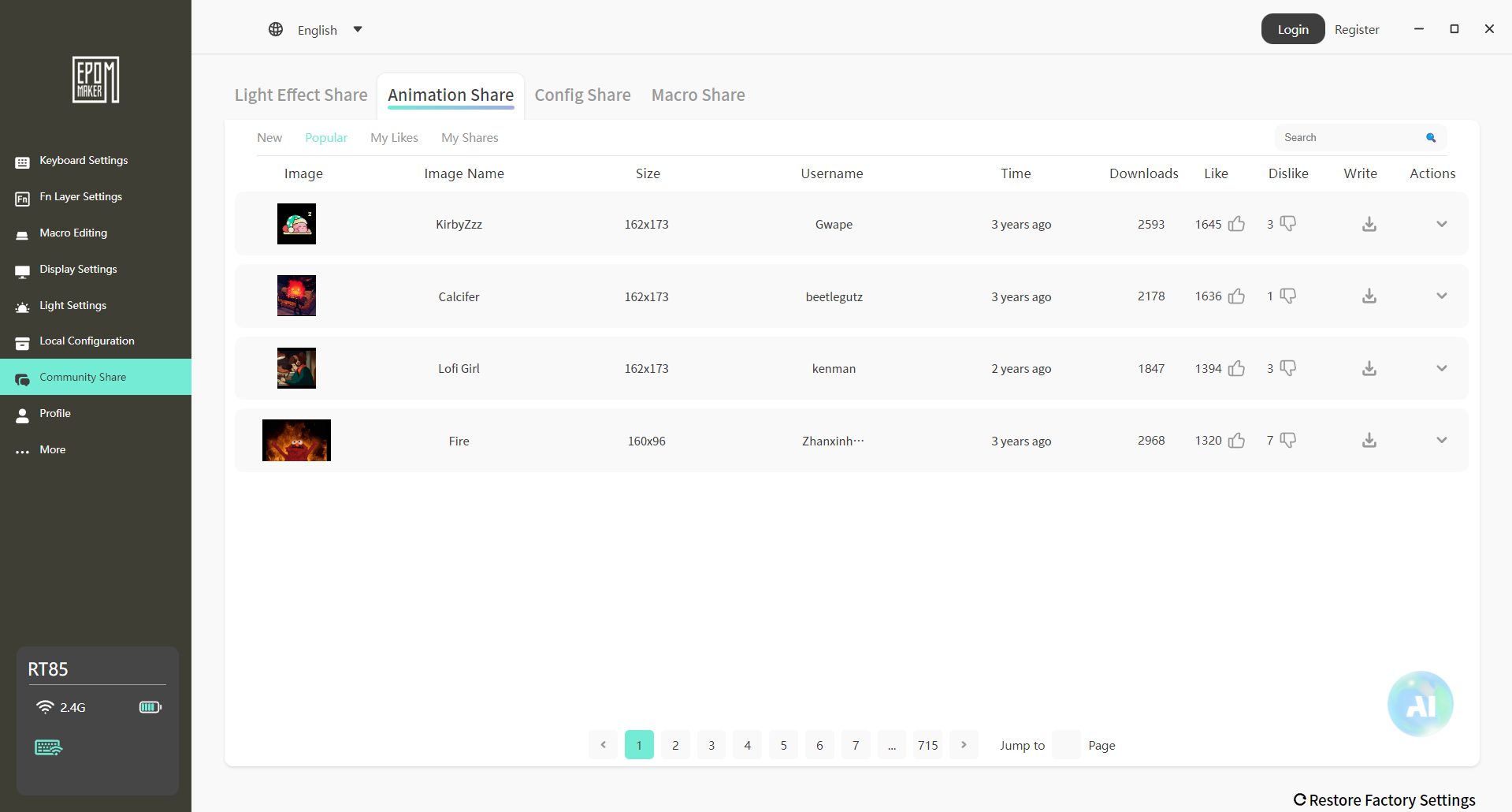
Community Share
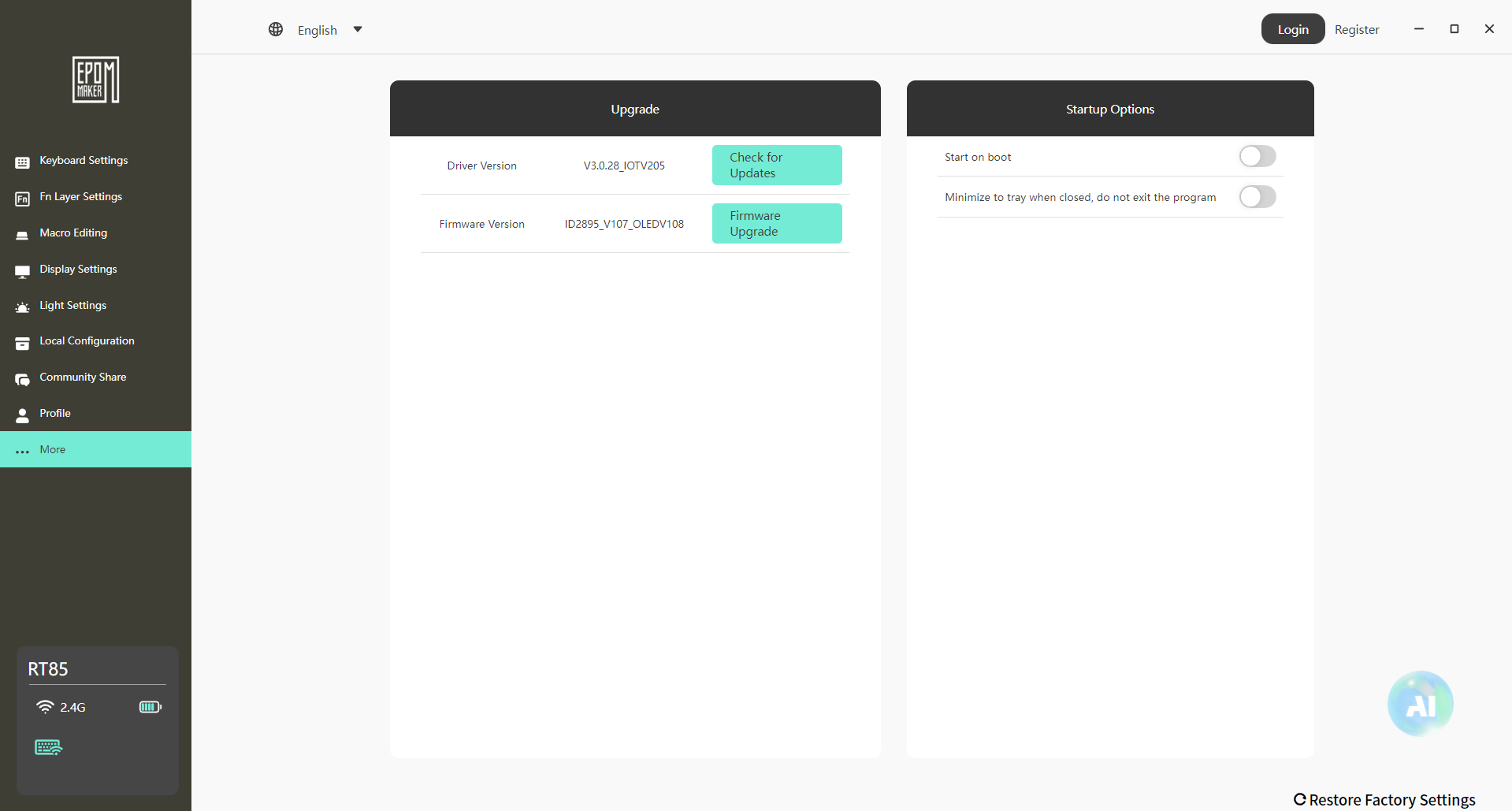
More Settings
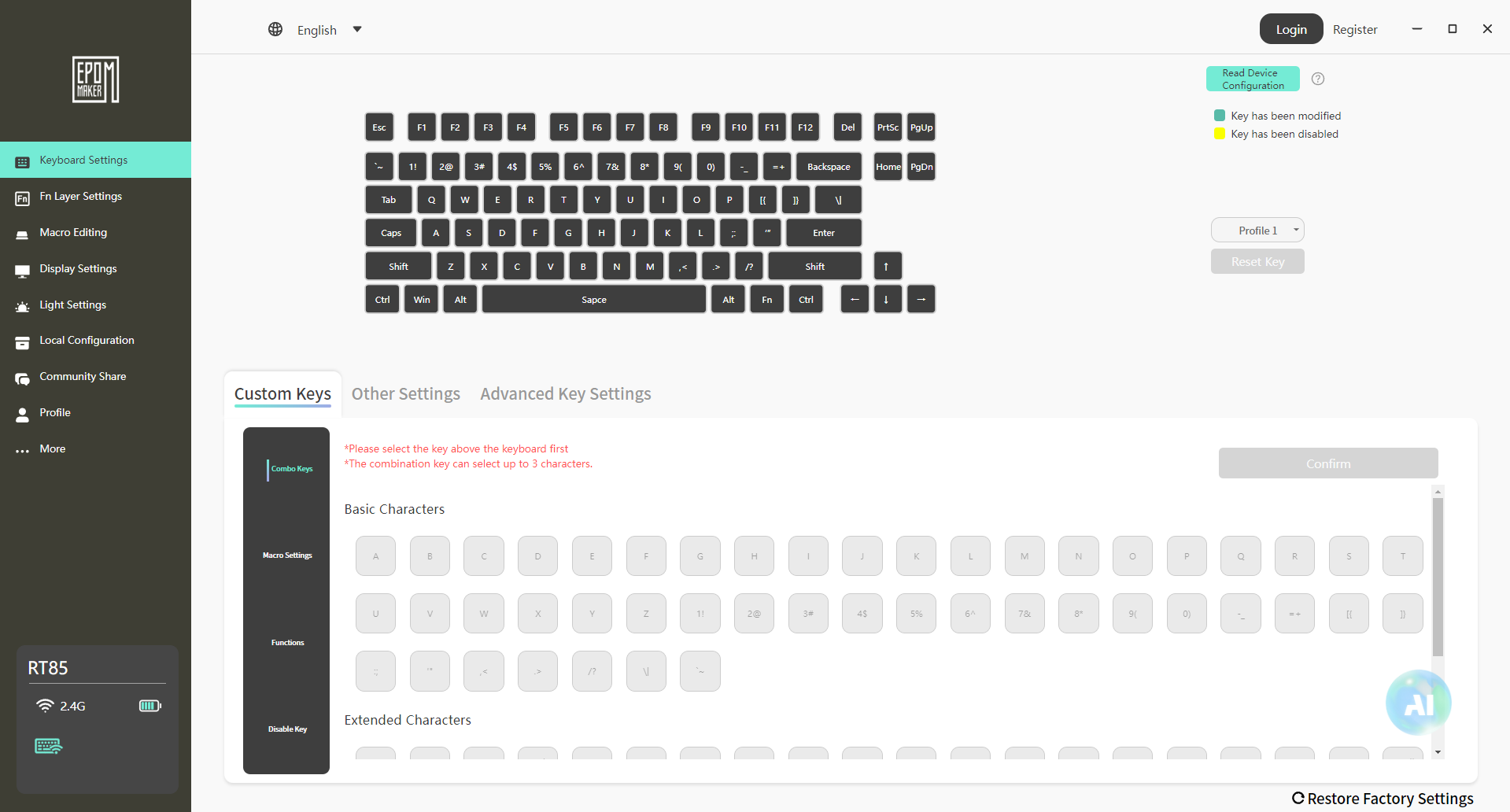
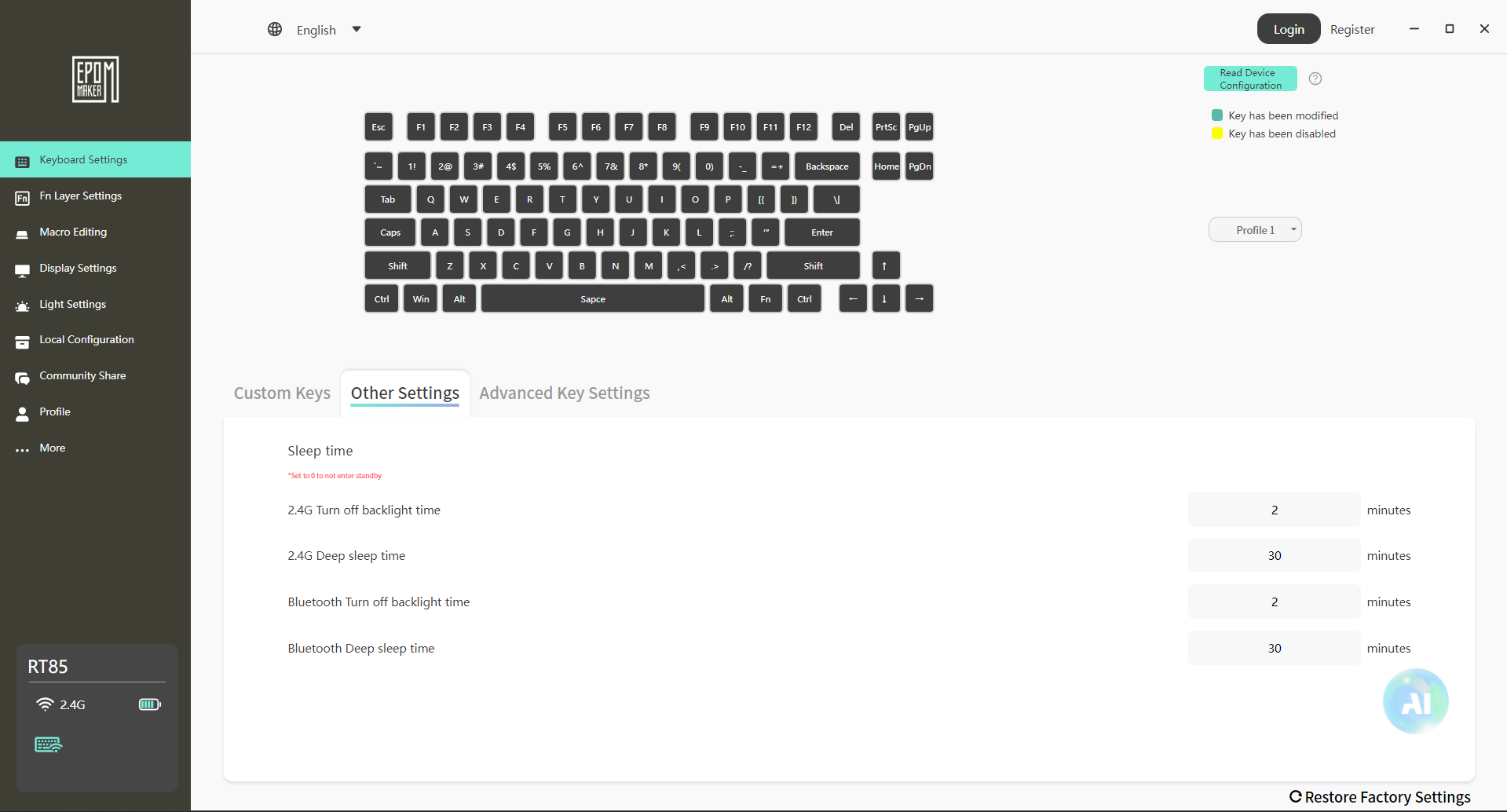
The Epomaker RT85 uses Epomaker 3.0 for its software and runs on both Windows and macOS. Setup is simple. Download it, connect the keyboard, and it shows up without any overcomplication. Once inside, everything is laid out in a practical, slightly utilitarian way. Key remapping works as expected. You select a key, change its function, and the new assignment appears.
Media keys, shortcuts, and basic macros are all supported. Moreover, RGB control has its own section. The software feels functional rather than refined. It covers what you need, and avoids unnecessary clutter. You’ll probably spend a few minutes setting things up, then you will only open it again if you want to change the lighting or a keybind later.
Should You Buy it?
Buy It If
✅ You enjoy retro aesthetics: The Epomaker RT85’s nostalgic color schemes, rounded design, and joystick give it a unique retro vibe.
✅ You care about typing feel and sound: With Wisteria Linear V2 switches and multiple layers of dampening foam, each keystroke feels smooth and satisfying.
Don’t Buy It If
❌ You need ultra-lightweight or travel-friendly keyboards: At 1kg, it’s on the heavier side for frequent portability.
❌ You want advanced software support like VIA: While Epomaker 3.0 works fine for remaps and macros, it doesn’t offer the complete flexibility of enthusiast firmware.
My Thoughts
After spending time with the Epomaker RT85, it feels like a keyboard that’s been thought through in practical ways rather than built around flashy features. It settles into daily use pretty quickly, whether that’s for work or gaming. From a value standpoint, the keyboard sits comfortably in its segment at $85.99 without the price creeping into enthusiast-only territory. It doesn’t feel like you’re paying extra for features you won’t touch.
As a Senior Hardware Reviewer at Tech4Gamers with over a decade of hands-on experience, I dive deep into benchmarking GPUs, CPU coolers, and motherboards, pushing hardware to its limits. Passionate about overclocking and fine-tuning performance.
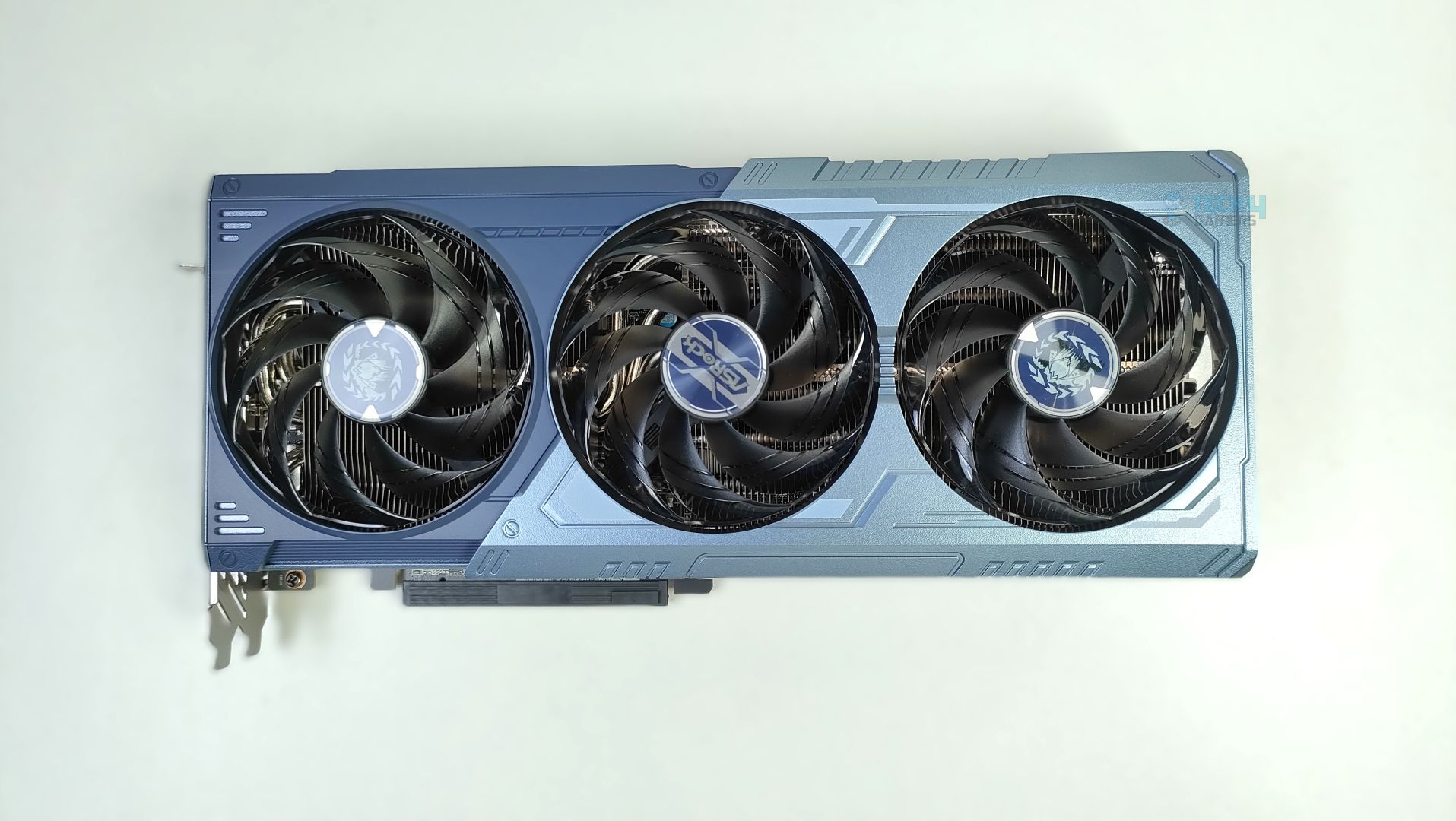
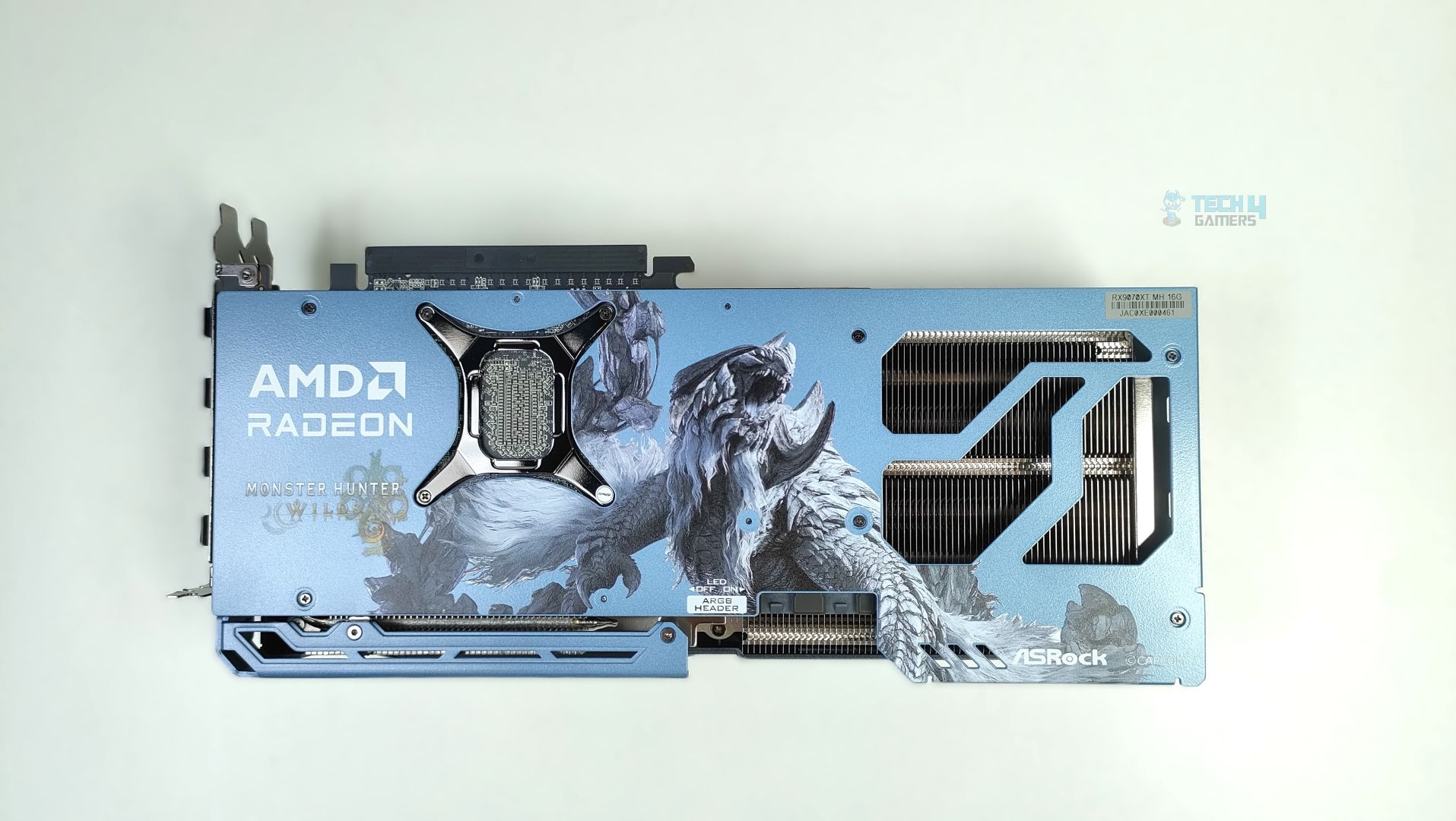
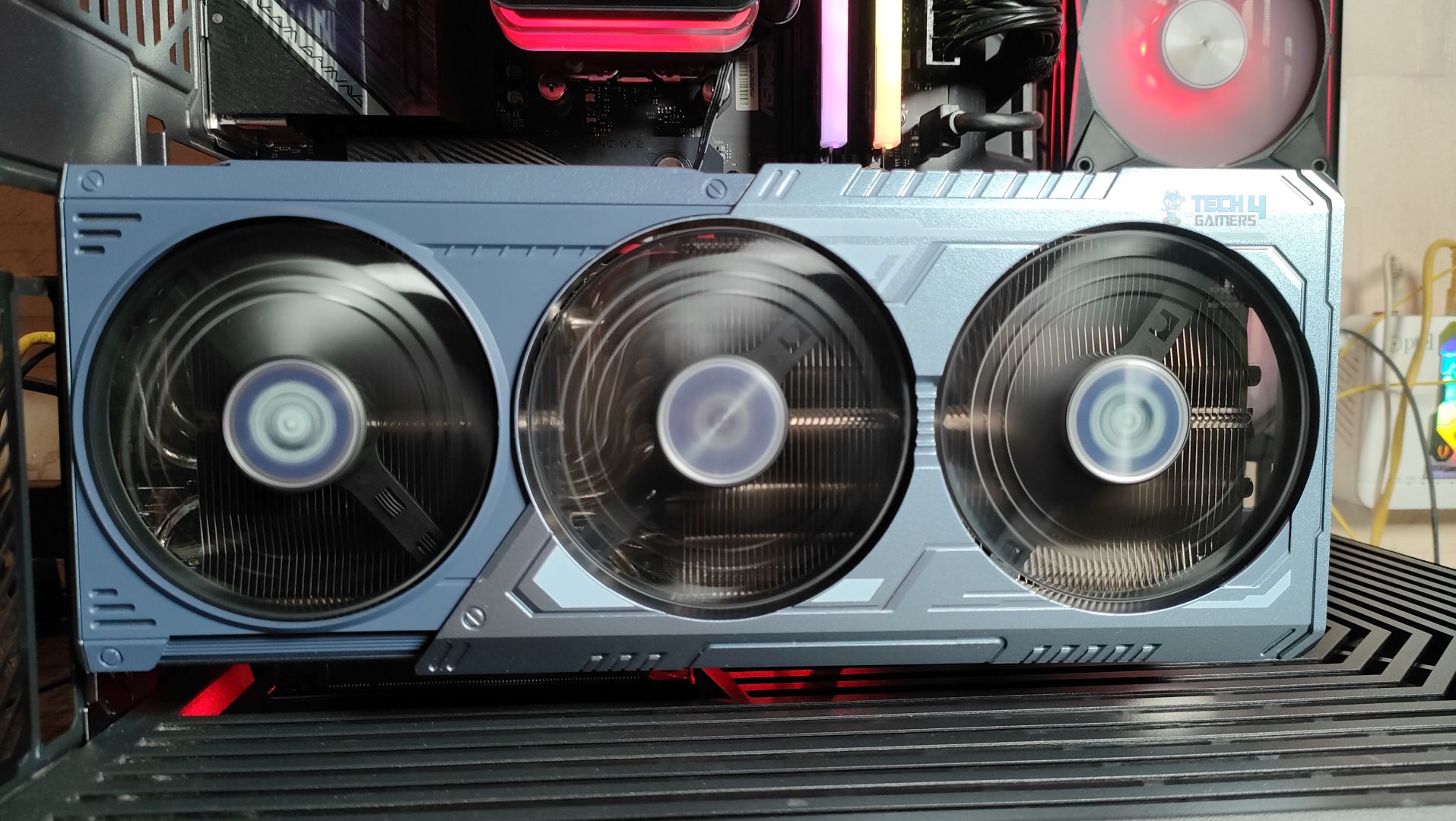
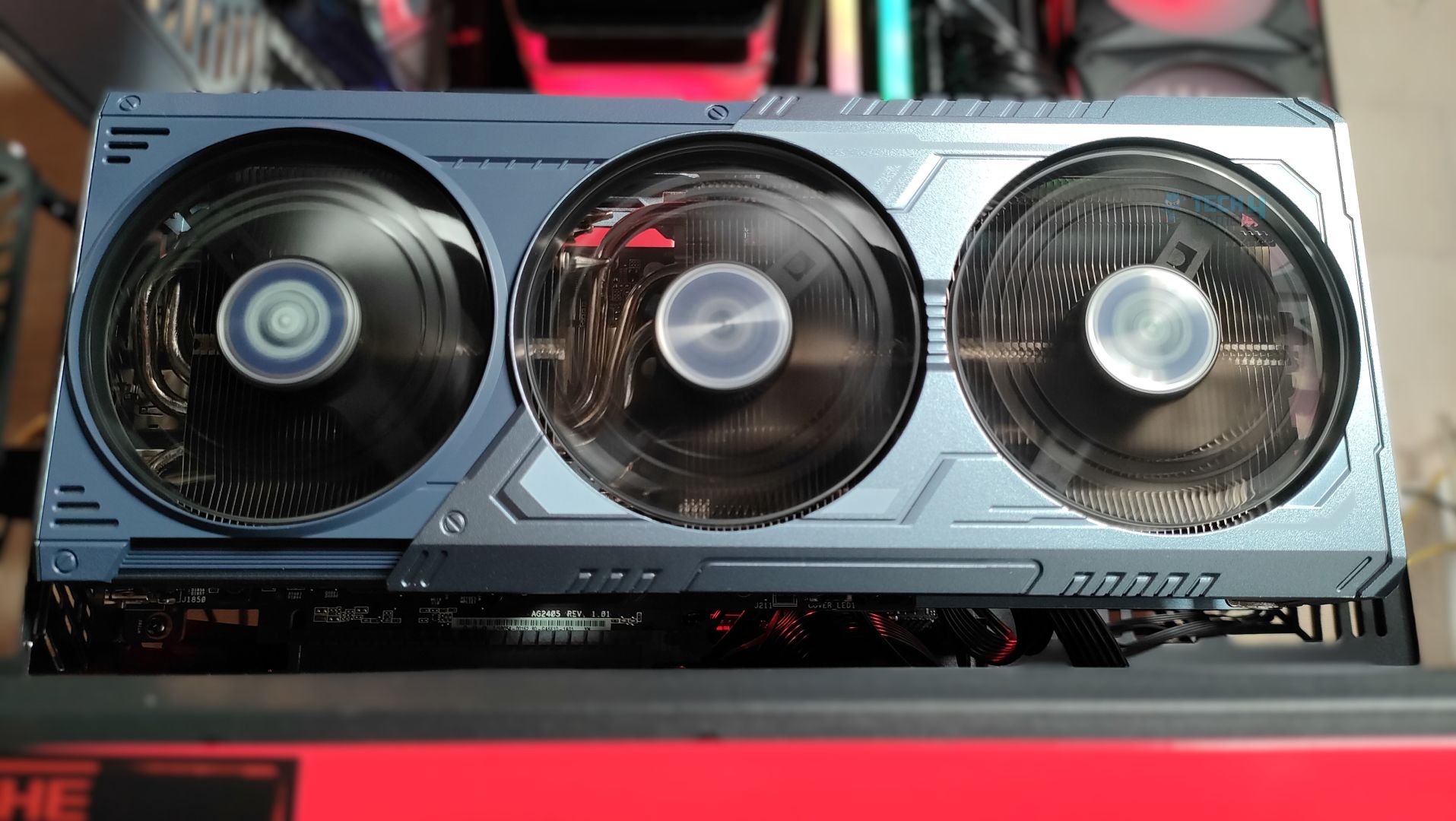
ASRock has dropped another RX 9070 XT on the market, inspired by Monster Hunter: World, an action role-playing video game launched in 2025. There are some prominent changes to its design: the shroud (exterior) uses a custom color scheme meant to evoke Arkveld’s icy, monstrous aesthetic, and a couple of other changes we will discuss in the review. However, beneath the custom aesthetics, the design is not entirely new; its basic build and internal design are identical to ASRock’s Steel Legend Design. This GPU is targeted more at the fans, users who want a unique aesthetic tied to a game they love.
This GPU is powered by the RDNA 4 architecture, based on the NAVI 48 GPU, a monolithic chip built on TSMC’s 4nm N4P node. RDNA 4 brought many improvements compared to its predecessors, especially in ray tracing and AI/machine learning workloads, which also power FSR4. The memory is 16GB across a 256-bit-wide memory interface. The 9070 XT has been out for quite some time; obviously, we won’t dig into the architecture details of RDNA 4, since we have already covered them in our ASRock RX 9070 Steel Legends Graphics-Card review. The main highlights of this review would be the ASRock RX 9070 XT Monster Hunter Wilds design, its aesthetics, and, of course, its performance and thermals.
Why Trust Tech4Gamers
Usman Sheikh is one of our most senior and experienced hardware reviewers. He loves spending hours (sometimes days) in his lab testing and comparing different GPUs, CPUs, motherboards, and more.
65+ graphics cards tested and reviewed by our team of hardware experts (Tech4Gamers Team).
1100+ hours spent testing different GPUs for our reviews.
At Tech4Gamers, ensuring you get reliable information is our priority. That’s why every hardware round-up undergoes a meticulous review process by our team of experts and editors. Each review is carefully examined against our strict editorial guidelines, guaranteeing you trustworthy insights you can depend on.
ASRock Radeon RX 9070 XT Monster Hunter Wilds Edition is a triple fan design with a 0dB fan-control design, that also features the reinforced metal frame to eliminate the sag and uses ASRock’s stripped ring fan focused on the high airflow also one of the thing which the enthausiasts will love the most is the ASRock is using HoneyWell PTM 7950, a phase change thermal pad for it’s cooling solution.
Let’s start with the specifications
Details
ASRock Radeon RX 9070 XT MH Edition
Base RX 9070XT
Core Clocks:
Game Clock: 2400MHz
Boost: Up To 2970MHz
Game Clock: 2400MHz
Boost: Up To 2970MHz
Cores
4096
4096
GPU
Navi 48
Navi 48
Memory
16 GB, GDDR6, 256-bit
16 GB, GDDR6, 256-bit
Memory Clock
2518 MHz
2518 MHz
ROPs
128
128
Transistors
53900M
53900M
PCI Express
5.0
5.0
Key Features
Polychrome SYNC
Triple Fan Design
Art Theme Design
Striped Ring Fan
Reinforced Metal Frame
-
MSRP
$699
$599
[toc]
What Makes ASRock Radeon RX 9070 XT Monster Hunter Wilds Edition Different?
This GPU features game-inspired Arkveld Design, with a custom shroud, metal backplate, and fan-hub artwork inspired by the monster from Monster Hunter World. Internally, it is the same GPU as the standard RX 9070 XT, but with premium build touches, including a reinforced metal frame and backplate, stripped ring fans, and phase-change thermal pads. This GPU is recommended to those who like collector’s hardware in their system.
Packaging
Let’s take a look at the packaging first.
Packaging
1 of 5
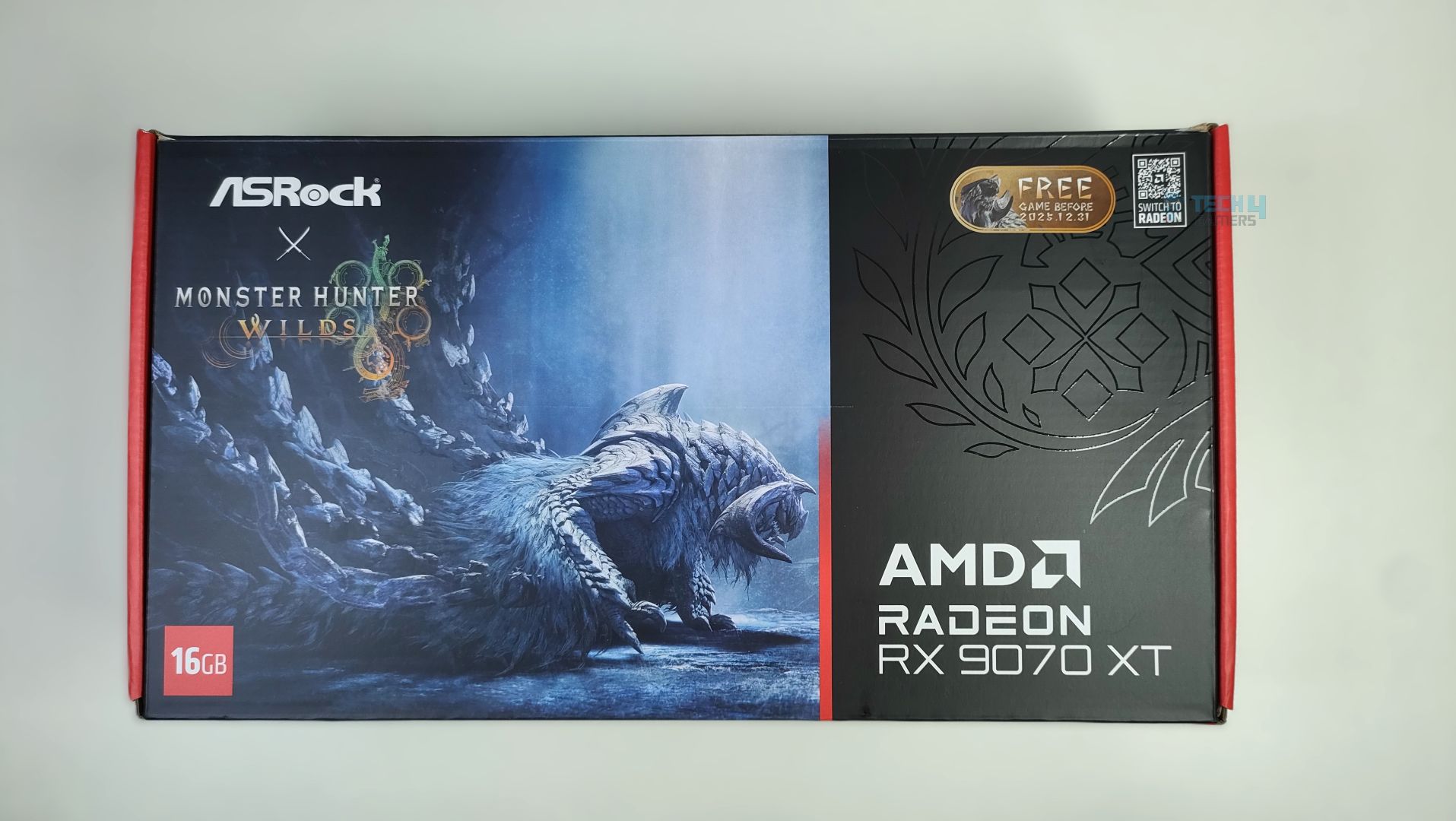
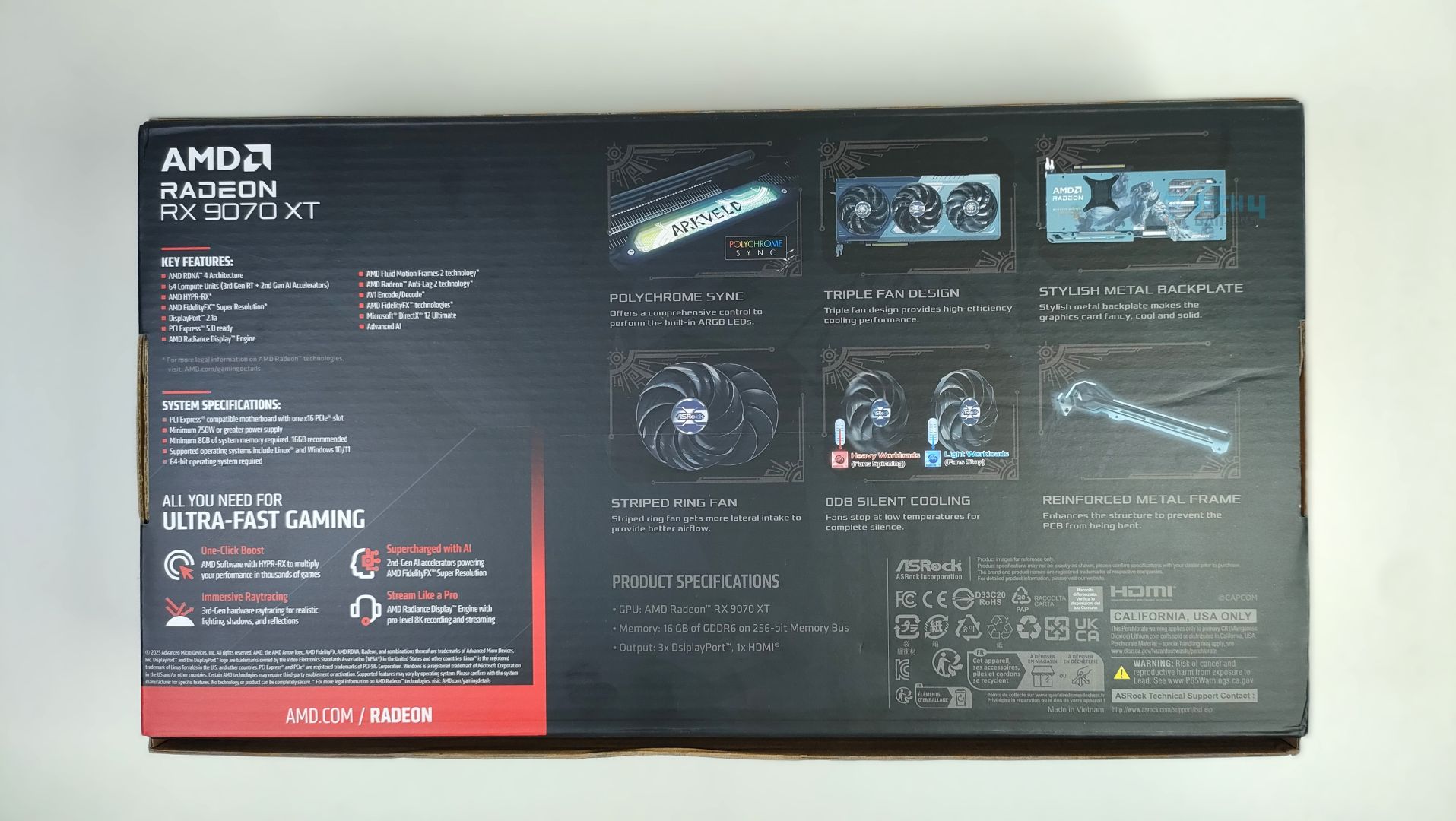
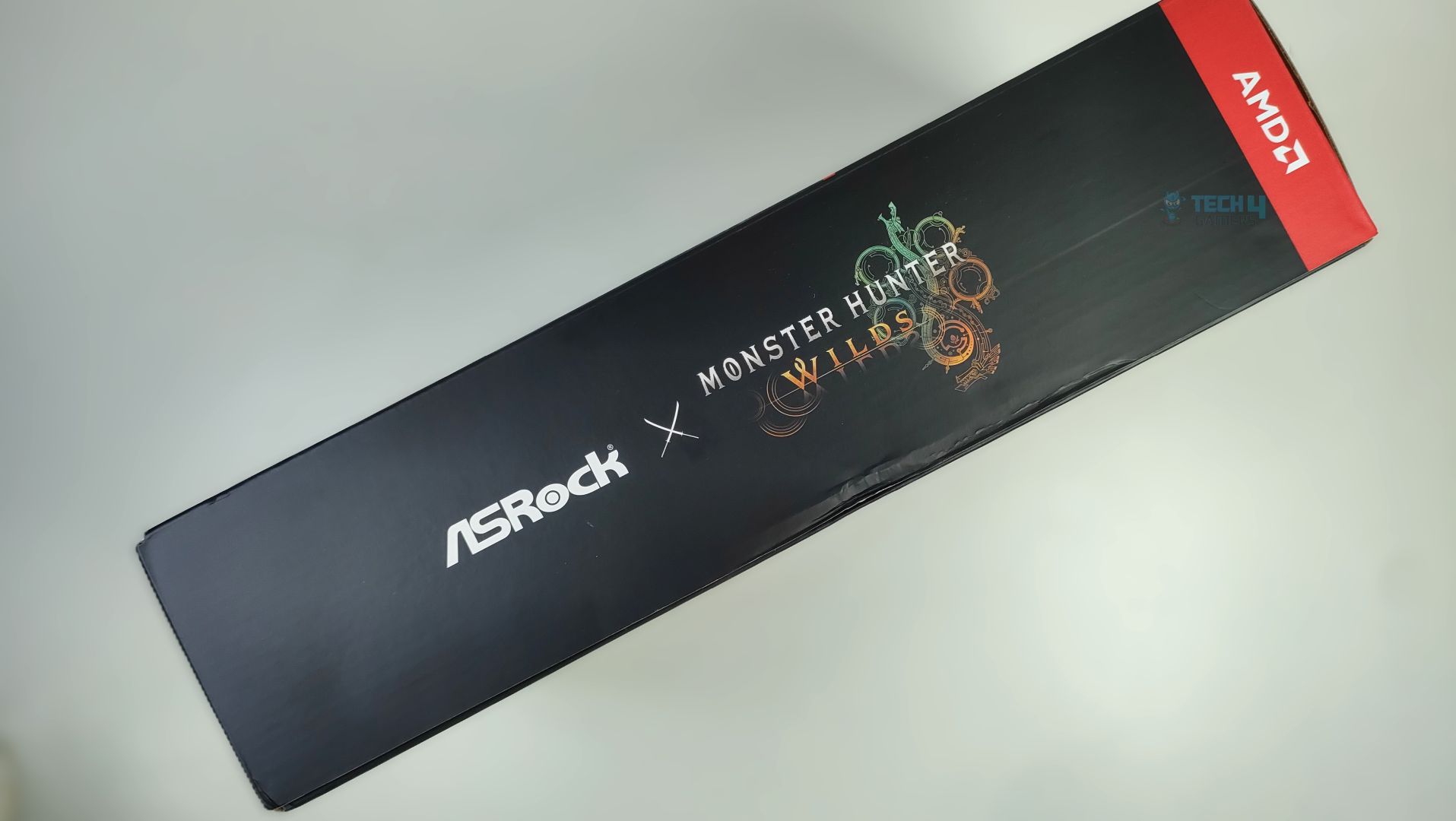
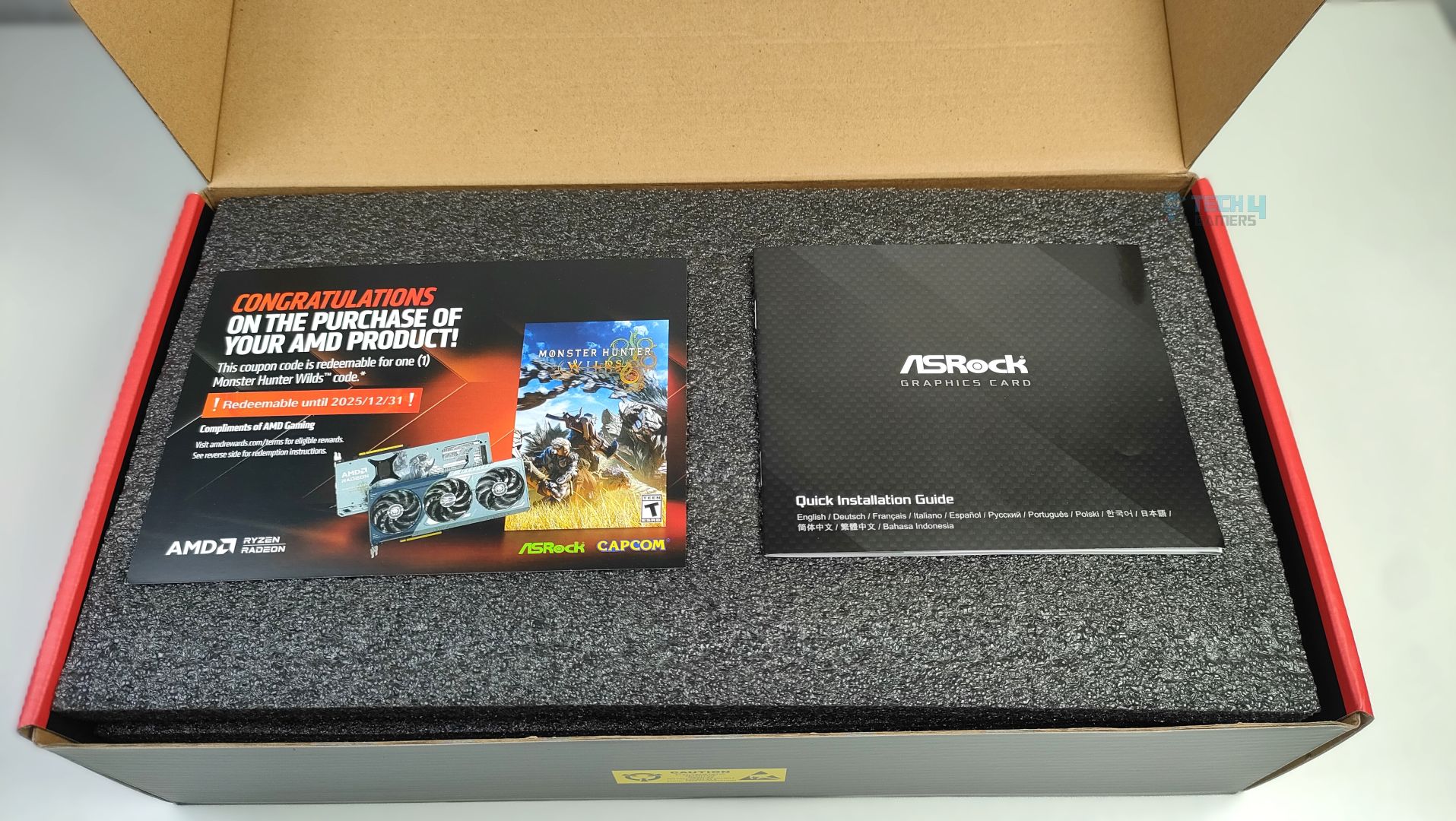
ASRock Radeon RX 9070 XT Monster Hunter Wilds Edition arrives in a thick corrugated cardboard box with a Monster Hunter Wilds artwork striking at the front. The branding looks clean and visually appealing. The ASRock Logo, GPU Model, and the 16GB VRAM badges are clearly visible at the front, and we also get a free copy of the game and a redeemable card included in the packaging. On the back of the box, key features of the GPU architecture are highlighted, and ASRock Exclusive features are also demonstrated, including support for Polychrome RGB Sync, Triple Fan Design, Metal Backplate, Stripped Ring Fan with 0dB Silent Cooling, and a reinforced metal frame. The back of the box lists the card’s standard specifications; there is nothing fancy except the front box artwork.
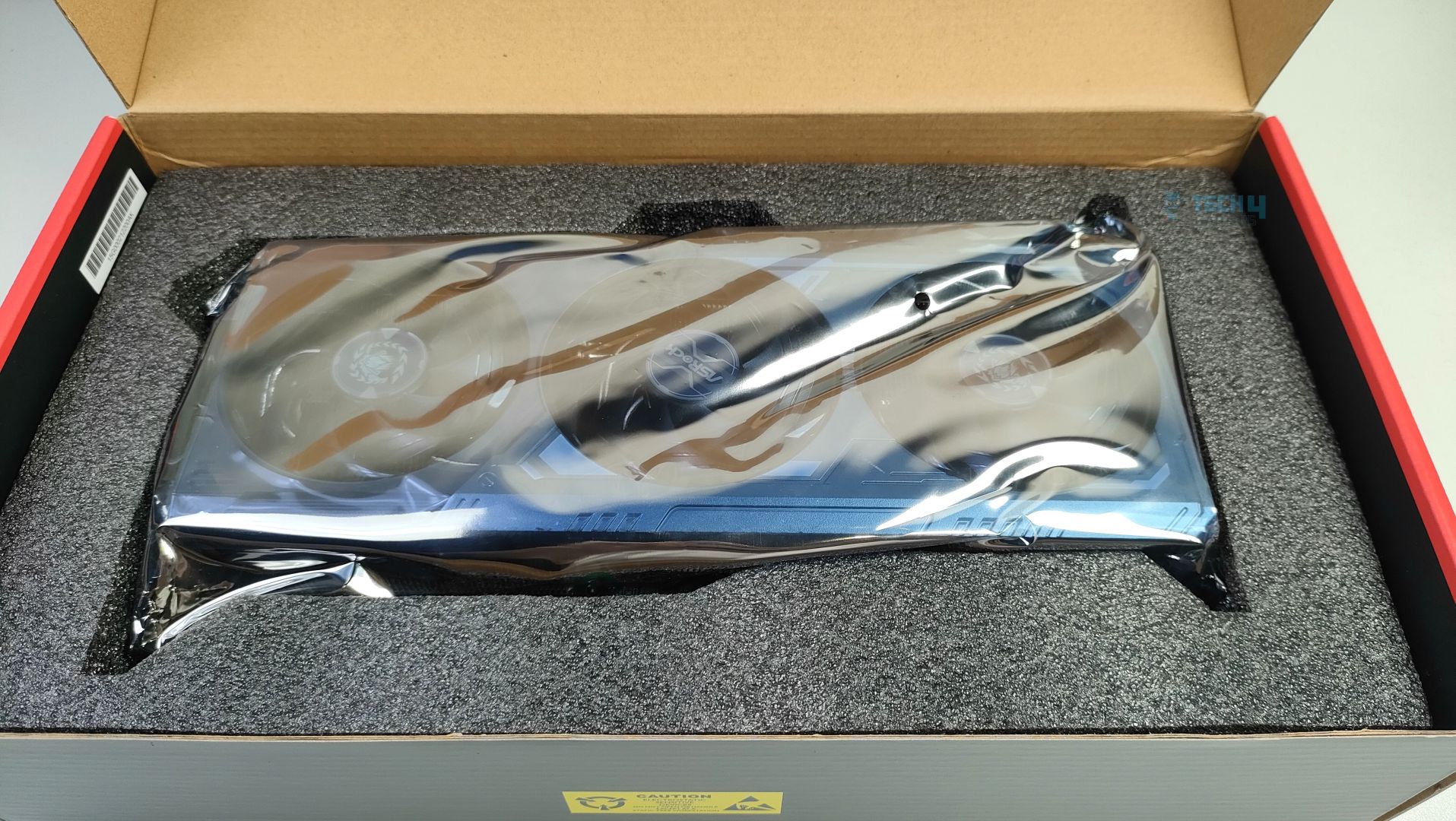
Inside, the GPU is secured with a thick, high-density foam. No additional accessories are included except the manual and the Coupon Card. Though I would like at least some extra Monster Hunter Wilds figurines, or at least some stickers.
Design
It’s time to talk about it’s design.
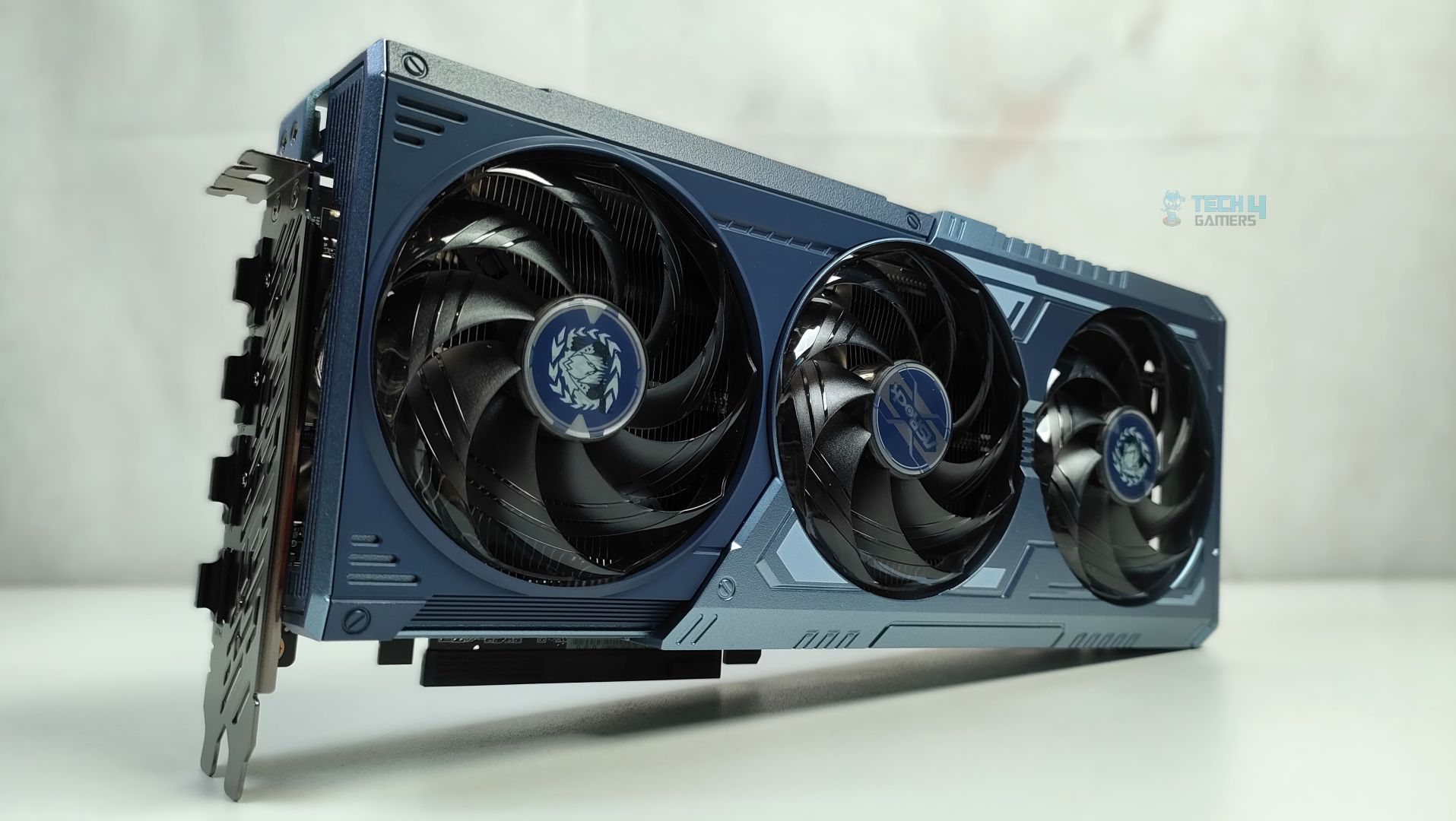
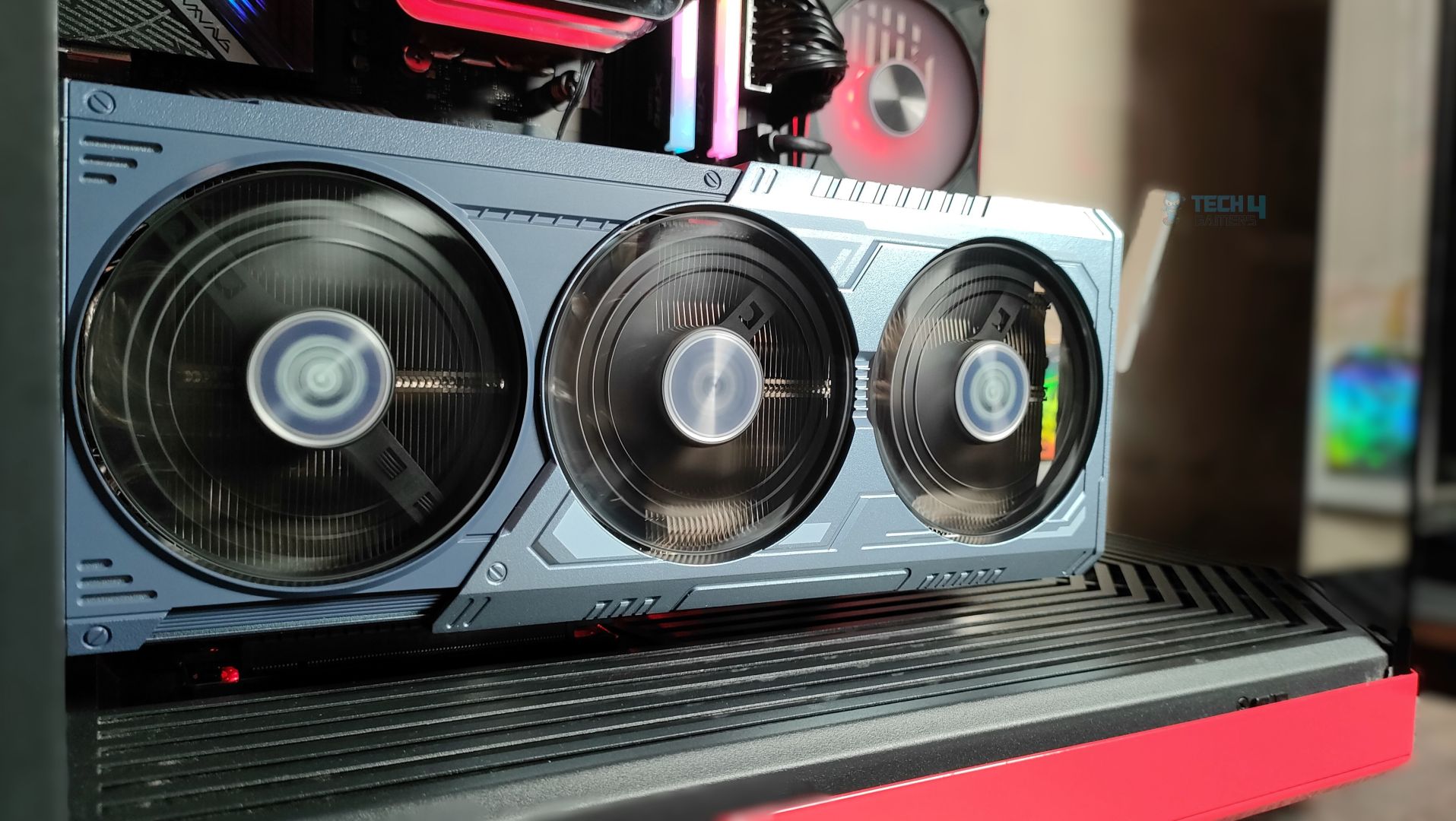
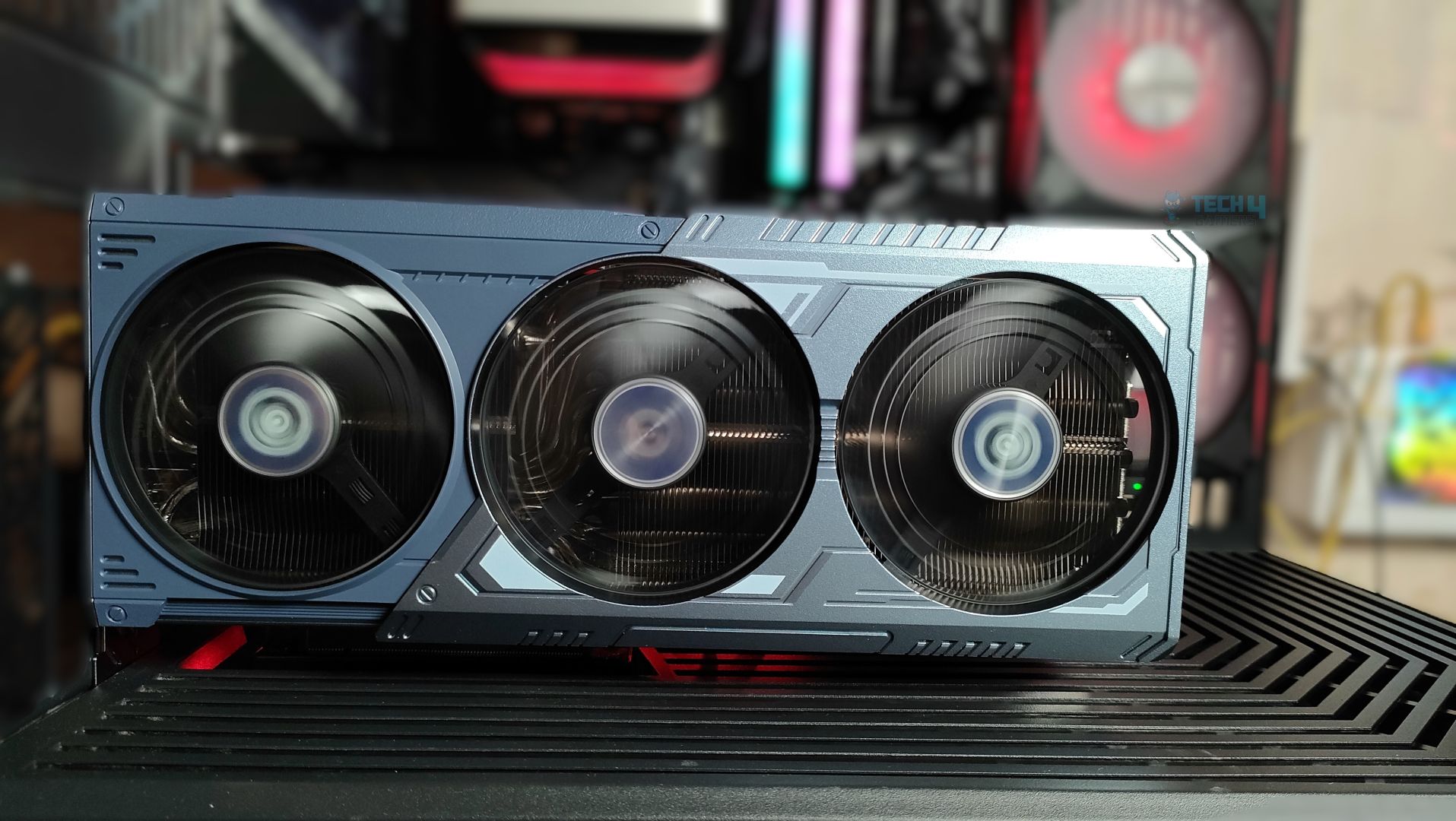
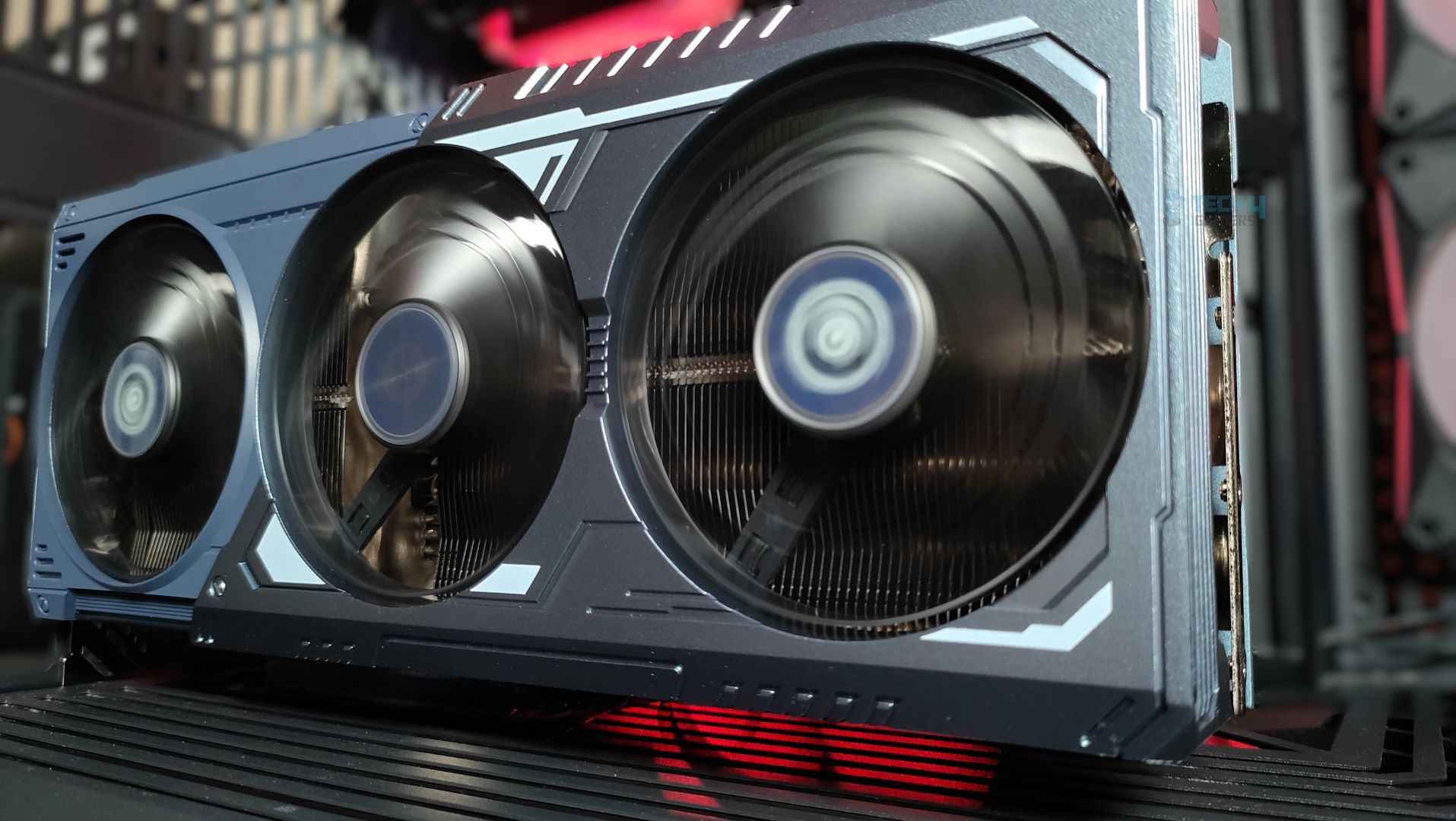
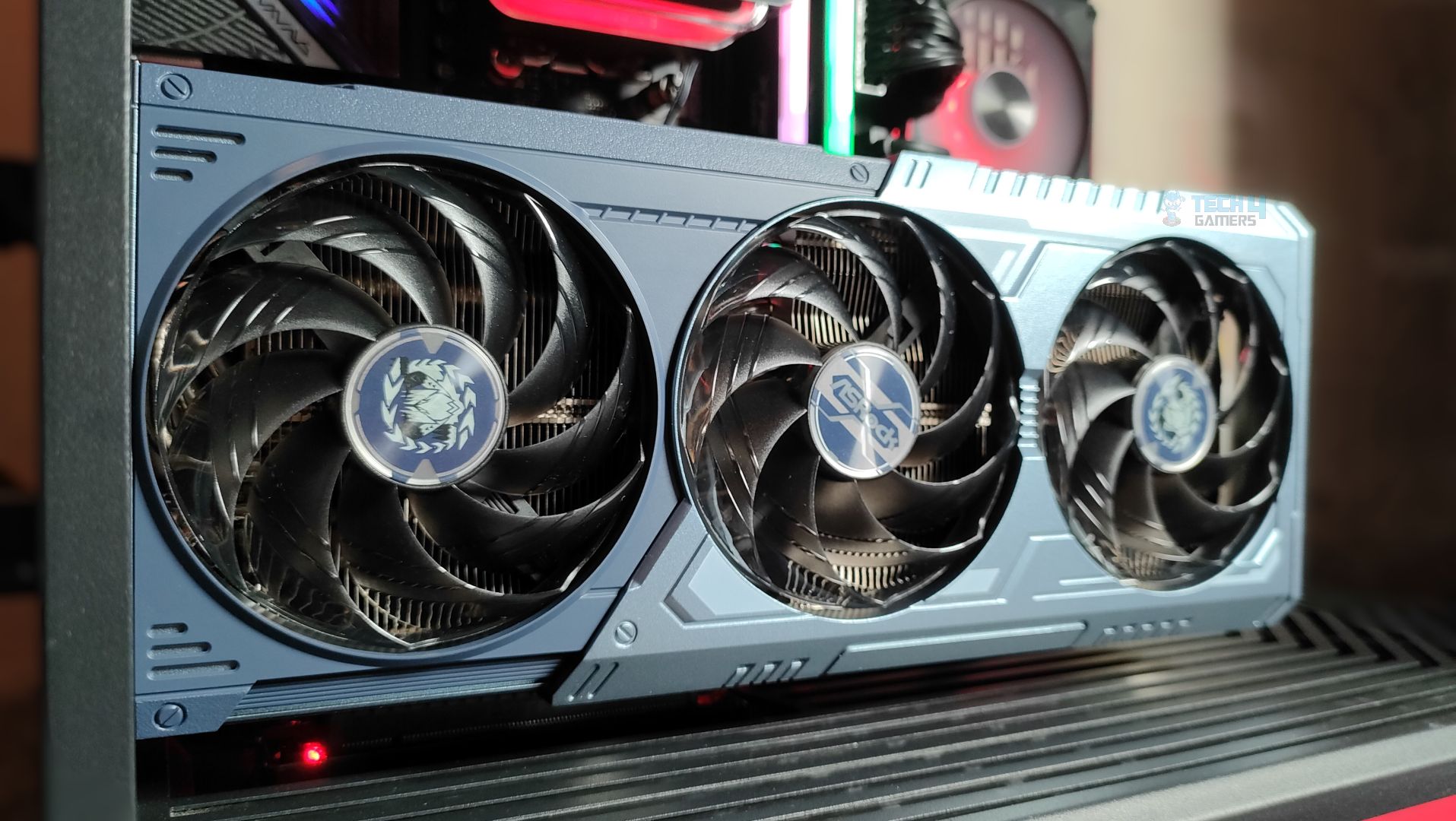
Taking a first look at the GPU now, starting from the front. This GPU features a three-ring striped fan design that supports stop-fan technology when the GPU is running at idle. The center fan rotates in the opposite direction, which could help reduce turbulence. The GPU uses a sophisticated Mystic Blue scheme at the front. The back plate is the show’s main highlight. It’s a full-length metal backplate showcasing the Arkveld’s high-quality network.
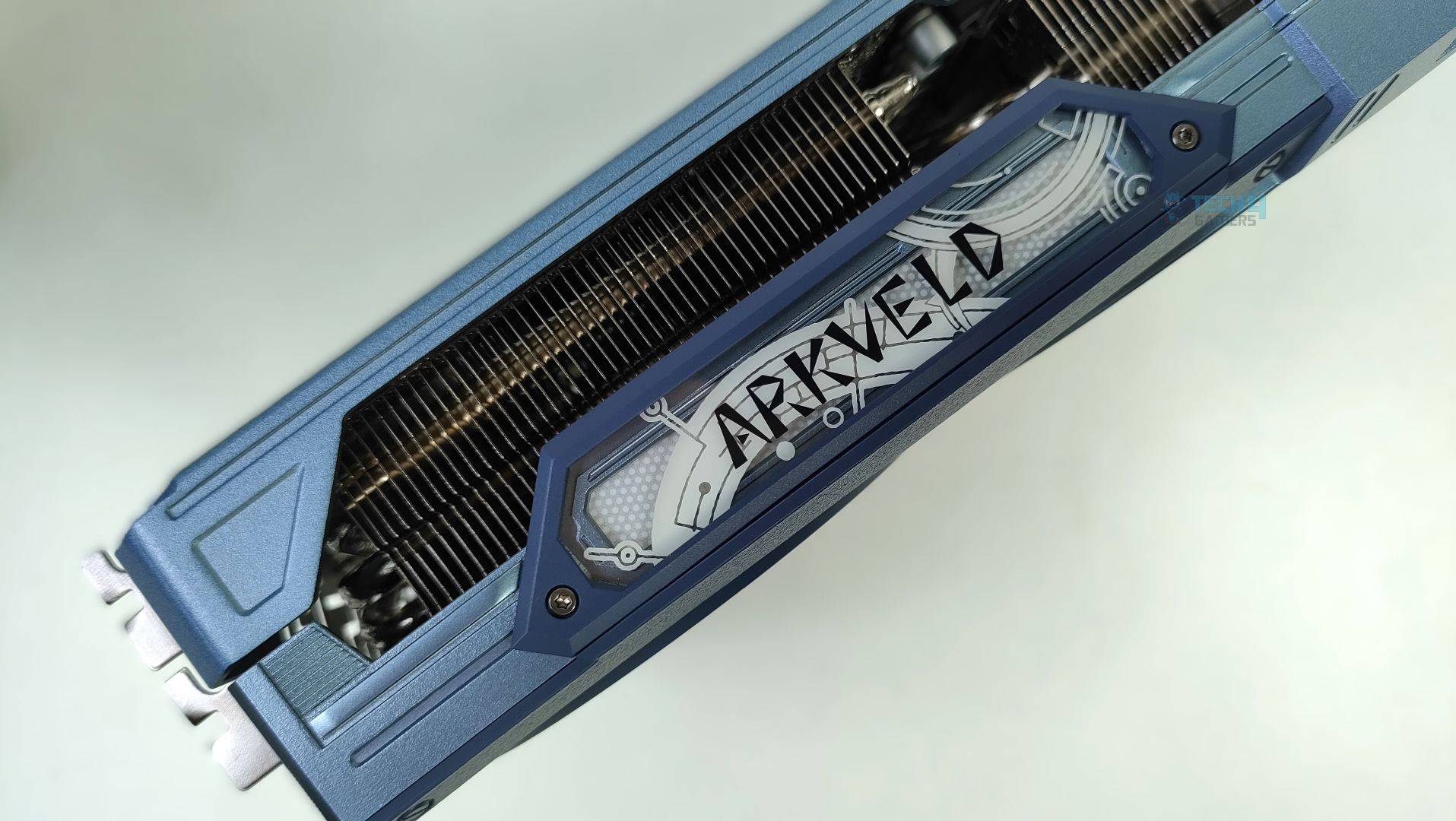
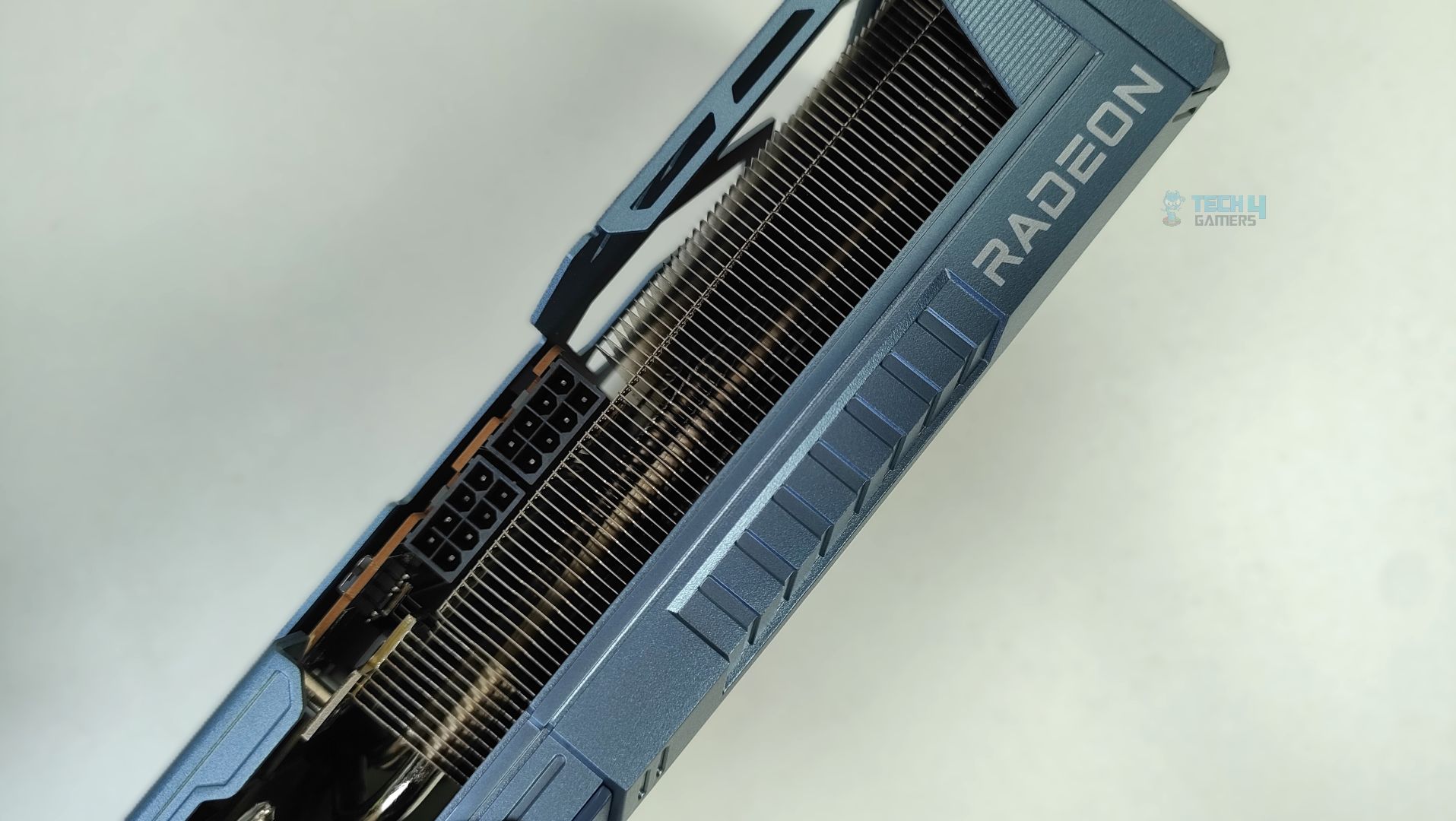
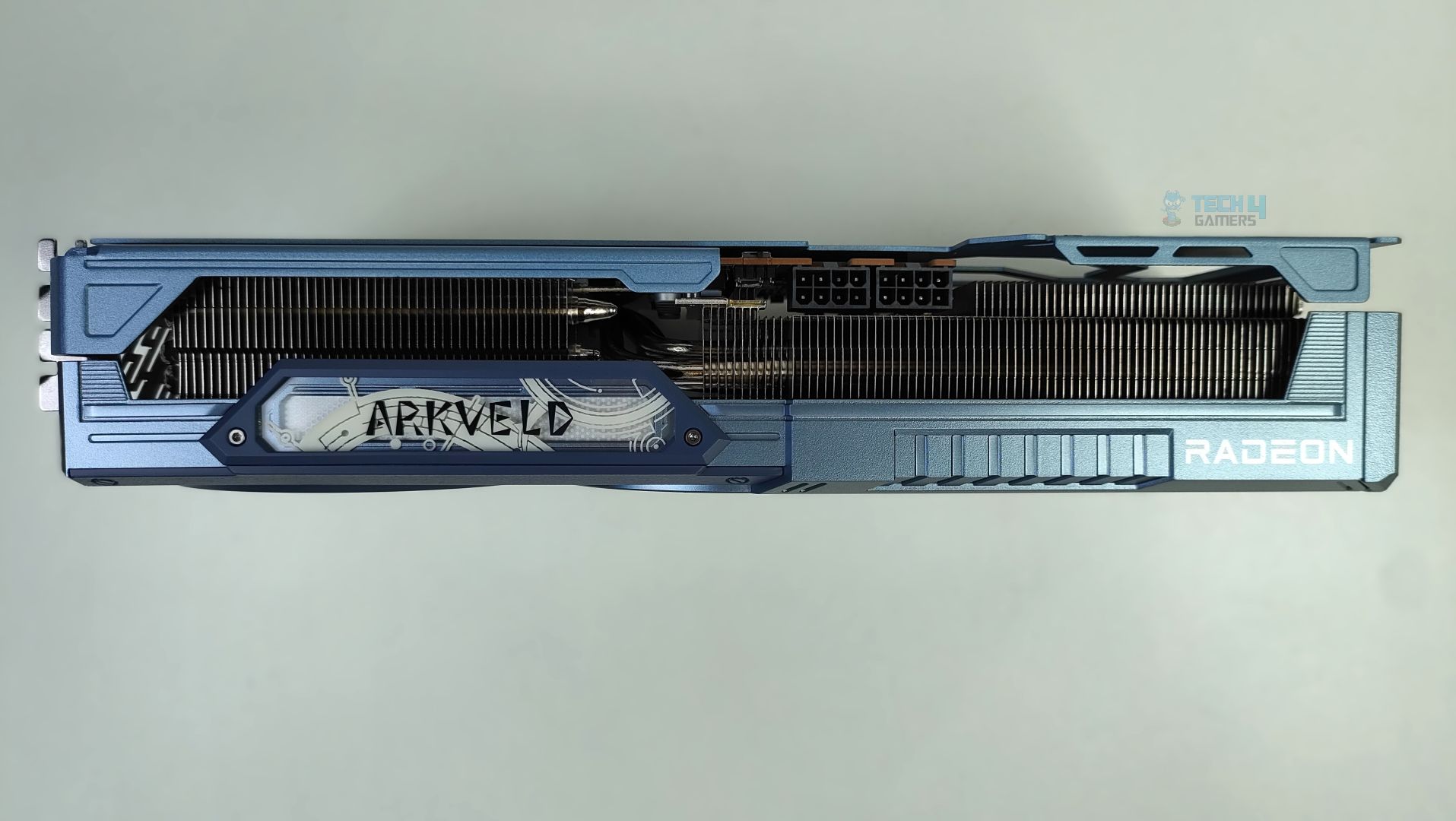
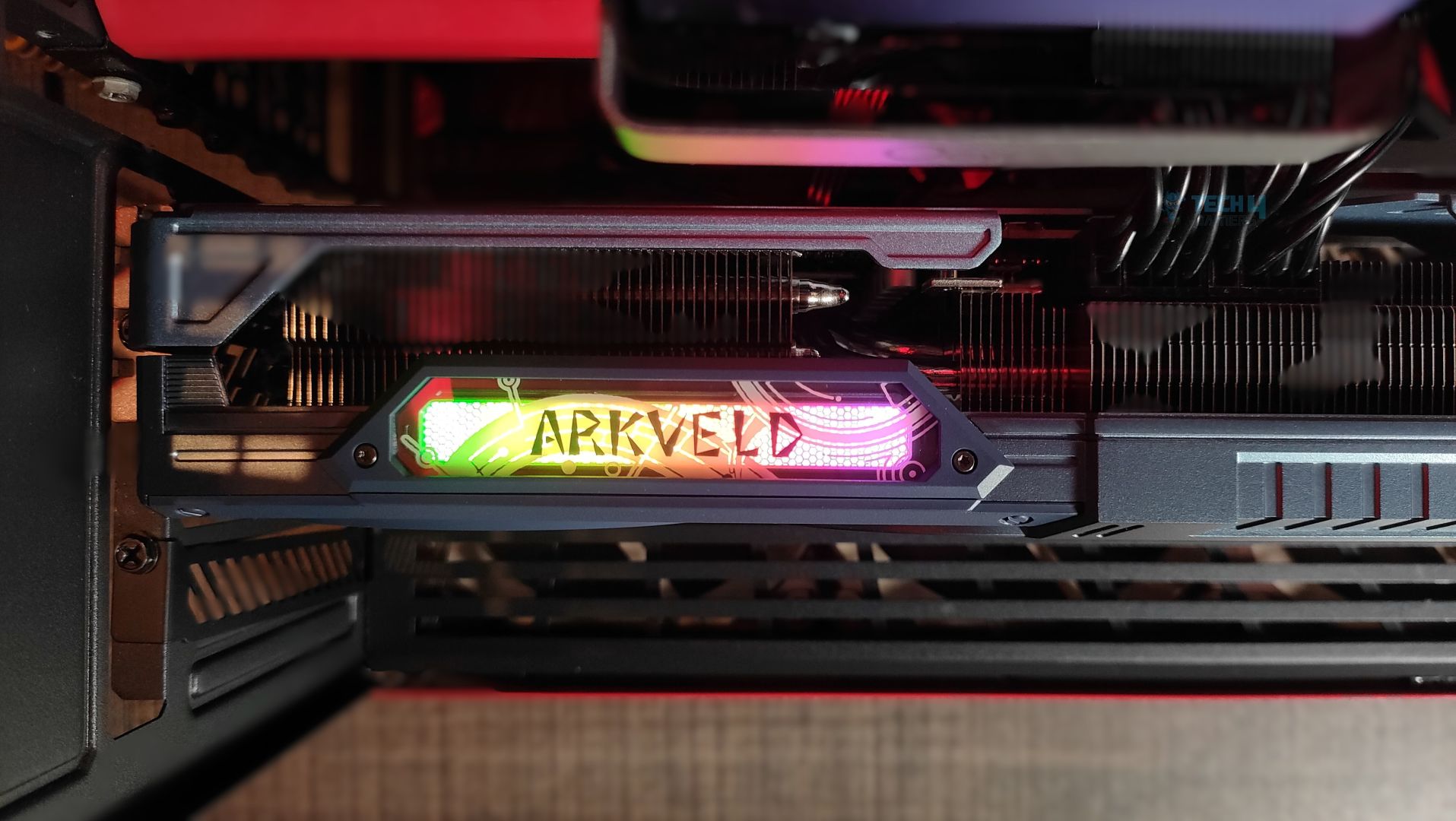
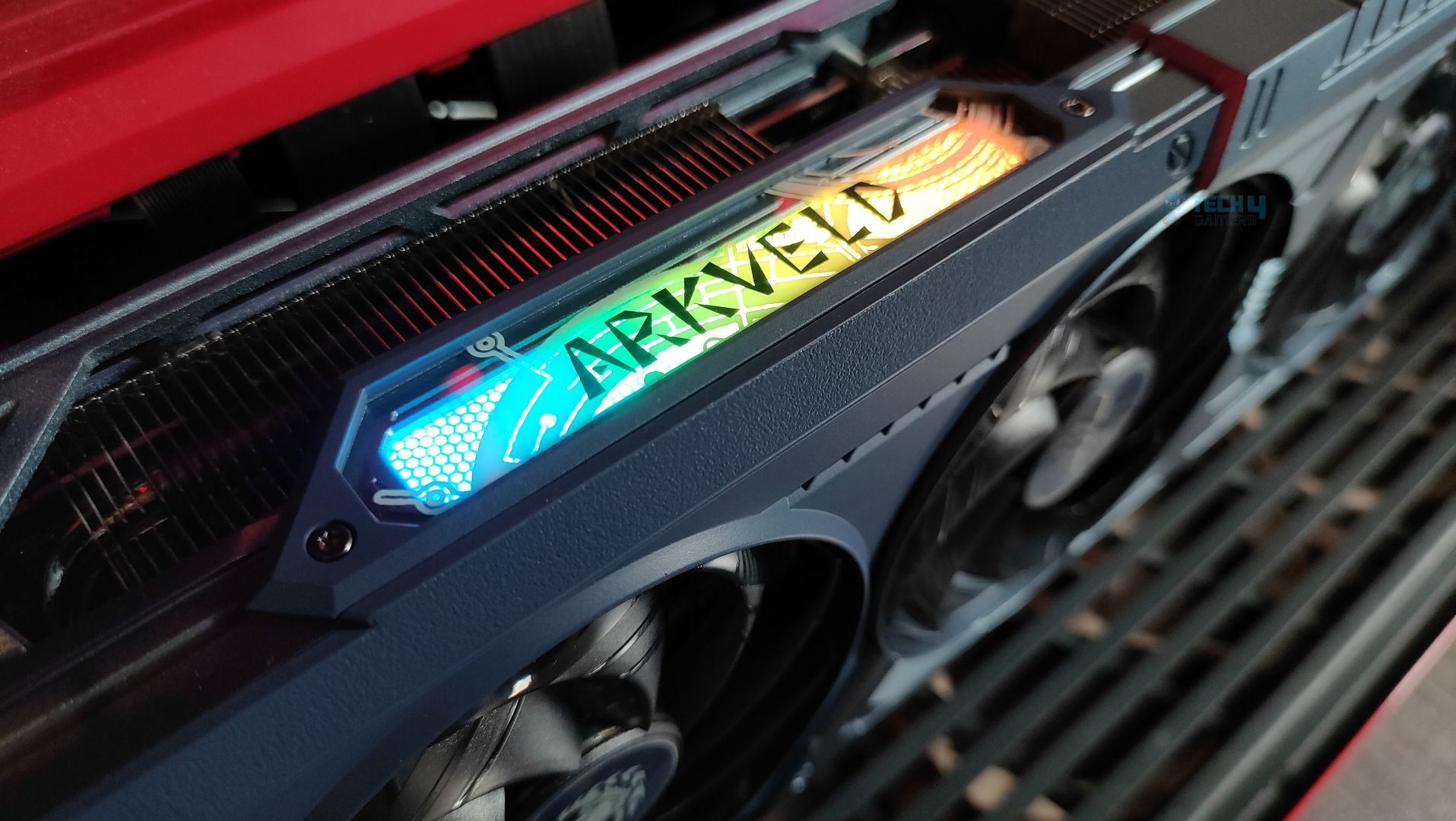
The side features a translucent acrylic Arkveld nameplate that glows with RGB effects. The design is very similar to the steel legends card. Moving forward, the GPU supports the 2×8-Pin GPU connectors. The Traditional Radeon Branding is also visible. The heatsink fins on the side profile are oriented vertically. The heatpipes are clearly visible from the sides as well.
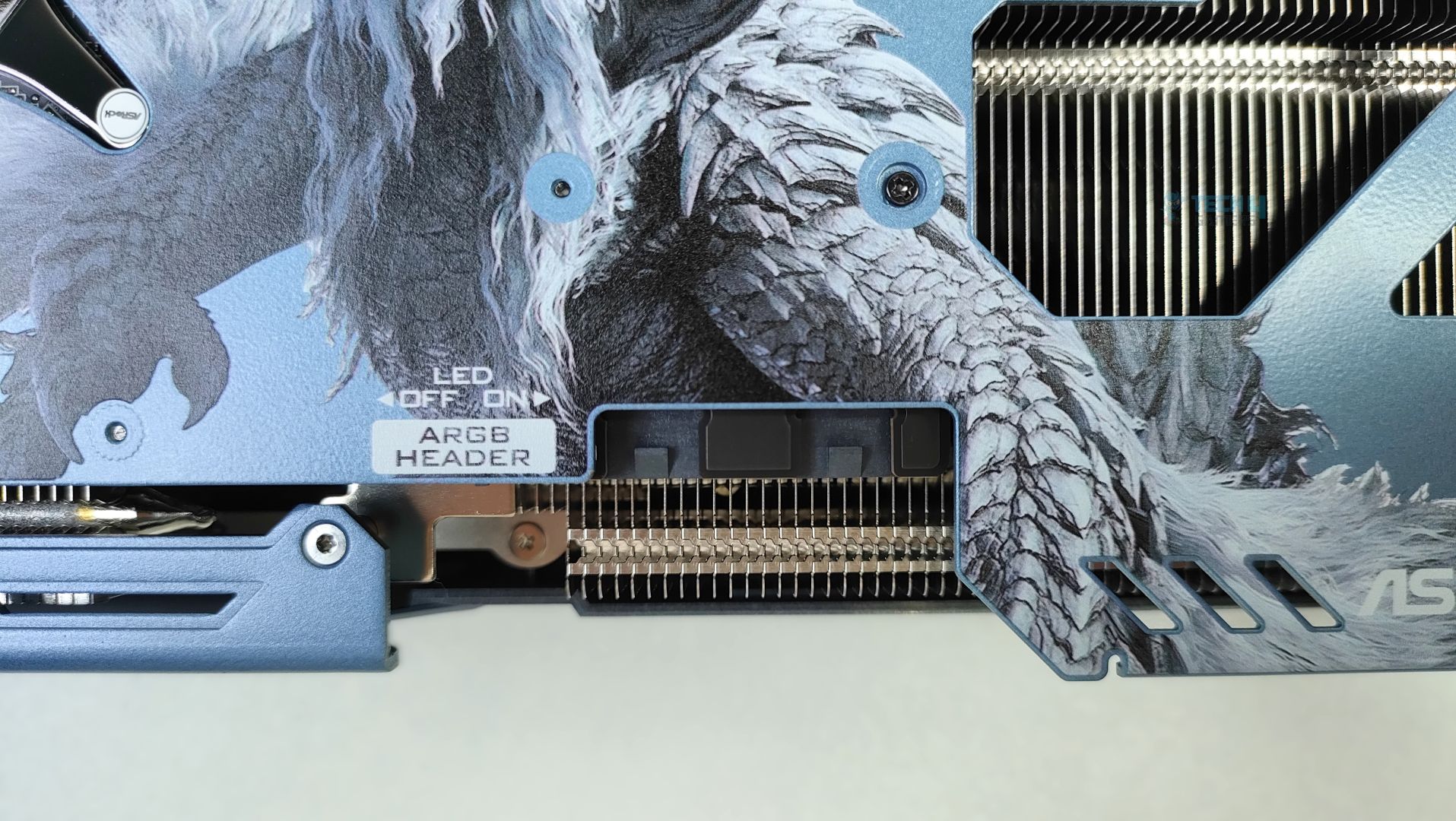
Besides the GPU connectors, there is a switch to turn the ARGB LED on and off, and an external ARGB header for ARGB sync, eliminating the need for ASRock’s Software. However, the ARGB connectors seem to be in a bit of a weird position, and not to my liking.
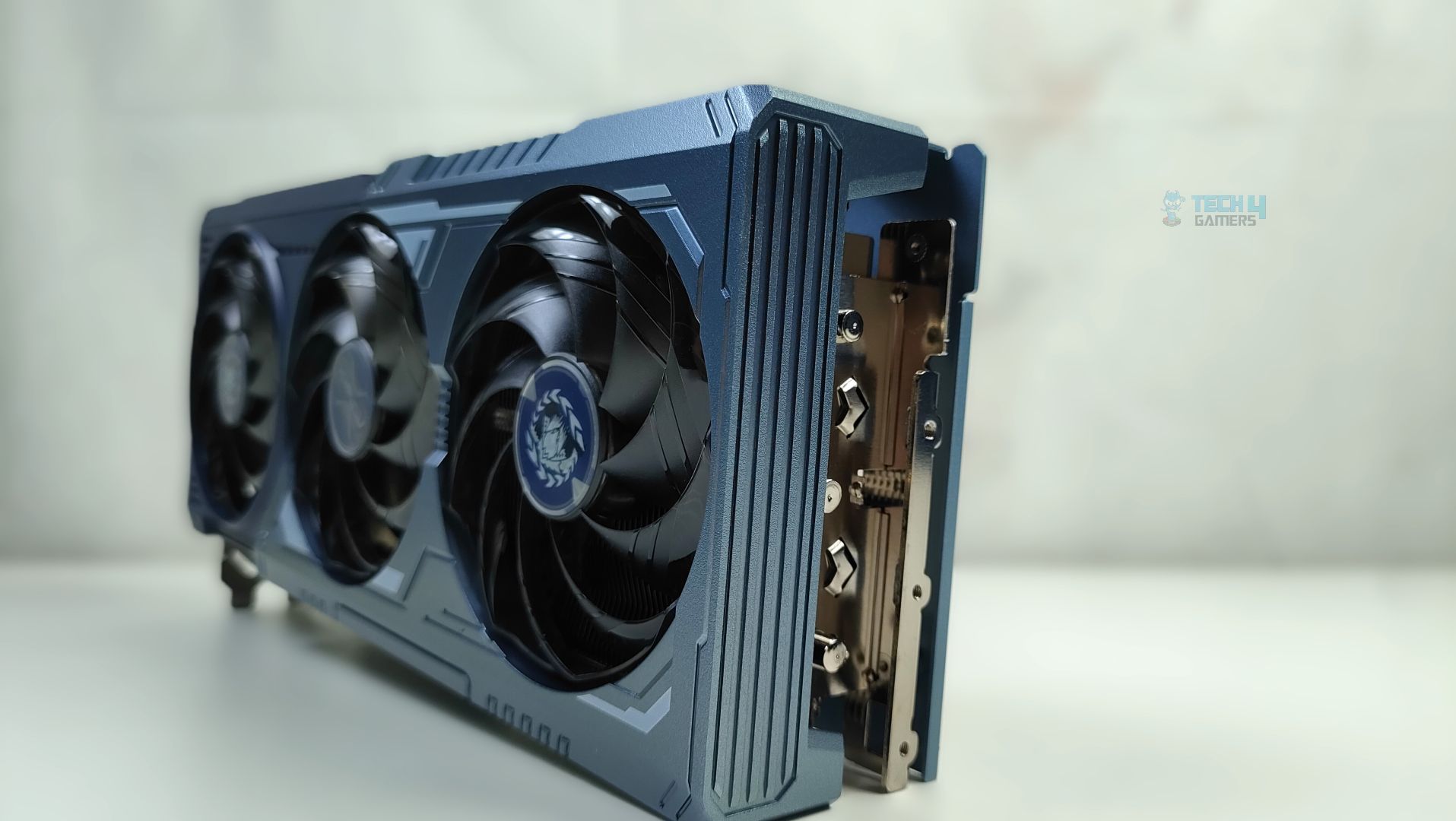
Overall, the dimensions of this GPU are 298 x 131 x 58 mm, and it’s a 3-slot GPU card, which is not very large compared to flagship GPUs such as the RTX 50, but it’s still a big GPU that will occupy three slots in your chassis. The tail of the card, at the back, has a large cut-out at the end of the metal backplate. The backplate is not just for the show-off; it also supports the reinforced metal support system. The internal metal frame is bolted directly to the I/O frame to prevent the GPU sag. Overall, the material used is high-quality aluminium, and ASRock did not cut any corners here in the design.
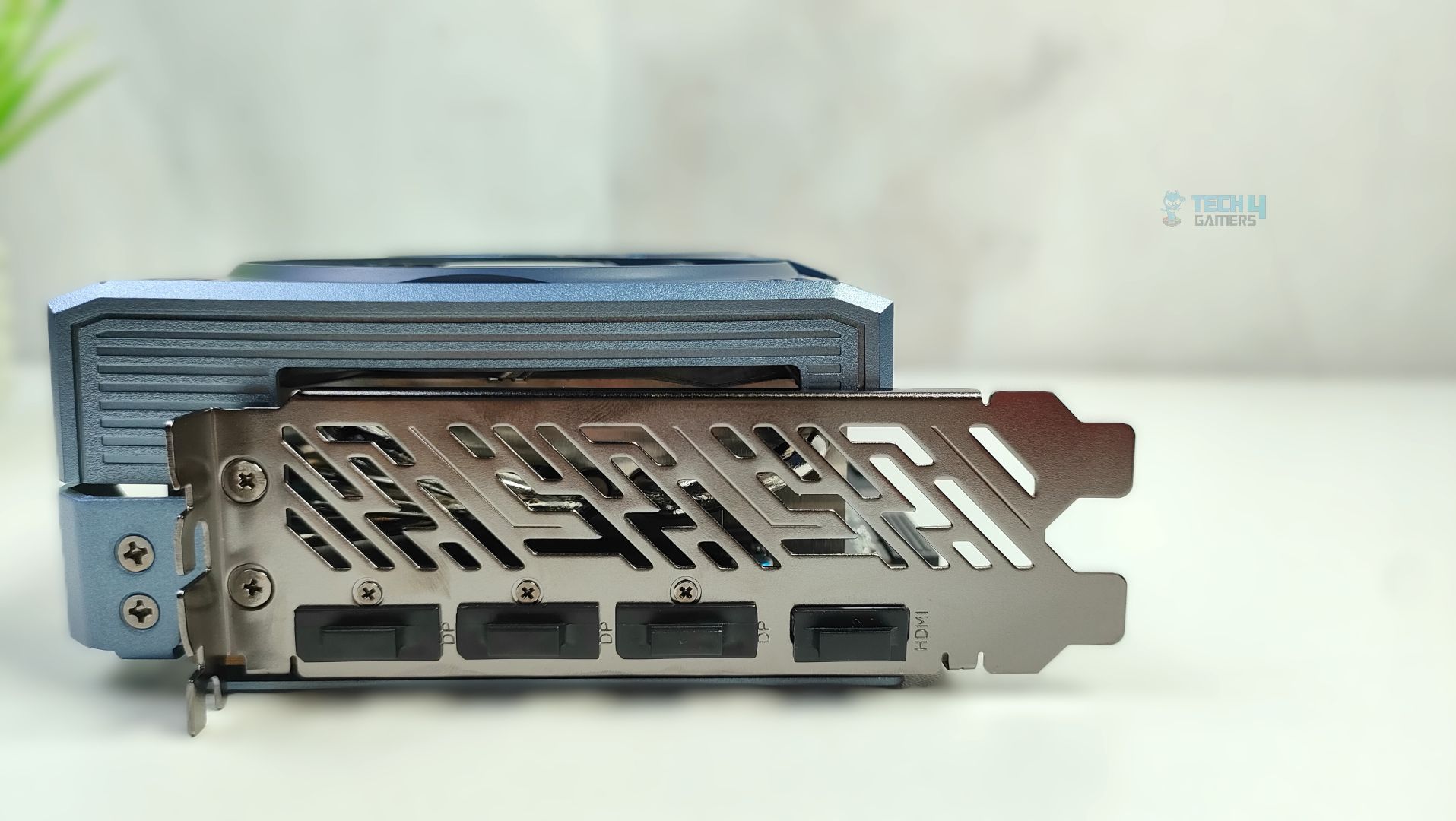
Lastly, we’re taking a look at the card’s I/O plate. It features a thick reinforced vented bracket. The GPU supports 3x DisplayPort 2.1a and 1x HDMI 2.1b connectors.
Assembled in Chassis
Here are additional shots of the ASRock Radeon RX 9070 XT Monster Hunter Wild Edition installed inside the case.
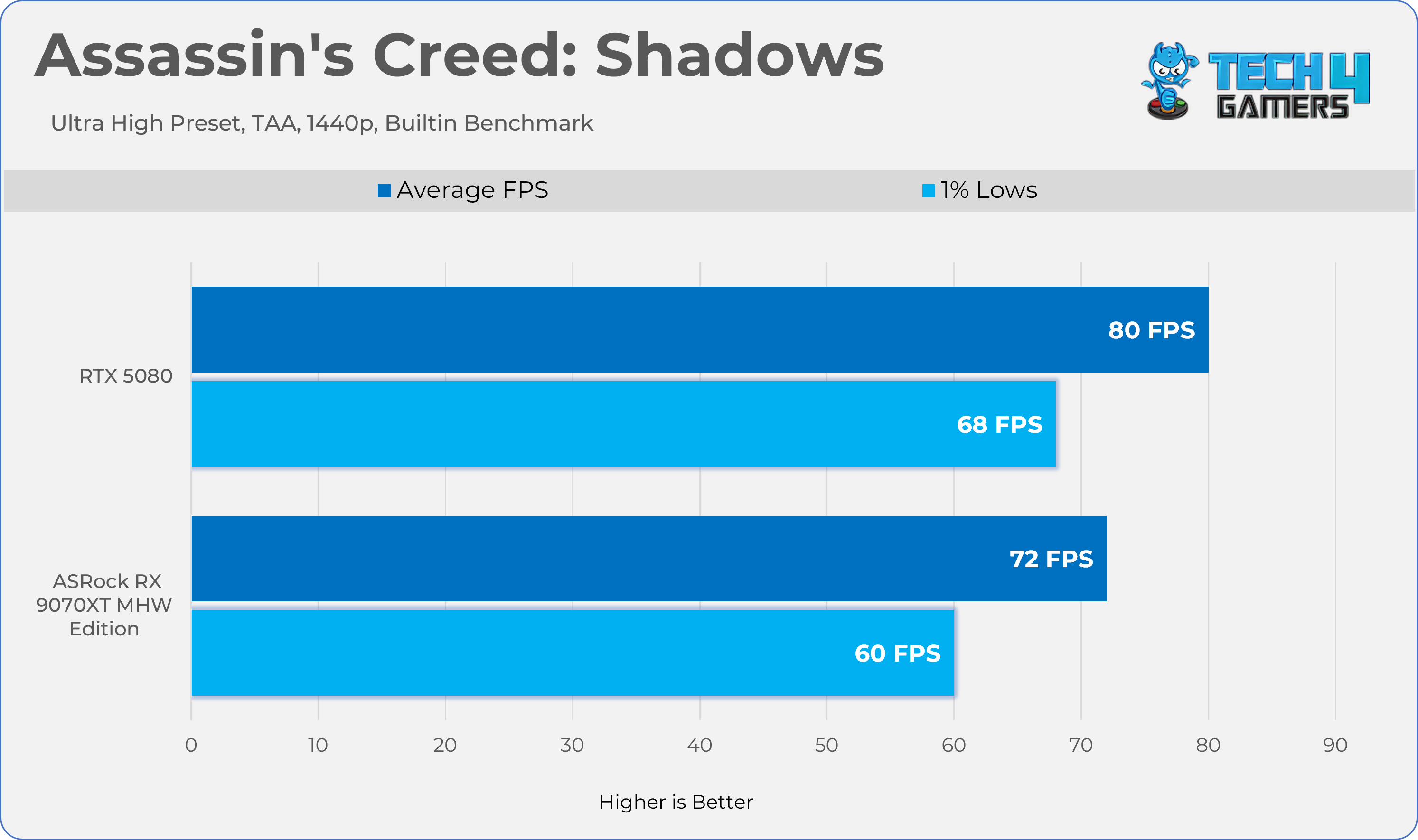
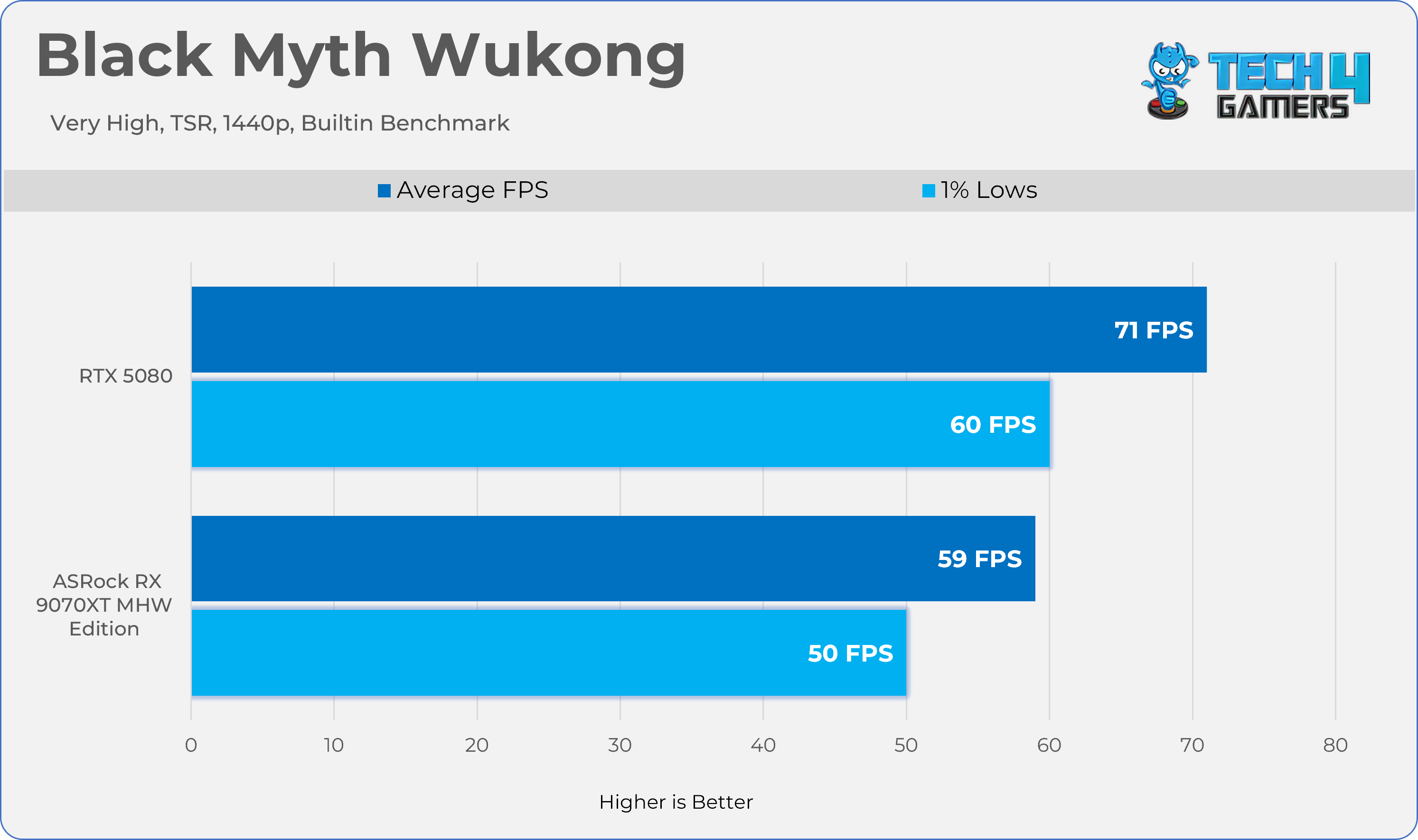
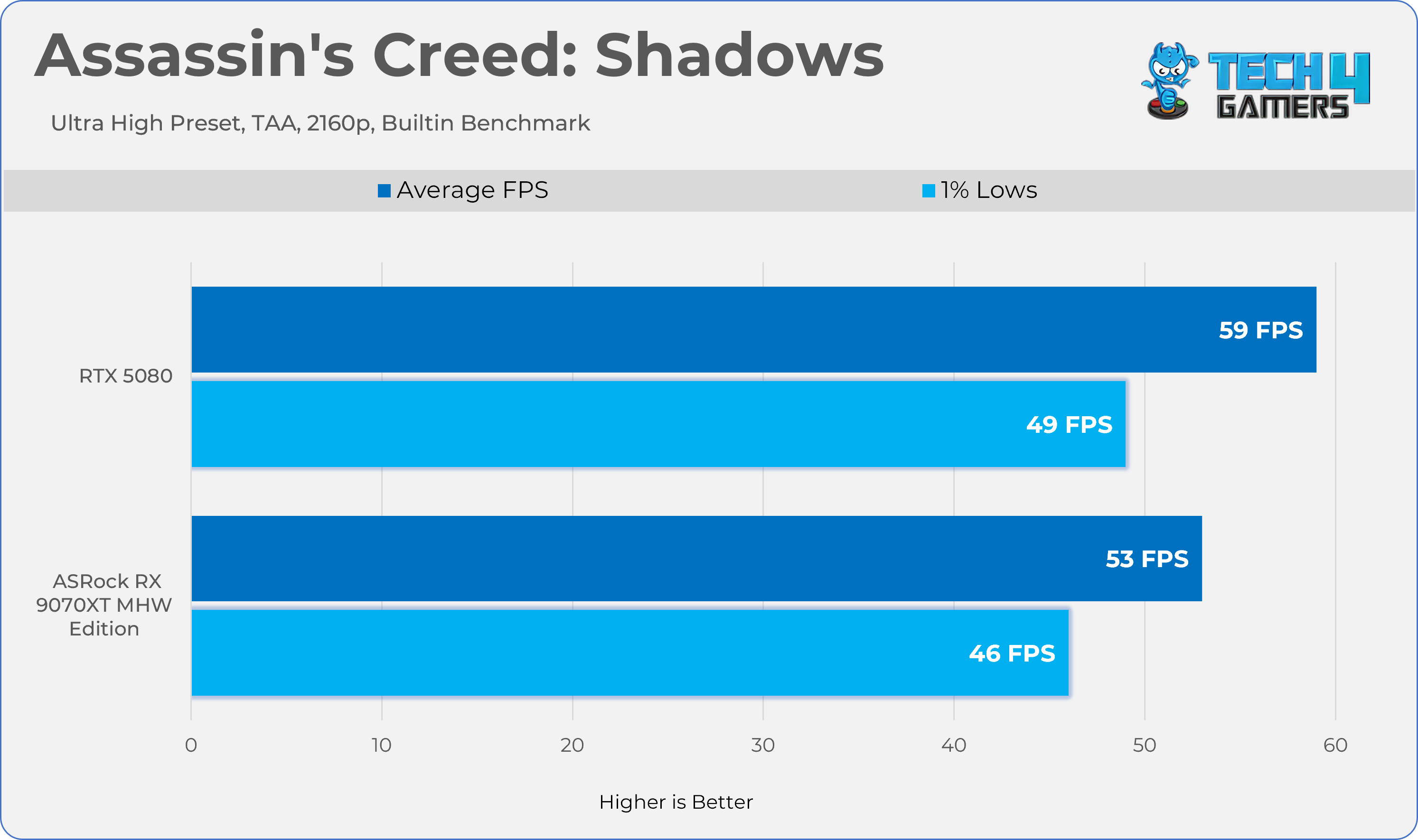
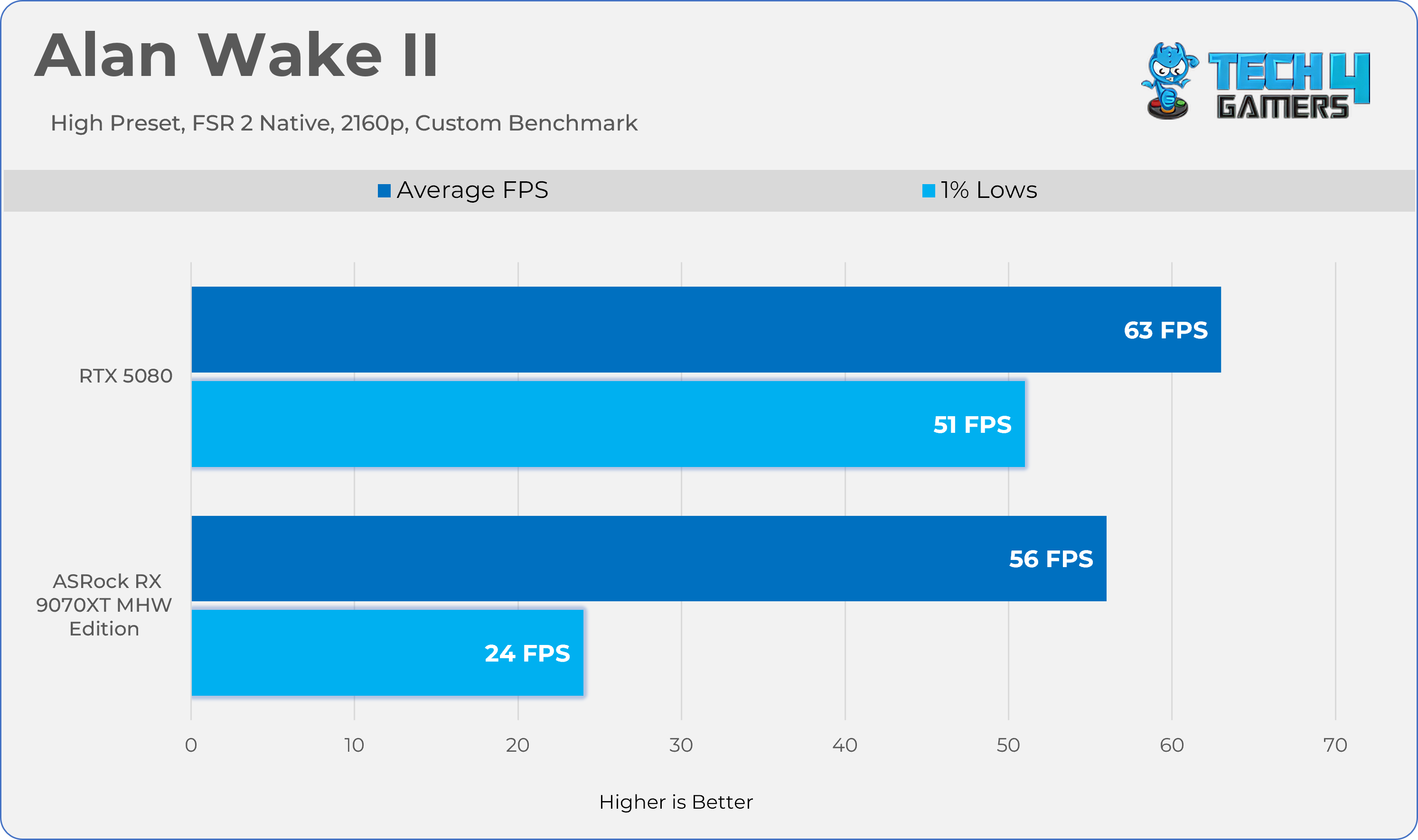
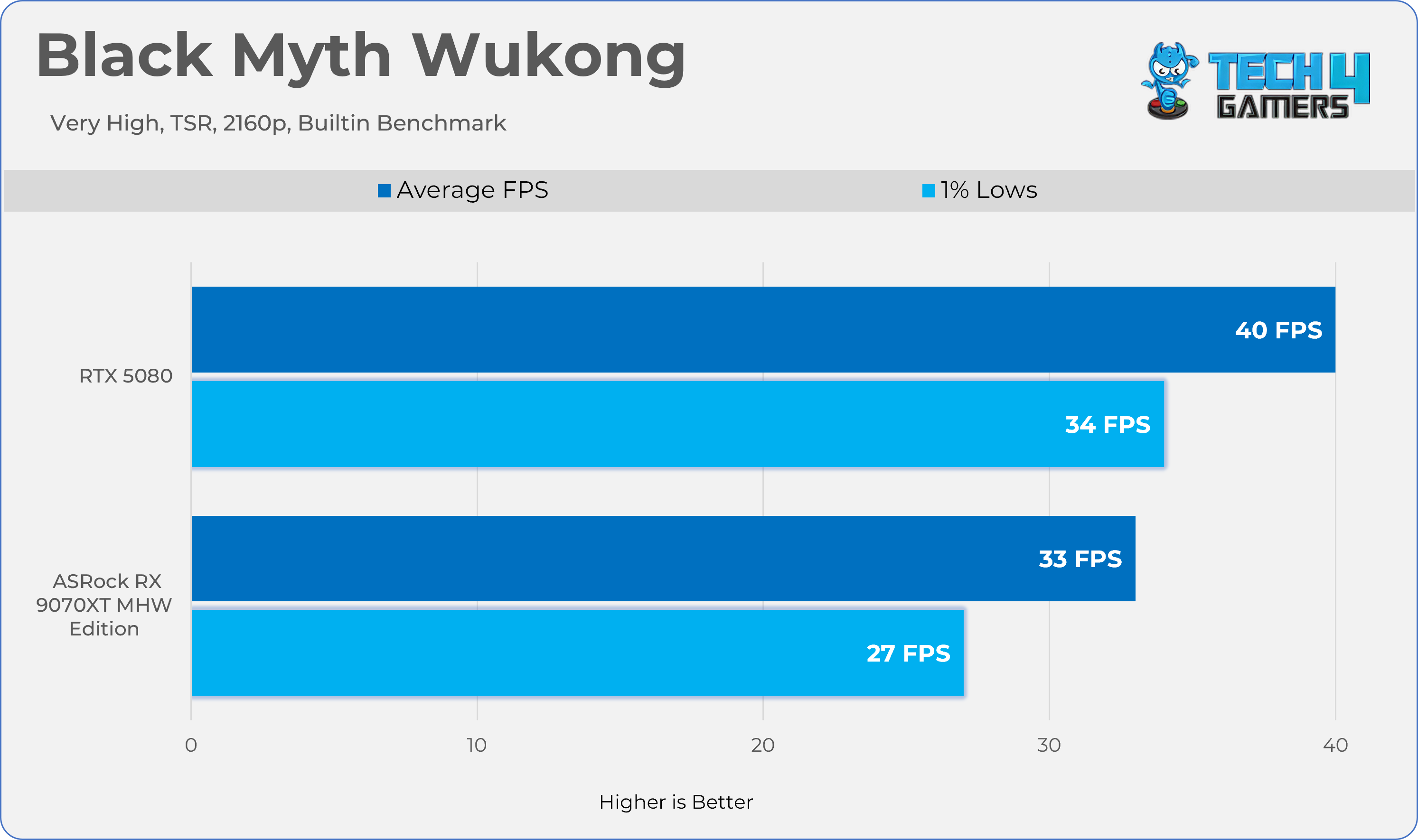
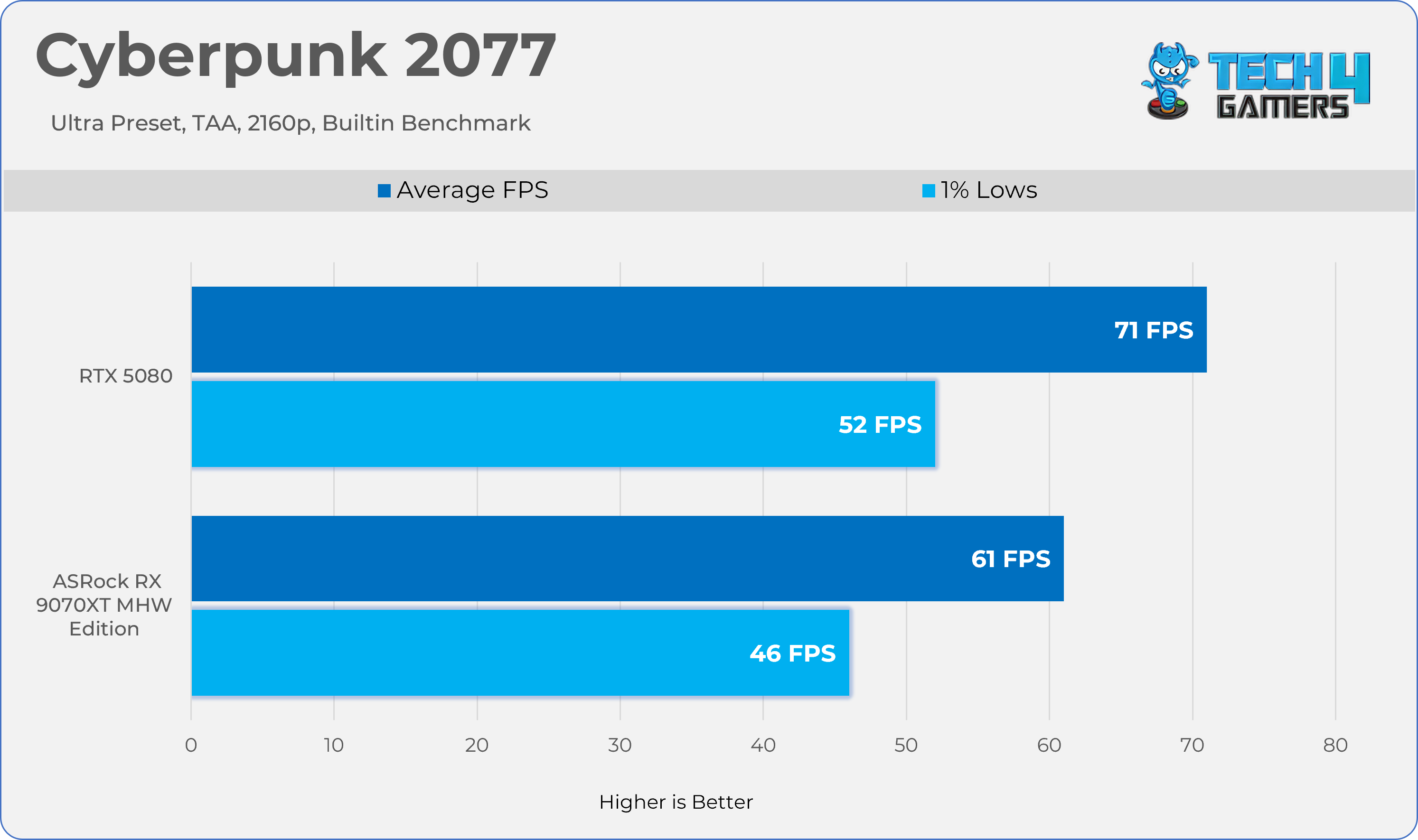
We tested all games and GPUs using the same settings, drivers, and software mentioned above. Every GPU ran the same version of each game, and we measured gaming performance at the game’s native resolution—without using any upscaling or frame-generation tools. We didn’t change any settings in the control panel; all adjustments were made directly within the game.
Upscalling / Anti Alising:
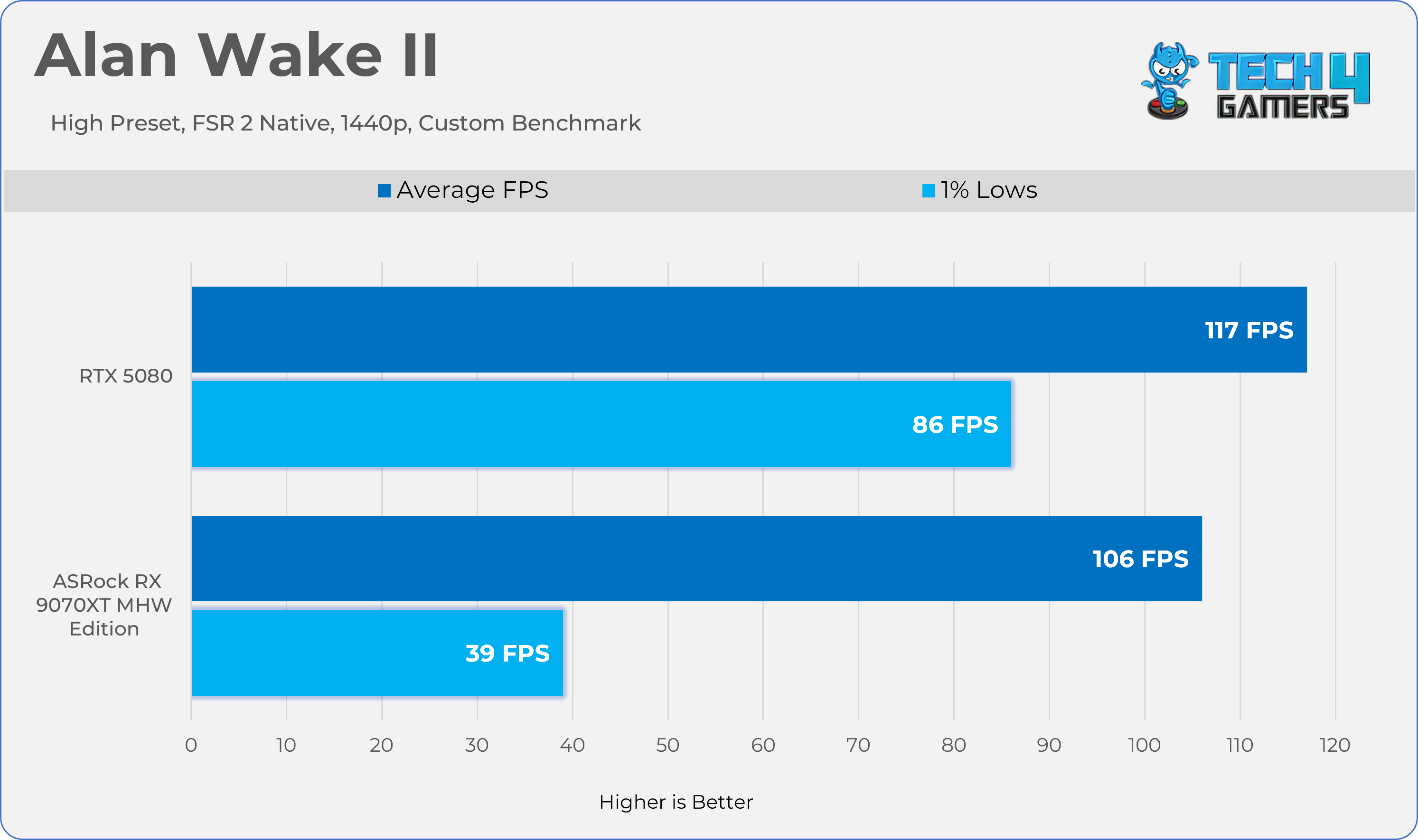
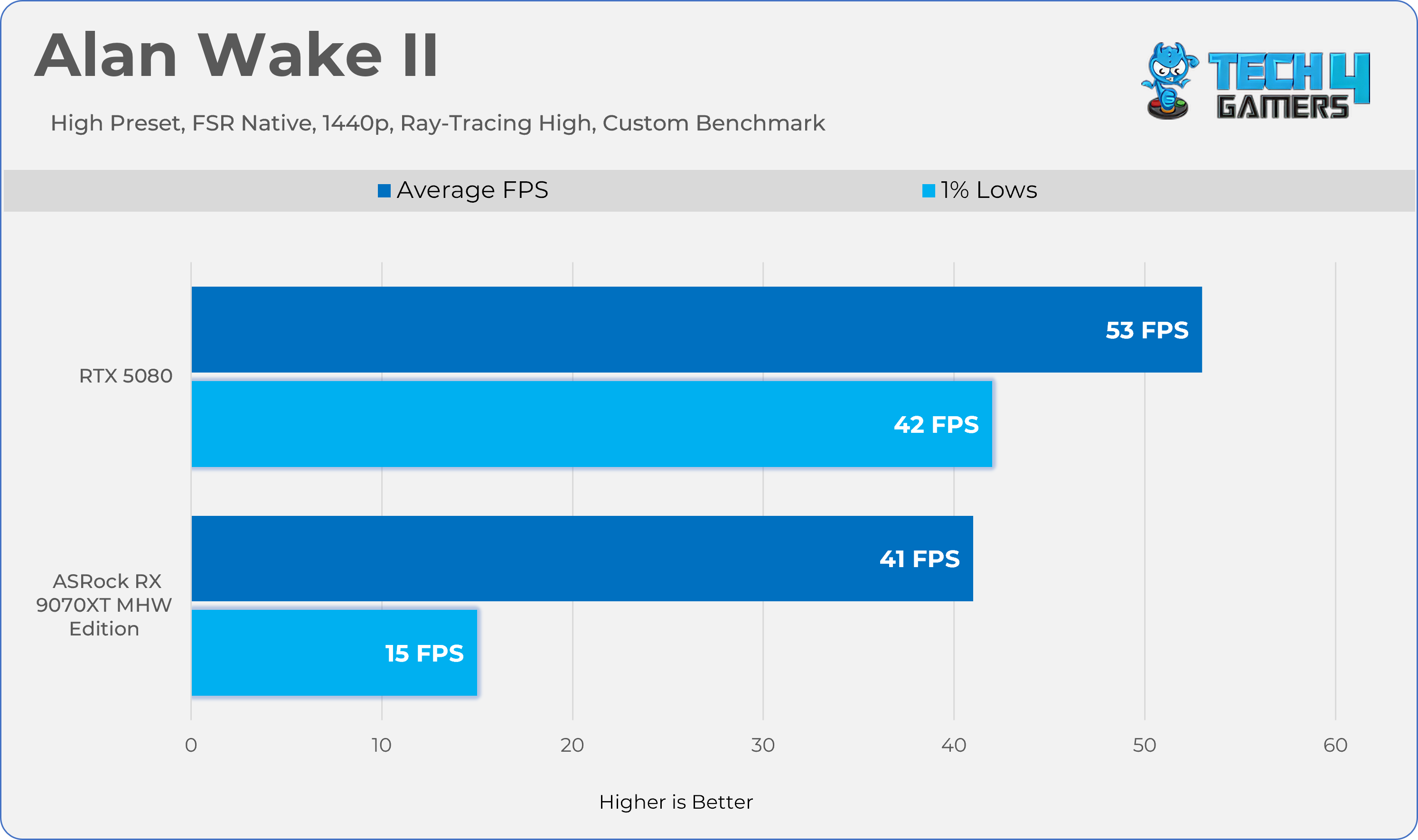
For games that don’t have their own upscaling or Temporal Anti-Aliasing (TAA), we used FSR Native because it works with every GPU. For example, this was the case with Alan Wake II.
Performance / Measurement Tools:
MSI Afterburner: recorded performance metrics.
HWINFO Pro: tracked clock speeds and measured both average and maximum power consumption.
NvAPP: NVIDIA shadow-play was completely disabled on RTX GeForce cards.
Benchmark Methods:
Some games used their built-in benchmarks, while others were tested with custom settings.
GPU Configuration:
None of the GPUs were modified, overclocked, or had their power limits increased during the tests. We also test the Graphics Card Cooler Noise, Fan Behavior, and Temperatures on the stock settings.
Screen Resolutions Tested:
QHD (2560×1440)
UHD (3840×2160)
Rasterization Performance
Gaming 1440p Benchmarks
Individual Game Testing (Raster)
1 of 7
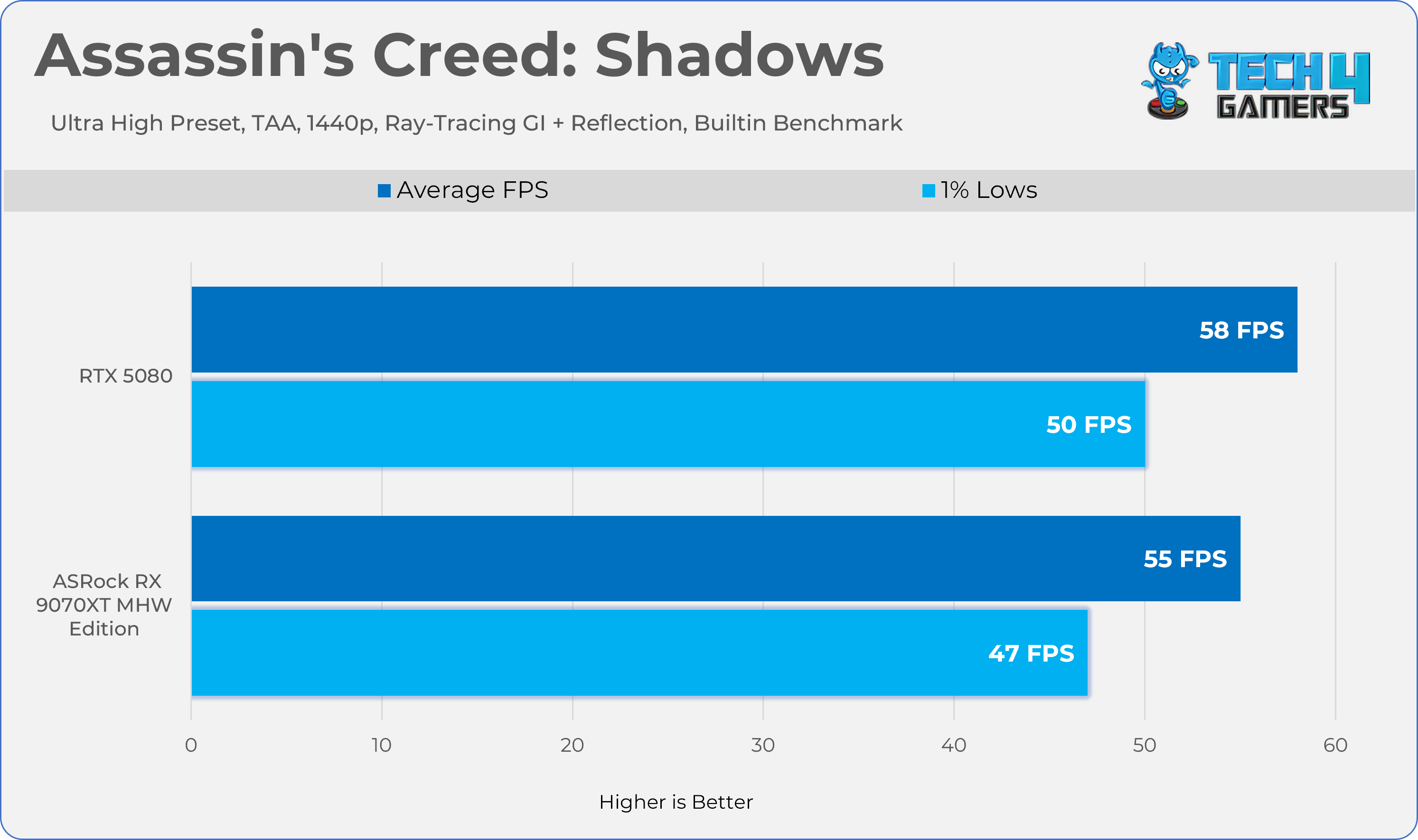
AC Shadows
Alan Wake II
Black Myth Wukong
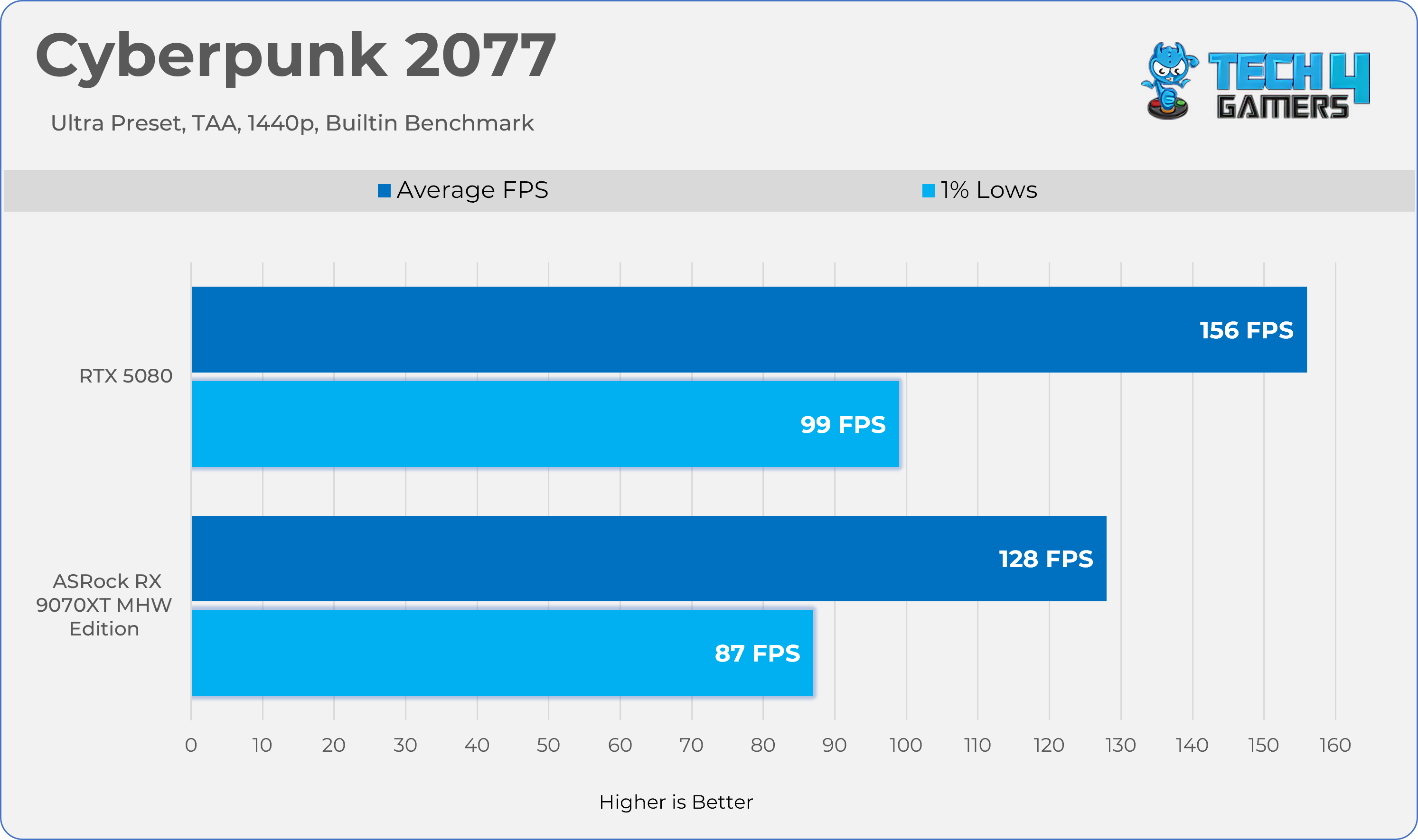
Cyberpunk 2077
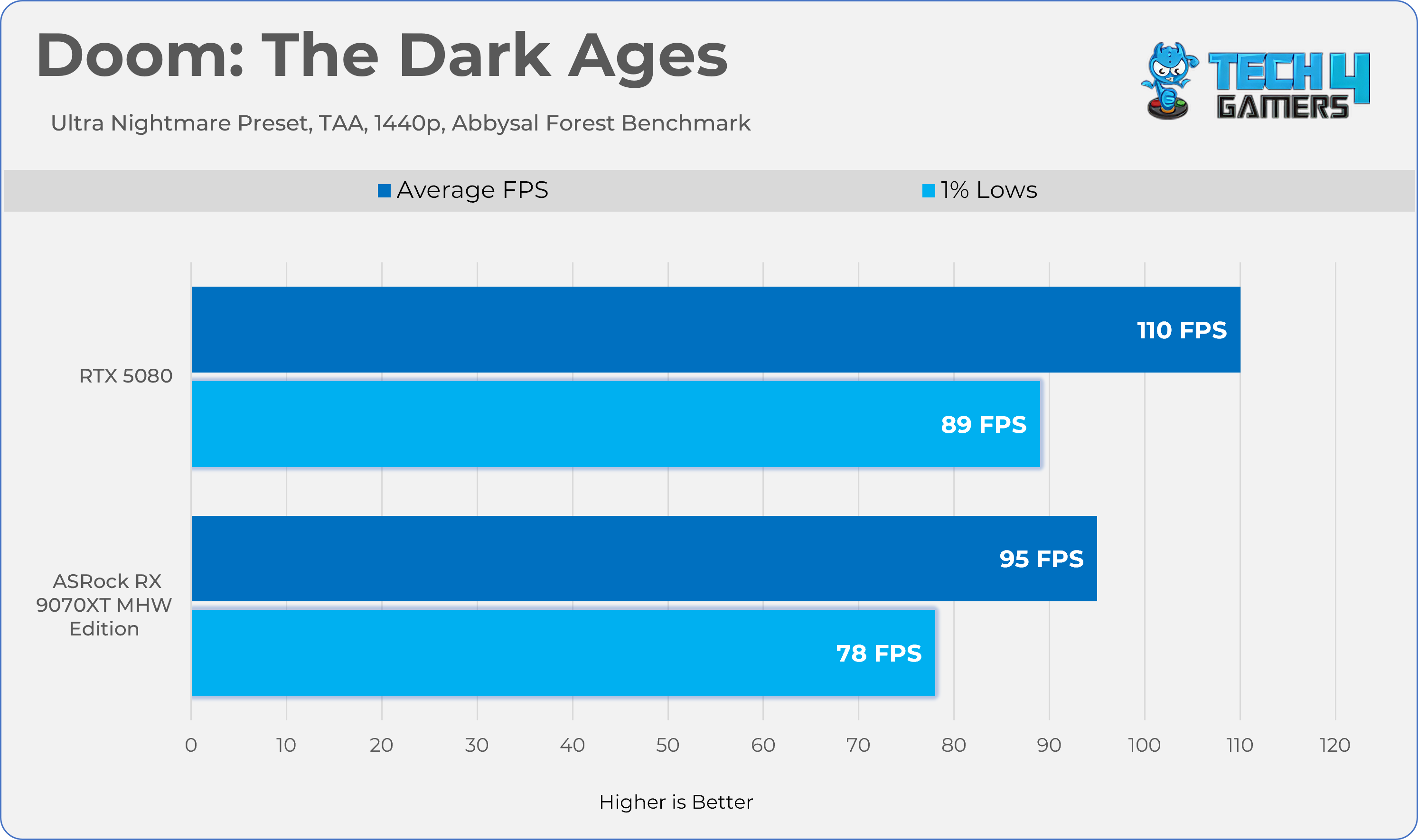
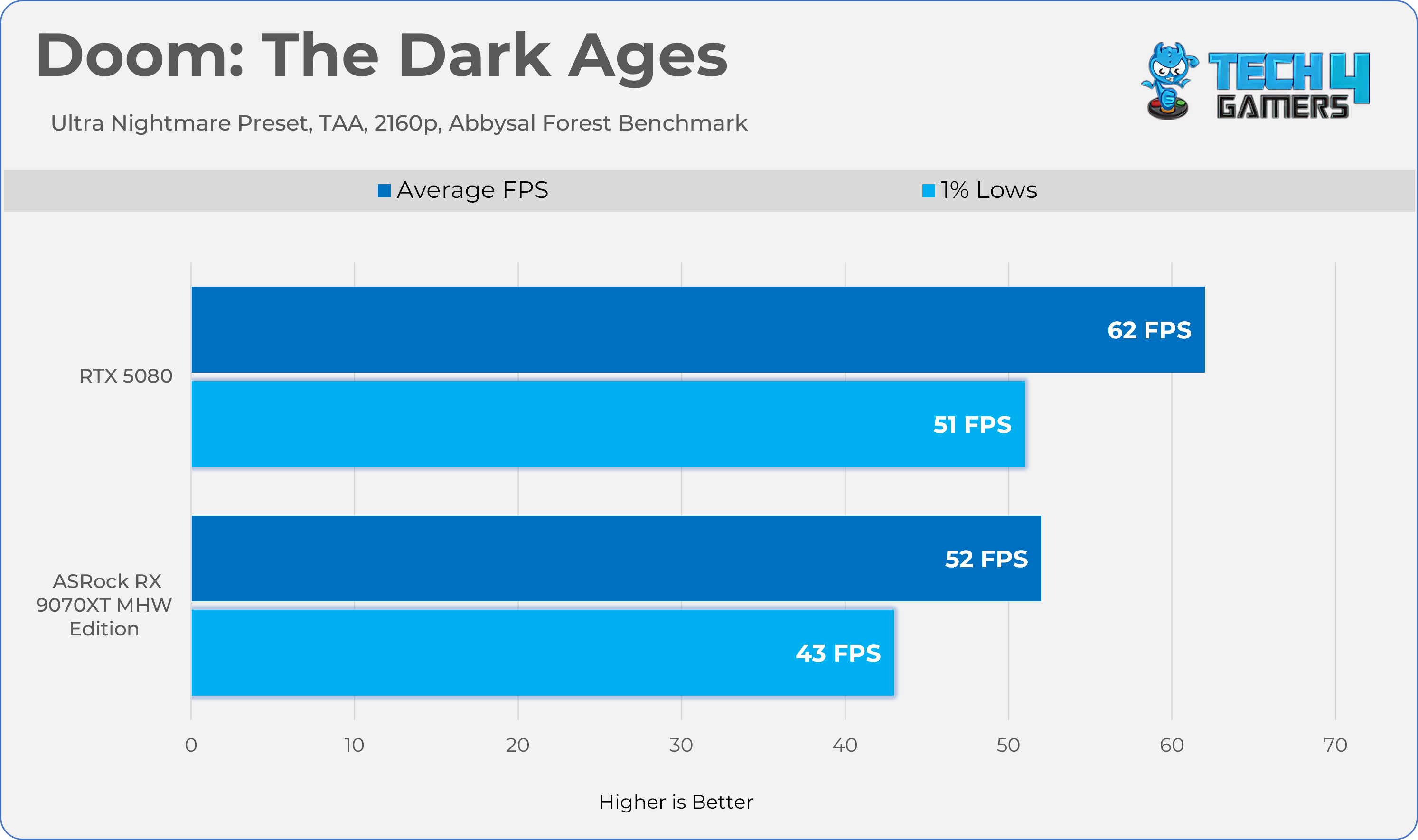
Doom TDA
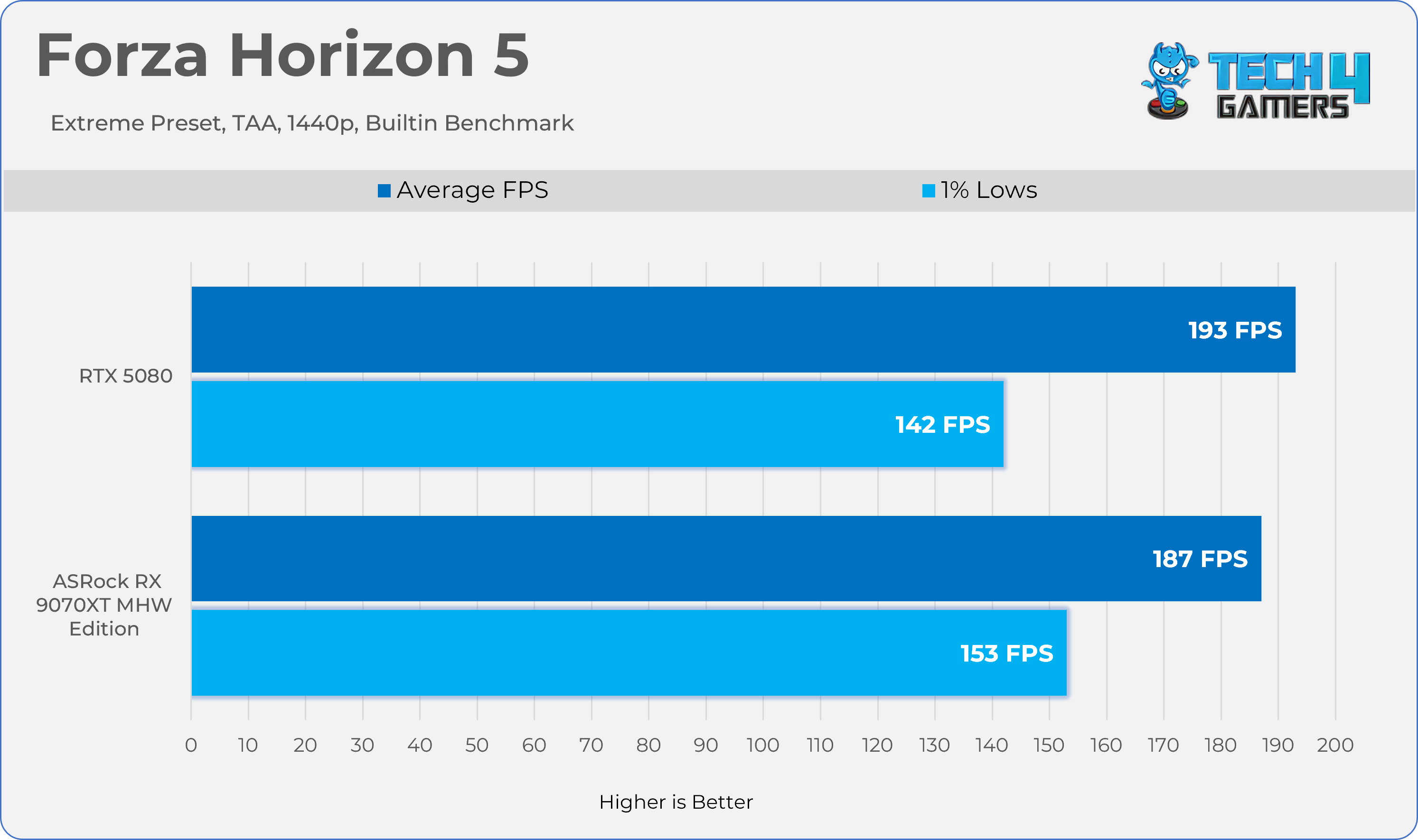
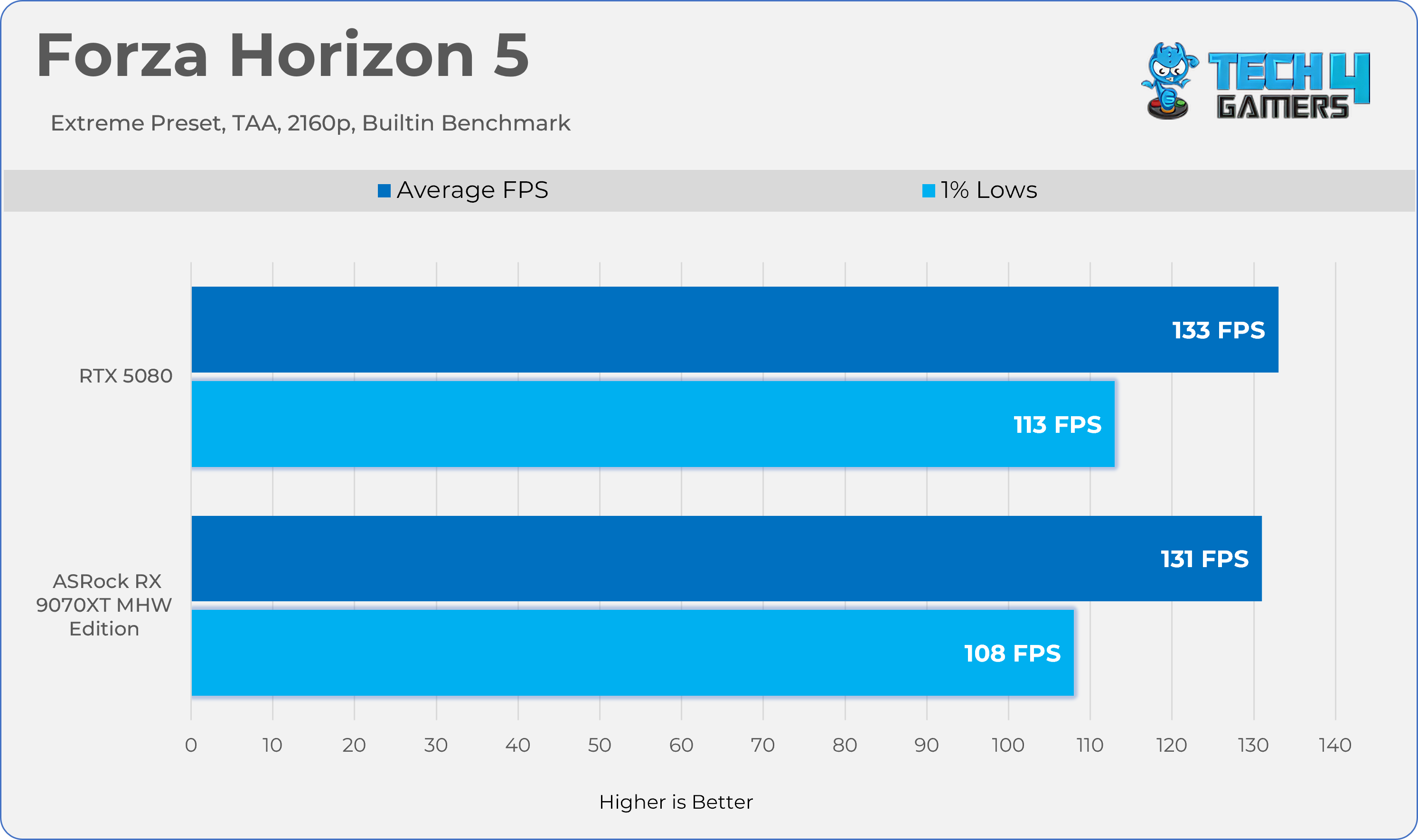
Forza Horizon 5
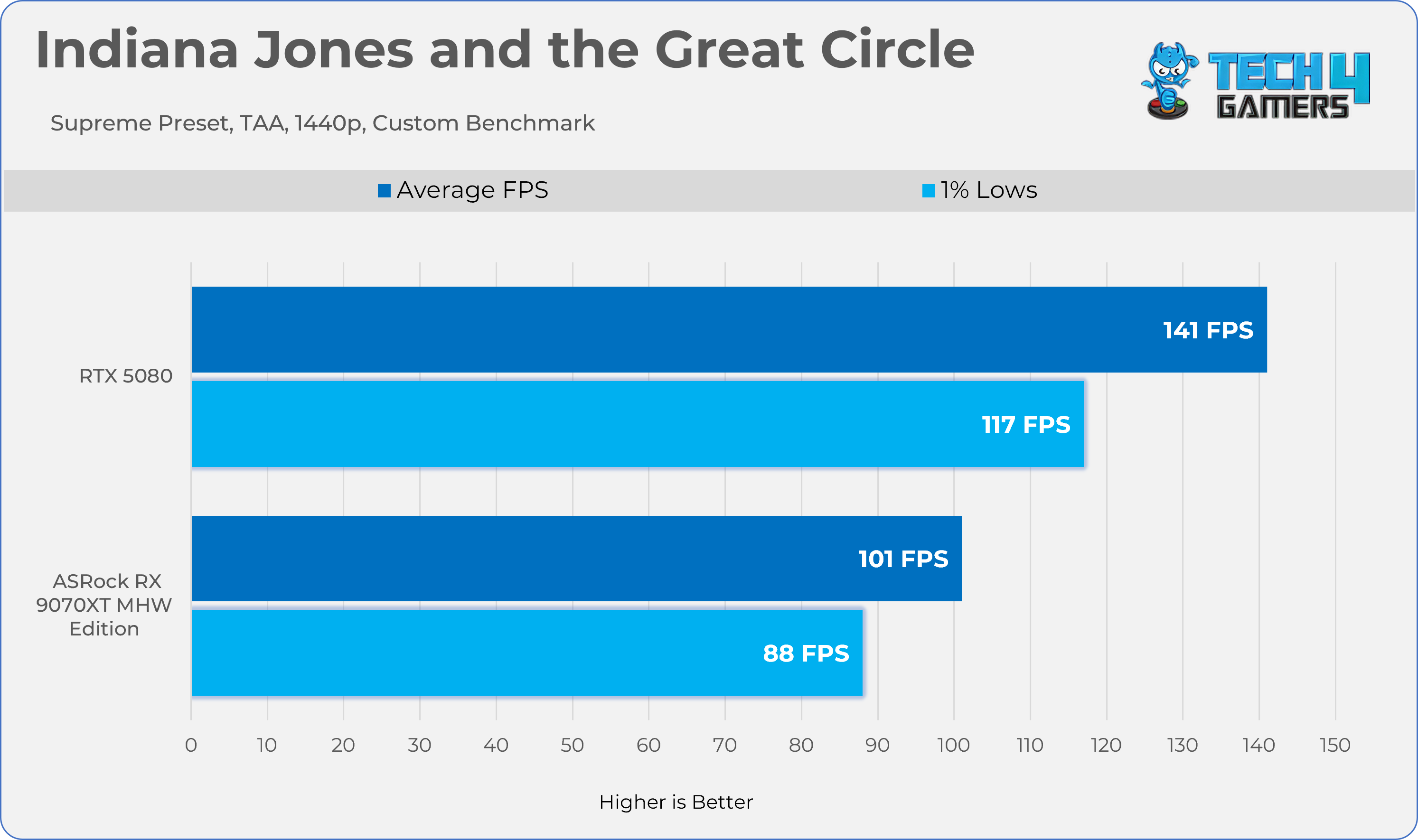
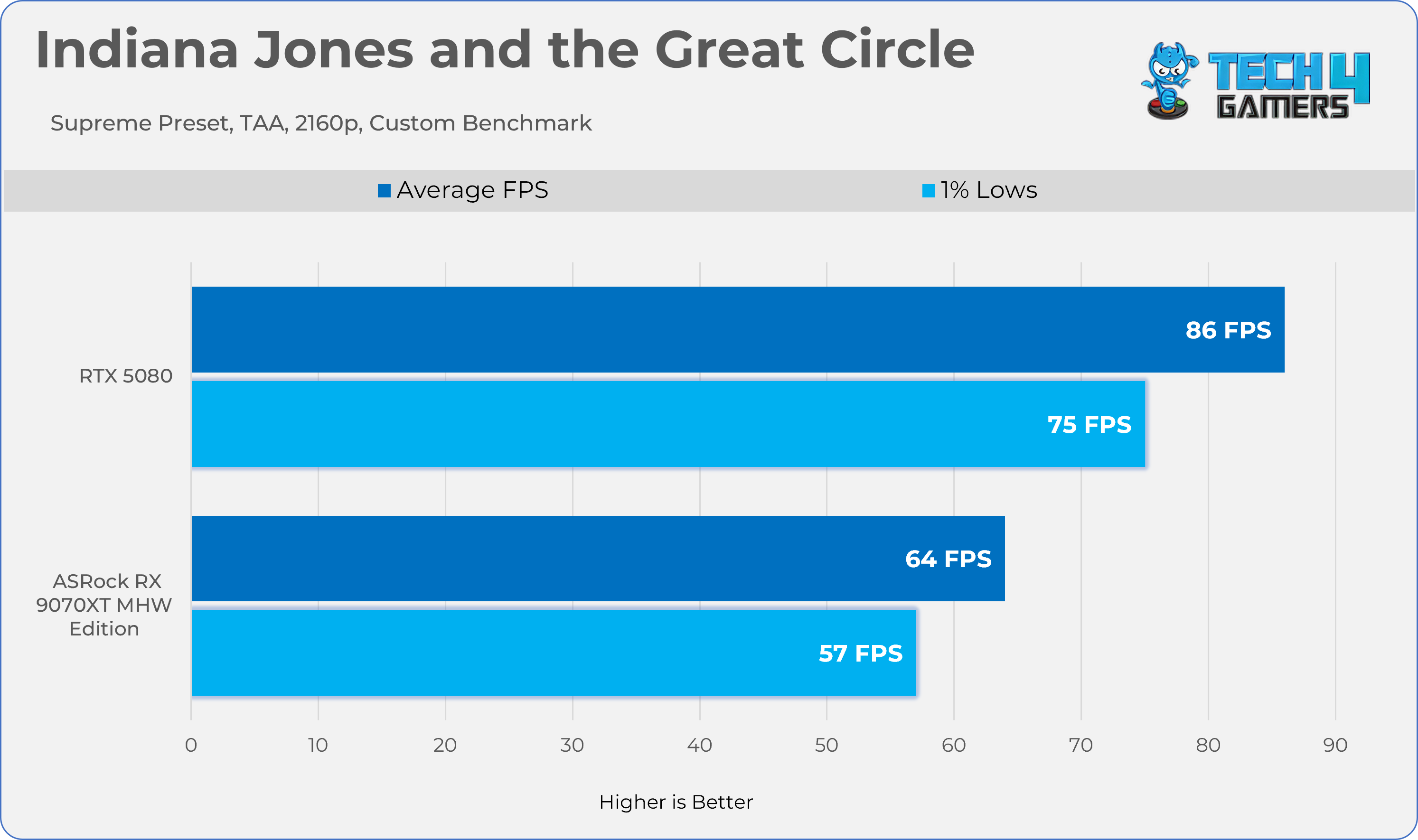
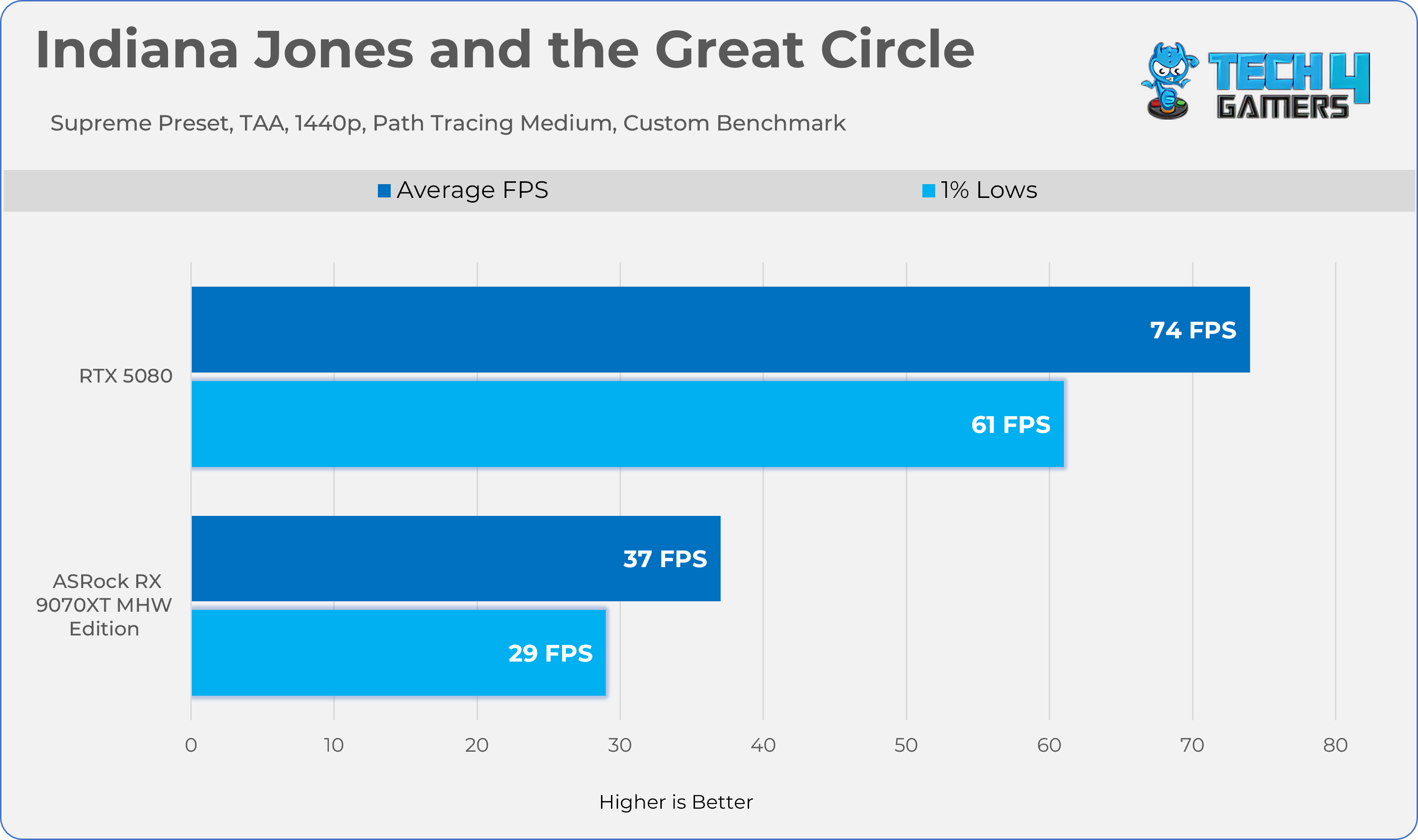
Indiana Jones
Gaming 2160p Benchmarks
Individual Game Testing (Raster)
1 of 7
AC Shadows
Alan Wake II
Black Myth Wukong
Cyberpunk 2077
Doom TDA
Forza Horizon 5
Indiana Jones
Ray Tracing Performance
Gaming 1440p Benchmarks (RT)
Ray-Tracing Performance
1 of 6
AC Shadows
Alan Wake II
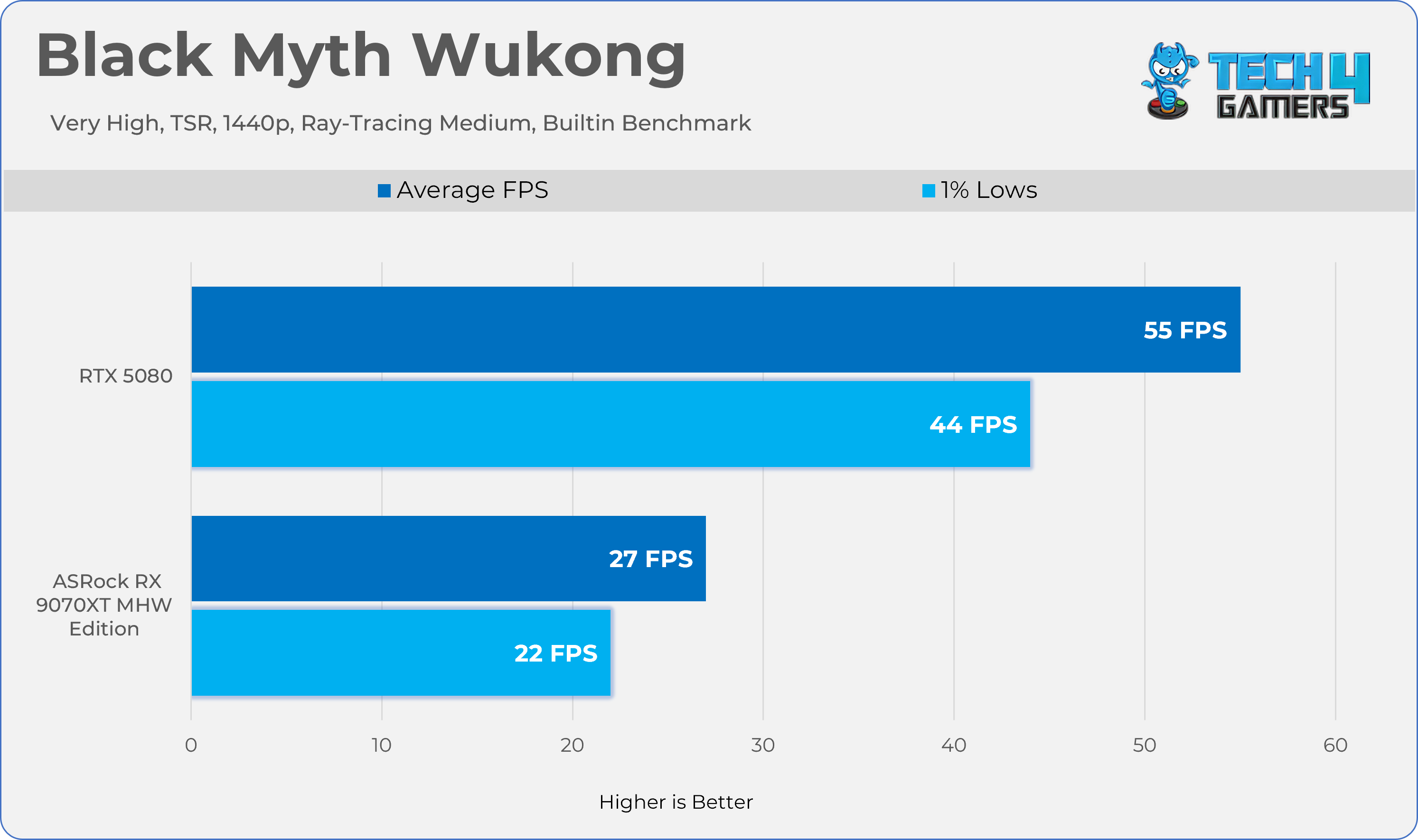
Black Myth Wukong
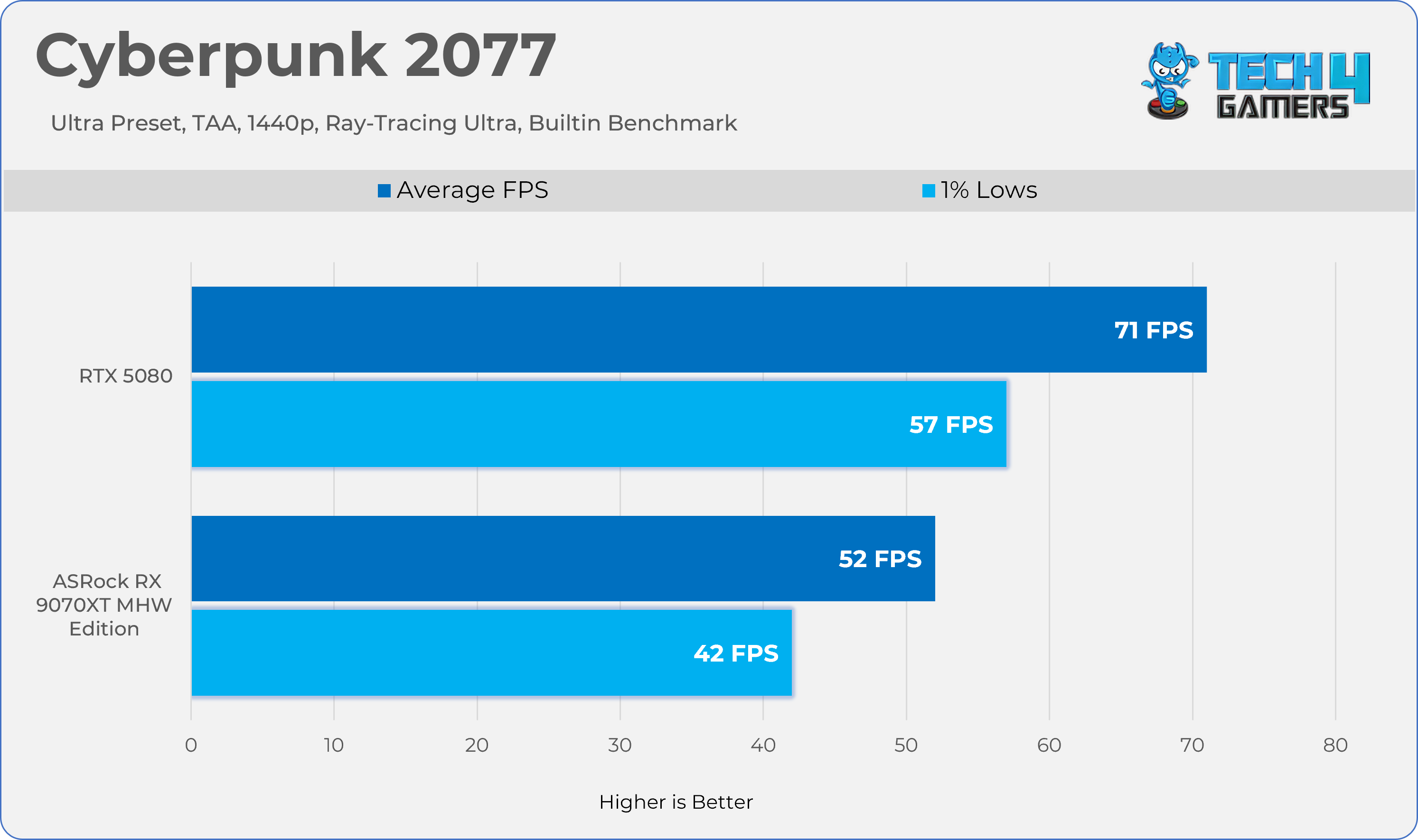
Cyberpunk 2077
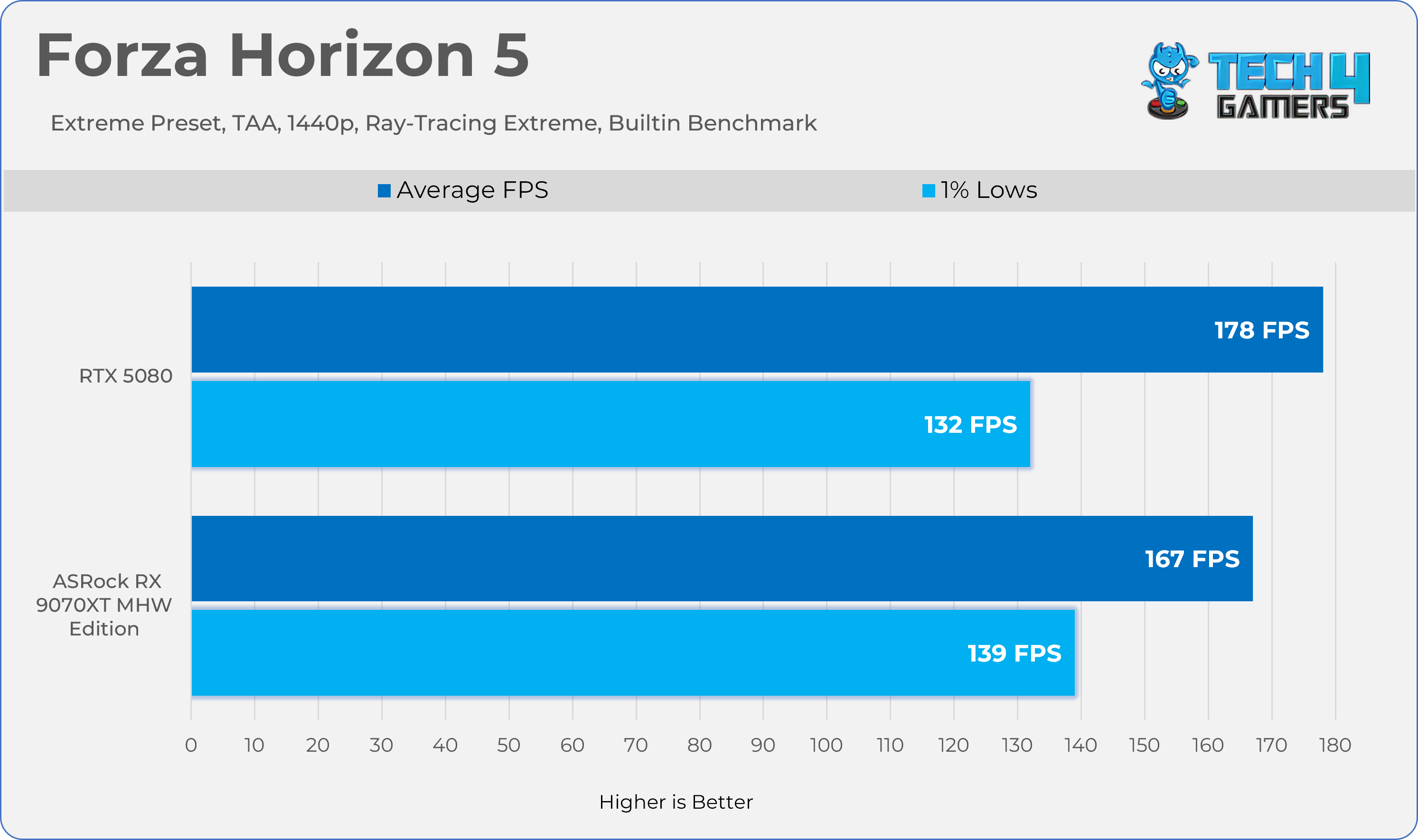
Forza Horizon 5
Indiana Jones
Average FPS
Average Frames Combined
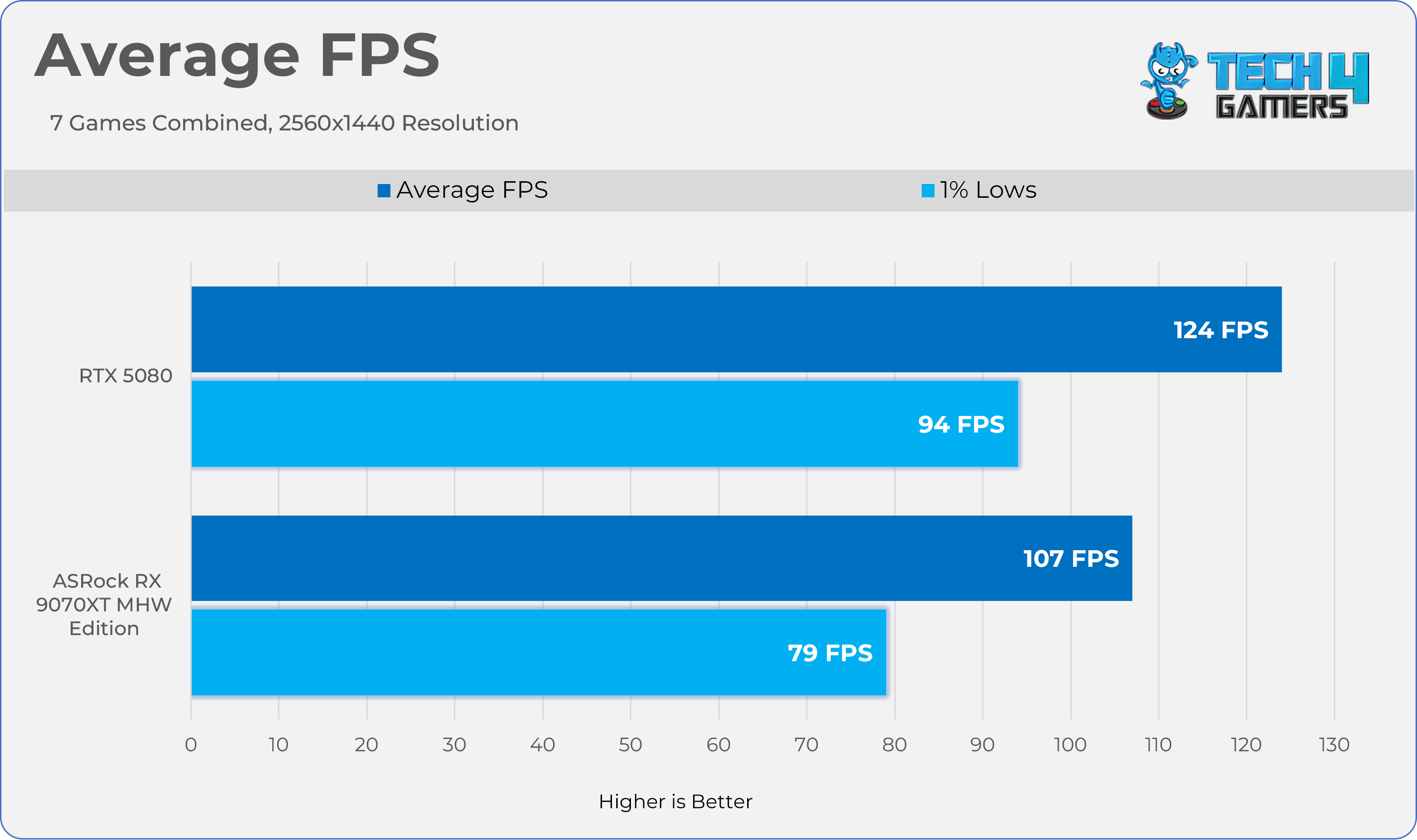
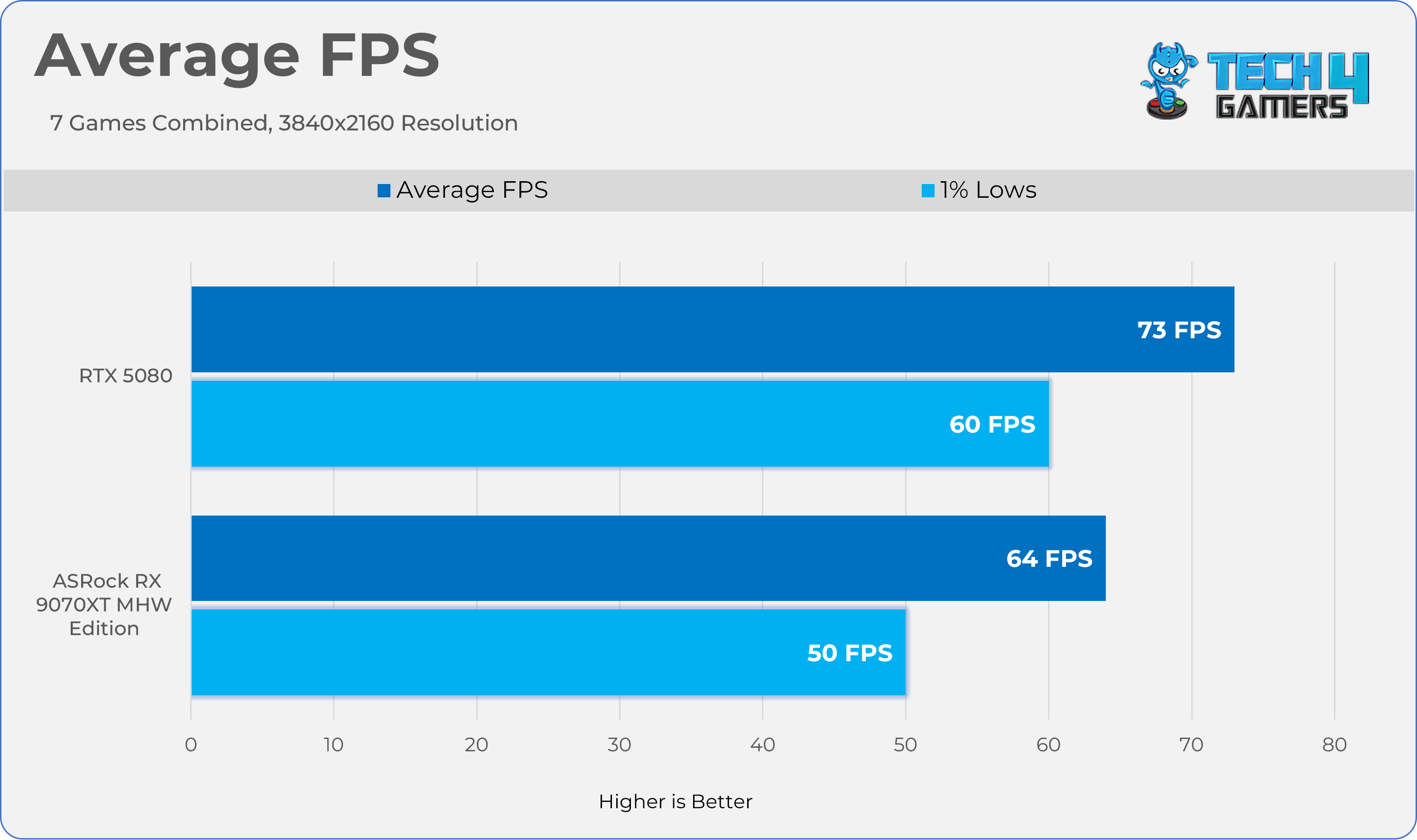
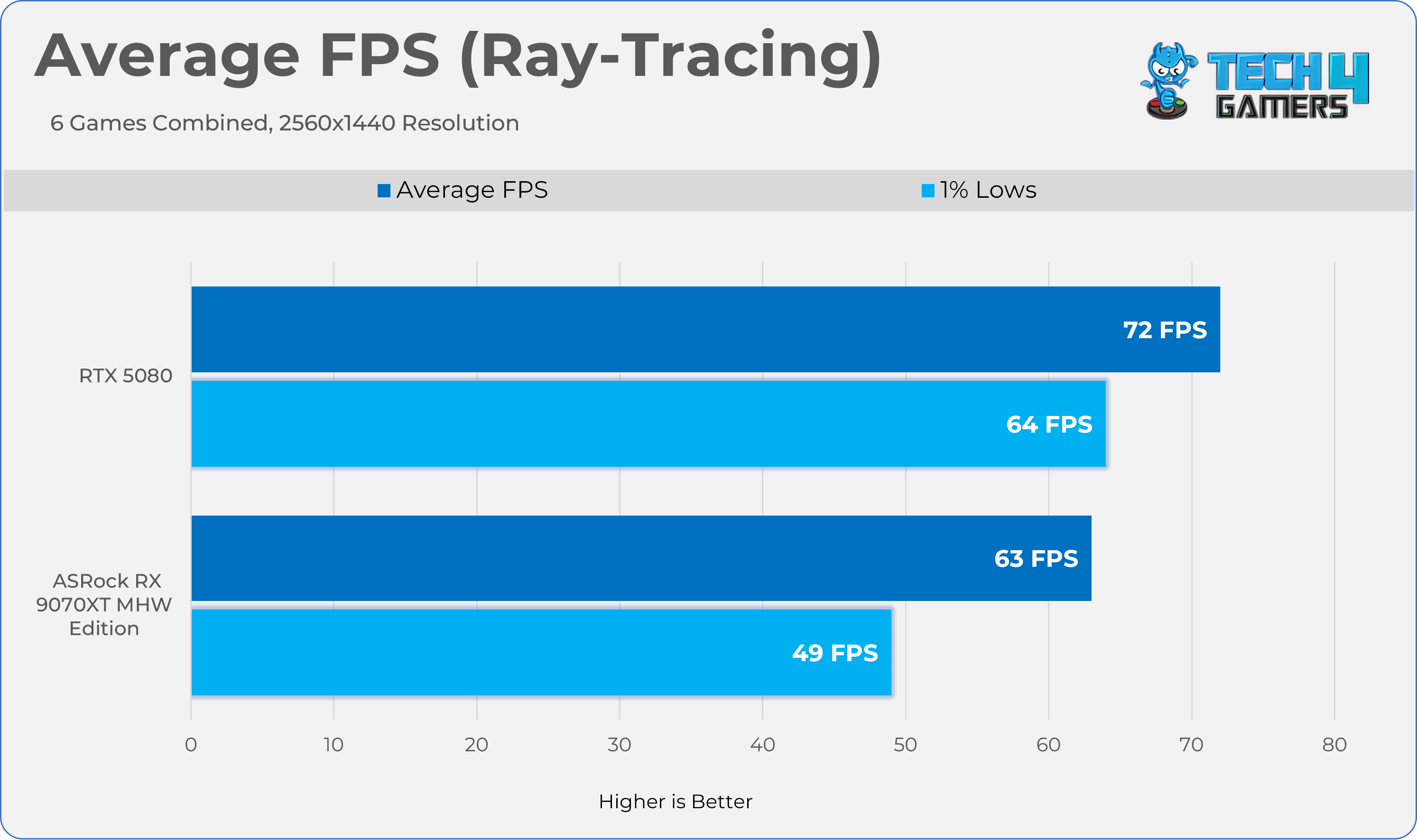
Combined Games - Average FPS
1 of 3
2560x1440
3840x2160
2560x1440 - Ray Tracing
Thermals, Power, Noise
We’ve tested Graphics-Card Thermals, Power, Noise, and Fan-RPM statistics in the two games Alan Wake II and Cyberpunk 2077, with ray tracing enabled at 1440p for 20 minutes each. To make this scenario more realistic, the GPU has been tested in the HYTE Y70 chassis, and we have calculated average sensor data. We have also added the Furmark test to evaluate the graphics card’s performance under stress. The room temperature is set to 20 °C ± 2
Application
Core °c
Hot Spot °c
Clock Speed
Fan
Noise
Power
Cyberpunk 2077
59.6°c
85.7°c
2598 MHz
1543 RPM
36.7 dB(A)
303W
Alanwake II
60.1°c
85.5°c
2733 MHz
1536 RPM
36.6 dB(A)
303.5W
Furmark (Stability Test)
56.6°c
89.3°c
2953 MHz
1744 RPM
37.5 dB(A)
303.5W
Overclocking
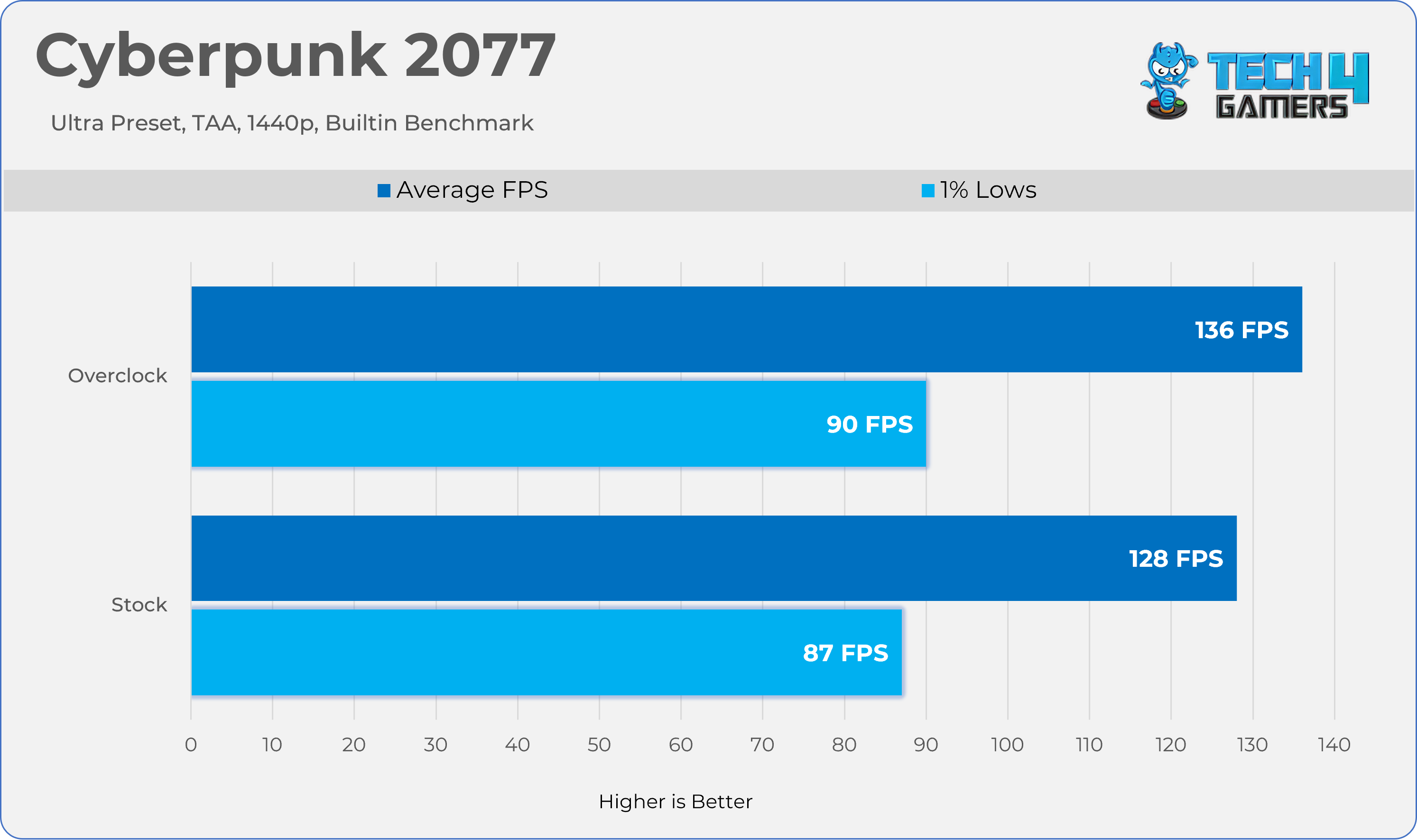
Overclocking an AMD RX 9070 XT wasn’t difficult, but it was worthwhile; we gained another 7% in Cyberpunk 2077 by combining the memory and core over clock + under volt. If you are familiar with overclocking on AMD cards, you would know it’s slightly different from NVIDIA; on AMD, you have to set the target frequency offset in the AMD Adrenaline Drivers, and you need to lower the GPU voltage; however, increasing the power limit is necessary, which, in our case, on ASRock Radeon RX 9070 XT Monster Hunter Wild Edition, you can unlock 10% of power.
Overclocked vs Stock Results
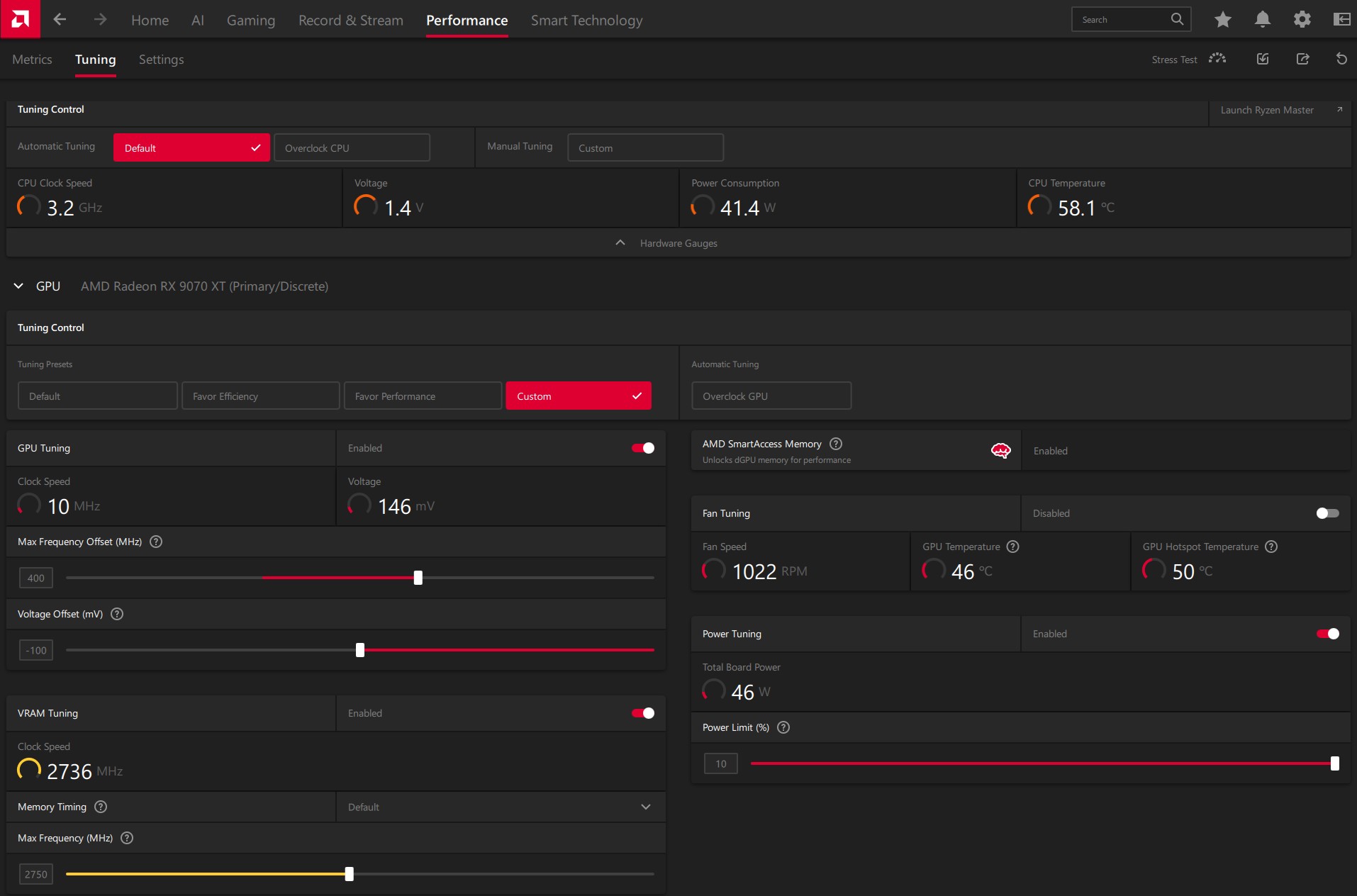
How Did We Overclock An RX 9070 XT?
Open the AMD Adrenaline Software
In the top menu, select the Performance tab, then click Tuning.
At the tuning control, set it to ‘Custom’
Toggle the GPU Tuning Option to on.
In Maximum Frequency Offset (MHz), set your desired frequency; in our case, we set it to +400 MHz.
Below the Maximum Frequency Offset (MHz) Slider, you will find the Voltage Offset Option.
You need to adjust the voltage offset to see the gains. In our case, we set the offset to -100mV
After you have tuned your GPU cores, head to the VRAM tuning option below the Voltage Offset Slider
Set your desired memory clock. In our case, we have overclocked our memory from 2518MHz to 2750MHz
Finally, ensure you have unlocked the power limit; you can max out the slider. Our card has unlocked it to 110%, meaning a total power limit of 330W.
Overclock Settings
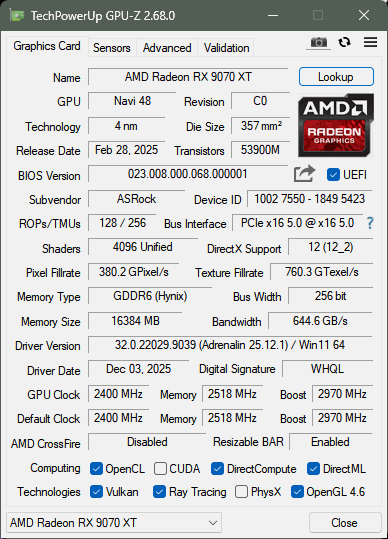
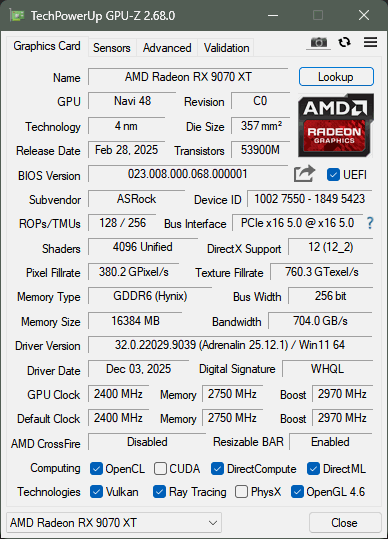
Here is a GPU-Z screenshot comparing the adjusted timings with the default timings.
Stock
OC
Should You Buy It?
Buy It If
✅You Love The Monster Hunter Series: Due to the unique Monster Hunter: Wilds Edition Artwork, this GPU could be a cool collectible.
✅You Want Strong Gaming Performance: In Our Tests, the RX 9070 XT delivered very strong performance at 1440p and ran every game at the maximum possible settings at decent frame rates.
✅You’re Building A Themed/Showcase PC: If Aesthetics matter, RGB or themed colors, and you want your build to stand out, this GPU would be a great option.
Don’t Buy It If
❌You’re Not Focused On Themed/Showcase PC: Generally, these GPUs are more expensive than their standard counterparts because their unique design offers no meaningful performance improvements.
Final Thoughts
To conclude, we’d like to share our final observations.
Cooling / Performance And Noise
We have tested the GPU on several of the latest titles, including path-tracing titles, and this time, AMD did not disappoint. We have managed to play the games at a reasonable frame rate, even at 4K. However, for cooling, ASRock uses a Phase-Change Sheet on the GPU core, which is a nice addition to the graphics card’s longevity. The GPU ran very quietly, and the cooling stayed below 60 degrees while the fans were running at 35%, which was extremely quiet in our closed HYTE Y70 Chassis.
Build Quality / Design
ASRock’s Radeon RX 9070 XT Monster Hunter Wilds Edition is a unique piece of hardware inspired by the RPG Monster Hunter. First of all, this GPU shares a similar cooler design to the Steel Legend card. However, some prominent cosmetic changes to the GPU might appeal to users who want their PC to stand out and build a showcase/themed PC. I haven’t been much of a fan of this game, but the design has intrigued me. ASRock has really put some thought into the GPU aesthetics, such as the transparent acrylic Arkveld nameplate that glows with RGB effects. The build quality here is also incredible.
Value
The GPU has an MSRP of $699.99. At this price, I would highly recommend this GPU due to the lack of competition from NVIDIA, as they simply do not provide much value, especially at this price range. Also, the GPU includes a free copy of Monster Hunter: World, 16GB of video memory, and a high-quality build, including unique game artwork.
At Tech4Gamers, I contribute as a Senior News Reporter, combining my skills and gaming enthusiasm to keep our audience updated on the latest developments.
Story Highlight
A new report points to a new StarCraft announcement at BlizzCon 2026.
The new entry in this series is said to be a third-person shooter led by Dan Hay, who previously worked on Far Cry.
Two StarCraft shooters were also cancelled mid-development previously.
Rumors regarding a new StarCraft title from Blizzard have been making the rounds for a while. The studio is rumored to be working on a new shooter entry for the IP, and it seems an announcement is now closer than ever.
According to a new report, Blizzard’s next big StarCraft entry will be announced later this year.
Why it matters: Blizzard has mainly focused on Diablo and Overwatch lately, so a new StarCraft announcement would give the studio and its fans something fresh to look forward to.
StarCraft Fans Have Wanted A New Game For A While
Following reports from industry insiders like Jason Schreier, the latest information comes courtesy of Jez Corden.
He states that StarCraft will be the headliner for BlizzCon 2026 and will likely receive a formal announcement at the event. For those curious, BlizzCon 2026 is scheduled for September.
It is said that the latest entry will be a third-person shooter, with more information expected during BlizzCon. The event will also shed light on other Blizzard IPs, including Overwatch.
Additionally, the studio could share a new mobile game announcement as it continues to deliver exciting updates to the community.
A New StarCraft Announcement Is Around The Corner
As for StarCraft, this is not the first time a revival has been discussed regarding the series. Previously, Phil Spencer also teased work on the series, hinting at what is coming in the next few months.
Following multiple StarCraft-related cancellations, the current project is being helmed by Dan Hay. The developer brings experience from Far Cry into the mix, giving fans some hope for the future.
At Tech4Gamers, I take on the role of Hardware Reviewer with pride. My responsibilities involve a thorough examination of essential hardware components like motherboards, graphics cards, processors, PC cases, and CPU coolers, among others, focusing on their complexities and functionalities.
It is about time that almost all motherboard AIB partners of AMD have released a refresh of X870E series motherboards that are also supposed to cover the next generation of Ryzen CPUs in addition to AMD’s new X3D2 series CPUs.
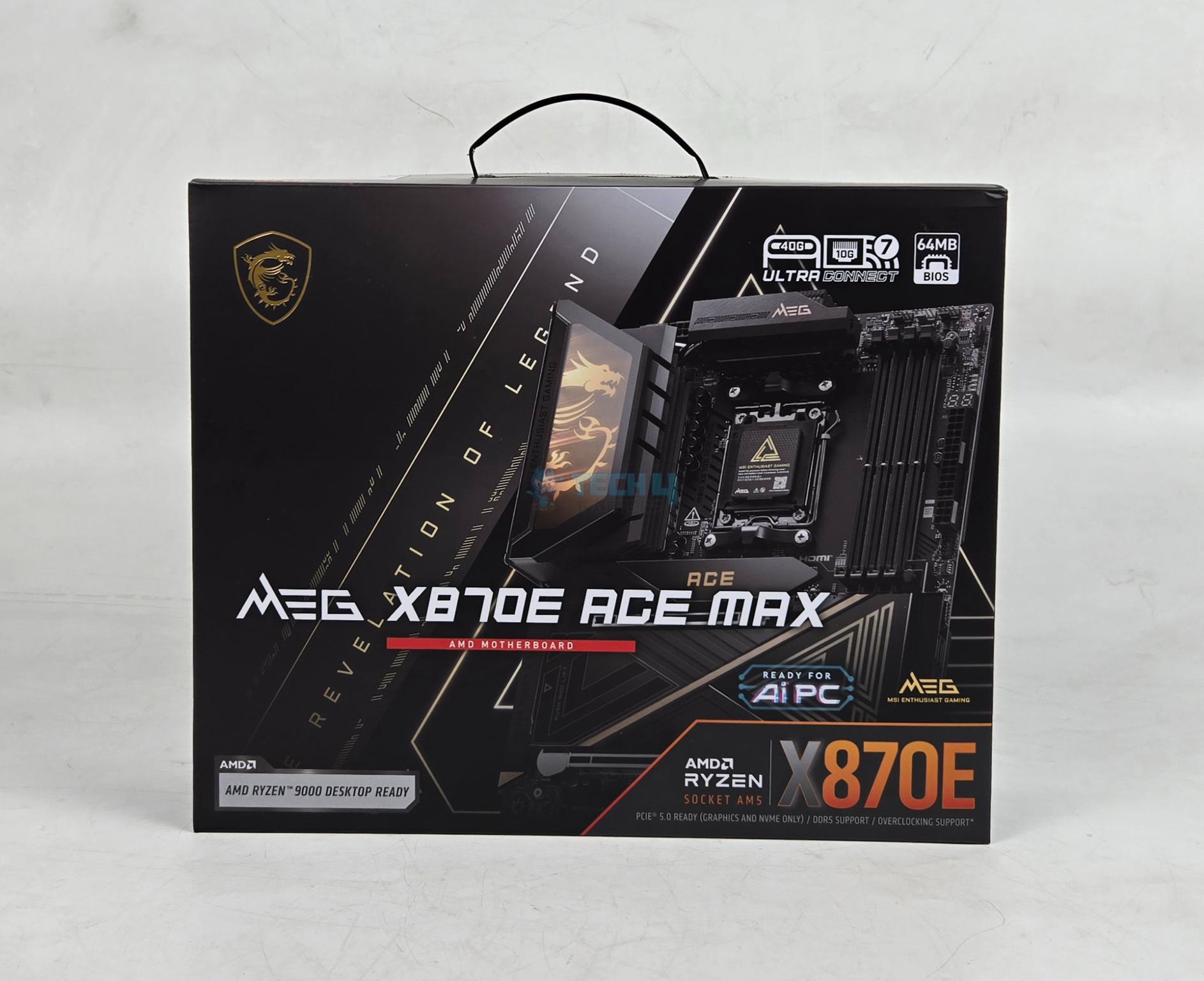
MSI has also released these refresh motherboards, and we are taking a look at MEG X870E ACE MAX flagship motherboard that sits at second number after GODLIKE in MSI motherboard series (we have also reviewed the MSI MEG X870E GODLIKE, make sure to give it a read if you’re interested in the GODLIKE line-up). This motherboard is a feature-rich solution offering extensive PCIe Gen5 connectivity with beefy VRM design and beefier VRM cooling.
Unlike the Z790 ACE MAX that we tested earlier, this motherboard has ATX form factor and comes with 5 M.2 NVMe slots and 3x PCIe slots. It also offers dual LAN ports offering 10GbE and 5GbE connections. This is in addition to built-in WiFi connectivity.
The salient features of the motherboard include:
It supports AMD Ryzen™ 9000 / 8000 / 7000 Series CPUs.
It supports DDR5 Memory in Dual Channel DDR5 8400+ MT/s (OC)
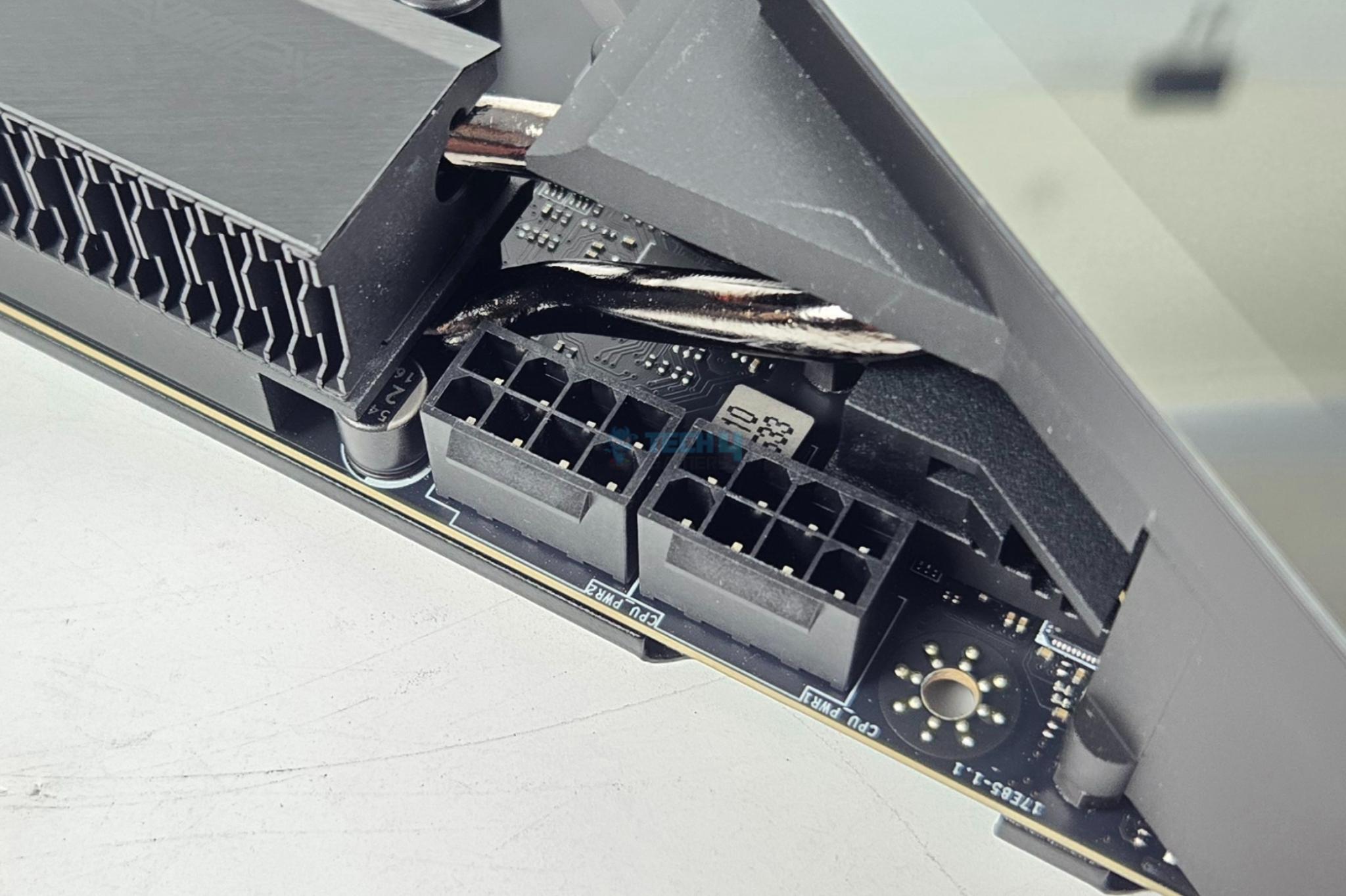
It offers top notch performance coming from 18+2+1 Duet Rail Power System, 110A SPS, OC Engine, dual 8-pin CPU power connectors, Core Boost, Memory Boost, 8-layer PCB made by 2oz thickened copper and server-grade level material.
The VRM cooling comprises Wavy Fin Design, Direct Touch Cross Heat-pipe, MOSFET Baseplate, 9W/mK thermal pads, Double-Sided M.2 Shield Frozr and Frozr AI software.
The user convenience is provided via EZ PCIe Release, EZ Magnetic M.2 Shield Frozr II, EZ M.2 Clip II, EZ Antenna and EZ Conn-Design.
The connectivity includes 10G LAN + 5G LAN, Full-speed Wi-Fi 7 Solution, USB4 and 64MB BIOS ROM.
This motherboard features premium ALC4082 audio processor combining ESS audio DAC and amplifier.
This motherboard is listed at USD 699.99.
Why Trust Tech4Gamers
Nauman Siddique is the most senior hardware tester at Tech4Gamers. He brings an ocean of knowledge to the table, including unmatched expertise in motherboards.
40+ motherboards tested and reviewed by our team of hardware experts (Tech4Gamers Team).
800+ hours spent testing different motherboards for our reviews.
At Tech4Gamers, ensuring you get reliable information is our priority. That’s why every hardware round-up undergoes a meticulous review process by our team of experts and editors. Each review is carefully examined against our strict editorial guidelines, guaranteeing you trustworthy insights you can depend on.
The salient specifications include:
CPU Support
AMD Ryzen 9000, 8000 and 7000 series desktop CPUs
Memory Support
4xDIMM Slots for DDR5 up to 8400MHz+ (OC)
Display Interface
Support 8K@60Hz as specified in HDMI 2.1 FRL
2x USB-4 Type- Display Output supporting 4K@120Hz using HBR3
PCIe Slots
1x PCIe Gen5 x16 slot
1x PCIe Gen5 x8 slot
1x PCIe Gen5 x4 slot
M.2 Ports
2x M.2 Gen5x4 slots
3x M.2 Gen4x4 Slot
SATA Ports
4x
Audio
RealTek ALC4082
Network
10G and 5G LAN port and wireless connectivity using WiFi 7/BT 5.4
Total 22x USB Ports (Front and Rear), including a USB 4.
Size
243.84mmx304.8mm, ATX Form Factor
[toc]
How MEG X870E ACE MAX Is Different?
ACE is a second highest flagship offering from MSI after GODLIKE. The X870E ACE MAX under MEG series is a feature-rich motherboard offering extensive PCIe Gen5 base connectivity where all three PCIe slots are Gen5 and wired to the CPU socket. The 5x M.2 ports, 4x SATA ports, V-Check points, beefy VRM cooling, 60W PD charging, EZ functions are among the salient highlight of this motherboard. It is one heck of a complete solution on standard ATX PCB.
Packaging And Unboxing
1 of 3
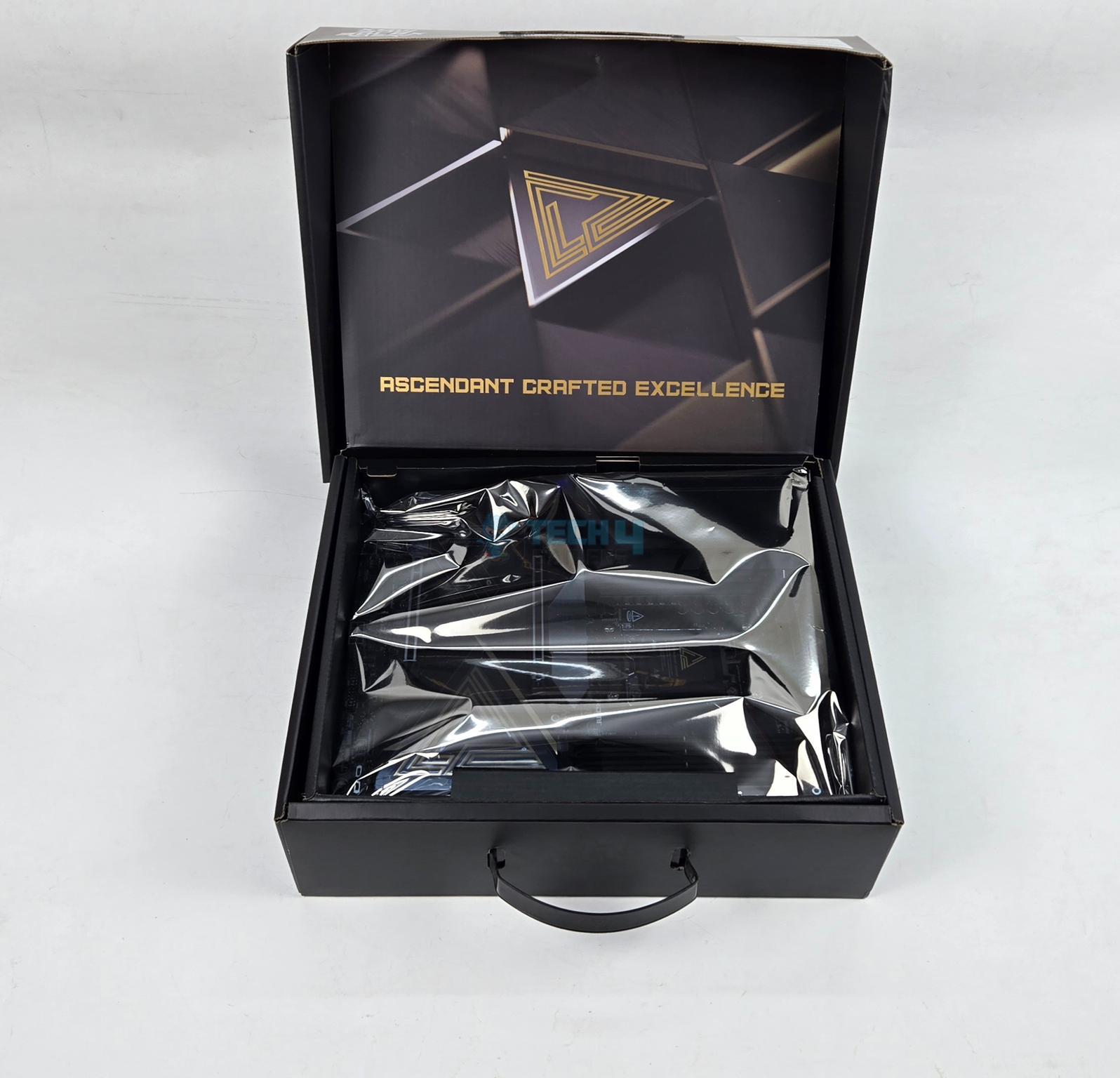
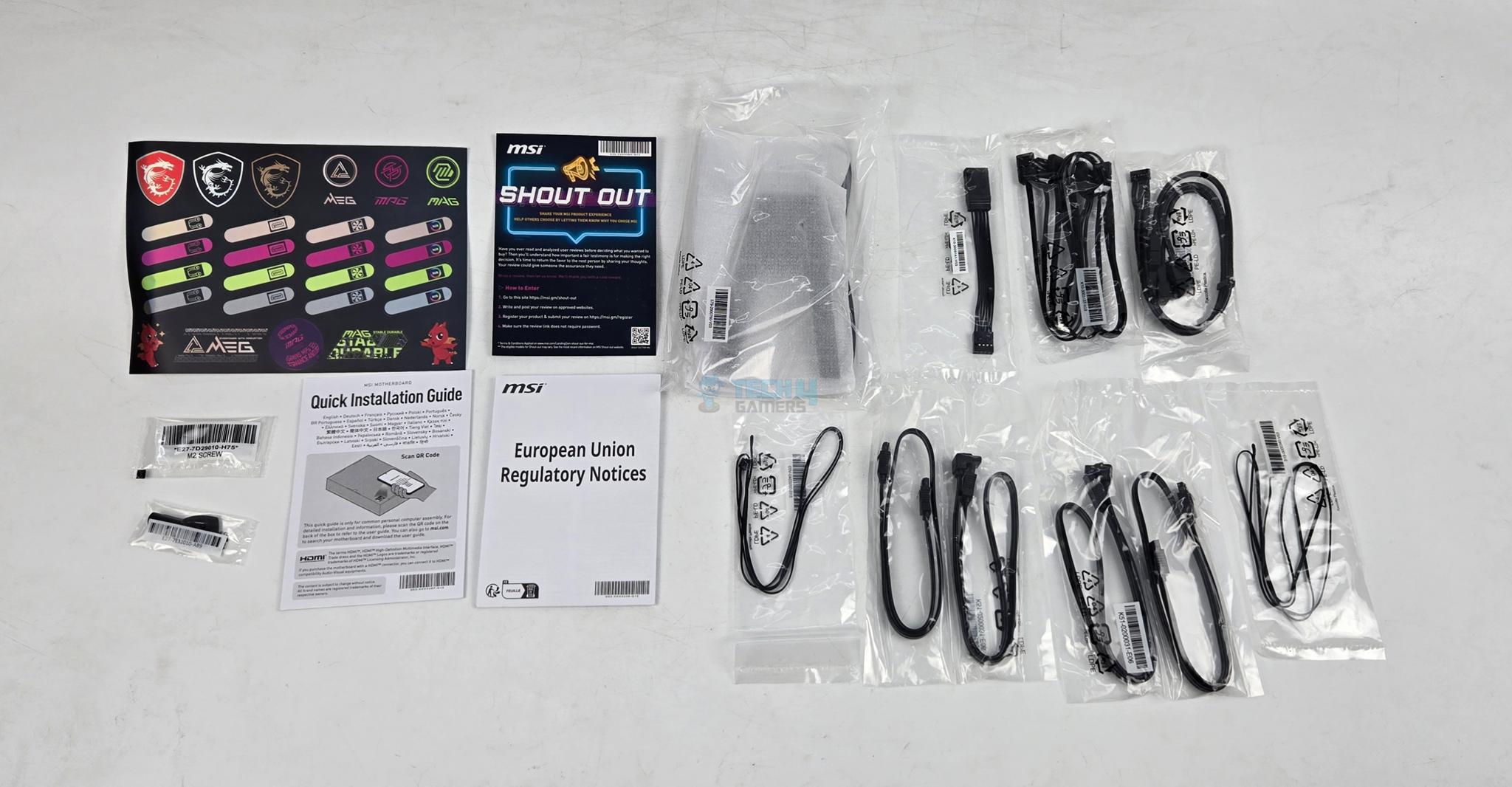
The motherboard is shipped inside a standard cardboard made packing box. MSI has included following in the box:
1x ATX sized Motherboard
EZ WiFi Antenna
Cable Sticker
4x SATA Cables
EZ Front Panel Cable
1 to 3 EZ Conn-Cable V2
1 to 3 ARGB Gen2 Extension Cable
2x Thermistor Cables
USB Drive
EZ M.2 Clip II Remover
3x M.2 Screws
Quick Installation Guide
European Union Regulatory Notice
Design
This motherboard uses AMD AM5 socket that supports AMD Ryzen 9000, 8000 and 7000 CPUs. Since different SKUs have different level of support for PCIe, refer to user manual for more details. This socket provides 24 PCIe lanes for PCIe full length slot and 2x M.2 ports. This board comes equipped with 4x DIMM slots. The motherboard has 8-Layer Server Grade with 2oz Copper PCB using PCB Fabric Peak technology.
The on-board display coming from CPU socket via HDMI 2.1 supporting 8K@60Hz and 2x USB-4 Type-C ports. Two Gen5 M.2 ports are wired to the CPU socket in addition to full length PCIe Gen5x16 slot and second PCIe slot. The other M.2 and PCIe slots are wired to the chipset. Since this motherboard uses two chiplets, it has more PCIe lanes available compared to X870 and B850 series motherboards.
Power Delivery To Socket
MSI uses AMD AM5 platform (LGA 1718). This socket supports the AMD Ryzen 9000/8000/7000 series CPUs. Ryzen 9000 series SKUs are supported out of the box.
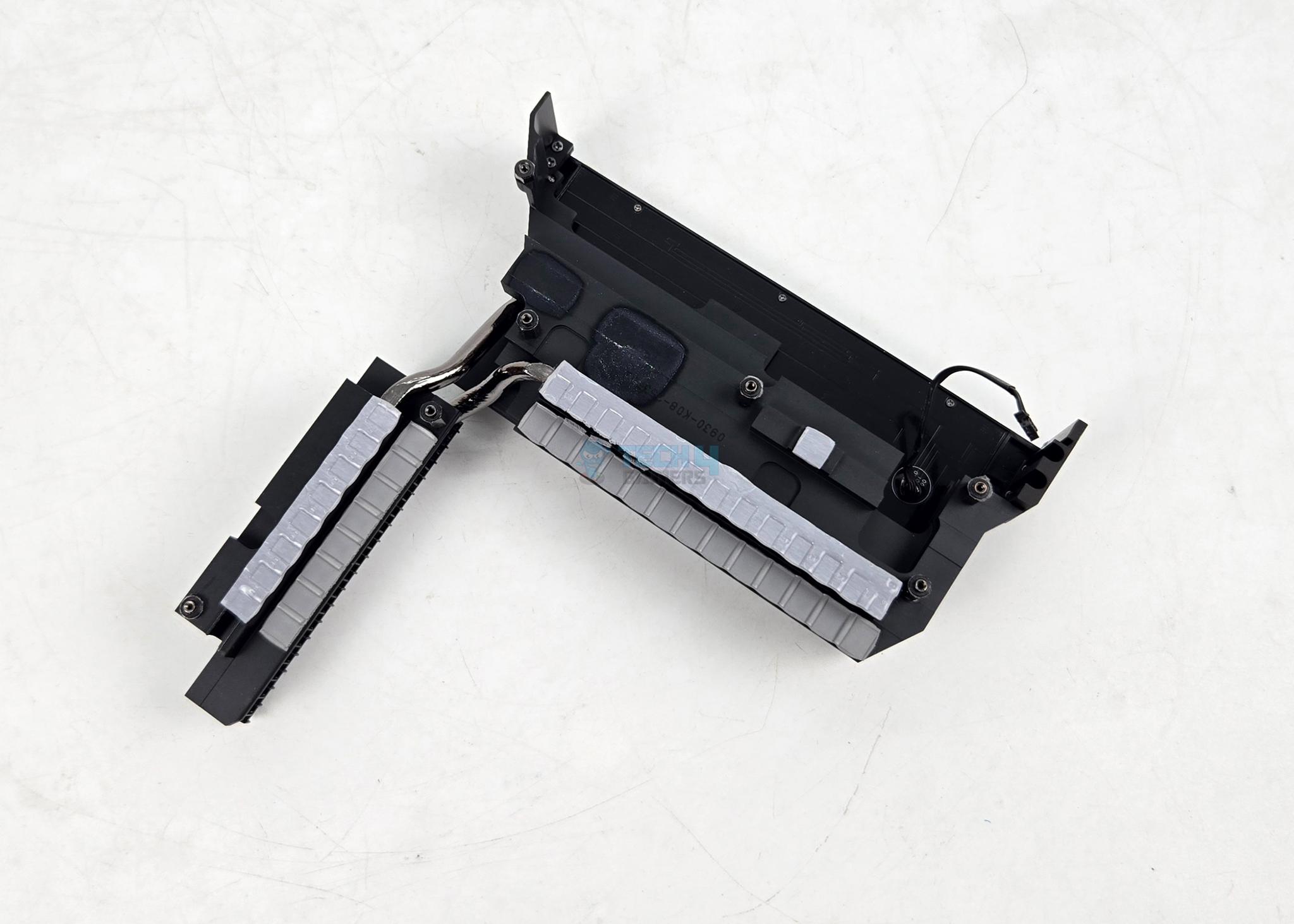
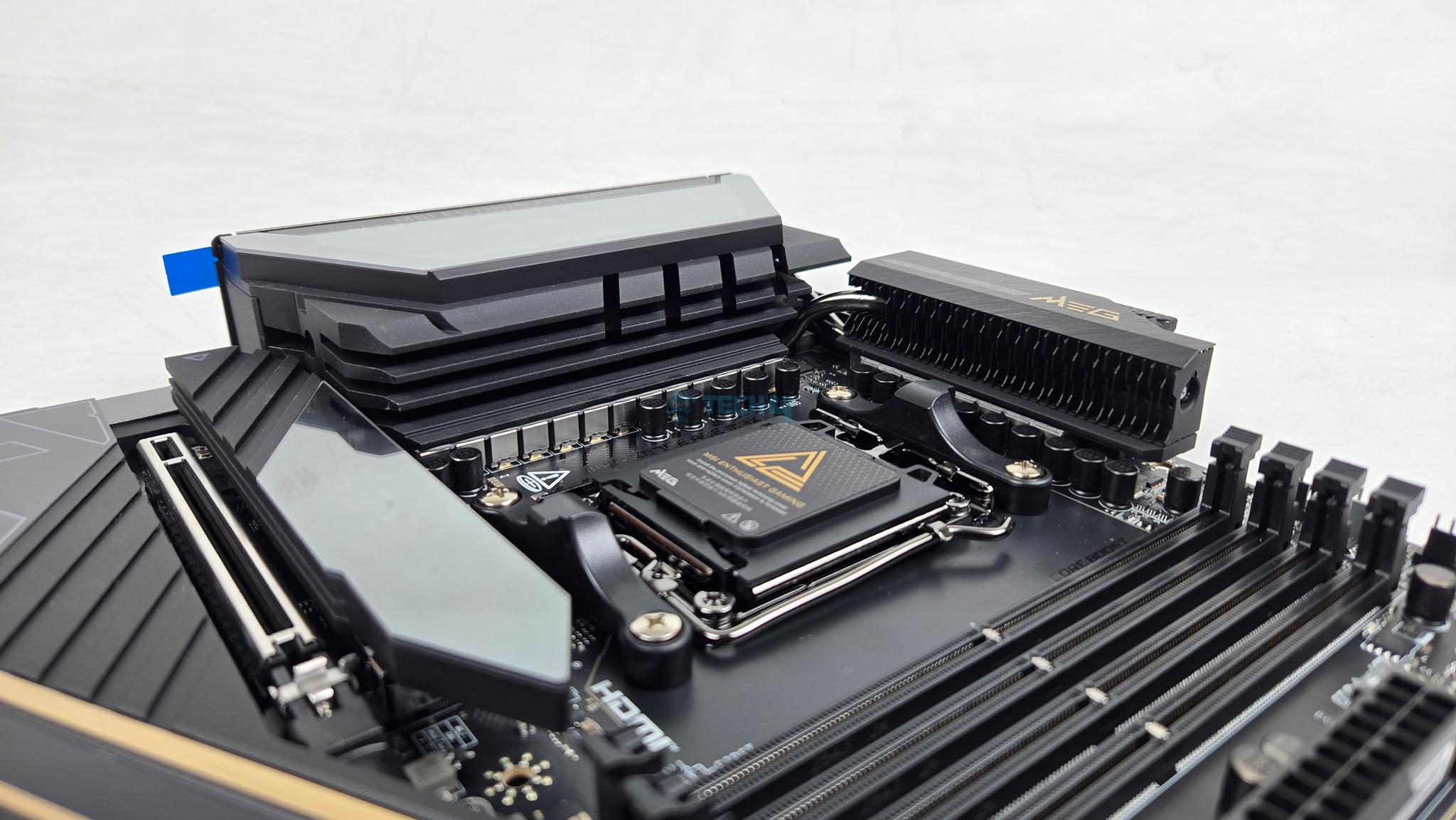
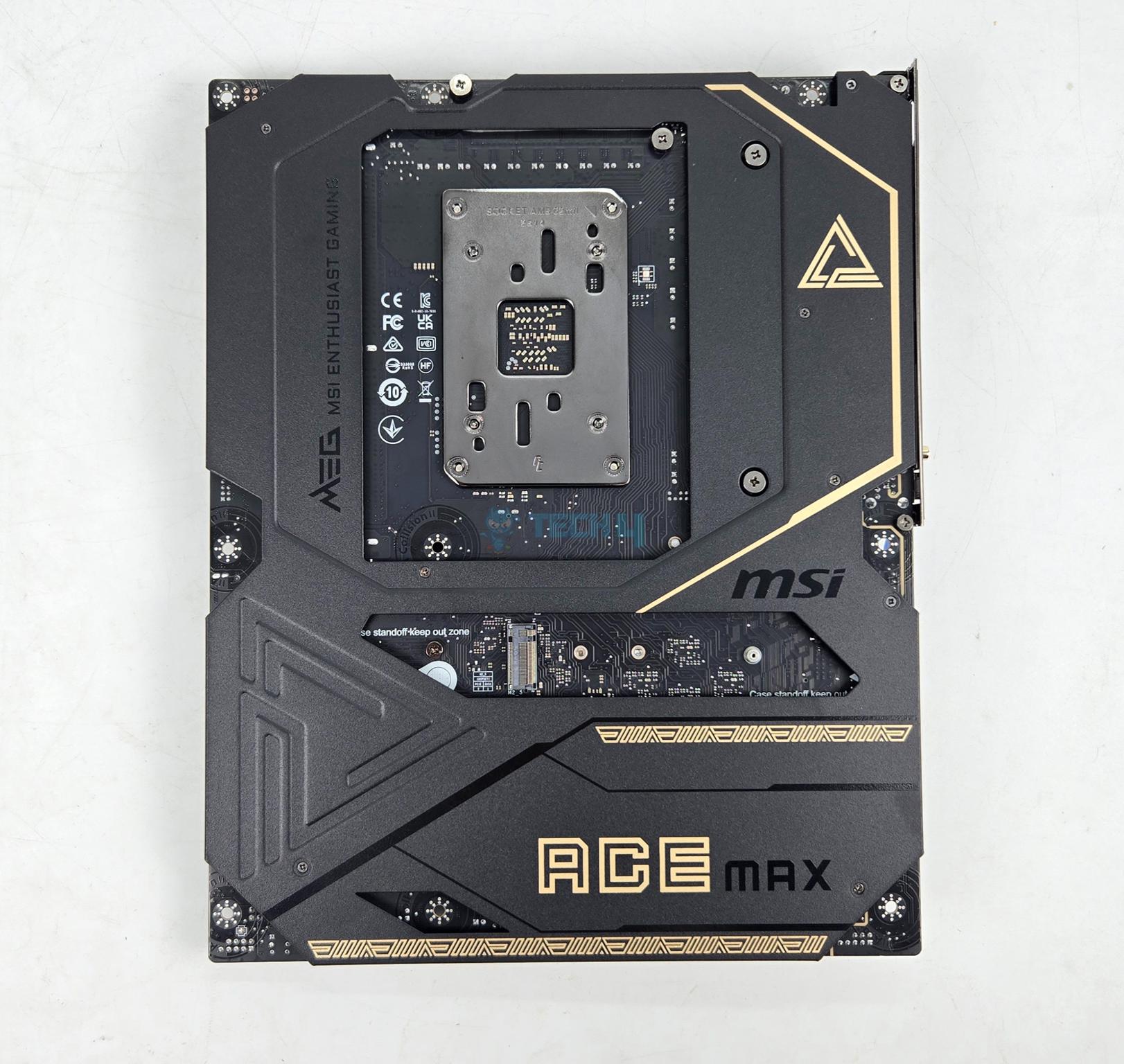
MSI has used two extended VRM heatsink covers along without cross heat pipes providing beefier cooling solution. The heatsink has Wavy Fin design for efficient heat transfer. The thermal pads are rated for 9W/mK to ensure effective heat transfer. It is clear that MSI has focused on VRM cooling in particular on this motherboard.
The cover on IO side of the motherboard seems to be LCD design. It is not a LCD display screen; rather, it has animated RGB backlighting on MSI Dragon logo.
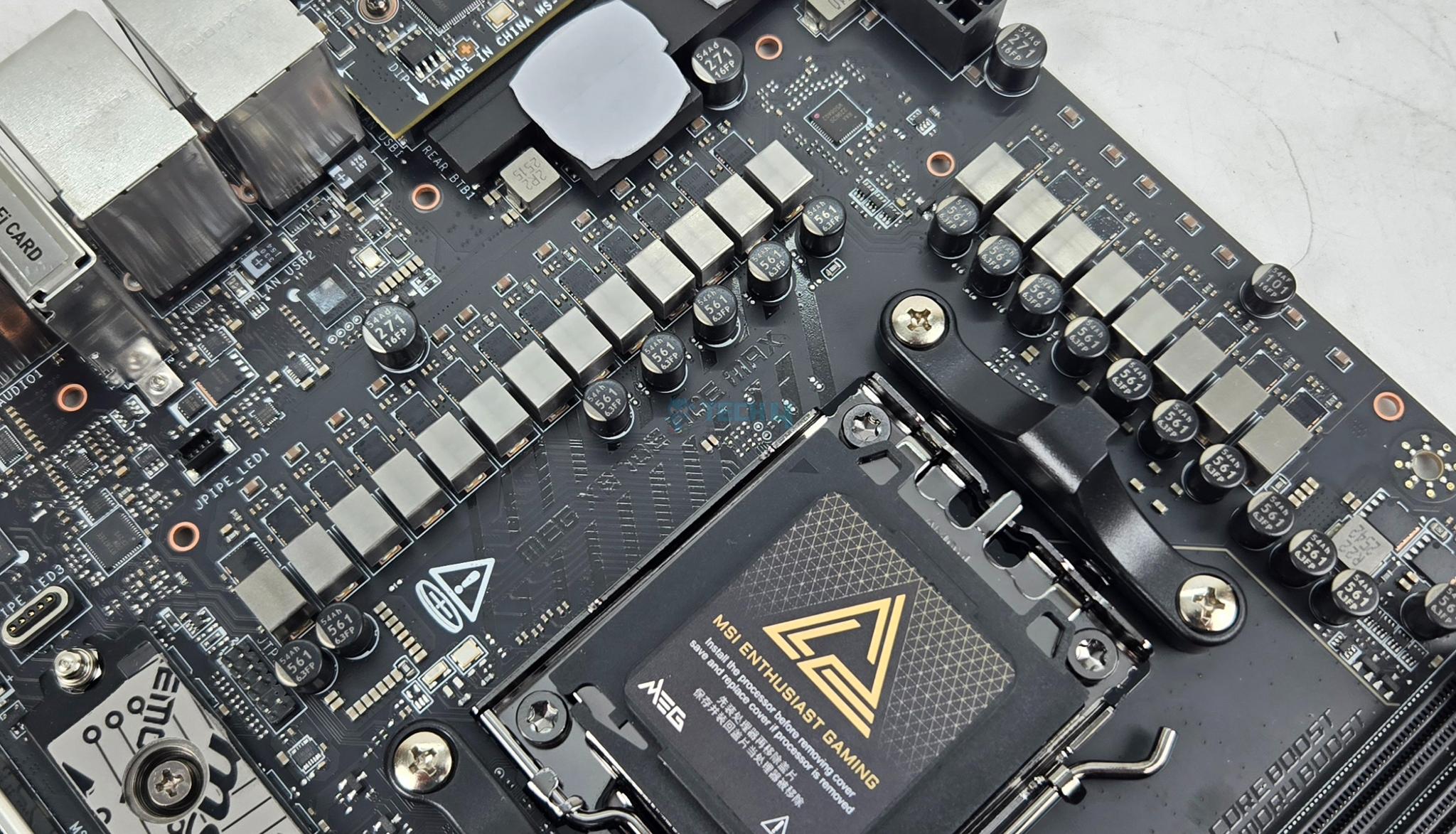
The MSI MEG X870E ACE MAX comes equipped with 18+2+1 Duet Rail Power System wherein the 18 phases are for VCore power, 2 are for SOC power and 1 phase for misc power. They are using 110A SPS MOSFETS.
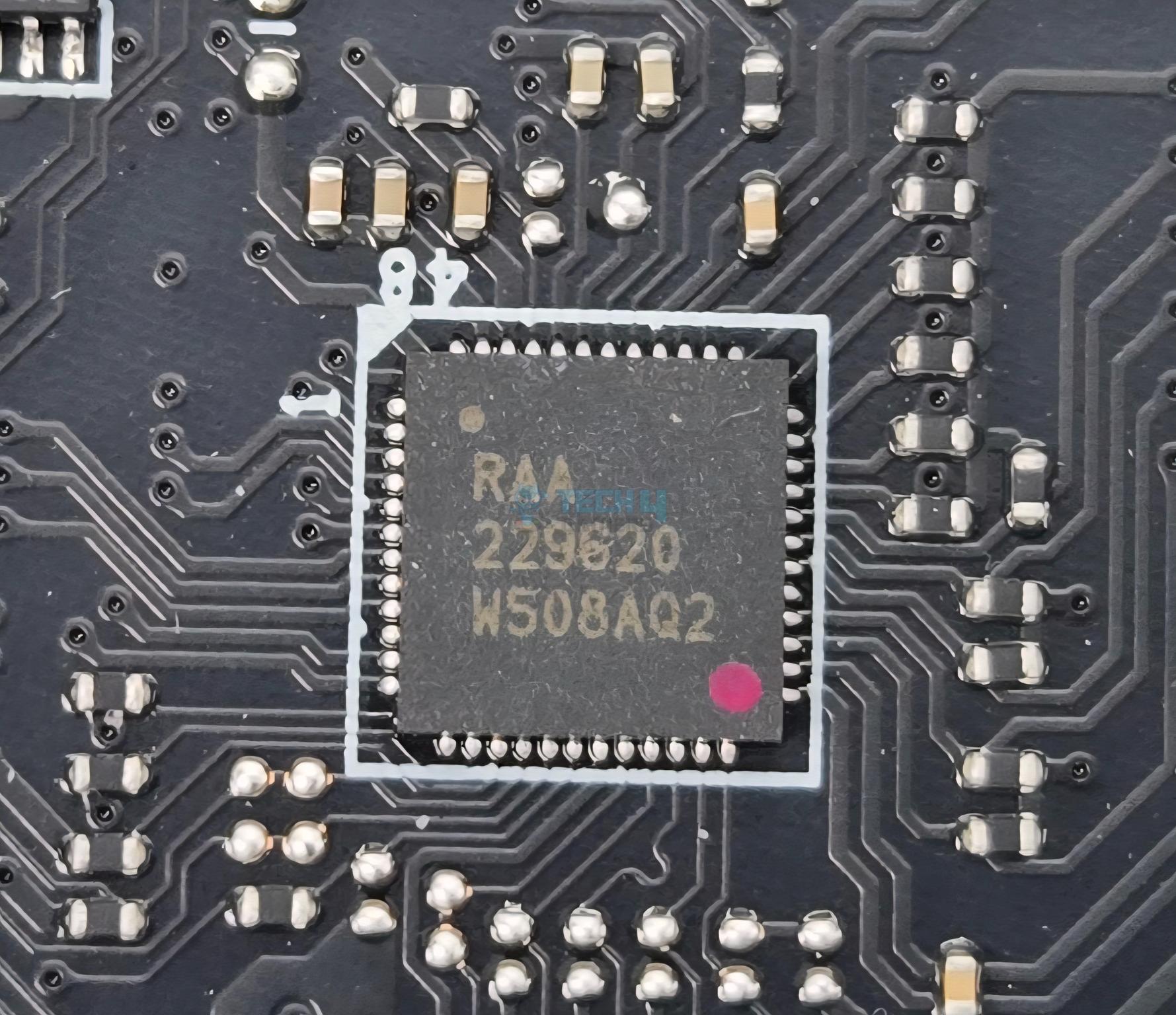
MSI has named it DUET meaning that every two stages will get the same PWM signal from the controller. The main driving force is RAA 229620 PWM controller whereas the 20 phases are R2209004 and BR00 5X5P.
DIMM Slots
MSI has deployed 4x DDR5 UDIMM slots. MSI has used the SMT welding process to install slots on the PCB for better performance. A total of 256GB capacity is supported along with a support for binary as well as non-binary memory kits.
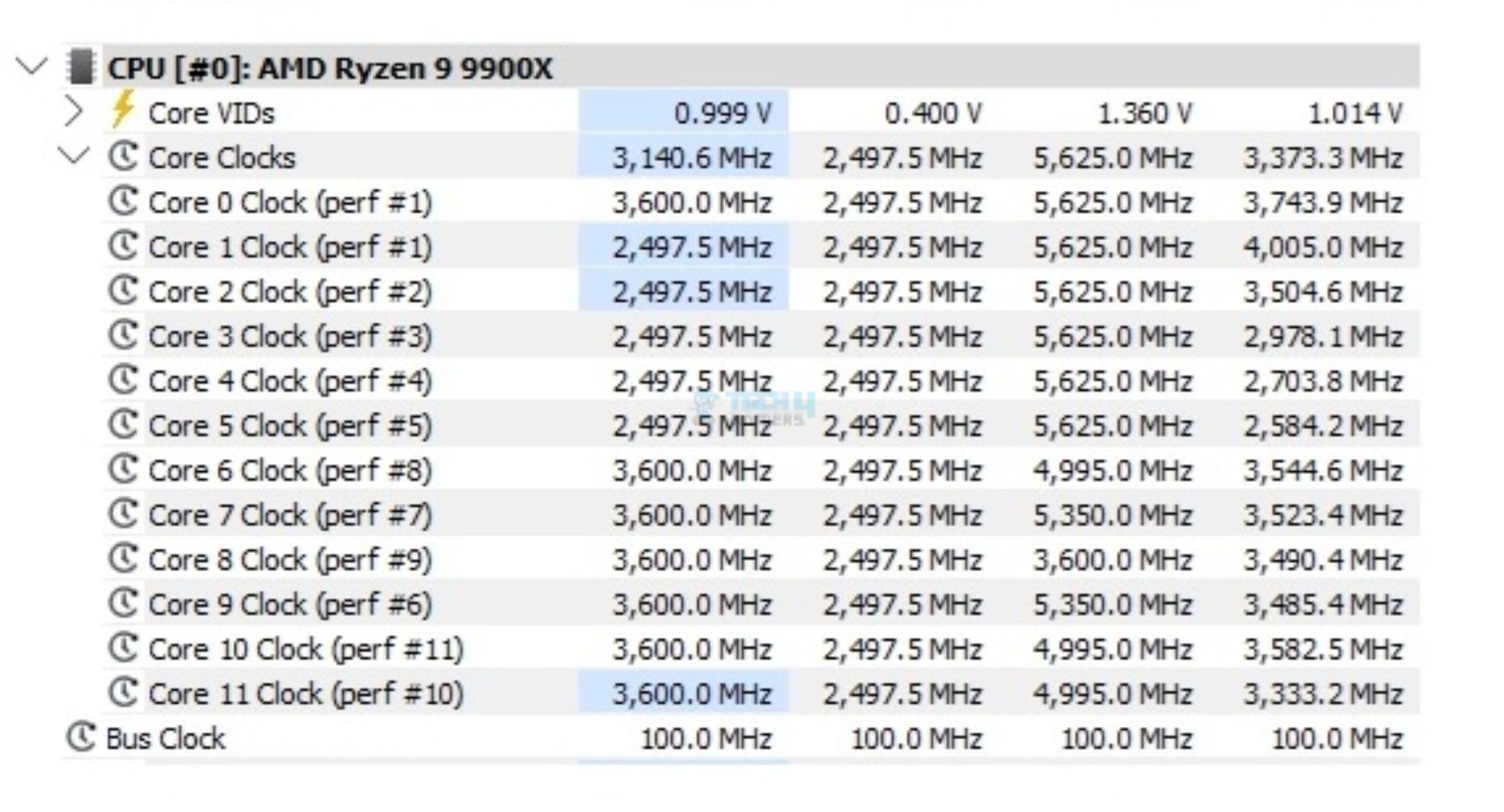
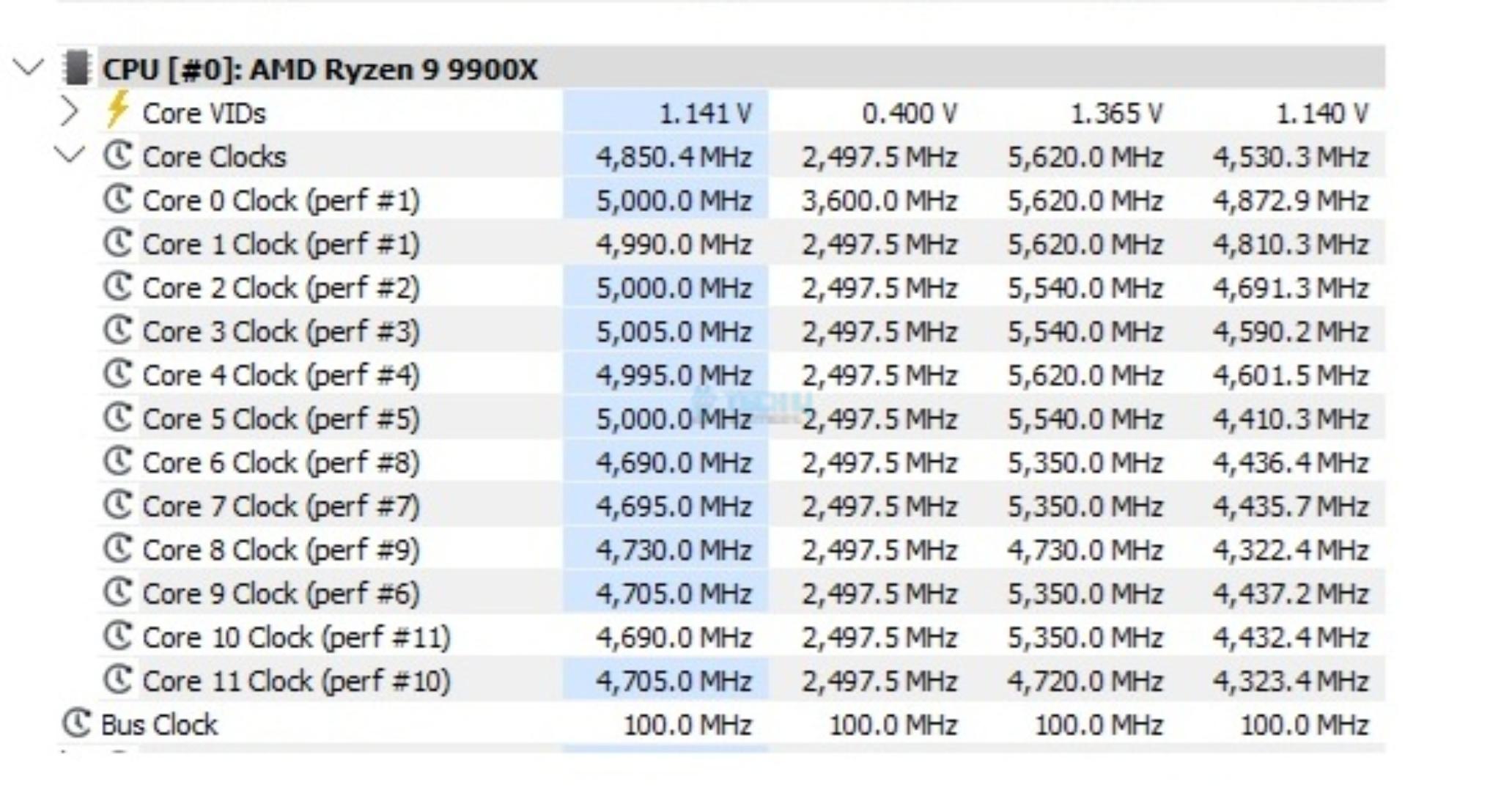
The maximum supported DDR5 frequency is 8400+ (OC) MHz on Ryzen 9000 series. I have tested the motherboard using a 8400MHz Teampgroup kit but it failed to POST. Maximum 8000MHz is tested to be working fine with this motherboard using my 9900X.
This motherboard supports AMD EXPO as well as Intel XMP with dual-channel and dual-controller modes. The supported memory is non-ECC and unbuffered. It also supports CUDIMM in clock driver bypass mode only.
Storage Options
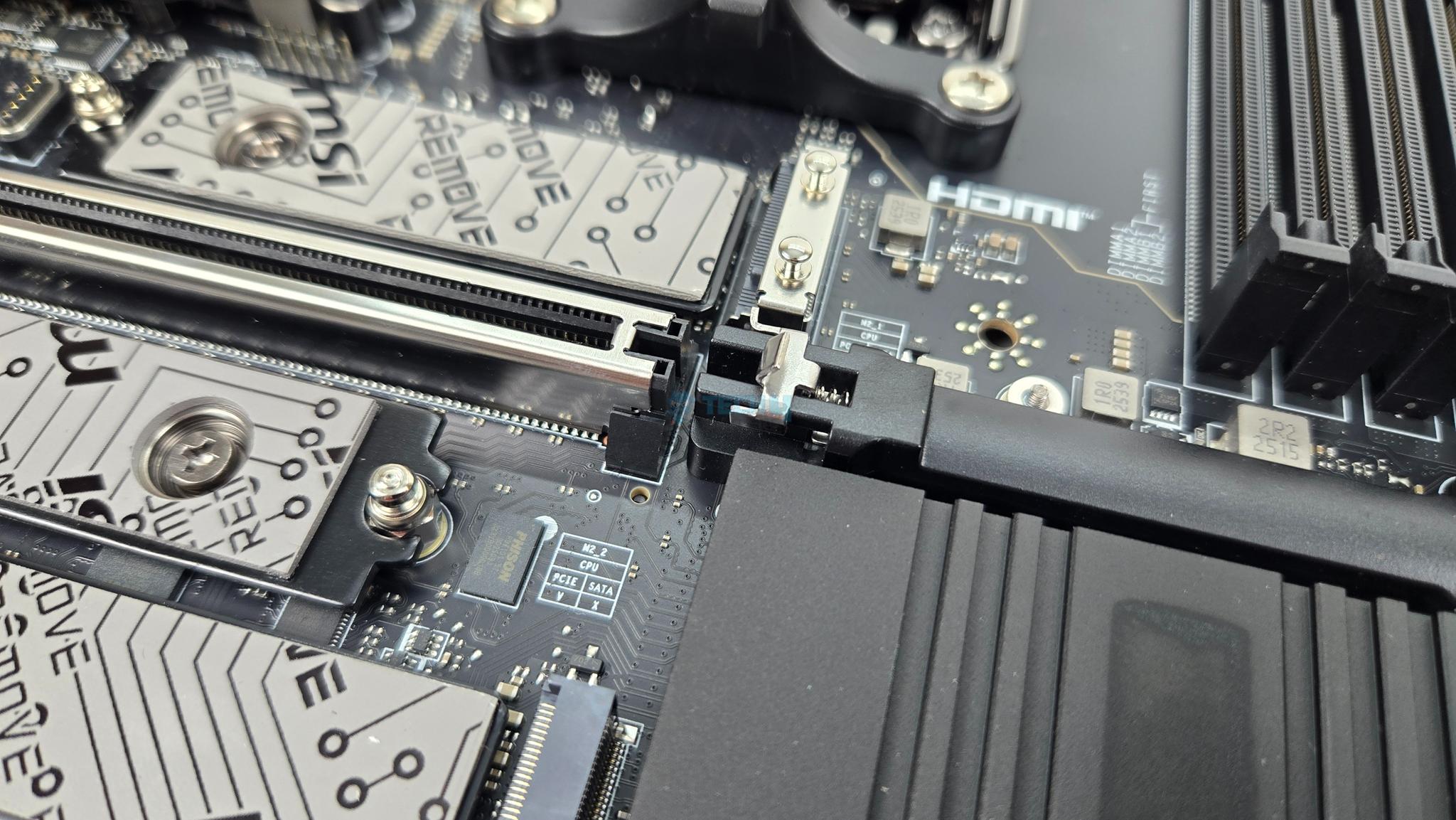
This motherboard has 5x M.2 slots and 4x SATA ports. Four M.2 slots are on the front of the motherboard whereas one is on the backside of the PCB. The backside slot does not have any heatsink cover.
All front based M.2 ports have proper covers. The top slot has cover with magnetic attachment through which ARGB signal is processed for ACE symbol backlight. MSI has named it EZ Magnetic M.2 Shield Frozr II.
Both covers are tool-less design which is a wise move. You can see that each port has dual thermal pad design. The top two ports are PCIe Gen5x4 and wired to the CPU socket whereas the bottom two ports are PCIe Gen4x4 and wired to the chiplets. M2_3 port has 22110 form factor.
The backside M.2 port does not have any thermal pad or cover. MSI has also provided EZ Clip Remover II for easy placement of M.2 sockets.
Both heatsink covers have thermal pads. All slots are Key M type. MSI has provided EZ Clip II remover tool as well to dismount and relocate the EZ Clip II as per the length of the drive.
M.2 Limitations
Following limitations are noticed:
M2_2 shares bus with USB 4.0 ports. Using this port will result in reducing the link speed to x2 mode.
User can manually set M2_2 to x4 mode but it will disable the USB 4 ports.
M2_1 and PCI_E3 share the bandwidth. M2_1 will run in x2 mode if using both at a same time.
User can manually set M2_1 to operate at x4 but it will disable the PCI_E3.
M2_1 and M2_2 will operate at x4 speed for Ryzen 8000 series CPUs.
Speaking of SATA ports, this motherboard has a total of 4x ports wired to the chipset.
PCIe Connectivity
This motherboard has a total of 3x PCIe slots. All these slots are PCIe Gen5. Following operational data is for PCI_E1 and PCI_E2:
Supports up to PCIe 5.0 x16/ x0, x8/ x8 (For Ryzen™ 9000/ 7000 Series processors)
Supports up to PCIe 4.0 x8/ x0 (For Ryzen™ 8700/ 8600/ 8400 Series processors)
Supports up to PCIe 4.0 x4/ x0 (For Ryzen™ 8500/ 8300 Series processors)
PCI_E1 and E2 are steel reinforced and all PCIe slots are wired to the CPU socket. MSI calls the steel reinforcement as Steel Armor and it has heavy soldered connections on the PCB to support the weight of heavy graphics card. MSI has used the advanced SMT technology for the PCIE slot to diminish interference and electrical noise.
PCI_E3 has following operational data:
Supports up to PCIe 5.0 x4 (For Ryzen™ 9000/ 7000 Series processors)
Supports up to PCIe 4.0 x4 (For Ryzen™ 8000 Series processors)
The PCI_E3 shares bandwidth with M2_1. They will both be at x2 if populate simultaneously.
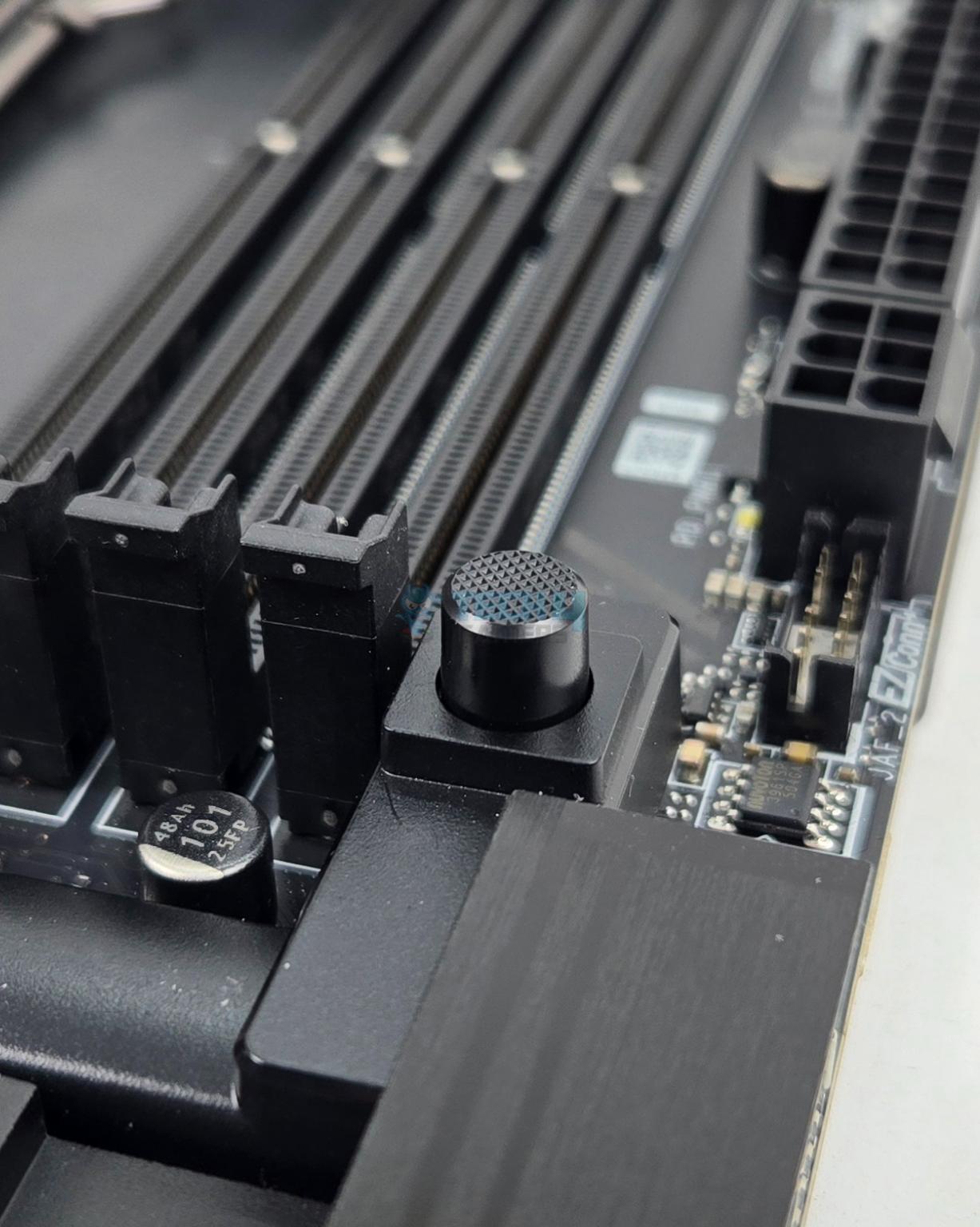
MSI has used PCIE EZ Release Button. Pressing it once will release the locker on the top PCIe slot whereas pressing it again will lock the latch.
USB Connectivity
This motherboard is packed with USB ports on the front, rear, and mid-board. It has:
4x USB 2.0 (Front)
4x USB 5Gbps Type A (Front)
9x USB 10Gbps Type A (Rear)
2x USB 10Gbps Type C (Rear)
2x USB 40Gbps Type C (Rear)
1x USB 20Gbps Type C (Front)
Chips/Controller
1 of 10
ASM1543
GL990
ITE IT8857
JYS13
MCIX MX 25L32
NUC1262
Nuvotron NCT 6687D
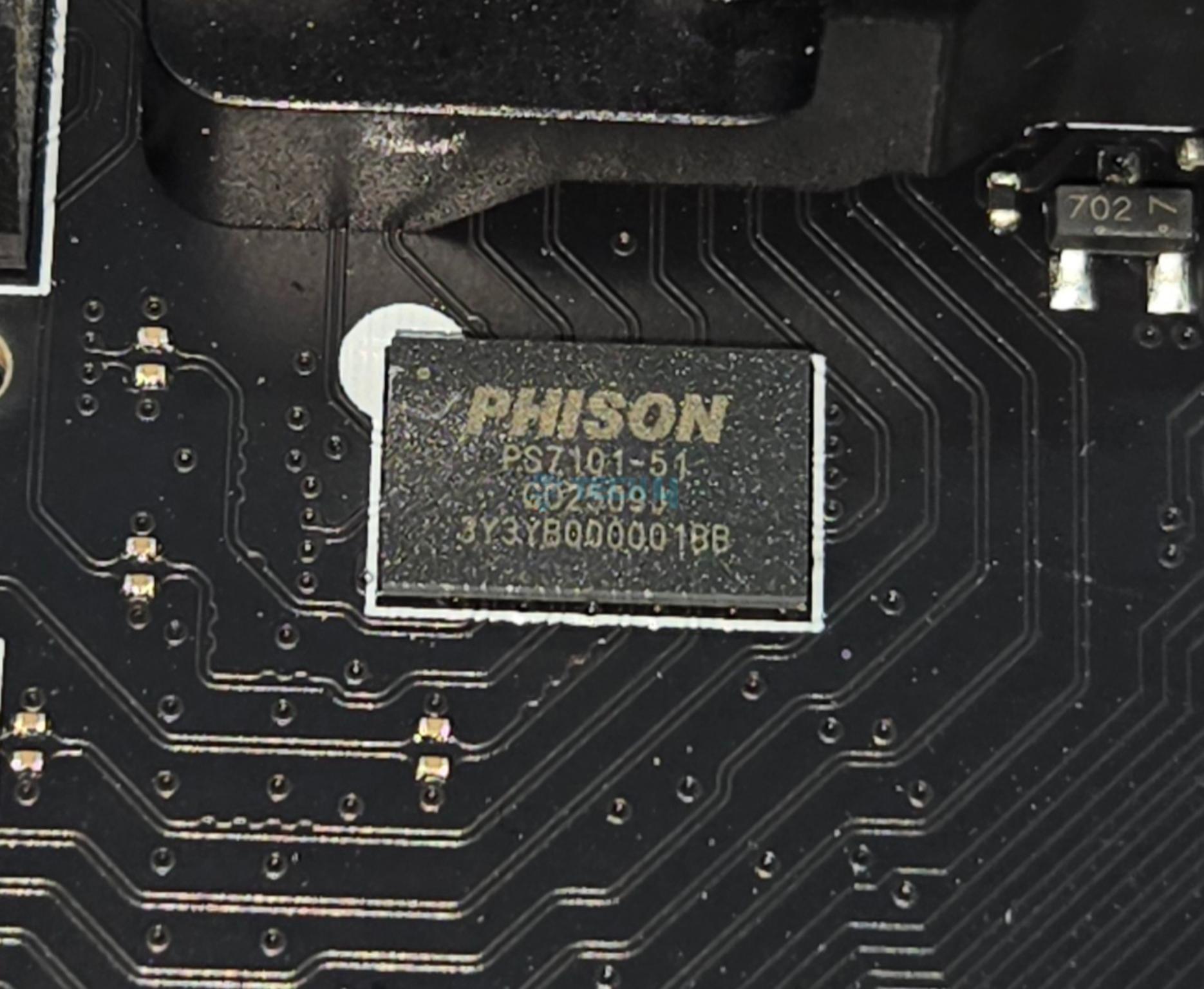
Phison PS7101
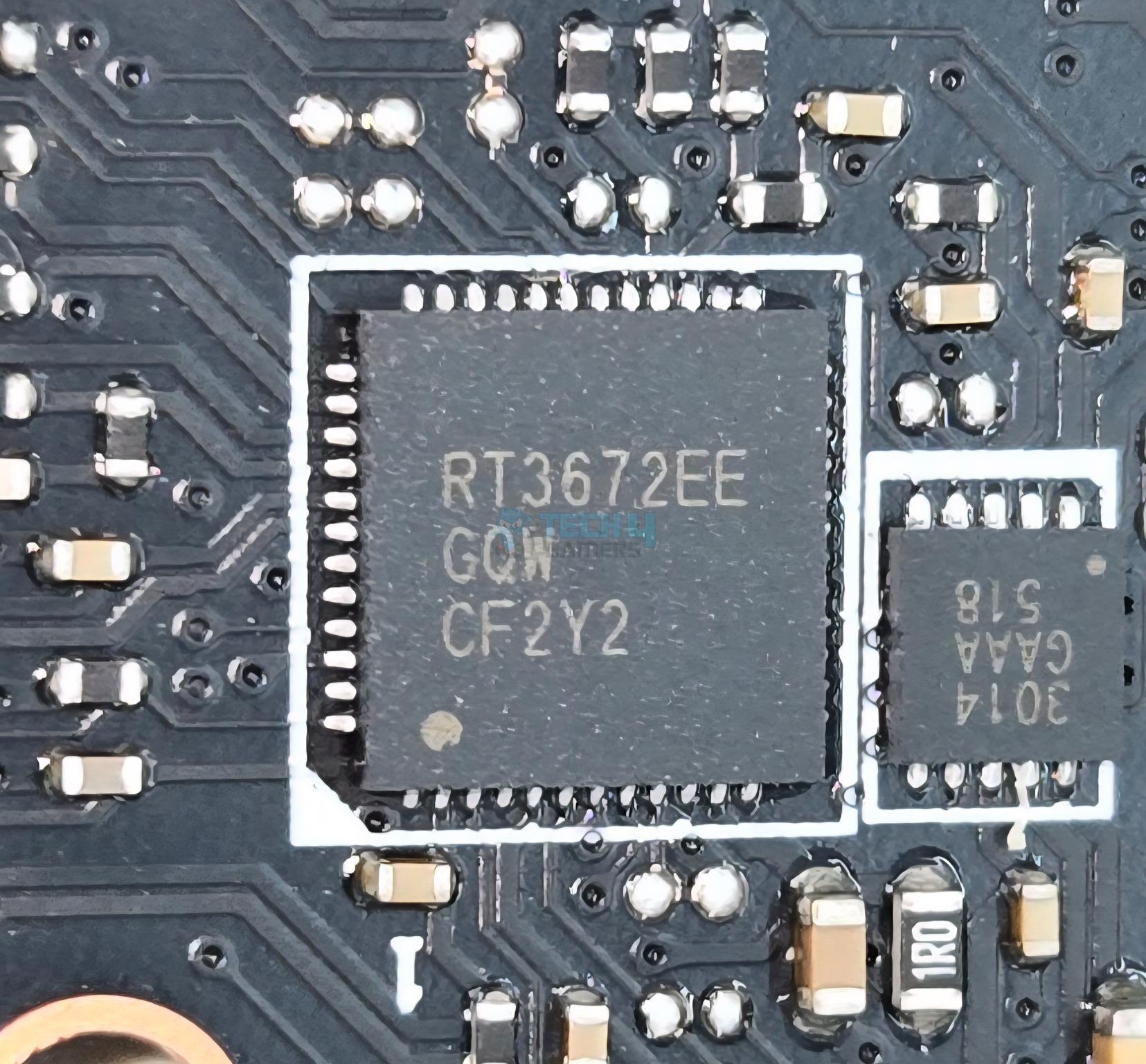
RT3672
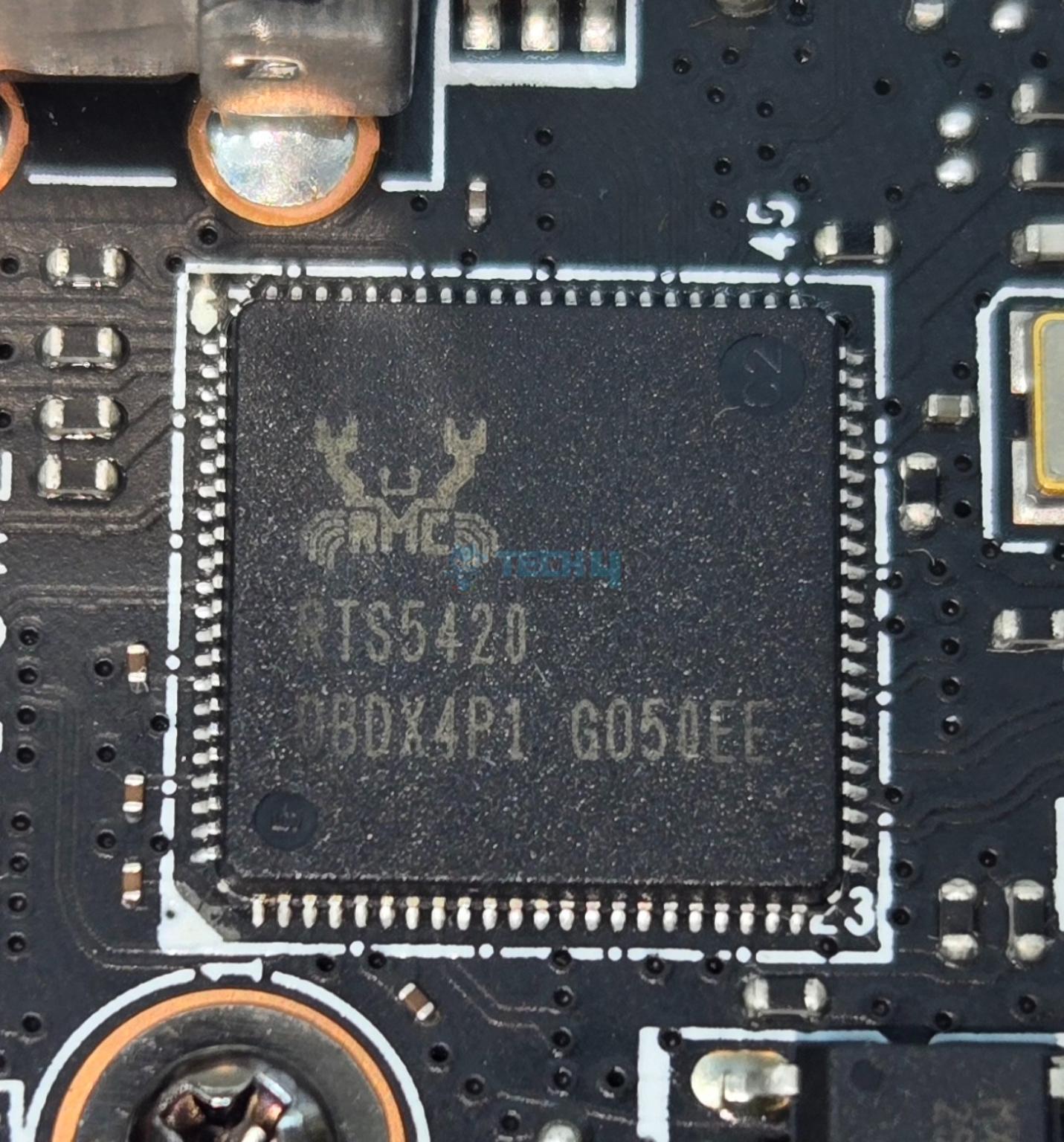
RTS5420
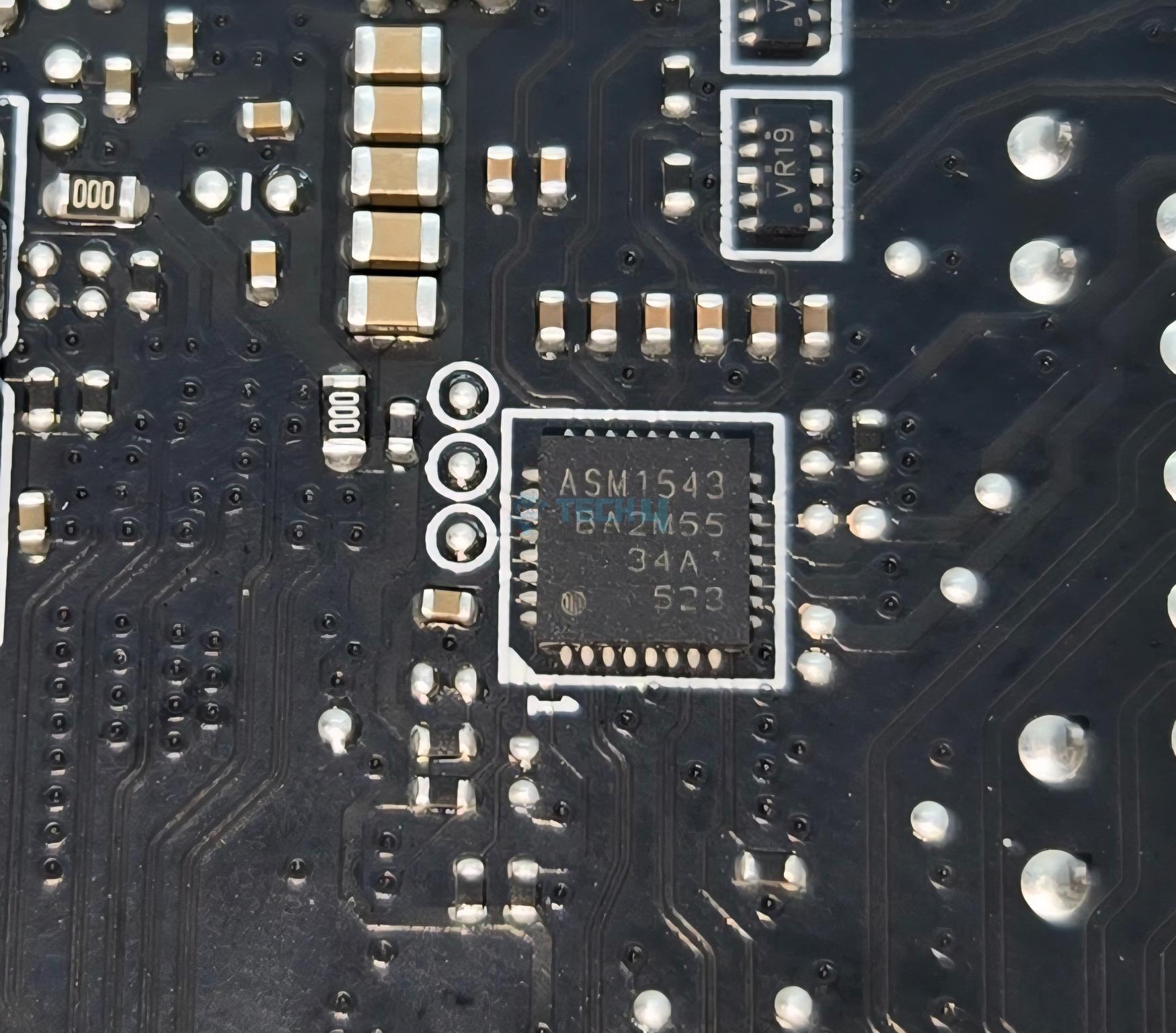
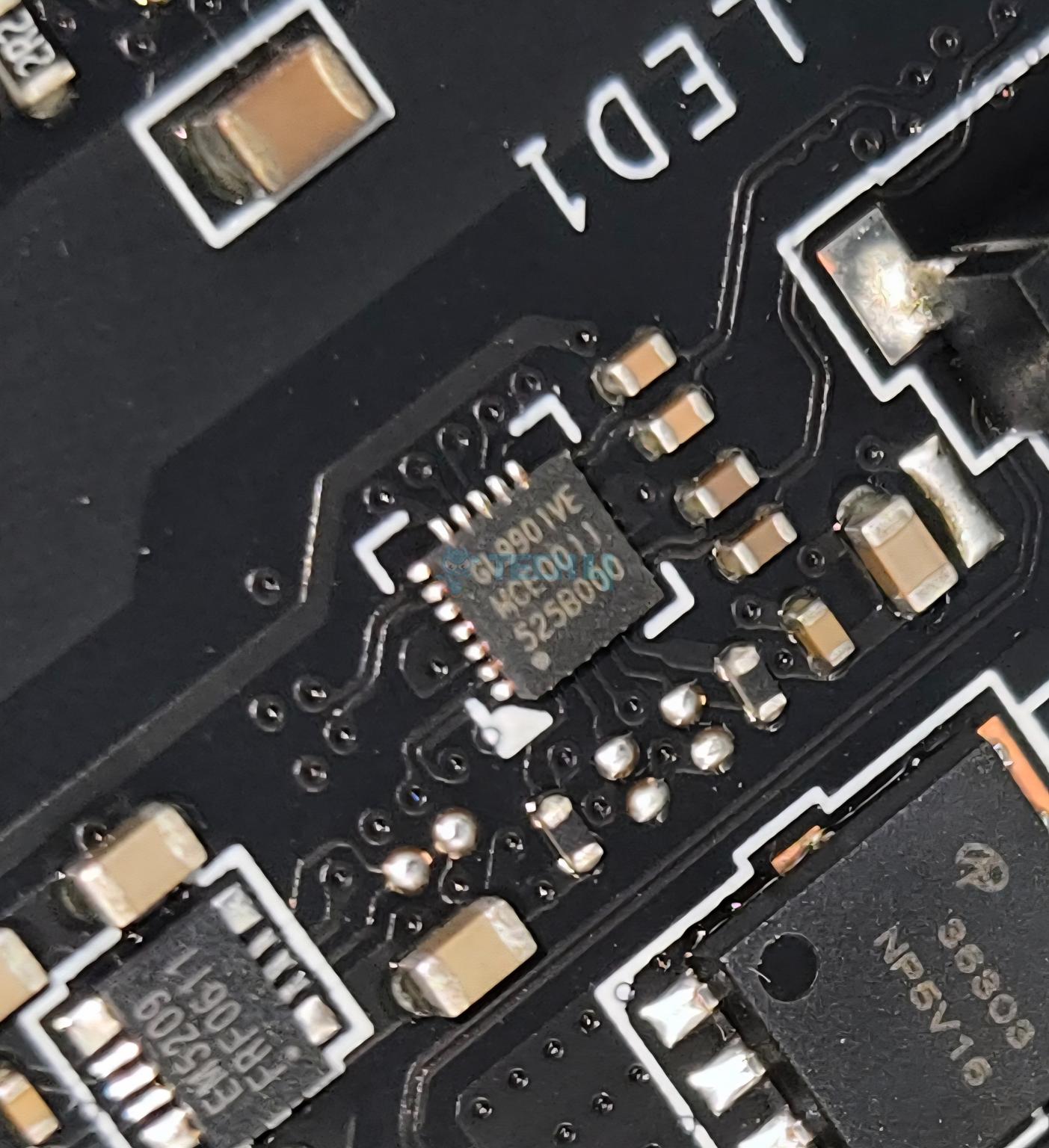
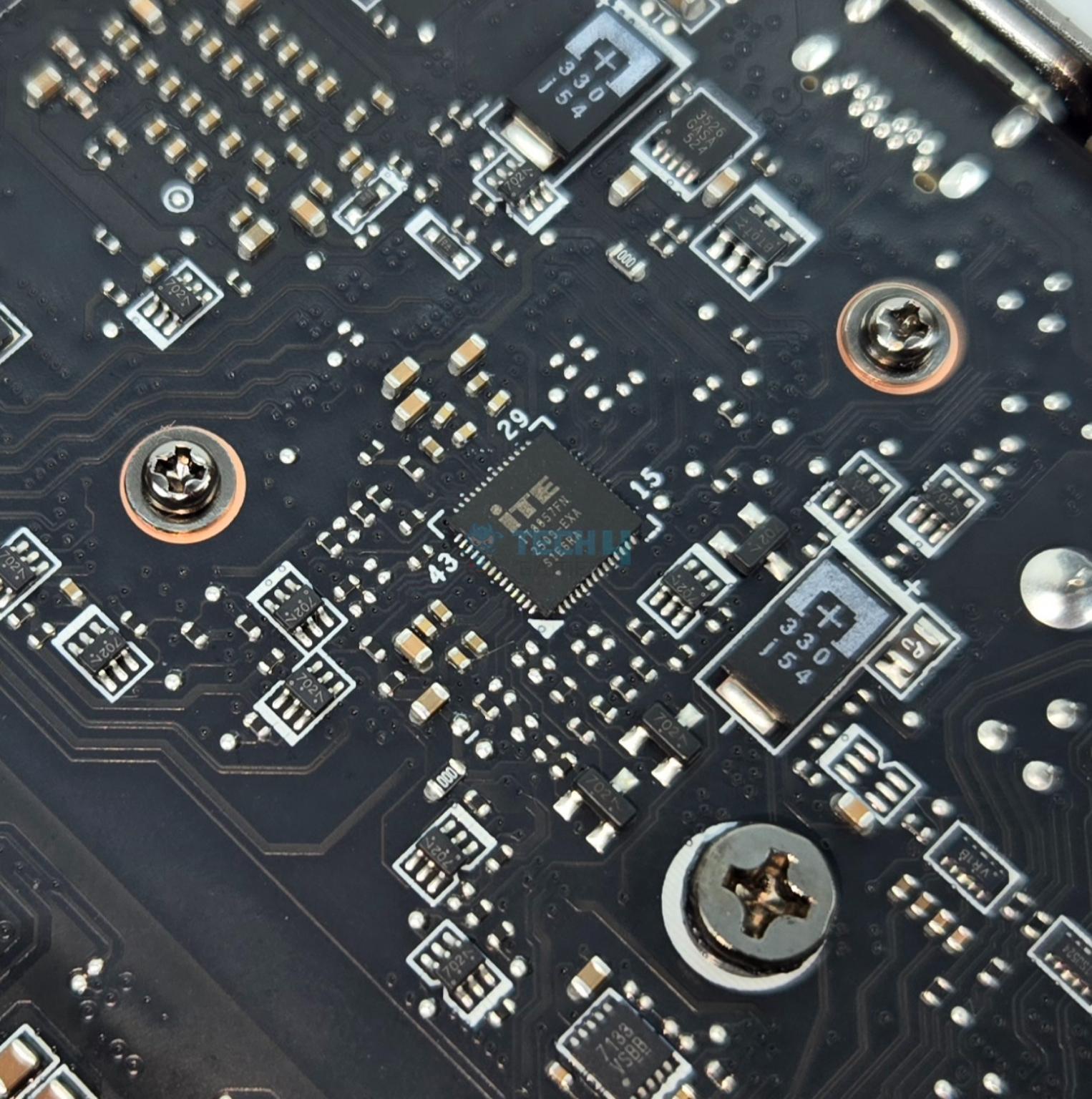
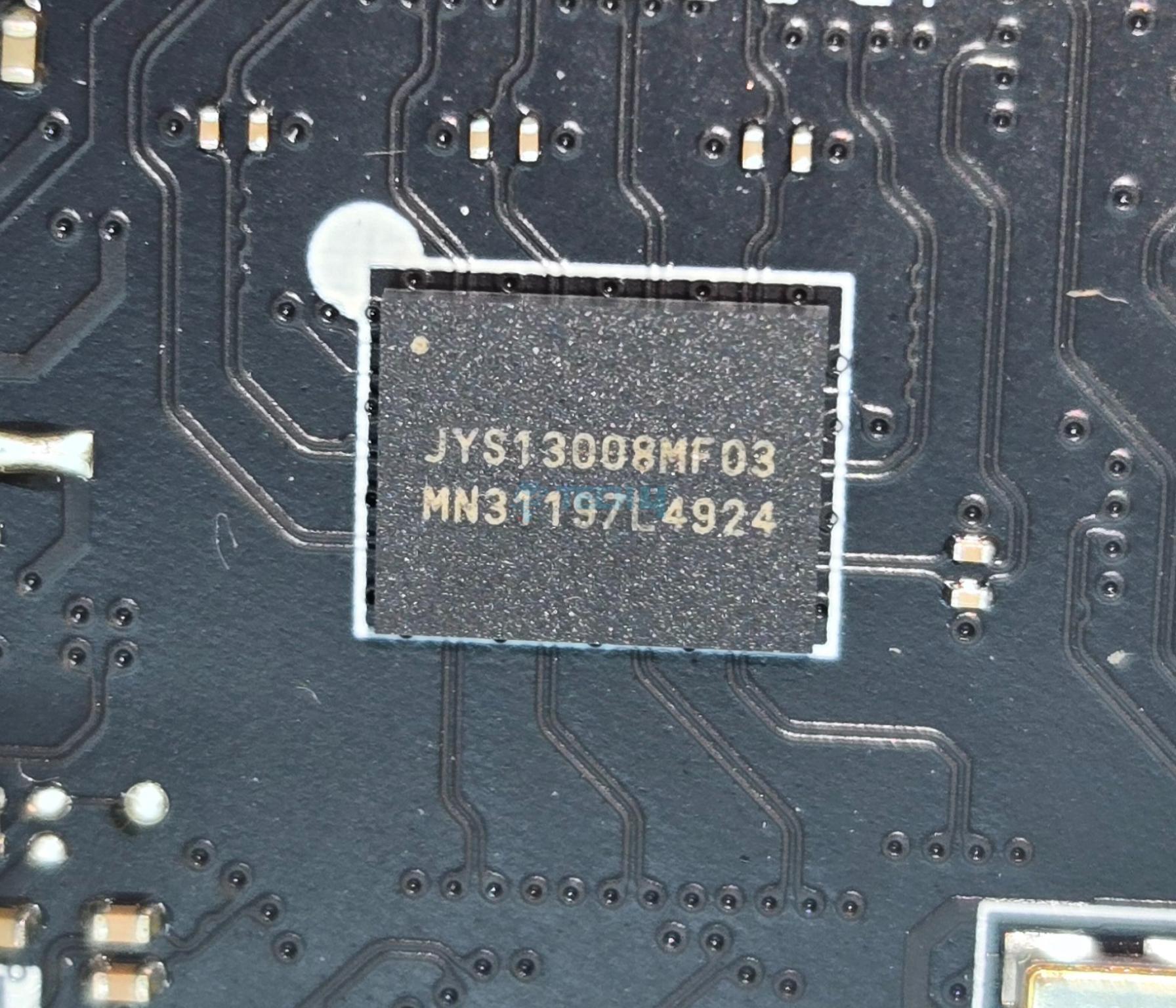
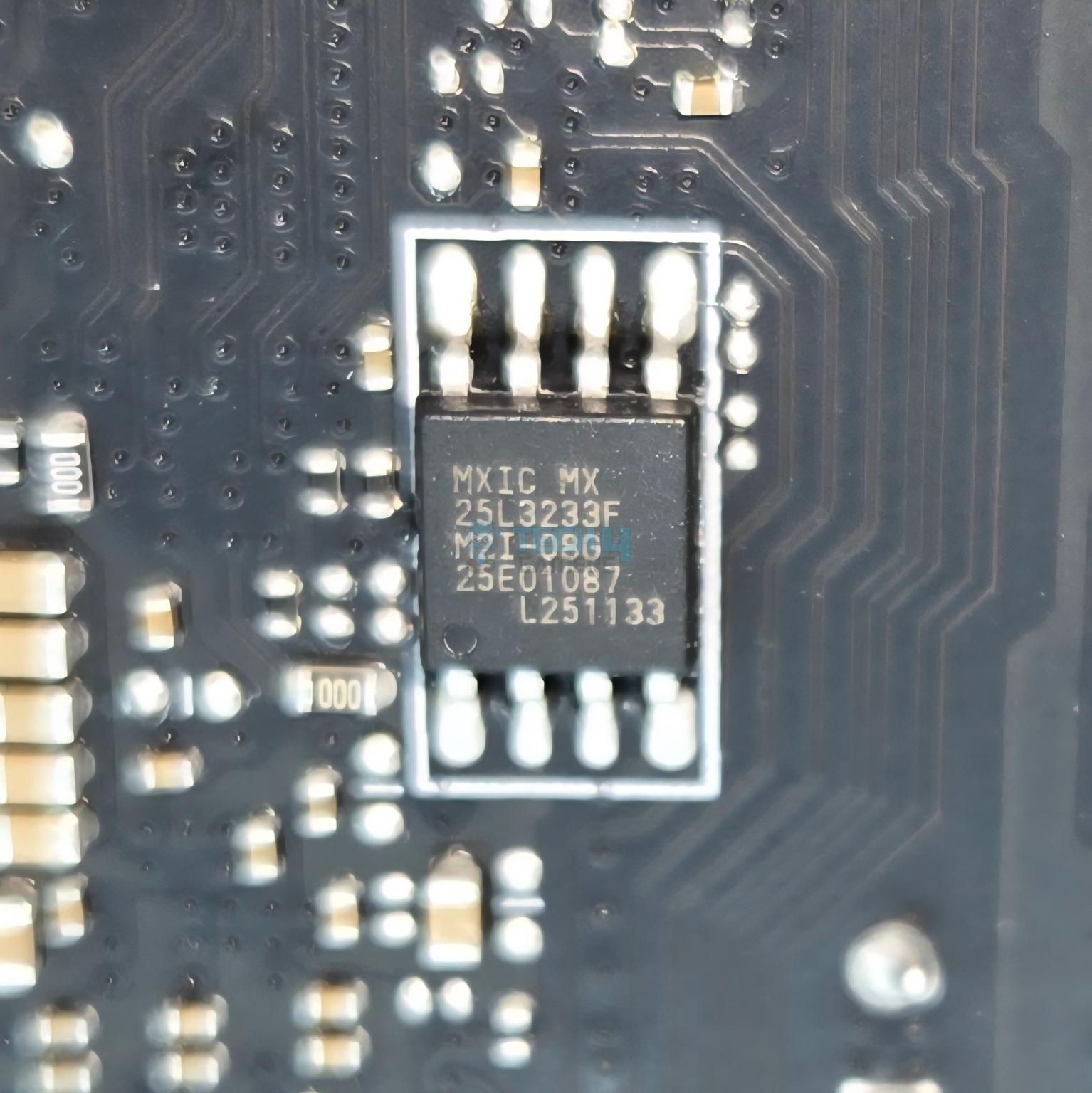
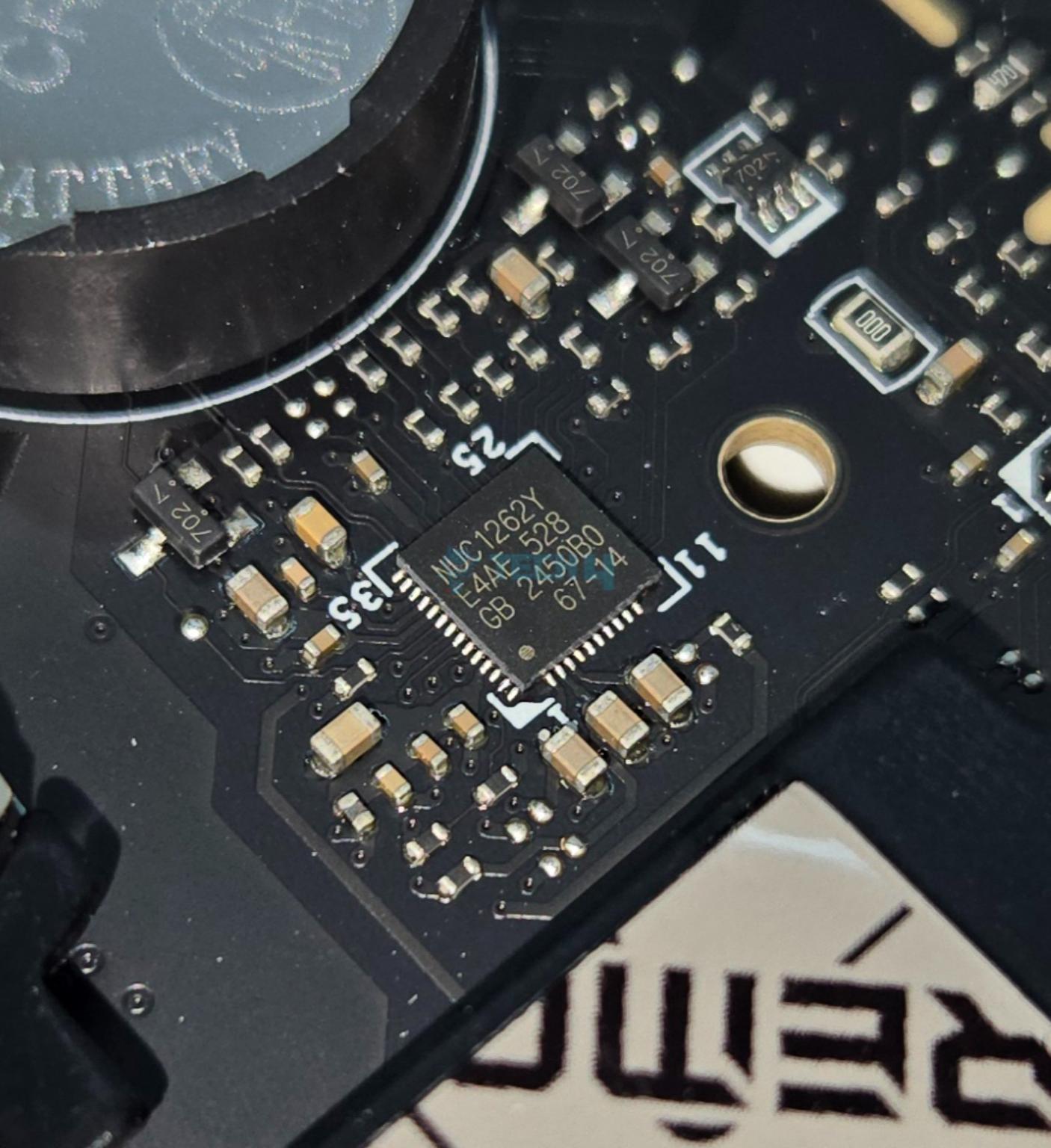
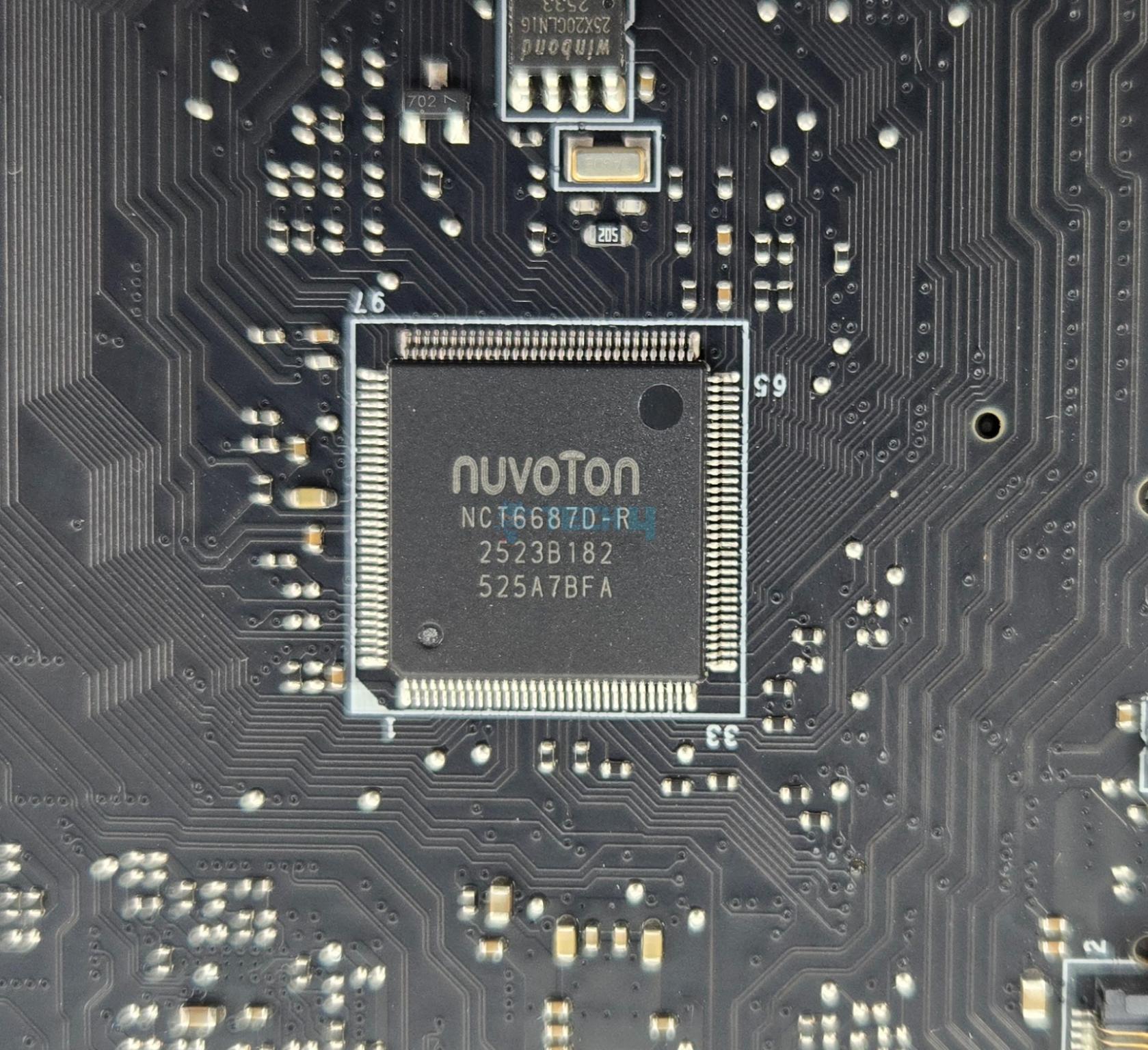
MSI has used multiple controllers on this motherboard including ASM1543, GL990, ITE IT8857, JYS13008MF03, MXIC MX 25L3233F, Phison PS7101-51, RTS5420 etc. The main IO controller is nuvoTon NCT6687D-R.
MSI has used PCIe Gen5 redrivers in the form of LeRain JYS13008MF03 with is liner equalize with Mux/Demux support and the Phison PS7101-51 which is an 2-lane high performance linear Redriver with integrated mux/de-mux designed for PCIe 5.0 applications that supports up to 32 Gbps data rate.
Networking Solution
This motherboard comes equipped with 10GbE LAN port using AQC113CS controller and one 5GbE LAN port using RealTek RTL8126 controller on the rear IO.
The wireless connectivity comprises WiFi 7 and Bluetooth 5.4. The Wireless module is pre-installed in the M.2 (Key-E) slot and supports MU-MIMO TX/RX, 2.4GHz/ 5GHz/ 6GHz (320MHz) up to 5.8Gbps. The antenna is magnetic making its placement convenient.
Audio Solution
MSI has implemented Audio hardware on two separate layers of the PCB. They have used RealTek ALC4082 codec in combination with high-performance Chemi-Con capacitors.
MSI has also ESS ES9219Q DAC/HPA. This is a 7.1 Channel audio solution that has S/PDIF output as well. It supports up to 32-Bit/384 kHz playback on front panel. MSI has designed the isolated analogy structure for the output on the rear panel.
I am showing X870E chipsets after removing its heatsink cover.
The above pictures show the chipset covers.
Let’s take a look at the connectors.
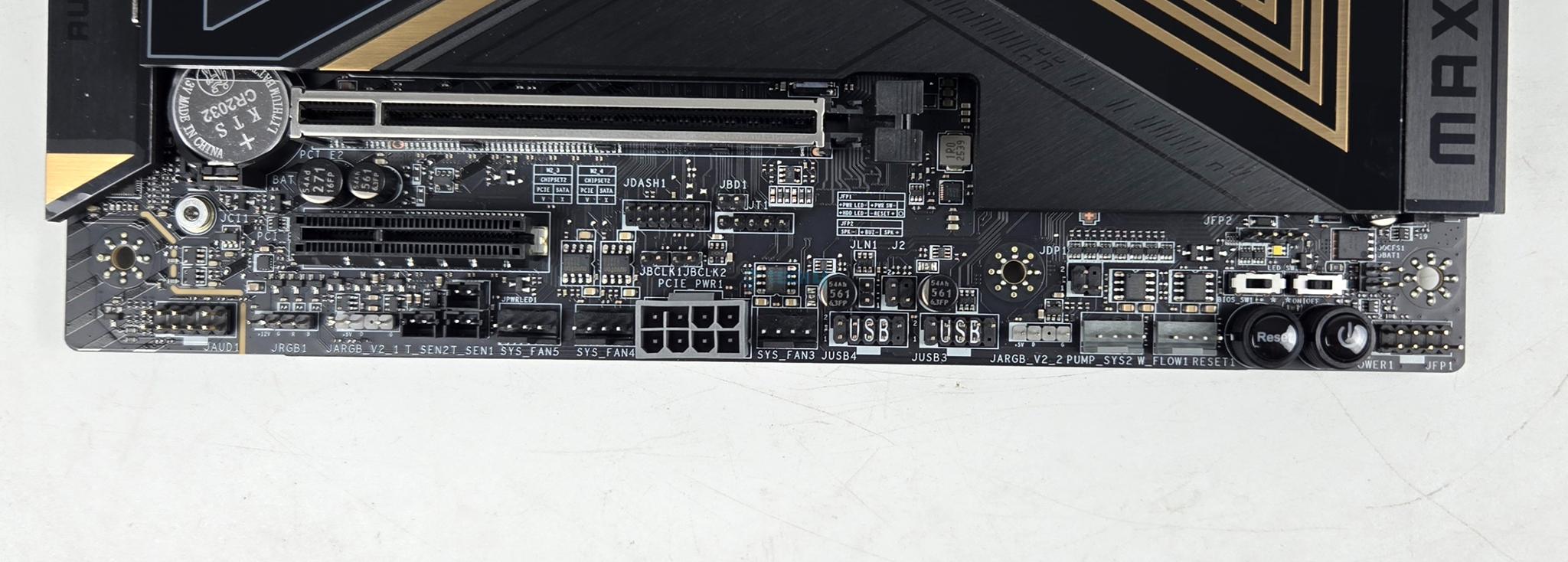
Internal Connectors
1 of 4
There are:
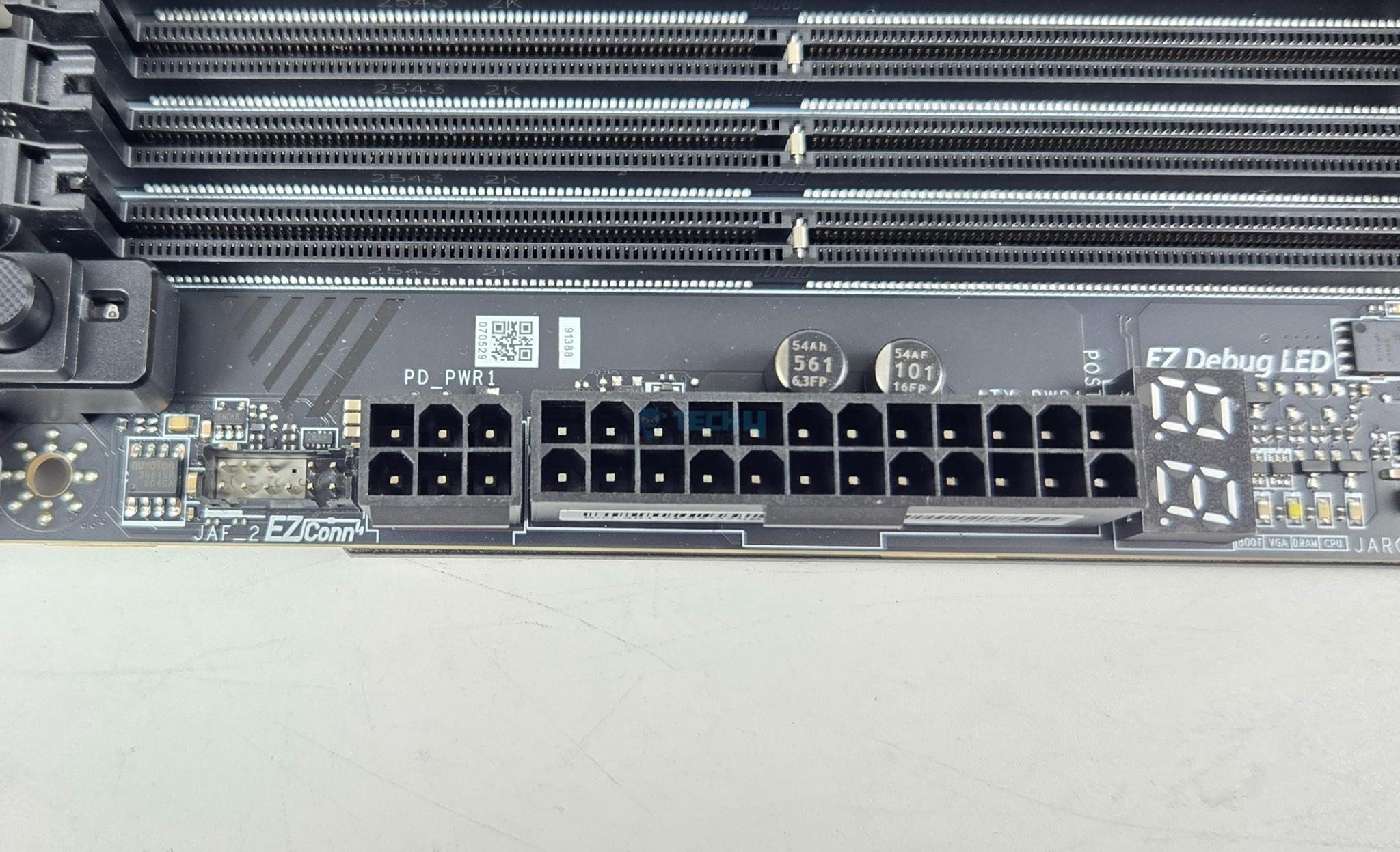
1x 24-Pin Power Connector(ATX_PWR)
2x 8-Pin Power Connector(CPU_PWR)
1x Power Connector(PCIE_PWR 8pin)
1x Front Type-C Quick Charge Connector(PD_PWR1)
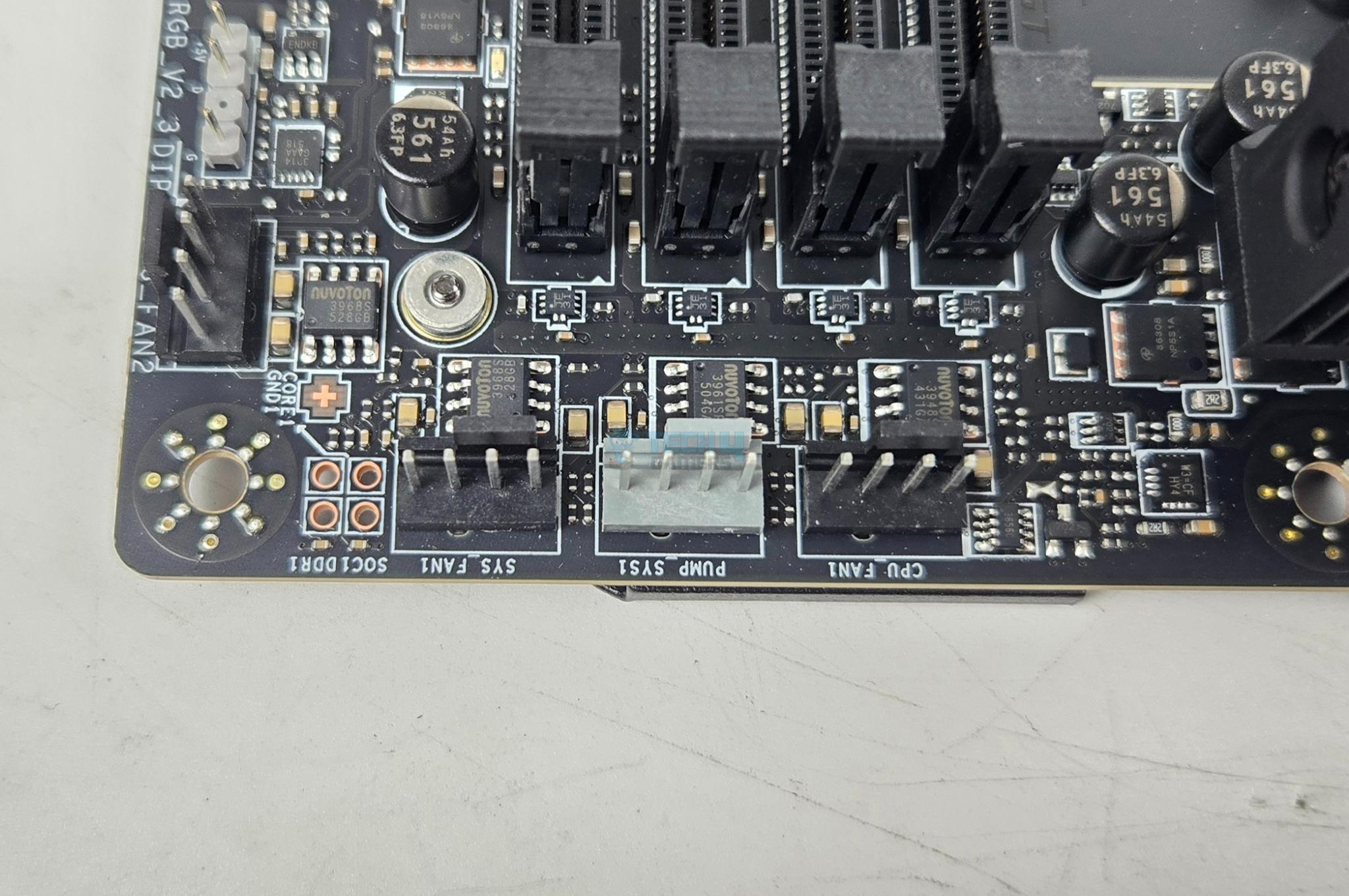
1x CPU Fan
2x Combo Fan (Pump_Sys Fan)
5x System Fan
1x EZ Conn-header (JAF_2)
2x Front Panel (JFP)
1x Chassis Intrusion (JCI)
1x Water Flow connector
1x Front Audio (JAUD)
2x Thermal Sensor connectors(T_SEN)
1x Tuning Controller connector(JDASH)
3x Addressable V2 RGB LED connector (JARGB_V2)
1x RGB LED connector(JRGB)
1x TPM pin header(Support TPM 2.0)
V-check point
2x Direct OC Jumper (JBCLK)
4x USB 2.0 ports
4x USB 5Gbps Type A ports
1x USB 20Gbps Type C ports
Each fan header is powered and controlled by nuvoTon 3968S. The CPU Fan header is rated at 2A, the pump header is rated at 3A whereas the system fan headers are rated for 1A each.
The motherboard has 4x troubleshooting LEDs. In case of an issue the corresponding LED will remain lit until the issue is resolved. The motherboard also Digi Debug LED that shows two digits during posts for easy troubleshooting in case of any error. It also shows the temperature once Microsoft Windows is loaded.
In addition, there is an EZ Memory Detection LED which remains light up in case of faulty stick is loaded into the DIMM slots. 1x EZ LED Control switch is also provided.
Rear IO Panel
There are:
USB 10Gbps (Type-A)
Flash BIOS Button
Clear CMOS Button
Smart Button
10G LAN
5G LAN
Wi-Fi / Bluetooth
HD Audio Connectors
HDMI™ 2.1 Port
USB 40Gbps (Type-C)
USB 10Gbps (Type-C)
USB 10Gbps (Type-A)
Optical S/PDIF-Out
The above is a PCB front view after teardown.
1 of 3
Backside View
Backside View
Backside View
The motherboard has a metallic backplate on the backside. It has thermal pads between itself and the back of the MOSFETs for effective cooling of the power delivery area.
BIOS
BIOS has a same interface that I have been seeing on other MSI motherboards that are tested on Tech4Gamers. MSI has streamlined the BIOS interface and named it Click BIOS X. It is easy to navigate and all the related settings are grouped.
I will not delve into the details, as we have provided extensive coverage of BIOS in previous articles.
Test Build
I have used the following configuration to test the motherboard:
MSI MEG X870E ACE MAX
AMD Ryzen 9 9900X [Stock, Auto and PBO]
ASRock Radeon RX7600 Phantom Gaming OC 8G
Lian Li GA-II Lite 360 Performance
Skill Ripjaw Z RGB 32GB 6400MHz CL30 DDR5 kit
Biwin NV7400 2TB NVMe SSD [For OS]
Teamgroup GC Pro 2TB NVMe Gen5 SSD
Sabrent Rocket NANO V2 4TB Portable SSD
Fractal Design ION+ 2P 860W Platinum
Praxis Wetbench
The above is a picture showing a run of CPU-Z. You can see that graphics card is operating at x8 link. The RAM is operating at its tested speed of 6400MT/s after loading the EXPO.
We have divided the overall tests in four major categories. These are:
CPU and Memory Tests
AIDA64 CPU and Memory Test
CINEBENCH R23.2
Blender Benchmark 4.5.0
7-Zip Compression Benchmark
3DMARK CPU Profile
Storage Tests
CrystalDiskMark
PCMARK10 Data Drive Benchmark
Gaming Tests
3DMARK Speed Way
3DMARK Time Spy Extreme
3DMARK Steel Nomad
Read Dead Redemption 2
Cyberpunk 2077
Control
Assassin’s Creed Valhalla
Far Cry 6
Forza Horizon 5
Overall System Tests
PCMARK10
Performance Test
You can see A-RGB elements on the IO cover and top M.2 Frozr Shield II cover. This can be controlled via MysticSync app under MSI Center.
Test Result
The testing was done on stock settings with EXPO loaded. PBO was disabled.
CPU And Memory Benchmarks
1 of 6
In Cinebench R23.2 the CPU scored 31743 points in CPU Multi Core load and 2229 points in a Single Core Load. The DDR5 kit has performed well at its tested speed of 6400MHz. The performance in 7-Zip benchmark is satisfactory as well with a compression result of 175.516GIPS and 202.312GIPS score in Decompression. The blender benchmark overall score was 468.58.
Storage Test
1 of 4
I have used:
Gen5x4 NVMe Drive
Gen4x4 NVMe Drive
All drives passed their sequential speeds in the CrystalDiskMark. The performance in PCMARK10 Data Drive Benchmark is quite well.
Gaming Test
1 of 9
We have a good all round performance in the gaming benchmarks. This shows that this motherboard can handle the gaming load easily.
System Performance Test
1 of 2
The PCMARK10 score came to 9987 which is an excellent score and the Performance Test overall score was 11466.
Core Clock Behavior
1 of 3
I have Balanced Power profile in Windows Environment. To record the idle temperatures, the system was put on idle for 10 minutes. The idle clocks were around 2497MHz. The cores boosted to 5.625GHz under 1T load using R23.2 whereas these cores boosted to 5.540GHz under all cores load.
Thermals And Power
I have used Watt Meter to monitor the system wide power draw excluding the display LED monitor.
1 of 4
I am seeing this motherboard drawing more power compared to other motherboards in the graph which is strange. The gaming load power draw is 354W using a budget graphics card. This power draw would be high when a high-end graphics card is deployed.
The VRM/MOSFET was doing 51ᵒC at an ambient of 16ᵒC on stock CPU settings whereas it did 53ᵒC on PBO with 238W load. Given the low ambient, the delta is actually high compared to the other motherboards in the graph.
Should You Buy It?
Buy It If
✅You are a PC Enthusiast: If you are a PC enthusiast who always on a look out for flagship performance with killer feature set then this motherboard seeks your attention.
✅You are on a RAM Overclocker: This motherboard supports CKD kits (with limitations) and is rated for up to 8400+ MHz speed depending on the CPU and IMC.
✅You want PCIe Gen5 Connectivity: This motherboard comes with two Gen5 M.2 slots and a 3x PCIe Gen5 slots using redriver providing the latest and fastest in the tech industry.
✅You prefer effective cooling for Power Stages: MSI has provided a good cooling solution for the power delivery circuit.
Don’t Buy It If
❌Tou already have AM5 motherboard: Skip this motherboard if you already have a AM5 motherboard in X870E/X870.
Final Words
I have tested a flagship motherboard from MSI after GODLIKE edition which is MEG X870E ACE MAX. ACE MAX indicates that it is refresh of original X870E. This motherboard packs 18+2+1 power phases (DUETS) with enlarged heat sinks, direct touch cross heat pipes, and 9W/mK thermal pads. The motherboard packs good safety features including over-current and over-voltage protection. The BIOS interface is same as I have seen on MSI motherboard.
The motherboard offers ton of PCIe Gen5 connectivity. It has 3x PCIe slots all of which are Gen5. It offers two Gen5 M.2 ports. One of these ports share bandwidth with USB 4.0 ports. In addition, this motherboard packs 3x M.2 Gen4x4 slots as well. Count of SATA ports is 4. All front mounted M.2 ports have dual sided thermal pads and aluminum covers for heat transfer. These covers are tool-less design.
The top two PCIe slots are steel reinforced and PCI_E1 slot uses EZ PCIe Release button for convenient locking/unlocking the PCIe slot. M.2 port M2_1 shares bandwidth with PCI_E3 (X4) slot. Also, all three PCIe slots are wired to the CPU socket.
This motherboard is beast in the memory department. It can house up to 256B memory with up to 8400+(OC) MHz frequency on Ryzen 9000 CPUs. The Mem Try and Extension modes are supported along with the AMD EXPO and Intel XMP profiles. This motherboard also supports the CKD Memory kits.
Speaking of USB connectivity, this board has a strong game with a total of 22 USB ports including a USB 3.2 Gen2x2 20Gbps port on the front panel and 2x USB 4.0 ports on the rear panel.
This motherboard has a 10GbE, 5GbE LAN ports, Bluetooth 5.4, and WiFi 7 connectivity and it comes with a handy WiFi Antenna. The on-board audio solution is ALC4082 codec combined with ESS DAC. The Rear IO panel has Clear CMOS, Smart, and Flash BIOS buttons.
The overall performance of this motherboard is good except its relatively high power draw. This motherboard retails at USD 699.99 and comes with a 3-year warranty.
At Tech4Gamers, I contribute as a Senior News Reporter, combining my skills and gaming enthusiasm to keep our audience updated on the latest developments.
Story Highlight
Nvidia is said to be using the GR20x GPU chips for its RTX 60 graphics cards.
A reliable leaker states that these GPUs will arrive in the second half of 2027.
The gaming lineup is based on the same Rubin architecture used for Nvidia’s latest AI products.
Nvidia’s RTX 50 lineup is approaching its first official anniversary. Although rumor had it that the gaming giant would launch RTX 50 Super GPUs in early 2026, it seems plans have now shifted to focus on the future lineup.
A reliable insider has now shared more information on Nvidia’s RTX 60 series.
Why it matters: Nvidia is the current market leader when it comes to gaming GPUs. Therefore, millions look forward to every new product series that Team Green puts out.
The RTX 60 Lineup Is Expected One Year From Now
According to Kopite7kimi, Nvidia will use the GR20x series of GPUs for its upcoming RTX 60 graphics cards. This chip is based on the Rubin architecture, the same architecture utilized in the latest AI GPUs from the company.
The major difference here is the fact that Nvidia does not appear to be using the GR102 chip for its gaming lineup. Instead, GR100, designed for AI tasks and data centers, utilizes two GR102 chips.
Kopite7kimi also states that the RTX 60 series will launch in H2 2027. This timeline should allow Nvidia to account for the current memory shortages and ensure it produces enough graphics cards to meet global demand.
Not much else is currently known about the RTX 60 series, but rumors regarding the lineup should begin to show up in a few months. In particular, it’s worth keeping an eye out for any more information from Kopite7kimi since he is known to reveal a lot about Nvidia’s GPUs ahead of their release.
At Tech4Gamers, I contribute as a Senior News Reporter, combining my skills and gaming enthusiasm to keep our audience updated on the latest developments.
Story Highlight
MachineGames is reportedly thinking about working on Wolfenstein 3 at the moment.
The team hopes to use the upcoming Amazon TV series to bring the IP to more people.
MachineGames is also focused on more Indiana Jones following its recent success.
MachineGames recently shifted its focus away from Wolfenstein after having focused on the IP for over a decade. Following the release of Indiana Jones and the Great Circle, more new games focused on Indy’s globetrotting adventures are expected from the studio, but demand for more Wolfenstein has not dwindled among the fans.
In fact, past rumors suggested that Wolfenstein 3 would eventually show up, and a new report from a reliable insider states that the team is now considering this sequel to its popular Wolfenstein reboot franchise.
Why it matters:Recent job listings led many to believe that the team was hiring for Wolfenstein 3. The response to these rumors was quite positive, so fans are clearly excited for more entries in the series.
Wolfenstein Has Been Missing In Action For A While
According to Windows Central’s Jez Corden, Xbox’s first-party teams are expected to make major strides in 2026. Many new announcements are expected, and multiple projects are being discussed internally.
The insider notes that in MachineGames’ case, the team is now discussing a potential third mainline Wolfenstein title. This report comes after the announcement of the upcoming TV series based on the series from Amazon.
Wolfenstein’s last game saw the series venture into online co-op territory, and while Wolfenstein: Youngblood was largely panned by critics and fans alike, its predecessors remain strong single-player first-person shooter titles.
Of course, it would be tricky for MachineGames to balance work on Wolfenstein and Indiana Jones at the same time. The team has historically collaborated with id Software, which has also begun planning its next game after Doom: The Dark Ages.
Following its work on Indiana Jones, the developer also partnered with Bethesda’s Todd Howard, expanding its development further within the Bethesda Softworks umbrella. Anyhow, fans will be glad to know that there is now some hope for another Wolfenstein entry.
The Wolfenstein franchise throws tough choices at the players.
Elsewhere, the report discusses more future titles from Xbox’s first-party teams. Among various other things, it points to a new StarCraft announcement from Blizzard.