Worth It?
Review Summary
The Noctua NL-LC1-36 is built specifically for enthusiasts pushing flagship processors to their absolute limits. By pairing the premium Asetek EMMA V2 pump with a proprietary tuned-mass damper, a three-layer soundproofing foam structure, and three premium Noctua NF-A12x25 G2 fans, it completely outclasses the competition in our thermal testing, especially in the noise-normalised benchmarks, where it easily tops the charts.
This is easily one of the best-performing coolers we’ve tested on our bench so far. The optional NL-ACF1 VRM fan, which is sold separately, is also surprisingly effective at cooling the motherboard’s VRM components, bringing their temperatures down by a decent margin.However, this level of cooling and acoustic performance comes at a steep $250 price tag.
Hours Tested: 6 Hours

Overall
-
Cooling - 9.6/10
9.6/10
-
Noise - 9.8/10
9.8/10
-
Aesthetics - 8/10
8/10
-
Build Quality - 9.5/10
9.5/10
-
Value - 7.5/10
7.5/10
Pros
- High-end Asetek Emma V2 Pump Platform
- Innovative Pump Design
- Three-Layer Sound Proofing Structure
- Physical Switch with Three Pump Speed Profiles
- Three Flagship NF-A12x25 G2 Fans
- Robust SecuFirm2+ Mounting System
- NL-ACF1 Auxilary Cooling Fan Works Very Well!
- Top-Tier Build Quality
- Unbeatable Noise Normalized Performance
- Exceptional Cooling
- NT-H2 Thermal Paste
- Thermal Paste Guard for AMD AM5
- 6-Year Warranty
Cons
- Expensive
- No RGB / LCD
- May not appeal to everyone


Noctua has finally launched its new family of all-in-one liquid coolers. For years, PC builders and enthusiasts have wondered whether the undisputed king of air cooling would ever step into the AIO liquid-cooling market. Well, the wait is finally over, and Noctua has launched its first generation of closed-loop liquid coolers. This isn’t just another standard AIO that you’d normally find on the market. Noctua has engineered its liquid-cooling lineup around the same strict standards the brand is known for, focusing heavily on reliability, performance, and acoustic efficiency.
Sure, even some of the more affordable AIOs on the market can keep your CPU cool, but Noctua takes a different approach. It has focused not just on cooling performance, but on delivering that performance while keeping noise levels under control and maintaining the kind of engineering quality we’ve come to expect from the company.
They sent us the NL-LC1-36 AIO, a closed-loop 360mm liquid cooler equipped with a trio of Noctua’s flagship NF-A12x25 G2 120mm fans, which we reviewed earlier and rated as the best in our charts for noise and performance.
Moving forward. At the heart, Noctua uses the Asetek premium-grade Emma V2 pump platform as the foundation and custom-engineers the block, using a three-layer acoustic soundproof structure with a physical switch for different pump-speed modes.
Let’s talk about the specifications:
| Component | Specification |
| Socket Compatibility | AM5, AM4, LGA1700, LGA1851, LGA1954 |
| Fan Model | 3x NF-A12x25 G2 |
| Fan Size | 120 x 120 x 25 mm (square) |
| Fan Speed | 0 – 1800 rpm |
| Fan Noise | 22.5 dB(A) |
| Pump Model | Asetek Emma V2 |
| Pump Height | 70 mm |
| Pump Mechanics | Three Phase Motor, Ceramic Sleeve and Shaft Bearing |
| Pump Max Speeds | 3400 RPM (Manual), 2600 RPM (Balanced), 2100 RPM (Quiet) |
| Pump Control | PWM Controlled |
| Tubes | EPDM Braided Tubes, 410mm Length |
| Radiator Form Factor | 360mm |
| Radiator Material | Aluminum Build |
| Radiator Dimensions | 399.5 x 120 x 30 mm |
| Warranty | 6 Years |
What Makes Noctua NL-LC1-36 AIO Different?
Noctua has really outdone itself with its brand-new liquid-cooler lineup. Instead of taking a generic AIO and simply swapping in its famous brown fans, Noctua has completely re-engineered the acoustic profile and functionality of its coolers from the ground up.
The company has developed a custom acoustic soundproofing structure around the pump, while using the high-end Asetek EMMA V2 (G8 V2) platform for the pump block. This platform is designed to improve water flow and offers a more refined approach compared to the traditional pump designs found in many standard AIOs.
And, of course, the NL-LC1-36 uses three NF-A12x25 G2 120mm flagship fans, which we’ve reviewed previously. These are arguably some of the best fans on the market for balancing acoustic performance with thermal efficiency.
What About The Availability & Pricing?
Noctua AIO CPU Liquid Coolers officially launched on June 16, 2026, and are currently available worldwide through major PC hardware stores. NOCTUA offers three all-in-one liquid coolers in various form factors and sizes.
| Model | Radiator Size | Included Fans | MSRP (USD) |
| NL-LC1-24 | 240mm | 2x NF-A12x25 G2 | $219.95 |
| NL-LC1-36 | 360mm | 3x NF-A12x25 G2 | $249.95 |
| NL-LC1-42 | 420mm | 3x NF-A14x25 G2 | $279.95 |
Another thing to add here is that Noctua also sells an optional NL-ACF1 80mm auxiliary fan for €19.90, which can be installed magnetically onto the pump block in place of the metal face plate, allowing cooling of the motherboard VRMs, M2 SSDs, or the Memory. The cooler comes with an official 6-year manufacturer’s warranty.
Packaging
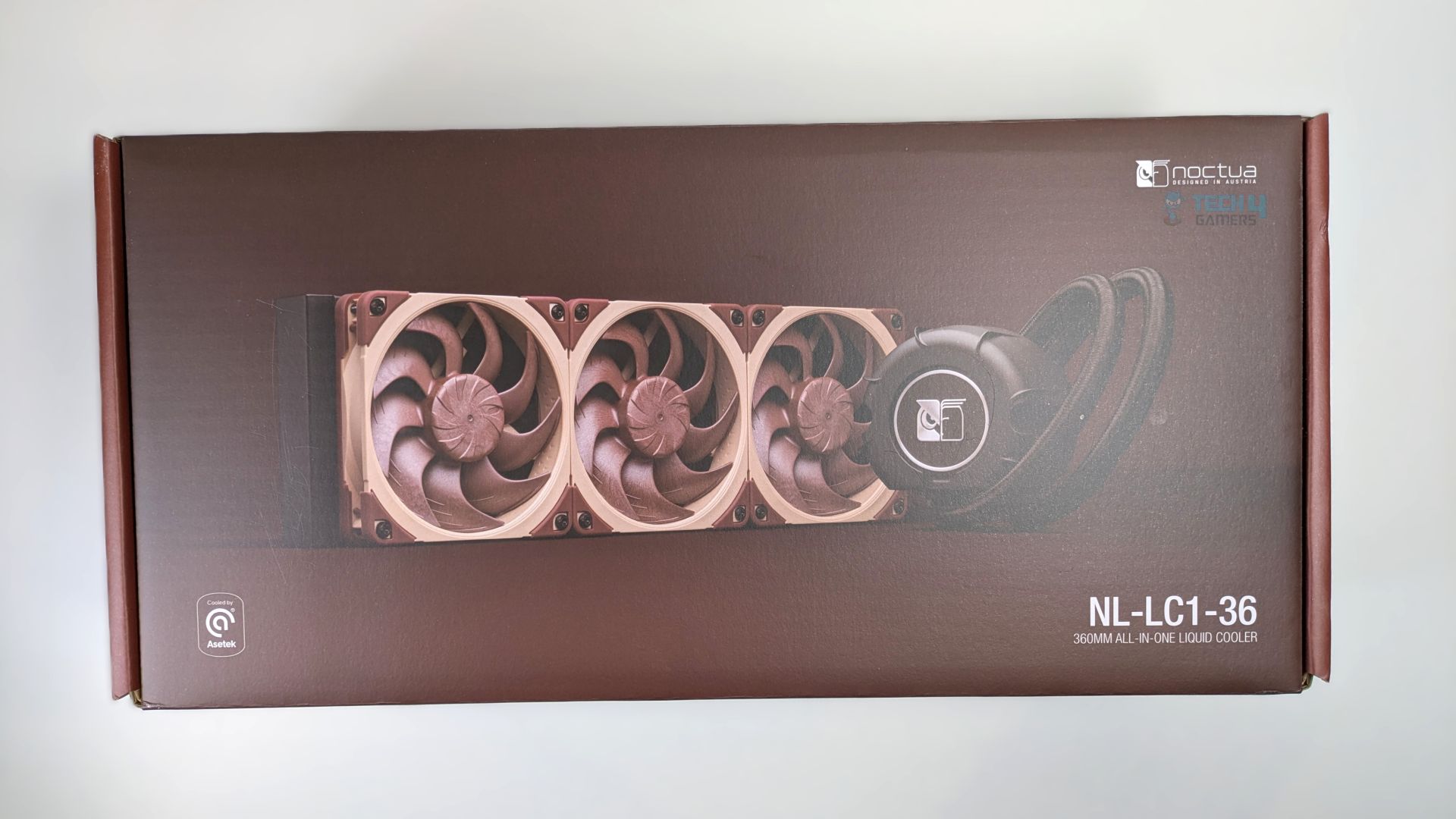
The NL-LC1-36 arrives in a large box that embraces the brand’s classic brown aesthetic. On the front of the box, you will see the render of the cooler with its three signature brown fans.
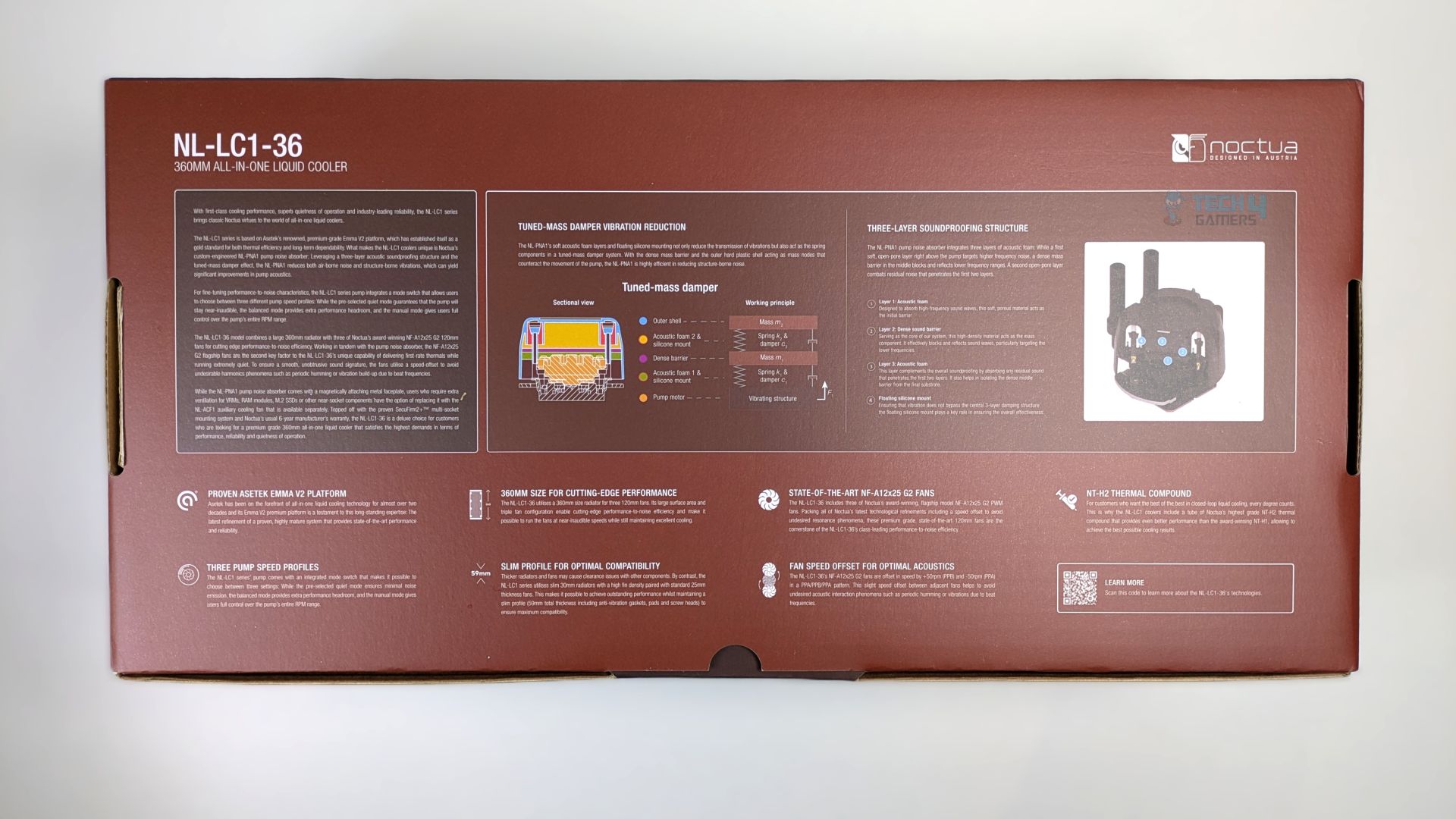
The back of the box is extremely detailed, offering you a deep-dive look at the cooler’s engineering, mainly highlighting the pump design and its features.
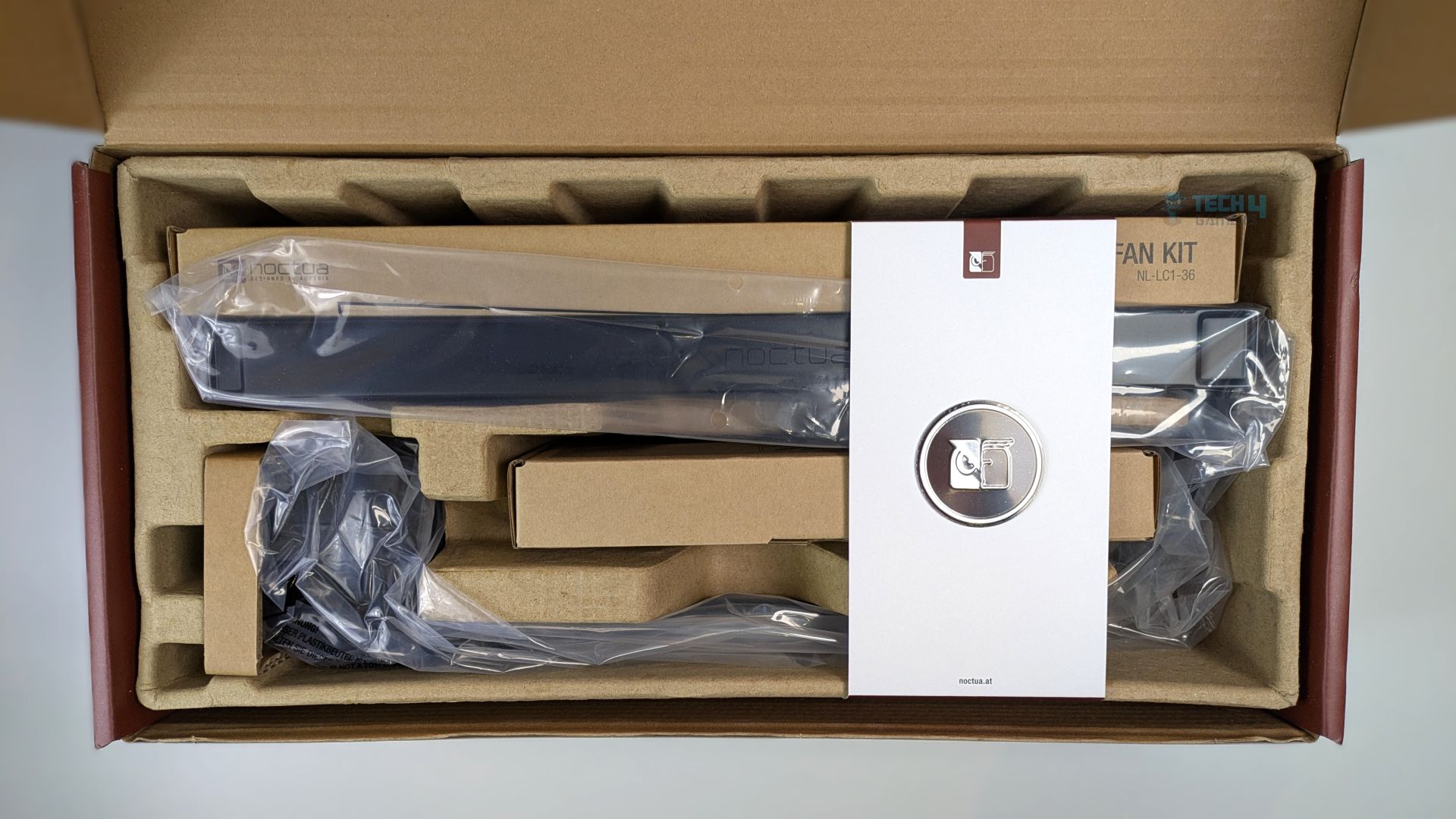
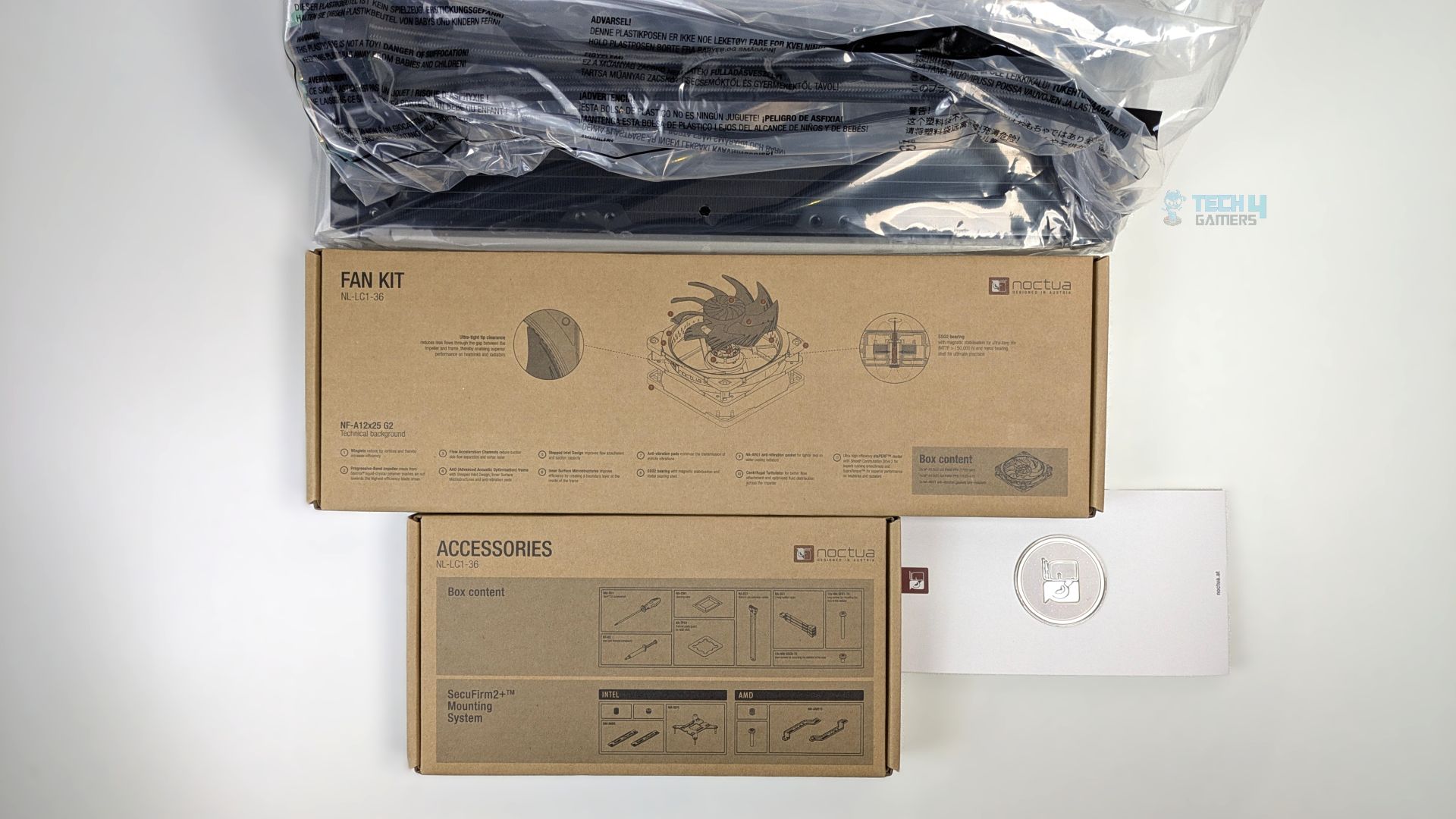
Lifting the lid reveals a very organized interior within a moulded and ecofriendly cardboard tray. The radiator, tubes and the pump lock are secured in a plastic bag. The boxes are also very clearly labelled with the details.
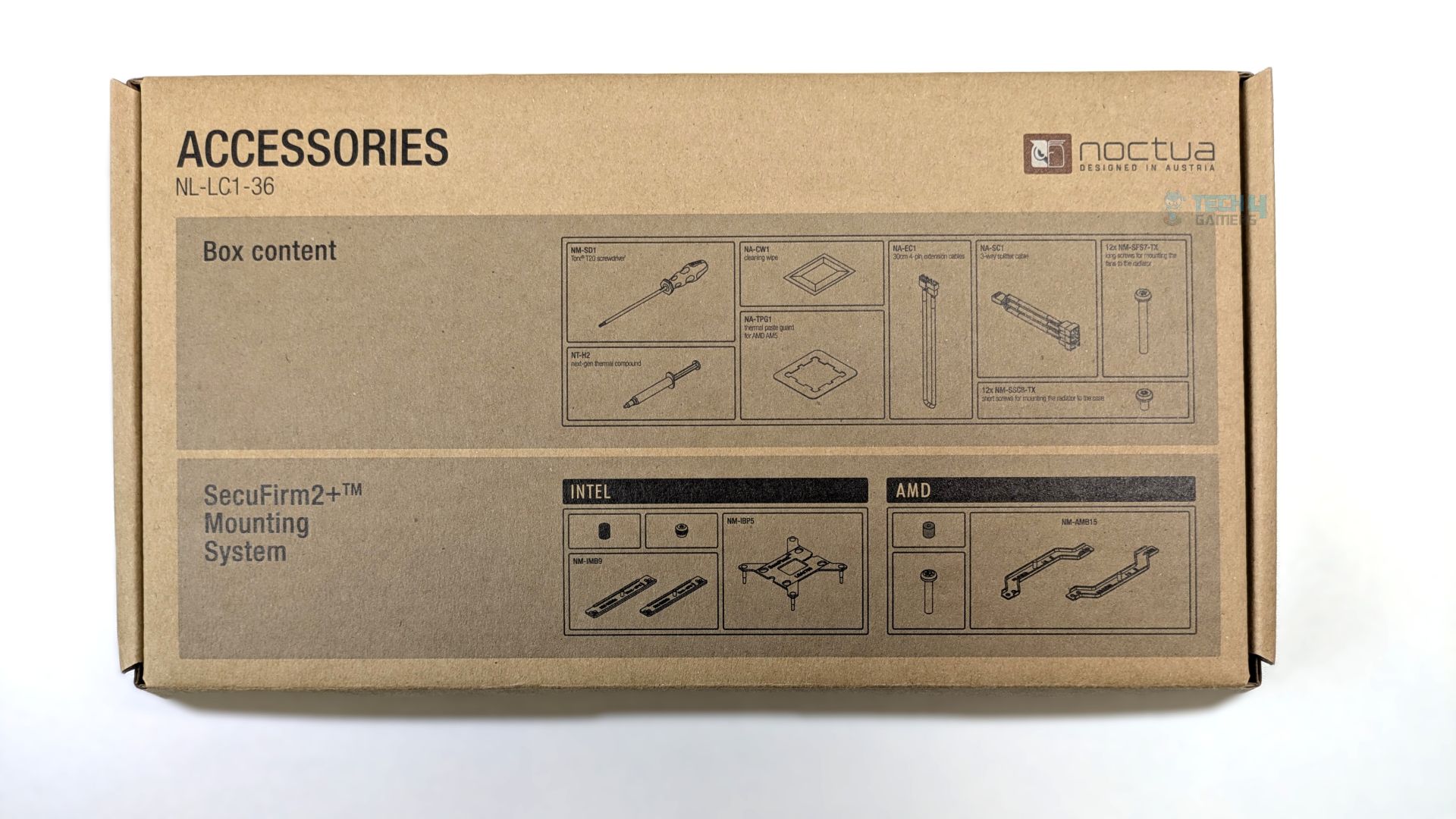
The attention to detail here is genuinely impressive. The top cover of the accessory box features a visual inventory of everything included, clearly showing the AMD and Intel mounting brackets, along with other accessories such as the thermal paste and Torx T20 screwdriver.
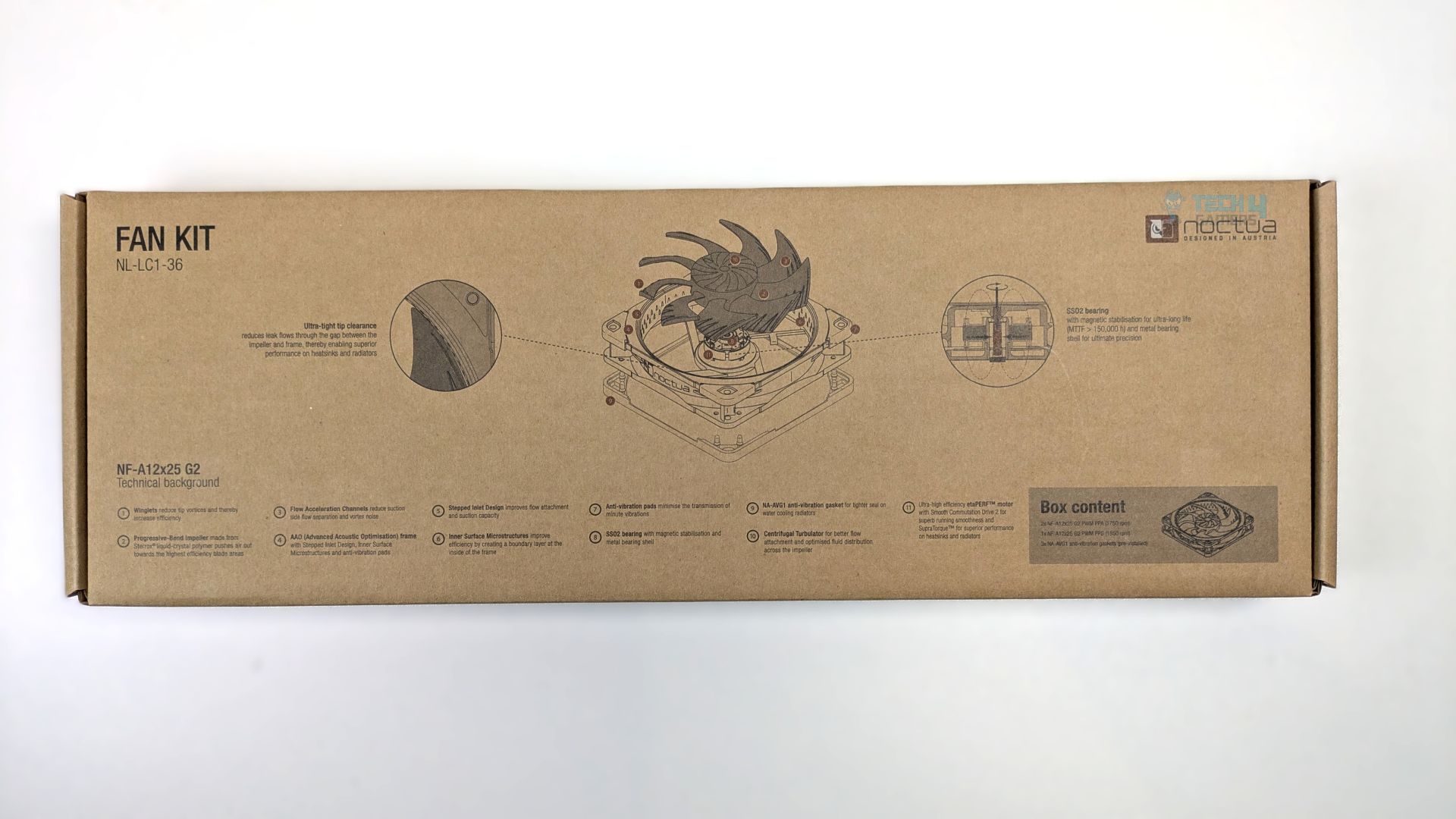
The three NF-A12x25 G2 fans come in a separate box. Like the accessory box, it also includes a detailed diagram and information about what’s included, which is a nice touch from Noctua.
Accessories
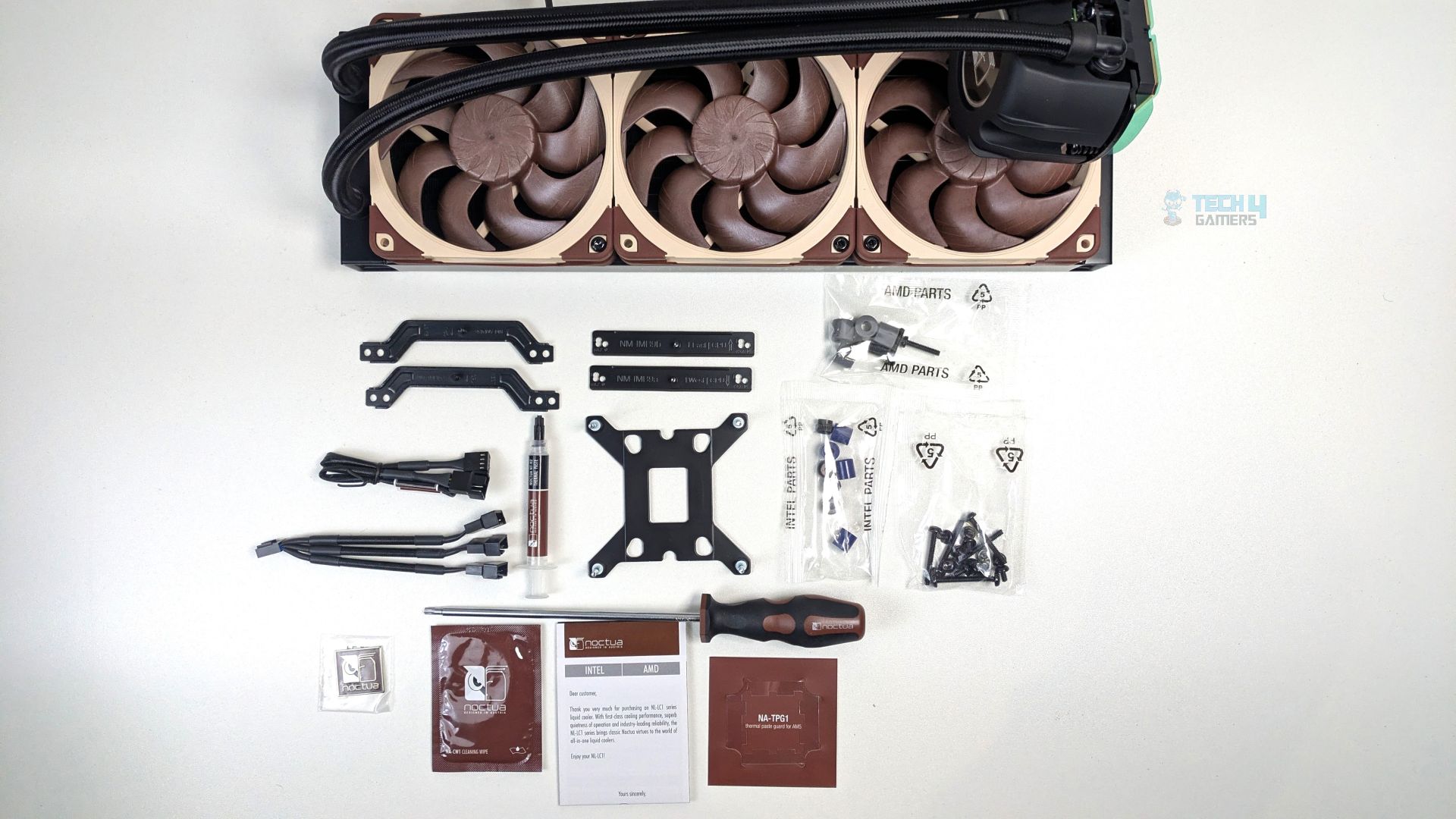
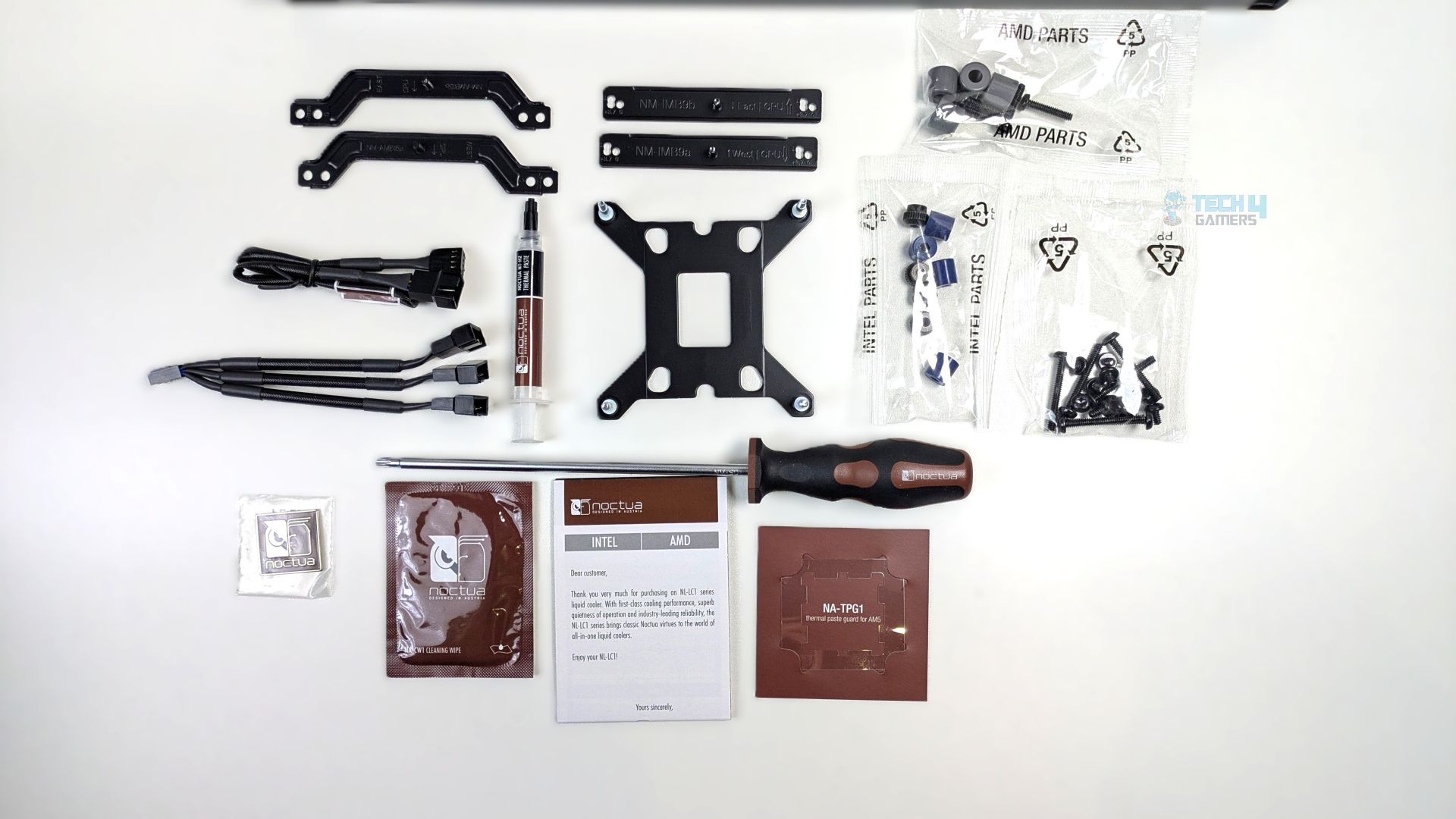
You get plenty of accessories with the NL-LC1-36, which is always nice to see when the brand pays attention to detail.
It includes all the necessary multi-platform mounting hardware, color coded standoffs, spacers and thumbscrews, extension cables, thermal paste, cleaning wipes, an AM5 thermal paste guard, and even a screwdriver.
Everything is neatly organized, and each bag is clearly labelled, so there’s little chance of mixing anything up during installation.
| Details | |
| Core Hardware | NL-LC1-36 closed-loop liquid cooler with NL-PNA1 pump noise absorber |
| Metal Noctua logo faceplate | |
| 3x NF-A12x25 G2 PWM fans with speed-offset (PPA/PPB/PPA) | |
| 3x NA-AVG1 anti-vibration gaskets (preinstalled) | |
| Mounting & Installation | SecuFirm2+™ multi-socket mounting system with offset options for AMD AM5/AM4 and Intel LGA1851/1700 |
| Fan and radiator mounting screws (Torx® T20) | |
| NM-SD1 Torx® T20 screwdriver | |
| Thermal Application | NT-H2 thermal compound |
| NA-TPG1 thermal paste guard for AMD AM5 | |
| NA-CW1 cleaning wipe | |
| Cabling & Connectivity | NA-SC1 3-way splitter cable |
| NA-EC1 30cm extension cable | |
| Extras | Noctua metal case badge |
Close Look At The Radiator and Assembly
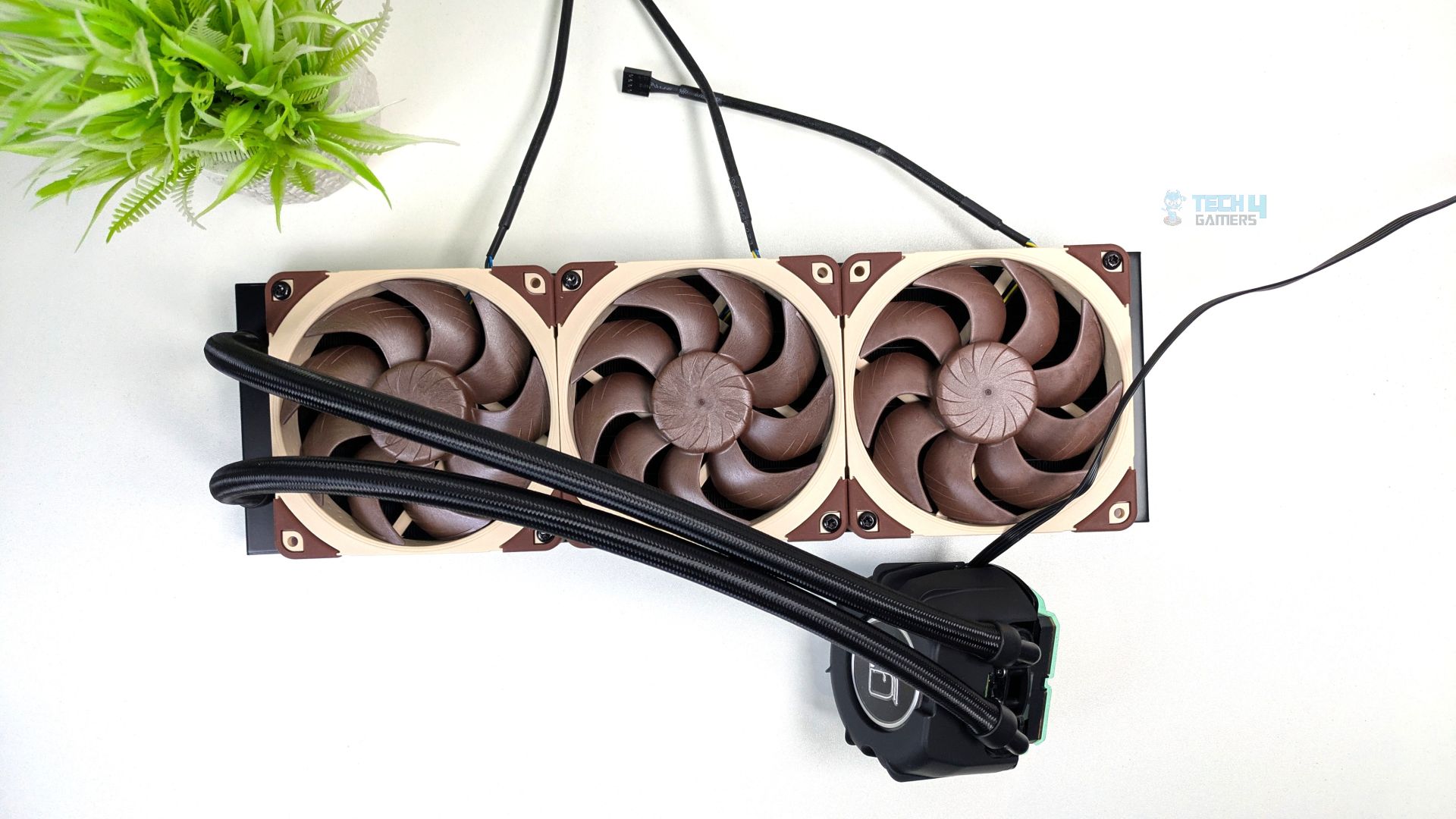
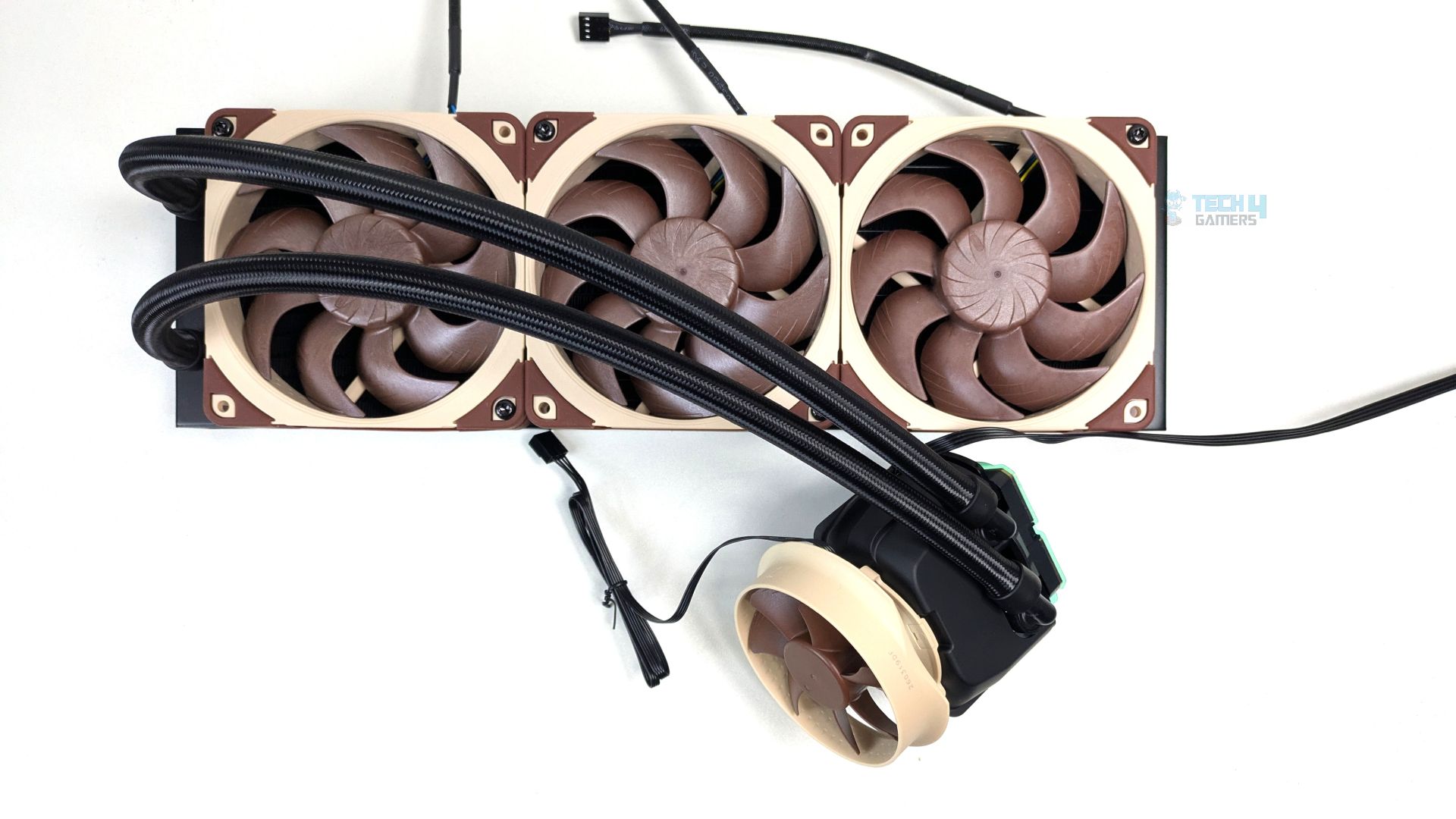
The cooler arrives without the fans installed, and it comes with no accessories or pre-installed cosmetic metal badges. It’s a standard, straightforward out-of-the-box experience. It would have been nice to see the fans preinstalled, as many brands have started doing this.
It saves users time during installation and can also reduce extra packaging. However, Noctua has chosen to keep its premium fans separate, so you’ll have to install them yourself.
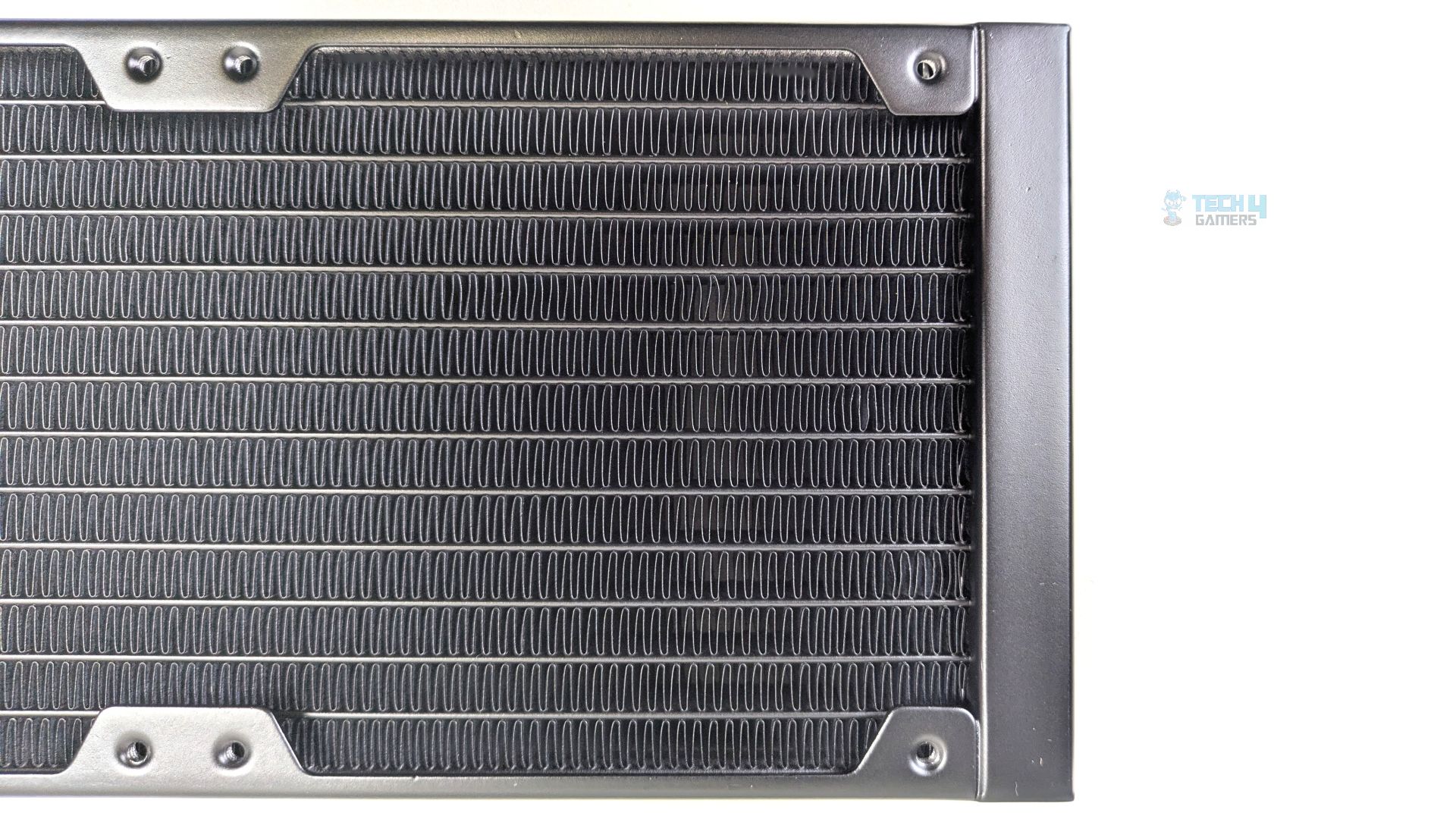
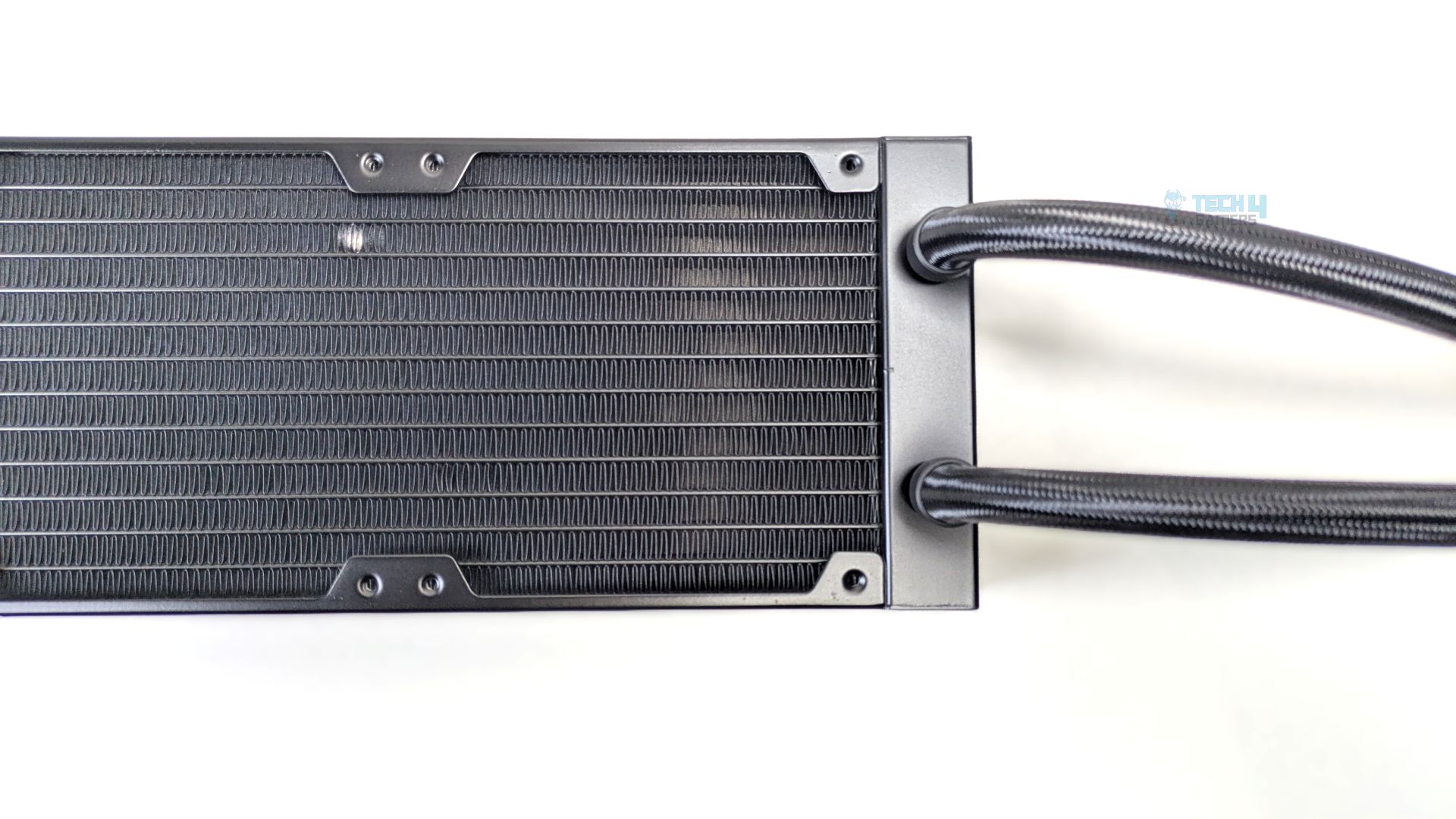
The main body is an aluminum constructed finish; it’s a standard-sized radiator which measures 399.5 x 120 x 30 mm. The thickness is also 27 mm, which is industry standard.
The FPI (Fins per inch) of this radiator is 21-20 and the water channels are 12 in total.
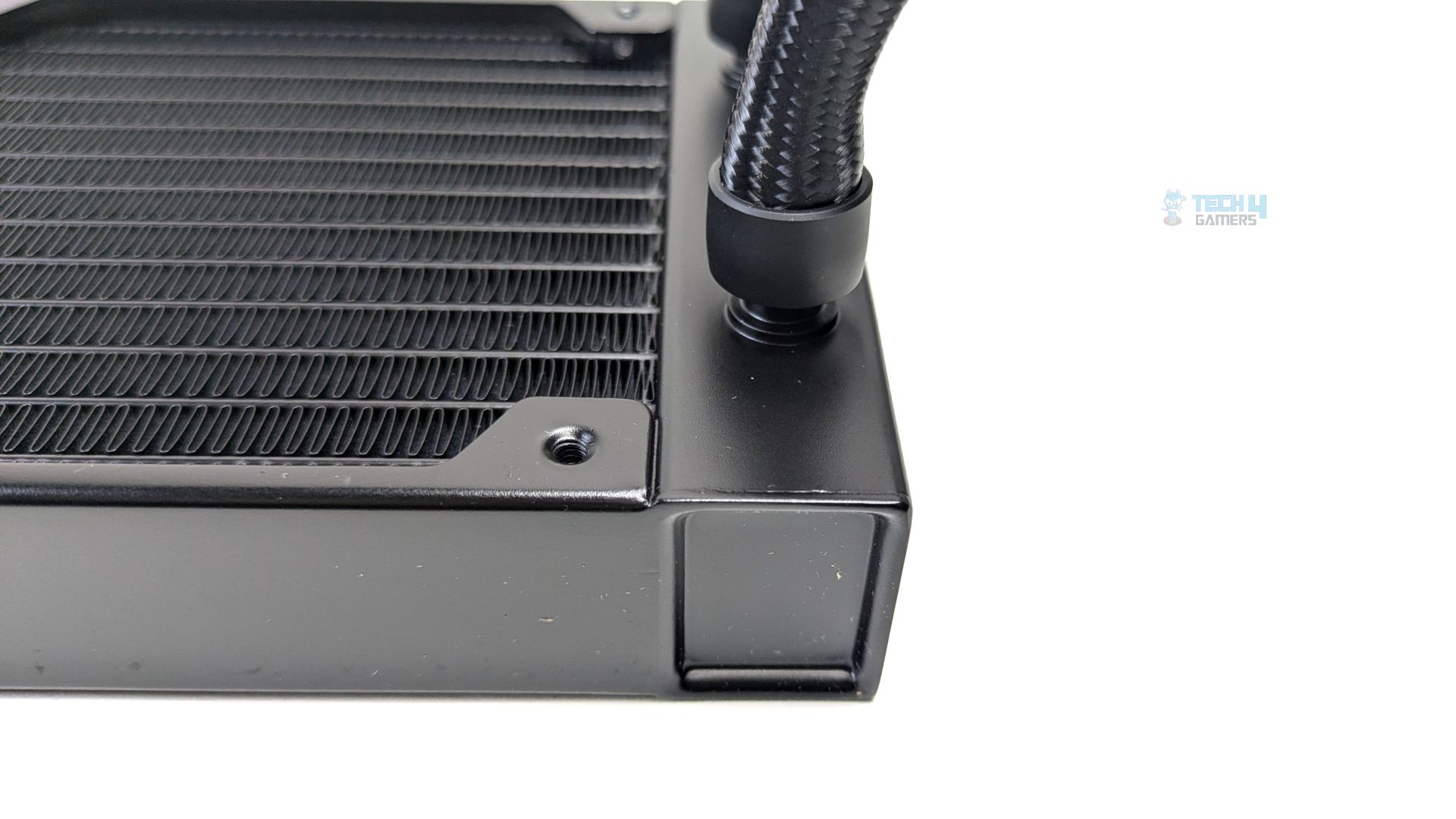
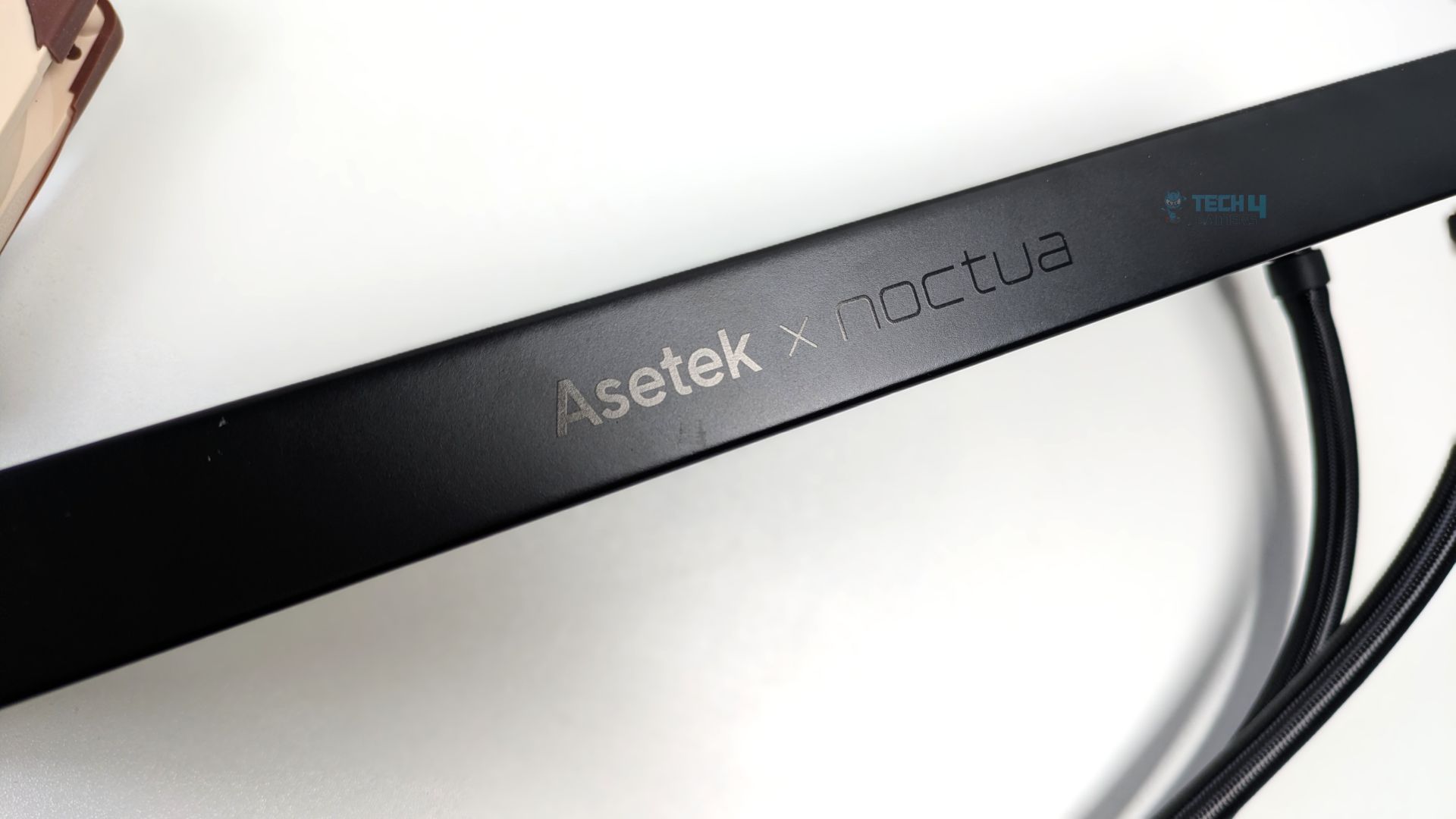
The braided tubes connect directly into the radiator’s top-end tank via straight, non-articulating fittings. The outer face of the radiator on the side rail also features a subtle “Asetek x Noctua” branding logo.
Pump Design / Housing
The CPU block head features a matte-black soft-plastic shroud with vertical edges and structural cutouts on the sides. This is a rather unique pump design. You don’t typically see these kinds of cutouts on standard AIO pump blocks, which are usually completely round or square.
The material used for the outer shroud may also help dampen sound, which makes sense given Noctua’s focus on reducing pump noise.
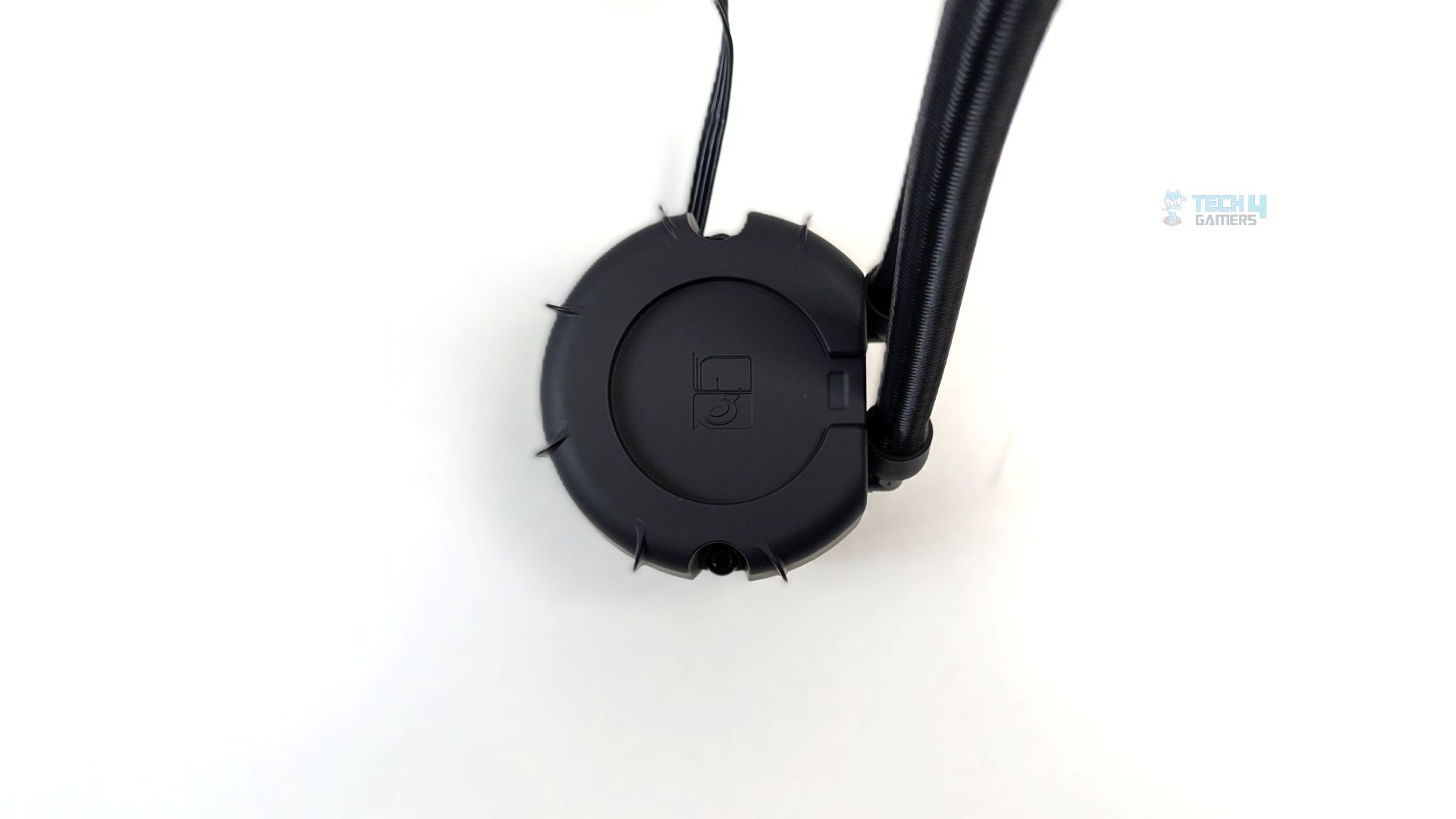
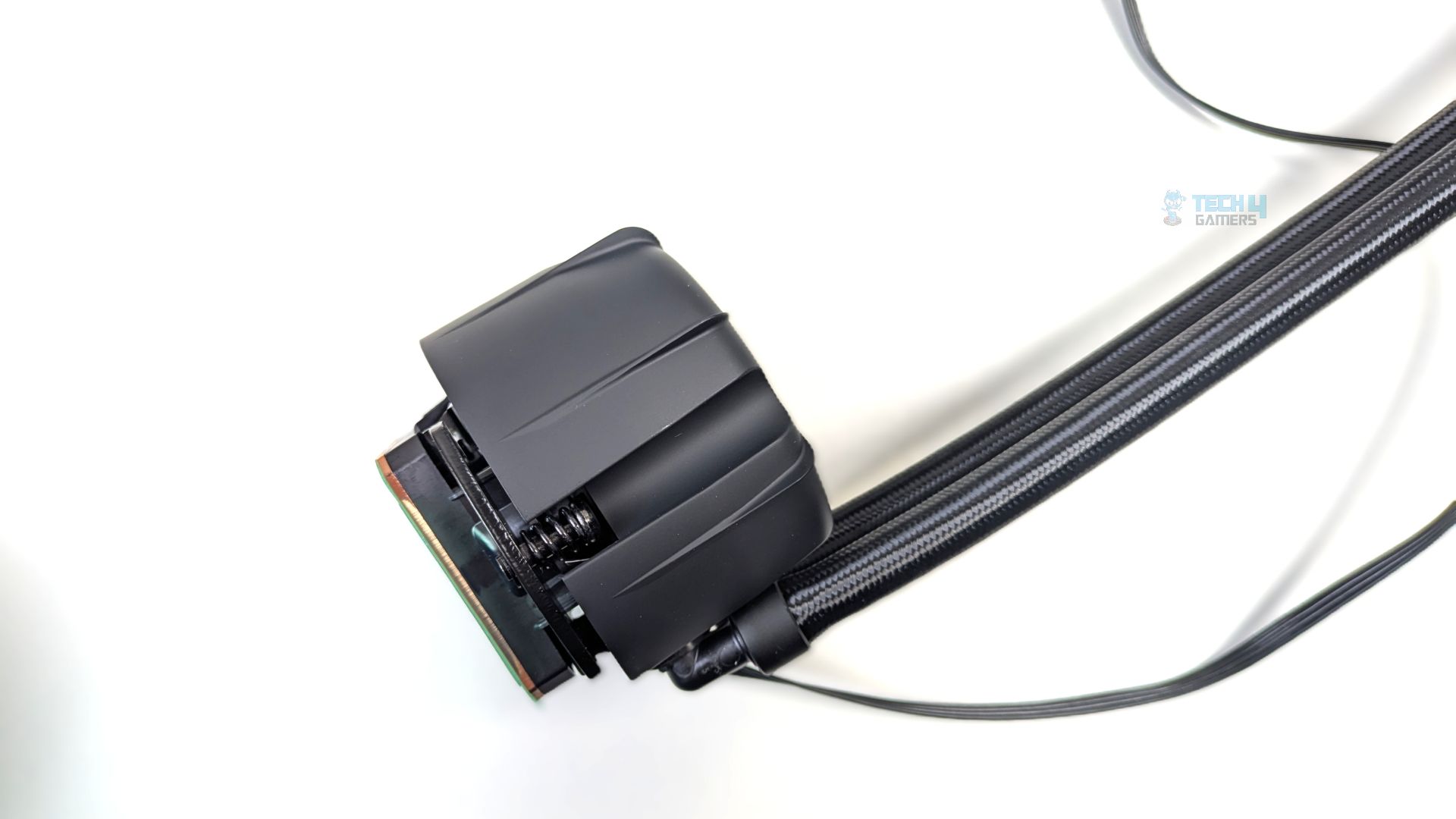
Under the hood, Noctua employs the Asetek Emma V2 Generation 8 pump, engineered for high performance and low noise. Its three-phase motor with a 12-pole architecture and ceramic sleeve-and-shaft bearing delivers improved flow rate and noise efficiency compared to earlier Asetek pump designs.
To further reduce pump noise, Noctua incorporated a three-layer sound-proofing foam structure, enhancing the cooling system’s overall quiet operation.
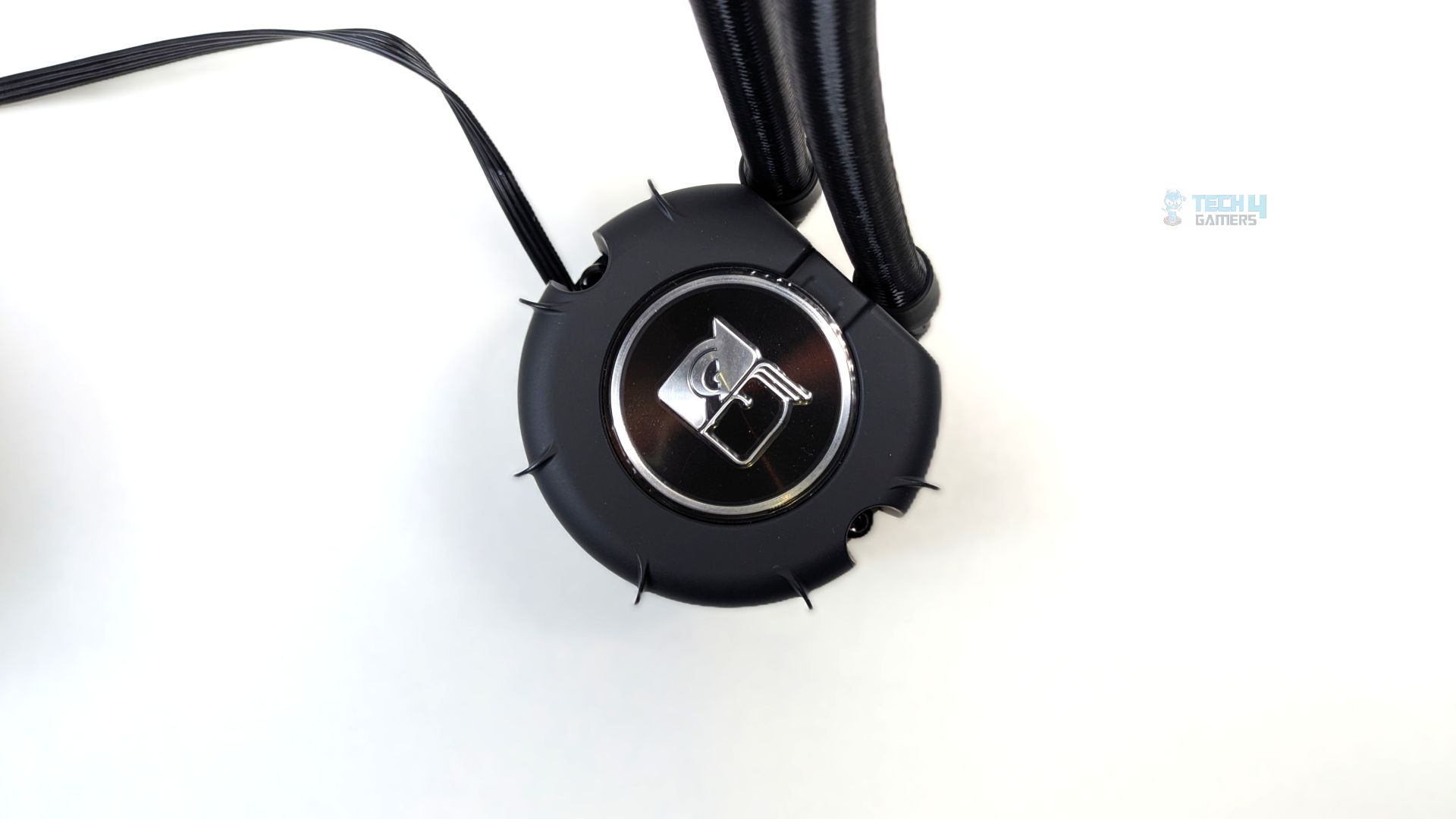
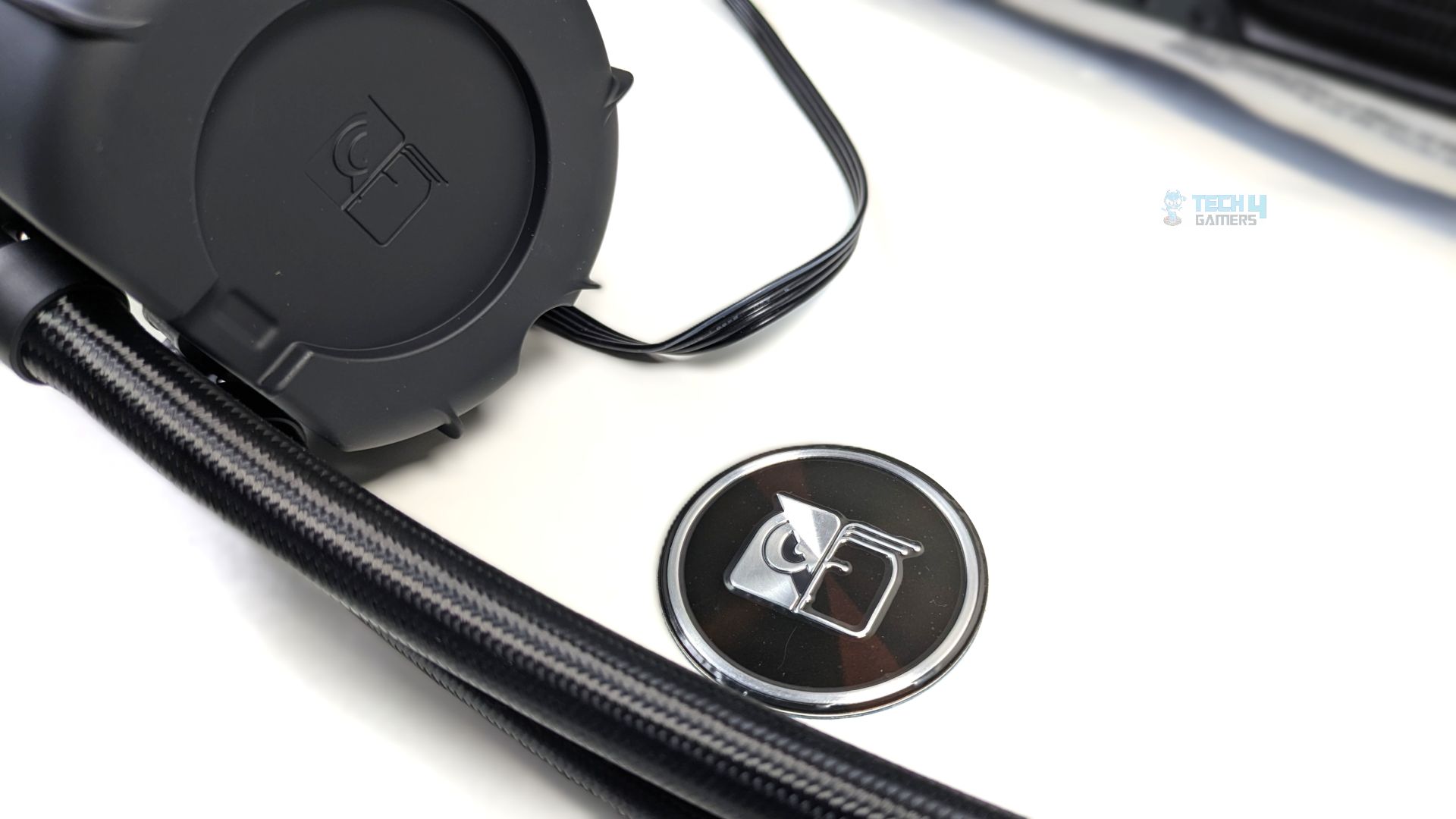
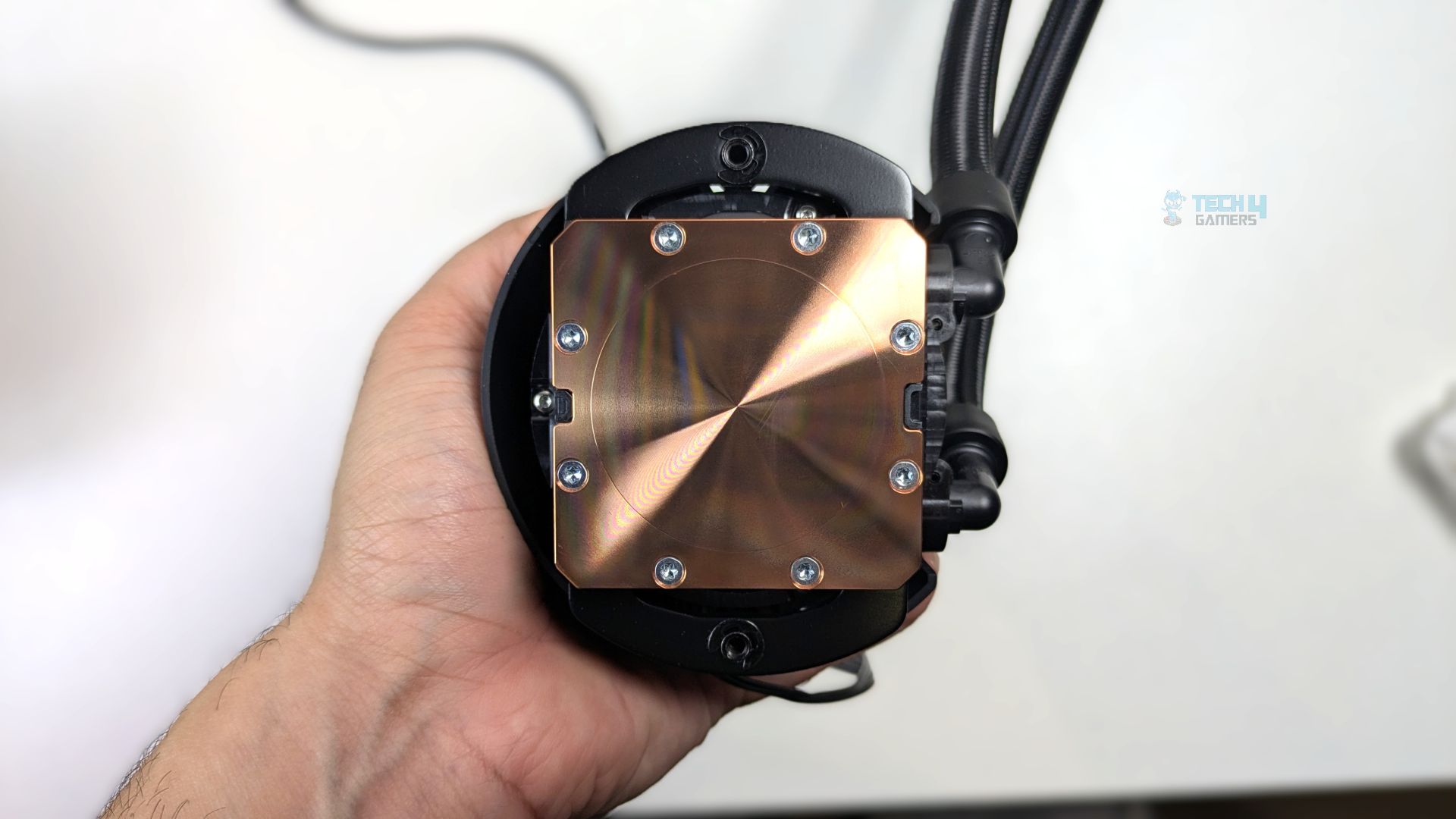
Noctua has provided the cosmetic Metal Face Plate, which sits on the top of the block. The tubes, made from EPDM rubber and wrapped in a nylon textile braided sleeve, are connected via round rotary fittings. As for the length, the tube measures at 410 mm.
If you take a look at the sides of the block, you will see two fully integrated spring-loaded screws on each, pre-fitted into the assembly, which allow the block to mount on the brackets easily using the Torx T20 drive on the brackets.
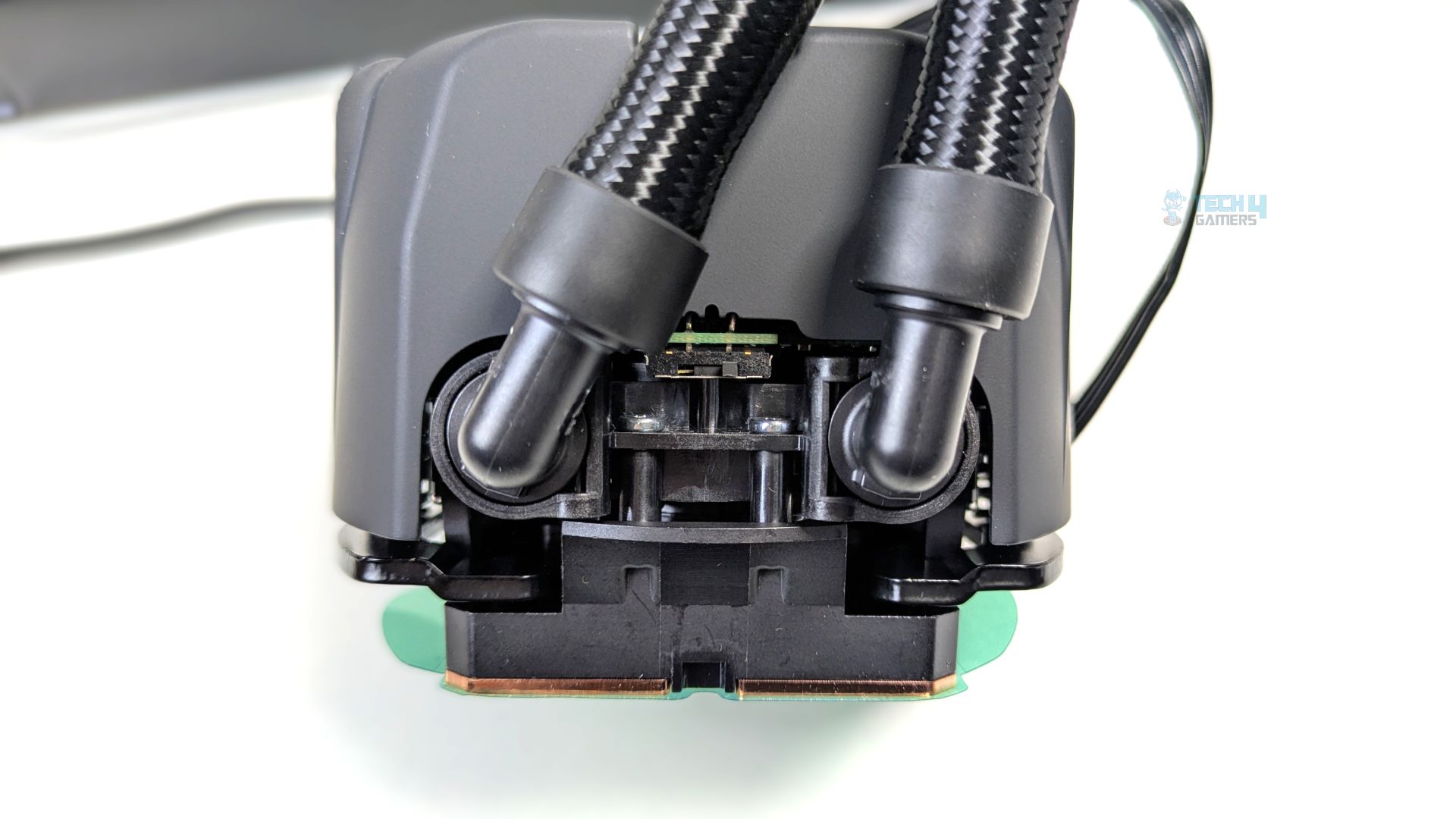
The back of the pump features an integrated physical switch that lets users select between three pump profiles. Moving the switch to the far right activates quiet mode, which limits speed to a maximum of 2100 RPM, helping users feel confident in low-noise operation.
The balanced mode in the middle limits the speed to 2600 RPM at up to 30°C liquid temperature. Moving the switch all the way to the left enables manual mode, unlocking a maximum speed of 3400 RPM.
At the bottom of the block, you will find the cold plate, made of 99.95% high-purity copper, measuring 55.5 x 55.5 mm, with an array of micro-skived fins to maximise heat transfer. The pump is also 4-pin PWM-controlled.
VRM Fan (Optional Accessory)
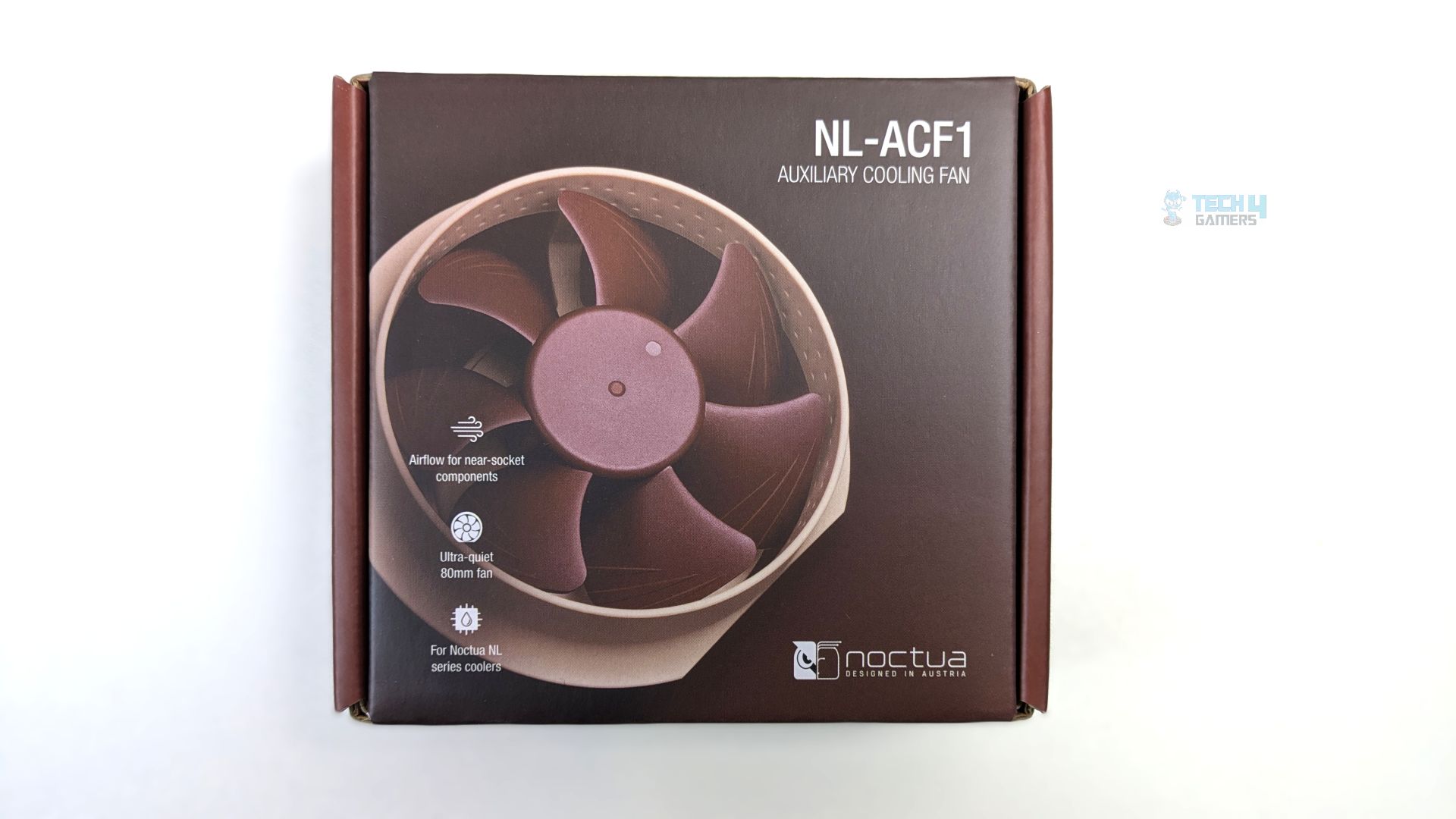
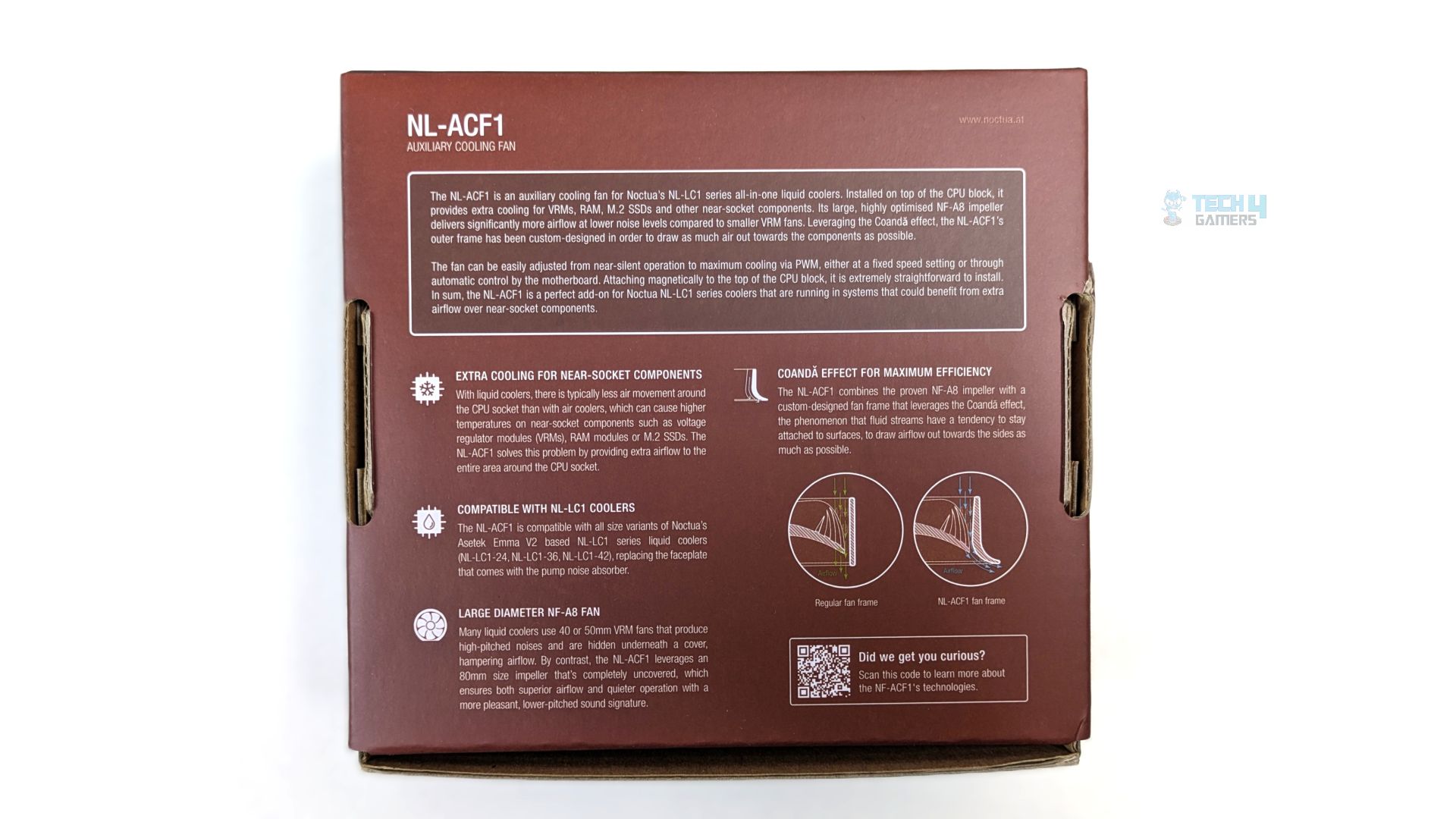
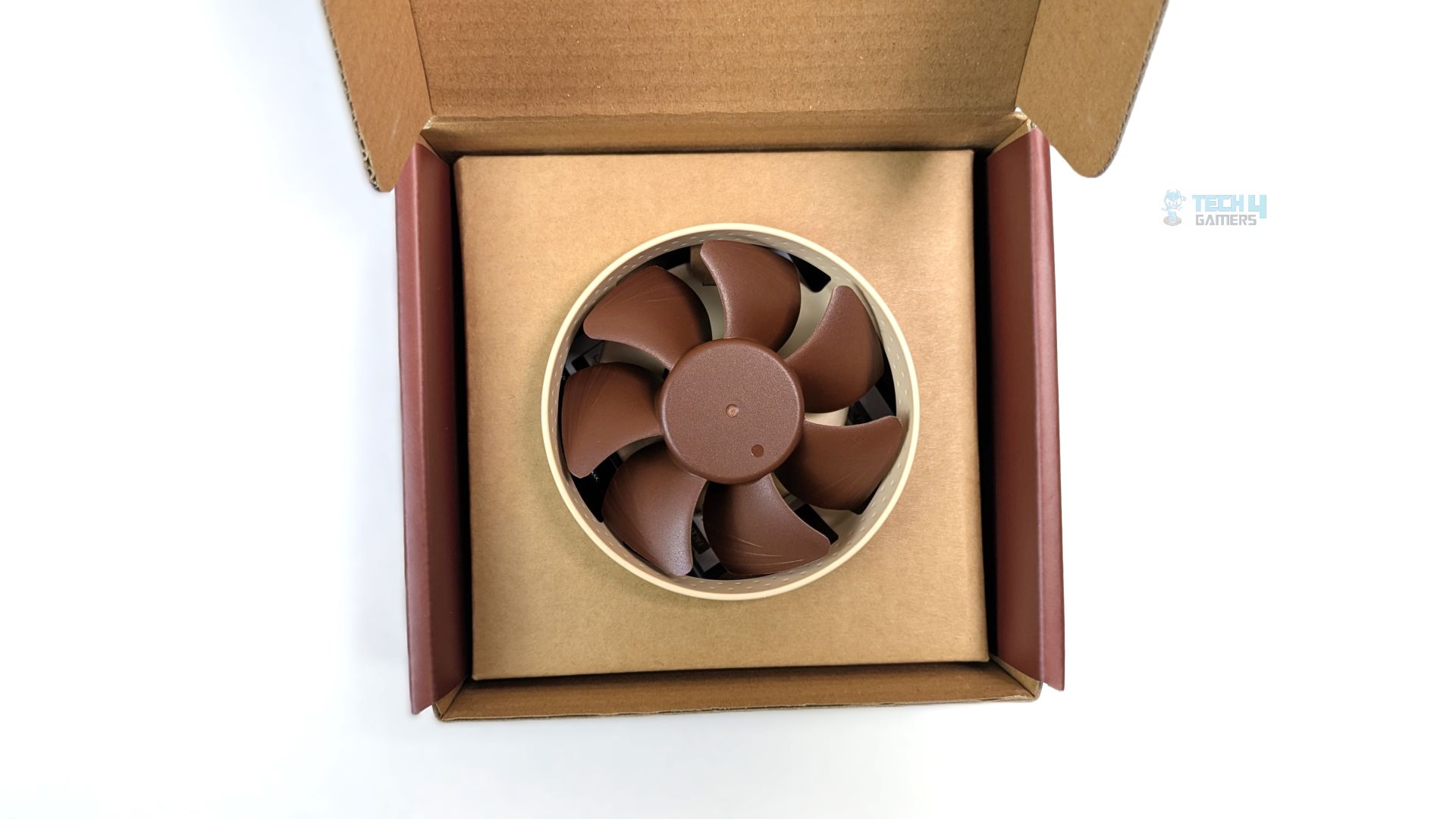
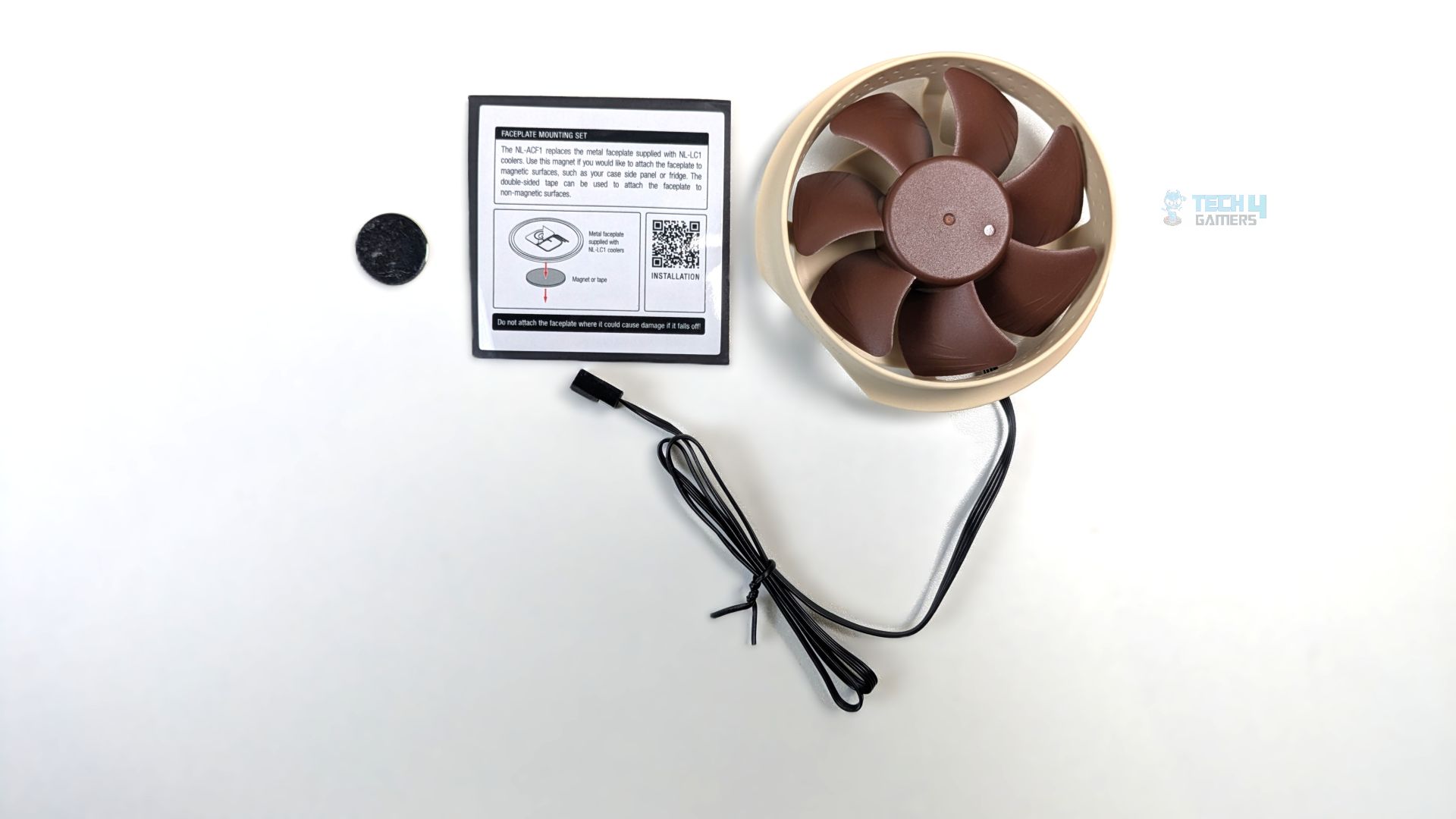
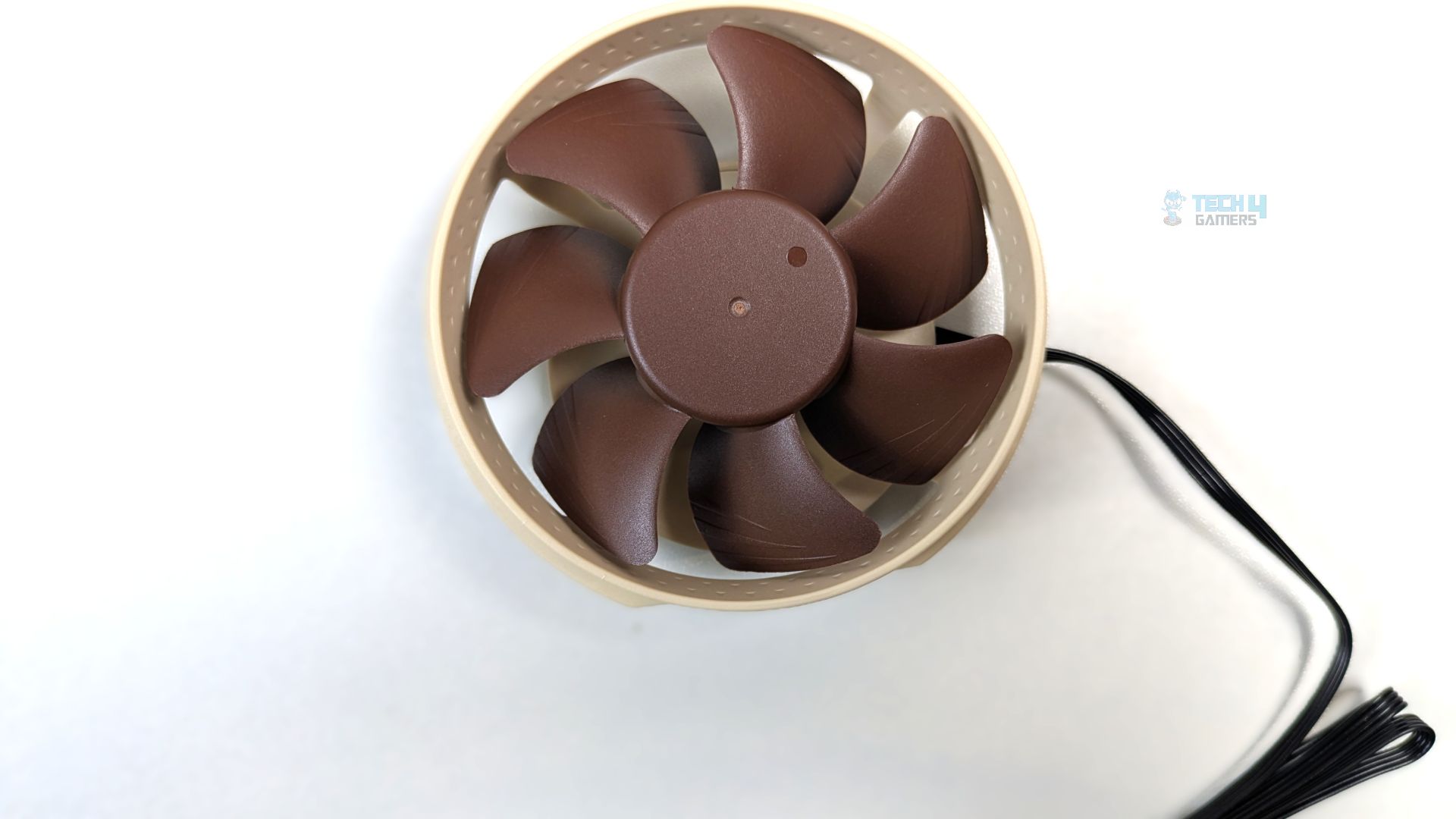
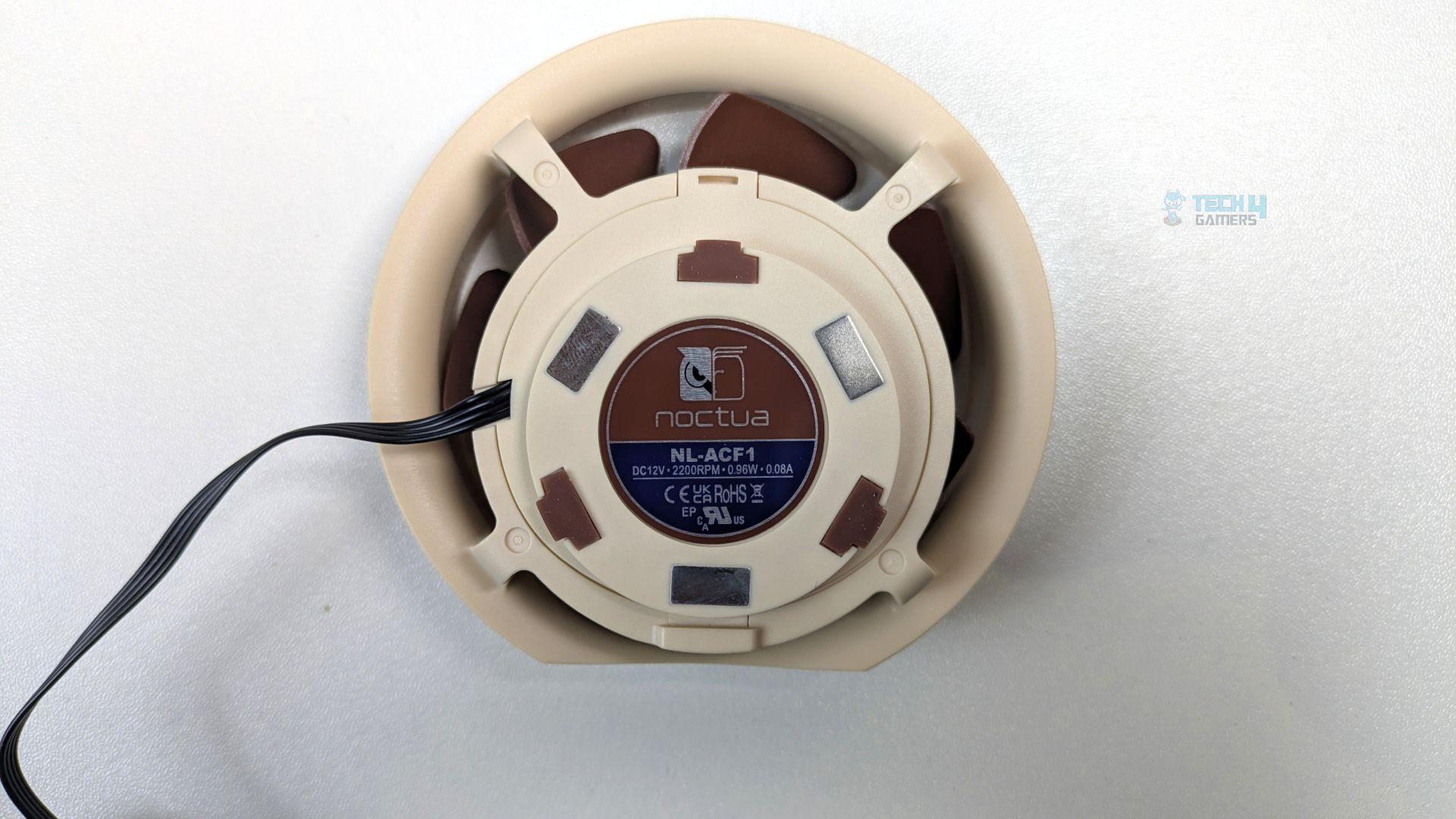
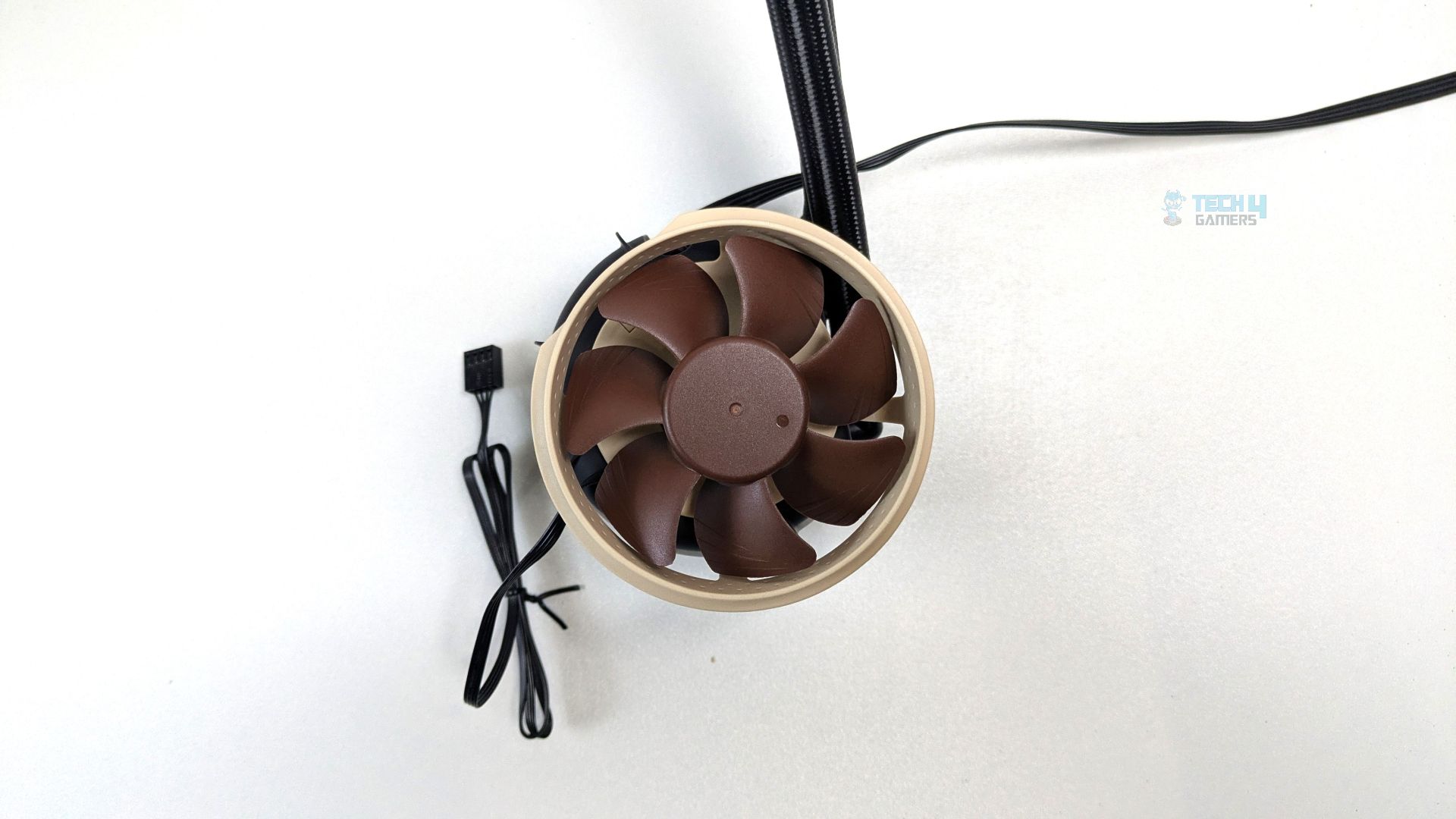
Noctua also sent us the NL-ACF1, an optional auxiliary fan not included in the box; you can purchase it separately for $20. It cools the motherboard components around the CPU socket. We will also demonstrate its performance to see if it makes any difference to the VRM heatsinks and the DRAM modules near the CPU socket.
However, it utilizes an 80mm impeller based on the NF-A8 design, which is a fan, and is set within the custom-engineered frame; as per Noctua, this frame design is made to leverage the Coandă effect, which is a fluid dynamic phenomenon in which the air tends to follow the curve of a nearby surface rather than travelling in a straight line.
This design would effectively draw the air straight down to the motherboard VRM heatsinks and other components surrounding the CPU socket. This fan can be directly attached to the surface of the block using the magnetic mounting system; the underside of the fan houses the four small rectangular magnets.
Also comes with the NA-YC1 splitter cable and NA-STM1 Magnet and tape set for attaching the NL-LC1 faceplate to other surfaces.
| Dimensions | 93 x 88 x 33 mm |
| Colour | Brown |
| Weight | 95 g |
| Speed range | 0 – 2200 rpm |
| Airflow (max.) | 55.5 m³/h (32.67 CFM) |
| Acoustical noise (max.) | 17.7 db(A) |
| Static pressure (max.) | 2.37 mm H₂O |
| Connector | 4-pin |
| Cable length | 550 mm (21.65 inch) |
| Warranty | 6 year |
Fans
We published a separate review of the NF-A12x25 G2 when it launched, and we were seriously impressed by its acoustic performance and cooling efficiency. Noctua now uses these fans in the NL-LC1-36 liquid cooler.
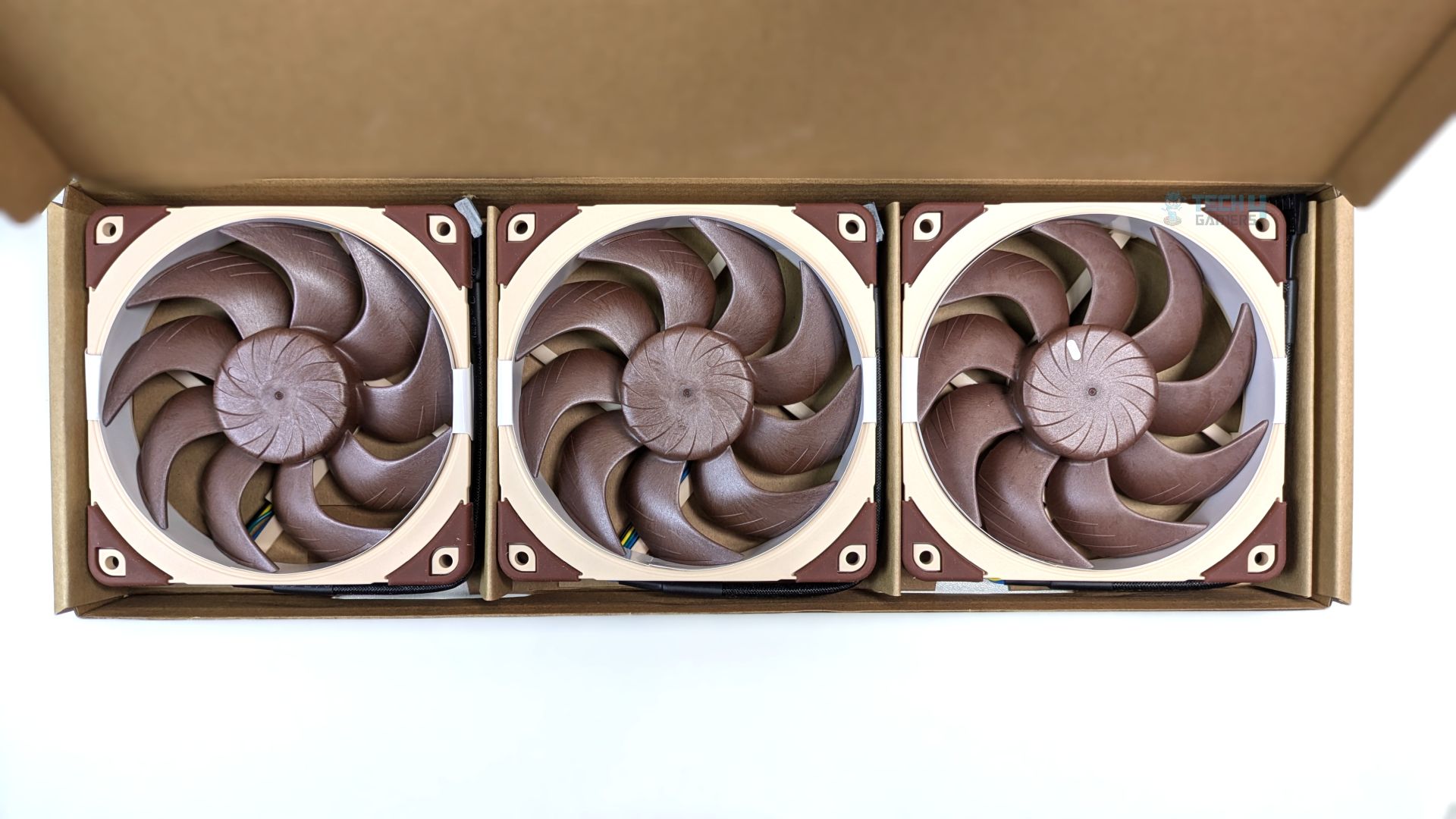
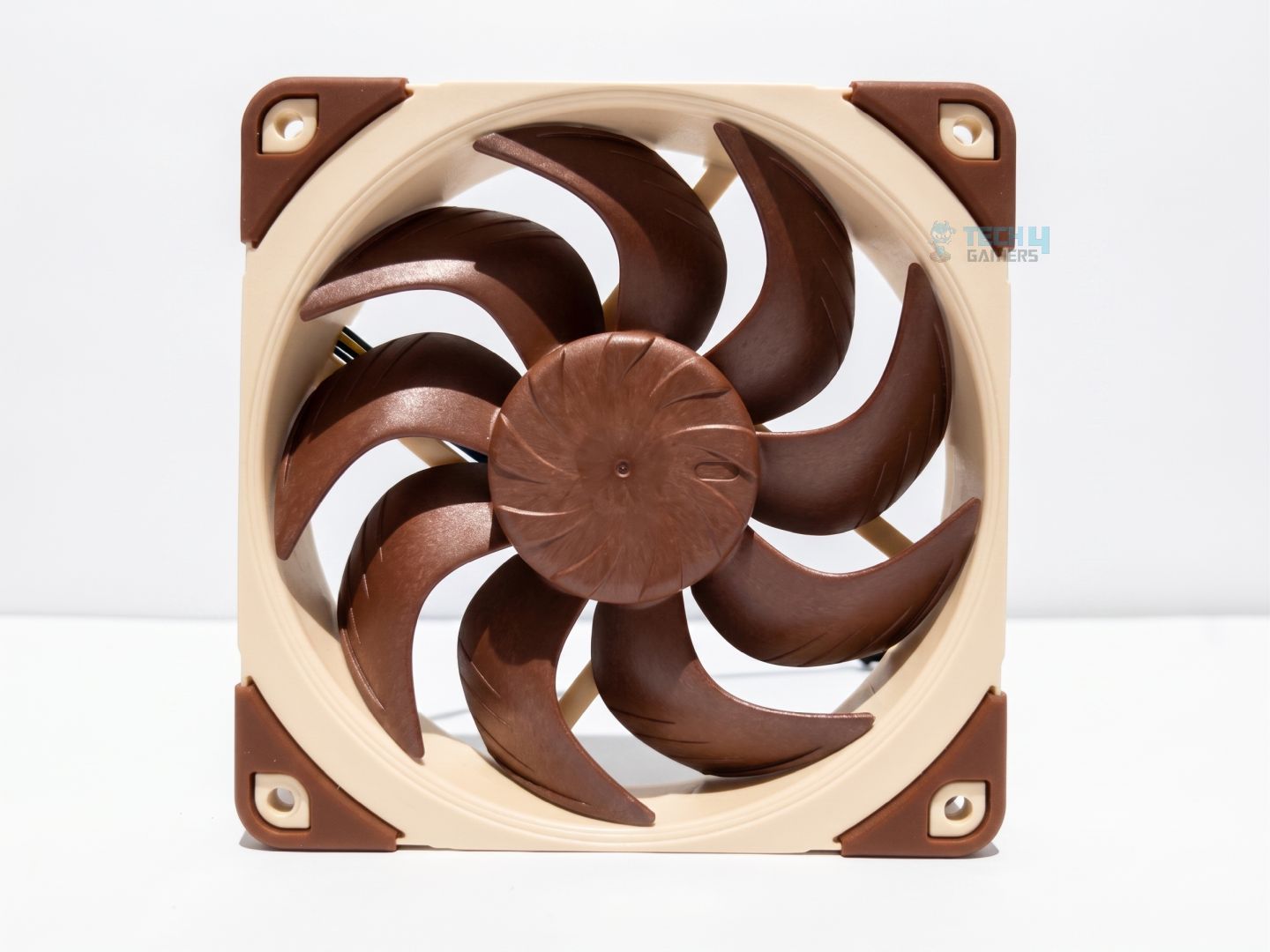
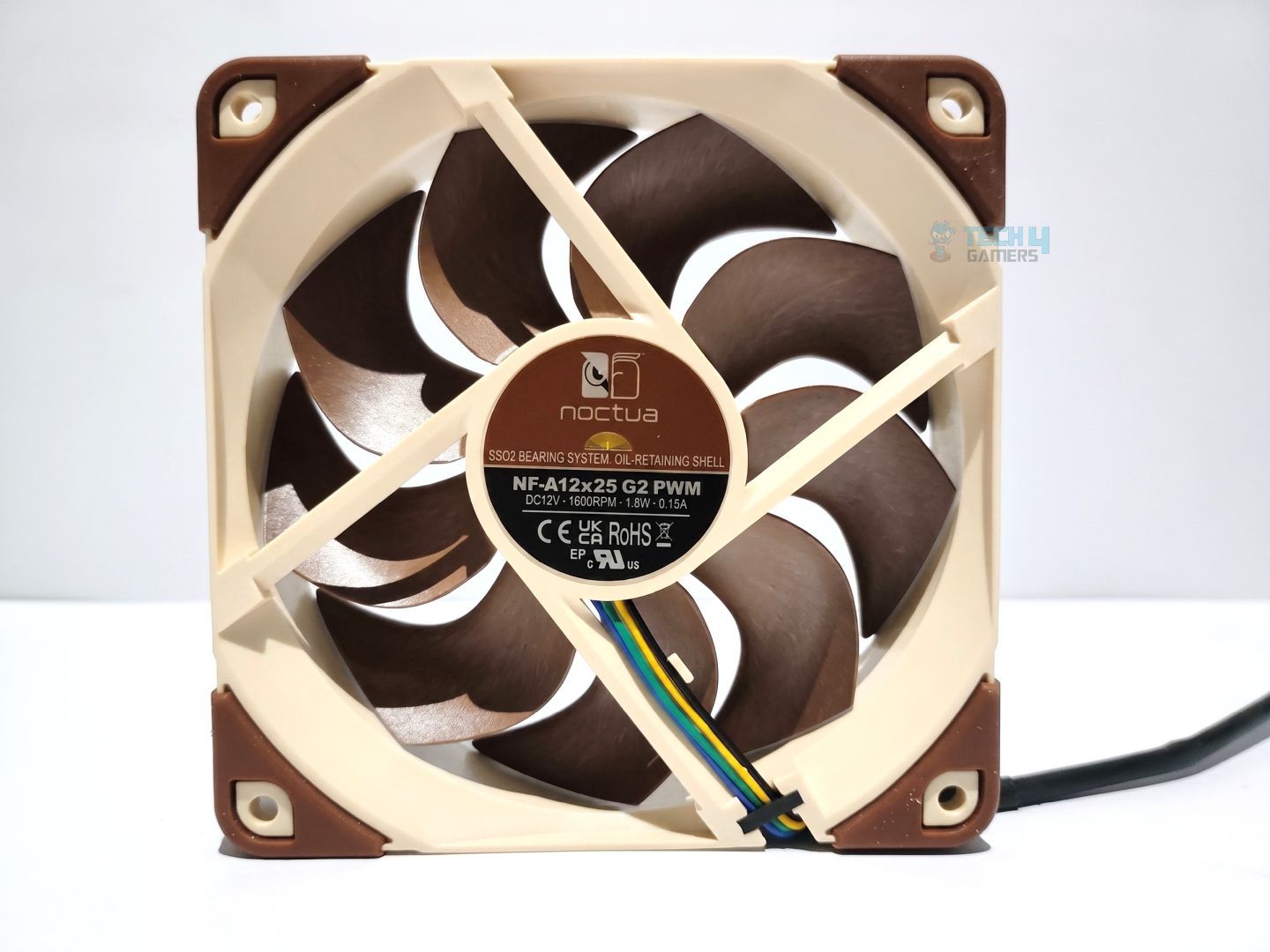
These fans are truly top-tier, not just for their build quality but also for their highly refined aerodynamic engineering. They feature just 0.5mm of tip clearance, which helps minimise air leakage around the blade tips, especially at higher RPMs. The impeller is made from glass-fibre-reinforced liquid crystal polymer (LCP), which is technically a plastic, but its physical characteristics are much closer to those of aerospace-grade composites.
Though, It’s lighter than more conventional plastics such as PBT or ABS, helping the fan achieve better acoustic performance and overall efficiency.
Several other features also set these fans apart. If you want to dive deeper into the engineering behind them, be sure to check out our full review
| Size (Form factor) | 120 x 120 x 25 mm (square) |
| Speed range | 0 – 1800 rpm |
| Airflow (max.) | 107.3 m³/h (63.15 CFM) |
| Acoustical noise (max.) | 22.5 dB(A) |
| Static pressure (max.) | 3.14 mm H₂O |
| Rated voltage | 12 V |
| Connector | 4-pin |
| Colour | Brown |
| Warranty | 6 years |
Installation (AMD)
We’re using the AMD platform, so our installation steps will only be provided for that.
Prepare the socket
- First, remove the AMD stock retention brackets preinstalled on the motherboard.
- Place the grey spacers in the mounting holes around the socket.
- Now, place the AMD mounting bars (NM-AMB15) on the spacers and fasten the bracket with the four SecuFirm2+ Torx T20 screws using the provided NM-SD1 magnetic Torx screwdriver.
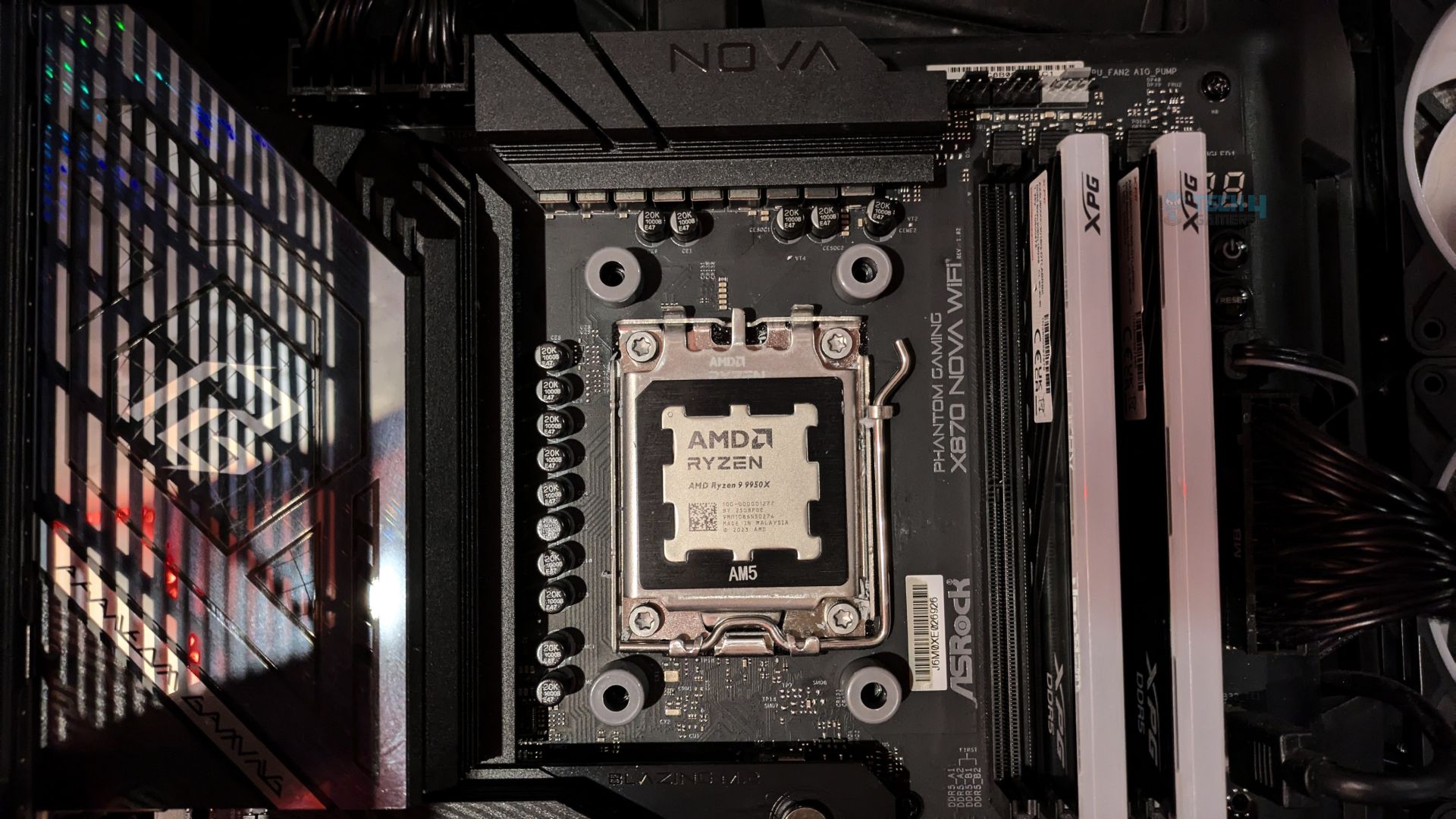
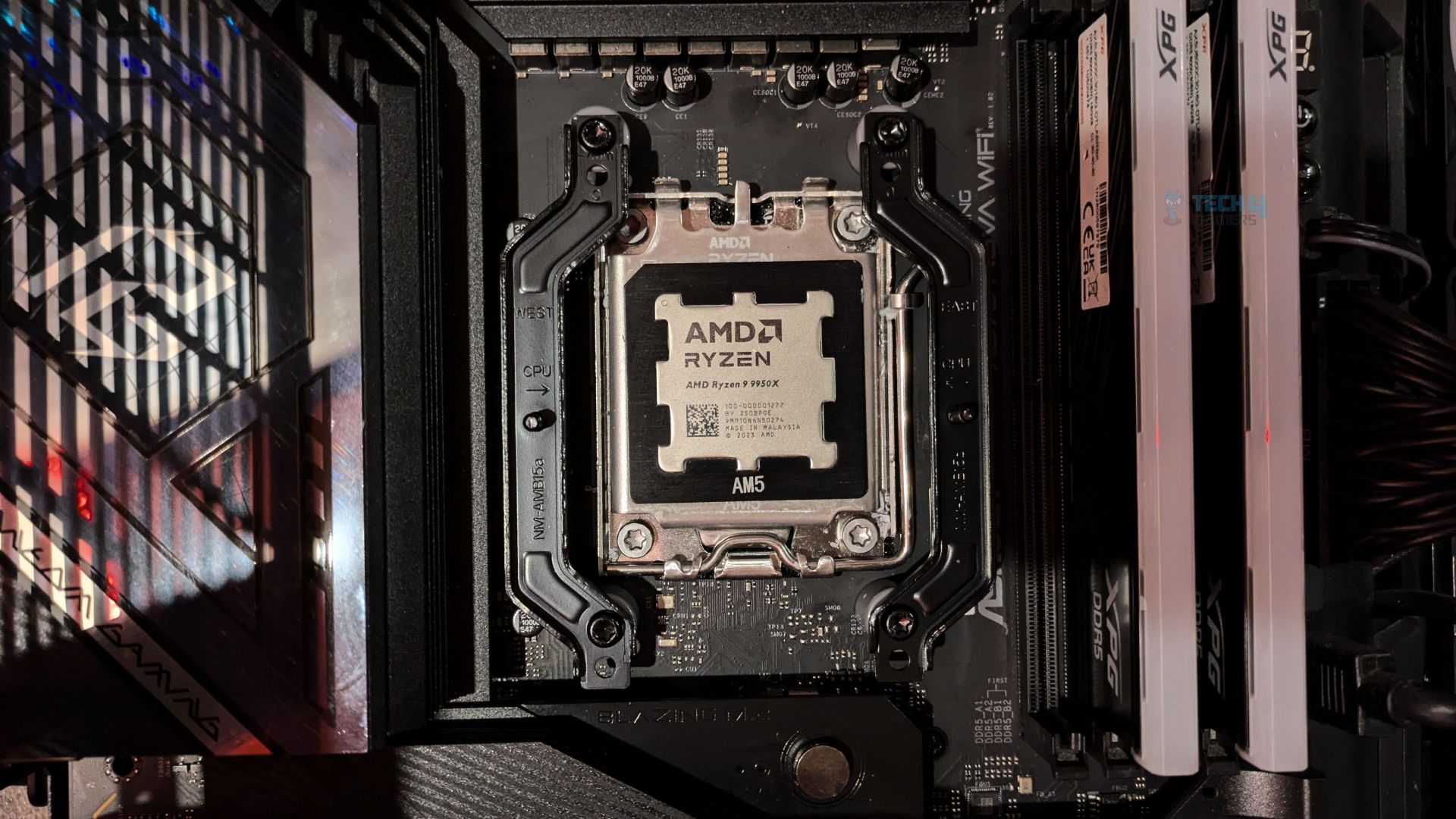
- Use the -7mm offset mounting position (highlighted on the bracket).
- Apply fresh thermal paste to the CPU. We are using ID-Cooling X45.
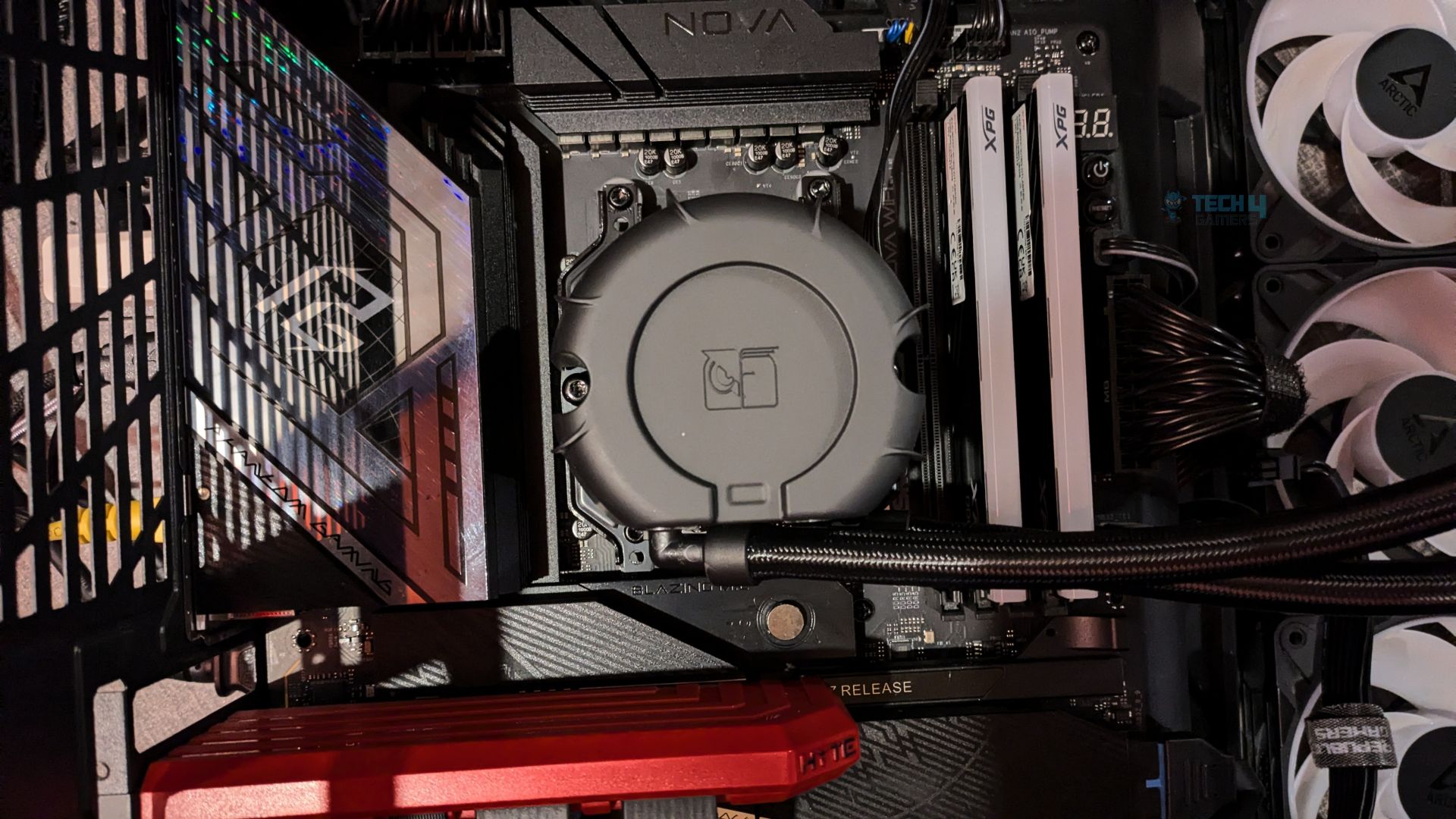
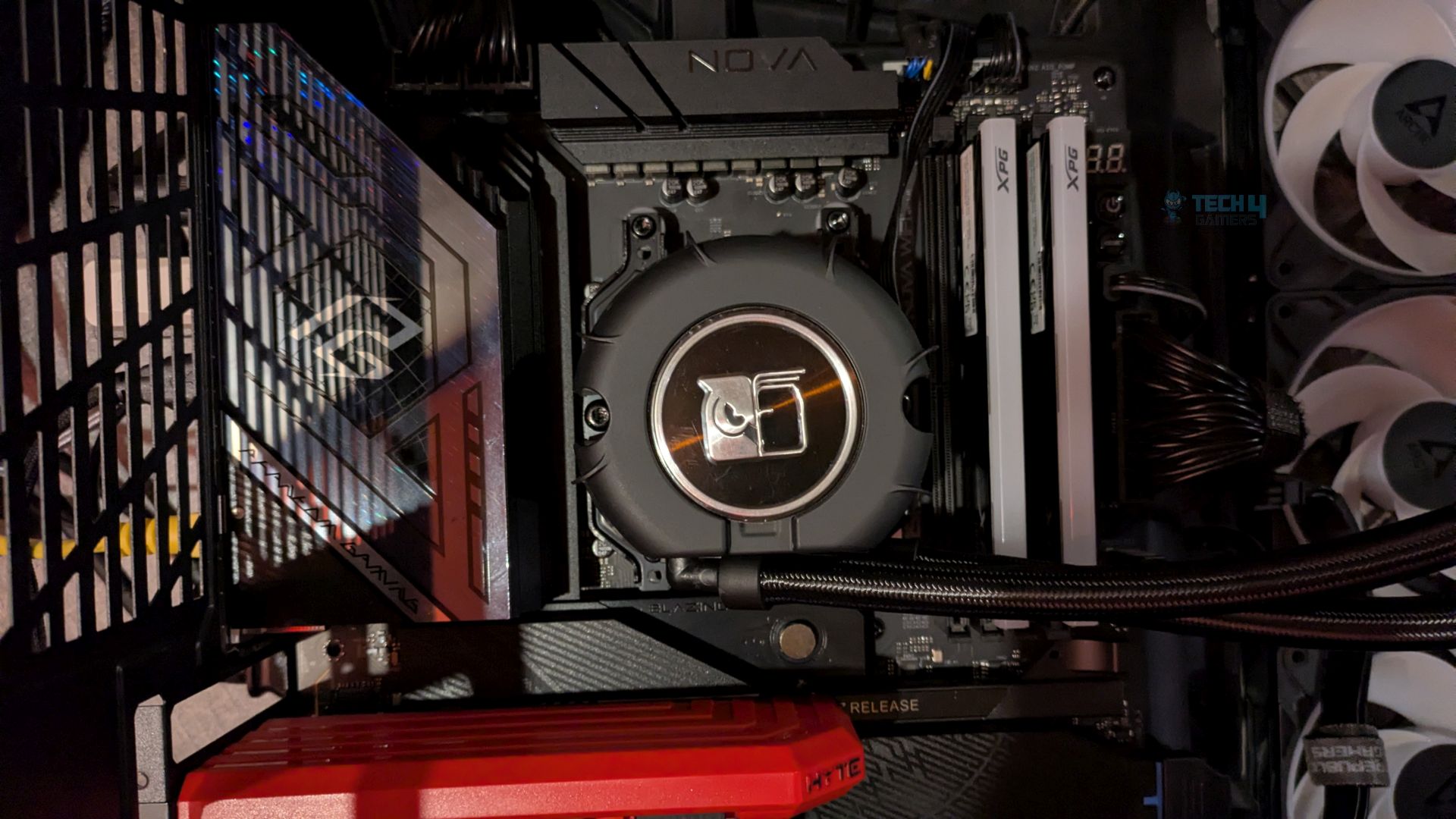
- Remove the plastic protective film from the AIO’s copper cold plate.
- Place the pump over the CPU so that the two spring loaded screws align with the placements on the mounting bars and tighten the screws.
keep alternating between them meaning a few turns on one, and then few turns on the another until both secures, this will ensure perfectly even mounting pressure across the CPU.
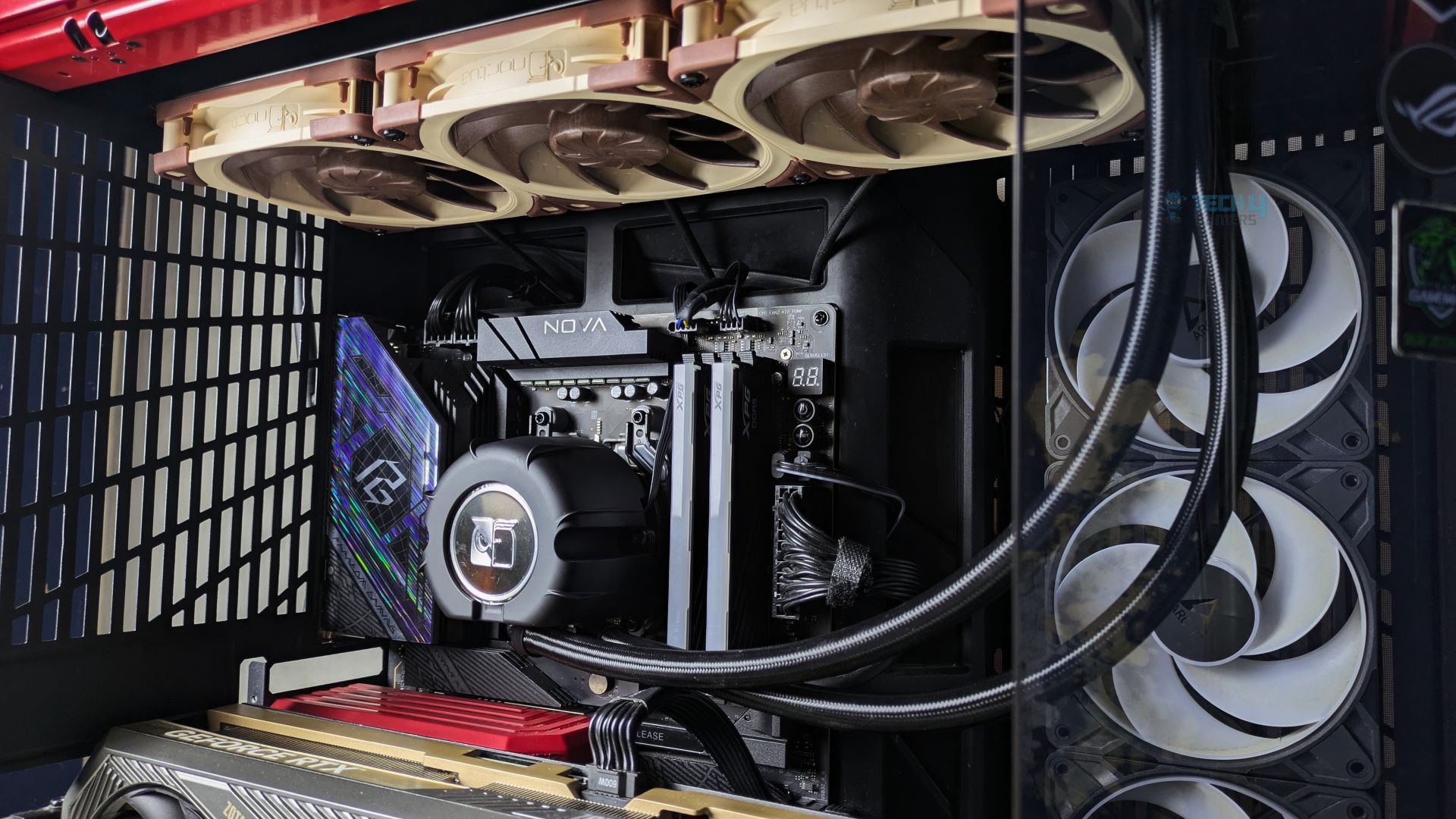
Finished Looks
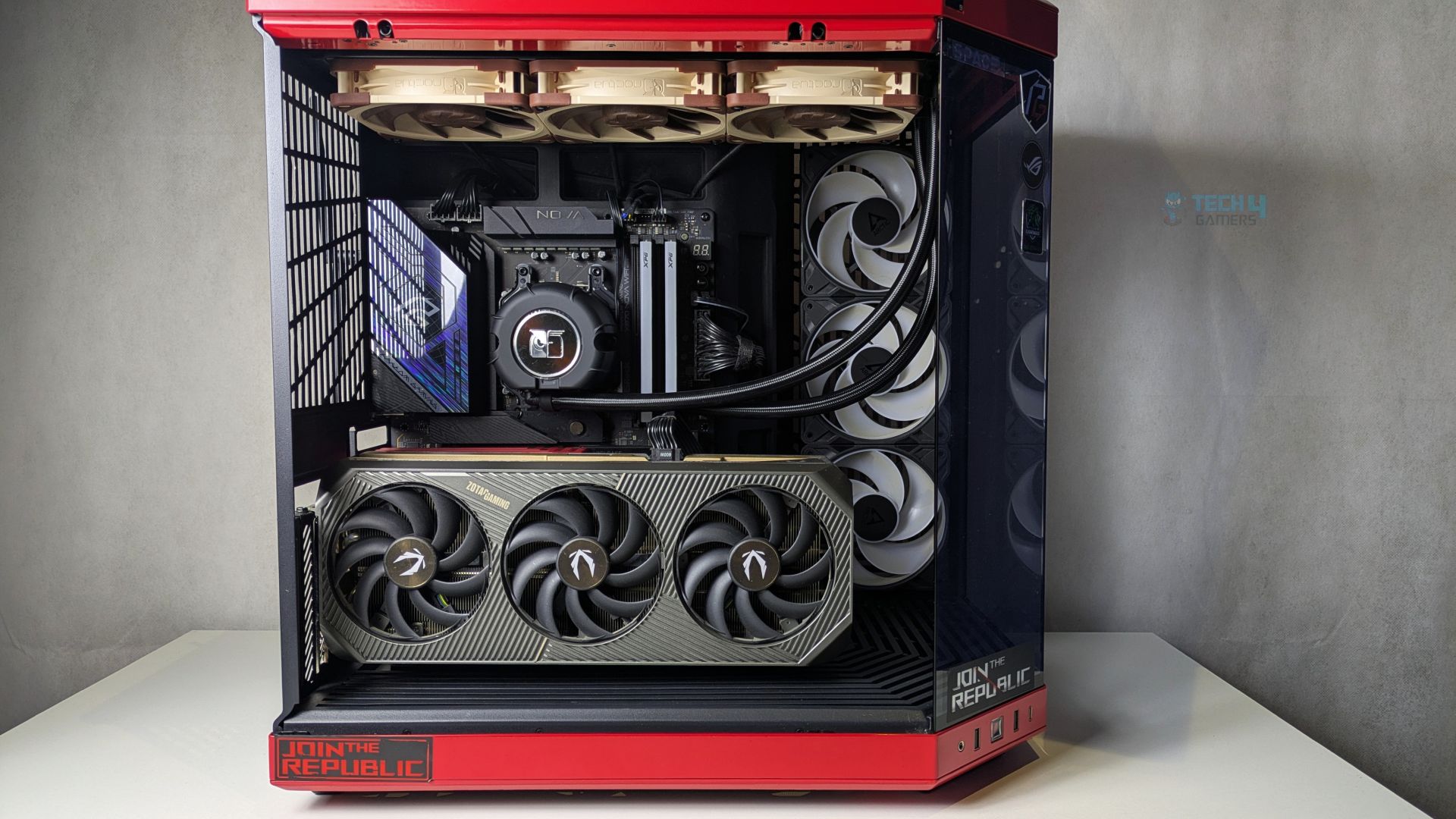
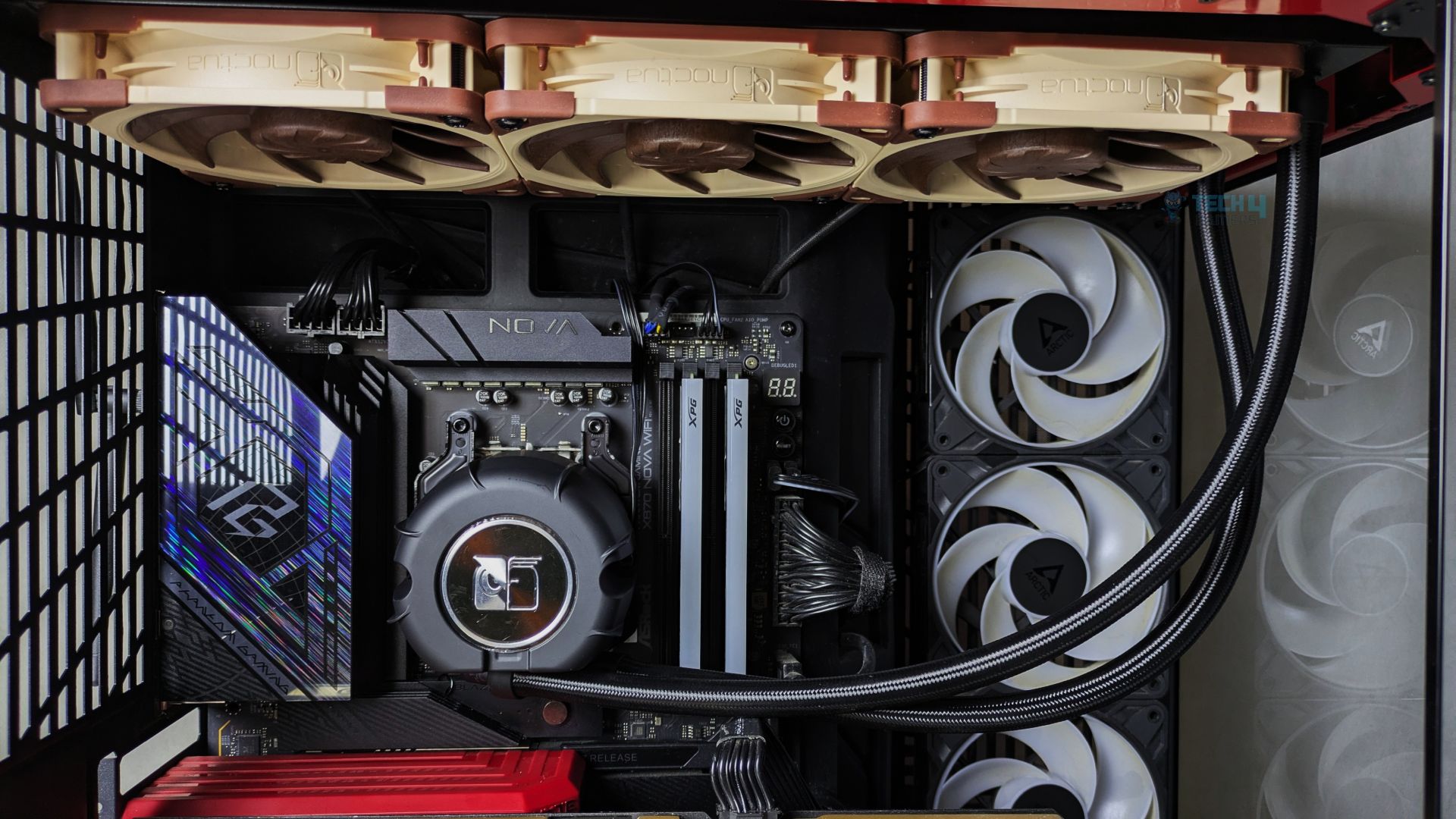
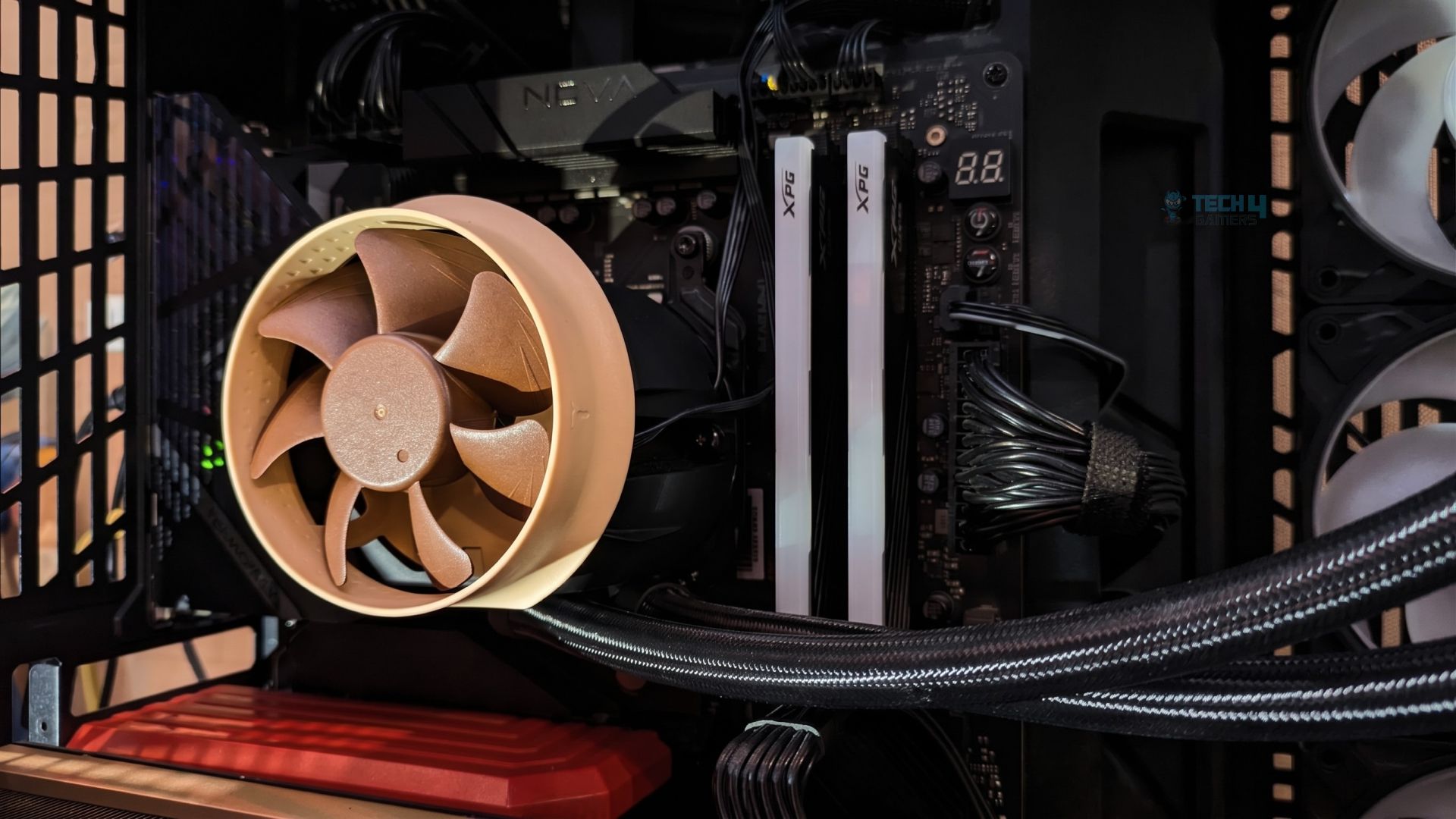
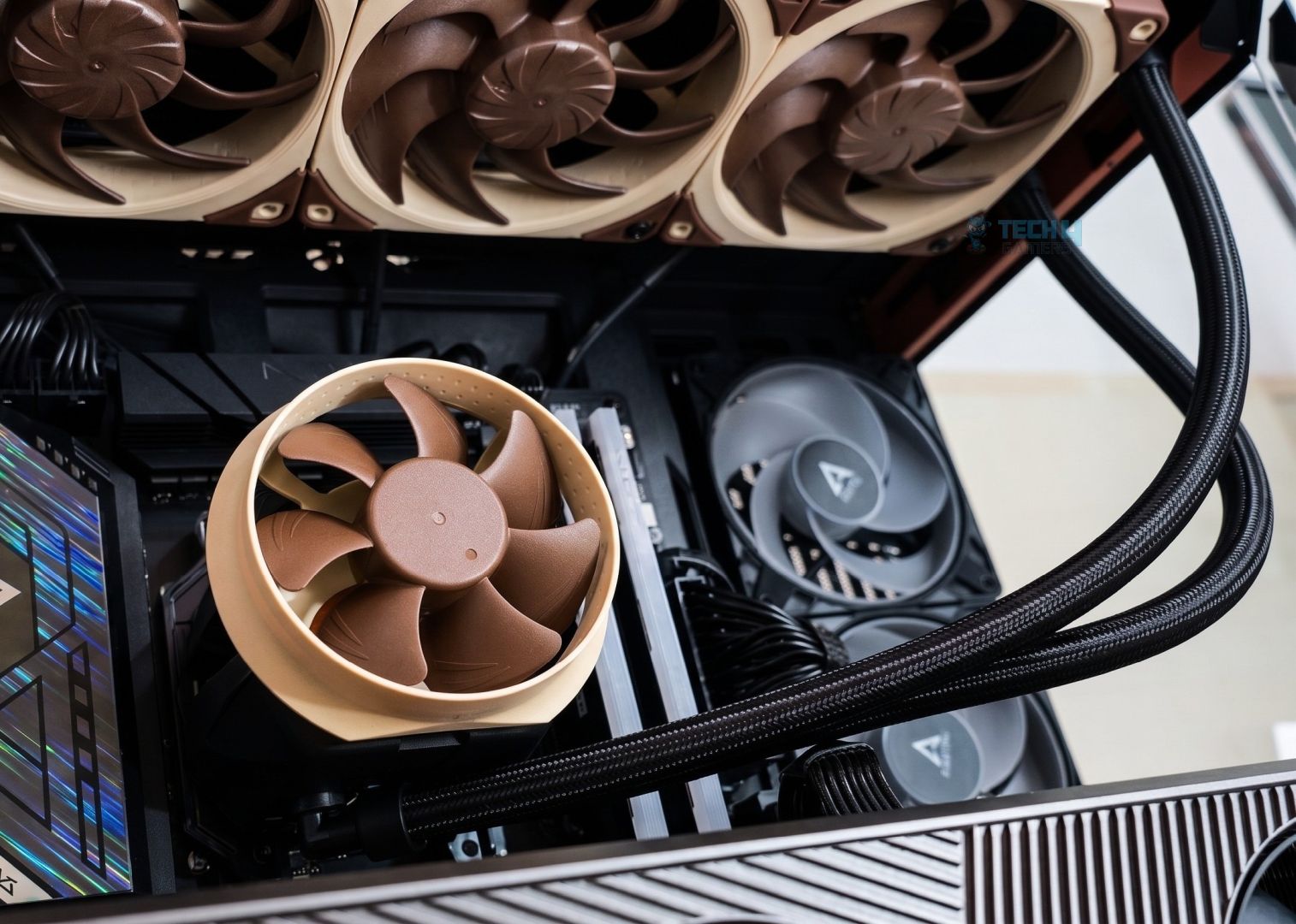
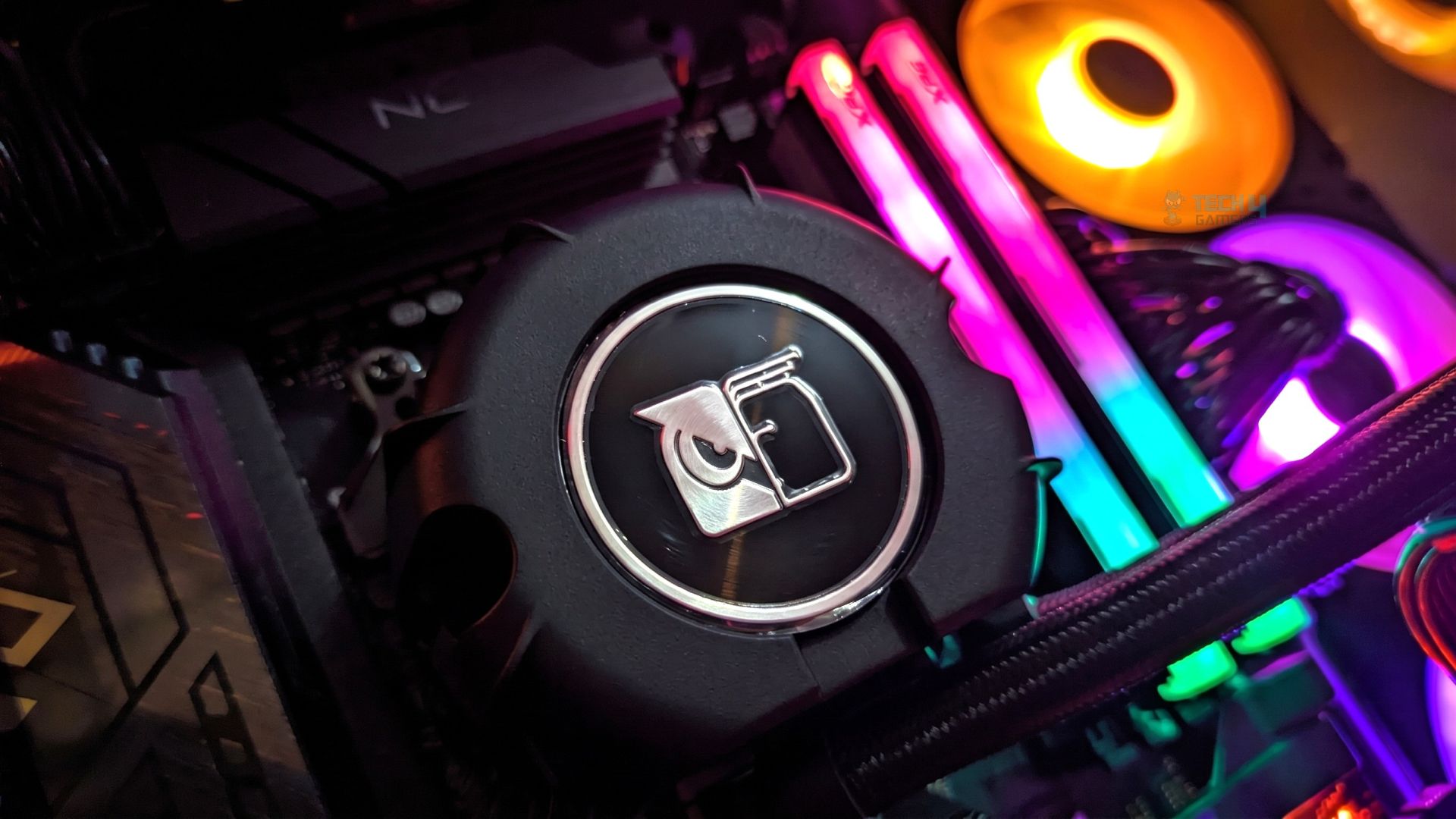
Testing Methodology
CPU Configuration:
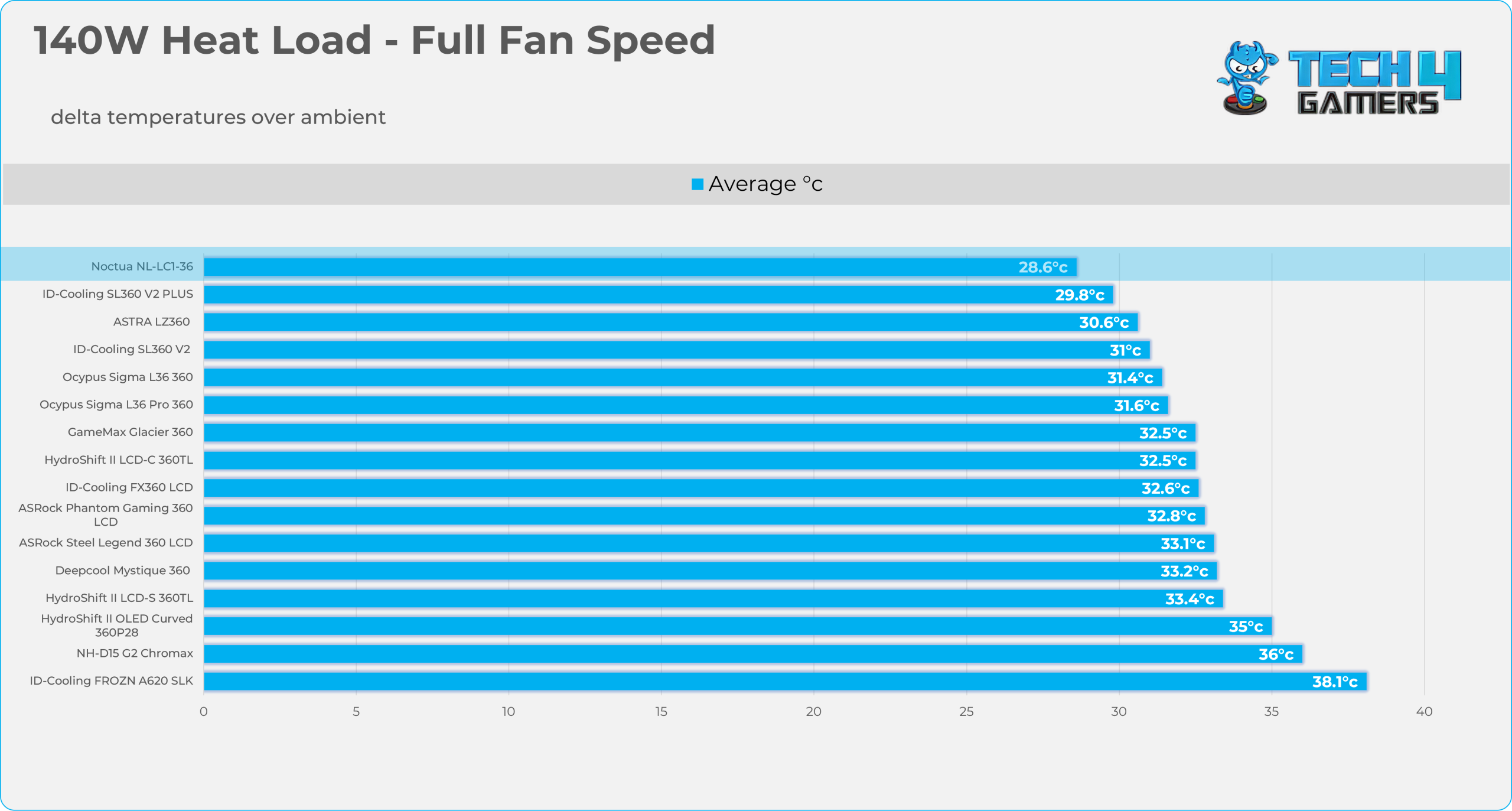
- We evaluate the cooler’s performance using three different benchmark methods. Noise-normalized testing is performed at 40dB(A) at the 105W TDP and 170W TDP (Stock) of the Ryzen 9 9950X. We then test the cooler’s performance at the maximum PWM speeds for both TDP configurations.
- Important: The Noctua NL-LC1-36 and NL-LC1-42 has been manually adjusted to its maximum pump speed profile, reaching a maximum speed of 3,400 RPM, as all-in-one coolers are tested at their maximum possible pump speed in our standardized testing methodology.
Controlled Environment:
- We have eliminated the influence of ambient temperatures in our data, and all results are presented as deltas over the ambient conditions. The tests were done in a controlled environment with a room temperature of 25°C.
Preparing System:
- The Coolers are tested in realistic conditions. We don’t use the open bench system; instead, we have installed the cooler in our HYTE Y70 case, mounted at the top. We ensure the airflow is adequate in the case and that the case fans are running at the fixed PWM speeds.
- We are using ID-Cooling X45 thermal paste for all coolers.
Software:
- We have ensured that no other software is running on the computer that could influence the CPU load.
- We’ll be using the Cinebench R23 Loop for 20 minutes after the warm-up test has been completed. Each test has a 10-minute cool-down time.
Test Setup
Here is our test setup!
| Our Primary Test System |
|
|---|---|
| Processor | AMD Ryzen 9 9950X |
| Memory | XPG Lancer 32GB (16x2) 6000MT/s CL30 |
| Motherboard | ASRock X870 Phantom Gaming Nova WiFi (BIOS: 4.43v) |
| Thermal Paste | ID-Cooling X45 |
| Graphics Card | ZOTAC SOLID RTX 5080 , |
| Power Supply Unit | Super Flower LEADEX VII Platinum PRO 850W |
Test – NL-ACF1 Cooling Fan (Is it Effective?)
Before we jump to the CPU thermal numbers, we want to test the VRM fan (NL-ACF1) to see whether it’s actually worth it and whether you should spend the extra 20 bucks. We’ll be using our Thermal Imaging Camera by Goyojo, and the results are captured at a standardised 0.2 m test distance and 0.95 emissivity. Also, these results were obtained during 20 minutes of Cinebench R23 at 200W of heat load for each Fan Off and Fan On Test.
Rear VRM Heatsink
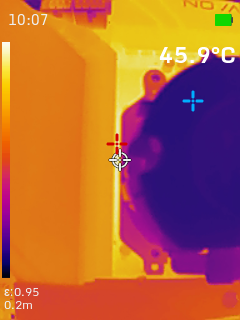
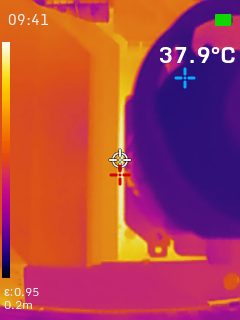
The rear I/O VRM heatsink sees an 8-degree improvement.
Top VRM Heatsink
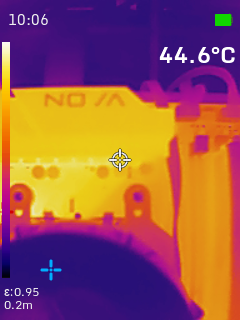
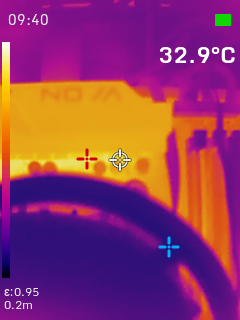
This is massive; the top VRM array benefits the most from the fan’s directed airflow, dropping by nearly 12 degrees.
DRAM Modules
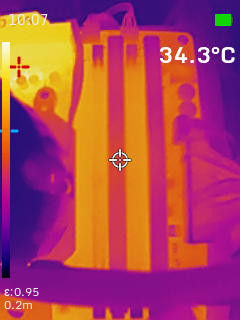
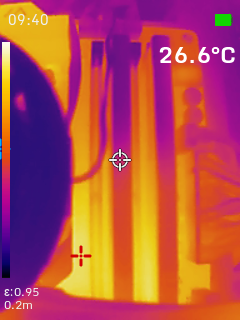
The ambient temperatures across the memory slots dropped by 7.7 degrees, which is also a decent improvement. If you’re tuning the memory, pushing DIMM voltages, or tweaking the memory timings, the lower temperatures would actually help you stabilize the memory.
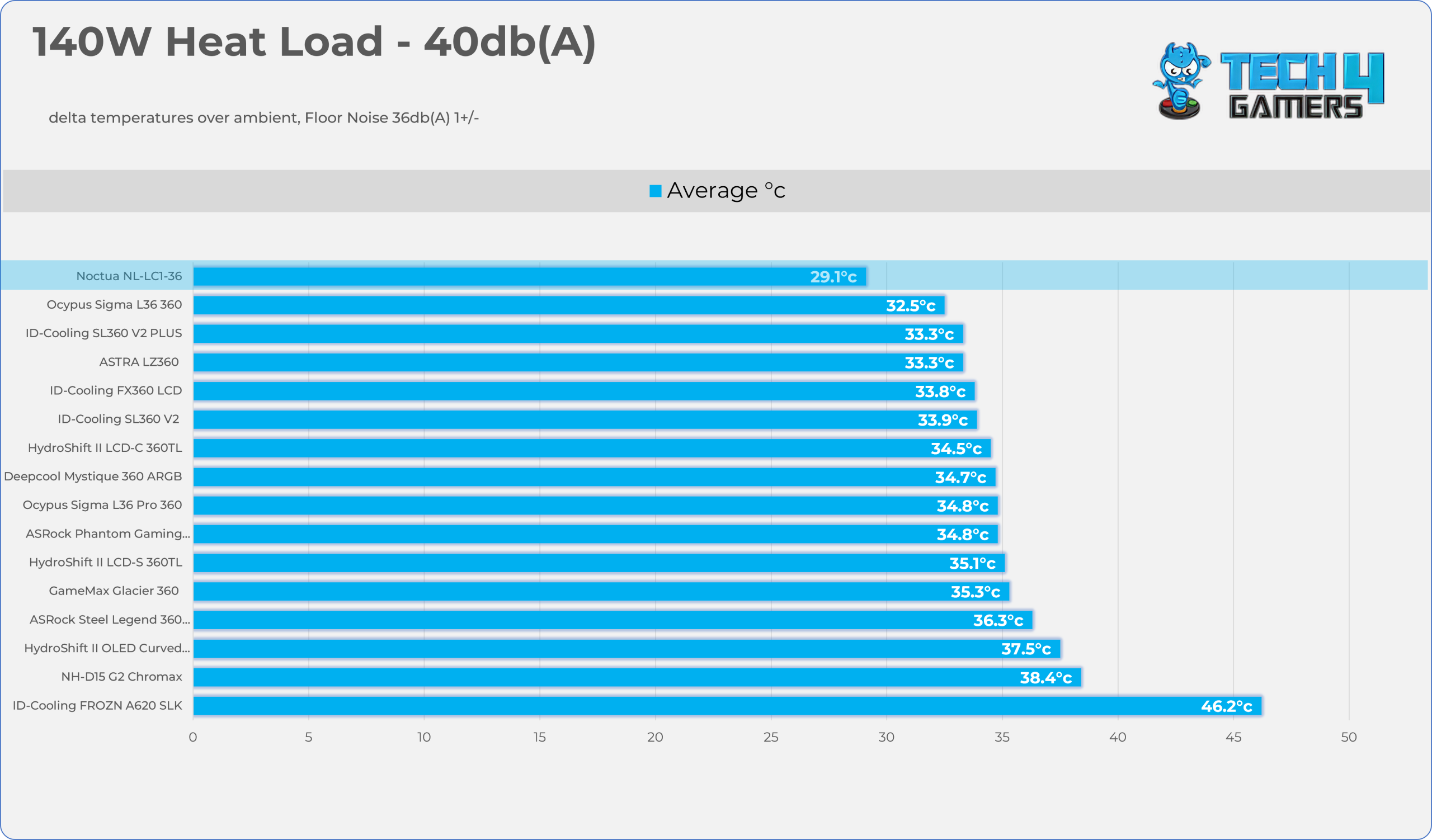
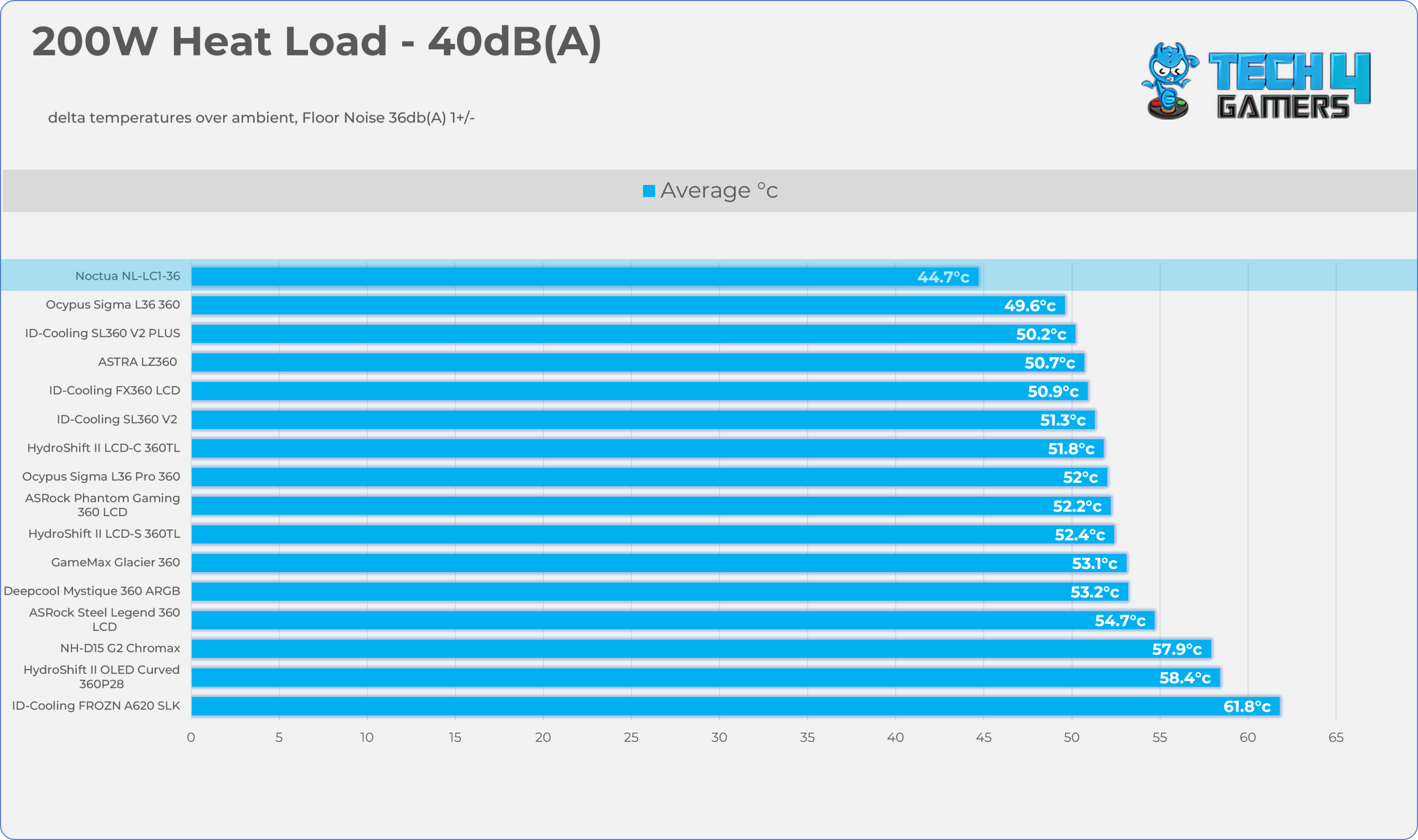
Test – Noise Normalized 40 dB(A)
Results at the fixed noise level of 40dB(A).
140W Heat Load
200W Heat Load
Test – Maximum Speed
Results at the Maximum PWM Speed.
140W Heat Load
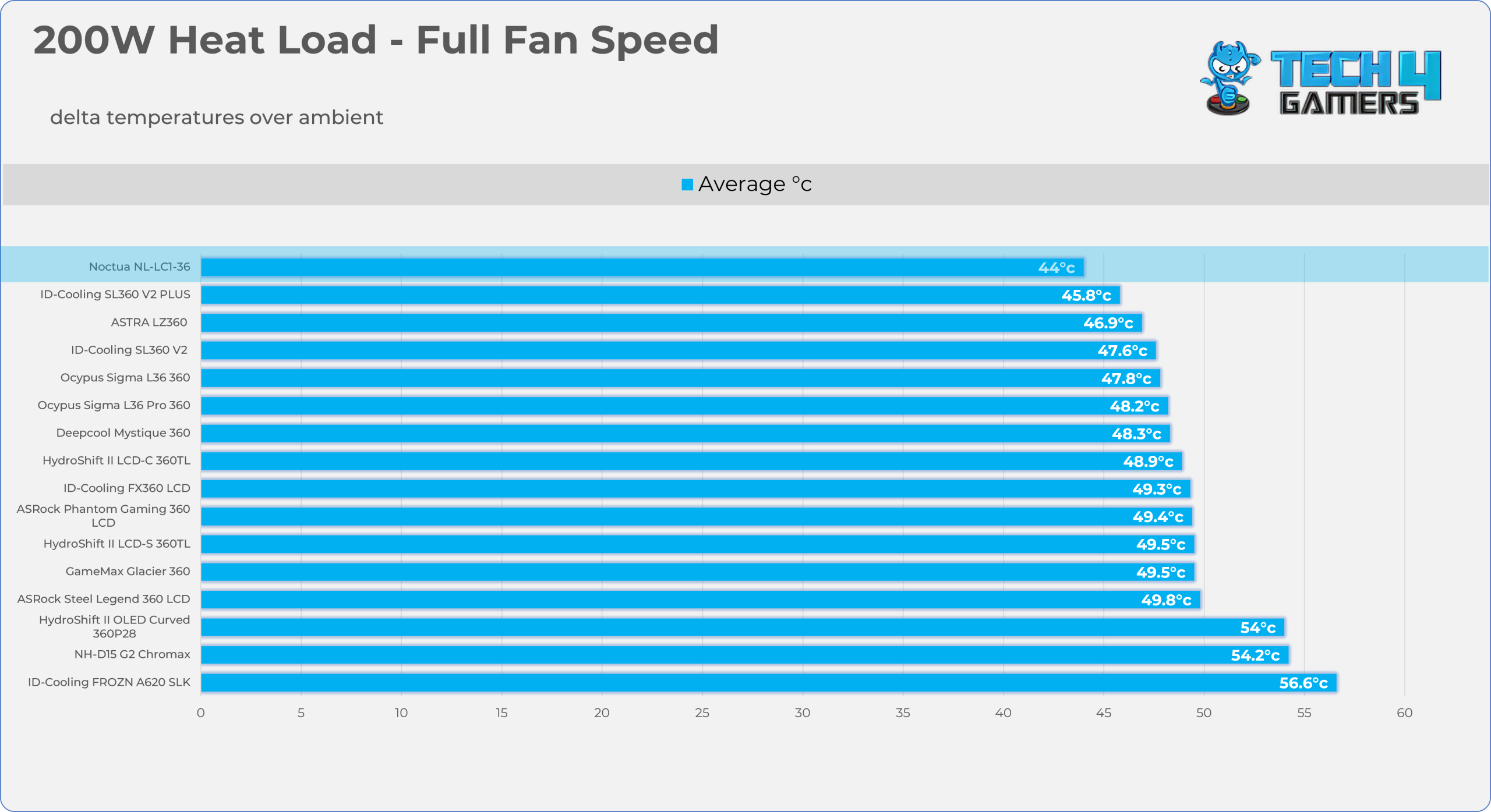
200W Heat Load
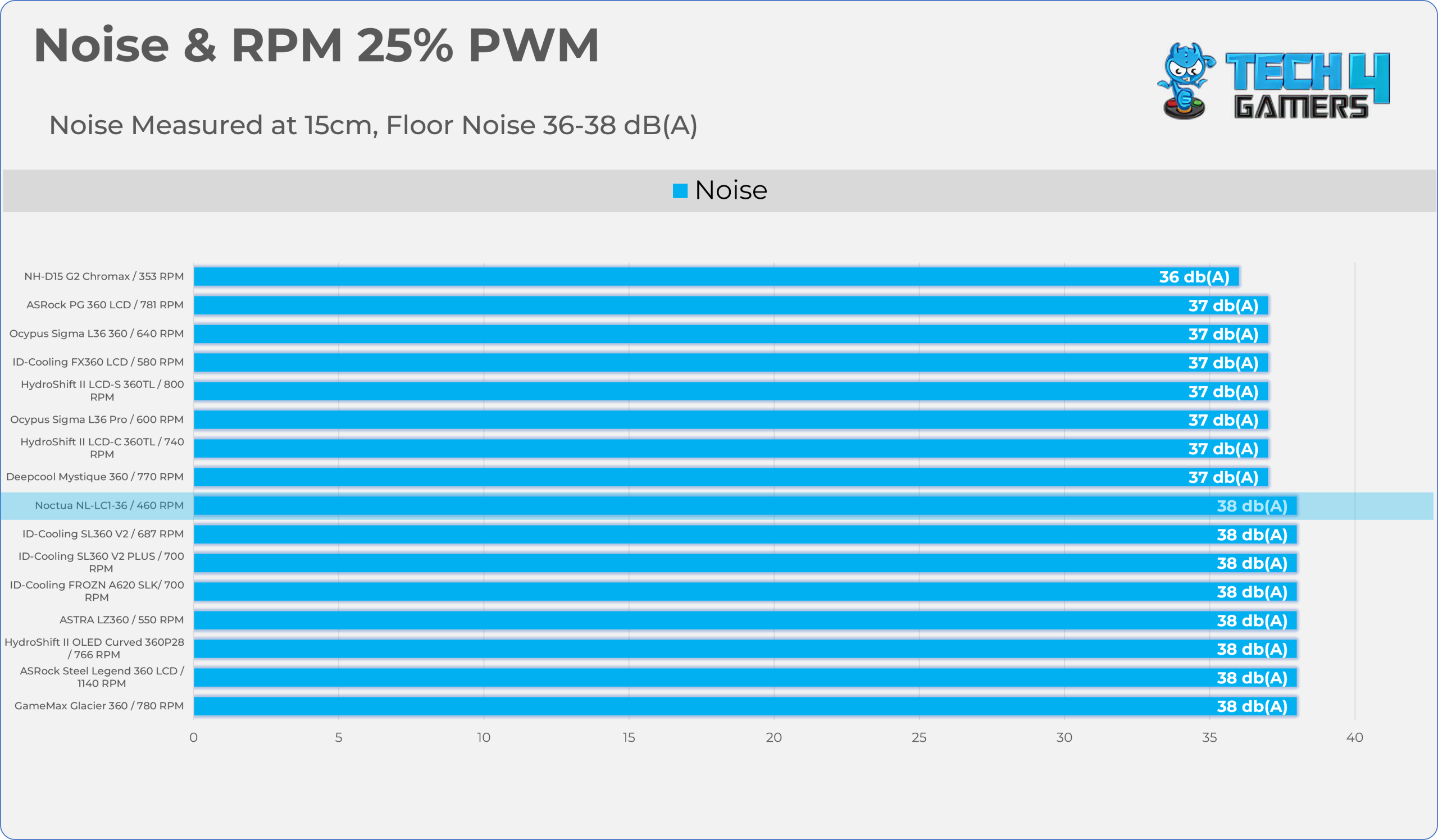
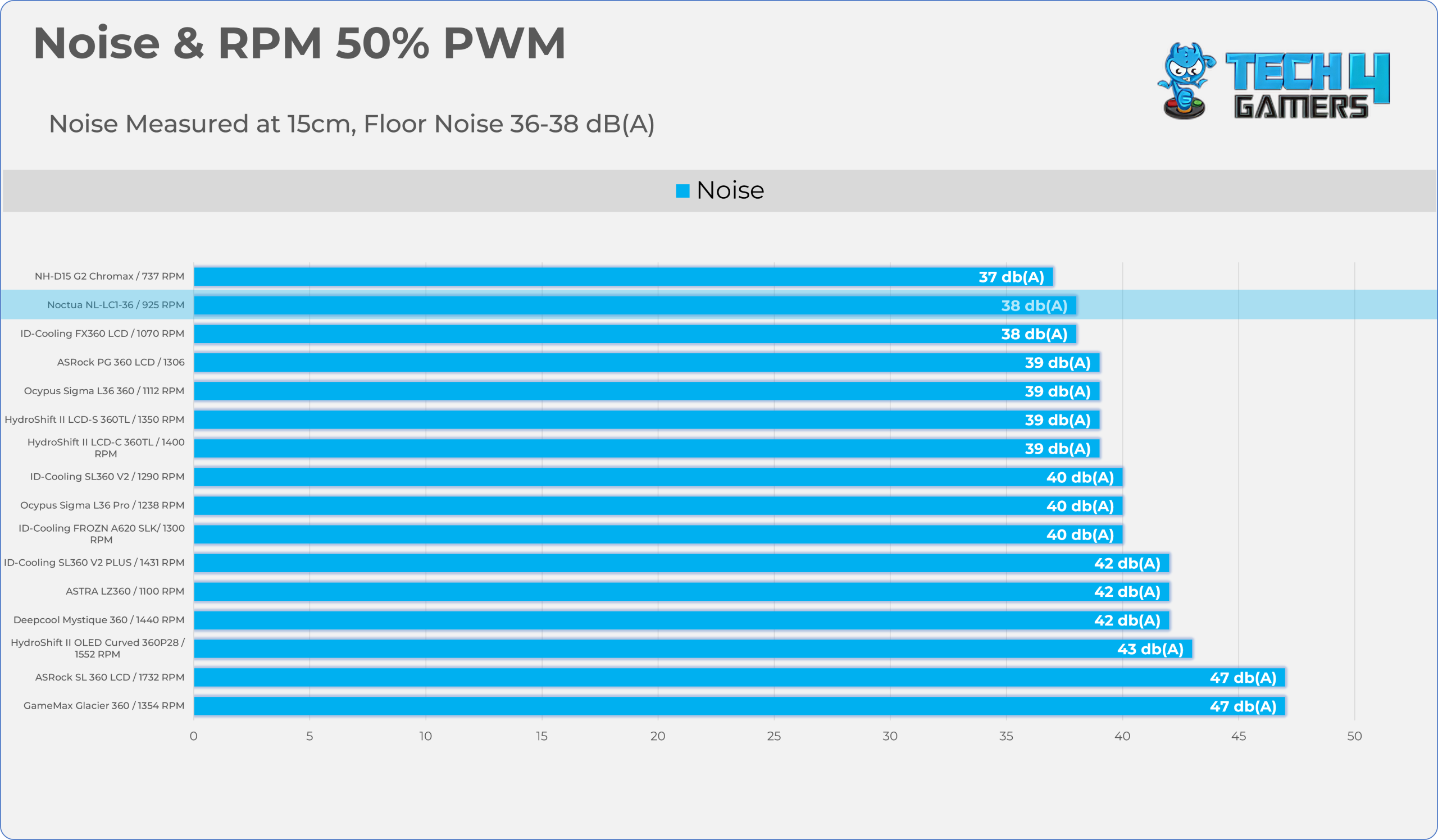
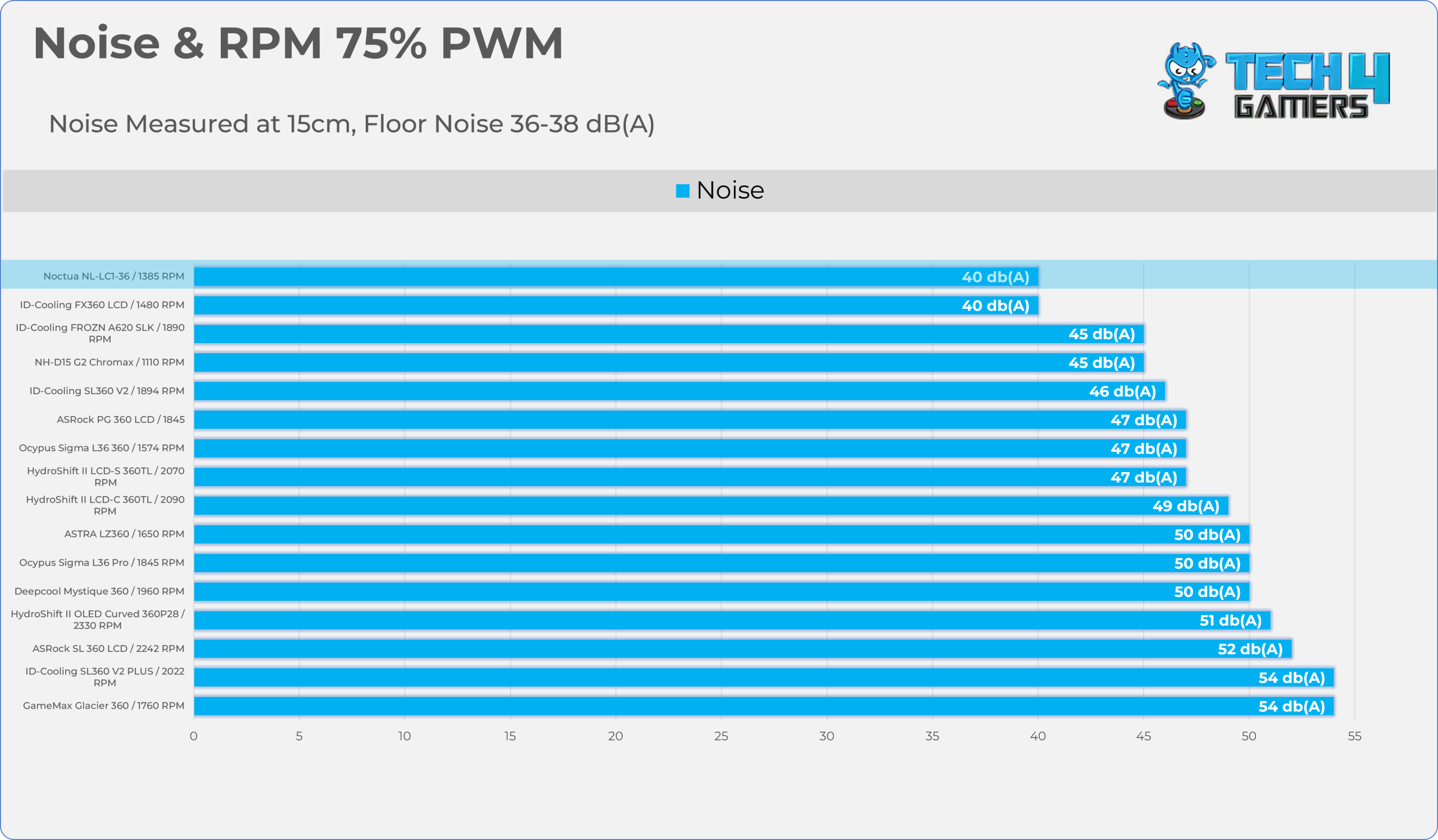
Noise and RPM Readings
Let’s take a look at the Noise and RPM Readings. We conducted tests across four different PWM range levels.
25-50% PWM
75-100% PWM
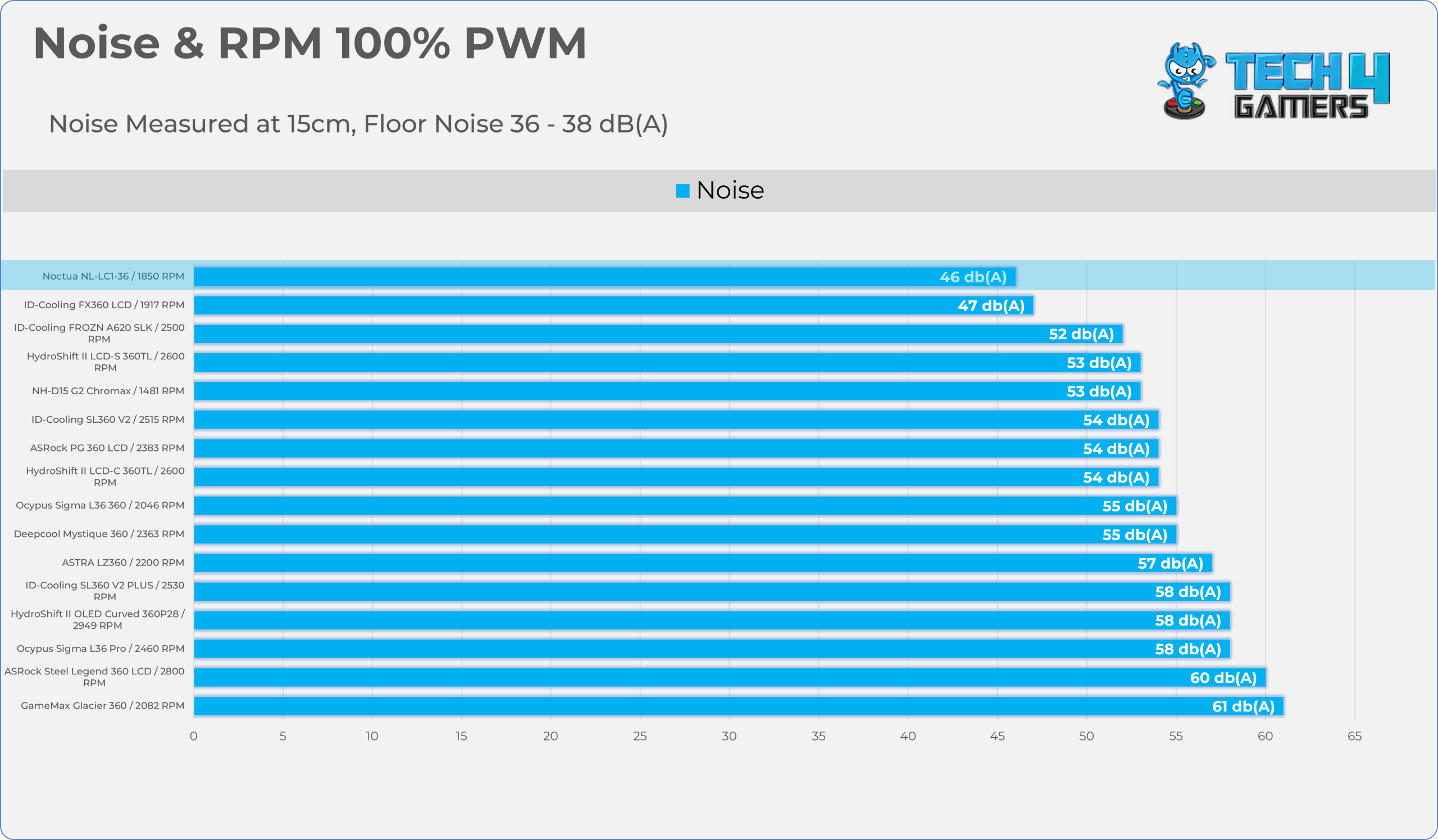
| PWM Level | RPM | Noise (dB(A)) |
| 25% | 460 RPM | 38 |
| 50% | 925 RPM | 38 |
| 75% | 1385 RPM | 40 |
| 100% | 1850 RPM | 46 |
Should You Buy It?
Buy It If
✅ You Demand The Absolute Best in Noise-Normalized Thermal Performance: Thanks to its robust pump design, which incorporates the Asetek Emma V2 Gen 8, Noctua’s 3-layer soundproofing, and the flagship NF-A12x25 G2 fans, it delivers exceptional performance while maintaining an excellent performance-to-noise ratio.
✅ You Prefer a Stealthy, Industrial Look With Zero RGB Lighting: The Noctua NL-LC1-36 strictly adheres to a function-over-aesthetics philosophy, rejecting the trend of RGB lighting and LCD screens in favor of a raw, stealthy design.
✅ You Want a Durability, Long Term Cooling Investment: The NL-LC1-36 could easily outlast multiple CPU generations and platforms, thanks to the exceptional longevity of the SSO2 bearings used in Noctua’s latest G2 fans, the cooler’s robust build quality, and its strong six-year warranty.
Don’t Buy It If
❌ The Noctua Tax: The steep $250 MSRP makes it a tough sell for mid-range systems. It’s one of the most expensive AIOs on the market, and at almost half the price, you can get around 90% of the performance from other coolers.
❌ If You Can’t Compromise on Aesthetics: If you want a pump block with an integrated, customizable LCD screen, or RGB lighting to match your system’s theme, then you can skip this cooler.
Final Thoughts
Cooling Performance And Noise
The Noctua NL-LC1-36 takes the top spot in our charts, delivering an average delta of 44°C at a 200W heat load. It outperforms coolers from Lian Li, Astra, DeepCool, and ID-Cooling, beating the second-best cooler by 1.8°C at full fan speed.
But things get even more interesting when we look at its noise-normalised performance at 40 dB(A). At the same 200W heat load, Noctua leads by an impressive 4°C, showing exactly why this cooler stands out for noise-to-performance efficiency.
At full RPM, the cooler produced just 46 dB(A), which is excellent considering the thermal performance it delivers. In our charts, none of the competing coolers came close to the NL-LC1-36 in overall noise efficiency.
Build Quality / Design
When it comes to build quality and design, Noctua has consistently impressed me throughout my years of reviewing its products. The NL-LC1-36 continues that trend, prioritising industrial durability and acoustics over aesthetics. It’s a clear masterclass in material selection and engineering.
The pump block is the cooler’s main highlight. Beneath the matte-black outer shroud sits the NL-PNA1, as Noctua calls it. It’s essentially a pump-noise absorber that uses a complex three-layer foam structure combined with a dense tuned-mass damper. We tested the cooler at both manual speeds and its maximum pump speed of 3,400 RPM, and we could barely hear anything from the pump.
Noctua also uses its best NF-A12x25 G2 fans, arguably among the best we’ve tested for build quality and efficiency. While the aesthetics may not appeal to every DIY builder, but NL-LC1-36 more than makes up for it with phenomenal build quality, excellent acoustics, and a design focused purely on performance.
The VRM fan, the NL-ACF1, is also highly effective, dropping temperatures by up to 12 degrees. Considering the cooler’s MSRP, I believe it should have been included with the cooler.
We also removed and reinstalled the block more than twice to inspect the contact, and Noctua’s SecuFirm2+ mounting system worked exceptionally well throughout.
Value
The cooler has an MSRP of $249.99, which is a lot of money and will certainly sting many PC builders, especially when some high-end coolers still come in well below $200. Its value proposition definitely isn’t about offering the lowest cost per degree.
Yhis cooler targets those who want the absolute best, with zero-compromise engineering, class-leading acoustic performance, and long-term durability. With a six-year warranty and a rated fan lifespan of 150,000 hours, the NL-LC1-36 feels less like a typical AIO purchase and more like a long-term investment that could outlast multiple CPU upgrades.
Thank you! Please share your positive feedback. 🔋
How could we improve this post? Please Help us. 😔

Senior Hardware Reviewer at Tech4Gamers with over a decade of experience in the tech industry. My journey began in 2014 as a senior administrator for Pakistan’s largest gaming community forum. I specialize in testing and reviewing components like graphics cards, CPU coolers, and motherboards, while also sharing insights on overclocking and system optimization.