

Worth It?
Review Summary
Well, the RT620 Pro Digital by CPS PCCooler punches above its weight class. It features an all-black, premium design with an integrated telemetry display, undercuts many prominent brands in the market, and competes with flagship air coolers from Noctua. The cooler costs around $40–45 USD globally. It’s a great choice for PC DIY builders who want to put together a blacked-out, non-RGB build without sacrificing cooling performance.
Hours Tested: 6 Hours

Overall
-
Cooling - 7.5/10
7.5/10
-
Noise - 8/10
8/10
-
Aesthetics - 7.5/10
7.5/10
-
Build Quality - 8.5/10
8.5/10
-
Value - 9.5/10
9.5/10
Pros
- Digital Display
- Six Heatpipe
- Excellent Build Quality
- Stealth Blackout Aesthetics
- Excellent Design
- Exceptional RAW performance
- Streamlined Mounting Mechanism
- Decent Acoustics
- Amazing Value
Cons
- Requires USB 2.0 Header & Background Software
- Limited Display Customization


If you aren’t familiar with this brand, CPS PCCooler was founded in 2005 in Shenzhen. They have manufactured OEM and retail thermal solutions for two decades; in recent years, the brand decided to launch its sub-brand called CPS, which means (Craftsmanship, Performance, Aesthetics), signalling towards high-end enthusiast-level products. What’s more interesting is that the brand has aggressively challenged established air-cooling brands such as Deepcool, Thermalright and ID-Cooling on pure price-to-performance. For the retail cooling sector, they make all sorts of CPU thermal solutions such as air coolers, Liquid Coolers, Fans, thermal paste, and, in fact, they also produce power supplies and CPU chassis.
They have sent us their flagship-level cooler, PCCooler RT620 Pro Digital, which is quite a long name. However, it’s a dual-tower air-cooler which is built around six 6mm anti-gravity copper heatpipes, cooled by the high static pressure of two 120mm PWM fans and rated for up to 265W TDP, meaning it can tame all the latest generation of processors from Intel and AMD. Its standout feature is a flush, magnetic top cover with an integrated digital telemetry display. In this review, we will see how it performs under noise-normalised and full raw conditions, also taking an in-depth look at its design.
Cooler Specifications
| Parameter | Specification |
| Cooler Type | Dual-Tower Air Cooler (265W TDP) |
| Socket Support | Intel: LGA 1851 / 1700 / 1200 / 115X, AMD: AM5 / AM4 |
| Dimensions | 125 x 138 x 157.5 mm |
| Heatpipes | 6 x 6 mm Copper |
| Display | Real-Time Digital Temperature Screen |
| Fans | 2 x 120 mm (Hydraulic Bearing) |
| Fan Speed | 500 – 2200 RPM ±10% |
| Max Airflow | 73.32 CFM |
| Max Static Pressure | 3.28 mmH2O |
| Max Noise Level | 34.9 dBA |
| Connector | 4-Pin PWM |
| Net Weight | 1.2 kg |
What Makes PCCooler RT620 Pro Digital Different?
The RT620 Pro Digital is built differently, designed to support high-wattage processors without being expensive, as it’s a sub-$50 cooler with all-black stealth aesthetics. It’s also a dual-tower design with an integrated digital display without the RGB clutter.
Comes with two high-static-pressure fans; also, form-factor-wise, it’s 157.5 mm tall, which can easily fit in the most mid-tower case without any glass panel interference.
What About The Availability & Pricing?
The cooler is widely available in the international market, backed by a two-year global manufacturer warranty and retails between $39.99 and $45.99 across major storefronts. However, we sourced this cooler locally, where it costs around $50.
Packaging
Let’s take a look at the packaging!
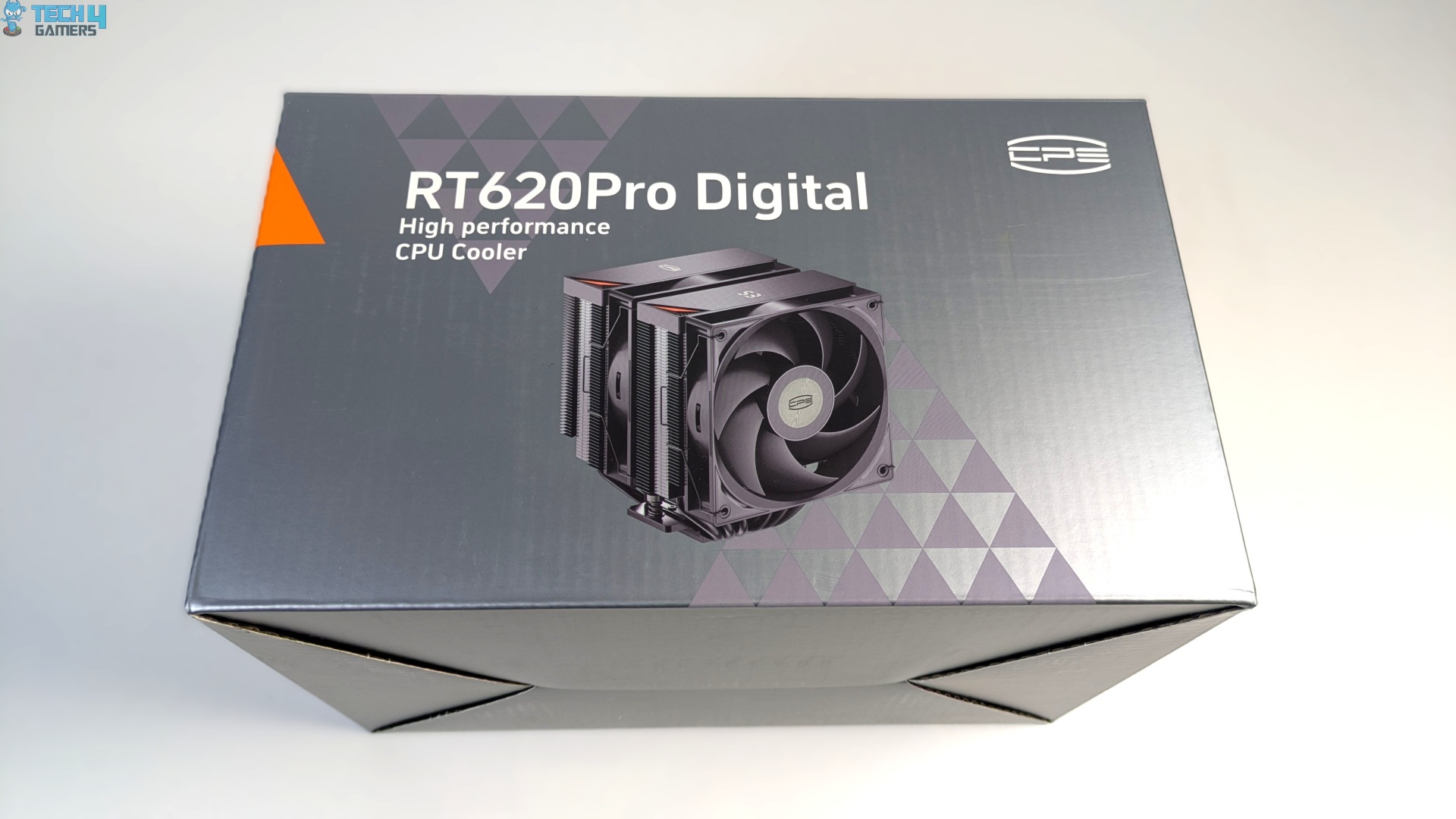
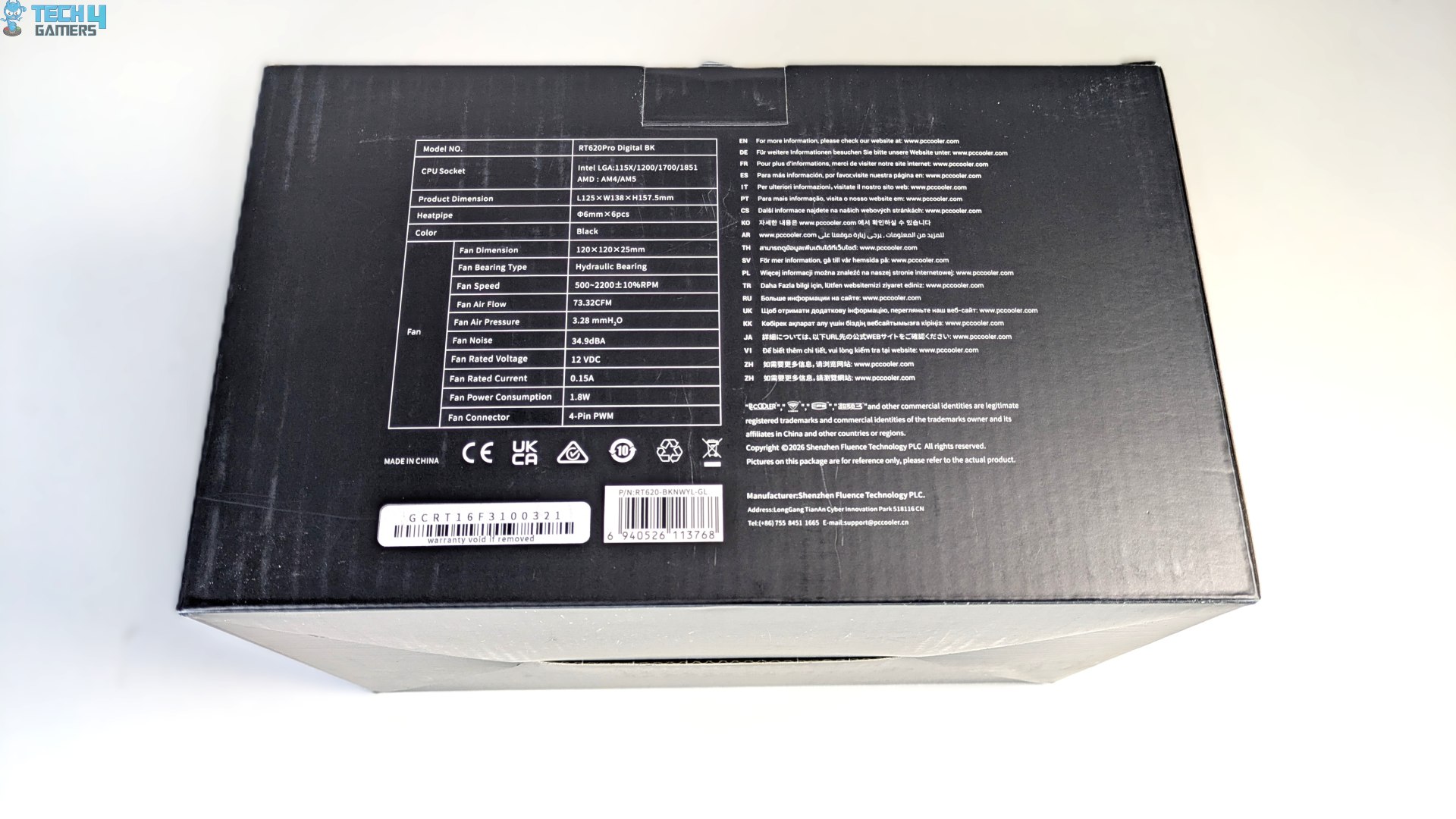
The cooler arrives in a clean cardboard box, dressed in CPS’s signature slate-grey and matte-black colourway. The front displays a clear image of the cooler; flipping the box over reveals its detailed specifications.
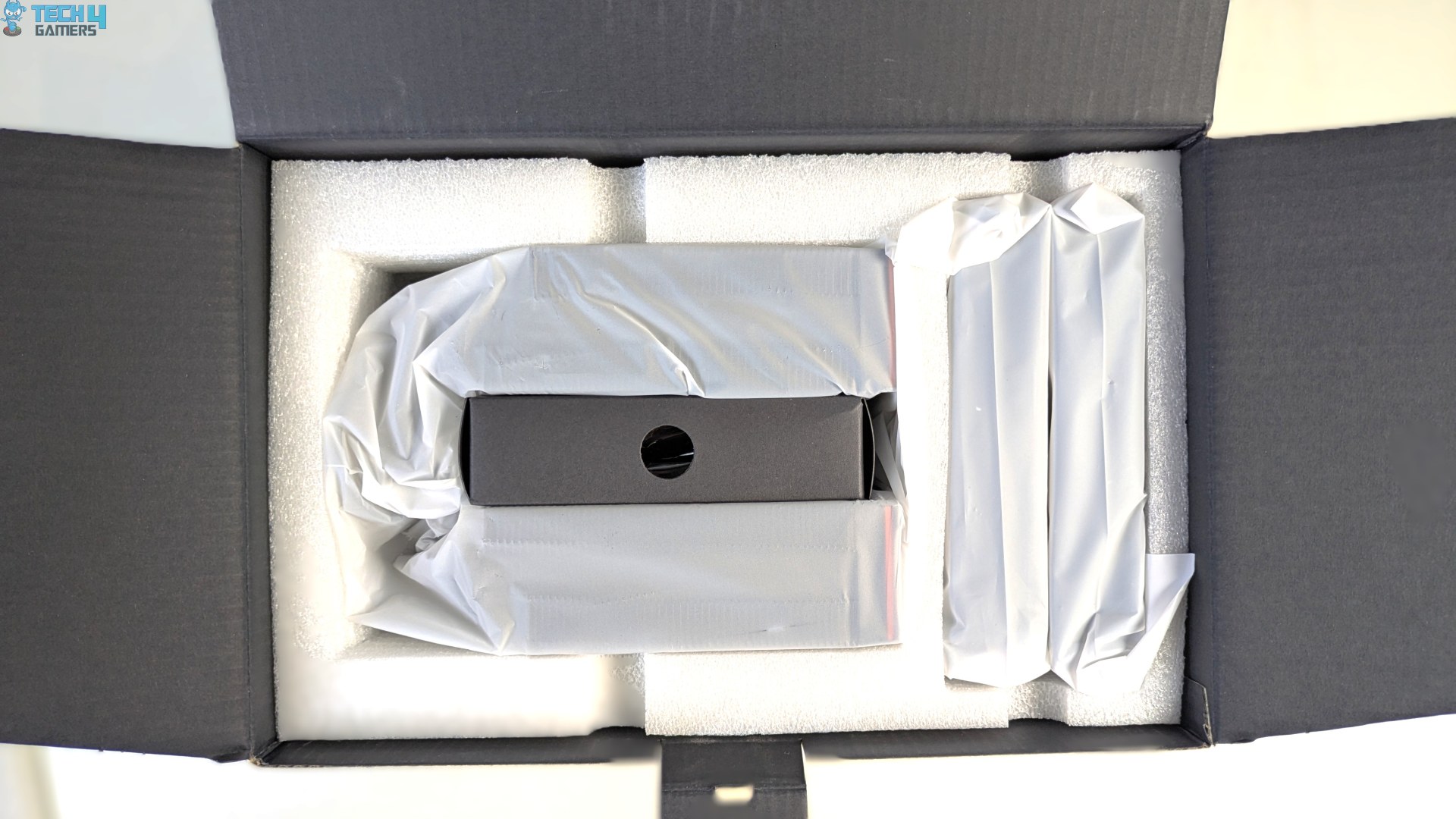
Now this feels like very high-quality packaging; opening the top flat reveals a very organised internal layout. The cooler and fans are tucked separately in their own individual spot. The Heatsink and the fans are wrapped securely in a frosted protective polybag. The foam used here is very high-quality, custom-moulded EPE foam.
PCCooler RT620 Pro Contents
CPS PCCooler has streamlined the installation and mounting mechanism for both Intel and AMD platforms. The standoffs and the nuts can be universally installed on both supported sockets. If you have an Intel system, you would have to install the provided back plate first, then the Intel mounting bracket, while on AMD you only have to install its provided mounting brackets on the standoffs.
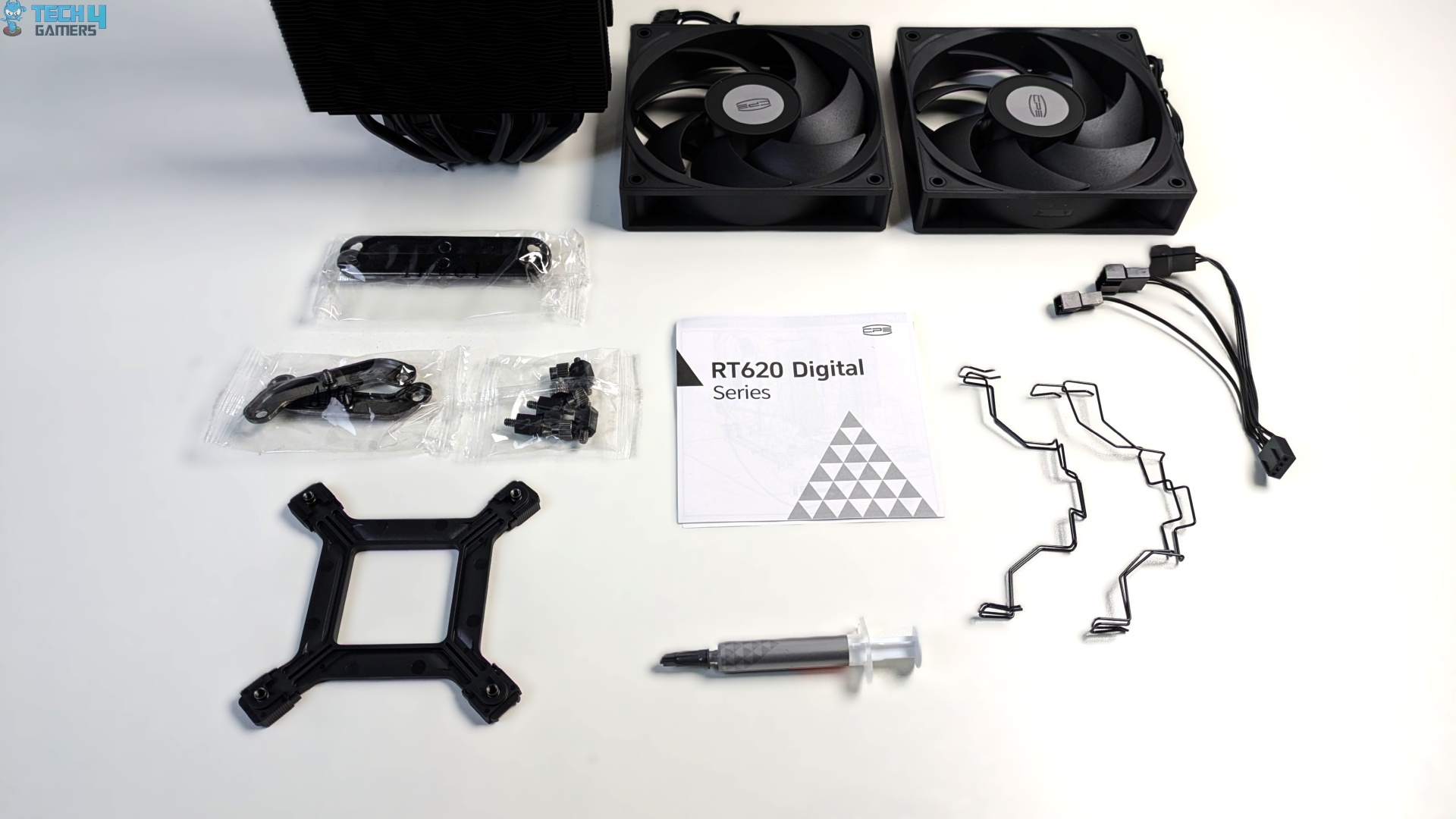
The four fan clips are also provided with thermal paste, and a fan extension cable is also included.
Here is the list of accessories you will get:
| Item | Quantity |
| Heatsink |
1x
|
| Fans |
2x
|
| Intel Backplate / Bracket | 1x |
| Intel Mounting Brackets | 2x |
| AMD Mounting Brackets | 2x |
| Intel/AMD Hand-Screw Nuts | 4x |
| Intel/AMD Hand-Screw Standoffs | 4x |
| Fan Clips | 4x |
| Thermal Paste | 1x |
| Extension Cable | 1x |
| User Guide | 1x |
Close Look At The Heat sink and Assembly
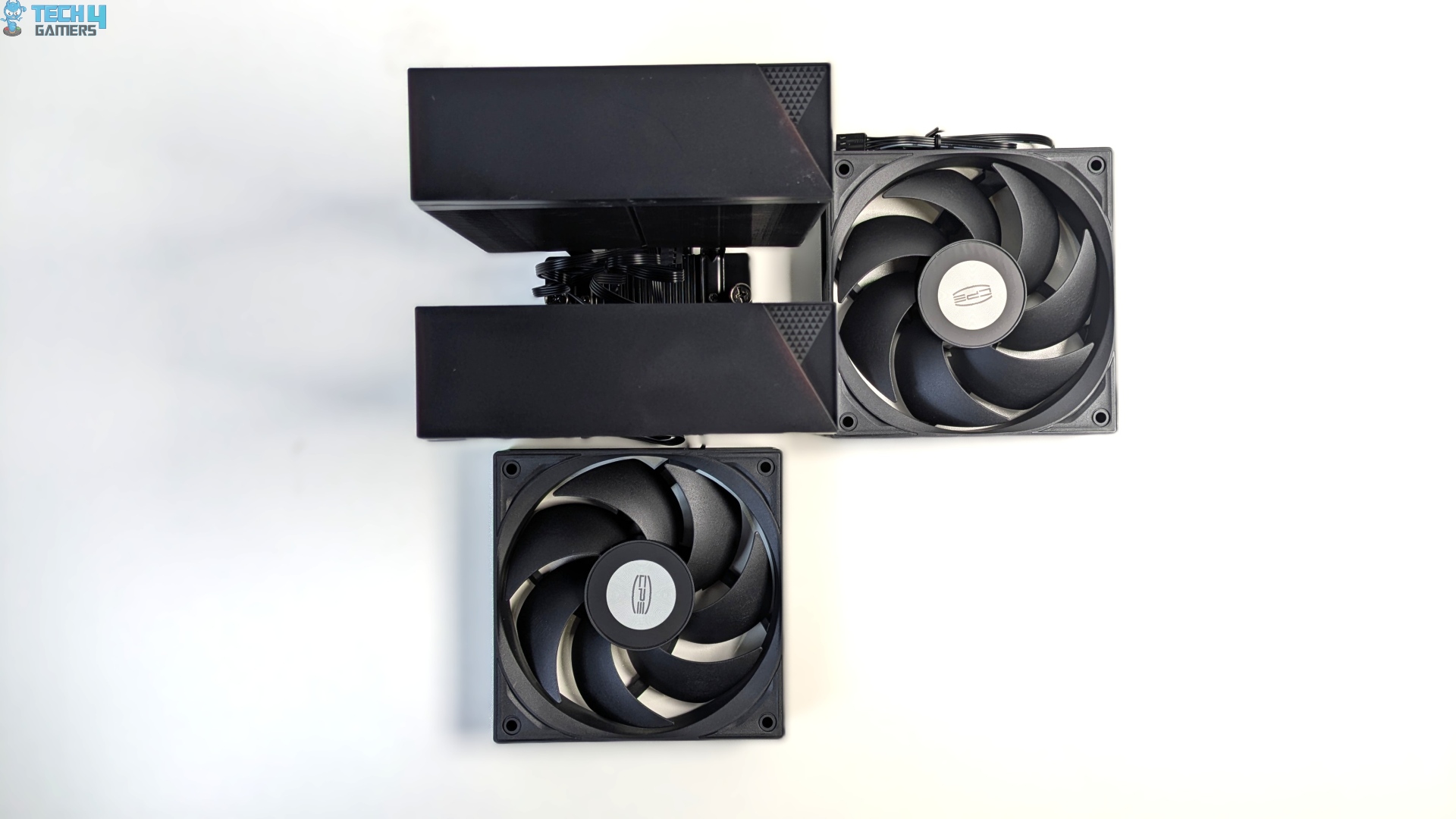
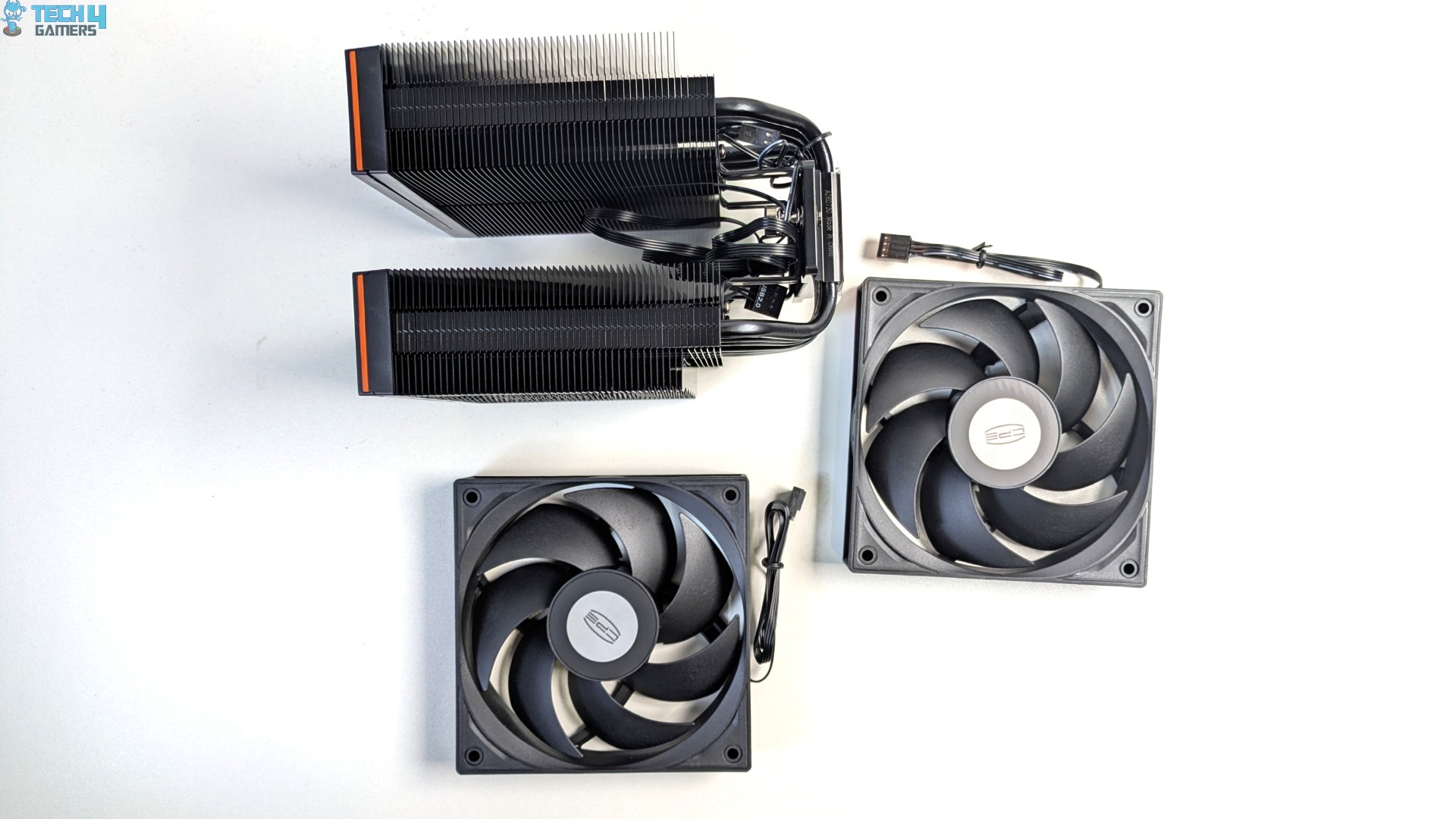
We’re taking a look at the core components first: the deal tower heatsink and the two fans. The fans arrive separately in the box and do not come pre-installed due to shipping and safety concerns. The dimensions of the cooler are W125 X L138 x H157.5 mm.
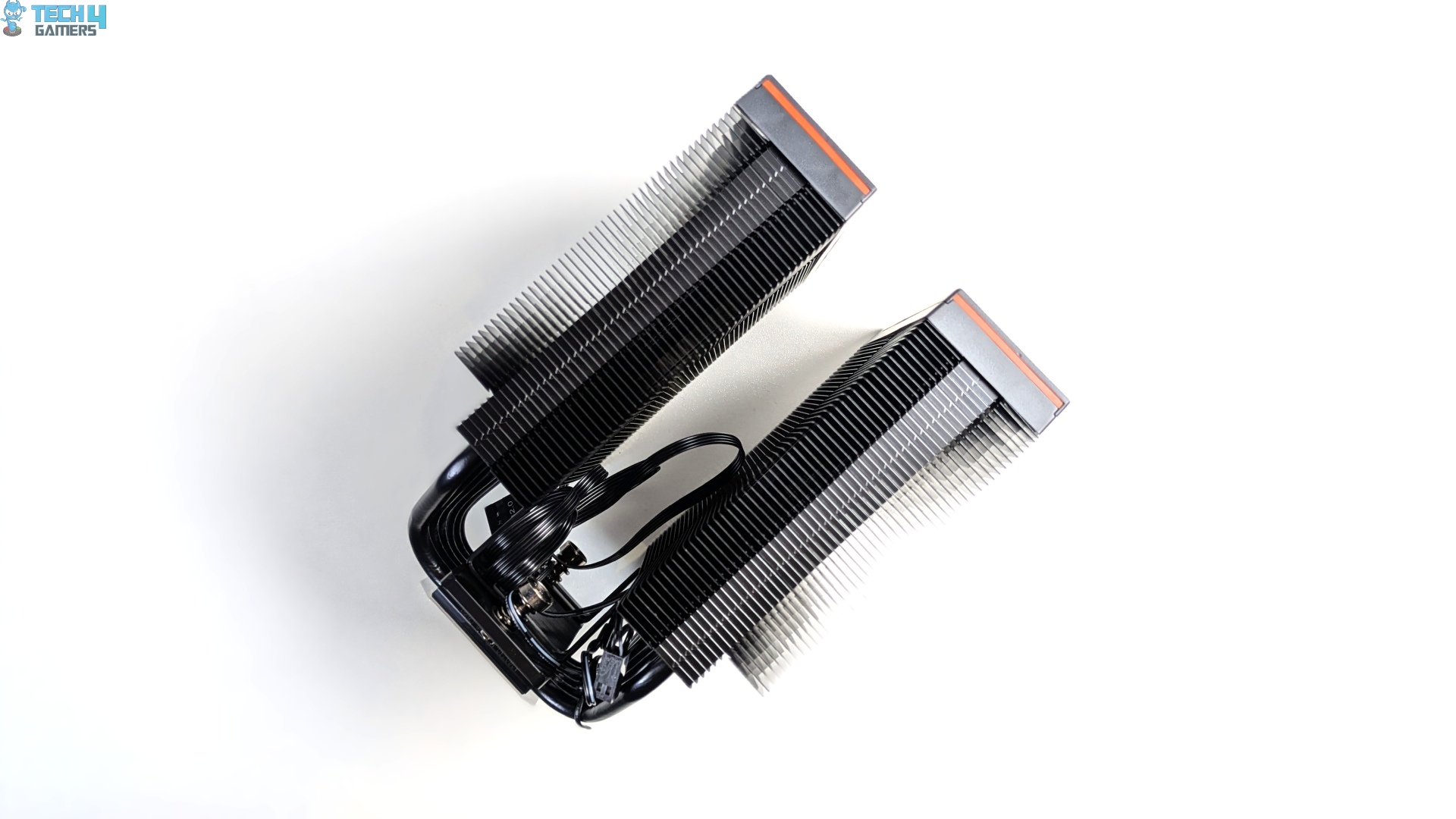
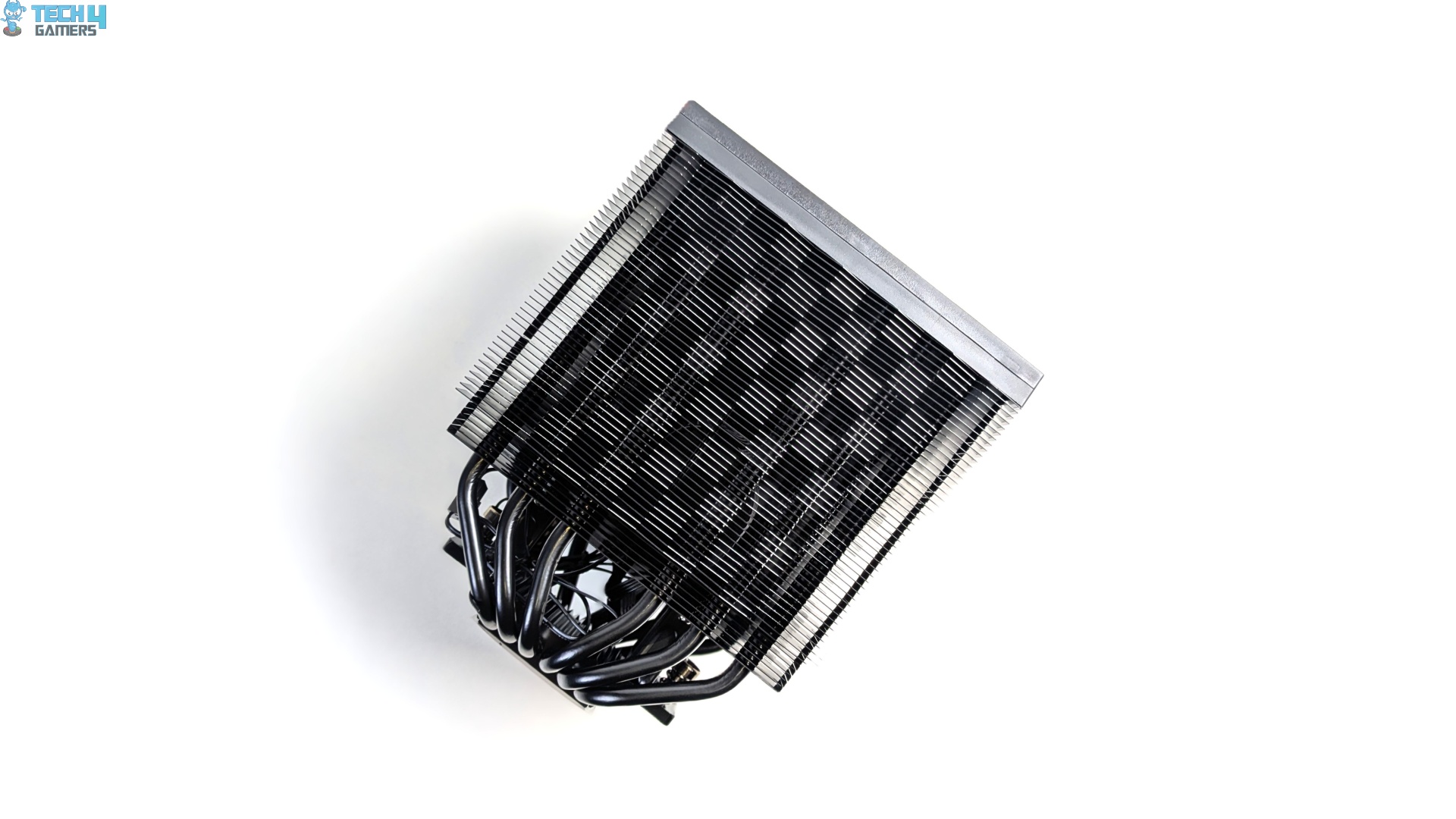
The heat sink splits into two distinct aluminum fin arrays separated by a central fan channel, which is a typical dual-tower design. Each side of the fin stack features folded, interlocking edges that maintain uniform fin-to-fin spacing, and everything you see on the heatsink is coated in black.
If you look closely at the side walls, PCCooler showcases its signature Triforce aerodynamic profile rather than a flat, monolithic wall, which allows the fan air pressure to reach the deeper heatpipe zone. It’s a thoughtful design, to say the least.
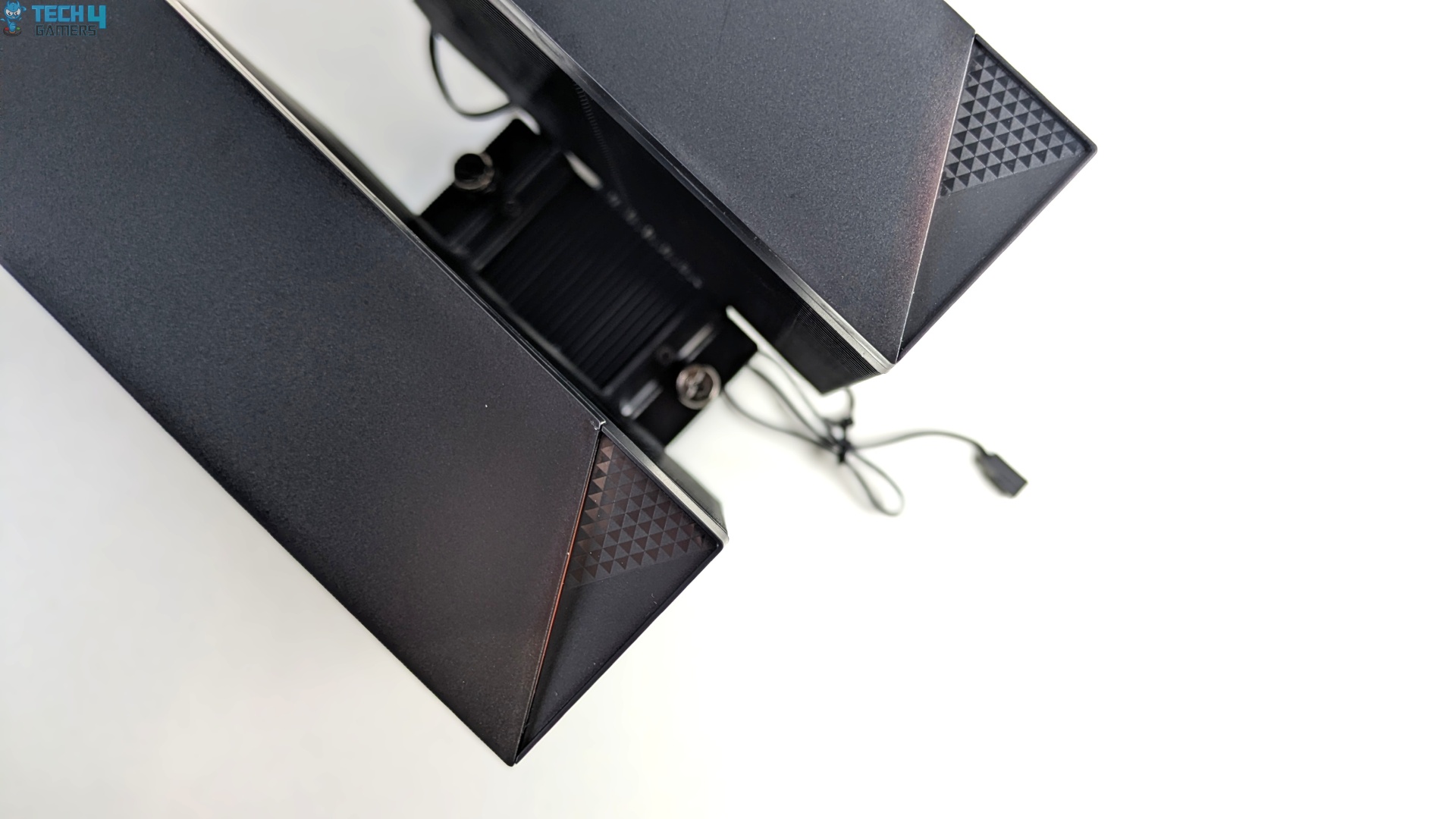
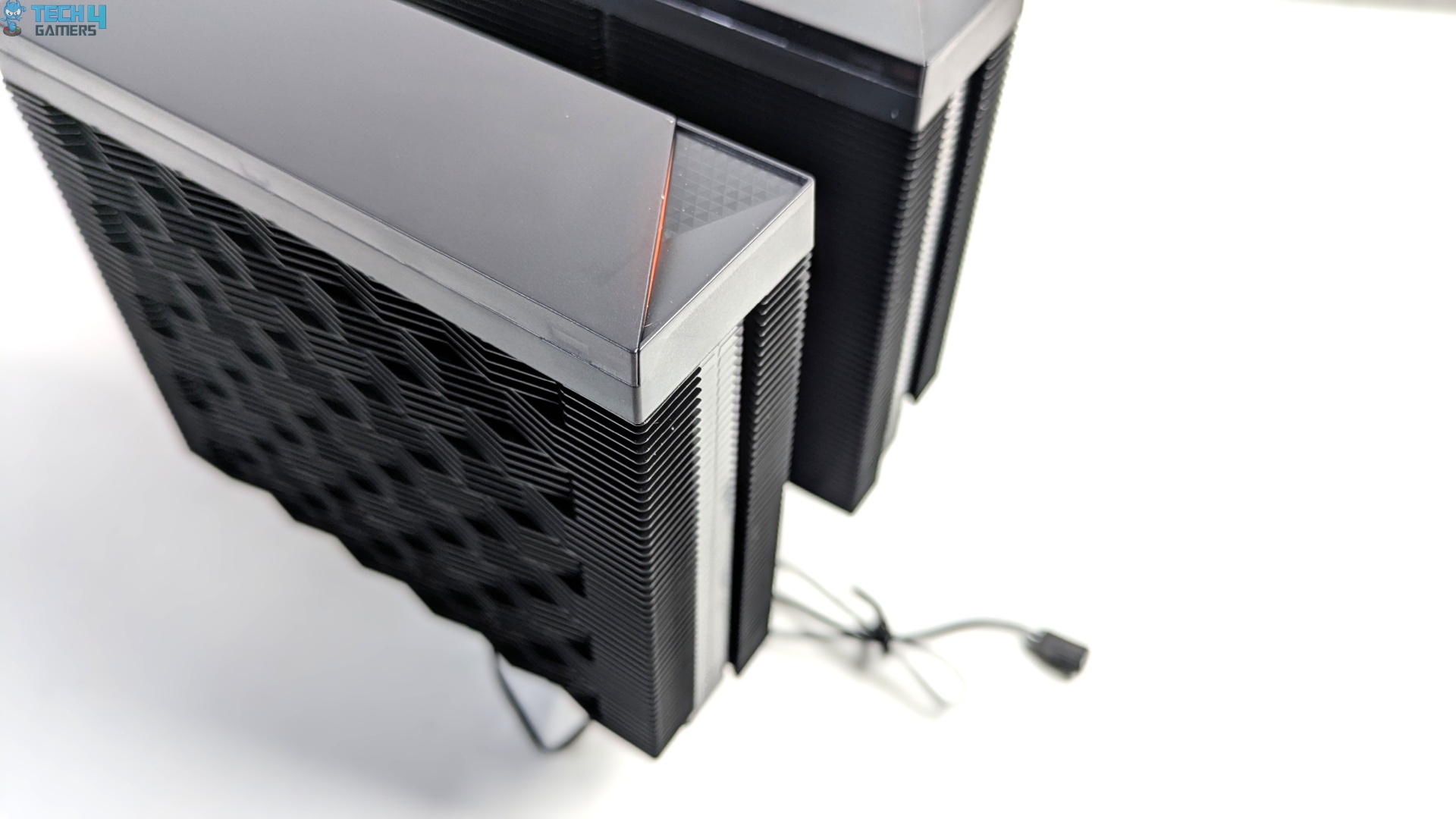
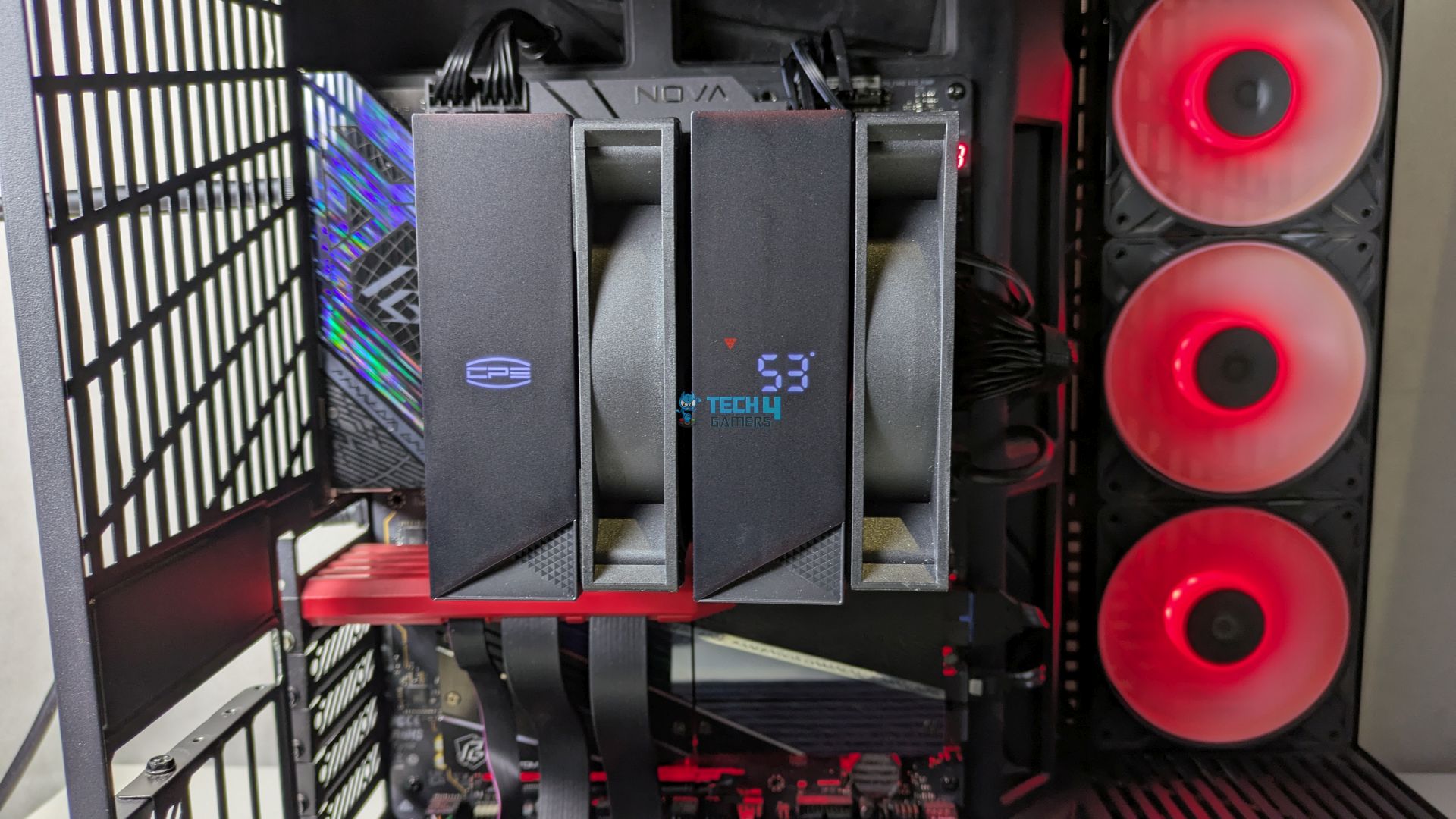
The top profile ditches the industrial look; you get the individual two-magnetic plastic cover shroud on the top. The primary cap tower houses the integrated real-time temperature display beneath the dark-tinted matte face; the second shroud features the CPS logo, which illuminates alongside the temperature display beneath the plastic cap.
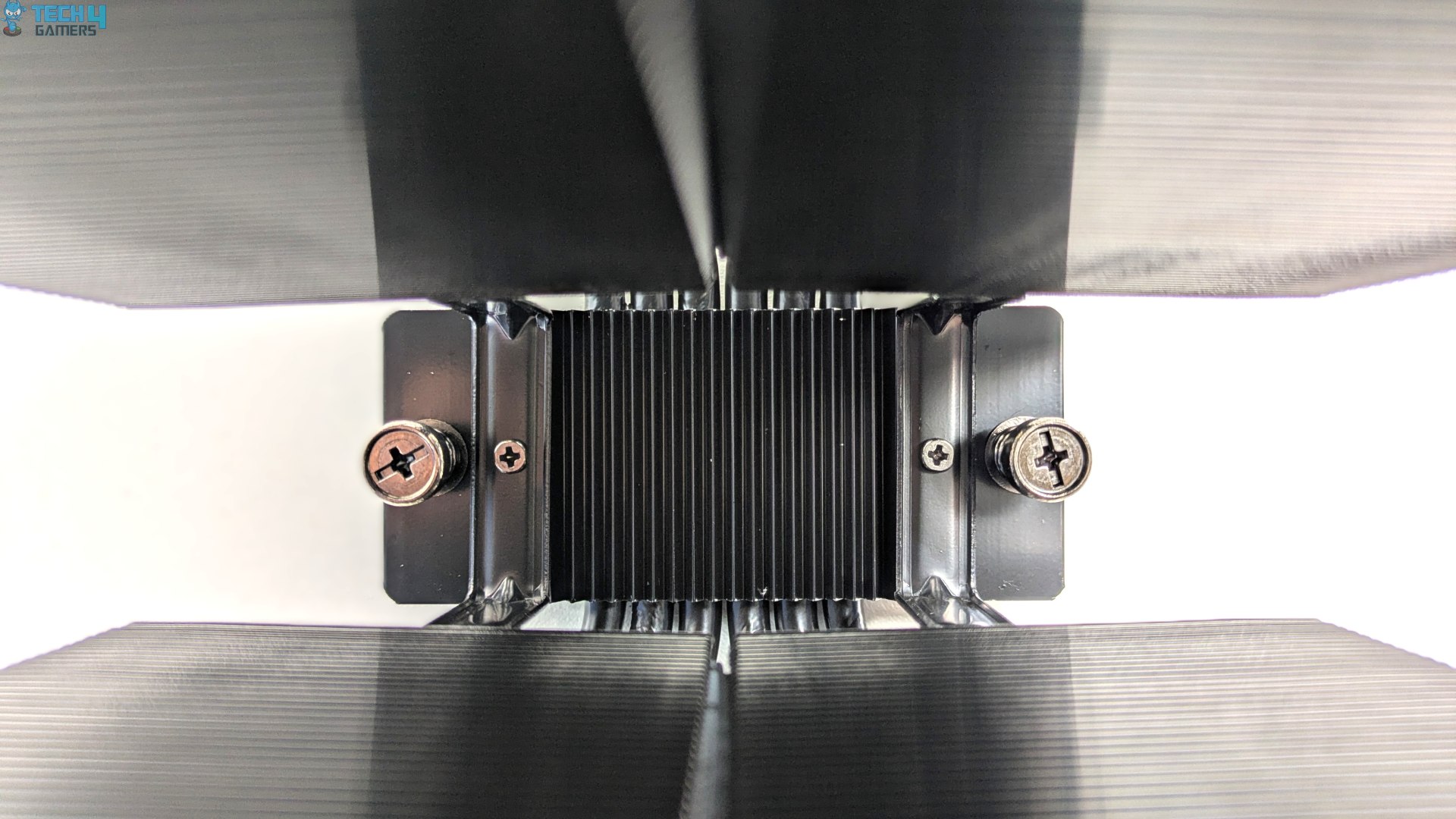
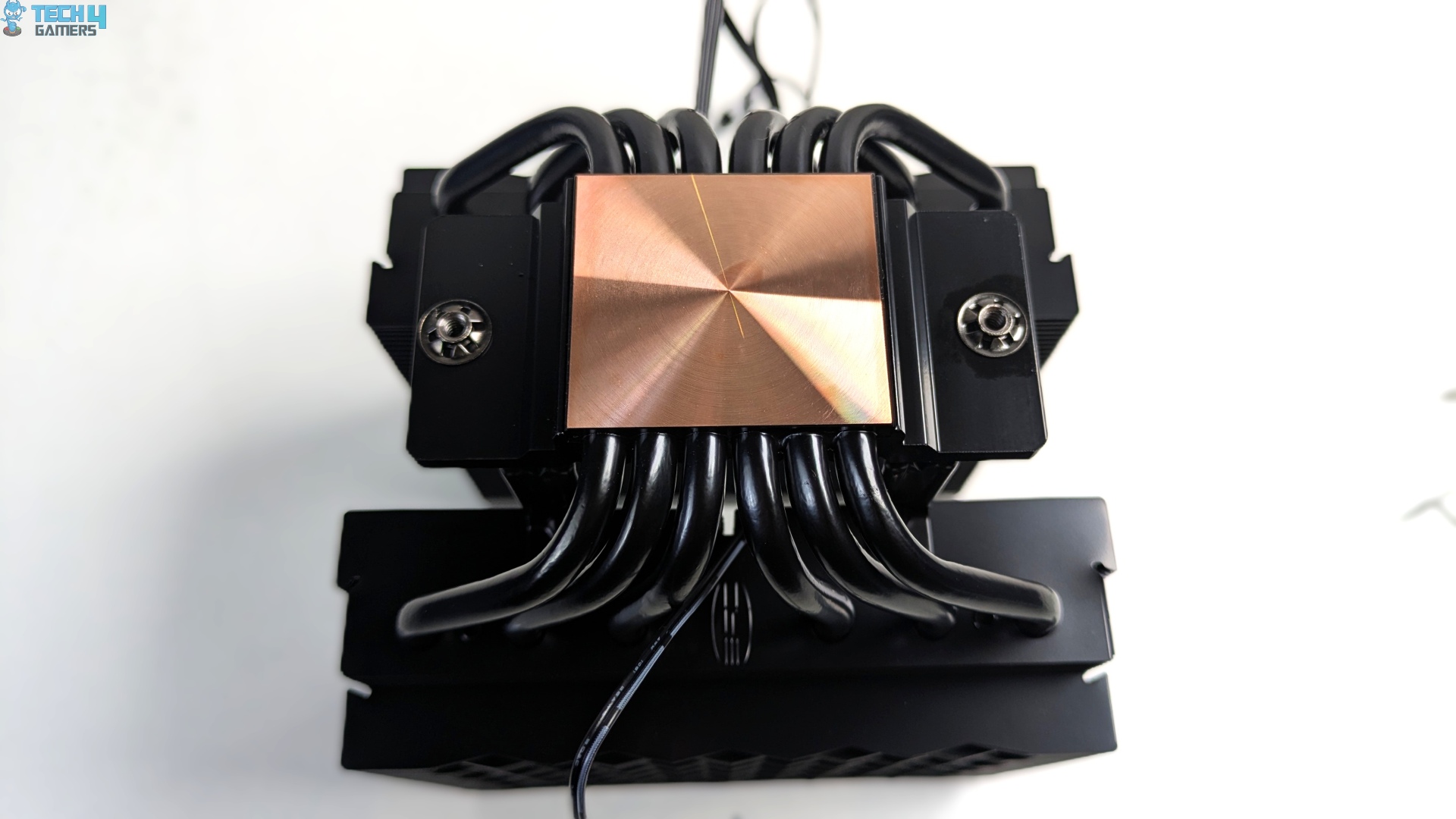
Flipping the cooler over and inspecting the central valley reveals a solid, bare cold plate and preinstalled mounting crossbar. Unlike the budget air-coolers that use exposed direct-touch (HDT) heatpipes with tiny gaps between the tubes, the RT620 Pro Digital offers something different here by upgrading to a solid, untouched bare cold plate. It features six 6mm copper heatpipes.
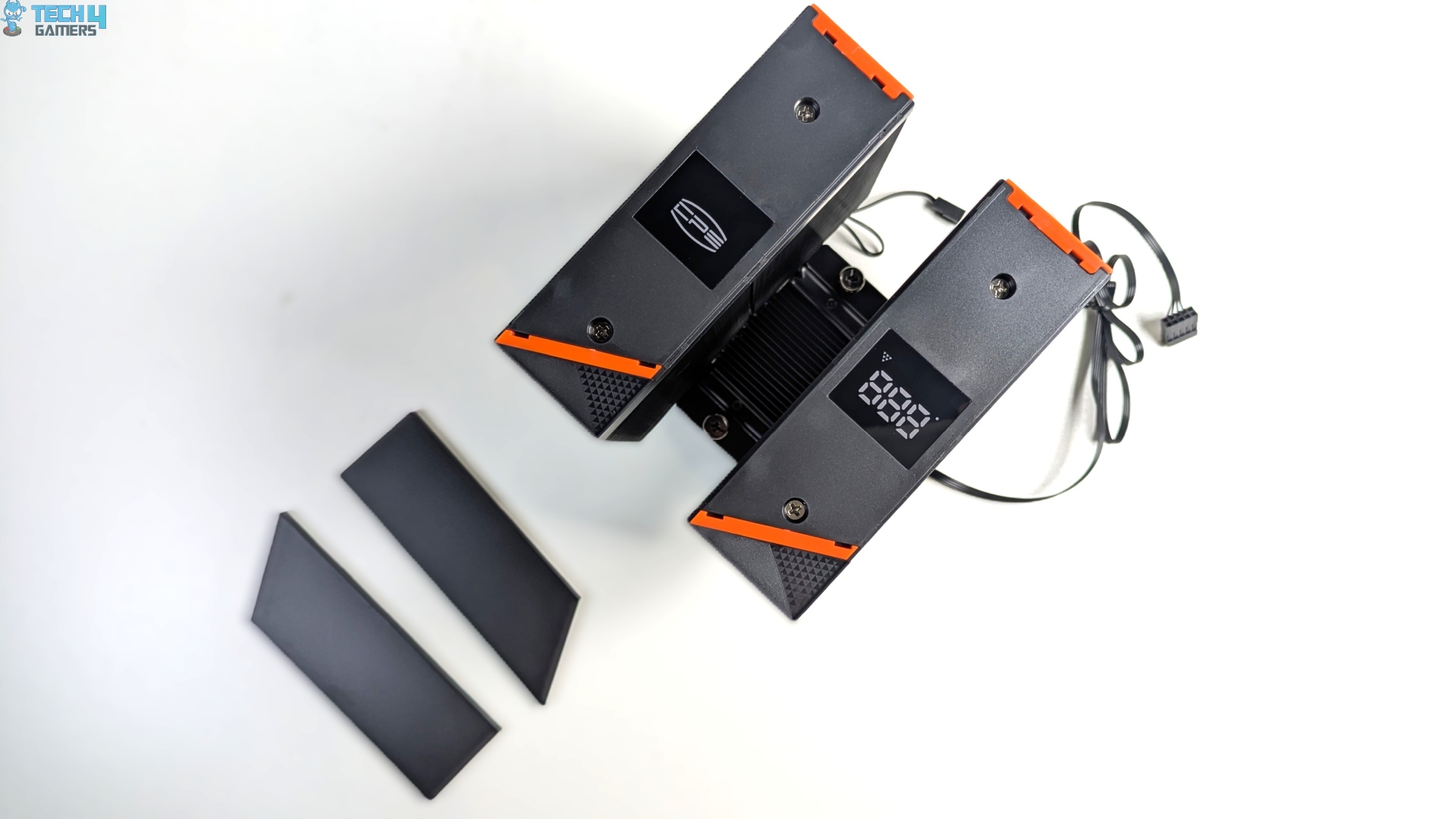
Popping off the two magnetic faceplates from the top shroud exposes the internal digital setup, with brand badging on one side. In contrast, the other side features a 3-digit, seven-segment telemetry screen. However, I don’t find the covers easy to remove with bare fingers.
Power and real-time motherboard sensor polling are handled via a standard 9-pin USB 2.0 connector.
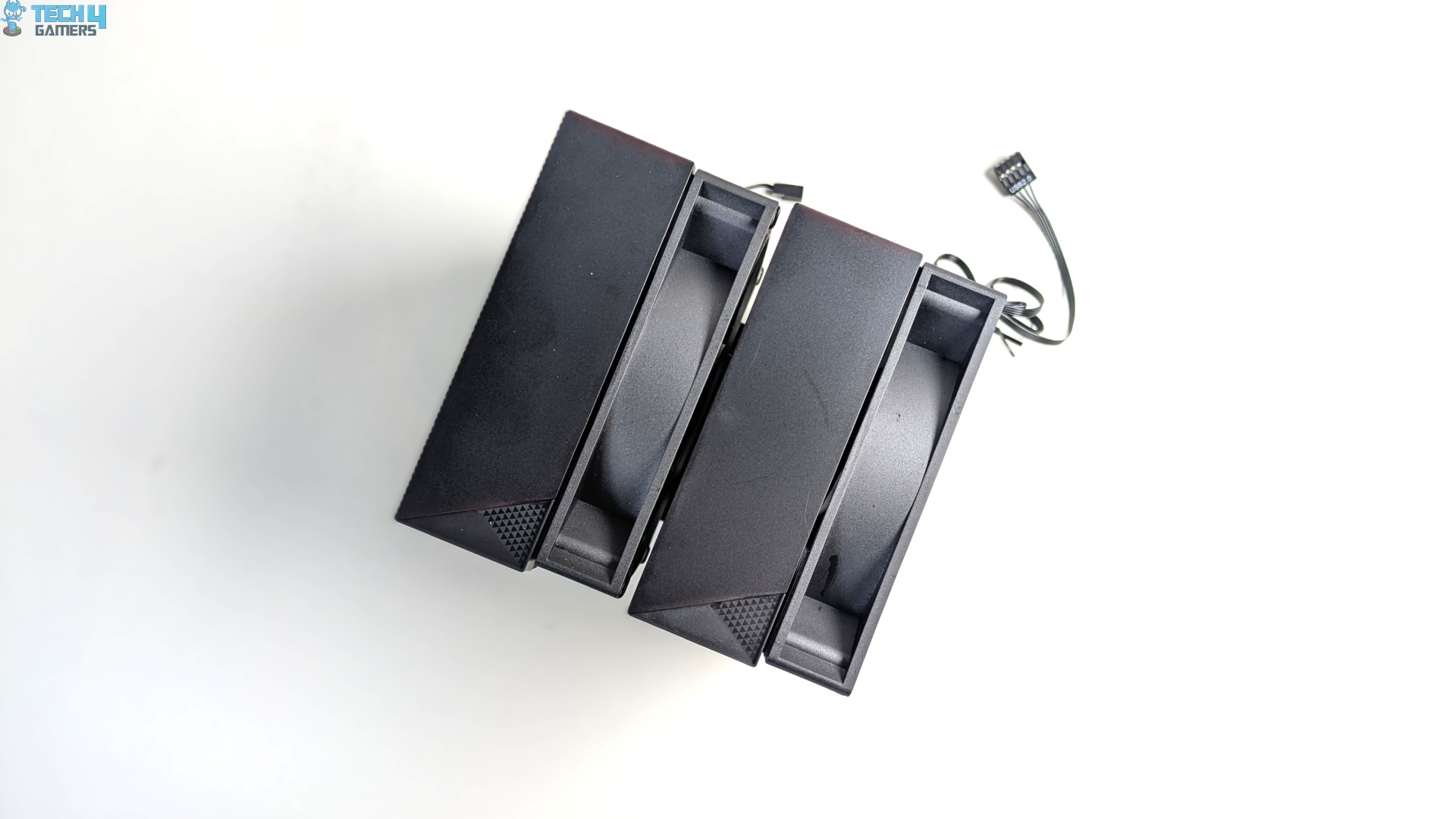
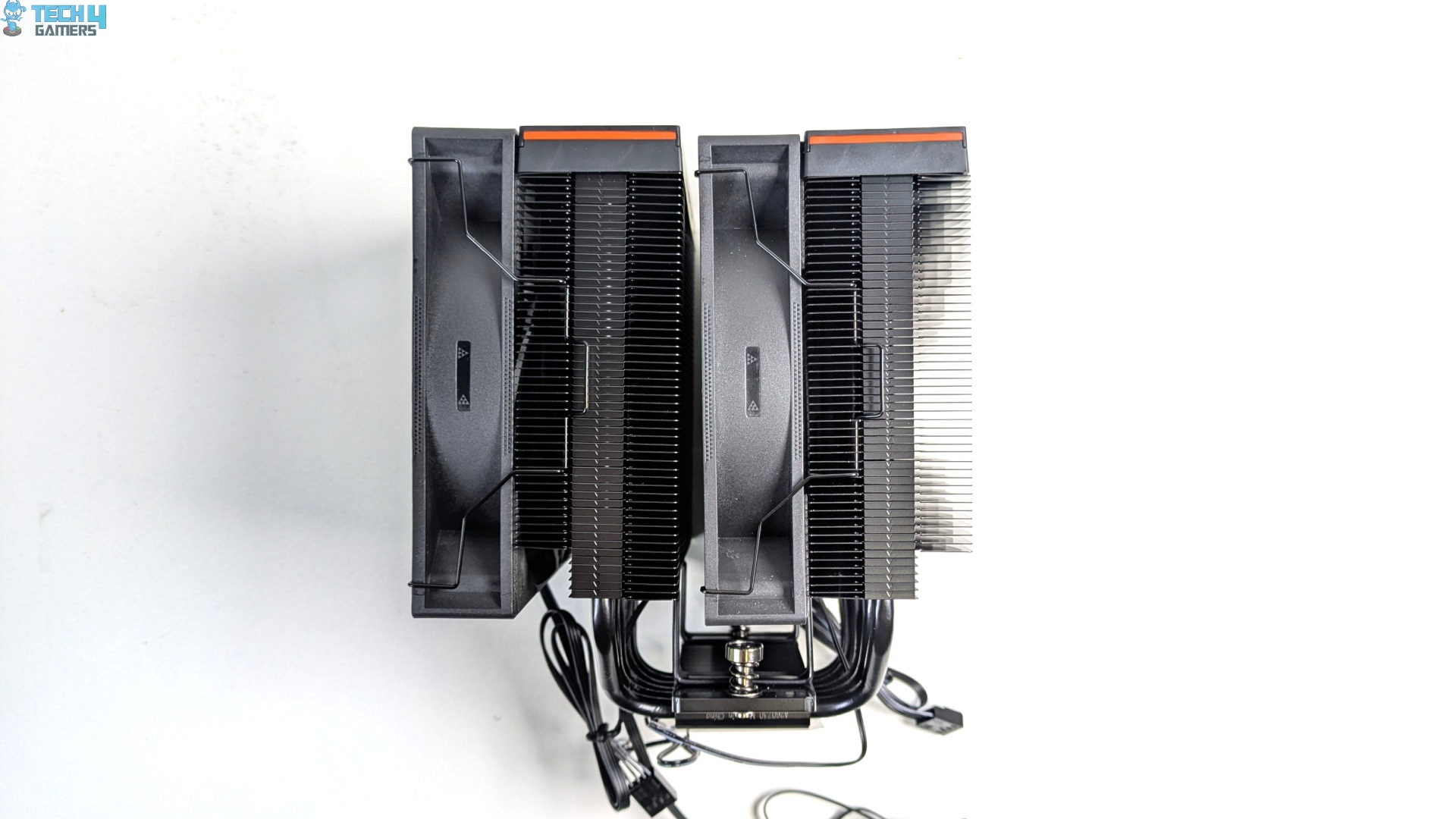
Ready to drop onto the motherboard now. However, I also want to point out that we did not have any memory-clearance issues.
Fans
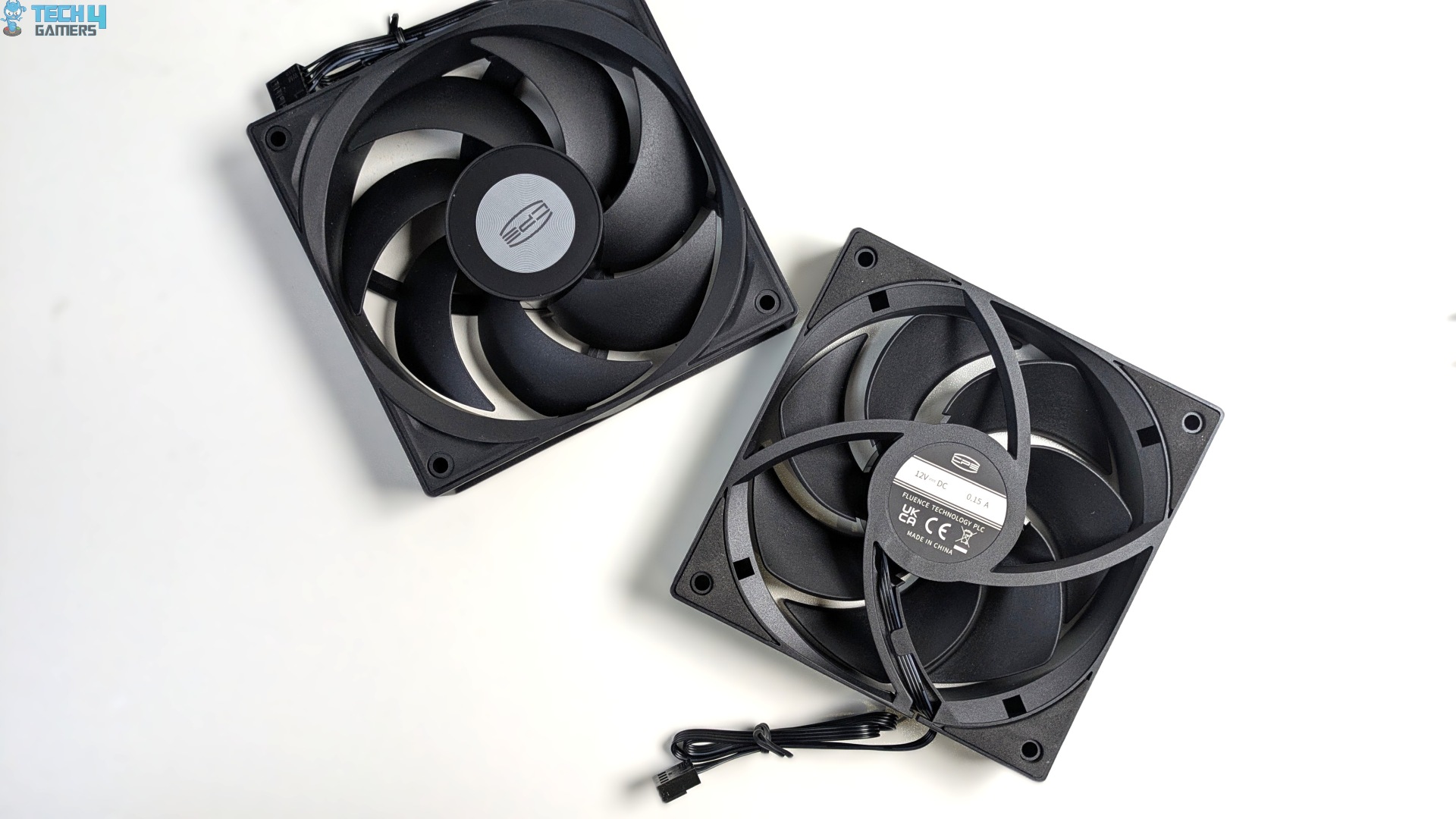
| Parameter | Specification |
| Fan Dimensions |
120 × 120 × 25 mm
|
| Fan Bearing Type |
Hydraulic Bearing
|
| Fan Speed |
500 – 2200 ± 10% RPM
|
| Fan Air Flow |
73.32 CFM
|
| Fan Air Pressure |
3.28 mmH2O
|
| Fan Noise |
34.9 dBA
|
| Fan Rated Voltage |
12 VDC
|
| Fan Rated Current |
0.15 A
|
| Fan Power Consumption |
1.8 W
|
| Fan Connector |
4-Pin PWM
|
Installation (AMD)
We’re using the AMD platform, so our installation steps will only be provided for that.
Prepare the socket
- Remove the two AMD factory brackets that come pre-installed on the AM4/AM5 motherboards.
- Install the standoffs on the mounting threaded holes.
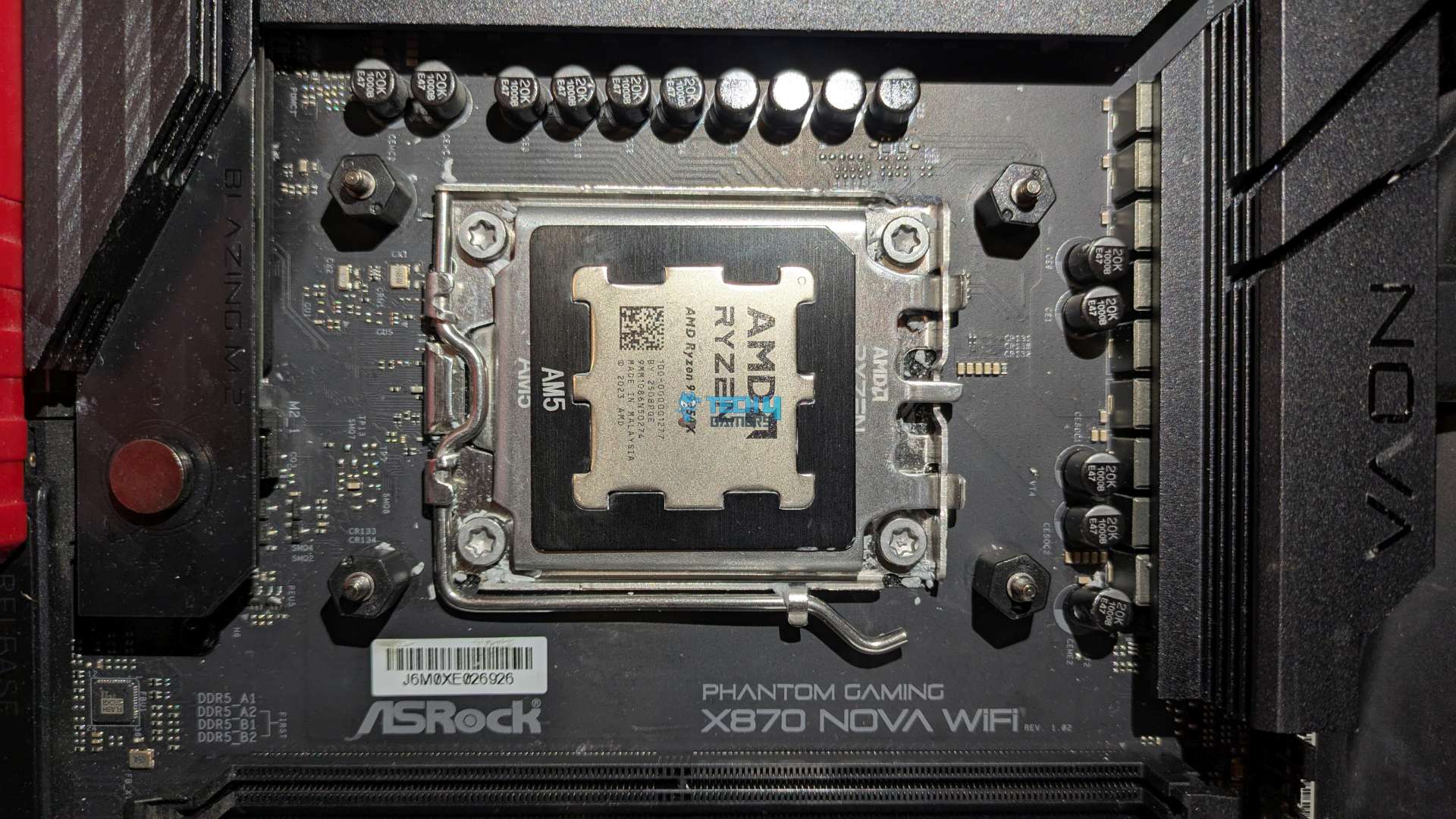
- Place the two AMD metal brackets onto the standoffs.
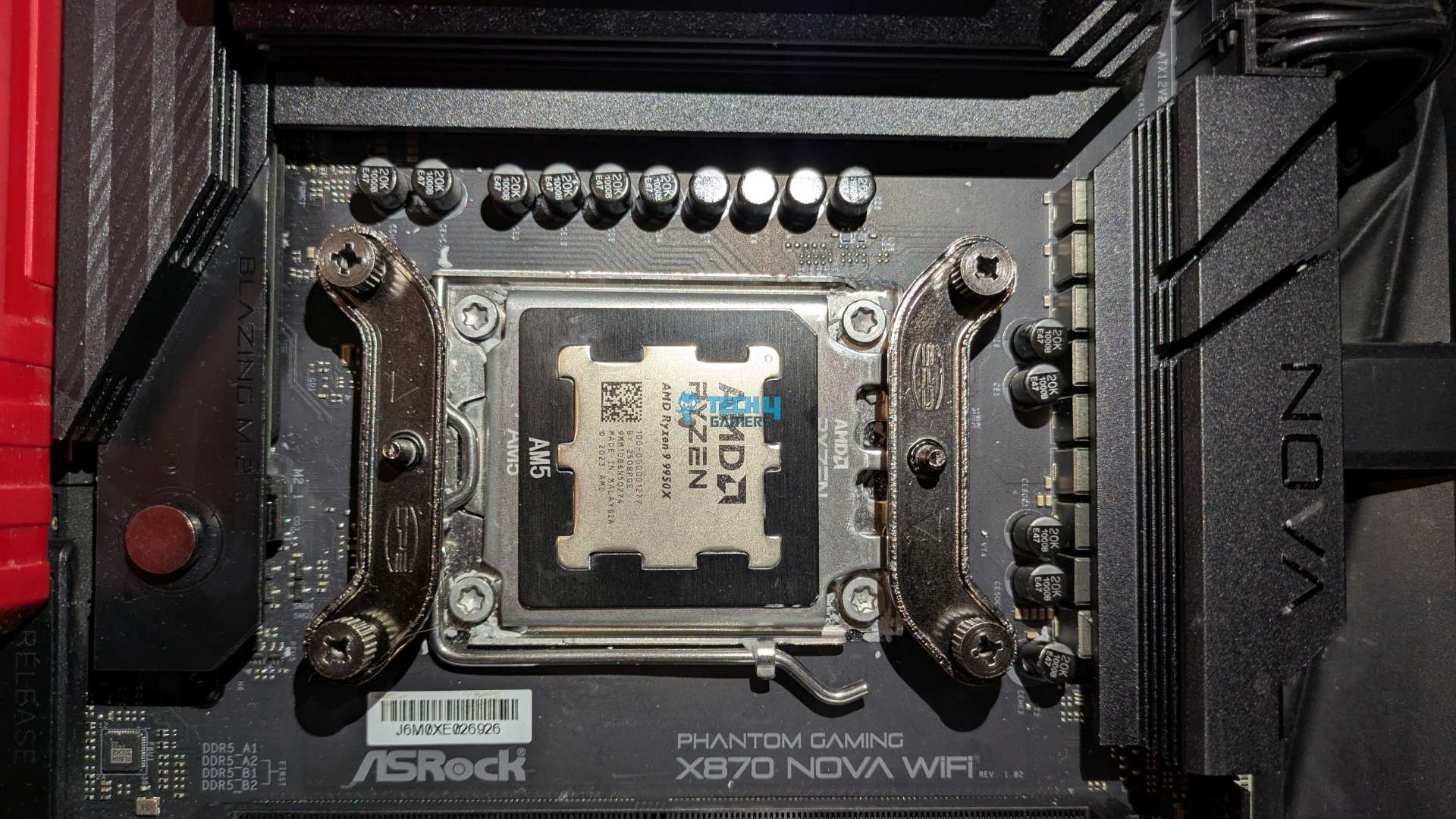
- Secure the two AMD metal brackets with the provided hand screw nuts.
- Remove the protective plastic peel from the copper cold plate.
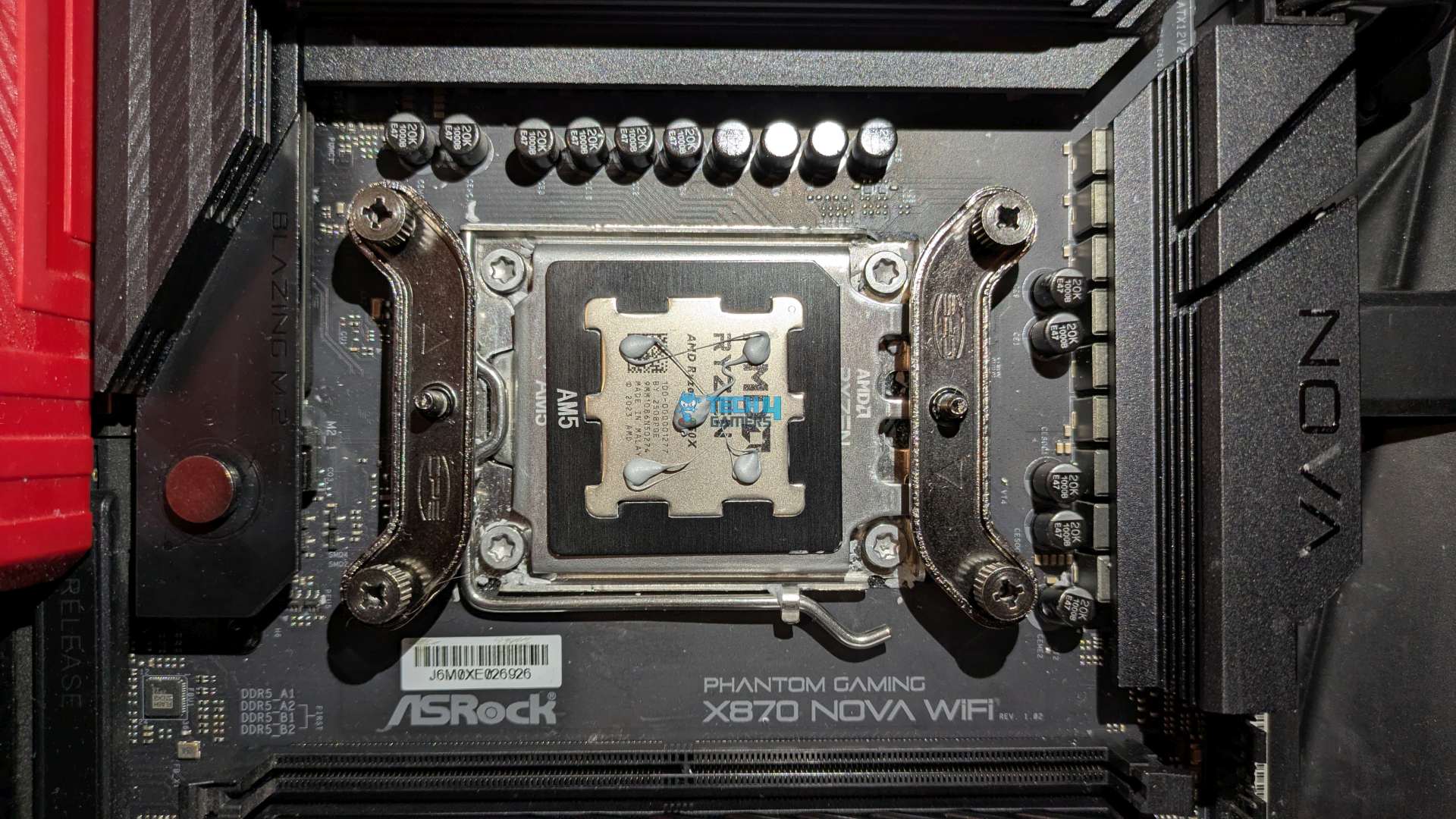
- Apply the Thermal Paste on CPU IHS.
- Carefully position the dual-tower heatsink over the CPU.
- Align the heatsink’s mounting screws with the AMD mounting brackets.
- Using a long Phillips screwdriver, gradually tighten both screws, Alternate between the two screws to ensure even mounting pressure.
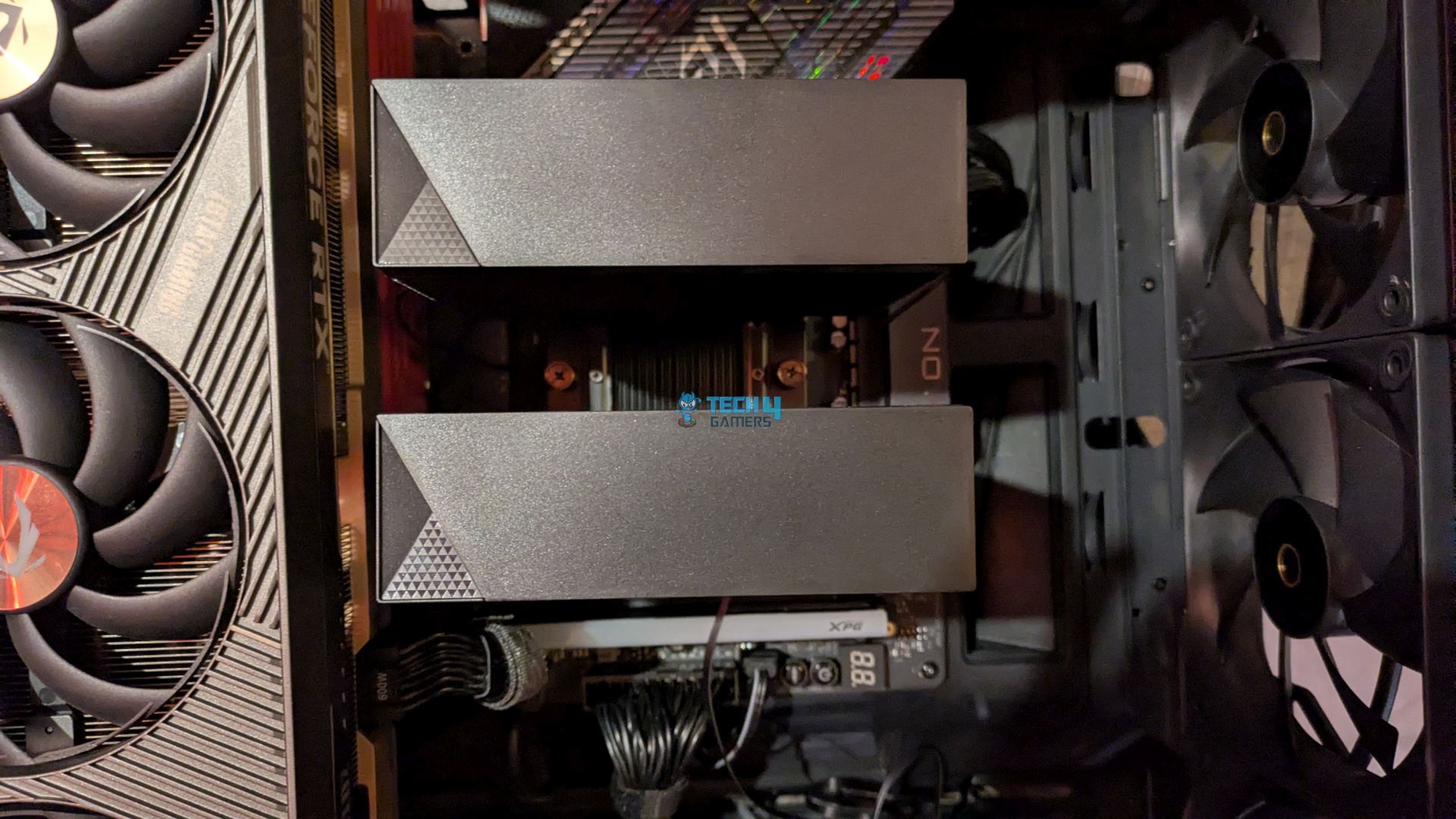
- Mount the Fans using clips on the each side. Connect the cables including the 9-Pin USB Cable for the digital telemetry readings.
The installation process was flawless. We did not run into any issue.
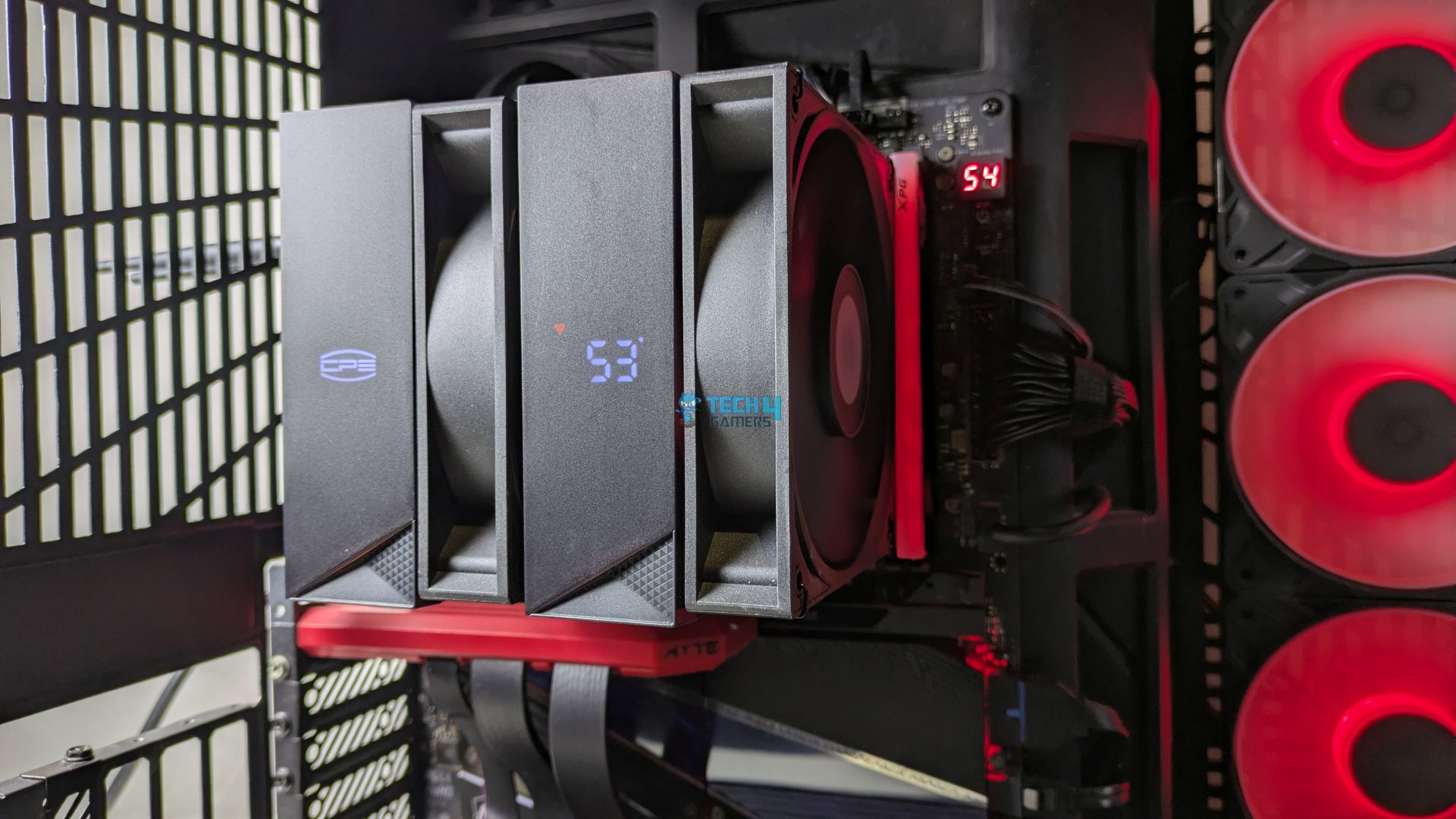
Finished Looks
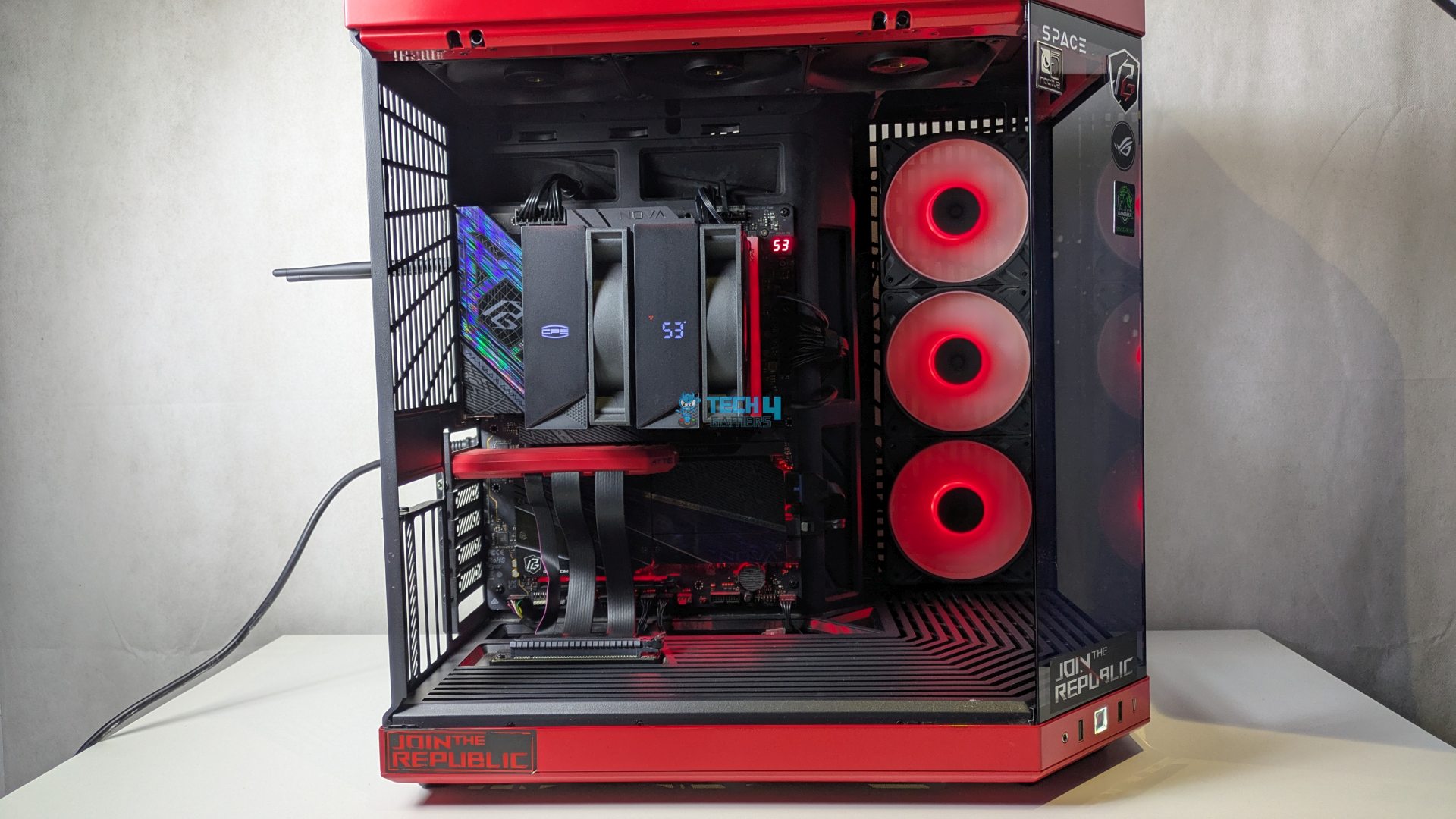
The completed installation of the cooler within the HYTE Y70 chassis is shown below.
Testing Methodology
CPU Configuration:
- We evaluate the cooler’s performance using three different benchmark methods. Noise-normalized testing is performed at 40dB(A) at the 105W TDP and 170W TDP (Stock) of the Ryzen 9 9950X. We then test the cooler’s performance at the maximum PWM speeds for both TDP configurations. After that, we unlock the power limits of the CPU to see how much cooler it can dissipate the heat in terms of watts at the maximum PWM Speeds.
Controlled Environment:
- We have eliminated the influence of ambient temperatures in our data, and all results are presented as deltas over the ambient conditions. The tests were done in a controlled environment with a room temperature of 25°C.
Preparing System:
- The Coolers are tested in realistic conditions. We don’t use the open bench system; instead, we have installed the cooler in our HYTE Y70 case, mounted at the top. We ensure the airflow is adequate in the case and that the case fans are running at the fixed PWM speeds.
- We are using ID-Cooling X45 thermal paste for all coolers.
Software:
- We have ensured that no other software is running on the computer that could influence the CPU load.
- We’ll be using the Cinebench R23 Loop for 20 minutes after the warm-up test has been completed. Each test has a 10-minute cool-down time.
Test Setup
Here is our test setup!
| Our Primary Test System |
|
|---|---|
| Processor | AMD Ryzen 9 9950X |
| Memory | XPG Lancer 32GB (16x2) 6000MT/s CL30 |
| Motherboard | ASRock X870 Phantom Gaming Nova WiFi (BIOS: 4.43v) |
| Thermal Paste | ID-Cooling X45 |
| Graphics Card | ZOTAC SOLID RTX 5080 , |
| Power Supply Unit | Super Flower LEADEX VII Platinum PRO 850W |
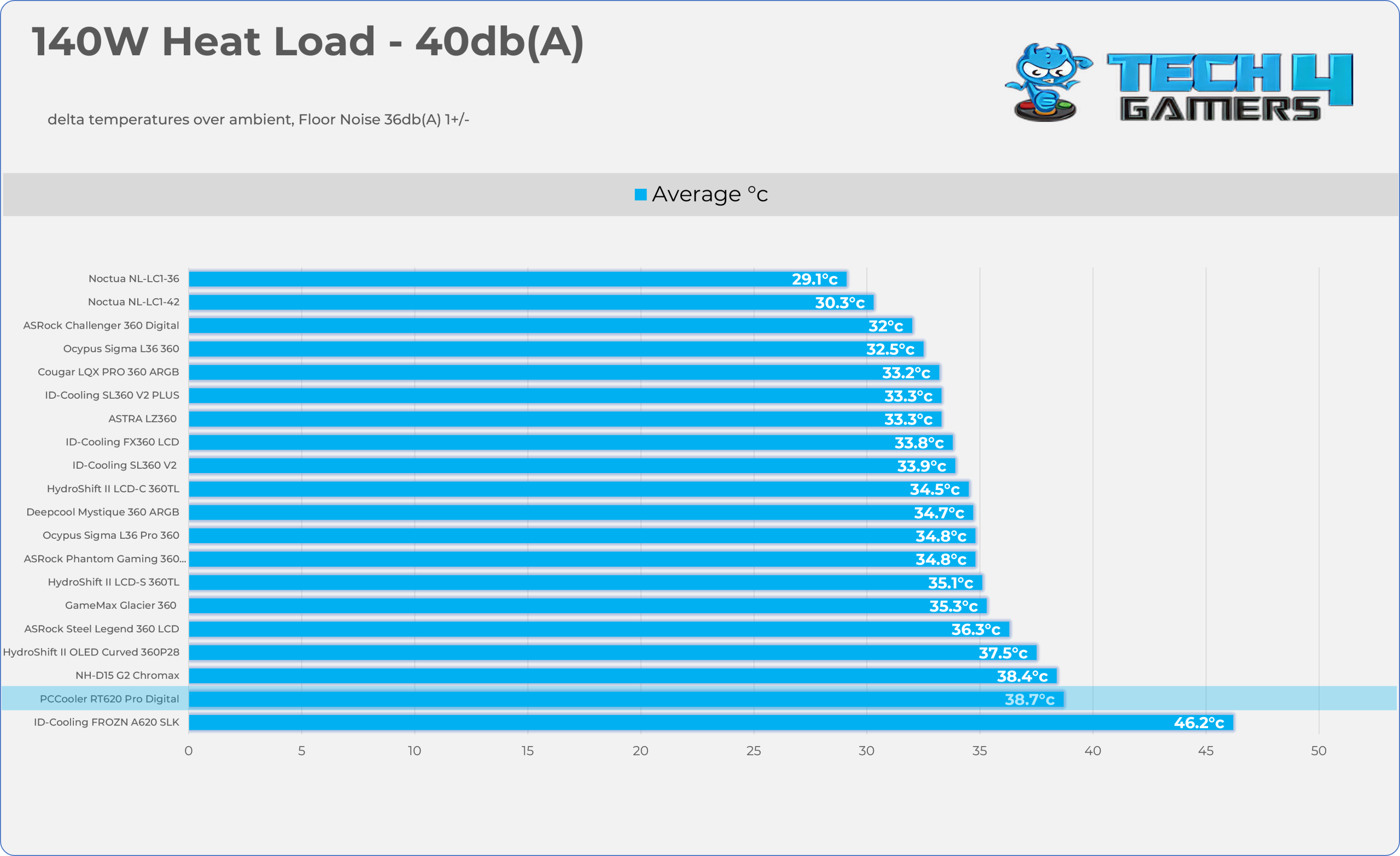
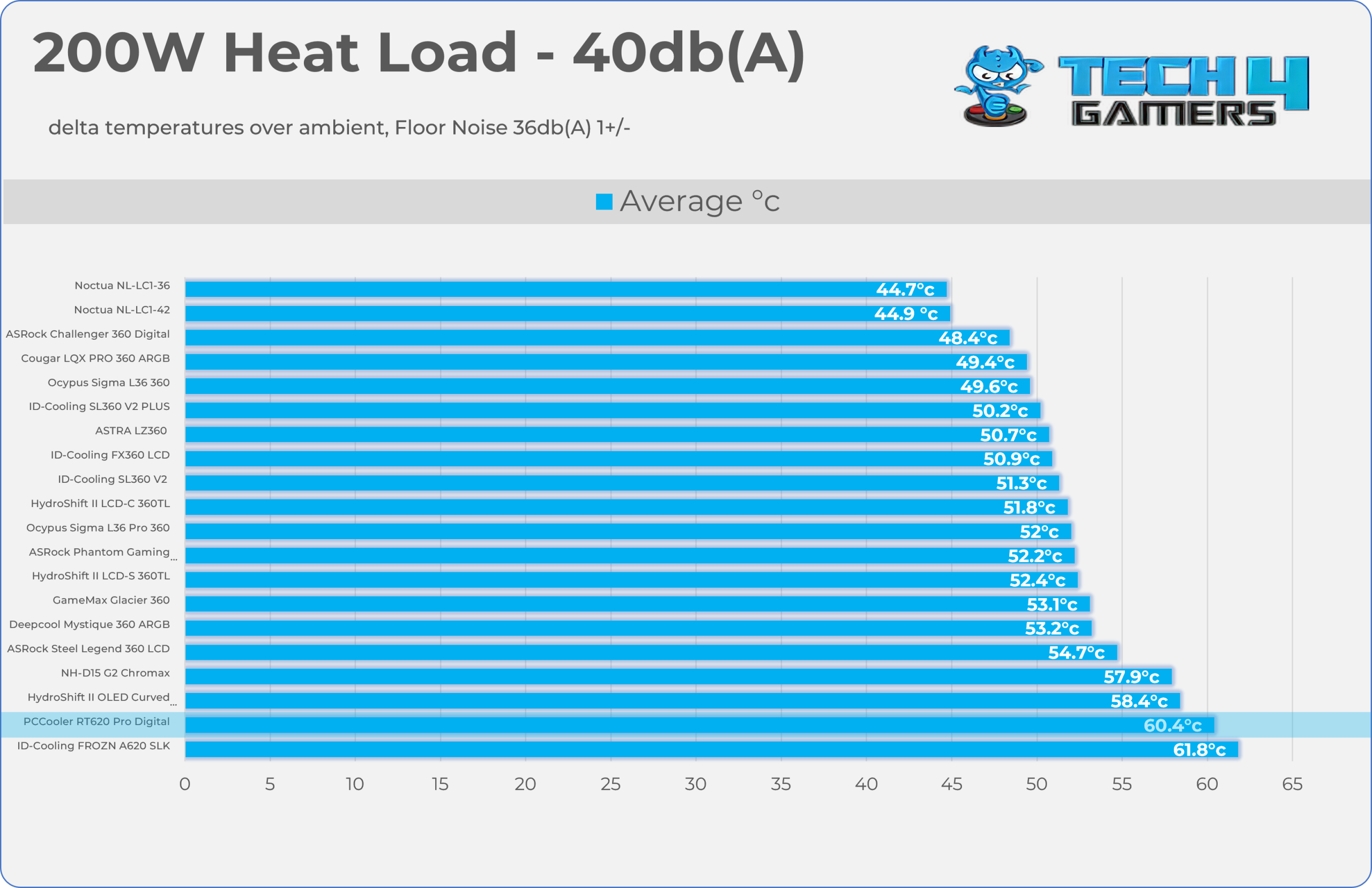
Test Results – Noise Normalized 40 dB(A)
Results at the fixed noise level of 40dB(A).
140W Power
200W Power
Test Results – Maximum Speed
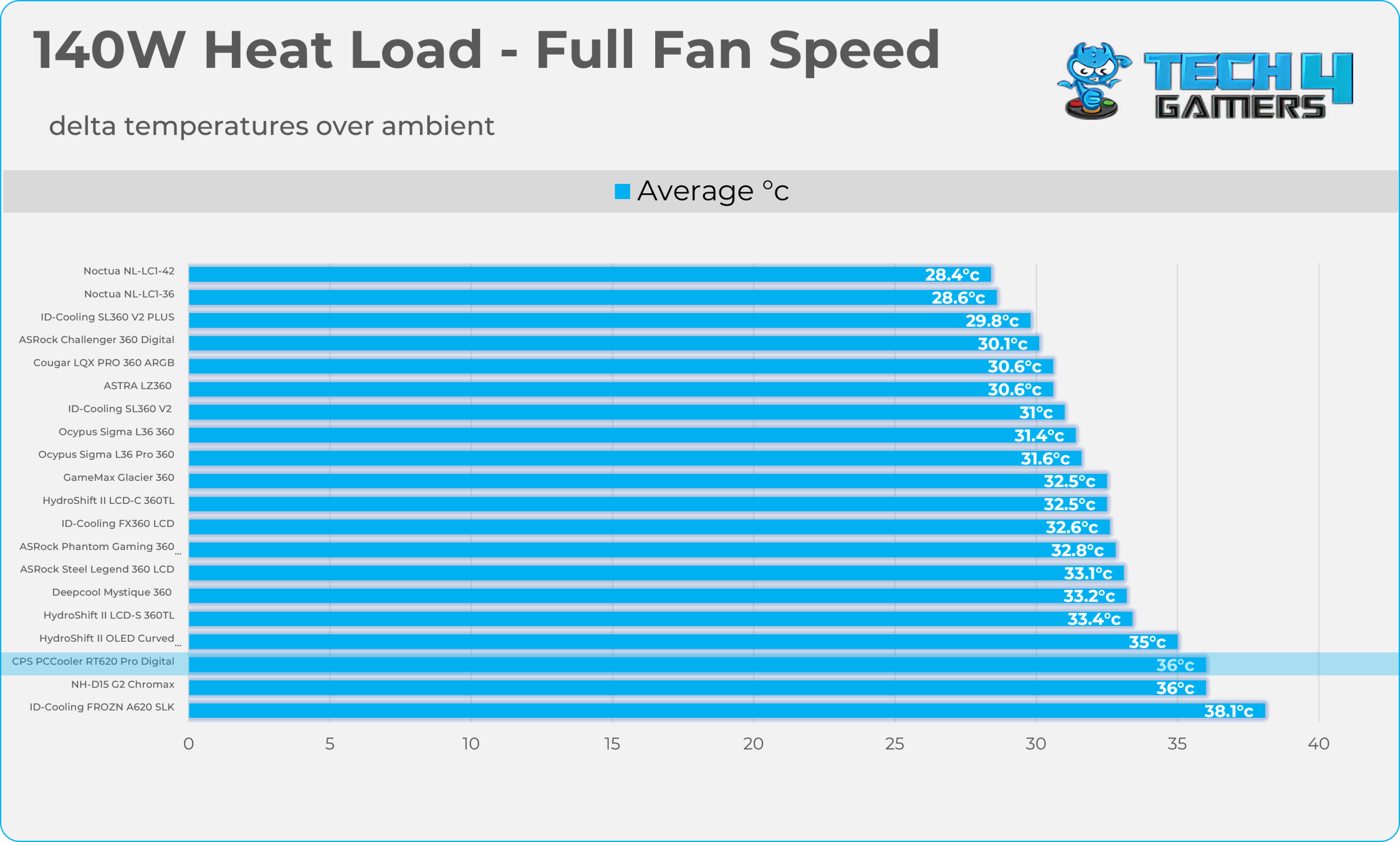
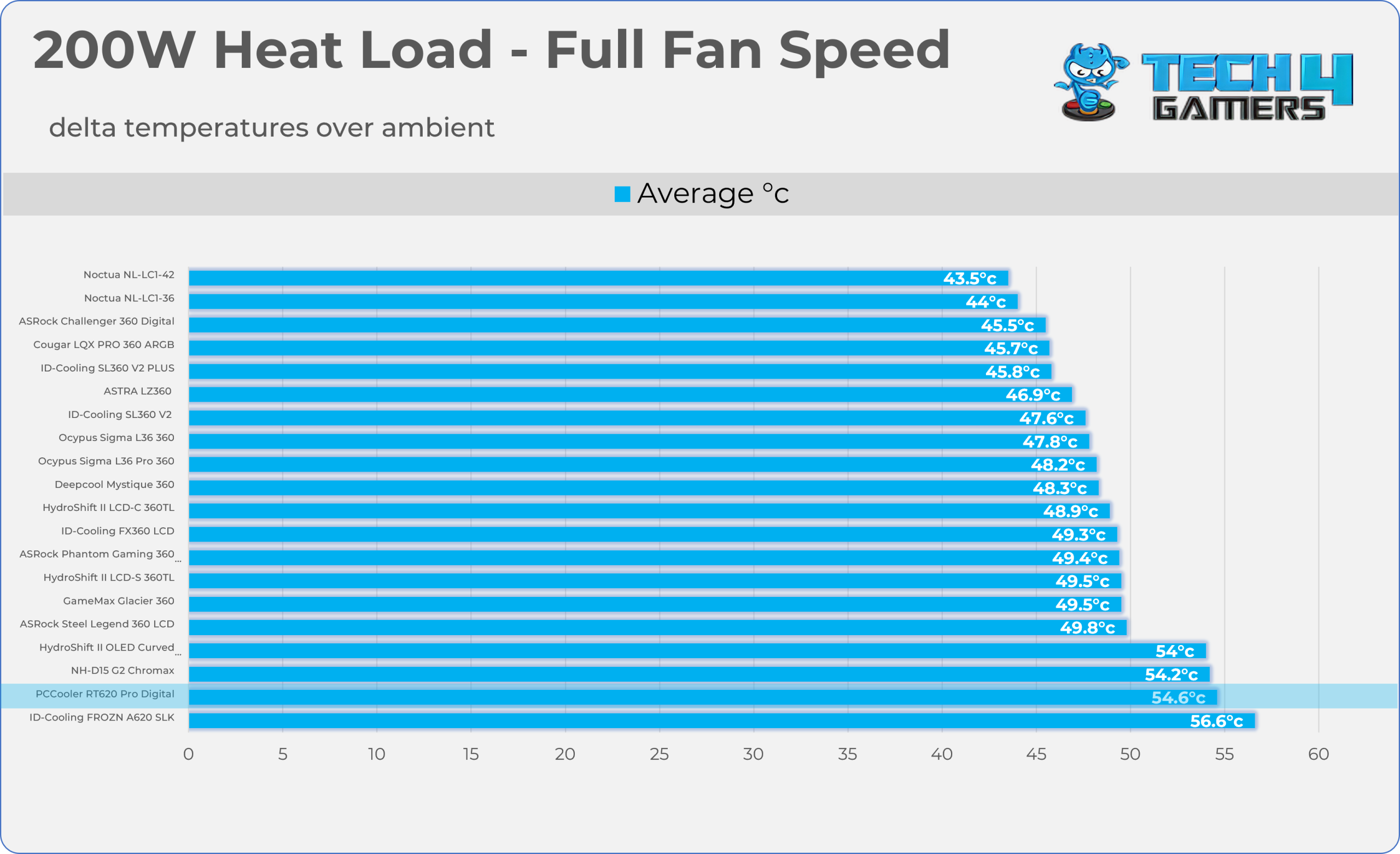
Results at the Maximum PWM Speed.
140W Power
200W Power
Noise and RPM Readings
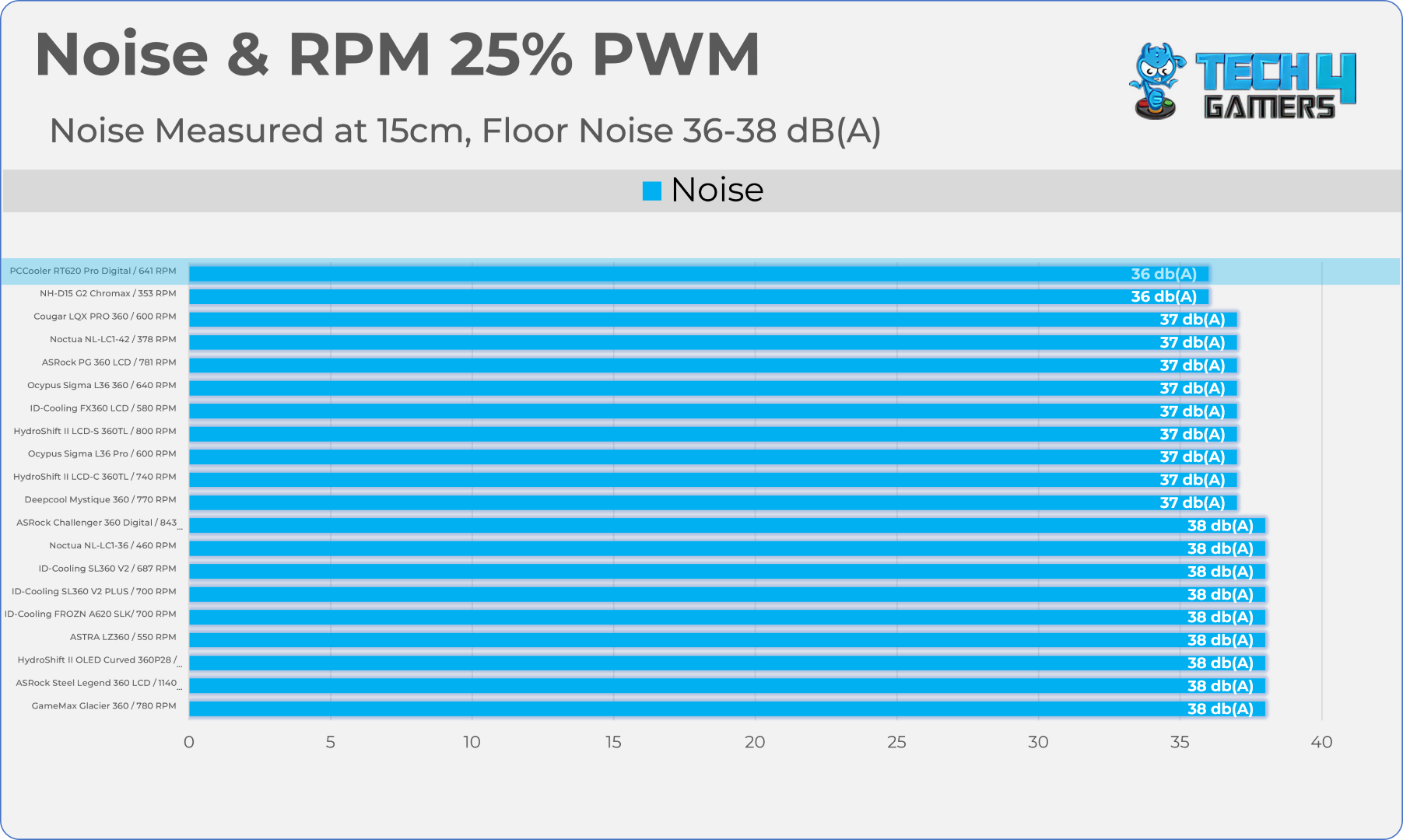
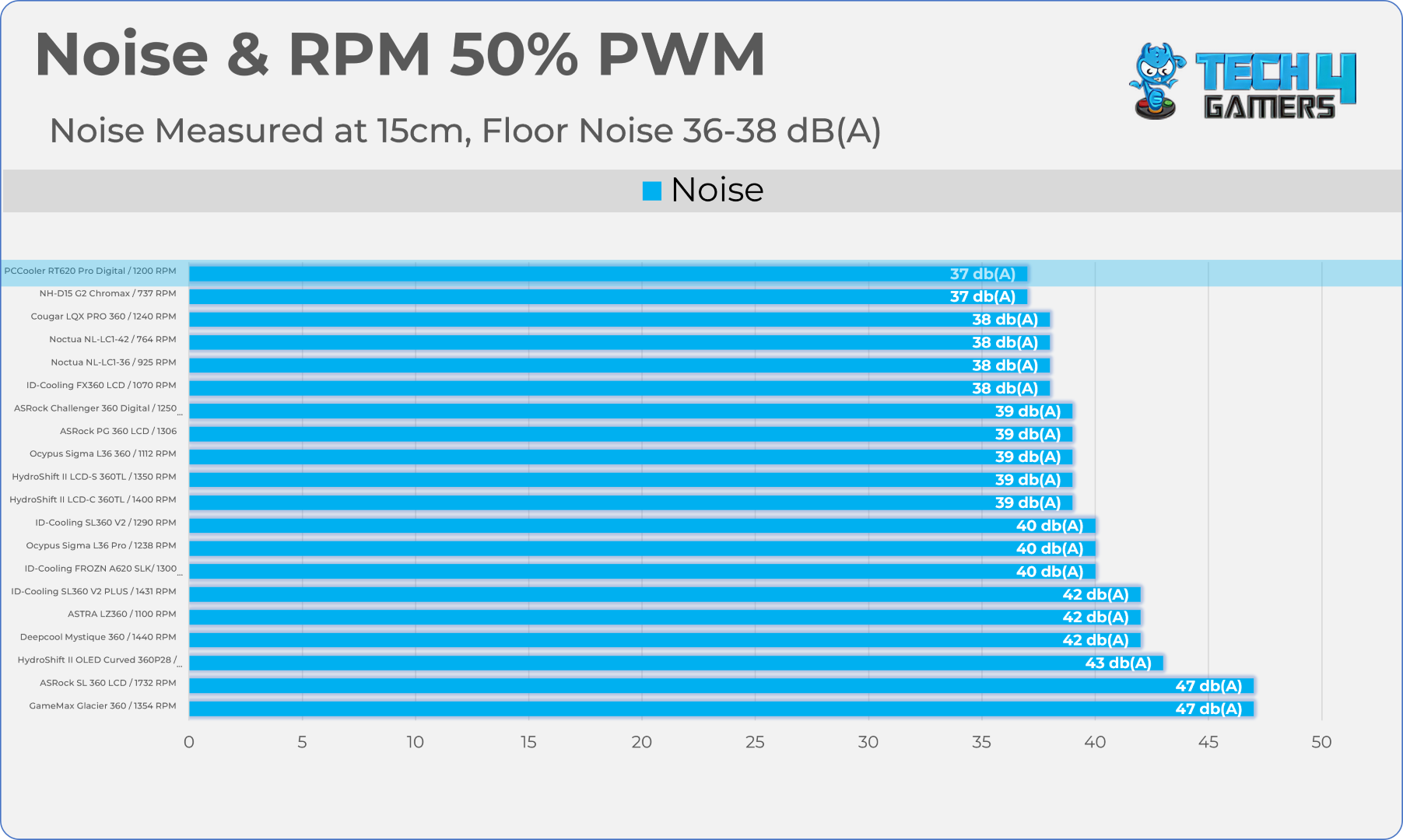
Let’s take a look at the Noise and RPM Readings. We conducted tests across four different PWM range levels.
25-50% PWM
75-100% PWM
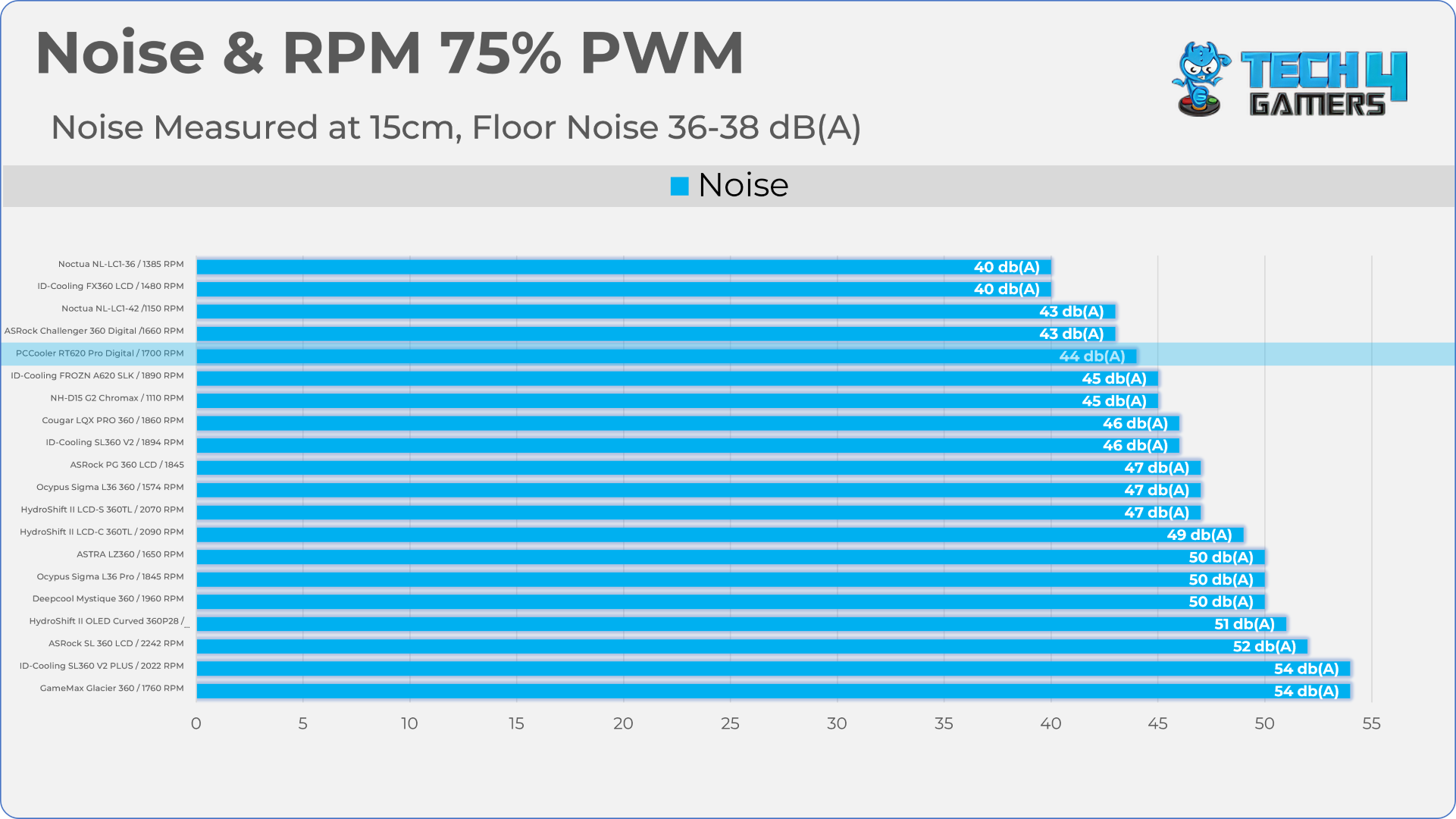
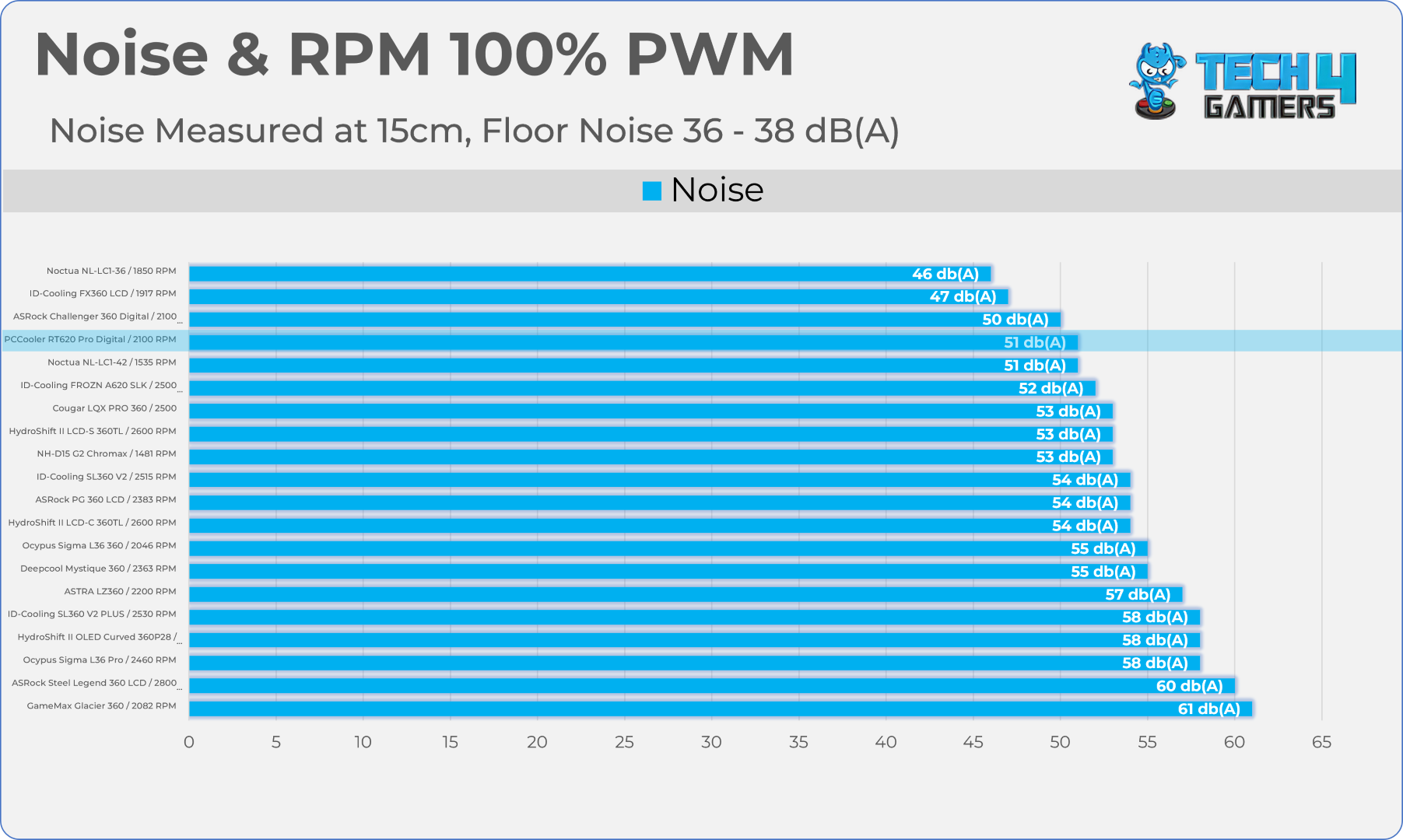
Here is the structured table illustrating fan noise levels at various PWM percentages. The Floor Noise Level is 36dB(A).
| PWM Level | RPM | Noise (dB(A)) |
| 25% | 641 | 36 |
| 50% | 1200 | 37 |
| 75% | 1700 | 44 |
| 100% | 2100 | 51 |
Should You Buy It?
Buy It If
✅ You Want A Stealthy Black Out Aesthetic: The Matte-Black anodized dual towers, Zero RGB fans, and black-tinted matte shroud can intrigue many black-themed PC builders.
✅ You Want A Digital Display Without Paying Flagship Prices: At roughly $40 to $45 USD globally, it significantly undercuts pricier competitors while also providing identical features.
✅ You Want A Cooler That Runs Forever: An air-cooler can technically run forever, as they don’t have any mechanical parts that require maintenance, such as the liquid-cooler.
Don’t Buy It If
❌ If You Have A Low-TDP CPU: You absolutely do not need a chunky dual-tower cooler to cool down a CPU, as this cooler is rated for up to 265W TDP, which means this cooler is designed to tame the high-end processors.
Final Thoughts
Cooling Performance And Noise
The PCCooler RT620 Pro Digital did very well in our tests. It matched the Noctua NH-D15 G2 when running at full speed. In noise-normalized tests, it was 2°C hotter than the Noctua but 1.4°C cooler than the ID-Cooling Frozn A620 SLK, so the difference is small. We also saw that when we limited the fan speed, the temperature gap got bigger. At lower speeds, the cooler’s temperatures went up a lot, which is normal for air coolers.
I’m really impressed with how quiet it is at 50% PWM. The fans ran at 1200 RPM and kept the noise at 37dB(A), which is very quiet. The cooler stays under 40dB(A) as long as the fans are at 60% speed or lower. But once you go above 75%, the noise increases quickly. When looking at the balance between noise and performance, I think this cooler is better than the Noctua NH-D15 G2. At 100% PWM, it runs at a much higher RPM, so it moves more air at the same noise level, which is great.
Build Quality / Design
I didn’t find anything unusual with its build quality. It works just fine, and the mounting and installation process on AMD is user-friendly and mostly tool-less.
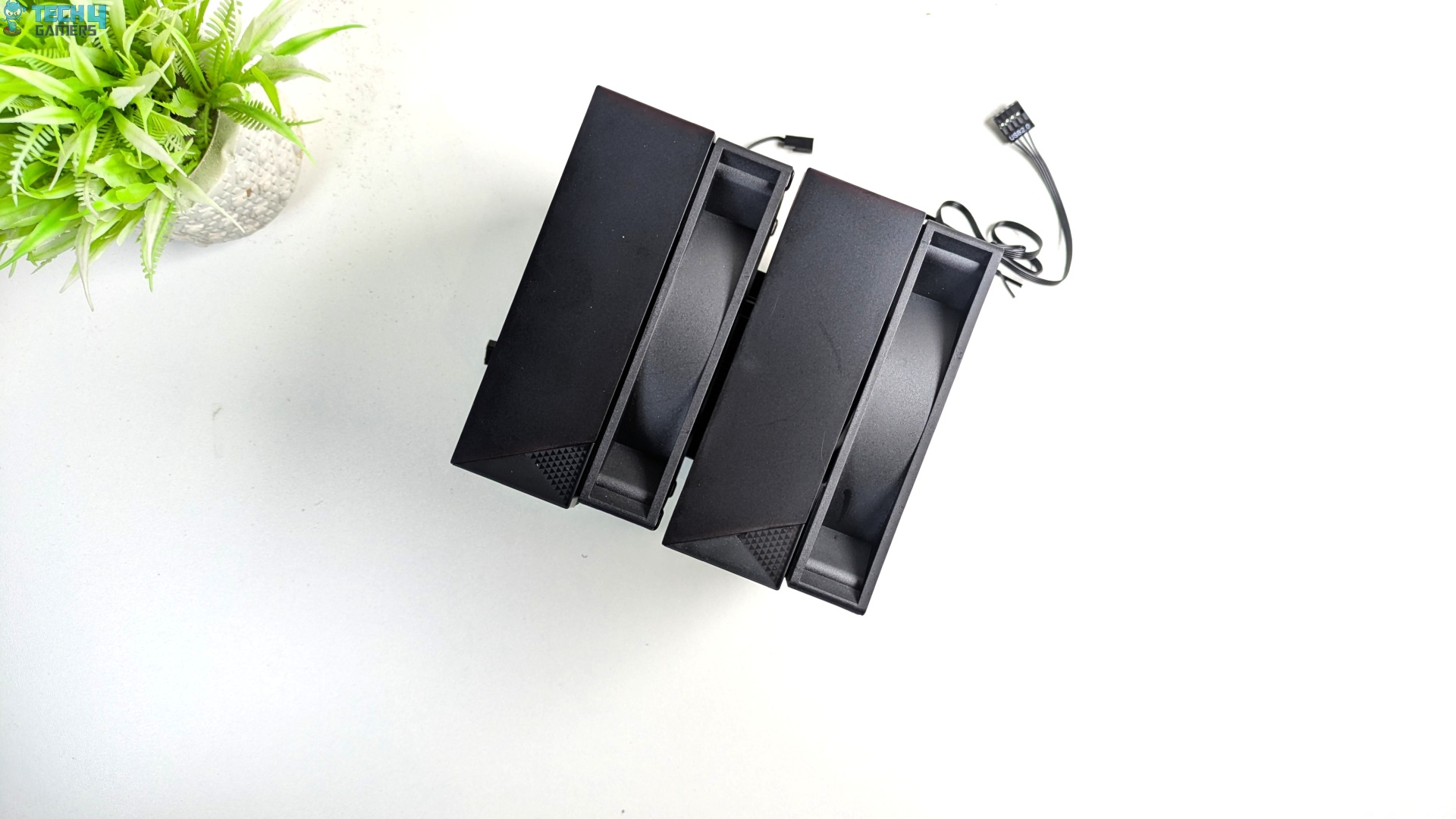
We observed zero memory clearance issues despite the dual-tower heatsink being paired with two standard 120mm fans. Design-wise, the cooler leans more towards black, stealthy-themed builds.
Value
If your sole priority is raw cooling per dollar and you do not care about the digital display, I would highly recommend going for the non-display RT620 Pro model. However, the RT620 Pro Digital holds a strong middle ground in the dual-tower air cooler market.
The cooler currently costs between $40 and $45 and undercuts many established digital dual-tower brands such as Deepcool while offering the 6 heatpipe layout.
Compared to the value-king Thermalright air cooler, such as the Peerless Assassin, you will be paying only a $7 to $10 premium abroad for the upgraded black-out shroud and integrated temperature screen, which makes this cooler a better choice.
Thank you! Please share your positive feedback. 🔋
How could we improve this post? Please Help us. 😔

Senior Hardware Reviewer at Tech4Gamers with over a decade of experience in the tech industry. My journey began in 2014 as a senior administrator for Pakistan’s largest gaming community forum. I specialize in testing and reviewing components like graphics cards, CPU coolers, and motherboards, while also sharing insights on overclocking and system optimization.