 Threads
Worth It?
Review Summary
The ATK Blazing Sky F1 V3 Ultimate+ targets competitive gamers who want an extremely lightweight mouse without paying flagship prices. Its 37g design, PAW3955 Master sensor, 8000Hz polling, solid-shell construction, and extensive ATK HUB customization give it a strong performance-focused package, while the 300mAh battery provides good endurance at 1000Hz. The compact shape may not suit larger hands, and battery life drops considerably at 8000Hz, but at around $65, it offers much of what you’d normally expect from more expensive gaming mice.
Hours Tested: 2 Weeks

Overall
-
Design - 8.5/10
8.5/10
-
Build Quality - 8/10
8/10
-
Performance - 9/10
9/10
-
Software - 9/10
9/10
Pros
- Extremely lightweight
- Remarkable sensor performance
- ATK HUB offers extensive customization
- Good accessory package
- No unnecessary top-shell holes
Cons
- Compact shape may not suit larger hands
- No Bluetooth connectivity
- No fast charging on the Ultimate+
- 8K polling significantly reduces battery life


I’ve reviewed well over 50 gaming mice at this point, so I was actually a little surprised when I realized I had never reviewed an ATK mouse. I’ve known the brand for quite some time and had wanted to get my hands on some of their products for a while, especially after seeing how much attention its lightweight mice have been getting in the esports space. That finally changed when ATK sent me the Blazing Sky F1 V3 Ultimate+ to review.
This mouse is also a little more interesting to me personally because ATK developed it in collaboration with Leviatán. I follow their Valorant team and was quite happy to see them finally win Masters London this year, so seeing the Leviatán branding on the mouse made the review even more interesting. This mouse comes in two versions. The one we have here is the Ultimate+, while the other is the Extreme+. With that out of the way, let’s get into the review.
Key Takeaways
- The ATK Blazing Sky F1 V3 Ultimate+ is built around an extremely lightweight 37g design without using honeycomb cutouts on the top. It also packs a high-end sensor, optical switches, and 8K wireless connectivity.
- You should buy the ATK Blazing Sky F1 V3 Ultimate+ if you want an extremely lightweight gaming mouse, care about competitive performance, and want plenty of customization.
- You should skip the ATK Blazing Sky F1 V3 Ultimate+ if you have large hands, prefer a heavier and more planted mouse, or want features like Bluetooth and fast charging.
Here are the technical specifications:
| Color | Black / White / Pearl Blue / Coral Pink / Lake Green / Leviatán Edition |
| Dimensions | 118.2 x 62.4 x 38.8 mm |
| Shape | Symmetrical |
| Best for Hand Size | Small-to-Medium Hands |
| Grip Style | Claw / Palm |
| Weight | 37g±3g |
| Sensor | PAW3955 Master |
| MCU | Nordic 54LM20 |
| Polling Rate | 8000 Hz |
| DPI Range | 10–50000 (1 DPI step) |
| Solution | ATK Self-Developed Nordic 54 Series ApexShark MAX Mouse Solution |
| Button Latency | 0.174 ms |
| Switch | ATK Custom Optical Switches |
| Scroll Wheel | TTC Gold |
| Battery | 300 mAh High-Density Battery |
| Battery Life | 300 hours (1000 Hz) |
| Coating | All-New Nano Coating |
| Connectivity | Wired / 2.4 GHz |
| Mouse Feet | Gray Dual-Layer Anti-Indentation Large Skates & 10 White Small Dot Skates |
| Dongle | All-New GEM 8K Dongle |
What Makes the ATK Blazing Sky F1 V3 Different?
The ATK Blazing Sky F1 V3 Ultimate+ isn’t a complete departure from the previous F1 models, but ATK has made some fairly significant changes under the same compact shell. ATK has focused the mouse more heavily on competitive gaming than general-purpose connectivity. For me, that’s what sets it apart from other flagship mice. It offers the features that matter most for competitive gaming at a much lower price.
Packaging & Unboxing
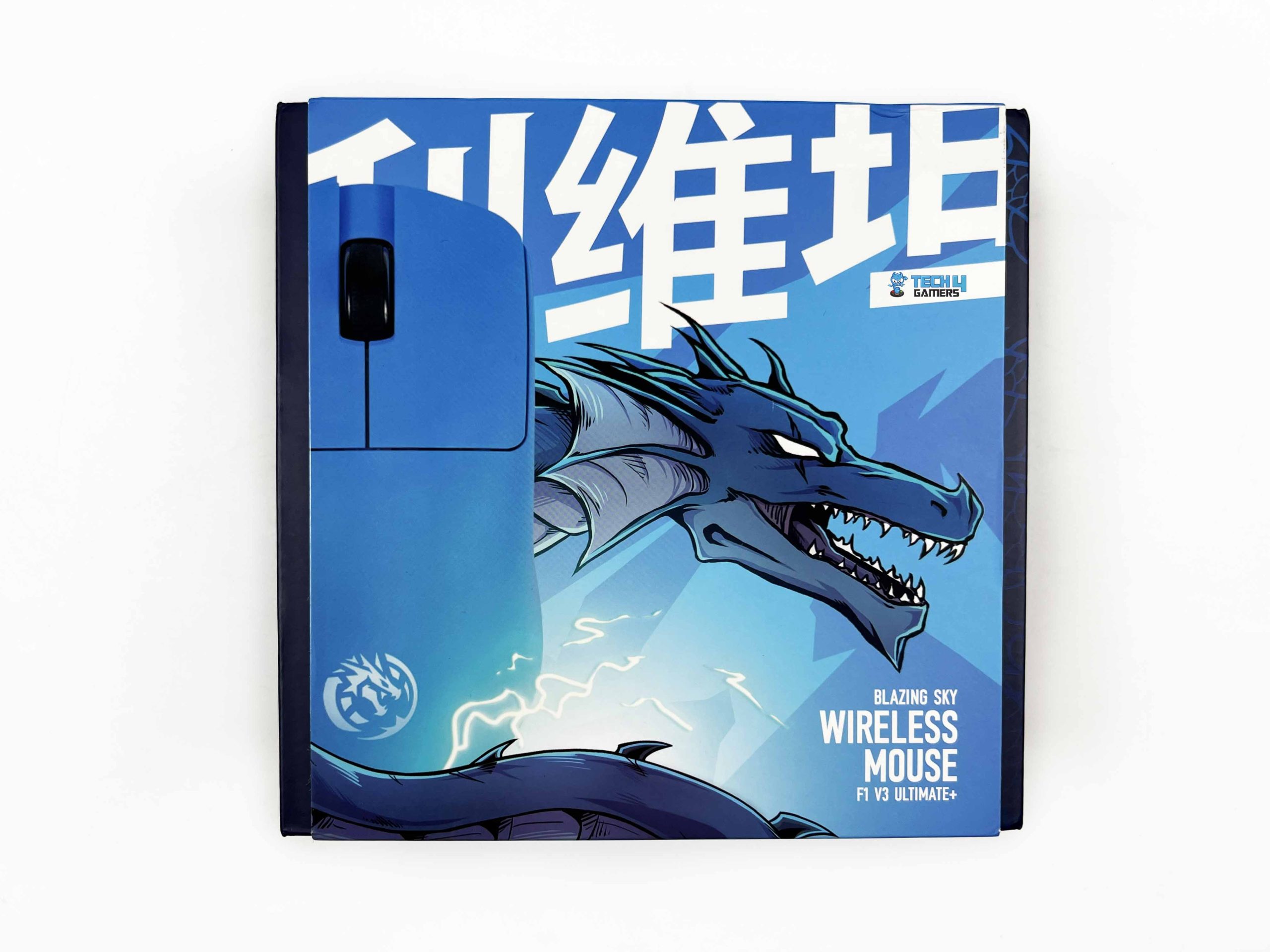
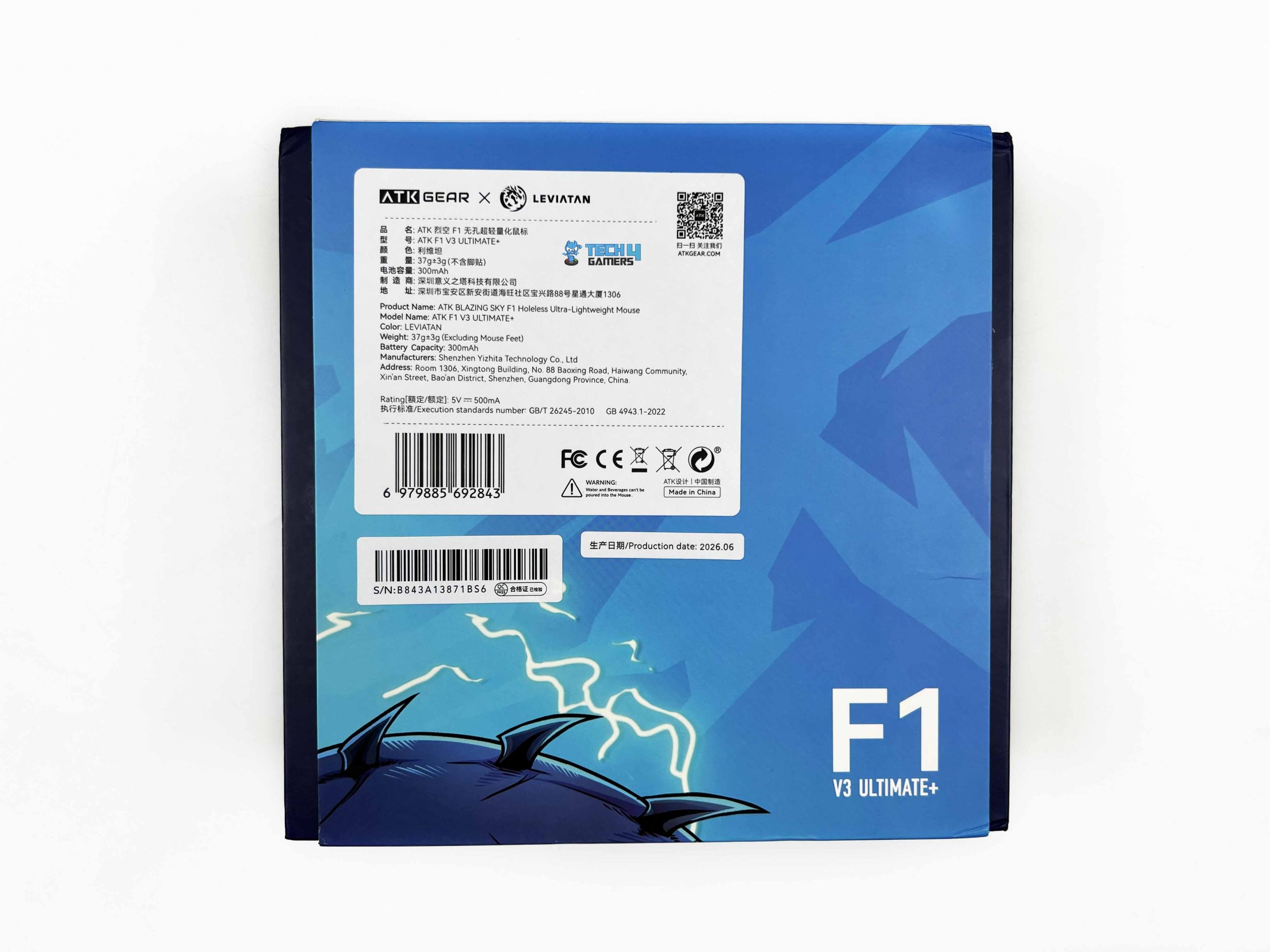
The ATK Blazing Sky F1 V3 comes in a large box, unlike most gaming mice. Since this particular model is part of the Leviatán collaboration, ATK has also carried that theme over to the packaging. The box is predominantly blue. The front has a large image of the mouse along with the model’s name. A dragon graphic on the front also ties into the Leviatán theme. On the back, ATK has printed some notable information about the mouse.
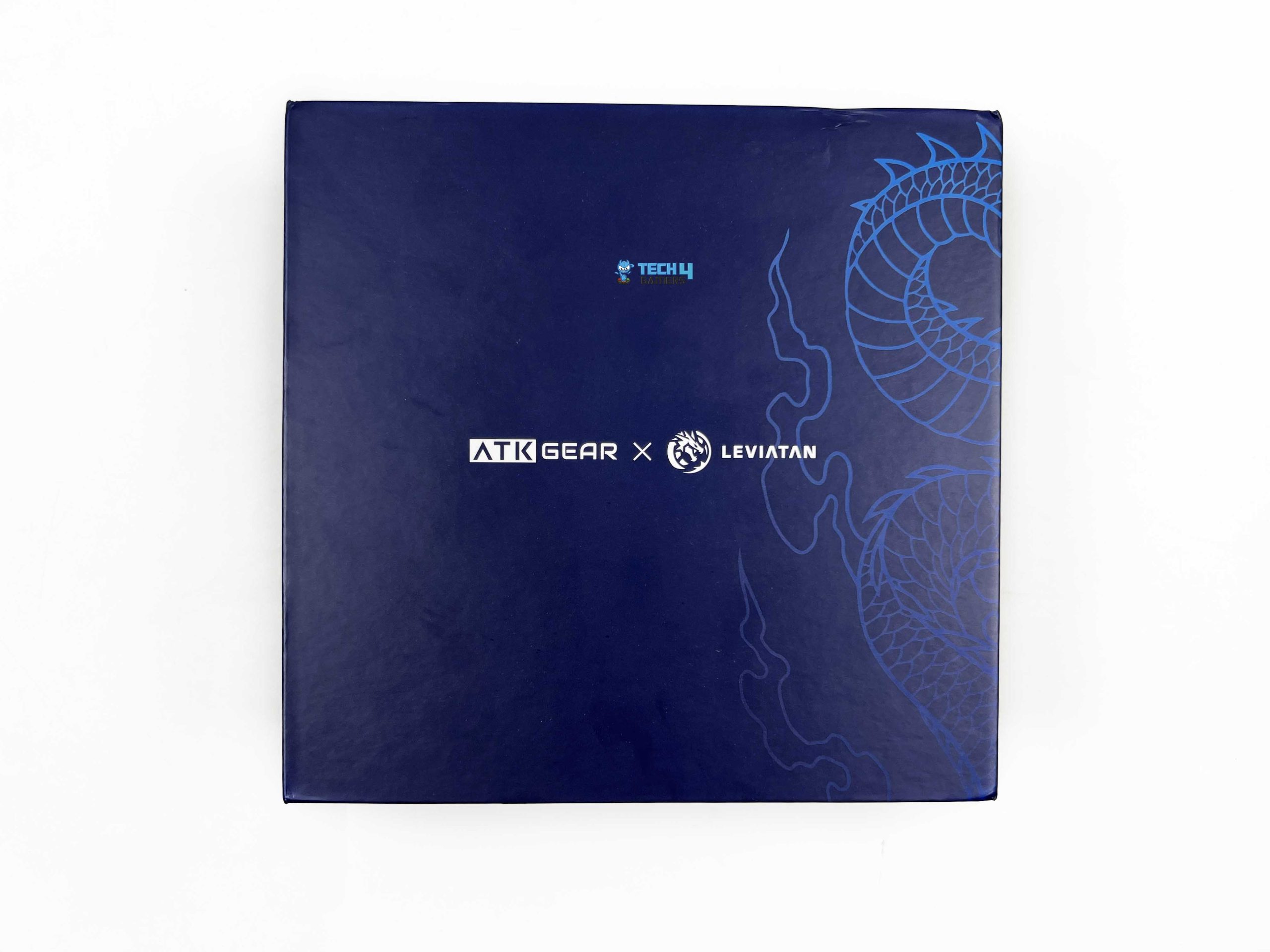
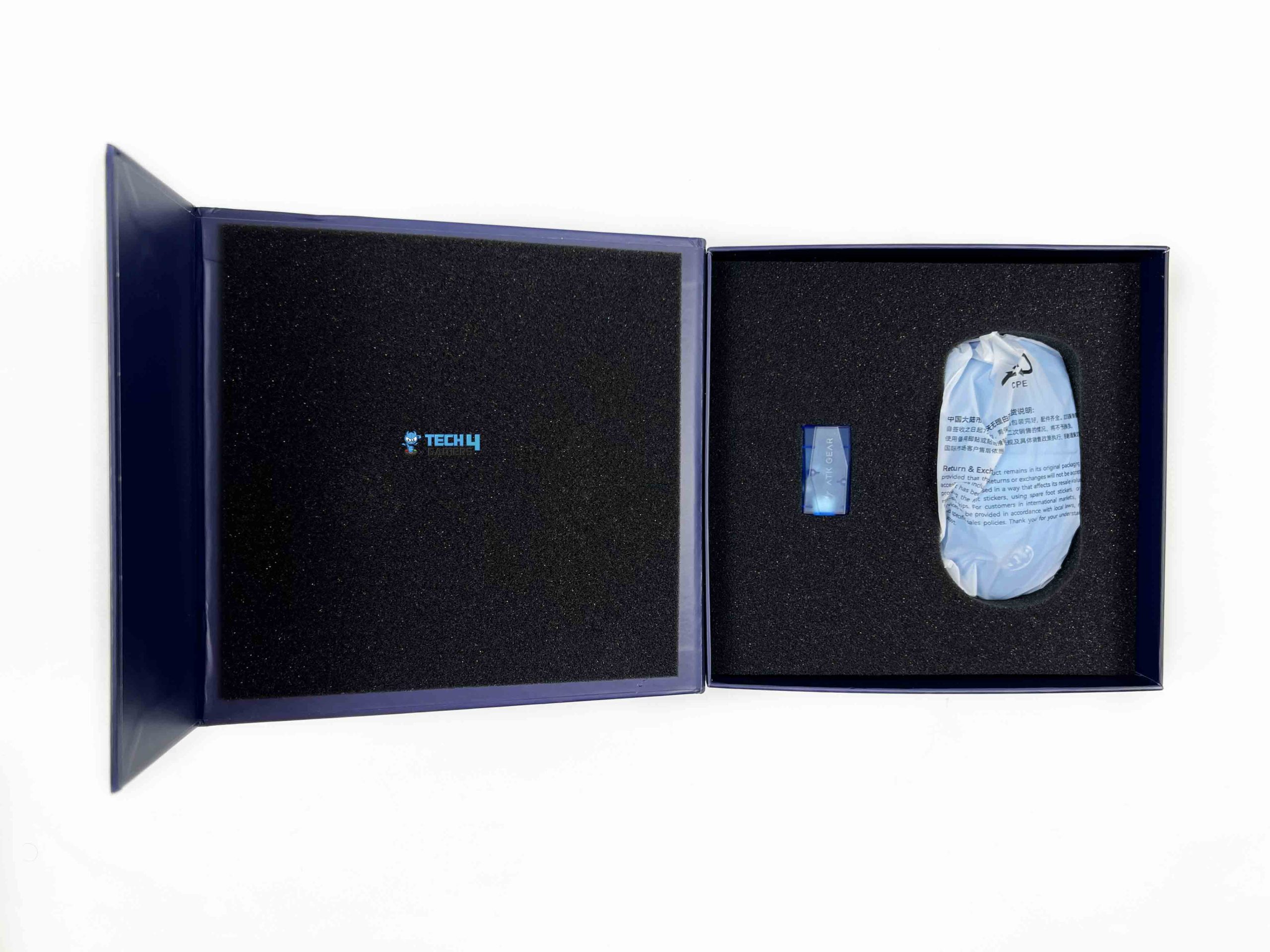
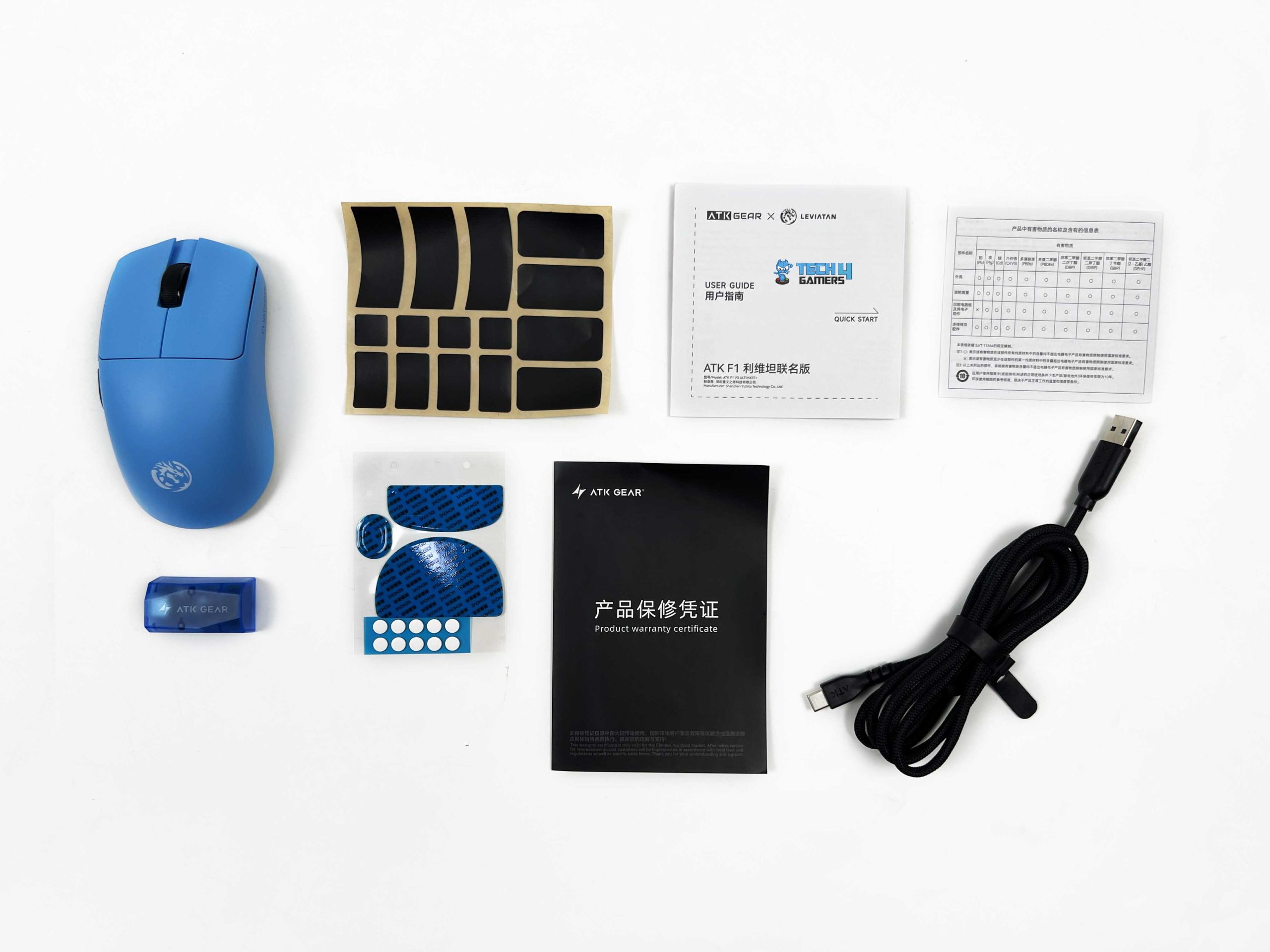
The outer packaging is a sleeve, not the main box. Opening the inner box reveals the mouse, wrapped in thin plastic, with the All-New GEM 8K Dongle beside it. Beneath the mouse and dongle are the accompanying accessories. ATK includes the User Manual, Warranty Card, and Safety Guide, along with the 8K Ultra-Spec Data Cable. There’s also a set of Gray Dual-Layer Anti-Indentation Mouse Skates, ten White Dot Skates, and the ATK Edge Grip Tape Set.
Design

The F1 V3 series is available in several color options, including Black, White, Pearl Blue, Coral Pink, Lake Green, and the Leviatán Edition. The one I have here is, of course, the Leviatán Edition, which is easily the most distinctive of the bunch because of its collaboration-specific design. The mouse comes in blue, with the color carrying across the main shell. The rear hump also carries a white Leviatán logo, which stands out clearly.
From the top, the two main buttons take up most of the front half of the shell. They have a fairly simple shape and follow the curve of the upper housing. The rear section shows more of the shape. The hump rises toward the back of the mouse. From the side, the shell gradually rises from the front to the higher rear section, then drops away toward the back. It gives it a fairly compact profile instead of making the mouse feel long.
Coating

The Blazing Sky F1 V3 uses ATK’s nano coating, and the first thing I noticed about the surface is its smooth finish. It doesn’t have that rough texture that some lightweight mice use for extra grip. Instead, the shell feels fairly clean under the fingers. The coating also fits the overall look of the Leviatán Edition. The blue surface has a consistent finish across the main shell. In use, the coating feels fairly natural under the palm and fingers.
Your hand can move across it without feeling like it’s catching on the surface. At the same time, it isn’t so slippery. Sweat is where coatings can behave very differently from person to person. With warmer hands, the surface can pick up some moisture. ATK includes its Edge Grip Tape Set, so you have an extra option if you want some texture. Personally, I prefer to judge the mouse with the original surface first because that is how it comes out of the box.
Weight

The ATK Blazing Sky F1 V3 weighs around 37 grams, which puts it in the ultra-light category. Even before using it, just picking it up feels a little strange because it’s so light. ATK lists the weight at 37±3 grams, so individual units may vary. The low weight is also very noticeable once the mouse is on the desk. If you’ve been using a heavier mouse around 60 to 70 grams, it feels almost weightless at first. The difference becomes more obvious when you start moving it around.
You feel little resistance when you push the mouse across the pad, and quick movements don’t require much wrist effort. A flick that would normally involve a little force feels much lighter here. When I need to reposition it, it takes barely any effort. That becomes useful at lower sensitivity, where you tend to run out of pad during larger movements and need to reposition the mouse regularly. There is a trade-off, though. A heavier mouse naturally has more physical presence.
Grip Styles
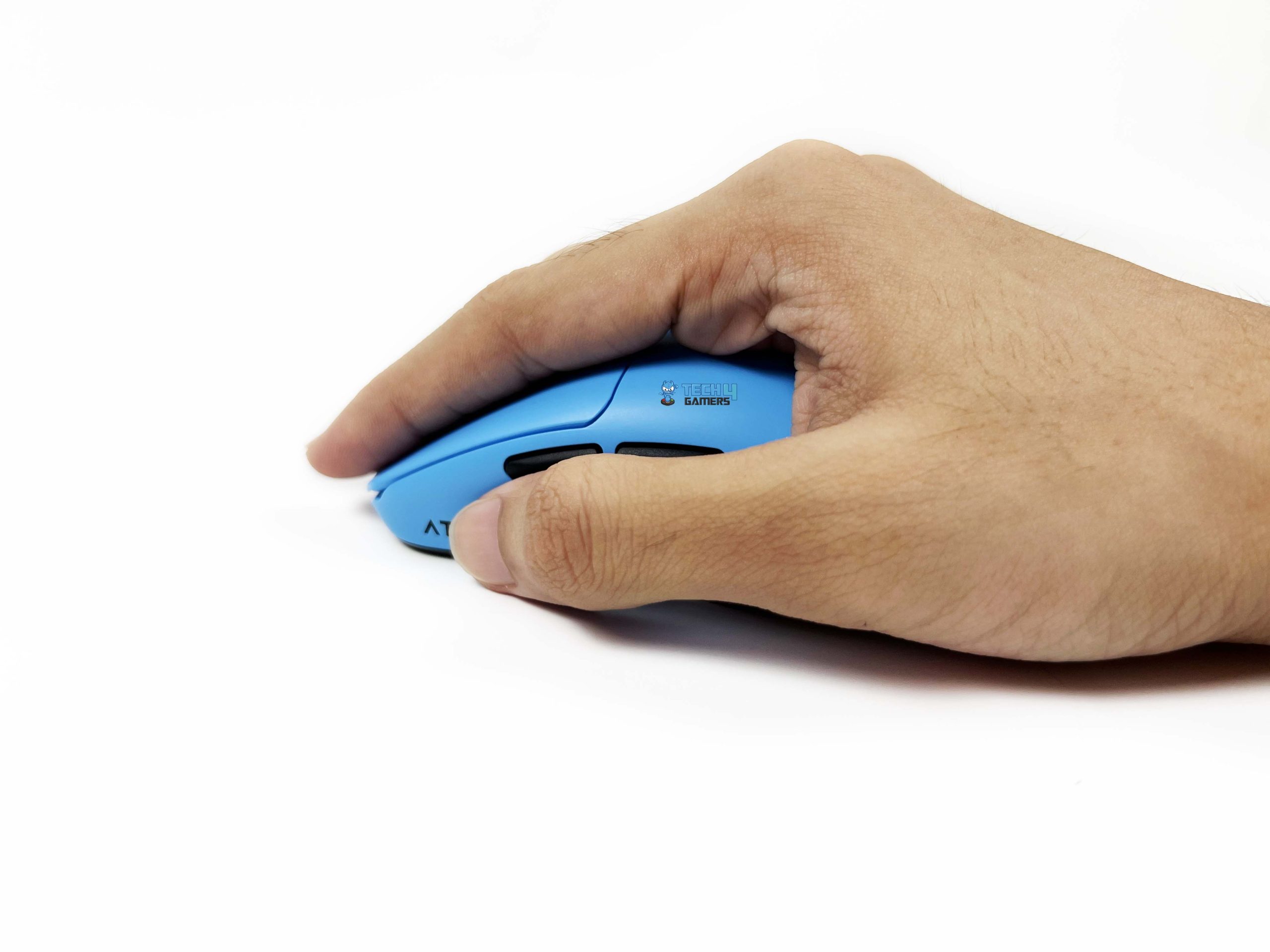
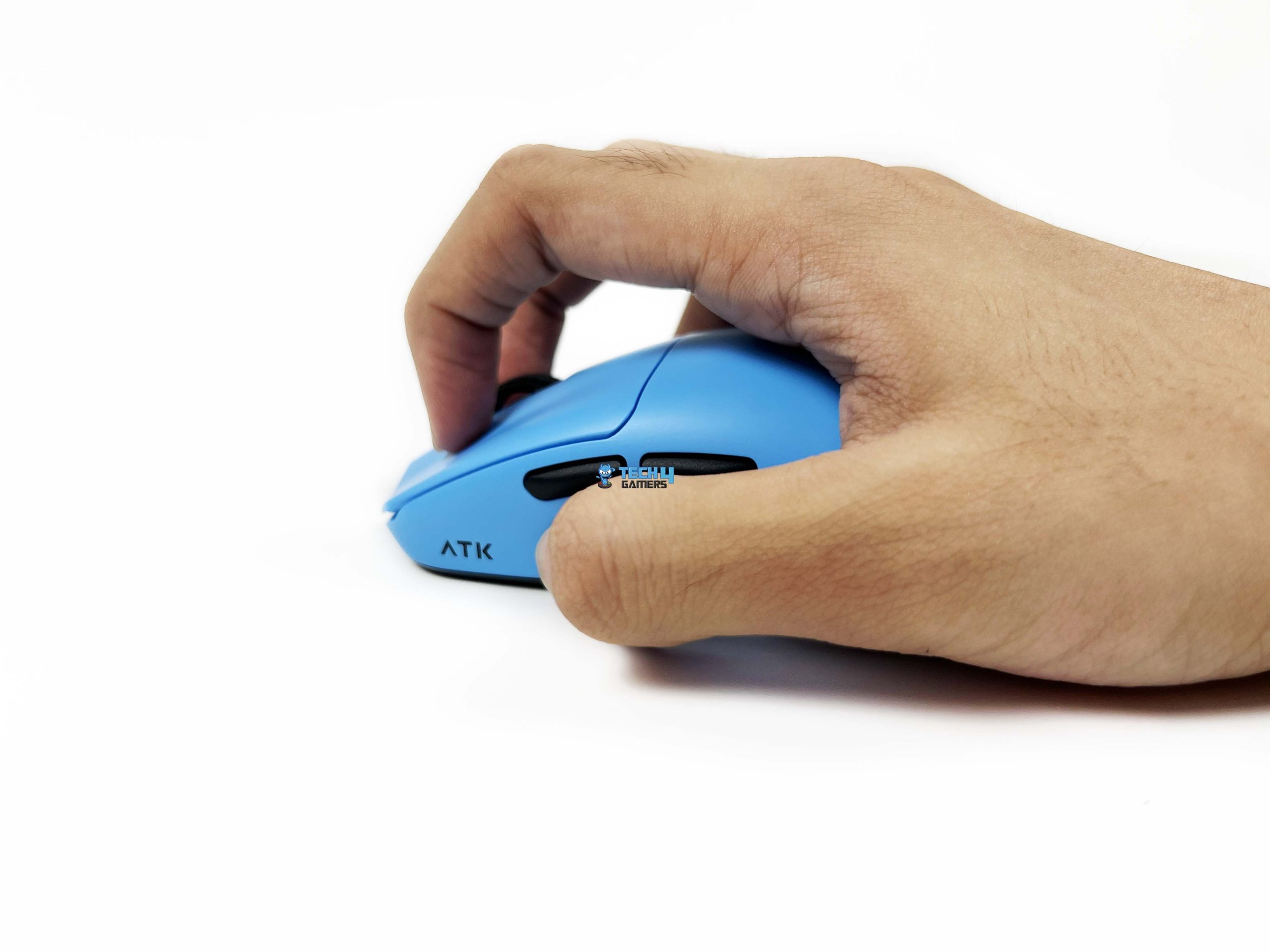
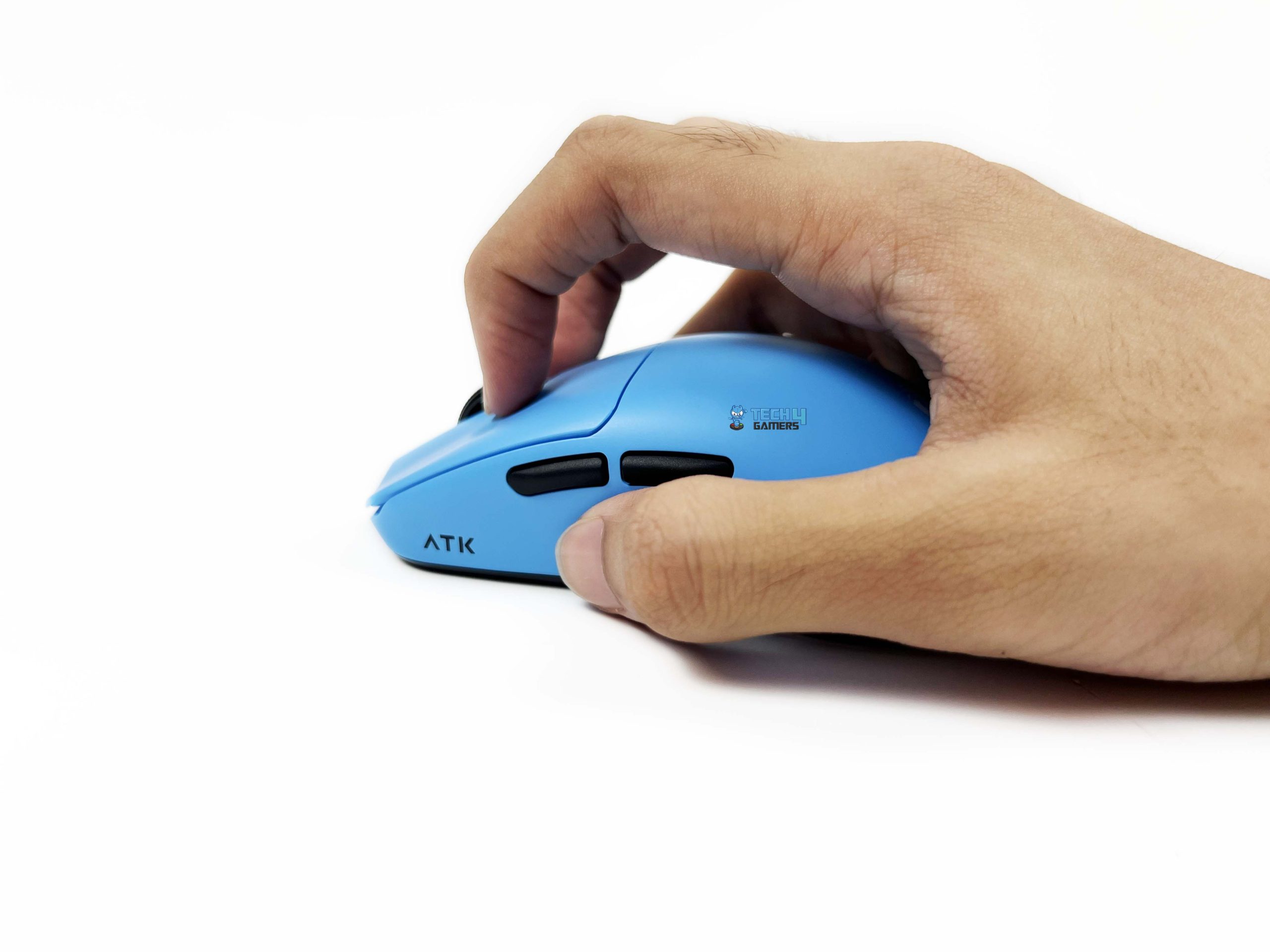
The ATK Blazing Sky F1 V3 Ultimate+ measures 118.2 × 62.4 × 38.8 mm, and ATK recommends it for small-to-medium-sized hands. The brand also lists claw and palm as the intended grip styles. My hand measures 179 × 82 mm, so I’m a little outside the hand-size range. Even so, I didn’t have any major problems using it. I normally use a palm grip, and that’s also how I use it for gaming. It’s the grip I’m most comfortable with, so I use it this way most of the time.
The mouse is a little small for my hand compared to the larger mice I usually use, but it still sits comfortably in my palm. The rear hump gives my palm enough contact, while the sides give my thumb and fingers something to hold onto. However, when I hold the mouse in a palm grip, my index and middle fingers don’t sit completely flat along the main buttons. They extend far enough that part of the fingers stays slightly in the air toward the front.
Build Quality

The ATK Blazing Sky F1 V3 Ultimate+ has a conventional solid-shell construction despite weighing just 37 grams. There are no large honeycomb cutouts across the top or sides, and the shell looks fairly normal from the outside. The main body uses lightweight plastic. The overall shape feels compact. Thankfully, ATK hasn’t gone for an open frame to reach the low weight. The shell also doesn’t feel overly thin when you hold it.
Since this is such a lightweight mouse, I was paying attention to how much the body gives under pressure. A mouse at this weight can feel cheap very quickly if the shell flexes whenever you squeeze it. It doesn’t give that impression from normal handling. The body has very little unnecessary movement. When you’re holding the mouse normally, the shell feels like one solid piece. For a mouse this light, build quality mostly comes down to how well the shell holds its shape.
Underside

The underside is where ATK uses honeycomb cutouts that aren’t on the top. When you turn the ATK Blazing Sky F1 V3 Ultimate+ over, you can see several sections of the underside cut away to reduce weight. Considering this mouse weighs only 37 grams, I think this was the better place to do it. I generally prefer having a completely solid surface under my palm. These openings are exposed on the bottom when you first take the mouse out of the box.
ATK has clearly thought about this, since the package includes the Gray Dual-Layer Anti-Indentation Mouse Skates. These are large enough to cover much of the cutout area once installed. ATK also includes 10 White Dot Skates. The sensor has its own cutout in the center of the bottom shell. ATK has also included a separate piece for the sensor opening. An on/off toggle beside it lets you physically switch the mouse off when you’re done using it.
Primary & Side Buttons
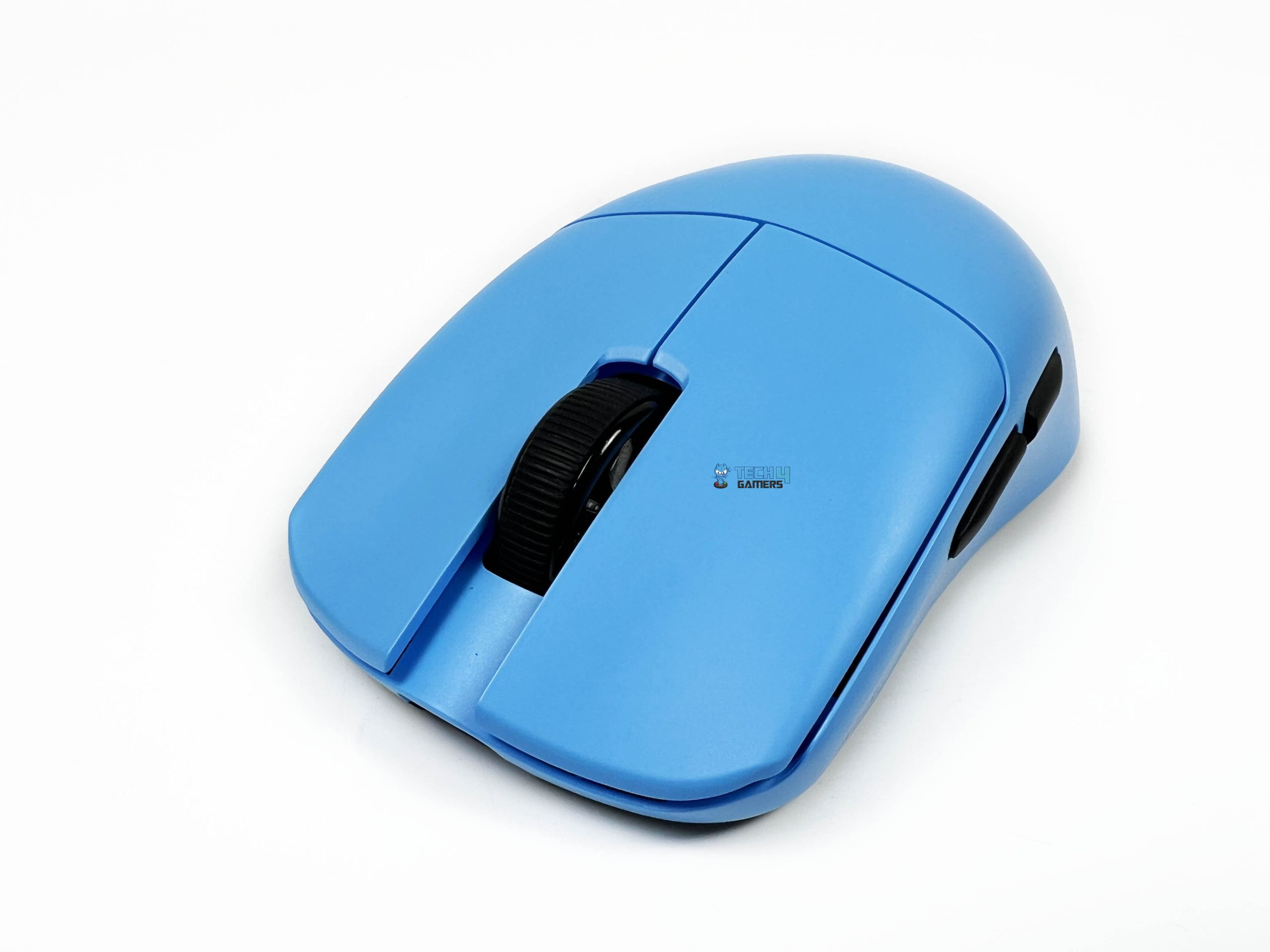
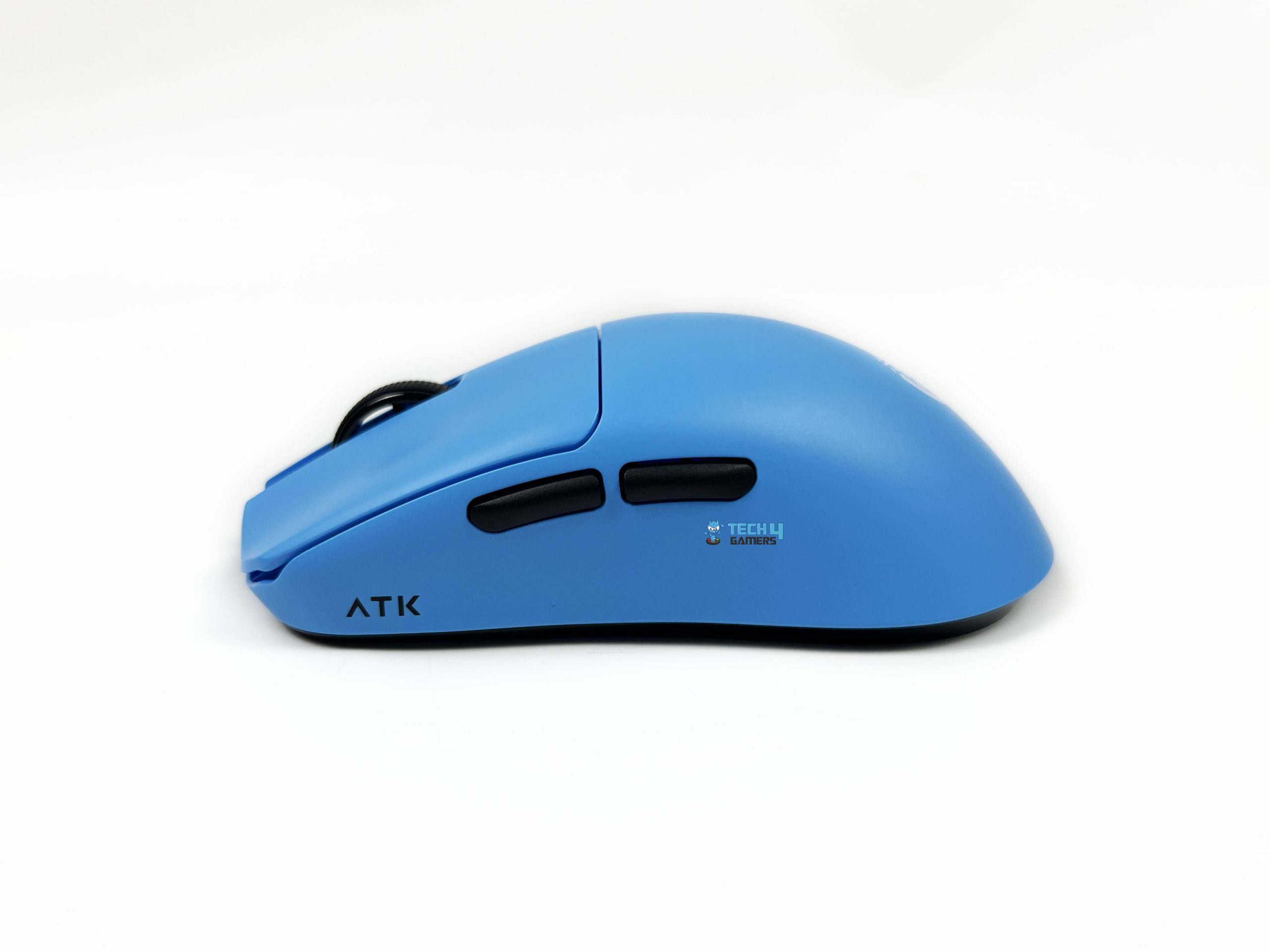
The ATK Blazing Sky F1 V3 Ultimate+ uses ATK Custom Optical switches for the primary left and right buttons. The clicks feel fairly direct. There isn’t a mushy section that you have to push through before the switch actuates. The movement is short enough that repeated clicks don’t feel like you’re pushing through a lot of travel. There is a defined press and a clear actuation point. ATK rates the mouse’s button latency at just 0.174 ms.
That’s an extremely small figure. It matters more in the context of a mouse designed for competitive gaming, where ATK aims to keep the delay between the physical click and the registered input as low as possible. The buttons don’t require excessive force and have a fairly consistent feel. The side buttons are located on the left side, toward the front half of the body. They’re fairly compact and don’t protrude too far from the shell.
My thumb can reach them without moving far from its normal position. Their placement works well with the compact body. Even with my large hand, I can reach the side buttons without repositioning my grip. The side buttons also don’t dominate the side profile. On a small mouse, oversized side buttons can become annoying because your thumb can end up resting against them when you aren’t trying to press anything. That’s less of a concern here.
Scroll Wheel

The ATK Blazing Sky F1 V3 Ultimate+ uses a TTC Gold scroll wheel. The surrounding space is kept fairly tight, so your finger naturally drops onto the wheel. The scroll wheel itself is black on the Leviatán Edition. I actually like that choice against the blue shell. The same black color is used for the side buttons, so you get these small dark accents around the otherwise blue body. The wheel has a rubberized outer surface with a textured pattern.
You can move through a page one notch at a time without having to press down particularly hard. The scrolling has a defined step between each notch. You can feel the wheel moving from one position to the next. The resistance sits somewhere in the middle. I prefer this kind of balance on a gaming mouse. The wheel also has a click function. The press has a little more resistance than scrolling, so you don’t accidentally activate it while scrolling.
Connectivity

The ATK Blazing Sky F1 V3 Ultimate+ offers two ways to connect to your PC. You can use the 2.4 GHz wireless connection or plug it in through USB-C. It doesn’t have Bluetooth connectivity. For wireless use, ATK provides the GEM 8K Dongle. The receiver comes in blue, which is a nice little match for the mouse. The main reason to pay attention to this dongle is its 8K polling support. For comparison, 1000 Hz sends 1,000 reports per second.
The difference becomes more relevant when you’re using a high-refresh-rate display and playing competitive games. ATK also rates the dongle’s latency as 0.243 ms. That’s a very small number, and it describes how quickly the wireless receiver handles the mouse’s input. ATK recommends keeping the wireless dongle within around 2 meters of the mouse. You can place it farther away, with ATK listing up to 10 meters as the maximum distance.
Performance

The ATK Blazing Sky F1 V3 Ultimate+ uses the PixArt PAW3955 Master sensor, paired with the Nordic 54LM20 MCU. Those two components sit at the center of ATK’s 54 Series ApexShark MAX mouse solution. ATK has developed the hardware and firmware around this combination to keep sensor data and mouse inputs with as little delay as possible. ATK rates the sensor for up to 850 IPS tracking and 75G acceleration. However, you won’t come close to those numbers during normal mouse movement.
Even during my fast flicks in Valorant, the mouse operated well within the sensor’s limits. It can be adjusted from 10 DPI up to 50,000 DPI, in 1 DPI steps. ATK lists 40,000 DPI as the regular range, while 50,000 DPI is available when the sensor is overclocked. I play at 1000 DPI with 0.5 sensitivity, which gives me an effective DPI of 500. That’s the sweet spot I’ve settled on, and it performs well whenever I make a quick flick across the pad.
Battery Life

The ATK Blazing Sky F1 V3 Ultimate+ uses a 300mAh battery, and how long it lasts depends on you. ATK rates it for up to 300 hours at 1000Hz, and it depends heavily on the polling rate and firmware mode you choose. The number goes down when you move up to 8000Hz. In the basic mode, battery life drops to around 24 to 30 hours. That’s a huge difference, so I’d treat 8K as something you don’t leave enabled throughout the day.
Its software also offers two other firmware modes. With ATK ApexShark Esports Firmware enabled, the estimated battery life at 1000Hz drops to around 170 to 214 hours. At 8000Hz, it sits around 23 to 29 hours. So the other firmwares don’t make much difference at 8K, but you can see the effect more clearly at 1K. Its MAX firmware version takes it down even further. At 1000Hz, you’re looking at around 130 to 170 hours. At 8000Hz, the figure falls to roughly 19 to 23 hours.
Software

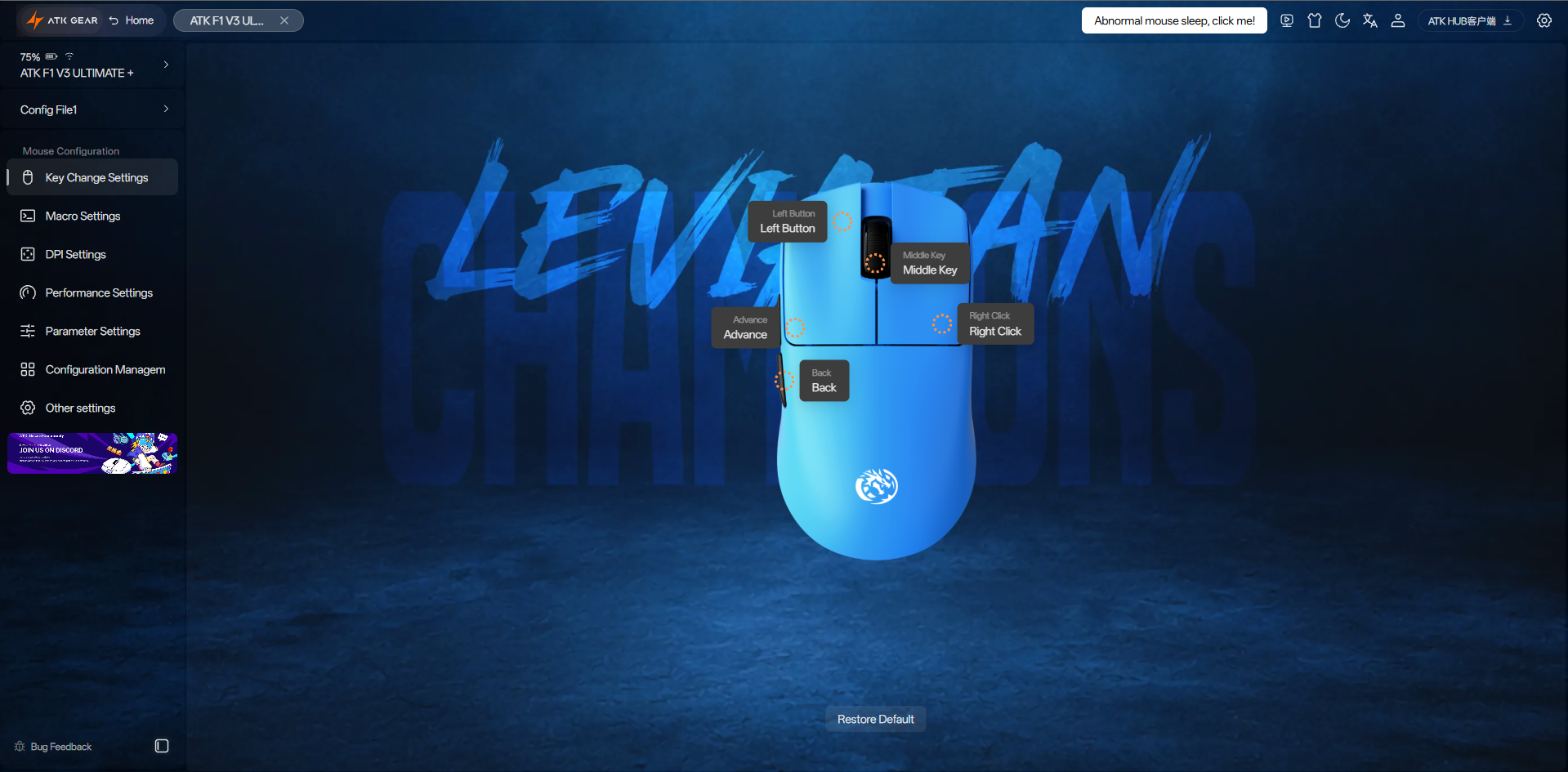

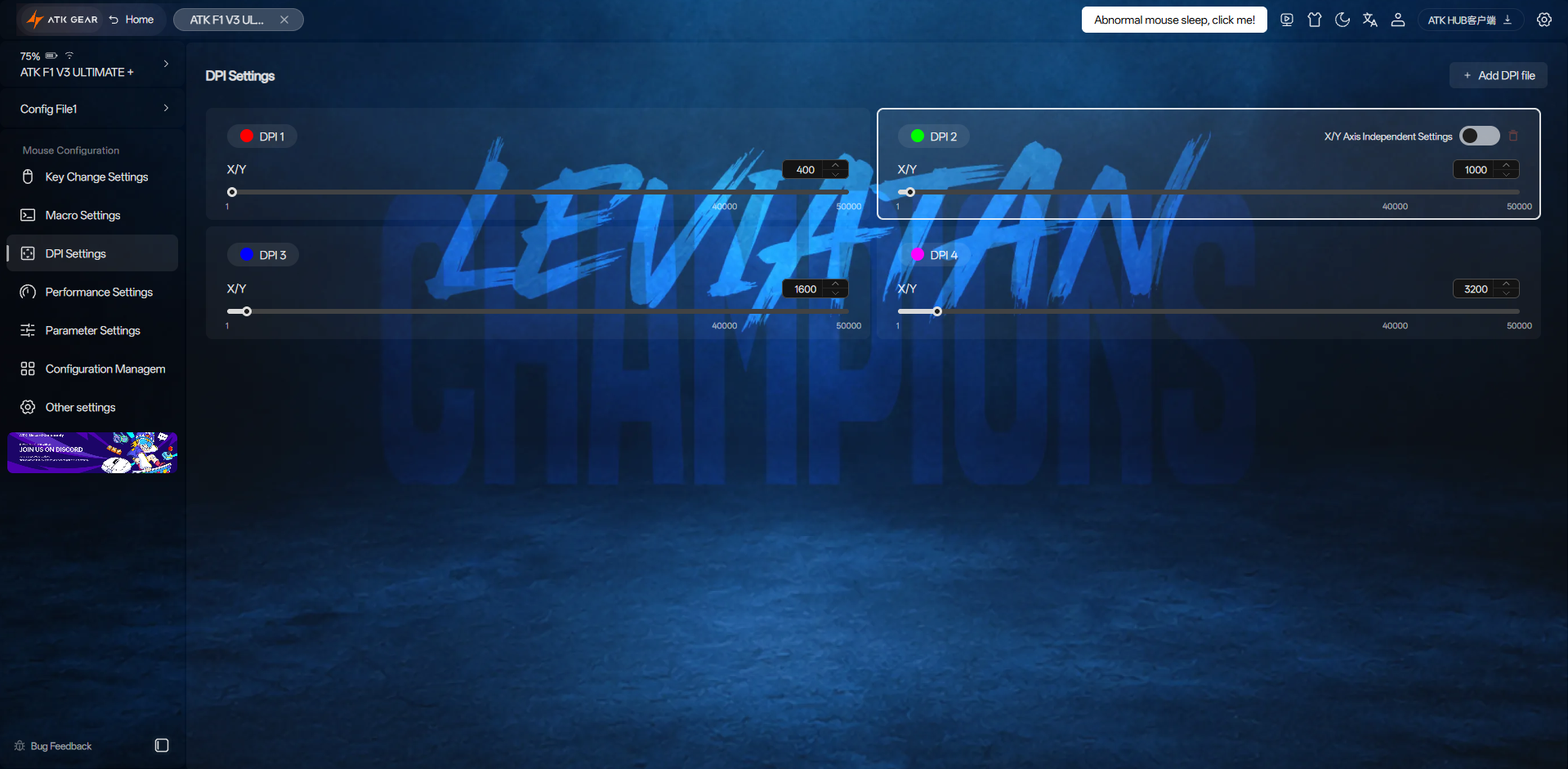
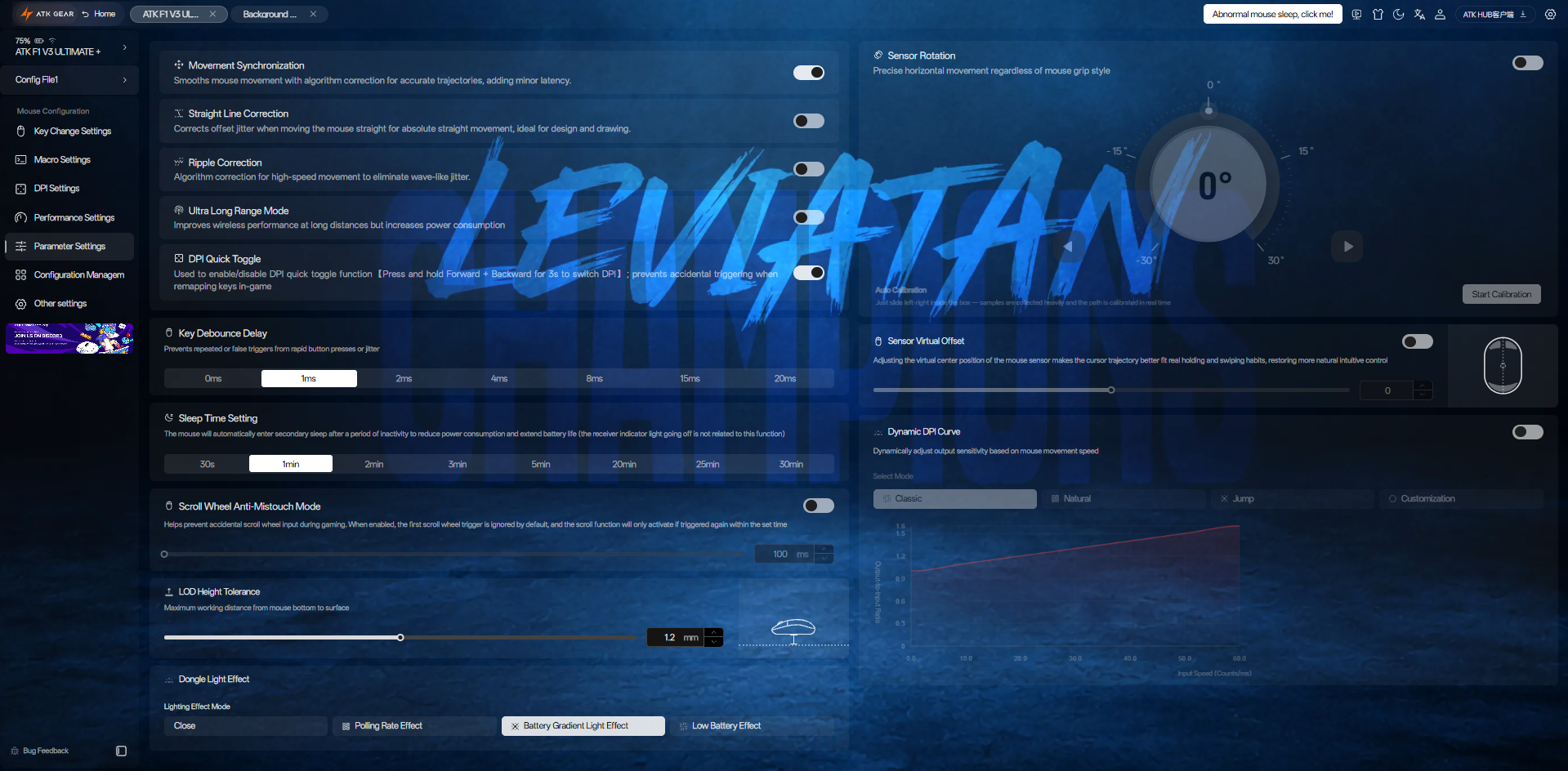
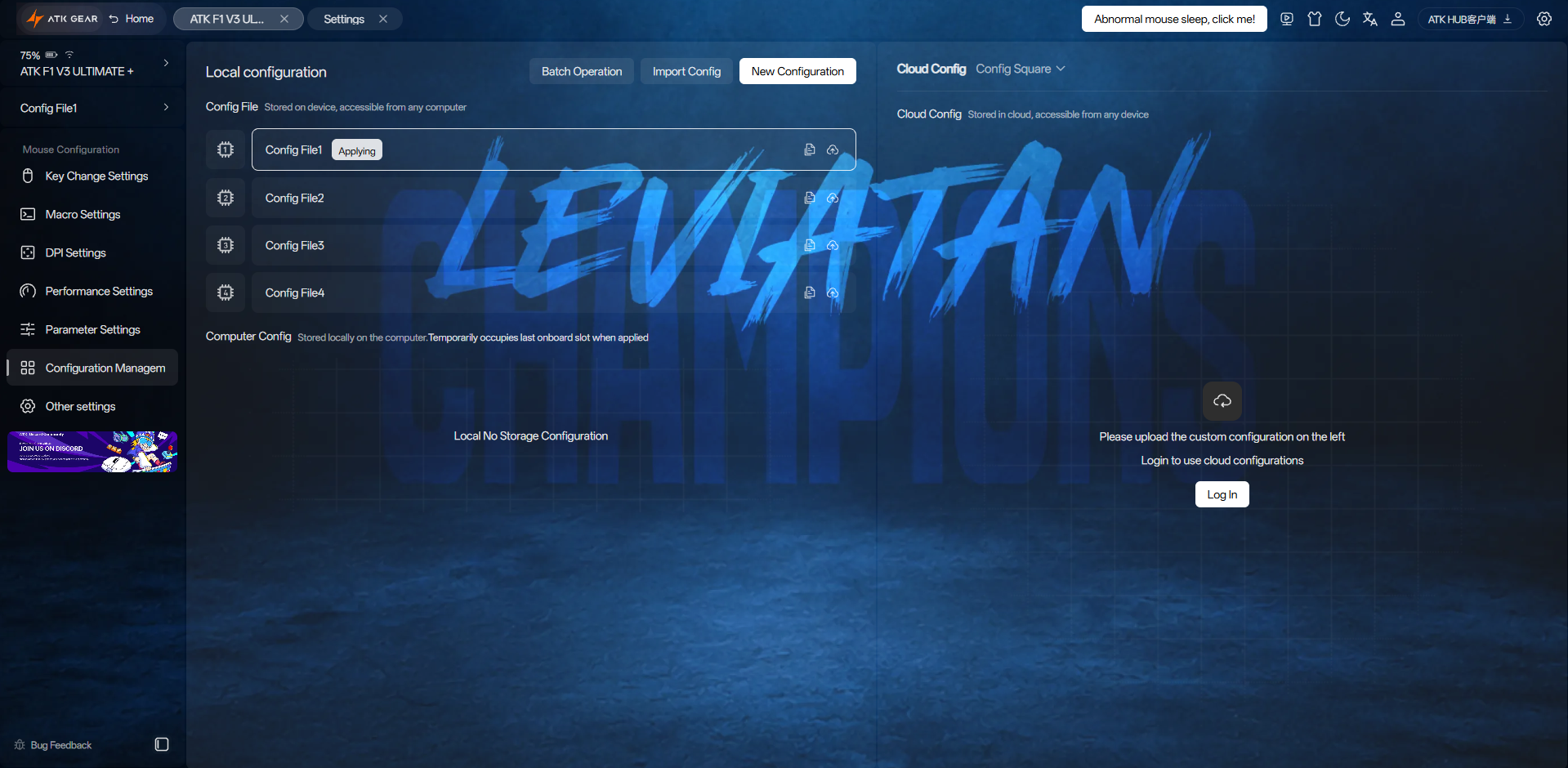
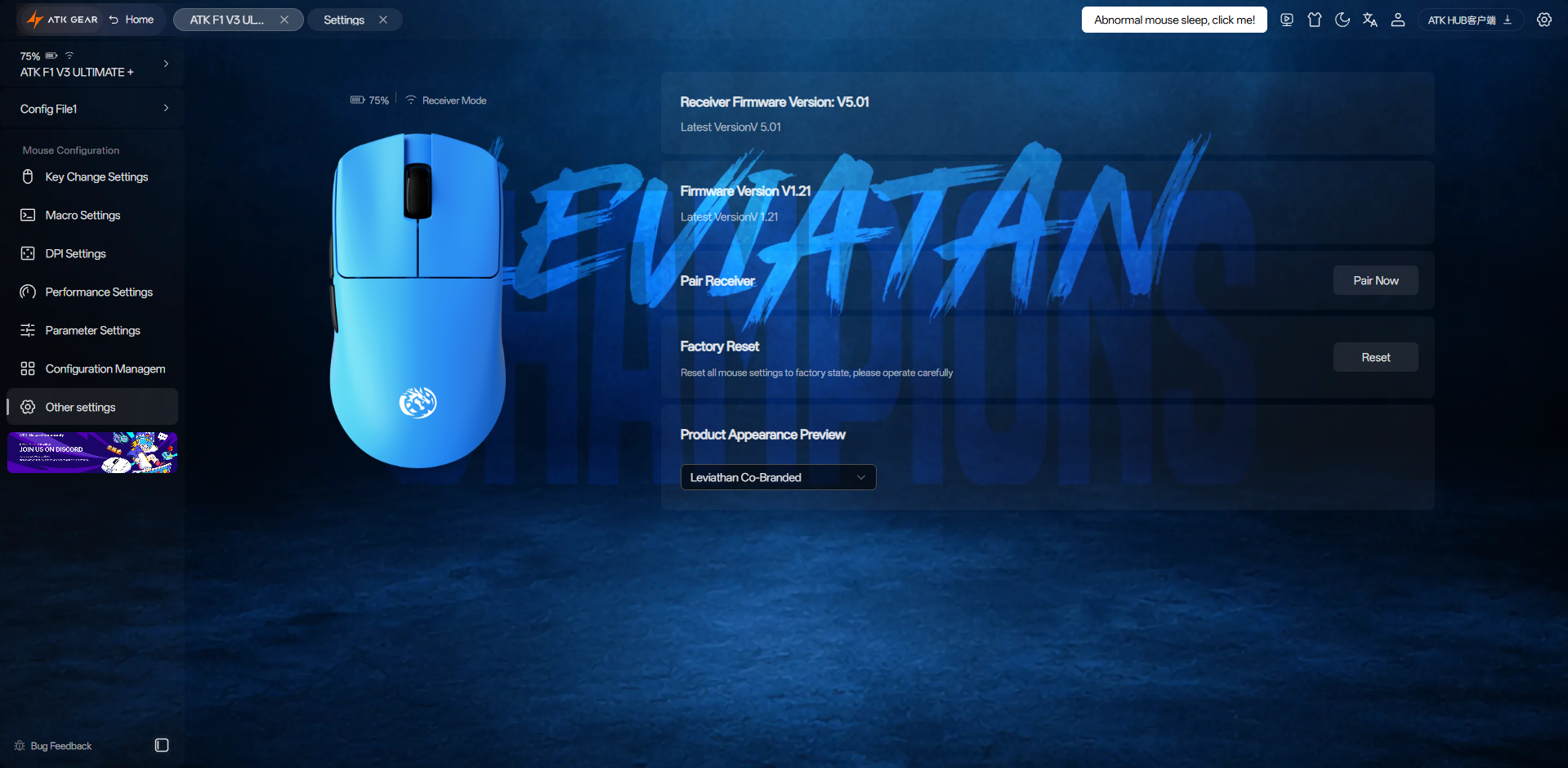
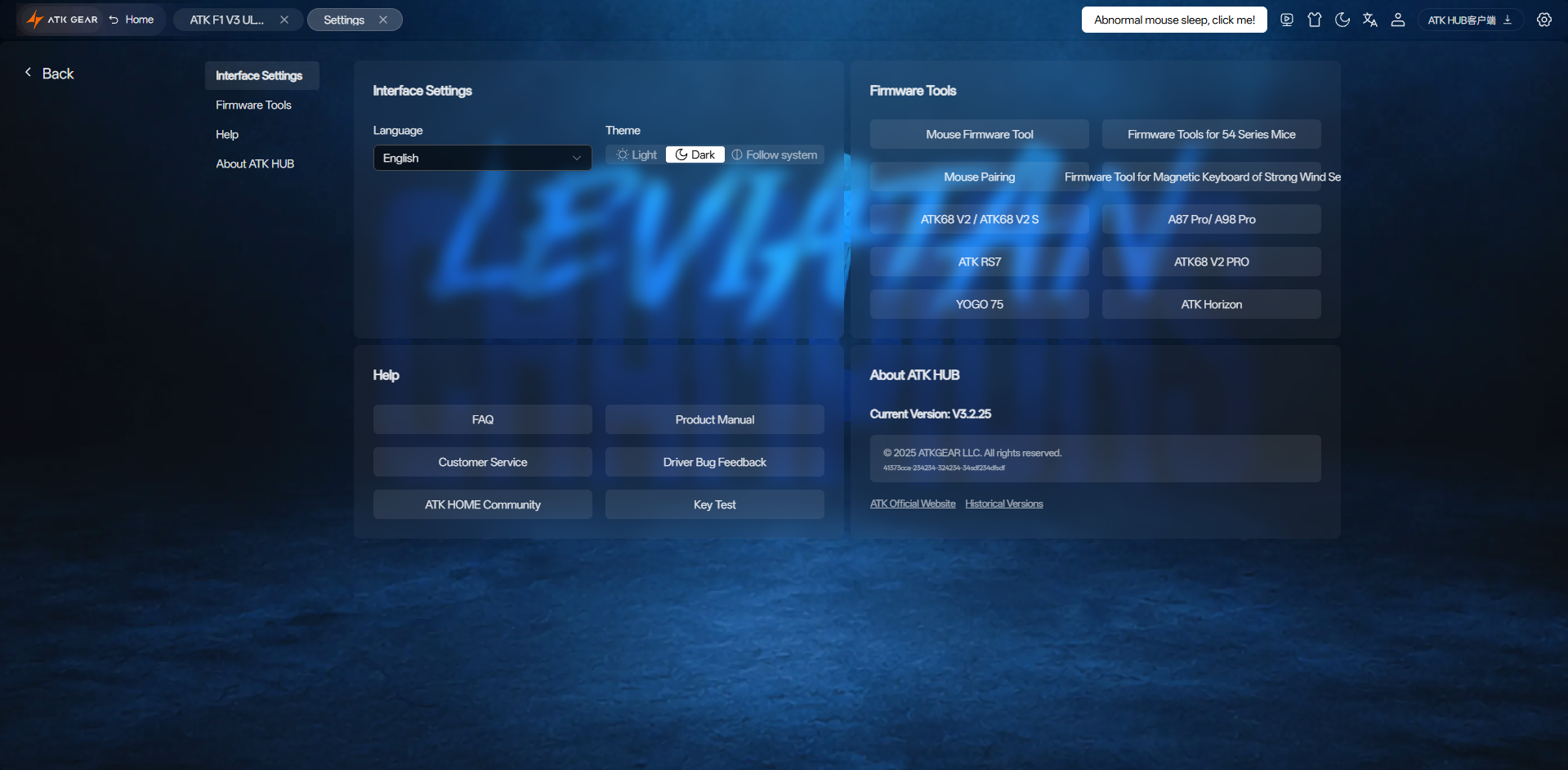
The ATK Blazing Sky F1 V3 Ultimate+ uses ATK HUB, and ATK gives you two ways to access it. You can install the desktop version or use the web version. When you open ATK HUB, the mouse appears along with its battery level and connection status. Clicking the mouse takes you to the configuration screen. From here, the layout is fairly straightforward, and settings are divided into separate sections. The first section is Key Change Settings.
Here, you can change what each button does. Then there is Macro Settings. The macro editor is fairly basic. DPI Settings comes next. It gives you four DPI values by default. Performance Settings lets you adjust the polling rate and sampling rate. Next is Parameter Settings, where you’ll spend the most time if you like fine-tuning your mouse. Finally, there is the Other Settings section. This is where you’ll find less frequently used functions.
Should You Buy It?
Buy it if
✅ You want an extremely lightweight mouse: At just 37 grams, it feels noticeably lighter than most gaming mice. The low weight makes small adjustments feel effortless, especially if you play at a lower sensitivity.
✅ You play competitive FPS games: The PAW3955 Master sensor, 8000Hz polling, optical switches, and lightweight shell make it a strong fit for games like Valorant and CS2 where precise aim matters.
Don’t Buy it if
❌ You have large hands: ATK recommends it for small-to-medium hands. If you have larger hands, especially if you prefer a palm grip, your fingers may extend beyond the main buttons, as mine did.
❌ You prefer a heavier mouse: The 37-gram weight is one of the biggest reasons to buy this mouse, but it’s also something to consider if you normally use heavier mice.
Final Verdict
After using the ATK Blazing Sky F1 V3 Ultimate+, I think ATK got the lightweight idea mostly right. I could feel the difference and hardly noticed any weight in my hand every time I moved the mouse. It currently sells for $64.98 on ATK’s store, down from its $89.98 list price. That puts the price in a pretty different place from some of the big-name alternatives. If we’re looking strictly at what you get for the money, this mouse is difficult to ignore.
ATK is giving you the type of hardware that would normally push a wireless gaming mouse into a much higher price bracket. I wouldn’t buy it simply because it has a great sensor or high polling rate. Those specifications are becoming much easier to find now. The reason I would consider this one is the combination of that hardware with its very low weight and the control ATK gives you through HUB. So yes, I would personally recommend it.
Thank you! Please share your positive feedback. 🔋
How could we improve this post? Please Help us. 😔

[Hardware Reviewer & Editor]
After many years of exploiting various pieces of hardware, Abdul Hannan now serves as an editor at Tech4Gamers. He’s been in the PC hardware reviewing industry for almost a decade, and his staff of passionate geeks and reviewers is second to none.
Abdul Hannan is constantly seeking new methods, you will always see him running into New Computer Courses to improve the performance of his computer components since he is an ardent overclocker. He is well-known for providing the most extensive and unbiased analysis of the newest and greatest hardware for PC gaming, including everything from GPUs to PSUs.
 Join Our Community