 Threads
Setup Goals?
Summary
The Womier SK61 HE is a compact 60% Hall-Effect keyboard that combines a distinctive CNC-milled aluminum design with adjustable actuation, Rapid Trigger, and extensive software customization. Its tri-mode connectivity, 6000mAh battery, and 8KHz wired polling rate give it plenty of flexibility, while the RGB lighting and unusual underside design make it stand out visually. The lack of dedicated arrow keys and fixed typing angle are its somewhat significant drawbacks, but it offers a compelling package for anyone looking for a feature-packed magnetic keyboard.
Hours Tested: 1 Week

Overall
-
Design - 9.5/10
9.5/10
-
Build Quality - 9/10
9/10
-
Typing Experience - 9/10
9/10
-
Performance - 9/10
9/10
Pros
- Premium CNC-milled aluminum case
- Unique underside artwork
- Tri-mode connectivity
- 6000mAh battery
- Five-layer foam dampening
Cons
- No dedicated arrow keys
- No adjustable kickstands
- Side-printed legends can be difficult to read
- Hollow case cutouts can give dust more places to collect


The Hall-Effect keyboard market has gotten pretty crowded over the past couple of years, and Womier already has a few magnetic keyboards in its lineup. The Womier SK61 HE is one of its more compact offerings, bringing Hall-Effect switches to a 60% layout while retaining some of the features we’ve come to expect from similar keyboards. This is actually my second magnetic keyboard from Womier. I previously reviewed the Womier SK75 TMR, and that keyboard left a positive impression on me.
I liked what Womier had done with its magnetic switches and the overall experience of using it. Because of that, I was genuinely looking forward to getting my hands on the SK61 HE and seeing how it would compare. Similarly, this time around, I’ll be looking at more than just the Hall Effect features and, of course, how the keyboard performs when it’s actually put to use. So, with that in mind, let’s see what the SK61 HE has to offer and whether it can leave the same kind of impression that the SK75 TMR did.
Key Takeaways
- The Womier SK61 HE is a feature-packed 60% keyboard that brings Hall-Effect performance to a compact form factor. Its unusual aluminum chassis, side-lit keycaps, and underside artwork give it a look of its own.
- You should buy the Womier SK61 HE if you want a compact Hall-Effect keyboard with adjustable actuation, Rapid Trigger, and plenty of customization options.
- You should skip the Womier SK61 HE if you need dedicated arrow keys, prefer an adjustable typing angle, or want a more conventional keycap design with legends.
Here are the technical specifications:
| Total Keys | 61 keys |
| Layout | 60% |
| Color Option | Black |
| Keycap | Cherry Profile ABS Keycaps |
| Case Material | CNC Aluminum (Sandblasted finish) |
| Connection Types | Wired / 2.4GHz Wireless / Bluetooth 5.3 |
| Switches | Black Womier Void Linear Magnetic Switch |
| Backlight LEDs | South-facing RGB |
| Plate | Aluminum material, 1.5mm, non-flex-cut |
| Mounting Style | Gasket Mount |
| PCB | 1.6mm FR4, full RGB, non-flex-cut, magnetic switch support |
| Adjustable Actuation | 0.005mm–3.3mm with 0.005mm precision |
| Polling Rate | 8KHz wired / 1KHz 2.4GHz |
| Customization | Desktop Application + Web-Based Driver |
| Battery Capacity | 6000 mAh (3000mAh × 2) |
| Interface | USB Type-C |
| Operating System | Windows/macOS |
| Keyboard Weight | 825g±20g |
| Dimensions | 304.8 × 117.6 × 32.0mm±1mm |
What Makes the Womier SK61 HE Different?
I wouldn’t say the SK61 HE completely changes what a Hall-Effect keyboard can do. The individual features are familiar by now. What makes it different is the combination. Womier has taken the compact 60% format and paired it with a fairly unusual hollow aluminum design, a distinctive underside, tri-mode connectivity, and a lot of magnetic-switch controls. That combination is what makes it interesting rather than simply being another 60% Hall-Effect keyboard.
Packaging & Unboxing
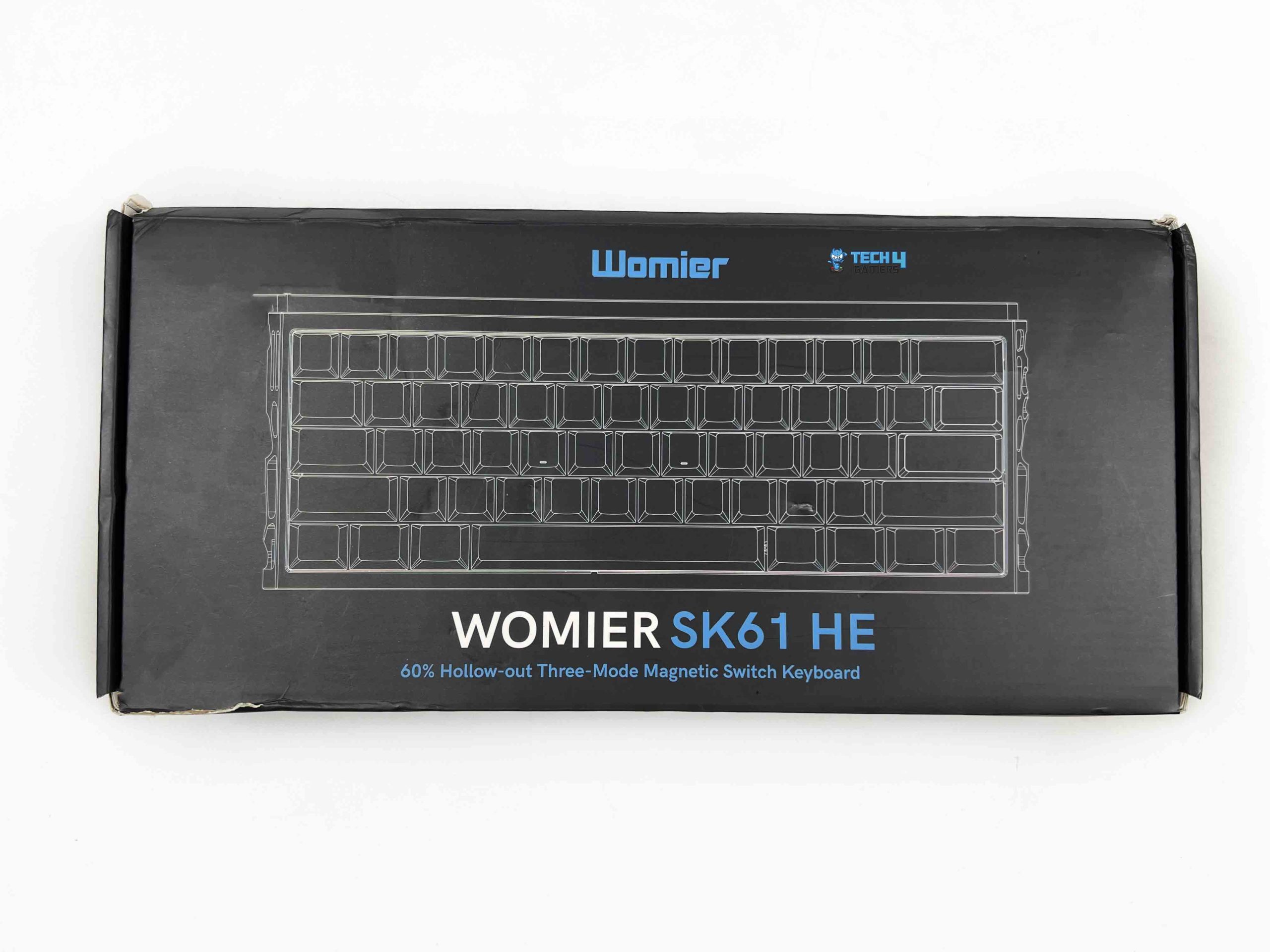
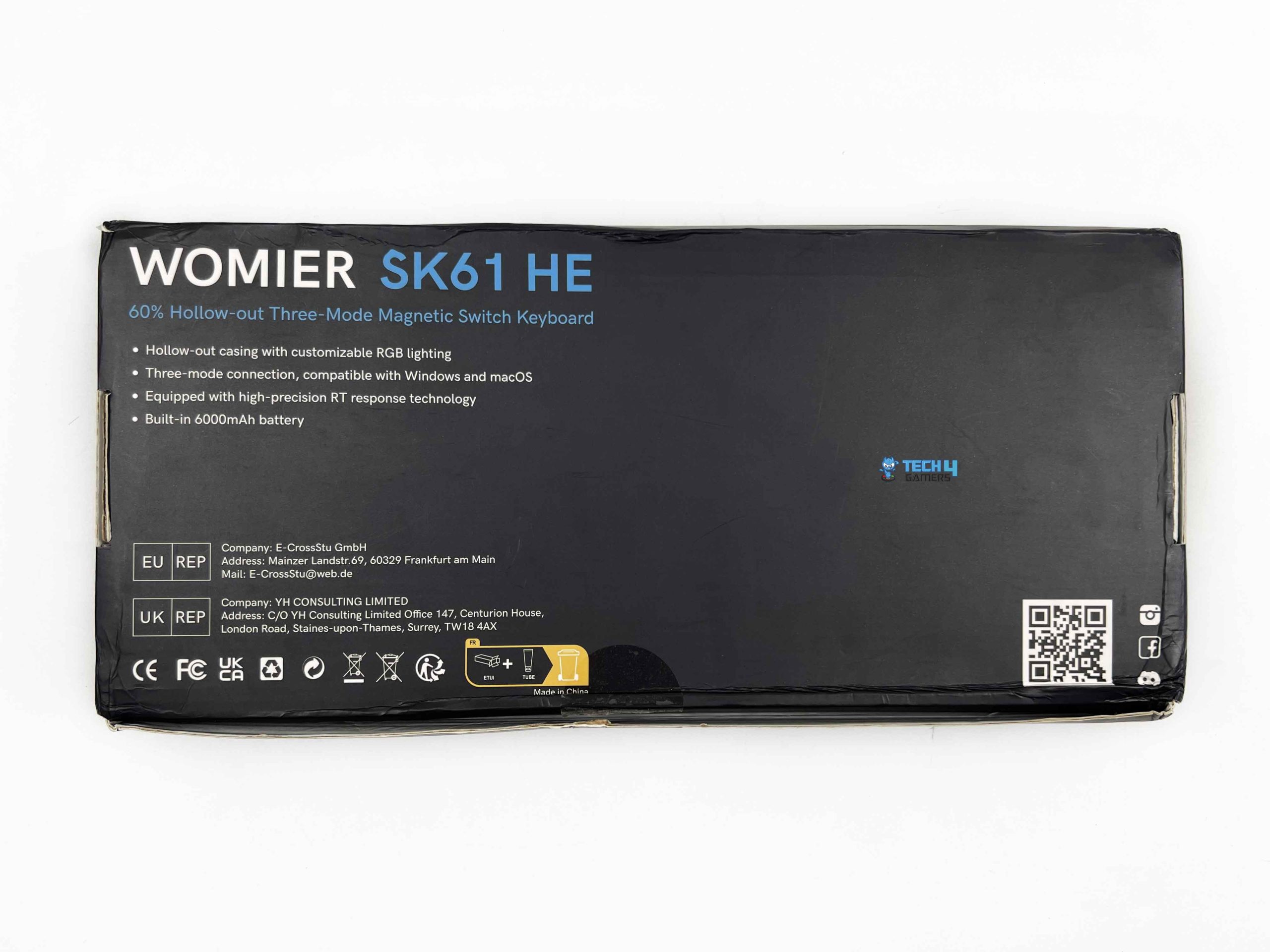
The Womier SK61 HE comes in a full-black box. On the front, you get the Womier logo and the keyboard’s name. The front also shows a blueprint-style outline of the keyboard and its layout. On the other hand, the back has the usual manufacturer information along with some of the keyboard’s standout features. Opening the box reveals the keyboard wrapped in a thin plastic sleeve. It’s surrounded by foam inserts that keep it securely in place and provide some protection during shipping.
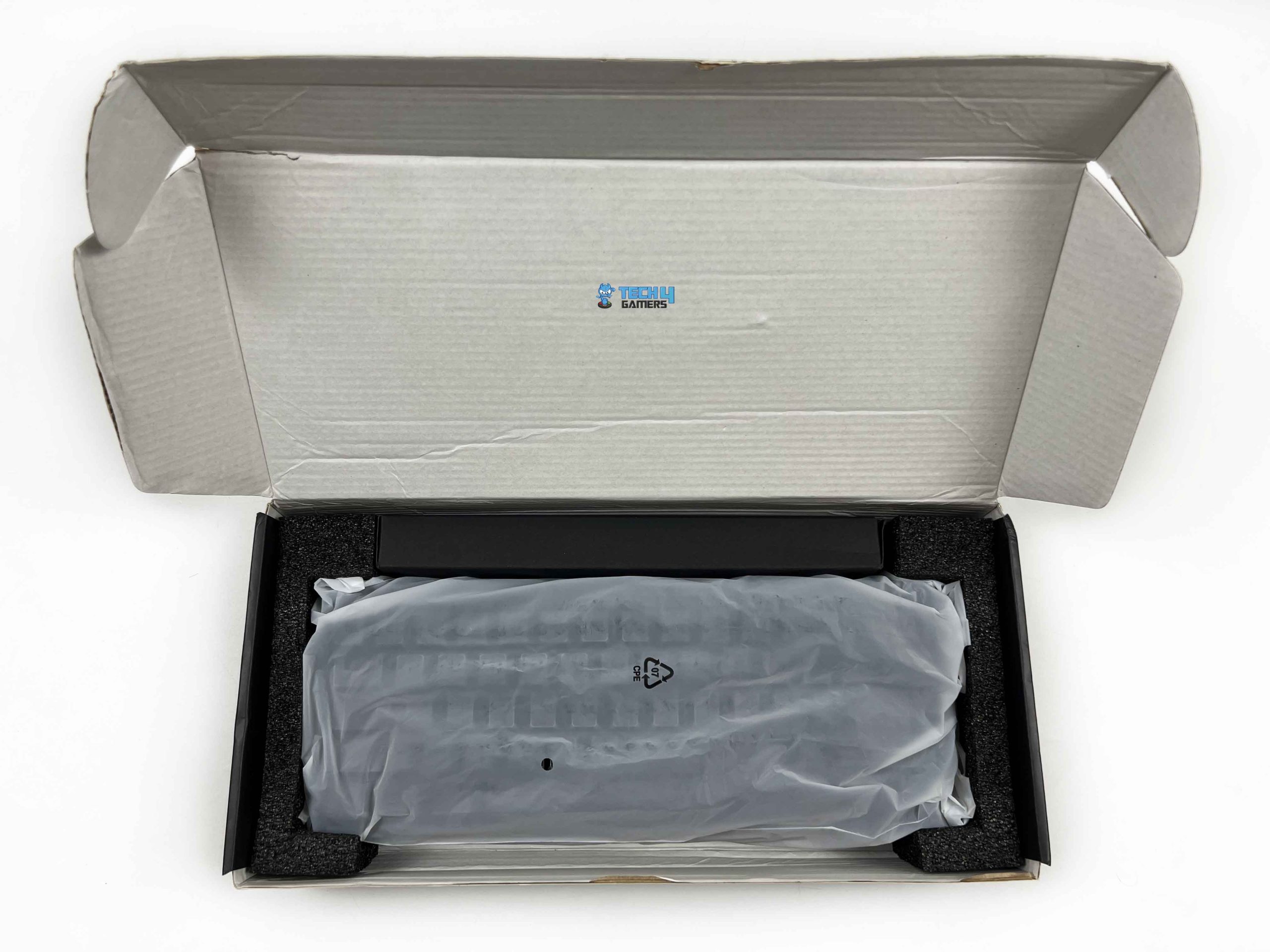
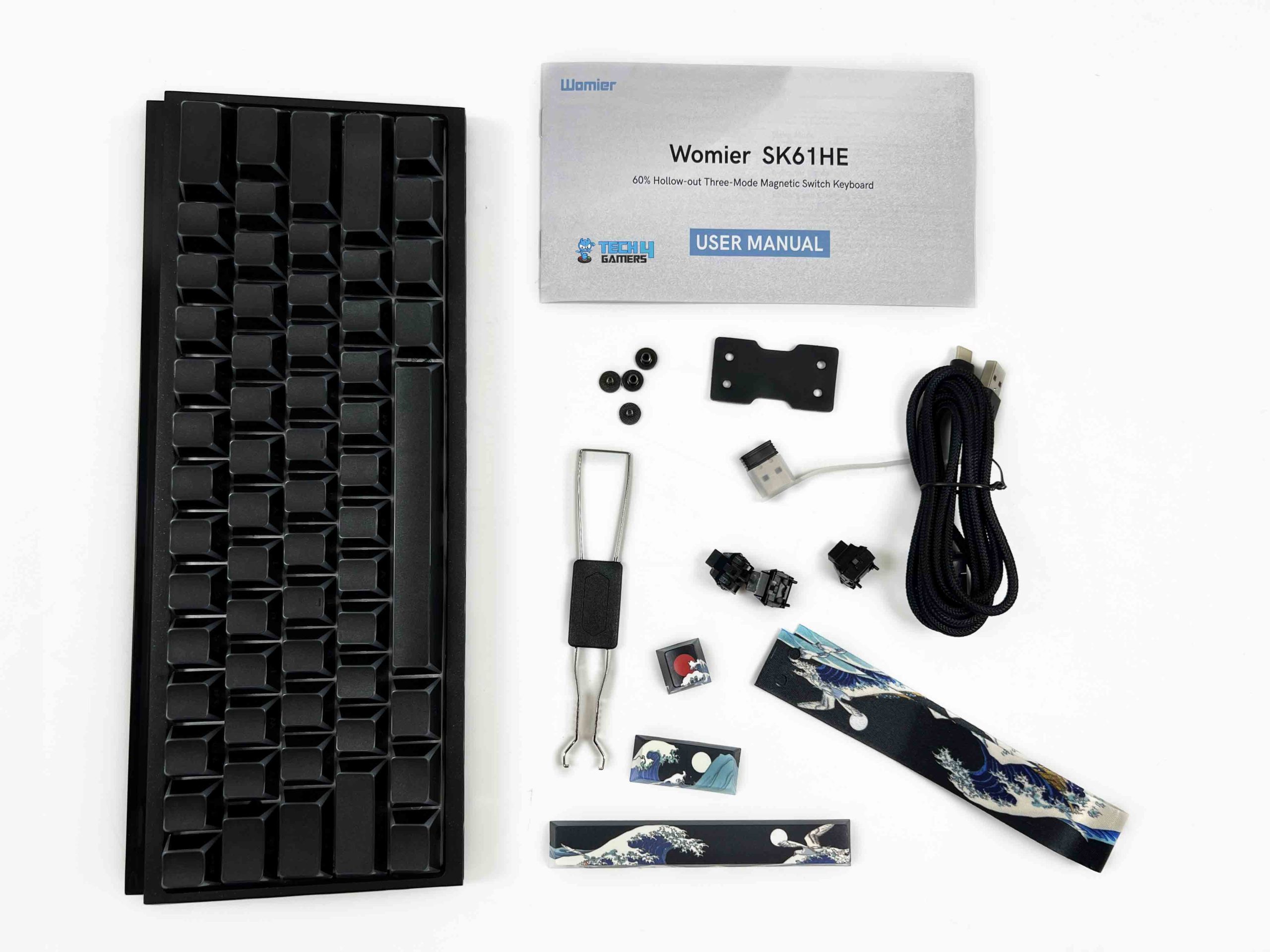
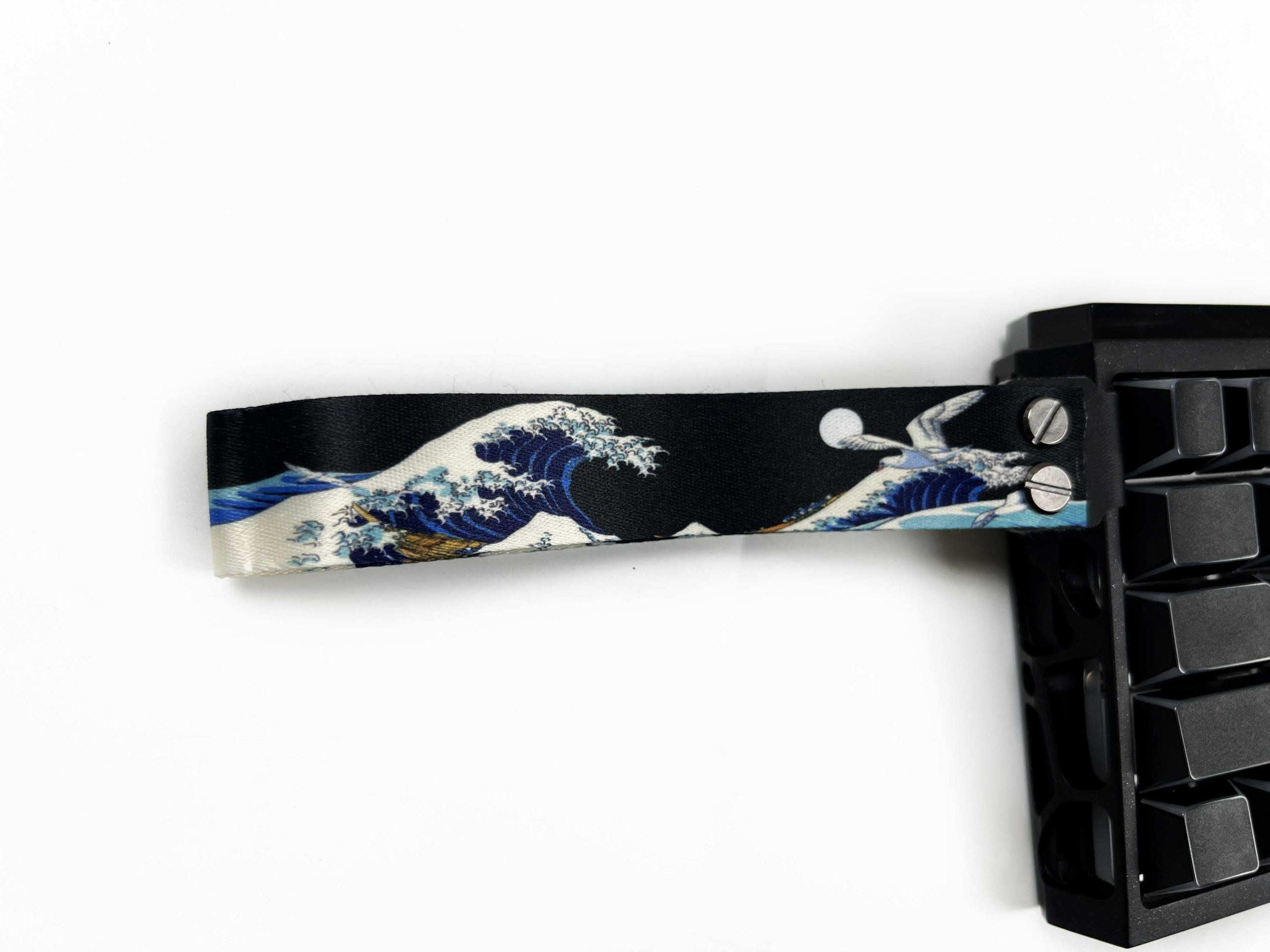
There’s also a small black box sitting on top of the keyboard that contains the accompanying accessories. Womier has packed the smaller items individually in resealable plastic bags. Inside, you get a Black Coral Sea lanyard, a keycap and a switch puller, three spare magnetic switches, and three Black Coral Sea-themed keycaps, including one themed spacebar. Finally, there’s the user manual, which covers the basic information needed to get started with the keyboard.
Design
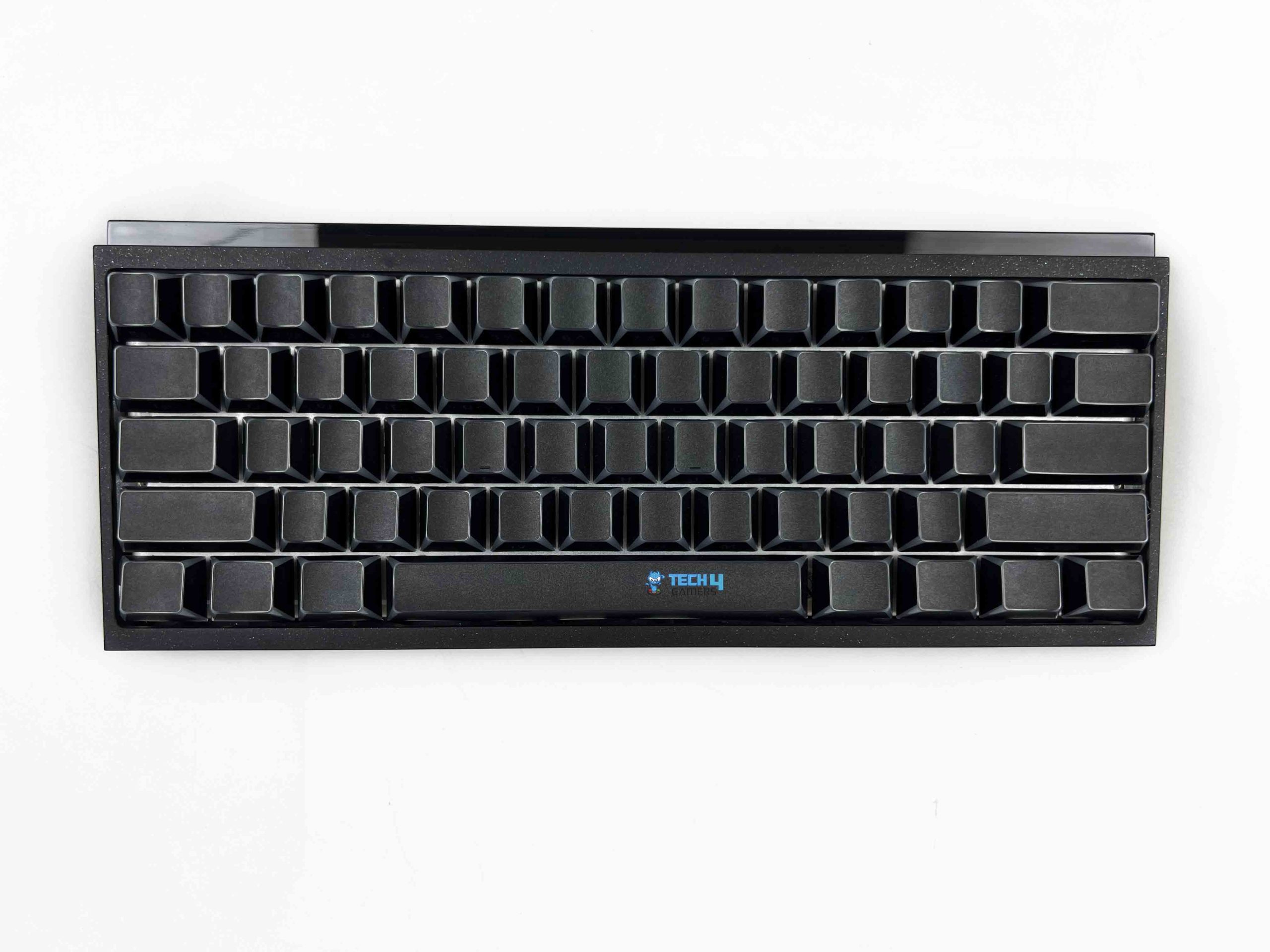
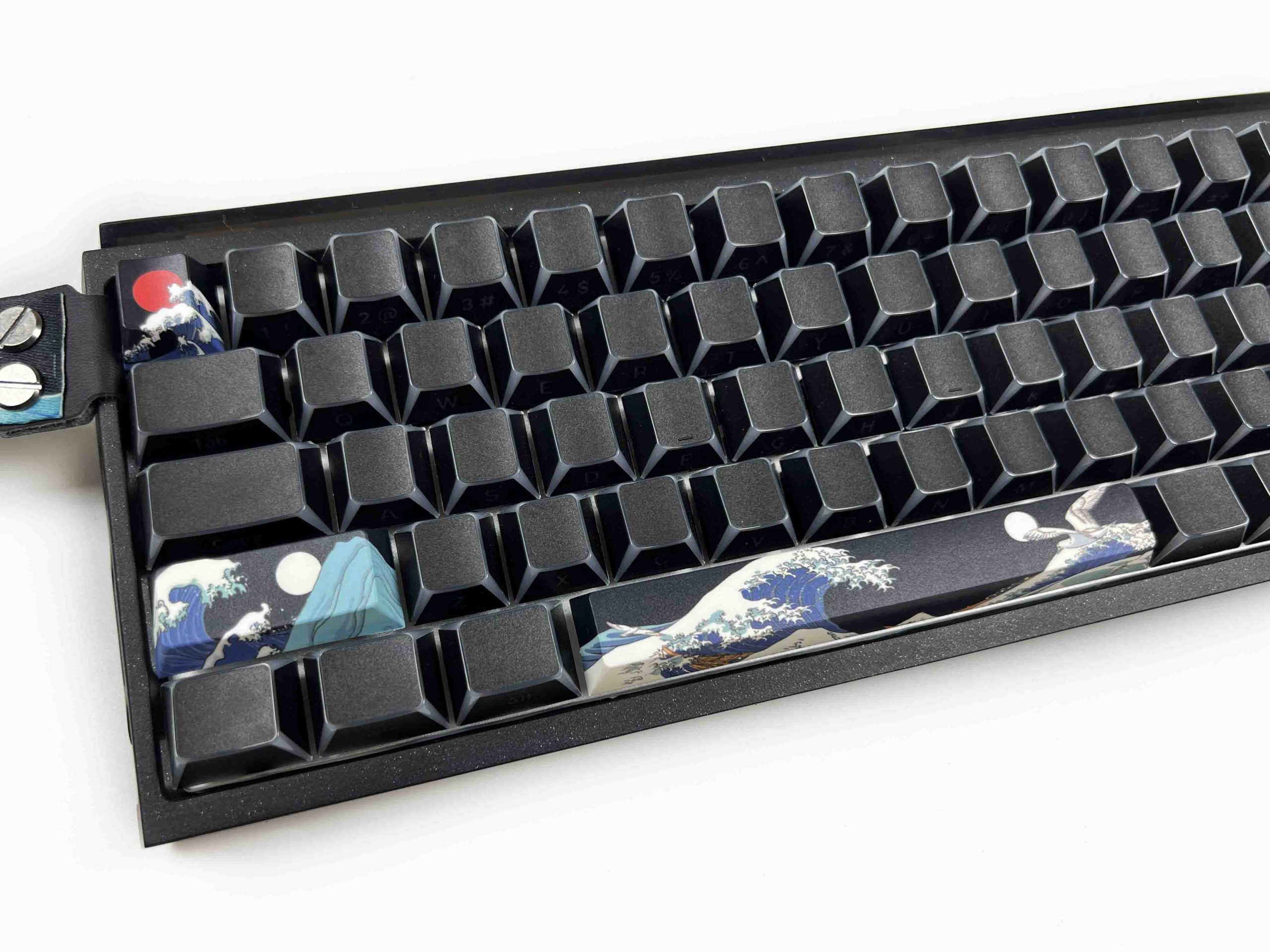
The Womier SK61 HE looks pretty simple. It is completely black, and there aren’t any legends printed on the top of the keycaps. That gives the keyboard a clean appearance. At first glance, there’s not much going on visually. The entire keyboard follows the same black theme, but the finish isn’t identical across all parts. Some areas have a matte finish that feels understated, while other sections are reflective. The reflective parts can almost act like a small mirror.
One of the more noticeable design choices is the hollow cutout around the sides of the keyboard. Instead of using a completely enclosed case, Womier has left sections of the sides open. I think these cutouts look nice. They give the keyboard some personality without adding unnecessary decoration. The downside is pretty obvious, though. Those open sections give dust another place to settle. If you leave the keyboard on your desk for a while, you’ll probably need to spend a bit more time cleaning around it.
Layout

The Womier SK61 HE uses a 60% layout with 61 keys. As you’d expect from a keyboard this compact, the main typing area takes up most of the board. There isn’t much extra space around it, which keeps the overall footprint small and leaves more room for your mouse. The standard letter and number rows are where you’d expect them, and the larger keys, such as the Spacebar and Enter keys, retain their usual positions. The main compromise comes from the keys that Womier has left out.
There are no dedicated arrow keys, and this is honestly a pretty big bummer for me. I understand leaving out the navigation cluster and function row on a 60% keyboard. Those take up a fair amount of space. The arrow keys are something I would’ve liked to see on the layout. Still, you can access the arrow keys through the keyboard’s FN key combinations. Womier documents these combinations in the included manual, so you can refer to it as you become familiar with the layout.
Underside

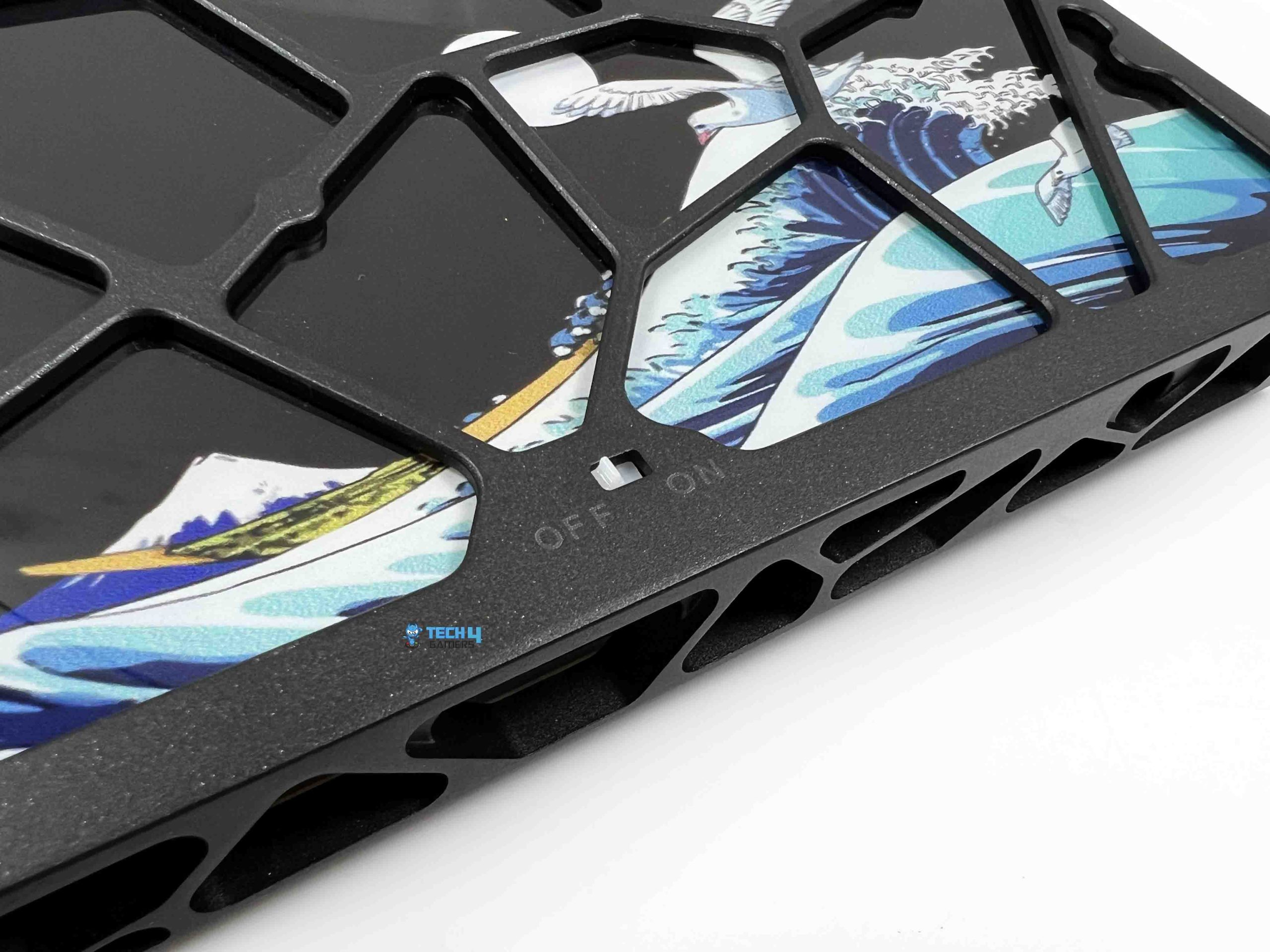
Flipping the Womier SK61 HE over gives you something I wasn’t really expecting. The reflective section on the underside features an artwork inspired by The Great Wave off Kanagawa, the famous woodblock print by Japanese artist Hokusai. The artwork covers a good portion of the bottom panel. I really like this design choice. I’ve reviewed quite a few keyboards, and I haven’t come across many that use an artwork like this on the bottom. It gives the SK61 HE a bit of its own identity.
Womier has also carried the same cutout design from the sides onto the underside. I think this ties the whole design together quite well. I’d give Womier full marks for this particular design choice. The one area where I would’ve liked to see more flexibility is the typing angle. The SK61 HE doesn’t have adjustable kickstands, so you’re stuck with the keyboard’s fixed angle. Stability, on the other hand, isn’t really an issue. Womier has fitted four decent-sized rubber feet around the underside.
Build Quality

The Womier SK61 HE uses a CNC-milled aluminum case. Despite being a 60% keyboard, it doesn’t have that lightweight board feel. It weighs 825g ± 20 g, which gives it real heft without making it unnecessarily heavy. The case is made from hollow CNC-machined aluminum, with the internal sections machined out rather than left as a solid block of metal. Womier calls this a skeletal aluminum case, and I think that’s a pretty fitting description.
The edges are clean, and the different sections of the case fit together without any obvious rough spots. I didn’t notice anything that made the keyboard feel cheaply put together. The case has a sandblasted finish, which gives the aluminum a slightly textured surface. The 304.8 × 117.6 × 32.0mm dimensions also keep the board fairly compact. The width is what you’d expect from a 60% keyboard, while the relatively low height keeps the overall profile from looking too bulky.
Keycaps
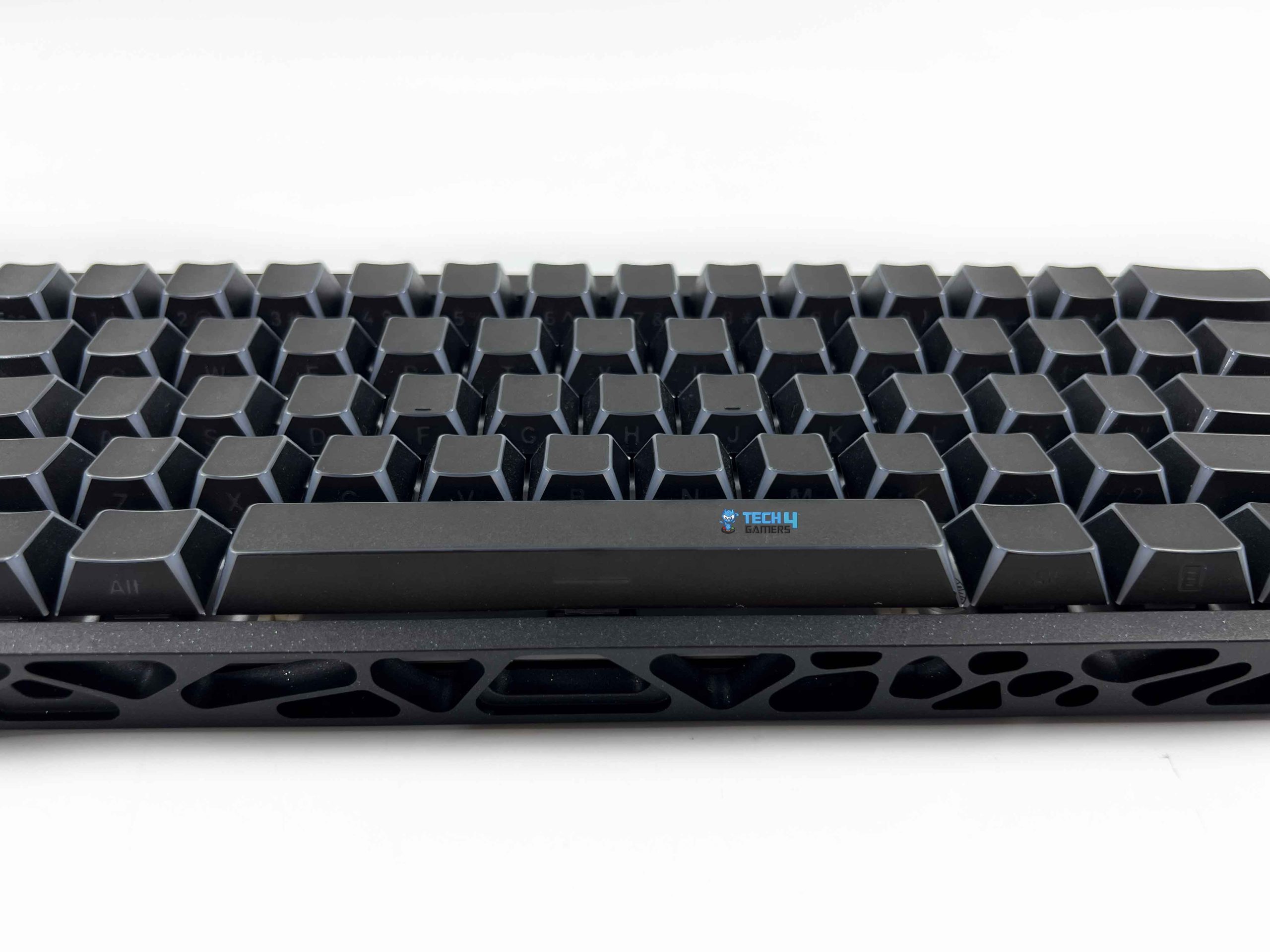
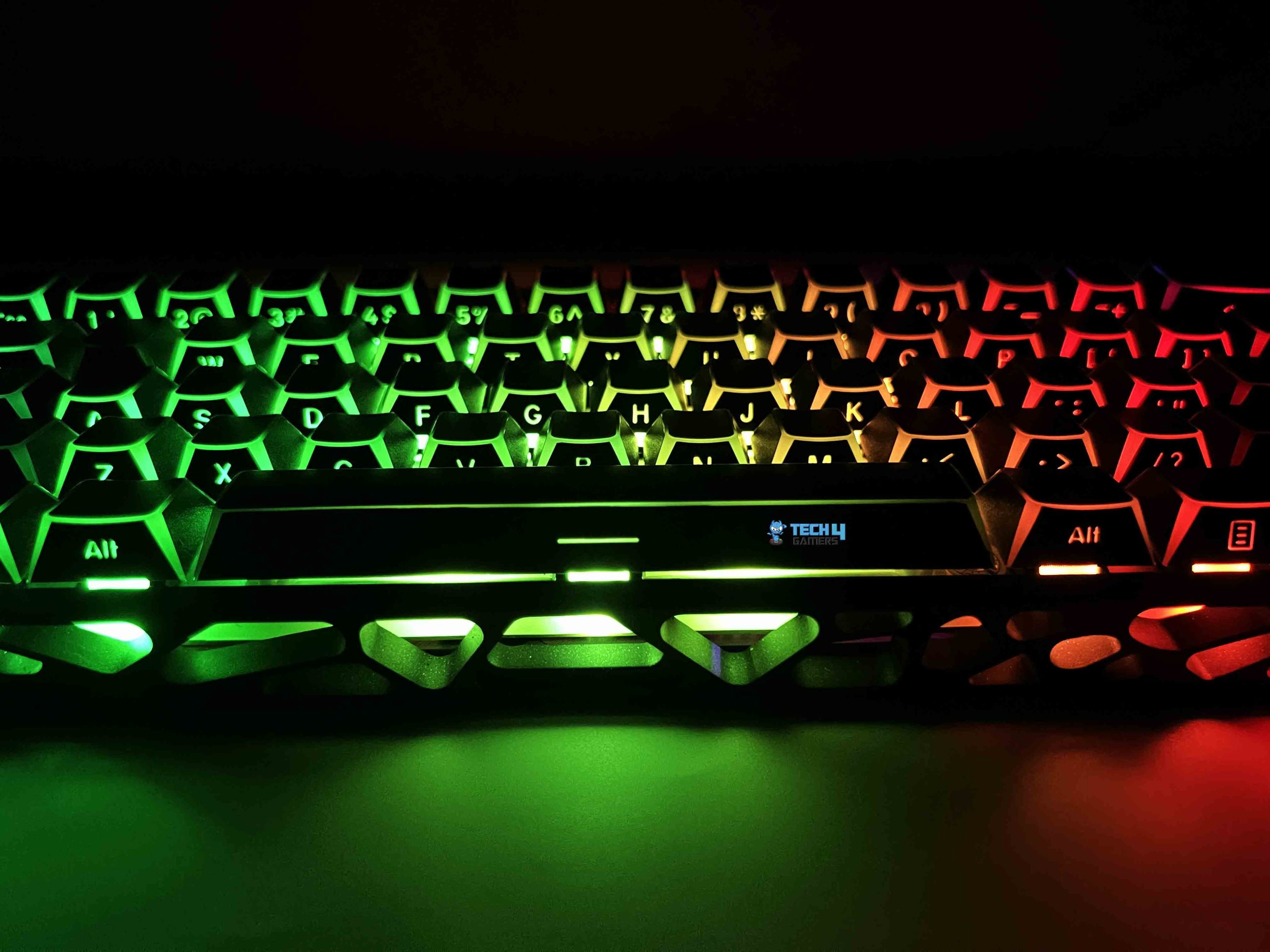
The Womier SK61 HE comes with Cherry-profile keycaps with a four-side translucent design. With the keyboard sitting normally in front of you, the side-printed legends are actually fairly easy to see. The viewing angle matters quite a bit, though. If the keyboard is positioned so that you’re looking at it more or less level with the board, the legends are visible without much effort. This is also where the four-side translucent design becomes more noticeable.
The situation changes when you look down at the keyboard from above, and the legends become much harder to see. If you’re someone who looks down at your keyboard while typing, you’ll notice this pretty quickly. You have to adjust your viewing angle to catch the characters properly. Traditional legends are placed where your eyes naturally look when you glance at a keyboard. Here, the side placement means that the viewing angle directly affects how readable they are.
RGB Lighting
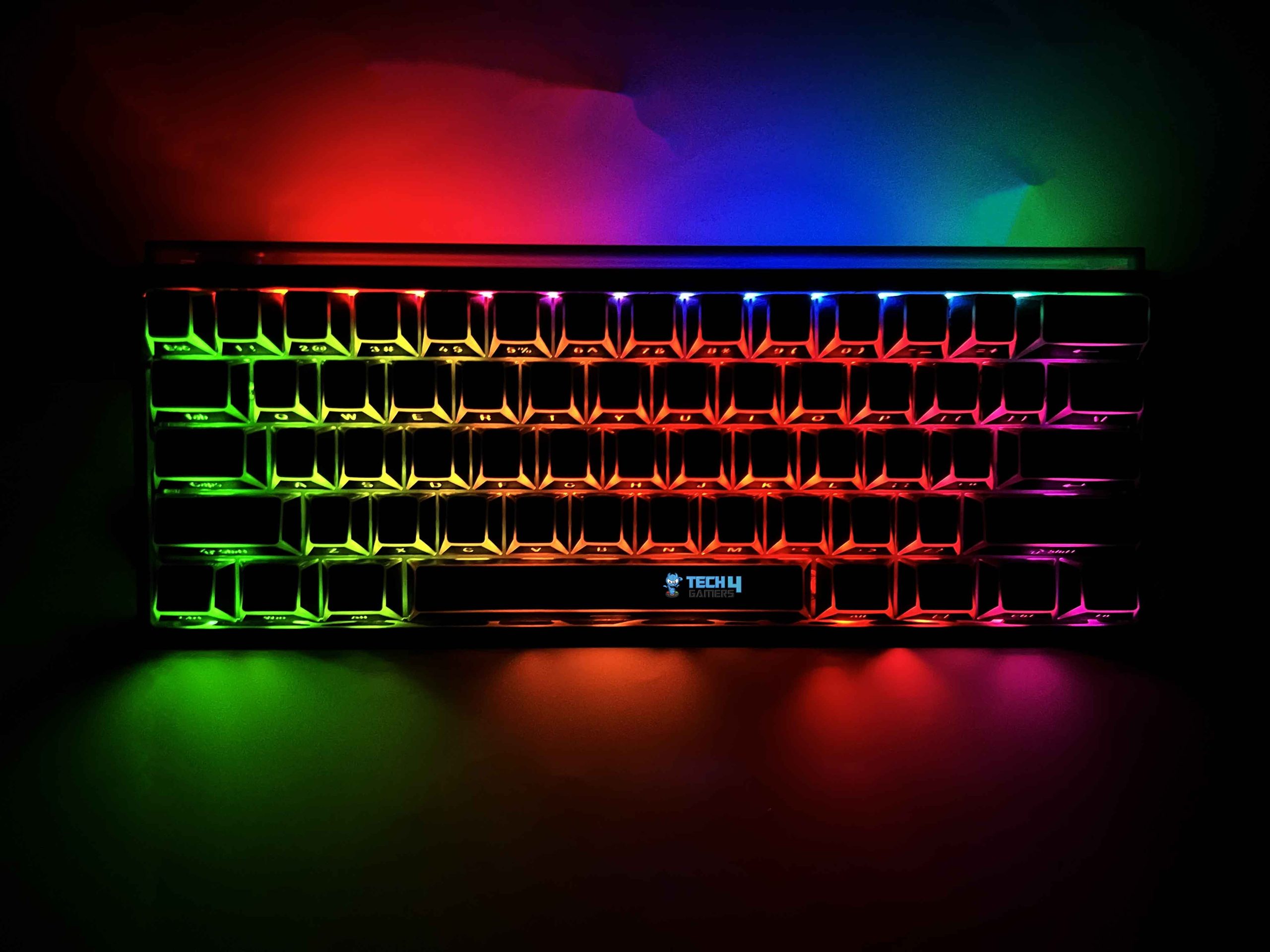
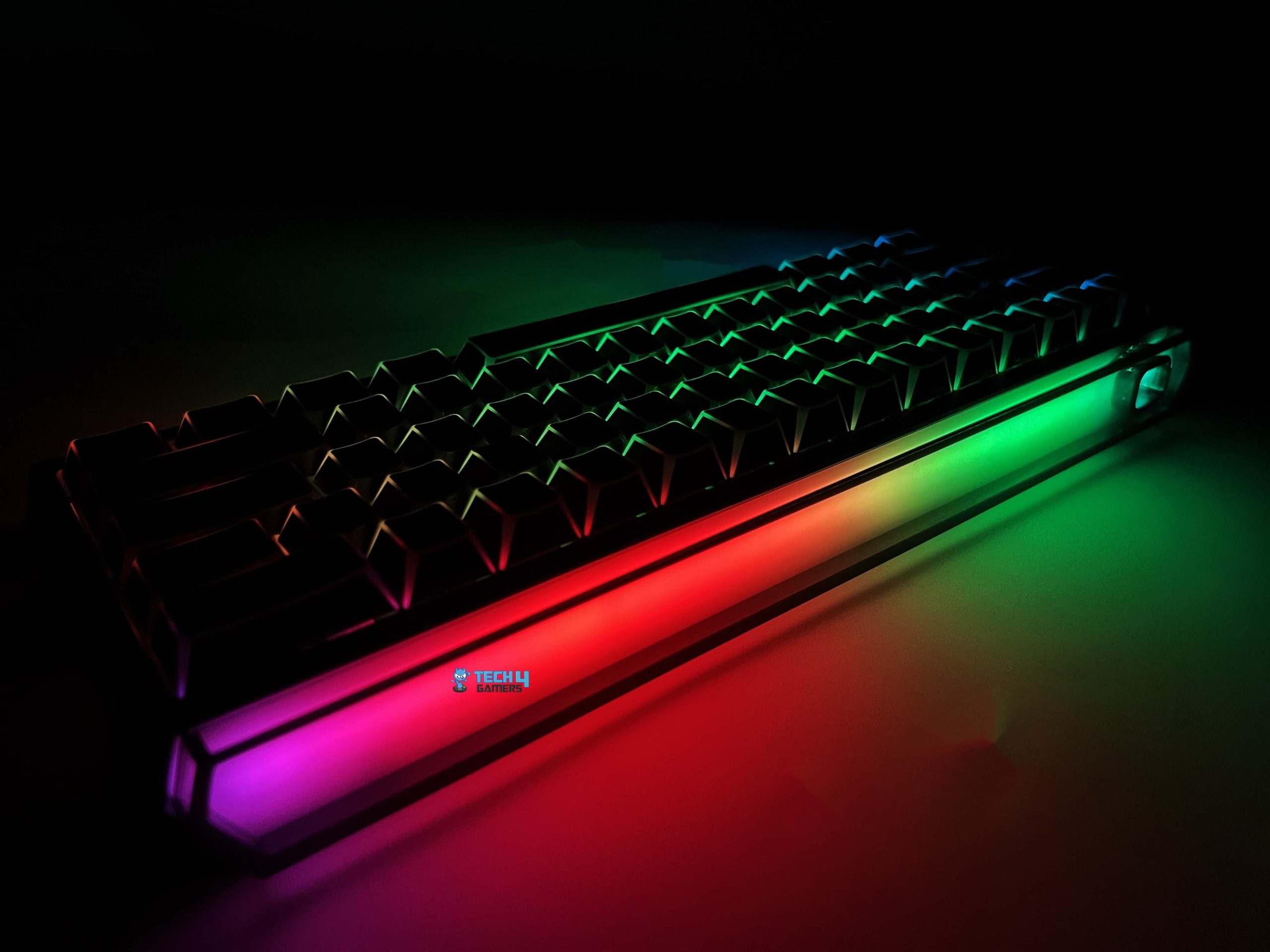
The Womier SK61 HE uses south-facing RGB LEDs. Since the keycaps have translucent sections, light spills around the edges of each key. The result is quite different from that of a normal shine-through keycap, where the light is mostly concentrated around the legend. I think it looks particularly good on black. The dark keycaps give the RGB more contrast, so the colors stand out without the keyboard looking overly bright. The effect is even more noticeable in a darker room.
The side cutouts in the keyboard’s case add another layer to this. Because parts of the frame are hollow, some of the RGB light passes through those openings. There’s another RGB element on the top of the keyboard that I wasn’t expecting. Womier has added an ambient RGB lightbox along the upper section of the board. Its surface is reflective, so it catches RGB light and acts almost like an extension of the keyboard’s frame.
Switches
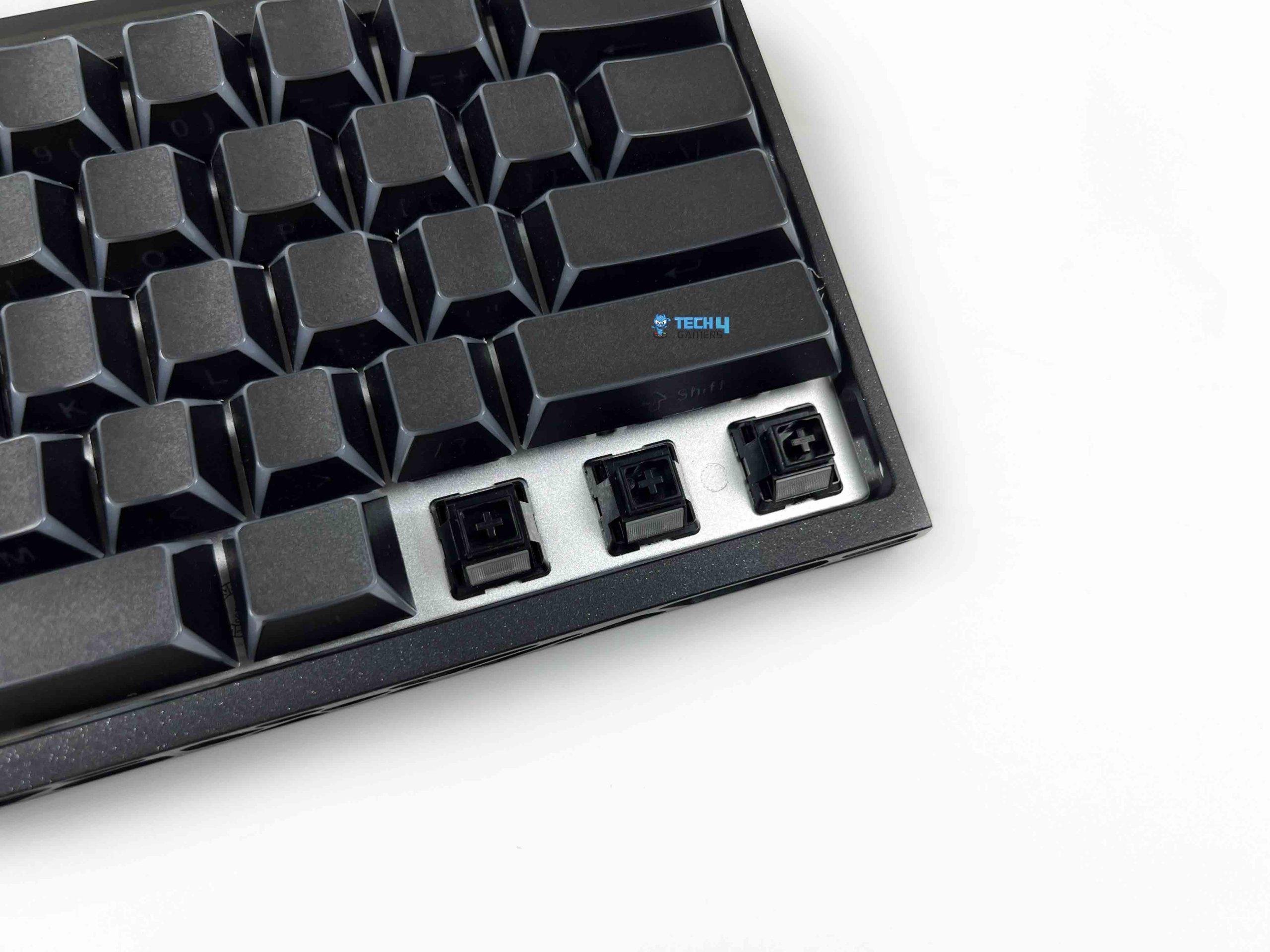
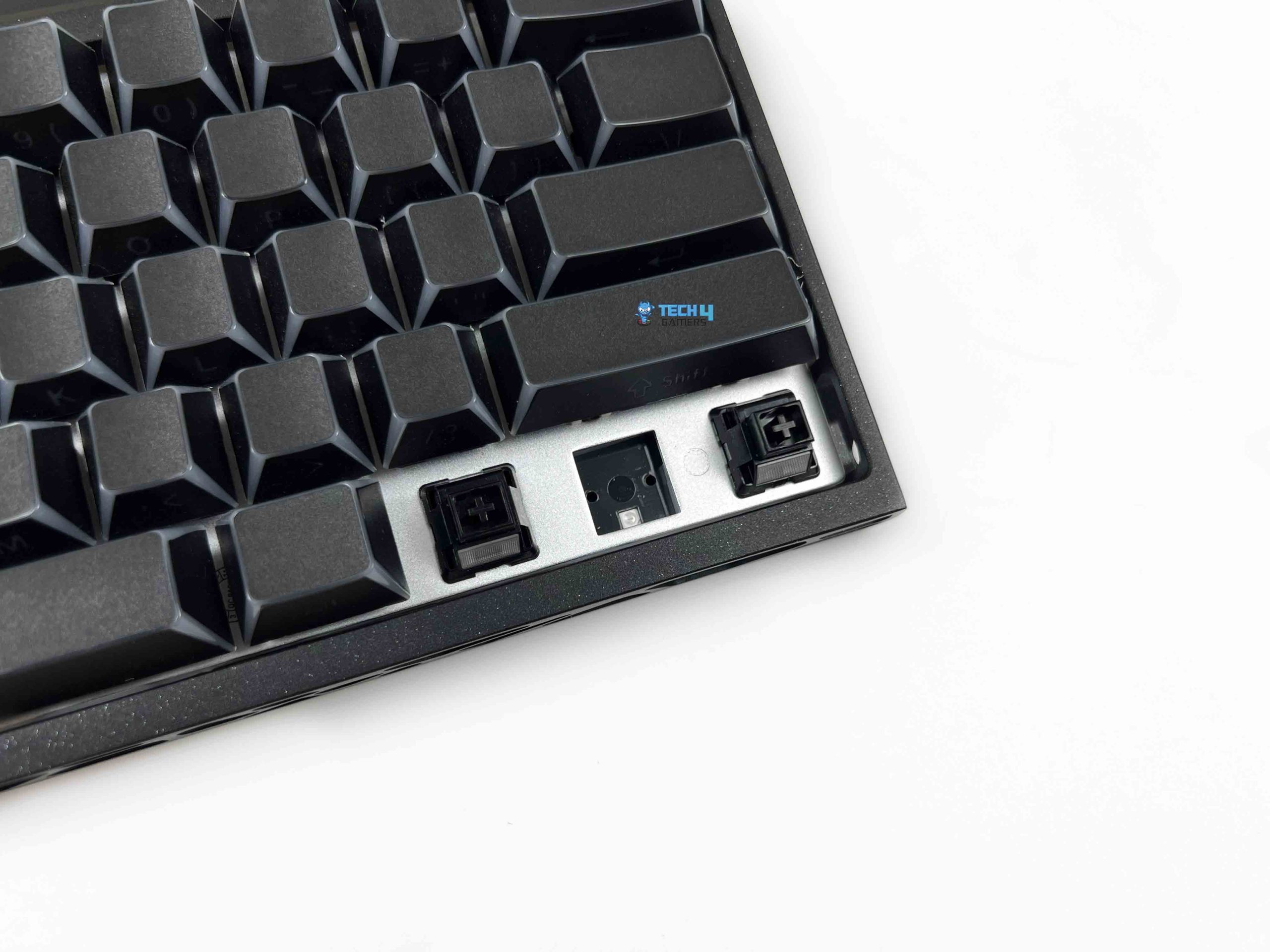
The Womier SK61 HE comes with Black Womier Void linear magnetic switches. They use a POM stem with an MX-style stem design. Both the top and bottom housings are also made from POM. Womier has factory-lubed the switches. The movement feels fairly smooth, without the scratchy sensation you can sometimes get from a completely dry switch. The switches have a total travel of 3.4mm ± 0.2 mm. The important part here isn’t really the total travel, though.
It’s the amount of control you get over where that travel is detected by the keyboard. Womier lists an actuation range of 0.005–3.3mm, with a stated sensitivity of 0.005mm. The initial force is rated at 35 ± 5 gf, while the end force is 45 ± 5 gf. They don’t have a tactile bump, so the force curve feels smooth rather than having a noticeable point of resistance halfway down. Womier also lists an initial magnetic flux of 90 ± 15 Gs and a bottom magnetic flux of 480 ± 60 Gs.
Typing Experience
The switches give the Womier SK61 HE its linear feel, but the plate, mounting system, PCB, and internal foam also noticeably affect how it feels and sounds when you’re typing. It uses a 1.5mm aluminum plate with a non-flex-cut design. It’s paired with a 1.6mm FR4 PCB, which is also non-flex-cut. So, despite the keyboard’s gasket mount, this isn’t a particularly soft or flexible board. There is some give underneath the plate, but it’s fairly controlled.
I don’t get a pronounced bouncing sensation when typing. It has just enough cushioning to take some of the harshness out of the keypress. Womier also uses a five-layer foam dampening system. From the top down, the stack consists of the positioning plate, EVA foam, PET sound pad, PCB, and bottom socket foam. It changes the character of the sound quite noticeably, as it has a clacky, slightly marbly sound rather than the sharper, more metallic sound.
Connectivity
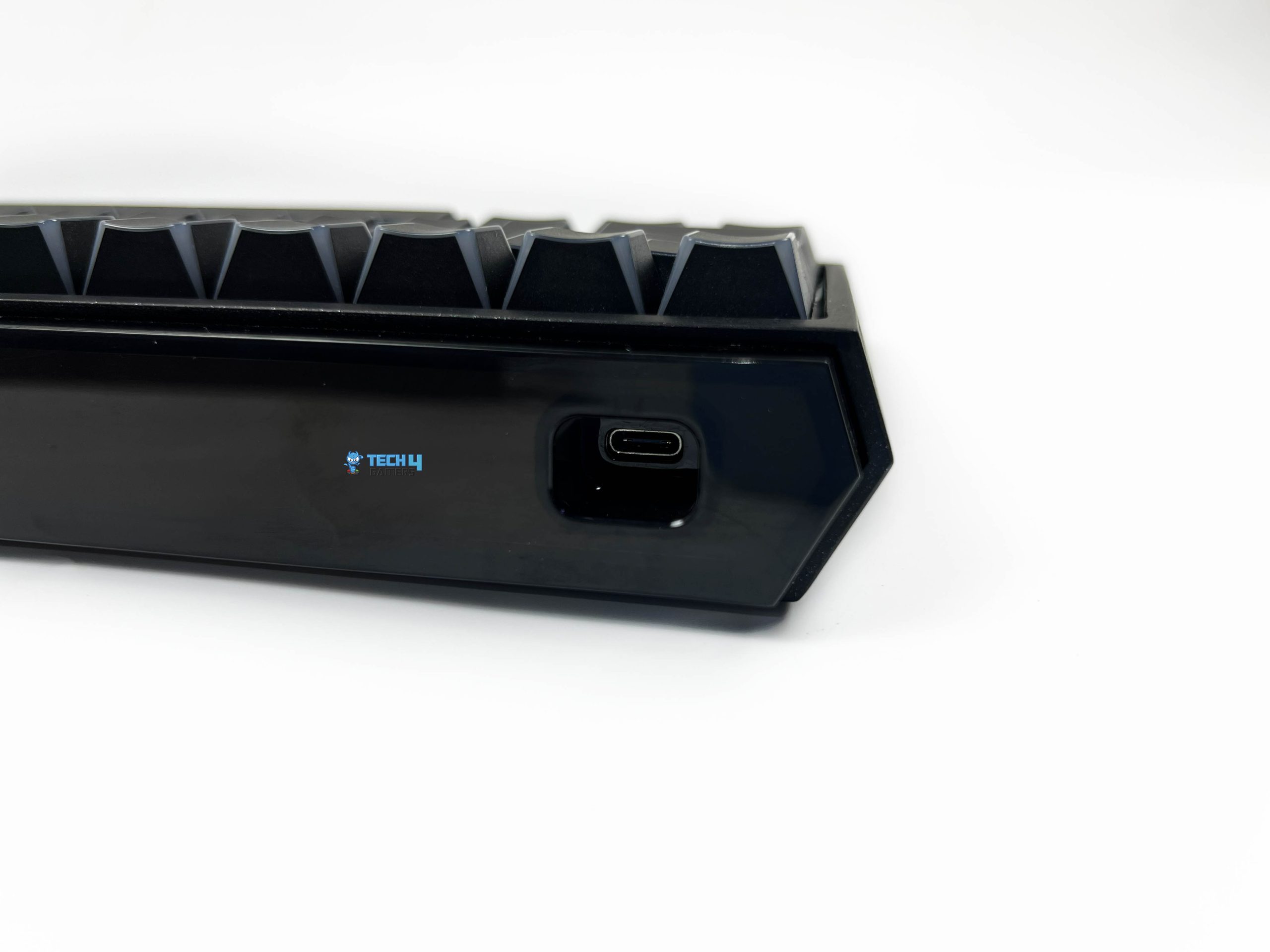
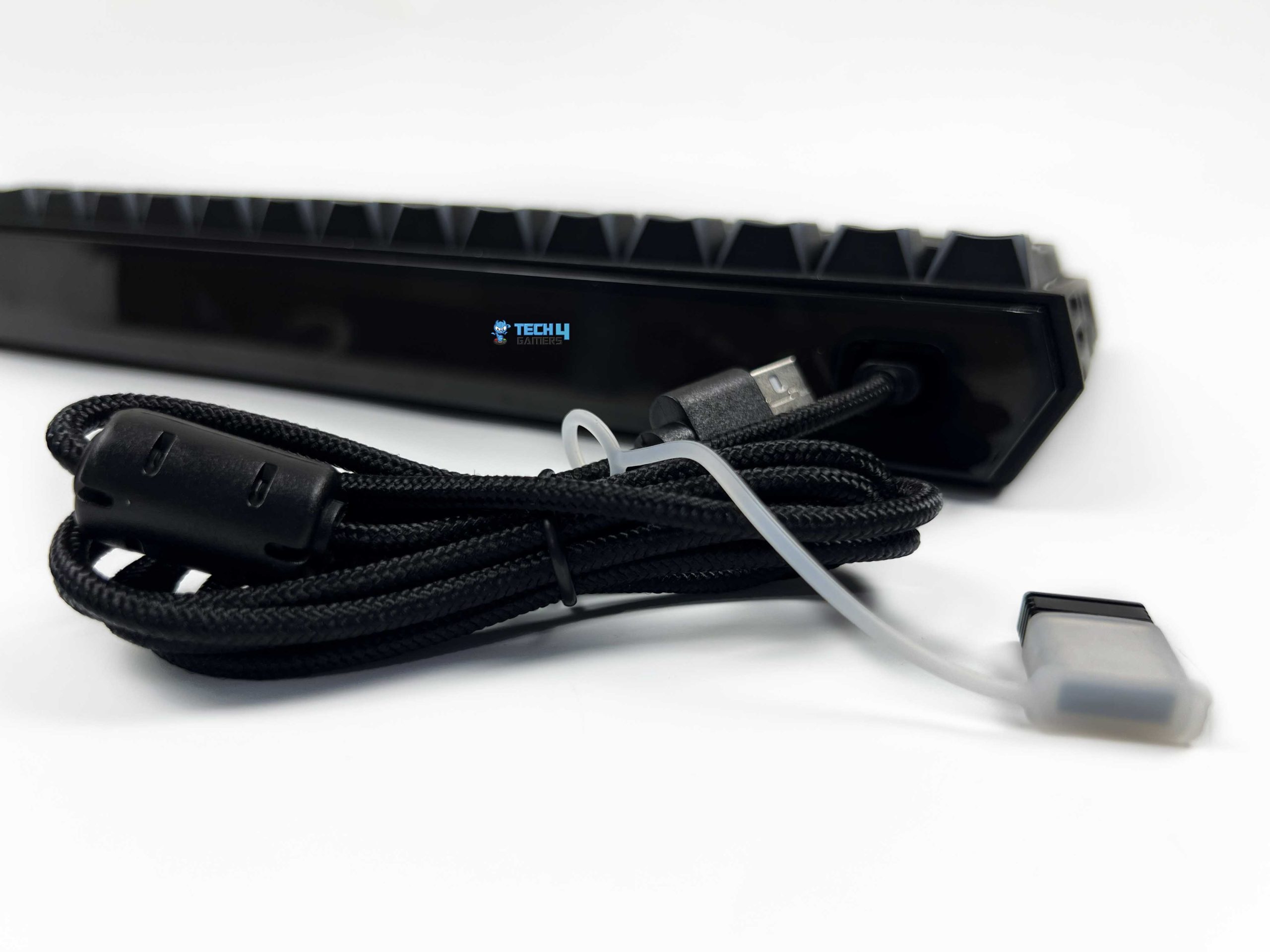
The Womier SK61 HE offers tri-mode connectivity, so you can use it through USB Type-C, 2.4GHz wireless, or Bluetooth 5.3. The USB Type-C port is positioned on the top-left side of the keyboard. Interestingly, it’s actually built into the RGB lightbox. I wasn’t sure how practical that would be, but there is enough room around the port to use a different USB-C cable. That said, the included cable is braided, so it doesn’t feel like a cheap throwaway cable.
It’s fairly flexible and should be more than adequate for regular use. There’s also a small rubber band attached to the cable that doubles as a holder for the 2.4GHz wireless receiver. For wireless gaming, I used the 2.4GHz connection. It has a low-latency wireless connection, and the keyboard supports a 1 kHz polling rate over 2.4 GHz. If you’re after the absolute lowest possible latency, you can connect the keyboard via USB-C, as it supports an 8 kHz polling rate.
Performance

I tested the Womier SK61 HE with different actuation settings and the various features available. It responds quickly to key presses. Inputs register consistently, and I didn’t run into obvious missed presses. Rapid, repeated inputs also worked as expected, without dropping any obvious inputs. Ghosting wasn’t something I encountered either. This was particularly useful when testing Rapid Trigger because I could repeatedly press and release a key.
I spent most of my time with Valorant, where movement and quick directional changes give you a good idea of how responsive the keyboard feels. For FPS games, I preferred a low actuation setting. The first thing I tested was counter-strafing. I repeatedly moved in one direction, then switched to the opposite key, to see how quickly the keyboard responded. This is where Rapid Trigger became more noticeable. The same general behavior carried over to other fast-paced games.
Battery Life
The Womier SK61 HE packs a 6000mAh battery, which is made up of two 3000mAh cells. That’s a fairly large battery for a compact 60% keyboard. Womier rates the keyboard for up to 37 hours of use with the RGB turned off. It’s worth putting that number into context. The up-to figure is based on a specific usage condition, so you shouldn’t expect exactly 37 hours of backlight at high brightness. RGB has a noticeable effect on wireless runtime.
It has lighting not just underneath the keycaps but also inside the ambient lightbox at the top. The keyboard also has automatic sleep behavior to reduce battery drain when you’re not using it. After roughly two minutes of inactivity in wireless mode, the keyboard enters its sleep stage. It also has a built-in way to check the battery level. Pressing FN + L lets you check the remaining battery. The number row then acts as a rough battery gauge.
Software
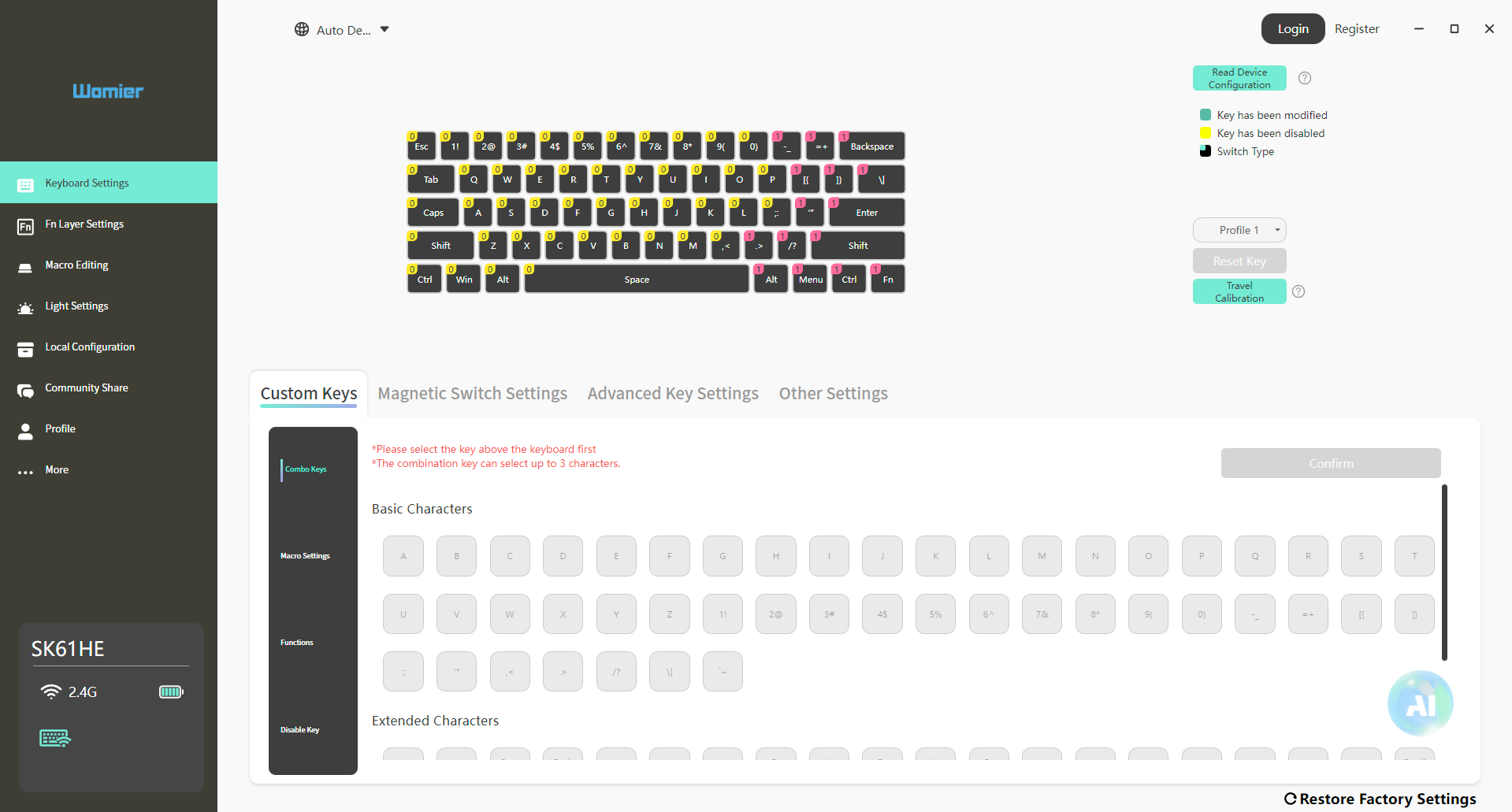
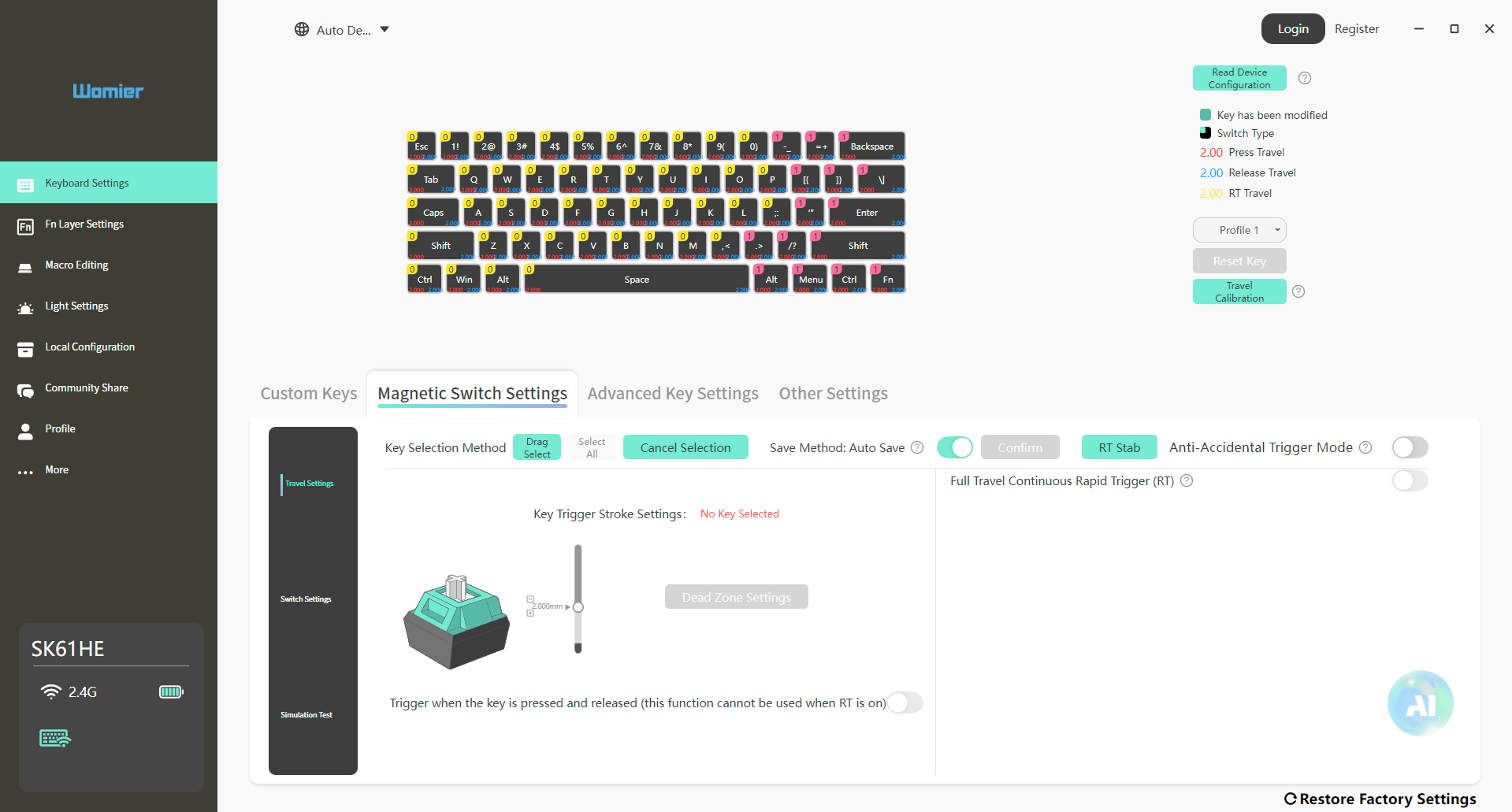
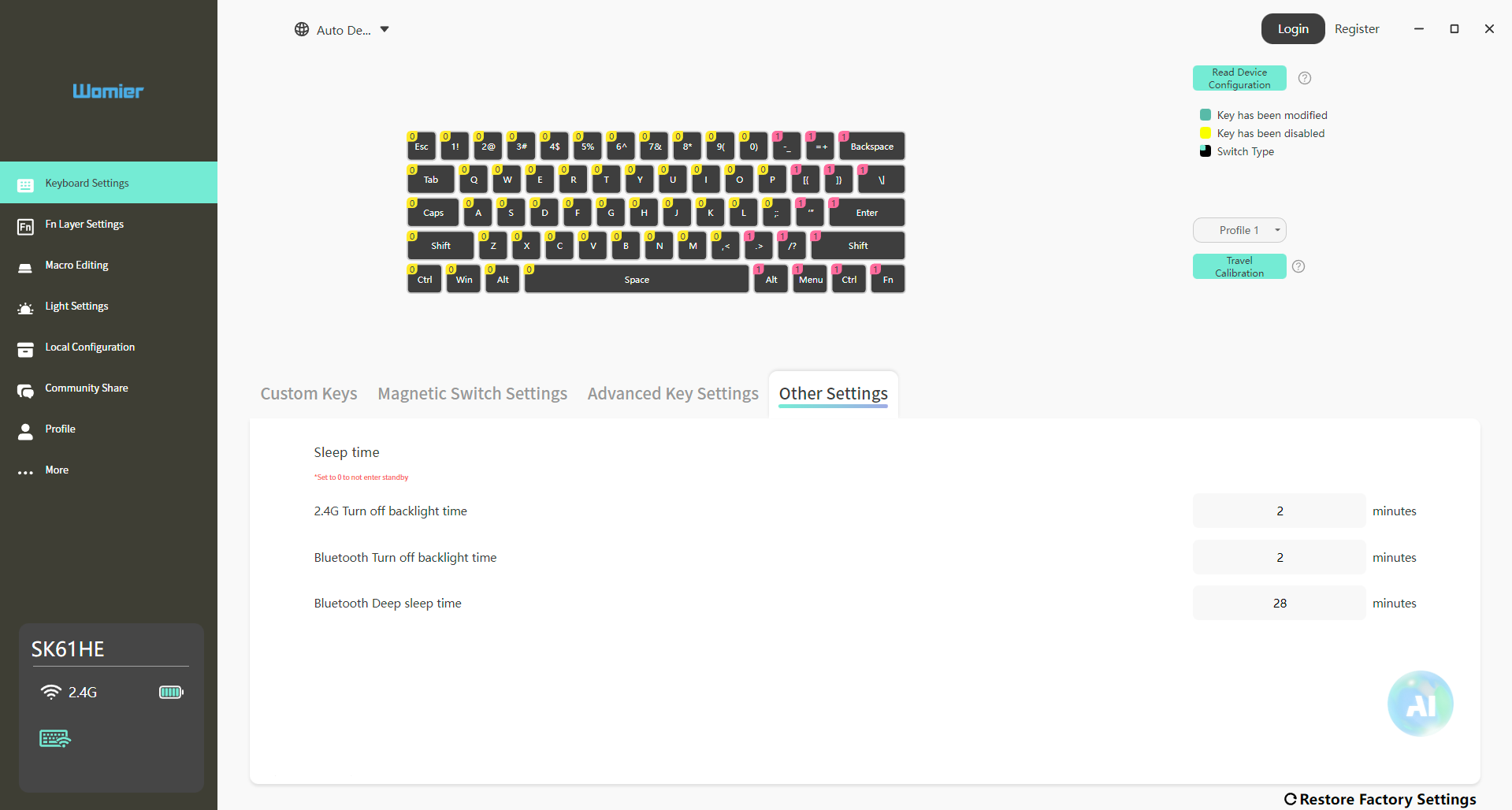
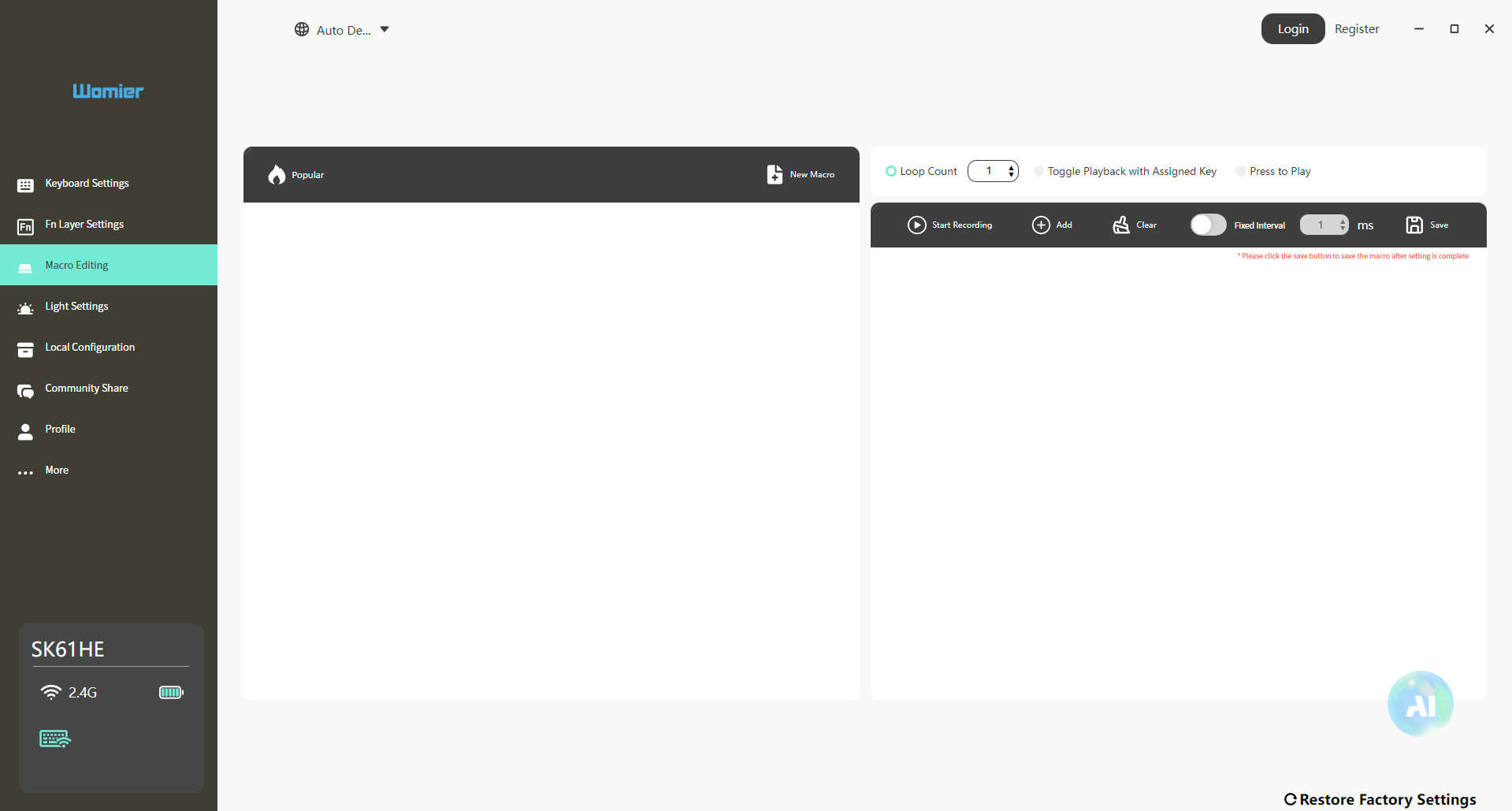
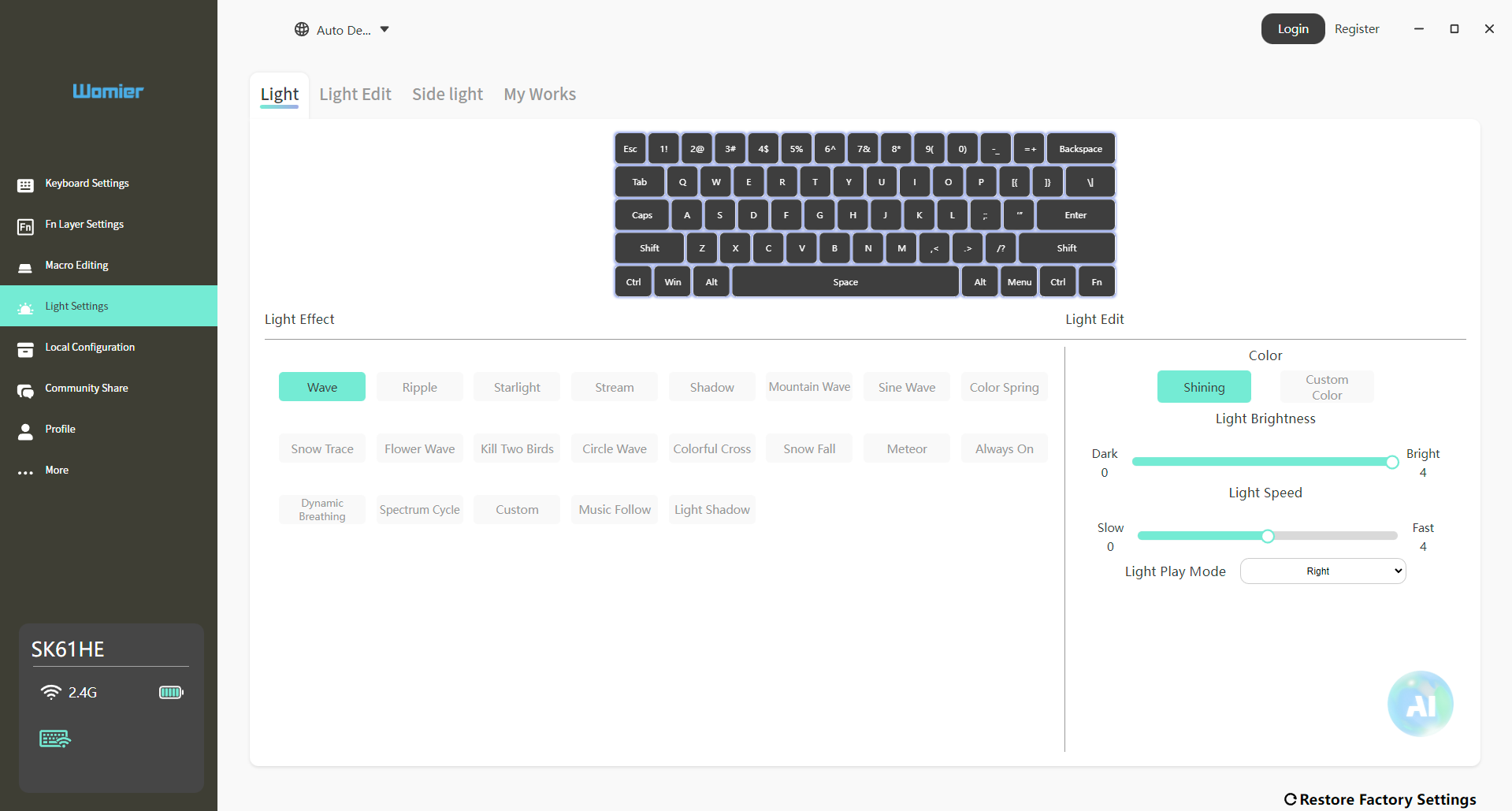
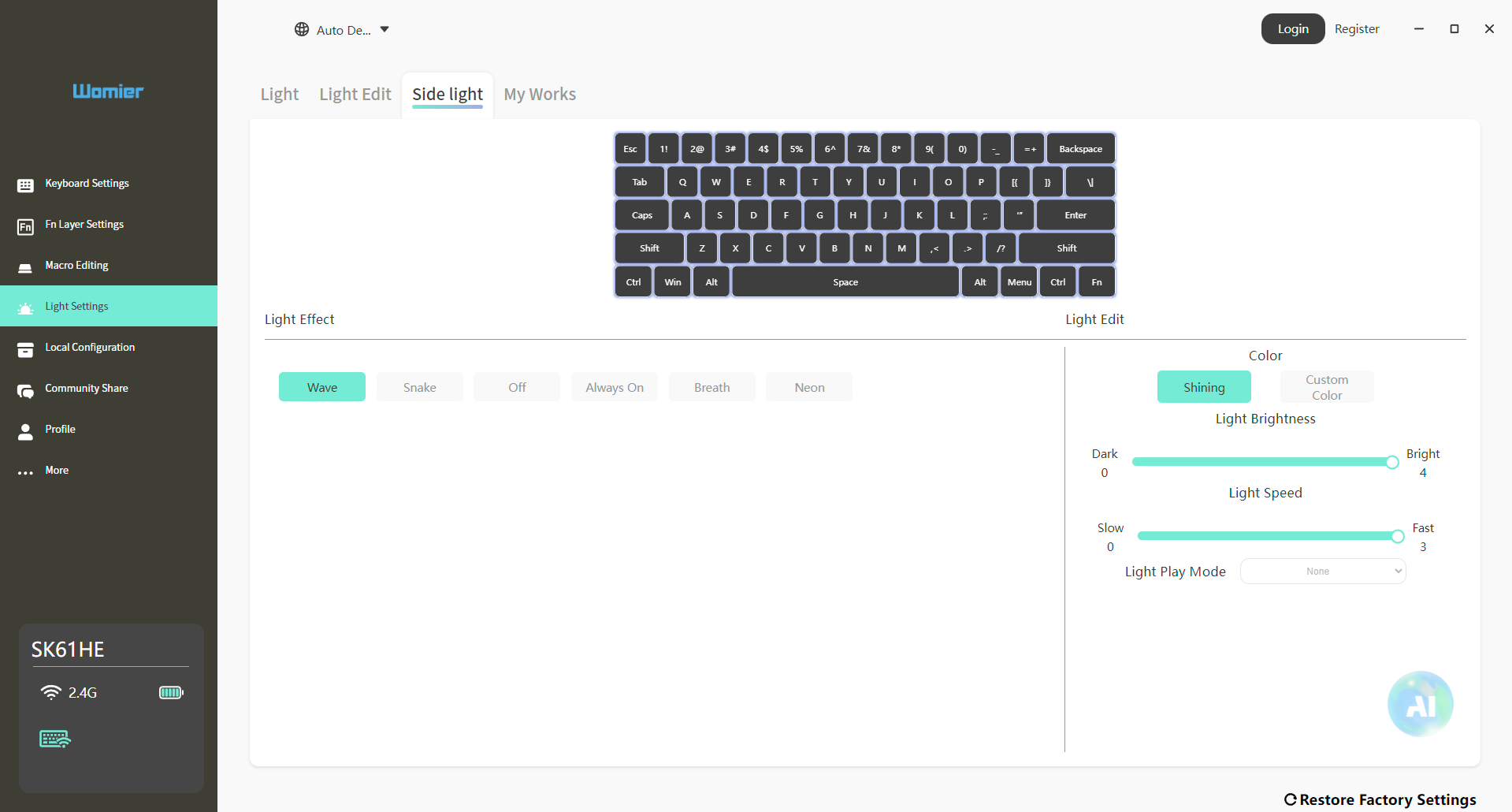
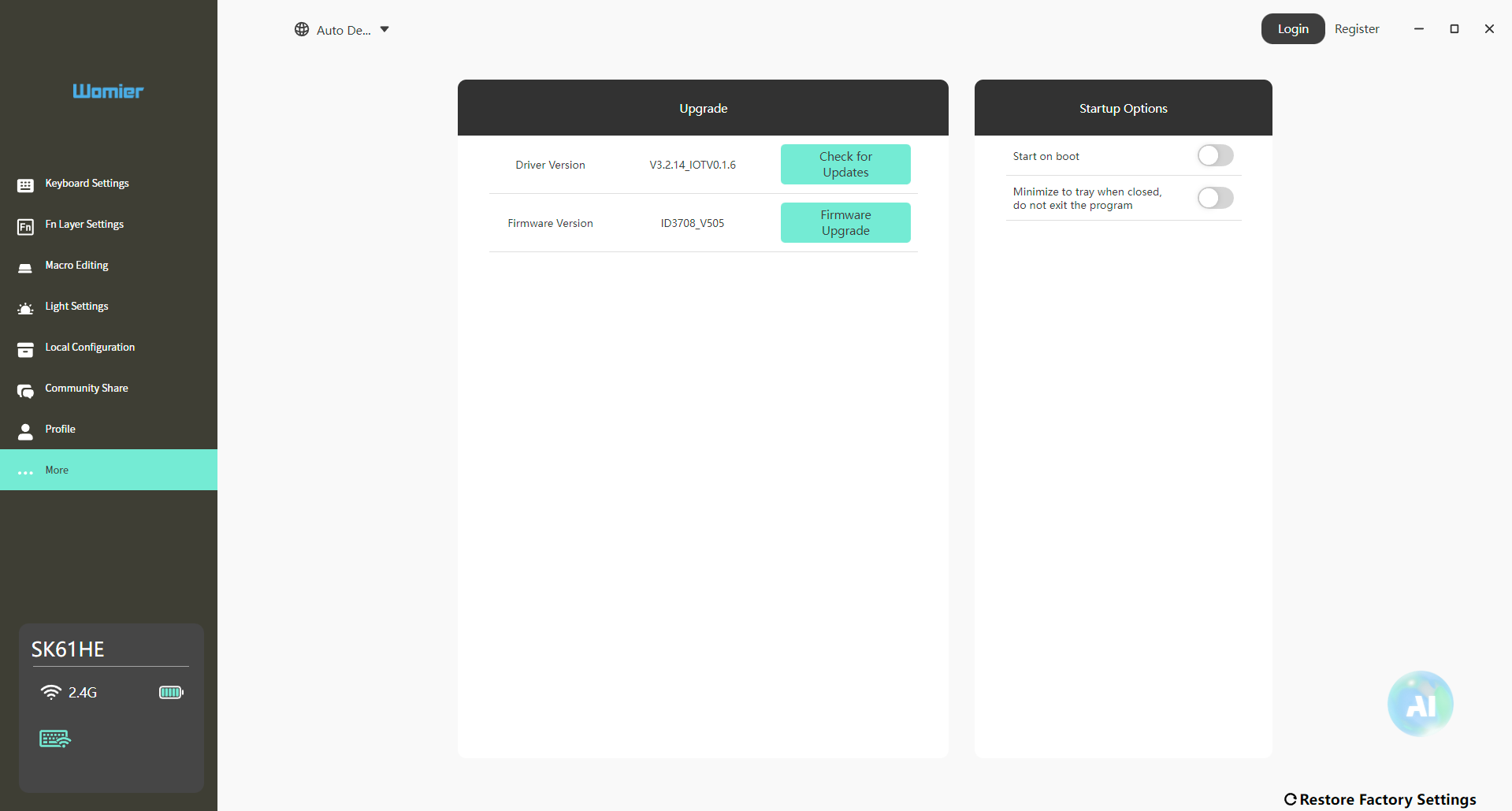
Womier provides both a desktop application and a web-based driver for the SK61 HE. I tried both, and they’re almost identical in terms of the interface. The settings available in one are also available in the other. In both, the first section is the Keyboard Settings tab. This is where you can change the behavior of individual keys and create your own key assignments. This is also where you’ll find the magnetic switch settings, including the adjustable actuation controls.
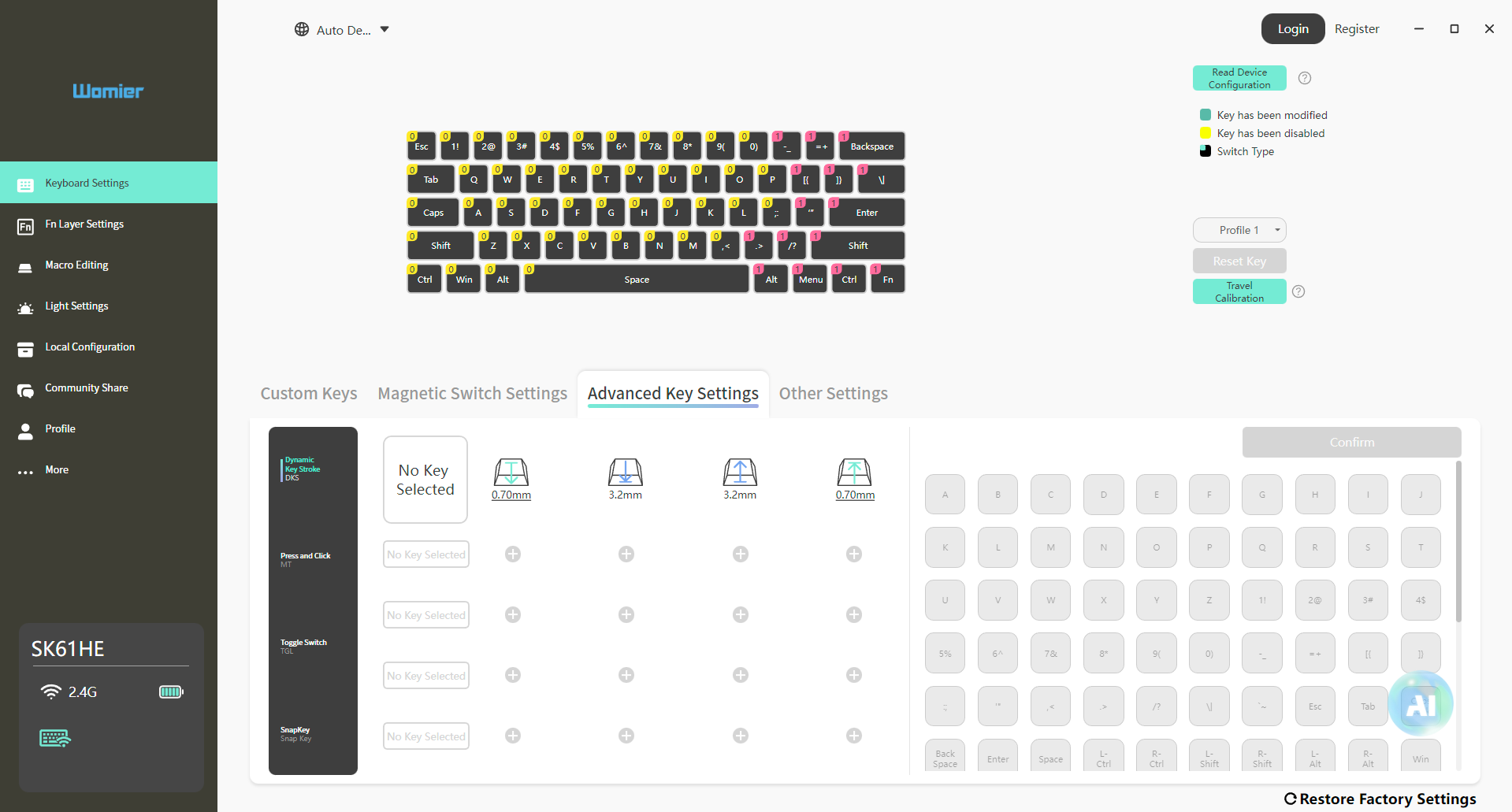
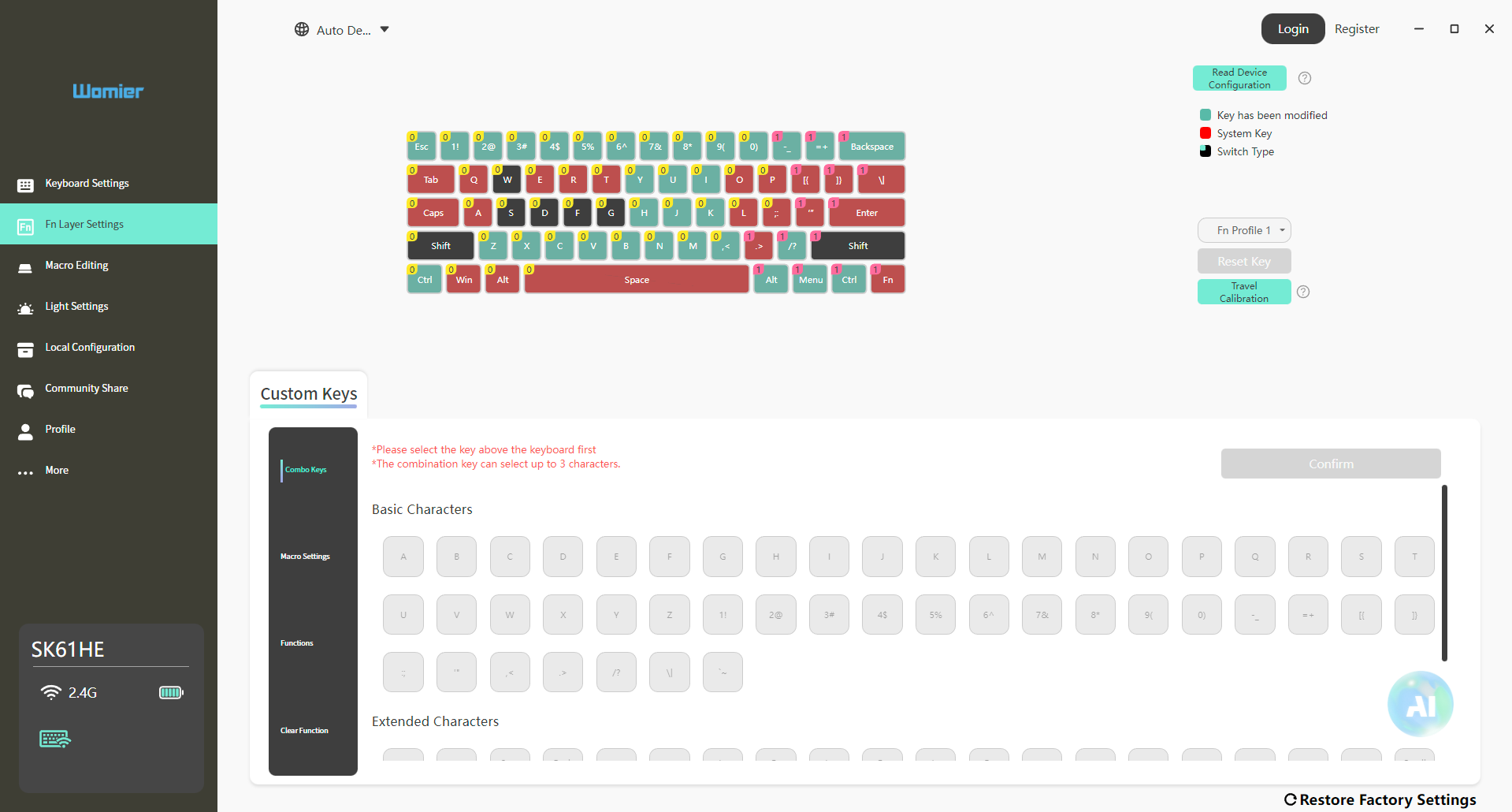
Next is Advanced Key Settings, which is where Womier puts its more specialized functions. Here you’ll find DKS, MT, TGL, and Snap Key, each of which changes how certain key presses are handled. After that, there’s the FN Layer section. Since the SK61 HE is a 60% keyboard, this part is particularly useful for managing functions that lack dedicated keys. The Macro Editing section is pretty self-explanatory. Finally, there’s Light Settings, where you can control the keyboard’s RGB lighting and adjust its appearance.
Should You Buy it?
Buy it if
✅ You care about build quality and design: The CNC-milled aluminum case gives the keyboard a solid feel, while the hollow sections around the frame give it a look that stands out from more conventional 60% keyboards.
✅ You like customization: Womier’s software gives you a lot of control over the keyboard. You can adjust actuation, configure the magnetic switches, set up FN layers, create macros, and customize the RGB lighting.
Don’t Buy it if
❌ You need dedicated arrow keys: The biggest drawback for me is the 60% layout. There are no physical arrow keys, so you have to use FN combinations instead. If you regularly use the arrow keys while working or browsing, this can get annoying.
❌ You want easily readable key legends: The four-side translucent keycaps use side-printed legends rather than putting the characters on top. They become harder to read when you’re looking down at the keyboard from above.
Final Verdict
After spending a good amount of time with the Womier SK61 HE, I came away with a pretty clear impression of what kind of keyboard this is. It isn’t trying to be a conventional 60% mechanical keyboard with a few gaming features thrown in. The Hall Effect functionality is a big part of the experience, but Womier has also put considerable attention into the physical design. The Womier SK61 HE was listed at $128.99, which puts it in a more competitive part of the magnetic keyboard market.
At that price, I’d be more critical about the missing arrow keys and the compromises that come with the 60% layout. As of this writing, though, the keyboard is available for $89.99 with 30% off. That’s a much more interesting price. I think the compromises are much easier to accept. The keyboard has enough going on beyond its Hall Effect switches to make it feel like a complete product rather than just another gaming board built around the same magnetic-switch formula.
Thank you! Please share your positive feedback. 🔋
How could we improve this post? Please Help us. 😔

[Hardware Reviewer & Editor]
After many years of exploiting various pieces of hardware, Abdul Hannan now serves as an editor at Tech4Gamers. He’s been in the PC hardware reviewing industry for almost a decade, and his staff of passionate geeks and reviewers is second to none.
Abdul Hannan is constantly seeking new methods, you will always see him running into New Computer Courses to improve the performance of his computer components since he is an ardent overclocker. He is well-known for providing the most extensive and unbiased analysis of the newest and greatest hardware for PC gaming, including everything from GPUs to PSUs.
 Join Our Community