Worth the Price?
Review Summary
The SCUF Omega Smoke is a premium controller built for competitive players who want more controls under their fingertips. It combines four rear paddles, SAX buttons, G-Keys, mechanical switches, TMR thumbsticks, and adjustable Instant Triggers with extensive physical customization. However, the extra controls can make the grip feel crowded, and some removable parts feel less substantial than expected. At $219.99, it is an expensive controller, but its extensive controls and customization make it a compelling option for players who can actually put them to use.
Time Tested: 2 Weeks

Overall
-
Design - 9.5/10
9.5/10
-
Build Quality - 9/10
9/10
-
Performance - 9.8/10
9.8/10
-
Customizability - 9.5/10
9.5/10
Pros
- Adjustable Instant Triggers
- Omron mechanical buttons
- Endurance TMR thumbsticks
- Extensive physical customization options
- SCUF App offers detailed control
Cons
- Premium pricing limits its appeal
- Software experience is mobile-dependent
- 1,000 Hz polling rate could be higher
- Extra controls can crowd the grip


SCUF has been in the performance-controller space for years. The brand helped popularize the idea of adding extra controls to a gamepad for players who wanted an edge in competitive games. The SCUF Omega Smoke is the brand’s latest attempt to keep that idea relevant across different platforms. It is an officially licensed PlayStation 5 controller, but it is also designed to work with PC and other supported devices.
It is built around the idea that a player shouldn’t have to take their thumbs off the sticks to perform basic actions. I spent my testing time using it across different games and with both competitive and more relaxed play in mind. I also wanted to see whether it actually feels like a substantial step up or whether its biggest differences only become useful in very specific situations to justify its position in a crowded controller market.
Key Takeaways
- The SCUF Omega Smoke is a premium performance controller with a familiar PlayStation layout, responsive mechanical controls, and extensive customization.
- You should buy the SCUF Omega Smoke if you want a controller built around competitive gaming, value extra inputs, and like having plenty of physical customization options.
- You should skip the SCUF Omega Smoke if you prefer a simple controller, do not plan to use the extra inputs, or want better value from a premium controller.
Here are the technical specifications:
| Dimensions | L164 mm x W115 mm x H64 mm |
| Audio Port | 3.5 mm |
| Thumbstick Layout | Symmetrical |
| Wireless Range | Up to 10 m/32 ft |
| Connectivity | Wireless USB-A Dongle, Bluetooth, and Wired USB-C Cable |
| Weight | 254 grams |
| Compatibility | PS5, Windows 10/11, iOS, and Android |
| Battery life | Around 17 hours |
| Polling Rate | 1,000 Hz and 250 Hz on PS5 |
| Paddles | 4 Remappable |
| Triggers | Adjustable Instant |
| Bumpers | Instant |
| Buttons | Instant (Omron) |
| Grip Type | Performance |
| Tech | Endurance TMR |
| Faceplate | Yes |
| Thumbsticks | Interchangeable |
| Vibration | No |
What Makes the SCUF Omega Smoke Different?
The SCUF Omega Smoke differs slightly from SCUF’s previous lineup and the rest of the competition. It keeps the same competitive direction but expands the input count considerably, adding two SAX buttons and five G-Keys alongside the four rear paddles for 11 additional programmable inputs. It also has Endurance TMR thumbsticks and uses Omron mechanical switches across the main buttons, while its Adjustable Instant Triggers can switch between a short click and full analog travel.
Packaging & Unboxing
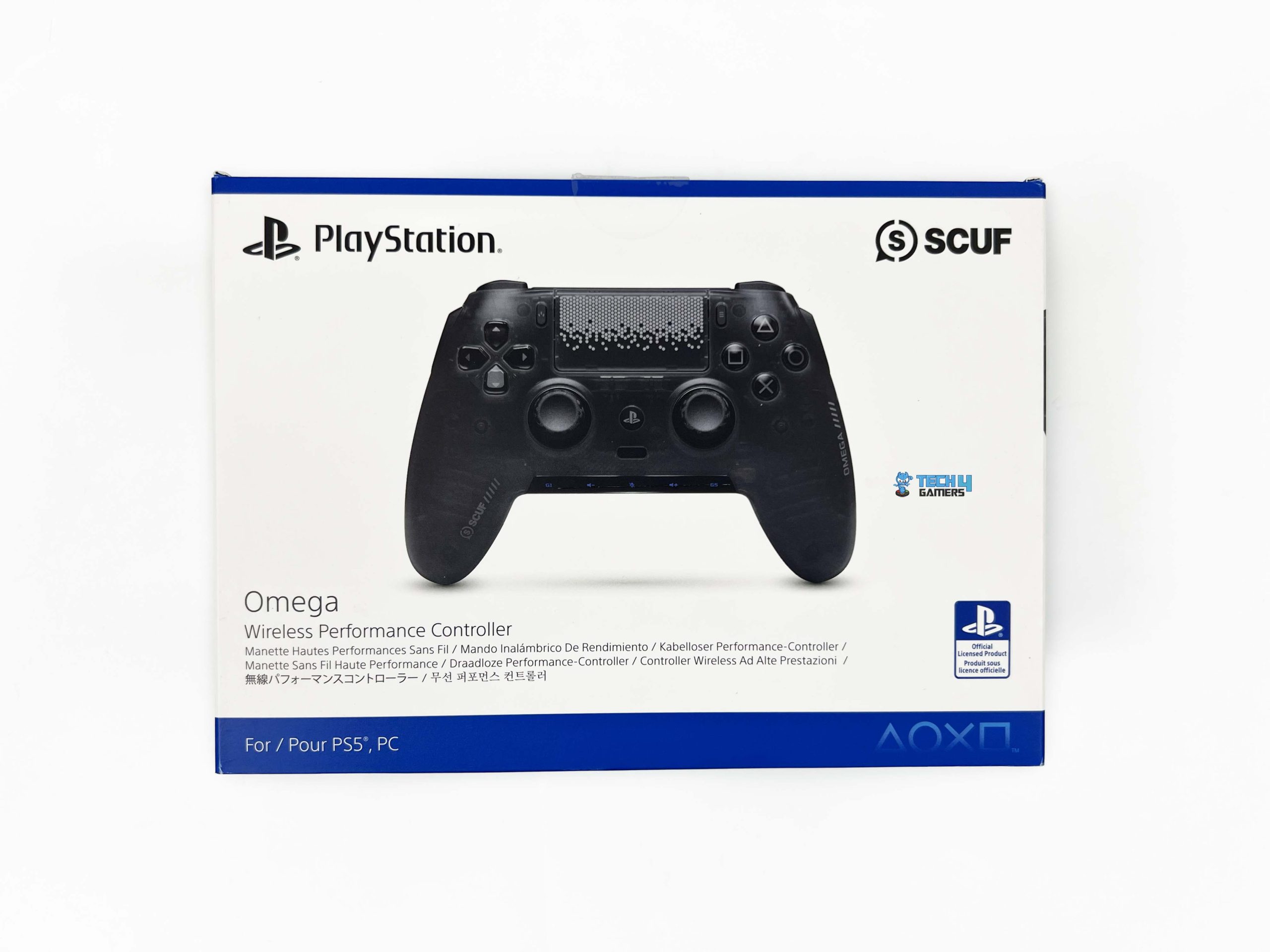
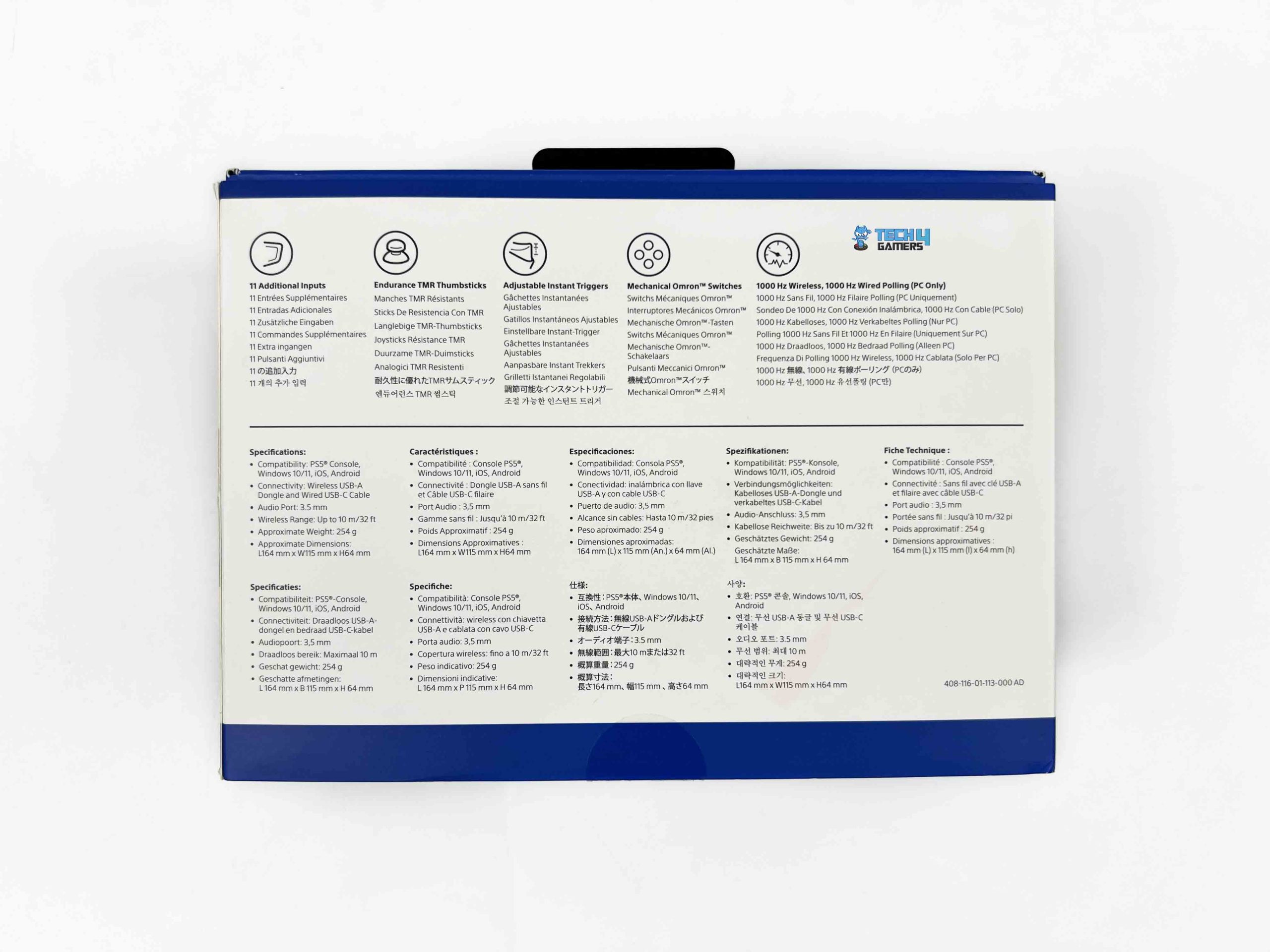
The SCUF Omega Smoke comes in two layers of packaging. The outer sleeve has an image of the Omega on the front, along with SCUF and PlayStation branding. The back of the sleeve lists some of the controller’s main features and specifications. Once you slide the sleeve off, the actual box underneath is simple. Inside is the controller case. SCUF provides a universal black case, and the controller itself is wrapped in a soft cloth inside.
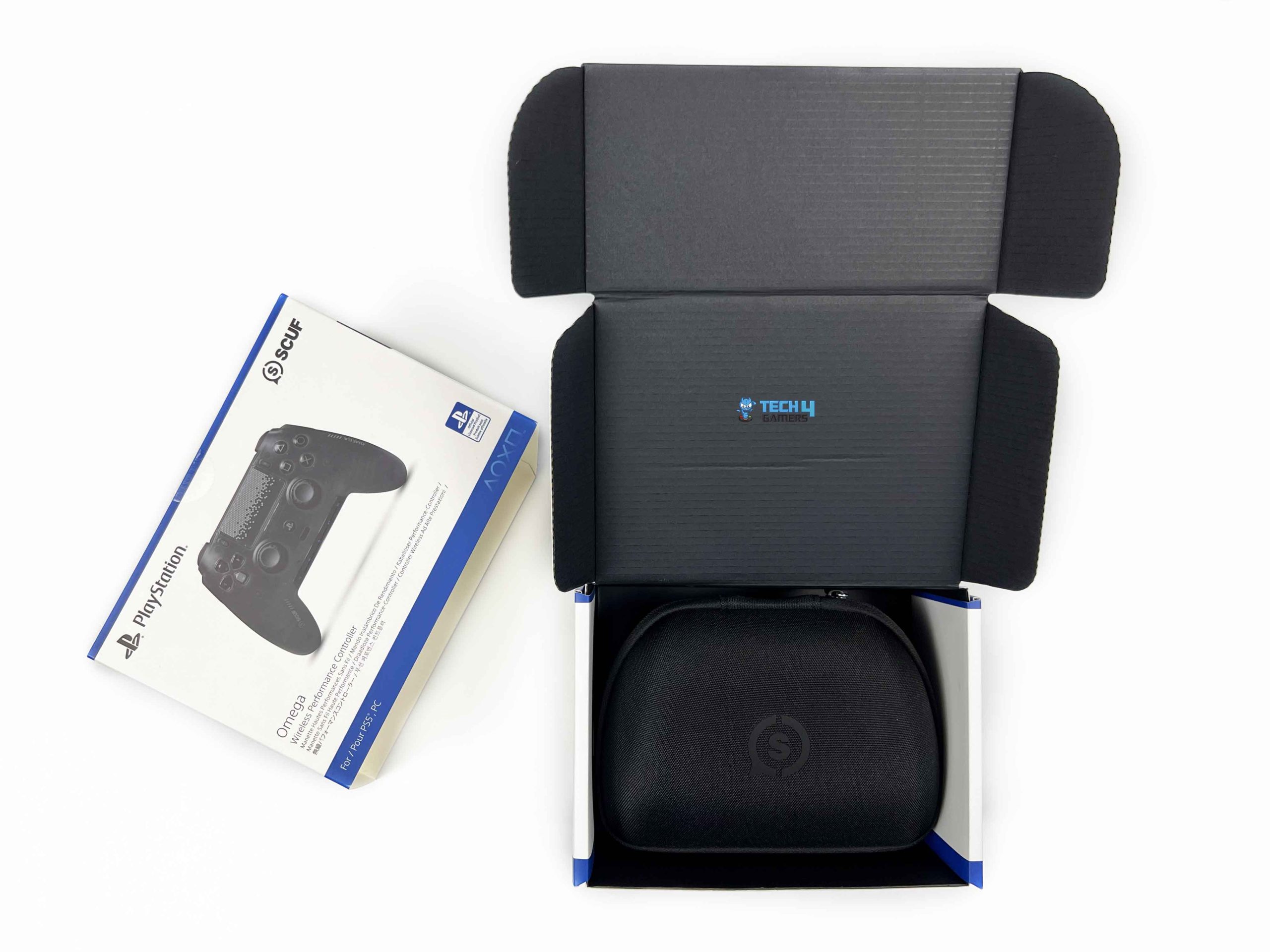
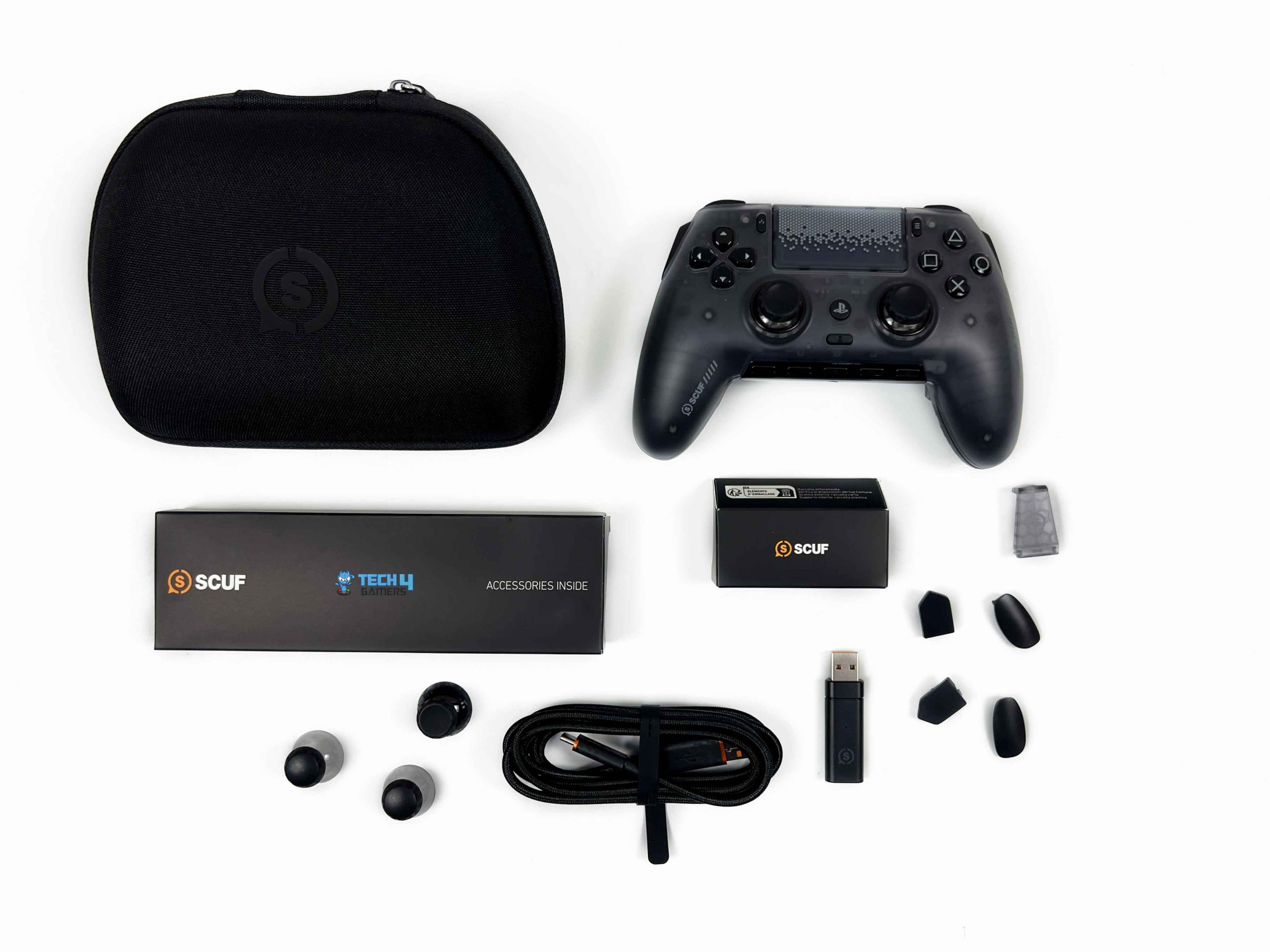
The case also contains a small accessory box. It has two inner paddle blanking plates and a pair of Side Action, or SAX, blanking plates. The box also includes a USB wireless receiver dongle and a tournament cable lock. When you remove the case, you’ll find another box underneath. This one holds the remaining accessories. The other accessory box includes three additional thumbsticks and a 6-foot (roughly 2-meter) USB-C cable.
Design

The SCUF Omega Smoke takes a familiar PlayStation controller shape and builds a lot more hardware around it. SCUF has kept the symmetrical stick arrangement, the central touchpad, and the general shape of the handles, so the first impression is quite close to a DualSense. It is only when you look a little closer that the Omega starts to look like a very different controller. The Smoke finish is the biggest visual change.
The shell uses a dark translucent material that sits somewhere between black and grey. It isn’t clear enough to show the internals, but you can make out some components underneath the shell. That gives the Omega a fairly understated appearance. SCUF hasn’t covered the front with oversized branding either. Some branding appears around the grips, along with a patterned treatment on the touchpad, but most of the controller stays dark.
Ergonomics & Grip

The SCUF Omega Smoke keeps the general shape we’re used to from PlayStation controllers. It measures 164 x 115 x 64 mm and weighs 254 grams. The weight is distributed well enough. SCUF lists the Omega’s grip type as Performance. They are essentially referring to how the controller is designed for competitive play, with extra controls positioned so your fingers can handle more inputs. The handles have a familiar angle and length.
I could hold it firmly without squeezing the grips harder than usual. The textured grip sections also add traction. Things get more complicated with the number of controls placed around the grips. The controller is comfortable, but finding a hand position that gives me effortless access to every input is a different story. This became more noticeable when I tried to make use of several of the extra inputs at once.
Face Buttons & D-Pad

The SCUF Omega Smoke uses Omron mechanical switches for its face buttons. The buttons have a much more defined click when pressed. They have a clear actuation point instead of a softer, slightly cushioned feel. The travel is fairly short, too. I don’t have to push the button far before it registers, and the switch returns quickly after I let go. That becomes more noticeable when I am hitting the same button repeatedly.
There is less of that soft movement between presses, so rapid inputs feel more deliberate. I notice this most in games where the face buttons do a lot of work with frequent attacks or other repeated inputs. Their tactile feedback is probably my favorite part. There is a distinct click under your finger, so you know when you have pressed the button. I tend to notice this more during faster gameplay because I am not consciously thinking about each press.

The D-pad has the same mechanical feel. Each direction has a defined click when you press it. It has very little of that soft, spongy movement. Press left, and I get a clear click. Move to the opposite direction, and there is another distinct press. The transitions between directions feel fairly clean, which matters more in games where I press inputs quickly. They are not particularly loud on their own, but the mechanical nature is obvious once you start using it.
Thumbsticks

The SCUF Omega Smoke uses Endurance TMR thumbsticks. Small movements around the center feel controlled. When I am tracking a target and need a tiny correction, I can move the stick a small amount without the camera suddenly swinging farther than I intended. I spent a lot of time using it in shooters, and the stick response suited the small adjustments I make while aiming. I can move slowly across a target, then push the stick farther when I need to turn.
SCUF also makes the thumbsticks interchangeable. The different sticks give me room to tune that feel around the game I am playing. SCUF also offers different top shapes. Concave sticks give the thumb a small pocket to sit in, while domed sticks have a more rounded surface. The sticks also have removable anti-friction rings around the base. These sit between the stick mechanism and the faceplate, so the stick doesn’t rub against the surrounding plastic.
Triggers
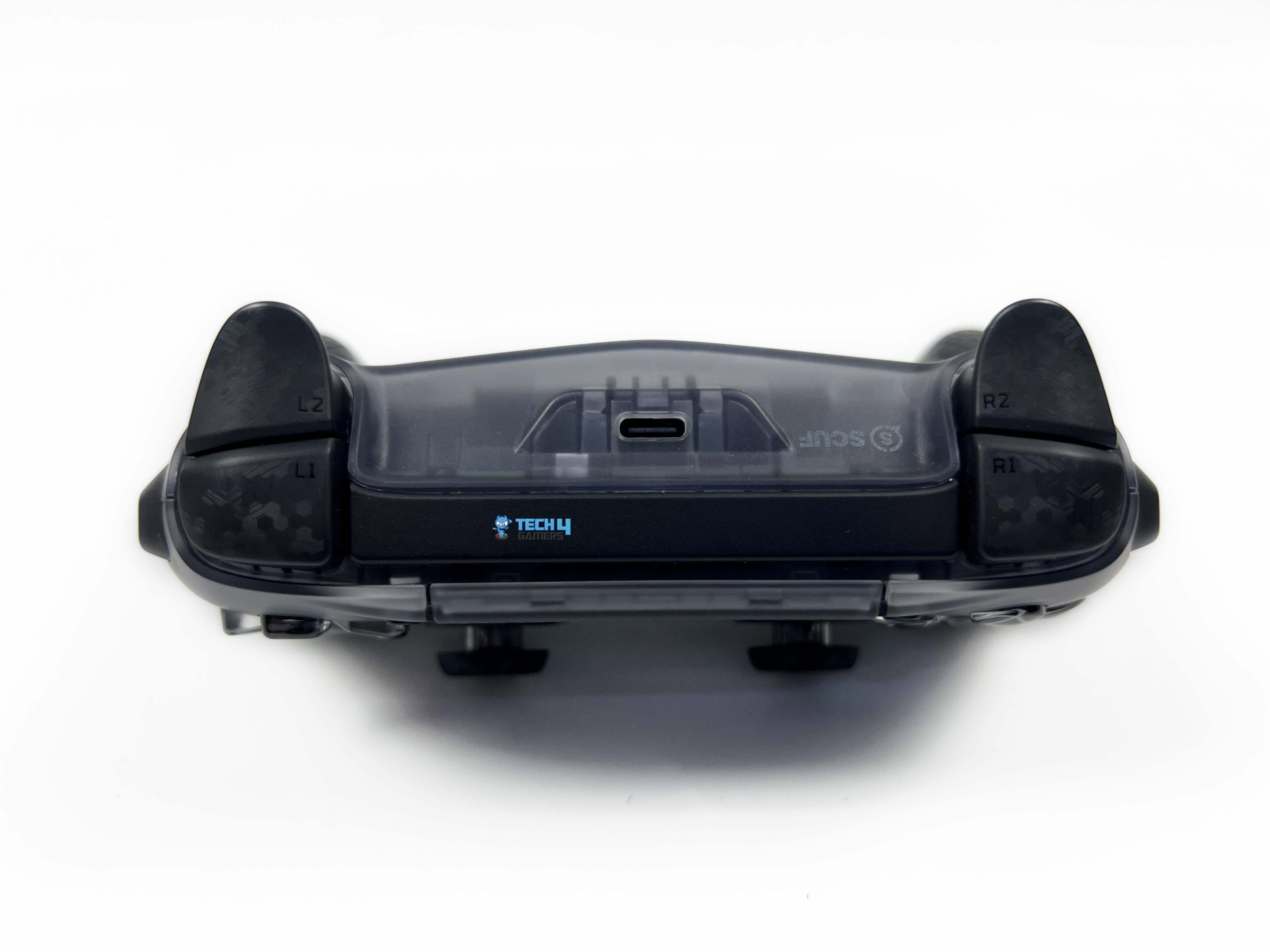
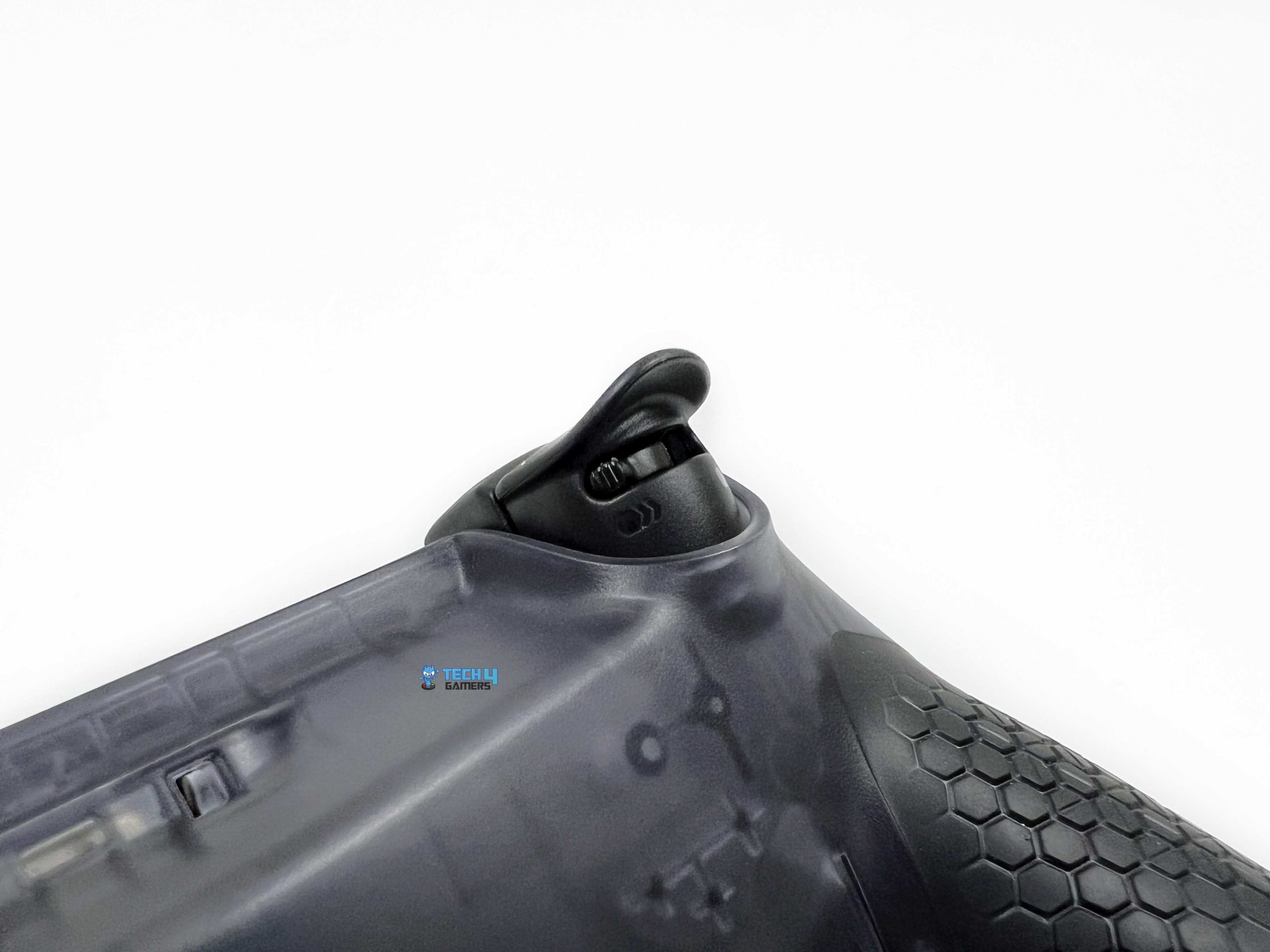
The SCUF Omega Smoke uses what they call Adjustable Instant triggers. A physical switch built into the underside of each trigger lets me switch between the regular analog travel and the shorter instant setting. In the standard position, the triggers behave much like those on a conventional controller. The pull is longer, and I can control how far I press the trigger. That matters in games where pressure affects what happens on screen.
Racing games are the obvious example. I can ease into the accelerator. Flip the switch to Instant mode, and most of the trigger travel is removed, leaving a much shorter press. The actuation feels closer to clicking a mouse button than pulling a traditional analog trigger. You get a clear click under your finger, followed by a quick return. I noticed the difference most in FPS games. When I use the trigger to fire, there is no reason to use the full range of an analog trigger.
Side Buttons / SAX Controls

The two Side Action, or SAX, buttons are probably the controls I thought about most when I first picked up the SCUF Omega Smoke. One sits on each side of the controller, positioned along the inner part of the handles. SCUF puts them within reach of your index fingers, so you can press them without moving your thumbs away from the sticks. The idea itself makes sense. If you are playing an FPS and want another input, the side buttons give you that flexibility.
You can assign a function to either button and use your index finger for that command instead of reaching for a normal face button. The problem is the positioning. These buttons sit where your fingers naturally rest around the controller, and I found it easy to press one accidentally while I was getting used to it. It was most noticeable during the first few sessions. A slight shift in my grip could be enough to press one when I was not actually trying to use it.
Rear Paddles

Two outer paddles and two smaller inner ones sit underneath the SCUF Omega Smoke where your fingers normally rest. Instead of leaving those fingers idle, SCUF turns them into extra inputs. The outer paddles were the easiest for me to reach. They sit closer to my middle fingers’ natural resting position, so I could press them without changing my grip much. The inner pair is closer to the center and takes a little more practice.
I didn’t find them overly sensitive when I rested my fingers against the rear of the controller. Once I got familiar with their positions, I could use the outer paddles without really thinking about them. Using all four is different. They give you a lot of options, but they also mean there is more to remember. I would not recommend assigning every possible action immediately. It is much easier to start with one or two commands you use often.
Customizability

Customizability is the main USP of SCUF Omega Smoke. You can remove and replace several physical parts, so you can set it up how you actually want to use it. The faceplate is the starting point for most of these changes. You can remove it to access the hardware underneath. Even the D-pad and face buttons are part of the controller’s modular design. SCUF offers replacement parts separately, so you can alter the controller beyond its stock configuration.
Here, changing a physical component can change how the controller feels. Some trial and error is involved. With so many parts you can change, it is tempting to start modifying the controller before you have spent enough time with the standard setup. I’d start with the stock configuration. After that, it becomes much easier to tell which parts are actually worth changing. The replacement options also mean it can evolve with your preferences.
Build Quality

The SCUF Omega Smoke feels solid when assembled and in your hands, but its removable construction changes how I view its build quality. The main body is rigid enough that I don’t feel like I need to be extra careful during normal use. The handles don’t noticeably flex when I hold the controller firmly, and the shell doesn’t creak. The faceplate sits securely on the controller and didn’t shift while playing. That matters because the faceplate isn’t just there for looks.
It holds several of the removable components in place. Things feel a little different when you start removing those parts. The removable pieces are fairly light, and some don’t feel particularly substantial on their own. That isn’t necessarily a problem during normal use, since they aren’t meant to carry the same load as the main shell. Still, considering as part of the overall build quality, I expected the modular parts to feel a little more substantial.
Connectivity

The SCUF Omega Smoke supports 2.4GHz wireless, Bluetooth, and wired USB-C connections. The slightly awkward part is switching between these connection options. The connectivity controls sit under the removable faceplate rather than being on the outside. That means changing the setup may require removing the faceplate first. If you use the Omega almost exclusively on one platform, this probably will not bother you much.
Once you have the controller set up for your usual connection, there is little reason to keep opening it. It becomes more noticeable if you regularly move between setups, or switch between wireless and wired use. The faceplate isn’t difficult to remove, but it is still an extra step. For a controller that emphasises quick access to its extra controls, hiding the connectivity controls under the faceplate feels slightly inconvenient.
Performance

The SCUF Omega Smoke’s performance largely comes from letting you do more without taking your thumbs off the sticks. This was what I noticed most once I started using it in actual games. In FPS titles, I could keep my right thumb on the stick while using the rear paddles for actions that would normally require me to reach for the face buttons. Jumping, crouching, or reloading no longer meant moving my thumb away from the stick.
It took some time to build the muscle memory. However, once I started remembering where each paddle was, the setup felt much more natural. On PC, it supports polling at up to 1,000 Hz, while the PS5 version is limited to 250 Hz. The former rate is still perfectly usable for gaming. That said, some competing performance controllers now advertise polling rates well above 1,000 Hz on PC, so SCUF’s decision to stop at that no longer feels particularly cutting-edge.
Other performance-focused controllers, such as the FlyDigi Apex 4, take a somewhat different approach to delivering additional control and precision.
Battery Life
SCUF rates the SCUF Omega Smoke for up to 17 hours of battery life. In my experience, that felt like a reasonable runtime. I could go through several gaming sessions without charging it. I did not find the battery drain unusually aggressive during my testing. The battery lasts long enough that charging doesn’t become part of your routine every time you sit down to play. For me, that mattered most in day-to-day use.
Software
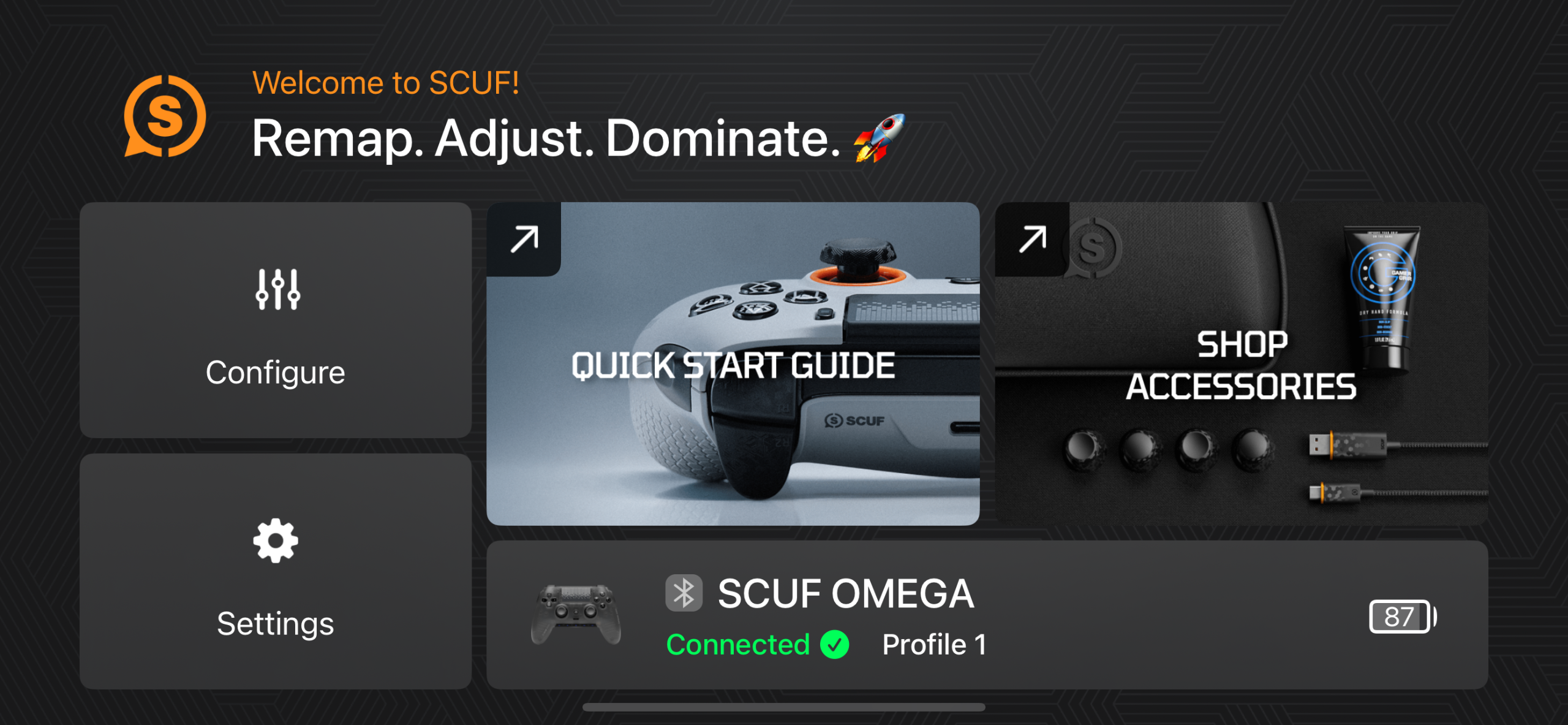
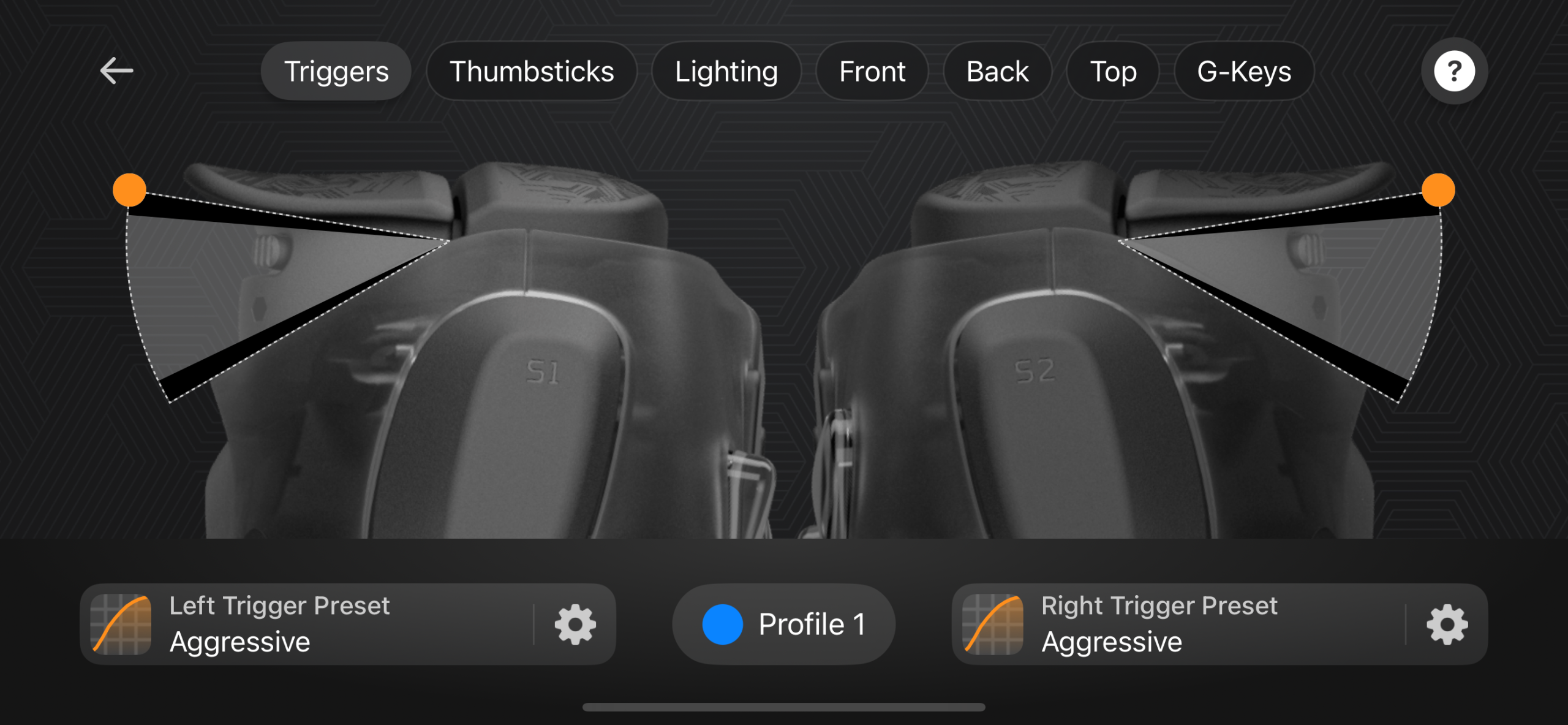
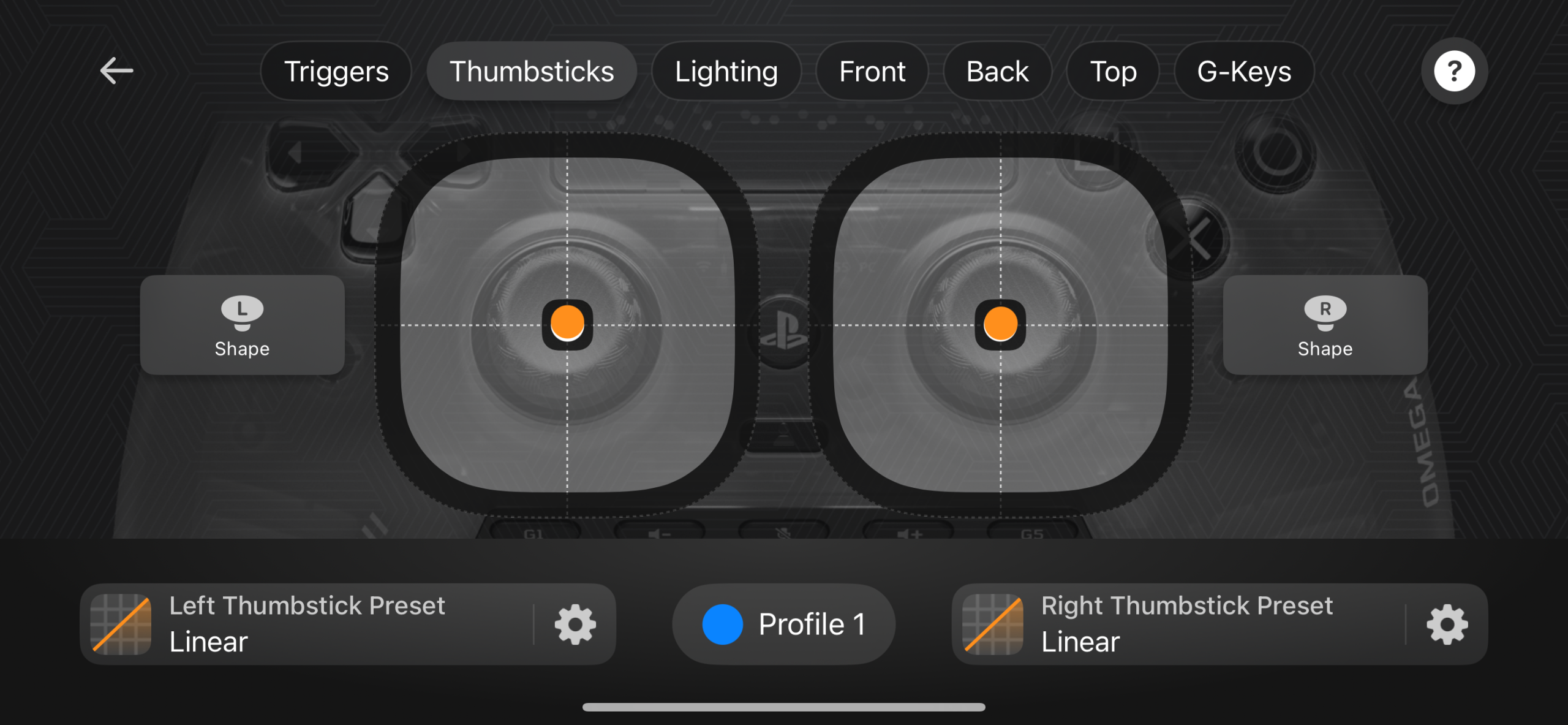
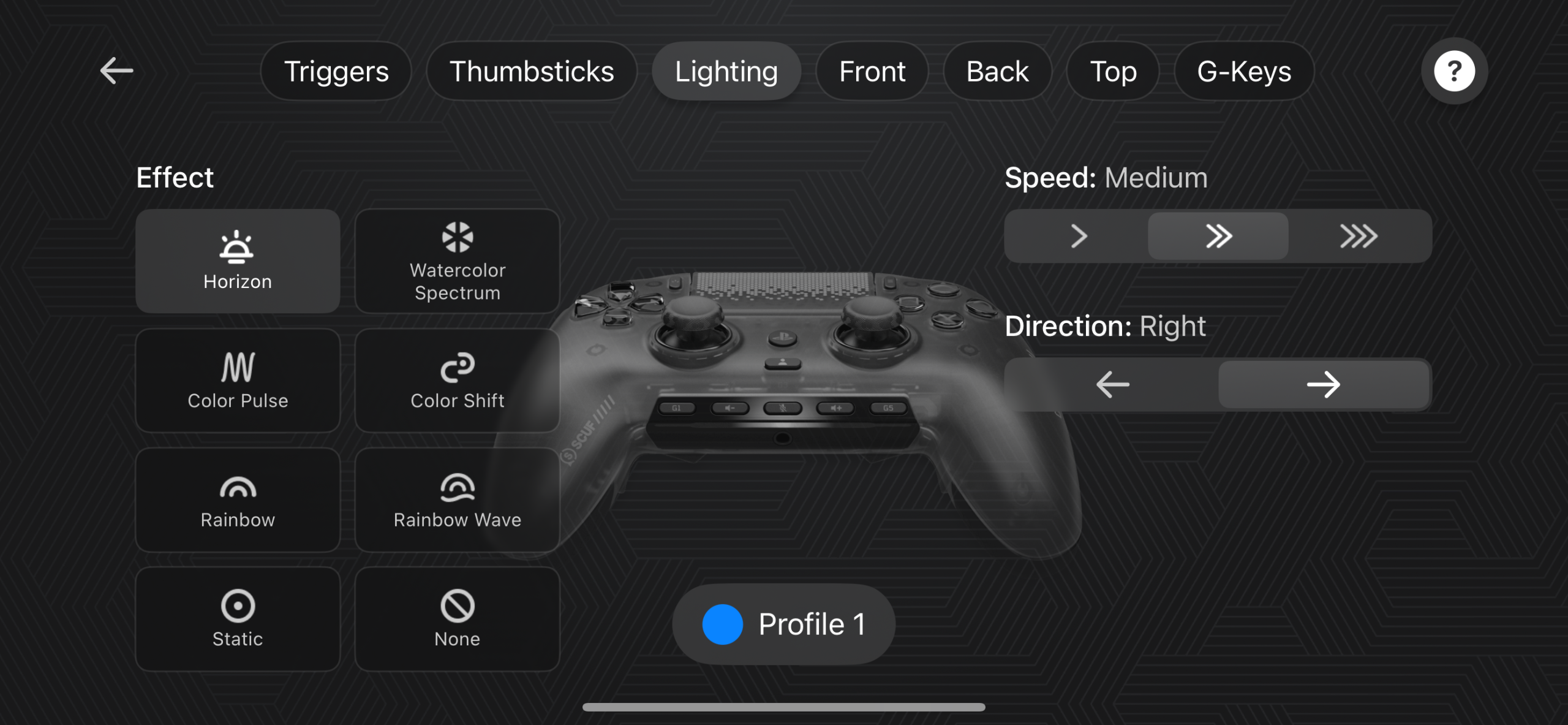
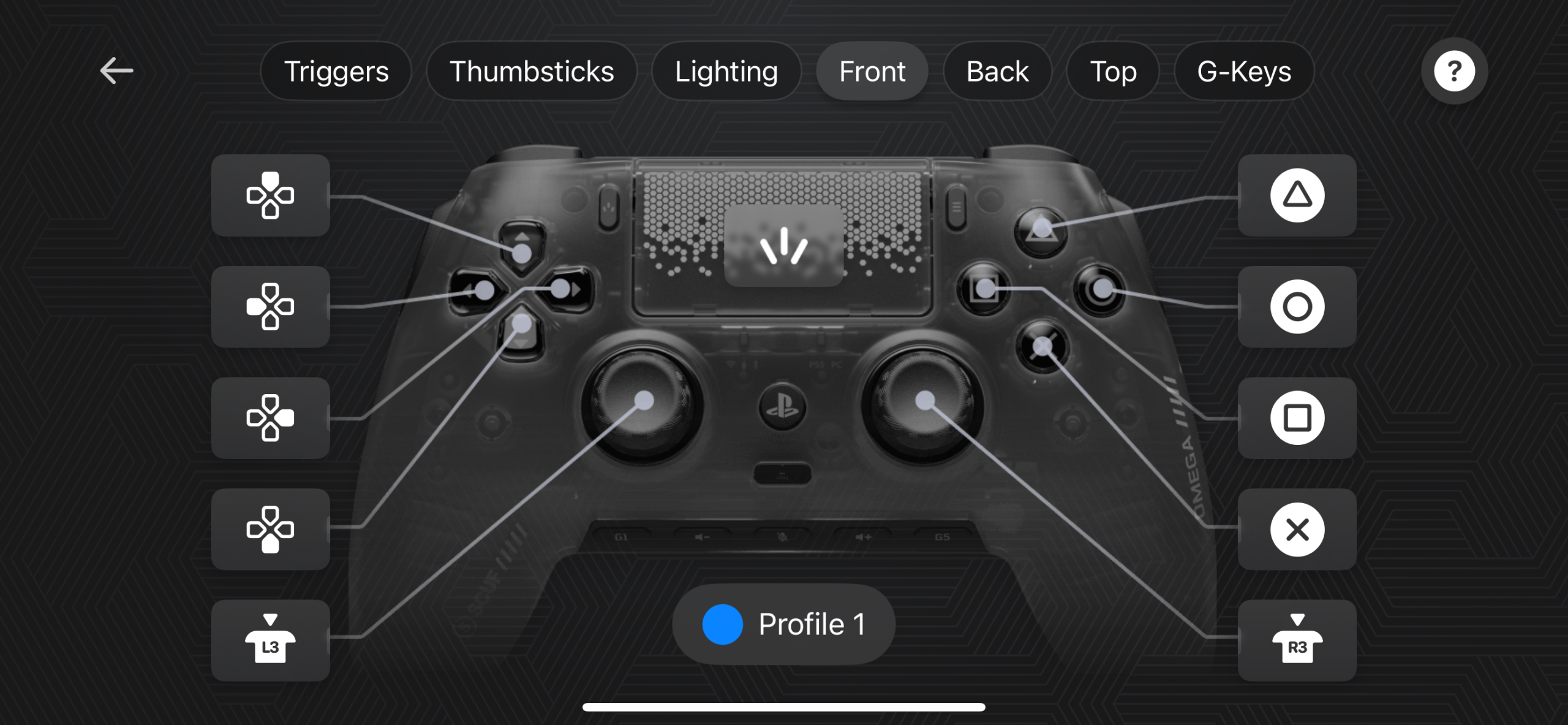
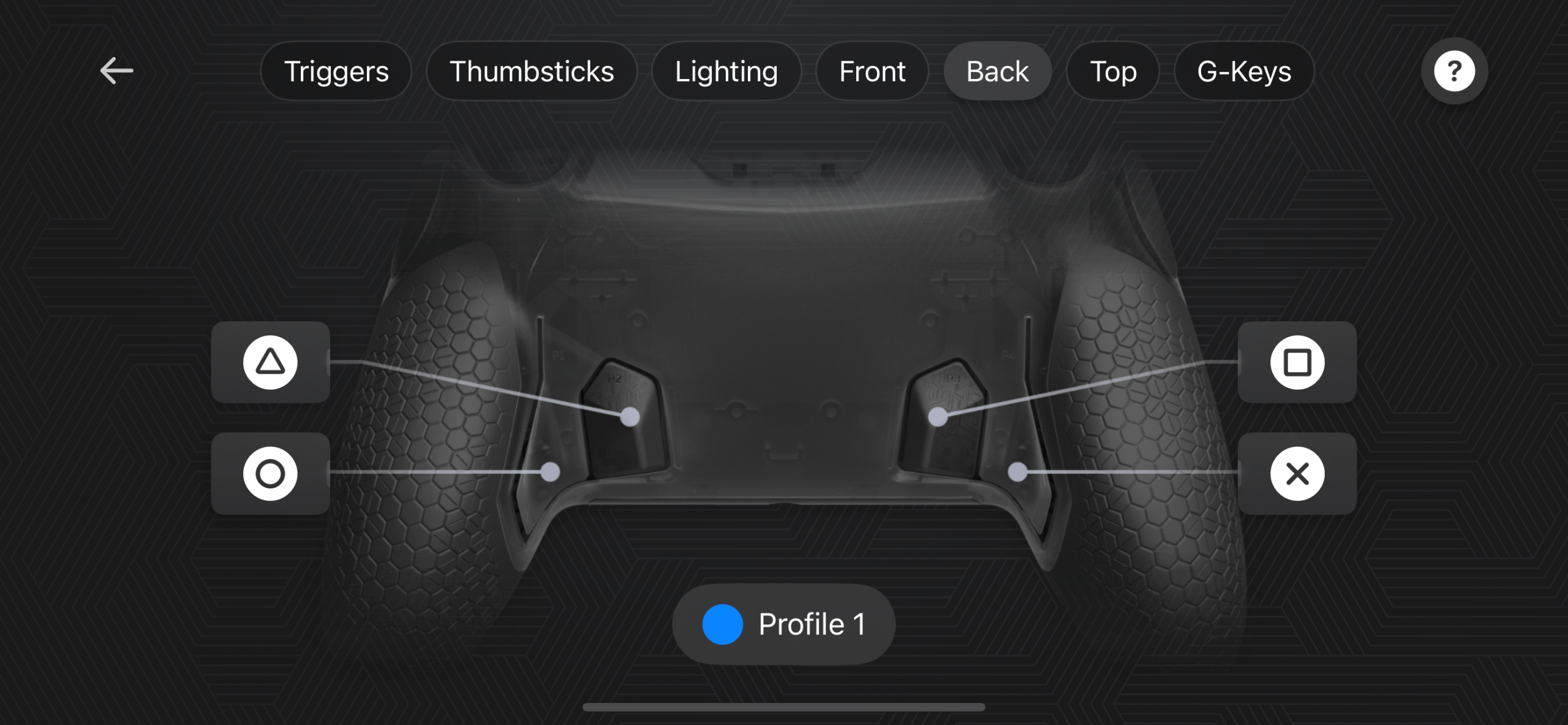
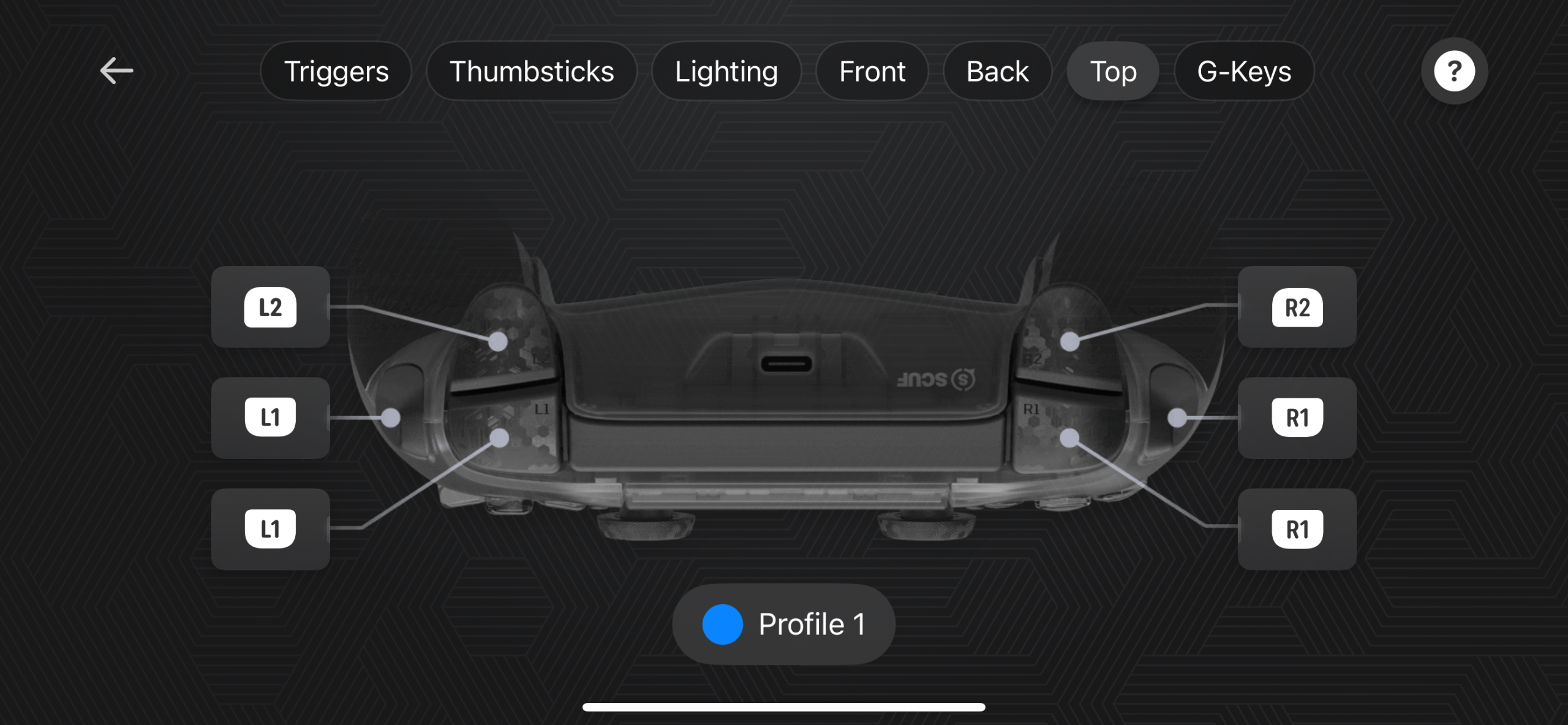
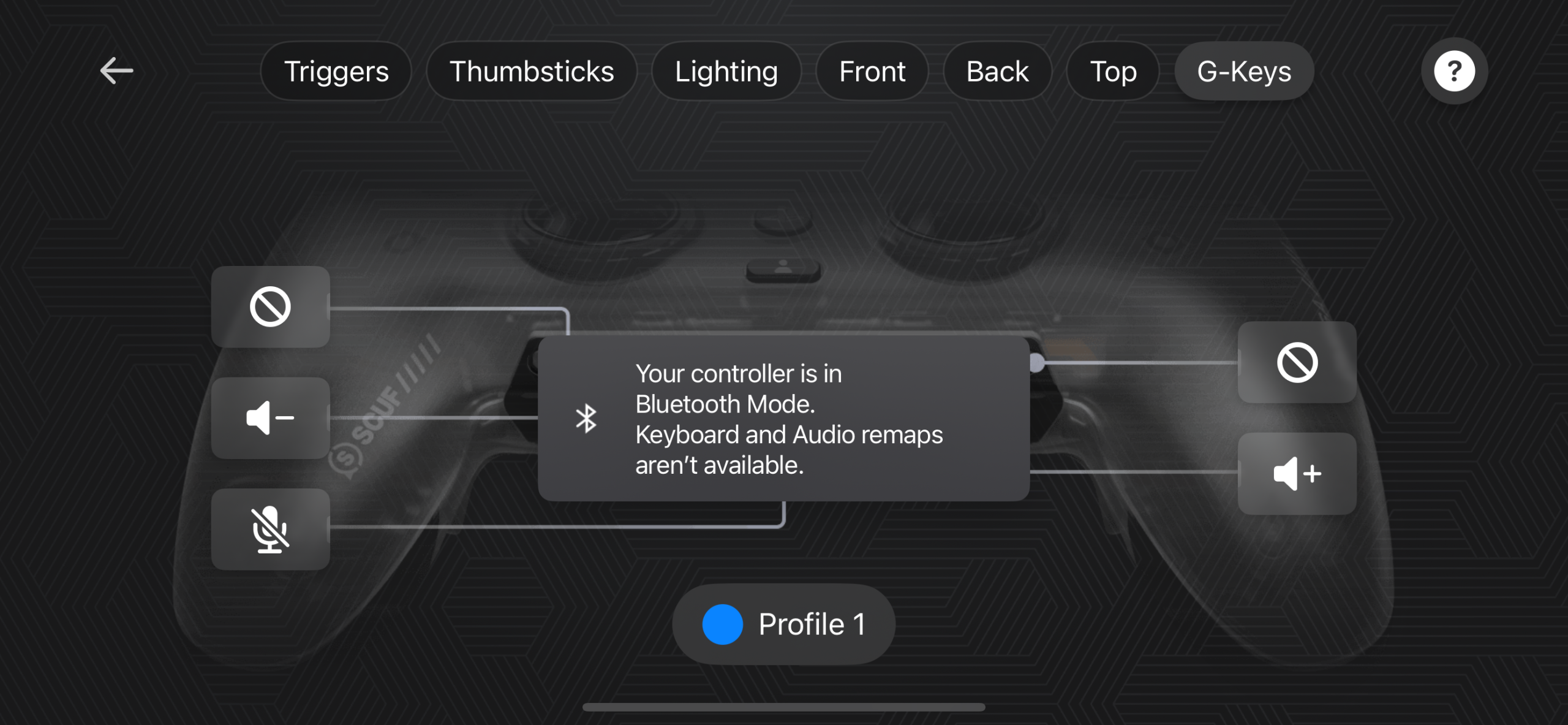
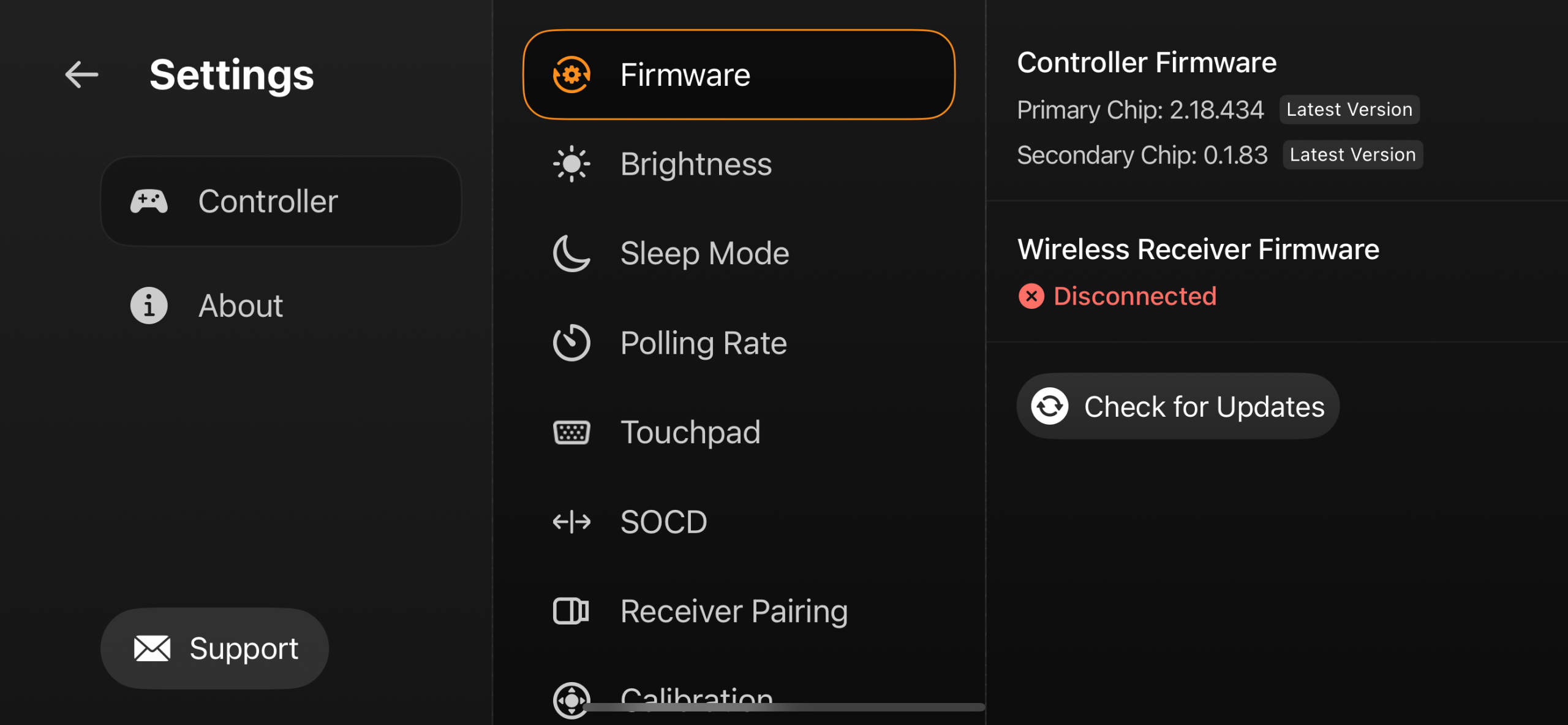
The SCUF Omega Smoke uses the SCUF App as its main software interface. Unlike some PC-focused controllers that offer a desktop utility, SCUF puts its configuration tools in its iOS and Android mobile app. If I wanted to change a setting while using the controller with my PC or PS5, I had to reach for my phone instead. The interface is fairly straightforward once you know where the different options are. The level of control is also much deeper.
With this many inputs, the app matters because the physical controls are only as useful as the functions you assign them. This matters when the controls you want in an FPS aren’t the same ones you need elsewhere. The mobile-only approach is probably my only complaint with the software. That is not a major inconvenience for occasional adjustments, but it feels slightly out of place on a controller aimed so heavily at PC performance.
Should You Buy It?
Buy it if
✅ You want extra controls for competitive gaming: The SCUF Omega Smoke is built around keeping your thumbs on the sticks while using the rear paddles, SAX buttons, and G-Keys for additional actions.
✅ You want a highly customizable controller: The interchangeable thumbsticks, removable faceplate, adjustable triggers, rear paddles, SAX buttons, and other physical options give you plenty of room to configure the controller around your preferences.
Don’t Buy it if
❌ You want the strongest build for the price: The main chassis feels solid, but some of the removable components feel lighter and less substantial than I would expect from a controller at this price.
❌ You expect the highest-end PC features: The Omega supports 1,000 Hz polling on PC, but some newer competing controllers now offer higher polling rates. Its price tag also puts the Omega in a range where these differences matter more.
Final Verdict
The SCUF Omega Smoke is built around giving your fingers more inputs while your thumbs stay on the sticks. After spending a lot of time with it, I think that idea works. I noticed the difference most in shooters. However, with a learning curve. There is a lot of physical customization here, and I think that is an important part of it. I would not use every available option, but having the choice matters if you are buying this type of controller in the first place.
It costs $219.99. That is not an unusual price for a third-party performance controller. I would want to be fairly certain that I need what SCUF is offering before spending the money. Some parts of it feel well considered, while smaller details don’t quite match the premium price. That does not take away from what the controller does well. It just means the extra hardware needs to matter to your gameplay. For competitive FPS players, its appeal is easy to understand.
Thank you! Please share your positive feedback. 🔋
How could we improve this post? Please Help us. 😔

[Hardware Reviewer & Editor]
After many years of exploiting various pieces of hardware, Abdul Hannan now serves as an editor at Tech4Gamers. He’s been in the PC hardware reviewing industry for almost a decade, and his staff of passionate geeks and reviewers is second to none.
Abdul Hannan is constantly seeking new methods, you will always see him running into New Computer Courses to improve the performance of his computer components since he is an ardent overclocker. He is well-known for providing the most extensive and unbiased analysis of the newest and greatest hardware for PC gaming, including everything from GPUs to PSUs.