 Threads
Setup Goals?
Review Summary
The Epomaker HE75 V2 TMR is a feature-packed 75% magnetic gaming keyboard that combines competitive gaming performance with a surprisingly enjoyable typing experience. It pairs TMR sensors and factory-lubed Creamy Jade Magnetic Switches with adjustable actuation, an 8000Hz polling rate, tri-mode connectivity, and an 8000mAh battery. Its crystal-inspired design, transparent PC keycaps, and three-sided RGB light bar give it a distinctive appearance, while the gasket-mount structure and five-layer sound dampening deliver satisfying acoustics.
Hours Tested: 1 Week

Overall
-
Design - 9/10
9/10
-
Build Quality - 8.5/10
8.5/10
-
Typing Experience - 8.5/10
8.5/10
-
Performance - 9/10
9/10
Pros
- Crystal-inspired design
- Excellent RGB implementation
- TMR magnetic sensors
- Large 8000mAh battery
- Five-layer internal sound dampening
Cons
- ABS plastic case
- Advanced features have a learning curve.
- Limited appeal for minimalist setups.


The last time I had an Epomaker keyboard on my desk was back in January when I reviewed the Epomaker RT82. I came away from that with a pretty positive impression. Since then, I’ve been curious to see what else Epomaker had been working on. Thankfully, they reached out and sent over the Epomaker HE75 V2 TMR for review, which gave me the perfect excuse to spend some time with it. The magnetic keyboard market has changed quite a bit over the past couple of years.
Features that were once reserved for a handful of flagship keyboards have slowly started finding their way into more affordable options. That’s given companies like Epomaker a chance to experiment with their own take on magnetic keyboards. Over the past few days, I’ve been using this keyboard for my usual routine. In this review, I’ll go through each part and see where it delivers, where it falls short, and whether it’s worth considering over the growing number of magnetic keyboards already on the market.
Key Takeaways
- The Epomaker HE75 V2 TMR provides responsive magnetic switch performance alongside impressive acoustics and a distinctive crystal-inspired design. With tri-mode connectivity and deep software customization, it caters to both gamers and keyboard enthusiasts.
- You should buy the Epomaker HE75 V2 TMR if you want a magnetic gaming keyboard with excellent gaming performance, a surprisingly enjoyable typing experience, and a unique crystal-inspired design that stands out on your desk.
- You should skip the Epomaker HE75 V2 TMR if you prefer a full-size layout, don’t need magnetic switch features like Rapid Trigger or adjustable actuation, or want a keyboard with a premium aluminum chassis instead of ABS plastic.
Here are the technical specifications:
| Layout | 75% Layout, ANSI US Layout, QWERTY Layout |
| Number of Keys | 79 Keys + 1 Knob |
| Battery | 8000mAh Battery |
| Connectivity | 2.4Ghz/Bluetooth/Wired |
| Compatibility | Mac/WIN/Android |
| Front Height | 1.9cm |
| Back Height | 3.29cm |
| Typing Angle | Three Angles with the 2-stage Adjustable Kickstand |
| Case Material | ABS Plastic |
| Plate Material | FR4 Plate |
| Flex-Cut | No |
| PCB | Hot-swappable Hall effect |
| Stabilizers | Plate-Mounted |
| Mounting Structure | Gasket-Mount |
| Sound Optimizing | 5-layer sound-optimizing system |
| Keycaps Profile | Cherry Profile |
| Keycaps Material | PC Keycap, Matte Transparent |
| Keycaps Manufacturing Technique | Silk Print |
| Switch | Factory Lubed Magnetic Switch |
| Hot Swappable | Yes, with magnetic and 3/5-pin mechanical switches. |
| RGB | Yes, has dynamic RGB backlight with per-key adjustable south-facing LEDs, and the adjustable RGB front light. |
| Polling Rate | 8000hz (USB/2.4Ghz) or 125hz (BT) |
| Scan Rate | 128KHZ |
| Anti-ghosting Key | NKRO |
| Latency | 0.1ms (Wired), 0.58ms (2.4Ghz) and 15ms (BT) |
| Software | Yes, can be programmed using the EPOMAKER 3.0 Software |
| Keyboard Dimensions | 323 x 138 x 45 mm |
| Keyboard Weight | 0.98kg |
What Makes the Epomaker HE75 V2 TMR Different?
The Epomaker HE75 V2 TMR feels like a noticeable step forward from Epomaker’s earlier magnetic keyboards. Instead of simply refreshing the hardware, the company has introduced TMR sensing technology, which improves key detection while also reducing power consumption compared to conventional Hall Effect implementations. The keyboard also stands out by supporting both magnetic switches and standard 3-pin and 5-pin mechanical switches through its hot-swappable PCB.
Packaging & Unboxing
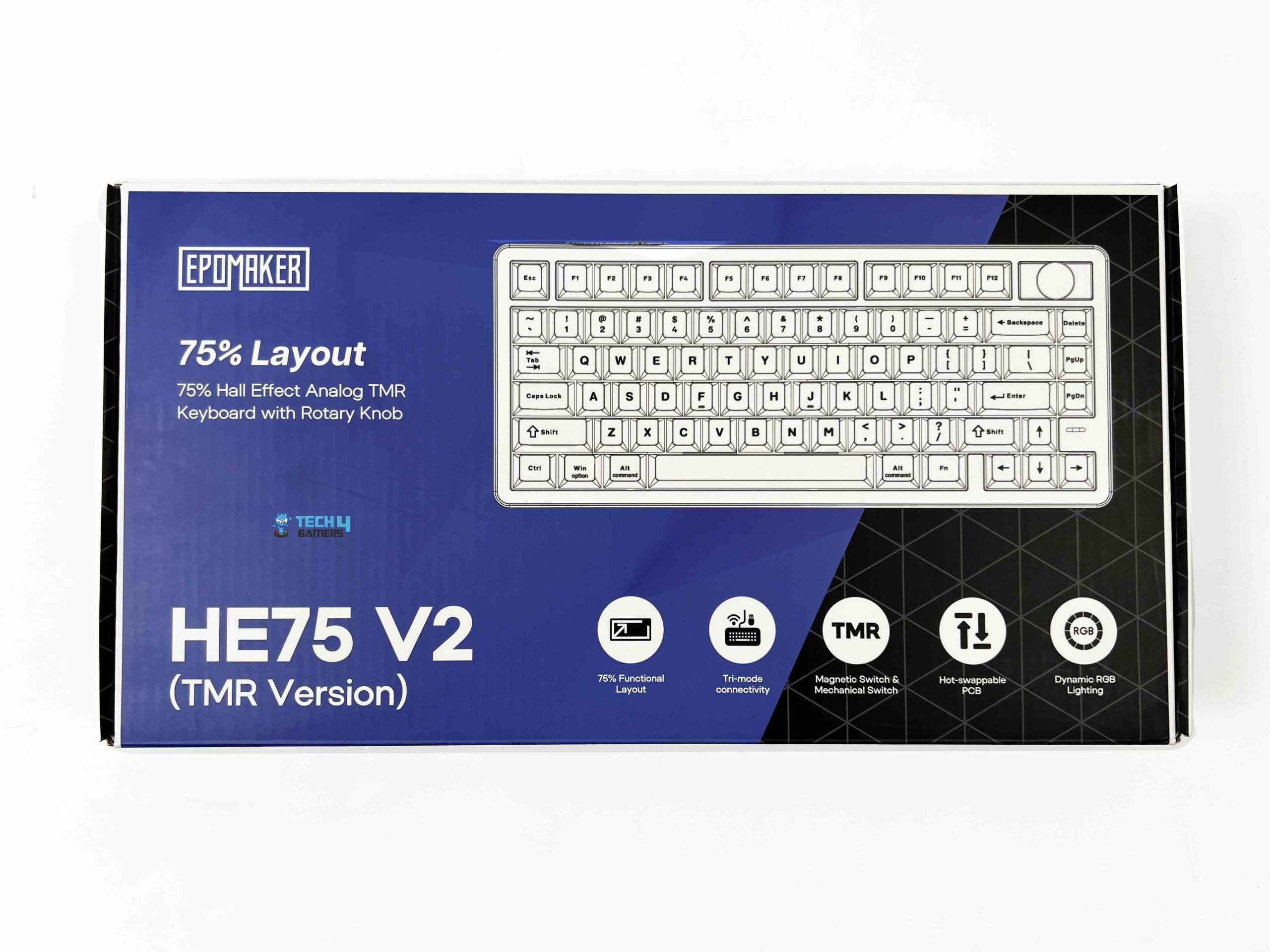
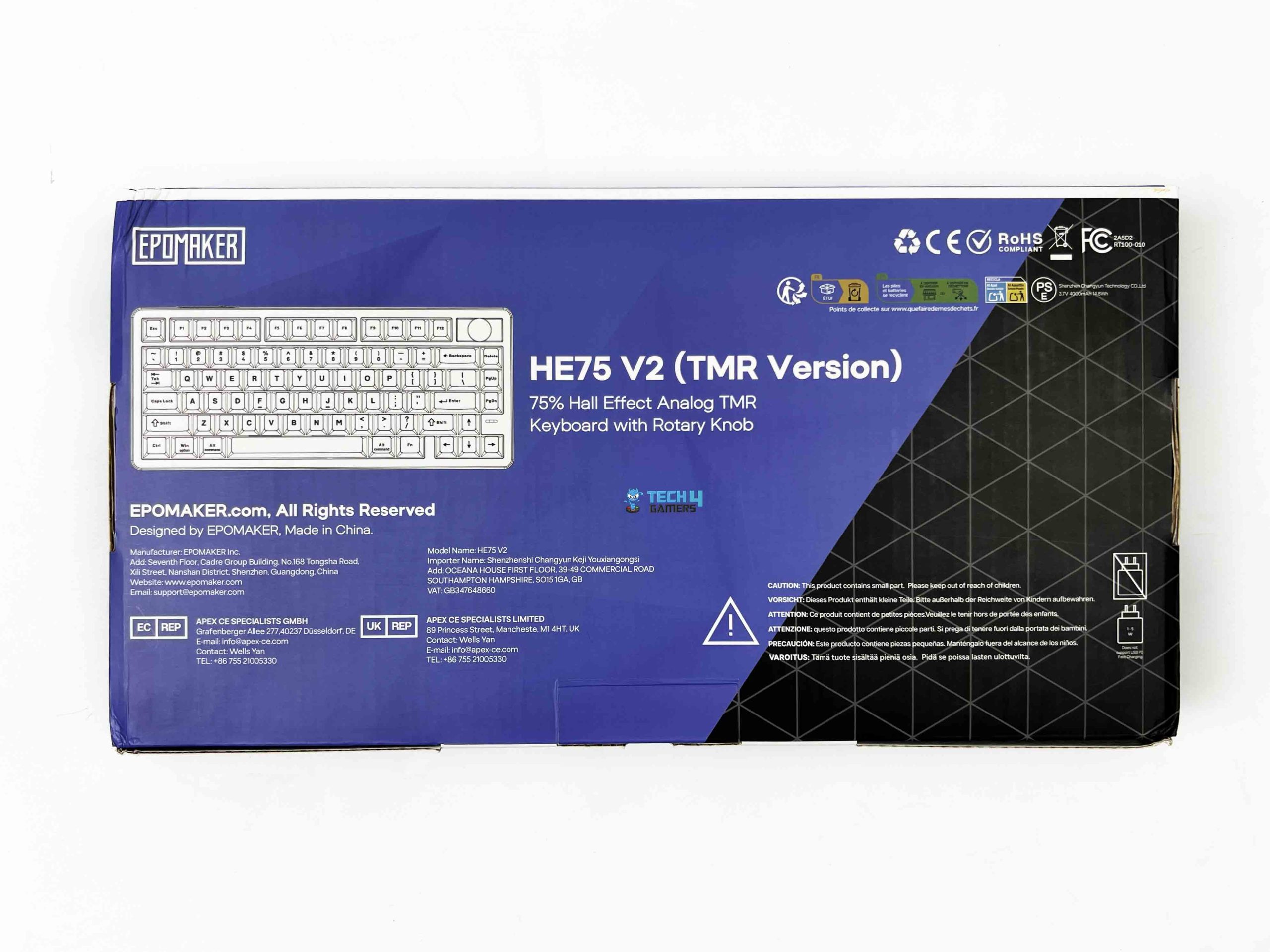
The Epomaker HE75 V2 TMR arrives in a box with a cyan and black color scheme. The front of the box features the Epomaker logo, the keyboard’s design, and the full model name, while a series of small icon cutouts highlights some of its key features. Opening the box, all of the accessories are placed in a dedicated compartment above the keyboard. Inside the box, you’ll find a detachable USB-A to USB-C cable and 2.4GHz wireless receiver.
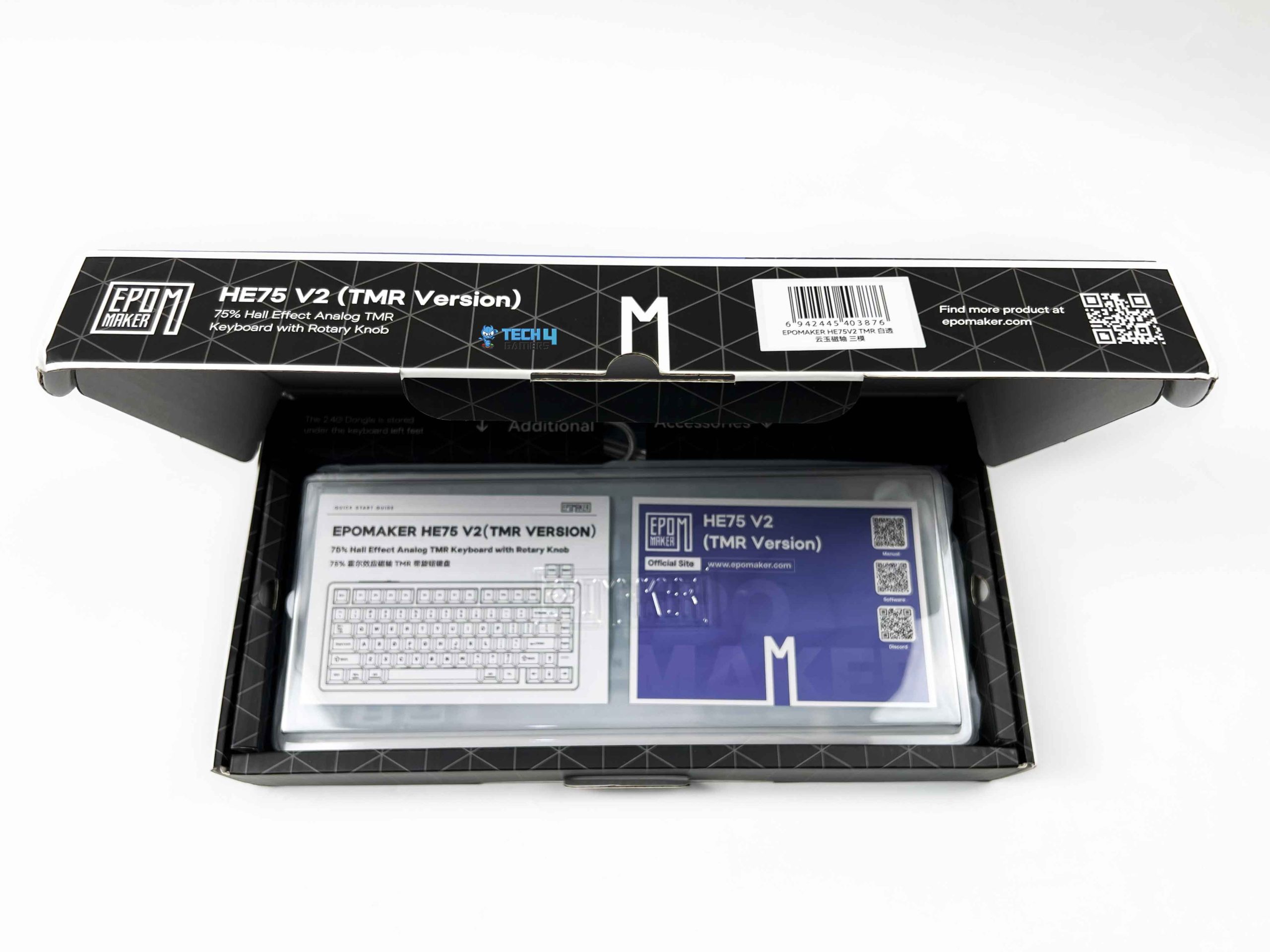
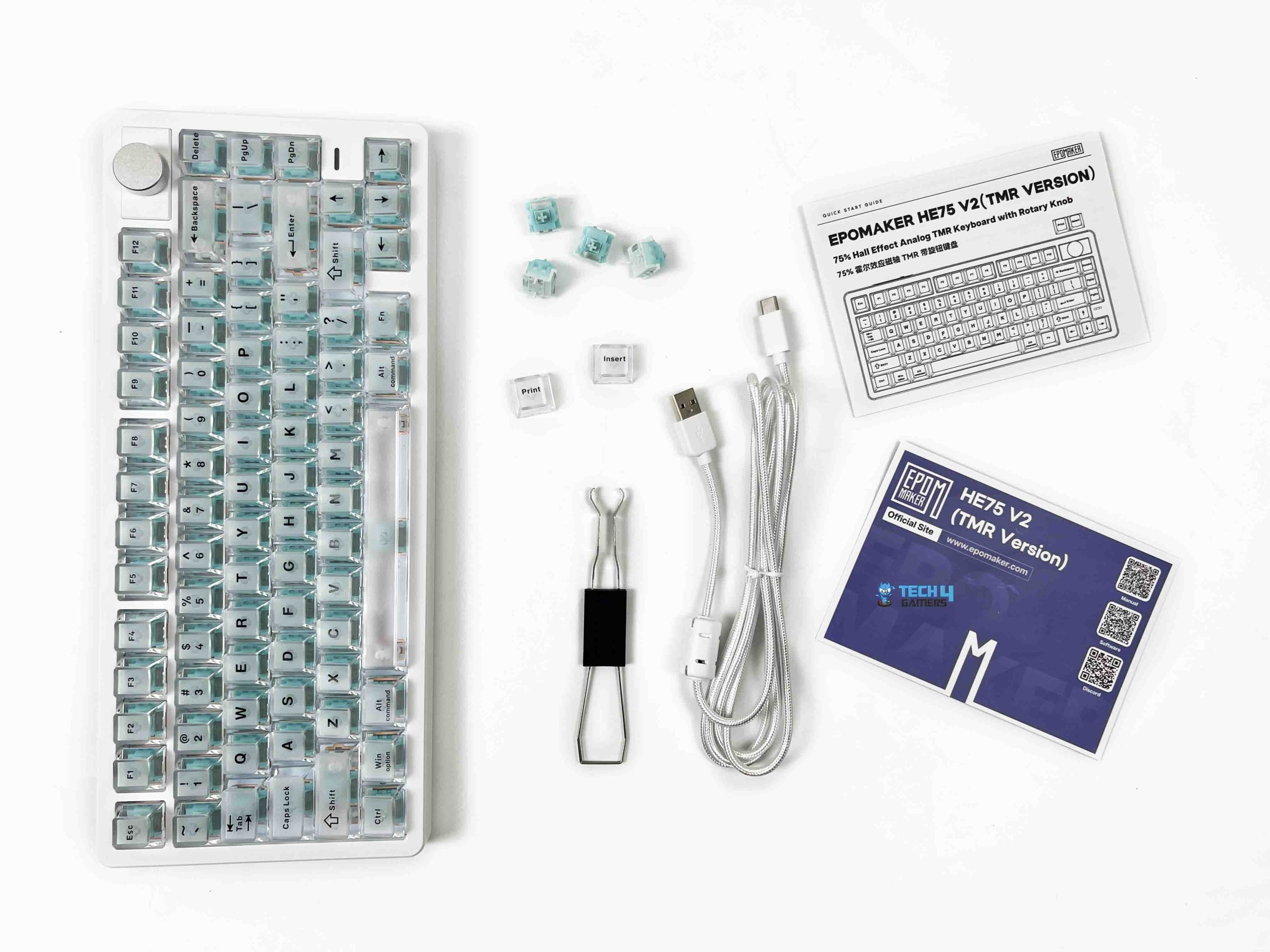
You also get a 2-in-1 switch and keycap puller, four extra switches, and since the keyboard features a removable knob, the box also contains two replacement keycaps that can be installed if you decide to swap the knob. Rounding out the package is a summarized multilingual user manual along with a product card. Below that, the keyboard is wrapped in a thin protective sleeve with an additional dust cover over it. It’s a simple presentation, but it does a good job of keeping the keyboard protected during shipping.
Design

I’ve reviewed quite a few keyboards over the years, and after a while they can start to blend. Most keyboards follow the same formula with a rectangular chassis, a few different color options, and that’s about it. Epomaker has leaned into what I’d describe as a crystal or diamond-inspired aesthetic, and honestly, it looks much better in person than it does in product photos. It is available in both Black and White color options. The review unit Epomaker sent me is the White variant, and I honestly think it does the design more justice.
It’s not flashy in the way RGB-heavy gaming keyboards usually are. Instead, it’s the shape of the chassis itself that draws your attention. I wasn’t expecting to appreciate this design as much as I did. After a couple of days, I found myself looking at the keyboard more often than I normally would. That’s not something I usually say about a keyboard. If you’re interested in boards with even more customization options, be sure to check out our roundup of the best custom gaming keyboards.
Layout
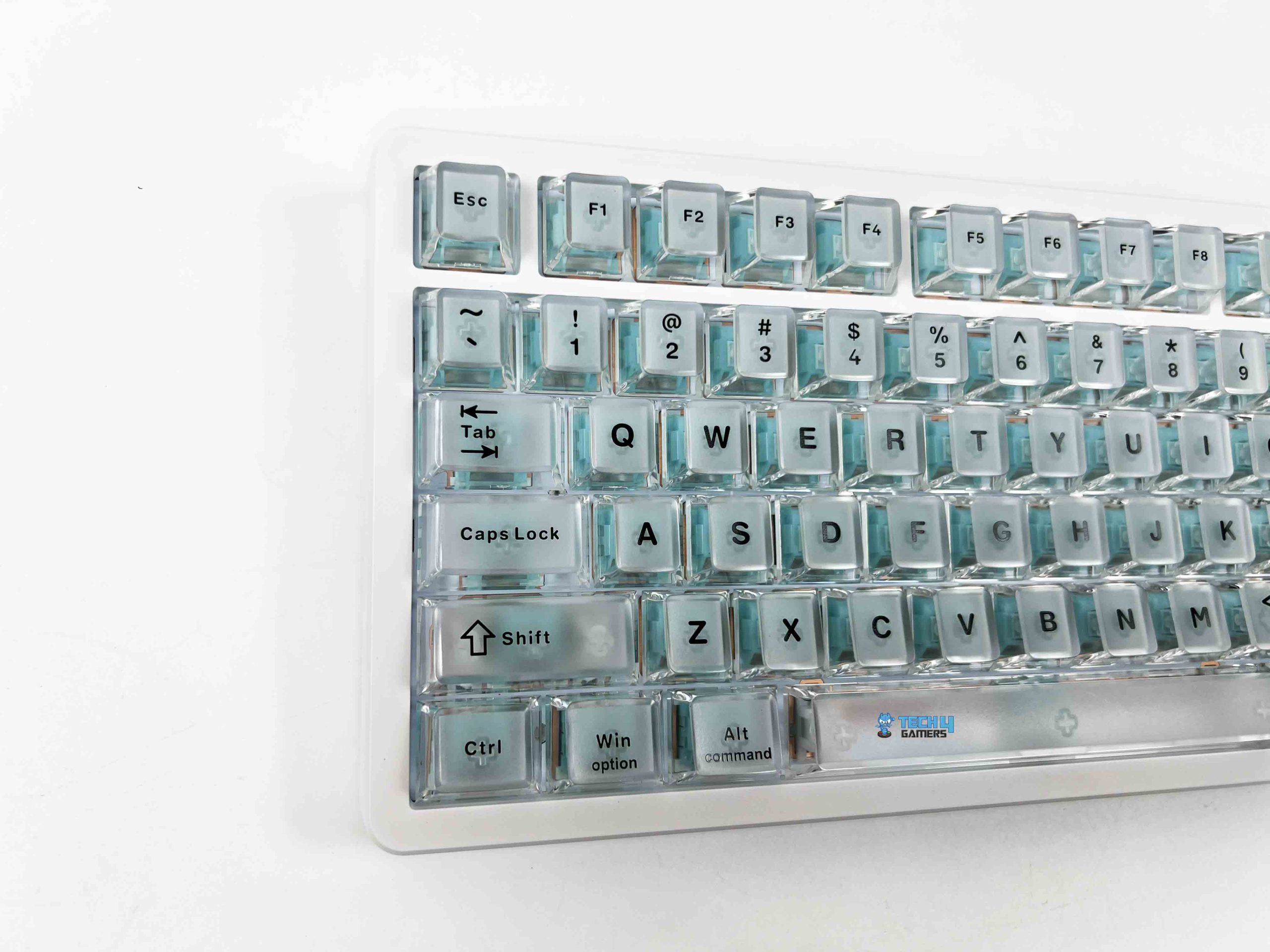
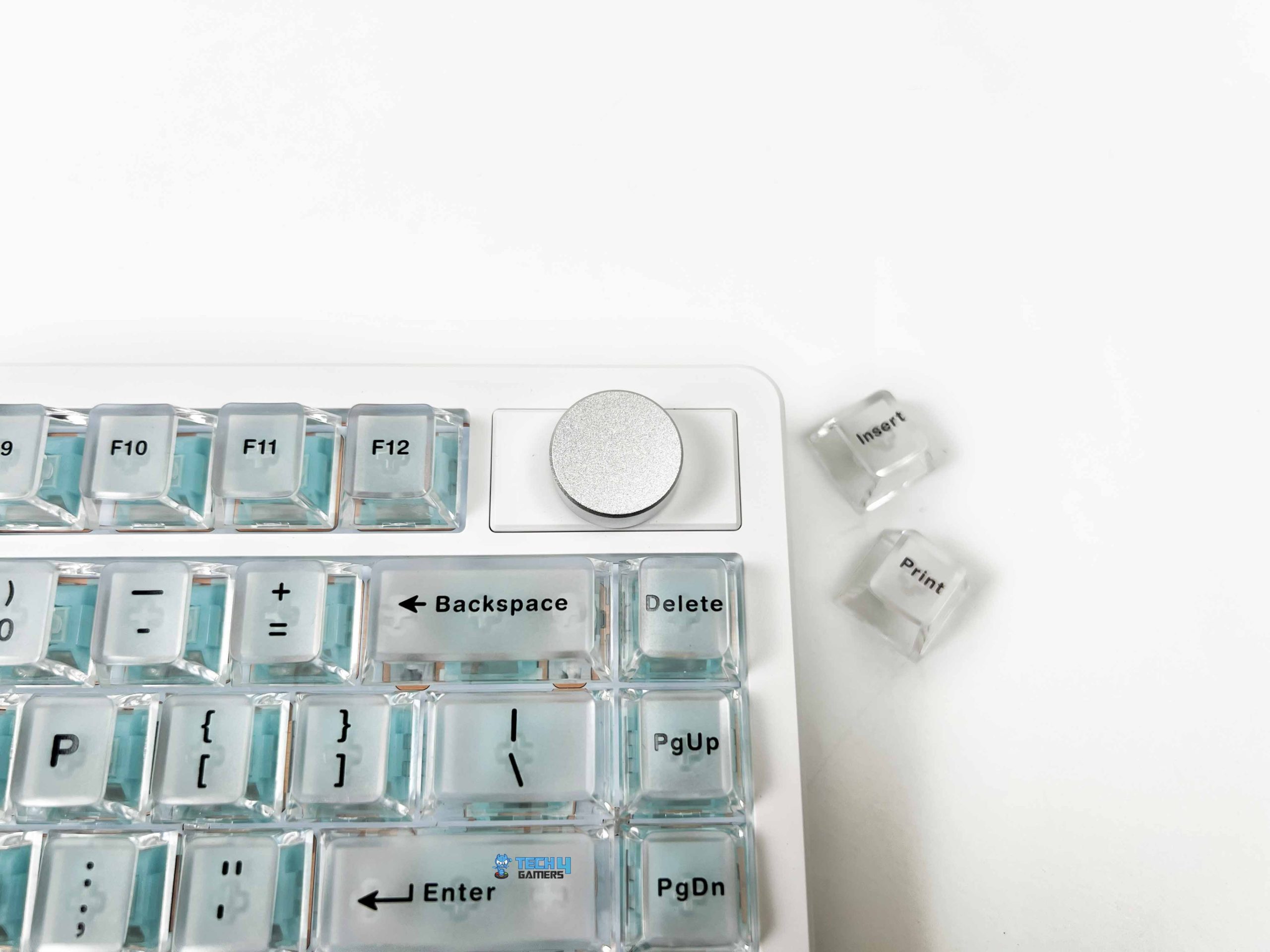
The Epomaker HE75 V2 TMR adopts a 75% layout, and this has easily become one of my favorite keyboard form factors. It manages to shrink the overall footprint without sacrificing the keys I actually use daily. You still get a dedicated function row, arrow keys, and a navigation cluster, so it never feels like you’re constantly relying on secondary layers or key combinations to perform basic tasks. In total, the keyboard features 79 keys alongside a rotary knob positioned in the upper-right corner.
If you don’t find yourself using it very often, you can remove it and replace it with the two included keycaps, effectively turning that space into two dedicated keys. Those keys are assigned to Print Screen and Insert by default. I actually like that Epomaker gives users a choice instead of forcing everyone to keep the rotary knob. The keyboard follows the ANSI US layout with a QWERTY key arrangement, so anyone coming from a typical keyboard will feel right at home.
Underside

Flip the Epomaker HE75 V2 TMR over, and while the crystal-inspired styling from the top naturally takes a back seat, it’s clear that Epomaker hasn’t overlooked the underside. The keyboard uses four rubber feet to keep it planted on the desk. The two feet along the upper edge are positioned vertically, while the pair near the bottom are placed horizontally. They’re generously sized and provide plenty of grip. During my time with the keyboard, I never felt it sliding around.
For different typing positions, it also includes a two-stage adjustable kickstand. This gives you a total of three typing angles, including 5.8°, 9°, and 12°. I spent most of my time using the middle position since it felt the most comfortable for both writing and gaming. However, it’s nice to have the flexibility to adjust the angle depending on your personal preference. More importantly, the kickstands feel sturdy when they’re extended. They don’t wobble or collapse under pressure.
Build Quality

At 0.98kg, the Epomaker HE75 V2 TMR sits in that sweet spot where it feels dense and substantial without becoming unnecessarily heavy. I’ve used lightweight keyboards that tend to slide around the desk or feel a little hollow when you pick them up. This isn’t one of them. The keyboard uses an ABS plastic case, and I’ll admit that initially made me wonder how it would feel in hand. Plastic keyboards can sometimes come across as hollow or a little flimsy.
Notably, when manufacturers try to cut costs, thankfully, that isn’t the impression I got here. Despite using ABS plastic, the chassis feels solid throughout. There’s very little flex if you try to twist it, and I didn’t notice any creaking when applying pressure to different parts of the case. Its overall dimensions measure 323 × 138 × 45 mm, making it compact enough to fit comfortably on smaller desks while still feeling substantial in hand.
Keycaps

One of the first things I noticed about the Epomaker HE75 V2 TMR was that its keycaps are quite different from what you’ll find on most mechanical keyboards. Instead of using the usual opaque PBT or ABS keycaps, Epomaker has gone with matte transparent PC keycaps. Combined with the white chassis, they create a genuinely distinctive look. In fact, I don’t think the keyboard would have the same visual impact if it came with a conventional set of keycaps.
The finish deserves some credit here. Transparent keycaps can sometimes look overly glossy after extended use, but that isn’t the case with it. The frosted texture gives them a softer appearance while also providing a comfortable surface for your fingertips. Epomaker has also opted for the Cherry profile. Since the rows are sculpted and relatively low, moving from one key to another feels natural. For the legends, Epomaker has used a silk-print manufacturing process.
RGB Lighting
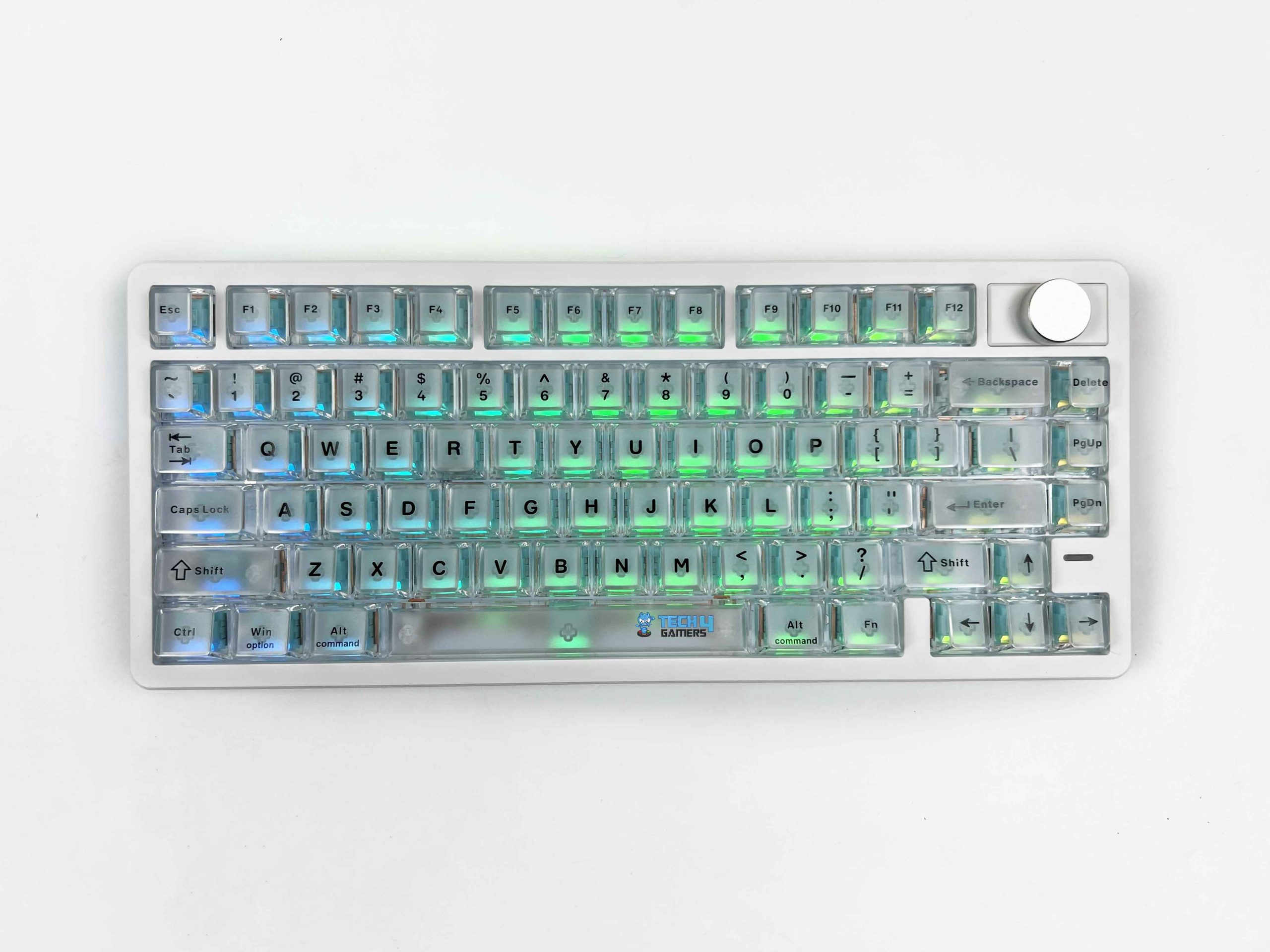
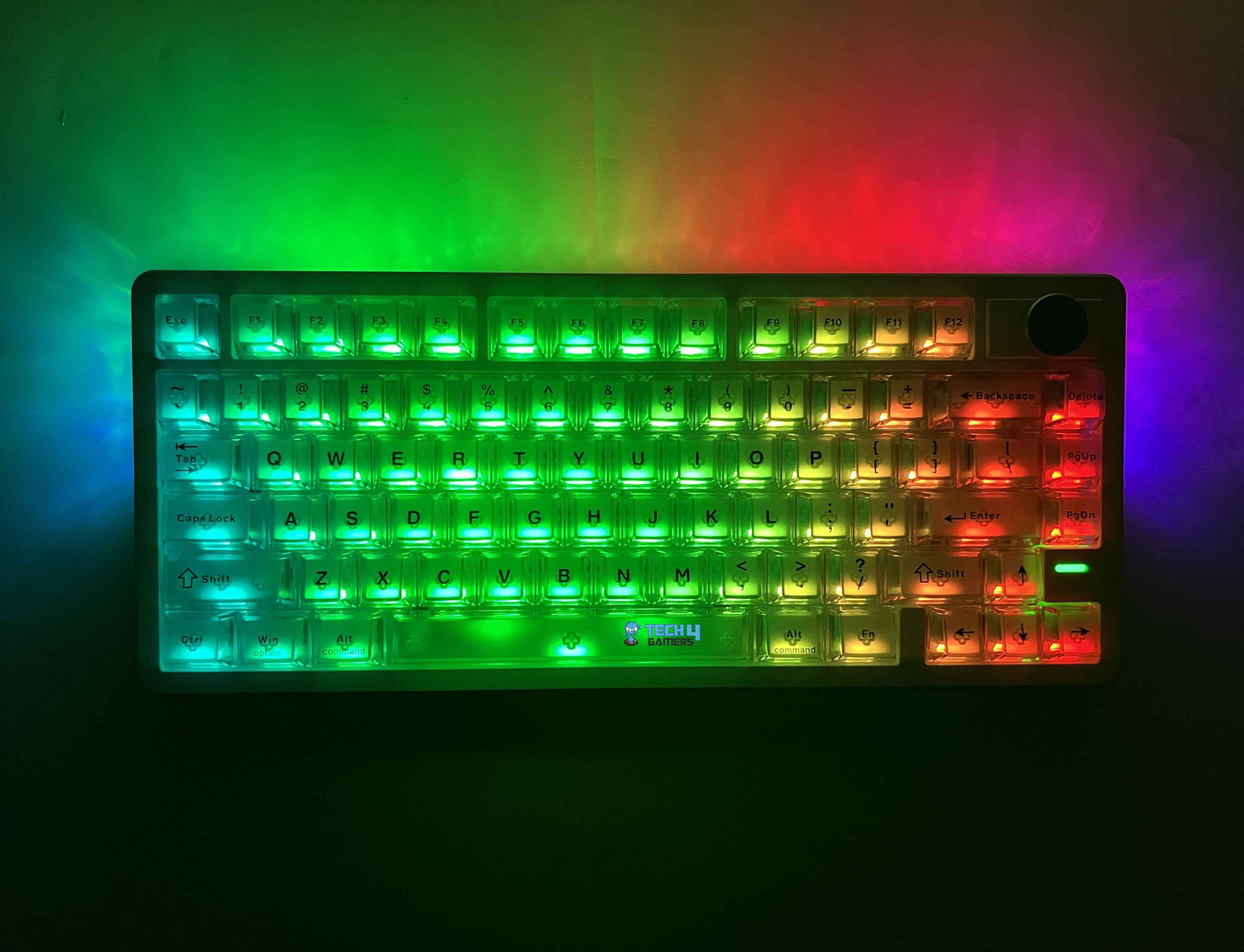
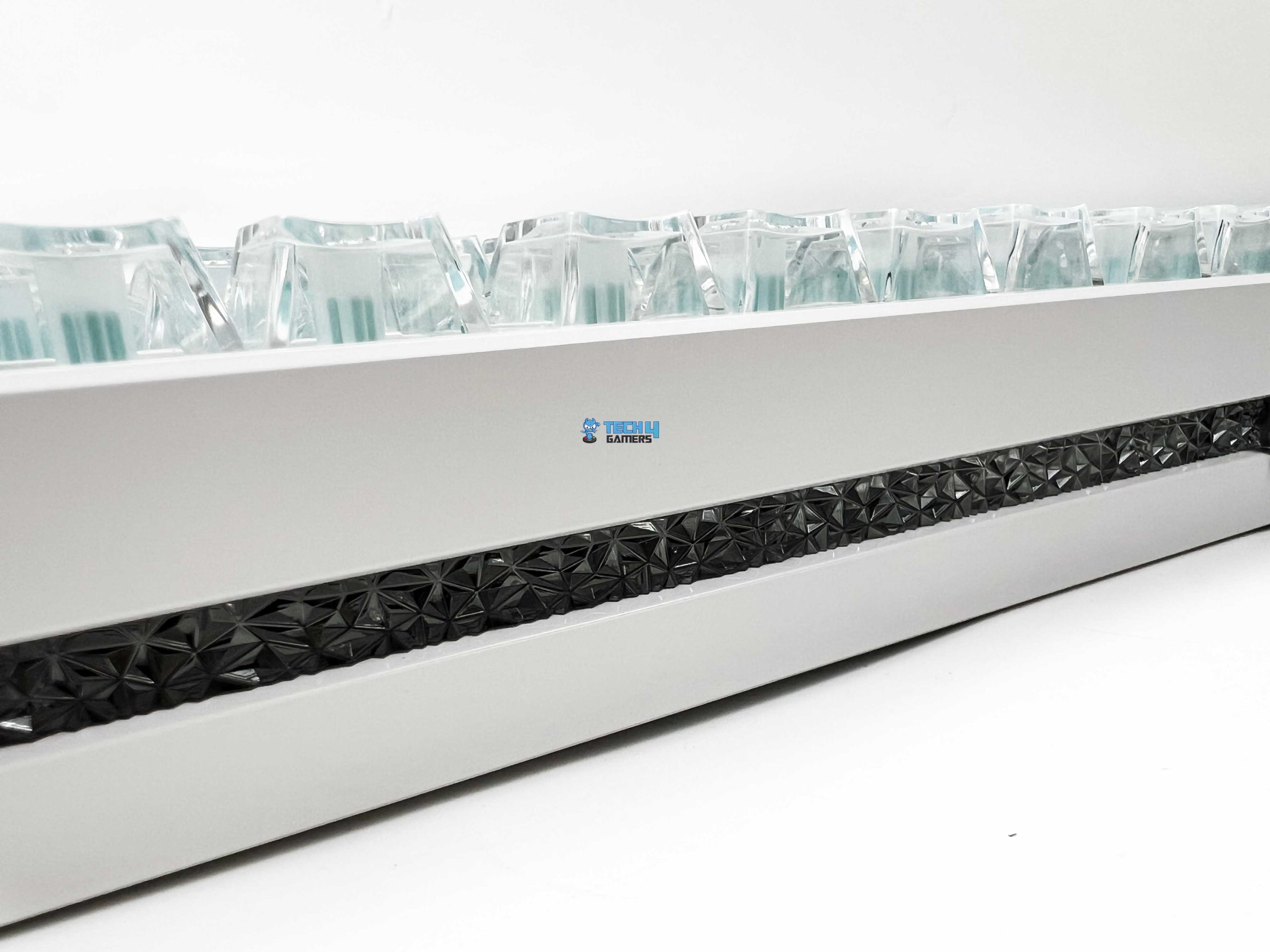
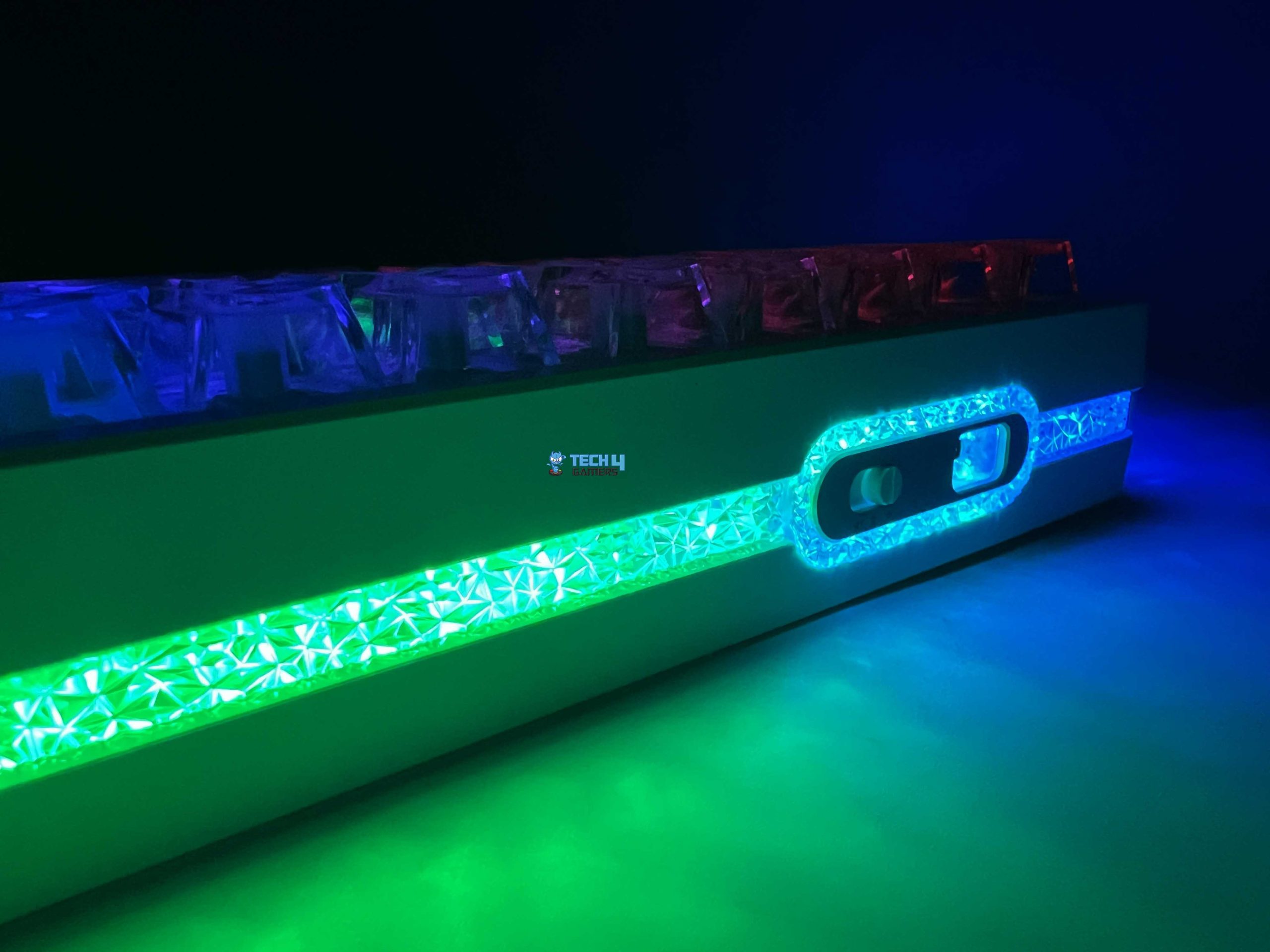
The RGB lighting on the Epomaker HE75 V2 TMR is much more than a simple checkbox on the specification sheet. A big reason for that is the combination of the matte transparent PC keycaps and the keyboard’s crystal-inspired design. Since the keycaps allow light to pass through, each key develops a soft glow across its entire surface. The effect looks much more refined than traditional shine-through keycaps. The keyboard also features per-key adjustable south-facing RGB LEDs.
The lighting spreads evenly beneath the keycaps, and the south-facing orientation offers better compatibility with a wider range of aftermarket Cherry-profile keycaps. It also includes the three-sided crystal-inspired light bar that wraps around the chassis. Rather than limiting the lighting to the keys themselves, Epomaker has extended the RGB along both sides and the front edge of the keyboard. The result is a much larger glow.
Switches
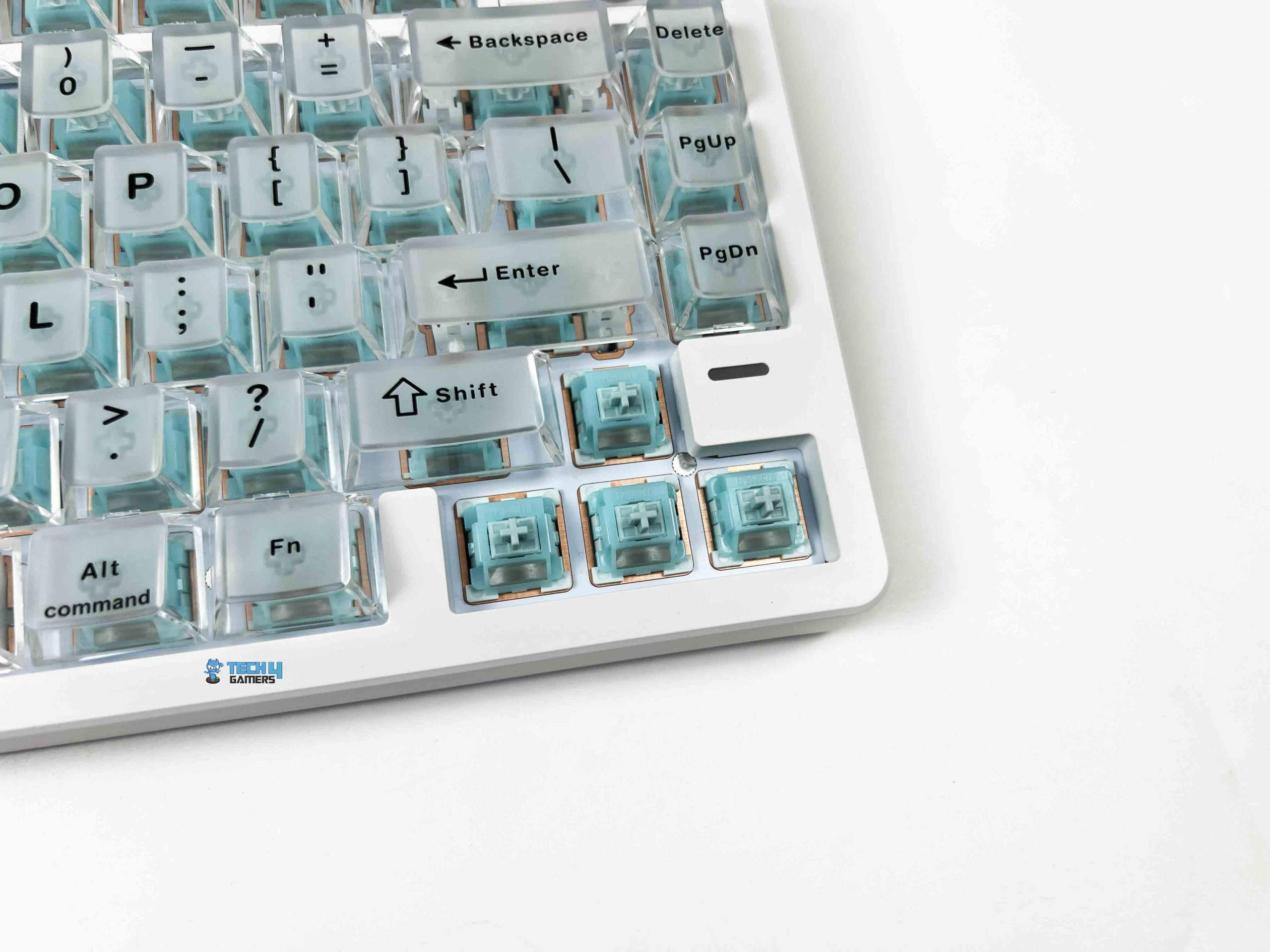
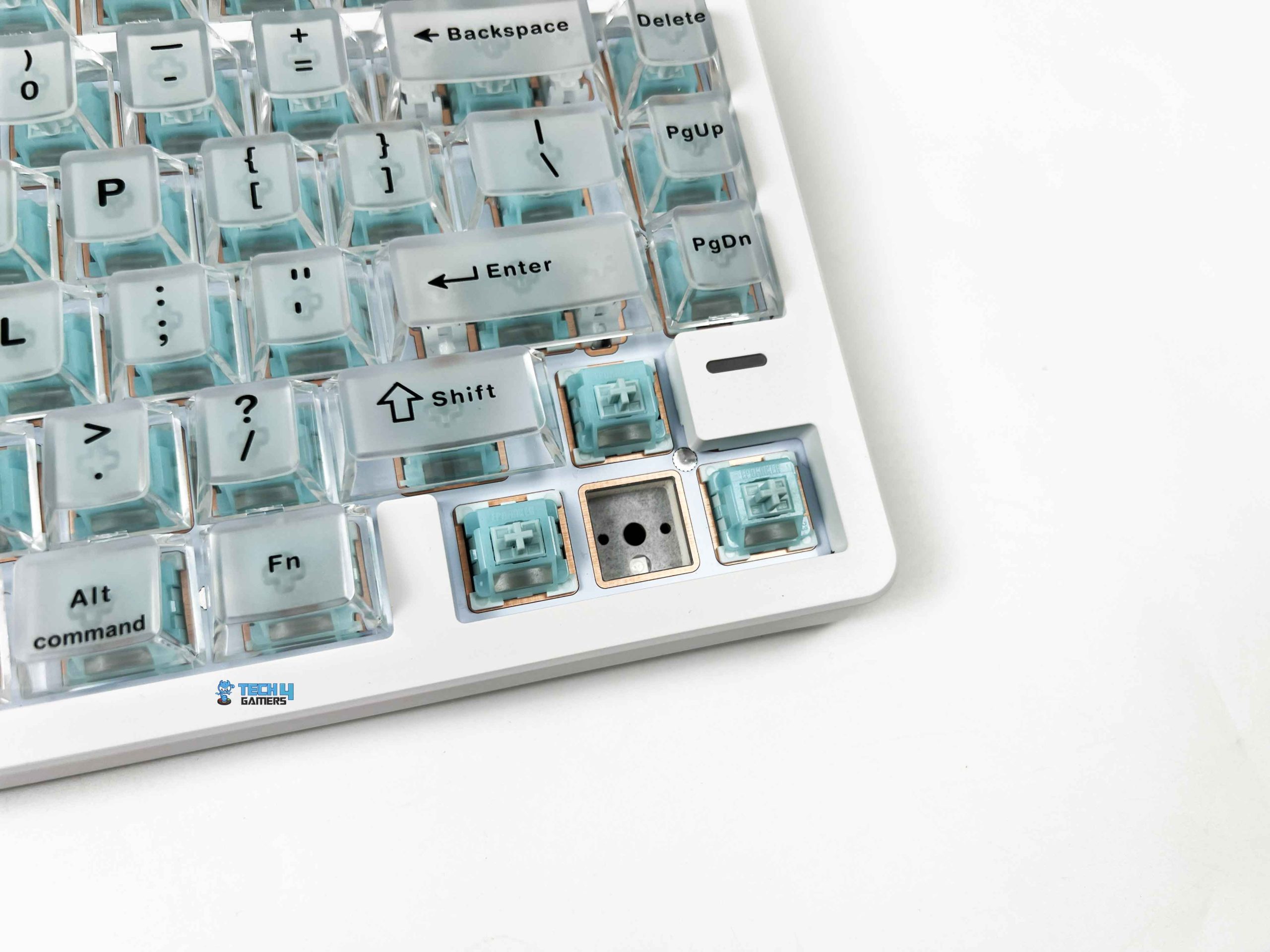
The Epomaker HE75 V2 TMR is built around Epomaker’s Creamy Jade Magnetic Switches that also come factory lubricated. The switches have an initial actuation force of 30gf, with a maximum bottom-out force of 55gf. Their actuation distance can be adjusted anywhere between 0.1 mm and 3.5 mm, with incredibly fine 0.005 mm increments. Epomaker uses a hot-swappable Hall Effect PCB that supports magnetic switches as well as standard 3-pin and 5-pin mechanical switches, giving enthusiasts flexibility.
It also comes with TMR (Tunneling Magnetoresistance) sensors. TMR sensors detect changes in magnetic resistance instead of depending solely on voltage measurements. The keyboard can determine a key’s position with greater precision while maintaining a stable signal throughout the keypress. If you’re comparing different Hall Effect boards before making a decision, take a look at our guide to the best magnetic gaming keyboards.
Typing Experience
The Epomaker HE75 V2 TMR uses a gasket-mount structure, resulting in a typing experience that feels cushioned. You don’t get a dramatic bounce with every keystroke, but there is just enough softness to take the harshness out of bottoming out. Epomaker has paired that gasket mount with an FR4 plate. Every keypress has a controlled feel, and there’s a subtle amount of give that becomes more noticeable during longer writing sessions.
The larger keys rely on plate-mounted stabilizers, and they performed better than I expected. The Spacebar, Enter, Backspace, and Shift keys all felt well-balanced, and the sound remained fairly consistent no matter where I pressed them. It uses a five-layer sound optimization system. Inside the keyboard, you’ll find sandwich latex foam, a switch pad, a PET sound enhancement layer, noise-absorbing foam, and a bottom silicone layer. Every layer works to reduce unwanted resonance inside the case.
Connectivity
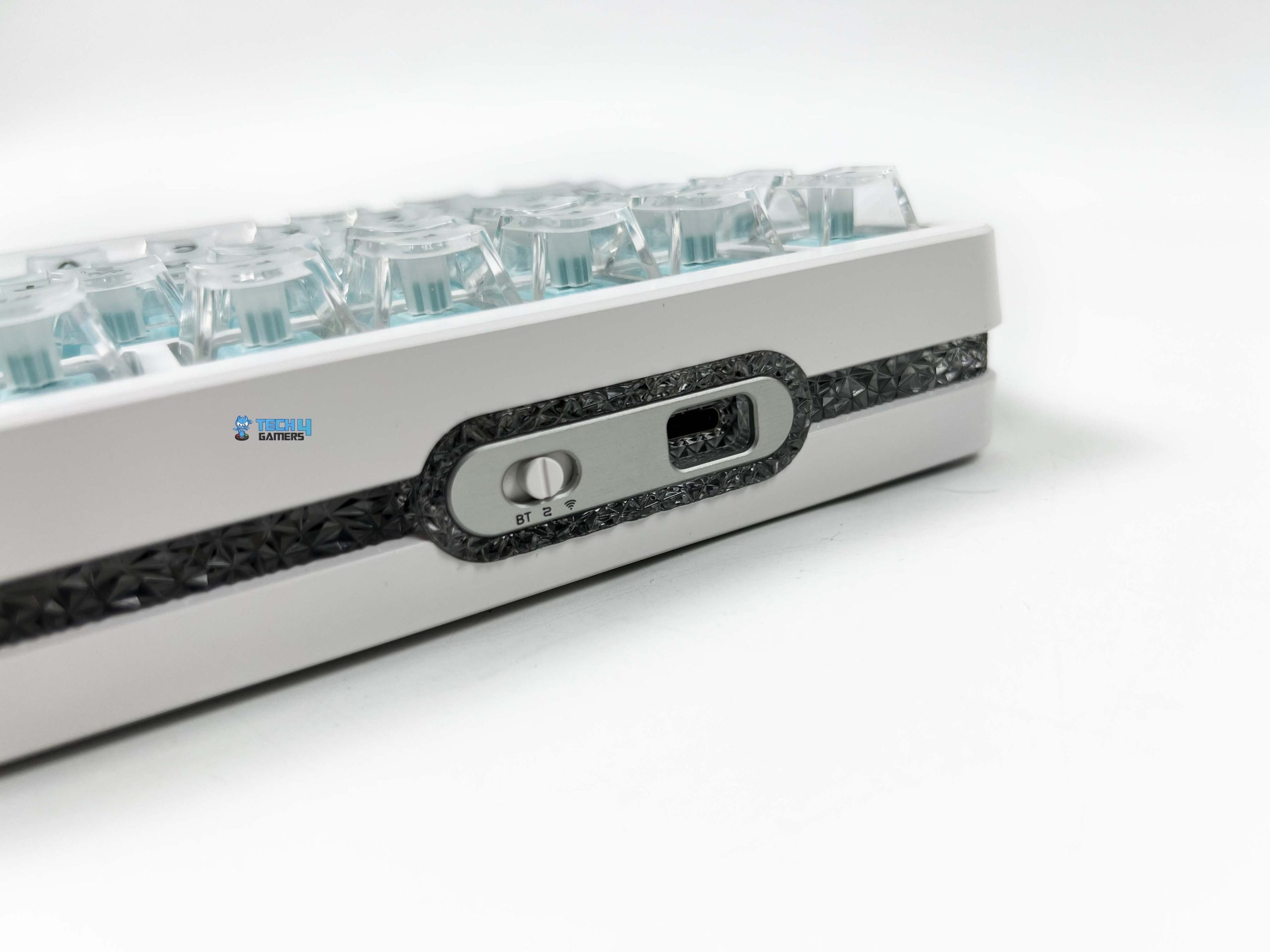
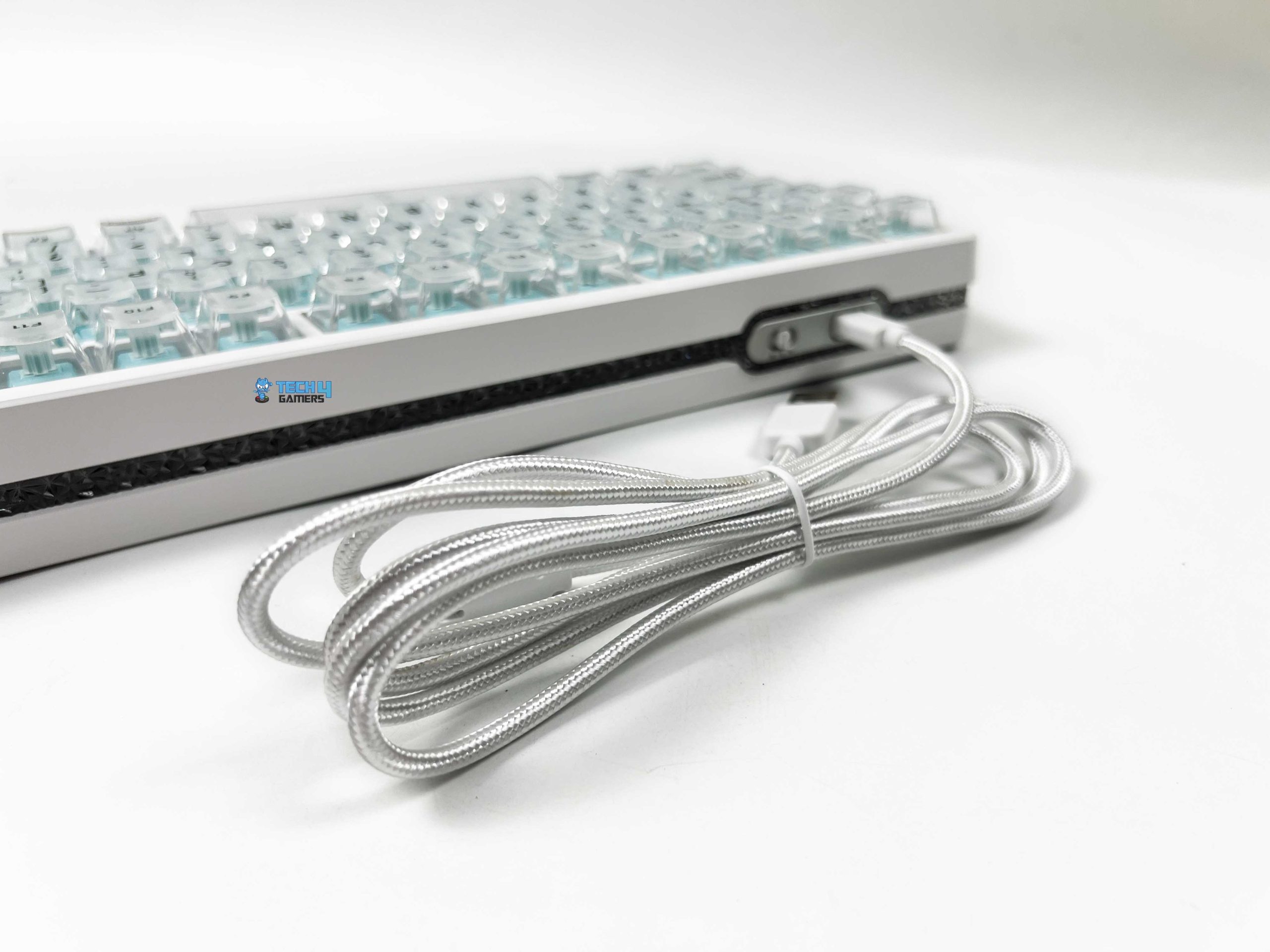
The Epomaker HE75 V2 TMR offers triple-mode connectivity, letting you choose between wired USB-C, 2.4GHz wireless, and Bluetooth. I always appreciate having all three options because it means the keyboard can adapt to different setups instead of being limited to a single use case. The 2.4GHz USB receiver is tucked away underneath an adjustable kickstand. During my testing, I switched between all three connection methods depending on what I was doing.
According to Epomaker, the keyboard delivers an impressive 0.1 ms latency in wired mode, 0.58 ms over the 2.4GHz wireless connection, and around 15 ms when connected via Bluetooth. I obviously didn’t have the specialized equipment required to verify those exact figures, so I can’t independently confirm the numbers themselves. What I can comment on is how the keyboard behaved in real-world use below. If wireless performance is your biggest priority, we’ve also rounded up the best wireless gaming keyboards for a broader comparison.
Performance

Once you start exploring what magnetic switches can do, it becomes clear that the Epomaker HE75 V2 TMR is aimed at users who want more than just good acoustics. I spent most of my gaming time playing Valorant and Counter-Strike 2, since both titles benefit from quick directional changes and precise movement. Right away, the keyboard felt incredibly responsive. Every keypress registered exactly when I expected it to, and I never came across missed inputs.
Whether I was rapidly strafing around corners while holding an angle, the keyboard responded consistently. It supports an 8000Hz polling rate over both the wired USB connection and the 2.4GHz wireless mode. There was never a point where I felt the keyboard was struggling to keep pace with my actions. The keyboard also features a 128KHz scan rate, which works well alongside the high polling rate. Another feature worth mentioning is N-Key Rollover (NKRO) with full anti-ghosting support.
Battery Life
I used the Epomaker HE75 V2 TMR in a mix of 2.4GHz wireless and Bluetooth throughout my testing. I also kept the RGB enabled for most of that time because buying a keyboard with transparent keycaps and crystal-style lighting only to turn the lights off feels a little pointless. Even with the lighting active, the battery held up better than I expected. I wasn’t constantly checking the battery percentage or wondering when it would need to be plugged in next.
Epomaker has equipped it with an 8000mAh battery, which is split into two 4000mAh cells inside the keyboard. That’s a noticeably larger battery than what you’ll find in many wireless keyboards. The large battery isn’t the only reason it lasts as long as it does. The keyboard’s TMR sensing technology is also designed to be more power-efficient than many traditional magnetic keyboards. It also continues working normally while charging, so there’s no interruption.
Software
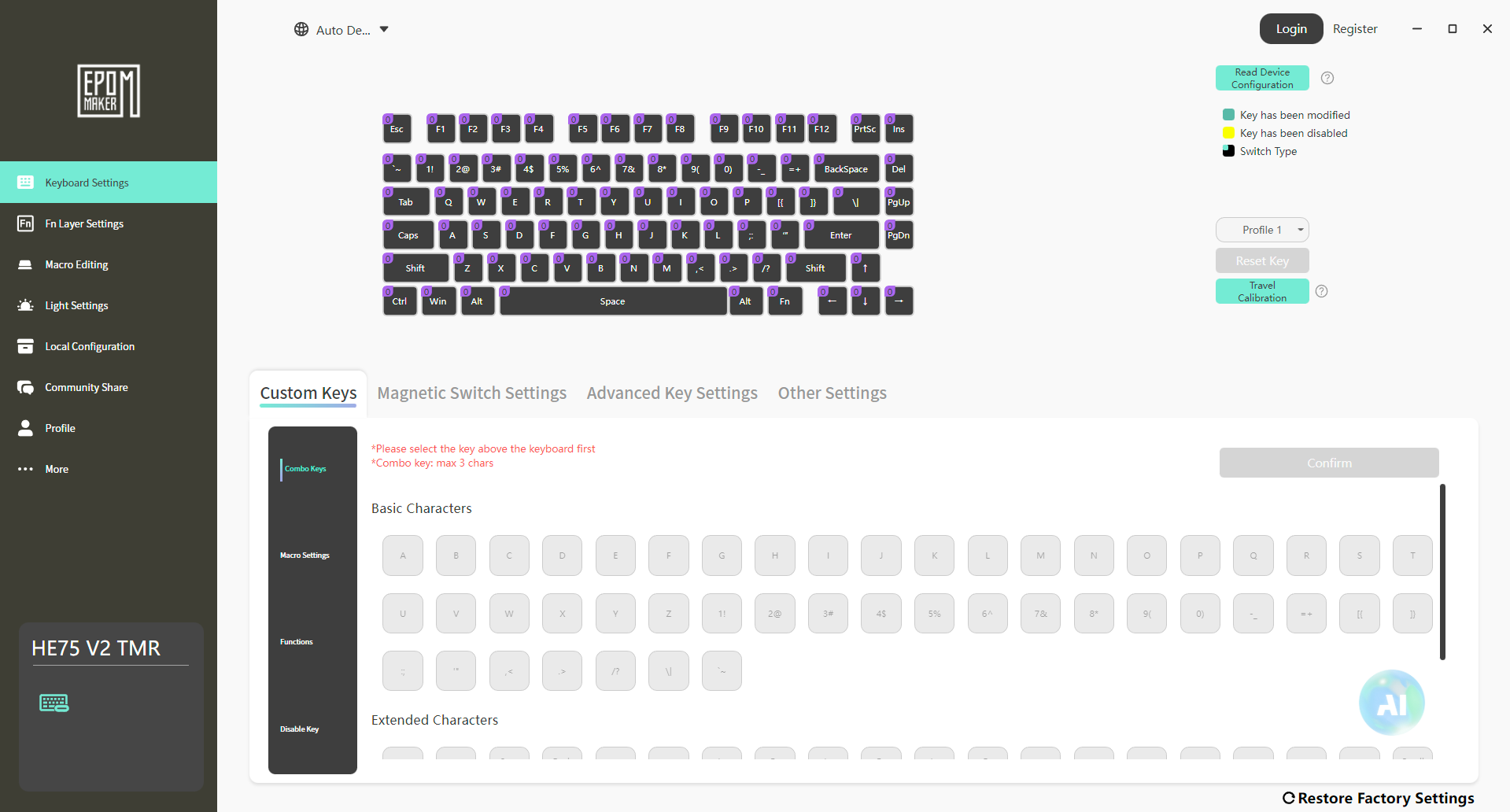
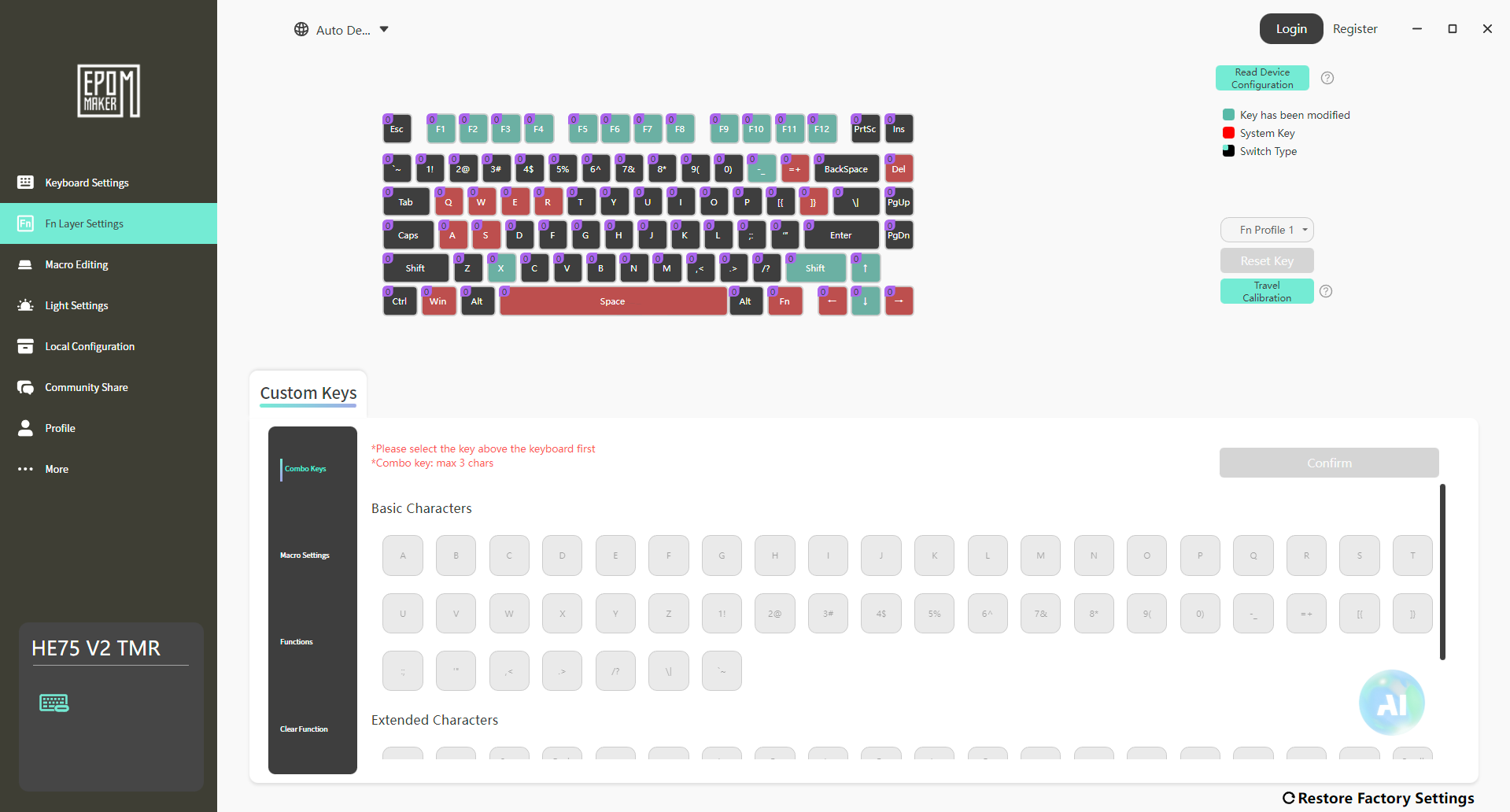
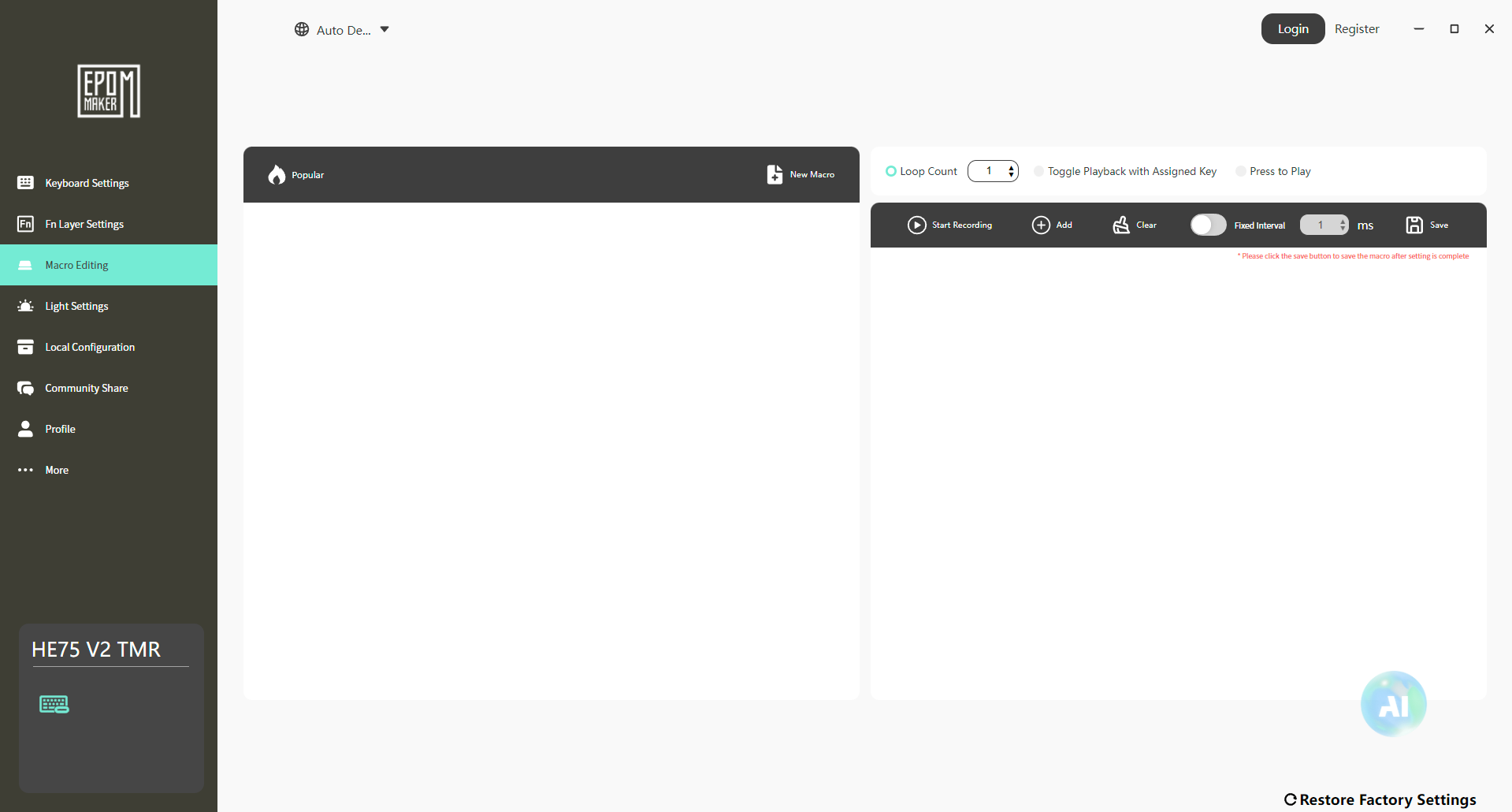
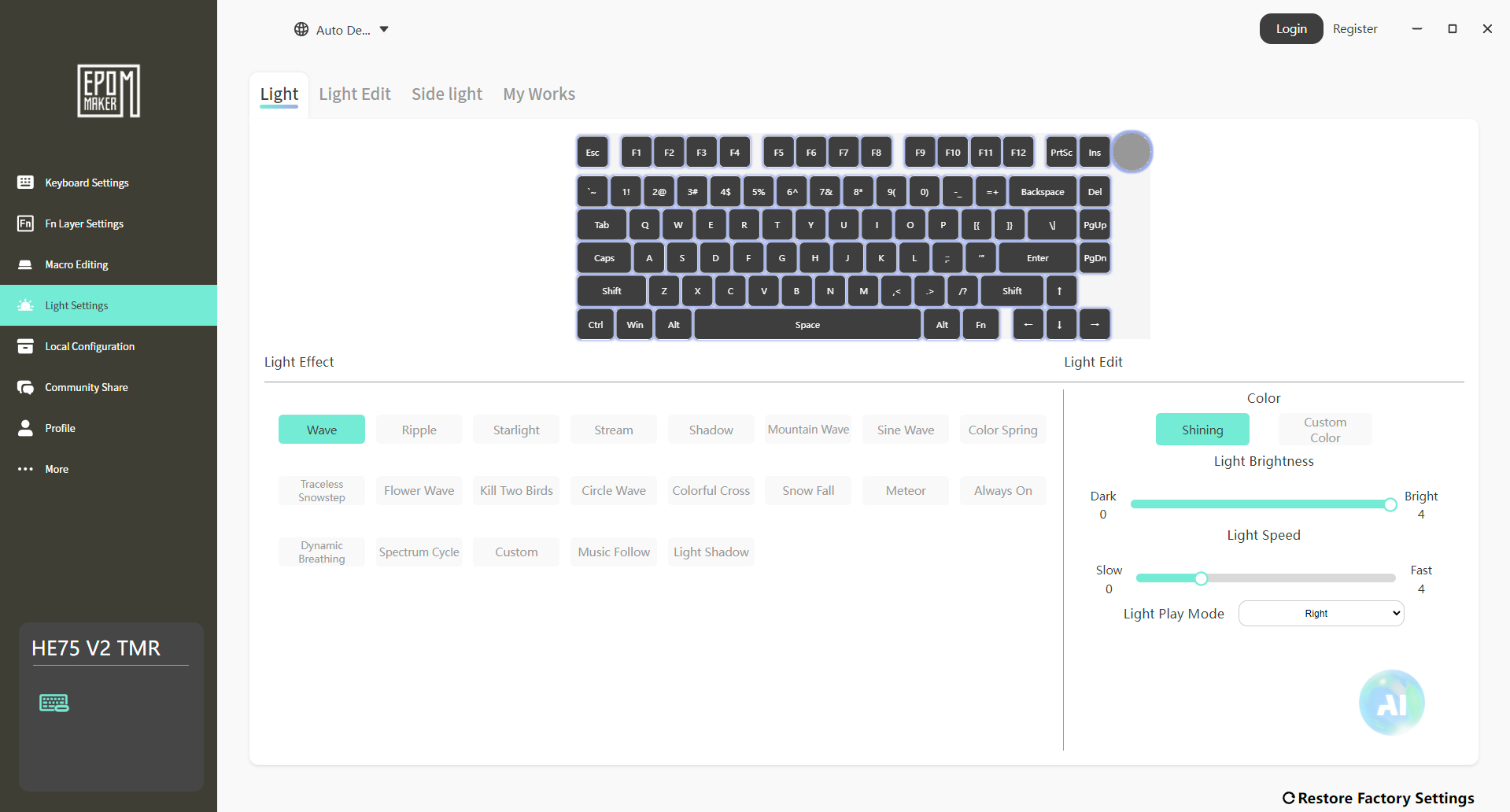
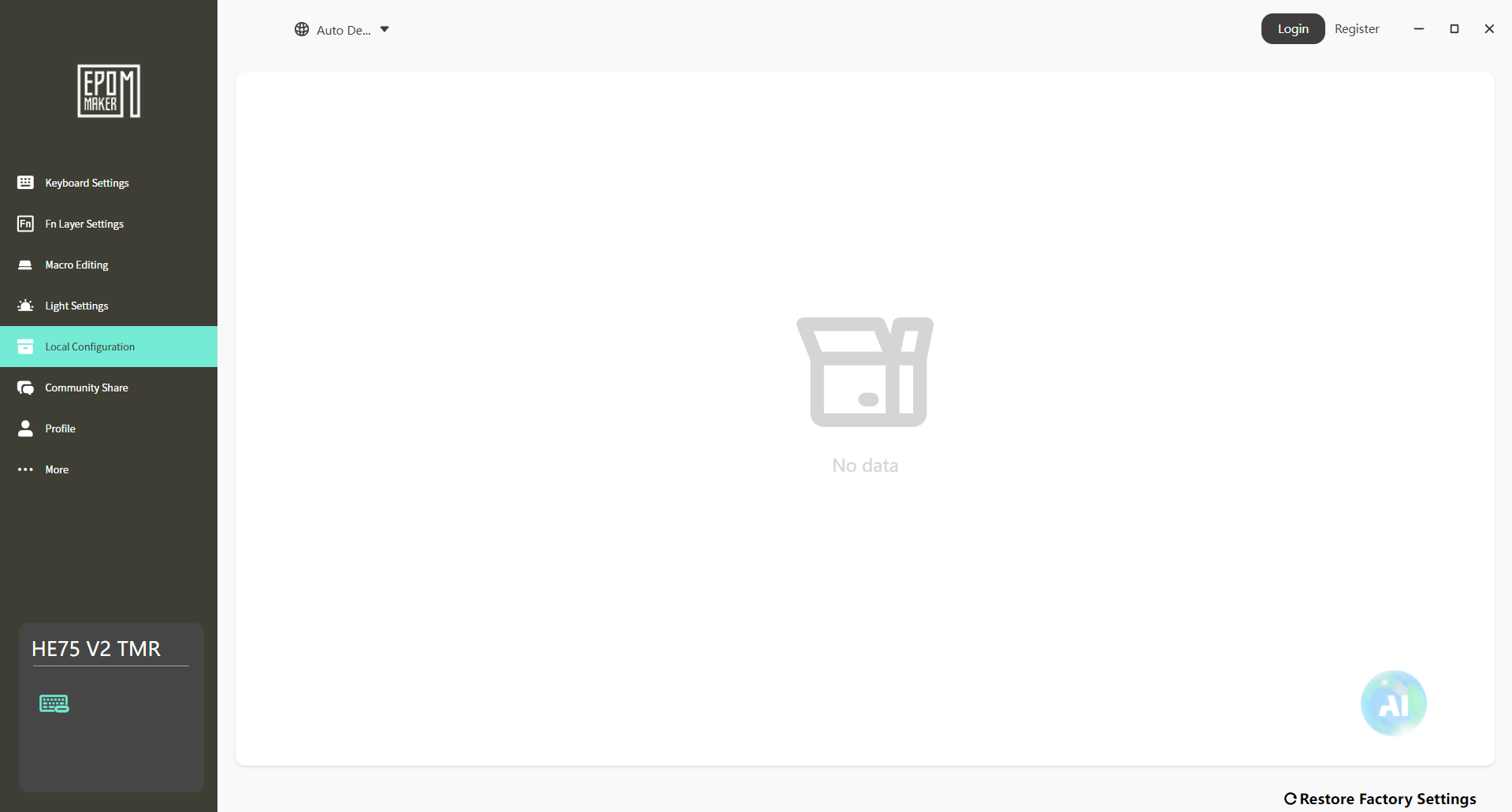
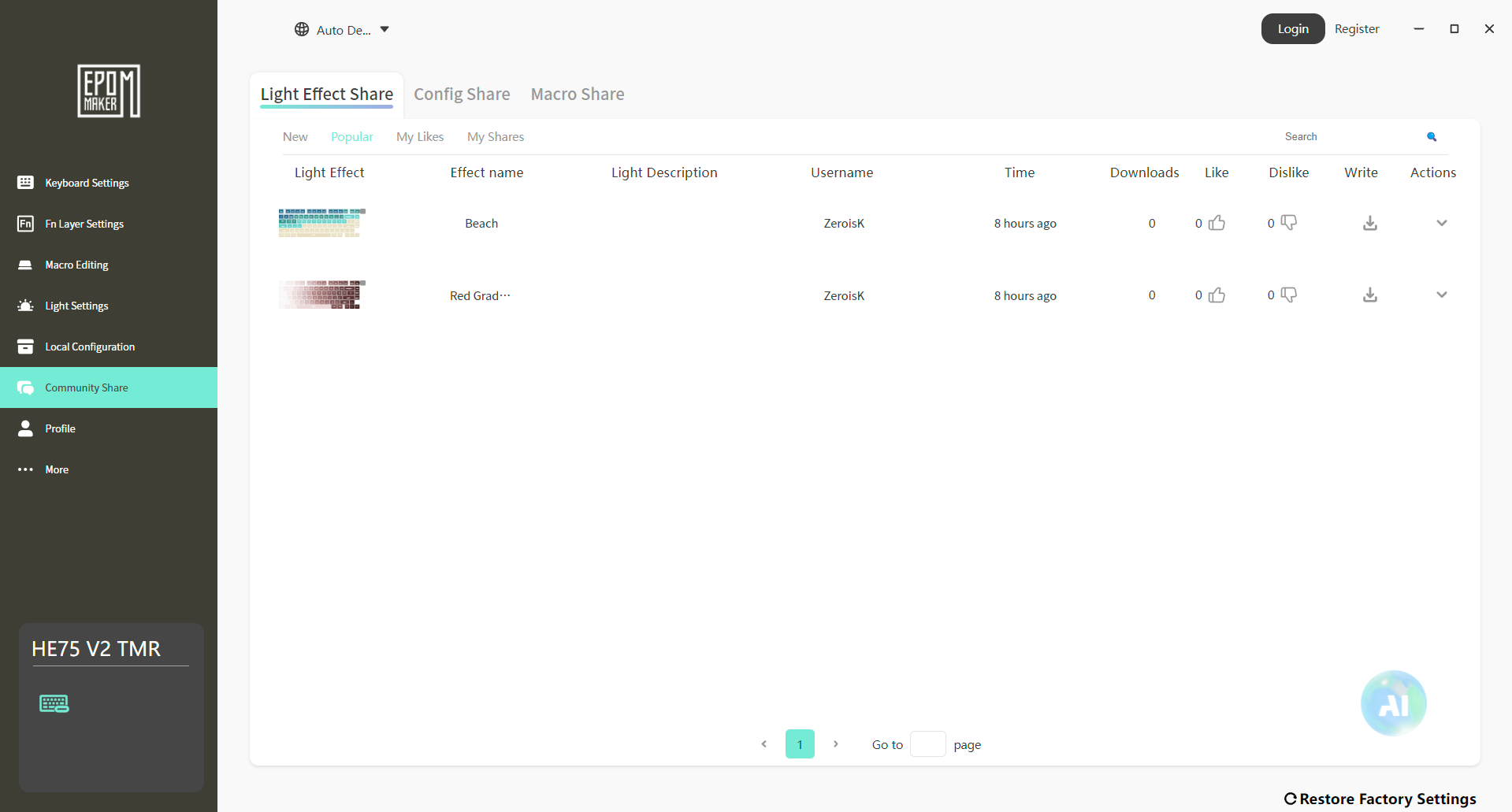
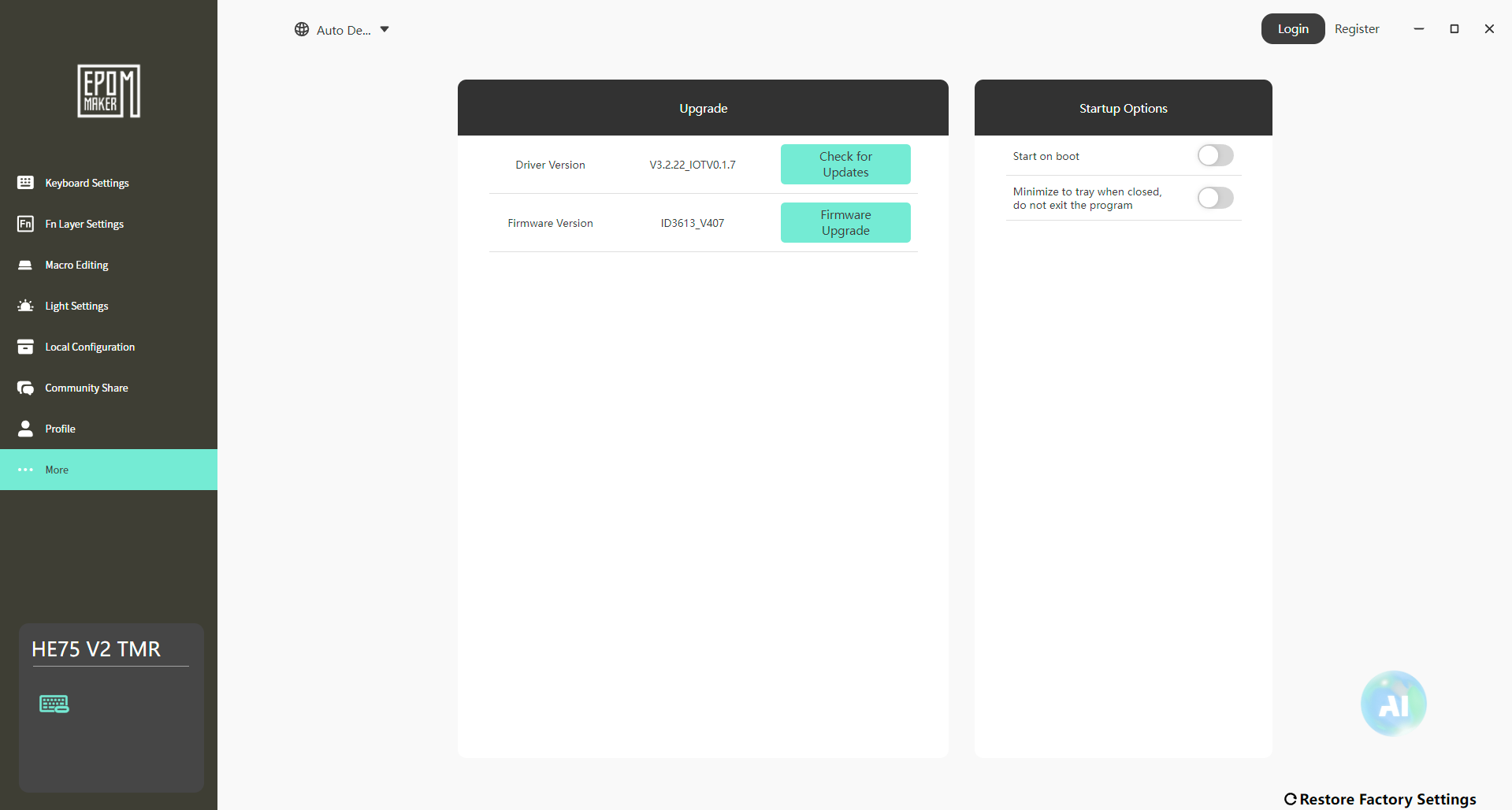
If you like to personalize your peripherals, that’s where Epomaker Driver 3.0 comes into the picture. Interestingly, Epomaker gives you two ways to access its software. You can install the desktop application if you prefer having everything locally, or you can use the browser-based version, which means you don’t necessarily have to download anything to adjust a few settings. Using Epomaker Driver 3.0, I was able to remap keys, create macros, adjust the RGB lighting, and experiment with the keyboard’s magnetic switch features from a single interface.
More advanced options like Rapid Trigger, SOCD, DKS, and per-key actuation adjustment are all available here as well. The software presents these features in a fairly organized way, so I never felt like I was digging through endless menus to find a specific setting. Whether you’re fine-tuning actuation distances or experimenting with advanced magnetic switch features, the software gives you plenty of room to do exactly that.
Should You Buy it?
Buy it if
✅ You want a magnetic gaming keyboard without spending a fortune: The Epomaker HE75 V2 TMR packs premium magnetic keyboard features into a package that’s considerably more affordable than many flagship competitors.
✅ You value both gaming performance and typing feel: The Epomaker HE75 V2 TMR combines its magnetic switches with a gasket-mount structure. The result is a keyboard that feels just as enjoyable for long writing sessions as it does during competitive games.
Don’t Buy it if
❌ You prefer a minimalist design: The crystal-inspired styling is one of the keyboard’s biggest selling points, but it also makes a bold visual statement. If you prefer a simple, understated keyboard, this design may not be to your taste.
❌ You want a premium metal chassis: While the ABS plastic construction feels surprisingly solid, buyers looking specifically for an aluminum case may find better options elsewhere.
Final Verdict
Looking back at my time with the Epomaker HE75 V2 TMR, a few things stand out immediately. The biggest one is that it never feels like a keyboard that focuses on just one aspect while neglecting everything else. It has the gaming performance that magnetic switch enthusiasts are looking for, but it also delivers a genuinely enjoyable typing experience. That’s a balance many gaming keyboards still struggle to achieve. At its asking price of $129, I think it offers strong value.
If someone tried to build a custom keyboard with similar features and comparable acoustics, they’d almost certainly spend more money before even accounting for the magnetic switch technology. More importantly, this doesn’t feel like a keyboard that you’ll outgrow after a few months. The hardware leaves plenty of room to experiment as your preferences change. If you’re still weighing your options, I’d also recommend checking out our list of the best gaming keyboards.
Thank you! Please share your positive feedback. 🔋
How could we improve this post? Please Help us. 😔

[Hardware Reviewer & Editor]
After many years of exploiting various pieces of hardware, Abdul Hannan now serves as an editor at Tech4Gamers. He’s been in the PC hardware reviewing industry for almost a decade, and his staff of passionate geeks and reviewers is second to none.
Abdul Hannan is constantly seeking new methods, you will always see him running into New Computer Courses to improve the performance of his computer components since he is an ardent overclocker. He is well-known for providing the most extensive and unbiased analysis of the newest and greatest hardware for PC gaming, including everything from GPUs to PSUs.
 Join Our Community