Worth It?
Summary
Backed by a comprehensive 6-year warranty, the ASRock Challenger 360 performed exceptionally well in our testing, securing top-tier placement in our thermal results at a highly accessible $89.99 MSRP. However, it lacks custom IPS functionality, but I think the 3-inch fixed-segment display is executed perfectly. The cables are pre-routed in a neat daisy chain, providing a streamlined, clutter-free experience. If you want a cooler that keeps your CPU cool without making much noise and at a good price, this might be a great option.
Hour Tested: 6 Hours

Overall
-
Cooling - 9.5/10
9.5/10
-
Noise - 8.8/10
8.8/10
-
Aesthetics - 8/10
8/10
-
Build Quality - 9/10
9/10
-
Value - 9.5/10
9.5/10
Pros
- Excellent Cooling Performance
- Decent Noise Levels
- Excellent Build Qualiity
- Six-Year Warranty is Nice!
- 3-inch Smart Digital Display
- Clutter-Free WiringS
- traight Forward Software
- Solid Mounting Hardware
Cons
- Mounting Brackets for the AMD/Intel needs to be labeled.


This has been a big year for ASRock. After decades in the PC DIY market, the company entered the liquid-cooler market recently. It launched its flagship Phantom Gaming 360 LCD and Steel Legend 360 LCD all-in-one coolers, which we reviewed early on this platform. Since then, ASRock has continued expanding its portfolio, targeting a wide range of PC builders from high-end to mid-range. The Phantom Gaming and Steel Legend 360 LCD AIOs were relatively expensive and positioned in the company’s higher-end category. To cater to budget-conscious users, ASRock recently launched its Challenger series of AIO liquid coolers, priced below $100.
The ASRock Challenger 360 Digital AIO features a 3-inch digital display with ARGB illumination surrounding the screen. At its core, it uses the same pump design as its higher-end siblings, powered by a 3-phase motor and a 6-slot coupling, along with dual-inlet cooling. ASRock uses CLF-120 PWM fans, which are standard ARGB fans. Compared with its higher-end siblings, the Challenger 360 has fewer premium features to keep the cooler affordable and value-oriented.
Let’s talk about the specifications:
| Specification | |
| Socket Compatibility | AMD:AM5, AM4 Intel:LGA1851, 1700 |
| Fan Model | 3x CLF-120 ARGB Fans |
| Fan Size | 120 x 120 x 25 mm |
| Fan Speed | 0 – 2100 rpm |
| Fan Noise | 31 dB(A) |
| Display | 3″ Segment LED |
| Pump Block Height | 53.5 mm |
| Pump Mechanics | 3-phase, 6-slot, 4-pole motor, dual-side inlet cooling path design |
| Pump Max Speeds | 1200 – 3200 rpm |
| Pump Control | PWM Controlled |
| Tubes | IIR + EPDM Material, 450mm Length |
| Radiator Form Factor | 360mm |
| Radiator Material | Aluminum Build |
| Radiator Dimensions | 394 x 119.6 x 27 mm |
| Warranty | 6 Years |
What Makes The ASRock Challenger 360 Digital Different?
The ASRock Challenger 360 Digital is the most cost-effective liquid-cooling solution in ASRock’s AIO liquid-cooling lineup. It retains premium aesthetic features, such as a built-in smart display and digital monitoring, while also using the same capable pump as the top-of-the-line Phantom Gaming 360 LCD and Steel Legend 360 LCD liquid coolers.
The pump uses a 3-phase, 6-slot architecture, and the pre-installed radiator setup and clean fan cable management are nice touches at its value-oriented price of just $89.99 USD. So what else do you need from an AIO that costs under $ 100 anyway? It also comes with an impressive 6-year warranty.
What About The Availability & Pricing?
The ASrock Challenger 360 Digital is available in 360mm and 240mm sizes, with black and white color options, The budget option, ASRock Challenger 360 Pure, costs $75.99, only in 360mm and black, providing a simple, cost-effective choice.
| Model Variant | Color Option | MSRP |
| Challenger 240 Digital | Black | $75.99 |
| Challenger 240 Digital | White | $75.99 |
| Challenger 360 Pure | Black | $76.99 |
| Challenger 360 Digital | Black | $89.99 |
| Challenger 360 Digital | White | $89.99 |
All these coolers are available now and come with a 6-year warranty.
Packaging
Let’s take a look at the packaging!
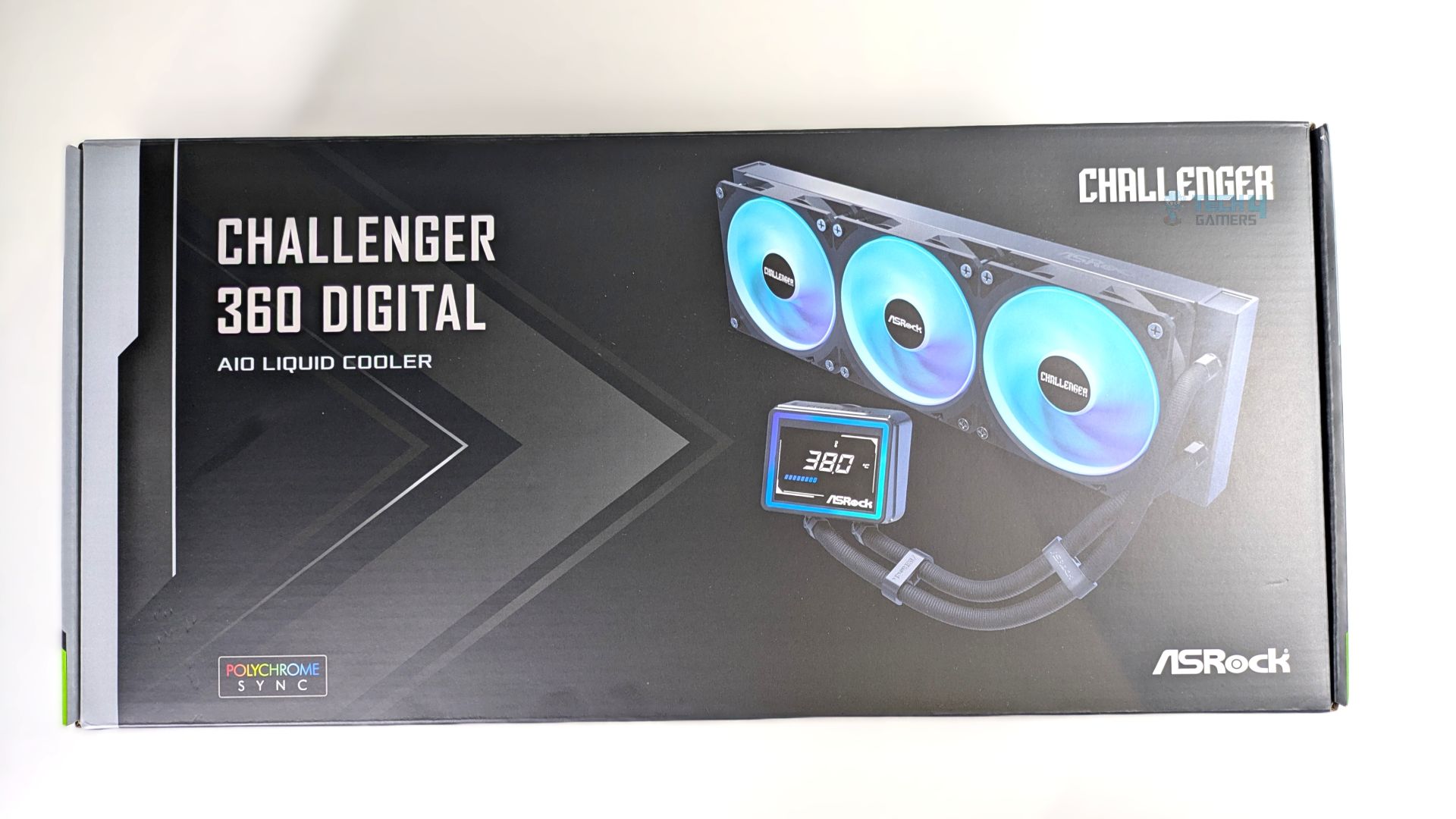
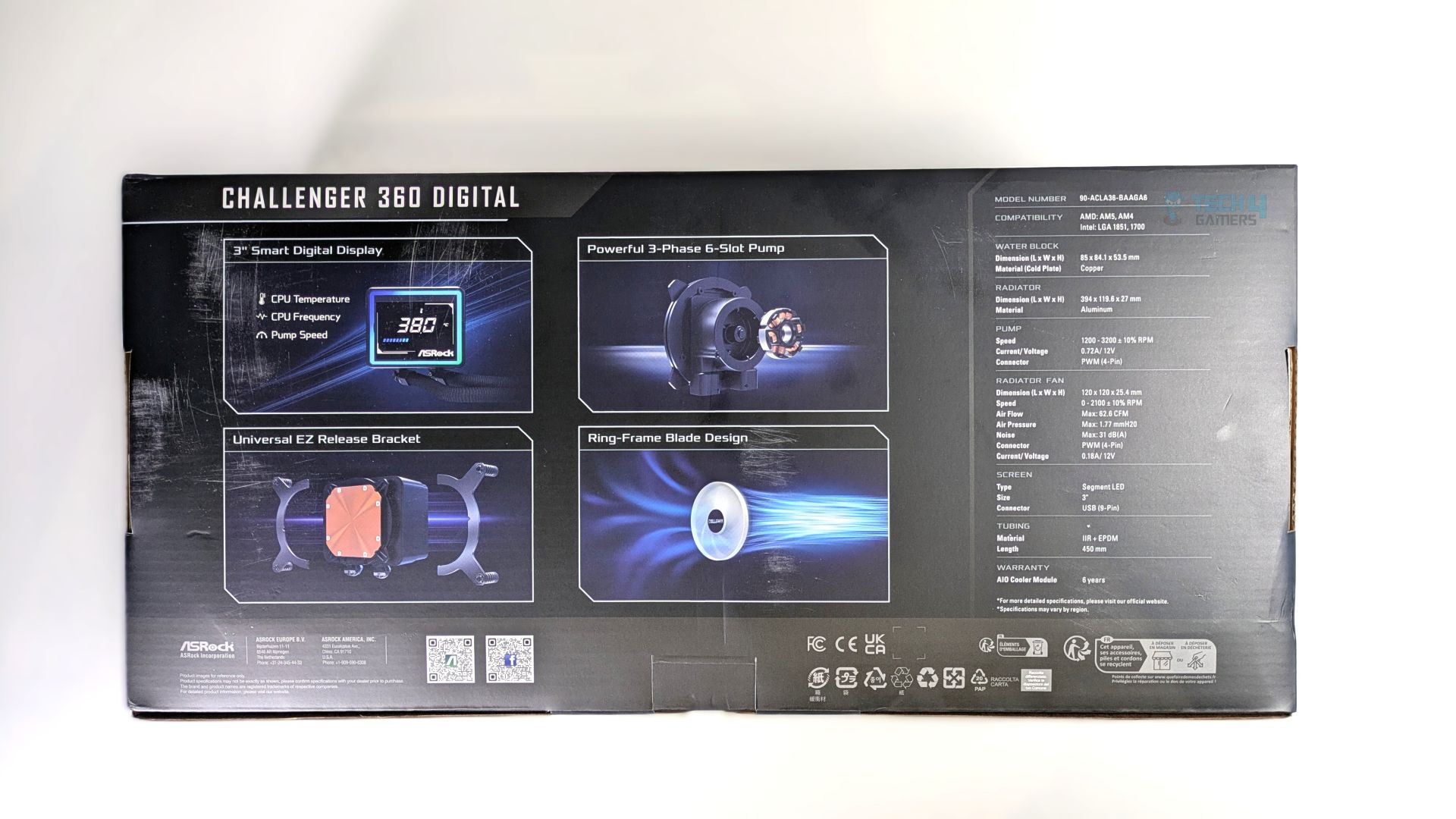
Starting from the packaging, the outer-box features a sleek, gaming themed aesthetics, the render of the cooler is clearly visible on the box with the clear feature call-outs, dedicated badge of ‘Polychrome Sync Support’ however, do-not get the things wrong here the ARGB support would also be available in Mystic Light, Asus Armour Crate and more motherboard vendor’s dedicated softwares but ASRock seems to promote their own eco-system here.
Anyways, the back of the box highlights the features and specifications, including its 3-inch display, pump architecture, universal EZ release bracket, and ring-frame blade design for the fans.
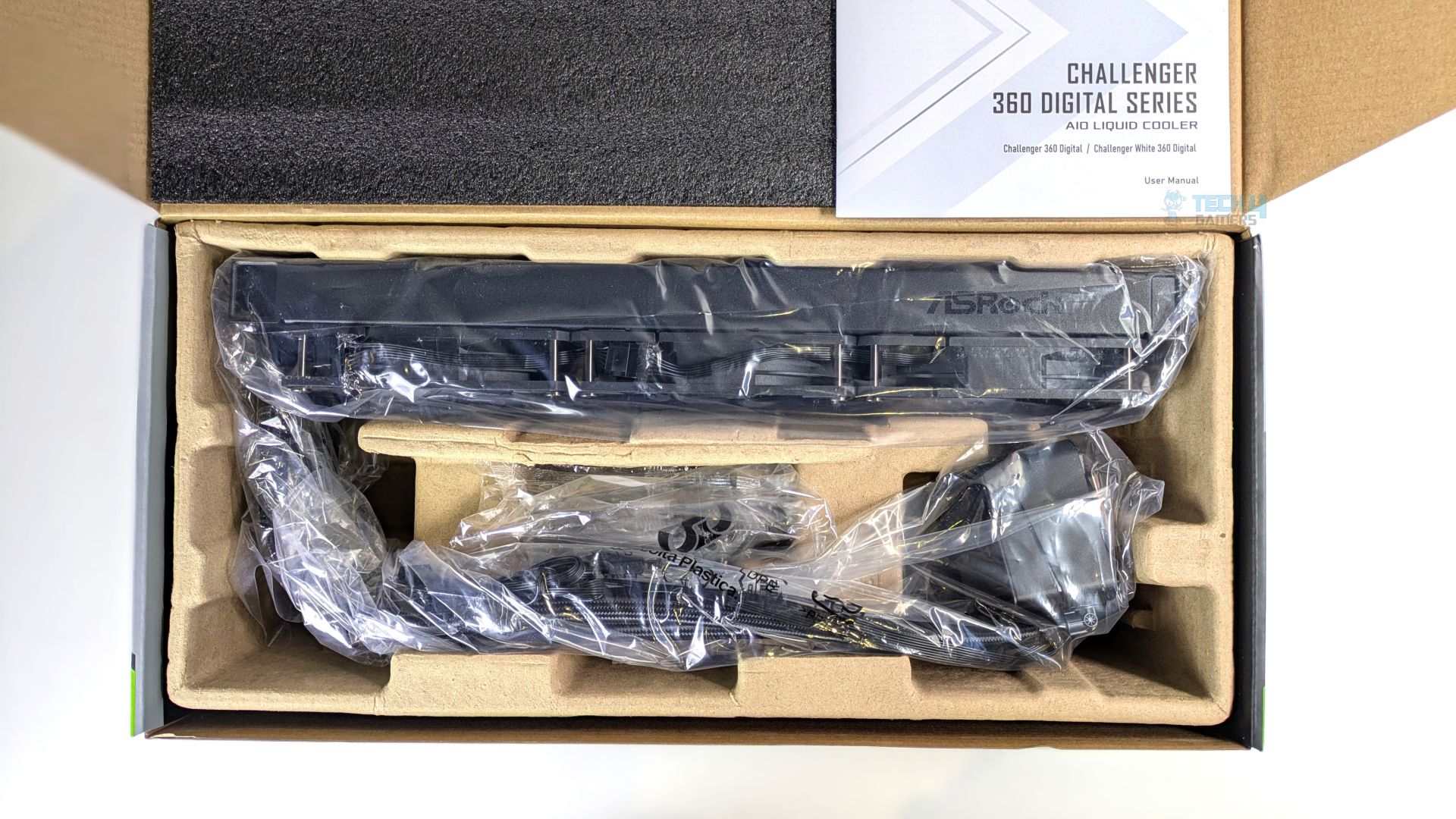
Opening the lid reveals neatly organized packaging. The radiator and the tubes are properly wrapped in protective plastic. The interior employs an eco-friendly molded cardboard tray. The accessories are also sealed in a plastic bag; they did not provide accessories in the box this time. Nothing unusual was observed. The cooler arrived safely to us.
Accessories
Let’s take a look at the accessories.
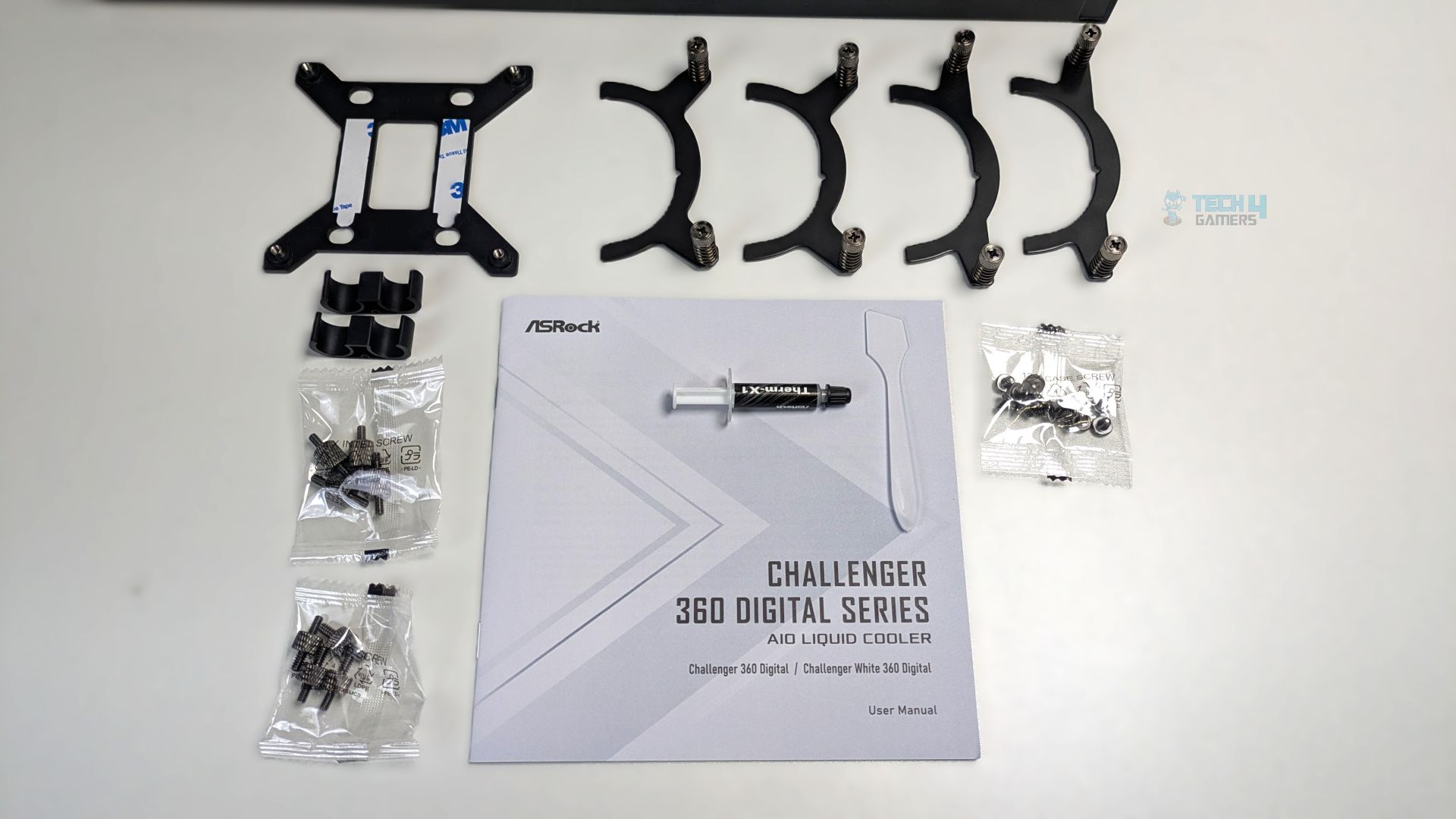
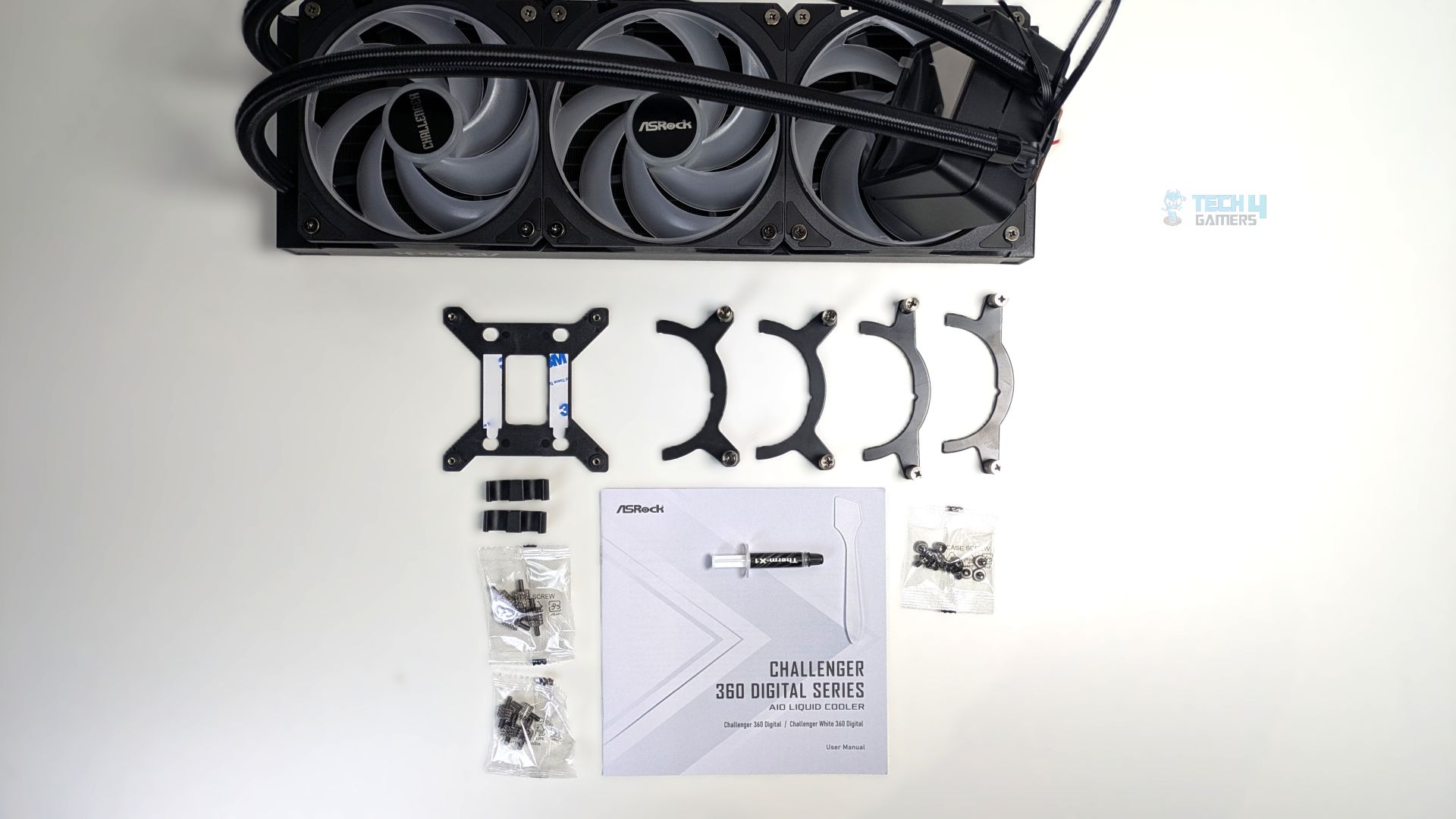
ASRock has been keeping things straightforward. For Intel platforms, they provide a backplate and two pairs of curved mounting arms that slide onto the AIO block. You can install these on both LGA 1851 and LGA 1700 using the included standoffs. For AMD, two identical-looking brackets are also provided, which slide onto the block similarly to the Intel brackets. You also get two clips for tube management, along with thermal paste and a spatula.
| Accessory | Quantity |
| Intel Backplate | 1 |
| Intel Bracket | 2 |
| AMD Bracket | 2 |
| #6-32 x 6mm Screw | 12 |
| AMD Screw | 4 |
| Intel Screw | 4 |
| Tube Clip | 2 |
| Thermal Paste | 1 |
| Spatula | 1 |
Close Look At The Radiator and Assembly
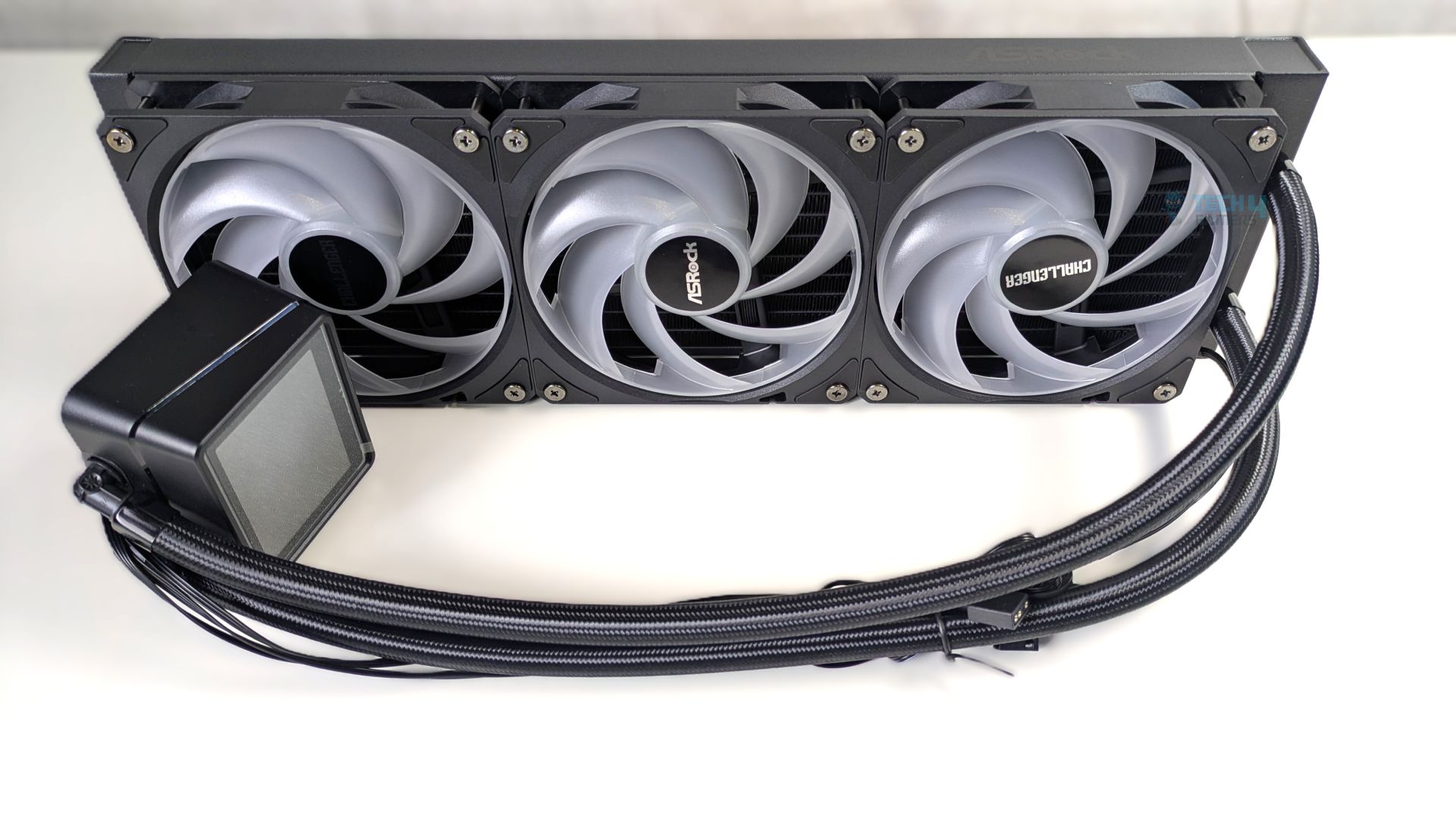
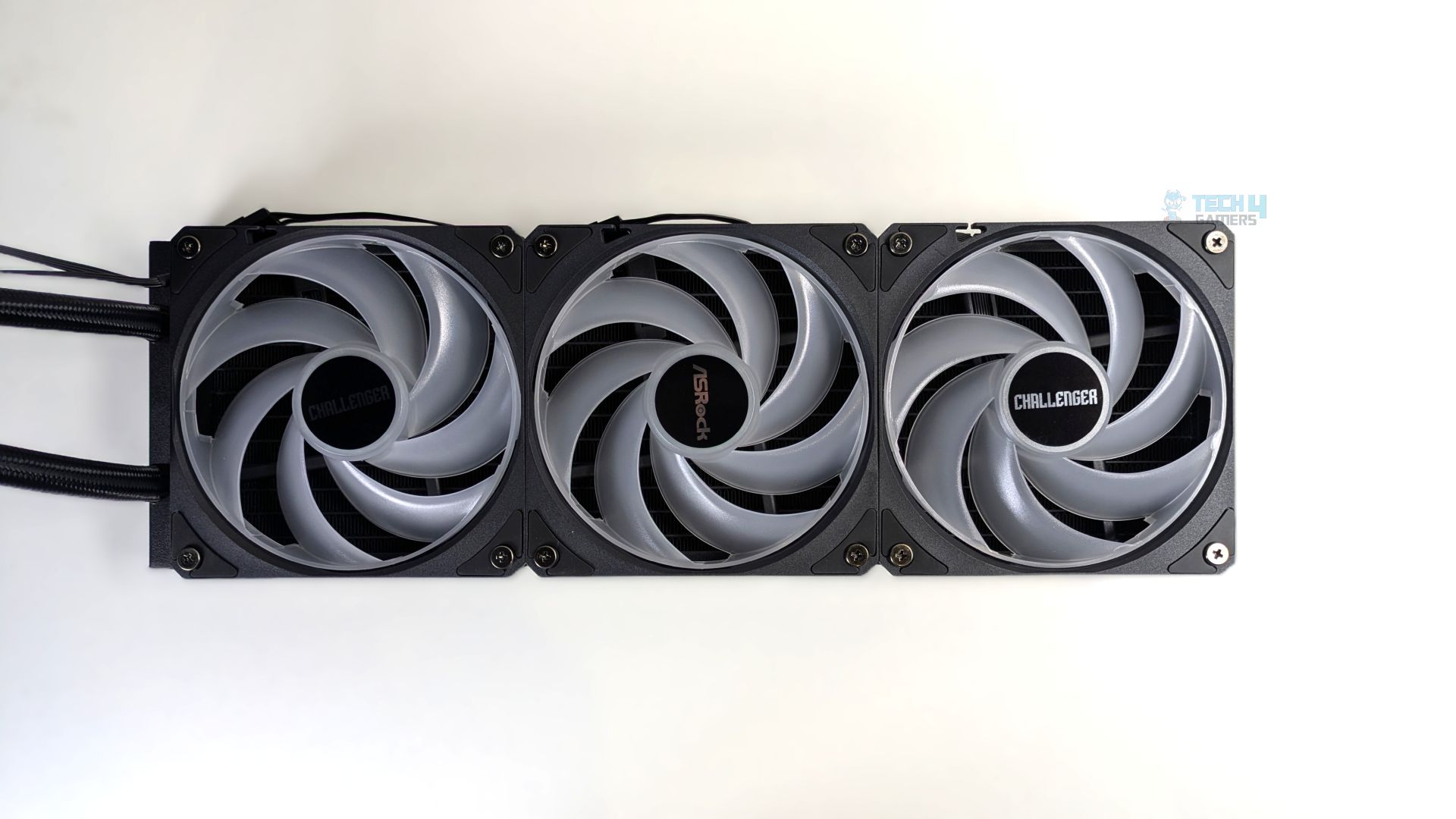
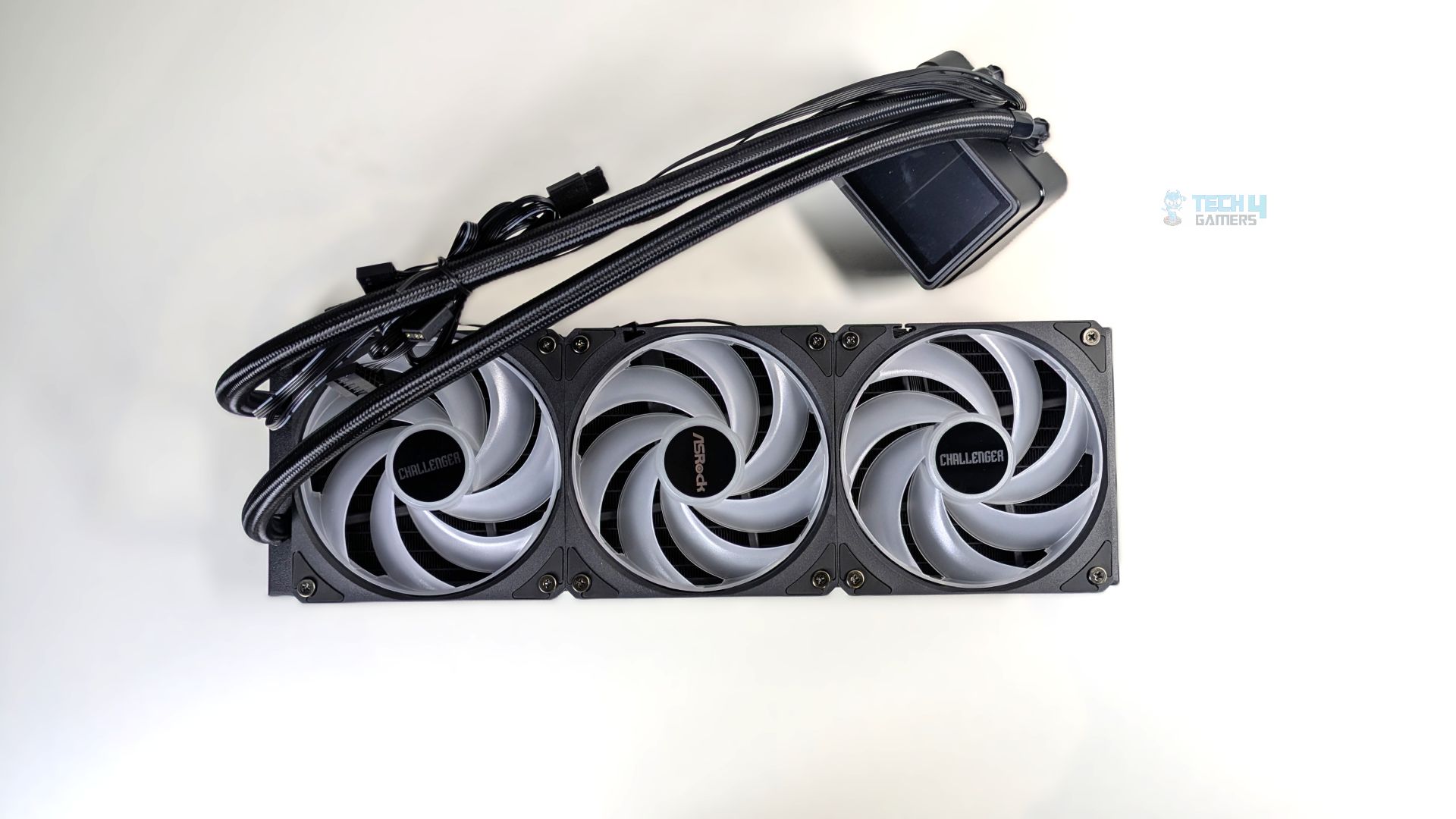
The fans are pre-installed on the radiator, which I’ve seen become standard practice for all-in-one liquid coolers these days, and it’s great that companies like ASRock are streamlining installation by shipping with all three 120mm fans pre-installed on the radiator. The fan wiring is also pre-routed and daisy-chained straight out of the box, reducing the clutter to a single PWM and ARGB header run.
Aesthetically, the central fan hub features the ASRock logo, while the two flanking fans display the “Challenger” text. The digital display is also pre-fitted on a block. Overall, the assembly is decent and clean; we don’t see any cable clutter
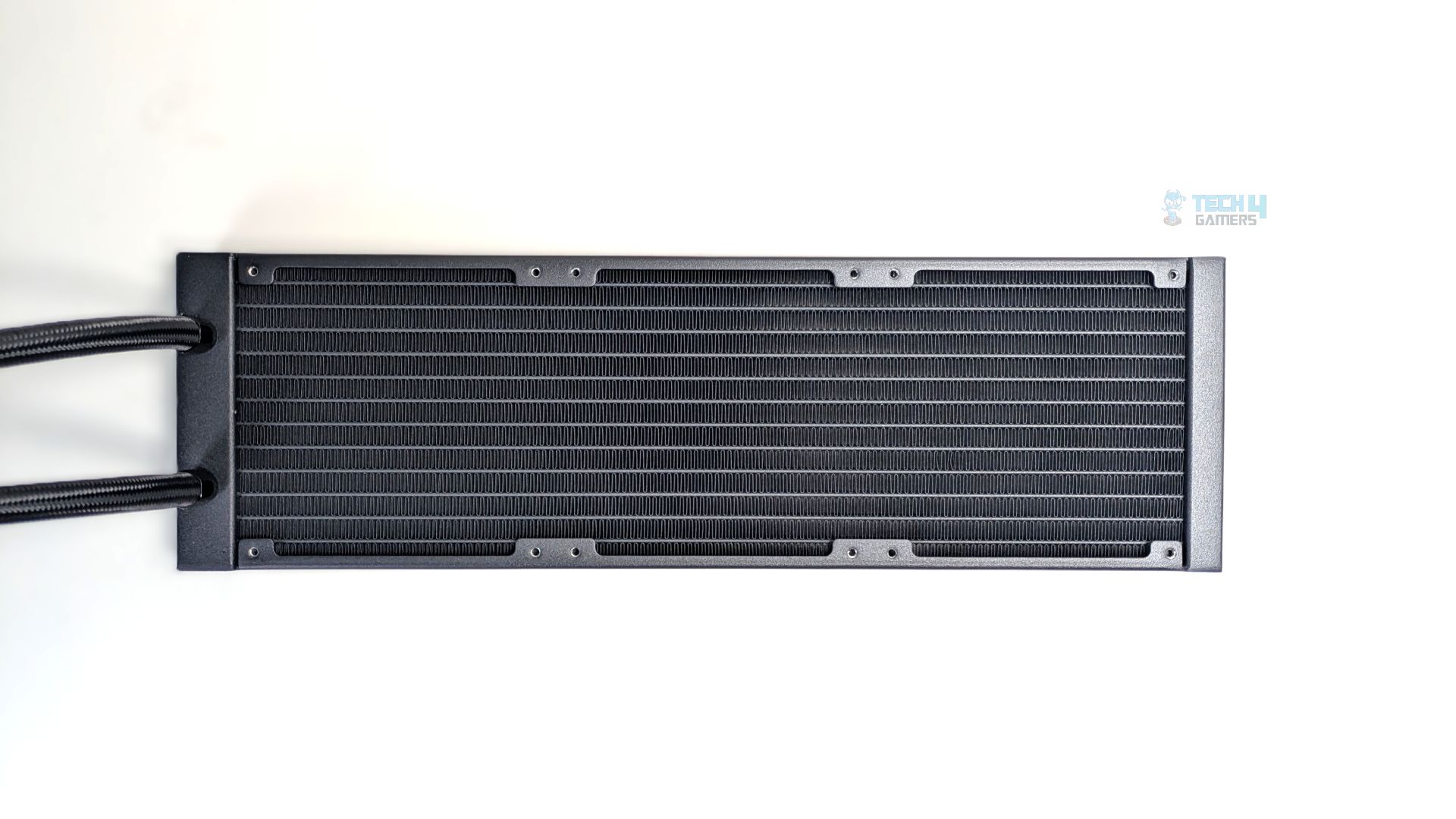
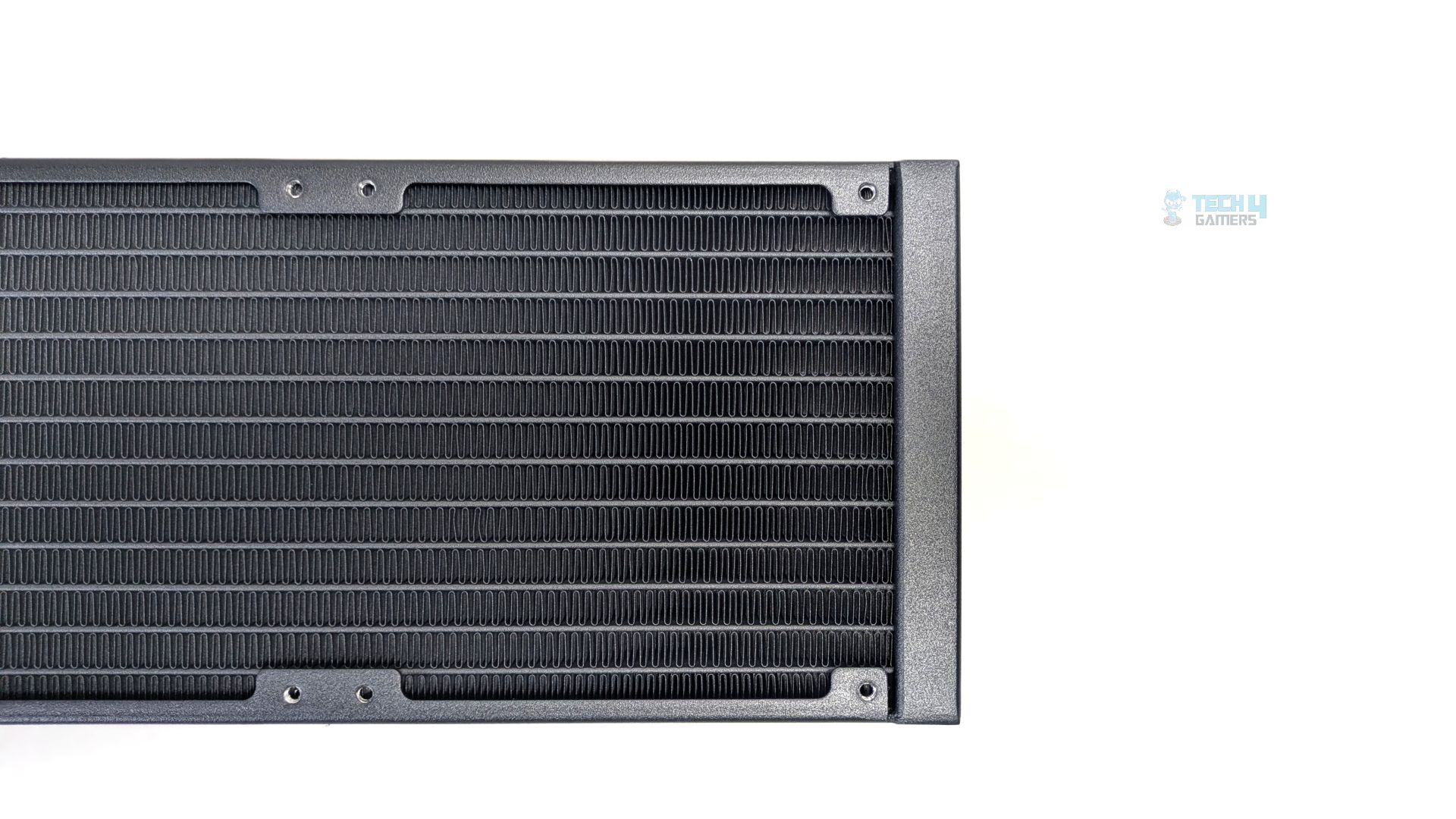
Regarding the radiator, it’s a 360mm radiator measuring 394 x 119.6 x 27 mm, made of aluminum with 20 fins per inch and 12 water-flow channels. The radiator is only 27mm thick, which is the standard thickness.
We did not observe any bent or broken fins on the radiator.
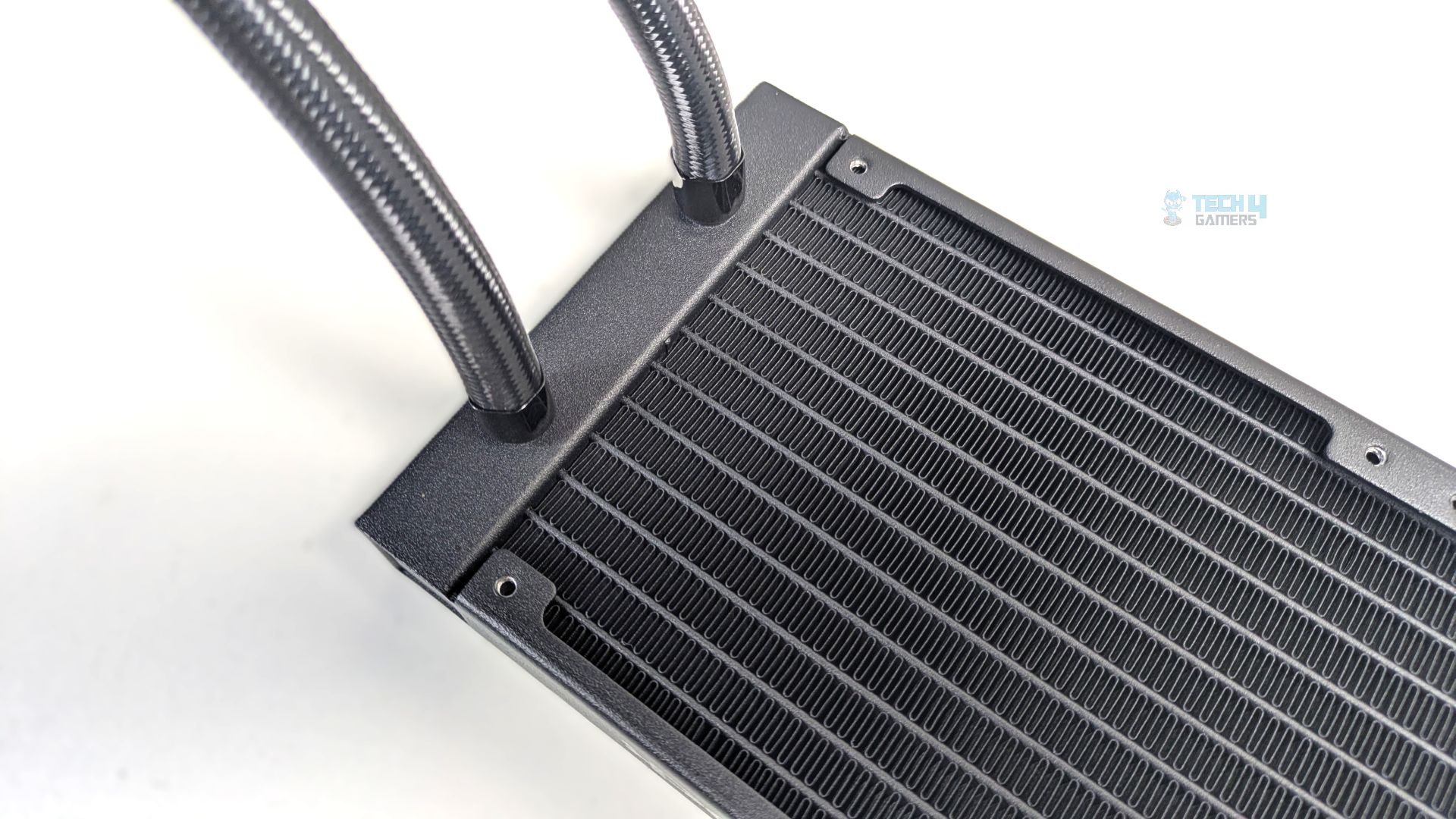
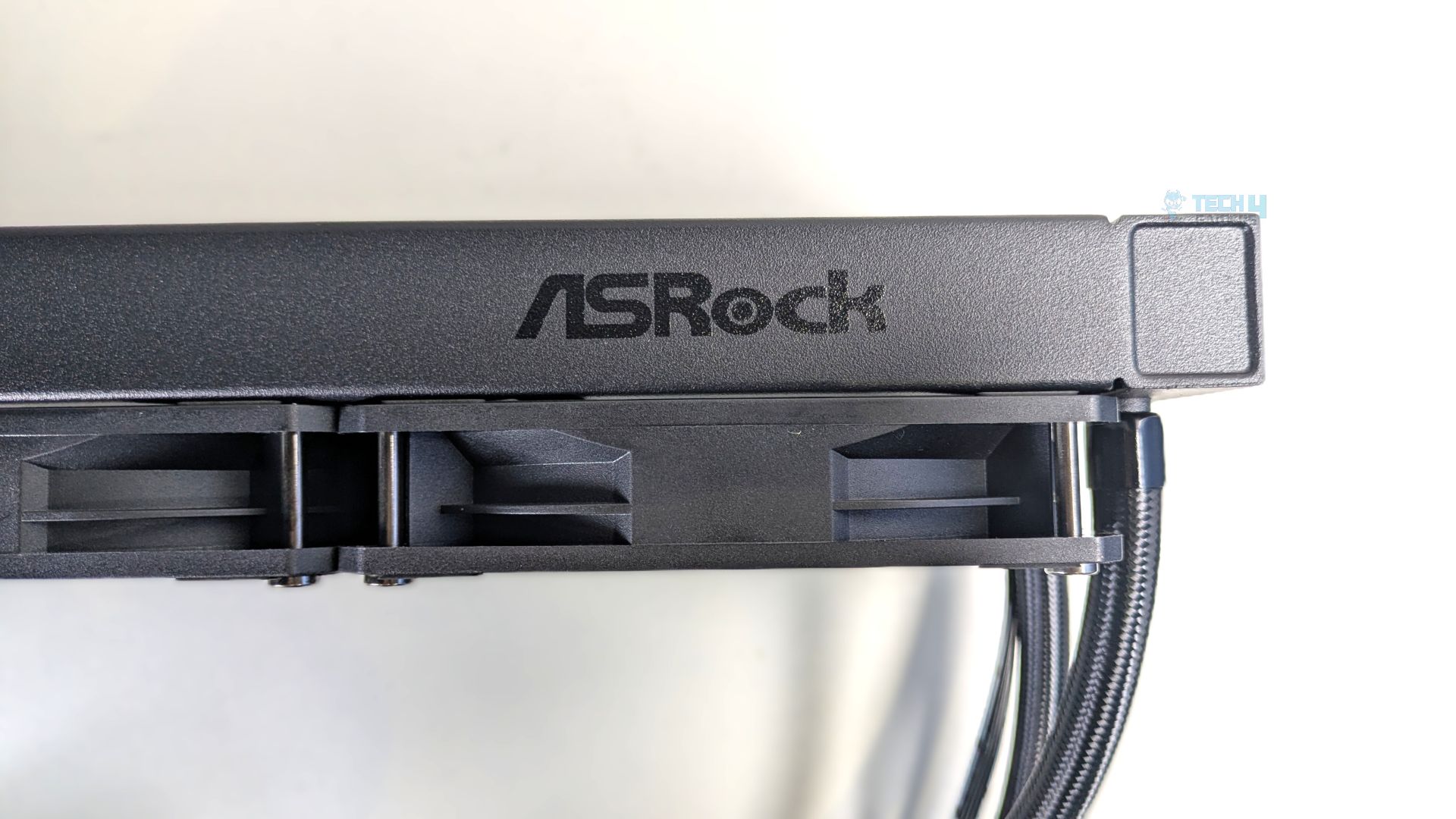
The radiator frame’s side profile also features the ASRock logo; the tube connection points are securely locked in place with black metal crimp collars. The tubes are nylon-braided and 450mm long, which is quite long for a small-form-factor case. The radiator’s total thickness is 52.4 mm, including the fans.
Make sure your case has enough clearance before mounting the radiator.
Pump Design / Housing
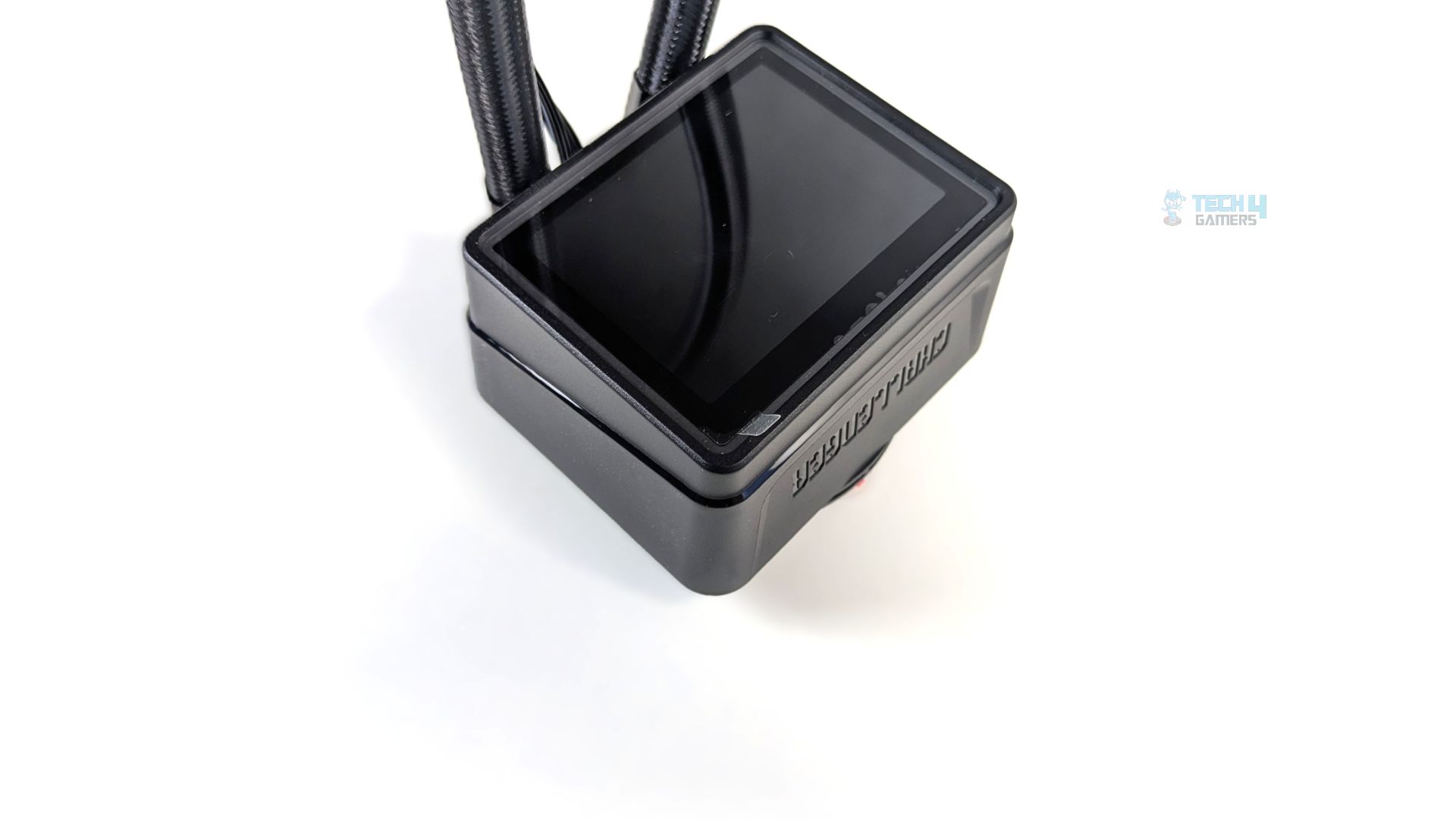
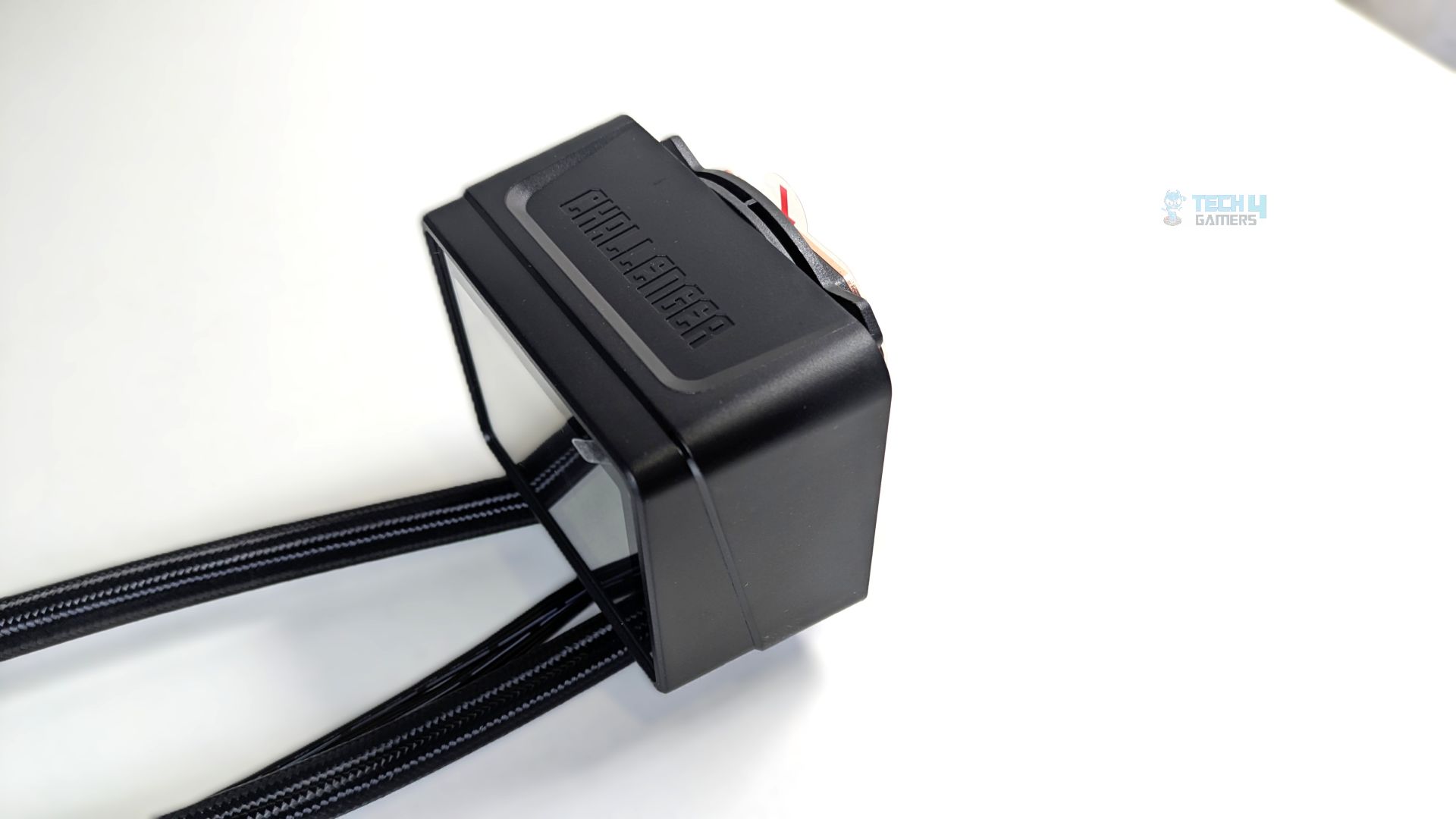
The pump block is square and housed in a plastic frame. The top space is entirely dedicated to a 3-inch digital display panel bordered by a continuous thin ARGB lighting strip. We’ll have to see whether the lighting bleeds or overpowers the readouts on the screen. In the section below, we will let the users know about it. Looking ahead, the top flank of the block features bold, embossed Challenger branding that feels high-quality.
Under the housing, ASRock uses a 3-phase, 6-slot, 4-pole motor architecture, identical to what we have seen in their higher-end models. The pump is also claimed to have a dual-side inlet cooling path that injects liquid from multiple directions rather than a single point, which also physically shortens the distance the coolant must flow inside the block design.
The Pump is PWM-controlled and operates at a variable speed range of 1200 to 3200 RPM, drawing 0.72A at 12 V, which means it draws 8.65W total from the single 4-pin PWM header.
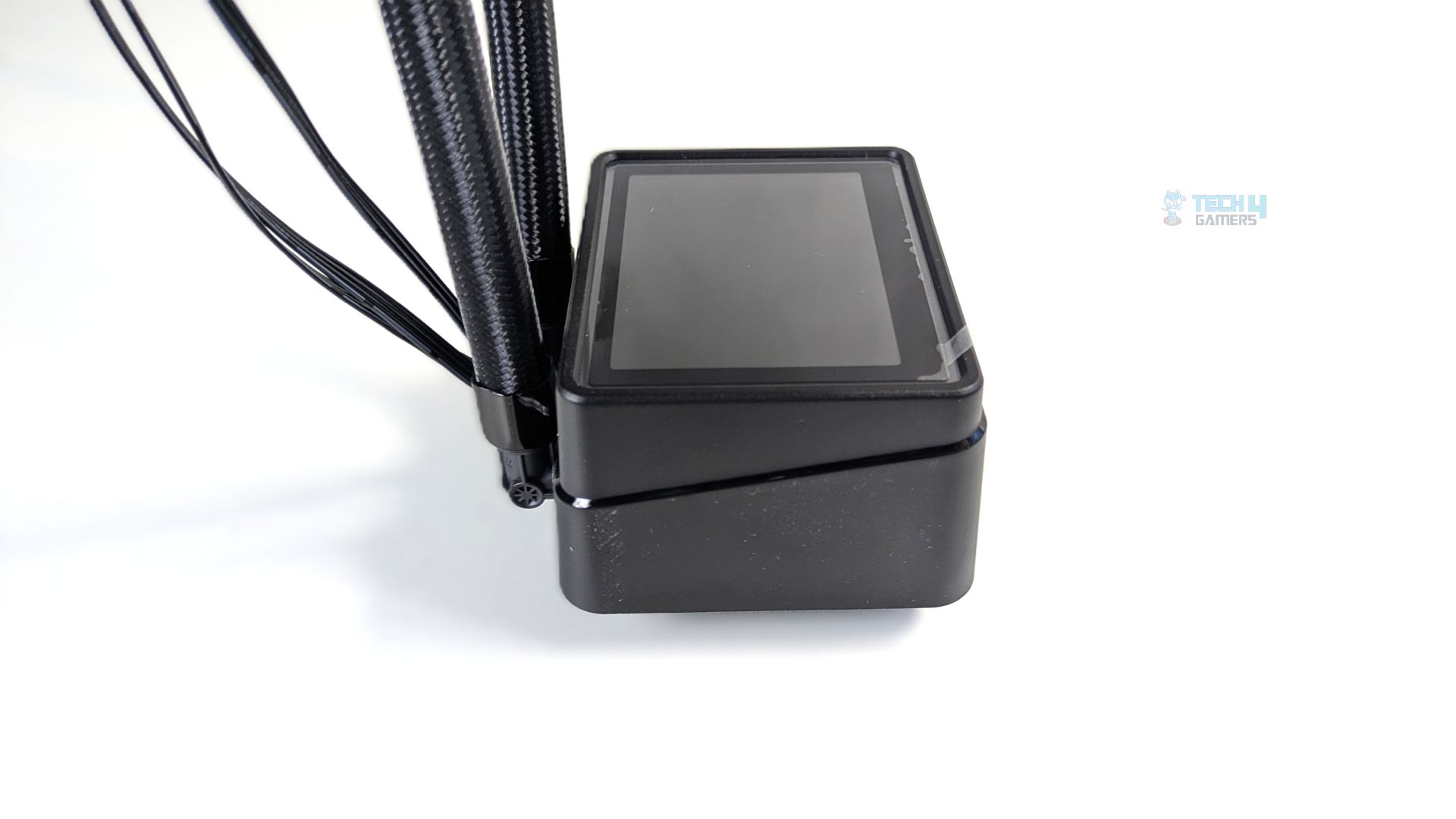
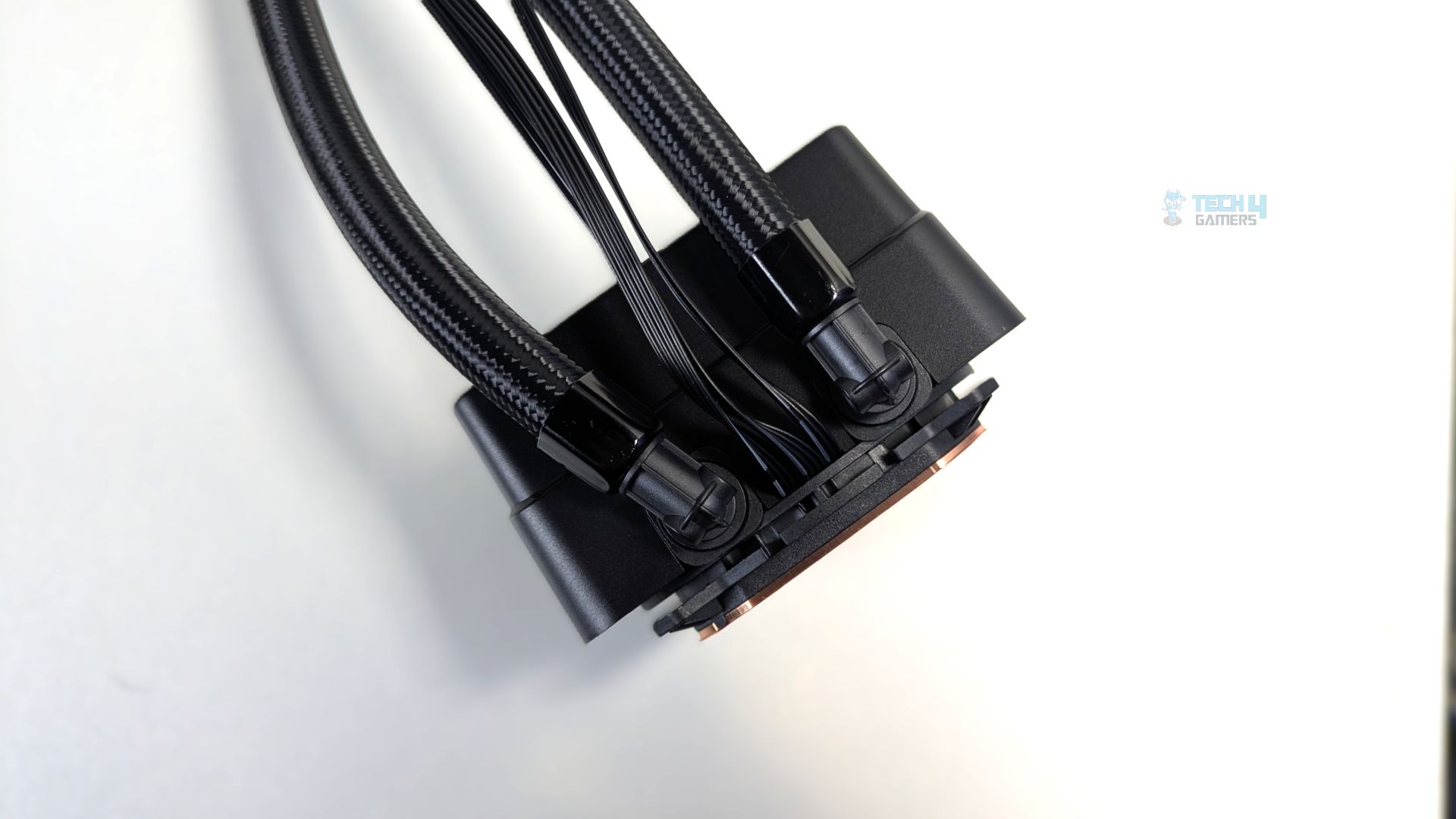
The side of the block also features a deep, angled seam that splits the housing horizontally, stepping away from the traditional solid design; it serves no purpose. Still, it’s not a bad design either. At the back, the two nylon-braided tubes connect via rotary swivel fittings, which are standard in liquid coolers these days. Also, underneath the block, the entire wiring harness routes out of the gap centered between the two rotary fittings.
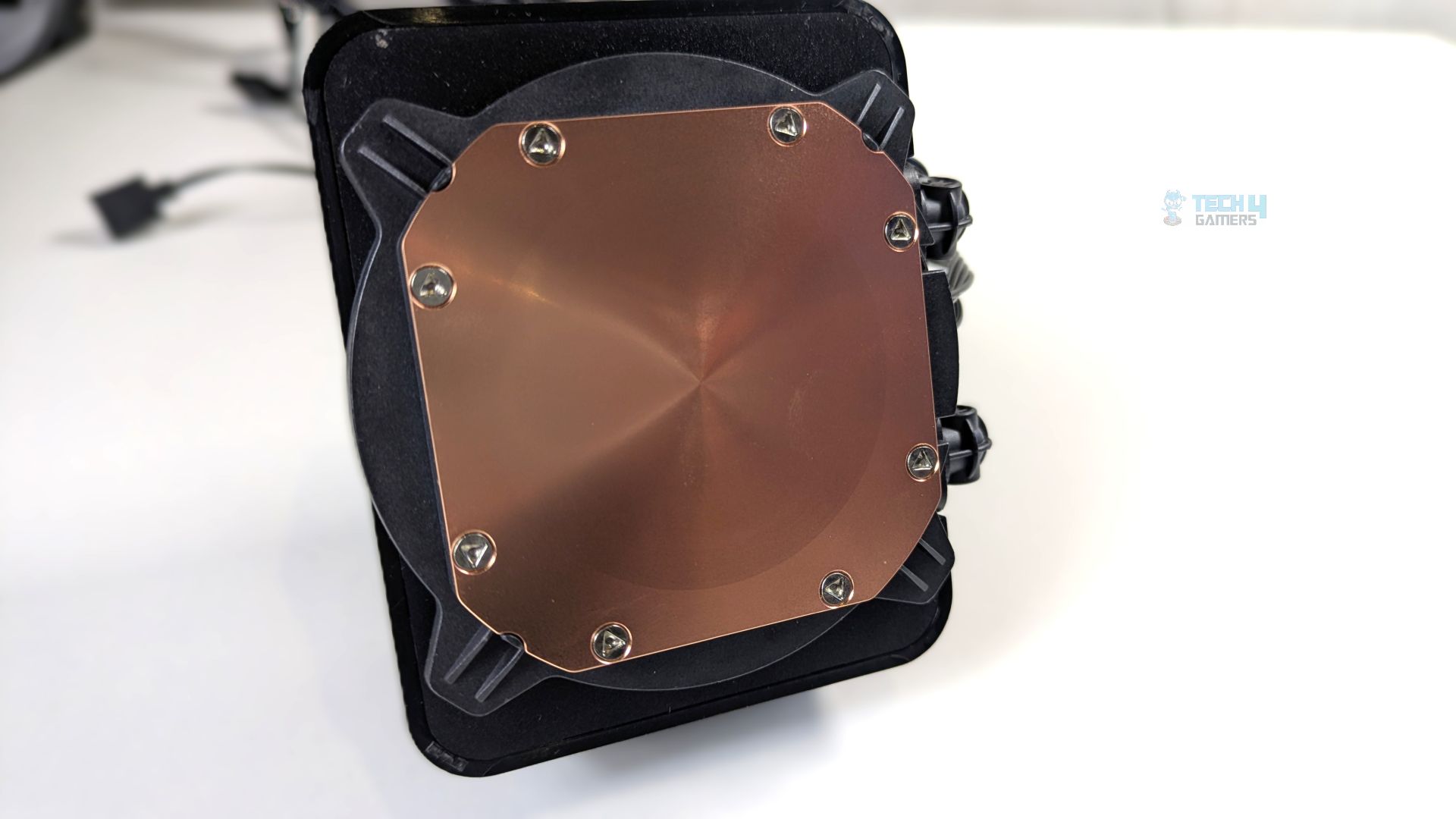
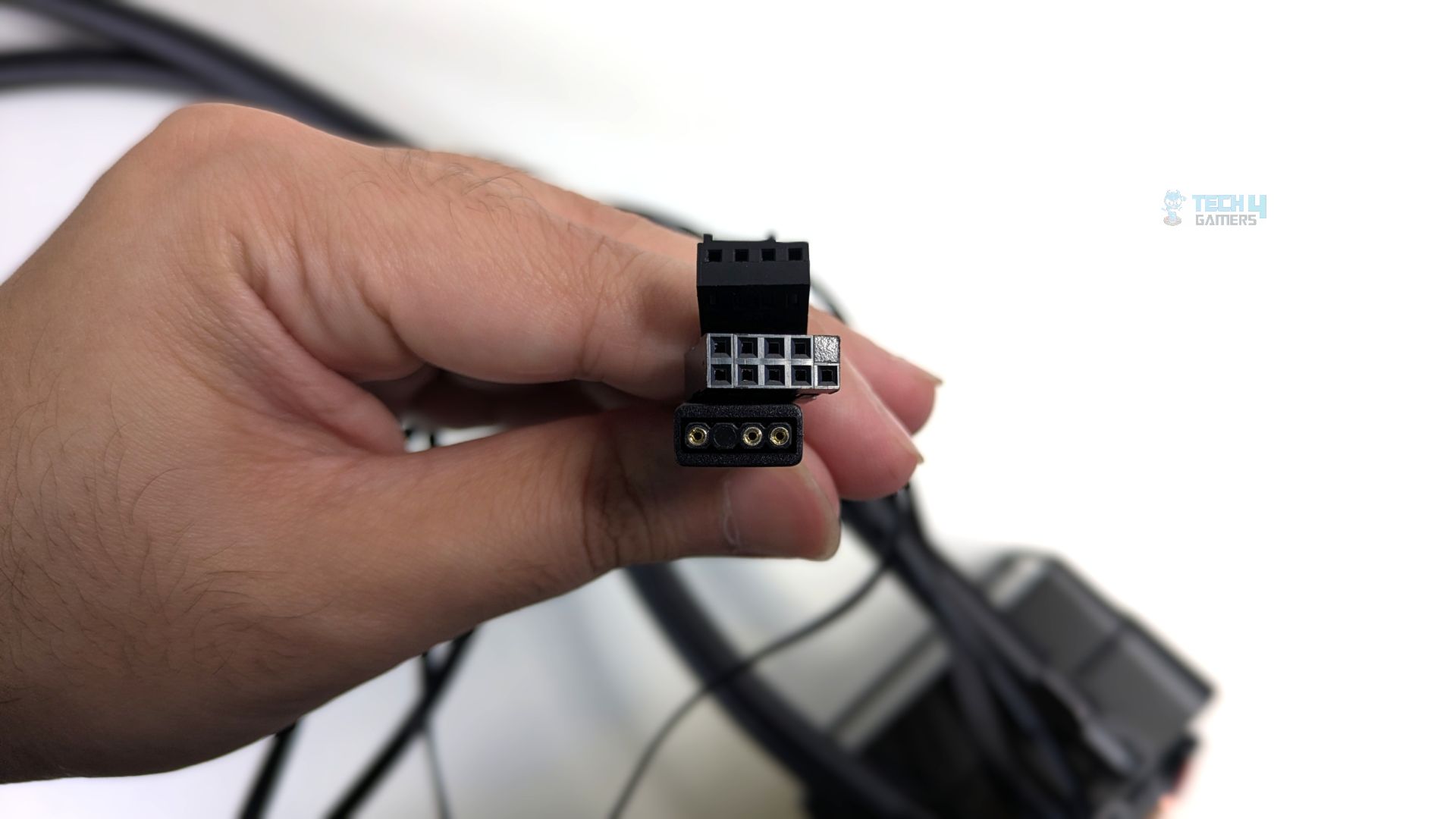
It’s a copper cold-plate, and covered by a clear protective peel (Don’t forget to remove the peel before mounting the block) Going further, the three cables are exiting from the block, The-4 Pin PWM connector to power the pump, 9-Pin cable which connects directly to an internal motherboard USB 2.0 header for the digital read-outs and 3-pin 5V ARGB connector to control the ARGB lighting surrounding the panel.
Fans
ASRock includes its CLF-120 PWM fans with this cooler. It features a seven-blade translucent frosted-white design and a ring-blade design, which helps eliminate tip-vortex turbulence while maintaining optimized airflow concentration; it also feels light in the hand thanks to its light, standard build. We observed no build-quality issues.
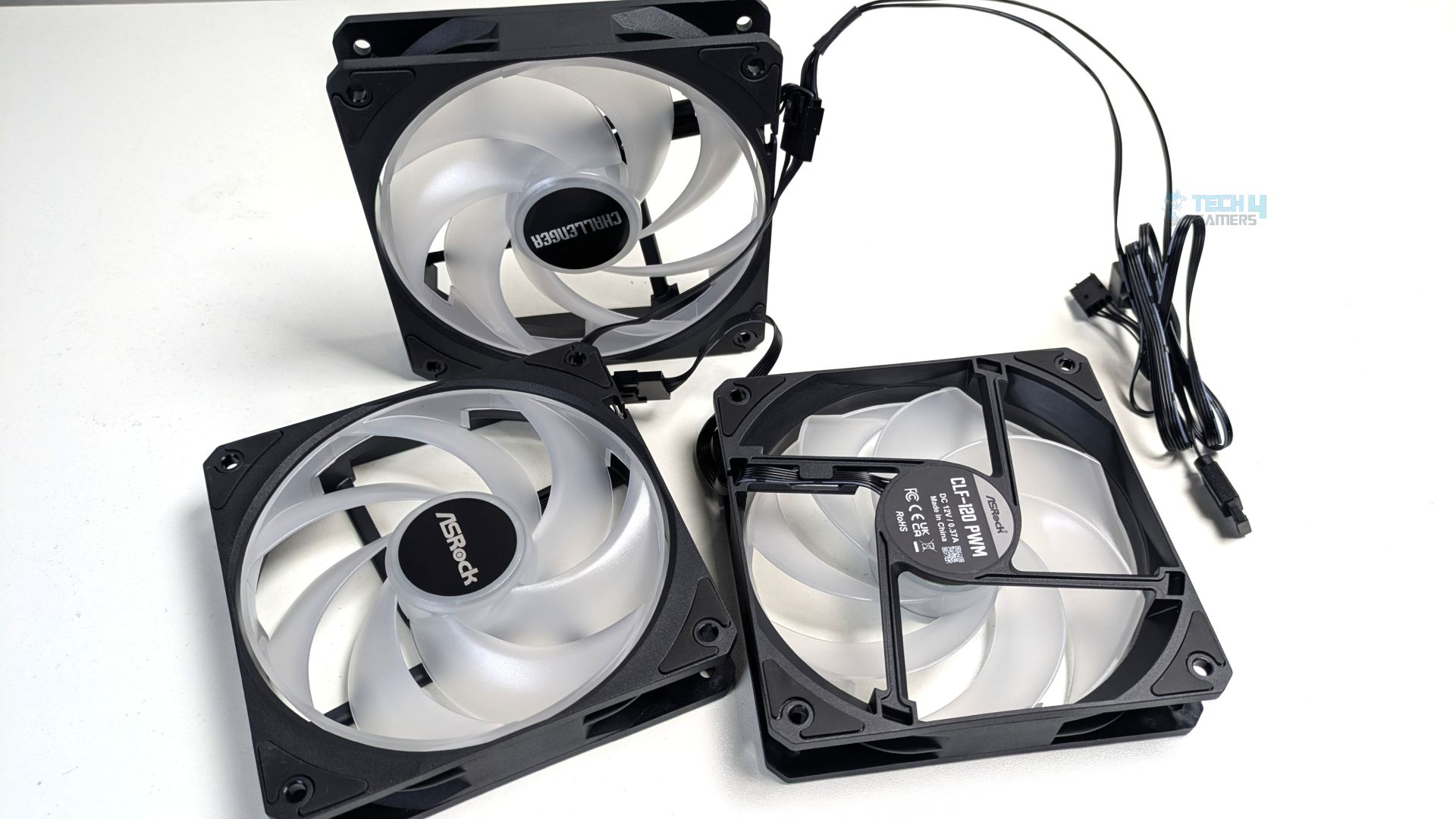
However, the ARGB Gen1 LEDs are mounted inside the central hub, which provides a uniform, smooth glow across the entire surface of the frame; we did not see any visible hotspots when the system was powered on. If you look closely, each corner of the frame features integrated rubber isolation pads around the screw channel.
The fans measures at the 120x120x25.4m with a standard thickness of 25mm, the blades can spin up-to at 2100 RPM, under the housing it uses the rifle bearing, which is also standard in the budget focused AIO fans, however it’s better than older standard sleeve bearing, providing the life span of up to 80,000 hours but it’s a downgrade as compared to what we got in the ASRock’s higher-end Phantom Gaming 360 LCD which uses the FDB (Fluid Dynamic Bearing) which has a life span of more than 100,000 hours. Anyway, keeping the value in mind, I see no problem here.
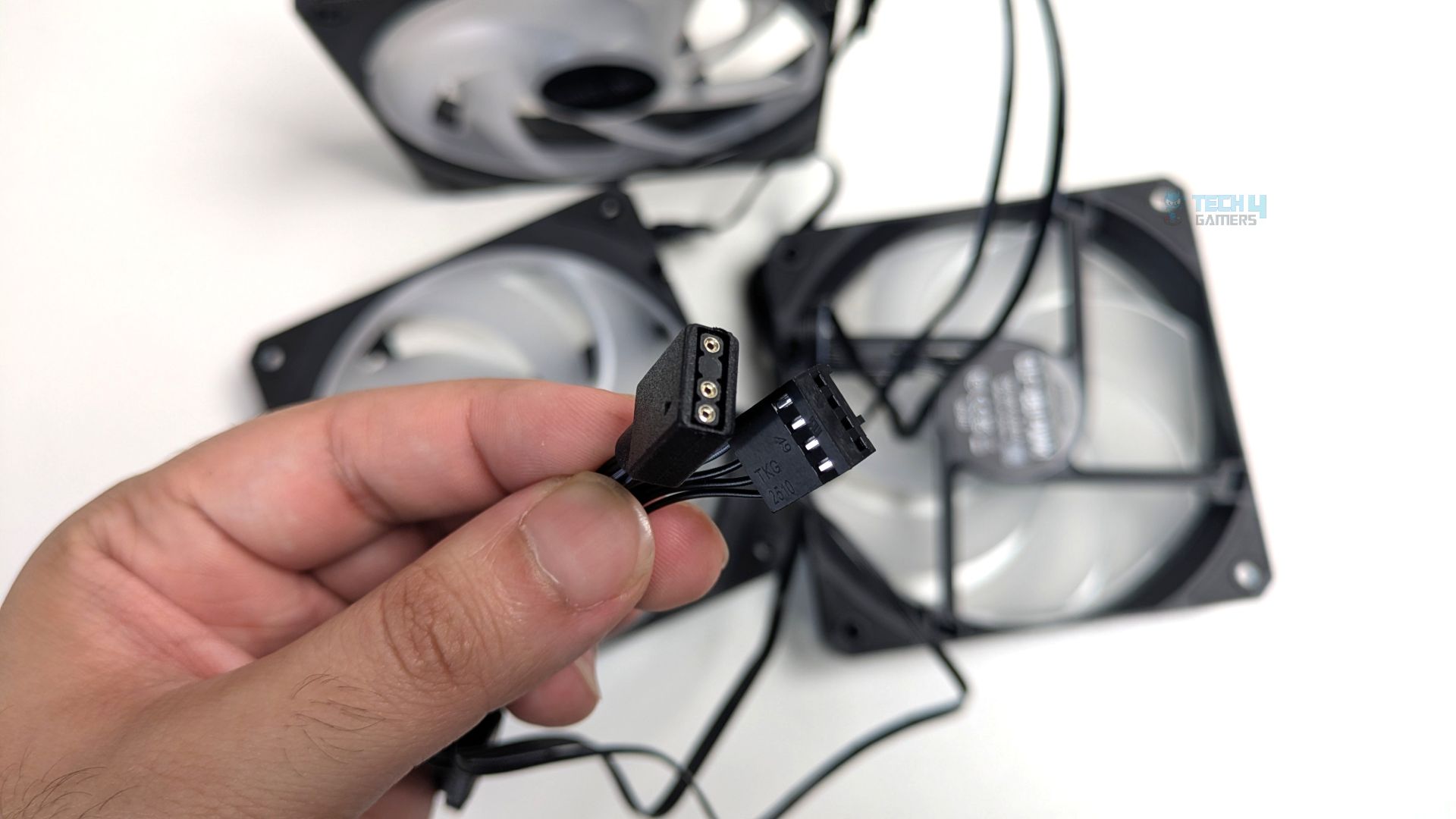
For connectivity, the fans feature short interconnect jumpers that link the fans directly in series, which helps with cable management. The entire three-fan series consolidates into two cables: one 4-pin PWM connector and one 3-pin 5V ARGB cable.
| Dimensions | 120 × 120 × 25.4 mm |
| Speed | 0 – 2100 ± 10% RPM |
| Airflow (Max.) | 62.6 CFM |
| Air Pressure (Max.) | 1.77 mmH20 |
| Noise Level (Max.) | 31 dB(A) |
| Connector | 4-Pin PWM |
| Current / Voltage | 0.18A / 12V |
| Bearing Type | Rifle Bearing |
| LEDs | ARGB Gen1 |
Display Powered On
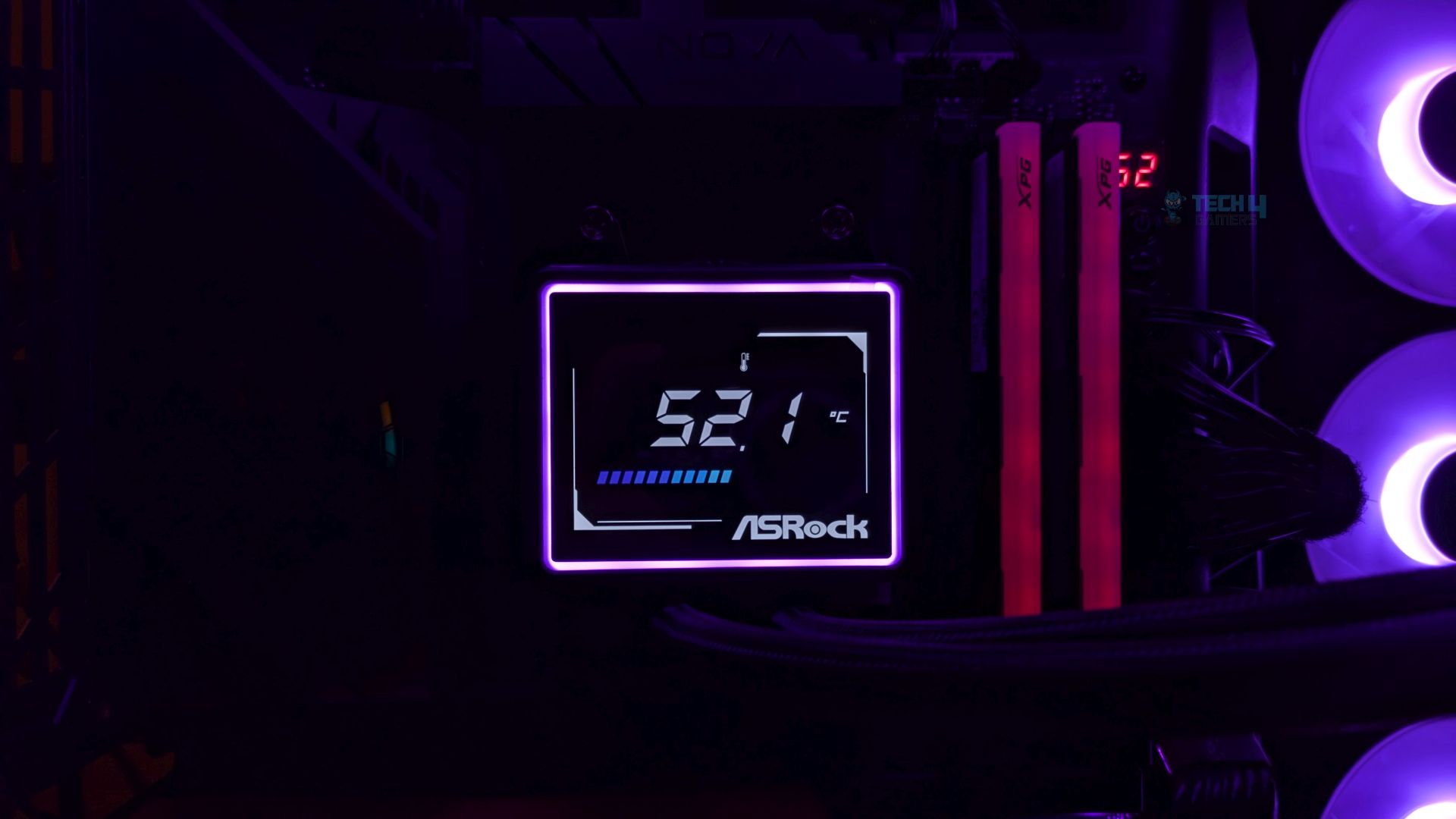
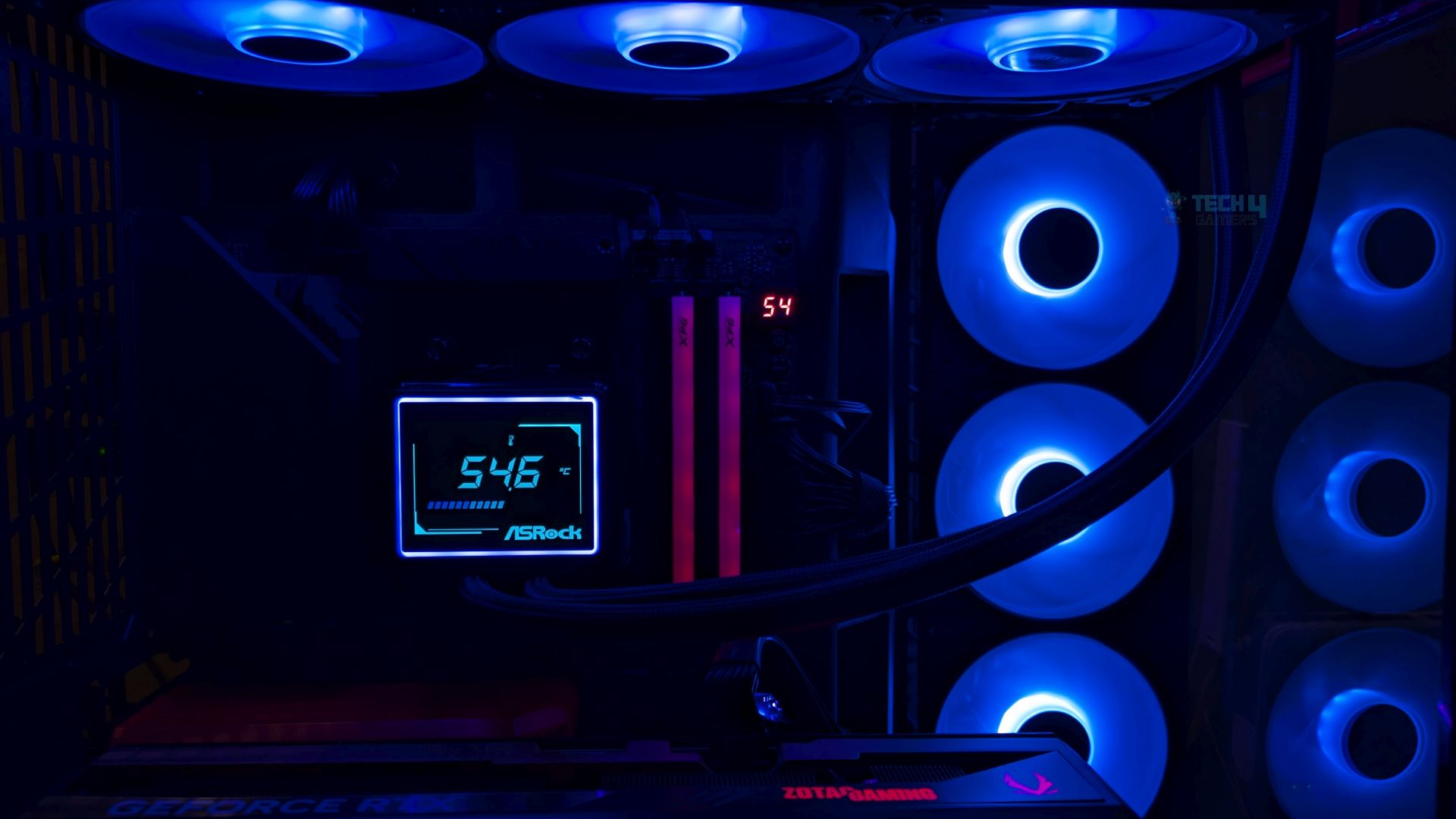
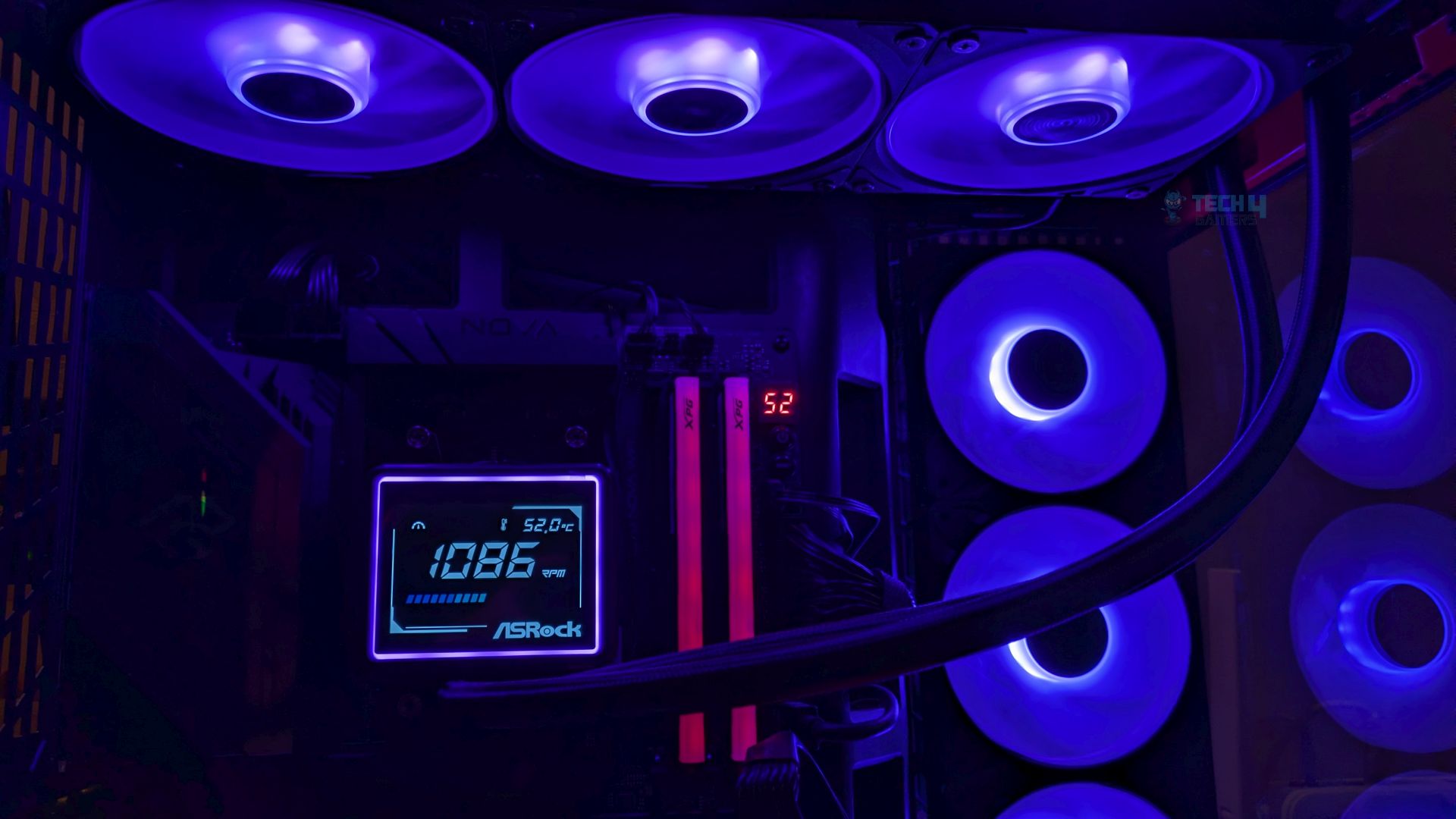
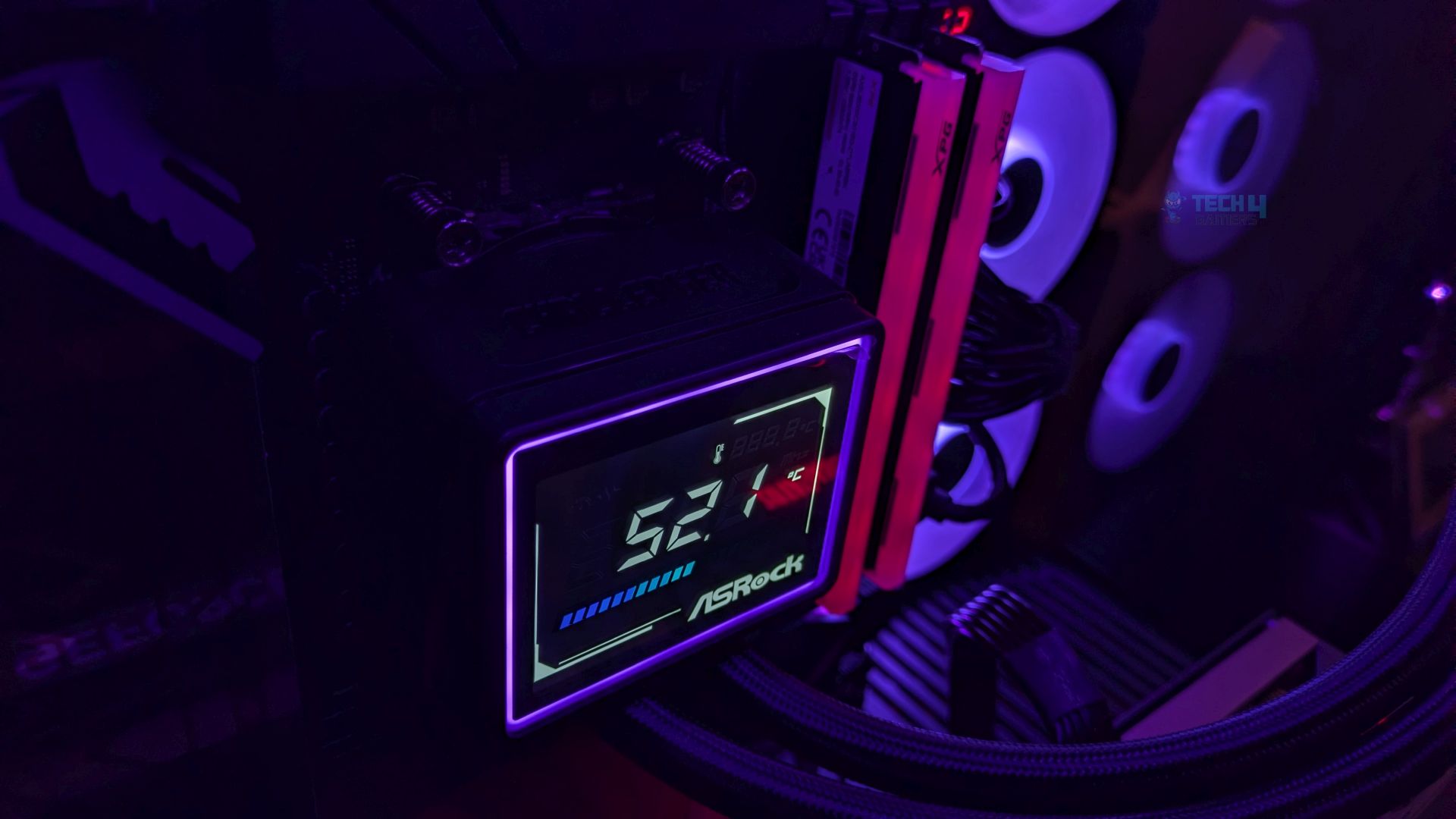
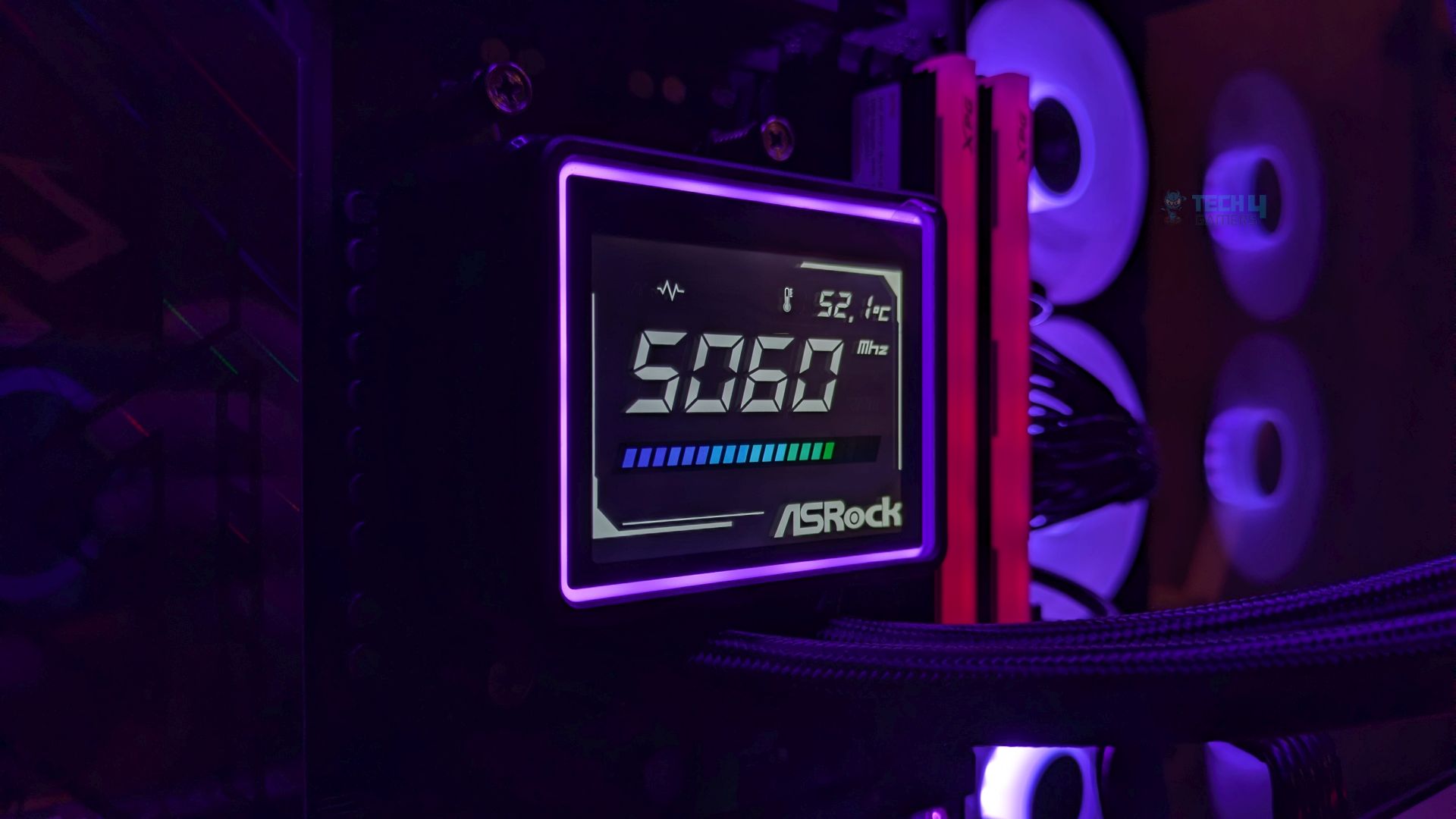
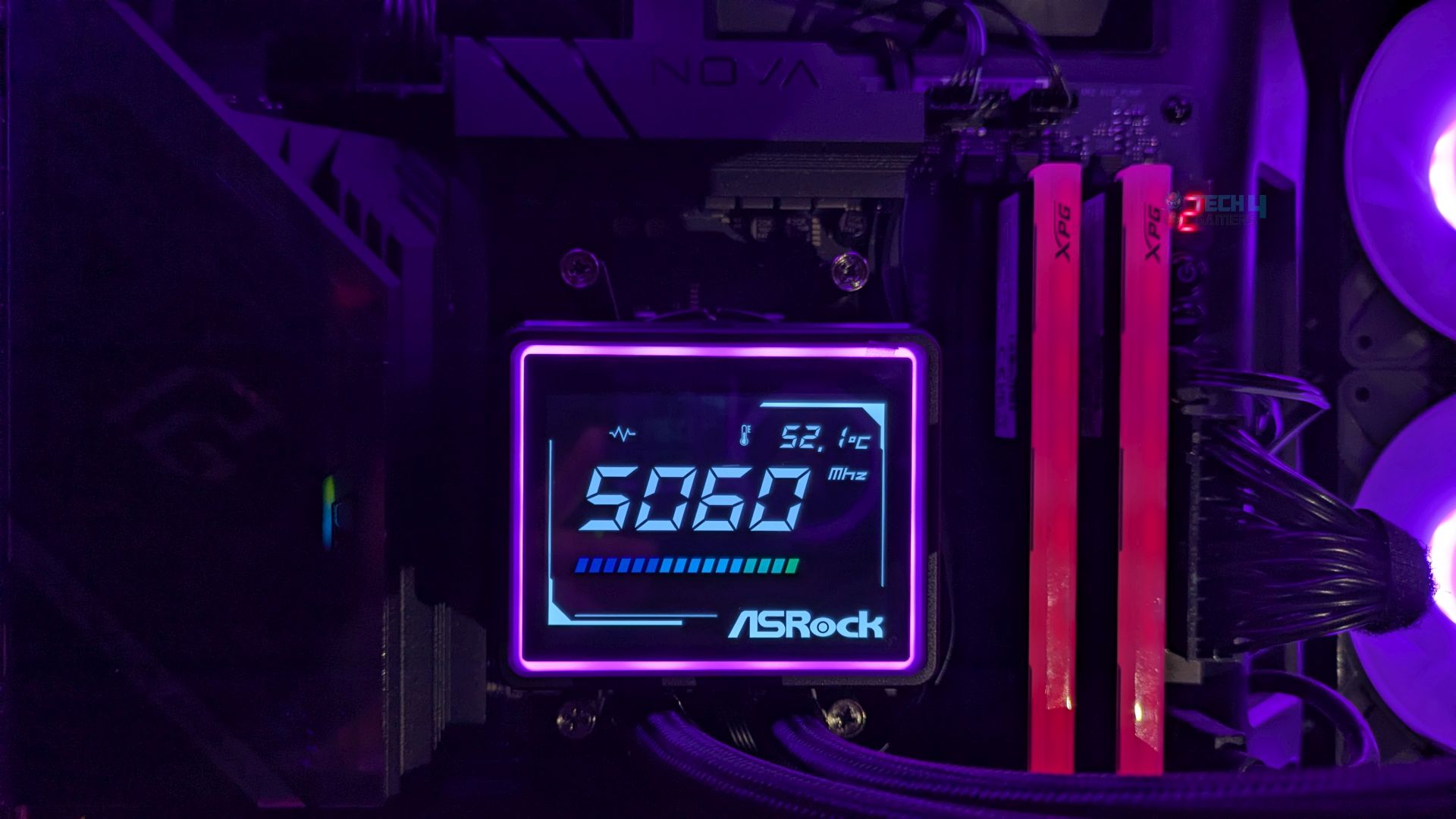
Here are a few snaps of the display in action. It’s not a standard LCD with a graphical, media-playable display like you see on LCD coolers; it features a 3-inch segment panel that reports only CPU telemetry sensors such as temperature, clock speed, and fan or pump speed. You can’t adjust the brightness, and you can’t make any changes or tell the display what to report.
Moving forward, the HUD layout gives me a futuristic, sci-fi aesthetic; the colors use a fixed, high-contrast internal scheme, framed by the customizable exterior ARGB lighting, and I don’t notice any reflections or light bleed on the panel. This is great for those who don’t want to hassle with customizing the display and might be perfect for those who want to see the CPU sensors on the screen.
If you don’t want the screen, ASRock has another option: the Challenger 360 Pure version, which features a simple block head with all the bells and whistles of this cooler.
Installation (AMD)
We’re using the AMD platform, so our installation steps will only be provided for that.
Prepare the socket
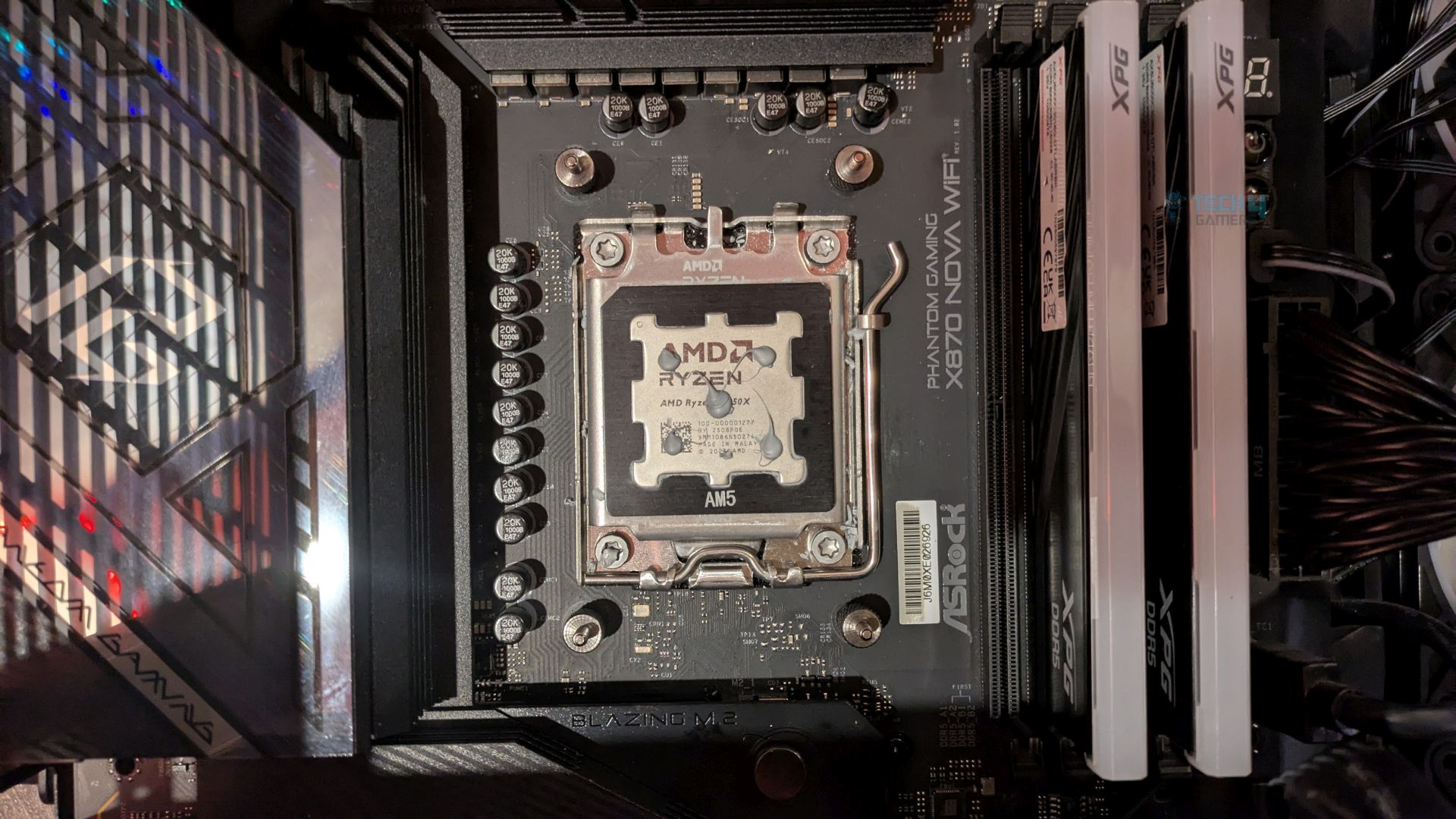
First step is to remove the AMD stock retention brackets that come preinstalled on the motherboard. Now place the provided AMD standoffs on the threaded holes.
Now take the pump, and slide the two curved AMD mounting bracket into the retention grooves on the sides of the pump block. Once you slide it inside until you hear the click. This is crucial step so make sure the brackets are fully inserted and locked.
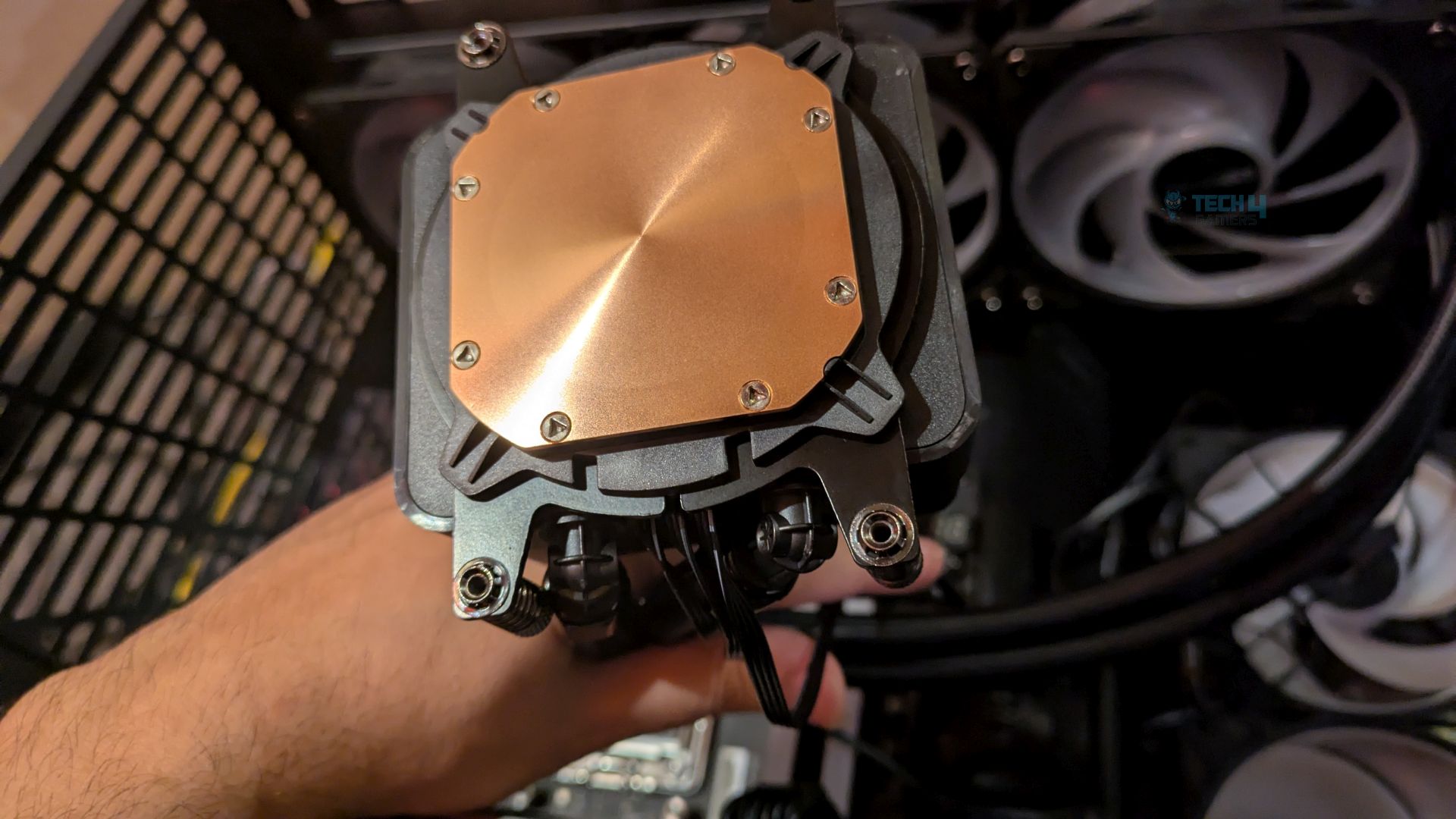
Now apply the thermal-paste on the CPU IHS, also don’t forget to peel off the protective film from the cooler’s base plate. Now place the pump block onto the CPU and tighten the screws in the crisscross method. The cooler is now installed. Now you can connect all the cables. The installation was straightforward; we did not face any problems.
Finished Looks
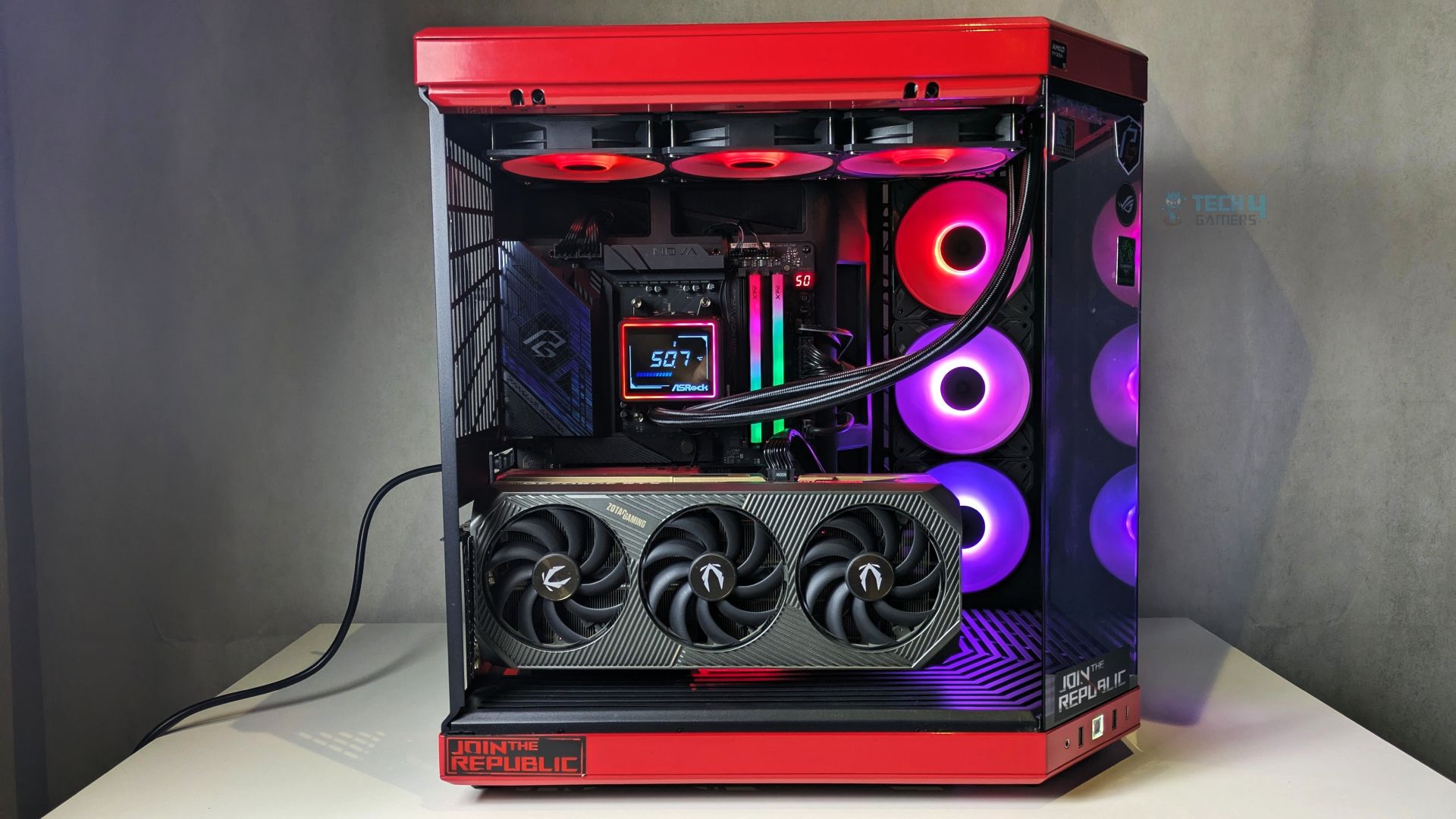
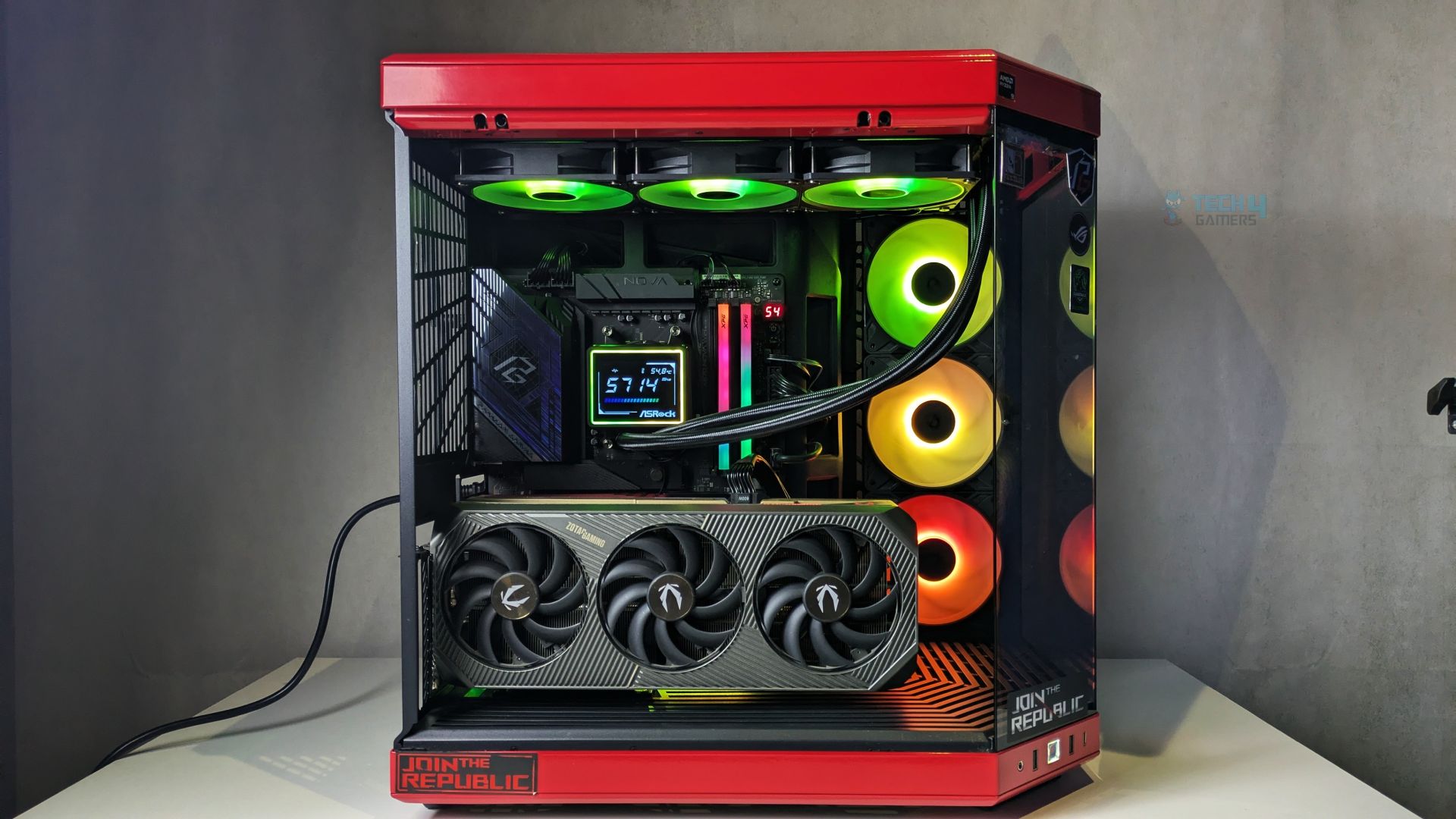
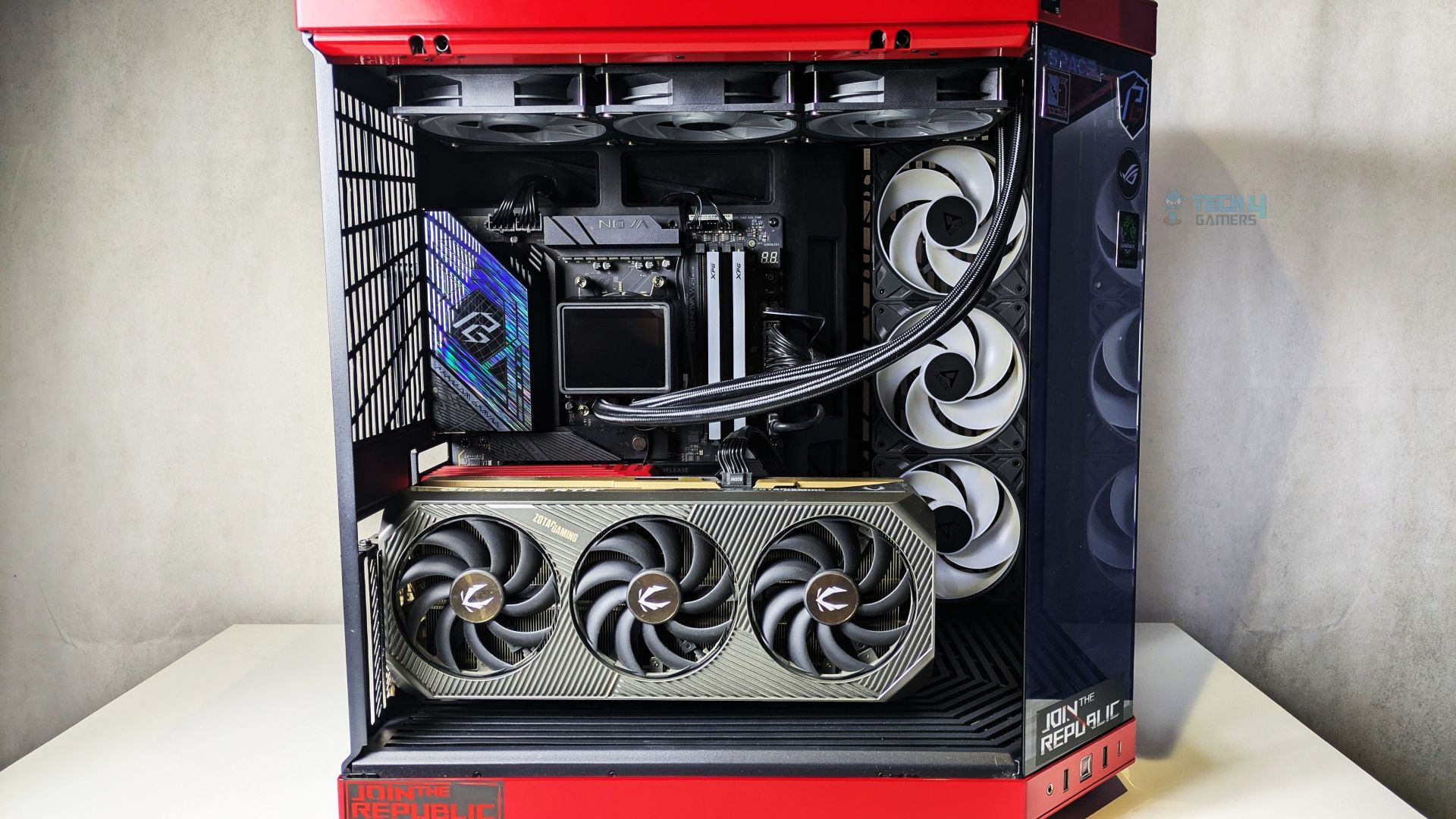
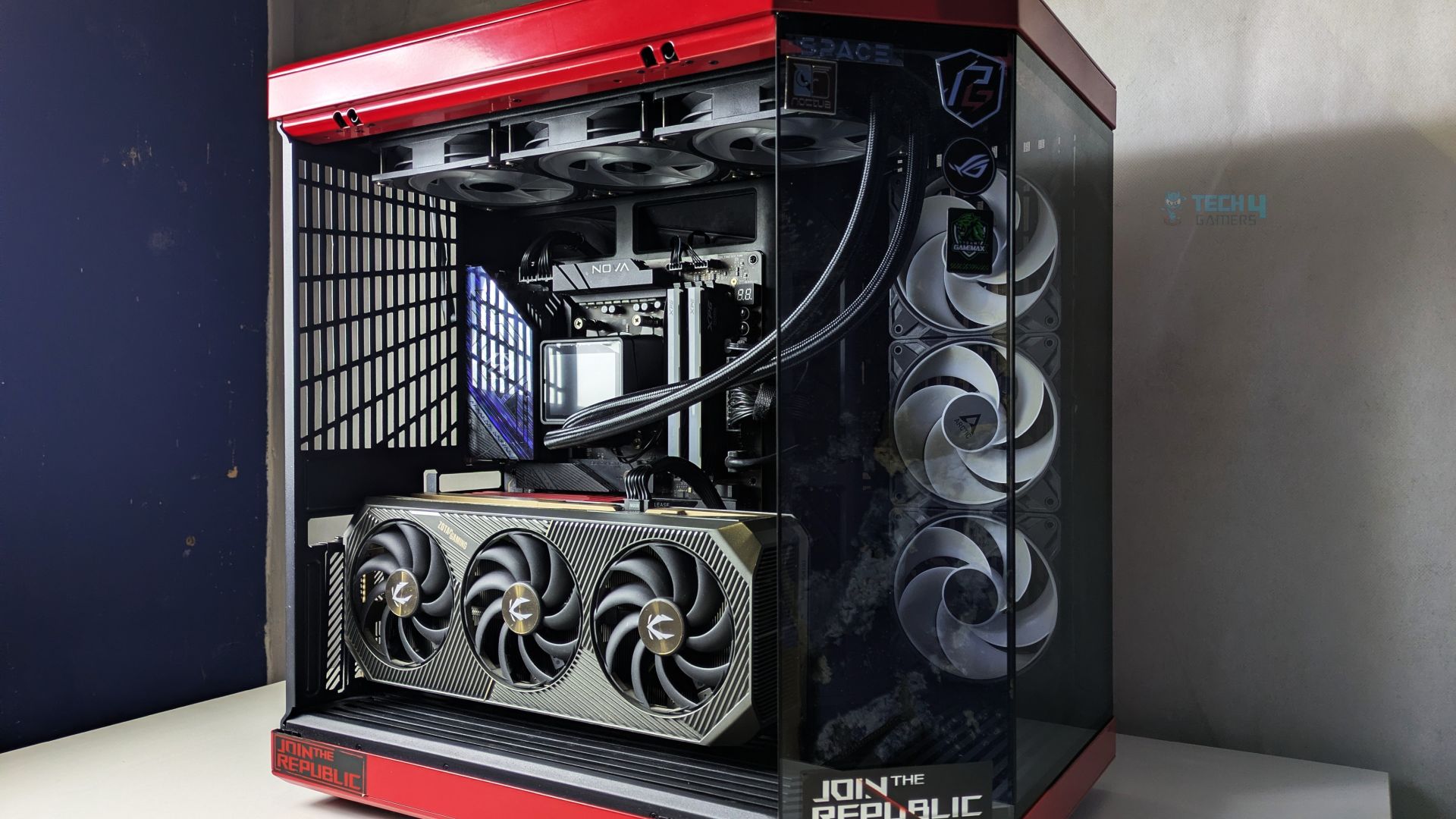
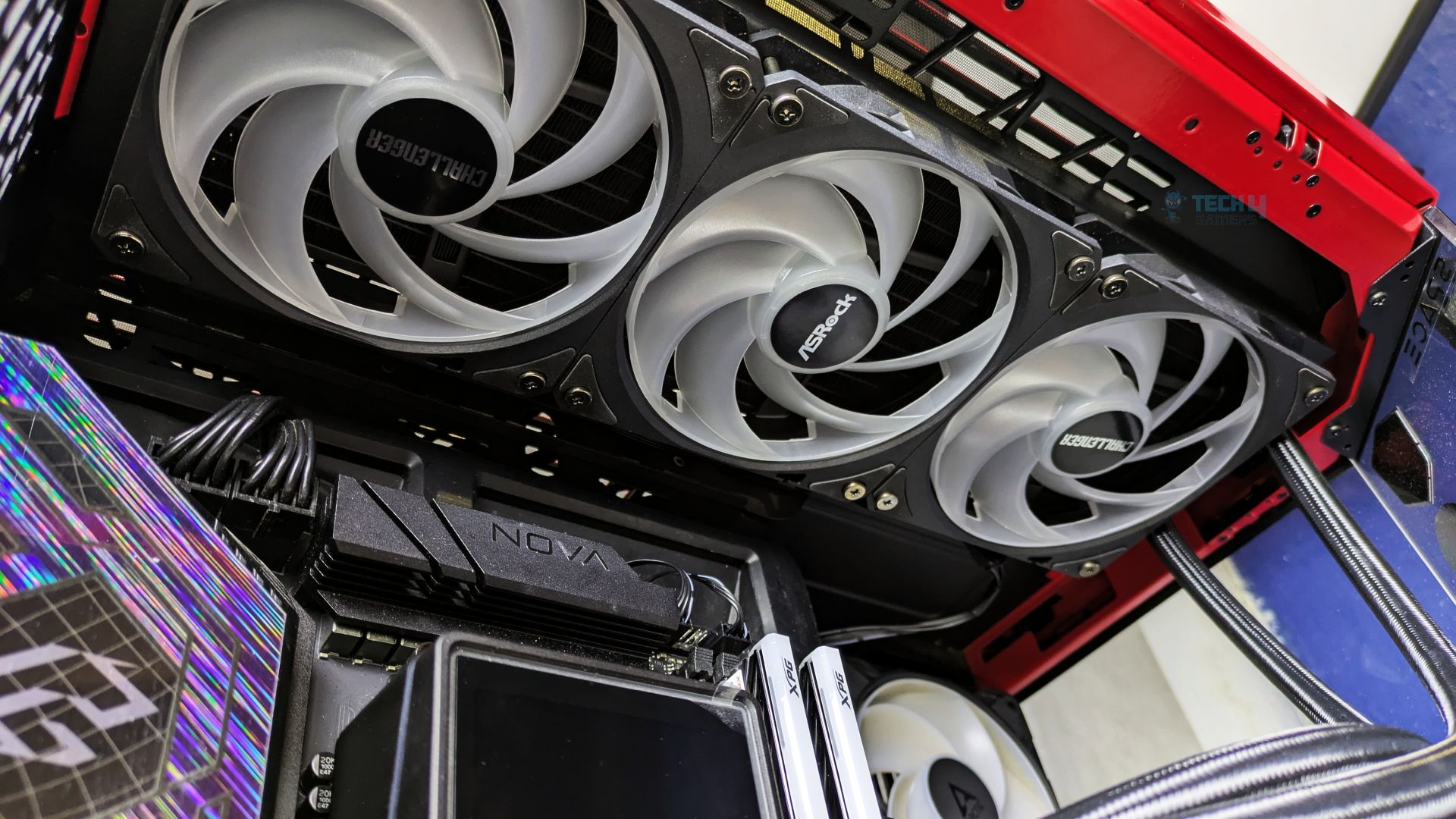
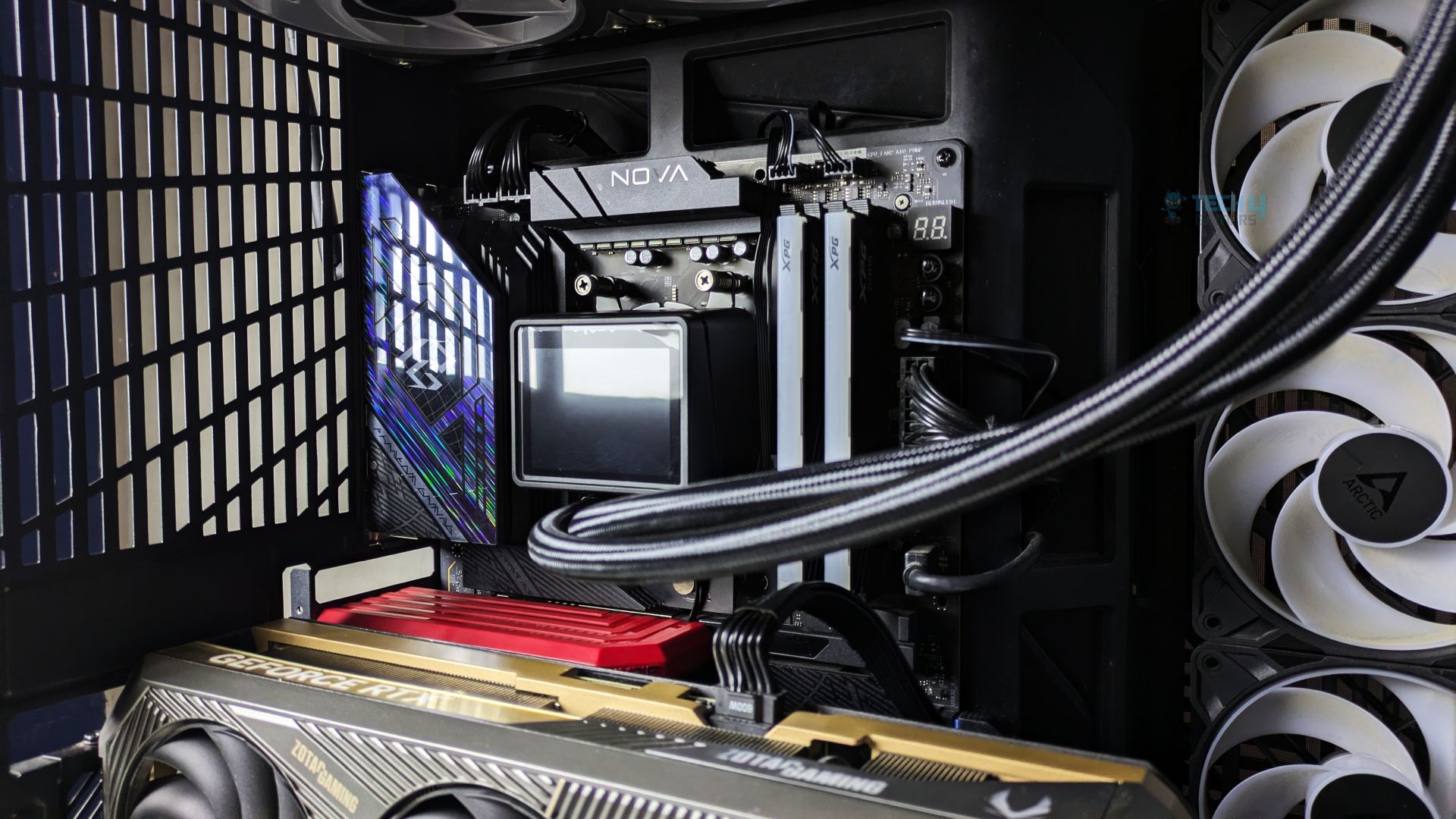
Here is the finished looks of ASRock Challenger 360 Digital AIO Liquid Cooler Liquid Cooler assembled in Hyte Y70.
Testing Methodology
CPU Configuration:
- We evaluate the cooler’s performance using three different benchmark methods. Noise-normalized testing is performed at 40dB(A) at the 105W TDP and 170W TDP (Stock) of the Ryzen 9 9950X. We then test the cooler’s performance at the maximum PWM speeds for both TDP configurations. After that, we unlock the power limits of the CPU to see how much cooler it can dissipate the heat in terms of watts at the maximum PWM Speeds.
Controlled Environment:
- We have eliminated the influence of ambient temperatures in our data, and all results are presented as deltas over the ambient conditions. The tests were done in a controlled environment with a room temperature of 25°C.
Preparing System:
- The Coolers are tested in realistic conditions. We don’t use the open bench system; instead, we have installed the cooler in our HYTE Y70 case, mounted at the top. We ensure the airflow is adequate in the case and that the case fans are running at the fixed PWM speeds.
- We are using ID-Cooling X45 thermal paste for all coolers.
Software:
- We have ensured that no other software is running on the computer that could influence the CPU load.
- We’ll be using the Cinebench R23 Loop for 20 minutes after the warm-up test has been completed. Each test has a 10-minute cool-down time.
Test Setup
Here is our test setup!
| Our Primary Test System |
|
|---|---|
| Processor | AMD Ryzen 9 9950X |
| Memory | XPG Lancer 32GB (16x2) 6000MT/s CL30 |
| Motherboard | ASRock X870 Phantom Gaming Nova WiFi (BIOS: 3.5v) |
| Thermal Paste | ID-Cooling X45 |
| Graphics Card | ZOTAC SOLID RTX 5080 , |
| Power Supply Unit | Super Flower LEADEX VII Platinum PRO 850W |
Test – Noise Normalized 40 dB(A)
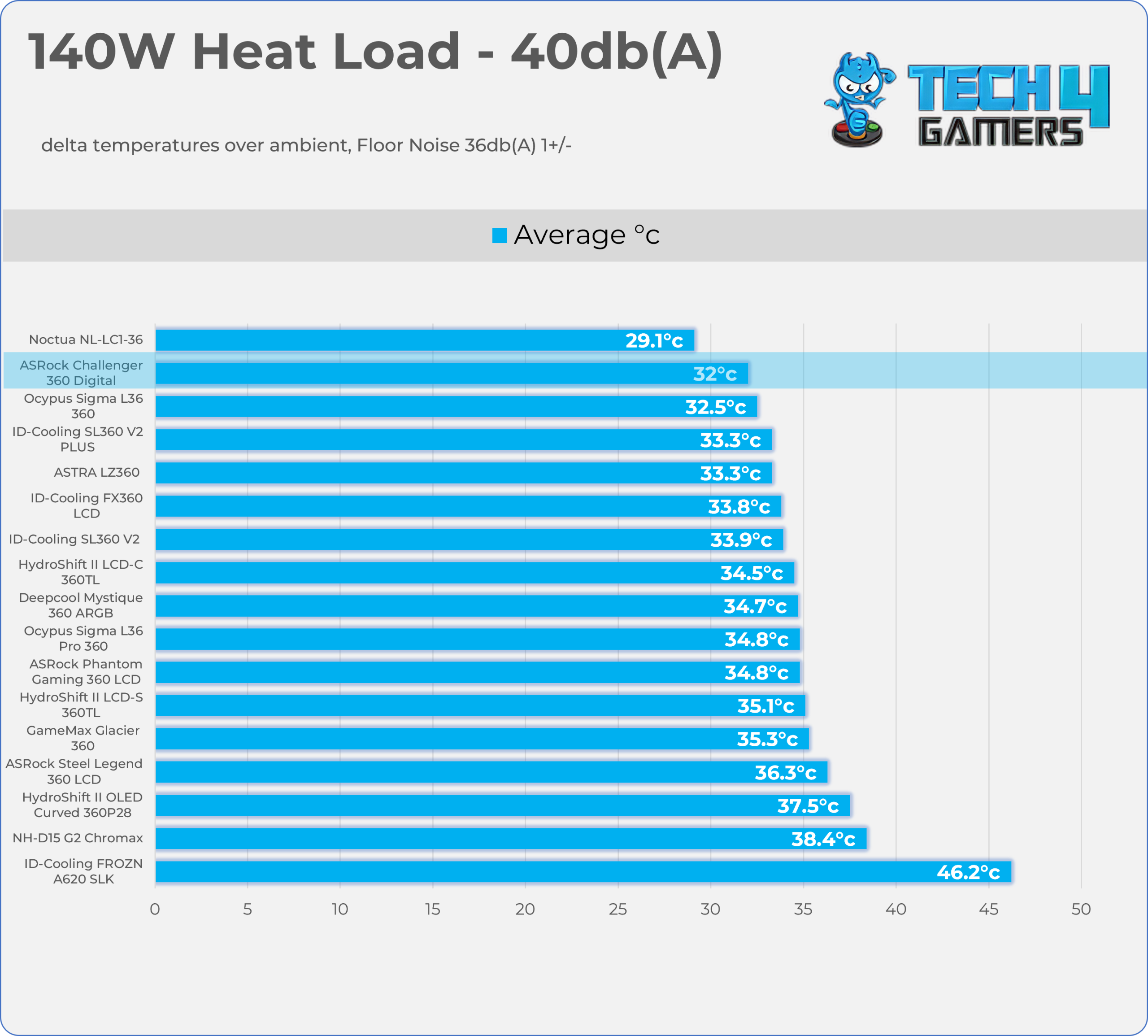
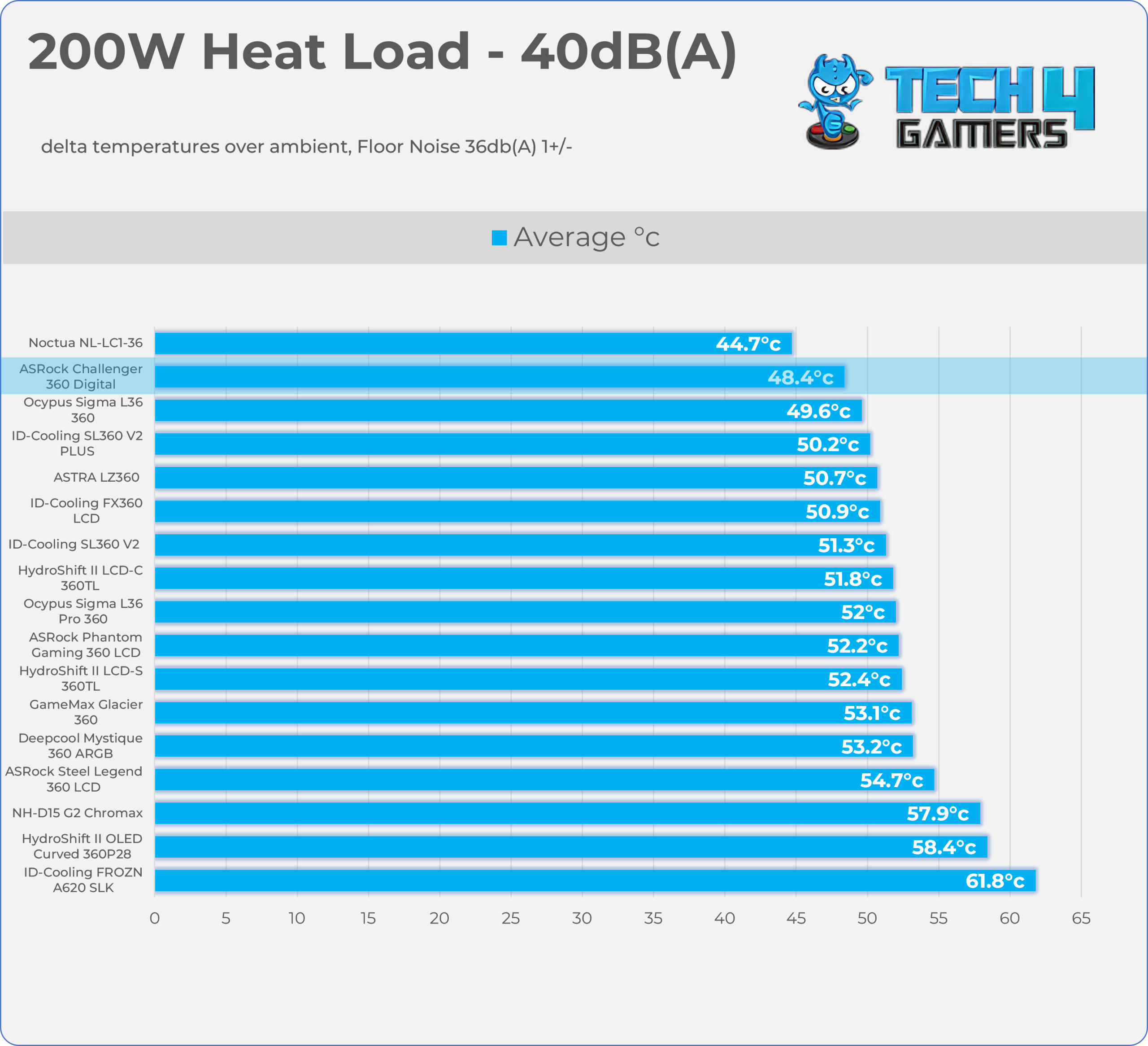
Results at the fixed noise level of 40dB(A).
140W Heat Load
200W Heat Load
Test – Maximum Speed
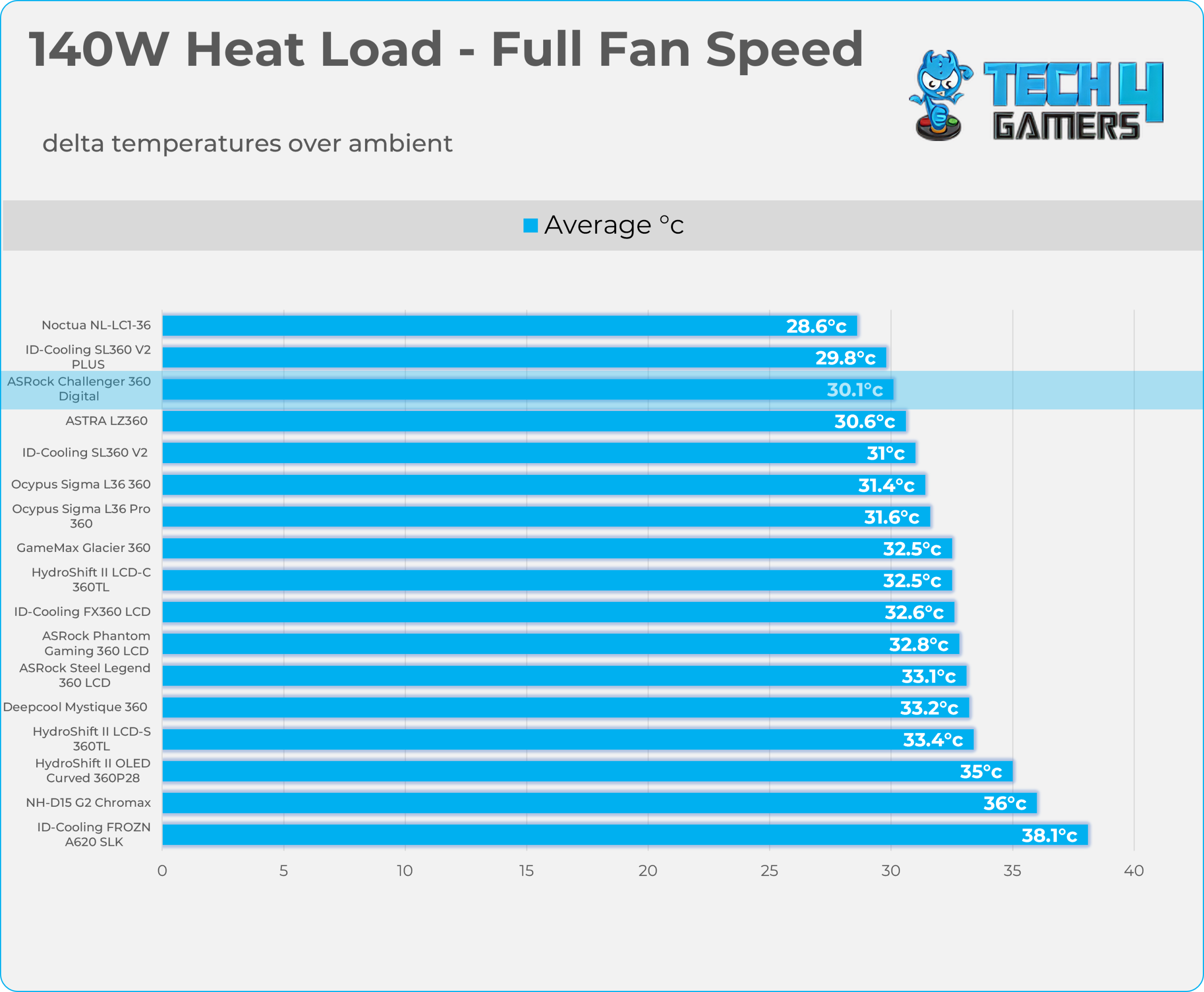
Results at the Maximum PWM Speed.
140W Heat Load
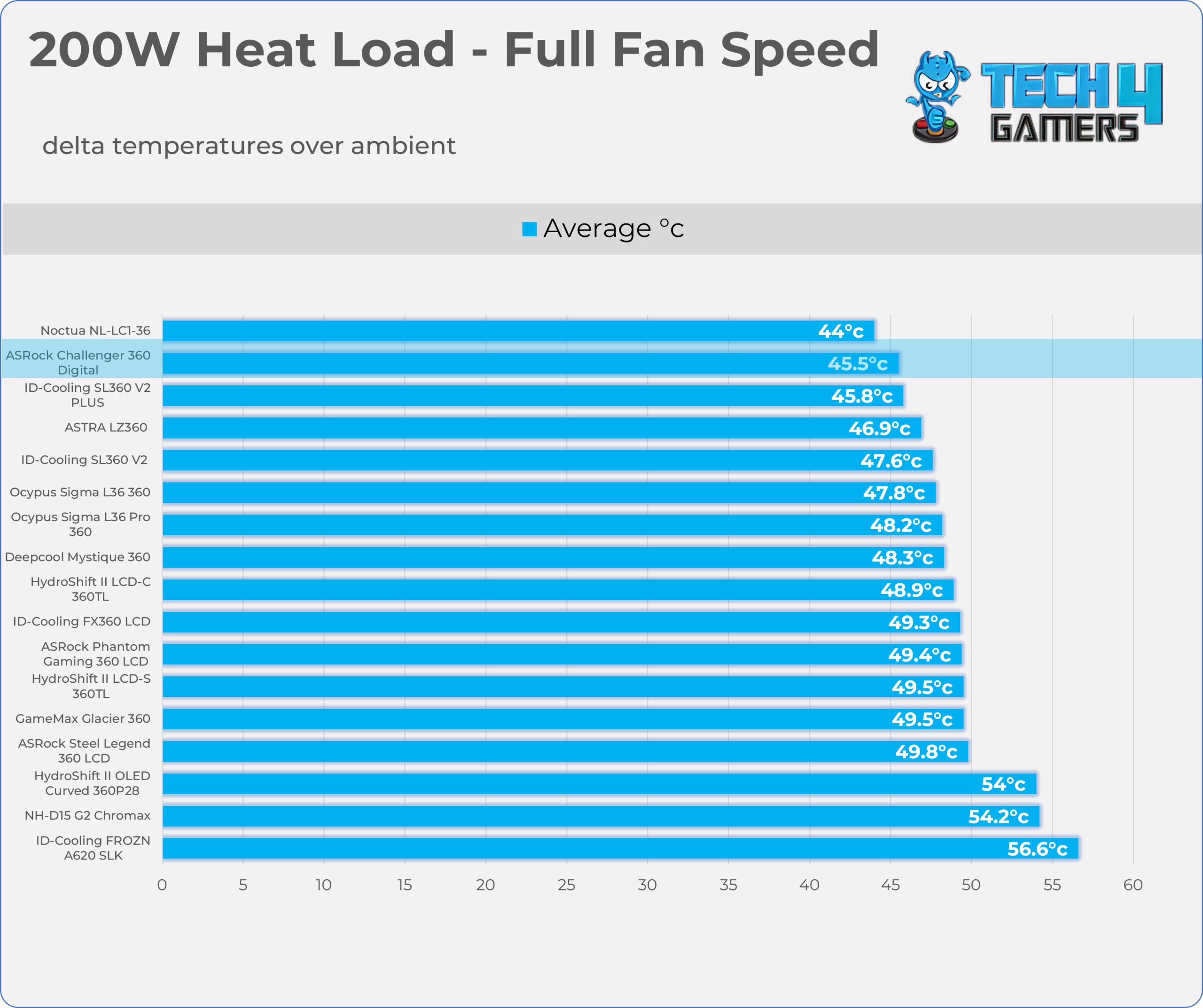
200W Heat Load
Noise and RPM Readings
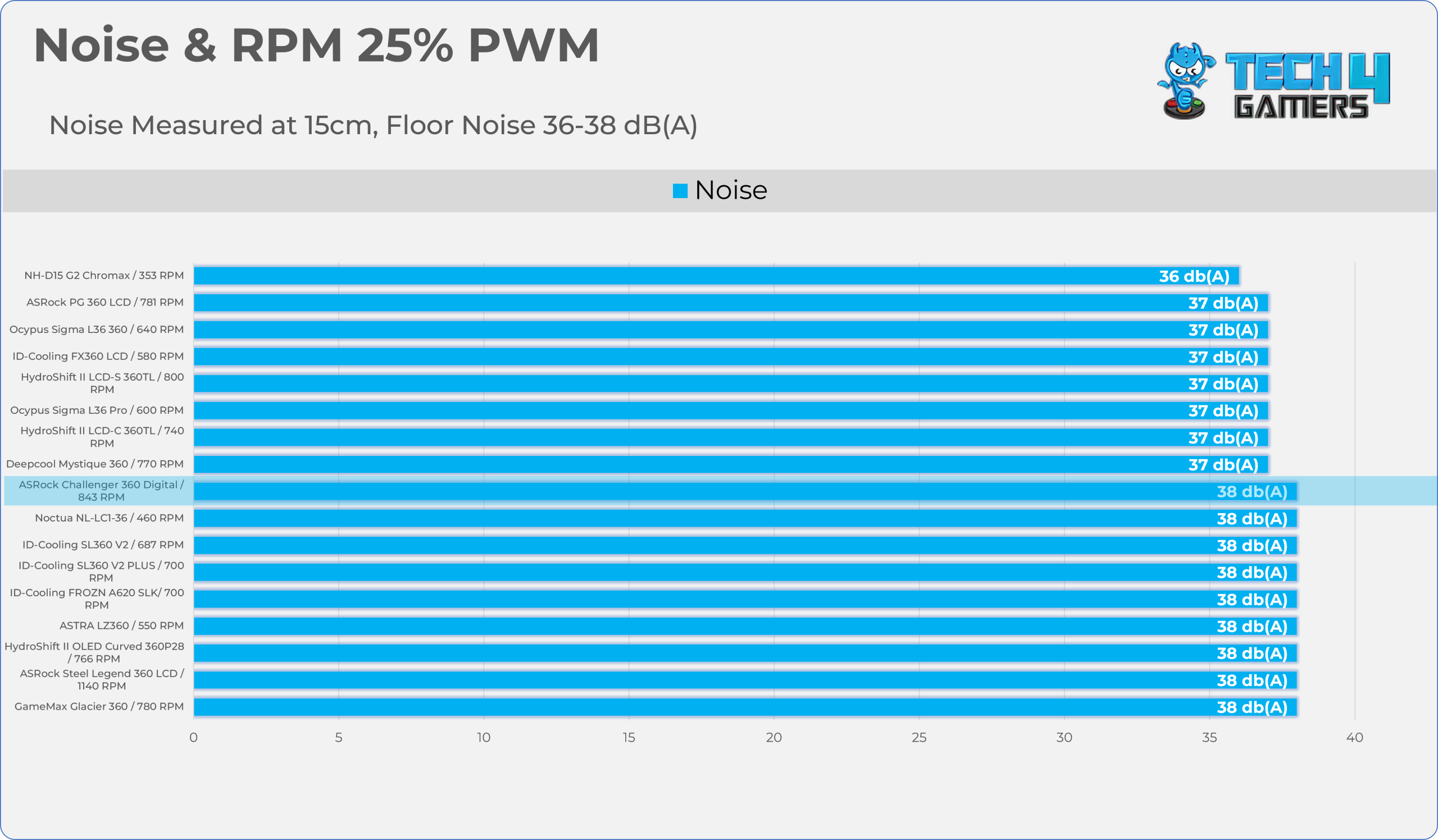
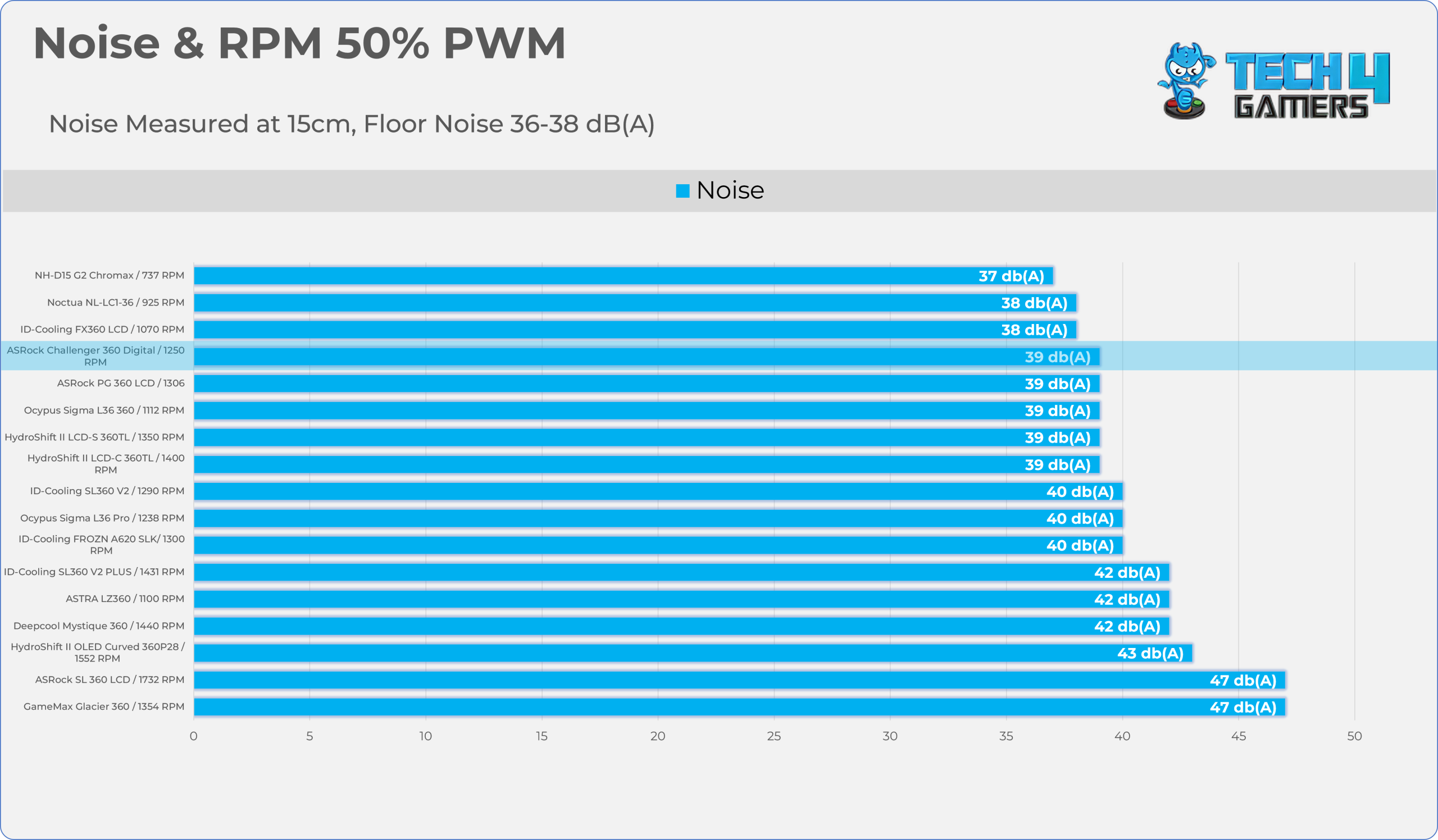
Let’s take a look at the Noise and RPM Readings. We conducted tests across four different PWM range levels.
25-50% PWM
75-100% PWM


| PWM Level | RPM | Noise (dB(A)) |
| 25% | 843 | 38 |
| 50% | 1250 | 39 |
| 75% | 1660 | 43 |
| 100% | 2100 | 50 |
Should You Buy It?
Buy It If
✅ You Want Maximum Thermal Performance Per Dollar: This cooler punches far above its weight class, delivering outstanding performance and competing with top-tier flagship coolers from brands like Lian Li and Noctua without breaking a sweat – all for just $89.99.
✅ You Want a Cooler that isn’t Loud and Performs Well: The CLF-120 ARGB Fans max out at a modest 50 dB (A) and 43 dB (A) at 1660 RPM, with a 0dB Fan-Stop feature and ARGB lighting. The fans do a great job of cooling.
✅ You Want Real-Time Hardware Telemetry: This cooler includes a 3-inch display to track CPU information such as temperatures, clock speeds, and fan speeds.
Don’t Buy It If
❌ You Want To Display Custom GIFs, Videos, or Images: This display uses only fixed-segment LEDs for numerical system telemetry; it’s not a fully customizable, full-color IPS/LCD panel, so it can’t display custom GIFs, Videos, or images.
Final Thoughts
Cooling Performance And Noise
I’m really impressed by the ASRock Challenger 360 Digital’s performance; it’s in the same performance class as high-end coolers but significantly cheaper, delivering class-leading thermal efficiency without being too loud. At a 200W heat load at full fan speed, the cooler holds second place in our thermal charts, trailing only the Noctua NL-LC1-36 (a $250 cooler); it also beats the Lian-Li Hydroshift II cooler lineup at half the price. Similar performance is also seen in the noise-normalized benchmarks, maintaining second place at 40dB(A) in the 200W heat-load testing.
Now if we talk about the noise, the CLF-120 PWM fans demonstrates decent noise efficiency, caps at the 50db(A) at the 2100 RPM, while it produces 43db(A) of noise at the 75% PWM speed which translates to 1600 RPM and very good results at the 50% PWM producing 39dB(A) at the 1230 RPM, if you’re into fine tuning the fan curve we suggest to stay in the middle of 60%-70% PWM range for the best thermal/noise efficiency.
Build Quality / Design
Over the last couple of years, I have probably tested hundreds of liquid coolers, and while most were great in some ways, they often fell short in others. However, several all-in-one coolers tick all the boxes for performance, value, build quality, and design.
To be honest, the performance is very good, and I have no complaints about the build quality whatsoever. The radiator is aluminum, while the block is made of rigid, matte-black composite plastic with a 3-inch LED display on top. I didn’t notice any loose materials or build-quality issues during my hands-on inspection.
The fans are standard, budget-focused ARGB fans, but they are better than what many Chinese cooler brands offer. These are CLF-120mm fans, and they are not particularly loud while doing a good job of cooling the radiator.
Lastly, the installation was super easy. However, I want to highlight one thing: the AMD mounting brackets look very similar to the Intel brackets, and for a moment, I couldn’t tell which was which until I noticed the mounting arms. The Intel mounting arms are angular. If the manufacturer labeled the individual bags, installation would be much easier.
Value
Keeping value in mind, the cooler performed exceptionally well in our tests, delivering flagship-level thermal performance, good acoustics, and strong aesthetics for $89.99, making it one of the best liquid coolers in the sub-$100 category. ASRock also backs the Challenger 360 Digital with a comprehensive 6-year warranty, which is excellent.
Thank you! Please share your positive feedback. 🔋
How could we improve this post? Please Help us. 😔

Senior Hardware Reviewer at Tech4Gamers with over a decade of experience in the tech industry. My journey began in 2014 as a senior administrator for Pakistan’s largest gaming community forum. I specialize in testing and reviewing components like graphics cards, CPU coolers, and motherboards, while also sharing insights on overclocking and system optimization.