 Threads
Setup Goals?
Summary
The Epomaker HE65 V2 TMR is a compact 65% magnetic gaming keyboard that provides TMR switches, adjustable actuation, Rapid Trigger, and 8000 Hz polling with tri-mode connectivity. Its gasket-mounted design, multi-layer sound dampening, and 4000 mAh battery make it suitable for both gaming and everyday use, while the software offers plenty of customization. At $99.99, it isn’t the cheapest magnetic keyboard around, but its feature set and overall experience make it a compelling option for gamers looking for a compact wireless board.
Hours Tested: 1 Week

Overall
-
Design - 8.5/10
8.5/10
-
Build Quality - 8/10
8/10
-
Typing Experience - 8.5/10
8.5/10
-
Performance - 9/10
9/10
Pros
- Tri-mode connectivity
- Hot-swappable
- TMR magnetic switches
- 8000Hz polling rate
- Gasket-mounted
Cons
- Legends aren’t shine-through
- ABS plastic case feels less premium
- Steep software learning curve


This is actually my third Epomaker keyboard on my desk this month. I recently spent some time with the Epomaker TH65, and I also reviewed the HE75 V2 TMR. So when the HE65 V2 TMR arrived, I already had a pretty good idea of what to expect from Epomaker. Still, I was curious about this one. The HE75 V2 TMR gave me the TMR experience in a larger 75% layout, while the HE65 V2 TMR takes much of that idea and puts it into a smaller 65% design.
That made this review a little more interesting for me. The TH65 and HE65 V2 TMR share the same 65% form factor, but they come at the idea from very different angles. The TH65 is a conventional mechanical keyboard, while the HE65 V2 TMR is built around magnetic switches and the gaming features that come with them. After reviewing the larger HE75 V2 TMR, I was interested to see how Epomaker’s TMR implementation would translate into this smaller layout.
Key Takeaways
- The Epomaker HE65 V2 TMR is a compact 65% magnetic gaming keyboard that offers competitive-level performance, flexible connectivity, and plenty of customization, making it a well-rounded option.
- You should buy the Epomaker HE65 V2 TMR if you want a feature-packed 65% keyboard with TMR magnetic switches that can handle both competitive gaming and everyday use.
- You should skip the Epomaker HE65 V2 TMR if you only need a conventional mechanical keyboard, won’t use its advanced gaming features, and want a cheaper magnetic keyboard with similar core features.
Here are the technical specifications:
| Layout | 65% Layout, ANSI US Layout, QWERTY Layout |
| Number of Keys | 66 Keys + 1 Knob (Knob is not swappable) |
| Battery | 4000mAh Battery (2000mAh *2) |
| Connectivity | 2.4Ghz/Bluetooth/Wired |
| Compatibility | Windows/Mac |
| Front Height | 2.15cm |
| Back Height | 4.32cm |
| Typing Angle | Three Angles at 6, 9.5 and 13.5 degrees with the 2-stage Adjustable Kickstand |
| Case Material | ABS Plastic |
| Plate Material | PC |
| PCB | Hot-swappable Hall Effect TMR |
| Flex-Cut | No |
| Stabilizers | Plate-Mounted |
| Mounting Structure | Gasket mount |
| Sound Optimization | 4-layer sound-optimizing system with sandwich latex foam, an IXPE switch pad, EPDM bottom foam, and bottom silicone. |
| Keycaps Profile | Cherry Profile |
| Keycaps Material | PC Keycap, Matte Transparent |
| Keycaps Manufacturing Technique | Silk Print |
| Switch | Factory Lubed Magnetic Switch |
| Hot Swappable | Yes, with magnetic switches and 3/5-pin mechanical switches. |
| RGB | Yes, has dynamic RGB backlight with per-key adjustable south-facing LEDs |
| Polling Rate | 8000hz (USB/2.4Ghz) or 125hz (Bluetooth) |
| Scan Rate | 64khz |
| Anti-Ghosting | NKRO |
| Latency | 0.125ms (Wired), 0.125ms (2.4Ghz) and 14ms (Bluetooth) |
| Software | Yes, can be programmed using the Epomaker Driver 3.0 Software and Epomaker Hub |
| Dimensions | 324 x 117 x 43mm |
| Weight | 0.7kg |
What Makes the Epomaker HE65 V2 TMR Different?
What makes the Epomaker HE65 V2 TMR particularly different isn’t that it introduces a feature the competition hasn’t seen before. It’s that it has packed a fairly complete magnetic gaming package into a relatively compact board without giving it the aggressive appearance that some gaming keyboards have. TMR is also still less common than Hall Effect in this segment, although the technology is starting to appear in more keyboards as manufacturers move toward magnetic technology.
Packaging & Unboxing
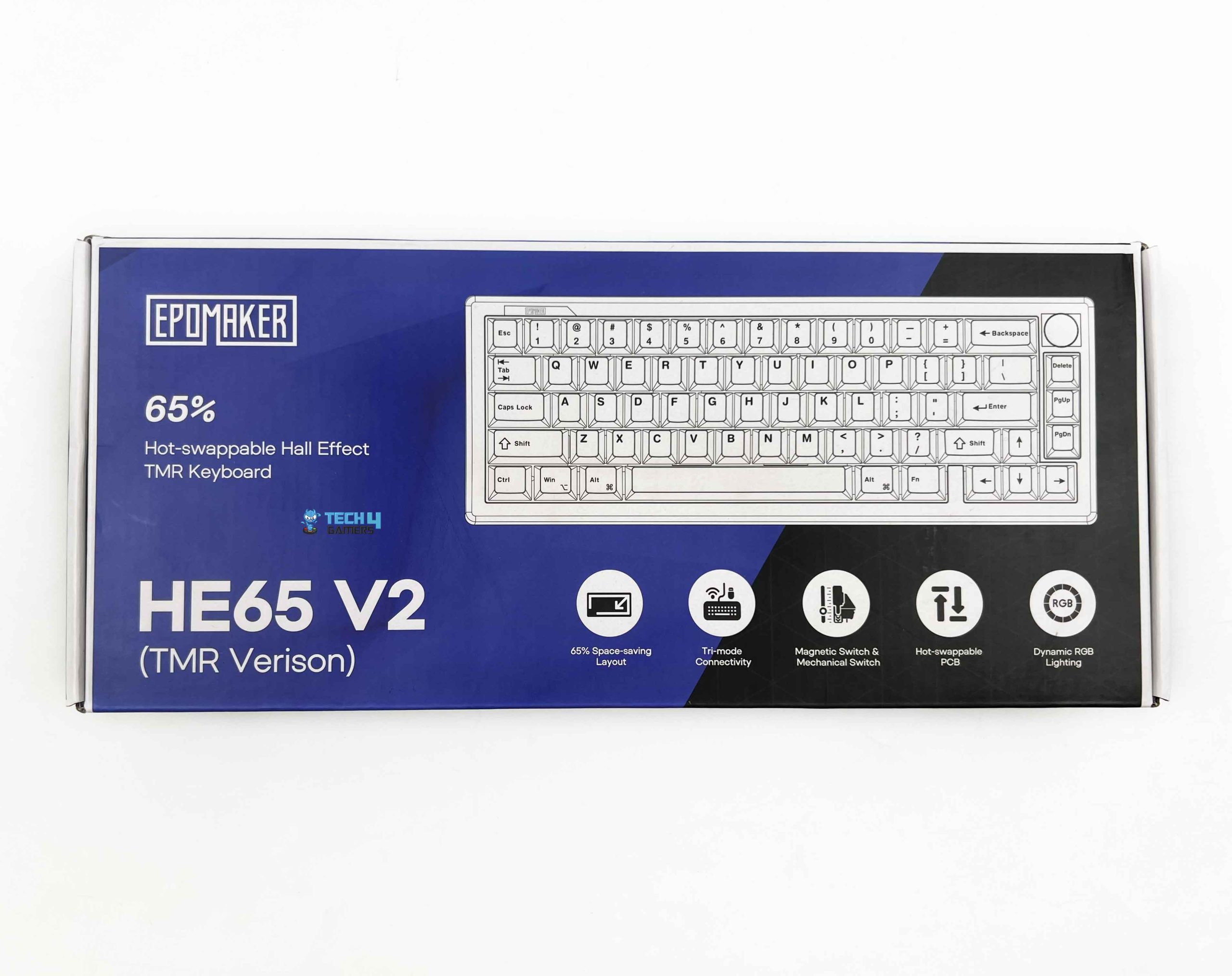
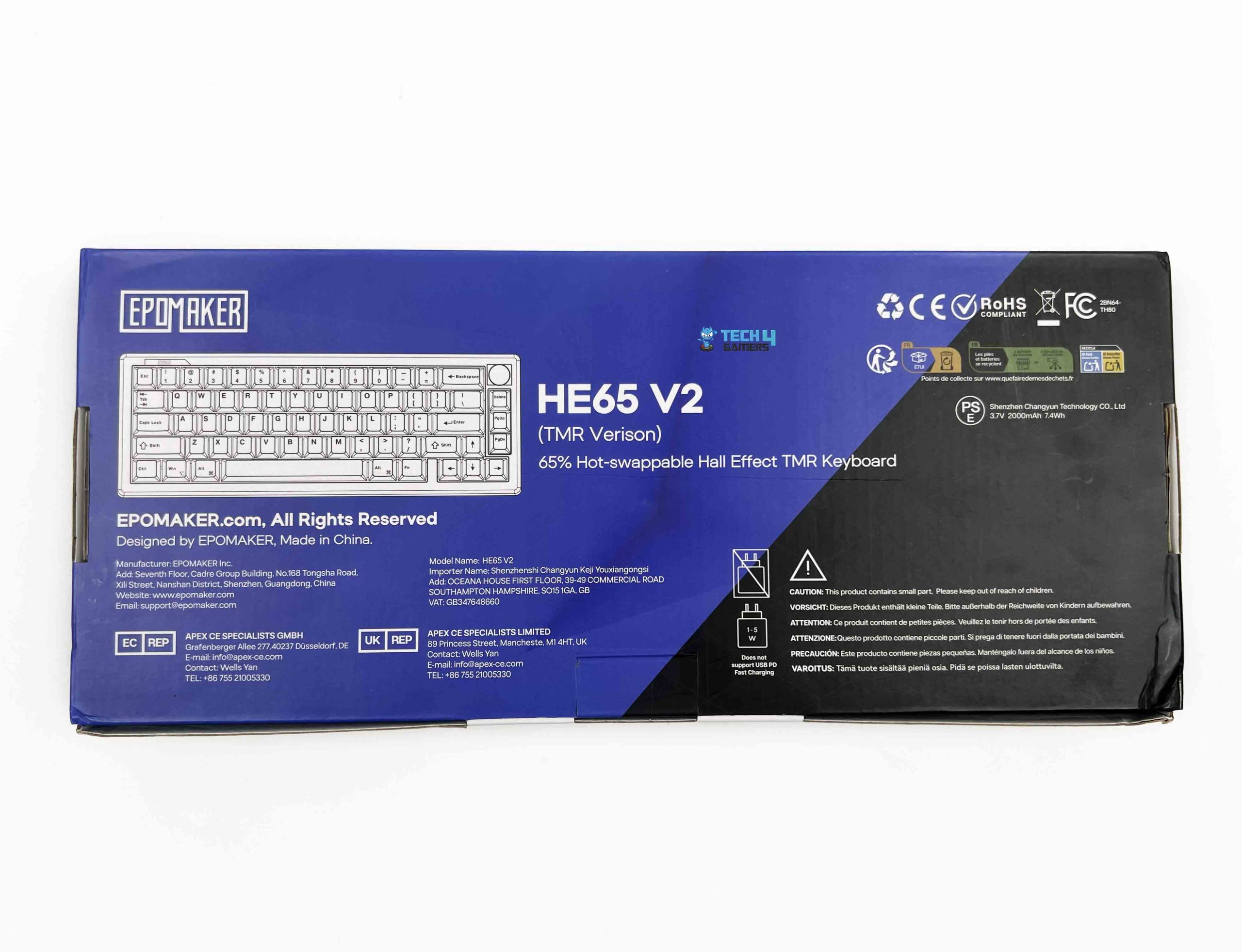
The Epomaker HE65 V2 TMR comes in a fairly simple retail box. There isn’t much going on with the packaging itself, and I don’t mind that. The box feels more focused on keeping the keyboard protected during shipping than trying to make the unboxing experience feel extravagant. Once I opened it, the keyboard was sitting securely inside its packaging. The accompanying accessories are fairly straightforward. You get a detachable USB-A to USB-C cable.
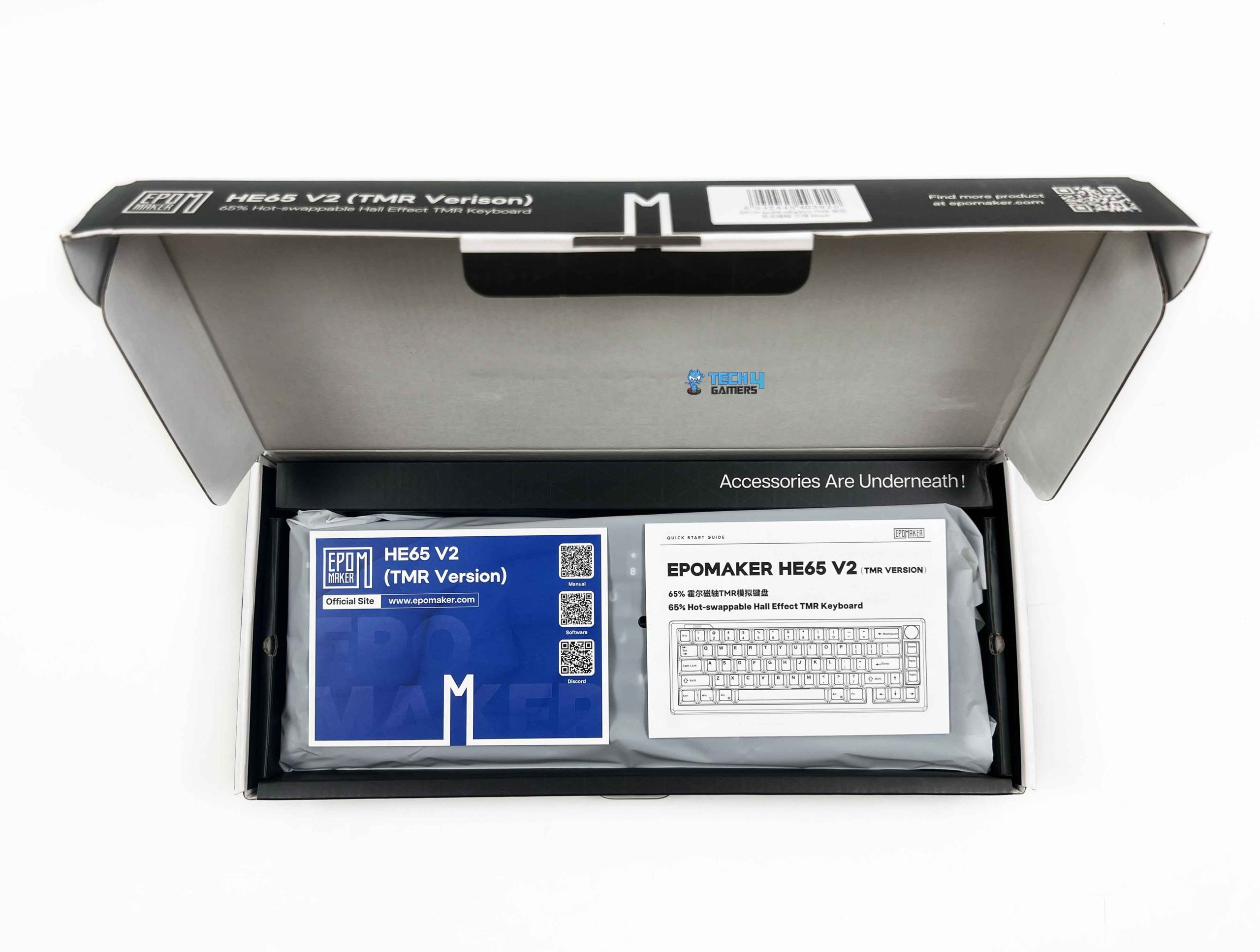
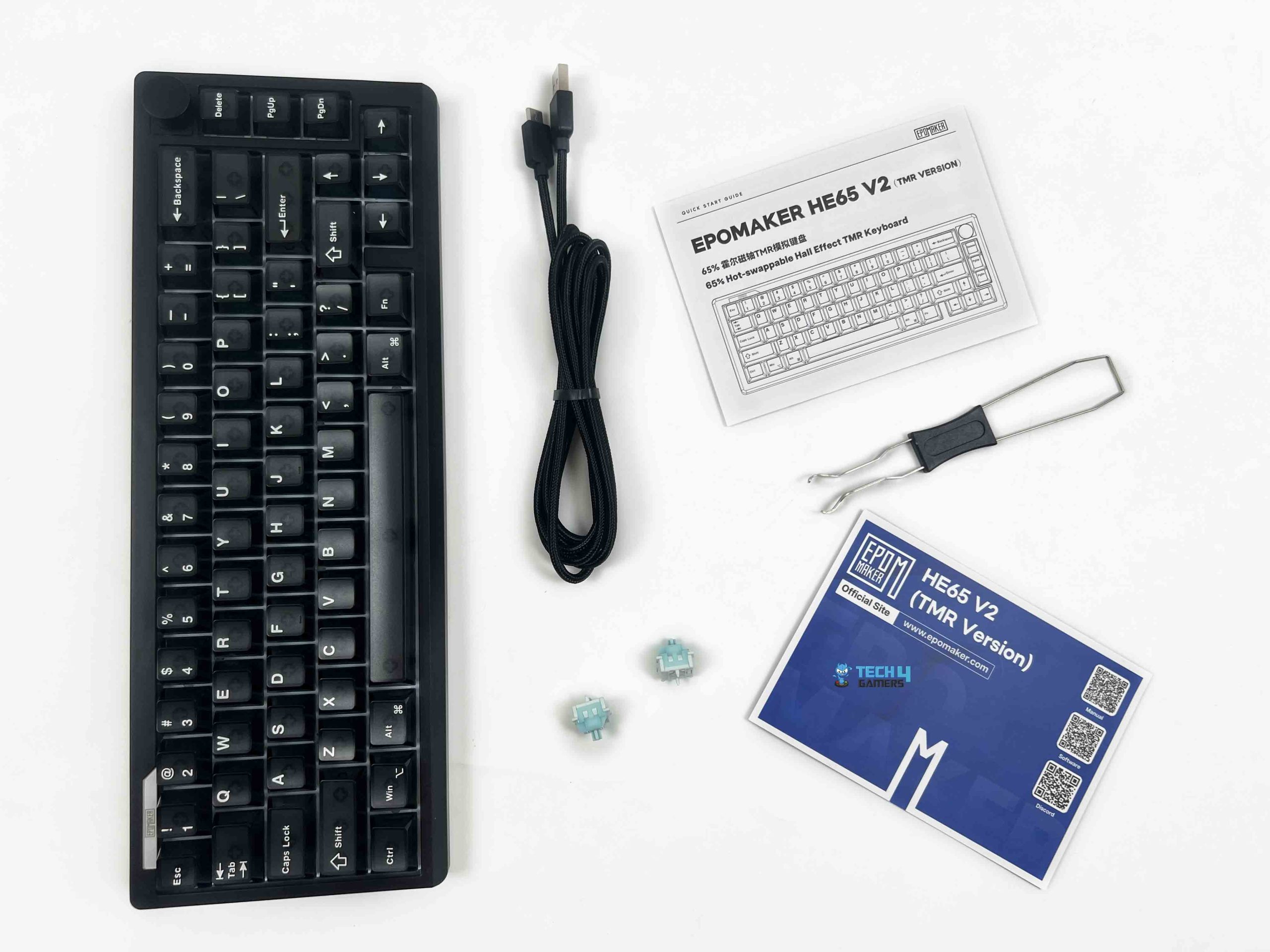
The cable itself is fairly good quality. There’s also a 2.4GHz wireless receiver for wireless use. Epomaker includes a 2-in-1 switch and keycap puller. The keyboard also comes with two extra switches. These are useful as replacements if one of the installed switches ever develops a problem. It’s a small inclusion, but I always like seeing spare switches. Finally, Epomaker includes a multilingual quick-start guide and product card to round up the bundle.
Design

My Epomaker HE65 V2 TMR comes in a black version. At first glance, it might look like a simple black keyboard. But the more you look at it, the more you notice that Epomaker has done something a little different with the case. It doesn’t have the completely opaque look you normally get from a black keyboard. The body is black, but the translucent sections give you a subtle view of what’s underneath the keycaps. You can catch glimpses of the internal structure through the case.
It’s not transparent enough to make the internals completely exposed, so the effect is fairly subtle. I think that’s what makes it work. There’s no oversized branding across the case or aggressive styling that immediately makes it look like something designed only for a gaming setup. I could see someone using this on a regular work desk without it looking out of place. Epomaker also offers it in white, and the lighter color makes the translucent stand out more.
Layout

The Epomaker HE65 V2 TMR uses a 65% layout with an ANSI US QWERTY arrangement and a total of 66 keys. There’s also a rotary knob at the top-right, bringing the total number of physical controls to 67. The knob isn’t hot-swappable, so it isn’t something you can replace. That said, the knob is useful because you don’t have to reach for a keyboard shortcut every time you want to change the volume. You can turn it directly with your finger. Coming from a full-size keyboard, the difference in footprint is pretty obvious.
There’s no dedicated function row and no numpad. Still, Epomaker kept the main typing area familiar. What I like about this particular layout is that Epomaker hasn’t only focused on the usual 65% arrangement. Along the right side, you get a small navigation area with Delete, Page Up, and Page Down keys. Whereas the dedicated arrow keys are placed in their familiar inverted-T arrangement below the navigation area, so moving between them feels natural.
Underside

Flipping the Epomaker HE65 V2 TMR over reveals a simple underside. Epomaker has gone with a plain black panel. At first, it might look a little bare, but I don’t see that as a problem. The four rubber feet are placed toward the four corners of the keyboard. They’re adequately sized for a board of this size, and they provide a good amount of contact with the desk. I tested the keyboard by moving it and didn’t notice it sliding. Each foot has enough surface area to provide some grip.
The underside also houses the two-stage kickstand. With it folded down, the keyboard sits at its lowest position. The front height is around 2.15 cm, while the rear reaches about 4.32 cm. That gives you a fairly noticeable change in height between the front and back of the board. There are three available typing angles in total. With the kickstand folded, the keyboard sits at around 6 degrees. The first stage takes it to approximately 9.5 degrees, while the second stage raises it to around 13.5 degrees.
Build Quality

The Epomaker HE65 V2 TMR uses an ABS plastic case with a PC plate underneath the switches. So, this isn’t one of those keyboards that tries to justify its price with a heavy aluminum chassis. It has the dimensions of 324 × 117 × 43 mm, with a weight of 0.7 kg. For a 65% keyboard, that’s a fairly manageable size and weight. It’s light enough to move around without much effort, but it doesn’t feel like an empty plastic shell once it’s sitting on the desk.
I can flex the case if I deliberately put pressure on it, but that’s not something you’ll notice during normal use. I also tried twisting the keyboard from opposite corners, and there isn’t much torsional movement. It takes a fair amount of force to get any noticeable twist out of it. I’ve handled some inexpensive plastic keyboards where the case immediately gives you the impression that you need to be careful with it. I don’t get that feeling here.
Keycaps

The Epomaker HE65 V2 TMR comes with matte transparent PC keycaps in a Cherry profile. That combination is a pretty important part of the keyboard’s appearance because Epomaker hasn’t gone for the usual opaque black keycap set. Instead, the caps let you see some of what’s underneath them. These keycaps have a smooth, slightly soft surface rather than the more textured finish you’d normally associate with PBT keycaps.
I personally prefer a bit more texture on my daily-driver keycaps. The rows have different heights and angles, so the keys follow the natural shape of your fingers rather than sitting completely flat. Epomaker uses silk printing for the legends. The characters on it are clean and readable. The font also isn’t overly stylized, so the legends remain easy to see with the RGB turned off during the day. I’ll cover RGB lighting separately, but the keycaps are clearly designed with backlighting in mind.
RGB Lighting
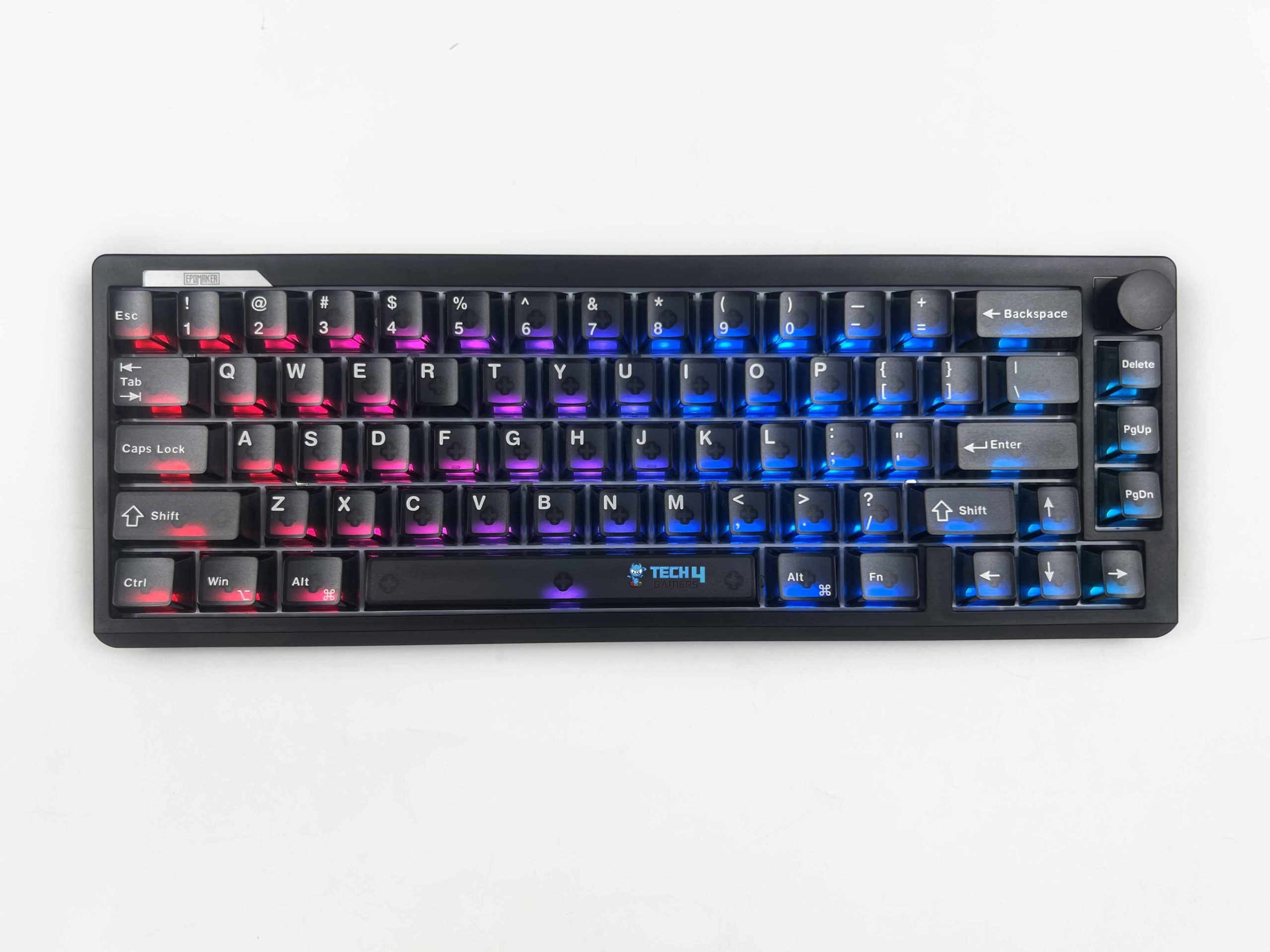
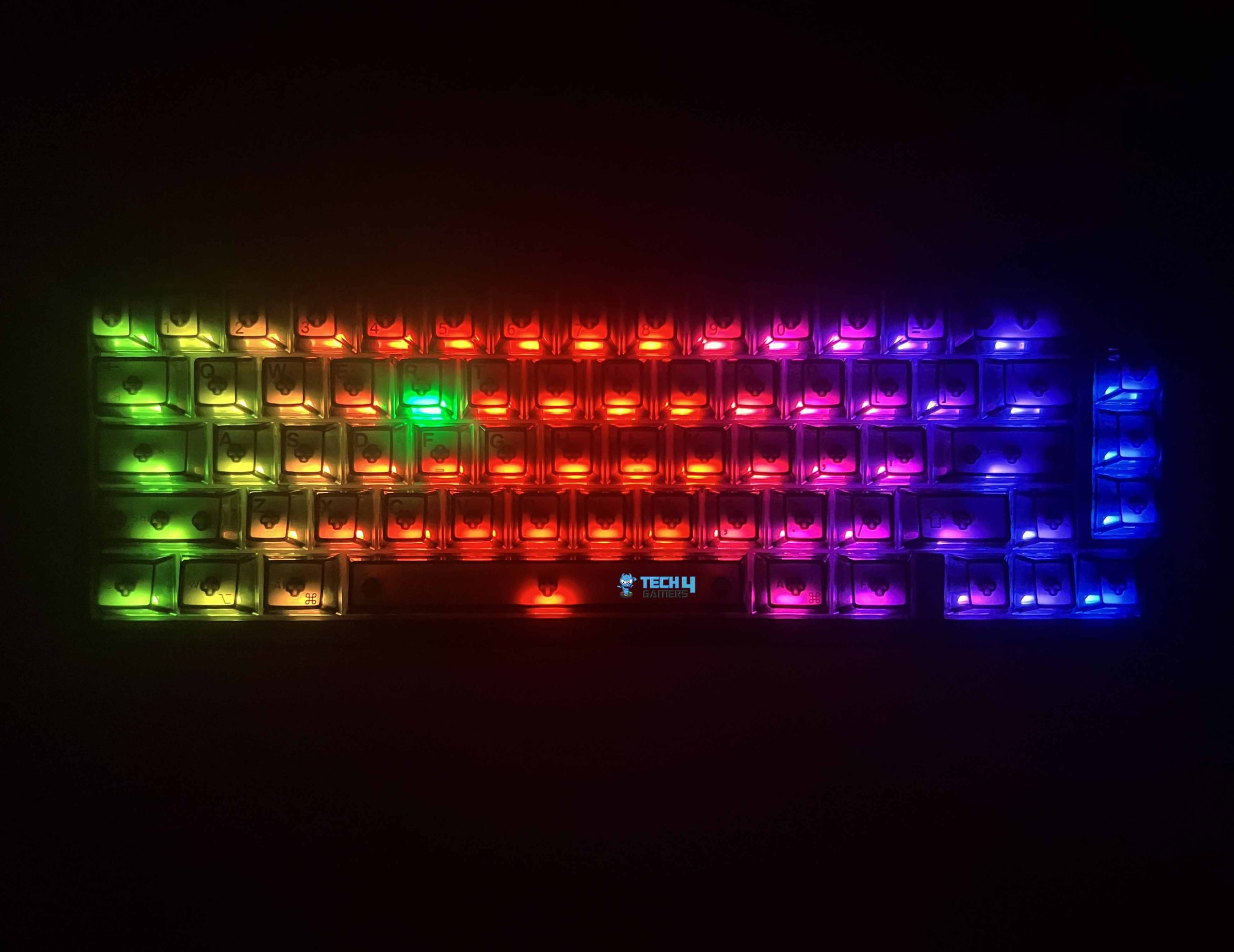
The Epomaker HE65 V2 TMR comes with dynamic per-key RGB lighting, using south-facing LEDs. That last part is worth mentioning because the LEDs are positioned toward the front of each switch rather than at the top. It works well with the translucent keycaps used here, as the light gets a clear path into the keycaps. The light spreads through the keycap instead of being confined to a small illuminated area and provides a more evenly lit appearance.
Since the keycaps themselves are transparent, but the legends aren’t shine-through. The RGB doesn’t actually pass through the printed characters, so you won’t get the usual illuminated lettering. Instead, the light comes through the surrounding transparent material. Even so, the contrast between the darker legends and the illuminated area around them makes the keys fairly easy to identify in dark. I didn’t have to rely on the room light to find a particular key.
Switches
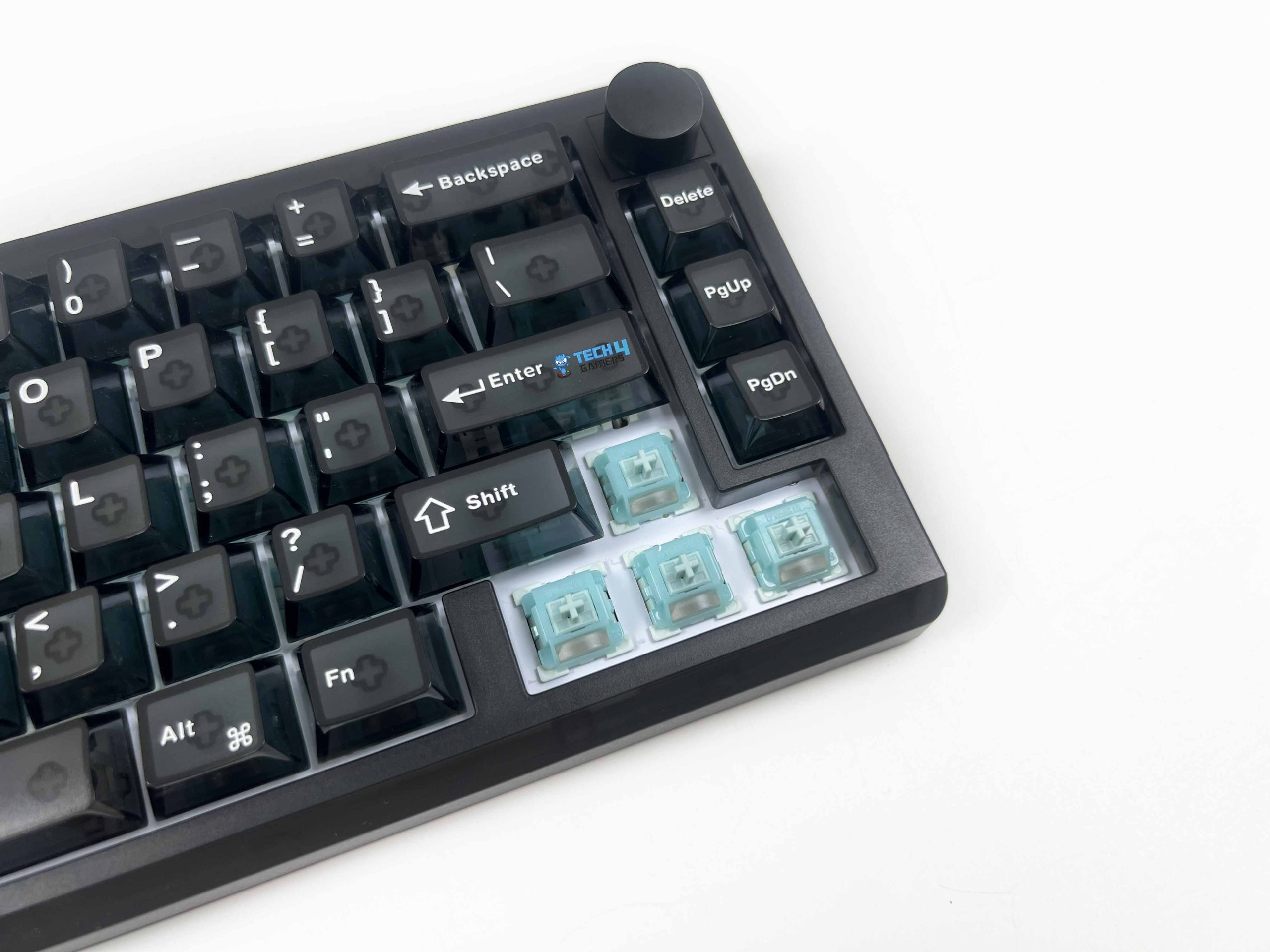
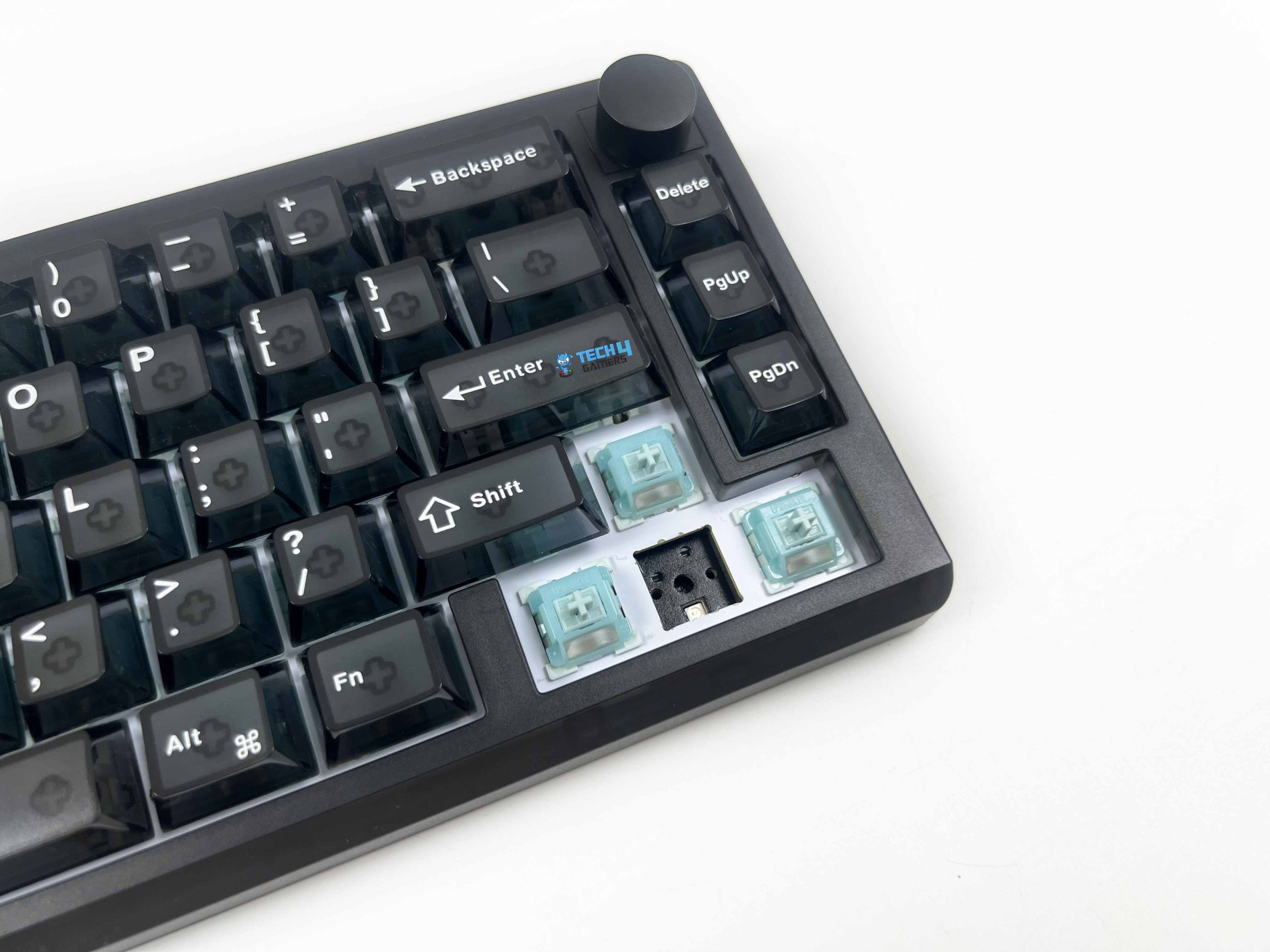
The Epomaker HE65 V2 TMR uses Creamy Jade TMR magnetic switches and has a hot-swappable Hall Effect TMR PCB. It can accept magnetic switches as well as 3/5-pin mechanical switches. The Creamy Jade switches are factory lubed, which is immediately noticeable when you start pressing them. The movement feels relatively smooth, and I didn’t come across obvious scratchiness during normal use. The lubrication also contributes to the quiet feel of the switch.
The switches have an initial force of at least 30 gf, with the force reaching up to 55 gf at the bottom of the travel. The keys start relatively light and become firmer as you push them down. I didn’t find the switches tiring. The total travel is 3.50 ± 0.1 mm, so these aren’t ultra-short travel switches. You still get a reasonable amount of movement under your fingers, which I think is useful if you’re using the keyboard for both gaming and regular typing.
Typing Experience
Epomaker has paired the switches with a gasket-mounted structure. The keyboard has some movement underneath the keys rather than feeling completely rigid. Since there are no flex cuts in the PCB, Epomaker hasn’t created additional cutouts to deliberately increase PCB movement. The stabilizers are plate-mounted. Larger keys naturally feel different from the smaller keys, but I didn’t notice excessive wobble. The spacebar has a deeper sound, which is normal for a stock keyboard.
Epomaker uses a four-layer sound-optimizing system, with different materials placed throughout the internal structure. The result is a fairly controlled typing sound. What I like is that the sound doesn’t feel overly sharp. I wouldn’t call it a true thocky keyboard in the way some enthusiast boards are tuned, and I don’t think that’s worth chasing as a label anyway. What I can say is that it produces a relatively deep sound without much unwanted hollow resonance.
Connectivity
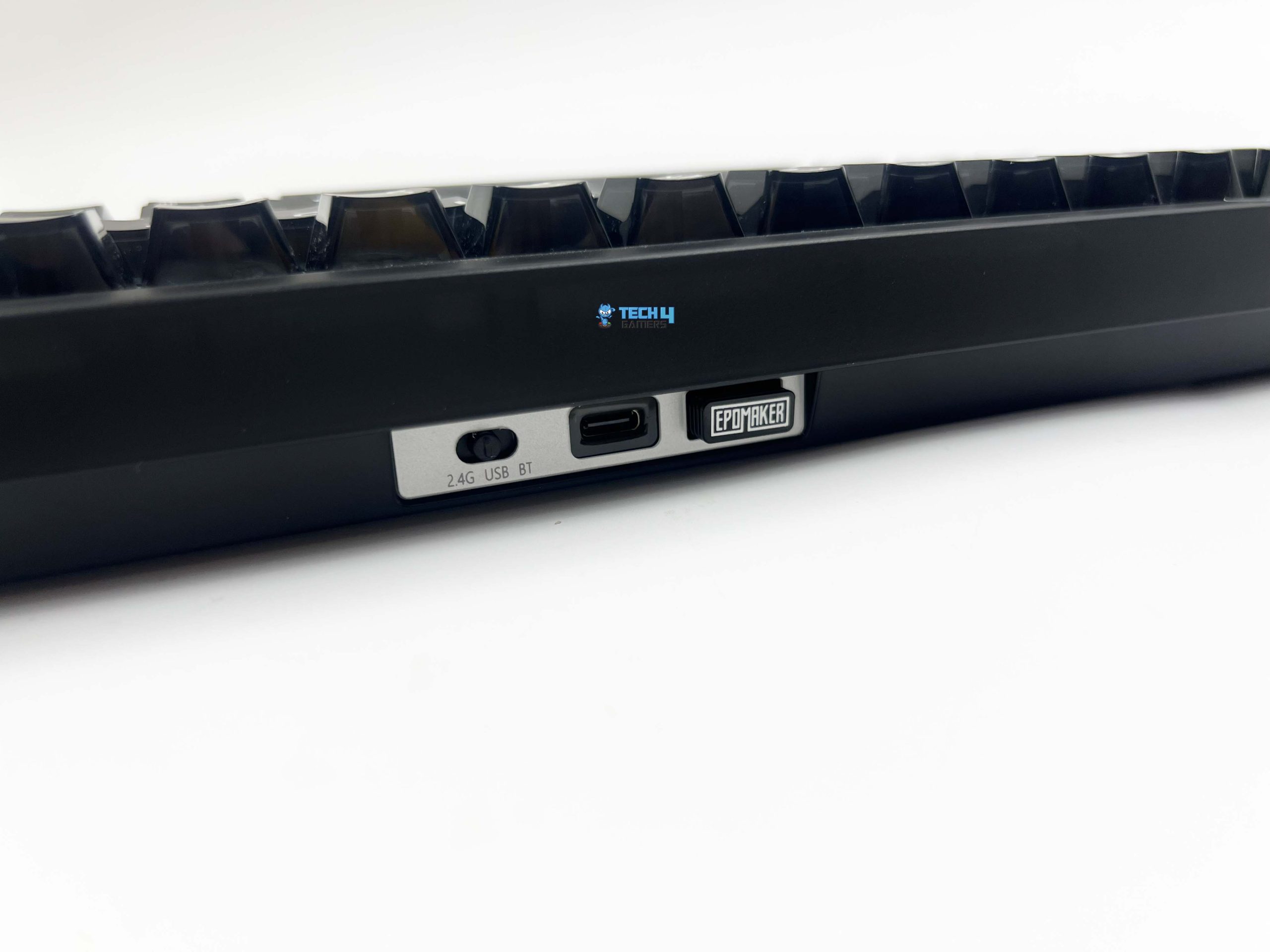
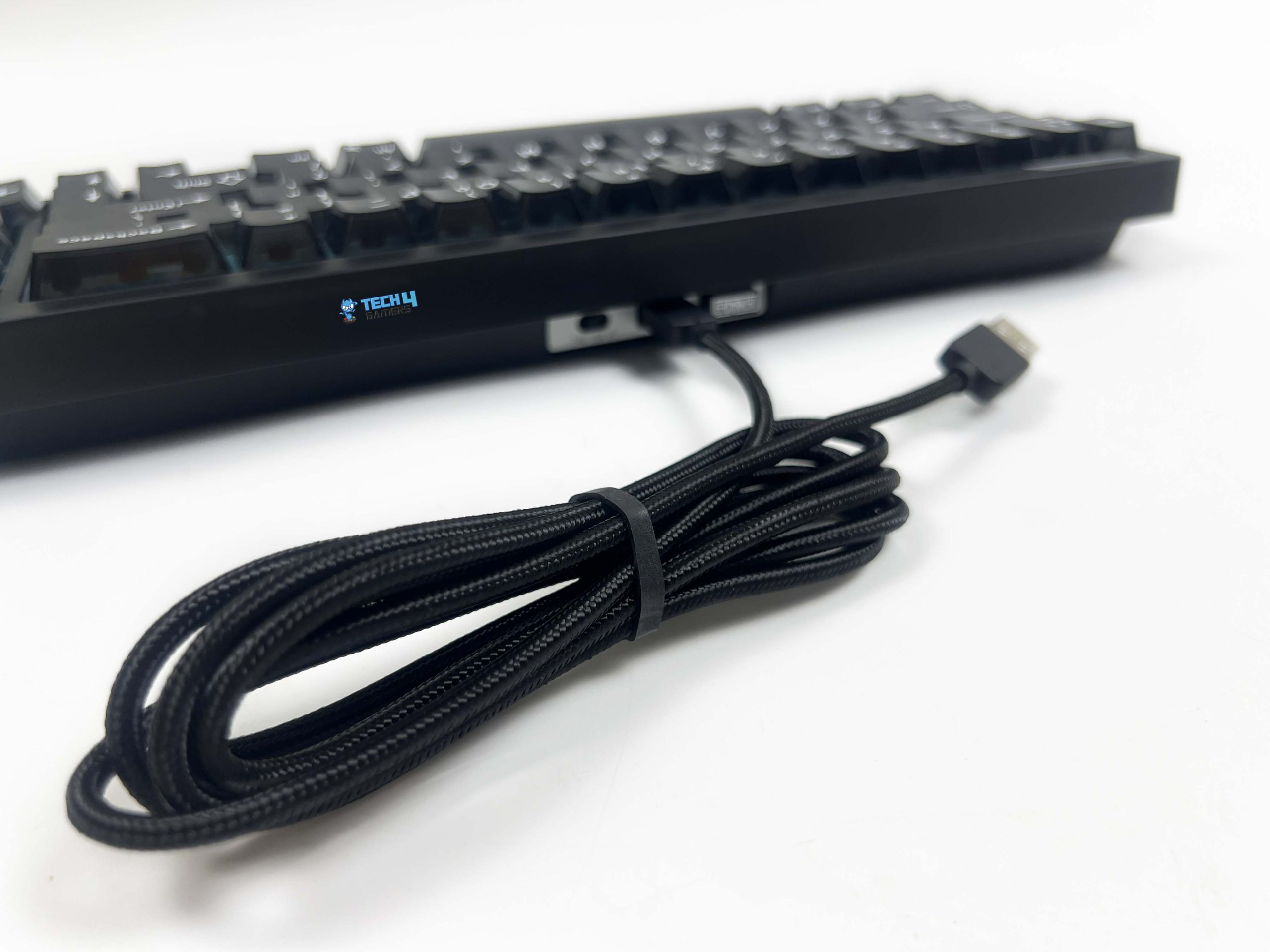
The Epomaker HE65 V2 TMR supports 2.4 GHz wireless, Bluetooth, and wired USB-C connectivity. I like this approach because you can use it in whichever mode you prefer. The controls for switching between these modes are located along the top edge of the keyboard. There’s a physical toggle switch with 2.4G on one side, USB in the middle, and Bluetooth on the other. It’s a simple control, but I prefer having a physical switch for this.
Right beside the mode switch is the USB-C port. This is where you connect the included cable when using the keyboard in wired mode or when you need to charge it. The cable feels reasonably well made, and the braided outer covering gives it a little more protection than a basic rubber cable. The other side of the arrangement has the 2.4 GHz wireless receiver. I used this mode most of the time when gaming and the connection remained stable.
Performance

The TMR sensors on the Epomaker HE65 V2 TMR can precisely track each switch’s movement, and the keyboard uses that for adjustable actuation, Rapid Trigger, and other input settings. It has an 8000Hz polling rate over USB and 2.4 GHz, while Bluetooth is limited to 125Hz. The keyboard’s scan rate is rated at 64 kHz. The combination of the high scan rate and TMR sensing is what gives the keyboard its fast input detection. One of the first features I tested was adjustable actuation.
For gaming, I found a relatively short actuation point useful on movement keys. I don’t have to push the key very far before the input registers. That can make repeated movement changes feel quicker. Rapid Trigger is the preferred feature for competitive FPS gaming. You can make the movement keys respond quickly. Epomaker lists a 0.125 ms latency over both wired USB and 2.4 GHz. Bluetooth is considerably slower at 14 ms. That makes the connection choice straightforward for gaming.
Battery Life
The Epomaker HE65 V2 TMR is fitted with a 4000 mAh battery, split into two 2000 mAh cells. That’s a decent amount of capacity. The actual runtime still depends heavily on how you use the keyboard. The biggest variable is the RGB lighting. Running the RGB continuously at high brightness will naturally drain the battery faster. The same goes for the 8000Hz polling rate. For everyday typing, I don’t think you’ll need to charge it frequently.
If you’re using it for a few hours a day and aren’t running the RGB at maximum brightness all the time, the 4000 mAh capacity is enough for normal wireless use between charges. You can check the remaining charge by holding Fn + Space. For instance, if the keys from 1 through 6 light up, you’re at roughly 60% battery. After around two minutes without a key press, it turns the backlight off and enters a lower-power state for battery saving mode.
Software
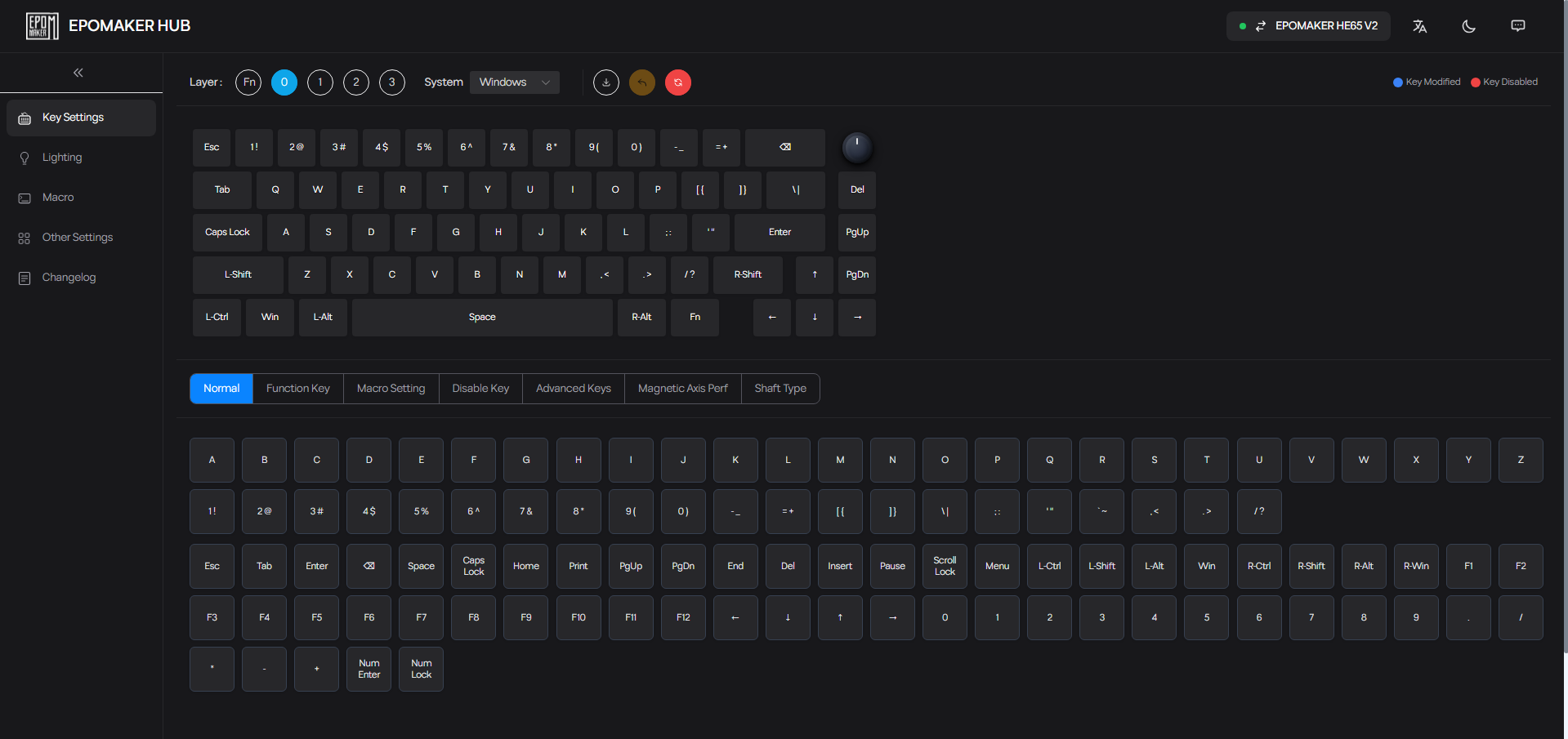
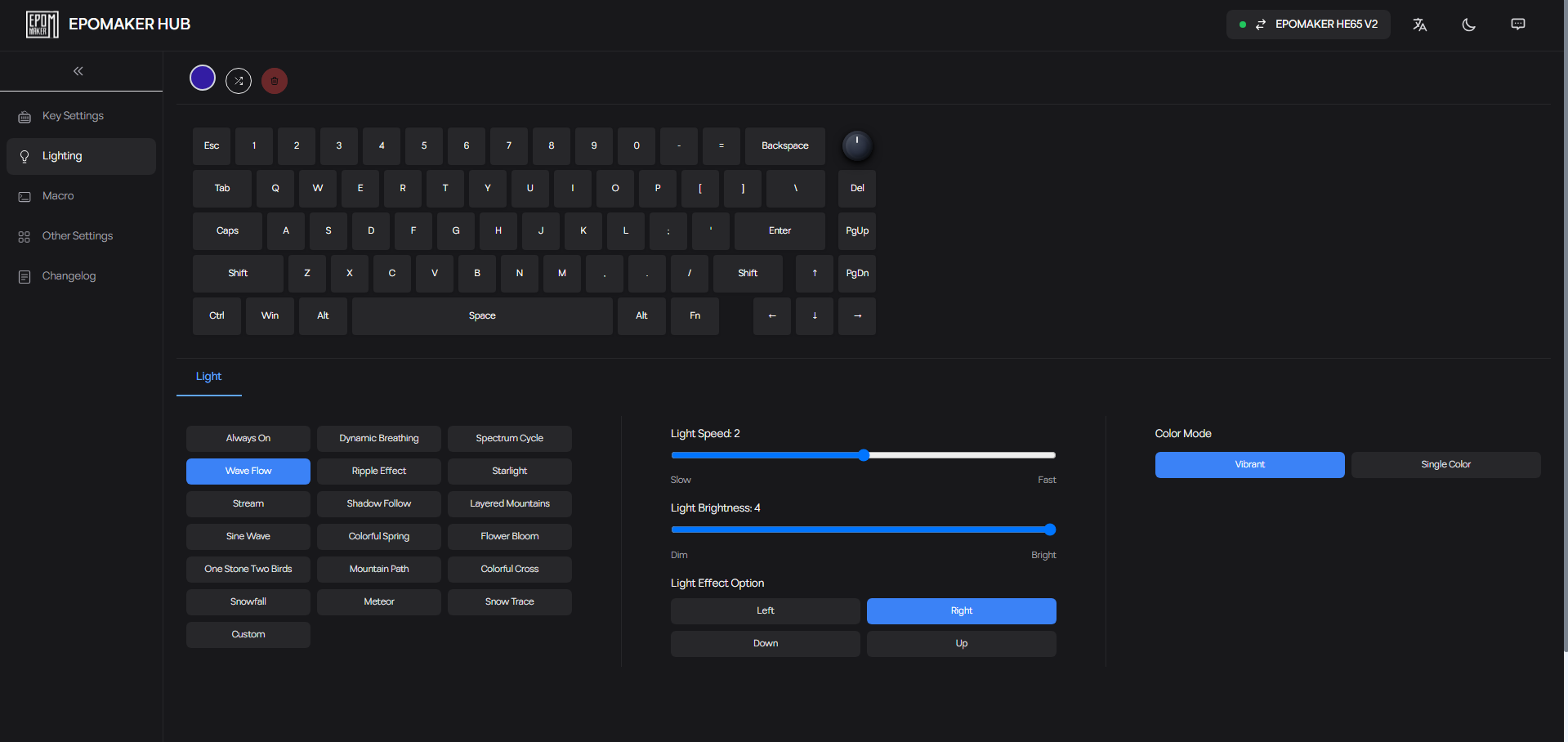
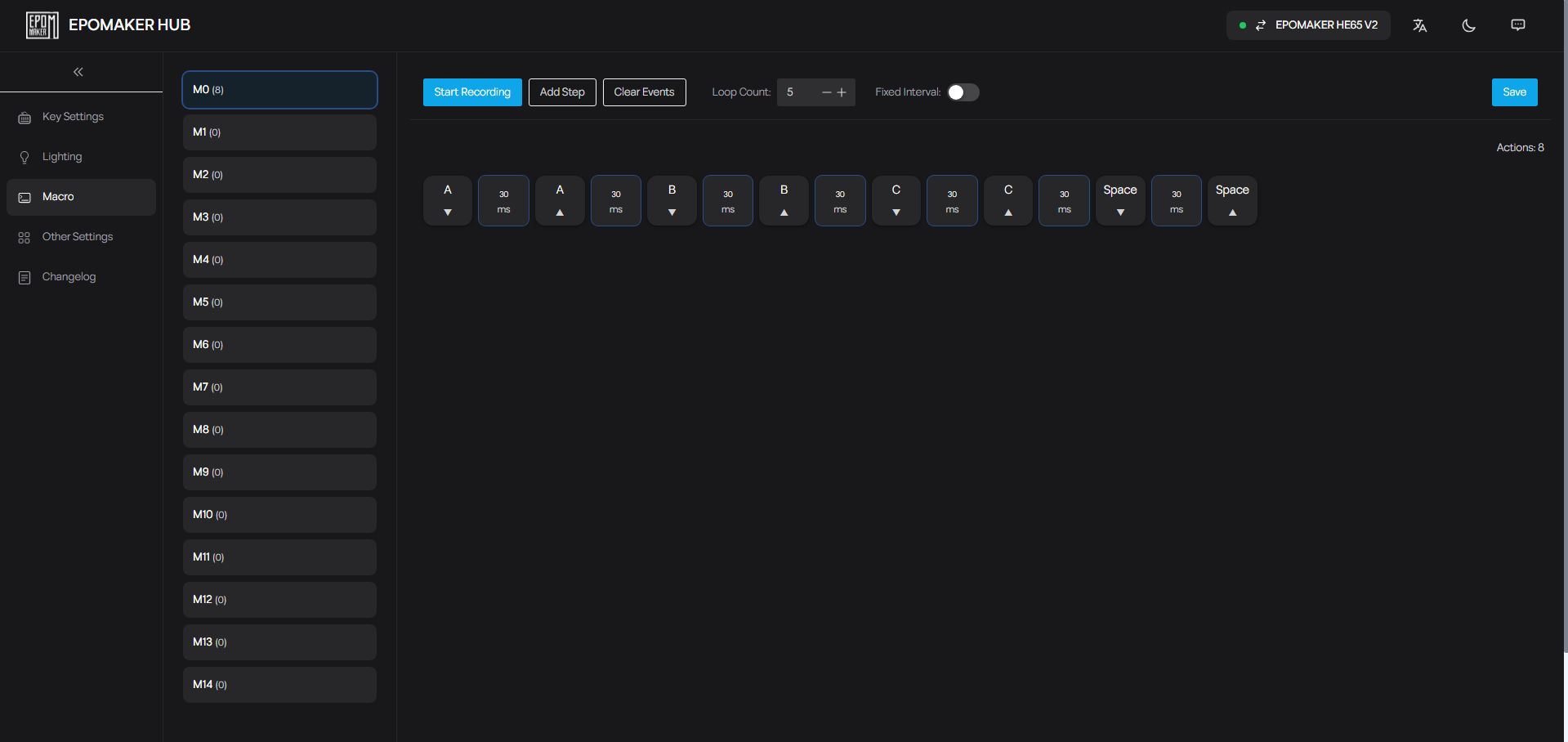

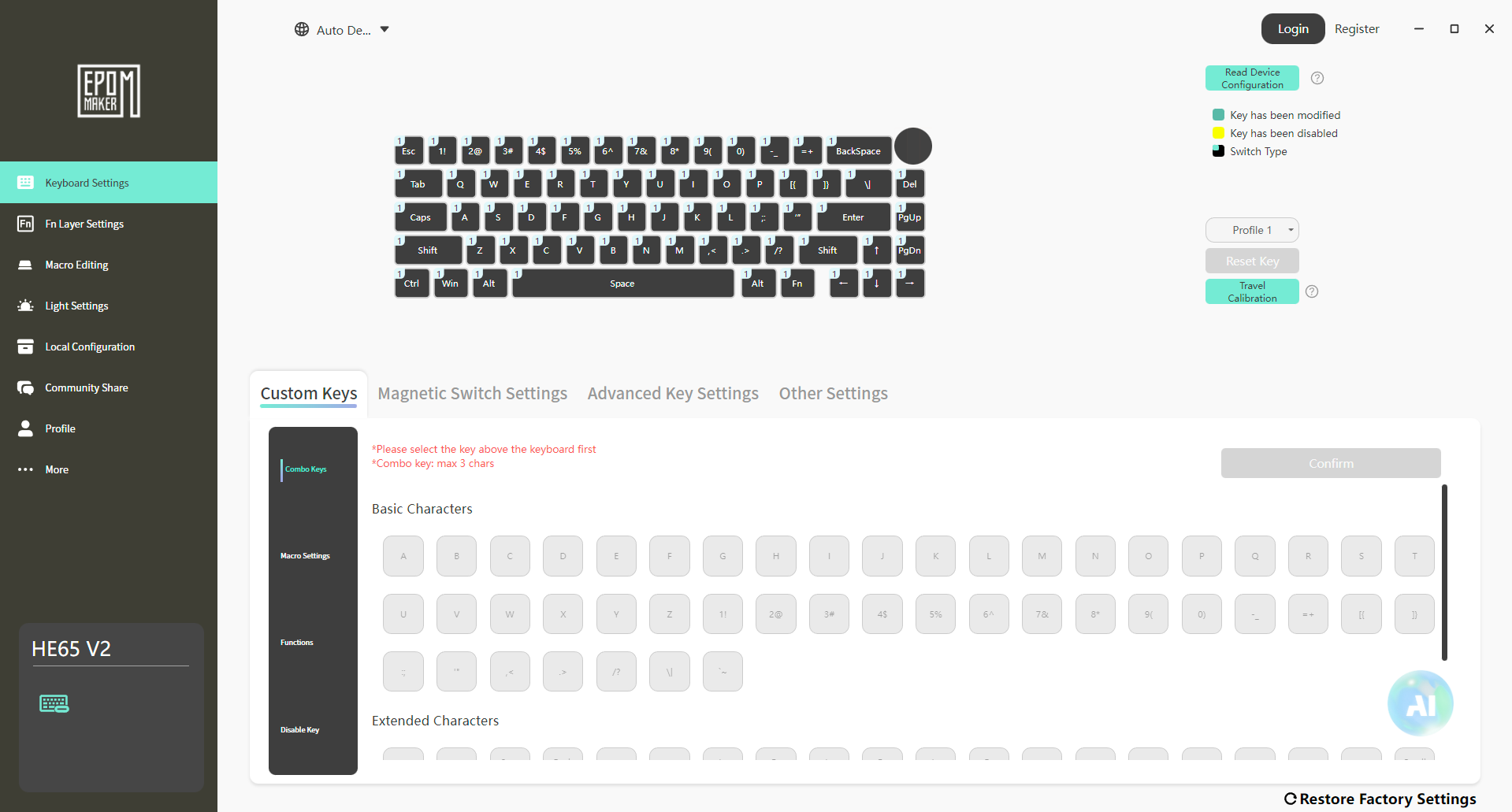
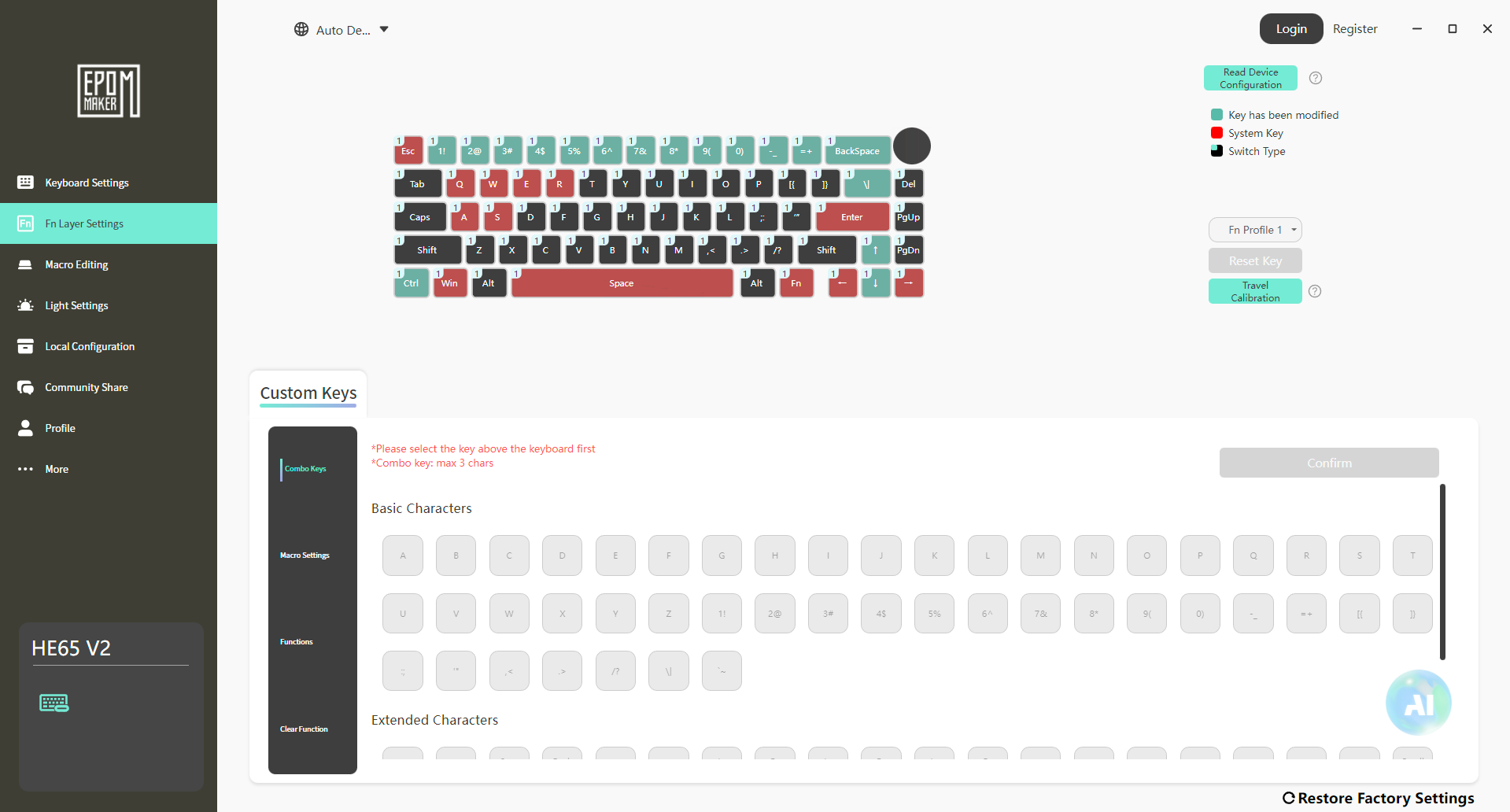
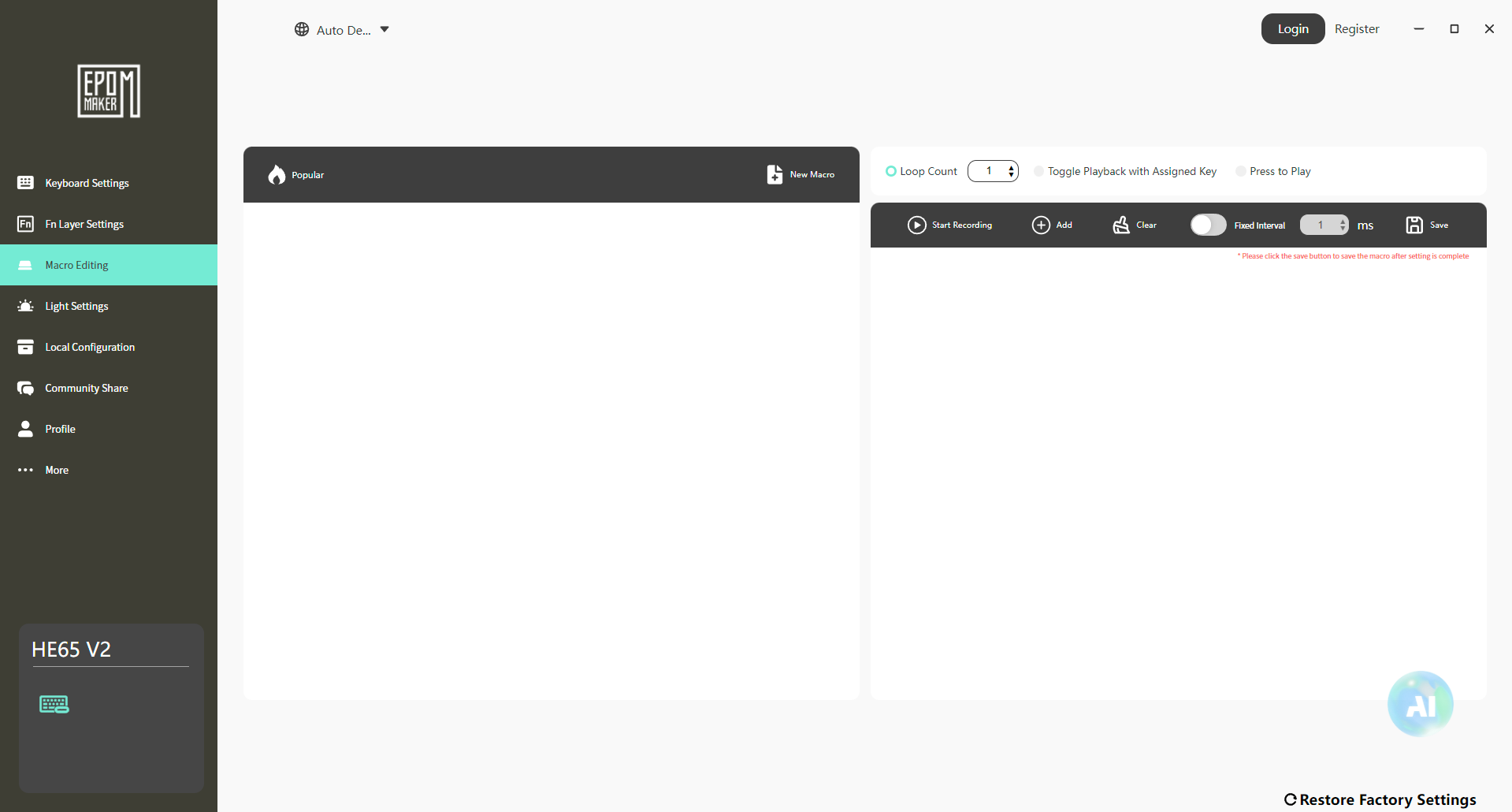
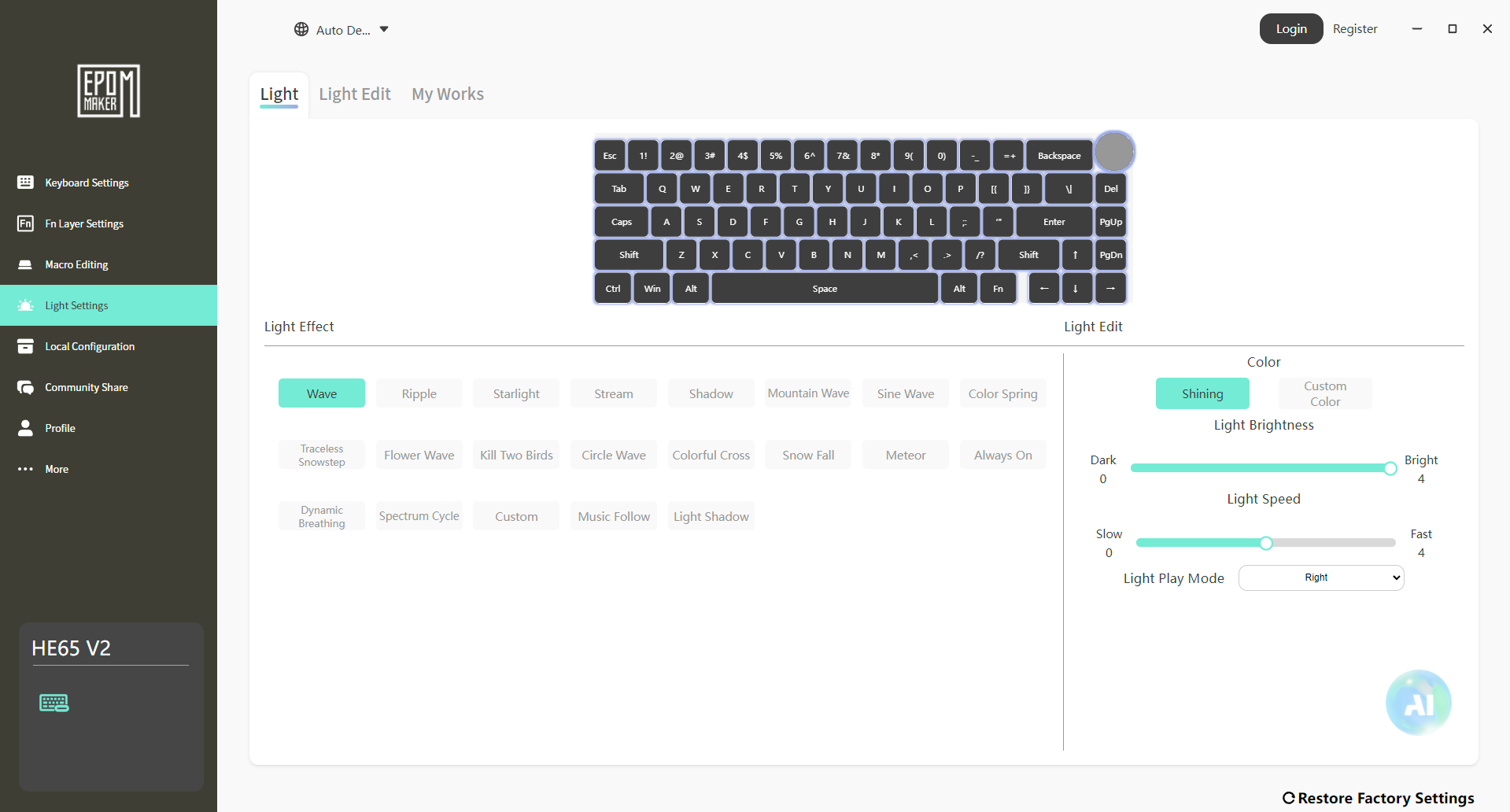
The Epomaker HE65 V2 TMR gives you two ways to customize the keyboard. You can install the Epomaker Driver on your setup, or you can use Epomaker Hub directly through your browser. The two interfaces look a little different, but the main functions are mostly the same. I spent some time with both, and the browser-based HUB is particularly convenient when I don’t want to install anything. You can open it, connect the keyboard, make your changes, and get on with it.
Both of them provide great customization options. That’s important with the HE65 V2 TMR because the keyboard’s main selling point is the amount of control it gives you. You can change the actuation point, configure advanced input functions, remap keys, create macros, and change the RGB. You can also adjust the polling rate and some of the keyboard’s power-related settings. That said, I wouldn’t expect a new user to understand every option immediately.
Should You Buy it?
Buy it if
✅ You want a magnetic gaming keyboard: The Epomaker HE65 V2 TMR is built around its TMR magnetic switches, giving you adjustable actuation and Rapid Trigger.
✅ You need tri-mode flexibility: It can switch between wired USB-C, 2.4 GHz wireless, and Bluetooth, so you can use it differently depending on where and how you’re using it.
Don’t Buy it if
❌ You only need a keyboard for basic typing: The HE65 V2 TMR’s biggest features are aimed at gaming. If you’re mainly into writing, you can spend less on a keyboard.
❌ You want a premium metal build: It uses an ABS plastic case, which feels sufficient enough in use, but buyers specifically looking for a sturdier keyboard may want to look elsewhere.
Final Verdict
I think the Epomaker HE65 V2 TMR’s biggest strength is that it doesn’t feel like Epomaker took a regular 65% keyboard and added magnetic switches to it. The whole board is built around what those switches can actually do. The $99.99 asking price is important here because there are plenty of cheaper mechanical keyboards in this size. If you’re only looking for a compact board for typing, you can spend less and still get a good keyboard. The HE65 V2 TMR had to justify the extra money through its features.
In my experience, it does. The argument for spending more is the combination of features. That’s where the value starts to make sense. If you’re comparing it against a $60–$80 mechanical keyboard purely for typing, I’d save the money. But if you’re specifically looking for a magnetic gaming keyboard, the calculation changes. At this price, it gives you a combination of features that would be difficult to replicate by simply buying a cheaper conventional mechanical keyboard.
Thank you! Please share your positive feedback. 🔋
How could we improve this post? Please Help us. 😔

[Hardware Reviewer & Editor]
After many years of exploiting various pieces of hardware, Abdul Hannan now serves as an editor at Tech4Gamers. He’s been in the PC hardware reviewing industry for almost a decade, and his staff of passionate geeks and reviewers is second to none.
Abdul Hannan is constantly seeking new methods, you will always see him running into New Computer Courses to improve the performance of his computer components since he is an ardent overclocker. He is well-known for providing the most extensive and unbiased analysis of the newest and greatest hardware for PC gaming, including everything from GPUs to PSUs.
 Join Our Community