Worth It?
Review Summary
The Orico X50 is a Thunderbolt portable SSD designed for users who want maximum performance from an external device. It delivered exceptional performance in our tests, despite being limited to USB4 bandwidth. The thermals are also impressive, remaining stable without overheating during our testing. The enclosure is made of aluminum alloy, features a mesh top, has no active fan cooling, and is compact, making it pocket-friendly.
Hours Tested: 4

Overall
Pros
- Excellent Speeds
- Backward Compatible
- Sturdy Aluminum Enclosure
- Compact and Portable
- No Active Cooling Required
- Different Options Available in Capacity
Cons
- Requires Thunderbolt 5 Host For Top Speeds
- Supports Only M.2 2280 Drives


We’re taking a look at the brand-new Orico X50 Thunderbolt 5 storage solution, which has been shipped to us with 1 TB of capacity. It harnesses the blazing potential of Thunderbolt 5 connectivity. The Orico promises desktop-level performance in a compact, pocket-friendly aluminum chassis. The Thunderbolt can achieve a transfer rate of up to 80 Gbps, with read and write speeds that can soar to 6000 MB/s, which is typical for a PCI-Gen4x4 NVMe Storage solution. You can have the best of both worlds with this enclosure, keeping the sleek design while using it as a portable device with blazing-fast speeds.
We’ll check how it performs as compared to other storage solutions. The SSD is designed for Thunderbolt 5 but is also backward compatible with Thunderbolt 3/4 and USB4 ports. Orico X50 comes in different varieties. You can also get just the enclosure and install any NVMe Storage solution. Orico also offers built-in NVMe solutions with capacities up to 4 TB.
Here are the key specs:
| Specification | Detail |
|---|---|
| Product Model | ORICO-X50 |
| Color | Silver |
| Material | Aluminum Alloy |
| Input Interface | Thunderbolt 5 |
| Theoretical Transfer Rate | 6000MB/s Read, 5800MB/s Write |
| Data Cable | C To C 0.5M 80G Data Cable |
| Size | 110 x 60 x 18.7 mm |
| SSD Capacity Option | No built-in SSD, Built-in 512GB, Built-in 1TB, Built-in 2TB, Built-in 4TB |
| Packing List | Data cable x1, Instruction manual x1, Thermal conductive silicone x2, Screwdriver x1 |
What Makes Orico X50 Thunderbolt 5 1TB Different?
The Orico X50 uses the Thunderbolt 5 interface, the newest and fastest Thunderbolt standard available, offering a theoretical transfer rate of up to 6000 MB/s for both read and write speeds. Our version of the X50 comes with a pre-installed 1TB NVMe SSD, making it a ready-to-use portable Thunderbolt 5 SSD housed inside an aluminum alloy chassis. It delivers performance close to internal NVMe drives in a compact external SSD package.
Packaging
Let’s take a look at the packaging.
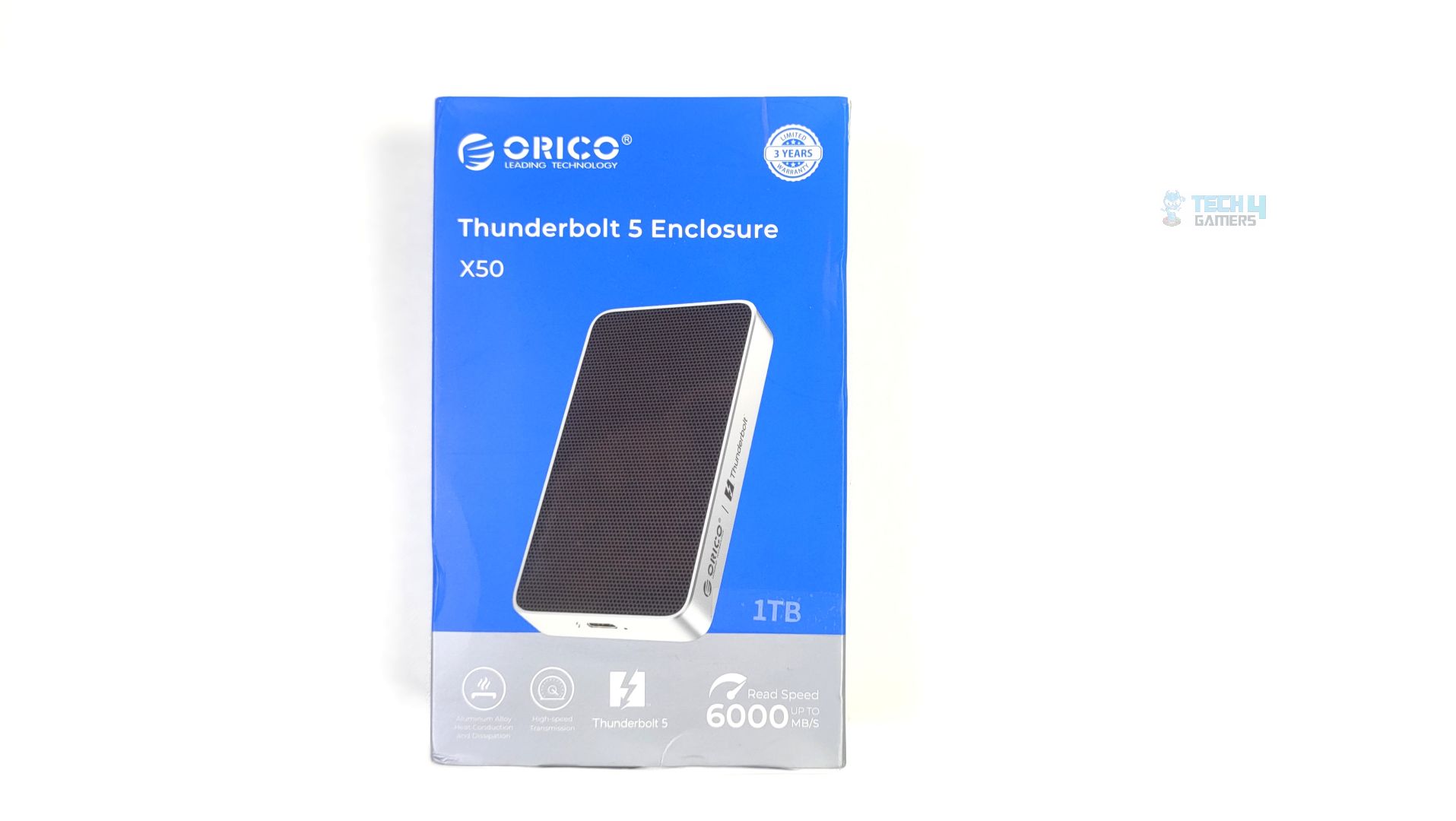
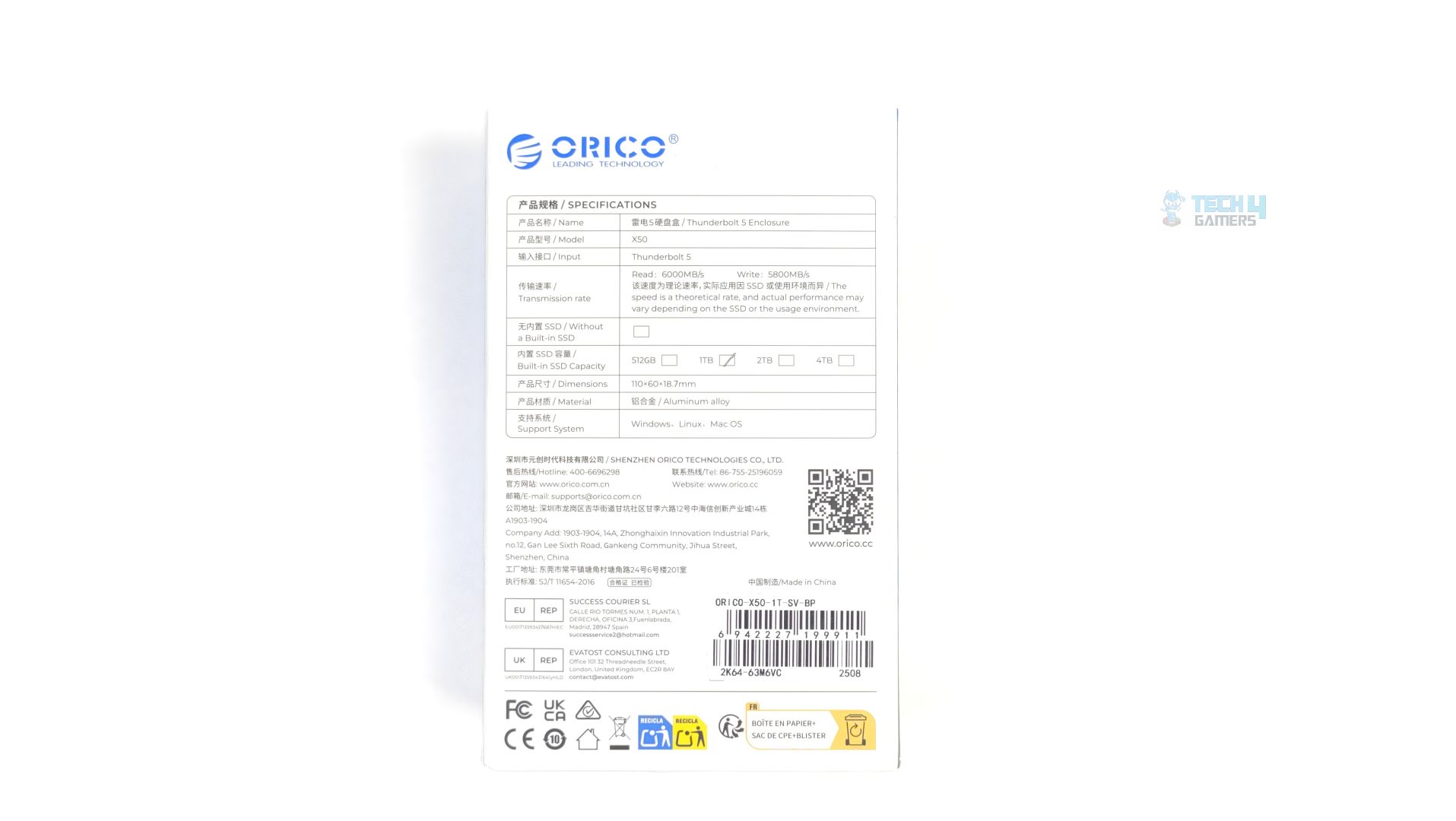
The product comes in a clean, blue-and-white retail box. The front of the box clearly highlights the key selling points: Thunderbolt 5 connectivity and read speeds up to 6000 MB/s. At the back of the box, the specifications, capacity, model, and dimensions are also listed. Our device comes with a capacity of 1TB.
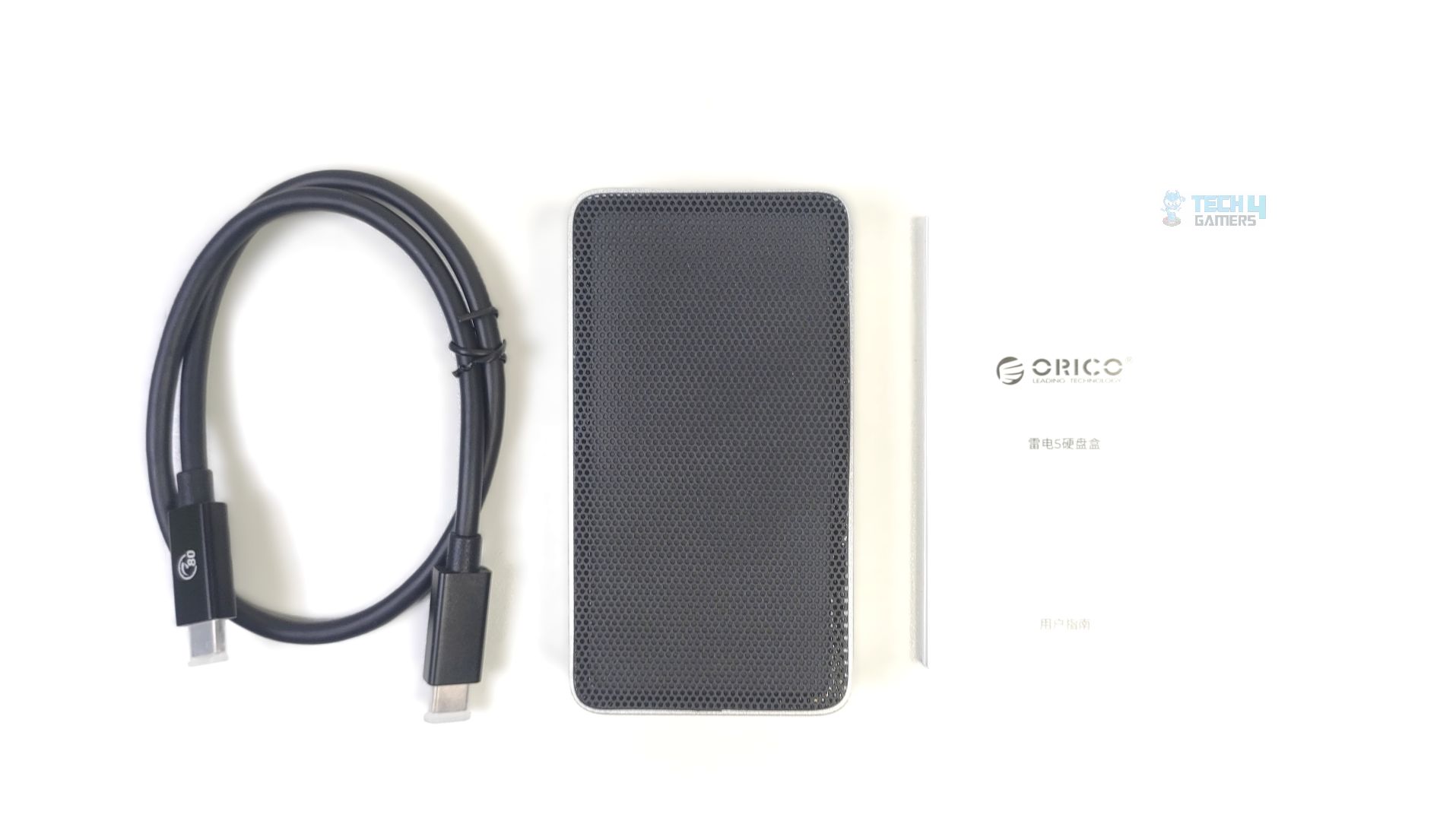
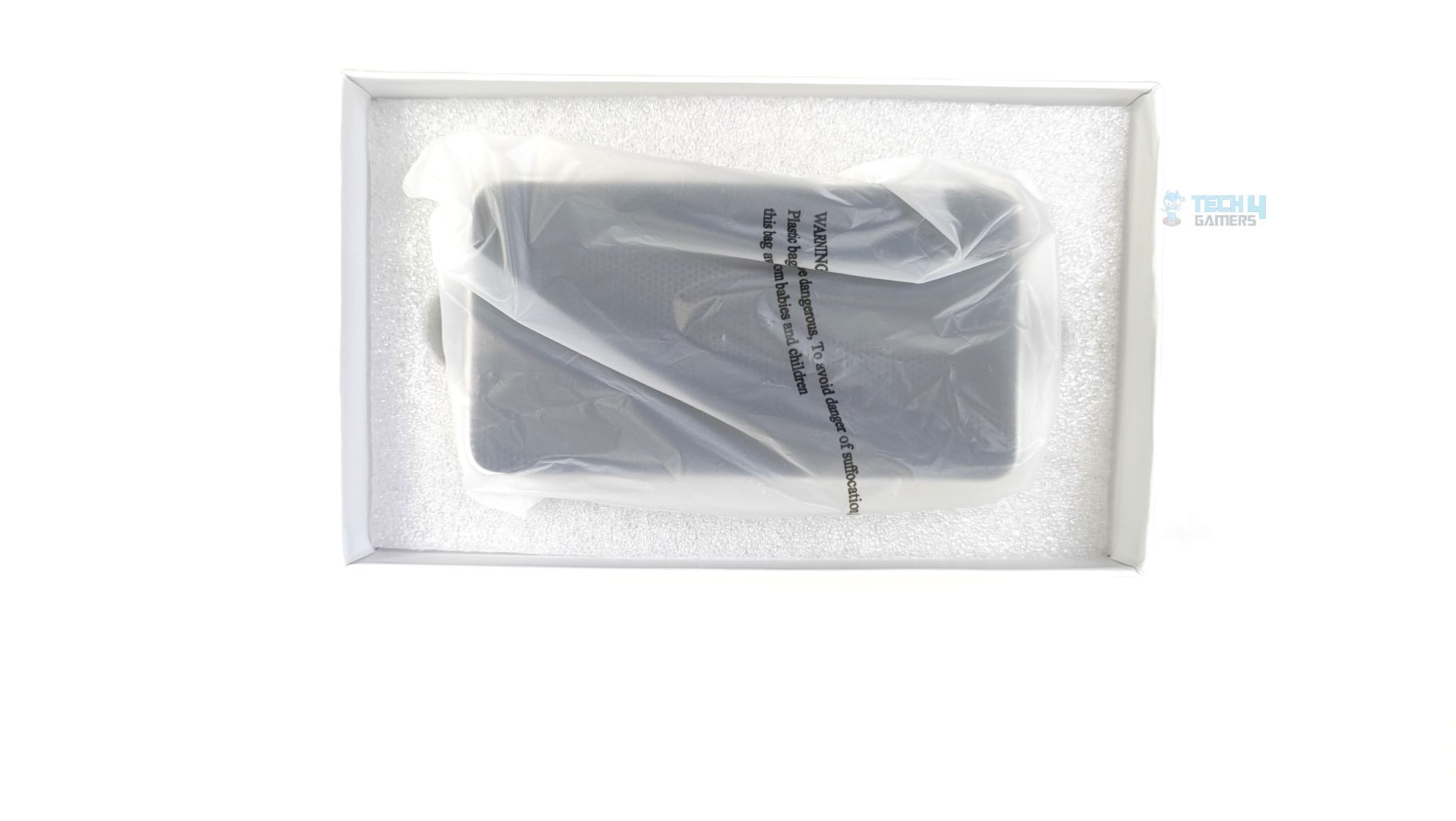
Inside the packaging, the device is securely nestled in a thick custom-cut white foam insert. The external SSD itself is protected by a frosted plastic sleeve. No problems with the packaging whatsoever; the fit was right in the SSD, which is designed to withstand transit well. Inside the box, you will receive the high-speed data cable, a thick and robust Type-C to Type-C cable. The connector head features the ”80” logo, indicating this cable is rated for 80Gbps, which is a typical bandwidth for the Thunderbolt 5 interface. The documentation is also included. Also, one thing is missing: the hex driver in our packaging, which should have been included and would have allowed us to open and replace the NVMe.
Close Up
Let’s take a look at the storage.
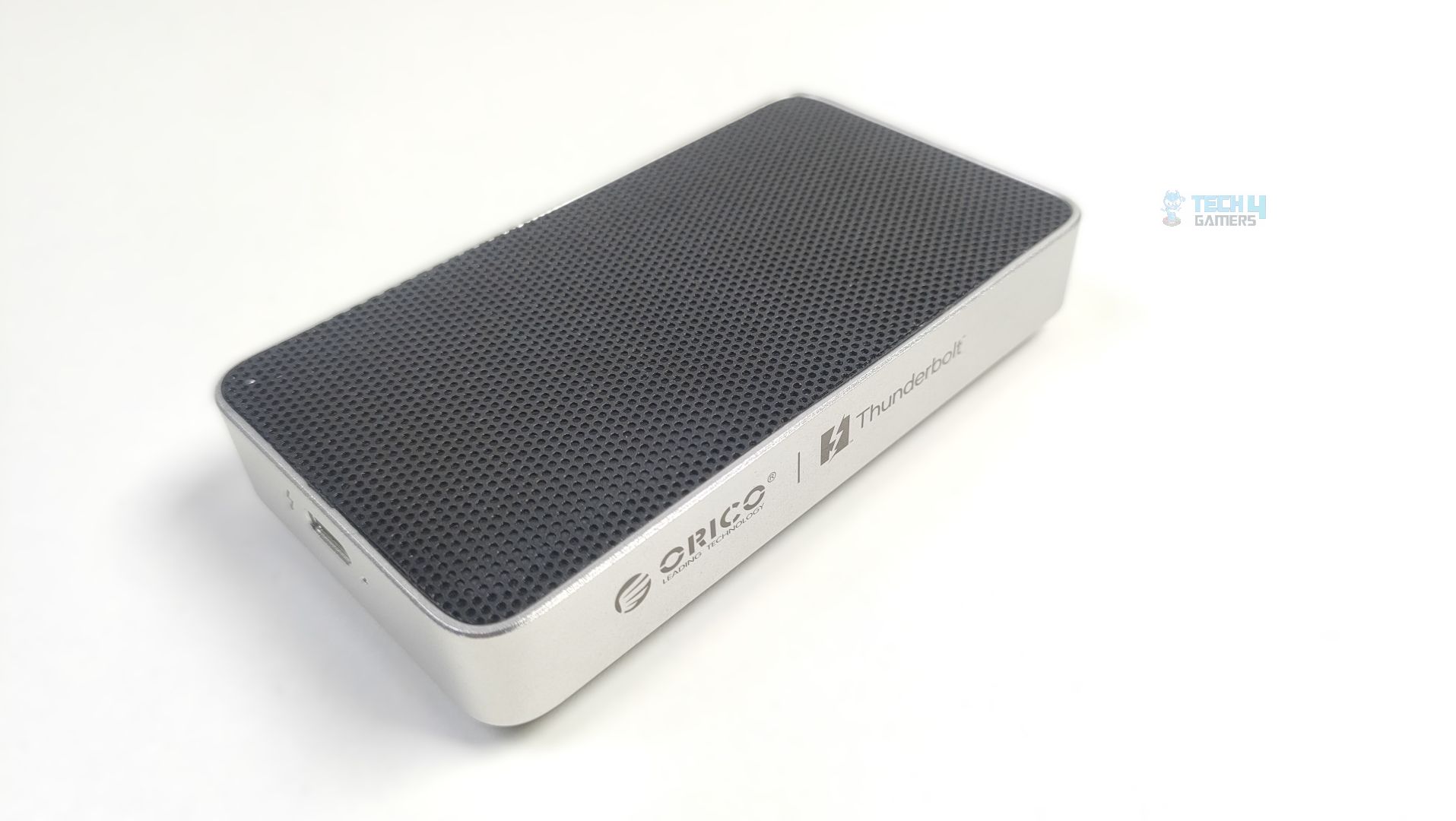
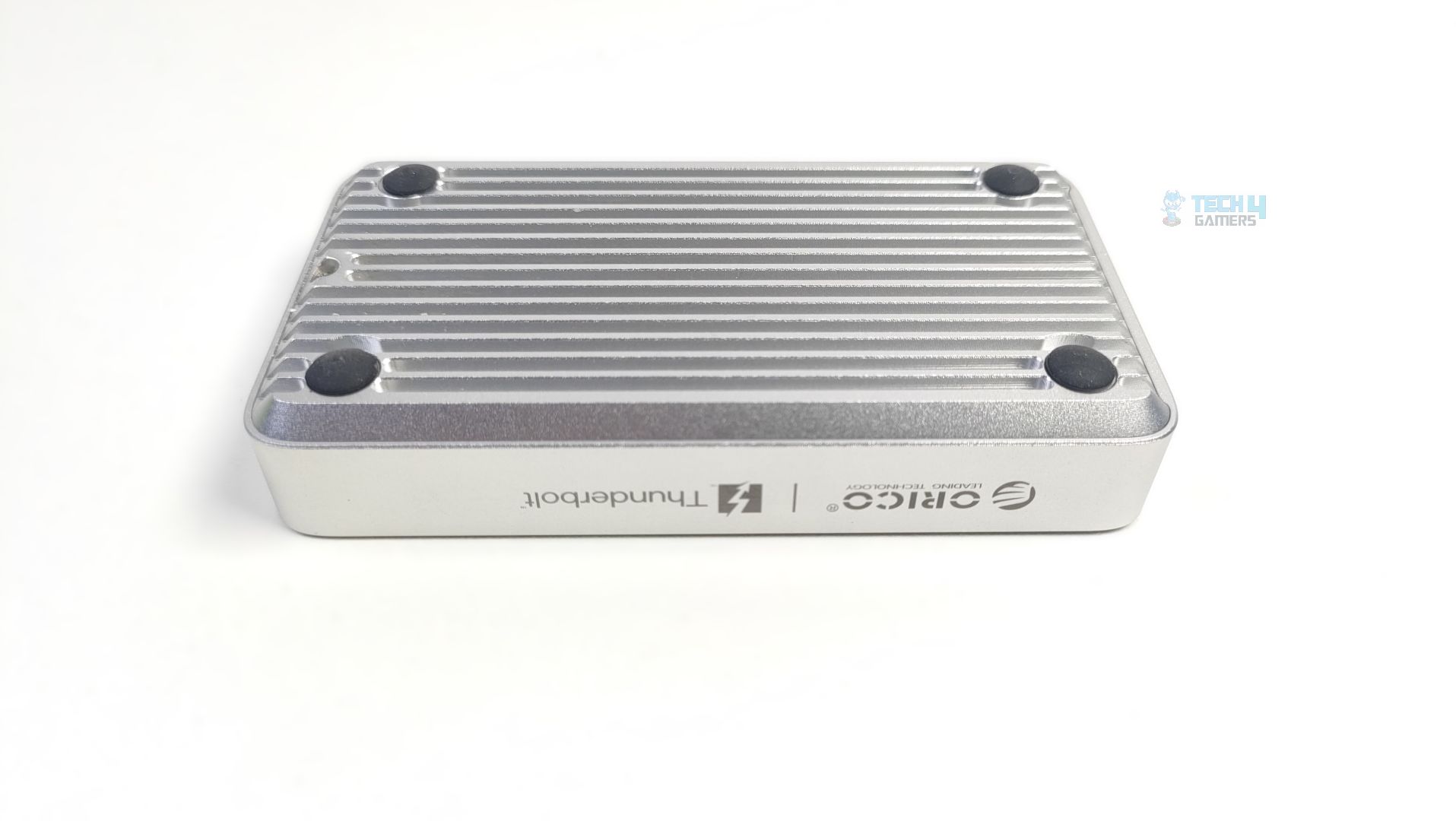
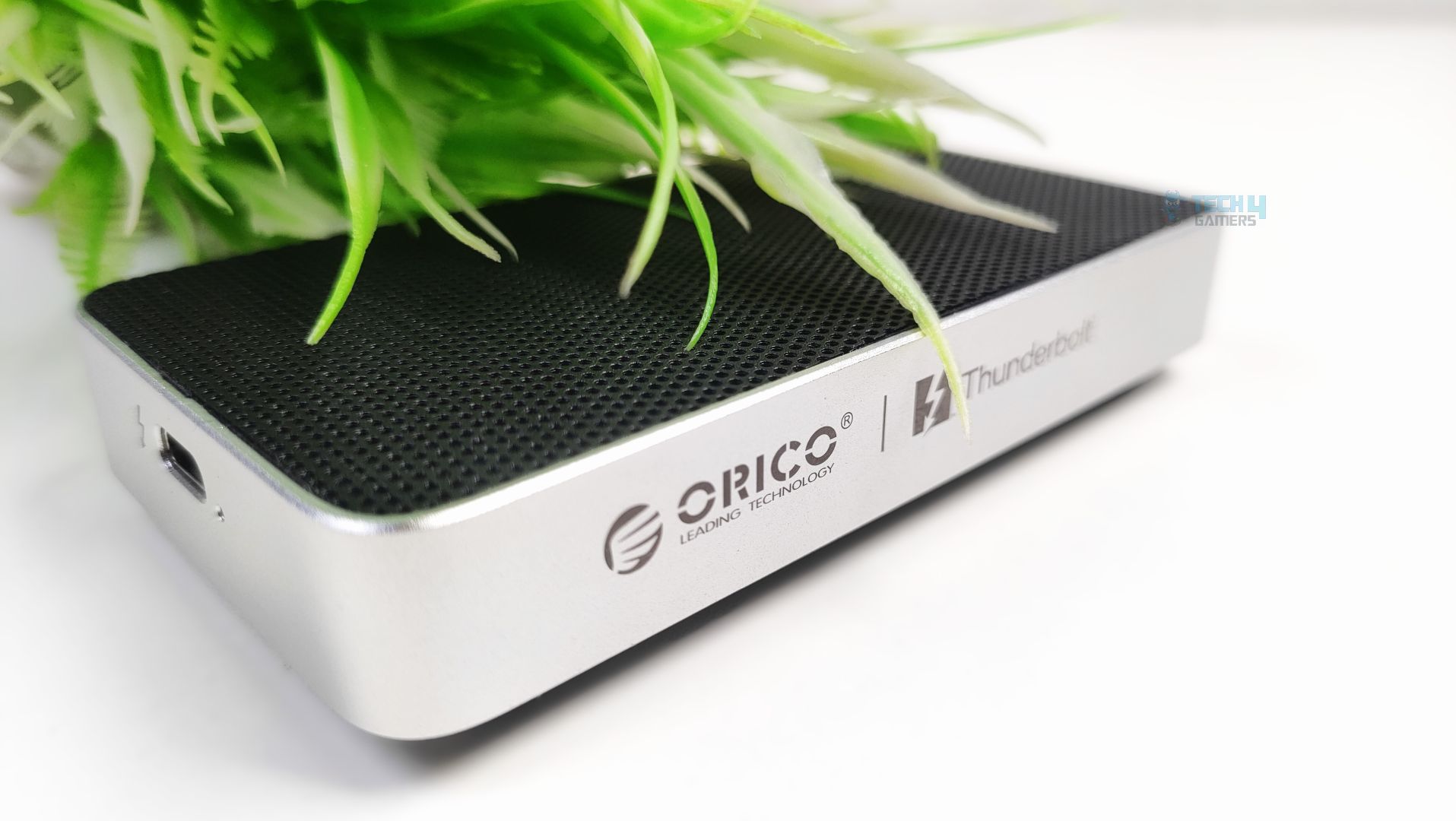
Talking about the design first, the enclosure is made of aluminum alloy, with a matte, sandblasted silver finish that provides a Mac-friendly aesthetic that matches Apple devices. Since this device does not have any active cooling, the bottom is entirely a passive heat-sink, with deep grooves/fins visible there. The top surface features a black textured mesh that could also serve as ventilation to prevent heat buildup inside the chassis. The device profile features rounded corners and a flat overall profile, making it easy to slide into the pocket without snagging. On the storage’s side panel, the branding is prominent, displaying the Orico logo alongside the official Thunderbolt text.
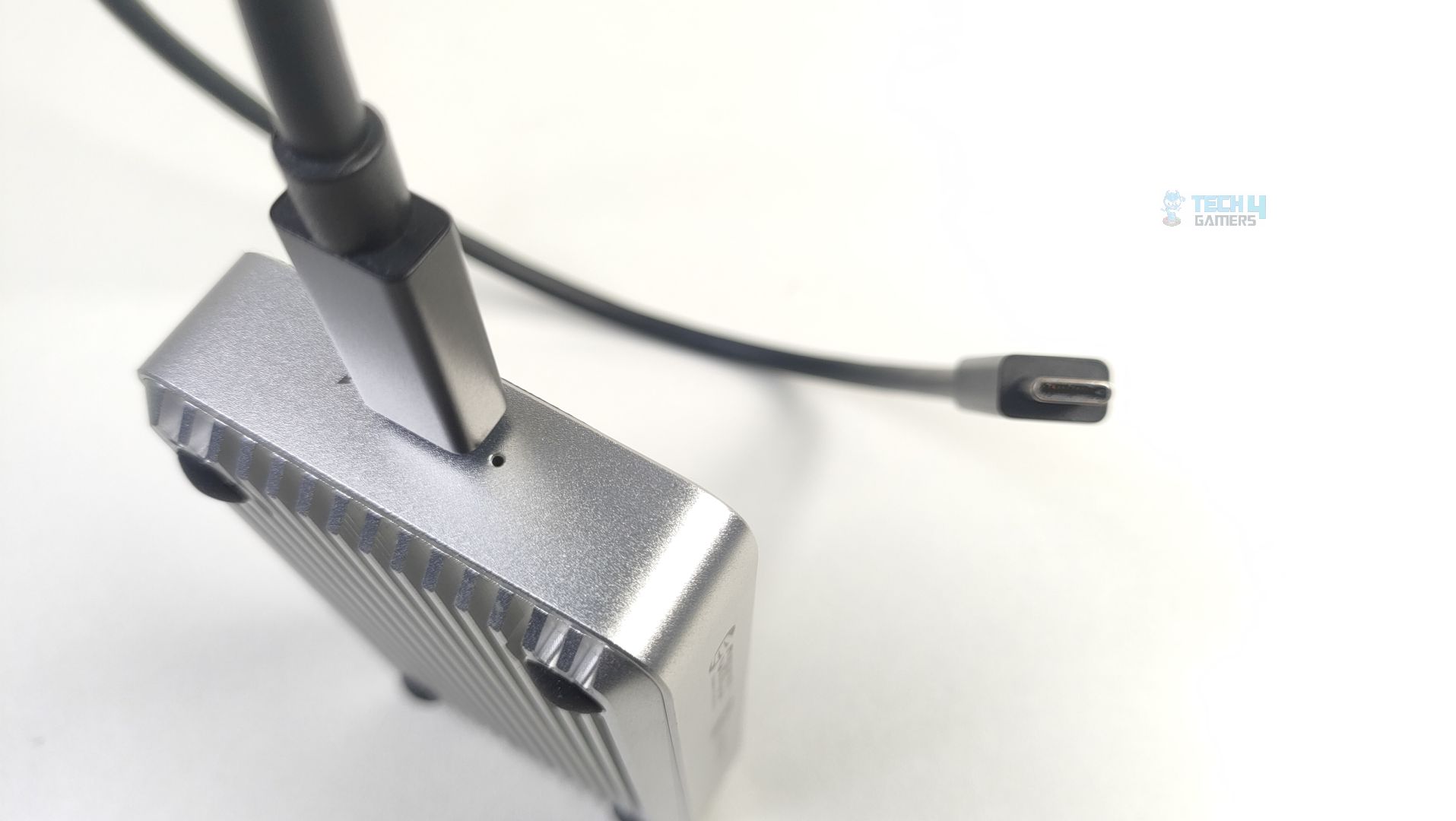
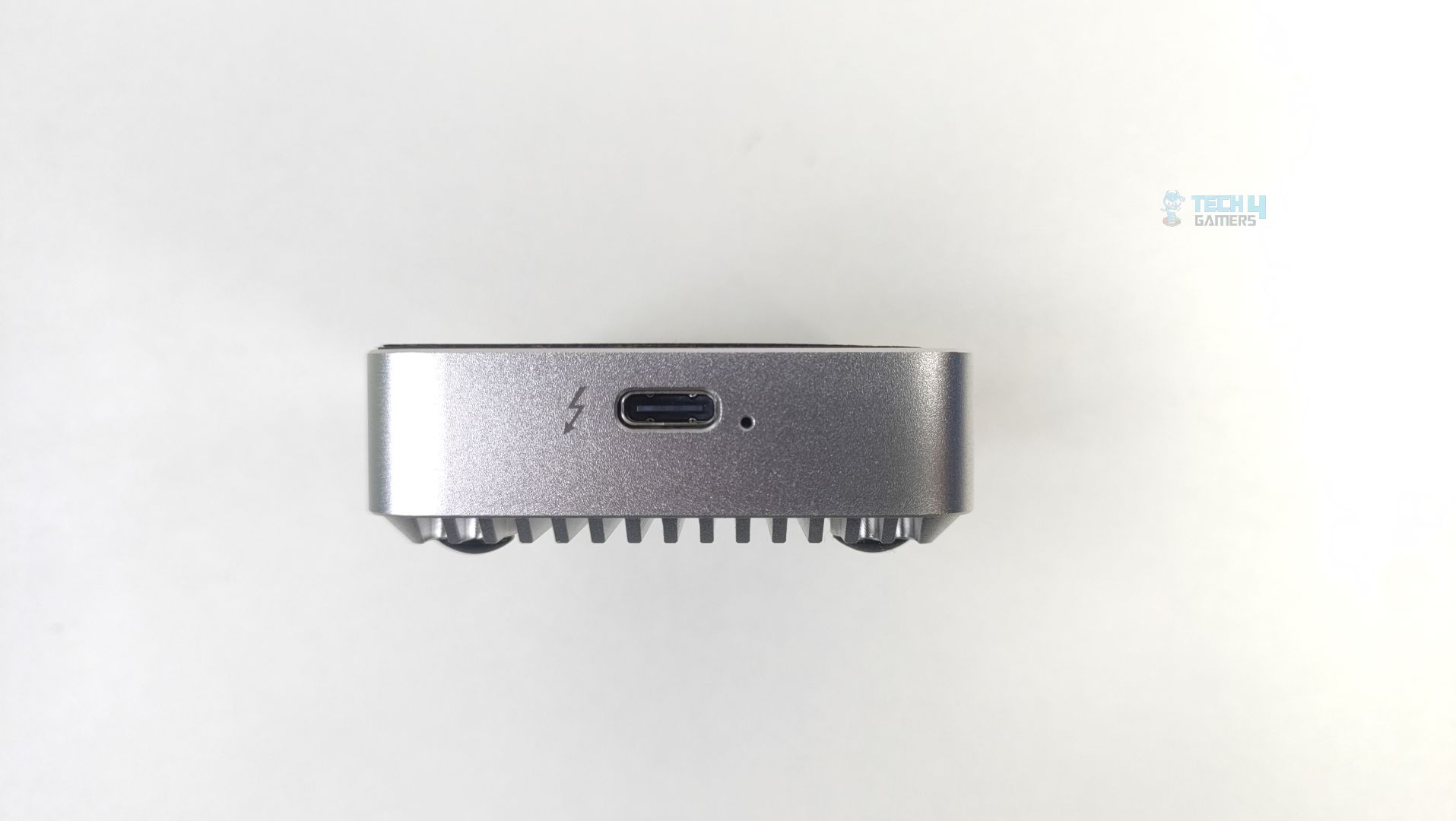
Regarding its connectivity, the lightning bolt icon can also be seen near the Type-C port, indicating Thunderbolt connectivity.
Controller / Memory Overview
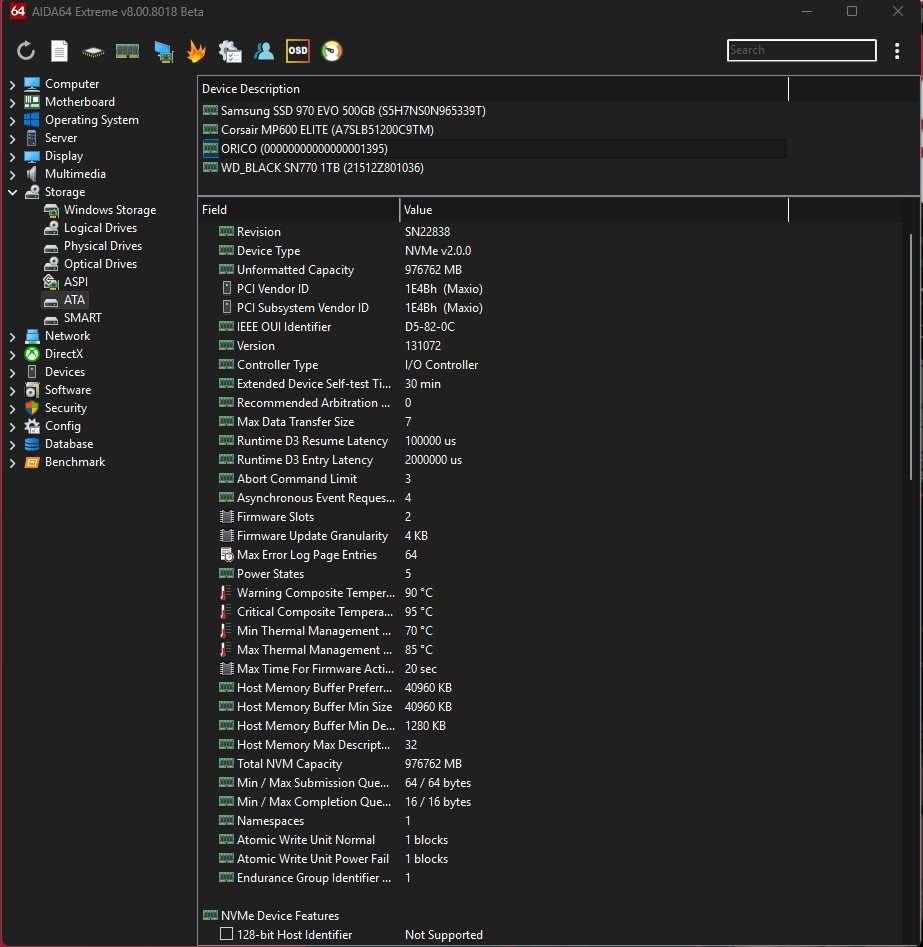
Orico X50 Thunderbolt has the vendor ID of (1E48H), which indicates that our device is utilizing the MAP1602 Controller from Maxio Technology, which is commonly used in the Gen4.0 NVMe SSD’s that we have previously reviewed on our website. This controller is widely known as one of the mainstream consumer controllers to support the NVMe 2.0 standard. Another important point to note here is that this SSD does not have any separate DRAM component on the NVMe; it uses HMB (Host Memory Buffer), which borrows a tiny bit of your system RAM to manage data. This controller can reach read and write speeds of up to 7400MB/s on the PCIGen4x4.
Methodology
How Do We Measure SSD Performance
We test NVMe Drives in a diverse range of software, including various real-world tests, gaming workloads, gaming loading times, synthetic benchmarks, and thermal tests.
What Tools Do We Test
We use 3DMark, PCMark 10, CrystalDiskMark, and DiskBench for our benchmarks and compare the results against those of other storage solutions.
Preparing The System
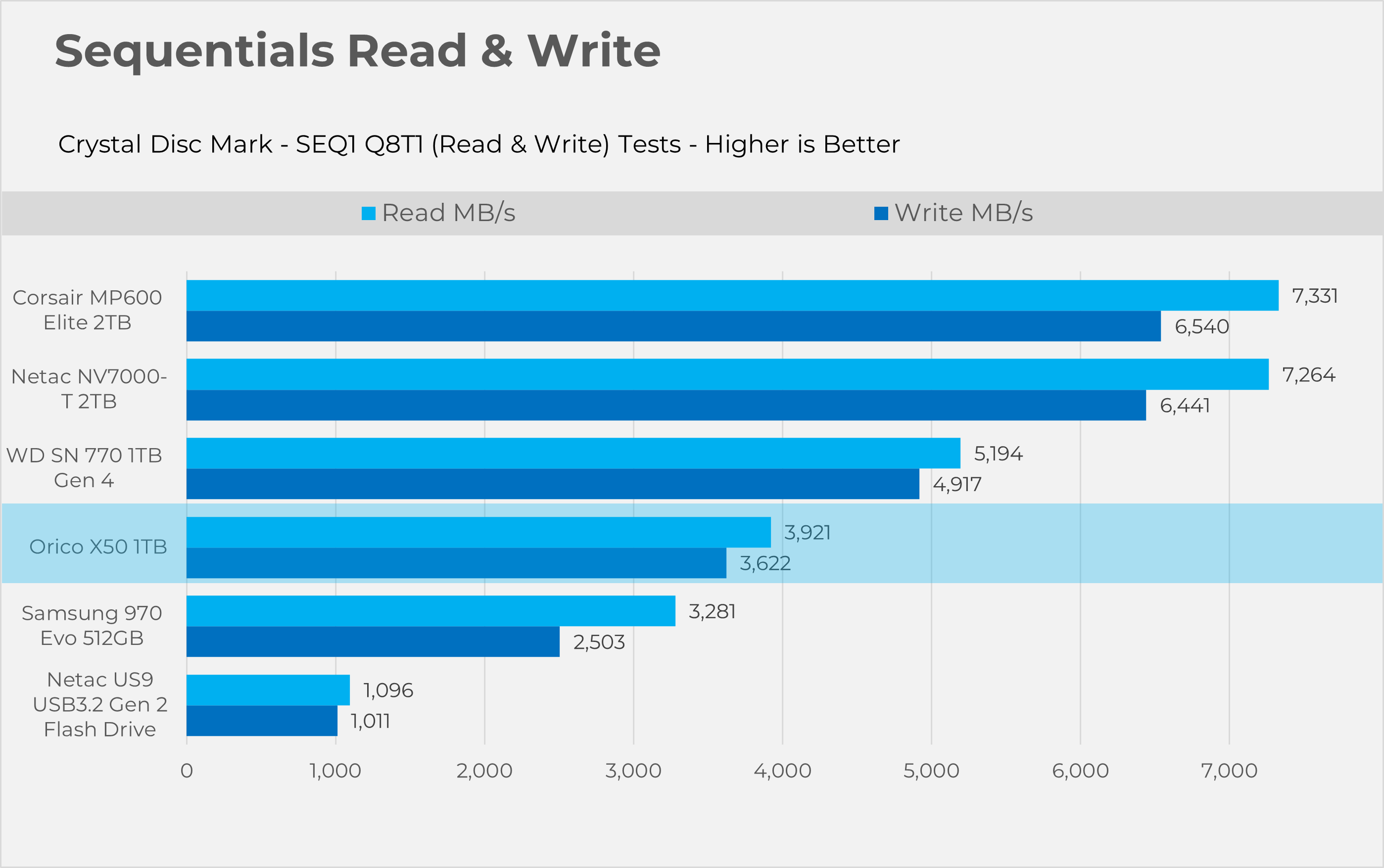
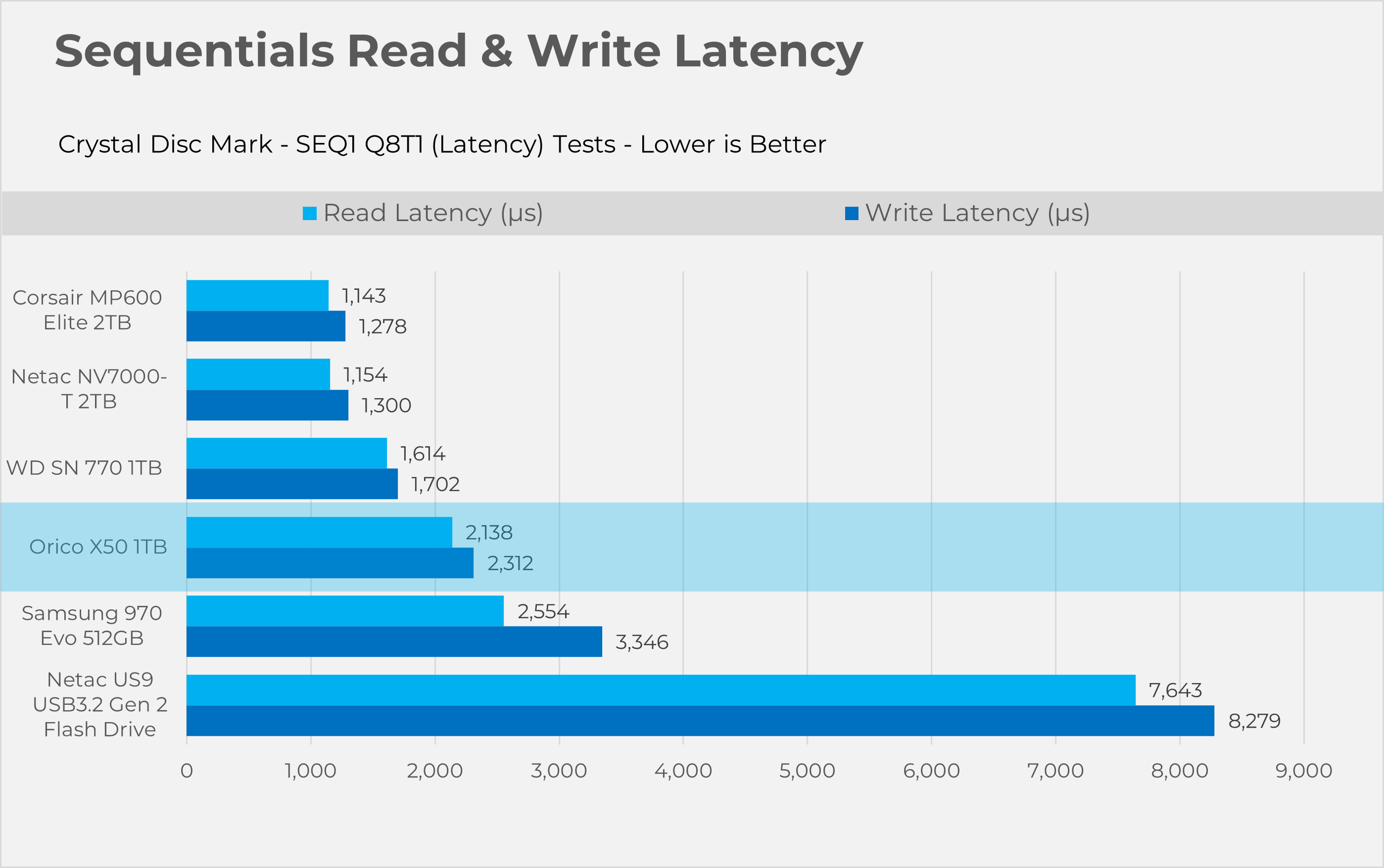
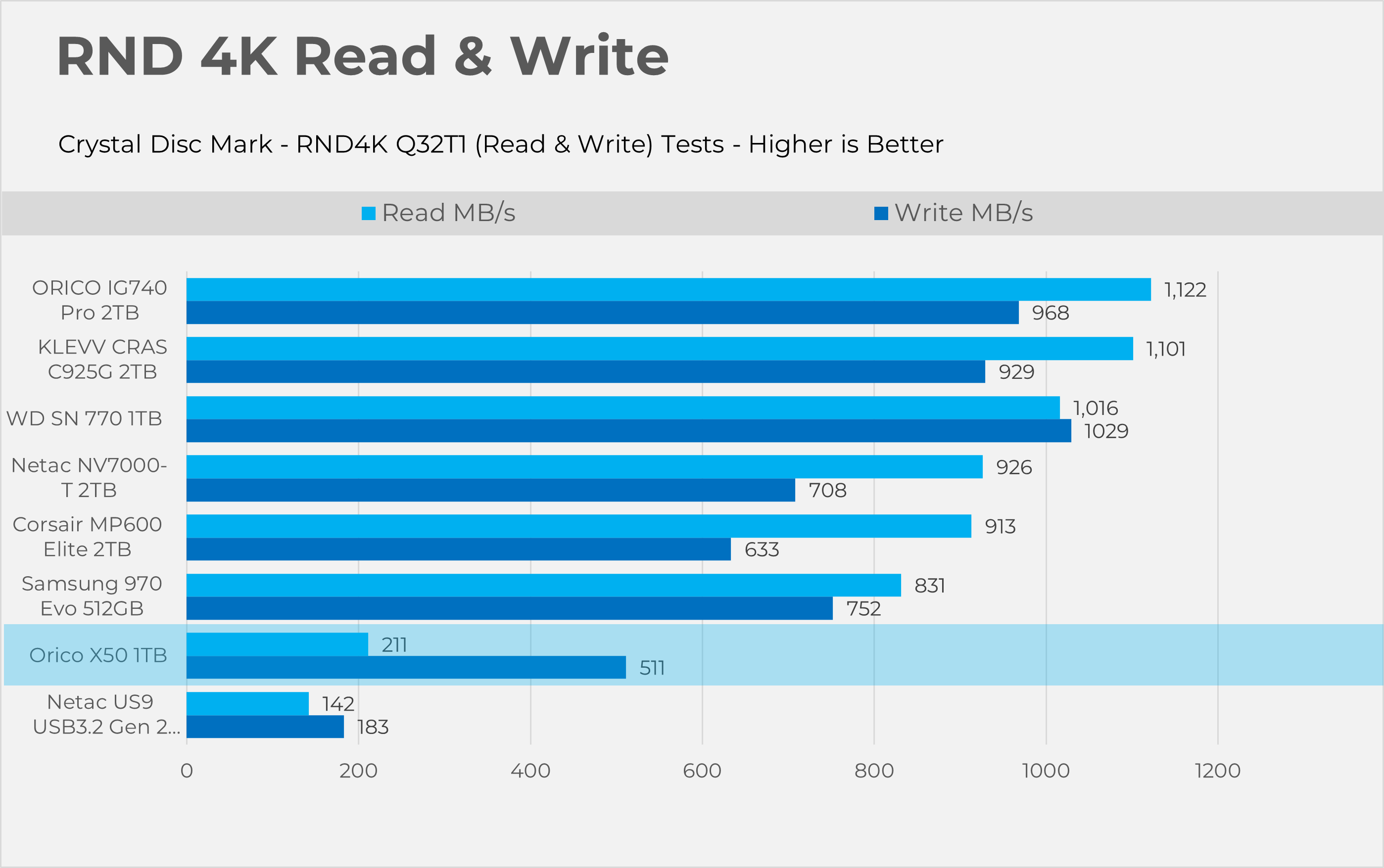
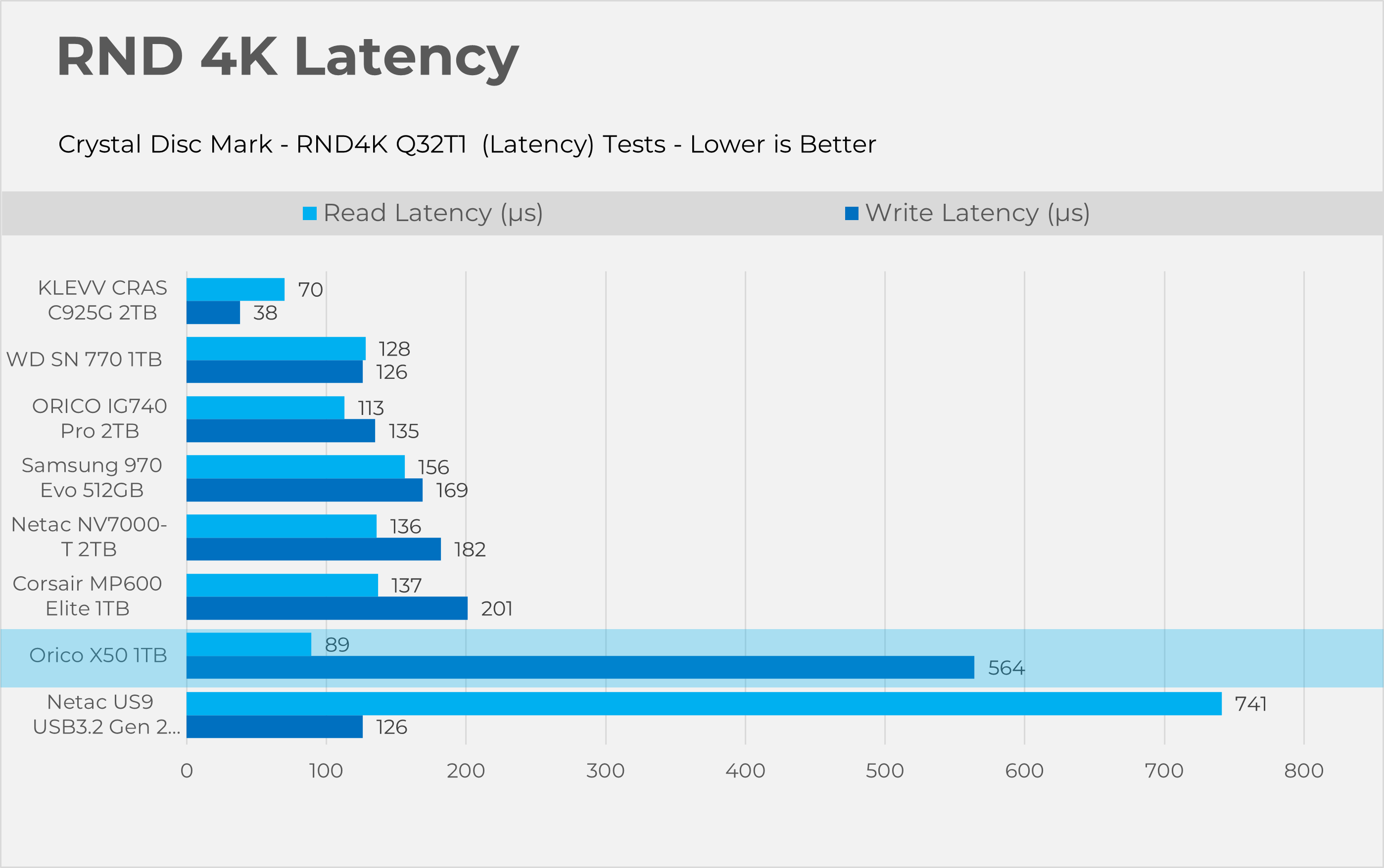
At the time of this review, we do not have an Intel platform available to test the full potential of Thunderbolt 5. Due to limitations of our AMD system, the drive operates over the USB4 interface, which is capped at 40Gbps. We fully formatted the storage to ensure no data remained on the drive, and we also made sure there was no background activity in the operating system to maintain a clean testing environment.
How Do We Test Thermals
We test the SSD thermals using the PC Mark 10 Drive Consistency Test for 10 minutes. This software writes a large amount of data. This is an extreme test, and regular users wouldn’t stress the device that way. We use HWINFO64 for the temperature reporting.
How Do We Test Loading Times
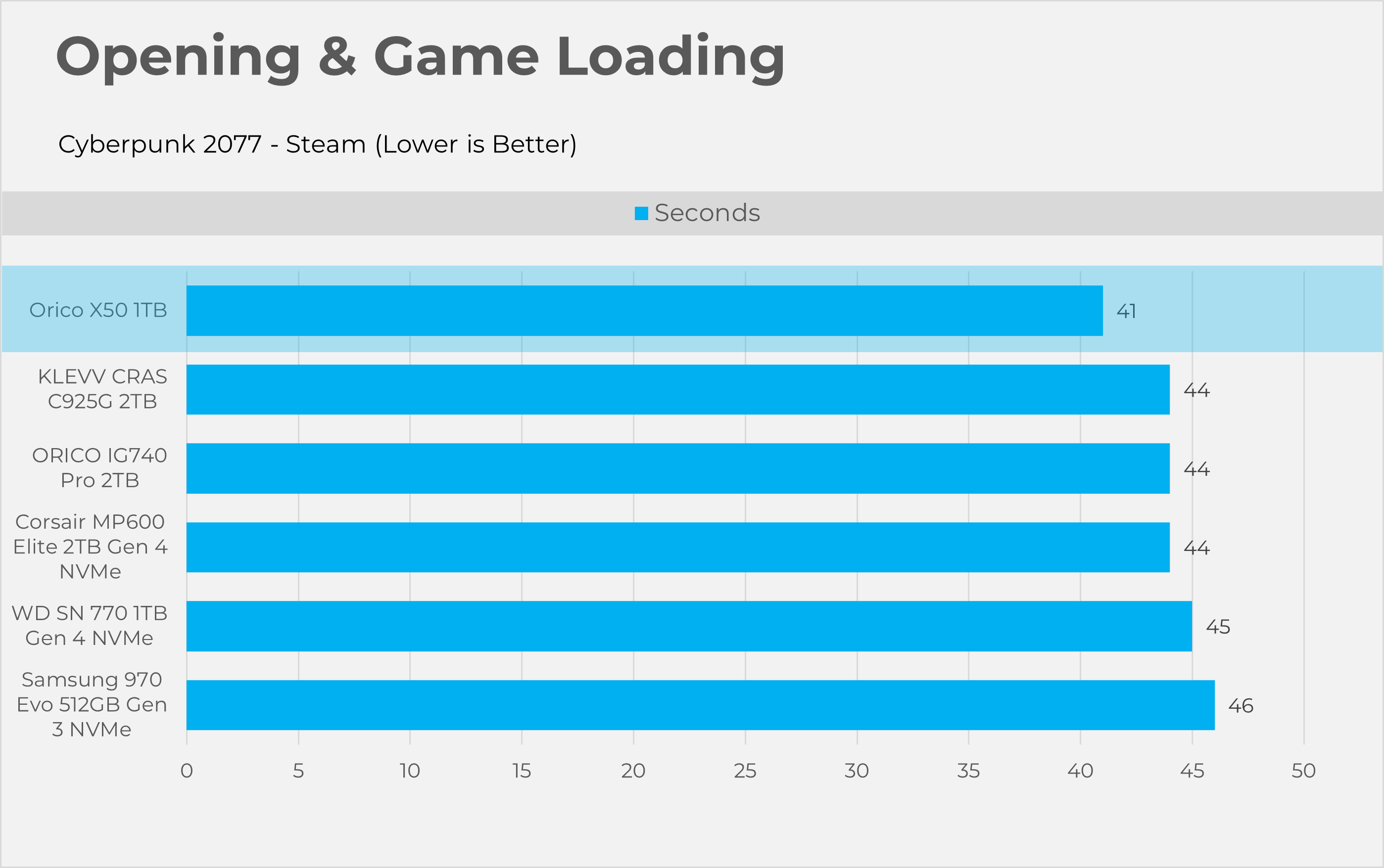
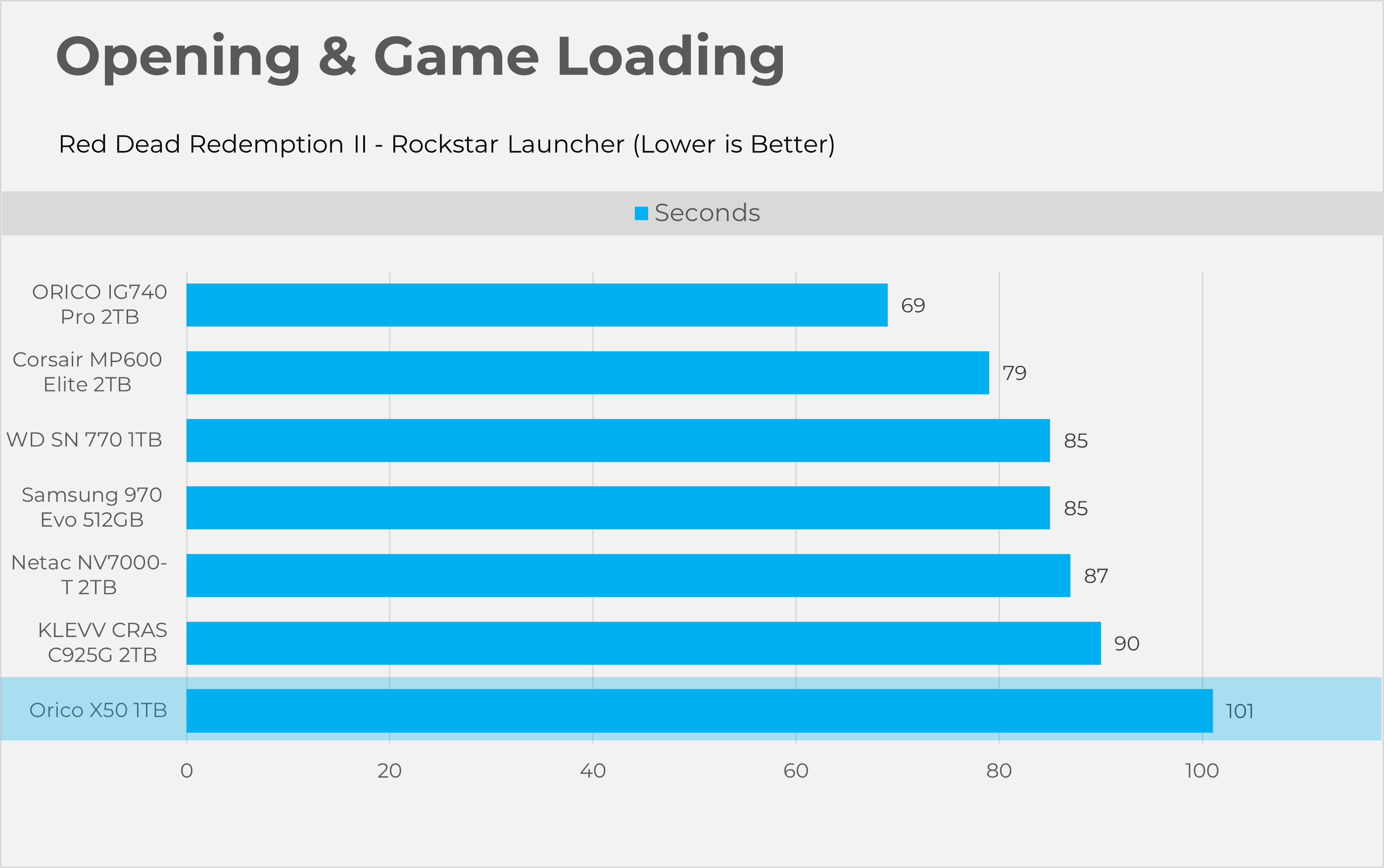
Storage devices have no effect on the FPS or frame times in games, but can be effective in reducing loading times. We have picked two titles, Cyberpunk 2077 and Red Dead Redemption II. We test their loading times in (seconds) immediately after the game is launched.
Test Setup
- CPU: AMD Ryzen 9 9950X
- RAM: XPG Lancer 16×2 6200MT/s CL28 Tuned
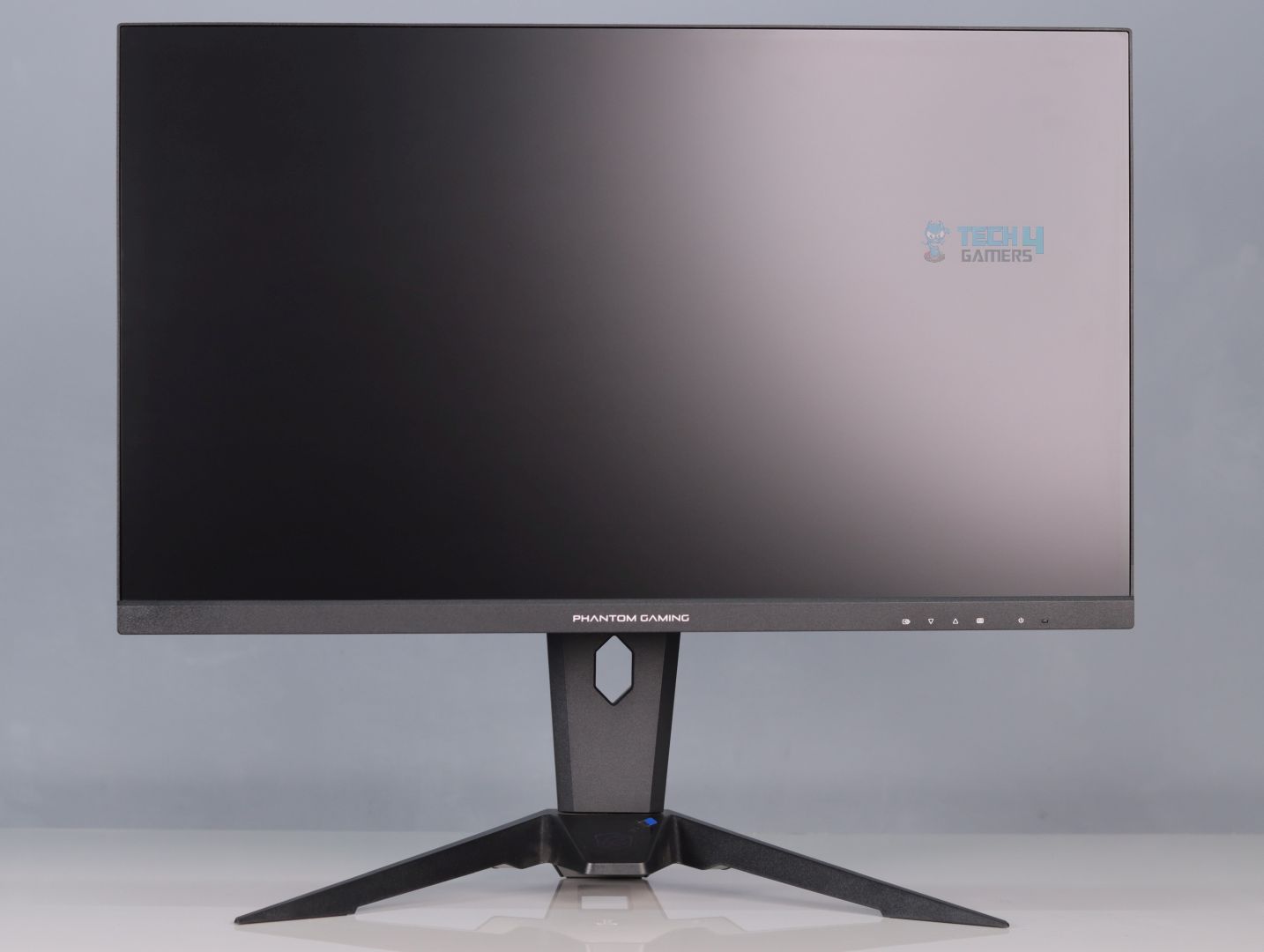
- Motherboard: ASRock Phantom Gaming X870 Nova WiFi
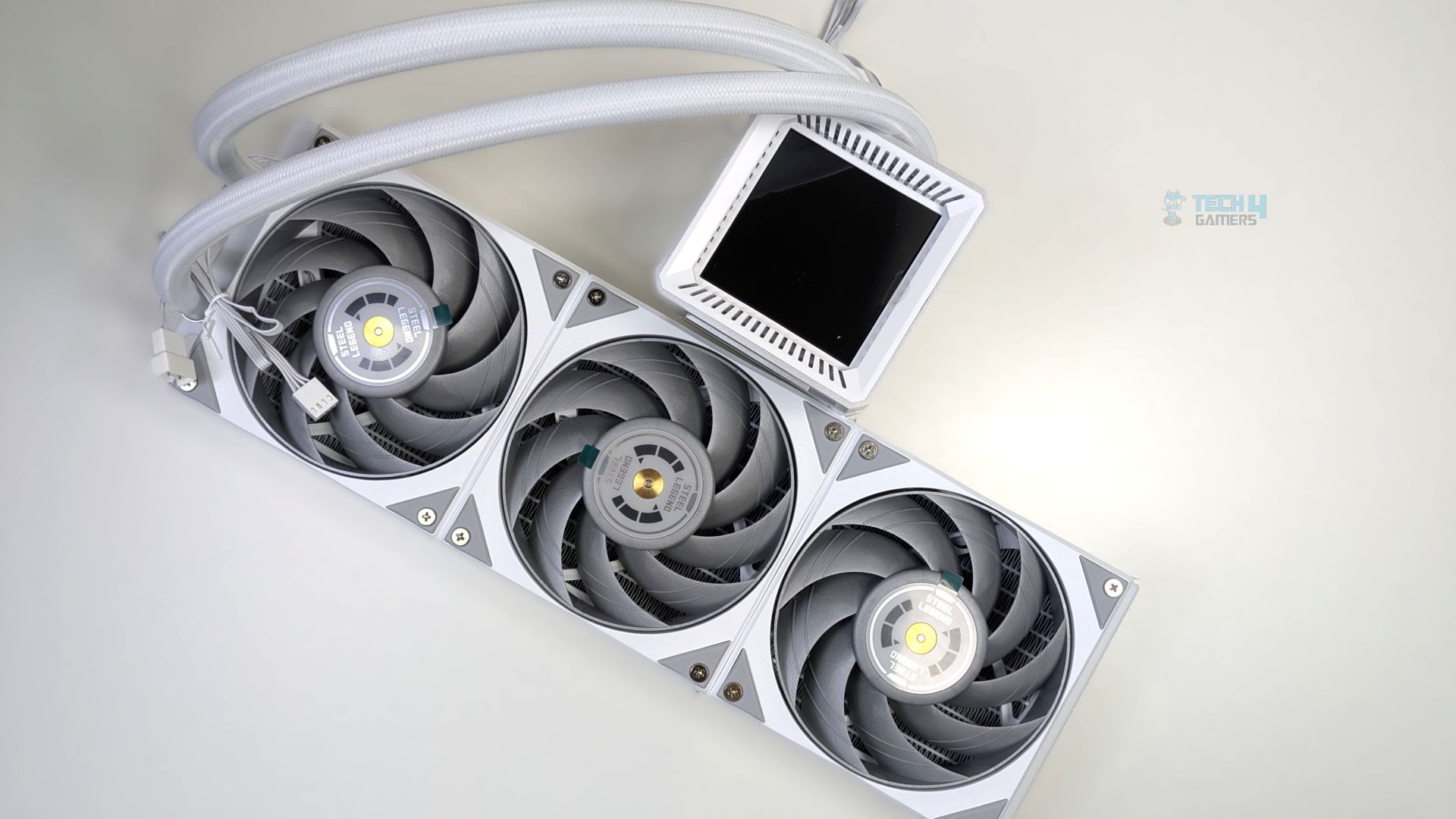
- Cooler: Ocypus Sigma L36 Pro
- GPU: ZOTAC SOLID RTX 5080
Real World Benchmarks
Let’s start from the Real World Benchmarks.
DiskBench
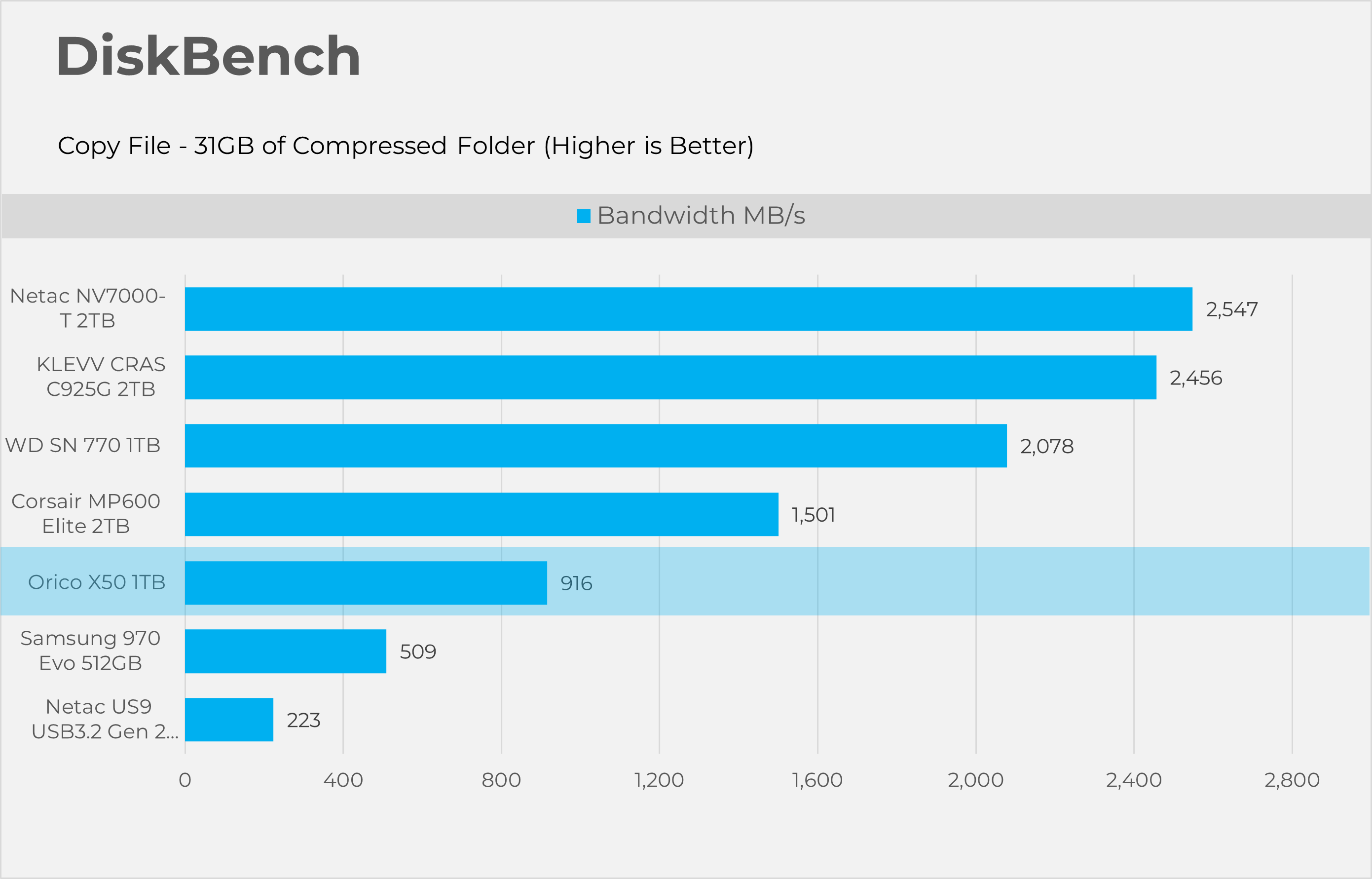
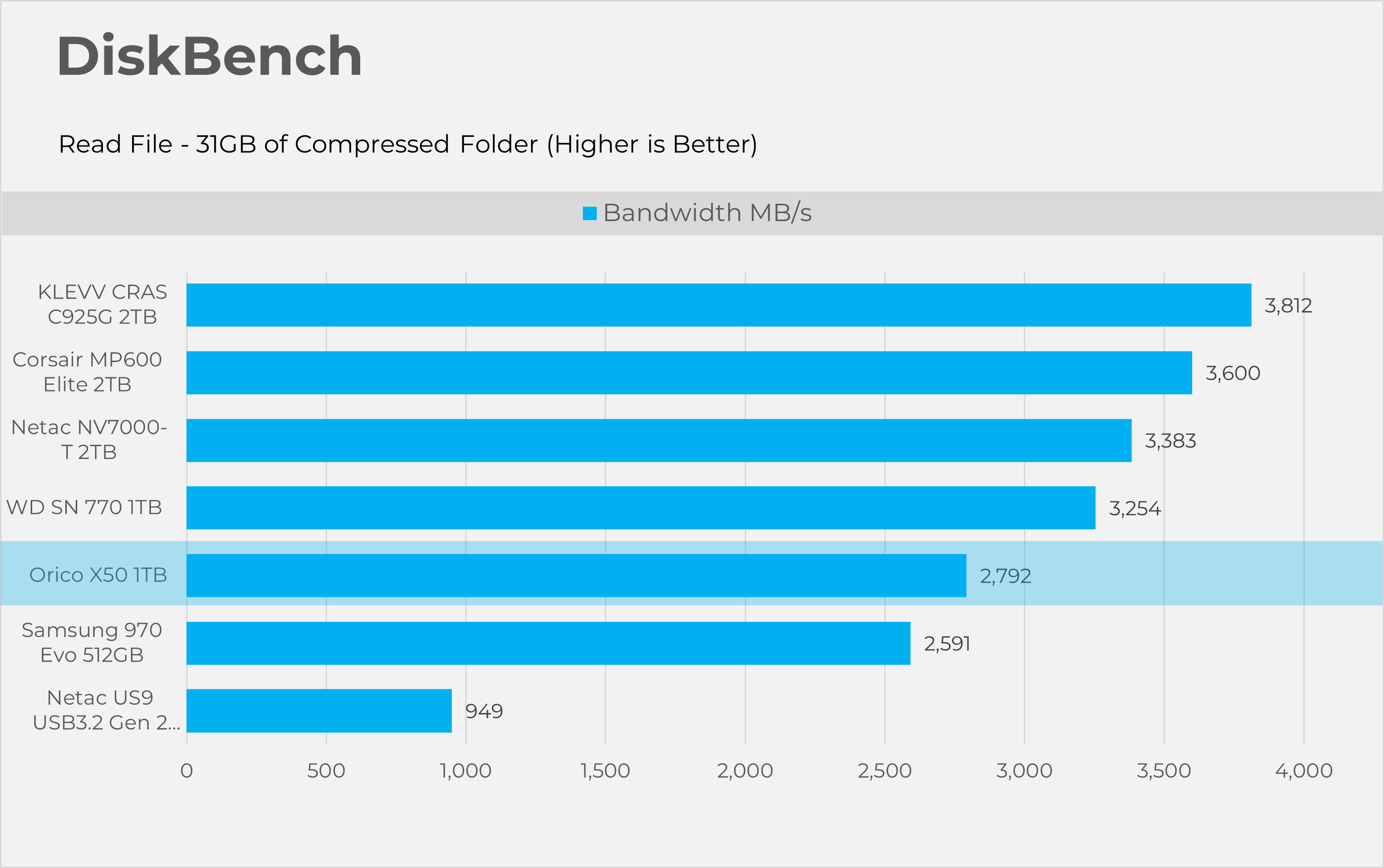
Starting with Disk bench, this program evaluates storage performance under real life performance conditions, we have made two runs here first copying the file and then reading the file. The test file set consists of 32GB of mixed data including random PSD and excel sheets.
3DMark Storage Gaming
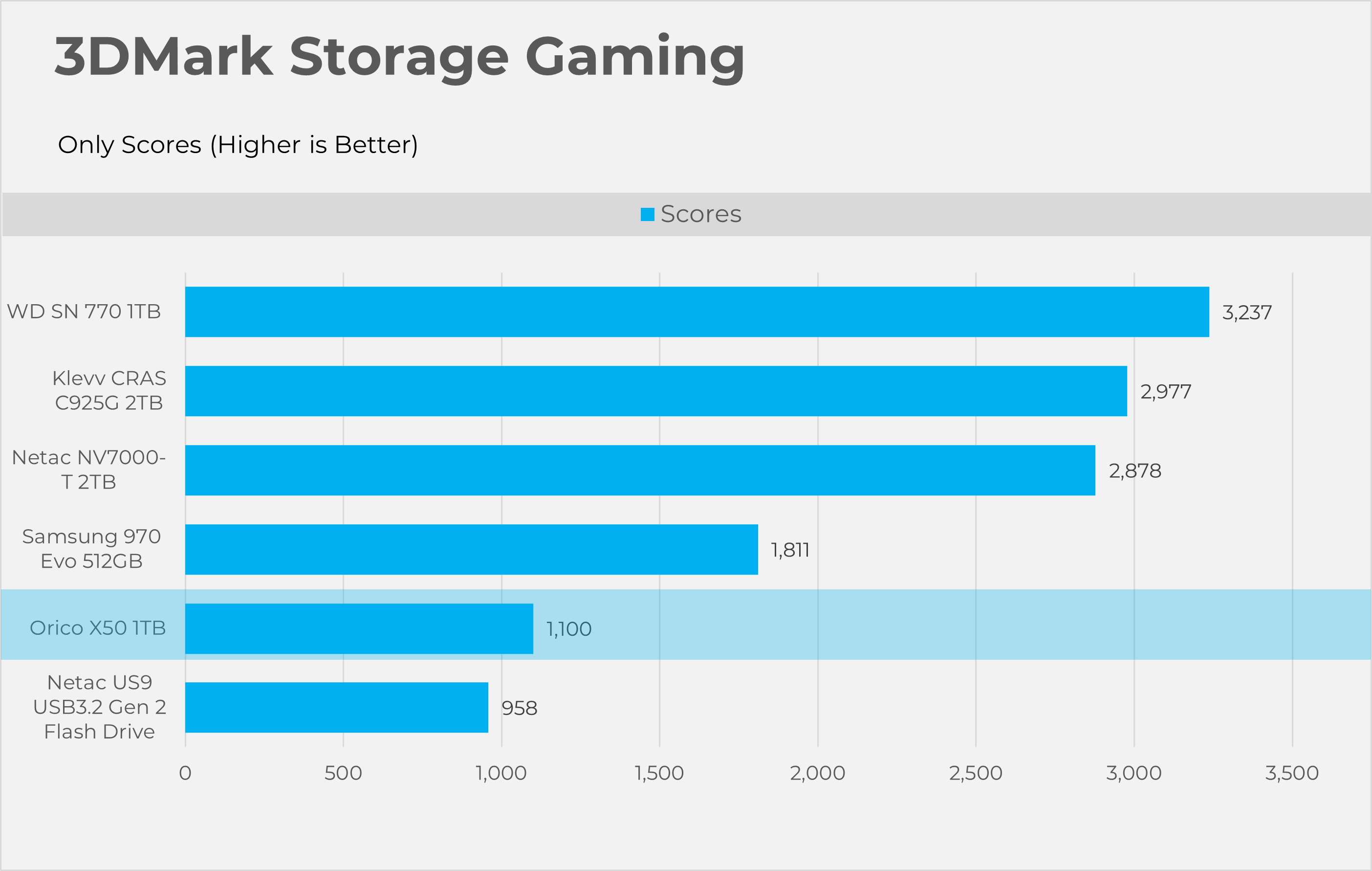
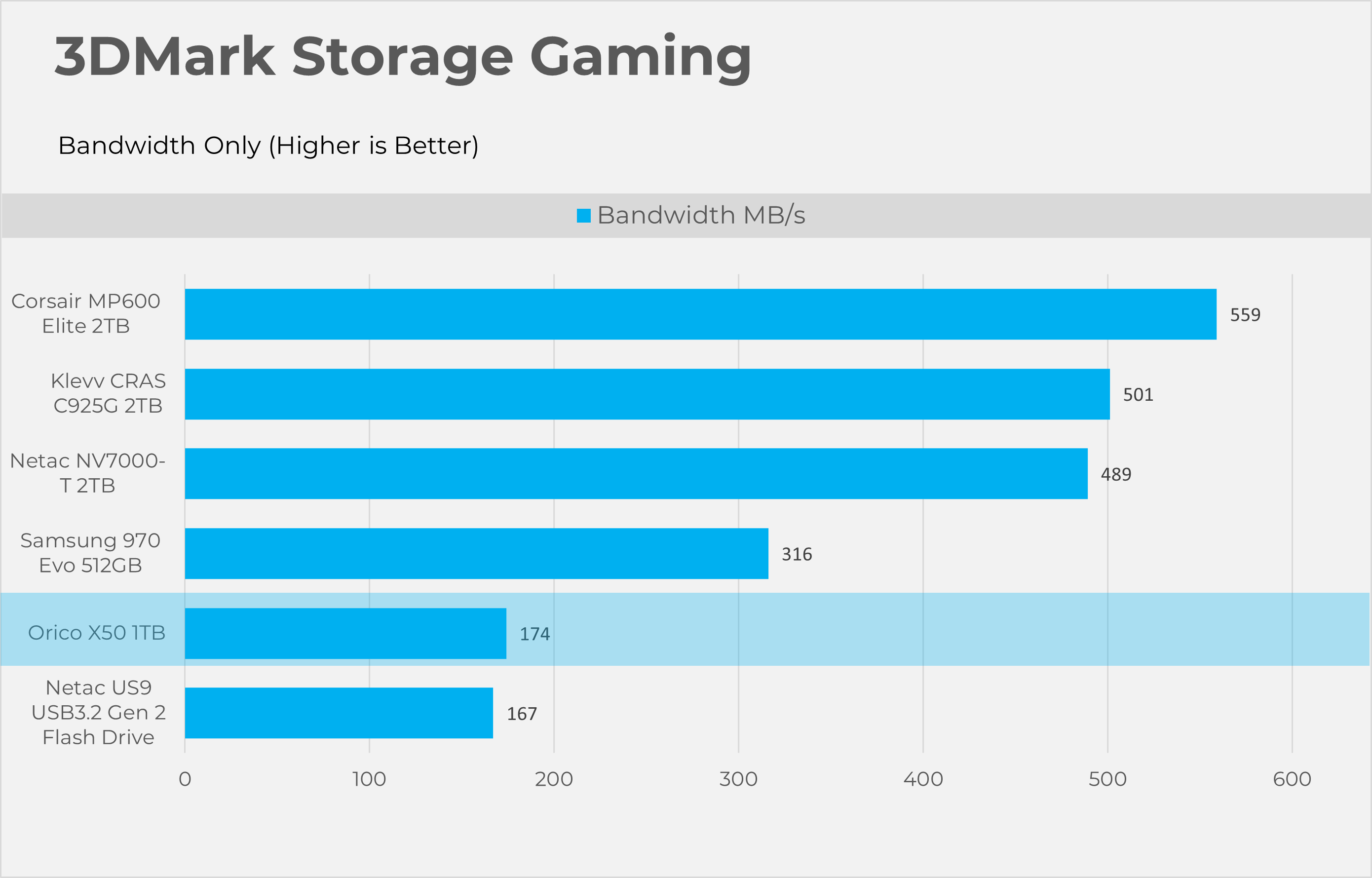
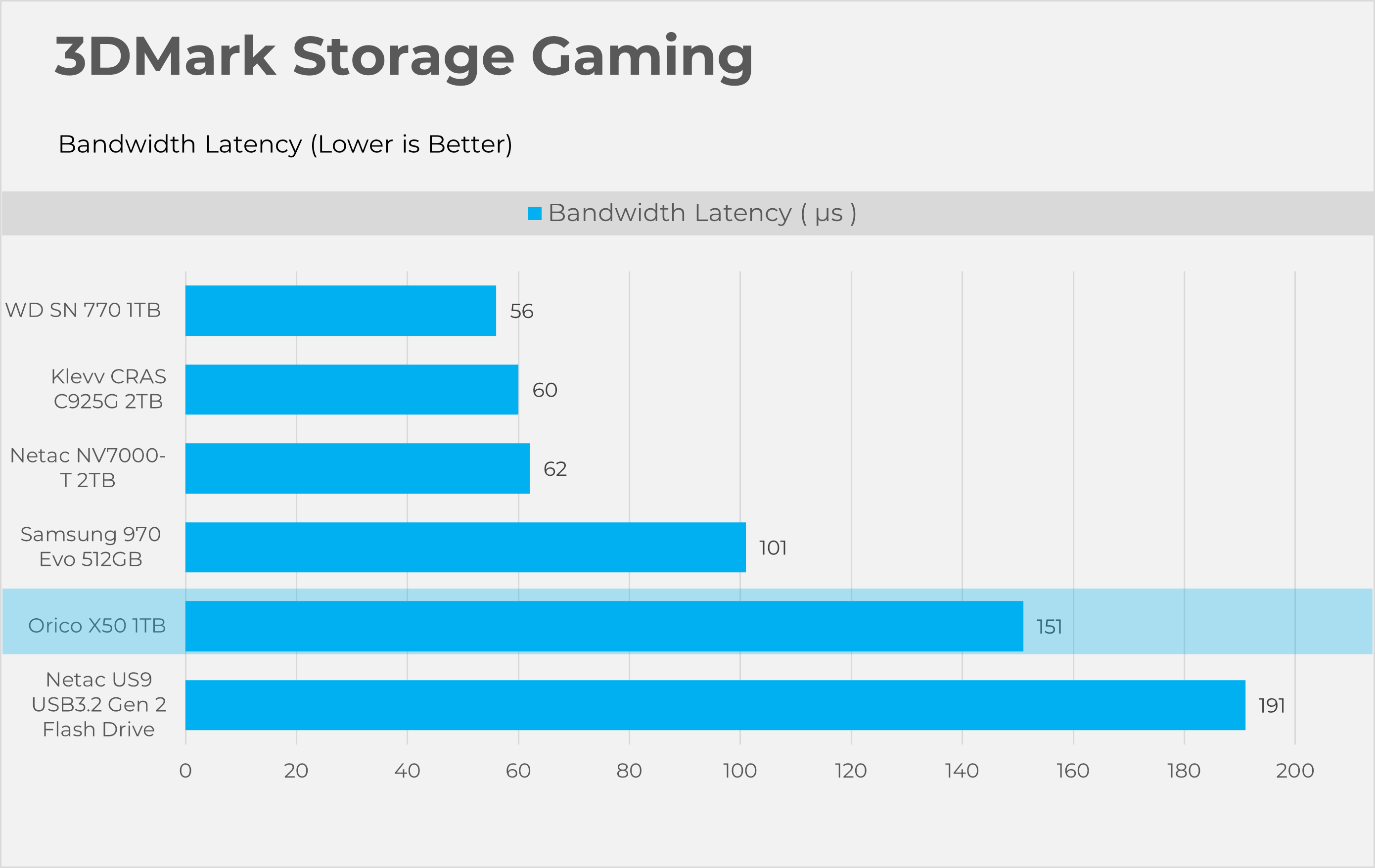
3DMark Storage gaming is a very valuable tool that concentrates on how storage impacts gaming performance. This benchmark software simulates loading and saving game files, installing and updating games, recording game-play footage, copying game folders, and launching and loading game levels.
PCMark10 Storage Quick
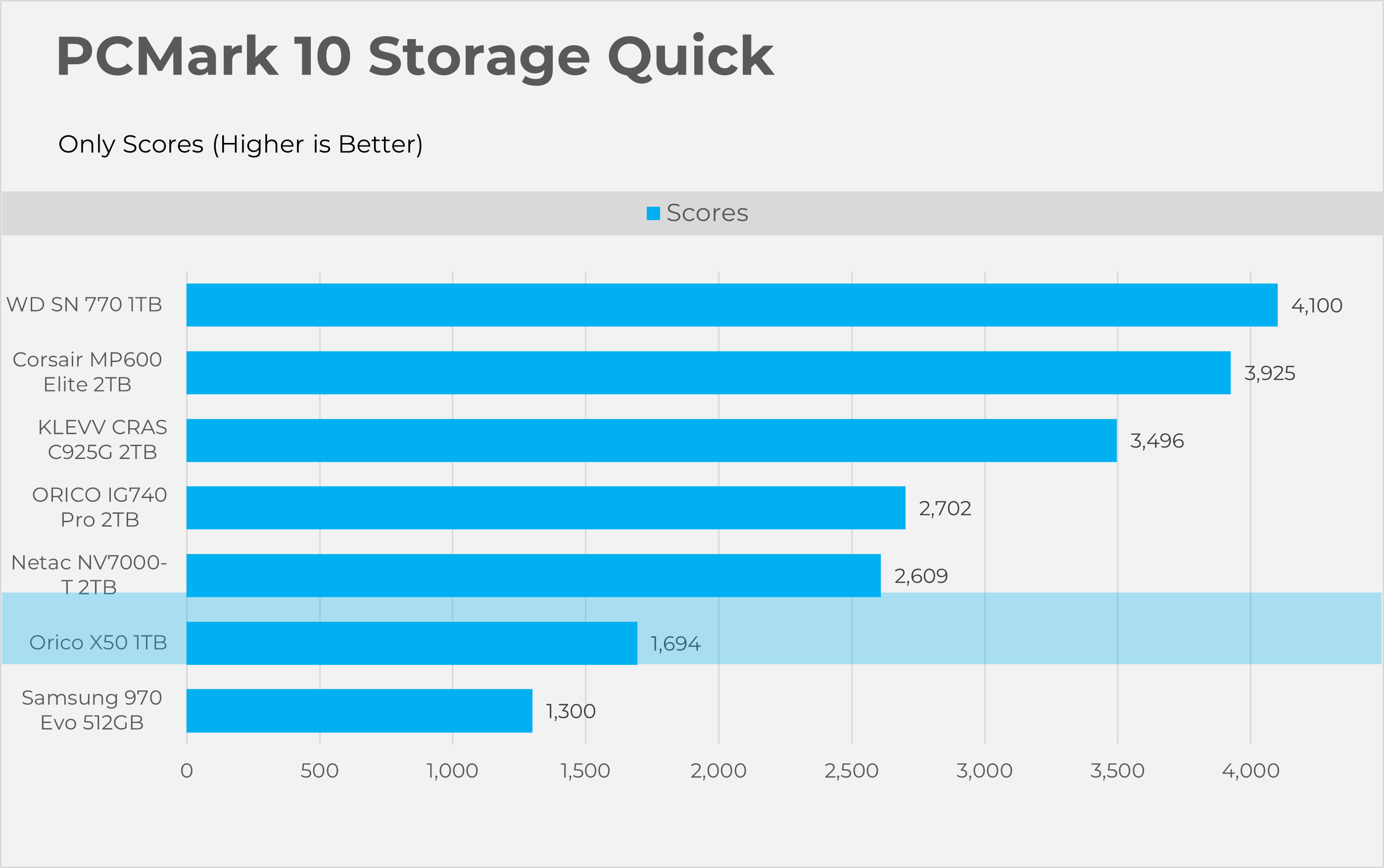
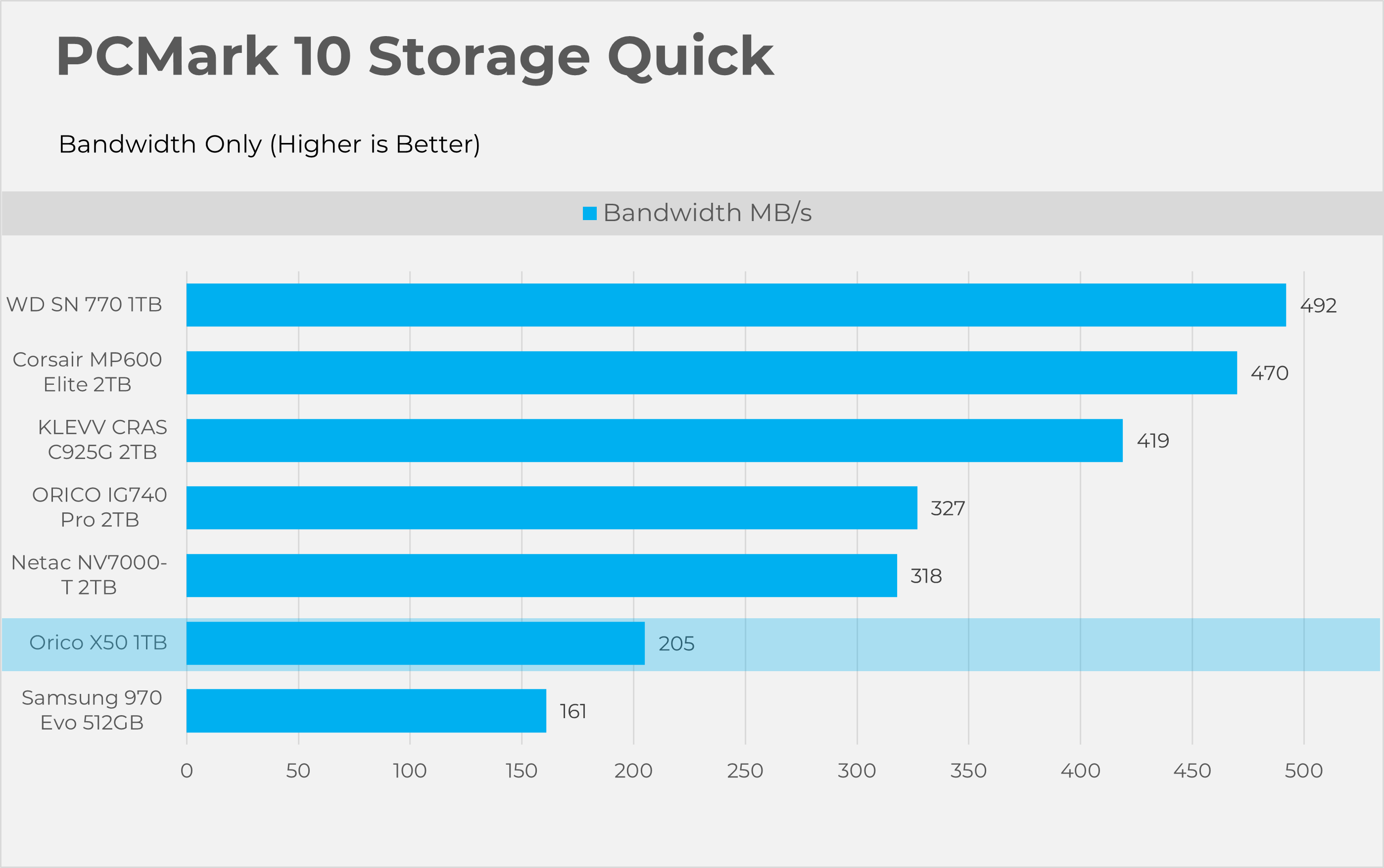
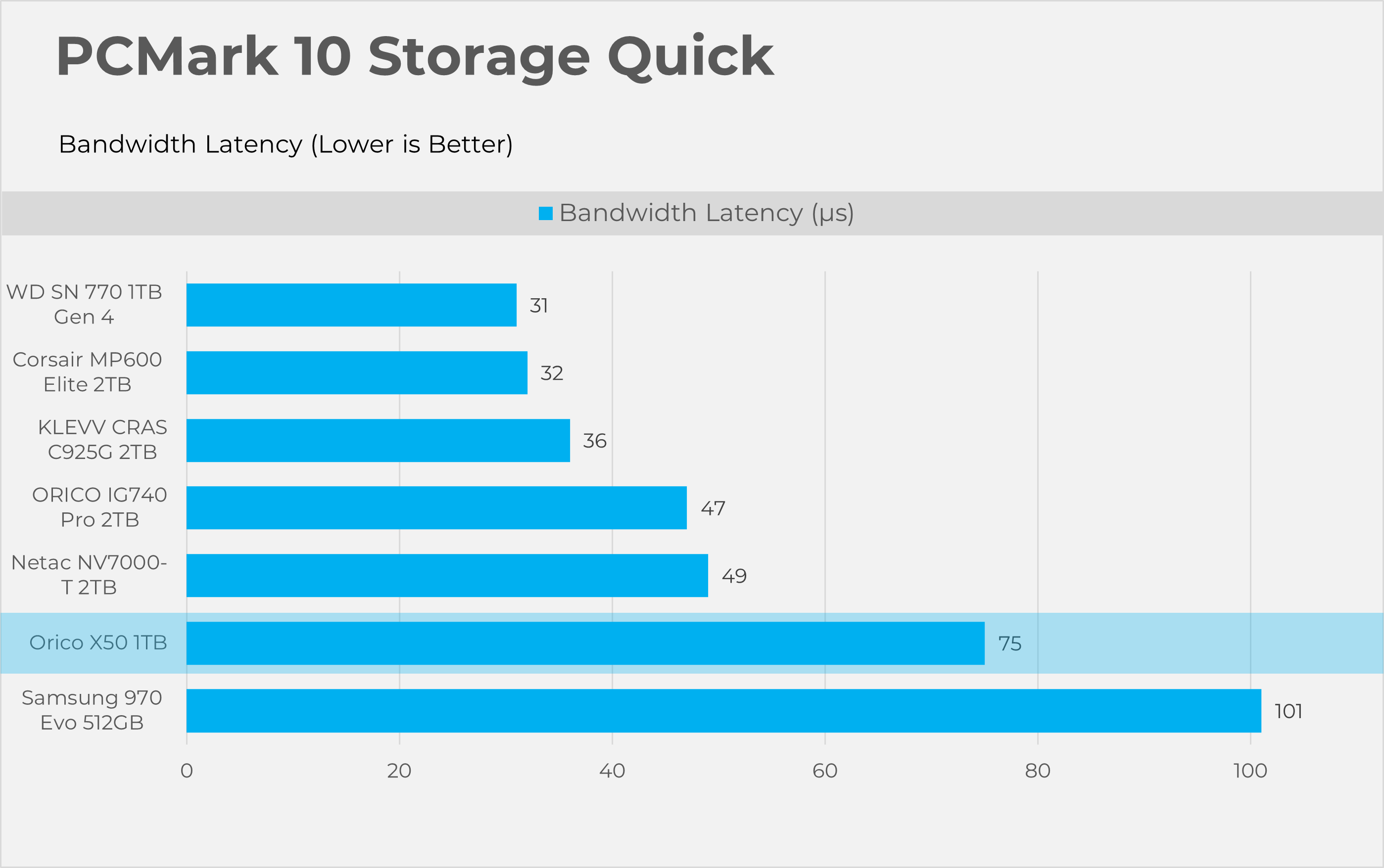
PCMark10 Quick is also considered an important tool to test the performance of the storage devices. This tool focuses on how well your PC handles common daily tasks like browsing, video calls, software start-up time, and spreadsheet and word processing tasks. This benchmark writes 23GB of data on the SSD
PCMark10 Full Drive
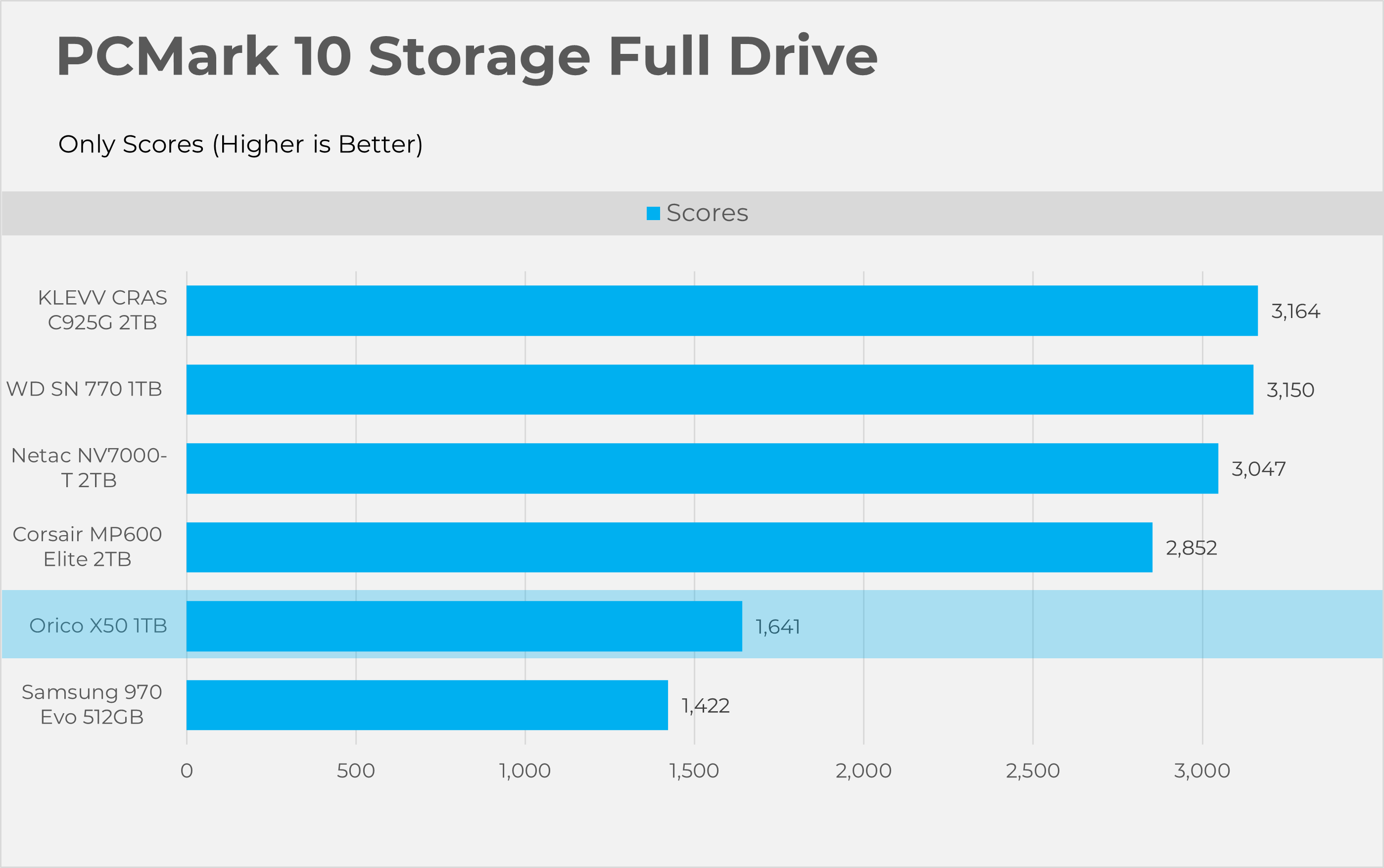
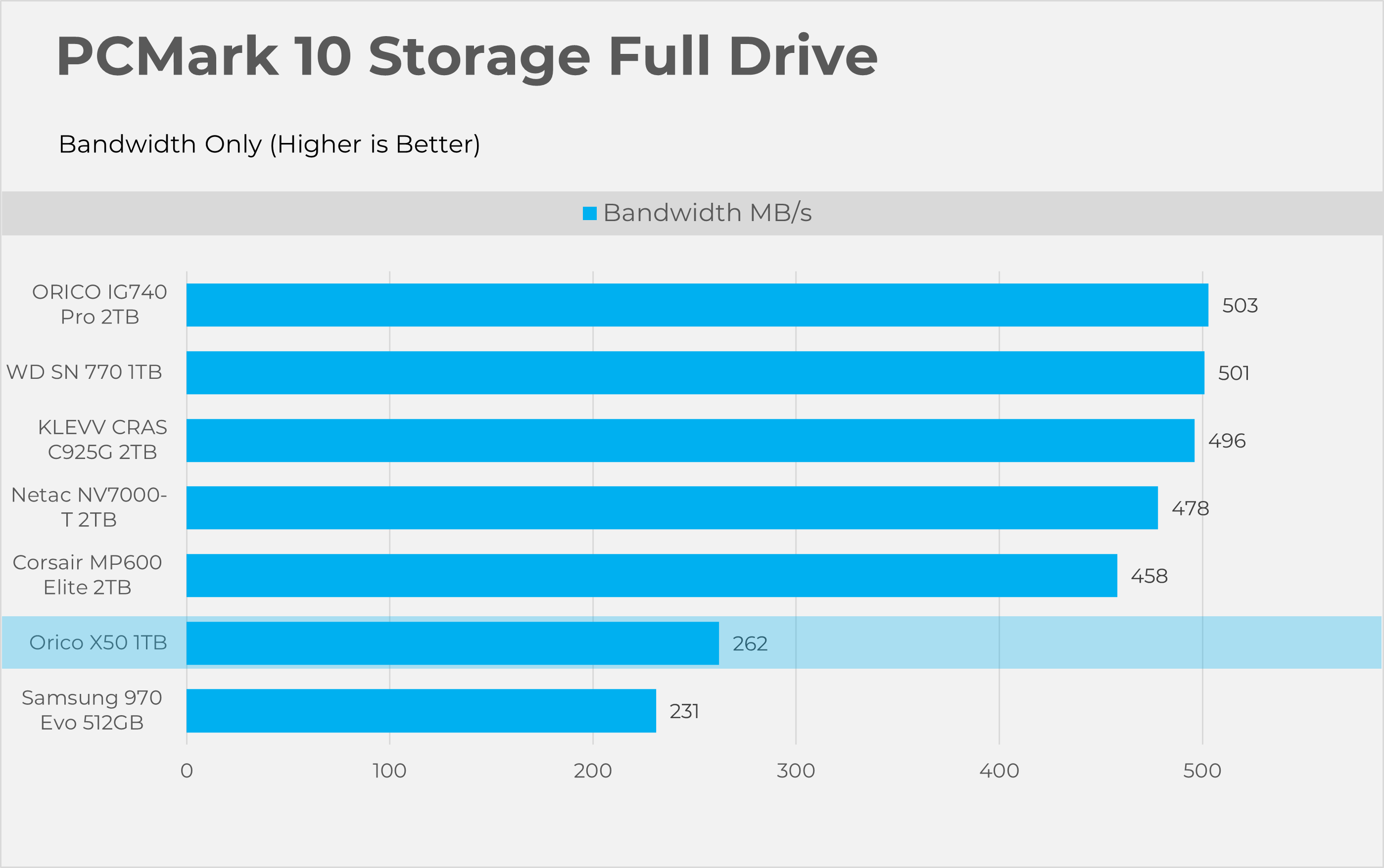
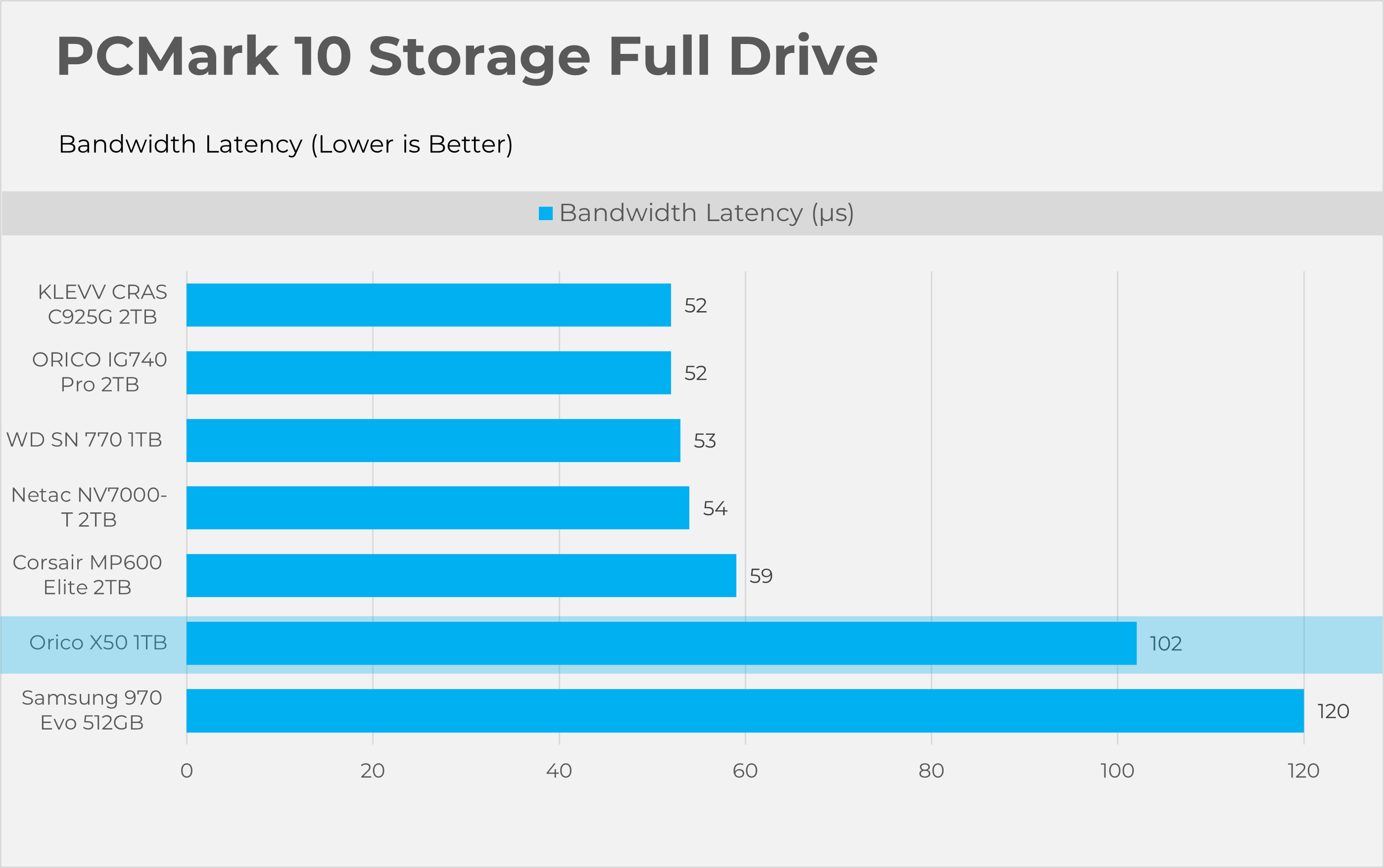
This Full Drive benchmark is more intensive than the ”quick” we have previously tested, as it writes 204GB of data. This tool also measures the real-world performance of your storage device. It simulates booting the OS, launching Adobe applications like Premiere, Photoshop, and processing the data in the Microsoft Office application, copying and saving files, and testing loading levels in the games.
Synthetic Benchmarks
Let’s take a look the RAW performance of the SSD.
Sequential
RND4K
Gaming Benchmarks
Let’s head to the gaming section.
Opening and Loading Times
We have tested the gaming opening and loading times in Cyberpunk 2077 and Red Dead Redemption II.
Thermals
Let’s take a look at the thermals.
PCMark10 Consistency Test
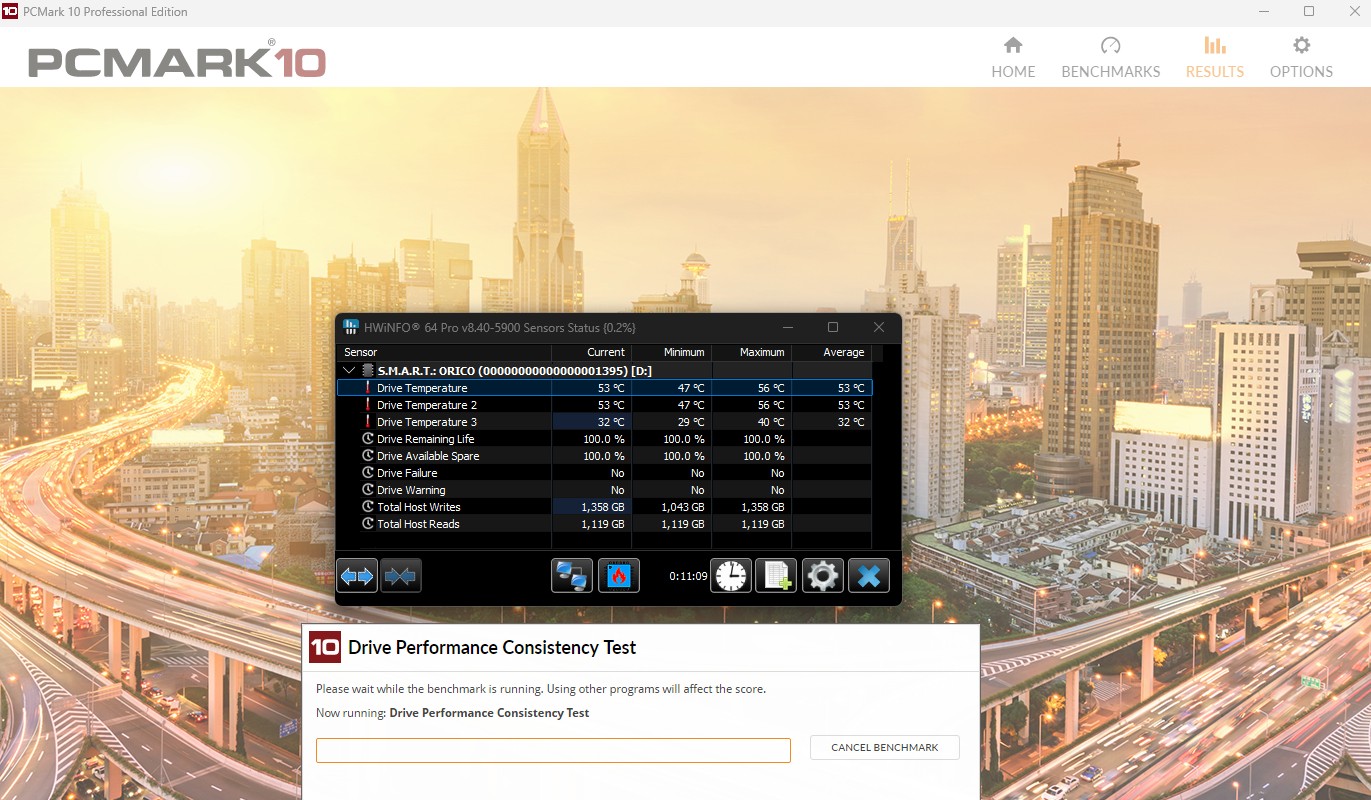
For the stress test, we have run the PCMark10 Consistency Test, which hammers the SSD by writing an enormous amount of data. We have run this tool for 11 minutes, and the SSD peaks at 56 °C overall while maintaining a temperature of 53 °C at 22 °C ambient room temperature.
Should You Buy It?
Buy It If
✅ If You Edit 4K/8K Video Or Work With Huge Project Files Often: Orico X50 Thunderbolt makes it much easier if you’re looking to back up your heavy project files, thanks to its blazing-fast bandwidth and pocket-friendly capacity.
✅ If You Have The Spare M.2 2280 NVMe SSD: Our Enclosure has built-in 1TB NVMe. Orico also has an empty enclosure that you can purchase if you want to repurpose it into a powerful external drive
Don’t Buy It If
❌ If Your System Does Not Support Thunderbolt 5 Connectivity: You will never reach the Thunderbolt 5’s full potential if your system does not have the support. If your motherboard supports USB4 or older Thunderbolt 3/4, performance may be significantly limited.
❌ If You Want The Storage For Casual Backup: If you just need something for the basic backups, photos, music, and video, a regular USB-C flash drive would be a better alternative, as Thunderbolt drives are usually very expensive.
Final Thoughts
In terms of performance, the Orico X50 performed really well despite its limited USB4 (40Gbps) speed, providing better performance than older PCI Gen3.0 NVMe drives and slower than Gen4.0 drives due to the interface limitation of USB4.0, as this SSD is designed to run at 80Gbps. In sequential benchmarks, it could make a big difference, but in real-world performance, it wouldn’t matter much, even if you use it just via USB4.
Gaming:
We experienced no issues with gaming load or launch times on the Orico X50. Cyberpunk 2077 loaded in just 40 seconds, including launching the game from the launcher. However, Red Dead Redemption 2 took slightly longer, loading in around 101 seconds. Compared to the other NVMe drives in our system, the Orico X50 performed exceptionally well.
Value:
Thunderbolt 5 Enclosures are expensive because they’re designed for professional workflows, whether you’re editing 4K/8K video or doing heavy photo processing. As of writing this review, the 1TB costs around $260 USD, the 2TB costs $500 USD, and the case costs around $180 USD. Surprisingly, compared with other Thunderbolt 5 devices, the X50 is one of the most affordable options on the market; however, you might want to skip this storage if you’re a budget user or looking for an external device for casual backup.
Thank you! Please share your positive feedback. 🔋
How could we improve this post? Please Help us. 😔

Senior Hardware Reviewer at Tech4Gamers with over a decade of experience in the tech industry. My journey began in 2014 as a senior administrator for Pakistan’s largest gaming community forum. I specialize in testing and reviewing components like graphics cards, CPU coolers, and motherboards, while also sharing insights on overclocking and system optimization.