Threads
Worth It?
Review Summary
The Netac US9 USB 3.2 Gen 2 drive is a blazing-fast portable storage device, offering strong sequential speeds of up to 1000MB/s for both read and write. It features dual connectivity with USB Type-A and Type-C, making it a better alternative to premium portable SSD bricks for travelers or on-the-go professionals who need to store media files, thanks to its compact size. However, it comes at a relatively high price.
Hours Tested: 6

Overall
Pros
- Metal Case
- Dual Connectivity Type A + Type C
- Great Design & Compact
- USB 3.2 Gen 2 Interface
- Strong Sequential Speeds
- No Software Required
Cons
- Availability
- USB 3.2 Gen 2 Sticks Are Expensive


Netac Technology is a Chinese technology company based in Shenzhen, China, known for manufacturing data storage products like USB Flash Drives, SSDs, Memory Cards, and other storage peripherals. Netac claims to be one of the earliest developers of USB flash drive technology, and over time, Netac has grown into a global storage brand. The brand has sent us their flash-drive, known as US9, with a capacity of 512GB which uses the USB 3.2 Gen 2 (10GBps) Type-A + USB-C Dual Connectivity which is marketed as one of the fastest flash-drives in the market with the sequential read up to 1000MB/s and write up to 900MB/s we will test and see how this flash-drive performs in our benchmark suite as compared with the other storage solutions.
Here are the specifications
| Specification | Details |
|---|---|
| Interface | USB 3.2 Gen 2 |
| Speed (Interface) | 10 Gbps |
| Connectors | USB-A + USB-C (Dual Interface) |
| Read Speed | Up to ~1000 MB/s |
| Write Speed | ~900 – 960 MB/s (tested) |
| Capacity | 512 GB (Approx. 477 GB usable) |
| Compatibility | Plug & Play (No drivers required for major OS) |
What Makes Netac US9 512GB USB 3.2 Gen 2 Flash Drive Different?
The US9 512GB is the fast, portable storage solution from Netac, advertised with sequential read and write speeds of up to 1000MB/s. The flash drive is based on the interface of USB 3.2 Gen 2, supporting the Type A and Type C dual connections. The flash drive is designed to work with laptops, desktops, phones, and tablets with USB-C connectivity.
Packaging
Let’s take a look at the packaging.
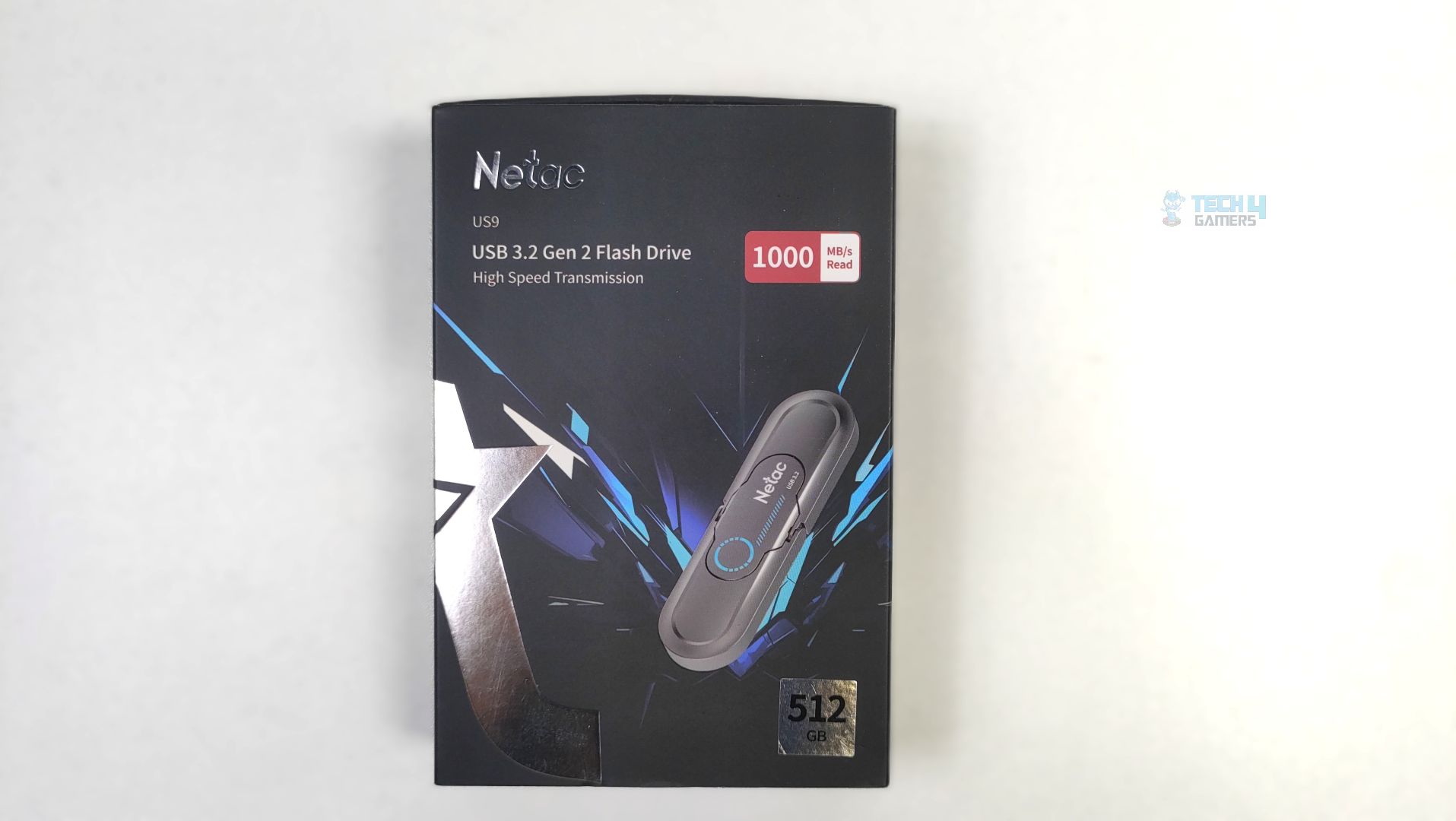
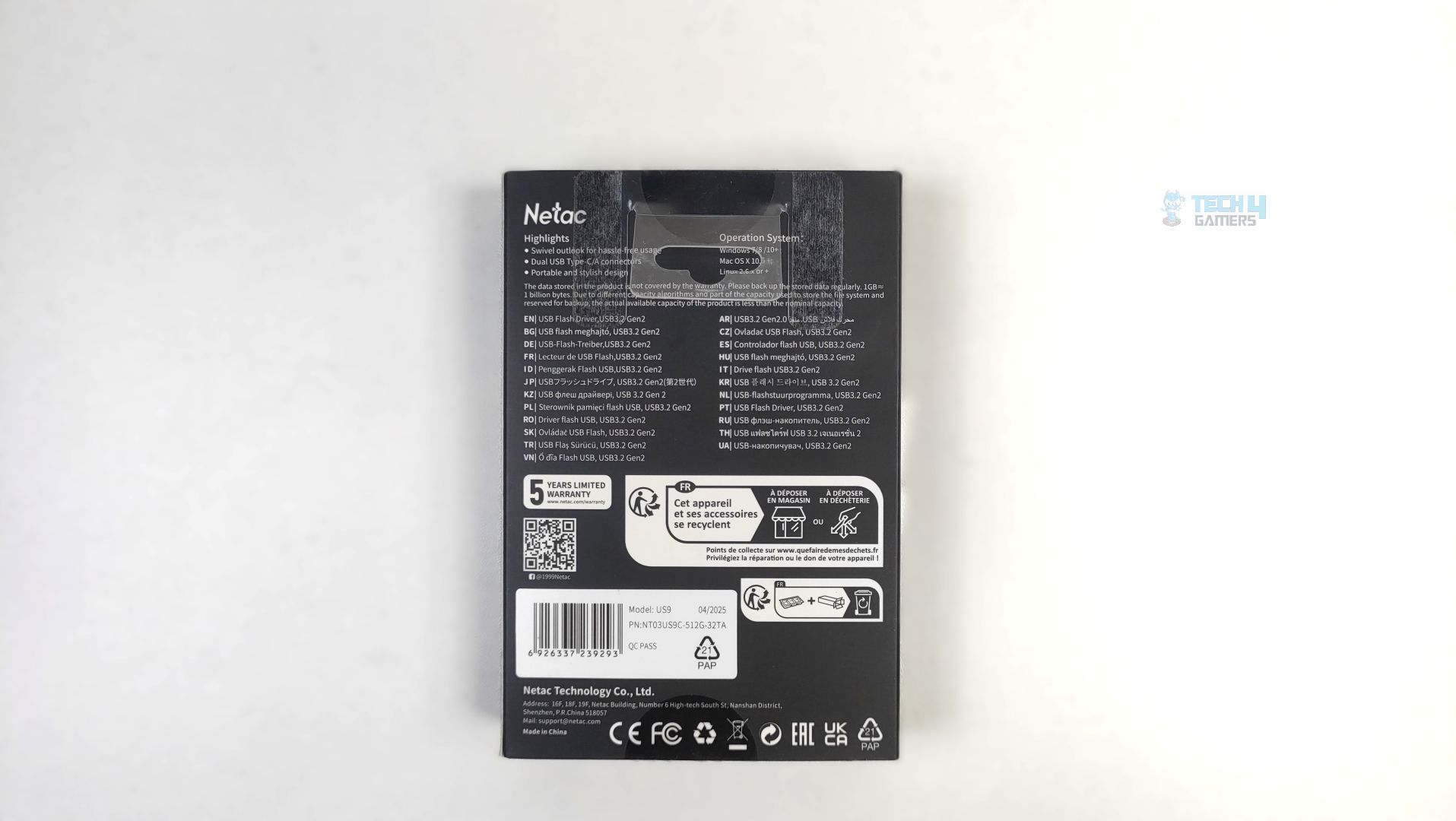
Netac US9 arrives in cardboard packaging with a black matte color scheme and silver foil accents. The USB render is also clearly visible on the box. The front clearly states the model, interface, and capacity.
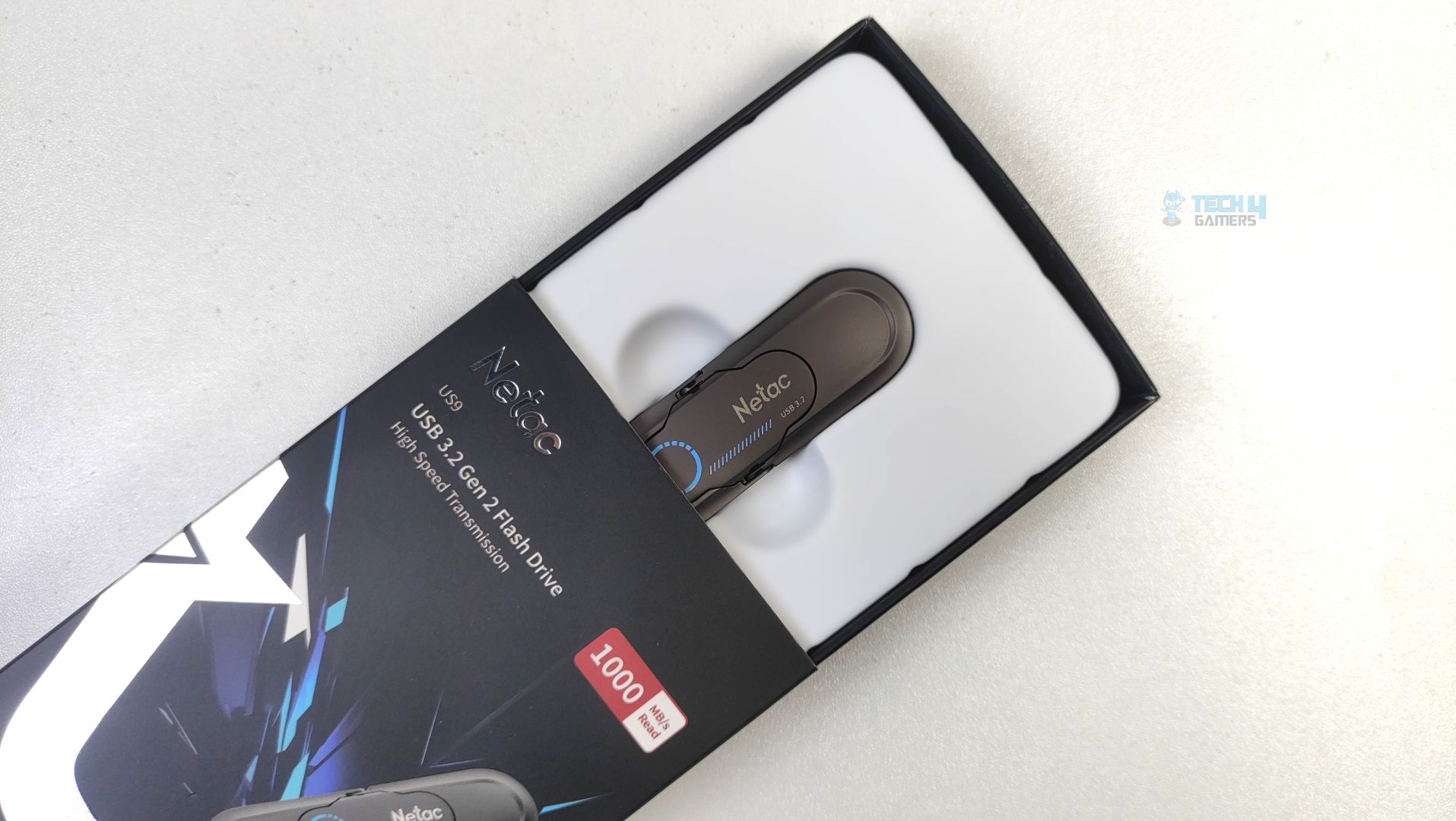
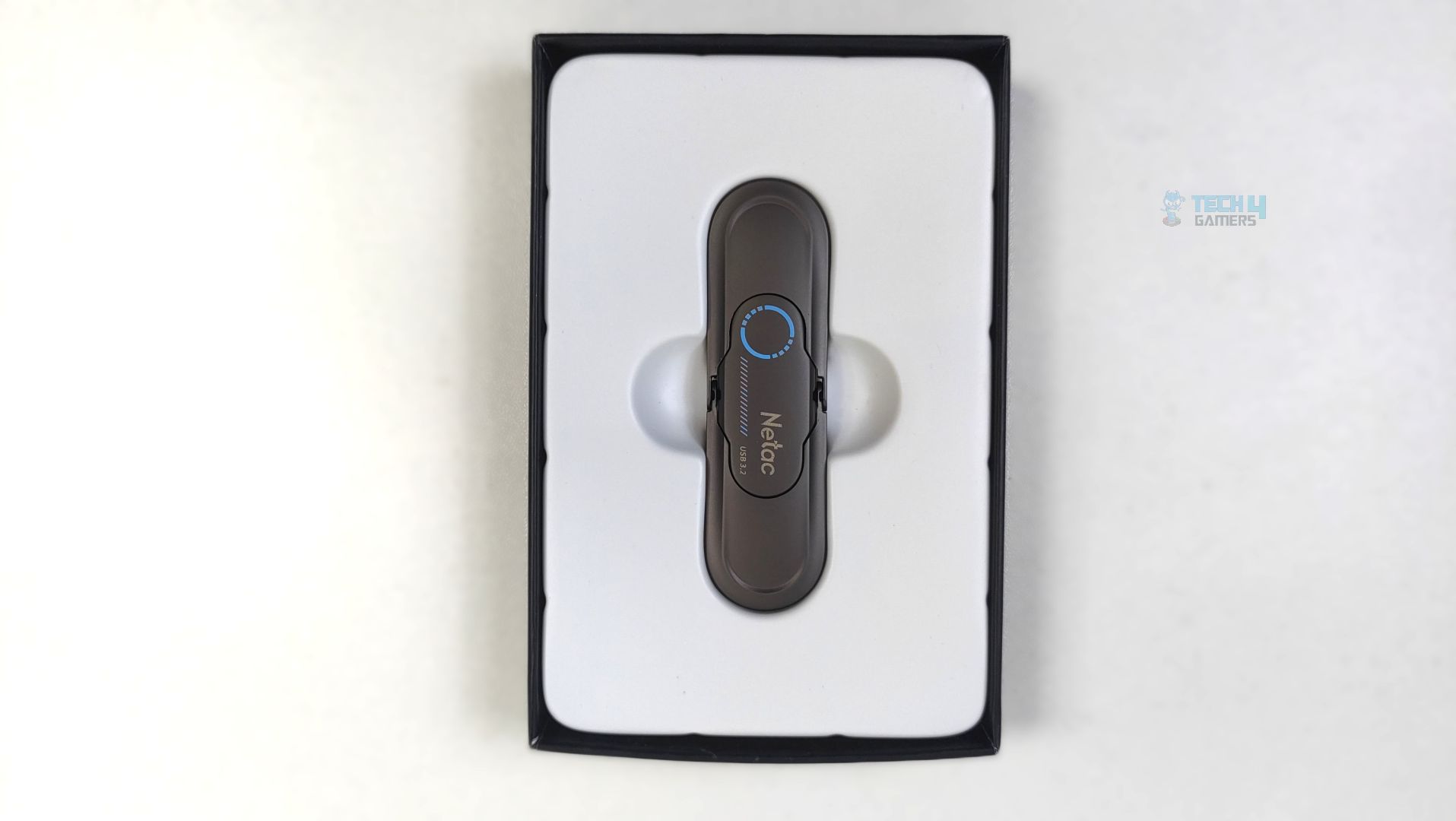
Sliding the outer sleeve, the box reveals the flash drive securely nestled in a molded plastic tray. The fit seems tight, which prevents the drive from rattling during shipping.
Close Up
Let’s take a look at the storage.
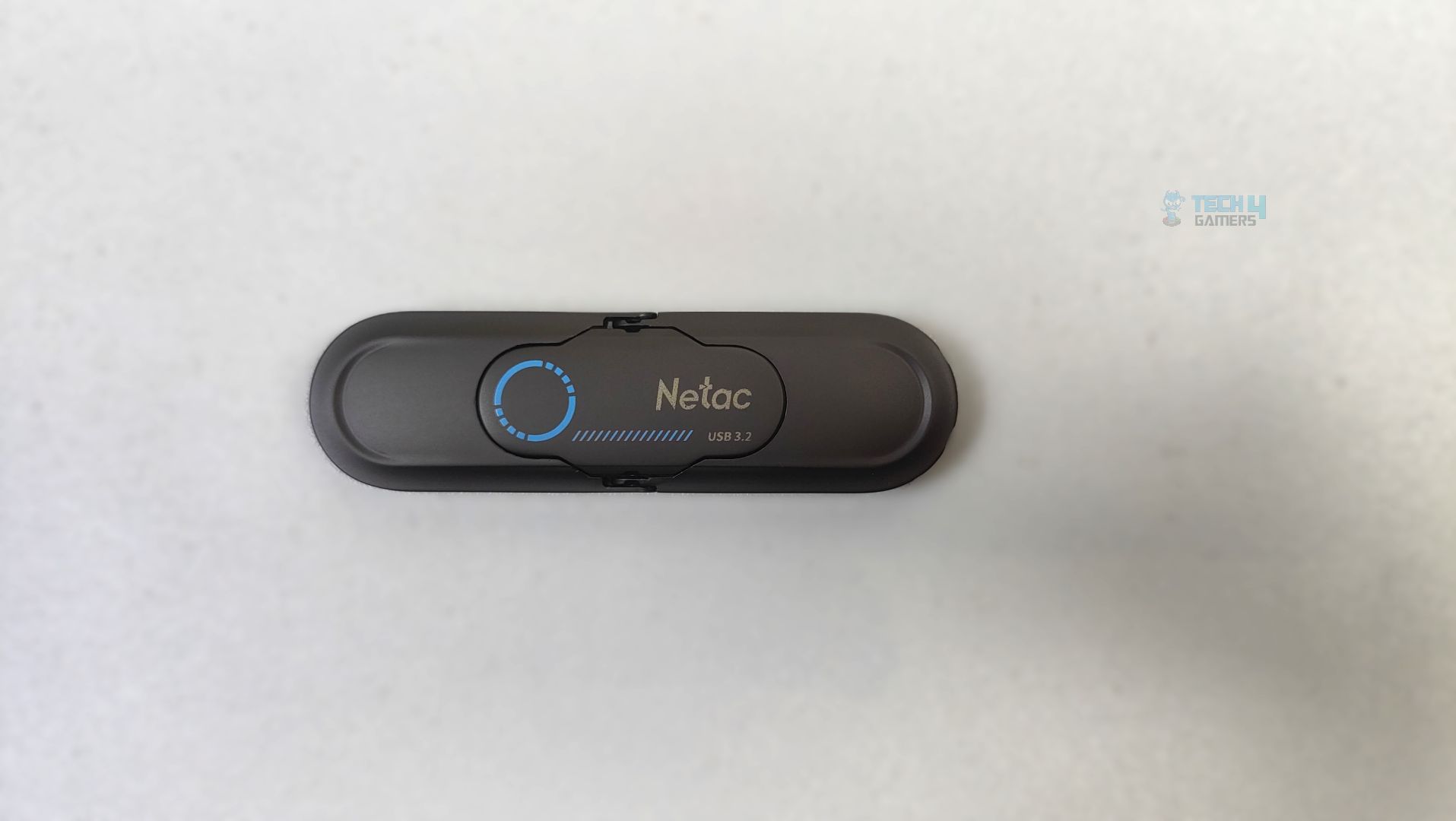
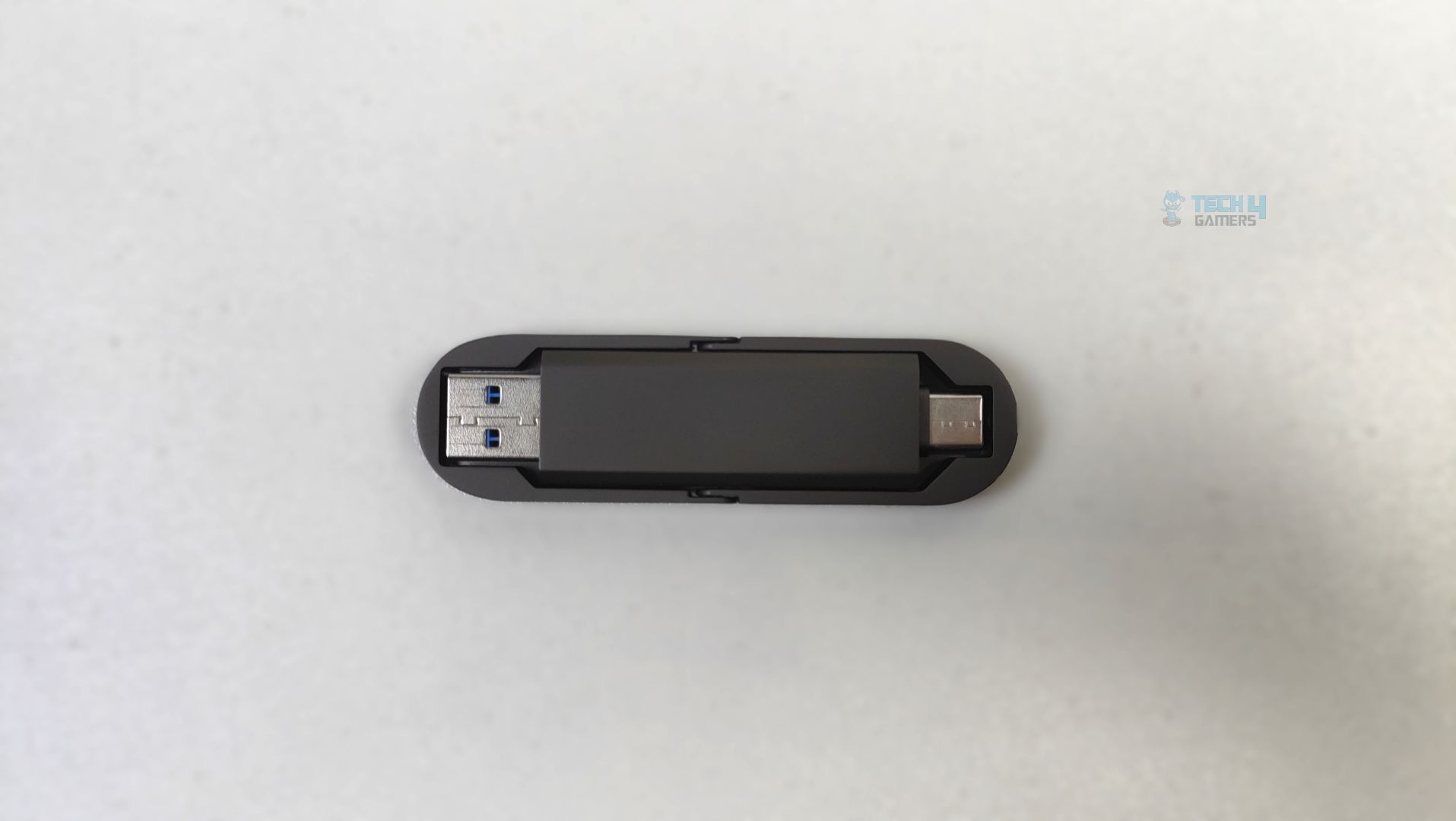
The flash drive features a swivel-style housing with a versatile dual-interface connector on each side, supporting USB-A and USB-C. The housing appears to be a matte metallic zinc alloy casing which offers resistance to drops and scratches.
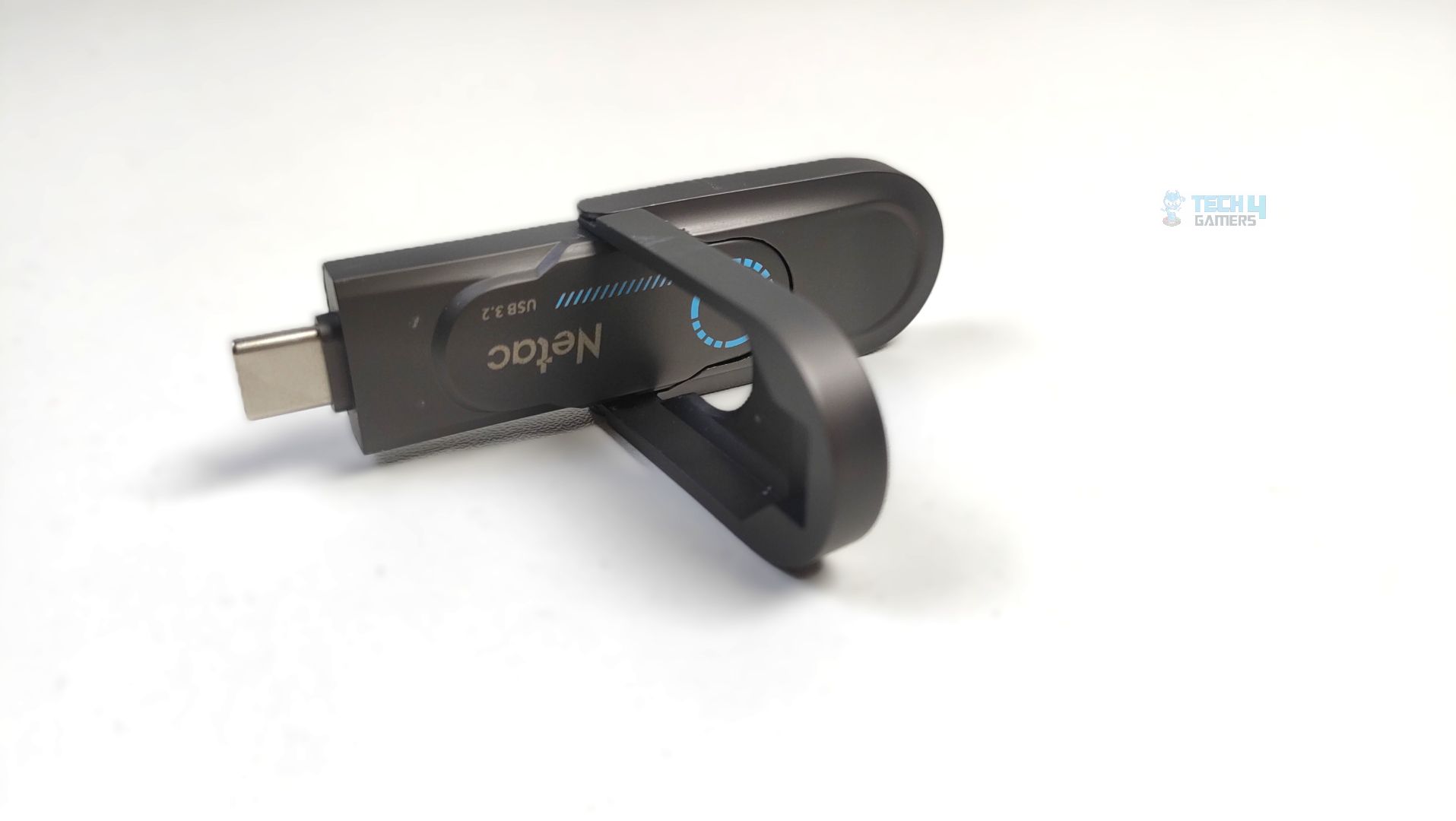
This storage weighs only 50 grams and measures 78x23x9.65 mm. The storage features a swivel mechanism with a 360-degree rotating frame. This also protects one connector while the other is in use.
Testing Methodology
How Do We Measure Flash-Drive Performance
We test USB Flash-Drive in a diverse range of software, including various real-world tests, gaming workloads, gaming loading times, synthetic benchmarks, and thermal tests (If it’s supported).
What Tools Do We Test
We use 3DMark, PCMark 10, CrystalDiskMark, and DiskBench for our benchmarks and compare the results against those of other storage solutions.
Preparing The System
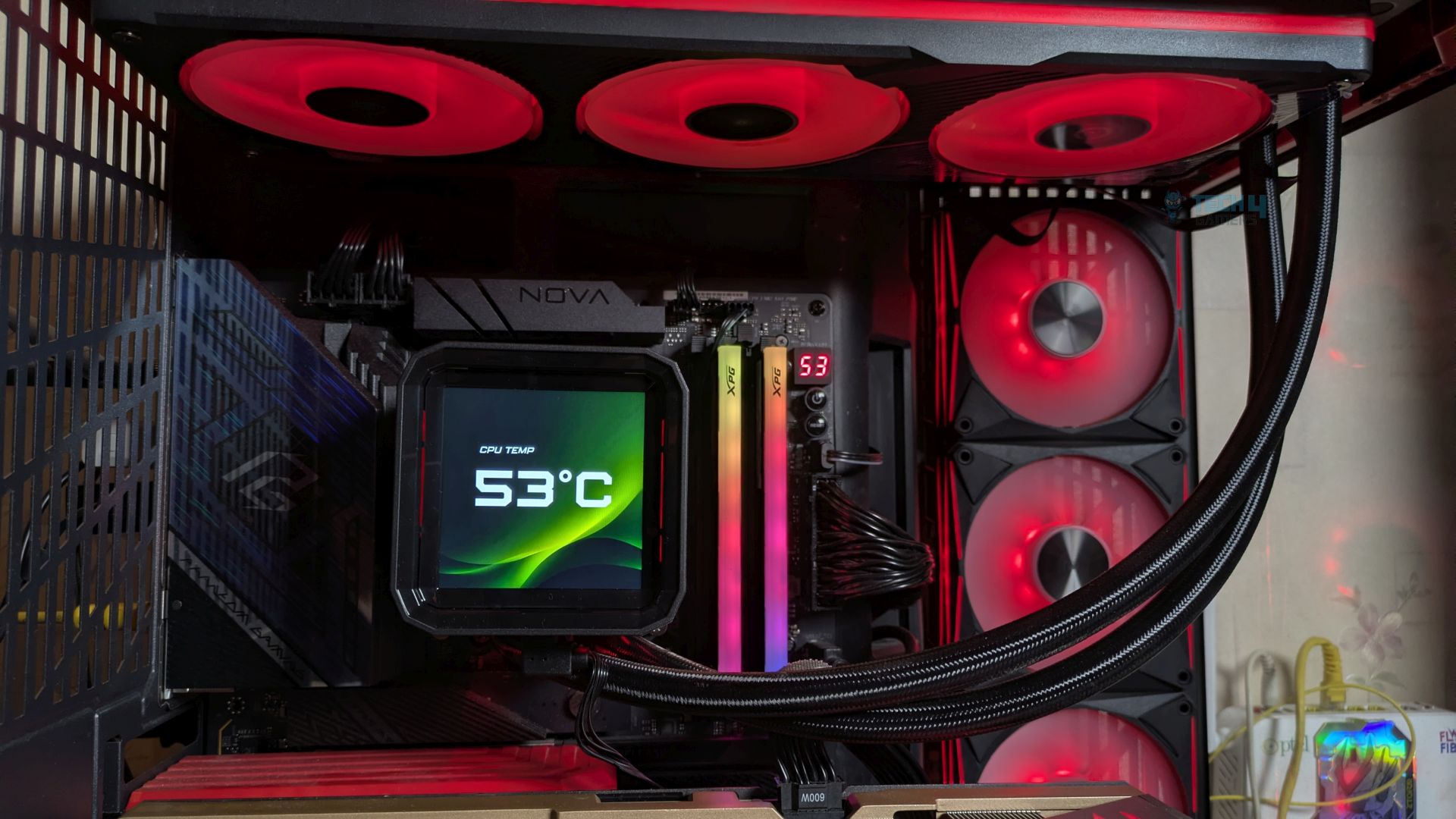
The Flash-Drive is plugged on the X870 Nova WiFi in the USB 3.2 Gen 2 support. We format the storage completely to ensure that no data is available on the drive. During the tests, we ensure that there is no background activity in the OS to maintain a clean system.
Test Setup
- CPU: AMD Ryzen 9 9950X
- RAM: XPG Lancer 16×2 6200MT/s CL28 Tuned
- Motherboard: ASRock Phantom Gaming X870 Nova WiFi
- Cooler: Ocypus Sigma L36 Pro
- GPU: ZOTAC SOLID RTX 5080
Real World Benchmarks
Let’s start with the Real World Benchmarks.
DiskBench
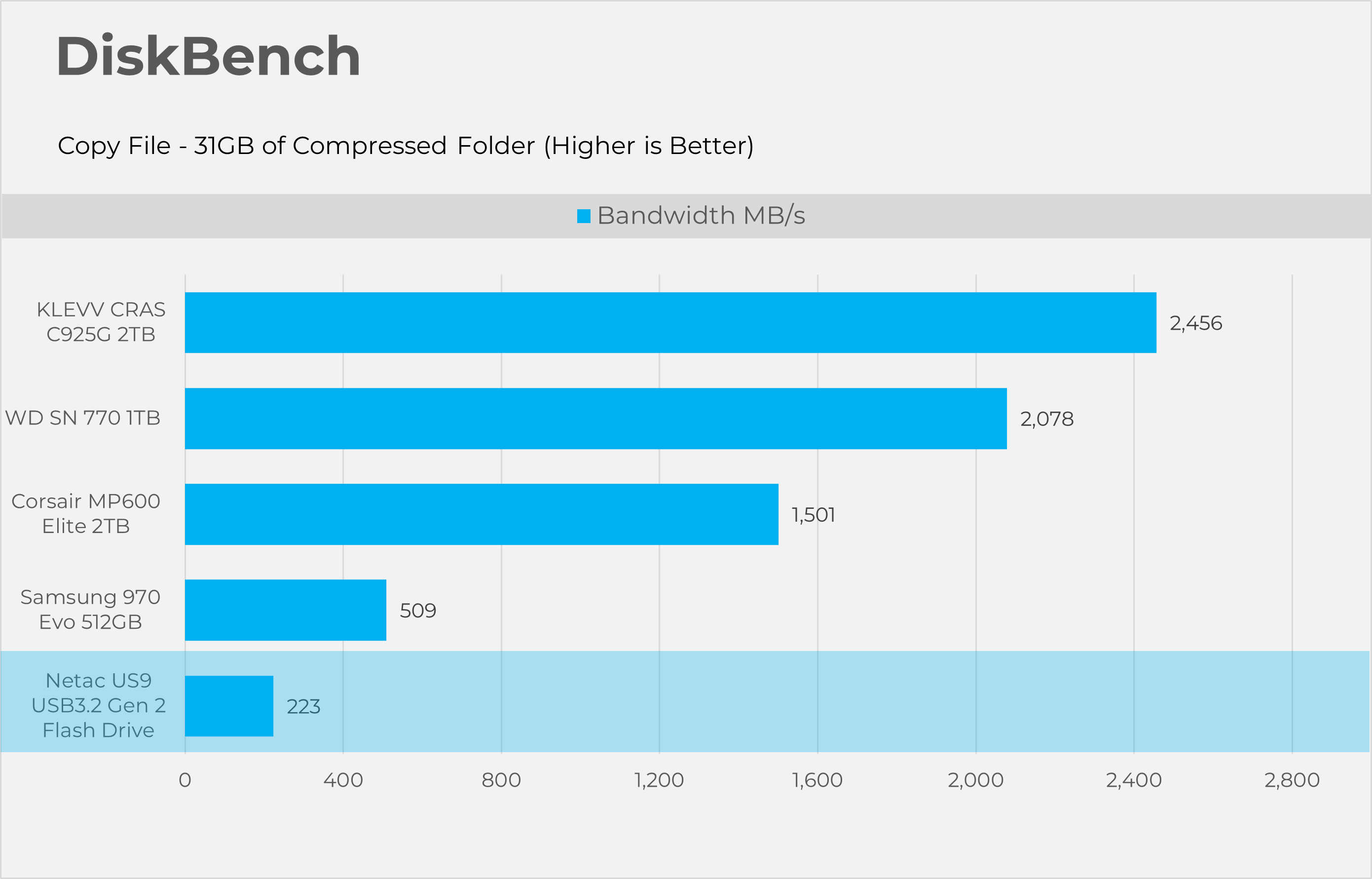
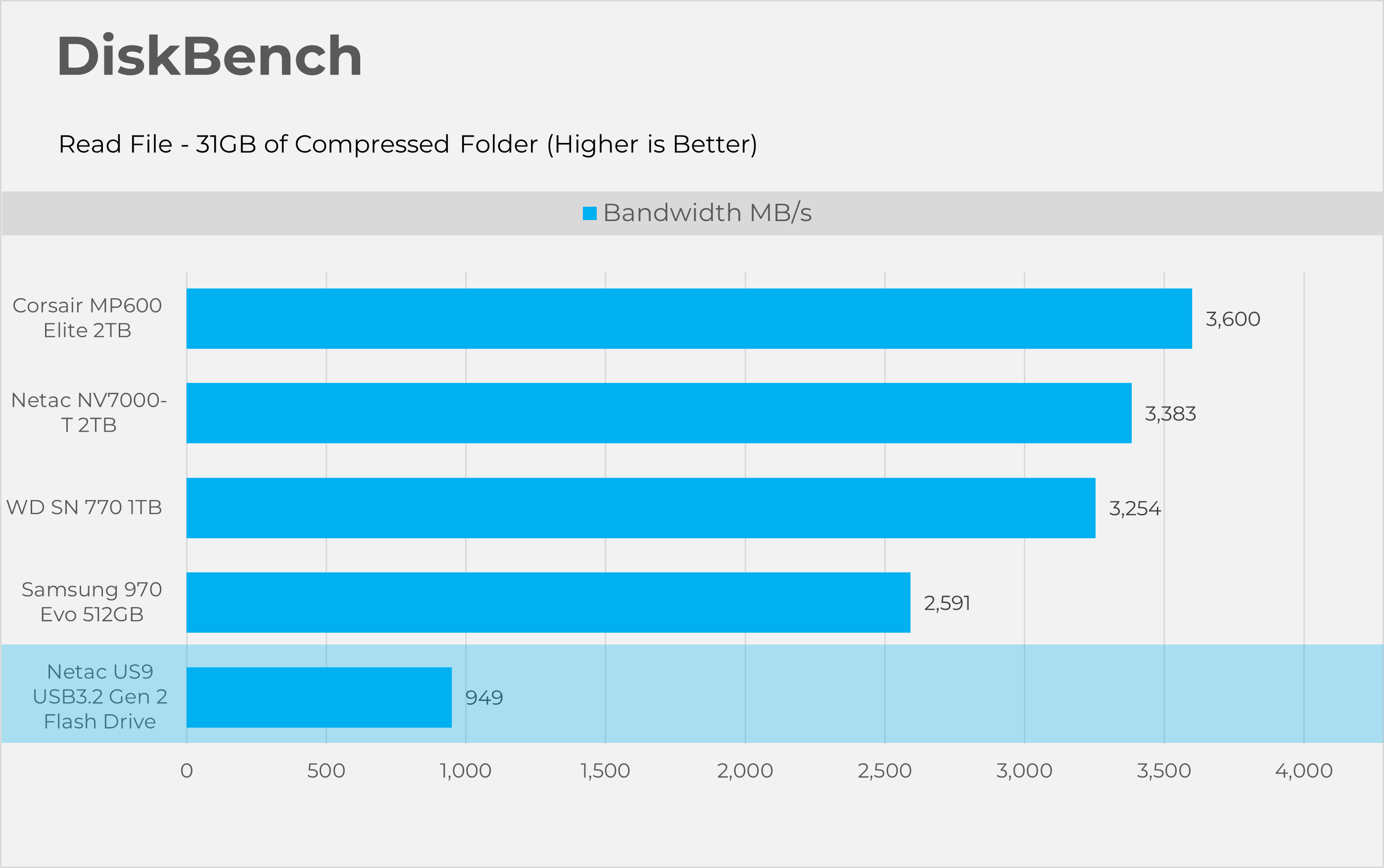
Starting with Disk bench, this program evaluates storage performance under real life performance conditions, we have made two runs here first copying the file and then reading the file. The test file set consists of 32GB of mixed data including random PSD and excel sheets.
3DMark Storage Gaming
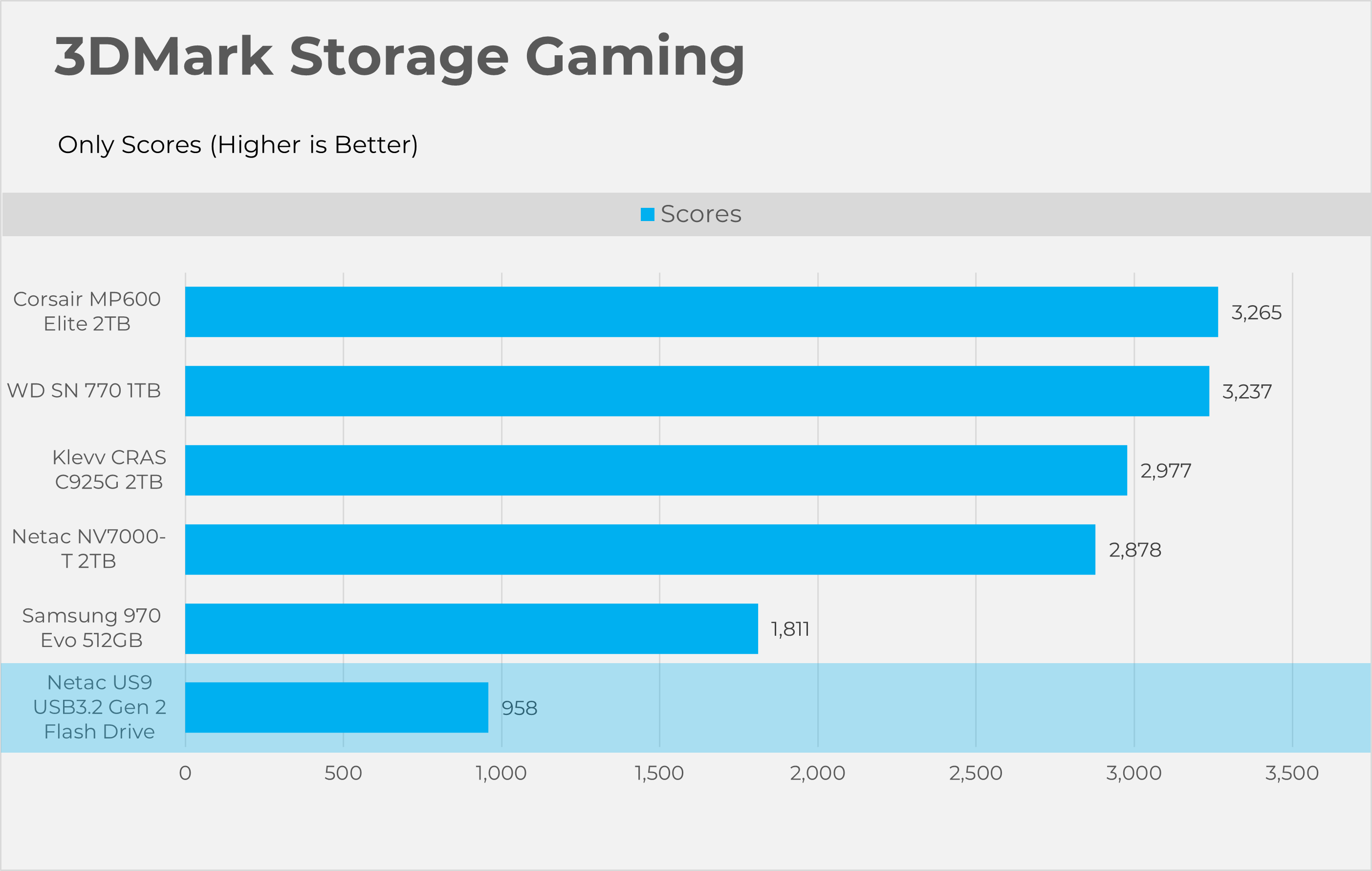
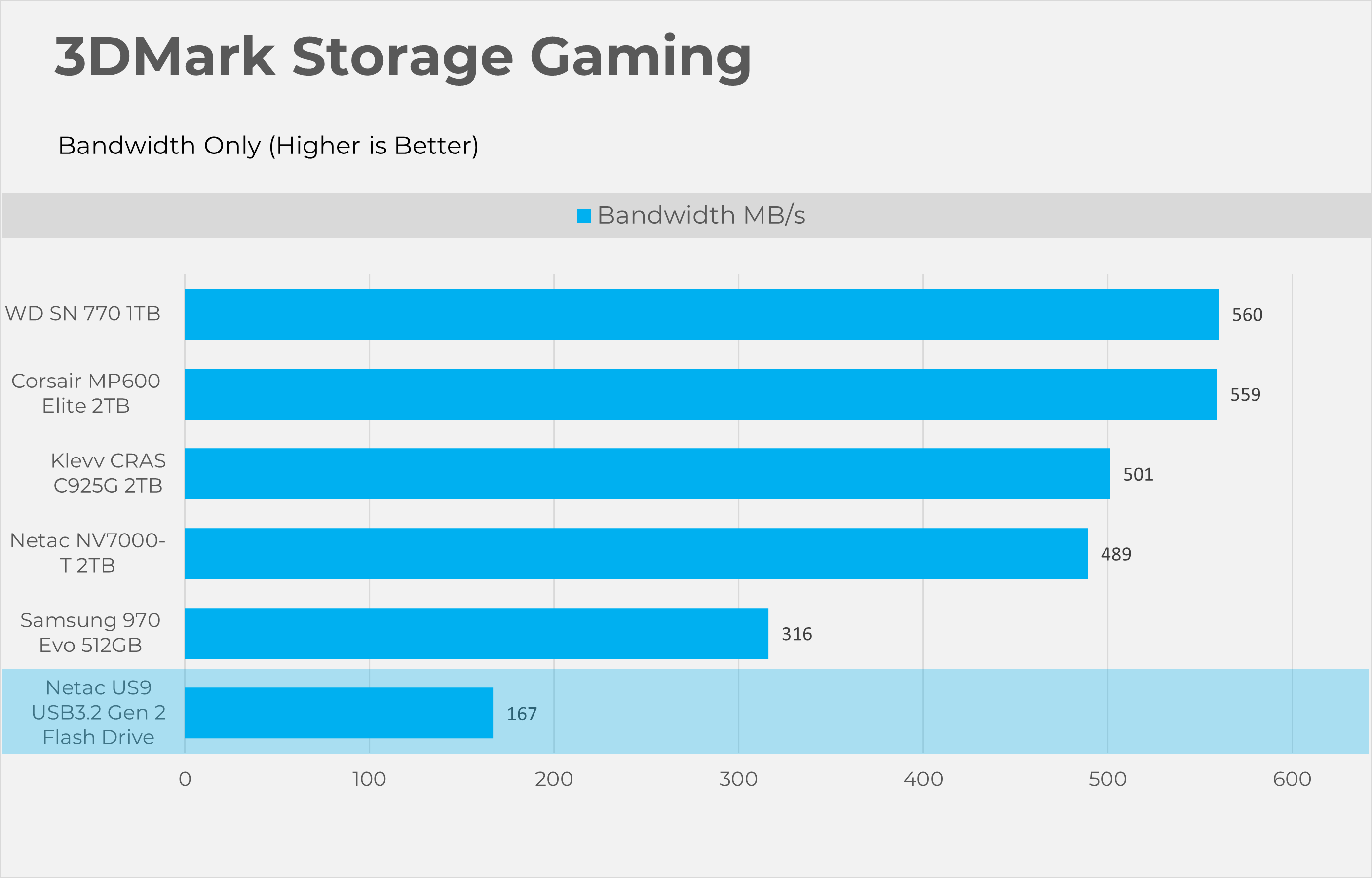
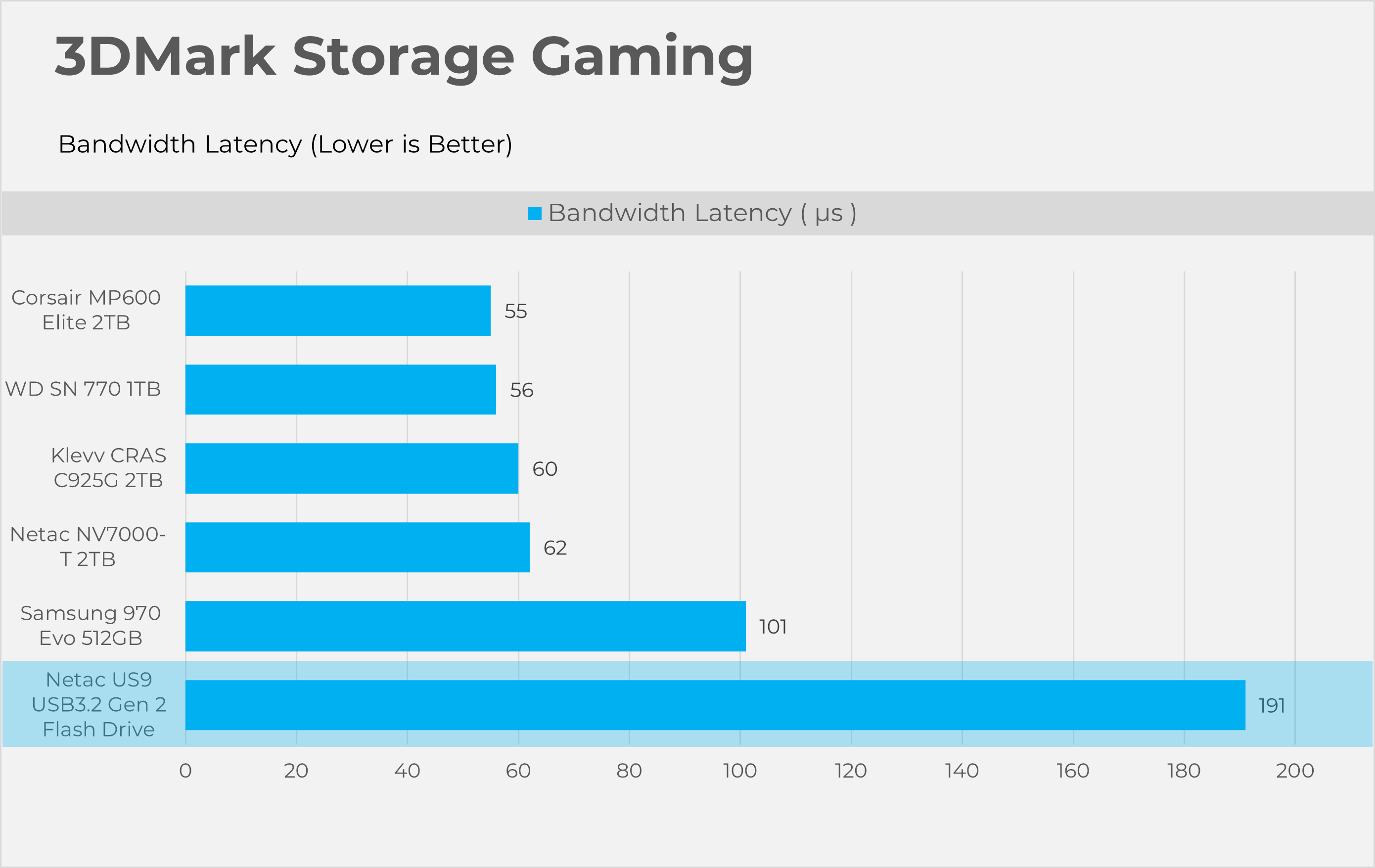
3DMark Storage gaming is a very valuable tool that concentrates on how storage impacts gaming performance. This benchmark software simulates loading and saving game files, installing and updating games, recording game-play footage, copying game folders, and launching and loading game levels.
Synthetic Benchmarks
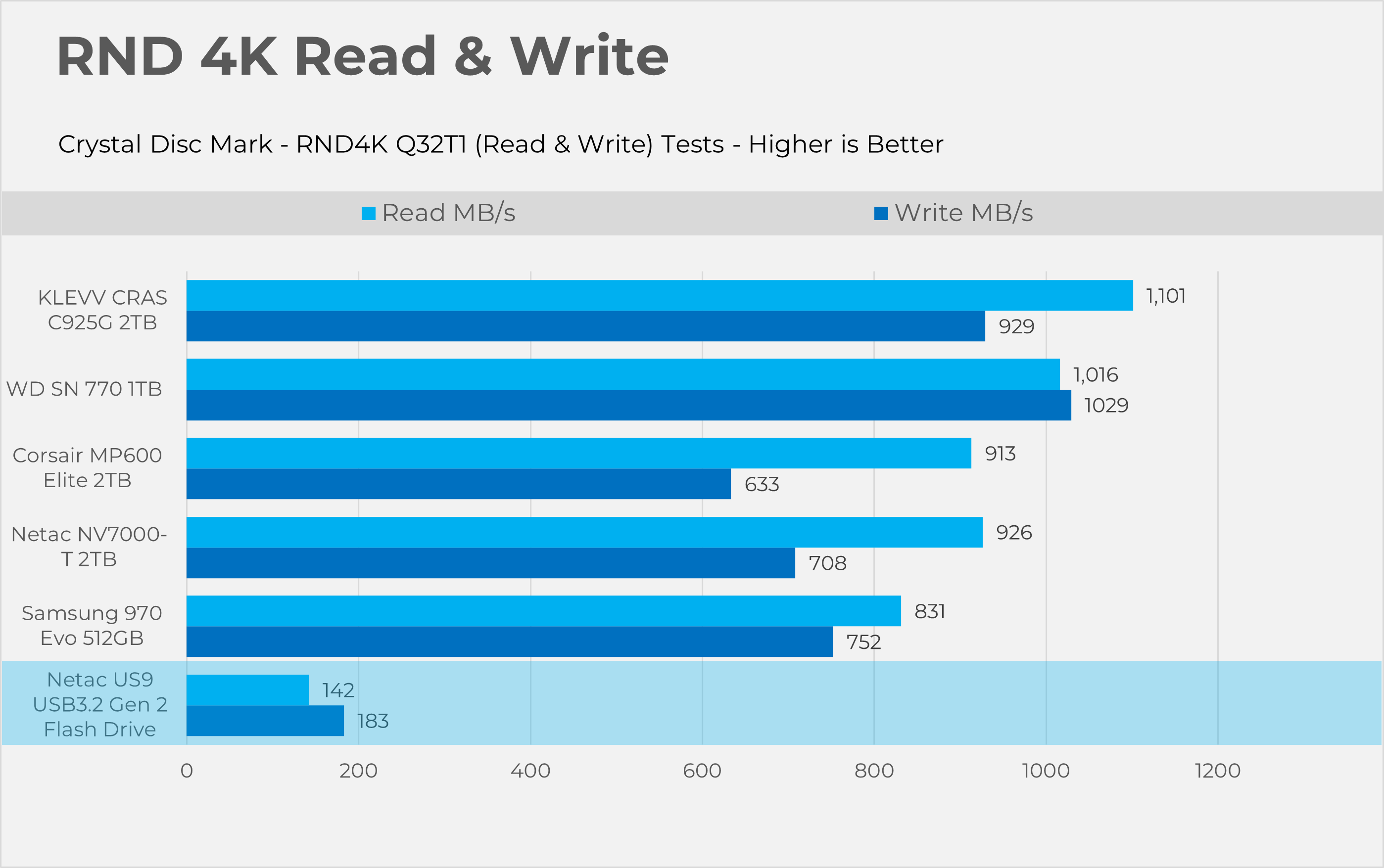
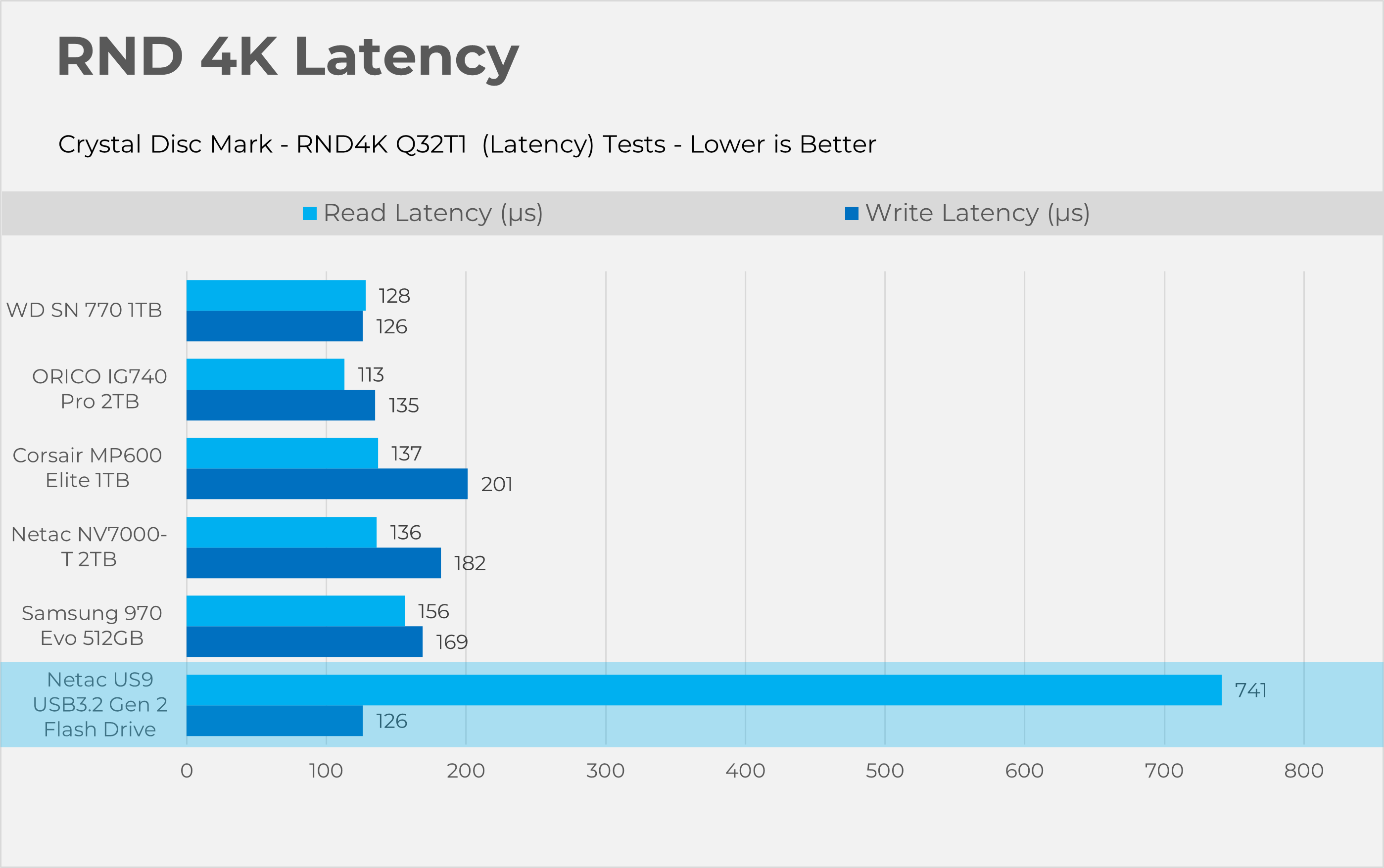
Let’s take a look the RAW performance of the SSD.
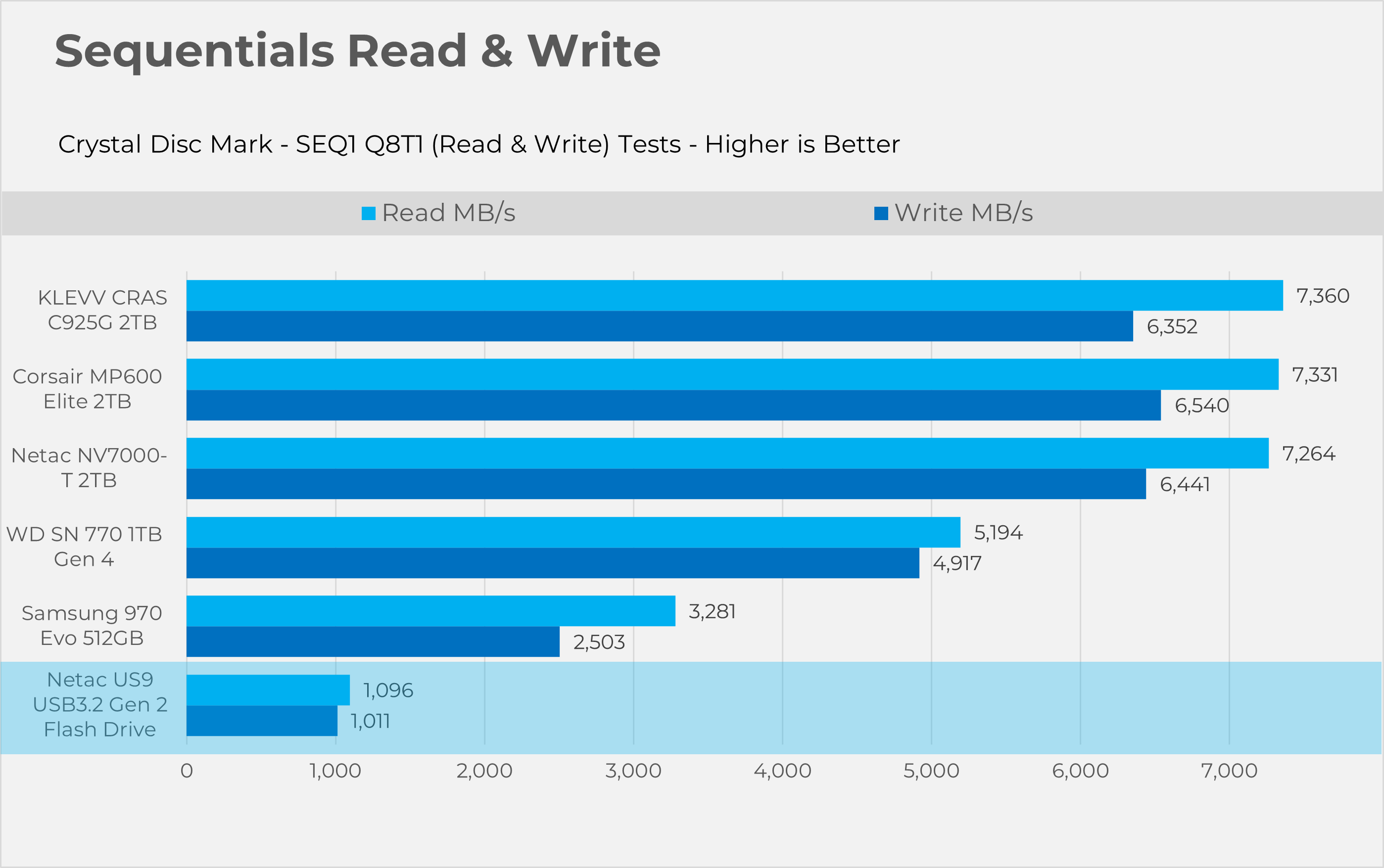
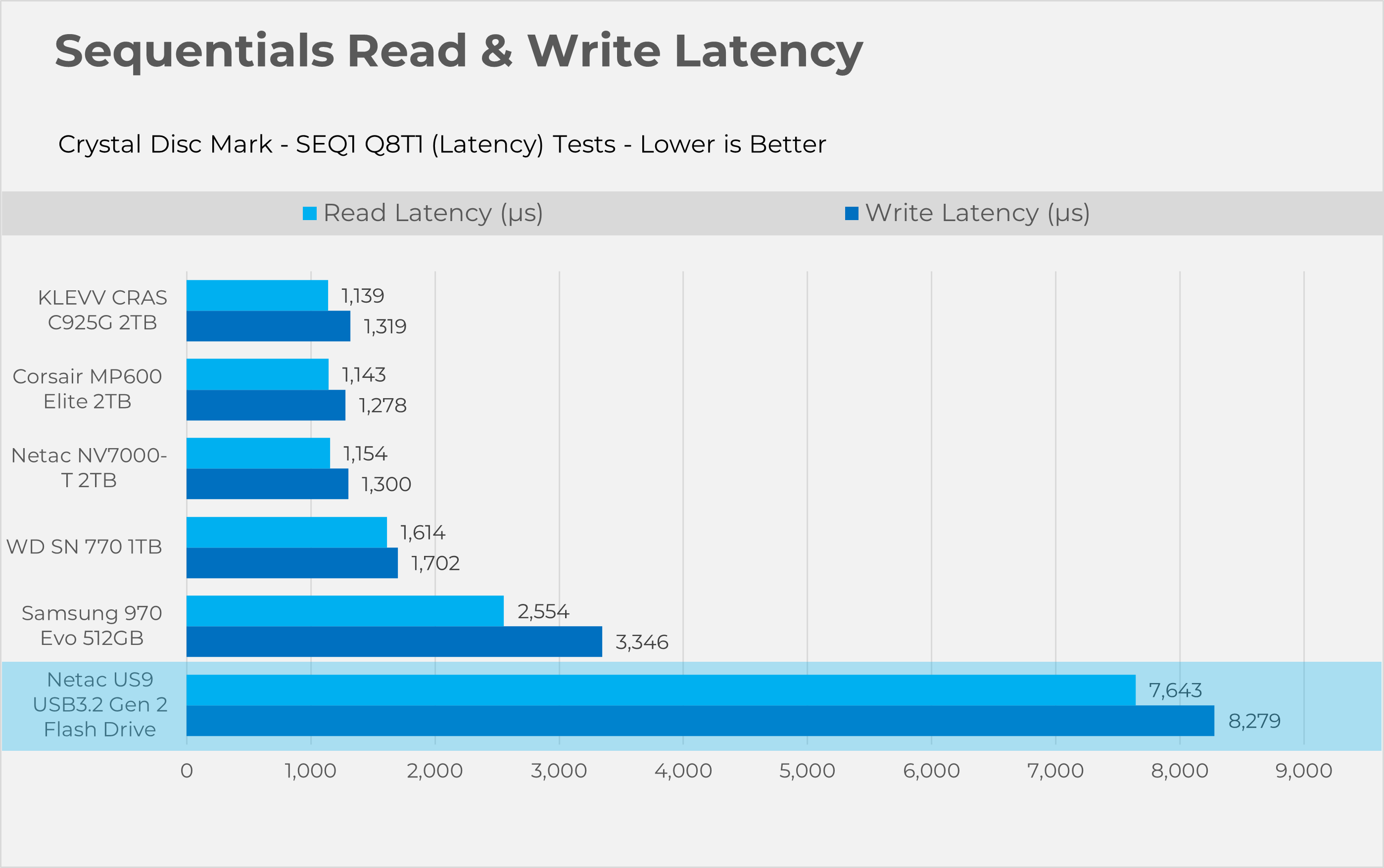
Sequential
RND4K
Should You Buy It?
Buy It if:
✅ If you want a portable drive to back up large photo and video libraries: This drive uses USB 3.2 Gen2, which delivers very fast speeds, and is designed to store your data quickly.
✅ If you’re a traveler or on-the-go worker looking for something compact: The storage device is compact, enclosed in a metal case with strong durability, and offers 512GB of capacity, which is enough for most media storage, and has a decent build quality for everyday carry.
Don’t Buy It If
❌ If budget is the issue: This isn’t the cheapest stick. Flash Drives with a USB 3.2 Gen 2 interface are more expensive than basic flash drives. If you only need a simple or small file transfer, this is way overkill and more expensive.
Final Thoughts
We’ve got our hands on the Netac US9 512GB Stick, which uses a USB 3.2 Gen 2 interface with dual connectivity via Type-A and Type-C, achieving very fast read and write sequential speeds of 1000MB/s, as evidenced by our testing. The flash-drive could be handy for the users who are looking to back up their media files or the games as it’s compact and durable and easy to carry unlike the big enclosures or the portable SSD’s that you can find in the market, The performance is not the top tier and it is not something that you could use as a primary storage solution in your PC. Still, it’s useful if you’re traveling or working on the go, as it’s tiny and durable. The price for this stick starts at $64 for the 256GB variant, $90 for the 512GB variant, and $135 for the 1TB variant.
Thank you! Please share your positive feedback. 🔋
How could we improve this post? Please Help us. 😔

Senior Hardware Reviewer at Tech4Gamers with over a decade of experience in the tech industry. My journey began in 2014 as a senior administrator for Pakistan’s largest gaming community forum. I specialize in testing and reviewing components like graphics cards, CPU coolers, and motherboards, while also sharing insights on overclocking and system optimization.
 Join Our Community