
 Threads

Worth It?
Review Summary
The Corsair Voxara is a feature-rich USB condenser microphone designed for gaming and content creation. It combines a 25mm cardioid capsule with clear, natural audio, an OLED display, convenient onboard controls, and customizable RGB lighting. Wave Link adds audio routing, mixing, and AI-powered noise suppression, giving users plenty of control over their setup. At $199.99, it is certainly on the expensive side for a USB microphone, but its audio quality, hardware controls, and extensive customization options help justify the price.
Time Tested: 2 Weeks

Overall
-
Design - 9/10
9/10
-
Build Quality - 8.5/10
8.5/10
-
Audio Performance - 9.5/10
9.5/10
-
Software - 9/10
9/10
Pros
- Clear, natural-sounding audio
- OLED display
- Elgato Wave Link support
- Detachable aluminum desktop stand
- Convenient multifunction wheel
Cons
- Plastic microphone body
- RGB lighting can be excessive
- Additional features may not suit everyone
- USB-only connectivity, with no XLR option
- A bit expensive


These days, you can find microphones for gamers and streamers with dedicated mute controls, headphone monitoring, software-based audio processing, and even small built-in displays. I’ve reviewed microphones such as the Comica EJoy D10 PRO and the Elgato Wave 3, so I care about more than how a microphone looks on a desk. Sound quality and the day-to-day experience matter far more once you start recording your voice regularly. The Corsair Voxara is a USB condenser microphone aimed at people who want more control over their audio.
In this review, I’ll look at its design, build quality, setup, onboard controls, and software. I’ll also cover its actual audio performance, since that’s where a microphone needs to prove itself. I have some useful experience with this category to draw on. The question is whether Corsair’s microphone offers a worthwhile experience for gaming, streaming, and everyday recording, or whether its extra features distract from what matters most: how you sound. So, let’s dive into the details.
Key Takeaways
- The Corsair Voxara is a feature-packed USB condenser microphone that delivers clear audio, convenient onboard controls, and customizable RGB lighting. Its OLED display and Wave Link support make it a versatile option for content creation.
- You should buy the Corsair Voxara if you want easy access to audio adjustments, greater control over your recording setup, and features like sidetone monitoring, AI noise suppression, and customizable lighting in one microphone.
- You should skip the Corsair Voxara if you want an affordable, straightforward microphone, need XLR connectivity, prefer an all-metal build, or don’t plan to use its additional controls and software features.
Here are the technical specifications:
| Capsule | 25mm Electret Condenser |
| Polar Pattern | Cardioid |
| Bit Depth / Resolution | 32-bit |
| Sample Rate | 192kHz |
| Frequency Response | 20Hz – 20kHz |
| Sensitivity | -35±3dBV/Pa @1kHz |
| Max SPL | 110 dBSPL |
| Connectivity / Interface | USB Type-A to Type-C |
| Headphone Jack or Output | 3.5mm |
| Cable Length | 3 Meters |
| Driver | Plug & play, no driver required |
| Mute Control | Tap to mute |
| Front Knob | Mic Gain/Sidetone Balance/Playback Volume |
| Back Knob | RGB Mode Cycle/Color Change |
| Display | OLED |
| RGB Lighting | RGB Body + RGB Ring 64 RGB LEDs (lamp) & 8 RGB LEDs (indicator) |
| RGB Modes | Multi-Color, Solid Color, Level Meter |
| Stand | 360° rotation, 30°±0.5° tilt, detachable & adjustable base |
| Mic Thread | 5/8 inch, with 1/4 inch and 3/8 inch adapters |
| Compatibility | PC, Mac, PlayStation 4/5, Nintendo Switch/Switch 2 |
| Dimension | 136mm x 96mm x 253mm |
| Weight | 623.1g |
What Makes the Corsair Voxara Different?
The Corsair Voxara stands out by combining a built-in OLED display, physical audio controls, customizable RGB lighting, and Wave Link software in a single USB microphone. Instead of relying heavily on desktop software for everyday adjustments, it lets you manage microphone gain, sidetone, and headphone volume directly on the device. Its touch-sensitive mute control and dedicated RGB controls also give it a more feature-focused approach than a basic plug-and-play microphone.
Packaging & Unboxing
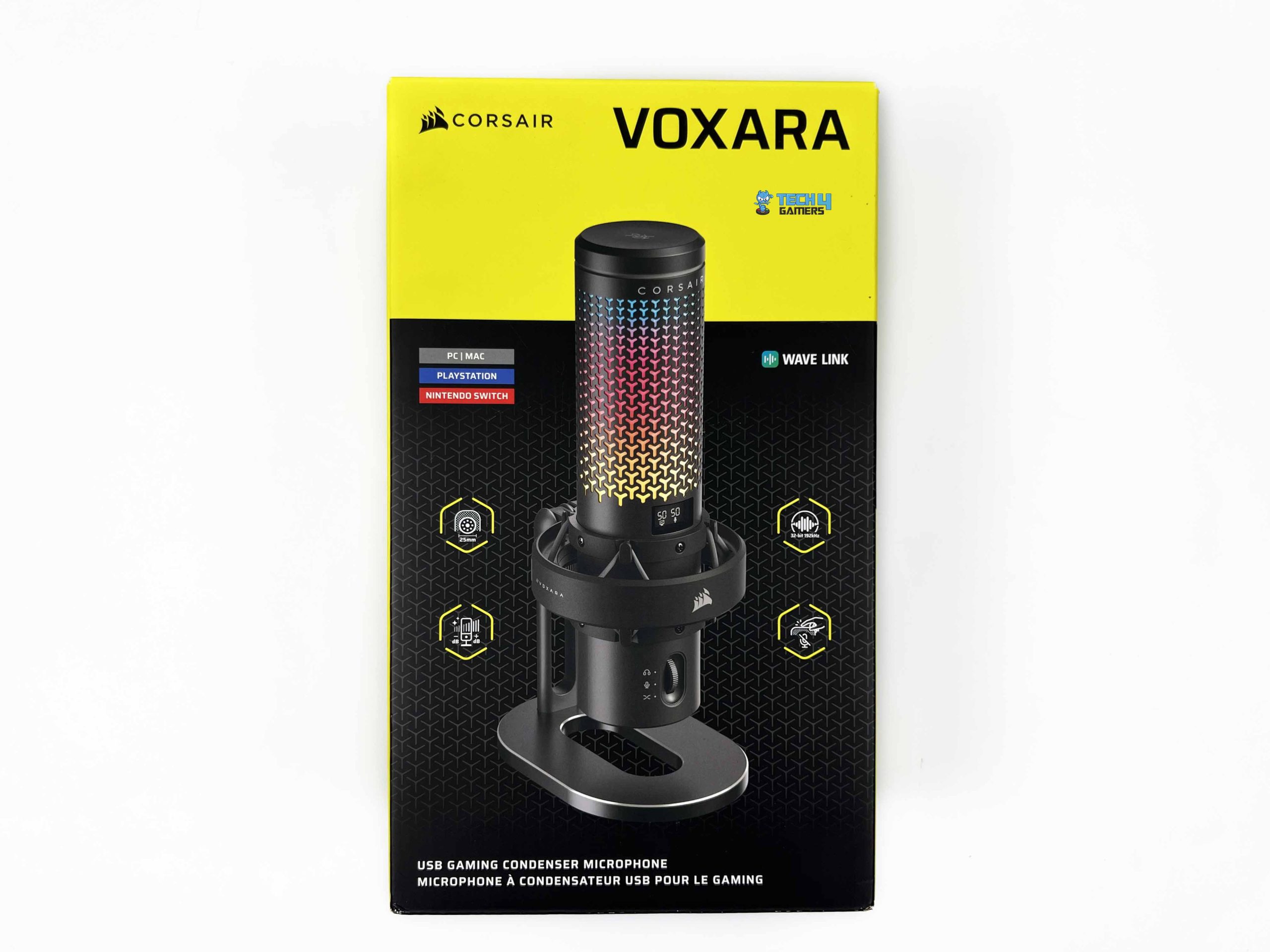
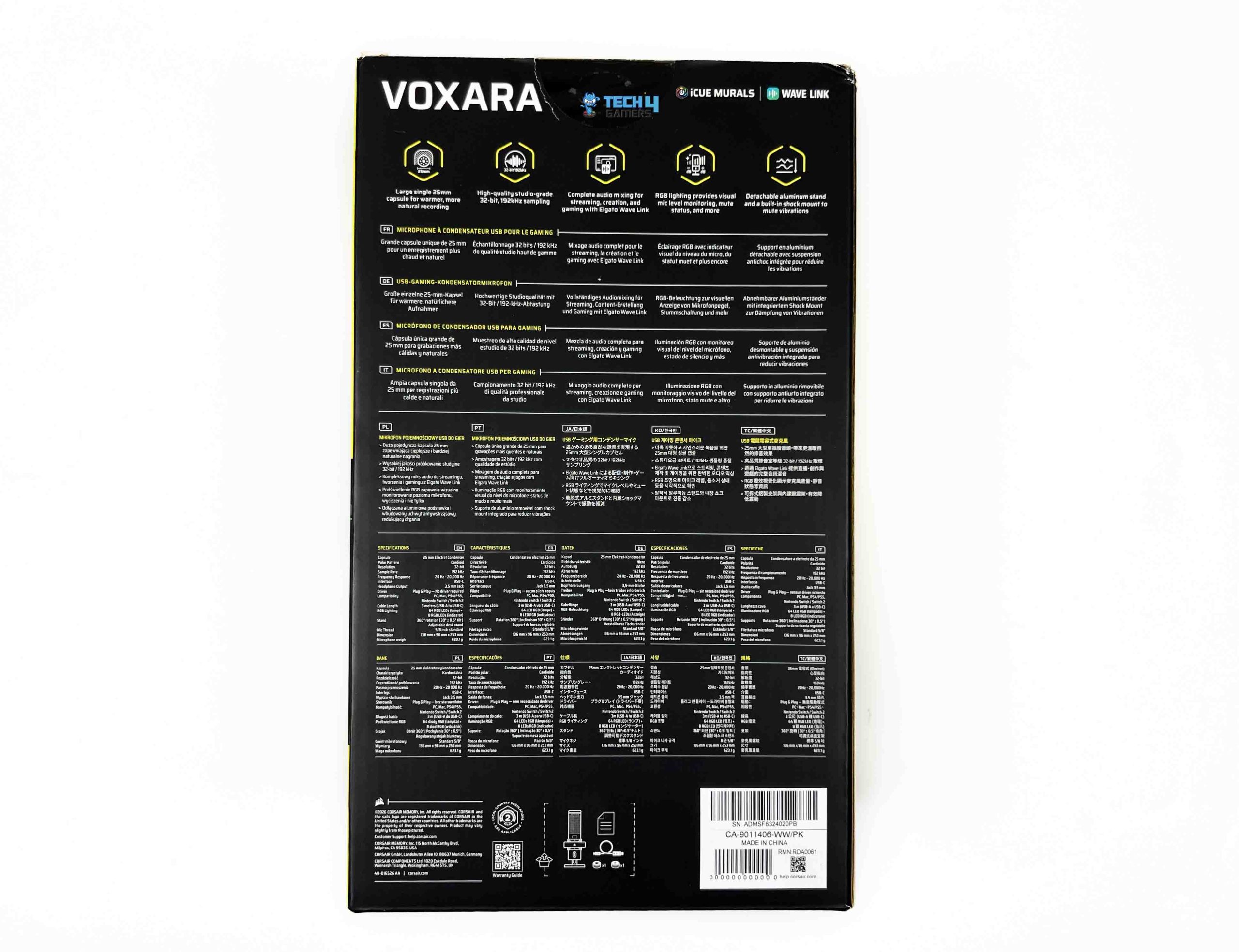
Corsair sticks to its signature yellow-and-black color scheme for the Voxara’s packaging. The front features a large image of the microphone, with the model name and Corsair branding placed alongside it. The front also includes a few feature callouts. The sides provide more detail about its features, including its software integration. Turn the box around, and you’ll find further information about the microphone, along with its specifications printed in several languages.
Inside, you find another box with specially cut sections shaped to hold the microphone in place. It’s a slightly different approach from simply placing the microphone in a cardboard tray. Inside the inner box, you’ll find the Voxara wrapped in a protective cover. The arrangement keeps the microphone separate from the accessories. Corsair includes a USB Type-A-to-Type-C cable. You also get thread adapters for mounting compatibility with different microphone stands or boom arms.
Design

The Corsair Voxara is cylindrical, but its design is far from plain. The black version has a dark, understated base, with the upper grille serving as the main visual attraction. Corsair uses a repeating Y-shaped pattern across the grille. The pattern covers most of the upper body, which gives it a distinctive look. Corsair’s branding is relatively restrained. The company name appears near the top of the grille, while its sail logo sits on the front of the circular suspension ring below it.
The lower section also carries the Voxara name. I also like the contrast between the patterned upper section and the smoother black housing underneath. The two sections look distinct, so the microphone doesn’t come across as one uninterrupted tube. The microphone sits inside a circular support structure, with several connecting arms visible around its lower section. The arrangement leaves gaps around the body rather than hiding the suspension mechanism inside a solid housing.
Build Quality

The Corsair Voxara uses a plastic main body, but it doesn’t feel flimsy. The black finish is clean and even across the housing, and I didn’t notice any obvious flaws around the seams. The body feels solid in the hand, with no concerning flex or loose panels. It makes a strong first impression for a microphone you’ll adjust and use regularly. The grille is one of the more distinctive parts of the construction, with its repeating Y-shaped pattern covering the upper section. The pattern is even across the surface, and the grille feels securely fitted.
I didn’t notice any loose sections or obvious imperfections around the openings. The fit between the different parts also looks clean, so the microphone doesn’t have the uneven gaps that can make a multi-piece design feel poorly assembled. The stand and suspension assembly also remain stable during use. The microphone stays in place during normal adjustments, and I didn’t notice any unwanted movement in the joints. I also didn’t hear any creaking or rattling while handling the unit. That gives the overall assembly a solid feel.
Stand

The Corsair Voxara comes with a detachable aluminum desktop stand. It has a vertical support attached to an elongated oval base, with a large opening through the middle rather than a solid platform. The black finish matches the microphone, while the slim metallic edge around the base adds a subtle contrast. It’s a distinctive design, though the base takes up some desk space. The aluminum construction is worth mentioning here. The stand doesn’t feel like an afterthought bundled with the microphone.

Its build quality matches the rest of the setup. The stand remained stable during normal use. I didn’t notice any unwanted movement while adjusting the microphone or reaching for its controls. Corsair describes it as a wobble-free stand, and my experience with the review unit matched that claim. The mounting assembly also offers flexibility when positioning the microphone. Corsair specifies 360-degree rotation and up to 30 degrees of tilt, so you can turn the microphone toward your seating position.
OLED Screen

The Corsair Voxara has a small multi-purpose OLED screen on the front, positioned just above the volume/gain wheel. It lets you quickly check the microphone’s current settings. The display shows the mic gain level, sidetone balance, playback volume, and mute status. It’s a practical addition, particularly if you regularly adjust your audio while gaming or talking to someone. The screen works alongside a single scroll wheel that handles three main adjustment modes.

Pressing the wheel switches between them, while turning it changes the value for the currently selected mode. This keeps the controls relatively straightforward. Instead of having a separate dial for each setting, you use the same control and rely on the display to see which adjustment you’re making. I like this setup because the screen and wheel have clearly defined roles. The display tells you which setting you’re working with, and the wheel lets you change it.
Tap-to-Mute Sensor

The Corsair Voxara has a touch-sensitive mute button, so you can mute the microphone with a single tap. It’s a handy option when you need to stop transmitting your voice briefly during a call, stream, or game. Since the control is built into the microphone, you can mute yourself without interrupting what you’re doing. The microphone also provides a visual indication of its mute state. When muted, the indicator ring turns solid red, and the RGB lighting switches off.

Tap the control again to unmute the microphone, and the ring lights up white for three seconds before turning off. The RGB lighting then returns to its previous mode. This gives you a quick way to check whether the microphone is muted, while the brief white light confirms that you’ve turned it back on. The display also shows the mute status, giving you a visual reference for whether the microphone is muted. It also means you don’t have to rely solely on remembering whether you tapped the mute control moments earlier.
RGB Knob

The Corsair Voxara has a dedicated knob on the back of the microphone that lets you change the lighting directly on the device. Rotating the knob switches between three main categories: Multi-Color, Solid Color, and Level Meter. Pressing it then cycles through the available effects within the selected category. Multi-Color mode offers animated effects, including Rainbow, Horizon, Color Shift, Color Pulse, and Watercolor. If you prefer something more restrained, Solid Color mode lets you use a single color instead.
The built-in options cycle through red, yellow, green, blue, purple, and an off setting. For more control, accompanying software offers additional lighting customization, including options to adjust the effects’ colors, speed, and direction. Level Meter mode serves a different purpose. Rather than displaying an animated pattern or a fixed color, the RGB lighting responds to the microphone’s input level. This gives you a visual indication of incoming audio and can help you spot when your voice level gets too high.
It makes the lighting useful beyond aesthetics, particularly if you want a quick visual reference while speaking. I also like that the lighting controls are separate from the main audio adjustment wheel. The rear knob controls RGB modes, while the front wheel handles settings like mic gain, sidetone, and headphone playback volume. This keeps the two functions distinct and lets you change the microphone’s appearance without cycling through its audio controls.
RGB Lighting


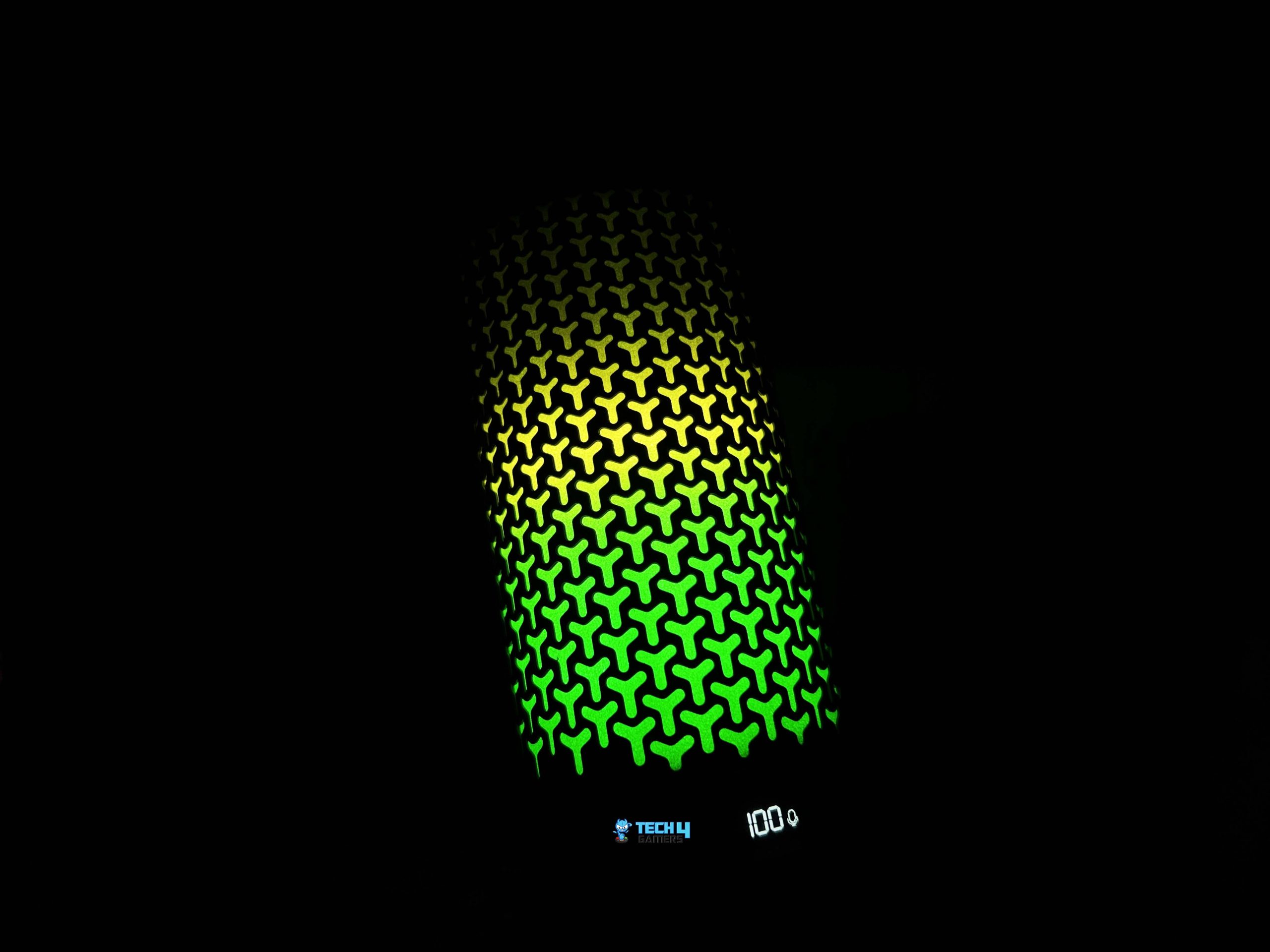
The Corsair Voxara has RGB lighting integrated into the perforated grille around its upper body. The pattern is quite distinctive. Instead of a continuous illuminated strip, the light shines through rows of small Y-shaped cutouts that cover most of the grille. On the black version, the contrast between the dark casing and the illuminated pattern is particularly noticeable. The colors also blend into one another across the microphone. It gives the microphone a fairly colorful appearance without changing its overall design.
The lighting spreads across a large section of the grille rather than concentrating in one small area. The individual cutouts remain clearly defined, so you can see the pattern even when several colors are displayed at once. The light also appears to follow the microphone’s curved surface, giving the illuminated grille depth from different viewing angles. Based on the product’s lighting design, the result is more integrated than simply placing an RGB strip around the body.
Connectivity

The Corsair Voxara keeps connectivity fairly simple, with both physical connections on the back of the microphone. It has a USB Type-C port to connect to your PC and a 3.5mm headphone output for monitoring audio. Corsair includes a 3-meter USB Type-A to Type-C cable. That’s a decent amount of cable for a desktop microphone. The Voxara is also plug-and-play, so you don’t need to install a dedicated driver before using it. You can connect it to a compatible USB port and get started.
The 3.5mm headphone output is another useful part of the connectivity setup. You can plug your headphones directly into the microphone rather than connecting them separately to your PC. This is intended for headphone monitoring, and the Voxara also provides onboard playback volume and sidetone adjustments. Playback volume controls the level you hear through your headphones, while sidetone lets you hear your own voice. You can adjust both settings using the multifunction wheel on the front.
Software
The Corsair Voxara works fine without requiring any additional software, but there’s considerably more to explore once you install Elgato Wave Link. This is where Corsair gives you greater control over the microphone’s audio. Wave Link is a free application for Windows and macOS that brings together audio routing, mixing, effects, and additional RGB customization options. One of the most useful parts of Wave Link is the way it handles different audio sources.
Instead of sending everything through one combined audio feed, you can keep your microphone, games, music, and communication apps separate. Each source appears as its own channel, with individual volume and mute controls. You can also add applications to existing channels or create new ones, making it easier to organize audio around how you use your PC. Wave Link also provides access to Voice Focus, an AI-powered audio effect developed using AI-Coustics technology.
It separates speech from unwanted sounds in the recording environment, including background noise, room echo, and reverb. This differs from a conventional noise gate, which mainly reduces audio when it falls below a set volume level. Wave Link also expands the RGB controls. You can adjust each Multi-Color effect individually, including its speed and direction. Solid Color mode offers six customizable color slots, letting you save shades beyond the microphone’s built-in presets.
Sound Quality

The Corsair Voxara uses a 25mm electret condenser capsule, a relatively large design for a USB gaming microphone. Corsair has opted for a single-capsule setup rather than combining several smaller capsules. This keeps the microphone’s capture system straightforward and avoids phase differences that can occur when signals from multiple capsules are blended. The capsule converts incoming sound into an electrical signal, then processes it into digital audio for your PC.
Corsair pairs it with a 32-bit audio engine that supports sample rates up to 192kHz. Bit depth determines the resolution of each digital audio sample, while sample rate refers to how many samples are captured per second. These figures are well above what most gaming and voice-chat applications require, so they shouldn’t be taken as a guarantee of better recordings on their own. Microphone placement and room acoustics still strongly influence the final result.
It has a frequency response of 20Hz–20kHz, a sensitivity rating of -35±3dBV/Pa at 1kHz, and a maximum SPL of 110dB. The Voxara uses a cardioid pickup pattern, meaning it is most sensitive to sound from the front and less sensitive to sound from the sides and rear. This suits a desktop microphone meant to sit in front of the speaker. It won’t completely block out your surroundings, though. Keyboard noise, fans, and nearby conversations can still make their way into a recording.
Audio Performance

The Corsair Voxara delivers good audio quality out of the box, without extensive adjustments or extra processing to make your voice sound clear. Its default sound suits spoken communication, whether you’re using it for gaming, voice calls, streaming, or recording. Speech comes through clearly, with enough vocal body to avoid sounding overly thin. It also retains a natural character rather than putting too much emphasis on any one part of the voice.
I found the overall presentation pleasant to listen to, and the microphone doesn’t need a complicated EQ setup for everyday recording. Vocal clarity is one of the more important aspects of a microphone in this category, and the Voxara handles it well. Individual words remain easy to understand at a normal conversational volume, while consonants retain enough definition to keep speech intelligible. The microphone also handles changes in delivery well.
Speaking more quietly doesn’t immediately make the voice difficult to follow, and a more energetic delivery remains clear without becoming unpleasantly sharp. This is particularly useful during gaming sessions, where your speaking volume can change considerably depending on what’s happening. The microphone’s tonal character is balanced for voice recording. Lower frequencies add fullness without making it sound heavy, while the midrange keeps speech present and easy to follow.
Should You Buy It?
Buy it if
✅ You want clear audio without complicated setup: The Voxara delivers clear, natural-sounding audio straight out of the box. Its cardioid pickup pattern makes it a suitable choice for gaming, voice chats, streaming, and content creation.
✅ You prefer physical controls: The built-in OLED display, multifunction wheel, and touch-sensitive mute button make it easy to adjust microphone gain, sidetone, and headphone volume without constantly switching between software menus.
Don’t Buy it if
❌ You don’t want to rely on software: Basic recording works without additional software, but advanced audio processing and deeper customization require Wave Link on your computer.
❌ You prefer a metal build: Although the microphone feels solid and well-assembled, its main body uses plastic. Users who want an all-metal build may prefer other options.
Final Verdict
The Corsair Voxara is a capable USB microphone that gets the most important part right: its audio quality. My recommendation comes down to how much of the Voxara’s feature set you will actually use. If you want good audio, convenient physical controls, headphone monitoring, and the option to manage your audio through Wave Link, the Corsair Voxara is worth considering. It offers a more involved experience than a basic USB microphone without complicating the initial setup.
For gaming, you can move beyond a typical headset microphone without getting into a separate XLR interface and recording setup. Its clear vocal presentation suits team communication, and the onboard mute control is convenient during gameplay. If you only need clear voice chat and want to spend as little as possible, save your money and choose a simpler alternative. But if you’re buying a dedicated gaming microphone and plan to use it for streaming or content creation, I recommend the Voxara.
Thank you! Please share your positive feedback. 🔋
How could we improve this post? Please Help us. 😔

[Hardware Reviewer & Editor]
After many years of exploiting various pieces of hardware, Abdul Hannan now serves as an editor at Tech4Gamers. He’s been in the PC hardware reviewing industry for almost a decade, and his staff of passionate geeks and reviewers is second to none.
Abdul Hannan is constantly seeking new methods, you will always see him running into New Computer Courses to improve the performance of his computer components since he is an ardent overclocker. He is well-known for providing the most extensive and unbiased analysis of the newest and greatest hardware for PC gaming, including everything from GPUs to PSUs.
 Join Our Community