Threads


After the rebranding that Intel has done beyond its 14th generation of processors, it has received quite a bit of praise. Since it wasn’t enough, Intel has just released a refresh series of the Ultra 200s processor. The new Intel Core Ultra 7 270K Plus is in line with the Core Ultra 9 285K in terms of most of the specs, while also costing even less than the Core Ultra 7 265K.
This seems like a great move to bridge the gap between great performance and decent pricing. But to squeeze out every ounce of performance out of this value beast, you need an equally capable motherboard, especially one with the Z890 chipset. Here are some of the tested suggestions that I think would fit best with the processor.
Here’s the list of our hand-picked Z890 motherboards that would suit the new Intel Core Ultra 7 270K Plus.
Table could not be displayed.Best Motherboard For Intel Core Ultra 7 270K Plus
Below is the list of boards that we are suggesting after testing out a bunch of them:
- Best Overall: MSI MAG Z890 Tomahawk WiFi
- Best High-End: MSI MPG Z890 Carbon WiFi
- Best Overclocking: MSI MEG Z890 ACE
- Best White: ASRock Steel Legend Z890 WiFi
- Best Budget: ASRock Z890 Pro-A
MSI MAG Z890 Tomahawk WiFi
Best Overall Motherboard For Intel Core Ultra 7 270K Plus
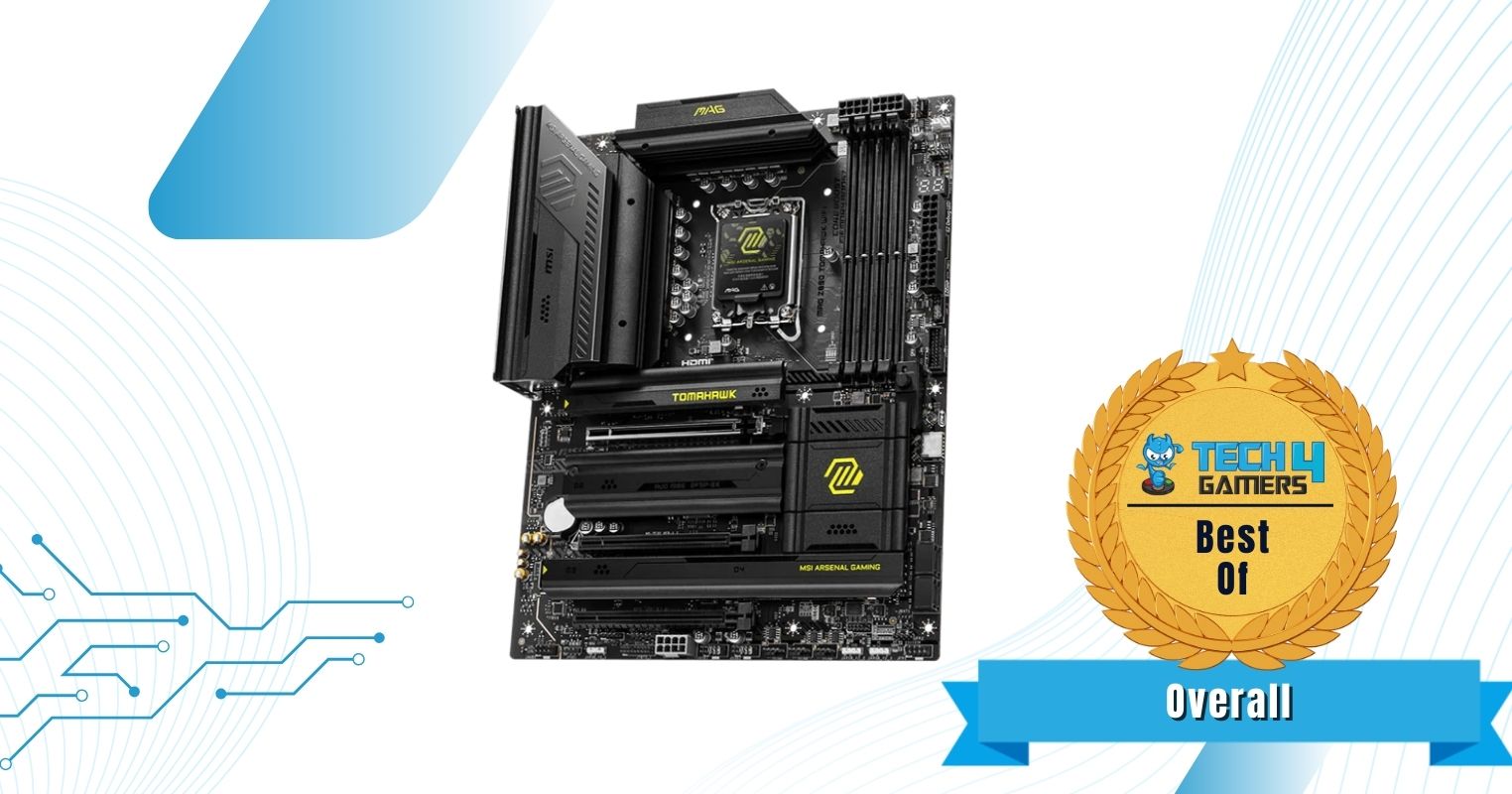
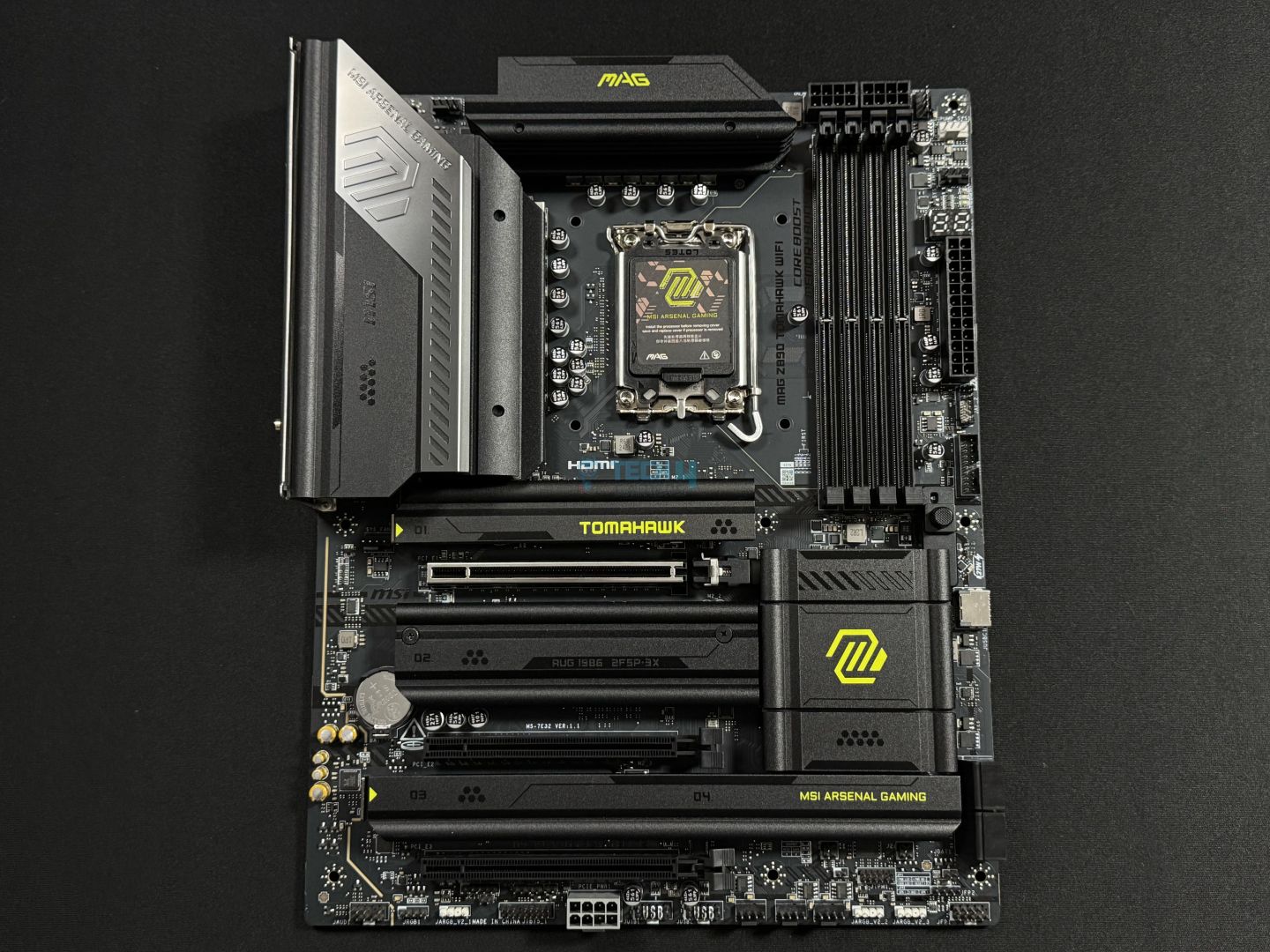
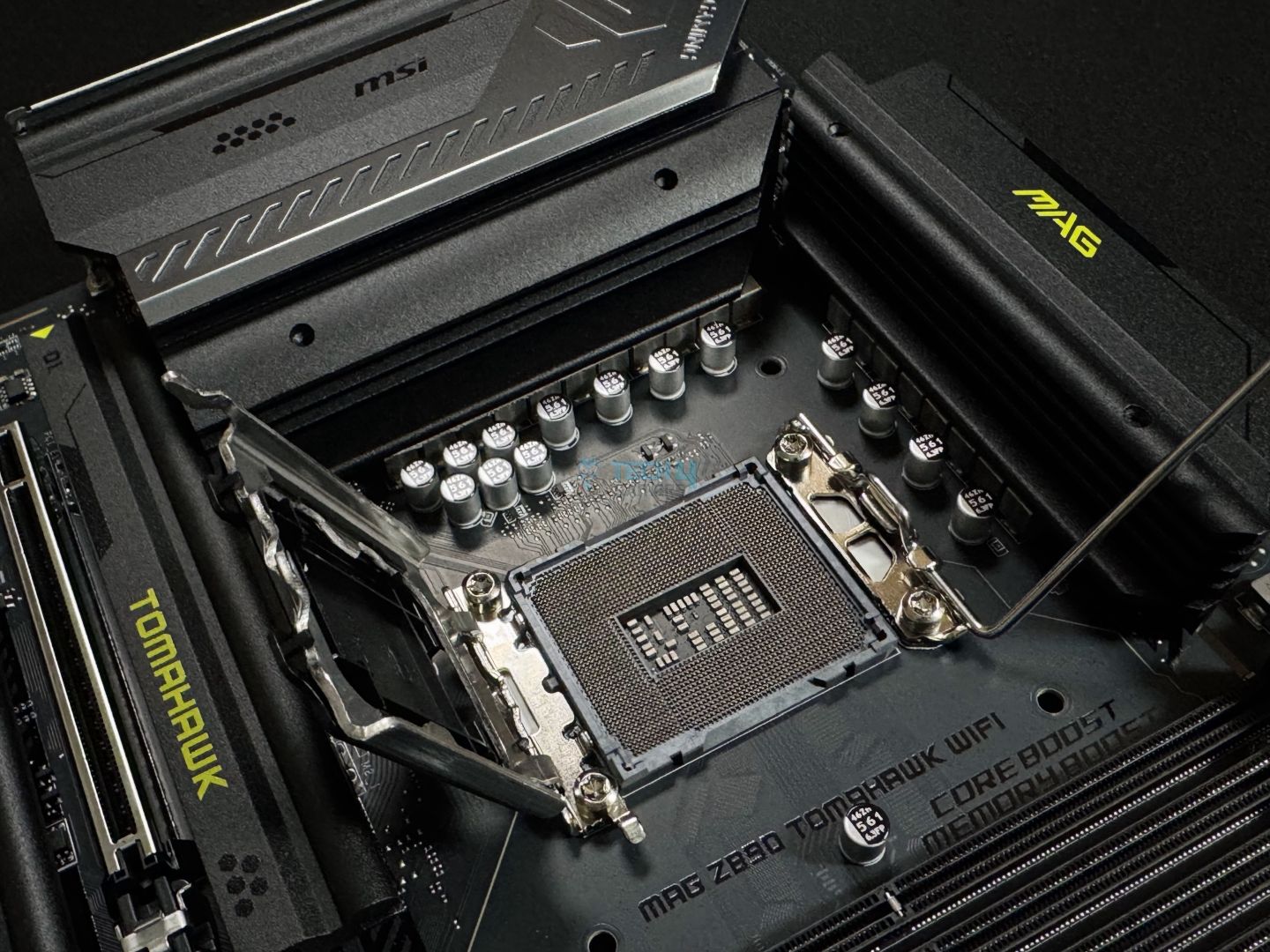
Chipset: Intel Z890 | Memory: DDR5 9200+ (OC) | VRM: 16+1+1+1 | Video Outputs: HDMI 2.1, 2x Type-C DisplayPort 2.1 | RGB Lighting: No | Network: WiFi 7, Intel Killer 5G LAN, Bluetooth 5.4 | Storage: 4x M.2, 4x SATA 6G | USB Ports: 10x Rear, 7x Front
Pros
- Excellent VRM setup
- Overclockable to a decent level
- Sleek design & quite affordable
- Good amount of I/O
- Thermals are also good
- EZ PCIe release & EZ NVMe
Cons
- No RGB
Read Our MSI MAG Z890 Tomahawk WiFi Review
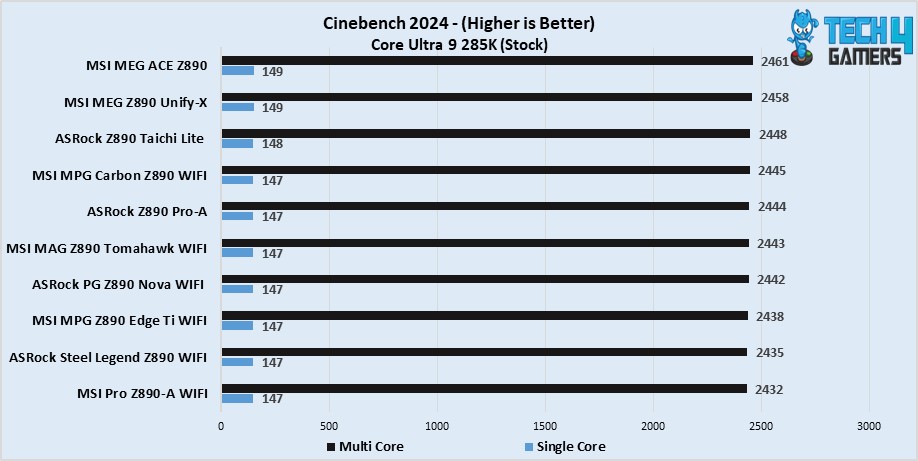
Starting off with something that checks boxes for every situation, I’d recommend the MSI MAG 890 Tomahawk WiFi. Especially to pair with the Intel Core Ultra 7 270K Plus. The motherboard features a powerful 16+1+1+1 VRM setup that is sufficient to help reach the Intel Core Ultra 7 270K Plus to its true potential. Not to mention, the motherboard also supports memory speeds of up to 9200 MT/s, making it a decent pair for the processor. Moreover, as far as the real-world performance goes, the board achieved 2443 points in multicore and 147 points in single-core runs of the Cinebench 2024.
Alongside the performance figures, the board is also not short of other useful features. You get stuff like Thunderbolt 4, EZ DIY like EZ PCIe release & EZ NVMe release. On top of that, there’s also a Thunderbolt 5 connector for those requiring faster speeds. Similarly, the motherboard is also equipped with 1x Gen5 NVMe slot and 3x Gen4 NVMe slots. All while being cooled via the available heatsink covers – making it a great all-rounder.
Here’s what we said about this board in our review:
The MSI MAG Z890 Tomahawk WiFi is a $299 motherboard packed with the latest I/O and EZ-DIY features. It has a fairly basic (almost) all-black design with silver accents and yellow-green colors to represent the board’s branding. For VRMs, the board’s 16+1+1+1 (16A 90A duet stages for the board), which is enough for Intel’s 15th gen chips, even if you want to overclock a bit.
What Makes It The Best Overall Motherboard For Intel Core Ultra 7 270K Plus?
The board features impressive performance, reasonable connectivity ports, including a Thunderbolt 5 connector. Moreover, the simple design looks wonderful as well. This makes it the best overall motherboard for Intel Core Ultra 7 270K Plus.
| Performance: 9/10 | Value: 8.5/10 |
| Features: 9/10 | Design: 8.5/10 |
MSI MEG Z890 ACE
Best Overclocking Motherboard For Intel Core Ultra 7 270K Plus
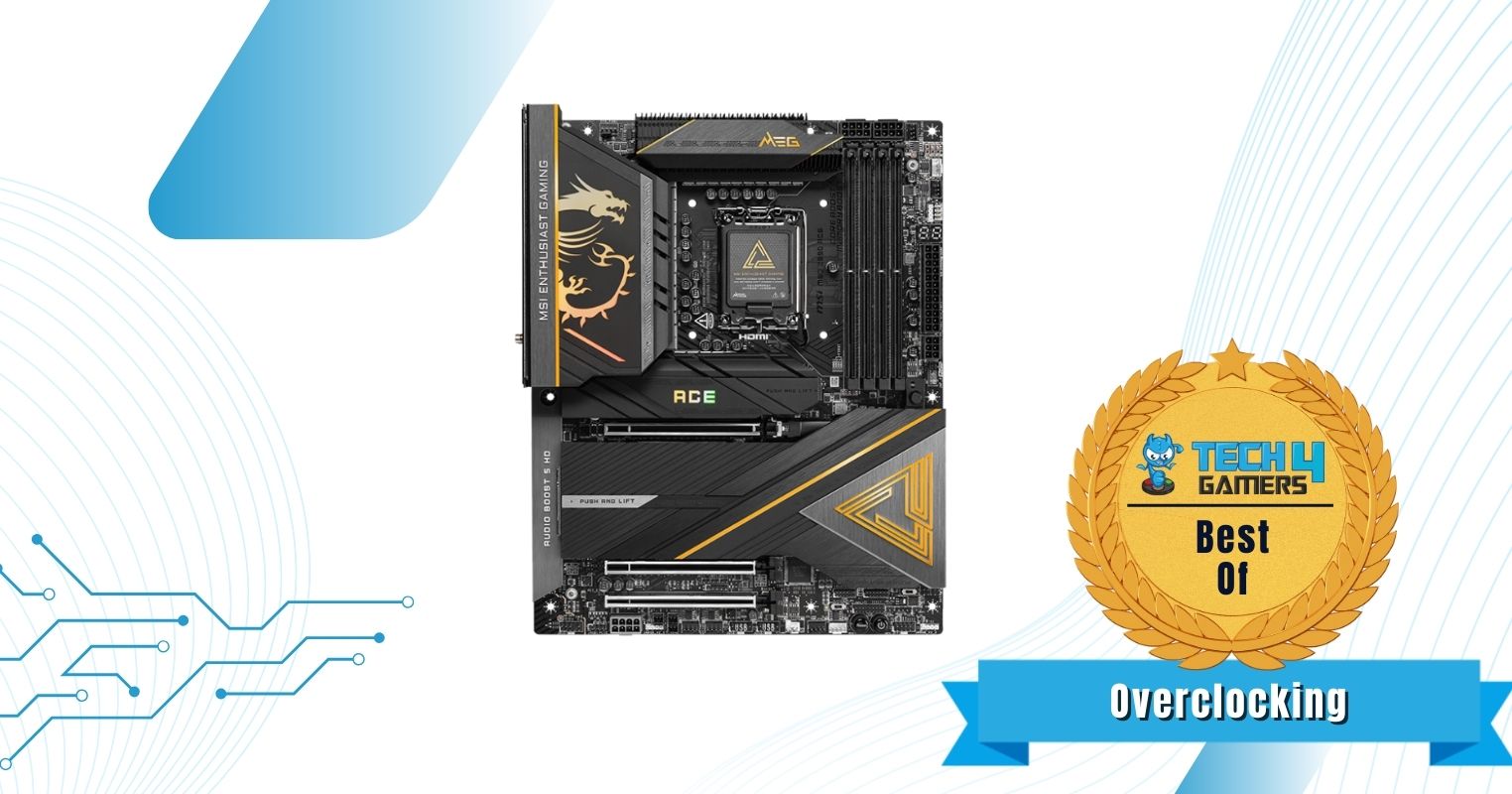
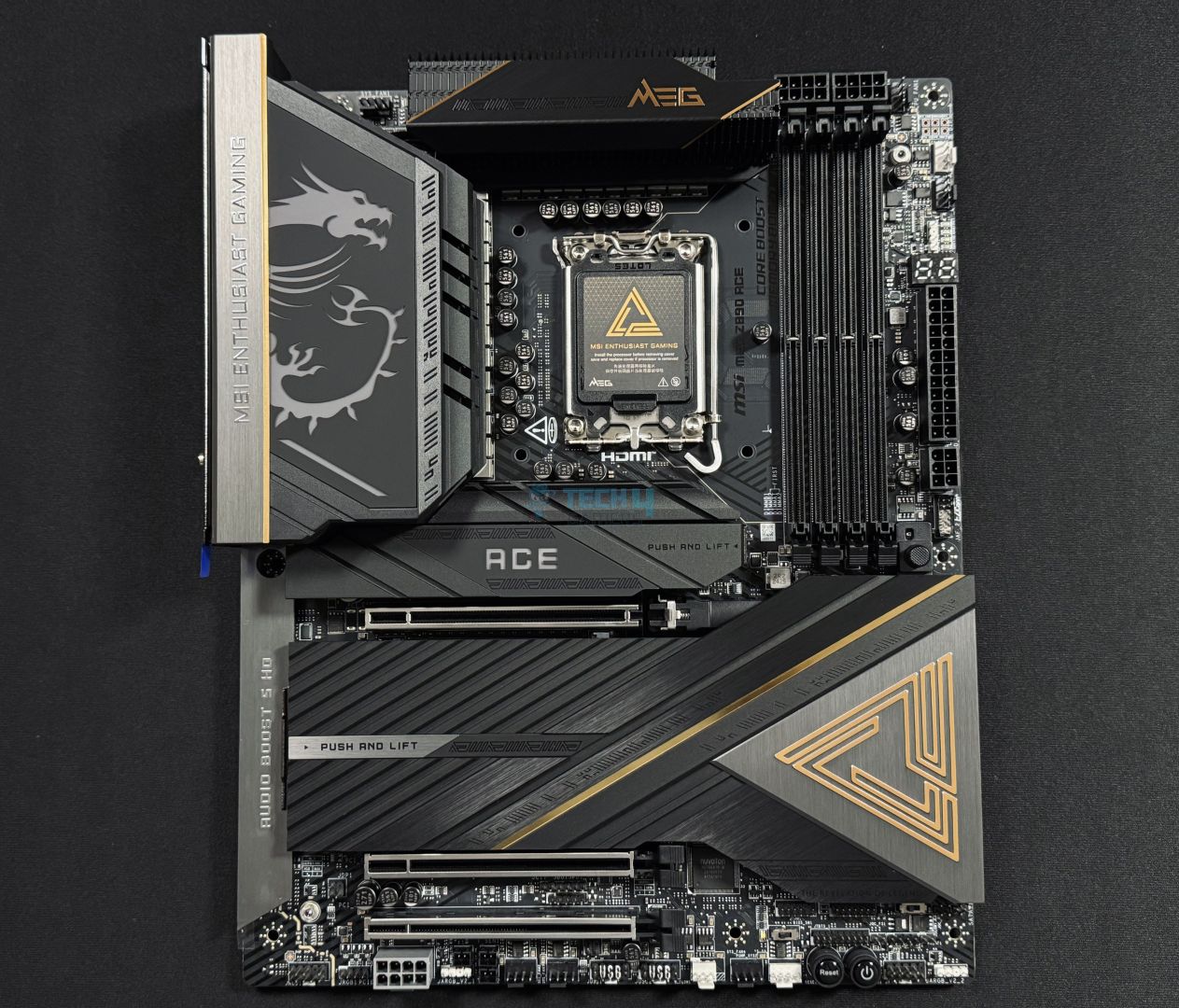
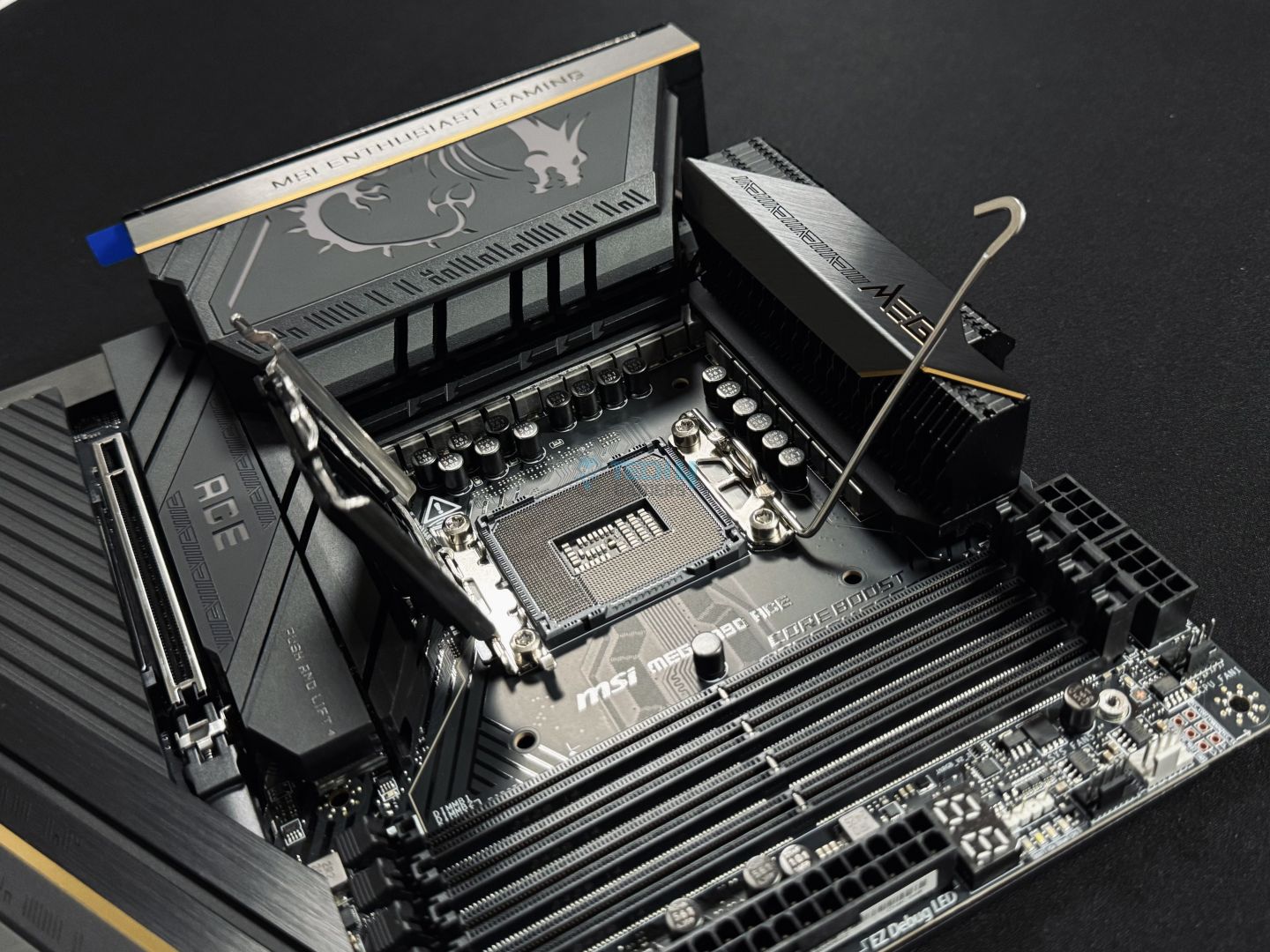
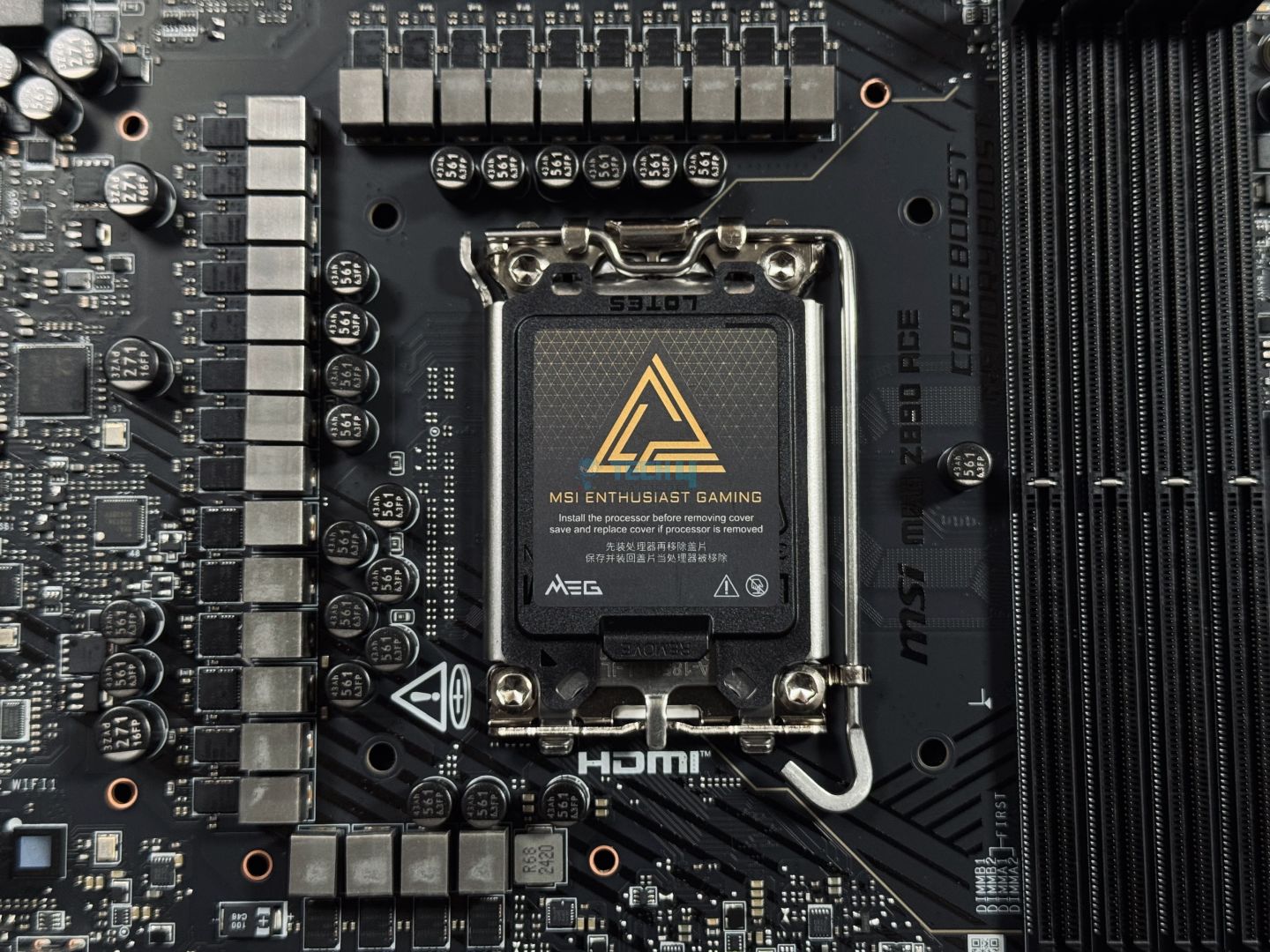
Chipset: Intel Z890 | Memory: DDR5 9200+ (OC) | VRM: 24+2+1+1 | Video Outputs: HDMI 2.1, 2x Type-C DisplayPort 2.1, 2x USB4 ports | RGB Lighting: Yes | Network: Intel Killer 10G LAN, WiFi 7, Bluetooth 5.4 | Storage: 5x M.2, 4x SATA 6G | USB Ports: 15x Rear, 9x Front
Pros
- Overclocking beast
- Bundle of USB ports
- Equipped with 10G LAN
- Terrific cooling solution for VRMs & NVMe drives
- One-click auto OC
- EZ DIY features
- 5x NVMe slots
Cons
- Not for budget builders
Read Our MSI MEG Z890 ACE Review
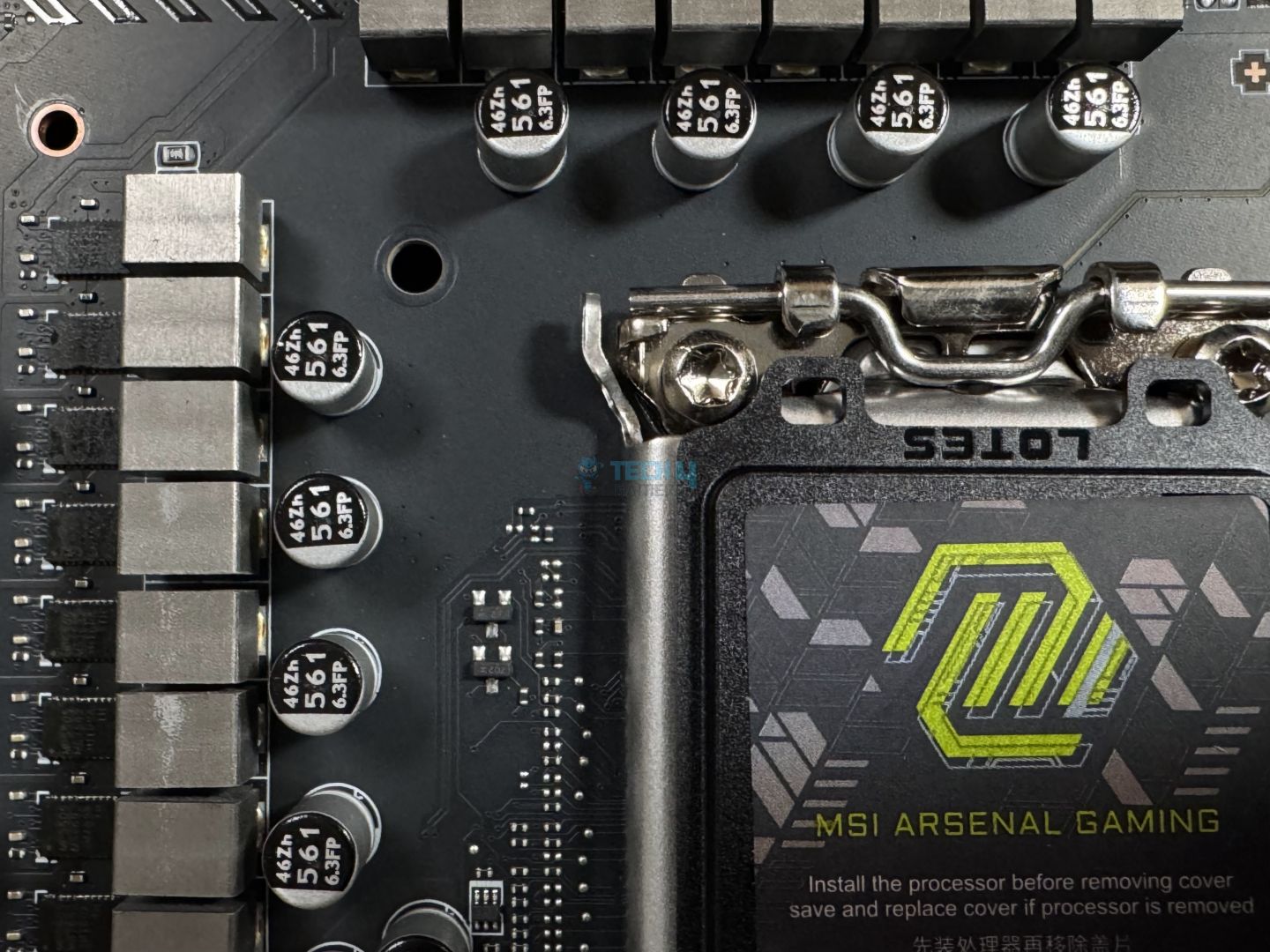
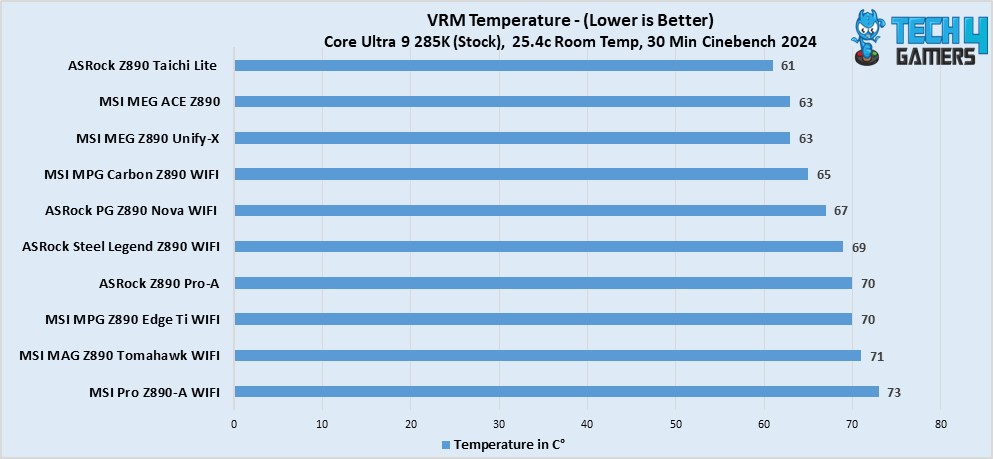
When the question is about choosing the best overclocking motherboard, especially for CPUs such as the Intel Core Ultra 7 270K Plus. The MSI MEG Z890 ACE is an obvious pick. The motherboard has more than enough horsepower to push any Intel Core Ultra Series processor to its limits. And the credit for it goes to its exceptional VRM setup that features a 24+2+1+1 phase design. This kind of config was able to produce 2461 points in multicore and 149 in single-core Cinebench 2024 benchmark test run. To achieve such numbers, the VRMs need to run within stable temperature limits. For that, the excellent heatsink solution keeps the temps under 63 °C.
Other than that, the MSI MEG Z890 ACE also doesn’t fall short on the rest of the features. I highly regard this board for its large number of high-speed connectivity ports. There are 24 in total, and two of them are Thunderbolt 4 ports, as well as a 20G USB Type-C on the front, supporting up to 60W PD charging. Besides the USB ports, there’s also a 10G LAN coupled with an AI LAN manager to offer the best online gaming experience. Lastly, I like how you can install a total of five NVMe drives, two of which are PCIe Gen5 enabled. It’s a complete powerhouse waiting to be unleashed by the right person.
The motherboard impressed our hardware reviewer, Usman Saleem, quite a bit, and this is what he had to say in his dedicated review:
The MSI MEG Z890 ACE motherboard delivers top-tier performance and features, perfect for those who want the best without budget constraints. The motherboard supports high-speed DDR5 memory and PCIe 5.0, with plenty of M.2 and USB ports to meet any demand.
What Makes It The Best Overclocking Motherboard For Intel Core Ultra 7 270K Plus?
The MSI MEG Z890 ACE is a fantastic board featuring a high-end VRM setup, ample cooling solution, and a serious amount of connectivity & storage ports. All while looking like an absolute candy to the eyes. With such impressive specs, I can only call this the best overclocking motherboard for Intel Core Ultra 7 270K Plus.
| Performance: 10/10 | Value: 7/10 |
| Features: 9.5/10 | Design: 9.5/10 |
ASRock Z890 Steel Legend WiFi
Best White Motherboard For Intel Core Ultra 7 270K Plus
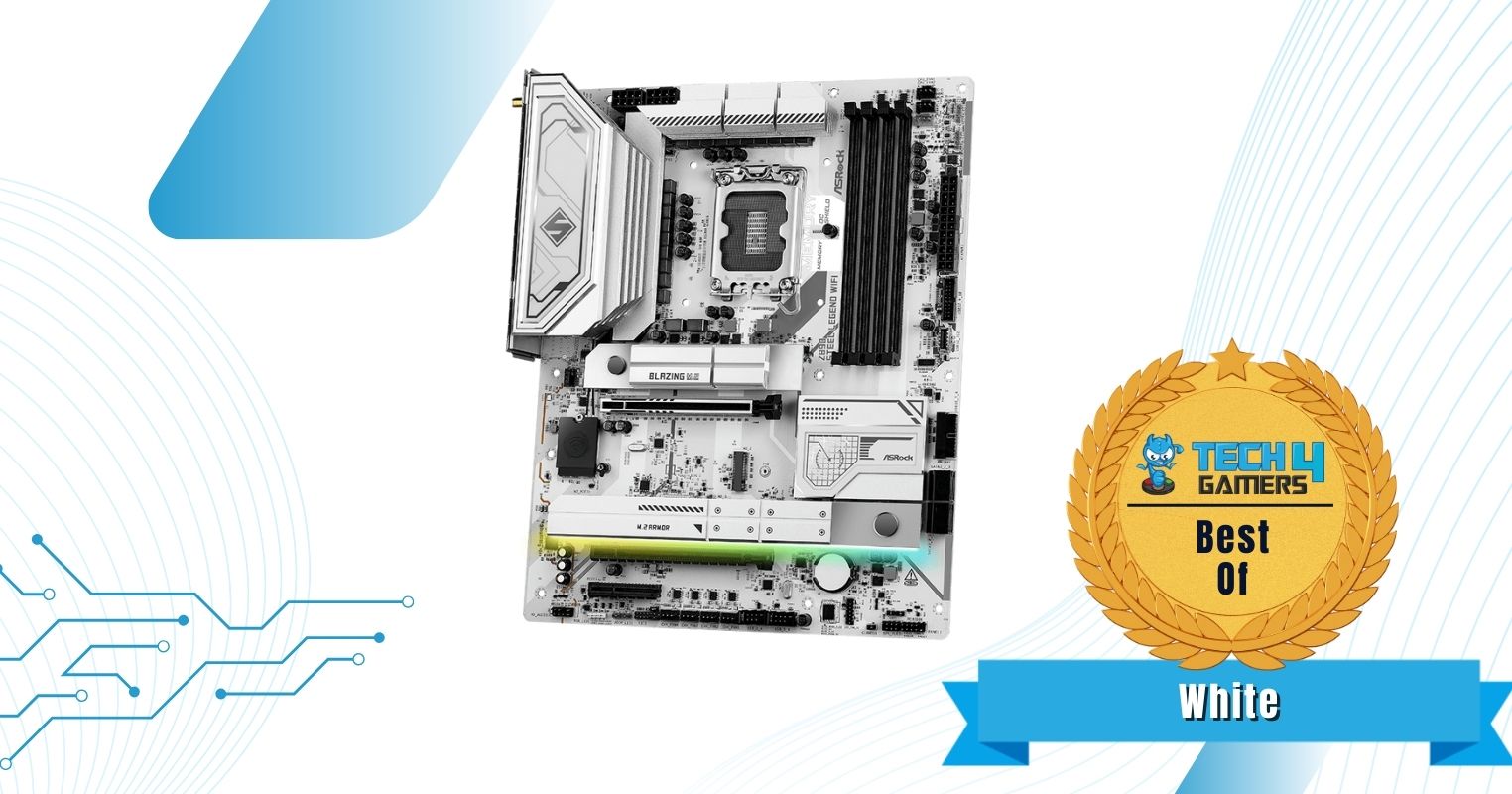
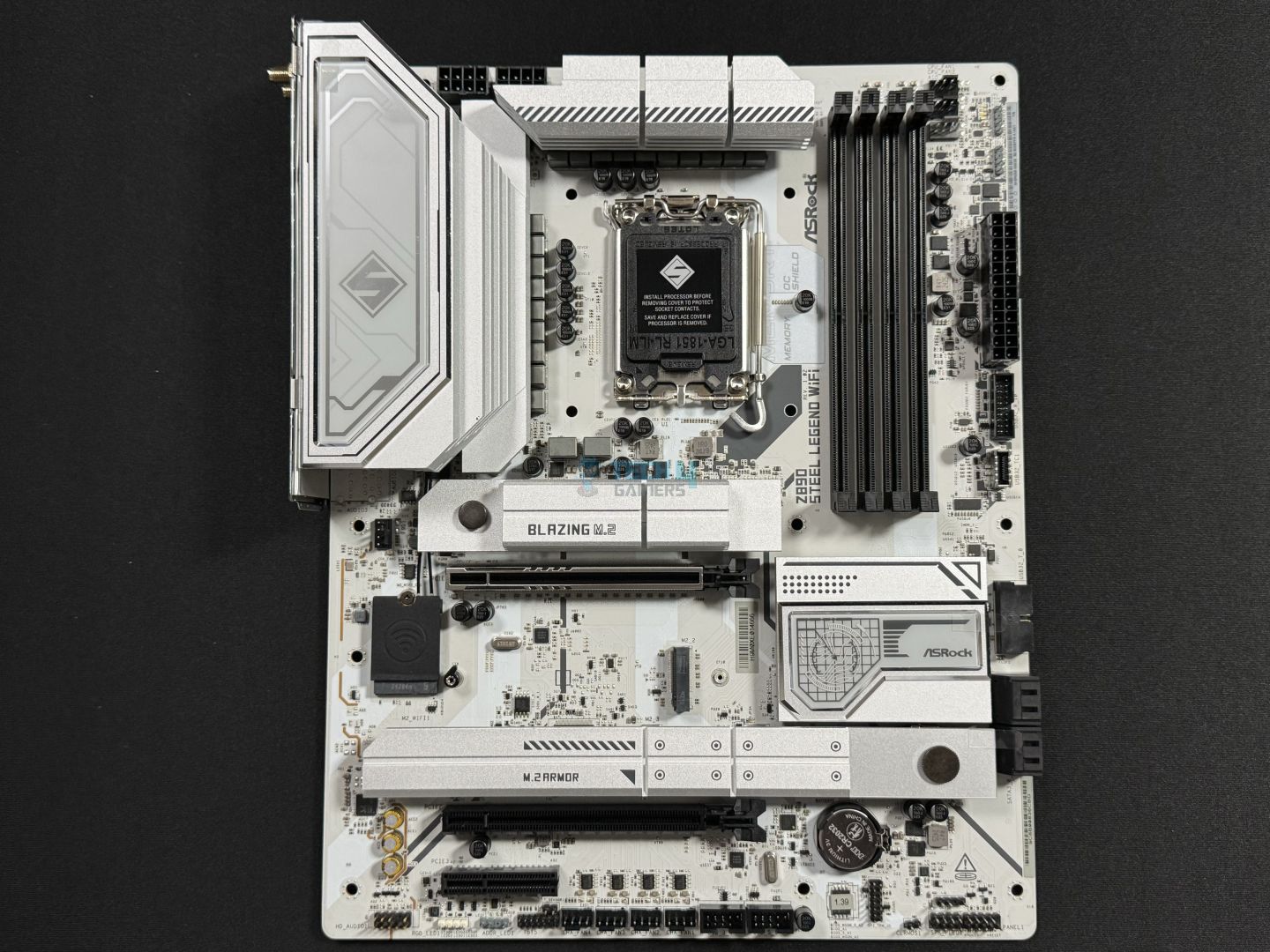
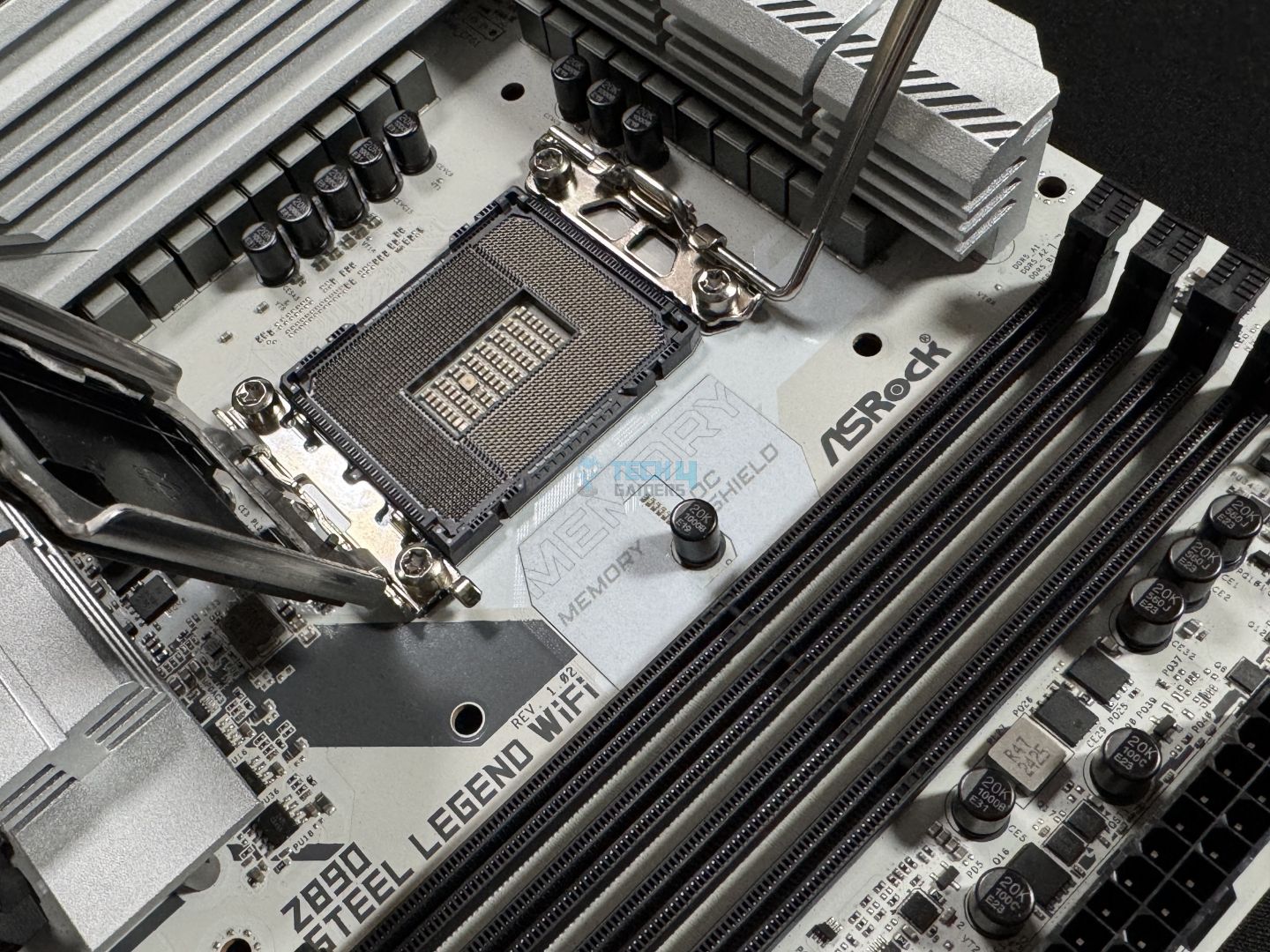
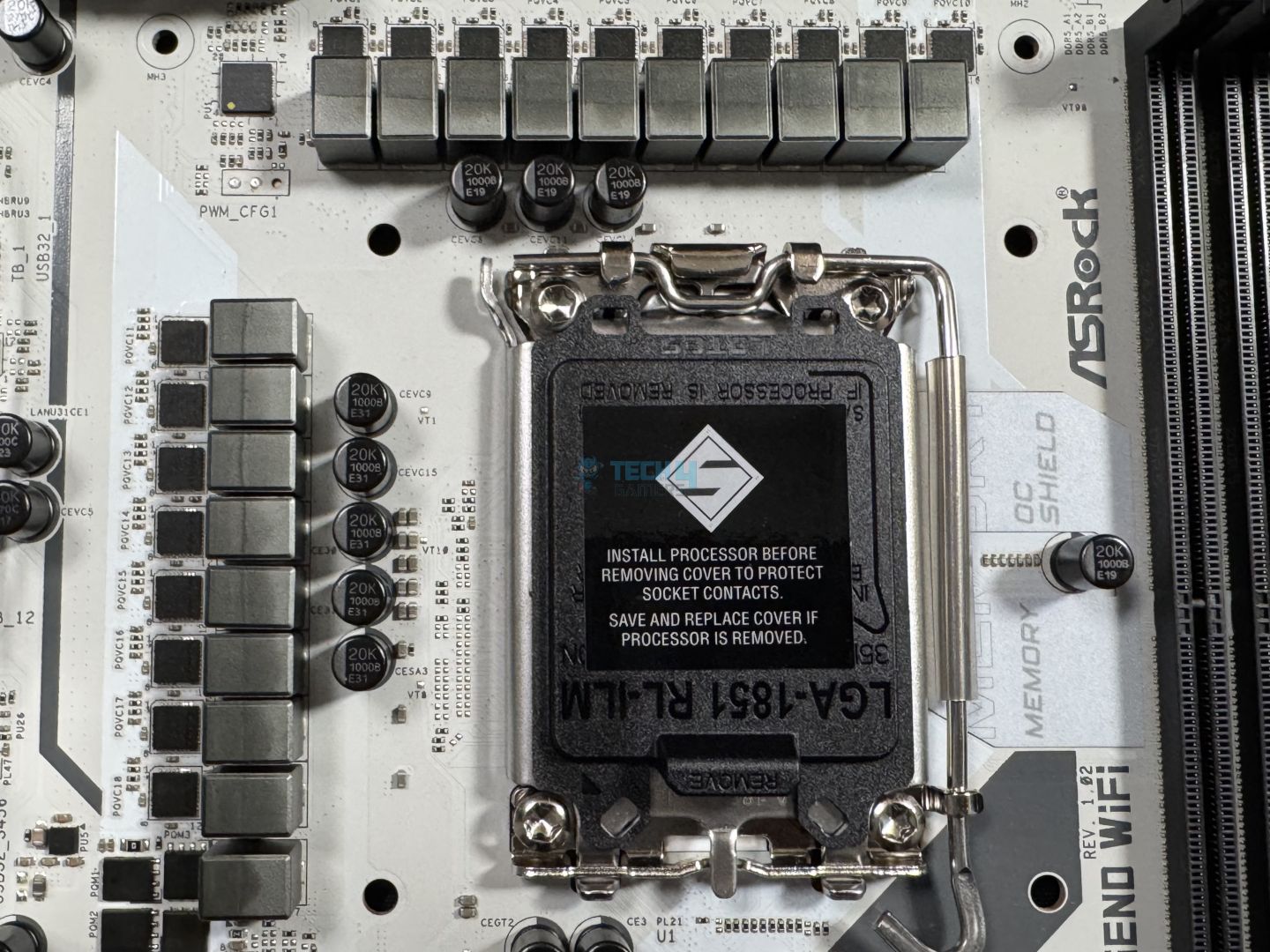
Chipset: Intel Z890 | Memory: DDR5 9466+ (OC) | VRM: 18+1+1+1+1 | Video Outputs: HDMI 2.1, 2x USB4 Ports | RGB Lighting: Yes | Network: WiFi 7, Dragon 2.5G LAN, Bluetooth 5.4 | Storage: 4x M.2, 4x SATA3 | USB Ports: 10x Rear, 9x Front
Pros
- 18+1+1+1+1 phase VRM design
- Not too heavy on the wallet
- RAM speed going up to 9466 MT/s
- Toolless M.2 release mechanism
- Two Thunderbolt 4 ports
- Stunning white aesthetics with RGB
Cons
- M.2_3 lacks a heatsink
- No Debug Code LED
Read Our ASRock Z890 Steel Legend WiFi Review
Not everyone prefers the same black or grey themed motherboards; some like to go a little different by having a white board in their build. This is where the ASRock Z890 Steel Legend WiFi justifies its existence quite easily. The board not only has stunning visuals but is also a great bang-for-the-buck category contender. Simply because it has an 18+1+1+1+1 phase VRM design, which, if coupled with Intel Core Ultra 7 270K Plus, can pull impressive performance. Moreover, the 9466 MT/s memory speed support is another impressive feat of this board while being reasonably priced.
Besides the performance stuff, the ASRock Z890 Steel Legend also comes with 19x USB ports, and yes, two of them are indeed Thunderbolt 4. Next, there is one PCIe Gen5 M.2 and three PCIe Gen4 M.2 slots. While it does feature a toolless M.2 release mechanism, the M.2_3 slot lacks a heatsink altogether. Another drawback I found is the absence of a Debug Code LED, which helps a lot while troubleshooting. However, considering its price and ample things to offer, one can simply ignore these minor inconveniences.
This is how we described in our review:
The ASRock Z890 Steel Legend WiFi shows outstanding price-to-performance, making it one of the best budget Z890 boards out there. It offers a fairly capable 18+1+1+1+1 VRM solution, DDR5 support up to 9466 MT/s, WiFi 7, Bluetooth 5.4, and dual Thunderbolt 4 ports. That should be enough, but if not, it also offers a beautiful white design and includes an RGB under the M.2 heatsink.
What Makes It The Best White Motherboard For Intel Core Ultra 7 270K Plus?
The ASRock Z890 Steel Legend WiFi speaks for itself with its eye-popping white design with RGB on its lower level and good performance figures while being easy on the wallet. The inclusion of two Thunderbolt ports and a toolless M.2 release mechanism makes me term it the best white motherboard for Intel Core Ultra 7 270K Plus.
| Performance: 8.5/10 | Value: 9.5/10 |
| Features: 8/10 | Design: 9.5/10 |
ASRock Z890 Pro-A
Best Budget Motherboard For Intel Core Ultra 7 270K Plus
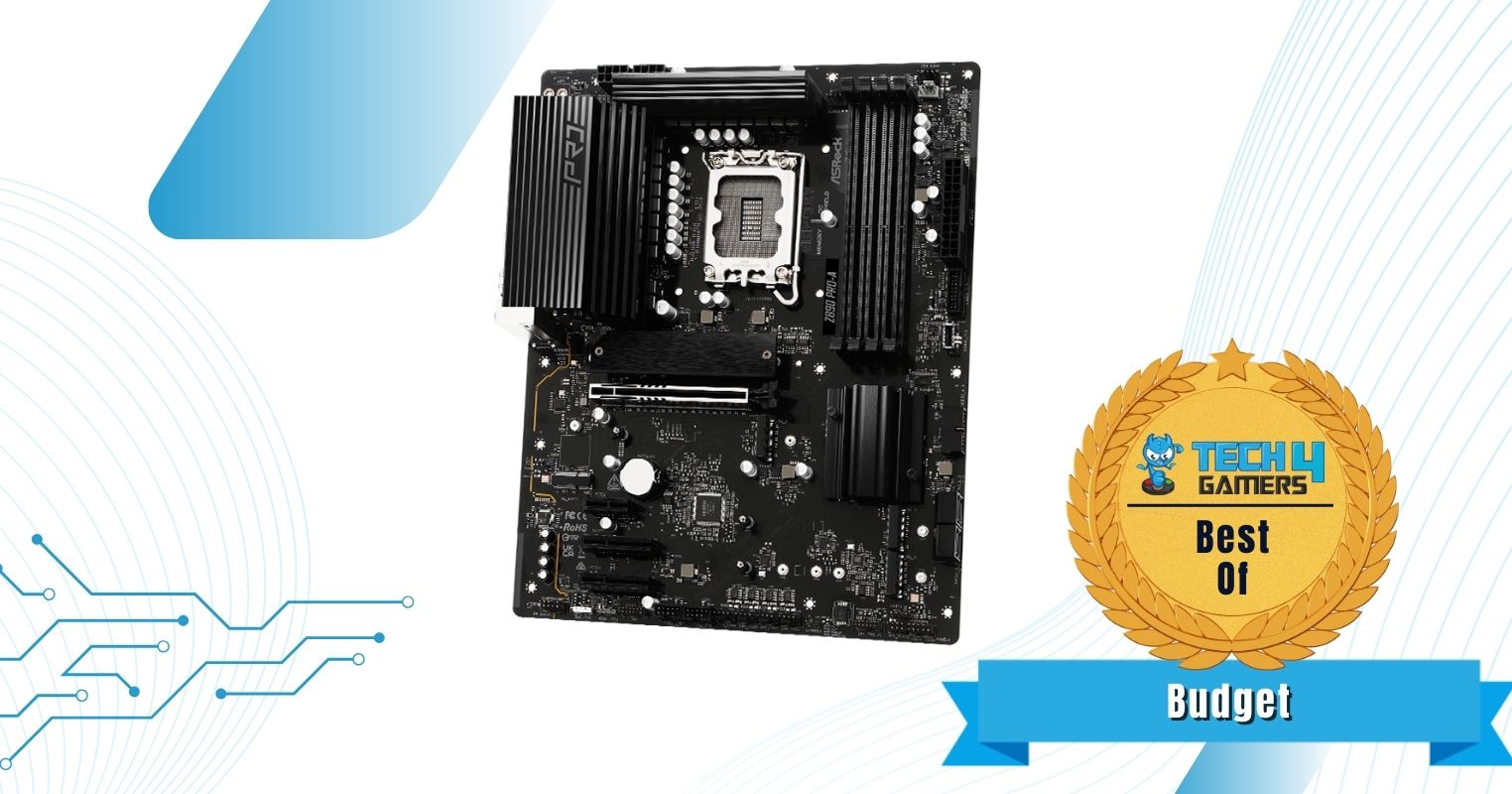
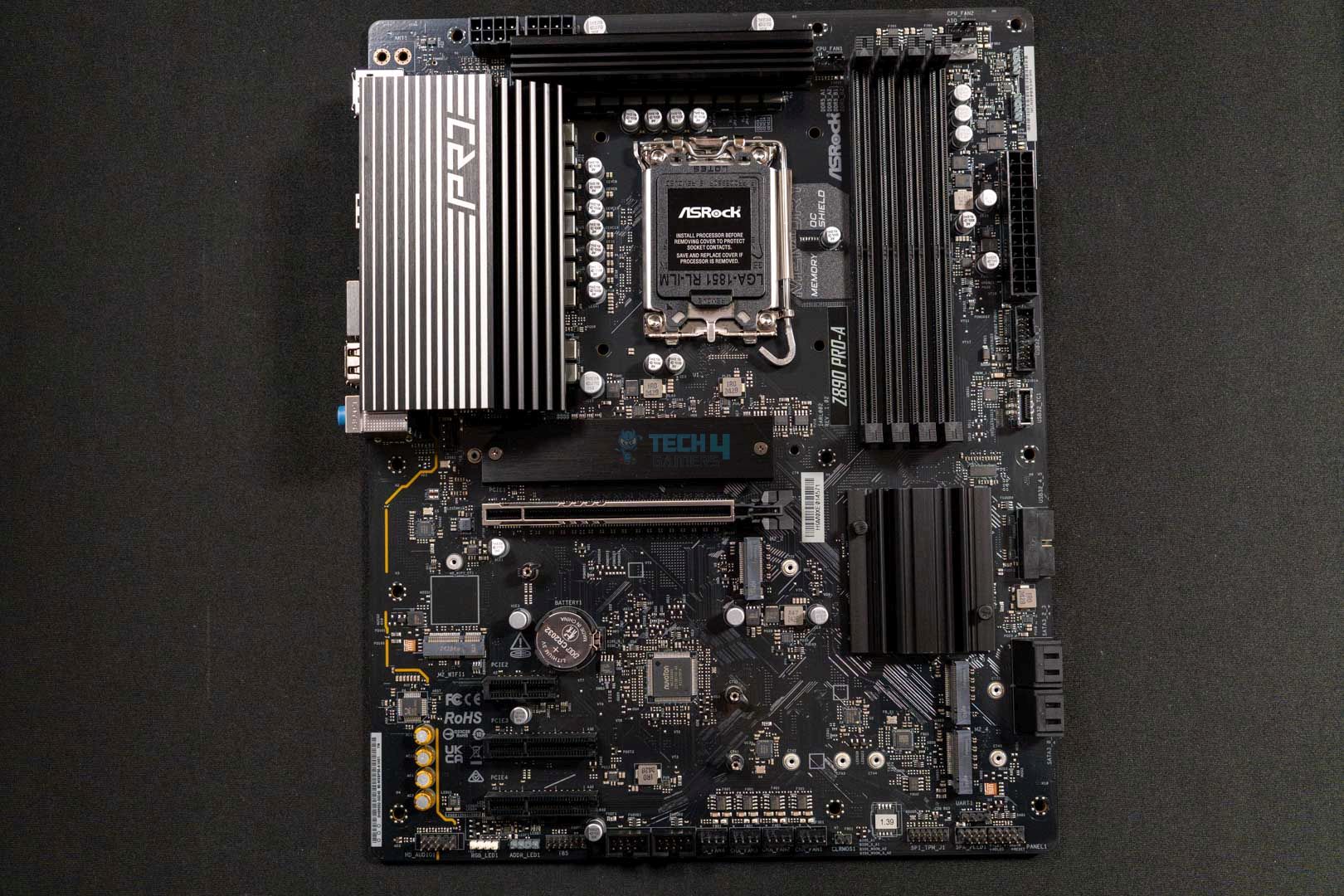
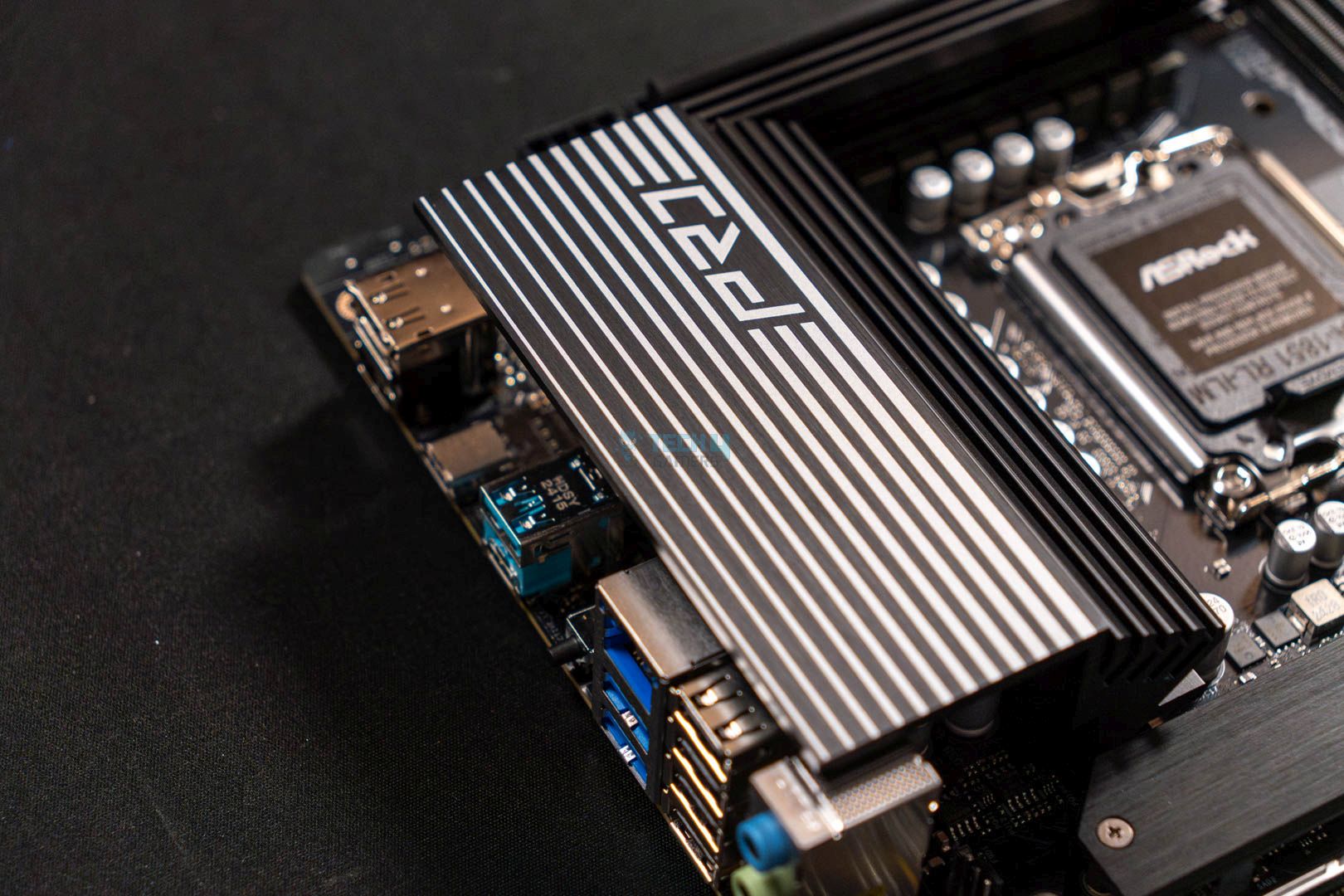
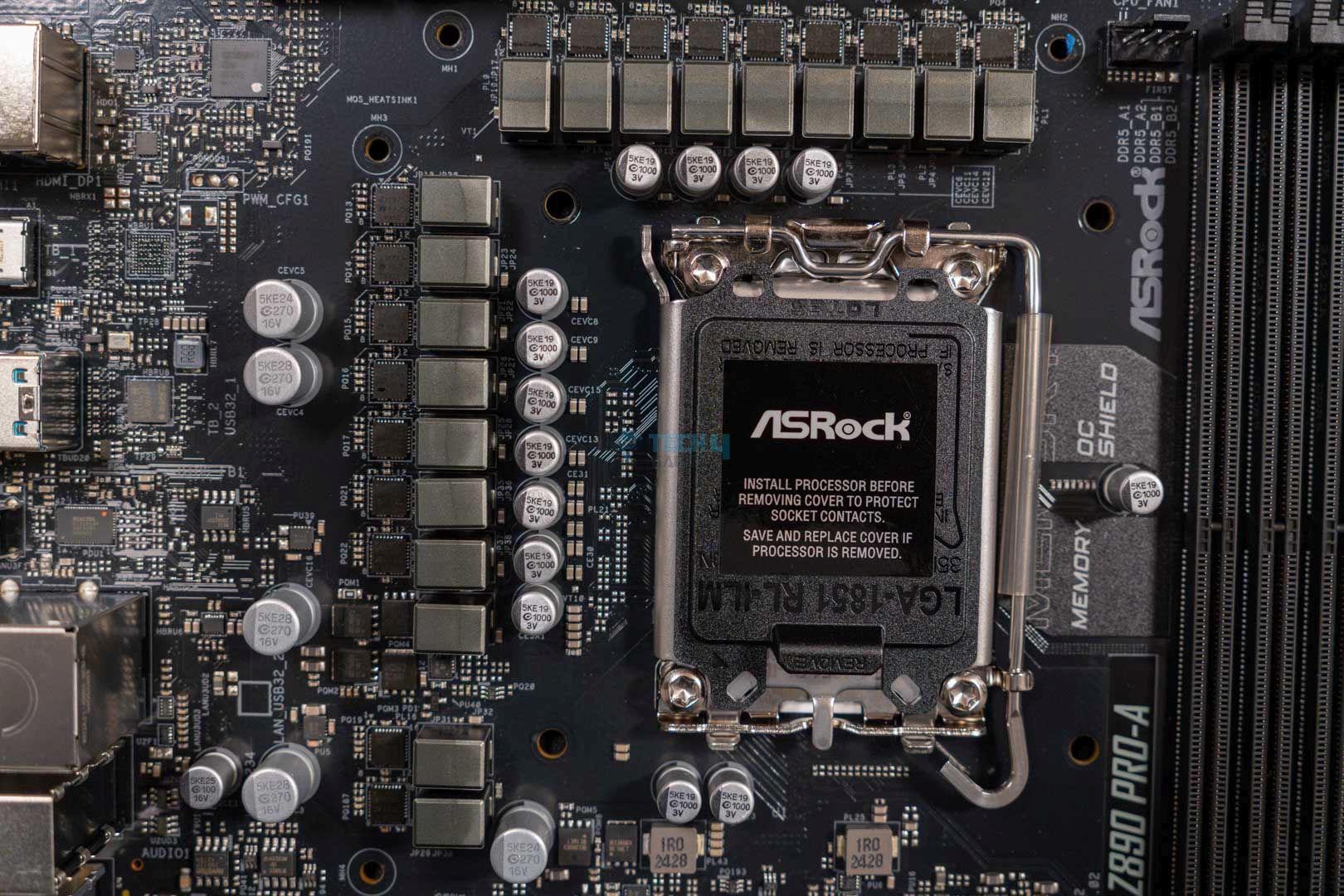
Chipset: Intel Z890 | Memory: DDR5 9066+ (OC) | VRM: 16+1+1+1 | Video Outputs: HDMI 2.1, 1x DisplayPort 1.4, 1x USB4 port | RGB Lighting: No | Network: Dragon 2.5G LAN | Storage: 4x M.2, 4x SATA3 | USB Ports: 9x Rear, 9x Front
Pros
- Very affordable
- Competitive performance & thermals
- RAM speed up to 9066 MT/s
- Superb I/O solution
- Thunderbolt 4 port
- Offers PCIe Gen5 NVMe slot
Cons
- WiFi & BT are out of the question
- Only offers 2.5G LAN
Read Our ASRock Z890 Pro-A Review
Not everyone likes to start big or has the means to go all out at once. This is where the budget category boards shine. For that, I have picked the ASRock Z890 Pro-A. It looks very basic as it costs way less but retains the majority of the essential features to justify its purchase. One of them is the 16+1+1+1 phase VRM design that is decent enough for the Intel Core Ultra 7 270K Plus to crank itself higher than base clocks. To cool it all down, there’s also a decent amount of heatsink cooling solution available, too. Which isn’t as robust as its bigger brothers but enough for its own sake.
While it does offer decent performance, it comes at the cost of WiFi & BT, which is a bummer. But understandable for a budget category board. However, this isn’t the end of the road because the board does, at least, offer serviceable I/O with ports like Thunderbolt 4. Furthermore, the board being an affordable option also comes with one Gen5 M.2 and three Gen4 M.2 slots, making it a great budget pick for a great value CPU like Intel Core Ultra 7 270K Plus.
Here’s what Ali Tauseef had to say about this board in his review:
The ASRock Z890 Pro-A is an entry-level motherboard that comes in at a highly competitive price of $189.99 USD. At this price, the motherboard does drop the support for WiFi and Bluetooth, though the slot is available to separately install a module of your own. Other than this minor inconvenience, the board offers pretty much everything, from decent performance to a good selection of I/O with a budget-friendly price tag.
What Makes It The Best Budget Motherboard For Intel Core Ultra 7 270K Plus?
The ASRock Z890 Pro-A is a pretty simple motherboard that keeps only the most essential features, with some extras to be as budget-friendly as possible. The impressive performance, high-speed memory support, and good I/O make it the best budget motherboard for Intel Core Ultra 7 270K Plus.
| Performance: 8/10 | Value: 9.5/10 |
| Features: 8.5/10 | Design: 7.5/10 |
MSI MPG Z890 Carbon WiFi
Best High-End Motherboard For Intel Core Ultra 7 270K Plus
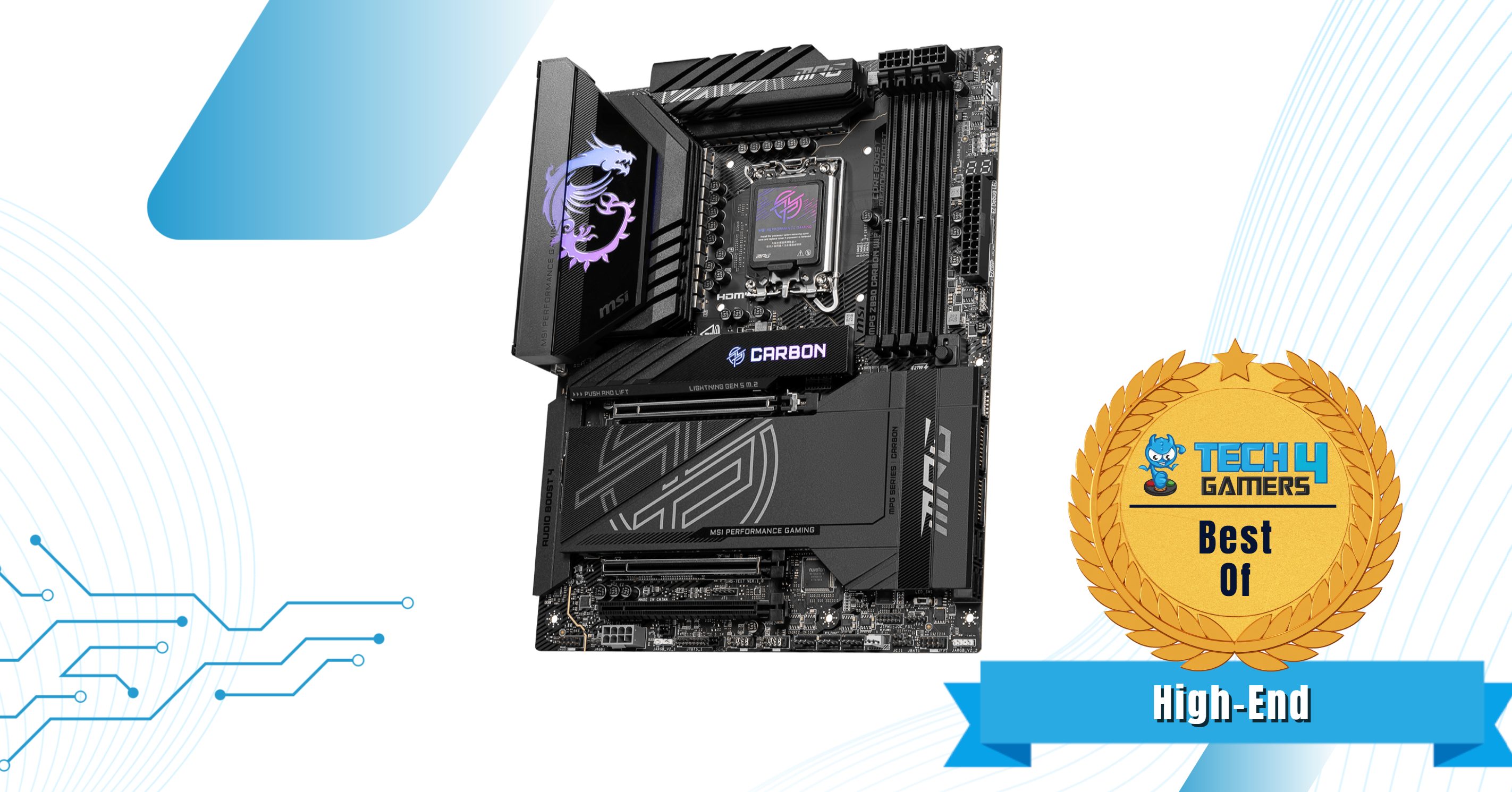
Chipset: Intel Z890 | Memory: DDR5 9200+ (OC) | VRM: 20+1+1+1 | Video Outputs: HDMI 2.1, 2x Type-C Ports | RGB Lighting: Yes | Network: WiFi 7, 2.5G + 5G LAN, Bluetooth 5.4 | Storage: 5x M.2, 4x SATA3 | USB Ports: 13x Rear, 9x Front
Pros
- Powerful VRM setup
- EZ DIY features
- RAM speed up to 9200 MT/s
- 5x NVMe slots
- Has Thunderbolt 5 support
- Supplemental 8-pin power connector
- Impressive design with RGB
Cons
- 10G LAN is absent
Read Our MSI MPG Z890 Carbon WiFi Review
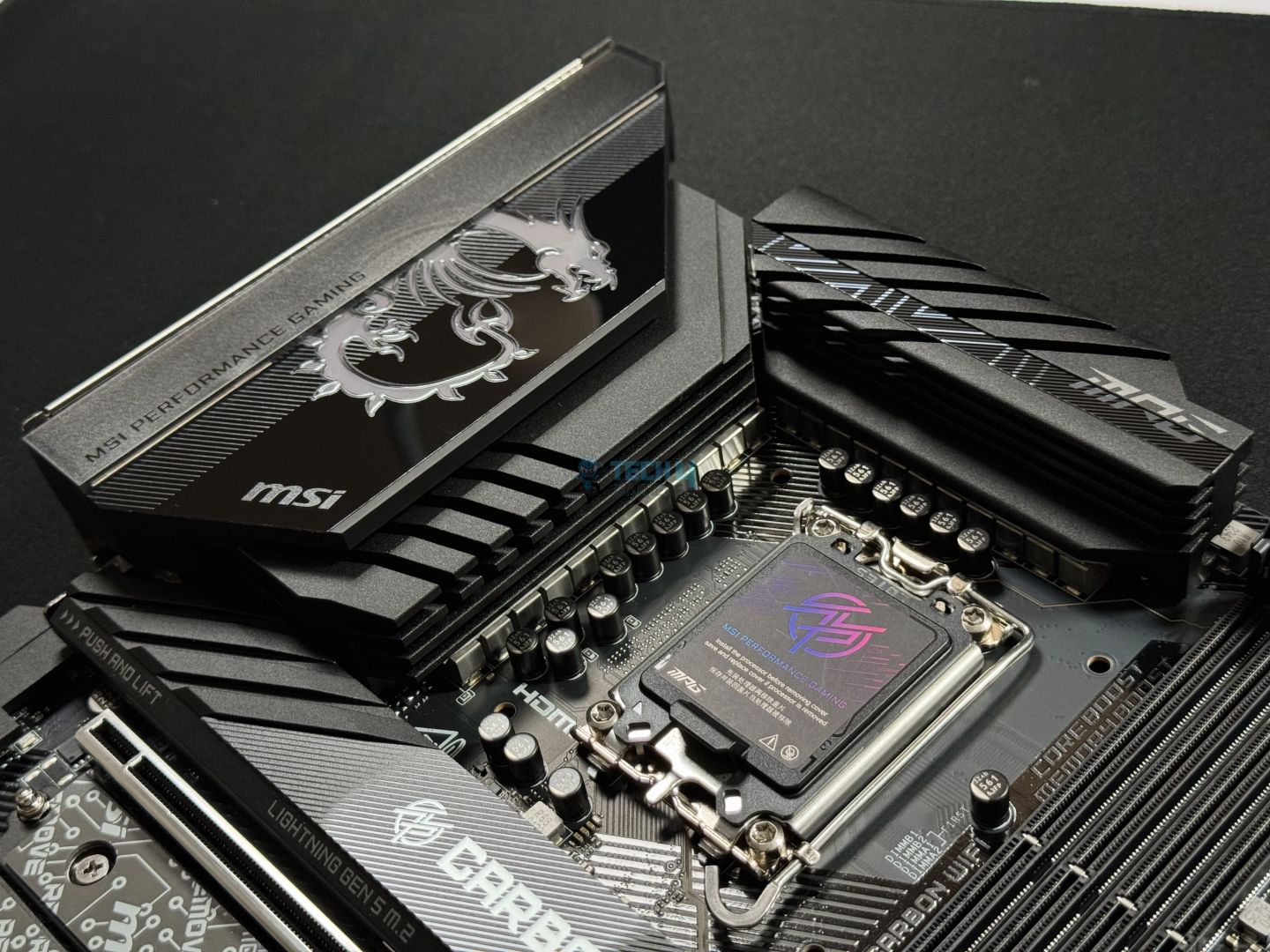
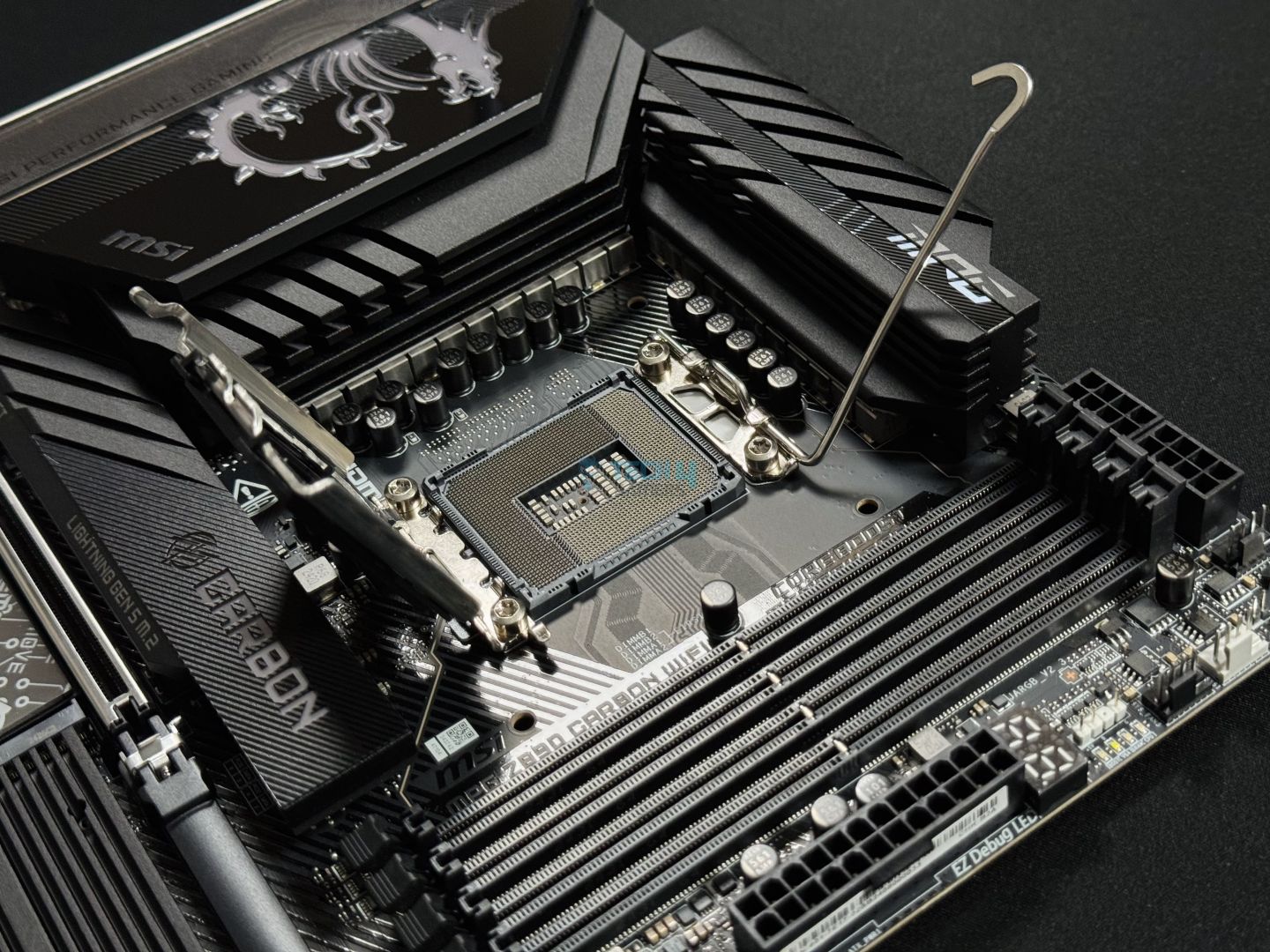
Lastly, for something high-end that isn’t as expensive as the MSI MEG Z890 ACE, but does offer many of its premium features. The MSI MPG Z890 Carbon WiFi is one of the best choices, in my opinion. The motherboard comes packed with a powerful 20+1+1+1 phase VRM configuration that would fit perfectly with the likes of Intel Core Ultra 7 270K Plus. In our testing, the board put out numbers like 147 for single-core and 2445 points in multicore in Cinebench 2024. What’s more, you get here is the support for RAMs going up to 9200 MT/s. This is pretty much more than enough for the majority of folks.
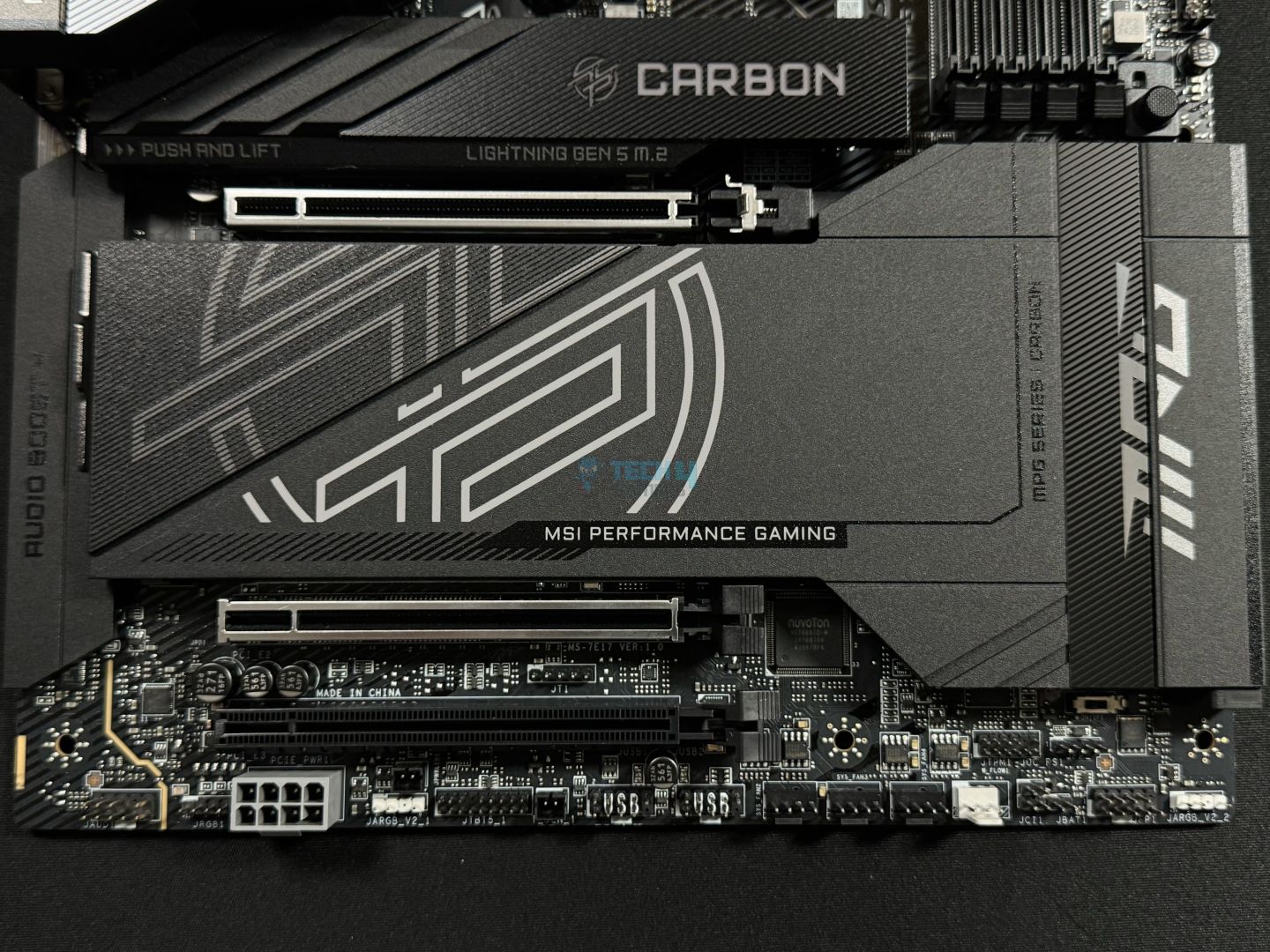
Going forward, the board also offers a great design while being quite practical on its cooling side, as we only noted 65°C max on full load in our test. Likewise, there’s also an abundance of USB ports, including dual Thunderbolt 4 and support for Thunderbolt 5 as well. However, the only thing that’s lacking here is the inclusion of a 10G LAN port. Which being stripped down from the $499.99 motherboard is a little disappointing. Other than that, the board is a complete package with 5x NVMe slots and lots of EZ DIY features.
Here’s what Usman Saleem said about the motherboard in his review:
The MSI MPG Z890 Carbon WiFi is a power-packed board with a feature set covering everything you could possibly think of. Its power-phase design is a 20+1+1+1 with 20x 110A SPS powering the VCore, leaving plenty of overclocking room for any Arrow Lake chip. The design is excellent, with 2 RGB zones, but the branding goes a bit overboard. Moving on, it offers PCIe Gen 5 storage and expansion, DDR5-9200, WiFi 7, Bluetooth 5.4, and Thunderbolt 4.
What Makes It The Best High-End Motherboard For Intel Core Ultra 7 270K Plus?
The motherboard offers superb build quality, has excellent performance, and equally impressive VRM cooling while also looking incredible to the eye. What else is impressive is its plenty of USB ports as well as support for Thunderbolt 5. All in all, this is truly what I can call the best high-end motherboard for Intel Core Ultra 7 270K Plus.
| Performance: 9/10 | Value: 8.5/10 |
| Features: 9/10 | Design: 9.5/10 |
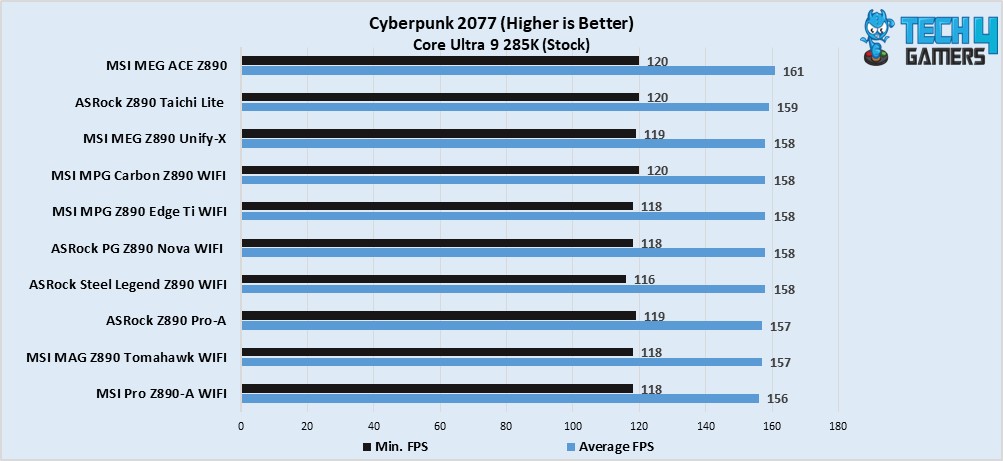
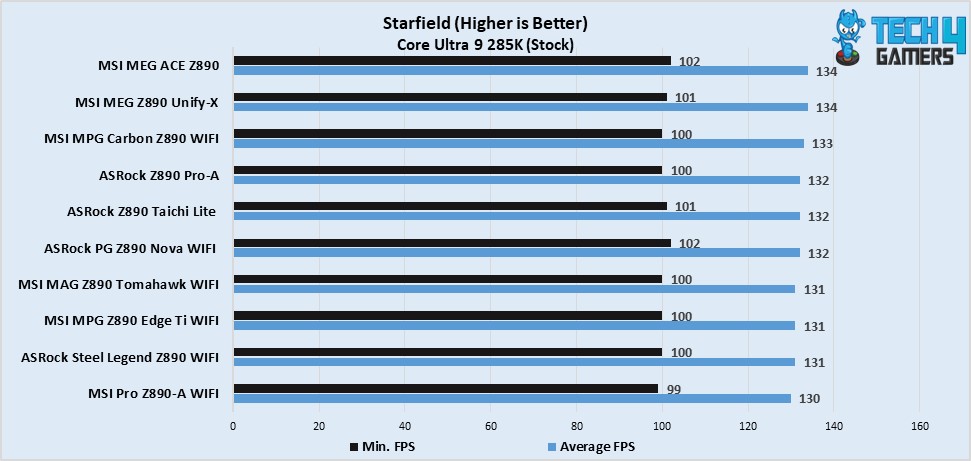
Benchmarks Of The Best Motherboards For Intel Core Ultra 7 270K Plus
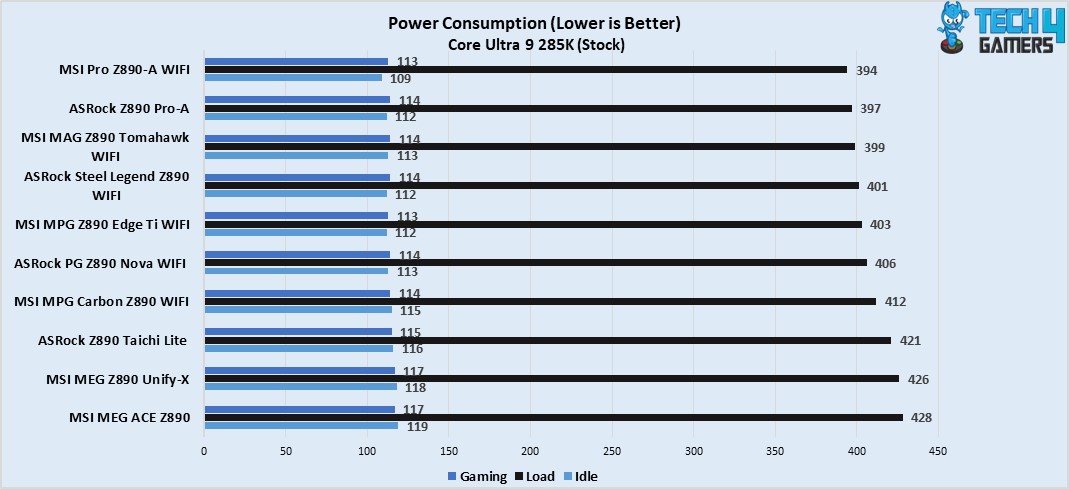
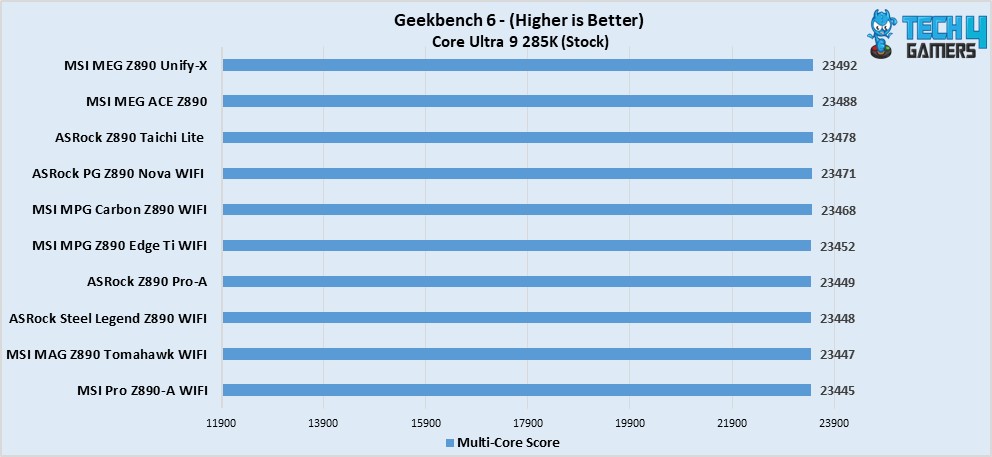
To check out the motherboards we suggest are actually worthy, we reviewed all of them, and here are the results to help you decide easily.
Specification Comparison
We have compiled this chart to highlight the specifications of all the motherboards so you can compare and choose more wisely.
| Motherboard Model | Total Power Phases | Max Memory Speed (MT/s) | No. of M.2 Slots | No. of SATA Ports | No. of USB Ports (Front) | No. of USB Ports (Rear) |
|---|---|---|---|---|---|---|
| MSI MAG Z890 TOMAHAWK WiFi | 19 | 9200 | 4 | 4 | 8 | 10 |
| ASRock Z890 Steel Legend WiFi | 22 | 9466 | 4 | 4 | 9 | 10 |
| MSI MEG Z890 ACE | 28 | 9200 | 5 | 4 | 9 | 15 |
| MSI MPG Z890 Carbon WiFi | 23 | 9200 | 5 | 4 | 9 | 13 |
| ASRock Z890 Pro-A | 20 | 9066 | 4 | 4 | 9 | 9 |
Key Motherboard Terms
- CPU Socket: This sits parallel to the RAM slots and is the place where you install your new CPU. There are various types of CPU sockets, and keeps changing with each new generation or after a few generations, depending upon the company.
- DIMM Slots: These are where you install your RAM sticks, and they sit right near the CPU socket. Moreover, there are four in quantity on ATX-sized boards. While on the m-ATX boards, they are available in four as well as two slot configurations. Whereas mini-ITX boards only come with two of them.
- Form Factor: Motherboards nowadays come in various sizes, and each of them is suited for various purposes. But it mostly stays the same, the most common sizes are mini-ITX, m-ATX, ATX, and then comes the biggest one – E-ATX.
- VRM: VRM, or Voltage Regulatory Modules or Power Delivery System, whatever you want to call it, is one of the crucial components on a motherboard. These small chips are located around the CPU socket and provide the CPU and other components with the right amount of voltage from the PSU. These are also linked with overclocking because stronger VRMs mean better overclocking support and potential.
- PCIe Slots: The PCIe Slots are present on every motherboard and come in x1, x4, and x16 sizes. These slots are there to utilize components like a graphics card, NVMe drive, and network or storage expansion cards.
- Chipset: Chipset is the motherboard’s very processor, which handles all the communication happening between the components attached to the board. It actively monitors everything and keeps errors and crashes out of the way for the most part.
How We Tested These Motherboards
Testing out a motherboard requires a few things to be considered to give an honest suggestion. We mainly keep aspects like whether it has a decent VRM setup, a decent number of I/O & storage options, or if it falls under the best bang for the buck category or not. Here are some of them explained in slight detail:
- Features: Features add a lot of value and practicality to the motherboard if they are good ones. Which is why we look for features like troubleshooting LEDs, AI LAN management, EZ DIY features, types of USB ports, and whether they support PD charging or not, and even stuff like onboard power buttons.
- Power Delivery: The power delivery system on a motherboard is one of its biggest selling points because the more powerful it is, the better the performance. And not to mention, the stability of operation also depends on the quality of the VRM setup. Motherboards with weaker power delivery setups even restrict CPUs from reaching their true potential and are only meant to be paired with budget ones.
- Value for Money: We do keep the value factor in mind while picking motherboards to suggest. Simply because many boards do not offer the kind of performance and features for the price they’re coming at. This is why we add some of the options with the best bang for the buck factor.
FAQs
No, the new Intel CPUs, such as the Core Ultra 7 270K Plus, do not need a BIOS update and will work straight up with any Z890 chipset motherboard
Honestly, if your primary reason is to game on your computer, the Core Ultra 7 270K Plus should be more than enough and will be enough for most productivity workloads as well, while costing way less too.
Thank you! Please share your positive feedback. 🔋
How could we improve this post? Please Help us. 😔

Zain is our hardware expert, known for deep-dive reviews and round-ups on motherboards, CPUs, RAM, GPUs, and cooling systems. He focuses on performance and value, skipping the marketing hype to give you honest, no-nonsense advice.
 Join Our Community