
 Threads

Worth the Price?
Review Summary
The SCUF Nemesis Pro 8K Wireless is a premium PC gaming controller designed for competitive players seeking extensive control and customization. It combines TMR thumbsticks, Omron mechanical face buttons, dual-mode triggers, and four programmable rear paddles with wired and 2.4GHz wireless connectivity supporting up to 8,000Hz polling. Its Companion App adds detailed customization options, while the solid build and comfortable grip make it a well-rounded package. However, at $199.99, it is an expensive option, and its advanced features may be unnecessary for casual players.

Overall
-
Design - 9/10
9/10
-
Build Quality - 9.3/10
9.3/10
-
Performance - 9.8/10
9.8/10
-
Software - 9.5/10
9.5/10
Pros
- Premium build quality
- TMR thumbsticks
- Responsive mechanical switches
- Dual-mode triggers
- Comfortable grip
Cons
- A bit expensive at $199.99
- Four rear paddles have a learning curve
- Wireless polling limited to 4K while the app is open


SCUF is a name that carries considerable weight in the premium gaming controller market, particularly among players who take competitive gaming seriously. The company has built its reputation on controllers designed to offer more control and customization than standard controllers. The SCUF Nemesis Pro 8K Wireless Smoke is another addition to that lineup, and it’s a controller I’ve been looking forward to getting my hands on. I actually reviewed the SCUF Omega Smoke just last month, and it left a very good impression on me.
It was a solid controller, and I genuinely enjoyed my time with it. So, when SCUF sent over the Nemesis Pro Smoke for review, I was pretty excited to see what this one had to offer. This is my second SCUF controller review, and I have high hopes for it after my experience with the previous one. With that in mind, I’ll be taking a closer look at it throughout this review. I want to see how it holds up during regular gaming sessions and whether it can deliver the kind of experience you’d expect from a controller in this price bracket.
Key Takeaways
- The SCUF Nemesis Pro 8K Wireless Smoke is a premium PC gaming controller with a comfortable design and plenty of customization options. Its 8K polling rate and versatile controls make it a solid choice for competitive gaming.
- You should buy the SCUF Nemesis Pro 8K Wireless Smoke if you want a premium PC controller, value competitive-level responsiveness, and make good use of features like the four rear paddles, adjustable triggers, and customizable thumbsticks.
- You should skip the SCUF Nemesis Pro 8K Wireless Smoke if you want an affordable, straightforward controller, don’t need its extensive customization options, and aren’t willing to spend $199.99.
Here are the official technical specifications:
| Dimensions | 153 x 107 x 64mm |
| Ports | USB-C |
| Thumbstick Layout | Asymmetrical |
| Wireless Range | Up to 45 feet |
| Warranty | 1 year (12 months) |
| Weight | 258 grams |
| Connectivity | Pro Wireless & USB-C |
What Makes the SCUF Nemesis Pro 8K Wireless Smoke Different?
The SCUF Nemesis Pro 8K Wireless Smoke builds on the company’s earlier performance controllers, but its biggest step forward is the move to an 8,000Hz polling rate, compared with the 1,000Hz limit found on models such as the SCUF Omega. It also takes a more focused approach to PC gaming, with four rear paddles, TMR thumbsticks, Omron mechanical face buttons, and a dedicated Windows Companion App. It is certainly not the most affordable way to get an 8K controller, but it offers a more specialized package for players who want a premium PC controller.
Packaging & Unboxing
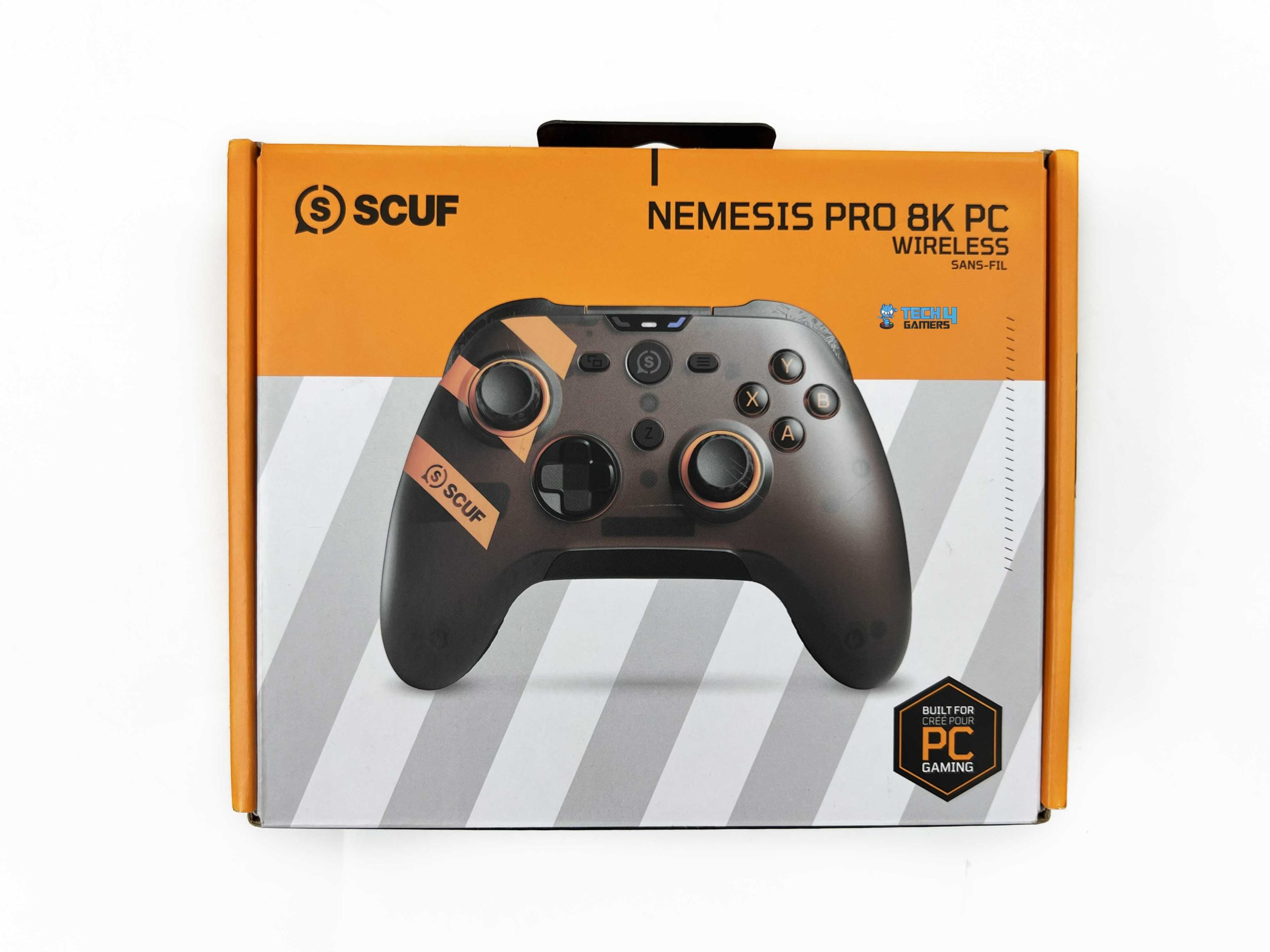
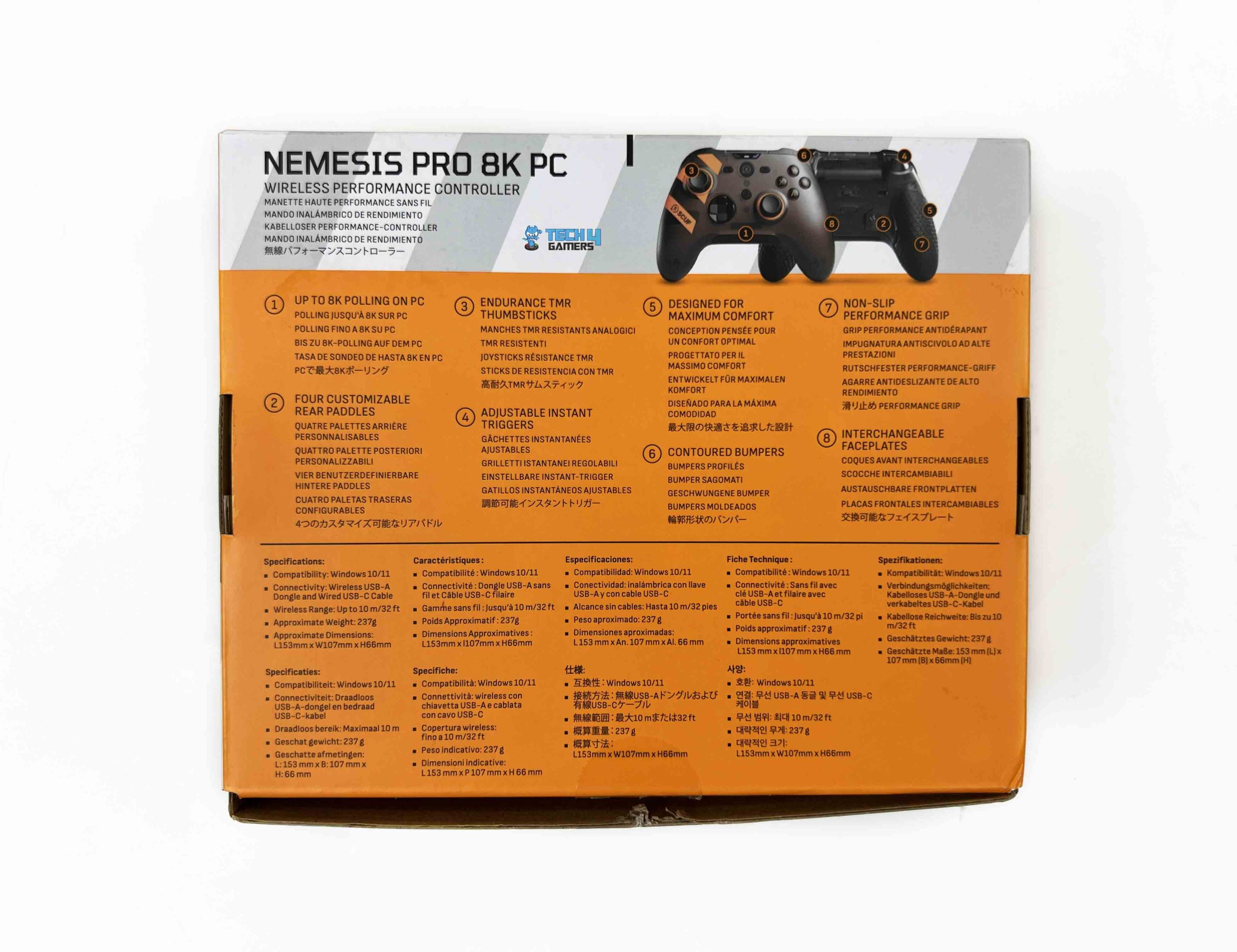
SCUF has kept the Nemesis Pro 8K Wireless Smoke’s image on the front, with SCUF branding and the model name displayed across the top. The sides of the box highlight some of its key features, while the back goes into more detail. You’ll find additional feature information alongside the technical specifications, with the text provided in multiple languages. SCUF has also printed the contents of the box on one side, so you can check what’s included before opening it. Once you open the box, the controller is the first thing you see.
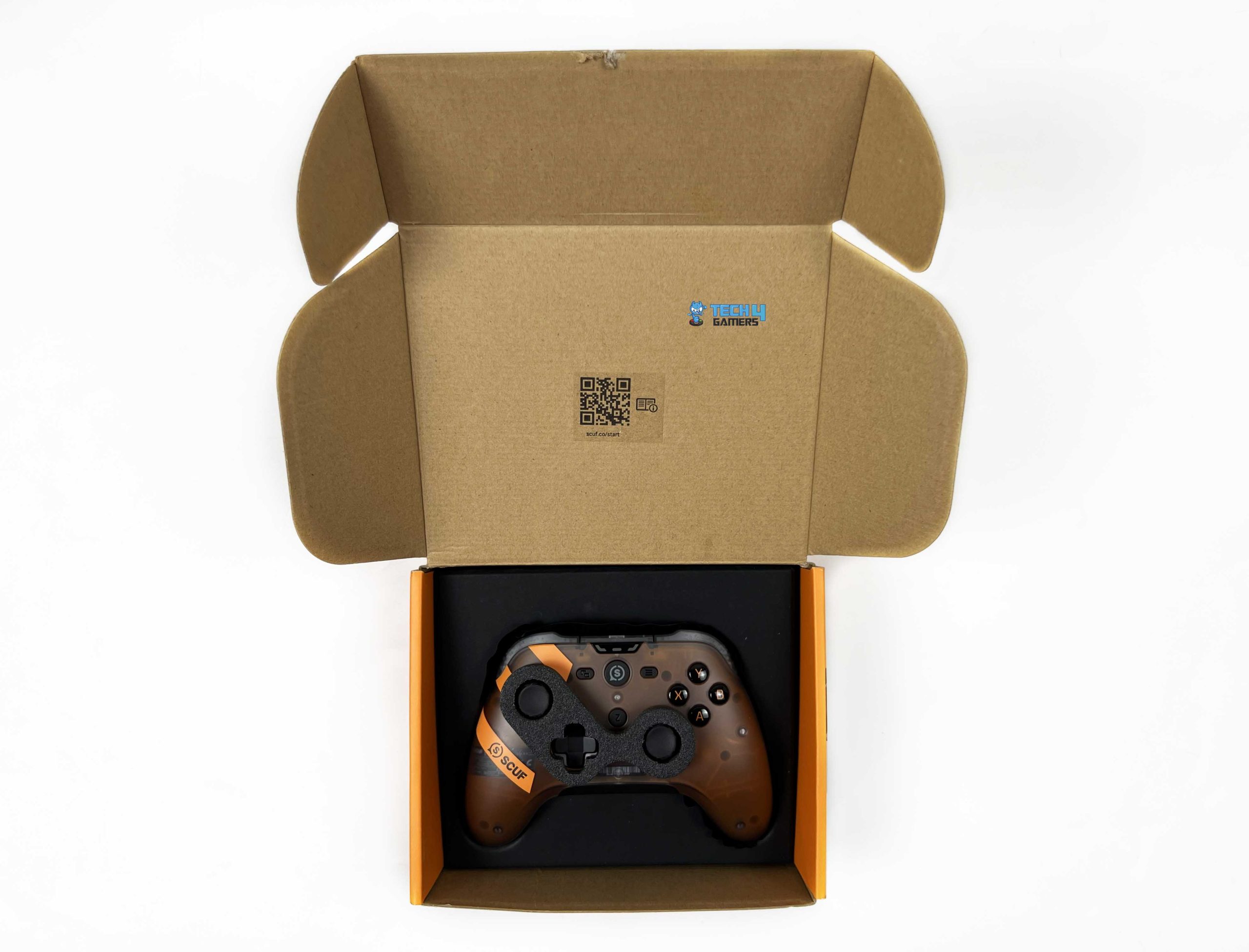
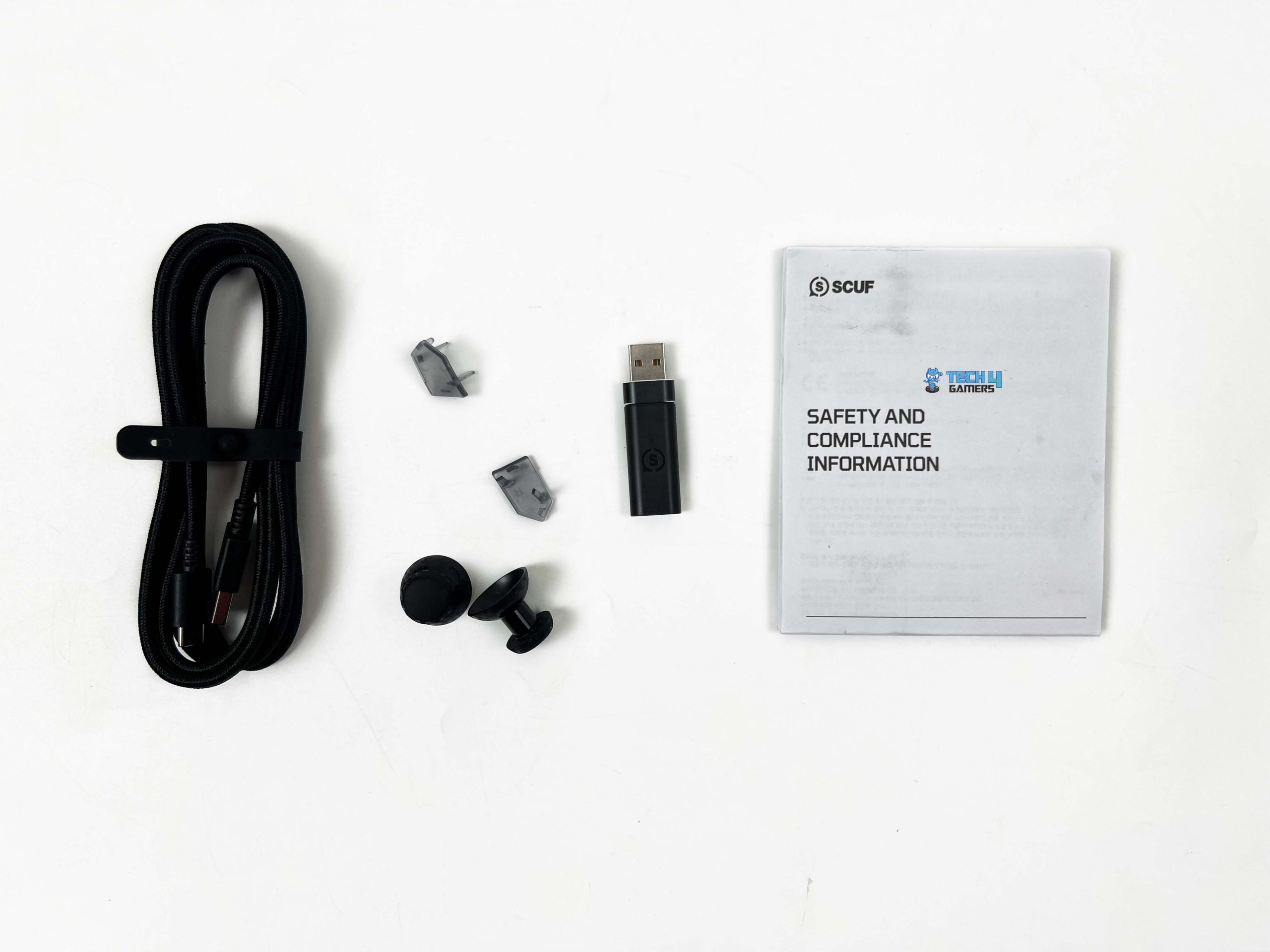
It’s placed right at the top, so there’s no need to dig through layers of packaging to get to it. After lifting the controller out, you’ll find a USB-C wireless dongle underneath. There’s another layer below that, with the safety and compliance information placed inside. The remaining accessories are packed separately in a small cardboard box. Inside, SCUF includes two additional thumbsticks, two extra back paddles, and a USB-C cable. The unboxing itself is fairly simple, but the contents are arranged neatly.
Design

The SCUF Nemesis Pro 8K Wireless Smoke has a fairly familiar controller shape, but its appearance is anything but ordinary. The first thing that caught my attention was the translucent smoke-grey shell. It gives the controller a slightly different look from the usual solid-color gamepads, with some internal components visible on the front. SCUF has paired this darker finish with orange accents, which stand out against the grey without making the design look too busy.
The front has a traditional layout, with one analog stick positioned below the face buttons and the other above the D-pad. Both thumbsticks feature orange rings around their bases, adding a bit of contrast to the otherwise dark finish. The D-pad features a familiar cross-shaped design and a dark finish that blends into the surrounding shell. The ABXY buttons have orange lettering, which is easy to pick out against their darker backgrounds. It’s a relatively small detail, but it fits the overall color scheme quite well.
The orange detailing continues along the left side, where the SCUF graphic adds another visual accent. I also like that SCUF hasn’t covered the entire controller in bright accents. Most of the body remains dark, with orange used selectively around the controls and branding. The center section has a few more controls. The SCUF logo sits prominently in the middle and serves as a power button, with additional function buttons, such as the view and menu buttons, positioned around it. There’s also a separate Z button below the central logo area.
Ergonomics & Grip

The SCUF Nemesis Pro 8K Wireless Smoke follows an ergonomic design, with two curved handles extending from the main body. It measures 153 x 107 x 64mm, making it fairly compact. The handles have a gradual curvature that follows the natural position of your palms. They extend outward from the main body and have a slightly rounded shape towards the bottom. The rear is where the grip design becomes more interesting. SCUF has added textured sections across both handles, with a repeating geometric pattern that covers much of the area where your fingers rest.
These sections stand out quite clearly against the smoother translucent shell. The pattern also gives the handles a more pronounced surface texture rather than leaving them completely smooth. SCUF calls this its Performance Grip. The textured areas are positioned around the parts of the handles that make contact with your hands. The idea is to maintain a secure hold even as your hands get warmer during longer sessions. This is a sensible approach, particularly for players who tend to develop slightly sweaty hands while gaming.
Face Buttons

The SCUF Nemesis Pro 8K Wireless Smoke uses Omron mechanical switches for its ABXY face buttons. Each press has a crisp, well-defined click. The buttons don’t feel mushy or require excessive pressure to register an input. Instead, they have a relatively light actuation that feels responsive without being overly sensitive. I also like how quickly the buttons reset after being released. There’s no need to wait for noticeable travel before pressing them again, which makes repeated inputs feel natural.
All four buttons have a similar feel, so none stands out as unusually stiff or requires more effort than the others. The mechanical clicks are quite satisfying, too. They’re distinct enough to give you clear feedback with each press, but they don’t feel excessively harsh. The actuation is quick, and I didn’t find the buttons difficult to use during faster gameplay. Accidental inputs aren’t something I found particularly concerning either. They strike a good balance between registering light presses and requiring enough deliberate pressure to avoid unwanted activation.
D-Pad

Moving over to the D-pad, SCUF has gone with a traditional cross-shaped design. The directional sections are clearly defined, so you can distinguish between inputs without constantly adjusting your thumb position. The D-pad has a responsive feel, with a satisfying tactile response when pressing each direction. Directional inputs register without needing particularly hard presses. I also like the consistency across the different directions. Moving between left, right, up, and down feels predictable.
Diagonal inputs are another area where the D-pad performs well. They register reliably, which is particularly useful in fighting games where directional combinations are part of regular gameplay. I didn’t find myself constantly fighting the D-pad to get the intended input, and adjacent directions don’t feel overly easy to trigger by accident. It also works well for everyday menu navigation, where you’re frequently moving between options. The tactile feedback gives each press a clear response without making the controls feel too stiff.
Thumbsticks
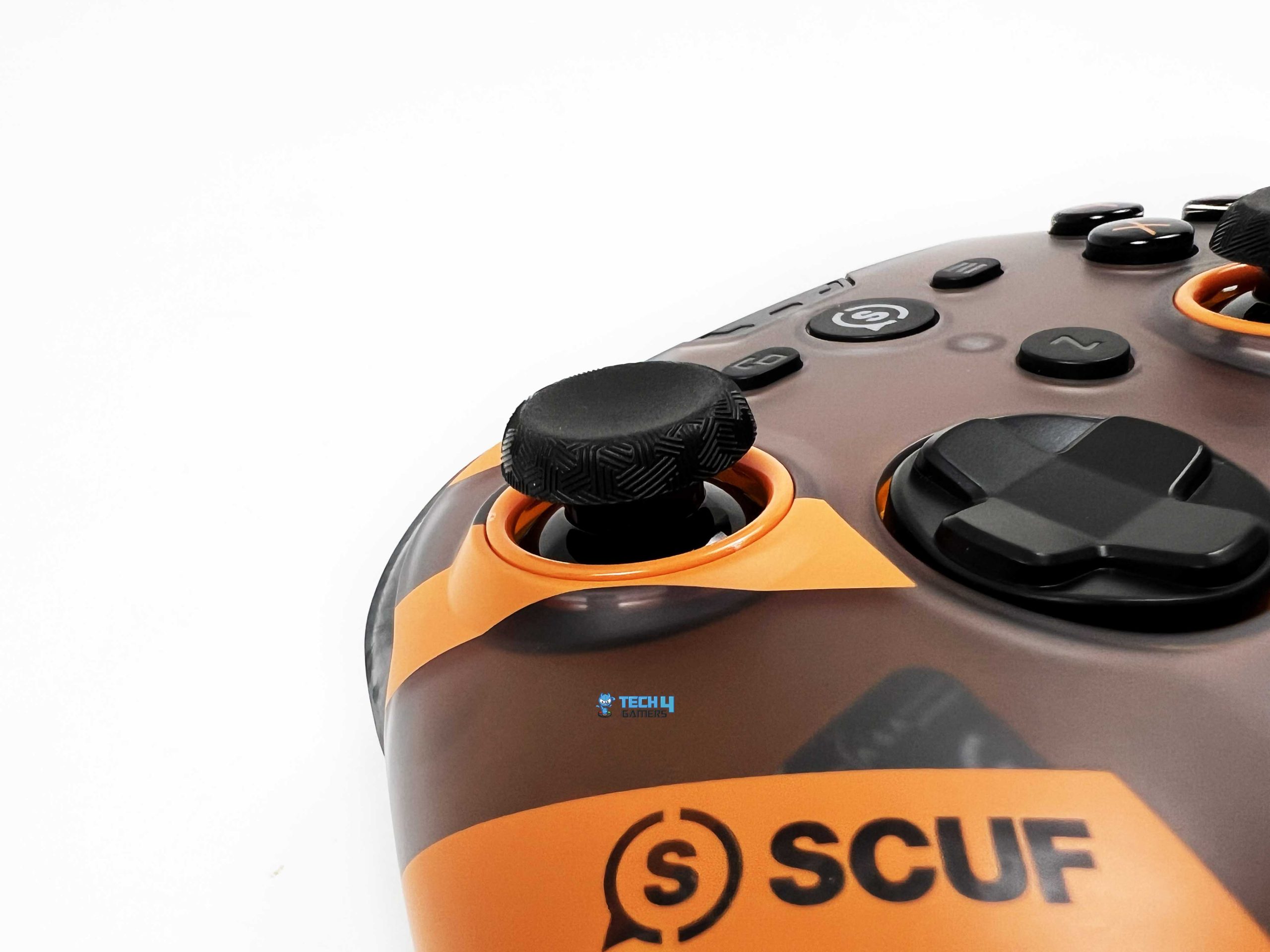
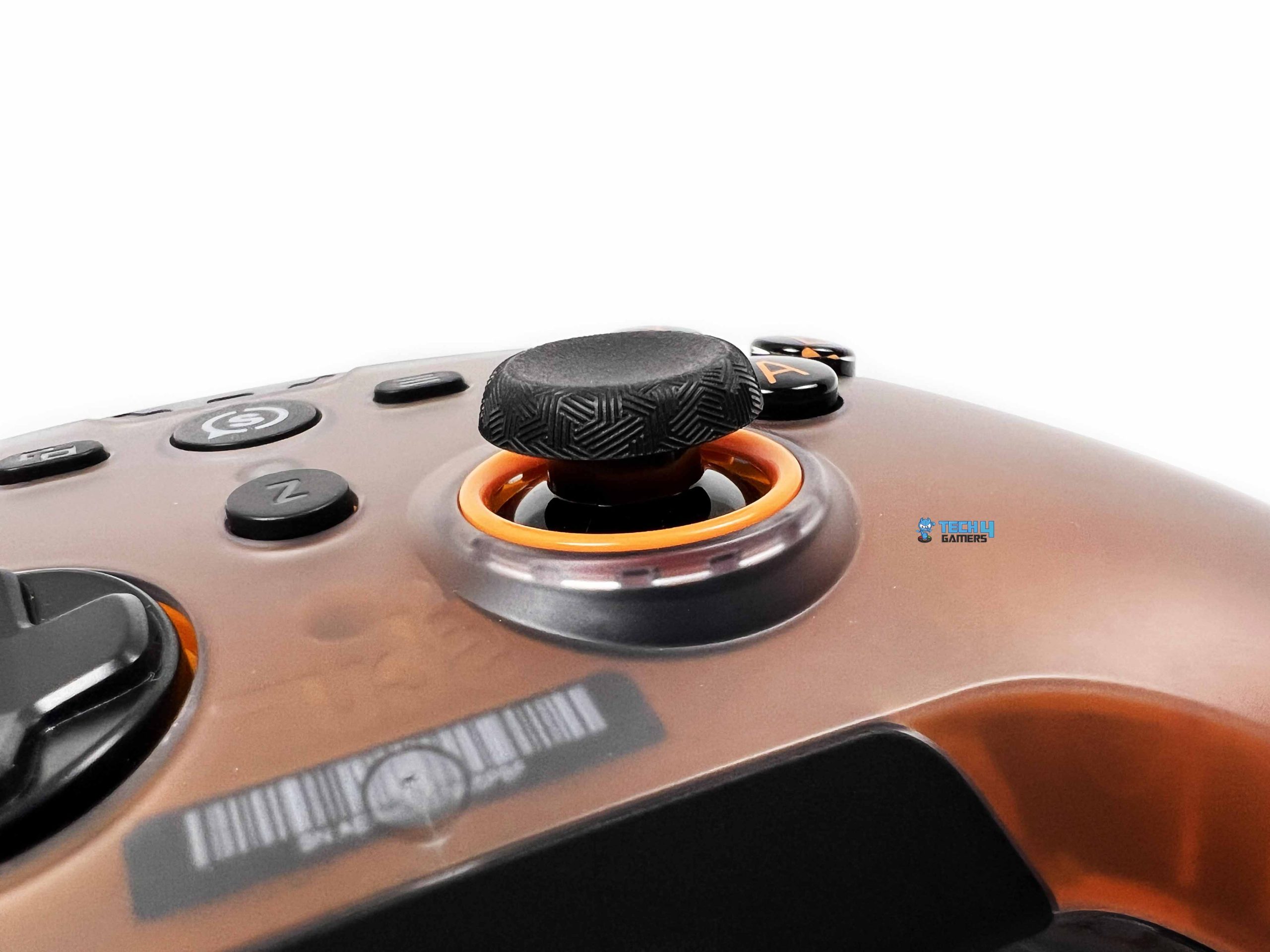
SCUF has gone with TMR technology for the thumbsticks on the SCUF Nemesis Pro 8K Wireless Smoke. This is a welcome addition, particularly for players who spend long hours gaming and want their analog controls to remain consistent over time. Their operation feels smooth, and the initial resistance is well balanced. They don’t feel overly stiff when you first move them away from the center, nor do they feel so loose that small adjustments become difficult. The tension remains consistent throughout their range of motion.
Another feature worth discussing is the interchangeable thumbstick system. SCUF includes additional thumbsticks in the package, so you’re not limited to the configuration installed on the controller. You can choose between different heights and cap shapes depending on the type of games you play and how you prefer to control your character or camera. The controller uses a magnetic faceplate that can be removed to access the thumbstick assemblies. Once the faceplate is off, you can pull the existing thumbsticks away from their shafts and fit the alternatives in their place.
Triggers & Bumpers

The SCUF Nemesis Pro 8K Wireless Smoke has dual-mode triggers, giving you two ways to use the LT and RT buttons. You can switch between a full analog pull and a much shorter, click-style input. This is a useful feature because the ideal trigger response depends heavily on the game you’re playing. The mode switches are physically located on the back of the controller, near the triggers. You can change their positions to switch between the two trigger configurations. In the short-travel mode, the triggers behave more like mouse buttons.
The amount of movement before an input registers is very small, and pressing them produces a crisp, distinct click. There is also a satisfying amount of tactile feedback. Switching to full-pull mode brings back the traditional analog trigger behavior. Instead of registering an input almost immediately, the trigger has a longer travel and responds to how far you press it. This gives you more control over the amount of input being applied. The resistance feels comfortable, with enough feedback under your finger.

Moving on to the bumpers, they have a defined click when pressed. Their travel is relatively short, and the actuation requires little force. You get a clear response without having to press them particularly hard. There is an audible click as well, though it is not excessively loud. Whether you are switching weapons, throwing equipment, or using the bumpers for other in-game actions, the buttons register presses without feeling sluggish. Their quick return makes repeated presses feel natural, and I did not notice any inconsistency.
Rear Paddles

The SCUF Nemesis Pro 8K Wireless Smoke comes with four rear paddles. They are arranged in pairs, with an inner and an outer paddle on either side of the controller. Each paddle has a distinct shape, and they sit far enough apart that you can identify them by touch once you become familiar with their positions. The paddles sit beneath your fingers when you hold the controller normally, so you can reach them without shifting your hands. They also protrude enough to be accessible without having to search for them every time.
Players with smaller hands may need a little time to get comfortable with all four positions. Pressing them produces a clear response, with a defined actuation point and a short, controlled movement. Not everyone wants to use four rear paddles, and some players may find the two inner ones less comfortable or simply prefer a less crowded layout. The blanking plates give you that choice. You can remove the inner paddles and fit the supplied plates in their place, leaving the outer paddles available for the actions you use most often.
Build Quality

The SCUF Nemesis Pro 8K Wireless Smoke feels like a properly built premium controller. Its outer shell has a solid, rigid feel, and the construction does not give the impression that SCUF has cut corners on the materials. The front and rear panels fit together neatly, with clean joints around the edges. I did not notice any obvious gaps or uneven sections between the panels. The overall assembly feels tight and well put together. The chassis holds up well when you apply pressure to the body. The handles feel particularly sturdy, with no noticeable flex when gripped firmly.
Twisting the controller slightly or applying pressure around the sides does not produce noticeable creaking. There is no distracting rattling from inside the shell either. This is especially reassuring given the number of controls and moving parts on the rear. As for its weight, it weighs 258 grams. That puts it in a comfortable range. It does not feel unusually bulky in the hands. The weight is noticeable when you first pick it up, but it does not feel excessive. The controller also feels well-balanced rather than heavily weighted towards either the front or the rear.
Connectivity

The SCUF Nemesis Pro 8K Wireless Smoke offers both USB-C wired connectivity and a dedicated 2.4GHz wireless connection. Starting with the wired connection, the USB-C port is located along the top edge of the controller. Plug the USB-C cable into the controller and connect the other end to your computer. Set the connectivity switch on the back to wired mode, then power on the controller. It also lets you keep playing while the controller is connected to power. For wireless gaming, SCUF includes a dedicated 2.4GHz USB receiver.
Plug the receiver into your PC, switch the controller to wireless mode, and hold its power button to turn it on. The controller should connect to the receiver automatically once they are paired. If you need to pair them manually, put the receiver into pairing mode and hold the required button combination on the controller until its status light flashes. SCUF advertises a wireless range of up to 45 feet, which is more than enough for a typical desktop gaming setup.
Performance

The SCUF Nemesis Pro 8K Wireless Smoke is designed with competitive gaming in mind, and its performance reflects that focus. The controller has a responsive feel, and its inputs register consistently. I particularly like how the different features complement one another. The TMR sticks provide the main aiming and movement controls. Moreover, the mechanical buttons have a short, well-defined press. Lastly, the adjustable triggers let you choose the response that suits the game. The controls also have a predictable response.
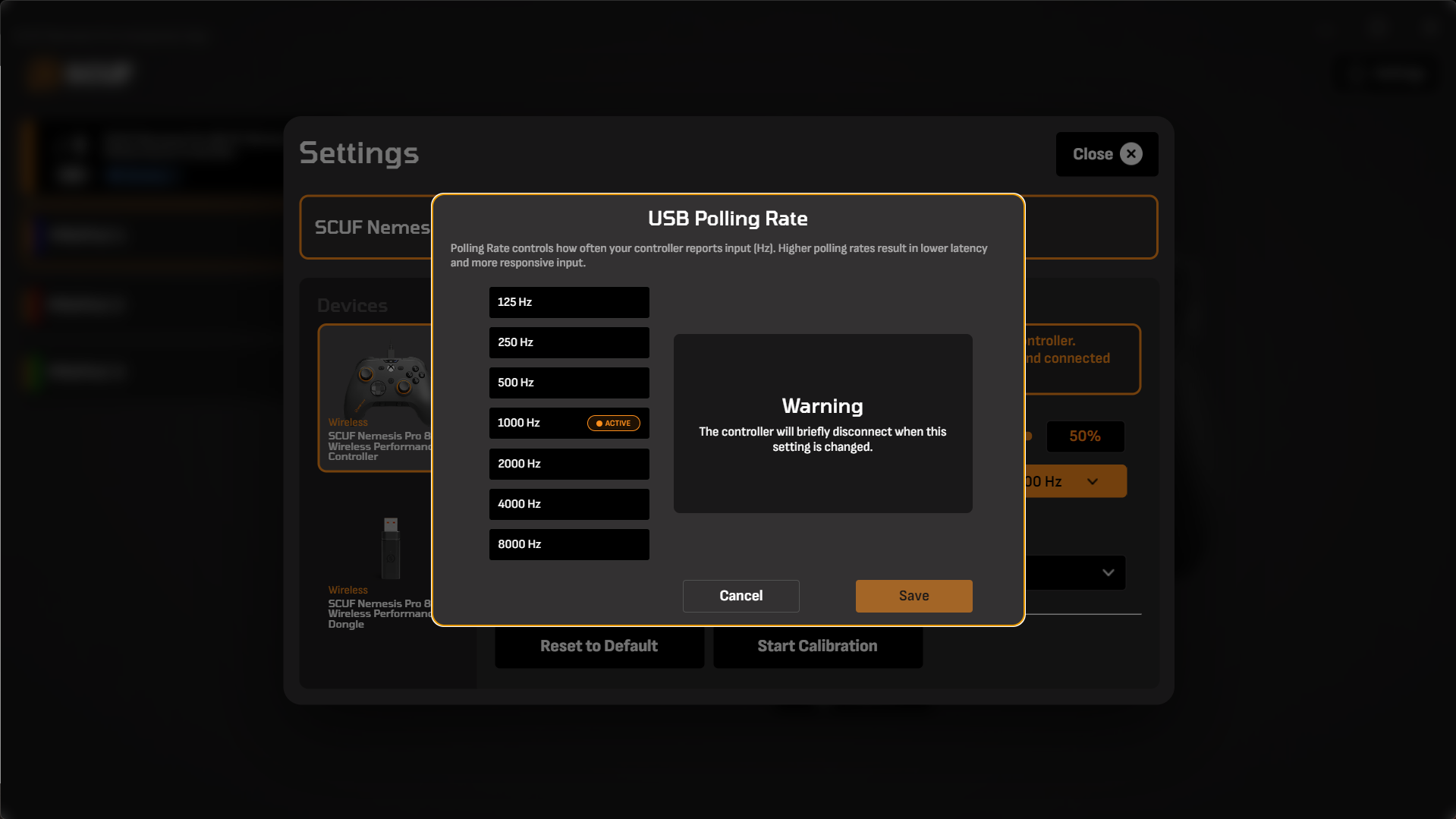
Therefore, you can build muscle memory around the amount of movement or pressure required for a particular action. The 8,000Hz polling rate is one of the controller’s headline features. At its maximum setting, it can report inputs at 0.125-millisecond intervals. Having the option to run the controller at such a high rate is a welcome addition for players who want to configure their setup around competitive play. Its competitive features become more relevant when you start using them together.
Software
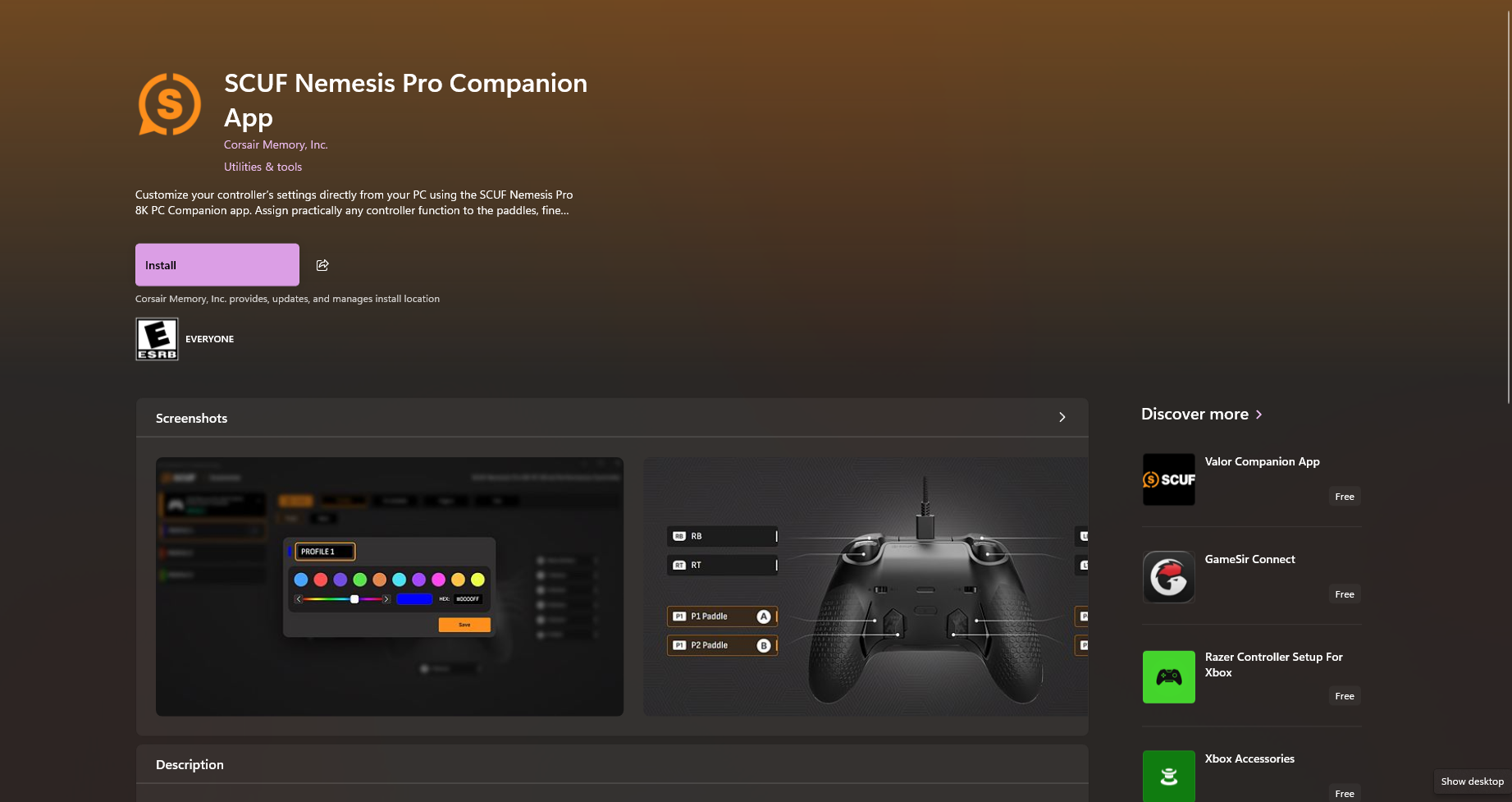
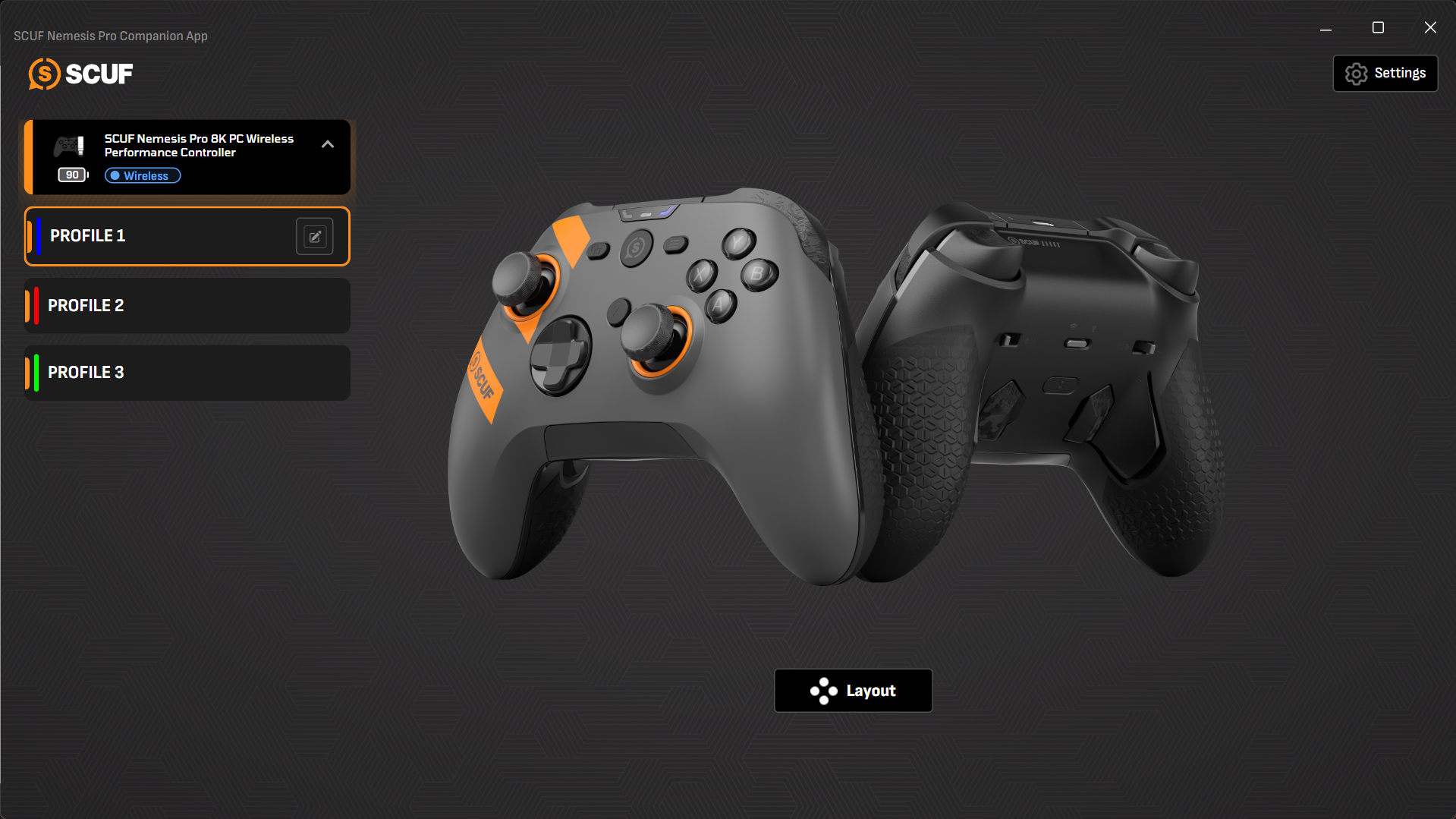
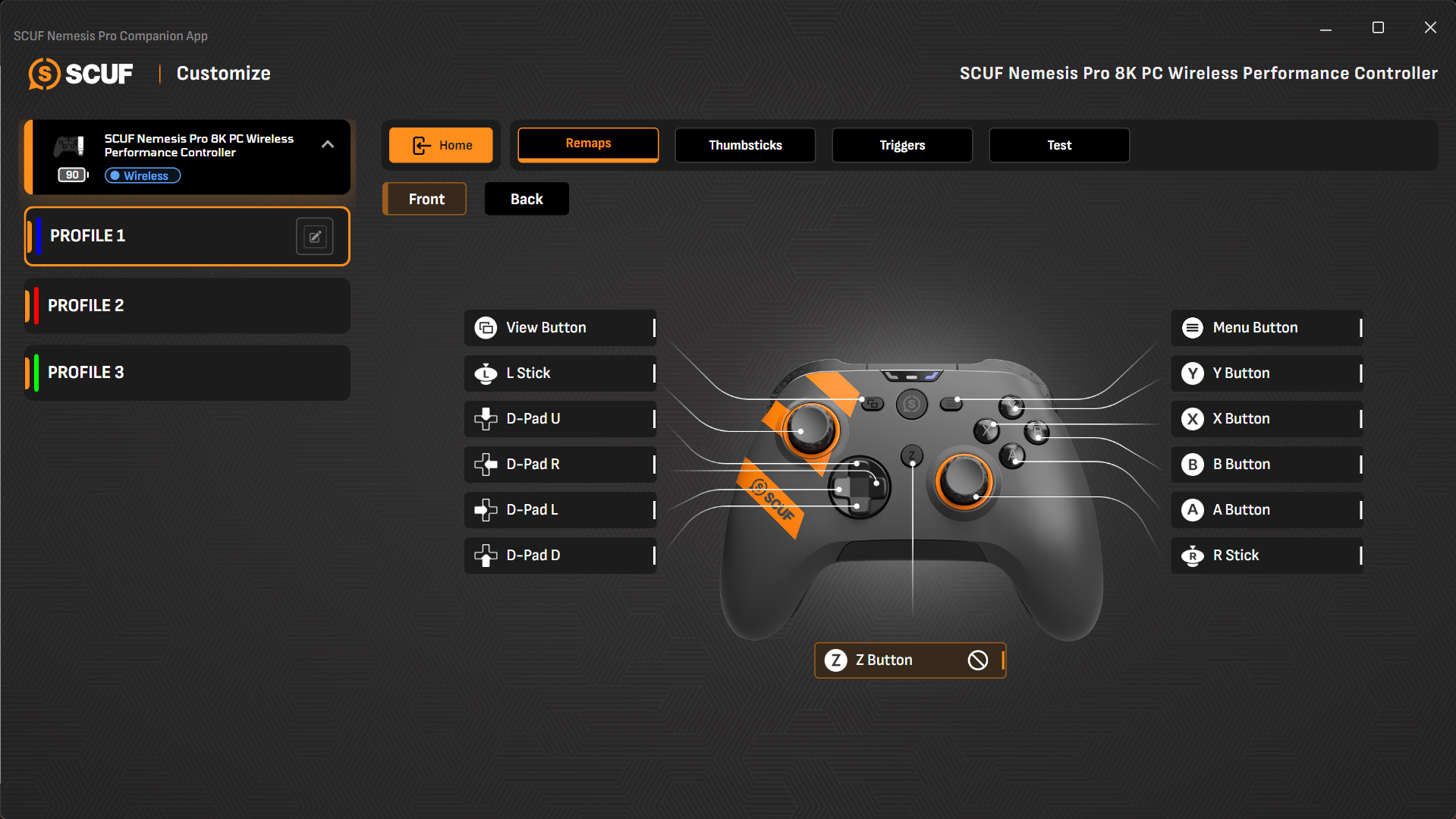
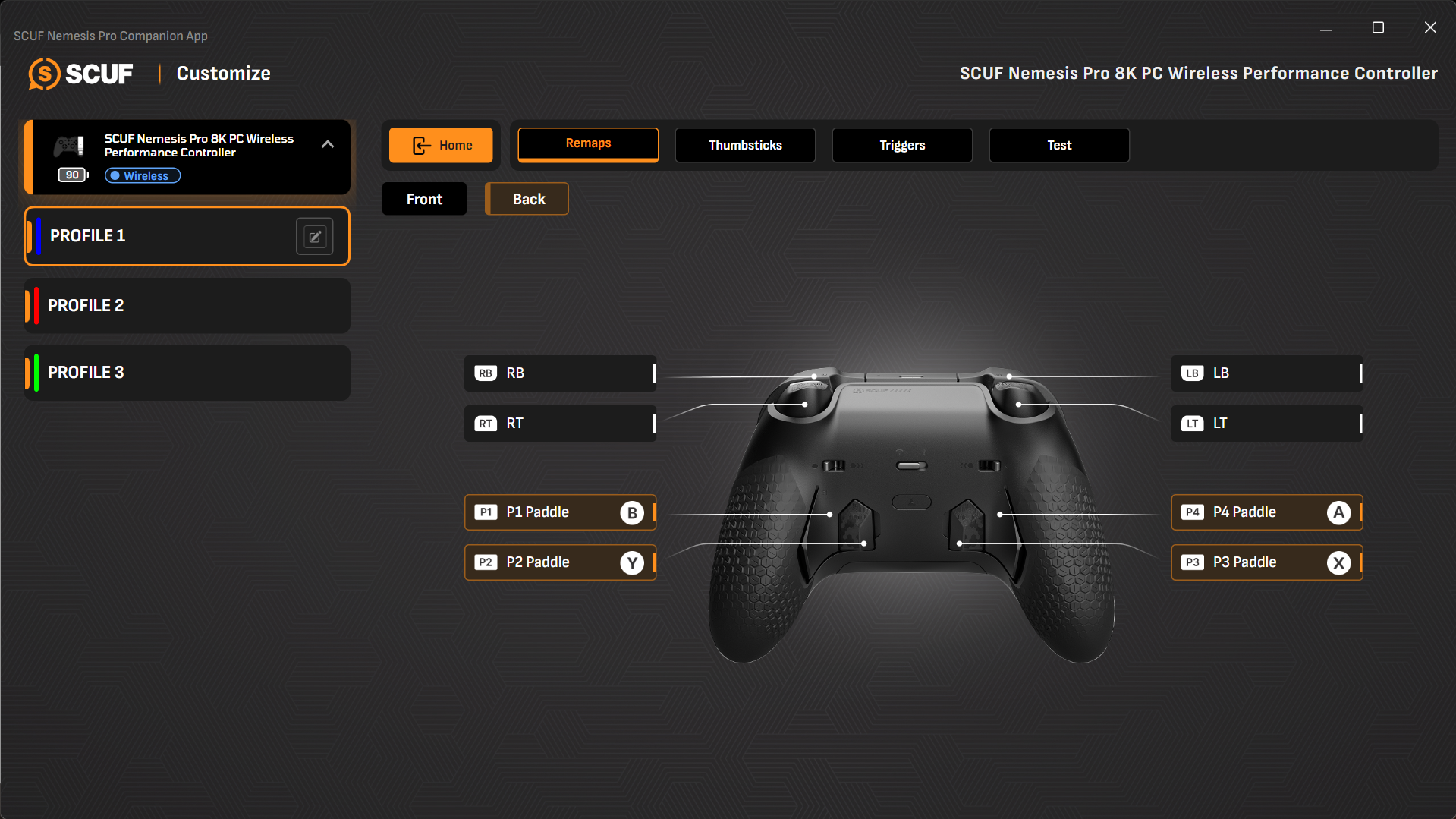
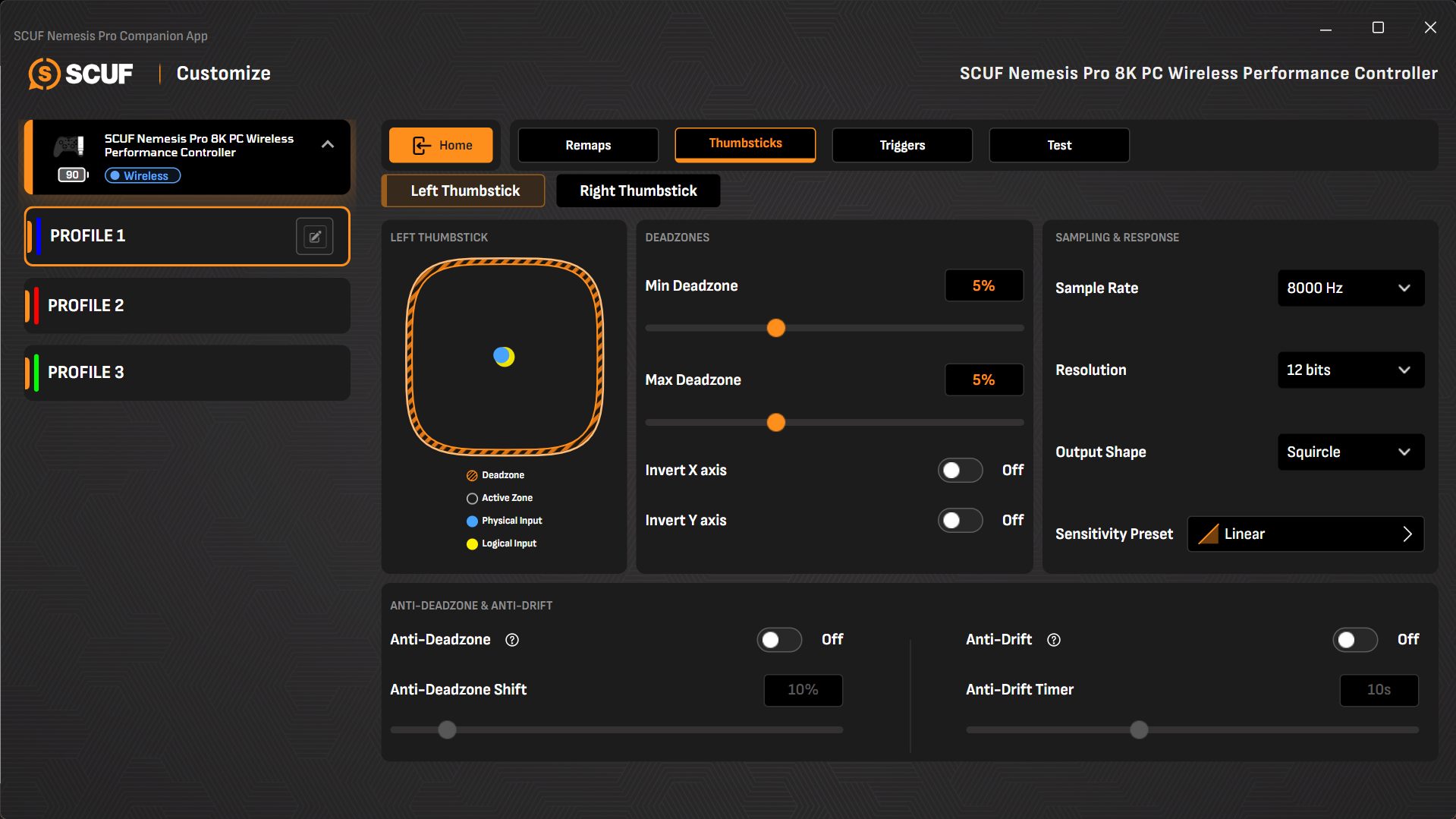
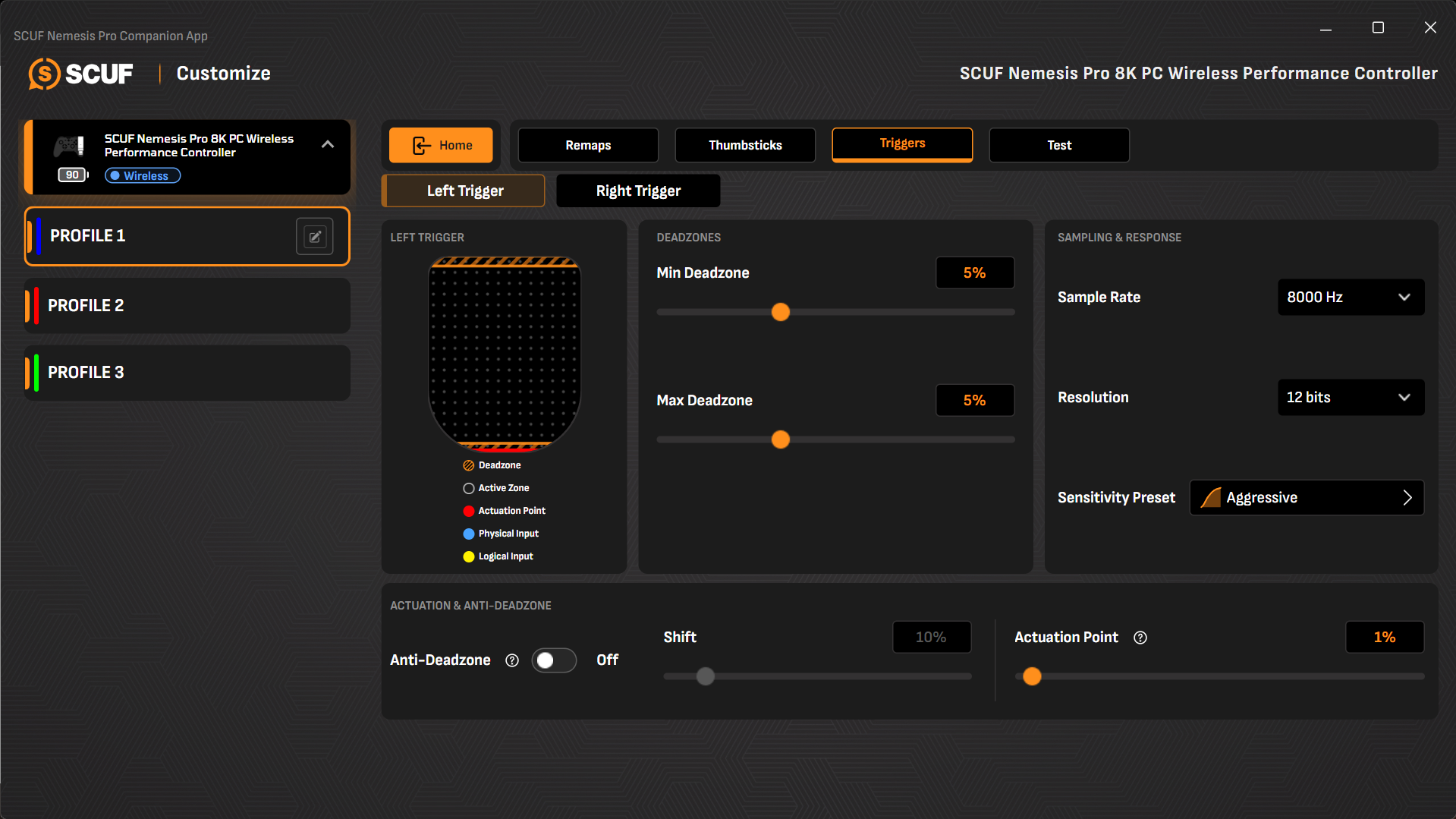
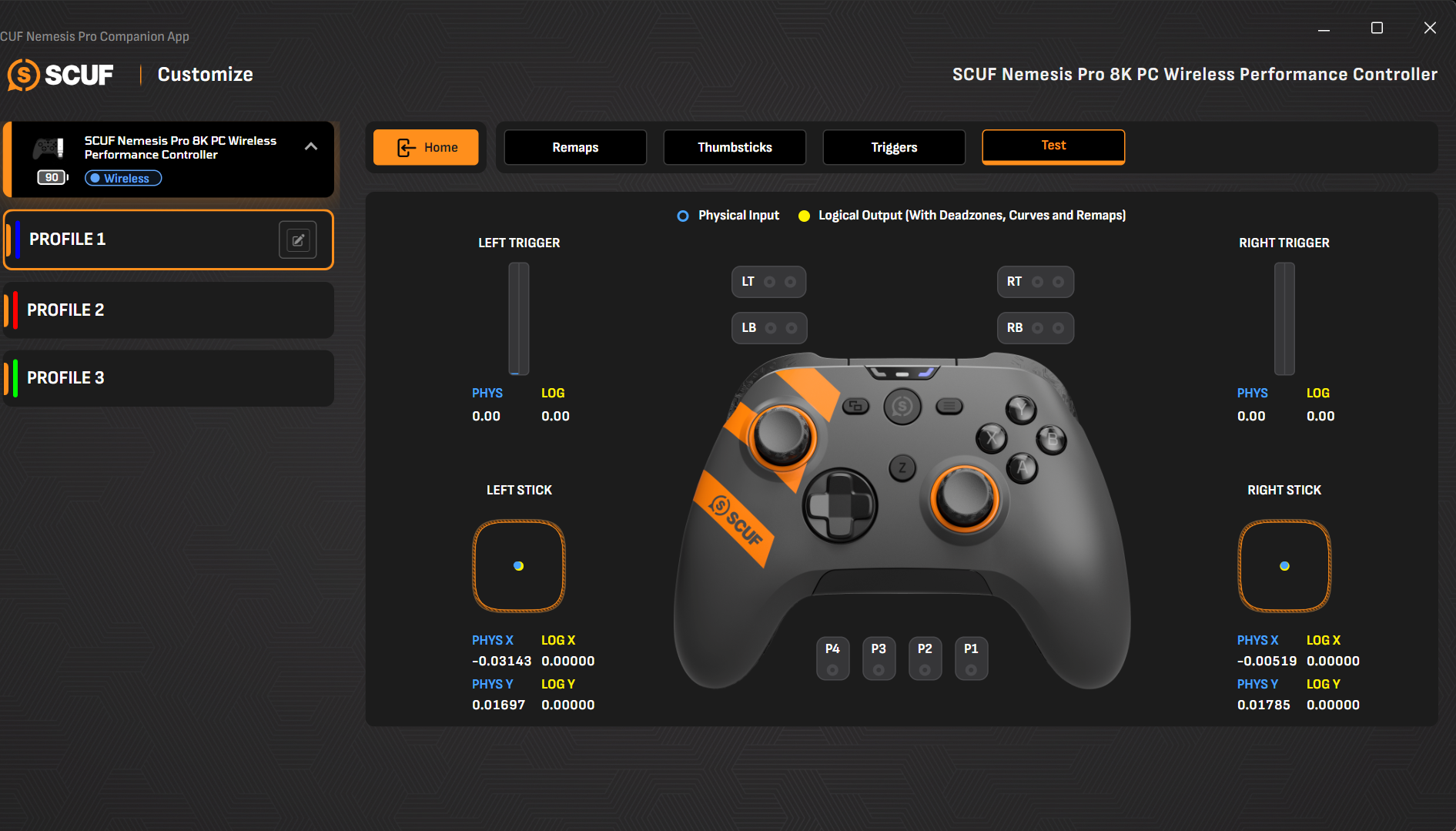
The SCUF Nemesis Pro 8K Wireless Smoke has a dedicated Companion App for Windows PCs, available through the Microsoft Store. It gives you access to several customization options that go beyond basic button remapping. You can create and manage controller profiles, change input assignments, adjust thumbstick behavior, and fine-tune the triggers. Getting started is straightforward. Connect the controller to your PC. Once Windows recognizes the controller, launch the Companion App, and it should be ready for configuration.
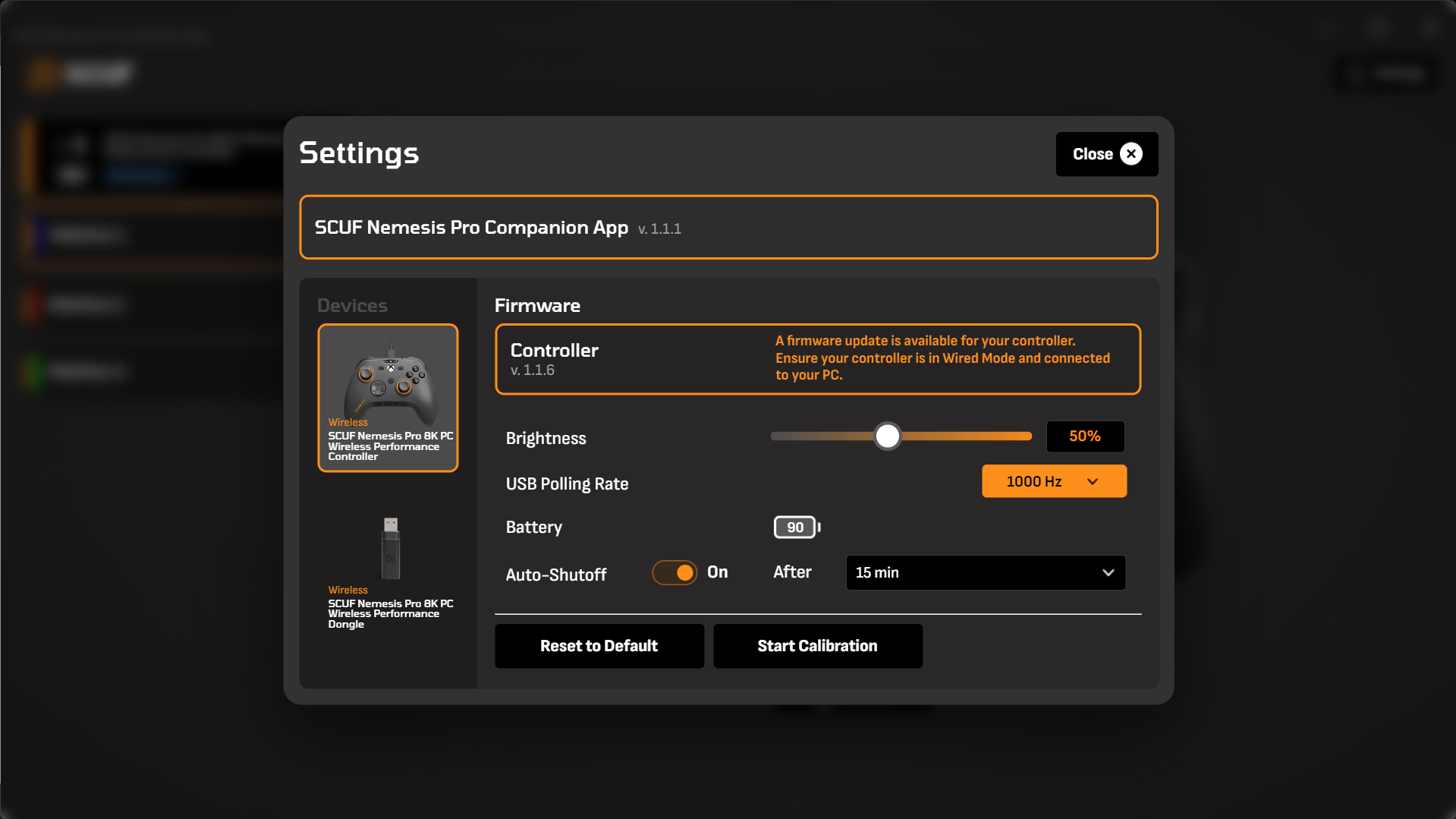
The app also includes a Settings section where you can check for firmware updates, calibrate the controller, change its USB report rate, or restore the default configuration. You can also check the controller’s battery status from here. It has three onboard profiles, giving you separate configurations for different games or play styles. You can select a profile and customize its settings without having to rebuild your preferred layout each time you switch between games. The profiles can be renamed, and their associated colors can also be changed.
Should You Buy It?
Buy it if
✅ You want a premium competitive gaming controller: It combines a sturdy build with responsive controls and extensive customization options to give competitive players more ways to control their games without constantly taking their thumbs off the sticks.
✅ You value precise thumbstick control: The TMR thumbsticks offer smooth movement and come with interchangeable options, allowing you to adjust their height and shape to suit your preferences.
Don’t buy it if
❌ You are on a tight budget: It is certainly on the expensive side. While its premium features and extensive functionality help justify the price, spending this much on a controller may not make sense for everyone, especially when more affordable options are available.
❌ You don’t need extensive customization: If you are happy with a standard controller layout and rarely adjust sensitivity, deadzones, or button assignments, many of the Nemesis Pro’s features may go unused.
Final Verdict
The SCUF Nemesis Pro 8K Wireless Smoke is a premium controller, and its $199.99 asking price puts it firmly in the enthusiast and competitive gaming category. After looking at the complete package, I think SCUF has put together a controller that justifies its positioning, but there is an important distinction here: it is not something every PC gamer needs. Its value depends heavily on how seriously you take your games and how much you care about controls. My overall experience with the Nemesis Pro 8K Wireless has been positive.
It feels like a thoughtfully designed controller rather than a standard gamepad with a few extra features added to justify a higher price. Casual players who mainly enjoy single-player games or play occasionally probably do not need to spend this much. A conventional gamepad can handle those needs perfectly well. Even some of the more affordable premium alternatives will offer a satisfying experience without costing quite as much. The Nemesis Pro’s price only starts to make sense when you are going to use what it offers.
Thank you! Please share your positive feedback. 🔋
How could we improve this post? Please Help us. 😔

[Hardware Reviewer & Editor]
After many years of exploiting various pieces of hardware, Abdul Hannan now serves as an editor at Tech4Gamers. He’s been in the PC hardware reviewing industry for almost a decade, and his staff of passionate geeks and reviewers is second to none.
Abdul Hannan is constantly seeking new methods, you will always see him running into New Computer Courses to improve the performance of his computer components since he is an ardent overclocker. He is well-known for providing the most extensive and unbiased analysis of the newest and greatest hardware for PC gaming, including everything from GPUs to PSUs.
 Join Our Community