
 Threads

Worth It?
Review Summary
The Corsair Sabre v3 Pro PureVector Ultralight is a premium wireless gaming mouse designed for competitive players who prioritize low weight and precise control. Weighing just 37g, it combines a full-shell design with the Marksman X sensor, 8,000Hz polling, optical switches, and up to 140 hours of battery life at 1,000Hz. Its standout feature is PureVector, which uses Aimlabs-assisted calibration to personalize directional sensitivity. While its build quality, comfortable coating, and lightweight design make it a compelling option, the lack of Bluetooth, relatively compact shape, and $179.99 price tag may put off some buyers.
Time Tested: 2 Weeks

Overall
-
Design - 9/10
9/10
-
Build Quality - 9/10
9/10
-
Performance - 9.5/10
9.5/10
-
Software - 9/10
9/10
Pros
- Extremely lightweight
- Excellent weight distribution
- Solid build quality
- Responsive optical switches
- Corsair Web Hub Support
Cons
- A bit expensive
- No Bluetooth connectivity
- Relatively short for larger-handed users


Corsair’s Sabre series has been around for a while, and I’ve had the chance to spend some time with its previous generation. I reviewed all three versions of the Sabre v2 Pro, including the Magnesium Alloy, Carbon Fiber, and standard Ultralight models. Each one had its own approach, so naturally, I was quite interested to see what Corsair would bring with the next generation. Well, the wait is over. Corsair has now introduced the Sabre v3 Pro lineup, and I’ve got my hands on the PureVector Ultralight variant for this review.
I’m genuinely excited to see how this new generation compares with the mice I’ve previously tested. I also hope to get my hands on the Magnesium Alloy and Carbon Fiber versions down the line, as I’d love to see how those models have changed. So, does the Sabre v3 Pro PureVector Ultralight feel like a worthwhile step forward from the previous generation? And has Corsair managed to improve the experience without losing what made the original Ultralight appealing? Let’s get into the review and find out.
Key Takeaways
- The Corsair Sabre v3 Pro PureVector Ultralight is an exceptionally lightweight wireless gaming mouse that combines solid build quality with responsive performance. Its PureVector technology adds a unique touch by allowing users to personalize their aiming sensitivity.
- You should buy the Corsair Sabre v3 Pro PureVector Ultralight if you want a mouse that feels effortless during fast movements, value precise control for competitive gaming, and are interested in experimenting with personalized sensitivity settings.
- You should skip the Corsair Saber v3 Pro PureVector Ultralight if you need Bluetooth connectivity, want long battery life at 8,000 Hz, prefer a larger mouse, or don’t want to spend $179.99 on a gaming mouse.
Here are the technical specifications:
| Weight | 37g |
| Form Factor | Symmetrical |
| Sensor | Corsair Marksman X (42,000 DPI, 800 IPS, 70G Acceleration) |
| Polling Rate | Up to 8,000Hz (wired & wireless) |
| Switches | Optical Switches, 100M clicks |
| DPI Adjustment | Hold RMB + Back Button (3 sec) |
| Connectivity | 2.4GHz Wireless, Wired USB-C |
| Battery Life (1,000Hz) | Up to 140 Hours |
| Battery Life (8,000Hz) | Up to 25 Hours |
| Dimensions | 119.2mm(L) x 62.5mm(W) x 38.2mm(H) |
| Colors | Black, White |
| Compatibility | PC, Mac |
| Software | Web Hub |
| Warranty | 2 Years |
What Makes the Corsair Sabre v3 Pro PureVector Different?
The biggest difference between the Corsair Sabre v3 Pro PureVector Ultralight and its predecessor, the Sabre v2 Pro Ultralight, is the addition of PureVector technology. Developed in collaboration with Aimlabs, it analyses your aiming movements and creates a personalised directional sensitivity profile, something the previous generation didn’t offer. That gives it a different angle in an increasingly competitive market, where lightweight construction, high polling rates, and capable optical sensors have become common features.
Packaging & Unboxing
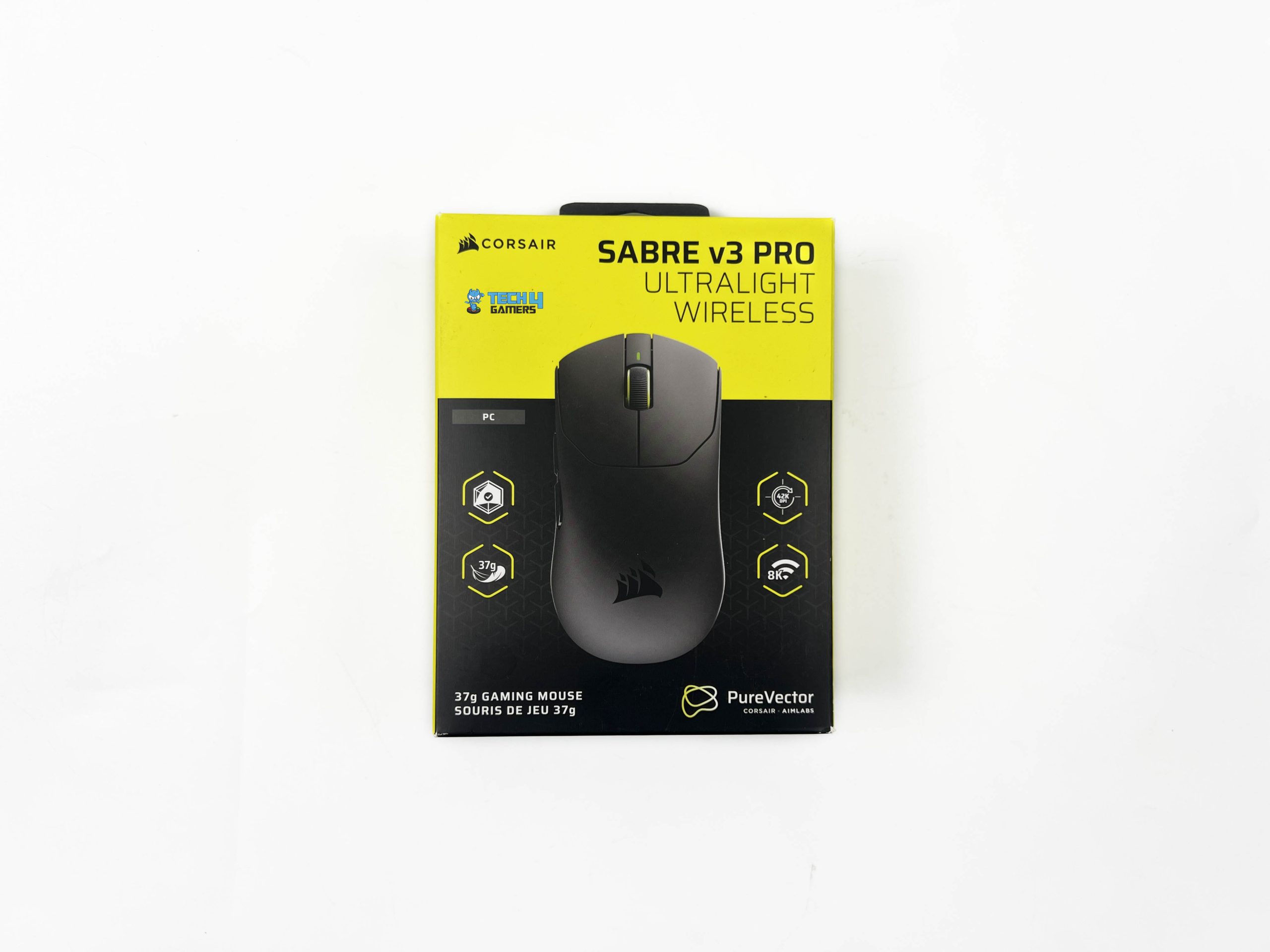
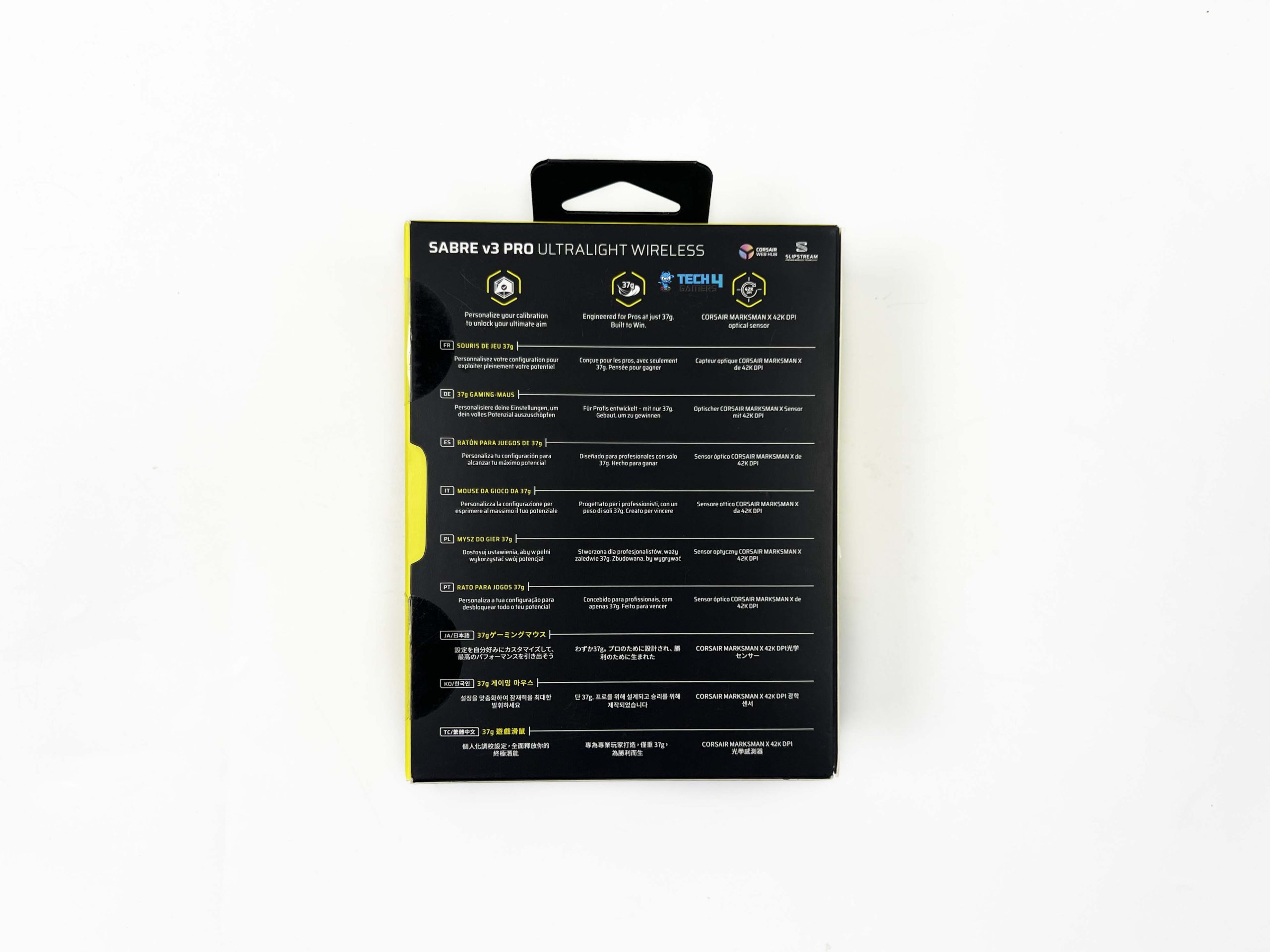
Corsair has gone with its signature yellow-and-black color scheme for the Sabre v3 Pro PureVector Ultralight’s packaging. The front of the box features an image of the mouse, with its model name displayed along the top. Corsair’s branding is also present, along with several cutouts highlighting some of the mouse’s key features. Moving to the sides, you’ll find more product information. The back of the box goes into a little more detail, with additional features explained in multiple languages.
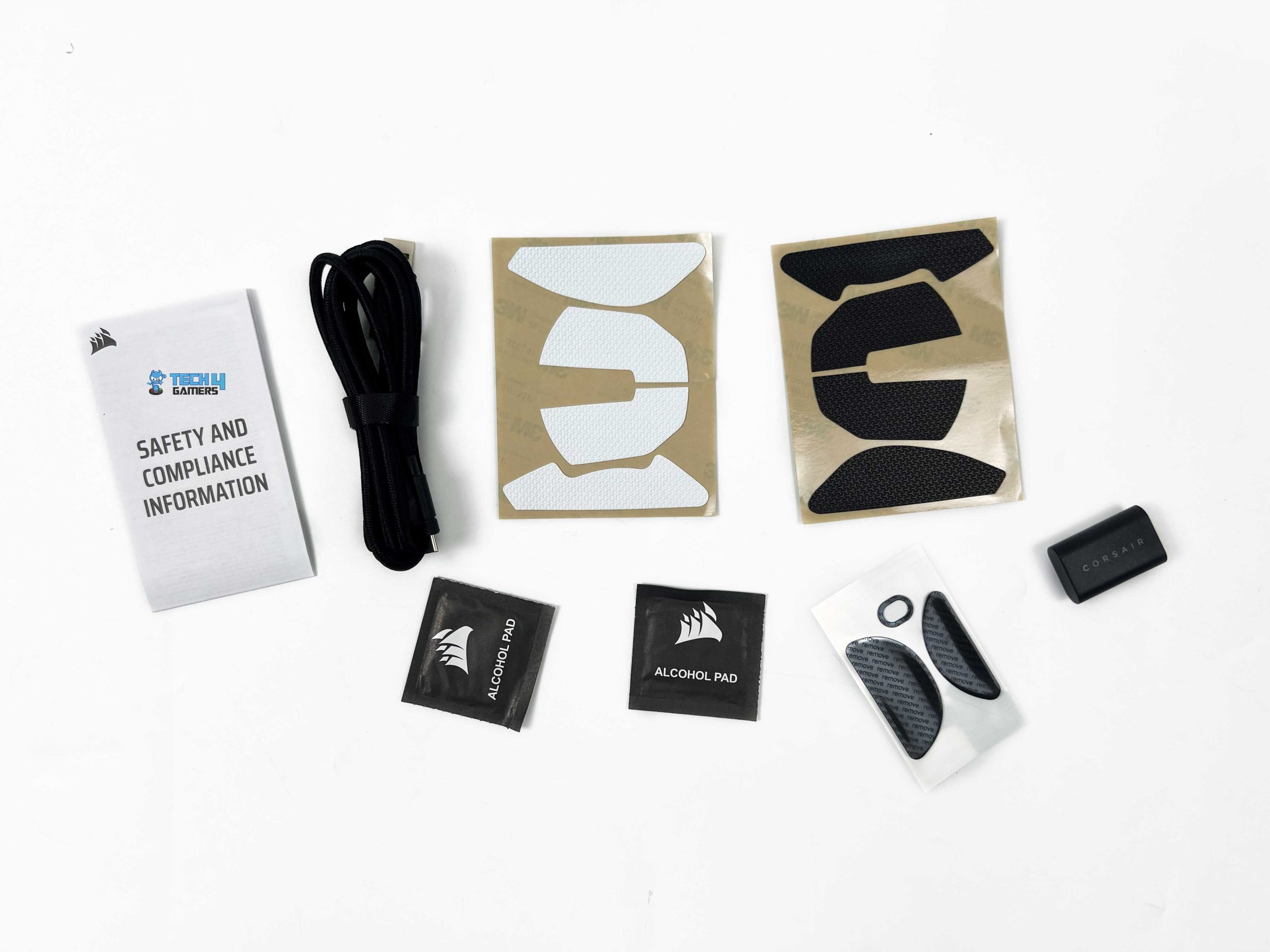
Once you slide it open from the sides, you’ll find another cardboard box inside. The mouse itself sits inside a protective sleeve, with the remaining accessories and documentation packed underneath and alongside it. Corsair has arranged the contents neatly. Underneath the mouse, you’ll find the alcohol pads, replacement mouse skates, and grip tapes. Corsair has also included the warranty information and a safety leaflet. The wireless receiver is placed on the right side of the packaging, while the cable sits underneath it.
Design

Corsair has kept the design of the Sabre v3 Pro PureVector Ultralight fairly minimal. There’s nothing particularly flashy about its appearance, and I think that’s the right approach for a mouse aimed at competitive gaming. The shell has a clean, symmetrical shape. Looking at the mouse from the top, you’ll notice that both sides follows the same outline. The shell has a fairly balanced look. There’s also a Corsair logo towards the rear of the top shell. It isn’t particularly large.
It is completely lighting-free, so there’s no illuminated logo or RGB strip around the shell. Some people might miss that. Personally, I don’t think it’s a problem here. The lack of lighting fits its overall design philosophy. Corsair offers the mouse in both black and white. My review unit is the black version, and I think it looks great. The darker finish gives it a fairly understated appearance, while the white version should suit brighter desk setups. Both colors are neutral enough to fit into different gaming setups
Coating

Corsair has gone with a matte finish on the Sabre v3 Pro PureVector Ultralight. The surface has a very subtle texture, but it’s still quite smooth to the touch. The coating has a refined finish that feels comfortable against both my palm and fingers. My hands tend to get warm during longer gaming sessions, but I haven’t found the coating to become particularly slippery as a result. It maintains a good amount of friction during normal use. I also haven’t had any issues with my fingers losing their grip during sudden adjustments.
Corsair has also done a decent job with fingerprint and smudge resistance. The matte surface doesn’t pick up fingerprints easily, and it doesn’t seem to attract much dust or other particles. Even after regular handling, the shell maintains a fairly clean appearance. Another thing worth mentioning is that Corsair includes two sets of grip tape with the mouse, one black and one white. You can apply either set to the areas where you want some additional traction. As for longer sessions, I’ve had a very good experience with the coating.
Weight

One of the biggest selling points of the Sabre v3 Pro PureVector Ultralight is its weight. It weighs just 37 grams, which is incredibly light for a wireless gaming mouse. What I find particularly impressive is that Corsair has achieved this without resorting to the usual honeycomb design or cutting holes into the shell. The mouse has a fully enclosed body, with no visible structural cutouts across its exterior. Considering how little it weighs, that’s quite an achievement. The construction also gives the mouse a more conventional appearance.
The mouse feels perfectly balanced in my hand, and I haven’t noticed any particular bias towards the front or rear. When I pick it up, neither end feels heavier than the other. The low weight also becomes quite noticeable once you start playing. Lifting the mouse off the mousepad and repositioning it takes very little effort. I can perform rapid flicks with feeling little to no weight in my hand. Sudden directional changes also feel natural, and I haven’t had trouble bringing the mouse back under control after a quick movement.
Grip Styles
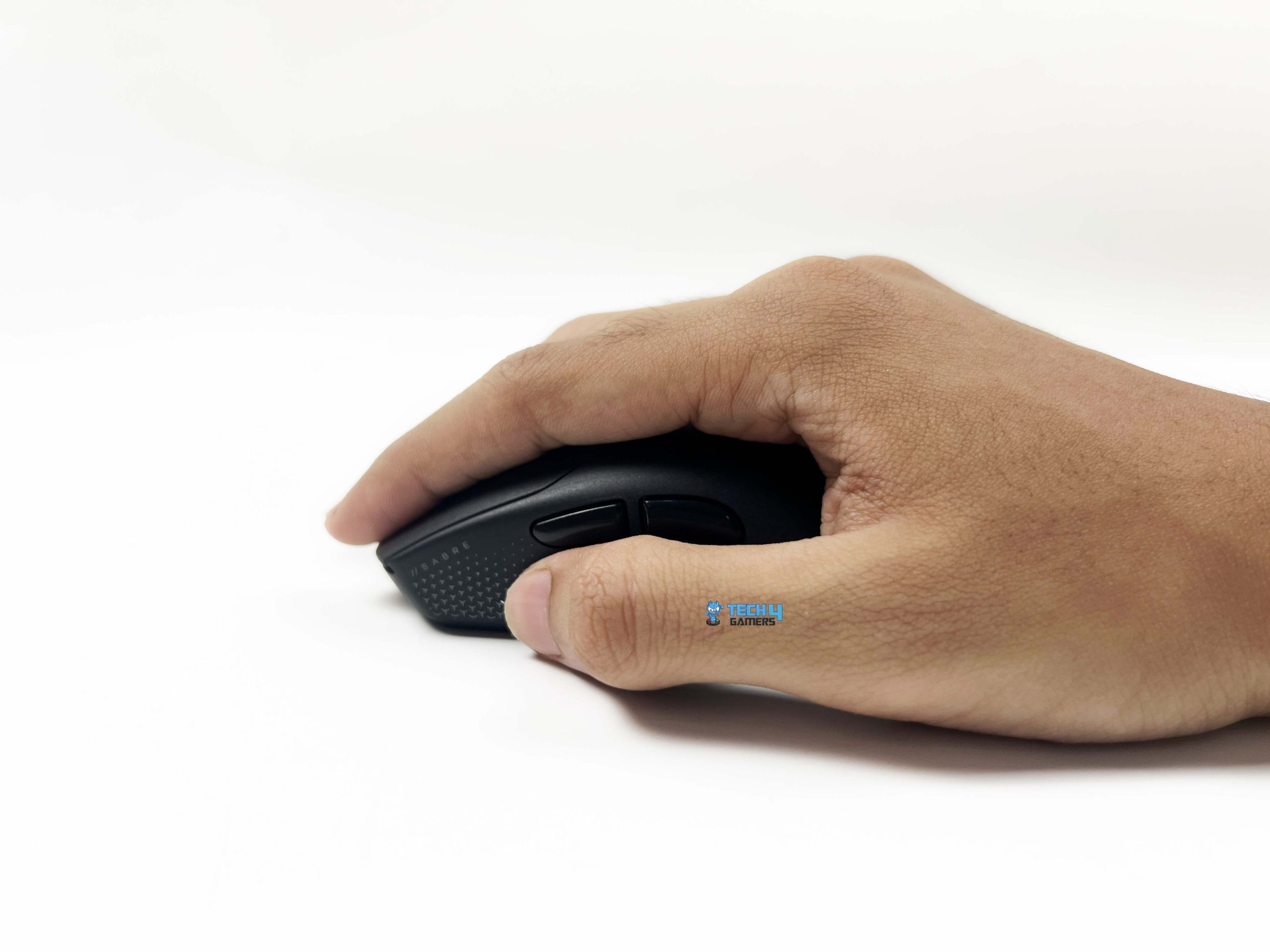
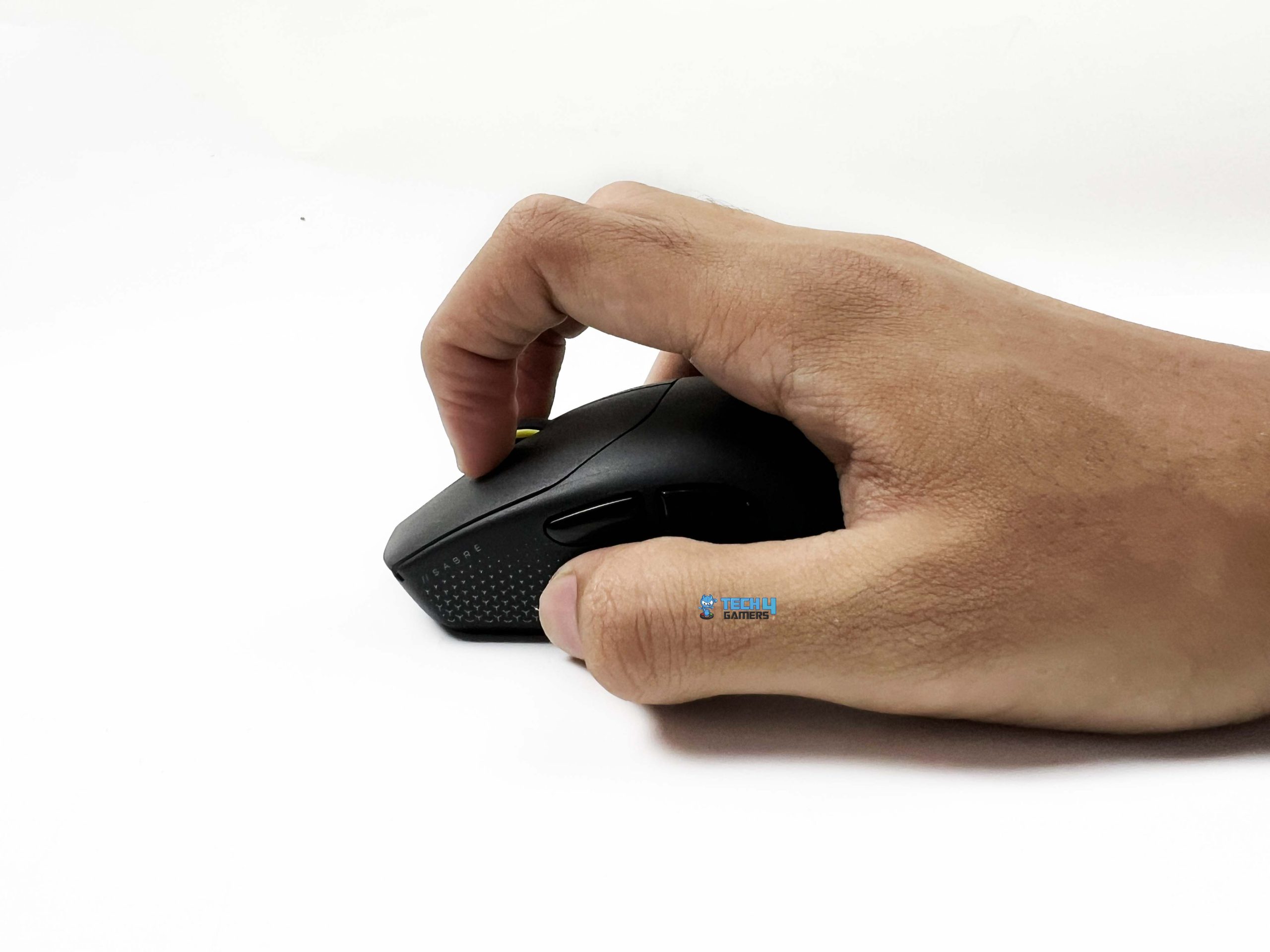
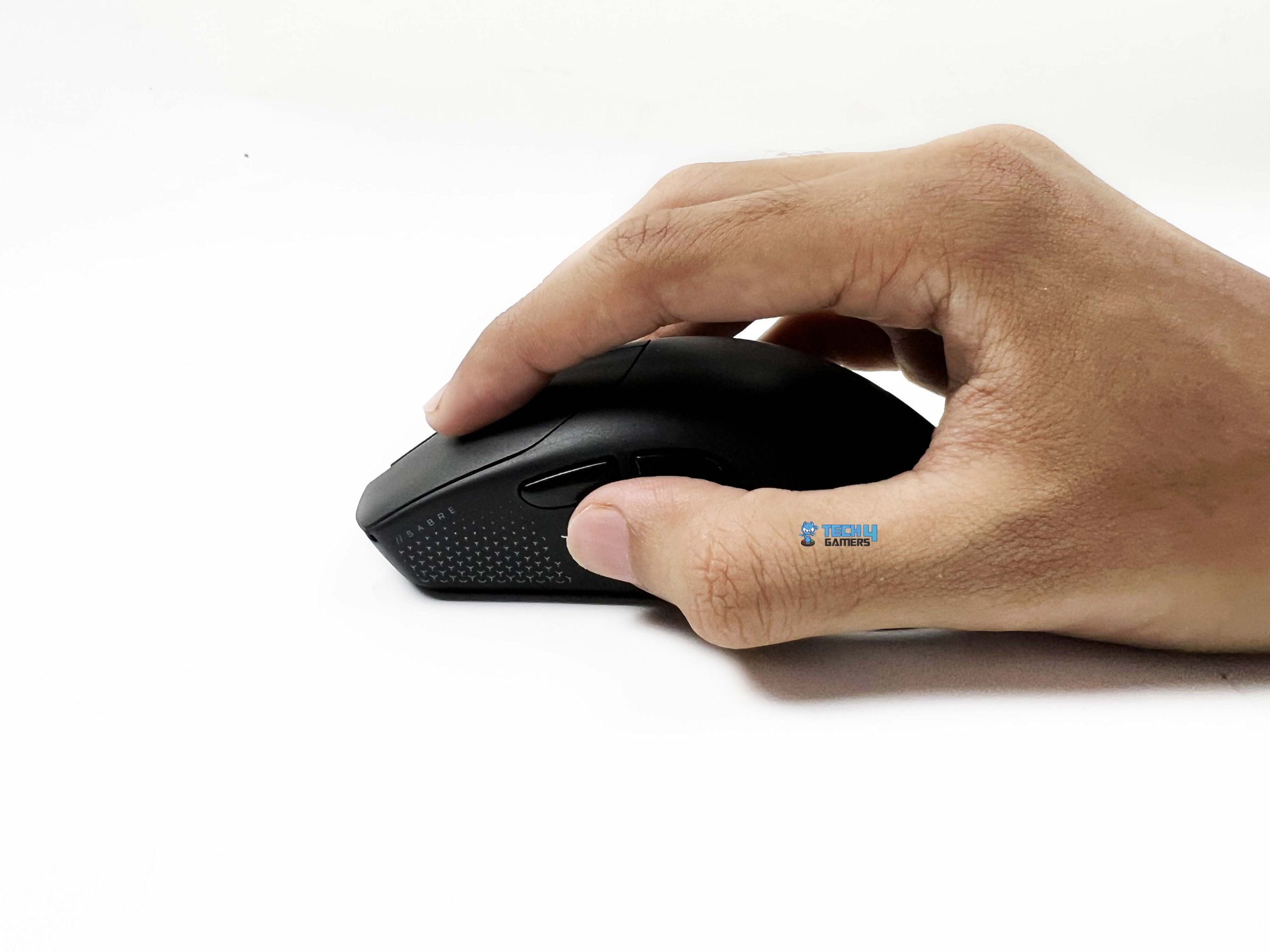
The Sabre v3 Pro PureVector Ultralight has a symmetrical shape, so it doesn’t feel overly specialized for one particular grip. I mainly use a claw grip when gaming, though I also tried palm and fingertip grips to better understand how its shape accommodates different hand positions. For reference, my hand measures 179 × 82mm. I found that it fits my hand quite well. There are a few differences depending on how I hold it, though. It provides sufficient support across the rear of my hand.
About half of my palm contacts the shell, and the rear hump naturally fills that space. It doesn’t feel like my hand is floating above the mouse. My wrist also remained comfortable, even after extended use. However, my fingers extend farther forward than the primary buttons, so the mouse feels a little short for my preferred grip. It isn’t necessarily a problem with the mouse itself; it comes down to hand size. That said, I think the shape should suit most people with smaller or medium-sized hands.
Build Quality

Despite weighing just 37 grams, the Corsair Sabre v3 Pro PureVector Ultralight feels surprisingly sturdy. Its lightweight construction doesn’t come at the expense of build quality, and I think Corsair has done a great job with the overall shell construction. The plastic feels good, and the finishing is clean throughout. There are no obvious imperfections. The upper shell has good rigidity and doesn’t flex when I apply pressure. The side walls are equally solid, with no noticeable give when squeezed.
I also couldn’t hear any creaking noises while pressing the mouse or detect unwanted rattling when shaking it. These are small details, but they matter on an ultralight mouse because such low weight can sometimes raise durability concerns. The fit and finish are excellent, too. The different shell components come together neatly, and the seams are even and consistent across the body. Nothing feels loose or poorly fitted. It has enough structural integrity to handle regular use without making me overly cautious.
Underside

The underside of the Corsair Saber v3 Pro PureVector Ultralight has the optical sensor positioned near the center of the base, with the mouse skates surrounding it. The power toggle is right beside it, on the right-hand side. You can switch the mouse off from the back. The pre-applied mouse skates set has a relatively modest footprint, with a clean finish and smooth, rounded edges. I didn’t notice any rough corners or uneven finishing. They glide consistently across different mousepad surfaces.
Moreover, the mouse doesn’t feel like it’s catching or dragging during normal movements. Corsair also includes a larger set of replacement skates in the box. These are considerably bigger than the ones already fitted to the mouse, and they cover a good portion of the underside once installed. The difference isn’t just cosmetic. The larger contact area changes how the mouse feels against the pad. They offer a more controlled glide while still allowing the mouse to move smoothly with minimal effort.
Primary & Side Buttons

Corsair has gone with optical switches for the primary buttons on the Sabre v3 Pro PureVector Ultralight. These are Corsair-tuned switches and have a lifespan of up to 100 million clicks. Corsair advertises near-zero actuation lag and no pre-travel for these switches. As for the actual feel, I like how the primary buttons respond. They have a crisp tactile feel. The actuation force feels well judged, too. I don’t have to press down particularly hard to register a click, but the buttons don’t feel too sensitive.
There’s a clear response under the fingers, and the left and right buttons feel consistent with each other. Pre-travel is minimal, while the post-travel feels well controlled. I also didn’t notice any meaningful difference between the two primary buttons. Their response remains consistent during rapid clicking, which is particularly useful in FPS games where repeated inputs are part of regular gameplay. The buttons produce a clear, satisfying sound, and the overall feedback feels well matched to the crisp response.

Moving to the side, it has two buttons positioned on the left side of the mouse. They’re placed within natural thumb reach. Their size is also sensible. They’re large enough to locate and press comfortably, but they don’t take up so much space that they interfere with the area where my thumb rests. I particularly like their shape and separation. There’s enough distinction between the two buttons to tell them apart by touch. Their placement feels natural rather than forcing my thumb into an awkward position.
Scroll Wheel

The size of the scroll wheel on the Corsair Sabre v3 Pro PureVector Ultralight feels well suited to the mouse, and its position is comfortable to reach with the index finger. I don’t have to move my hand forward or adjust my grip just to use it. The wheel also has a rubberized surface with a textured finish, which provides good grip. One of the more interesting aspects of the wheel is its optical encoder. Corsair has tuned this mechanism for near-zero lag, aiming to register scroll inputs quickly and consistently.
It also avoids the same type of physical contact wear found in traditional mechanical encoders. Individual steps are clearly defined. The spacing between steps is well judged, too. There’s enough resistance to keep scrolling under control, but the wheel doesn’t feel stiff. The wheel does produce some sound as it turns, but I actually find it quite pleasing. There’s a subtle audible response that accompanies the tactile feedback. The actuation force feels well balanced, and pressing down produces a clear response.
Connectivity

The Corsair Sabre v3 Pro PureVector Ultralight supports two connection methods: 2.4GHz wireless and wired USB-C. Corsair has kept things focused on these two options rather than adding Bluetooth. That’s not necessarily a drawback for a gaming mouse, especially one designed around competitive play, but it’s worth knowing if you were hoping to connect it to multiple devices without using a receiver. The 2.4GHz connection uses Corsair’s Slipstream wireless technology and the included USB receiver.
You connect the receiver to your PC using the included USB cable, switch the mouse to 2.4GHz mode, and it pairs with the receiver. It is recommended to keep the receiver close to the mouse for the best signal. In my experience, the wireless connection remains stable during use. I haven’t run into noticeable signal interruptions or unexpected disconnections. The mouse also feels responsive during gameplay. Quick flicks and smaller aiming adjustments register without any obvious delay.
Performance

The Corsair Sabre v3 Pro PureVector Ultralight is built around the Corsair Marlsman X optical sensor. It supports up to 42,000 DPI, a maximum tracking speed of 800 IPS, an 8,000Hz polling rate, and acceleration of up to 70G. Corsair has developed PureVector in collaboration with Aimlabs to make mouse sensitivity more personal. Rather than applying the same sensitivity behavior in every direction, it uses a calibration process to analyze your aiming movements and create a personalized directional sensitivity profile.
In actual use, the mouse feels incredibly responsive. The sensor tracks movements accurately whenever I’m making small adjustments to line up a shot. Its 37g weight also plays a major role here. I can reposition the mouse and make rapid movements without much effort. The tracking remains consistent during gameplay, and I haven’t experienced unwanted cursor movement. It performs very well in FPS games such as Valorant, particularly if you prefer a lightweight mouse that doesn’t feel restrictive during quick movements.
Battery Life
Corsair advertises up to 140 hours of battery life at a 1,000Hz polling rate. That figure drops to around 25 hours when using it at 8,000Hz. In my use, the battery endurance has been close to Corsair’s advertised figures. At 1,000Hz, the mouse offers enough runtime that I don’t find myself reaching for the charging cable too often. Even for regular gaming sessions, the battery life feels reasonable. The 25-hour estimate at 8,000Hz is shorter, though it’s still enough for several gaming sessions before you need to recharge.
Software
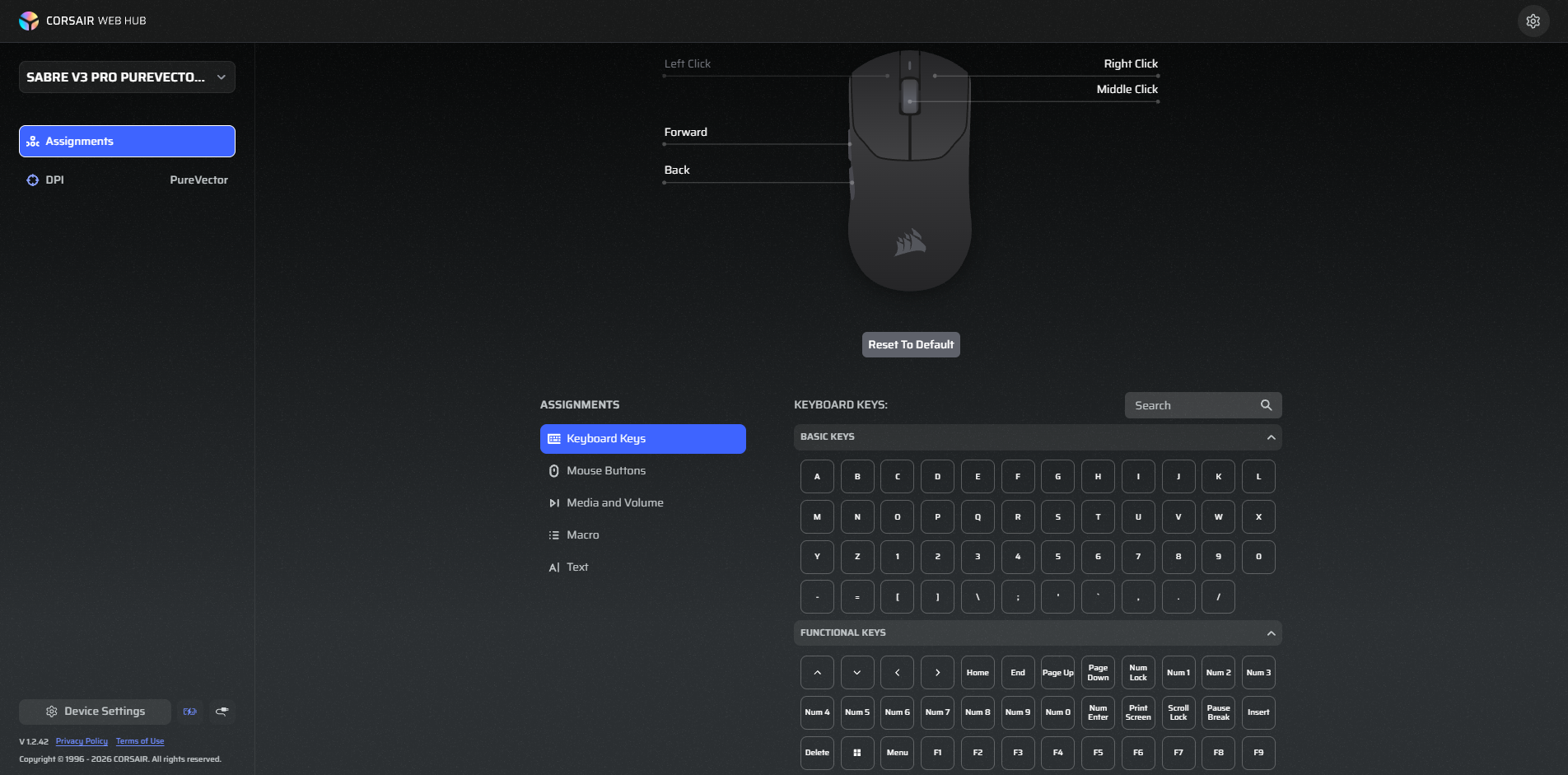
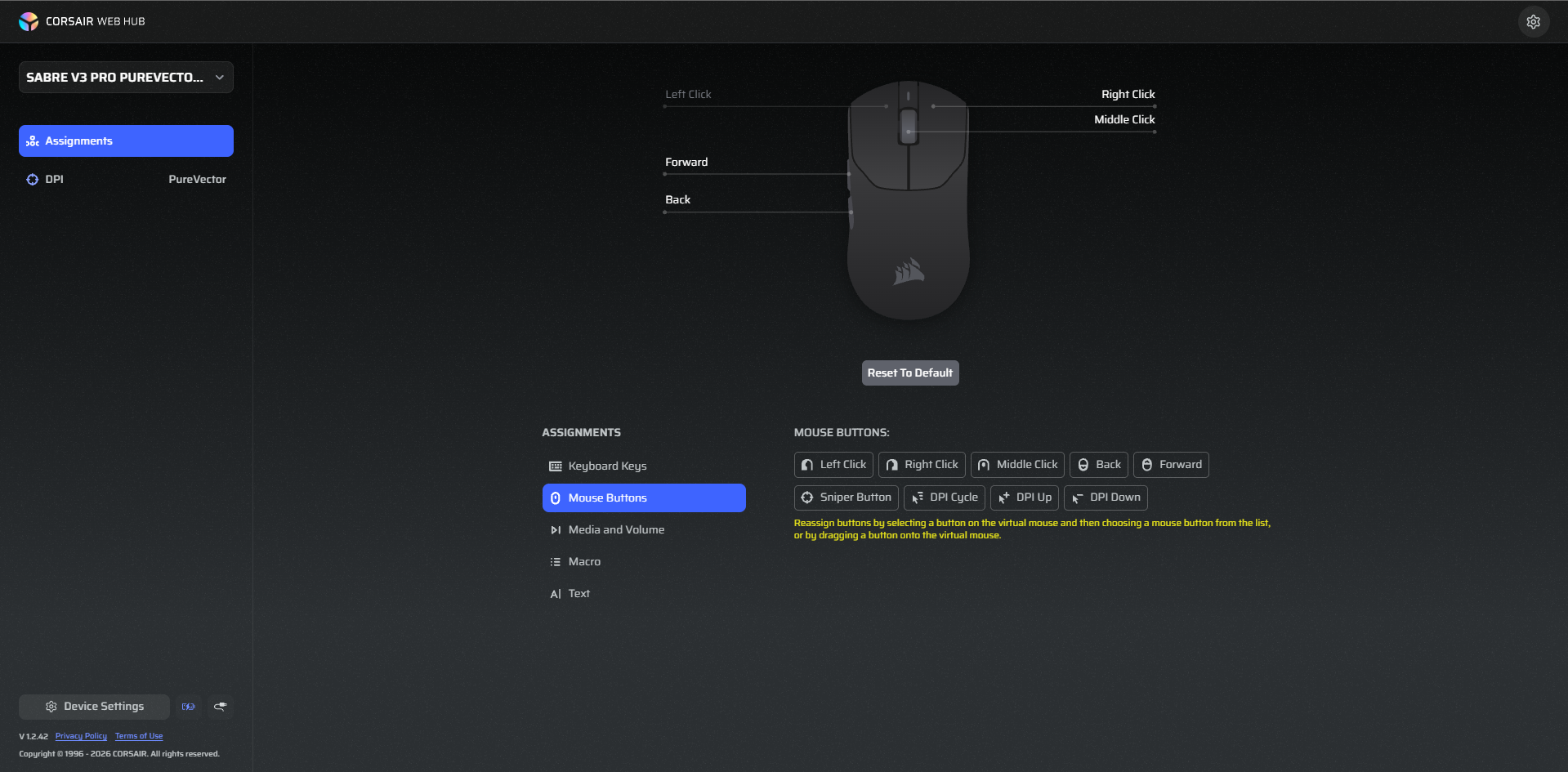
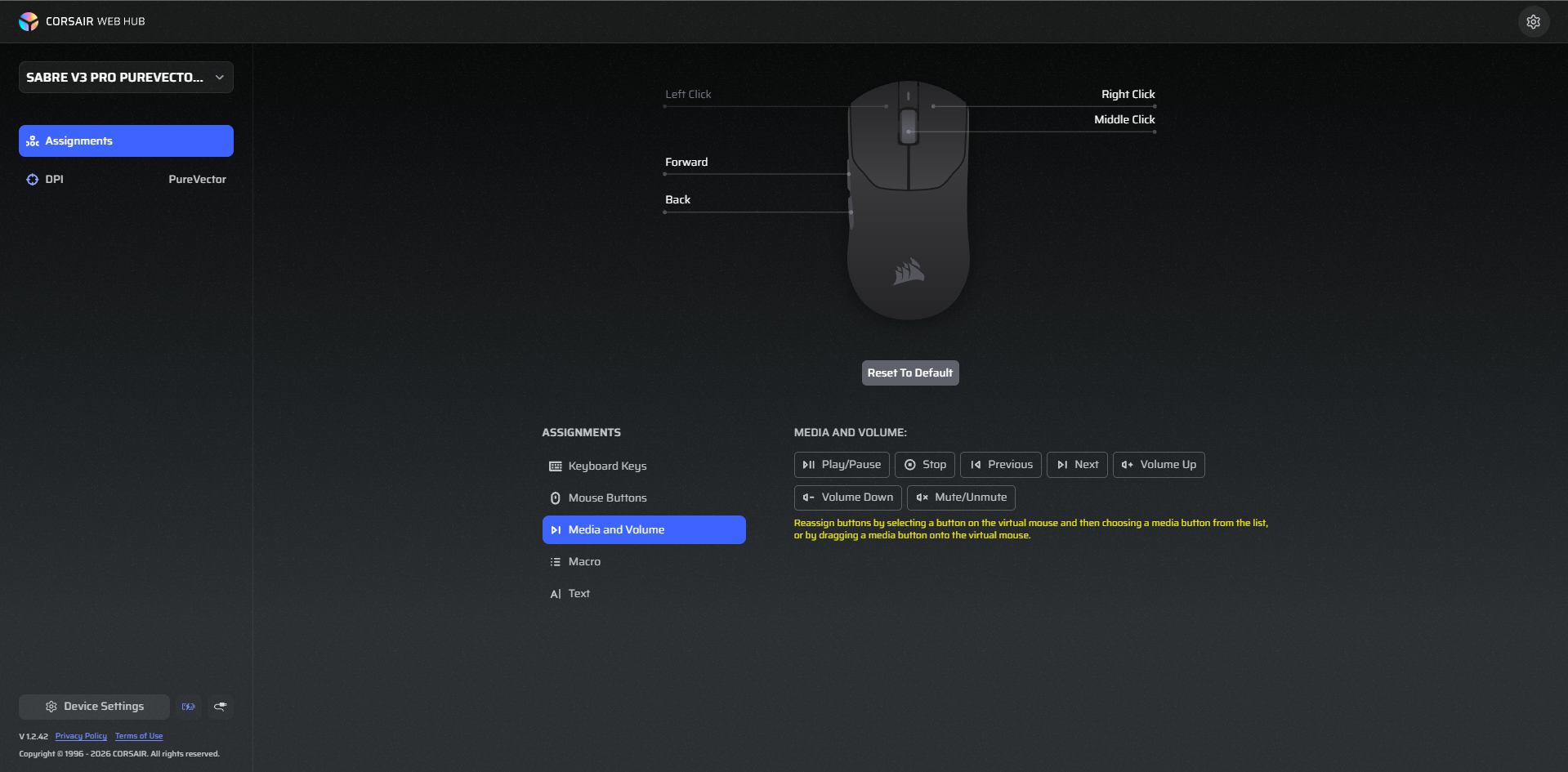
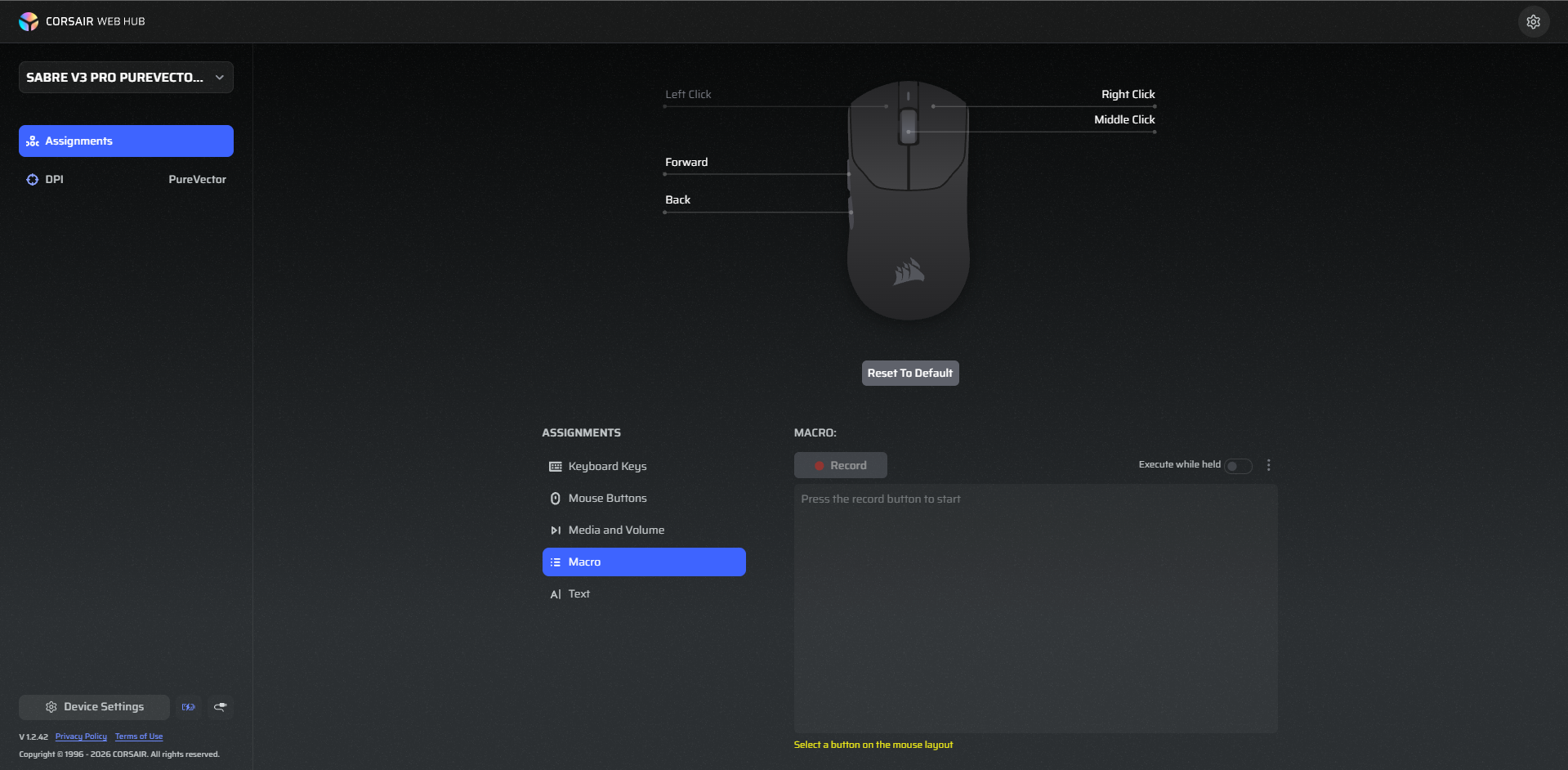
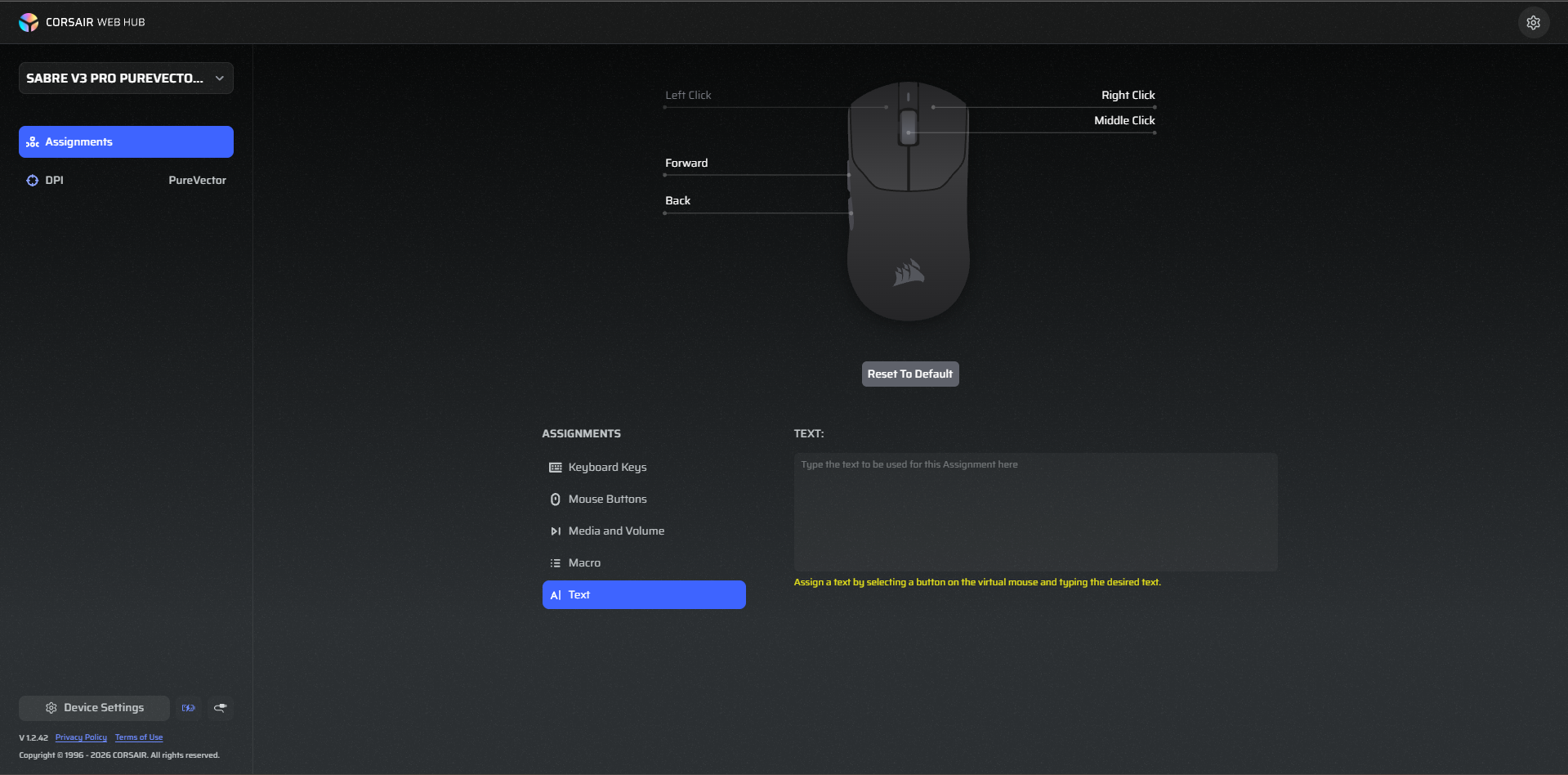
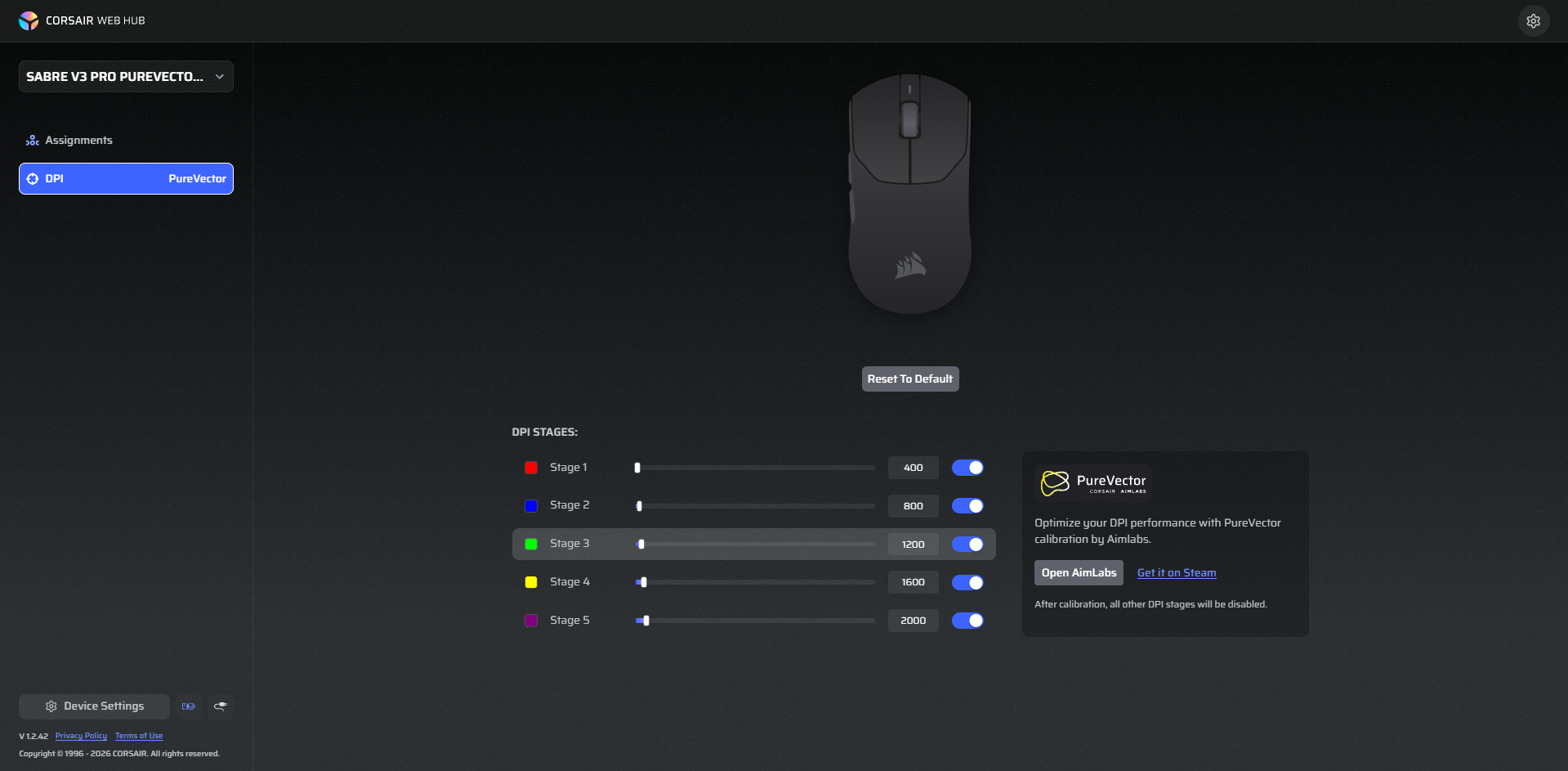
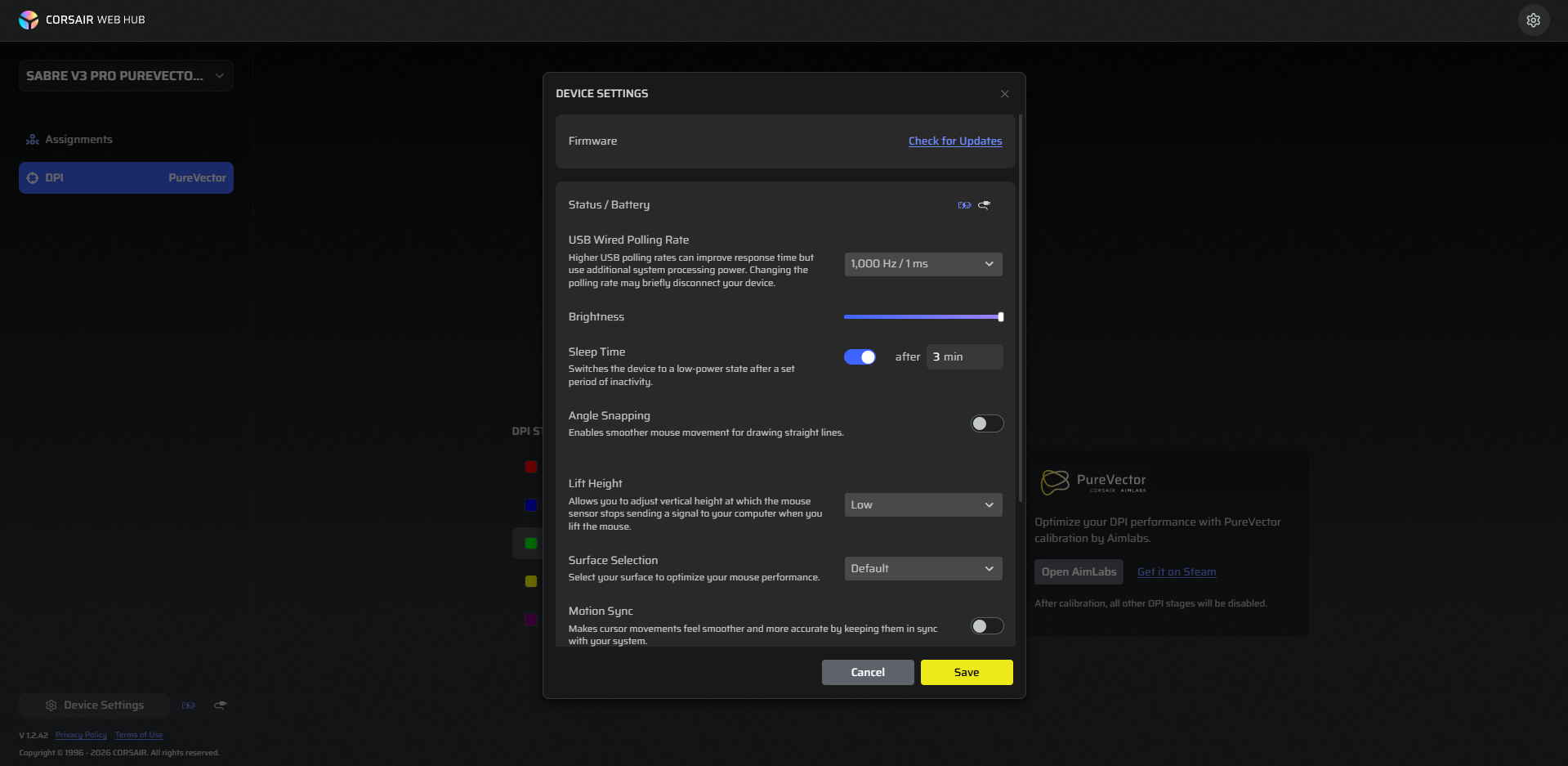
Corsair provides Web Hub for configuring the Sabre v3 PRO PureVector Ultralight. You don’t need to install a separate desktop application to access the mouse settings. Simply open Corsair Web Hub in your browser, connect the mouse, and select the device. The interface is fairly clean, and the different settings are arranged into separate sections. The Assignments section lets you customize the mouse buttons. Corsair provides several assignment categories, including keyboard keys, mouse buttons, media controls, macros, and text.
There are four buttons available for remapping: right-click, middle-click, forward, and back. The left click cannot be reassigned. The DPI section lets you configure the mouse’s sensitivity stages. You can set your preferred DPI values. PureVector can also be accessed through Web Hub. Device Settings is where you can check the battery status and configure the polling rate. You can also set the sleep timer, adjust angle snapping lift height, and choose a surface profile. Motion Sync and Ripple Control are available here too.
Should You Buy It?
Buy it if
✅ You want an extremely lightweight gaming mouse: At just 37g, it is remarkably easy to move around. Despite its full-shell construction, it doesn’t rely on perforations to keep the weight down.
✅ You prioritize competitive gaming performance: The Marksman X sensor offers up to 42,000 DPI and 800 IPS tracking speed, while the 8,000Hz polling rate is available in both wired and wireless modes.
Don’t Buy it if
❌ You’re on a tight budget: At $179.99, it sits firmly in the premium category. Its lightweight construction and specialized features are appealing, but casual gamers may find better value in less expensive gaming mice.
❌ You prefer a larger mouse: Its relatively compact length may not provide enough palm support for users with larger hands. While I found it comfortable overall, the fit is more natural with a claw grip than with a full-palm grip.
Final Verdict
The Corsair Sabre v3 Pro PureVector Ultralight is a strong addition to Corsair’s gaming mouse lineup. Having reviewed the previous series, I was curious to see what Corsair would bring with the next generation. The v3 Pro doesn’t completely change the formula, but it gets the fundamentals right. PureVector is perhaps the most interesting part of this release. At $179.99, it sits firmly in the premium gaming mouse category. That’s a considerable amount to spend.
However, you’re paying for a combination of its 37g full-shell construction, high-end Marksman X sensor, wireless performance, and PureVector technology. I think the price is easier to justify for enthusiasts who will actually use these features, particularly competitive FPS players who care about precise aiming. For casual gamers, the mouse is still very capable, but its more specialized features may not be worth the cost. A less expensive gaming mouse could offer a perfectly good experience for everyday gaming.
Thank you! Please share your positive feedback. 🔋
How could we improve this post? Please Help us. 😔

[Hardware Reviewer & Editor]
After many years of exploiting various pieces of hardware, Abdul Hannan now serves as an editor at Tech4Gamers. He’s been in the PC hardware reviewing industry for almost a decade, and his staff of passionate geeks and reviewers is second to none.
Abdul Hannan is constantly seeking new methods, you will always see him running into New Computer Courses to improve the performance of his computer components since he is an ardent overclocker. He is well-known for providing the most extensive and unbiased analysis of the newest and greatest hardware for PC gaming, including everything from GPUs to PSUs.
 Join Our Community