- Valve uses a subtick system to track actions precisely, so blaming recent CPU issues on 128-tick matchmaking is incorrect.
- CS2 relies heavily on the processor. Even if you have a powerful graphics card, your CPU can struggle to keep up.
- Simply having more CPU cores won’t fix performance.
There is a problem with this whole 128-tick discussion: CS2 does not officially work the way a lot of these hardware takes claim it does.
Valve built Counter-Strike 2 around subtick updates and specifically says tick rate no longer determines when movement, shots, or grenade throws are processed. So the idea that Valve suddenly pushed official matchmaking to 128-tick and doubled the CPU workload is misleading.
That does not mean CPU performance is irrelevant. Far from it. CS2 can still expose a weak processor, especially when the game gets busy. But the reason is more interesting than simply blaming a higher server tick rate.
CS2 Is Still Brutal on the CPU

CS2 has always been the kind of game where a high-end GPU does not automatically solve your performance problems.
You can have a powerful graphics card sitting at 60 or 70 percent usage while your CPU struggles to keep frame times under control. Throw five players, several smokes, flashes, grenades and plenty of movement into the same area and those dips become much easier to notice. This is why average FPS can be a little deceptive.
If your counter says 300 FPS most of the time, it is tempting to assume everything is fine. Then a full execute happens on Mirage and the game suddenly feels less responsive. Your average might still look impressive, but the drops are what you actually feel when the round matters.
Valve has continued making engine and stability changes throughout 2026. The July 8 update, for example, moved CS2 to a newer version of Source 2, while other recent updates have included additional stability and server-performance fixes.
That tells me something important: CS2 is still a moving target. Hardware that feels perfectly adequate today can behave differently after engine changes and map updates.
So Where Does 128-Tick Fit Into This?
This is where I think the original argument gets the wrong target. The old CS 64-tick versus 128-tick debate was simple enough. A 128-tick server processed updates twice as often as a 64-tick server. Players could immediately understand the appeal. CS2 changed that model with subtick.
Valve’s own explanation says the server records the exact timing of important actions rather than simply waiting for the next traditional tick. In theory, that means your shot does not become magically better just because the server happens to run at a higher tick rate.
So I would not tell someone, “Your CPU is struggling because CS2 went 128-tick.”
I’d tell them something more useful: CS2 is demanding enough to make CPU weaknesses obvious, and high-refresh competitive gaming makes those weaknesses much easier to notice. That distinction matters.
The Real Enemy Is Frame-Time Spikes

This is probably the part more players should be watching. A CPU does not need to produce a massive average FPS number. It needs to deliver frames consistently.
Imagine two systems. One averages 300 FPS but regularly drops into the 120s during fights. The other averages 260 FPS but stays much closer to that number throughout the match. I’d take the second PC every time.
That is especially true in CS2 because your entire game revolves around tiny moments. A smoke appears, someone swings from short, you counter-strafe and click. If your frame delivery becomes messy at exactly that moment, the experience feels worse even when the FPS counter still looks impressive.
This is why 1% lows are worth watching alongside average FPS.
More Cores Aren’t Automatically the Answer
Another easy mistake is assuming that a CPU with more cores will automatically perform better. CS2 does benefit from modern processors, but competitive games often care about how quickly individual tasks can be handled as much as they care about the number of cores on the box.
That is why some gaming-focused CPUs can punch above their price or specification sheet in games.
AMD’s X3D chips are a good example of this broader trend. The extra cache can be particularly useful in games where the processor repeatedly needs access to the same game data.
But that does not mean everyone needs to run out and buy the latest X3D processor. If your current CPU is already producing stable frame times at the refresh rate of your monitor, spending hundreds on an upgrade might barely change your actual experience.
Your GPU Might Not Be the Problem
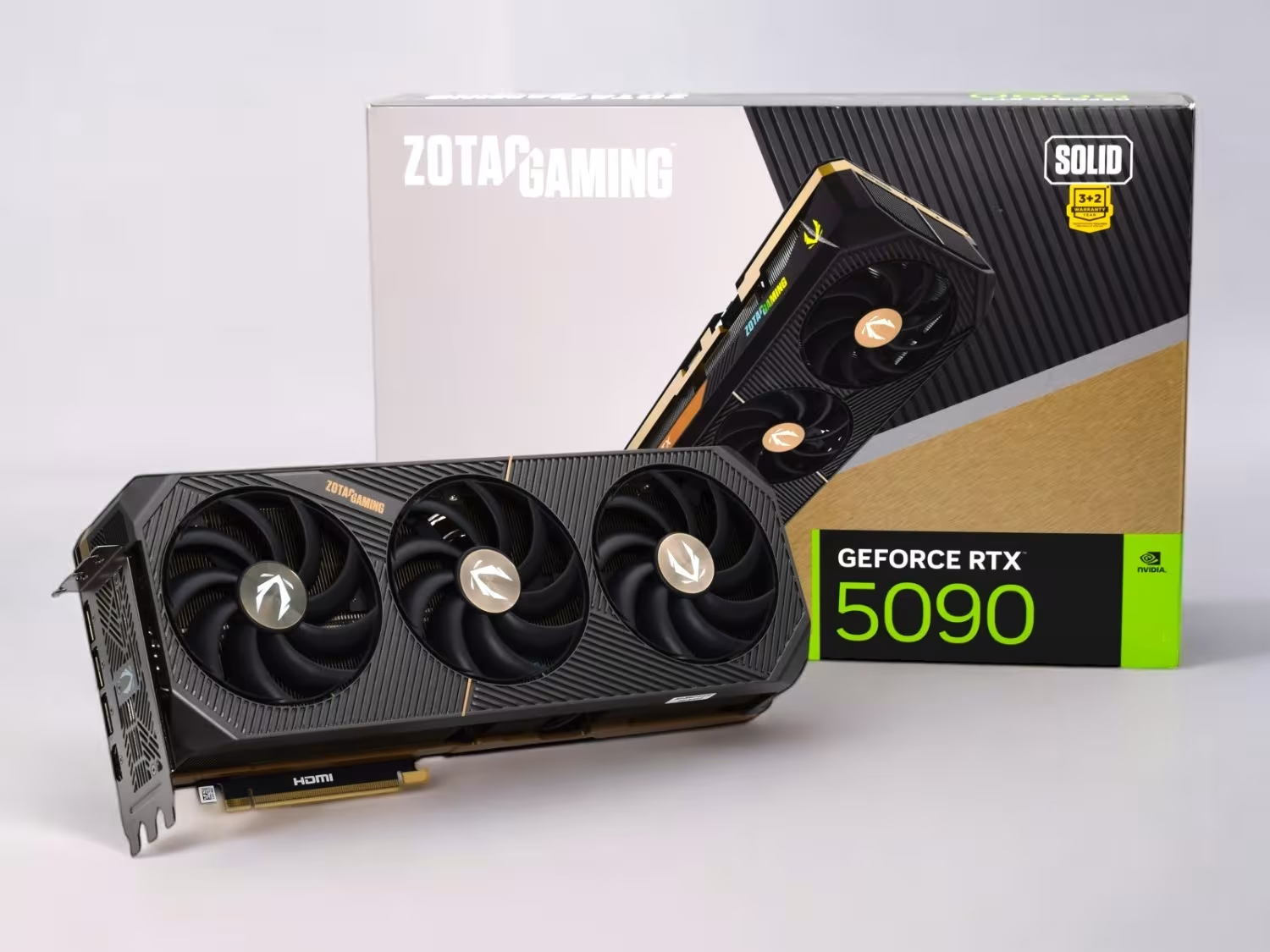
This is where CS2 can confuse people. You lower your graphics settings and expect FPS to jump dramatically. Instead, it barely moves. That is a pretty good clue that the GPU isn’t the main limitation.
If you’re playing at 1080p with competitive settings and already have a reasonably capable graphics card, the processor can become the limiting factor long before the GPU runs out of work.
And the higher your monitor’s refresh rate, the more obvious this becomes. Going from 144Hz to 240Hz is already a noticeable jump for competitive players. Trying to push 360Hz or beyond puts even more pressure on a system to deliver frames consistently.
At that point, chasing another 50 FPS on the average counter matters less than getting rid of the ugly dips.
Smokes and Big Fights Are the Real Test
I don’t trust an empty practice server as the only way to judge a CS2 PC. It can tell you what the system does under light conditions, but a real match is where things get interesting.
A proper test should include the situations where your FPS normally falls apart. Multiple players on screen, utility everywhere, active smokes and hectic fights are much more useful than staring at an empty Mirage.
This is also why two PCs with the same graphics card can feel surprisingly different.
One might maintain a much steadier frame rate when the round gets chaotic. The other might look fantastic in a simple benchmark and then fall apart during a five-player B-site execute. For CS2, I’d rather have the boring, consistent machine.
Don’t Blame Your Aim Too Quickly
There is a funny habit among competitive players where every bad session becomes a settings problem. Maybe the sensitivity feels wrong. Maybe the crosshair is bad. Maybe the mouse needs replacing. Maybe you suddenly forgot how to counter-strafe.
Sometimes the explanation is much less exciting. Your PC might simply be struggling.
Before changing your sensitivity for the tenth time, check your FPS during an actual match. Watch your 1% lows. Look at CPU and GPU usage. Pay attention to when the drops happen.
If the GPU has plenty of headroom while the CPU is getting hammered during heavy moments, you have a much better starting point for troubleshooting.
And Yes, Your Weapons Still Matter

Hardware is not going to turn the P250 into an AK-47, and a better processor isn’t going to fix questionable weapon choices.
CS2’s weapon balance continues to change, so I wouldn’t treat any weapon ranking as permanent. The guns you rely on should match the way you actually play, rather than whatever happens to be at the top of a CS2 weapon tier list this week.
The important point is that hardware and weapon choice are separate problems. If your frame times are unstable, changing your loadout is not going to solve the underlying issue.
Do You Actually Need a CPU Upgrade?
Probably not if CS2 already feels smooth. That’s the part that gets lost whenever gaming hardware discussions turn into upgrade recommendations.
If you’re holding the refresh rate you want, your frame times are reasonably stable and you aren’t getting obvious drops during fights, leave the PC alone.
If you’re running a much older processor and constantly seeing severe dips while your GPU has plenty of unused capacity, then an upgrade starts making sense.
And you don’t necessarily need the most expensive gaming CPU available. A modern mid-range processor can be a huge improvement over an older chip.
I’d also look at the rest of the system before buying anything. Memory configuration, background applications, temperatures and power settings can all affect performance.
The 128-Tick Argument Misses the Bigger Picture
The interesting story about CS2 and CPUs isn’t that Valve secretly doubled the workload by moving matchmaking to 128-tick.
It is that Counter-Strike has become increasingly unforgiving of inconsistent PC performance. Valve’s subtick system was designed specifically to move CS2 beyond the old idea that tick rate alone determines responsiveness.
At the same time, CS2 remains a demanding modern Source 2 game, and Valve is still making engine, map, gameplay and stability changes in 2026.
That means your CPU deserves more attention than it usually gets. Not because 128-tick is secretly destroying older processors.
Because in a game where winning a duel can come down to a tiny timing window, inconsistent frame delivery can be just as annoying as a bad connection.
So before blaming your crosshair, mouse or aim, check what your CPU is doing when the entire server decides to fight on the same bombsite. You might find that your aim isn’t the problem after all.
Thank you! Please share your positive feedback. 🔋
How could we improve this post? Please Help us. 😔

[Senior News Reporter]
Avinash is currently pursuing a Business degree in Australia. For more than 5 years, he has been working as a gaming journalist, utilizing his writing skills and love for gaming to report on the latest updates in the industry. Avinash loves to play action games like Devil May Cry and has also been mentioned on highly regarded websites, such as IGN, GamesRadar, GameRant, Dualshockers, CBR, and Gamespot.
 Join Our Community