Threads
Form Meets Function!
Review Summary
The Lian Li Vertical GPU Kit V4 is a highly versatile mount that does a lot more than just hold your graphics card sideways. For about $81, it stands out by offering unique height and tilt adjustments to perfectly position your card, along with a heavy-duty support arm that prevents sagging and built-in RGB lighting for extra style. Most importantly, the included PCIe 5.0 riser cable delivers flawless gaming performance with zero noticeable frame drops.
However, you will need to make sure your PC case has enough room, as the bracket pushes the card forward by about 31mm, and it can sometimes get in the way of bulky motherboard covers. Overall, if you have the space, it is a fantastic, all-in-one solution for safely and beautifully displaying your graphics card.
Hours Tested: 8

Overall
-
Design - 9/10
9/10
-
Quality - 7/10
7/10
-
Features - 9.5/10
9.5/10
-
Value - 9/10
9/10
Pros
- Versatile Vertical Bracket
- PCIe 5.0 Riser Cable
- Height Adjustment in three positions
- Tilt function in three positions
- ARGB Lighting
- Anchor Points
- GPU Support Arm
- Universal Compatibility with ATX PC Cases
- Support for 4-Slot Graphics Card
- Price
Cons
- Certain tilt and height locations obstruct the IO Port of the graphics card
- Compatibility and Clearance w.r.t certain motherboards

Who would not want to show the beauty of graphics card in a vertical mount! The market has been filled with many options ranging from the universal designs to the proprietary ones. Once this was a rare commodity and the lack of riser cable from the bundle made it even more challenging. But it is a thing of the past.
Lian Li has recently released a new universally compatible PCIe bracket named 4-slot Vertical GPU Kit V4 (VG4v4). It has quite a long name though! It is available in black and white colors. This kit is highly versatile as it offers following features and functions:
- Height Adjustment
- Tilt Feature
- GPU Support Arm with holding capacity of up to 10Kg
- ARGB Lighting
- Anchoring Mechanism
- PCIe 5.0 Riser Cable
As you can see not all brackets offer these features and functions. This is first of its kind to offer all-in-one solution. It is compatible with any ATX case that has bridgeless PCIe slots. Its MSRP is $81.40.

What Makes The Lian Li Vertical GPU Kit Different?
When it comes to Lian Li 4-slot Vertical Graphics Card Kit V4 (VG4v4), it has more to it than meets the eye. Lian Li has raised the bar in this niche market segment by providing a feature rich vertical graphics card that is highly versatile and the last nail for the competition is its universal compatibility with ATX PC Cases.
Packaging And Unboxing
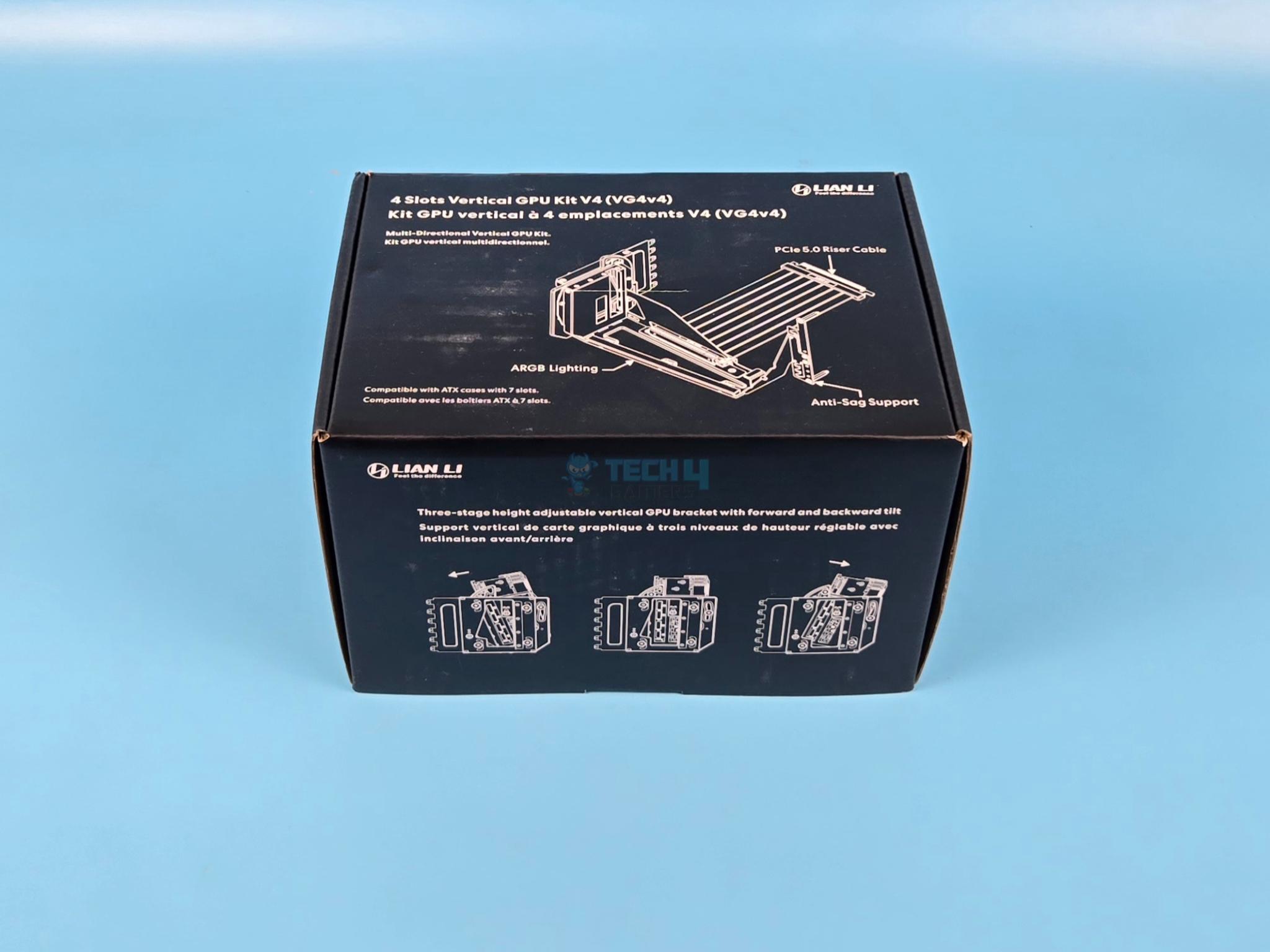
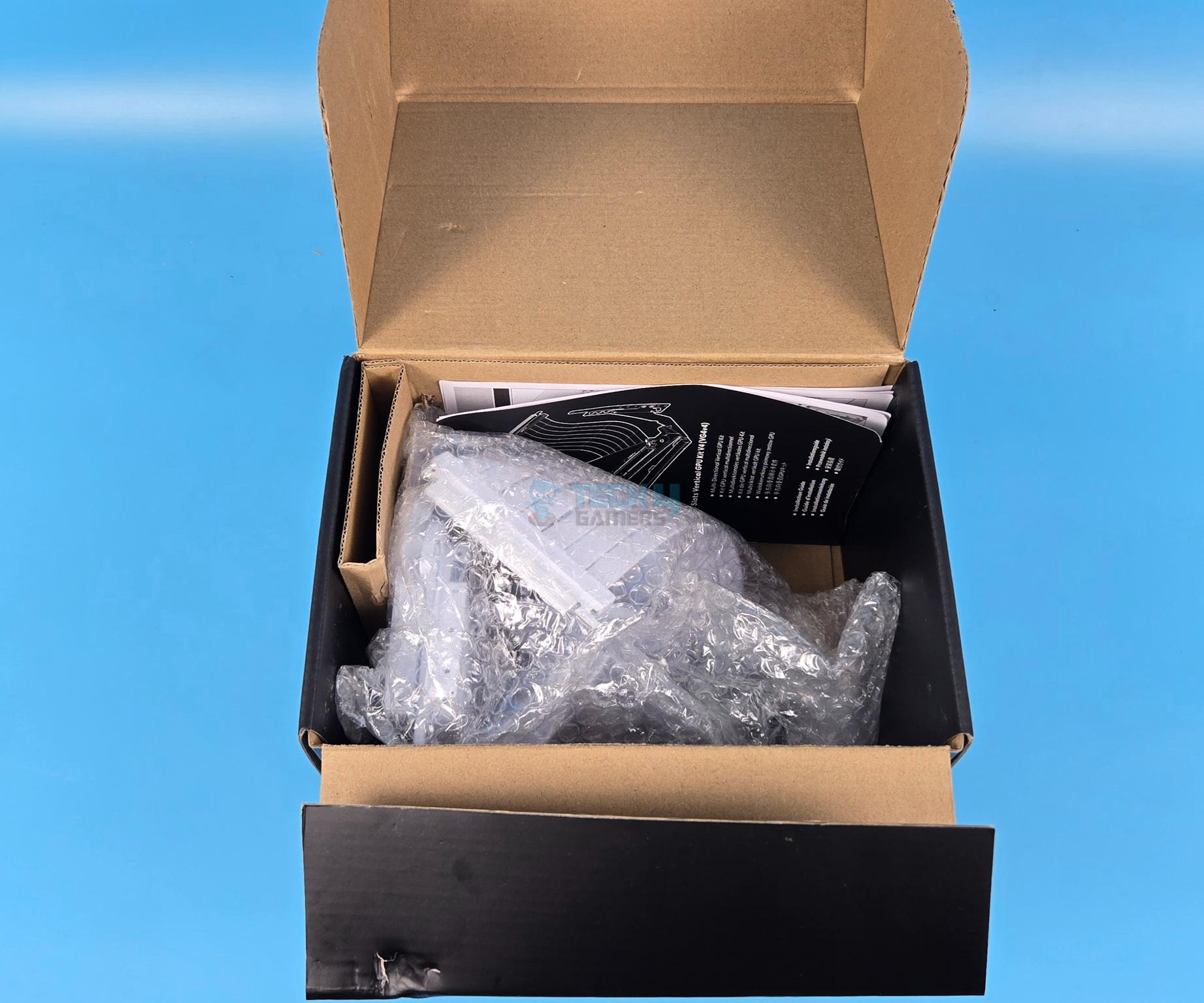
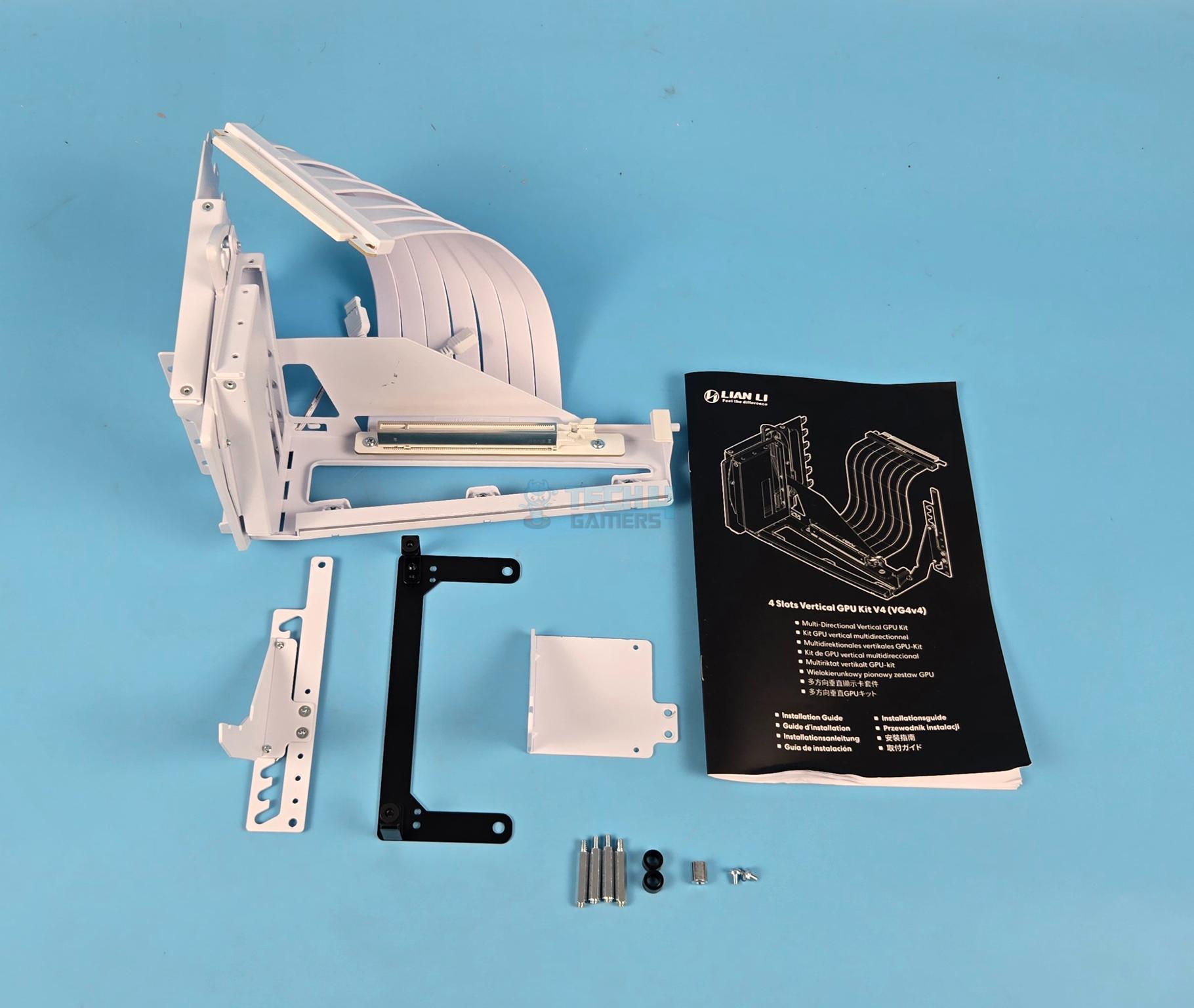
The bracket is shipped inside a cardboard box finished in a black color theme. The bracket and accessories are placed inside a bubble wrap sheet. The accessory container was torn and we found the accessories scattered in the main box. The following are provided:
- 1x Vertical Bracket with 20mm PCIe 5.0 Riser Cable
- 1x Tool for standoffs
- 2x Screws
- 2x M3 M6-32 Standoffs [Our sample came with 4 and two of these were not compatible]
- 1x GPU Support Arm for ATX Motherboard
- 1x GPU Support Arm for E-ATX Motherboard
- 1x Mylar Sheet
- 1x Supporting Bracket for E-ATX Motherboard
- 2x Black Spacers
- User manual
Design
Let’s take a closer look on the bracket.
Bracket Design

The bracket is what seems like any other ordinary one but don’t get fool from the looks. This one has much more to offer than the ordinary ones and most of the magic is on its rear. This bracket supports 4-slot cards making it compatible with any of the high-end graphics card in the market at present. Its dimension is 168.63×147.5×234.86mm (LxHxW). The model of white edition is VG4-5-V4W where 5 implies the PCIe 5.0 protocol.
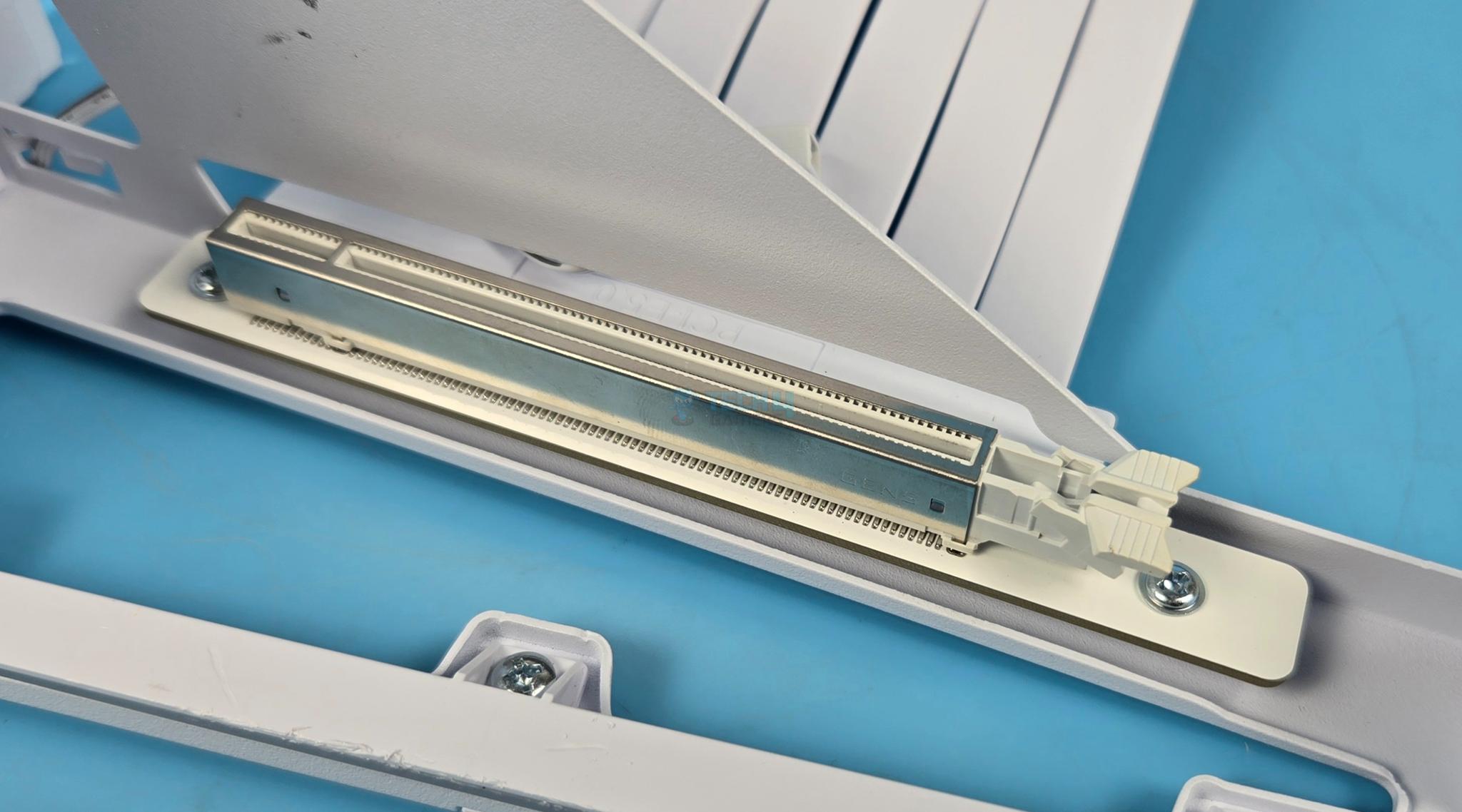
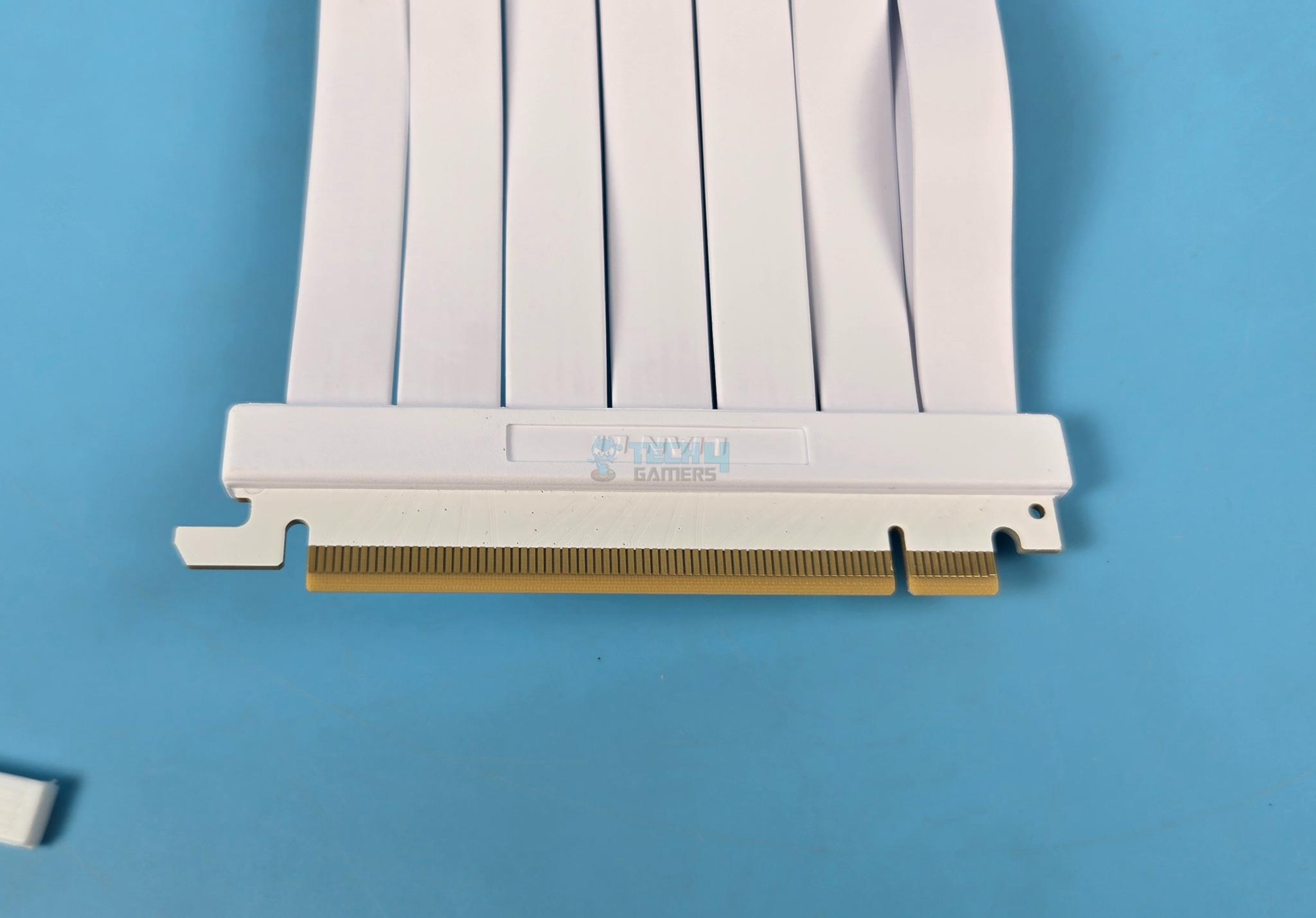
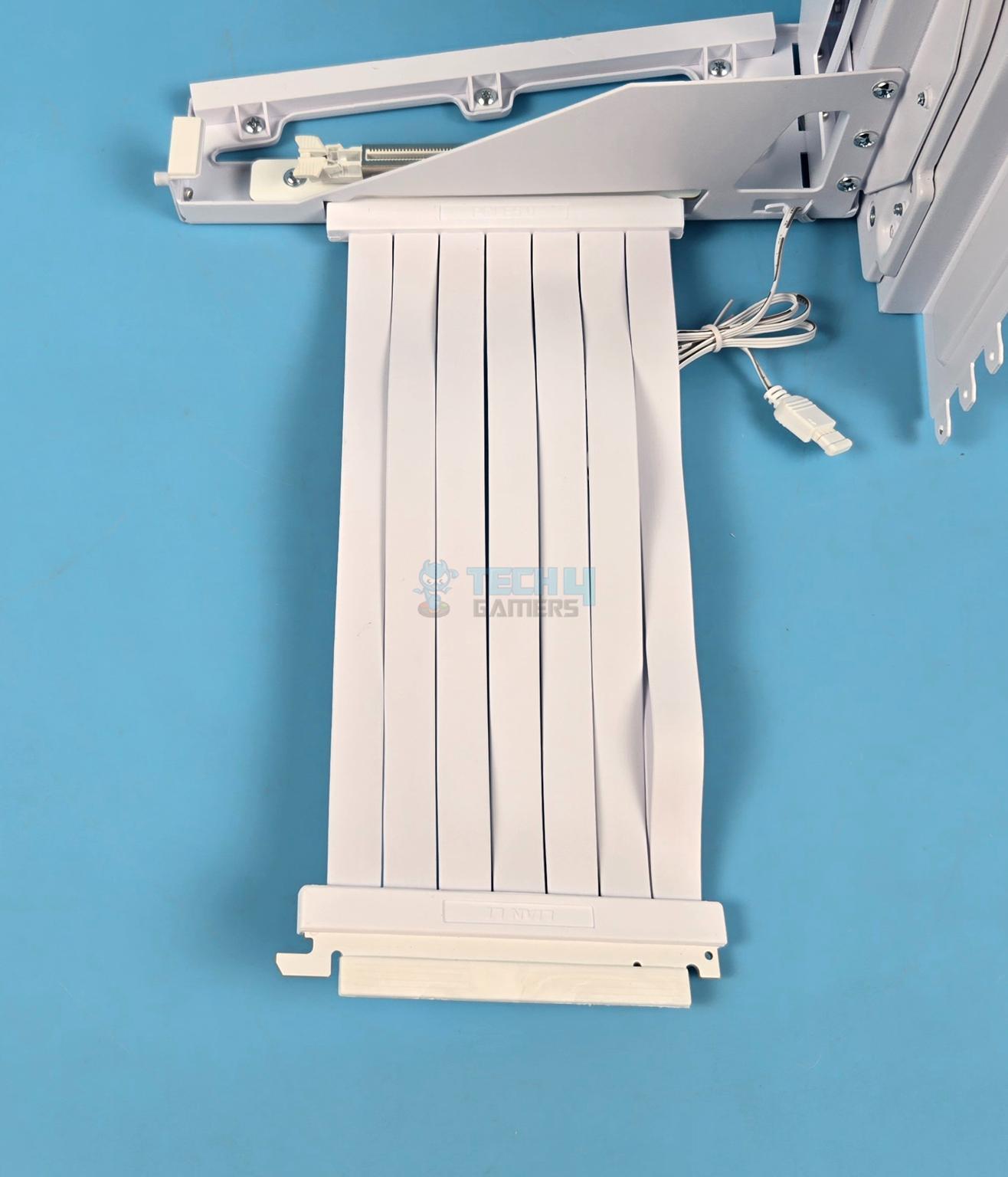
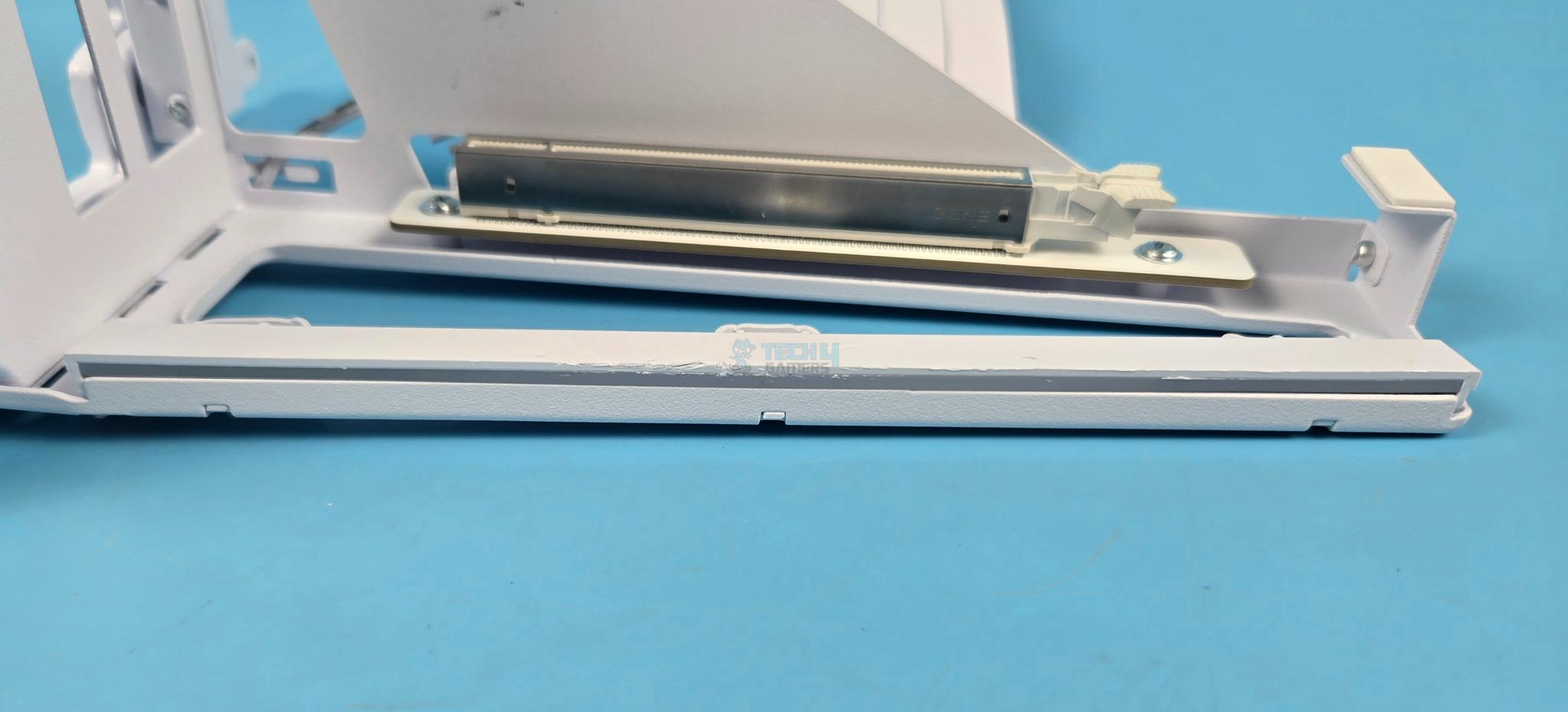
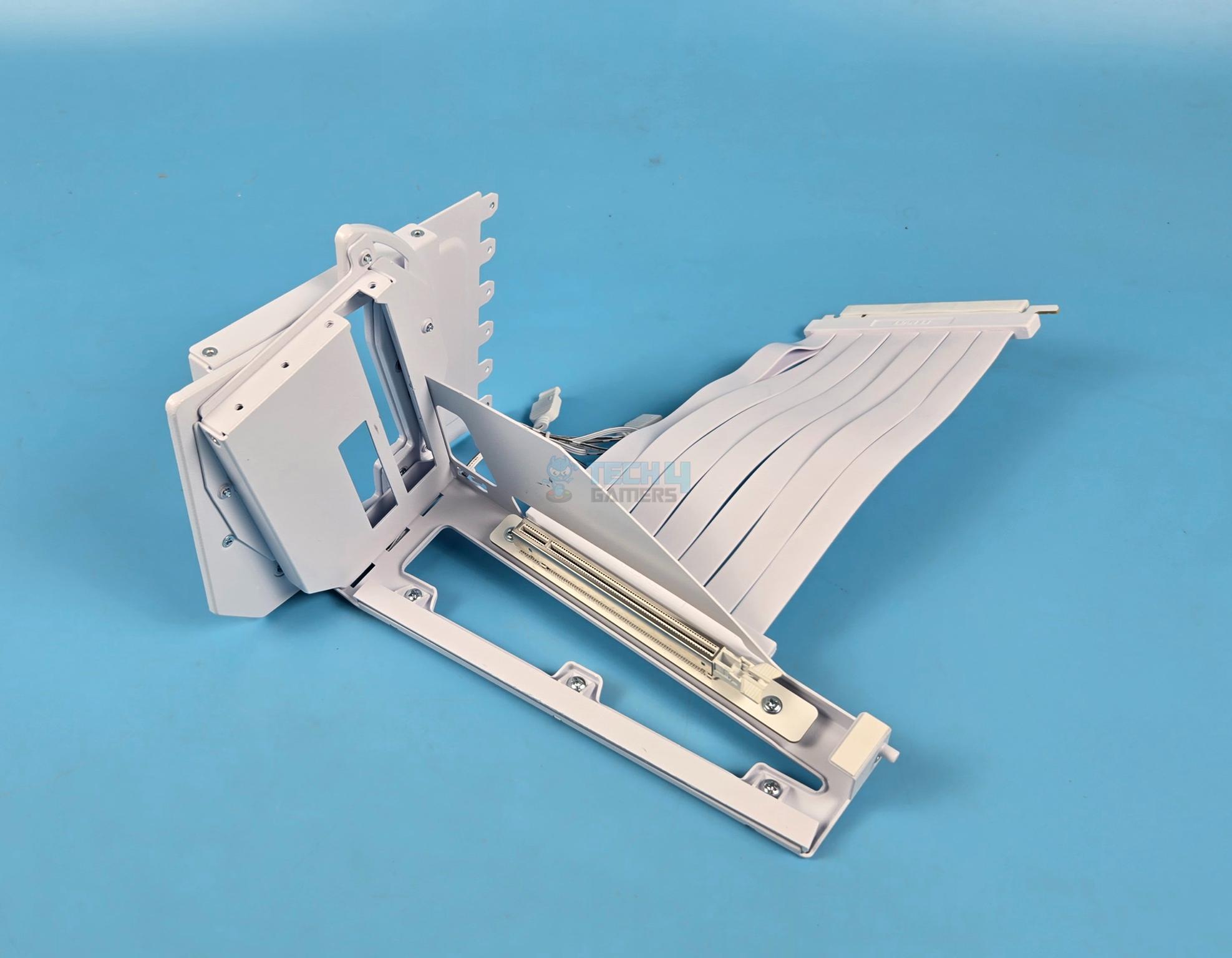
Lian Li has provided a steel reinforced PCIe slot with plastic locking latch. I generally prefer sliding latch on these brackets for locking/unlocking simply due to the fact that sliding feature is user friendly. Lian Li has provided a properly EMI shielded PCIe 5.0 riser cable that has length of 200mm which is more than enough for any ATX case. The cable has 7x ribbons. The PCIe connector uses gold connection pins and is full x6 length. This brackets sits 31mm approximately inside the case so make sure your case has more area available.

I am showing the base view of the bracket. This is nothing spectacular here except an opening from where the ARGB cable comes out from the side. Lian Li has provided a Mylar sheet to cover this opening. However, this sheet was missing from our sample.
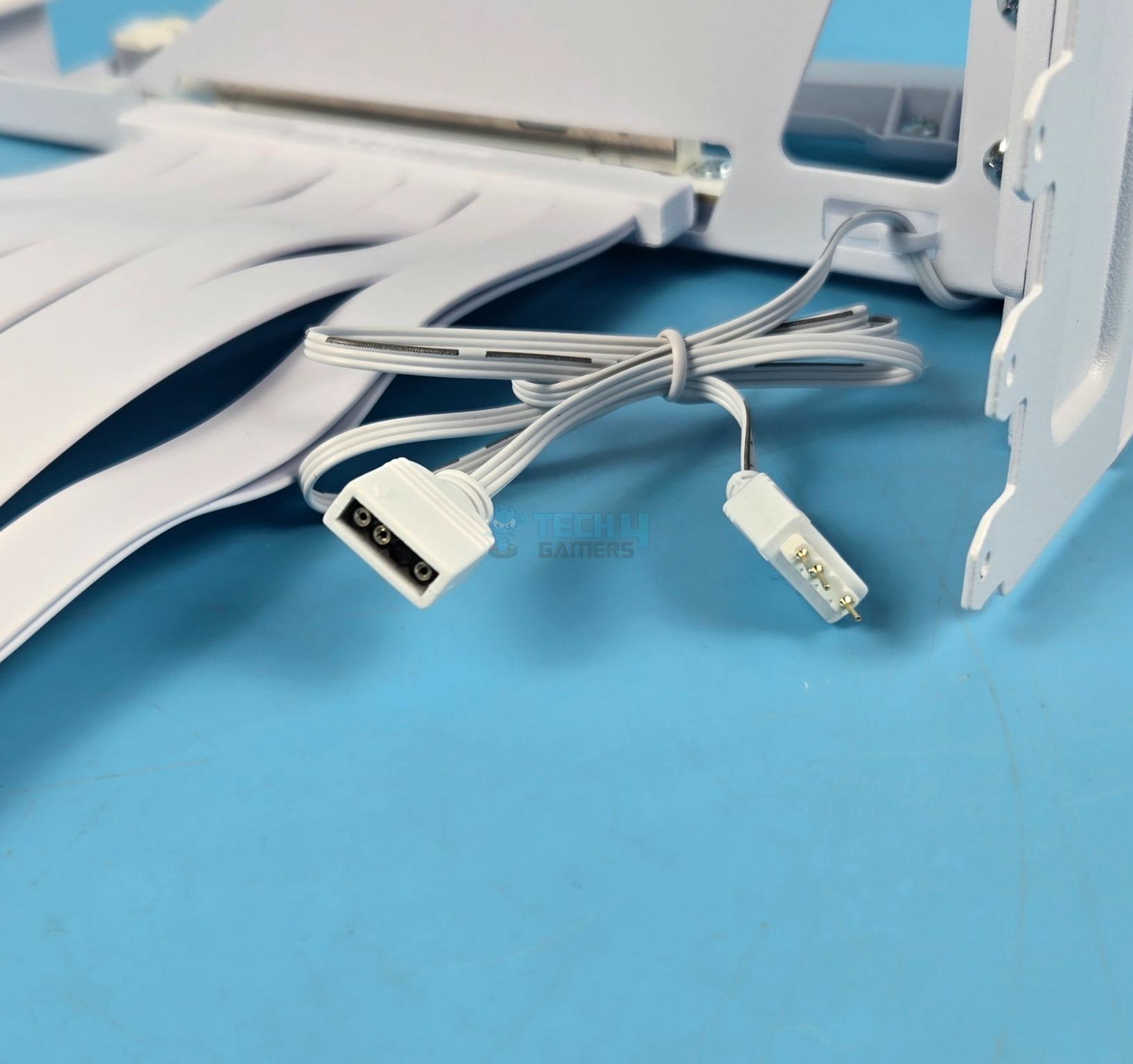
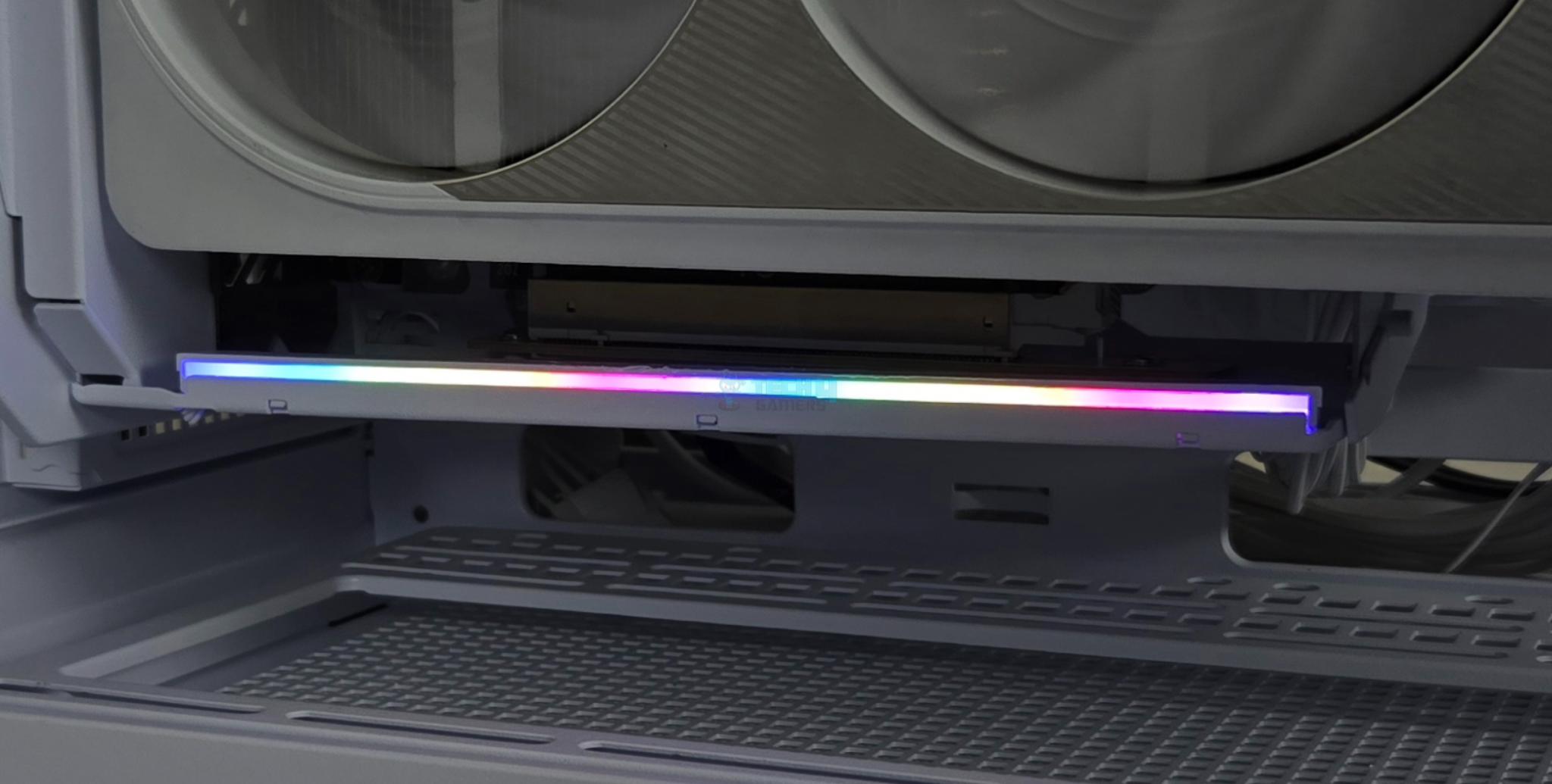
Lian Li has integrated an LED strip under a diffuser on the side frame of the bracket. This sits right under the graphics card and it would augment the overall looks of the solution. Lian Li has used standard 3-pin, 5V, ARGB connectors for the LED strip making it compatible with RGB Sync technology of the motherboard manufacturers.

The tip on the forward area of the bracket which I refer to as anchor is another key feature. This anchor rests on the anchor point provided on the GPU Support Arms. This way the complete weight of the card is shifted towards the PC Case from two points of contacts; from the rear where the bracket is attached to the case and from the front where the GPU Support Arm is attached to the PC Case.
Magic Area
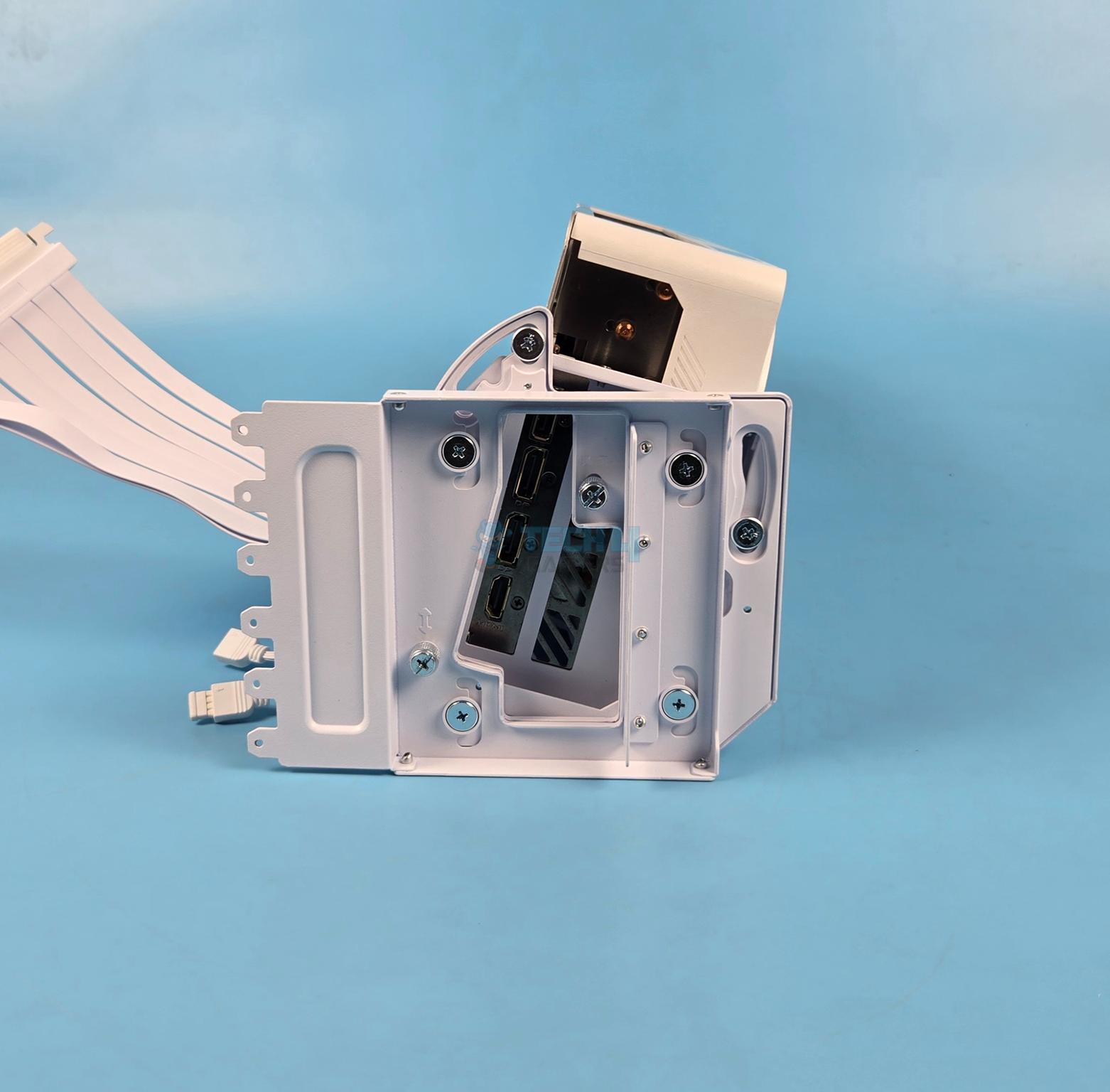
Now, let’s shift our focus on the rear of the bracket where two major functions are being achieved using only two thumb screws. These are:
- Height Adjustment
- Tilt Mechanism

This solution is provided using two-piece brackets on the rear which is genius. The inner bracket rotates on the axis of the main external bracket providing tilt mechanism. Similarly, this bracket can also be moved upward/downward providing height adjustment. This is something that has never been addressed before.
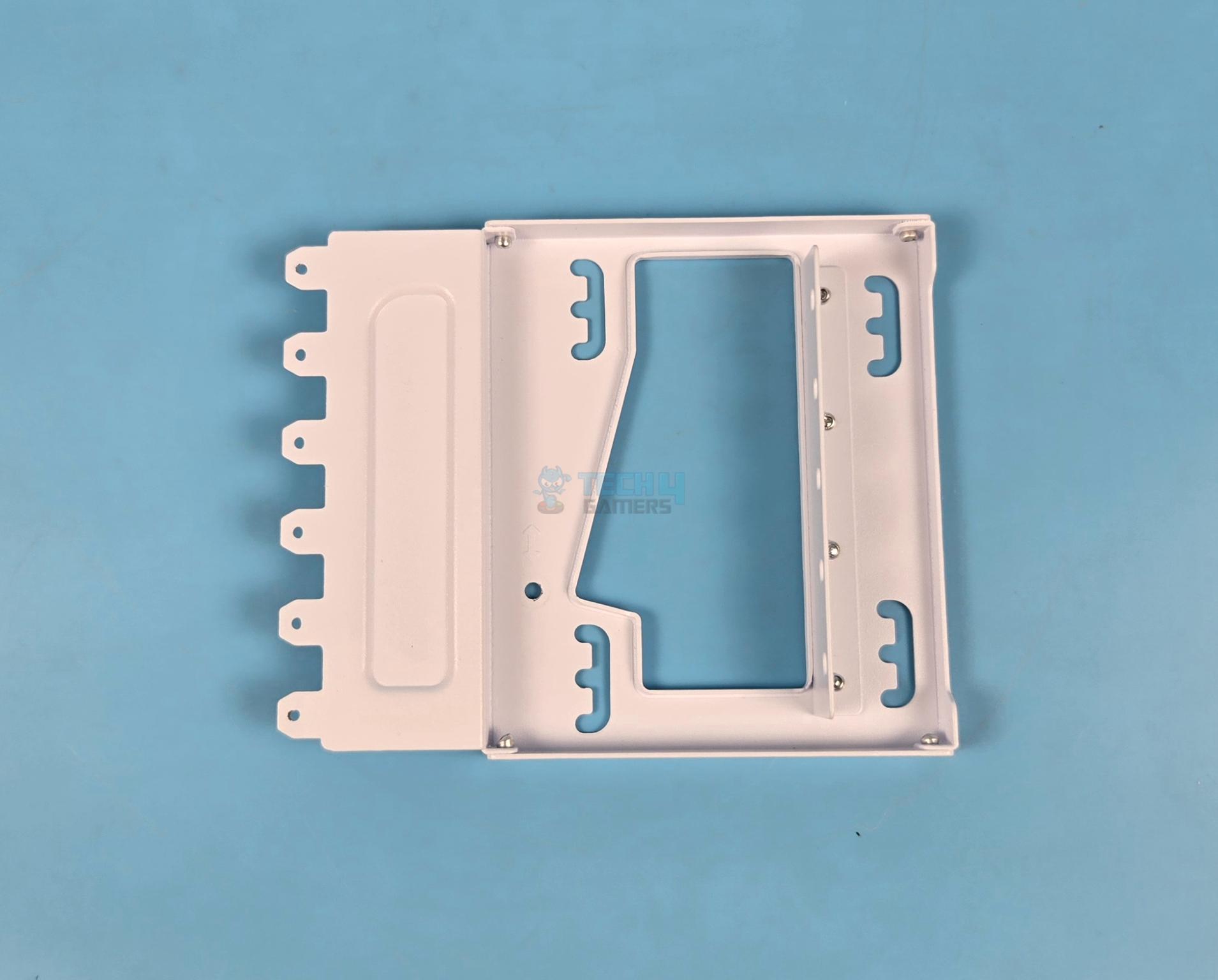
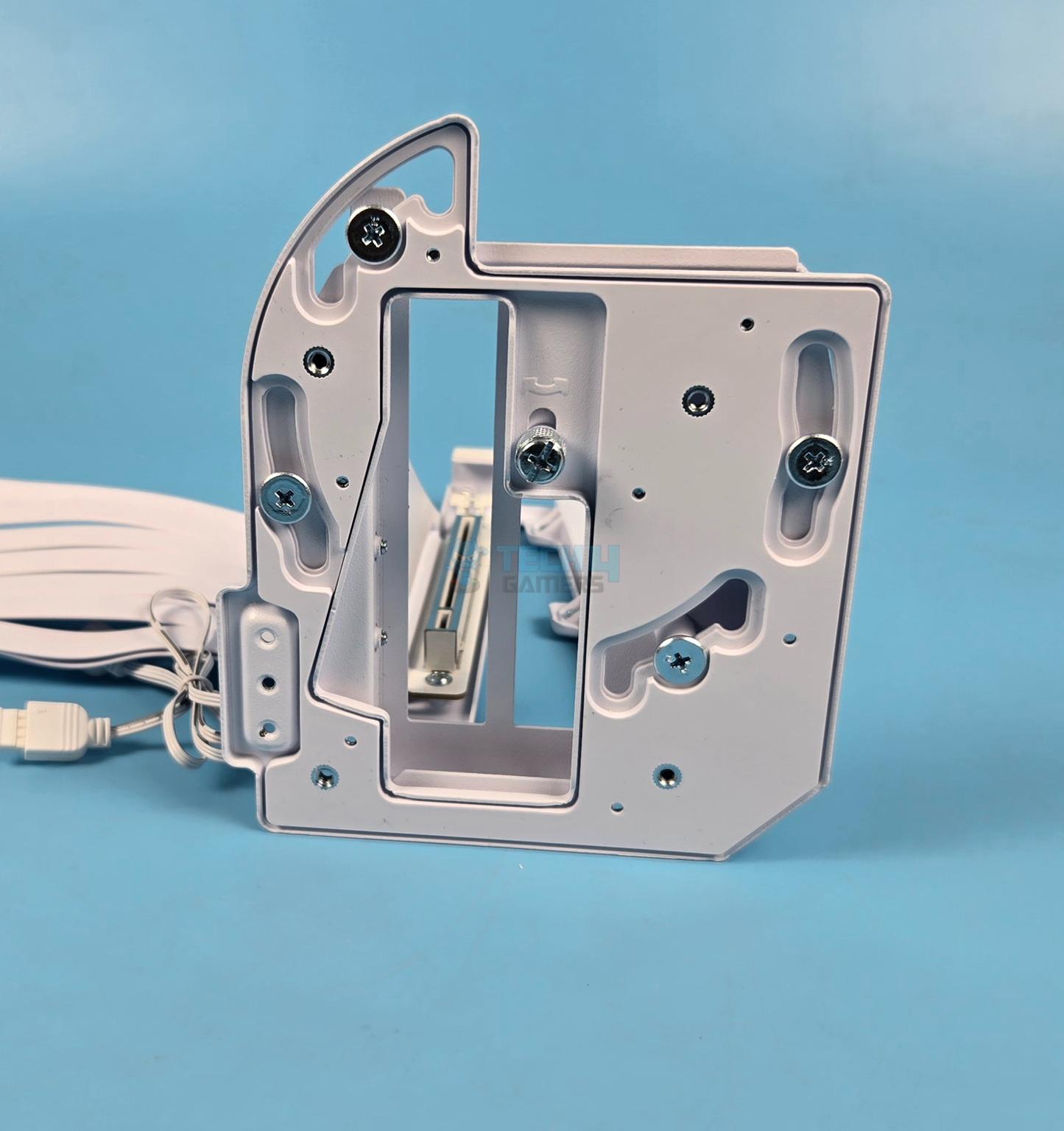
I have removed the rear bracket just to show it. You don’t need to remove it anyway. You can see four curved cutouts all across. This is where the tilt function is provided on.
Height Adjustment
Let me show you the height adjustment mechanism on this bracket.
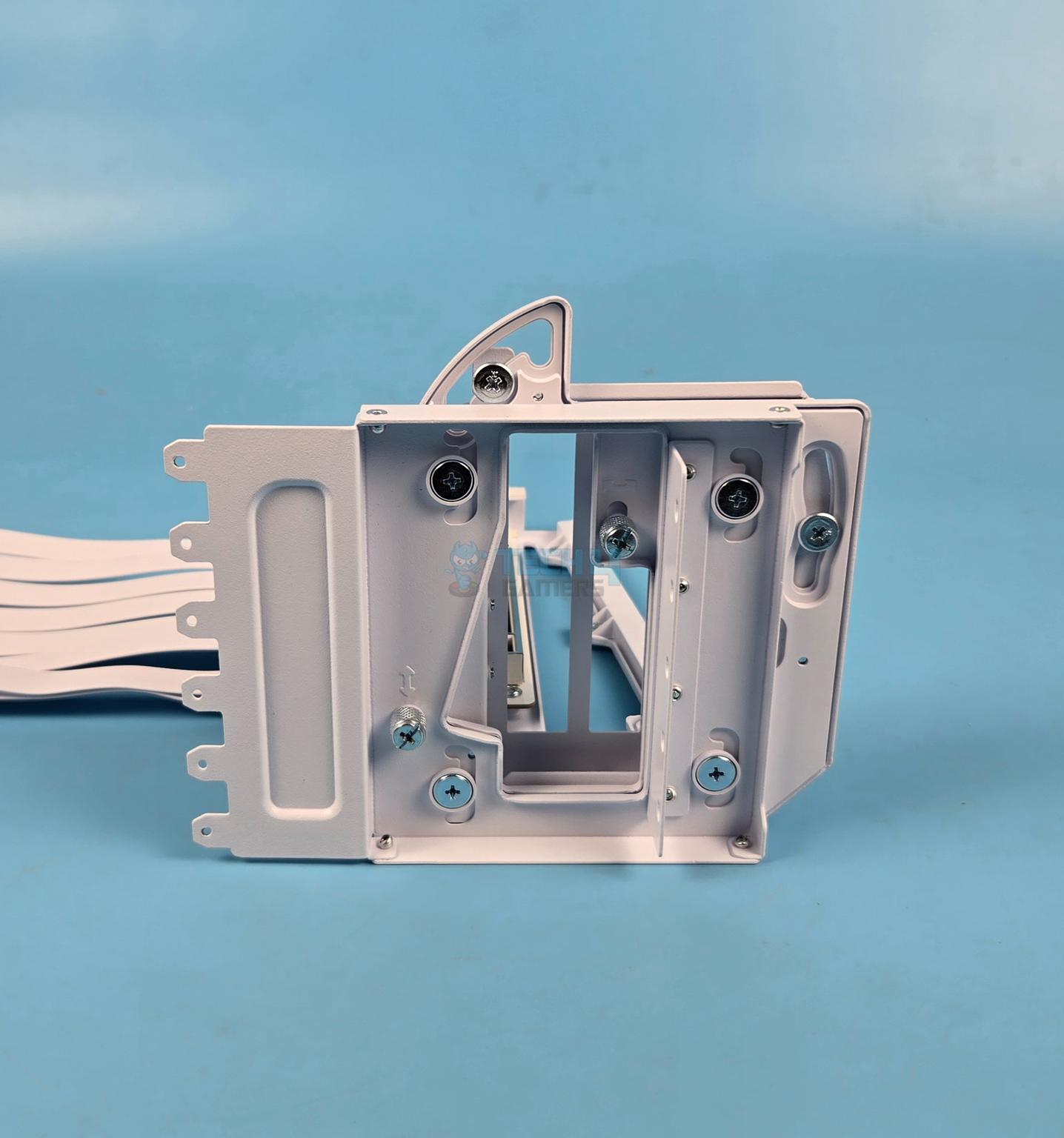
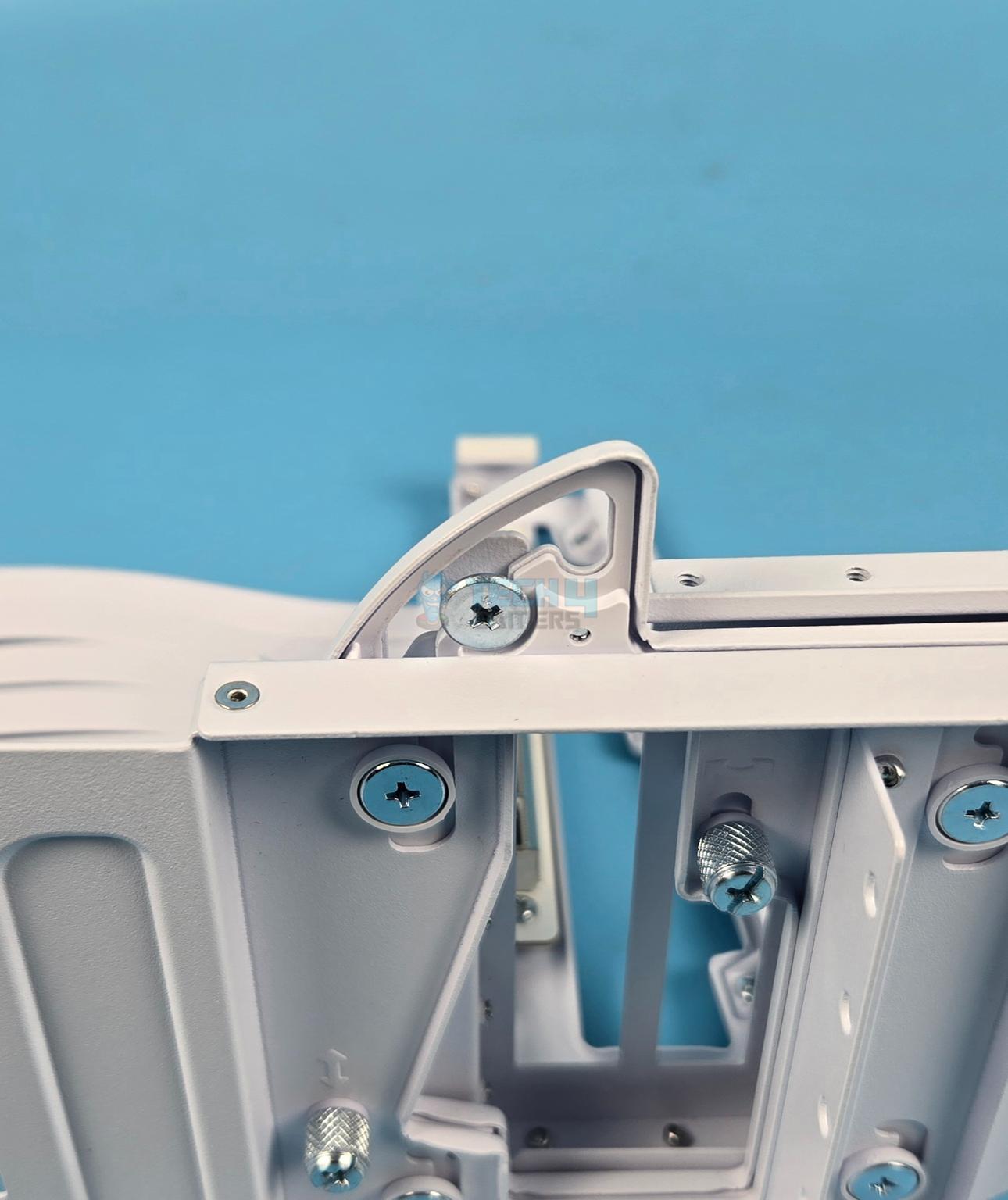
By default the bracket is in the middle area. You can see four cutouts each with a screw holder. You don’t need to handle these screws anyway. You can see a thumb screw on the far left with ↕ symbol. This screw needs to be removed so that you can adjust the height of the bracket to adjust the height of the graphics card. The middle position provides 10.16mm elevation compared to the level1 which is bottom position.
Remove the screw and pull the inner bracket towards right. This will release the bracket so that you can move it up or down as per the requirement. Once you have decided the desired position, simply push the inner bracket and install the thumb screw to lock the position. That simple!

This is a top position that provides 20.32mm elevation compared to the level1 which is the bottom position.
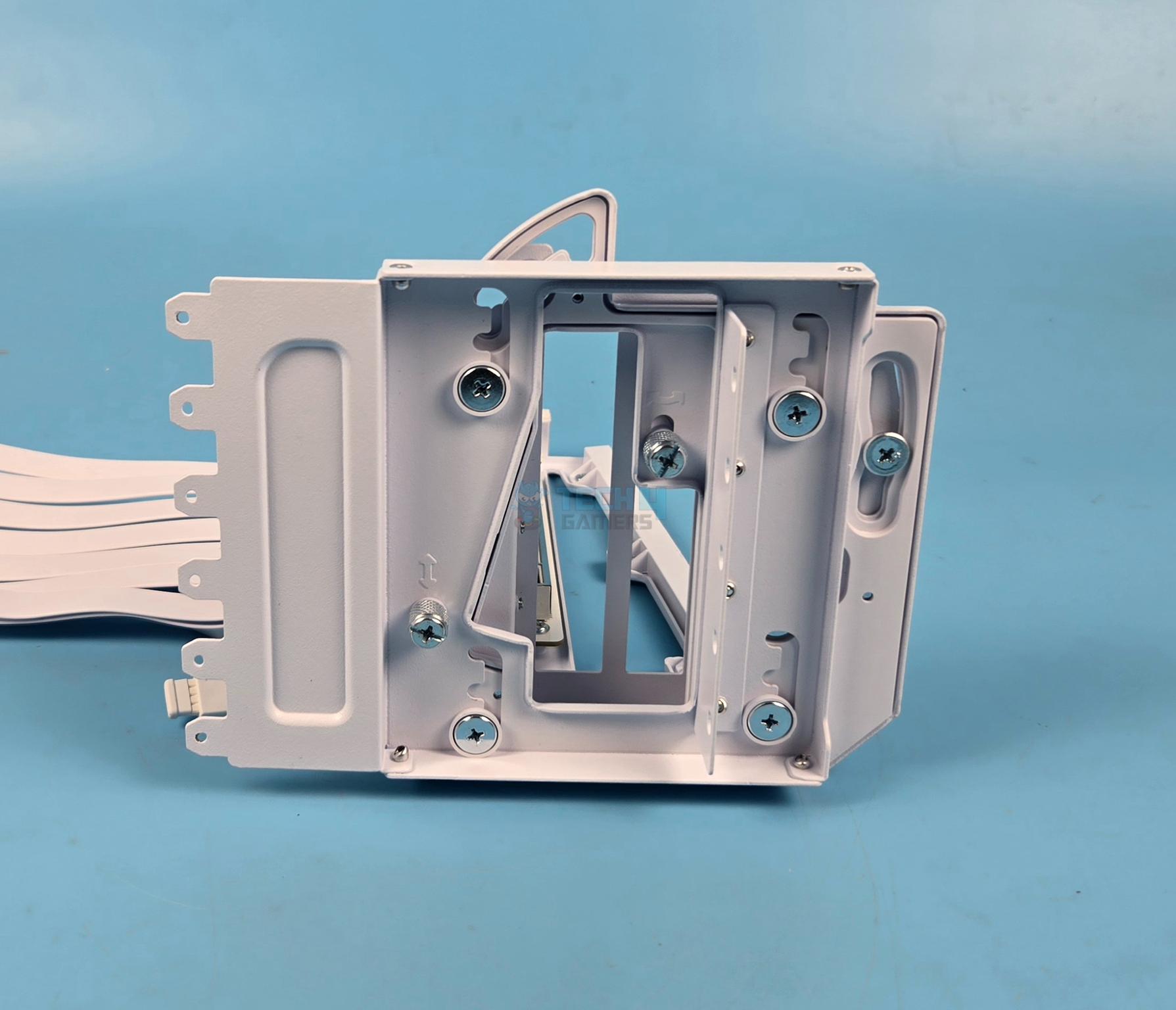
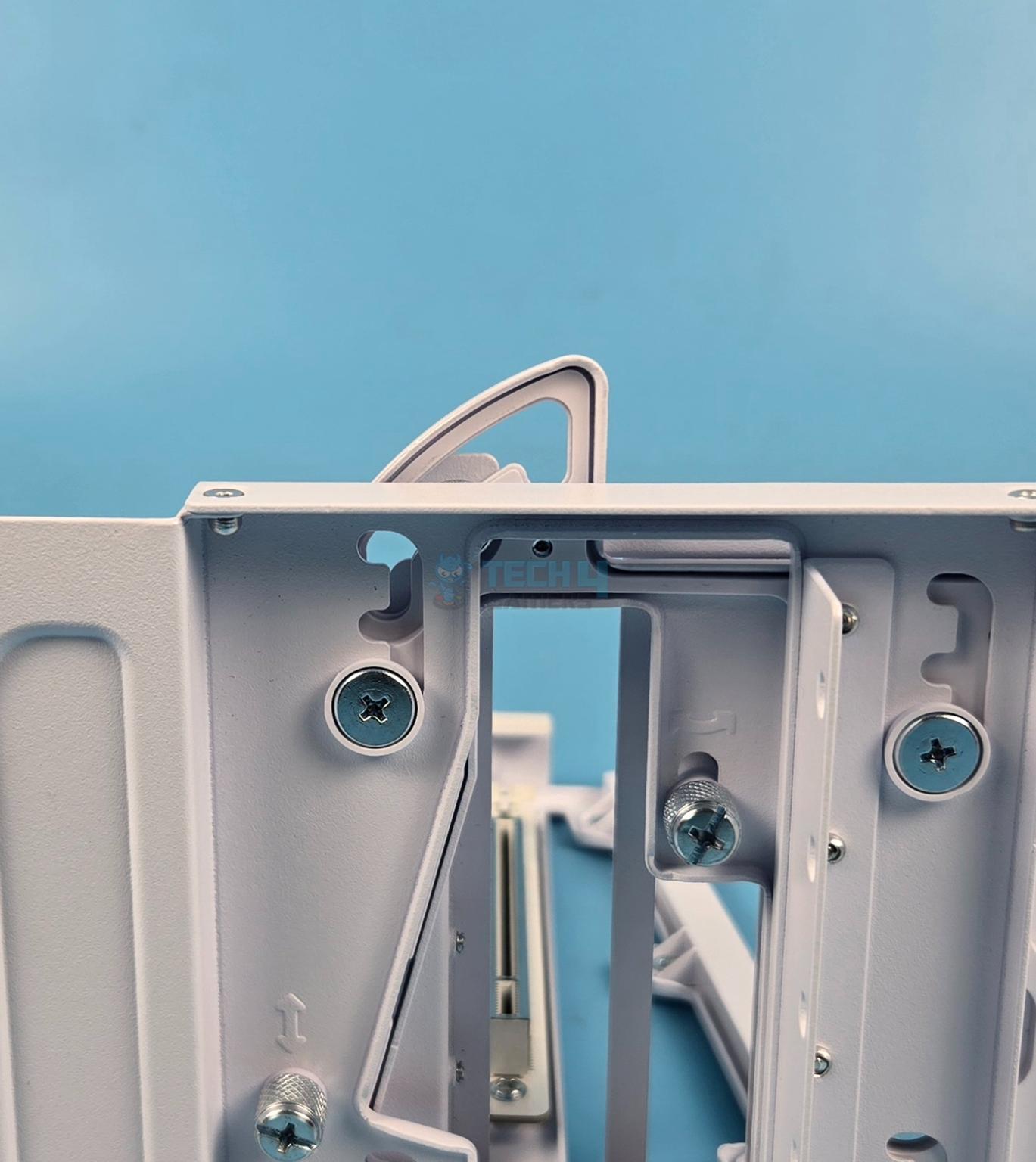
This is the bottom position that has 0 elevation as it sits on the surface of the main bracket base.
The benefit of height adjustment is to make room for large CPU coolers or providing enough lift to the graphics card to provide more clearance for base mounted fans and radiator on the PC Case.
Tilt Mechanism
Now, let’s take a look at the tilt mechanism. If you remember from above about two thumb screws. The one on the top right side is for the tilt adjustment. Just unscrew it and then rotate the bracket towards the left or right providing different angled positions.
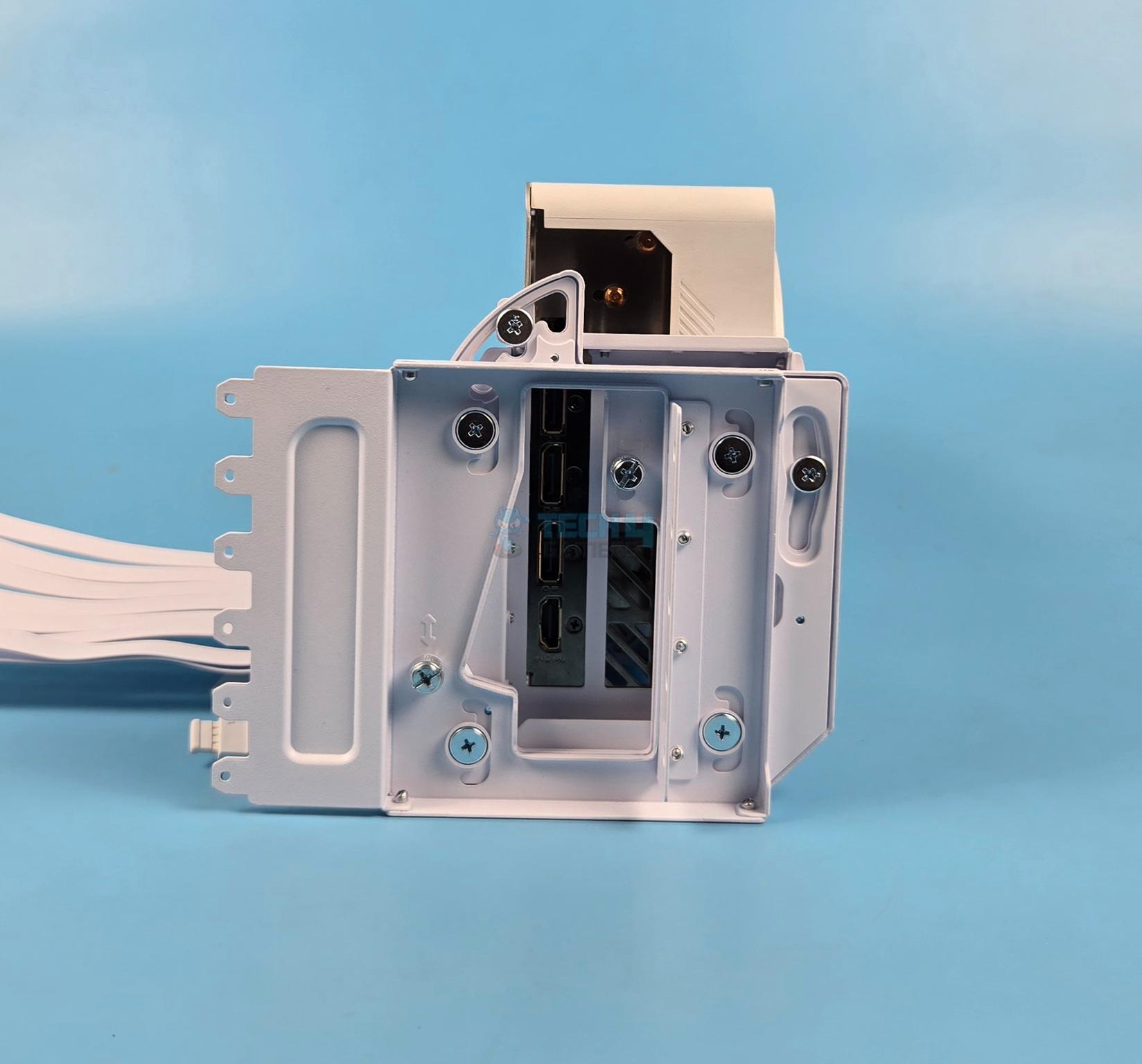
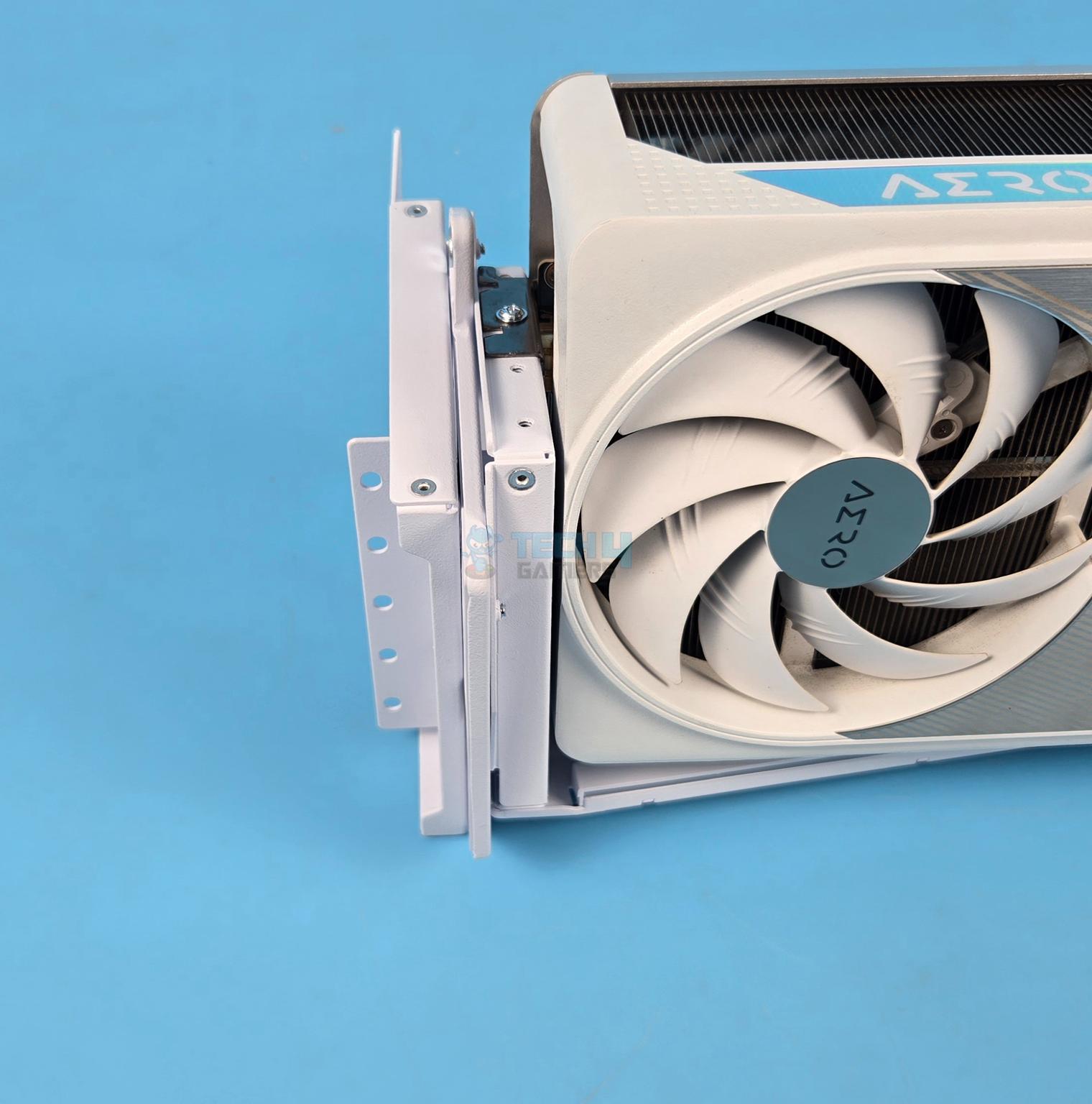
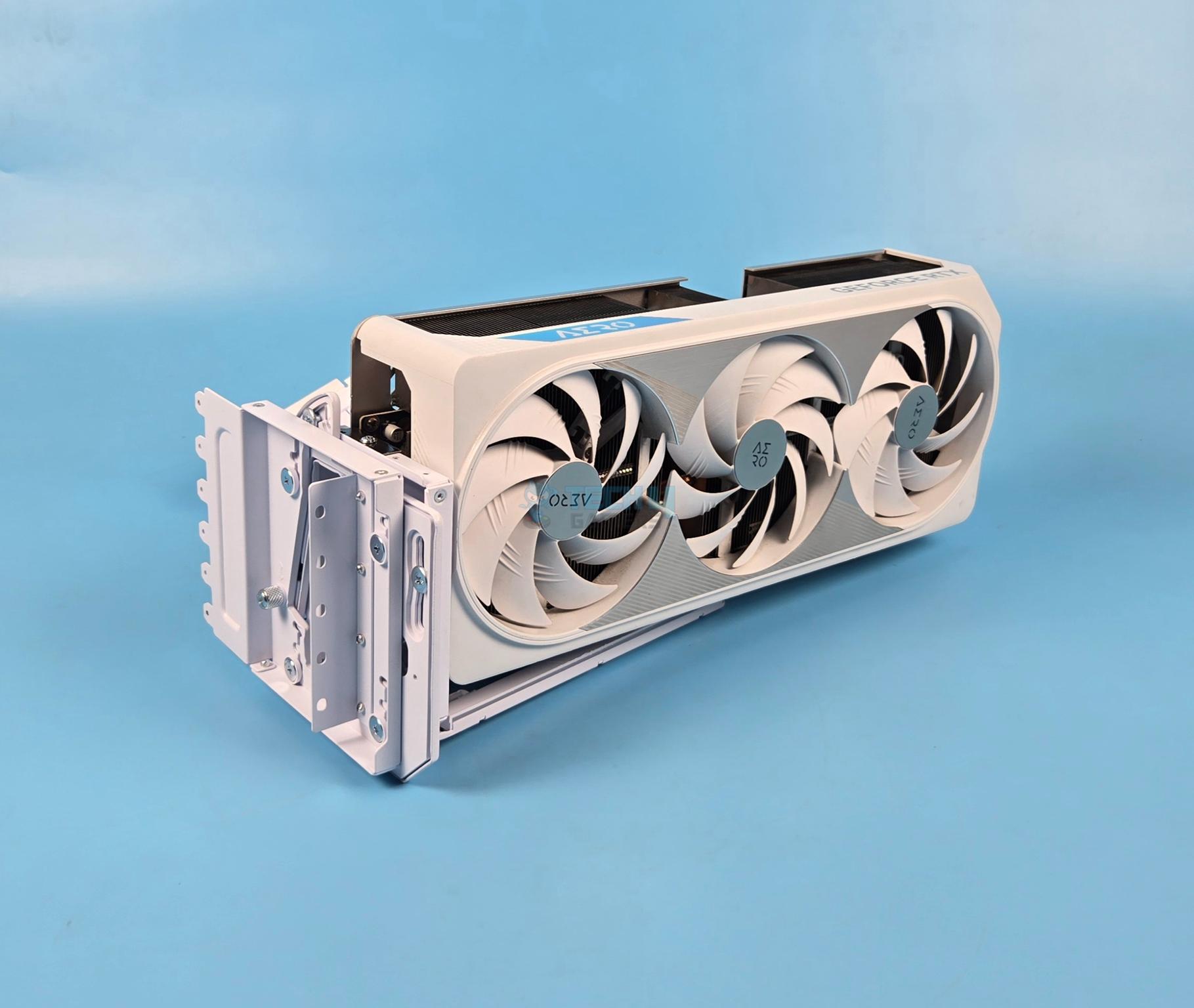
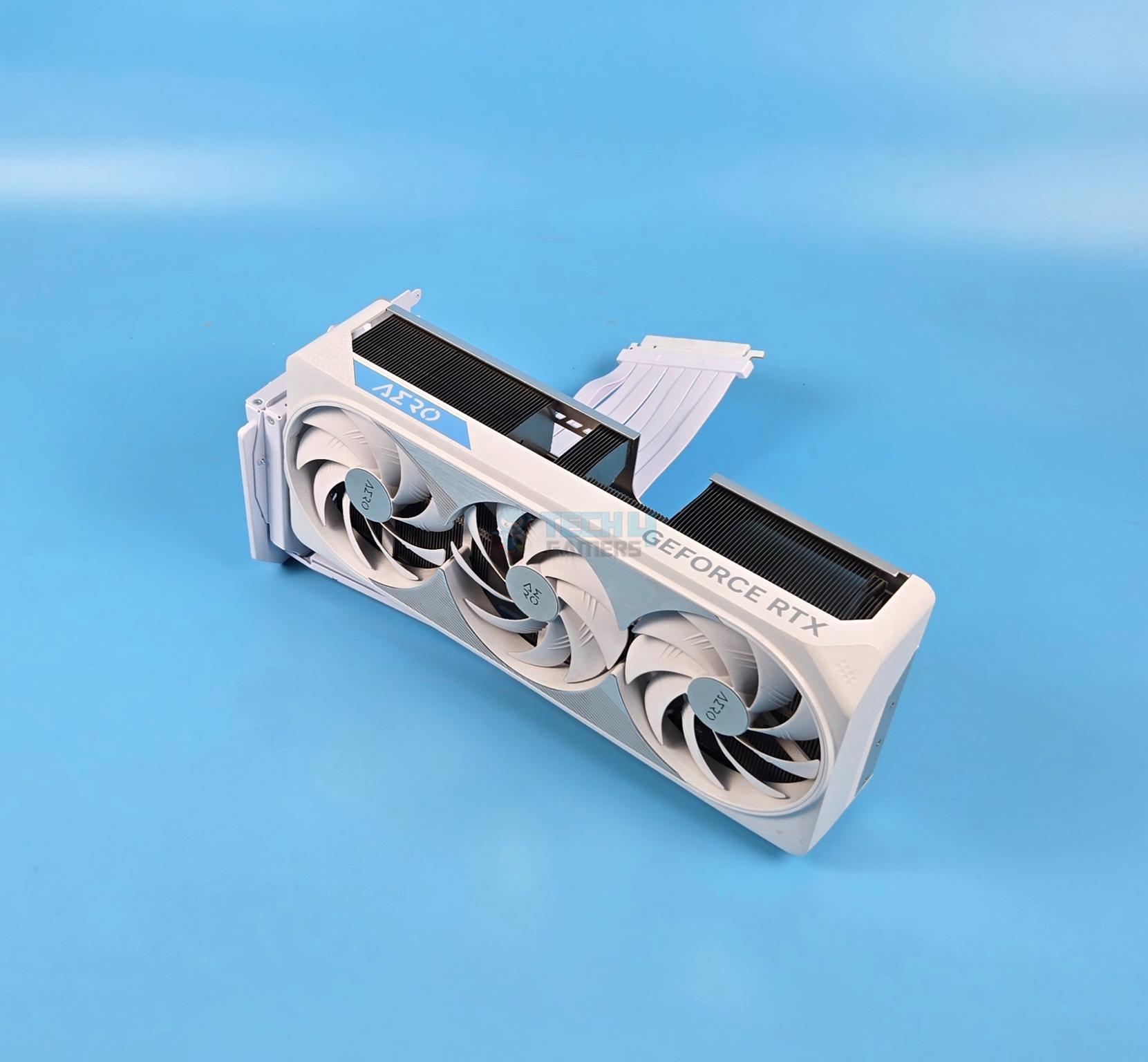
The above pictures show the graphics card installed in default position straight upward with no tilt.
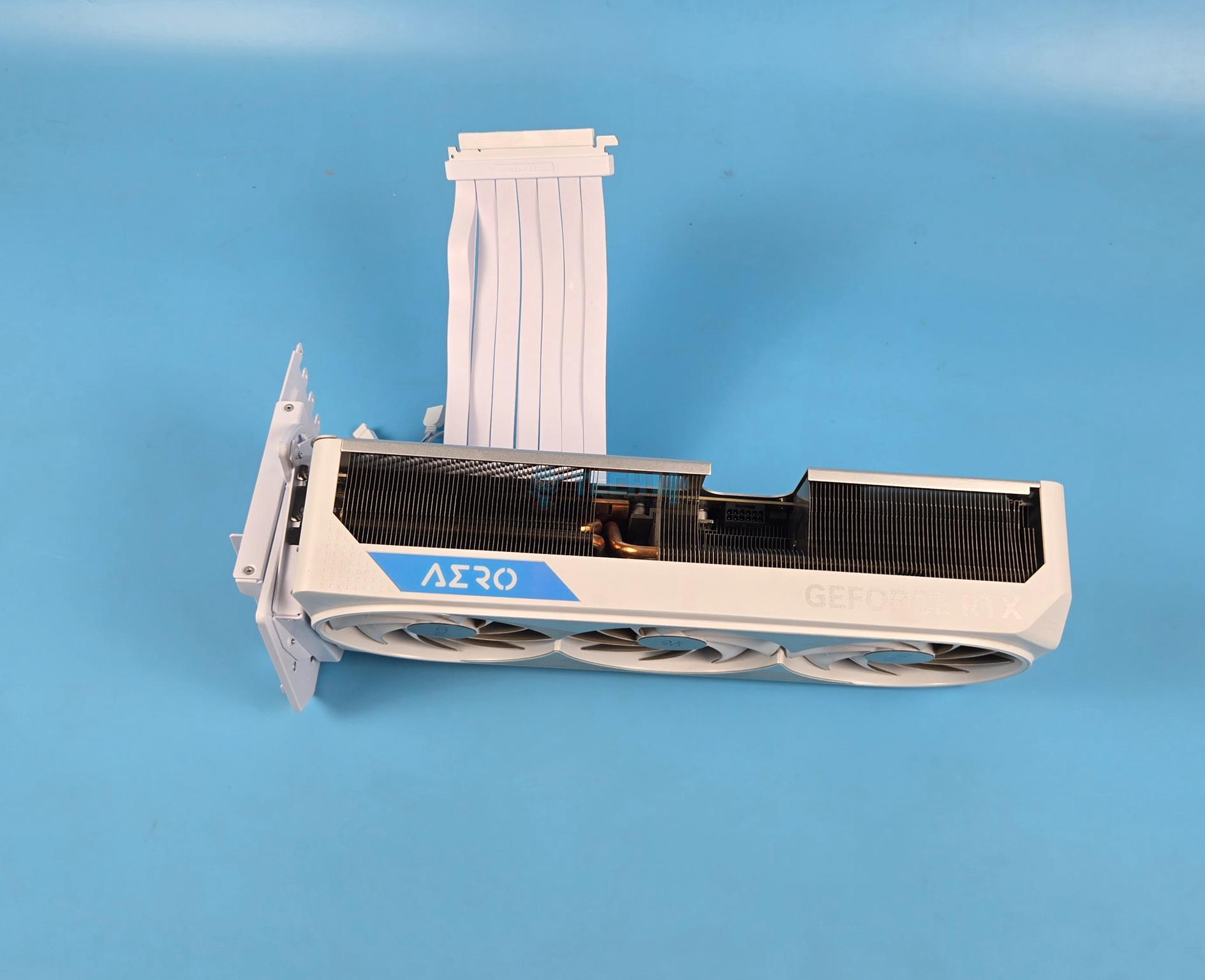
The forward tilt is a position in which the focus is shifted towards the top of the graphics card or its cooler as the fans are tilted downward.

Backward tilt is a position in which focus is shifted towards the fan side of the graphics card by exposing this area compared to other tilt areas as you can see in the above pictures.

Please keep in mind that tilting the graphics card forward or backward will obstruct one output port on the graphics card rear IO. The detail is as under:
- Backward tilt with top height obstructs the top IO port and some portion of PCIe slot area of the card.
- No tilt with top height obstructs the top IO port.
- Forward tilt with top height obstructs the top IO port.
- Backward tilt wit medium height has no IO port obstruction.
- No tilt with medium height has no IO port obstruction.
- Forward tilt with medium height obstructs the top IO port.
- Backward tilt with bottom height has no IO port obstruction.
- No tilt with bottom height has no IO port obstruction.
- Forward tilt with bottom height obstructs top and bottom IO ports.
– Zain Rao
GPU Support Arms/Brackets
Let’s take a look at the GPU support arms that are provided with this bracket.
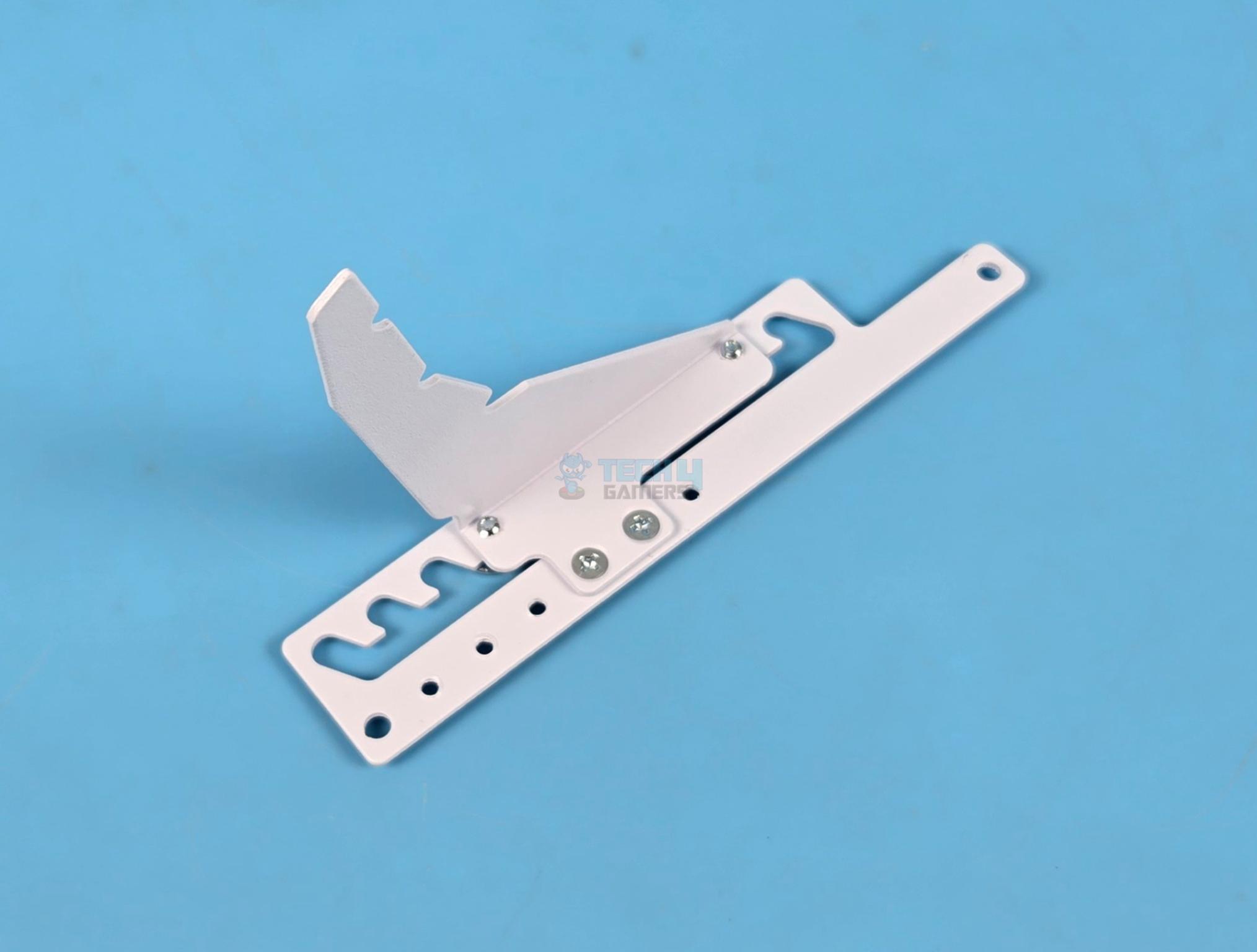
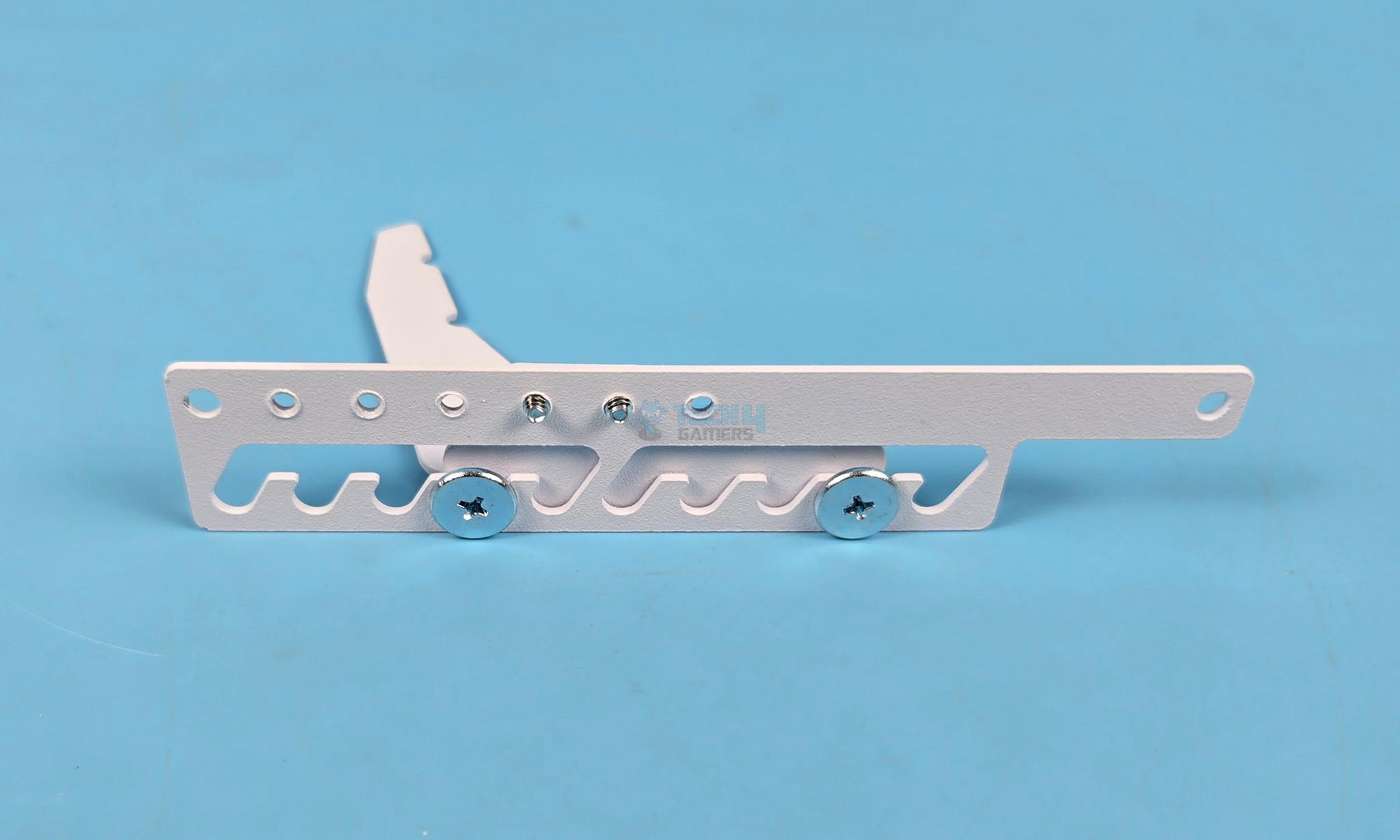
This arm or bracket is required for ATX and mATX form factor motherboards. These are installed on the PC Case using long standoff screws. Follow the user manual before installing the bracket. You can adjust the height of the anchoring frame according to the height adjustment on the main bracket.
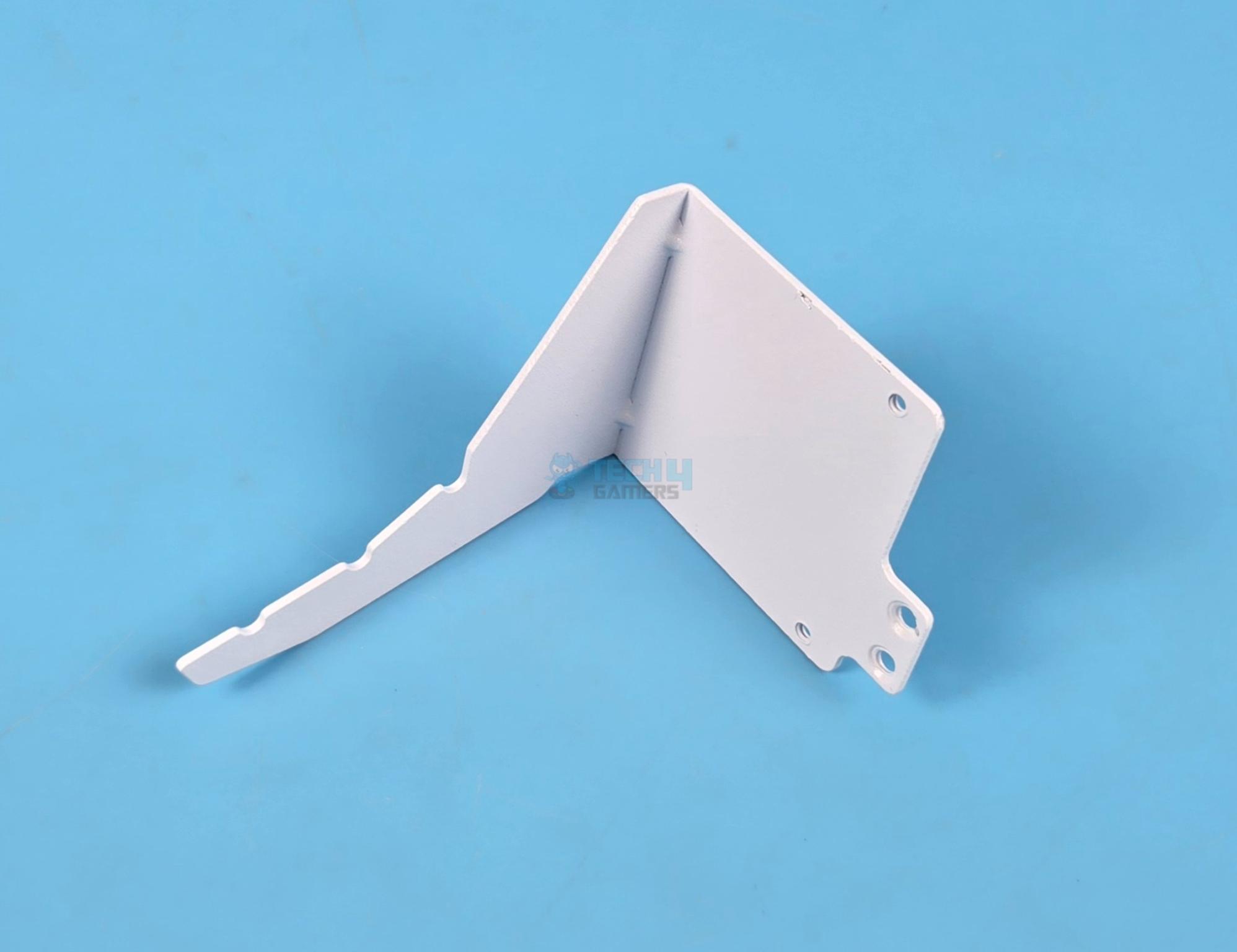
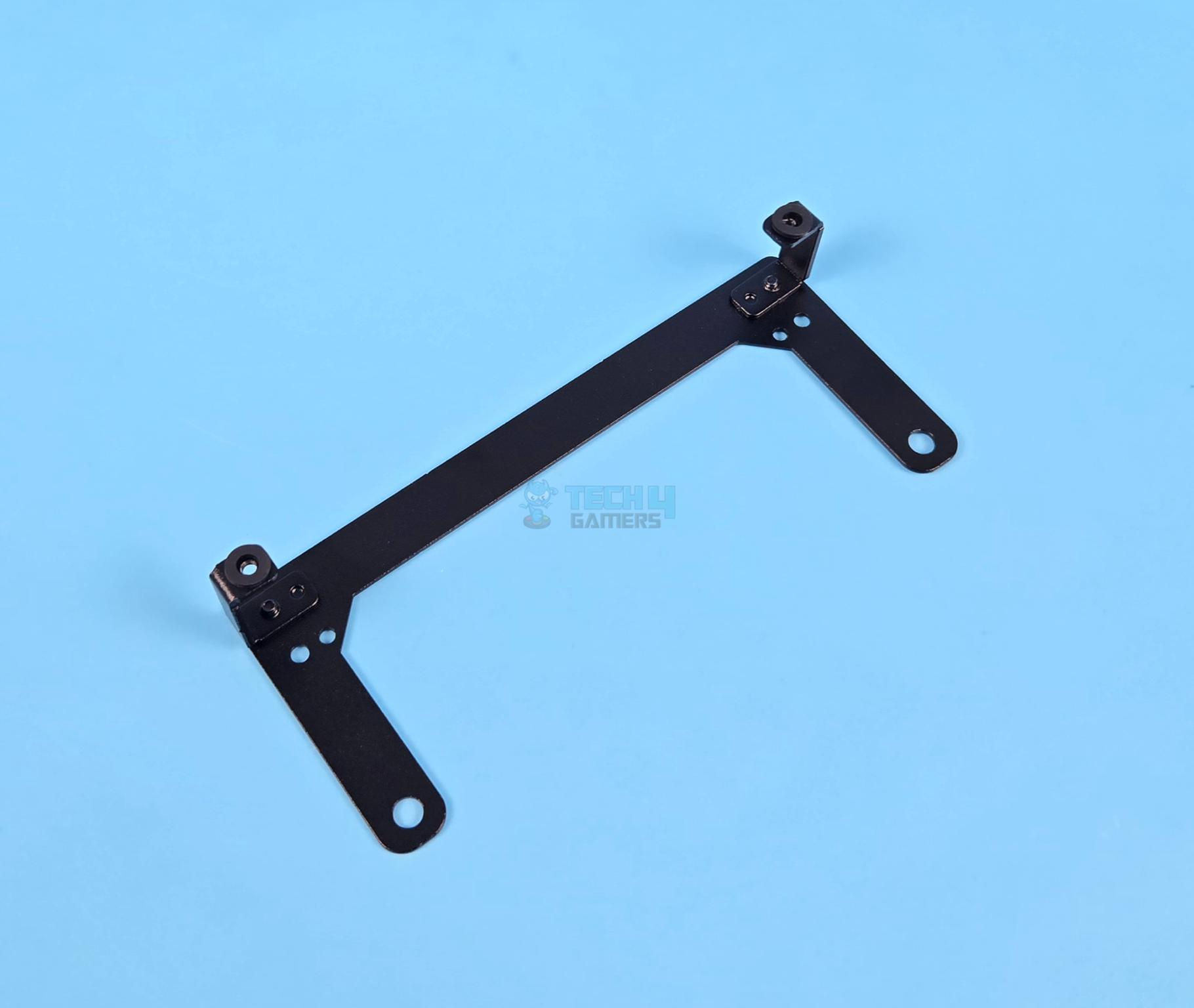
This black bracket is required for E-ATX motherboard and low-profile arm support is provided to be used with this black bracket. One key note is that black frame needs to be installed before installing the E-ATX motherboard.
Each support frame provides three anchor points. The middle point is used when no tilt is used. The outermost point is used with forward tilt and the inner most point is used with reverse/backward tilt.
Installation
Let’s go through the installation process. I strongly advise to read the user manual before installing this bracket. It is complex as it sounds and user manual will help you fully understand the bracket and its setup.
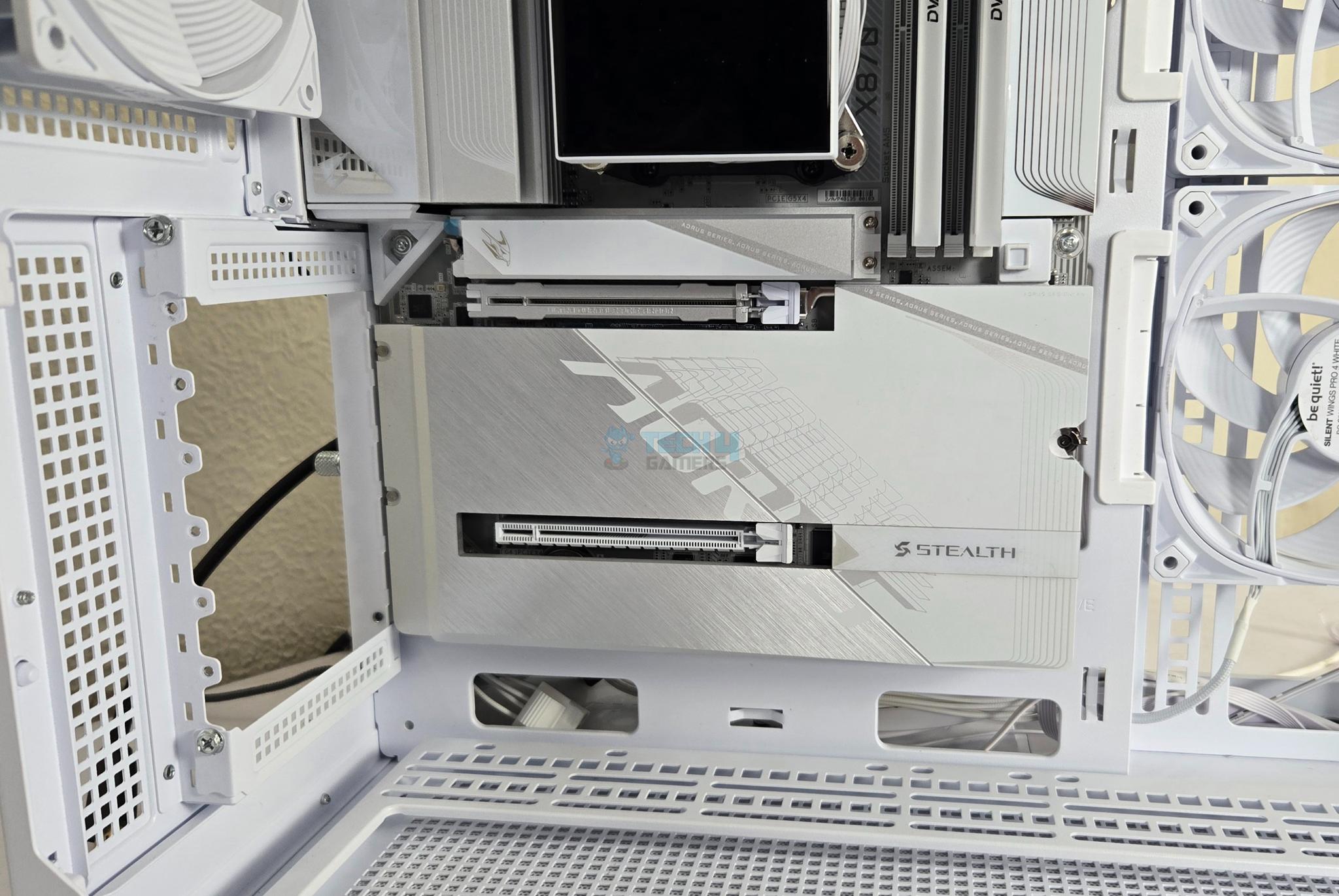
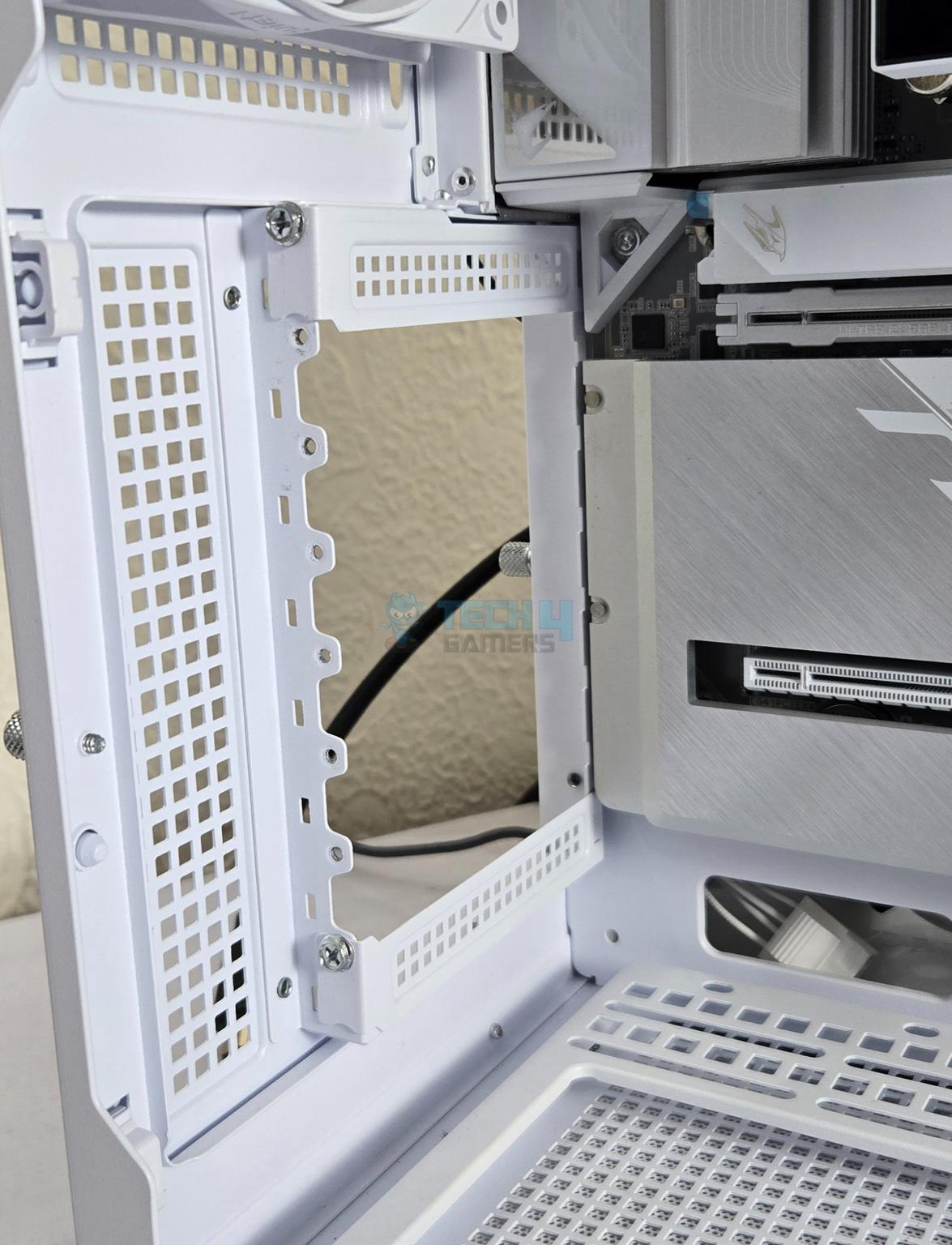
I have used GIGABYTE X870 Aorus Stealth Ice motherboard inside the MSI MAG PANO 100L PZ case. I have used the 2-7 slots in this case for the installation of this bracket for which I left the first and eight slot cover intact.

You need not to use the screws on motherboard standoffs on the right side at position 2 and 3. Instead install the M6-32 long standoff screws provided in the box of Lian Li bracket on these positions as shown.
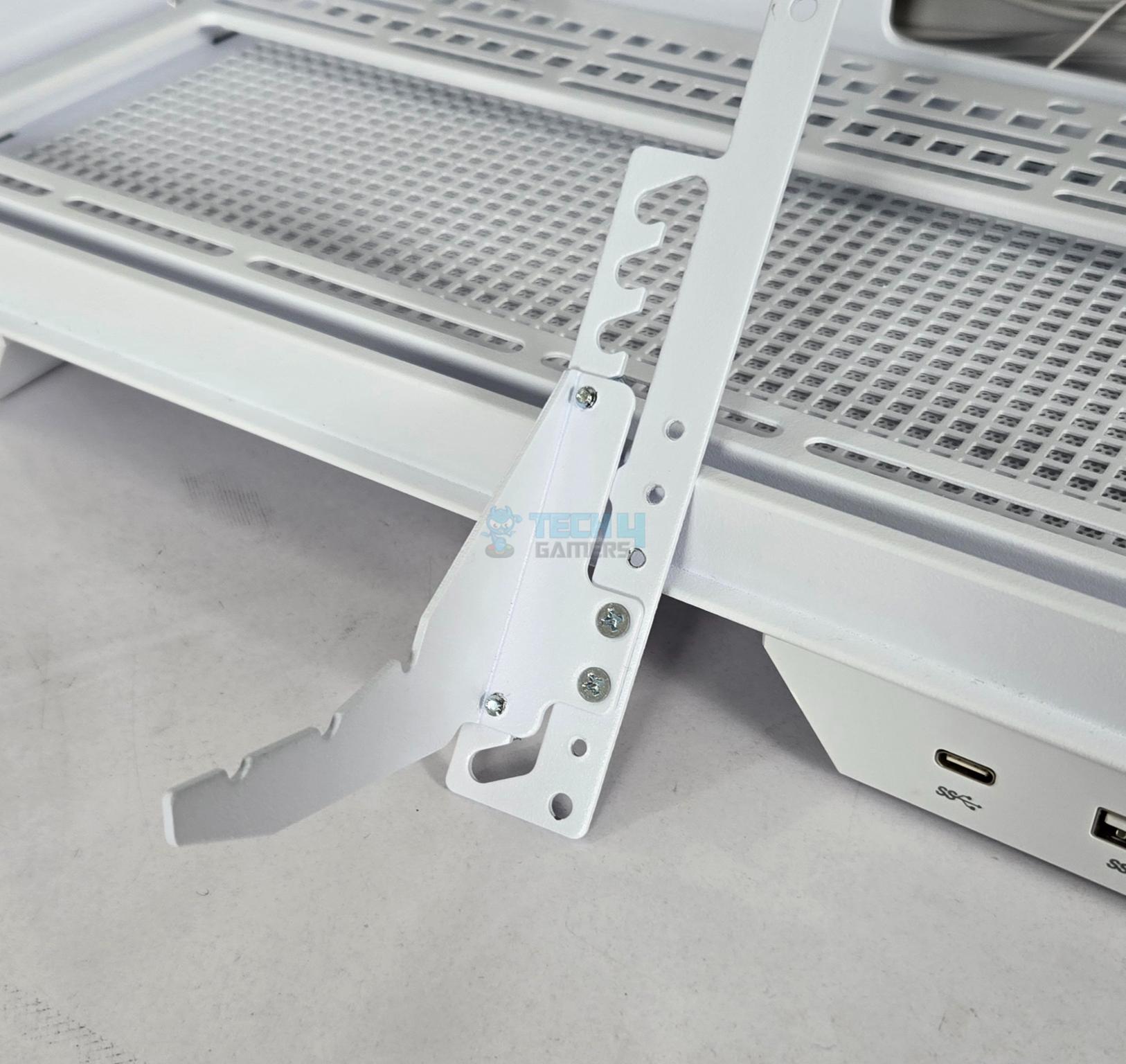
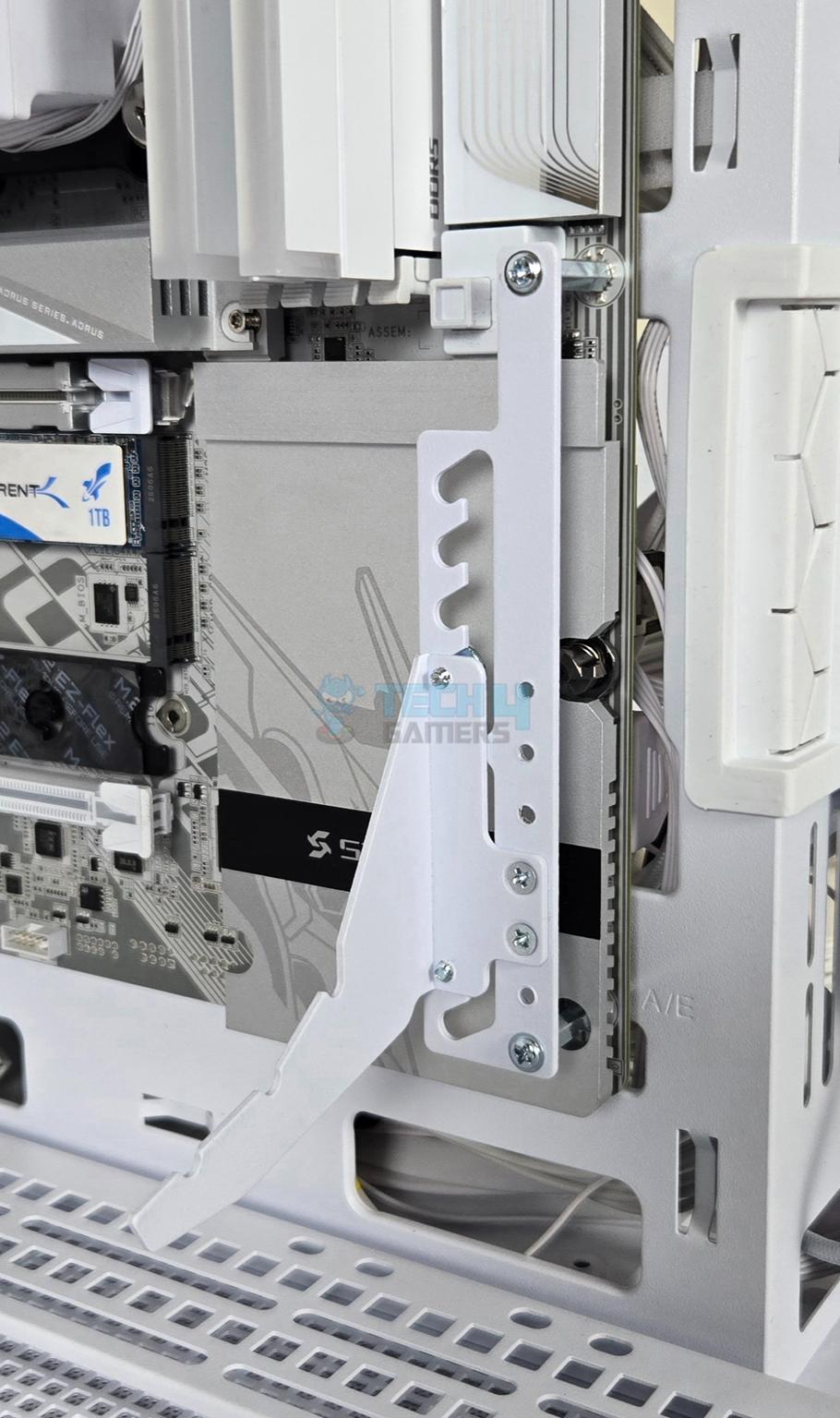
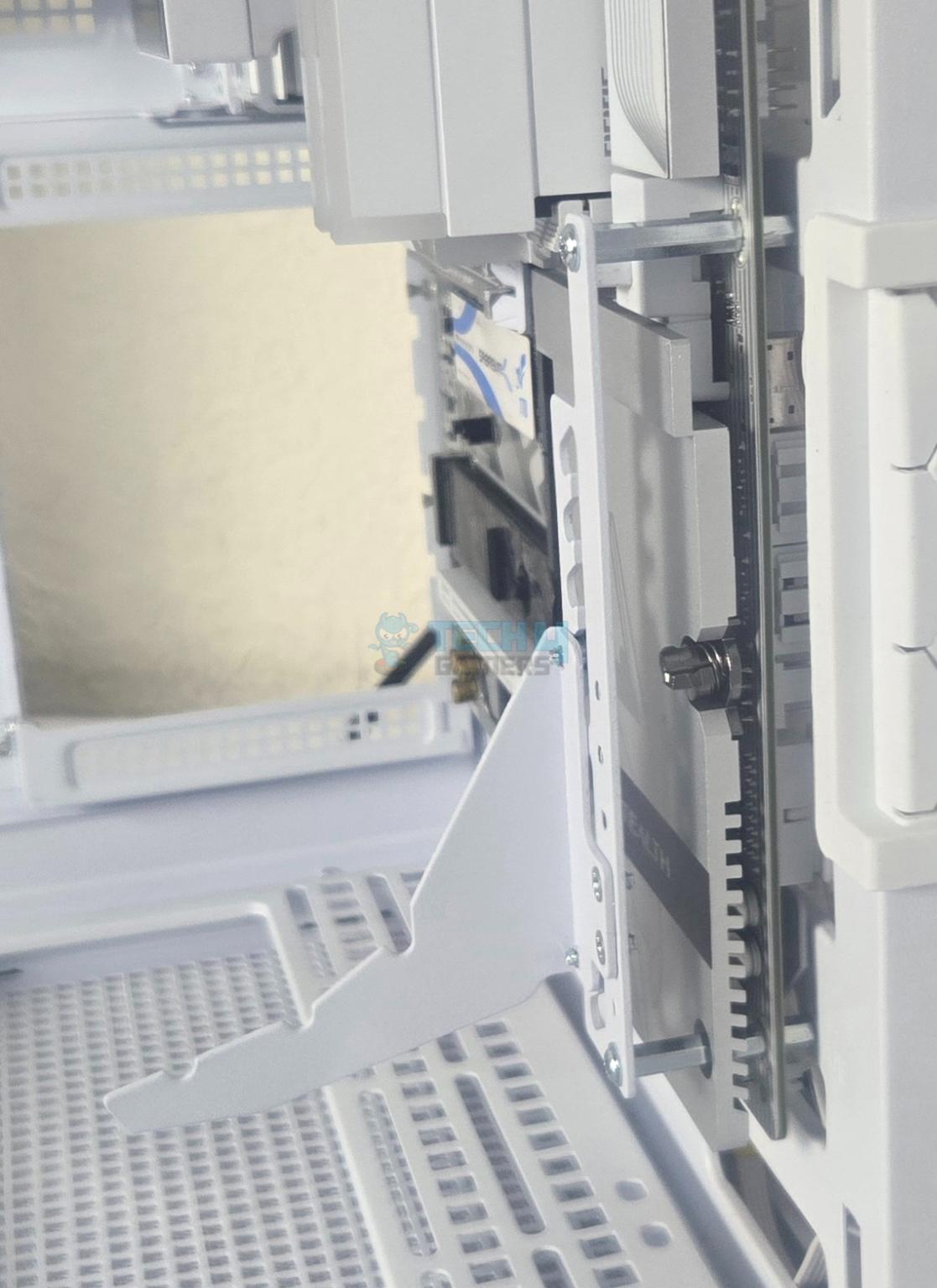
Next, prepare the GPU support arm/bracket as per the height requirement and install this arm on the extended standoffs.
Editor’s Note: The X870 Aorus Stealth Ice motherboard uses full length cover on the lower section that covers the chipset and M.2 NVMe ports. This cover also sits over the third standoff screw position on the right side of the case. Due to this, I could not install the full-length cover otherwise the GPU support arm would not be installed.
The X870 Aorus Stealth Ice motherboard uses full length cover on the lower section that covers the chipset and M.2 NVMe ports. This cover also sits over the third standoff screw position on the right side of the case. Due to this, I could not install the full-length cover otherwise the GPU support arm would not be installed.
– Zain Rao
While this is ok since the vertical graphics card will hide the exposed motherboard, it is not ok since the M.2 NVMe drives would be without aluminum heatsink cover. This is not an issue where the cover does not sit on the third right most standoff or where the motherboard does not have a full length cover.
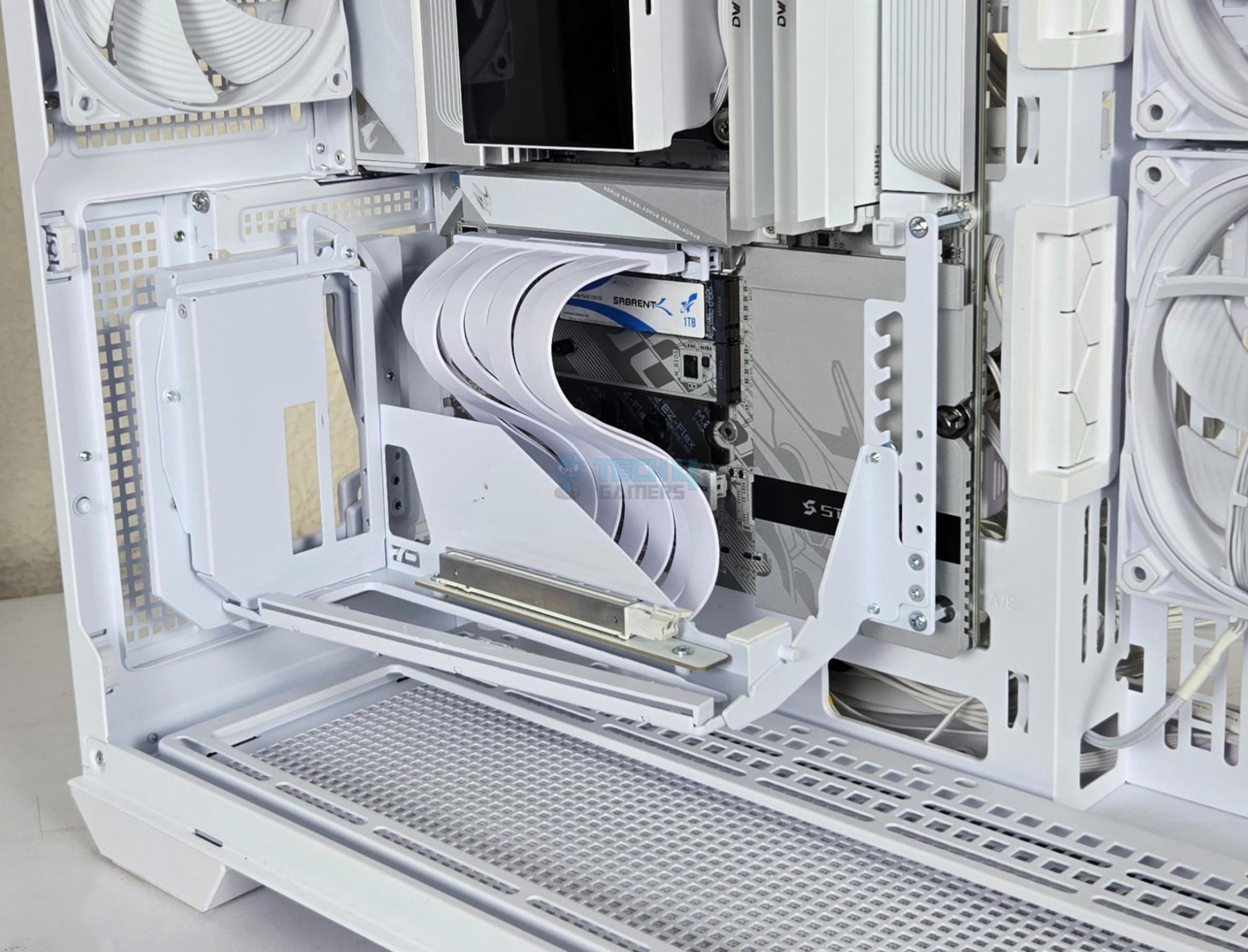
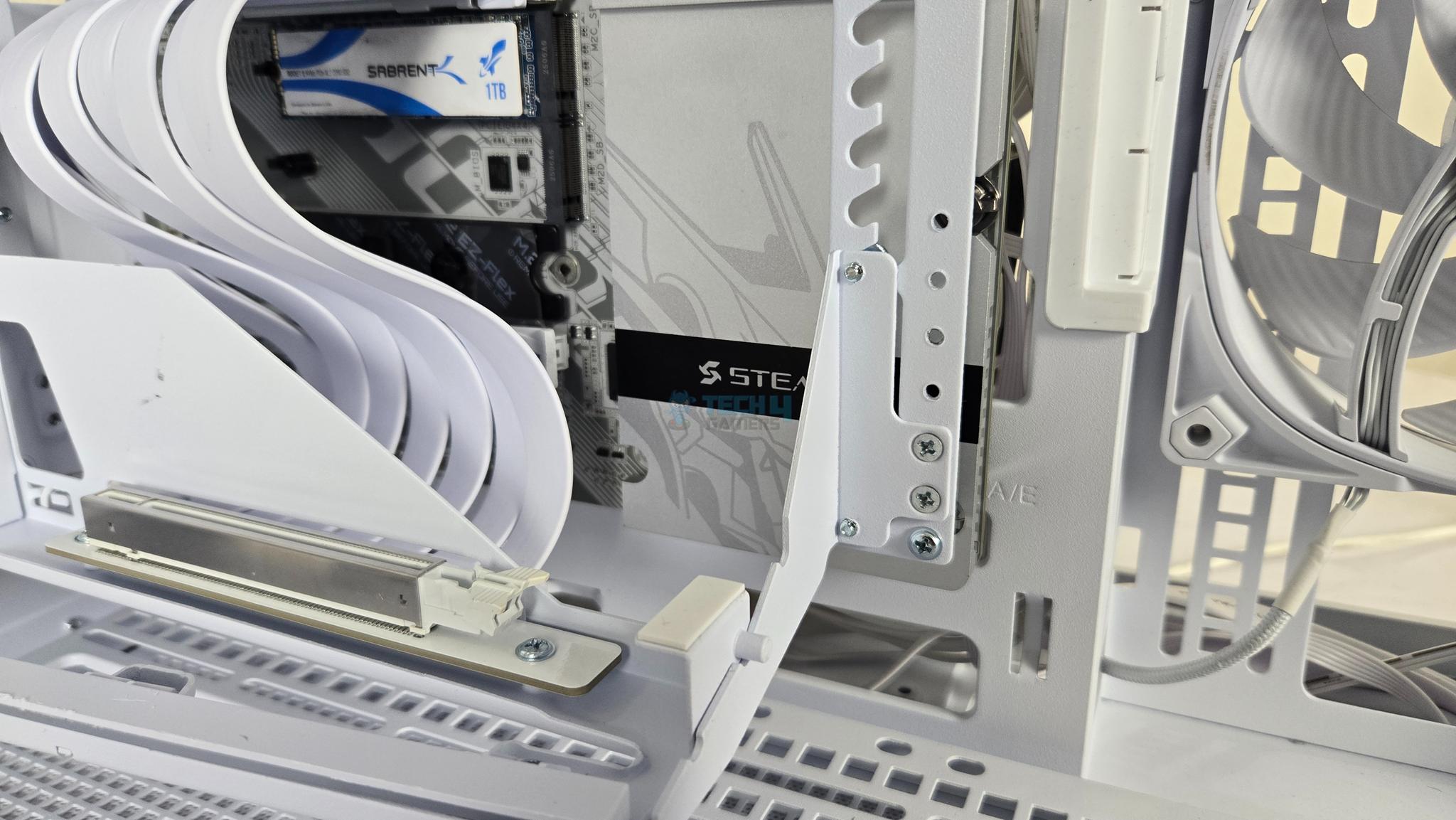
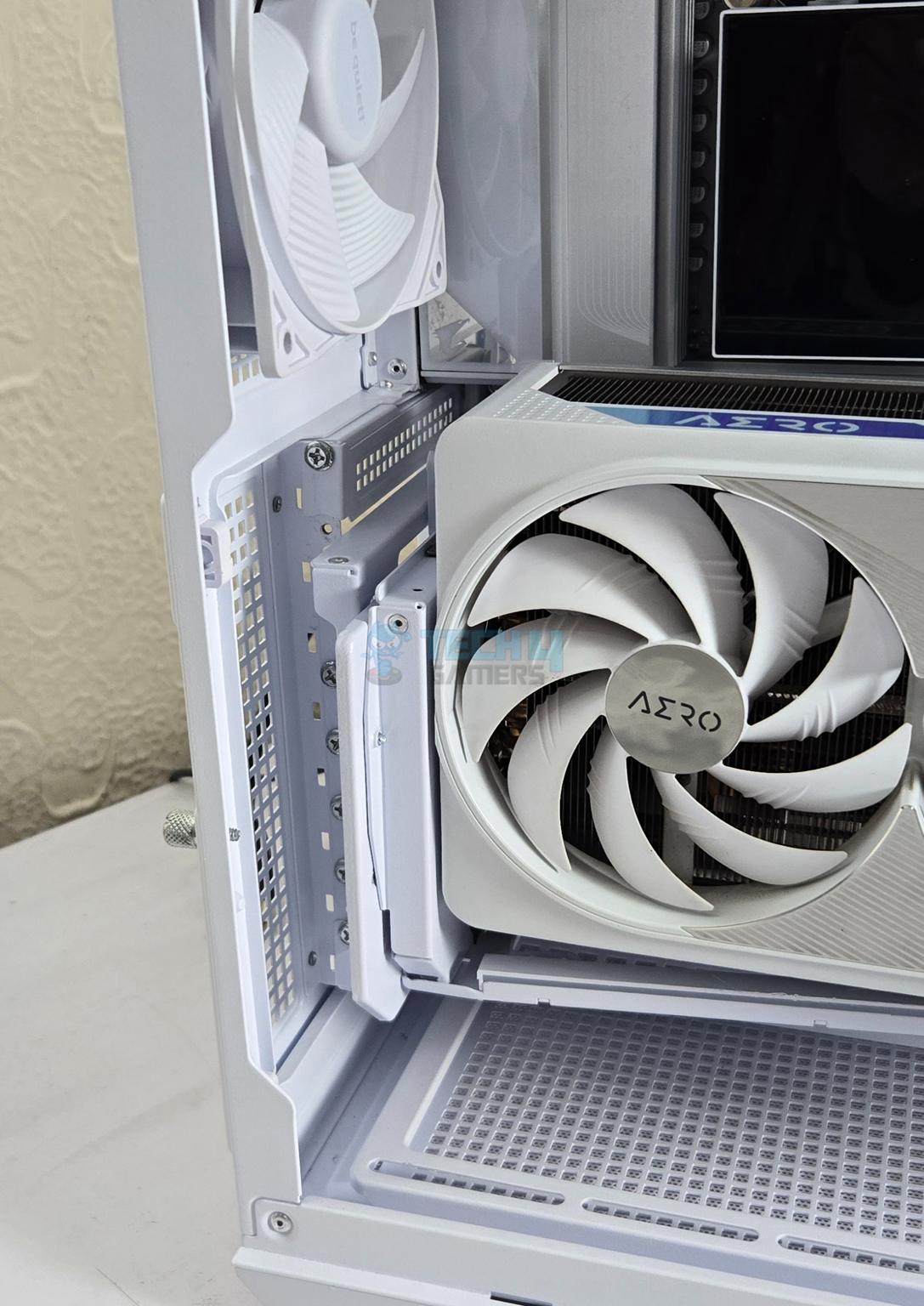
Now, install the bracket. I connected the PCIe riser cable first and then secured the bracket. The anchor seems a little upward which was addressed later.
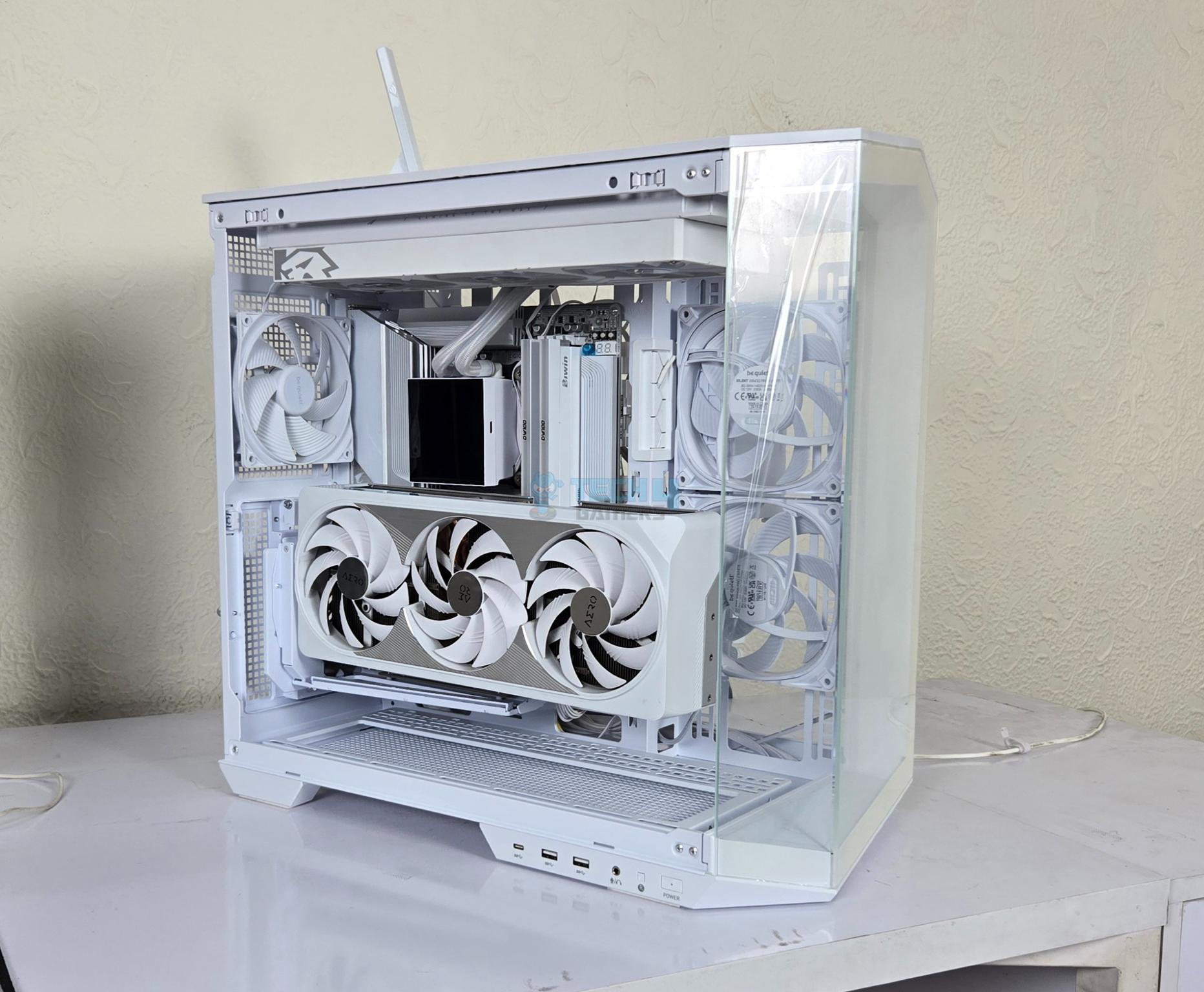
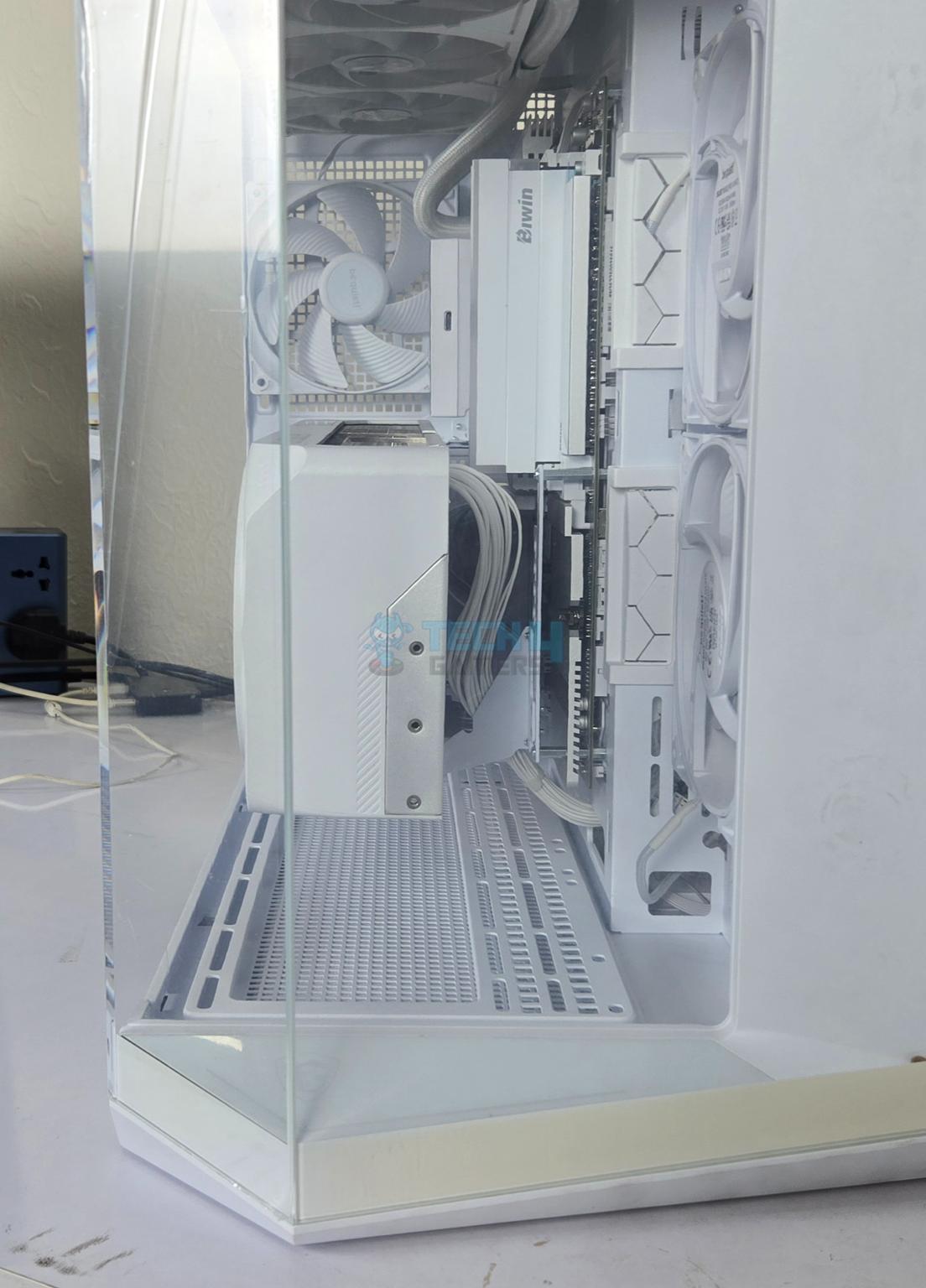
Install the graphics card and you are good to go. Alternatively, you can install the graphics card out of the PC Case on the bracket and then install the assembled bracket in the case.
Testing

The following test bed is used:
- AMD Ryzen 9 9900X [Stock, Auto]
- GIGABYTE X870 AORUS STEALTH ICE
- Biwin DW100 2x24GB 8000MHz CL38 DDR5 kit
- Sabrent Rocket 4 Plus 2TB NVMe SSD [For OS]
- Teamgroup Vulkan Z SATA 2TB SSD [For Games]
- GIGABYTE GeForce RTX 4080 Super OC White
- MSI MAG PANO 100L PZ White
- Gamemax Glacier 360 White Cooler
- DeepCool PN1000M White PSU
Following games have been tested:
- Cyberpunk 2077
- Far Cry 6
- Assassin’s Creed Valhalla
- Forza Horizon 5
Nvidia driver version 595.97 is used for the testing. Microsoft Windows 11 x64 24H2 is used. We have tested the games with graphics card installed on the motherboard and second time using the Lian Li bracket. All the games were tested on 1440P resolution.
Results
First, I tested the thermals of the graphics card in both configurations using 3DMARK Time Spy Extreme Stress test and recording the sensors using GPU-Z.

I saw no change in the thermal performance.

Next, I ran the PCIe Feature Test for PCIe 4.0 (I don’t have PCIe 5.0 card at moment). We saw a marginal lower bandwidth when the graphics card was tested on the bracket. This is understandable and well within the acceptable margin.

Next, 4x games were tested with graphics card installed directly on the motherboard and then on the Lian Li bracket. You can see consistent results across the test suite except for a game with marginal drop in FPS.
Should You Buy It?
Buy It If
✅You are looking for a complete Vertical solution: The Lian Li VG4v4 is not just a vertical bracket kit but a complete solution for all possible needs.
✅You want a durable solution: Lian Li has provided a GPU support arm in addition to the bracket providing extra level of safety giving you a peace of mind.
✅Looks are your thing in vertical graphics card mount: The feature rich bracket provides tilt and height adjustment features.
✅You are light show freak: Lian Li has provided ARGB LED lighting on the bracket as well fulfilling your dream.
DonBuy It If
❌You need clearance for case: Bracket shift the graphics card 31mm further ahead inside the case. Length of the case needs to be checked beforehand.
❌Compatibility with certain motherboards: Certain motherboards with full length covers are not fully compatible with this bracket since you might need to remove the cover to install the GPU support arm.
Conclusion
I have tested a unique vertical bracket from Lian Li with rather a long name; 4-slot Vertical GPU Kit V4 (VG4v4). This is a kit implying it has many parts and this is indeed where Lian Li has excelled in the design department. This is a highly versatile kit which also added complexity in handling. But once you grasp the basic design aspects, you will simply love the kit for what it offers.
This bracket supports 4-slot graphics cards. It offers height adjustment mechanism as well as a tilt mechanism. Height is a much-needed function that has been missing from other brackets but tilt is a pure augmentation which is not related to the performance but the overall look.
Lian Li has hide the complexity of these features and provide two thumb screws at the user’s disposal making it a super convenient to adjust the height of the card or achieve tilt. Kudos to the design team! To make this happen, this bracket moves the graphics card 31mm ahead or forward inside the PC Case meaning you need to work out the length of the graphics card in the PC Case.
This bracket also comes with GPU Support Arms dedicated for ATX/mATX and E-ATX motherboards. These arms provide anchor points and are rated to hold up to 10Kg weight. The anchor on the front of the main bracket rests on the anchor point of the arms getting additional safe installation.
Lian Li has not forgotten the RGB lovers and has implemented an ARGB LED strip on the base and provided standard connectors. The bracket comes with 200mm PCIe 5.0 riser cable which is well shielded for EMI interference.
This is a first bracket in my testing experience where the test results have shown almost no performance loss which is incredible and unlike the brackets and cables that I have tested so far. This is another win for the Lian Li.
This is one true product where form meets the function and vice versa. The kit has MSRP of $81.40 and is available in black and white colors. It is compatible with ATX PC Cases not just the Lian Li PC Cases.
Thank you! Please share your positive feedback. 🔋
How could we improve this post? Please Help us. 😔

Zain is our hardware expert, known for deep-dive reviews and round-ups on motherboards, CPUs, RAM, GPUs, and cooling systems. He focuses on performance and value, skipping the marketing hype to give you honest, no-nonsense advice.
 Join Our Community