Threads


The processors after Intel’s rebranding were a mixed bag. However, these refreshed processors from the Arrow Lake architecture line-up are good. The Intel Core Ultra 5 250K Plus, in particular, is a brilliant value king that offers exceptional performance and gives tough competition to its rivals. Furthermore, it’s not just a bland refresh; it comes with upgrades like more cores, boosted speeds, cache, and better memory support while keeping the efficiency element in mind.
However, since it is a “K” series processor, it doesn’t make sense to pair it with any budget series motherboard. Only the good ones with a Z890 chipset should be picked for it, and it makes the process easy for you. We have put together a list of motherboards that we have personally tested to make sure they fit right with the new Intel Core Ultra 5 250K Plus.
If you’re going with the Core Ultra 7 270K Plus, we have also rounded up the best motherboards that can comfortably handle the processor.
Best Motherboard For Intel Core Ultra 5 250K Plus
These are the best motherboards to buy for the Core Ultra 5 250K Plus:
- Best Overall: MSI MAG Z890 Tomahawk WiFi
- Best High-End: ASRock Z890 Nova WiFi
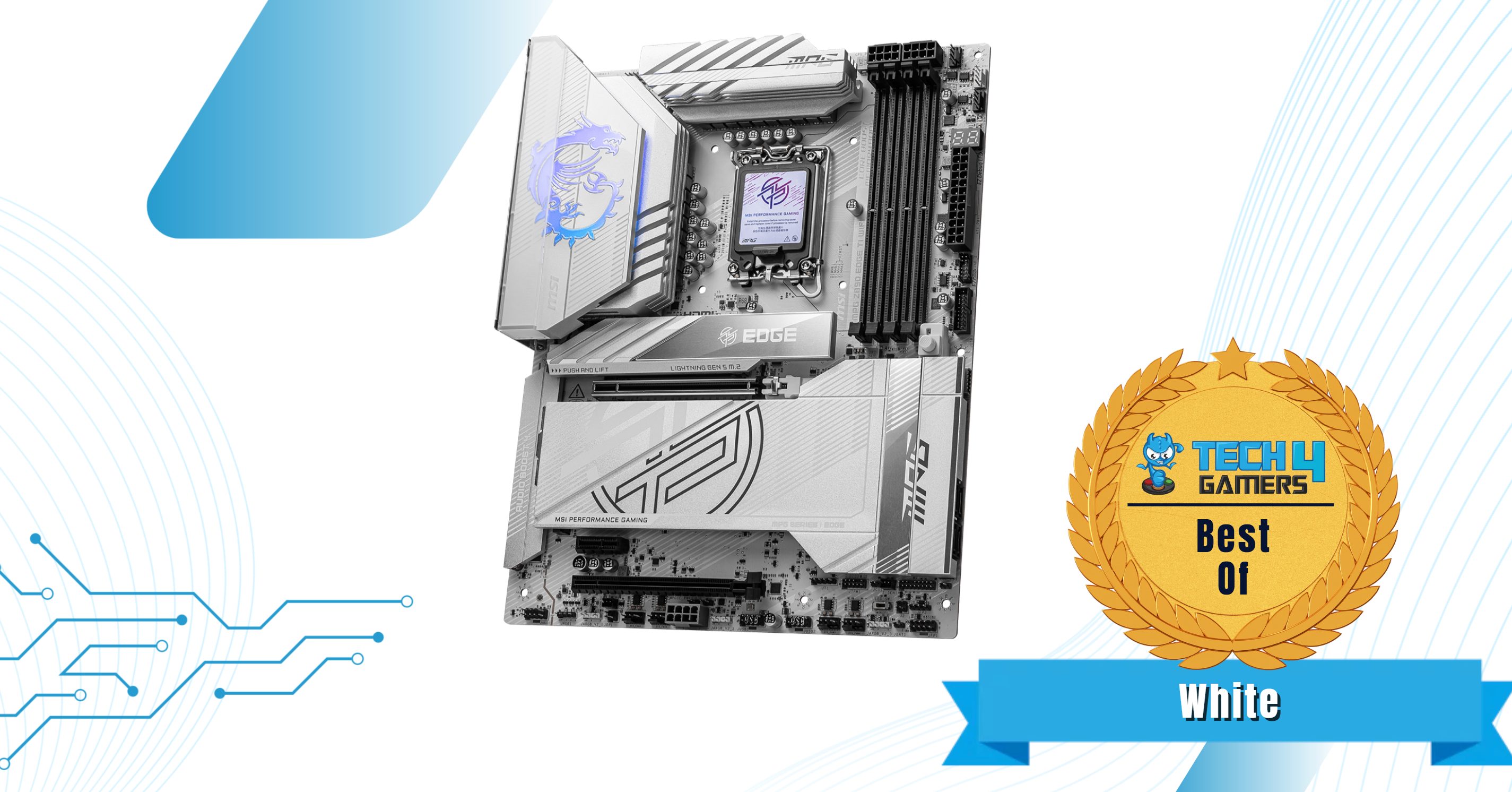
- Best White: MSI MPG Z890 Edge Ti WiFi
- Best Budget: MSI Pro Z890-A WiFi
MSI MAG Z890 Tomahawk WiFi
Best Overall Motherboard For Intel Core Ultra 5 250K Plus
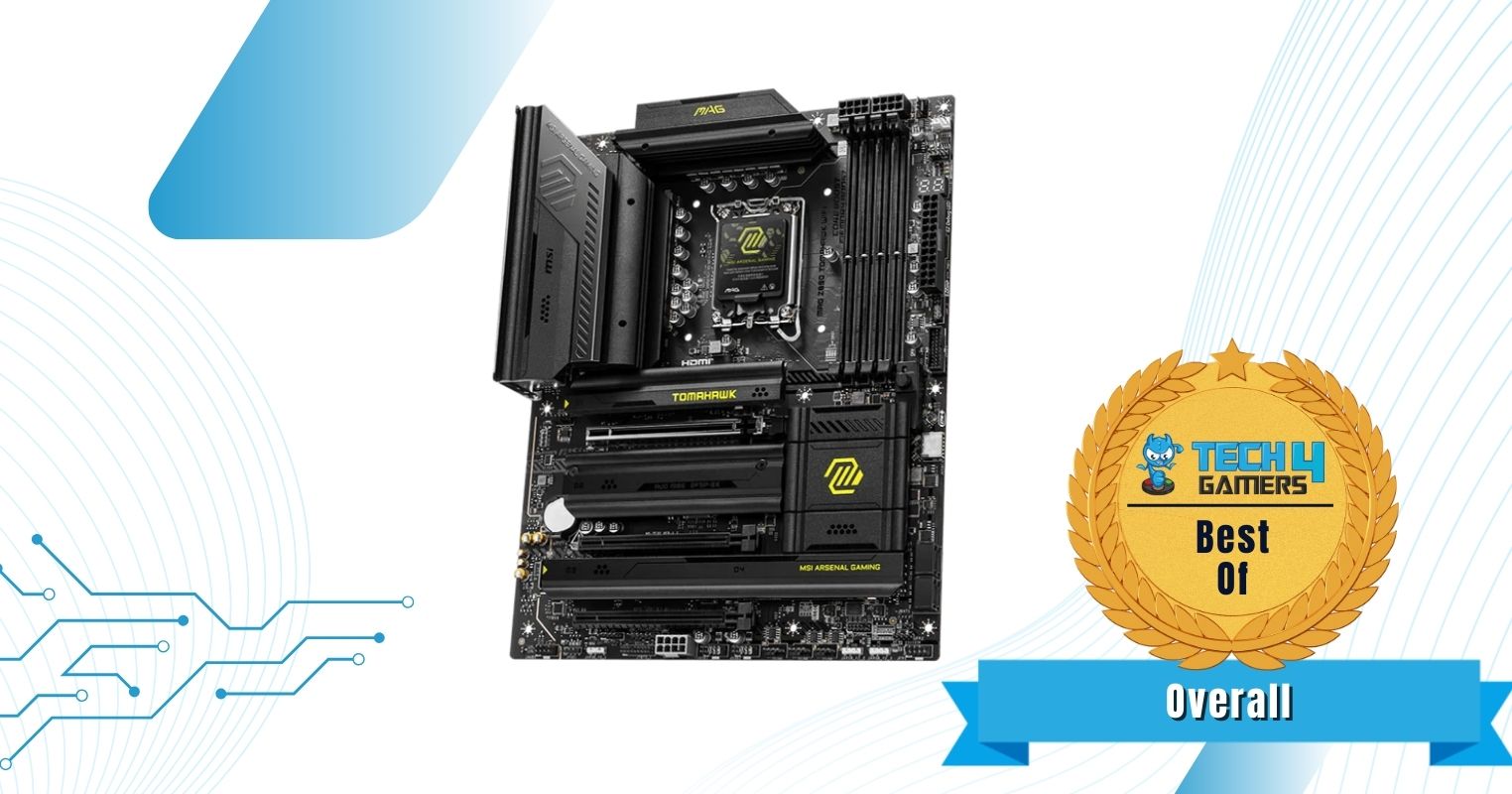
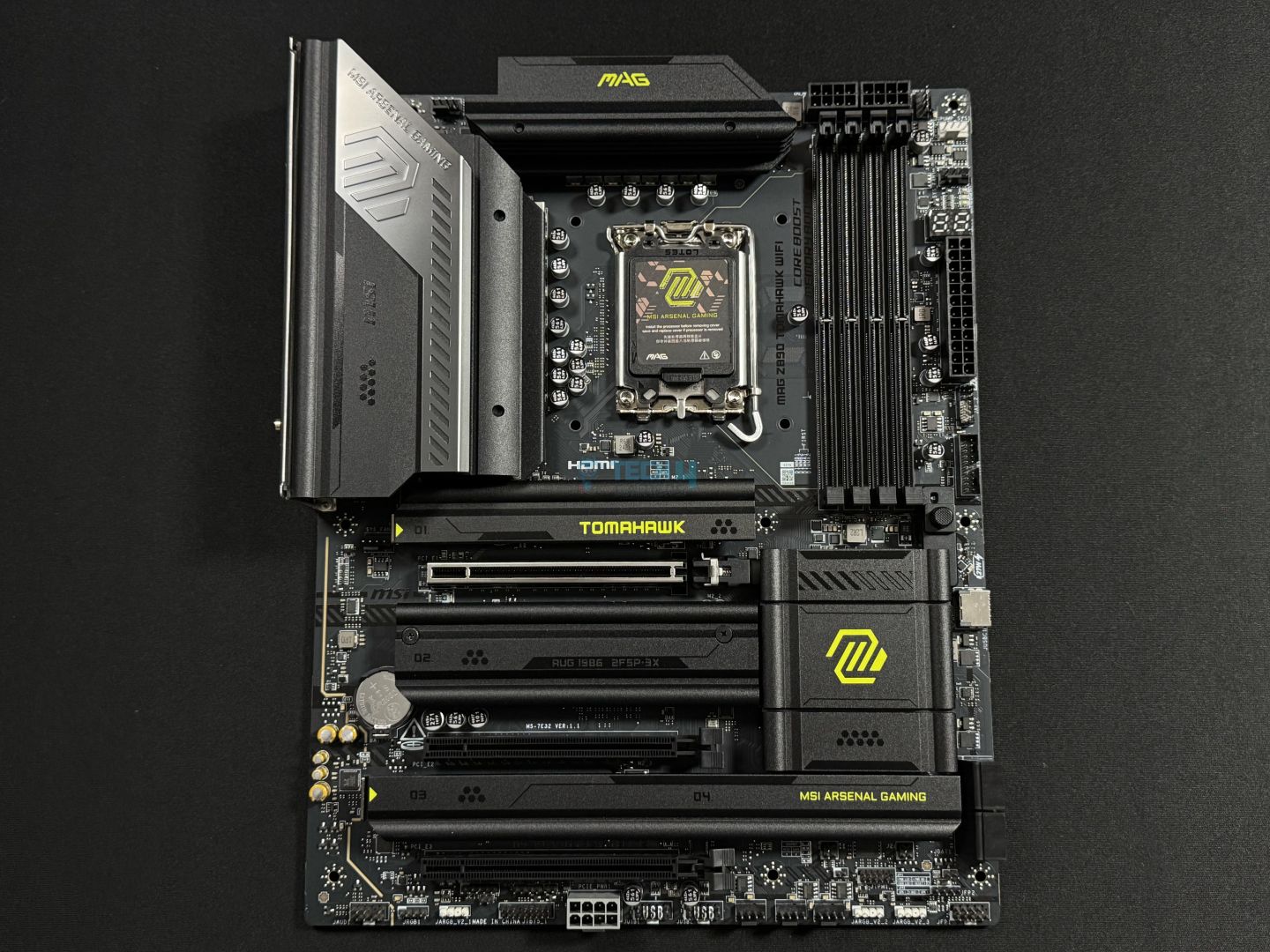
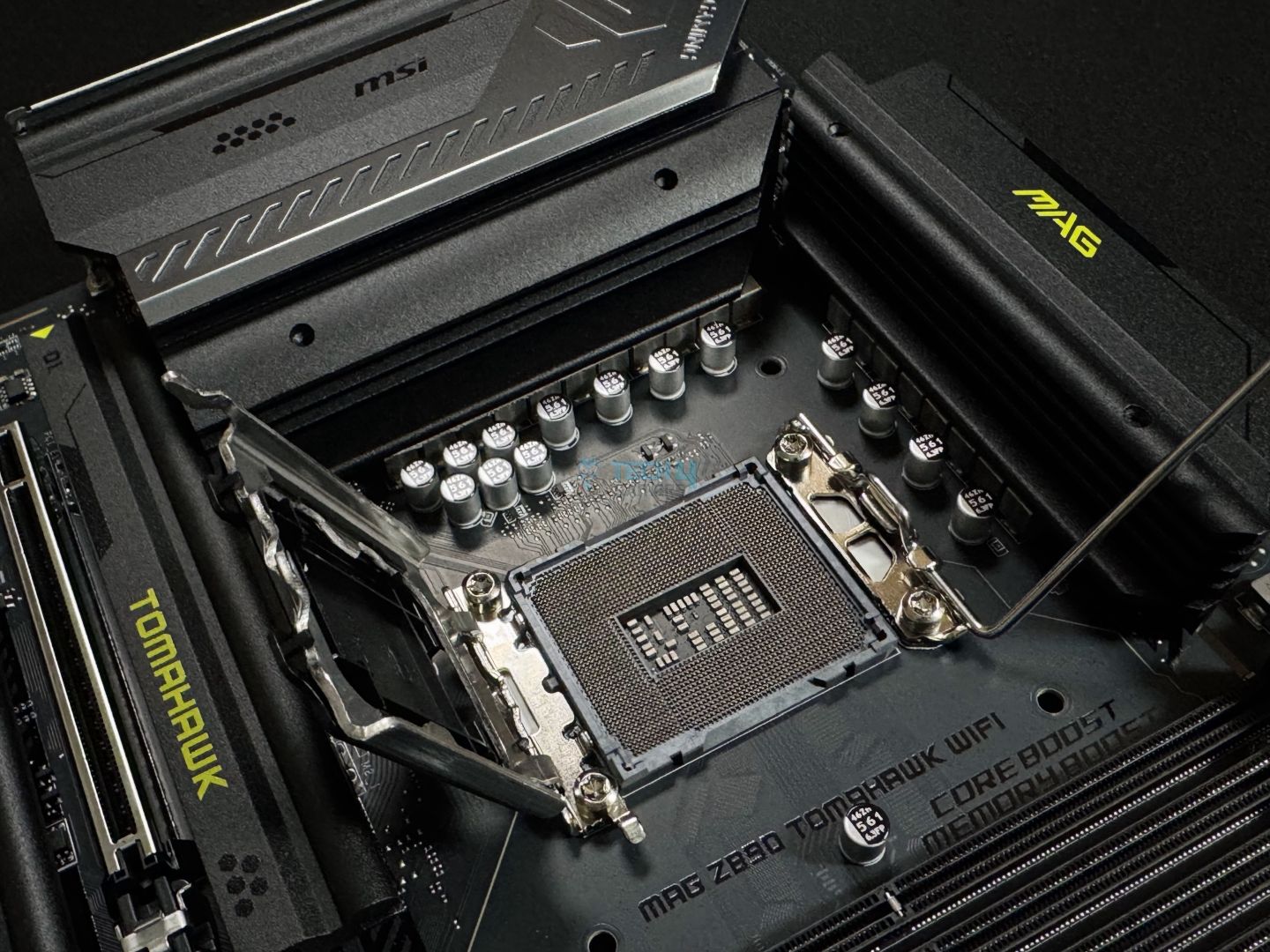
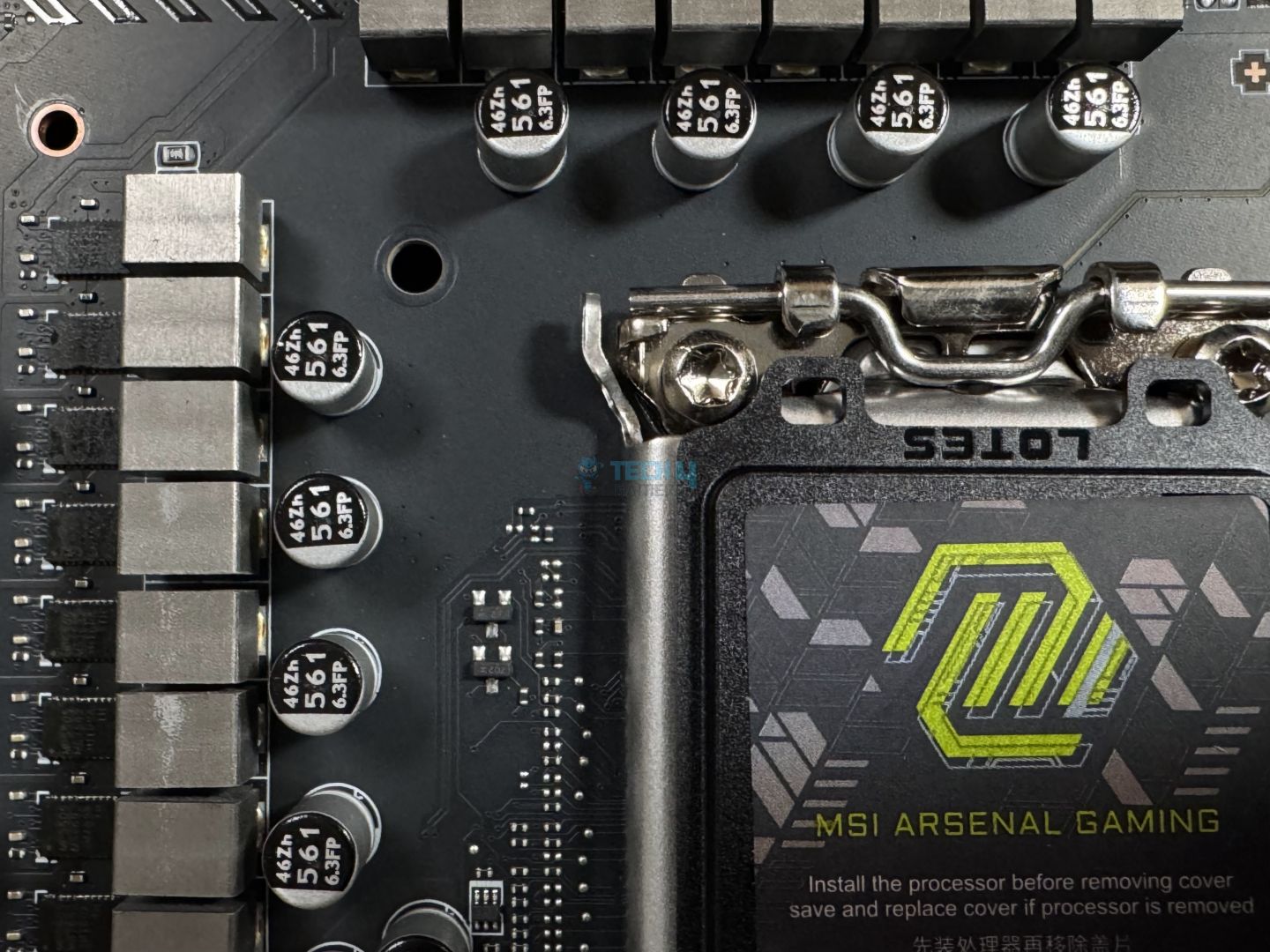
Chipset: Intel Z890 | Memory: DDR5 9200+ (OC) | VRM: 16+1+1+1 | Video Outputs: HDMI 2.1, 2x Type-C DisplayPort 2.1 | RGB Lighting: No | Network: WiFi 7, Intel Killer 5G LAN, Bluetooth 5.4 | Storage: 4x M.2, 4x SATA 6G | USB Ports: 10x Rear, 7x Front
Pros
- 16+1+1+1 phases power delivery setup
- Overclocking isn’t a problem
- Doesn’t cost too much
- Plenty of I/O
- VRM temps are fine
- EZ DIY mechanisms
- Excellent VRM setup
Cons
- RGB is missing
Read Our MSI MAG Z890 Tomahawk WiFi Review
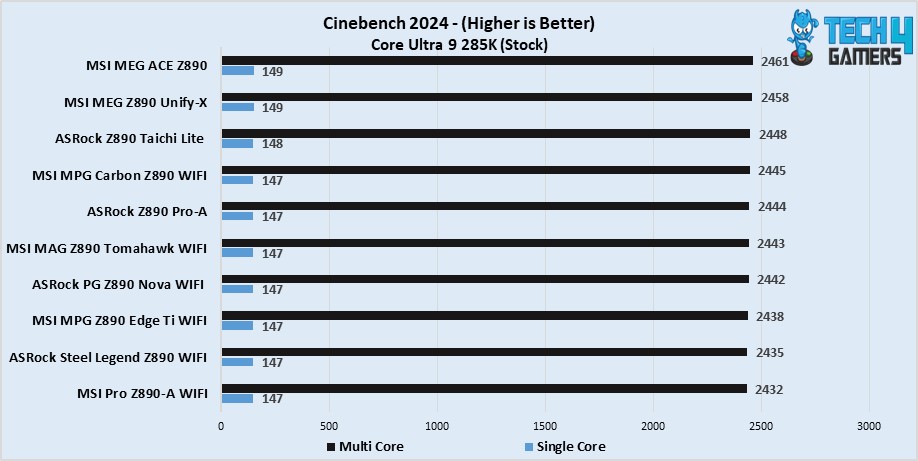
The MSI MAG Z890 Tomahawk WiFi is one of those boards that can sit right with almost any CPU. Which is why I’m bringing it back for the Intel Core Ultra 5 250K Plus. More so because the integrated VRM setup that has 16+1+1+1 phases is quite robust and sufficient to handle an overclocked Core Ultra 5 250K Plus. To further prove the point, we tested the board and ran various benchmarks as well as games. Fortunately enough, it performed very well, for example, numbers like 147 points in single-core & 2443 points in multicore were noted in Cinebench 2024.
Besides all that, the motherboard also rocks a Thunderbolt 5 connector as well as two Thunderbolt 4 ports. Moreover, there are plenty of slots for the NVMe drives. 1x is PCIe Gen5 compliant, while the rest of the three slots are PCIe Gen4. Now, this configuration alongside some EZ DIY features is a pretty decent package at the $299 MSRP. And not to mention, it can now be bought for much cheaper, which makes it even better.
This is how our hardware expert described this motherboard after reviewing it:
The MSI MAG Z890 Tomahawk WiFi is a $299 motherboard packed with the latest I/O and EZ-DIY features. It has a fairly basic (almost) all-black design with silver accents and yellow-green colors to represent the board’s branding. For VRMs, the board’s 16+1+1+1 (16A 90A duet stages for the board), which is enough for Intel’s 15th gen chips, even if you want to overclock a bit.
What Makes It The Best Overall Motherboard For Intel Core Ultra 5 250K Plus?
The MSI MAG Z890 Tomahawk WiFi offers a pleasant number of features as well as impressive performance with its 19-phase power delivery setup. Additionally, there’s proper VRM and NVMe cooling available that keeps the temp levels in check while coming in at a fair price, which also terms it as the best overall motherboard for Intel Core Ultra 5 250K Plus.
| Performance: 9/10 | Value: 9/10 |
| Features: 9/10 | Design: 8/10 |
MSI MPG Z890 Edge Ti WiFi
Best White Motherboard For Intel Core Ultra 5 250K Plus
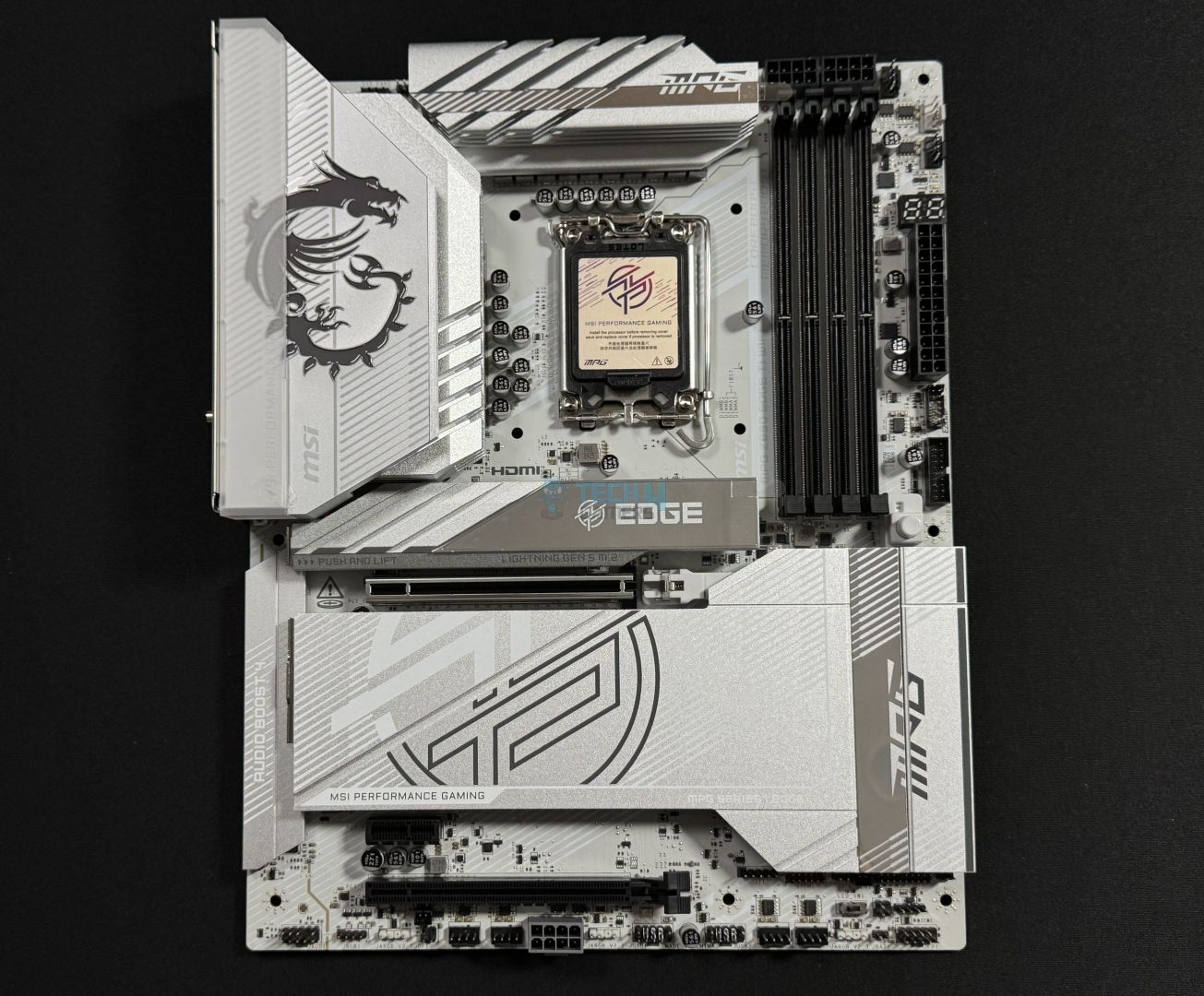
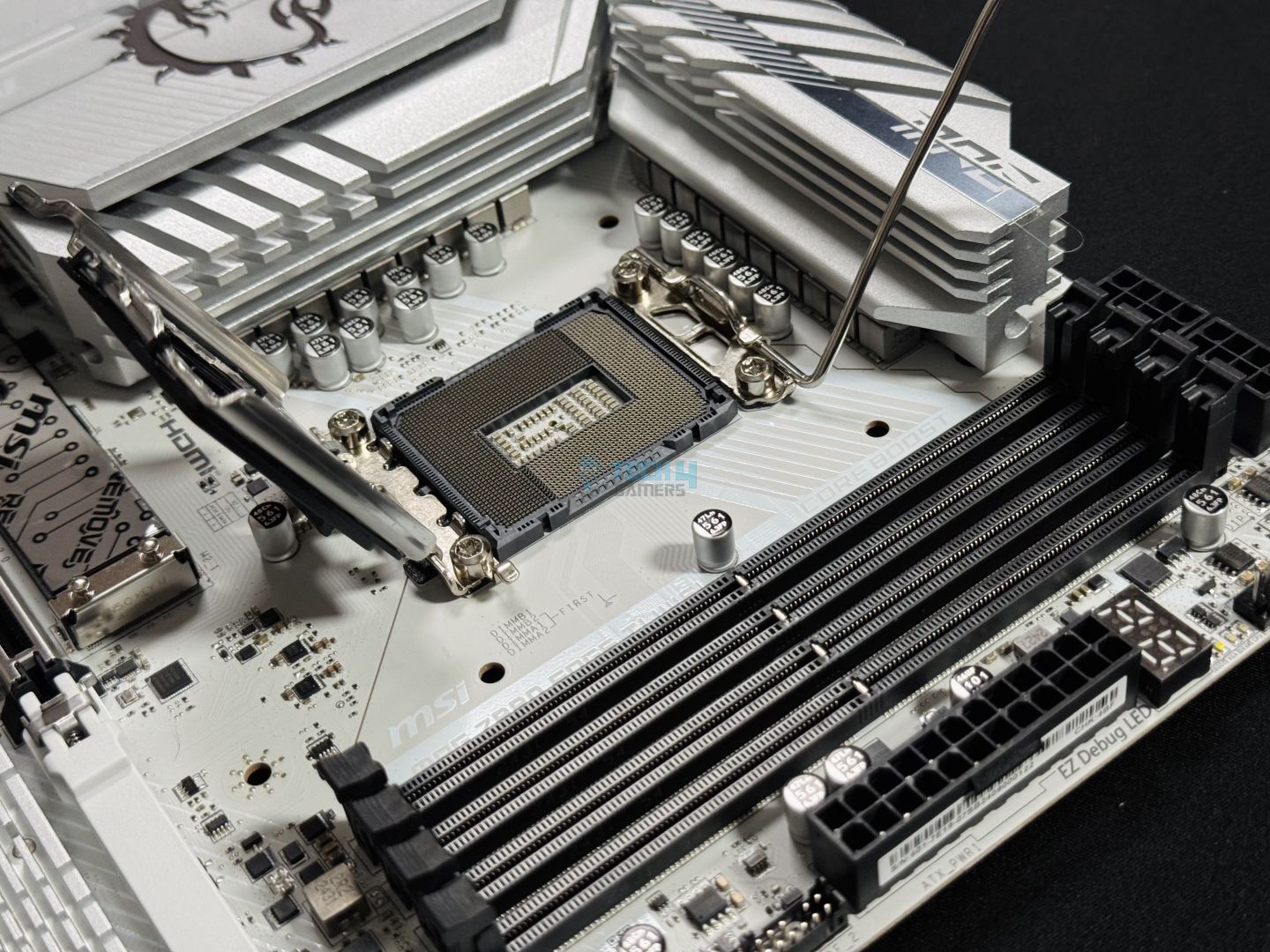
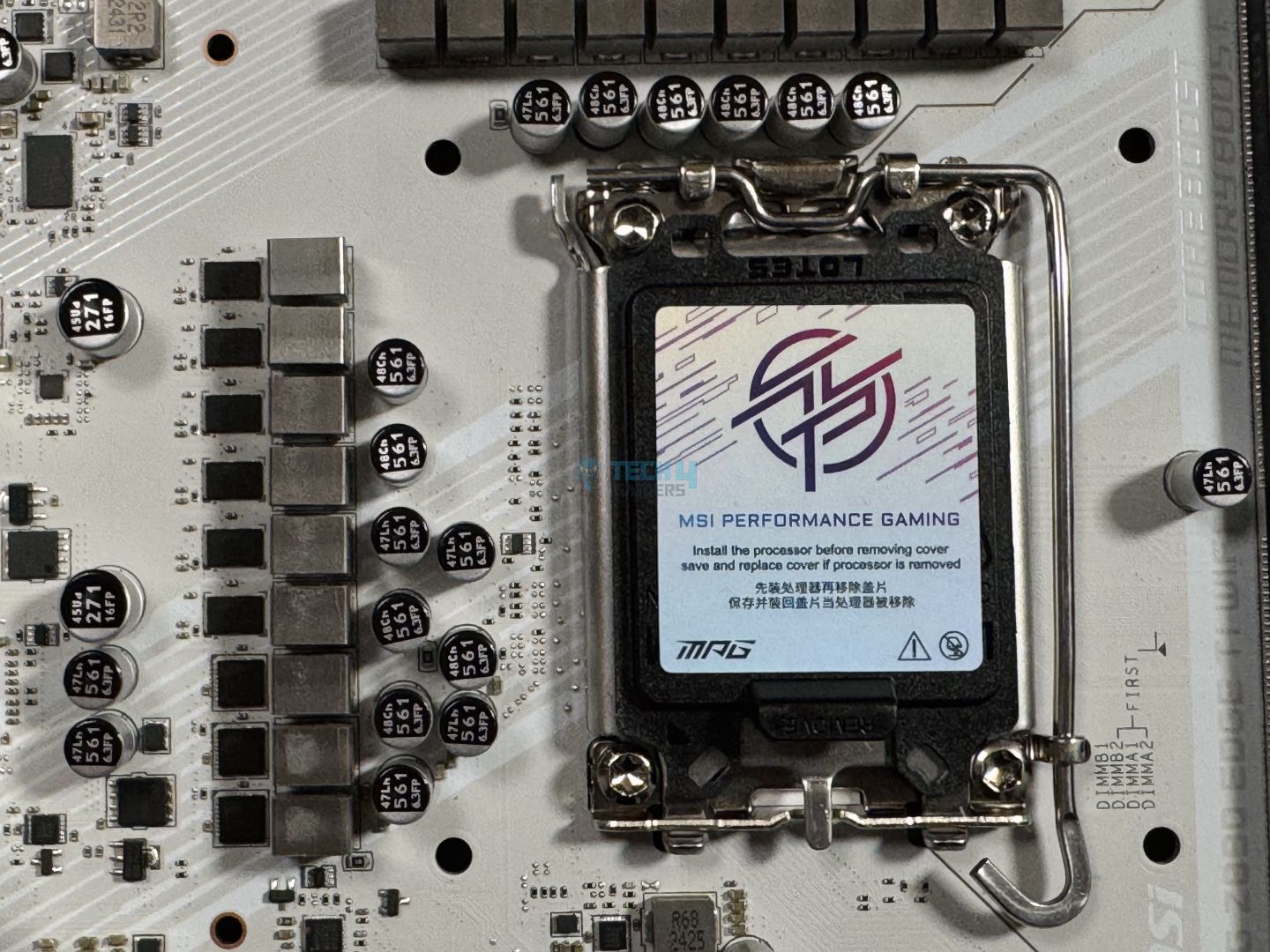
Chipset: Intel Z890 | Memory: DDR5 9200+ (OC) | VRM: 16+1+1+1 | Video Outputs: HDMI 2.1, 2x USB4 Ports | RGB Lighting: Yes | Network: WiFi 7, Intel Killer 5G LAN, Bluetooth 5.4 | Storage: 5x M.2, 4x SATA3 | USB Ports: 12x Rear, 7x Front
Pros
- Powerful 16+1+1+1 phase VRM design
- Offers pleasing white aesthetics
- Has EZ DIY features
- Comes with 2x Thunderbolt 4 ports
- Thunderbolt 5 connector
- 1x Gen5 & 4x Gen4 NVMe slots
Cons
- Sub-par VRM cooling
Read Our MSI MPG Z890 Edge Ti WiFi Review
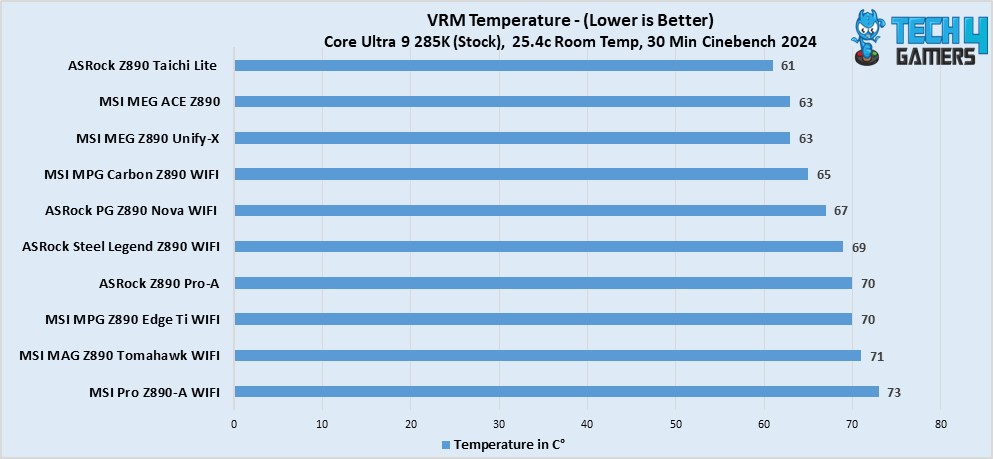
The MSI MPG Z890 Edge Ti WiFi is one of the very few white aesthetic motherboards that you can choose from. It offers not only looks but decent performance as well. All thanks to its 16+1+1+1 phases VRM setup, which is also great for CPUs like the Intel Core Ultra 5 250K Plus. Additionally, the motherboard supports the processor’s higher RAM speeds, offering support for up to 9200 MT/s. Nevertheless, we also put the board to the test, and in Cinebench 2024, we got 147 points on single core and 2438 points on multicore. These are pretty decent numbers. However, as far as the VRM cooling is concerned, this department is slightly weak (70°C on full load), but nothing too serious.
Furthermore, the board has EZ DIY features all over the place, from EZ M.2 clips to EZ PCIe release, and even on the software side with MSI Center’s EZ optimization & EZ overclocking. Similarly, it also comes with five NVMe drive slots, one of which is Gen5, and the rest are Gen4. Similarly, I also liked how it comes with 19 USB ports in total, and two of them are Thunderbolt 4.
Here you can read what Usman Saleem came up with after reviewing it in his review:
The MSI MPG Z890 Edge Ti WiFi is a $369 gaming-focused board, and it certainly covers everything a gamer might need. That includes a great gaming-focused design with RGB and solid performance with a 16-phase 90A SPS design for CPU power. The board also offers the best I/O you can get right now, with DDR5 support up to 9200 MT/s, Thunderbolt 4, WiFi 7, and Bluetooth 5.4. You get 5G LAN, a decent audio solution, and room for up to 5x M.2 drives.
What Makes It The Best White Motherboard For Intel Core Ultra 5 250K Plus?
The MSI MPG Z890 Edge Ti WiFi is everything one needs to build a decent white-themed PC setup. From impressive features to decent performance, and pleasing design. The motherboard has it all and will sit right with most processors, which is why I can call it the best white motherboard for Intel Core Ultra 5 250K Plus.
| Performance: 8/10 | Value: 8.5/10 |
| Features: 9/10 | Design: 9.5/10 |
MSI Pro Z890-A WiFi
Best Budget Motherboard For Intel Core Ultra 5 250K Plus
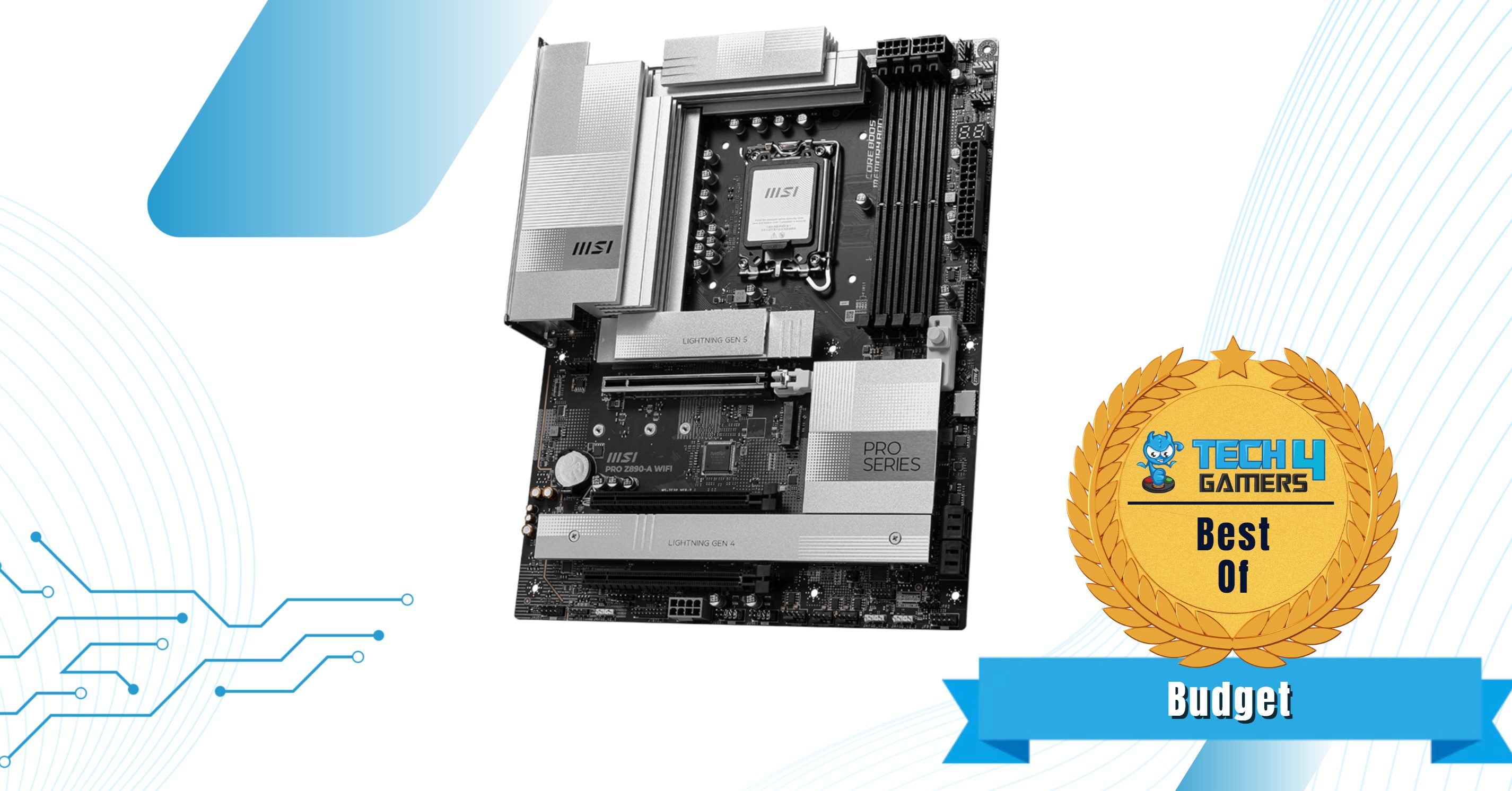
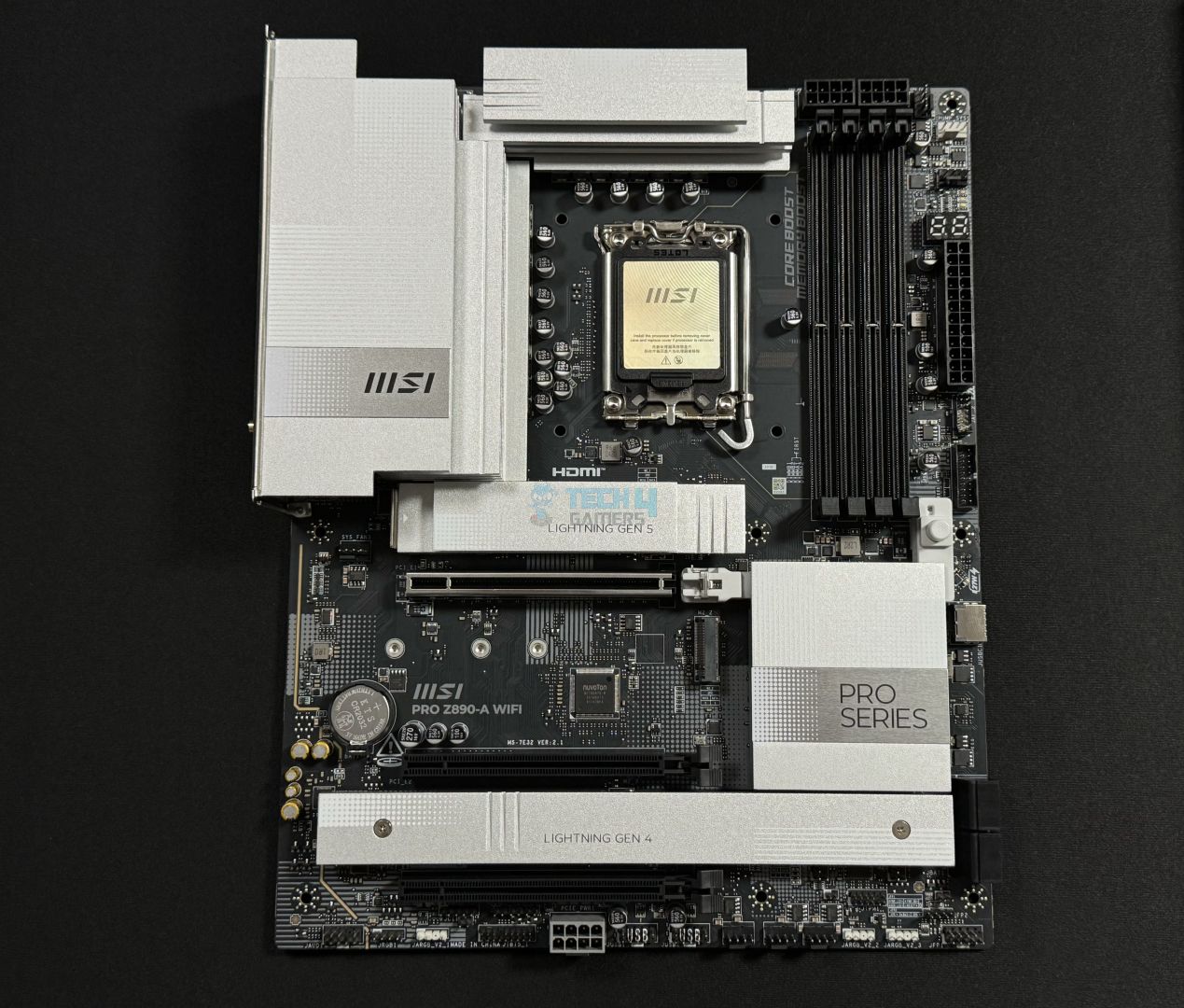
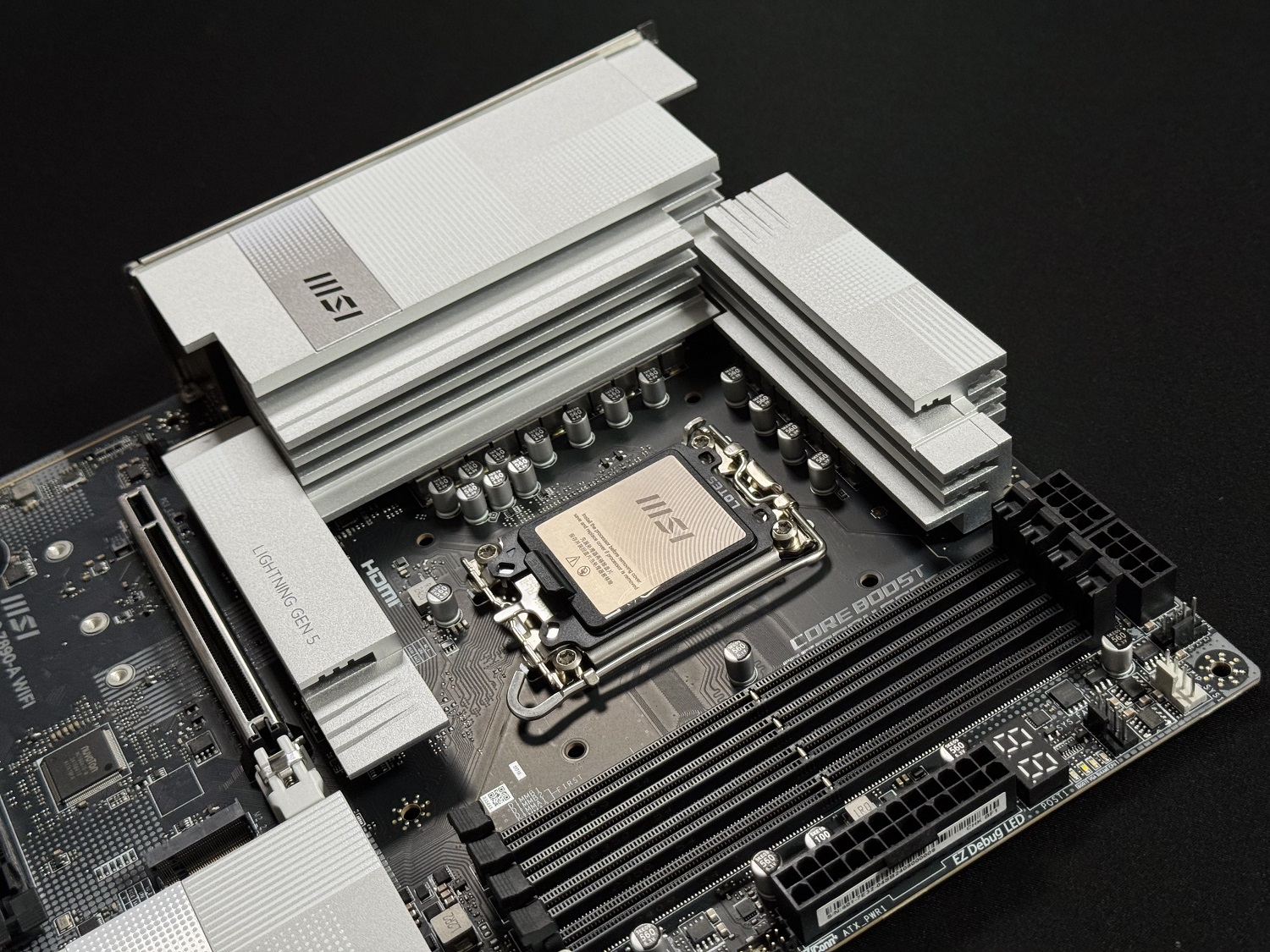
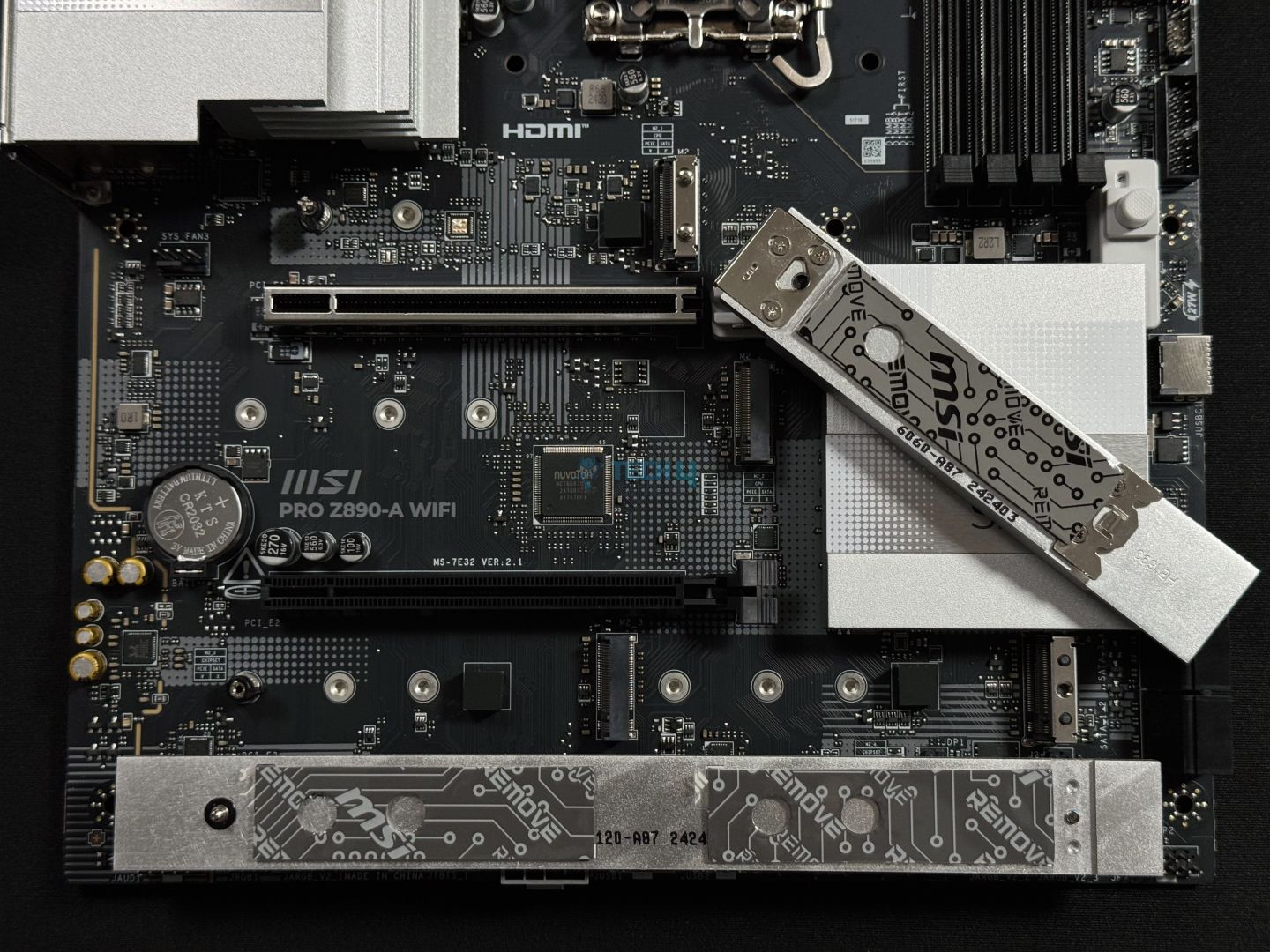
Chipset: Intel Z890 | Memory: DDR5 9200+ (OC) | VRM: 16+1+1+1 | Video Outputs: HDMI 2.1, 2x Type-C DisplayPort | RGB Lighting: No | Network: Realtek 5G LAN | Storage: 4x M.2, 4x SATA 6G | USB Ports: 10x Rear, 7x Front
Pros
- Full of EZ DIY features
- 16+1+1+1 phases VRMs
- Supports RAM speed up to 9200 MT/s
- Minimalistic design choice
- Thunderbolt 5 connector & 2x Thunderbolt 4
- Supplemental Power connector
- Priced just right
- WiFi 7 & BT 5.4
Cons
- VRM cooling is weak
Read Our MSI Pro Z890-A WiFi Review
So, for the budget segment, the MSI Pro Z890-A WiFi is the one that I’d suggest. The primary reason being its decent performance and fair pricing. I liked how the motherboard comes with the same 16+1+1+1 phase VRM setup as the MSI MPG Z890 Edge Ti WiFi while being relatively cheap. This configuration is more than enough for the Intel Core Ultra 5 250K Plus. According to our testing, the motherboard’s performance wasn’t too far off from its bigger brothers. If being more specific, we got 147 points in single-core and 2432 points in multicore. Even though there are two big blocks of heatsinks in place, they don’t perform as efficiently as other boards, but good enough. Which is understandable, considering it’s a budget-oriented motherboard.
Likewise, I liked the list of features it comes with, especially the dual Thunderbolt 4 ports and a connector for Thunderbolt 5. Other than that, the EZ DIY mechanisms make the building process quite easy. Similarly, the provided supplemental power connector is very much useful, like WiFi-7 and BT 5.4. Lastly, MSI has kept a very minimalistic design approach with this board, which looks very clean and pleasant to look at.
You can read our comment on this board after our in-depth review:
The MSI Pro Z890-A WiFi is one of MSI’s affordable Z890 boards, but it offers enough performance and features to please most. We get a beautiful minimalistic design with its white heatsinks and black PCB. It has a 16+1+1+1 phase design with 16x 90A SPS for the CPU and supports DDR5 memory as fast as 9200 MT/s. WiFi 7, dual Thunderbolt 4, 5G LAN. MSI’s EZ-DIY features add plenty of convenience and time-saving to the experience.
What Makes It The Best Budget Motherboard For Intel Core Ultra 5 250K Plus?
The MSI Pro Z890-A WiFi comes at a competitive price point for a Z890 motherboard and does have a lot to offer besides the decent performance. I liked the minimalistic design with no RGB whatsoever. Similarly, the plenty of good I/O and extras like the supplemental power connector make it the best motherboard for Intel Core Ultra 5 250K Plus.
| Performance: 8/10 | Value: 9/10 |
| Features: 8.5/10 | Design: 8/10 |
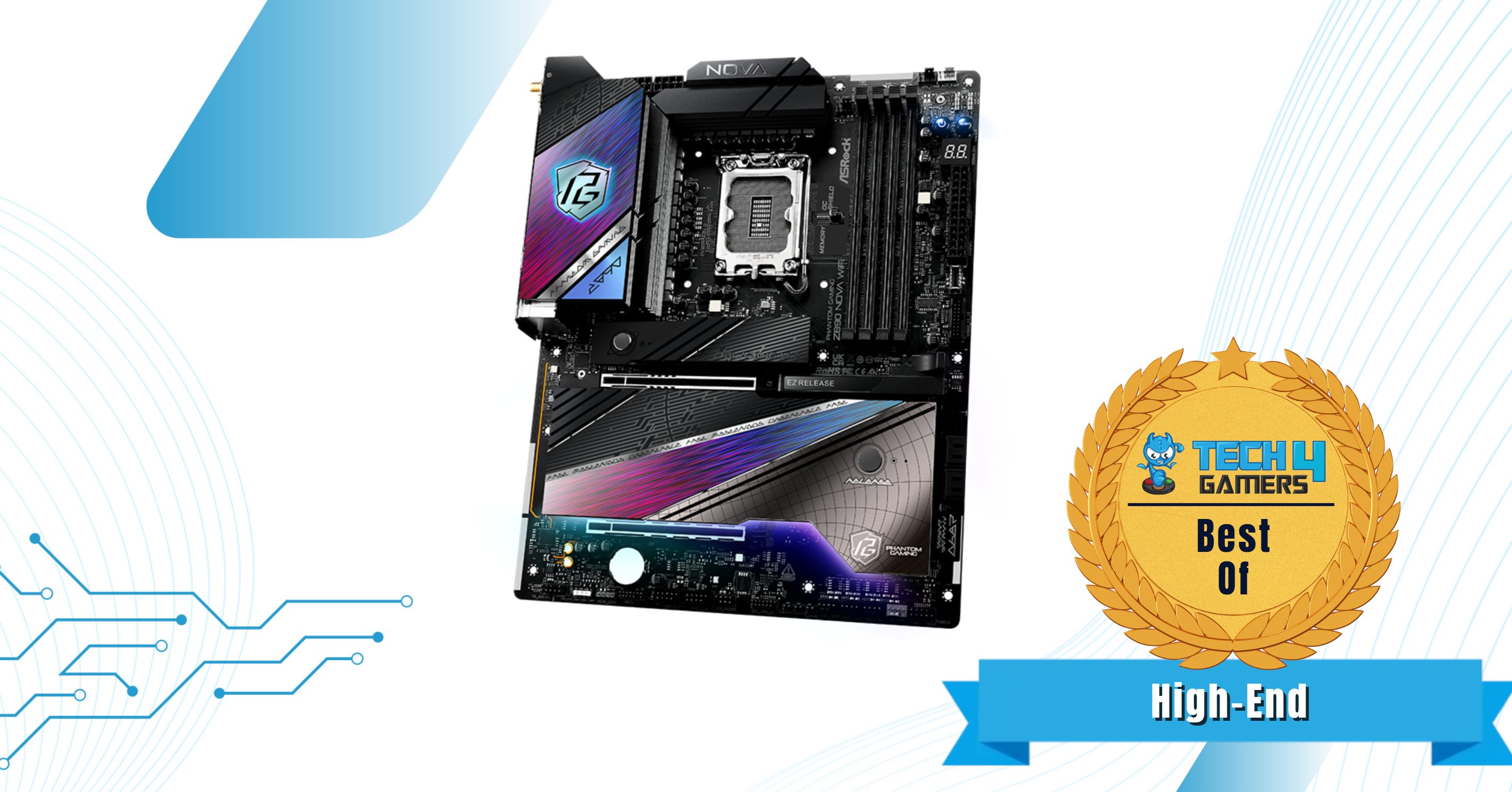
ASRock Z890 Nova WiFi
Best High-End Motherboard For Intel Core Ultra 5 250K Plus
Chipset: Intel Z890 | Memory: DDR5 9600+ (OC) | VRM: 20+1+2+1+1 | Video Outputs: HDMI 2.1, 2x Thunderbolt 4 Ports | RGB Lighting: Yes | Network: WiFi 7, 2.5G + 5G LAN, Bluetooth 5.4 | Storage: 6x M.2, 4x SATA3 | USB Ports: 12x Rear, 9x Front
Pros
- Great VRM configuration (20+1+2+1+1 phases)
- Superb design
- Up to 9600 MT/s RAM speed support
- Up to 9x NVMe drive support
- Dual Thunderbolt 4
- Decently priced
Cons
- None really
Read Our ASRock Z890 Nova WiFi Review
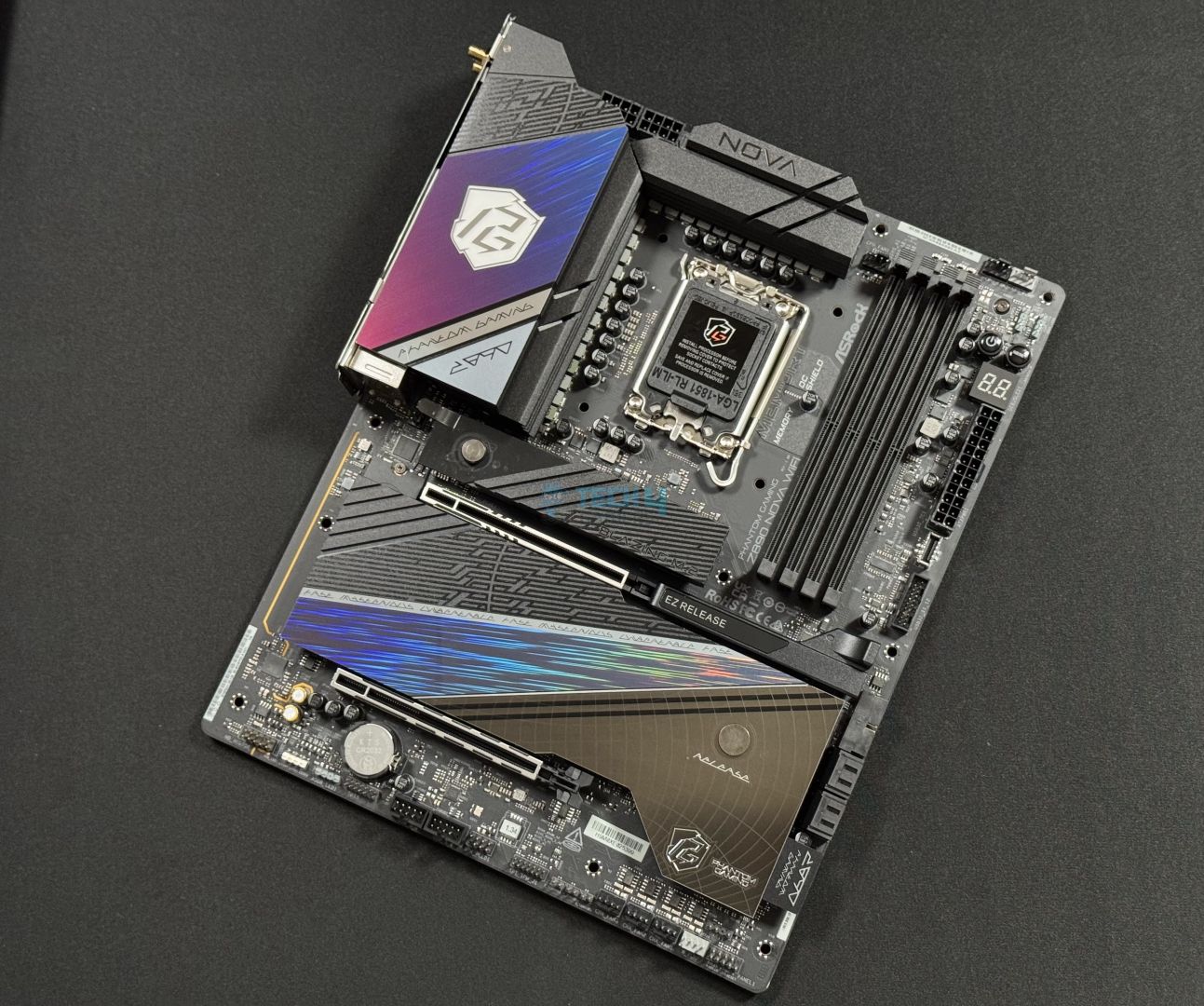
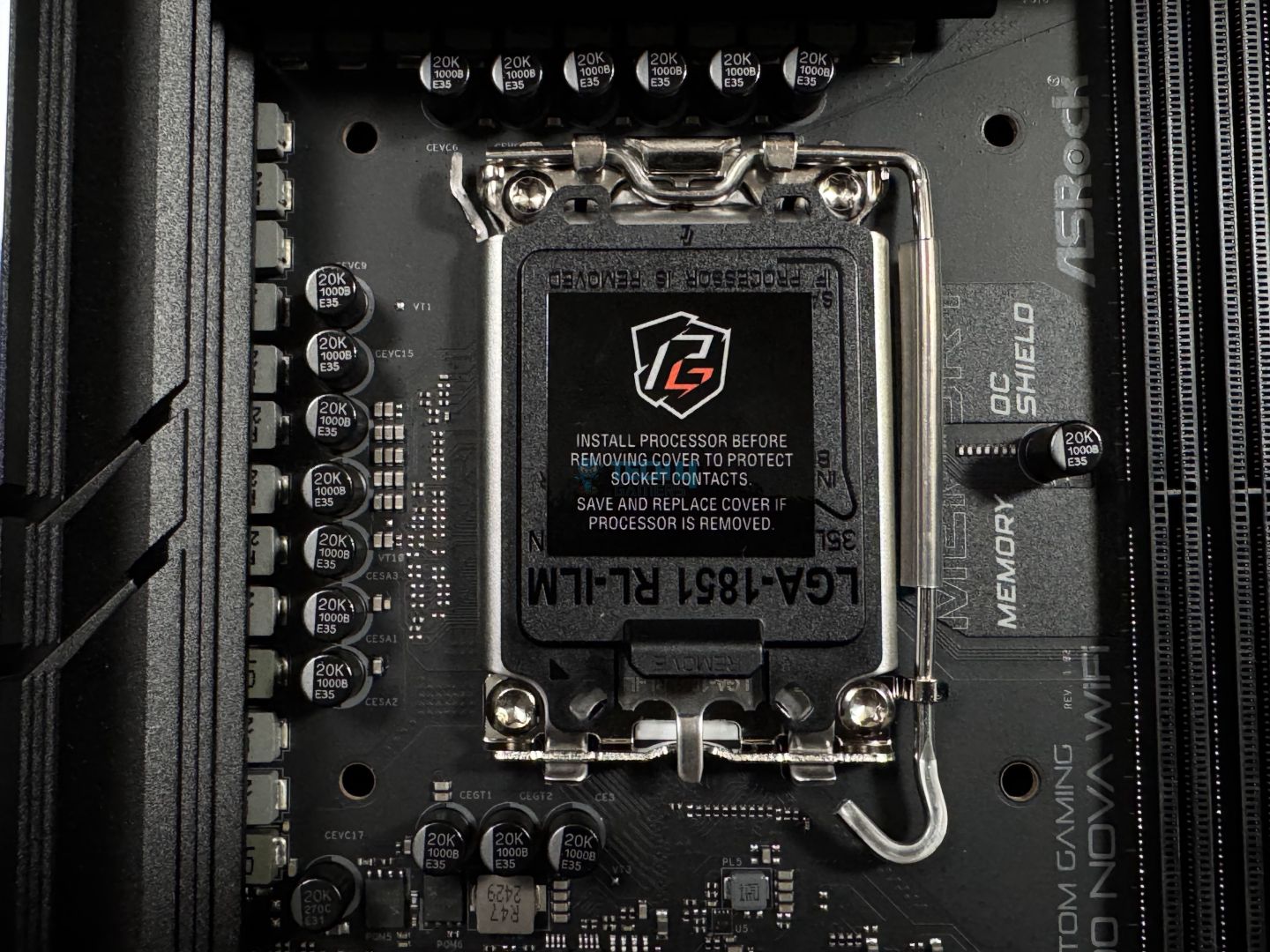
As for the high-end segment, I have picked something special, which is the ASRock Z890 Nova WiFi. The motherboard offers excellent performance with its 20+1+2+1+1-phase powerful VRM setup. Which is more than enough for the Intel Core Ultra 5 250K Plus and even more powerful CPUs. In our testing, the motherboard impressed us with its 147 points in single-core and 2442 points in multicore run of the Cinebench 2024. Similarly, its VRM cooling system is praiseworthy as well, which kept the VRM temperature under 68°C at full load.
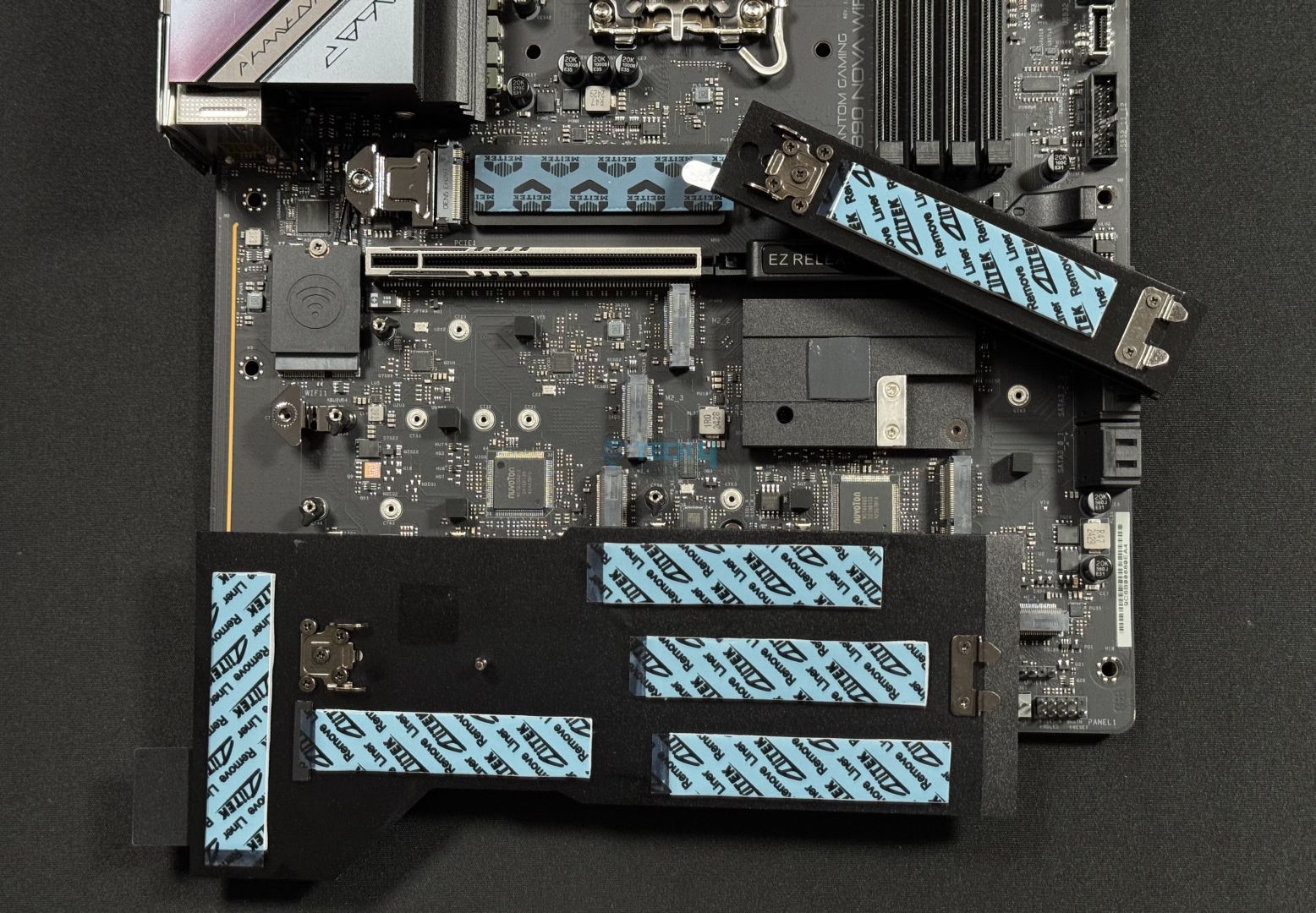
What’s even more impressive are its premium features, the most notable one being its storage slot numbers. The board can accommodate up to 9x NVMe drives with the help of an expansion card, and without it, it can support 1x Gen5 and 5x Gen4 drives. Hardly any other board can match this at its $349.99 price point. Moreover, the inclusion of 5G & 2.5G LAN, 21 USB ports (2 being Thunderbolt 4), and plenty of aesthetics with its two-zone RGB and flashy heatsinks renders it a flawless high-end motherboard.
This is how we summarized this motherboard in our review:
The ASRock Z890 Nova WiFi is just another ASRock board that impressed us with its value. At $349, it’s got a power 20+1+2+1+1 power phase design (110A VCore for SPS) with excellent VRM cooling on top. It powers the best I/O you can get right now, including Thunderbolt 4, WiFi 7, and Bluetooth 5.4. You can run memory as fast as DDR5-9600 MT/s, and many handy ASRock-special features (like Memory OC shield) are available.
What Makes It The Best High-End Motherboard For Intel Core Ultra 5 250K Plus?
This particular motherboard offers everything one needs on a high-end level, from a plethora of NVMe slots to excellent performance figures. It has everything, not to mention the 21 USB ports that are more than enough for almost anyone. All of this combined makes it the best high-end motherboard for Intel Core Ultra 5 250K Plus.
| Performance: 9/10 | Value: 9/10 |
| Features: 9.5/10 | Design: 9.5/10 |
Benchmarks Of The Best Motherboards For Intel Core Ultra 5 250K Plus
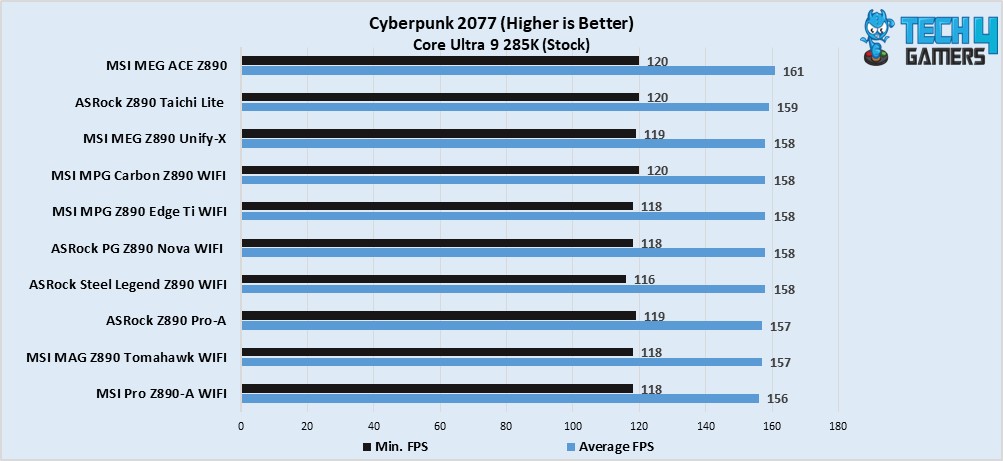
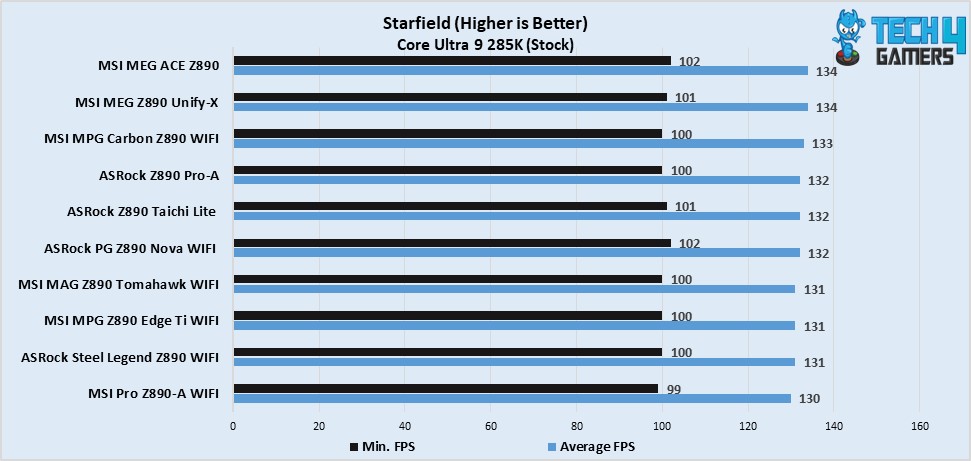
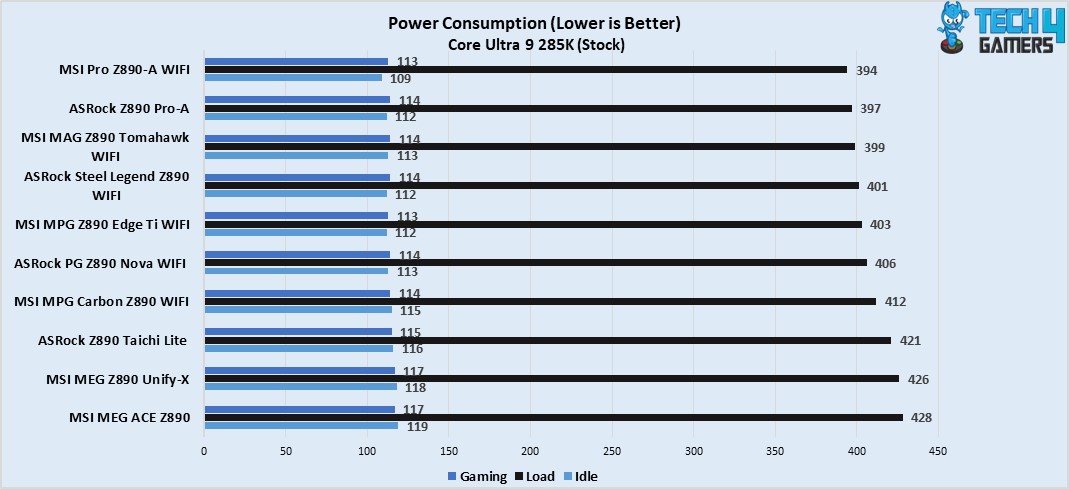
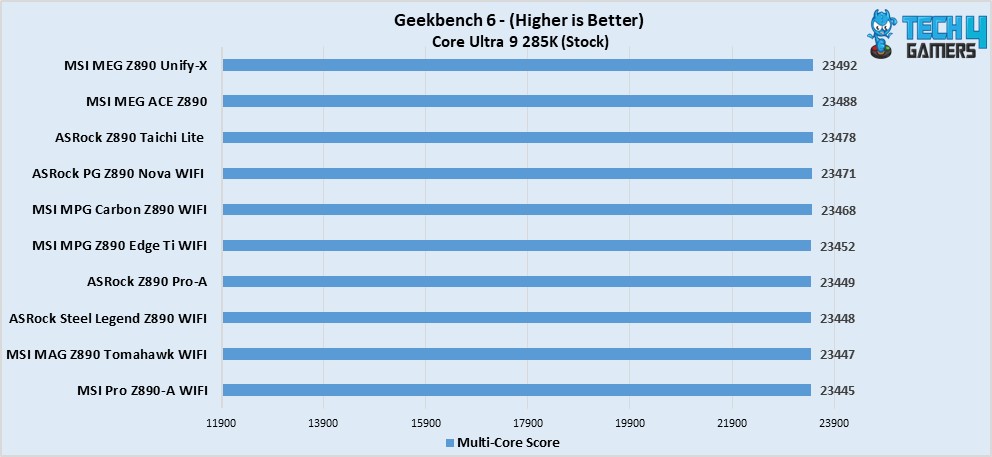
We reviewed all the motherboards and ran them through a series of benchmark software and games to compile a thorough result so you can decide for yourself.
Specification Comparison
Here’s a chart that we made to highlight the specifications and features, so you can have a more profound understanding of your own regarding the chosen motherboards.
| Motherboard Model | Total Power Phases | Max Memory Speed (MT/s) | No. of M.2 Slots | No. of SATA Ports | No. of USB Ports (Front) | No. of USB Ports (Rear) |
|---|---|---|---|---|---|---|
| MSI MAG Z890 TOMAHAWK WiFi | 19 | 9200 | 4 | 4 | 8 | 10 |
| ASRock Z890 Nova WiFi | 25 | 9600 | 6 | 4 | 9 | 12 |
| MSI MPG Z890 Edge Ti WiFi | 19 | 9200 | 5 | 4 | 7 | 12 |
| MSI Pro Z890-A WiFi | 19 | 9200 | 4 | 4 | 7 | 10 |
Key Motherboard Terms
- CPU Socket: As the name suggests, it’s the place where your CPU goes and is located right in parallel to the RAM slots. CPU sockets have certain types for each company, mainly AMD & Intel. They also keep on changing over the generations.
- DIMM Slots: These are also known as RAM slots and are used to house memory sticks. They change over the generations, but not as frequently as the CPU sockets. Moreover, they are integrated in pairs on the motherboards like four DIMM slots on an ATX-sized board, while being available in both four and two slots on an m-ATX board. Lastly, mini-ITX boards always come with two slots due to space limitations.
- Form Factor: These define the sizes that the motherboards are available in nowadays. Most popular sizes are the ATX and m-ATX, and then come the E-ATX and mini-ITX, which aren’t as common as the aforementioned ones.
- VRM: The power delivery system, or Voltage Regulatory Module, is the set of core pieces that handles the power to each of the components attached to the motherboard. They can be found all around the CPU socket. The number and quality of VRM phases are also directly linked with overclocking and the stability of the PC. The better these are, the more potential for overclocking and stable operation your PC has.
- PCIe Slots: The PCIe slots are like the DIMM slots, except that these are used to house graphics cards, NVMe drives, sound cards, memory expansion cards, and network cards. These are available in x16, x4, and x1 sizes.
- Chipset: The chipset is the motherboard’s processor, which handles all the communication happening between various components. It also makes sure nothing weird happens, like a crash or glitch.
How We Tested These Motherboards
While reviewing the motherboards, we made sure not to miss baseline points to determine which motherboard is the best. We made sure to go through things like I/O, storage tech, and slots, power delivery setup, and whether it’s value for money or not.
- Features: These are the extra things that provide value to the motherboard by allowing the user to get the most out of their investment. We specifically look for features that aren’t gimmicky, like having a plethora of I/O ports, or having AI LAN/performance management, or fast charging ports, or EZ DIY mechanisms.
- Power Delivery: We also heavily test the motherboard’s power delivery setup by running multiple benchmarking software that can put serious strain on it. This way, we can find out how durable and capable they are and what kind of CPUs would be best suited with them.
- Value for Money: We also make sure that the board we suggest does offer the same level of performance or features that can justify their MSRP. Because occasionally, many boards are launched with terrible pricing, making them a clear no-go.
FAQs
The new Intel Core Ultra 5 250K Plus is launched with an MSRP of $199, making it the value king right now with unmatched performance as well.
Yes, the new refreshed Intel Core Ultra 5 250K Plus is much better than its predecessor, as it has received upgrades in terms of core count, cache, clock speeds, and memory speed support.
Thank you! Please share your positive feedback. 🔋
How could we improve this post? Please Help us. 😔

Zain is our hardware expert, known for deep-dive reviews and round-ups on motherboards, CPUs, RAM, GPUs, and cooling systems. He focuses on performance and value, skipping the marketing hype to give you honest, no-nonsense advice.
 Join Our Community