Home Blog Page 197

Epomaker Magcore 87 Review: Magnetic Switches, Zero Lag

After reviewing the feature-packed F108 Pro, I was curious to see how Epomaker would offer something more compact without trimming down the experience. As a result, they came with the Magcore 87 that promises a magnetic switch typing experience in a space-saving layout, while still claiming to offer enthusiast-level performance.

Its name suggests what the keyboard is all about. It hints at the magnetic Hall Effect switches used in it, which have been steadily gaining popularity in the keyboard scene for their adjustable actuation, rapid trigger capabilities, and overall snappy responsiveness. Let’s add to that Epomaker’s track record for offering great value, and I am excited to see how this keyboard would perform for both productivity and gaming.

Why Trust Tech4Gamers
  • Abdul Hannan is our peripherals expert who has been testing different mice, keyboards, headphones, microphones, and more for years.
  • 130+ peripherals tested and reviewed by our team of hardware experts (Tech4Gamers Team).
  • 500+ hours spent testing different peripherals for our reviews.
  • Objective testing criteria (See how we test peripherals).

At Tech4Gamers, ensuring you get reliable information is our priority. That’s why every hardware round-up undergoes a meticulous review process by our team of experts and editors. Each review is carefully examined against our strict editorial guidelines, guaranteeing you trustworthy insights you can depend on.

While it doesn’t carry the bells and whistles of a full-size flagship, such as a screen or rotary knob, the Magcore 87 leans more towards a minimalist aesthetic design and layout. So naturally, I am going into it expecting a clean, focused keyboard, something that could nail the essentials without overcomplicating things.


Key Takeaways

  • The Epomaker Magcore 87 is a feature-packed magnetic switch keyboard that delivers a smooth, customizable typing experience with its Kailh Box Inductive switches and solid build.
  • You should consider the Epomaker Magcore 87 if you want cutting-edge switch tech, prefer performance over wireless convenience, and appreciate a solid and dampened typing experience.
  • You should skip the Epomaker Magcore 87 if you want wireless or Bluetooth modes, are just getting into magnetic switches, and prefer a lightweight and portable keyboard.

For those of you who love digging into the specs, as I always do before buying a new keyboard. Here’s a detailed look at what the Epomaker Magcore 87 brings to the table:

Layout TKL ANSI US Layout
Number of Keys 88 Keys
Connectivity Type-C Cable
Compatibility Mac/WIN
Case Material Aluminum
FlexCut No Flex-Cut
Stabilizers Type Aluminum Alloy Plate. (Compatible with Screw-in Stabilizer)
Mounting Structure Gasket-Mount
Feet No
PCB Thickness 1.2mm
Plate Material FR4
Sound Dampening Silicon Sandwich Foam/IXPE Switch Pad/Bottom EVA Foam
Keycaps Profile Cherry Profile
Keycaps Material PBT Plastic
Keycaps Manufacturing Technique Double-Shot
Switch Inductive Switch
Hot Swappable Yes, with Inductive Switches, not for 3-pin/5-pin mechanical switches
RGB South-facing, per-key RGB
Polling Rate 8000Hz
Scan Rate 32khz per key
Latency 0.125ms
Anti-Ghosting N-Key Rollover
Keyboard Dimensions 357*136 *40mm
Keyboard Weight around 2kg
[toc]

What Makes The Epomaker X Aula F108 Pro Different?

Unlike Epomaker’s more feature-heavy predecessors, which offered extras like an LCD screen and a knob. The Magcore  87 went with a minimalist TKL design that still delivers high-end performance. It excludes wireless modes in favor of a wired connection.

Furthermore, it introduces Kailh Box inductive switches, a step forward from both traditional mechanical and standard Hall Effect switches. Therefore, Epomaker positioned this towards enthusiast-grade level, where performance is packed in a more focused, compact package.

Packaging & Unboxing Experience
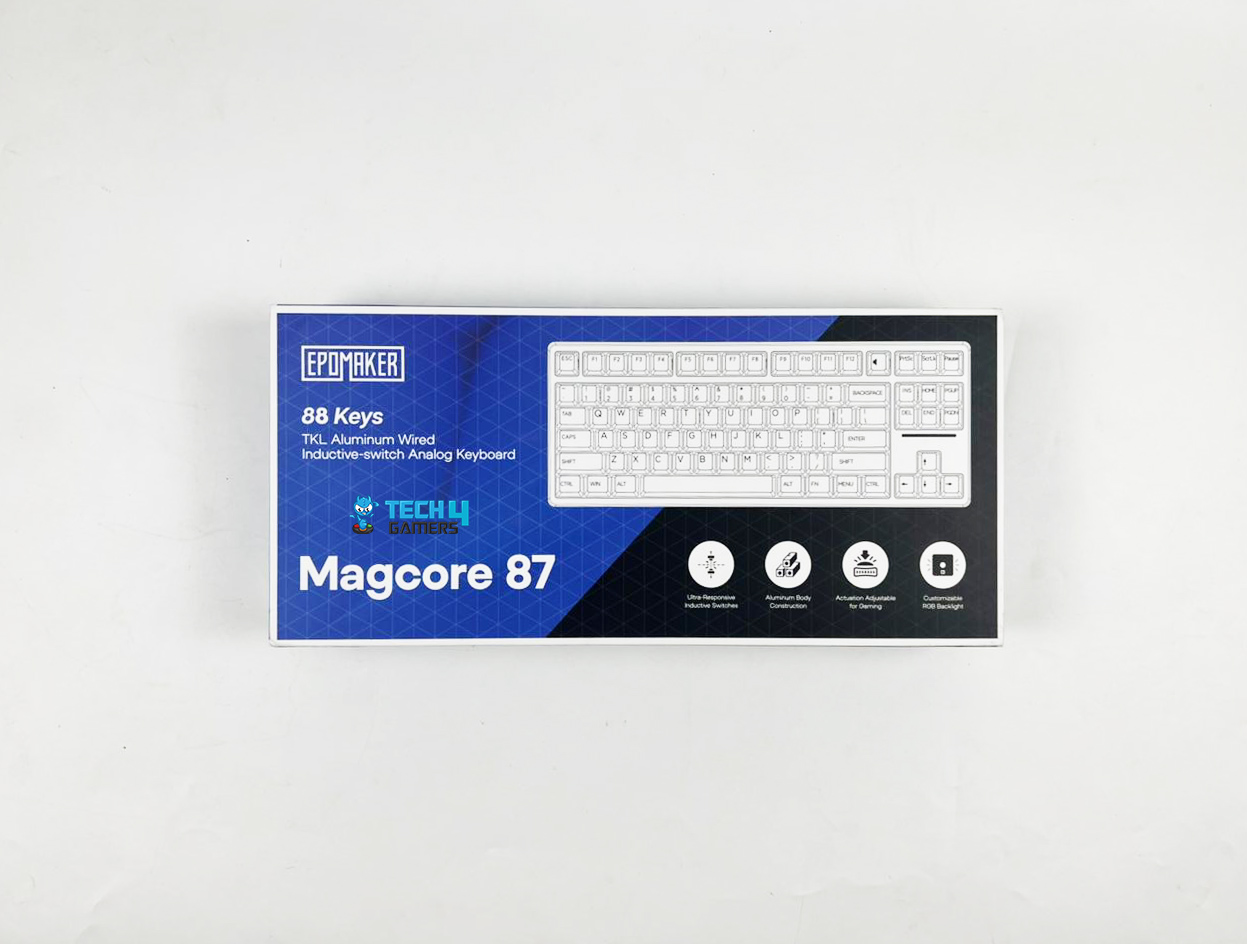
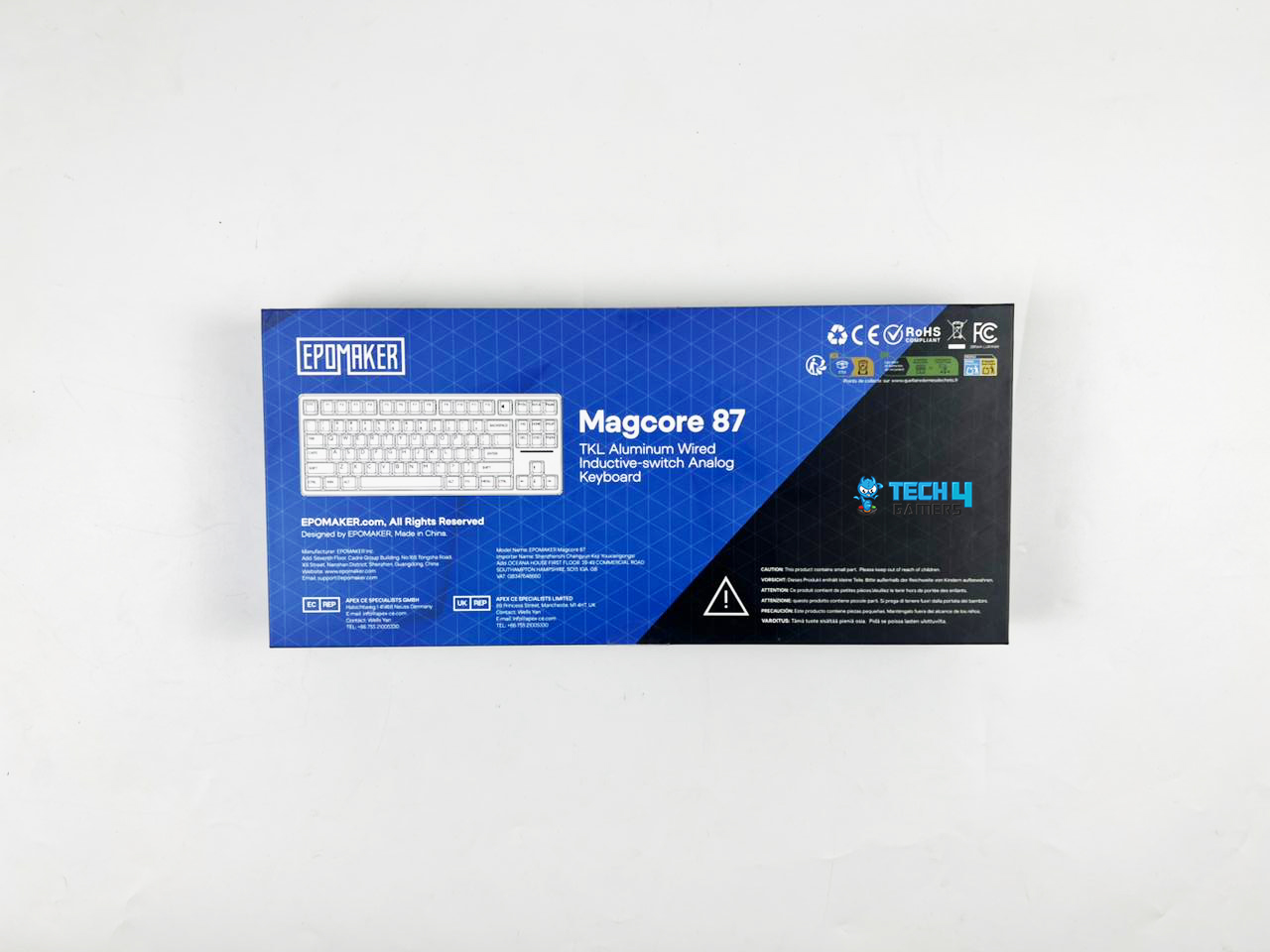
Epomaker’s packaging experience has always been pretty solid, and the Magcore 87 doesn’t stray far away from that. It comes in a clean, minimalistic box that keeps things simple but still manages to feel a bit premium.

On the front, there’s an image of the keyboard itself, along with the Epomaker logo and model name neatly displayed. Around the sides, you’ll find some key highlights and feature callouts, which are pretty standard but nicely presented.

Box Contents

Box Contents
Box Contents

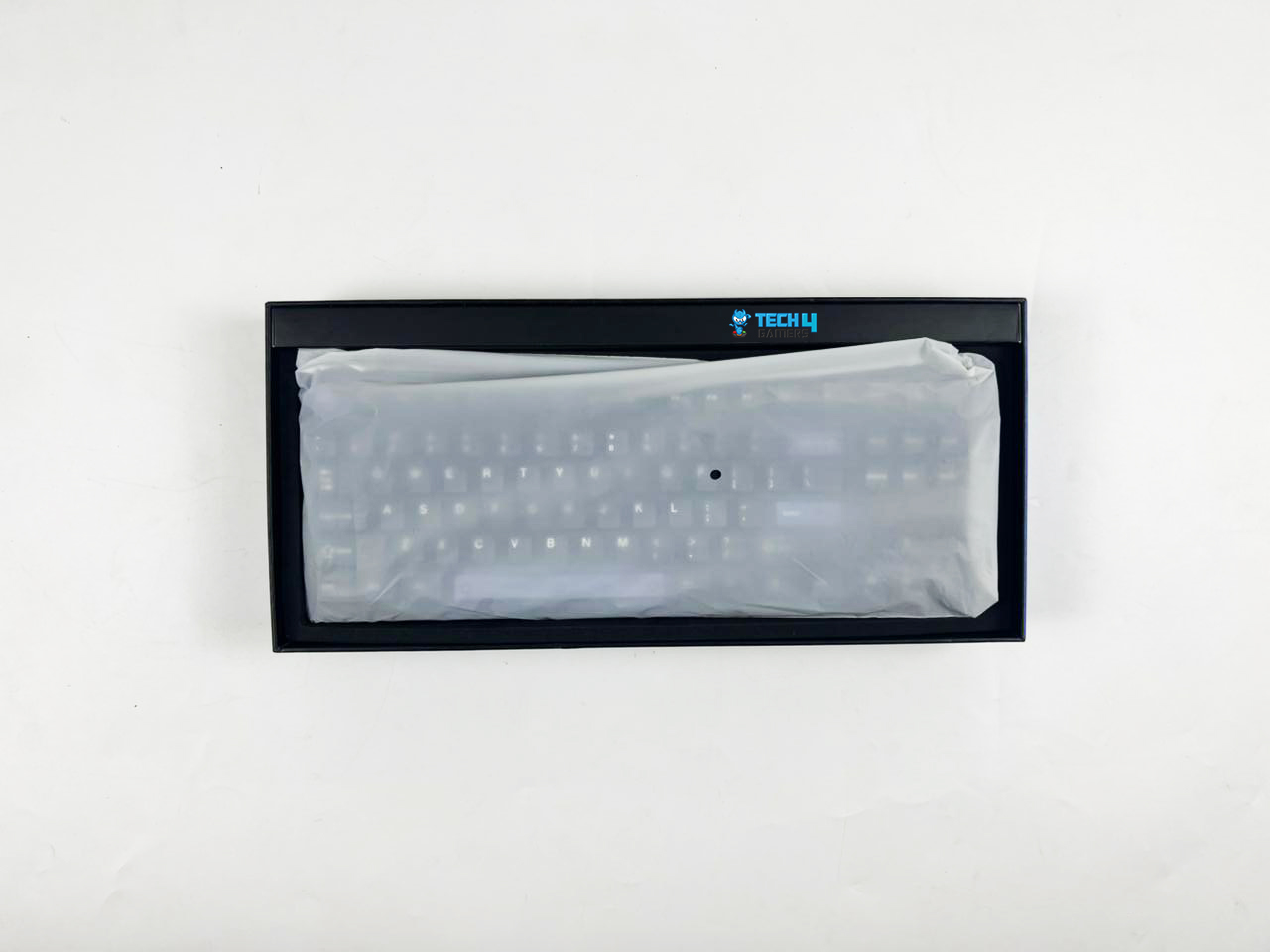
Inside the box, everything is packed safely in a black cardboard box with different reclosable plastic pouches, and the keyboard comes wrapped in a soft plastic sleeve. Here is the list of everything that you’ll find inside the box: 

  1. Epomaker Magcore 87
  2. Type-C Cable
  3. User Manual
  4. Keycap Puller
  5. Hex Key
  6. Extra Inductive Switches 3x
  7. Extra Keycaps 4x

Design

Design
Design

As for the first impressions, the Magcore 87 looks and feels sturdy straight out of the box with its complete aluminum chassis. Unlike most TKL keyboards that lean towards a plastic build to cut weight or cost, this one goes all in with a solid aluminum case that feels premium.

The surface has a smooth, matte finish that feels great to the touch and gives off a refined, industrial aesthetic without being overly flashy. It only comes in black with black-and-white double-shot PBT keycaps. It’s a timeless color combo that works in pretty much any setup.

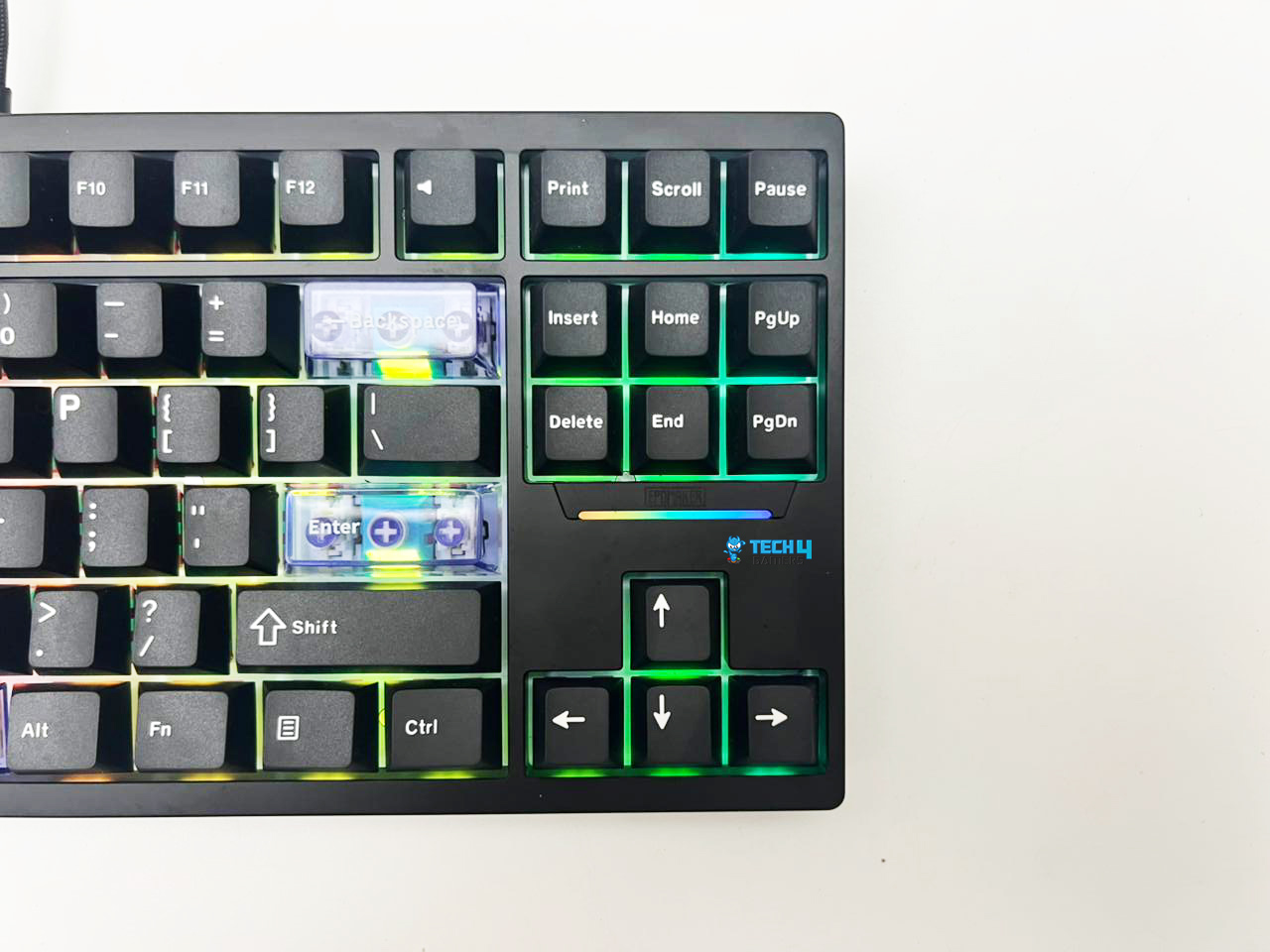
There are four violet-tinted, translucent keycaps for the ESC, Backspace, Enter, and Spacebar. In my opinion, this is just the right amount of contrast to keep it visually interesting without veering into gamery territory. The keyboard also includes black replacements so that you can have an entirely monochrome look.

Layout

Layout
Layout

The Magcore 87 sticks to a tried-and-true TKL layout, giving you 88 keys in total. It ditches the numpad for a more compact footprint. Still, it retains all the essential functions that include the arrows, navigational keys, and the full F-row to cater to gamers, writers, and productivity-focused users alike. Lastly, the layout would feel immediately familiar if you’ve used TKL keyboards before. 

Build Quality

Build Quality
Build Quality

At around 2kg, this thing is a brick in the best way possible. I can assure you that, once it’s on your desk, it’s not going anywhere. There’s zero flex in the frame, and the weight gives it a solid and satisfying feel when typing. It’s not the most travel-friendly option out there, but for a desktop setup, it’s solid as a rock.

Underside

Underside
Underside

One minor letdown is the lack of adjustable feet. The keyboard has a built-in, predetermined typing angle, but it’s relatively low and fixed. While it worked fine for me over long sessions, those who prefer a steeper incline might miss the option to adjust the height for themselves. Lastly, the bottom section of the case is finished entirely in black, featuring a subtle engraved branding and four black silicone feet for grip.

Keycaps

Keycaps
Keycaps

The keycaps are made from double-shot PBT plastic, which is my preferred choice in terms of both durability and typing feel. Unfortunately, there’s no shine-through here, which might be a downside for some, especially RGB lovers who want that gamer aesthetic.

However, on the flip side, it keeps the look clean. Moreover, the keycaps feel textured but not rough, offering just enough grip to keep the fingers in place without feeling cheap. It’s the kind of finish that gets better the more you use it.

Another thing that stood out was how stable the keycaps feel. There’s minimal wobble, even on the larger keys, and the overall balance across the board. I’ve tested other magnetic keyboards before, and some felt too floaty, others too stiff. Surprisingly, the Magcore 87 finds a great middle ground.

RGB Lighting
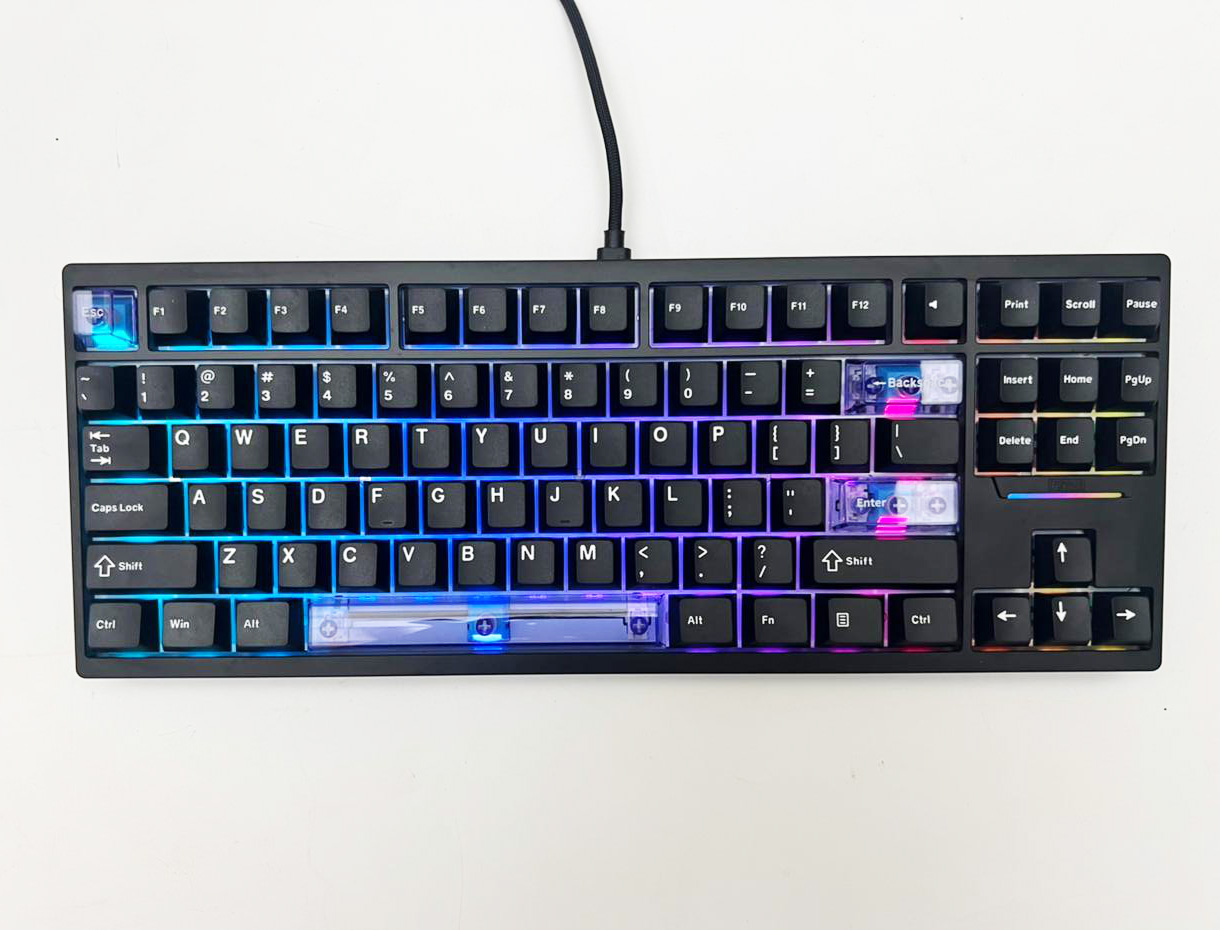
The south-facing per-key RGB shines brightly through the gaps around the keycaps, and the underglow is delightful without being overly harsh or distracting. The diffusion is clean, and colors stay vivid across all angles, as there are no weird dim spots or overly sharp light beams.

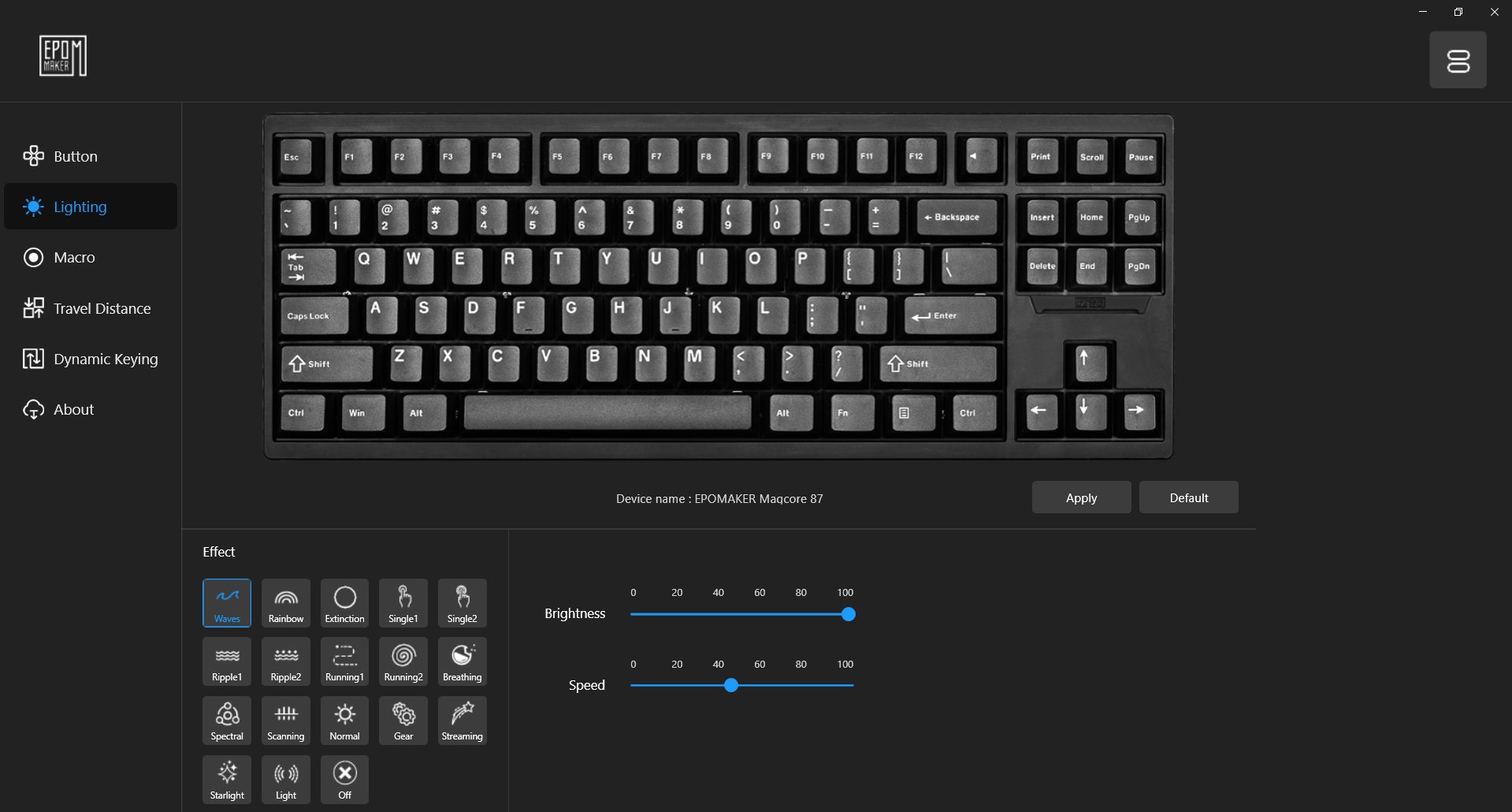
There’s also an RGB strip added below the navigational cluster, which adds a lovely little accent to the right side of the board. It’s subtle but elevates the overall look of the keyboard. You get a variety of built-in lighting effects to cycle through, including waves, breathing, raindrops, reactive keypress, and many more. Lastly, the animations are smooth, and the transitions feel fluid.

Switches

Kailh Box Inductive Switches

The Epomaker Magcore 87 isn’t using the standard Hall Effect switches. Instead, it uses Kailh Box Inductive switches. They rely on an inductive sensing mechanism using a metallic actuator that moves through an electromagnetic field. It’s similar to Hall Effect technology but technically different in how it detects input.

There are fewer moving parts involved, and the use of POM Polyoxymethylene in the switch housing provides a smooth glide. They’re also relatively light, with an initial actuation force of 35 grams ±10gf, which feels gentle, and the total travel distance sits around 3.5mm ±0.2, which is pretty standard.

Still, it can be adjusted exactly where the switch actuates. The board is hot-swappable, but only with other inductive switches, not traditional mechanical ones. Durability-wise, Kailh rates them at 100 million keystrokes minimum. Since there’s no physical contact in registering the stroke, there’s less wear and tear over time. 

Connectivity

USB-C Port
USB-C Port

I know there are a lot of keyboard that offers three-way connectivity options, and Epomaker is a perfect example of that. However, for this keyboard, they have decided to go with only one option and have kept things simple with only a wired connection. You won’t find Bluetooth or 2.4GHz wireless connections.

For me, this is a blessing in disguise, as there is no dongle to worry about and no battery to charge. While this could be a downside for some looking for wireless flexibility, it makes sense given the board’s focus on performance and stability. That’s because a stable wired connection ensures you’re getting the most out of that performance without worrying about input lag or signal drops.

While I usually prefer having wireless as an option, I didn’t mind the wired-only setup here. Though the Magcore 87 performs remarkably well in wired mode, if removing the cord entirely is a priority for you, you might want to explore our best wireless gaming keyboards recommendations for more freedom in your setup.

Typing Experience

The Magcore 87 features inductive magnetic switches, and it’s one of those setups where the more you type on it, the more you start to appreciate the difference. Across my usage, I noticed that there’s little to no scratchiness and ping, and the consistency across the board is genuinely impressive. Each keystroke has a subtle yet satisfying sound, falling somewhere between a muted mechanical sound and a soft, linear tone.

The sound-dampening stack, which includes a silicone layer, IXPE switch pad, and EVA foam, does a lot of heavy lifting here. It’s not entirely silent, but it’s tuned enough to avoid being obnoxious. Lastly, the spacebar is surprisingly firm. There is no rattle, no echo, and no weird twang, as this is the same case for the shift and enter keys.

Performance

Thanks to its 8000Hz polling rate and 32kHz per-key scan rate, the keyboard feels quite responsive. There’s virtually zero latency, as we’re talking around 0.125ms, which puts it right up there with enthusiast-grade magnetic boards used for competitive gaming by professional players in the e-sports scene.

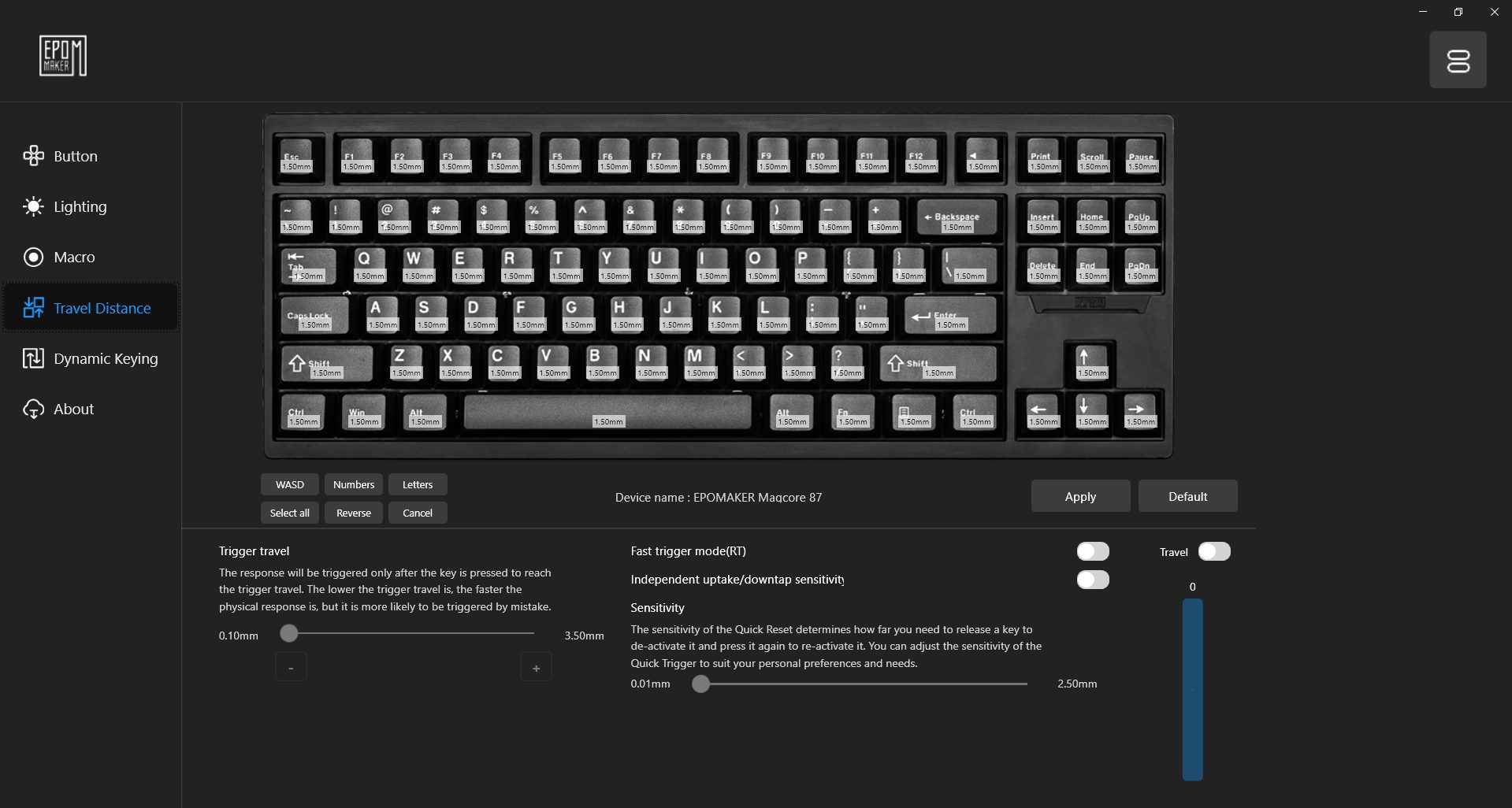
Fortunately, the ultra-high polling rate isn’t just marketing fluff. It provides snappier movement, and I noticed no lag when I was hammering multiple keys at once while playing DOTA 2. As I mentioned, it gives you an option to customize how sensitive each key is. That means you can set a shallower actuation point for faster in-game response, or go deeper for typing.

While I was testing it by playing competitive FPS titles like CS2 and Valorant, the Magcore 87 held its ground and didn’t disappoint. There’s no key chatter, no ghosting, and no wobble that disturbs my gaming experience. I had no trouble in strafing, spamming abilities, or crouch-peeking a corner, as every keystroke registers accurately. 

Software
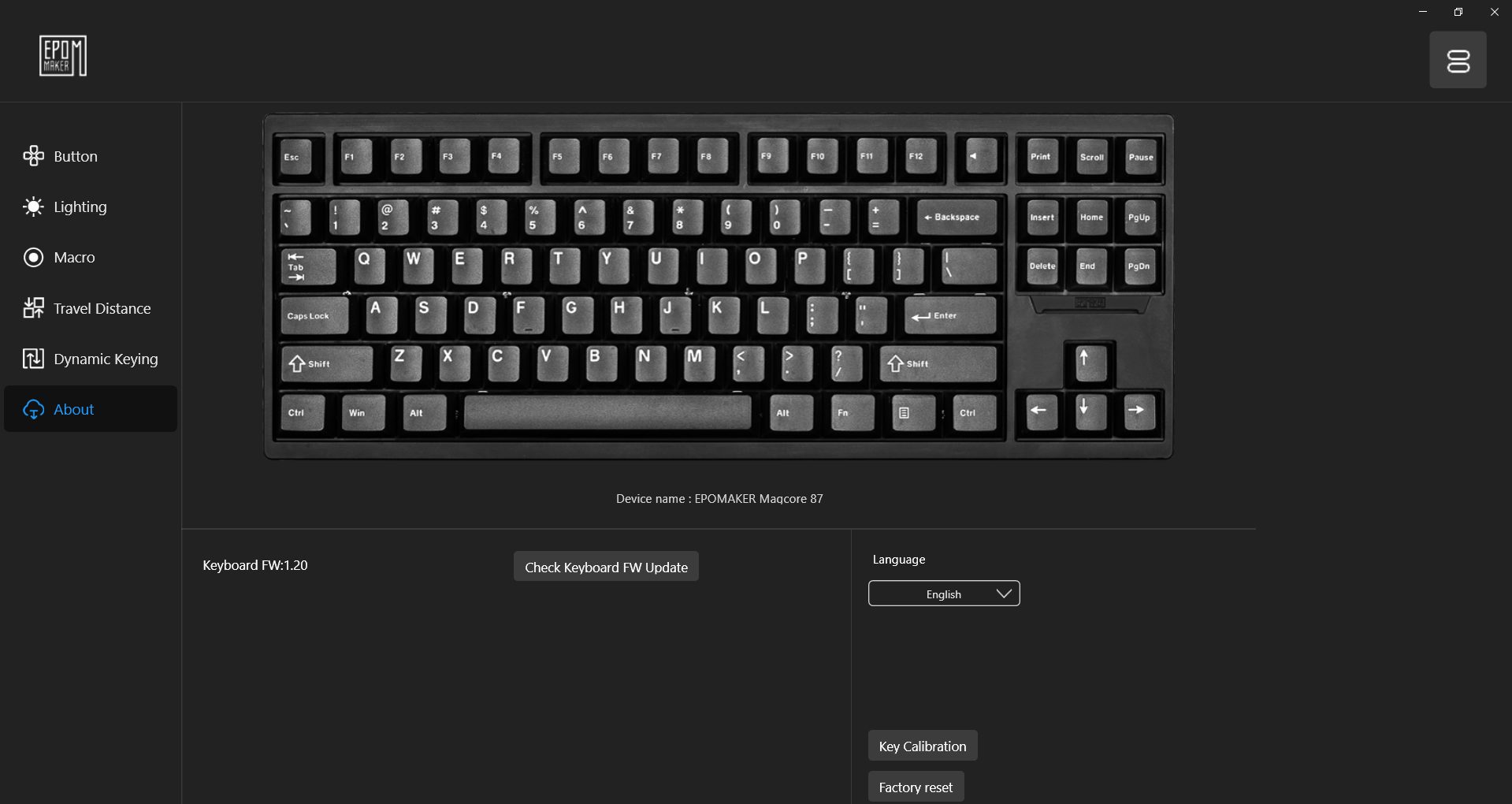
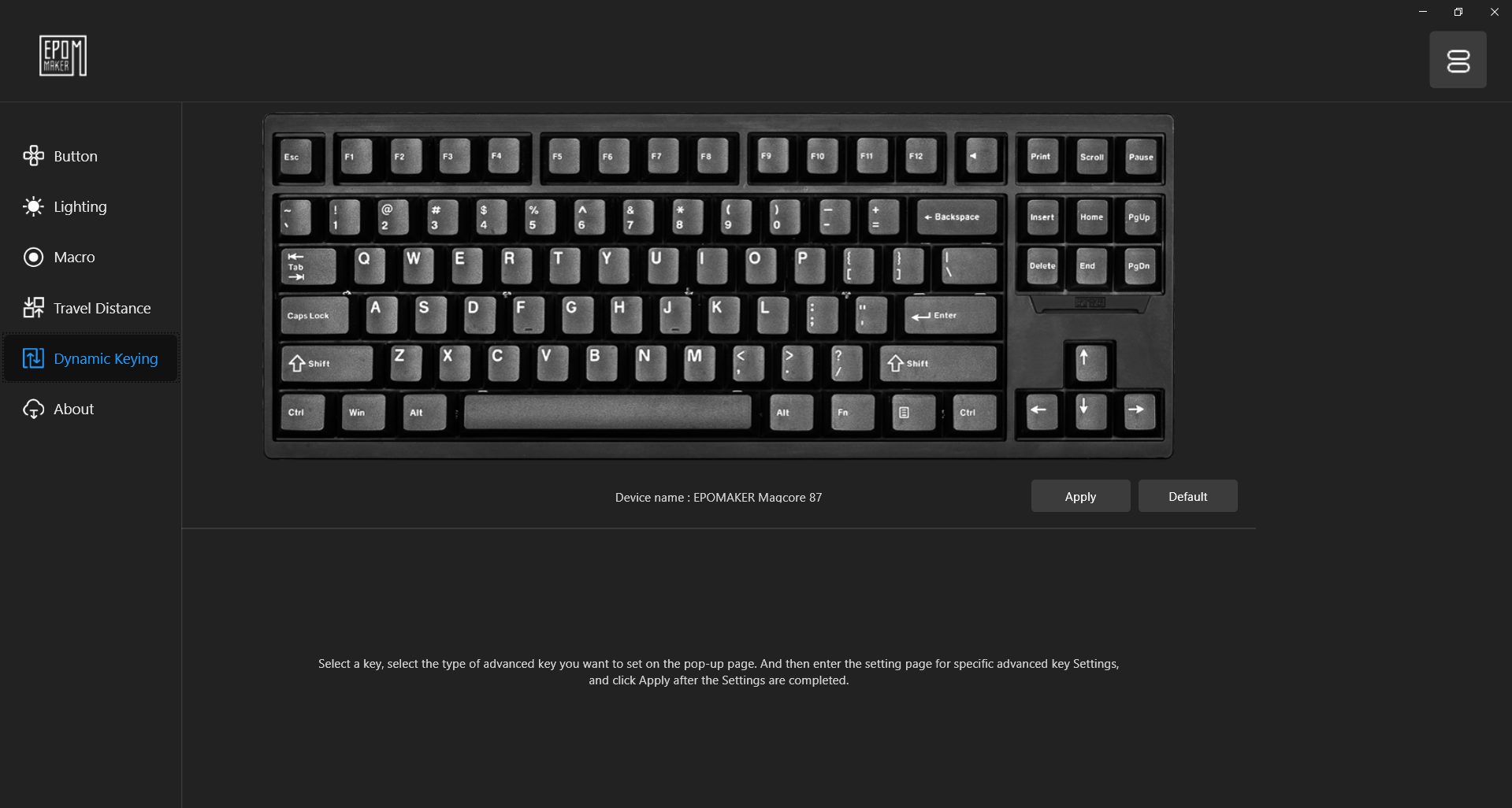
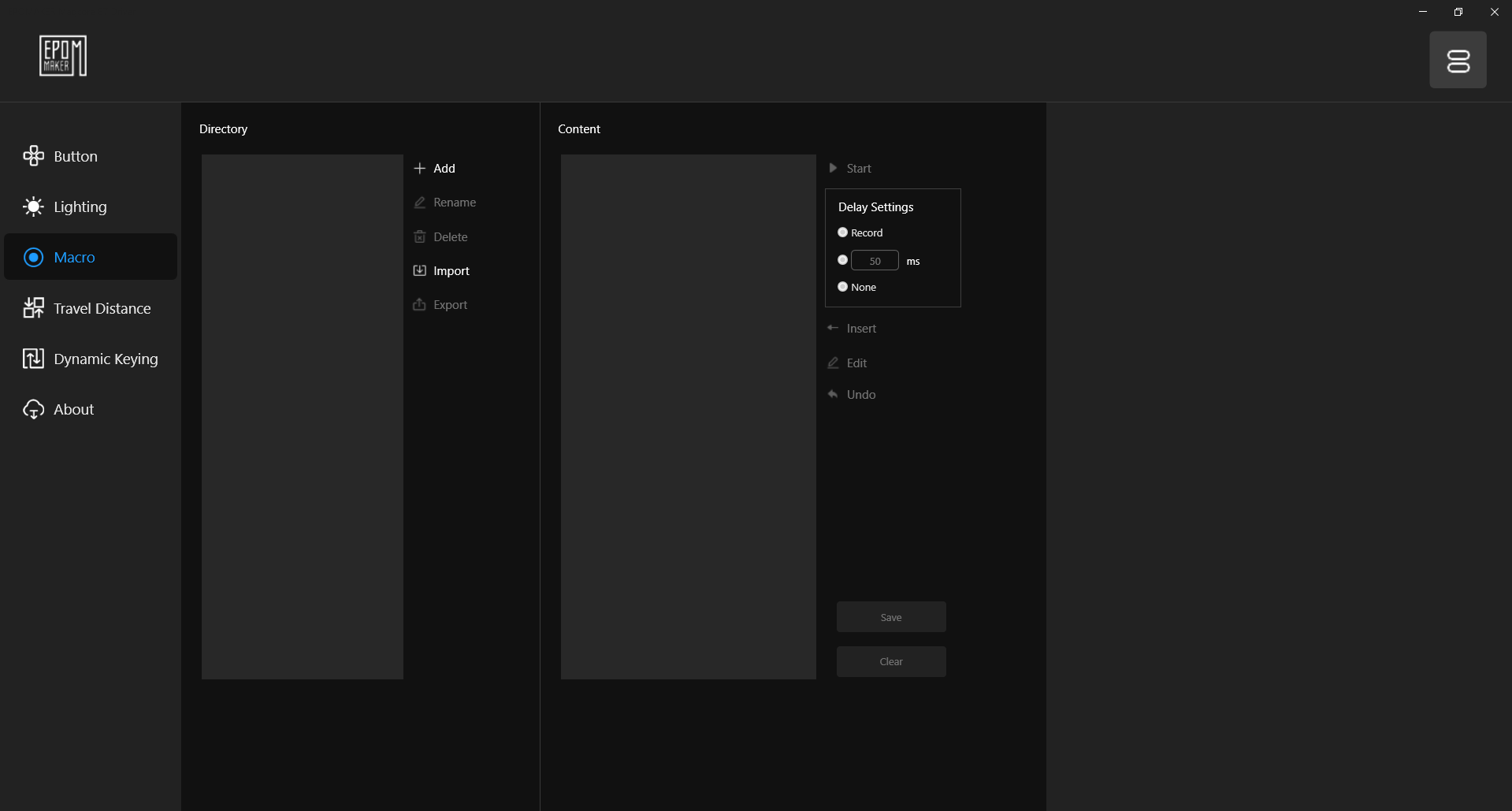
The Magcore 87 uses Epomaker’s proprietary driver software, named Epomaker Magcore 87 Driver, which long-time users of the brand might already be familiar with. The software can be downloaded directly from the official site. It’s a relatively lightweight program that covers the basics, including key remapping, macro recording, adjustable actuation, and RGB lighting customization.

That said, while the functionality is there, the user experience still feels like it needs some revisions. I think for beginners, the UI isn’t the most intuitive, and some menus can feel a bit confusing on first use. It’s not exactly what you’d expect from more established software ecosystems. Generally, the interface is more aligned with niche enthusiast needs than mainstream suites.

Should You Buy It? 

Buy It If

You want cutting-edge switch tech: The Magcore 87’s Kailh Box Inductive switches offer an ultra-smooth, scratchless feel with insane customizability that includes adjustable actuation, rapid trigger, multi-action layering, and more.

You prefer performance over wireless convenience: With a wired-only setup, it offers up to 8000Hz polling rate, reducing latency and making it ideal for competitive gaming with snappy performance.

You appreciate a solid and dampened typing experience: The full aluminum case, gasket-mounted structure, and multi-layer foam give it a soft, thocky sound profile, adding to its premium typing experience.

Don’t Buy It If

You want wireless or Bluetooth modes: This is a wired-only keyboard. If multi-device connectivity or on-the-go versatility is a must for you, this keyboard might not be the best fit for you.

You’re just getting into magnetic switches: While the keyboard is impressive, $199.99 is a significant investment. If it’s your first time exploring magnetic switches, consider trying a cheaper model before investing fully.

You prefer a lightweight and portable keyboard: The all-metal chassis adds a ton of durability, but also weight. It’s not the easiest keyboard to move around or carry in your travel bag.

My Thoughts

After spending a reasonable amount of time with the Epomaker Magcore 87, I can confidently say this isn’t just another keyboard dressed up with RGB and a fancy name. It performs exceptionally well, especially in terms of feel and responsiveness, thanks to its magnetic switches. Thankfully, typing on it feels clean, snappy, and consistent, and it never gave me the cheap or hollow feeling some keyboards do.

Surprisingly, I have replaced my daily driver with this, and I’m sure it will stay there for a long time. Since the typing experience is outstanding, the build is satisfyingly hefty, and the performance during gaming is more than responsive enough for me. It’s the kind of board I could see myself using both for writing and late-night gaming sessions without swapping to something else. If you want to see how it stacks up against similar models, check out our best magnetic gaming keyboards guide.

You could argue that the price is kinda high at $199.99. However, for me, the features this keyboard offers make it well worth it. Yes, I would recommend it, but with one small caveat. If this is going to be your first magnetic switch keyboard, I’d suggest starting with something cheaper. You never really know if you’ll like the feel of magnetic switches until you’ve tried them, so it’s smarter to spend a few bucks on a budget option first.
 

AVerMedia Elite Go (GC313Pro) Capture Card Review: The Tiny Cube That Does It All

Throughout my testing journey, I’ve had the opportunity to review quite a few capture cards from AVerMedia. Most recently, the Live Gamer Ultra S (GC553Pro). Each of them has its strengths and weaknesses, which make it stand out in different ways. So when AVerMedia sent me their new Elite Go (GC313Pro), I couldn’t help but wonder how it would hold up against its predecessors. 

I wasn’t expecting a big shake-up in how capture cards work. After all, how much can you change in a category that’s already nailed down 4K capture and low-latency streaming? Well, turns out AVerMedia had a surprise up its sleeve. On paper, it’s pitched as a compact yet capable capture card built for creators who are always on the go and don’t want to be tied to their gaming desk.

Notably, it’s a portable capture card, but not in a way that compromises power. This thing’s small enough to fit in your bag, yet it still delivers high-resolution, smooth video capture. Most importantly, its USP lies in the practicality of a charging brick. From the specs alone, it’s ticking a lot of boxes. However, that’s all on paper. The real question is, how does it perform? Well, that’s what I’m about to find out.

Why Trust Tech4Gamers
  • Abdul Hannan is our peripherals expert who has been testing different mice, keyboards, headphones, microphones, and more for years.
  • 130+ peripherals tested and reviewed by our team of hardware experts (Tech4Gamers Team).
  • 500+ hours spent testing different peripherals for our reviews.
  • Objective testing criteria (See how we test peripherals).

At Tech4Gamers, ensuring you get reliable information is our priority. That’s why every hardware round-up undergoes a meticulous review process by our team of experts and editors. Each review is carefully examined against our strict editorial guidelines, guaranteeing you trustworthy insights you can depend on.


Key Takeaways

  • The AVerMedia Elite Go (GC313Pro) is a compact capture card with 1080p60 recording and 4K60 passthrough. Moreover, it doubles as a 100W GaN charger, making it a handy travel-friendly choice for streamers and creators on the go.
  • You should consider the AVerMedia Elite Go if you want portability and convenience, are fine with 1080p capture, and need 4K60 passthrough for gaming. 
  • You should skip the AVerMedia Elite Go if you are looking for high capture resolutions, don’t care about the charger combo, and mostly stream from a single setup.

Here are the technical specifications:

Power
  • Usage Type: Wall
  • AC Pin: US (foldable pins)
  • Input: AC 100-240V~50/60Hz
Output
  • USB-C1/C2: 5.0V ⎓ 3.0A, 9.0V ⎓ 3.0A, 12.0V ⎓ 3.0A, 15.0V ⎓ 3.0A, 20.0V ⎓ 3.0A, 20.0V ⎓ 5A (Max. 100W)
  • USB-A: 5.0V ⎓ 1.0A (Max. 5W)
  • USB-C1+USB-C2: Max. 90W
  • USB-C1+USB-A: Max. 105W
  • USB-C2+USB-A: Max. 105W
  • USB-C1+USB-C2+USB-A: Max. 95W
Fast Charging Protocol PD 3.0
Overload Protection
  • Overvoltage protection (OVP), Over Current Protection (OCP), Over Power Protection (OPP)
  • Over Temperature Protection (OTP), Short Circuit Protection (SCP)
Interfaces
  • 1 x HDMI 1.4
  • 2 x USB-C 3.2 Gen 1*
  • 1 x USB-A 2.0
Video Input (from video source) USB-C DP Alt Mode
Max. Pass-Through Resolution 4K60
Max. Capture Resolution 1080p60
Video Format YUY2, MJPEG
Audio Output Stereo
Dimensions (W x D x H) 66 x 36.6 x 62 mm (2.60 x 1.44 x 2.44 in)
Weight 250 g +/-10 g ( 8.82 oz.)
[toc]

What Makes The AVerMedia Elite Go Different?

The AVerMedia’s previous capture cards were all about delivering 4K capture quality with features like HDR and VRR. However, the Elite Go (GC313Pro) goes in a different direction. Instead of having high-end specs, it doubles as a 100W GaN charger while still handling 1080p60 capture with 4K60 passthrough, and the whole thing comes in a small cube you can easily put in your bag.

This type of combo makes it stand out if you’re the type of creator who’s often travelling. Elgato and other brands might give you higher capture resolutions or HDR support, but they don’t offer the same built-in charging or travel-friendly design.

Packaging & Unboxing Experience

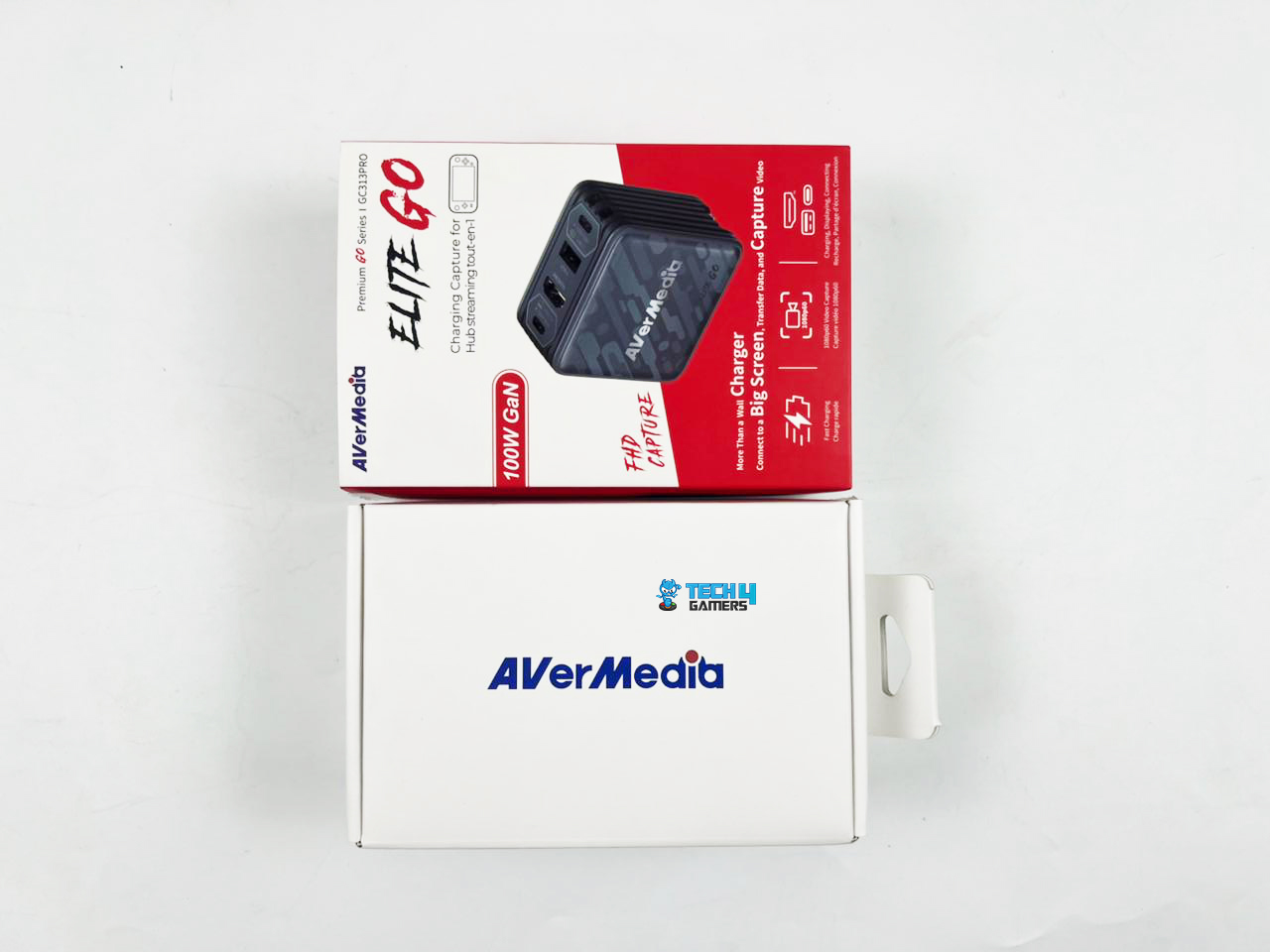
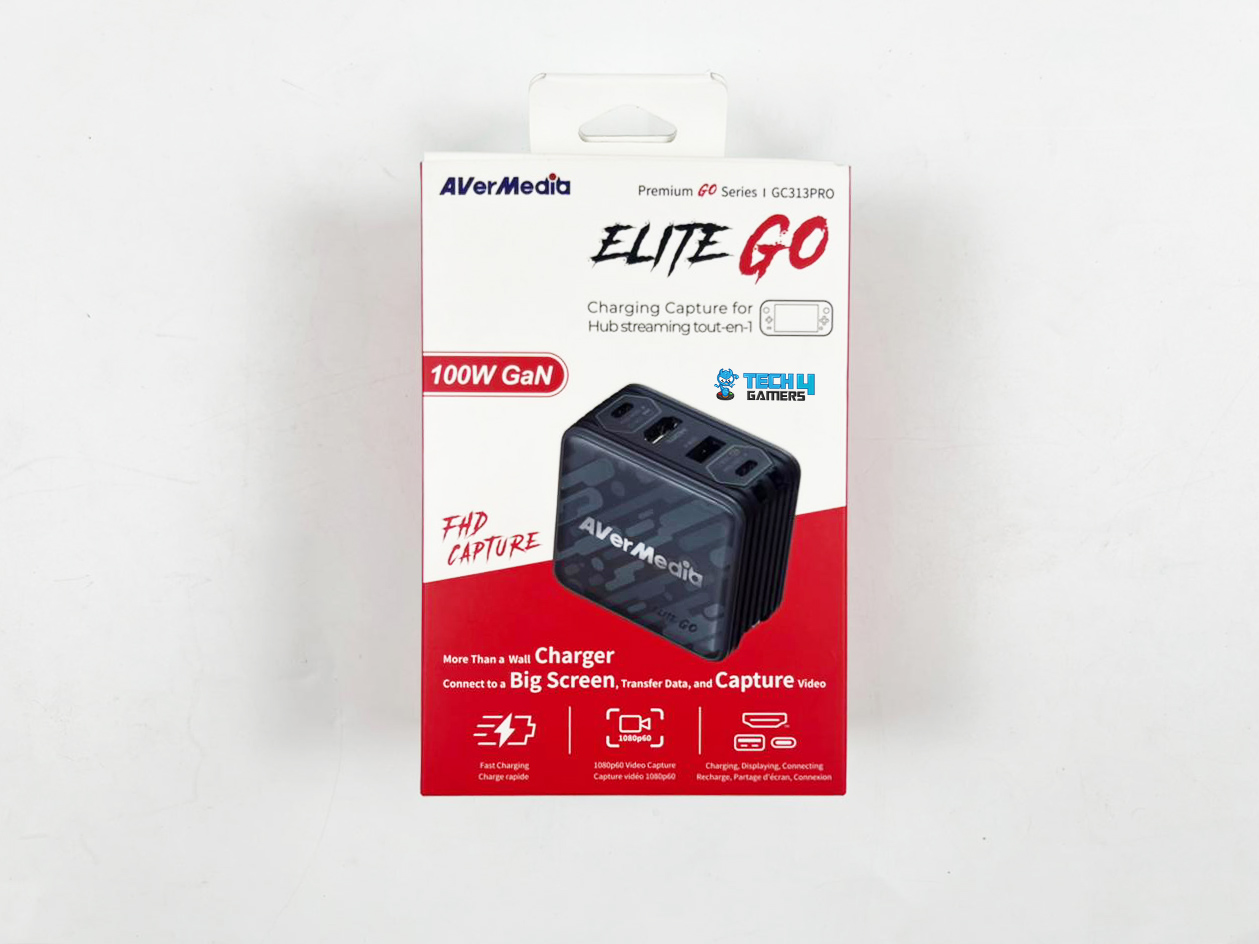
The box is pretty compact and organized, nothing fancy, just clean and straightforward. At the front, you’ll find the Elite Go image. The text around it heavily emphasizes its all-in-one capabilities, including connecting to a big screen, transferring data, and capturing video. Above the image, in a cool brush-style font, the Elite Go branding reminds you it’s part of the company’s premium Go series.

Just beneath the main visual, the relevant features are highlighted so that you can see their key functions. Turning the box to one side, you’ll find the complete technical specifications, everything from supported resolutions and capture formats to the port details and power delivery output. Lastly, at the bottom, you’ll find a clear breakdown of what’s inside the box, including the Elite Go itself and its accessories.

Box Contents

Box Contents
Box Contents

Upon opening the box, you’ll first be greeted with the Elite Go wrapped in a plastic sleeve at the top. Beneath it, you’ll find all the necessary accessories. Inside, everything is neatly arranged in different and protective compartments to avoid any damage during shipping. All of this is laid out in a way that makes setup quick and hassle-free.

Here is the list of everything that you’ll find inside the box: 

  1. Elite Go (GC313Pro)
  2. USB Type-C to Type-C Braided Cable (2 m/ 6.56 ft.)
  3. Changeable AC Plug (EU & UK)
  4. Quick Start Guide

Design & Build Quality

Design
Design

Getting the Elite Go out of the box, my first thought was that this thing’s a travel brick. It’s small, measuring about 66 × 36.6 × 62 mm, but it’s got some heft to it. At around 250 g, you can feel a bit of weight when you pick it up, just enough to notice, but it’s nowhere near heavy enough to make your bag a chore to carry. This tiny bit of weight turns out to be a good thing.

When connected to a power socket, it simply sits in the wall, doesn’t move while you’re connecting cables, and stays firmly in place when connected to a device. It made me realize that it is built with travel in mind, not just to tick the portable box. The casing is quite solid with a mix of sturdy, high-quality plastics with a matte finish that does a decent job of keeping fingerprints out of the equation.

There is no glossy nonsense here, and the branding on top is subtle. My review unit came in black, which is a safe choice if you want it to blend in with a typical desk setup, though there’s a white version too. The whole design leans more towards a minimal aspect with clean edges, a cube-ish shape, and none of those over-the-top gamer-y angles. All in all, it’s just a smart little charger that doubles as a capture device.

Ports & Connectivity

Ports
Ports

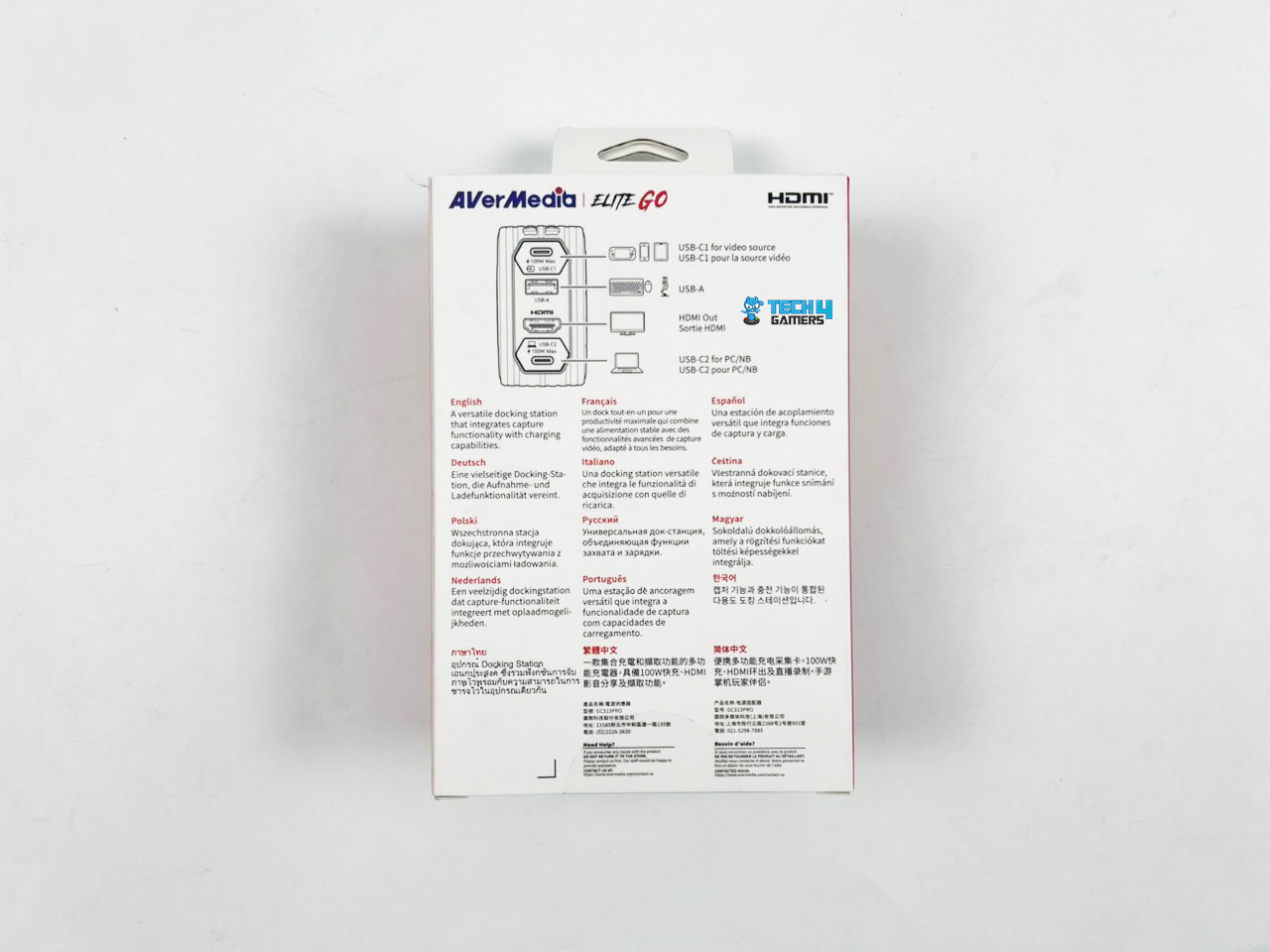
One of the things I like about the Elite Go is that it doesn’t overwhelm us with a mess of cables, yet it still provides all the essentials for streaming or recording. The ports and layout are sensible and clearly labelled. The top edge has two USB-C ports and a USB-A port, plus an HDMI port for pass-through. AVerMedia clearly labels the USB-C ports as C1 and C2.

The C1 is the source/device input (and supports DisplayPort Alt Mode for monitors), while C2 is the data output to your PC (capture). The USB-A port is handy for peripherals or mics when the source is on C1. This layout keeps cables from fighting for space and makes it obvious which cable goes where. There is no need for guesswork when you’re setting up.

Changeable AC Plug (EU & UK)

It also comes with swap-out AC plugs that include both EU and UK options in the box. So if you’re travelling between Europe and the UK (or anywhere else that uses those), you can skip the bulky adapters and the search for the right outlet. Moreover, it works with pretty much any power supply between 100 and 240 volts, which covers most of the requirements without you having to think twice.

Charging

Connectivity
Connectivity

When it comes to charging, it uses GaN tech under the hood, which provides a 100W quick charge in such a compact design without overheating. It does sound like marketing fluff, but it just means it’s more efficient and runs cooler than the typical charging bricks. Of course, if you were to run it flat-out all day, then surely it would get a bit hot.

Therefore, I would recommend giving it some space to breathe if you’re pushing it. Most of the time, it’s just there, doing its thing. Sometimes I touched it out of curiosity, and it’s barely even warm, if at all.

In my experience testing it out, the Elite Go charged my laptop and mobile phone without any issues. My laptop charged fully in a reasonable time, and my phone hit 100% faster than usual. Even with both plugged in, the charger stayed surprisingly cool, which is nice when you’re charging up a couple of devices at once.

Power Delivery

Two Foldable Flat Prongs

This is possible thanks to its Power Delivery 3.0, so you’re getting the newest fast-charging standard. In plain English, that means your devices charge up quicker without damaging the battery in return. There’s basic but sensible overload and short-circuit protection built in as well, so it behaves like a proper power accessory rather than a cheap wall-wart.

I like that it’s smart enough to adjust the power depending on what you plug in. It automatically divvies up the power depending on how many devices you plug into it for charging. For instance, if you’re plugging just one device into the USB-C port, you’ll get the full 100 watts.

If you connect both USB-C ports, then the power would split into about 45 watts each. In comparison, the USB-A stays at 5 watts no matter how many devices are plugged into it, which is plenty for a mouse, keyboard, or similar device. The handy thing is, you can connect up to three devices at the same time.

Performance

The Elite Go handles video surprisingly well. You can go up to 4K at 60Hz to a monitor or TV, and it stays smooth with no weird hiccups or lag while gaming, working on a laptop, or just watching stuff. For recording or streaming, it delivers 1080p at 60FPS with ease. For most setups, that’s more than acceptable. The video comes out smooth, and honestly, your computer might barely break a sweat while it’s running.

Honestly, 1080p at 60FPS works perfectly for pretty much any setup these days. It looks excellent and doesn’t require crazy bandwidth or heavy-duty hardware to process. That’s more than enough for most streaming platforms these days, since many still cap at 1080p output. So, trying to capture in higher resolutions would mostly eat up extra system resources without giving you anything additional. Another cool thing about the Elite Go is its flexibility in video input.

It doesn’t just rely on HDM, since it can also take USB-C video input from devices like phones, tablets, or handheld gaming consoles. That said, not every handheld will work. For instance, the Nintendo Switch Lite has no USB-C video output, so even with this capture card, you can’t display its screen to a monitor or TV. On the other hand, devices like the Steam Deck or ASUS ROG Ally will work fine, since they support USB-C video output.

Software

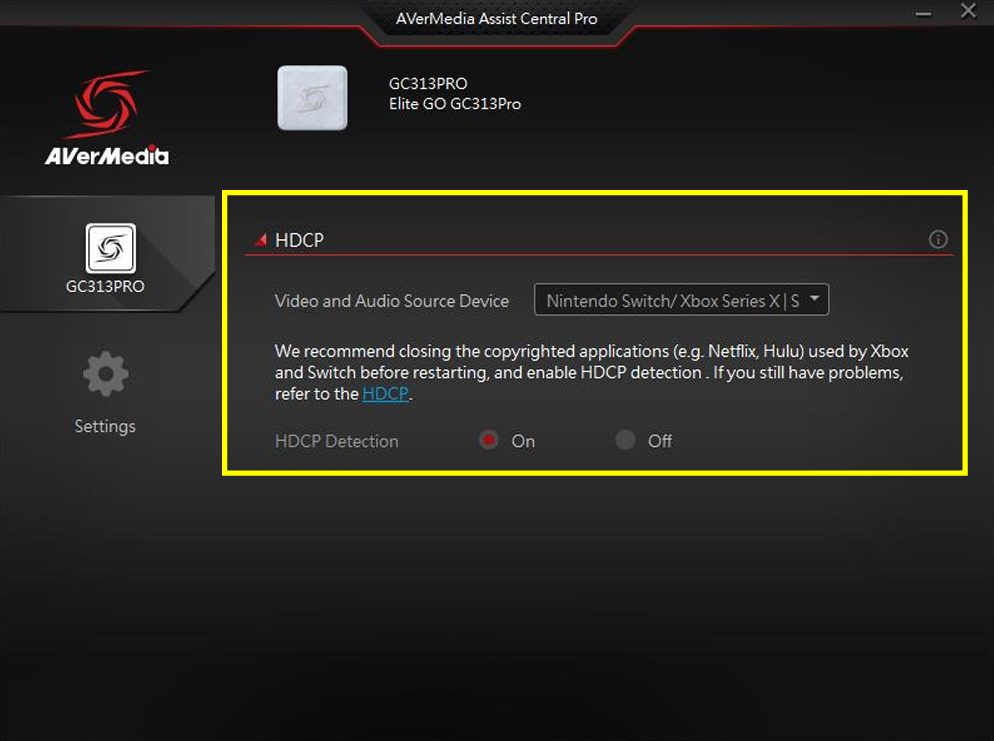
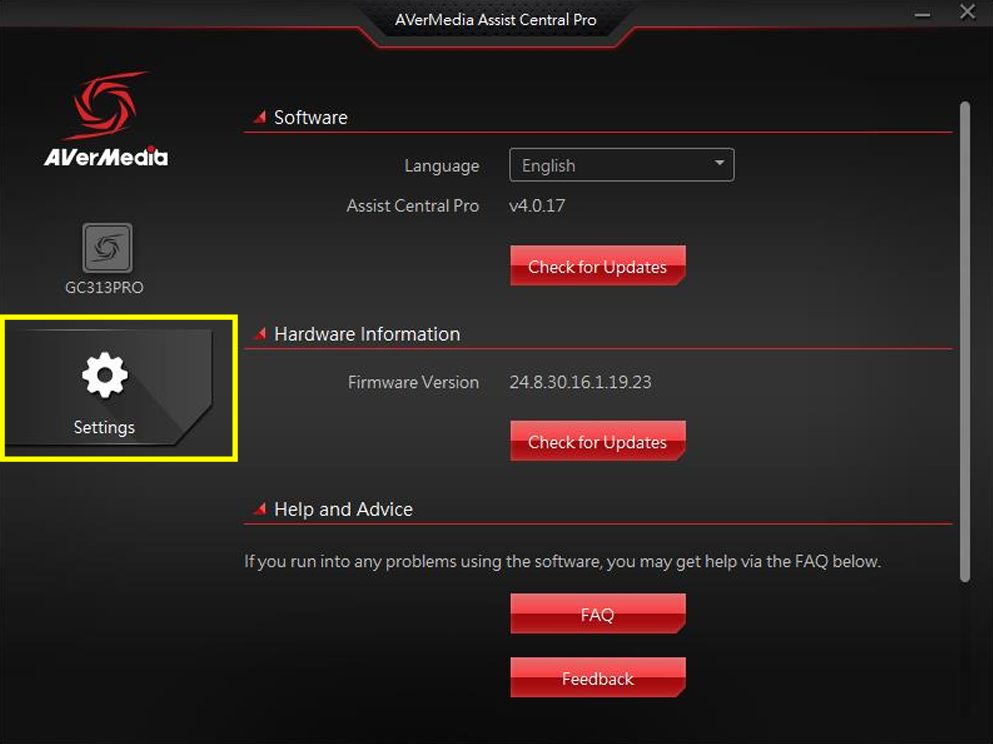
AVerMedia accompanies the Elite Go with a companion app called Assist Central Pro, and it’s pretty useful. You can download it directly from the product page, run the installer, and you’re up and running in minutes. The interface keeps things simple, so I didn’t feel lost at all. In the top-left corner, you’ll find your device details and the HDCP toggle, a content-protection feature that prevents recording protected movies or shows over HDMI.

Selecting the right video and audio source would be easy for most users, and I would suggest using the recommended settings. What I appreciated was how easy it was to check the firmware updates, tweak some basic options, or run troubleshooting tools. There’s also a feedback system built in. If an issue arises, you can enable the bug report recorder, recreate the problem, and submit it to AVerMedia through a quick form.

It’s a nice little shortcut when things go sideways and you don’t feel like typing out a long explanation. That said, the software is pretty bare-bones. It covers the essentials but doesn’t go beyond them. Features like built-in color grading or basic capture editing would’ve been nice additions. On the plus side, the Elite Go works well with third-party software, so you’re free to use OBS, Streamlabs, or whatever you’re most comfortable with

Should You Buy It or Not? 

Buy it if

You Want Portability and Convenience: The Elite Go isn’t just a capture card; it’s also a 100W GaN charger packed into a cube-sized design. This is perfect if you’re constantly moving and don’t want to carry extra devices.

You’re Fine With 1080p Capture: If your content is mainly for Twitch, YouTube, or streaming on platforms where 1080p60 is more than enough, this would fulfill most of your requirements. 

You Need 4K60 Passthrough for Gaming: Even though the capture quality is capped at 1080p, passthrough supports 4K60, so you still get smooth gameplay visuals on your main screen.

Don’t Buy It If

You’re Looking for a Higher Capture Resolution: If your content relies on 4K capture or HDR recording, you’ll find this limiting compared to standalone options from AVerMedia or similar brands.

You Don’t Care About the Charger Combo: If you’re mainly after the best raw capture performance, the built-in GaN charger may feel like an unnecessary feature you’re paying for.

You Mostly Stream From a Single Setup: If portability isn’t a concern and your devices stay in one place, a more traditional capture card could meet your needs better.

Final Verdict

The AVerMedia Elite Go is a unique capture card, combining a power brick with the functionality of a capture device to make sense in real-world use. There was a market gap and a need for users that AVerMedia smartly captures and fulfills. They have combined a travel charger with a 1080p60 capture card and 4K60 passthrough. AVerMedia has carved out a niche that caters to creators and gamers who are constantly on the move.

What I liked most about this in my testing wasn’t just the video performance or the fast charging, but the fact that it all worked together without any problem whatsoever. Whether I was capturing gameplay, charging my laptop, or connecting to an external monitor, the Elite Go performed remarkably. Sure, it’s not meant to compete with a full-on desktop capture card, and that’s fine. At $129.99, it feels fair for what it delivers, especially since it doubles as a charger.

What the Elite Go nails is being practical, portable, and dead simple to use. If you’re the kind of streamer or gamer who’s constantly moving around but still wants a reliable capture setup, this is a solid little device to throw in your bag. On the other hand, if you don’t travel much and want something for recording or streaming from your home setup, you might want to check out my review of the AVerMedia Live Gamer Ultra 2.1 instead.


Five More Titles Trademarked In Black Myth Series, Suggesting Long-Term Franchise Plan

Story Highlight
  • Game Science is rapidly expanding the Black Myth franchise.
  • The studio has trademarked seven titles, with Wukong already released and Zhong Kui recently revealed.
  • While it’s unclear whether all trademarks will become full games, current momentum suggests more adaptations are likely.

Black Myth: Wukong, the title that shocked everyone by surpassing all but one game’s concurrent players on Steam. No one, literally no one, expected this game to reach almost 2.5 million players and that too, only on Steam. 

Following the extremely successful release of this game, the developer just recently announced Black Myth: Zhong Kui, a new instalment in the franchise. However, the developer isn’t stopping there; it has further trademarked five more games, suggesting that the franchise has a bright future.

Why it matters: Game Science is serious about expanding the Black Myth franchise, as there is even more content confirmed for Wukong. 

A list of Black Myth related trademarks registered by Game Science so far
byu/JamesHui0522 inBlackMythWukong

A user on Reddit discovered that Game Science has trademarked seven games in total, among which one has been released and one has been announced. Below is the list of all trademarks:

  • Black Myth Wukong
  • Black Myth Zhong Kui
  • Black Myth Jiang Ziya
  • Black Myth Xiao Qian
  • Black Myth Da Huang
  • Black Myth Shan Hai
  • Black Myth Sou Shen

Within just two years, the Chinese studio has registered a total of seven trademarks tied to the Black Myth franchise. While not all of them are guaranteed to receive full game adaptations, the recent reveal of Black Myth: Zhong Kui proves that Game Science is indeed exploring its broader myth-inspired vision. This raises the possibility that other titles could be unveiled in the future.

Black Myth Wukong Steam Game of the Year 2024
Thanks To The Success of Black Myth: Wukong, China Ramped Up The Focus on Gaming

Considering the massive success of Black Myth: Wukong, it would not be surprising if Game Science continued expanding the franchise even further. If all seven trademarks were to eventually receive game adaptations, it would be a dream come true for fans of the series.

However, it is worth noting that Black Myth: Nezha, registered in 2021 and again in 2022, was not filed by Game Science. Instead, another company seems to hold the rights, potentially waiting for Game Science to make an offer to secure it.

What are your thoughts on all these trademarks? Share them with us in the comments section below or join the official Tech4Gamers forums for discussion.

Hollow Knight: Silksong Demo At Gamescom Was The Same As E3 2019

Story Highlight
  • Hollow Knight: Silksong has finally received a release window after years of anticipation.
  • A demo was also shown at Gamescom, but it turned out to be the same build from E3 2019.
  • Aside from a few minor tweaks, the demo was unchanged, leaving many disappointed.

Hollow Knight: Silksong is arguably one of the most anticipated games in recent memory, yet official updates on the title have remained scarce over the years. Most of what fans know about the game comes from rumors and insider reports.

This long-anticipated sequel was first revealed in 2019, and after its trailer in 2022, official information has been almost nonexistent. However, during Gamescom Opening Night Live, it was finally confirmed that Silksong is targeting a 2025 release window.

A playable demo was also available at the event, but it turned out to be the same build shown at E3 2019, leaving fans still hungry for fresh details.

Why it matters: Offering the same demo build from over six years ago is certainly disappointing, but it also suggests the developer is deliberately holding back information to avoid revealing too much too soon.

Hollow Knight Silksong Demo
Social Media Influencer Reveals Hollow Knight: Silksong Gamescom Demo Is the Same as E3 2019 | Source: X

Nintendo Prime, a social media influencer who had the courtesy to play the Hollow Knight sequel at Gamescom, revealed that the demo is the same one he played at E3, though it has received several updates since then.

Hilariously, the demo for Silksong is…. The same demo I played at E3 2019. Technically it has a few slight changes with the character animation. But it’s the same area. Same collectibles. Same boss. Just looked back at my footage to check.

Fans joked that the Gamescom demo was the same as before, just with a much longer queue. Nintendo Prime, who also played the E3 version years ago, noted that for most attendees, it still felt new since the demo wasn’t widely available back then and barely had a line at the time.

Even so, it’s hard to ignore the disappointment that Team Cherry brought back the same build with only minor polish and slightly updated animations. This decision has raised questions about the game’s progress and overall quality, though many are reserving judgment until Hollow Knight: Silksong finally launches.

What are your thoughts on the developer pulling up this move? Share them with us in the comments section below or join the official Tech4Gamers forums for further discussions.

No Deadlock Open Beta Is Planned For Now, Valve Confirms In New Statement

Story Highlight
  • One of the lead Valve developers has confirmed that Deadlock will not be getting an open beta anytime soon.
  • The developers are currently focused on taking one step at a time to build the game based on feedback from players.
  • Deadlock will stay in the closed alpha stage for a long time, and we may not see any open beta in the future.

Every game developed by Valve has etched its place in the industry for one reason or another, so the news about the studio developing a hero shooter, Deadlock, spread like wildfire last year. The title quickly gained a dedicated player base after the closed alpha began.

Now, despite all the hype the shooter has generated, Valve has come forward to confirm that there will be no open beta for Deadlock in the near future. The studio affirms that an open beta is not a priority for the team, as it is instead focusing on taking one step at a time.

Why it matters: Deadlock has proven to be extremely popular for being a closed alpha hero shooter since last year, so fans have been wanting Valve to host an open beta to get their hands on the project. 

Deadlock will get no open beta anytime soon, as confirmed by one of the developers.

While speaking to a fan on Discord, Yoshi, one of the lead Deadlock developers, clarifies that Valve is currently building the game block by block based on the feedback from players. The closed alpha already has a huge community that has helped Valve iron out many issues.

So, Valve does not need to host an open beta because it is already able to gather the necessary feedback to create a fun hero shooter. 

Deadlock is still in the early alpha stages and will take a while to launch, so a release date has not yet been announced. However, Valve has been frequently releasing updates, like adding new heroes, over the months.

Deadlock has proven to be a highly successful hero shooter since its closed alpha began.

The only way to access Deadlock for now is to be invited via friend codes by one of the existing playtesters. 

Do you think Deadlock not getting an open beta anytime soon will prevent the game from gaining a bigger audience, or does it already have a big enough presence? Let us know your thoughts in the comments below, or join the discussion on the Tech4Gamers forum.

Black Ops 7 Devs Ignore Criticisms About Laziness, Tell Gamers Not To Worry About It

Story Highlight
  • Call of Duty: Black Ops 7 gameplay reveal at Gamescom has faced heavy backlash.
  • Fans accuse the developers of being lazy, with harsh criticism dominating discussions.
  • Associate Creative Director Miles Leslie stated that Treyarch will ignore the criticism and remain focused on delivering its own vision.

Call of Duty: Black Ops 7 has been heavily criticised following its gameplay reveal. The trailer has been bombarded with dislikes, and the comments section is filled with negativity.

Meanwhile, Battlefield 6 is receiving widespread praise. Even the former Blizzard boss stated that Battlefield 6 is set to boot stomp Call of Duty this year, and that outcome seems very plausible. Still, the Black Ops 7 developers appear to be brushing off the backlash, telling players not to worry.

Why it matters: The upcoming Call of Duty faces criticism on multiple fronts. With so many concerns raised, it seems unlikely the developers will be able to address them all before launch, potentially setting up a very disappointing release.

Call of Duty Black Ops 7 Mega Jump
Call of Duty: Black Ops 7 Mega Jump Is Already Attracting Criticism

Speaking to IGN, Miles Leslie, the associate creative director, said that Treyarch is trying to ignore the backlash surrounding Black Ops 7 and is instead focusing on delivering the best game possible.

Fans have voiced concerns about the direction of the game, but when asked about these criticisms, Leslie explained that the team would not be addressing them directly and would continue to pursue its own vision.

There’s always going to be people that are going to try to knock you down and not have positive criticism, which we do look for. So, it’s like noise, right? You try to cut through that and stick to your vision and plan.

-Miles Leslie

Regarding Battlefield 6, Treyarch doesn’t seem to view it as a threat. Leslie admitted he enjoyed playing the beta but emphasised that as long as Treyarch hits its own goals, Black Ops 7 will deliver what fans want. He added that there’s nothing to worry about and simply encouraged players to have fun.

We’re fans of the FPS genre. We’re fans of lots of games. Let’s all have fun. 

The upcoming Call of Duty will release on November 14, 2025.

What are your thoughts about Leslie’s claims? Share them with us in the comments section below or join the official Tech4Gamers forums for discussion.

Bioshock 4 Reportedly Delayed Beyond 2027 Following Leadership Changes and Studio Layoffs

Story Highlight
  • Bioshock 4 has been delayed beyond its planned 2027 release.
  • 1/3 of the Cloud Chamber studio was recently laid off.
  • At this point, the game could very well be a next-gen console title.

Bioshock 4’s troubled development is no secret at this point, as the title has faced multiple setbacks over the decade that has been put into its development. 

After multiple restructures, layoffs, and leadership changes, Bioshock 4 has been delayed beyond its previously scheduled 2027 release and is now likely to become a next-gen release.

Why it matters: With so much negative news surrounding Bioshock 4 regarding its troubled development, fans feared that the game might end up being cancelled after all. Fortunately, the game finally has a release date, which will be reassuring for them.

Bioshock
Bioshock 1 Remake Reportedly Cancelled Earlier This Year

Bloomberg‘s new report delves into Bioshock 4’s troubled development. Starting all the way back in 2014, the project was a mess from the beginning. Cloud Chamber was formed in 2017, but the attempt to establish a studio and work on Bioshock 4 simultaneously resulted in a disaster.

Soon, the studio presented a demo or a ‘vertical slice’ of the game, which was quite pleasing for the executives at 2k. However, a new problem arose regarding the outdated Unreal Engine 4.

As such, Cloud Chamber went back to the drawing board, making a switch to Epic’s latest Unreal Engine 5. Doing so took more time, adding a few more years to the game’s already lengthy development time.

Earlier this year, the game failed an internal review at 2k after it was claimed that the game lacked narrative depth. As such, Cloud Chamber lead Kelley Gilmore was fired and former Diablo boss Rod Fergusson was appointed as the new head.

Bioshock Infinite Rapture
Rod Fergusson Previously Helped Save Bioshock Infinite’s Troubled Development

Now, 1/3 of the Cloud Chamber studio was also laid off, amounting to 80 out of the total 250 employees. The same Bloomberg report also reveals 2k President’s memo sent to the staff.

we’ve made the decision with studio leadership to rework certain aspects that are core to a BioShock game, and in doing so are reducing the size of the development team to focus on this work and give the game more time in development

At this point, expect a 2028 or 2029 release for Bioshock 4.

What are your thoughts on this story? Let us know in the comments below, or at the official Tech4Gamers Forums.

Borderlands 4 Would Be Worth Buying Even If It Cost $350, Says Dev

Story Highlight
  • Borderlands 4 launches next month and will be priced at $70.
  • The Gearbox boss states that the game would be worth it even if it cost 5x as much.
  • He states that the amount of content would justify the high asking price, but the final decision is made by 2K.

After receiving impressive first impressions and all sorts of praise, Borderlands 4 is set to launch next month. The game is also priced lower than the most expensive titles on the market, making its debut at the standard $70 price.

This price point has been a major point of discussion in Borderland 4’s case, and a recent statement from Randy Pitchford has sparked debates again. According to the Gearbox head, the game is good enough to justify a much higher price tag.

Why it matters: Game pricing has been a hot topic of discussion lately, with many fans believing games should not cost more than $70.

In a recent interview, Randy Pitchford discussed the price of Borderlands 4 and stated that the game would still be worth buying if it were priced 5x more than its current MSRP. For context, a 5x higher MSRP would lead to the game costing $350.

According to the developer, people have spent thousands of hours enjoying the Borderlands franchise. He argues that this type of value is non-existent in other types of entertainment.

However, Randy Pitchford also noted that he wanted the game to be as cheap as possible for the masses. His ultimate goal is for the game to reach as many players as possible while offering a better deal than expected.

Moreover, he confirmed that the pricing was mostly handled by 2K and Take-Two, and they ultimately settled on the standard $70 offering.

I know that from a value perspective, they could have charged five times as much and it would have felt worth it.

-Randy Pitchford

Borderlands 4 gameplay release date
Borderlands 4 Is Less Than A Month Away

Elsewhere, Randy Pitchford commented that he wishes 2K would give the game away for free. He also believes the current price is very fair, saying that anything as high as $200 would be fair.

What do you make of the Gearbox head’s comments on Borderlands 4? Would you buy the game if it cost over $300? Let us know in the comments and on the Tech4Gamers Forums.

Elden Ring Reportedly Runs Horribly On Switch 2

Story Highlight
  • Elden Ring was announced for the Nintendo Switch 2 a while ago, but it seems to be in rough condition.
  • Impressions from Gamescom reveal extremely poor frame rates on the console.
  • Bandai Namco also prohibited the media from recording and sharing the footage.

Elden Ring is the next big release headed to the Nintendo Switch 2 in terms of third-party titles. The game has already garnered quite a fanbase on handheld platforms like the Steam Deck, and its upcoming release also packs the critically acclaimed Shadow of the Erdtree DLC for Nintendo fans.

However, it seems the Nintendo Switch 2 version of the game is far from impressive. In fact, early reports from Gamescom reveal that the game is in terrible shape at the moment.

Why it matters: The Nintendo Switch 2 promises extensive third-party support, but games like Elden Ring and Star Wars Outlaws are already showing the console’s limits.

According to impressions from IGN, the game’s performance can only be described as a disaster. Bandai Namco also told the media not to record footage from the Gamescom demo, and IGN believes this was done to hide the poor performance.

It is said that Elden Ring suffers from frame rate drops after the simplest of actions, such as standard camera movements, on the Nintendo Switch 2.

Spinning the camera from left to right really showed how much the Switch 2 was struggling rendering that massive environment.

Parts of Limgrave ran similarly, while Torrent speeding through the map made things even worse.

Since Bandai Namco did not allow the press to share footage, it’s hard to say how bad the experience truly was. However, others who played the demo reported similar problems.

The good news is that Elden Ring seems to be doing well in the visual department. As such, the developers may consider further visual compromises to improve performance and avoid a complete disaster.

Radahn-Elden-Ring-DLC
The Switch 2 Port Will Ship With The DLC Content


As it stands, the game sounds a whole lot like Batman: Arkham Knight on the original Nintendo Switch, so these criticisms must be addressed as quickly as possible.

What do you think about the first impressions of Elden Ring running on the Nintendo Switch 2? Let’s discuss in the comments and on the Tech4Gamers Forums.

Prepaid Options For Gamers Are A Huge Blessing

Story Highlight
  • Prepaid payment methods serve as a great alternative to traditional financial options for gamers today.
  • They allow more careful budget planning and offer a greater level of security.
  • Prepaid options also bypass region locks, unlocking a slew of new possibilities.

Convenience is everything in today’s fast-paced world. Everything is moving at an unprecedented pace, so consumers look for the fastest and most intuitive options, especially when it comes to their digital purchases.

I, for one, appreciate the ability to instantly buy a game or renew my Game Pass subscription through a digital payment. Toward that end, flexible prepaid solutions serve as the obvious answer for many as they bridge the gap between traditional banking and modern lifestyles.

Why it matters: Whether it be games or subscriptions, everyone wants instant access to content today. This is why prepaid methods are so handy.

Prepaid Options Are Simple

Xbox Game Pass Vs PlayStation Plus
Buying PlayStation and Xbox Subscriptions Becomes Incredibly Easy With Prepaid Options

Prepaid cards, unlike the alternatives, are simple and fast. They steer clear of the typical need to link sensitive financial details to multiple accounts and offer a clean slate with each top-up.

This is what makes them so appealing to millions of gamers, including me. Many even choose to buy Vanilla Visa online as an easy way to keep their digital spending flexible, whether it be for entertainment, subscriptions, or everyday purchases.

As someone prone to impulse purchases, balance and control are important in everyday life. Prepaid cards allow gamers to budget without feeling restricted. They also forego surprise interest rates or hidden fees that plague so many credit cards today, making them great for setting financial boundaries and making wiser decisions.

Many times, I’ve bought more games on Steam sales than I needed simply because of the lack of restrictions on my credit card. This becomes a non-issue when using prepaid options topped up with specific amounts, allowing for better financial management.

With subscriptions like Game Pass becoming more expensive and hardware pricing going up, budgeting has become even more important than it used to be back in the day.

Gamers Have The Most To Gain

Steam Summer Sales 202
Prepaid Cards Come In Handy During Big Sales

Gamers know how valuable convenience can be. Instant access to prepaid funds means that games can be bought immediately at release, or that new DLC is always just a click away.

Digital marketplaces such as Eneba make this process even easier by streamlining the purchase of prepaid cards. Prepaid solutions also cut down on the friction of international payments.

As someone who knows the hardships of region-locked content, prepaid cards are incredibly handy. They bypass these restrictions and ensure players have an easy workaround for their favorite content.

Extra Layer of Security

Between the infamous PSN hack and the recent PayPal data breach, no online service is entirely safe. However, prepaid cards add an extra layer of security by separating the main bank account from digital services used daily.

In case of a future breach, consumers relying on prepaid cards would remain completely safe because of this extra layer. This is especially important for younger gamers who are just getting started with online transactions.

Parents can also load funds with peace of mind, giving the gamers little else to worry about in such instances.

Even in professional contexts, prepaid cards can function as reliable payment methods for digital tools, subscriptions, or one-off services. Their adaptability makes them uniquely suited to modern life.

Ultimately, these cards have a lot of appeal to different types of people as they serve various use cases.

League of Legends: Are Mythic Skins Worth The Hype?

Story Highlight
  • Mythic skins in League of Legends are considered the most rare and enticing among players.
  • However, Legendary skins offer just as many perks while being cheaper.
  • Players have criticized Mythic skins on social media, asking Riot Games to make immediate changes to the system.

League of Legends, like any other game, has sparked plenty of debates due to its skins. Even among the cosmetic options, Mythic skins stand out for their flashy effects and their hefty price tags. Originally introduced to feel exclusive and luxurious, these skins have lately raised serious questions among the community.

Many have wondered whether these skins are just expensive chromas in disguise. Since prices are only going higher, players have also started to consider the value of these purchases.

Why it matters: Cosmetics and microtransactions are prominent parts of almost all live-service games today. They earn billions of dollars for these games and contribute to studio growth regularly.

What Makes A Mythic Skin

League of Legends
League of Legends Offers Mythic Skins of Different Kinds

By design, Mythic skins are meant to feel rare and prestigious. They come with unique splash art and special VFX, with some even including exclusive recall animations. Mythic skins can’t be earned through random loot drops either.

However, these elements don’t necessarily add to the longevity of these skins. Beyond the marketing, most Mythic skins don’t offer significant model changes or gameplay enhancements compared to cheaper Epic or Legendary skins.

In fact, I would even argue that many feel like glorified chromas that carry a premium price tag. Some players may justify these purchases using prepaid options like a virtual Visa card, but it takes little time for these costs to add up.

Mythic vs. Legendary Skins

Comparisons against Legendary skins aren’t too favorable for Mythic skins either. The former tier frequently offers skins at a lower price, and these often include full character model overhauls, new voice lines, custom animations, and more.

On the other hand, Mythic skins lean more on exclusivity than innovation. Still, they boast one key advantage, the FOMO factor. Because Riot Games cleverly time-locks Mythic skins and limits how players can obtain them, they appear inherently rarer than other tiers.

In my opinion, many players who rush out to buy them simply pay for the feeling of owning something exclusive.

Recent Backlash

League of Legends
League of Legends Has No Shortage of Skins

Because Mythic skins clearly don’t offer as much as players initially thought, many have started to push back against them.

Comments on Reddit and other social media are full of criticism, while many have asked Riot Games to put more effort into the Mythic skins. Some have even asked for an entire rework of the Mythic Essence system.

Riot Games has also acknowledged some of this feedback, but the core issues remain unaddressed for now.

Nonetheless, Mythic skins are here to stay, and as big as League of Legends’ cosmetic market is, I don’t see players avoiding these altogether anytime soon.

For those planning a future purchase, digital marketplaces like Eneba make the entire process incredibly easy through virtual Visa cards or other top-up methods. League of Legends’ cosmetic market will only grow further, so investing in such options may be a good idea for the future.

Forza Horizon 6 Japan Setting May Have Been Confirmed In Now-Deleted Instagram Post

Story Highlight
  • The next game in the Forza series is already confirmed to launch next year.
  • However, little to no information has been revealed about the game so far.
  • A now-deleted post strongly suggests that Forza Horizon 6 will be set in Japan.

Forza Horizon 5 is one of Microsoft’s biggest releases to date and continues to enjoy a huge fan base. Despite being nearly four years old, the game only arrived on PlayStation 5 this year, where it quickly became a top seller on the platform and outperformed some of Sony’s own first-party games.

Fans have also been eager for news about a sequel, but Microsoft has remained tight-lipped so far, with only Phil Spencer confirming that a new release is planned for next year. However, a now-deleted Instagram post may have all but confirmed Japan as the setting for Forza Horizon 6.

Why it matters: Forza is one of Microsoft’s biggest franchises, and with Japan being a dream setting for racing fans, this combination feels like a match made in heaven.

View post on imgur.com

Cult & Classic, an Australian car import company, recently posted on Instagram that they have Cody from the Forza Horizon studio shooting cars for the next installment in the series. However, shortly after the post went live, it was taken down, but not before fans could take a screenshot.

The car company stated that there are no late-model Kei cars in America, so Cody has flown out to them to use their cars as a basis for their digital versions. The post then reveals that they are huge gamers at Cult & Classic, and it is an honour for them to support the Forza franchise.

We are HUGE gamers here at Cult and Classic, and it is an honour to be supporting Forza and making Kei cars accessible virtually for people who can’t have them IRL.

Forza Horizon 5 featured
The Next Forza With A Japanese Setting Will Likely Be A Complete Game-Changer For The Franchise

Now, the post doesn’t explicitly state that the main setting of Forza Horizon 6 will be in Japan. However, shooting the photos of Kei cars is enough reason to believe that it will indeed be set in Japan.

This is because Kei cars are deeply tied to Japan’s history. Introduced in 1949 after World War II, they’ve remained an integral part of the country’s automotive culture ever since.

What are your thoughts on the next Forza title having a Japanese setting? Share them with us in the comments section below or join the official Tech4Gamers forums for discussion.