Threads
Worth $119?
Review Summary
The Sudokoo SK620V White is a bold and stylish dual-tower air cooler that stands out with its clean closed design and large real-time display on top. It uses two quiet 120mm fans with a smart rail mounting system and cable-free middle fan connection, making installation and handling simple and neat. Cooling performance is solid, especially on AMD AM5 systems where it really shines, and noise levels are impressively low even at full speed. Build quality feels premium with six heat pipes, a nickel-plated base, and thoughtful RAM clearance. At $119.99 it is not cheap, but you get strong performance, quiet operation, a 5-year warranty, and a unique look that sets it apart from typical air coolers.
Hours Tested: 5

Overall
-
Performance - 8.5/10
8.5/10
-
Design - 9/10
9/10
-
Value - 7.5/10
7.5/10
-
Quality - 9.5/10
9.5/10
Pros
- Thermal Performance
- Closed Design
- Stylish Looks
- Solid Build Quality
- Display Screen
- AMD AM5 Bracket
- Standard Mounting Kit provides compatibility with other sockets
- Fan Glide System
- Pogo Contact Pin Design
- Excellent Acoustic Performance
- Warranty Period
- No ARGB
- Simplified Software
Cons
- Price
- AM5 bracket is difficult to remove


Sudokoo is a new player in town; launched in 2025 or so but they are already making waves with their elegant design products. They went full bloom during CES 2026 and we have got an opportunity to test its SK620V white CPU air cooler.
This cooler is based on closed design which many brands have attempted but only a few have came out successful. This cooler is available in black color as well. It is also available in non-V edition. The non-V does not have a display screen.
Salient features include the large size display screen showing the sensors readouts in real time. The rail design for the fans is an excellent option which is way better than the Corsair A115. The encapsulated design is perfected in this cooler in my opinion particularly the no wire connection on the middle fan is where Sudokoo has nailed it. Too good! This cooler comes with 2x 120mm fans. In addition, it is a dual tower design featuring shark tooth fin design on the front and middle and fin array matrix on the rear.
The cooler has no ARGB lighting effects which in a wise decision given the overall outlook of the cooler. This cooler is mentioned to be AMD focused since it comes with a full length AMD contact bracket for AM5 platform but it is also compatible with AM4 and Intel LGA1700/1851 sockets thanks to provision of standard mounting kit.
The MSRP of this variant is USD 119.99 with 5 years warranty.
| Cooler Dimension | 145x144x164mm (LxWxH) |
| Heatsink Dimension | 125x115x153mm (LxWxH) |
| Weight | 1645 gm |
| Heat Pipes | Ø6mm x 6 |
| Fan Dimension | 120x120x25mm |
| Fan Speed | 2000 ±10% RPM |
| Fan Air Flow | 56.46 CFM |
| Fan Air Pressure | 2.93 mmAq |
| Fan Bearing | Fluid Dynamic Bearing |
| Fan Noise | ≤ 29.9 dBA |
| Display Area | 70.7×27.8mm |
| Display Module Voltage | 5VDC |
| Display Module Current | 0.09 A ± 10% |
What Makes The Sudokoo SK620V White Different?
Sudokoo has provided one heck of a brilliance when it comes to SK620 series coolers particularly the SK620V. This cooler nail the visual presentation providing excellent coverage of key areas be it a fan mounting using a glide system or wireless connection for the middle fan. Even the software control is streamlined. If you are on AMD system, this cooler deserves your full attention but keep the wallet healthy as well.
Packing And Unboxing
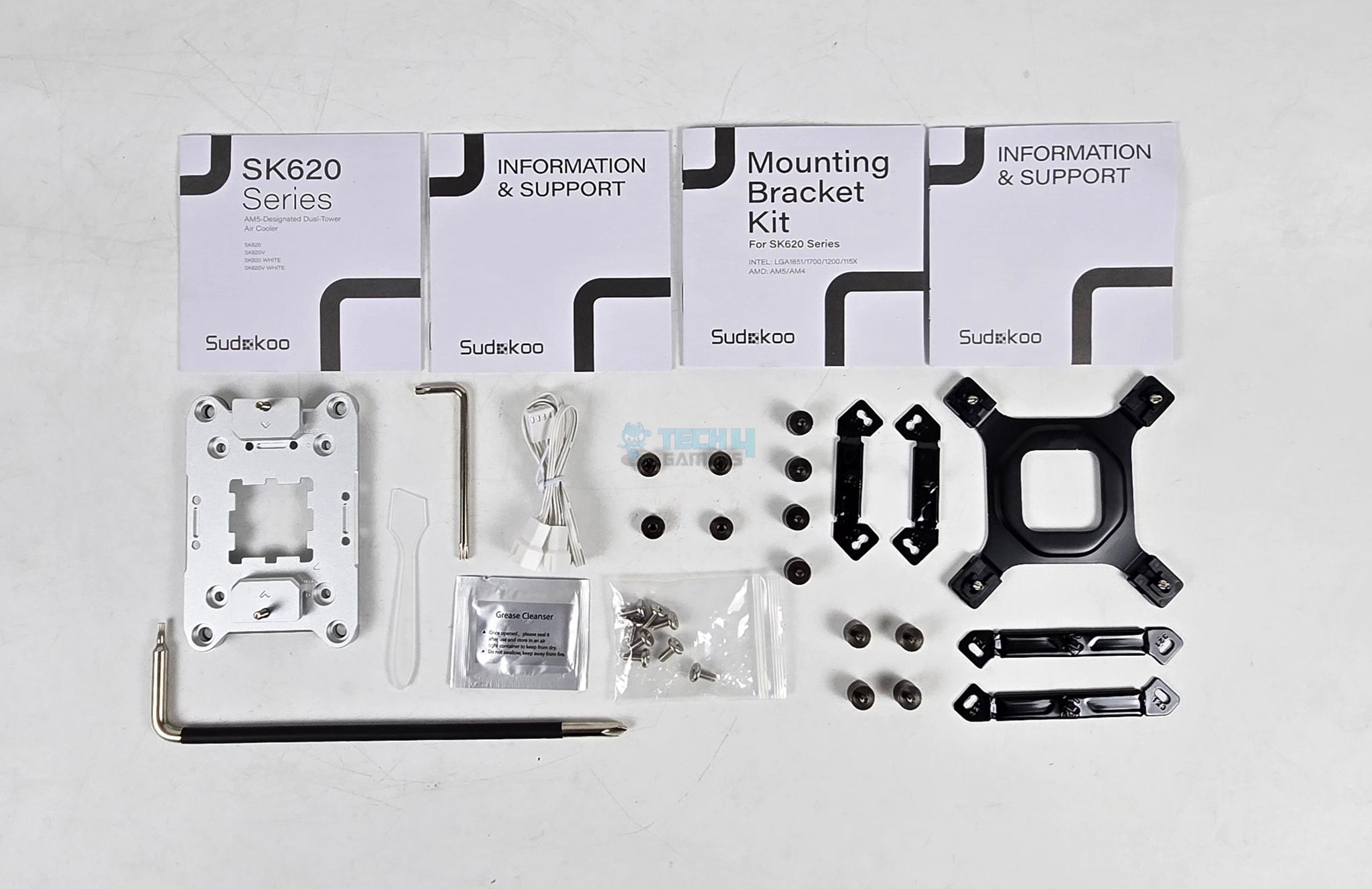
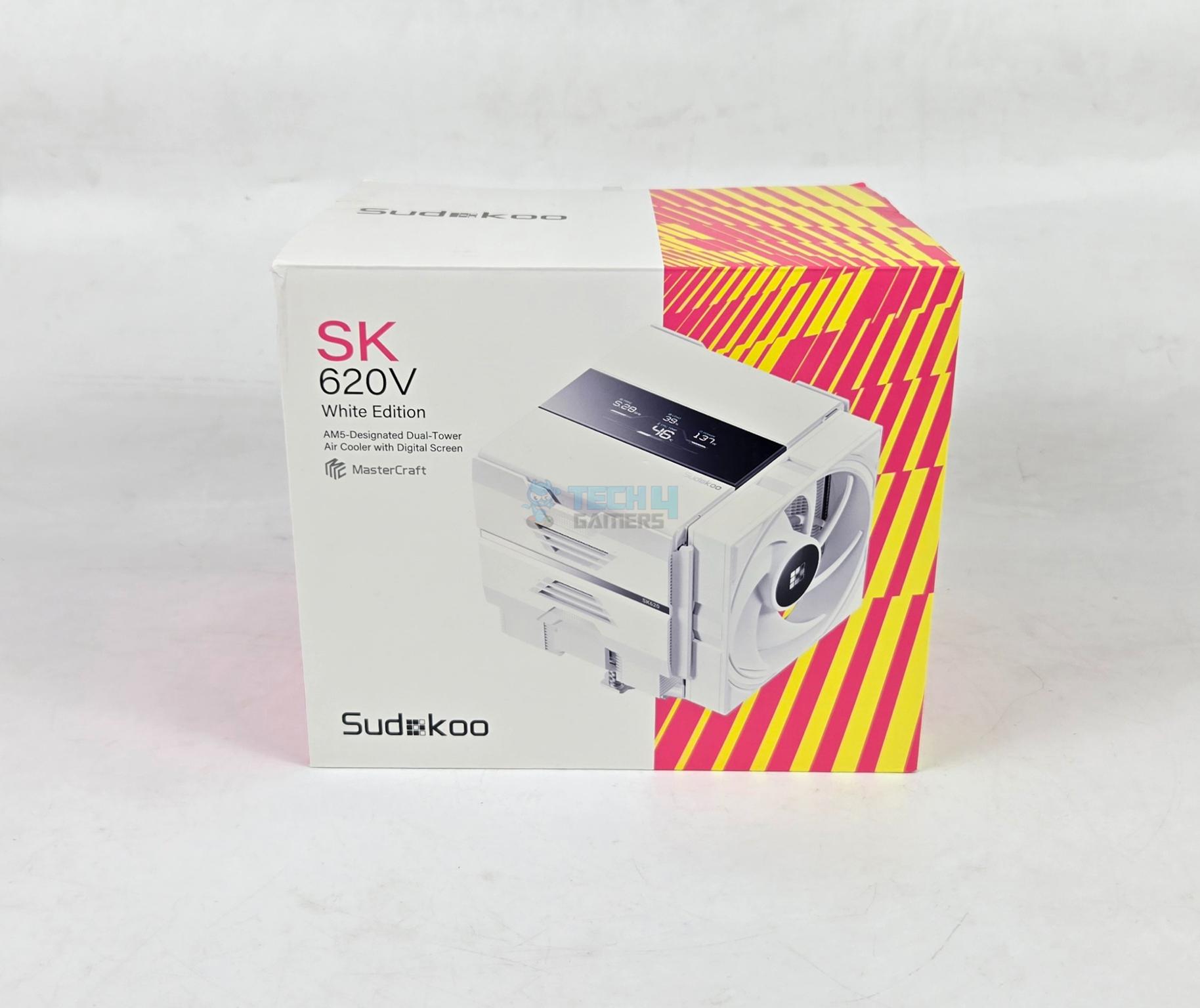
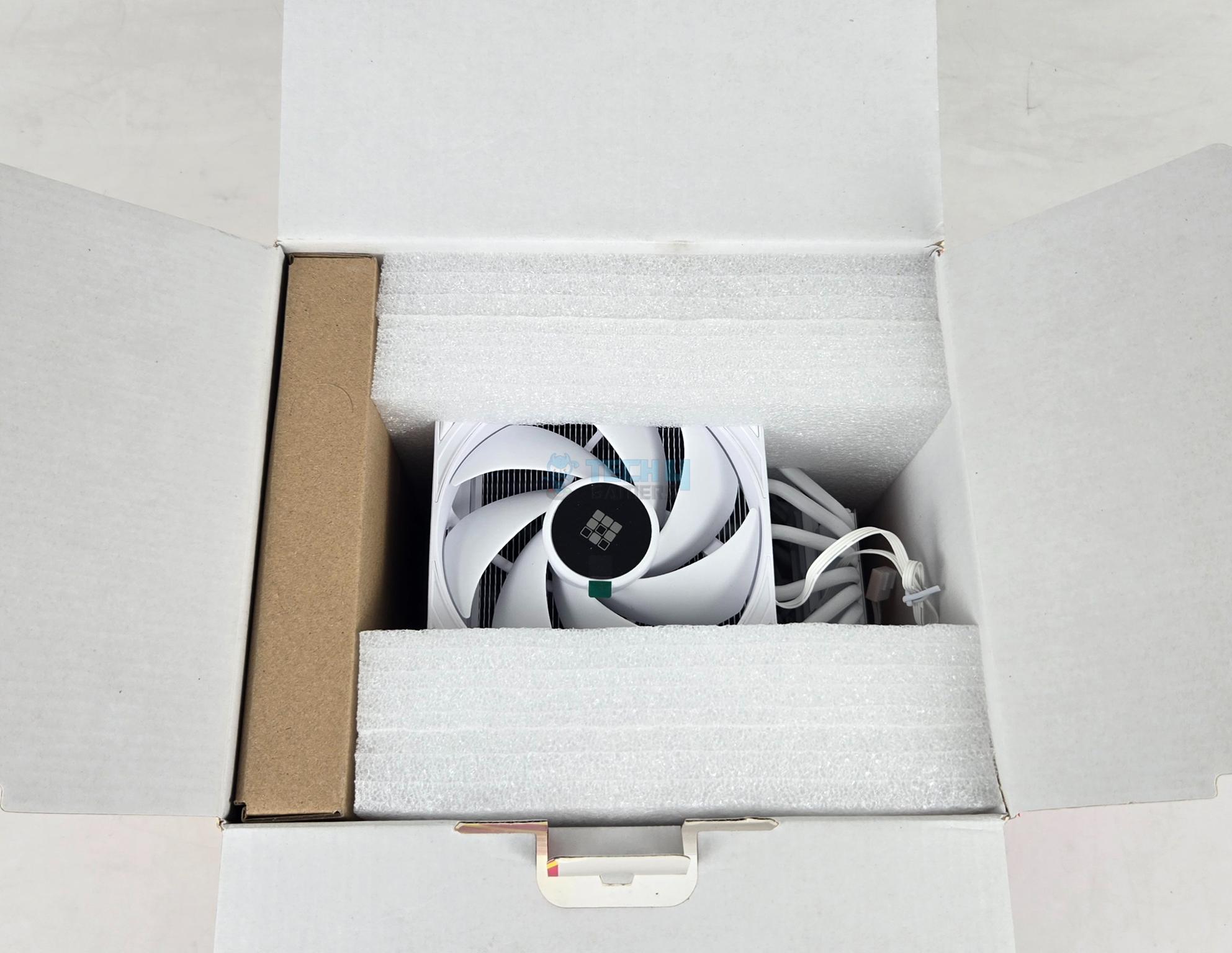
The packing box has white and orange color accents giving a pleasant feeling for the product. The following are provided:
- AMD AM5 Bracket
- 1x Long neck Screwdriver
- 1x Allen Key
- 1x Thermal Paste Pack
- 1x Applicator
- 1x 2-way PWM Splitter Cable
- 8x Screws for AM5 Bracket
- 1x User Guide
- 1x Information and Support Document
Sudokoo has sent a standard mounting kit as well, which includes:
- 1x Intel Backplate
- 2x Intel Mounting Brackets
- 4x Intel Standoff Screws
- 4x Nuts
- 2x AMD AM4/AM5 Mounting Brackets
- 4x AMD Screws
Design
Let’s take a look at the unit.
Heatsink

The cooler itself presents a bold, stylish, and elegant look that would bode well with any white theme build. The net weight of the cooler is 1645gm which is quite high compared to other 120mm sized coolers. The cooler has a dimension of 145x144x164mm (LxWxH) whereas the heatsink has a dimension of 125x115x153mm (LxWxH).

Looking at the front of the cooler, you can see a pre-installed 120mm fan. This fan does not clips rather a rail mount system is designed for a convenient handling. Fan can be adjusted for its height and it can be removed easily.
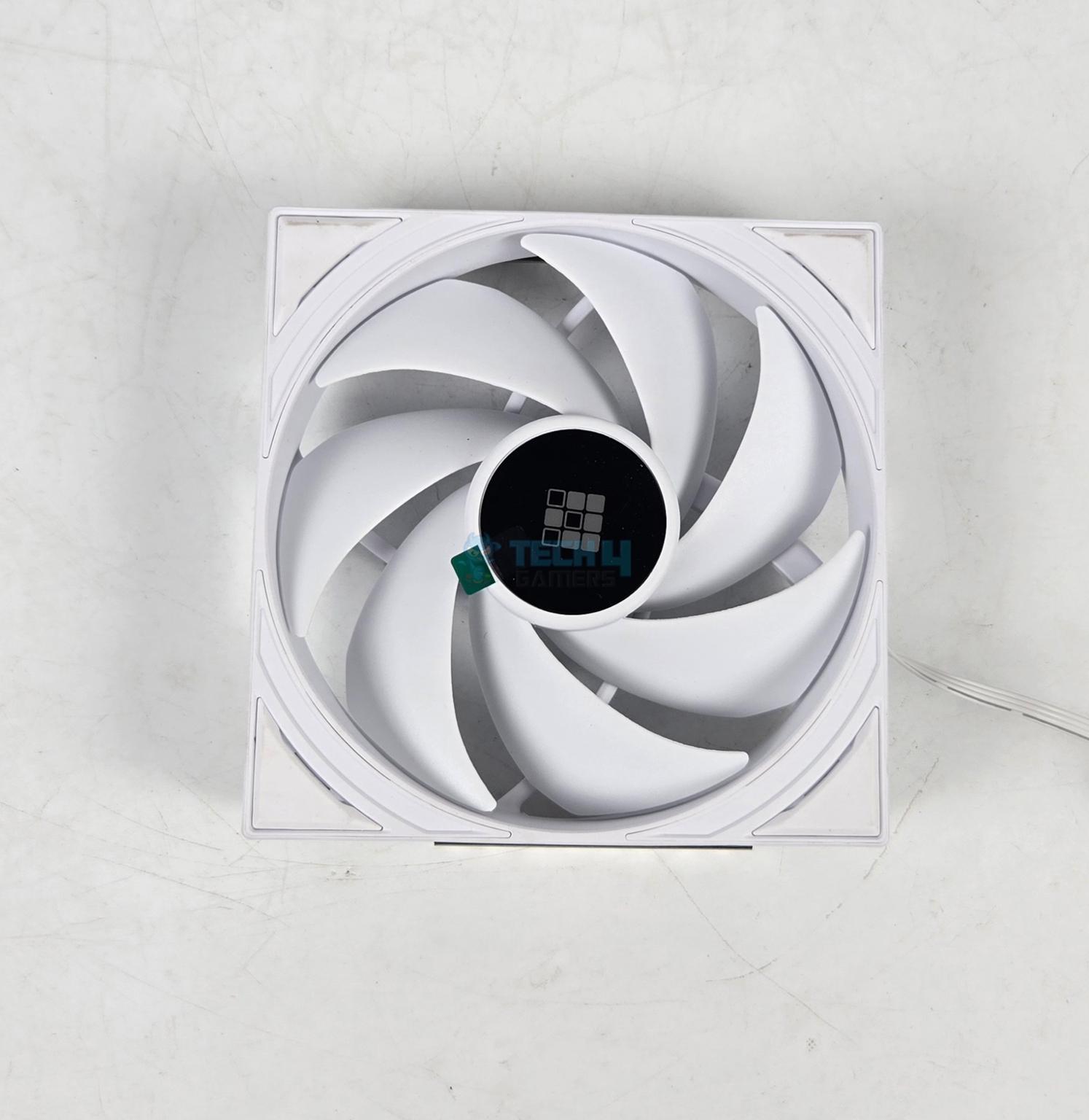
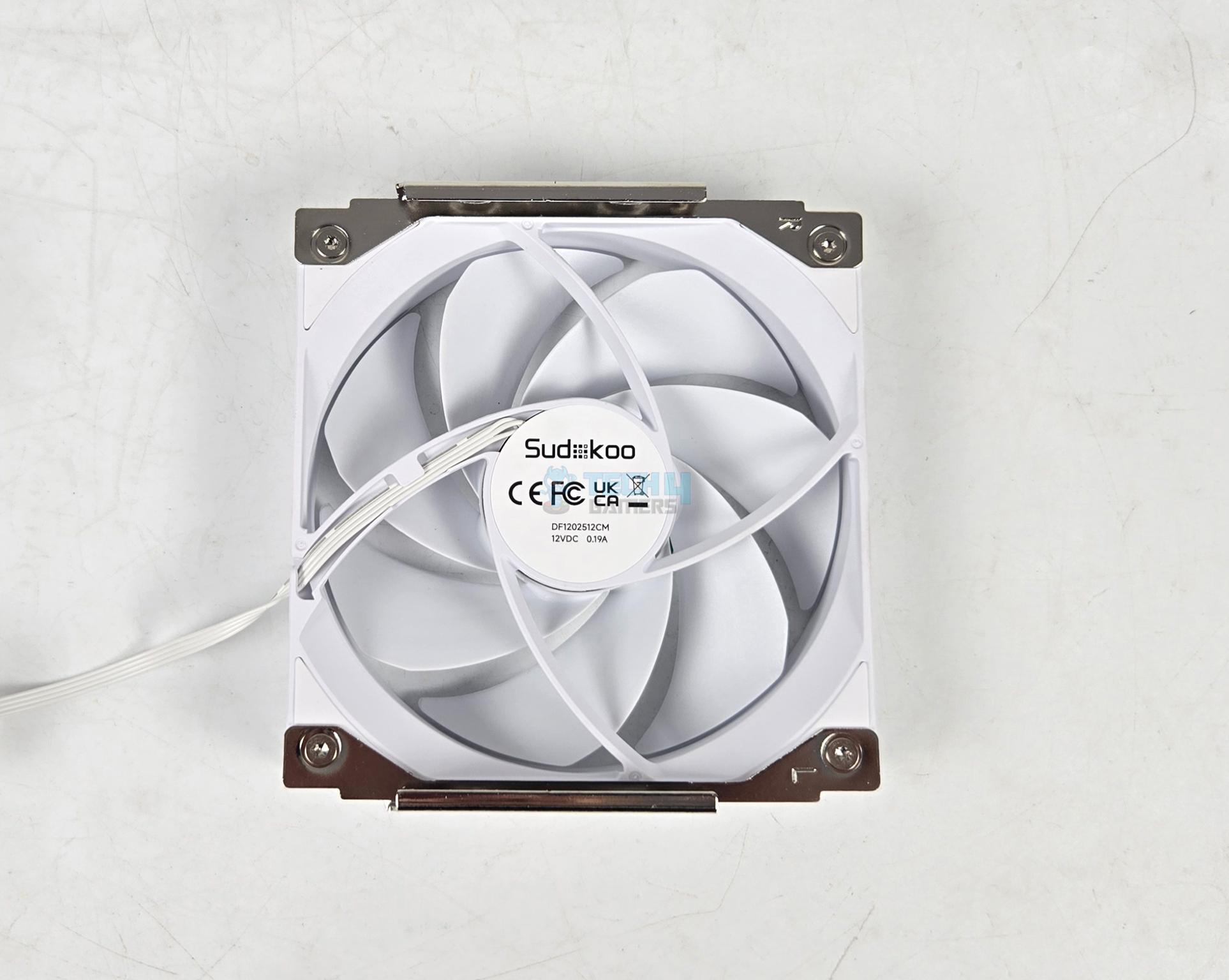
The front fan has 7 blades and it features a closed design in square form to prevent air leakage. It features 3-phase, 4-pole, 6-slot FOC closed-loop control fan motor for efficient operations. You can see two rails or clips installed on the backside making it quite a convenient handling.

I have remove the fan and showing the front of the tower. It has shark tooth or triangular fin design that aids in reducing the air drag while boosting the airflow. The front tower features a step design with 39 fins on the main area and 13 fins in the lower area providing a good clearance towards the DIMM slots.

The backside of the second tower has a fin array design. This tower has 52 aluminum fins. These fins are white color spray coated.
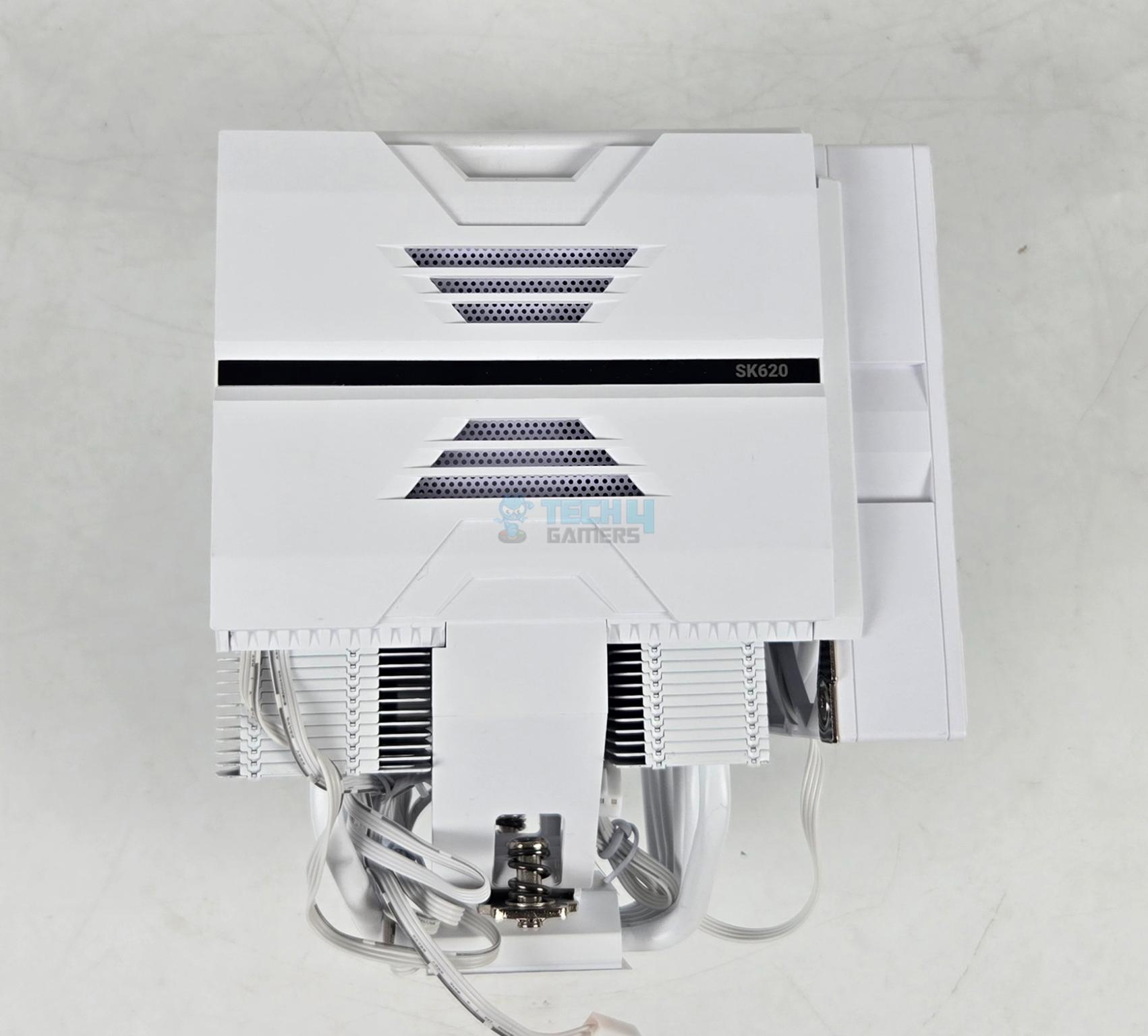
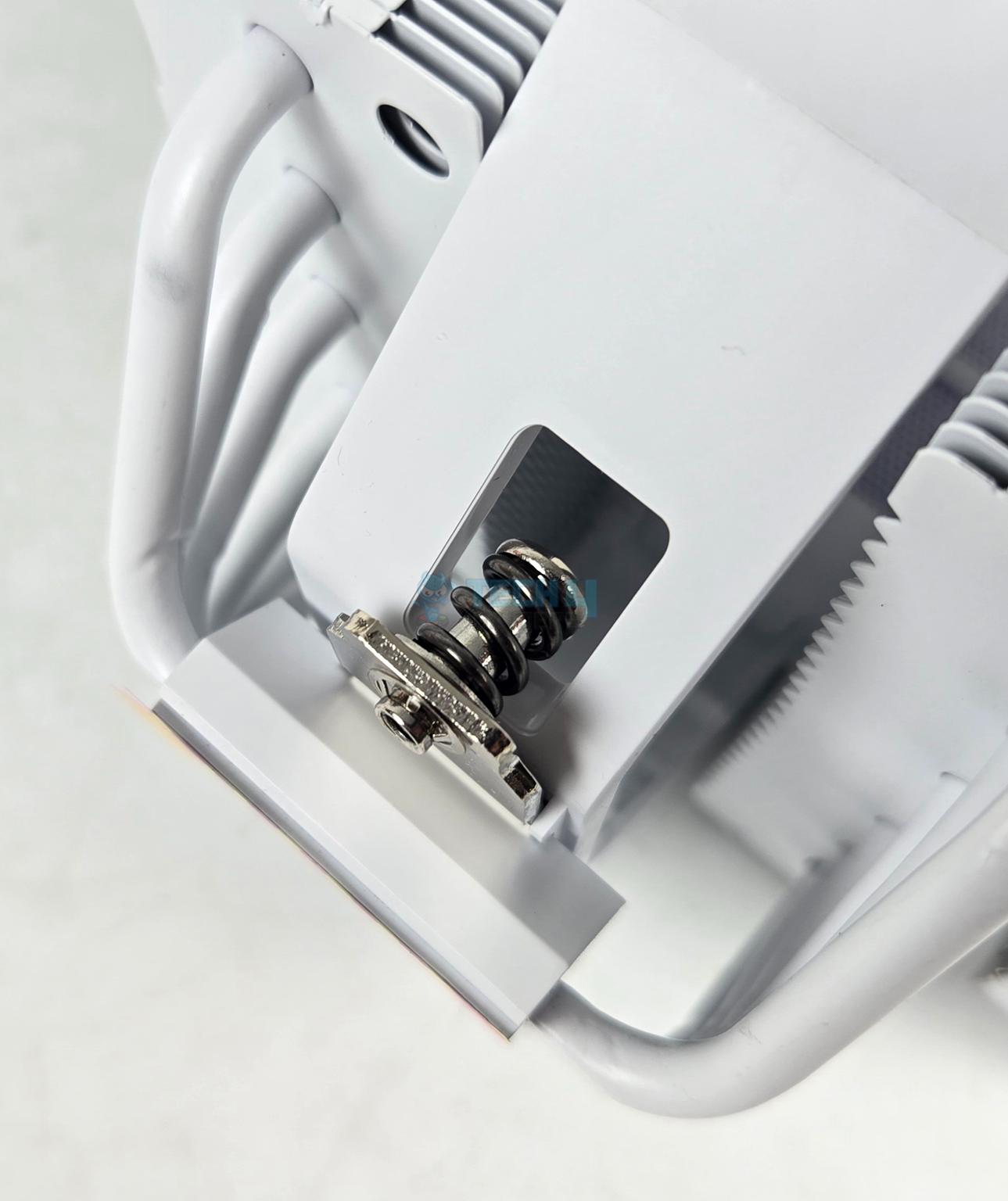
Looking at the side of the cooler, you can see a plastic housing that has perforations for proper air ventilation providing some sort of air intake for the middle fan. The closed design helps in a focused flow throughout the cooler. The cooler has two spring-loaded screws on the cross-bar or mounting plate.
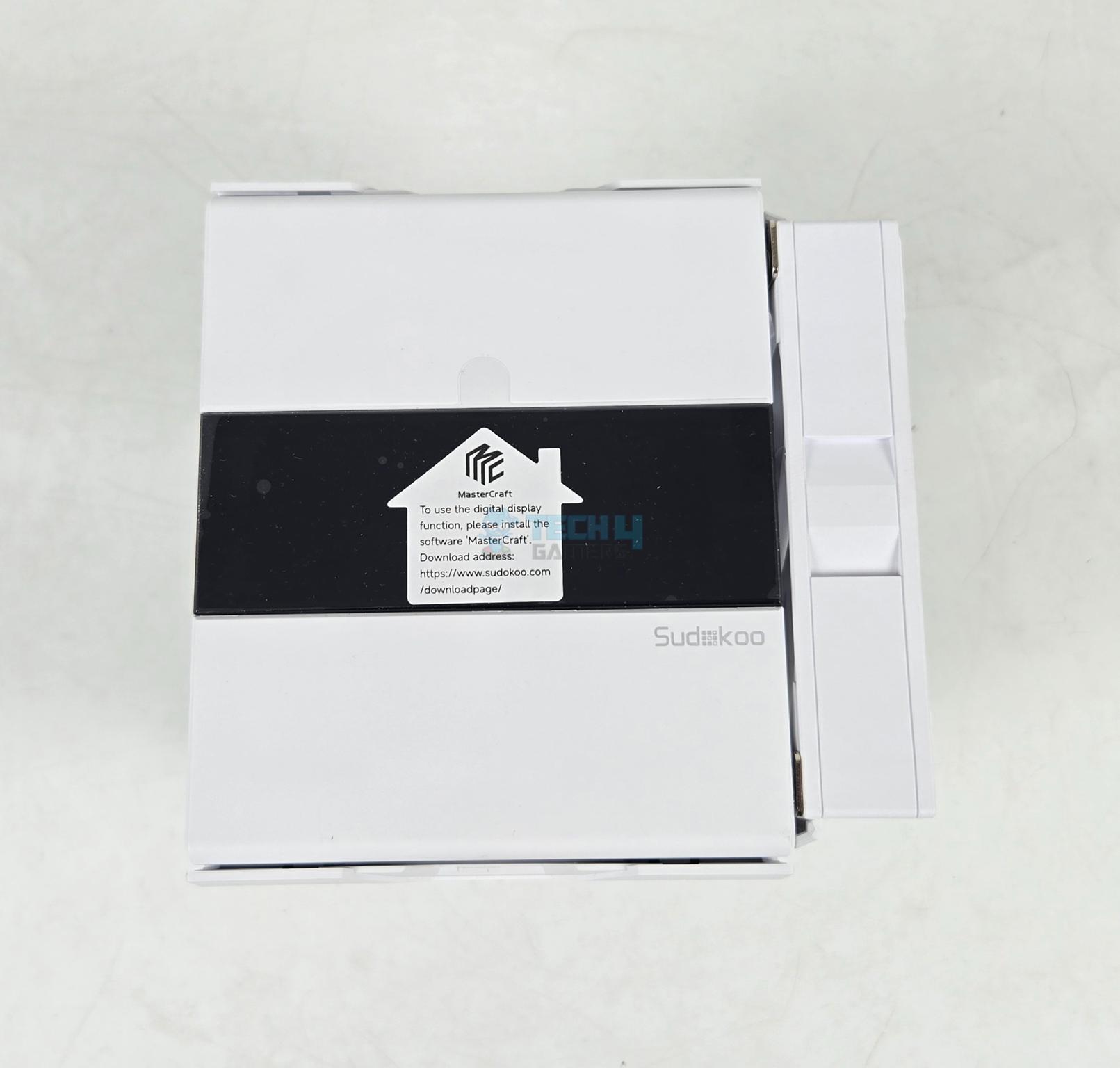
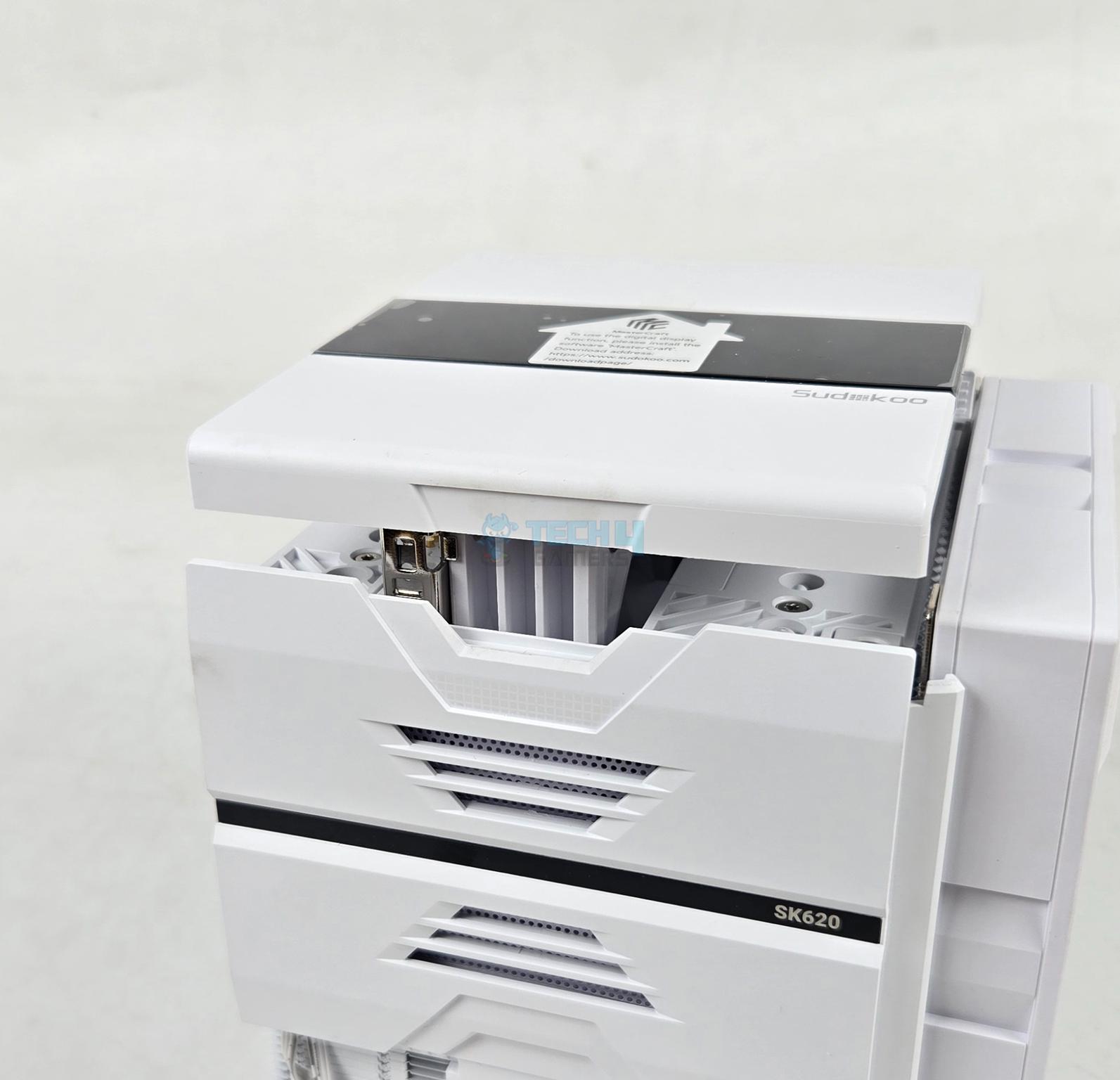
The top of the cooler has a magic to it. It has a large size display area which shows sensor readings in real time providing critical data to the user. This is a quad segment display much like what I saw on the DeepCool’s latest AK620 and AK700 coolers. You would need a spare USB 2.0 9-pin header on your motherboard for this purpose. Rest of the job is done by the software called Master Craft.
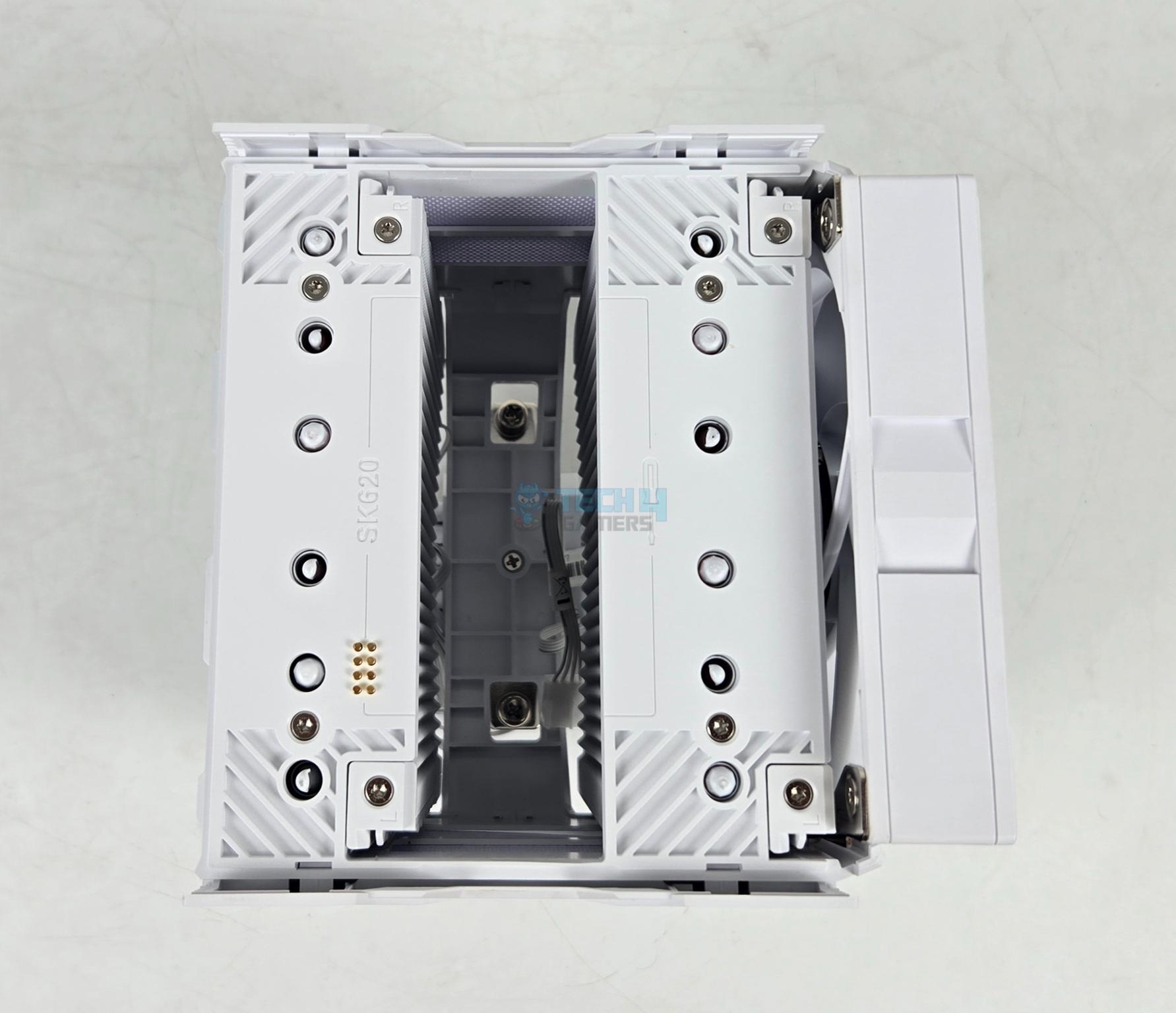
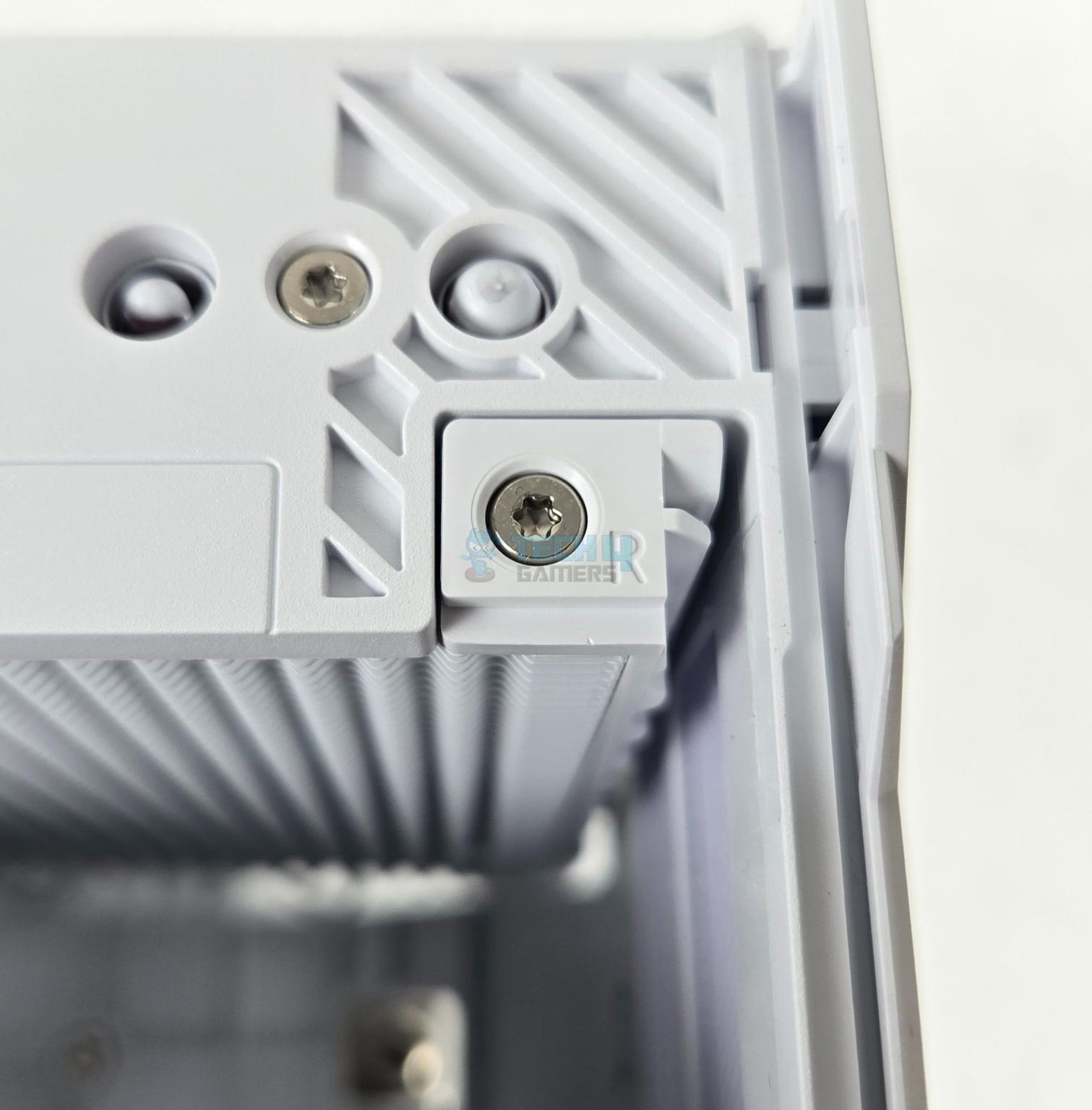
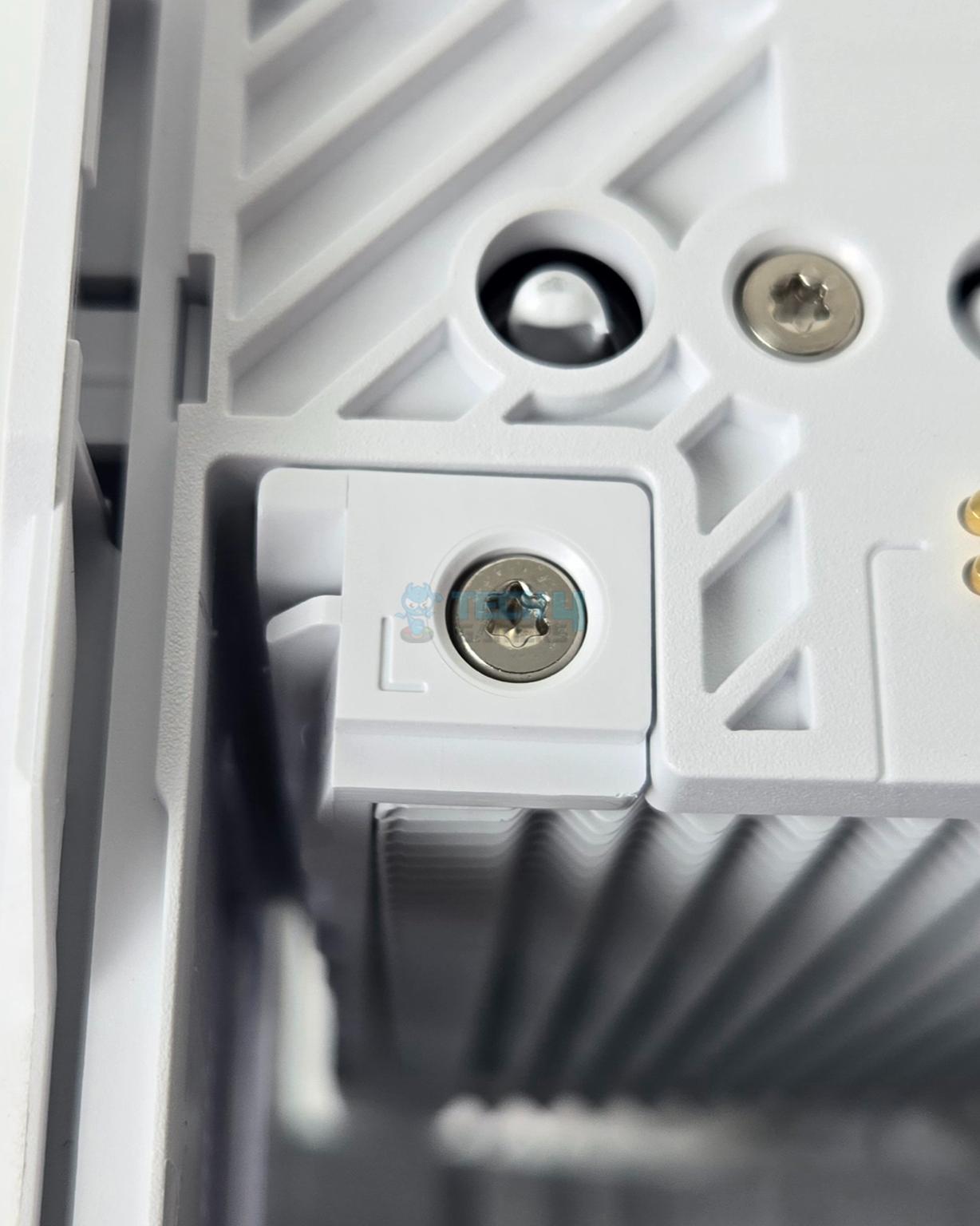
The cool thing about mid-section is that the complete top cover is removed since it is attached to the middle fan’s frame. It also uses rail mount system. Sudokoo has clearly marked the left and right sides providing visual clues to the user to align the fan clips.

This cooler features pogo pin contact method in which the middle fan connects to the contact pin for the connection. This eliminates the cable connection on the fan.

The backside of the front tower and the front side of the second tower features same fin design.
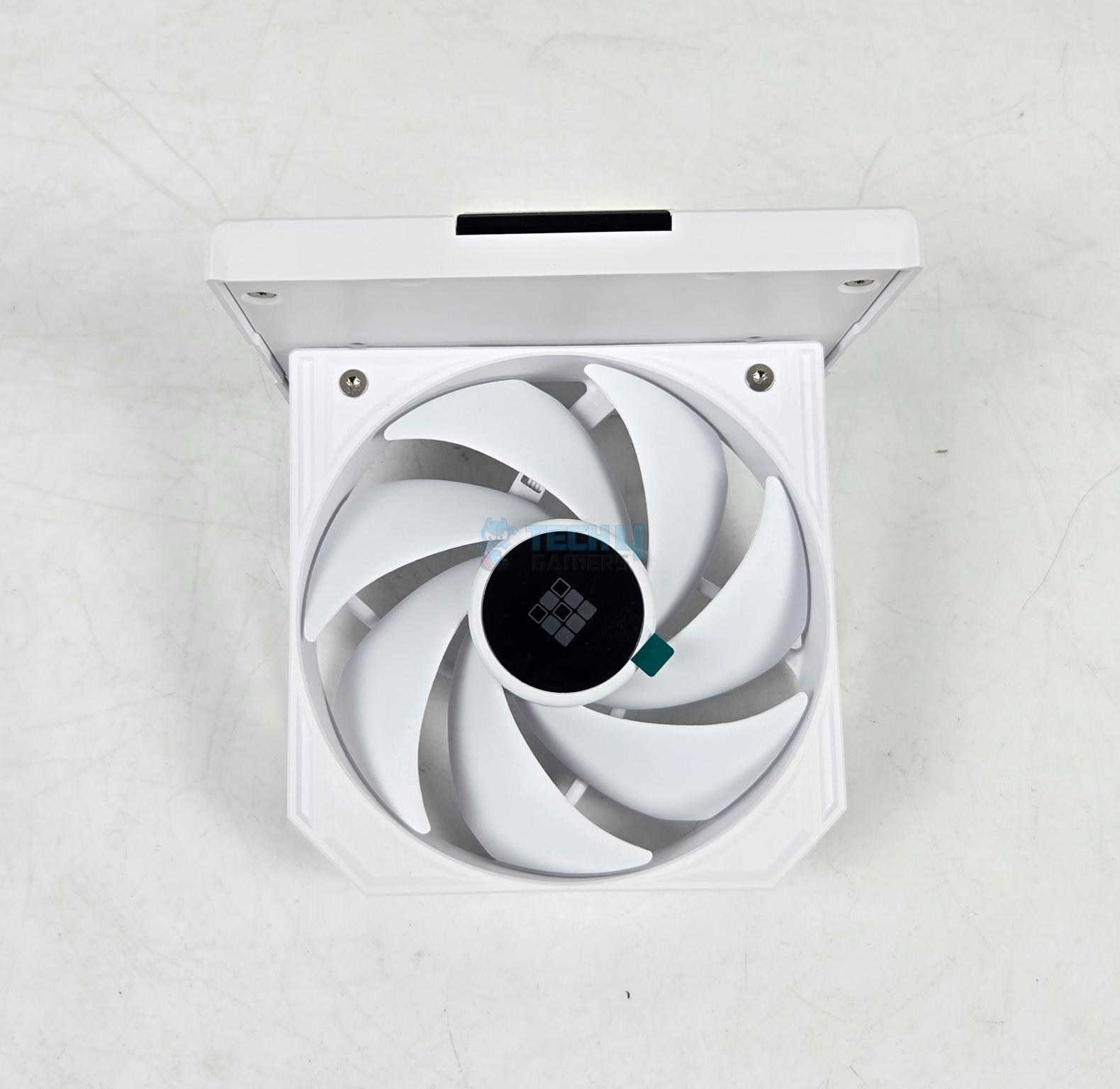
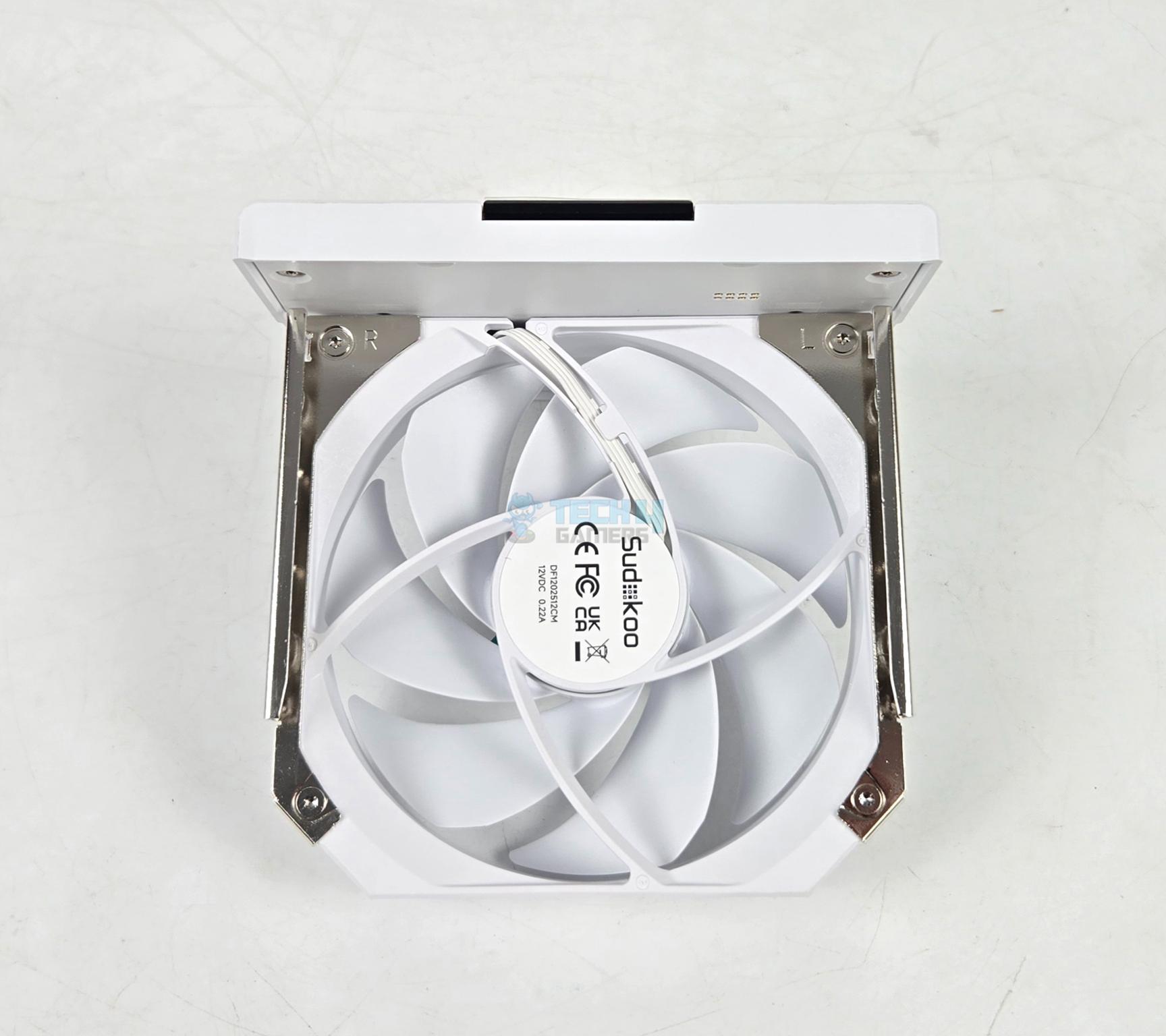
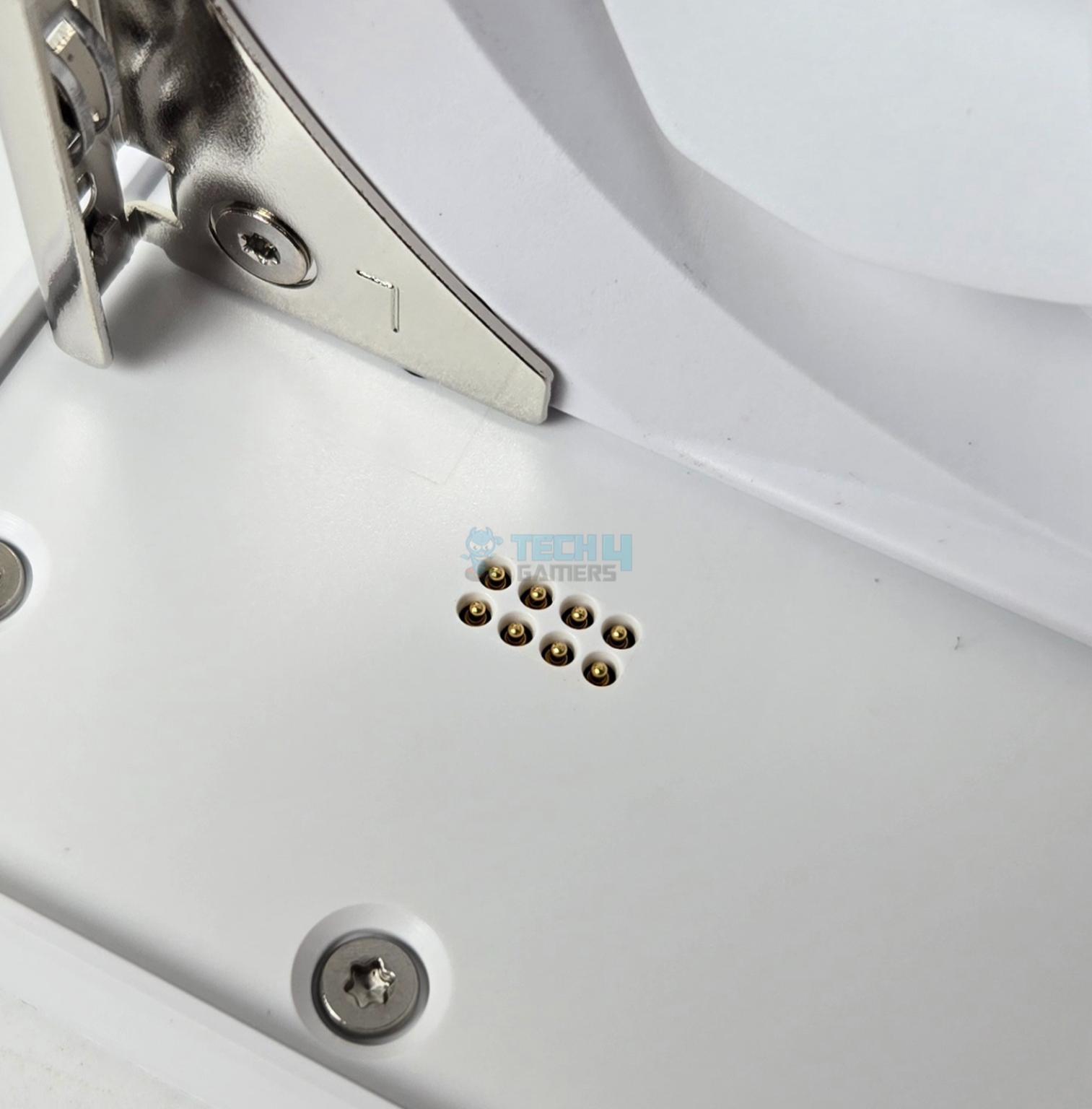
The middle fan is same as the front fan. It uses contact pins for power connection. It also features a rail mount system. The fans are rated for 2000 RPM generating a mediocre airflow of 56.46 CFM using air pressure of 2.93 mmAq. These fans feature Fluid Dynamic Bearings.

A plastic cover is over the mounting plate. The mounting plate is removable since it is attached via Philips screw.

The cooler packs 6 copper heat pipes each having a 6mm thickness.

The cooler has a nickel-plated copper base with a mirror finish to it.
Installation
Since Sudokoo sent us the standard mounting kit which is same as on the DeepCool coolers, I have tested the cooler on Intel platform.
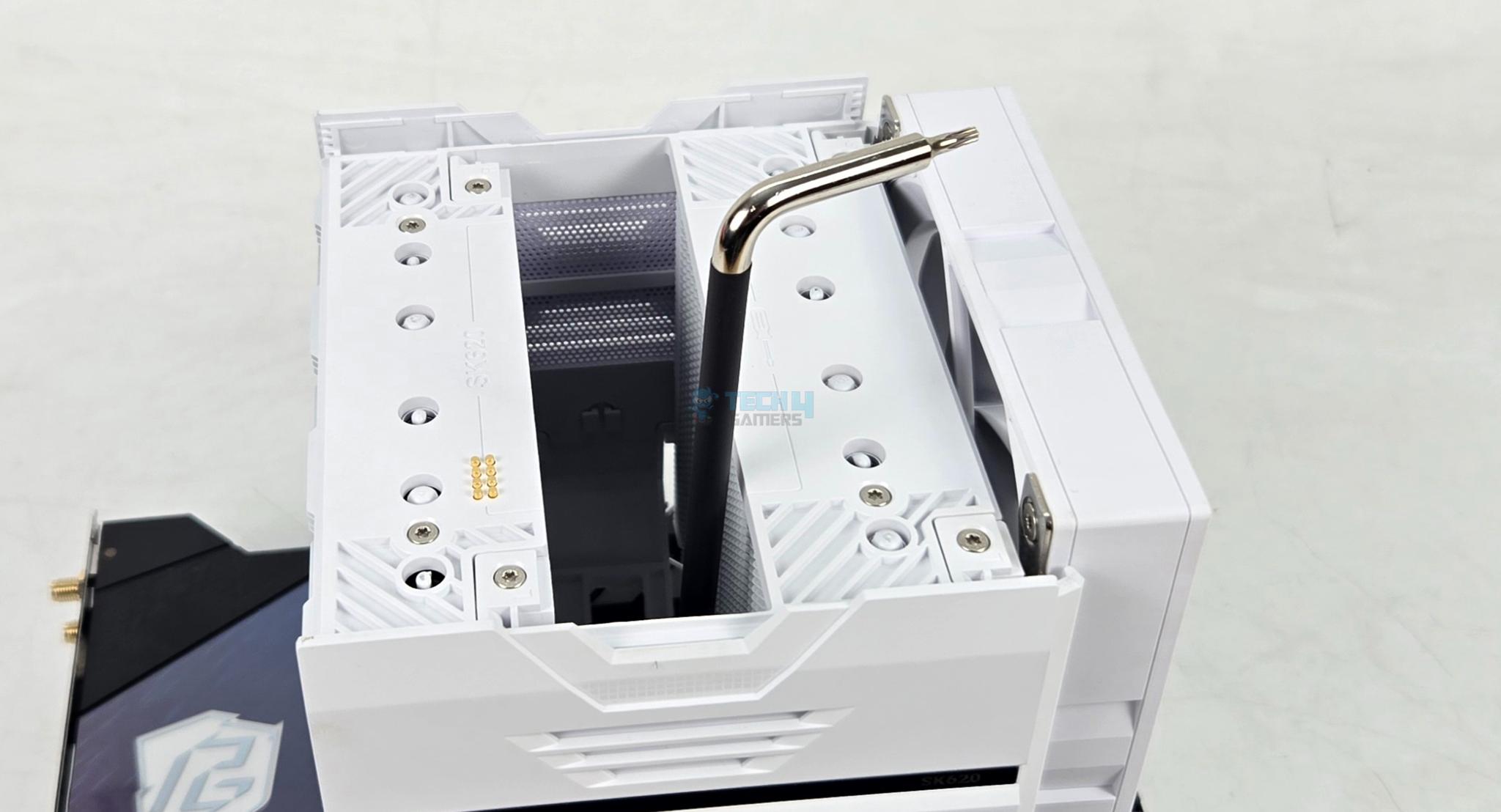
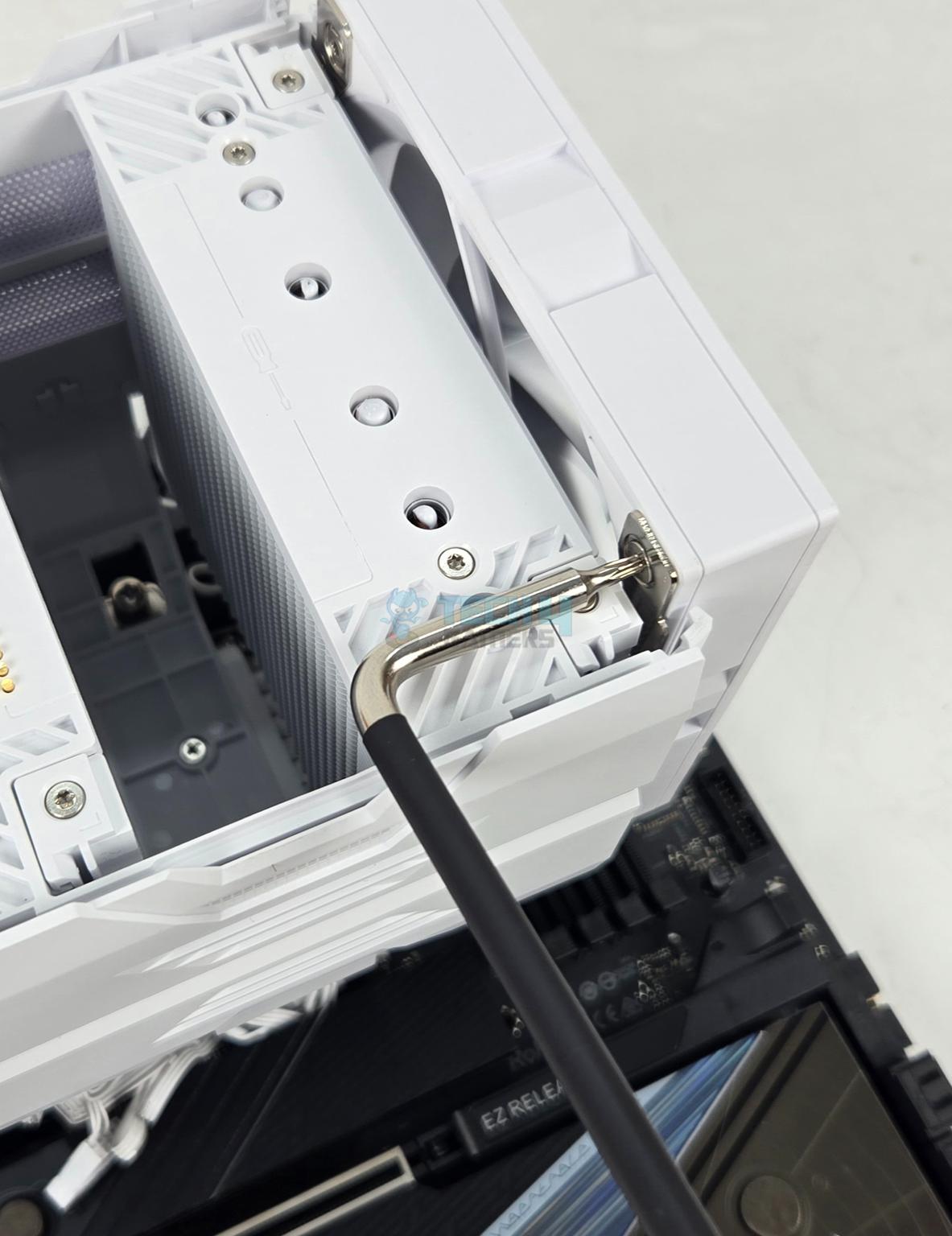
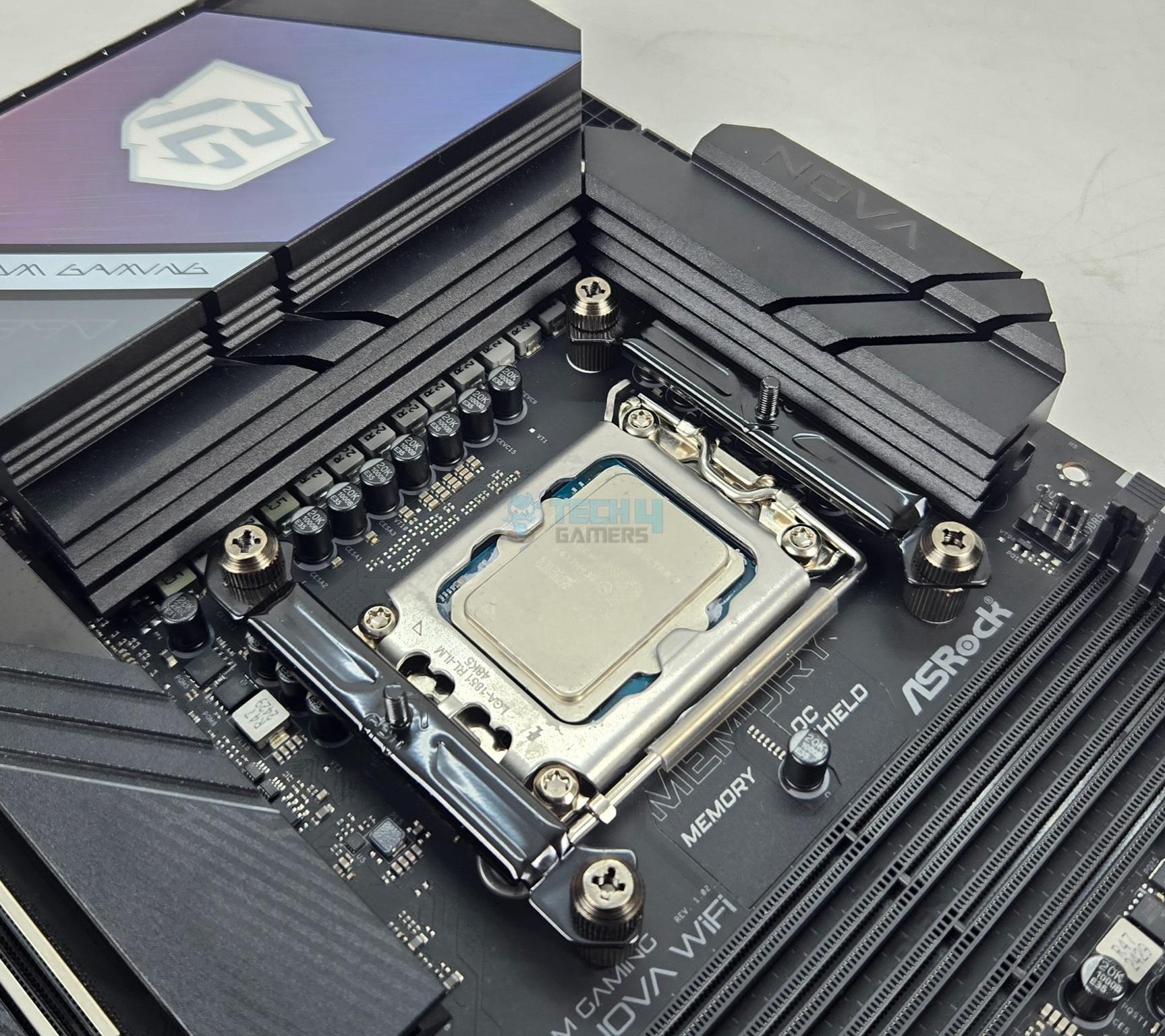
The installation steps are:
- Place the backplate on the backside of the motherboard.
- Use the LGA1700/1851 screws to secure the backplate.
- Install the Intel mounting brackets using thumb nuts.
- Remove the middle fan from the heatsink.
- Remove the protective cover from the base of the cooler.
- Place the cooler on the CPU by aligning the spring-loaded screws with the standoffs on mounting bracket.
- Tighten the screws to install the heatsink.
- Install the middle fan.
- Connect the cables.
- Installation is completed.
Clearance

The heatsink itself provides a comprehensive clearance. The fan on standard position provides a clearance of up to 46mm or so which is quite good. You can adjust the height of the fan if needs be but that would come at the cost of overall height increase.

There is no PCIe slot clearance issue over the ASRock Z890 NOVA WiFi motherboard.

The heatsink is not obstructed by the large size cover on the rear of the motherboard.
You would need a PC Case with a minimum 168mm of CPU cooler’s height clearance.
Software Control
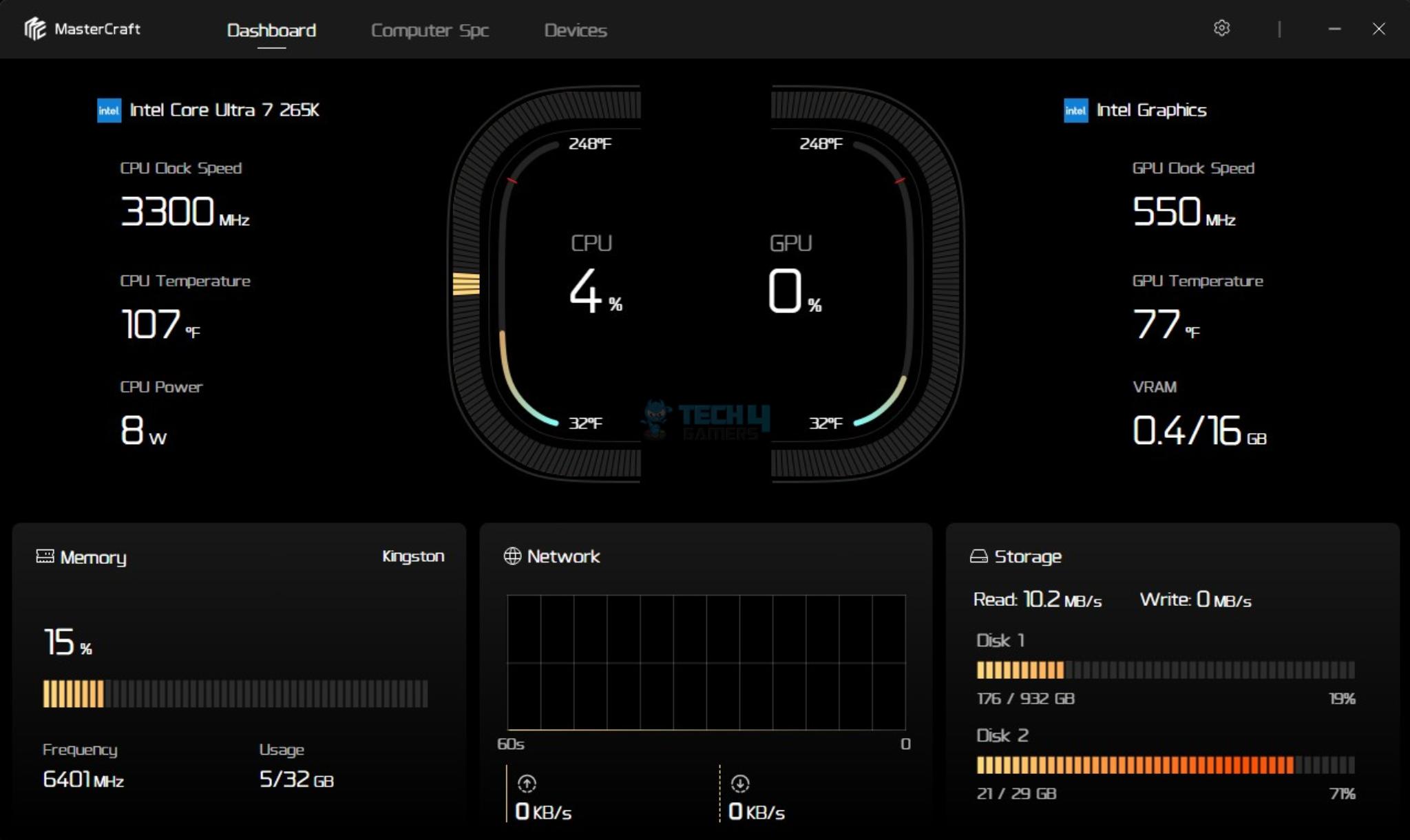
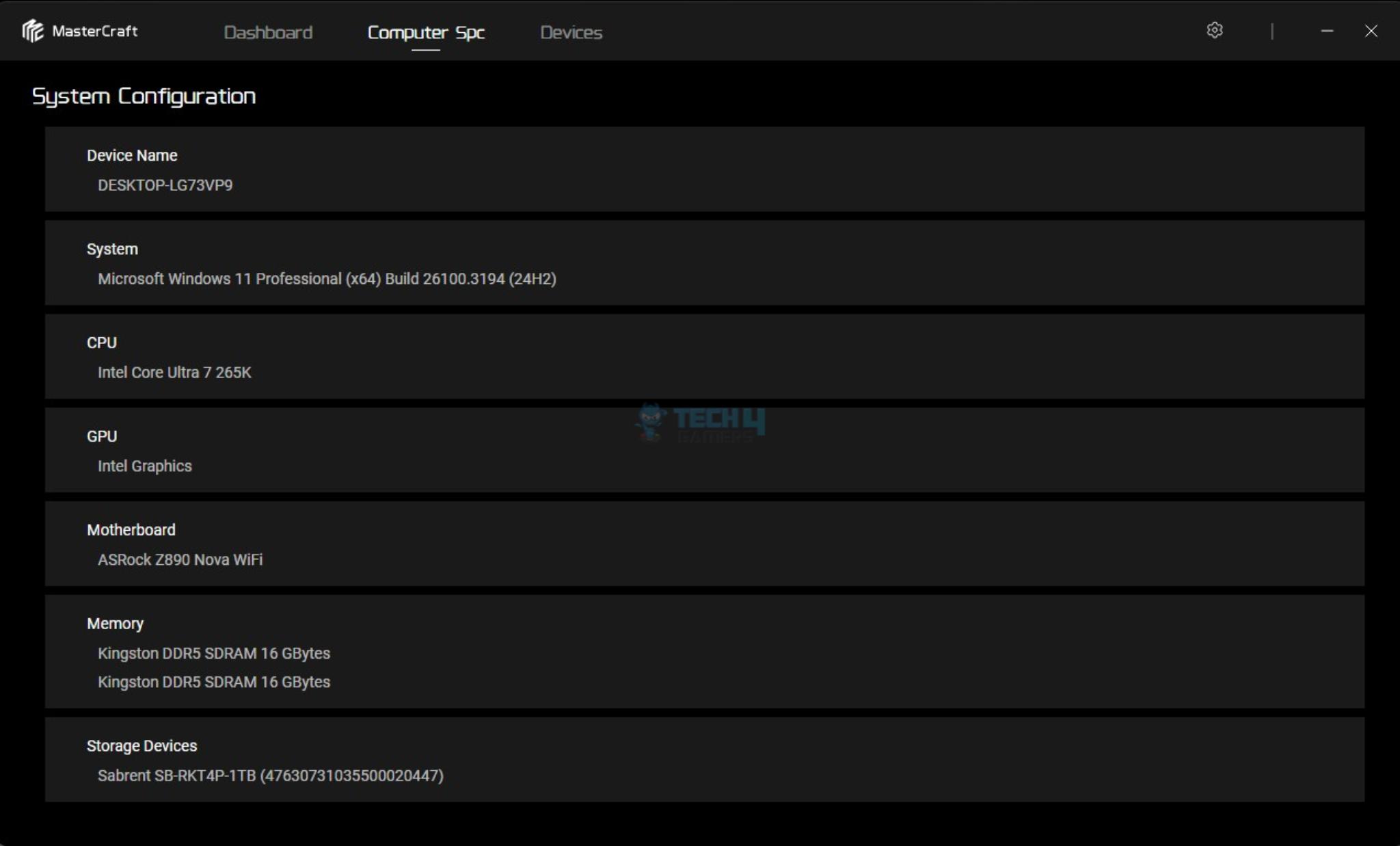
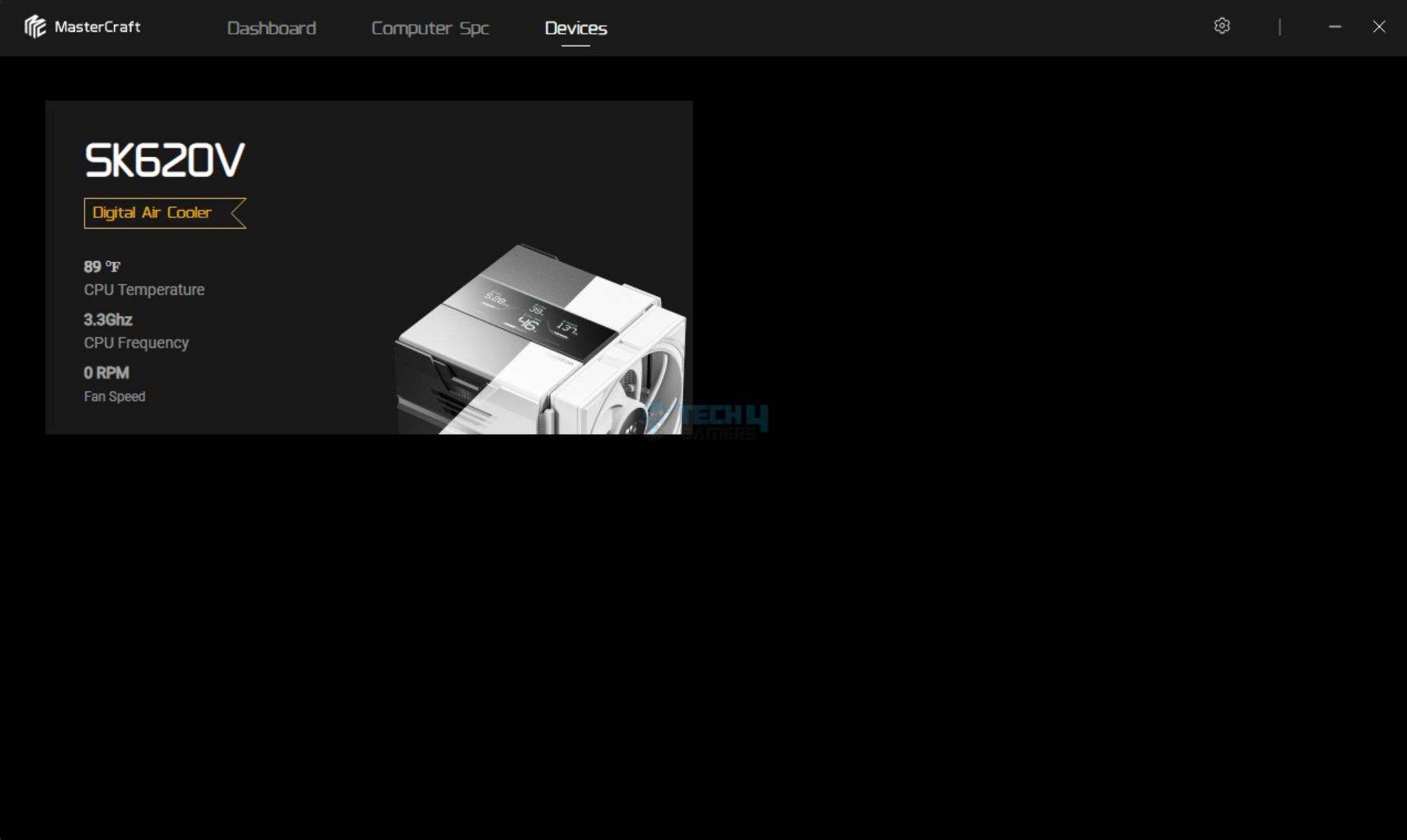
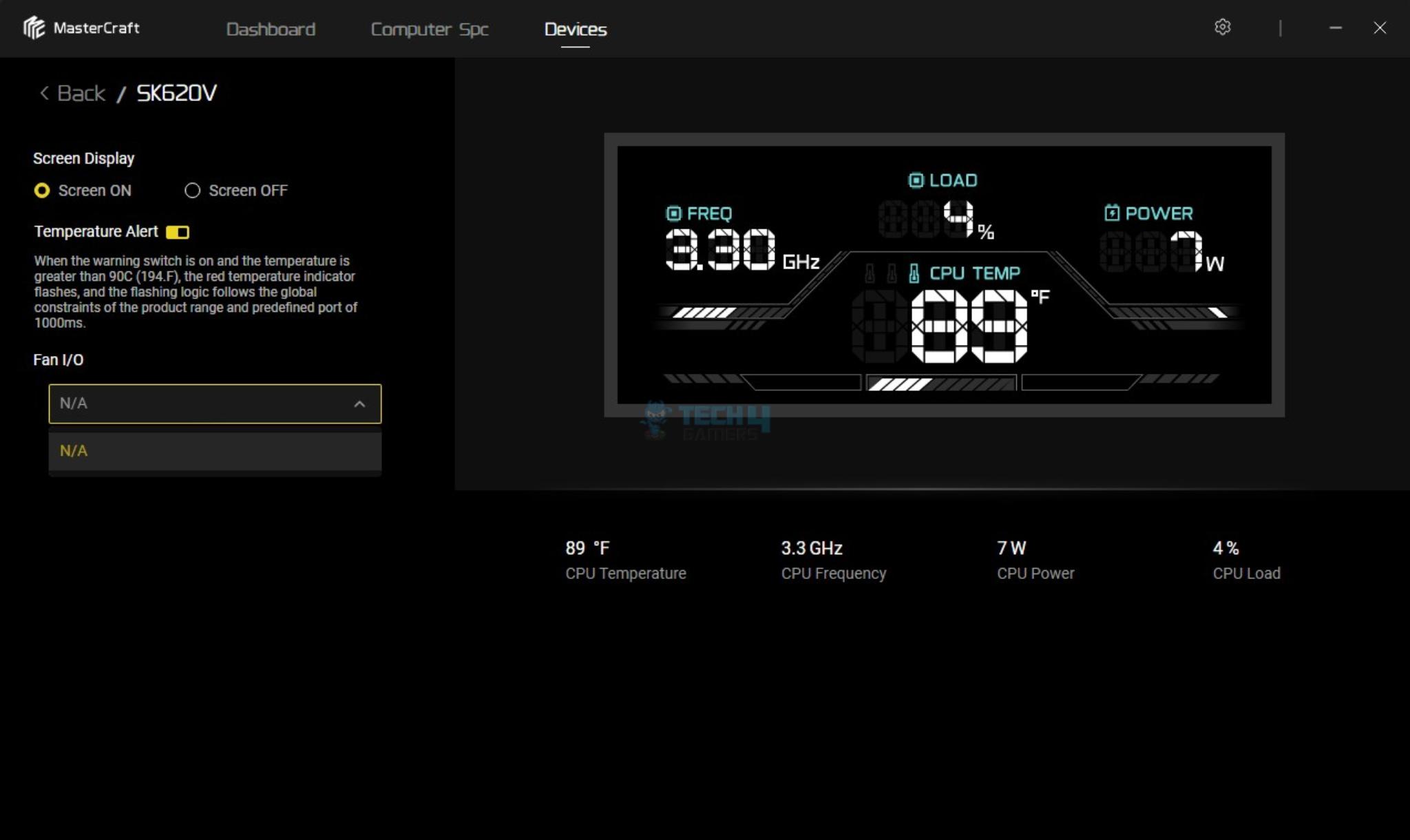
Sudokoo has provided a simple software for monitoring control. It is called Master Craft. You can download it from Sudokoo website. Software has three pages with two pages showing the sensors of the major components and the summary of hardware.
The cooler has a way of reporting issue to the user where the red color temperature indicator on the screen starts flashing if temperature crosses 90°C. Surprisingly, FAN IO did not list the fan headers being used for the cooler’s fans. This was not the case when I tested the cooler on AMD platform.

The picture shows the large size screen display showing CPU frequency, load, temperature, and power.
Testing
I have used below mentioned configuration: –
- Intel Core Ultra 7 265K [Stock, Auto]
- ASRock Z890 NOVA WiFi
- Kingston Fury Renegade 32GB @ 6400MHz, CAS 32
- Sabrent Rocket 4 Plus 2TB NVME SSD
- CPS YN1000 Platinum PSU
- Thermaltake Core P6 TG Snow Edition in an open frame layout

Here is the settings table for testing:
| Clock (MHz) | Auto |
| Voltage (V) | Auto |
| Power Profile | Power Limits Removed |
| Thermal Paste | Noctua NT-H2 |
| Thermal Paste Application | Center Line |
| Test Run Time | 30 minutes |
| Idling Time | 10 minutes |
| All Fans Speed | 100% PWM Duty Cycle |
| Pump Speed [Where Applicable] | |
| Stress Software | CINEBENCH R23.2 |
| Monitoring Software | HWINFO64 |
Result

Sudokoo SK620V white has a decent performance on Intel platform. But this cooler makes a strong case on AMD platform where it did 89.6°C on 9900X at 243W all-cores stress load which is quite good. It even ranked high in 200W all-cores stress load on 9900X where it did 77.1°C.
Another strong point of this cooler is its overall noise level at fans’ full speed. I recorded 40 dB(A) which is even lower than the Noctua NH-D15 G2 cooler. This is too good and it also tells me that Sudokoo can compromise a bit on the sound to deliver better thermal performance.
Should You Buy It?
Buy It If
You want a good all round cooling: The Sudokoo SK620V offers a good thermal and acoustic performance out of the box.
You are after something refreshing for the visuals: The outstanding design of the cooler using rail guide/slide fan guide and closed design makes this cooler shines.
You want a visual aid: This cooler features a display screen over the top providing a real time critical data from your CPU along with a warning aid.
You need AMD Contact Frame: This cooler comes with a full length AMD bracket made of a single aluminum piece that replaces the ILM of the AMD socket and the AMD stock mounting brackets.
You are looking for an air cooler for excellent RAM clearance: This cooler provides excellent RAM clearance and fan’s height adjustment as well.
Don’t Buy It If
You’re on a budget: A steep charge of USD 119.99 might make you look for a liquid cooler in this price.
Conclusion
I have tested Sudokoo SK620V white which is a new cooler from the manufacturer. This cooler is a dual tower design that comes with two silent 120mm fans. The cooler has a dimension of 145x144x164mm with a net weight of 1645gm.
The SK620 is particularly designed for AM5 platform which a full length contact frame/bracket is provided hence brand’s stance is that it is compatible with AM5. However, they also provide a standard mounting kit that enable this cooler to be compatible with other sockets.
The dual towers comprise 52 fins with the front tower using offset design to provide extra clearance for the DIMM slots. The fins have shark tooth or triangular design on front and back with the exception of the backside of the second tower that has fin array design.
The cooler packs 6 copper heatpipes and assembly seems soldered. The copper base is nickel-plated and has a semi mirror finish. The cross-bar has two spring-loaded screws.
The 120mm fans use FDB bearings and they are rated for up to 2000 RPM speed. However, I have found their 56.46 CFM airflow value to be mediocre. Sudokoo has focused more on providing a silent cooling. Given how silent these fans are (they infact beat Noctua!), there is a room for more thermal performance improvement.
This cooler uses fan glide system for a convenient fan handling unlike the fan clips design on majority of the coolers. This cooler features a large size display screen over the top showing the segmented display of your CPU’s critical parameters. You need a USB 2.0 header to make this screen work.
Installation of this cooler is convenient and I did not observe any issue in that. This cooler has a steep price of USD 119.99. Sudokoo offers a 5-year warranty showing their confidence in the design.
Thank you! Please share your positive feedback. 🔋
How could we improve this post? Please Help us. 😔

[Hardware Reviewer & Editor]
Meet Nauman Siddique, a highly experienced computer science graduate with more than 15 years of knowledge in technology. Nauman is an expert in the field known for his deep understanding of computer hardware.
As a tech tester, insightful reviewer, and skilled hardware editor, Nauman carefully breaks down important parts like motherboards, graphics cards, processors, PC cases, CPU coolers, and more.
- 15+ years of PC Building Experience
- 10+ years of first-hand knowledge of technology
- 7+ years of doing in-depth testing of PC Hardware
- A motivated individual with a keen interest in tech testing from multiple angles.
- I majored in Computer Science with a Masters in Marketing
- Previously worked at eXputer, EnosTech, and Appuals.
- Completed Course in Computer Systems Specialization From Illinois Tech
Get In Touch: nauman@tech4gamers.com

 Join Our Community