Threads
Worth It?
Review Summary
The Ocypus Sigma L36 ARGB is a high-performance 360mm AIO that stands out for its unique “Cosmic” design, featuring a circular 2.4-inch IPS LCD and vibrant ARGB lighting. In our benchmarks with the Ryzen 9 9950X, it delivered impressive cooling efficiency, particularly excelling in noise-normalized testing. While the installation process and cable management have been improved over previous models, the magnetic mounting for the LCD screen feels slightly insecure. Overall, it is an excellent choice for builders seeking a fresh, futuristic aesthetic without sacrificing top-tier thermal performance.
Hours Tested: 4

Overall
-
Cooling - 9/10
9/10
-
Noise - 9/10
9/10
-
Build Quality - 7.5/10
7.5/10
Pros
- Excellent cooling performance
- Fans remain silent at 50% PWM
- Futuristic Block Head Design
- Improved AMD Installation
- Daisy-chained ARGB Fans
- Thermal Paste / Guide / Velcro Strap Included
- LCD works well
Cons
- Design may not appeal to everyone
- LCD Magnetic Connection Needs to be Improved


We have reviewed their Ocypus Sigma L36 Pro Cooler earlier, and we were impressed by its futuristic design and its cooling performance. Ocypus aims to be innovative in its design and aesthetics. You will realize it’s not a boring brand if you look at their portfolio. The cooler we are looking at today is called Sigma L36 ARGB. The naming scheme could have been slightly different, as by the name, they may sound identical coolers, but there is a significant change in the pump head, and now it comes with the ARGB fans. I liked the floating LCD design in their Sigma Pro Cooler; however, this time it’s circular, with a smaller 2.4-inch IPS Display, providing a fresh look in the LCD cooler segment.
The cooler is available in 360/240mm sizes and is available in black/white colors.
Let’s start with the specifications.
| Ocypus Sigma L36 ARGB Specifications | |
|---|---|
| Socket Support | Intel LGA: 115X/1200/1700/1851 AMD: AM4/AM5 |
| CPU Block / Panel Type | 2.4 inch IPS, 320x240px LCD, ARGB CPU Block |
| Pump | Speed: 3100±10%RPM Noise: ≤27dB(A) Bearing: Ceramic Bearing Motor: Three-phase Six-pole Motor |
| Radiator / Tube Length | Dimension: 397x120x27mm(LxWxH) Material: Aluminium |
| Radiator Fans | Dimension: 120*120*25mm Bearing: Hydraulic Bearing Speed: 500~2000±10%RPM Airflow: 73CFM |
| Features | 2.4-Inch Futuristic IPS Customizable Display Cosmic Pump Design Magnetic Mounting High Performance Fans |
| Warranty | 5 Years Warranty |
| MSRP | N/A |
What Makes The Ocypus Sigma L36 ARGB LCD Different?
Ocypus Sigma L36 ARGB is a breath of fresh air in the PC Cooling and DIY market, featuring a futuristic design and a premium look, with a 2.4-inch IPS LCD, thanks to its circular frame and integrated ARGB lighting. The ARGB fans are also included this time and use a hydraulic bearing. The design does not look like a copy-paste of what other brands are doing these days, and it would blend well with most PC builds.
What About The Availability & Pricing?
This Cooler is available in two variants (240/360mm) and is offered in both black and white. The 240mm variant is called Sigma L24 ARGB. The cooler we are testing today is the Sigma L36 ARGB, a 360mm black cooler. All these coolers are offered with ARGB fans.
| Model | ARGB Fans | Color | MSRP |
|---|---|---|---|
| Sigma L36 ARGB | ✅ | Black/White | N/A |
| Sigma L24 ARGB | ✅ | Black/White | N/A |
Packaging
Let’s take a look at the packaging!
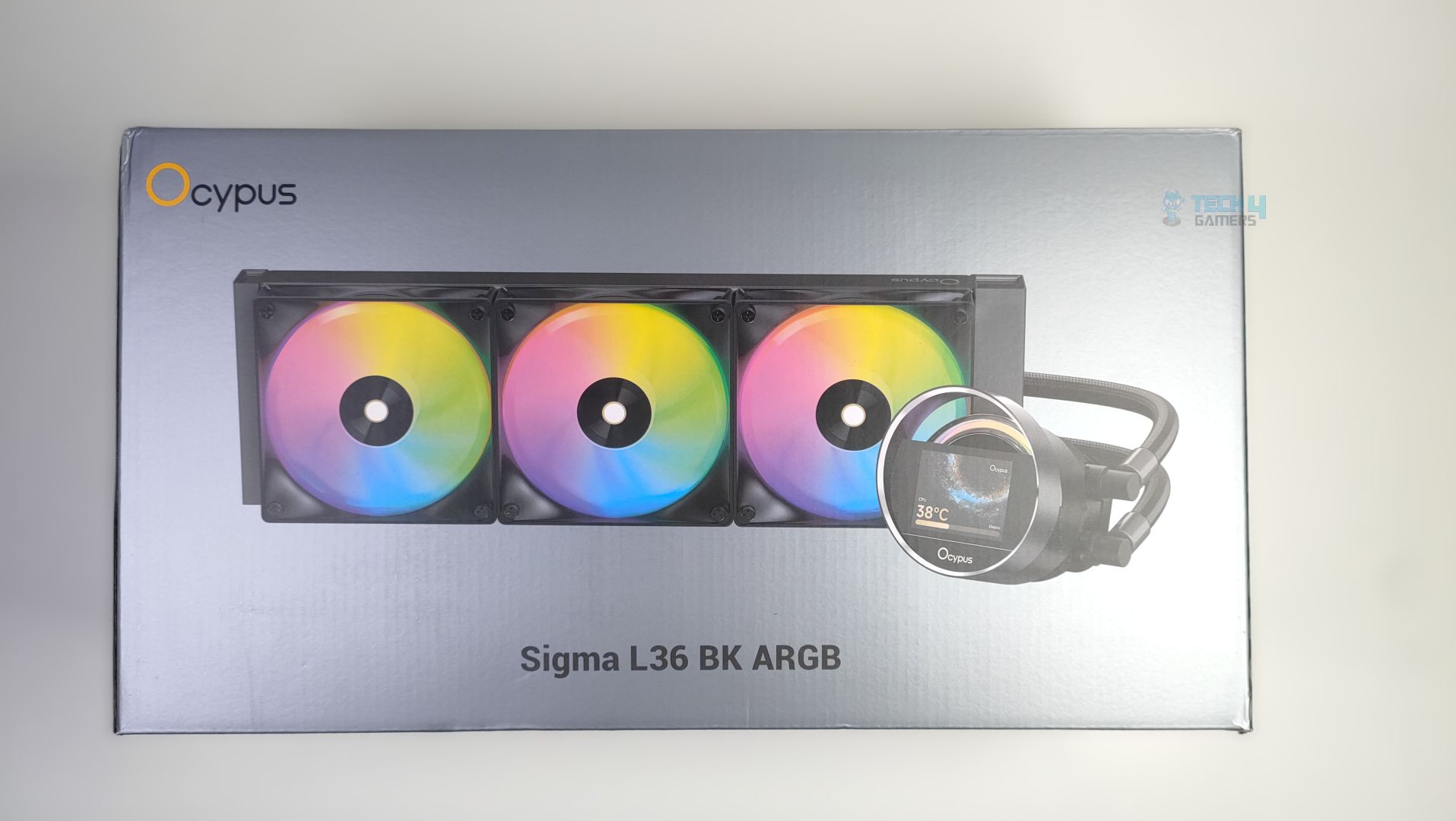
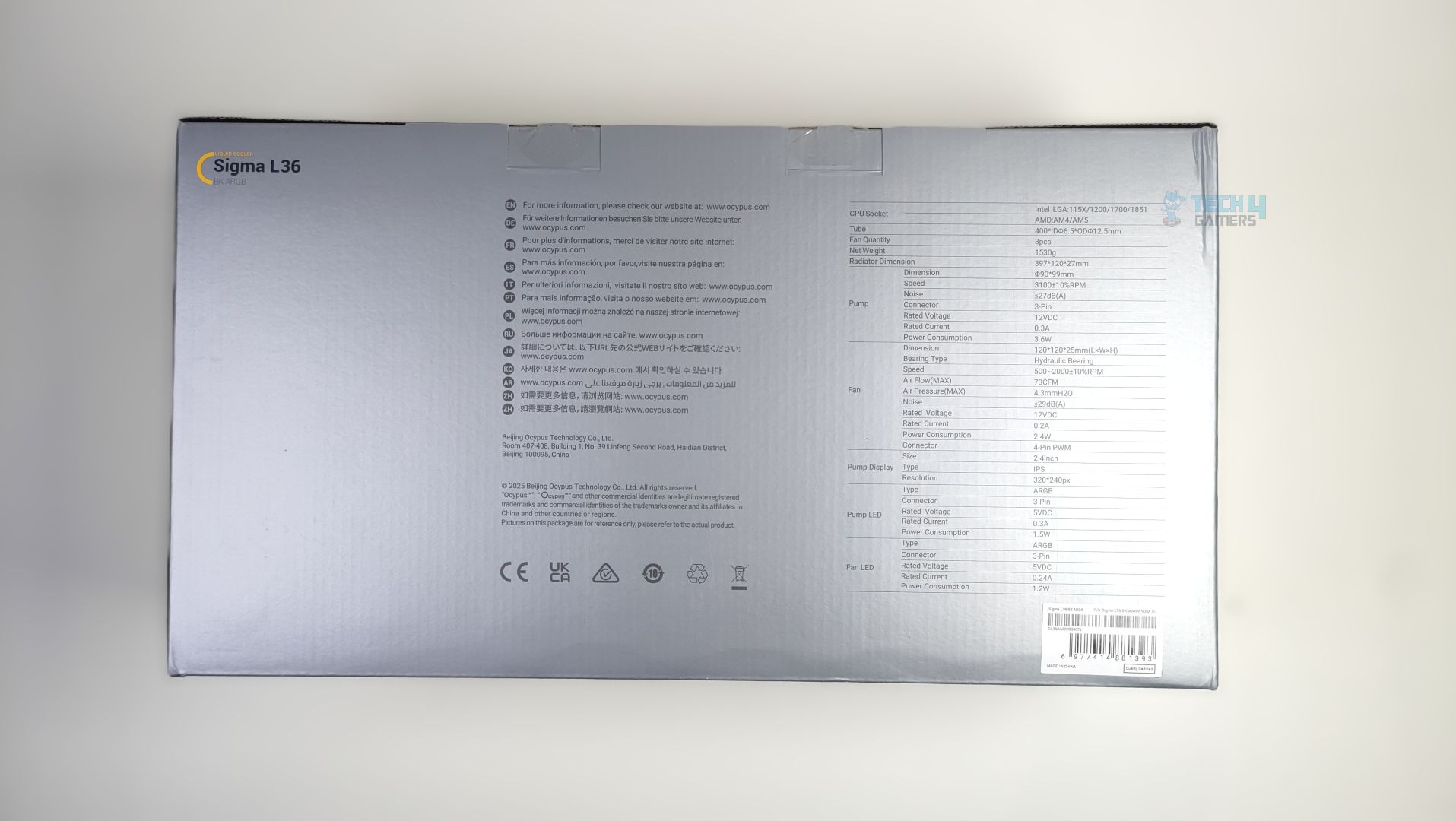
Ocypus Sigma L36 ARGB arrives in traditional grey colour scheme packaging, with the cooler itself displayed at the front, alongside the model and the Ocypus Logo. In the back, you will find the detailed specifications of the provided all-in-one liquid cooler.
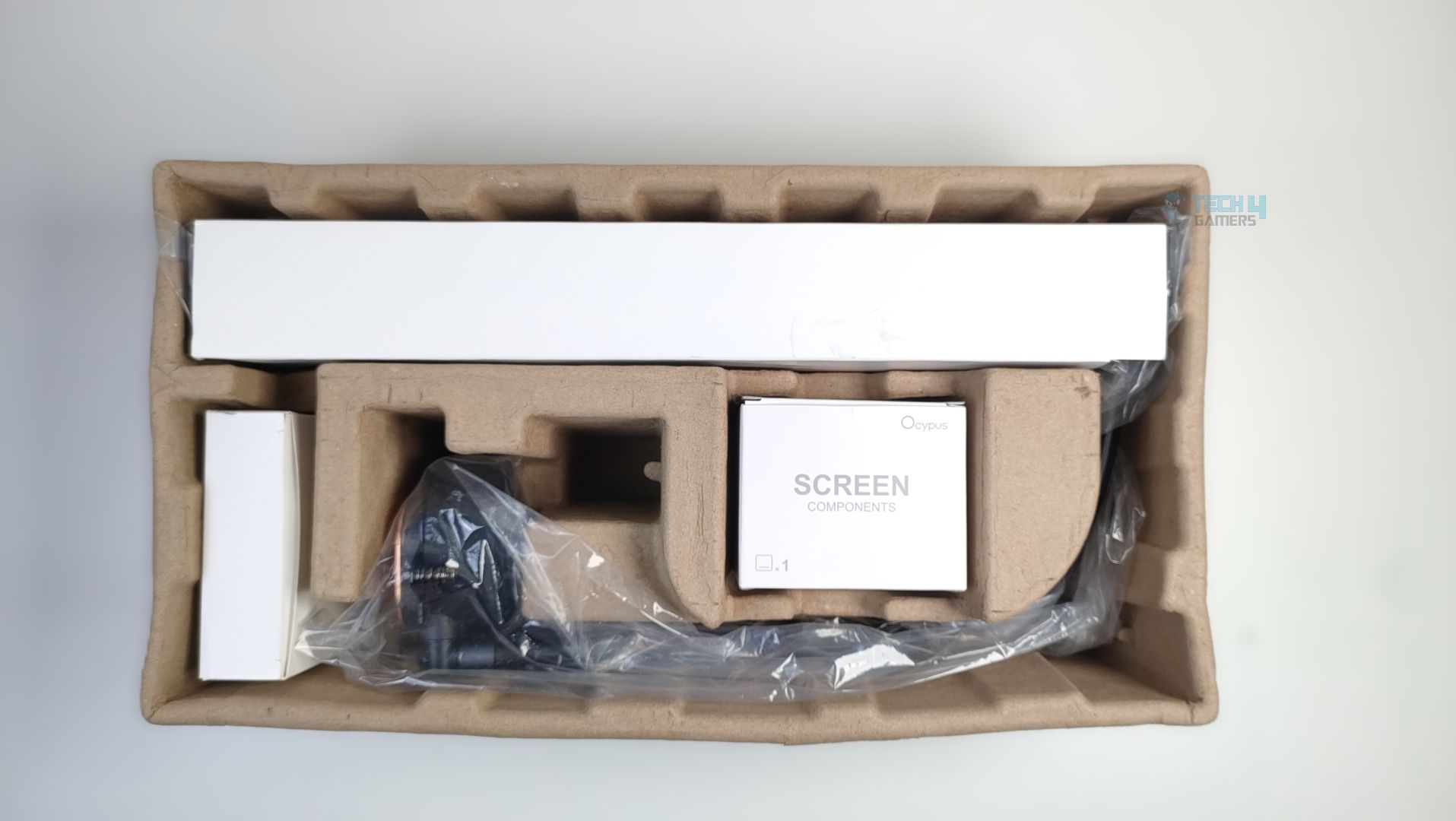
Upon Unboxing, The Cooler is protected by moulded pulp packaging, though there is not much cushioning inside, and the packaging does not feel sturdy. The packaging could have been improved by adding more foam inside.
Accessories
There aren’t many accessories here, which is nice. Ocypus has reduced the socket accessory clutter here, and we are seeing some changes in brackets, especially on the AMD bracket side, which is a step up from the previous Ocypus Sigma L36 Pro Cooler, which had issues during uninstallation. The LCD arrives in a separate box, and the single strap for the cable management and thermal paste for the CPU are also provided. You will also get the fan extension cables and a bunch of nuts and screws with the cooler.
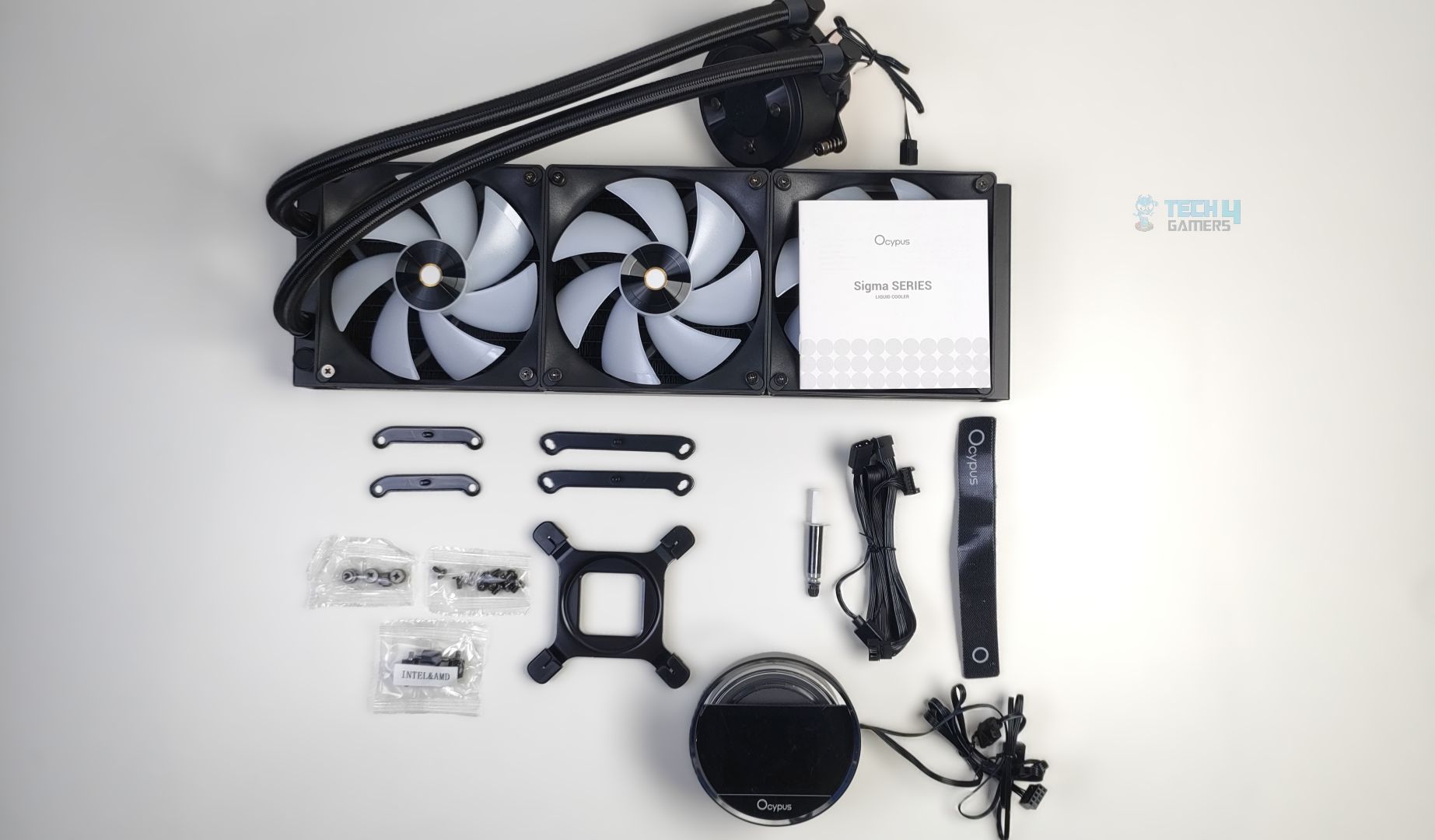
Here is the structured table of what you get inside the box:
| Category | Item | Quantity |
|---|---|---|
| Mounting Hardware | AM4/AM5 Bracket | 2x |
| Intel Bracket | 2x | |
| Intel Mounting Backplate | 1x | |
| Stands Off | 4x | |
| Bracket Nuts | 4x | |
| Radiator Screws | 12x | |
| Tools | Thermal Paste | 1x |
| Straps | 1x | |
| Fan/ARGB Extension Cable | 1x |
Close Look At The Radiator and Assembly
Let’s take a look at the assembly first. The ARGB fans are daisy-chained and come preinstalled on the radiator. The fans also have the Ocypus logo on the hub. The LCD comes separately in the packaging; however, the block design is identical to the Sigma L36 Pro we have reviewed earlier, and it’s round and feels premium in hand. We’ll talk more about the block in detail below. Overall, the assembly is clean, and nothing is wrong with it.
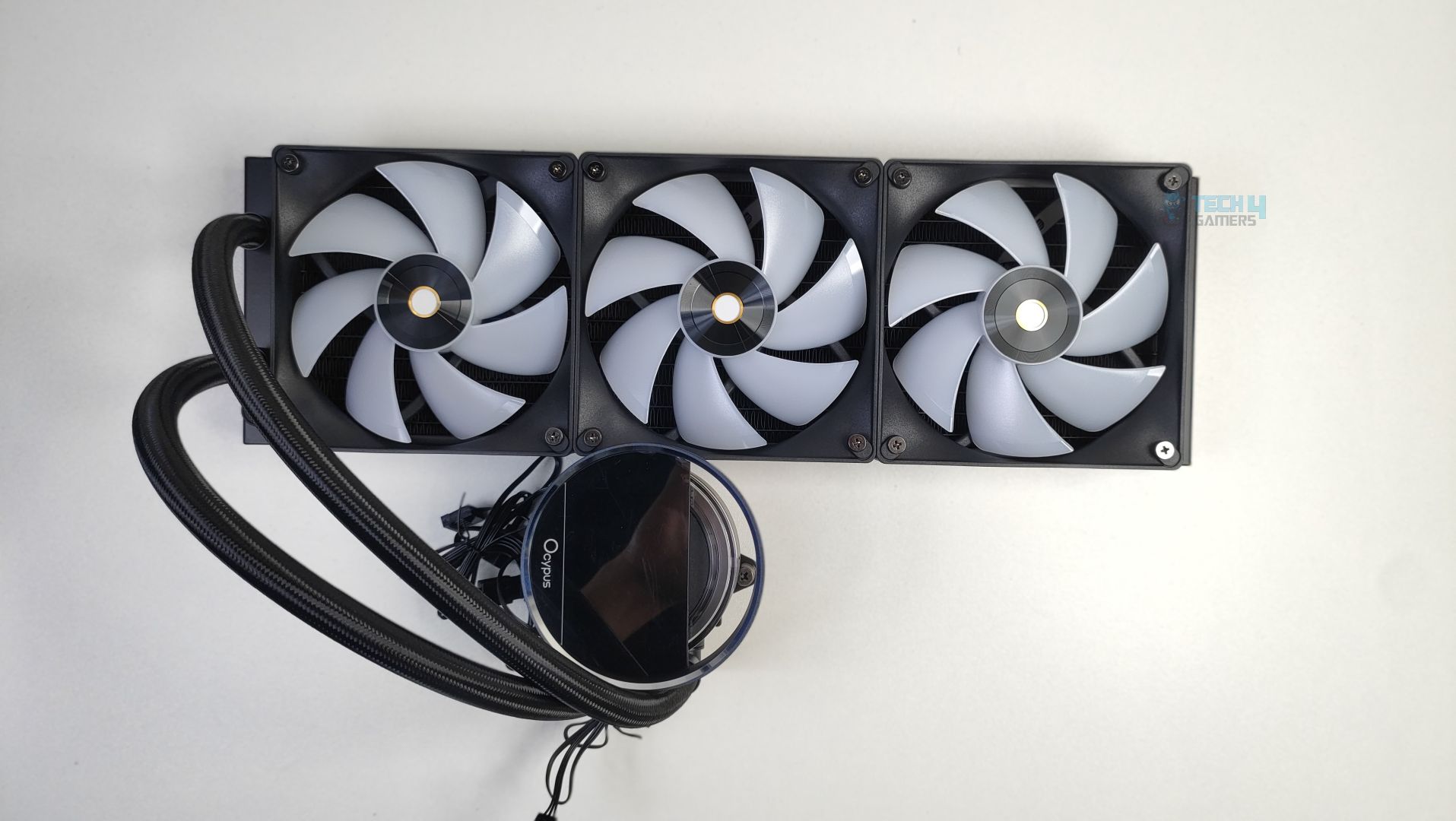
The radiator is identical to the other Ocypus cooler we reviewed earlier and is aluminium-built. As this cooler is 360mm supported, the dimensions are 397x120x27mm(LxWxH), not including the fan height yet. Make sure your case supports 360mm radiators and has enough clearance.
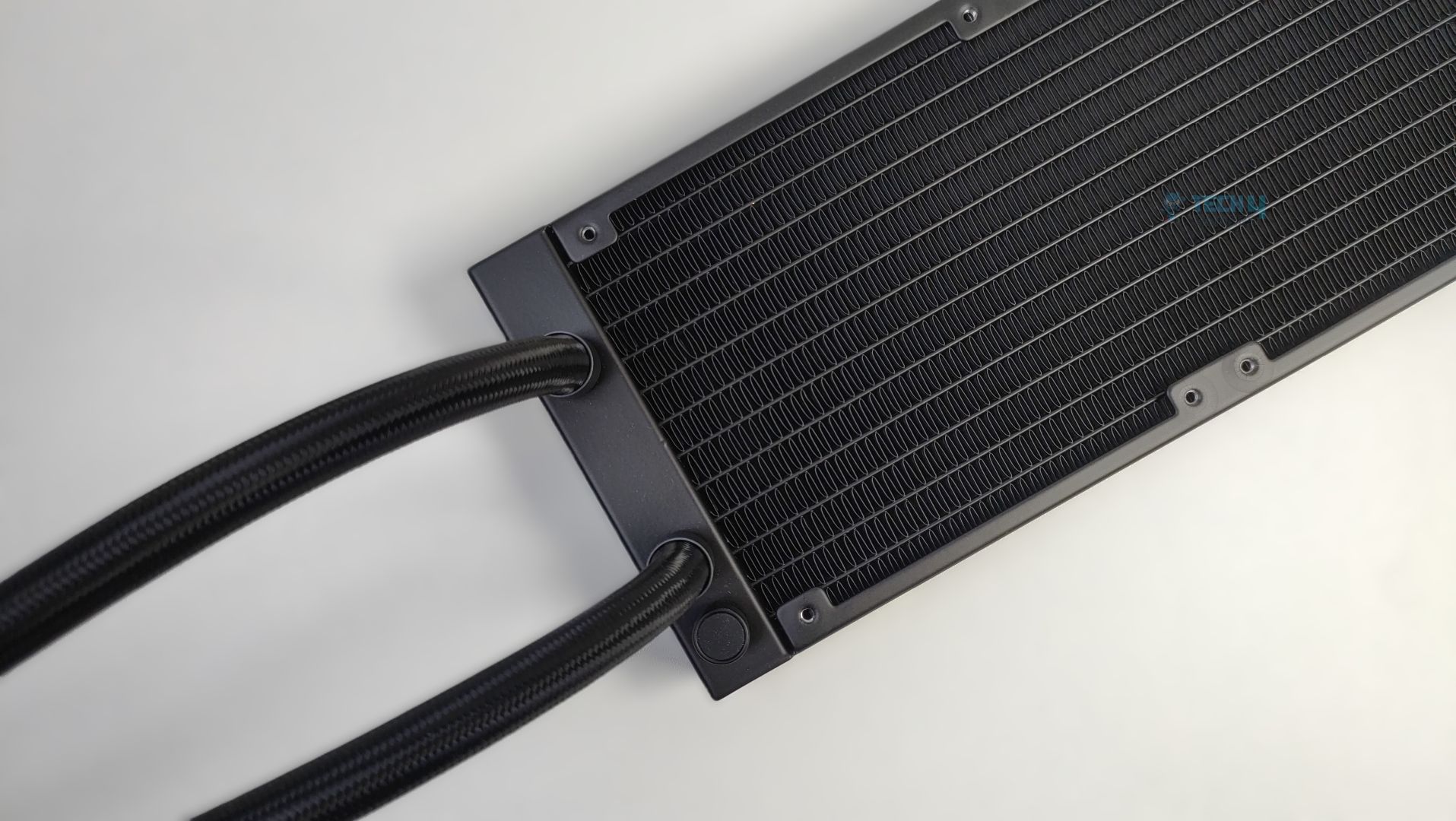
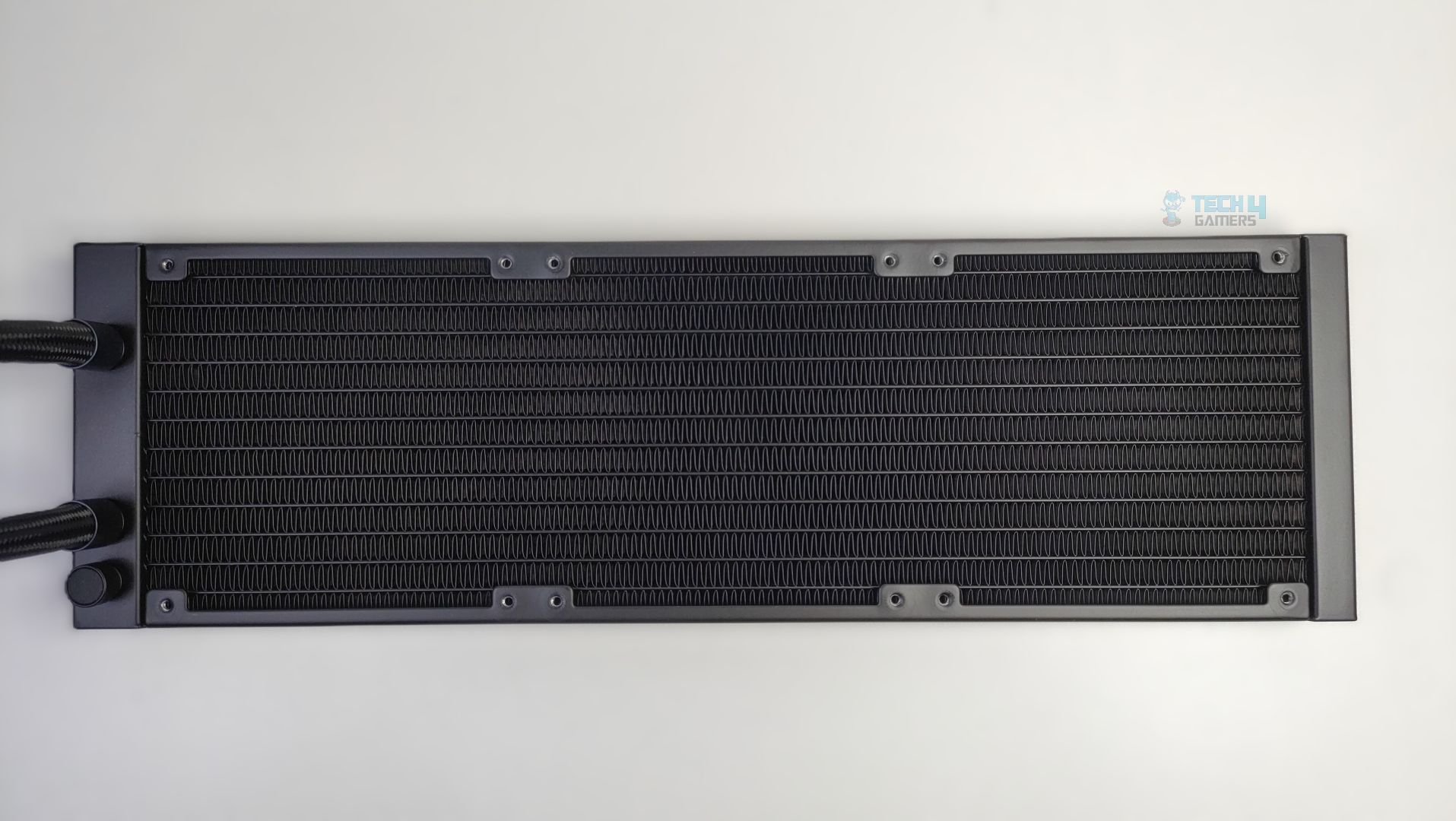
The radiator uses the standard dense fin-stack design. The FPI (Fins Per Inch) is 20, and the radiator features 12 water flow channels.
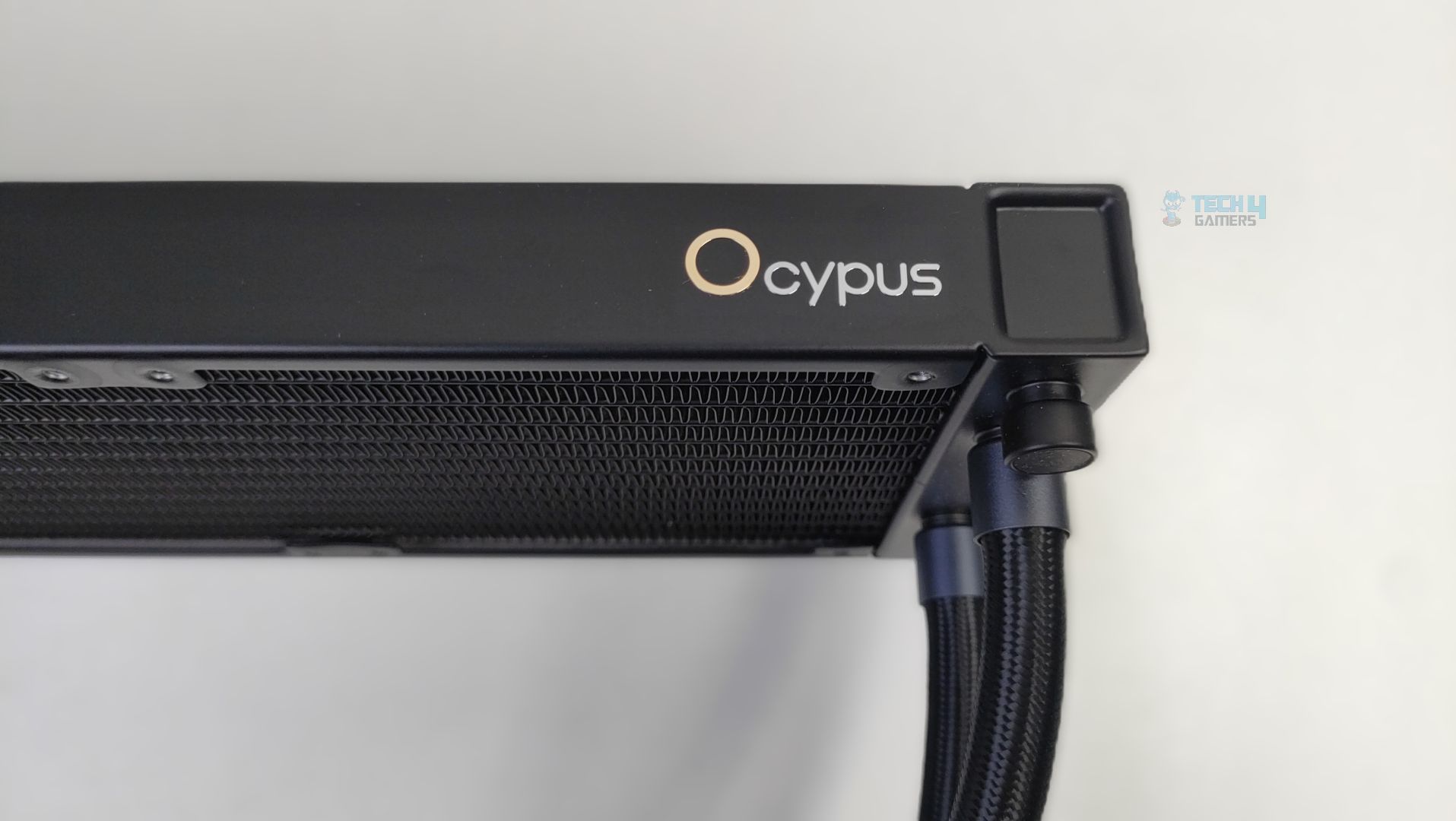
The Ocypus Logo can also be noticed on the side of the radiator.
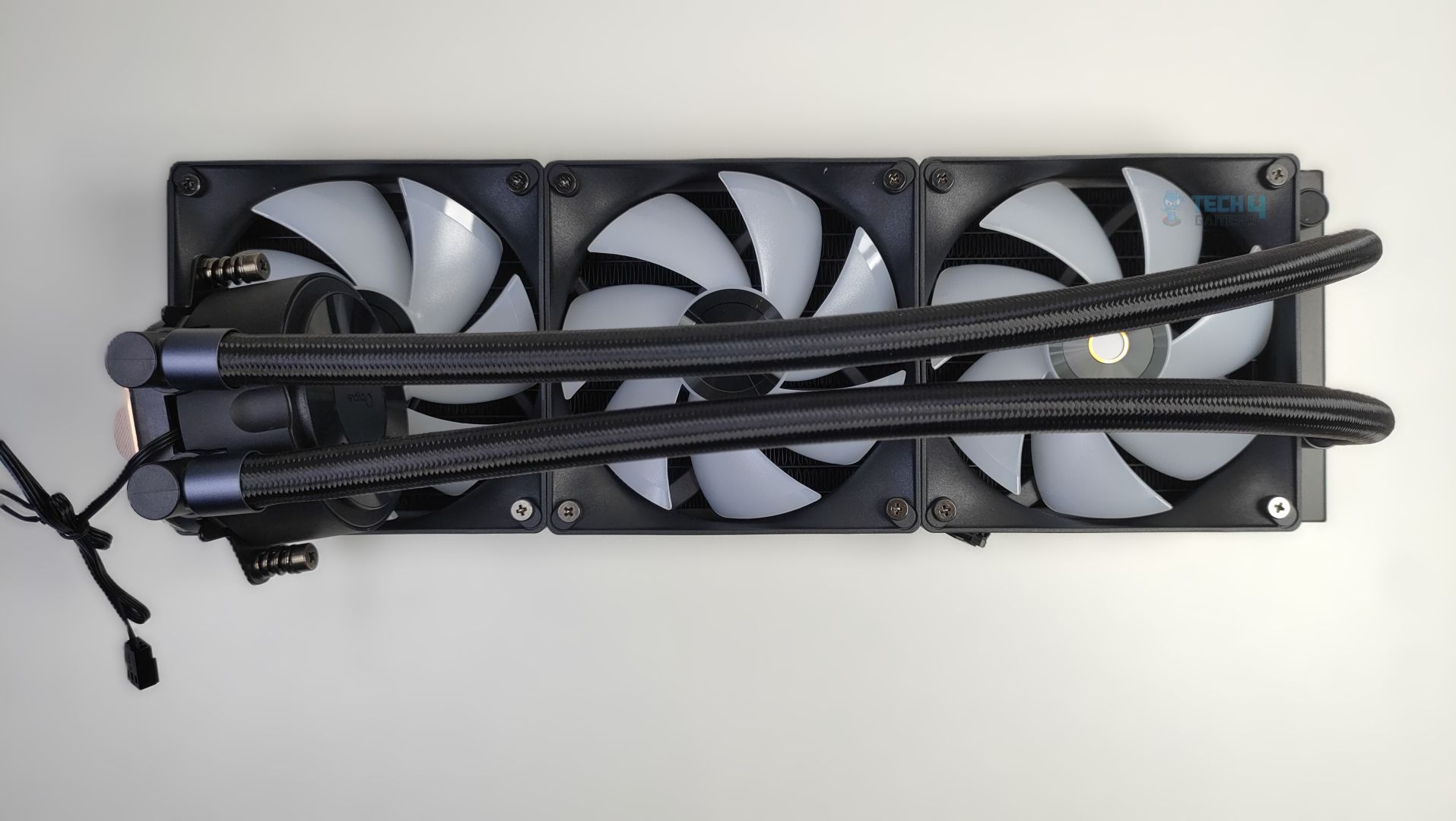
The tube length is 400mm in total, which is decent in length and likely uses nylon-braided rubber hoses. The round cap to the right, beside the tubes, is the filling port. This is a factory-sealed port, not recommended for user refills.
Pump Design / Housing
Again, the block is identical to that of the Sigma L36 Pro series. The block has a simple design; you don’t notice any fancy flow curves, and it’s made of ABS plastic. The pump houses a ceramic bearing with the three-phase Six-pole Motor, which ensures durability and smooth operation over an extended period. The pump rotates at 3100 RPM 10% +/- and is not PWM regulated. The 3-pin pump cable exits below the pump housing and the back side of the block.
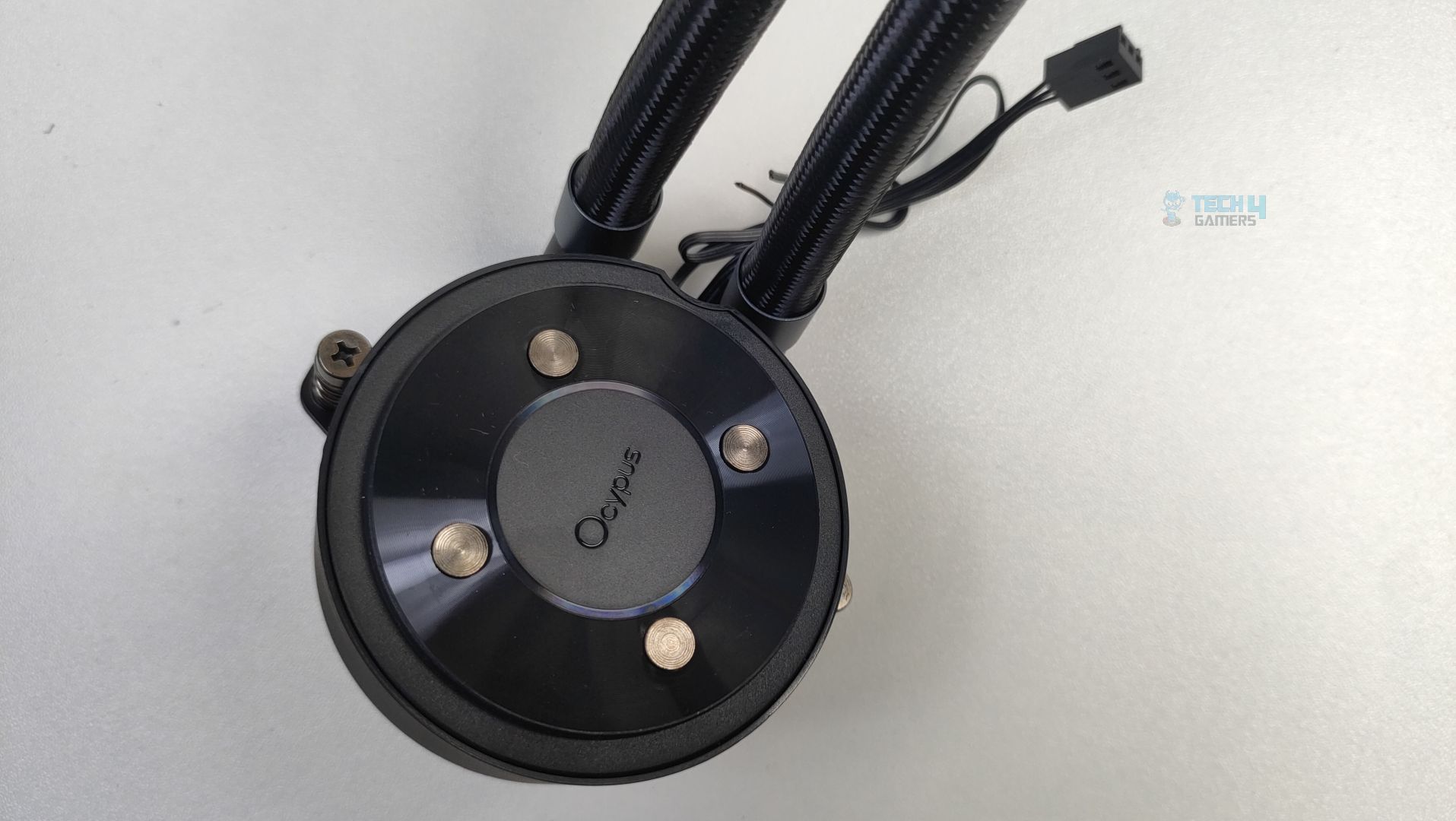
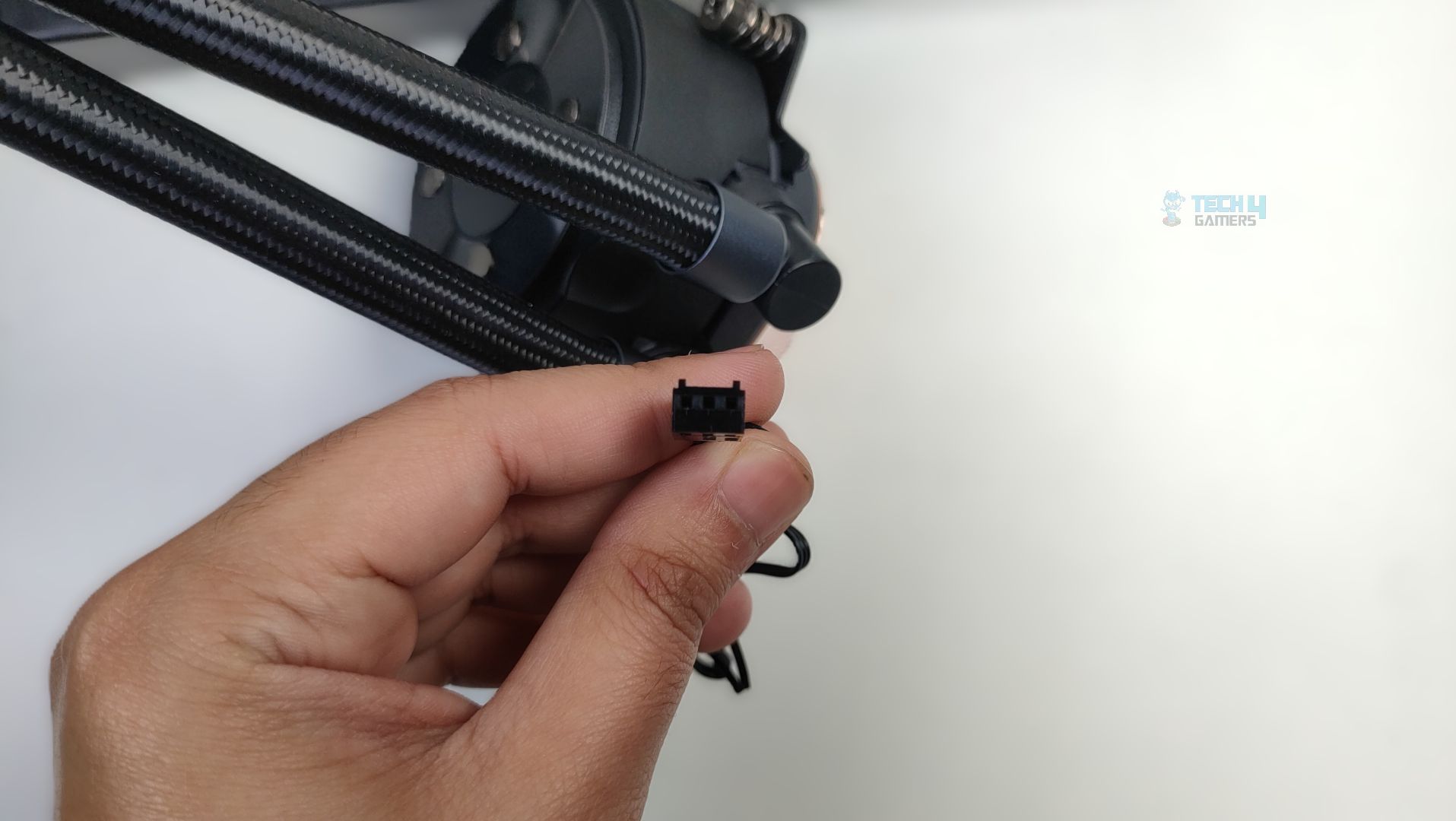
The block also features the swivel fittings that allow 180-degree rotation. Overall, we did not notice any issue with the pump block, and it feels really sturdy.
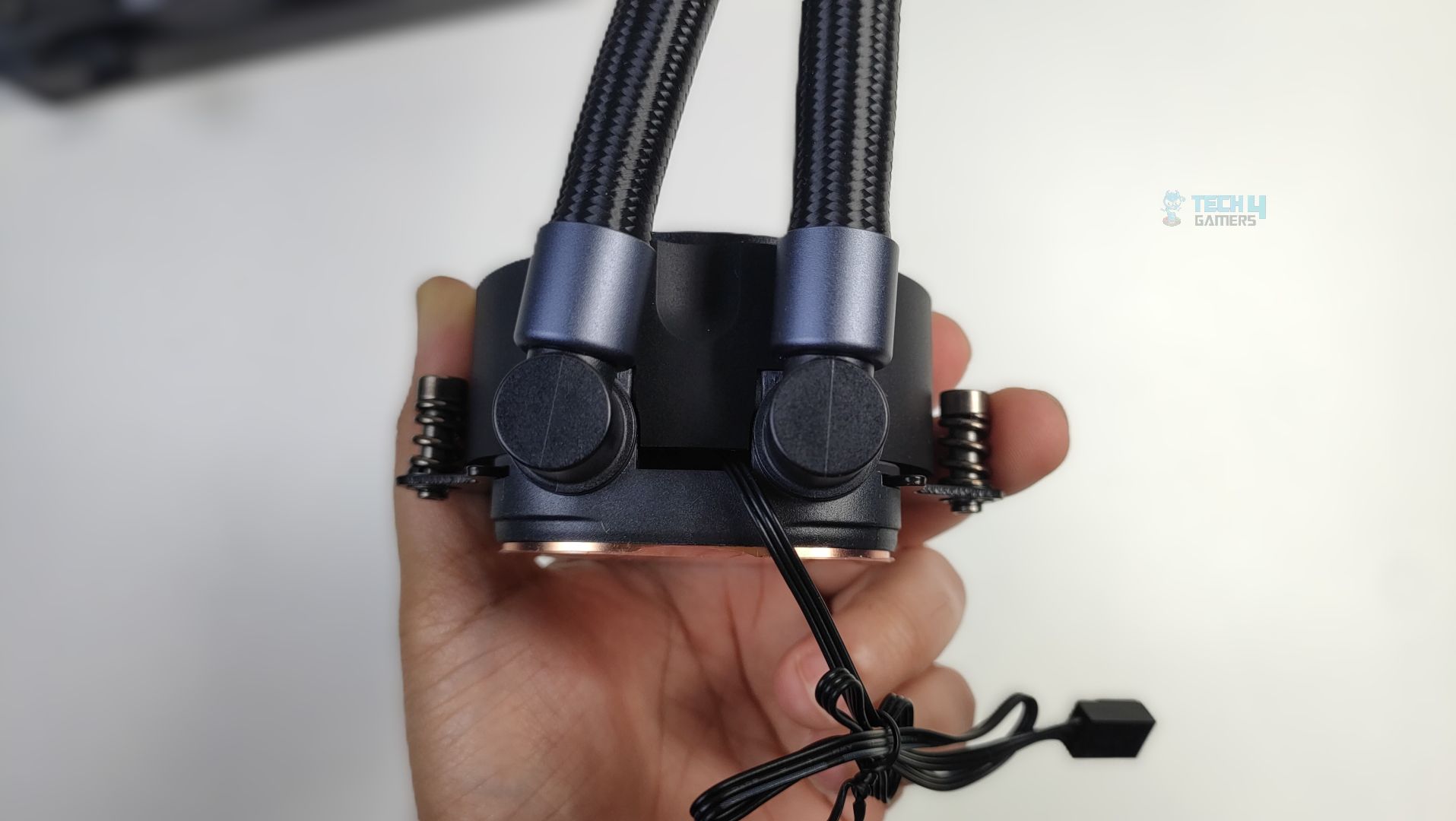
Likewise, the cold plate is massive and made of copper, featuring a 0.1mm micro-channel architecture.
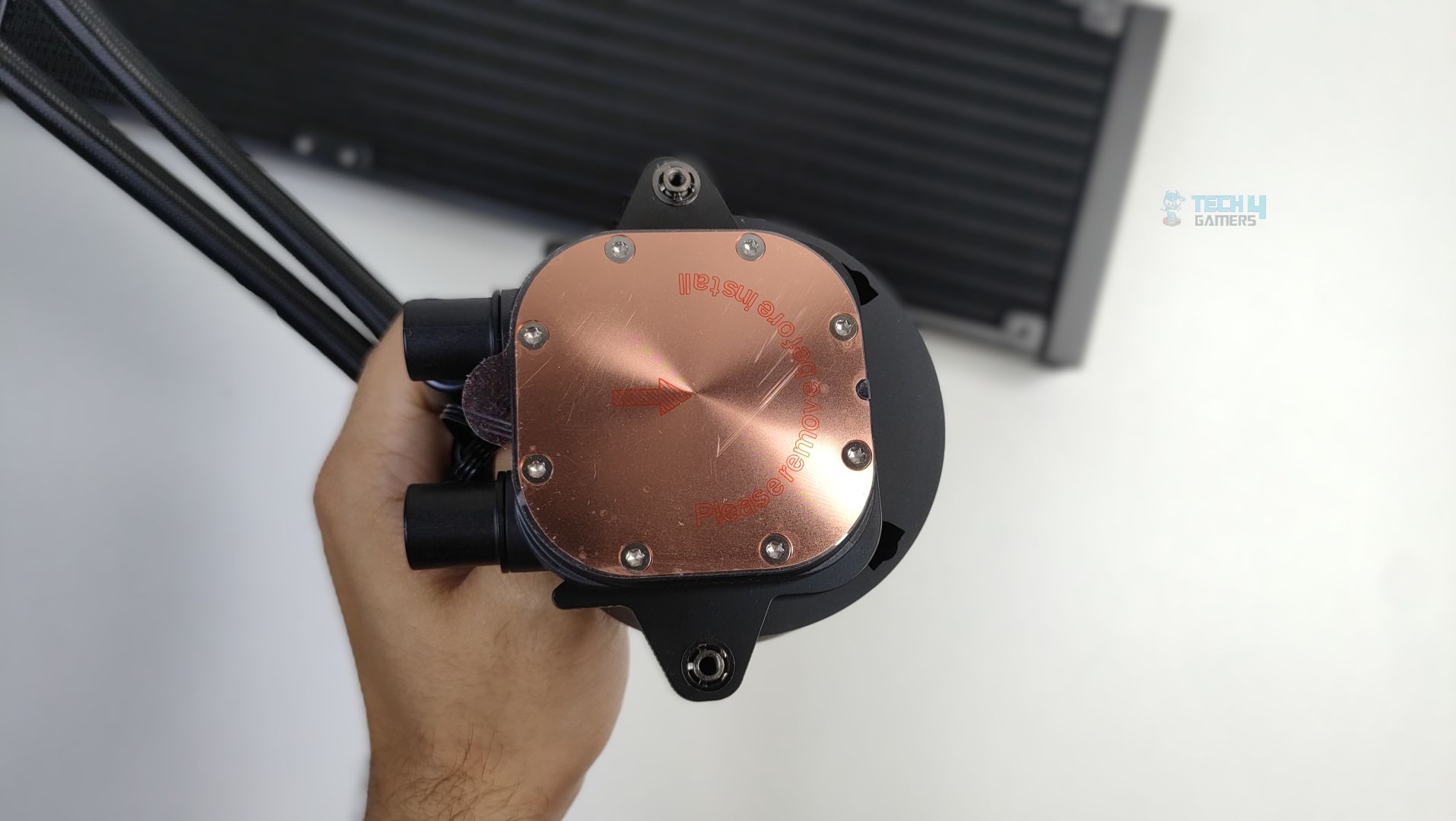
Twelve screws hold the copper cold plate in place, which could help apply uniform pressure across the CPU die.
Display
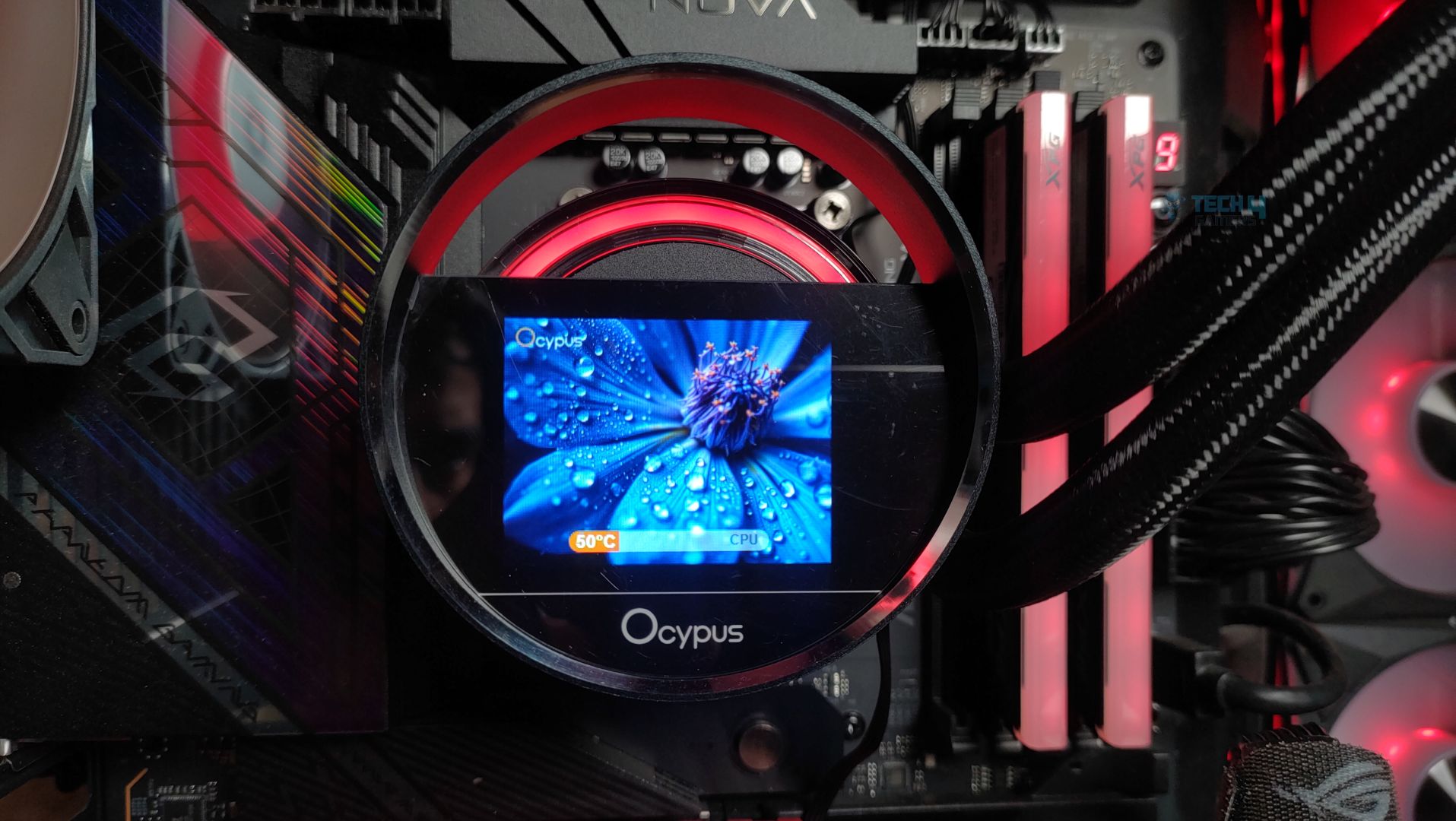
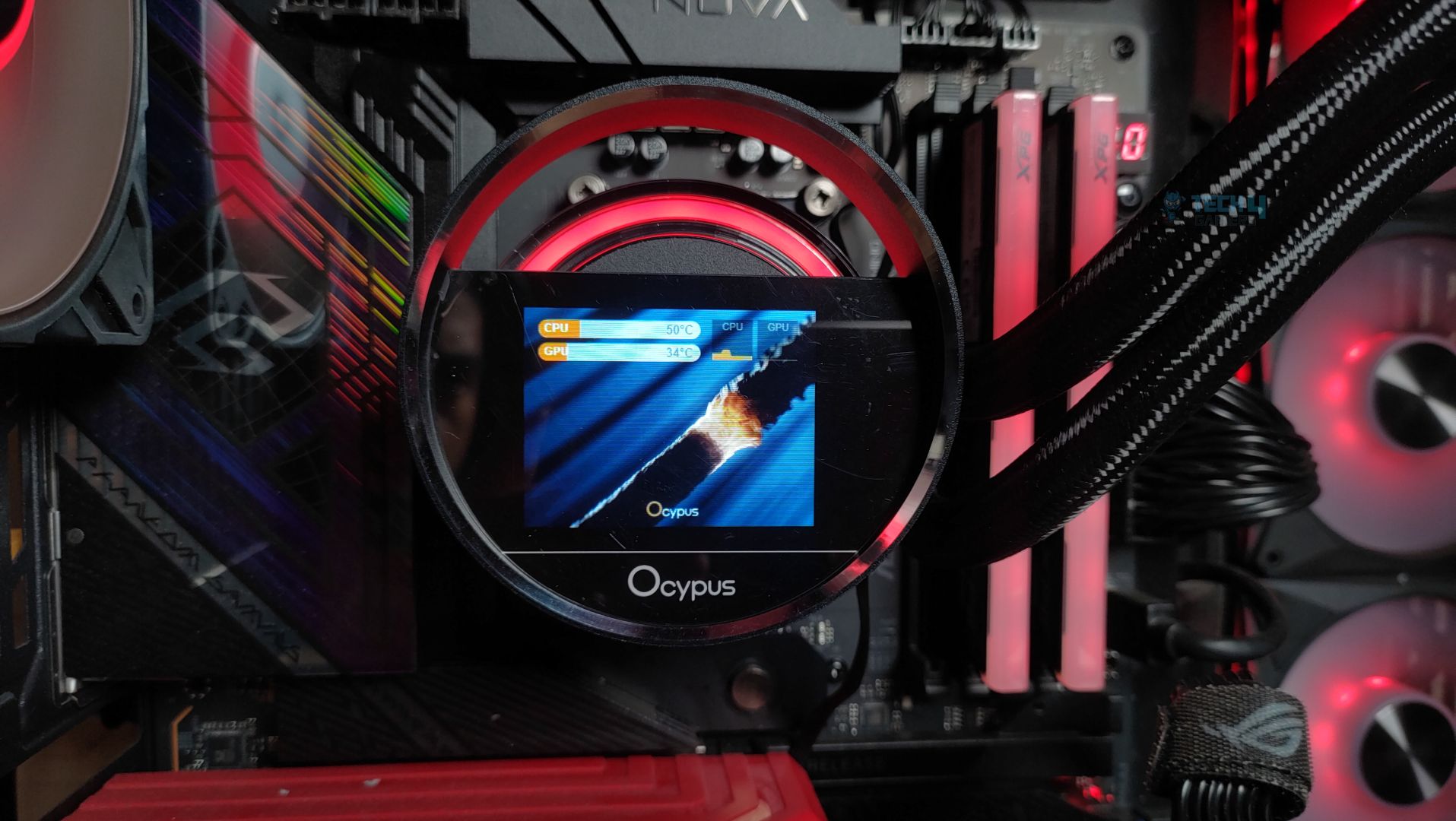
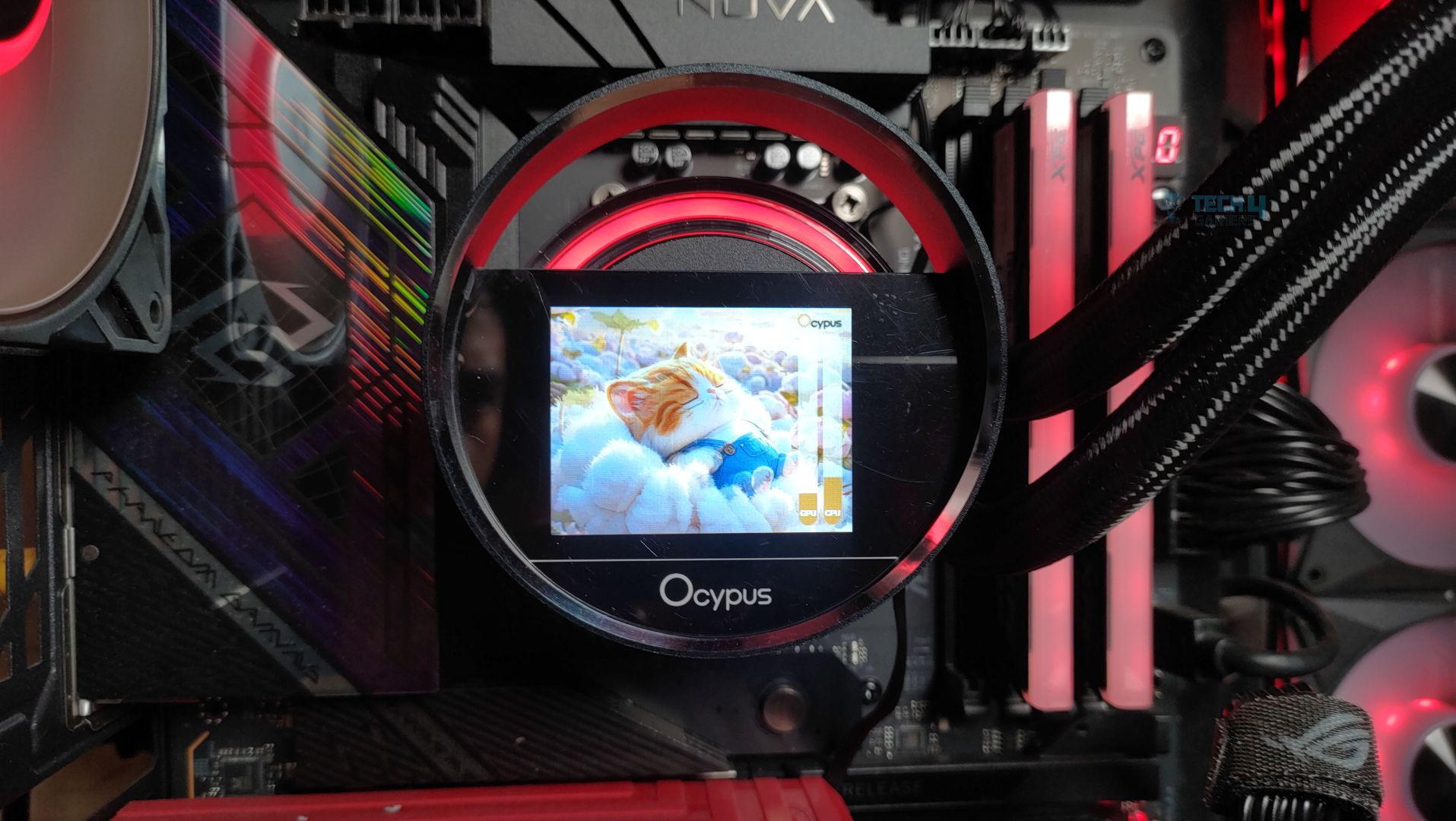
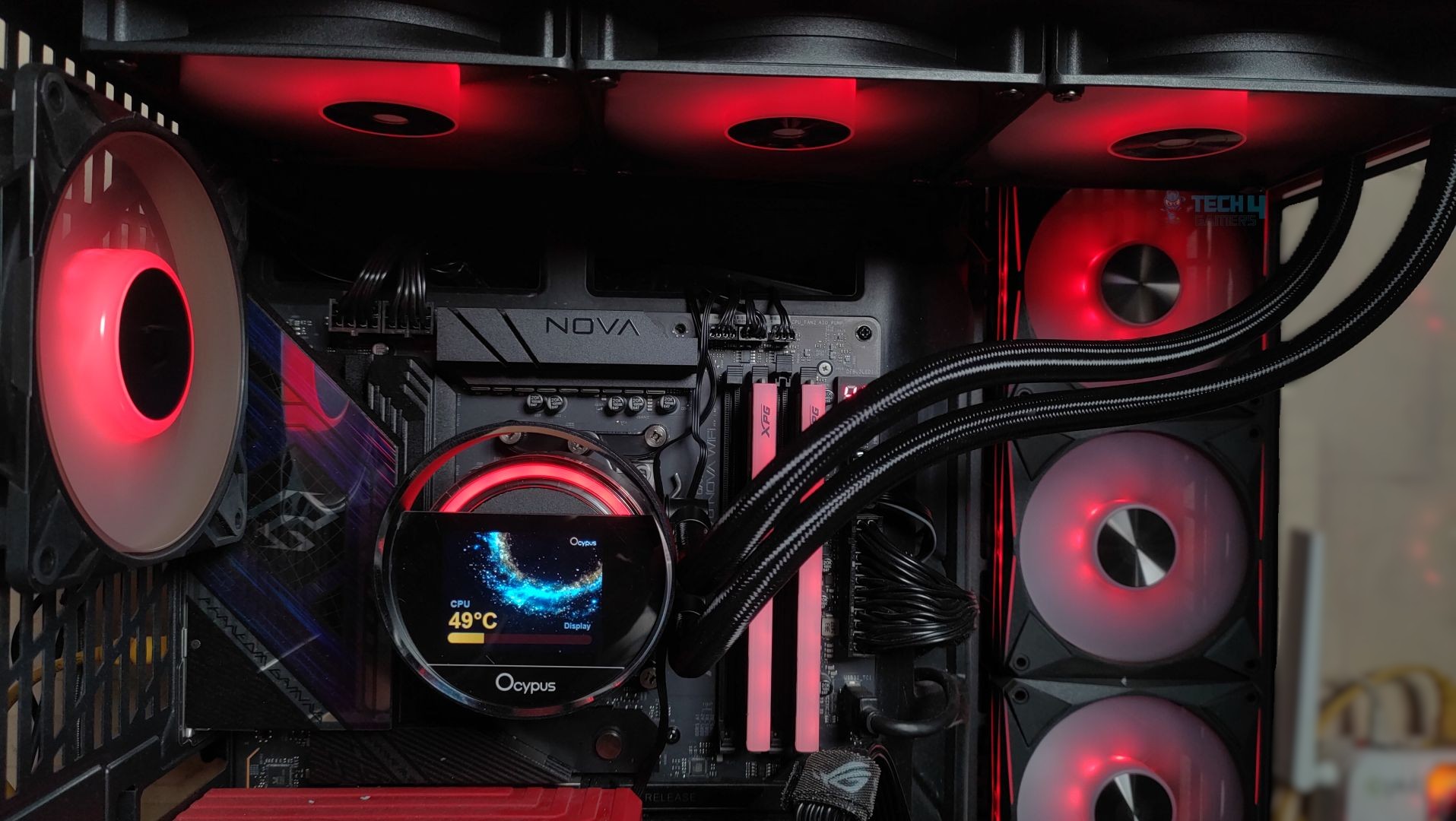
The display is 2.4 inches and supports a 320×240 resolution; it’s IPS. However, the LCD is smaller than the Sigma Pro series, so users looking for a larger LCD might opt for the Pro series. Previously, the cooler featured a jelly-like floating design, but this time Ocypus has introduced a fresh and innovative approach. The LCD module now incorporates a circular outer ring that frames the display. Ocypus refers to this as the ‘Cosmic’ design, inspired by the halo effect created by the RGB lighting behind the screen.
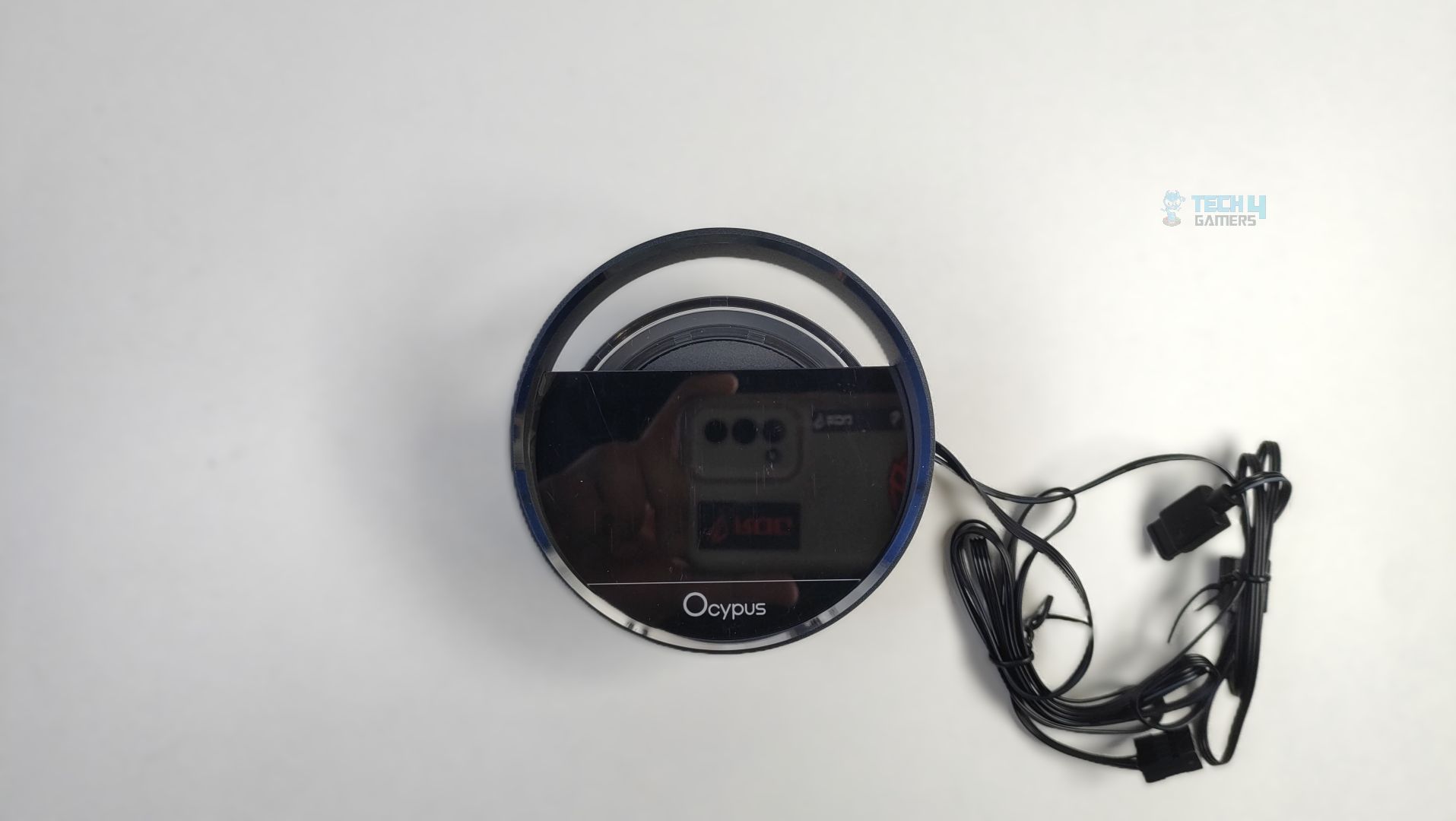
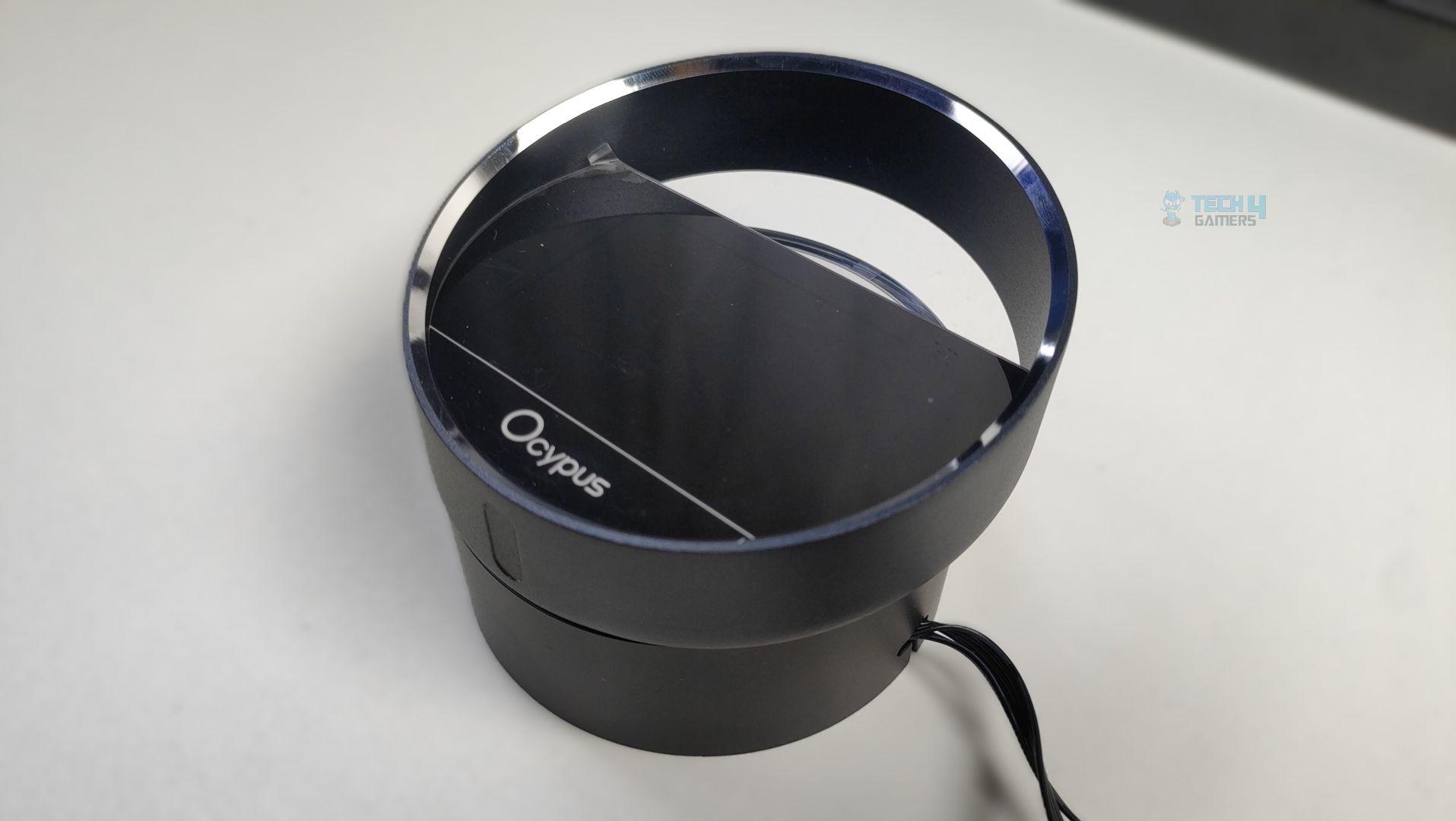
The LCD module has four magnet points that attach to the pump magnets. Though I had issues with the previous series, the display mounted on the block does not feel very sturdy, so if you’re moving your PC or cleaning the system, make sure to disconnect the LCD module to prevent it from falling. This is the area OCYPUS might need to improve.
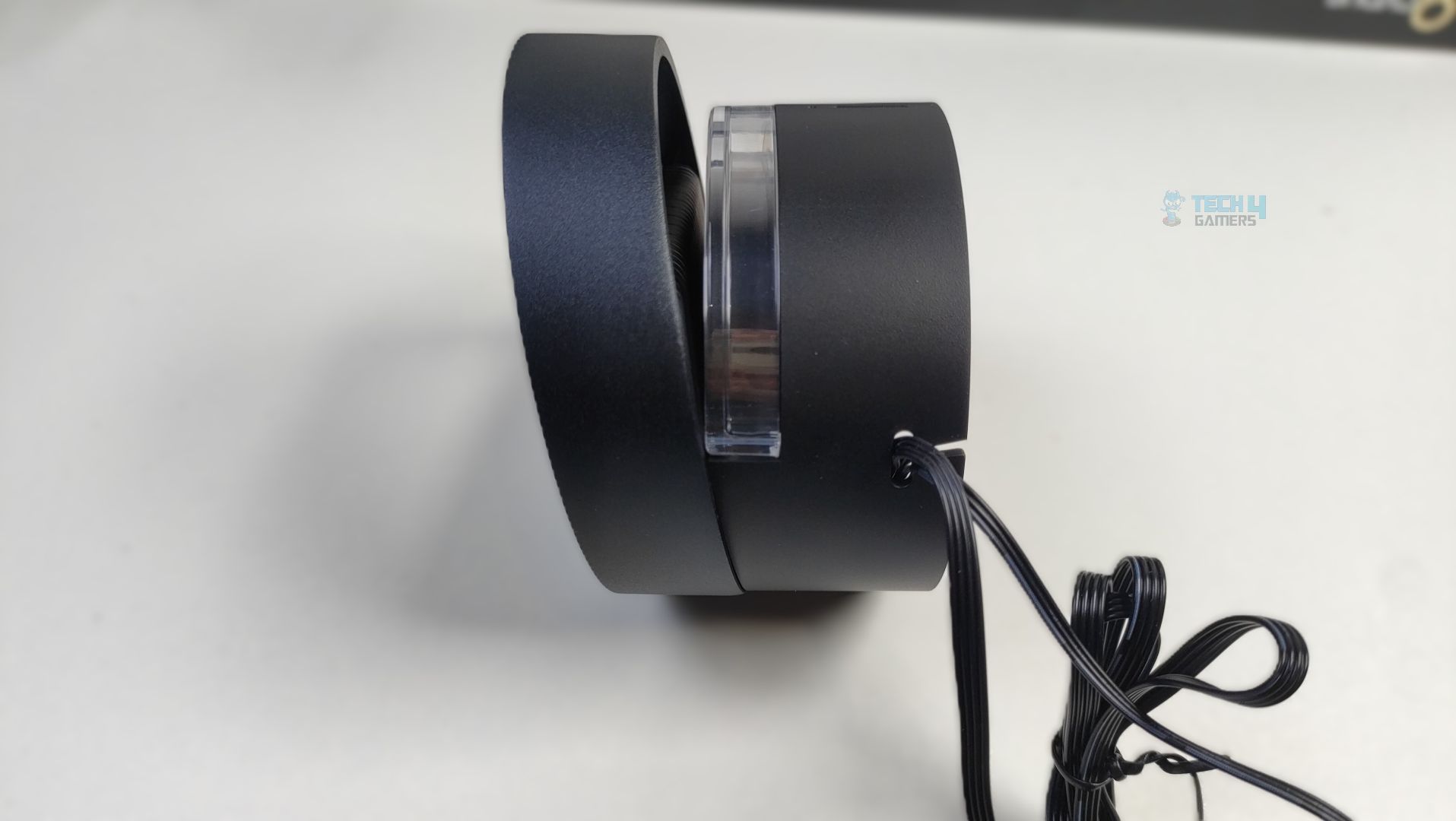
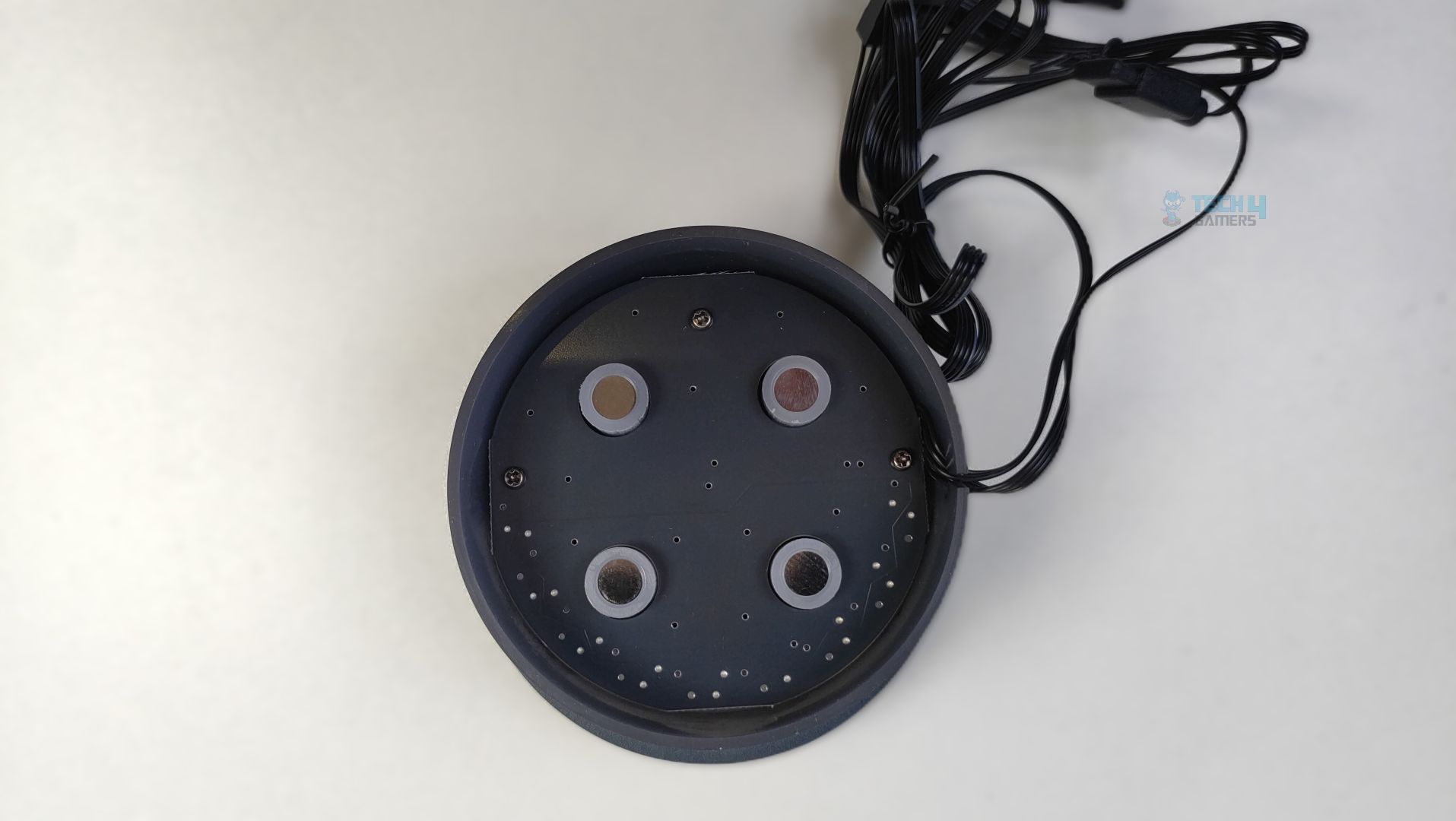
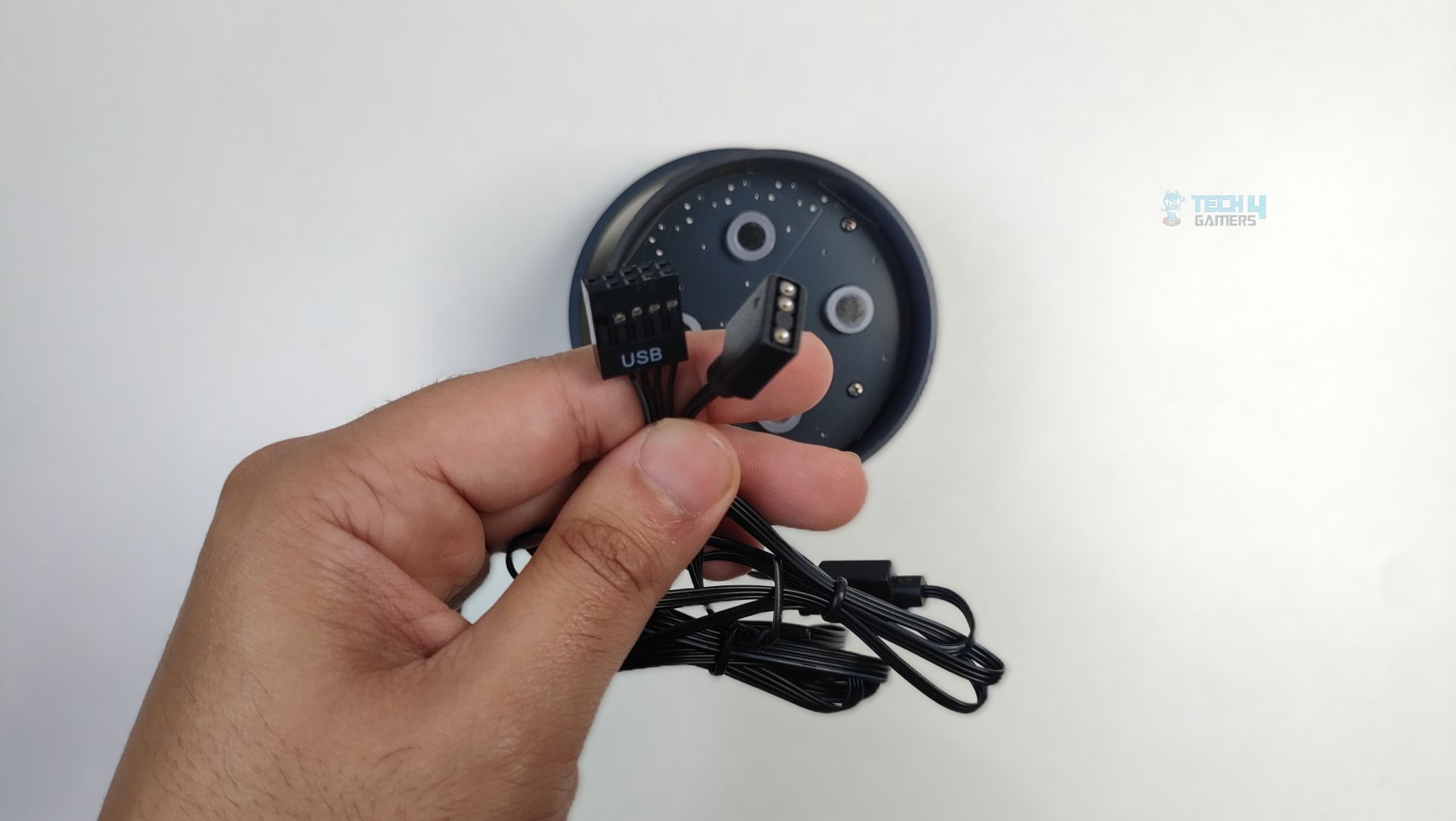
For connectivity, we have a 9-pin USB cable that connects to the motherboard and an ARGB cable for the lighting effects around the LCD.
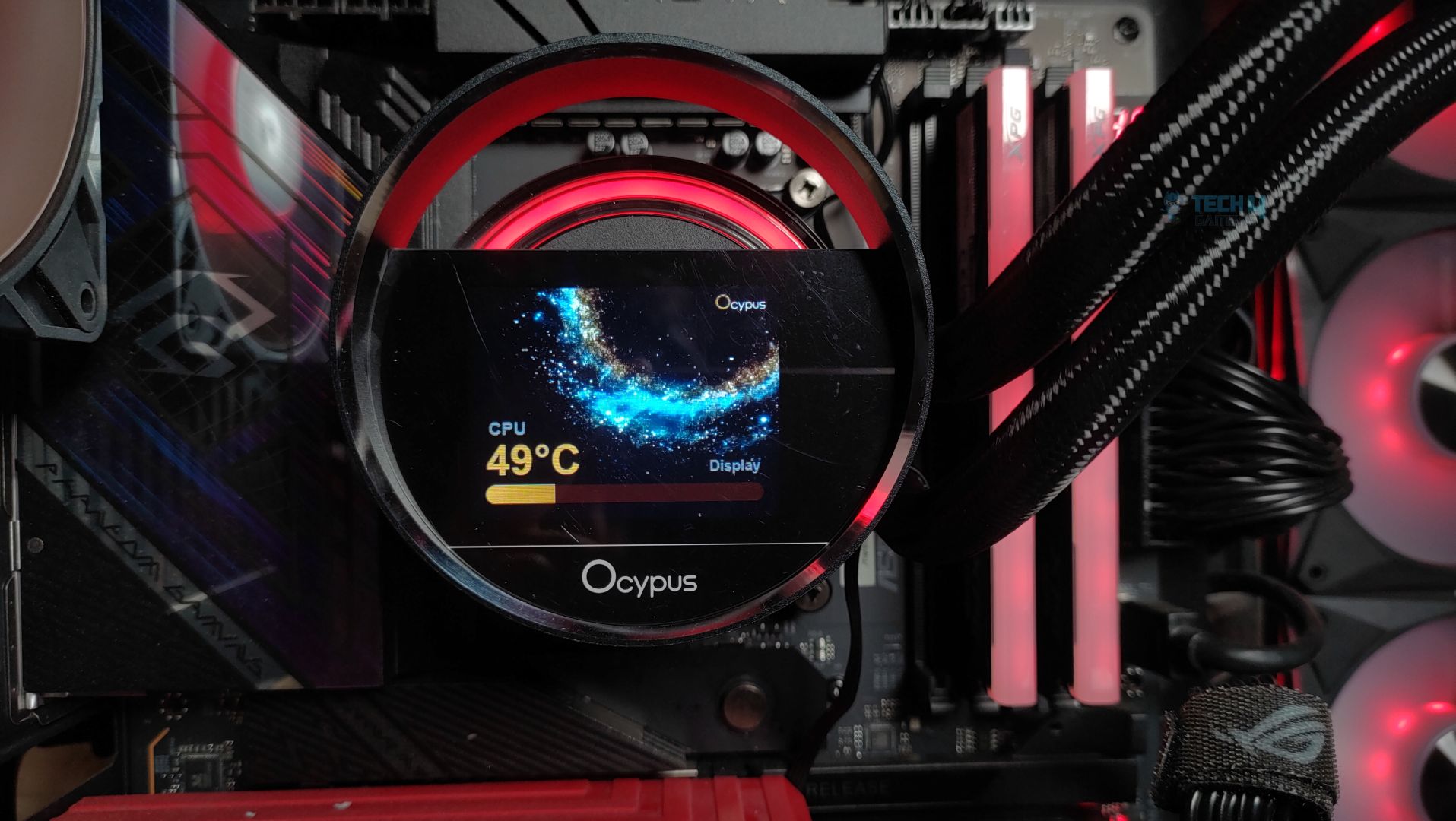
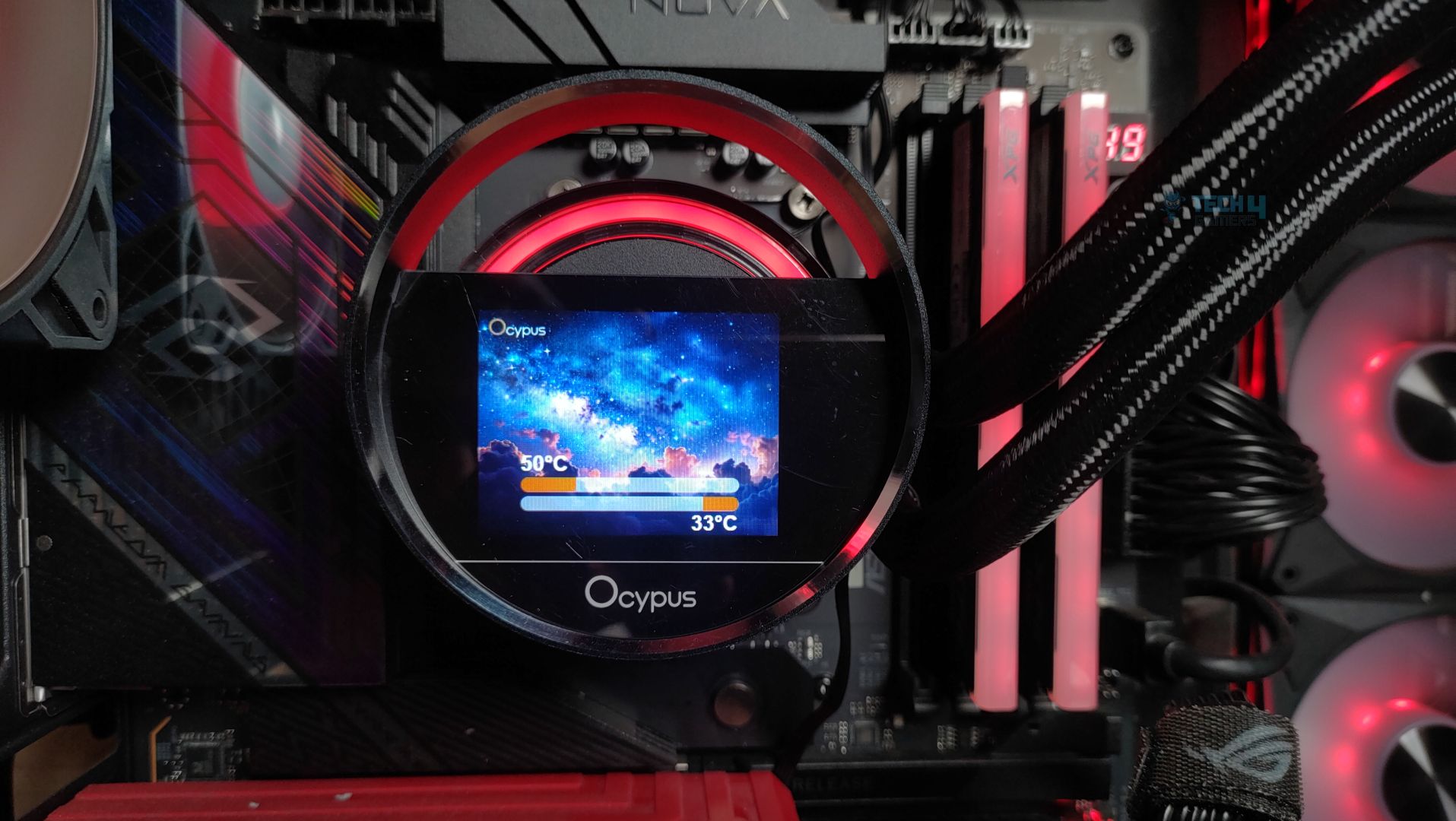
The display can be customized through Ocypus Software. It supports sensor reporting, and the widgets and preinstalled themes are also included. The LCD also supports MP4 video playback and a wide range of formats, including JPEG, GIF, PNG, and BMP, on the panel.
Fans
Let’s discuss about the fans!
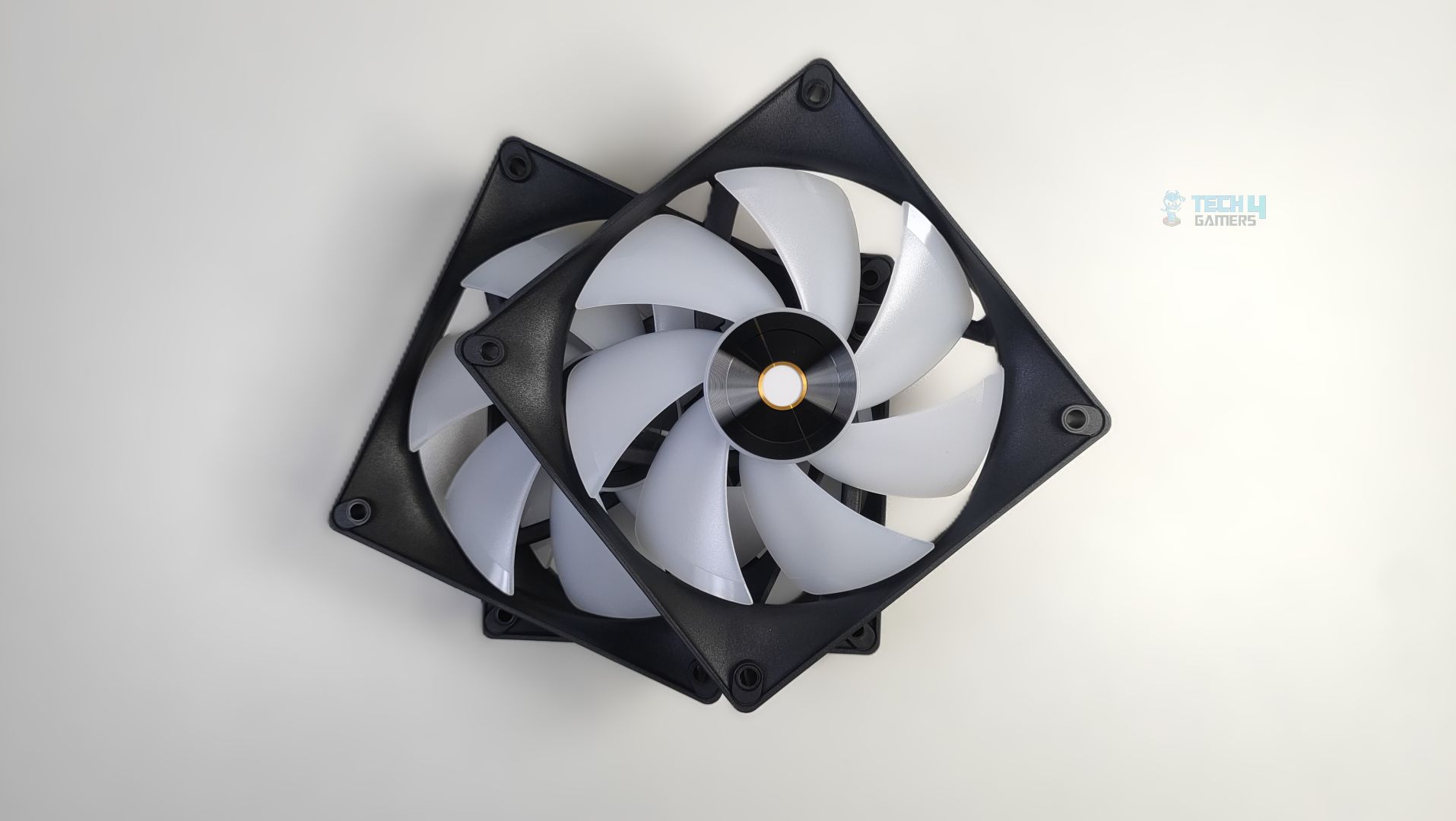
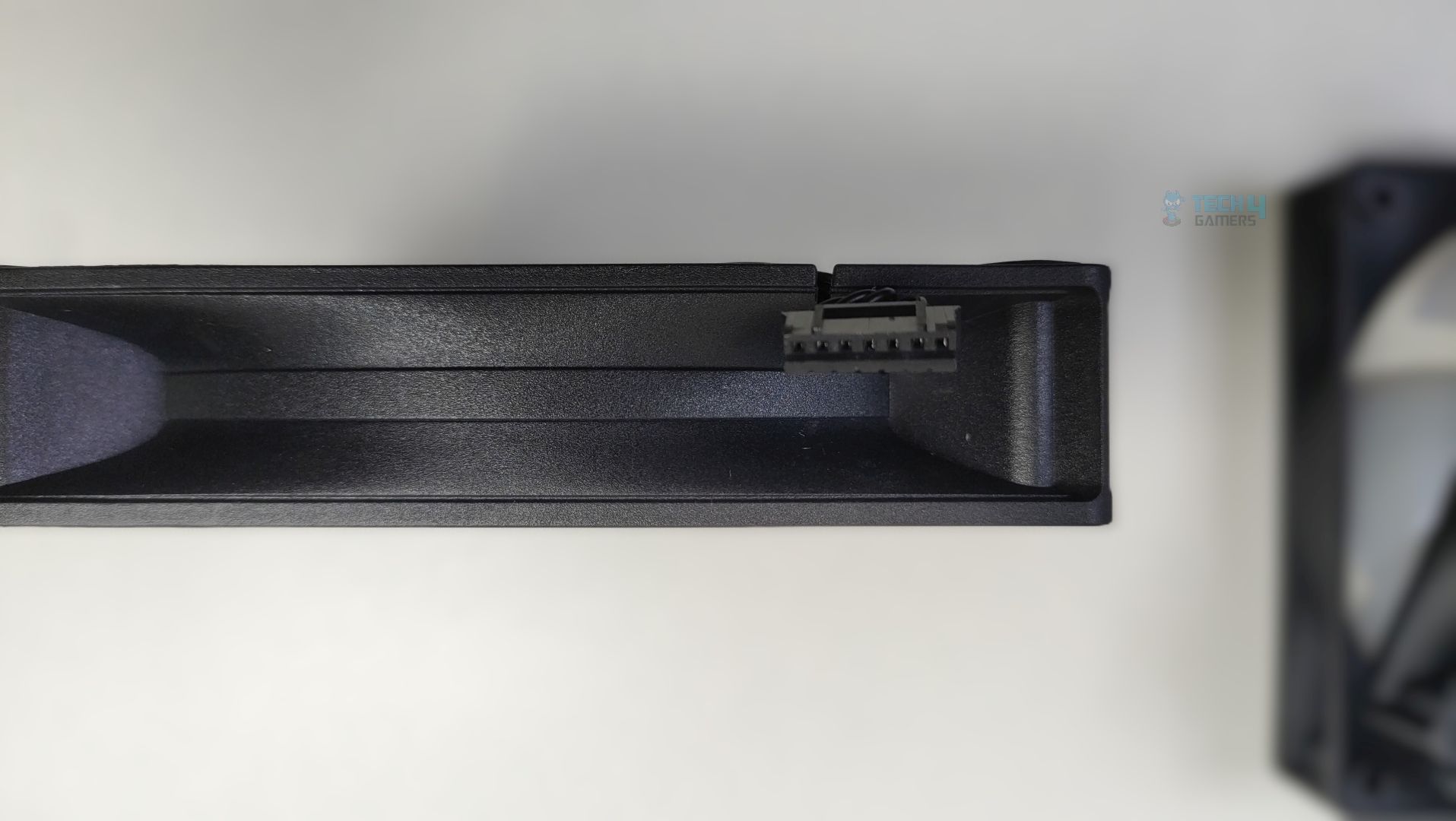
Ocypus has, this time, provided ARGB fans in the Sigma Series; however, they might not be as strong as the Sigma L36 Pro Cooler. The fan features seven frosted translucent blades and uses a square, rigid frame with reinforced corners to reduce vibrations. The mounting holes also feature rubber pads at the corners, which could improve overall acoustic performance.
The central hub also seems larger than usual, incorporates the ARGB LEDs, and uses the Hydraulic bearing. Speaking of connection, these fans use the Ocypus proprietary interlocking fan connector, not a traditional 4-pin PWM + 3-pin 5v ARGB connection. The PWM + ARGB signals are carried to the extension cable, which is provided in a box. This helps reduce cable clutter.
Here are the specifications of the fans.
| Ocypus Sigma L36 Fans Specifications | |
|---|---|
| Fan Dimension | 120*120*25mm (L×W×H) |
| Fan Speed | 500~2000±10%RPM |
| Max. Air Flow | 73CFM |
| Max. Static Pressure | 4.3mmH2O |
| Noise | ≤29dB(A) |
| Bearing Type | Hydraulic Bearing |
| Connector | 4-Pin PWM / 3-Pin 5v ARGB Connector |
Installation (AMD)
We’re using the AMD platform, so our installation steps will only be provided for that.
Prepare the socket
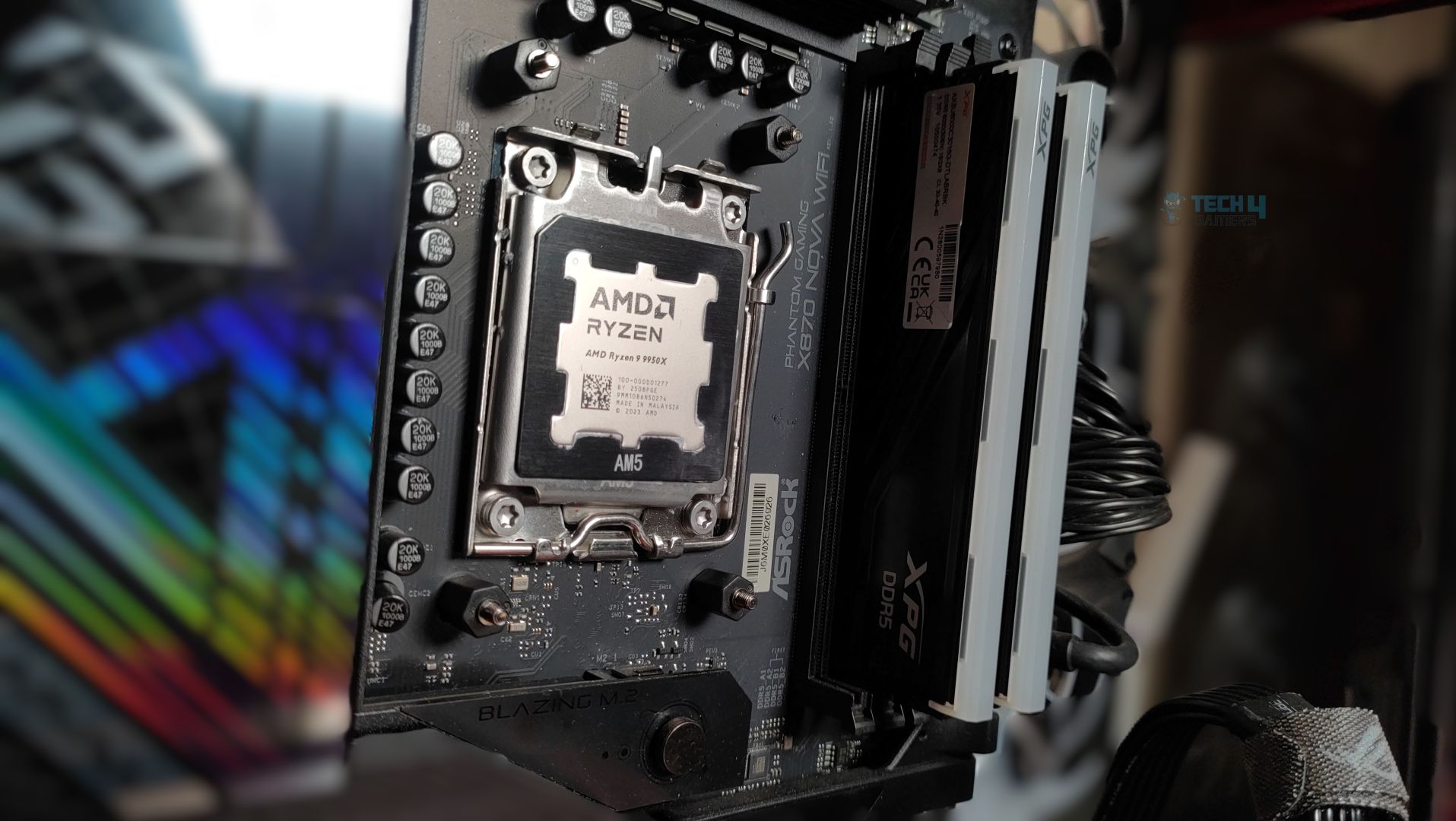
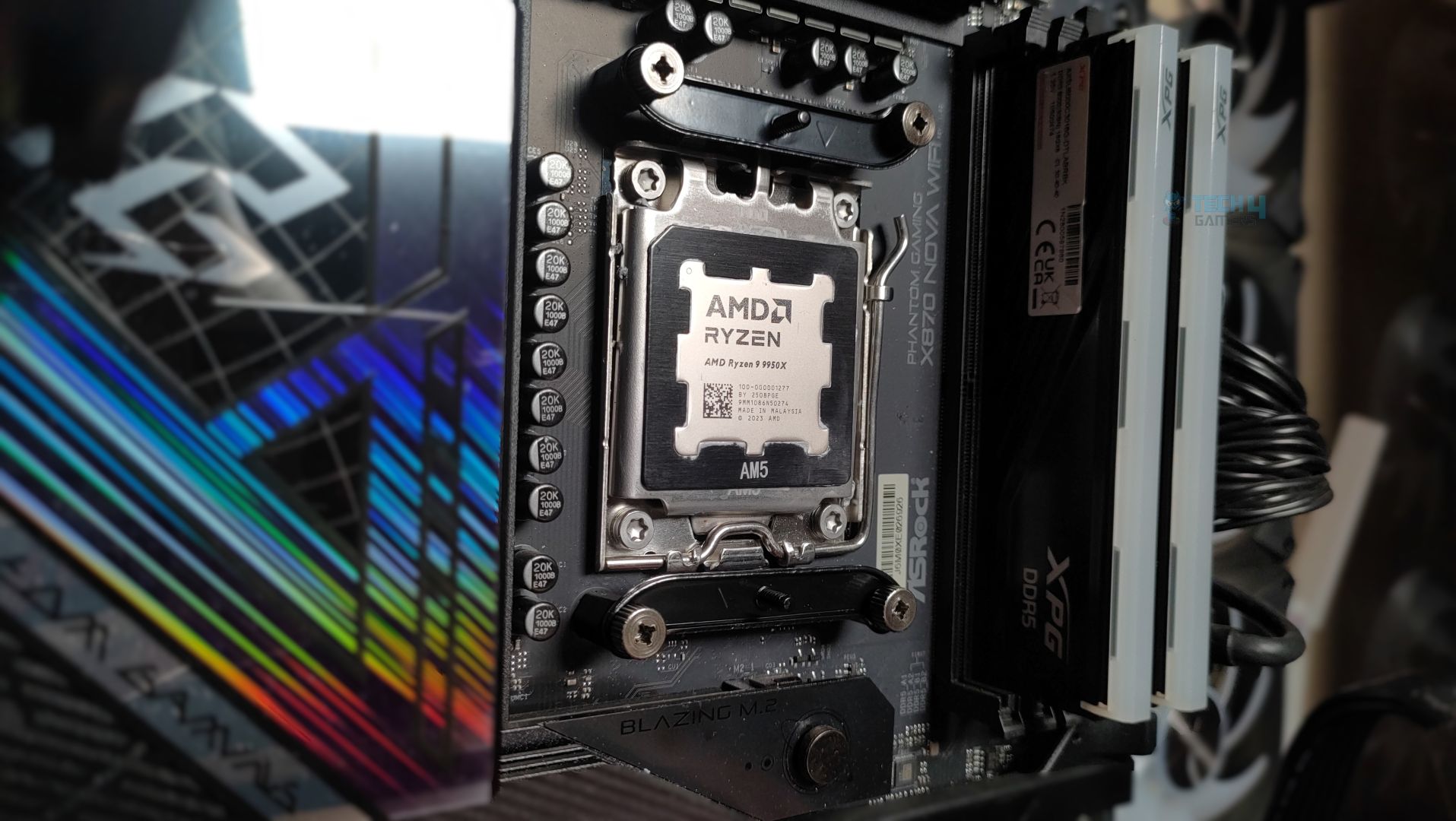
Make sure you have removed the sticker from the block. Do not forget to install the thermal paste; we are using ID-Cooling X45.
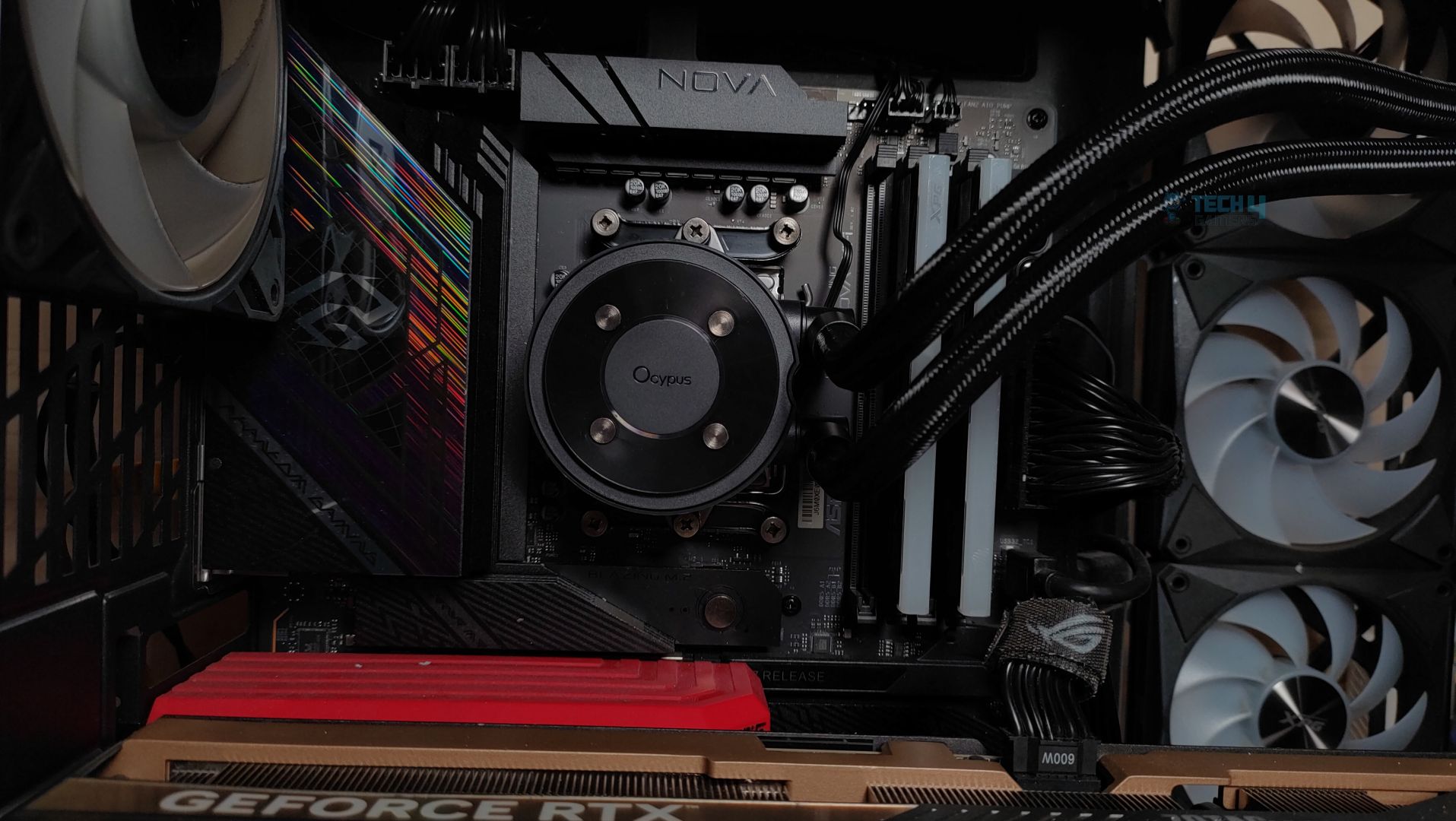
Cabling
Finished Looks
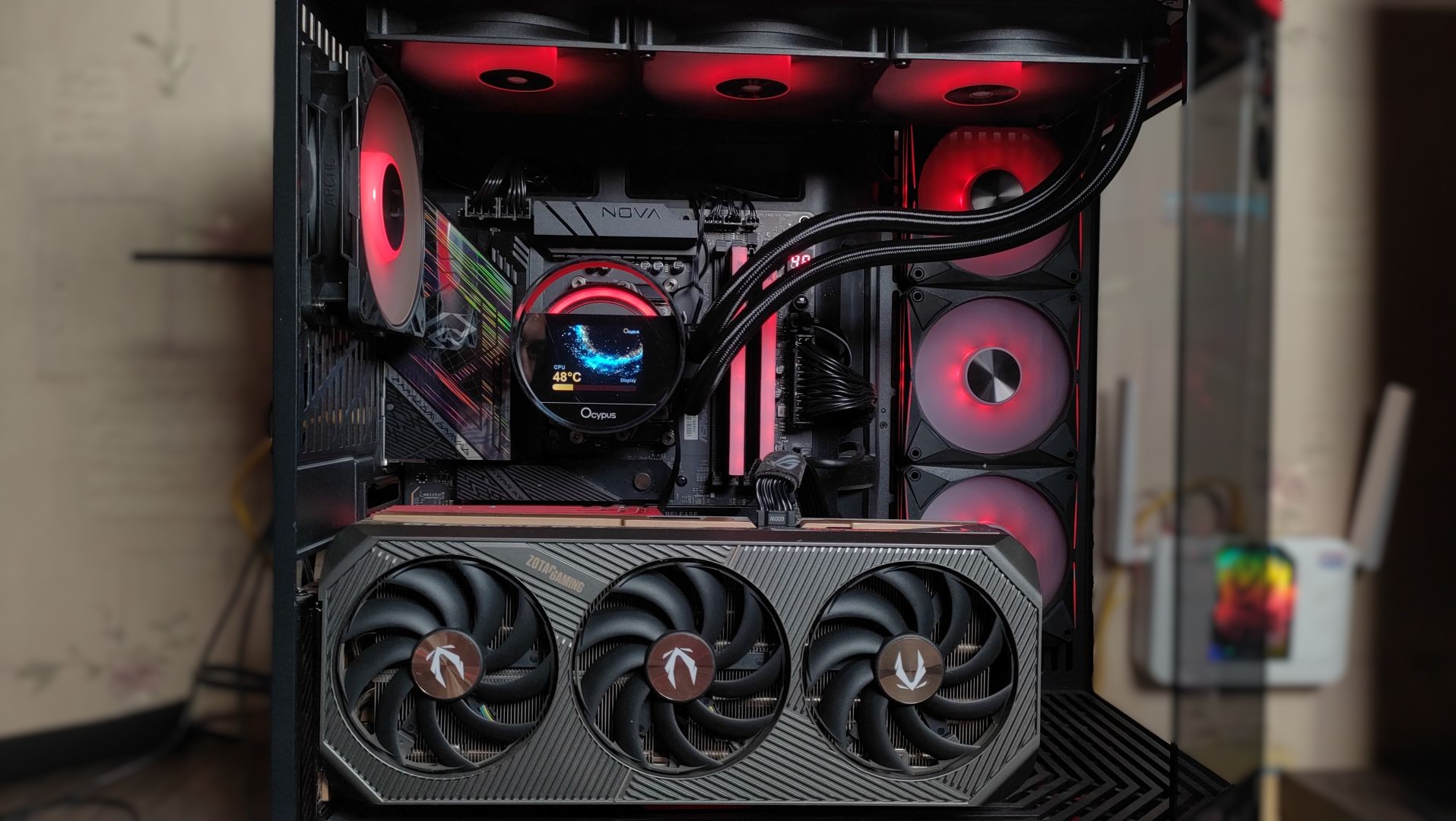
Here are some shots of Ocypus Sigma L36 ARGB assembled in Hyte Y70.
Testing Methodology
CPU Configuration:
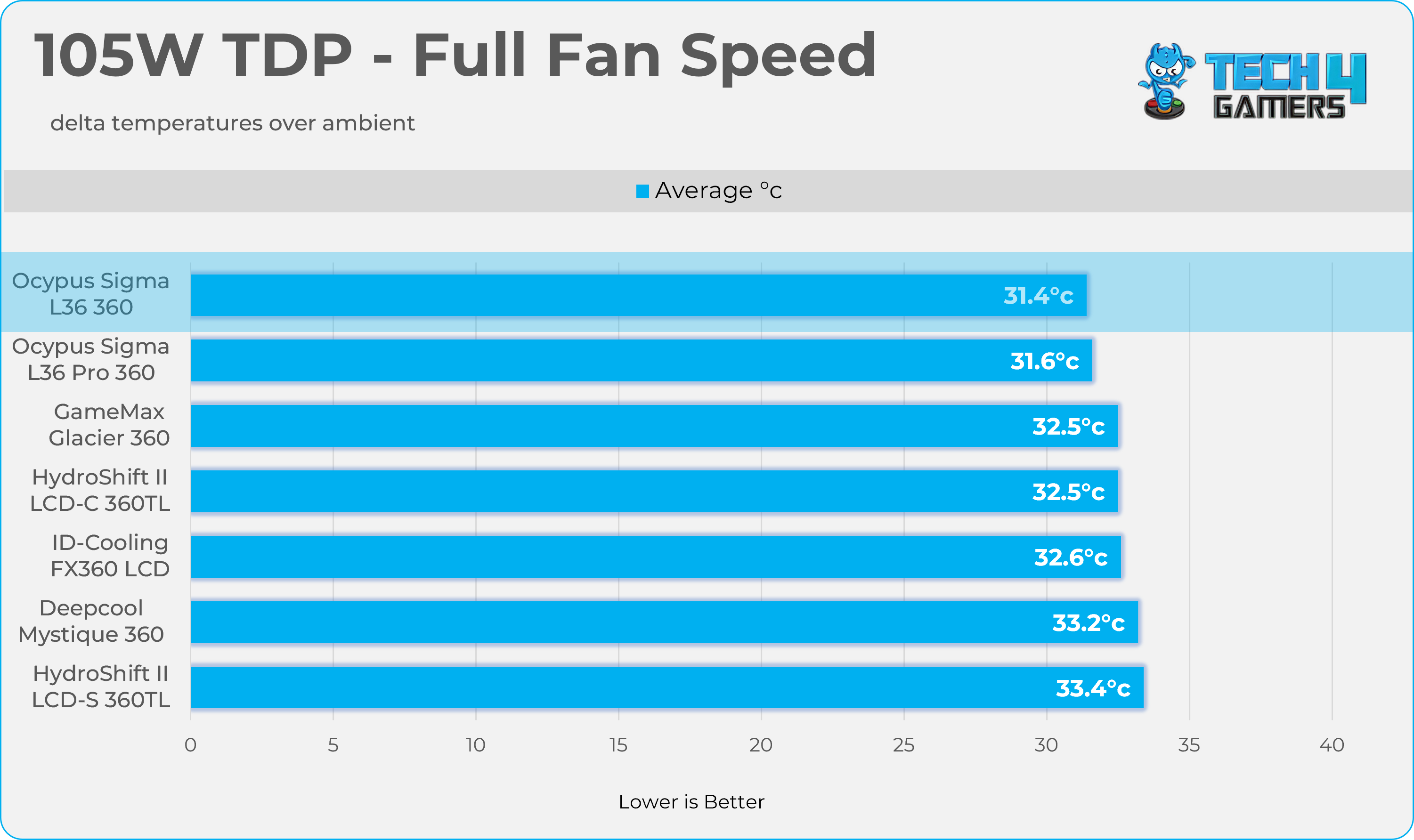
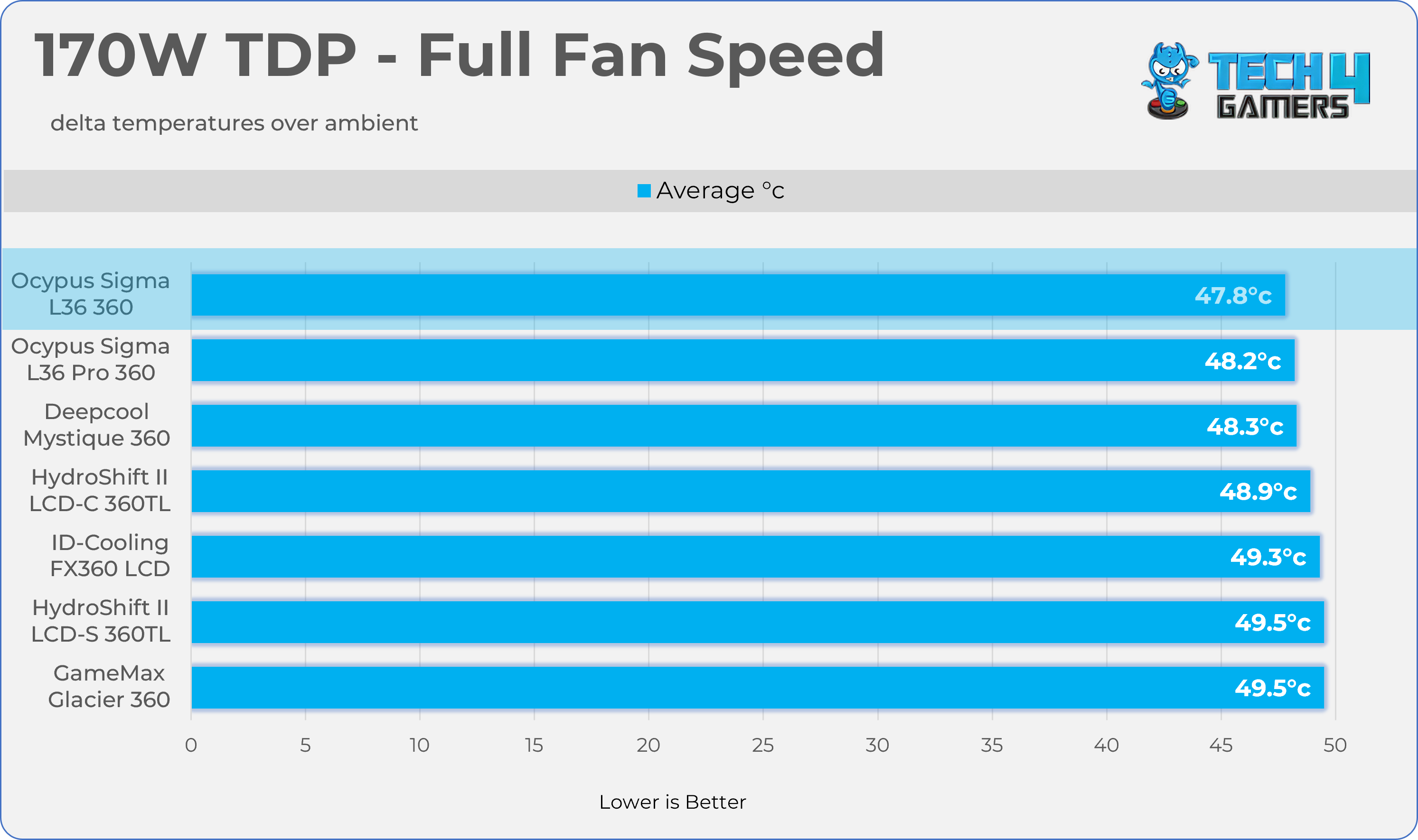
- We evaluate the cooler’s performance using three different benchmark methods. Noise-normalized testing is performed at 40dB(A) at the 105W TDP and 170W TDP (Stock) of the Ryzen 9 9950X. We then test the cooler’s performance at the maximum PWM speeds for both TDP configurations. After that, we unlock the power limits of the CPU to see how much cooler it can dissipate the heat in terms of watts at the maximum PWM Speeds.
Controlled Environment:
- We have eliminated the influence of ambient temperatures in our data, and all results are presented as deltas over the ambient conditions. The tests were done in a controlled environment with a room temperature of 25°C.
Preparing System:
- The Coolers are tested in realistic conditions. We don’t use the open bench system; instead, we have installed the cooler in our HYTE Y70 case, mounted at the top. We ensure the airflow is adequate in the case and that the case fans are running at the fixed PWM speeds.
- We are using ID-Cooling X45 thermal paste for all coolers.
Software:
- We have ensured that no other software is running on the computer that could influence the CPU load.
- We’ll be using the Cinebench R23 Loop for 20 minutes after the warm-up test has been completed. Each test has a 10-minute cool-down time.
Test Setup
Here is our test setup!
| Our Primary Test System |
|
|---|---|
| Processor | AMD Ryzen 9 9950X |
| Memory | XPG Lancer 32GB (16x2) 6000MT/s CL30 |
| Motherboard | ASRock X870 Phantom Gaming Nova WiFi (BIOS: 4.43v) |
| Thermal Paste | ID-Cooling X45 |
| Graphics Card | ZOTAC SOLID RTX 5080 , |
| Power Supply Unit | Super Flower LEADEX VII Platinum PRO 850W |
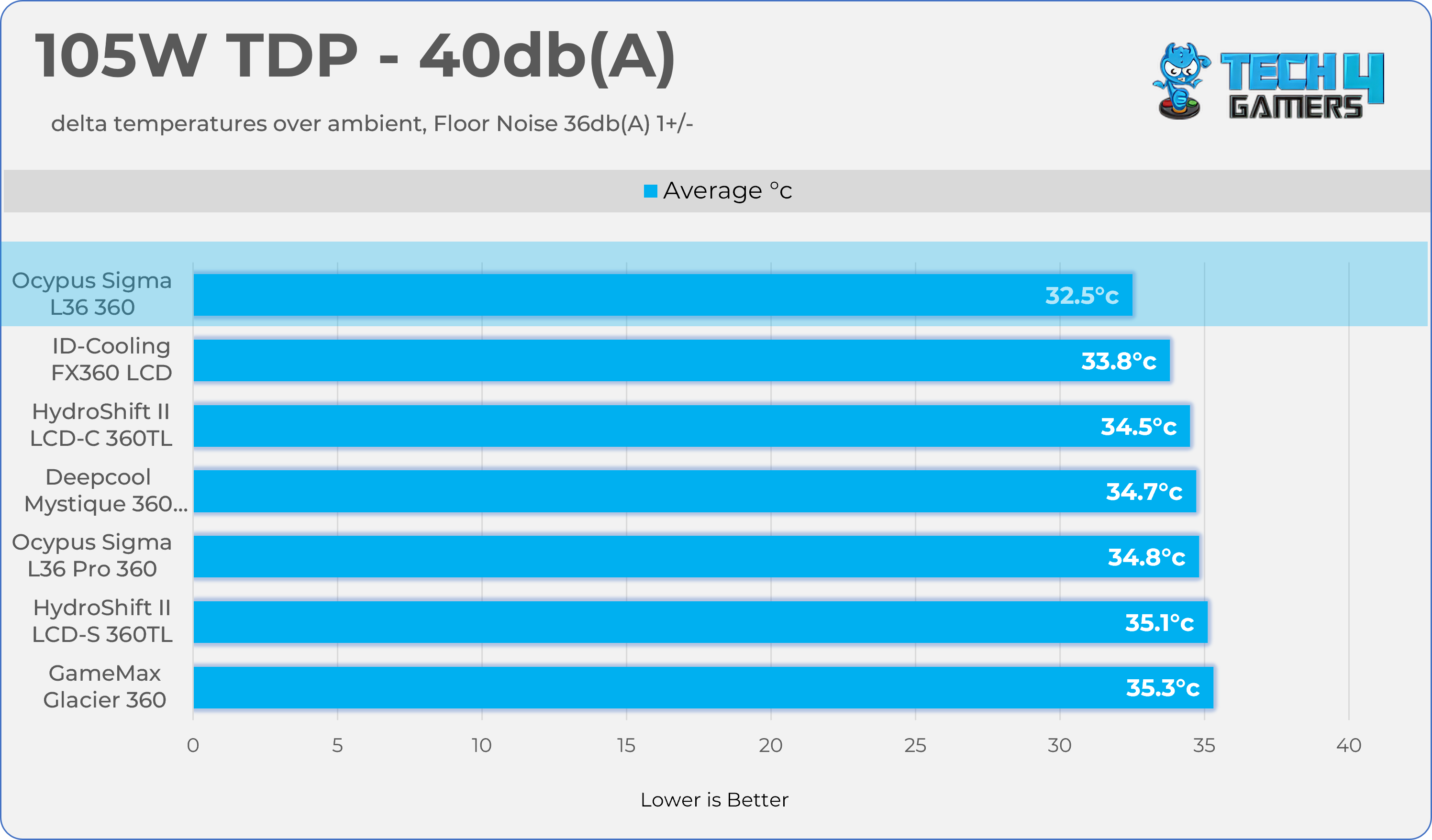
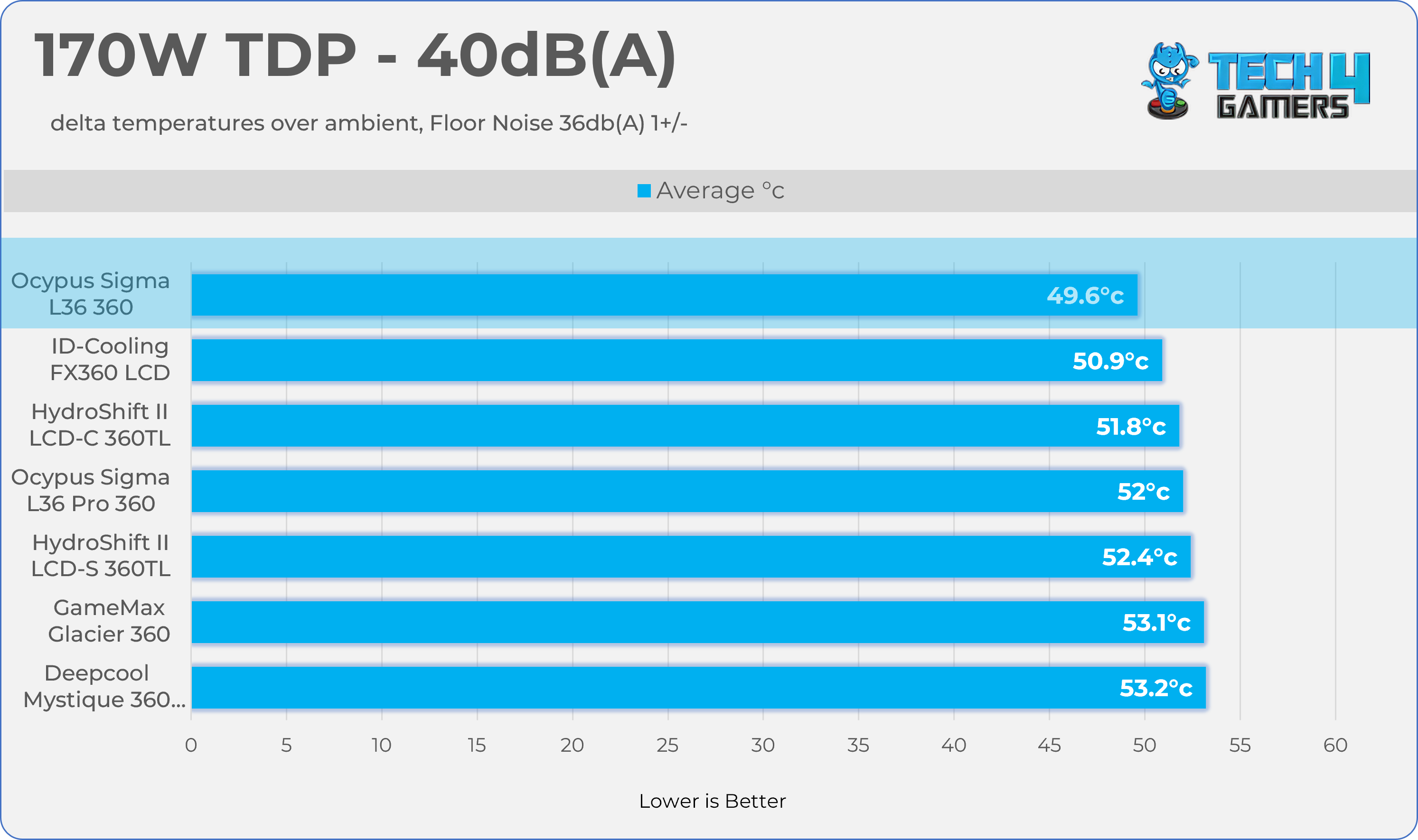
Test Results – Noise Normalized 40 dB(A)
Results at the fixed noise level of 40dB(A).
105W TDP
170W TDP
Test Results – Maximum Speed
Results at the Maximum PWM Speed.
105W TDP
170W TDP
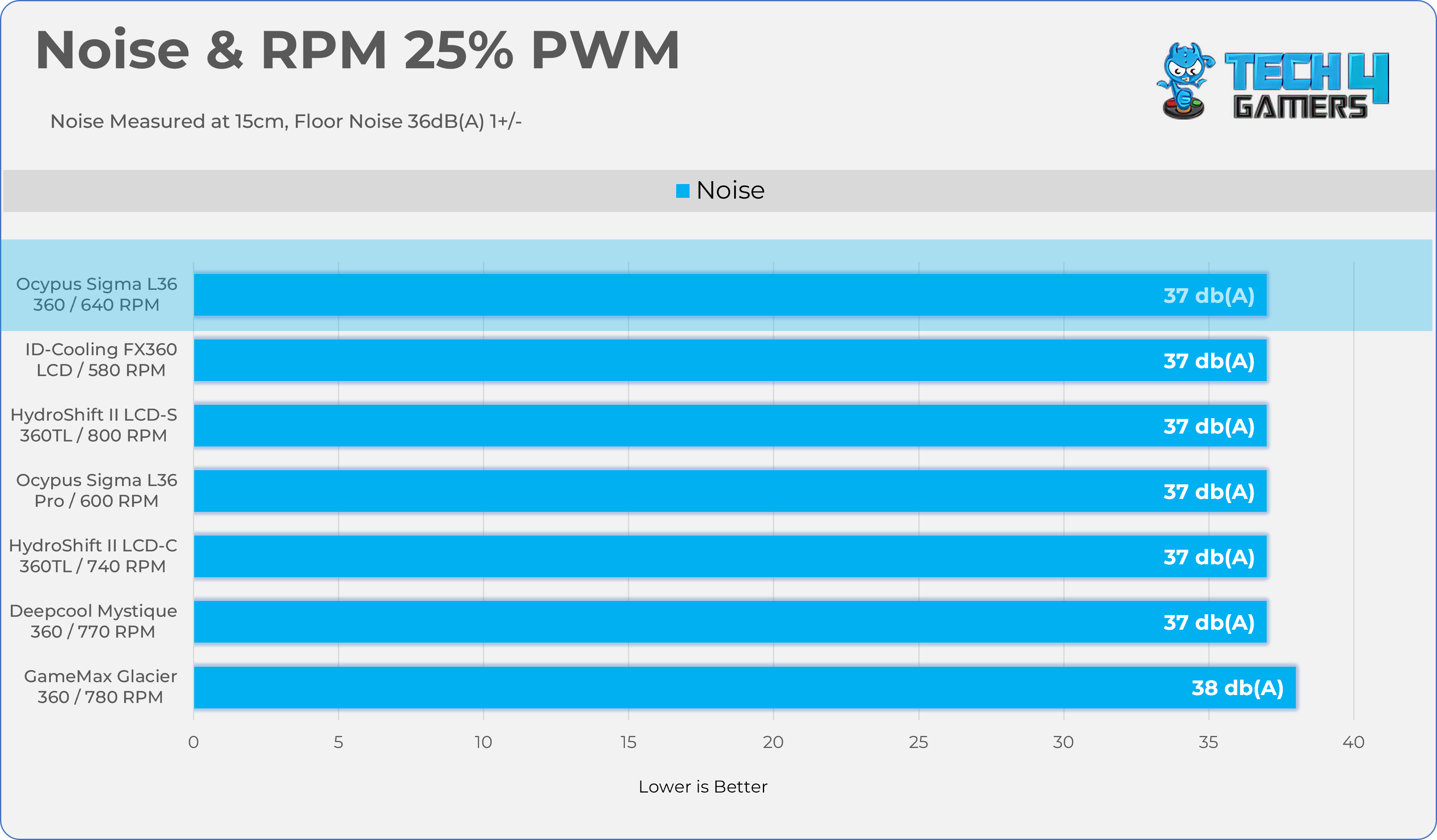
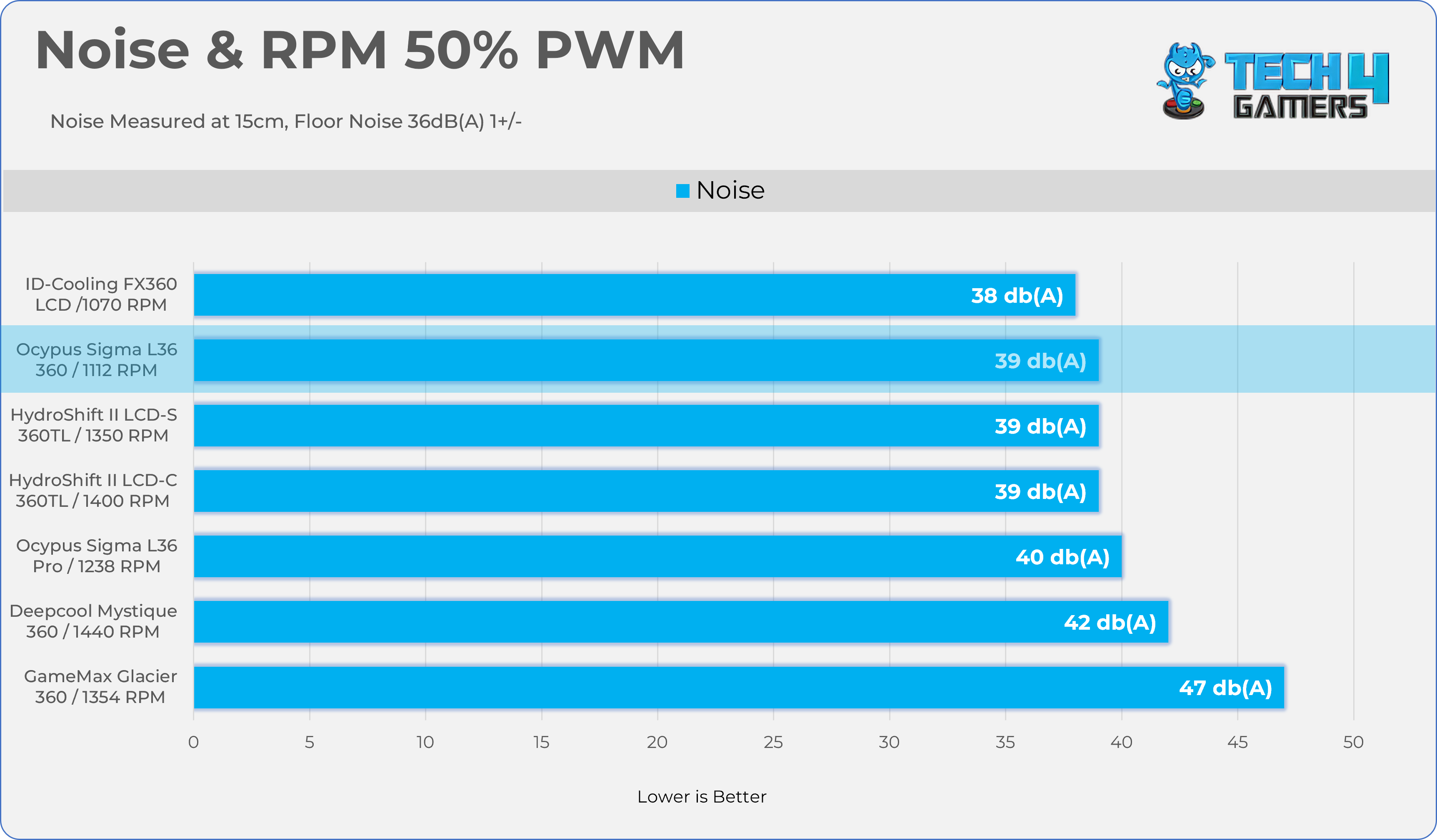
Noise and RPM Readings
Let’s take a look at the Noise and RPM Readings. We conducted tests across four different PWM range levels.
25-50% PWM
75-100% PWM
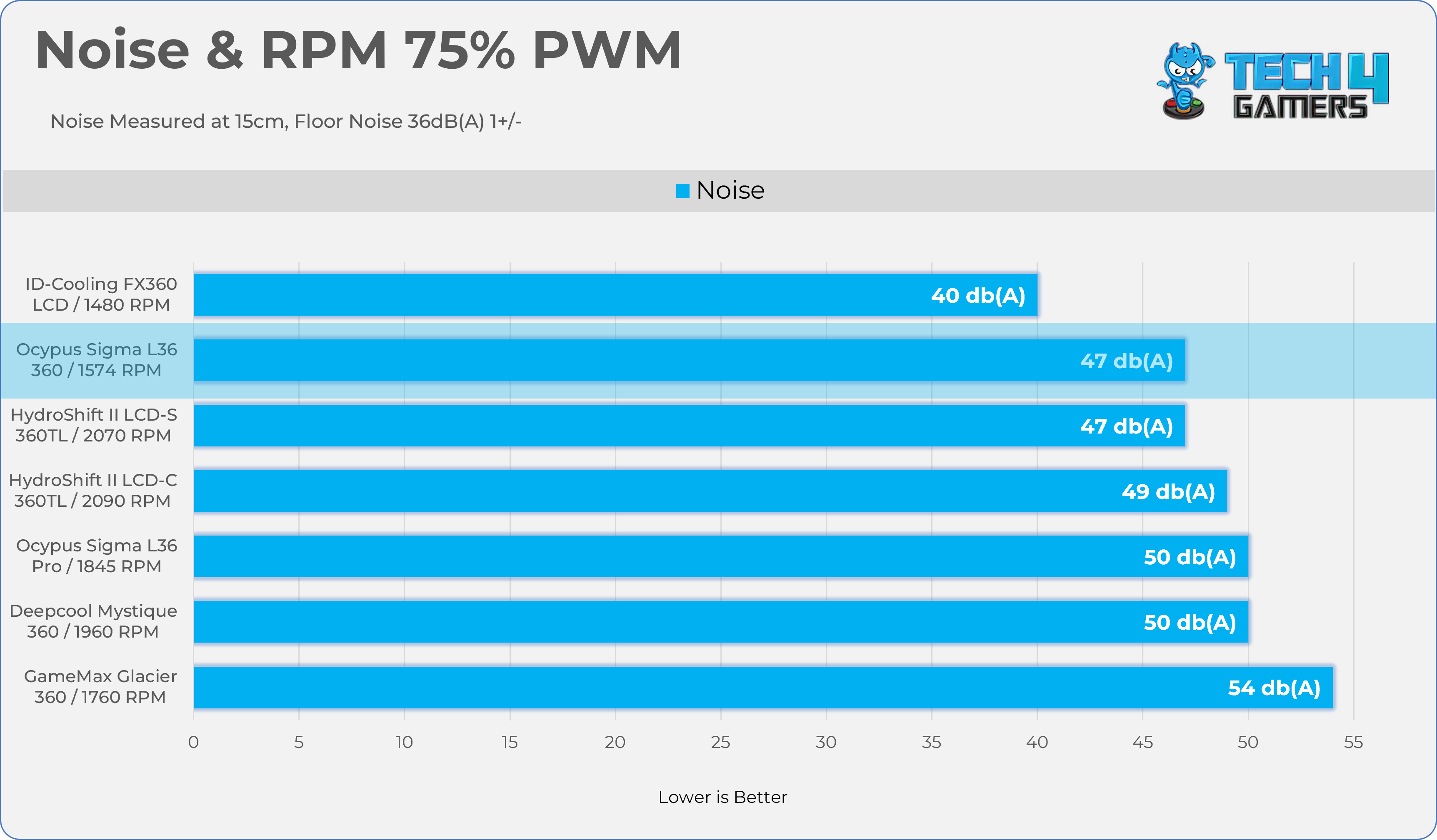
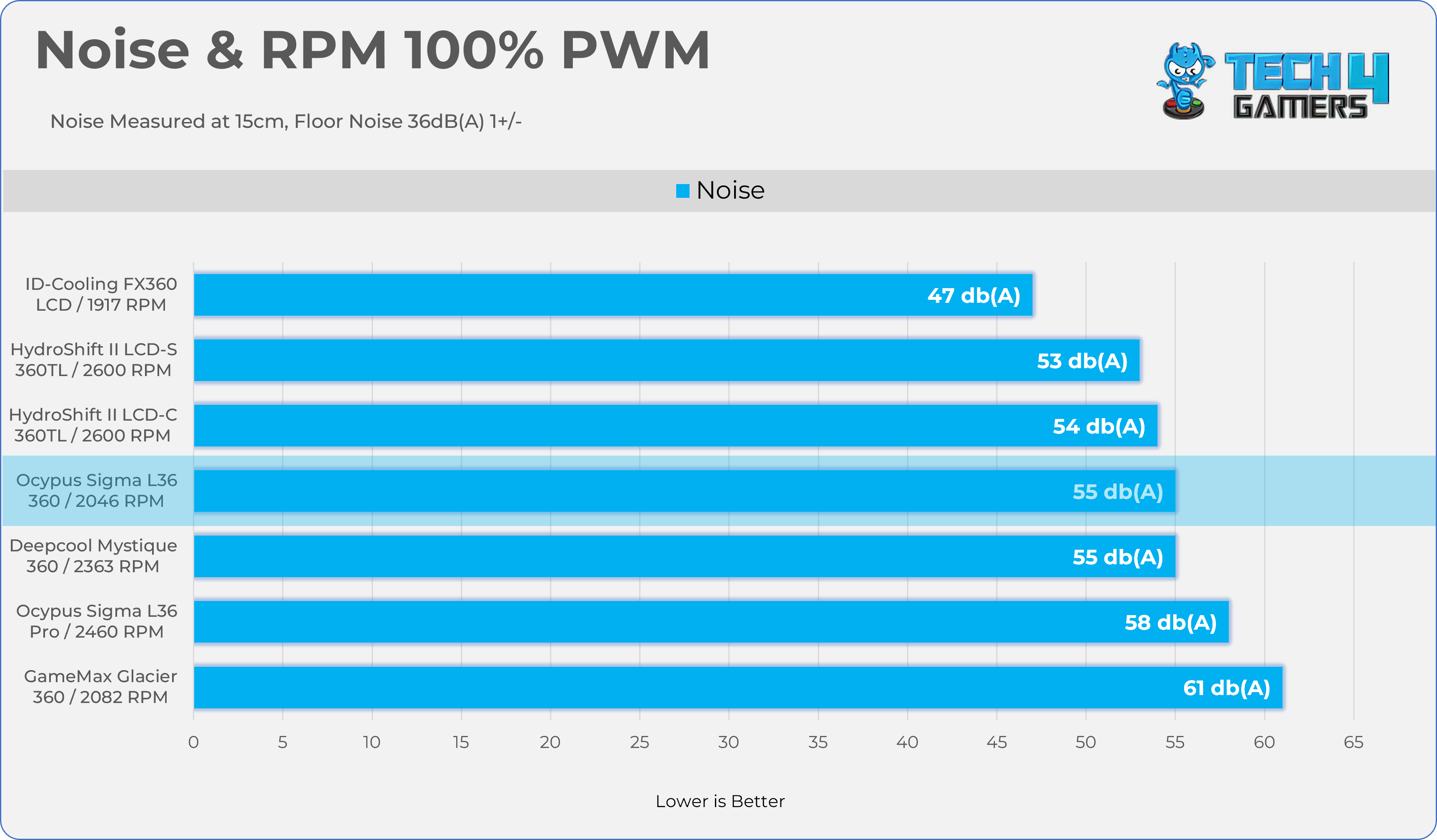
Here is the structured table illustrating fan noise levels at various PWM percentages. The Floor Noise Level is 36dB(A).
| PWM (%) | RPM | Noise dB(A) |
|---|---|---|
| 25% | 640 RPM | 37 dB |
| 50% | 1112 RPM | 39 dB |
| 75% | 1574 RPM | 47 dB |
| 100% | 2046 RPM | 55 dB |
Should You Buy It?
Buy It If
✅ You Want Decent Cooling: Ocypus Sigma L36 ARGB demonstrates incredible cooling performance across all the thermal benchmarks on AMD Ryzen 9 9950X.
✅ You Want Good Acoustics: The fans are incredibly silent at the 50% PWM.
Don’t Buy It If
❌ Not Interested In ARGB / Display Aesthetics: The main highlight for this cooler is the futuristic cosmic LCD block head. If your priority is best cooling per dollar, you can skip this cooler and settle for a budget option.
Final Thoughts
To conclude, we’d like to share our final observations.
Cooling Performance And Noise
Build Quality / Design
Value
At the time of writing this review, no listings for this cooler were available; however, it is expected to be priced lower than its sibling, the Ocypus L36 Sigma Pro.
Thank you! Please share your positive feedback. 🔋
How could we improve this post? Please Help us. 😔

Senior Hardware Reviewer at Tech4Gamers with over a decade of experience in the tech industry. My journey began in 2014 as a senior administrator for Pakistan’s largest gaming community forum. I specialize in testing and reviewing components like graphics cards, CPU coolers, and motherboards, while also sharing insights on overclocking and system optimization.
 Join Our Community