- Flagship mice have highly adjustable sensitivity levels along with durable build quality and low latency/high-performance sensors to match.
- Cheaper mice might be better suited to the more casual gamer who isn’t particularly concerned about the slightest change in reaction time.
- If you’re finicky about your warranties and longevity concerns, you’d be well-advised to stick to renowned brands that are usually superiorly priced.
I’ve always held a soft spot in my heart for ultrafast gaming mice with a few subtle strips here and there of RGB lighting flowing through. Don’t get me wrong. I absolutely loathe the gaming mice that look like they’ve come out of a Star Wars movie with RGB bleeding through every single atom.
For example, I’ve always had my eyes on the Glorious Model O Wireless (Matte Black) and its gorgeous honeycomb design. But of course, there’s always a bigger fish. When it comes to gaming mice, you can expect to spend upwards of $150-200 to land yourself a flagship spec mouse.
That being said, do you really need one of these exorbitantly priced gaming mice to yield a competitive edge in games?
What I mean to say is, what’s wrong with your good old $25-50 mouse that’s got RGB, adjustable levels of DPI (Dots Per Inch), i.e., sensitivity, and customizable software configurations?
What else could you possibly want?
Software And Cheap Mice Are Antonymous
For starters, flagship mice like the Razer Viper V3 Pro or even the Glorious Model O Wireless enable you to create custom macro keys for lightning-fast reflexes during competitive gameplay.
Granted, a lot of cheaper mice will also allow you to create customized macros, but software integration is key, and that’s really where Tier A companies like Razer, Glorious, and Logitech excel.
Some of the best software utilities for mice include Razer Synapse, Logitech G Hub, and Glorious Core, to name a few.
As far as brands are concerned, there are a variety of top-tier brands in addition to the ones mentioned above, such as HyperX, Roccat, and SteelSeries amongst others.
Why am I emphasizing this much upon software?

Well, on top of your macro customization, these software utilities are what you’re going to use for controlling your mouse’s RGB lighting, DPI sensitivity, and polling rate, for example.
Therefore, it’s crucial to ensure your prospective mouse has a decent software suite that can support your gaming needs.
What About Connectivity And Latency?
In 2025, you’ve got the luxury of choosing between wired and wireless mice, but even the wireless mice vary from each other. When it comes to wireless mice, you’ve usually got two choices; Bluetooth or a wireless dongle.
Top-notch gaming mice will typically be packed with the latest connectivity standards like Bluetooth 5.0 and above while the wireless dongle is almost always 2.4 GHz.
However, high-performance mice are generally only usable with their proprietary dongles, which then pose a longevity threat in case that dongle goes kaput. Trust me, I’m speaking from experience.
The general rule of thumb is to expect extremely low latencies from premium-priced mice whereas cheaper mice might prove to be hit or miss, especially when you’re considering an economical wireless mouse.
Battery Lives And Cables
Even though this only applies to wireless mice, it’s still essential to tell you that affordable mice will usually disappoint you with underwhelming battery lives or might even rely on AA/AAA batteries, which might prove to be catastrophic in a tense gaming situation.
On the contrary, flagship mice will generally have industry-leading battery runtimes and come with ultrafast rechargeable (unremovable) batteries out of the box.
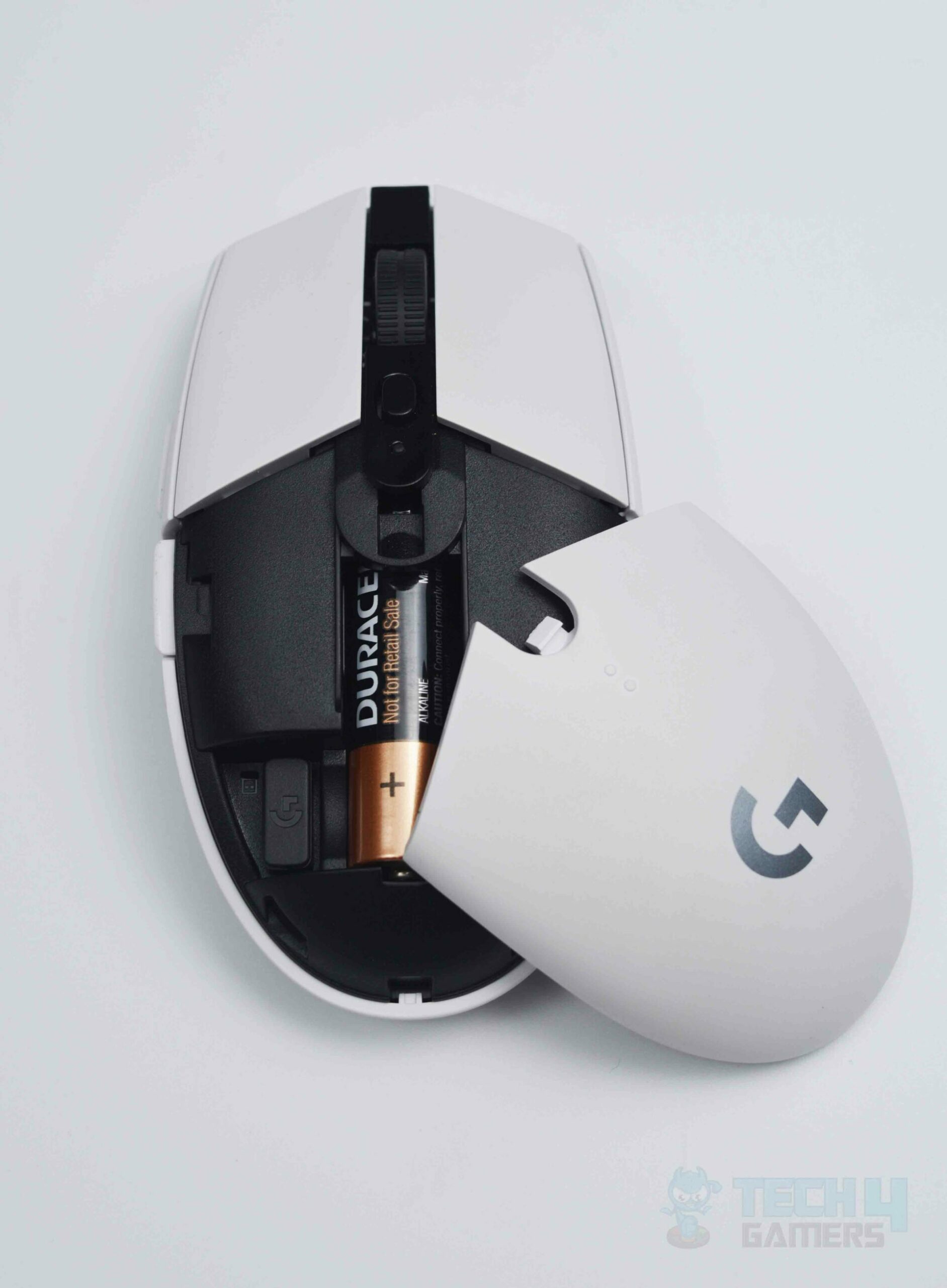
Furthermore, underpriced mice will typically cheap out on the cables and chargers which will pose durability concerns in the long run.
However, costly mice will usually ensure the highest level of quality when it comes to connectors, such as nylon-braided cables in luxe packaging.
Let’s Not Forget About Warranties And Brand Reputations
It goes without saying that warranties don’t matter much if you have a knack for not upholding your promises and chickening out on warranty claims.
There’s no doubt about the fact that you should think twice before selecting a Chinese mouse or a gaming mouse from a lesser-known brand since you’ll be throwing your money down the drain in the event of a warranty claim.
Pricing: Should You Cheap Out Or Splurge?
To be honest, the answer to this question will be subjective. Do you find yourself caught up in intensely competitive gameplay scenarios where every millisecond of reaction time and latency is life and death?
If so, you’ll get your ROI (Return On Investment) assuming you treat yourself to the most deluxe gaming mice.
But if you’re like me, and you only game casually on the weekends with your friends, otherwise tending to productivity-based workflows, you’ll find yourself perfectly happy with a mouse under $50.
Thank you! Please share your positive feedback. 🔋
How could we improve this post? Please Help us. 😔

[Wiki Editor]
Ali Rashid Khan is an avid gamer, hardware enthusiast, photographer, and devoted litterateur with a period of experience spanning more than 14 years. Sporting a specialization with regards to the latest tech in flagship phones, gaming laptops, and top-of-the-line PCs, Ali is known for consistently presenting the most detailed objective perspective on all types of gaming products, ranging from the Best Motherboards, CPU Coolers, RAM kits, GPUs, and PSUs among numerous other peripherals. When he’s not busy writing, you’ll find Ali meddling with mechanical keyboards, indulging in vehicular racing, or professionally competing worldwide with fellow mind-sport athletes in Scrabble. Currently speaking, Ali’s about to complete his Bachelor’s in Business Administration from Bahria University Karachi Campus.
Get In Touch: alirashid@tech4gamers.com
 Join Our Community