 Threads
Setup Goals?
Review Summary
The Epomaker TH65 is a compact 65% wireless mechanical keyboard that packs a surprisingly complete feature set into its $64.99 price. It offers a solid ABS build, smooth Creamy Jade switches, gasket mounting, five-layer sound dampening, tri-mode connectivity, and a large 8000mAh battery. Its 65% layout takes some adjustment, and the non-shine-through legends may not suit everyone, but it delivers a deep typing sound, responsive gaming performance, and plenty of customization without costing a fortune.
Hours Tested: 1 Week

Overall
-
Design - 8.5/10
8.5/10
-
Build Quality - 8/10
8/10
-
Typing Experience - 9/10
9/10
-
Performance - 8/10
8/10
Pros
- Gasket-mounted structure
- Hot-swappable PCB
- Large 8000mAh battery
- Excellent value at $64.99
- Web-based software
Cons
- 65% layout takes some adjustment
- Limited physical controls
- ABS plastic case may feel less premium


Epomaker has been one of the more active names in the mechanical keyboard space. Some models lean toward gaming, while others focus more on everyday typing. The new Epomaker TH65 sits somewhere in the middle. If you want to compare your options before settling on this keyboard, our guide to the best gaming keyboards covers several alternatives across different price points and use cases. That said, on paper, this keyboard checks plenty of the boxes people usually look for.
Of course, specifications only tell part of the story. Two keyboards can offer nearly identical feature lists and still feel completely different once you start using them. That’s exactly what I wanted to find out with this keyboard. I spent time using it for everyday work, long writing sessions, and gaming to see how it behaves outside the product page. I paid attention to the little things that tend to matter after the excitement of unboxing wears off. So, let’s dive into it.
Key Takeaways
- The Epomaker TH65 is a well-rounded 65% wireless mechanical keyboard that offers a solid typing experience, responsive gaming performance, and plenty of features, making it a strong option in the budget mechanical keyboard market.
- You should buy the Epomaker TH65 if you want a compact 65% keyboard with a comfortable typing experience, wireless flexibility, a long battery life, and plenty of customization without spending much.
- You should skip the Epomaker TH65 if you need a full-size or TKL layout, rely heavily on dedicated function keys, prefer a premium metal build, or simply don’t want to adjust to a 65% layout.
Here are the technical specifications:
| Layout | 65% Layout, ANSI Layout, US Layout |
| Number of Keys | 66 Keys and 1 knob |
| Battery | 8000mAh |
| Connectivity | 2.4Ghz/BT/USB |
| Compatibility | Mac/WIN |
| Typing Angle | 3 angles with 2-stage adjustable kickstand at 6, 8, and 10.5 degrees |
| Case Material | ABS Plastic |
| Plate Material | PC |
| Flex-Cut | Yes |
| Stabilizers | Plate Mount |
| Mounting Structure | Gasket |
| Sound Dampening | PRO Sandwich Foam, IXPE Switch Pad, Sound Optimizing Pad, EPDM Switch Socket Pad, Bottom Silicone |
| Keycaps Profile | Cherry Profile |
| Keycaps Material | PC |
| Keycaps Manufacturing Technique | Silk Print |
| Switch | 5-Pin Mechanical Switch |
| Hot swappable | Yes |
| RGB | Yes |
| Polling Rate | 1000hz (2.4Ghz/Wired), 125hz (BT) |
| Latency | 2ms (Wired), 5ms (2.4Ghz) 11ms (BT) |
| Anti-Ghosting | Yes |
| Keyboard Dimensions | 320 × 117 × 45mm |
| Keyboard Weight | Around 0.82kg |
What Makes the Epomaker TH65 Different?
The Epomaker TH65 feels like a newer take on the older Epomaker TH-series formula rather than a complete departure from it. It keeps the same general approach but focuses more on the typing experience, with a gasket-mounted structure and a five-layer internal damping system designed around the keyboard’s sound and feel. I wouldn’t say it completely changes what a budget 65% keyboard can do, but it does bring together a surprisingly complete set of features at its low price tag.
Packaging & Unboxing
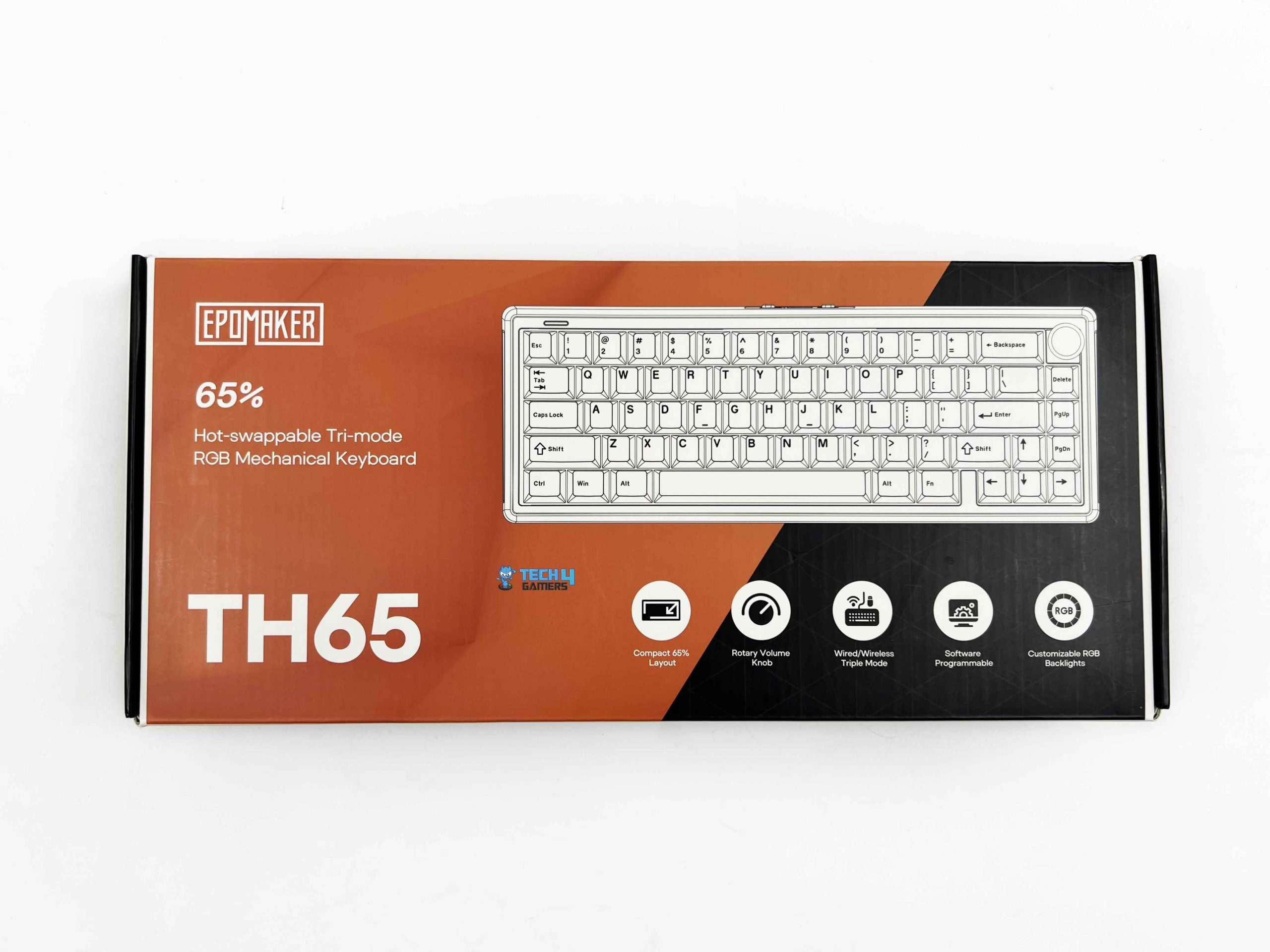
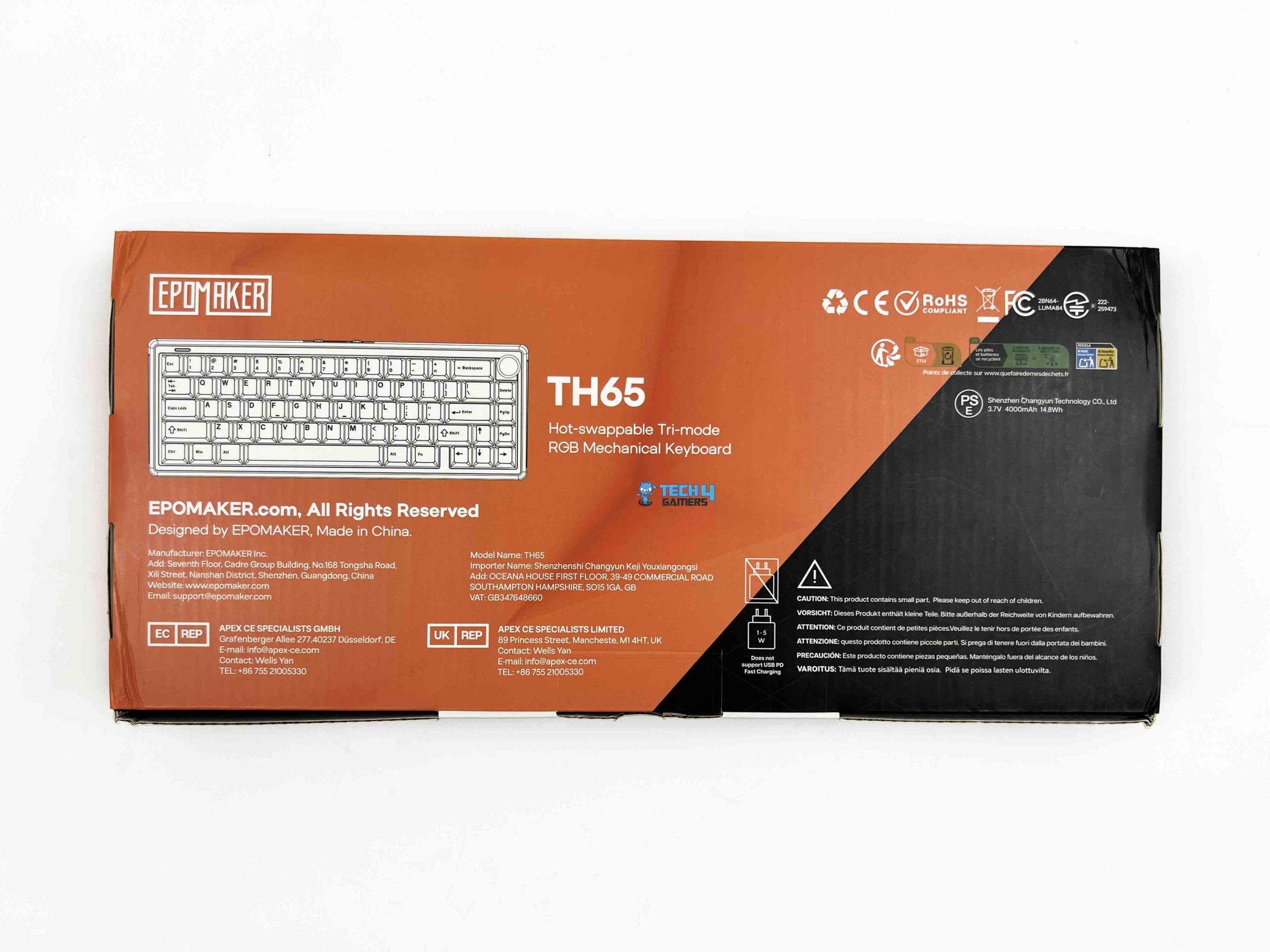
The Epomaker TH65 arrives in a fairly understated retail box. It’s a clean presentation, and I actually prefer this approach. The packaging feels more practical than decorative, which suits the keyboard quite well. Inside, the keyboard is well protected during shipping. Mine arrived with nothing shifted around inside the box. That’s always a good sign because compact keyboards can sometimes move around if the internal packaging isn’t designed properly. Here, everything stayed in place from the moment I opened the box.
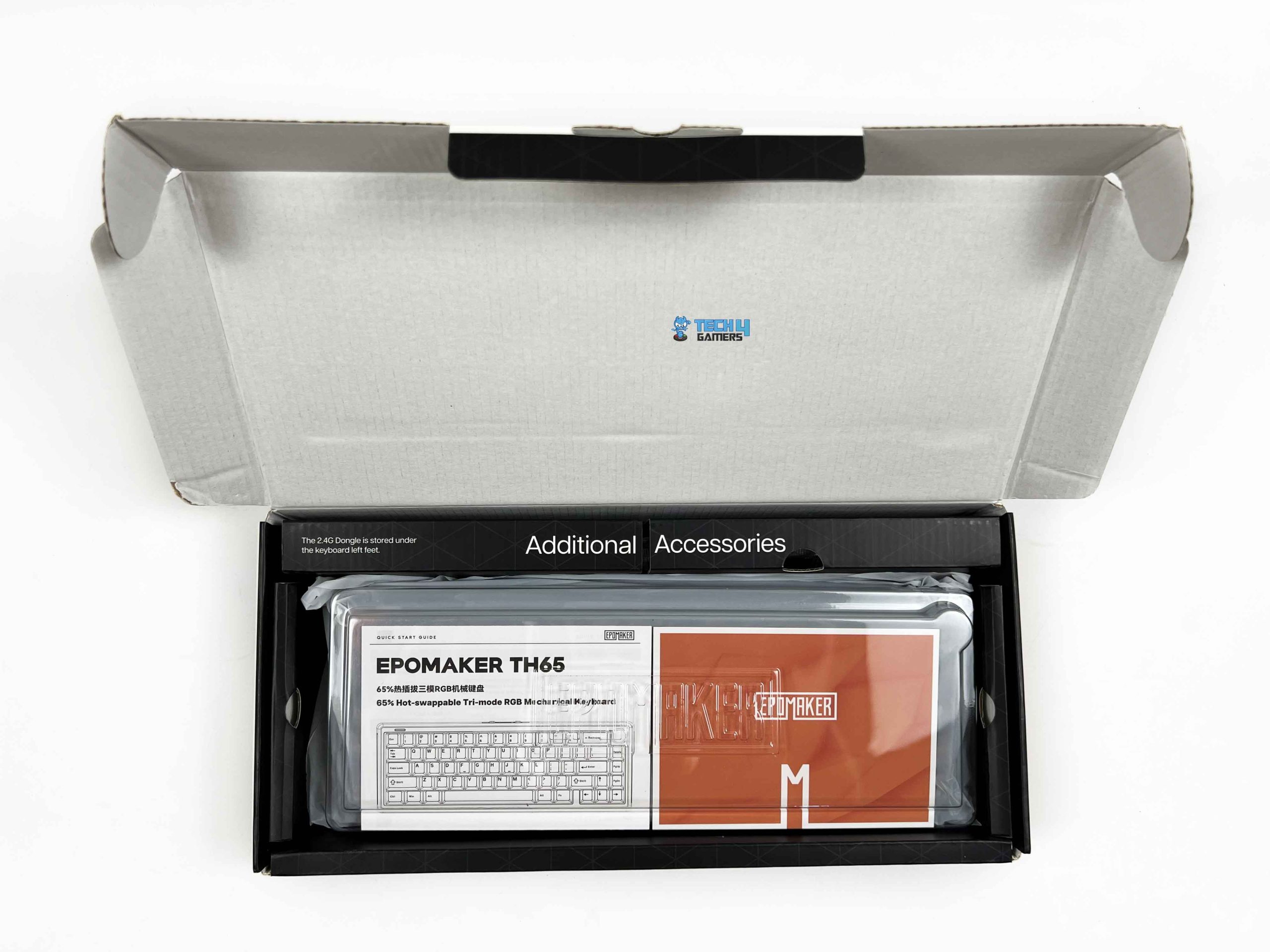
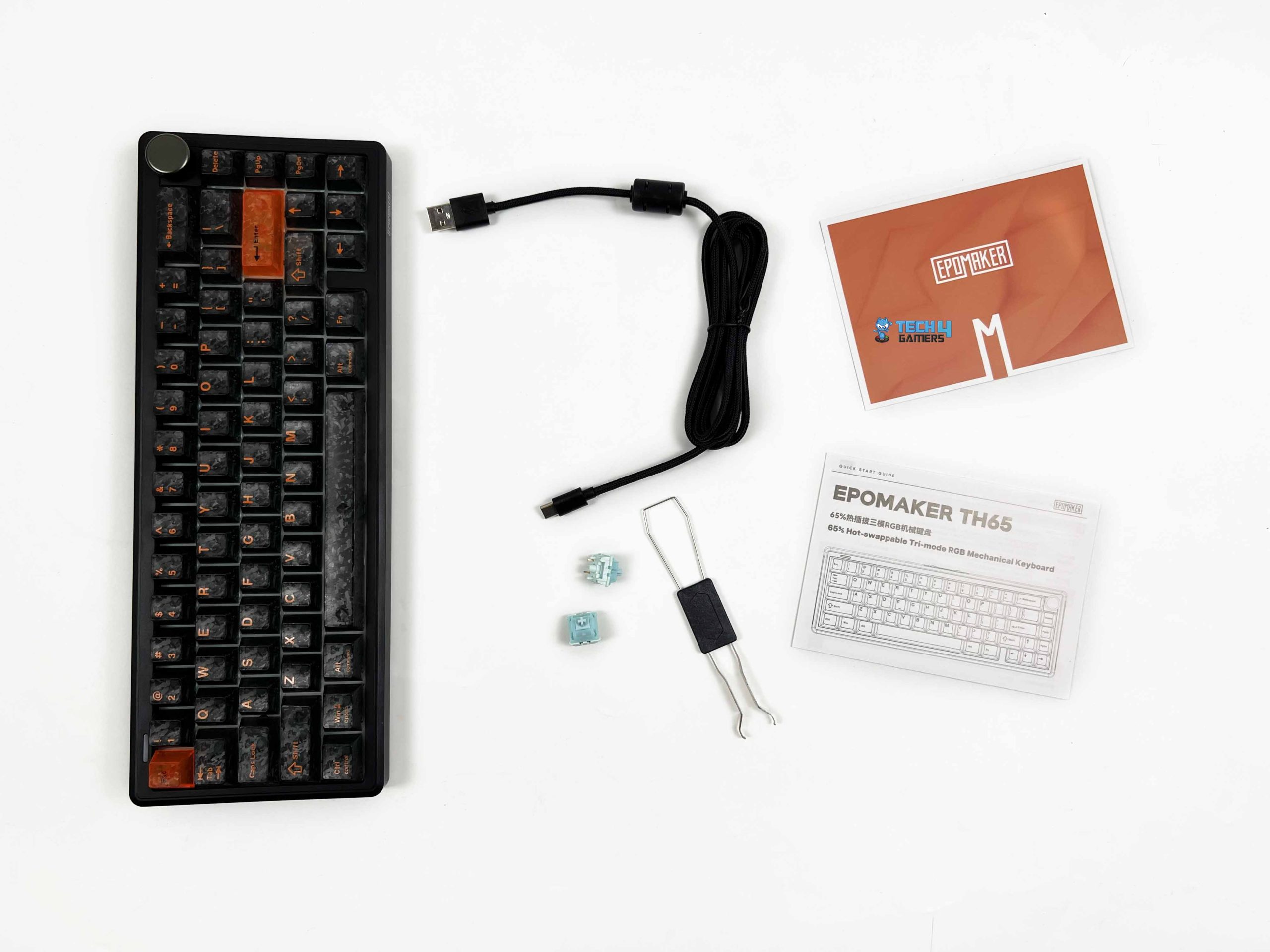
Lifting the lid, the keyboard is the first thing you see. It’s covered with a transparent dust cover, which you can keep using afterward if you want to keep dust off the keycaps between sessions. The accessory bundle covers the basics. Alongside the keyboard, Epomaker includes a detachable USB-A to USB-C cable for wired use and charging, a 2.4GHz wireless receiver, a combined keycap and switch puller, two spare switches, a summarized user manual, and a product card.
Design

The Epomaker TH65 is available in three color options: White, Black, and Pink. My review unit is the Black variant, and after spending some time with it, I honestly think it’s the one I’d pick even if I were buying it myself. The darker finish gives the keyboard a cleaner, more understated look. It doesn’t draw unnecessary attention, yet it still has enough character to stand out once you notice the smaller design details. At first glance, the keyboard looks fairly minimal.
Then your eyes land on the orange Escape and Enter keys. They’re small accents, but they completely change the personality of the keyboard. Against the black case and matching black keycaps, those two keys create a strong contrast without feeling out of place. They break up what would otherwise be a very monochromatic layout, and I think Epomaker got the balance right. Adding more orange keys would’ve probably looked a little busy.
Layout

The Epomaker TH65 uses a compact 65% ANSI layout with a total of 66 keys and a rotary knob, which has a nice middle ground between a full-size keyboard and something even smaller, like a 60% keyboard. You still get the dedicated arrow keys, which I use far more often than I realize, but the overall footprint is much smaller. That extra desk space becomes surprisingly noticeable, especially if you play games with a lower mouse sensitivity or simply like having a cleaner setup. At first, the layout did take some getting used to.
That’s fairly normal if you’re moving from a full-size keyboard or even a TKL board. The function row and numpad are gone, so some shortcuts shift to the secondary layer. For the first couple of days, I occasionally reached for keys that simply weren’t there. It wasn’t frustrating, but it was enough to remind me that muscle memory takes a little time to catch up. Sitting in the upper-right corner is the rotary knob, and I think it fits the layout quite well. By default, the knob controls volume.
Underside

Flipping the Epomaker TH65 over reveals a fairly straightforward underside. Epomaker hasn’t tried to dress it up with decorative patterns or unnecessary styling. Instead, the design stays clean with only a reflective plate positioned in the center. The plate houses the battery specifications, manufacturer information, certification markings, and other product details. Since the finish is reflective, it stands out against the rest of the matte underside.
It offers three typing angles in total: approximately 6°, 8°, and 10.5°, thanks to its two-stage adjustable kickstand. The keyboard sits at the lowest angle by default, and opening the first or second stage raises it progressively. I like having multiple options because typing angle is largely a matter of personal preference. The kickstands themselves feel secure once they’re opened. They don’t collapse unexpectedly when moving the keyboard around the desk.
Build Quality

The Epomaker TH65 is built entirely from ABS plastic, so I wasn’t expecting it to have quite this level of rigidity. Plastic keyboards can sometimes feel a little hollow or flex when pressure is applied to the case. That wasn’t my experience here. It feels well put together. I spent a bit of time pressing down on different parts of the chassis to see how much movement there was. The top stayed firm, the center didn’t flex, and even twisting the keyboard with both hands produced very little movement.
More importantly, I didn’t hear any creaking or feel the case shifting under pressure. That’s usually one of the first things I check on a plastic keyboard because it’s often where manufacturers cut corners. The keyboard measures 320 × 117 × 45mm, and those dimensions suit the compact 65% layout well. At around 0.82 kg, it’s heavy enough to feel planted during normal use, yet it doesn’t become cumbersome if you want to carry it between different setups.
Keycaps

The keycaps on the Epomaker TH65 are not trying to imitate the usual plain black keycaps that appear on countless mechanical keyboards. Instead, Epomaker has gone with a textured surface that gives the keyboard a subtle urban camouflage look. It uses Cherry-profile PC keycaps. The sculpted rows feel familiar, and after spending several days typing on the keyboard, I never felt like I needed to adjust my finger positioning. The choice of polycarbonate keycaps is a little less common than the ABS or PBT keycaps.
They have a slightly different feel under your fingertips. The textured finish gives each key a bit more grip than a completely smooth surface, which I personally liked during longer typing sessions. The legends are produced using a silk-print manufacturing process, and they looked clean on my review unit. Every character appeared sharp with well-defined edges. The orange legends against the black keycaps add a little extra character to the keyboard even before the RGB lighting is switched on.
RGB Lighting
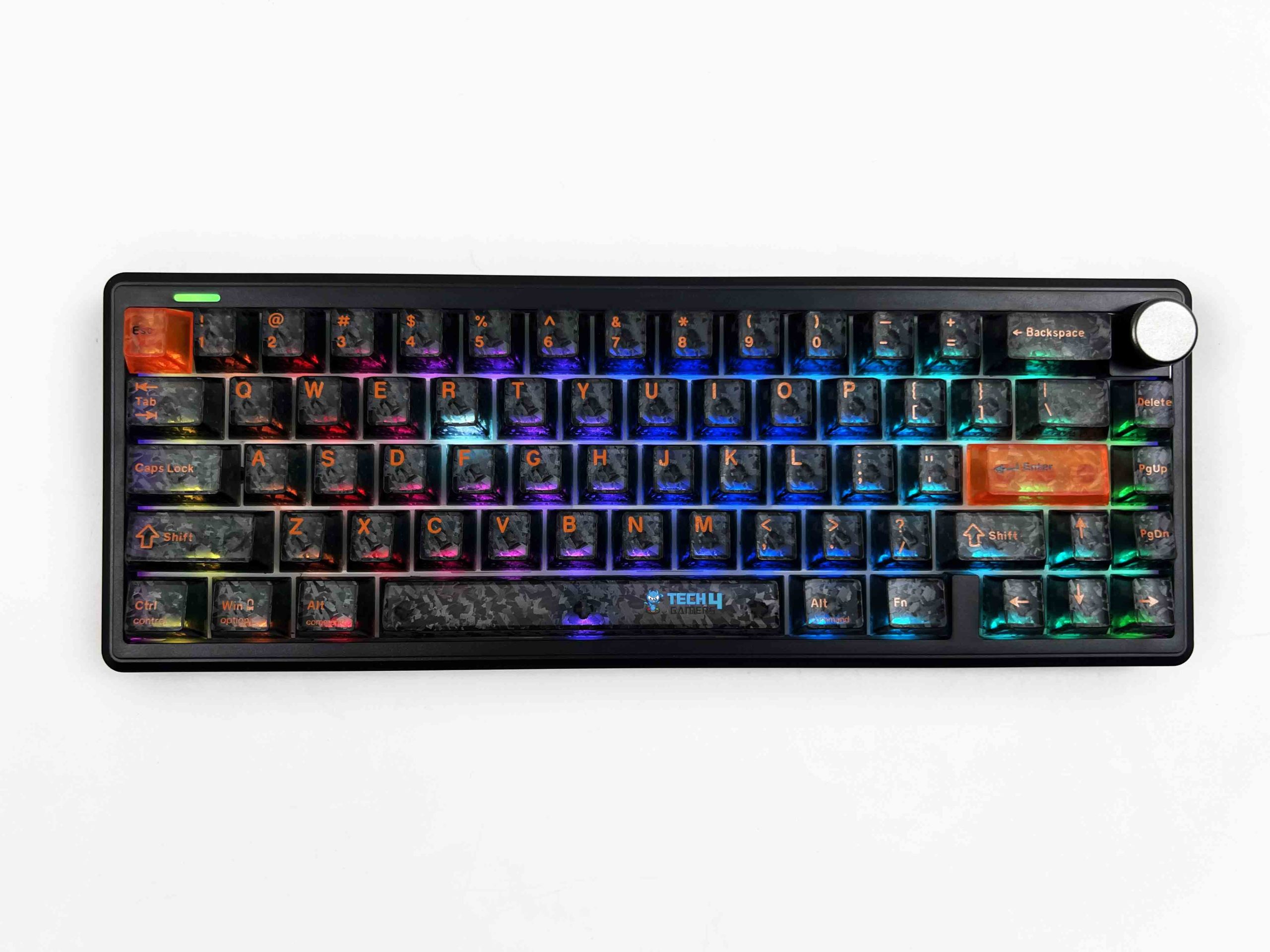
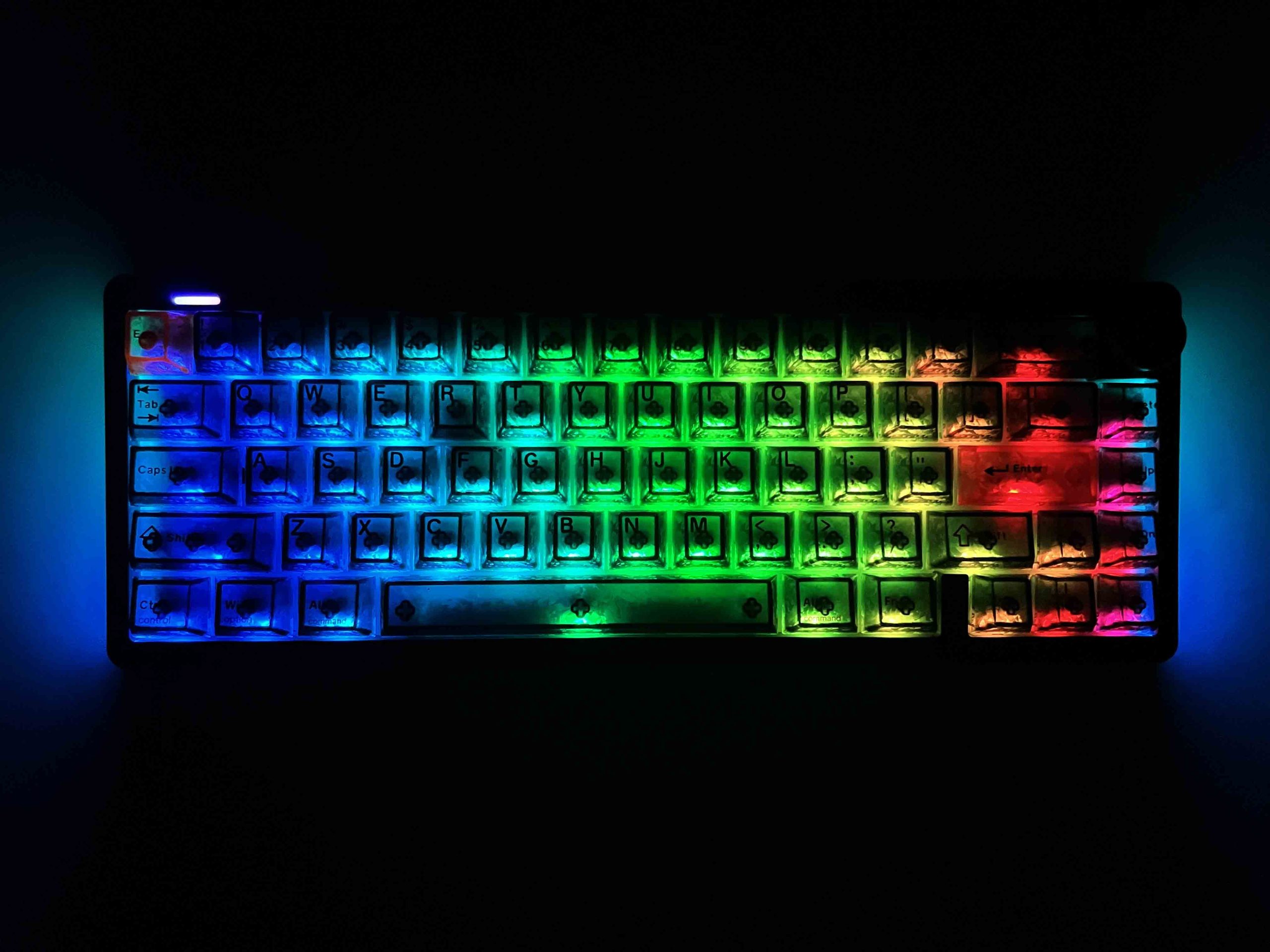
The Epomaker TH65 comes with per-key south-facing RGB LEDs. At first glance, the lighting looks clean and evenly distributed across the keyboard. The individual keys are illuminated consistently, and I didn’t notice any obvious differences in brightness between different areas of the keyboard. Since this is the black version of the TH65, the RGB stands out quite nicely once it’s turned on. The darker case naturally draws your attention toward the illuminated keys rather than the keyboard itself.
During the day, the lighting is visible without looking overly bright. At night, the colors become much more noticeable and give the keyboard a completely different appearance. It doesn’t use traditional shine-through legends, so the characters themselves don’t light up the way they do on many gaming keyboards. Instead, the RGB spreads around the switches and underneath the keycaps. Even so, I found the keys easy to identify at night. The light escaping around each key provides enough illumination to outline the layout.
Switches
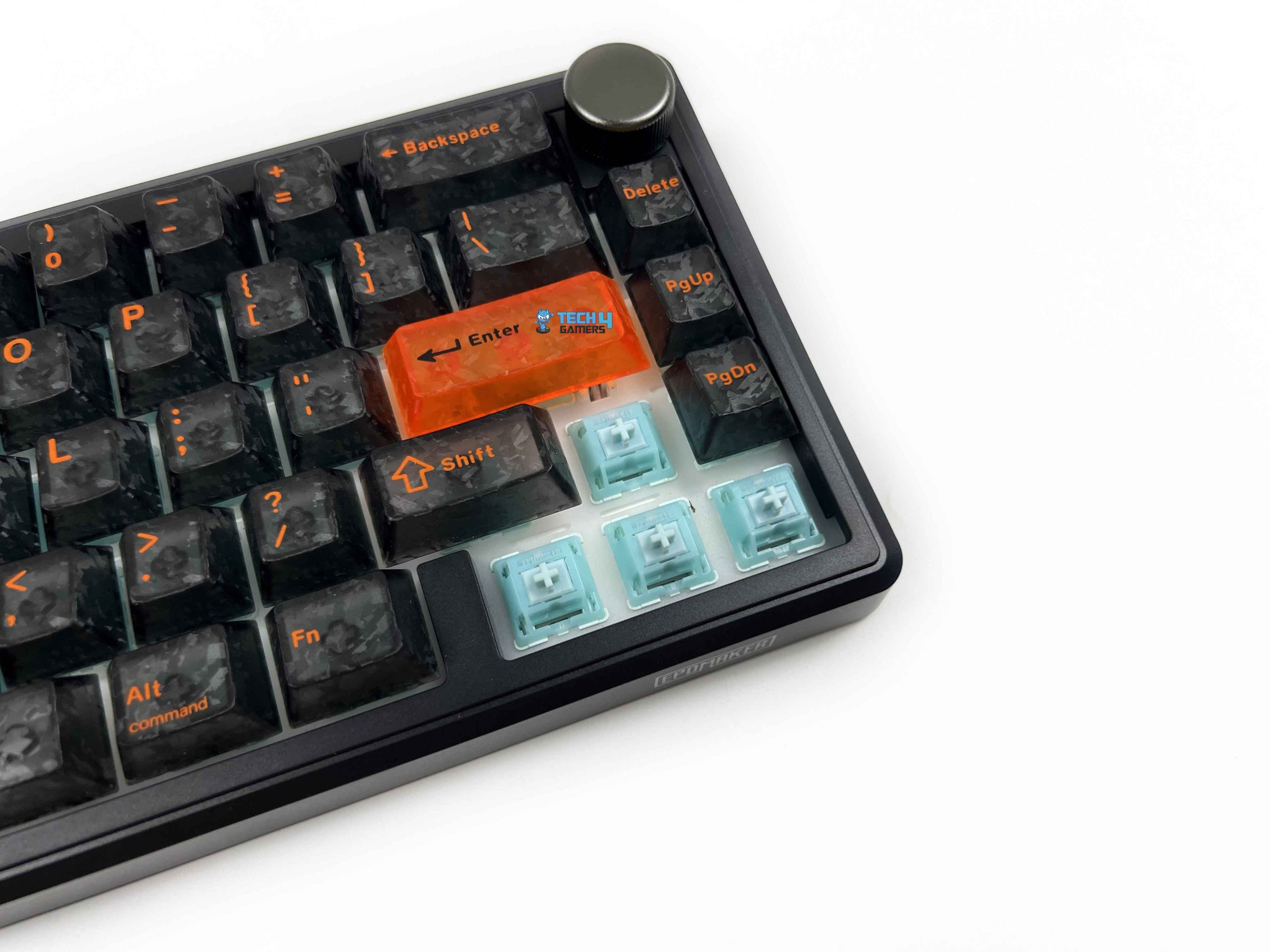
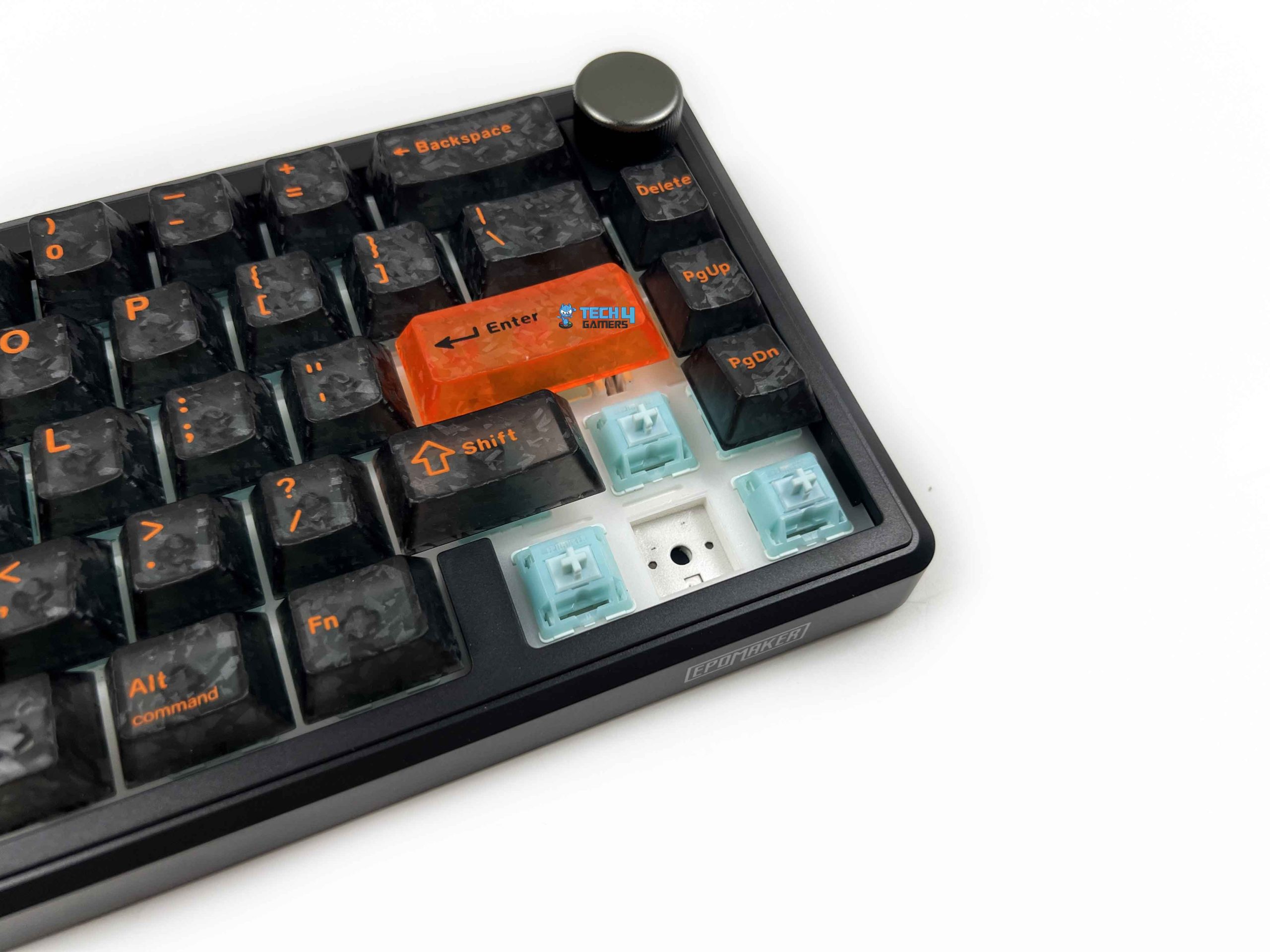
My Epomaker TH65 came equipped with Epomaker Creamy Jade switches. These are 5-pin, pre-lubed linear mechanical switches. Right from the first keypress, the switches feel smooth throughout their travel. There’s no tactile bump to interrupt the motion, so every press follows one continuous path until it bottoms out. Looking at the specifications, the Creamy Jade switches have a 45±5gf actuation force and a 50±5gf bottom-out force. In everyday use, they feel relatively light without being overly sensitive.
The 2.0±0.4 mm pre-travel also contributes to that responsive feel. The switches actuate fairly early in the keypress, so inputs register before the key reaches the bottom. The 3.6±0.4 mm total travel still provides enough movement to make each keystroke feel complete rather than overly shallow. Personally, I prefer this combination because it feels responsive without becoming overly sensitive. It also features a hot-swappable PCB that supports both 3-pin and 5-pin mechanical switches.
Typing Experience
Using the Epomaker TH65 for actual work, I came away with a typing experience that feels firm and responsive. A big part of that feel comes from the PC plate inside the keyboard. It also has flex cuts in the plate, which allow certain sections to move a little more when pressure is applied. The gasket mounting structure adds another layer to this. This gives the plate a little room to move when you’re pressing the keys. The plate-mounted stabilizers also contribute to the feel of the larger keys.
The Spacebar, Enter, Backspace, and Shift keys all feel smooth and balanced during use. Epomaker has placed several damping layers inside the keyboard. The stack includes PRO Sandwich Foam, an IXPE Switch Pad, a Sound Optimizing Pad, an EPDM Switch Socket Pad, and a Bottom Silicone layer. It produces a deep, satisfying sound, and it becomes particularly enjoyable when typing at a faster pace. If you’re heavily interested in customization and tuning, you can also check out our guide to the best custom gaming keyboards.
Connectivity
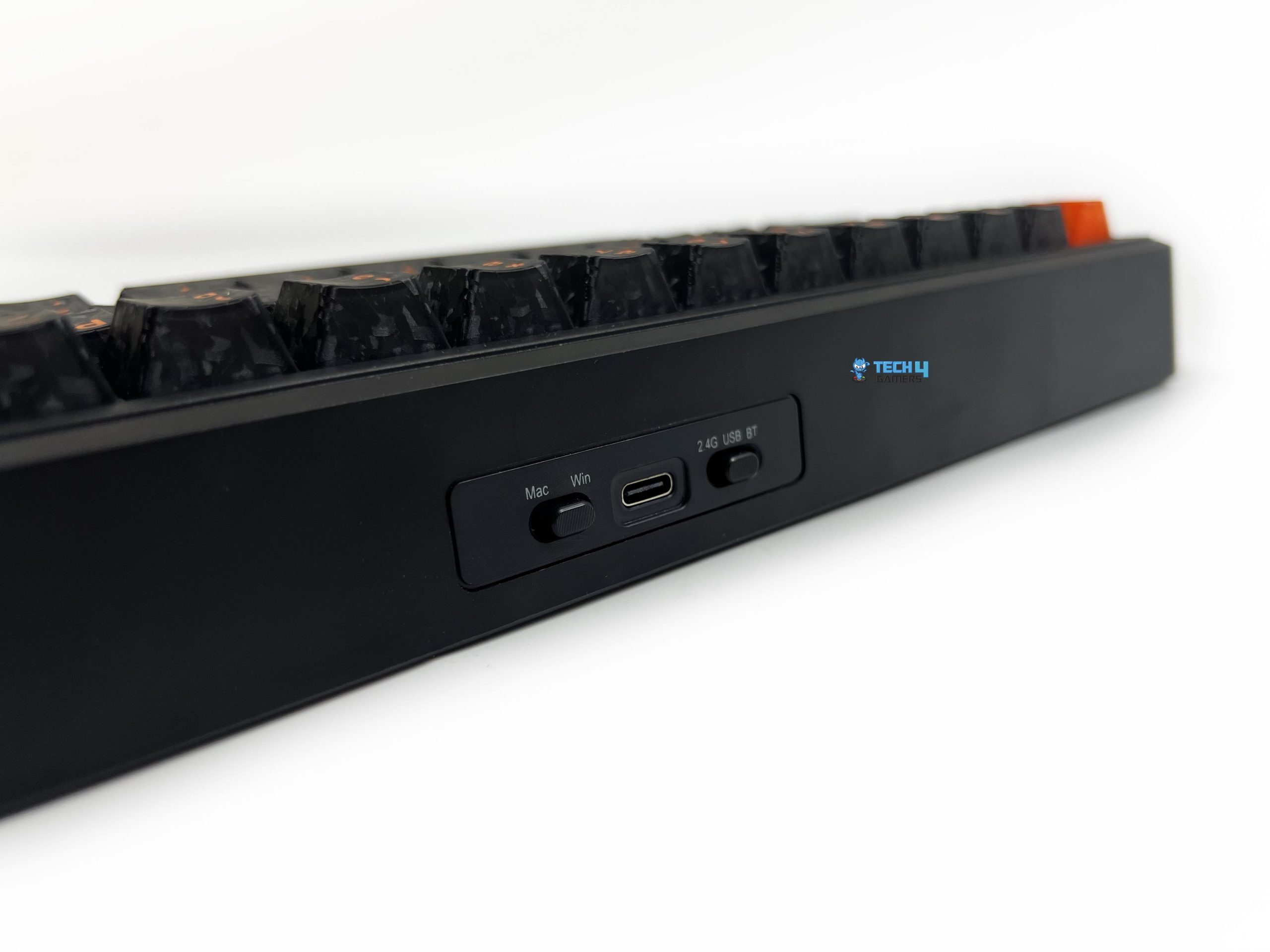
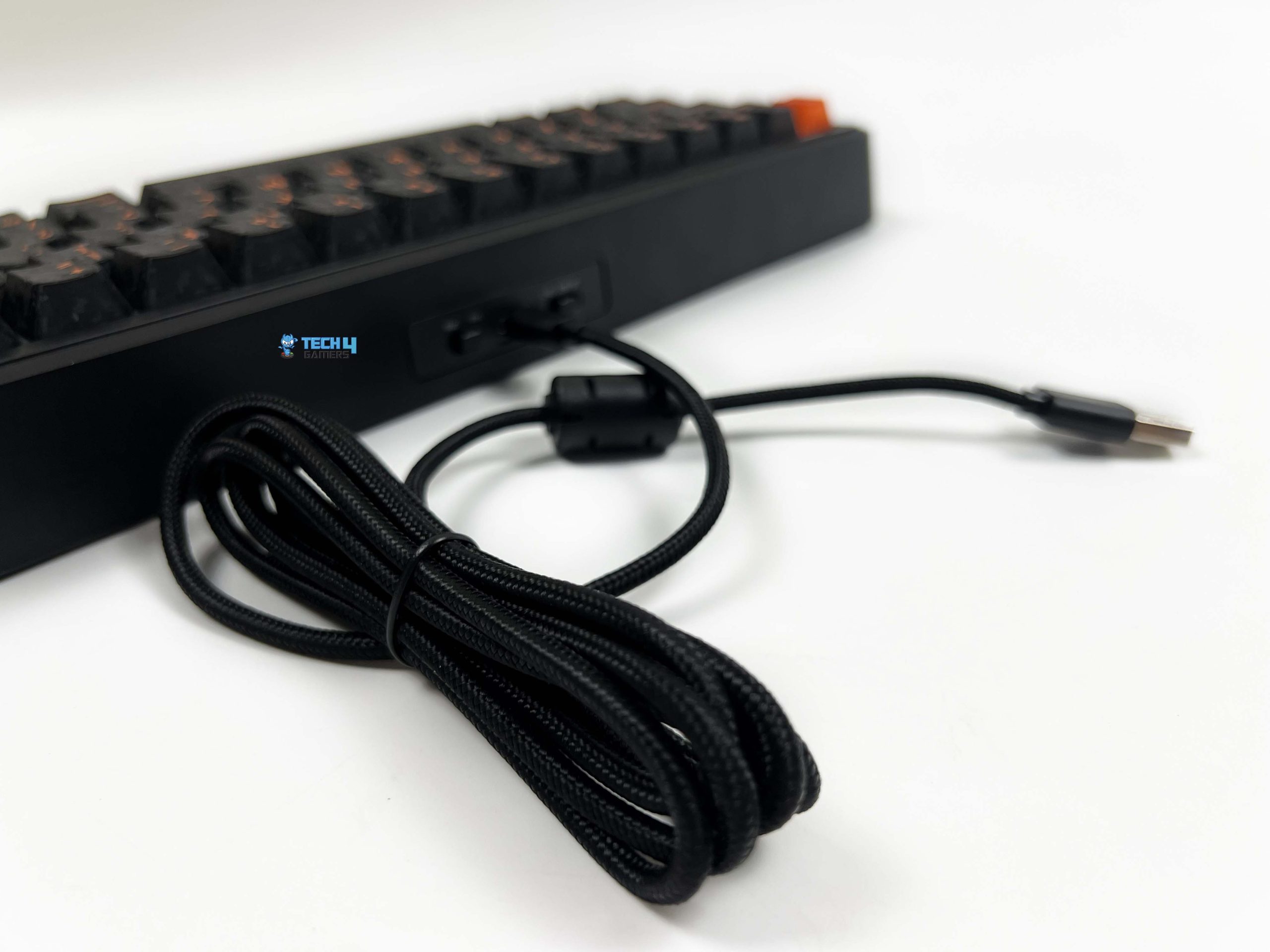
The Epomaker TH65 offers three ways to connect to a device: 2.4GHz wireless, Bluetooth, and USB-C wired. I tested all three during my time with the keyboard, and each mode worked as expected. The physical controls are placed along the top edge of the keyboard. There are two small toggles on this side. One is used to change between the different connection modes, while the second is an operating system toggle for Mac and Windows.
The USB-C port sits between these two toggles. The wireless receiver also has a dedicated storage spot on the left kickstand on the underside of the keyboard. I was also pleasantly surprised by the included cable. It’s black, braided, and feels well made rather than like a basic cable thrown into the box as an afterthought. If wireless connectivity is one of your main priorities, our roundup of the best wireless gaming keyboards has several alternatives worth considering.
Performance

The Epomaker TH65 performed well during my gaming tests. I tested the keyboard across multiple connection modes rather than relying on wireless mode alone. In normal gameplay, I didn’t notice any meaningful delay between pressing a key and seeing the input register. The keyboard felt responsive with competitive shooters like Valorant and CS2. Movement inputs registered quickly, and repeated presses didn’t feel inconsistent. Thankfully, I didn’t run into any situation where I felt the keyboard was getting in the way.
I noticed the same general behavior in DOTA 2, although the demands are obviously different. The game involves a lot of rapid ability inputs and movement commands rather than the constant directional movement you’d see in a shooter. It handled those repeated inputs without any noticeable hesitation. The TH65 isn’t a magnetic keyboard, though, so gamers specifically looking for adjustable actuation and Rapid Trigger should take a look at our picks for the best magnetic gaming keyboards.
Battery Life
The Epomaker TH65 packs a surprisingly large battery for a keyboard of this size. Epomaker has fitted it with an 8000mAh battery, made up of two 4000mAh cells. That’s considerably more capacity than what you’d normally expect to see in a compact 65% wireless keyboard. The large capacity is mainly useful if you prefer using it for long periods wirelessly. You don’t have to think about charging it as often as you would. A 65% keyboard doesn’t have much room to work with internally.
However, Epomaker has managed to fit two 4000mAh cells inside the case, which is commendable. What I like even more is that the large battery doesn’t make the keyboard feel excessively heavy. Of course, actual battery runtime will depend on how the keyboard is being used. RGB lighting, connection mode, brightness, and usage patterns can all affect how quickly the battery drains. Still, having 8000mAh available gives it plenty of capacity to work with, and the charging time is reasonable.
Software
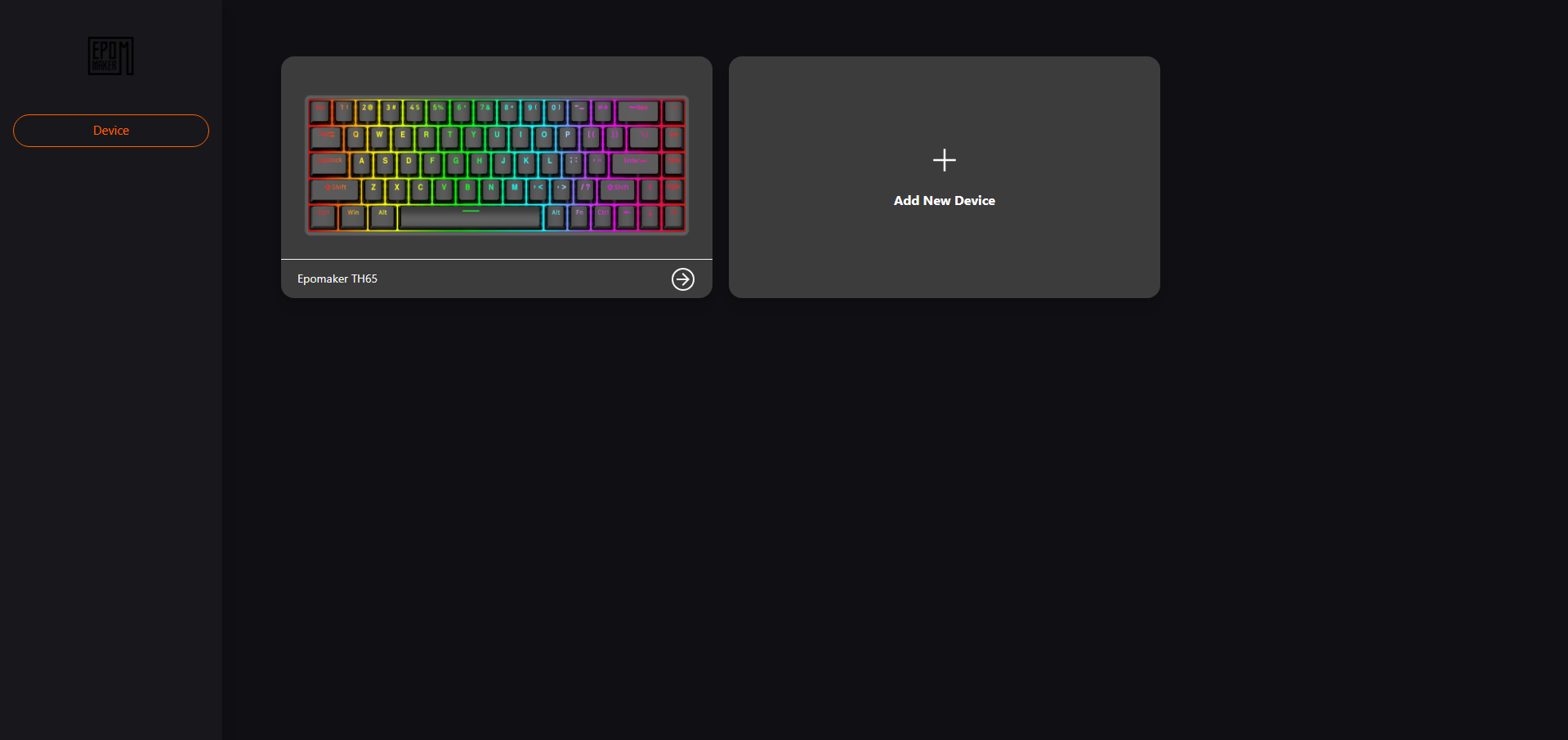
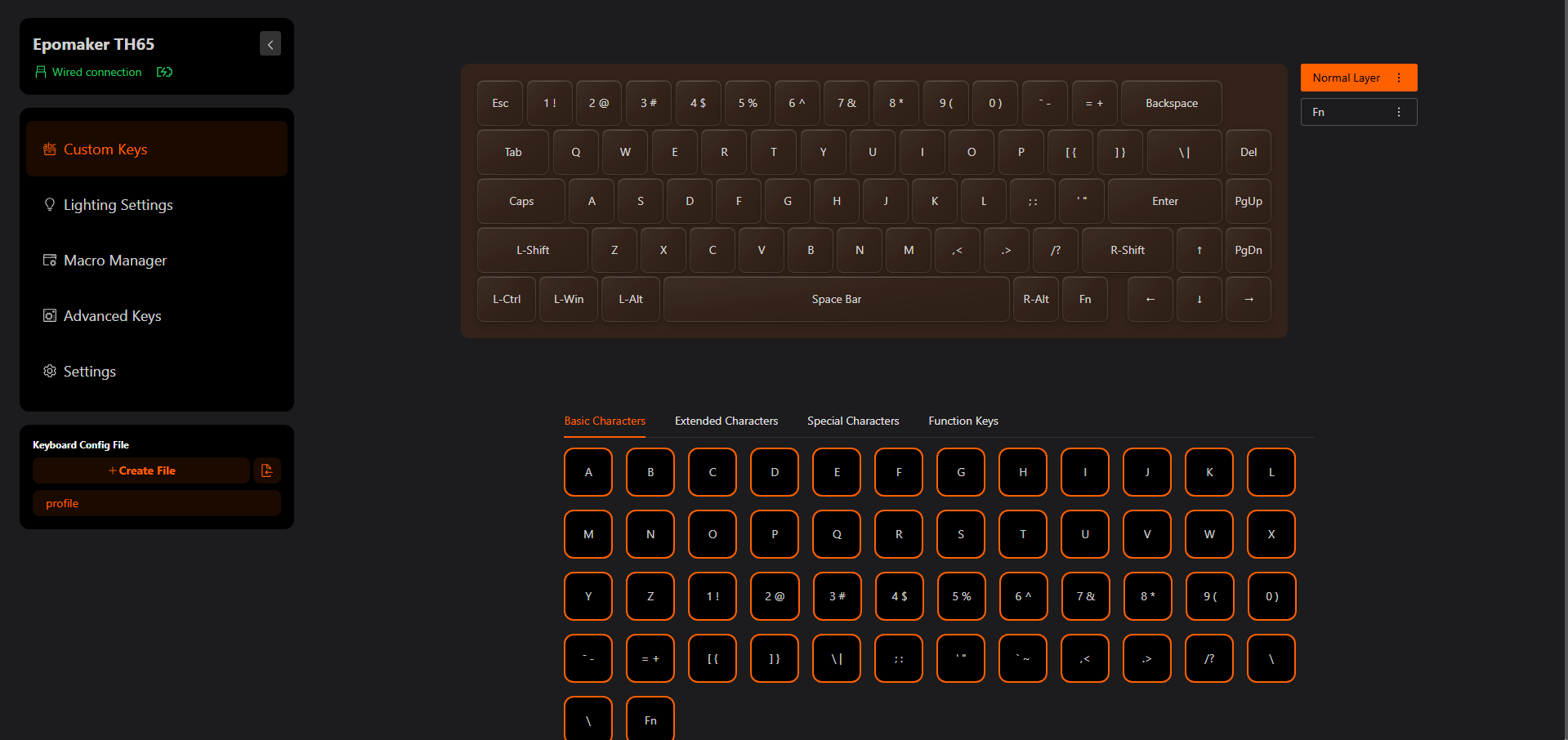
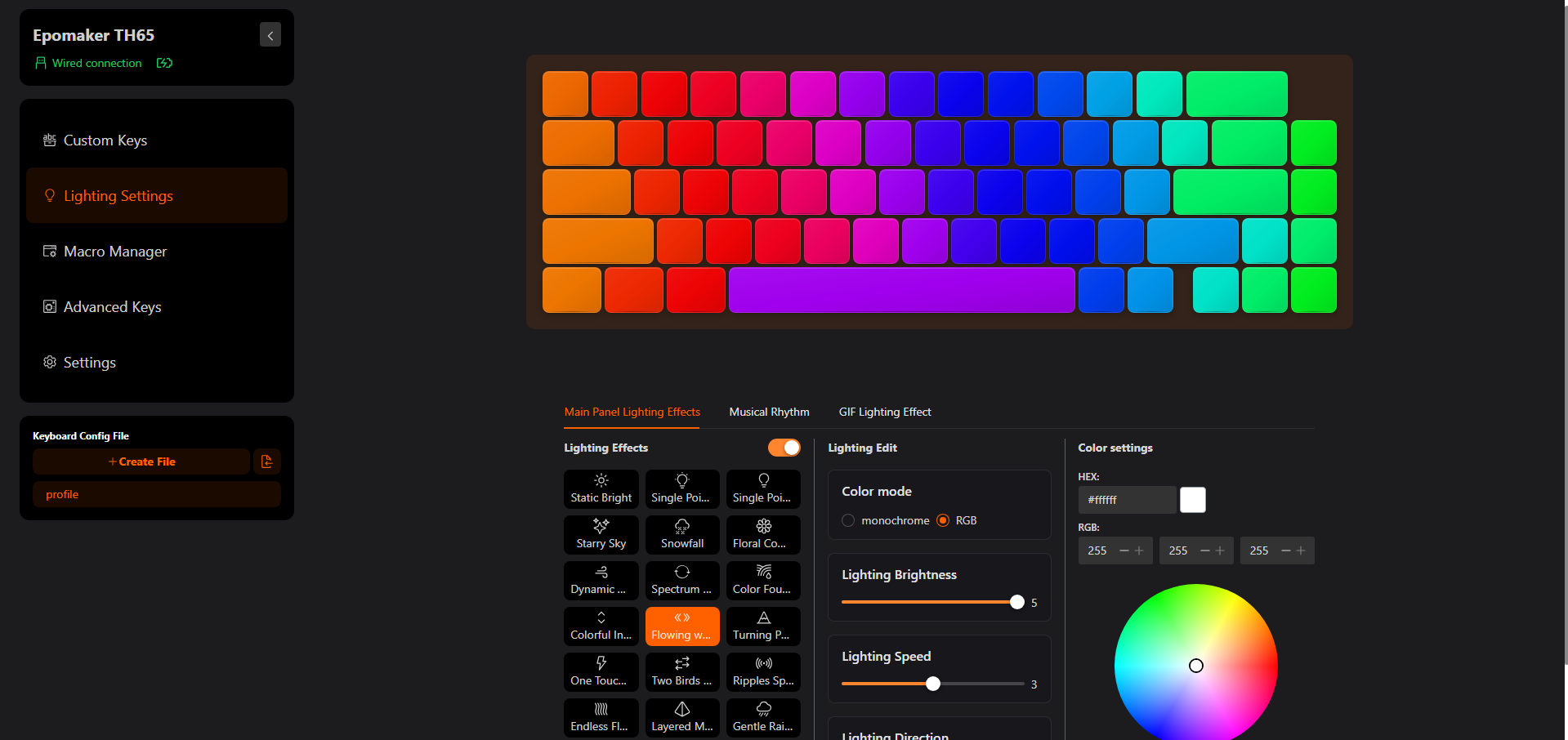

The Epomaker TH65 uses a web-based driver. To access it, you can open Epomaker’s driver website. Once the page loads, it detects the keyboard and brings up its layout along with the available settings. The first section is Custom Keys. This is where you can change what individual keys do instead of being restricted to their default functions. On a 65% keyboard, that can be particularly useful. Then there’s the Lighting section. The TH65 comes with a range of built-in RGB effects that you can switch between through the software.
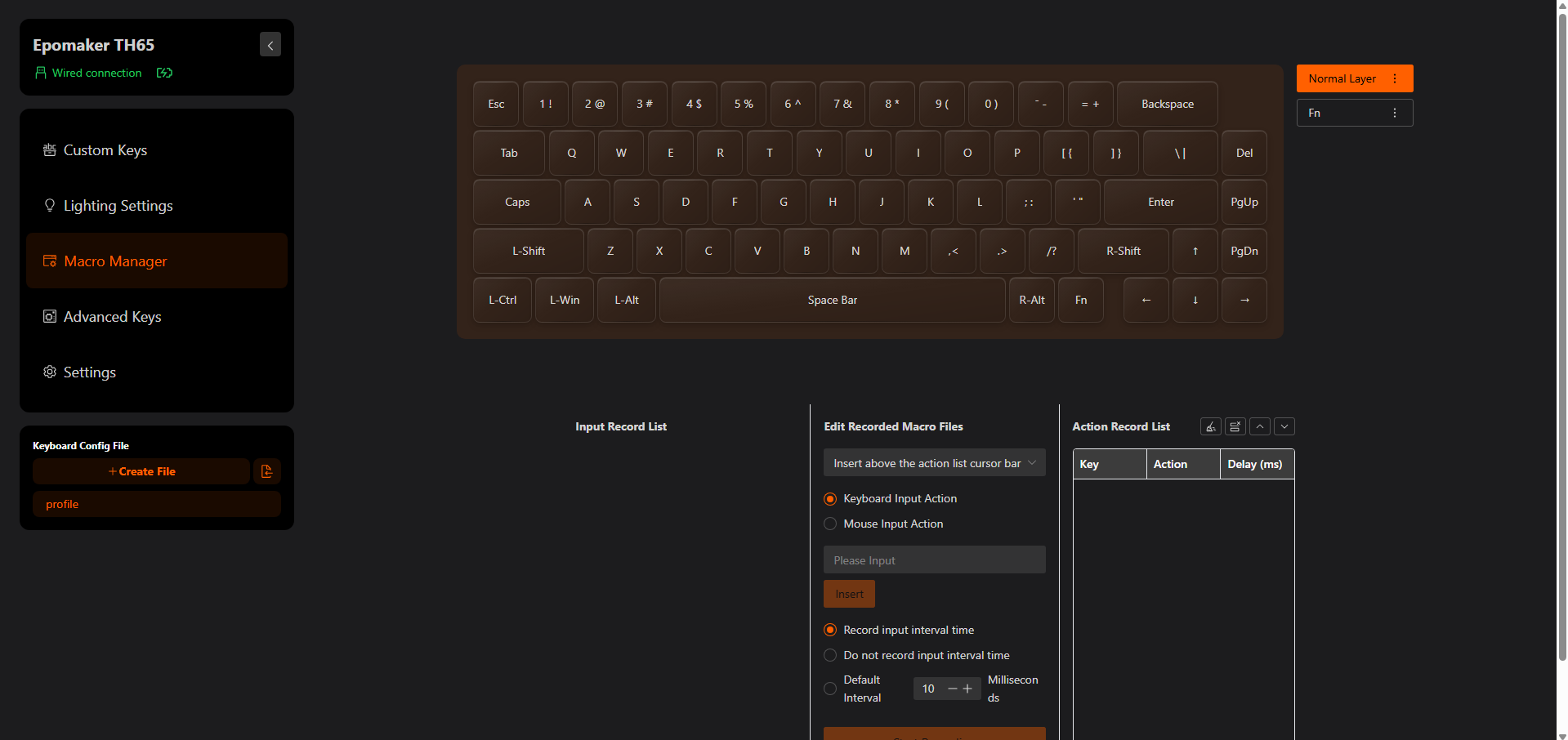
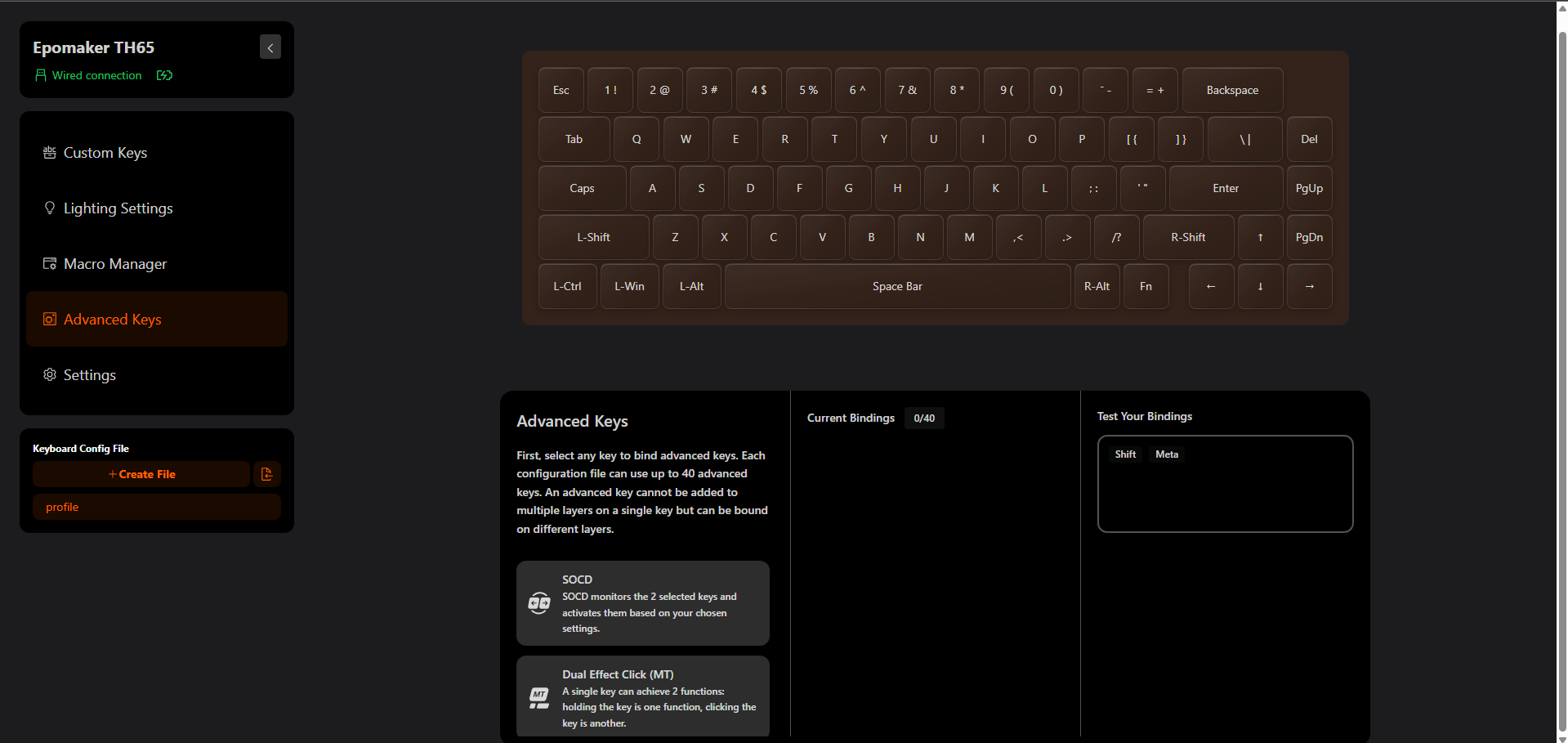
The software also includes a Macro Manager. This lets you create macros and assign them to keys on the keyboard. There’s also an Advanced Keys section with interesting options like SOCD, Dual Effect Click, or MT (Mod-Tap). The former allows the keyboard to handle opposing directional inputs according to a defined behavior rather than simply treating them as independent key presses, and the latter allows a key to perform different actions depending on how it’s pressed.
Should You Buy it?
Buy it if
✅ You want a feature-packed 65% keyboard: The Epomaker TH65 packs a lot into its compact layout. You get a rotary knob, web-based software, tri-mode connectivity, an 8000mAh battery, and a hot-swappable PCB.
✅ You care about the typing experience: The Creamy Jade switches feel smooth and responsive, while the gasket-mounted structure and layered internal dampening give the keyboard a firm yet comfortable feel.
Don’t Buy it if
❌ You need a full-size or TKL layout: The 65% layout removes the function row and numpad, and some users may find the transition frustrating. If you regularly use dedicated function or navigation keys, you’ll need to rely on secondary shortcuts.
❌ You prefer premium metal construction: The Epomaker TH65’s ABS plastic case is surprisingly rigid, but it still doesn’t have the feel of a metal-bodied keyboard. If case material is high on your priority list, there are more premium options available.
Final Verdict
I think Epomaker has put together a keyboard that’s easy to recommend at its price. The Epomaker TH65 costs $64.99, which is quite low considering what you’re getting for the money. At this price, it doesn’t feel like a stripped-down wireless keyboard where several important features have been left out. For me, its biggest advantage is that it doesn’t feel like the low price comes from cutting corners on the parts I notice most during daily use.
The keyboard feels solid, and the switches are enjoyable to type on. Add the wireless options and large battery, and the overall package becomes quite compelling. If you’re looking for a compact mechanical keyboard and don’t mind spending a little time adjusting to a 65% layout, the Epomaker TH65 offers exceptional value. I wouldn’t call it perfect, but at this price, it’s hard to complain about the quality of hardware and customization options you’re getting.
Thank you! Please share your positive feedback. 🔋
How could we improve this post? Please Help us. 😔

[Hardware Reviewer & Editor]
After many years of exploiting various pieces of hardware, Abdul Hannan now serves as an editor at Tech4Gamers. He’s been in the PC hardware reviewing industry for almost a decade, and his staff of passionate geeks and reviewers is second to none.
Abdul Hannan is constantly seeking new methods, you will always see him running into New Computer Courses to improve the performance of his computer components since he is an ardent overclocker. He is well-known for providing the most extensive and unbiased analysis of the newest and greatest hardware for PC gaming, including everything from GPUs to PSUs.
 Join Our Community