To be honest with you right away, it costs more to build a custom PC in 2026 than it did a year ago. More than most people think, and more than the YouTube videos from 2024 will make you think. If you go into a store without knowing the current prices, you’ll feel that gap at the register.
This guide covers everything you need to know about each part, current pricing, and the realistic spend you can expect at each budget level.
Why Custom PC Costs Have Shifted So Dramatically in 2026

You need to know what’s really driving prices right now before you break down the parts one by one. This will change how you should build your project.
Since late 2025, AI data centers have been using DRAM and GDDR memory faster than manufacturers can make it. The ripple effect affected every product with memory, starting with gaming PCs. In May 2025, a 32GB DDR5-6000 kit cost about $120. By December 2025, it was selling for $410 or more. Several industry sources say this shortage won’t improve until at least late 2027. The GPU market is also struggling, with supply tightening and prices well above MSRP for many popular cards.
But what happened? The math that used to say “build it yourself and save money” doesn’t always hold up in 2026. Before the shortage, prebuilt system builders locked in the prices of parts. Now, for some mid-range configurations, they offer better value than assembling the same specs yourself.
That being said, building your own PC is still better for customization, upgrade options, and long-term repairability, as long as you do it right.
Component-by-Component Cost Breakdown
GPU

Most of your money should go to the graphics card. When building a PC, the general rule is to spend about 40–50% of your total budget on the GPU. This rule is more important than ever in 2026. If your GPU is weak, it will slow down your gaming experience faster than any other part. No amount of great RAM or a top-of-the-line CPU will make up for it.
Here’s the real story about how much GPUs cost right now at each level:
Budget (1080p gaming): AMD’s RX 9060 XT 8GB came out at $299 and has stayed close to that price more often than most cards this cycle. If you catch a sale, you can still get it for the same price. The RTX 5060 Ti 8GB has a manufacturer’s suggested retail price (MSRP) of $379, but during some sales, it has gone back to that price. However, street prices are usually $409 or higher. At these prices, you can expect good 1080p performance and decent frame rates in new games.
Mid-range (1440p gaming): The RTX 5070 had a starting price of $549, but in real life, it usually sells for $649 to $700. The AMD RX 9070 has a suggested retail price of $549, but it is currently priced between $580 and $670 depending on the store. The RX 9070 XT has a suggested retail price of $599, but it is currently priced between $700 and $730. If you’re not set on Nvidia’s DLSS ecosystem, AMD’s cards at this level are worth a serious look because they offer great rasterization performance for the price.
High-end (4K / content creation / future-proofing): The RTX 5070 Ti came out at $749, but US retailers have been selling it for between $1,000 and $1,300 as supply has gotten low. If you can find the RTX 5080 for $999, it’s the better buy at the high end. The RTX 5090 came out at $1,999, but you should budget $2,200 to $2,500 to cover what it really costs at most stores.
A recent market analysis shows that global average prices for the RTX 50 series are up about 19% since November 2025. This is a good point of reference. Three months ago, $1,000 could buy you an RTX 5080. Now, it can only buy you an RTX 5070 Ti.
Realistic GPU budget by tier:
- Budget 1080p build: $300–$430
- Mid-range 1440p build: $580–$730
- High-end 4K build: $900–$1,500+
CPU

CPUs have mostly stayed out of the worst of the 2026 price drama, unlike GPUs and memory. You don’t need to worry about this category of parts.
The AMD Ryzen 7 9800X3D is the best CPU for gaming right now, and it costs between $449 and $469, which is a great price-to-performance ratio for a gaming CPU. The newer Ryzen 7 9850X3D costs between $499 and $510 and has only small improvements. Unless you’re looking for the very best, the 9800X3D is the better value for most builders.
The Ryzen 5 7600 has been on sale for about $175 to $200 for budget builds. It is still a great six-core option that won’t slow down any GPU in the $500 range. The Ryzen 7 5800X3D is still surprisingly competitive if you already have an older AM4 platform and want to save every dollar you can for the GPU. However, prices for used chips have gone up as more people switch back to DDR4-compatible platforms to avoid the DDR5 premium.
Intel’s Core Ultra Arrow Lake lineup hasn’t done much to improve gaming performance compared to AMD at similar prices, so the Ryzen lineup is the best choice for new gaming builds right now.
Realistic CPU budget by tier:
- Budget build: $160–$200 (Ryzen 5 7600 or similar)
- Mid-range build: $230–$320
- High-end build: $450–$530 (Ryzen 7 9800X3D / 9850X3D)
RAM
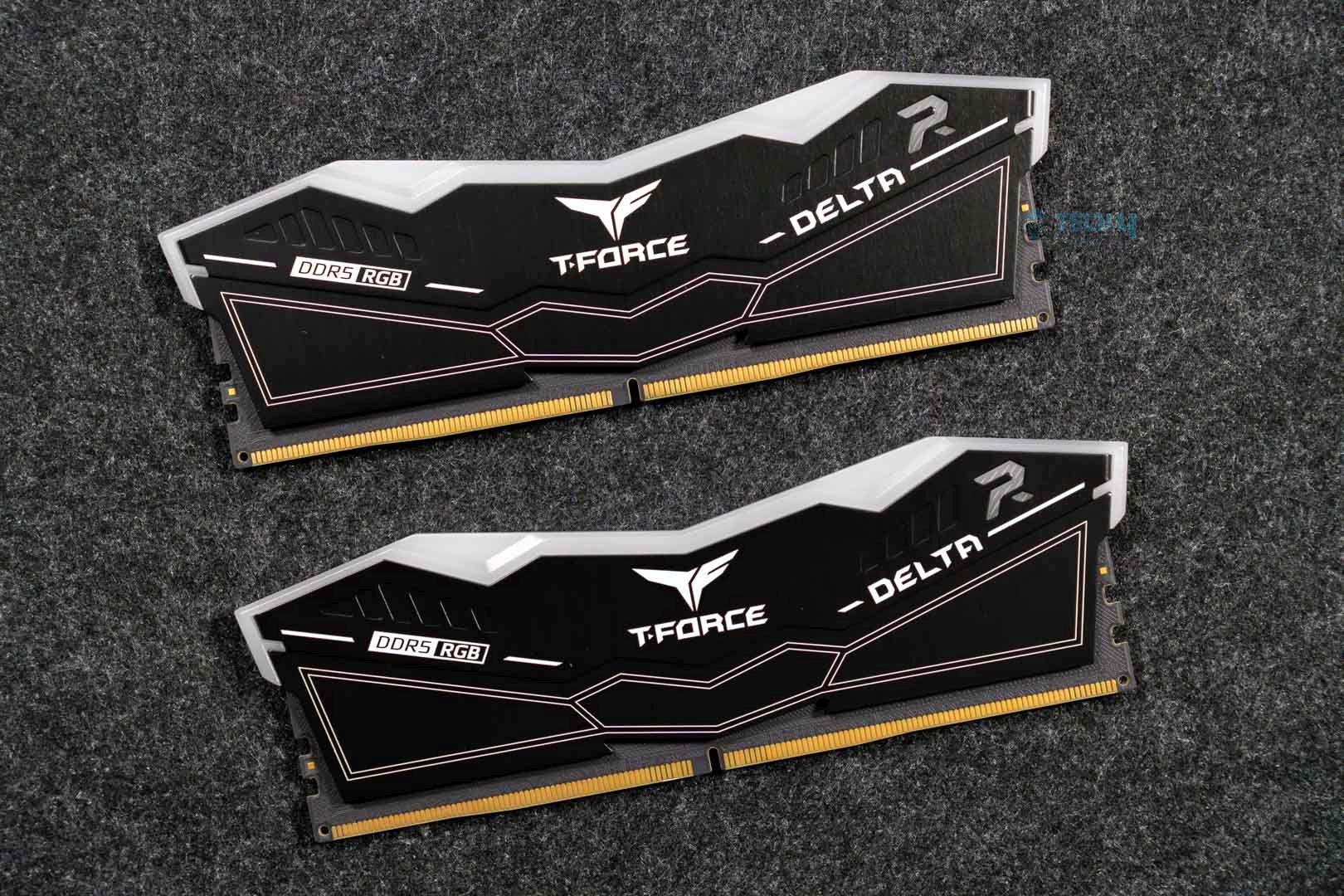
You should pay close attention to this part because the numbers here are very different from what you will find in older build guides.
Depending on speed and whether you catch a bundle deal, a 32GB DDR5 kit on Newegg right now costs between $150 and $420. That’s about three times what the same kit cost a year ago. DDR5-6000 kits for AM5 builds usually cost $300 or more on their own. DDR4 has also gone up in price; kits that used to cost $80 to $90 in early 2025 now cost $150 to $200. However, if your platform supports it, DDR4 is still the cheaper option.
If you’re building on AMD AM5 and need DDR5, the best thing to do right now is to buy it as part of a CPU/motherboard/RAM bundle from a store like Newegg. There, you can find 32GB DDR5-6400 kits for as little as $150 when you buy them with a Ryzen 9850X3D. Right now, the savings on bundles compared to buying things separately are really big.
If you’re on a tight budget, looking into older Ryzen 5000 series platforms that work with AM4 and DDR4 can save you $100 to $200 on memory alone. It’s a compromise on how long the platform will last, but in the current climate, it’s a very smart financial move.
Realistic RAM budget by tier:
- Budget build (16GB DDR4): $80–$130
- Mid-range build (32GB — bundle DDR5 or standalone DDR4): $150–$240
- High-end build (32GB DDR5 standalone): $270–$420
Motherboard
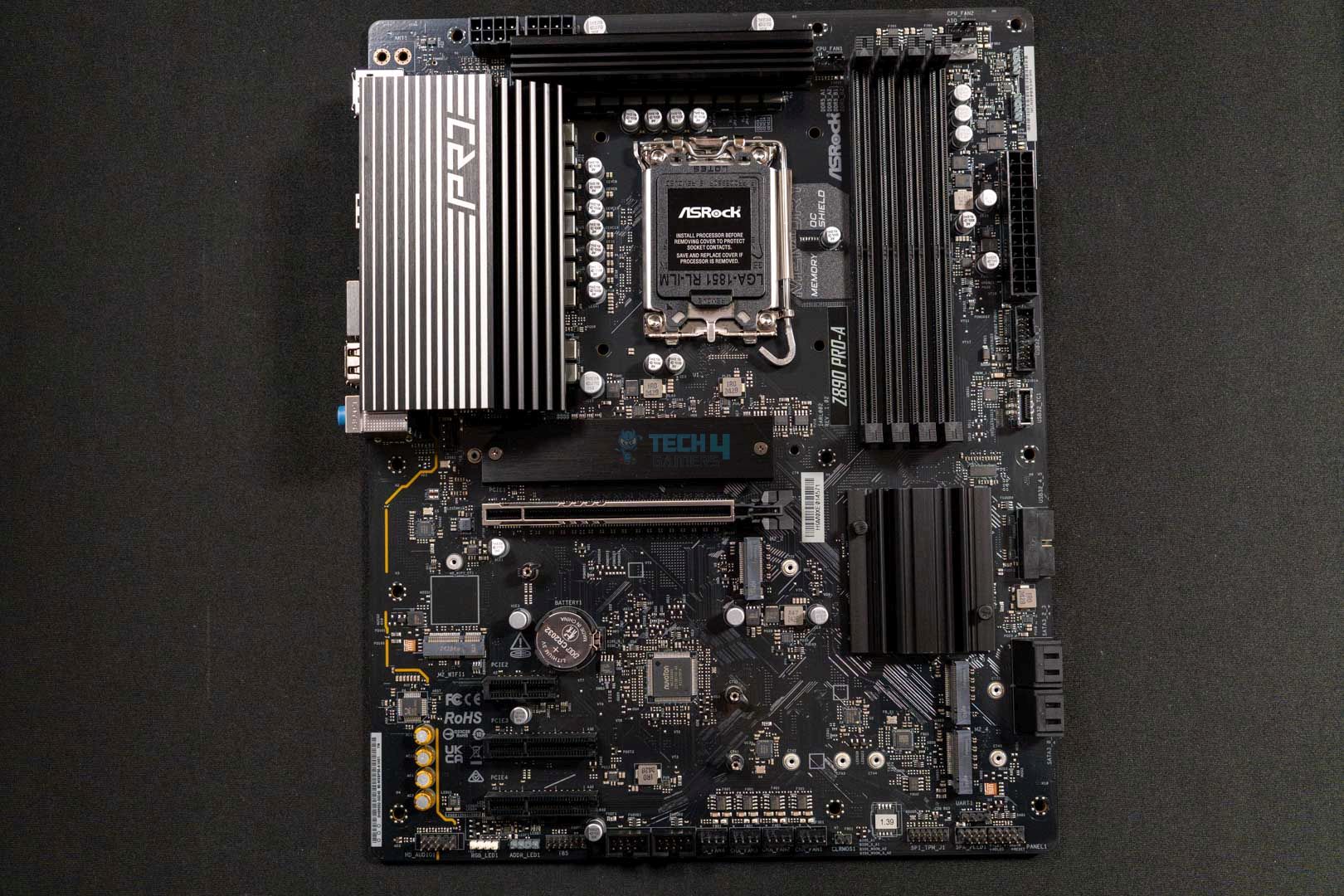
Motherboards didn’t have to deal with the memory shortage drama at all, and they are still one of the most predictable purchases in a new build. Your CPU locks you into a socket, and after that, it’s mostly a matter of price and features.
A B650 board for AMD AM5 builds gives most builders everything they need, like PCIe 5.0 support, Wi-Fi 6E on most models, and good VRM quality, all for about $150 to $220. X670E and X870 boards cost between $220 and $400. They offer more overclocking headroom and a better set of features than the 9800X3D or 9850X3D. Z890 boards for Intel LGA1851 builds start at about $200 and quickly go up to very high-end prices.
Don’t give in to the urge to save money here. Your motherboard will decide how you can upgrade, how you can connect to other devices, and how stable your system will be for the rest of its life. It will cost you more in the long run to save $100 on a bottom-tier board that can’t handle your CPU’s power delivery properly.
Realistic motherboard budget by tier:
- Budget build: $100–$150
- Mid-range build: $150–$220
- High-end build: $220–$380
Storage

SSDs are still affected by the NAND shortage, but not as badly as RAM. You can still find good deals if you know what to look for.
The Samsung 990 Pro is still a good choice. The 1TB version costs between $100 and $120 at Newegg on a good day, but when supplies are low, it can cost as much as $200. The WD Black SN850X 2TB is a great deal right now at about $155–$200. It’s the best choice for anyone who needs a single fast drive with a lot of space.
A good 1TB PCIe 4.0 drive from Crucial, Kingston, or a similar brand is still the best entry-level option for budget builds. They are usually still available for $80 to $100. There are PCIe 5.0 drives, but they are too much for gaming at any price. The difference in loading times in the real world compared to PCIe 4.0 is small, and the price difference is big.
Realistic storage budget by tier:
- Budget build (1TB PCIe 4.0): $80–$120
- Mid-range build (2TB PCIe 4.0): $150–$200
- High-end build (2TB WD SN850X or Samsung 990 Pro): $180–$250
Power Supply

The PSU is the part that most new people don’t think about enough, and it’s also the one that can do the most damage to everything else. When a power supply fails, it doesn’t just stop working; it can also take your GPU, CPU, and motherboard with it in a very costly event.
Corsair, Seasonic, be quiet!, EVGA (if you can still find them), and Fractal Design all make reliable units. Always aim for at least 80 Plus Gold certification. It costs a little more, but it runs cooler, lasts longer, and is more efficient.
A 750W Gold unit is the best choice for a mid-range build with an RTX 5070 or RX 9070. If you’re building an RTX 5070 Ti or RX 9070 XT, you need 850W. The RTX 5080 and 5090 need more power, so plan on 1000W to be safe.
Realistic PSU budget by tier:
- Budget build (650W, 80 Plus Bronze/Gold): $60–$85
- Mid-range build (750W, 80 Plus Gold): $85–$120
- High-end build (850–1000W, 80 Plus Gold/Platinum): $120–$170
Case

Cases are one of the few things that aren’t affected at all by the memory shortage, and there are a lot of great ones on the market at good prices. You don’t have to worry about this.
A mid-tower case from NZXT, Fractal Design, Lian Li, or be quiet! costs between $80 and $120 and has good airflow, good cable management, and either tempered glass or a clean matte look. Cases that cost between $40 and $70 work just fine; you just have to give up some quality and finish.
For $150 to $300, you can get a case made of better materials, with more modular setups, better integrated fan setups, and real showcase looks. If looks matter to you, it’s worth it; if they don’t, you can skip it.
Realistic case budget by tier:
- Budget build: $40–$70
- Mid-range build: $80–$120
- High-end build: $120–$280
CPU Cooler

Most retail CPU boxes don’t come with a cooler that is good enough for the processor inside anymore. Plan on spending at least $30 to $40 on a good air cooler. Thermalright, DeepCool, and Noctua all have highly rated options in that price range that will work well with mid-range CPUs.
A 240mm or 360mm AIO liquid cooler in the $80–$150 range makes a real difference for high-end processors or anyone who wants less noise and more thermal headroom, especially when gaming or rendering for long periods of time.
Realistic cooler budget by tier:
- Budget build: $25–$45
- Mid-range build: $45–$75
- High-end build: $90–$160
Full Build Totals by Tier

This is how the numbers add up in February 2026:
Budget Gaming Build: $950 to $1,250 Goal: to play games at 1080p with high settings and get 60–144 frames per second in most new games Core parts: Ryzen 5 7600 (about $180), RTX 5060 Ti 8GB or RX 9060 XT 8GB ($300–$410), 16GB DDR4 RAM ($100), 1TB NVMe SSD ($95), B650 motherboard ($130), 650W Gold PSU ($75), mid-range case ($65), and a good air cooler ($35).
Mid-Range Gaming Build: $1,600 to $2,100 Goal: 1440p at ultra settings and 1080p at high refresh rates Core parts: Ryzen 7 9800X3D ($460), RX 9070 or RTX 5070 ($580–$680), 32GB DDR5 via bundle ($200), 2TB NVMe SSD ($180), B650/X670 motherboard ($190), 850W Gold PSU ($110), mid-tower case ($100), and 240mm AIO ($90)
High-End Gaming Build: $2,800 to $3,800 or more The goal is to have 4K ultra settings, make content, stream, and be ready for the future. The core parts are the Ryzen 7 9850X3D ($510), the RTX 5080 ($999–$1,200), the 32GB DDR5 standalone ($350), the 2TB premium SSD ($200), the X870 motherboard ($280), the 1000W Platinum PSU ($155), the premium case ($160), and the 360mm AIO ($140).
The Costs Most Guides Leave Out
Windows 11 Home costs $139 to buy. Legitimate resellers sell OEM licenses for less. If you’re a student, see if your school offers free or discounted access.
Monitor: It’s easy to forget about until you have to plug everything in. A good 1440p 144Hz monitor costs between $250 and $400. Depending on the size and quality of the panel, a 4K 144Hz panel will cost between $500 and $900.
Peripherals: Like a keyboard, mouse, and headset can cost anywhere from $100 to $500, depending on how picky you are. If you’re starting from scratch, set aside at least $100 for the basics.
Thermal paste: You can usually find it in packs with aftermarket coolers, but a tube of good paste (like Thermal Grizzly Kryonaut or Arctic MX-6) costs $8 to $12 and is worth having anyway.
Extra case fans: Most cases come with only a few fans. If your case doesn’t come with enough airflow hardware, set aside $30 to $60 for extra intake and exhaust fans.
Should You Build or Buy Prebuilt Right Now?

In 2026, the honest answer is that it depends in a way that it really didn’t before.
Before the memory and GPU supply problems got really bad, pre built gaming pc providers signed contracts for parts. At the moment, a machine from ASUS, MSI, or CyberPower that has the same specs as one you build yourself is a better deal, especially if the price difference is most noticeable in the RAM.
In 2026, prebuilt makes more sense than it has in years if you want a machine quickly, at a set price, and with one point of warranty contact.
If you want to be able to control every part of your machine, upgrade individual parts, and have the best performance settings for your use case, as well as the satisfaction of knowing exactly what’s inside your machine, build it yourself, keep an eye on component prices, and buy when you see a good deal.
Right now, both paths are good. The most important thing is to know which one you’re picking and why.
Frequently Asked Questions
How much will it cost to build a gaming PC in 2026? A good gaming build that can handle 1080p costs between $950 and $1,250. A good mid-range build with 1440p costs between $1,600 and $2,100. A high-end 4K setup costs at least $2,800 and goes up from there.
What makes RAM so expensive right now? AI data centers are using more DRAM than ever before, which means less is available for consumer products. Prices for DDR5 have gone up by 300 to 400% since they hit their lowest point in 2024. Many experts in the field think that the shortage will last until at least late 2027.
Should I wait to buy a PC or build one now? Buy now if you need a machine. The lack of supplies is a long-term issue, not just a short-term problem. It’s a risk to wait 12 to 18 months in the hope that prices will go back to normal. If you don’t need the machine right away, it’s better to keep an eye on prices and buy parts when they go on sale.
What part should I spend the most money on? The GPU, every time. There, put 40–50% of your total build budget. It’s the one part that has the biggest impact on how you play games, and no other part can make up for a weak GPU.
Do I need DDR5 for a new computer? If you’re building on AMD AM5 or Intel Core Ultra (LGA1851), both platforms officially support DDR5 and are becoming more and more dependent on it. If you want to avoid the rise in DDR5 prices, building a budget or mid-range PC around an older AM4 platform with DDR4 is a perfectly reasonable choice right now.
Is it hard for someone who has never built a PC before? Not as scary as most people think. PCPartPicker checks for compatibility on its own. YouTube has detailed, step-by-step build guides for almost every possible combination of parts. You can build a PC if you can read and follow instructions with pictures and use a screwdriver.
Thank you! Please share your positive feedback. 🔋
How could we improve this post? Please Help us. 😔

Shameer Sarfaraz has previously worked for eXputer as a Senior News Writer for several years. Now with Tech4Gamers, he loves to devoutly keep up with the latest gaming and entertainment industries. He has a Bachelor’s Degree in Computer Science and years of experience reporting on games. Besides his passion for breaking news stories, Shahmeer loves spending his leisure time farming away in Stardew Valley. VGC, IGN, GameSpot, Game Rant, TheGamer, GamingBolt, The Verge, NME, Metro, Dot Esports, GameByte, Kotaku Australia, PC Gamer, and more have cited his articles.
 Join Our Community