Threads
Worth It?
Review Summary
The Goyojo GH340 completely disrupts the prosumer thermal-imaging market by delivering high-end features, including a fluid 25Hz refresh rate and crisp 256×192 resolution, for only $239. It’s an incredible diagnostic tool for providing an accurate hardware thermal report and, sometimes, debunking software sensors. For tech and hardware media, it adds significant value to diagnostic and troubleshooting data.
Hours Tested: 3

Overall


If Goyojo is new to you, let us introduce this Shenzhen-based company, founded in 2011. Take a moment with us as we explore Goyojo, a manufacturer of high-precision tools designed for professionals, technicians, and even enthusiasts like us. This brand stands out, especially among PC hardware reviewers, testers, and DIY repair technicians like ourselves.
In the world of PC hardware, temperatures are critical: while software sensors provide baseline numbers, they rarely tell the full story. When you want to check the motherboard VRM or measure the liquid-cooler block thermal performance, nothing matches the clarity that a thermal imaging camera provides. Goyojo sent us their GH340 Thermal Imaging camera, and we’re excited to show you how this tool could become indispensable.
Let’s talk about the specifications:
| Feature | Details |
| LCD Resolution | 240 x 320 |
| IR Output | 256 x 192 |
| Refresh Rate | 25 Hz |
| Temp Range | -20°C to 550°C (-4°F to 1022°F) |
| Accuracy | ±2°C or ±2% |
| Visible Camera | 2 Megapixels |
| Display | 2.8″ LCD |
| Image Modes | Thermal, Visible, Dual-Light Fusion |
| Battery | 3500mAh (Up to 7 Hours) |
| Durability | IP54 / 2m Drop Resistance |
| Storage | 8GB Built-in |
You can get the GH340 at a 15% discount by using the code Tech15 on their website.
What Makes Goyojo GH340 Handheld Thermal Imaging Different?
One standout feature is the GH340’s combination of high-end hardware specifications at an accessible price, making professional-grade performance accessible without the typical high-end price tag. The resolution is 240×320, while the IR output is 256×192, and a 25Hz refresh rate delivers smooth, real-time thermal imaging, exceeding many devices locked at 9Hz. Additionally, its 2-megapixel camera and impressive dustproof and lash-resistant rating further enhance its versatility and value.
Packaging
Let’s take a look at the packaging.
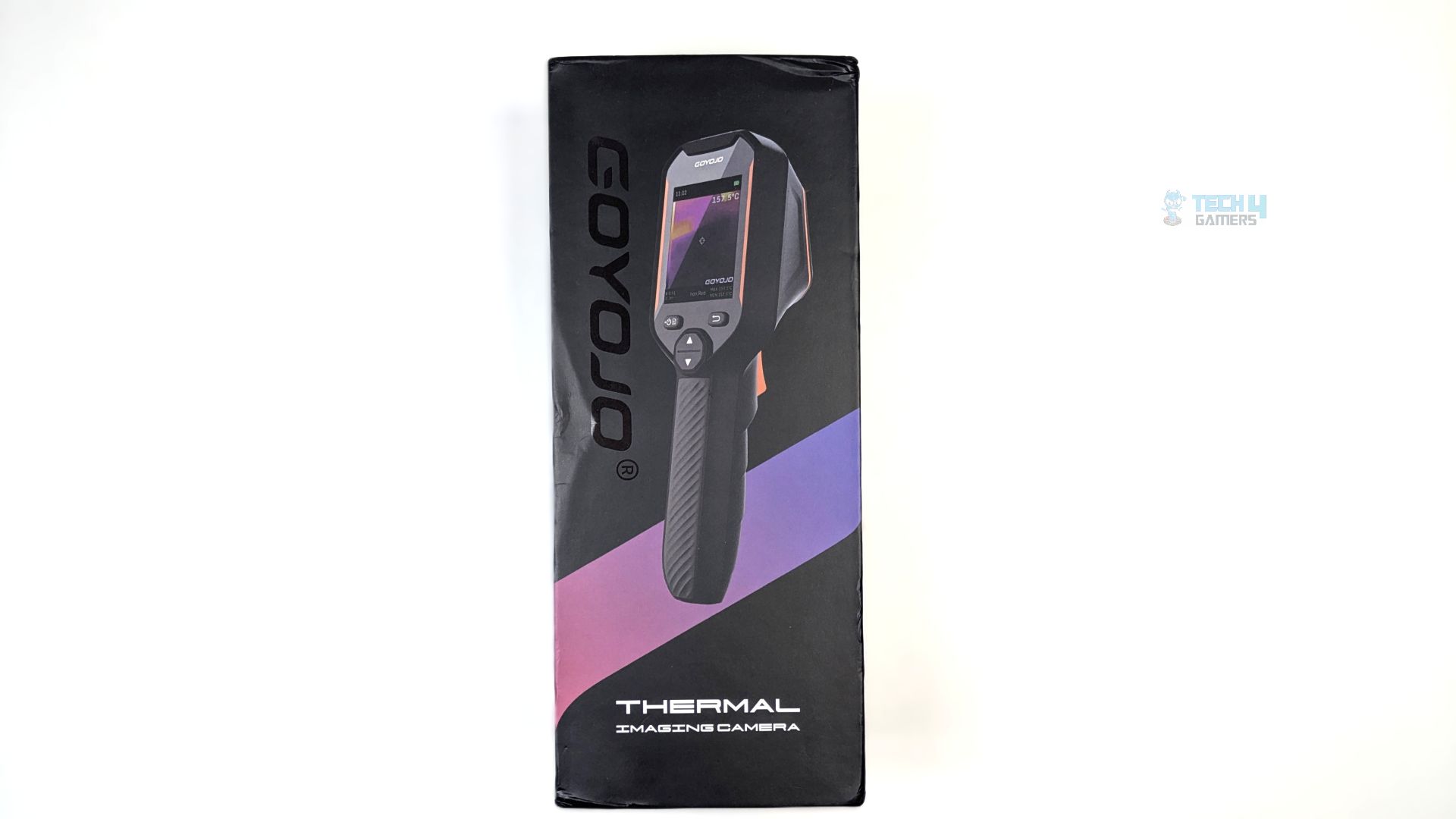
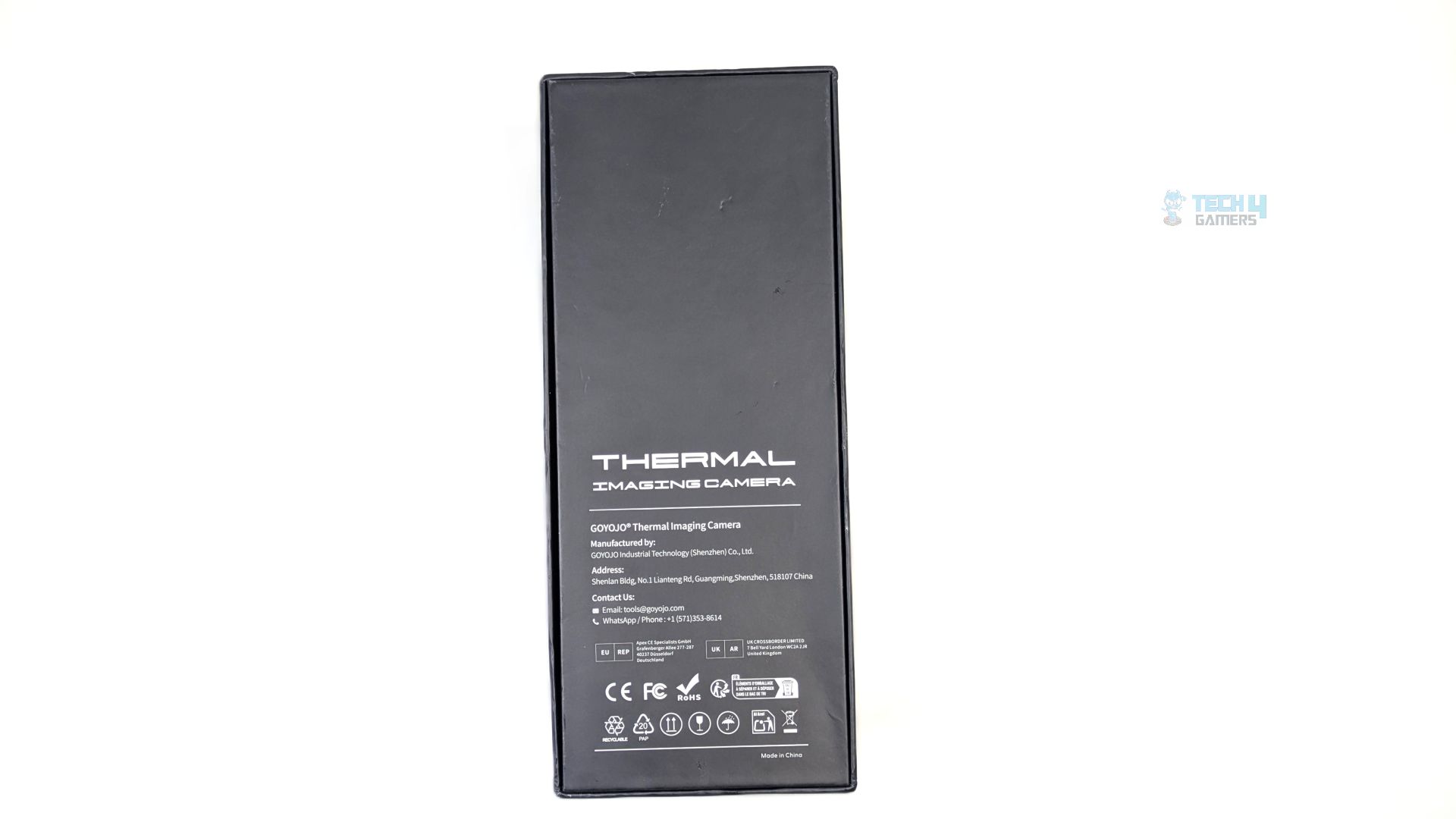
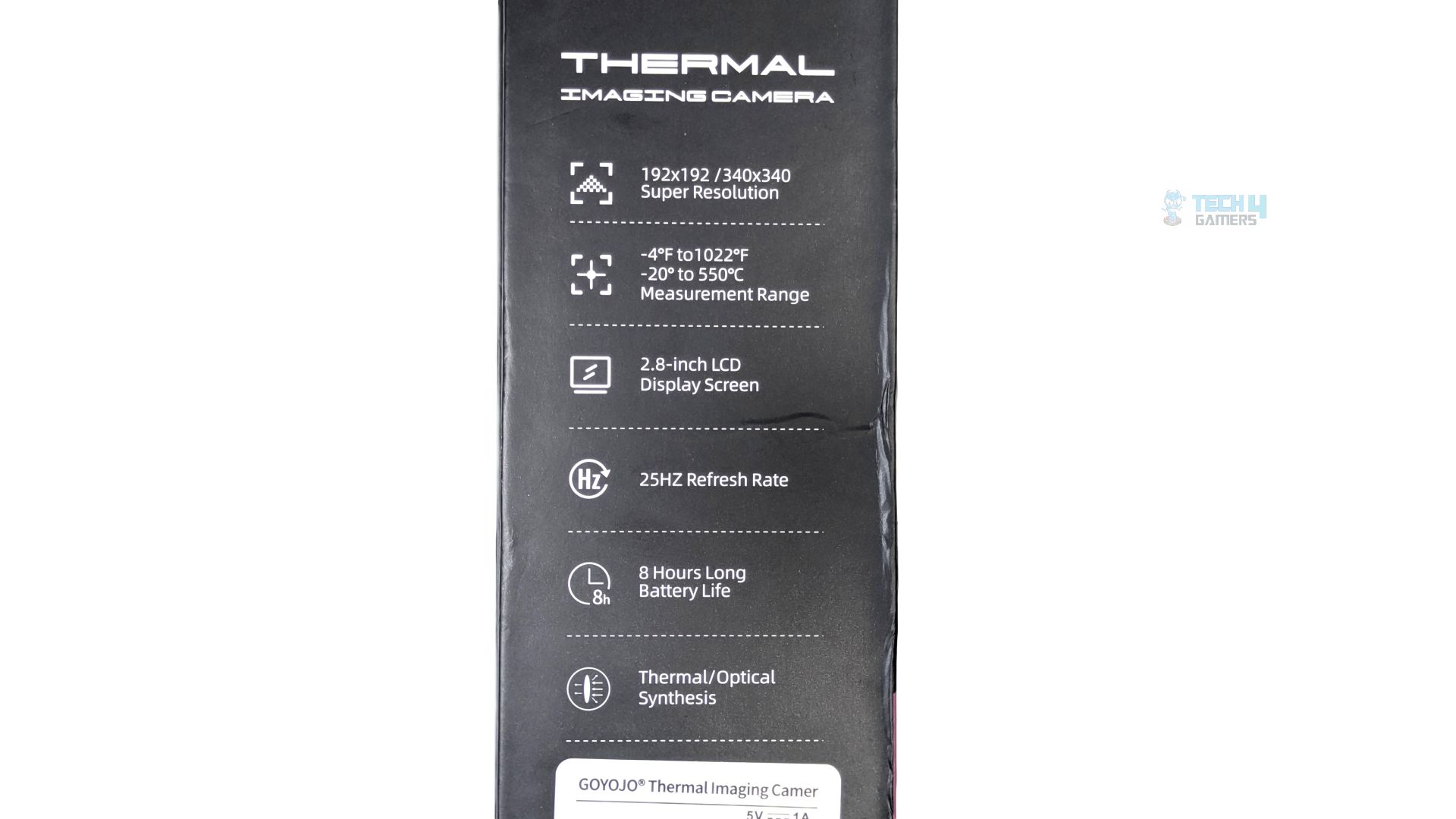
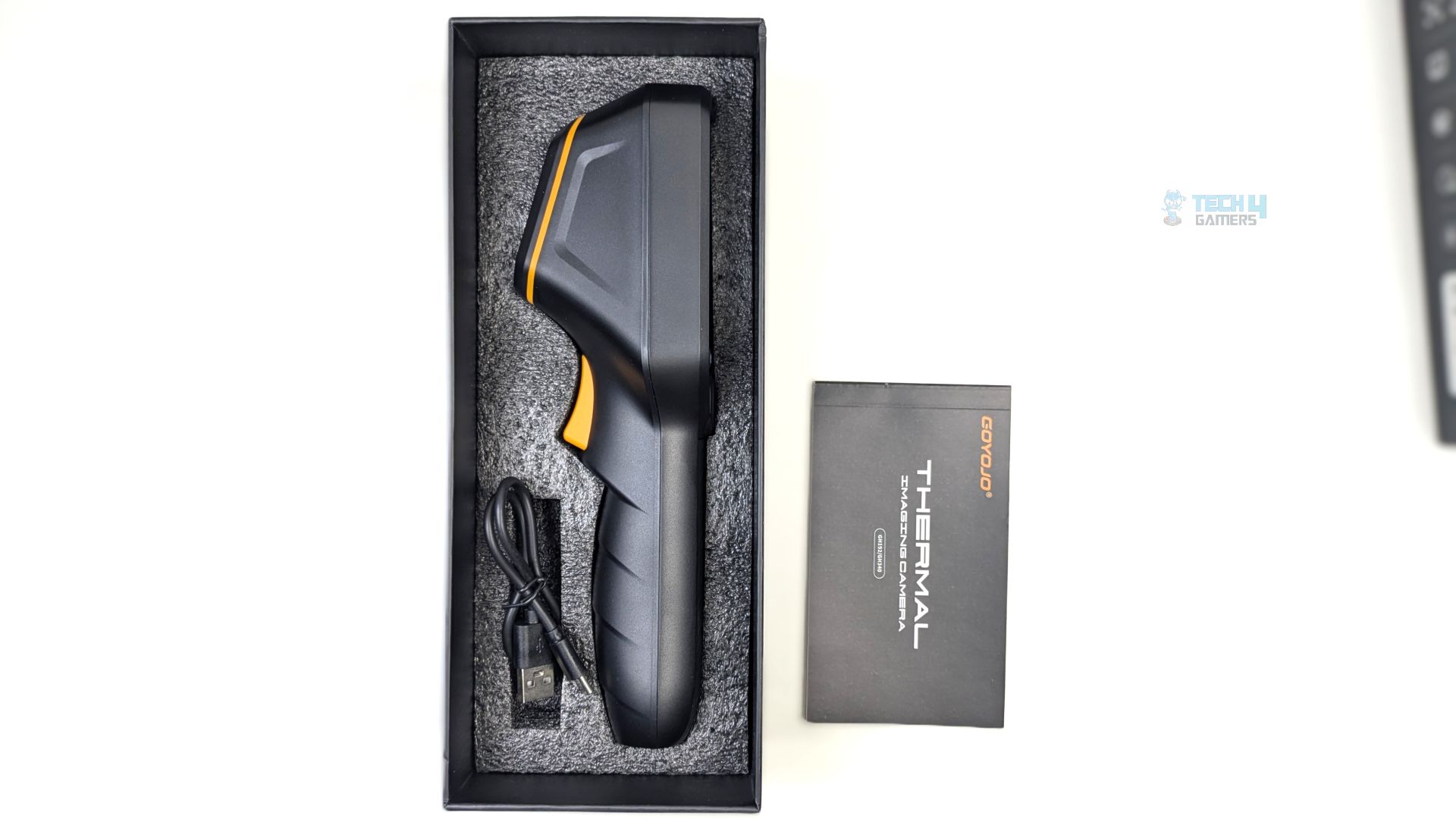
Taking a look at its box and accessories first, the device arrives in a matte-black vertical box featuring a render of the Goyjo GH340 Hand Held Thermal Imaging Device. The back of the box is uninteresting, as it is dedicated solely to transparency and compliance. However, one side of the packaging serves as a quick-reference guide to the device’s technical highlights and specifications, including the resolution, temperature range, refresh rate and highlighting the 2.8-Inch LCD with 8-hour battery life.
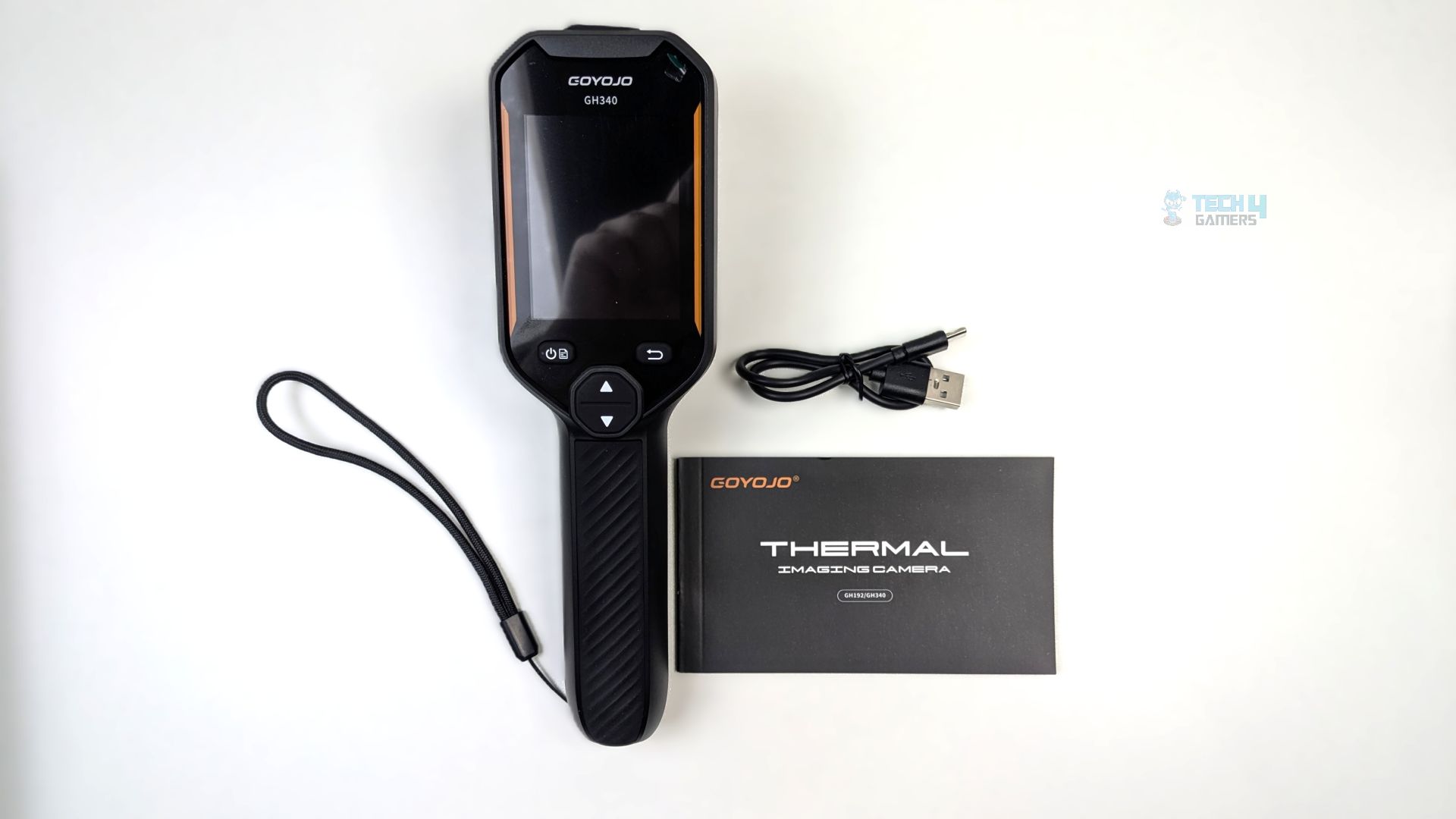
Upon removing all the contents from the box, you are greeted with the documentation, a Type-C to USB-A cable for data transfer and charging, and the device itself. However, we need to point out that the tripod mount is not included in the packaging
Close Look
Let’s take a look at the device.
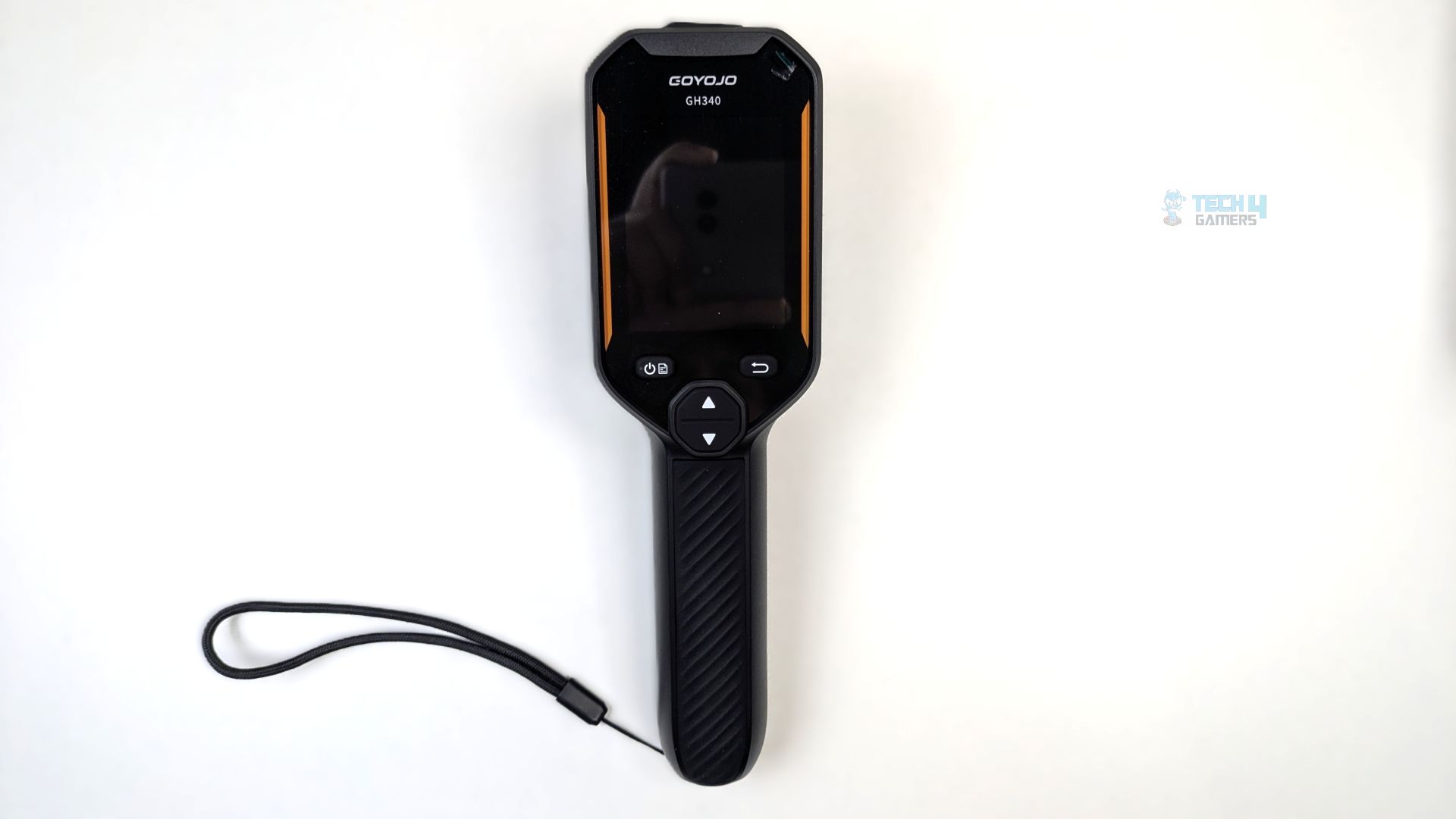
The Goyojo GH340 is aesthetically built with an industrial-first philosophy, features a pistol-grip form factor, and we had no issues holding it with one hand. The device features a 2.8-Inch display with a refresh rate of 25Hz and a resolution of 240×320. However, the device does not support digital magnification, a laser, video or audio. Talking about the dimensions: 223×65.6x67mm, IP54-rated.
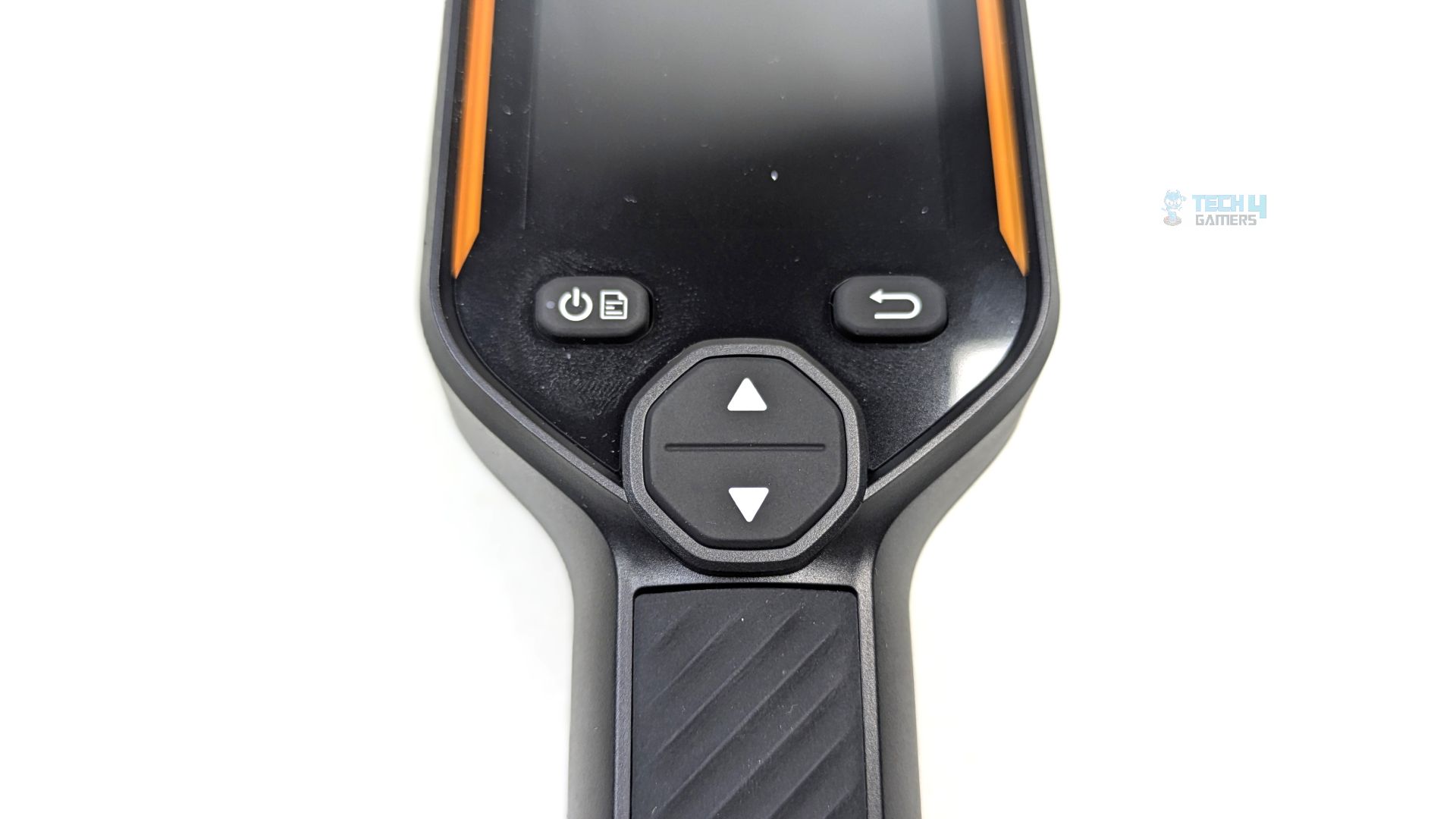
Below the screen, you will find a set of rubberized, tactile buttons. These include a combined power/menu and back button and a central up/down navigation pad, making it neither too techy nor complicated to use. The pre-installed wrist wrap is also included to prevent accidental drops. There is a charging indicator on the device as well. The red light stays on during charging, and it turns green when it’s fully charged. Overall, the buttons are very easy to navigate and use.
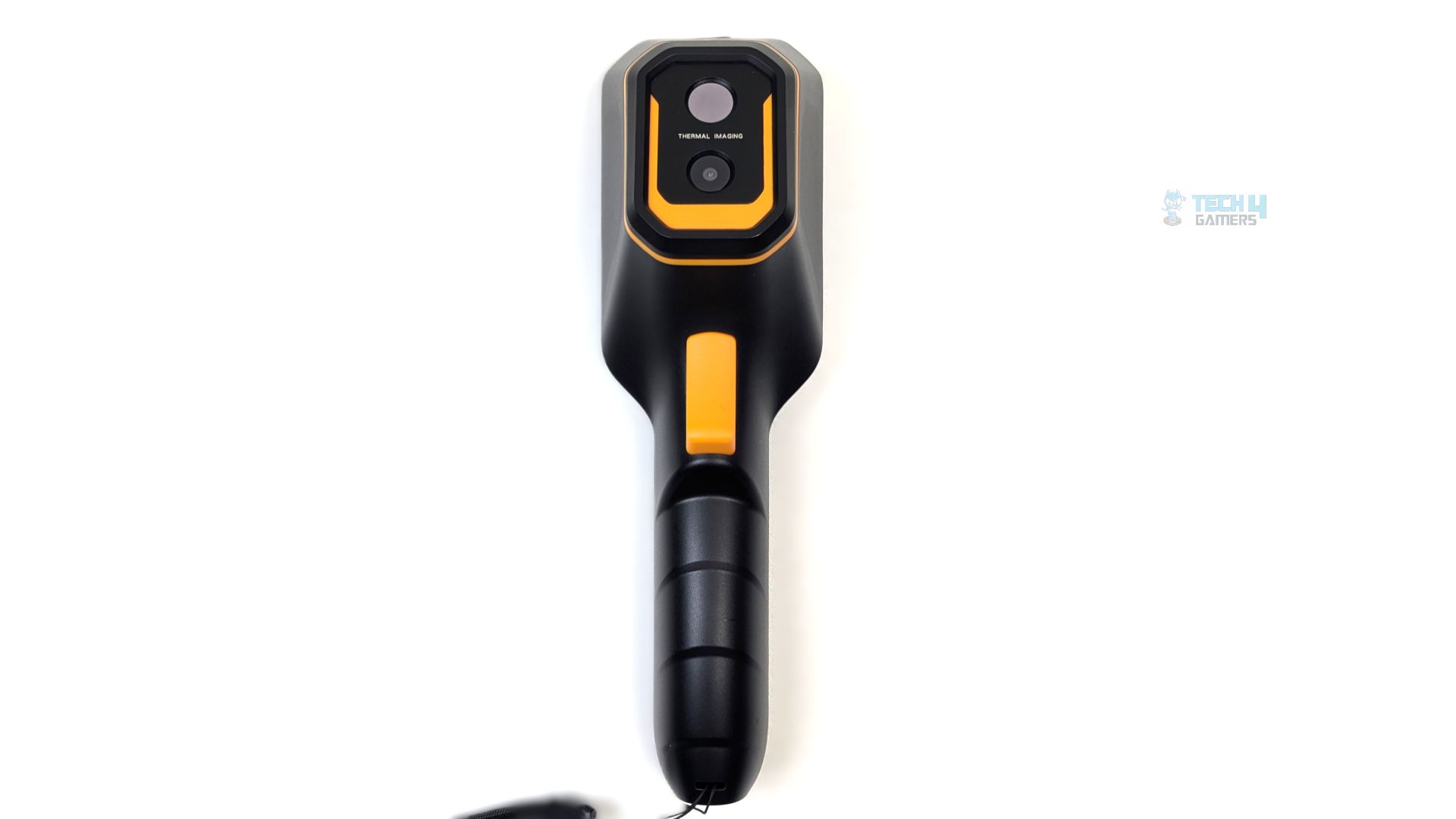
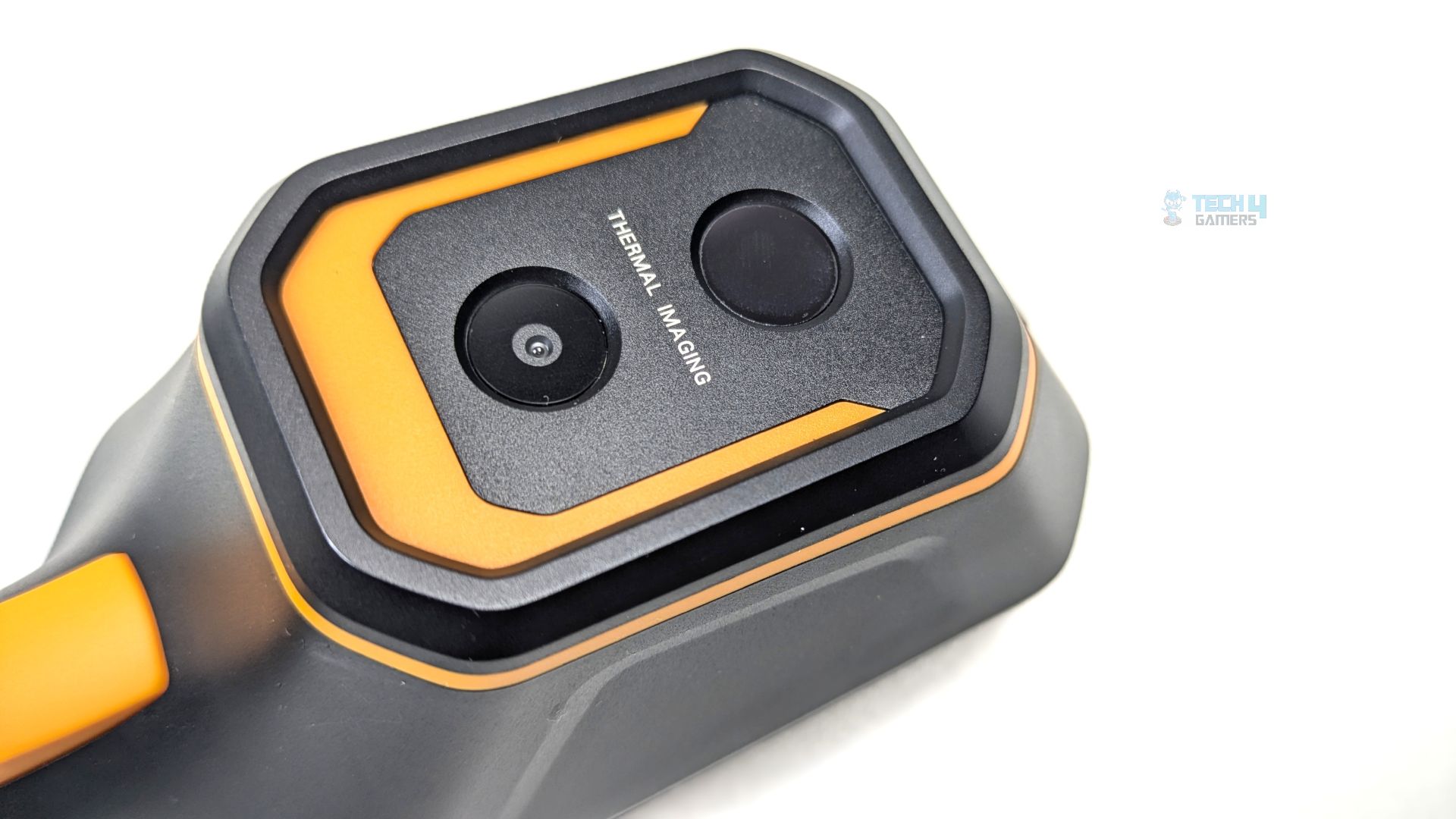
At the rear side of the device, the heart of the machine is a dual-lens setup. The sensor housing houses two sensors: the primary thermal sensor and the 2-megapixel light camera.
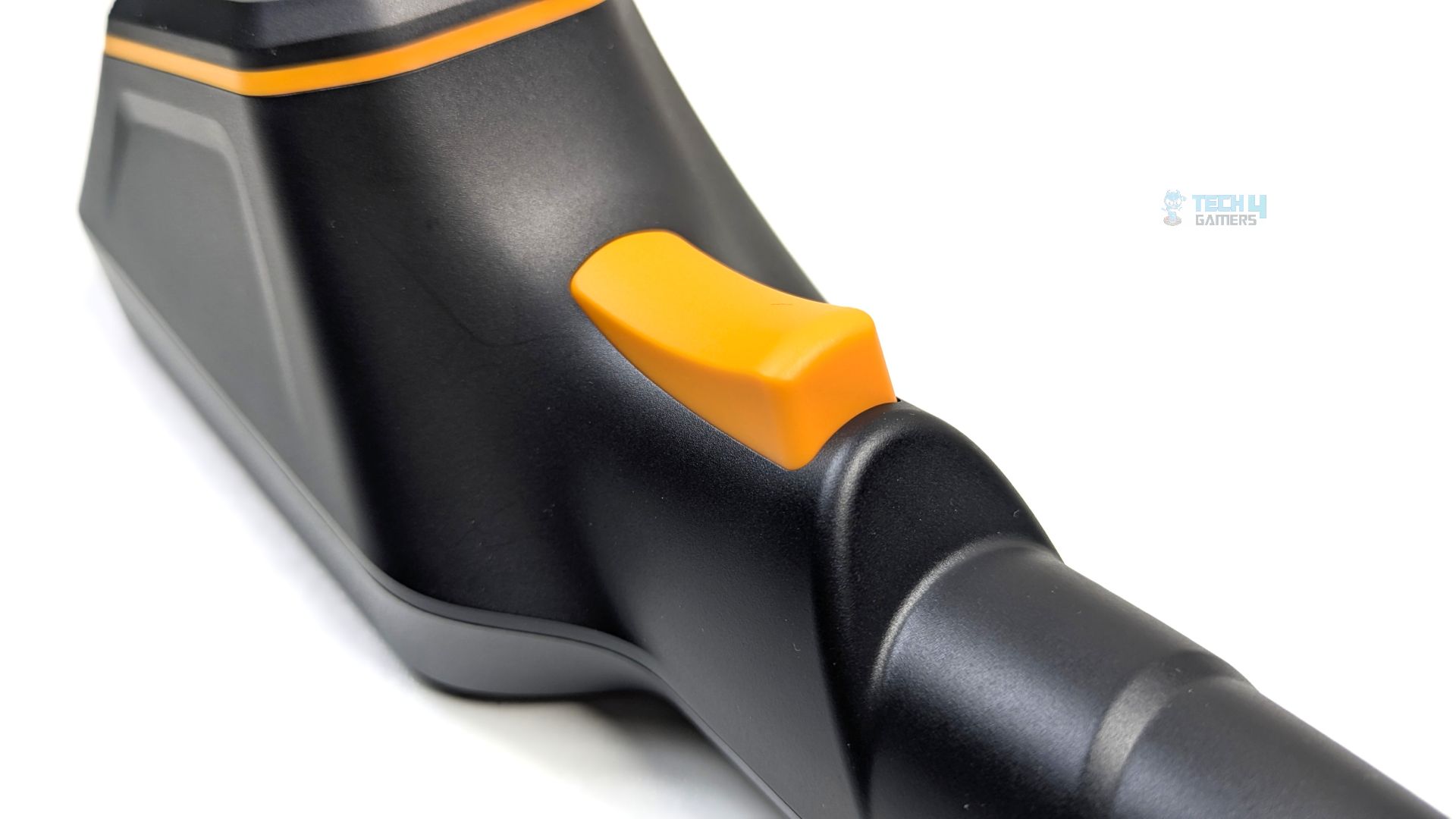
Below the sensor housing, a prominent bright orange trigger is positioned right at the index finger.
The USB-C port is tucked away under a thick, protective rubber flap at the top of the device.
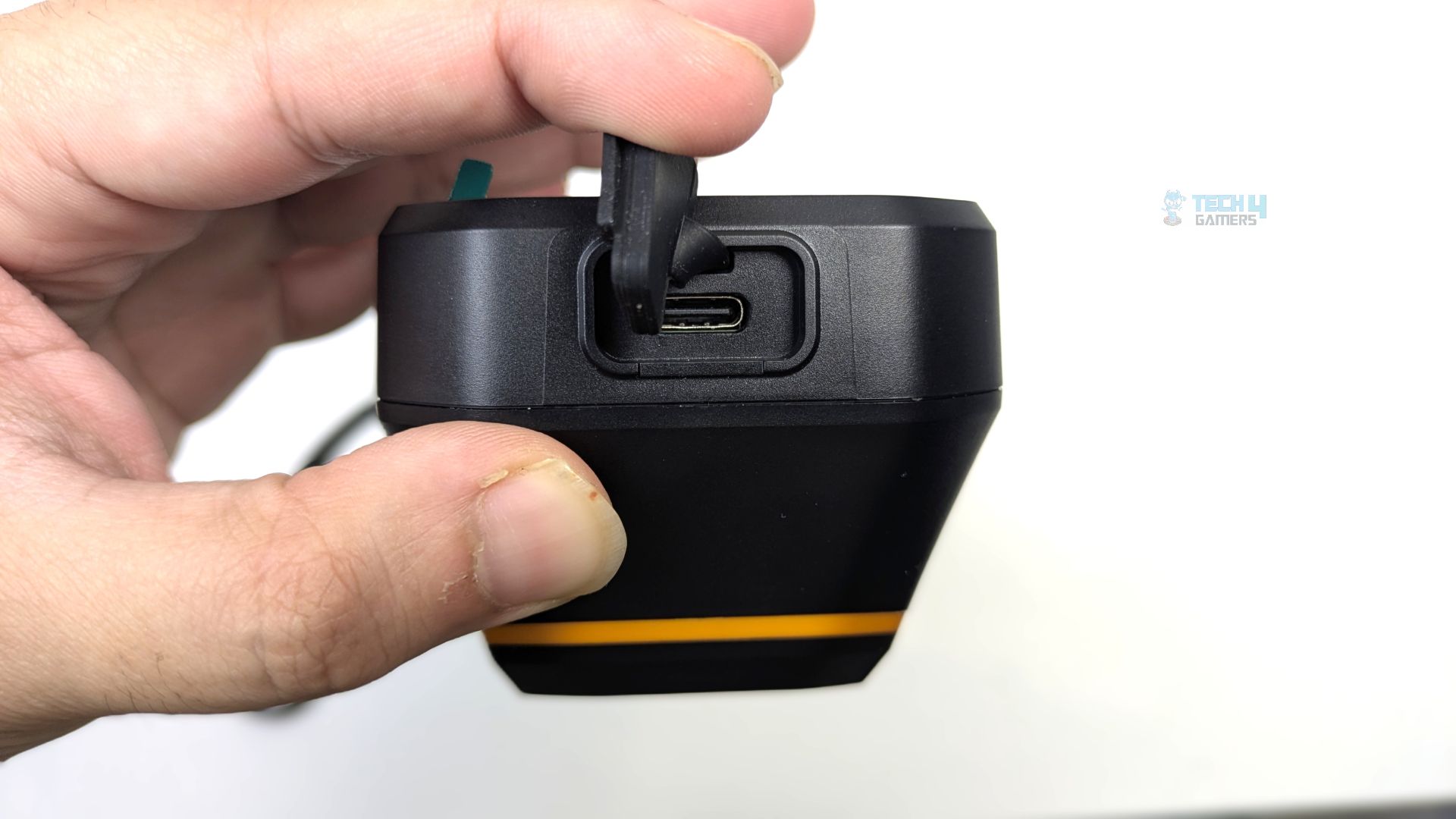
The port handles both high-speed charging for the 3500mAh battery and data transfer for moving thermal captures to a PC for analysis. Furthermore, the device has a storage capacity of 8GB and does not support WiFi, Bluetooth, or screen mirroring. This device uses a 18650 lithium battery with a capacity of 3.7V and 3500mAh, with a charging time of up to 4 hours.
User-Interface
We are now reviewing the device’s settings and user interface. The rubberized tactile buttons make it easy to use. The main thermal view feels organized and not cluttered.
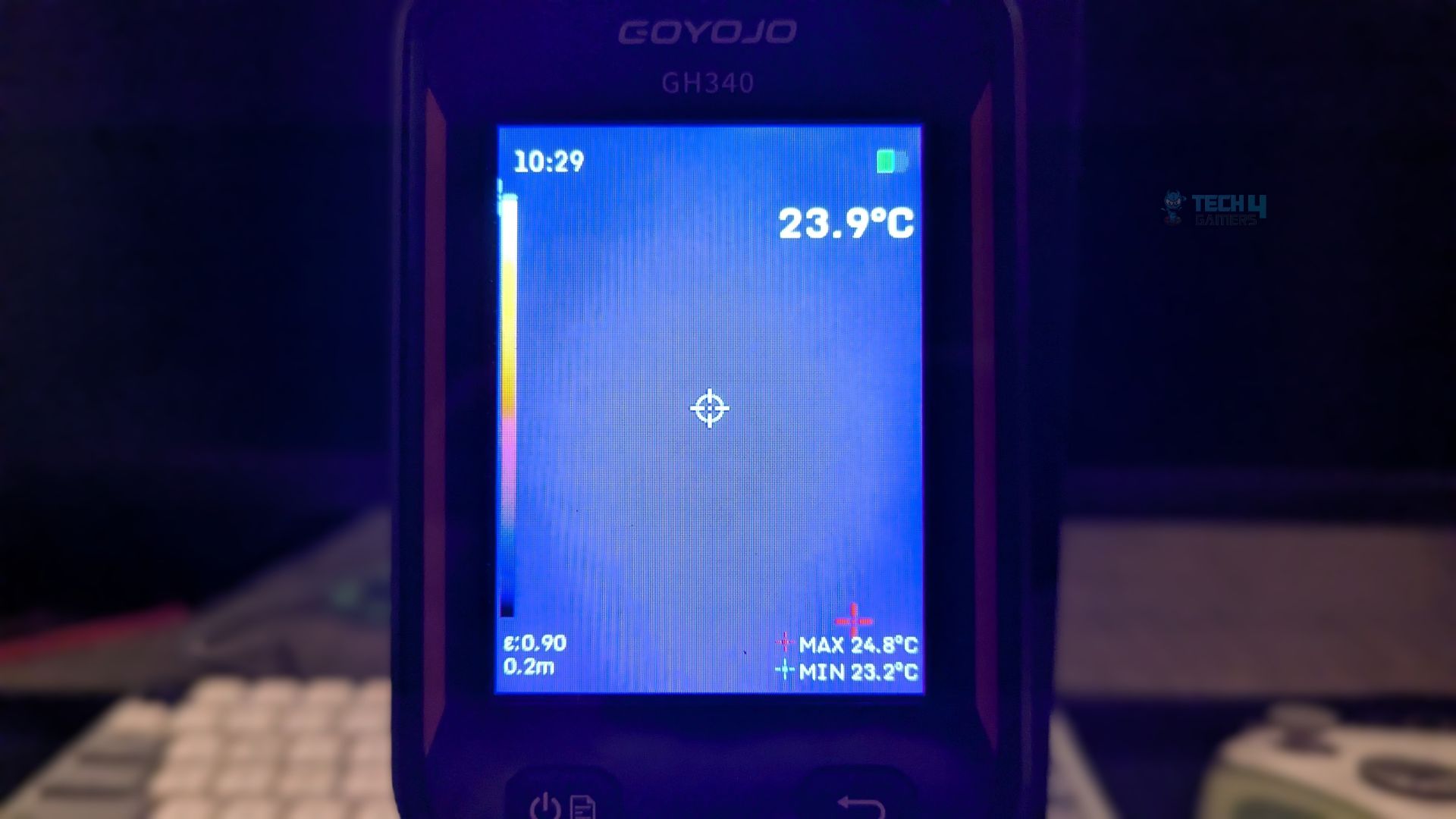
The primary temperature stays at the top right. Max and min tracking is at the bottom right, using colour-graded crosshairs. Crucial metrics, such as emissivity and distance, appear at the bottom left.
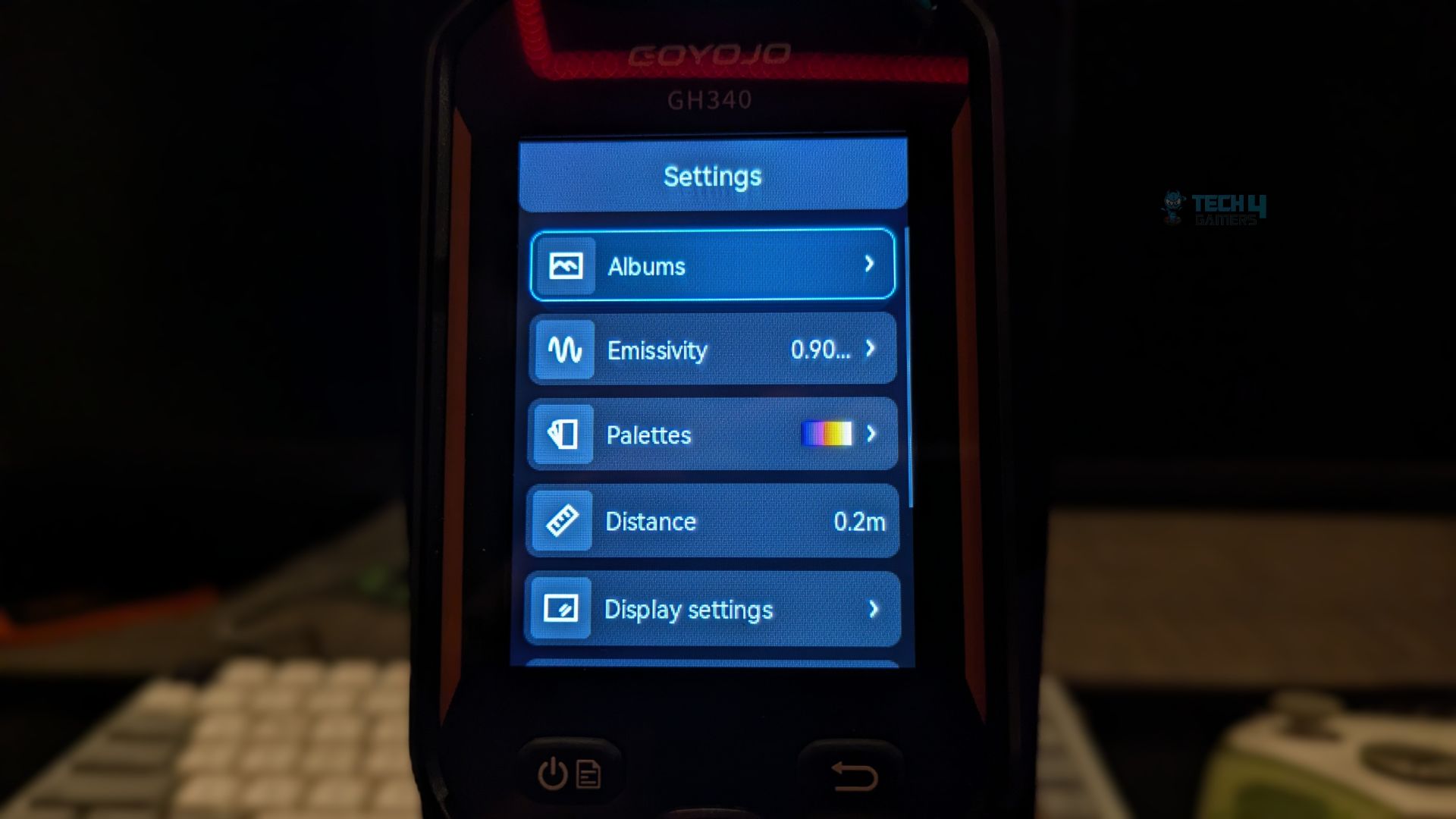
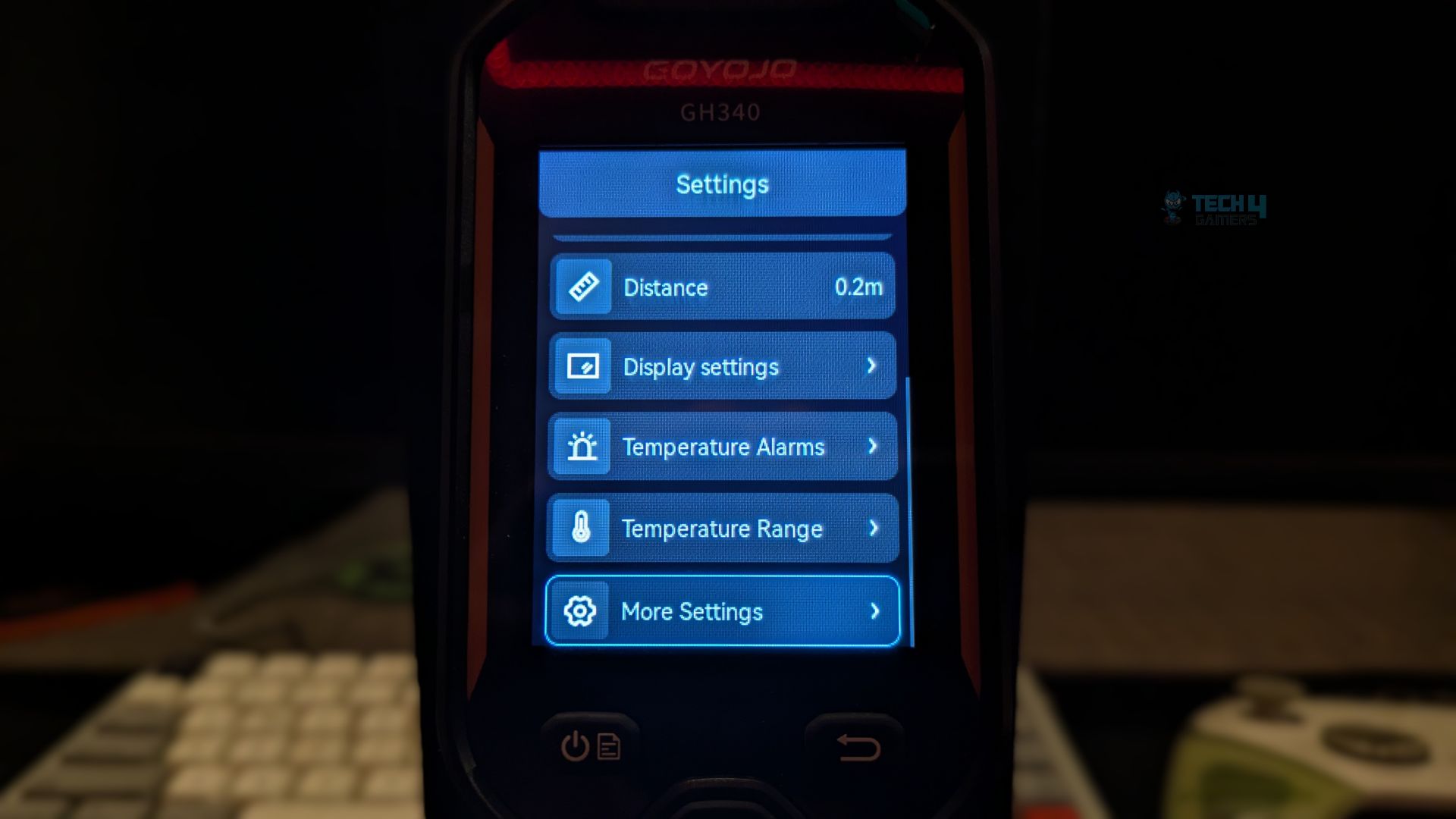
The settings menu uses a clean, dark blue aesthetic that is very easy on the eyes, and the calibration is easy to navigate, as you don’t have to go deep into the settings. Goyojo has kept this straightforward. When you open the settings, at the top, you will find the albums option, which is convenient to access.
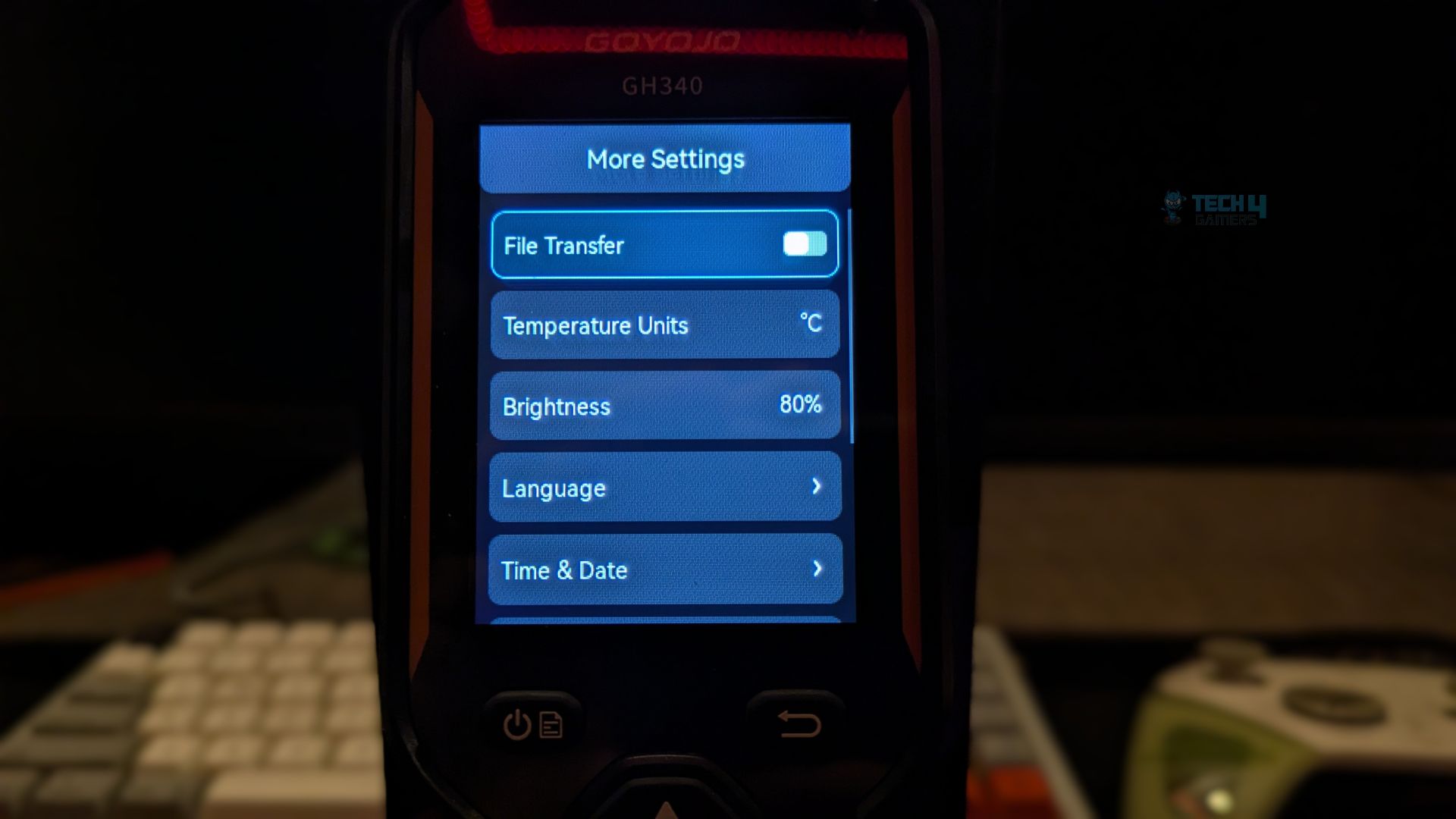
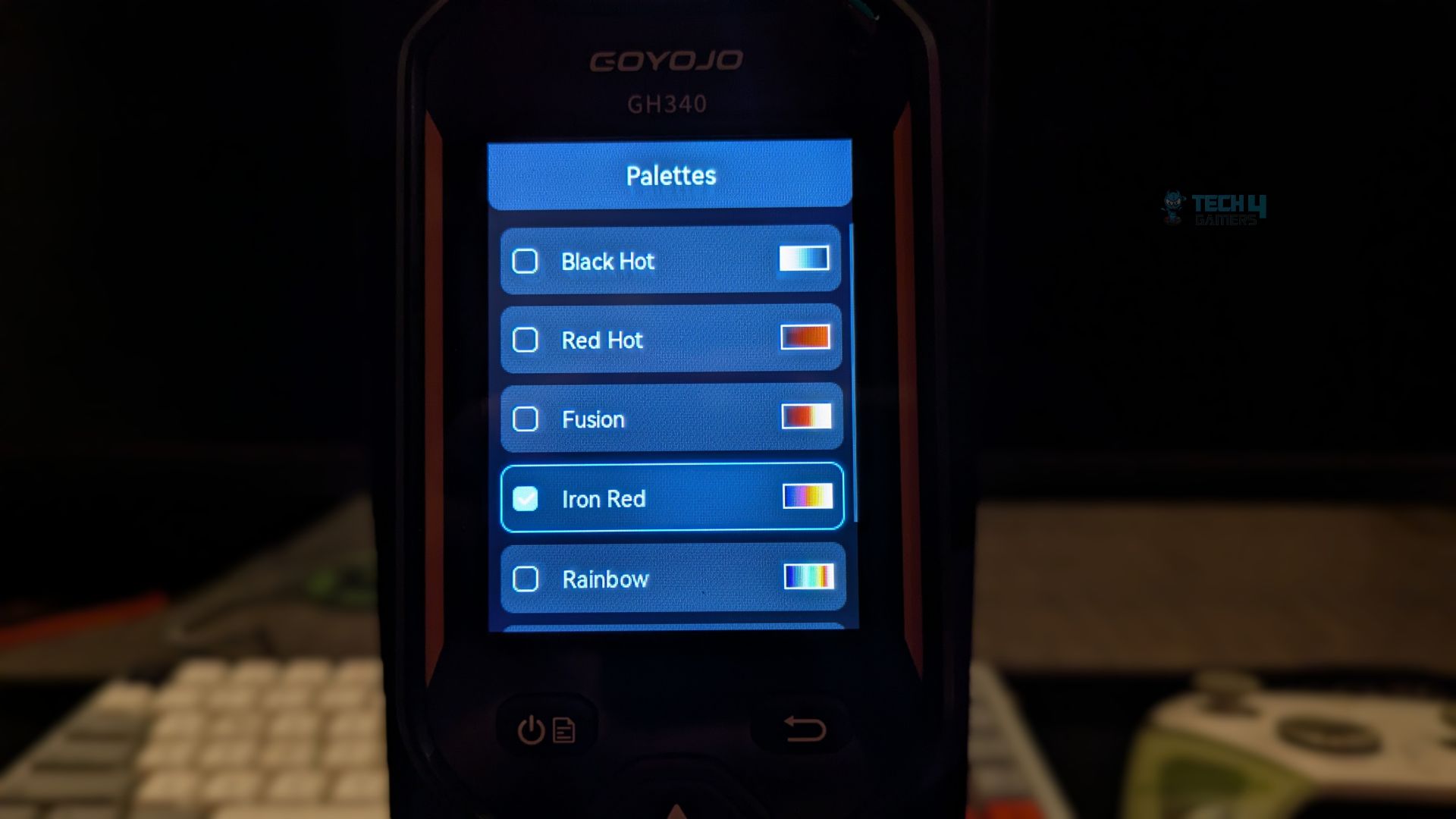
Below that, you can select the colour palettes. I like that they have predefined emissivity values for photos of humans, ceramics and motherboards and that you can adjust them manually. In advanced options, you can set temperature alarms and the temperature range, and they also provide brightness, transfer and file transfer.
However, if you are looking to purchase this device, make sure you know how to calibrate it first, based on the objects you will be testing it on, as thermal imaging cameras don’t actually measure temperature; they detect infrared radiation. Setting the emissivity is the most crucial step. Also, the object distance, ambient temperature and humidity also play a role.
Please refer to the following table for the applicable emissivity values.
| Materials | Emissivity | Materials | Emissivity |
| Human Skin | 0.98 | Brick | 0.95 |
| Printed Circuit Board | 0.91 | Sand | 0.90 |
| Concrete | 0.95 | Soil | 0.92 |
| Ceramic | 0.92 | Cotton | 0.98 |
| Rubber | 0.95 | Cardboard | 0.90 |
| Paint | 0.93 | White Paper | 0.90 |
| Wood | 0.85 | Water | 0.96 |
| Asphalt | 0.96 |
Putting The Device To Test!
In PC hardware reviews, transparent and hands-on component testing is essential. The Goyojo GH340 has been a significant asset. Testing focused exclusively on PC hardware. Our initial assessment examined VRM thermal saturation, followed by analysis of liquid-cooling loop performance (Tube Delta).
We have pushed our AMD Ryzen 9 9950X to its absolute limits by unlocking its power. On average, it generated 270W of heat during a sustained 20+ minute multi-core stress test in Cinebench R23. We first identified the idle baseline of the VRM heat sink by capturing the cold state of the VRM block before the load was applied, and after 20 minutes, we captured peak saturation monitoring the primary v-core heatsink to find the absolute maximum surface temperatures with the Goyojo GH340, which can be compared with the internal software, but for some reason, our internal sensors from the HWINFO64 showed buggy reporting for the VRMs.
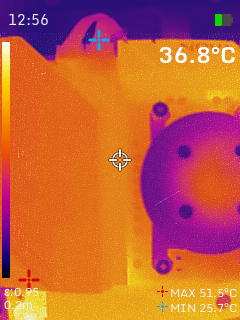
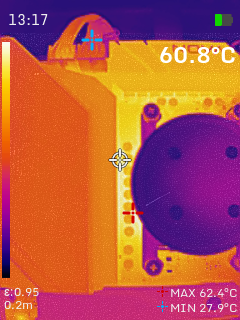
As you can see during the heavy stress test, the heat is mostly localized around the core power phases, with the AIO pump block appearing quite cool; however, a massive heat bloom saturates the left-side VRM heat sink. The surface temperature reached 60.8 °C, confirming that the motherboard heat sink successfully wicks heat away from the MOSFETS. The Goyojo GH340 is doing the heavy lifting here with the technical data, as it’s impossible to report such scenarios during hardware testing. We wouldn’t have known from the software whether the motherboard heat sinks were doing their job. Such data is very useful for our reviews and testing.
The second test we have done is related to CPU cooling; we have tested the efficiency of the liquid-cooling loop. This test uses the GH340’s thermal sensitivity to verify the pump and the radiator performance. The software would only report CPU temperatures, but only a thermal camera like the GH340 can confirm whether the All-in-one Liquid Cooler is circulating the heat properly. By this method, we can identify if the pump is doing its job.
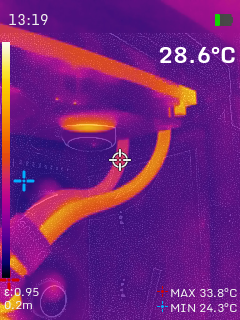
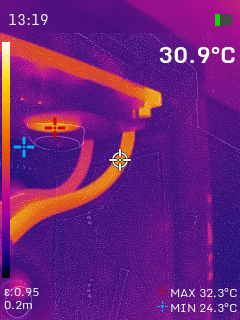
As you can see here, with the GH340, our liquid-cooler is performing optimally and demonstrates why this device is a superior diagnostic tool compared to simple software readouts. If the pump were failing, these two tubes would show identical temperatures, but here we are seeing the sweet-spot delta of 2.3 °C on a 360mm radiator, which proves that the pump is moving the coolant at a high-enough flow rate to prevent heat-pooling at the block while the radiator has enough surface area to strip away over 2 °C of heat before the liquid returns to the CPU.
For testing, Emissivity was set to 0.95. This optimized thermal readings from the matte-black aluminum VRM heat sink and the braided AIO tube sleeves. Measurements were taken at a target distance of 0.2 meters (20 cm). The Iron Red color palette was used for its high contrast: cool ambient regions appear purple, while areas under heat load are bright orange. Dual-light fusion mode was applied to improve visibility and produce more distinct images of the components.
Should You Buy It?
Buy It if:
✅ If You are a Content Creator or Reviewer: It’s a game-changer device due to its dual-fusion capability, which is useful for hardware media folks out here.
✅ If You are Trouble Shooting Or Diagnosing Your Graphics-Card / Motherboard: The GH340 shows clear, physical evidence of hardware behaviour. This proof is crucial for diagnosing thermal issues on the device that software cannot detect.
✅ If You are A Technician: GH340 is a useful piece of hardware if you are a technician fixing laptops, consoles, desktops, electronic appliances or smartphones. When a device has a short-circuit or a failing capacitor, it will instantly spike in temperature or remain dead. This thermal camera has a resolution of 256×192, which is sharp enough to pinpoint the exact dead SMD component on a PCB.
Don’t Buy It If
❌ If You are a Casual Plug-and-Play Gamer: For normal users who just want to make sure their CPU or GPU isn’t melting, spending money on such a device would be a waste of money and overkill. Software reporting is good enough for 90% of the gamers.
Final Thoughts
I want to conclude that this device is not a casual tool; it is a professional diagnostic instrument and is highly beneficial for those who regularly test hardware or work as PC repair technicians. We have become increasingly dependent on software, but this device is crucial for thorough inspection of ICs and motherboards, as well as for troubleshooting. The Goyojo GH340 eliminates diagnostic uncertainty, from confirming that VRM heatsinks are efficiently absorbing 60°C to visually verifying the 2.3°C temperature difference in the coolant flowing through the AIO tubes. This device translates physical phenomena into clear visual data thanks to its 25Hz refresh rate, 256×192 resolution, and Dual-Fusion mode.
Additionally, the Goyojo GH340 is user-friendly and suitable for most users, although minor calibration is required. Despite its accessibility, the tool is designed with an ‘Industrial First’ mindset, evident from its robust chassis and ergonomic design, distinguishing it from typical consumer technology.
The 256×192 resolution and dual-lens 2MP camera are notable features of this device. While the specifications may seem modest, they provide sufficient clarity to read text and branding during diagnosis or testing. Although the 25Hz refresh rate does not support video recording, the device satisfies the requirements of professional hardware reviewers.
The Goyojo GH340 Handheld Device is officially priced at $239 USD.
Thank you! Please share your positive feedback. 🔋
How could we improve this post? Please Help us. 😔

Senior Hardware Reviewer at Tech4Gamers with over a decade of experience in the tech industry. My journey began in 2014 as a senior administrator for Pakistan’s largest gaming community forum. I specialize in testing and reviewing components like graphics cards, CPU coolers, and motherboards, while also sharing insights on overclocking and system optimization.
 Join Our Community