Threads
Worth It?
Review Summary
The Corsair Sabre v2 Pro Magnesium Alloy is a lightweight, performance-focused wireless mouse. It combines the sturdiness of magnesium with an ultralight design. The mouse offers snappy primary clicks, precise side buttons, and a tactile scroll wheel, along with versatile tri-mode connectivity and long-lasting battery life. Moreover, the Corsair Web Hub allows easy customization. It is one of the most refined entries in Corsair’s Sabre lineup, and it’s ideal for gamers who want a durable and responsive mouse.
Hours Tested: 1 Week

Overall
-
Design - 8.5/10
8.5/10
-
Build Quality - 9/10
9/10
-
Performance - 9.5/10
9.5/10
-
Software - 8.5/10
8.5/10
Pros
- Lightweight yet solid magnesium shell
- Comfortable for all grip types
- Excellent sensor performance
- Tri-mode connectivity
- Lightweight, browser-based software
Cons
- Design lacks visual flair
- Bluetooth has noticeable latency
- Finger placement may feel tight for large hands
- A bit expensive compared to the previous model


I spent a good amount of time with the Corsair Sabre v2 Pro Ultralight last year. Then, more recently, I reviewed the Sabre v2 Pro Carbon Fiber, and I could see Corsair refining its ideas even more. So when the Sabre v2 Pro Magnesium Alloy came on my desk, I was curious. Not just because magnesium sounds cool. But because I wanted to see if Corsair was moving forward again, or just wrapping a different material around the same old mouse.
Key Takeaways
- The Corsair Sabre v2 Pro Magnesium Alloy combines ultralight design with a sturdy magnesium shell, offering accurate tracking, responsive clicks, and smooth wireless performance.
- You should buy the Corsair Sabre v2 Pro Magnesium Alloy if you want a lightweight yet durable mouse, play competitively and care about responsiveness.
- You should skip the Corsair Sabre v2 Pro Magnesium Alloy if you want an ultra-lightweight mouse, prefer deeply contoured ergonomics, and value a showpiece aesthetic.
Here are the technical specifications:
| Feature | Description |
| Connectivity | Corsair Slipstream Wireless, Wired, and Bluetooth |
| Cable | 1.8M/ 6ft Braided Type C to A cable |
| Battery Type | Rechargeable, Li-ion polymer |
| Battery Life | Up to 120 hours of battery life using 2.4 GHz with 1kHz polling rate. Up to 21 hours of battery life using 2.4 GHz with 8kHz polling rate. Up to 170-h using Bluetooth |
| Sensor | Corsair Marksman S |
| Sensor Type | Optical |
| DPI | 33,000 |
| Acceleration | 50 G |
| IPS | 750 |
| Buttons | Custom-tuned Mechanical Switches |
| Polling Rate | 8000 Hz (Wired & Wireless) |
| Dimensions | 39 x 64 x 123 mm |
| Weight | 56g |
| Warranty | 2 Years |
| MSRP | $149.99 |
What Makes Sabre v2 Pro Magnesium Alloy Different?
The Sabre v2 Pro Magnesium Alloy is different from its predecessors by swapping out the more common plastic or carbon‑fiber shells for a magnesium‑alloy body. This gives it a sense of solidity you don’t get with the ultra‑light plastic versions, while still keeping the weight competitive in the high‑end market. Where the Ultralight model has extreme lightness, and the Carbon fiber model leaned hard into durability, this magnesium version feels like Corsair tried to achieve a middle path.
Packaging & Unboxing
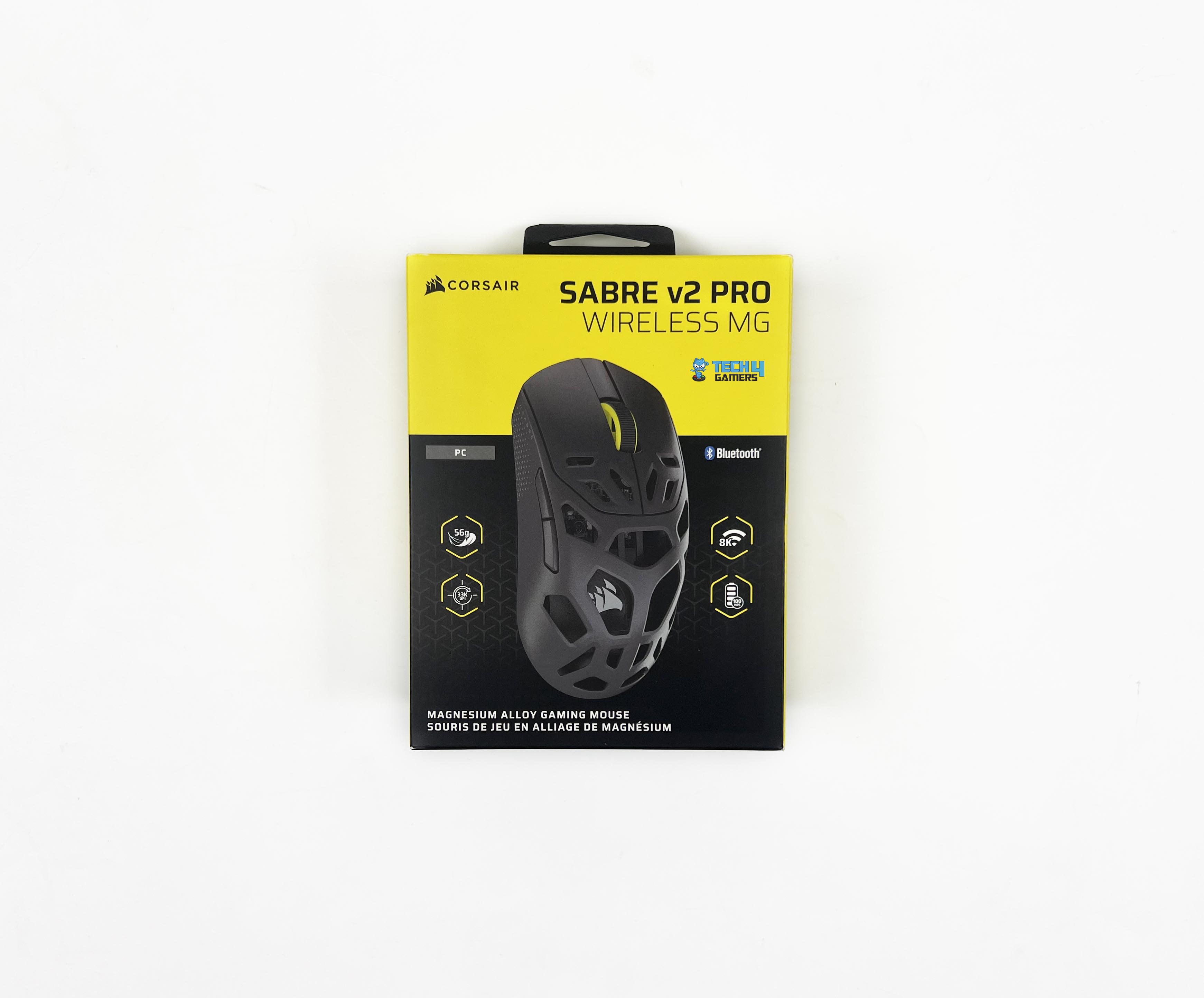
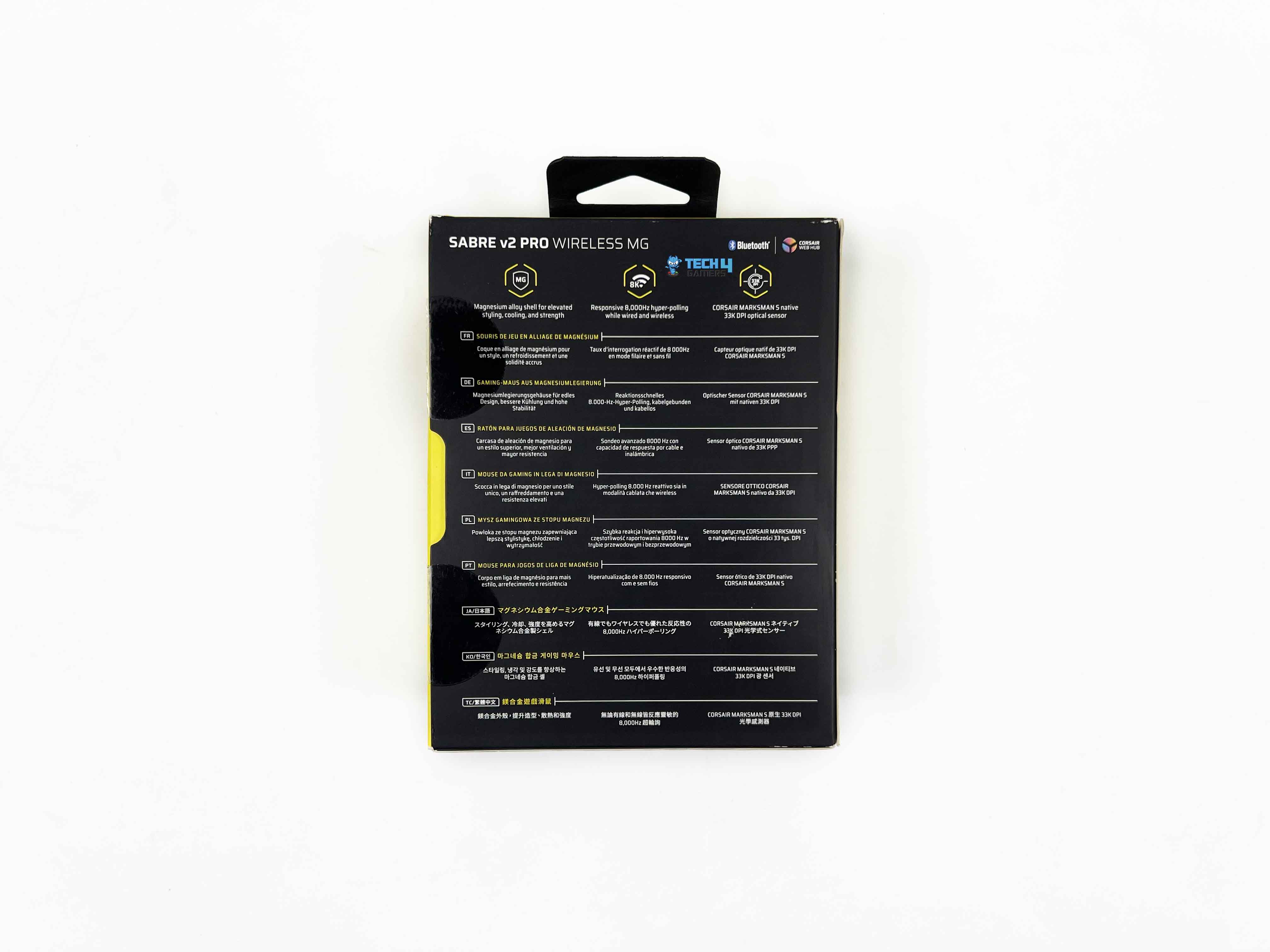
The box looks familiar if you’ve opened Corsair products before. On the front, there’s an image of the mouse, the full model name, and Corsair’s branding. You also get a few feature callouts. The sides add a bit more detail. You’ll find short feature descriptions there, along with a quick breakdown of what’s included inside. Around the back, that’s where the technical specs are printed in multiple languages.
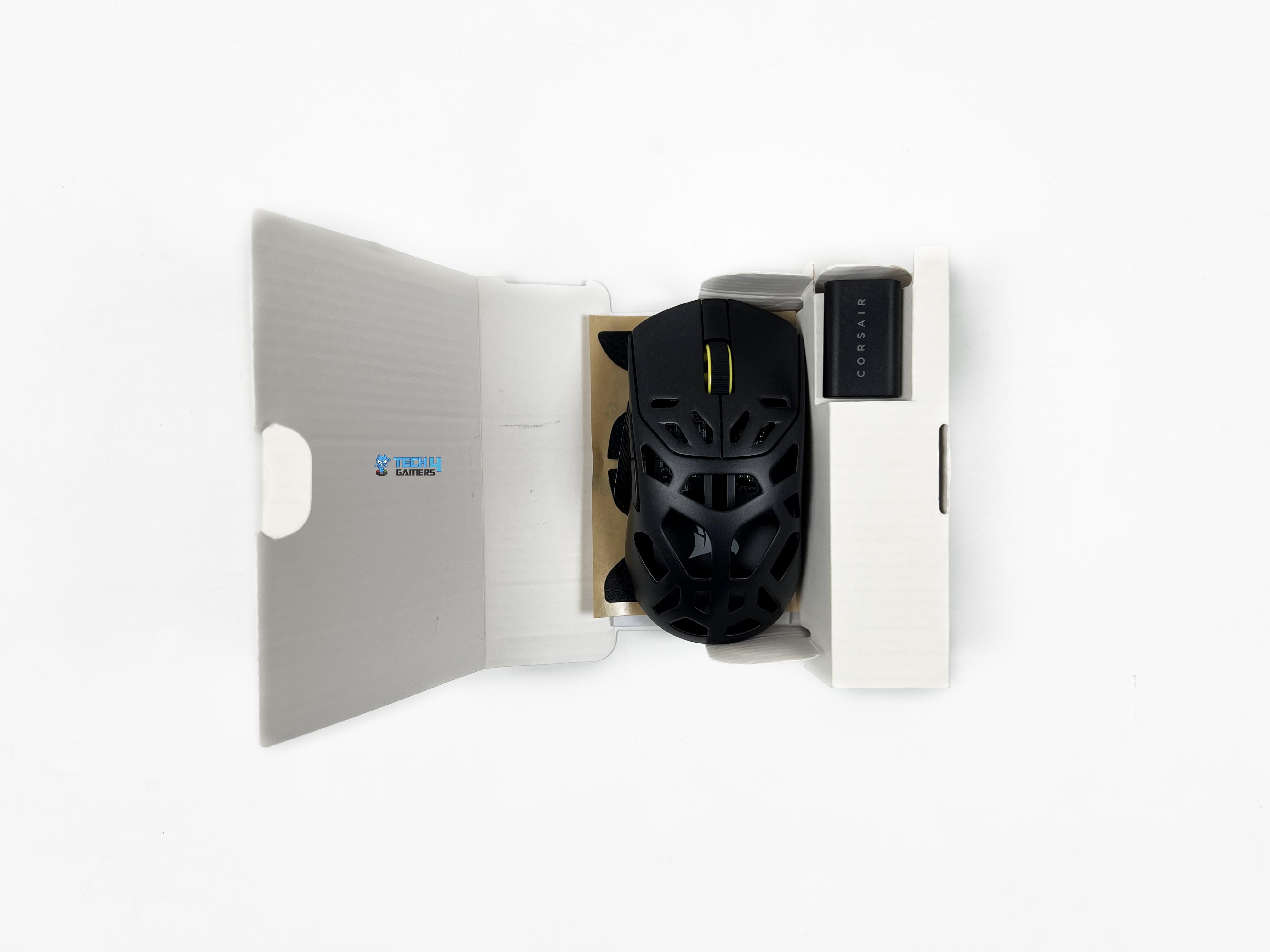
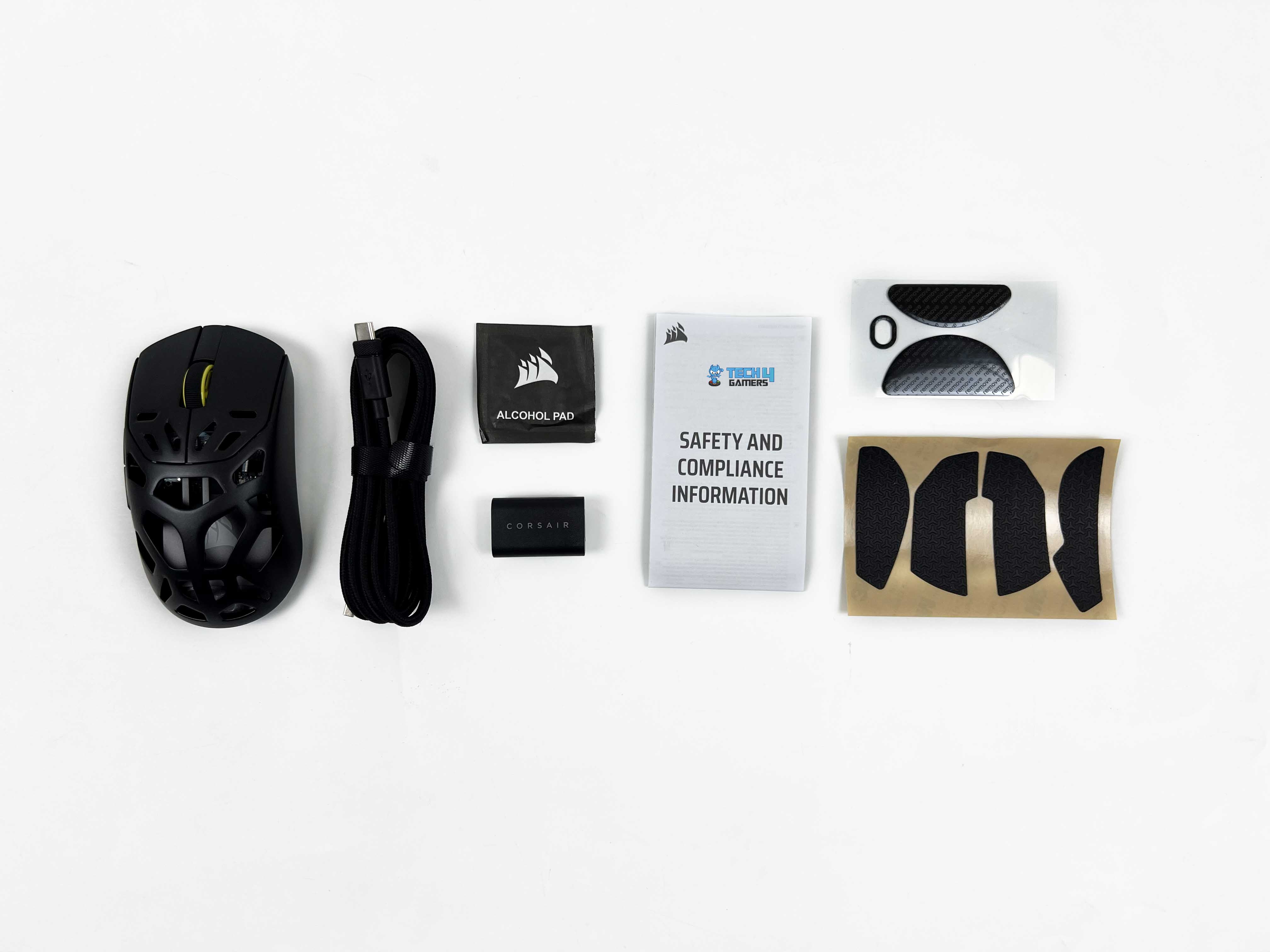
Opening the box, you’ll see a white cardboard inner tray that holds everything in place. The first things you see are the wireless USB receiver and the mouse itself. Once those are out of the way, the rest of the accessories come into view. There’s an alcohol pad, extra mouse skates, and a set of grip tapes. You also get a USB Type-C to Type-A cable tucked alongside a small safety leaflet.
Design
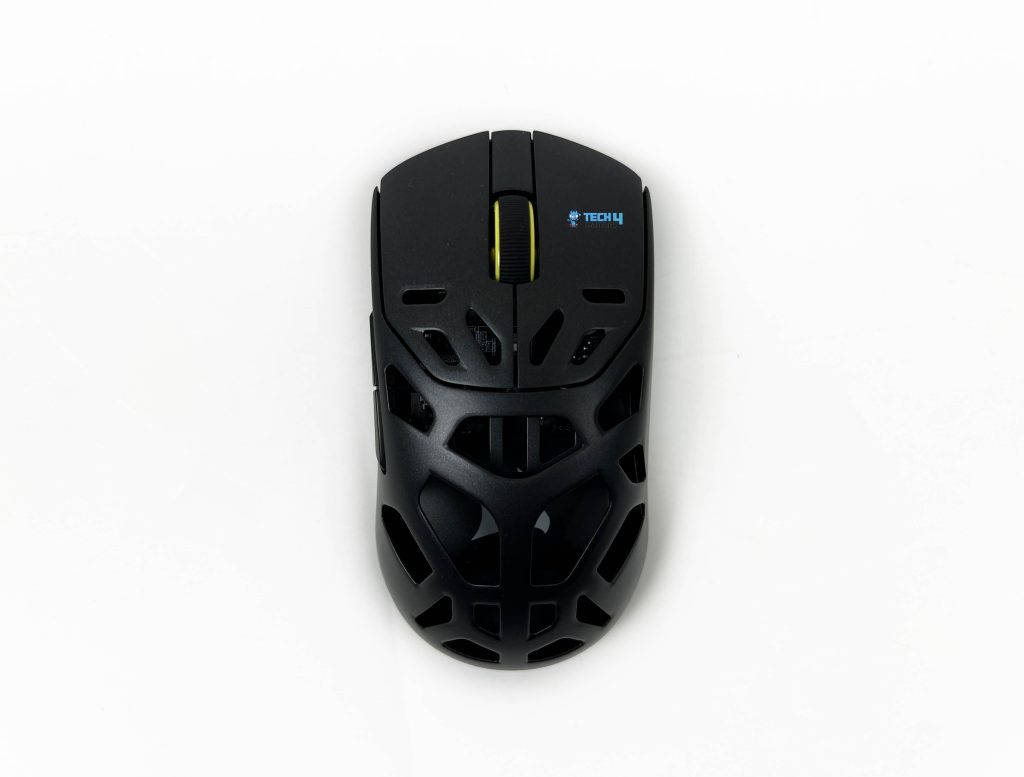
The original Sabre V2 Pro stood out at launch for how restrained it felt. Corsair managed to keep the weight impressively low without leaning on cutouts everywhere. Even the underside stayed intact, which wasn’t something you could say about a lot of lightweight mice even until now. It felt clean and purposeful for a mouse that originally sat around the hundred-dollar mark. The Corsair Sabre v2 Pro Magnesium Alloy version takes a very different route.
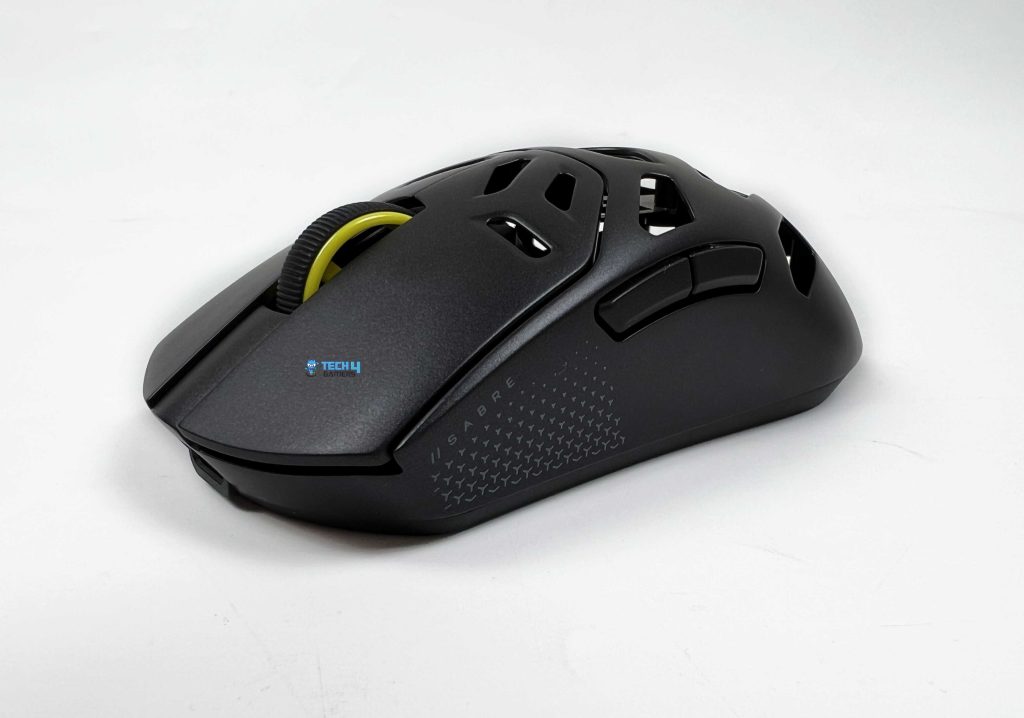
The shell is openly perforated. Corsair’s design approach here feels very function-first. You can tell pretty quickly that visual flair wasn’t the priority. There’s nothing on this mouse that exists just to look cool on a desk. Every curve and cutout feels like it was designed for prioritizing usability first. The hole pattern across the magnesium shell is a good example of that mindset. If you’re expecting something flashy, this isn’t that kind of mouse for you.
Coating
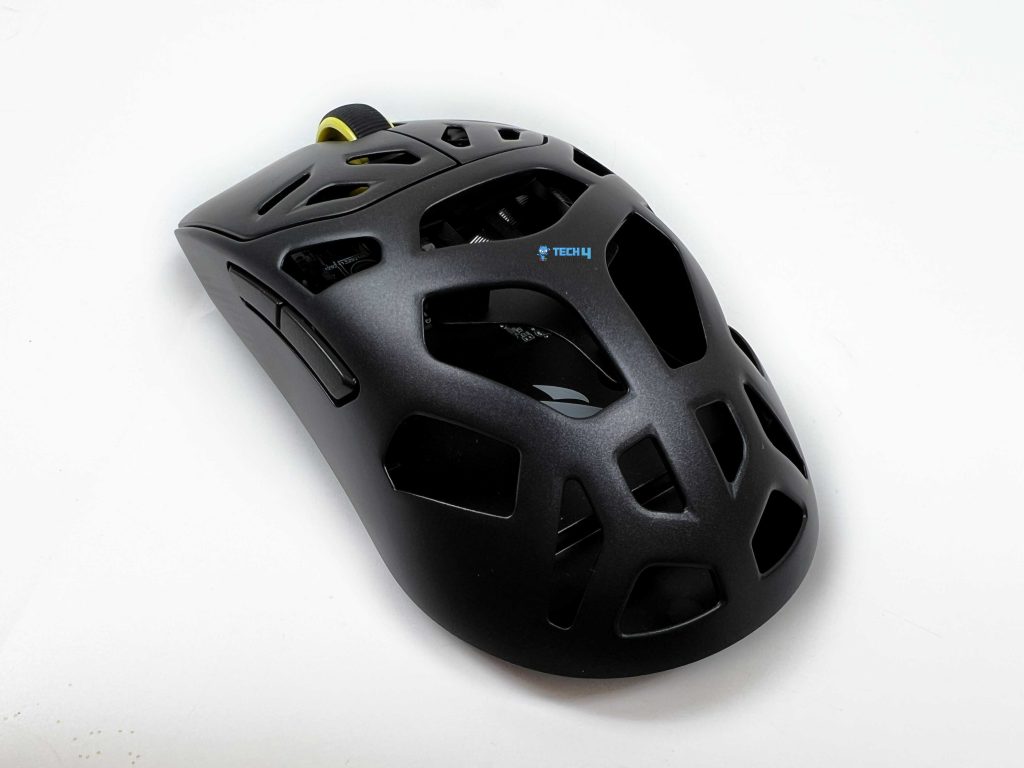
The Corsair Sabre v2 Pro Magnesium Alloy’s coating lands somewhere between matte and soft-touch, without leaning too hard in either direction. At first contact, it feels dry. That first impression sticks around longer than I expected, even once my hand warmed up. It doesn’t start out one way and end up another after two or three hours. The feel you get in the first match is mostly the feel you get later in the night. There’s no moment where you suddenly notice your grip changing.
If your hands naturally run oily, you’ll see a slight darkening in high-contact spots. Mostly where the thumb rests and along the main buttons. With dry hands, the coating feels slightly textured. Enough resistance to keep your grip stable, without that sticky sensation some matte finishes create. When your fingers pass over the holes, you get some texture variation. It doesn’t improve grip outright, but it stops the surface from feeling flat or sealed.
Weight
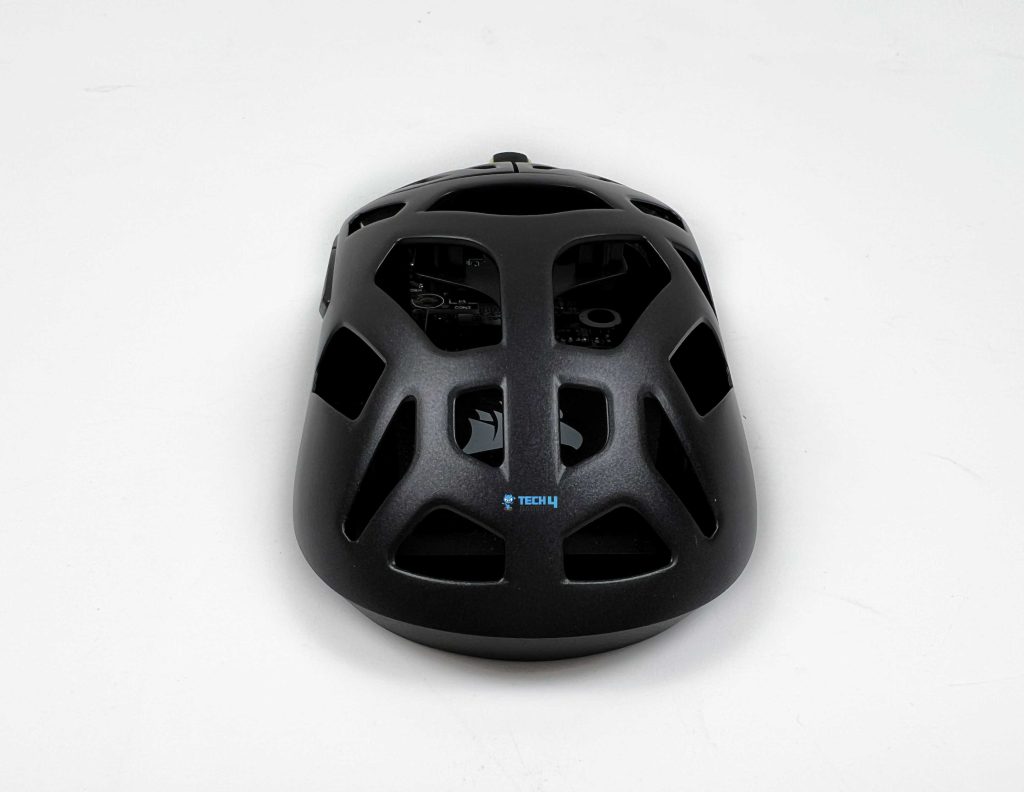
The Corsair Sabre v2 Pro Magnesium Alloy at 56g is in the lightweight category. That number isn’t extreme by today’s standards, but it puts the mouse in the same ballpark as some of the most respected competitive options. In the hand, it doesn’t immediately feel that light. When it’s just resting on the desk, there’s a bit of perceived heft to it. That lower moving weight does take some strain off during longer sessions.
Not in a dramatic night-and-day way, but enough that your wrist doesn’t feel tense after an hour or two of aim-heavy gameplay. Over time, that reduces the subtle fatigue that creeps in with heavier designs, especially during tracking scenarios. Quick left-right snaps feel clean, without that slight lag you sometimes get from heavier shells. That balance matters more than raw grams, and it’s handled well here.
Grip Styles
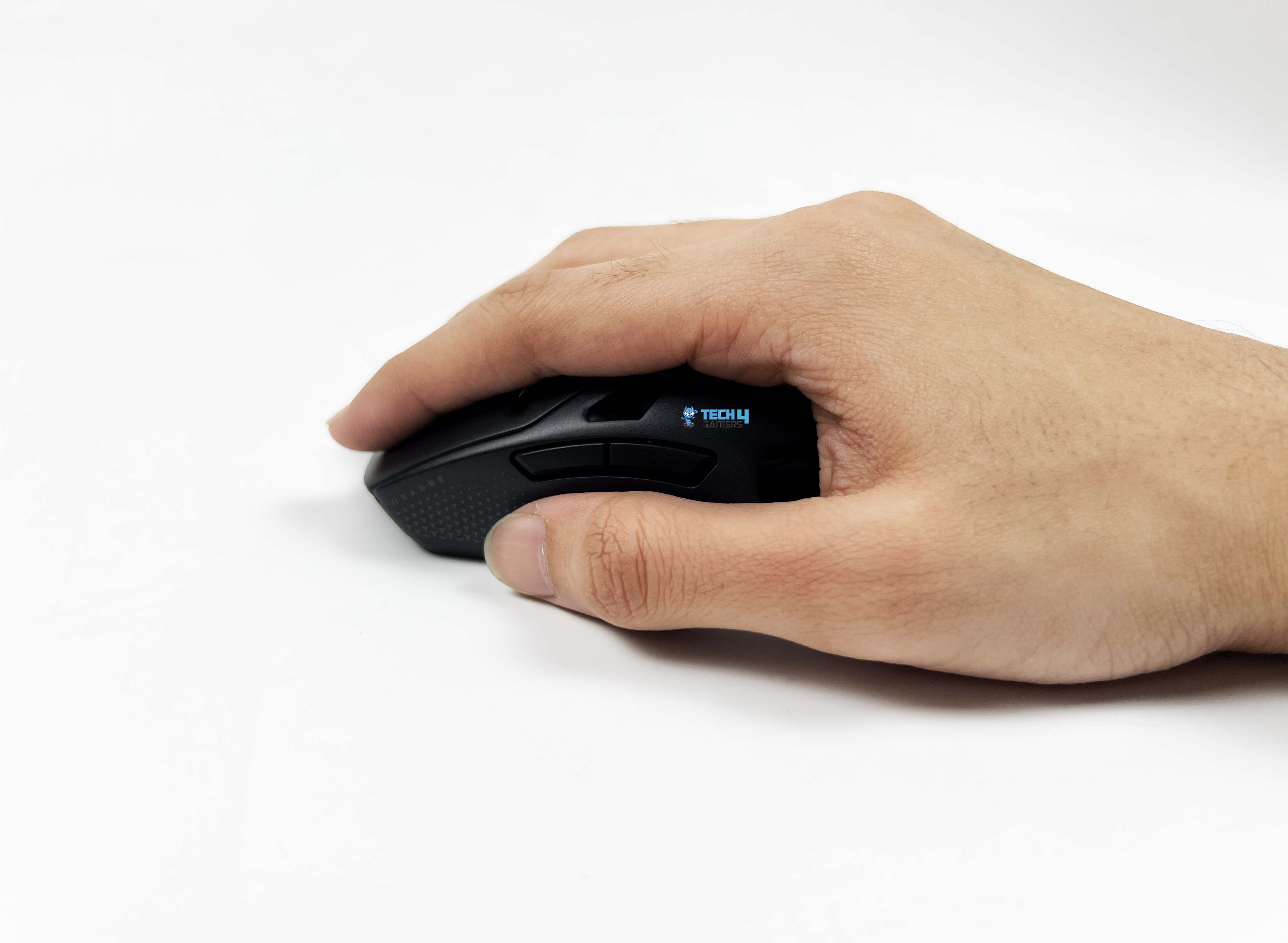
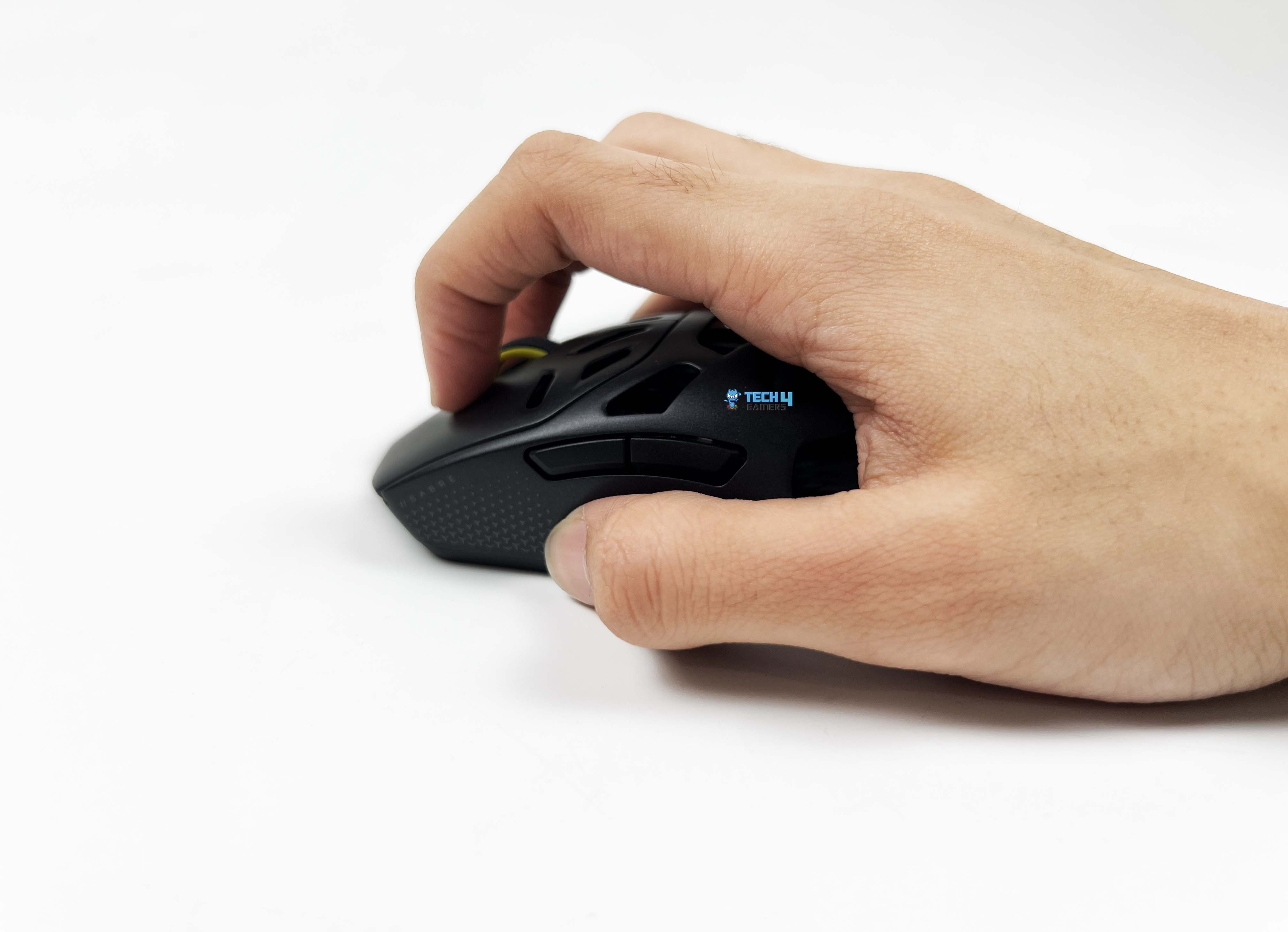
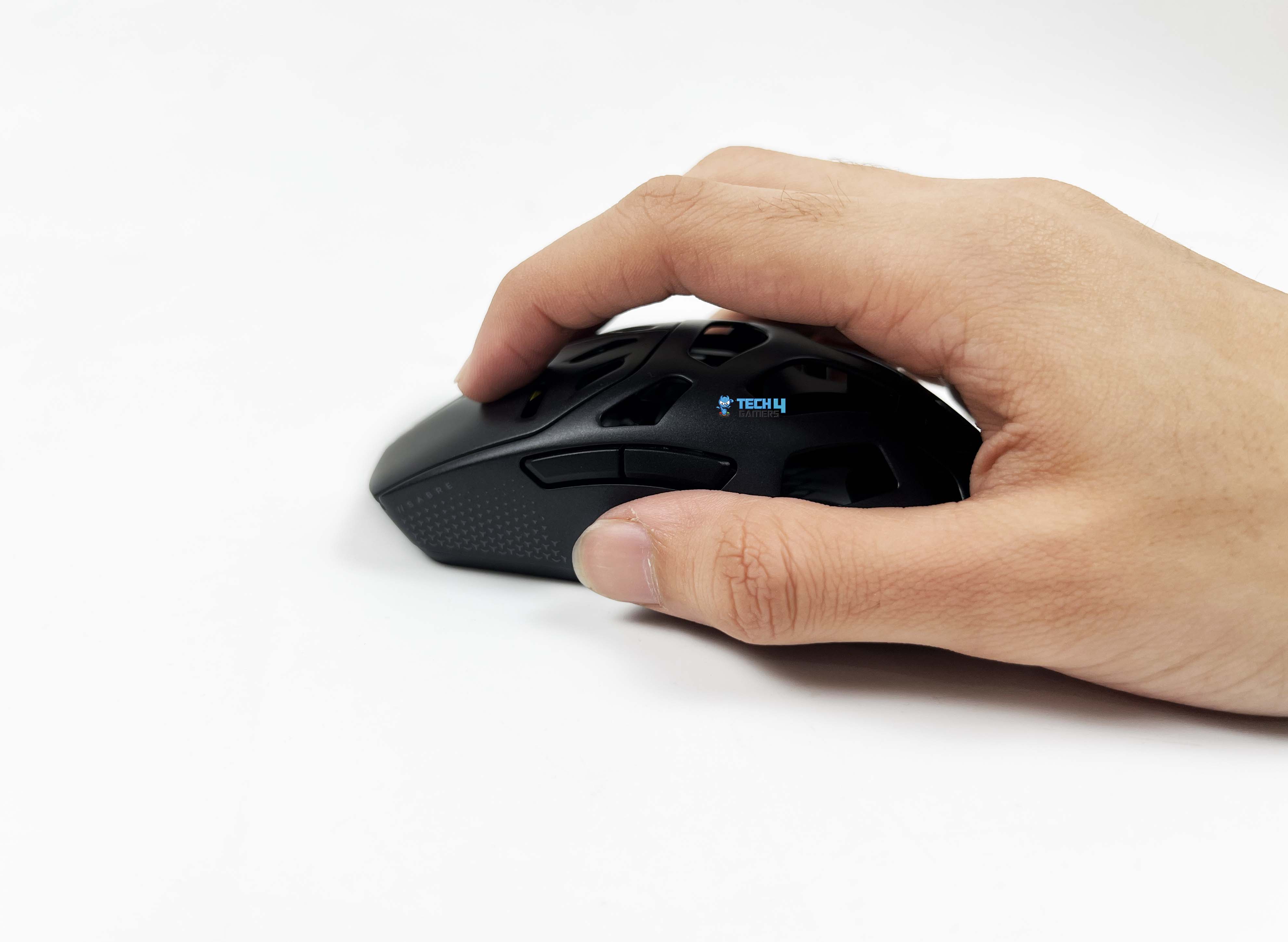
The Corsair Sabre v2 Pro Magnesium Alloy doesn’t force you into a single posture. With a palm-style grip, the contact points feel familiar. The rear fills the base of the hand enough to feel anchored. After a while, you stop adjusting your grip because there’s nothing obvious asking to be corrected. Claw grip feels more intentional here. The slope from the buttons into the shell gives your fingers something to pull against. Quick taps and micro-flicks feel controlled.
The perforations under the fingers are noticeable at first, then fade into the background. Fingertip grip works, though it feels more deliberate than effortless. The front isn’t overly narrow, so your fingers don’t curl awkwardly. The thumb groove isn’t deep, but it’s shaped in a way that naturally sets your thumb in place. Pinky and ring finger placement depends on hand size. Smaller hands will find a comfortable ledge. Larger hands might drag slightly, though it never feels unusable.
Underside
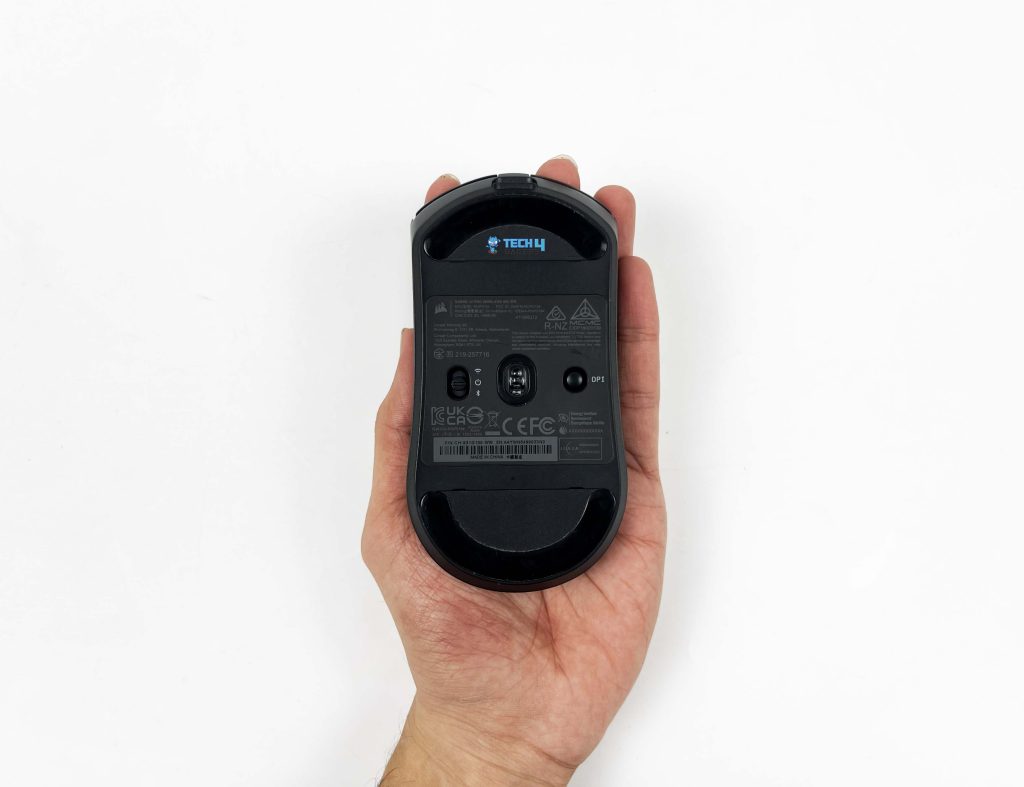
Flip the Corsair Sabre v2 Pro Magnesium Alloy over, and the underside feels almost old-school, despite the lightweight direction Corsair is clearly chasing. The stock mouse feet come with rounded edges. I used the mouse like this for a few days on a mousepad. Corsair includes a second set of replacement skates in the box, and they’re noticeably larger than the ones installed. Swapping them on changes the feel more than I expected.
The contact area increases, and the glide becomes smoother almost immediately. What stands out most is what isn’t there. There are no holes on the underside. That keeps the base feeling solid. On the left side, there’s a wireless mode switch. Sliding it upward puts the mouse into 2.4GHz wireless mode. Sliding it down switches over to Bluetooth. Nearby, Corsair has placed a small DPI button that also doubles as the Bluetooth pairing button.
Build Quality
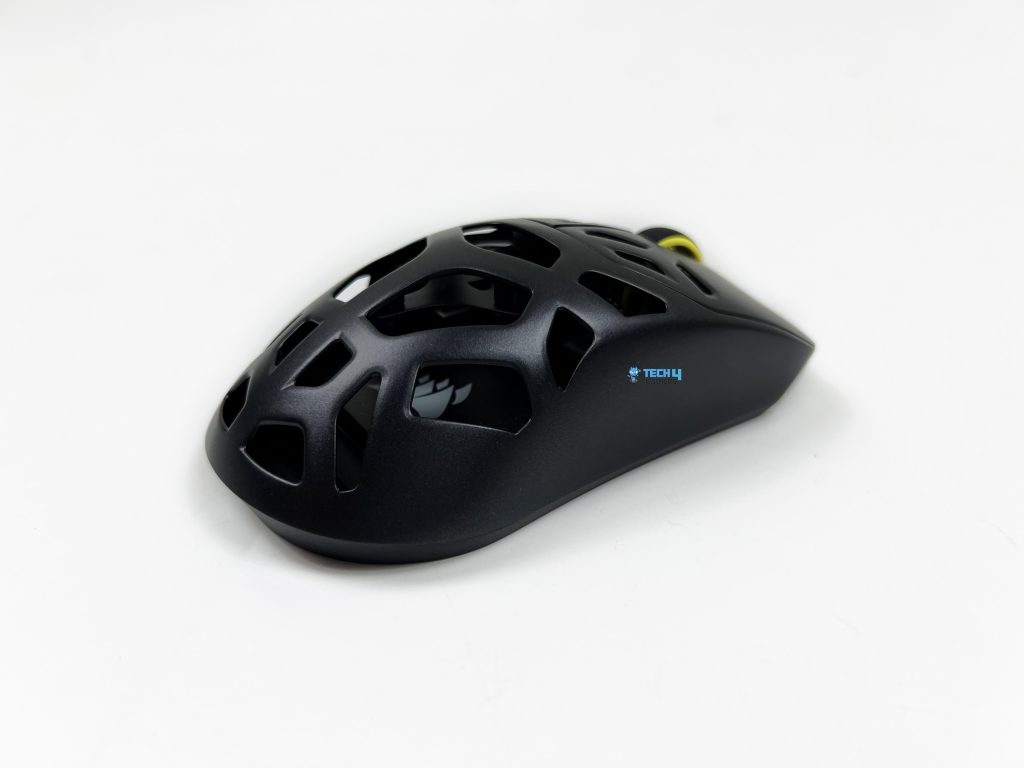
Picking up the Corsair Sabre V2 Pro Magnesium Alloy, the first thing that you notice is that it doesn’t feel fragile, even with all the perforations. The shell has a quiet sturdiness. It’s light, yes, but there’s no hint of flex when you press down on the top or sides. The magnesium build gives it a slightly denser feel compared to the Carbon Fiber and Ultralight versions I reviewed recently. It’s not heavy, but it’s noticeable. You can feel the material’s rigidity when gripping the sides.
Even during firmer grips, the mouse doesn’t bend slightly or squeak. You don’t see any uneven gaps, and the transitions between the top shell, sides, and rear feel seamless. Even running a finger along the perforations, you don’t feel rough edges. That small attention to detail reduces the sense that a lightweight mouse might be flimsy. After a couple of weeks of use, there’s no visible wear on the shell. This magnesium model just feels like it could take a bit more abuse from raging game sessions.
Buttons
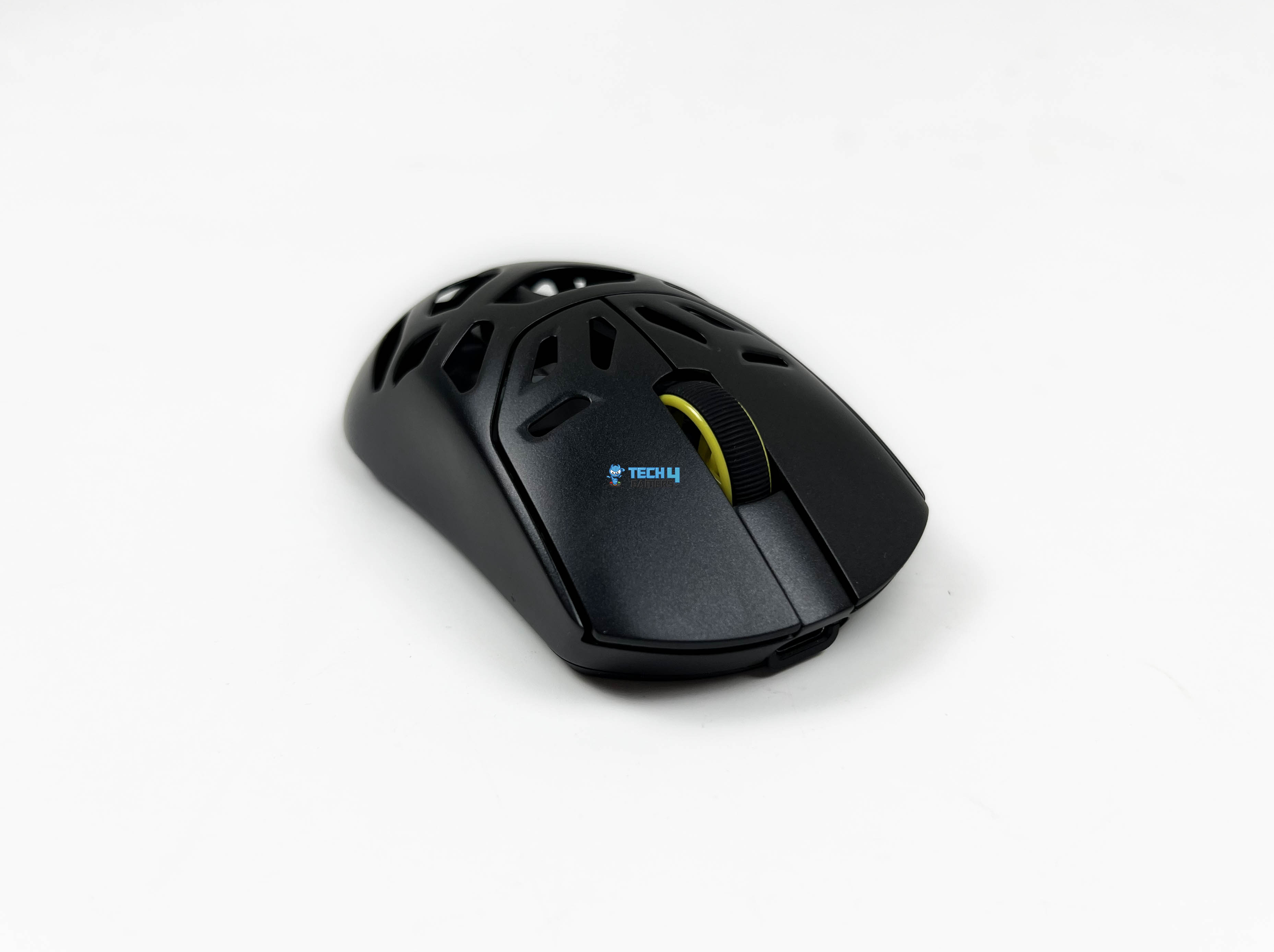
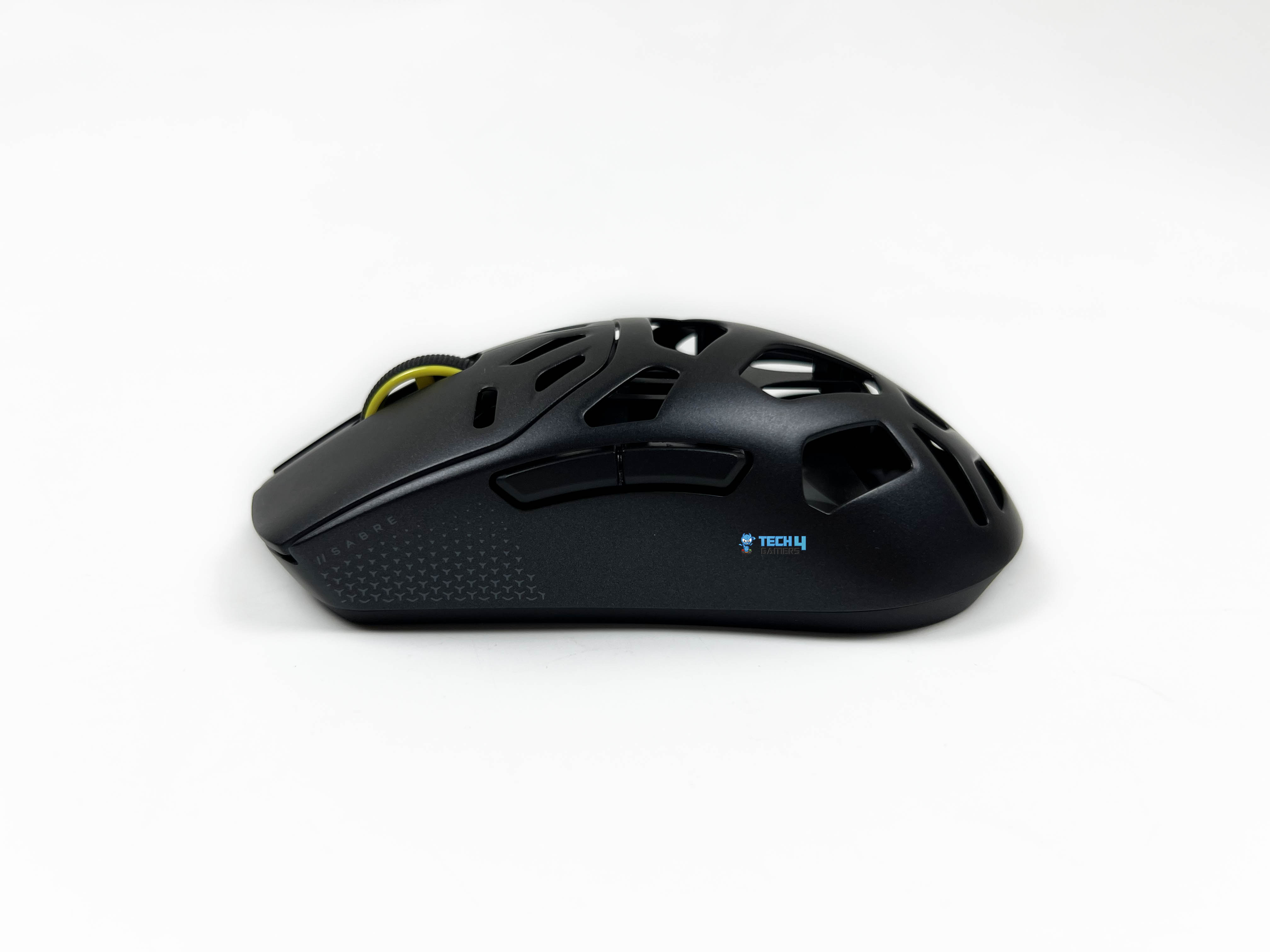
The primary buttons on the Corsair Sabre V2 Pro Magnesium Alloy are not overly stiff, but there’s a solid snap when you press. The spacing between the left and right clicks is consistent. The tension is well-balanced, that is, light enough to reduce finger fatigue in long sessions, but firm enough that accidental clicks are almost non-existent. Travel distance is short but satisfying. The click feedback is also clear without being noisy, which is not as loud as some gaming mice, but it’s noticeable enough that you know the press registered.
Your thumb naturally lands near the side buttons without needing to adjust your grip, which makes pressing the right button mid-game effortless. It’s easy to distinguish which button you’re pressing. There’s just enough separation and contour for tactile feedback. The buttons aren’t too soft. You get a clear click without having to press all the way down, and the rebound is snappy. The click noise is subdued, quieter than the main buttons, which is nice if you’re not trying to broadcast every press.
Scroll Wheel
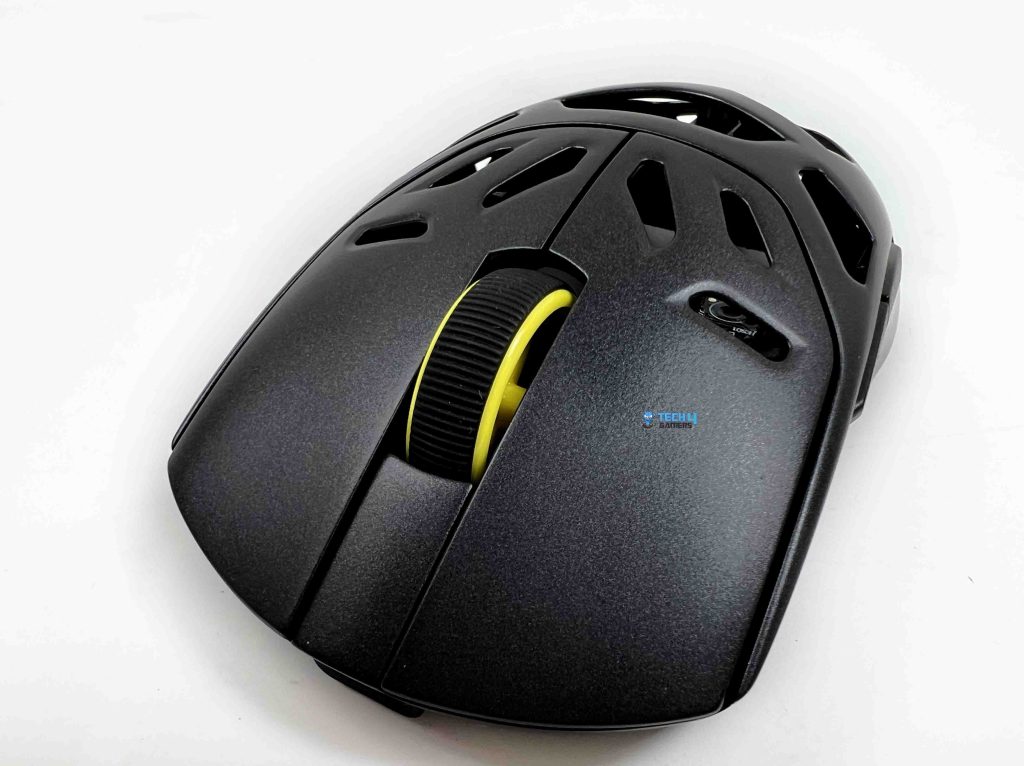
The scroll wheel on the Corsair Sabre V2 Pro MG features a noticeable tactile bump at each notch. It’s not sharp or jarring, but you can feel each step clearly, which really helps when you’re swapping weapons or cycling through inventory items in games. The balance between smoothness and resistance is good, too. It rolls easily when you need it to, yet maintains enough tension to prevent accidental scrolling. The scroll wheel is perfectly centered.
Even with fast scrolling through menus, it doesn’t lean to one side or wobble. Middle-clicking is also consistent, and it registers cleanly every time. The rubberized coating feels sturdy. It keeps your finger from slipping, and it doesn’t wear down noticeably after hours of use. For any situation where you’re flipping through options quickly, it performs well without missteps or skipped notches.
Connectivity
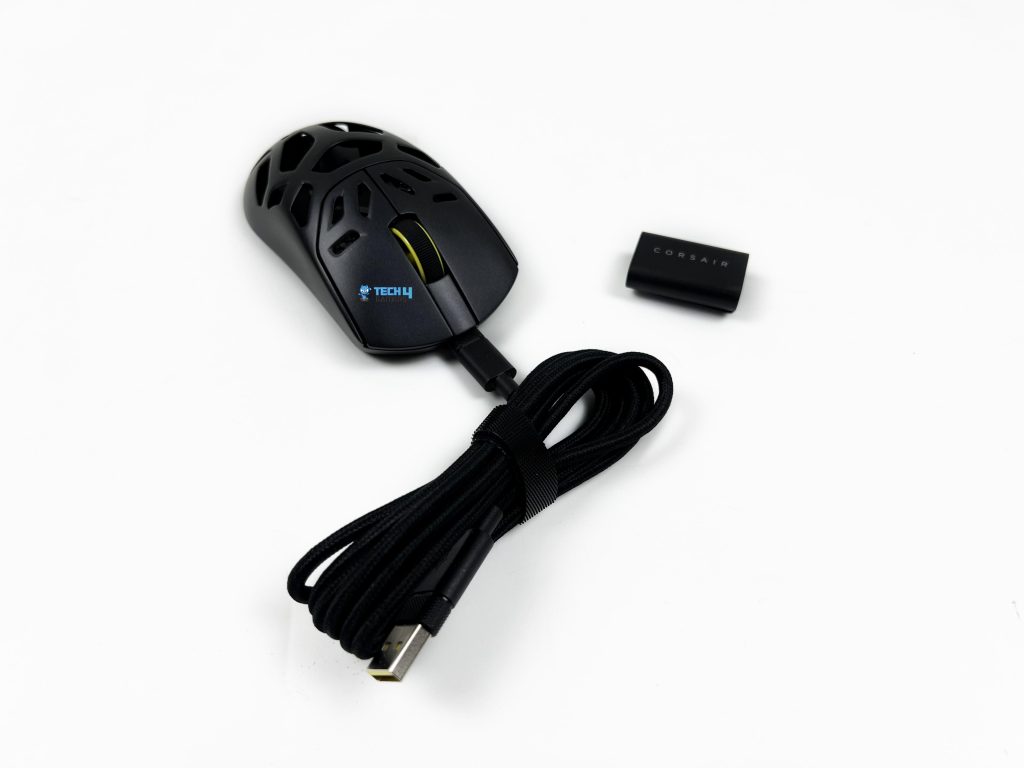
The Corsair Sabre V2 Pro Magnesium Alloy offers a few connection options, and each works commendably. Getting it working on 2.4GHz slipstream wireless is simple. Plug the USB receiver into a USB port on your PC, then power on the mouse. A small LED under the scroll wheel emits a solid green light. With it, movement and clicks feel rapid. There’s a sense of responsiveness that stays consistent, even when you’re flicking or repositioning quickly.
Bluetooth connection is equally straightforward. Hold the pairing button for a few seconds, and the LED flashes blue. From there, find the mouse on your device, and the light turns solid blue once it’s connected. Re-pairing is effortless if you need to move it from a laptop to a desktop. Bluetooth performance is about what you’d expect from a mouse like this. It feels stable during everyday use. That said, the latency difference compared to 2.4GHz is noticeable if you’re sensitive to it.
Performance
The Corsair Sabre V2 Pro Magnesium Alloy is one of those mice where the numbers are high, but what matters is whether you can feel them. In this case, you actually can. The 8,000Hz polling rate is the headline feature. Micro-adjustments feel sharper with it. Fast flicks feel more in sync with your hand. There’s less of that tiny delay between movements that you sometimes notice with a standard 1,000Hz mouse. It’s subtle, but once you get used to it, going back feels slightly dull.
What’s important is that this responsiveness stays consistent whether you’re playing wirelessly or plugged in. Wireless mode doesn’t feel like a compromise here. Inputs still feel immediate, even during rapid aiming. The Marksman S sensor plays a big role in that consistency. At low DPI settings, tracking stays clean. Long swipes across the mousepad remain smooth from start to finish. With a tracking speed rated at 750 IPS and 50g acceleration, the sensor doesn’t lose its footing when you flick hard.
Battery Life
Inside the Corsair Sabre V2 Pro Magnesium Alloy is a lithium-ion battery with a capacity of 300mAh. From near empty, it takes about an hour and a half to reach a full charge. In 2.4GHz wireless mode at the standard 1kHz polling rate. It easily lasts around 5 days of regular gaming before needing a recharge. Increasing the polling rate to the maximum 8kHz, and you still get roughly 20 hours of solid playtime. You can also stretch a single charge for a week or more on a Bluetooth connection.
Software
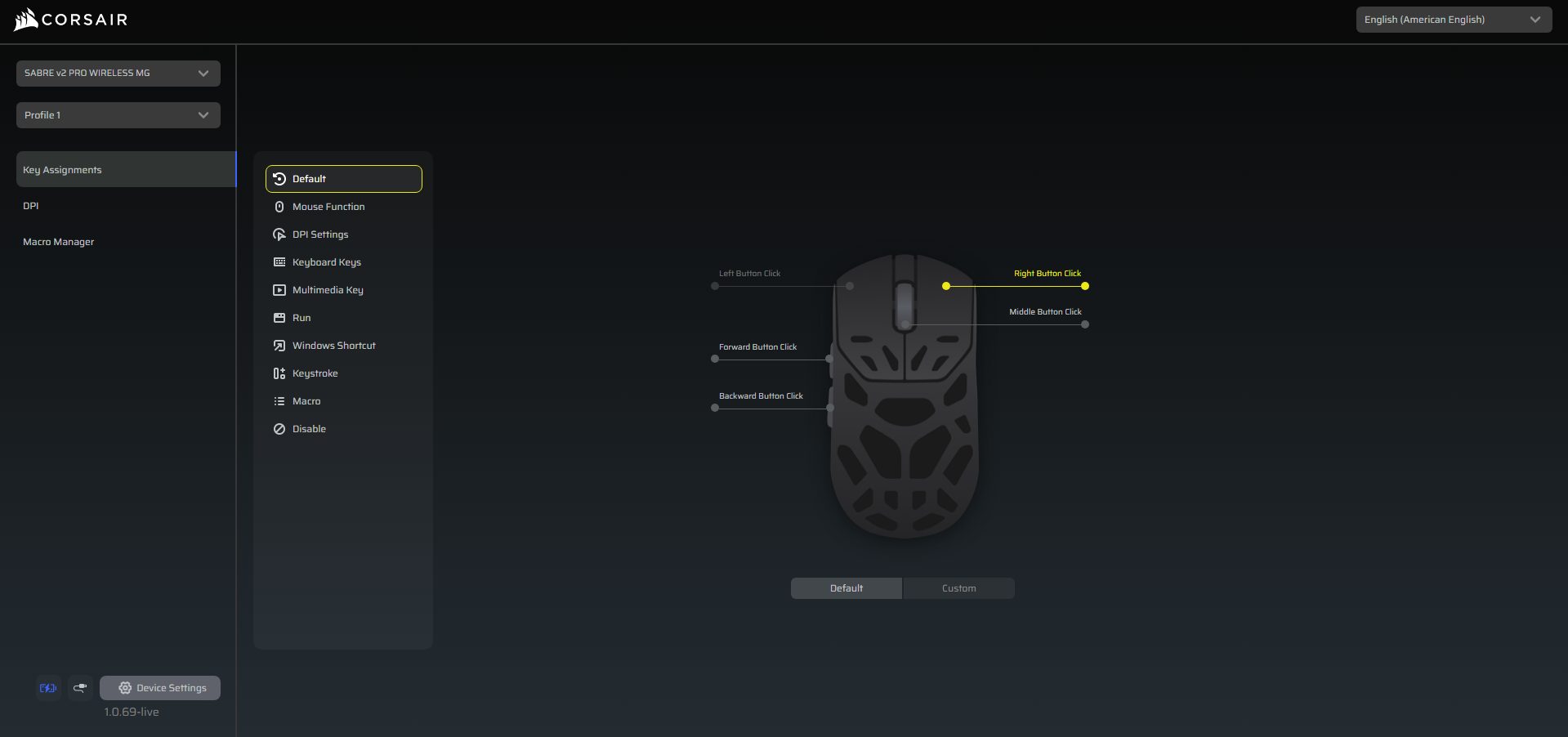
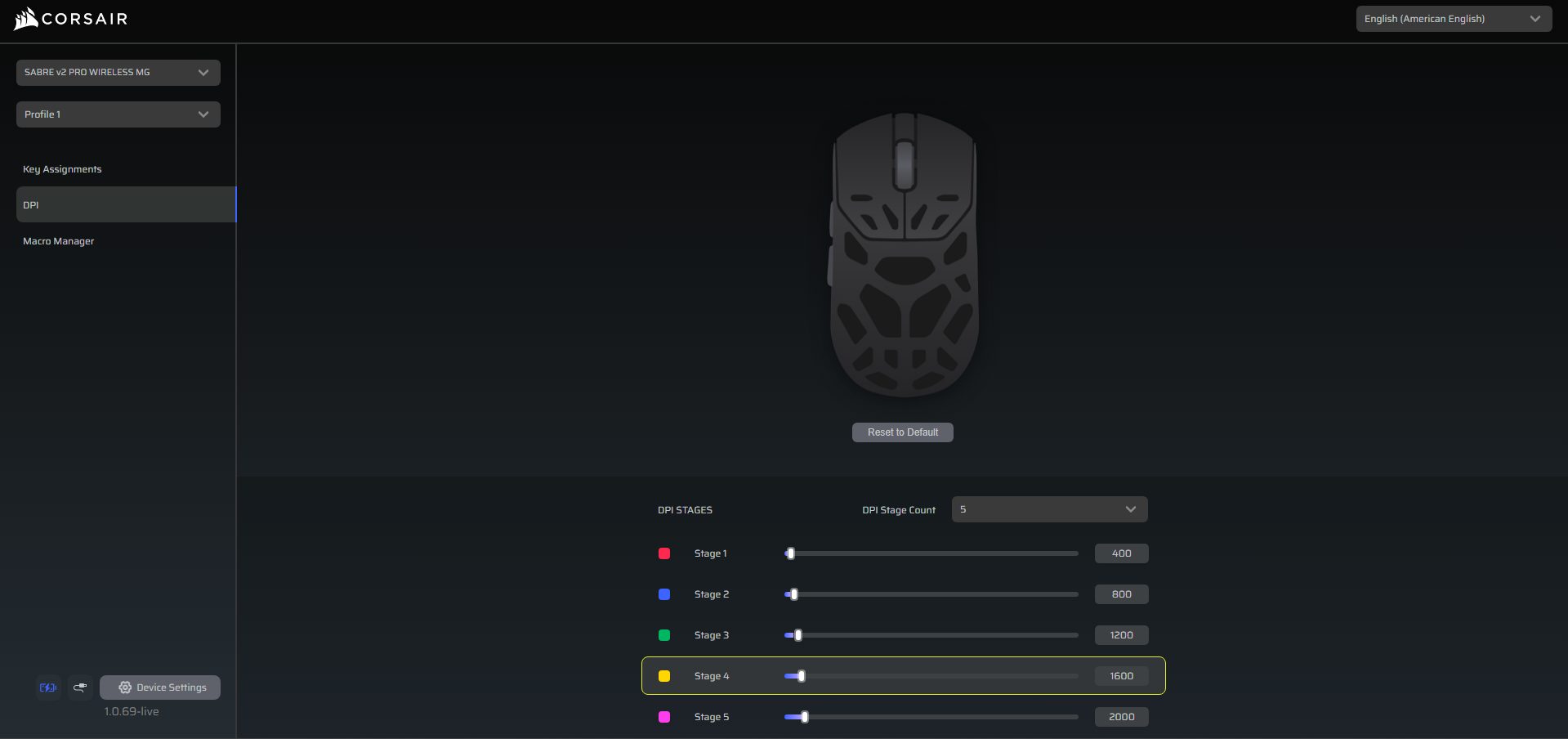
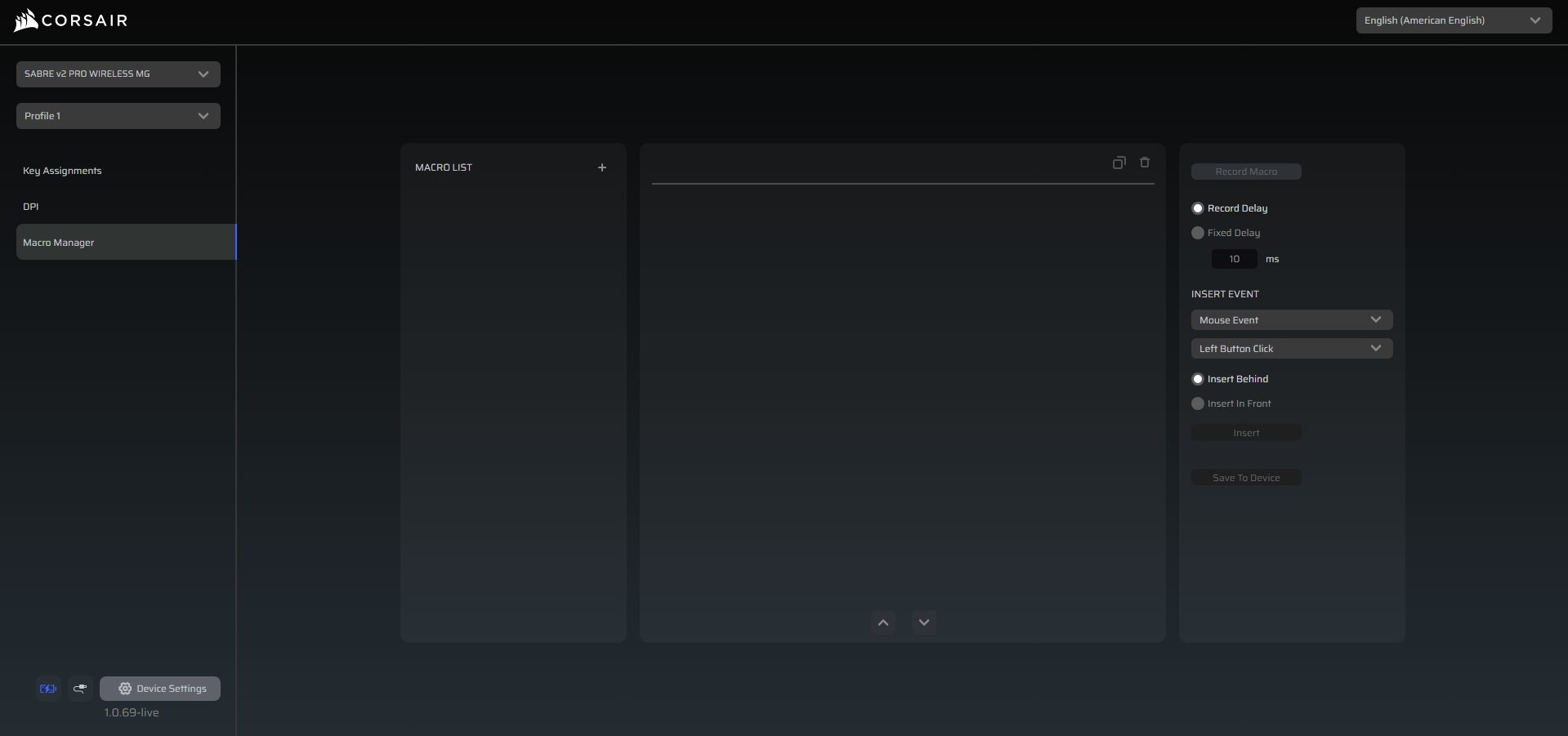
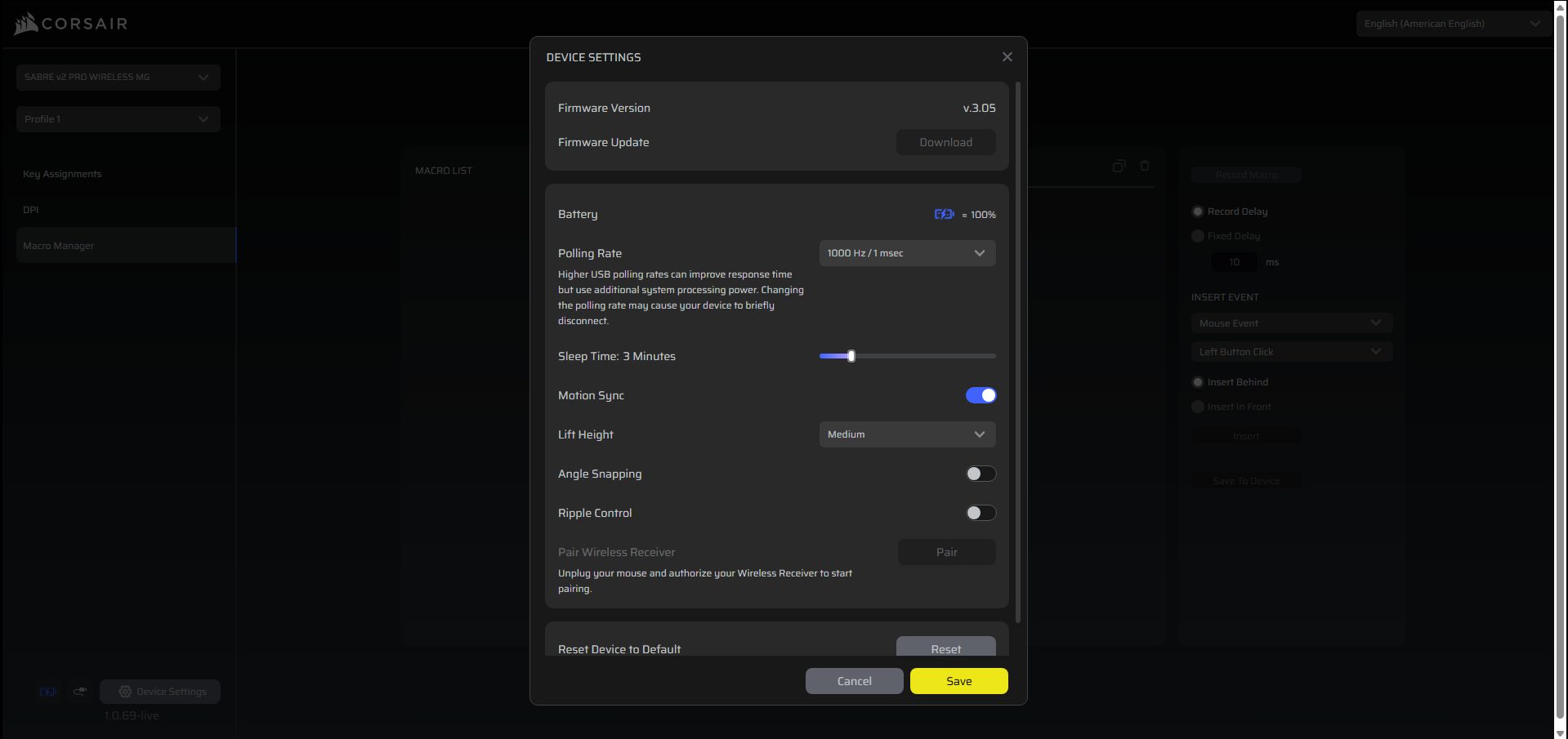
You can customize the Corsair Sabre V2 Pro Magnesium Alloy without installing heavy software. Corsair’s Web Hub is browser-based and straightforward. You just open it, authorize your mouse, and you can start adjusting settings. DPI stages, button assignments, macros, and more can be configured right there. The Web Hub also gives access to more advanced features for fine-tuning its sensor, such as motion sync, lift-off distance, angle snapping, and ripple control. Setting up profiles is simple.
You can select and create one, then assign DPI stages and remap buttons as needed. Macros are easy to record and edit manually. For battery or wireless settings, the Web Hub shows status, lets you adjust sleep time, and allows you to pair or reset the receiver. The software also checks for new Firmware updates. During usage, the entire experience feels intuitive, whether you’re a casual player or someone who wants extensive customization for competitive gaming.
Should You Buy it?
Buy it if
✅ You want a lightweight yet durable mouse: The Corsair Sabre v2 Pro Magnesium Alloy keeps weight in check at 56g while using a magnesium shell that feels sturdier.
✅ You play competitively and care about responsiveness: With the Marksman S sensor, 8,000Hz polling, and low-latency 2.4GHz wireless, micro-adjustments and fast flicks register accurately, whether wired or wireless.
Don’t Buy it if
❌ You want an ultra-lightweight mouse: At 56g, it’s light but not the absolute lightest on the market; if shaving grams is your top priority, some ultralight alternatives might appeal more.
❌ You prefer deeply contoured ergonomics: The perforated magnesium shell is functional, but those looking for heavily sculpted shapes may find it less tailored than some other brands’ ergonomic designs.
Final Verdict
After spending hours with the Sabre V2 Pro Magnesium Alloy, it’s clear that this isn’t just another lightweight mouse with a flashy name. Compared to the Sabre V2 Pro Ultralight and the Carbon Fiber variants, it feels like Corsair tried to merge the best of both worlds. It provides a refined ultralight experience with a sturdier shell. It doesn’t reinvent the wheel, but it still stands on its own. For those looking for a light and durable wireless mouse, it’s worth spending time with.
Thank you! Please share your positive feedback. 🔋
How could we improve this post? Please Help us. 😔

[Hardware Reviewer & Editor]
After many years of exploiting various pieces of hardware, Abdul Hannan now serves as an editor at Tech4Gamers. He’s been in the PC hardware reviewing industry for almost a decade, and his staff of passionate geeks and reviewers is second to none.
Abdul Hannan is constantly seeking new methods, you will always see him running into New Computer Courses to improve the performance of his computer components since he is an ardent overclocker. He is well-known for providing the most extensive and unbiased analysis of the newest and greatest hardware for PC gaming, including everything from GPUs to PSUs.
 Join Our Community