Threads
High-End Performance!
Review Summary
ASRock Phantom Gaming 360 LCD marks a serious entry into the liquid-cooler market, aimed at enthusiasts and overclockers. It easily handles top-tier CPUs like the AMD Ryzen 9 9950X. It includes a 32mm radiator and a built-in VRM fan that cools the motherboard’s power-delivery components. This cooler features the 360-Degree Halo ARGB unified fan frame, replacing the traditional three separate fans with a single, clutter-free unit. While the software needs improvement, the hardware is top-notch.
Hours Tested: 7

Overall
-
Cooling - 9/10
9/10
-
Noise - 9.2/10
9.2/10
-
Build Quality - 9.5/10
9.5/10
-
Value - 8/10
8/10
Pros
- 3.4-Inch IPS LCD Supporting 60 FPS
- Magnetic Detachable Screen
- Active VRM Cooling
- Massive 32mm Thick Radiator
- Streamlined Mounting Mechanism
- Great Cooling Headroom
- 360 Degree Halo ARGB Unified Fan Frame
- Simplified Cable Management
- Silent Fans
- 6 Year Warranty
Cons
- Software Could Cause High CPU Usage
- Radiator Clearance
- Price Premium


ASRock has a long history in the computer components, they have been making some truly outstanding high-end products, whether it’s the graphics cards or the motherboards, and they have been incredible when it comes to performance and it’s cooling, however, one thing was missing it was when the ASrock gonna launch their liquid-coolers for the CPU to complete it’s cooling eco-system. At CES 2026 in January, ASRock announced that it would have some great cooling options up its sleeve. That’s when the Phantom Gaming 360 LCD all-in-one was revealed. This AIO not only cools, but also brings an innovative design to the liquid-cooler industry.
The Cooler features the next-gen cooling pump with a dual-sided inlet cooling path, an LCD display with polychrome display control software, and a 360 Halo ARGB Fan with a unified frame, targeting high-end system integrators and enthusiasts while providing good aesthetics. In this review, we will discuss its design, cooling, noise, and performance in depth.
Let’s talk about the specifications first
| Component | Specification |
|---|---|
| Compatibility | AMD: AM5, AM4 Intel: LGA1851, 1700 |
| Water Block | 100.4 x 86 x 107.6 mm Copper cold plate |
| Radiator | 397 x 120 x 32 mm Aluminum |
| Pump | 1200-3100 RPM ±10% 0.38A / 12V, PWM |
| VRM Fan | 70 x 70 x 25 mm 0-3000 RPM, 0.12A/12V |
| Radiator Fan | 362 x 123 x 28 mm 0-2400 RPM, 61.28 CFM, 3.11 mmH₂O, 31.4 dB(A) PWM, FDB, ARGB Gen1 |
| Screen | 3.4″ IPS LCD 480×480, 24-bit, 60 Hz USB Type-C to 9-pin |
| Tubing | IIR+EPDM 450 mm |
What Makes The ASRock Phantom Gaming 360 LCD Different?
ASRock Phantom Gaming 360 features a 3.4-inch full-color LCD Display that is highly customizable and a high-end pump design powered by a 3-phase, 6-slot, 4-pole motor for much stronger water flow, while keeping durability in mind. The block also features a dedicated VRM fan that can cool the motherboard. The radiator thickness is also huge at 32mm; the standard is normally 27mm, and there are several fan upgrades.
What About The Availability & Pricing?
This Cooler is available in only a single 360mm variant and is offered in black. There is no 240mm or white colour available at the moment. ASRock also offers 6 years of warranty for the AIO Cooler Module and 2 years for the LCD unit. As for the availability, the cooler is set to go on sale in February.
Packaging
Let’s take a look at the packaging!
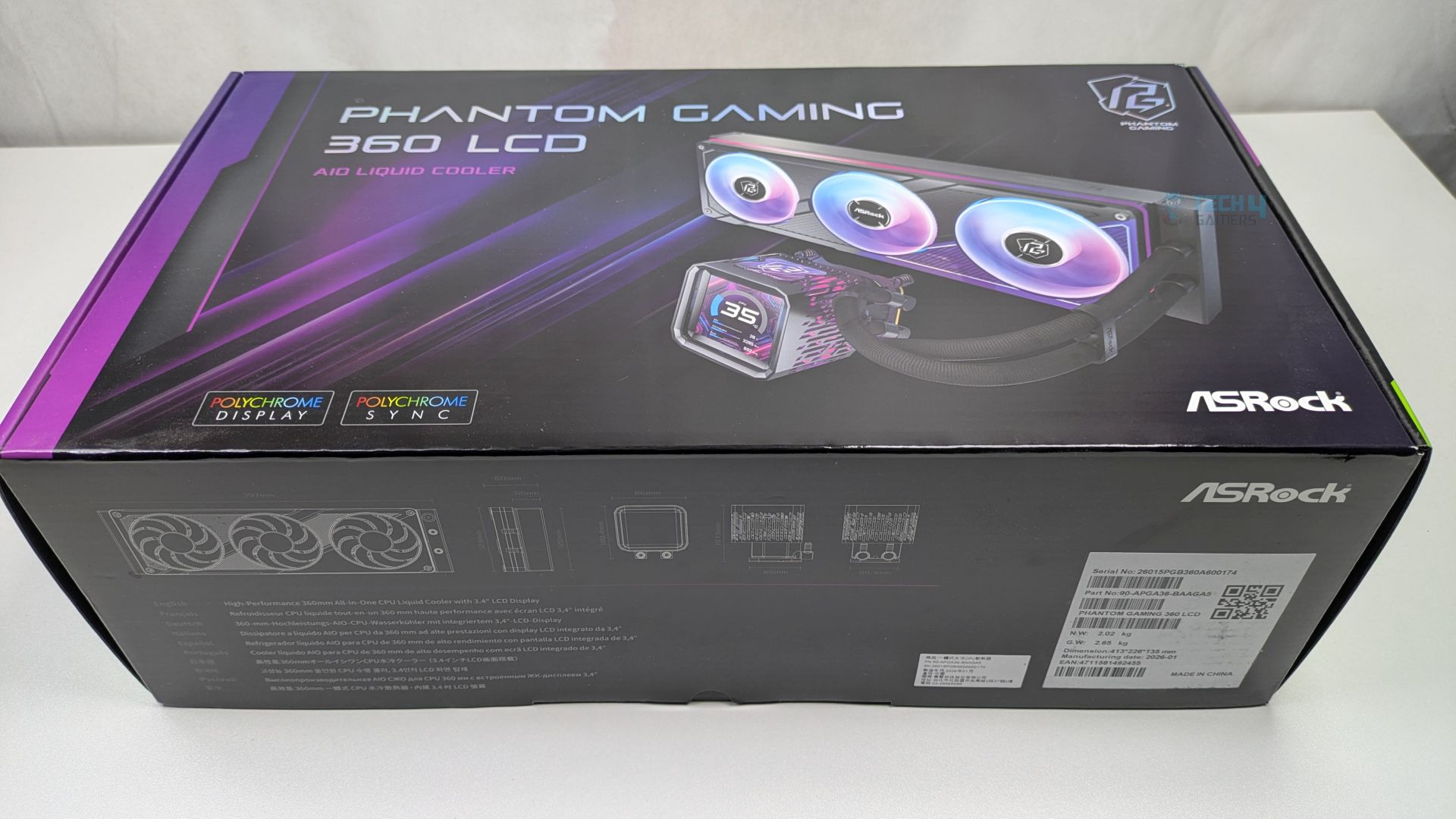
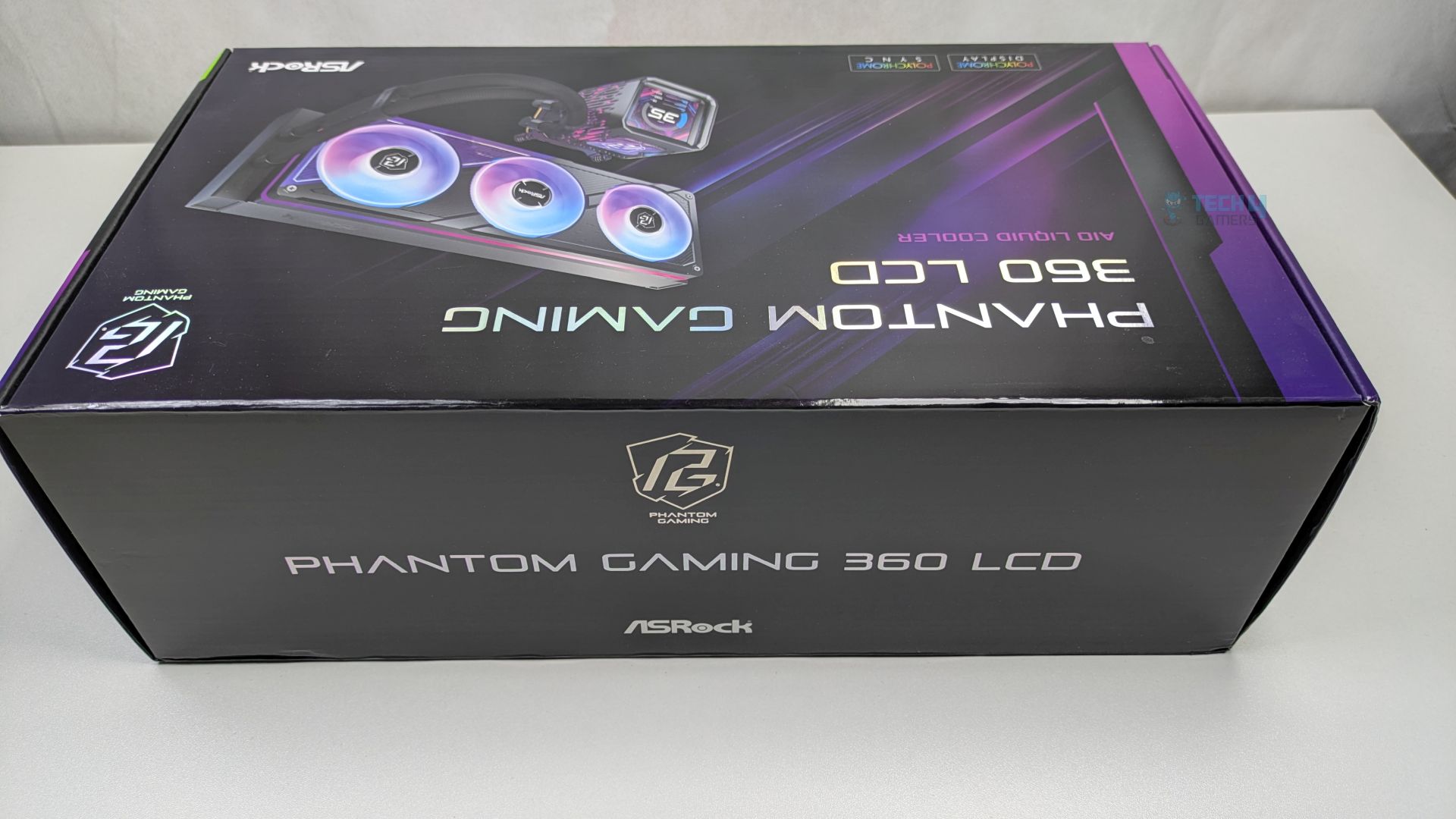
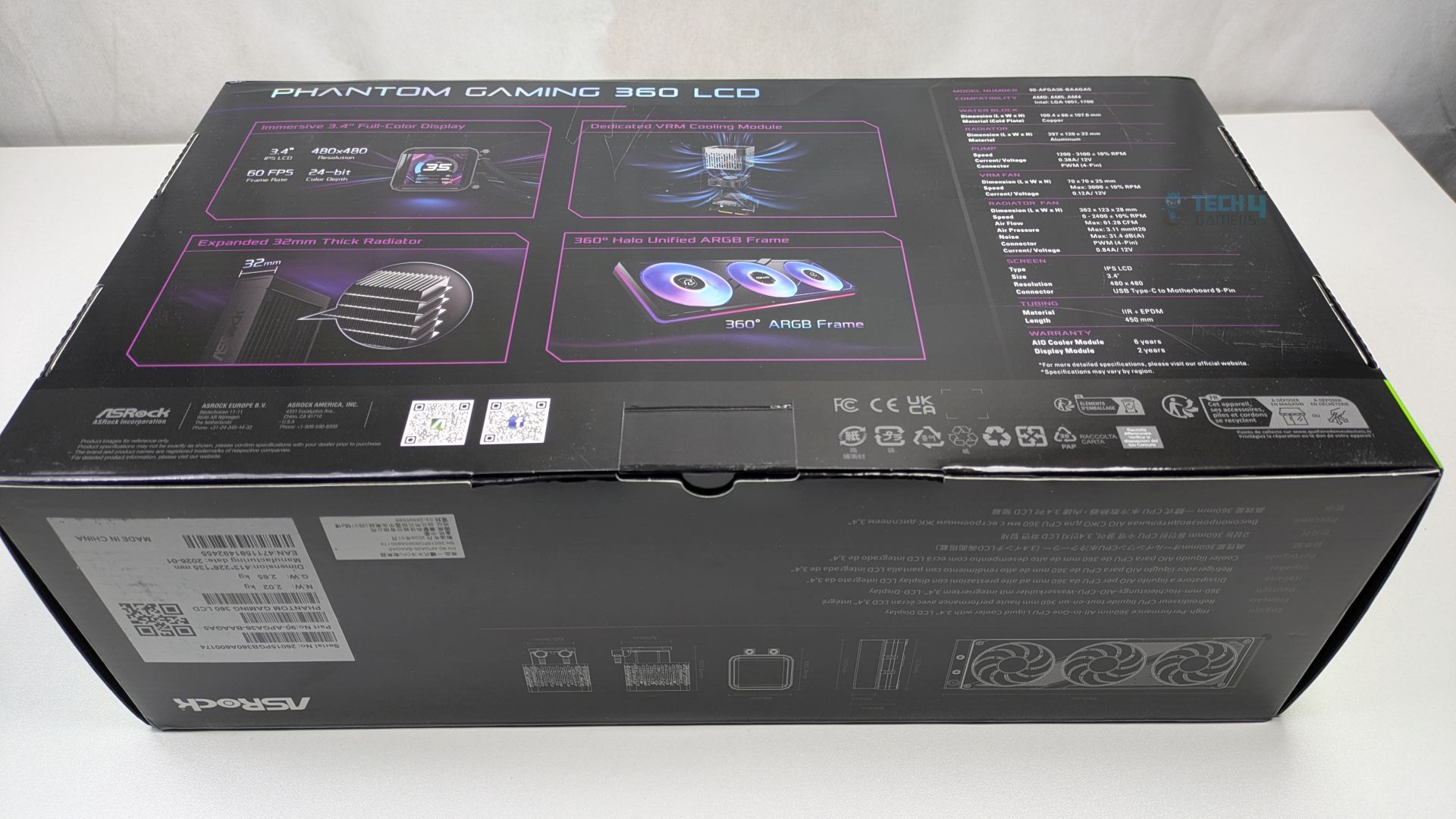
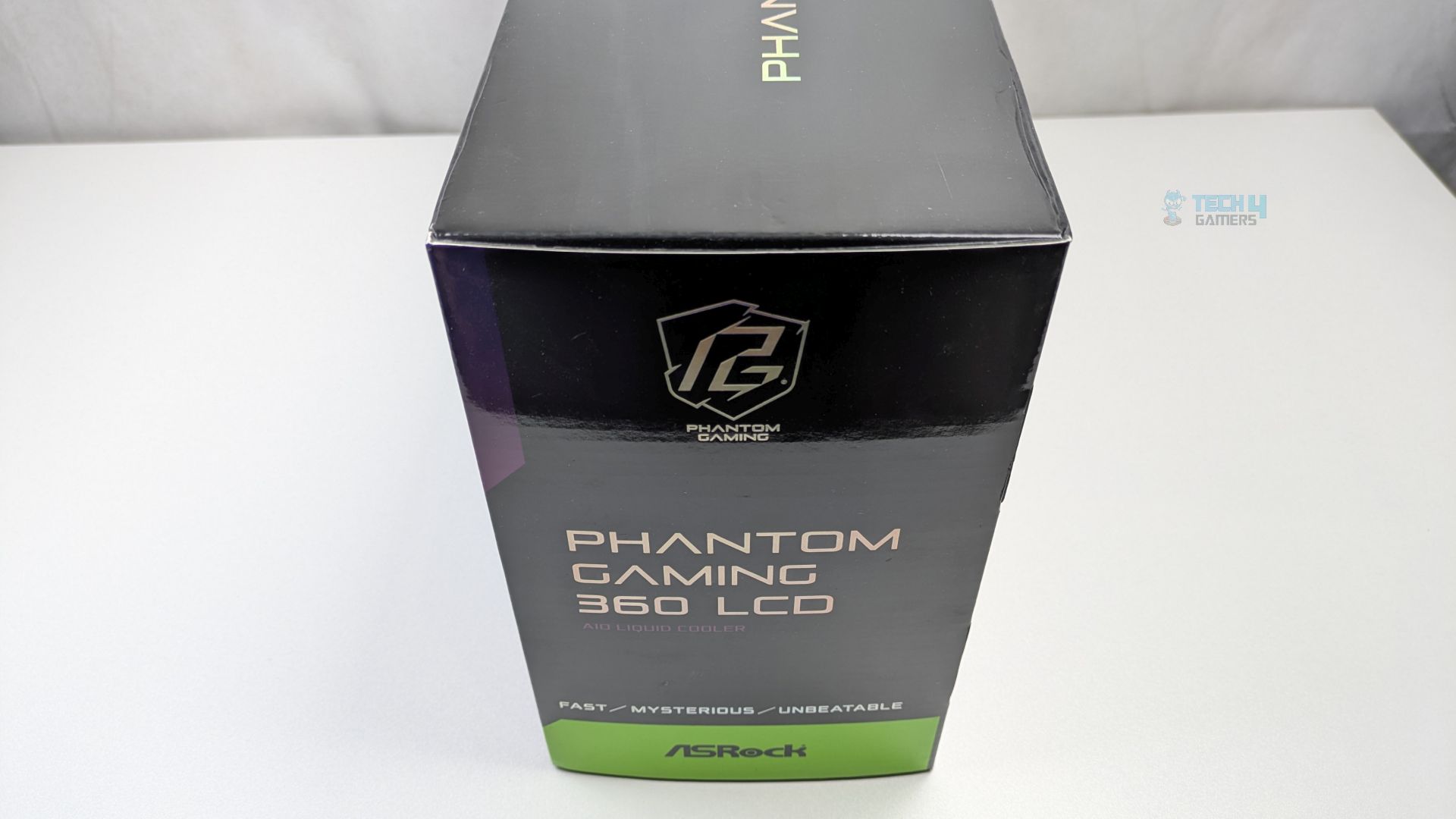
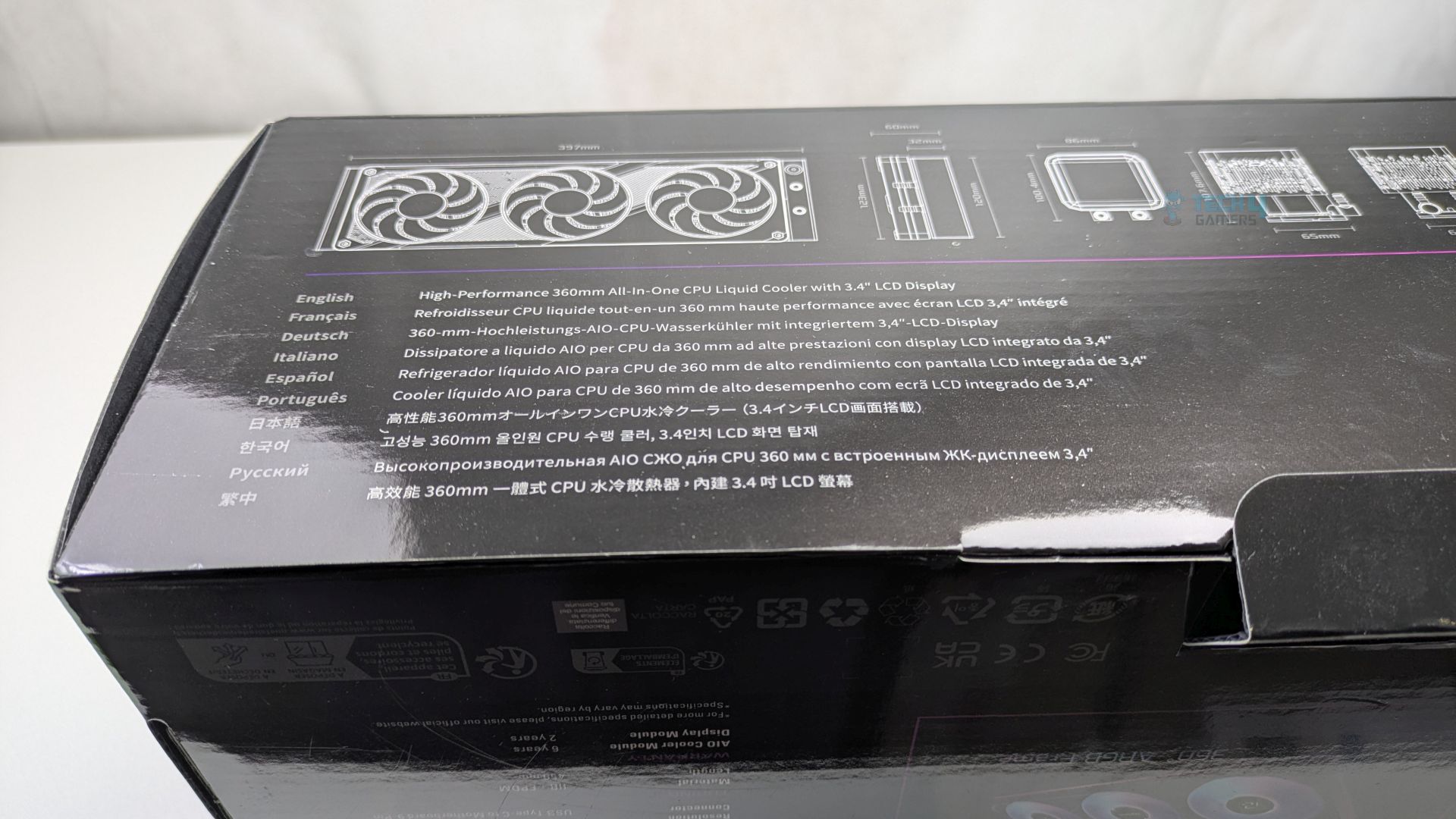
ASRock Phantom Gaming 360 LCD has opted for a premium packaging which leans heavily on the Phantom Gaming visual language. The box features a dark and sleek colour scheme. The front provides a clear render of the all-in-one liquid cooler, highlighting its main selling points: the daisy-chained ARGB fans and the customizable LCD screen. The ASRock badges, such as “Polychrome Sync and Display,” are clearly visible.
The Backside of the box highlights all the technical details of the all-in-one liquid cooler. At the bottom/sides, ASRock has added dimensional drawings.
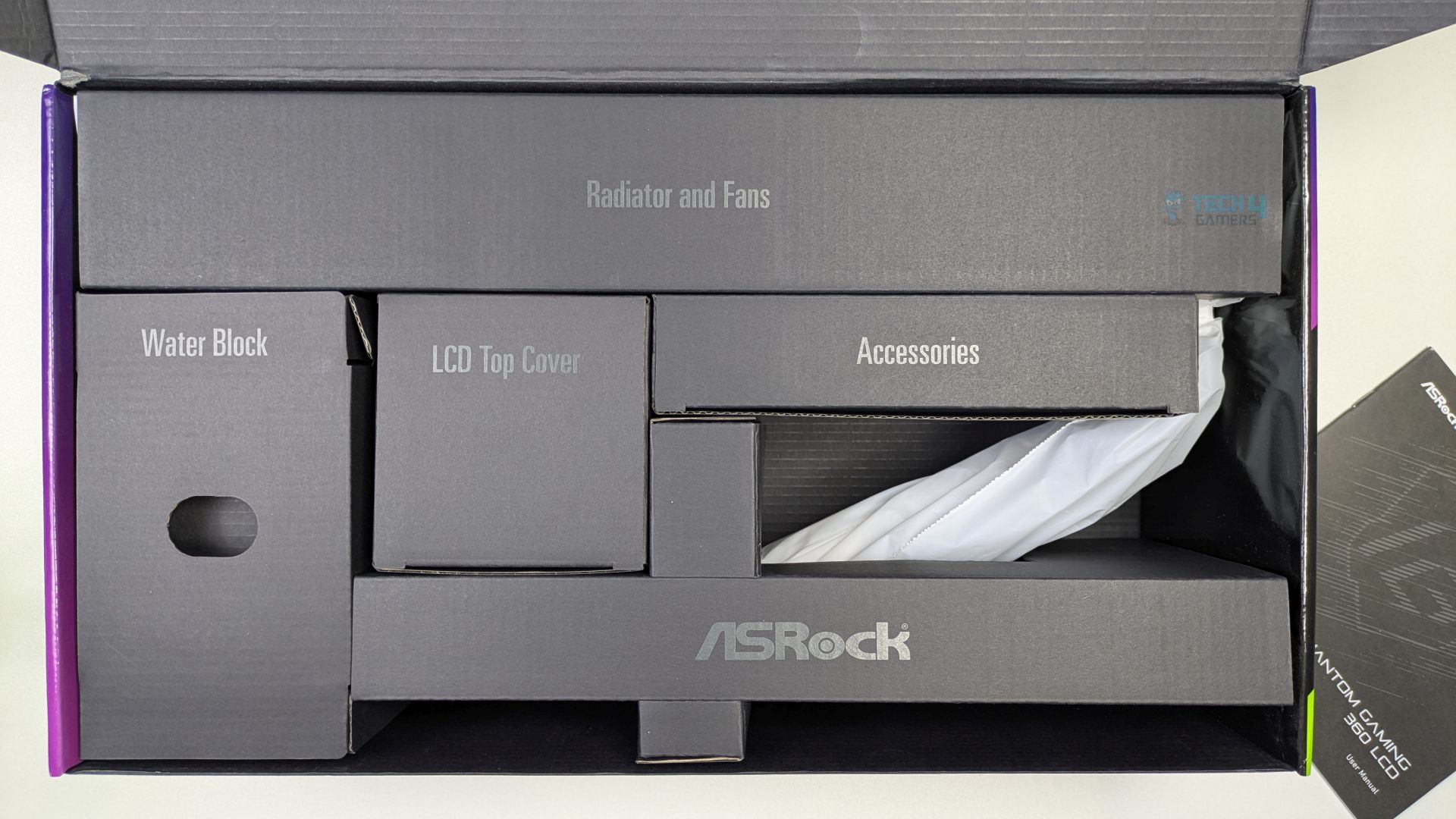
Unboxing reveals a very clean internal structure; each box is clearly labelled on its respective compartments, making the installation process feel organised and high-end right from the start.
Accessories
Let’s take a look at the accessories.
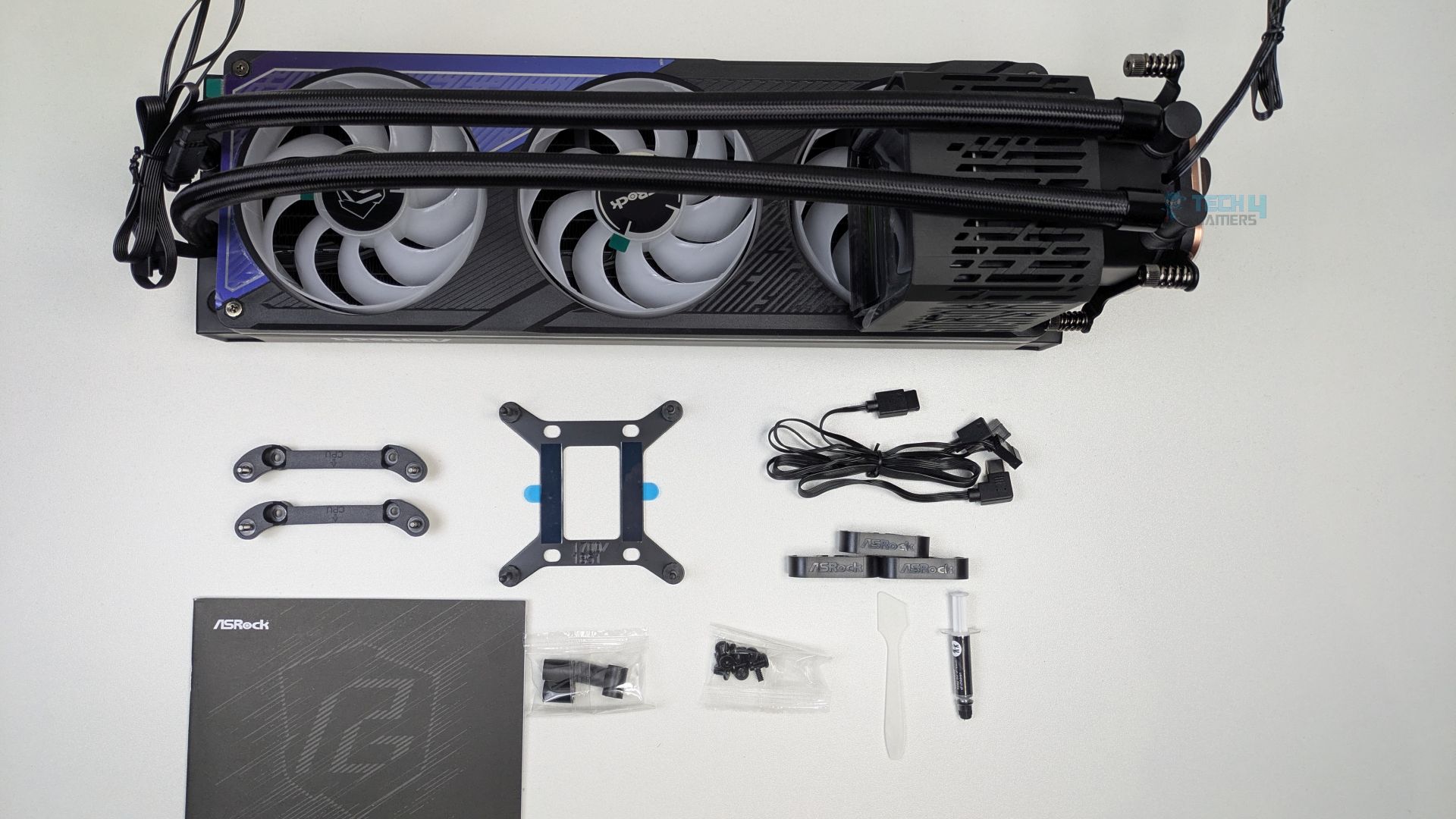
You don’t get a lot of mounting accessories with the ASRock Phantom Gaming 360 LCD, which is a good thing, as ASRock has kept it straightforward overall. The Intel bracket supports the LGA 1700/1851. In the accessories, Thermal Paste, Spatula, tube-clips and Type-C LCD cable are also included.
Here is the structured table of what you get inside the box:
| Category | Item | Quantity |
|---|---|---|
| Mounting Hardware | Intel Backplate | 1x |
| Intel Standoff | 4x | |
| AMD Mounting Bracket | 2x | |
| Radiator/Fan Screws | 12x | |
| Cable | USB Type-C to Motherboard 9 pin | 1x |
| Tools | Thermal Paste + Spatula | 1x |
| Tube Clip | 3x | |
| User Manual | 1x |
Close Look At The Radiator and Assembly
Now, let’s first look at the assembly you’ll get out of the box. The Fans are preinstalled on a single-frame cooler. The fans also appear to have the Phantom Gaming logo on the hub. The outer frame also creates a clean border glow effect and features a streamlined, unified cable design.
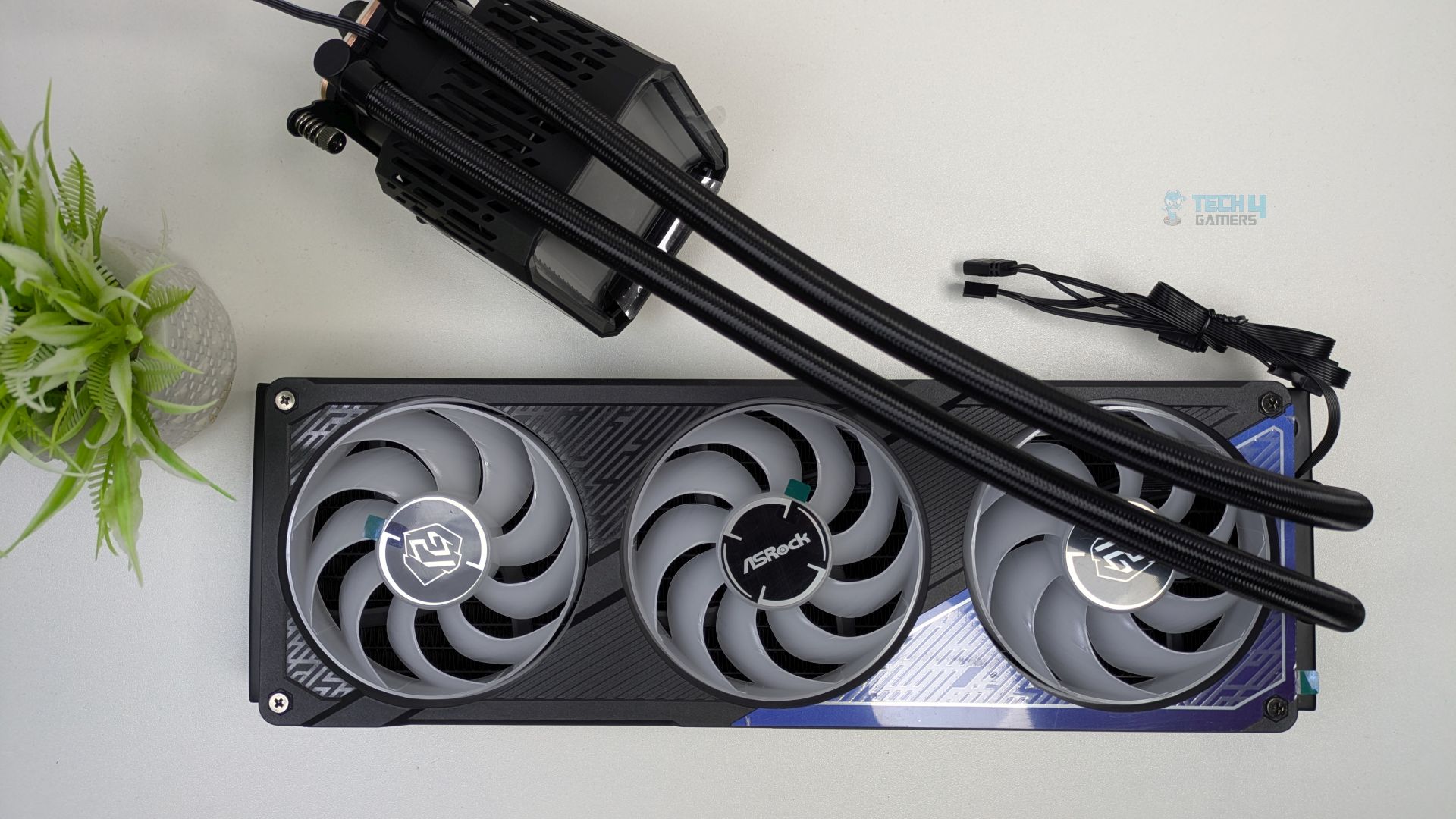
It’s not like the traditional fans you see on other coolers; these fans are installed in a single frame, which could enhance internal airflow. Four screws on a radiator secure the frame.
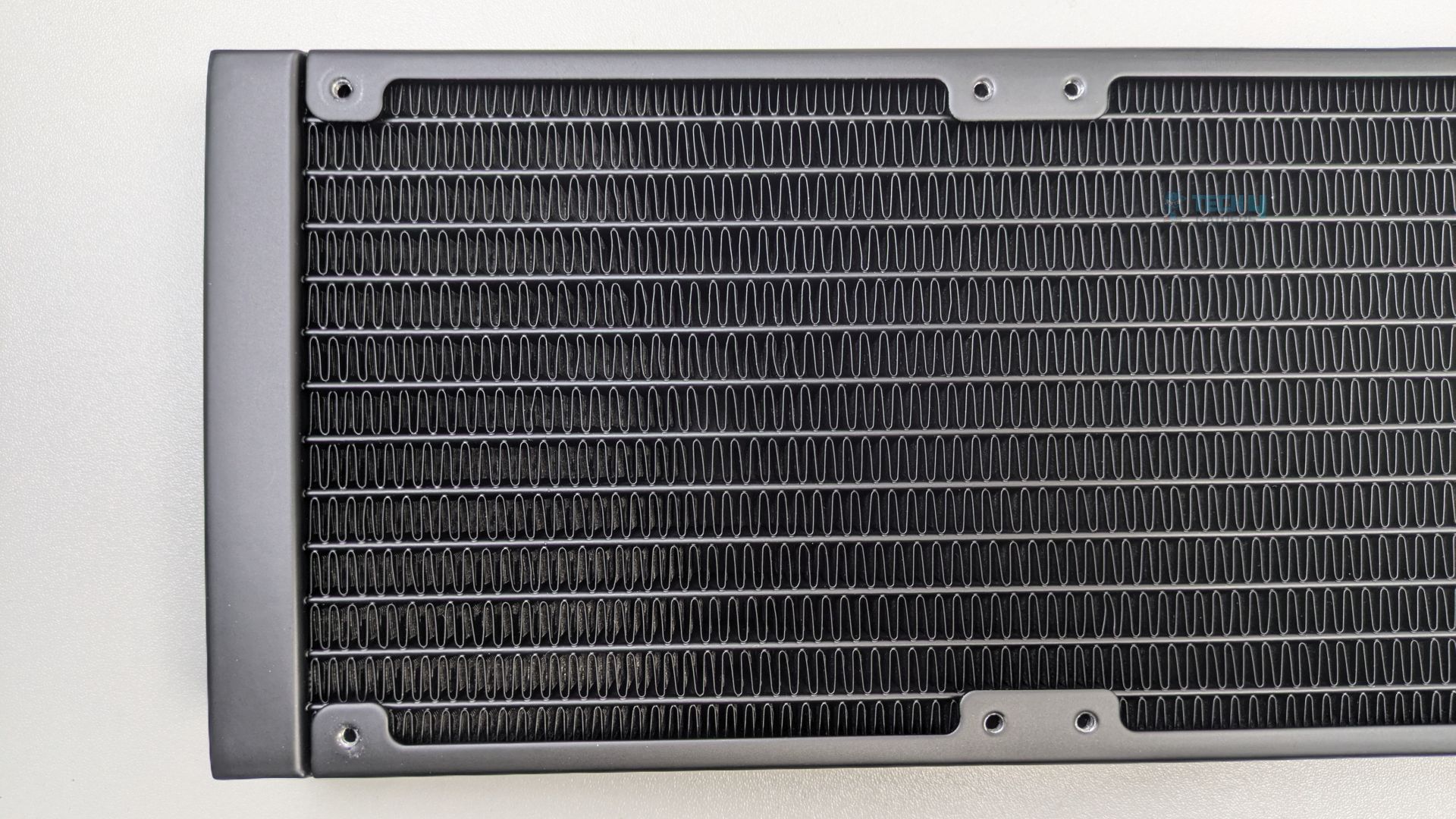
The radiator is huge, much thicker than standard, and made of aluminium. As this cooler is 360mm supported, (L)397 x (W)120 x (H)32 mm, not including the fan height yet. Make sure your case supports 360mm radiators and has enough clearance.
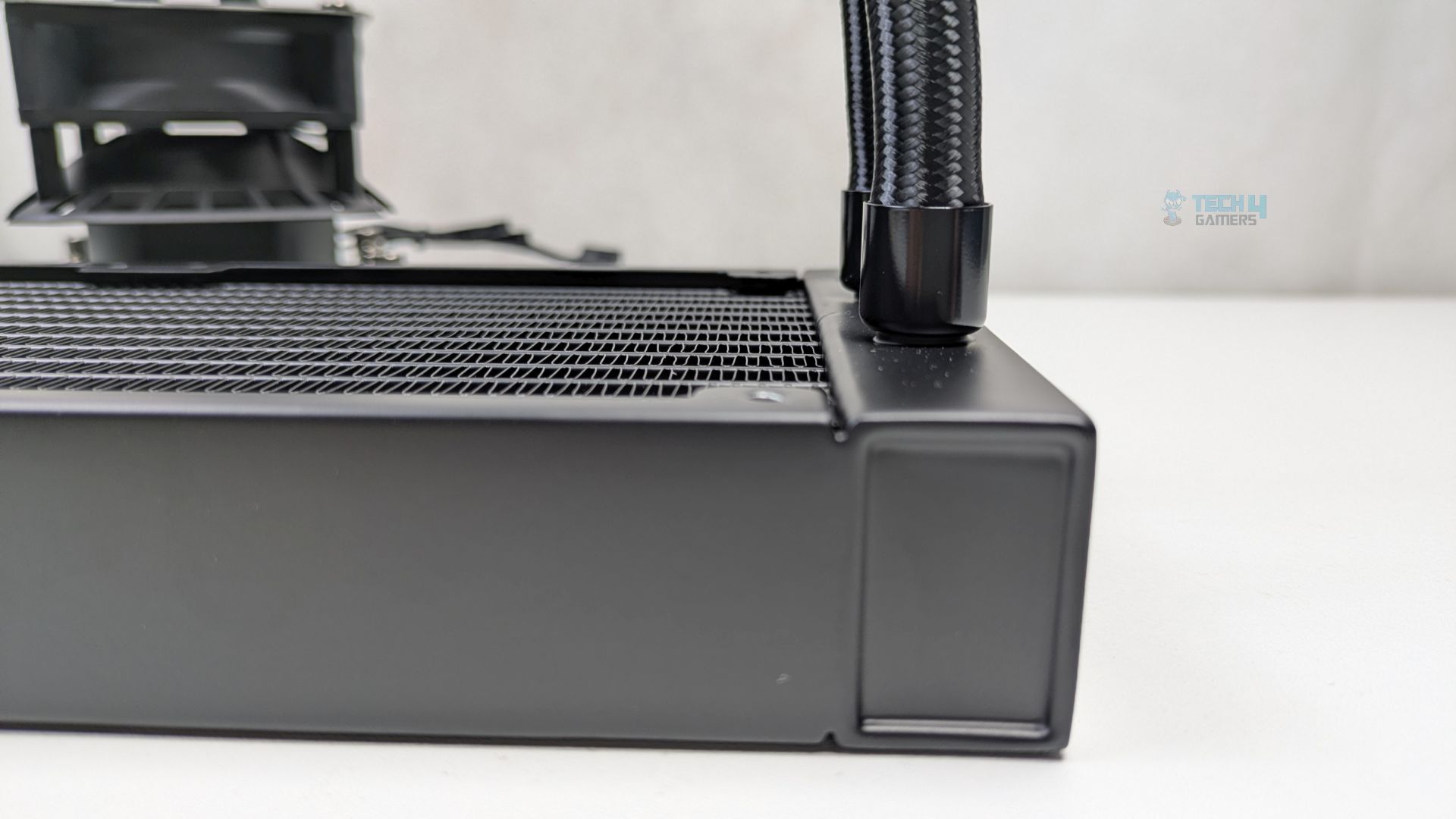
The radiator uses the high-density louvred fin design. The FPI (Fins Per Inch) is 20, and the radiator has 12 water-flow channels. At 32mm thick, it allows for higher coolant volume flow and greater heat dissipation potential. Such thick radiators do provide better performance when paired with high-performance static-pressure fans.
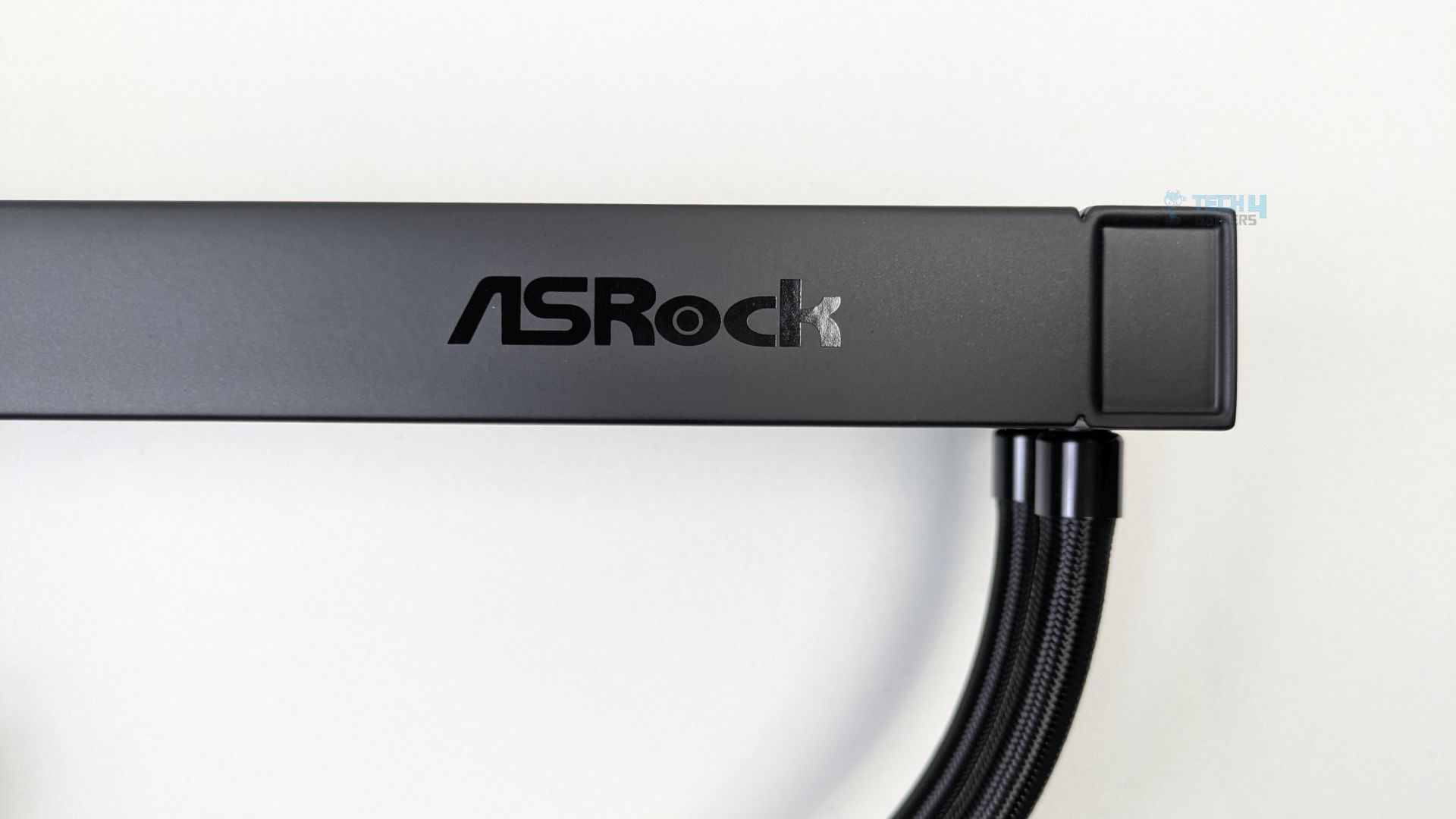
The ASRock Logo can also be noticed on the side of the radiator.
The tube length is 450mm in total, which is longer than the standard you see in traditional all-in-ones; generally, the tubes are not longer than 400mm.
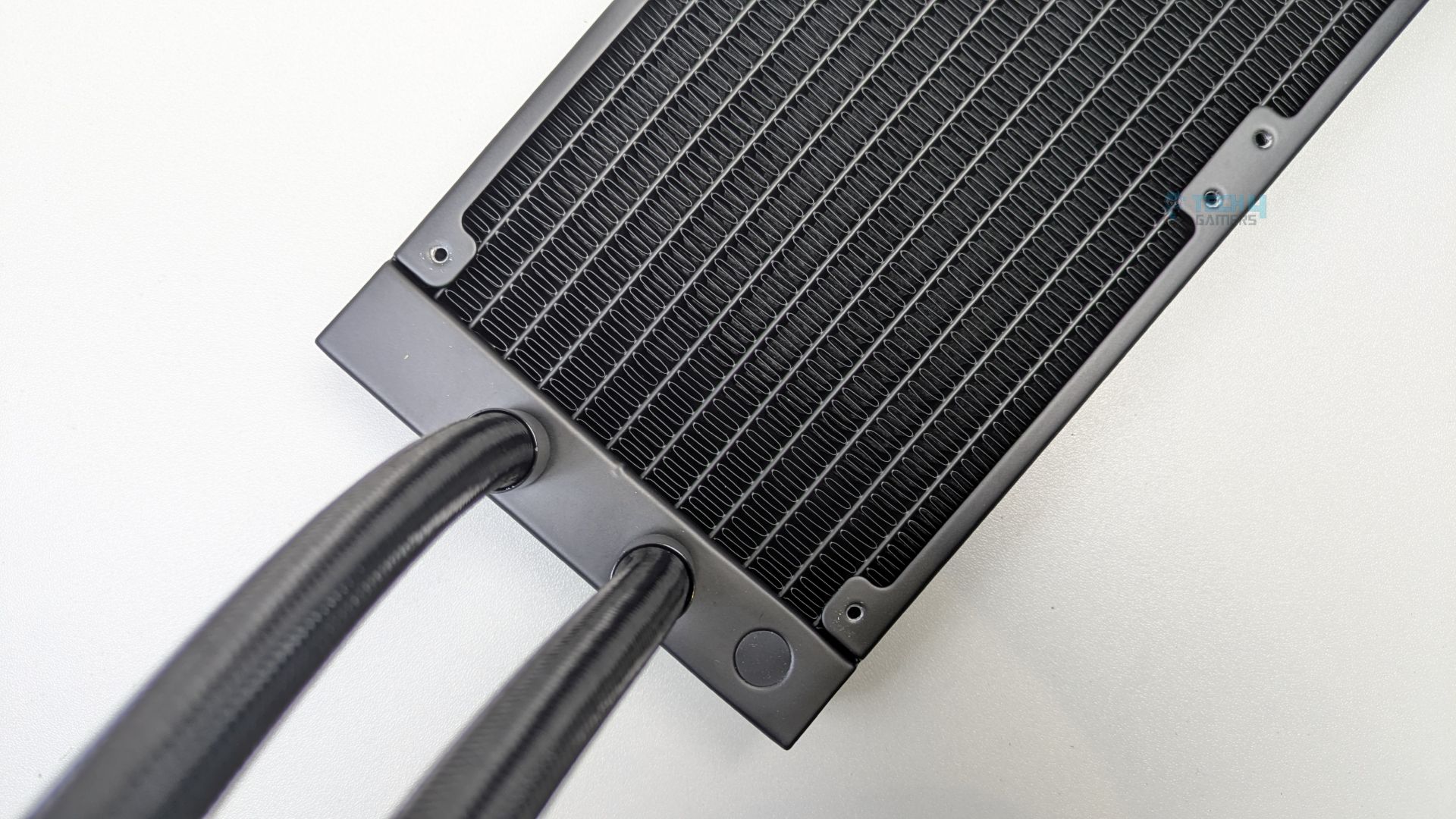
The tubes are premium-grade here, as they use IIR (Isobutylene Isoprene Rubber) and EPDM (Ethylene Propylene Diene Monomer), both of which offer very good heat resistance and a longer lifespan.
Pump Design / Housing
Let’s take a look at the water block.
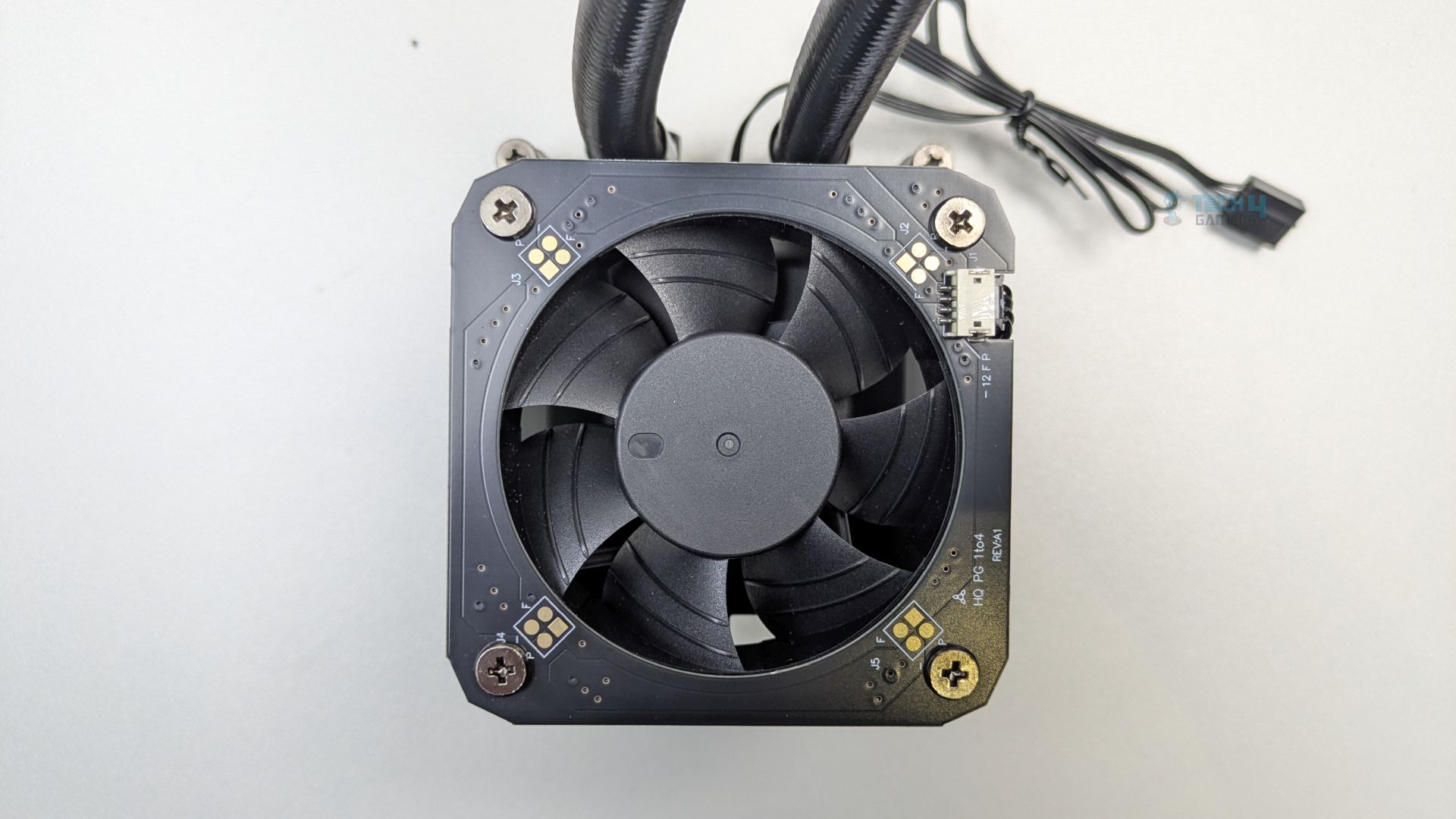
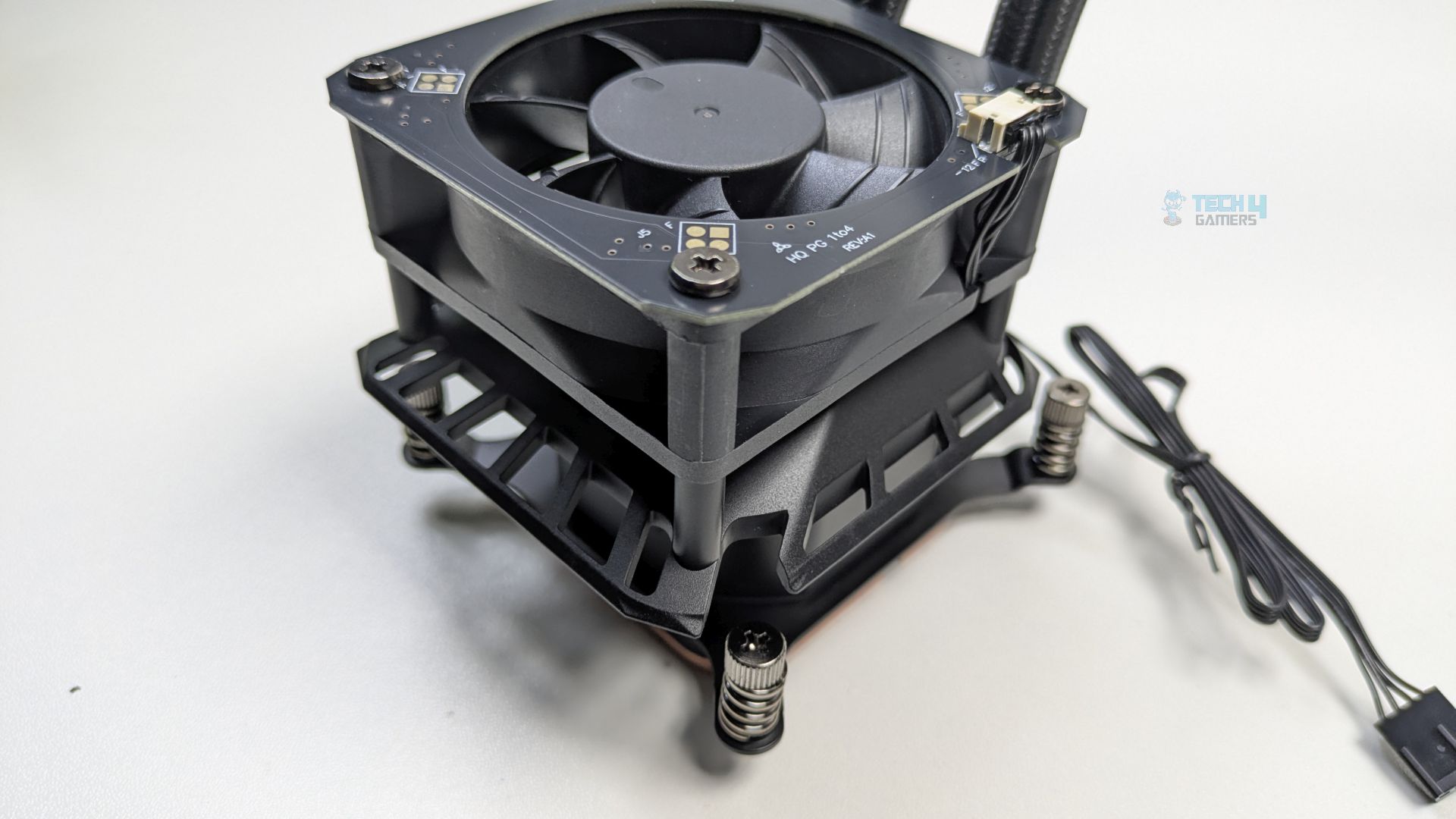
One of the most prominent aspects of this water block is the integrated, top-mounted VRM fan. ASRock has also made efforts to down-firing the fan directly into the pump housing.
The bottom of the water block features a large, square copper cold plate secured by multiple Torx-style screws.
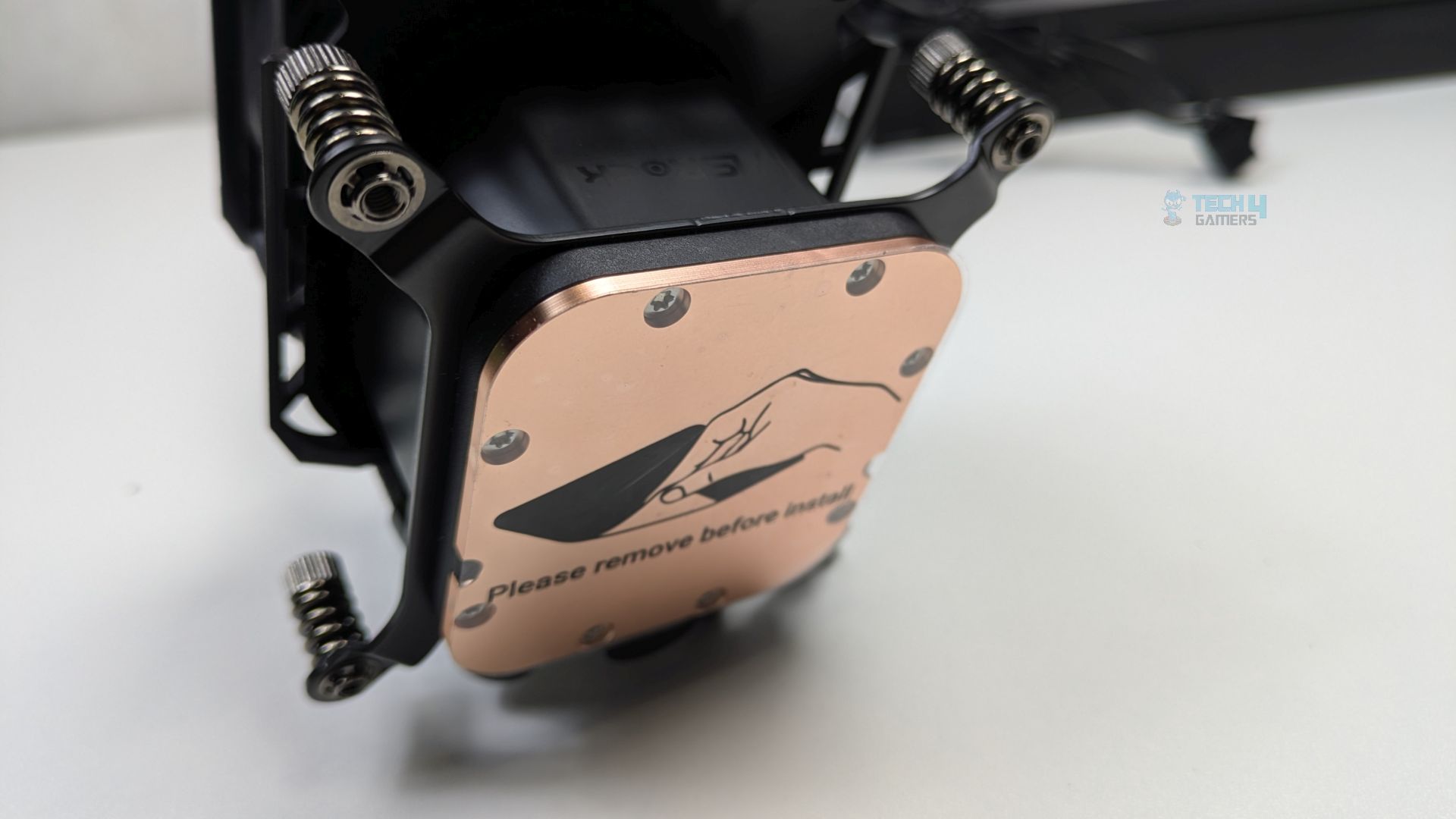
The mounting brackets, pre-installed on the block, have spring-loaded captive screws. The pump is PWM-controlled. At the cold plate, there is also a sticker that reads, “Please remove before install.”
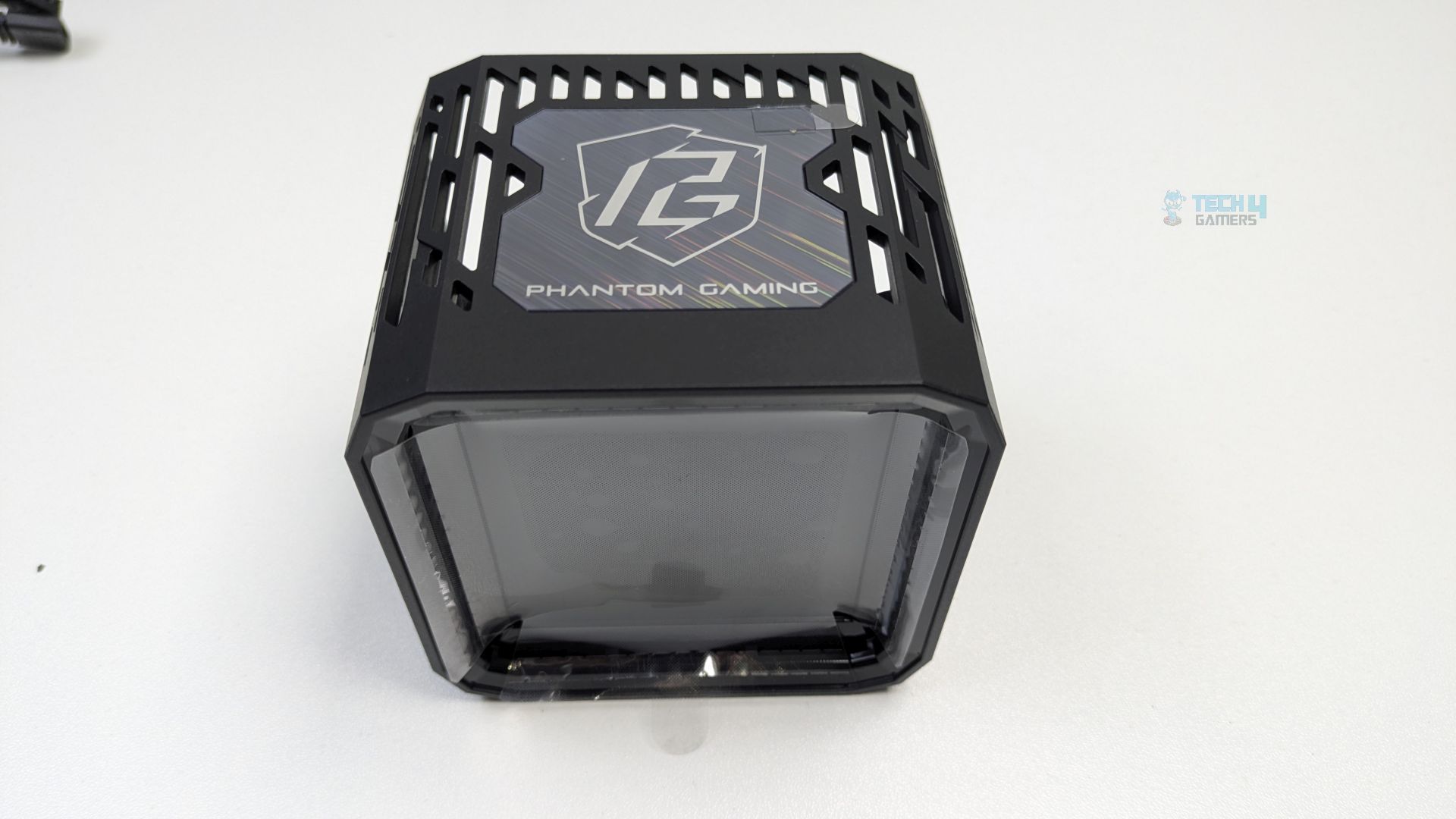
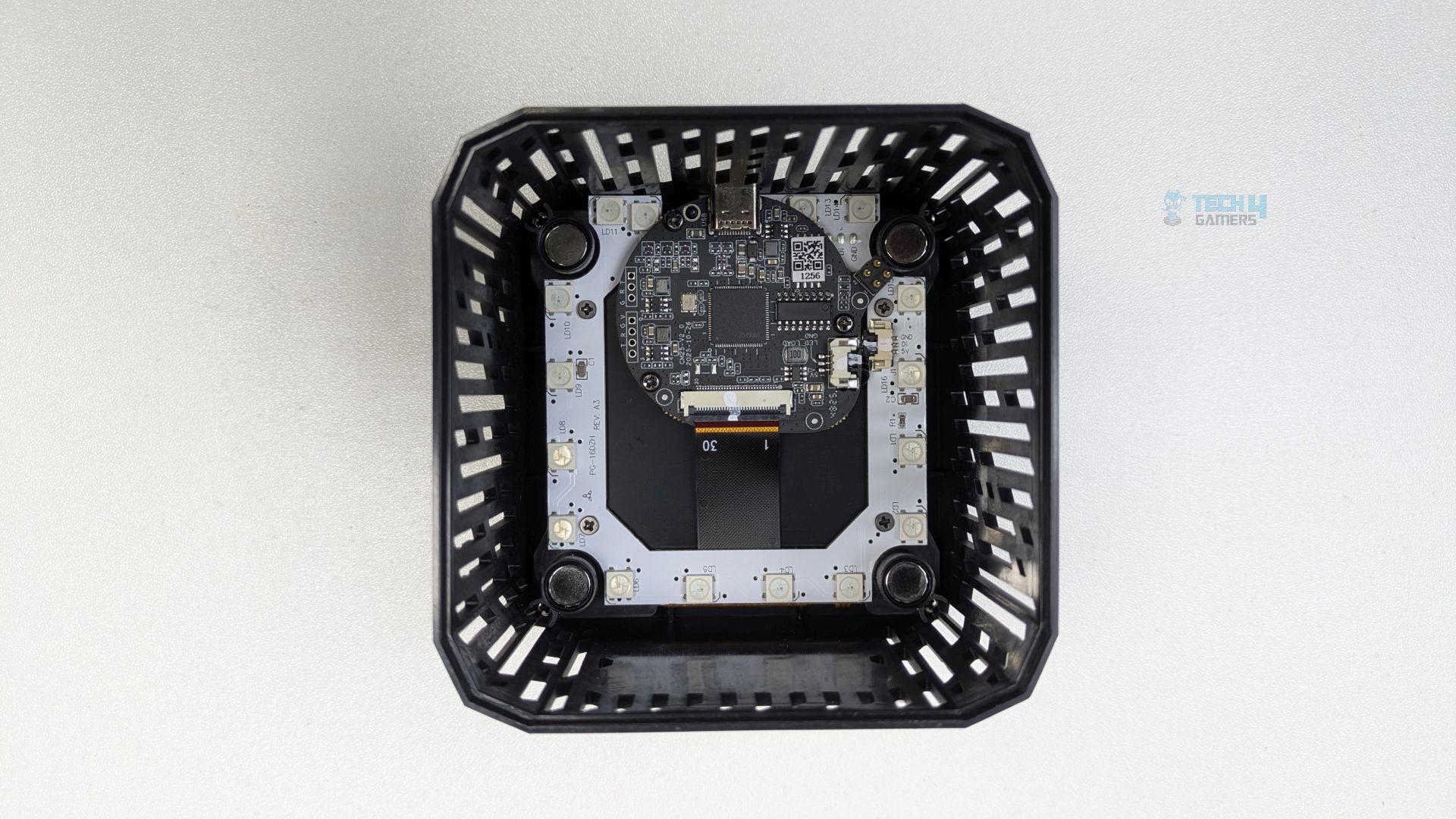
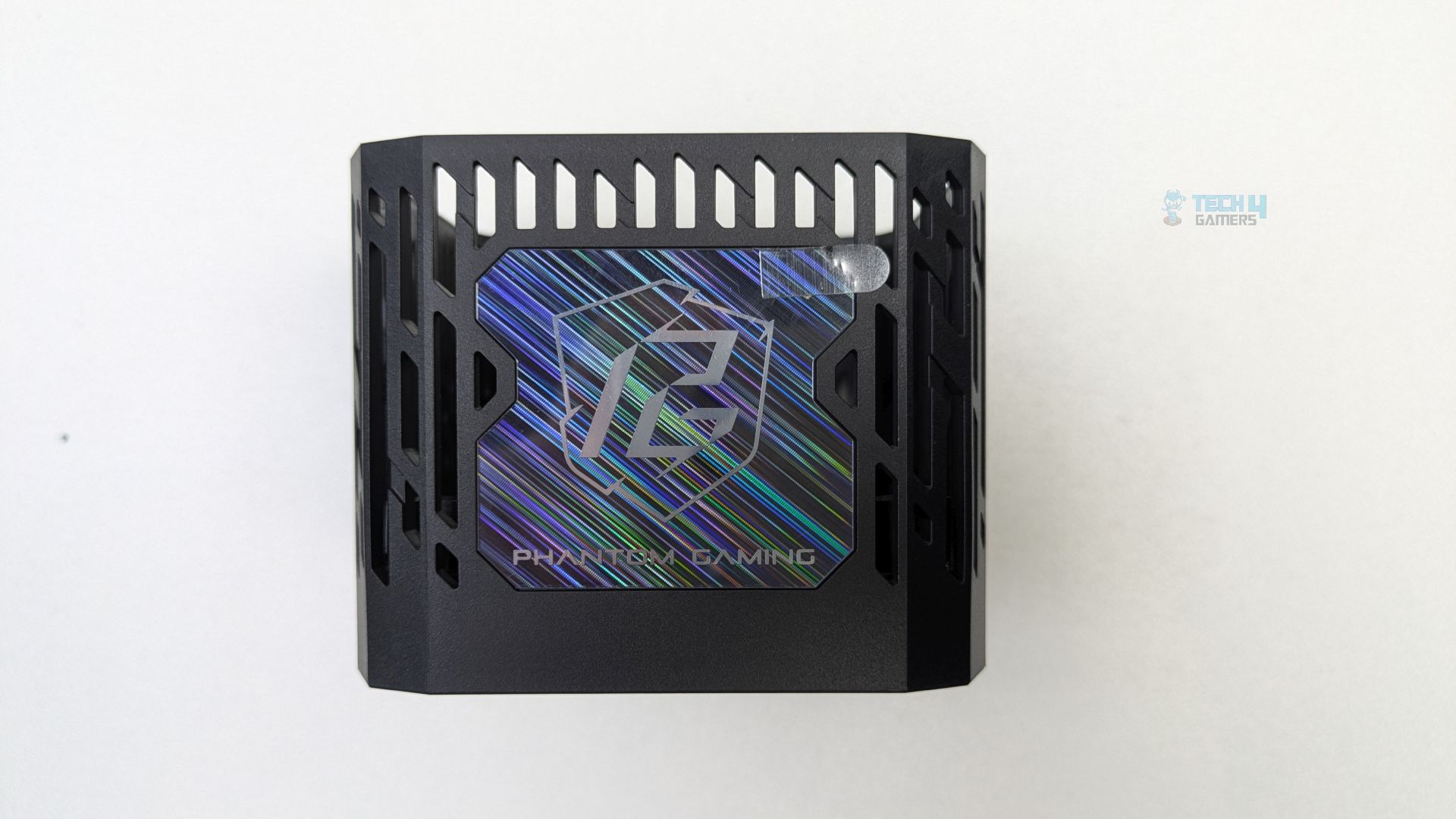
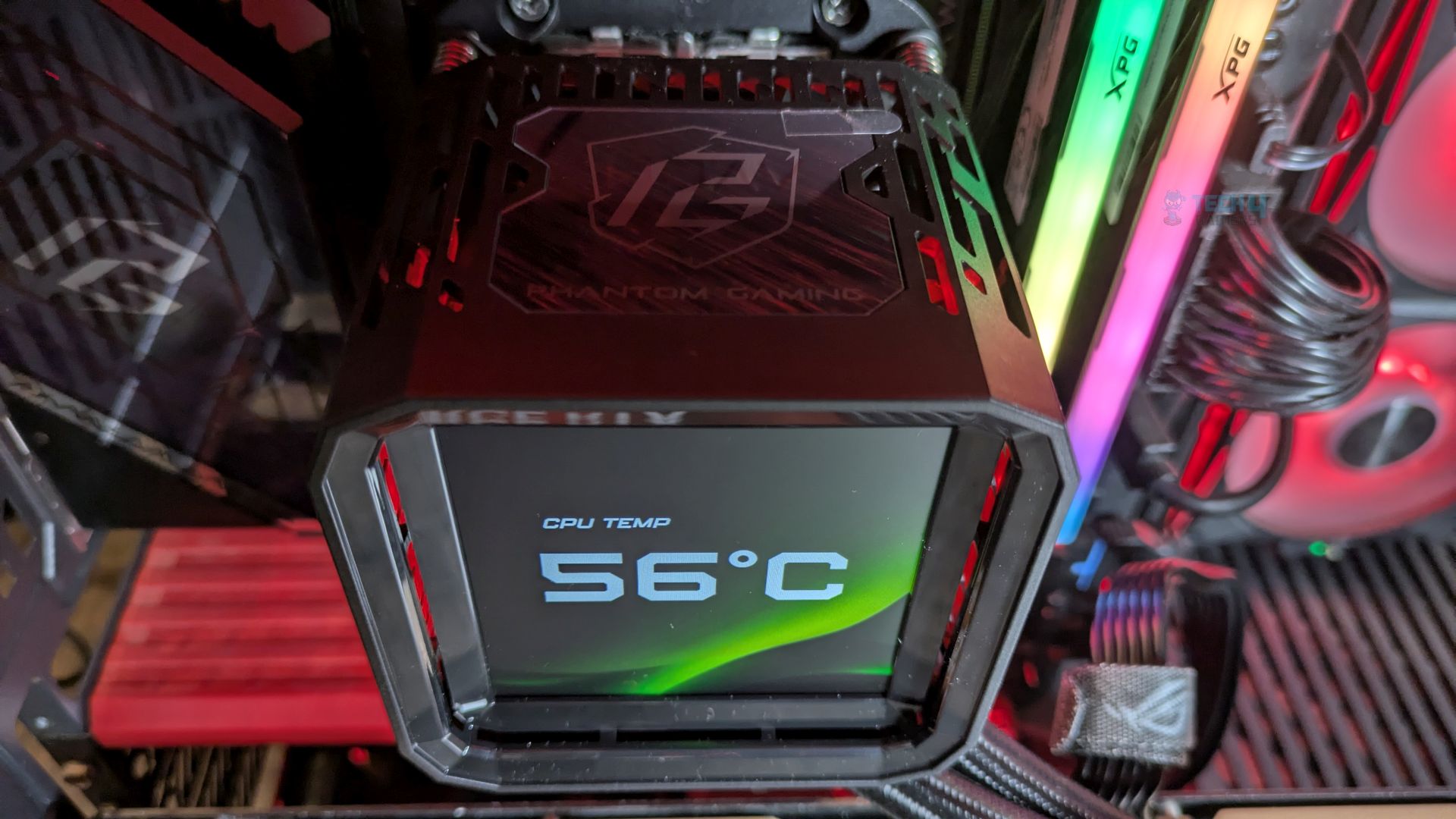
The LCD module is mounted atop the all-in-one pump block of the integrated VRM module. It features an angular shroud with substantial ventilation slits for the fan. The Phantom Gaming branding is displayed at the top of the component. A USB Type-C port is located on the side for connectivity. Internally, the PCB integrates the main microcontroller and the LCD circuitry. Four magnets are positioned in the corners of the bottom frame.
Display
Let’s talk about the display.
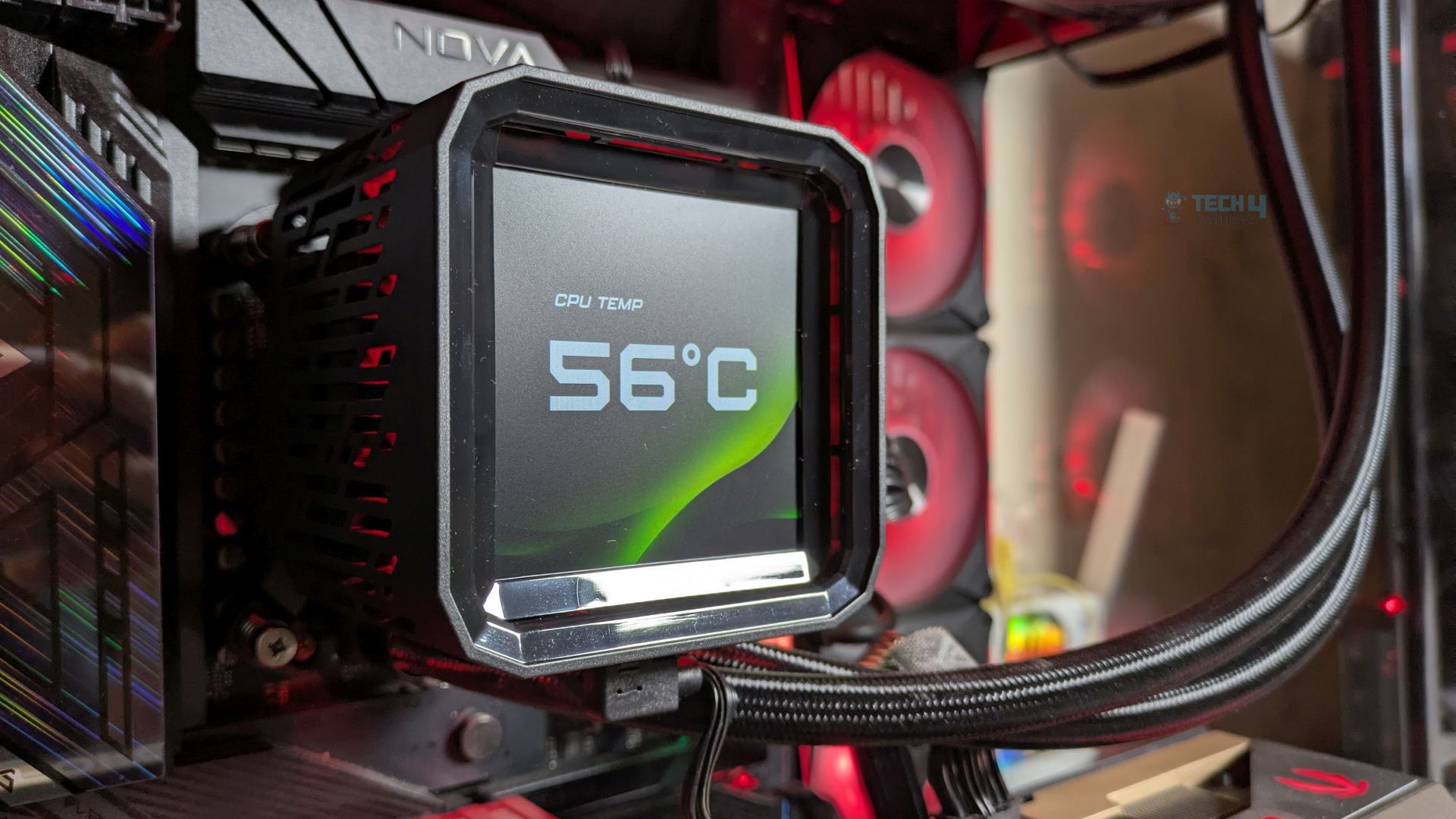
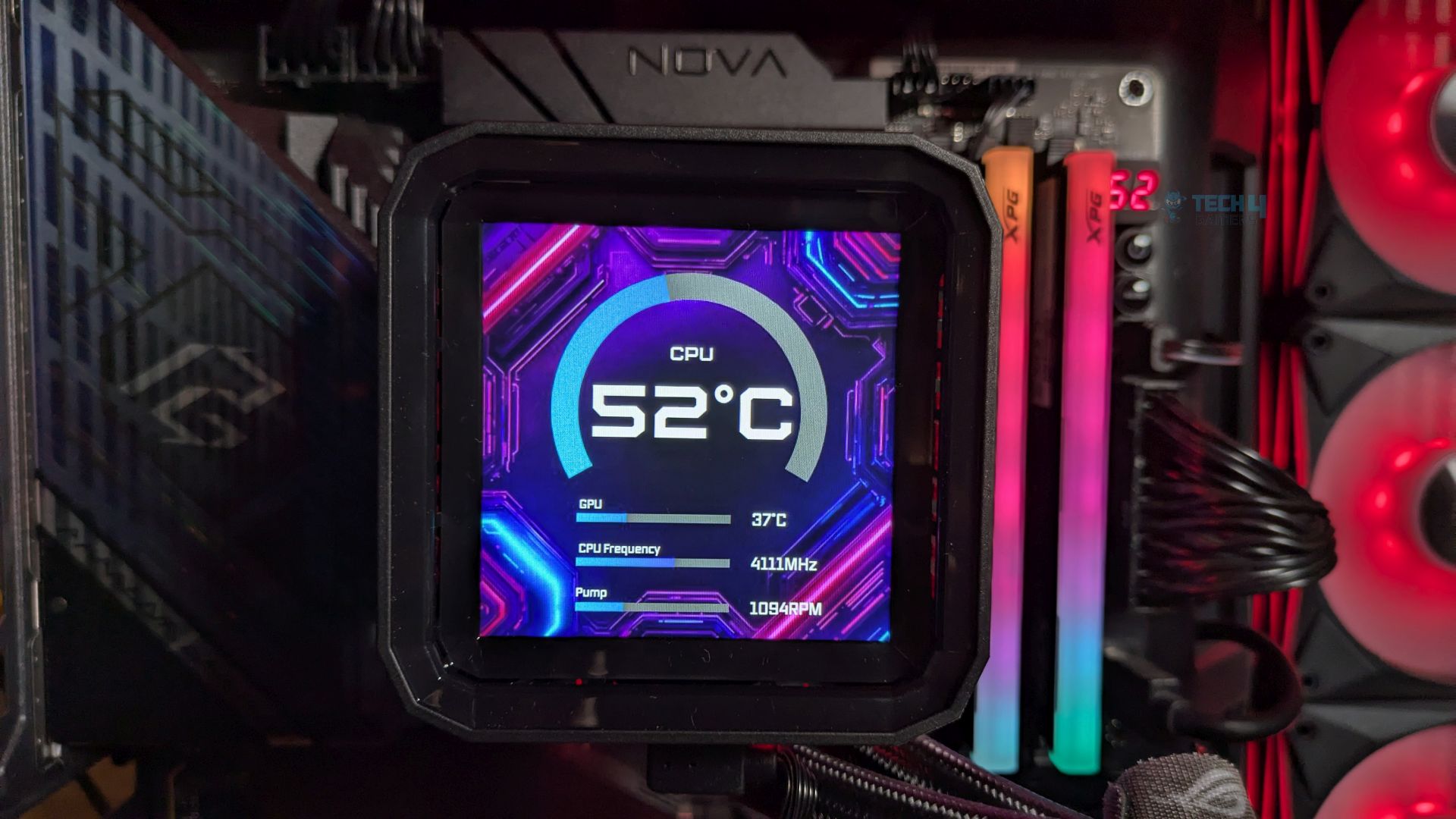
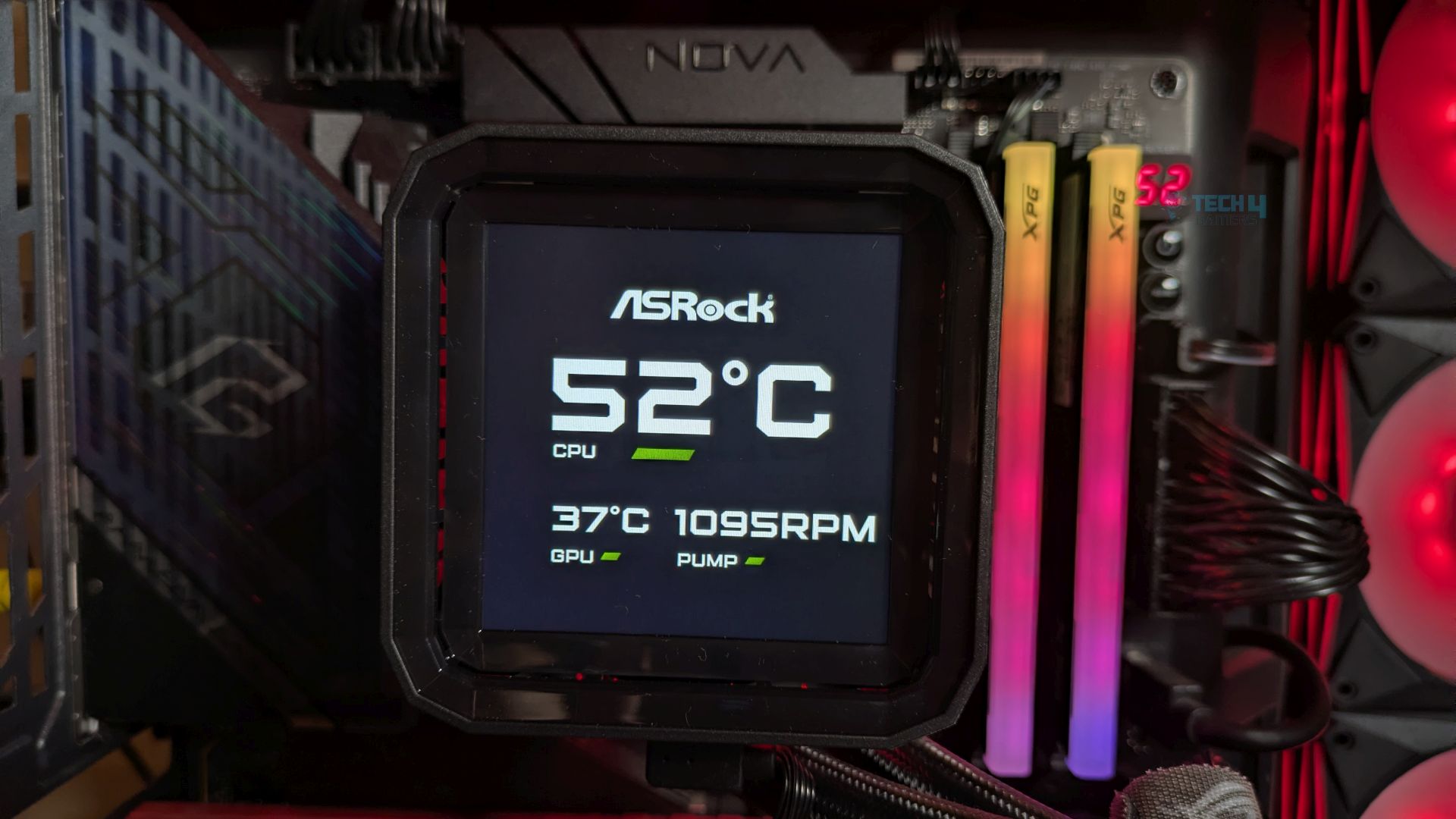
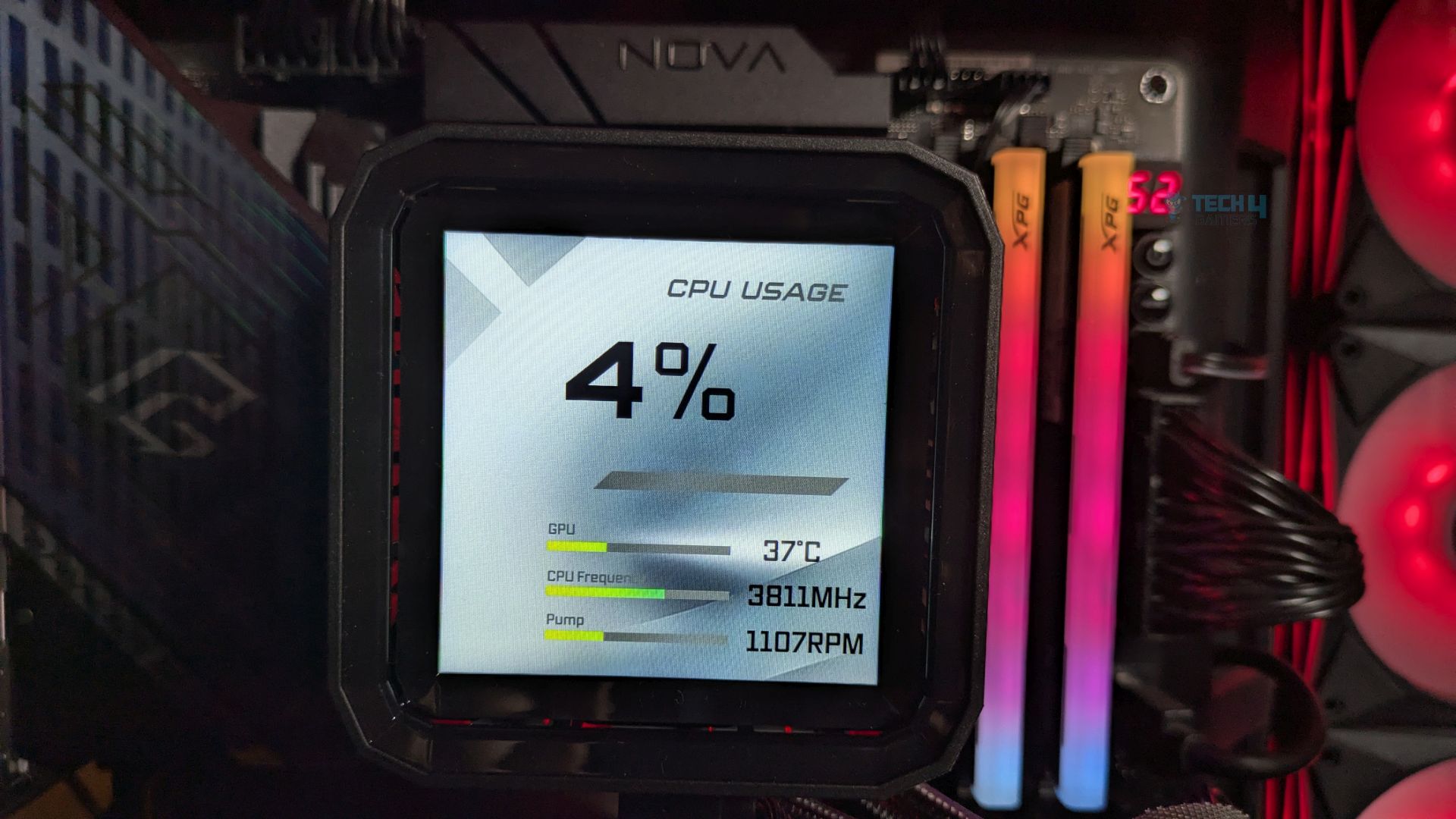
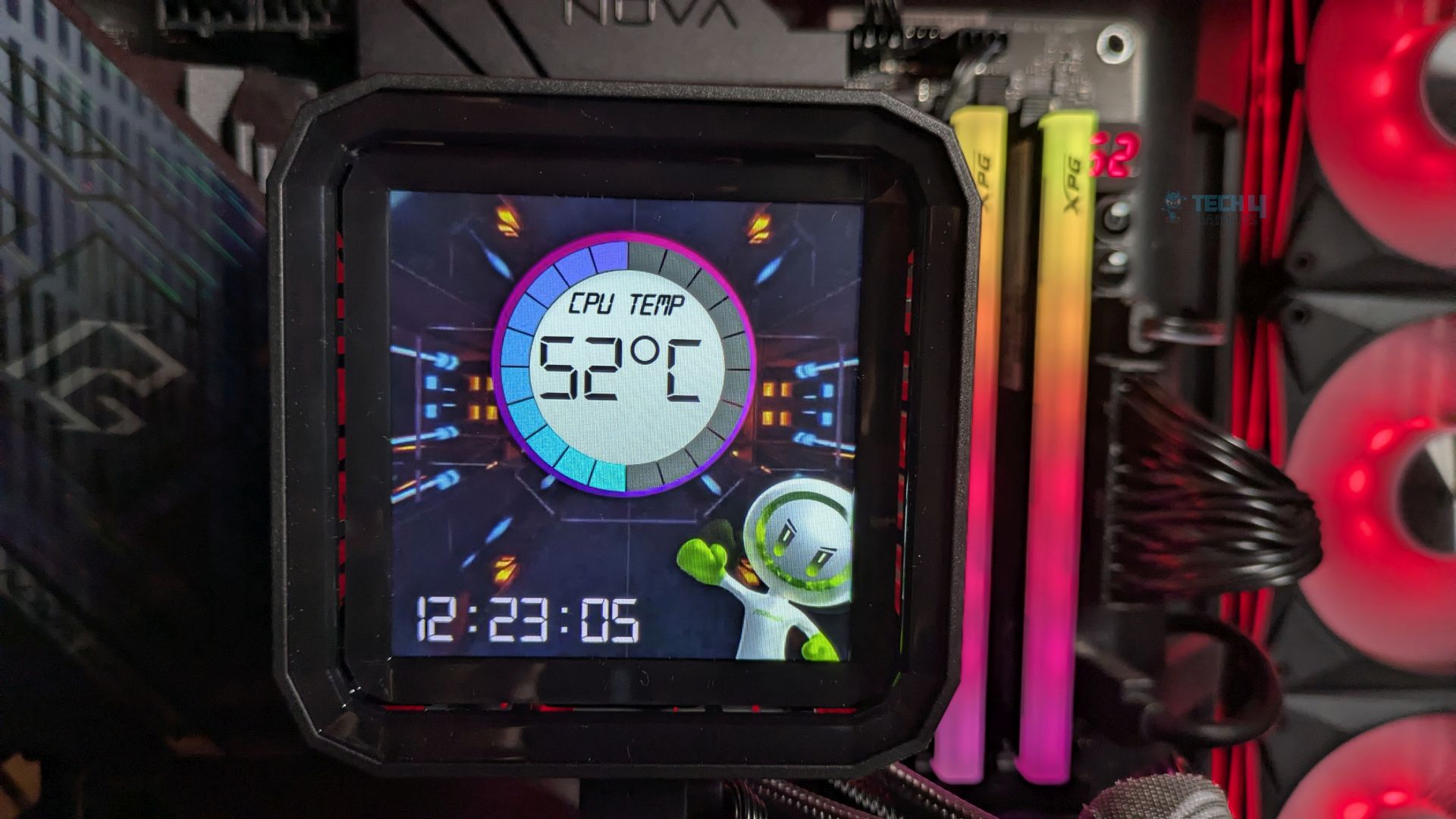
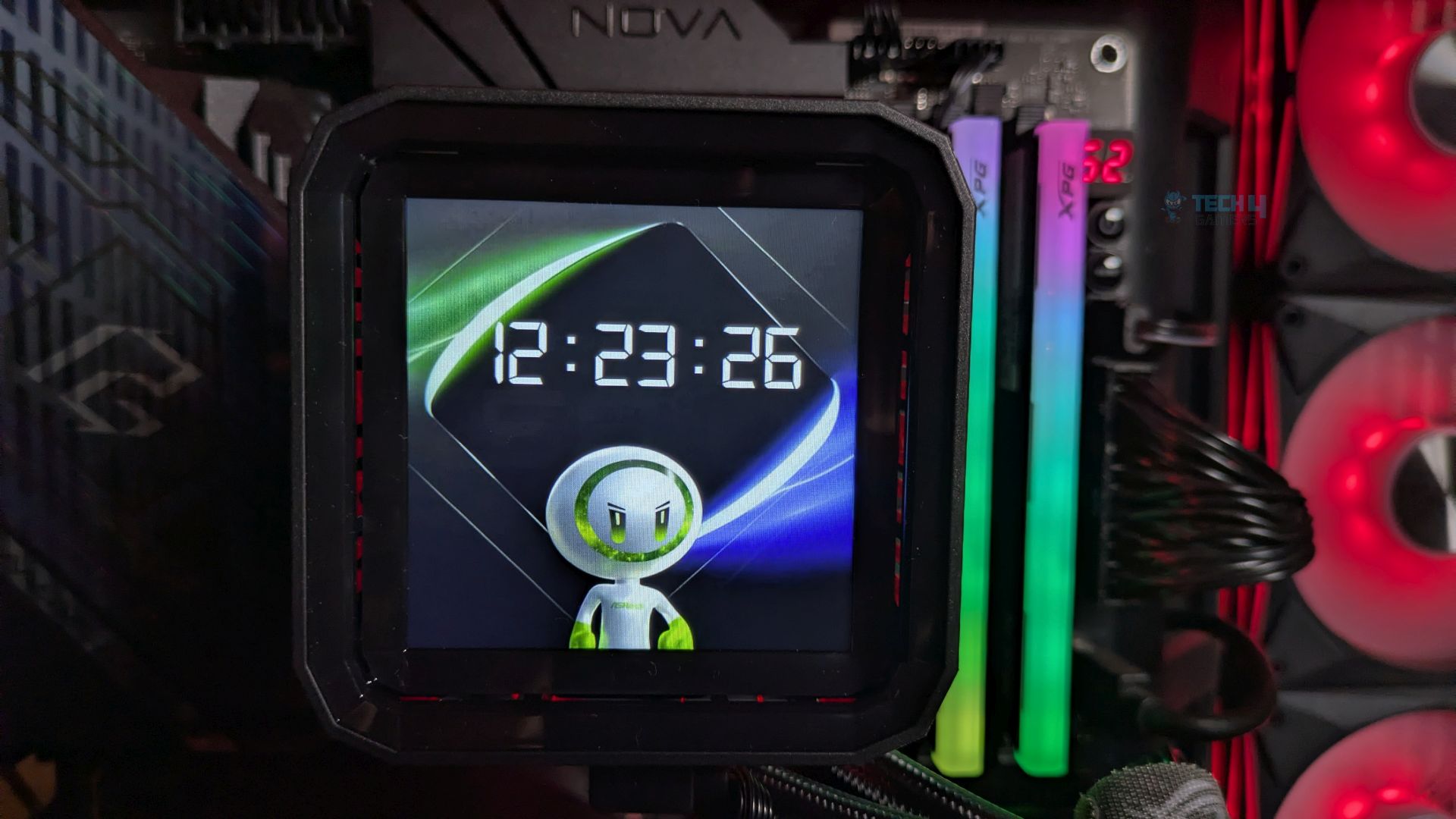
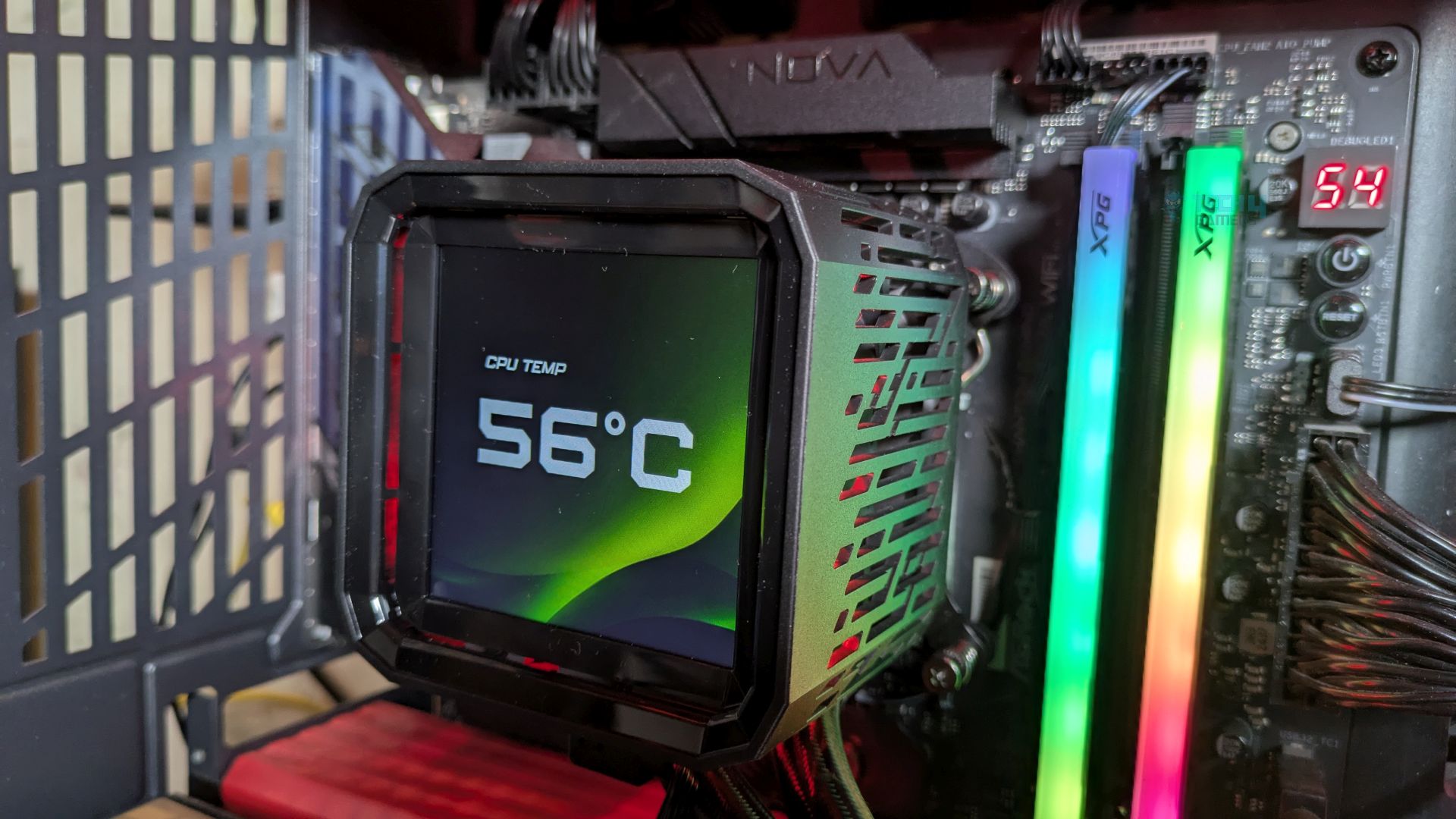
The Display is an IPS 24-Bit 3.5” Full Colour LCD Display and supports 480×480, which also supports the 60Hz Refresh Rate, which you often see in the high-end all-in-one liquid coolers. Since it’s an IPS panel, not the TFT design you may see on cheaper LCD all-in-one designs, the view angles are great, and the screen features punchy colour saturation with decent contrast, even in a dark PC case.
The black look would be relatively deep. The bright green and purples pop without significant blooming. ASRock has provided us with the 6 pre-installed layouts in their software.
The display can be customized through Polychrome Display Software. It supports sensor reporting, and the widgets and preinstalled themes are also included. The LCD also supports MP4 video playback and a wide range of formats, including JPEG, GIF, PNG, and BMP, on the panel.
Though I had some issues with the software Polychrome Display Version 11.5, I would like to report here. The Software UI is clean and easy to adjust or edit the screen. However, I noticed that CPU power consumption increased significantly when the software was idle. Our Ryzen 9 9950X reported up-to 60W on idle; under normal conditions, it shouldn’t exceed 30-35W, which can lead to higher CPU temperatures. ASRock needs to optimise the software asap.
Fans
Let’s discuss about the fans!
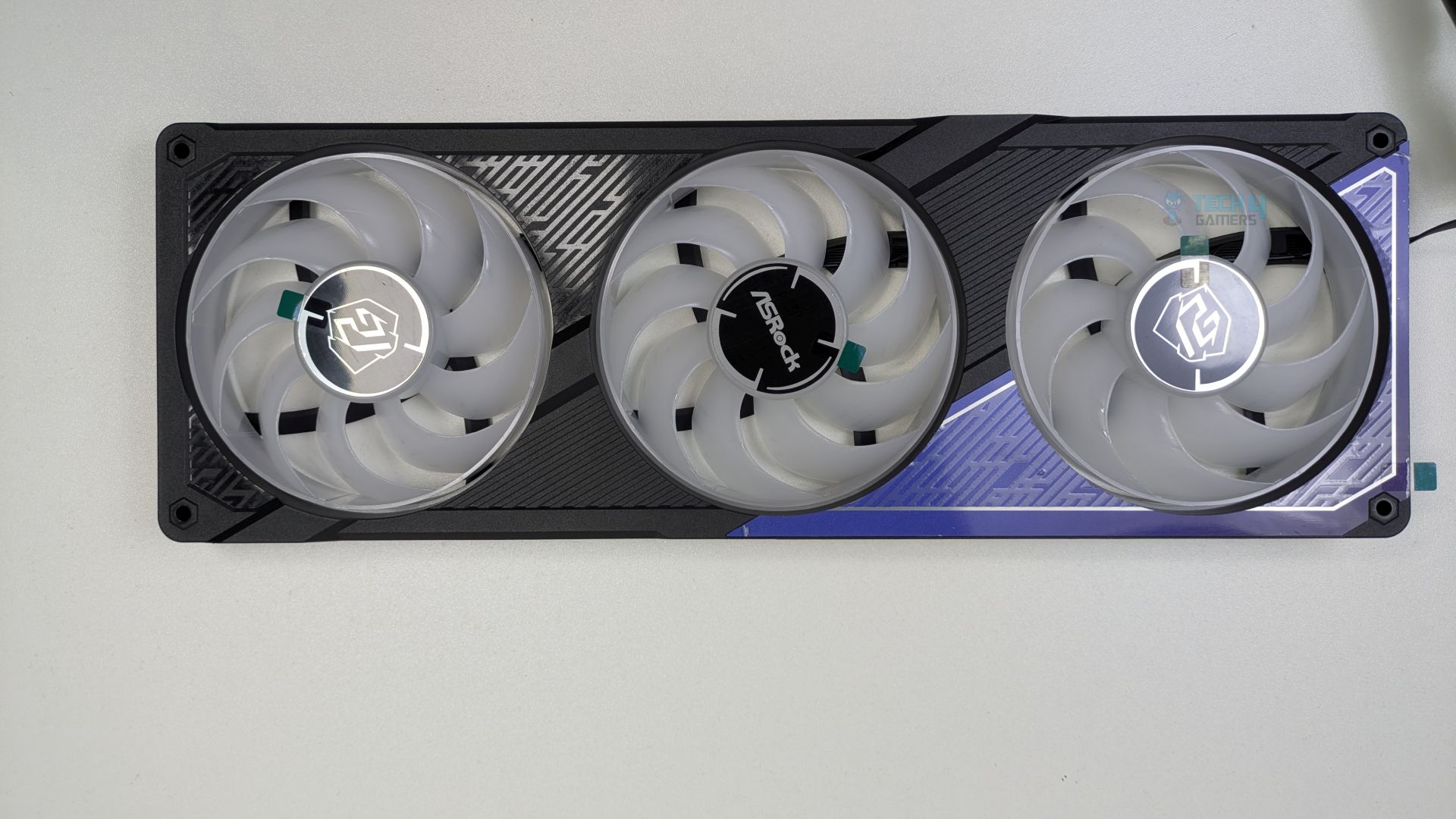
The standout feature of this liquid cooler is the integrated fan housing: instead of three separate 120mm fans, the three fans are built into a single block, making installation much easier and reducing cable clutter. A great design so far! The front frame features aggressive line patterns that complement the Phantom Gaming (PG) traditional design. The center fan showcases the ASRock logo, while the outer fans display the Phantom gaming branding.
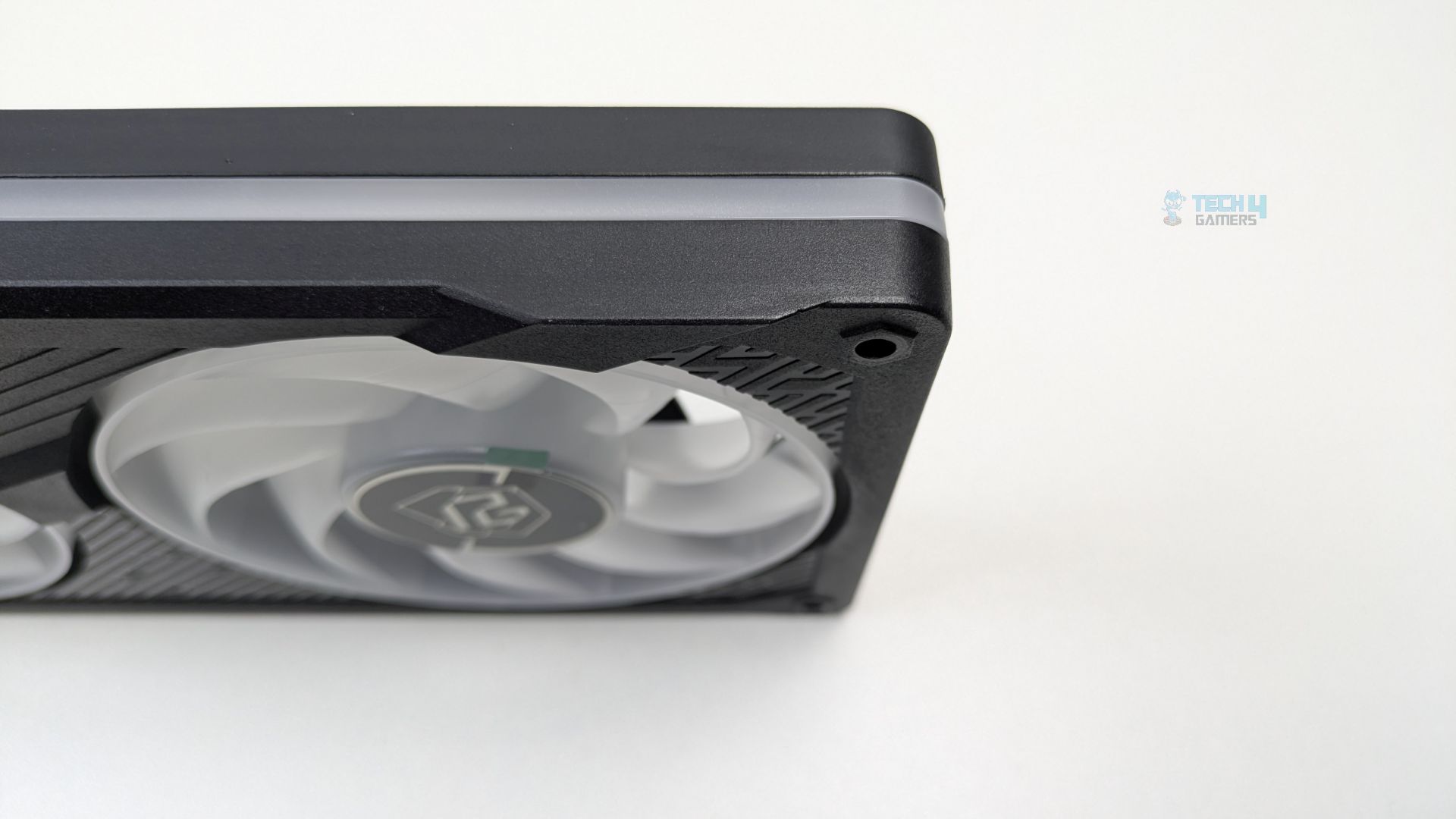
The clean, continuous frosted diffuser strip also runs along the frame’s side profile, adding a nice touch.
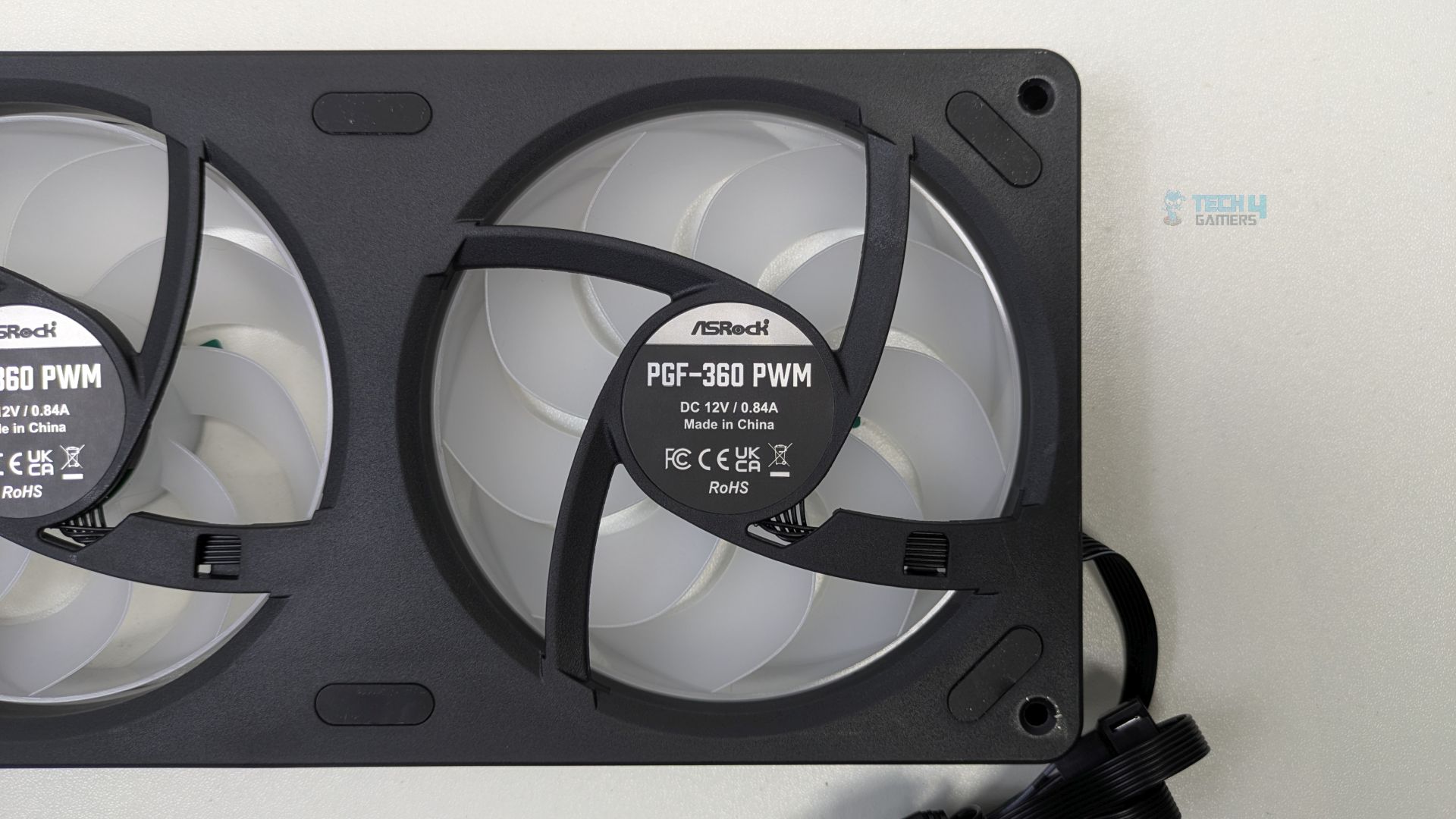
The fan features 9 translucent blades. Rubber dampening pads around the mounting holes are also visible.
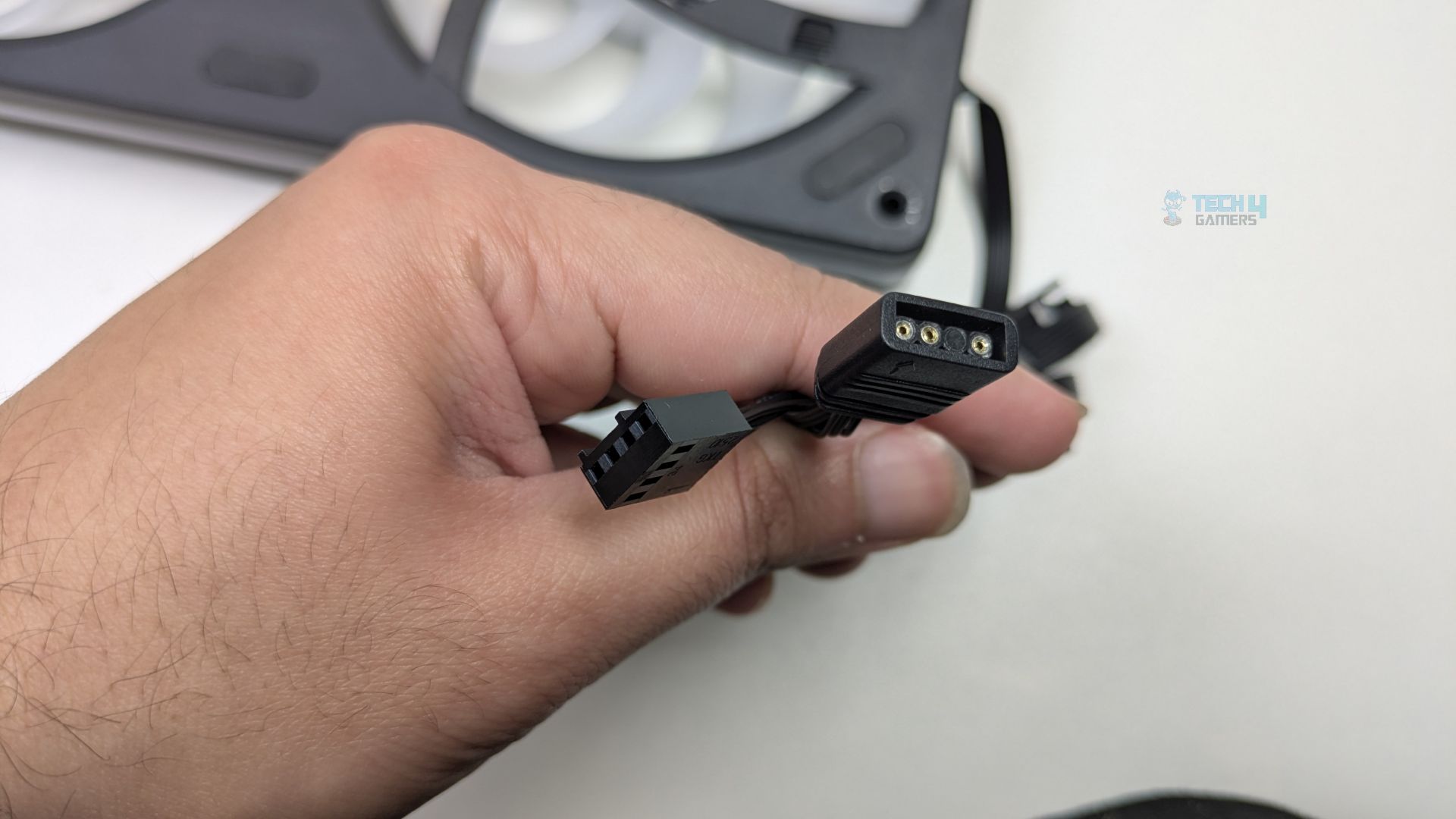
ASRock has opted for a universal standard rather than forcing you into the proprietary eco-system, which is a good touch. It uses a standard 4-pin PWM connector for power and a 3-pin 5V ARGB connector for lighting.
Here are the specifications of the fans.
| ASRock Phantom Gaming 360 Fans Specificiations | |
|---|---|
| Fan Dimension | (L)362 x (W)123 x (H)28 mm |
| Fan Speed | 0 - 2400 ± 10% RPM |
| Max. Air Flow | 61.28 CFM |
| Max. Static Pressure | 3.11 mmH20 |
| Noise | 31.4 dB(A) |
| Bearing Type | Fluid Dynamic Bearing |
| Connector | PWM (4pin) |
Installation (AMD)
We’re using the AMD platform, so our installation steps will only be provided for that.
Prepare the socket
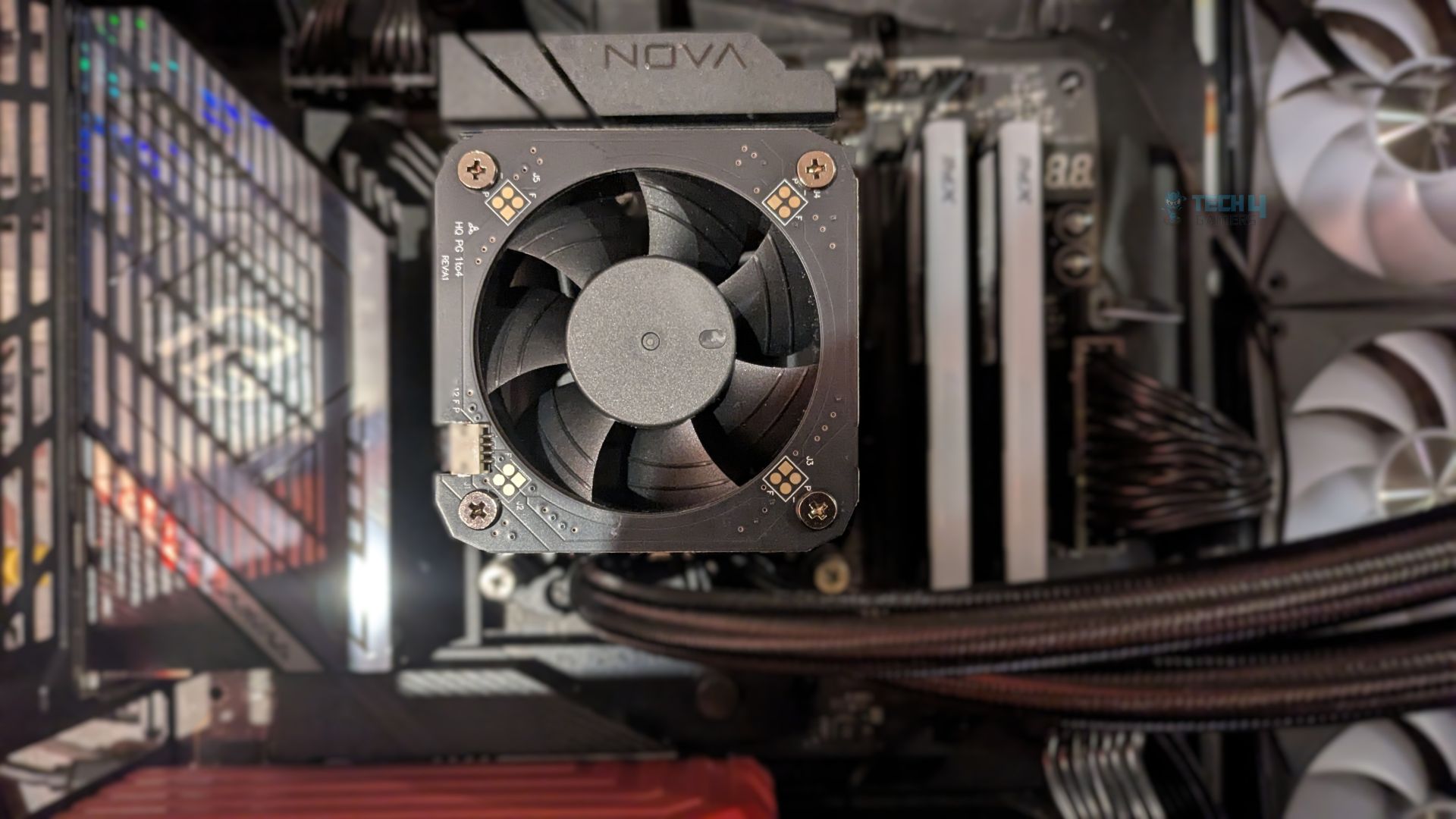
First, you need to remove the motherboard stock retention brackets from your AM4/AM5 motherboards. Then, you must install the ASRock’s provided bracket. Secure the bracket in place with the screws. Do not over-tighten the screws. Ensure the arrows on the bracket point towards the CPU for the correct orientation. Refer to the image below for an example.
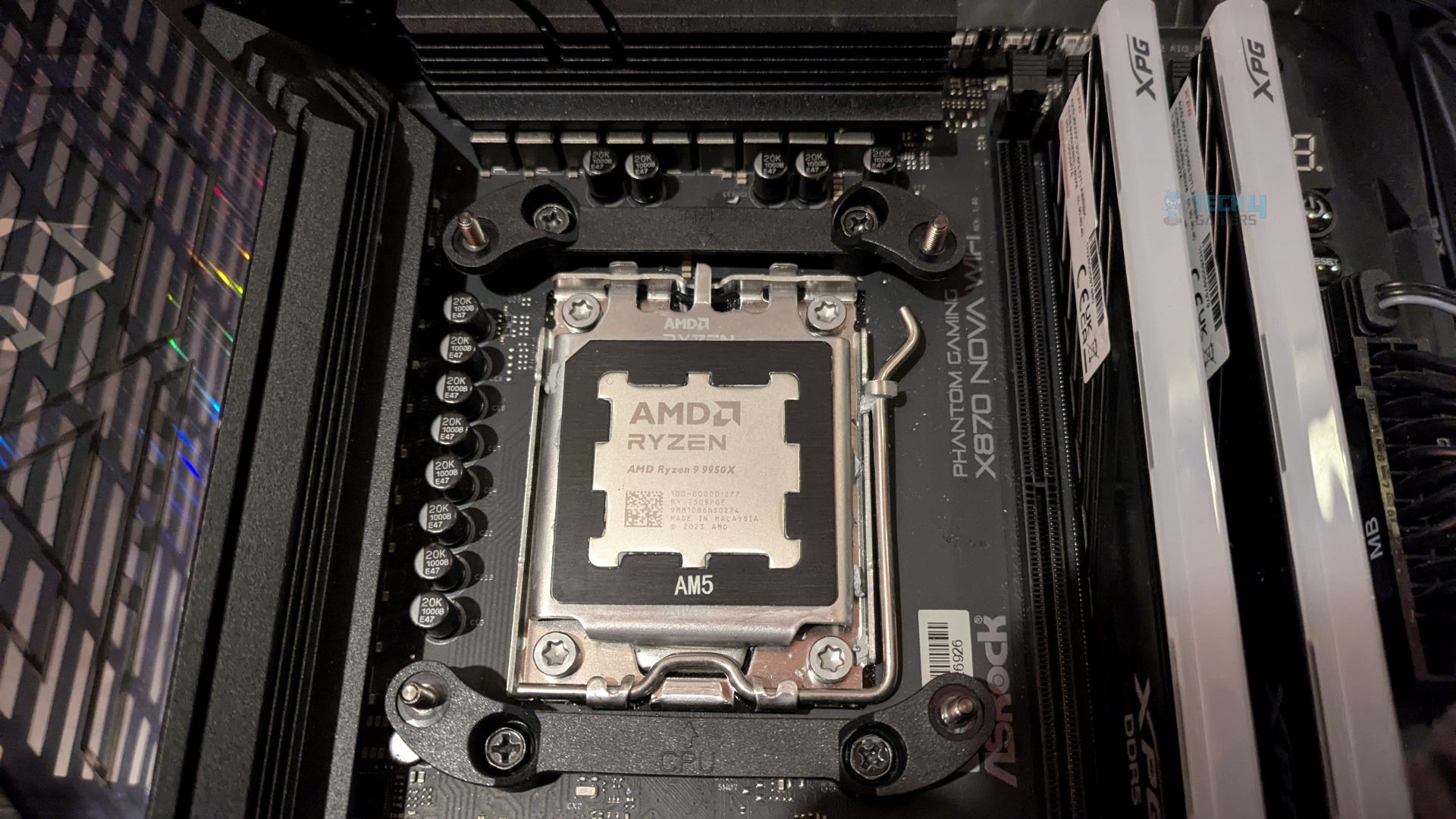
Finished Looks
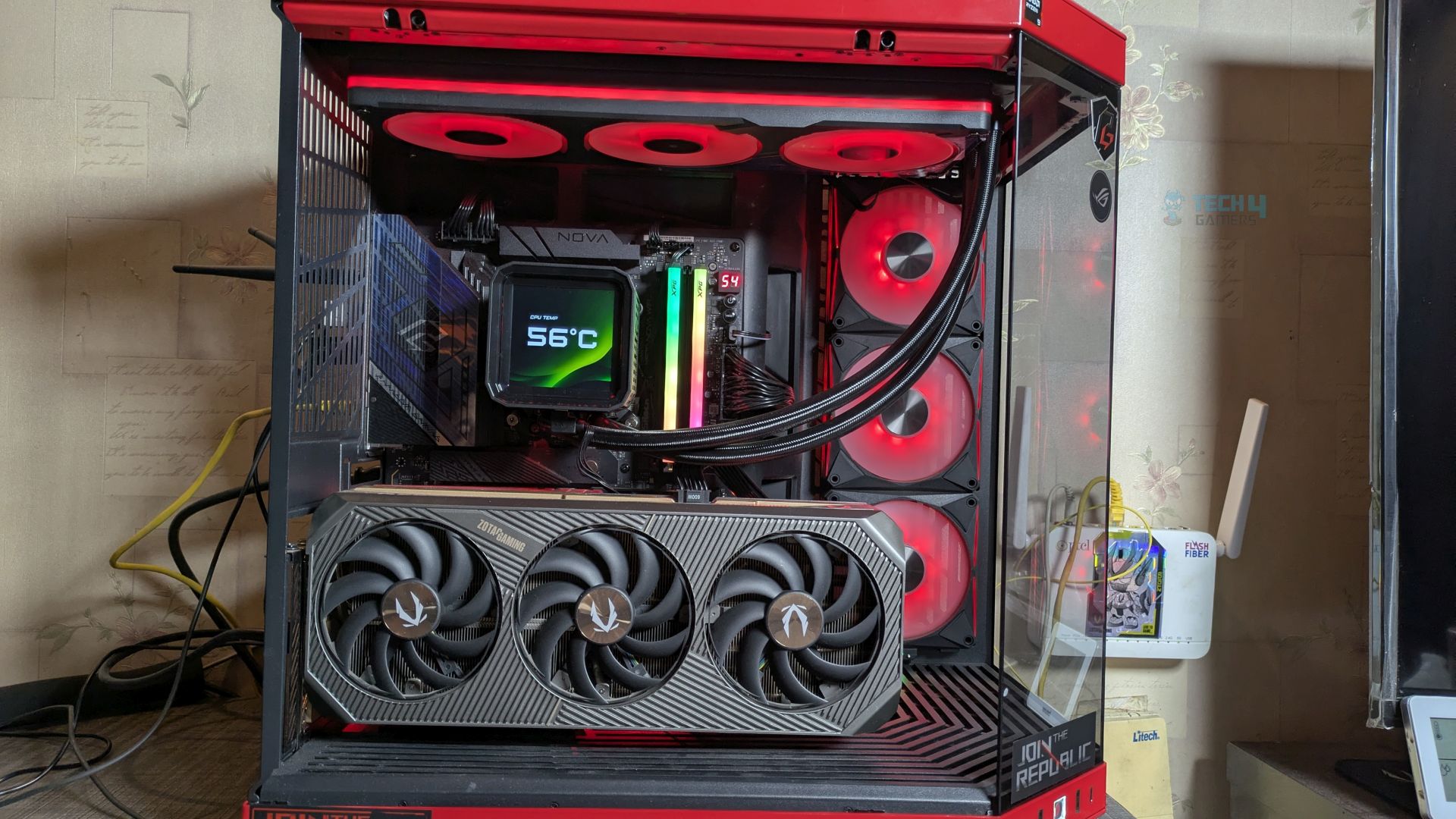
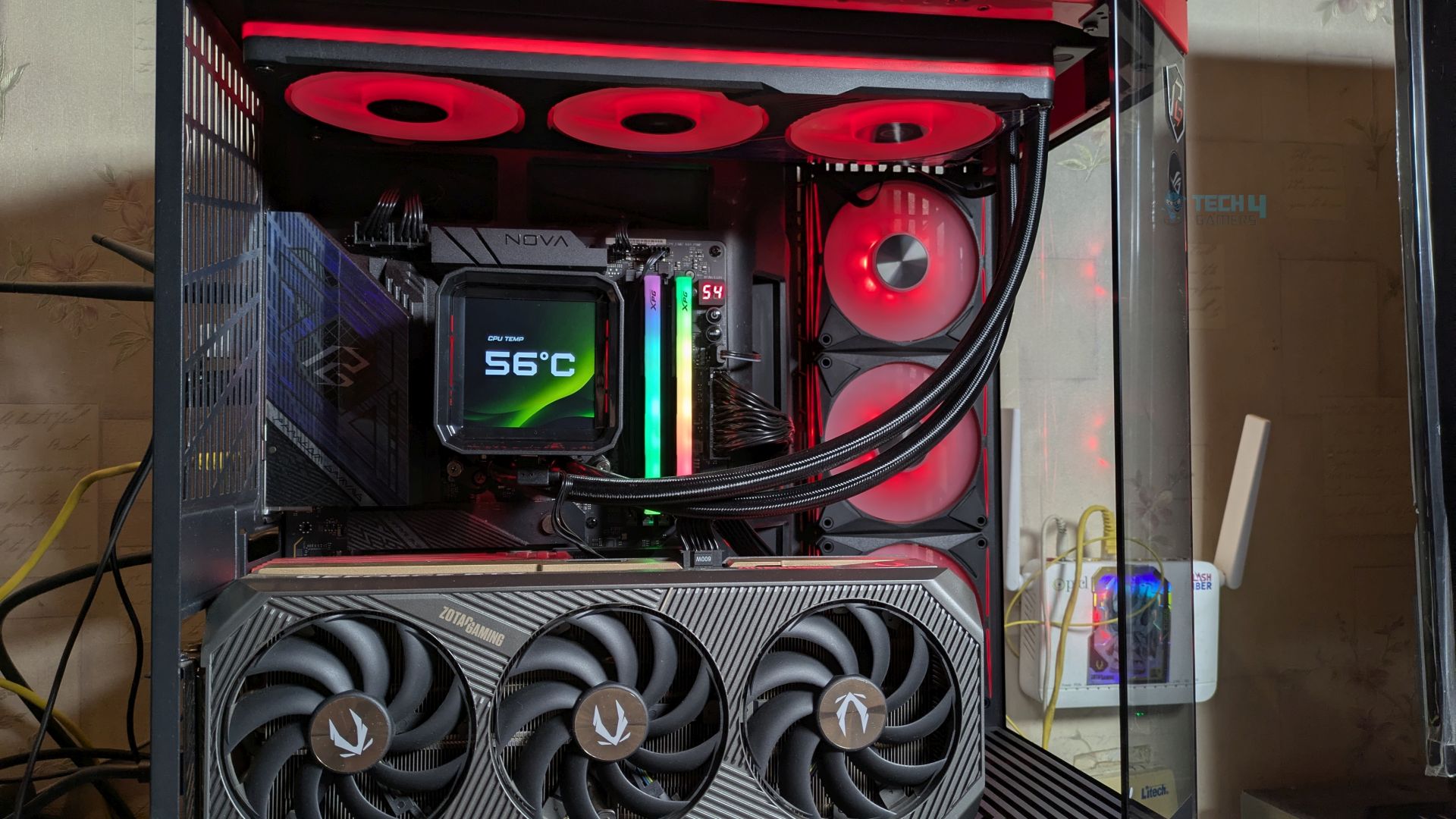
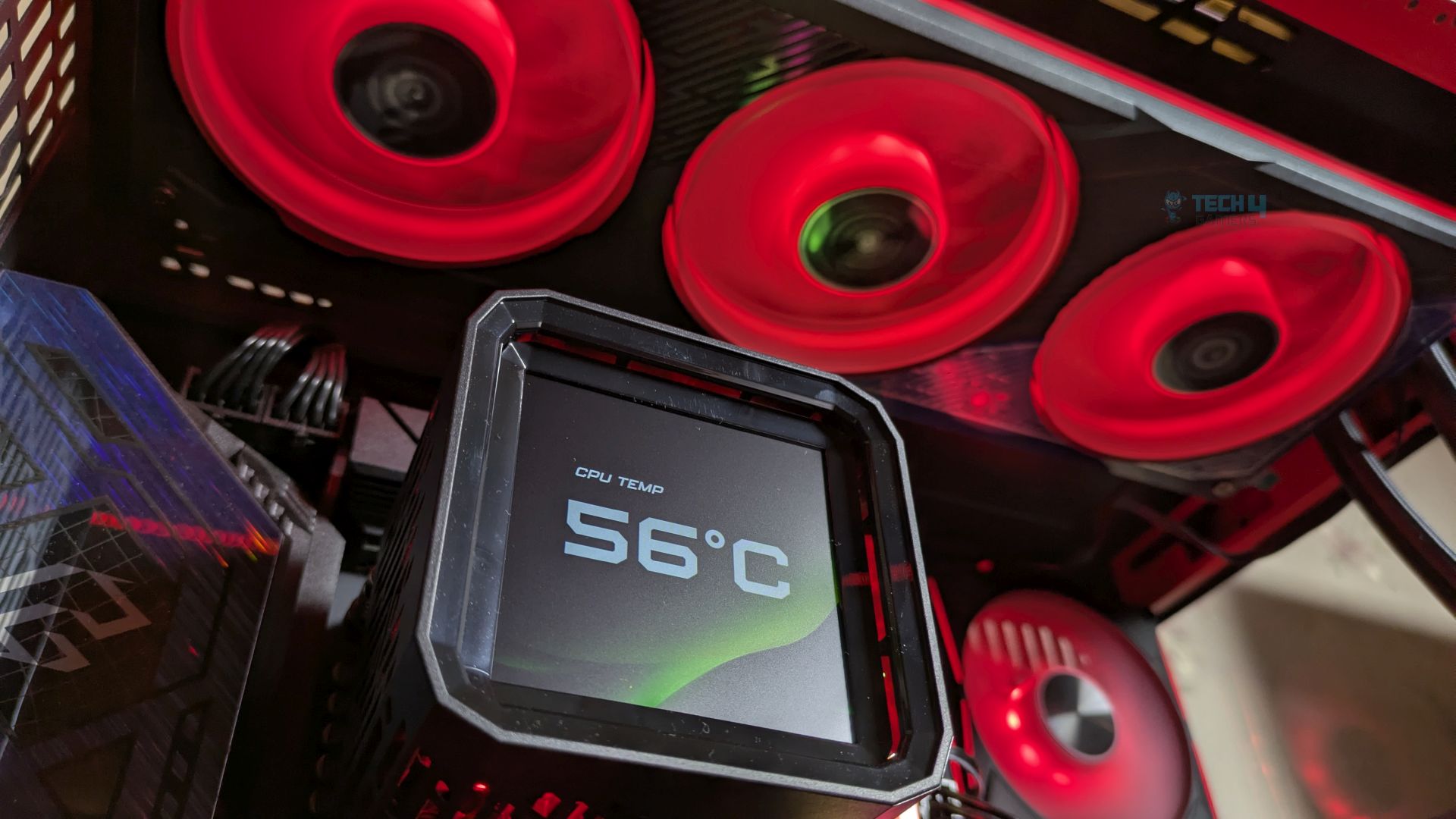
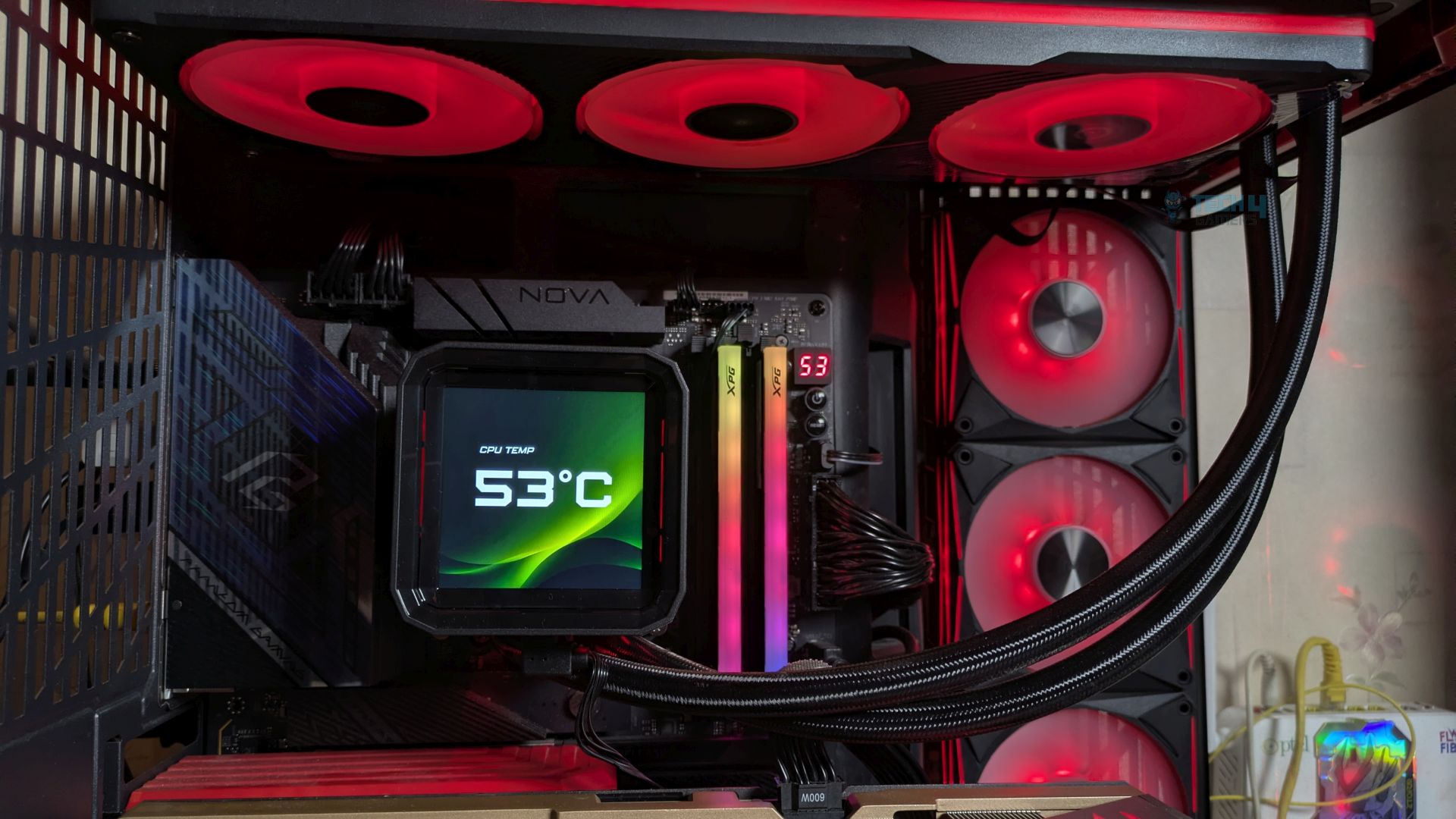
ASRock Phantom Gaming 360 LCD AIO Liquid Cooler in Hyte Y70.
Testing Methodology
CPU Configuration:
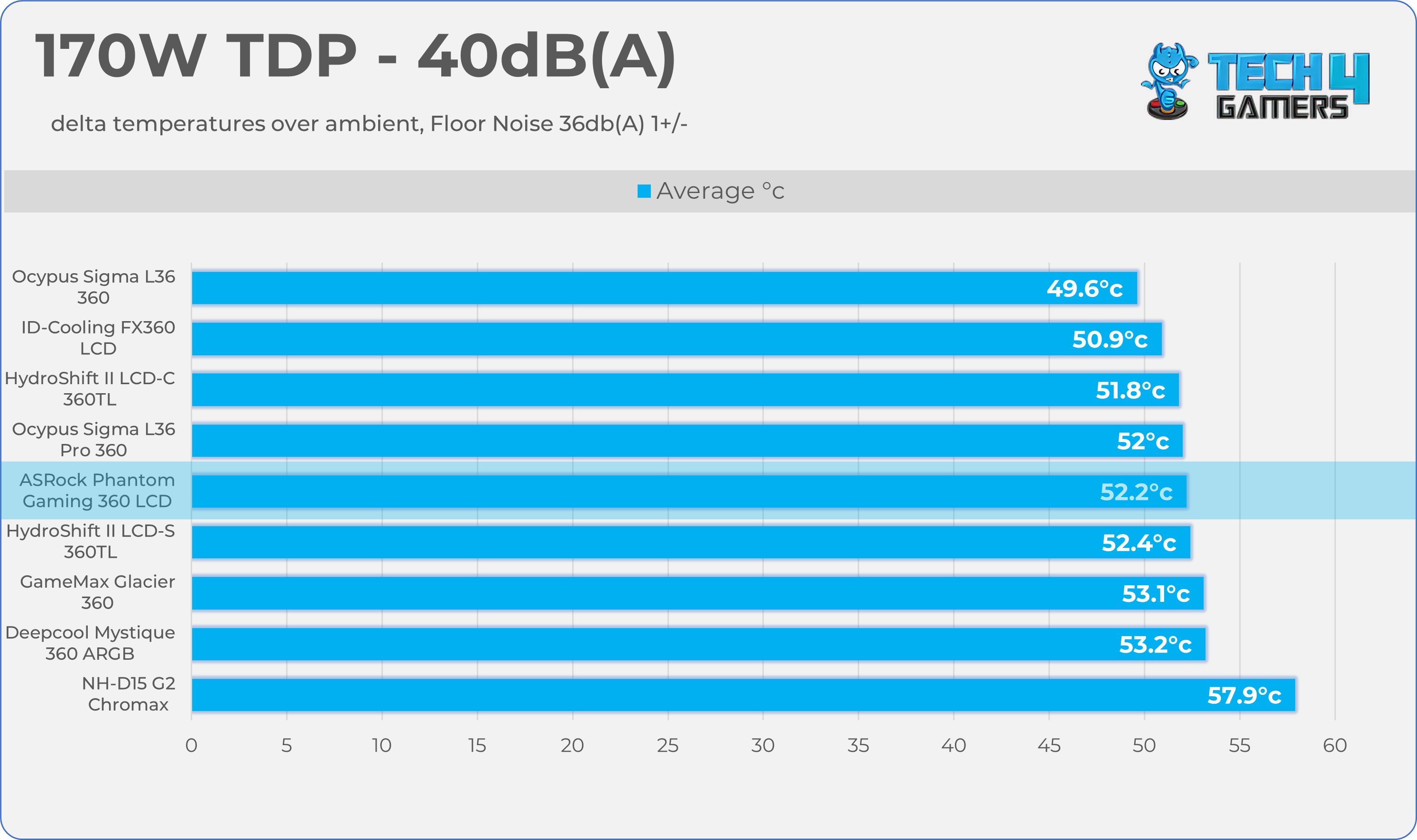
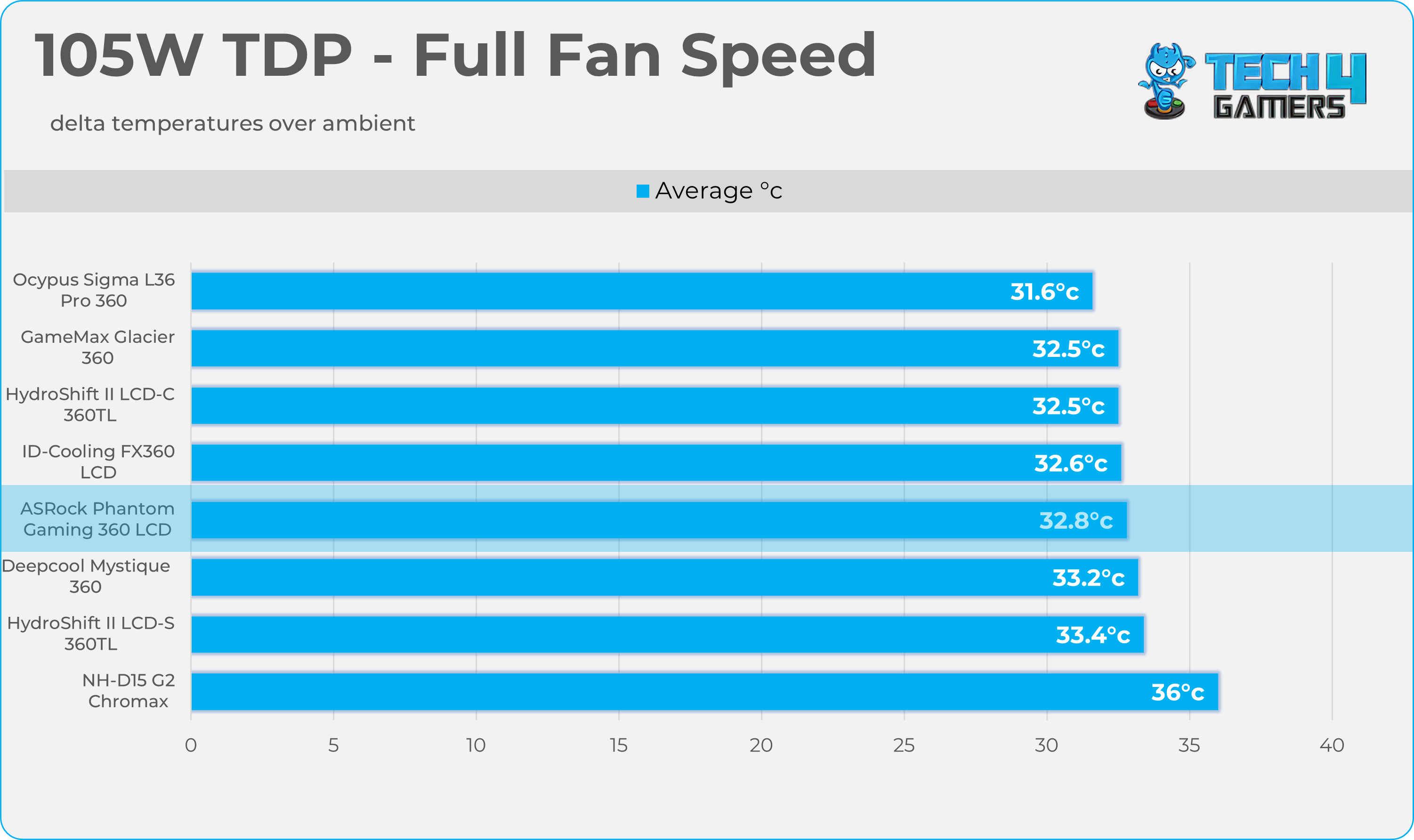
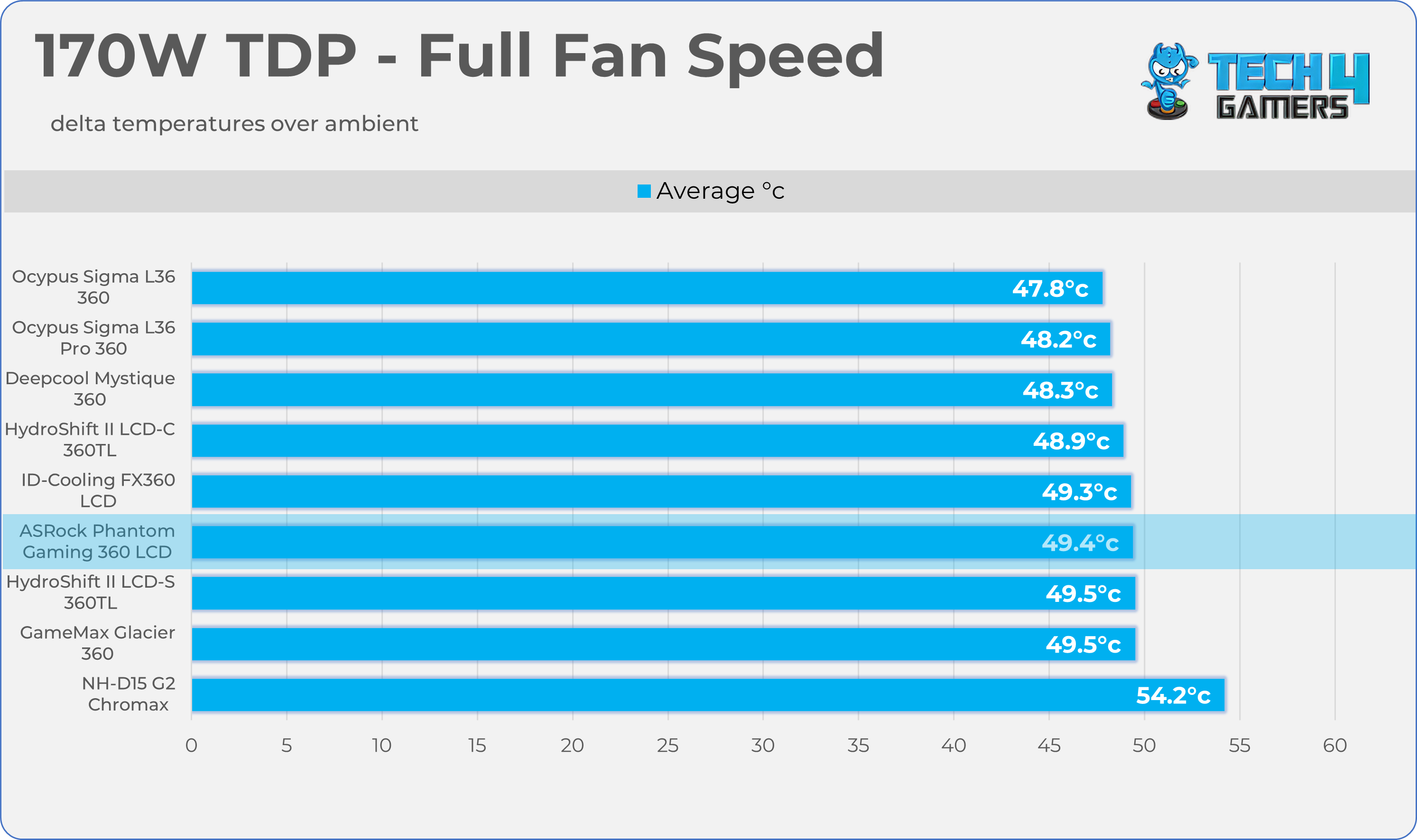
- We evaluate the cooler’s performance using three different benchmark methods. Noise-normalized testing is performed at 40dB(A) at the 105W TDP and 170W TDP (Stock) of the Ryzen 9 9950X. We then test the cooler’s performance at the maximum PWM speeds for both TDP configurations. After that, we unlock the power limits of the CPU to see how much cooler it can dissipate the heat in terms of watts at the maximum PWM Speeds.
Controlled Environment:
- We have eliminated the influence of ambient temperatures in our data, and all results are presented as deltas over the ambient conditions. The tests were done in a controlled environment with a room temperature of 25°C.
Preparing System:
- The Coolers are tested in realistic conditions. We don’t use the open bench system; instead, we have installed the cooler in our HYTE Y70 case, mounted at the top. We ensure the airflow is adequate in the case and that the case fans are running at the fixed PWM speeds.
- We are using ID-Cooling X45 thermal paste for all coolers.
Software:
- We have ensured that no other software is running on the computer that could influence the CPU load.
- We’ll be using the Cinebench R23 Loop for 20 minutes after the warm-up test has been completed. Each test has a 10-minute cool-down time.
Test Setup
Here is our test setup!
| Our Primary Test System |
|
|---|---|
| Processor | AMD Ryzen 9 9950X |
| Memory | XPG Lancer 32GB (16x2) 6000MT/s CL30 |
| Motherboard | ASRock X870 Phantom Gaming Nova WiFi (BIOS: 3.5v) |
| Thermal Paste | ID-Cooling X45 |
| Graphics Card | ZOTAC SOLID RTX 5080 , |
| Power Supply Unit | Super Flower LEADEX VII Platinum PRO 850W |
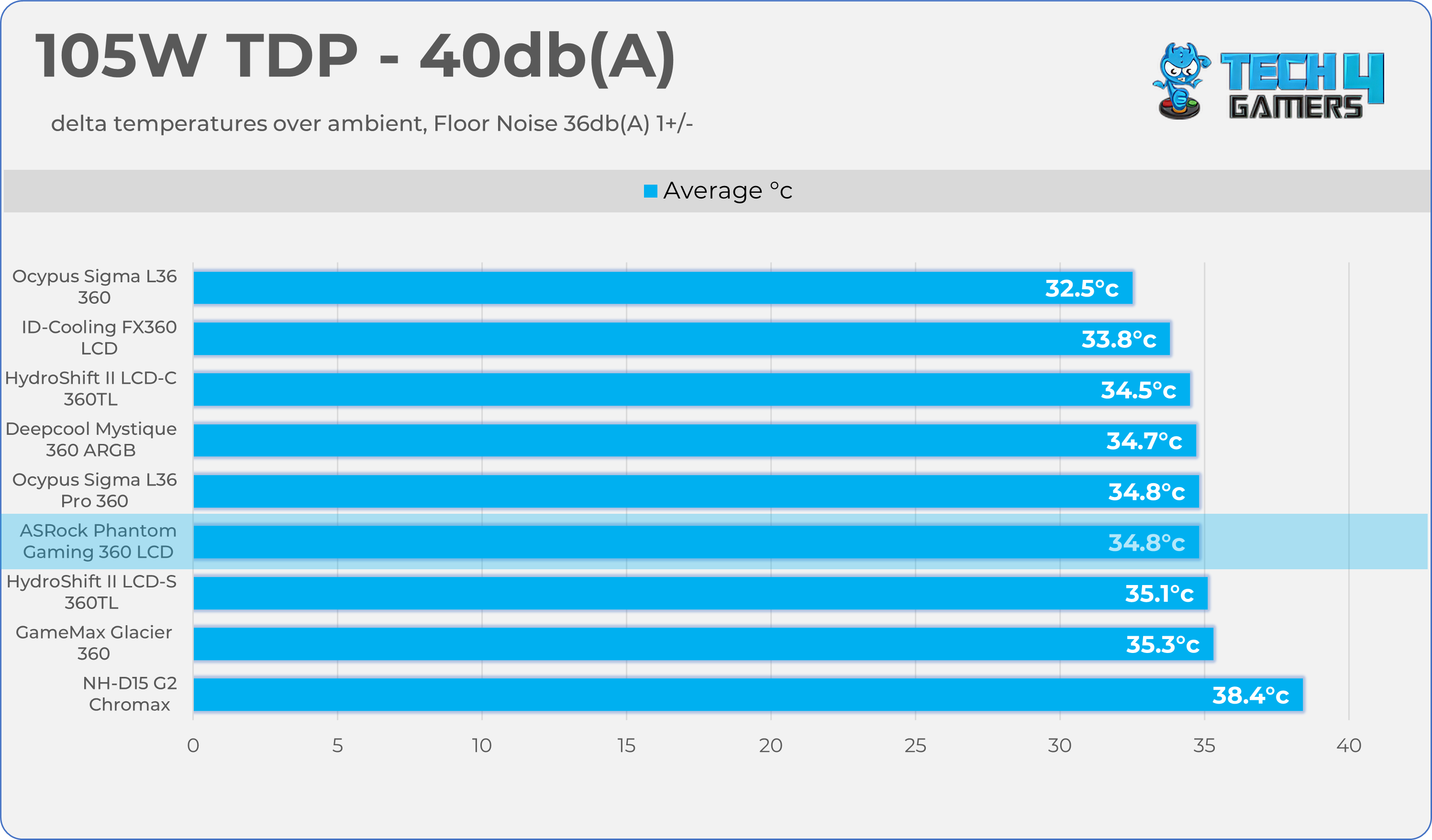
Test Results – Noise Normalized 40 dB(A)
Results at the fixed noise level of 40dB(A).
105W TDP
170W TDP
Test Results – Maximum Speed
Results at the Maximum PWM Speed.
105W TDP
170W TDP
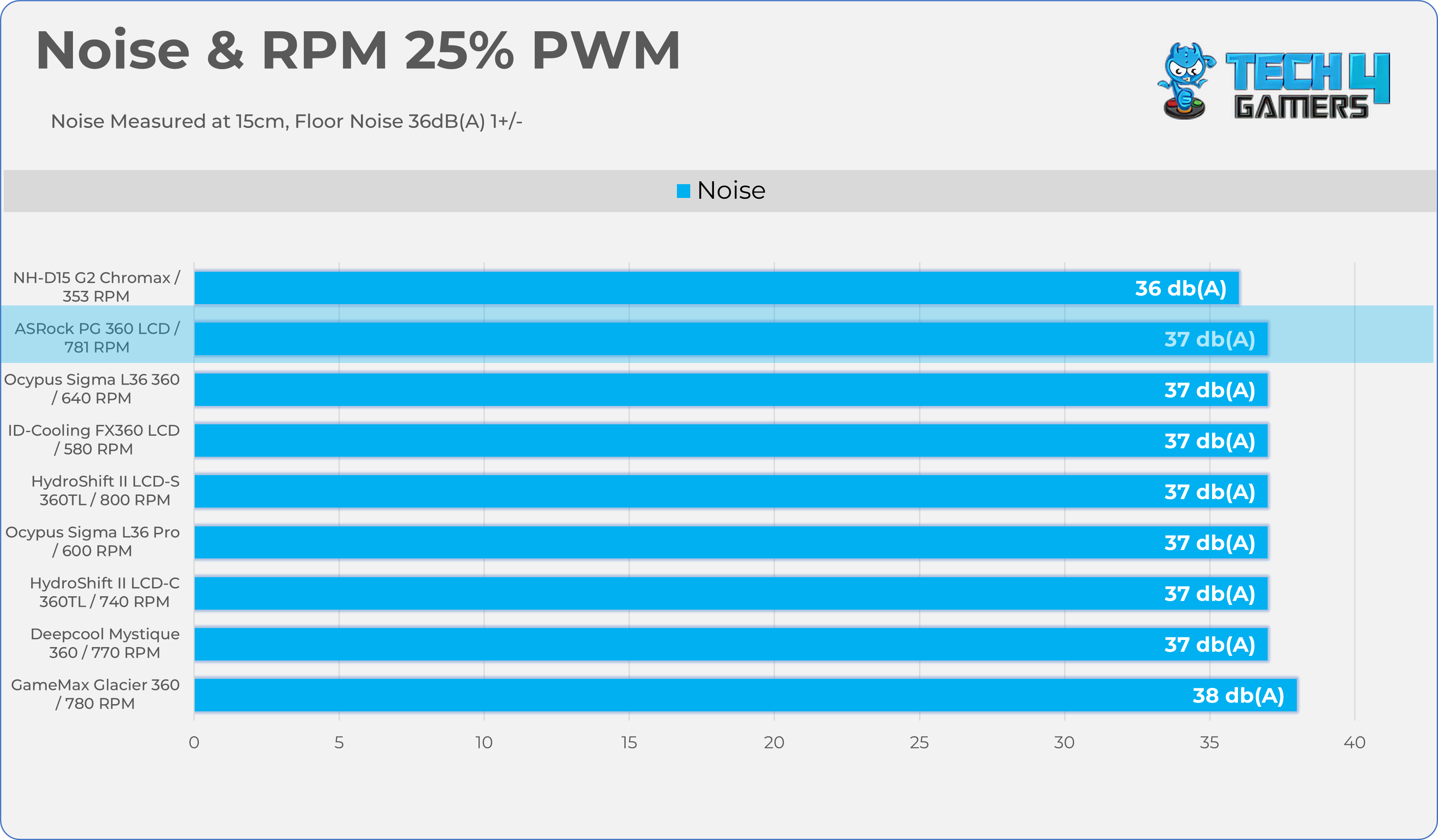
Noise and RPM Readings
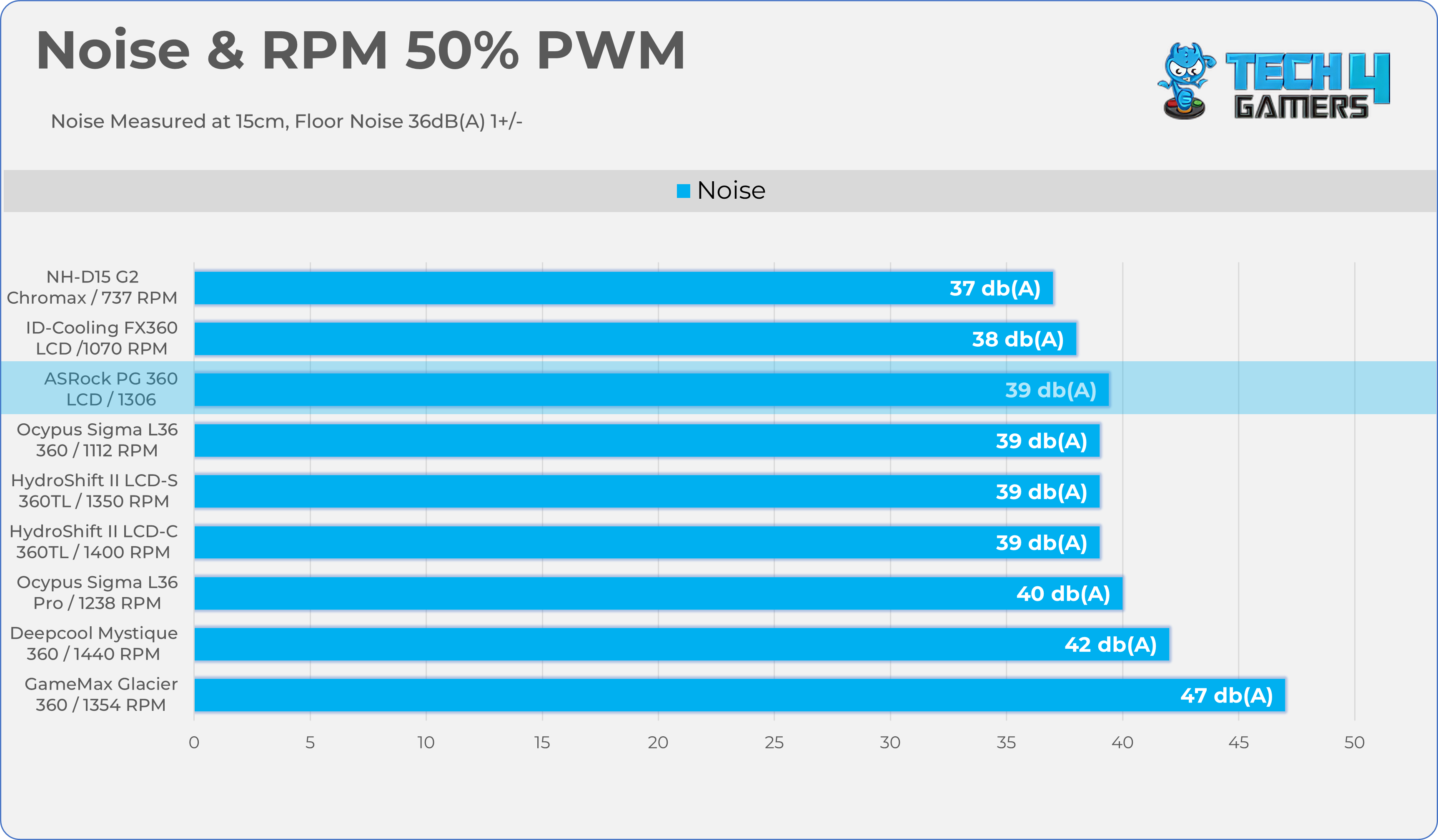
Let’s take a look at the Noise and RPM Readings. We conducted tests across four different PWM range levels.
25-50% PWM
75-100% PWM
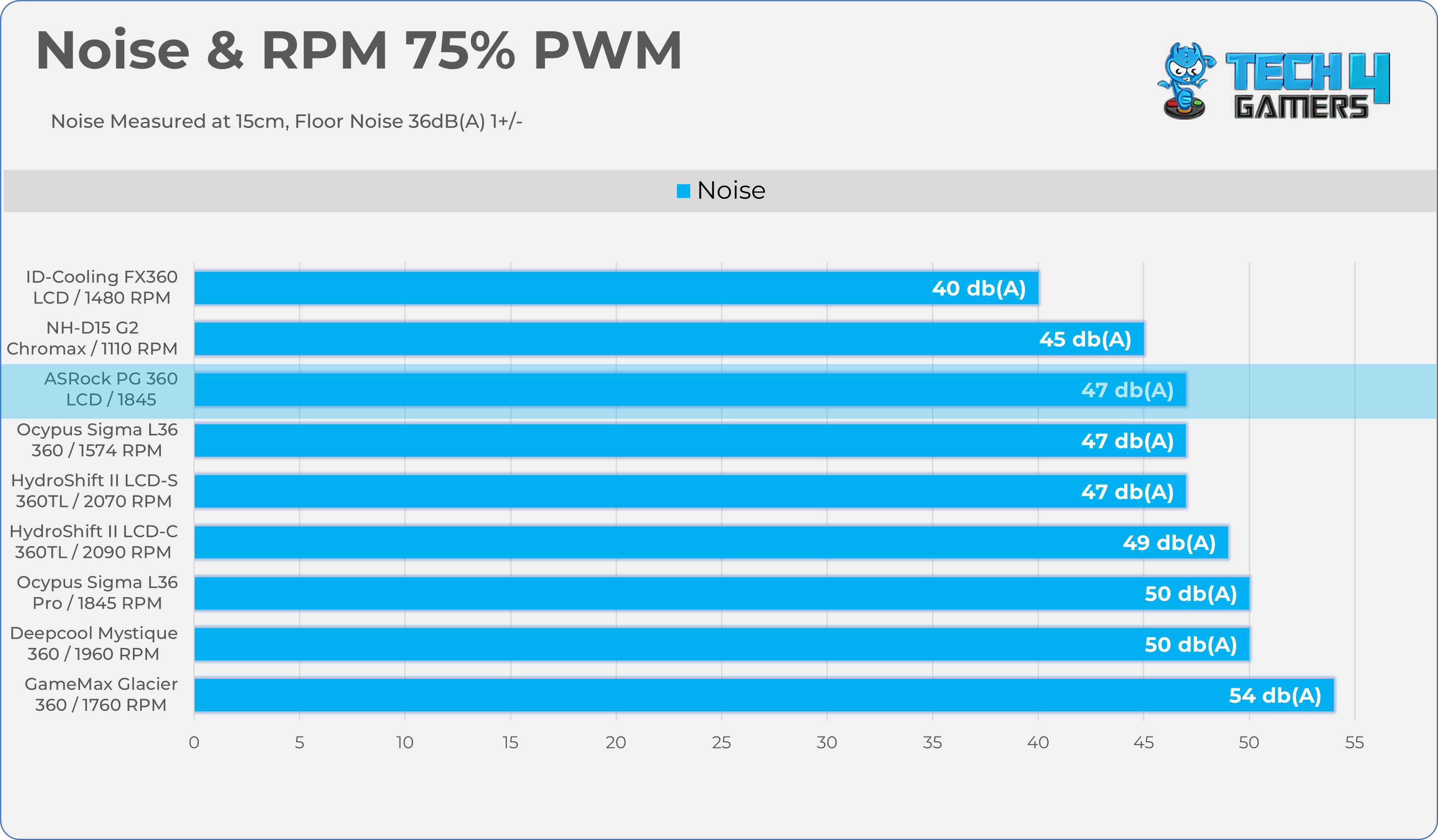
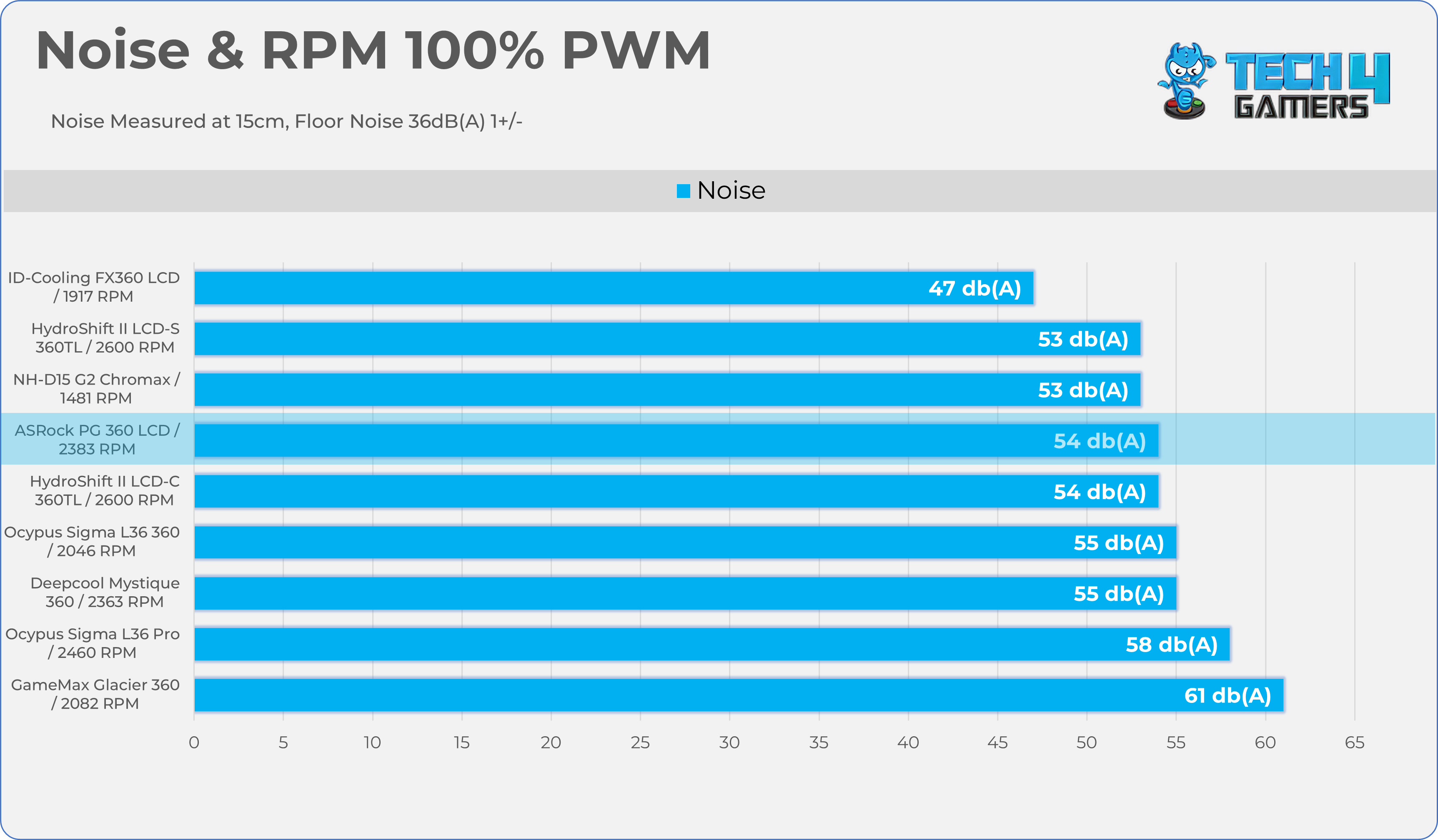
Here is the structured table illustrating fan noise levels at various PWM percentages. The Floor Noise Level is 36dB(A).
| PWM (%) | RPM | Noise dB(A) |
|---|---|---|
| 25% | 781 RPM | 37 dBA |
| 50% | 1306 RPM | 39 dBA |
| 75% | 1845 RPM | 47 dBA |
| 100% | 2383 RPM | 54 dBA |
Should You Buy It?
Buy It If
✅ If You’re Pushing Your Processor To Its Limit: The Cooler offers serious headroom due to its chunky radiator size of 32mm and built-in 70mm VRM fan on the pump block actively cooling the motherboard’s power delivery components.
✅ If you’re chasing Aesthetics: People who love to show off their PC build in a community, the customizable 3.4-Inch screen is one of the major aspects.
✅ If you want the clutter-free experience: The three 120mm Halo ARGB fans come enclosed in a unified, single-frame design, which drastically reduces the number of cables that you need to hide.
Don’t Buy It If
❌ If you’re the budget-conscious buyer: At $190, you’re paying a heavy premium for the LCD screen and the unified fan-frame. If you care about price-to-performance, the standard AIO would be a good choice.
Final Thoughts
ASRock has completed its product lineup with the launch of its AIO Liquid-Coolers, making a strong first impression in the liquid-cooler market. The software still needs some work, though. The ASRock Phantom Gaming 360 LCD is mainly aimed at enthusiasts and overclockers.
This cooler is not meant for budget builds, as it offers serious cooling power with its thick 32mm radiator and a built-in VRM fan on the water block that helps keep the motherboard cool. ASRock has paid attention to both a clean setup and good looks.
Cooling Performance And Noise
In terms of cooling performance, the cooler easily tamed the AMD Ryzen 9 9950X at stock and ranked among high-end coolers. I’m impressed by its noise performance as well. We tested the cooler at 40dB(A) with the fans running at 1450-1500 RPM, which resulted in only a 2-degree increase compared to the fans at maximum speed of 2300 RPM.
This much lower noise shows the cooler can effectively cool the processor even at low PWM levels. This is fantastic for users who want the lowest noise without compromising much on performance.
Build Quality / Design
ASRock has outdone itself in build quality with this liquid cooler, providing a robust 32mm aluminum radiator, significantly thicker than the standard 27mm size. You also get extra-long 450mm tubes for large chassis builds; the block will easily reach the processor.
The integrated VRM fan is secured by four screws; it is well-integrated and solidly built, but it increases the block’s physical size. We have tested many LCD all-in-ones here, such as the Ocypus AIOs, and previously complained that their magnetic LCDs weren’t strong enough. This time, it slides directly onto the pump block and stays in place even if you move your PC or shift the LCD.
ASRock has also improved the fan design. Instead of three separate fans bolted together, it uses the 360 Degree Halo ARGB unified fan frame, making radiator mounting easy and reducing cable clutter. So far, we have been really impressed by its design and the build quality.
Value
ASRock Phantom Gaming 360 LCD has an MSRP of $189.90, and to be honest, given the number of features this cooler provides, it’s not a lot. A similar level of coolers from other brands, such as ASUS or NZXT, could cost around $300. They did not just provide the screen; they also worked on the major core components, such as the large radiator and ease of cable management. ASRock provides a 6-year warranty; the LCD screen itself is covered for 2 years.
Thank you! Please share your positive feedback. 🔋
How could we improve this post? Please Help us. 😔

I’m Usman Sheikh, a Senior Hardware Reviewer at Tech4Gamers with over a decade of experience in the tech industry. My journey began in 2014 as a senior administrator for Pakistan’s largest gaming community forum. Passionate about PCs and hardware, I specialize in testing and reviewing components like graphics cards, CPU coolers, and motherboards, while also sharing insights on overclocking and system optimization.
 Join Our Community