Threads
Worth It?
Review Summary
The Arctic P12 Pro Reverse A-RGB fans are a fantastic, budget-friendly option for budget builders prioritizing a clean, strut-free aesthetics in a dual-chamber case. Priced at $18 per fan, it undercuts the premium fan market significantly while retaining strong build quality and vivid ARGB illumination.
Hours tested: 6

Overall
-
Performance - 9.5/10
9.5/10
-
Noise - 7.5/10
7.5/10
-
Build Quality - 8.5/10
8.5/10
-
Value - 9.8/10
9.8/10
Pros
- Solid Over-All Performance
- Superior Intake Aesthetics
- Great Value
- Daisy-Chain
- A-RGB Functions
- 6 Years Warranty
Cons
- Turbulence Noticed at 100% PWM
- So Many Wires!


Previously, our tests of the Arctic P12 Pro A-RGB revealed its outstanding performance, nearly topping the market at Noise/RPM levels. Arctic has made significant changes to the P12 Pro fans, increasing the blade count and reducing the blade clearance to 0.8mm. Blade clearance is the narrow gap between the blade tip and the fan housing, which is now tighter to improve airflow efficiency. We won’t go into further detail, as we’ve already covered this in the previous review.
Arctic recently launched the Arctic P12 Pro Reverse A-RGB fans, which we will cover in this review. The Arctic P12 Pro Reverse fans are a highly anticipated release that combines the established P12 Pro performance with modern aesthetics. These fans draw air from the back of the frame, directing airflow forward while keeping the A-RGB fan blades visible on the front.
As noted in prior reviews, reverse fans often struggle with airflow and tend to produce more noise. We’ll investigate in this review to see if that is the case. The fans are available in two options: the 140mm are called the P14 Pro Reverse A-RGB, and the 120mm are called the P12 Pro Reverse A-RGB
Let’s talk about the specifications:
| Arctic P12 Pro Reverse A-RGB | Details |
| Fan Speed |
|
| Airflow | 73 CFM | 124 m³/h |
| Static Pressure | 4.5 mmH₂O |
| Fan Bearing | Fluid Dynamic Bearing |
| Typical Voltage | 12 V DC |
| Start Up Voltage | 3.5 V DC |
| Current | 0.4 A |
| Cable Length | 400 mm + 80 mm Daisy-Chain Cable |
| Connector | 4-Pin Fan Plug + 4-Pin Socket |
What Makes Arctic P12 Pro Reverse A-RGB Different?
If you’ve ever built a PC in a glass-heavy or panoramic case, you know the challenge of achieving proper intake airflow from the side or bottom. Mounting fans backwards exposes the unattractive rear x-struts, motor hub, and wiring, compromising aesthetics. Arctic addressed this with the P12 Pro Reverse, which differs from traditional fans.
Packaging
Let’s take a look at the packaging.
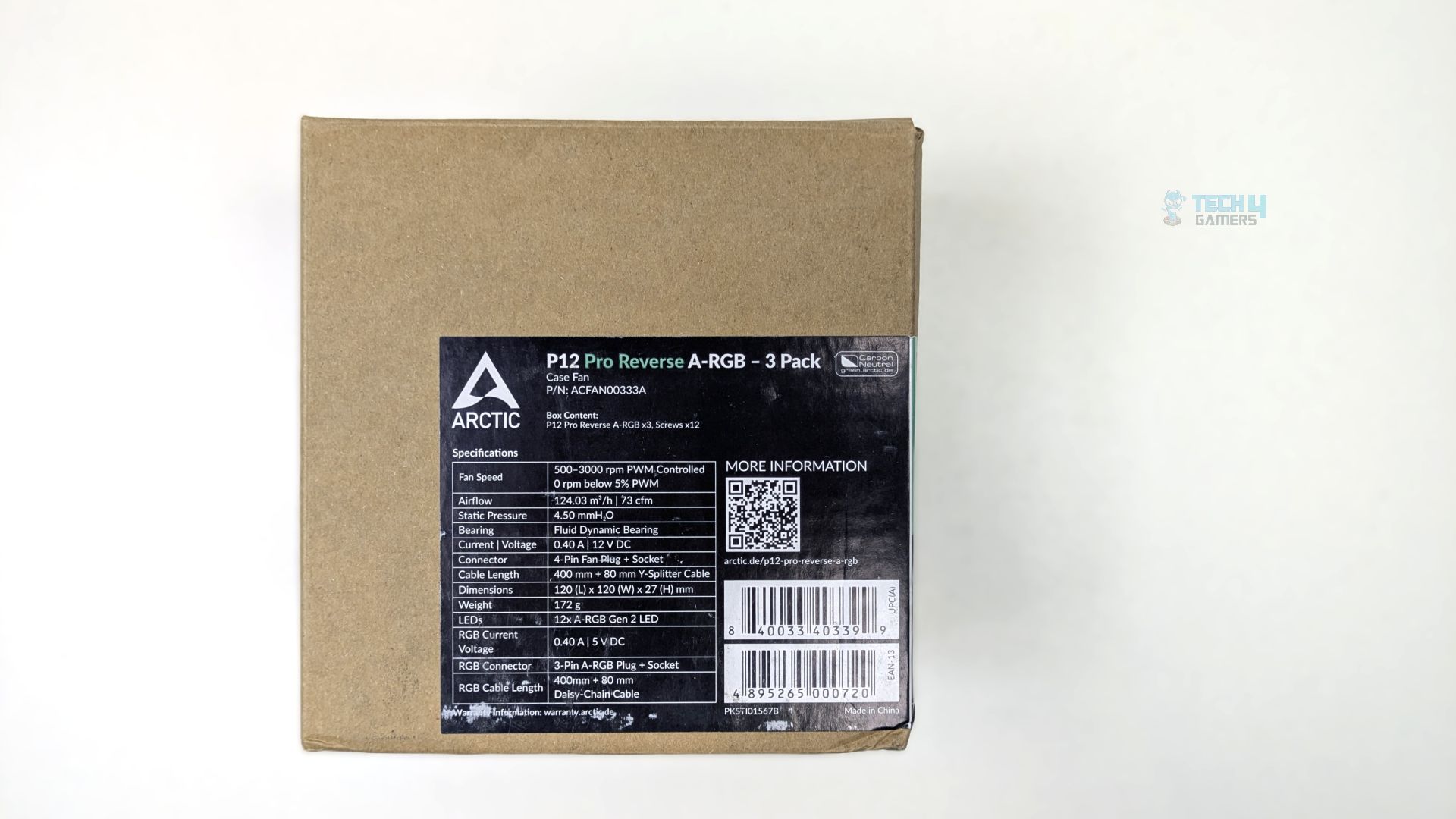
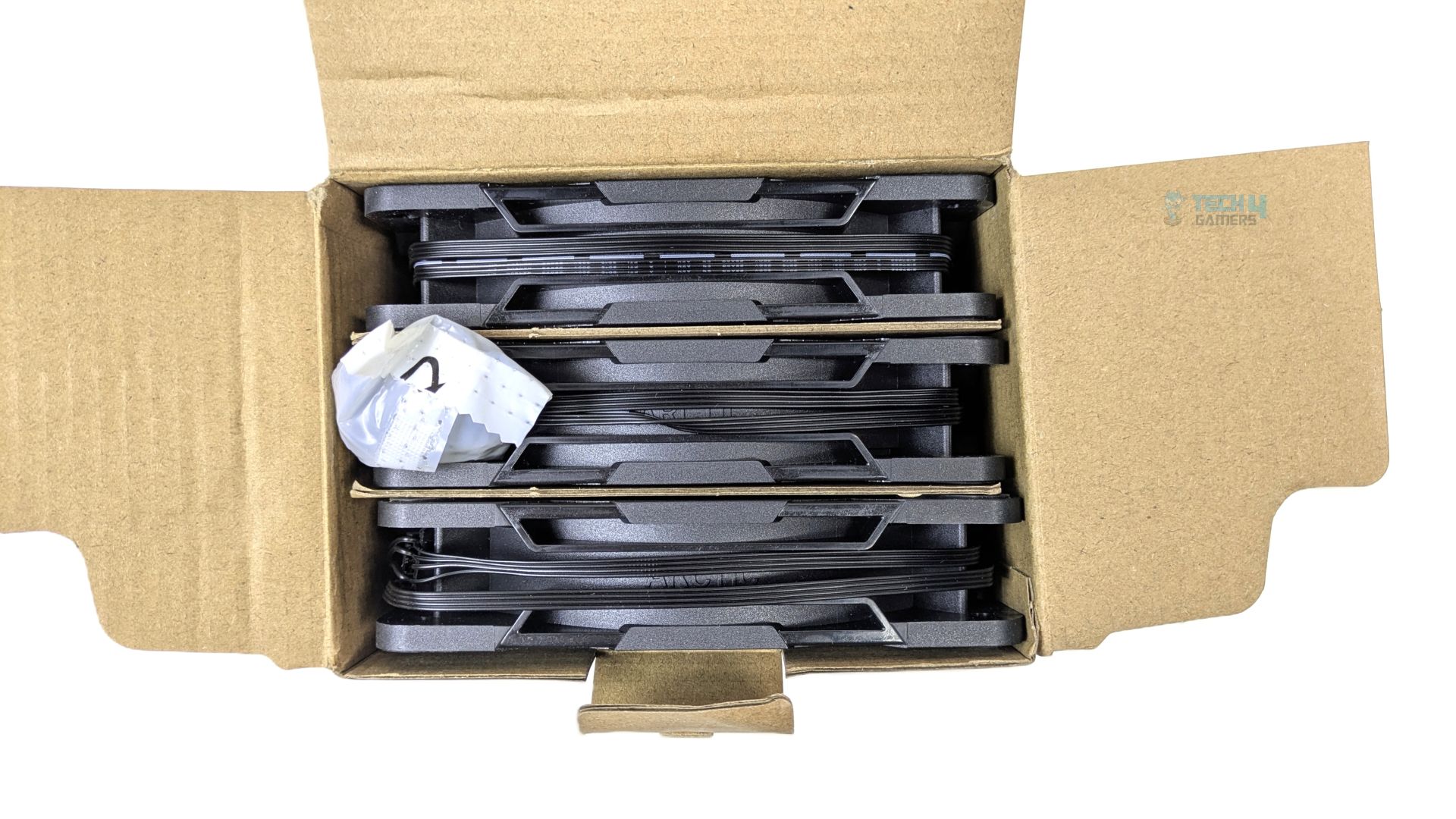
The Arctic P12 Pro ARGB Fan Kit arrived at us in plain brown eco-friendly cardboard packaging, which appears to be review packaging rather than the final retail version. The front side of the box displays only the fan specifications and model.
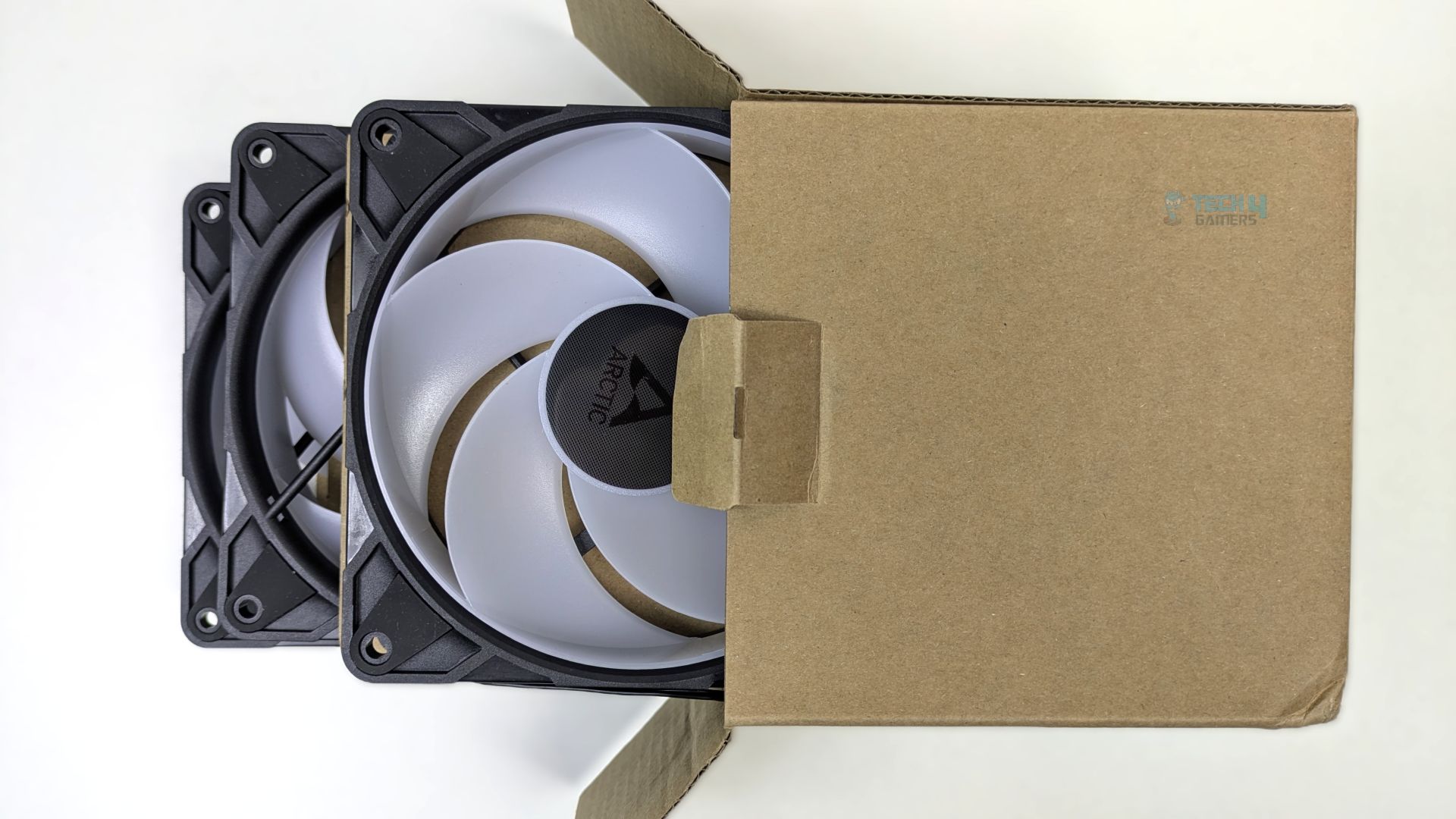
The accessories bundle include two pack of screws, with six screws in each pack.
Closer Examination & Build Quality
Let’s take a closer look at the fans: their standout feature is the innovative reverse-blade design. These reverse fans are designed to pull air from the strut side and push it out through the clean front, allowing builders to mount them at the rear or bottom of the chassis while maintaining visual appeal. The frame features a standard square 120mm size and attractive angled ribbing along the sides. On the back, four visible struts support the motor hub, showcasing both function and form.
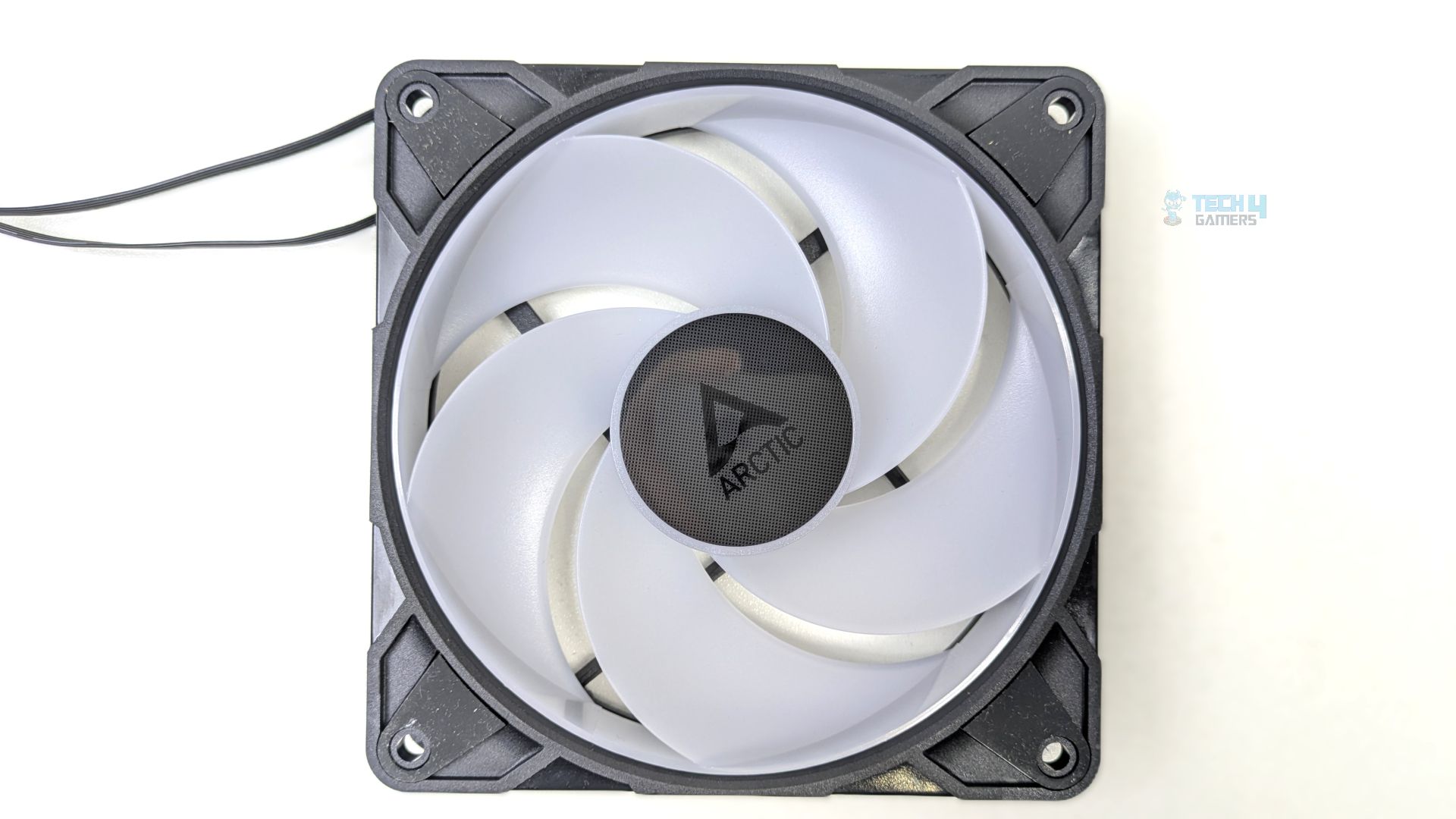
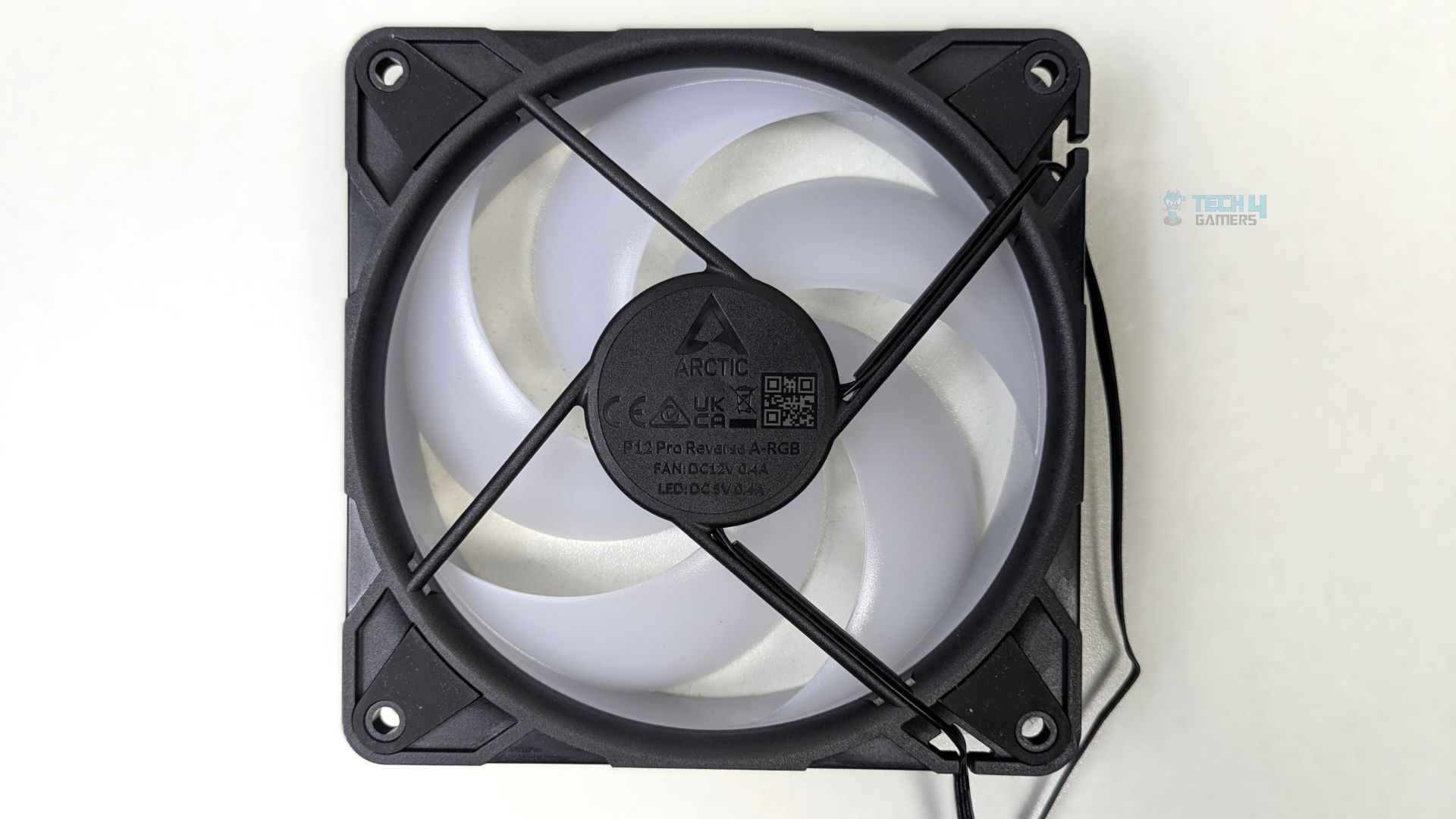
Unlike the standard P12 Pro A-RGB fans, these reverse fans feature 5 blades instead of 7. Likewise, the blades are constructed from a frosted translucent plastic to ensure a diffusion of A-RGB LEDs across the frame. The fans’ geometry seems heavily optimized for static pressure, making them extremely useful if you’re using a mesh chassis or installing them on the radiator.
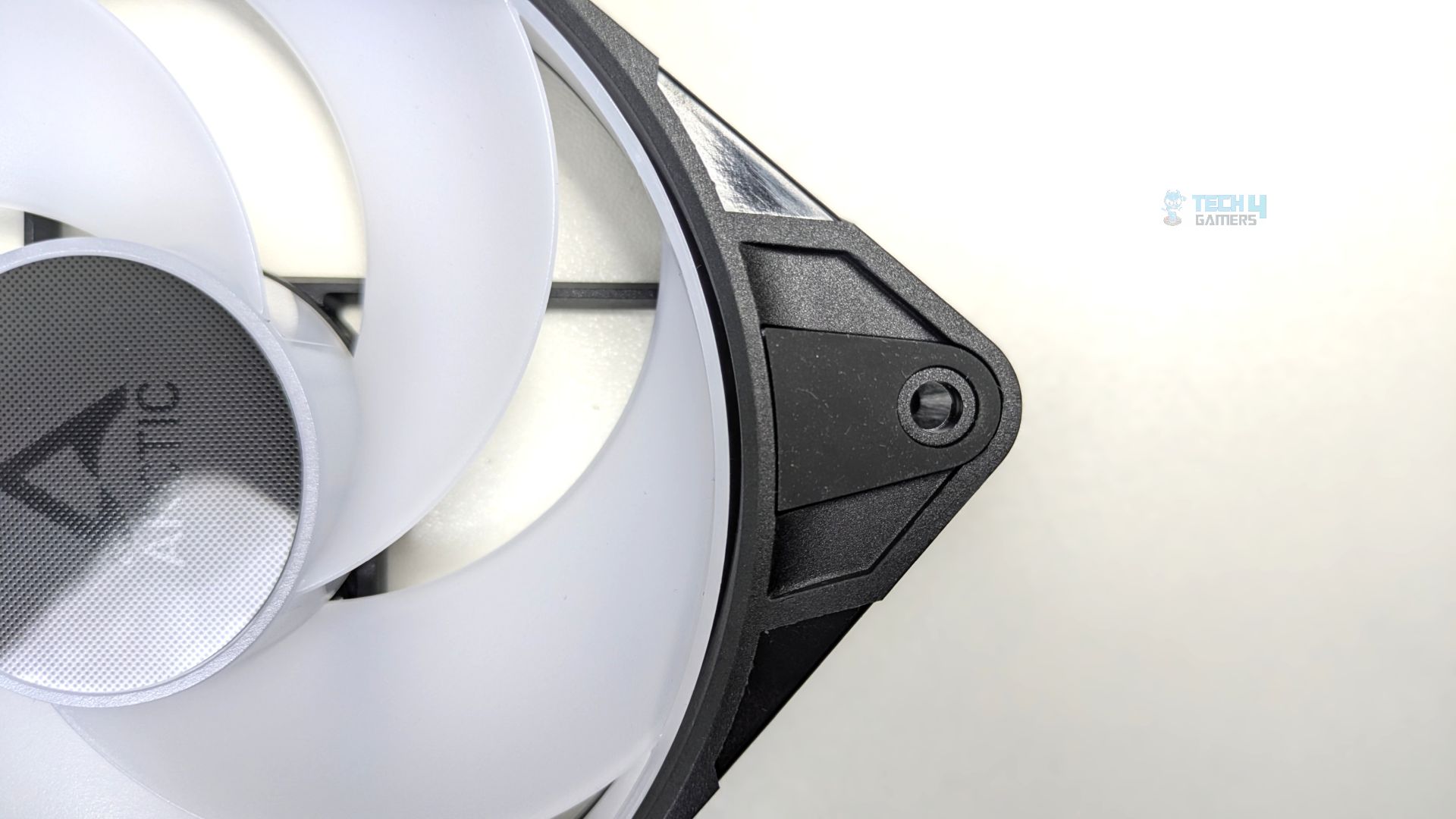
Talking about the blade clearance now, the gap between the outer edges of the fan blades and the inner circle housing of the frame is very minimal, which is 1.1mm, tailored for the high-static pressure performance, which allows the fan to be more efficient when it’s moving air through the restrictive obstacles like the thick radiators or dense heatsinks on the CPU cooler.
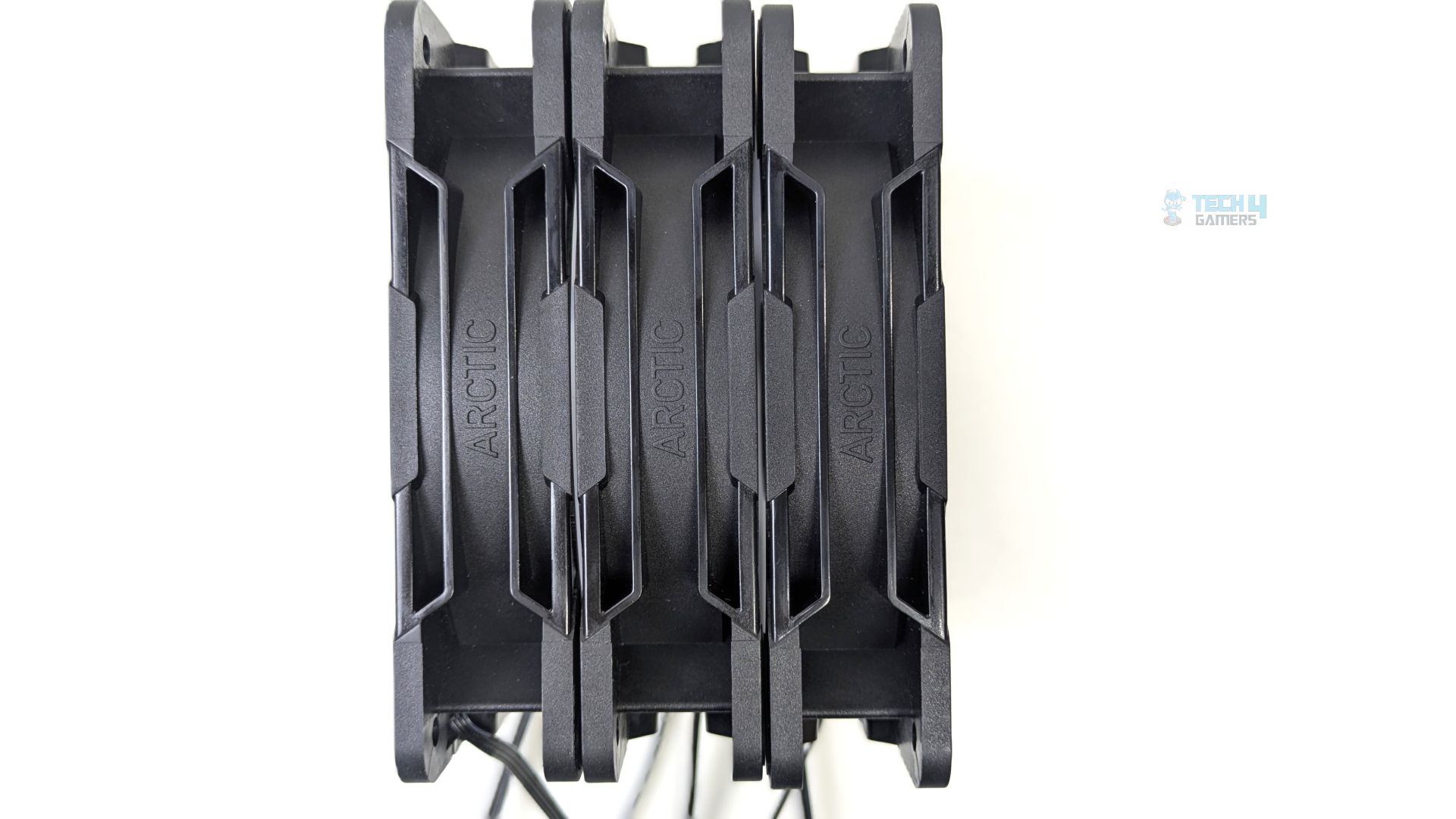
Now, looking at the side profile of the fans, they’re 27mm thick, while industry fans are usually 25mm at the sides. There are several benefits to Arctic’s decision to go with a slightly thicker side frame: it allows for deeper, larger fan blades, which help move more air and generate more static pressure. The Arctic branding is also debossed into the center of the side panels.
The central hub is notably larger than the standard fans you see in the market, which is typical of the Arctic P (Performance) series, as it houses Arctic’s Robust Motor, which is needed to maintain consistent RPMs against obstacles and resistance. The fans use FDB (Fluid Dynamic Bearing), which typically has a longer lifespan. The fans also feature pre-installed, thick rubber damping pads at the mounting corners.
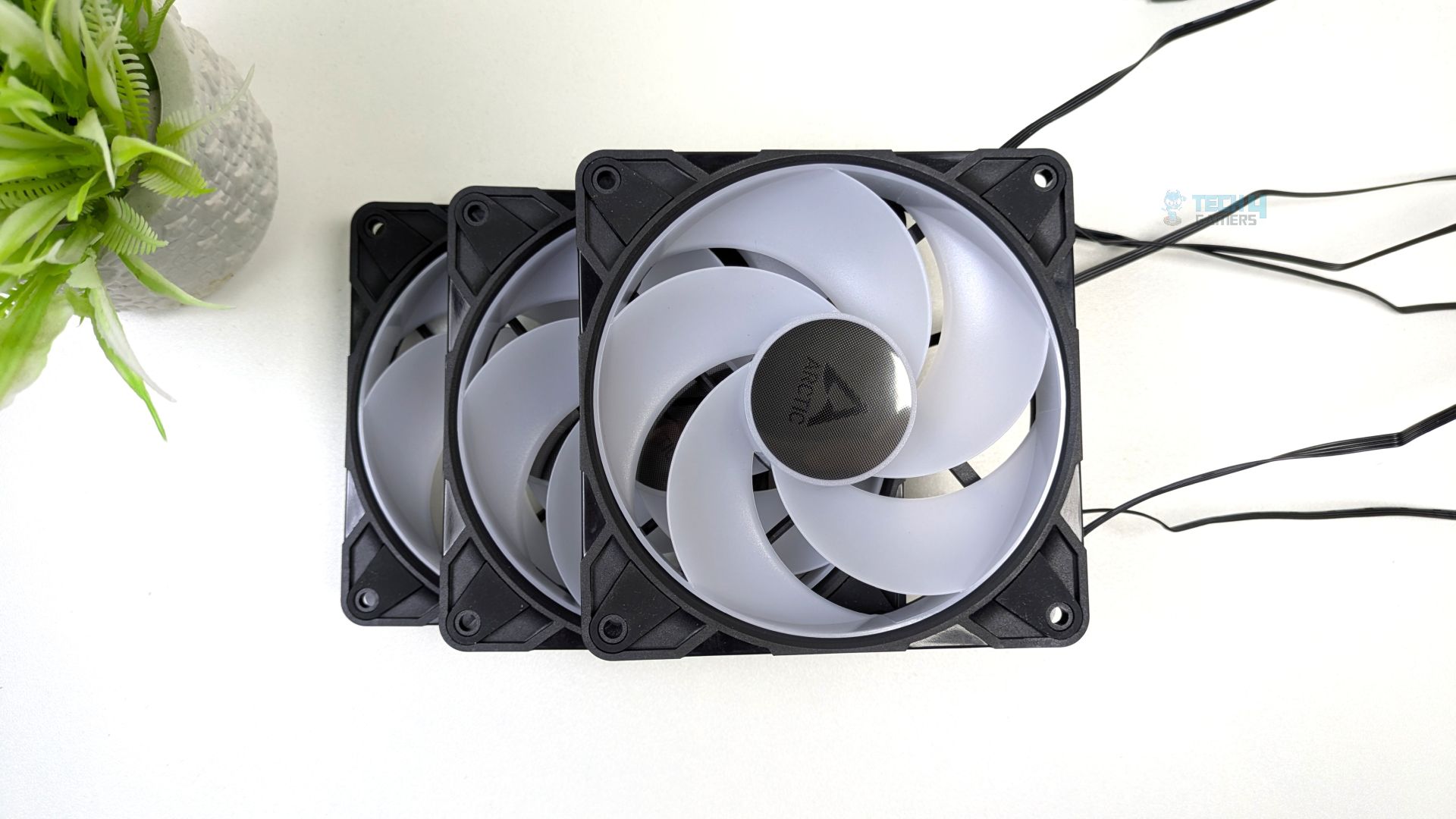
Furthermore, the fans support 0 RPM mode when the RPM is set below 5%. The cables are tucked in the frame edge and exit via the strut at the frame edge, right next to the mounting hole.
Cables
P12-Pro A-RGB has two PWM connectors; one goes to the PWM header of the motherboard, and the other allows the other fans to synchronize in a daisy chain configuration. Before you install the fans, make sure your motherboard’s fan header can supply enough power for the multiple fans.
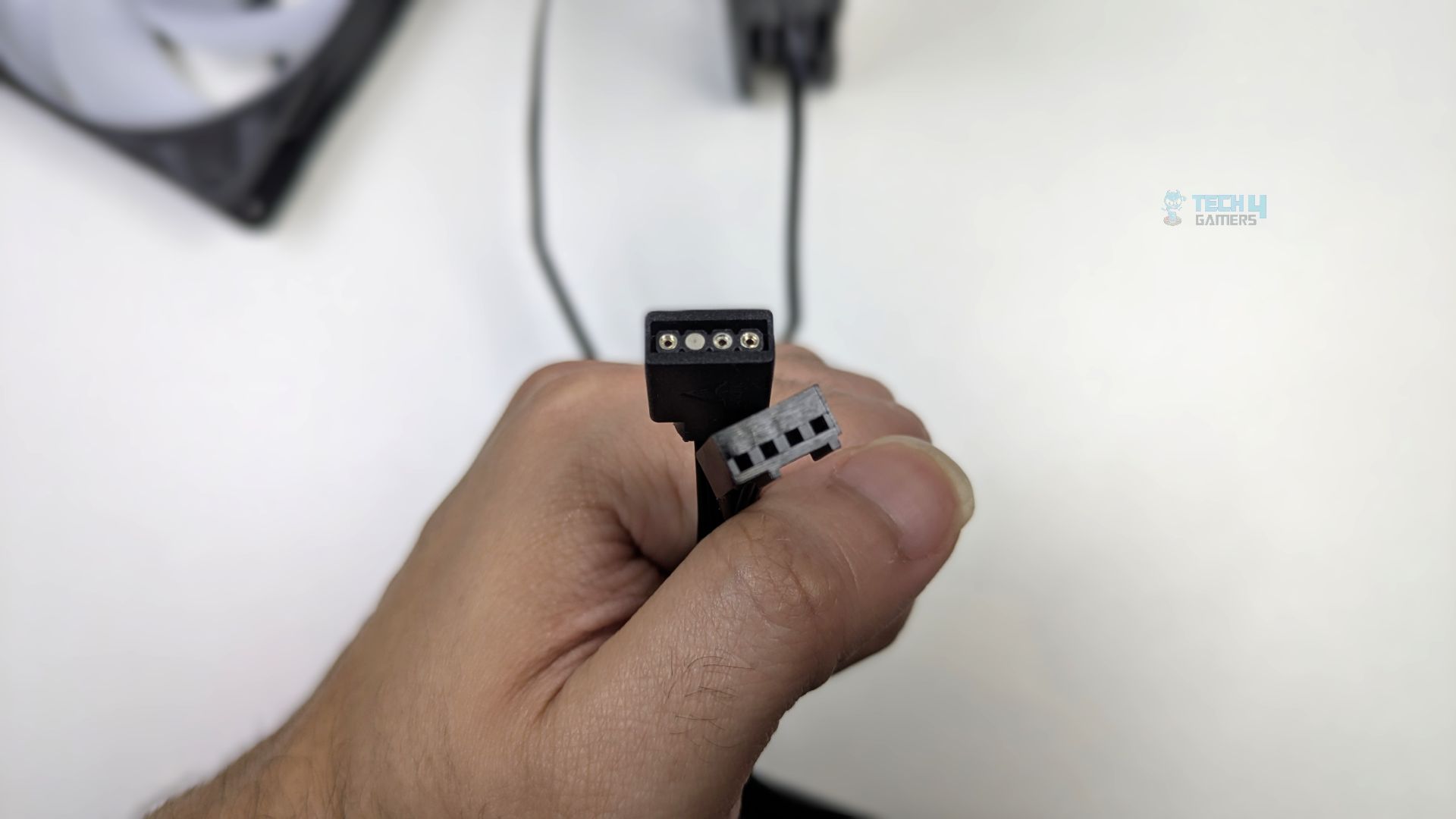
Usually, modern motherboards have a maximum current capacity of 2A (Ampere) on the sys_fan header, which can support up to 6 fans, and 3A (Ampere) on the CPU_fan header, which can support up to 9 fans. Make sure to check your motherboard manual for the power requirements if you want to use multiple fans.
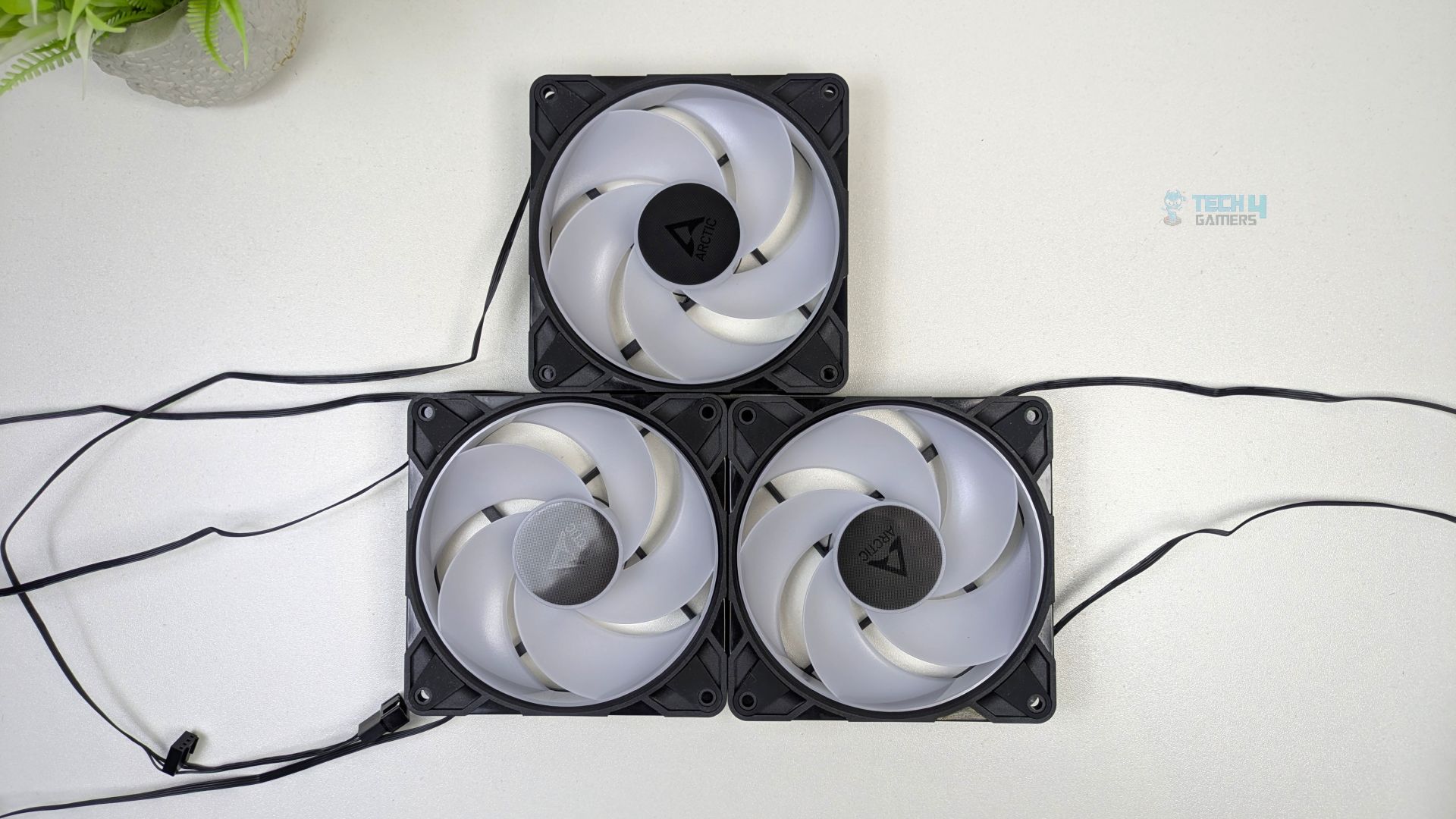
The cable length is 400mm from the fan to the connector. The additional daisy-chain cable is 80mm long from the primary connector, which is quite a decent length. For the A-RGB, these fans support Gen-2 Addressable RGB for comprehensive, precise lighting control. Arctic P12 Pro A-RGB features daisy-chainable connectors that let you control up to 5 fans per header on the motherboard, which is very useful if you have a motherboard with limited ARGB connectors.
ARGB Lighting
The LEDs are seated in a circular ring around the central motor housing. The illumination comes from a diffused LED ring incorporated into the internal side of the hub, forming a halo glow effect.
Here is the demonstration of the ARGB effects on the fans.
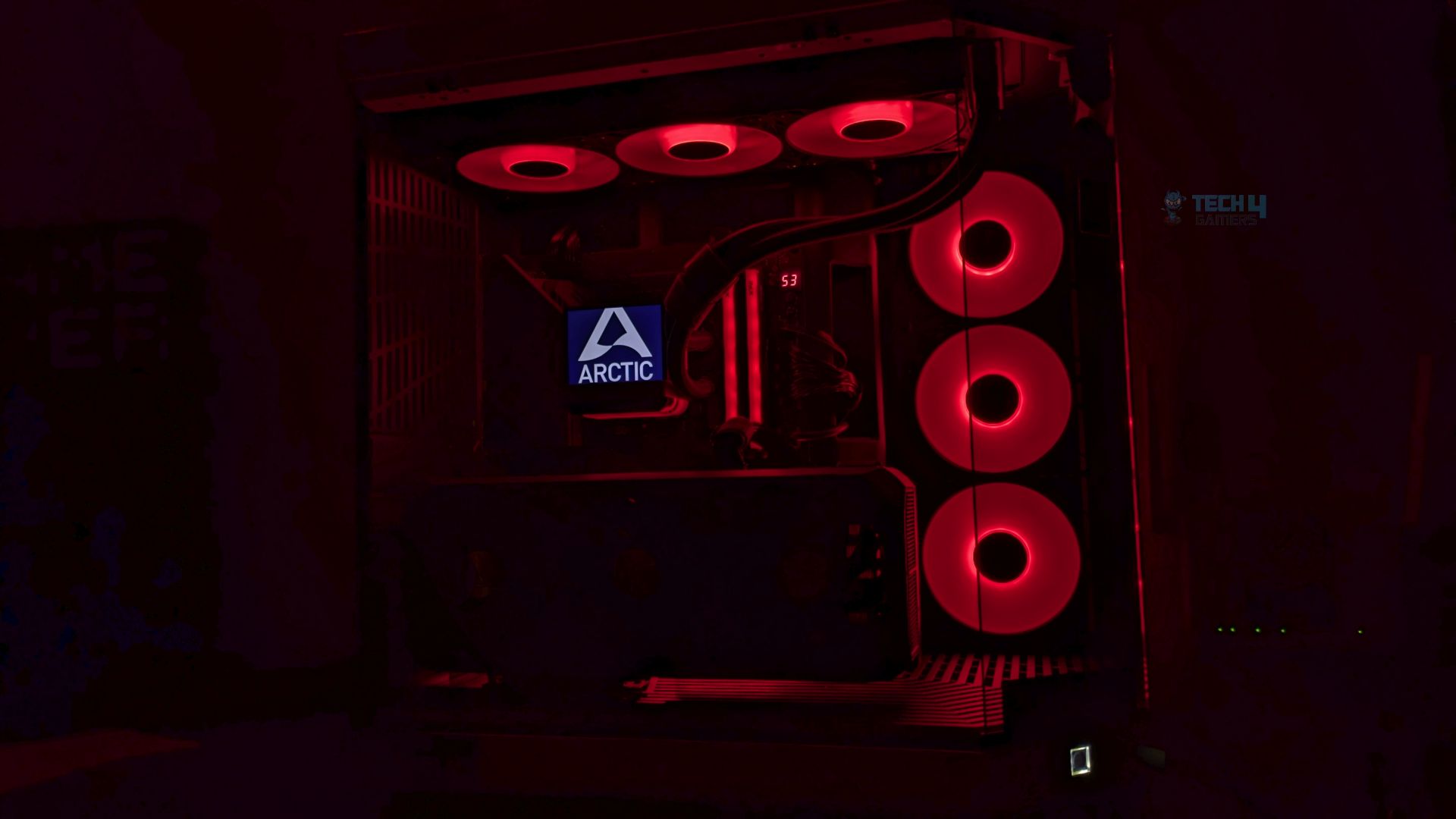
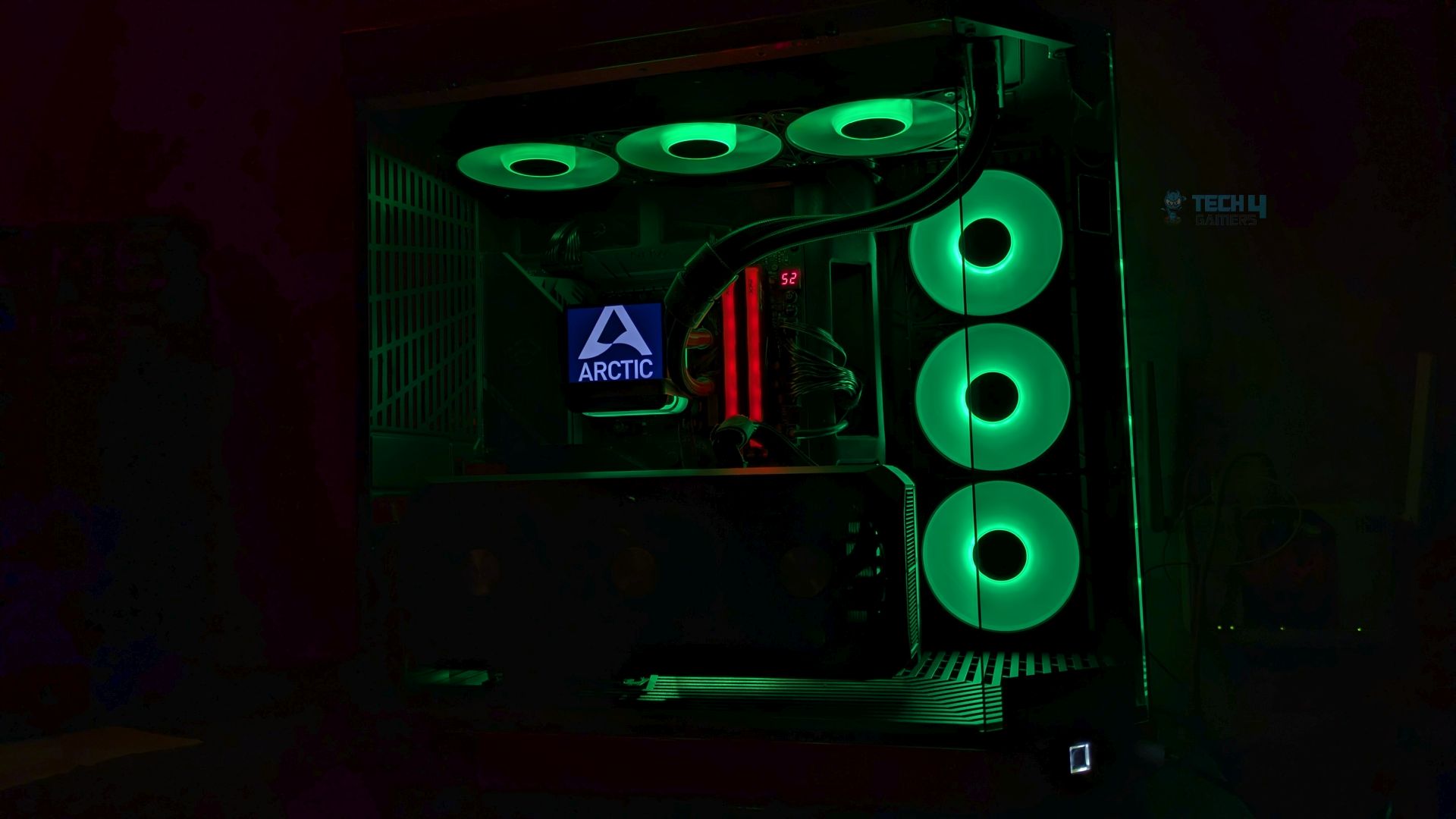
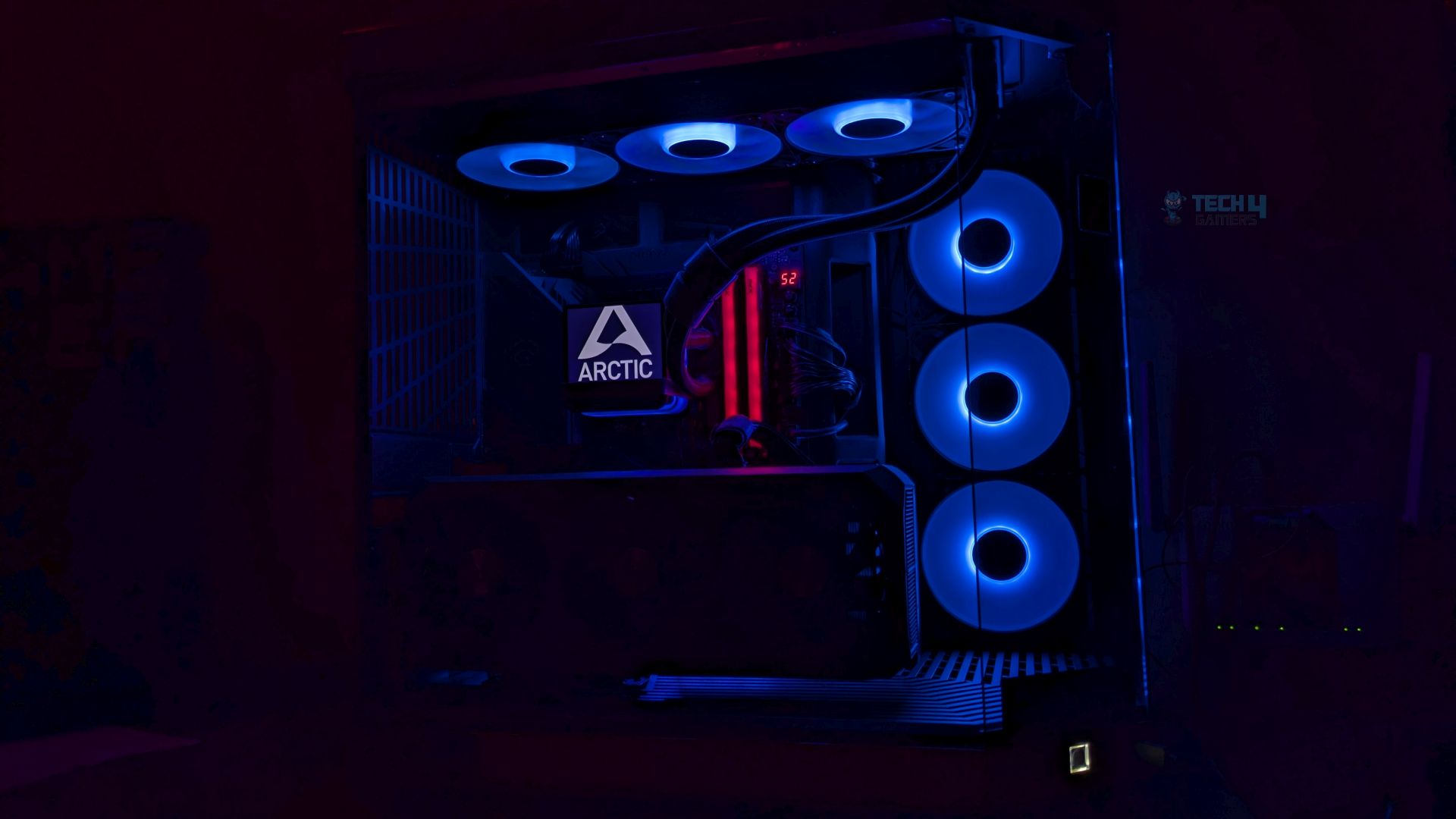
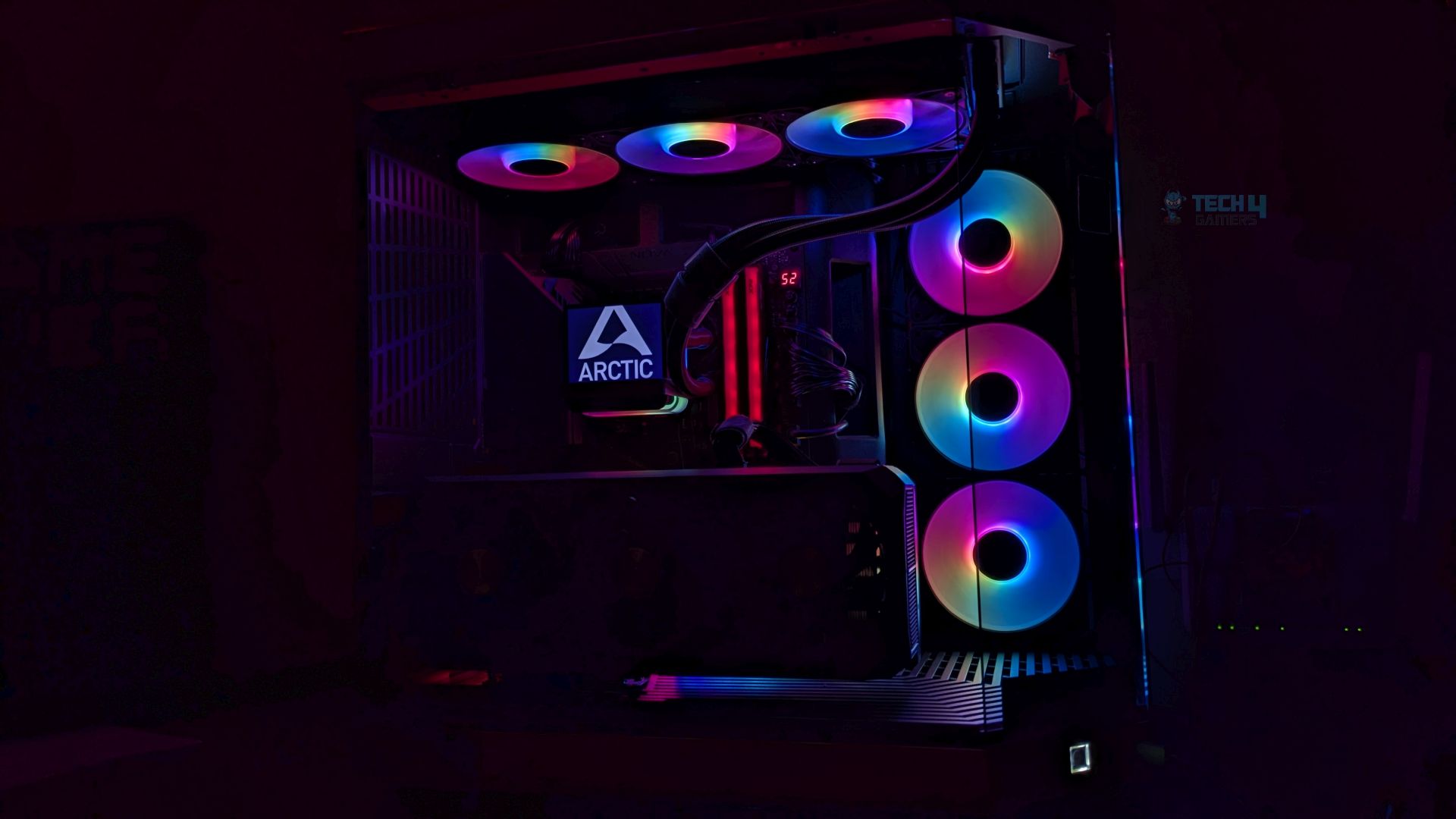
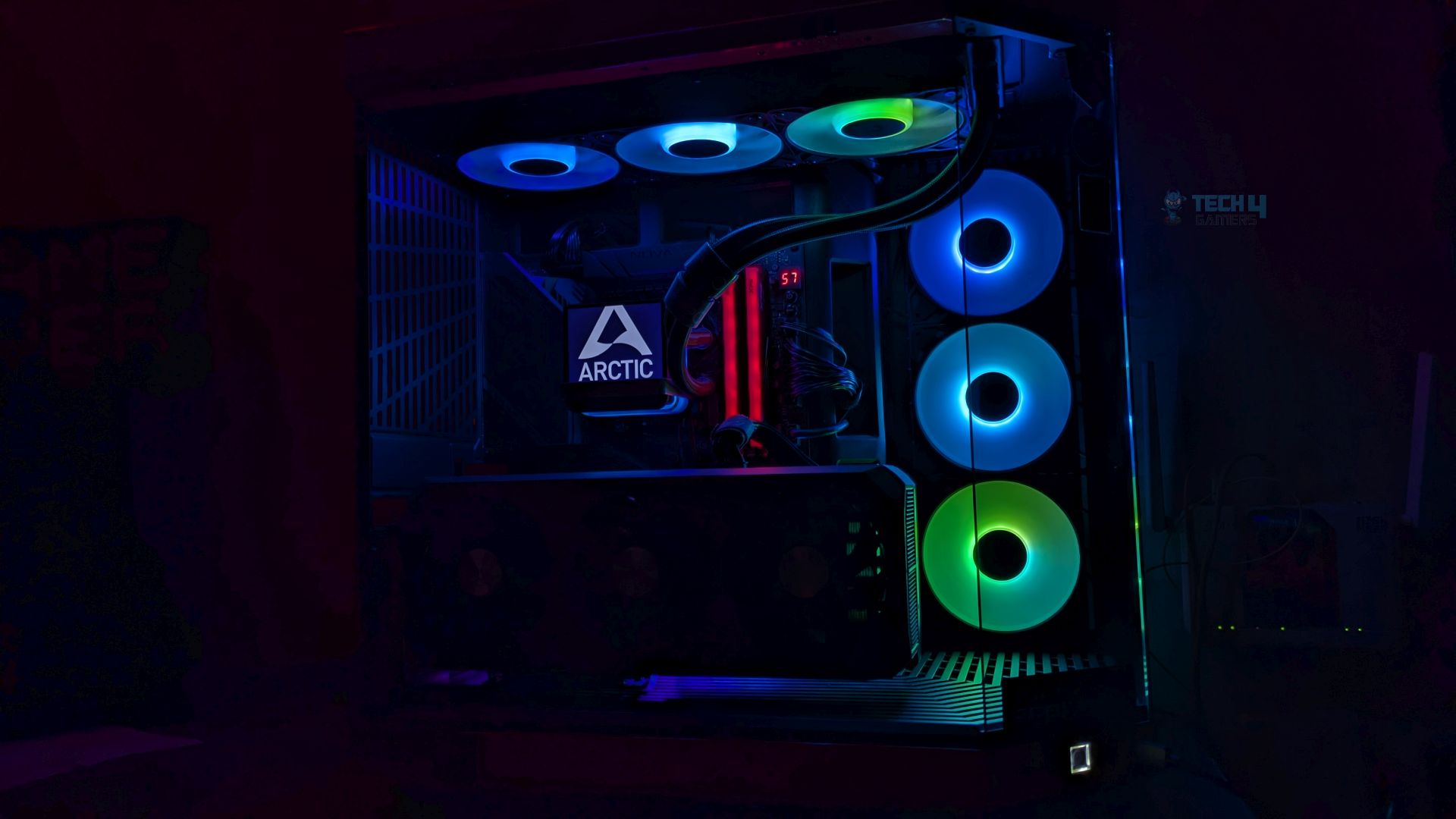
The Arctic P12 Pro A-RGB fans are installed on the all-in-one at the top, and the Arctic P12 Pro Reverse A-RGB fans are installed on the rear of the Hyte Y70 chassis.
Testing Methodology
How Do We Evaluate The Fans Cooling Performance
- We’ll test the fan’s cooling performance on the Ocypus L36 Sigma Pro liquid cooler and stress-test the CPU at controlled PWM conditions to determine how effective the fan is in cooling.
Noise Performance
- We’ll test the fans’ noise performance at the four sets of PWM levels 25%, 50%, 75% and 100%. The fan noise is measured outside the case at a distance of 30cm.
Controlled Environment
- In the thermal results, we have eliminated the influence of ambient temperatures on our data, and all results are presented as deltas relative to the ambient conditions. The tests were done in a controlled environment with a room temperature of 25°C.
Preparing System:
- Since we don’t have a separate open test bench, all the coolers are installed in our primary test case, which is the HYTE Y70, but all the panels have been removed.
- No Changes have been made in the BIOS or the OS during the tests.
- For the stress test, we have picked Cinebench 2026 and run it for 20 minutes.
The following setup was used for testing:
- CPU: AMD Ryzen 9 9950X
- RAM: XPG Lancer 16×2 6000MT/s CL30
- Motherboard: ASRock X870 Phantom Gaming WiFi
- Cooler: Ocypus L36 Sigma Pro
- GPU: ZOTAC SOLID RTX 5080
- Case: Hyte Y70
- Sound Tester: UNI-T Decibel Meter UT353BT
Test Results
Let’s go over the results.
Noise Level dB(A)
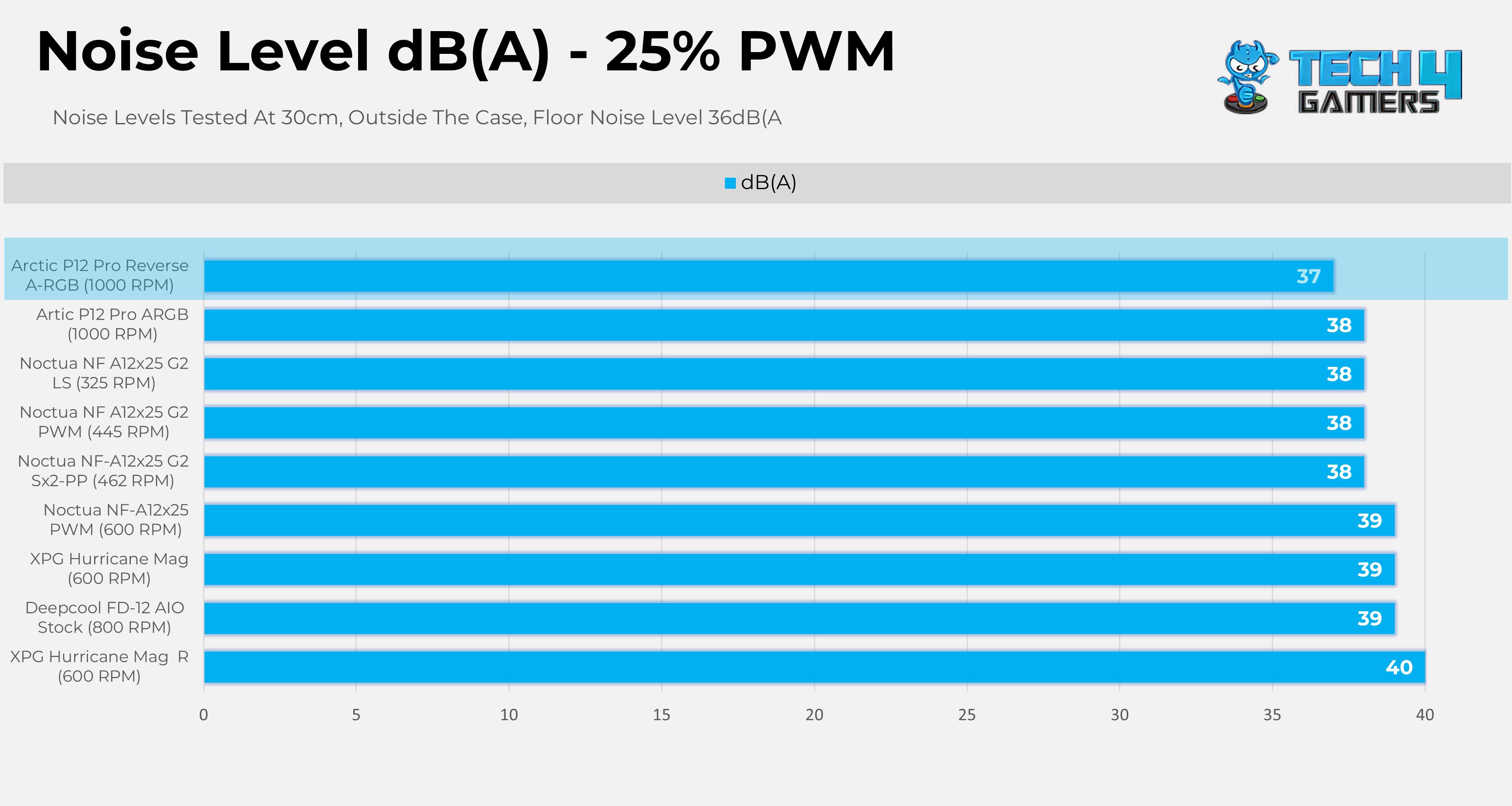
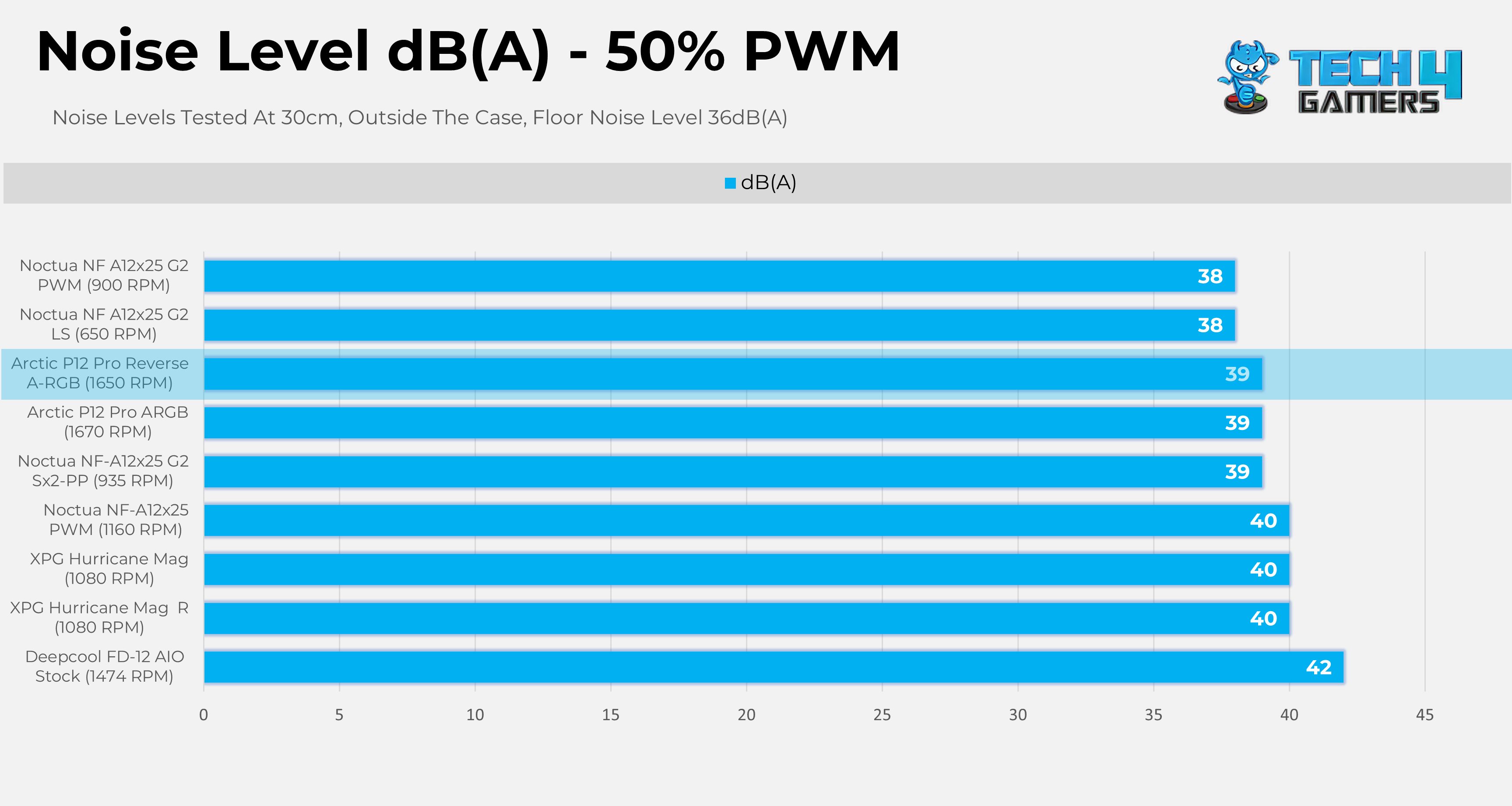
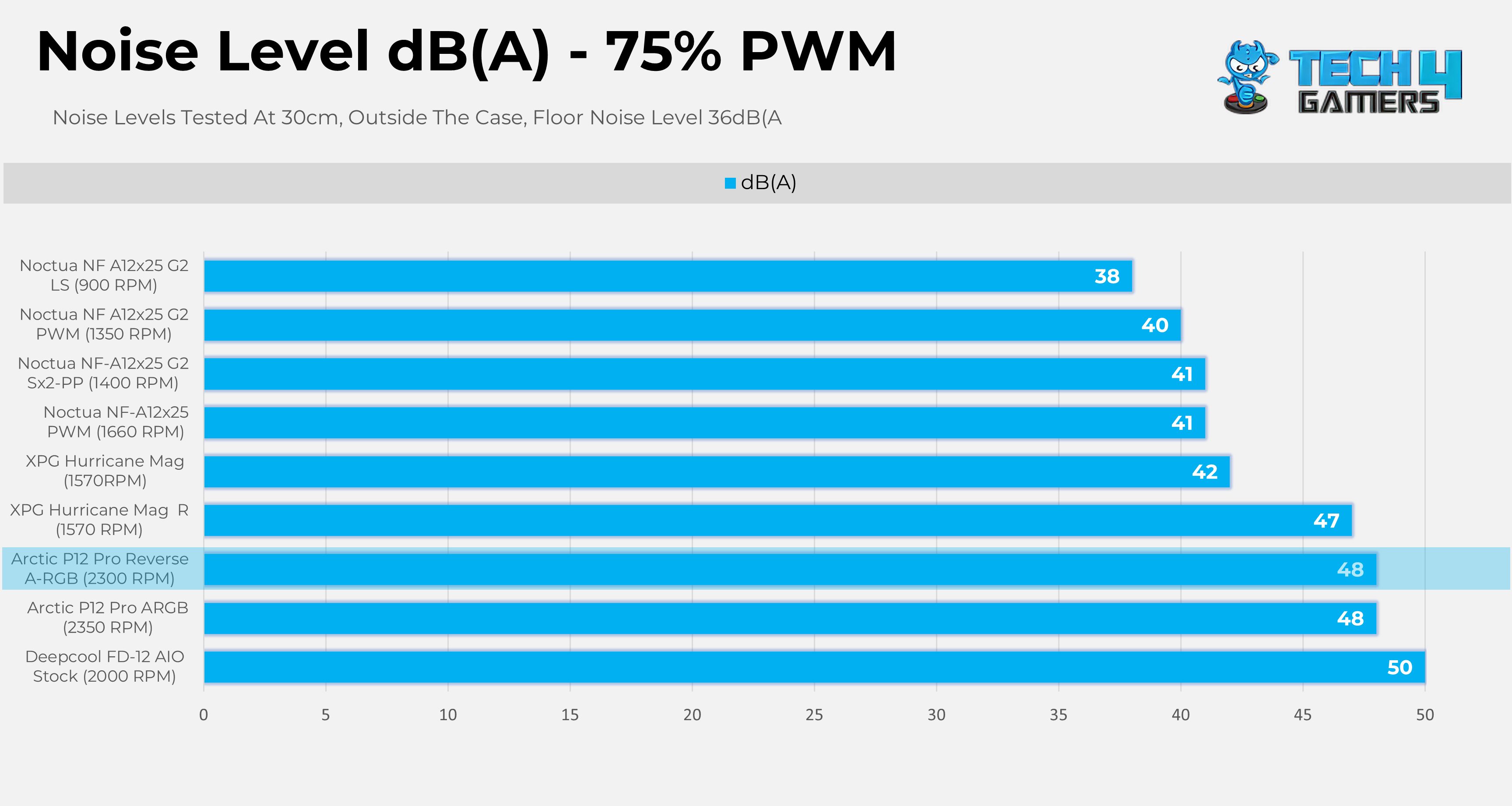
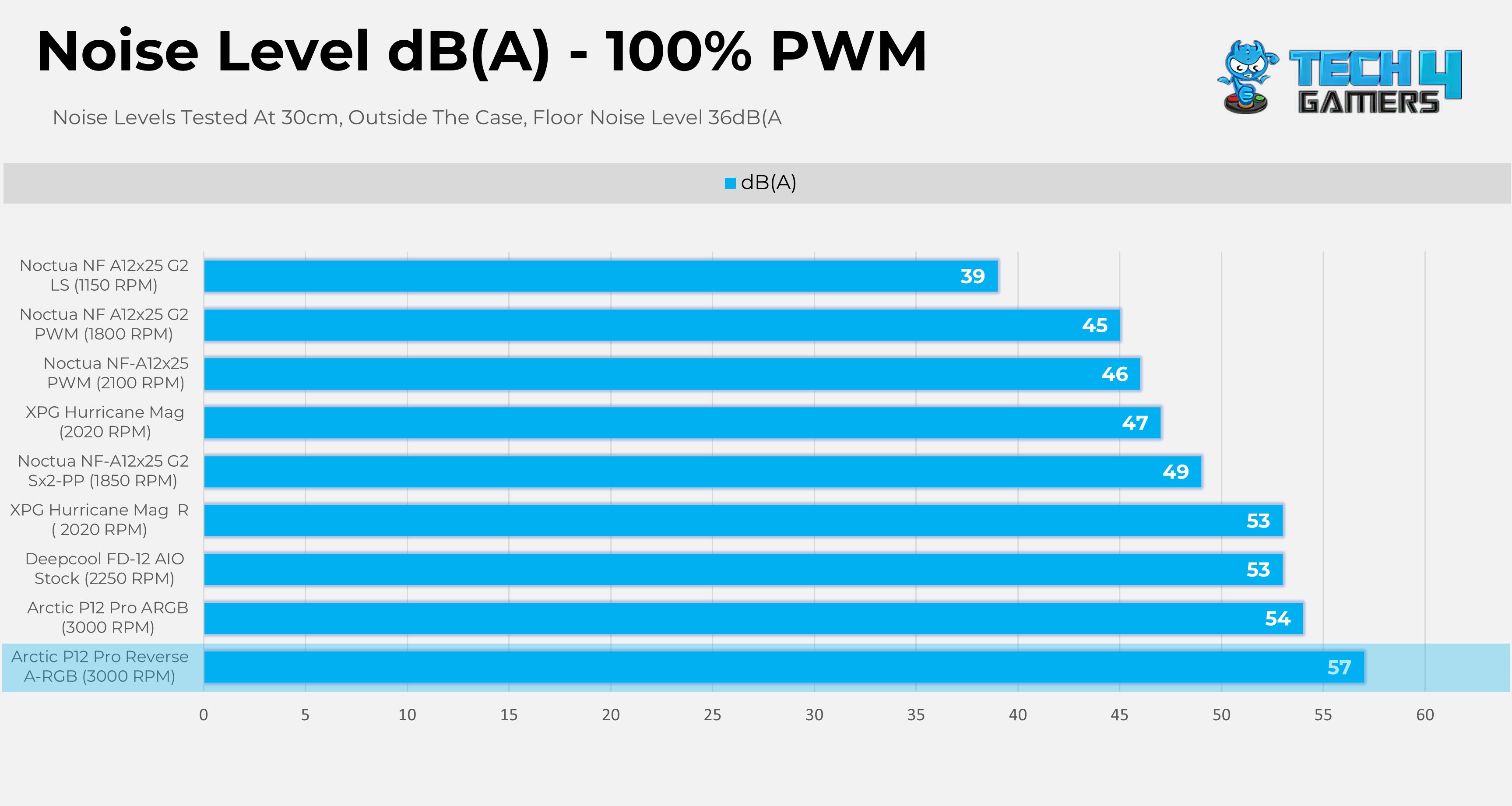
Here is the detailed table for the easy readability:
| Fan Model | 25% PWM | 50% PWM | 75% PWM | 100% PWM |
| Arctic P12 Pro Reverse A-RGB | 37 dB(A) (1000 RPM) | 39 dB(A) (1650 RPM) | 48 dB(A) (2300 RPM) | 57 dB(A) (3000 RPM) |
| Arctic P12 Pro ARGB | 38 dB(A) (1000 RPM) | 39 dB(A) (1670 RPM) | 48 dB(A) (2350 RPM) | 54 dB(A) (3000 RPM) |
| Noctua NF A12x25 G2 LS | 38 dB(A) (325 RPM) | 38 dB(A) (650 RPM) | 38 dB(A) (900 RPM) | 39 dB(A) (1150 RPM) |
| Noctua NF A12x25 G2 PWM | 38 dB(A) (445 RPM) | 38 dB(A) (900 RPM) | 40 dB(A) (1350 RPM) | 45 dB(A) (1800 RPM) |
| Noctua NF-A12x25 G2 Sx2-PP | 38 dB(A) (462 RPM) | 39 dB(A) (935 RPM) | 41 dB(A) (1400 RPM) | 49 dB(A) (1850 RPM) |
| Noctua NF-A12x25 PWM | 39 dB(A) (600 RPM) | 40 dB(A) (1160 RPM) | 41 dB(A) (1660 RPM) | 46 dB(A) (2100 RPM) |
| XPG Hurricane Mag | 39 dB(A) (600 RPM) | 40 dB(A) (1080 RPM) | 42 dB(A) (1570 RPM) | 47 dB(A) (2020 RPM) |
| Deepcool FD-12 AIO Stock | 39 dB(A) (800 RPM) | 42 dB(A) (1474 RPM) | 50 dB(A) (2000 RPM) | 53 dB(A) (2250 RPM) |
| XPG Hurricane Mag R | 40 dB(A) (600 RPM) | 40 dB(A) (1080 RPM) | 47 dB(A) (1570 RPM) | 53 dB(A) (2020 RPM) |
Cooling Performance
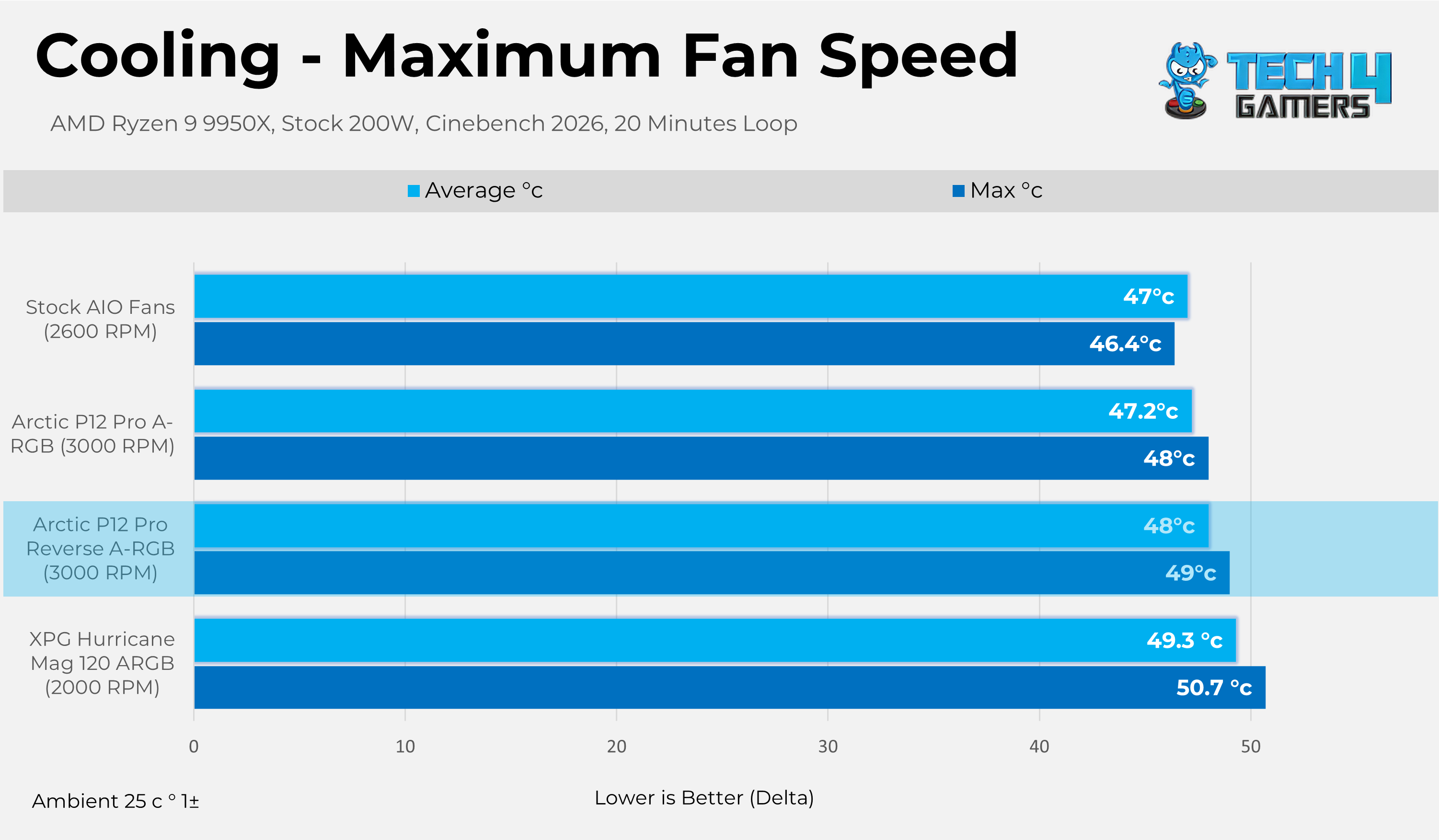
Let’s take a look at it’s cooling performance.
Should You Buy It?
Buy It If
✅ If you have a dual-chamber, panoramic glass chassis: In the dual-chamber or panoramic chassis, the bottom and side fans are usually set as intakes. The Arctic P12 Pro Reverse A-RGB design hides the unappealing fan struts and wiring, improving the aesthetics.
✅ If You’re Budget Focused: Arctic P12 Pro Reverse ARGB costs $18 to $20 per-fan while also offering decent performance and great build quality.
✅ You Want The Peace Of Mind: A 6-year warranty backs Arctic P12 Pro ARGB Fans.
Don’t Buy It If
❌ You’re Someone Who Likes a Silent Operation, Many people do not adjust the fan curve; the fan could blast to 100% at full load, which can create very noticeable noise.
Final Thoughts
The Arctic P12 Pro Reverse A-RGB fans are built on the original P12-Pro architecture. Overall, I have mixed thoughts about these fans. First, they perform well in our performance charts. Reverse fans commonly alter the acoustic profile because frame struts are now on the intake of the blade sweep, which can increase turbulence; this effect is evident with these fans. However, the reverse blades are impressively optimized for daily use. At 25% PWM (1000 RPM), the fans remain quiet at 37 dB(A). Other fans could not match the Arctic P12 Pro Reverse and Non-Reverse fans, which produce more airflow at the same noise level.
The 75% PWM setting appears to be the sweet spot, with both fans tied at 48 dB(A). At 100% PWM, the aerodynamic differences become clear: reverse fans are louder, reaching 57 dB(A) compared to the original fans at 54 dB(A). The difference, however, is not significant. There is also a cooling deficit. At maximum speed, the original maintains an average delta temperature of 47.2°C, while the reverse fans are slightly warmer at 48°C. While a small amount of peak performance is traded for aesthetic gain, the result is still positive. Losing a degree is preferable to sacrificing visual appeal.
The Arctic Pro P12 Pro Reverse A-RGB has a retail price of $18-$20 for the single-fan model. The 3-Fan pack costs somewhere between the $45 to $50.
Thank you! Please share your positive feedback. 🔋
How could we improve this post? Please Help us. 😔

Senior Hardware Reviewer at Tech4Gamers with over a decade of experience in the tech industry. My journey began in 2014 as a senior administrator for Pakistan’s largest gaming community forum. I specialize in testing and reviewing components like graphics cards, CPU coolers, and motherboards, while also sharing insights on overclocking and system optimization.
 Join Our Community