Threads
Worth It?
Review Summary
The Noctua NH-D15 G2 Chromax Black is a premium air cooler that trades the classic brown colors for a sleek, all-black look. It features eight heatpipes, a denser fin stack, and next-gen G2 fans that deliver top-tier cooling with very low noise. While it is built to last a lifetime and is easy to install, its high price and large size make it a luxury choice for serious builders. It’s perfect for those who want maximum reliability and a “stealth” aesthetic without the risks of liquid cooling.
Hours Tested: 6

Overall
-
Cooling - 8.5/10
8.5/10
-
Noise - 9.8/10
9.8/10
-
Build Quality - 9.8/10
9.8/10
-
Value - 7.5/10
7.5/10
Pros
- Exceptional build quality
- Next-generation G2 Noctua fans included
- Strong performance for an air cooler
- Excellent Intel socket support
- Robust mounting hardware
- Offset mounting brackets for AMD
- Includes NTH2 thermal paste and AM5 thermal paste guard
- Very detailed installation guide included
- All-black design
Cons
- Expensive.
- May not fit well with vertically mounted large GPUs; power cables may conflict with the heatsink
- Taller RAM modules could face clearance issues


You might already know the brand Noctua, renowned for making top-tier CPU air-coolers and fans without compromise, focusing on the best cooling performance, quiet operation, and incredible build quality. In our previous reviews, we have already praised Noctua for its amazing engineering, build quality, and longevity. Noctua has sent us their NH-D15 G2 Chromax Black, which features their latest Noctua G2 PWM fans. These were the best-performing fans in the previous fan testing we have done, thanks to their advanced aerodynamic engineering and additional improvements, including winglets and an impeller. The cooler NH-D15-G2 is a major step up from its predecessor, offering more heatpipes and a much denser finstack, with improved mounting accessories and a kit, including an offset design for better clearance.
Let’s talk about the specifications of this cooler
| NH-D15 G2 Chromax Black Specifications | |
|---|---|
| Cooler Height x Width x Depth | 168x150x127 |
| Cooler Heatsink Base | Copper, Nickel Plated |
| Heatsink Fins / Fins Count | 58 Fins, Aluminium, nickel plated |
| Heat Pipes | 6mm 8 x Copper Heat Pipes |
| Colour | Black |
| Fan Configuration | 2x 140x140x25mm (round) |
| Socket Support | AM5, AM4, LGA1700, LGA1851, LGA1954, LGA1156, LGA1155, LGA1150, LGA1151, LGA1200 |
| Warranty | 6 Years |
What Makes The NH-D15 G2 Chromax Black Different?
Noctua NH-D15 G2 Chromax Black is the same cooler as the original NH-D15 G2, which launched this year. Chromax Black features an all-black, stealthy aesthetic for users who prefer it over Noctua’s traditional brown/beige design. The Chromax Series targets PC builders who care about aesthetics and custom colour schemes, while retaining the cooler’s signature quiet, high-quality performance.
What About The Availability & Pricing?
NH-D15 G2 is available in two variants. The original D15 G2 comes in the traditional brown/beige colour scheme, while the chromax black variant provides the cohesive, stealth look, popular for theme builds and slightly more expensive than the original G2 edition.
| Model | International MSRP | United States | Europe |
|---|---|---|---|
| NH-D15 G2 Chromax Black | $159.90 | $189.90 | €159.90 |
| NH-D15 G2 | $149.90 | $149.90 | €149.90 |
Packaging
Let’s take a look at the packaging!
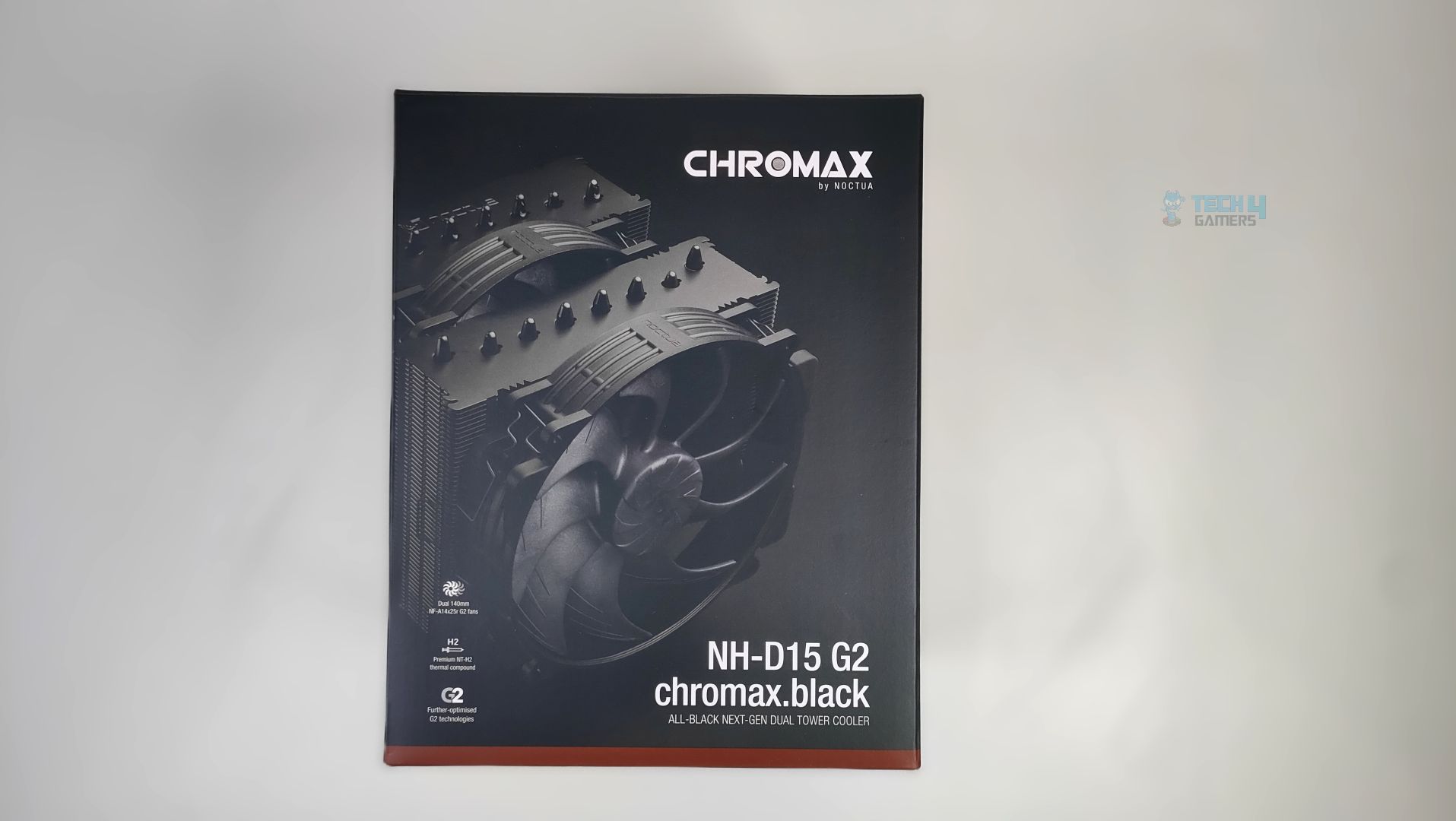
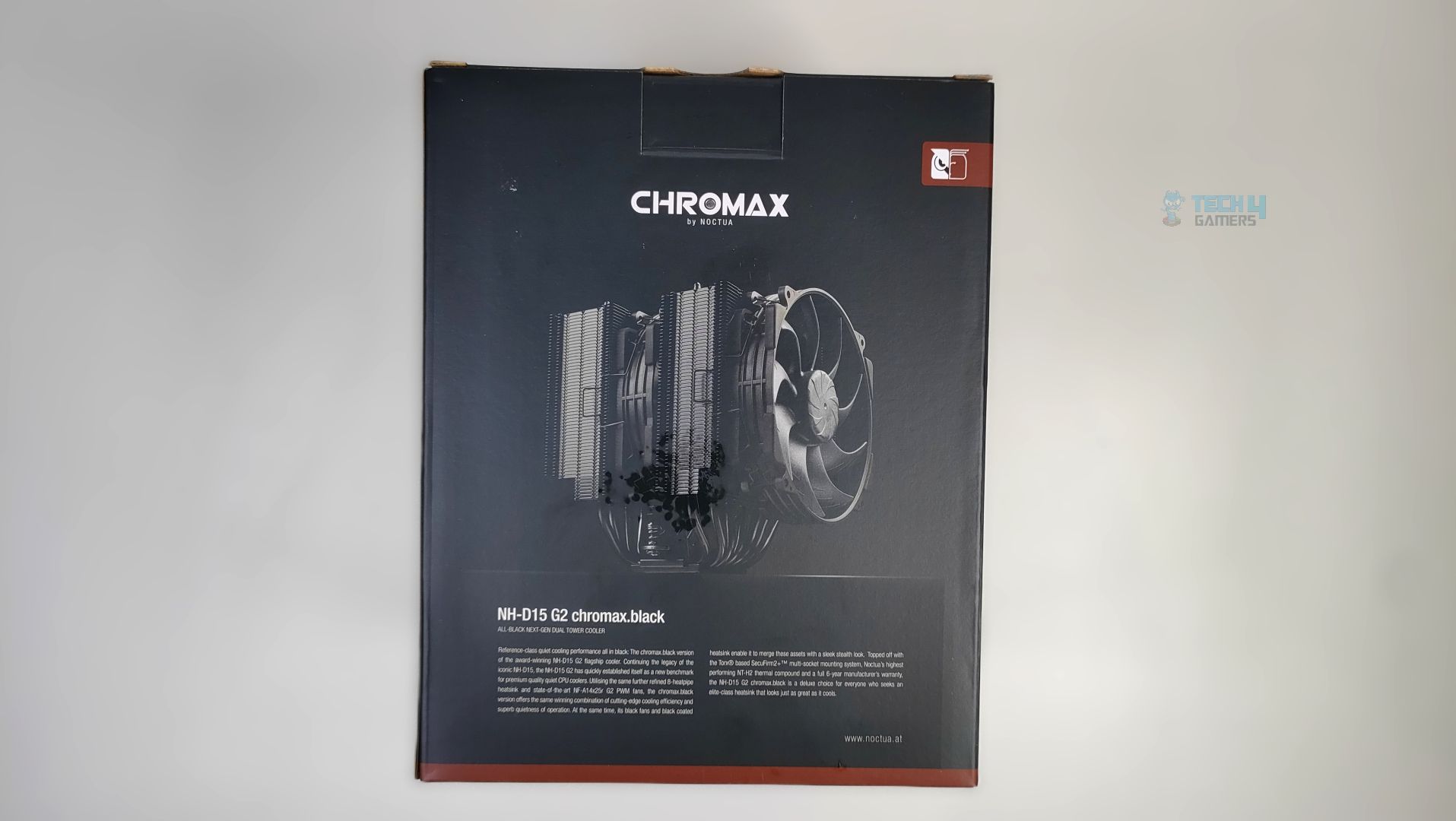
The Cooler arrives in a black colour scheme chromax traditional cardboard packaging, with the cooler itself displayed at the front alongside the model and branding. Noctua has also highlighted the cooler’s features on the box’s back panel.
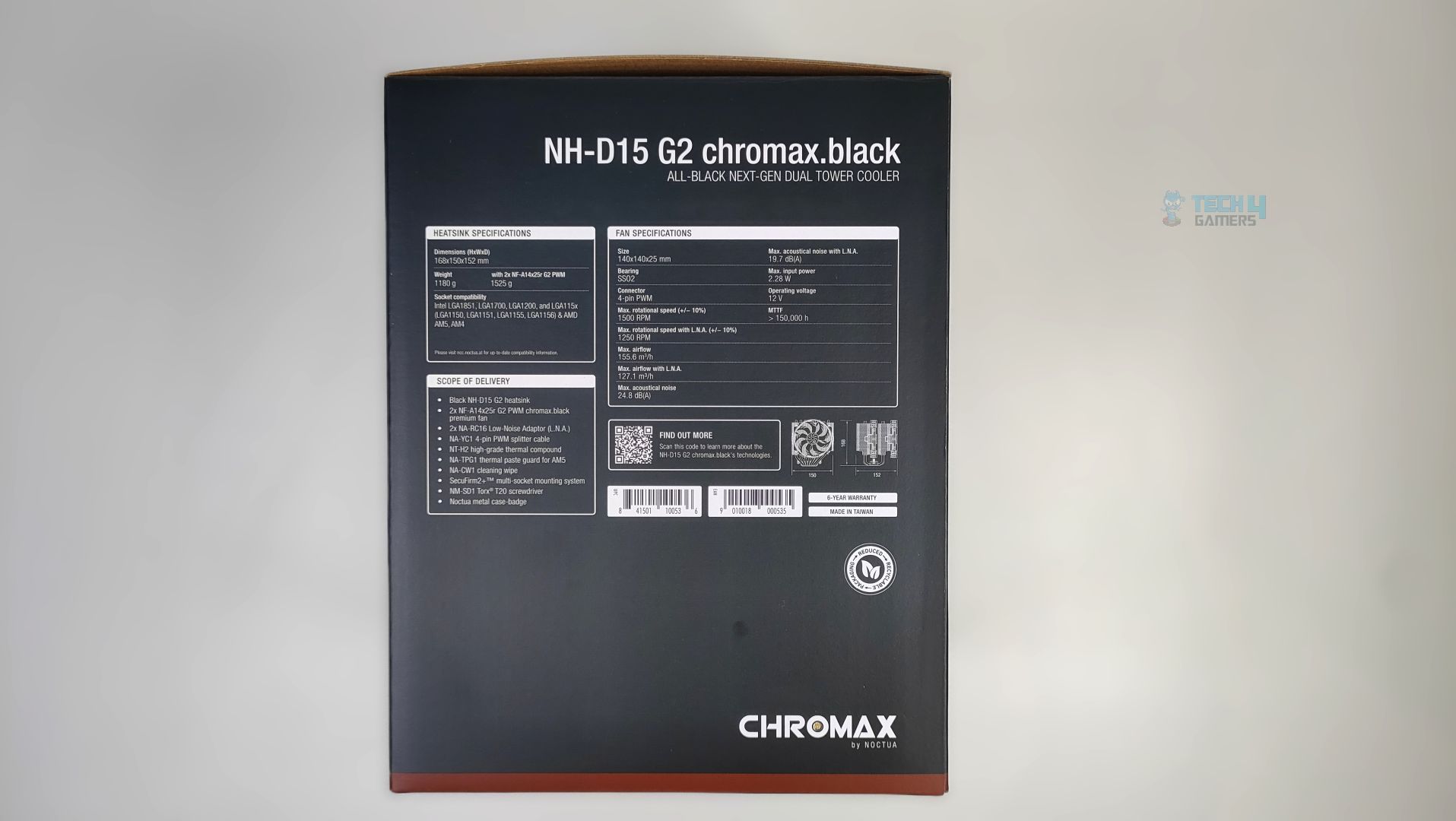
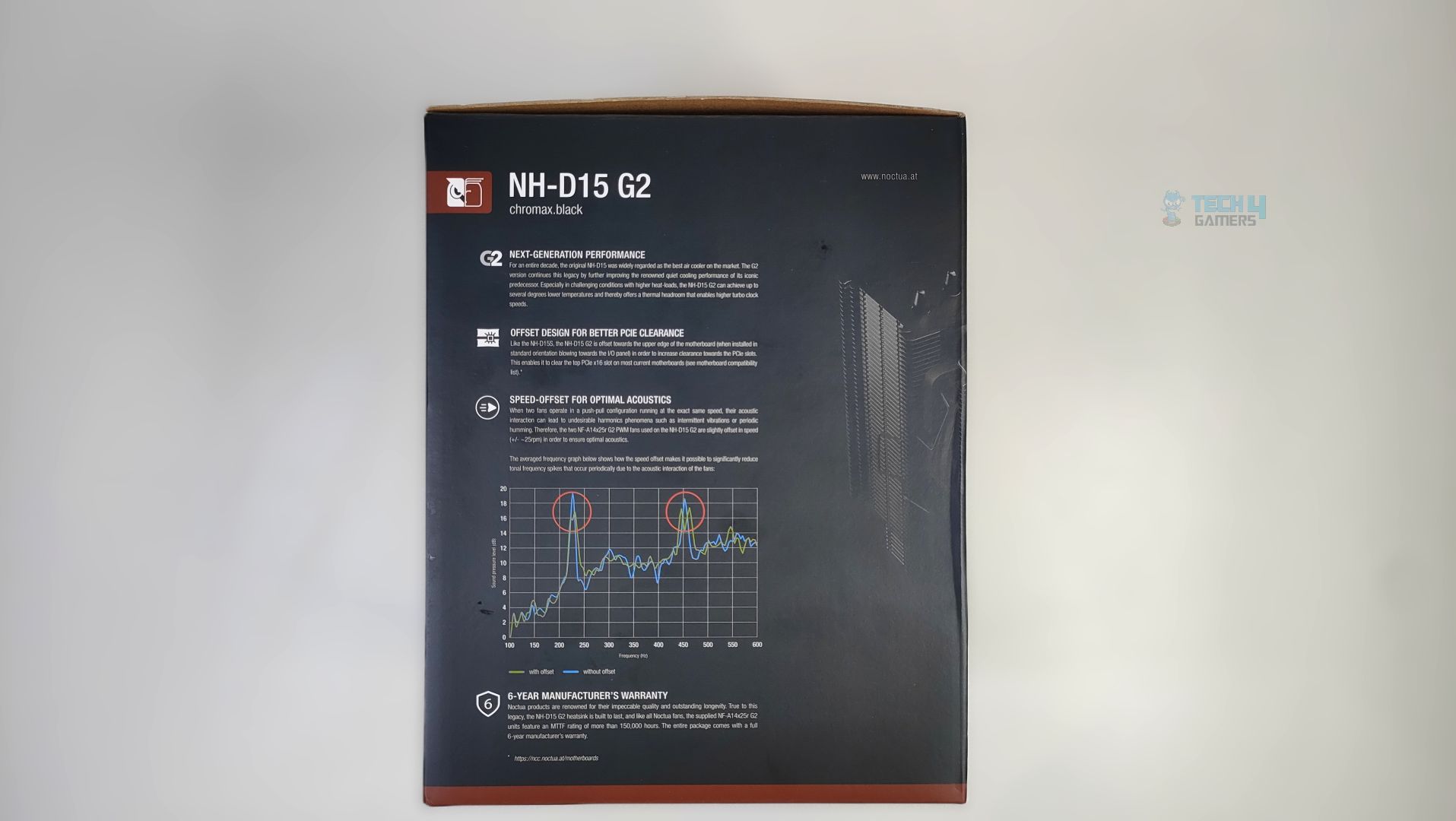
Looking at the sides, Noctua has highlighted the coolers’ detailed specifications and shown the fan performance graphs. Overall, the packaging is on point and straightforward.
Accessories
Let’s take a look at what’s included in a box!
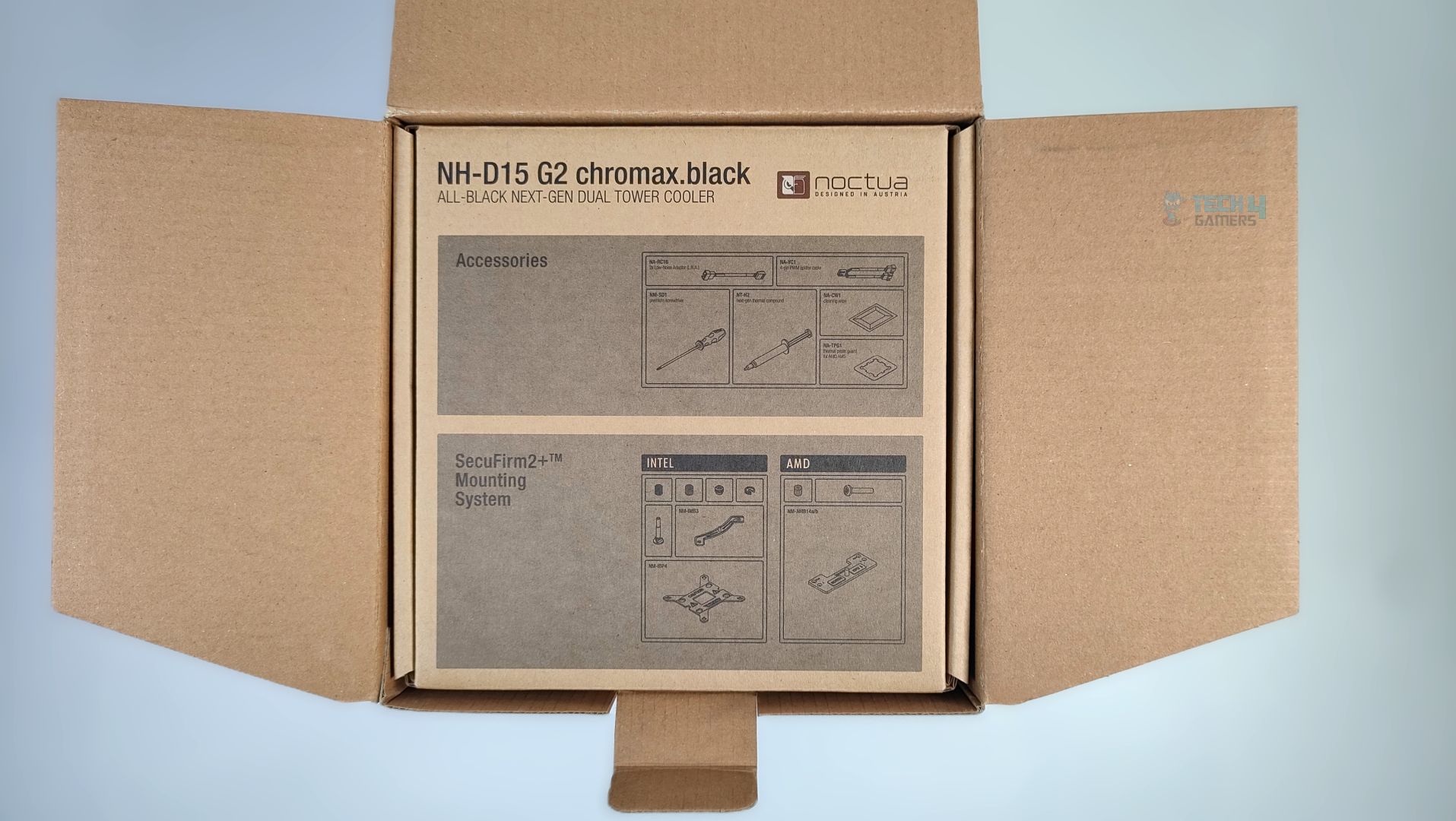
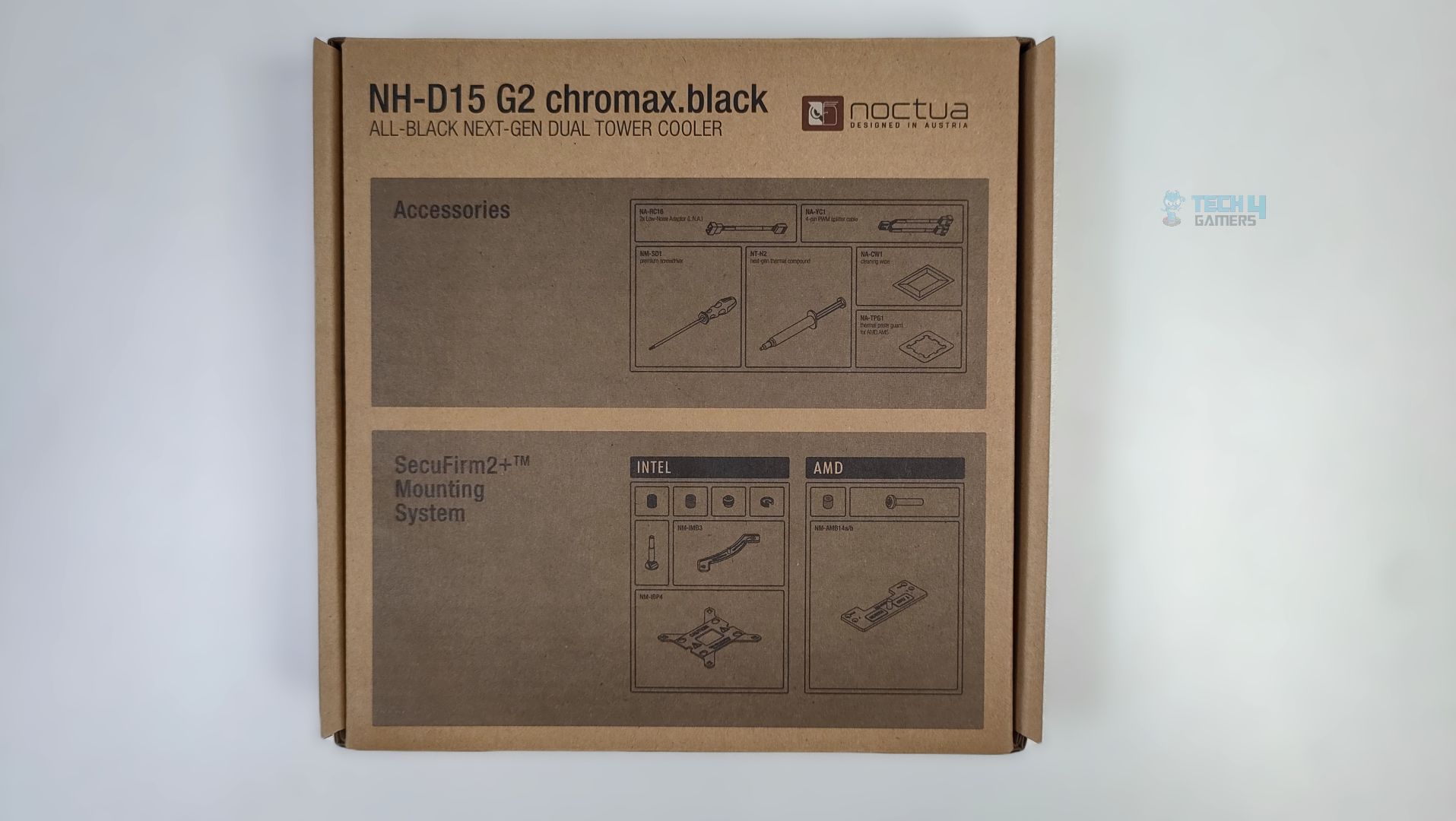
Upon Unboxing, you are greeted with the traditional cardboard accessory box. Noctua has done a good job of printing the list of accessories on the front of the box.
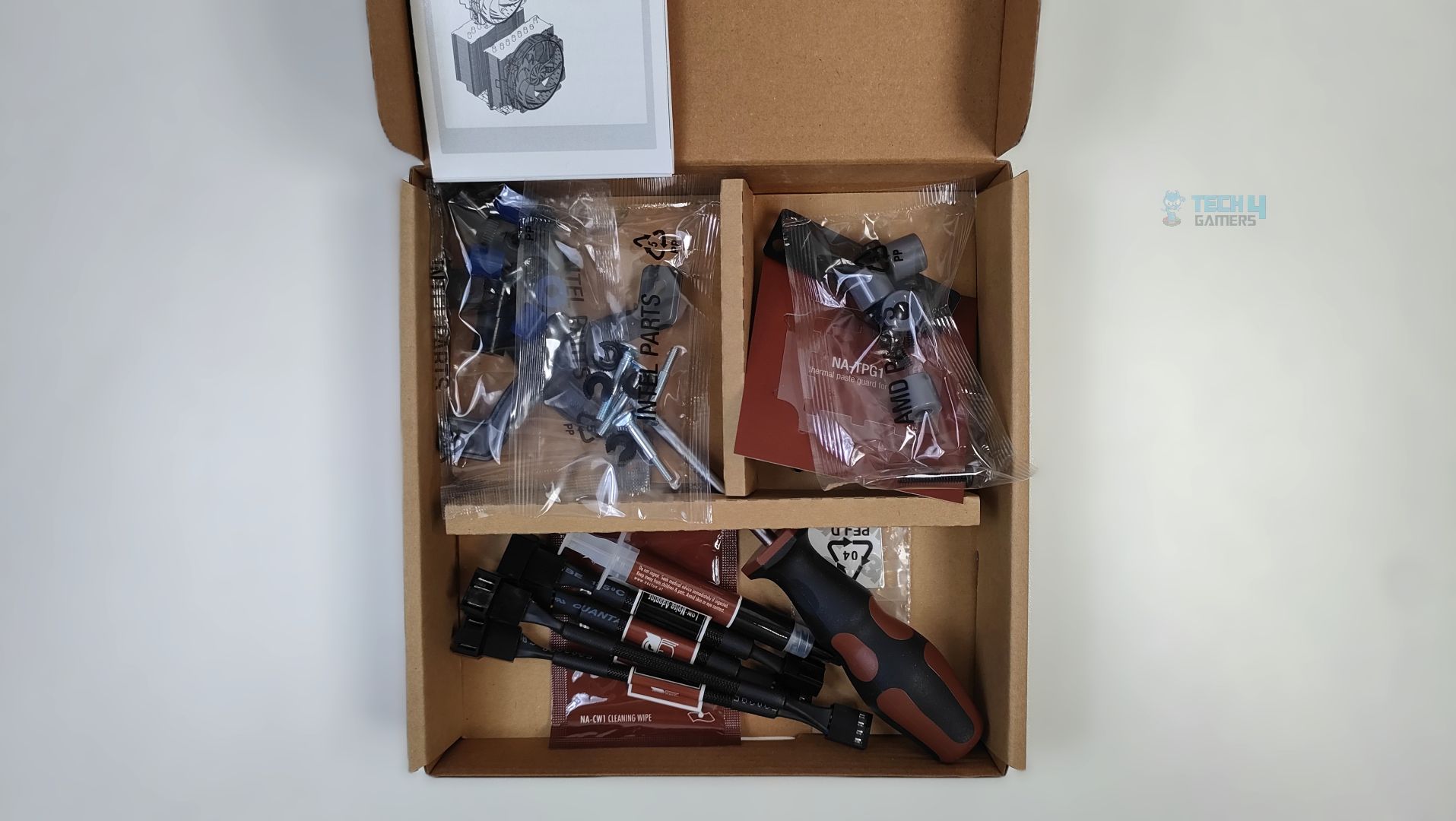
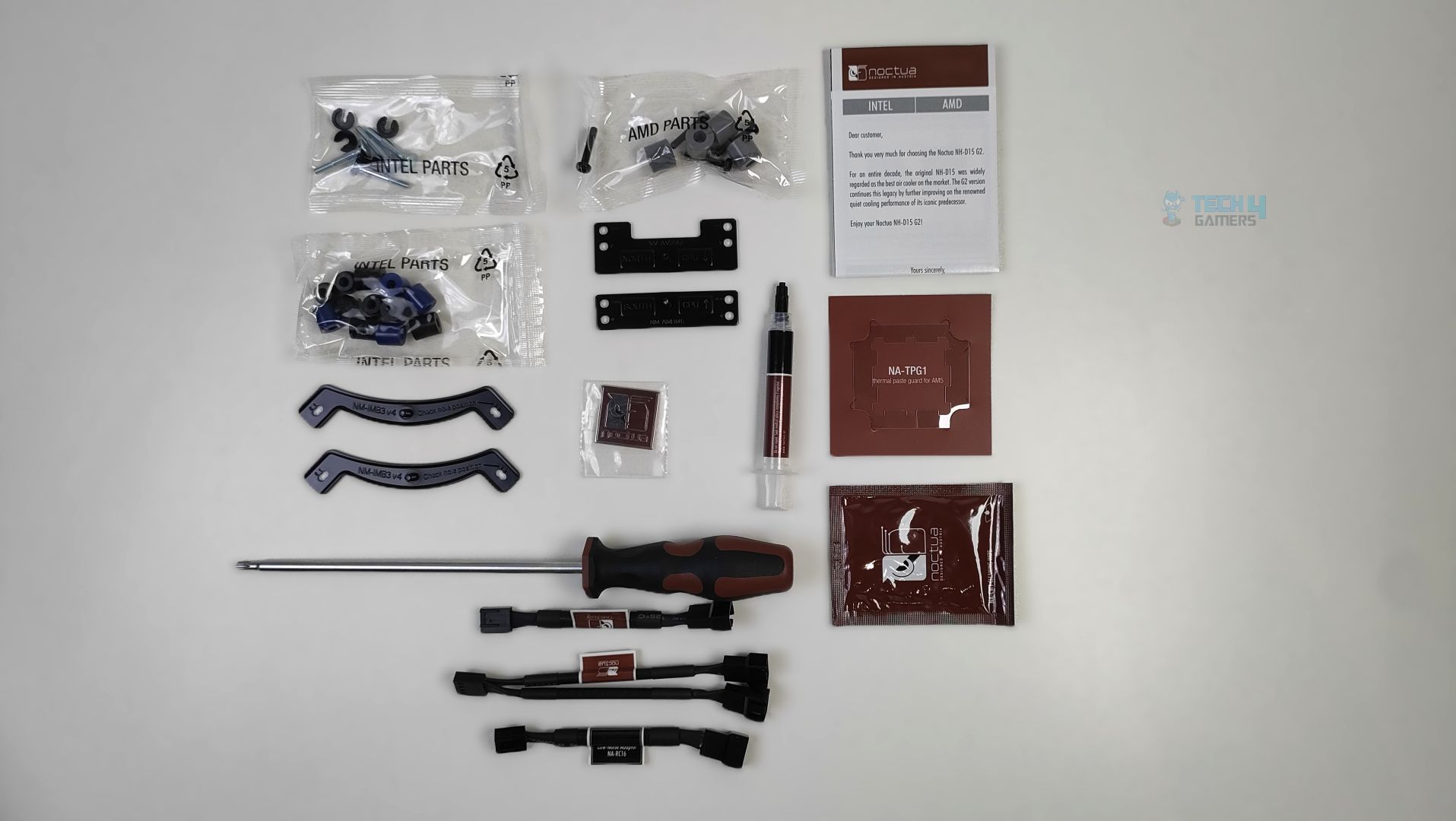
A variety of accessories is included, each in a clearly labelled bag for either AMD or Intel platforms. The cooler supports Intel sockets LGA1700, LGA1851, LGA1954, LGA1156, LGA1155, LGA1150, LGA1151, LGA1200 and is compatible with AMD AM4/AM5. Noctua provides a detailed manual and extras, including an AM5 thermal-paste guard, NT-H2 thermal paste, a screwdriver, a Noctua badge, an alcohol wipe, and several cable extensions. The accessories are neatly organised in the packaging.
Here is the structured table of what you get inside the box:
| Accessories | Detail |
|---|---|
| Fans | 2x NF-A14x25r G2 PWM chromax.black |
| Fan Connectivity | 2x NA-RC16 Low-Noise Adaptor (L.N.A.) |
| NA-YC1 4-pin PWM splitter cable | |
| Mounting | Black SecuFirm2+™ multi-socket mounting system |
| Tools/Extras | Noctua NT-H2 Thermal Paste |
| Thermal Paste Guard AM5 | |
| Alcohol Cleaning Wipe | |
| NM-SD1 Torx® T20 Screwdriver | |
| Noctua metal case-badge |
Close Look Assembly & Heatsink
Taking a first look at the NH-D15 G2 Chromax Black, it has a similar footprint to the original DH-15 G2, but with an all-black-out design.
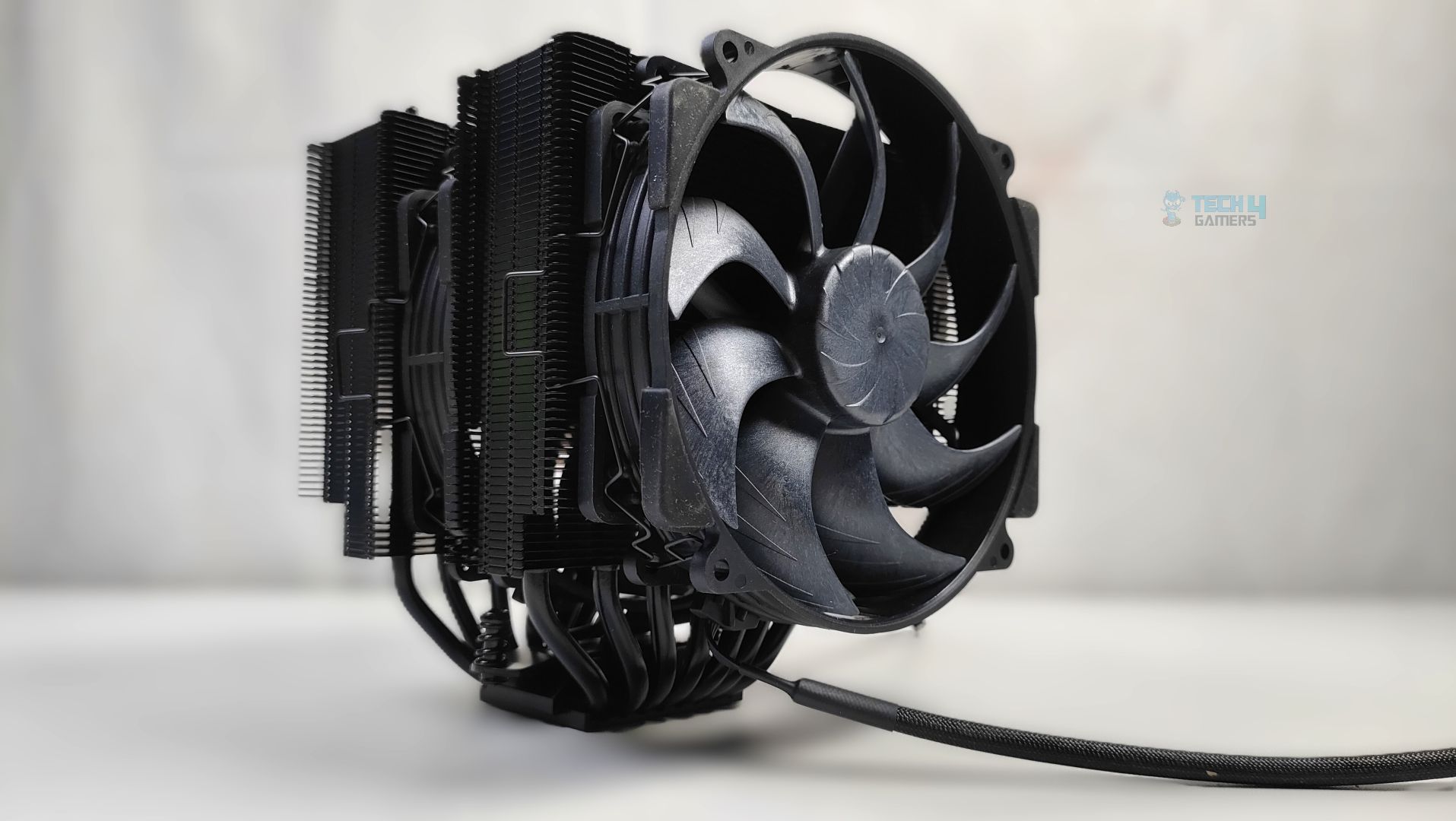
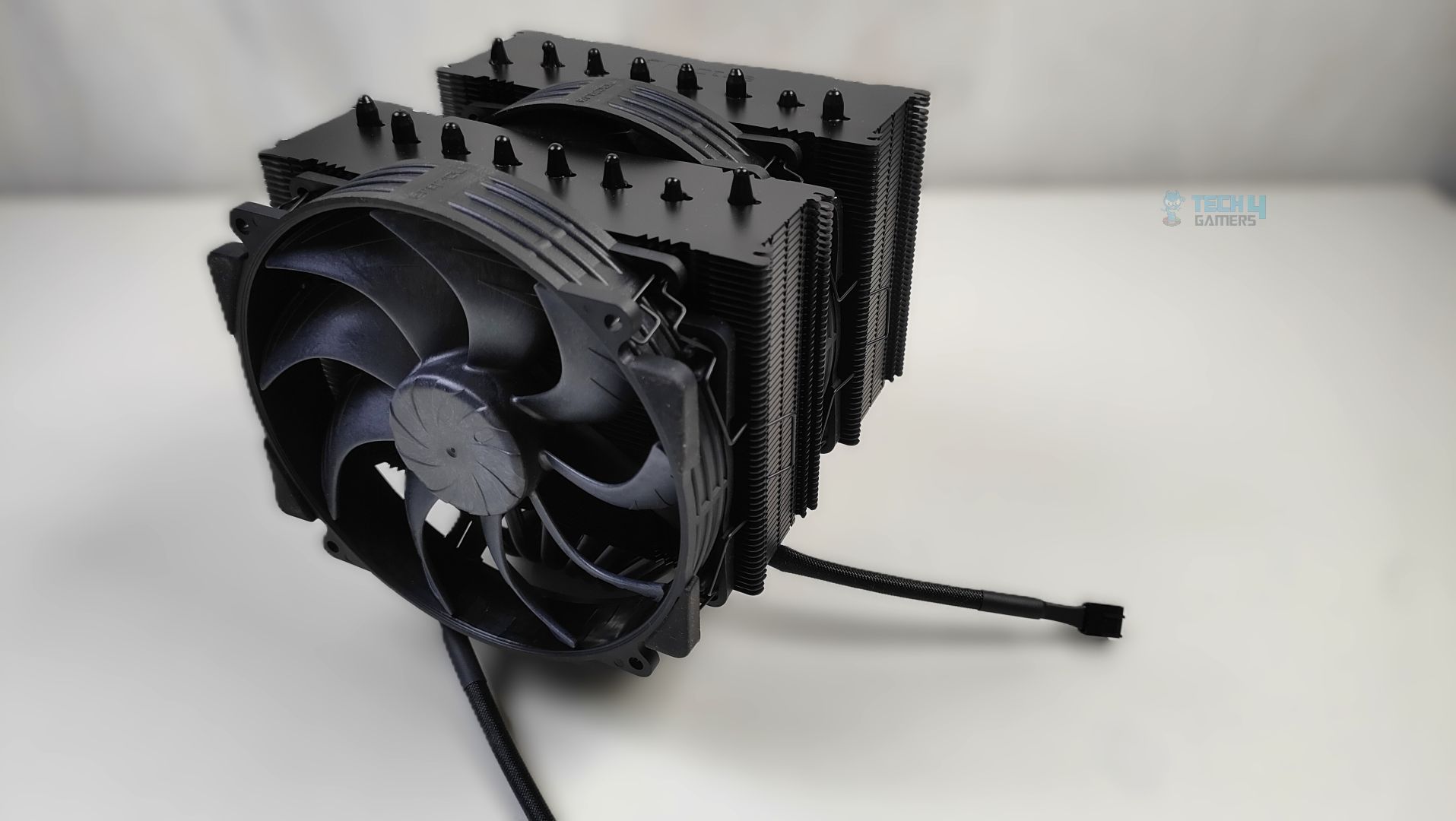
The G2 offers 58 aluminium fins in an asymmetrical design, keeping compatibility, memory, and GPU clearance in mind. The heatsink is large; it’s almost 168mm tall (6.6 inches), so users with small or mid-tower chassis need to make sure it fits. Also, this cooler weighs around 1525 grams with the fans, which is really heavy. However, users can relax: motherboard PCBs can withstand that amount of weight because they’re flexible. If you’re moving your PC, we highly recommend uninstalling the cooler first. The fans are preinstalled on the cooler and need to be removed before installing the cooler on your processor.
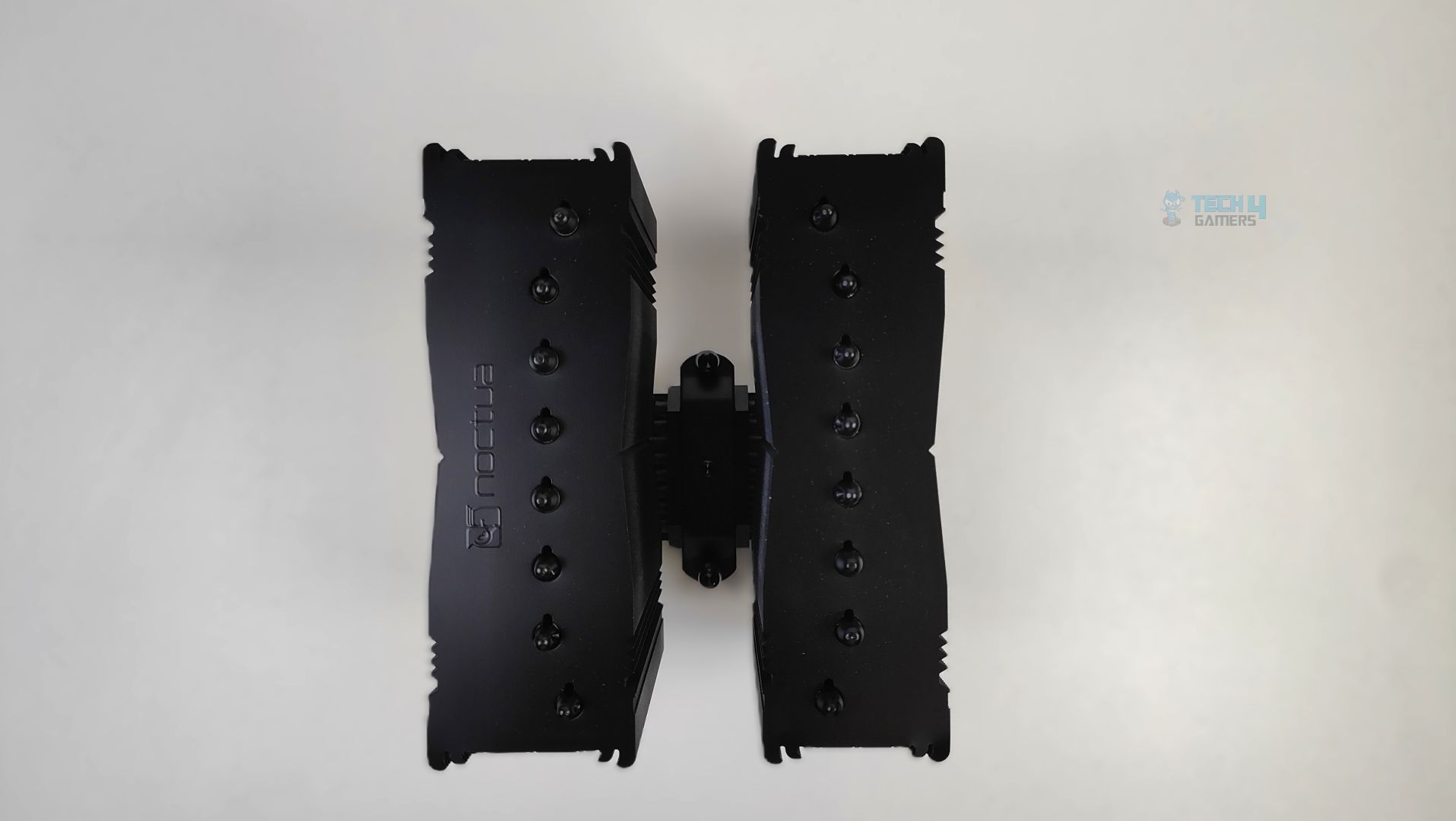
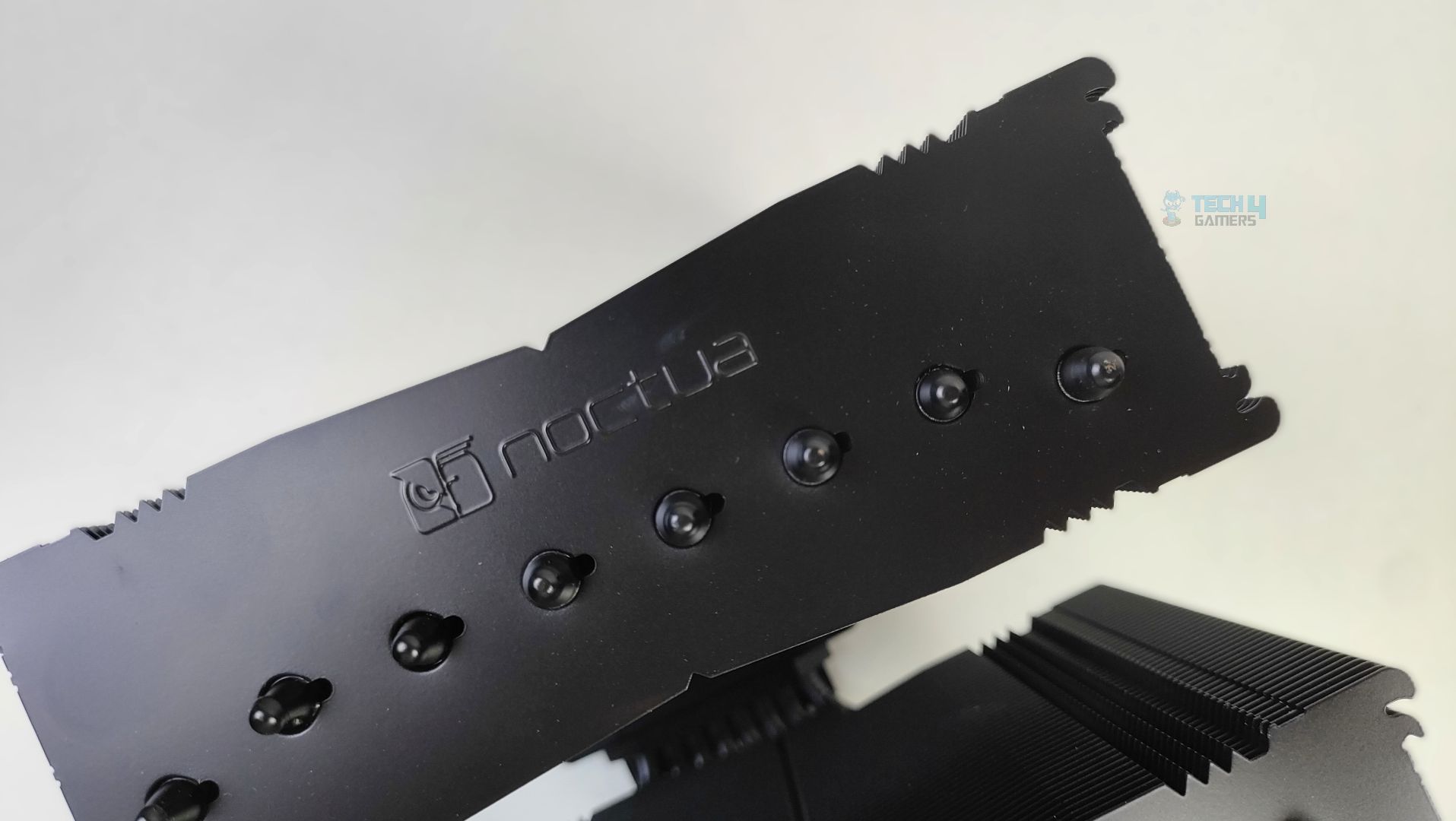
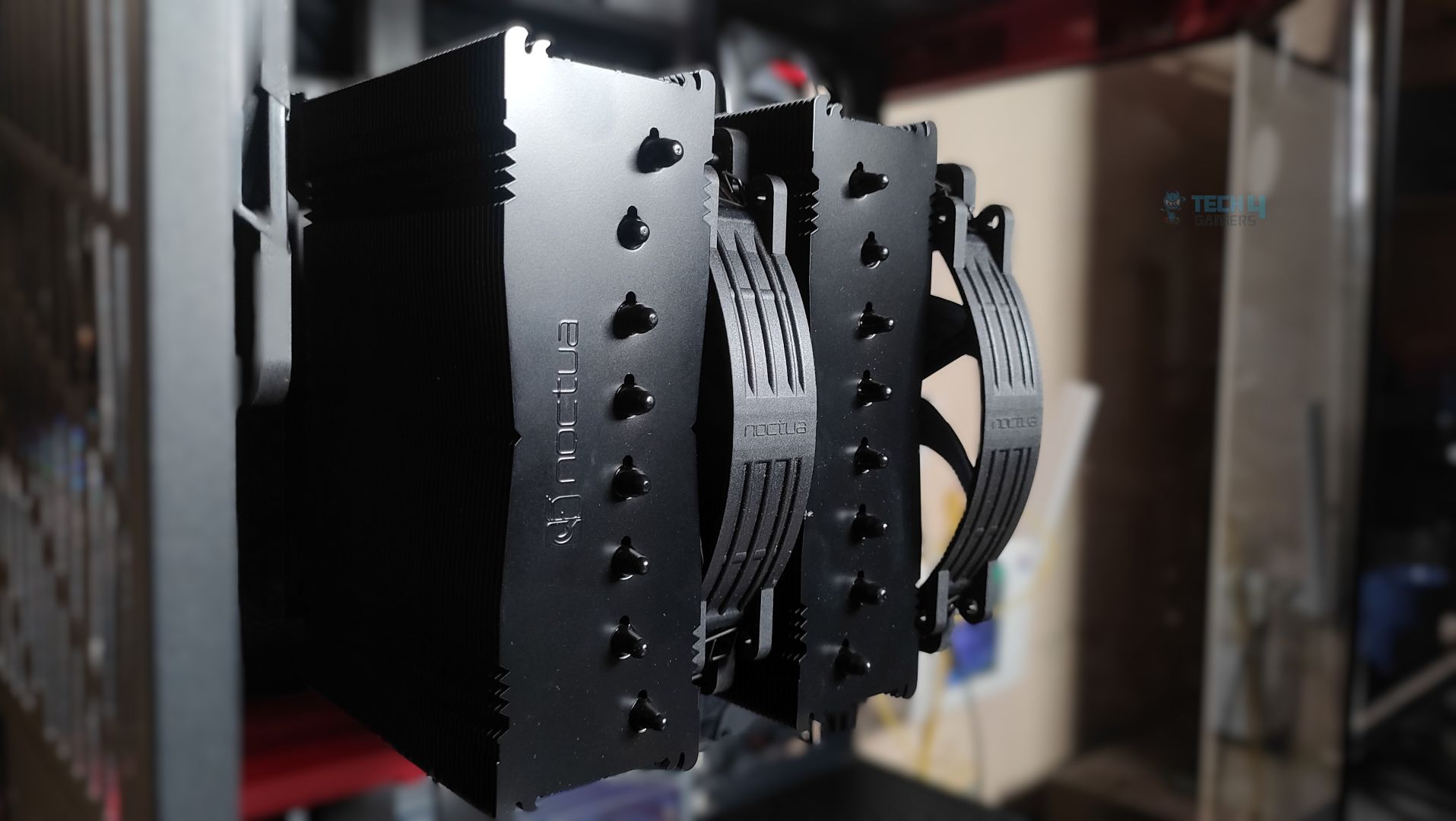
Taking a look at the top side of the heatsink. The shroud has an industrial, stealthy black look with a matte black finish. The embossed Noctua logo feels premium and subtle. The cooler uses 8 copper heat pipes; each bump corresponds to one heat pipe.
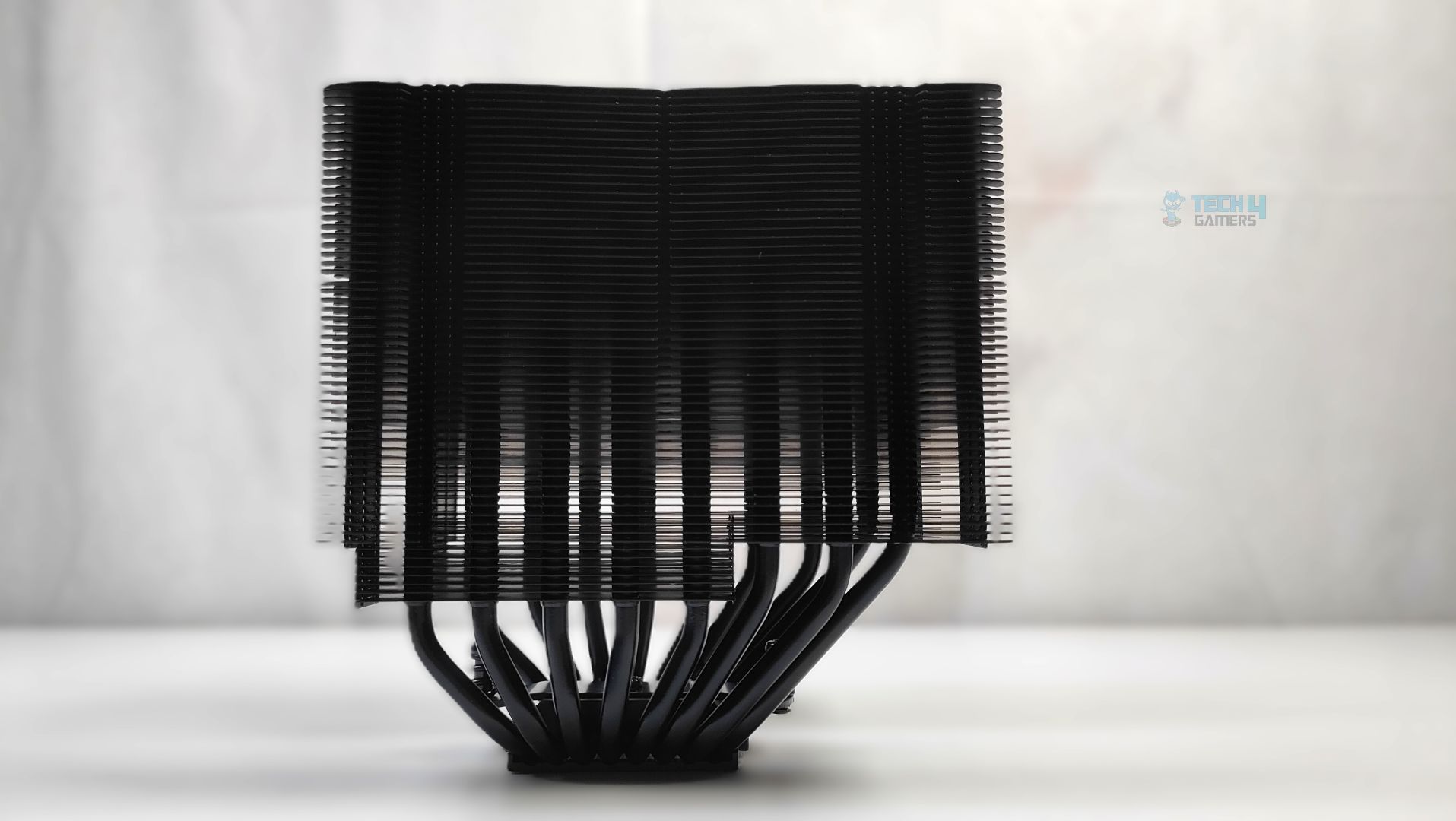
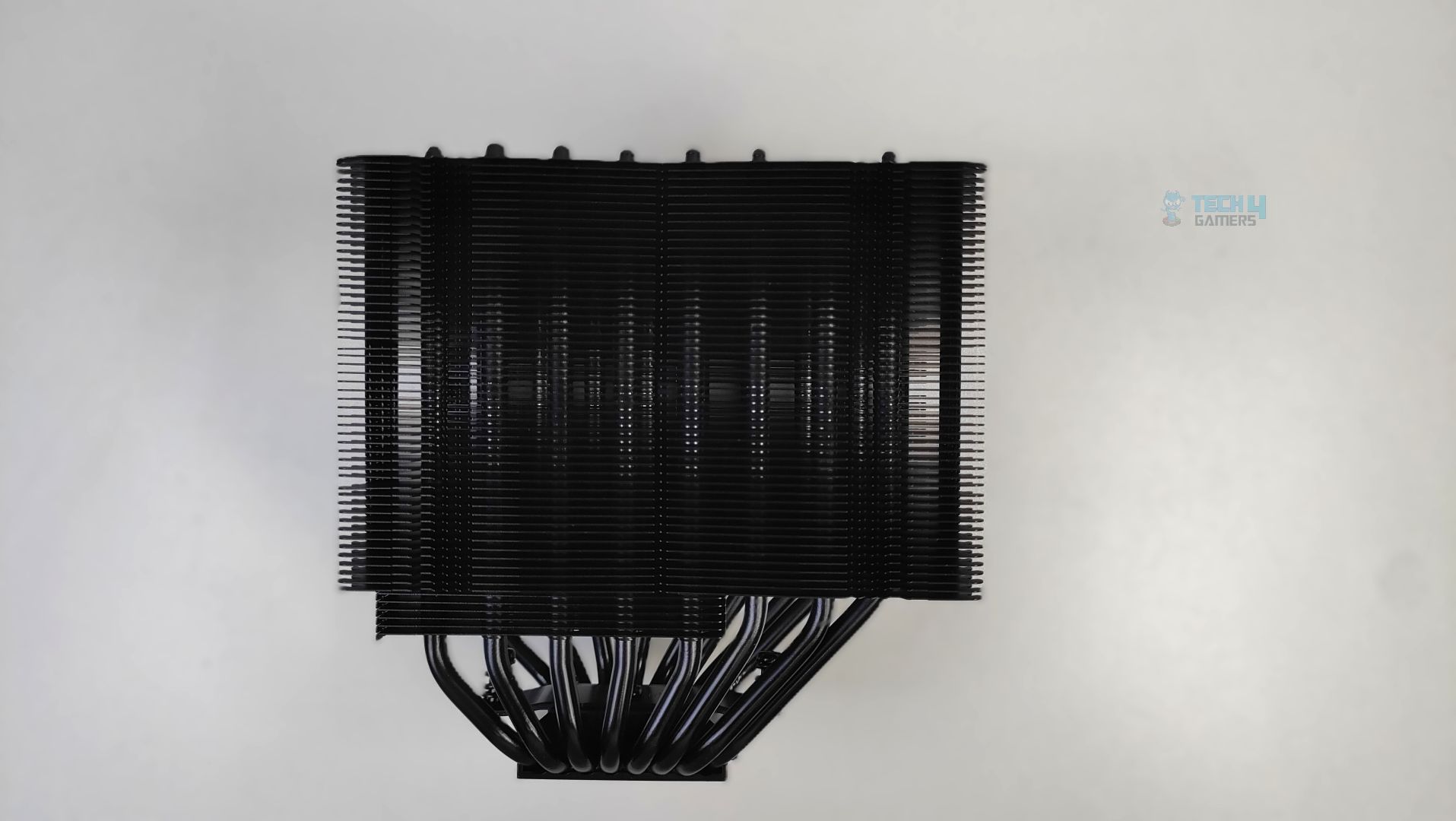
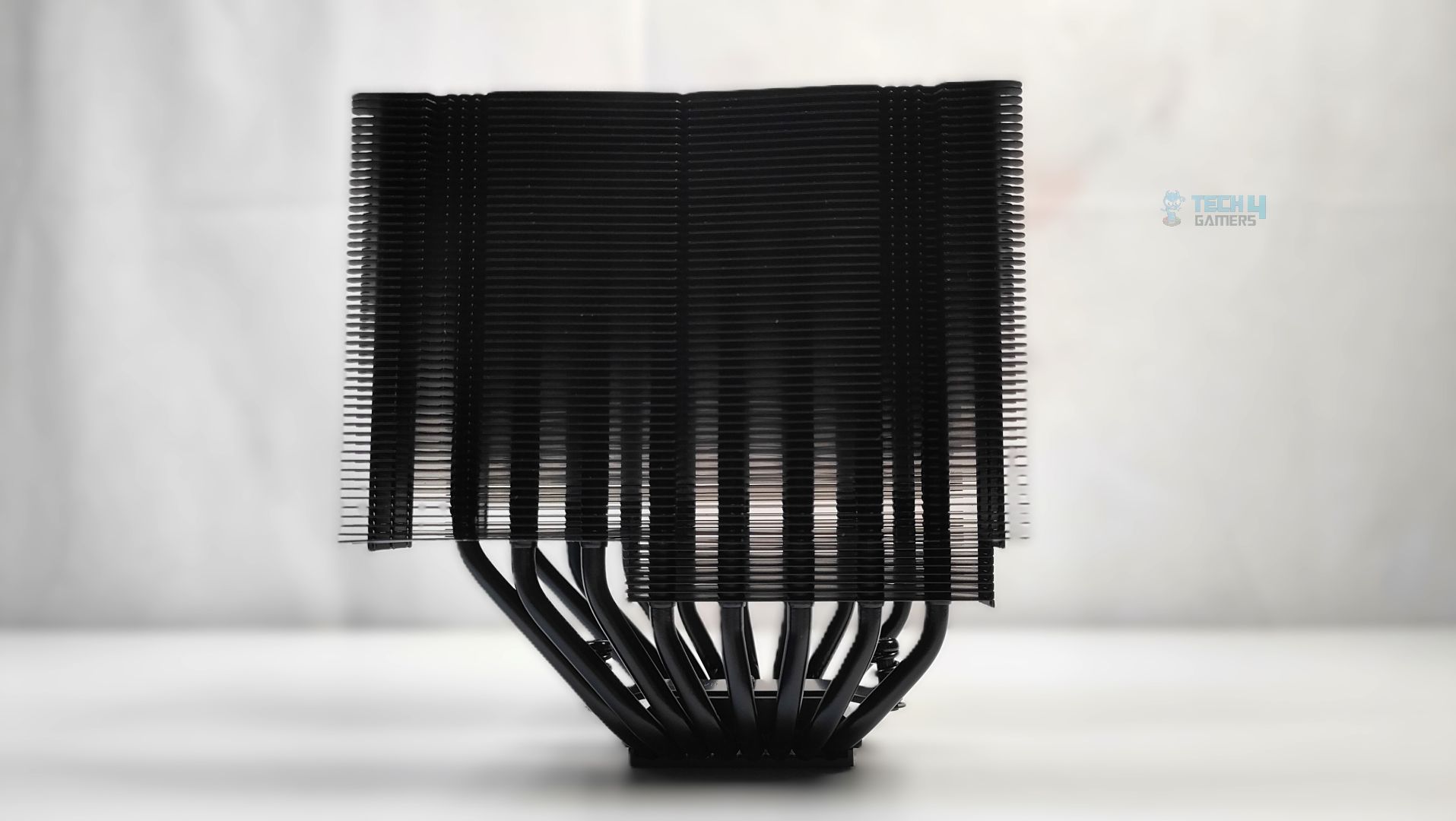
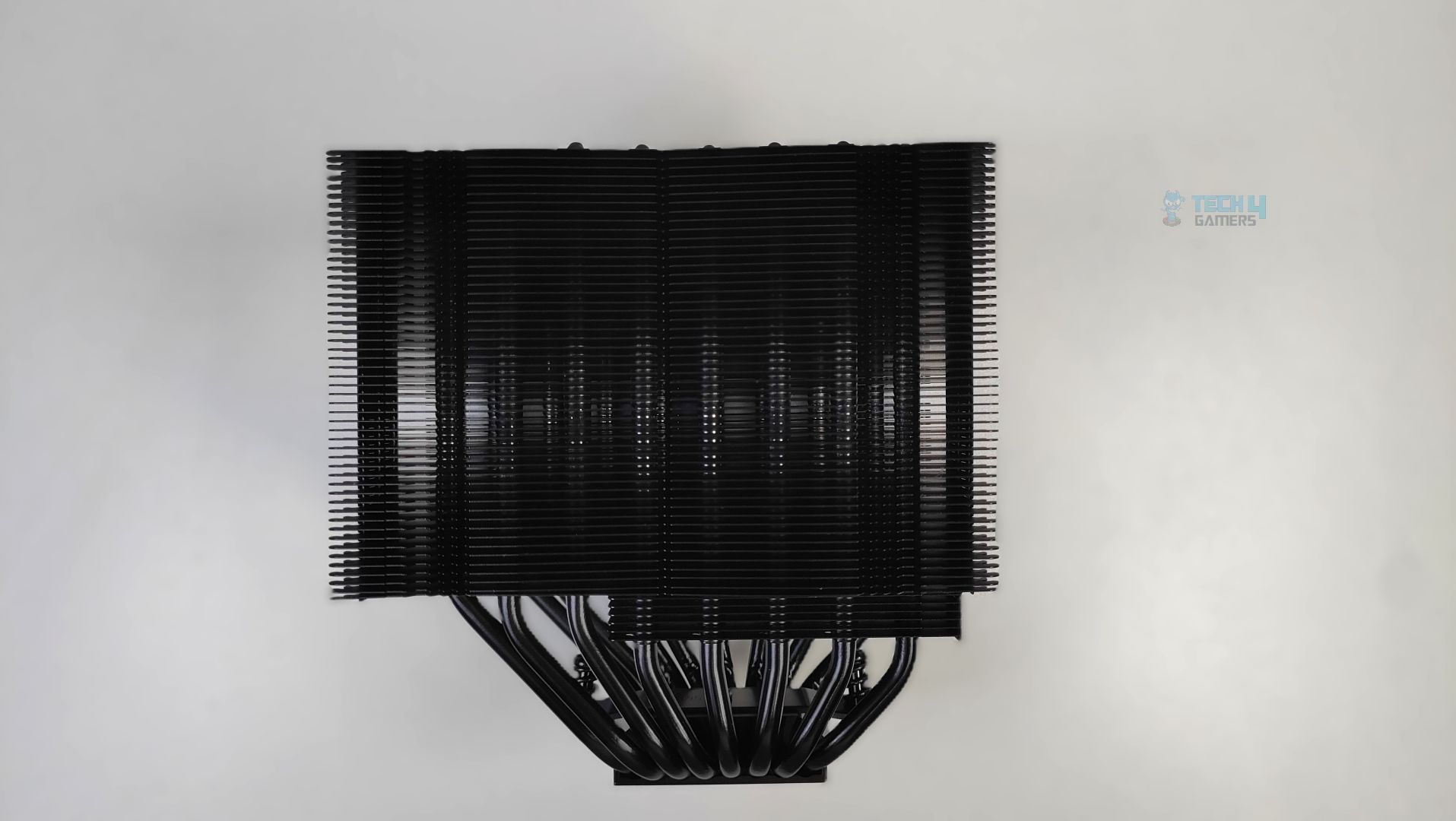
As the cooler features a dense, vertically stacked array of 58 aluminium fins with a symmetrical layout, it pushes towards the motherboard’s top VRM, providing enough clearance for graphics cards and RAM. Looking at the bottom, you will notice some of the fins are cut away, which is intentional and allows the taller ram to sit without causing any problems.
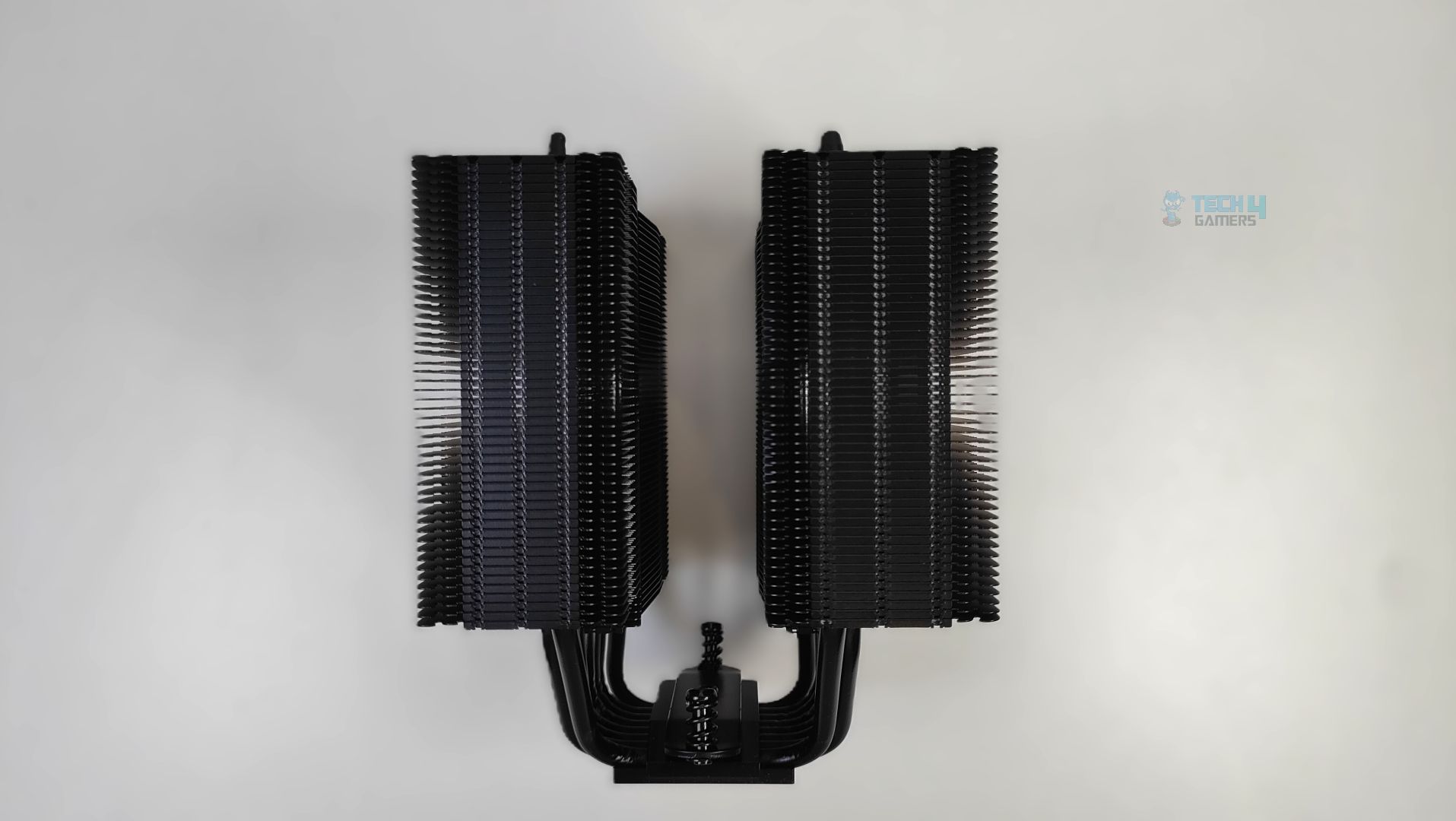
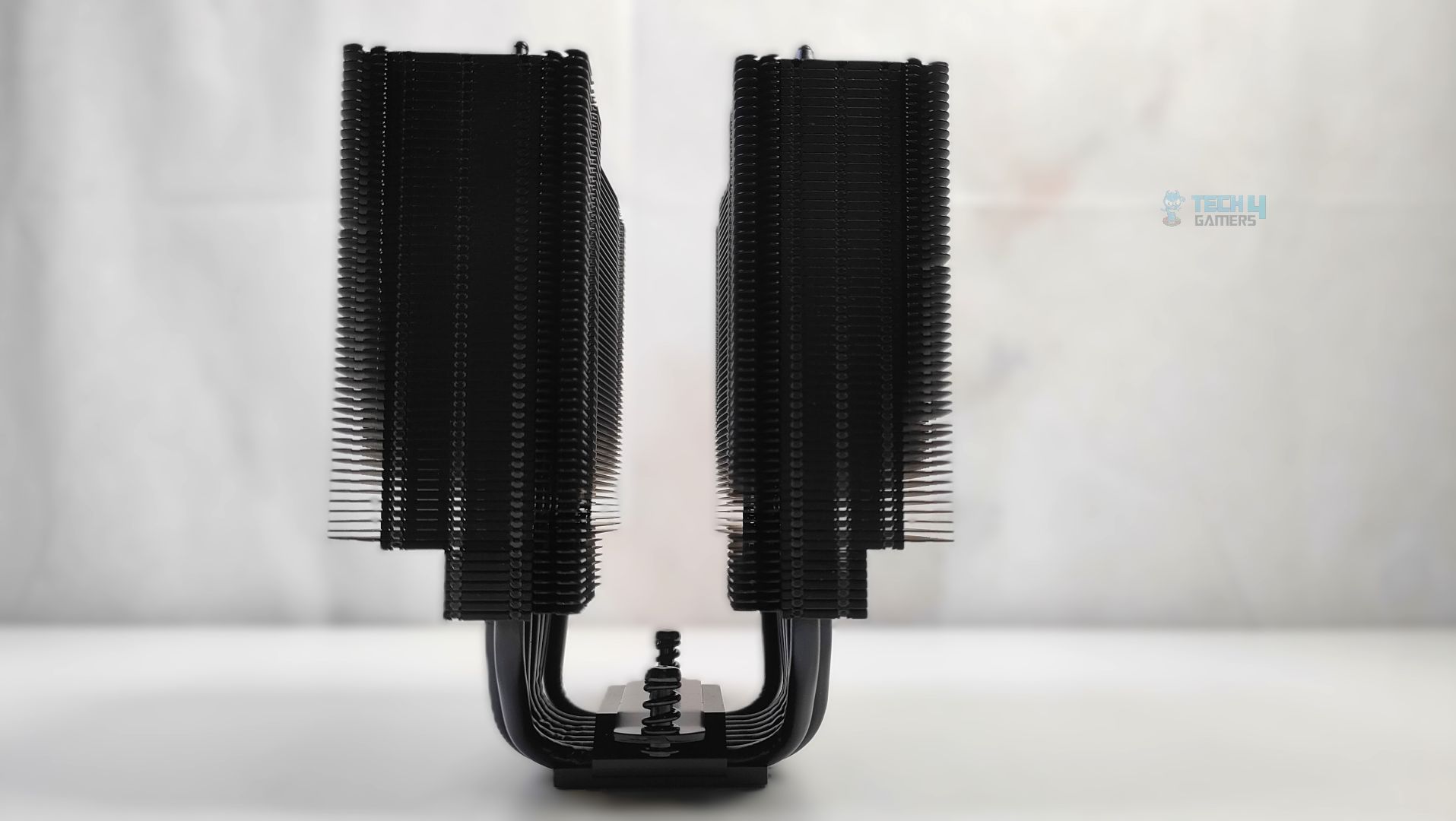
The fin stack appears rigid and solid overall. The heat-pipes are distributed across the base with proper heat-pipe spacing and airflow-aware geometry, demonstrating Noctua’s Engineering. Though I’m a little disappointed, a top cover/heat sink cap would have been a nice addition in all-black for the Chromax series at this price point.
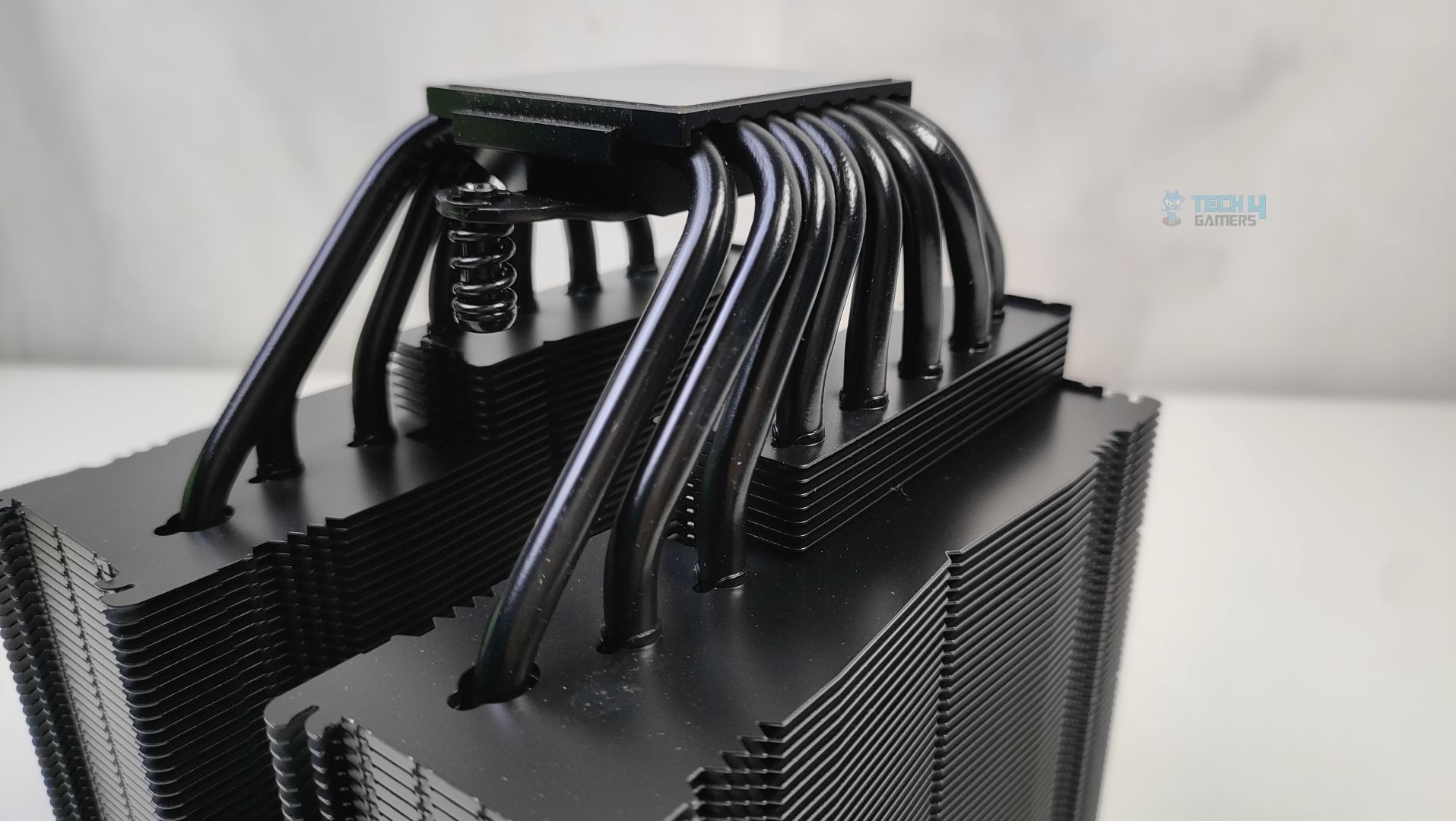
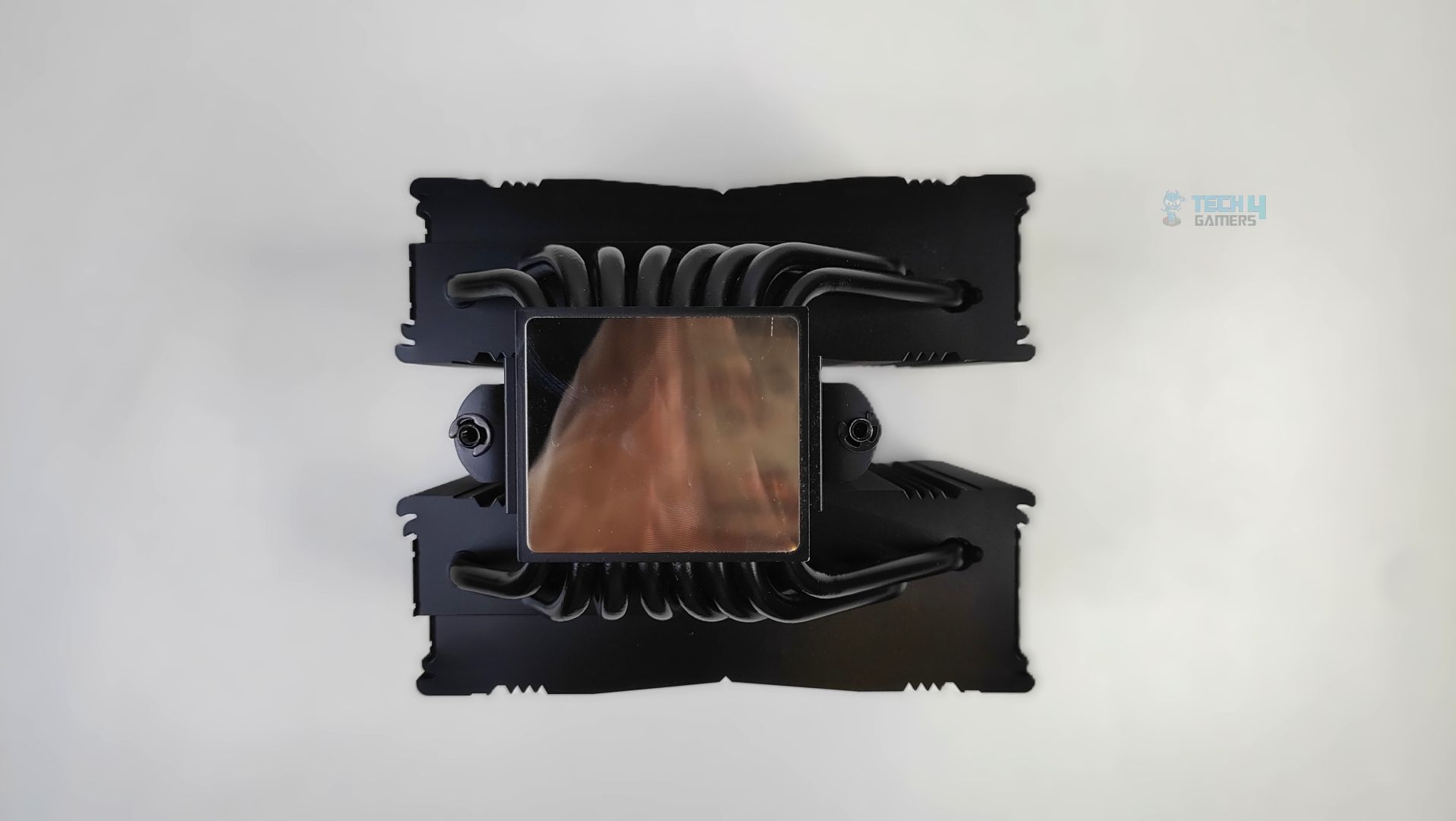
Looking at the base, it and the heat-pipes are nickel-plated. The cooler features 8 heat-pipes sandwiched into the base. The soldering feels really great with no visible gaps or flex. The base comes with a preinstalled mounting bridge with spring-loaded screws.
Fans
Let’s discuss about the fans!
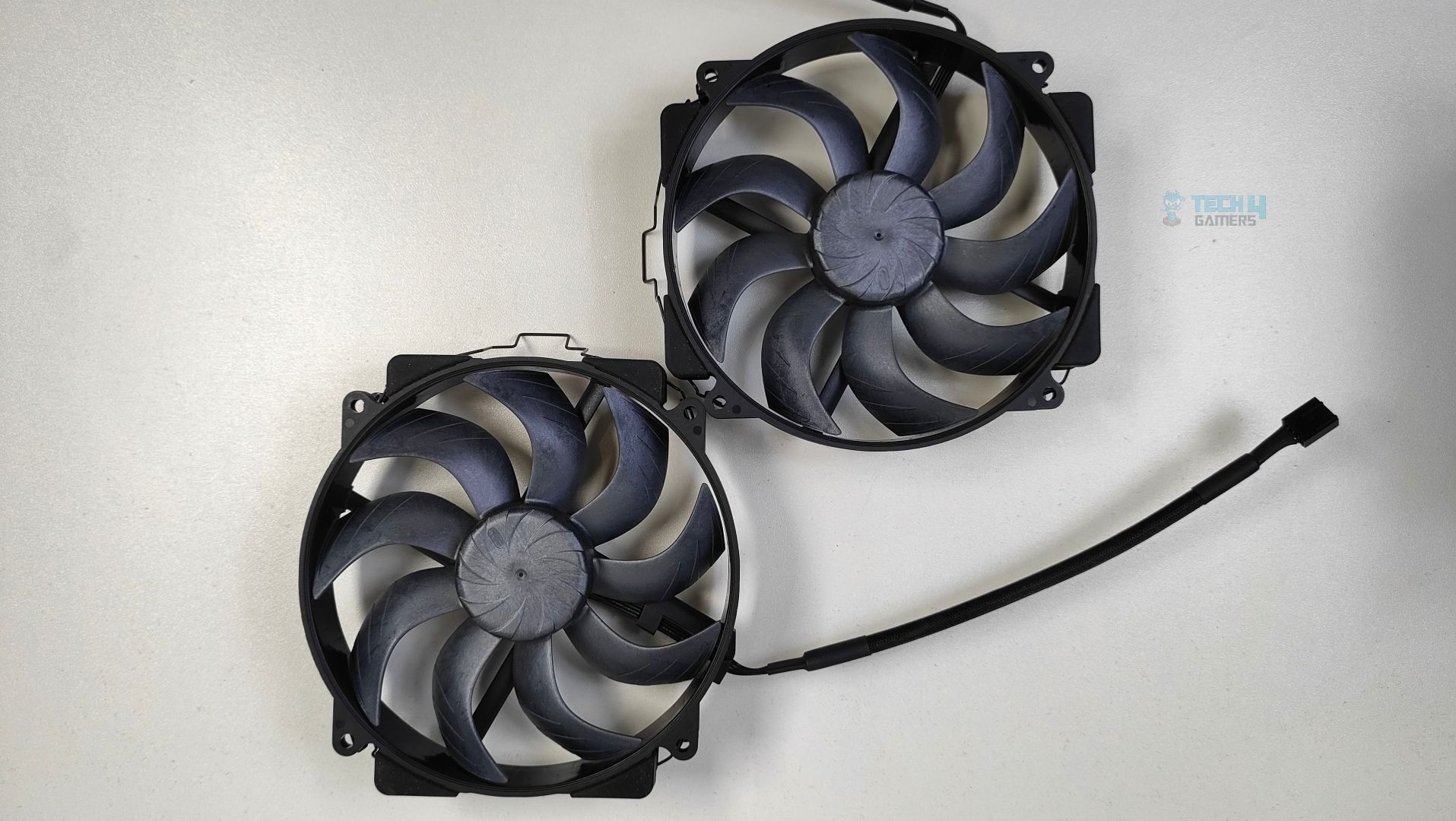
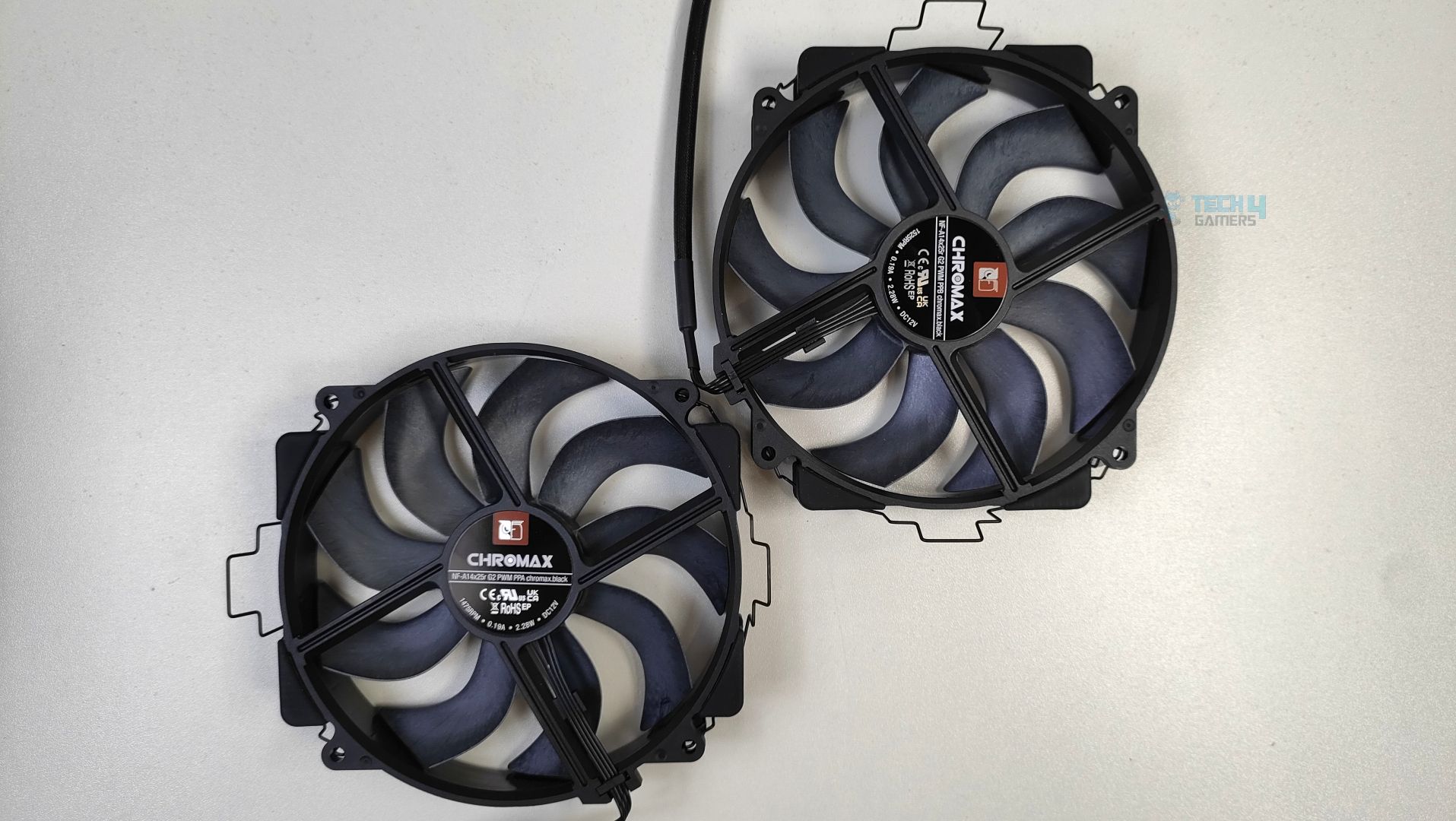
The fans in question are 2x NF-A14x25r G2 PWM chromax.black, which are 140mm and circular. They can reach 1500 RPM and deliver a max airflow of 91.5 CFM. These fans carry the exact features as the original G2 120mm fans we reviewed earlier, including tons of new aerodynamic enhancements, an improved centrifugal turbulator hub, and winglets with a tight tip clearance of 0.7mm, focusing on performance-to-noise efficiency. The fan features 9 blades.
Here are the specifications of the fans.
| NH-D15 G2 Chromax Black Fan Specifications | |
|---|---|
| Fan Model | NF-A14x25r G2 PWM Chromax Black |
| Size (Form factor) | 140 x 140 x 25 mm (round) |
| Airflow (max.) | 155.6 m³/h (91.58 CFM) |
| Acoustical noise (max.) | 24.8 dB(A) |
| Static pressure (max.) | 2.56 mm H₂O |
| Connector | 4-pin |
| Colour | Black |
| Warranty | 6 Years |
Installation (AMD)
We’re using the AMD platform, so our installation steps will only be provided for that.
Prepare the socket
We’re using the AMD system. The first step is to remove the AMD stock retention brackets that come preinstalled on the motherboard. Place the gray spacers in the mounting holes around the socket. Now, place the AMD mounting bars (NM-AMB14a and NM-AMB14b) on the spacers and secure them with the four long screws. Noctua has provided two methods for mounting the brackets. We are following the offset position at -7mm (Highlighted on the mounting bars), which allows more pressure right above the CPU CCDs (Core Complex Die), resulting in better temperatures on our AMD Ryzen 9000 Series.
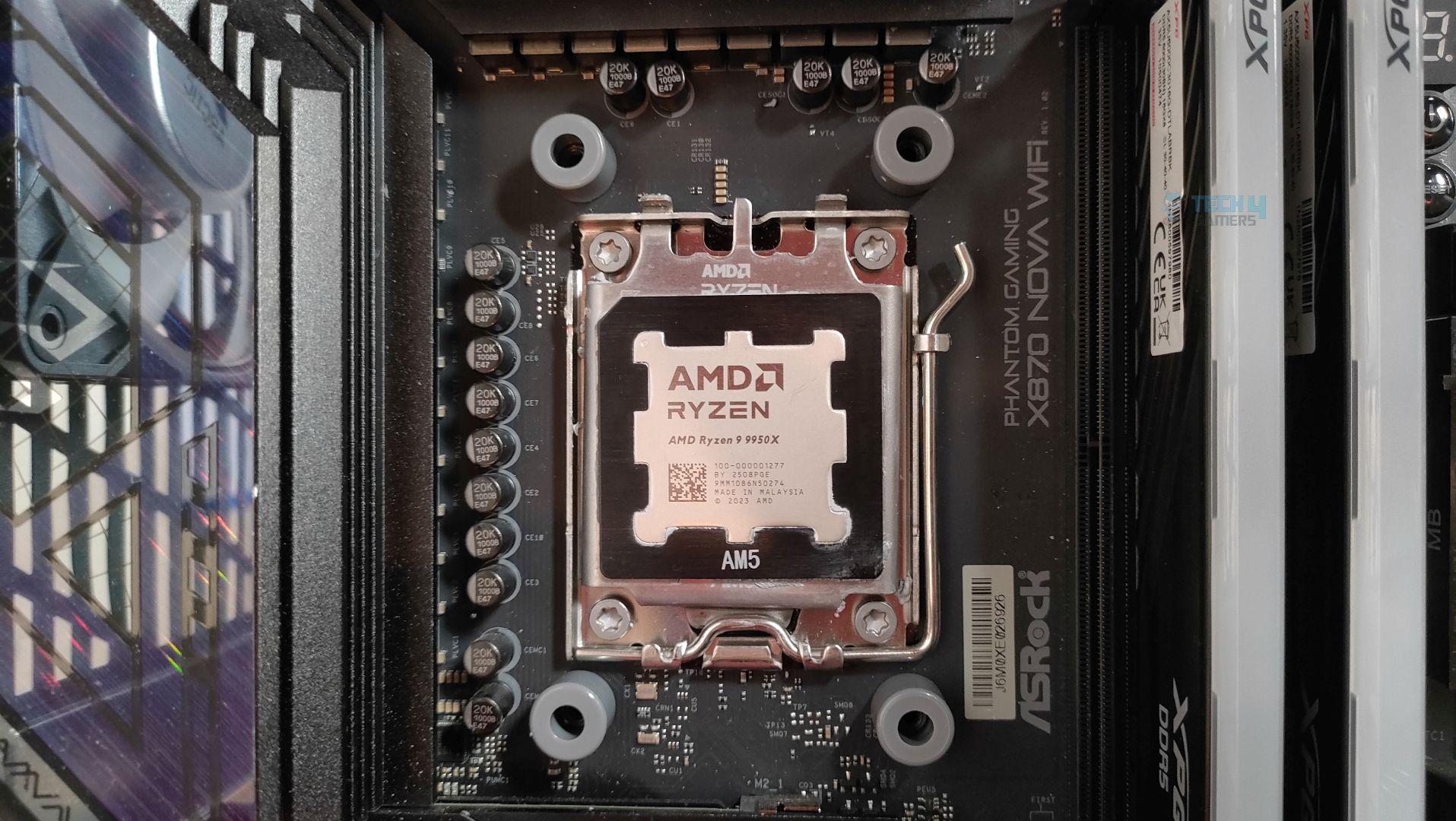
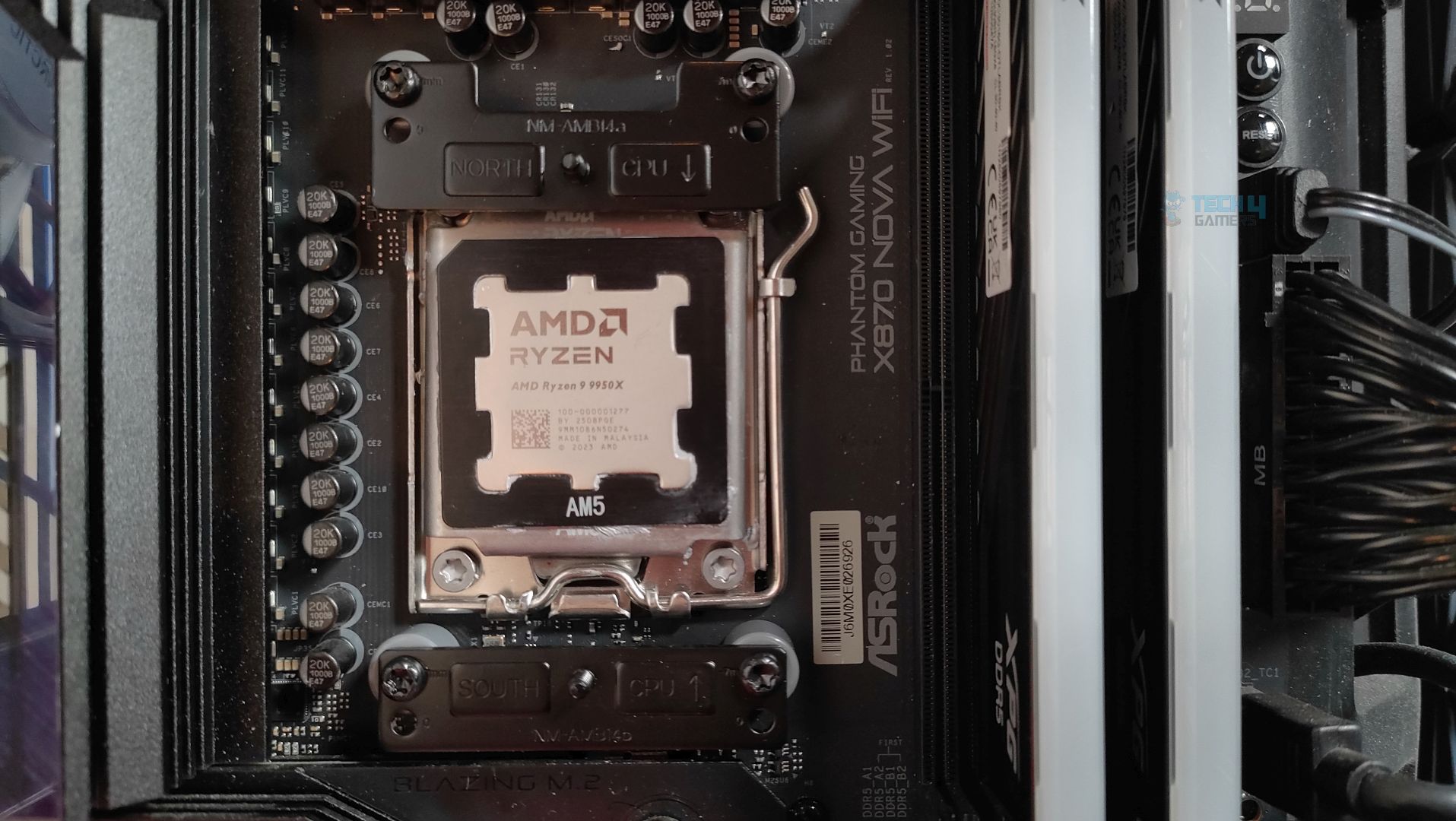
Make sure you have removed the sticker from the copper base. However, in our sample, our cooler did not have any stickers. The next step is to apply the thermal paste; we are using ID-Cooling X45 for all coolers. Now it’s time to mount the cooler and secure the heatsink using the included NM-SD1 Torx T20 screwdriver. We did not find any issue in installing the cooler.
Finished Looks
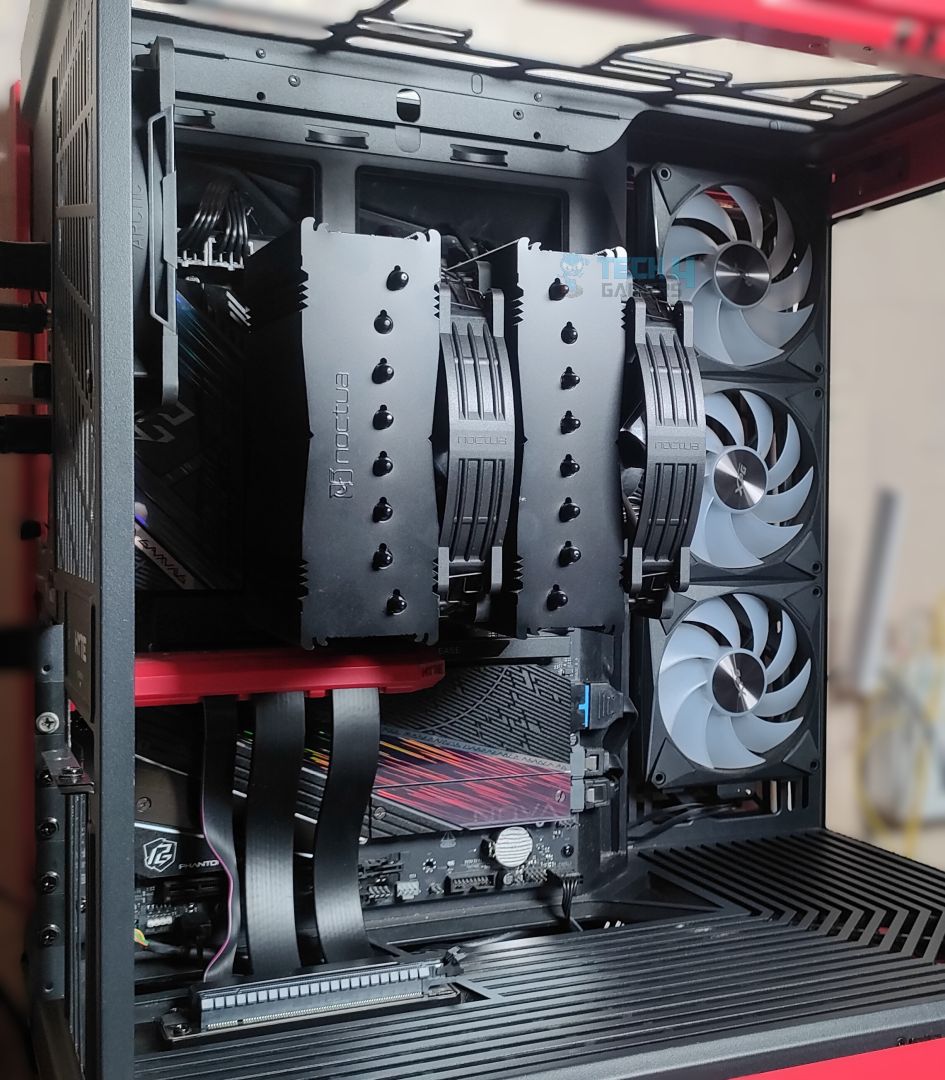
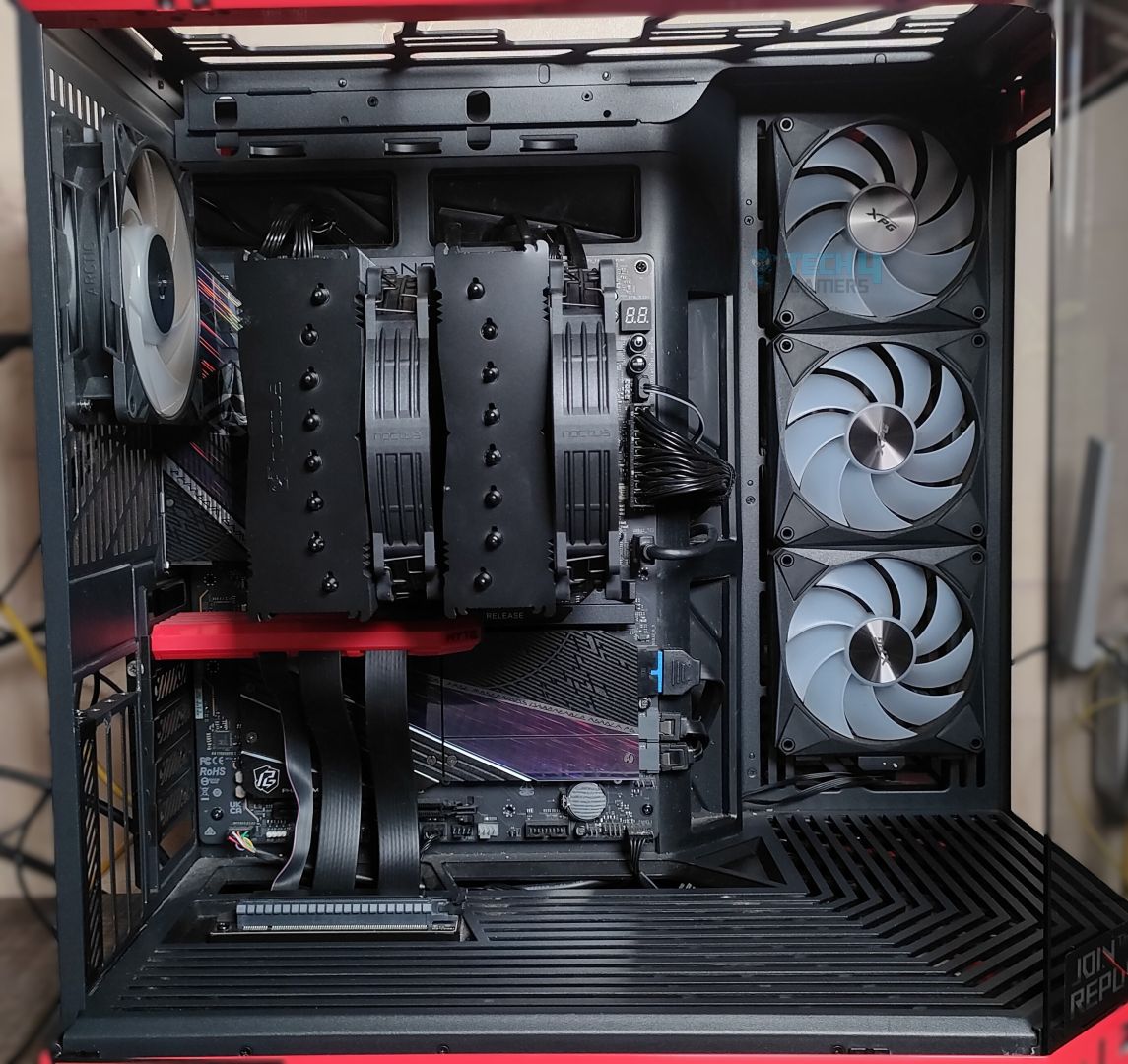
NH-D15 G2 Chromax Black assembled in HYTE Y70. Users who are buying this cooler need to take certain things into account. We had to move the second fan upwards due to the interference with our XPG Lancer Blade DDR5 memory. We also removed our vertically positioned ZOTAC Solid RTX 5080 due to the fan conflicting with the GPU power connector. The GPU wouldn’t cause any issue when horizontally installed.
Testing Methodology
CPU Configuration:
- We evaluate the cooler’s performance using three different benchmark methods. Noise-normalized testing is performed at 40dB(A) at the 105W TDP and 170W TDP (Stock) of the Ryzen 9 9950X. We then test the cooler’s performance at the maximum PWM speeds for both TDP configurations. After that, we unlock the power limits of the CPU to see how much cooler it can dissipate the heat in terms of watts at the maximum PWM Speeds.
Controlled Environment:
- We have eliminated the influence of ambient temperatures in our data, and all results are presented as deltas over the ambient conditions. The tests were done in a controlled environment with a room temperature of 25°C.
Preparing System:
- The Coolers are tested in realistic conditions. We don’t use the open bench system; instead, we have installed the cooler in our HYTE Y70 case, mounted at the top. We ensure the airflow is adequate in the case and that the case fans are running at the fixed PWM speeds.
- We are using ID-Cooling X45 thermal paste for all coolers.
Software:
- We have ensured that no other software is running on the computer that could influence the CPU load.
- We’ll be using the Cinebench R23 Loop for 20 minutes after the warm-up test has been completed. Each test has a 10-minute cool-down time.
Test Setup
Here is our test setup!
| Our Primary Test System |
|
|---|---|
| Processor | AMD Ryzen 9 9950X |
| Memory | XPG Lancer 32GB (16x2) 6000MT/s CL30 |
| Motherboard | ASRock X870 Phantom Gaming Nova WiFi (BIOS: 3.5v) |
| Thermal Paste | ID-Cooling X45 |
| Graphics Card | ZOTAC SOLID RTX 5080 , |
| Power Supply Unit | Super Flower LEADEX VII Platinum PRO 850W |
Test Results – Noise Normalized 40 dB(A)
Results at the fixed noise level of 40dB(A).
105W TDP

170W TDP

Test Results – Maximum Speed
Results at the Maximum PWM Speed.
105W TDP

170W TDP
Noise and RPM Readings
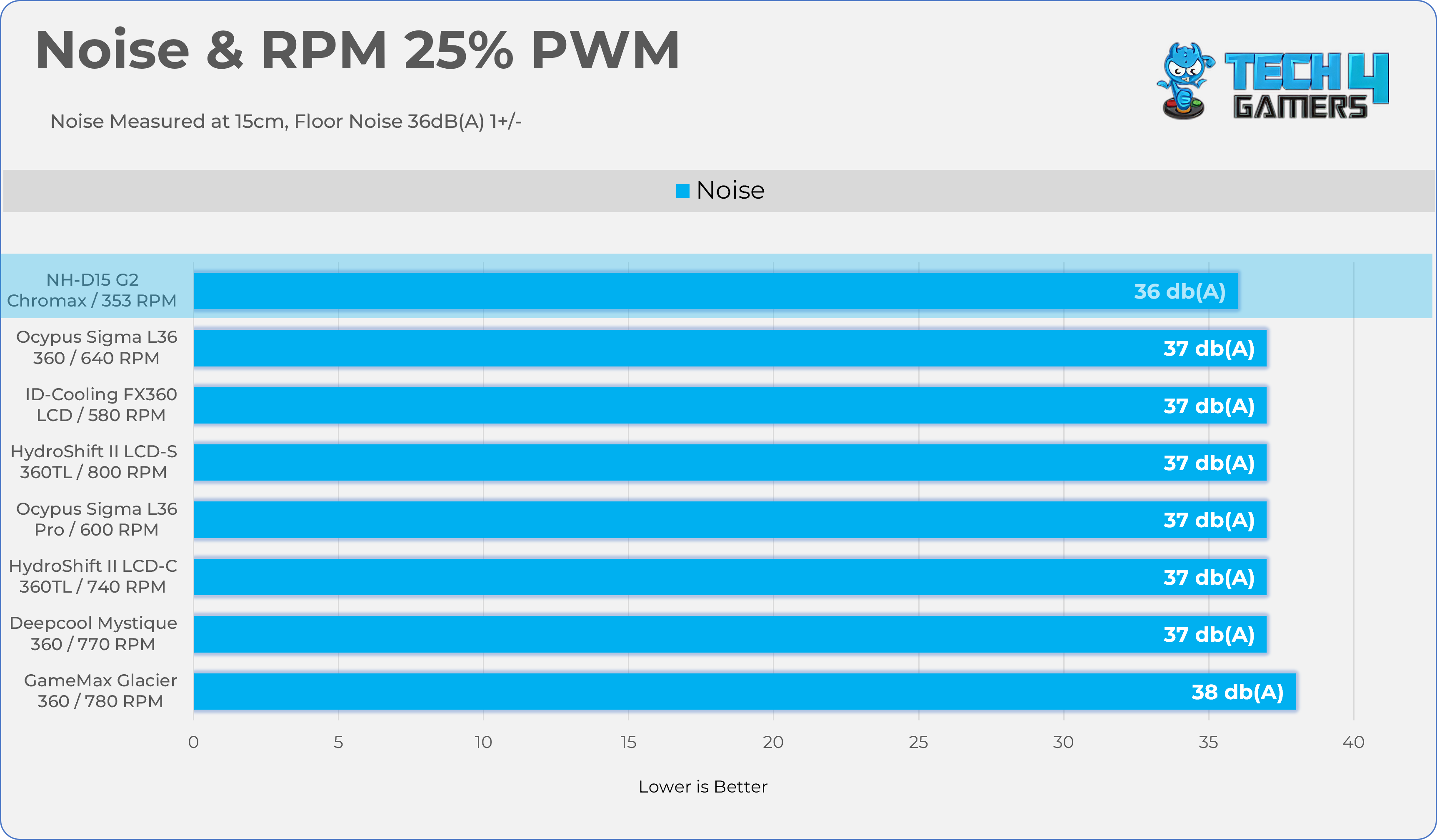
Let’s take a look at the Noise and RPM Readings. We conducted tests across four different PWM range levels.
25-50% PWM

75-100% PWM
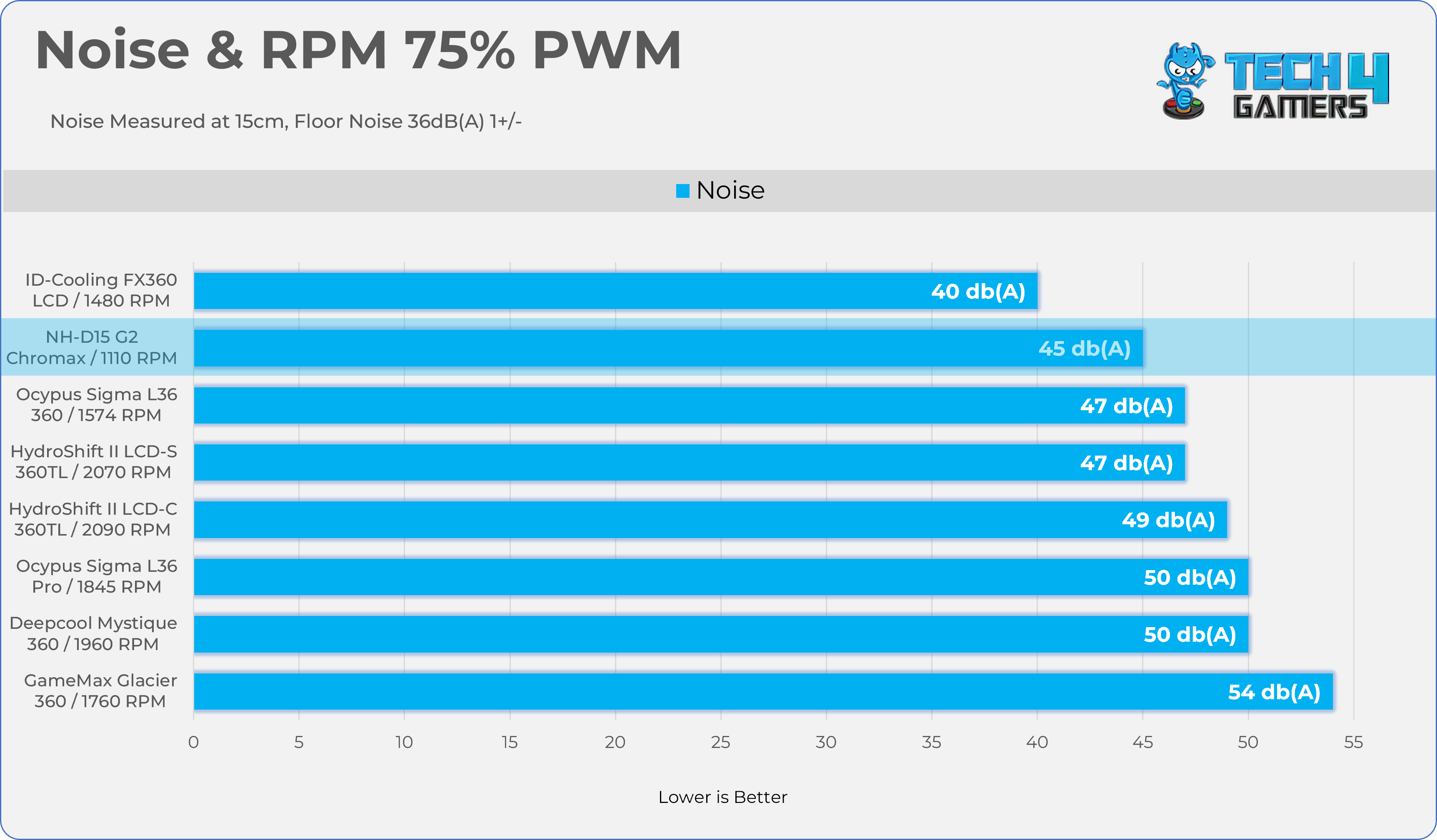
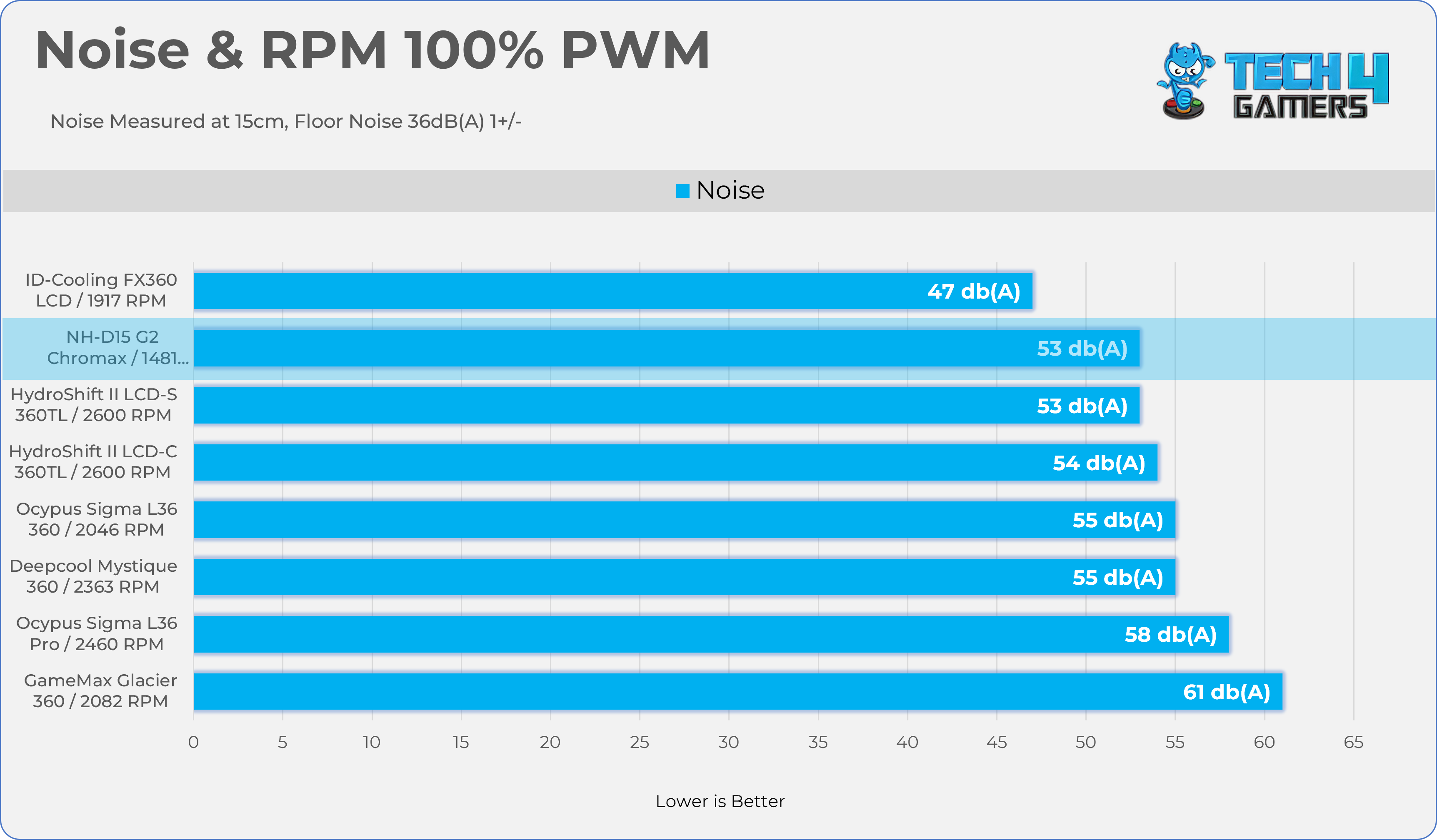
Here is the structured table illustrating fan noise levels at various PWM percentages. The Floor Noise Level is 36dB(A).
| PWM (%) | RPM | Noise dB(A) |
|---|---|---|
| 25% | 353 RPM | 36 dB |
| 50% | 737 RPM | 37 dB |
| 75% | 1110 RPM | 45 dB |
| 100% | 1481 RPM | 53 dB |
Should You Buy It?
Buy It If
✅ You Want a CPU Cooler That Will Last Forever: The NH-D15 G2 Chromax offers exceptional build quality while maintaining Noctua’s stellar track record. Noctua coolers are also known for their long-term compatibility, as the company typically provides mounting brackets for next-generation processors.
✅ You Want Good Acoustics: Thanks to Noctua’s exceptional engineering, the fans performed remarkably well in our noise testing. They were nearly silent at 50% PWM and produced only 45 dB(A) at 75% PWM, which falls within an excellent noise range.
✅ You Want The All-Black Stealth Build: The NH-D15 G2 Chromax is ideal for an all-black stealth-themed build. The shroud features an industrial, stealth-inspired design with a matte black finish.
Don’t Buy It If
❌ If You’re Someone Who Prefers ARGB or Lighting effects: Lacking ARGB, this cooler may not appeal to all PC builders.
❌ If You’re Budget Conscious: More affordable alternatives are available, such as models from ID-Cooling or ThermalRight priced at $59.99 USD. Rather than paying a premium for this CPU cooler, you may be better off investing in a CPU or GPU upgrade.
Final Thoughts
To conclude, we’d like to share our final observations.
Cooling Performance And Noise
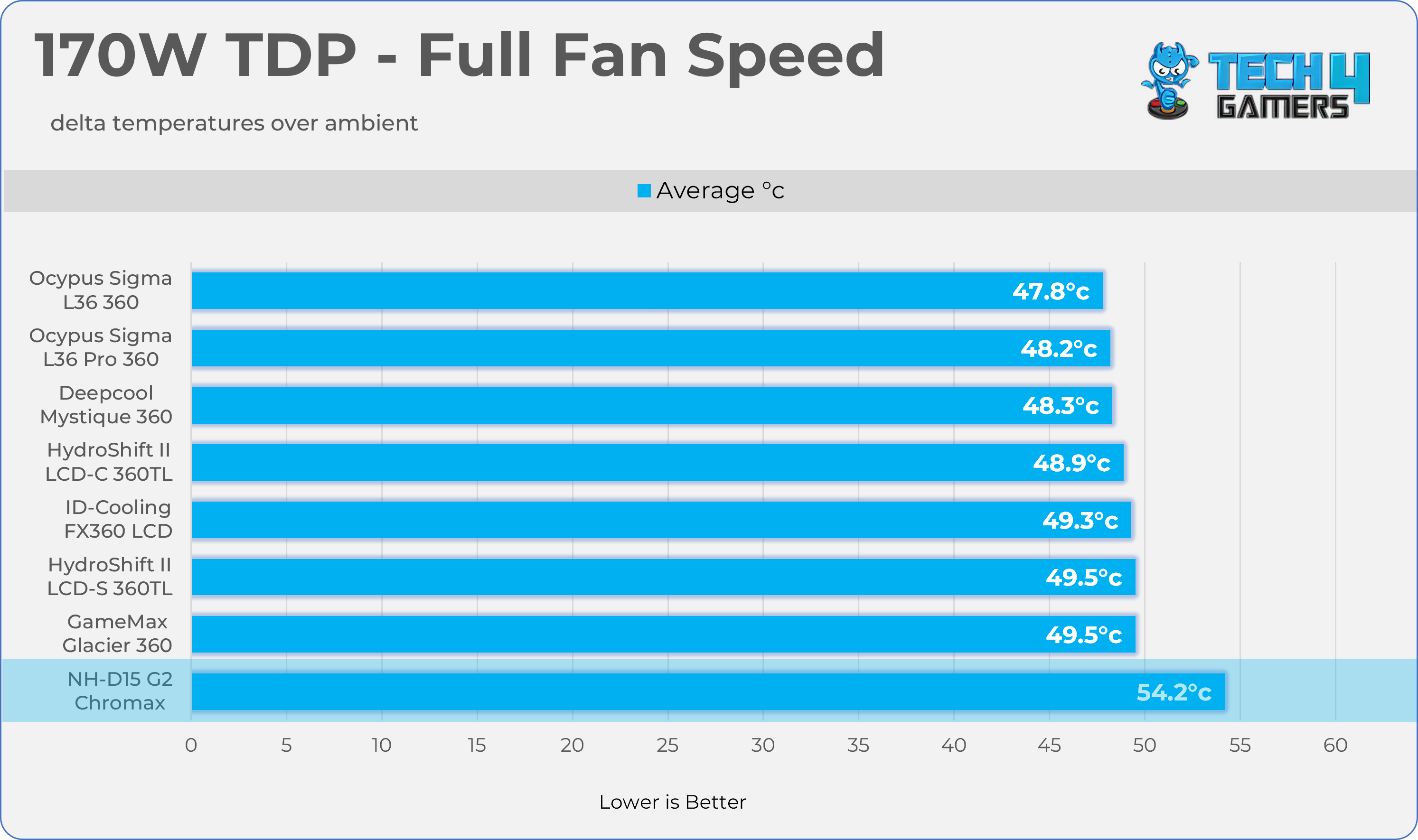
The NH-D15 G2 Chromax demonstrates excellent cooling performance. It handled the 170W TDP AMD Ryzen 9 9950X with ease. When compared to liquid coolers, the performance gap is minimal at lower TDP levels, such as 105W. However, at the 170W. Our processor’s stock TDP, the Noctua, performs approximately 6 °C warmer than the best-performing liquid cooler in our test chart.
Noise performance is another area where the NH-D15 G2 Chromax stands out. In our noise-normalized benchmarks, the fans operated at around 65% PWM, producing only 40 dB(A), which is excellent for a typical room environment. According to our noise charts, this is the quietest cooler we have tested, while still delivering exceptional thermal performance.
Build Quality / Design
Noctua has delivered it once again; likewise, we did not feel anything was missing in terms of build quality. First, Noctua has done an incredible job with its mounting hardware and engineering, supporting a wide range of Intel platforms and providing different mounting options for AMD, including offset mounting, which improves cooling performance on dual-CCD processors without requiring a separate bracket.
The heatsink is very well designed, featuring a dense vertically stacked array of 58 all-black aluminum fans, with a symmetrical layout that balances compatibility and aesthetics. However, one thing I’d point out is that, since the Chromax series mainly focuses on aesthetics, I’d have loved extra cosmetics for the cooler, including at least a shroud cover or cap, which would have made it look even more appealing.
The warranty is another thing that I’d love to highlight here. Noctua provides a 6-year warranty, but since there aren’t any mechanical parts, like in an all-in-one, the cooler would last forever. The 2x NF-A14x25r G2 PWM fans are included, which are built on the foundation of Noctua Next-Gen Engineering. We reviewed their G2 120mm fans earlier and were impressed by how they stood out as one of the best-performing fans for cooling while also focusing on noise.
NH-D15 G2 is the premium cooler priced at $159.90 internationally. You could literally get the decent all-in-one at this price, which would even perform better. There are several other options from ID-Cooling and Thermal Right that could rival Noctua’s performance.
Noctua needs to set a few things right here and provide more value to customers while remaining competitive with other brands on pricing. If you’re someone who doesn’t care about the price and is looking for something that will last forever in that part, I can recommend D15-G2 only if you want something that won’t break after a few years, keeping Noctua’s incredible support in mind.
Thank you! Please share your positive feedback. 🔋
How could we improve this post? Please Help us. 😔

I’m Usman Sheikh, a Senior Hardware Reviewer at Tech4Gamers with over a decade of experience in the tech industry. My journey began in 2014 as a senior administrator for Pakistan’s largest gaming community forum. Passionate about PCs and hardware, I specialize in testing and reviewing components like graphics cards, CPU coolers, and motherboards, while also sharing insights on overclocking and system optimization.
 Join Our Community