Threads
Worth It?
Review Summary
The MSI MEG X870E ACE MAX is a high-end AM5 motherboard built for Ryzen 9000/8000/7000 CPUs. It offers strong VRM design, heavy cooling, and lots of PCIe Gen5 and M.2 connectivity. Performance is excellent across CPU, memory, storage, and gaming, though power draw is on the higher side. At $699.99, it’s aimed squarely at enthusiasts who want top-tier features.
Hours Tested: 13

Overall
-
Design - 9/10
9/10
-
Features - 9/10
9/10
-
Performance - 9/10
9/10
-
Value - 8.5/10
8.5/10
Pros
- 18+2+1 Power Phases
- Beefy VRM Cooling
- CKD Kit Support
- OC Engine
- 3x Gen4 M.2 slots
- 2x Gen5 M.2 slot
- 1x PCIe Gen5 x 16 slot
- 1x PCIe Gen5 x8 slot
- 1x PCIe Gen5 x4 slot
- 4x SATA Ports
- 2x USB 4.0 Type-C Ports
- 10GbE and 5GbE LAN Ports
- WiFi 7E Module and Antennae
- Audio ALC4082 Codec with ESS DAC
- Clear CMOS Button
- Flash BIOS Button
- 64MB BIOS
- 60W PD
- PCIe Auxiliary Power
- Digi-Debug LED
- Power and Reset Buttons
- BIOS Switch
- EZ Debug LED
Cons
- High Power Draw
- Price


It is about time that almost all motherboard AIB partners of AMD have released a refresh of X870E series motherboards that are also supposed to cover the next generation of Ryzen CPUs in addition to AMD’s new X3D2 series CPUs.
MSI has also released these refresh motherboards, and we are taking a look at MEG X870E ACE MAX flagship motherboard that sits at second number after GODLIKE in MSI motherboard series (we have also reviewed the MSI MEG X870E GODLIKE, make sure to give it a read if you’re interested in the GODLIKE line-up). This motherboard is a feature-rich solution offering extensive PCIe Gen5 connectivity with beefy VRM design and beefier VRM cooling.
Unlike the Z790 ACE MAX that we tested earlier, this motherboard has ATX form factor and comes with 5 M.2 NVMe slots and 3x PCIe slots. It also offers dual LAN ports offering 10GbE and 5GbE connections. This is in addition to built-in WiFi connectivity.
The salient features of the motherboard include:
- It supports AMD Ryzen™ 9000 / 8000 / 7000 Series CPUs.
- It supports DDR5 Memory in Dual Channel DDR5 8400+ MT/s (OC)
- It offers top notch performance coming from 18+2+1 Duet Rail Power System, 110A SPS, OC Engine, dual 8-pin CPU power connectors, Core Boost, Memory Boost, 8-layer PCB made by 2oz thickened copper and server-grade level material.
- The VRM cooling comprises Wavy Fin Design, Direct Touch Cross Heat-pipe, MOSFET Baseplate, 9W/mK thermal pads, Double-Sided M.2 Shield Frozr and Frozr AI software.
- The user convenience is provided via EZ PCIe Release, EZ Magnetic M.2 Shield Frozr II, EZ M.2 Clip II, EZ Antenna and EZ Conn-Design.
- The connectivity includes 10G LAN + 5G LAN, Full-speed Wi-Fi 7 Solution, USB4 and 64MB BIOS ROM.
- This motherboard features premium ALC4082 audio processor combining ESS audio DAC and amplifier.
This motherboard is listed at USD 699.99.
The salient specifications include:
| CPU Support | AMD Ryzen 9000, 8000 and 7000 series desktop CPUs |
| Memory Support | 4xDIMM Slots for DDR5 up to 8400MHz+ (OC) |
| Display Interface |
|
| PCIe Slots |
|
| M.2 Ports |
|
| SATA Ports | 4x |
| Audio | RealTek ALC4082 |
| Network | 10G and 5G LAN port and wireless connectivity using WiFi 7/BT 5.4 |
| USB Ports | Total 22x USB Ports (Front and Rear), including a USB 4. |
| Size | 243.84mmx304.8mm, ATX Form Factor |
How MEG X870E ACE MAX Is Different?
ACE is a second highest flagship offering from MSI after GODLIKE. The X870E ACE MAX under MEG series is a feature-rich motherboard offering extensive PCIe Gen5 base connectivity where all three PCIe slots are Gen5 and wired to the CPU socket. The 5x M.2 ports, 4x SATA ports, V-Check points, beefy VRM cooling, 60W PD charging, EZ functions are among the salient highlight of this motherboard. It is one heck of a complete solution on standard ATX PCB.
Packaging And Unboxing
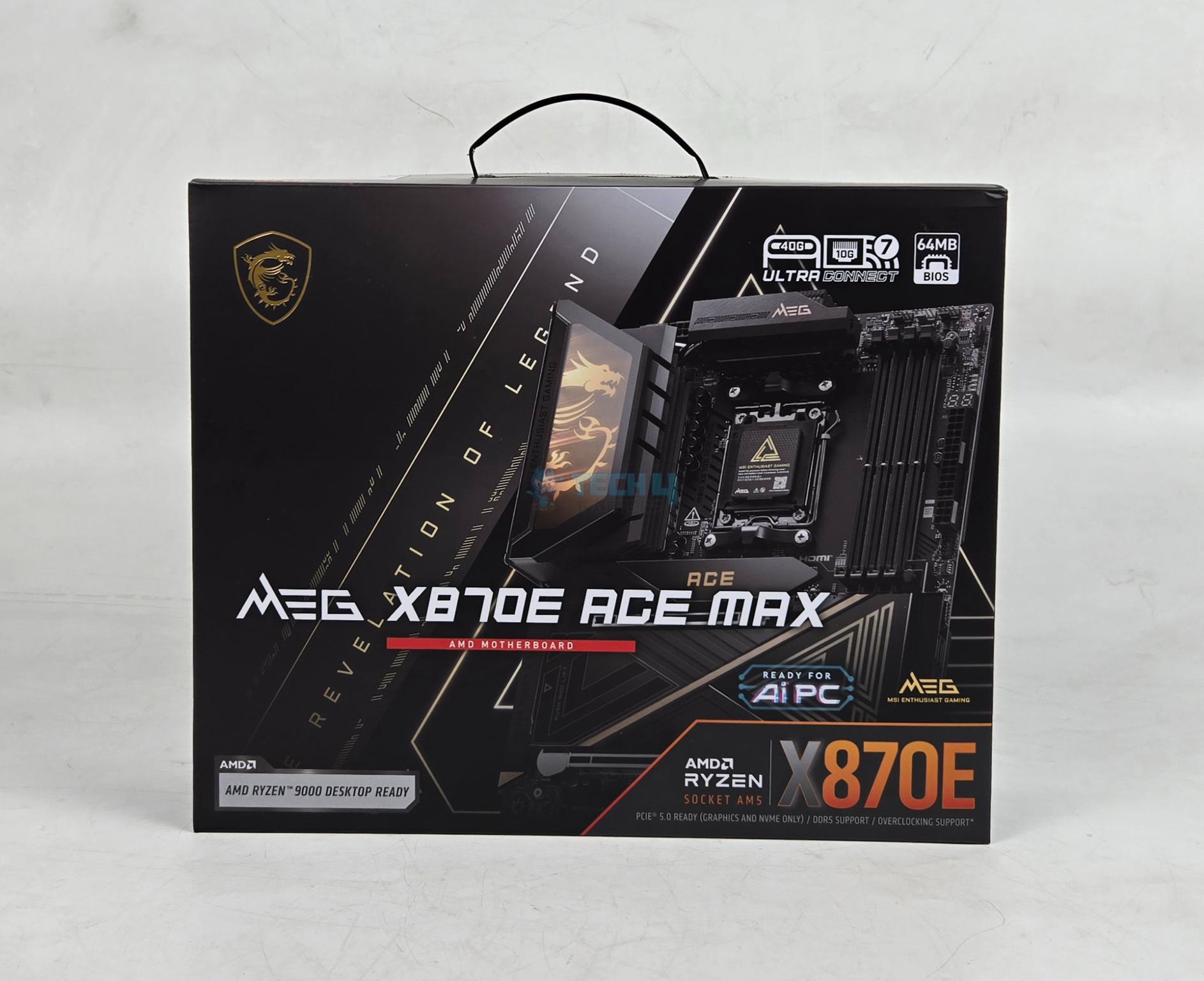
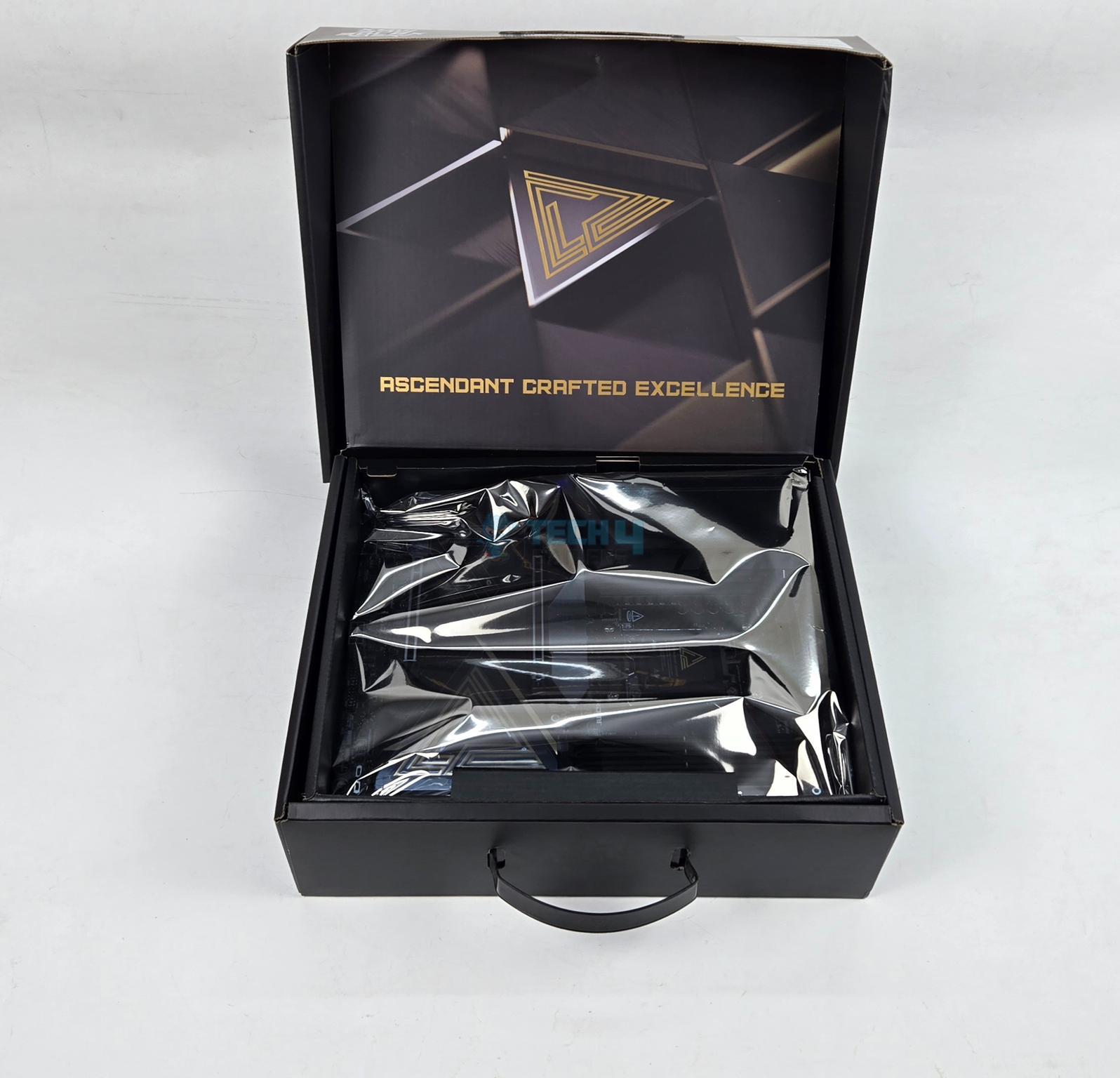
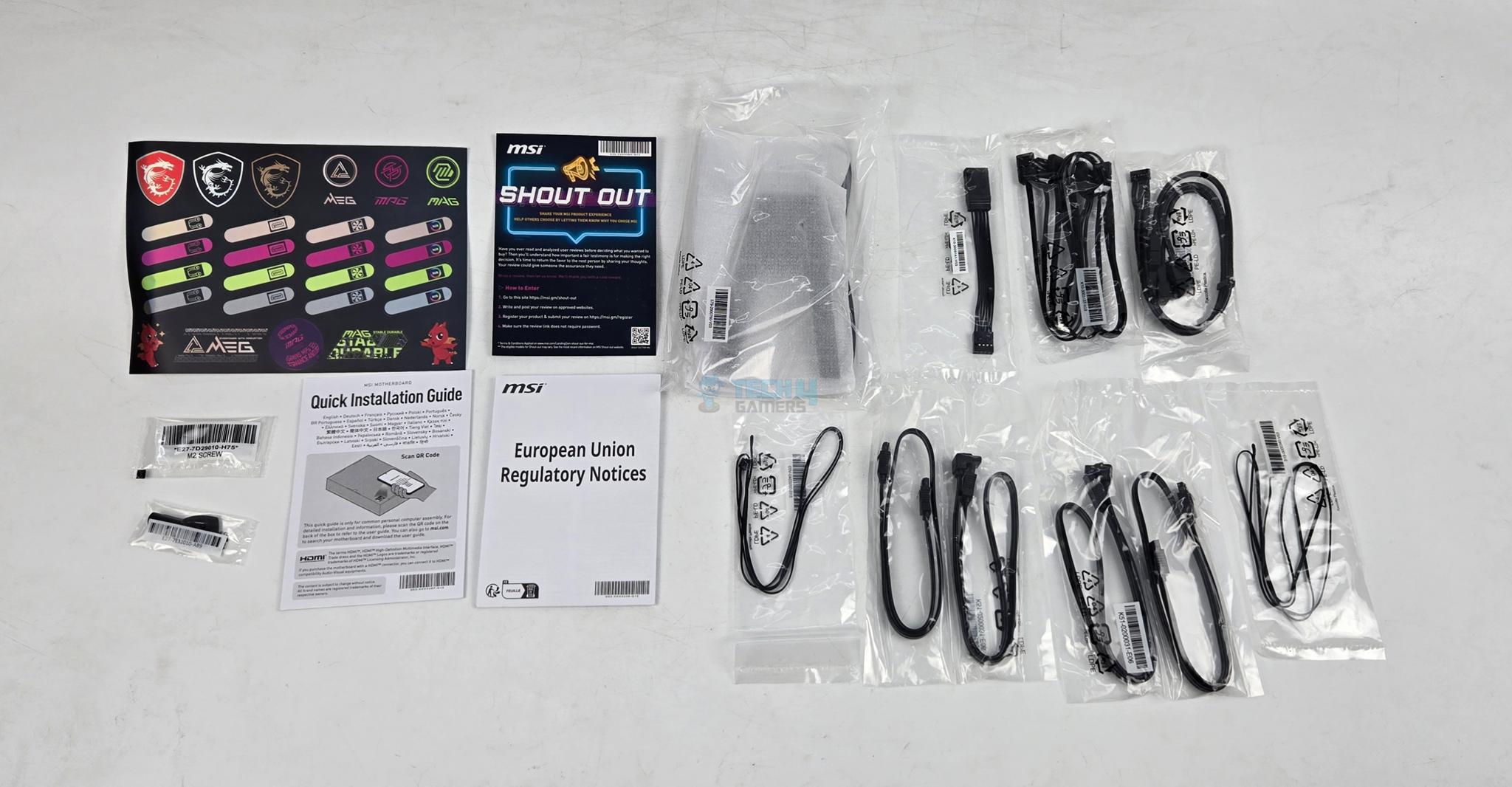
The motherboard is shipped inside a standard cardboard made packing box. MSI has included following in the box:
- 1x ATX sized Motherboard
- EZ WiFi Antenna
- Cable Sticker
- 4x SATA Cables
- EZ Front Panel Cable
- 1 to 3 EZ Conn-Cable V2
- 1 to 3 ARGB Gen2 Extension Cable
- 2x Thermistor Cables
- USB Drive
- EZ M.2 Clip II Remover
- 3x M.2 Screws
- Quick Installation Guide
- European Union Regulatory Notice
Design
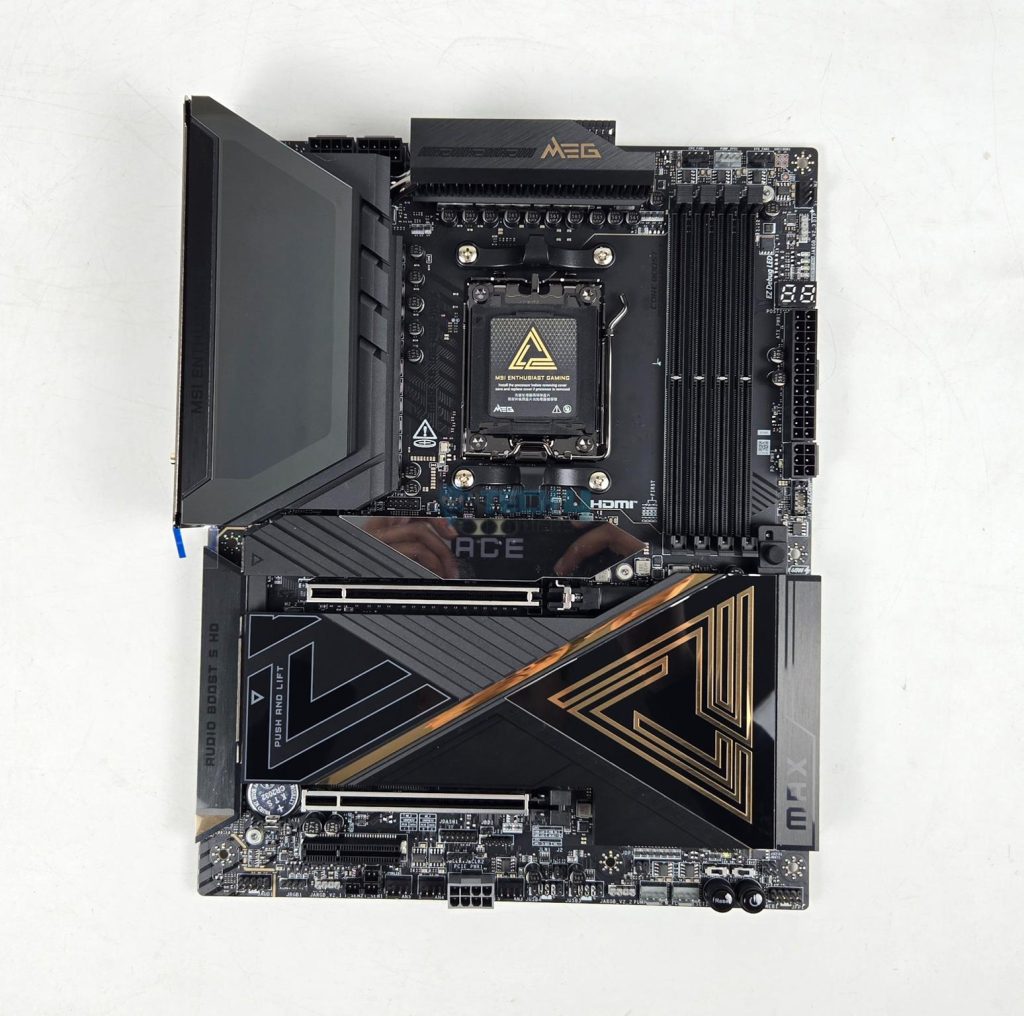
This motherboard uses AMD AM5 socket that supports AMD Ryzen 9000, 8000 and 7000 CPUs. Since different SKUs have different level of support for PCIe, refer to user manual for more details. This socket provides 24 PCIe lanes for PCIe full length slot and 2x M.2 ports. This board comes equipped with 4x DIMM slots. The motherboard has 8-Layer Server Grade with 2oz Copper PCB using PCB Fabric Peak technology.
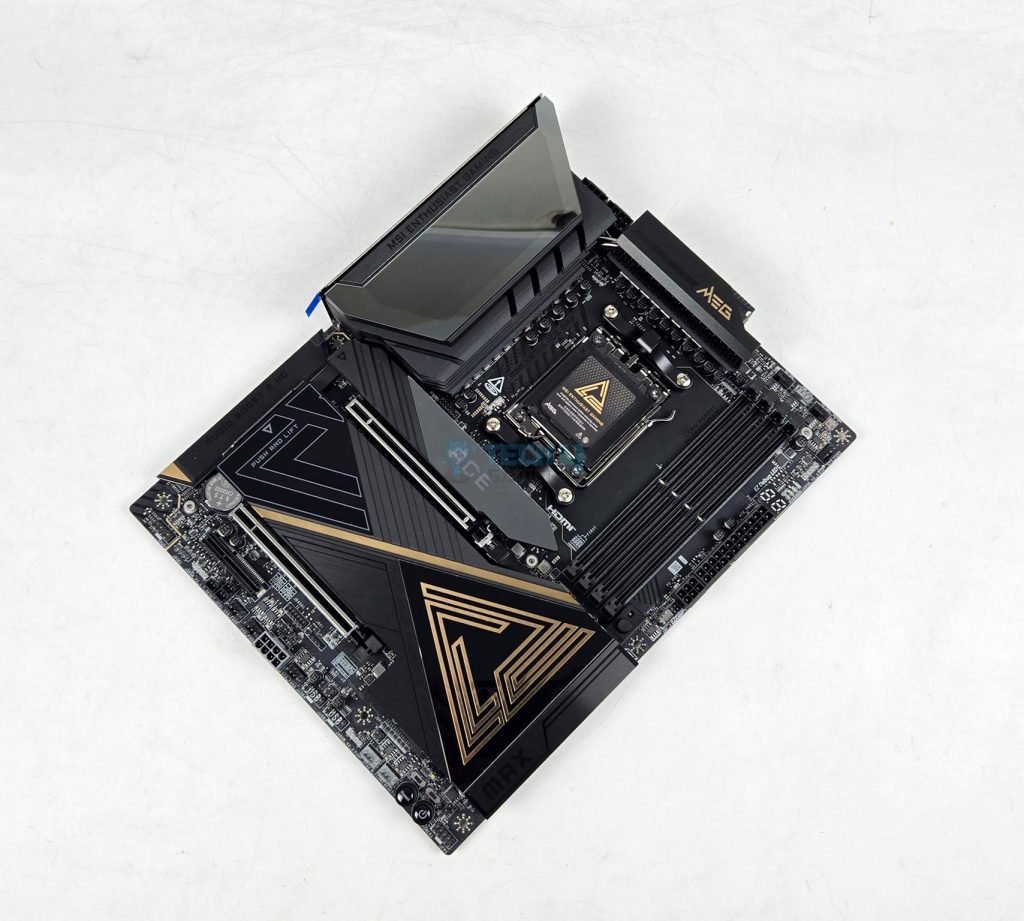
The on-board display coming from CPU socket via HDMI 2.1 supporting 8K@60Hz and 2x USB-4 Type-C ports. Two Gen5 M.2 ports are wired to the CPU socket in addition to full length PCIe Gen5x16 slot and second PCIe slot. The other M.2 and PCIe slots are wired to the chipset. Since this motherboard uses two chiplets, it has more PCIe lanes available compared to X870 and B850 series motherboards.
Power Delivery To Socket
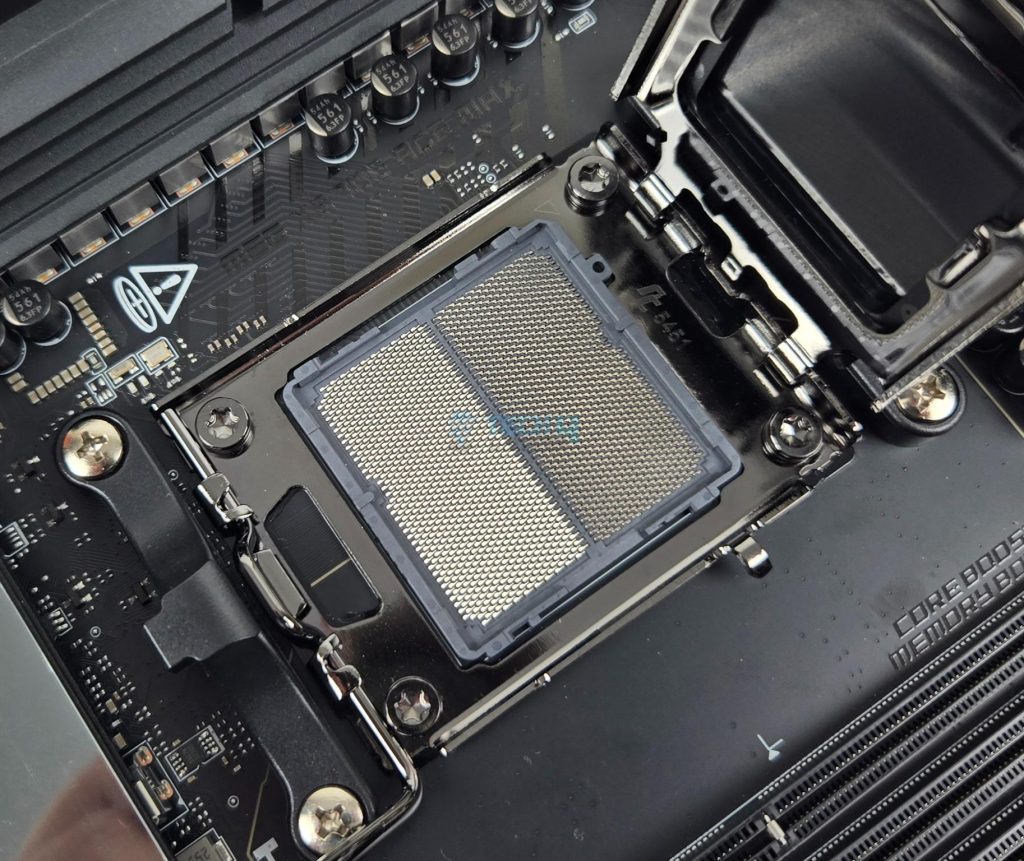
MSI uses AMD AM5 platform (LGA 1718). This socket supports the AMD Ryzen 9000/8000/7000 series CPUs. Ryzen 9000 series SKUs are supported out of the box.
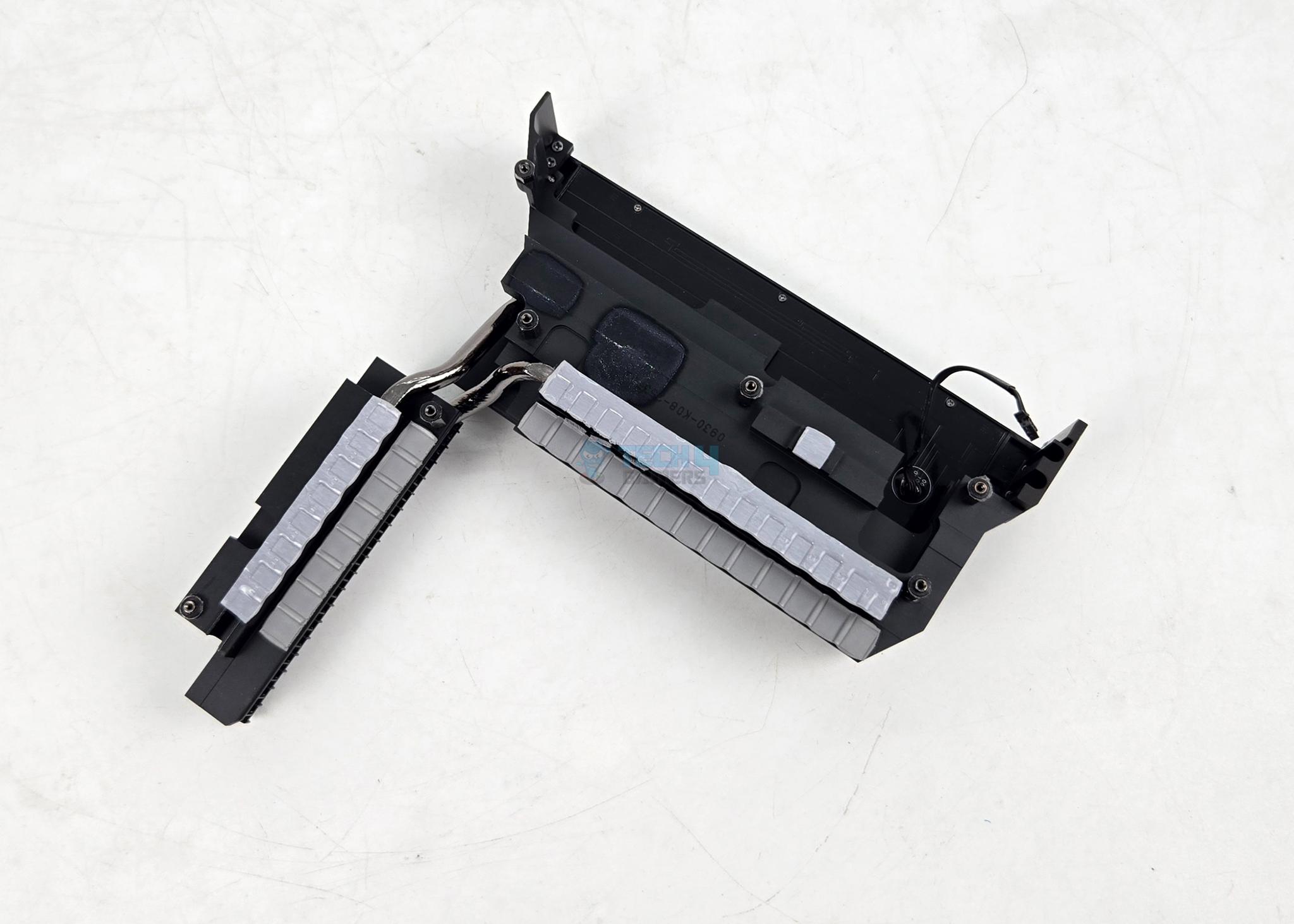
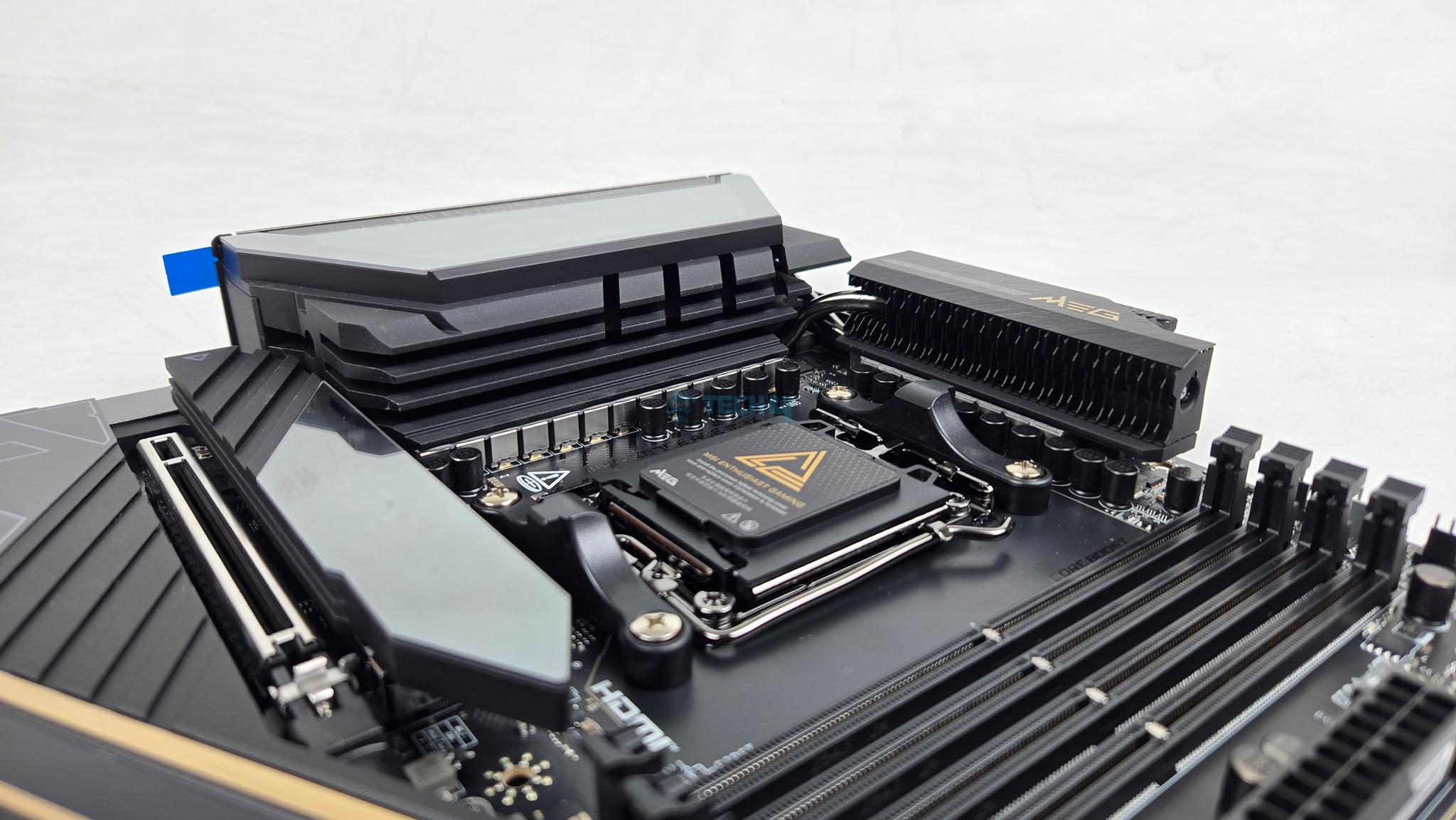
MSI has used two extended VRM heatsink covers along without cross heat pipes providing beefier cooling solution. The heatsink has Wavy Fin design for efficient heat transfer. The thermal pads are rated for 9W/mK to ensure effective heat transfer. It is clear that MSI has focused on VRM cooling in particular on this motherboard.
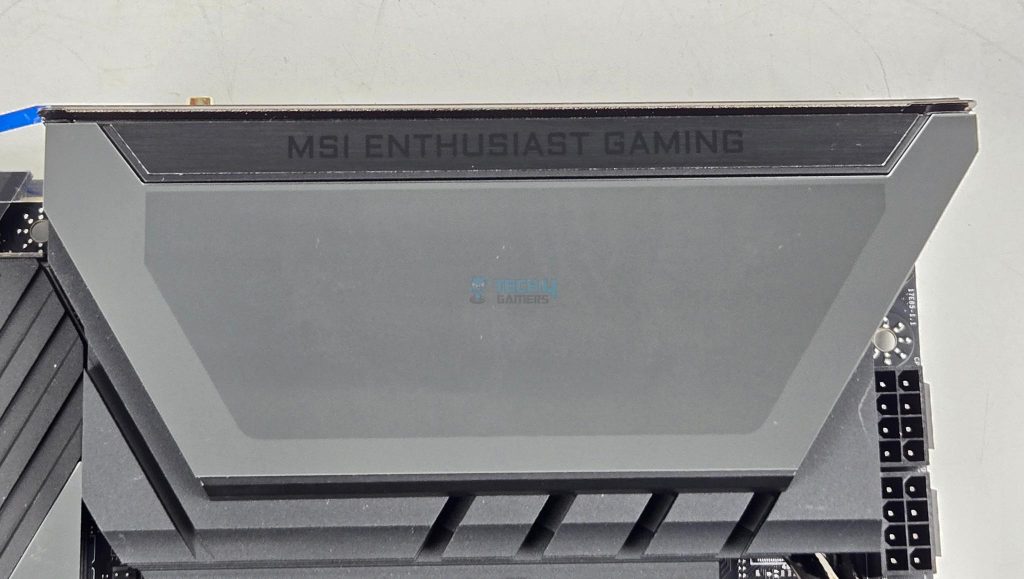
The cover on IO side of the motherboard seems to be LCD design. It is not a LCD display screen; rather, it has animated RGB backlighting on MSI Dragon logo.
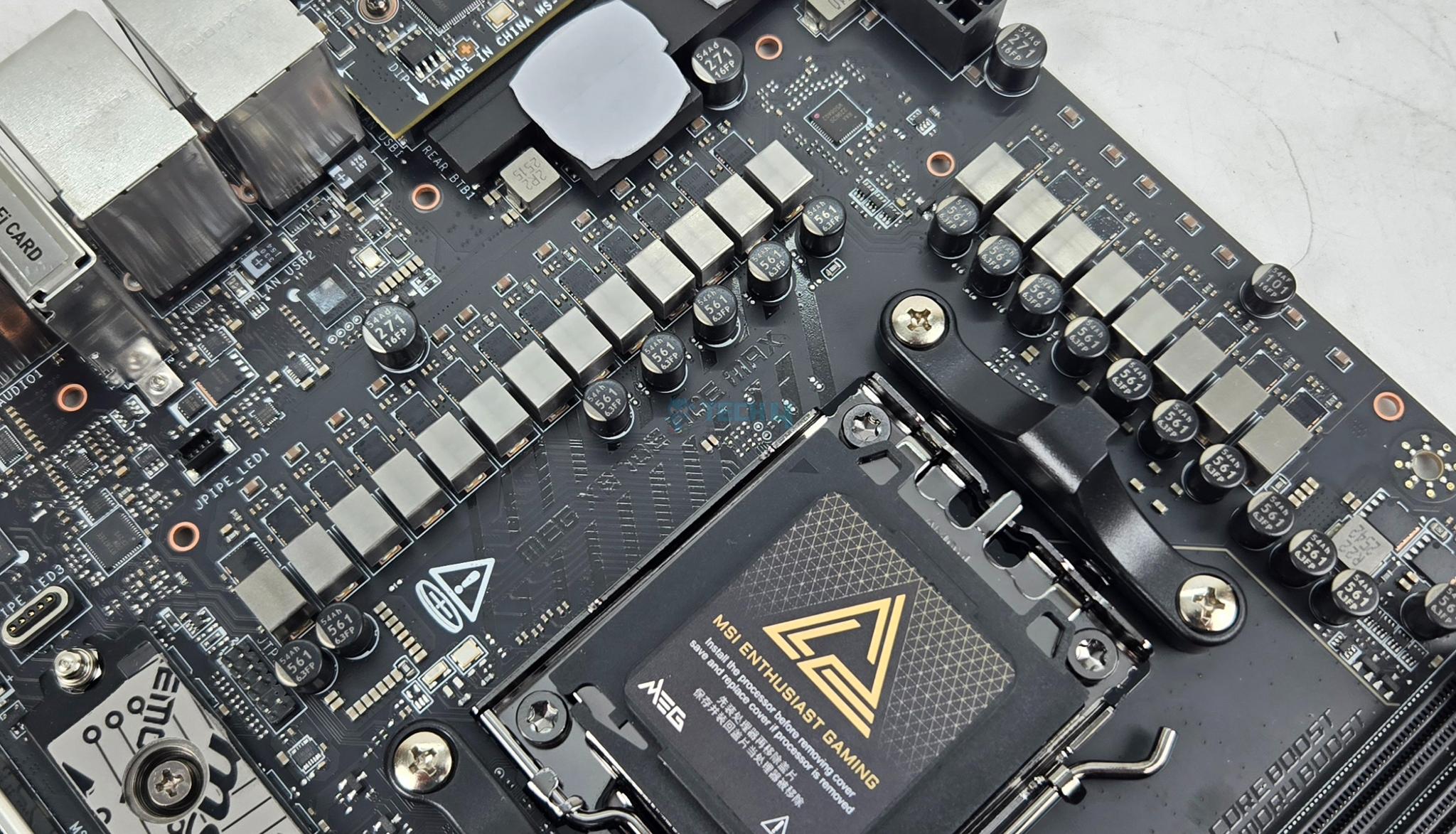
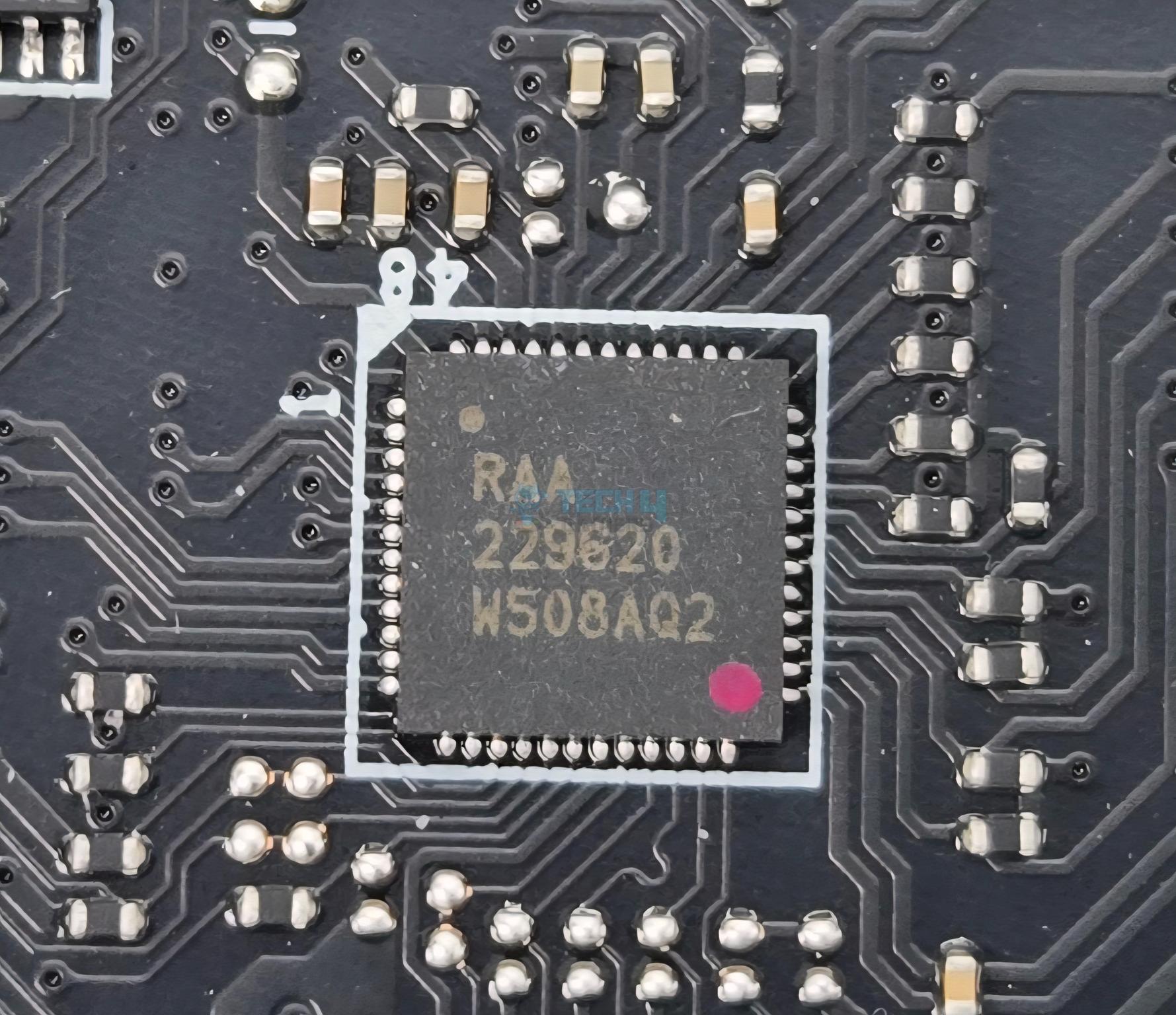
The MSI MEG X870E ACE MAX comes equipped with 18+2+1 Duet Rail Power System wherein the 18 phases are for VCore power, 2 are for SOC power and 1 phase for misc power. They are using 110A SPS MOSFETS.
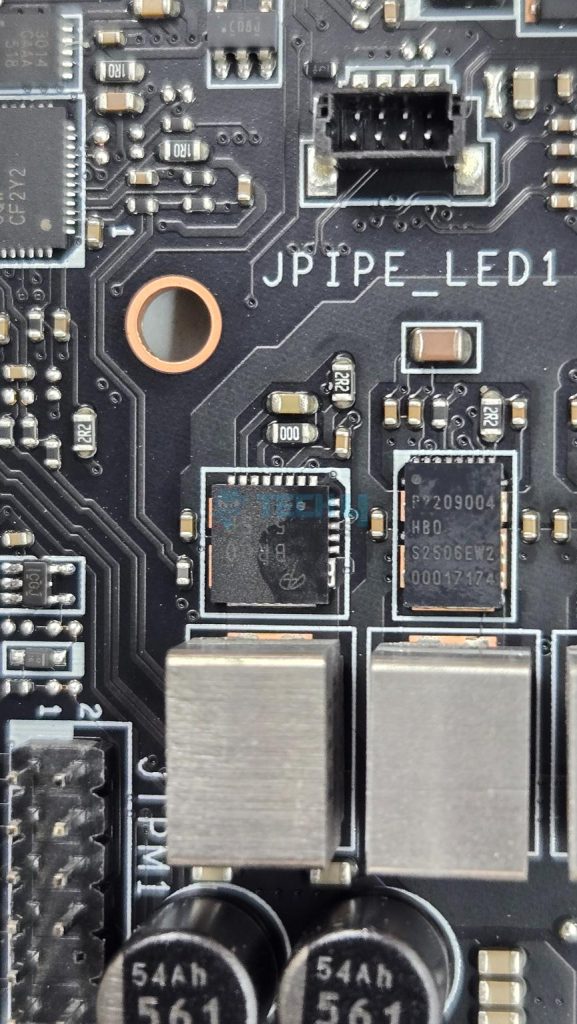
MSI has named it DUET meaning that every two stages will get the same PWM signal from the controller. The main driving force is RAA 229620 PWM controller whereas the 20 phases are R2209004 and BR00 5X5P.
DIMM Slots
MSI has deployed 4x DDR5 UDIMM slots. MSI has used the SMT welding process to install slots on the PCB for better performance. A total of 256GB capacity is supported along with a support for binary as well as non-binary memory kits.
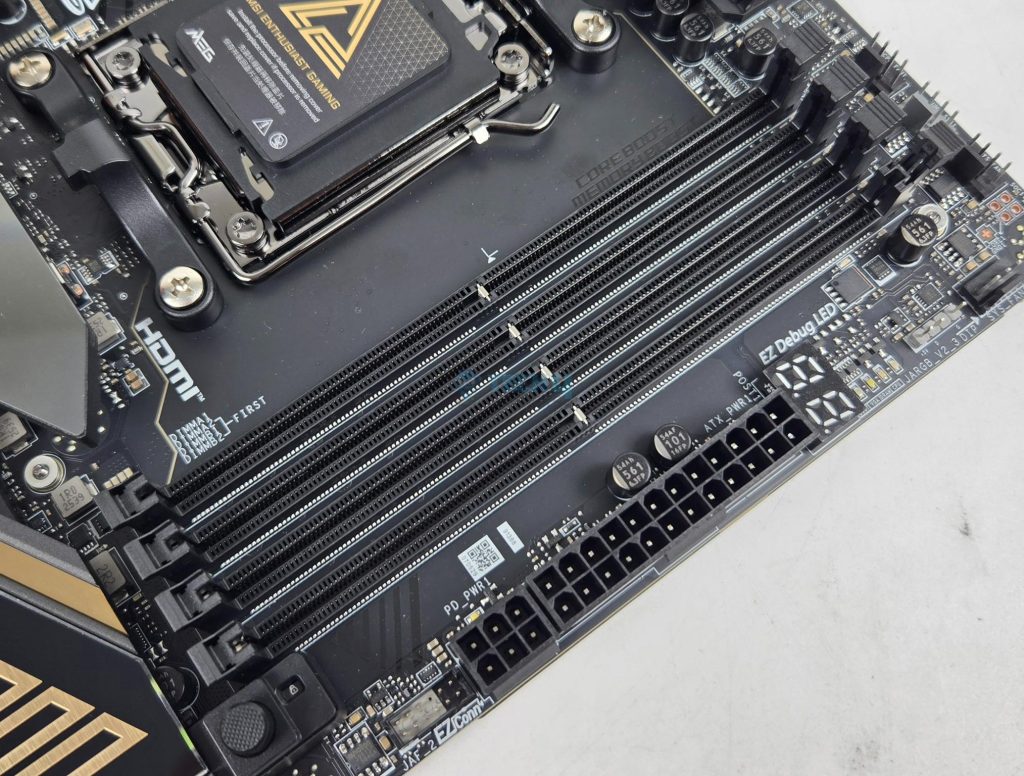
The maximum supported DDR5 frequency is 8400+ (OC) MHz on Ryzen 9000 series. I have tested the motherboard using a 8400MHz Teampgroup kit but it failed to POST. Maximum 8000MHz is tested to be working fine with this motherboard using my 9900X.
This motherboard supports AMD EXPO as well as Intel XMP with dual-channel and dual-controller modes. The supported memory is non-ECC and unbuffered. It also supports CUDIMM in clock driver bypass mode only.
Storage Options
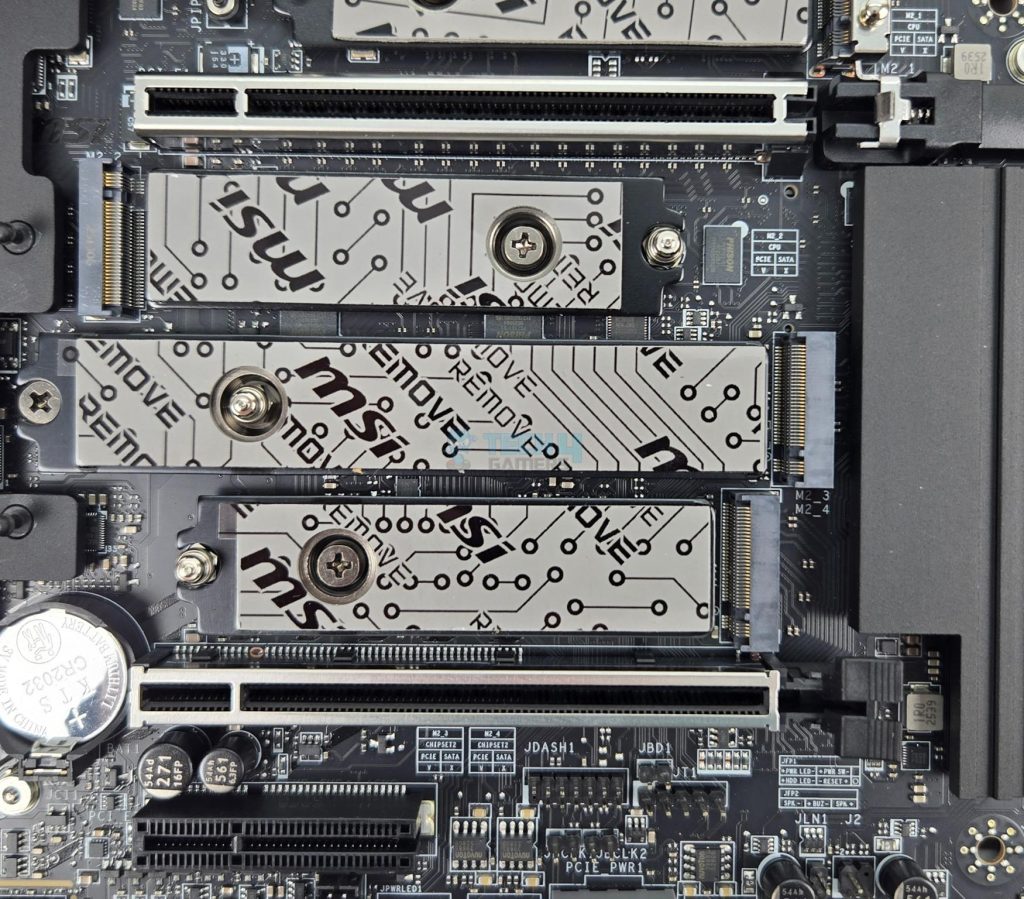
This motherboard has 5x M.2 slots and 4x SATA ports. Four M.2 slots are on the front of the motherboard whereas one is on the backside of the PCB. The backside slot does not have any heatsink cover.
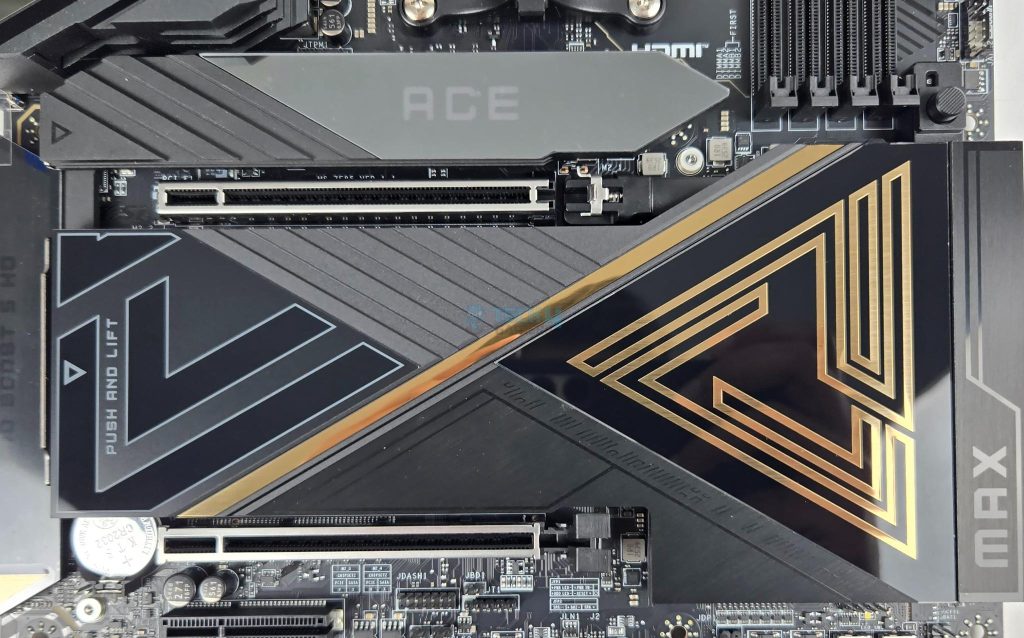
All front based M.2 ports have proper covers. The top slot has cover with magnetic attachment through which ARGB signal is processed for ACE symbol backlight. MSI has named it EZ Magnetic M.2 Shield Frozr II.
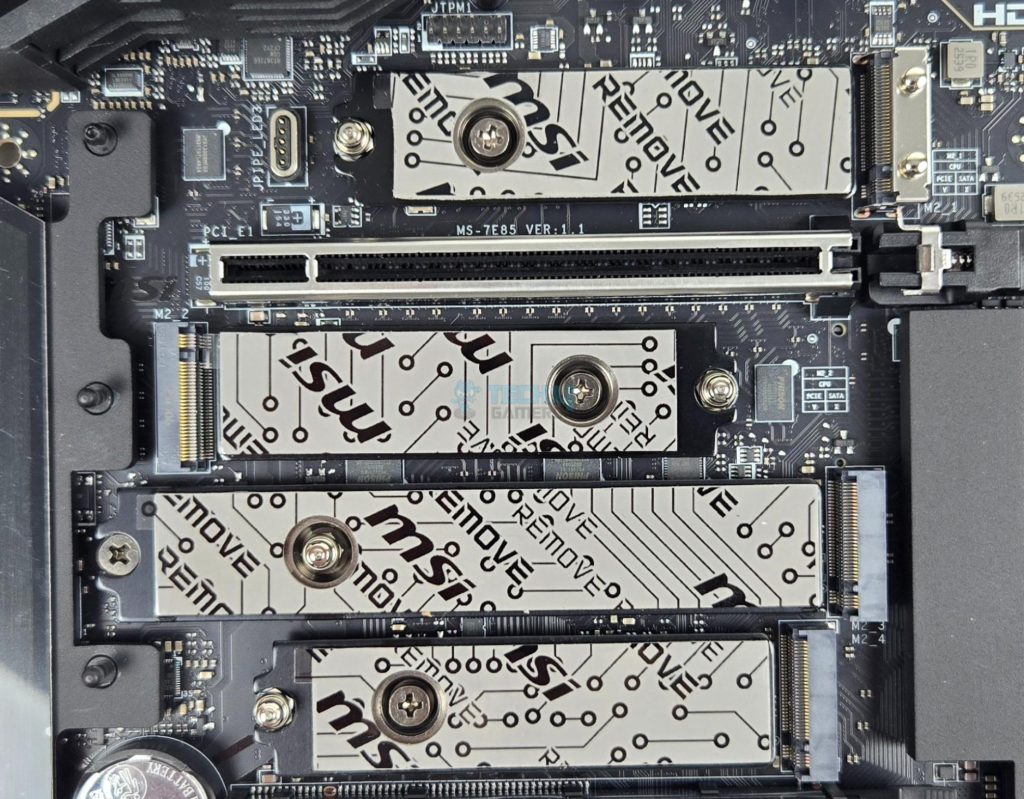
Both covers are tool-less design which is a wise move. You can see that each port has dual thermal pad design. The top two ports are PCIe Gen5x4 and wired to the CPU socket whereas the bottom two ports are PCIe Gen4x4 and wired to the chiplets. M2_3 port has 22110 form factor.
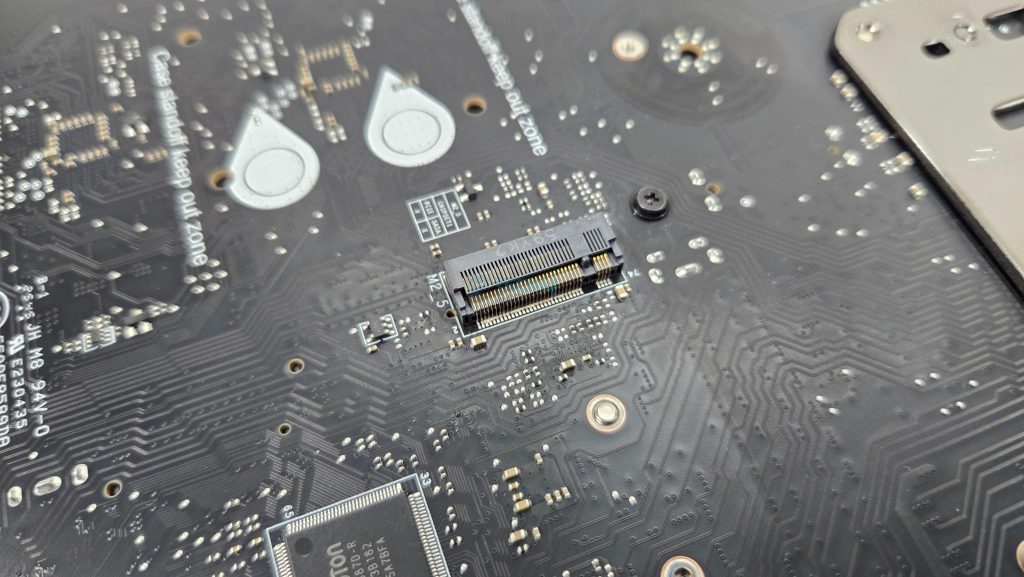
The backside M.2 port does not have any thermal pad or cover. MSI has also provided EZ Clip Remover II for easy placement of M.2 sockets.
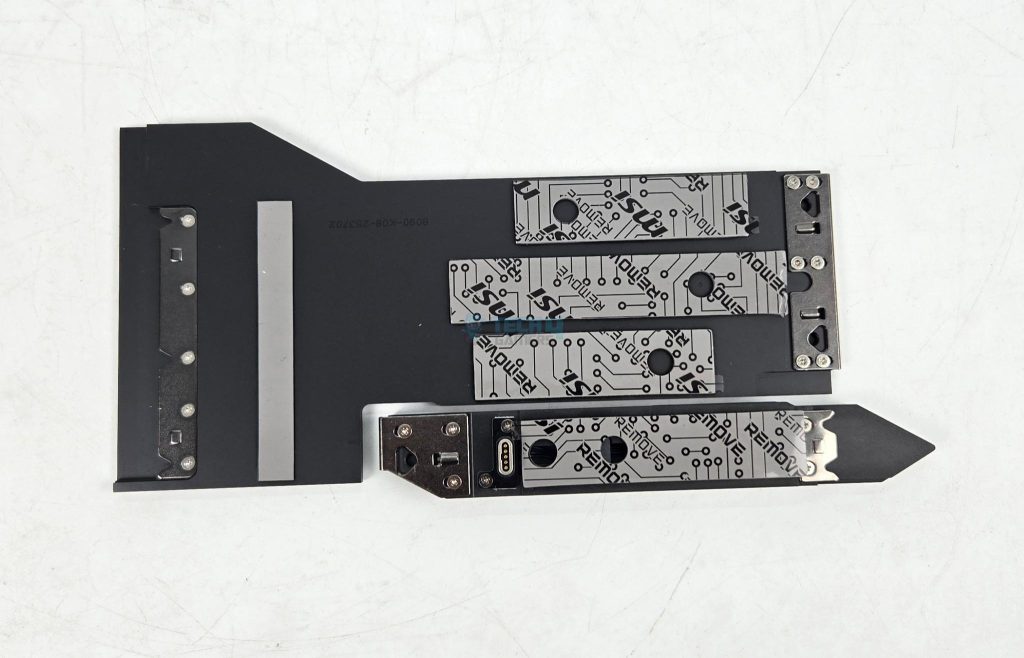
Both heatsink covers have thermal pads. All slots are Key M type. MSI has provided EZ Clip II remover tool as well to dismount and relocate the EZ Clip II as per the length of the drive.
M.2 Limitations
Following limitations are noticed:
- M2_2 shares bus with USB 4.0 ports. Using this port will result in reducing the link speed to x2 mode.
- User can manually set M2_2 to x4 mode but it will disable the USB 4 ports.
- M2_1 and PCI_E3 share the bandwidth. M2_1 will run in x2 mode if using both at a same time.
- User can manually set M2_1 to operate at x4 but it will disable the PCI_E3.
- M2_1 and M2_2 will operate at x4 speed for Ryzen 8000 series CPUs.
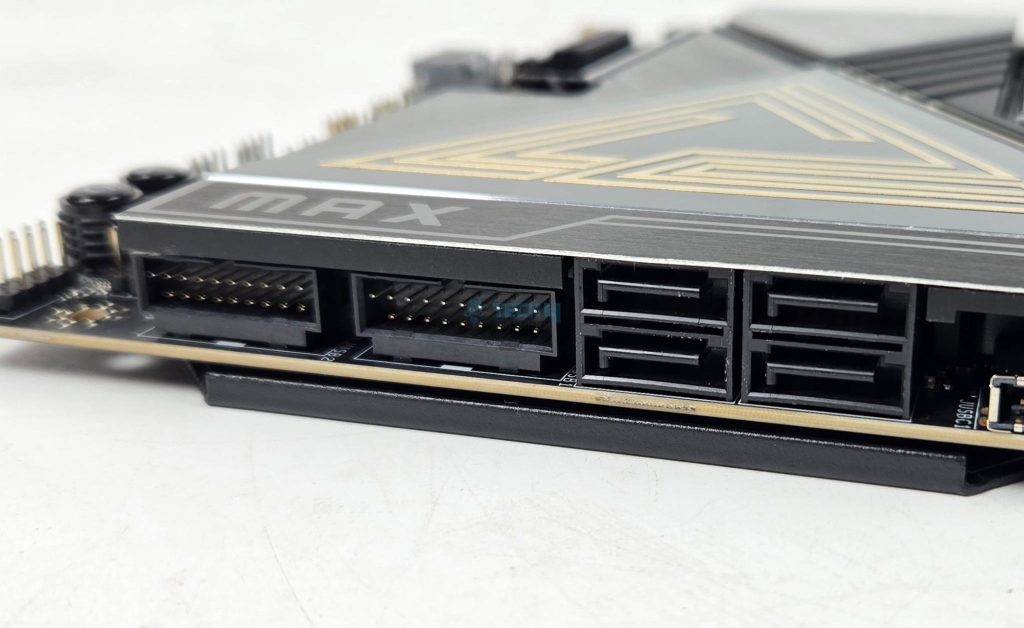
Speaking of SATA ports, this motherboard has a total of 4x ports wired to the chipset.
PCIe Connectivity
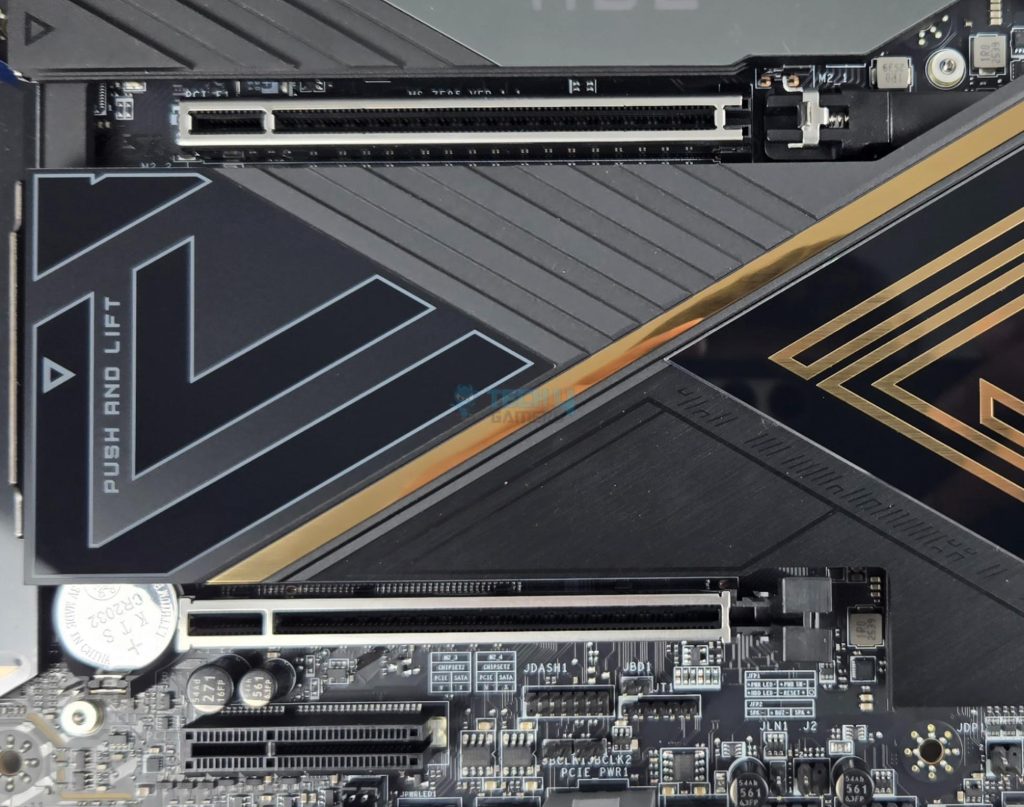
This motherboard has a total of 3x PCIe slots. All these slots are PCIe Gen5. Following operational data is for PCI_E1 and PCI_E2:
- Supports up to PCIe 5.0 x16/ x0, x8/ x8 (For Ryzen™ 9000/ 7000 Series processors)
- Supports up to PCIe 4.0 x8/ x0 (For Ryzen™ 8700/ 8600/ 8400 Series processors)
- Supports up to PCIe 4.0 x4/ x0 (For Ryzen™ 8500/ 8300 Series processors)
PCI_E1 and E2 are steel reinforced and all PCIe slots are wired to the CPU socket. MSI calls the steel reinforcement as Steel Armor and it has heavy soldered connections on the PCB to support the weight of heavy graphics card. MSI has used the advanced SMT technology for the PCIE slot to diminish interference and electrical noise.
PCI_E3 has following operational data:
- Supports up to PCIe 5.0 x4 (For Ryzen™ 9000/ 7000 Series processors)
- Supports up to PCIe 4.0 x4 (For Ryzen™ 8000 Series processors)
The PCI_E3 shares bandwidth with M2_1. They will both be at x2 if populate simultaneously.
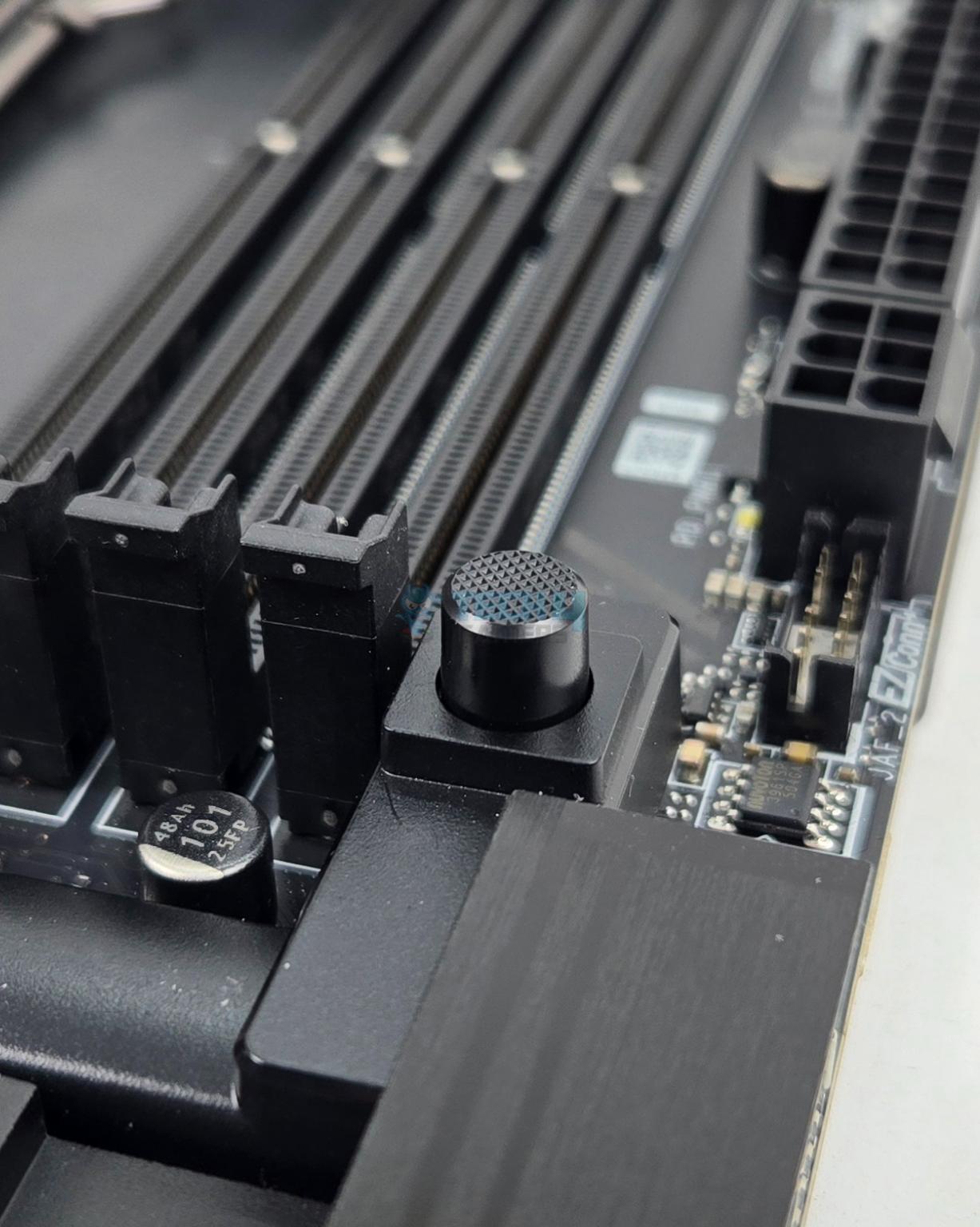
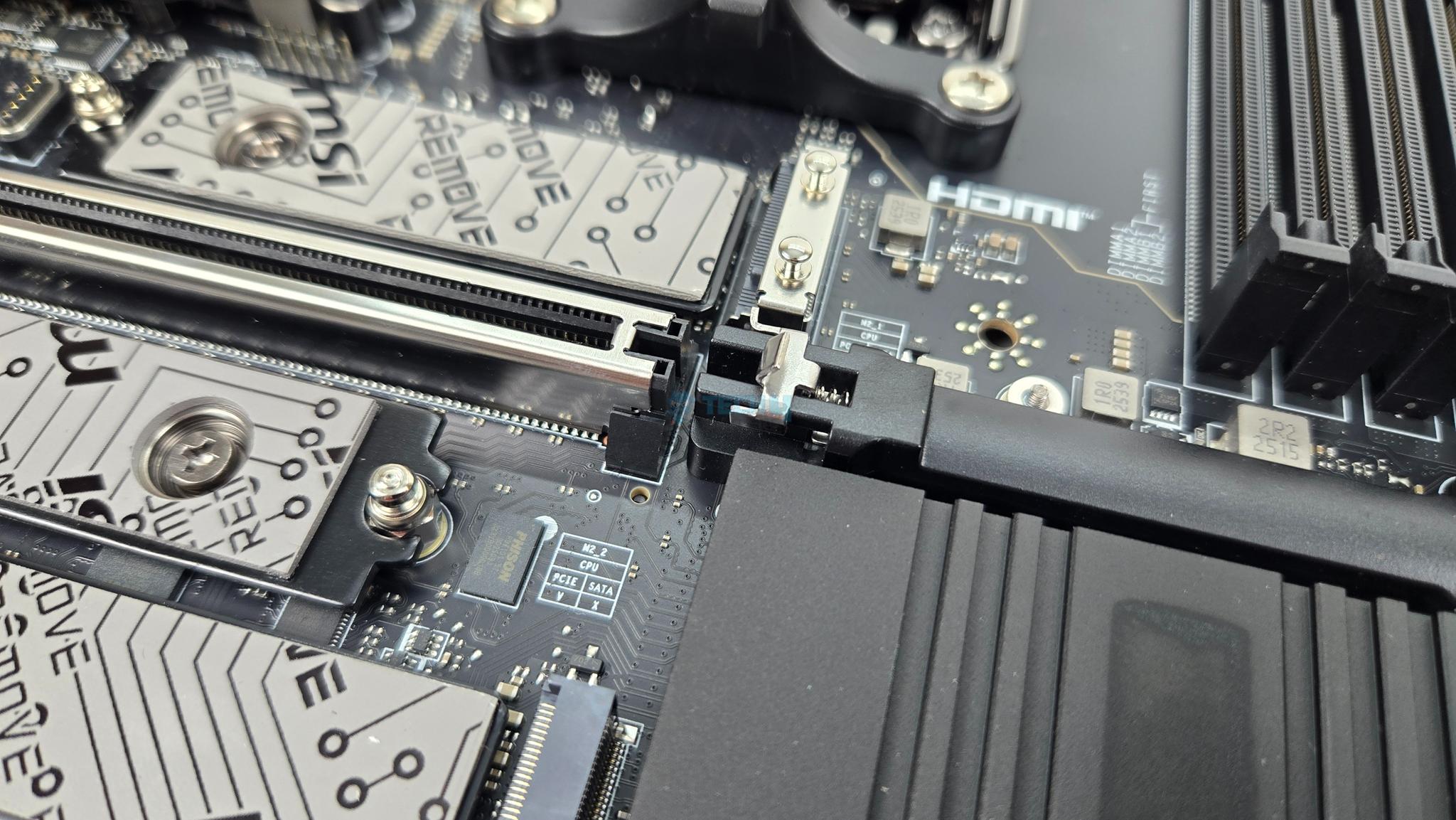
MSI has used PCIE EZ Release Button. Pressing it once will release the locker on the top PCIe slot whereas pressing it again will lock the latch.
USB Connectivity
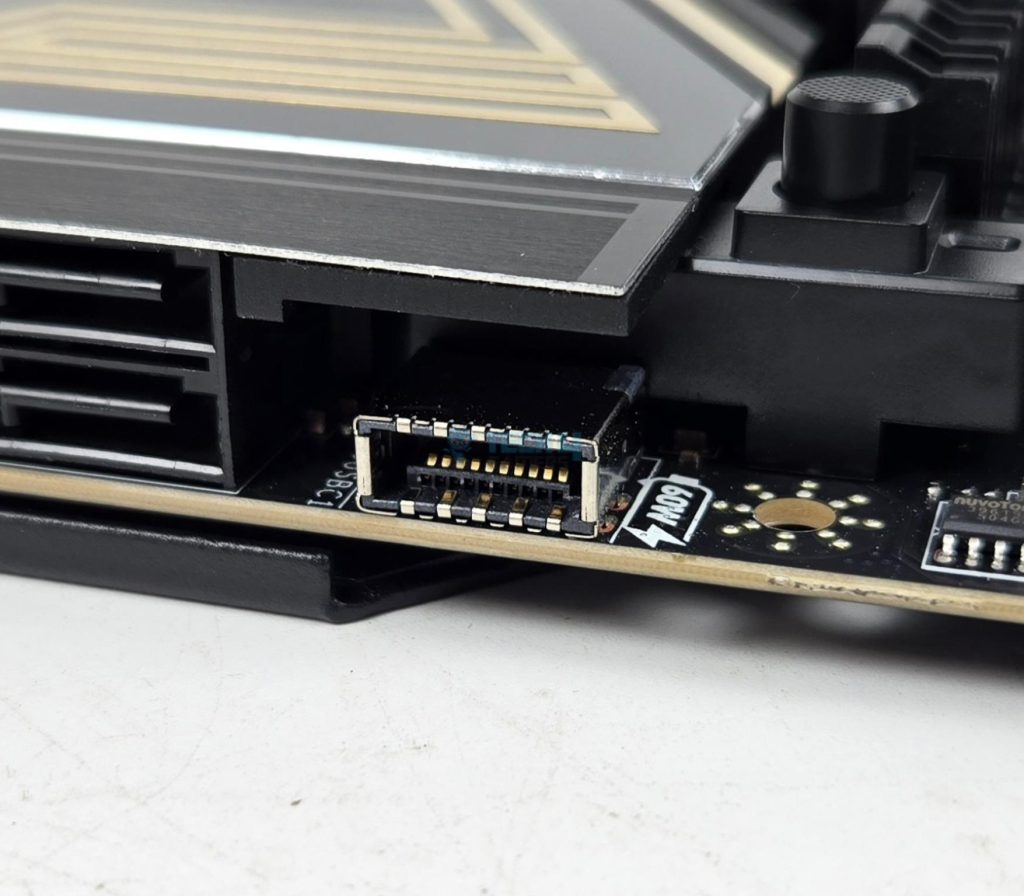
This motherboard is packed with USB ports on the front, rear, and mid-board. It has:
- 4x USB 2.0 (Front)
- 4x USB 5Gbps Type A (Front)
- 9x USB 10Gbps Type A (Rear)
- 2x USB 10Gbps Type C (Rear)
- 2x USB 40Gbps Type C (Rear)
- 1x USB 20Gbps Type C (Front)
Chips/Controller
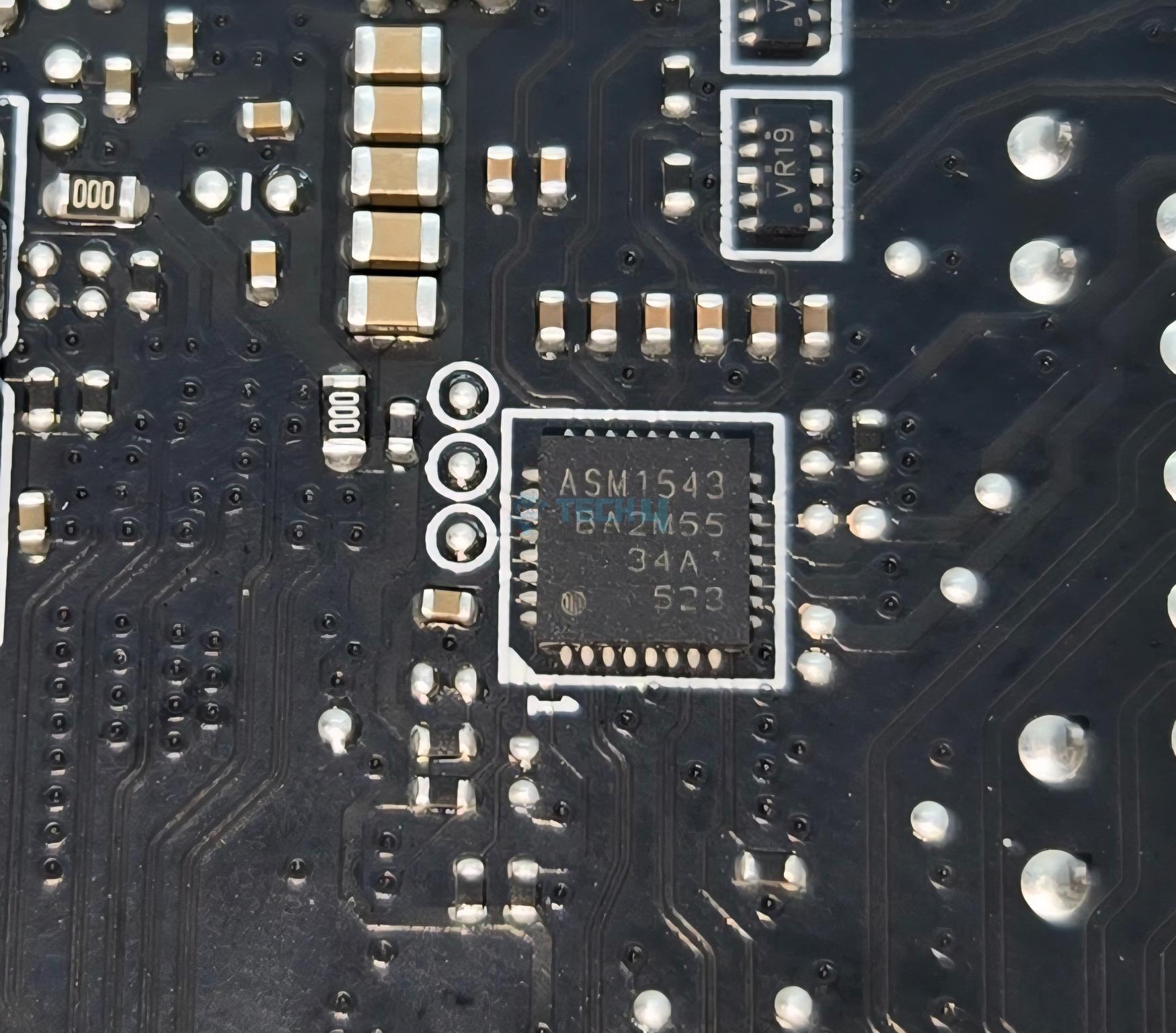
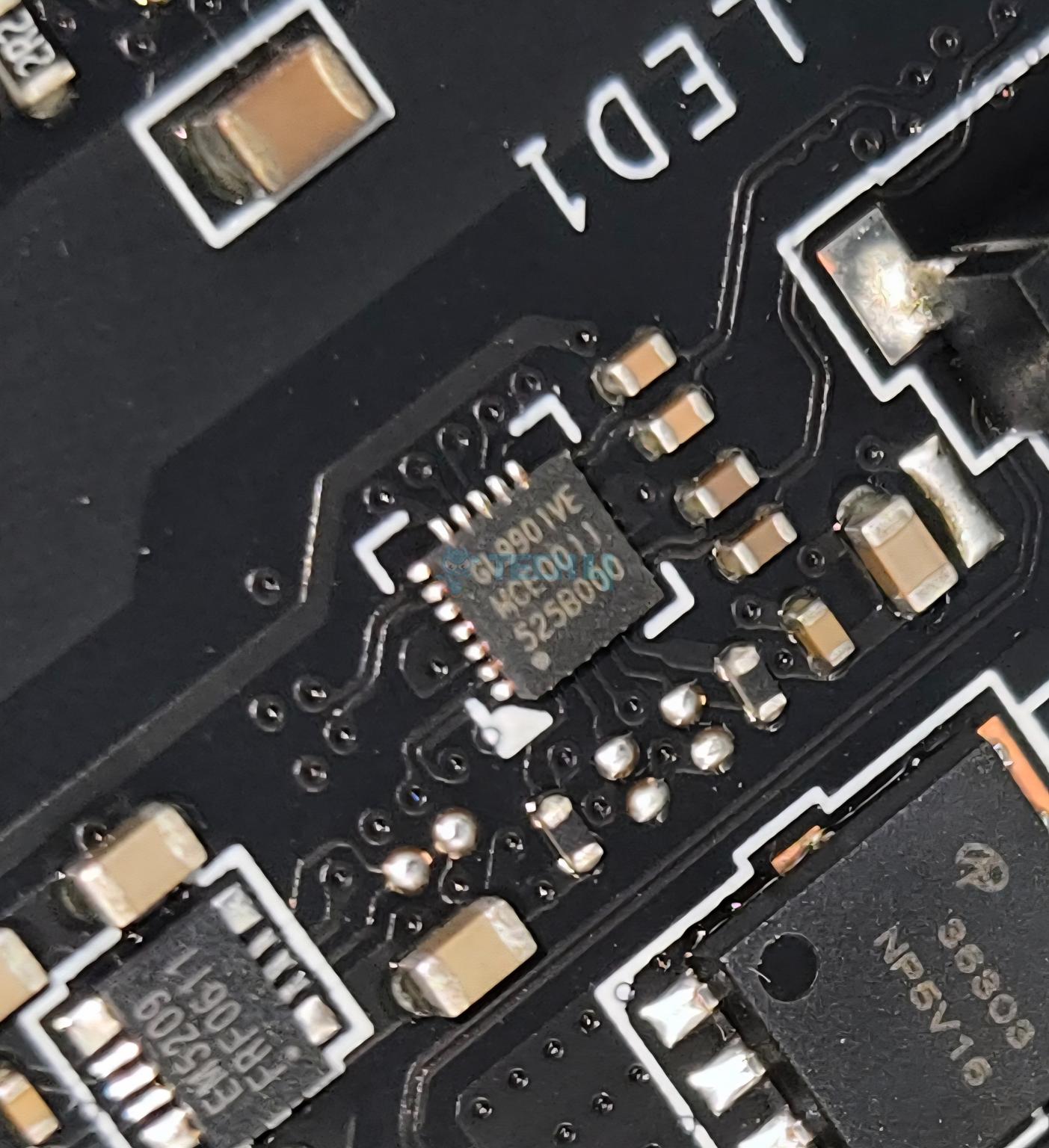
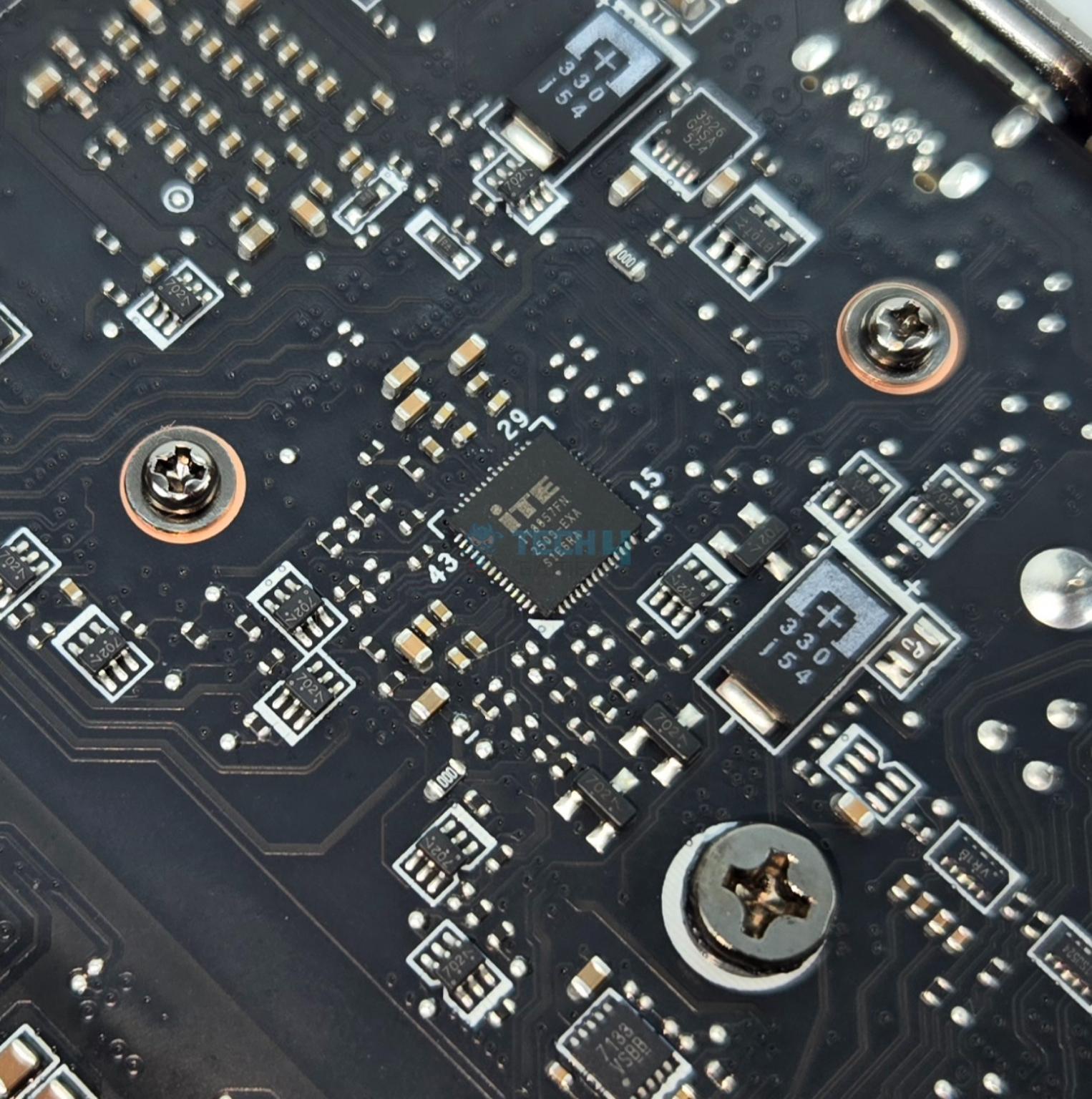
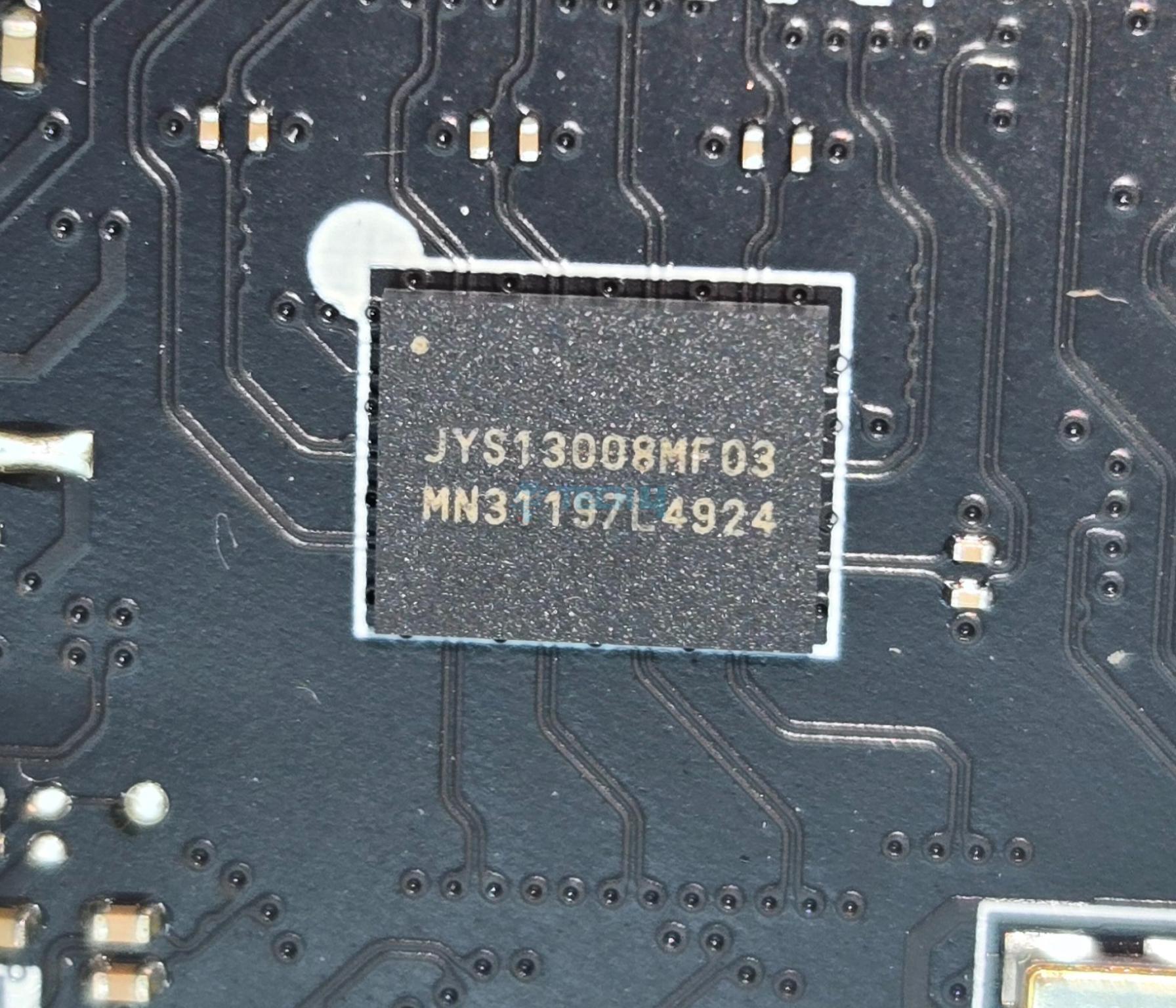
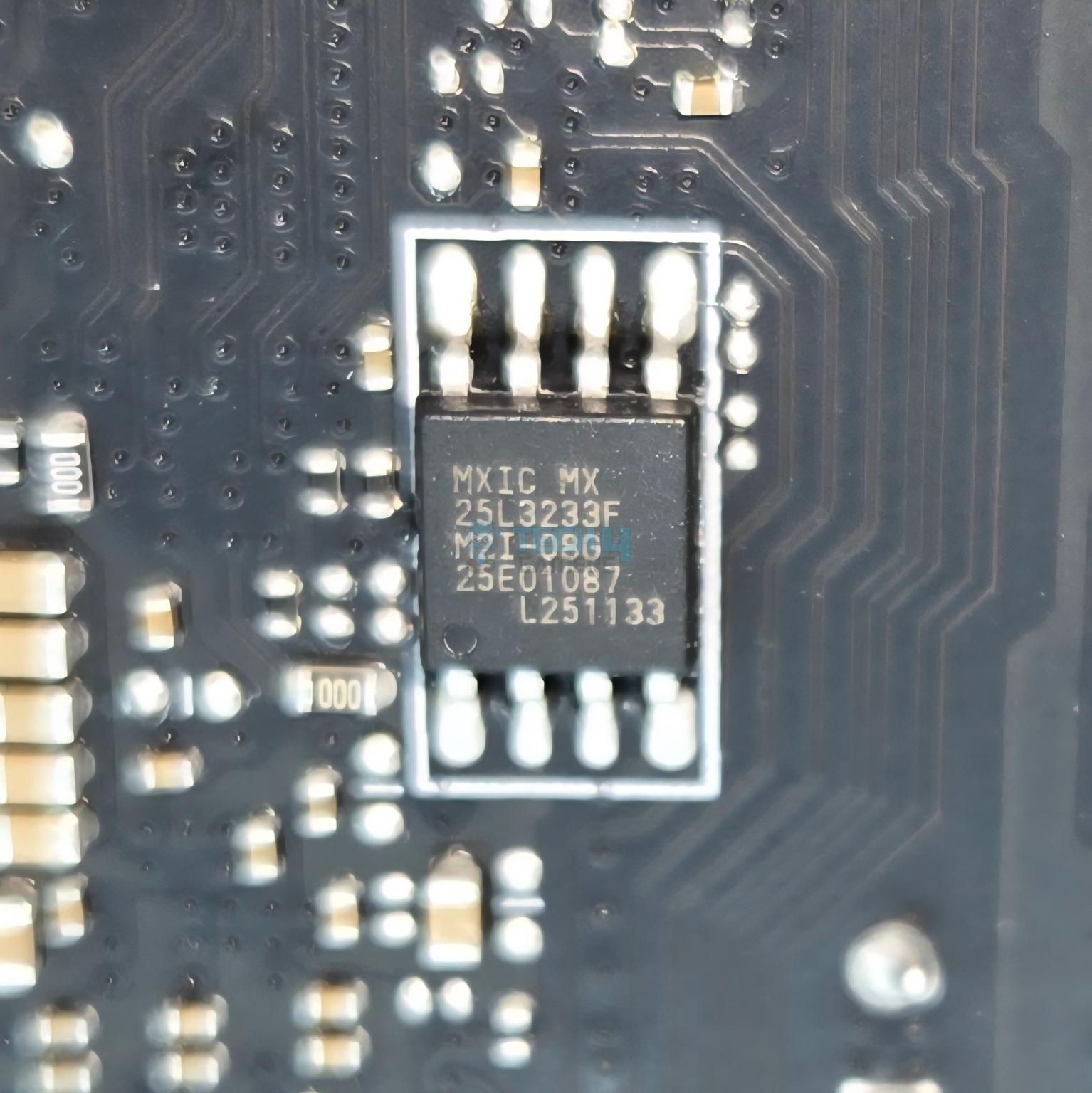
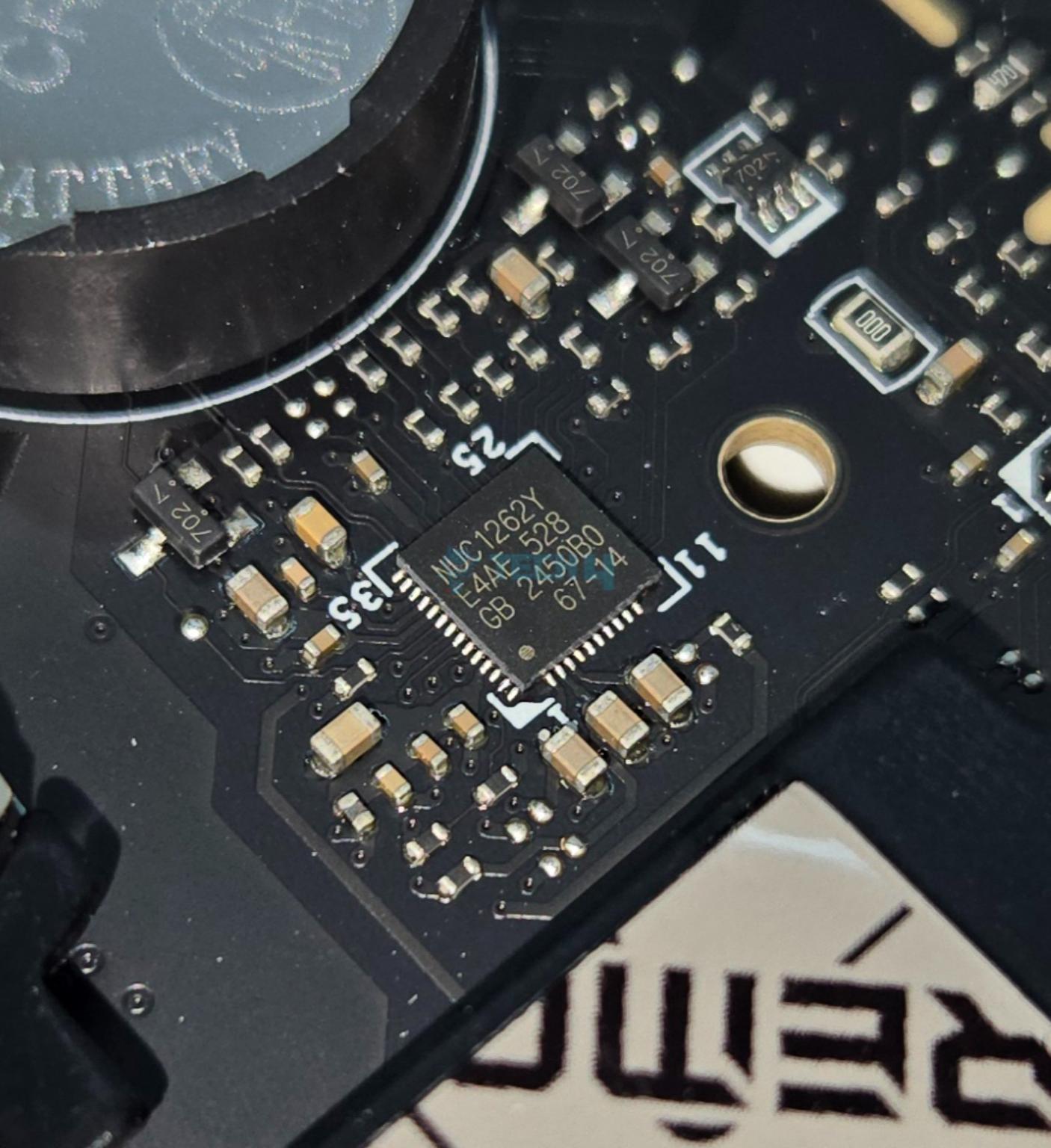
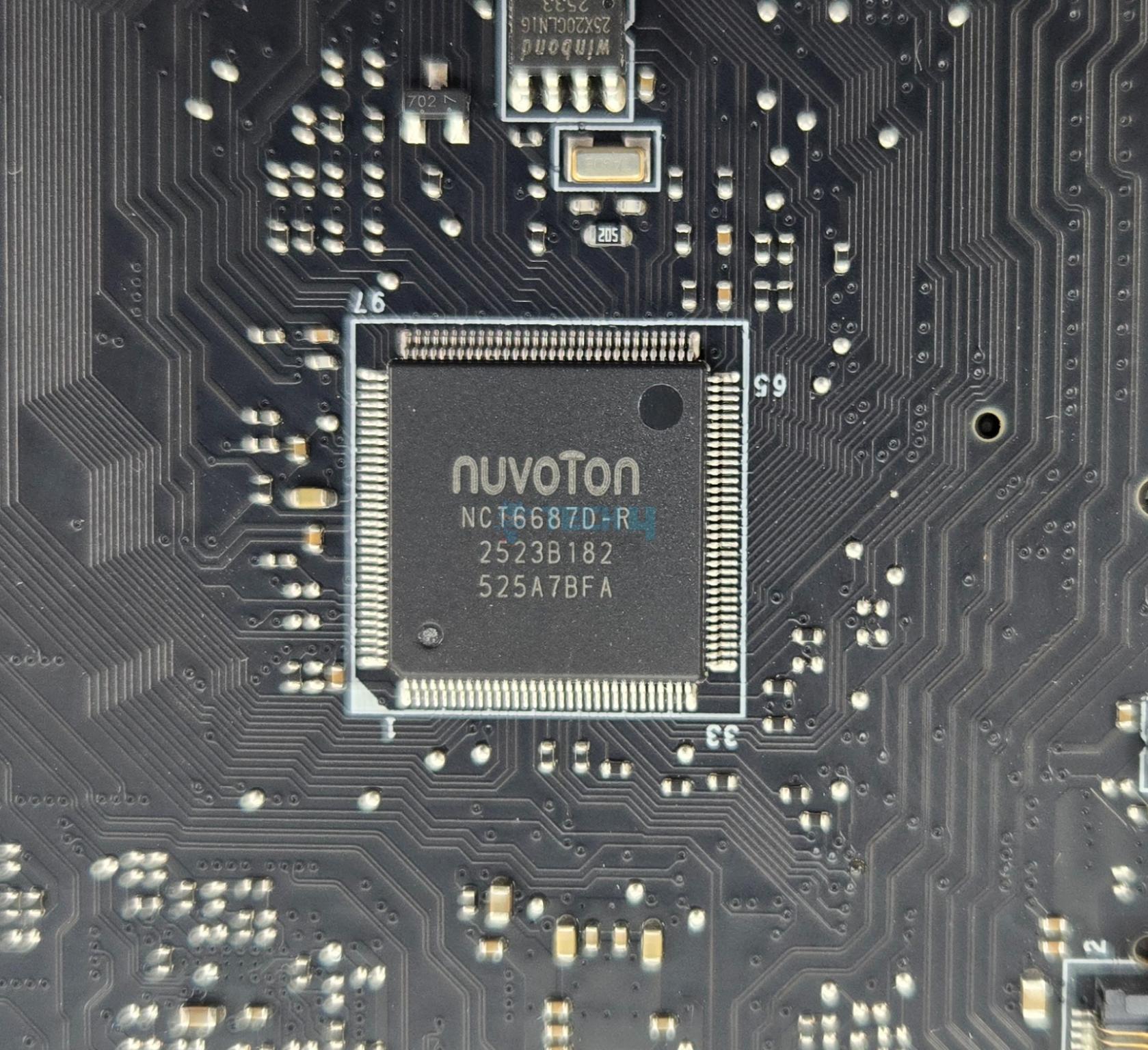
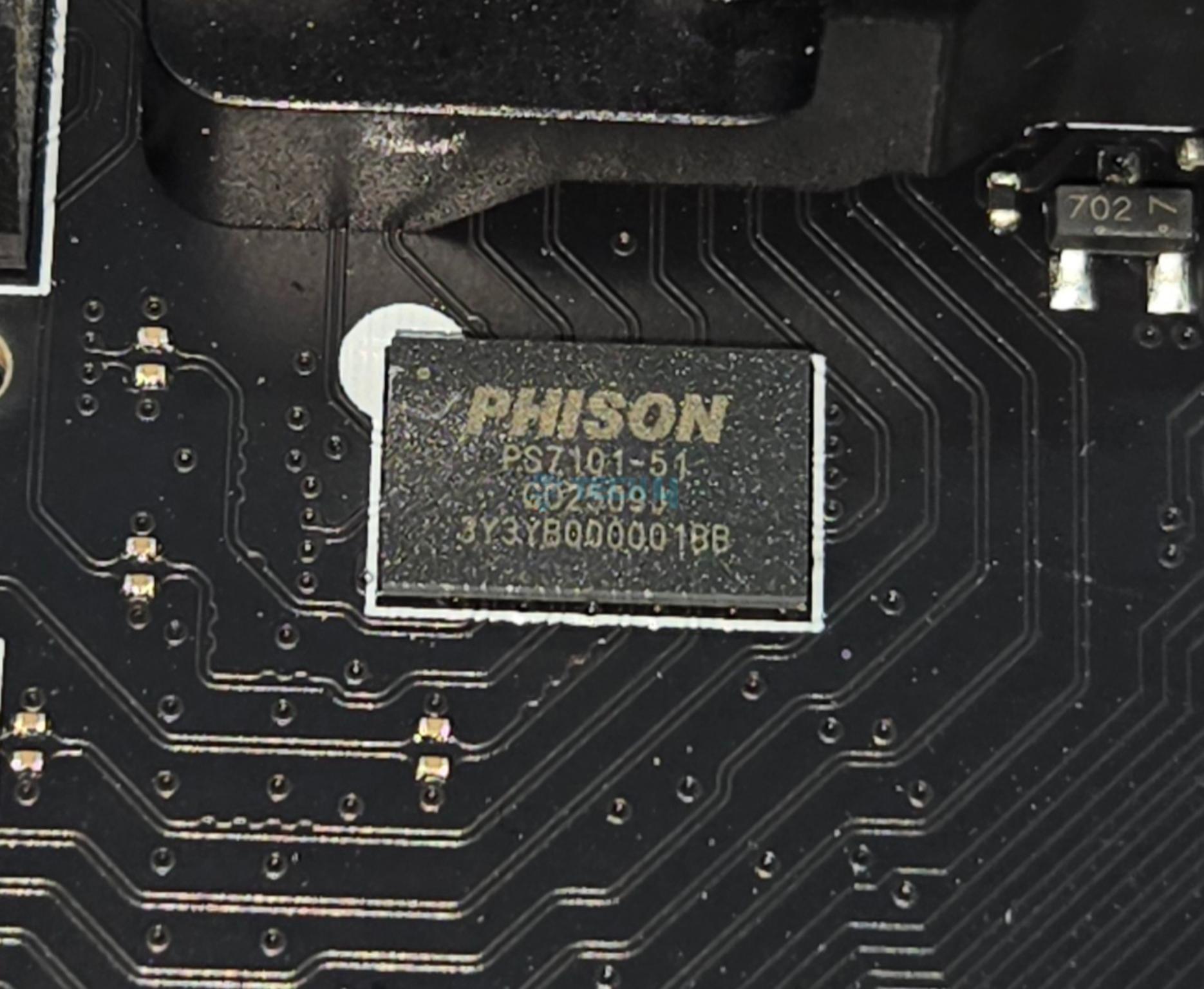
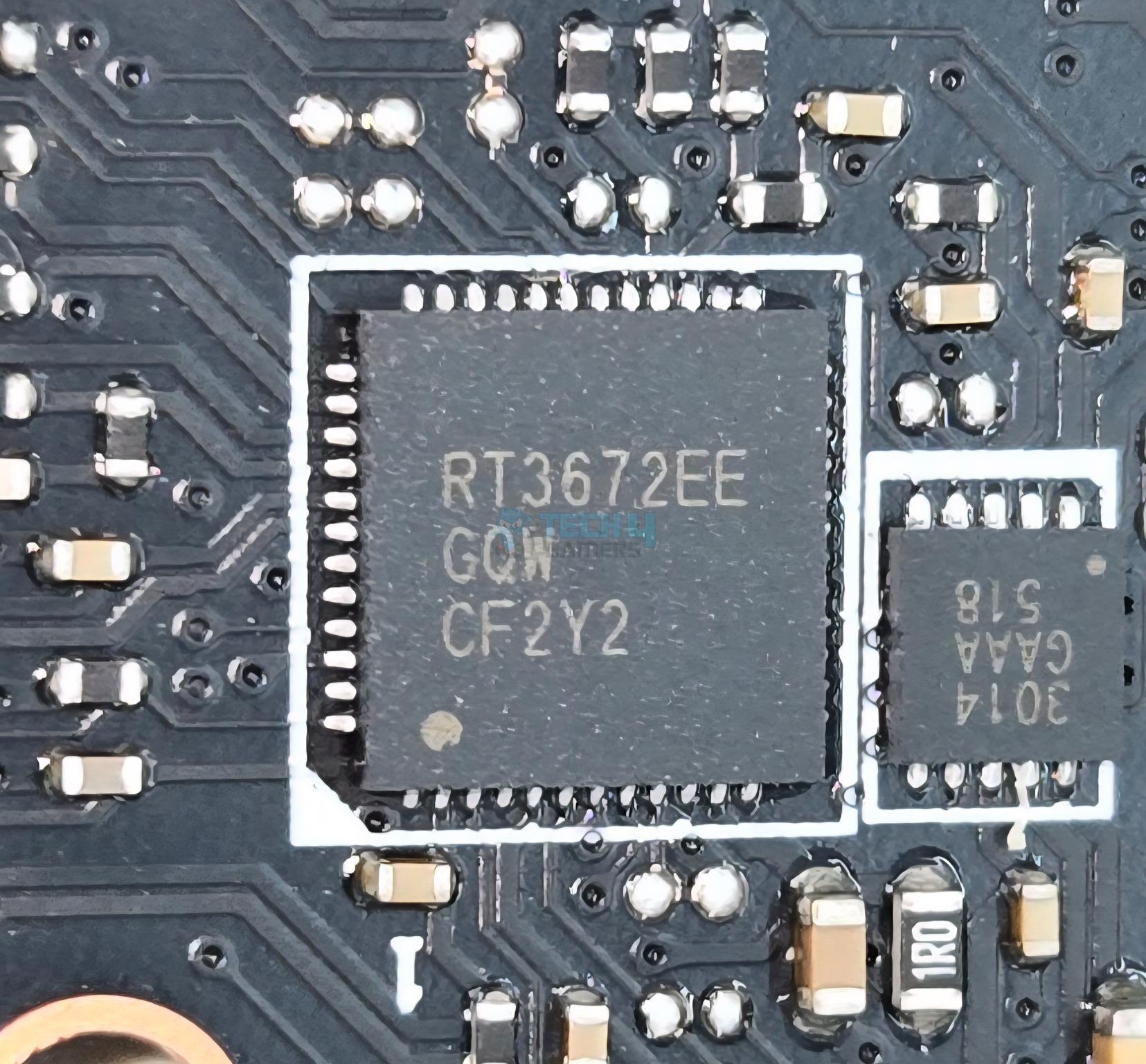
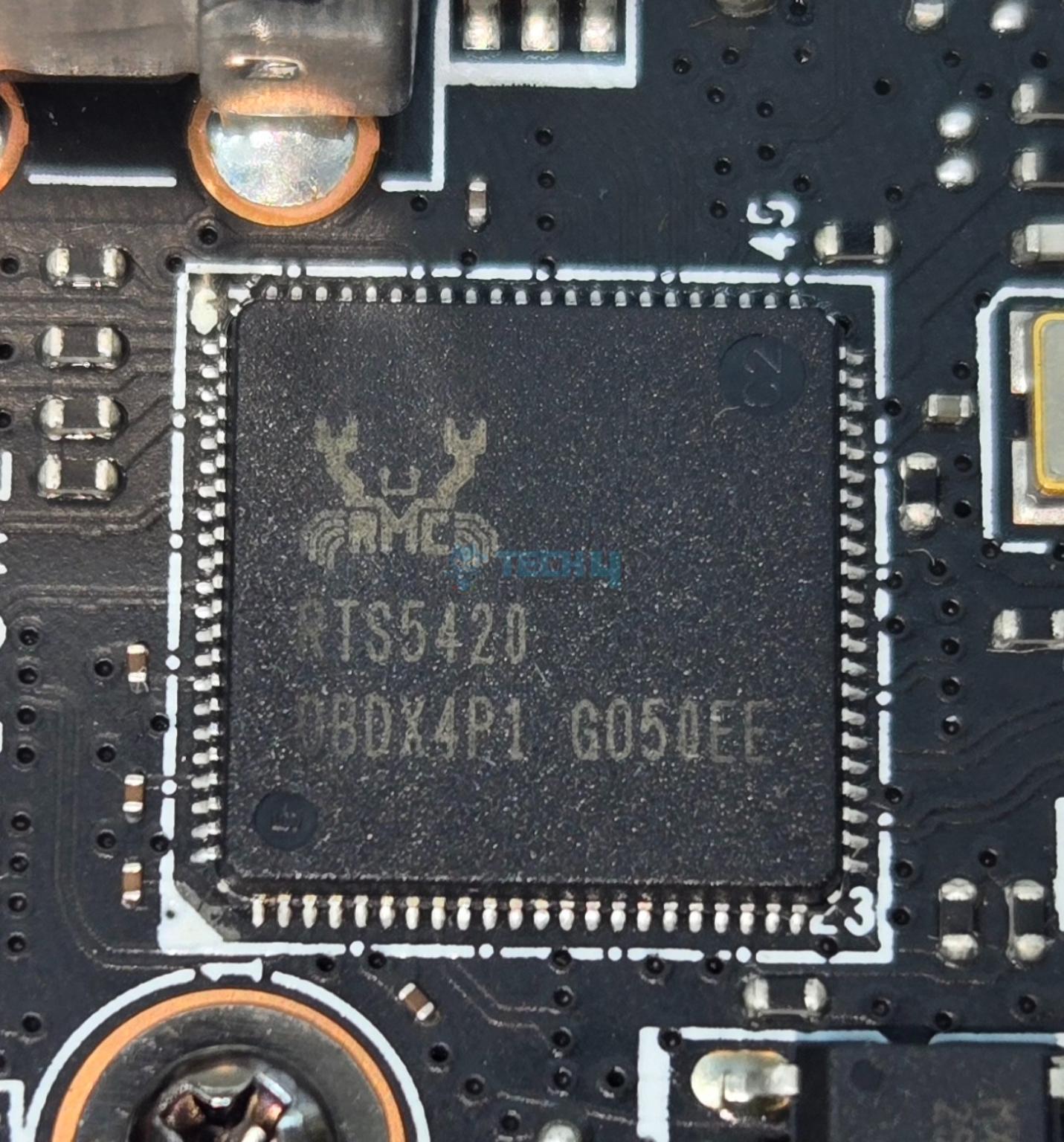
MSI has used multiple controllers on this motherboard including ASM1543, GL990, ITE IT8857, JYS13008MF03, MXIC MX 25L3233F, Phison PS7101-51, RTS5420 etc. The main IO controller is nuvoTon NCT6687D-R.
MSI has used PCIe Gen5 redrivers in the form of LeRain JYS13008MF03 with is liner equalize with Mux/Demux support and the Phison PS7101-51 which is an 2-lane high performance linear Redriver with integrated mux/de-mux designed for PCIe 5.0 applications that supports up to 32 Gbps data rate.
Networking Solution
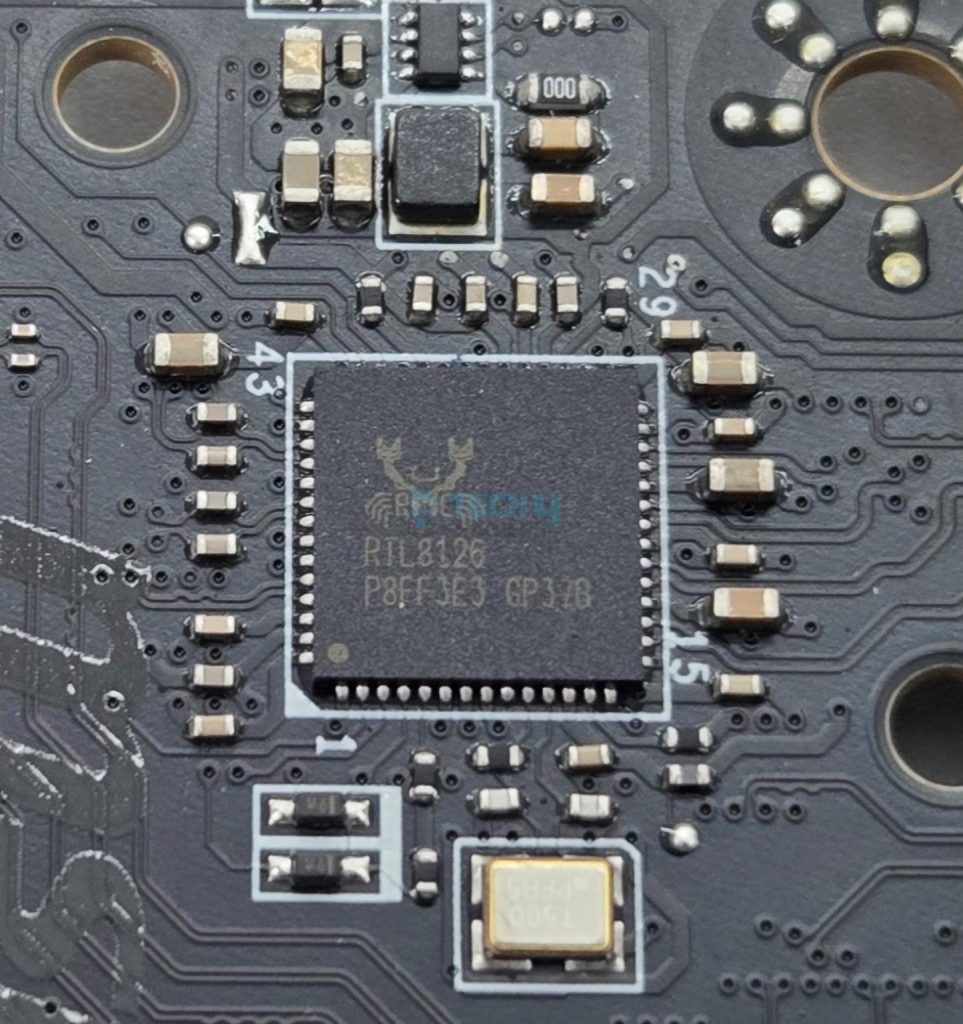
This motherboard comes equipped with 10GbE LAN port using AQC113CS controller and one 5GbE LAN port using RealTek RTL8126 controller on the rear IO.
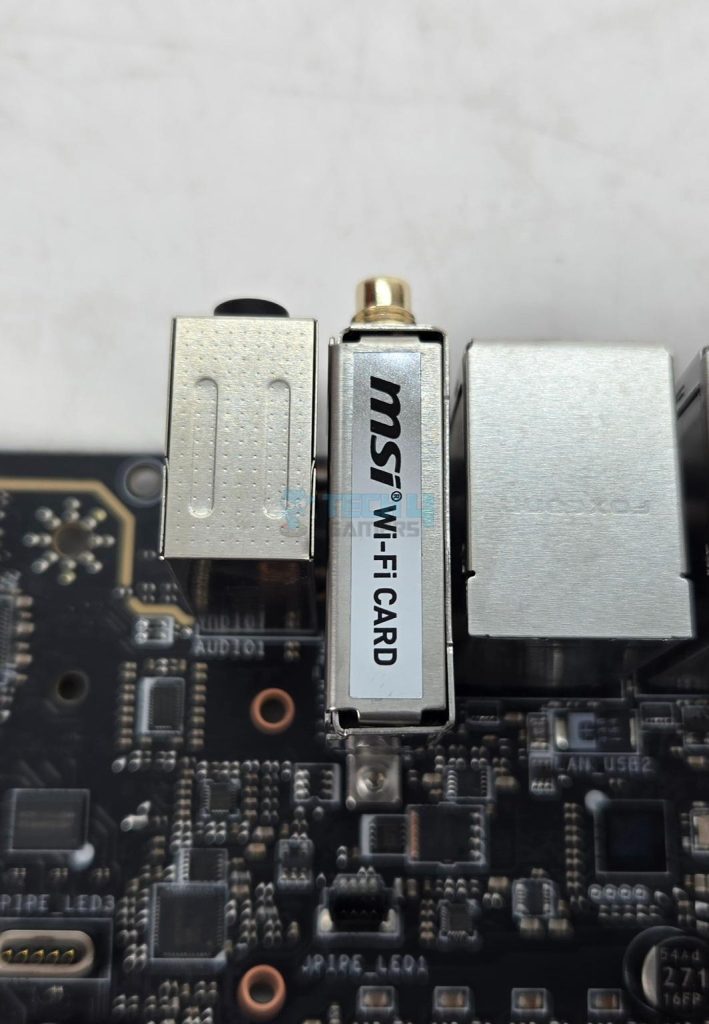
The wireless connectivity comprises WiFi 7 and Bluetooth 5.4. The Wireless module is pre-installed in the M.2 (Key-E) slot and supports MU-MIMO TX/RX, 2.4GHz/ 5GHz/ 6GHz (320MHz) up to 5.8Gbps. The antenna is magnetic making its placement convenient.
Audio Solution
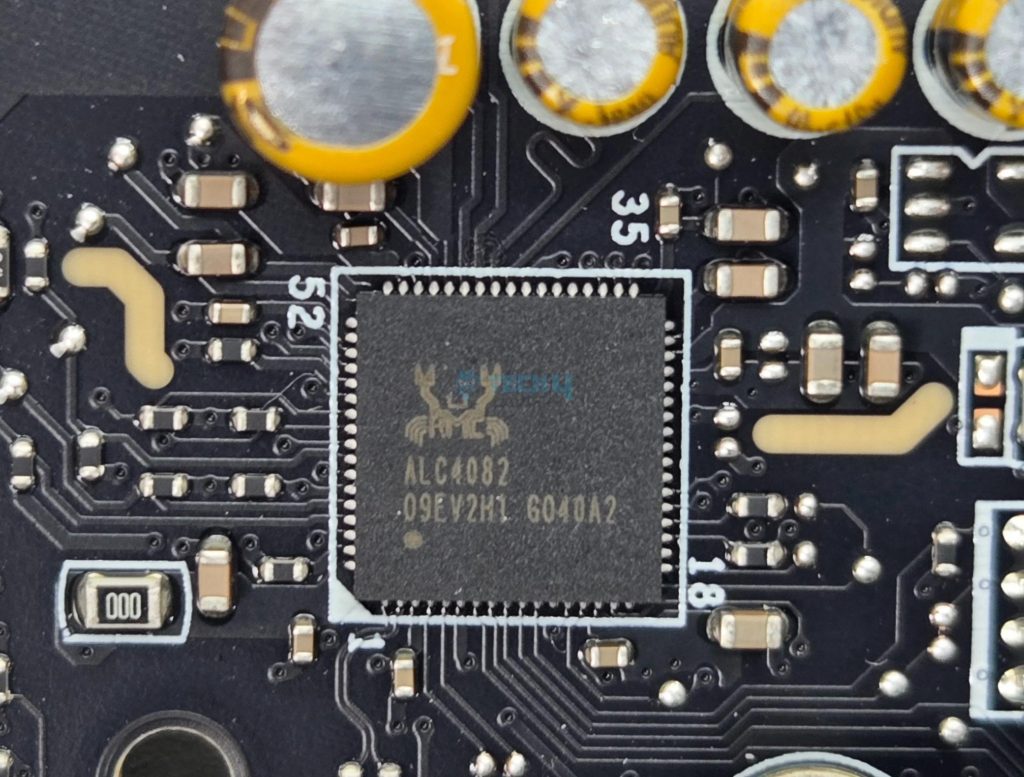
MSI has implemented Audio hardware on two separate layers of the PCB. They have used RealTek ALC4082 codec in combination with high-performance Chemi-Con capacitors.
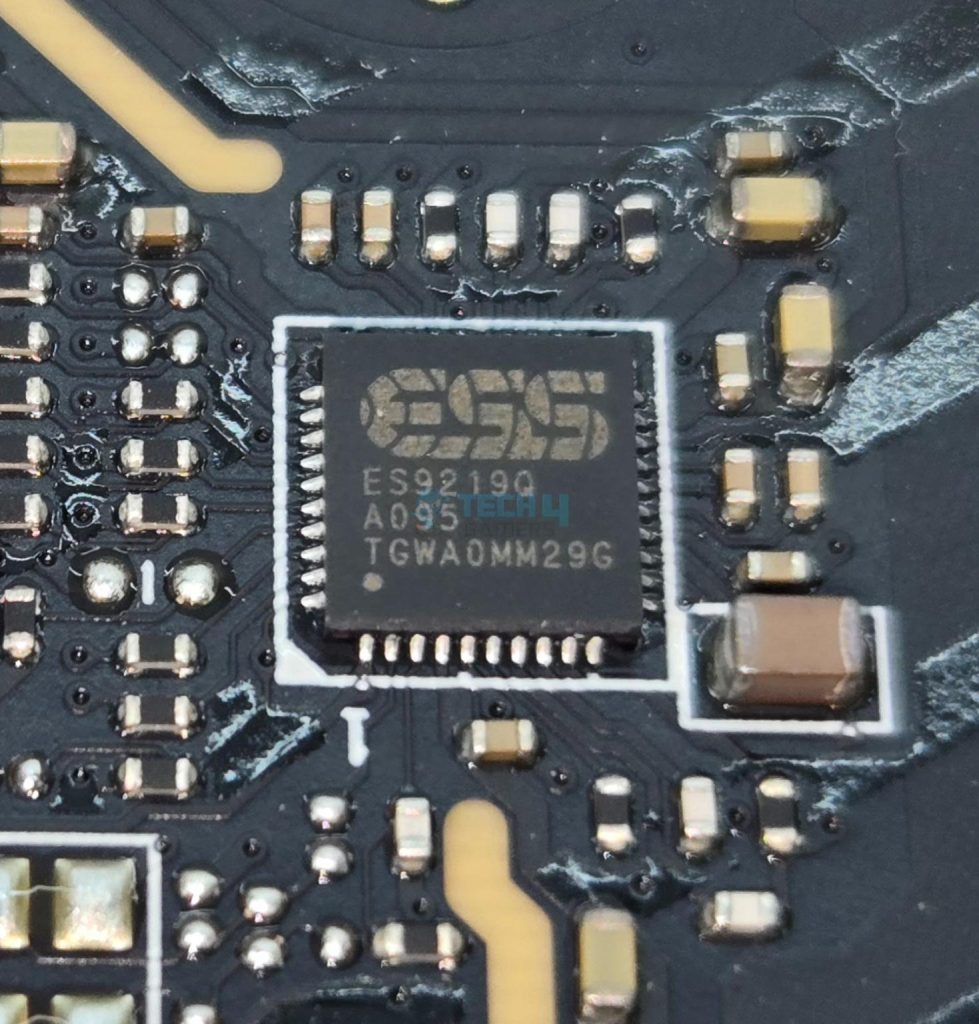
MSI has also ESS ES9219Q DAC/HPA. This is a 7.1 Channel audio solution that has S/PDIF output as well. It supports up to 32-Bit/384 kHz playback on front panel. MSI has designed the isolated analogy structure for the output on the rear panel.
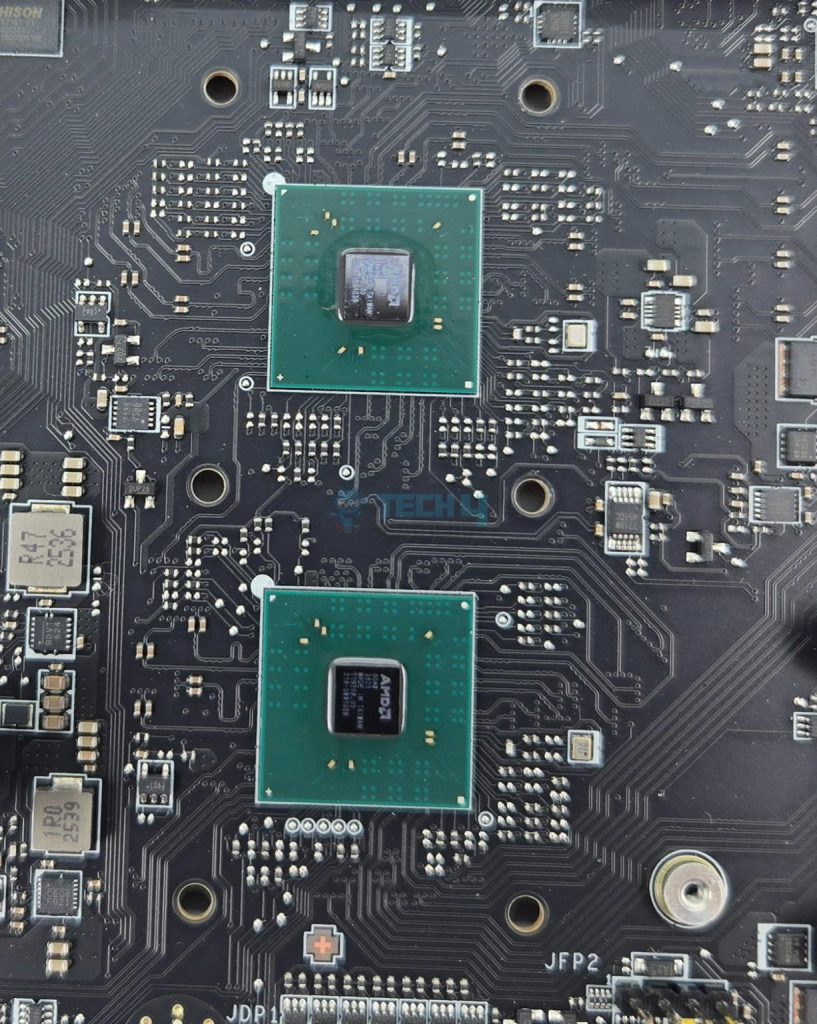
I am showing X870E chipsets after removing its heatsink cover.
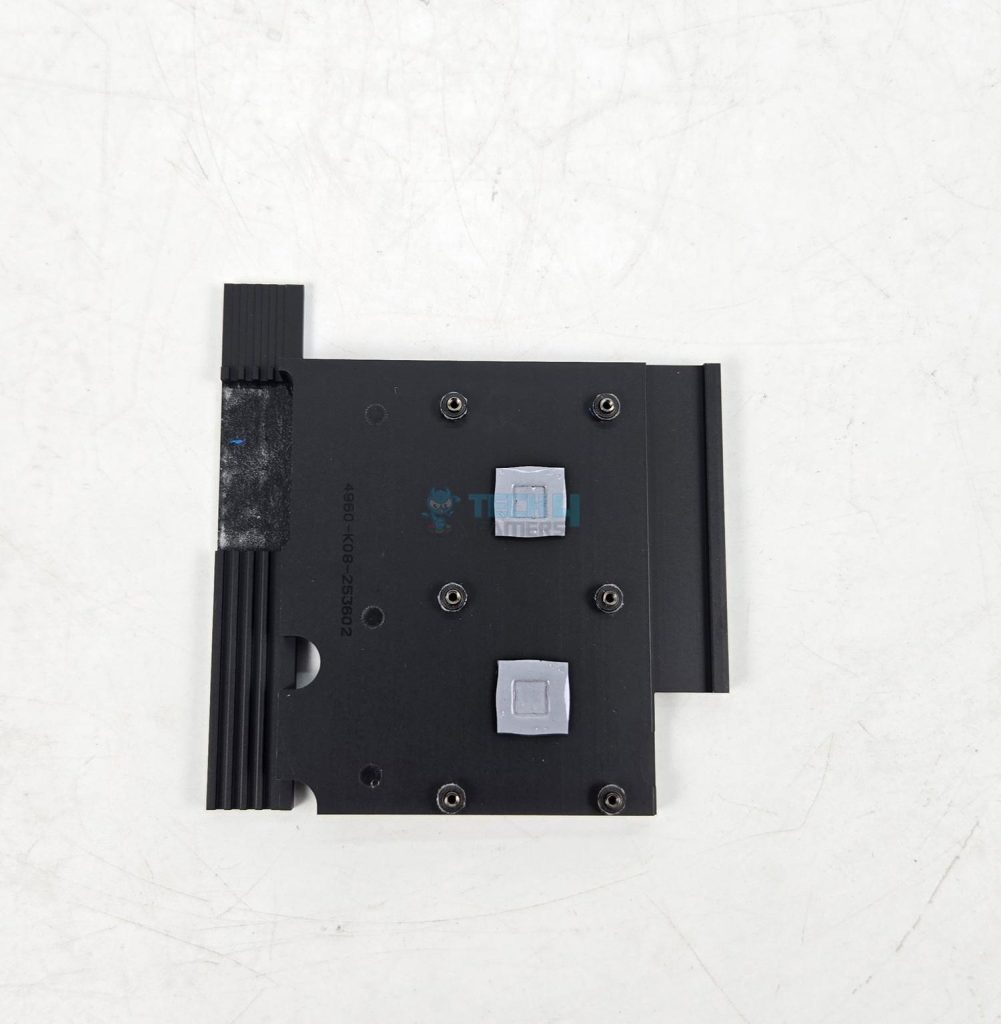
The above pictures show the chipset covers.
Let’s take a look at the connectors.
Internal Connectors
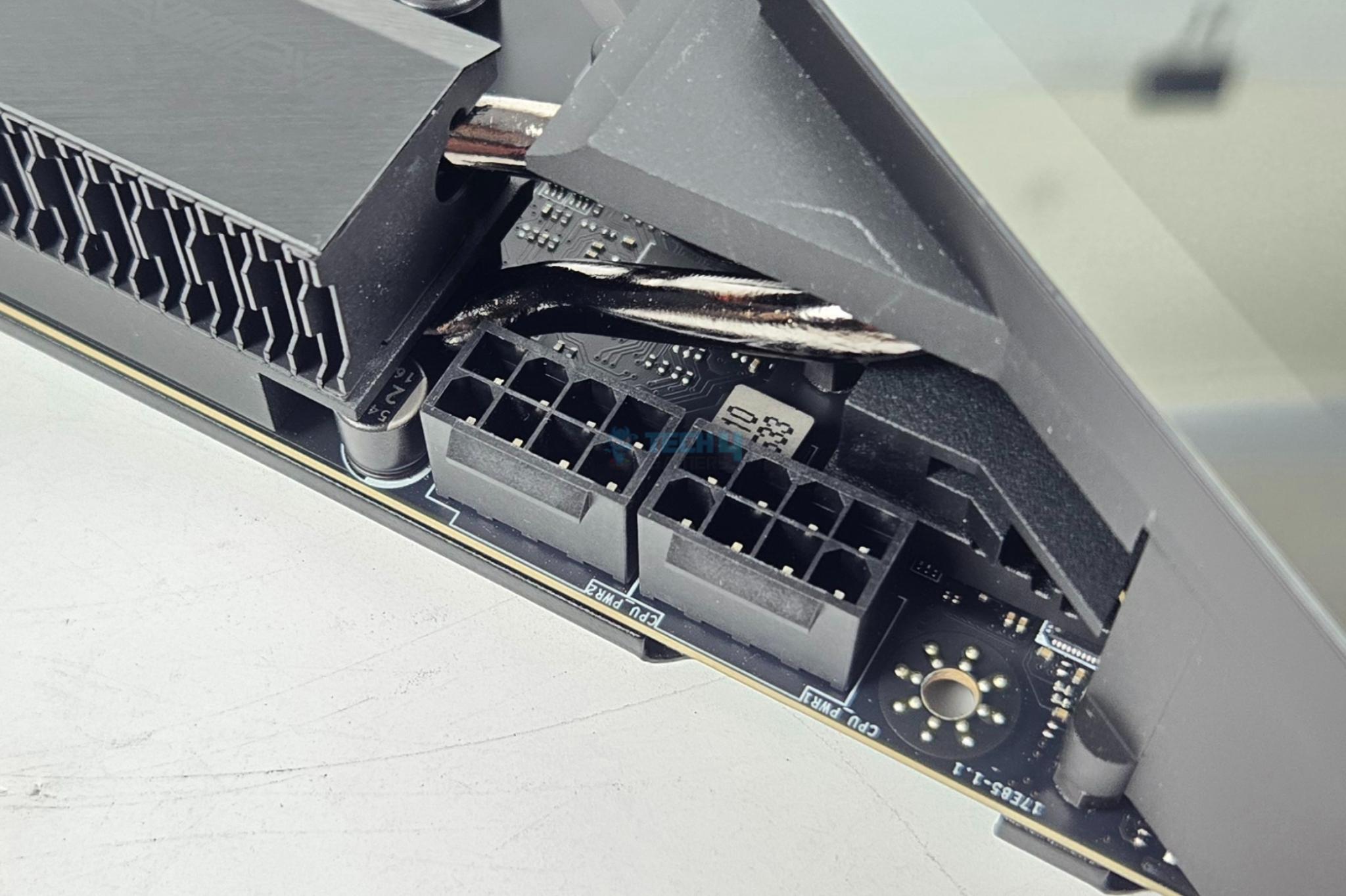
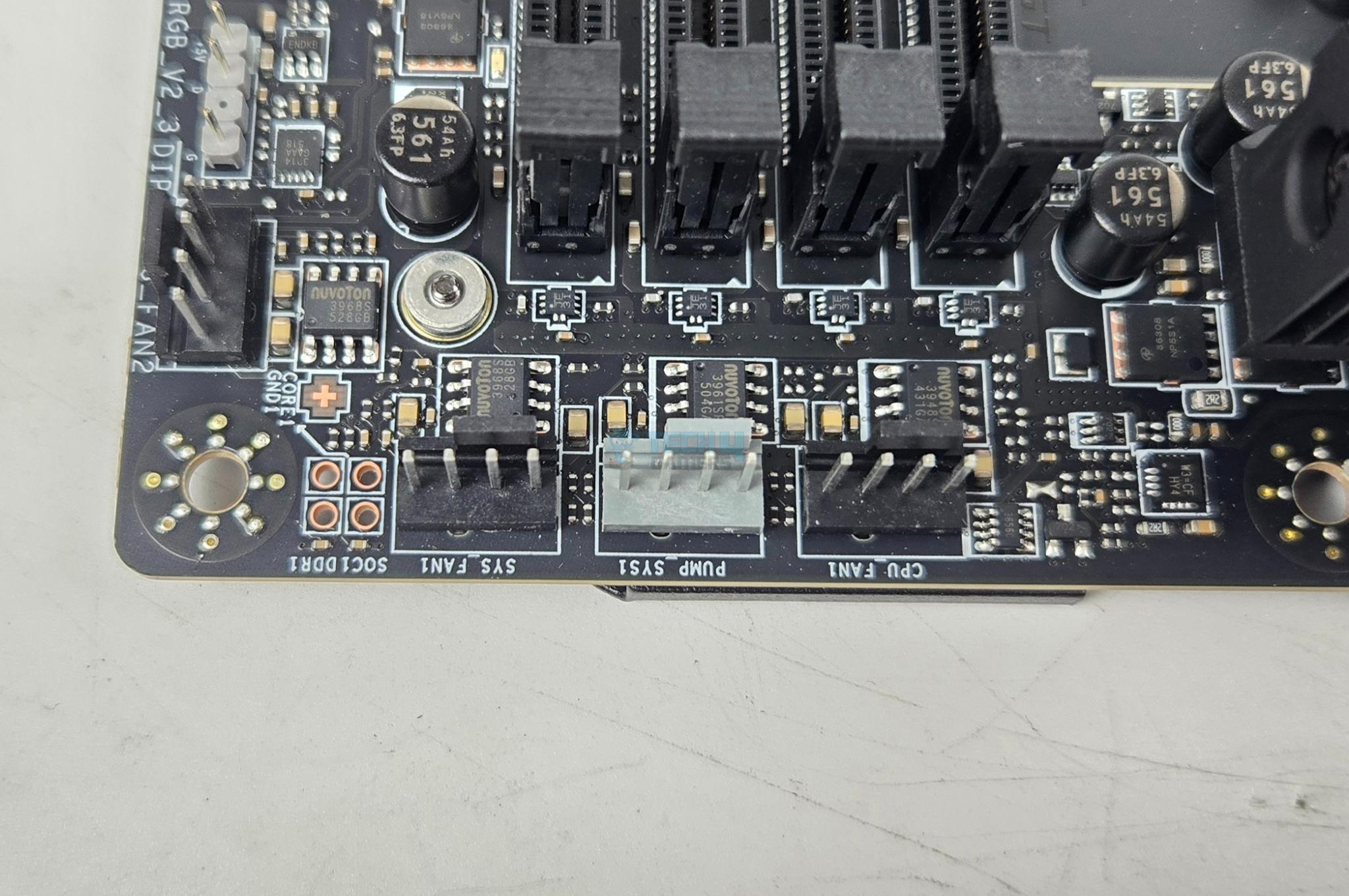
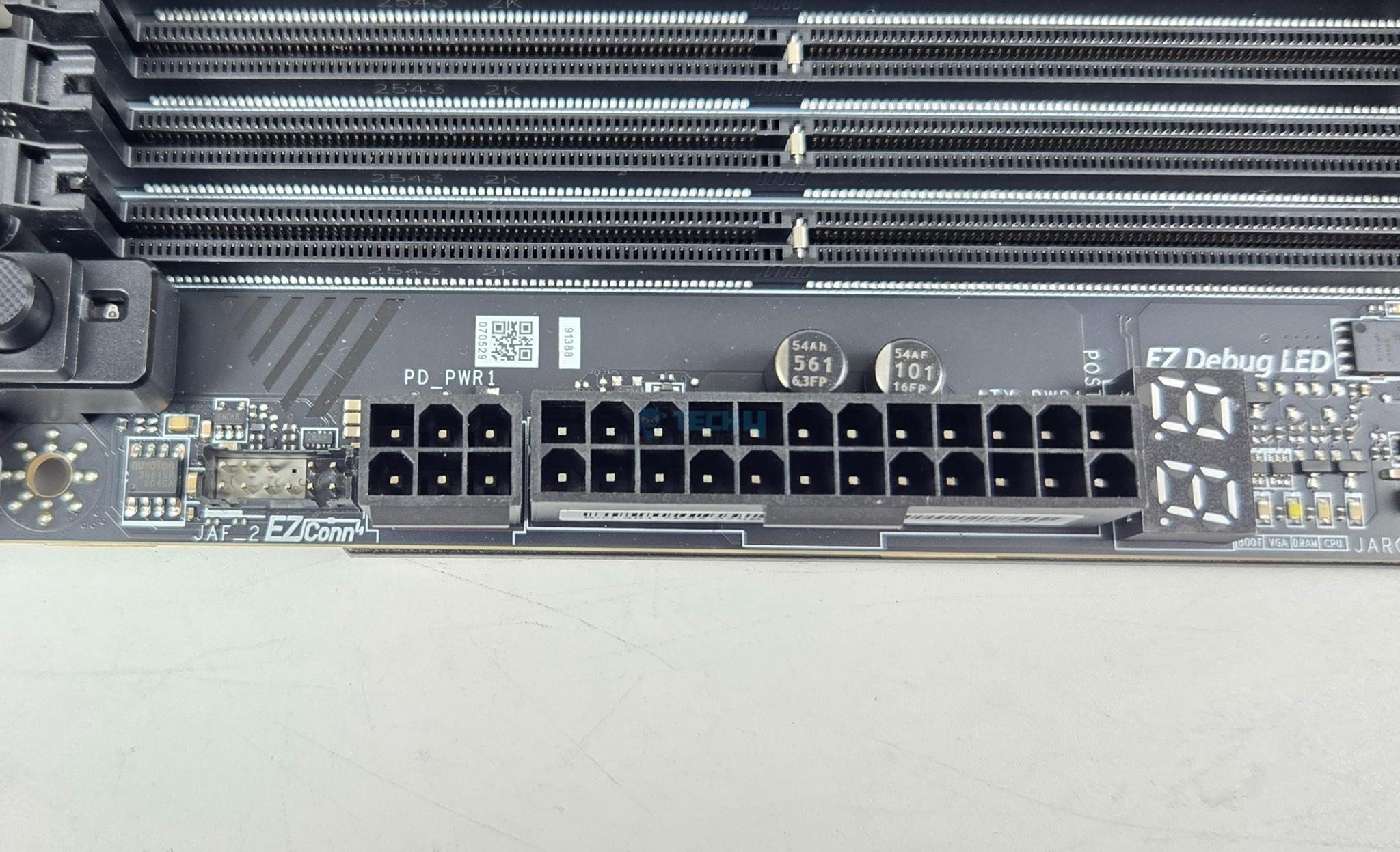
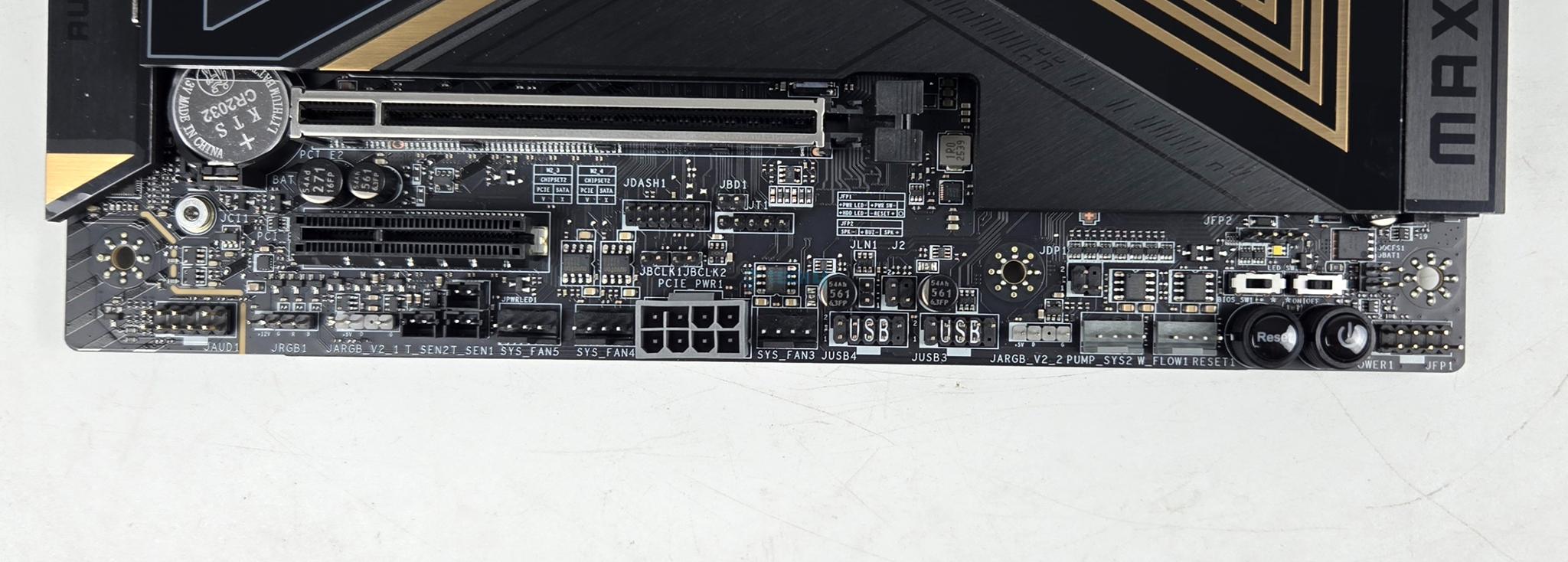
There are:
- 1x 24-Pin Power Connector(ATX_PWR)
- 2x 8-Pin Power Connector(CPU_PWR)
- 1x Power Connector(PCIE_PWR 8pin)
- 1x Front Type-C Quick Charge Connector(PD_PWR1)
- 1x CPU Fan
- 2x Combo Fan (Pump_Sys Fan)
- 5x System Fan
- 1x EZ Conn-header (JAF_2)
- 2x Front Panel (JFP)
- 1x Chassis Intrusion (JCI)
- 1x Water Flow connector
- 1x Front Audio (JAUD)
- 2x Thermal Sensor connectors(T_SEN)
- 1x Tuning Controller connector(JDASH)
- 3x Addressable V2 RGB LED connector (JARGB_V2)
- 1x RGB LED connector(JRGB)
- 1x TPM pin header(Support TPM 2.0)
- V-check point
- 2x Direct OC Jumper (JBCLK)
- 4x USB 2.0 ports
- 4x USB 5Gbps Type A ports
- 1x USB 20Gbps Type C ports
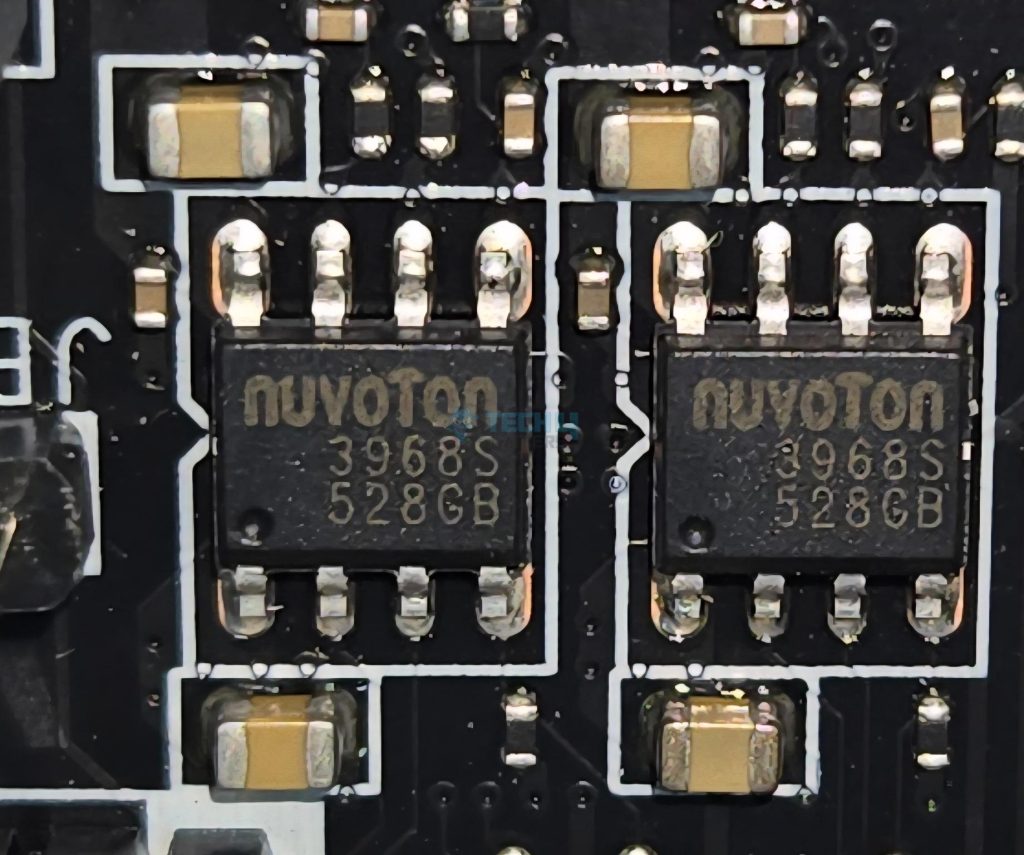
Each fan header is powered and controlled by nuvoTon 3968S. The CPU Fan header is rated at 2A, the pump header is rated at 3A whereas the system fan headers are rated for 1A each.
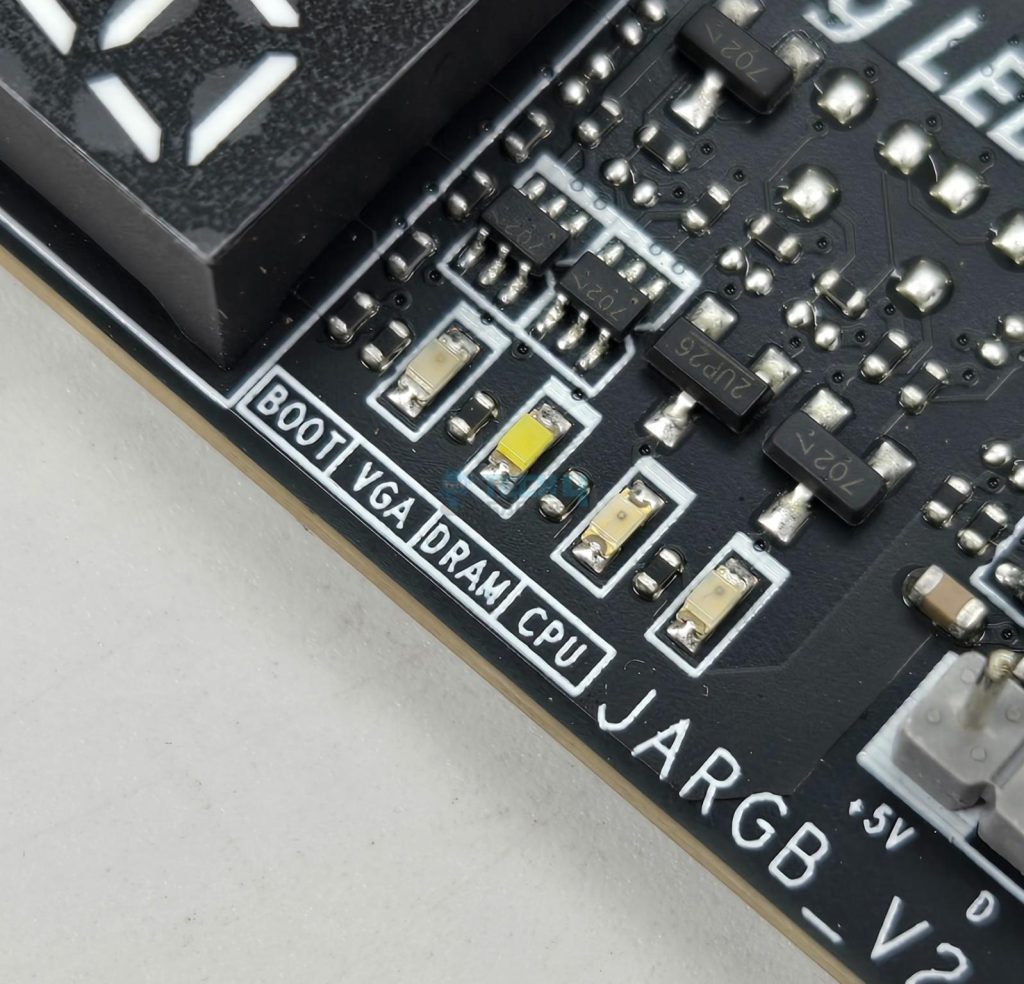
The motherboard has 4x troubleshooting LEDs. In case of an issue the corresponding LED will remain lit until the issue is resolved. The motherboard also Digi Debug LED that shows two digits during posts for easy troubleshooting in case of any error. It also shows the temperature once Microsoft Windows is loaded.
In addition, there is an EZ Memory Detection LED which remains light up in case of faulty stick is loaded into the DIMM slots. 1x EZ LED Control switch is also provided.
Rear IO Panel
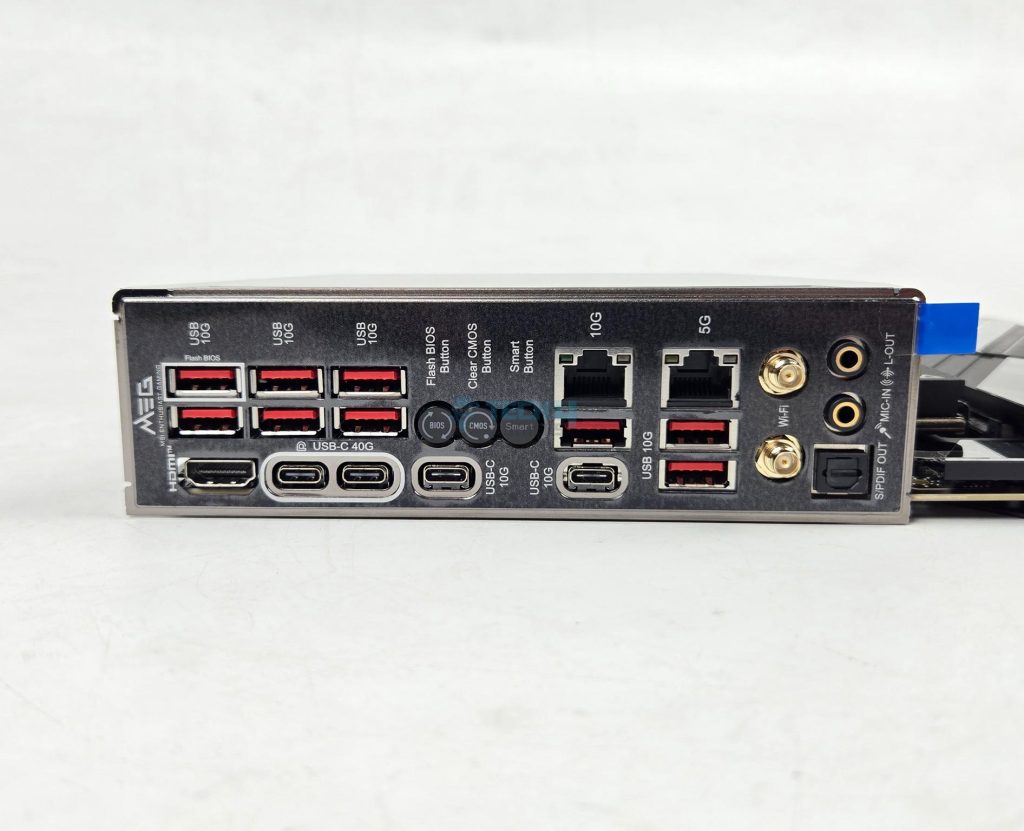
There are:
- USB 10Gbps (Type-A)
- Flash BIOS Button
- Clear CMOS Button
- Smart Button
- 10G LAN
- 5G LAN
- Wi-Fi / Bluetooth
- HD Audio Connectors
- HDMI™ 2.1 Port
- USB 40Gbps (Type-C)
- USB 10Gbps (Type-C)
- USB 10Gbps (Type-A)
- Optical S/PDIF-Out
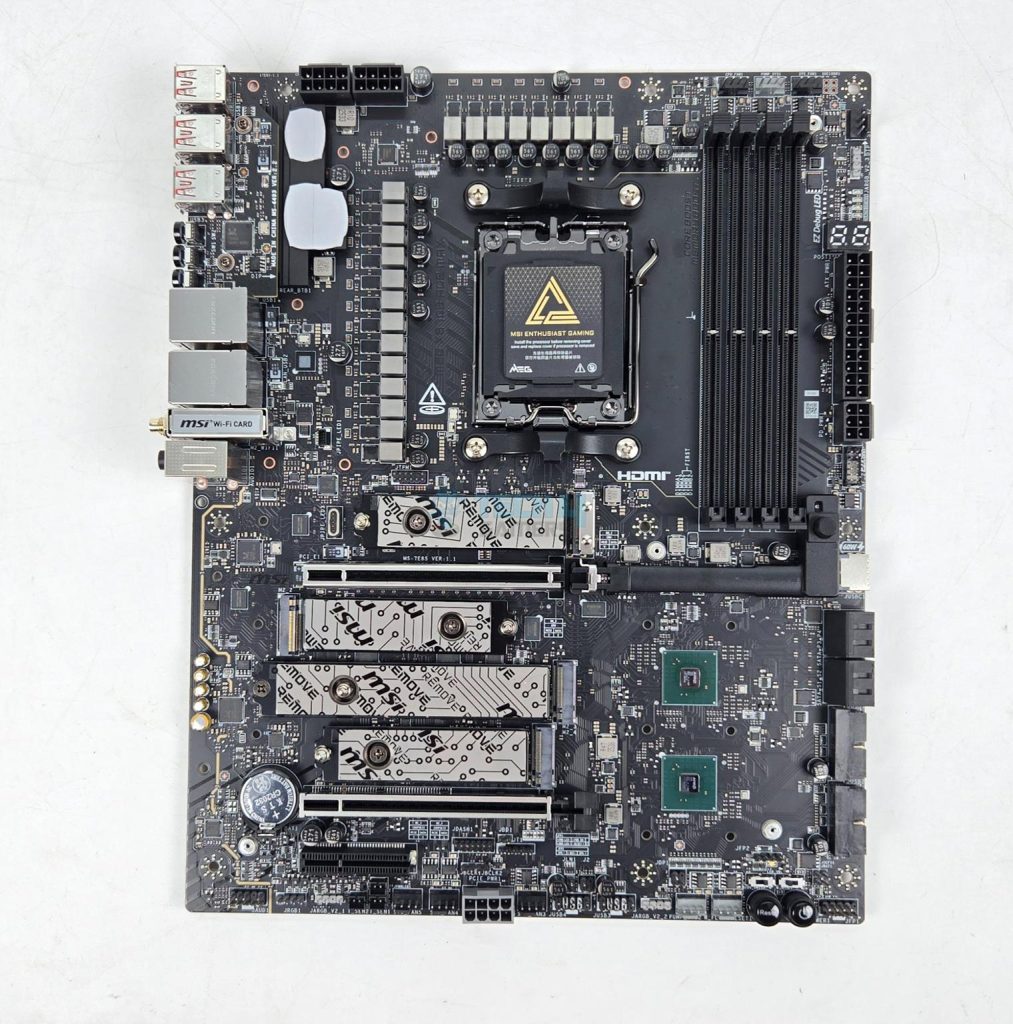
The above is a PCB front view after teardown.
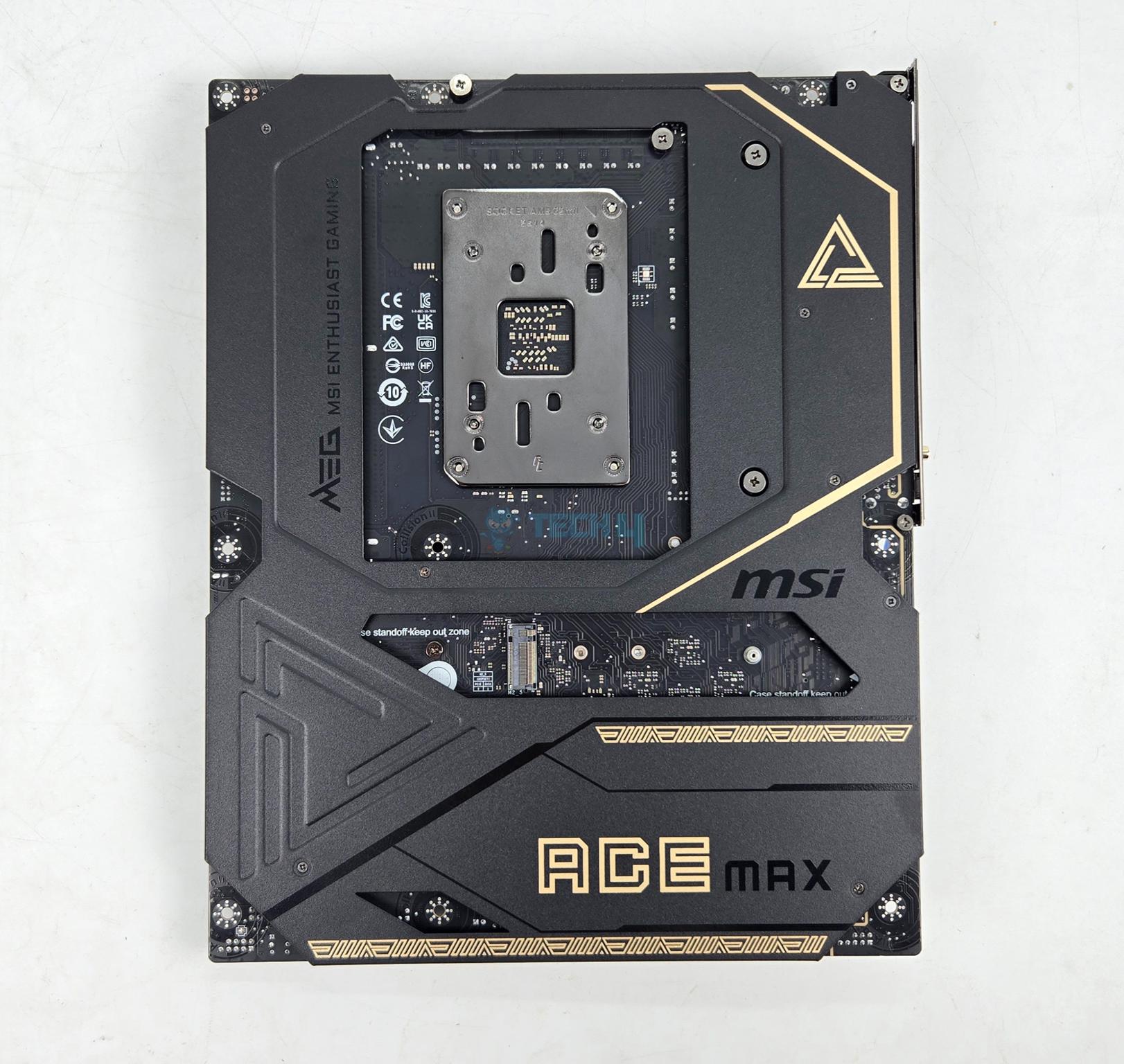
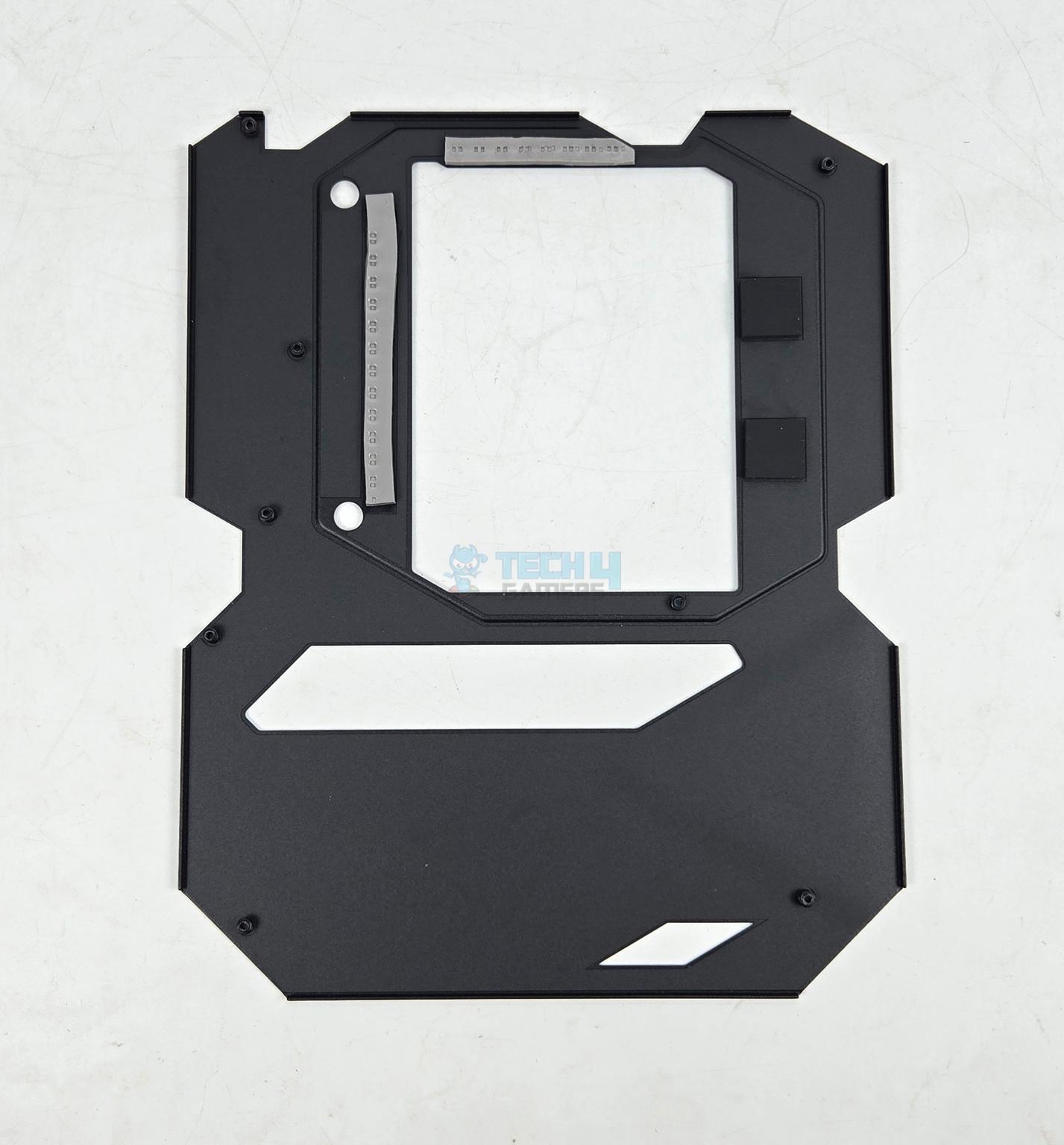
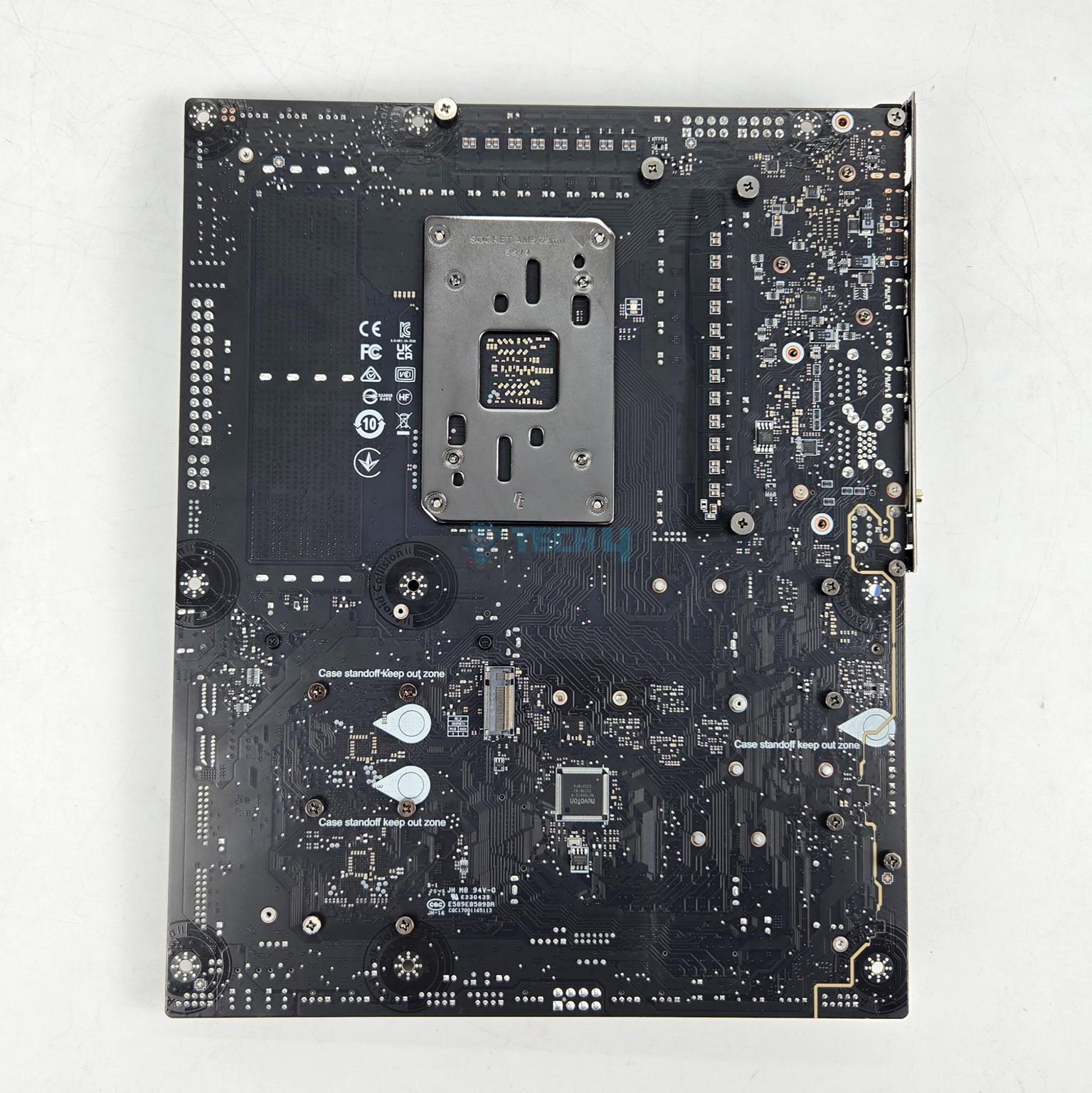
The motherboard has a metallic backplate on the backside. It has thermal pads between itself and the back of the MOSFETs for effective cooling of the power delivery area.
BIOS
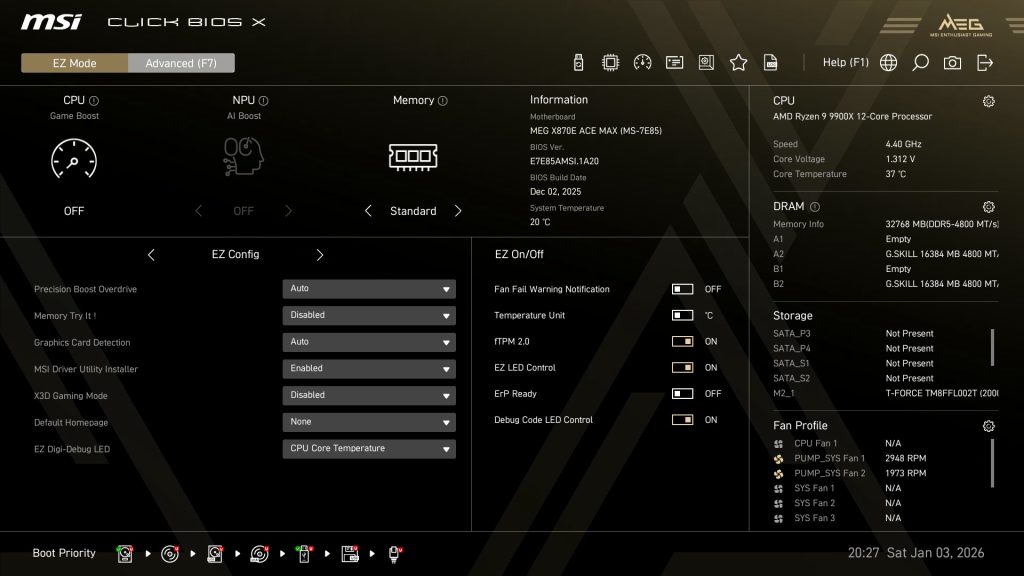
BIOS has a same interface that I have been seeing on other MSI motherboards that are tested on Tech4Gamers. MSI has streamlined the BIOS interface and named it Click BIOS X. It is easy to navigate and all the related settings are grouped.
I will not delve into the details, as we have provided extensive coverage of BIOS in previous articles.
Test Build
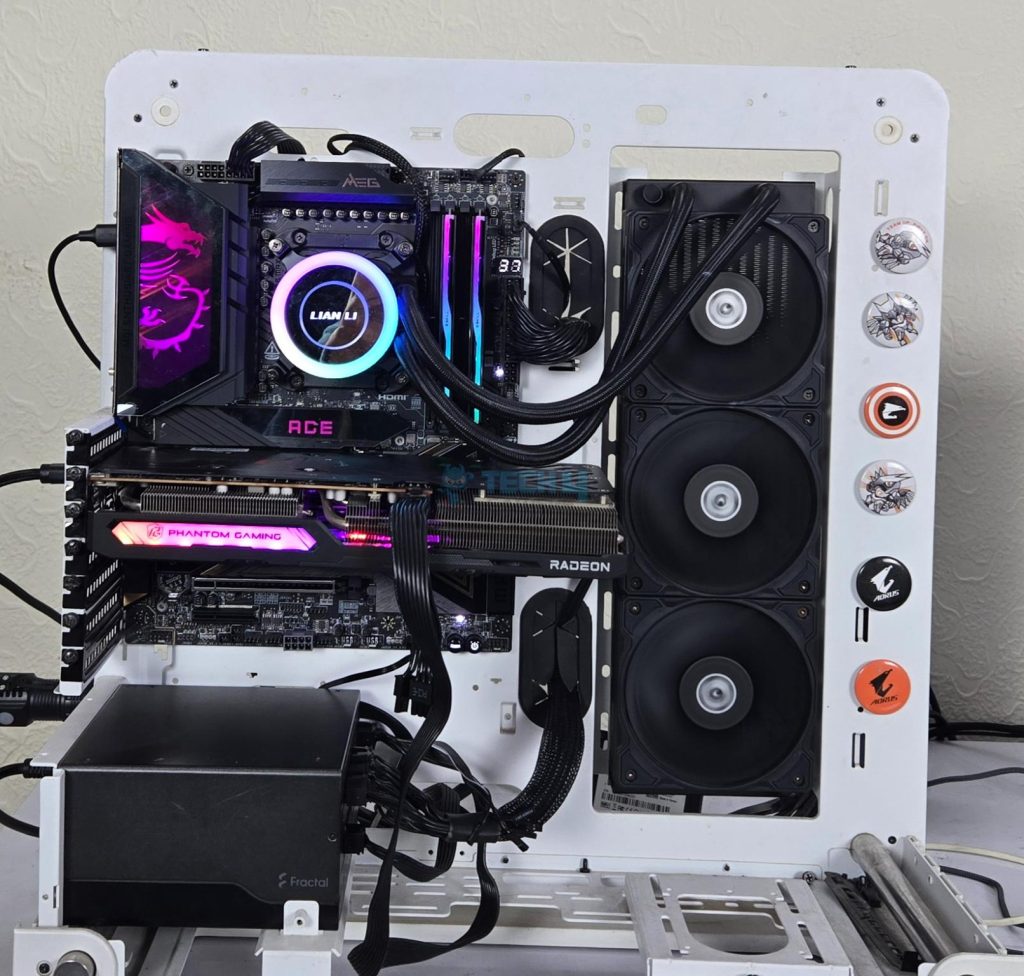
I have used the following configuration to test the motherboard:
- MSI MEG X870E ACE MAX
- AMD Ryzen 9 9900X [Stock, Auto and PBO]
- ASRock Radeon RX7600 Phantom Gaming OC 8G
- Lian Li GA-II Lite 360 Performance
- Skill Ripjaw Z RGB 32GB 6400MHz CL30 DDR5 kit
- Biwin NV7400 2TB NVMe SSD [For OS]
- Teamgroup GC Pro 2TB NVMe Gen5 SSD
- Sabrent Rocket NANO V2 4TB Portable SSD
- Fractal Design ION+ 2P 860W Platinum
- Praxis Wetbench
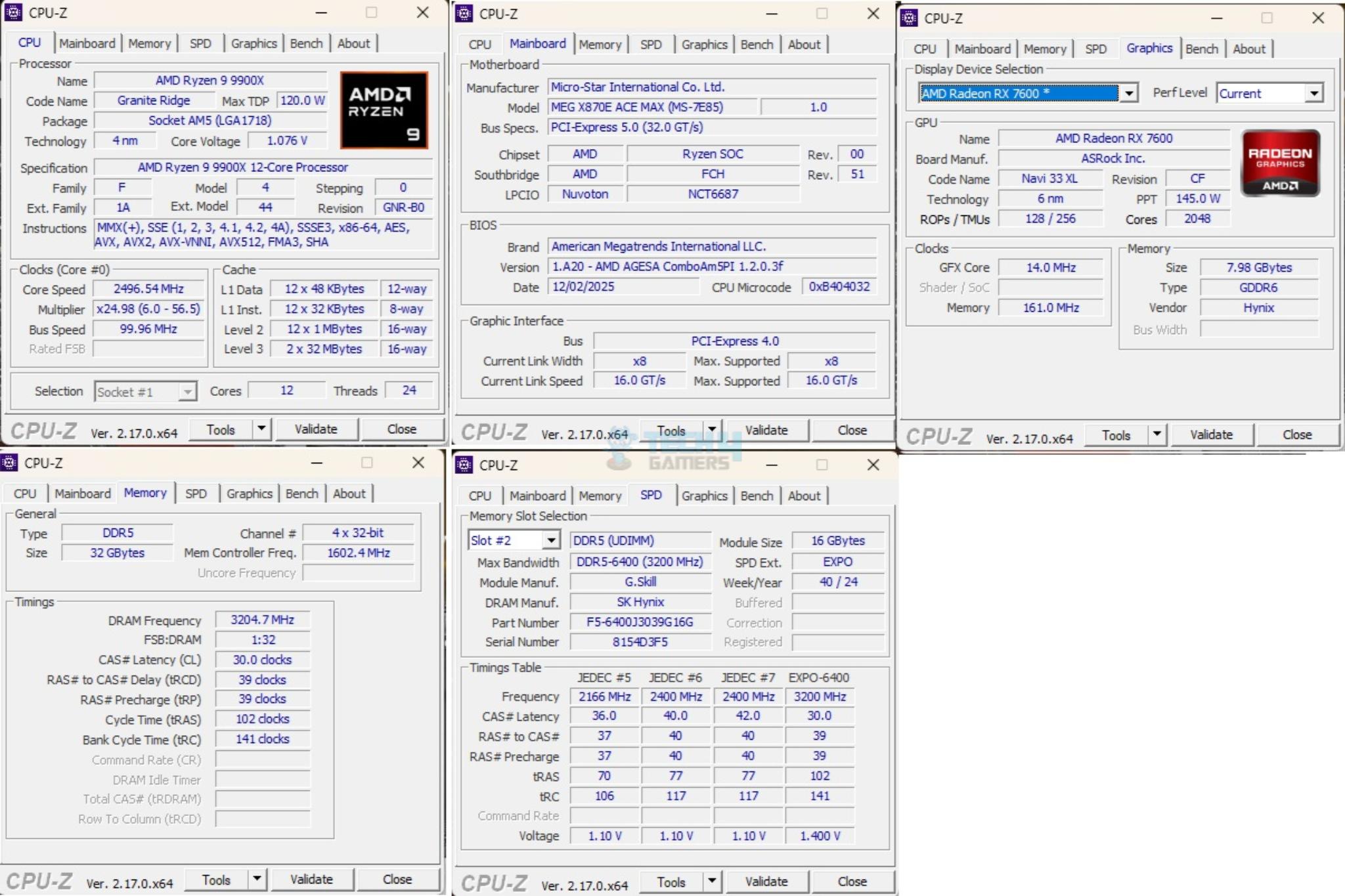
The above is a picture showing a run of CPU-Z. You can see that graphics card is operating at x8 link. The RAM is operating at its tested speed of 6400MT/s after loading the EXPO.
We have divided the overall tests in four major categories. These are:
- CPU and Memory Tests
- AIDA64 CPU and Memory Test
- CINEBENCH R23.2
- Blender Benchmark 4.5.0
- 7-Zip Compression Benchmark
- 3DMARK CPU Profile
- Storage Tests
- CrystalDiskMark
- PCMARK10 Data Drive Benchmark
- Gaming Tests
- 3DMARK Speed Way
- 3DMARK Time Spy Extreme
- 3DMARK Steel Nomad
- Read Dead Redemption 2
- Cyberpunk 2077
- Control
- Assassin’s Creed Valhalla
- Far Cry 6
- Forza Horizon 5
- Overall System Tests
- PCMARK10
- Performance Test
You can see A-RGB elements on the IO cover and top M.2 Frozr Shield II cover. This can be controlled via MysticSync app under MSI Center.
Test Result
The testing was done on stock settings with EXPO loaded. PBO was disabled.
CPU And Memory Benchmarks
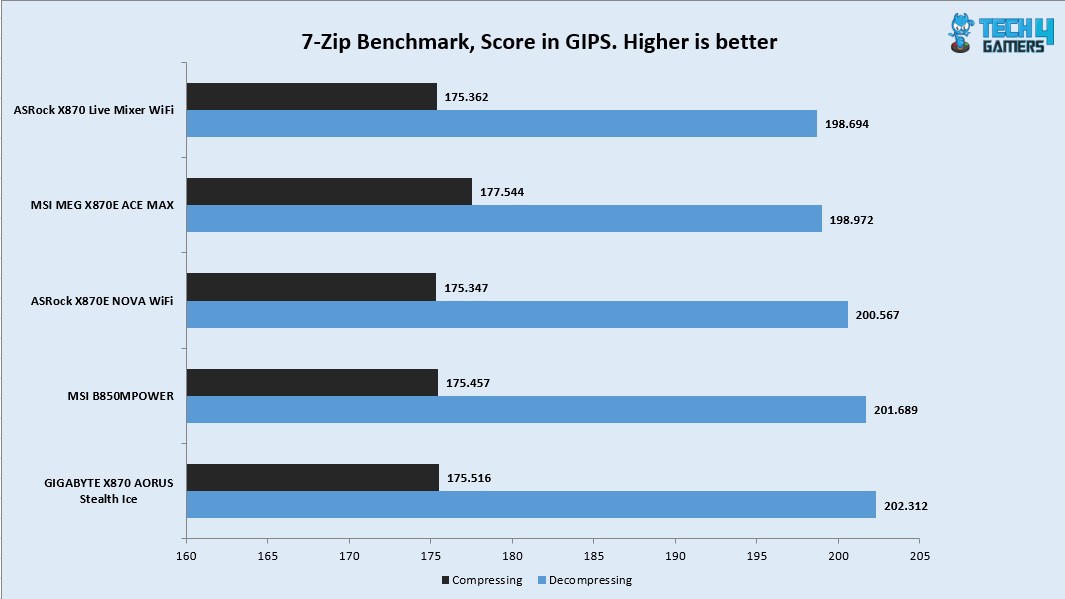
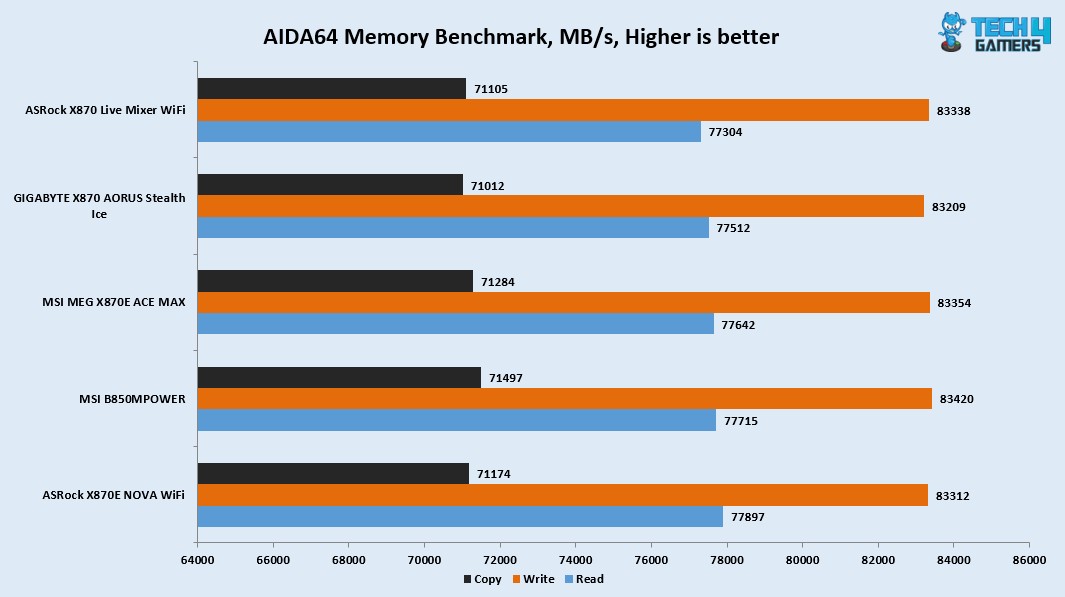
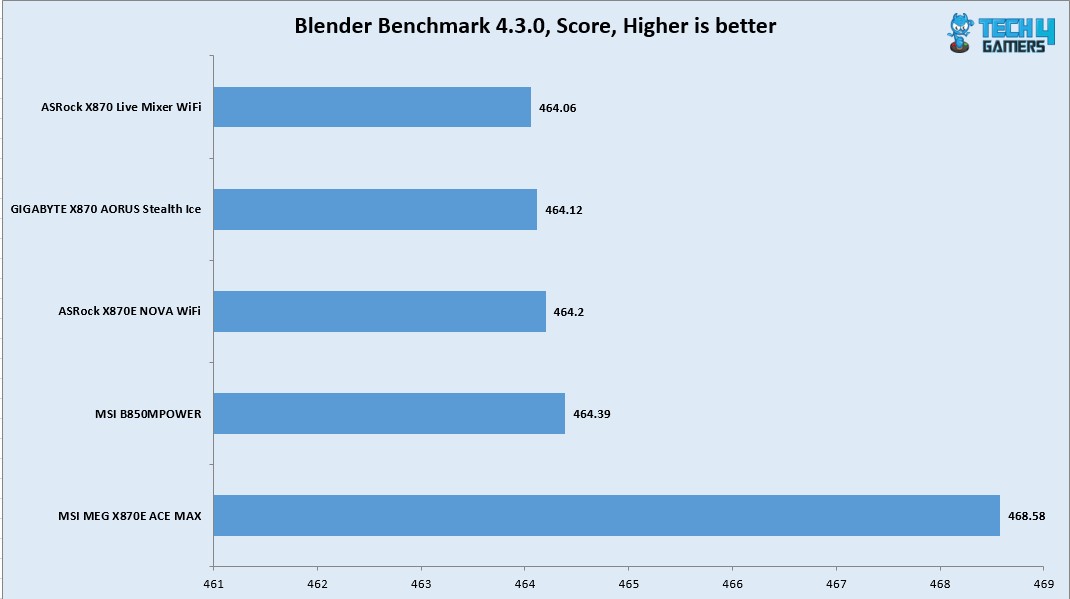
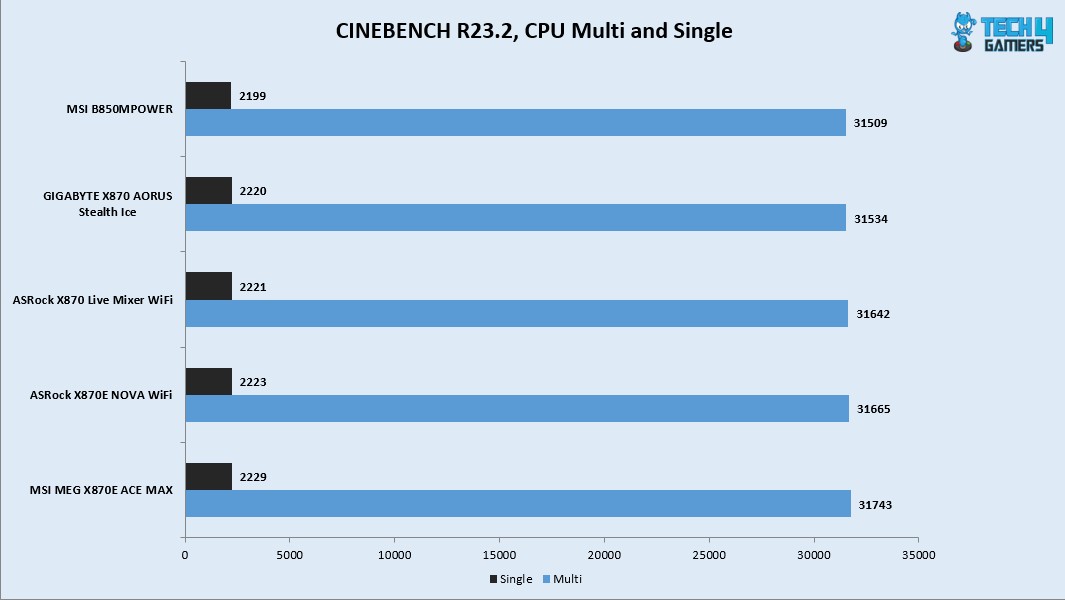
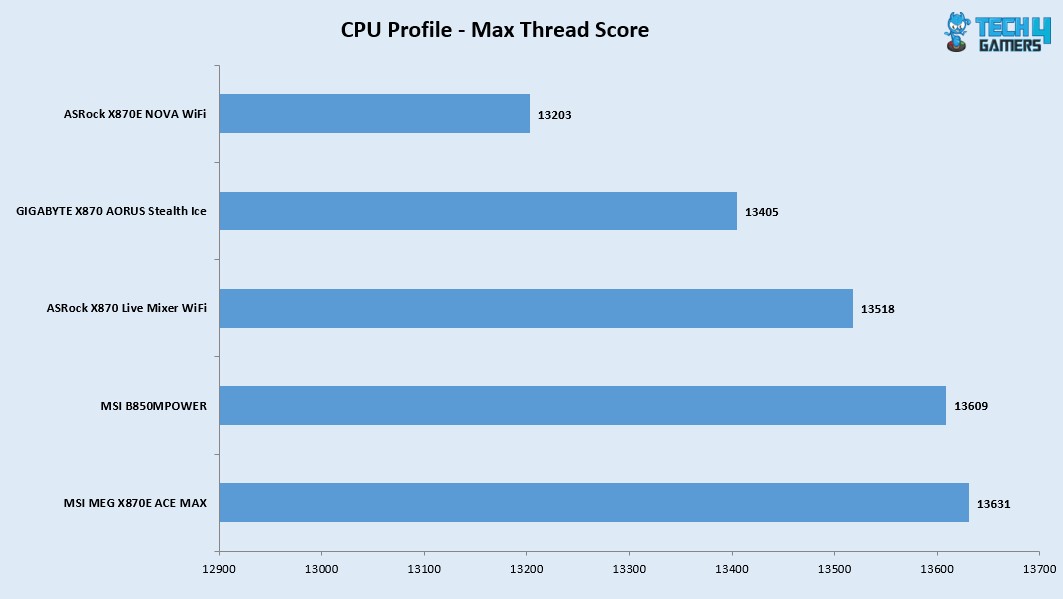
In Cinebench R23.2 the CPU scored 31743 points in CPU Multi Core load and 2229 points in a Single Core Load. The DDR5 kit has performed well at its tested speed of 6400MHz. The performance in 7-Zip benchmark is satisfactory as well with a compression result of 175.516GIPS and 202.312GIPS score in Decompression. The blender benchmark overall score was 468.58.
Storage Test
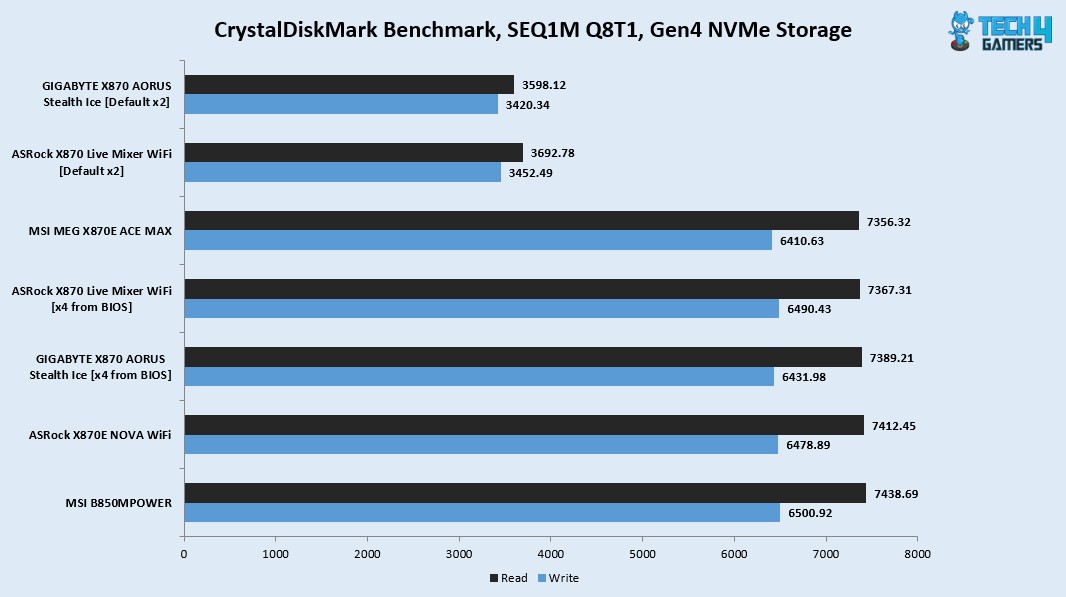
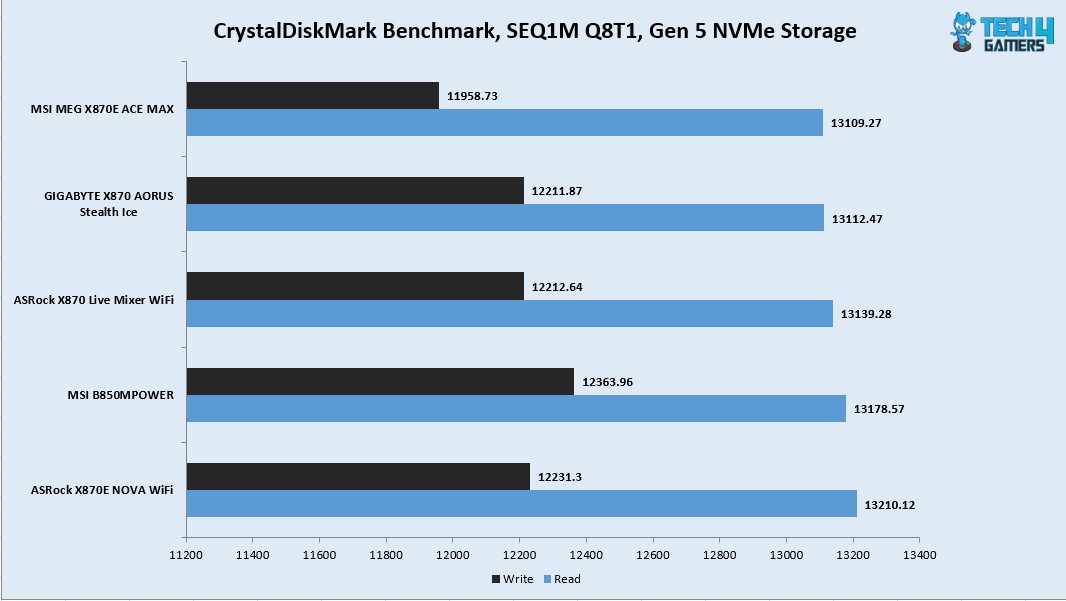
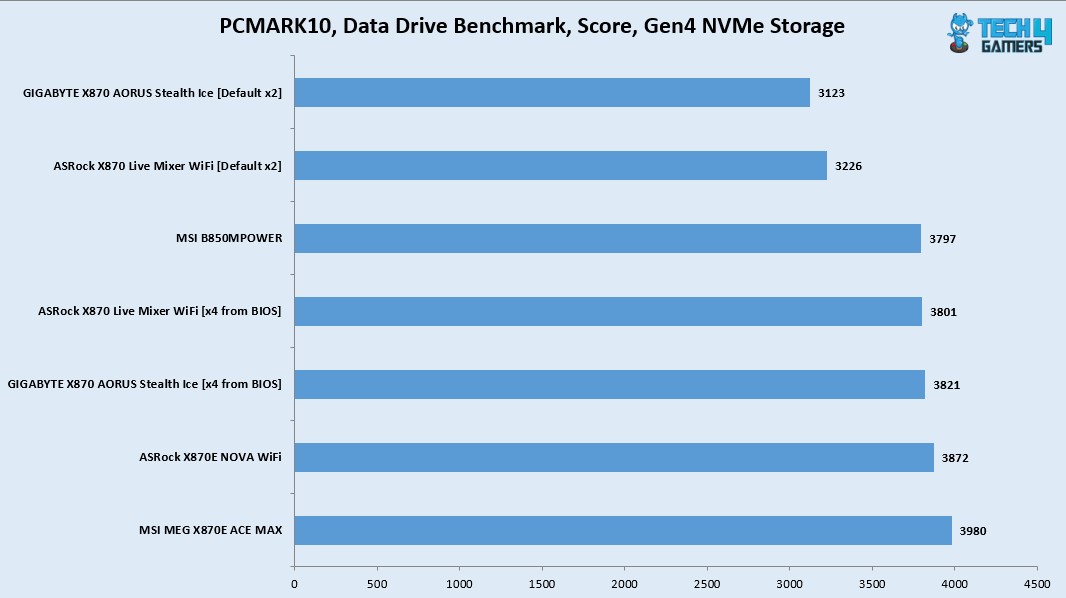
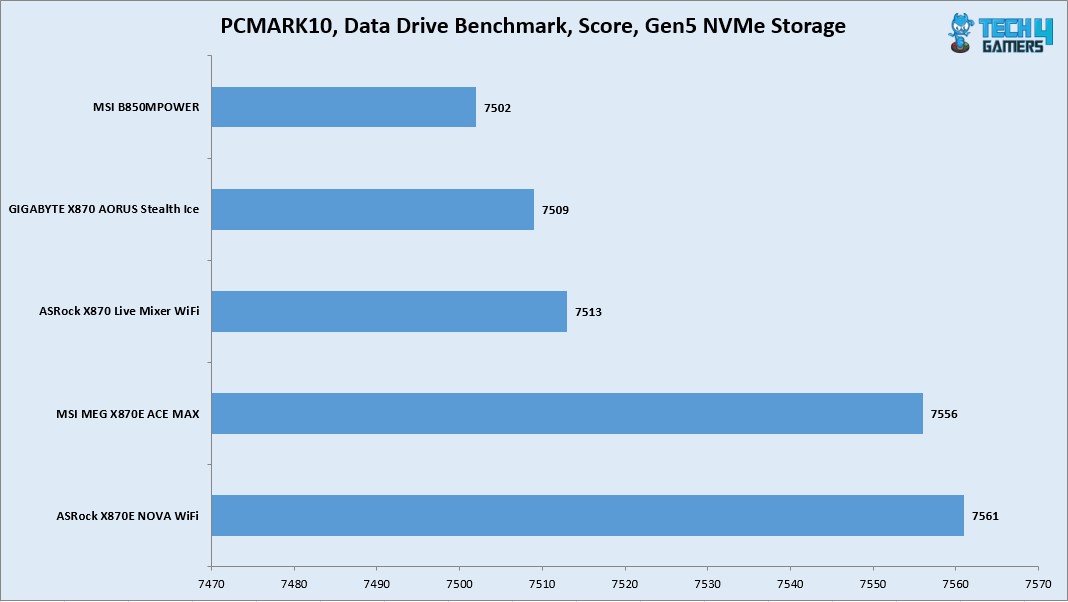
I have used:
- Gen5x4 NVMe Drive
- Gen4x4 NVMe Drive
All drives passed their sequential speeds in the CrystalDiskMark. The performance in PCMARK10 Data Drive Benchmark is quite well.
Gaming Test
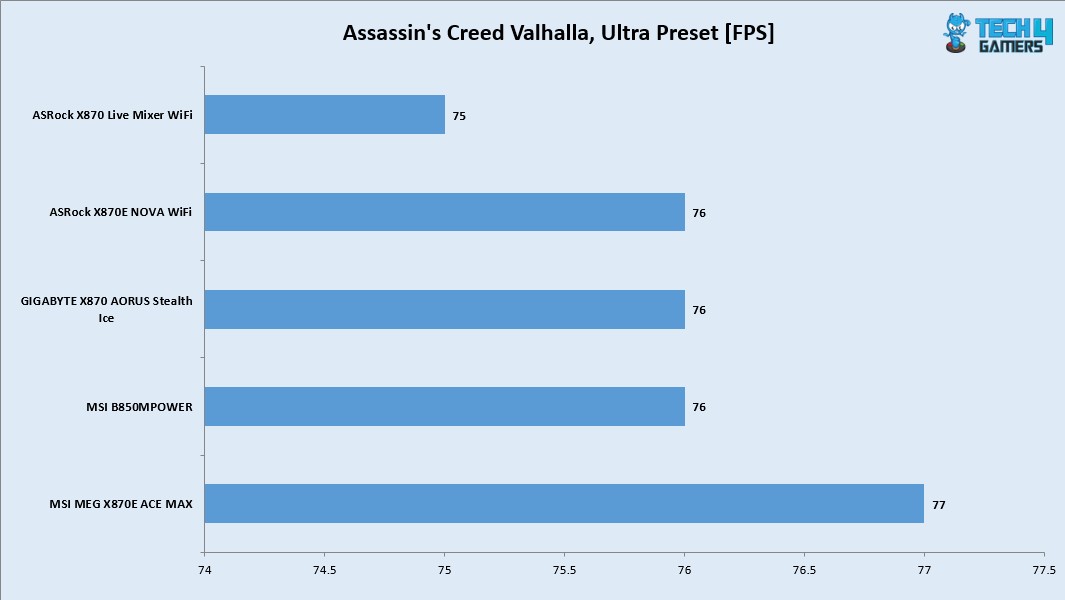
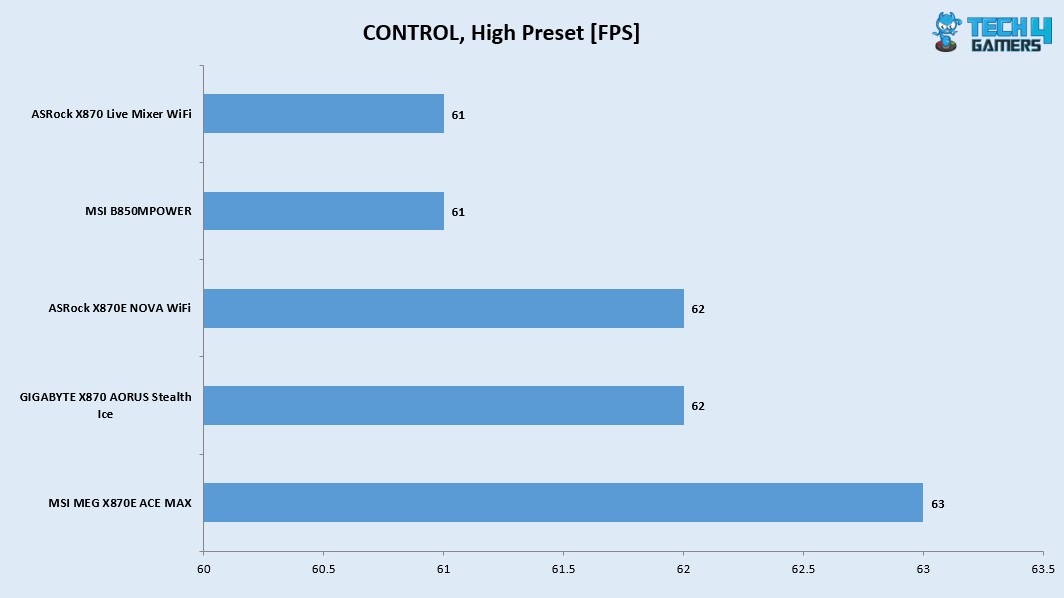
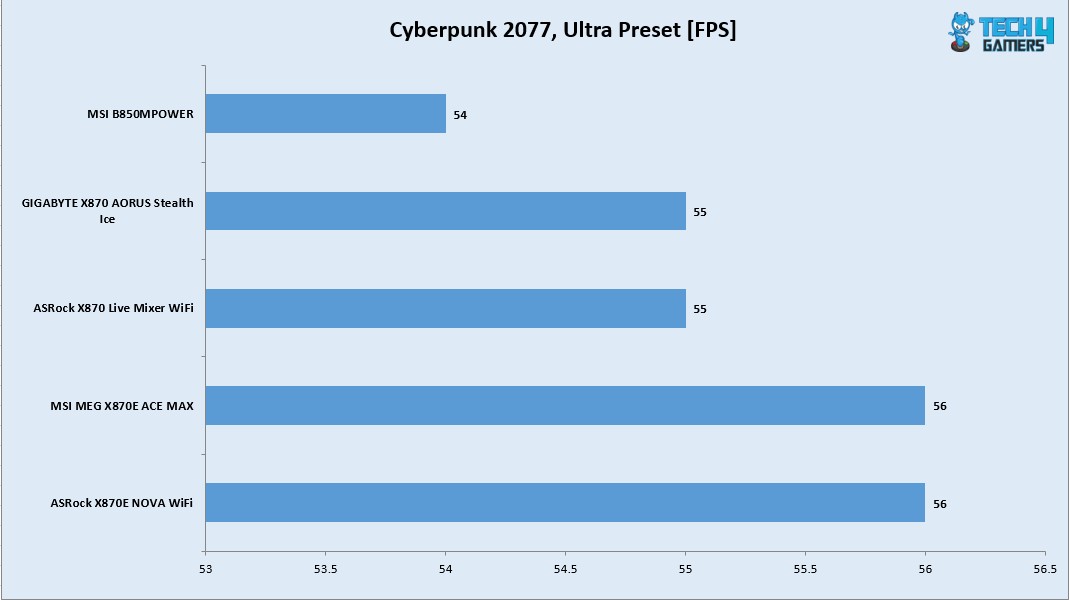
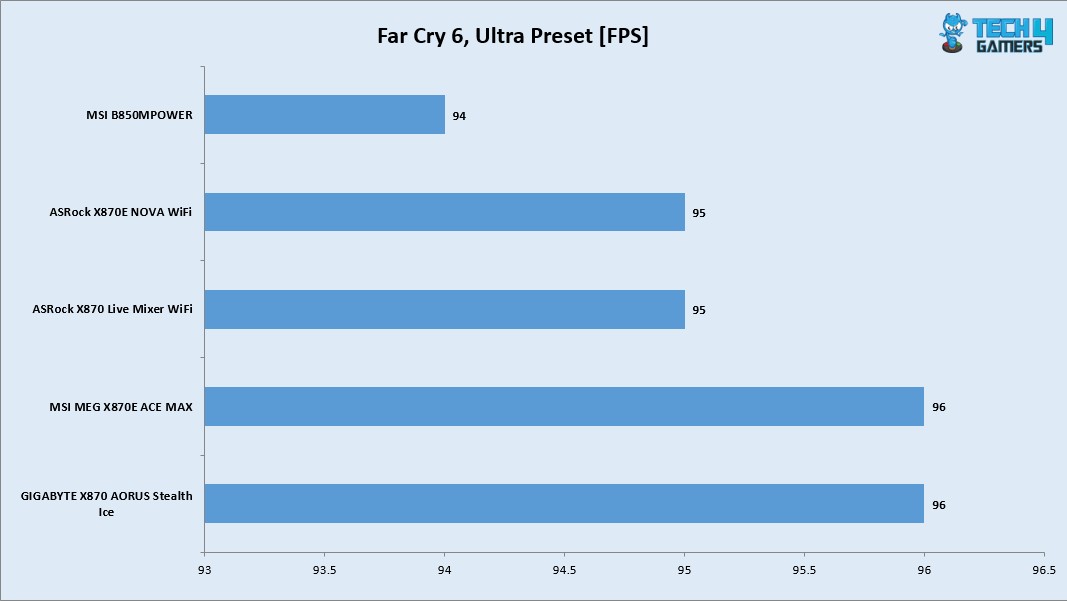
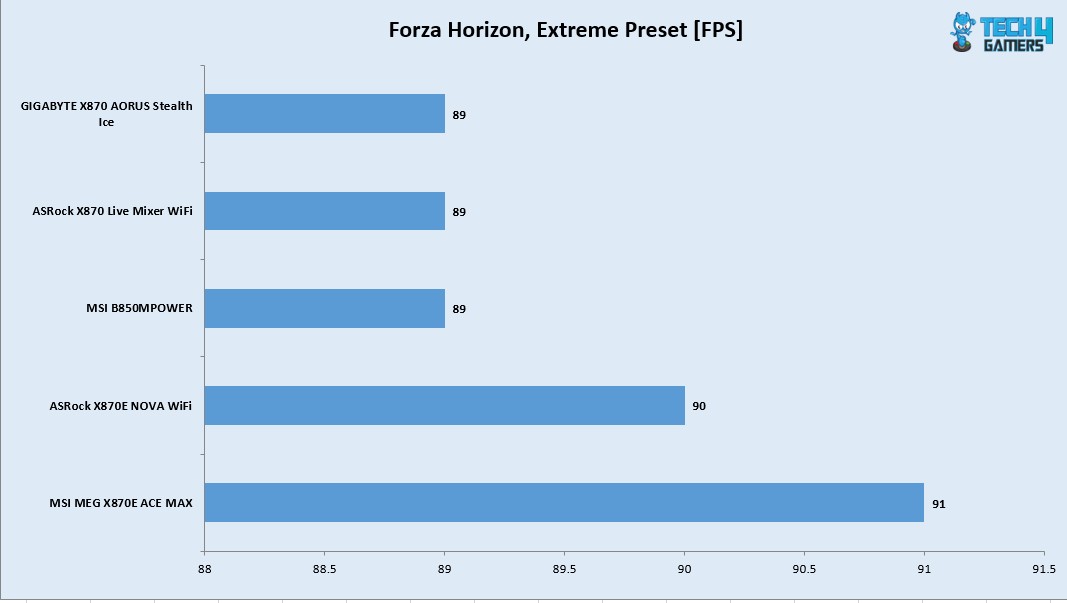
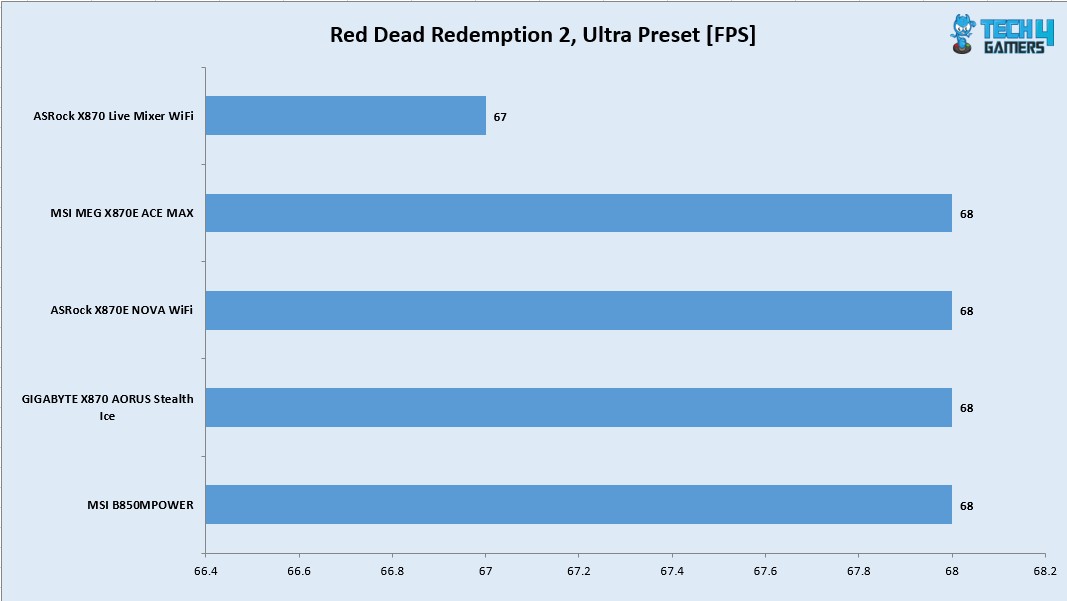
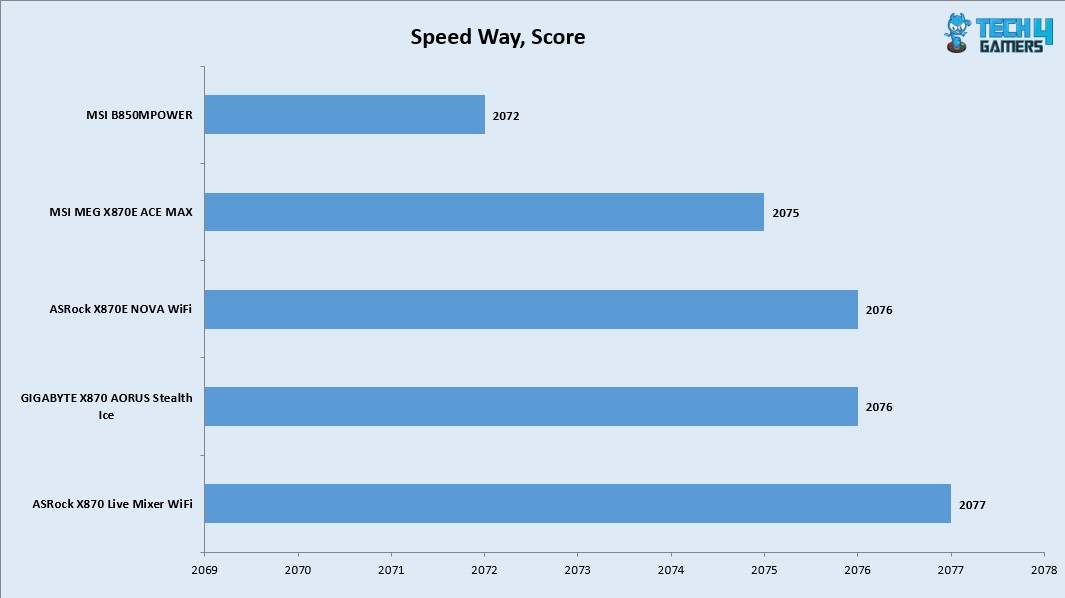
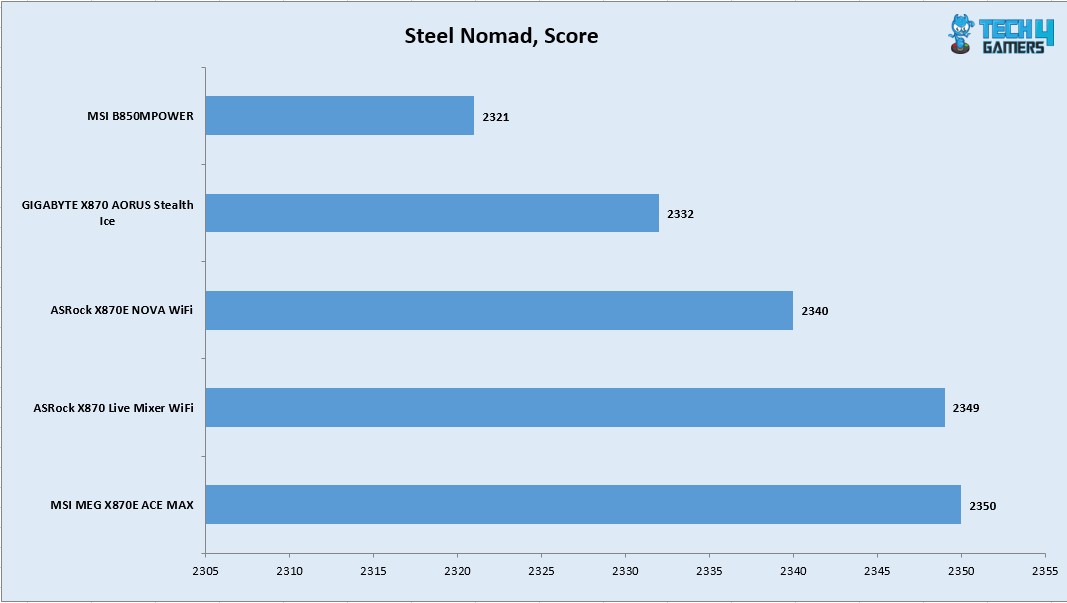
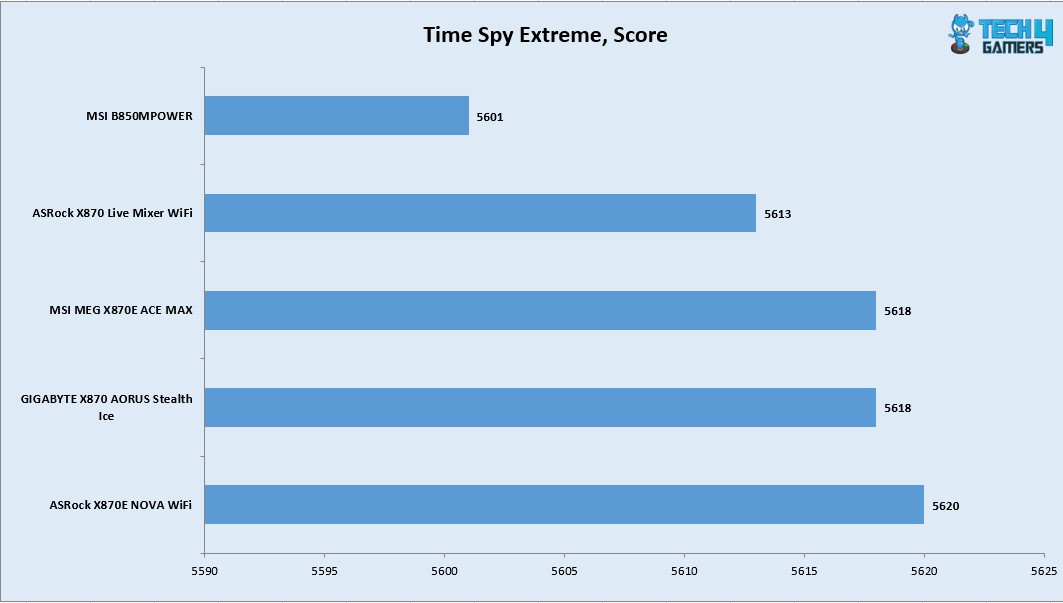
We have a good all round performance in the gaming benchmarks. This shows that this motherboard can handle the gaming load easily.
System Performance Test
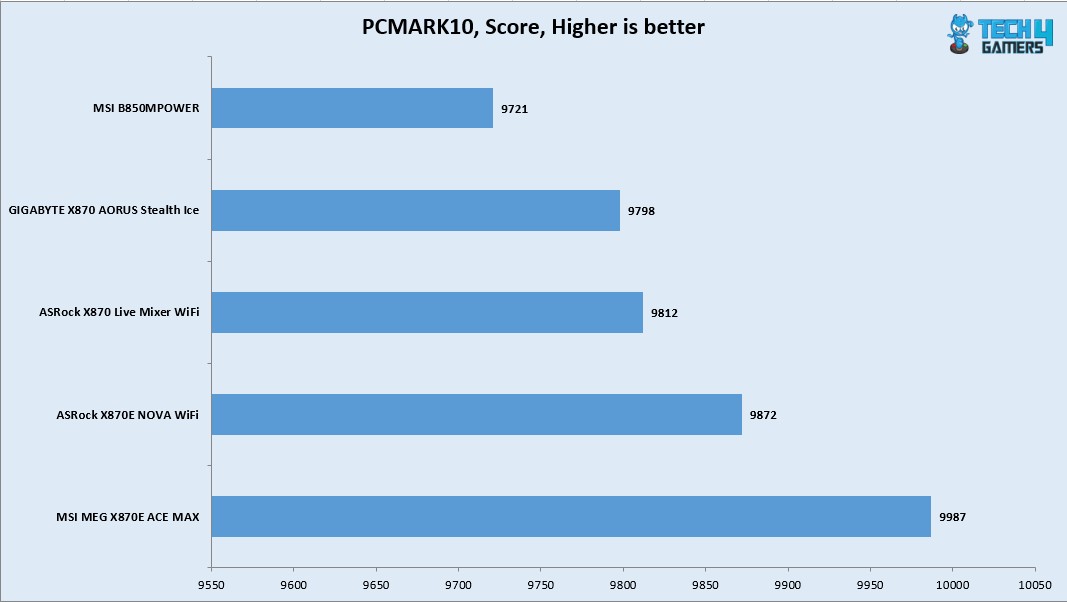
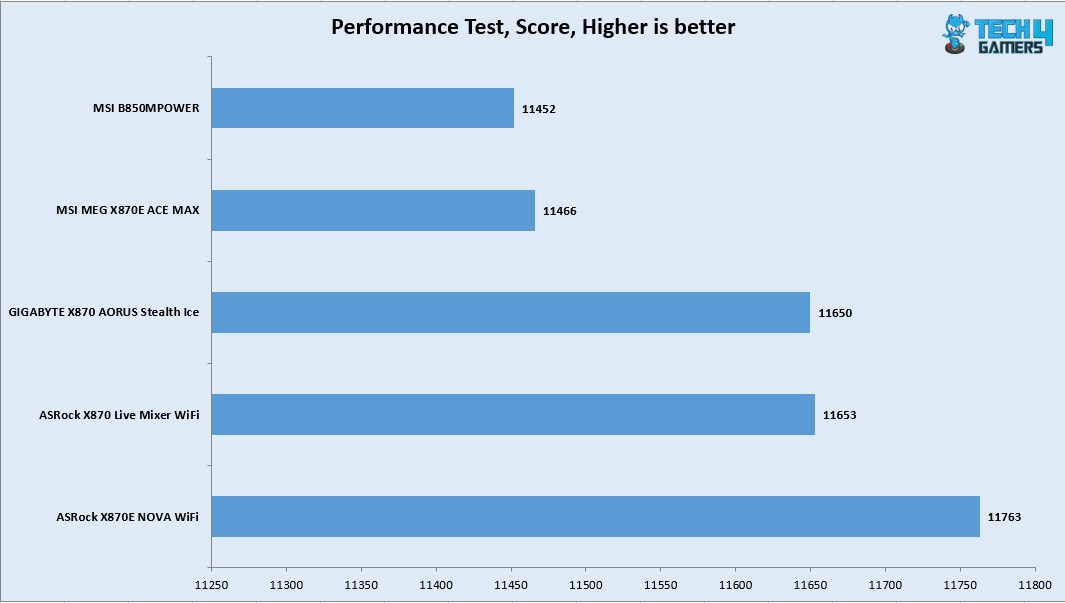
The PCMARK10 score came to 9987 which is an excellent score and the Performance Test overall score was 11466.
Core Clock Behavior
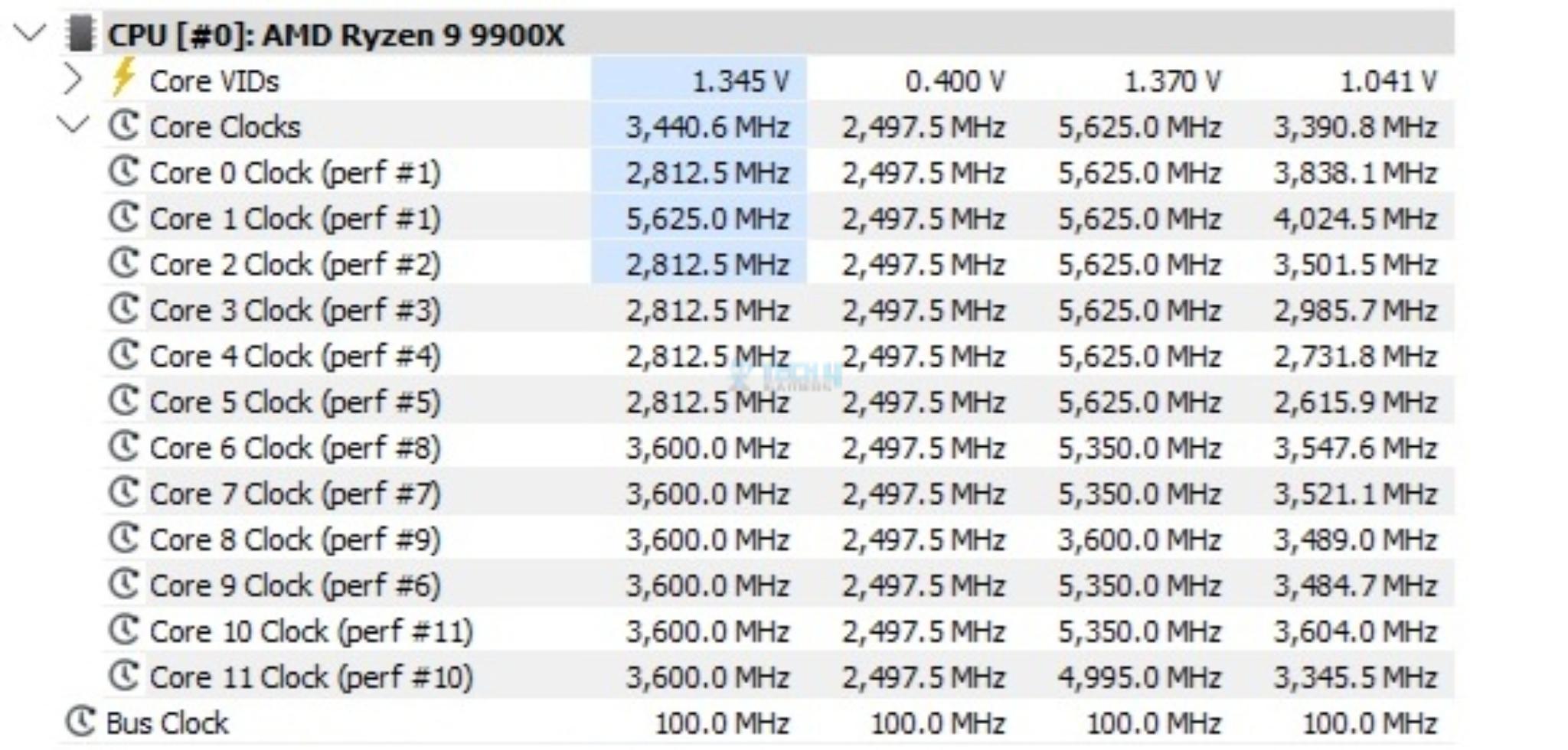
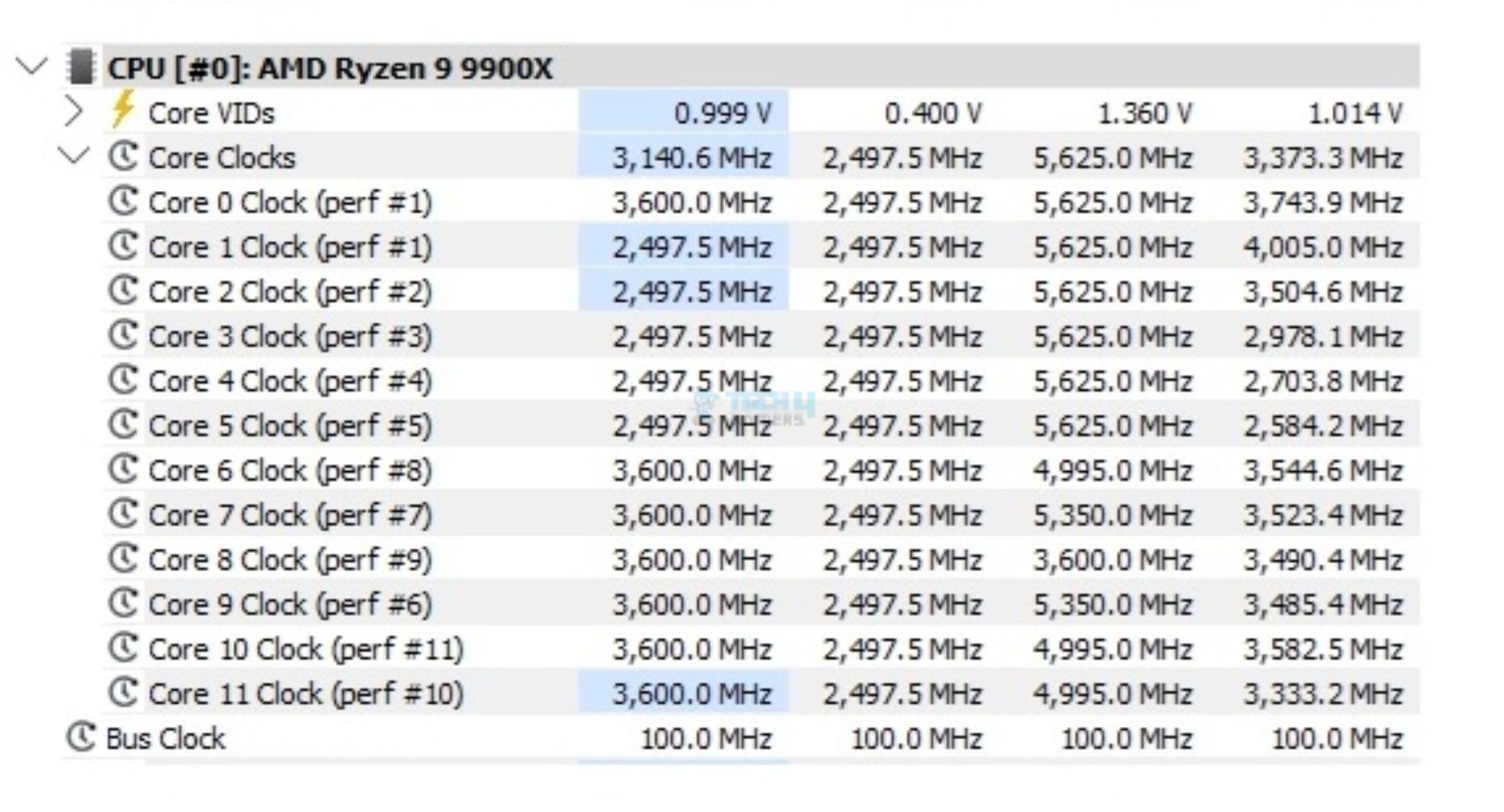
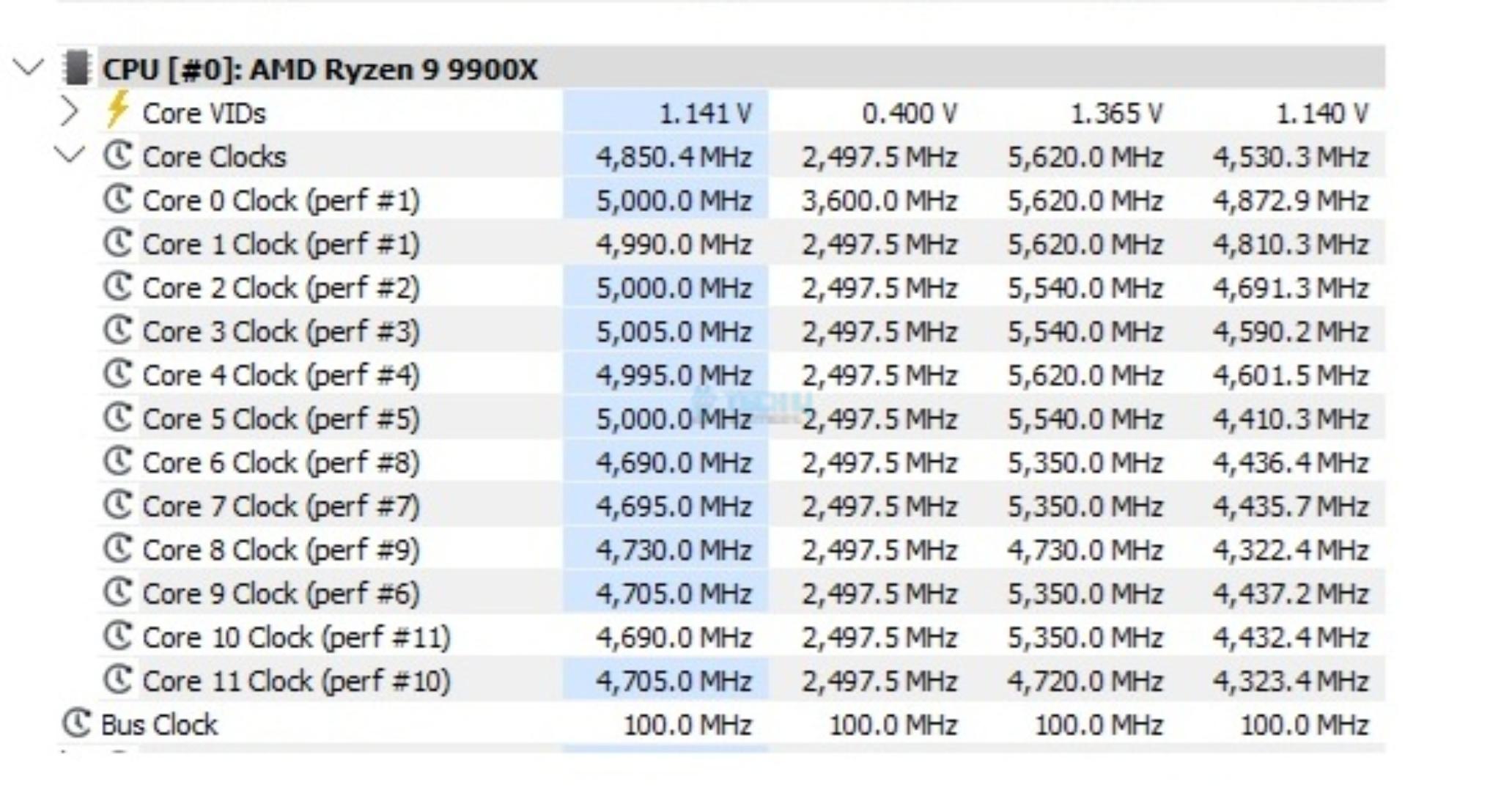
I have Balanced Power profile in Windows Environment. To record the idle temperatures, the system was put on idle for 10 minutes. The idle clocks were around 2497MHz. The cores boosted to 5.625GHz under 1T load using R23.2 whereas these cores boosted to 5.540GHz under all cores load.
Thermals And Power
I have used Watt Meter to monitor the system wide power draw excluding the display LED monitor.
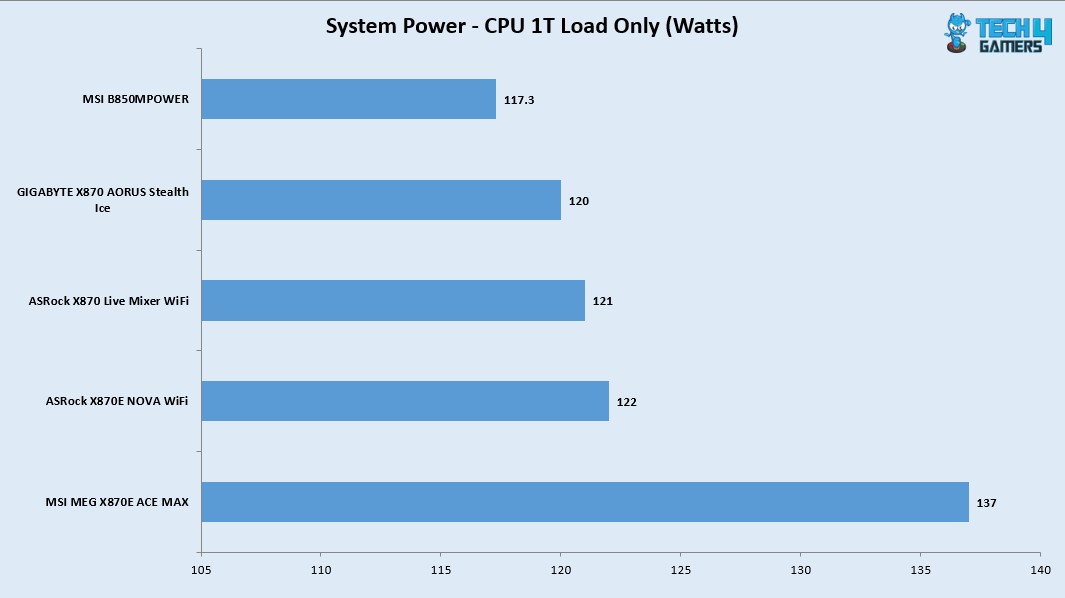
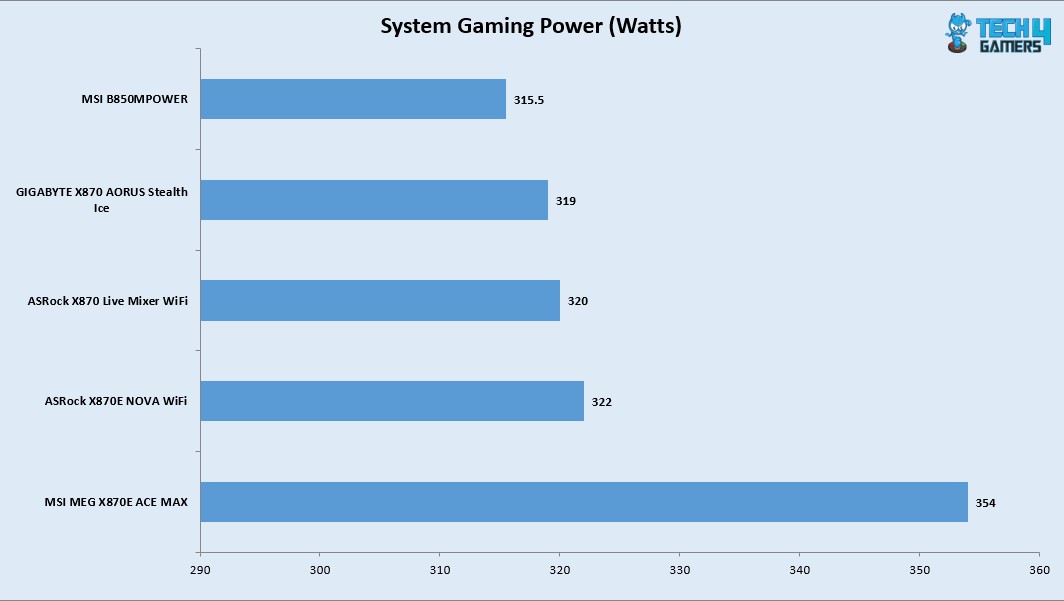
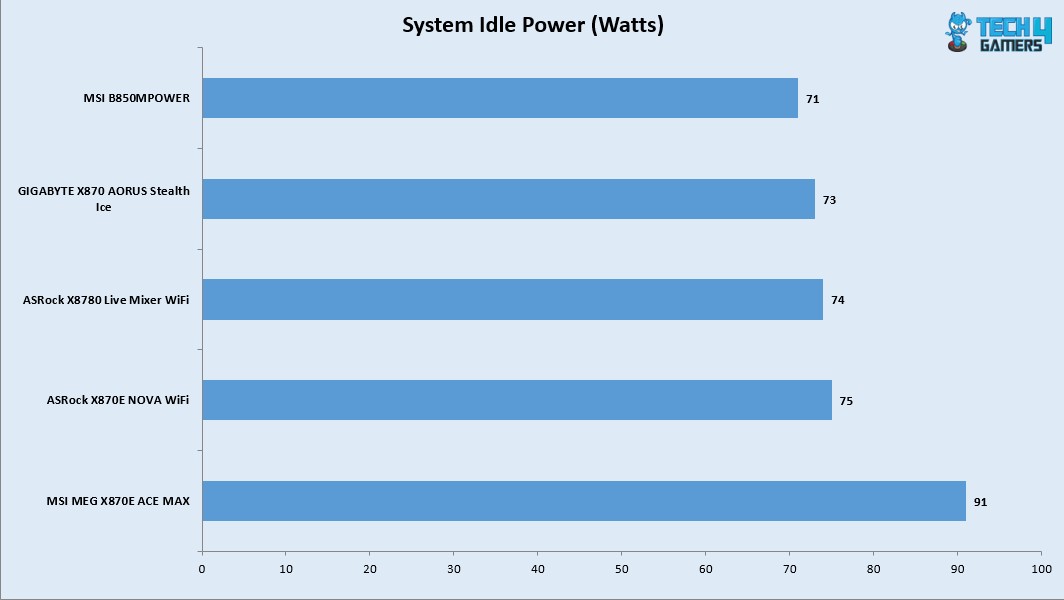
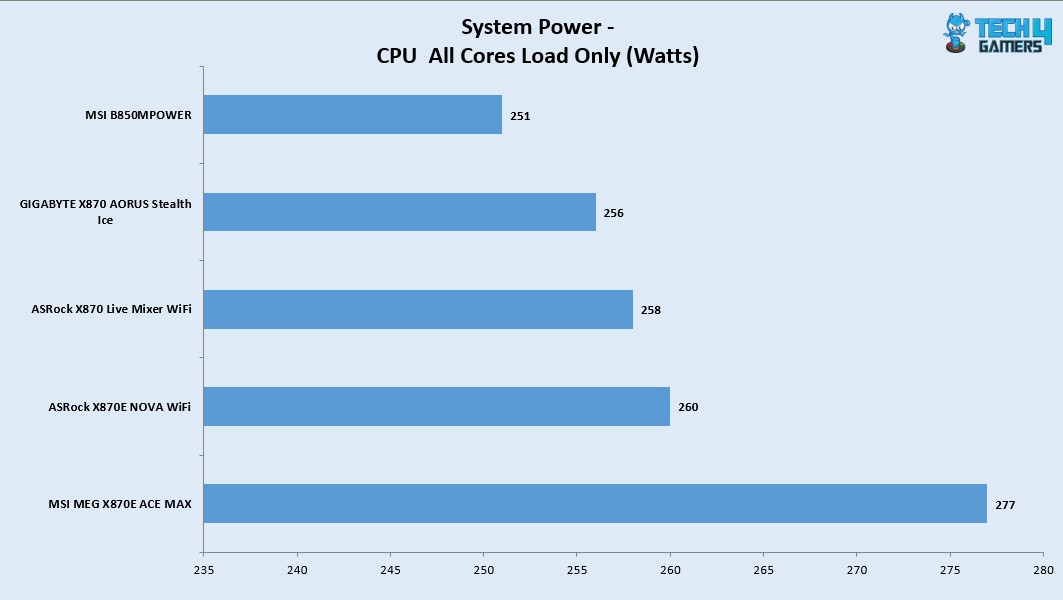
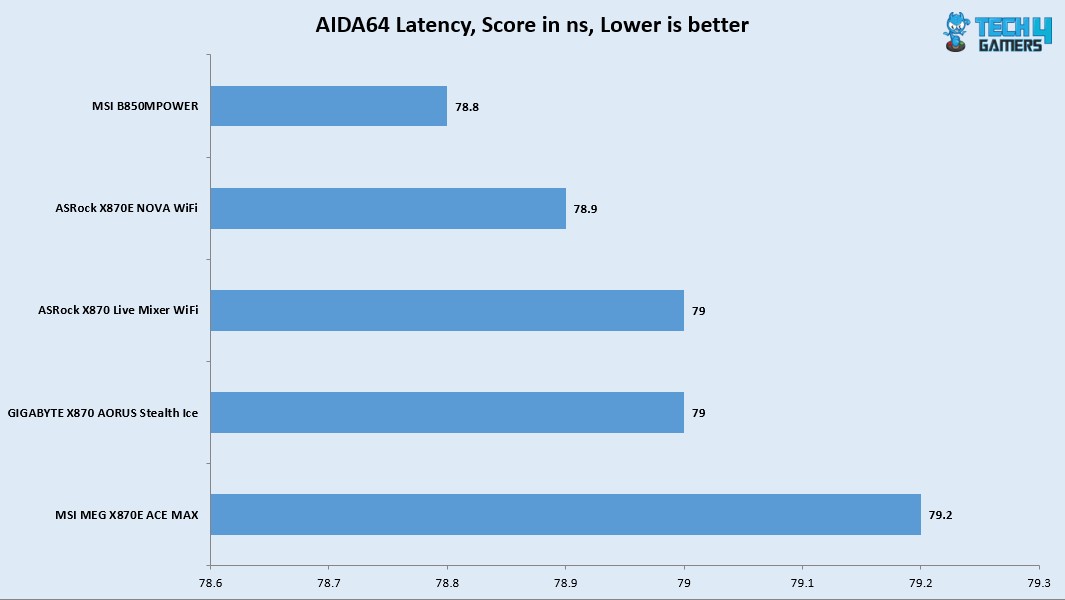
I am seeing this motherboard drawing more power compared to other motherboards in the graph which is strange. The gaming load power draw is 354W using a budget graphics card. This power draw would be high when a high-end graphics card is deployed.
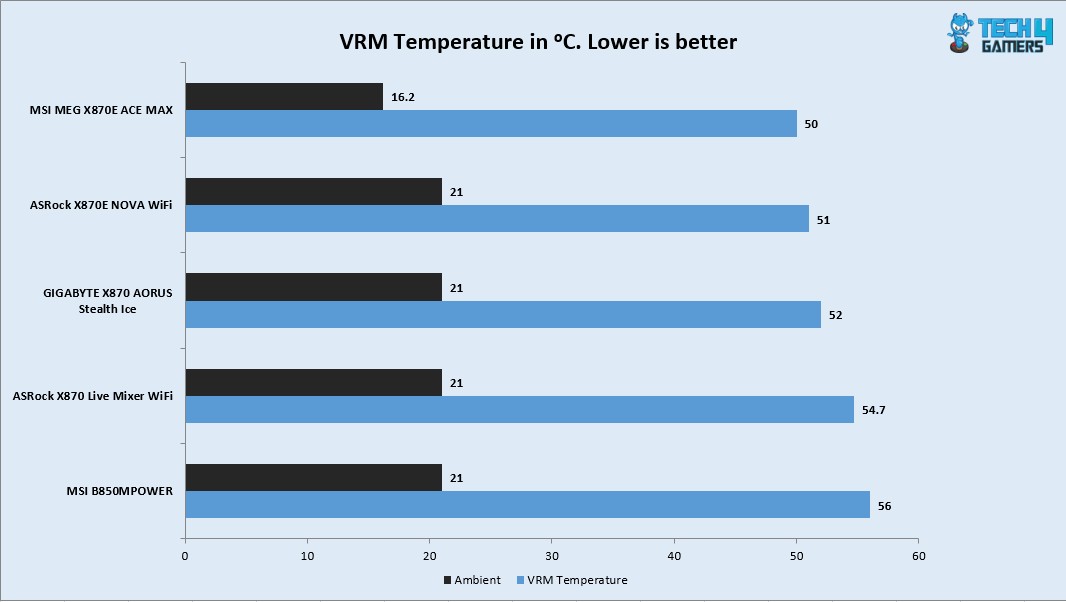
The VRM/MOSFET was doing 51ᵒC at an ambient of 16ᵒC on stock CPU settings whereas it did 53ᵒC on PBO with 238W load. Given the low ambient, the delta is actually high compared to the other motherboards in the graph.
Should You Buy It?
Buy It If
✅You are a PC Enthusiast: If you are a PC enthusiast who always on a look out for flagship performance with killer feature set then this motherboard seeks your attention.
✅You are on a RAM Overclocker: This motherboard supports CKD kits (with limitations) and is rated for up to 8400+ MHz speed depending on the CPU and IMC.
✅You want PCIe Gen5 Connectivity: This motherboard comes with two Gen5 M.2 slots and a 3x PCIe Gen5 slots using redriver providing the latest and fastest in the tech industry.
✅You prefer effective cooling for Power Stages: MSI has provided a good cooling solution for the power delivery circuit.
Don’t Buy It If
❌Tou already have AM5 motherboard: Skip this motherboard if you already have a AM5 motherboard in X870E/X870.
Final Words
I have tested a flagship motherboard from MSI after GODLIKE edition which is MEG X870E ACE MAX. ACE MAX indicates that it is refresh of original X870E. This motherboard packs 18+2+1 power phases (DUETS) with enlarged heat sinks, direct touch cross heat pipes, and 9W/mK thermal pads. The motherboard packs good safety features including over-current and over-voltage protection. The BIOS interface is same as I have seen on MSI motherboard.
The motherboard offers ton of PCIe Gen5 connectivity. It has 3x PCIe slots all of which are Gen5. It offers two Gen5 M.2 ports. One of these ports share bandwidth with USB 4.0 ports. In addition, this motherboard packs 3x M.2 Gen4x4 slots as well. Count of SATA ports is 4. All front mounted M.2 ports have dual sided thermal pads and aluminum covers for heat transfer. These covers are tool-less design.
The top two PCIe slots are steel reinforced and PCI_E1 slot uses EZ PCIe Release button for convenient locking/unlocking the PCIe slot. M.2 port M2_1 shares bandwidth with PCI_E3 (X4) slot. Also, all three PCIe slots are wired to the CPU socket.
This motherboard is beast in the memory department. It can house up to 256B memory with up to 8400+(OC) MHz frequency on Ryzen 9000 CPUs. The Mem Try and Extension modes are supported along with the AMD EXPO and Intel XMP profiles. This motherboard also supports the CKD Memory kits.
Speaking of USB connectivity, this board has a strong game with a total of 22 USB ports including a USB 3.2 Gen2x2 20Gbps port on the front panel and 2x USB 4.0 ports on the rear panel.
This motherboard has a 10GbE, 5GbE LAN ports, Bluetooth 5.4, and WiFi 7 connectivity and it comes with a handy WiFi Antenna. The on-board audio solution is ALC4082 codec combined with ESS DAC. The Rear IO panel has Clear CMOS, Smart, and Flash BIOS buttons.
The overall performance of this motherboard is good except its relatively high power draw. This motherboard retails at USD 699.99 and comes with a 3-year warranty.
Thank you! Please share your positive feedback. 🔋
How could we improve this post? Please Help us. 😔

[Hardware Reviewer & Editor]
Meet Nauman Siddique, a highly experienced computer science graduate with more than 15 years of knowledge in technology. Nauman is an expert in the field known for his deep understanding of computer hardware.
As a tech tester, insightful reviewer, and skilled hardware editor, Nauman carefully breaks down important parts like motherboards, graphics cards, processors, PC cases, CPU coolers, and more.
- 15+ years of PC Building Experience
- 10+ years of first-hand knowledge of technology
- 7+ years of doing in-depth testing of PC Hardware
- A motivated individual with a keen interest in tech testing from multiple angles.
- I majored in Computer Science with a Masters in Marketing
- Previously worked at eXputer, EnosTech, and Appuals.
- Completed Course in Computer Systems Specialization From Illinois Tech
Get In Touch: nauman@tech4gamers.com

 Join Our Community