Threads
Worth It?
Review Summary
The Epomaker RT85 is a compact 75% keyboard that combines a retro-inspired design with modern features, including a small, customizable screen, a joystick, and per-key RGB lighting. Its smooth Wisteria Linear V2 switches, hot-swappable layout, and multi-layer dampening provide a satisfying, quiet typing experience suitable for work and gaming at a reasonable price.
Hours Tested: 1 Week

Overall
-
Design - 9.5/10
9.5/10
-
Build Quality - 8.5/10
8.5/10
-
Typing Experience - 9.5/10
9.5/10
-
Performance - 9/10
9/10
Pros
- Comfortable 75% layout
- Factory-lubed linear switches
- Soft typing sound profile
- Useful screen and joystick controls
- Hot-swappable PCB
Cons
- Plastic case lacks a premium feel
- Heavy for a plastic keyboard
- RGB and screen drain battery quickly
- The joystick has limited functions
- No VIA Support


The Epomaker RT85 comes across as a keyboard that’s thought out in strange little ways. It’s not flashy for the sake of being showy. Still, it isn’t trying to hide the fact that it’s got some uniqueness either. Although it took a little time to figure out all the features, it was an enjoyable experience. In this review, I’ll dive into the build, typing feel, switches, connectivity, and all those small details.
Key Takeaways
- The Epomaker RT85 is a compact 75% keyboard that blends retro design with modern features, offering a satisfying typing experience.
- You should buy the Epomaker RT85 if you enjoy retro aesthetics, value versatile connectivity, care about typing feel, and sound.
- You should skip the Epomaker RT85 if you want advanced software support like VIA and need ultra-lightweight or travel-friendly keyboards.
Here are the technical specifications:
| Layout | 75% Layout, US ANSI |
| Number of Keys | 82 Keys, 1 Joystick, and 1 Screen |
| Battery | 8000mAh (dual 4000mAh batteries) |
| Battery Life | 320 Hours of Continued Use (RGB Off & Screen Off), 90 Hours of Continued Use (RGB Off & Screen On), and 24 Hours of Continued Use (RGB On & Screen On) |
| Connectivity | Cable Wired, 2.4Ghz Wireless, Bluetooth |
| Compatibility | Mac/WIN/Android/iOS |
| Keyboard Dimensions | 36*13.8*4cm |
| Keyboard Weight | 1kg |
| Front Height | 2cm |
| Back Height | 3.1cm |
| Typing Angle |
5, 6.7, and 10 degrees
|
| Case Material | Plastic |
| Plate Material | PC |
| Flex-Cut | Yes |
| Stabilizers | Plate-Mount Stabilizer |
| Mounting Structure | PORON Sandwich Foam, IXPE Switch Pad, PET Sound Enhancement Pad, EPDM Switch Socket Foam, Silicone Bottom |
| Keycaps Profile | Cherry Profile |
| Keycaps Material | PBT Plastic |
| Keycaps Manufacturing Technique | Double-Shot |
| Joystick Material | ABS Plastic |
| Joystick Function | Up/Down=Volume up/down, Left/Right=Toggle RGB Effect, Press=Mute |
| Screen Material | TFT |
| Screen Size | 1.47 inch |
| Screen Function | The info page displays the Keyboard’s connection status, OS mode, power percentage, and date. The media page supports DIY pictures or GIFs, while the custom mode lets users customize RGB settings, volumes, etc. |
| Switch | 5-pin Mechanical Switch |
| Hot swappable | Yes, |
| RGB | Dynamic RGB backlight with south-facing per-key LEDs |
| Polling Rate | 1000hz in wired and 2.4Ghz mode and 125hz in Bluetooth mode |
| Latency | 6ms (cable wired), 12ms (2.4Ghz wireless), 18ms (Bluetooth) |
| Anti-Ghosting | Supports N-Key rollover. |
| Programming Software | Yes, Epomaker 3.0 |
What Makes Epomaker RT85 Different?
The Epomaker RT85 doesn’t feel like just another entry in Epomaker’s lineup. It takes the core idea behind earlier models like the RT100 and adds a few distinct touches. Instead of a plain design with keys, Epomaker leaned into a retro‑inspired design with a small, customizable TFT screen and a physical joystick, which you won’t usually see on other 75% keyboards.
Packaging & Unboxing
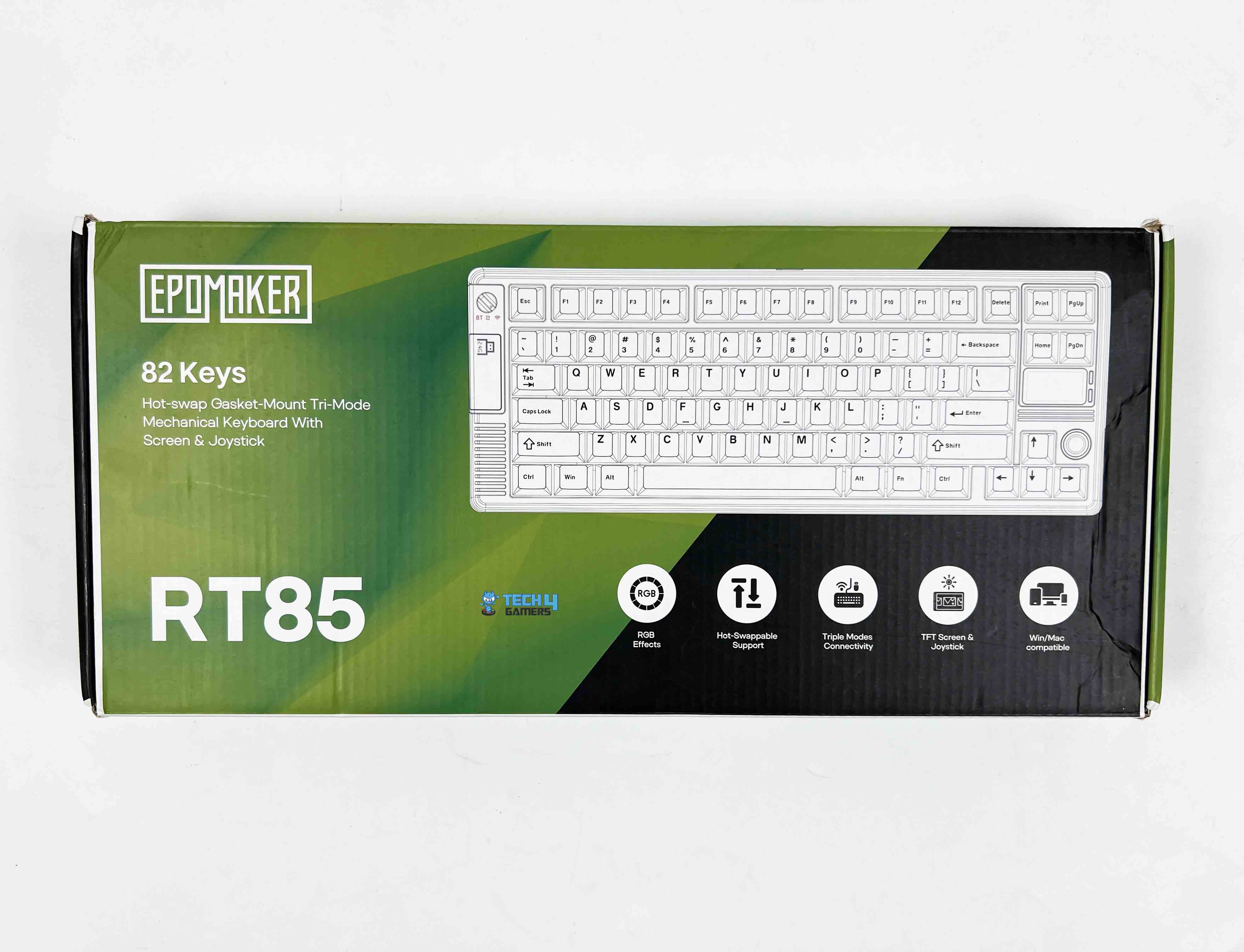
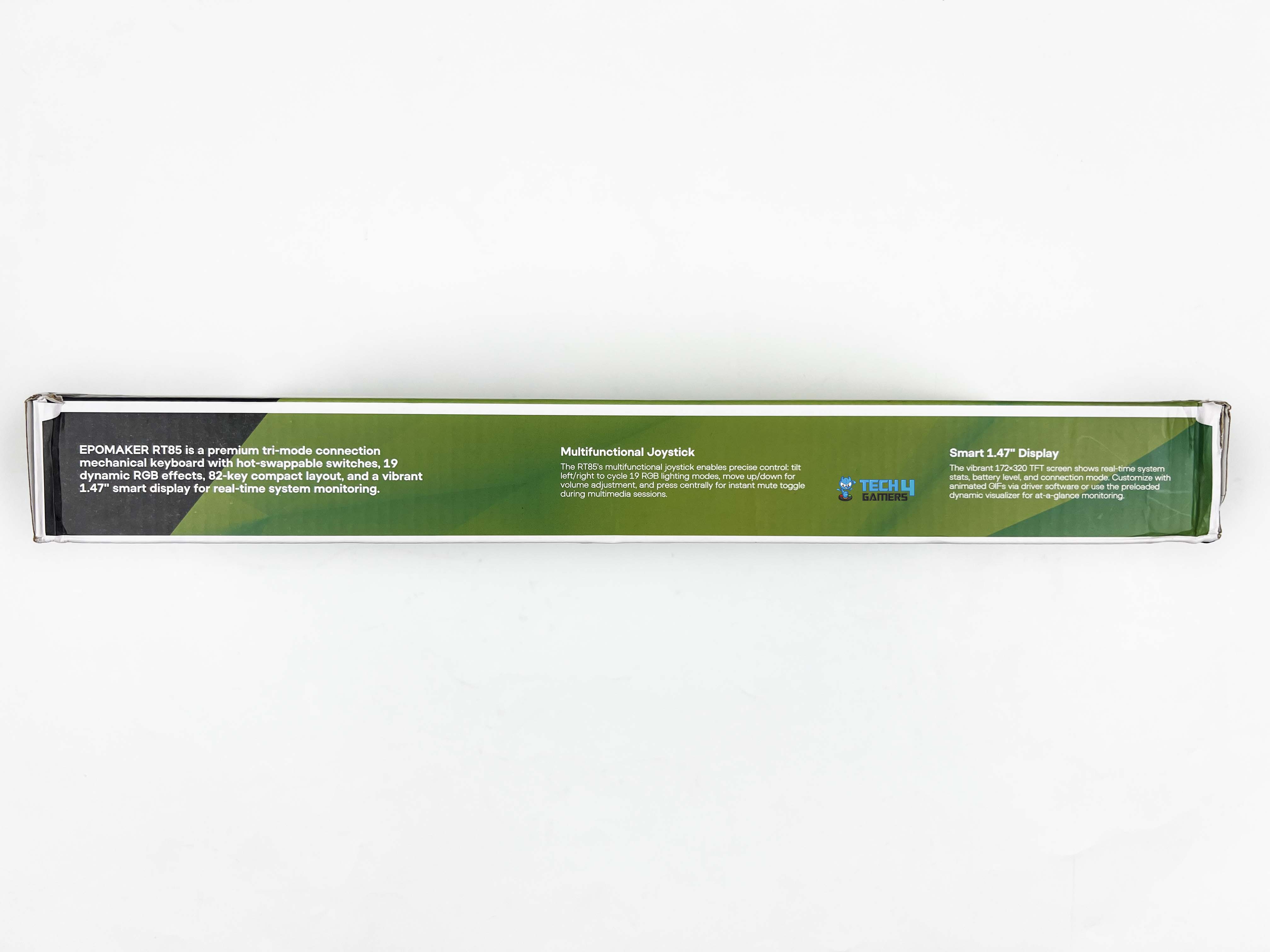
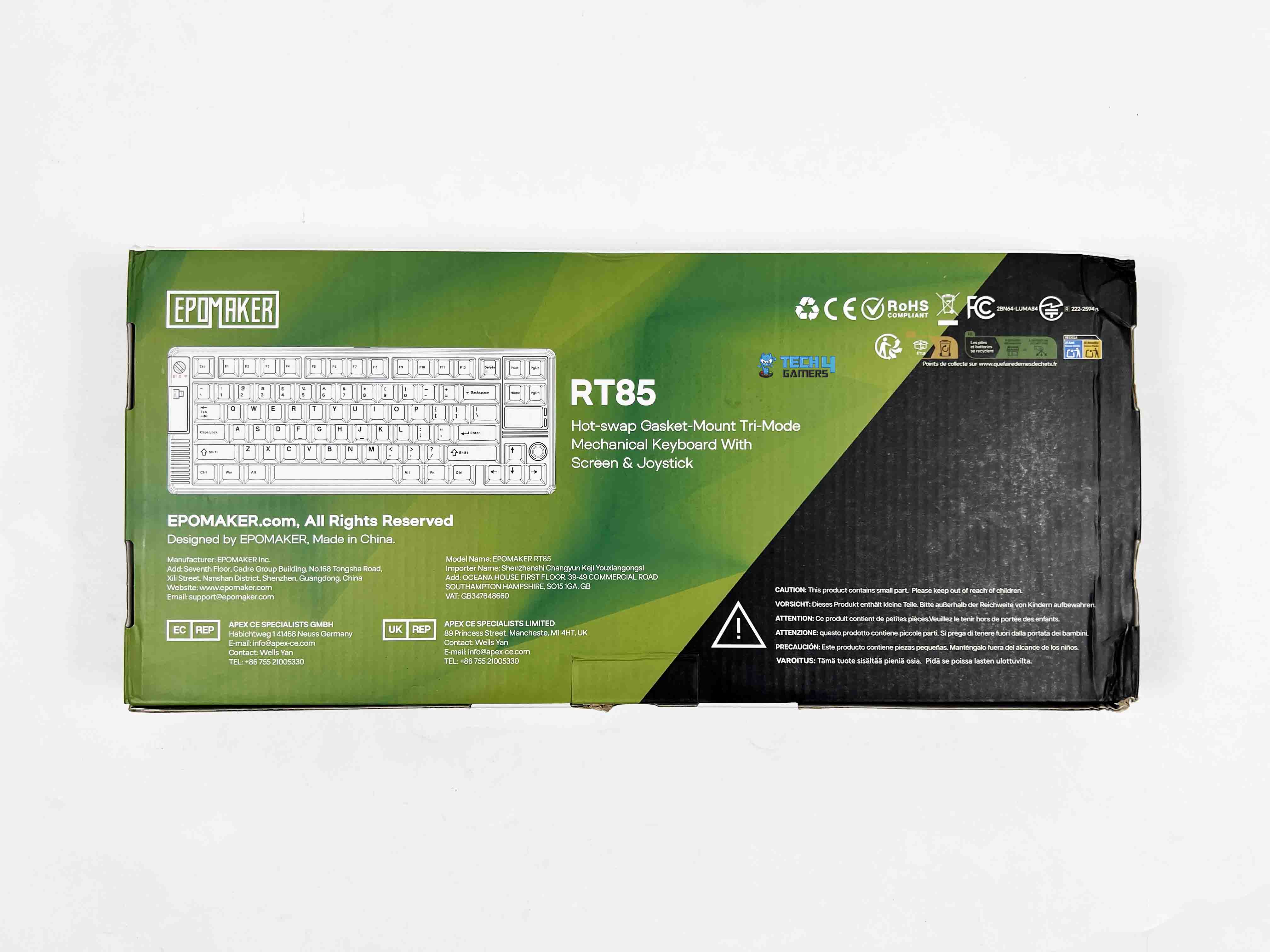
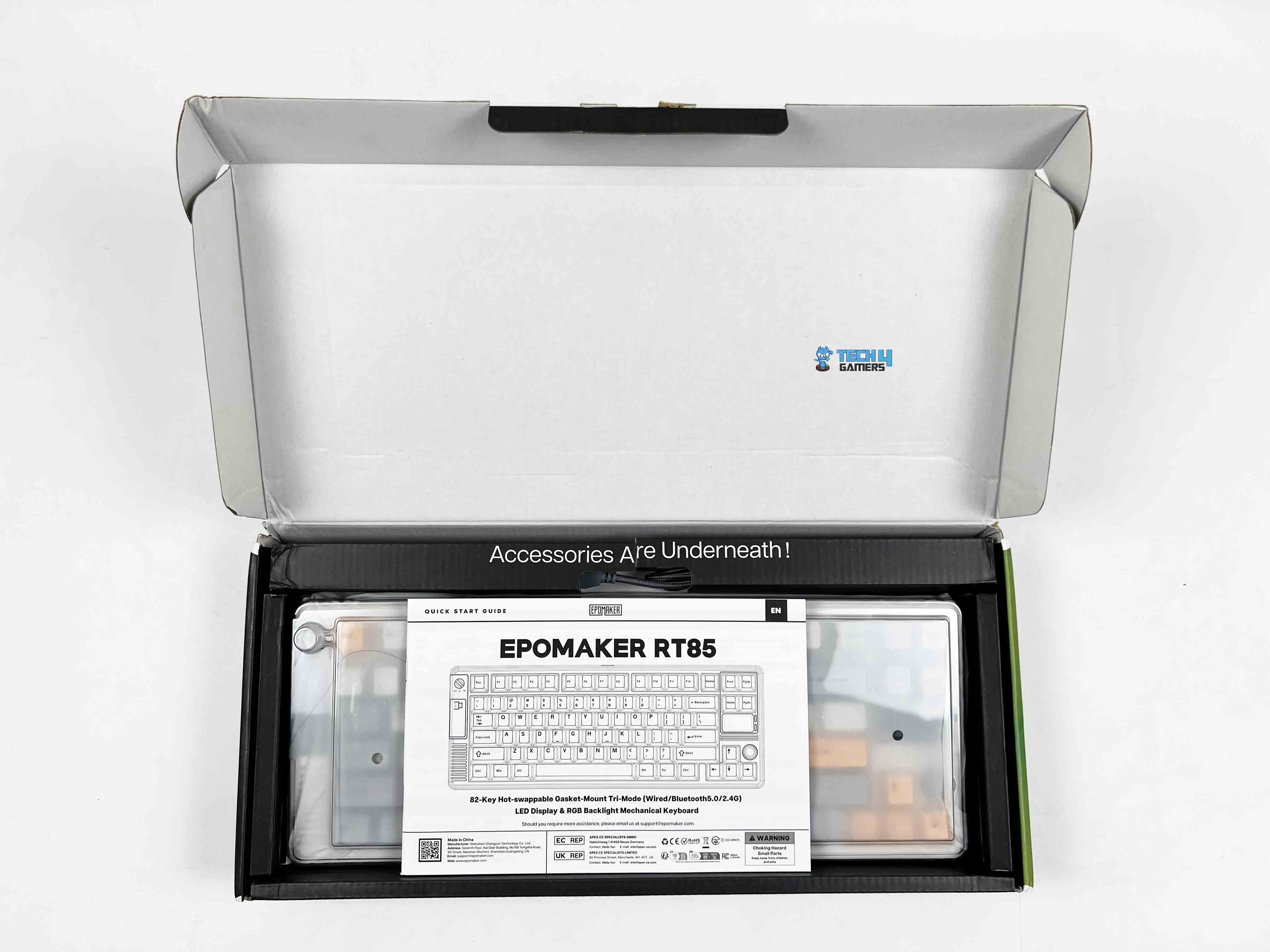
The Epomaker RT85 comes in a relatively simple box, mostly green with black accents. The model name and a small picture are printed on the front along with feature callouts. When you open it, the keyboard is wrapped in a thin plastic sleeve under a dust cover. Above it, there’s a separate compartment that holds all the accessories. Here is the list of everything that you’ll find inside the box:
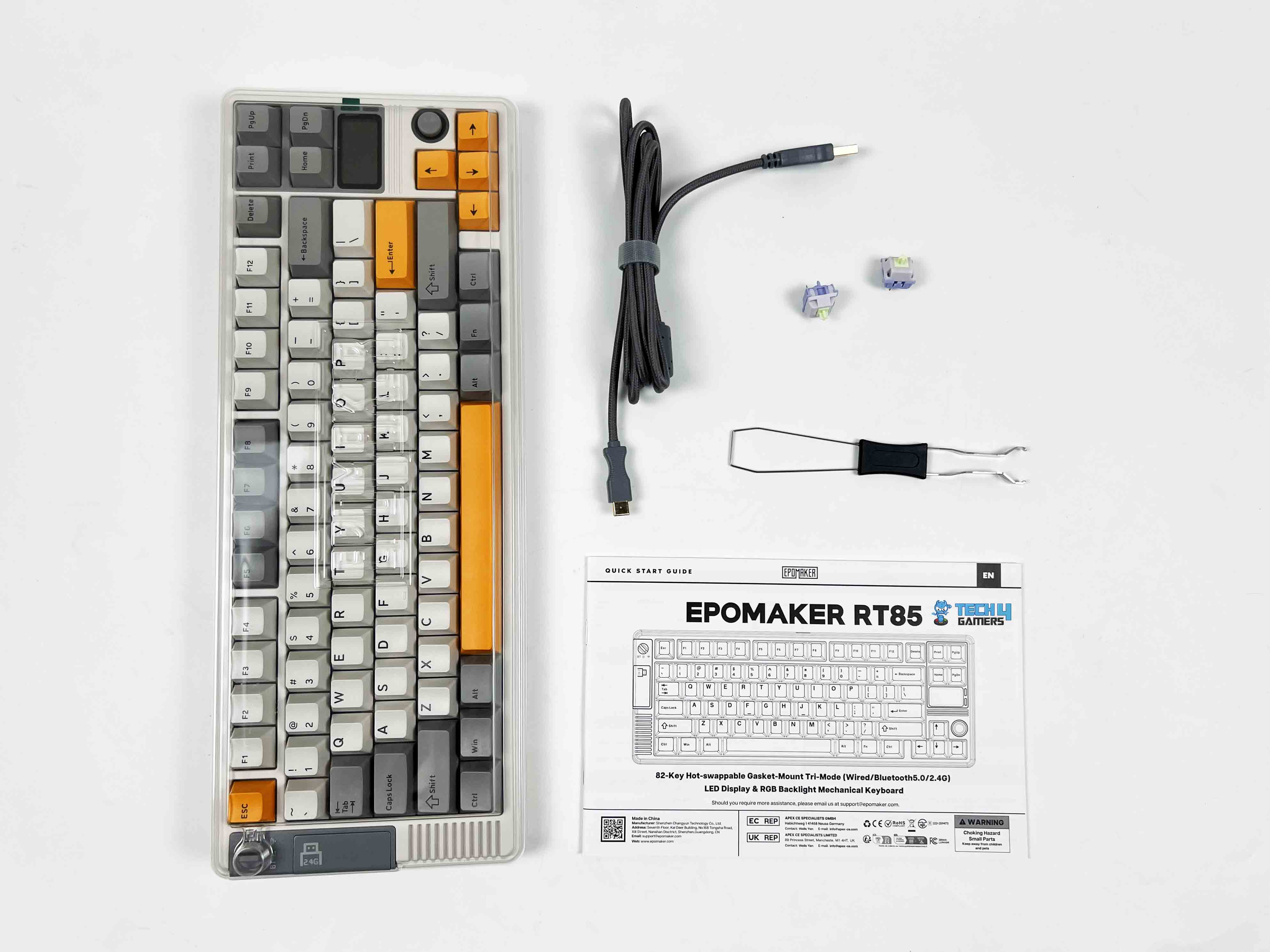
- Epomaker RT85 Wireless Gaming Keyboard
- Multilingual Manual
- Detachable USB A-to-C Cable
- 2.4Ghz Wireless Dongle Receiver
- Extra Switches
- 2-in-1 Switch-and-Keycap Puller
Design
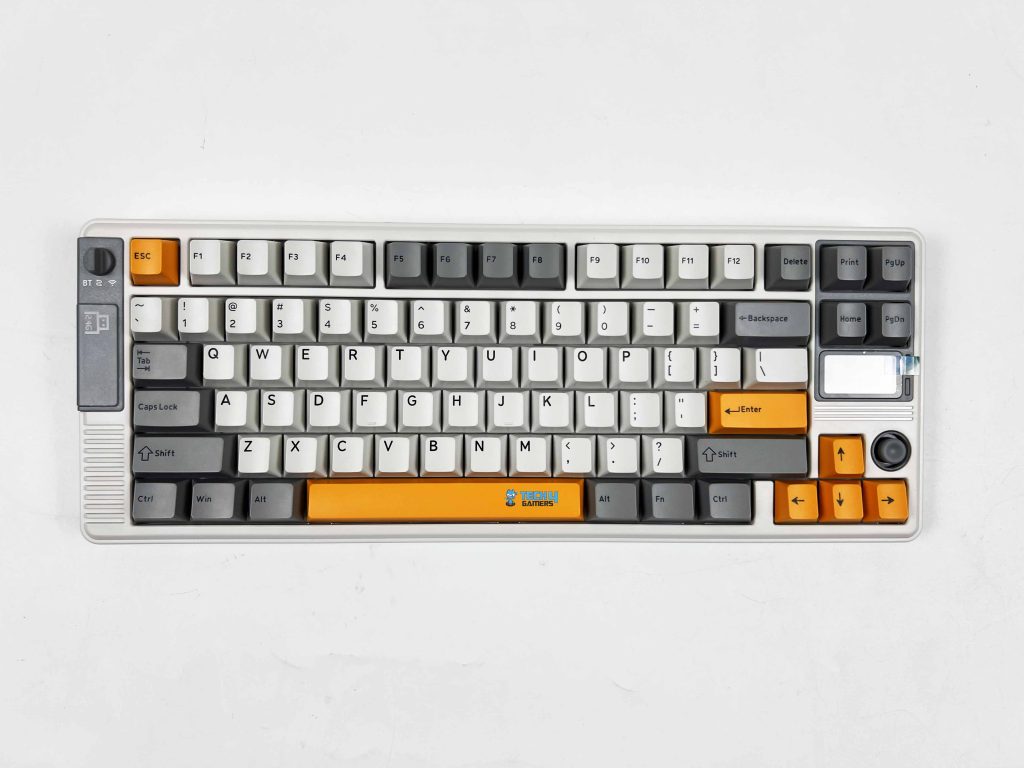
The Epomaker RT85 leans hard into a retro look, but in a way that actually feels intentional rather than forced. There are two color options available. The first one’s a muted green paired with a darker grey. The other is a creamier white with soft grey and a few pops of bright orange that I have for review. Both give off a vibe that’s kind of nostalgic, almost like you’re holding a piece of old-school gaming hardware.
The design manages to feel playful without tipping into toy territory. On the left side of the keyboard, there’s a small physical switch that handles all the connection modes. Just below that switch, there’s a magnetic cover. Remove it, and you’ll find the 2.4 GHz USB dongle inside. If you’re exploring compact boards like this one, you might also want to see our picks for the best gaming keyboards.
Layout
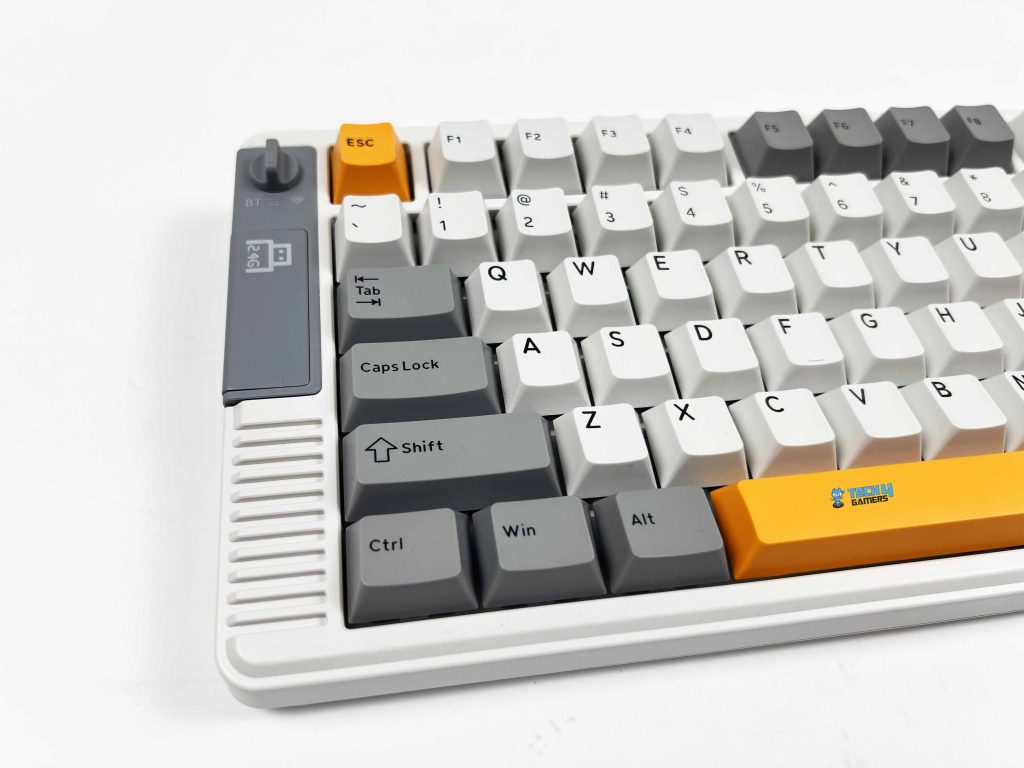
The Epomaker RT85 sticks to a familiar 75% layout, so it doesn’t take long to feel oriented. This is a standard US ANSI layout. Here, nothing feels out of place. Specifically, Enter, Shift, and Backspace are precisely where you expect them to be. There are 82 keys in total. The keyboard stays compact on the desk, yet it doesn’t feel stripped down. The function row is present. Arrow keys get their own space.
The rest is trimmed just enough to keep things tight without forcing awkward key combos. Because of this layout and key placement choices, the keyboard avoids the learning-curve feeling that some compact keyboards can have. The spacing feels deliberate, not squeezed, and once I got used to its layout for a bit, going back to a full-size board feels oddly excessive.
Screen
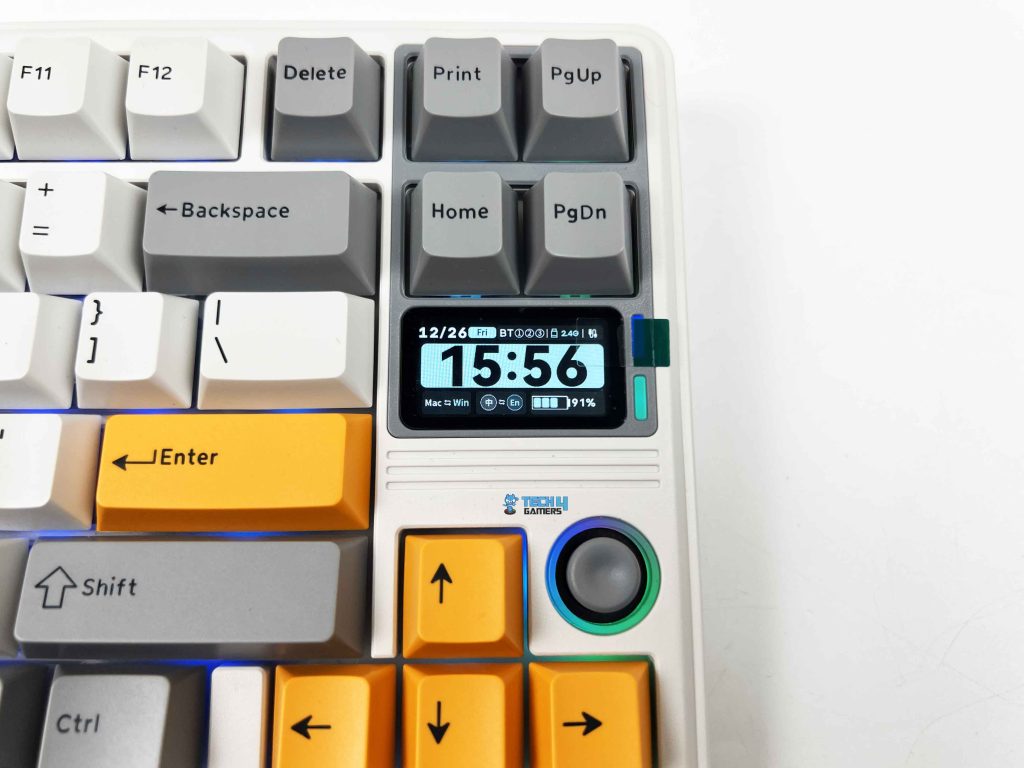
The screen itself is a small 1.47-inch TFT panel. This isn’t meant to be a high-resolution display or something you interact with constantly. It’s closer to a status window. You look at it, take in the information, and move on. By default, it cycles through an info-style page that shows things like the current connection mode, which OS profile you’re on, the remaining battery, and even the date.
All of that is readable, as long as you’re sitting at a standard desk distance. The colors are fine for what the panel is. You can also set custom images or short GIFs. It’s more of a personalization touch than something you’ll rely on day to day. Fun to set up once, and then it settles into the background. The custom mode goes a bit further, setting the screen into things like RGB behavior or volume changes.
Joystick
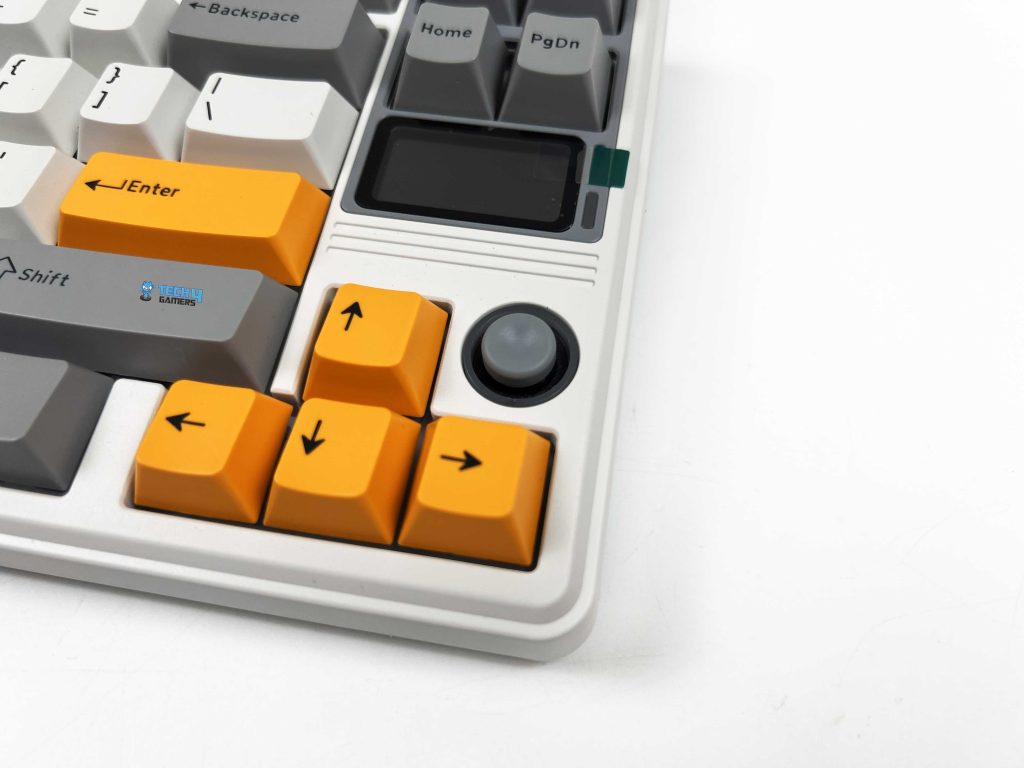
The joystick is one of those features you notice right away, mostly because you don’t expect it on a keyboard like this. It is placed near the navigational keys, making it easy to reach without having to lift your hand too far. That placement matters, as you can nudge it while using it, usually without breaking your flow. The joystick itself is made from ABS plastic, which is smooth to the touch.
It fits well with the rest of the keyboard. By default, its functionality is straightforward. You can move it up or down to adjust the volume on your system. On the other hand, toggling it left or right cycles through RGB effects. Lastly, pressing it mutes the sound. That click is firm enough that you don’t trigger it by accident.
Underside
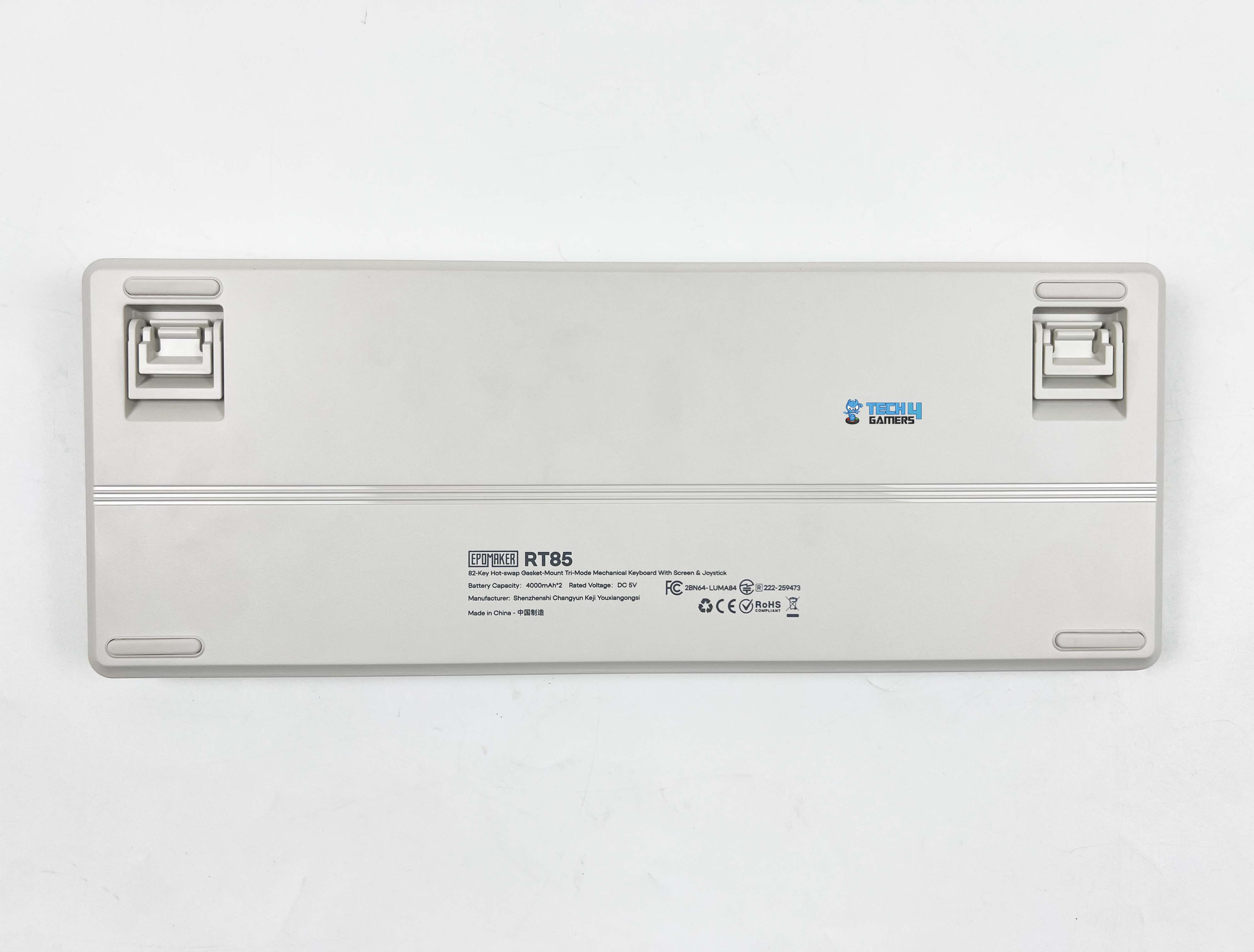
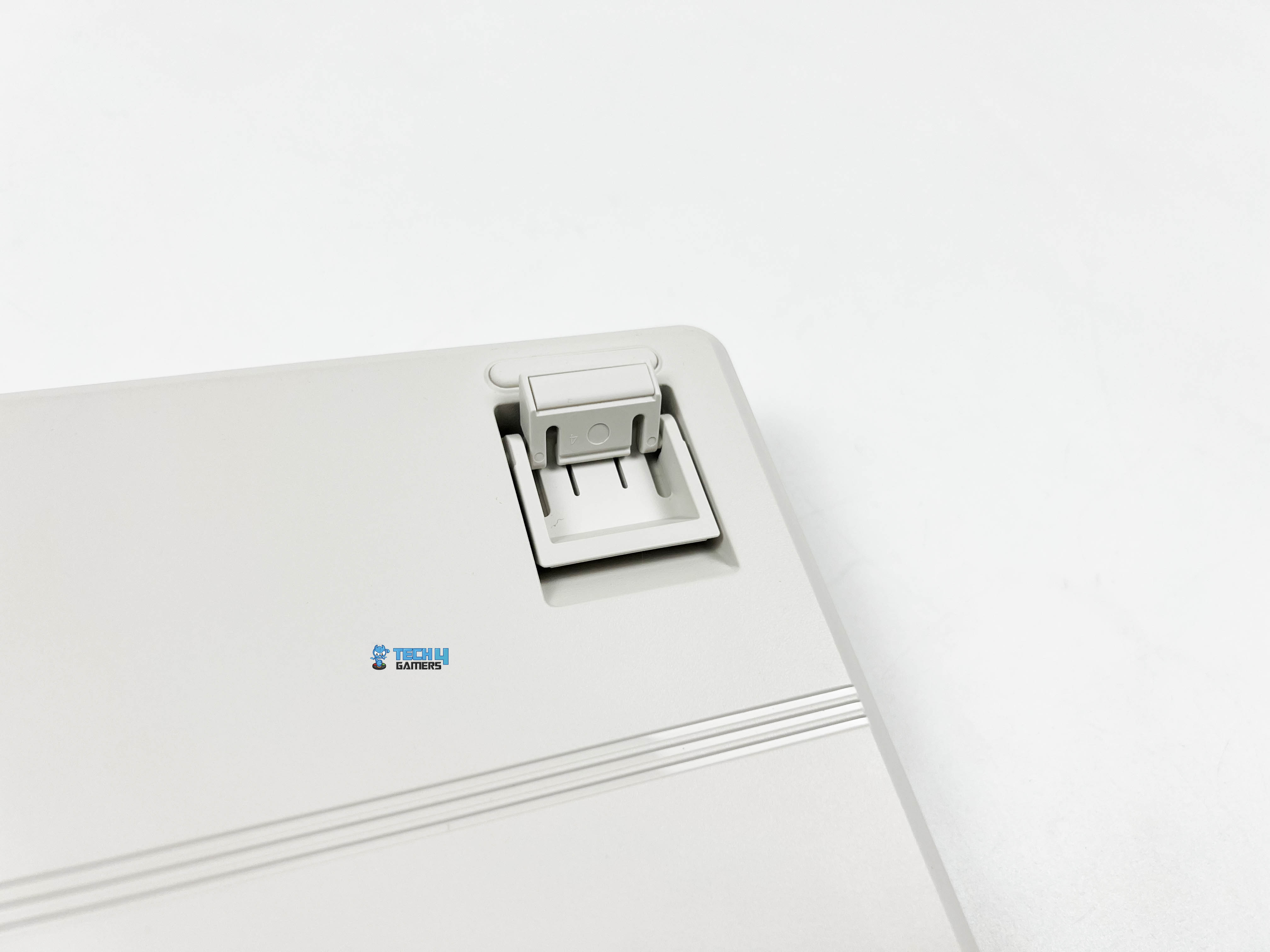
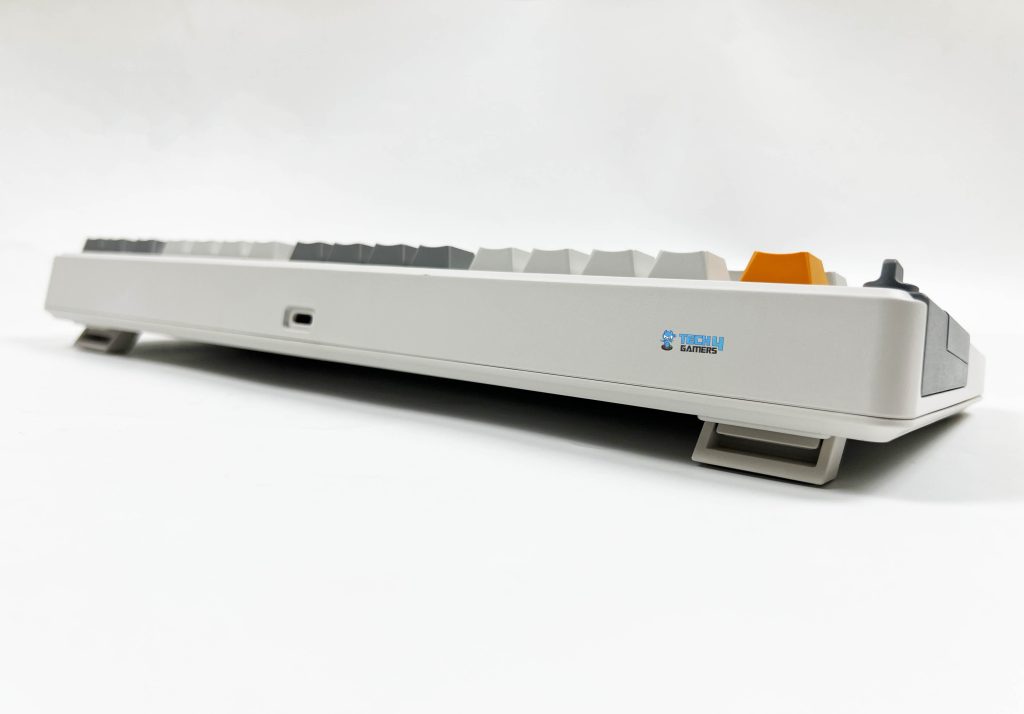
Flipping the Epomaker RT85 over, subtle strip lines are running down the middle. There are rubber feet placed at the usual corners on all sides. They’re wide enough to grip the desk properly. I tried nudging the keyboard around while using it, but it stayed put. You also get flip-out feet for adjusting the typing angle. They click into place with a firm snap and don’t collapse or feel loose over time.
Without them, the front height measures around 2cm, so your wrists aren’t forced upward when you rest your hands on the desk. In comparison, the back rises to about 3.1cm, which gives the board a natural slope. If you do want to change the angle, the flip-out feet give you a few options. You can settle into roughly 5 degrees, push it further to around 6.7, or go all the way up to about 10 degrees.
Build Quality
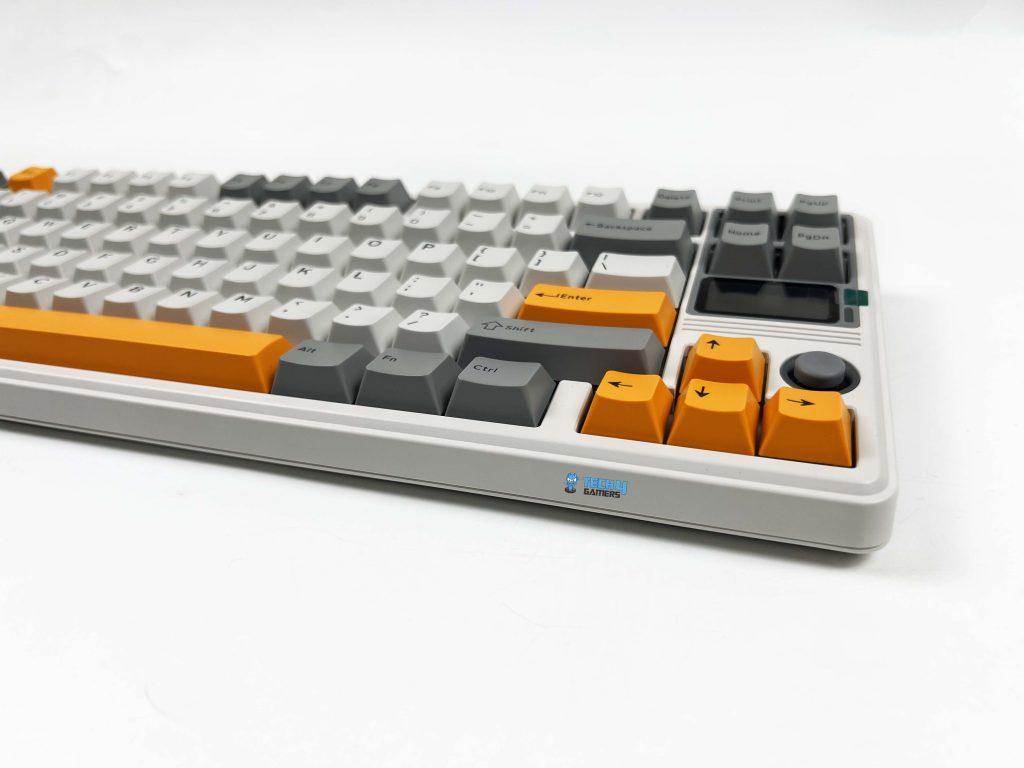
The Epomaker RT85 weighs around 1 kilogram. It’s not heavy in a metal-case way, but it doesn’t feel hollow either. There’s enough mass there that it stays planted on the desk without feeling bulky when you move it around. Once it’s down, it stays there. The case is made entirely of plastic, but don’t let that make you think it feels cheap. It’s a thicker, firmer plastic that doesn’t flex when pressed.
I tried twisting it slightly from the corners, and it held its shape. Around the edges, the seams are clean. The surface has a subtle texture that keeps it from looking flat. In terms of size, it measures about 36 by 13.8 by 4 centimeters, giving it a wide enough footprint without taking up too much space. It sits comfortably in front of a monitor, and there’s still room left for a mouse without things feeling cramped.
Keycaps
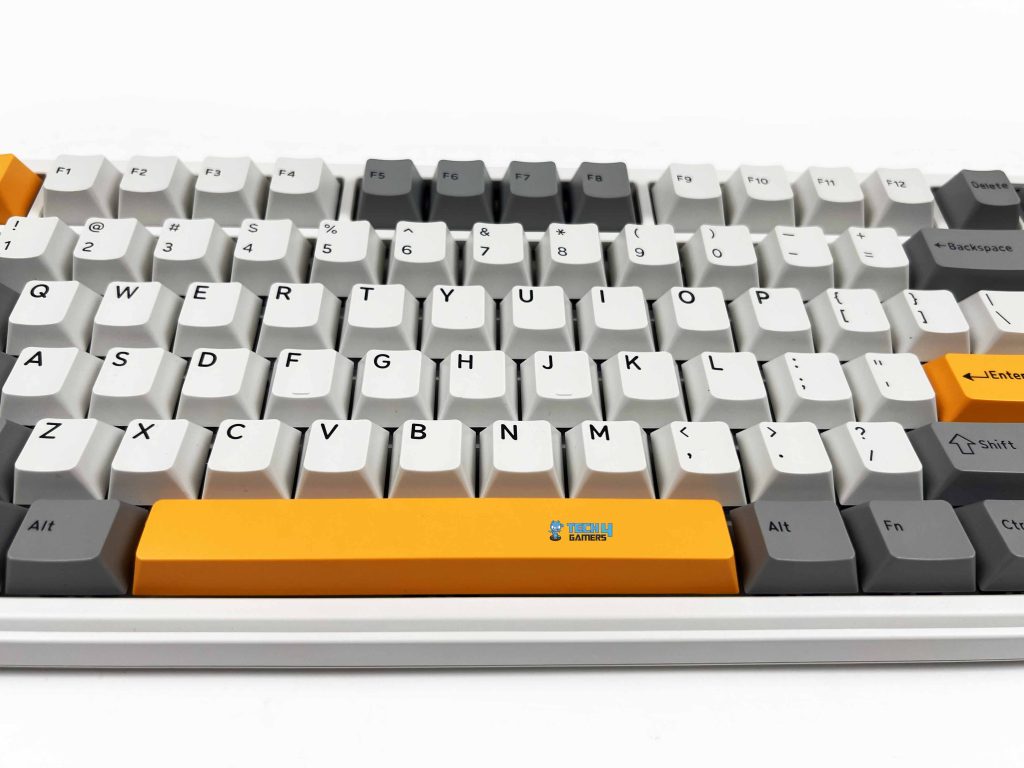
The Epomaker RT85 uses Cherry profile keycaps. The height feels familiar, especially if you’ve spent time on custom boards. Your fingers settle into place with minor adjustment, and the rows flow naturally from one to the next. The material here is PBT plastic, which gives the caps a slightly grainy feel under your fingertips. They don’t get slick after a few hours, and they don’t pick up that shiny look right away.
These are double-shot keycaps, so the legends aren’t printed on top. They’re part of the cap itself. The lettering has crisp edges and uniform thickness. They are easy to read with nothing looking misaligned. There’s no indication that it’ll fade off with time. If you enjoy modding your peripherals, our best custom gaming keyboards round‑up highlights boards that are especially mod-friendly.
RGB Lighting
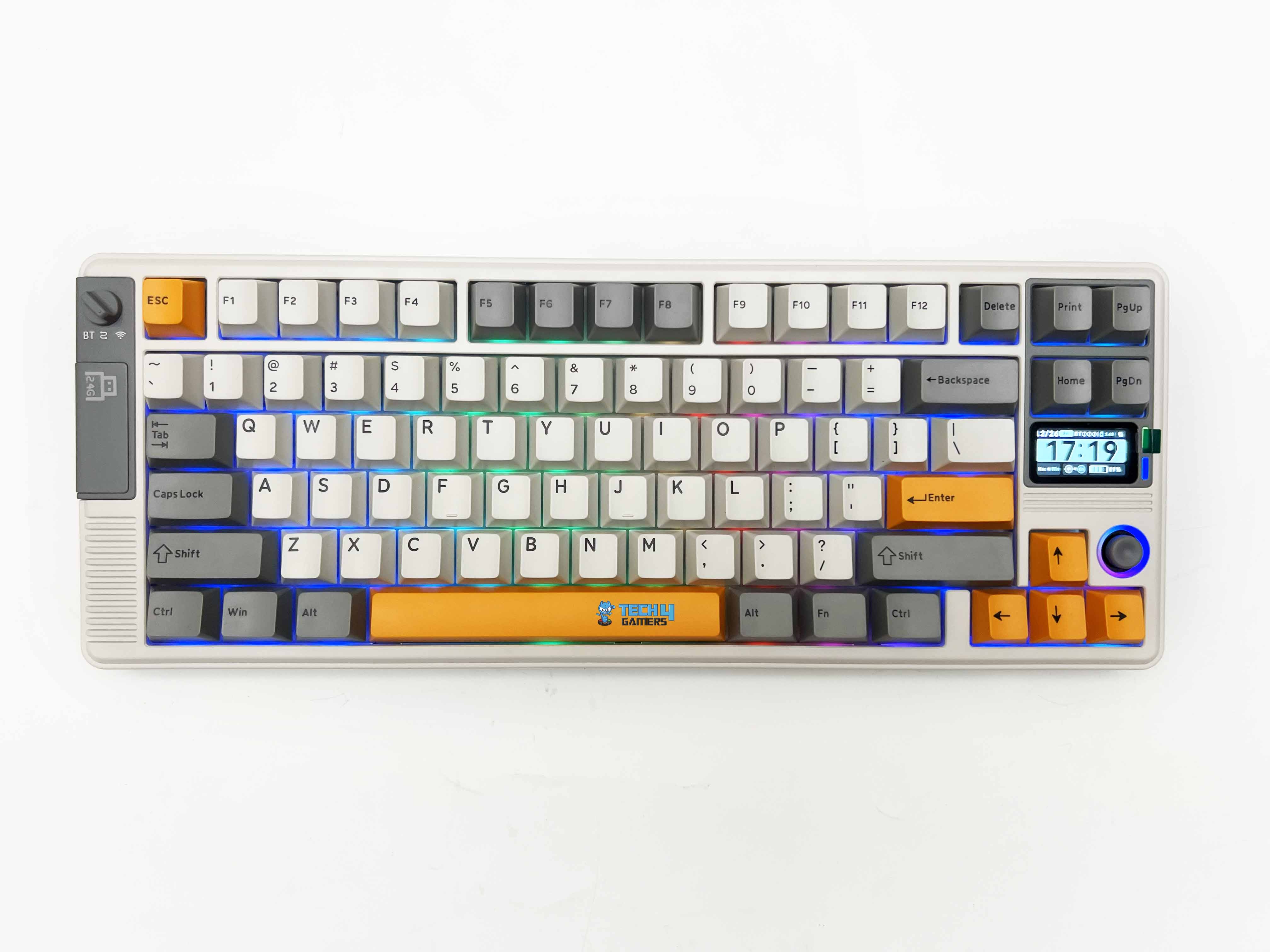
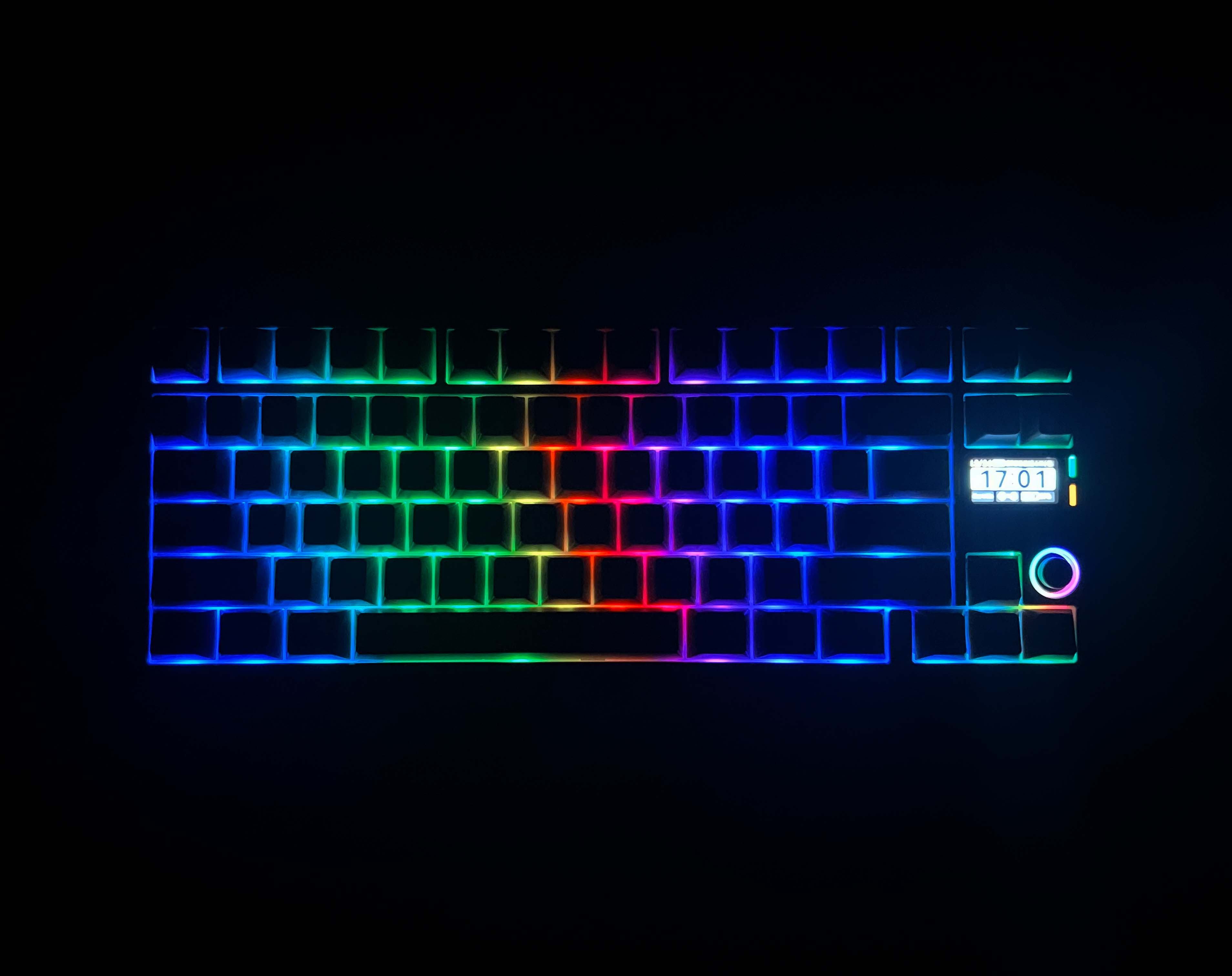
The Epomaker RT85 uses a dynamic RGB setup with per-key lighting and LEDs facing south. When you first turn the keyboard on, the light comes through evenly without looking dim around the legends. Each key is lit individually, so effects feel consistent across the board. When you switch between modes, the patterns move smoothly from key to key. When switching modes with the joystick, the changes take effect immediately.
Because the LEDs face south, the glow sits a bit lower under the caps. It gives the keyboard a softer look, especially with the PBT keycaps. You still see the colors clearly, but they don’t blast straight into your eyes. It’s visible without feeling harsh when the lights are on. I tried it during late-night, and it didn’t distract or glare back at me. That balance matters more than fancy patterns, at least in my experience.
Switches
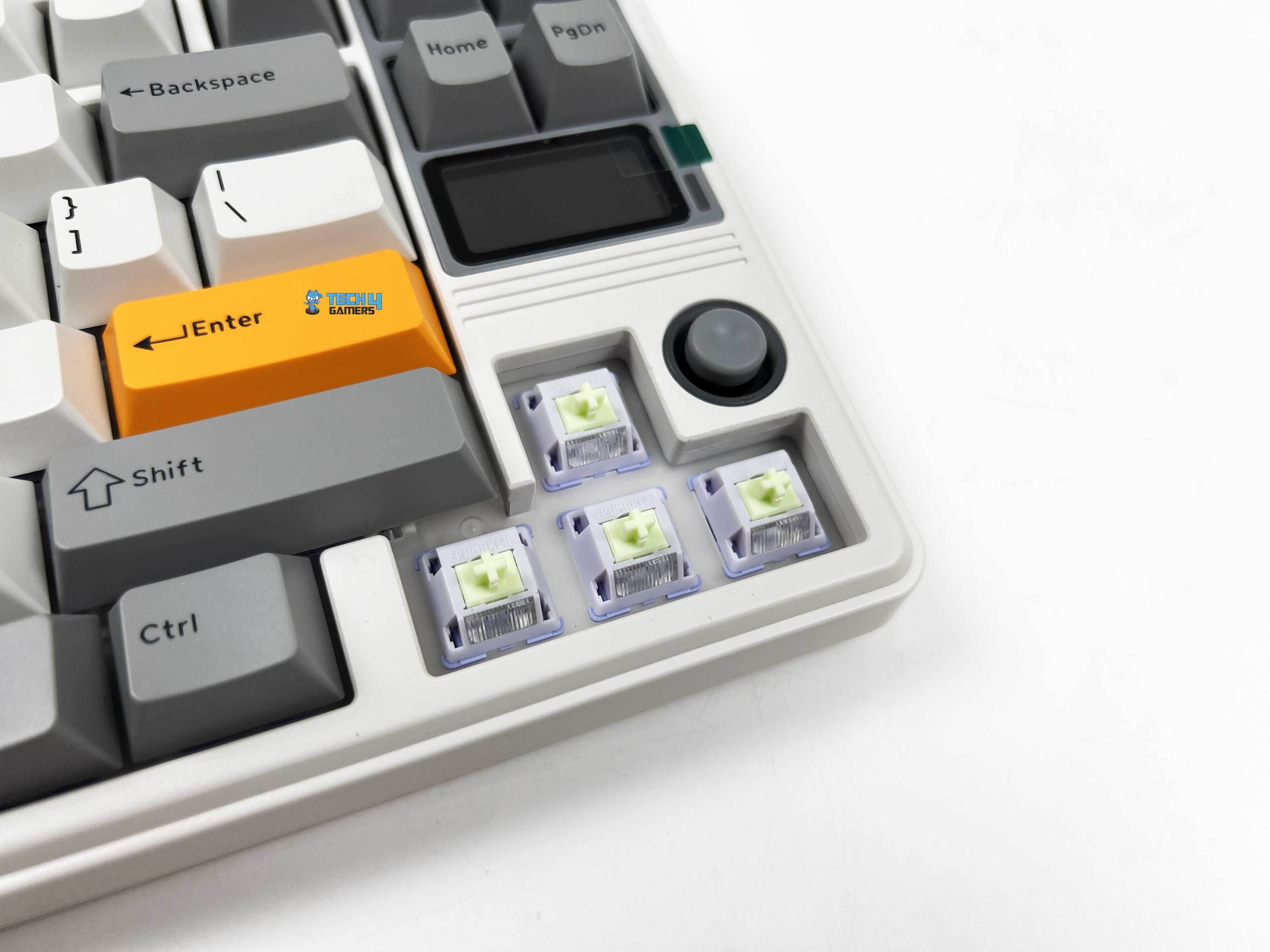
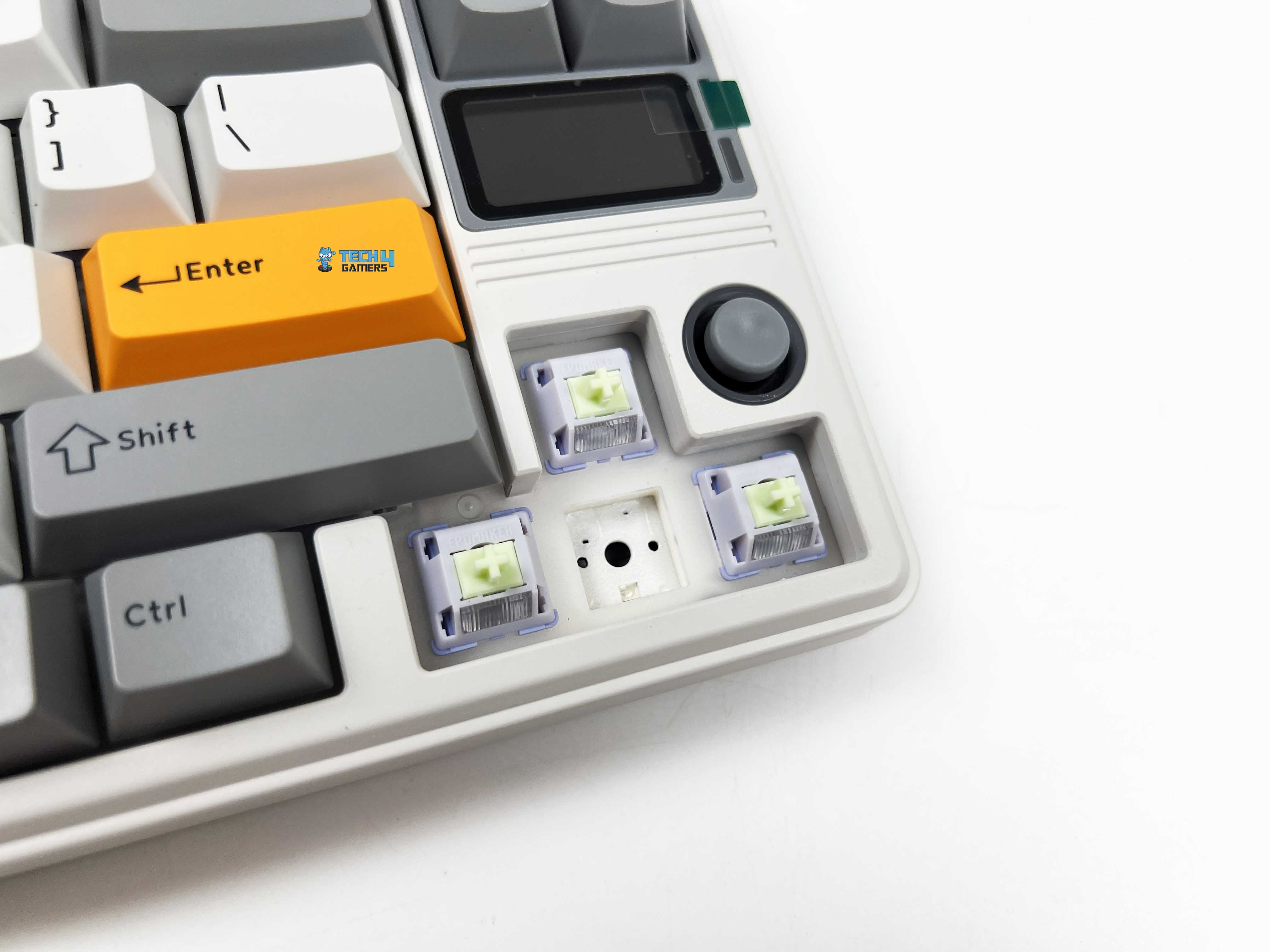
The Epomaker RT85 comes with Epomaker’s Wisteria Linear V2 switches. These are 5-pin linear switches with factory-lubed out of the box. The movement is smooth from the top of the press to the bottom. Actuation happens around 45 grams, so the keys don’t feel heavy. You don’t need to push hard to get a response. Bottoming out sits closer to 62 grams, which gives the press a firmer end without feeling abrupt.
The pre-travel is rated at about 2.0mm, with total travel just under 3.6mm. In practice, that feels familiar if you’re used to linear switch types before. Keystrokes register early enough to feel responsive, but there’s still enough travel to avoid accidental presses. Each switch includes a light diffuser. The keyboard is also hot-swappable and supports standard 5-pin mechanical switches.
Connectivity
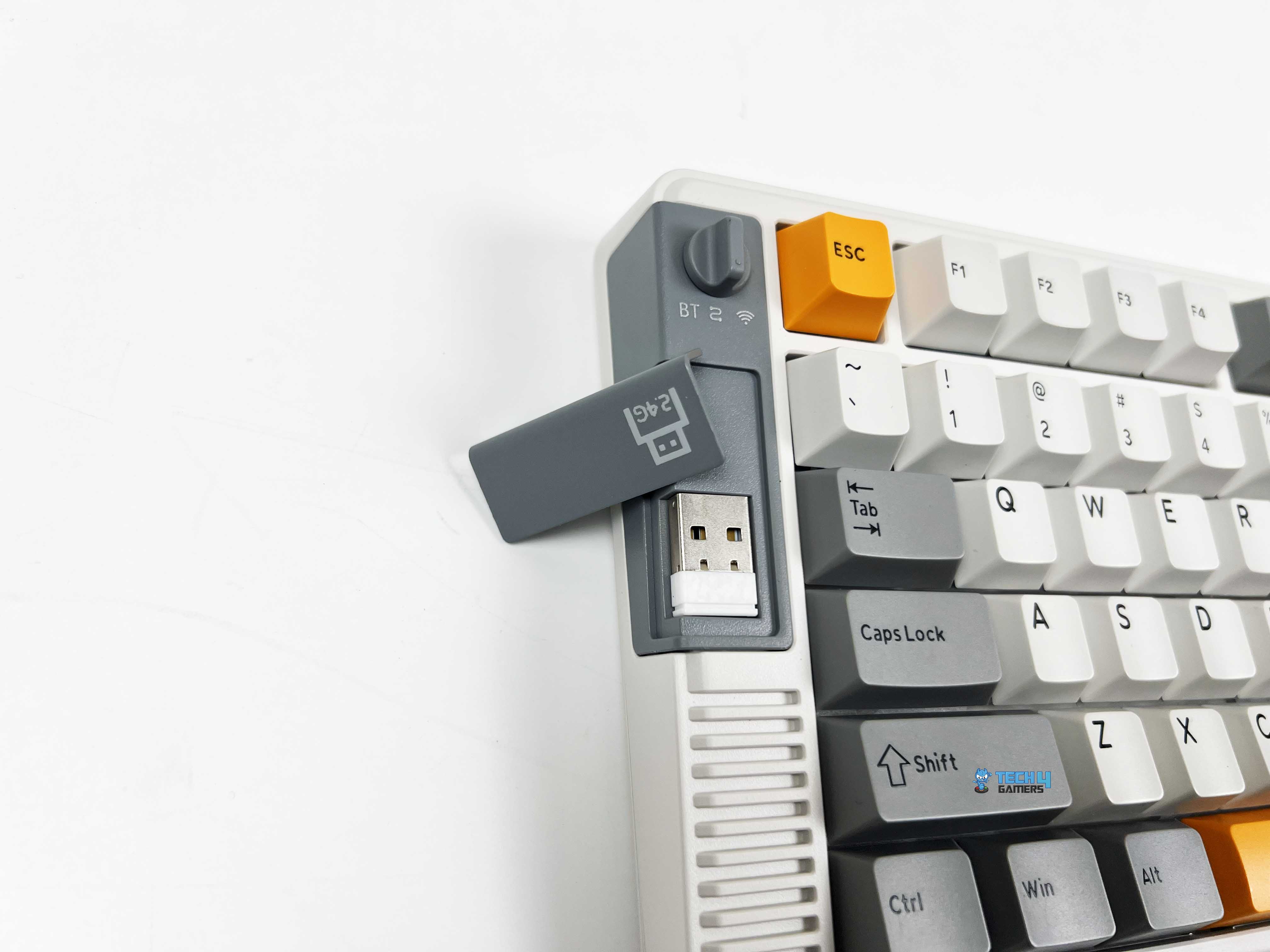
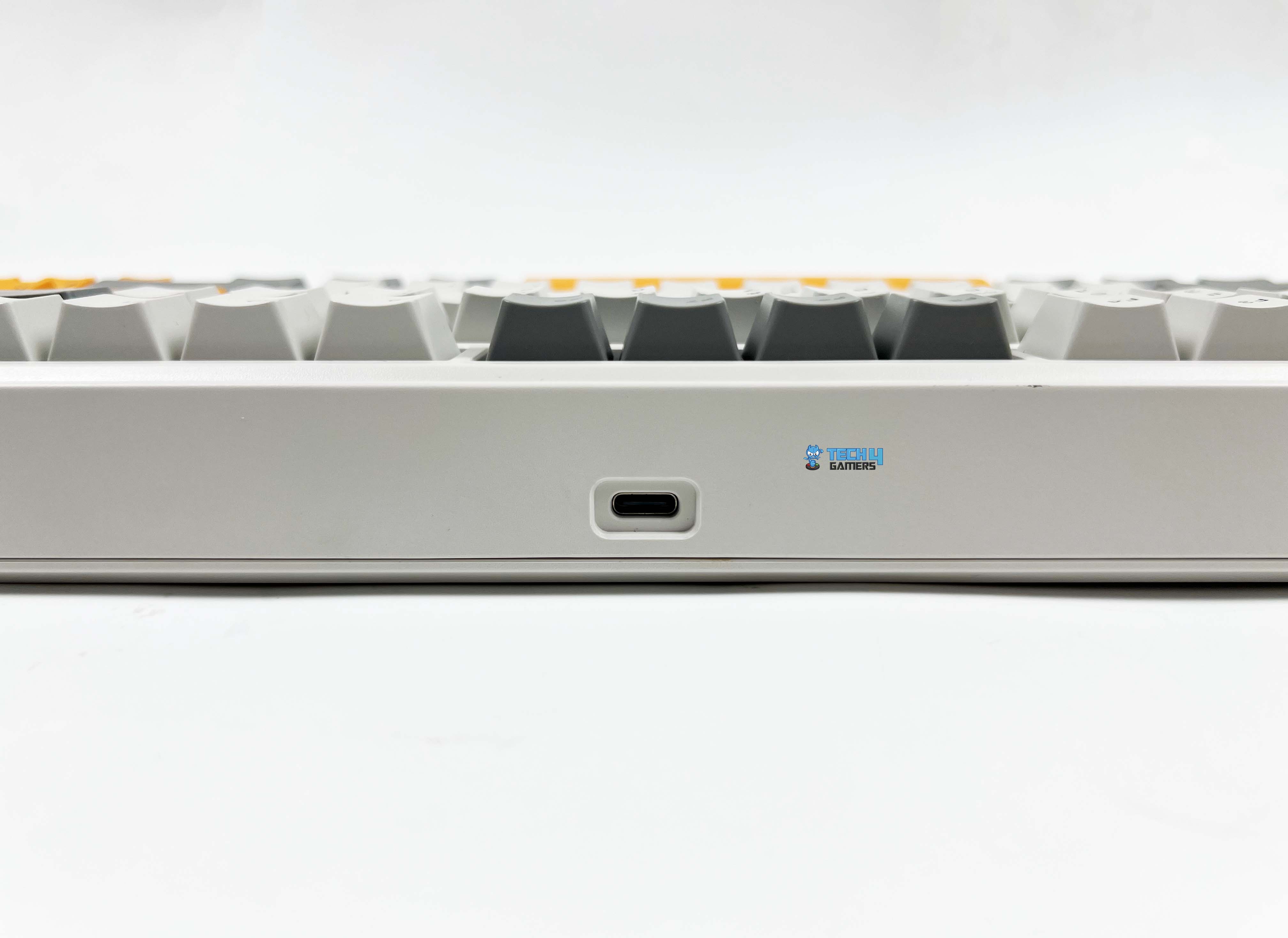
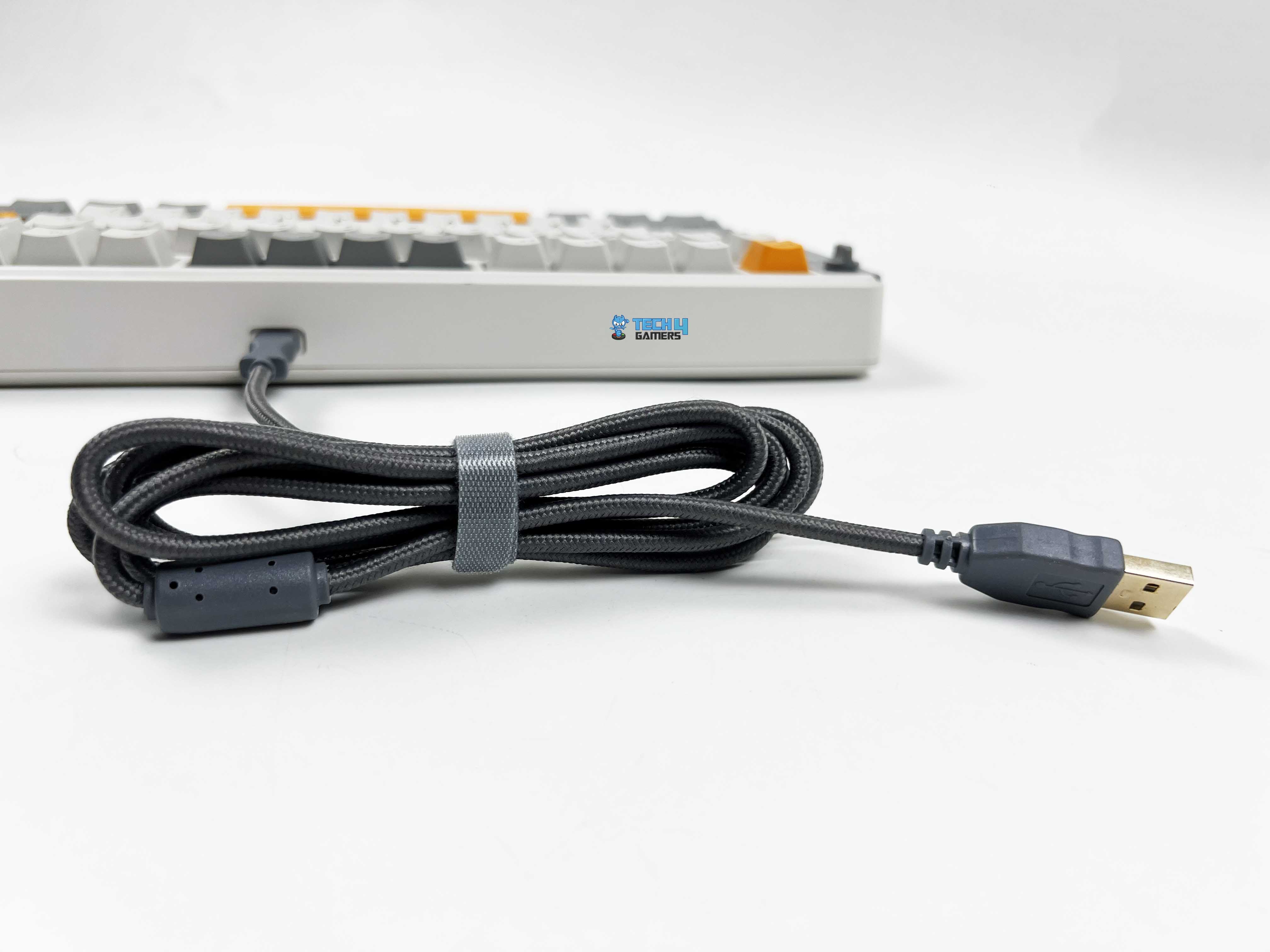
There’s standard wired mode, a 2.4GHz wireless option with a dongle, and Bluetooth. Move the switch to the center position and plug in the USB-C cable for a wired connection. Bluetooth pairing takes a few more steps. Slide the switch to the Bluetooth side, then hold the FN key with Q, W, or E. From there, you just find the RT85 in your device’s Bluetooth list and connect to it. You can also switch between up to three paired devices.
For 2.4GHz wireless, set the switch to the 2.4GHz position, and the R key starts flashing. After that, plug the receiver into your device. Once connected, the R key stops blinking. If you ever need to re-pair, holding FN + R will put it back into this pairing mode. The multi‑mode wireless support puts it in the same conversation as some of the top entries on our best wireless gaming keyboards list.
Typing Experience
Typing on the RT85 gives a kind of thocky feedback. The keyboard’s internal structure plays a big part in that. Under the switches is a PC plate that adds a slight amount of flex. Then there is a layer of PORON sandwich foam. Below that, there’s an IXPE switch pad followed by a PET sound enhancement pad. The hot-swappable PCB makes switch changes easy, and underneath that sits EPDM foam.
Finally, a silicone base softens the whole mounting structure. Each keypress ends with a soft, cushioned thud rather than a harsh bottom-out. The plate-mount stabilizers help as well, keeping big keys like the spacebar or enter feel balanced and with barely any rattle. There’s a faint cushioning effect, and the sound is muted enough that you don’t feel like you’re announcing every keystroke.
Performance
Using the Epomaker RT85 feels solid. Each key responds reliably, and even fast presses don’t register any missed strokes thanks to the N-Key rollover support. You can mash multiple keys at once without worrying about missed inputs, which comes in handy for gaming. Wired and 2.4Ghz wireless work at a 1000Hz polling rate, with latencies around 6ms and 12ms, respectively.
Bluetooth is a bit slower, polling at 125Hz with about 18ms latency, which works fine for casual typing or browsing. However, for competitive gaming, it is best to use a wired or 2.4 GHz connection. The keyboard responds immediately, with light pre-travel that lets you hit keys quickly without feeling mushy. Moreover, bottoming out is soft, so rapid combos don’t leave your fingers aching after long sessions.
Battery Life
The Epomaker RT85 has an 8000mAh battery. With the RGB and screen turned off, you could practically forget about charging it for weeks. Epomaker estimates 320 hours of battery life, and my testing wasn’t far off. If you turn the screen on but keep RGB off, you’re looking at around 90 hours, which still covers a whole week of work or gaming sessions.
Turning everything on takes a bigger hit on the battery, but 24 hours of continuous use with lights and the screen active is still enough to get through a couple of days of intense use. Battery status is always visible on the built-in screen. You can easily see the percentage drop. Charging works whether you’re using the keyboard wired or wirelessly, as long as the USB-C cable is plugged in.
Software
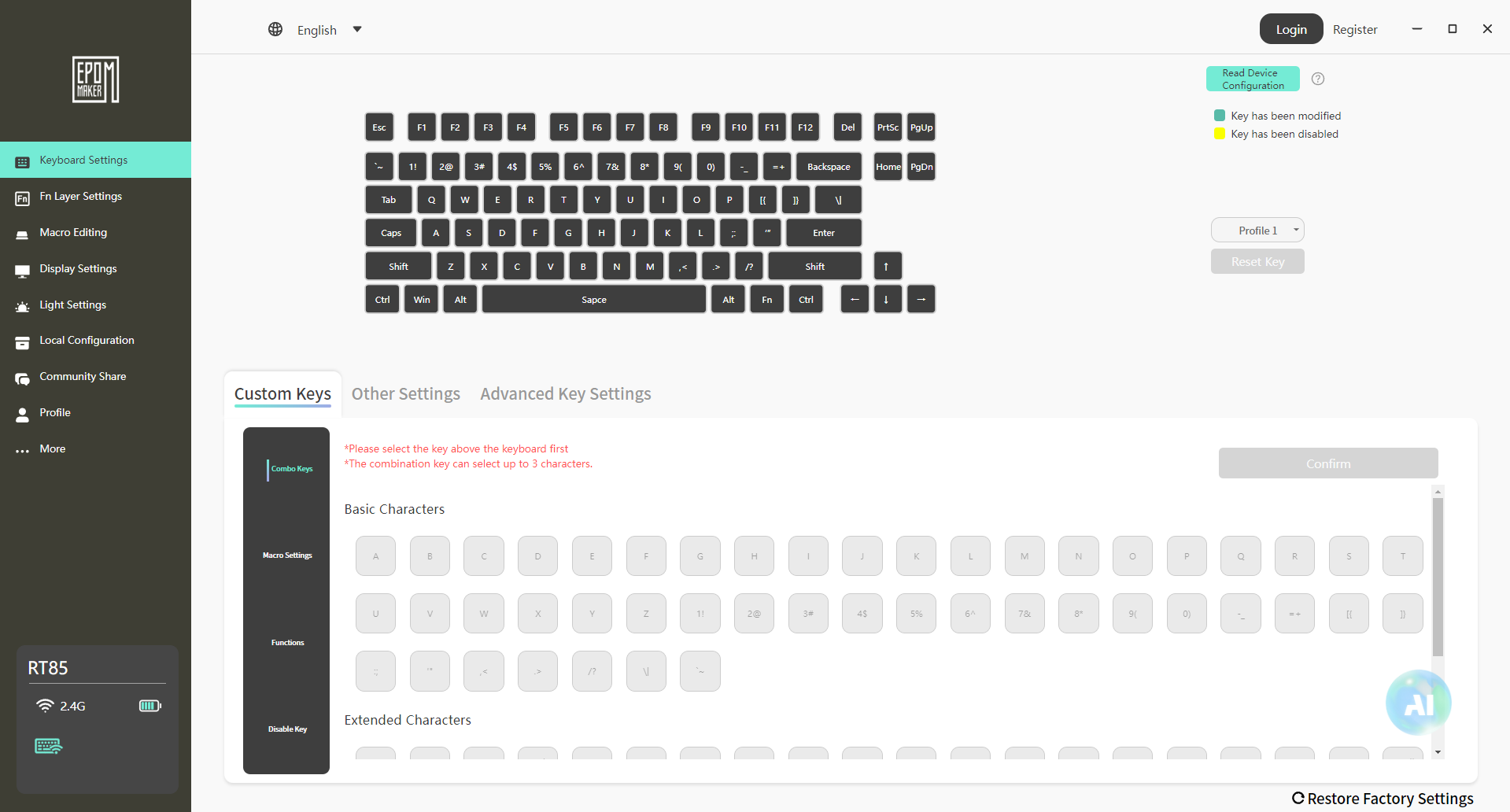
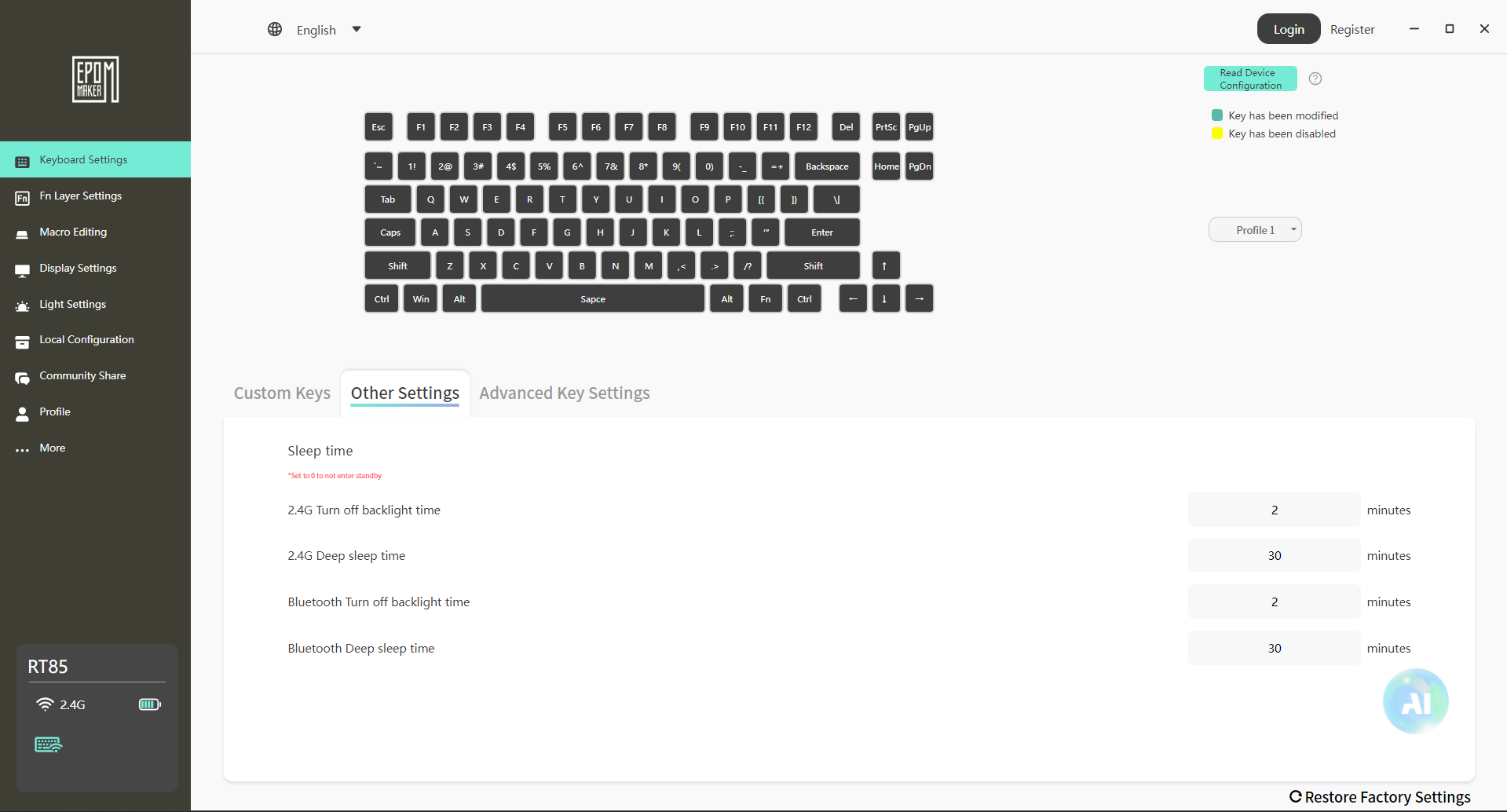
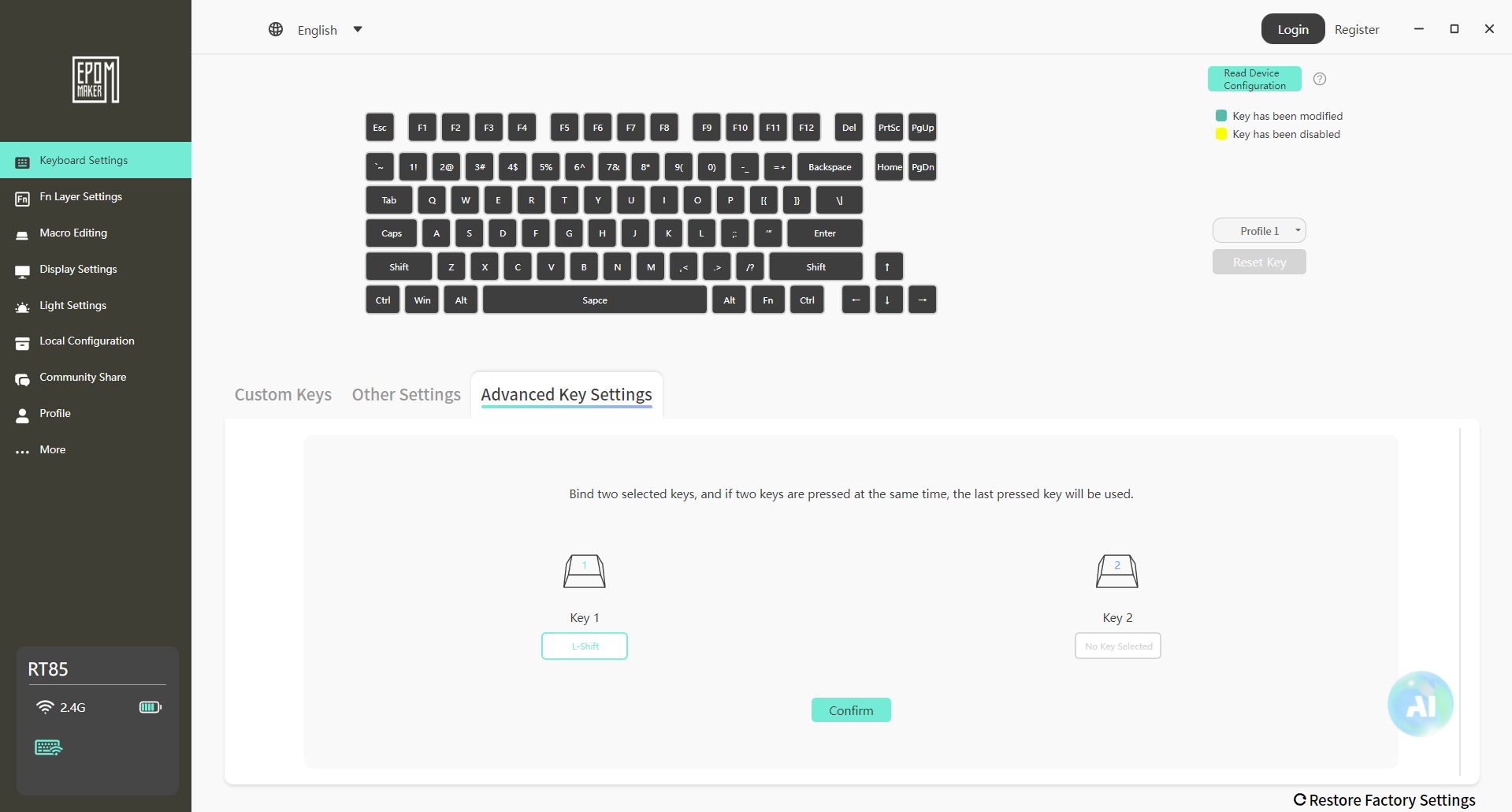
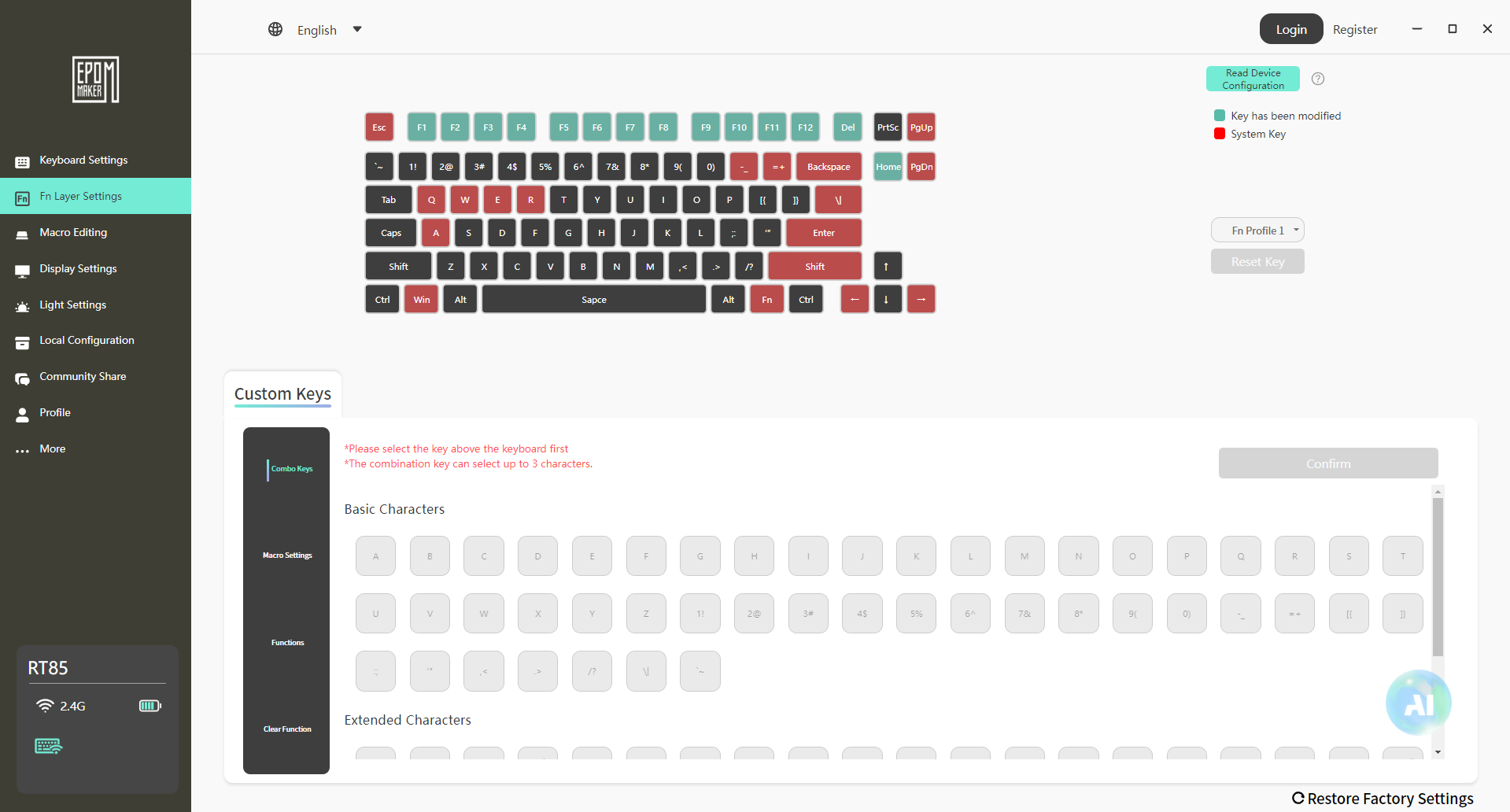
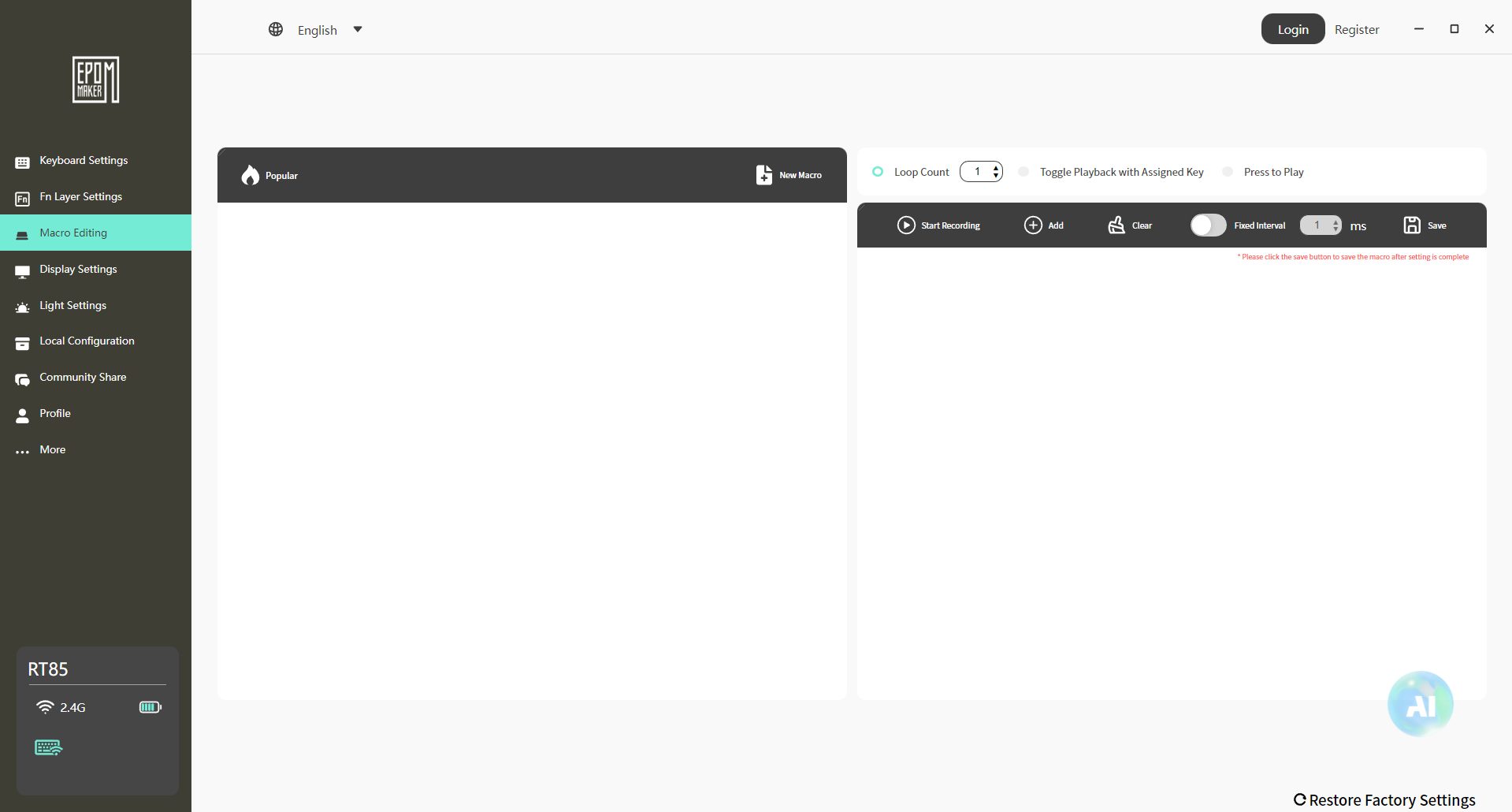
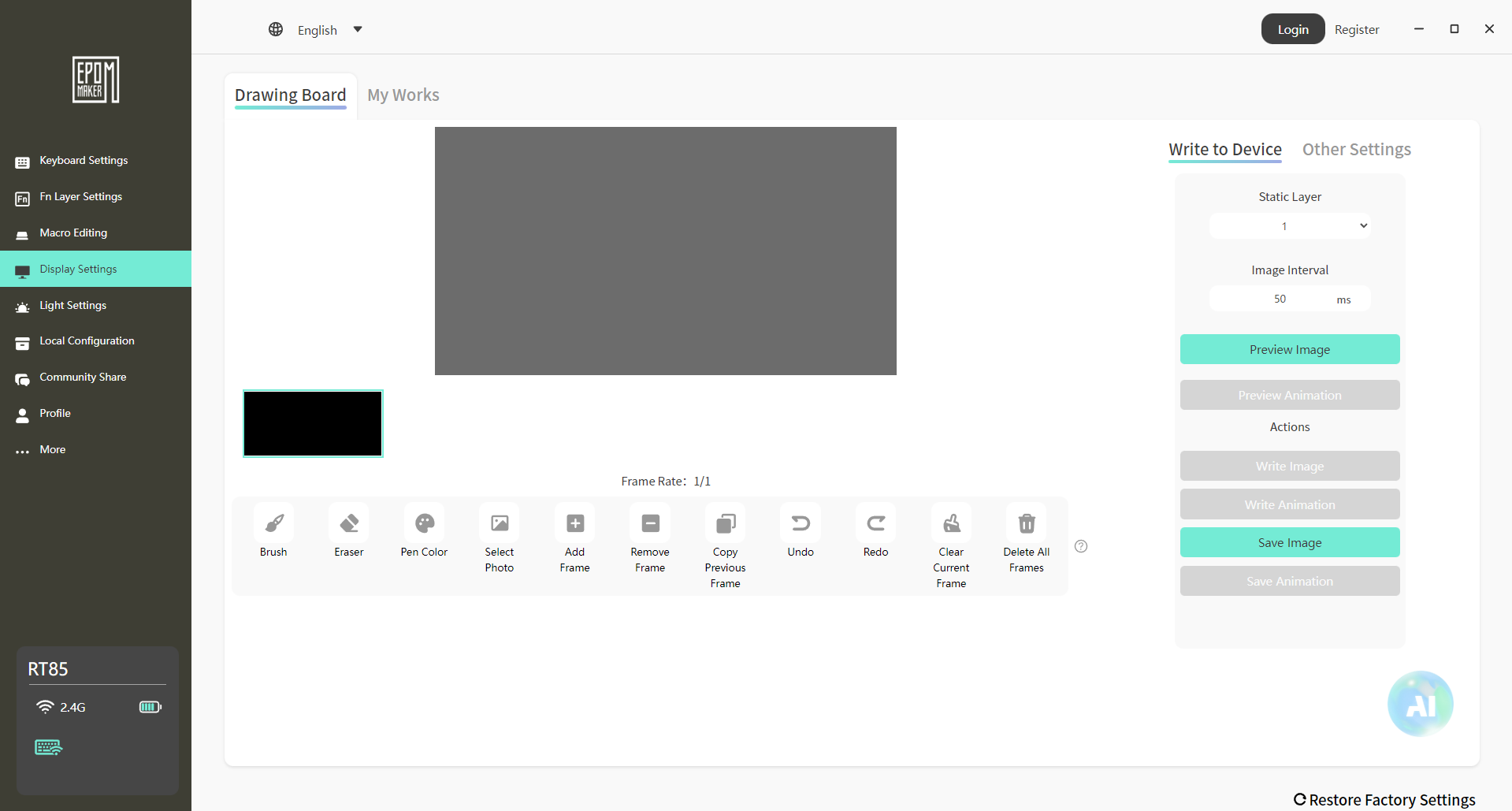
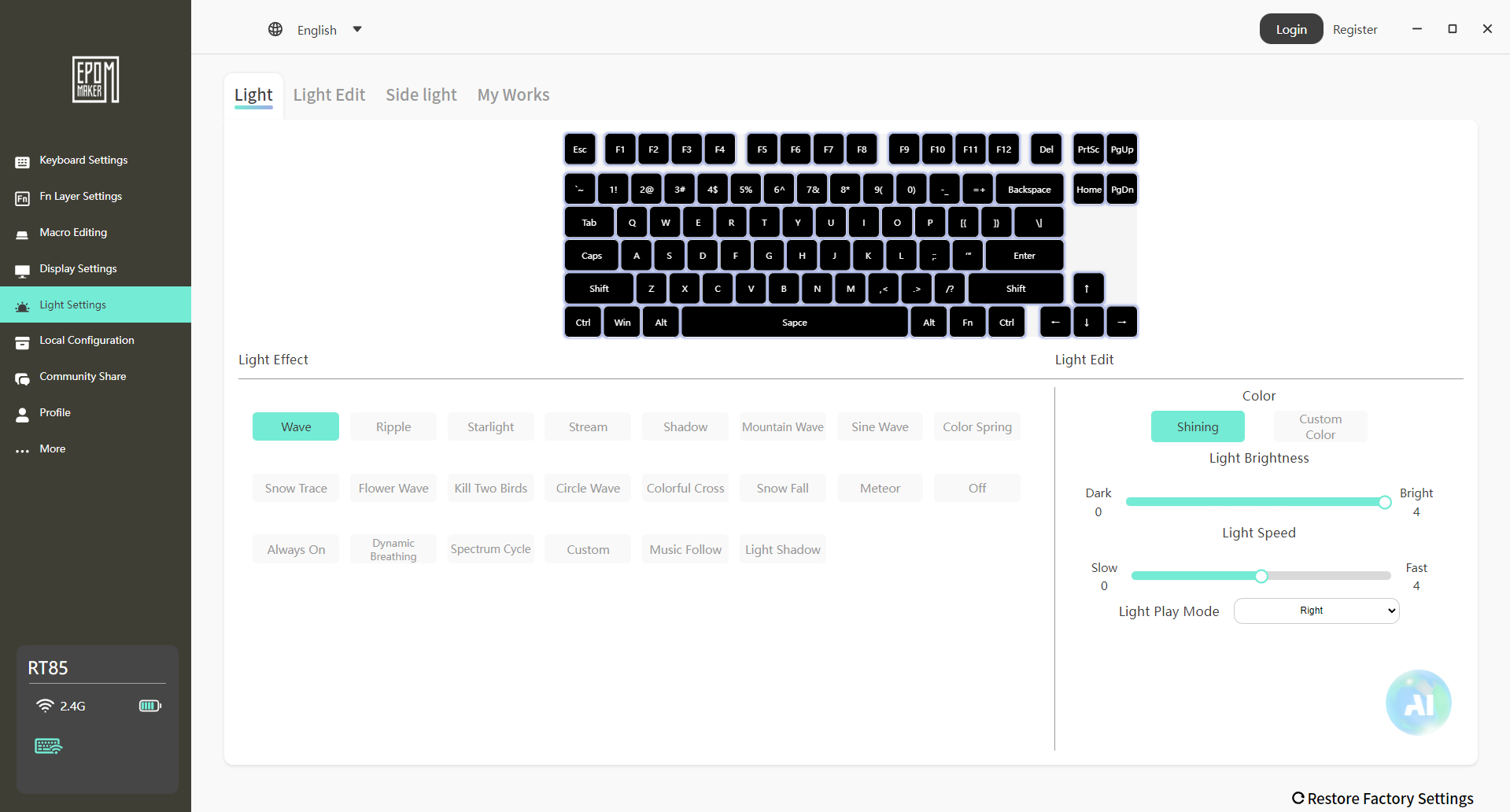
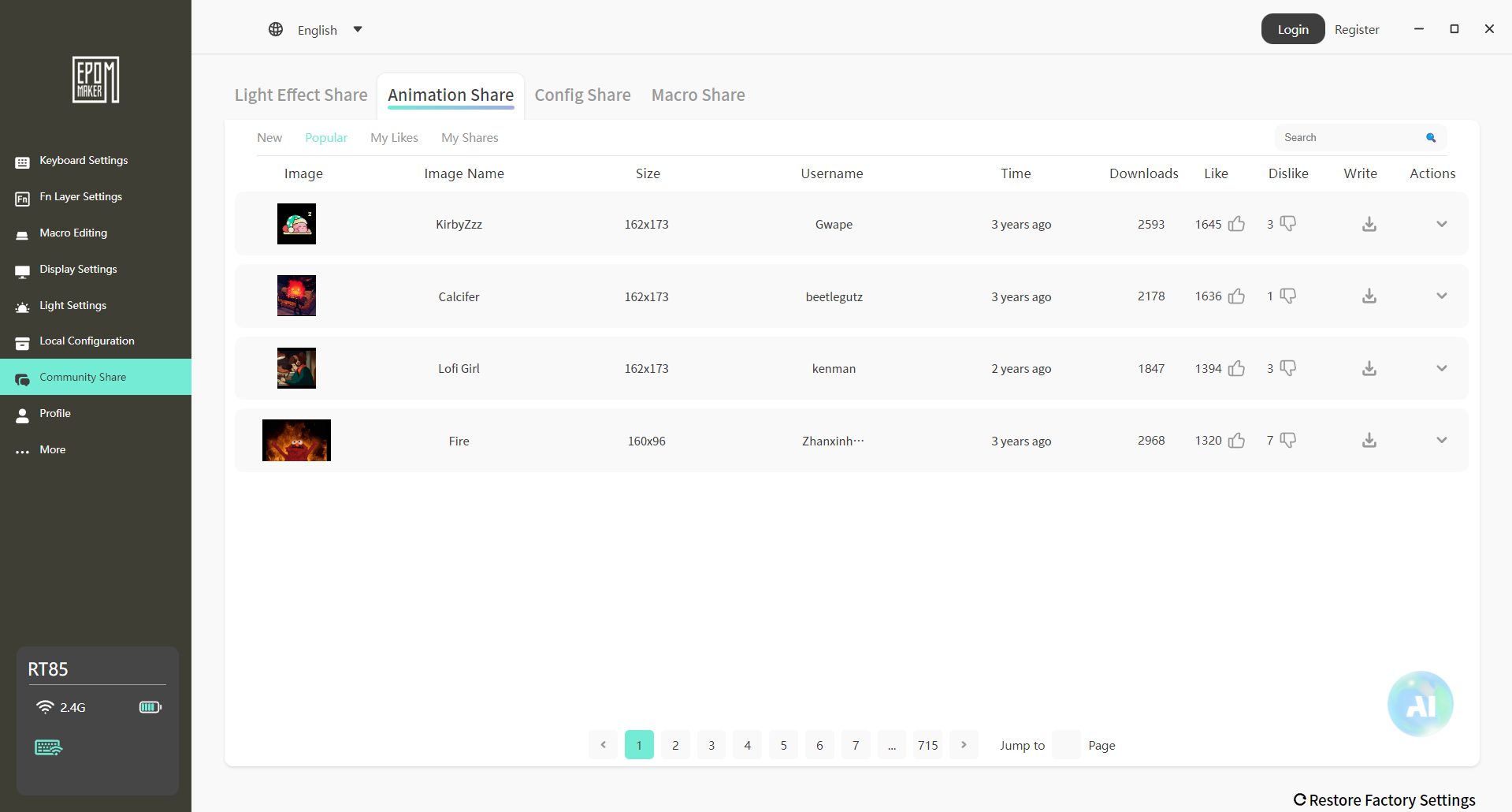
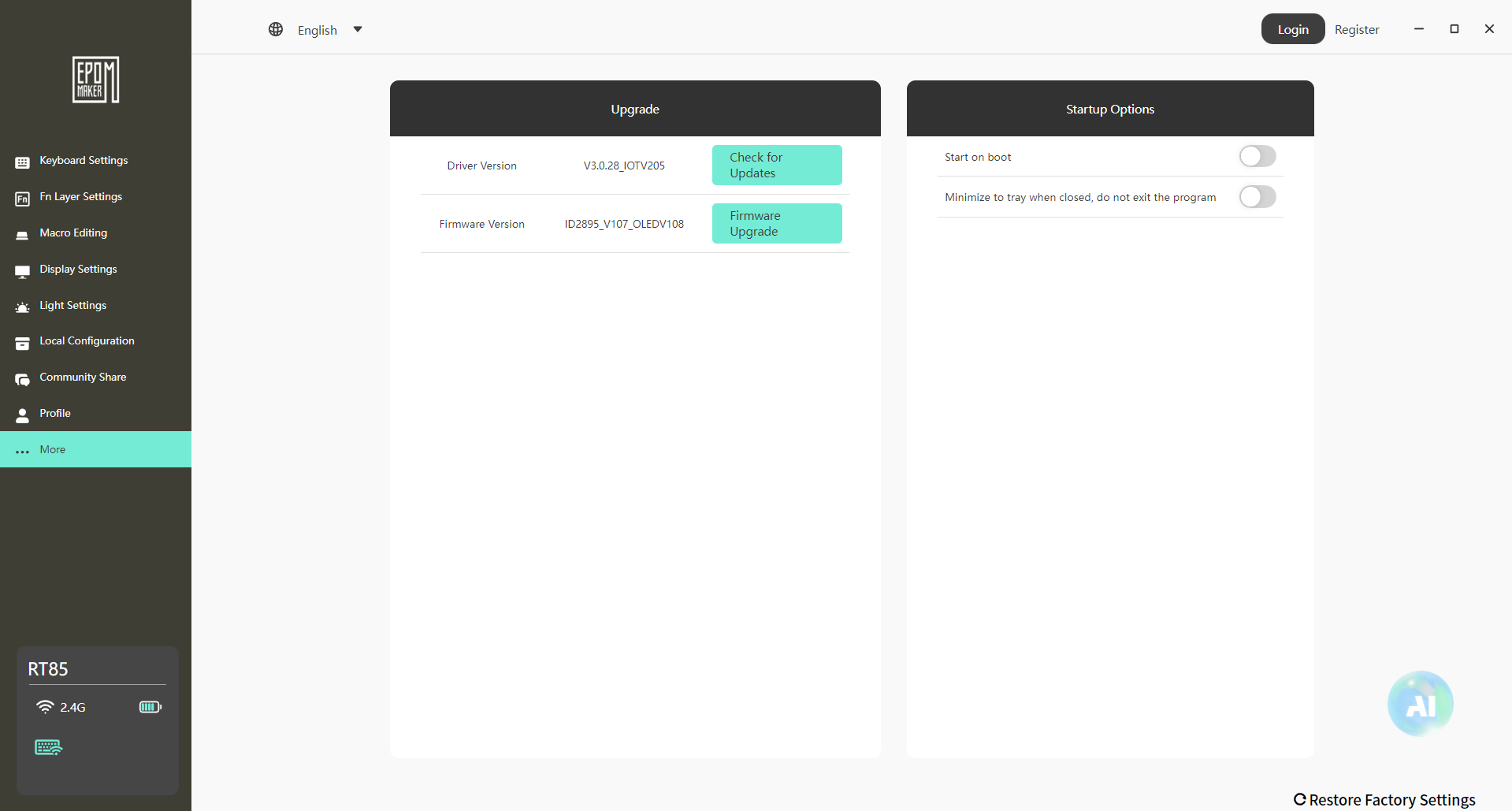
The Epomaker RT85 uses Epomaker 3.0 for its software and runs on both Windows and macOS. Setup is simple. Download it, connect the keyboard, and it shows up without any overcomplication. Once inside, everything is laid out in a practical, slightly utilitarian way. Key remapping works as expected. You select a key, change its function, and the new assignment appears.
Media keys, shortcuts, and basic macros are all supported. Moreover, RGB control has its own section. The software feels functional rather than refined. It covers what you need, and avoids unnecessary clutter. You’ll probably spend a few minutes setting things up, then you will only open it again if you want to change the lighting or a keybind later.
Should You Buy it?
Buy It If
✅ You enjoy retro aesthetics: The Epomaker RT85’s nostalgic color schemes, rounded design, and joystick give it a unique retro vibe.
✅ You care about typing feel and sound: With Wisteria Linear V2 switches and multiple layers of dampening foam, each keystroke feels smooth and satisfying.
Don’t Buy It If
❌ You need ultra-lightweight or travel-friendly keyboards: At 1kg, it’s on the heavier side for frequent portability.
❌ You want advanced software support like VIA: While Epomaker 3.0 works fine for remaps and macros, it doesn’t offer the complete flexibility of enthusiast firmware.
My Thoughts
After spending time with the Epomaker RT85, it feels like a keyboard that’s been thought through in practical ways rather than built around flashy features. It settles into daily use pretty quickly, whether that’s for work or gaming. From a value standpoint, the keyboard sits comfortably in its segment at $85.99 without the price creeping into enthusiast-only territory. It doesn’t feel like you’re paying extra for features you won’t touch.
Thank you! Please share your positive feedback. 🔋
How could we improve this post? Please Help us. 😔

[Hardware Reviewer & Editor]
After many years of exploiting various pieces of hardware, Abdul Hannan now serves as an editor at Tech4Gamers. He’s been in the PC hardware reviewing industry for almost a decade, and his staff of passionate geeks and reviewers is second to none.
Abdul Hannan is constantly seeking new methods, you will always see him running into New Computer Courses to improve the performance of his computer components since he is an ardent overclocker. He is well-known for providing the most extensive and unbiased analysis of the newest and greatest hardware for PC gaming, including everything from GPUs to PSUs.
 Join Our Community