Threads
A Collector’s Choice!
Review Summary
The ASRock Radeon RX 9070 XT Monster Hunter Wilds Edition is a special-edition GPU built for fans of the series. It combines strong RDNA 4 performance with a custom Arkveld-inspired design and premium build quality. Gaming performance is excellent at 1440p and solid at 4K, with quiet cooling and good thermals. In short, this card is best for themed or showcase PC builds.
Hours Tested: 10

Overall
-
Performance - 9/10
9/10
-
Design - 9.5/10
9.5/10
-
Value - 8.5/10
8.5/10
Pros
- High Quality Monster Hunters Artwork
- Incredible Cooling
- Good Build Quality
- PTM Phase-Change Pad on GPU Core
- Extremely Silent
- 0dB Fans
- 16GB Video Memory
- Good Overclocking Potential
- Good Value
- Game Coupon Included
Cons
- No Factory Overclock
- The Design Might Not Appeal To Everyone


ASRock has dropped another RX 9070 XT on the market, inspired by Monster Hunter: World, an action role-playing video game launched in 2025. There are some prominent changes to its design: the shroud (exterior) uses a custom color scheme meant to evoke Arkveld’s icy, monstrous aesthetic, and a couple of other changes we will discuss in the review. However, beneath the custom aesthetics, the design is not entirely new; its basic build and internal design are identical to ASRock’s Steel Legend Design. This GPU is targeted more at the fans, users who want a unique aesthetic tied to a game they love.
This GPU is powered by the RDNA 4 architecture, based on the NAVI 48 GPU, a monolithic chip built on TSMC’s 4nm N4P node. RDNA 4 brought many improvements compared to its predecessors, especially in ray tracing and AI/machine learning workloads, which also power FSR4. The memory is 16GB across a 256-bit-wide memory interface. The 9070 XT has been out for quite some time; obviously, we won’t dig into the architecture details of RDNA 4, since we have already covered them in our ASRock RX 9070 Steel Legends Graphics-Card review. The main highlights of this review would be the ASRock RX 9070 XT Monster Hunter Wilds design, its aesthetics, and, of course, its performance and thermals.
ASRock Radeon RX 9070 XT Monster Hunter Wilds Edition is a triple fan design with a 0dB fan-control design, that also features the reinforced metal frame to eliminate the sag and uses ASRock’s stripped ring fan focused on the high airflow also one of the thing which the enthausiasts will love the most is the ASRock is using HoneyWell PTM 7950, a phase change thermal pad for it’s cooling solution.
Let’s start with the specifications
| Details | ASRock Radeon RX 9070 XT MH Edition | Base RX 9070XT |
|---|---|---|
| Core Clocks: | Game Clock: 2400MHz Boost: Up To 2970MHz | Game Clock: 2400MHz Boost: Up To 2970MHz |
| Cores | 4096 | 4096 |
| GPU | Navi 48 | Navi 48 |
| Memory | 16 GB, GDDR6, 256-bit | 16 GB, GDDR6, 256-bit |
| Memory Clock | 2518 MHz | 2518 MHz |
| ROPs | 128 | 128 |
| Transistors | 53900M | 53900M |
| PCI Express | 5.0 | 5.0 |
| Key Features | Polychrome SYNC Triple Fan Design Art Theme Design Striped Ring Fan Reinforced Metal Frame | - |
| MSRP | $699 | $599 |
What Makes ASRock Radeon RX 9070 XT Monster Hunter Wilds Edition Different?
This GPU features game-inspired Arkveld Design, with a custom shroud, metal backplate, and fan-hub artwork inspired by the monster from Monster Hunter World. Internally, it is the same GPU as the standard RX 9070 XT, but with premium build touches, including a reinforced metal frame and backplate, stripped ring fans, and phase-change thermal pads. This GPU is recommended to those who like collector’s hardware in their system.
Packaging
Let’s take a look at the packaging first.
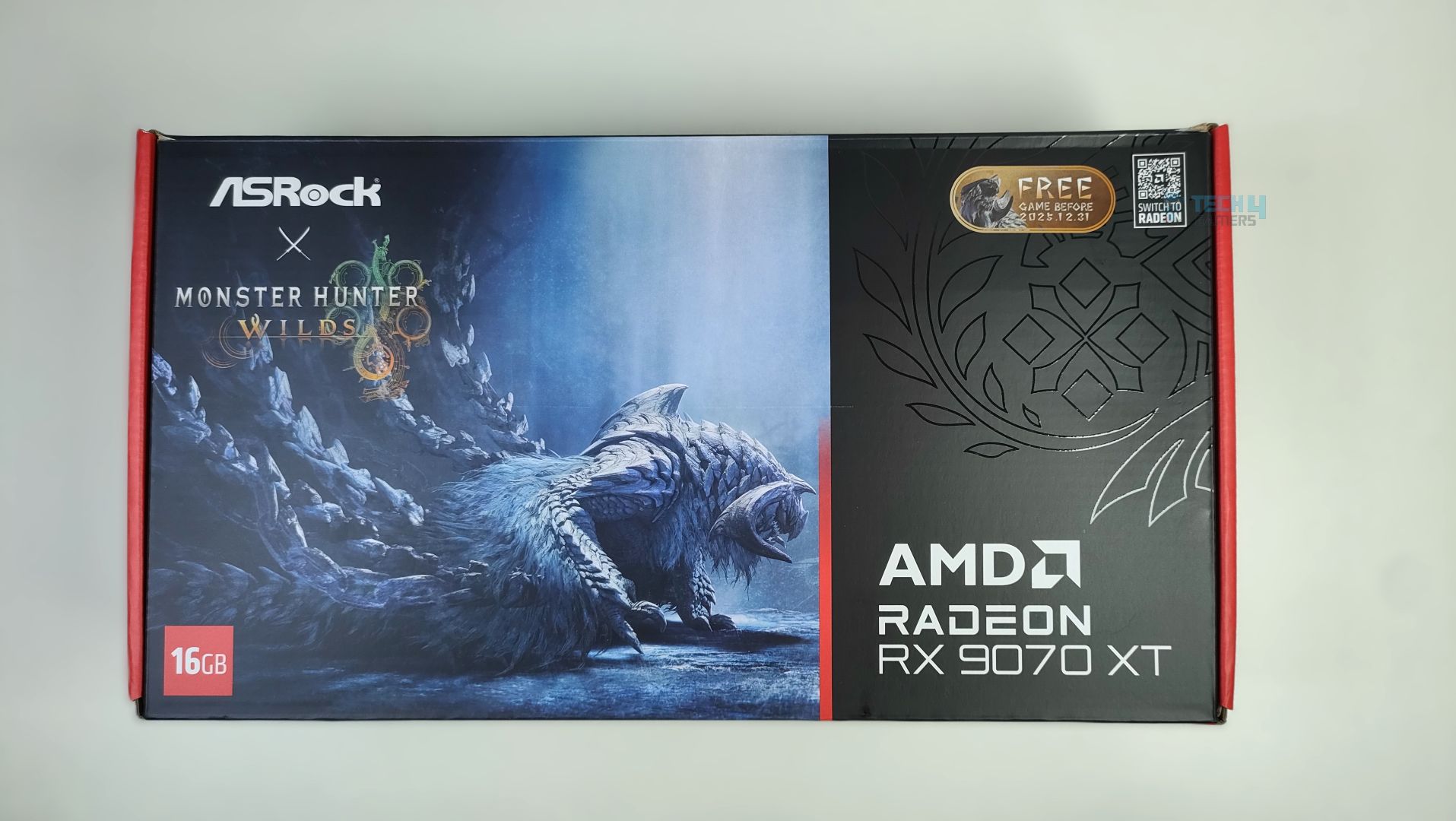
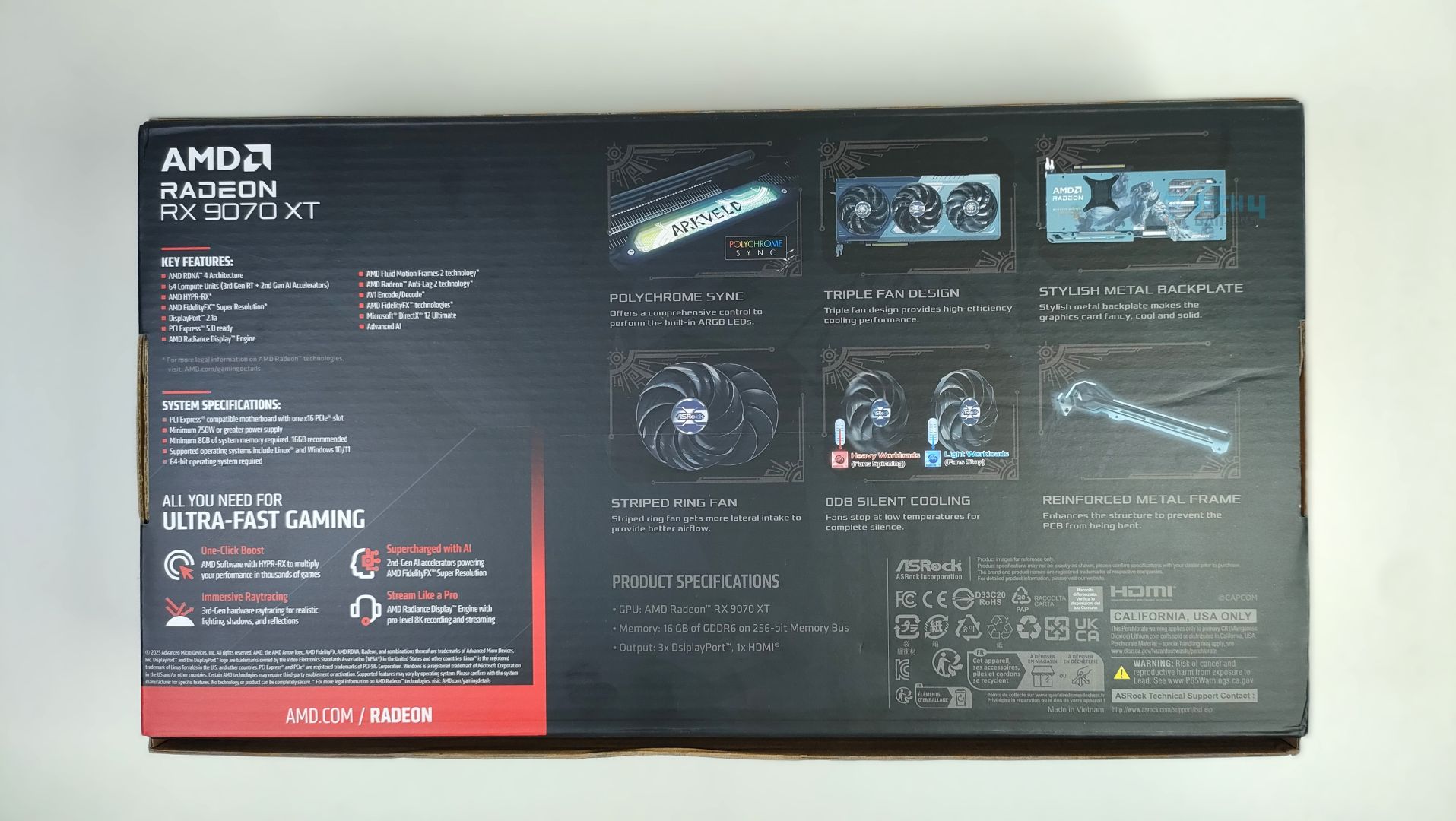
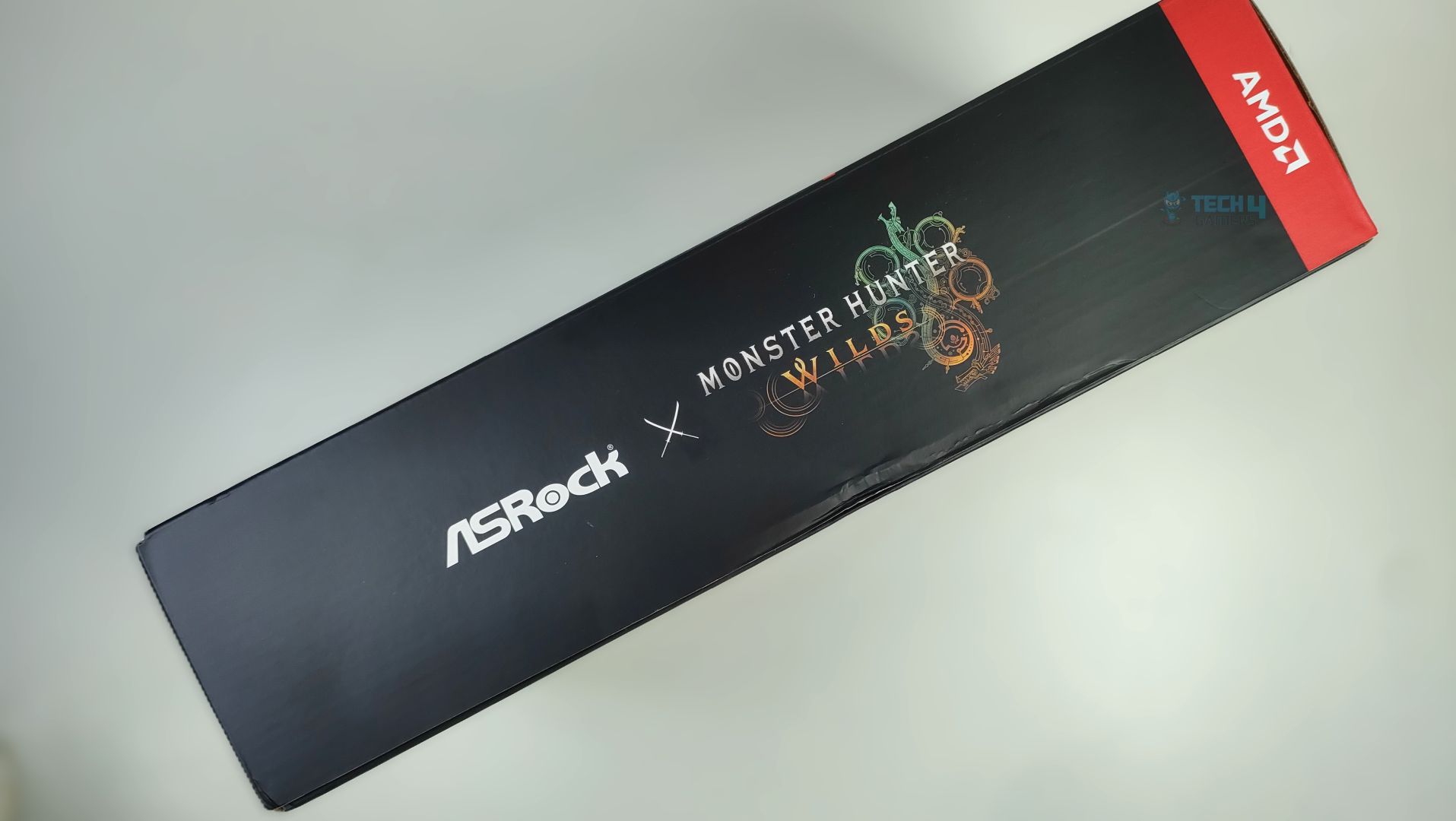
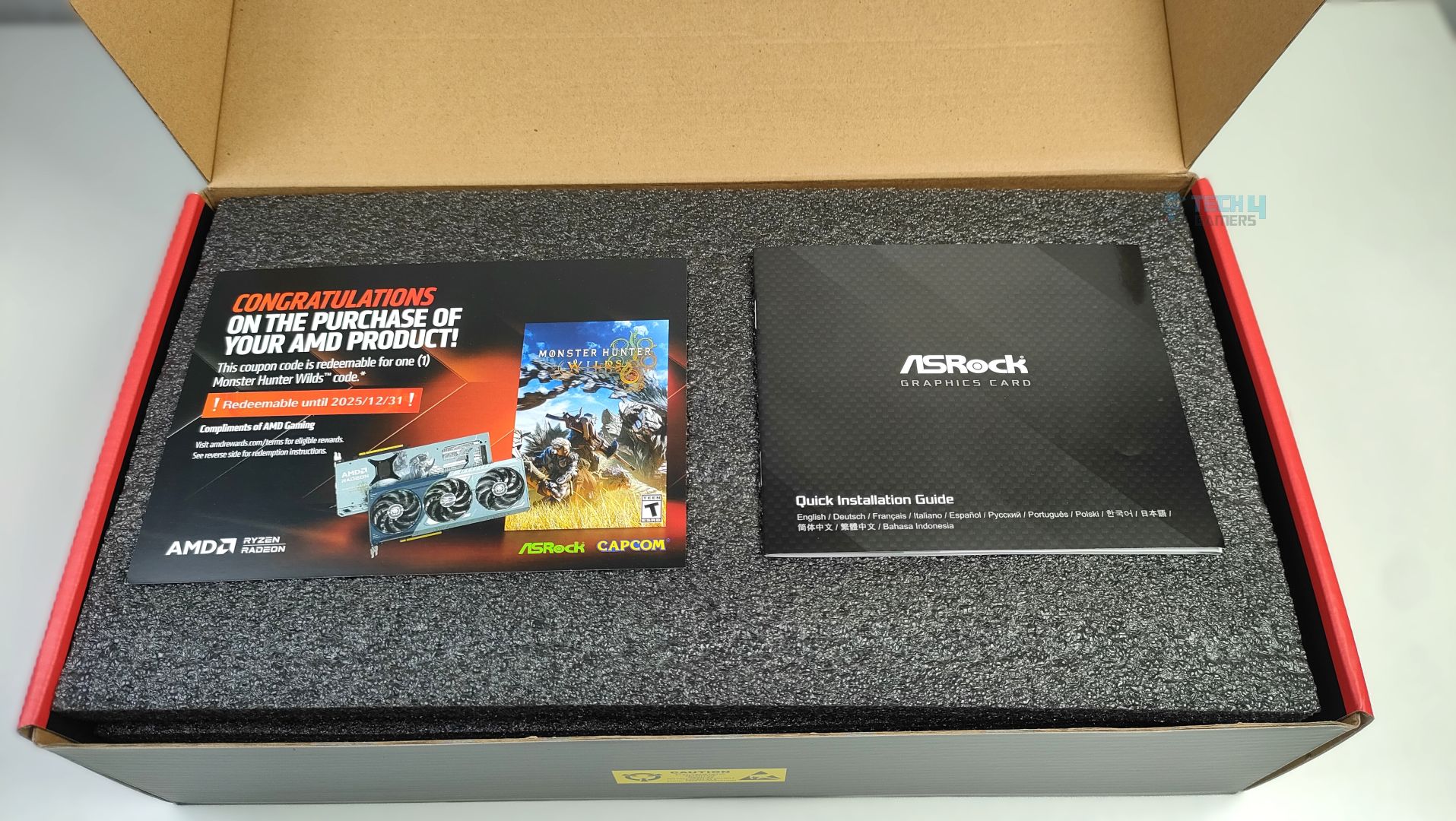
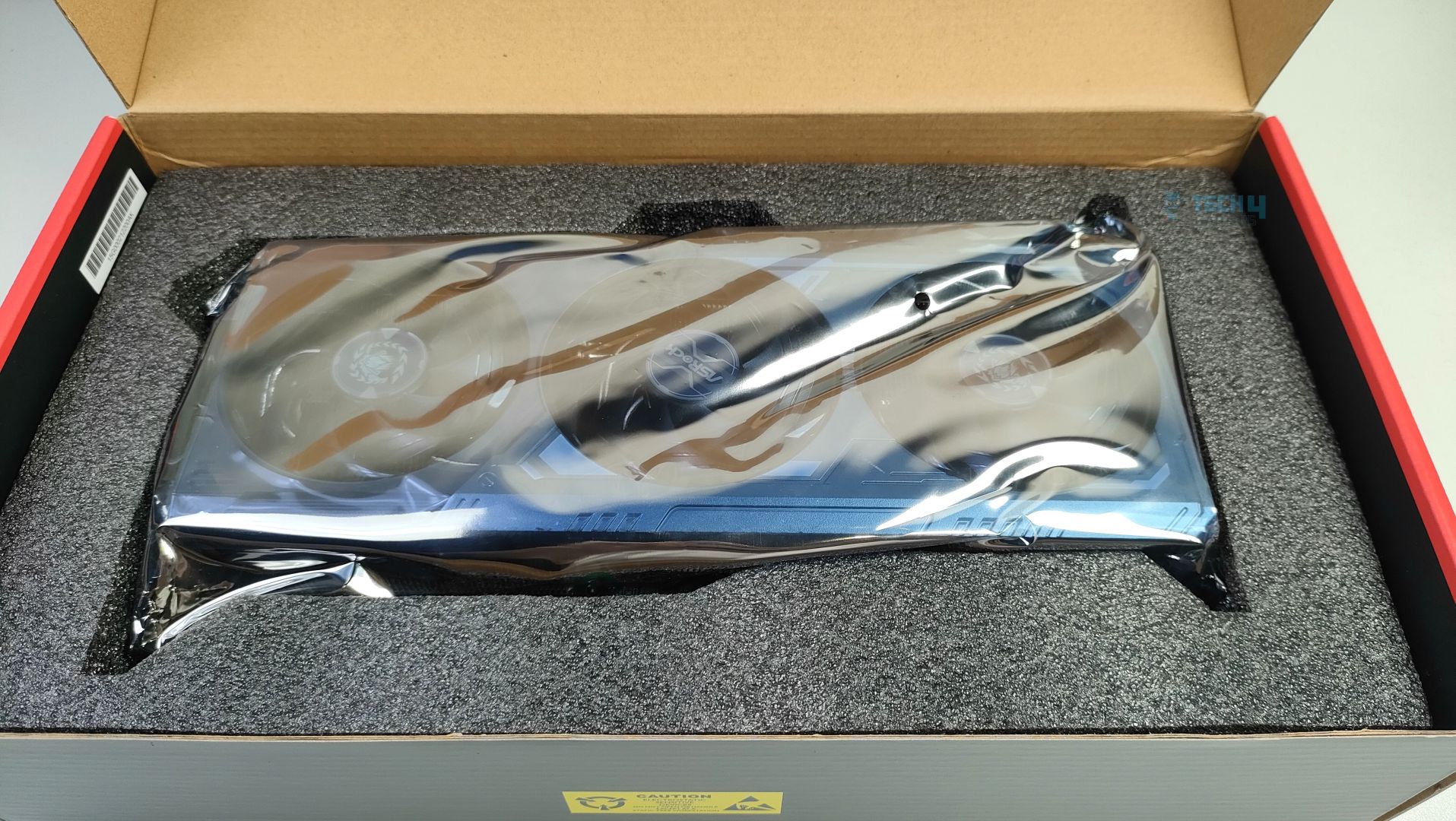
ASRock Radeon RX 9070 XT Monster Hunter Wilds Edition arrives in a thick corrugated cardboard box with a Monster Hunter Wilds artwork striking at the front. The branding looks clean and visually appealing. The ASRock Logo, GPU Model, and the 16GB VRAM badges are clearly visible at the front, and we also get a free copy of the game and a redeemable card included in the packaging. On the back of the box, key features of the GPU architecture are highlighted, and ASRock Exclusive features are also demonstrated, including support for Polychrome RGB Sync, Triple Fan Design, Metal Backplate, Stripped Ring Fan with 0dB Silent Cooling, and a reinforced metal frame. The back of the box lists the card’s standard specifications; there is nothing fancy except the front box artwork.
Inside, the GPU is secured with a thick, high-density foam. No additional accessories are included except the manual and the Coupon Card. Though I would like at least some extra Monster Hunter Wilds figurines, or at least some stickers.
Design
It’s time to talk about it’s design.
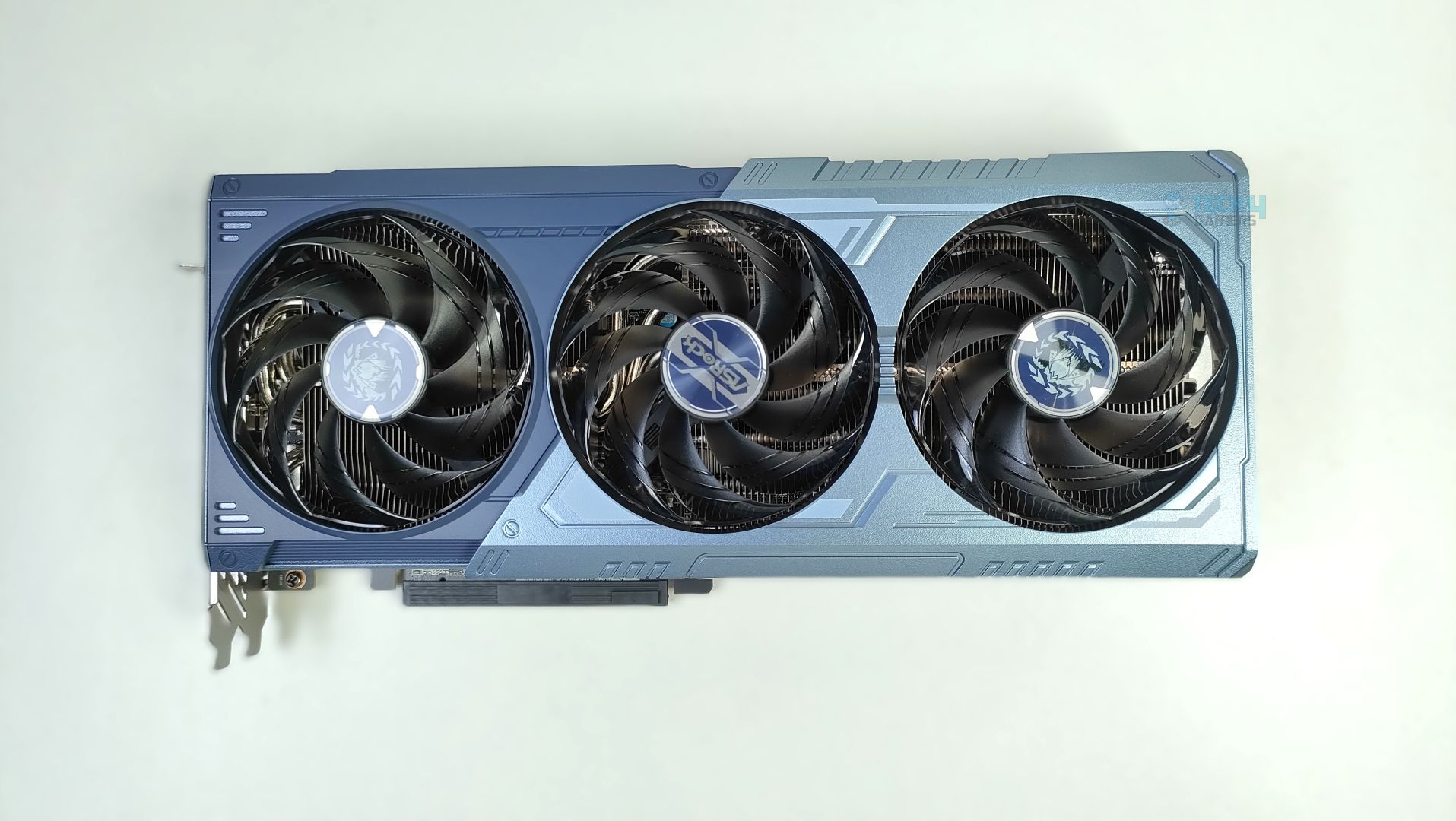
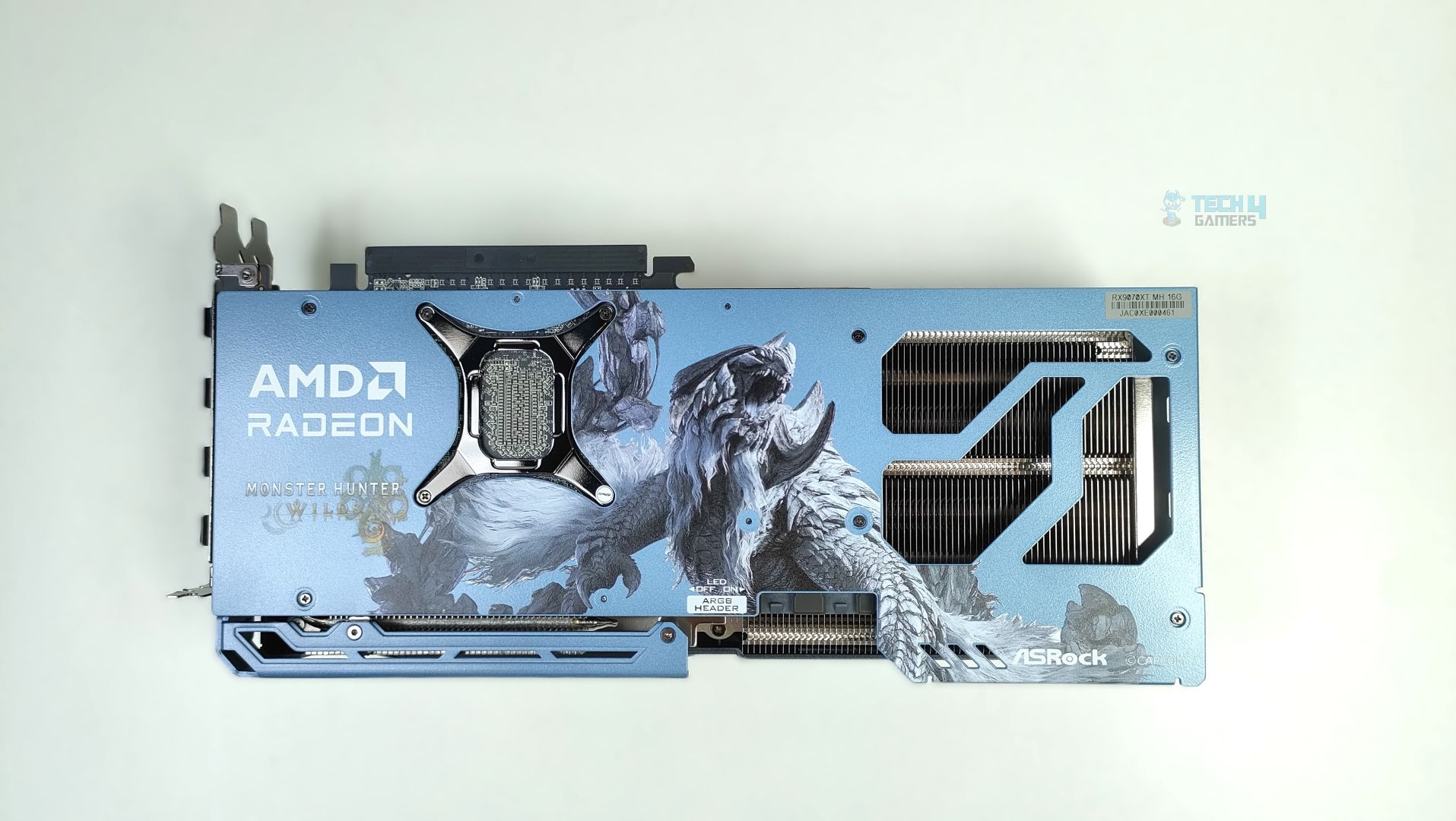
Taking a first look at the GPU now, starting from the front. This GPU features a three-ring striped fan design that supports stop-fan technology when the GPU is running at idle. The center fan rotates in the opposite direction, which could help reduce turbulence. The GPU uses a sophisticated Mystic Blue scheme at the front. The back plate is the show’s main highlight. It’s a full-length metal backplate showcasing the Arkveld’s high-quality network.
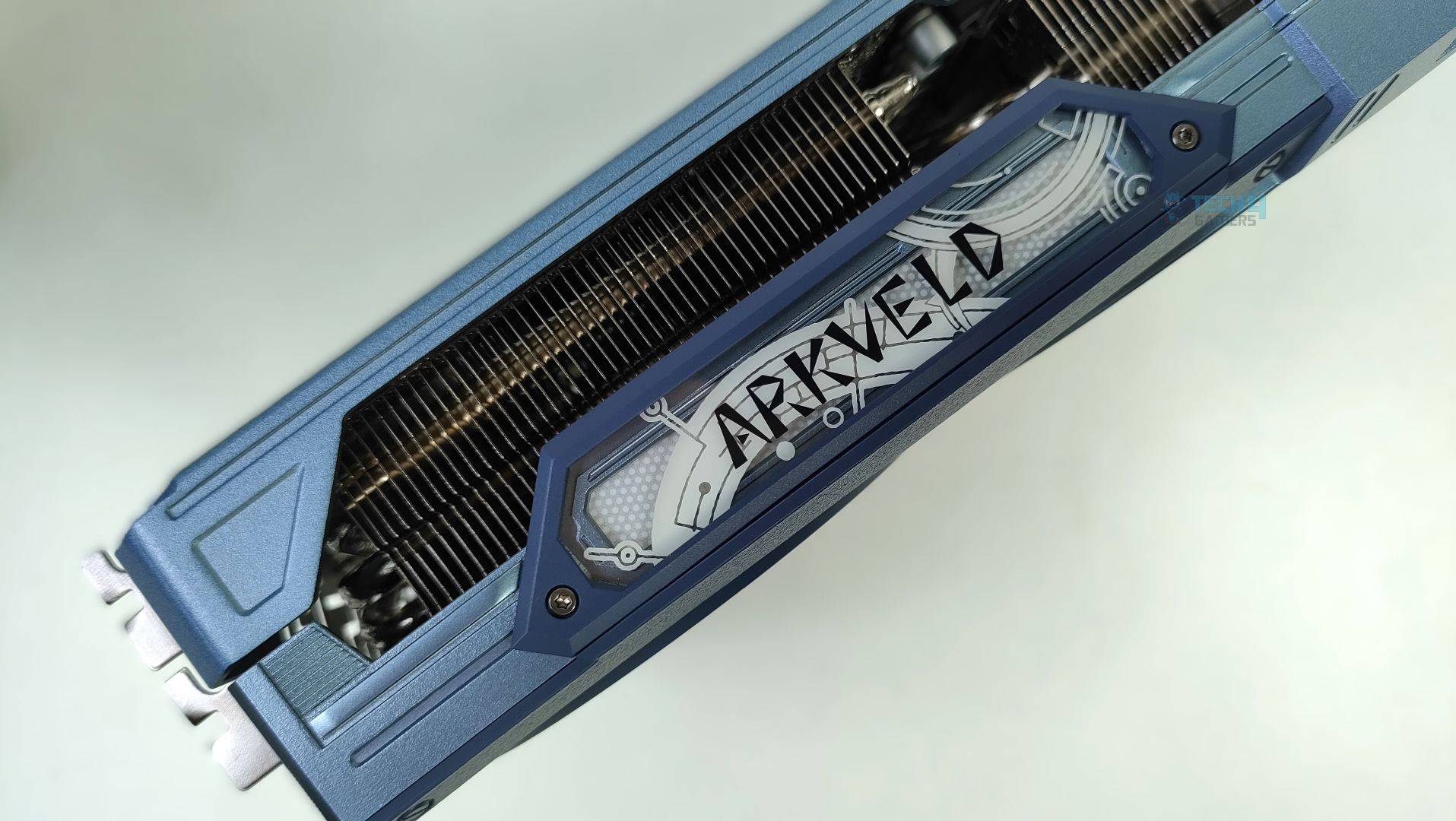
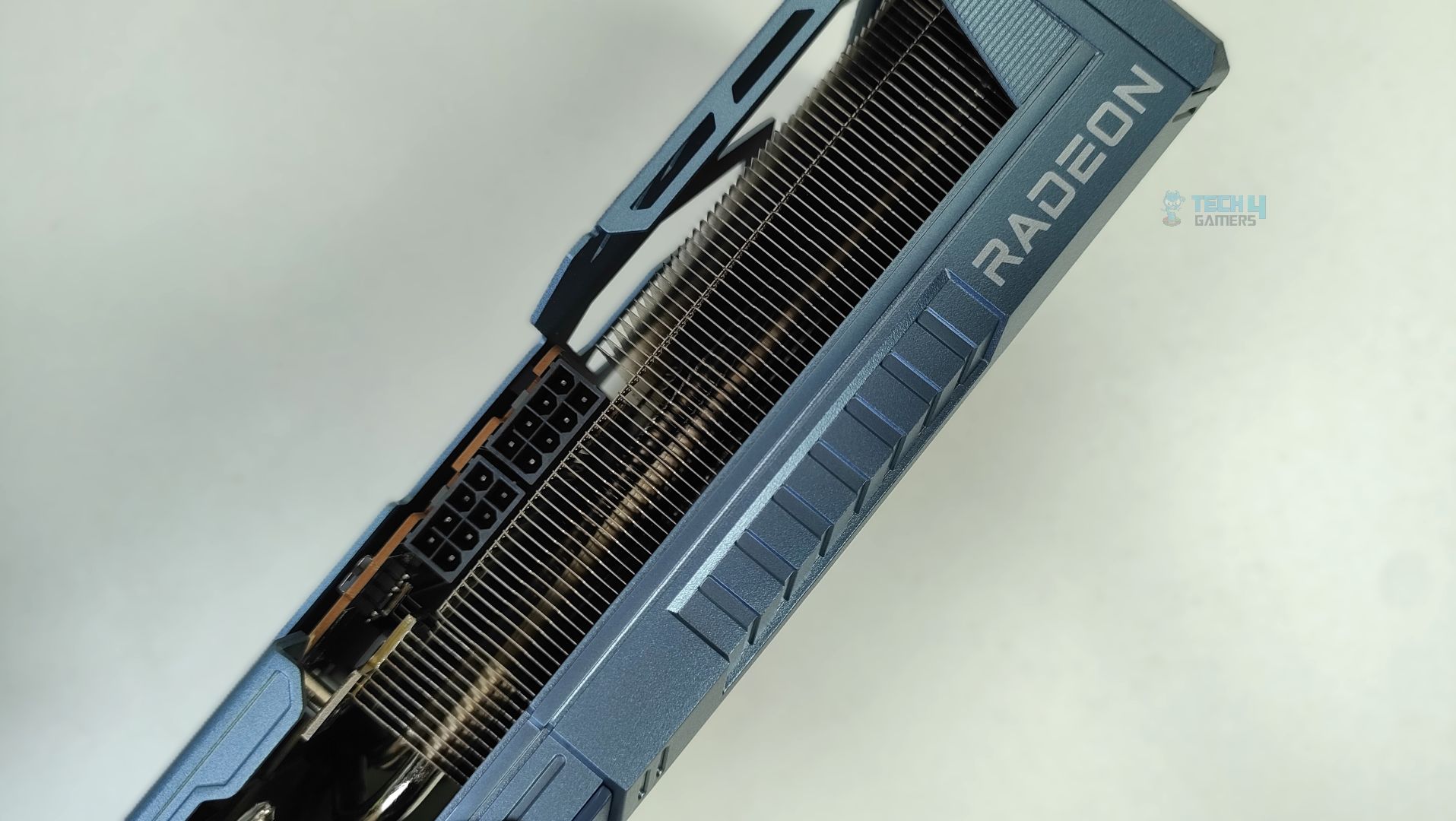
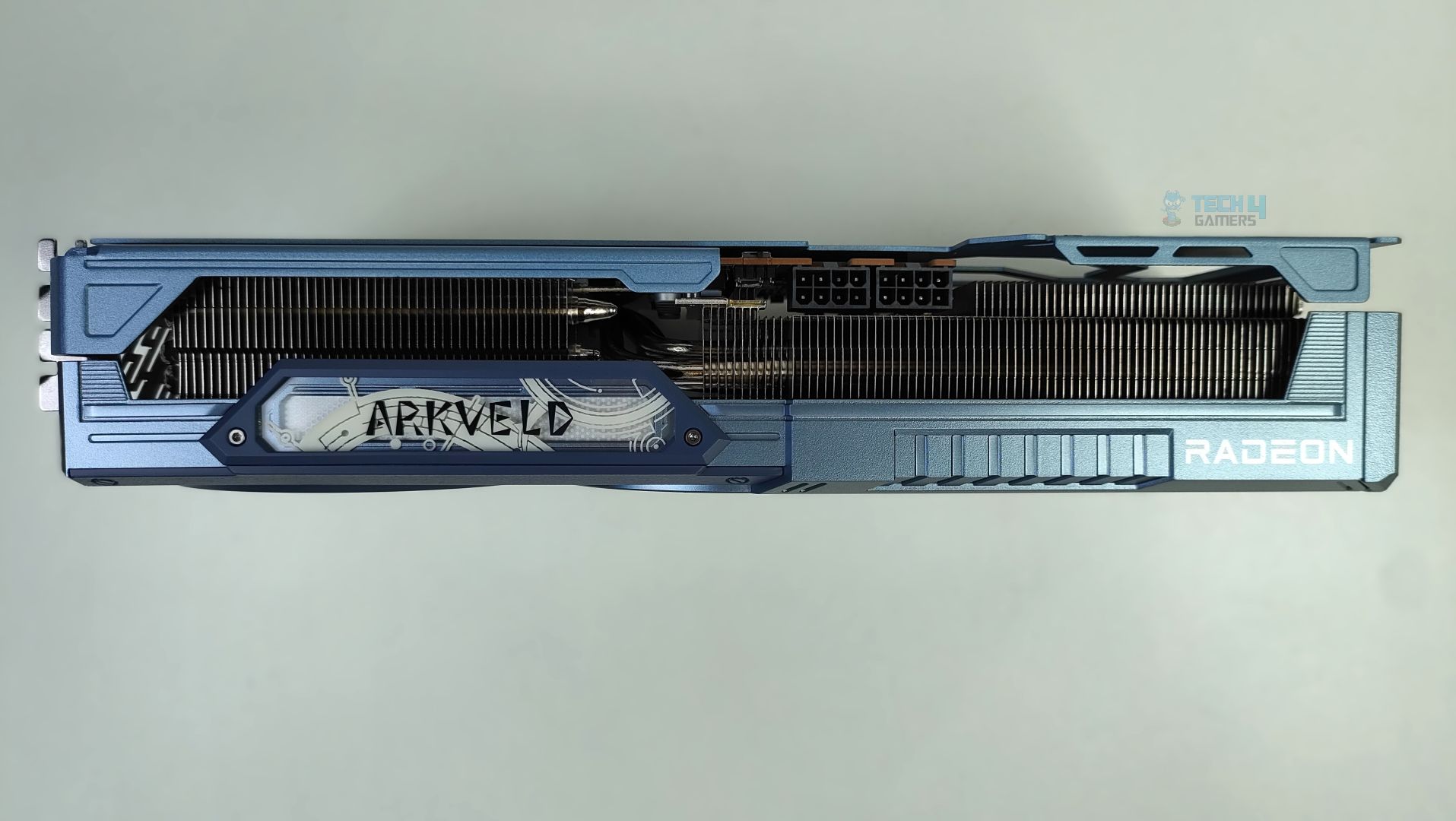
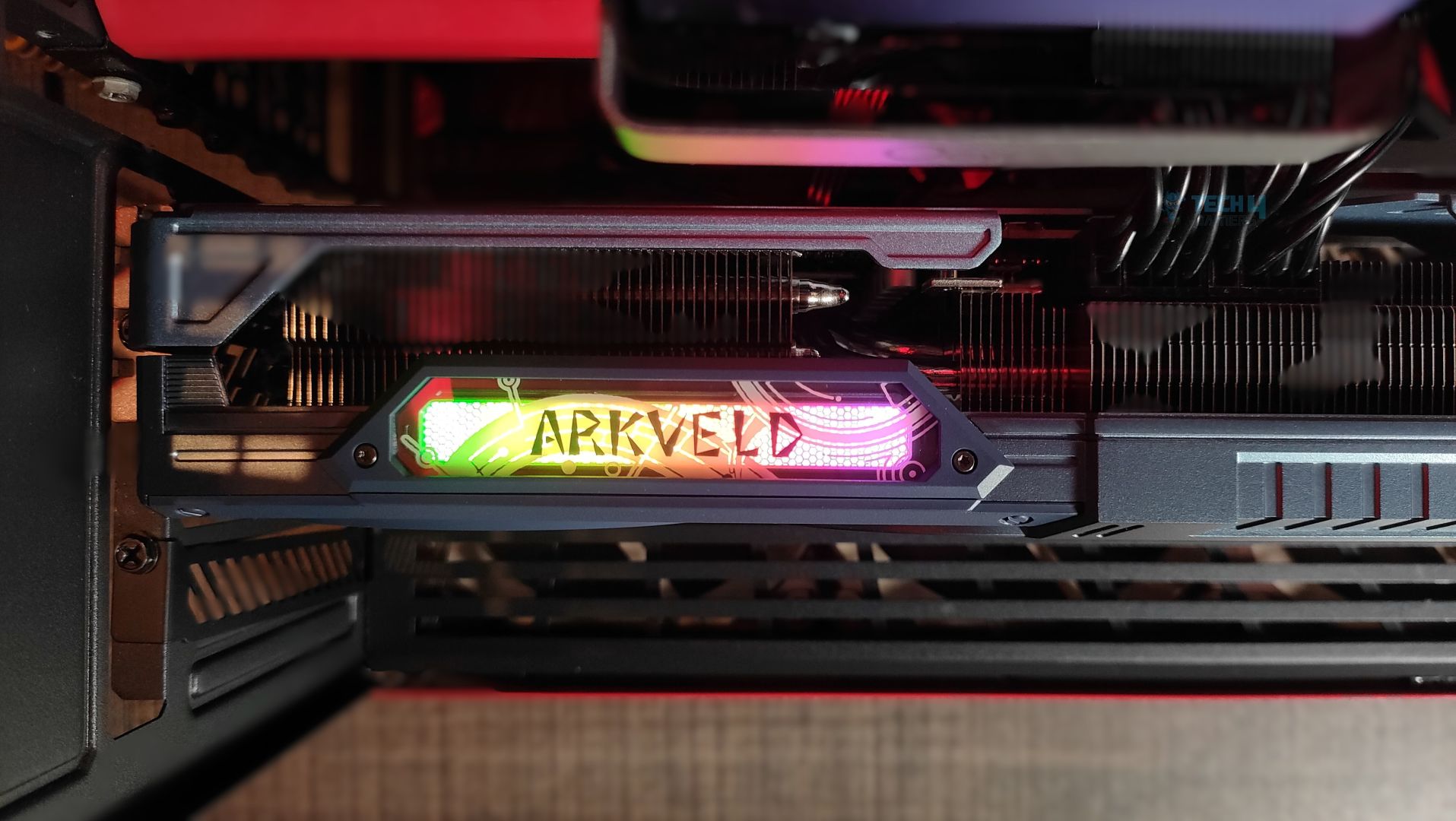
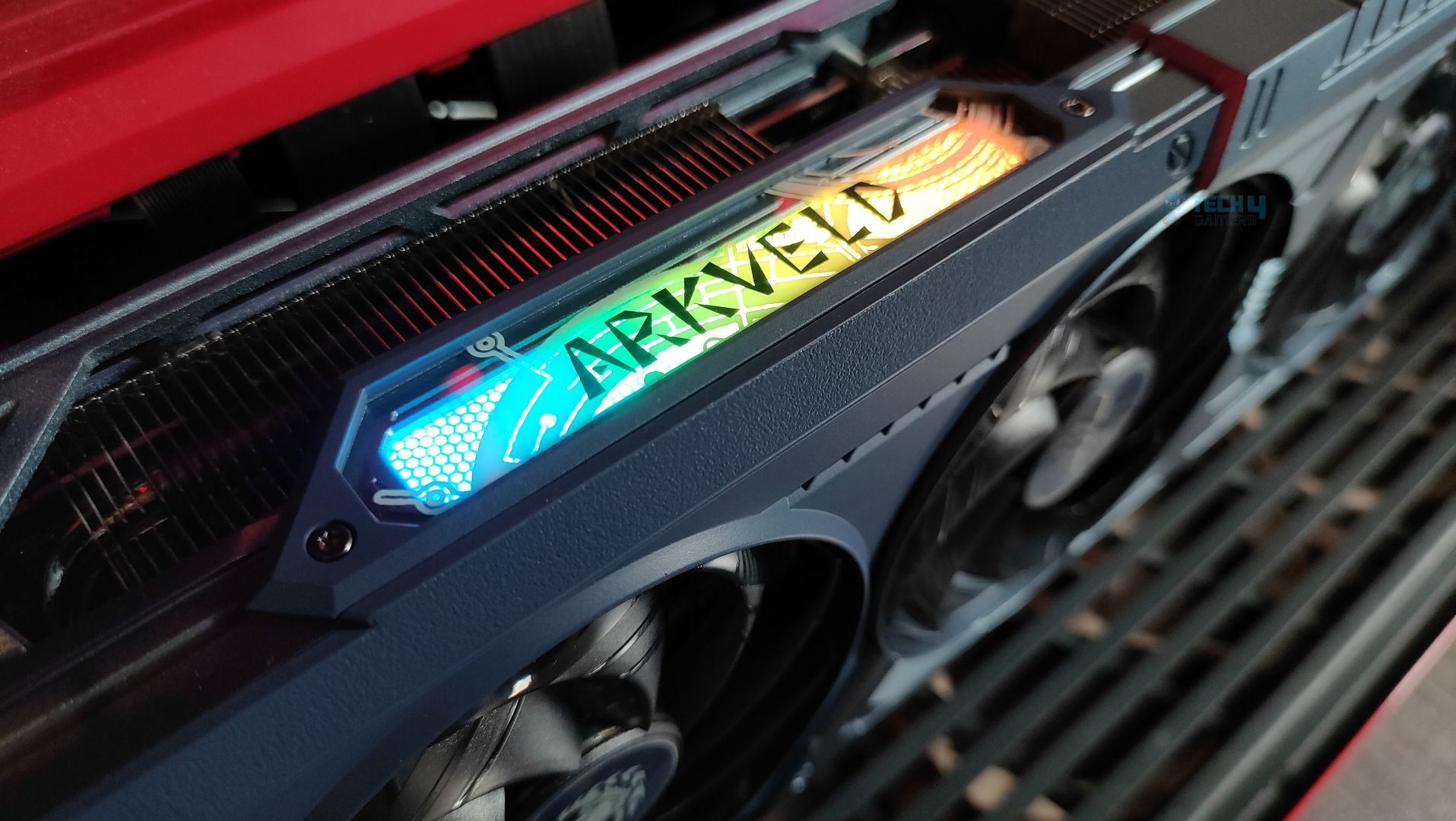
The side features a translucent acrylic Arkveld nameplate that glows with RGB effects. The design is very similar to the steel legends card. Moving forward, the GPU supports the 2×8-Pin GPU connectors. The Traditional Radeon Branding is also visible. The heatsink fins on the side profile are oriented vertically. The heatpipes are clearly visible from the sides as well.
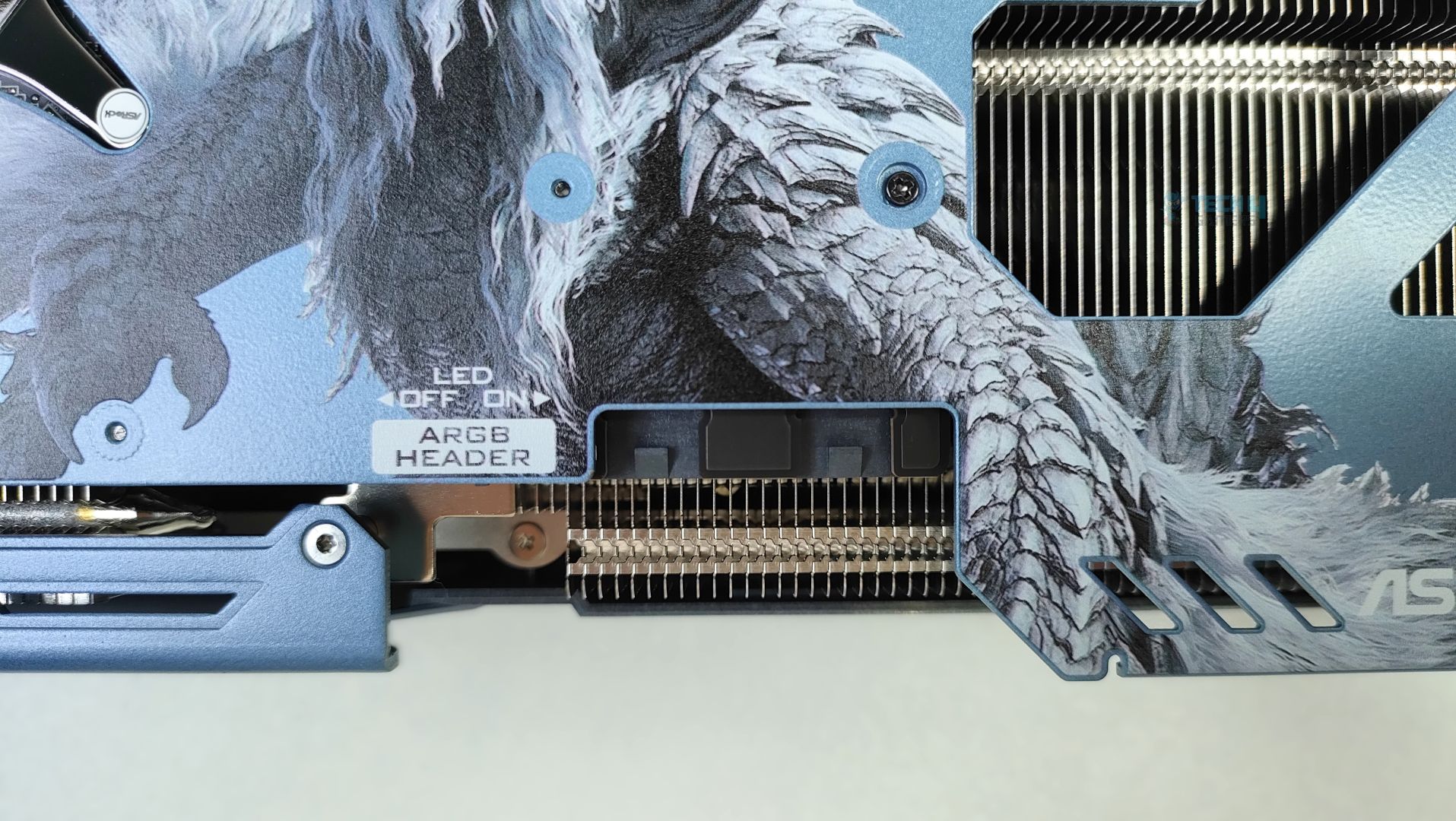
Besides the GPU connectors, there is a switch to turn the ARGB LED on and off, and an external ARGB header for ARGB sync, eliminating the need for ASRock’s Software. However, the ARGB connectors seem to be in a bit of a weird position, and not to my liking.
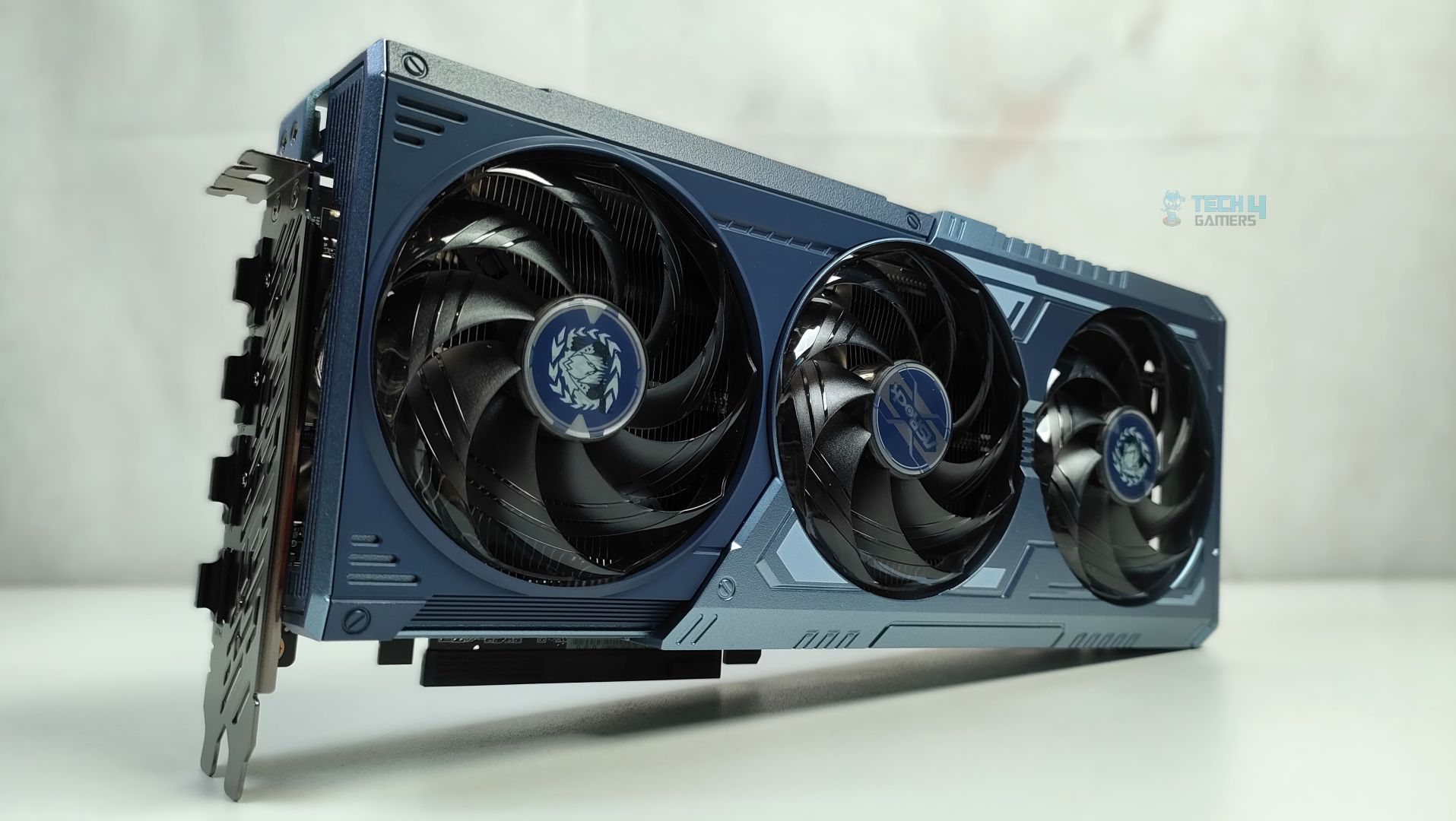
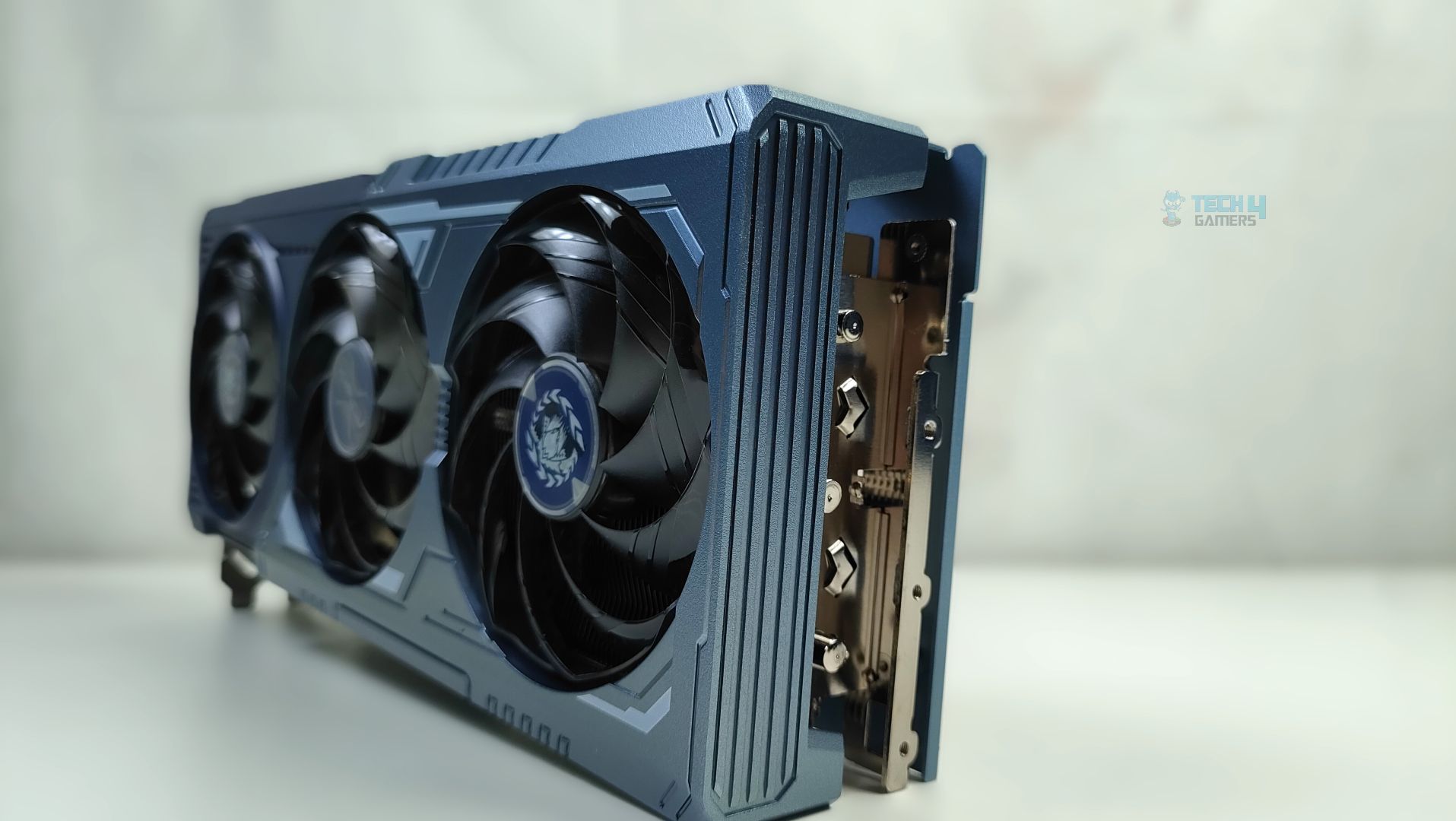
Overall, the dimensions of this GPU are 298 x 131 x 58 mm, and it’s a 3-slot GPU card, which is not very large compared to flagship GPUs such as the RTX 50, but it’s still a big GPU that will occupy three slots in your chassis. The tail of the card, at the back, has a large cut-out at the end of the metal backplate. The backplate is not just for the show-off; it also supports the reinforced metal support system. The internal metal frame is bolted directly to the I/O frame to prevent the GPU sag. Overall, the material used is high-quality aluminium, and ASRock did not cut any corners here in the design.
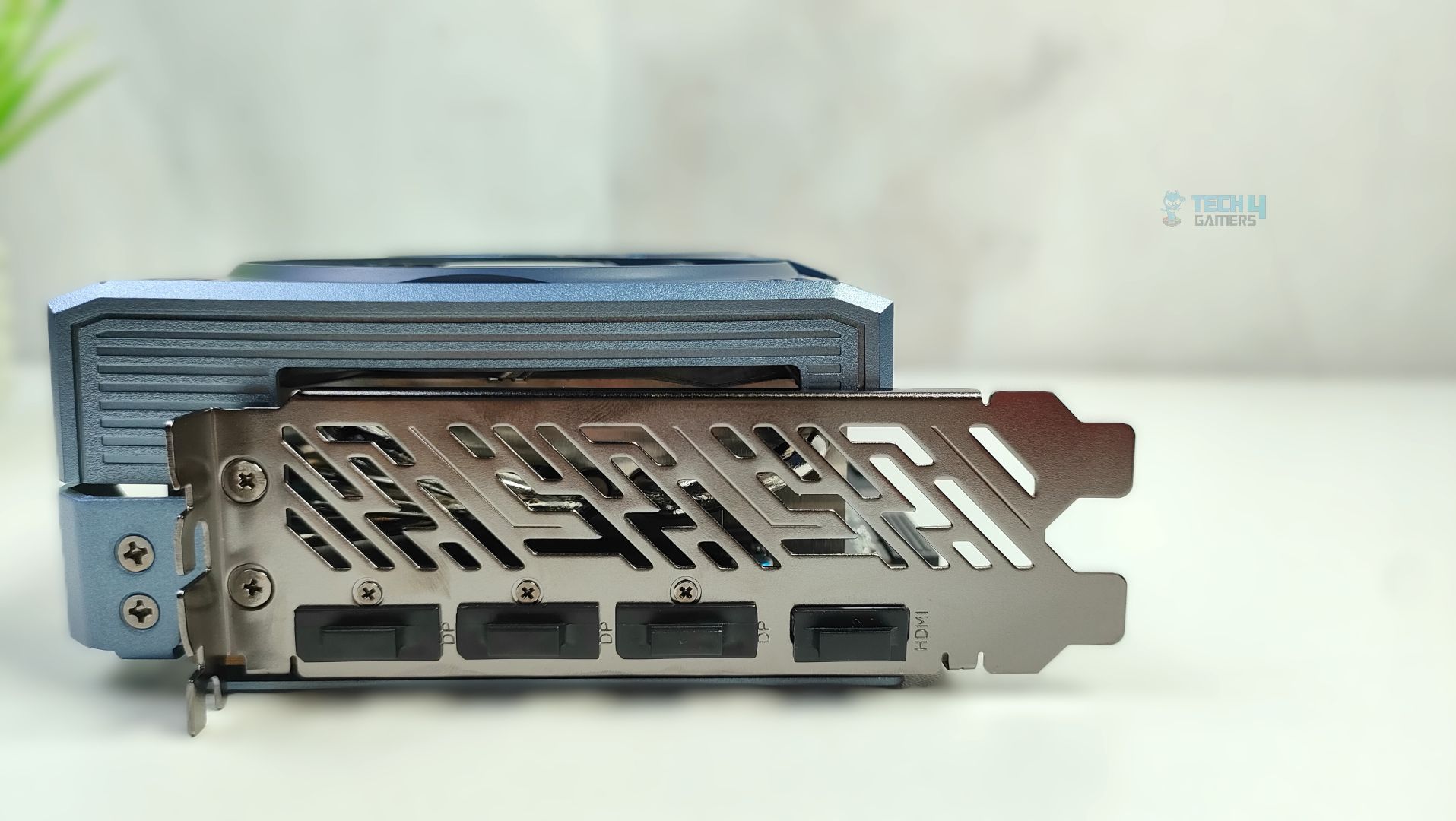
Lastly, we’re taking a look at the card’s I/O plate. It features a thick reinforced vented bracket. The GPU supports 3x DisplayPort 2.1a and 1x HDMI 2.1b connectors.
Assembled in Chassis
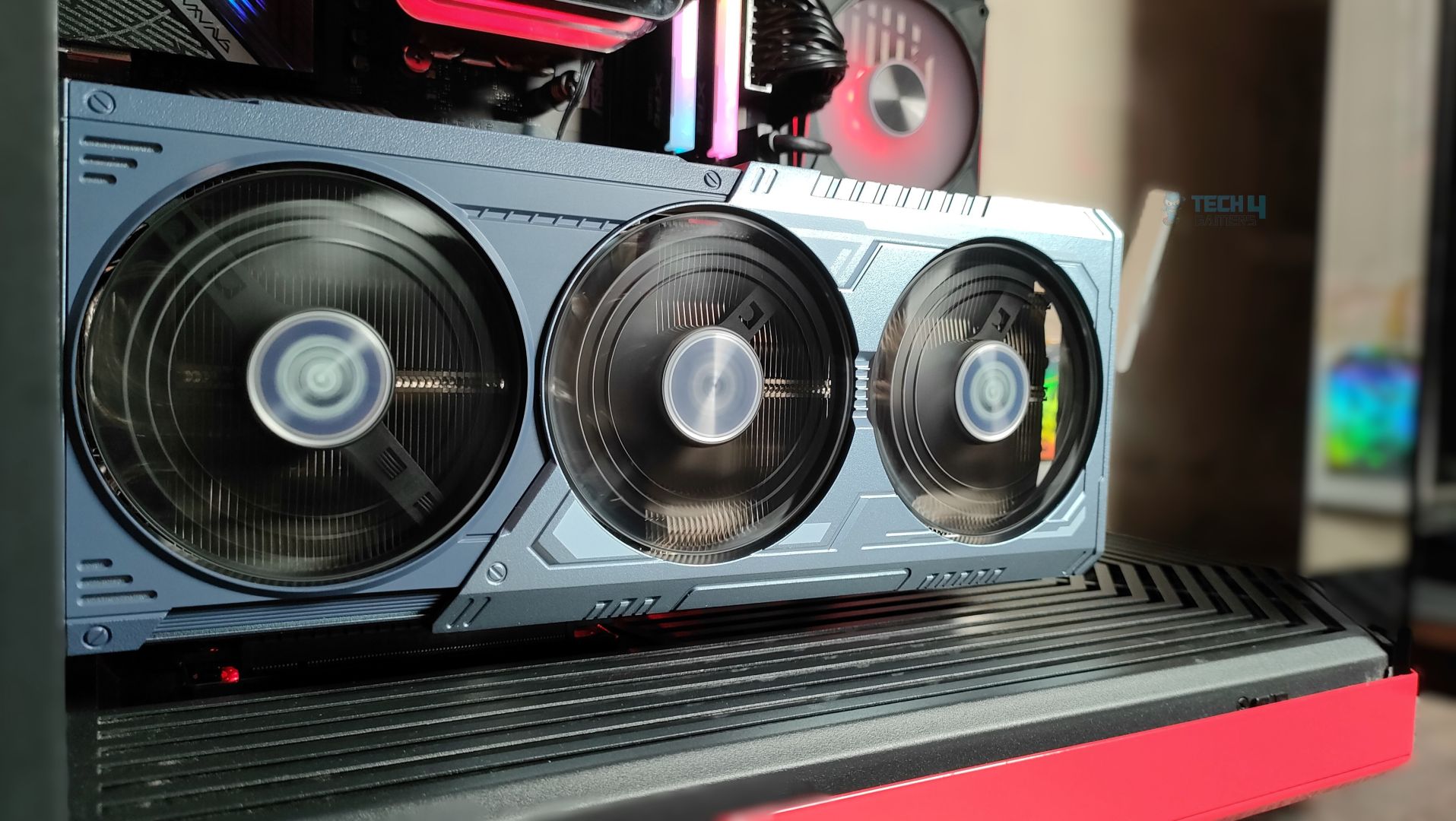
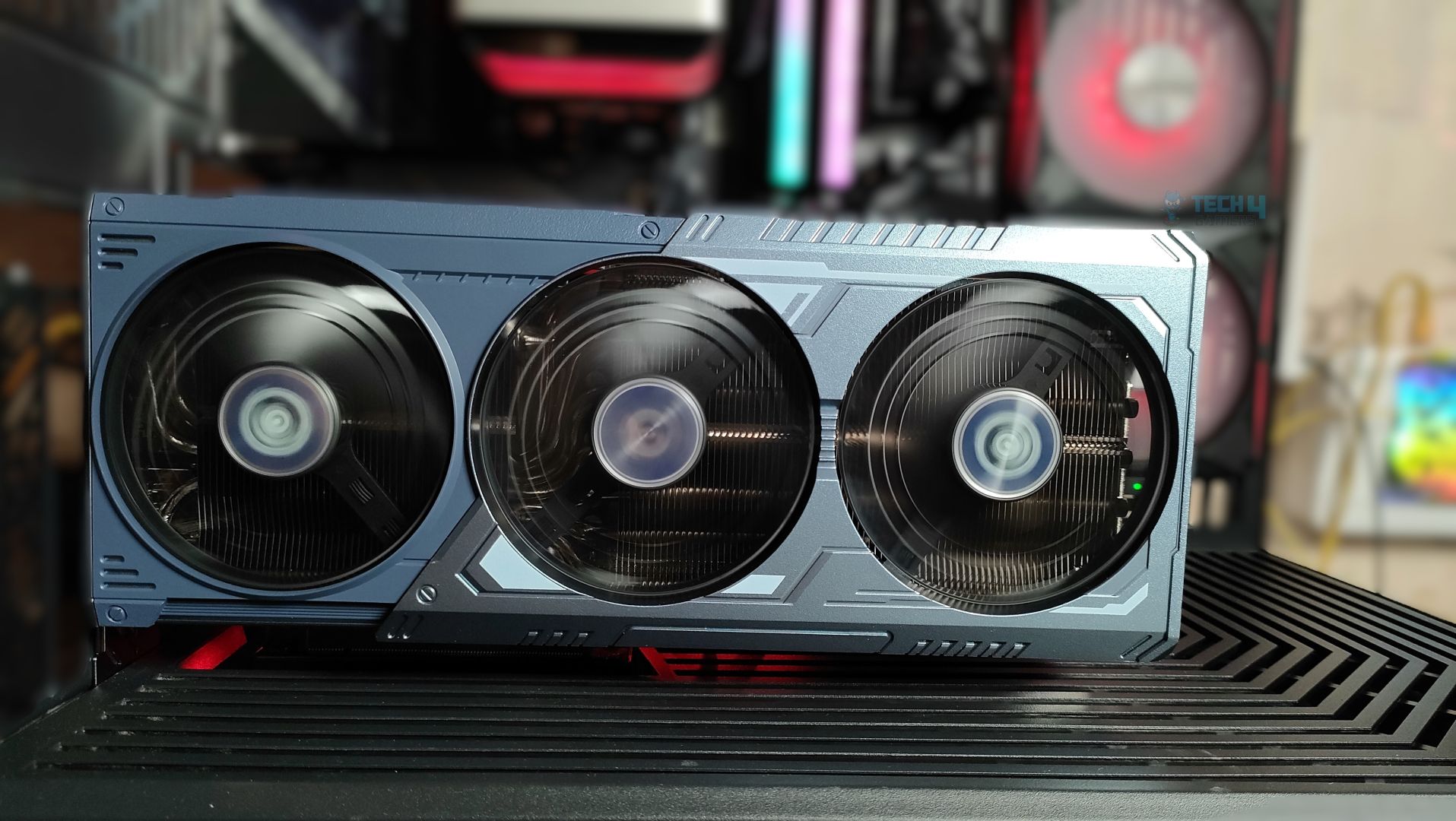
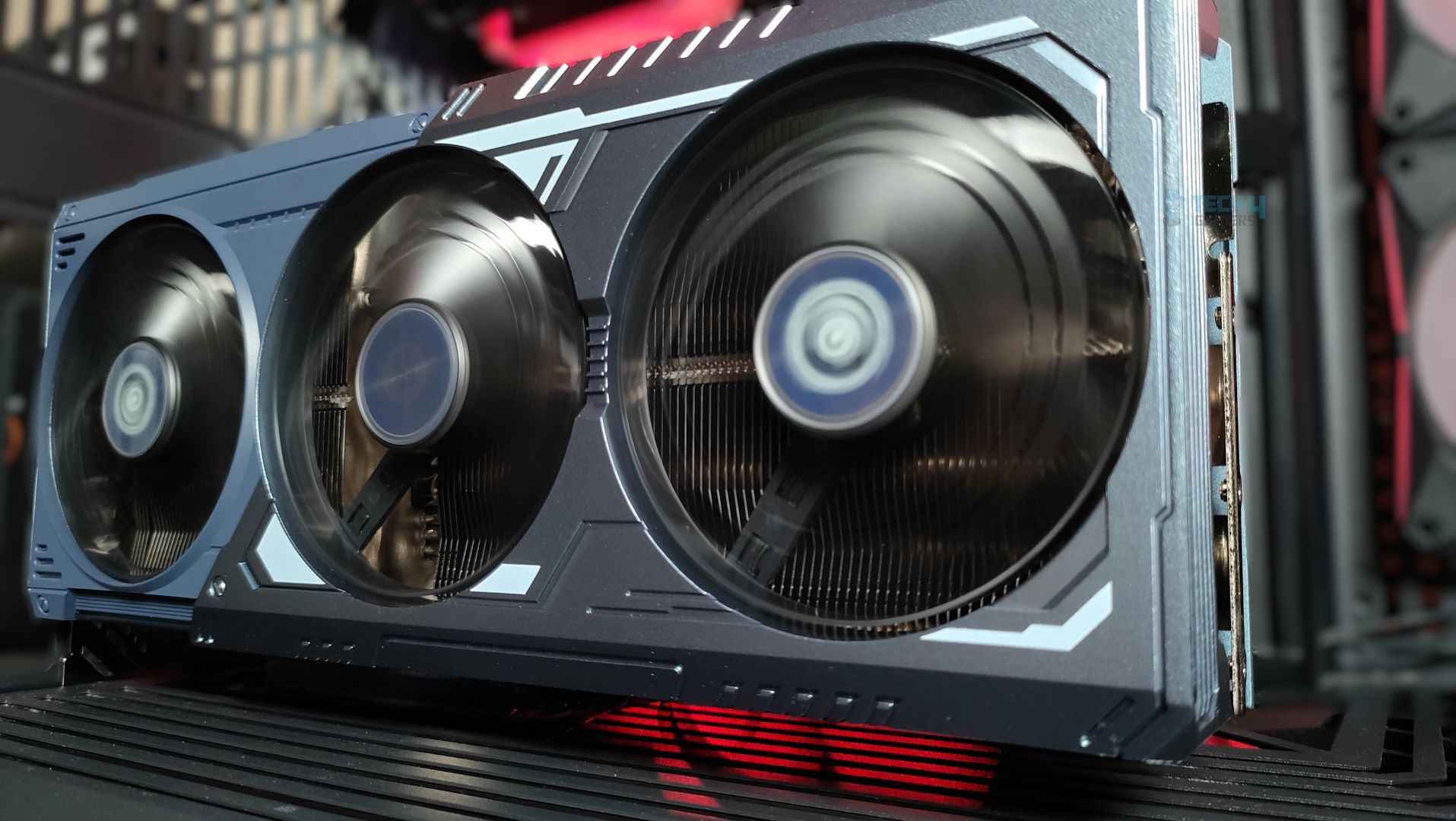
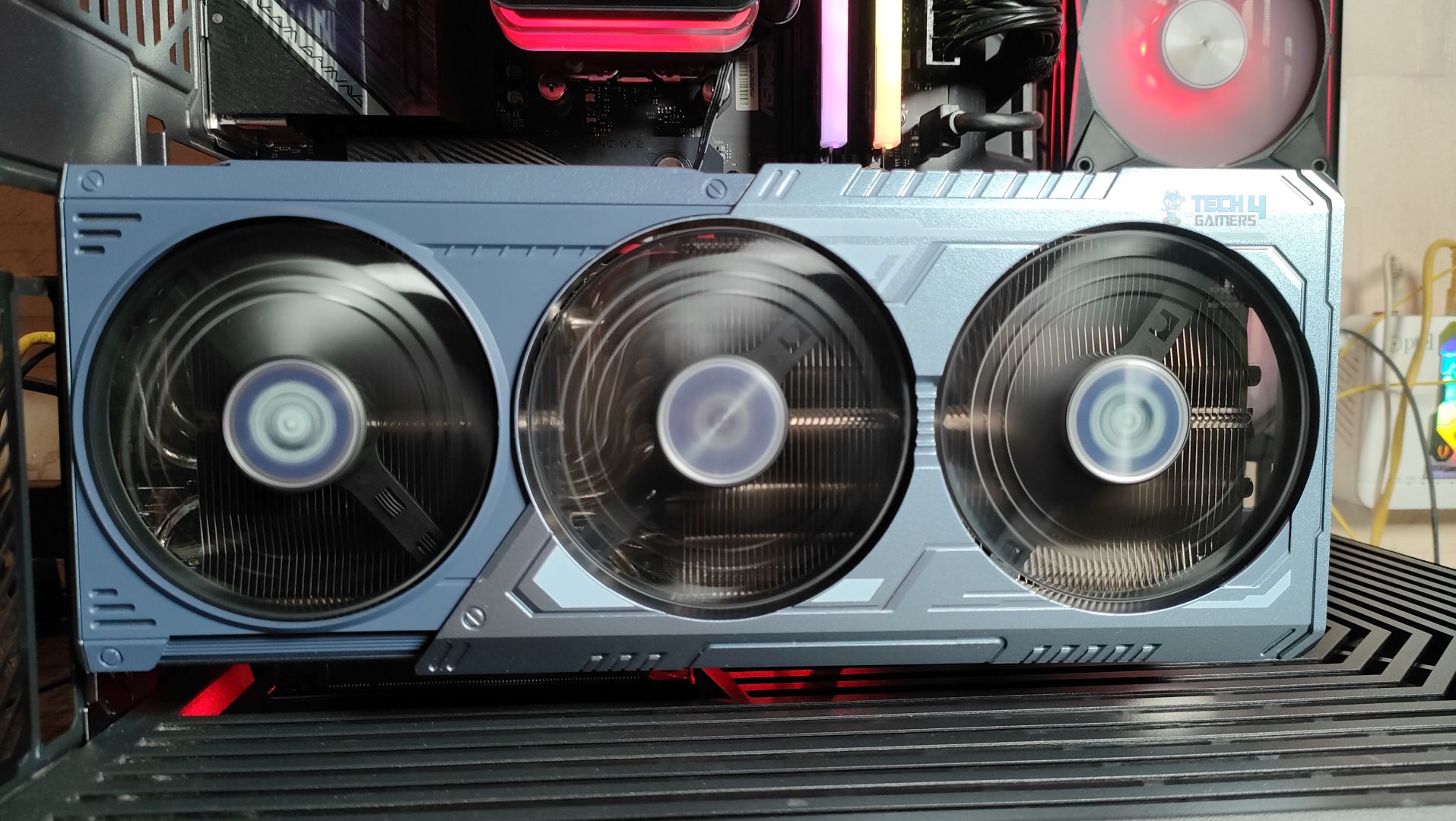
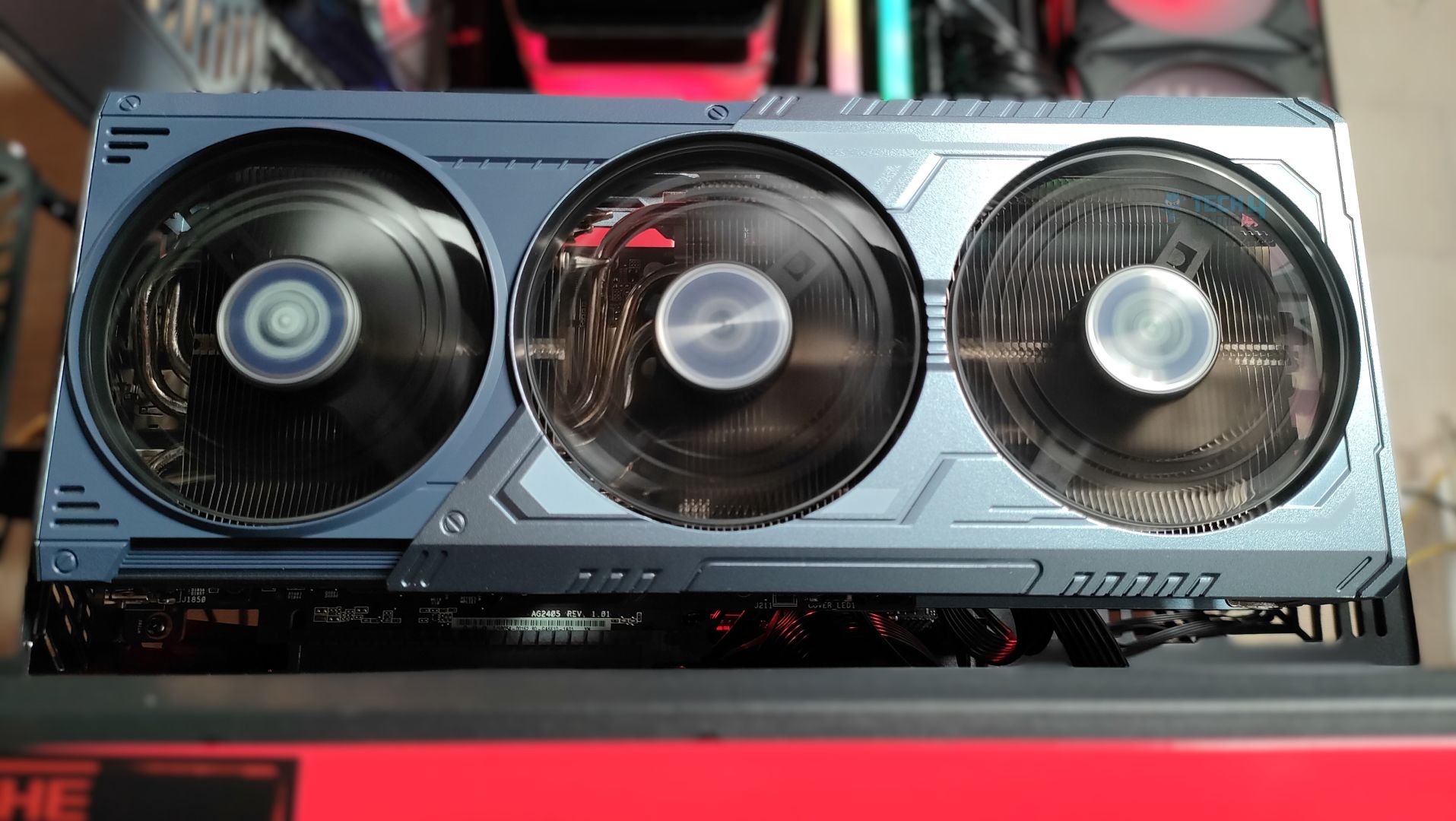
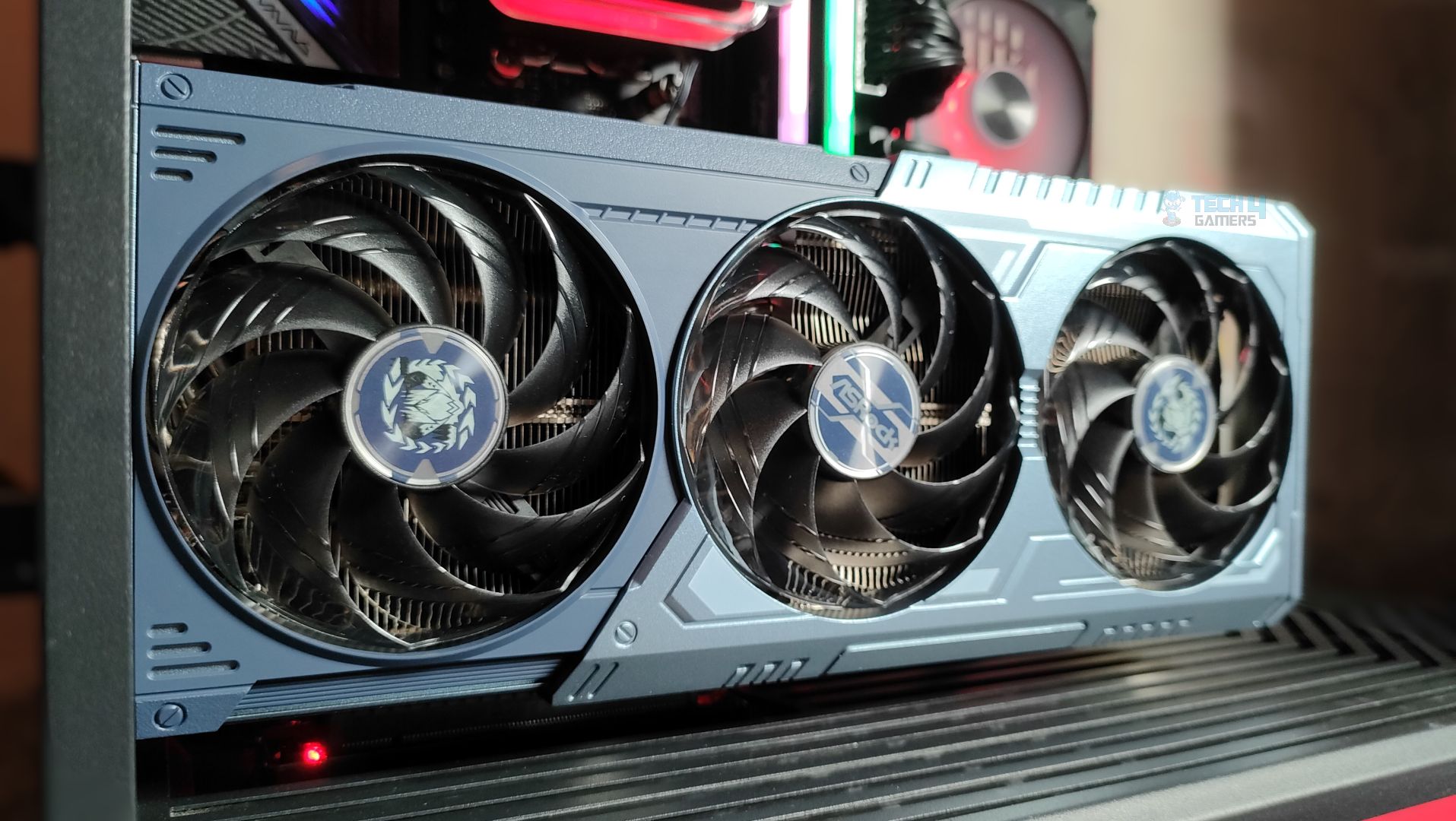
Here are additional shots of the ASRock Radeon RX 9070 XT Monster Hunter Wild Edition installed inside the case.
Test Setup
| Our Test System | |
|---|---|
| Processor | AMD Ryzen 9 9950X |
| Memory | XPG Lancer 32GB (16x2) 6000MT/s CL30 |
| Motherboard | ASRock X870 Phantom Gaming Nova WiFi (BIOS: 3.5v) |
| Power Supply Unit | Super Flower LEADEX VII Platinum PRO 850W |
| CPU Cooler | Ocypus L36 Sigma Pro |
| Chassis | Hyte Y70 |
| Windows Version | Version 25H2 (OS Build 26200.7462 |
| Motherboard BIOS | v3.5 |
| Chipset Version | 7.11.26.2142 |
| Nvidia Display Driver | Game Ready v591.59 |
| AMD Display Driver | AMD Software Adrenalin: v25.12.1 |
Testing Methodology
Testing Setup
We tested all games and GPUs using the same settings, drivers, and software mentioned above. Every GPU ran the same version of each game, and we measured gaming performance at the game’s native resolution—without using any upscaling or frame-generation tools. We didn’t change any settings in the control panel; all adjustments were made directly within the game.
Upscalling / Anti Alising:
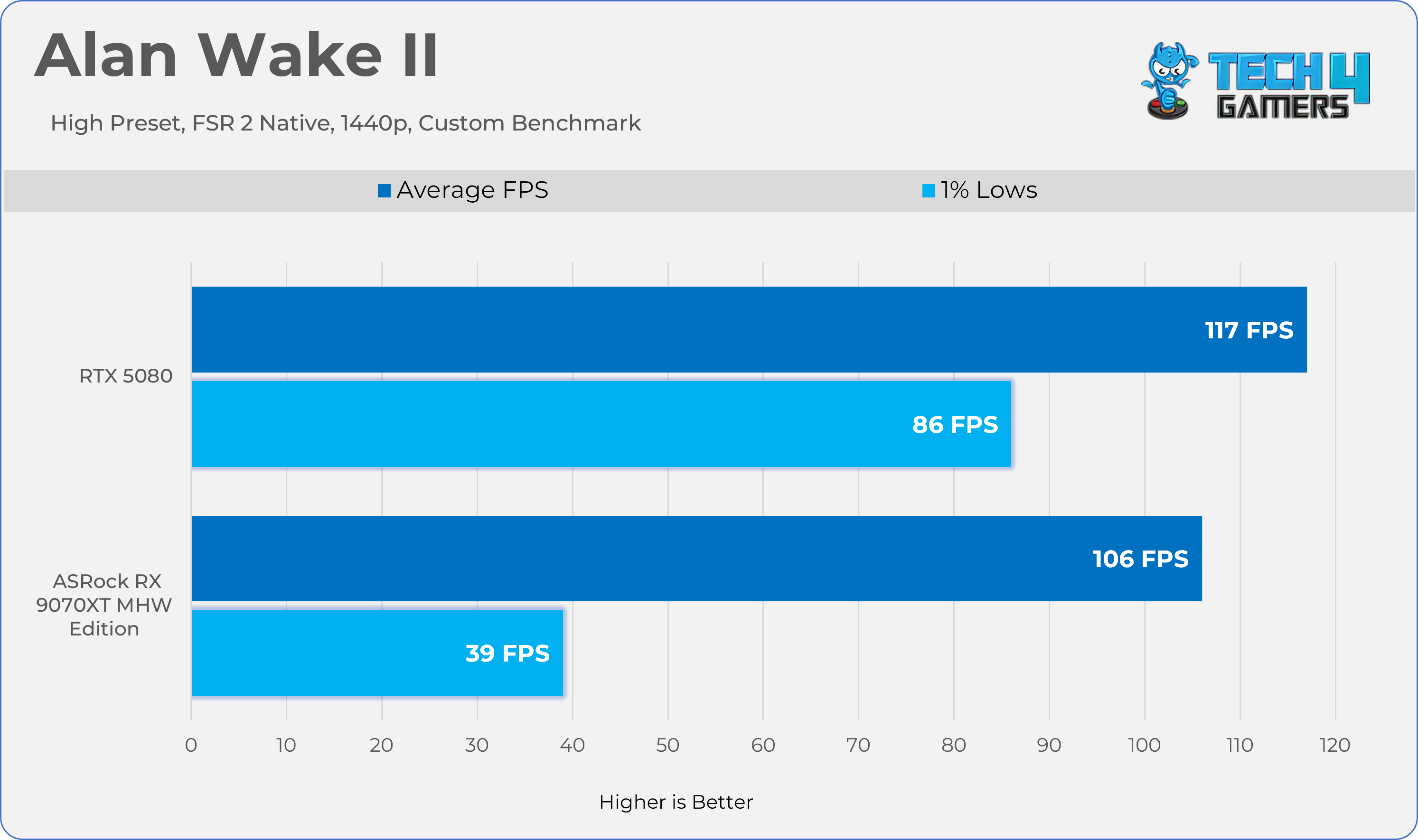
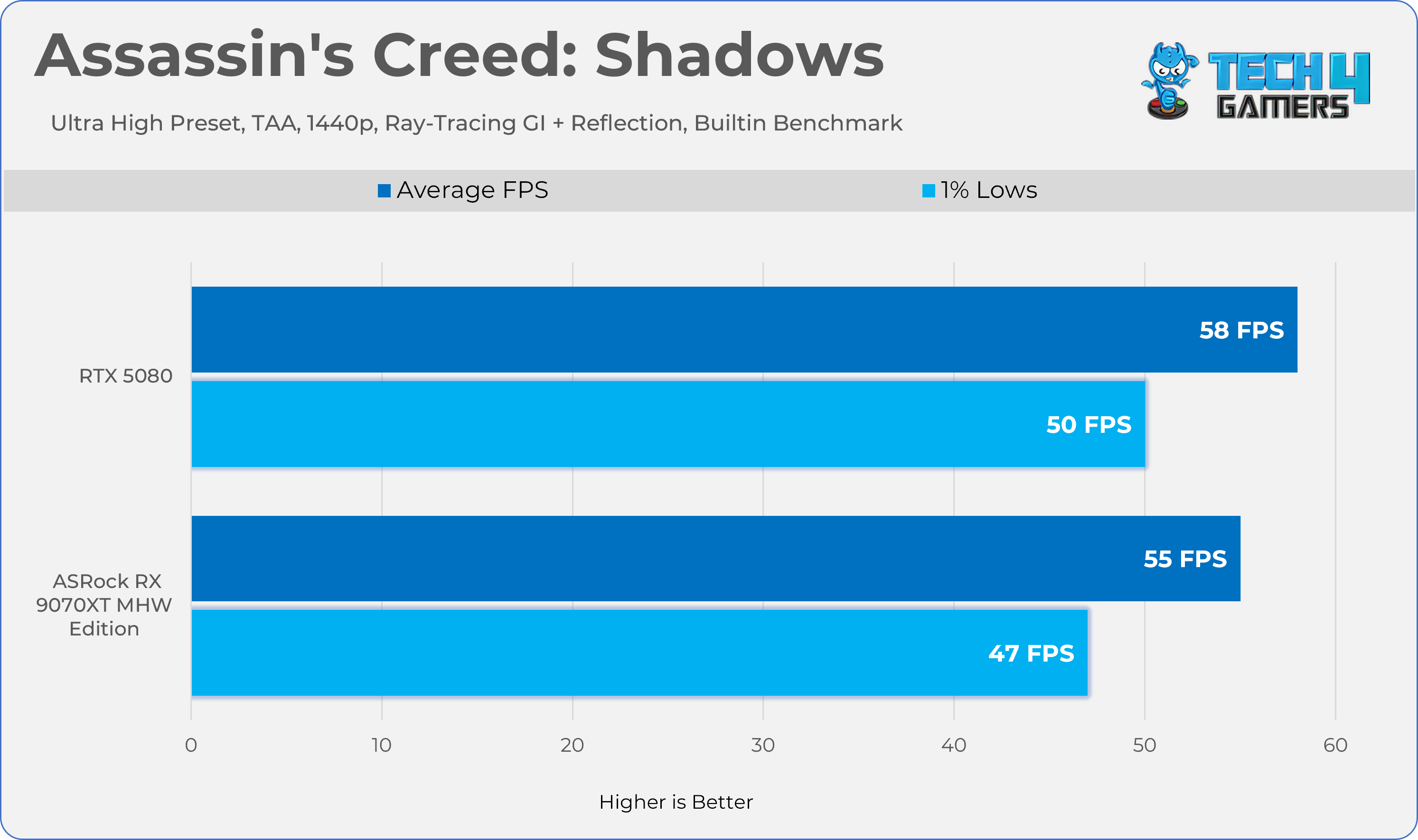
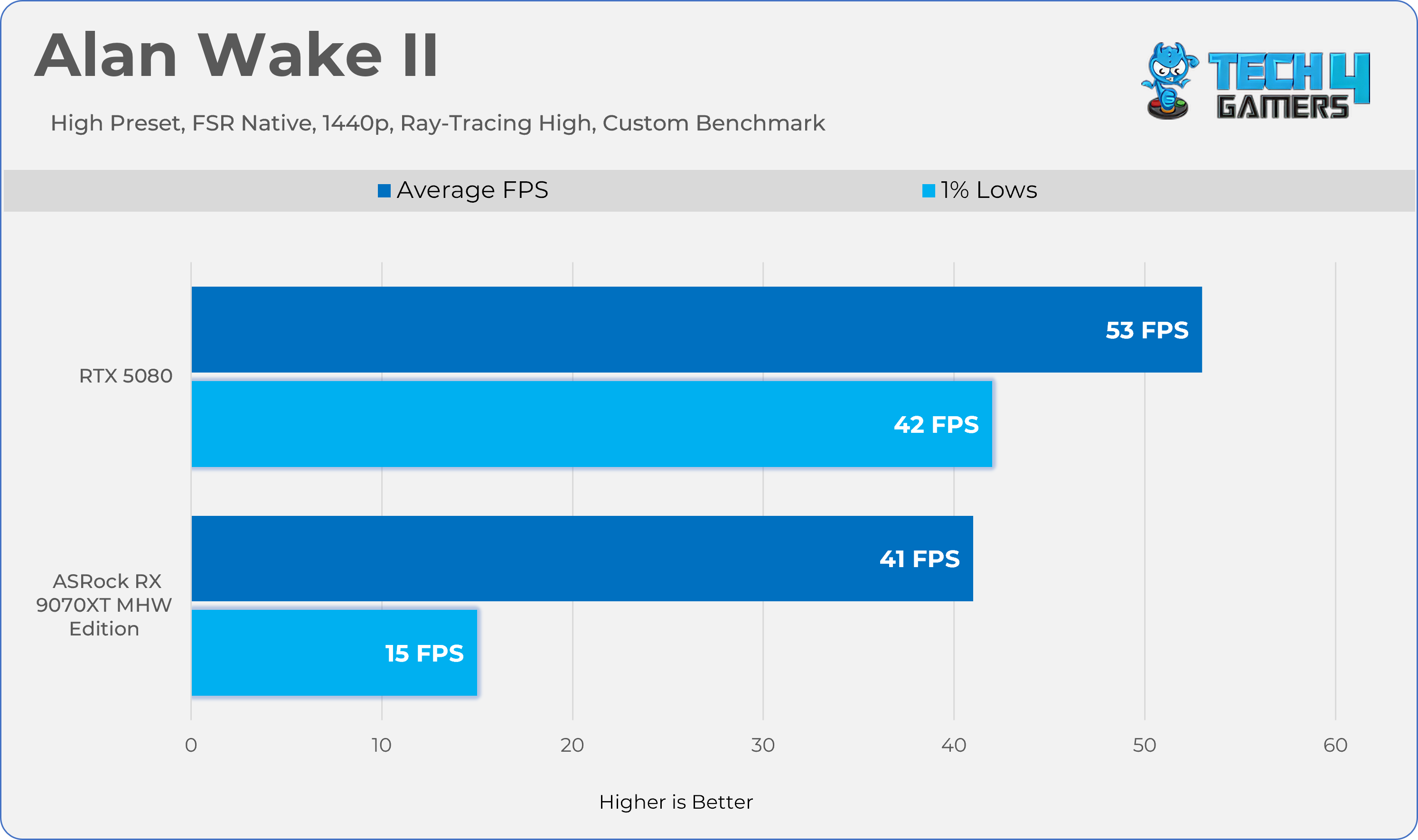
For games that don’t have their own upscaling or Temporal Anti-Aliasing (TAA), we used FSR Native because it works with every GPU. For example, this was the case with Alan Wake II.
Performance / Measurement Tools:
- MSI Afterburner: recorded performance metrics.
- HWINFO Pro: tracked clock speeds and measured both average and maximum power consumption.
- NvAPP: NVIDIA shadow-play was completely disabled on RTX GeForce cards.
Benchmark Methods:
Some games used their built-in benchmarks, while others were tested with custom settings.
GPU Configuration:
None of the GPUs were modified, overclocked, or had their power limits increased during the tests. We also test the Graphics Card Cooler Noise, Fan Behavior, and Temperatures on the stock settings.
Screen Resolutions Tested:
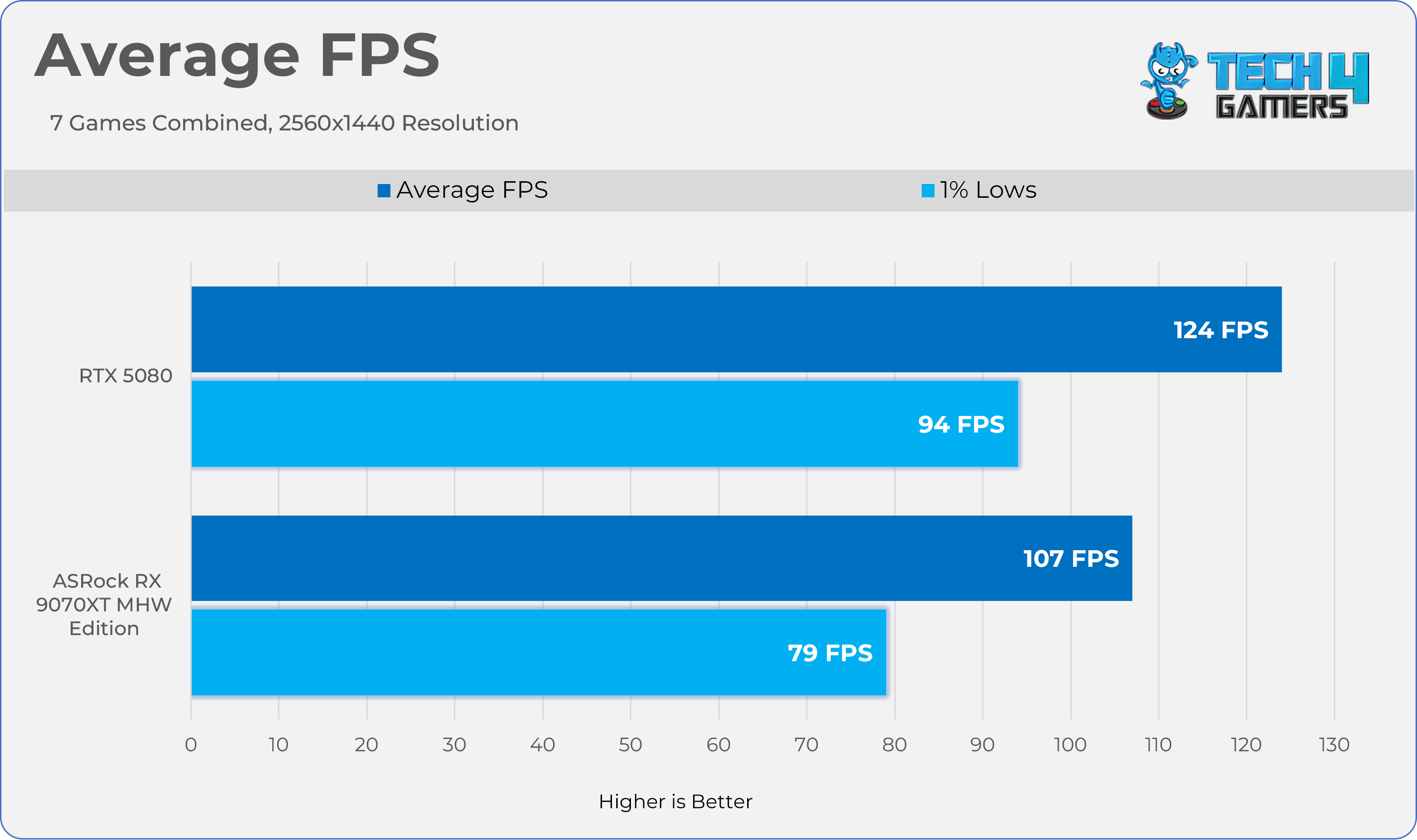
- QHD (2560×1440)
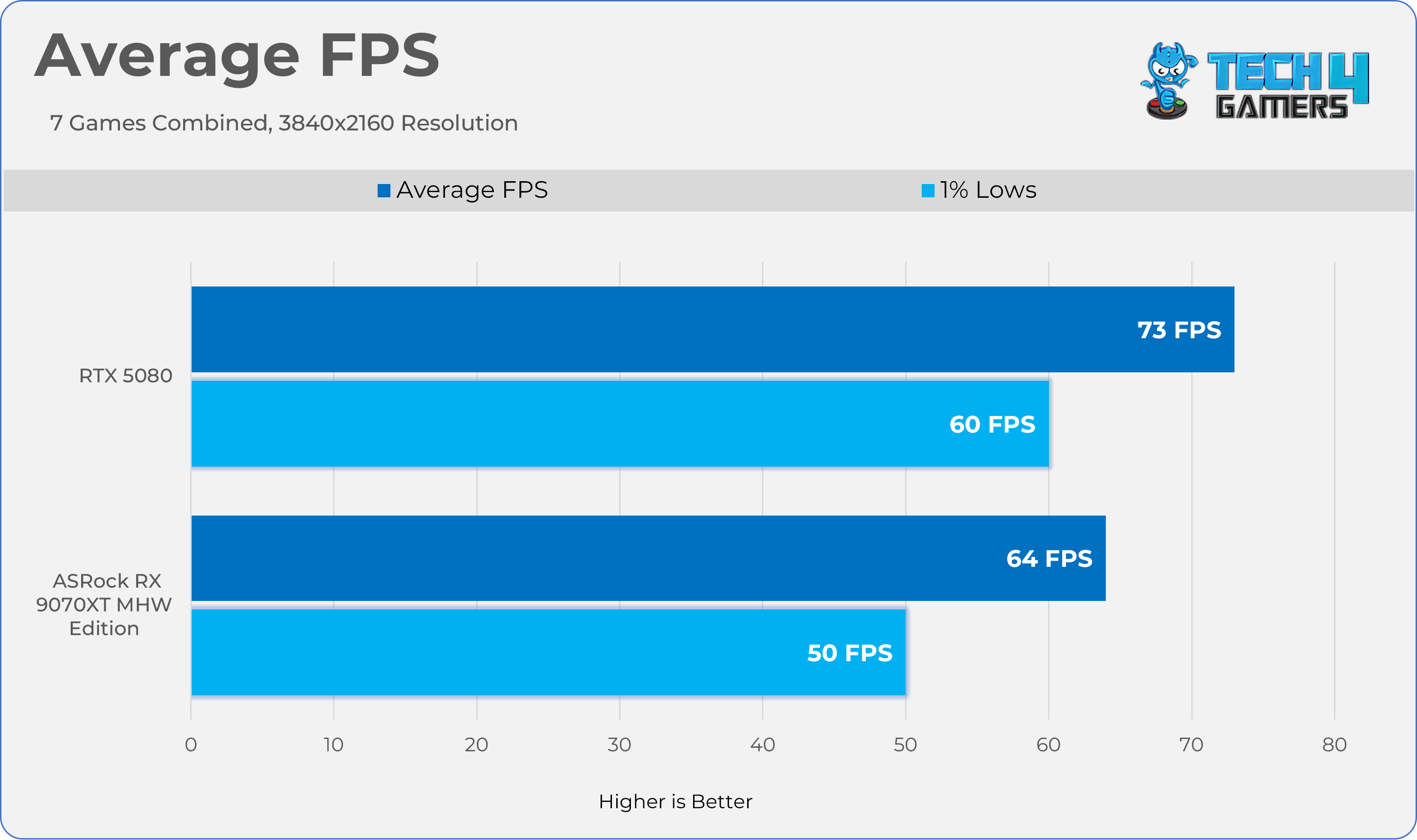
- UHD (3840×2160)
Rasterization Performance
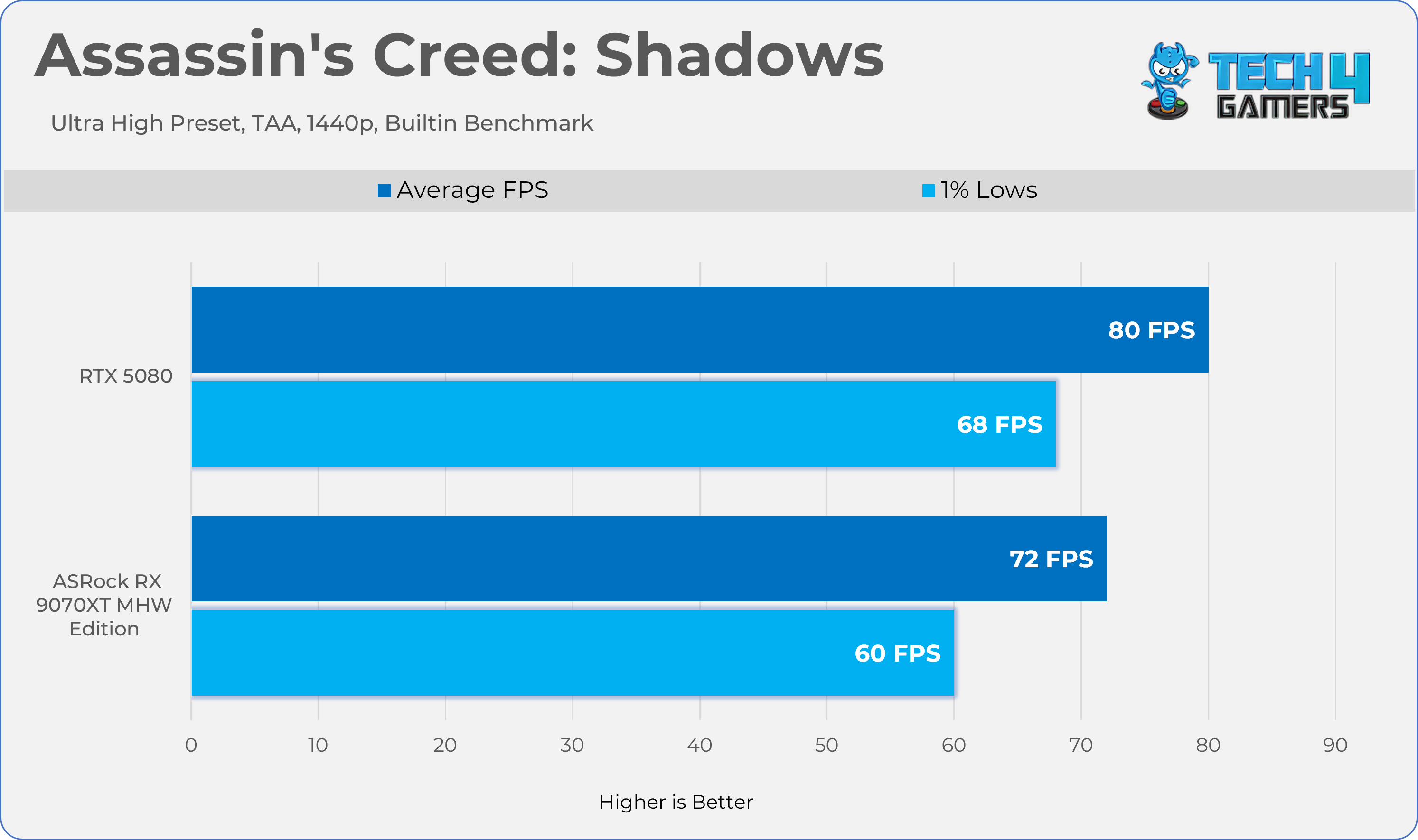
Gaming 1440p Benchmarks
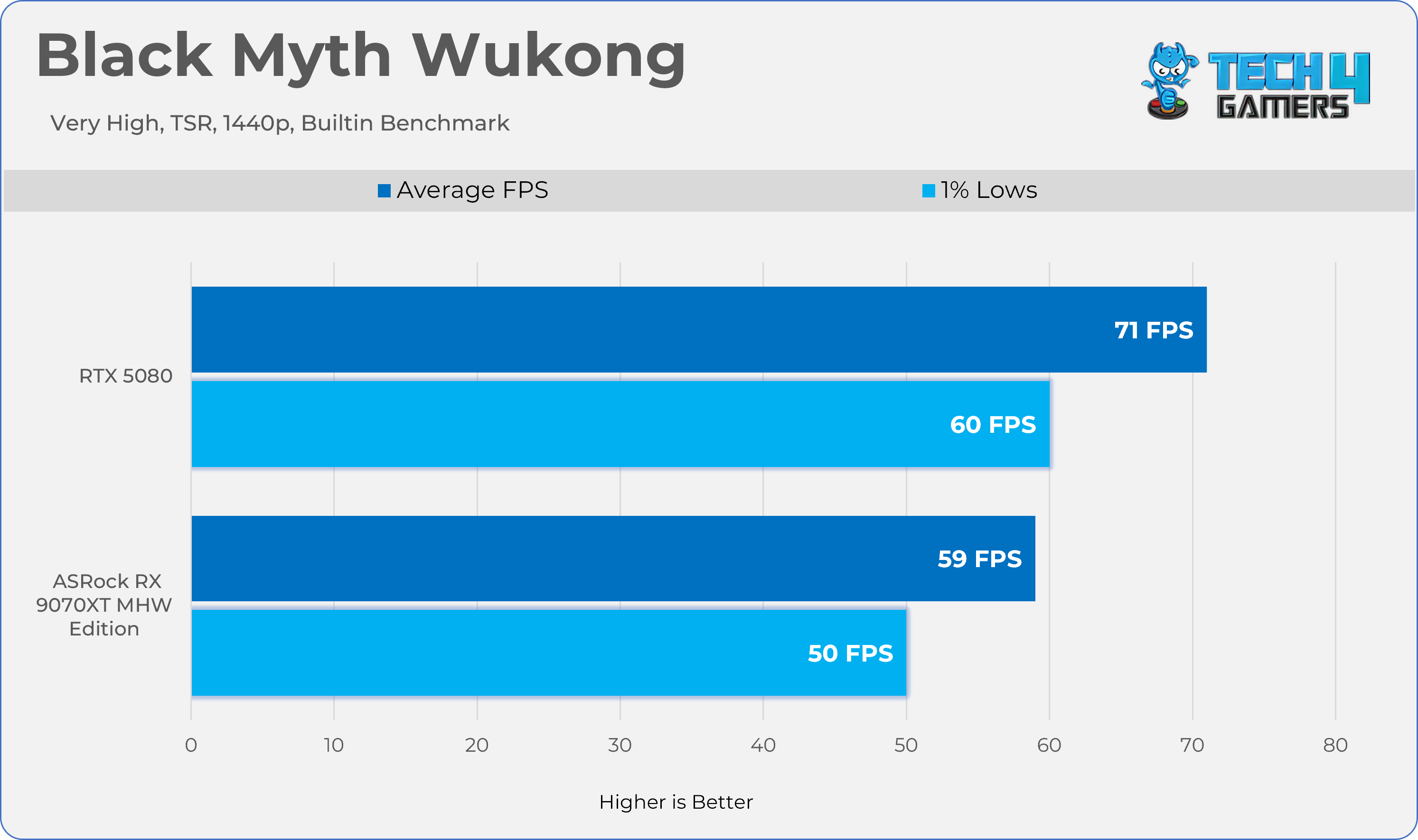
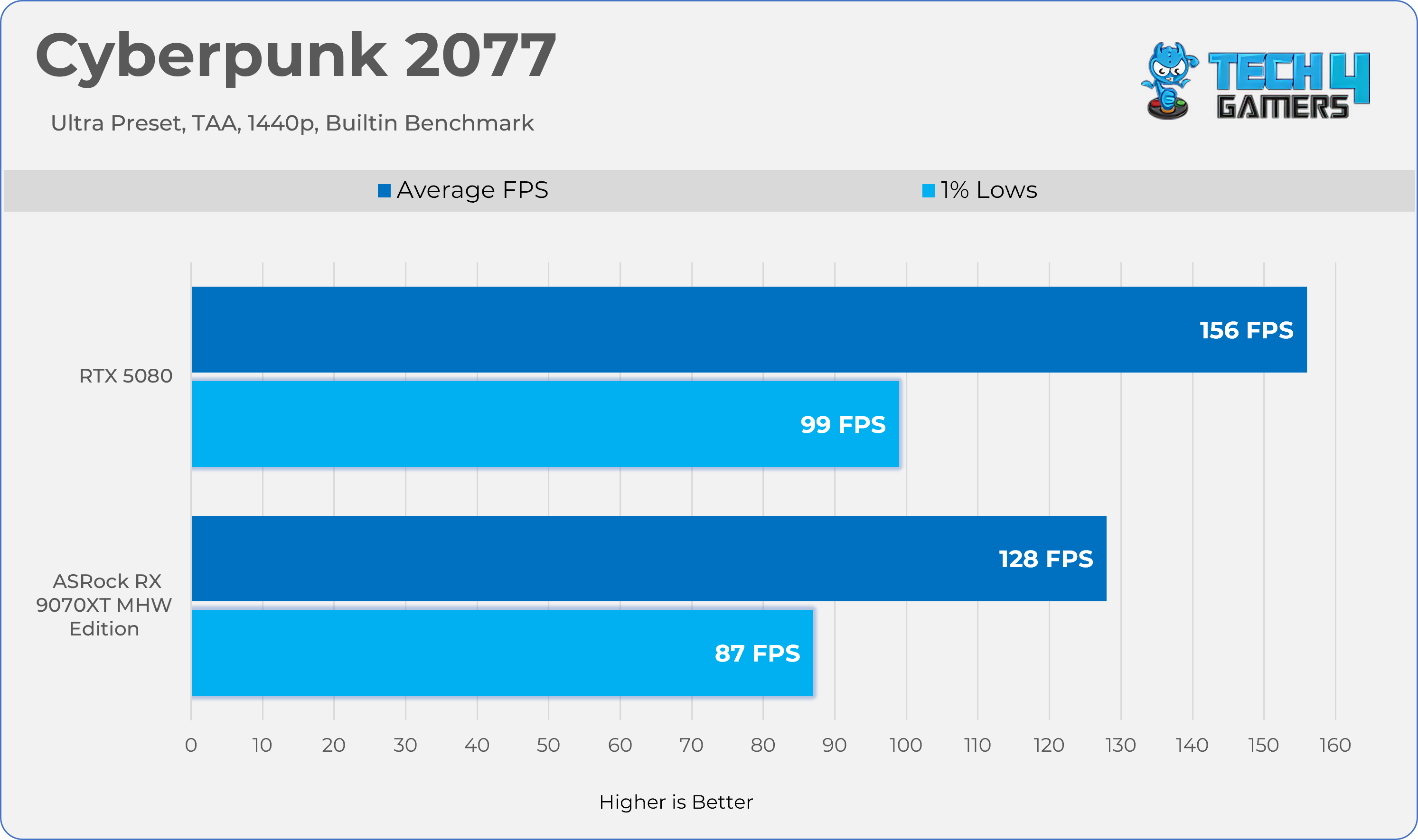
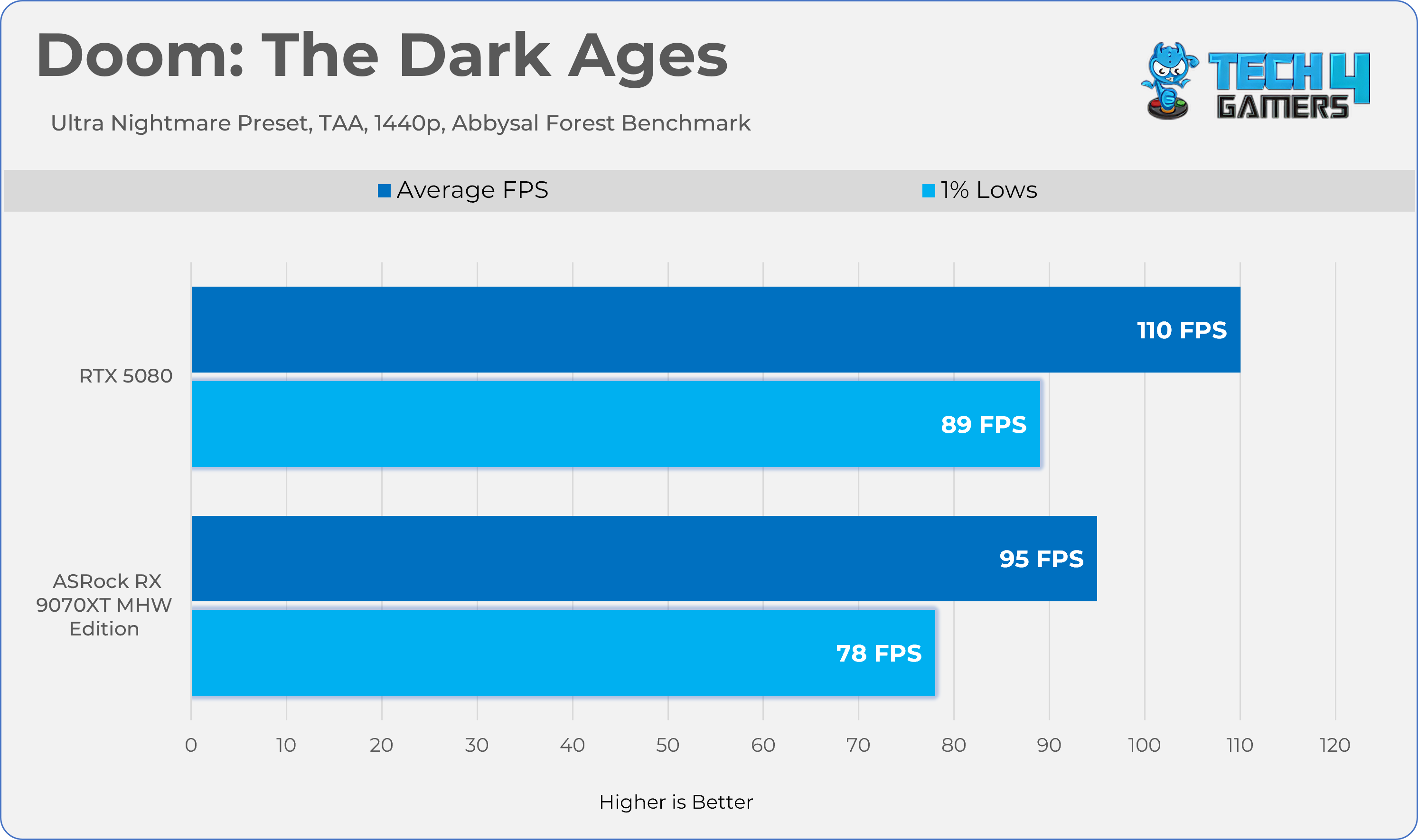
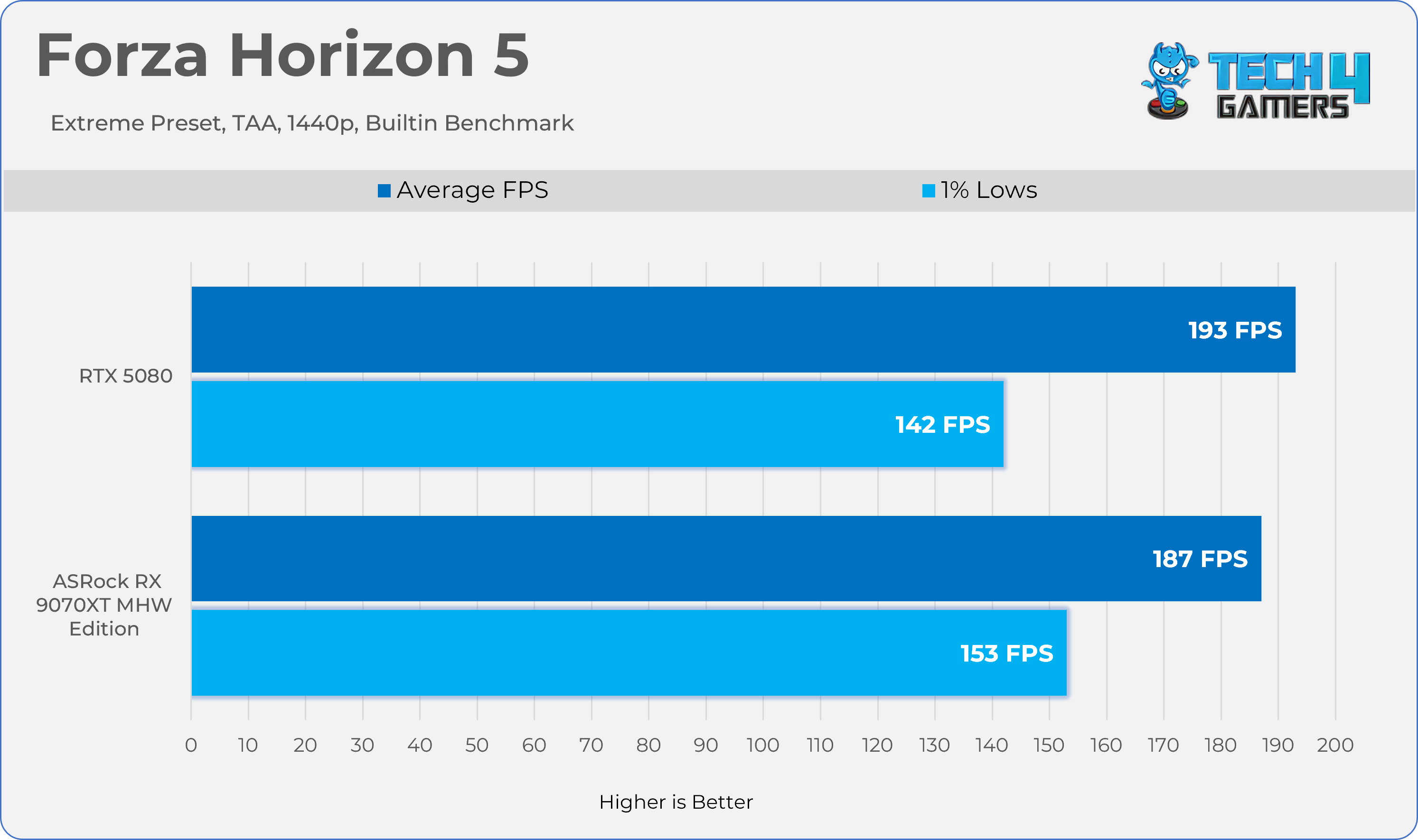
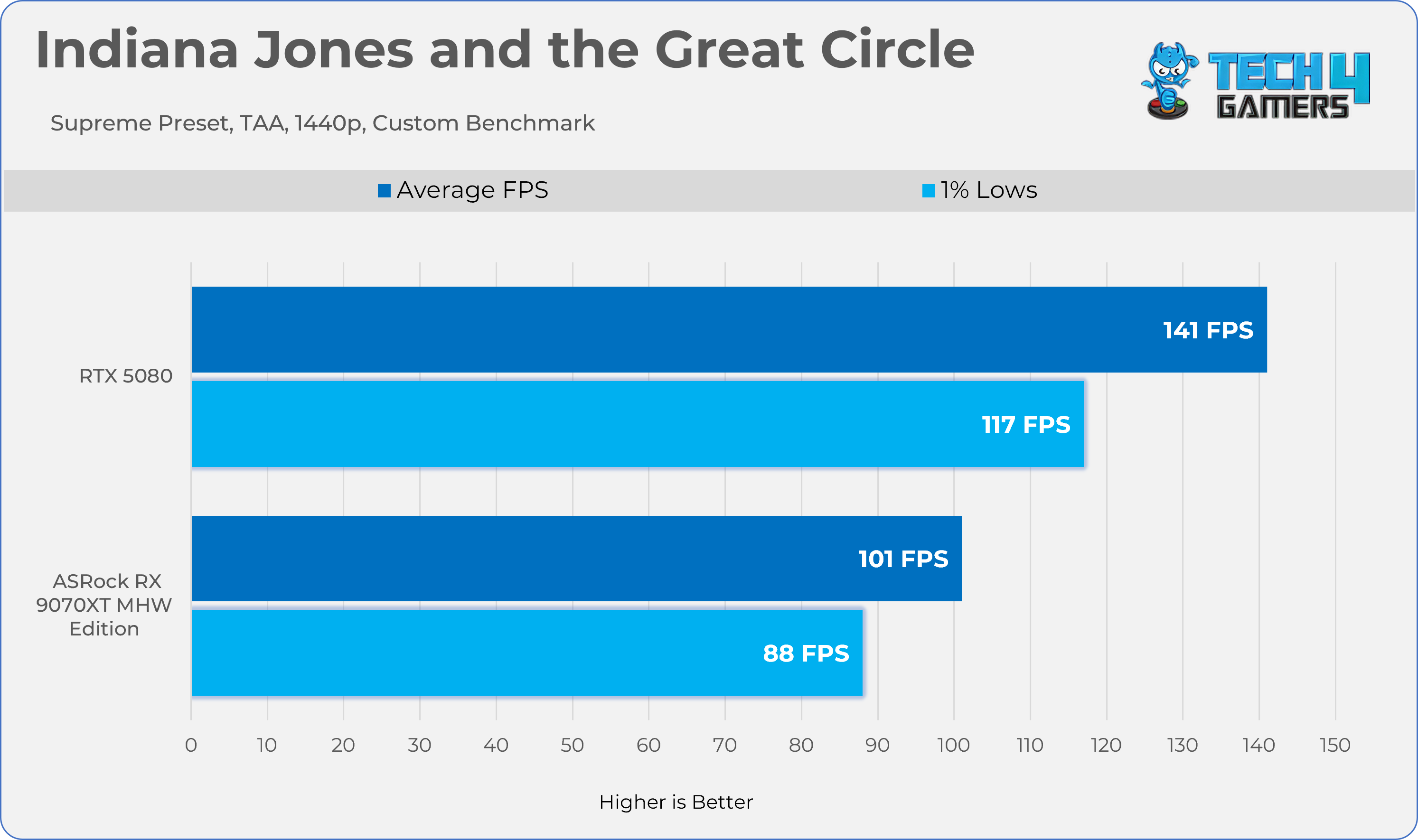
Gaming 2160p Benchmarks
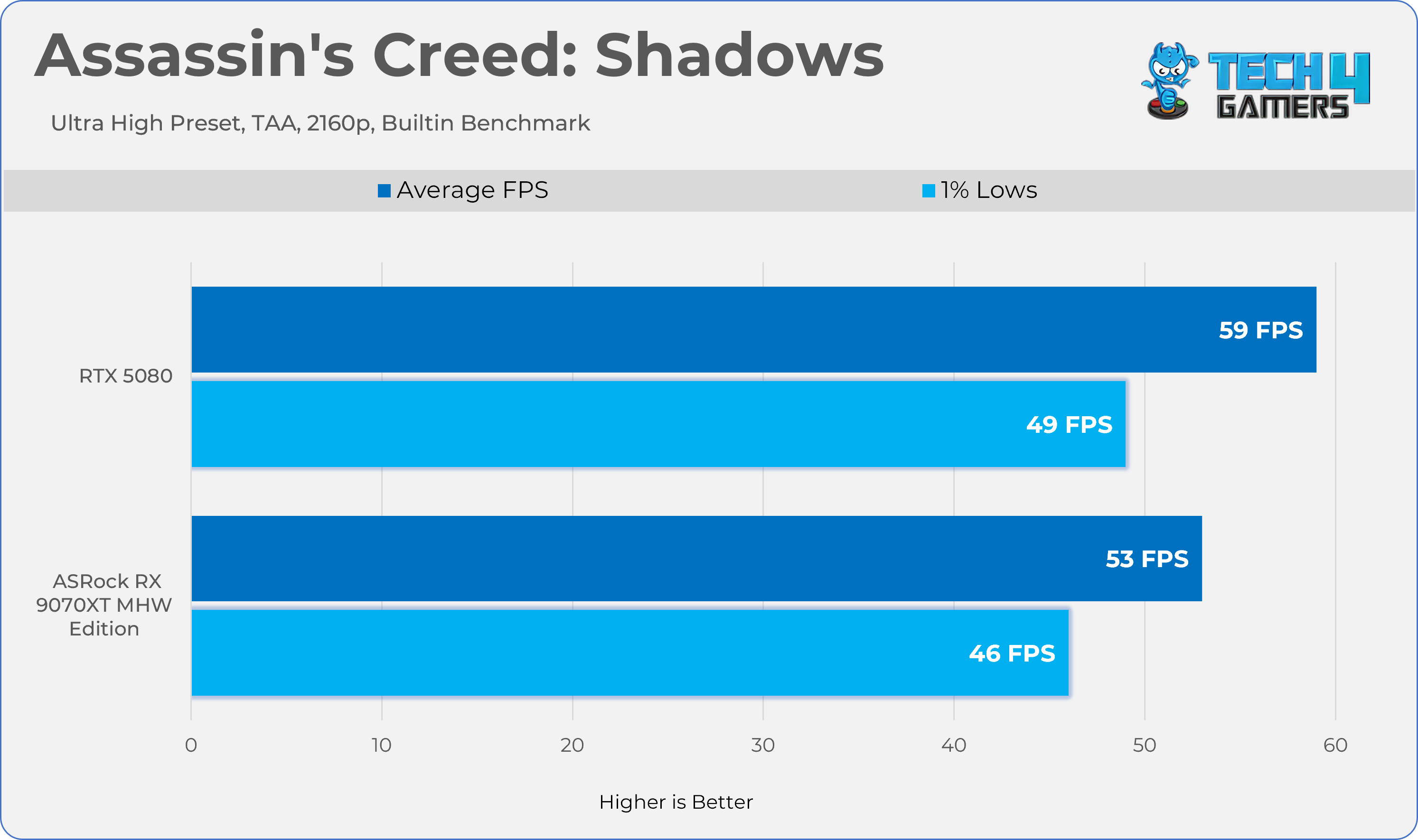
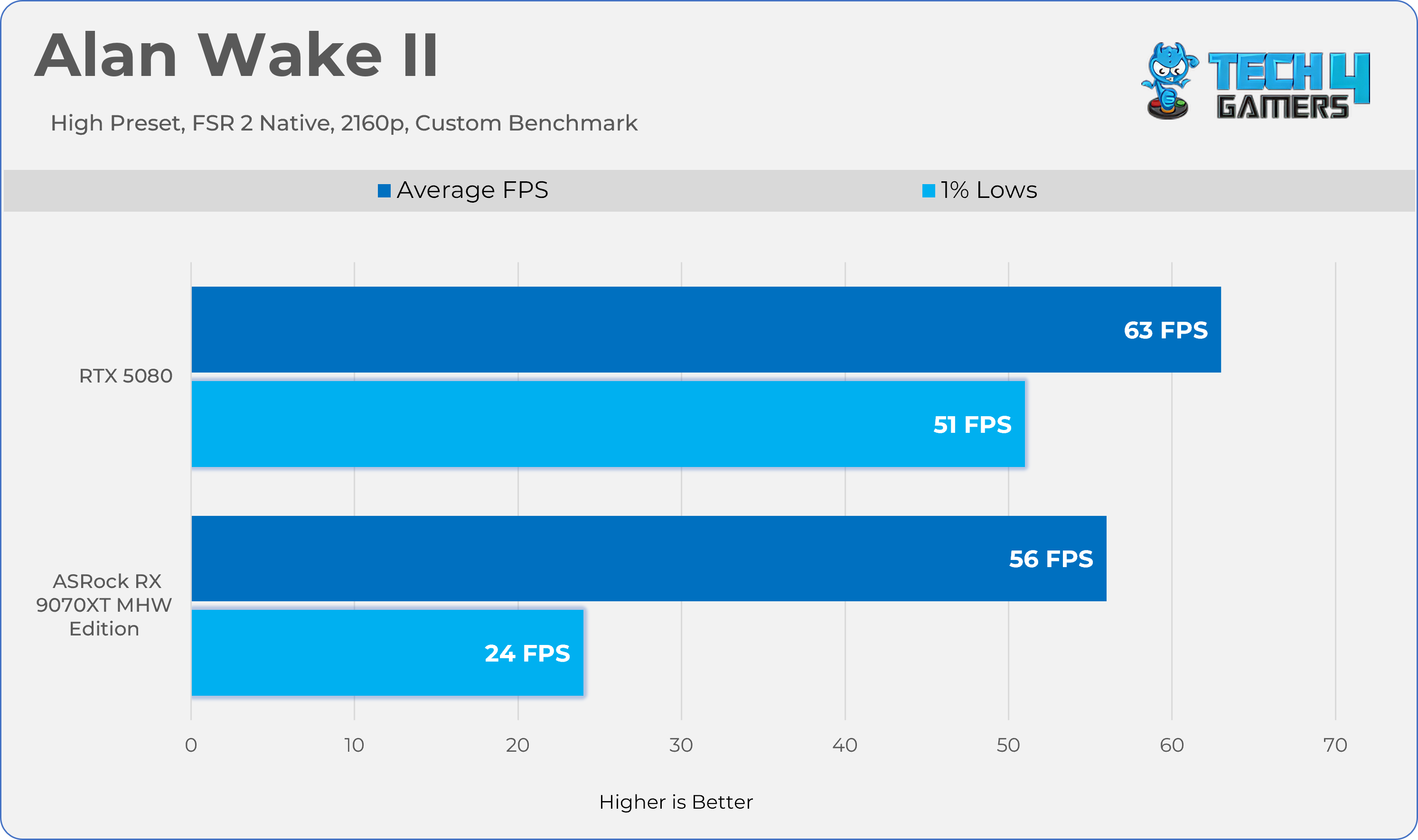
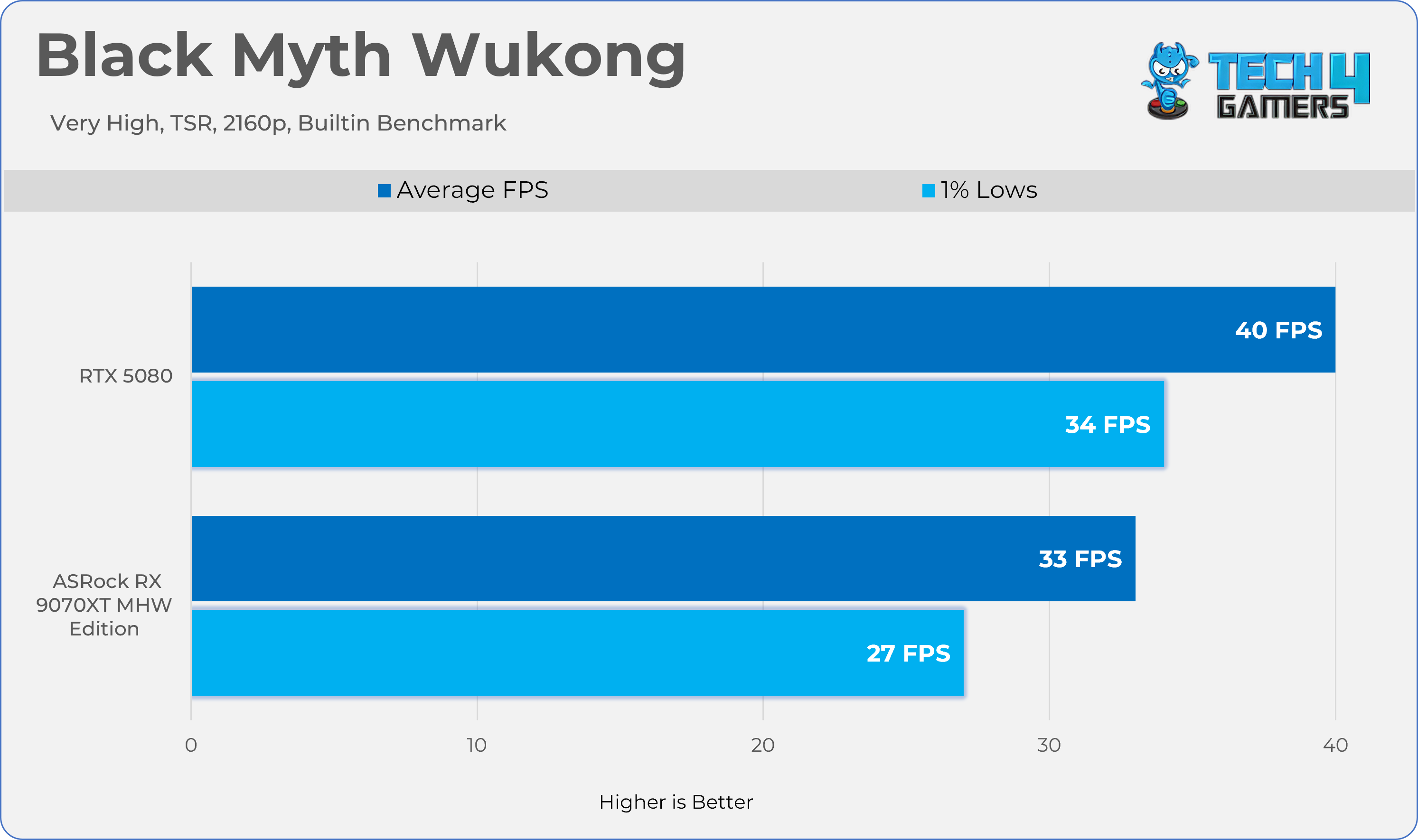
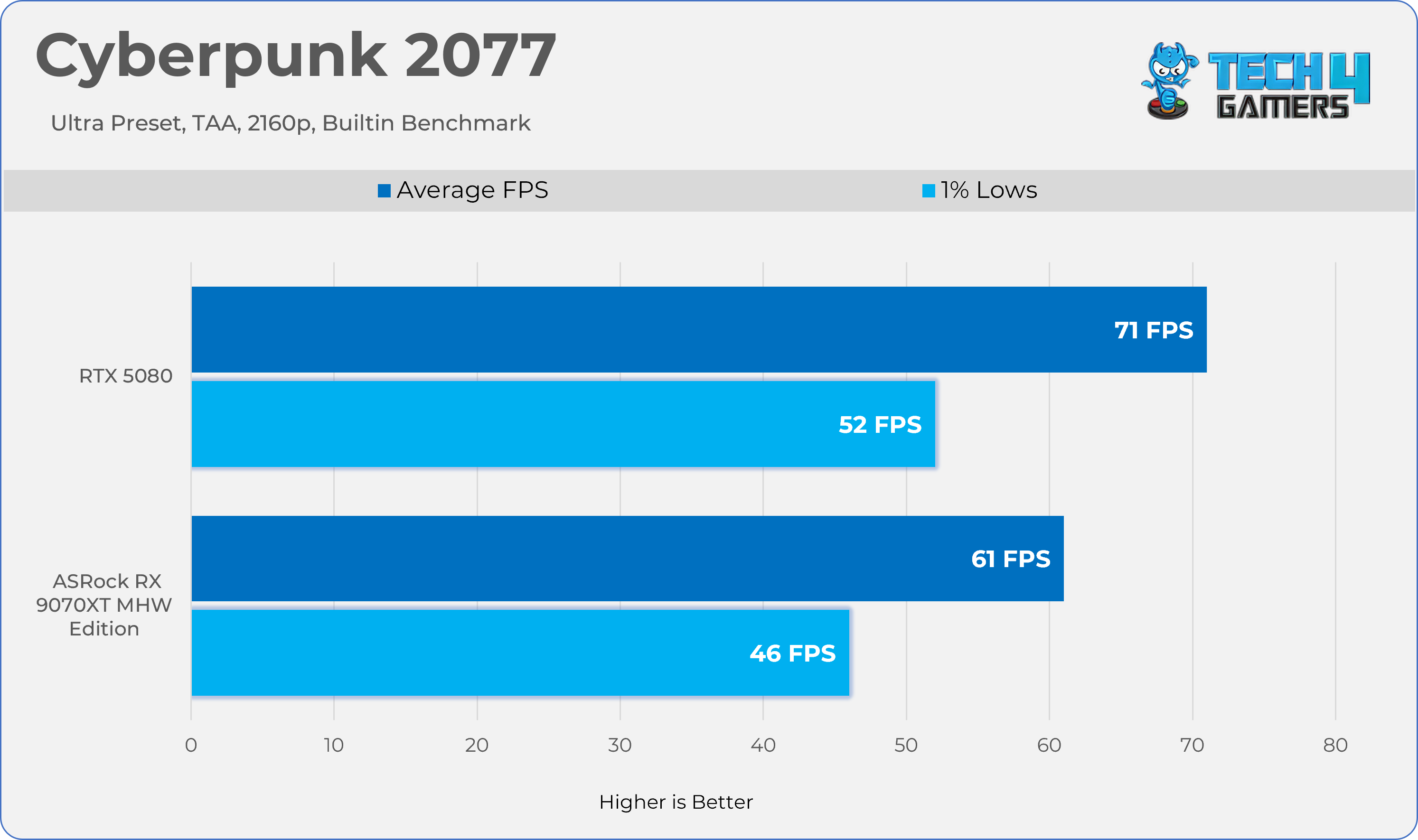
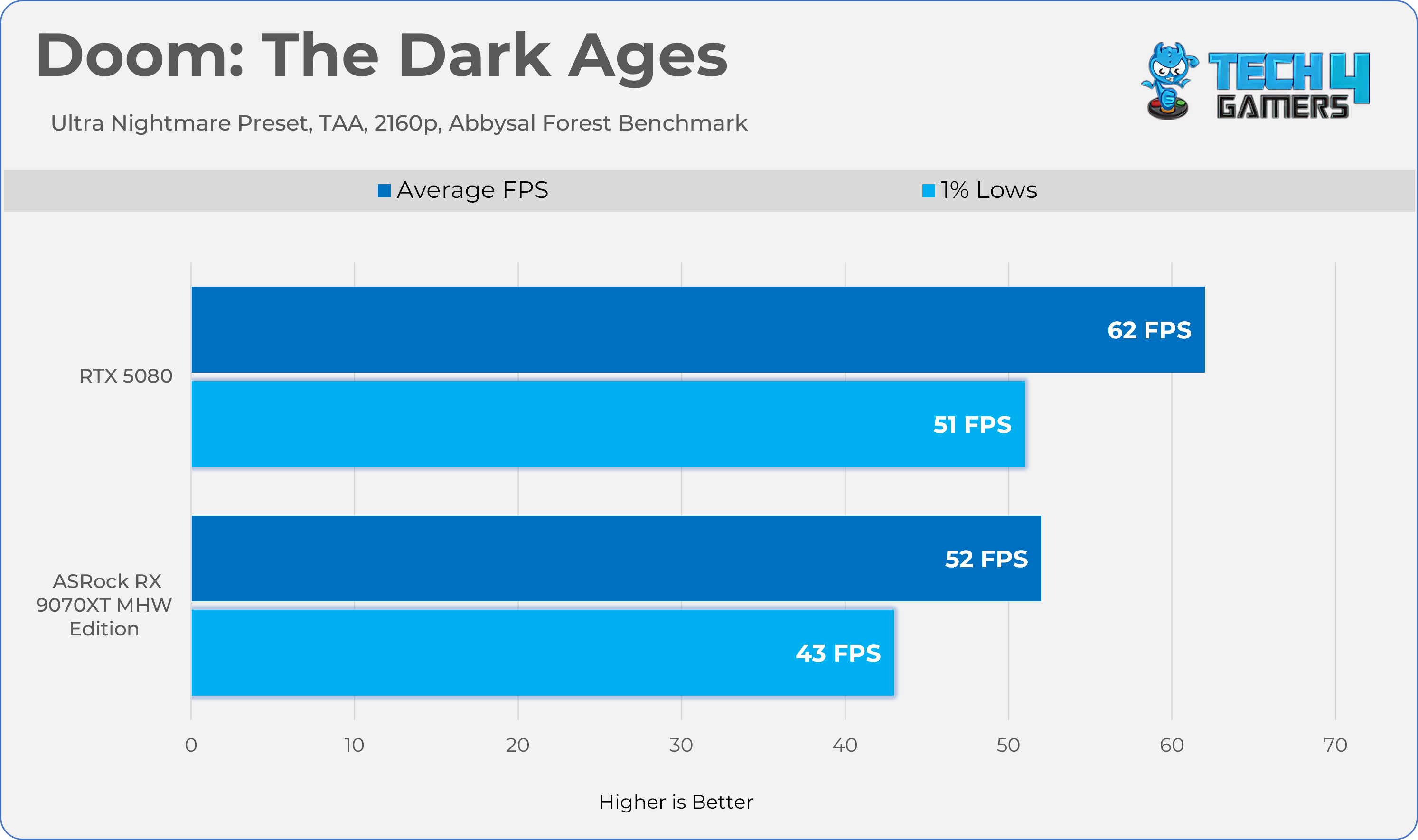
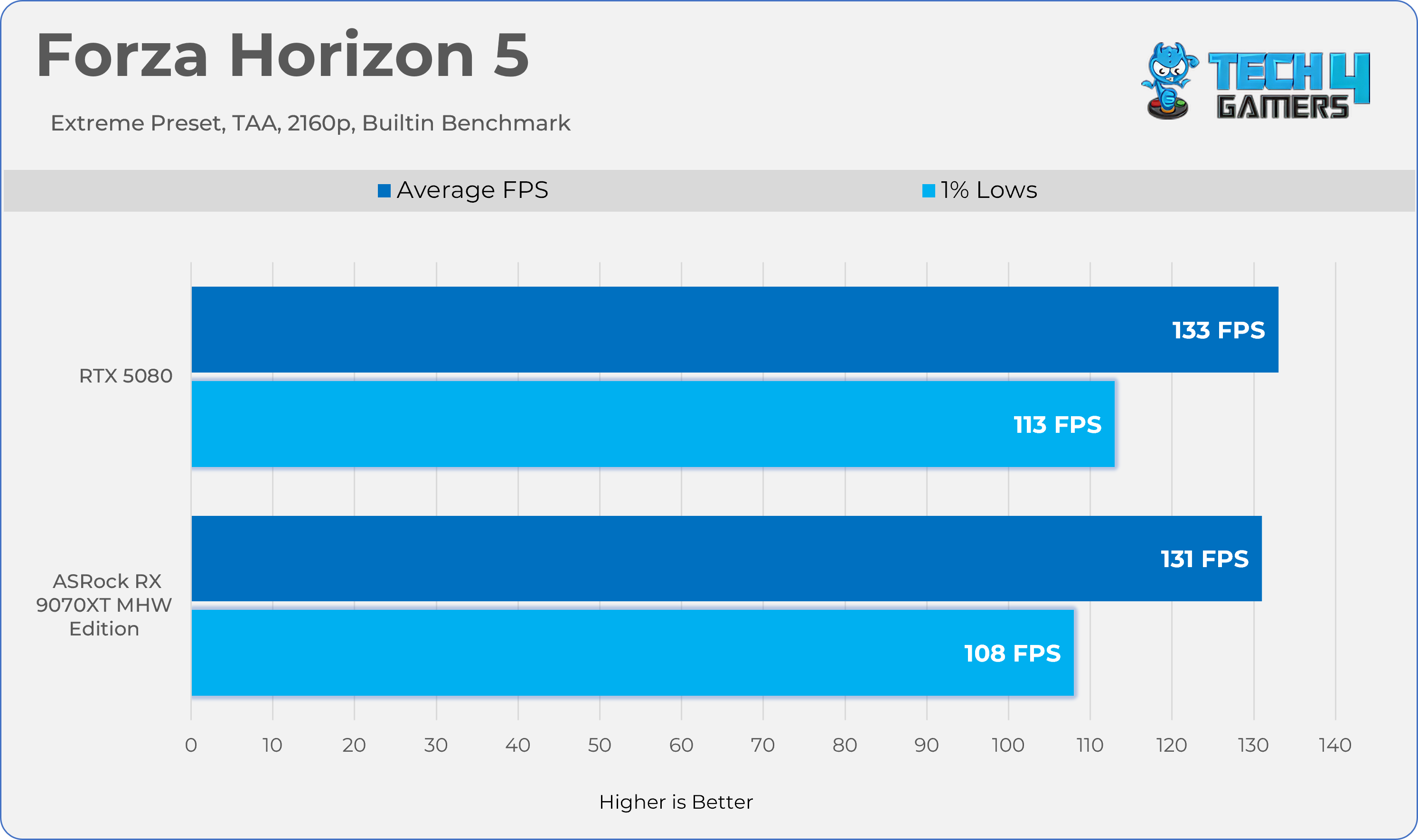
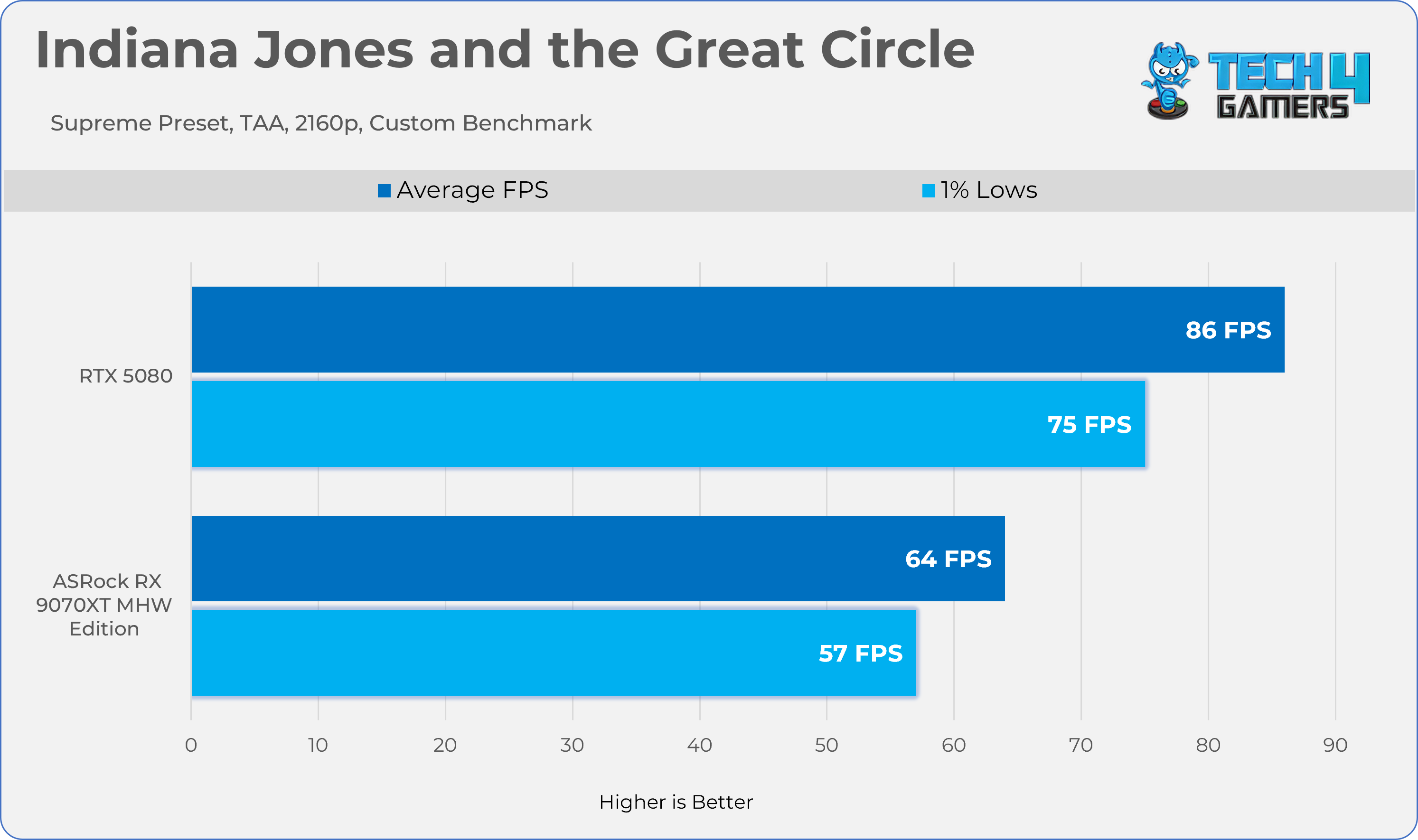
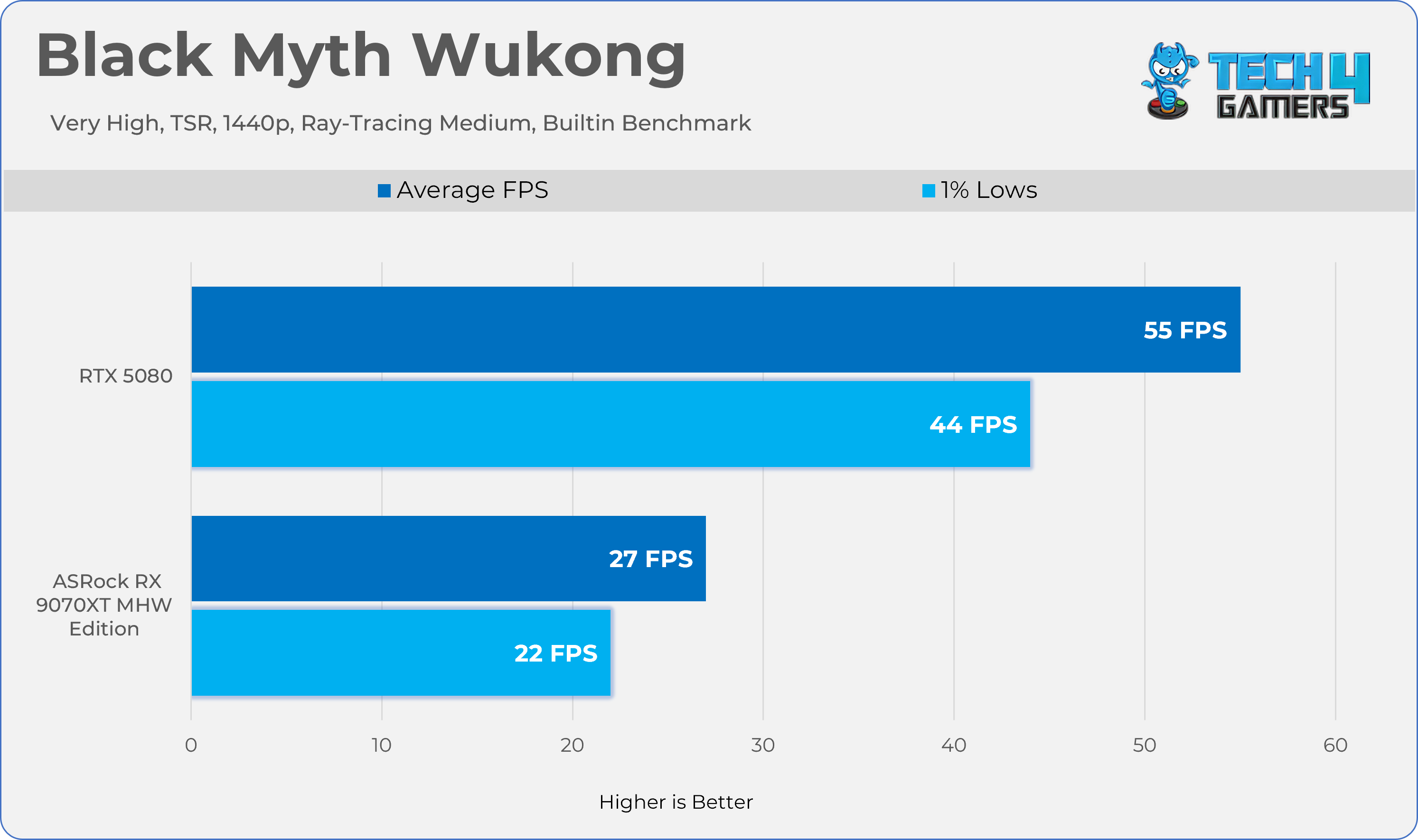
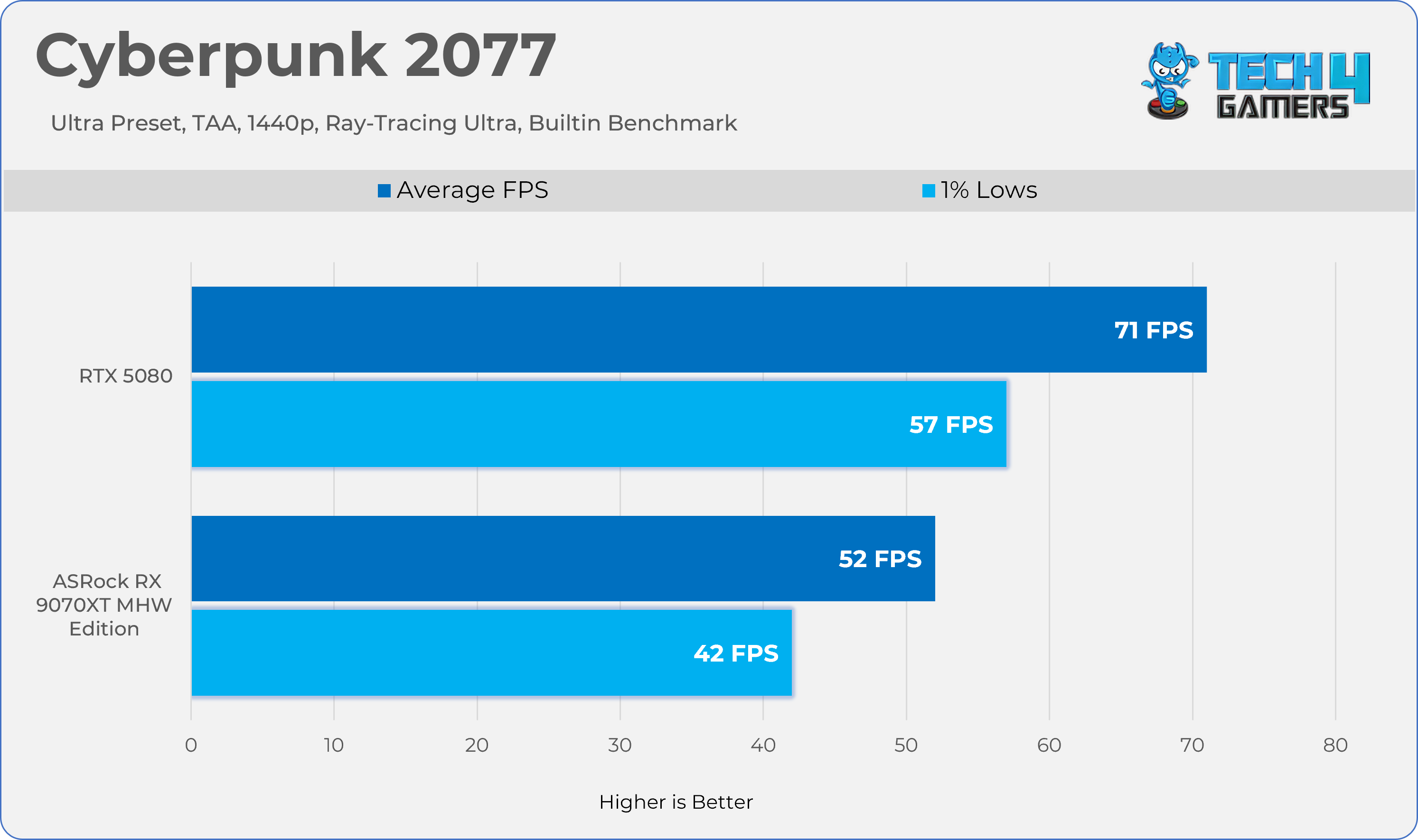
Ray Tracing Performance
Gaming 1440p Benchmarks (RT)
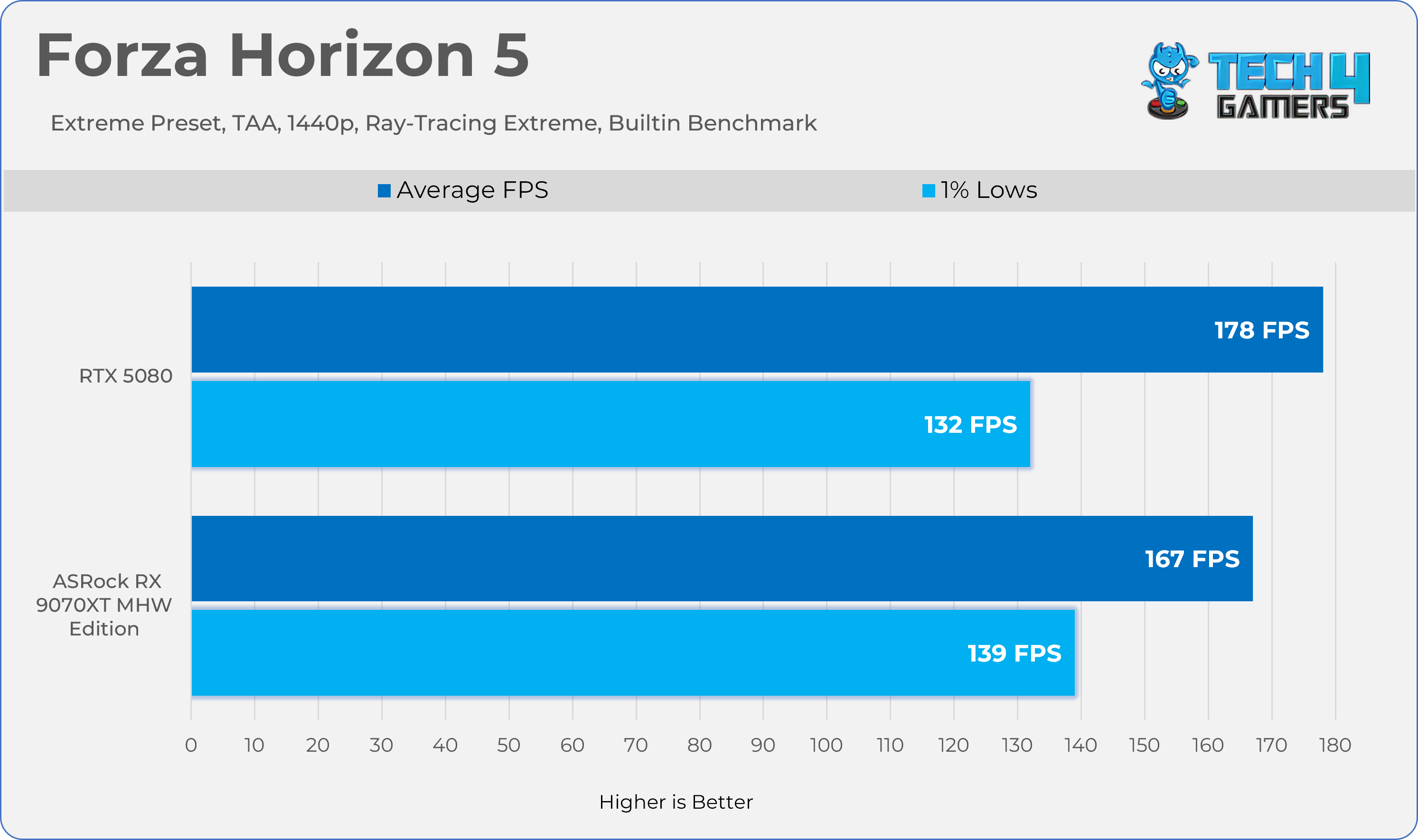
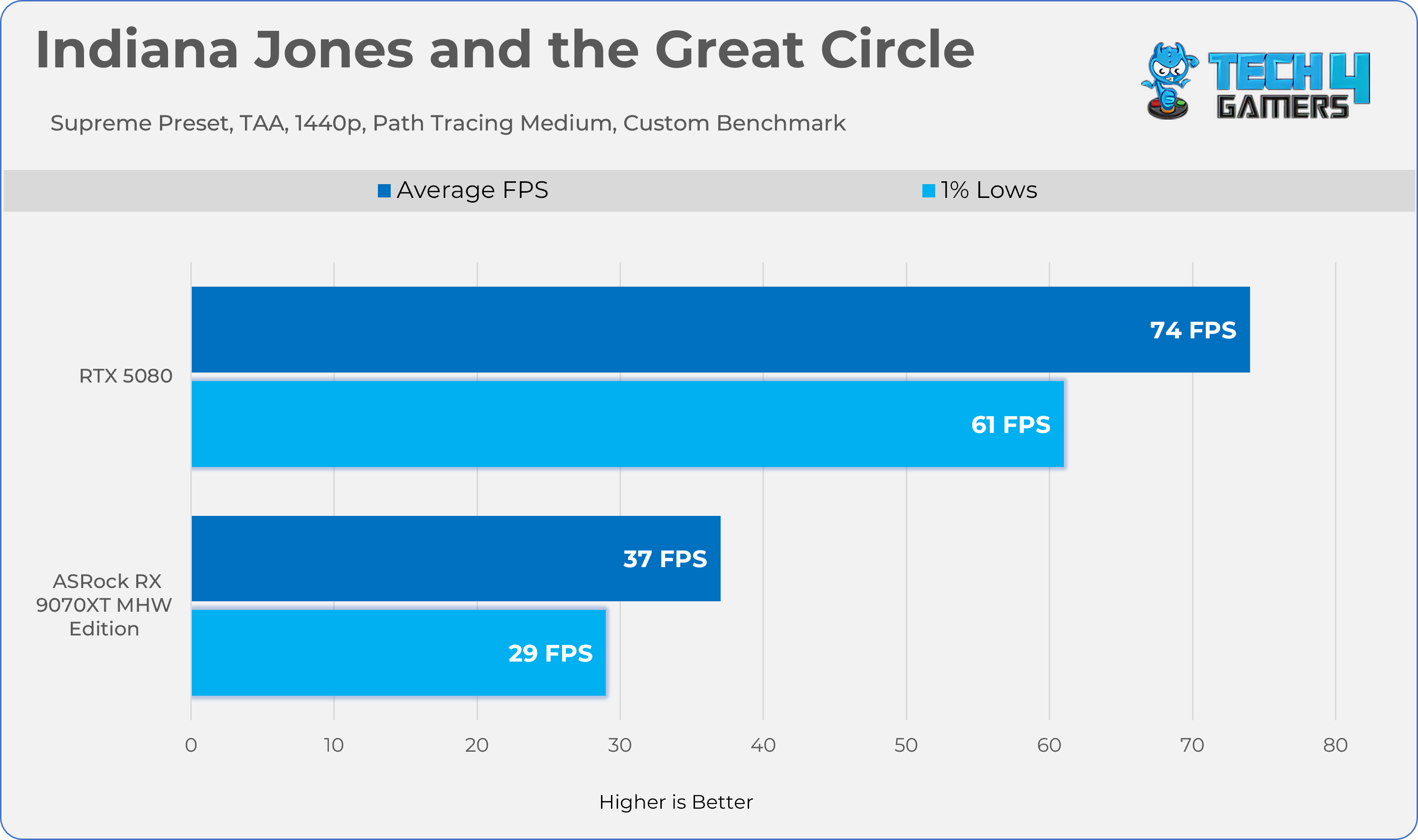
Average FPS
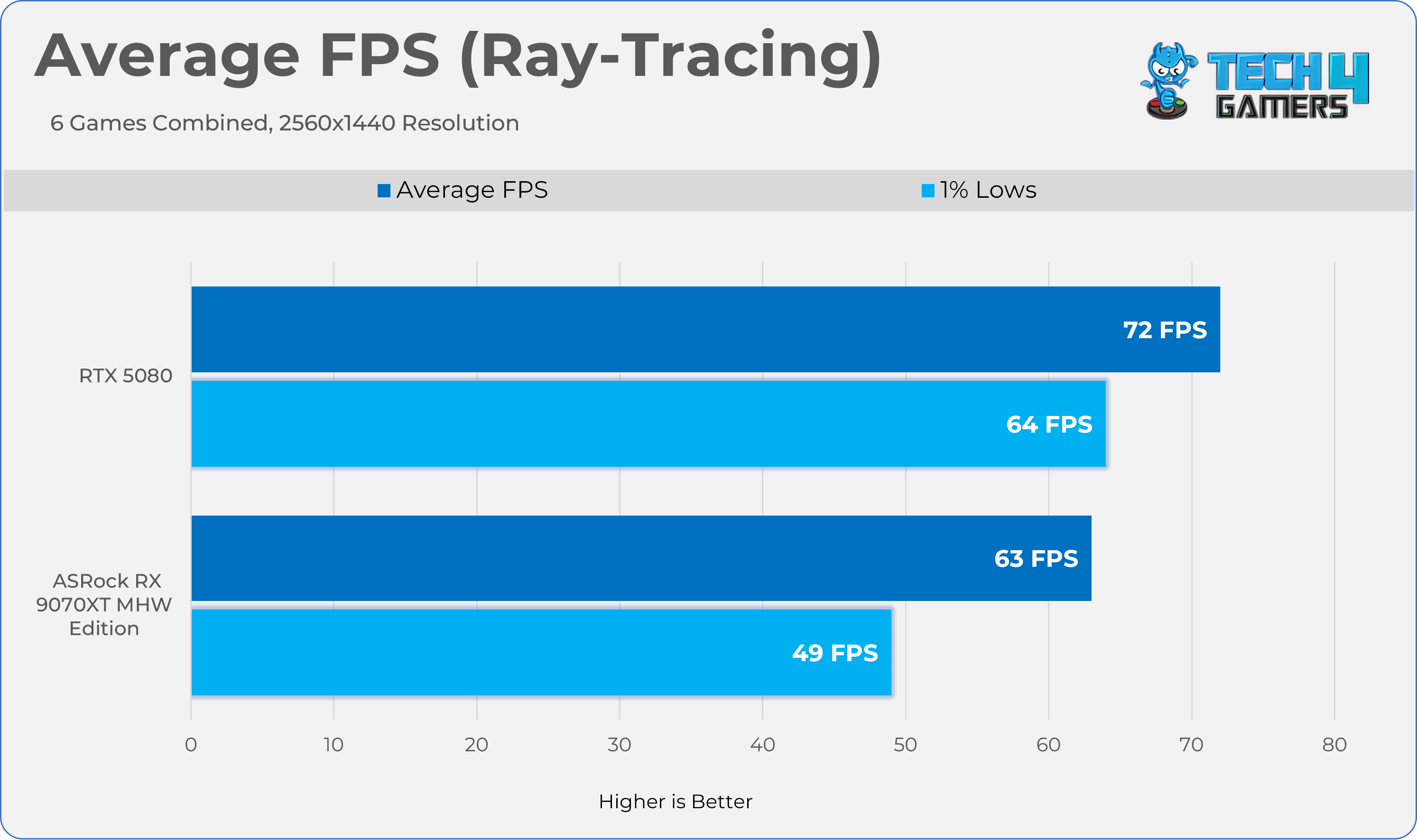
Average Frames Combined
Thermals, Power, Noise
We’ve tested Graphics-Card Thermals, Power, Noise, and Fan-RPM statistics in the two games Alan Wake II and Cyberpunk 2077, with ray tracing enabled at 1440p for 20 minutes each. To make this scenario more realistic, the GPU has been tested in the HYTE Y70 chassis, and we have calculated average sensor data. We have also added the Furmark test to evaluate the graphics card’s performance under stress. The room temperature is set to 20 °C ± 2
| Application | Core °c | Hot Spot °c | Clock Speed | Fan | Noise | Power |
|---|---|---|---|---|---|---|
| Cyberpunk 2077 | 59.6°c | 85.7°c | 2598 MHz | 1543 RPM | 36.7 dB(A) | 303W |
| Alanwake II | 60.1°c | 85.5°c | 2733 MHz | 1536 RPM | 36.6 dB(A) | 303.5W |
| Furmark (Stability Test) | 56.6°c | 89.3°c | 2953 MHz | 1744 RPM | 37.5 dB(A) | 303.5W |
Overclocking
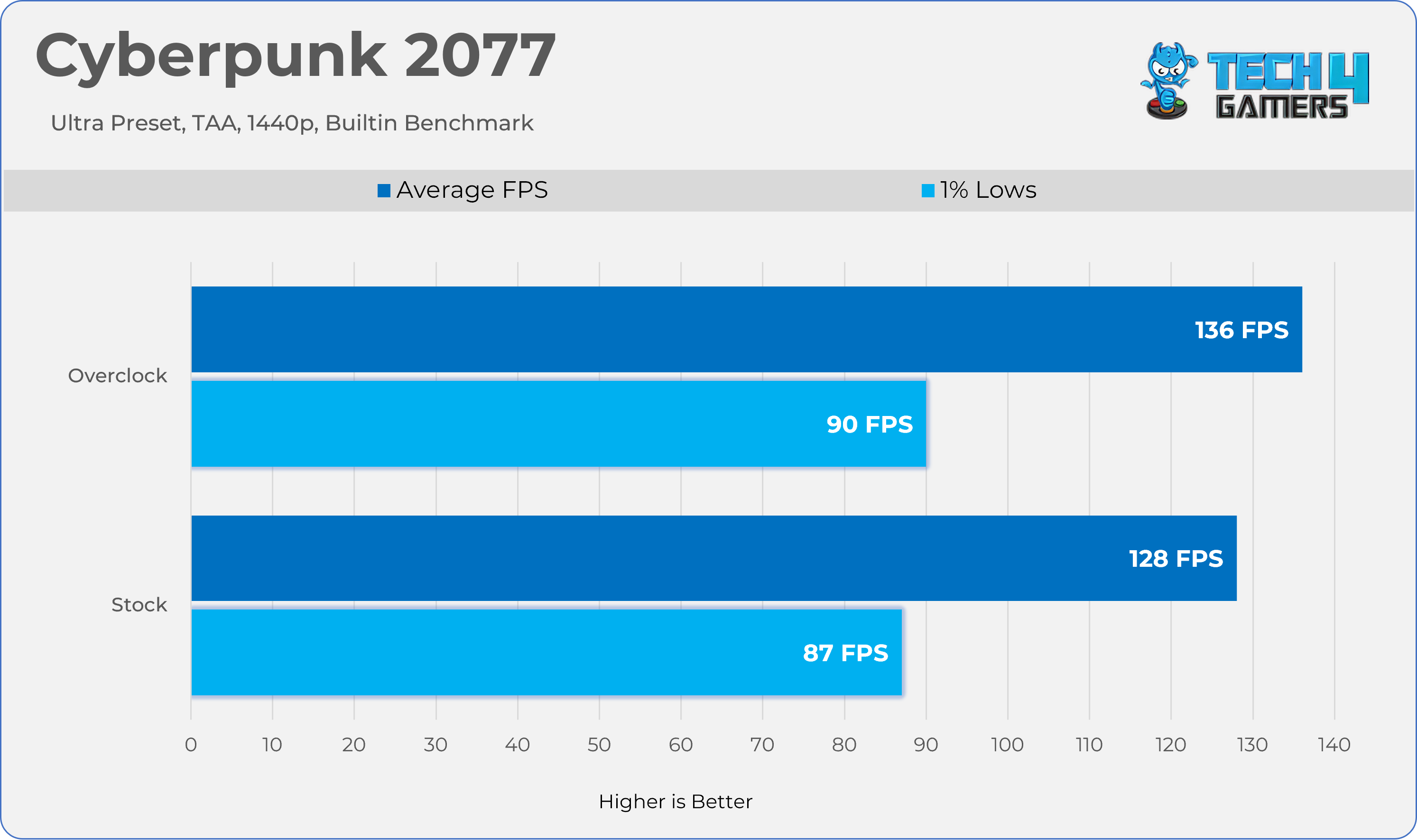
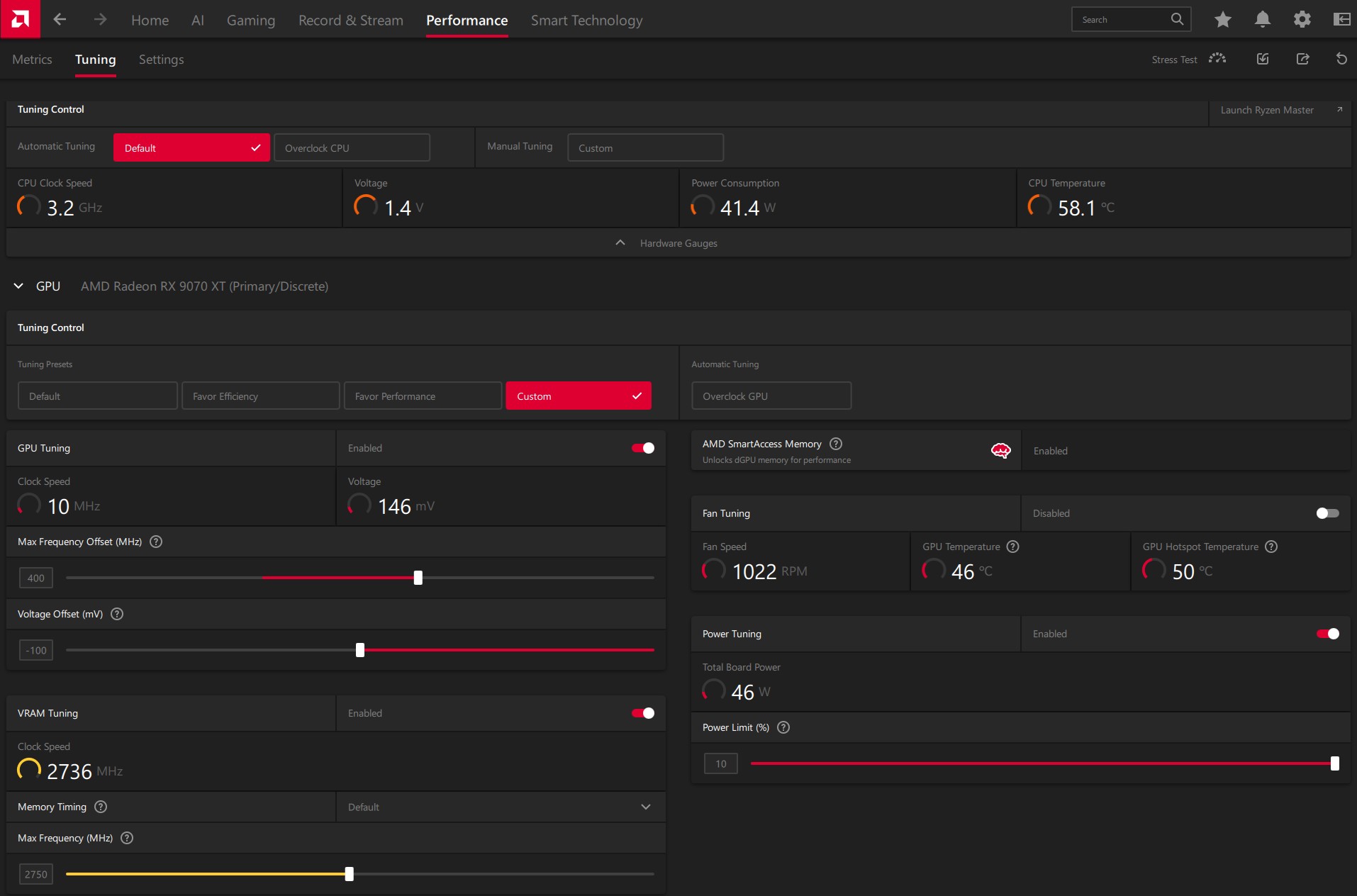
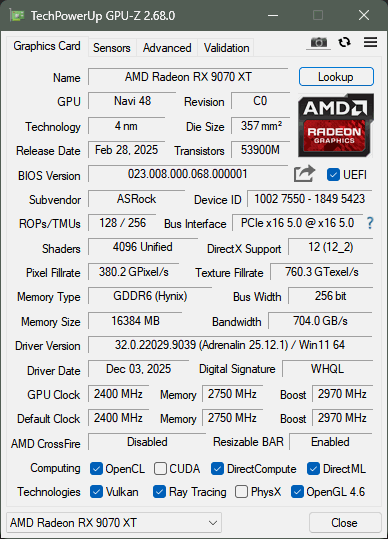
Overclocking an AMD RX 9070 XT wasn’t difficult, but it was worthwhile; we gained another 7% in Cyberpunk 2077 by combining the memory and core over clock + under volt. If you are familiar with overclocking on AMD cards, you would know it’s slightly different from NVIDIA; on AMD, you have to set the target frequency offset in the AMD Adrenaline Drivers, and you need to lower the GPU voltage; however, increasing the power limit is necessary, which, in our case, on ASRock Radeon RX 9070 XT Monster Hunter Wild Edition, you can unlock 10% of power.
How Did We Overclock An RX 9070 XT?
- Open the AMD Adrenaline Software
- In the top menu, select the Performance tab, then click Tuning.
- At the tuning control, set it to ‘Custom’
- Toggle the GPU Tuning Option to on.
- In Maximum Frequency Offset (MHz), set your desired frequency; in our case, we set it to +400 MHz.
- Below the Maximum Frequency Offset (MHz) Slider, you will find the Voltage Offset Option.
- You need to adjust the voltage offset to see the gains. In our case, we set the offset to -100mV
- After you have tuned your GPU cores, head to the VRAM tuning option below the Voltage Offset Slider
- Set your desired memory clock. In our case, we have overclocked our memory from 2518MHz to 2750MHz
- Finally, ensure you have unlocked the power limit; you can max out the slider. Our card has unlocked it to 110%, meaning a total power limit of 330W.
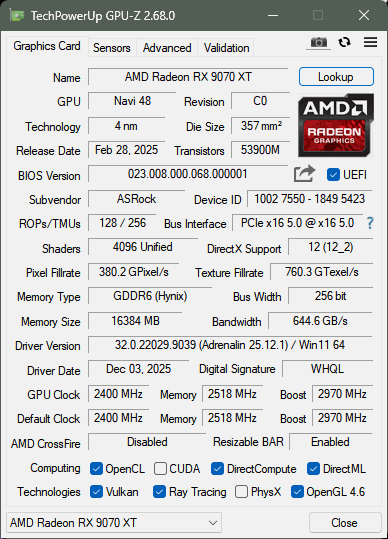
Here is a GPU-Z screenshot comparing the adjusted timings with the default timings.
Should You Buy It?
Buy It If
✅You Love The Monster Hunter Series: Due to the unique Monster Hunter: Wilds Edition Artwork, this GPU could be a cool collectible.
✅You Want Strong Gaming Performance: In Our Tests, the RX 9070 XT delivered very strong performance at 1440p and ran every game at the maximum possible settings at decent frame rates.
✅You’re Building A Themed/Showcase PC: If Aesthetics matter, RGB or themed colors, and you want your build to stand out, this GPU would be a great option.
Don’t Buy It If
❌You’re Not Focused On Themed/Showcase PC: Generally, these GPUs are more expensive than their standard counterparts because their unique design offers no meaningful performance improvements.
Final Thoughts
To conclude, we’d like to share our final observations.
Cooling / Performance And Noise
We have tested the GPU on several of the latest titles, including path-tracing titles, and this time, AMD did not disappoint. We have managed to play the games at a reasonable frame rate, even at 4K. However, for cooling, ASRock uses a Phase-Change Sheet on the GPU core, which is a nice addition to the graphics card’s longevity. The GPU ran very quietly, and the cooling stayed below 60 degrees while the fans were running at 35%, which was extremely quiet in our closed HYTE Y70 Chassis.
Build Quality / Design
ASRock’s Radeon RX 9070 XT Monster Hunter Wilds Edition is a unique piece of hardware inspired by the RPG Monster Hunter. First of all, this GPU shares a similar cooler design to the Steel Legend card. However, some prominent cosmetic changes to the GPU might appeal to users who want their PC to stand out and build a showcase/themed PC. I haven’t been much of a fan of this game, but the design has intrigued me. ASRock has really put some thought into the GPU aesthetics, such as the transparent acrylic Arkveld nameplate that glows with RGB effects. The build quality here is also incredible.
Value
The GPU has an MSRP of $699.99. At this price, I would highly recommend this GPU due to the lack of competition from NVIDIA, as they simply do not provide much value, especially at this price range. Also, the GPU includes a free copy of Monster Hunter: World, 16GB of video memory, and a high-quality build, including unique game artwork.
Thank you! Please share your positive feedback. 🔋
How could we improve this post? Please Help us. 😔

I’m Usman Sheikh, a Senior Hardware Reviewer at Tech4Gamers with over a decade of experience in the tech industry. My journey began in 2014 as a senior administrator for Pakistan’s largest gaming community forum. Passionate about PCs and hardware, I specialize in testing and reviewing components like graphics cards, CPU coolers, and motherboards, while also sharing insights on overclocking and system optimization.
 Join Our Community