- Modern flagship motherboards promise a connectivity utopia, but their spec sheets often bury the dirty reality of PCIe lane sharing and DMI link bottlenecks.
- While top-tier Intel Z790 and Z890 chipsets boast a robust DMI 4.0 x8 link, populating all those extra M.2 slots will still mathematically choke your system during heavy workstation loads.
- The situation is even more catastrophic on AMD’s 800-Series chipsets, where manufacturers inexplicably cram 20+ high-speed ports through a severely restricted PCIe 4.0 x4 pipeline.
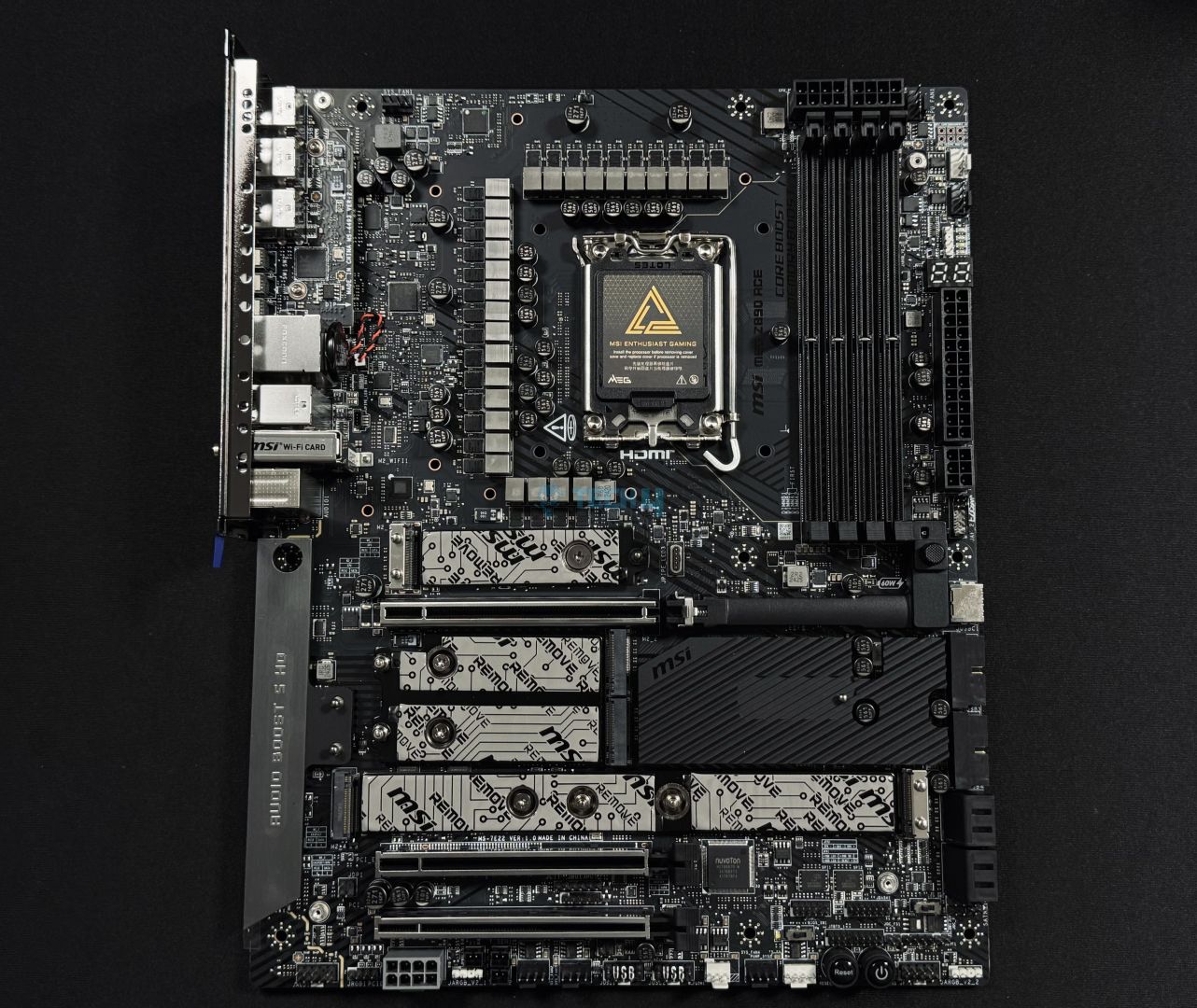
I’ve been staring at the spec sheet for a $500 modern flagship Z890 motherboard for more than an hour, trying to make some sense of it.
To give you a short overview, it promises five Gen 4 M.2 slots, Thunderbolt 5, Wi-Fi 7, and a 10 Gigabit Ethernet port.
On paper, it looks like a connectivity utopia. But after digging into the block diagrams, I realized something deeply unsettling.
Back in the Z490 days, we knew our limits. Today, we’re paying a premium for a high-end illusion that mathematically cannot run all its advertised ports at full speed simultaneously.
The Chipset Choke Point: A Highway With A Hidden Toll
Here is the dirty secret that motherboard manufacturers desperately want kept swept under the rug.
The CPU still only provides a fixed number of direct PCIe lanes. The chipset adds more lanes, yes. But all of those extra lanes funnel through a single DMI link back to the CPU.
Think of it like a city with a bustling downtown. The motherboard brands build ten new on-ramps to the highway, each promising blistering speeds. But the highway itself still only has a heavily regulated toll booth leading into the city.
For Intel B-series boards like the B760, this is a literal ticking time bomb for your bandwidth. That’s because they rely on a DMI 4.0 x4 link, capping out at roughly 7.8 GB/s.
But here’s the kicker: manufacturers still ludicrously cram three M.2 slots, Wi-Fi 7, and loads of USB ports onto these B-series boards.
Consequently, your secondary M.2 SSD, your USB peripherals, your SATA drives, and your Ethernet controller are all forced to merge into a single congested access road. They are not independent highways; they are fighting for scraps.
The Flagship Illusion And Real-World Impact
Now, I can already hear the flagship loyalists: “But the Z790 and Z890 use a DMI 4.0 x8 link!”
True. That pipeline offers roughly 15.75 GB/s of bandwidth. But what happens when you actually populate that $500 board the way the marketing team told you to?
To put this dilemma into perspective, I recently watched a fellow creator experience this frustration firsthand.
He populated all four chipset-connected Gen 4 M.2 slots on his premium Z790 board, attempting to run a massive file transfer between them while capturing 4K gameplay and streaming.
Bewilderingly, the system slowed to an absolute crawl. The video capture stuttered, and his transfer speeds tanked spectacularly.
Why? Well, this is the reality of the DMI bottleneck.
Even with an x8 link, four Gen 4 SSDs capable of 7,000 MB/s each demand 28 GB/s of bandwidth. Funneling that through a 15.75 GB/s pipe means they mathematically choke. The drives weren’t failing; they were just starved.
The Marketing Deception: Footnotes And Fine Print
Motherboard manufacturers know this. Yet they design their spec sheets to dazzle and deceive.
Five M.2 slots! Wi-Fi 7! Thunderbolt 5!
Let me decode the deception. They bury the lane-sharing reality in tiny footnotes, if they mention it at all.
The spec sheet screams about “Five Gen 4 M.2 slots,” but casually omits that four of them are sharing a single pipeline with your network controllers and USB headers.
Under a heavy load, your system becomes a battleground for bandwidth.
But on the surface? The board looks like a connectivity powerhouse. In practice, it is a carefully managed scarcity masquerading as luxury.
What You Can Actually Do
So how do you navigate this catastrophic mess?
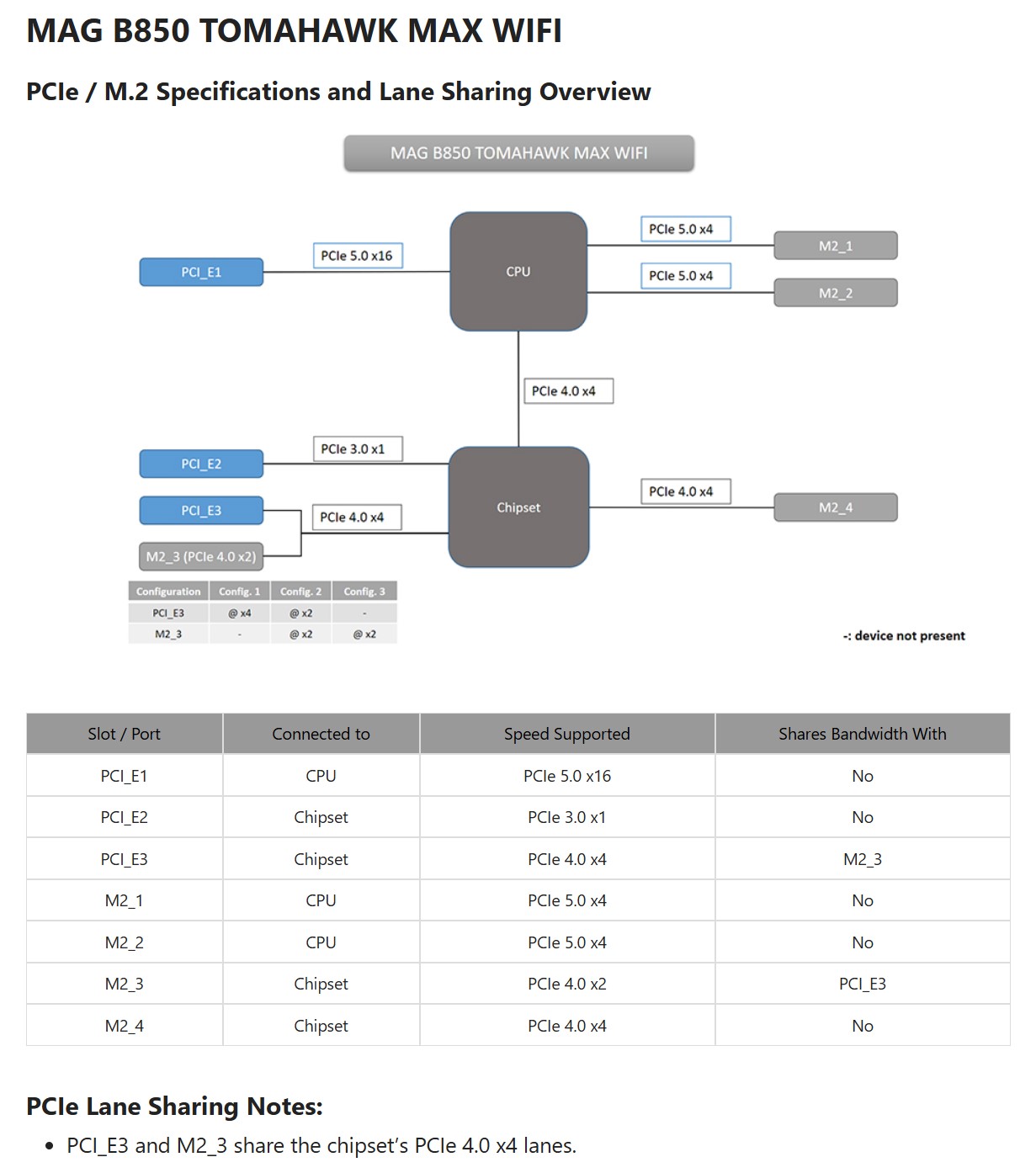
For starters, study the block diagram. Find which M.2 slots connect directly to the CPU. Reserve those strictly for the SSDs that store your operating system and your most critical applications.
Moving on, manage your expectations. Do not buy a motherboard expecting to use all its ports at full speed simultaneously. Treat those chipset-connected slots as convenience features, not high-speed data centers.
Furthermore, consider whether you actually need that $500 flagship motherboard. A well-designed midrange board with fewer ports but smarter lane allocation can often deliver a more consistent real-world experience.
Also, let’s not forget that Team Red isn’t immune to this deception either.
While AMD ditches the DMI moniker for standard PCIe connections, high-end AM5 boards like the X870E still funnel their expansive I/O through a daisy-chained chipset design.
Ultimately, every secondary drive and peripheral is fighting to squeeze through a single PCIe 4.0 x4 uplink back to your Ryzen CPU, creating a literal traffic jam for your bandwidth.
The bottom line? We are paying exorbitant prices for ports we cannot fully use, all while the DMI link (or PCIe link for AMD users) becomes a permanent, invisible bottleneck.
Thank you! Please share your positive feedback. 🔋
How could we improve this post? Please Help us. 😔

[Wiki Editor]
Ali Rashid Khan is an avid gamer, hardware enthusiast, photographer, and devoted litterateur with a period of experience spanning more than 14 years. Sporting a specialization with regards to the latest tech in flagship phones, gaming laptops, and top-of-the-line PCs, Ali is known for consistently presenting the most detailed objective perspective on all types of gaming products, ranging from the Best Motherboards, CPU Coolers, RAM kits, GPUs, and PSUs amongst numerous other peripherals. When he’s not busy writing, you’ll find Ali meddling with mechanical keyboards, indulging in vehicular racing, or professionally competing worldwide with fellow mind-sport athletes in Scrabble. Currently speaking, Ali’s about to complete his Bachelor’s in Business Administration from Bahria University Karachi Campus.
Get In Touch: alirashid@tech4gamers.com