Threads
Bigger, Better, Balanced
Review Summary
The Epomaker QK108 is a full-size mechanical keyboard that features silent linear switches, a well-damped, gasket-mounted design, and tri-mode connectivity, all in a package that feels refined and comfortable to use. With thoughtful extras such as a screen, rotary knob, hot-swappable sockets, and long battery life, it offers excellent value at $99.99 and stands out as one of the most well-rounded full-size keyboards in its price range.
Hours Tested: 1.5 Weeks

Overall
-
Design - 9/10
9/10
-
Build Quality - 8.5/10
8.5/10
-
Typing Experience - 9.5/10
9.5/10
-
Performance - 9/10
9/10
Pros
- VIA software support
- Silent linear switches
- Hot-swappable
- Useful screen and knob
- Full-size 104-key layout
Cons
- ABS plastic case
- No flex-cut plate
- RGB not shine-through


Generally, full-size keyboards don’t get as much attention these days. Most of the spotlight is on compact layouts for smaller desks and minimalist setups. Even after that, there’s demand from users for everything to be on the keyboard, right where it’s supposed to be. This includes a numeric keypad, a complete navigation cluster, and more, with no compromises. That’s the space the Epomaker QK108 is trying to fill.
Key Takeaways
- The Epomaker QK108 is a well-rounded, full-size mechanical keyboard that delivers a quiet, comfortable typing experience and offers additional features at a reasonable price.
- You should buy the Epomaker QK108 if you want a full-size keyboard, prefer a quiet typing experience, connection flexibility across different devices, and value for money.
- You should skip the Epomaker QK108 if you want a compact keyboard, prefer a clicky or tactile feedback, premium build quality, and shine-through keycaps.
Here are the technical specifications:
| Layout | Full-Sized Mechanical Keyboard, US ANSI Layout |
| Number of Keys | 104 Keys |
| Battery | 8000mAh (4000mAh*2) |
| Battery Life | 28h (RGB On & Screen On), 35h (RGB On & Screen Off), 89h (RGB Off & Screen On), 229h (RGB Off & Screen Off). |
| Connectivity | 2.4Ghz Wireless/Bluetooth/USB A-to-C Wired |
| Compatibility | Mac/WIN/Android |
| Dimensions | 438.5*138.5*43.1MM |
| Case Material | ABS Plastic |
| Plate Material | PC Plate |
| Flex-Cut | No Flex-Cut |
| Stabilizers | Plate-Mounted Stabilizer |
| Mounting Structure | Gasket-Mount |
| Sound Dampening | 5 Sound-Improving Layers including Sandwich Latex, IXPE Switch Pad, PET Sound Enhancement Pad, Bottom Sponge, and Bottom Silicone |
| Keycaps Profile | Cherry Profile |
| Keycaps Material | PBT Keycaps |
| Keycaps Manufacturing Technique | Dye-Sub |
| Hot-swappable | Yes |
| RGB Backlight | Yes, south-facing per-key LEDs |
| Polling Rate | 1000Hz (USB/2.4Ghz), 125Hz (Bluetooth) |
| Latency | 3ms (Wired), 5ms (2.4Ghz), 15ms (Bluetooth) |
| Anti-Ghosting | Yes, with N-Key Rollover |
| Keyboard Weight | 1.18KG |
| Front Height | 20.5MM |
| Angle | 6, 8.5, and 11.5 degrees |
| Kick-Stand | 2-stage adjustable |
What Makes the Epomaker QK108 Different?
The Epomaker QK108 differs from its predecessors and the broader keyboard market by offering a full-size layout with features that are increasingly rare in large-format keyboards. It includes a customizable mini screen and a multifunctional rotary knob, features you typically don’t see on standard full-size keyboards. Moreover, the gasket-mounted structure with multiple sound-dampening layers delivers a quieter and cushioned typing experience.
Packaging
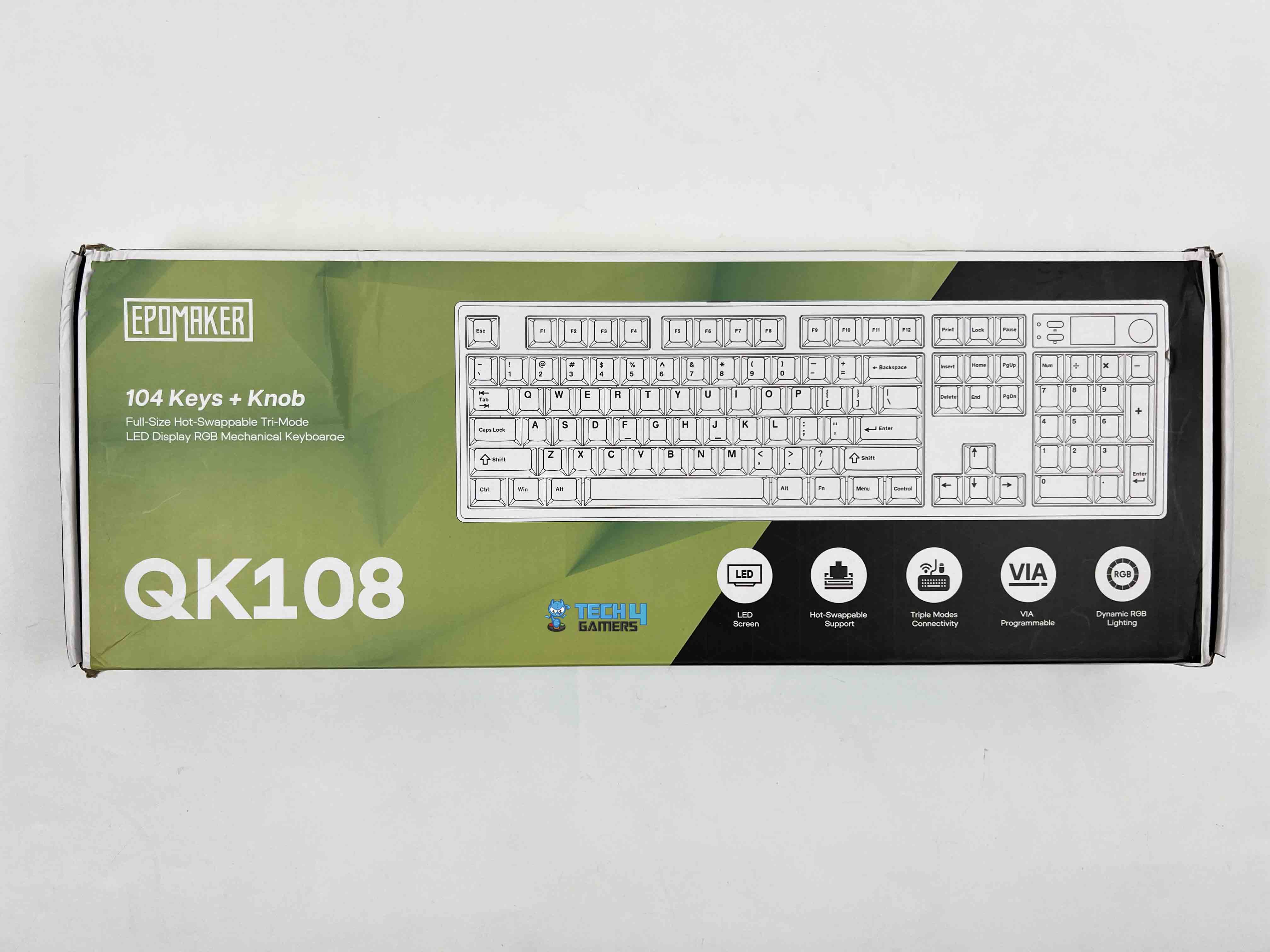

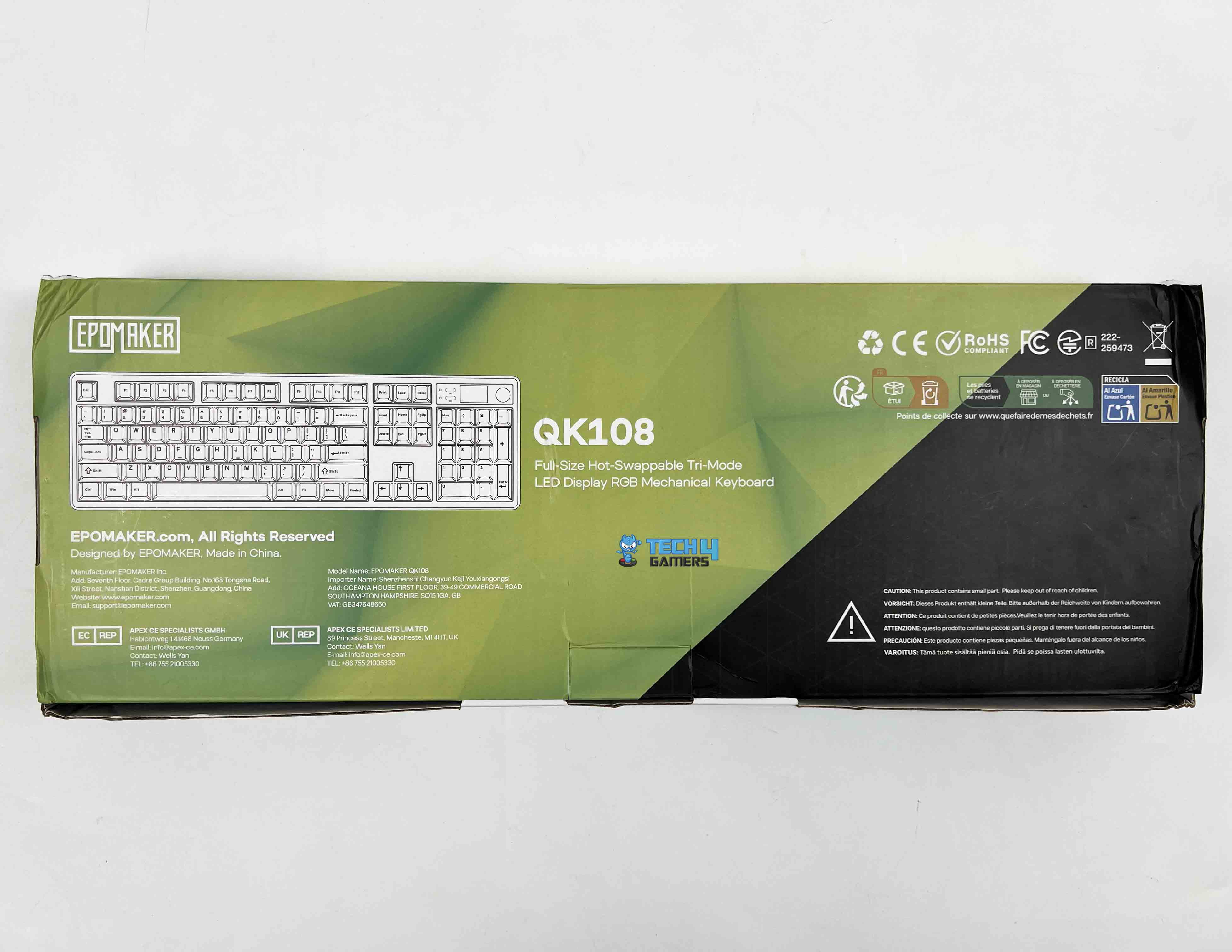
Epomaker uses a dual-tone color scheme in the packaging, mixing lime green with black. On the front of the box, the keyboard’s layout is shown on the right side. On the left, you’ll find Epomaker’s branding along with the model name. A few of the key features are highlighted in separate cutouts, each with its own small icon.
Unboxing


Upon opening the box, the Epomaker QK108 is the first thing you see, wrapped in a thin plastic protective sleeve. Right above it, there’s a separate compartment with “accessories are underneath!” written on it. Underneath that, all the included accessories are packed and separated into different resealable plastic bags. Here is what you’ll find inside the box:
- QK108 Mechanical Gaming Keyboard
- Detachable USB A to C Cable
- 2.4Ghz Wireless Receiver
- 2-in-1 Switch-and-Keycap Puller
- Multilingual Manual
- Additional Keycap for Mac
- Additional Switches
Design

The Epoamker QK108 is available only in a single colorway, which is a mix of gray, white, and green. Most of the keyboard is white, while some of the modifier, navigational, and function keys are gray. Moreover, the directional keys, Enter, Esc, and the spacebar are green, which adds a subtle contrast. It’s a simple combination, but it adds a touch of refinement to the keyboard without feeling flashy.
The first thing that stood out to me about the keyboard is how restrained it looks. For a full-size keyboard with a screen and a knob, it doesn’t look overly crowded. The design feels clean and intentional, which isn’t always easy to pull off with this many elements on the keyboard. On a desk, it blends in nicely, whether it’s placed next to a gaming setup or a more work-focused one.
Layout

The Epomaker QK108 is a full-sized mechanical keyboard with 104 keys and a US ANSI layout, so it’s not surprising if you’re used to traditional keyboards. Here, you’ve got the full number pad, the function row, and the navigation cluster exactly where they’re placed, usually. The key spacing feels normal, with no compactness, and the key sizes are standard.
You wouldn’t need to adjust much if you’re coming from another full-size keyboard. In terms of size, it measures approximately 438.5 x 138.5 x 43.1 mm. The keyboard has an adequate presence on the desk without feeling oversized or awkward. It also provides secondary functions with the FN key to access media controls, lighting adjustments, and other shortcuts without crowding the main layout.
Screen & Knob

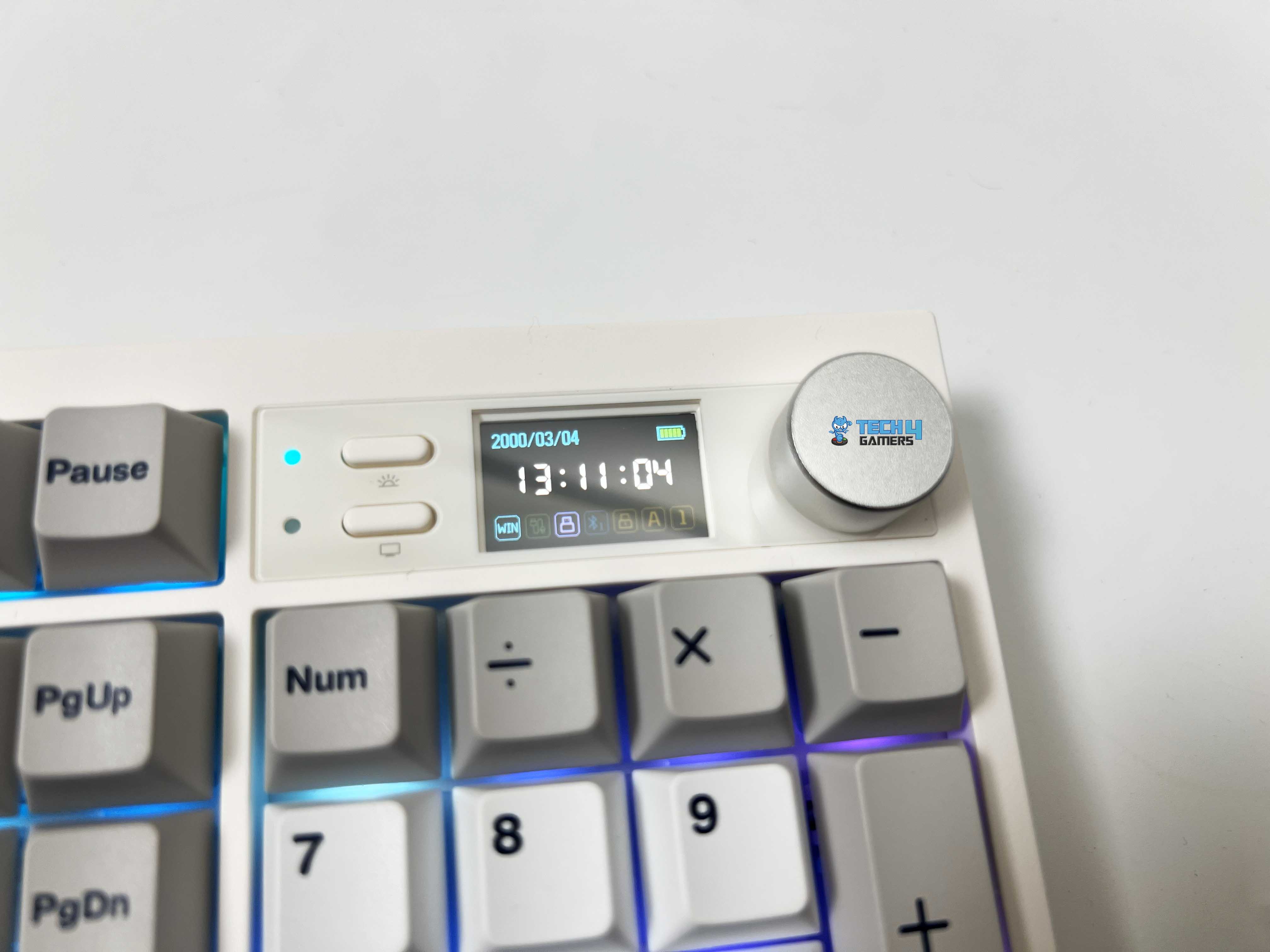
The Epoamker QK108 features a small screen at the top-left of the keyboard, with two multimedia keys and light indicators, positioned next to the function row. You can turn the screen on or off with a dedicated key, and the backlight has its own control. The screen can display several valuable pieces of information, including the date, time, battery level, and operating mode.
It also shows which connection you’re using and has little indicators for Caps Lock, Numpad, and Windows key lock. You can even get a bit creative with it. The keyboard lets you upload GIFs to the screen. You can do this by going to the upload page, picking your GIF, and downloading it to the keyboard. Once it’s done, your GIF shows up on the screen.
Right next to the screen is the multifunctional rotary knob. Using it feels satisfying, with just the right amount of resistance. It is neither too loose nor too stiff. You can assign it to perform tasks such as adjusting brightness or volume, muting audio, and controlling media, making it convenient to include. The placement is also comfortable, as you don’t have to reach for it awkwardly.
Underside

Flipping the Epomaker QK108 over, you’ll find two-stage adjustable kickstands. They let you set the keyboard at three angles of 6, 8.5, and 11.5 degrees. Both of them feel solid and click firmly into place. That said, the keyboard has a front height of about 20.5 millimeters, providing a slight lift even without the kickstands.
Moreover, there are four rubber feet on each side at the bottom that grip the desk well. During my use, it didn’t move from where I placed it. It’s worth noting that each stage has its own rubber feet as well, a small detail that shows Epomaker really thought about stability. Lastly, one kickstand has a slot for the 2.4GHz receiver, where it can be placed conveniently.
Build Quality

The Epoamaker QK108 is made of ABS plastic but still has a sturdy feel and isn’t overly heavy. At approximately 1.18 kilograms, it is substantial but not difficult to lift. The entire chassis is quite rigid. You can press on the corners or the top of the frame, and there’s very little flex or creaking. After using it, you’ll feel confident in its construction. Overall, the finish is smooth, with no rough edges.
Keycaps

The Epoamker QK108 comes with Cherry-profile keycaps, which give the keys a slightly sculpted shape that’s comfortable for typing. Each row has a subtle angle, so your fingers don’t feel flat against the keyboard, which helps during extended typing sessions when fatigue can set in. The keycaps are made of PBT, which feels a bit sturdier than the more common ABS options.
They have a nice, textured matte finish that isn’t slippery, and they don’t develop that shiny, worn look after a few weeks of use. On top of that, they’re dye-sub, meaning the legends are infused into the keycaps themselves rather than printed on top. This makes the letters crisp and prevents fading, even under heavy use. Lastly, Epomaker also includes additional keycaps for Mac users.
RGB Lighting

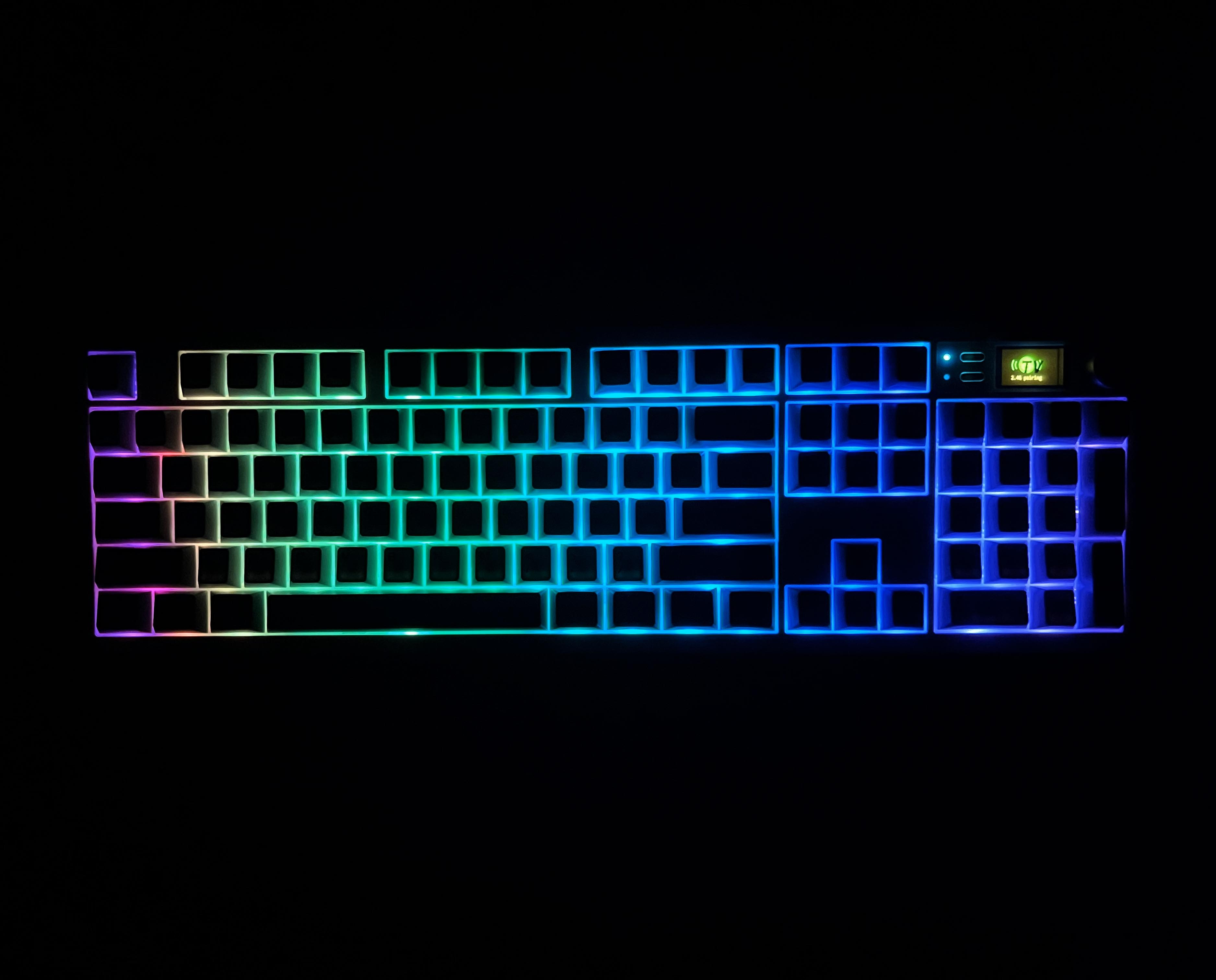
The Epomaker QK108 features RGB backlighting, with each key having its own south-facing LED. This orientation helps reduce glare and makes the lighting more visible from your angle, especially if you’re looking down at the keyboard while typing. The keyboard’s RGB lighting is subtle yet noticeable, illuminating the keycaps rather than shining through.
Switches

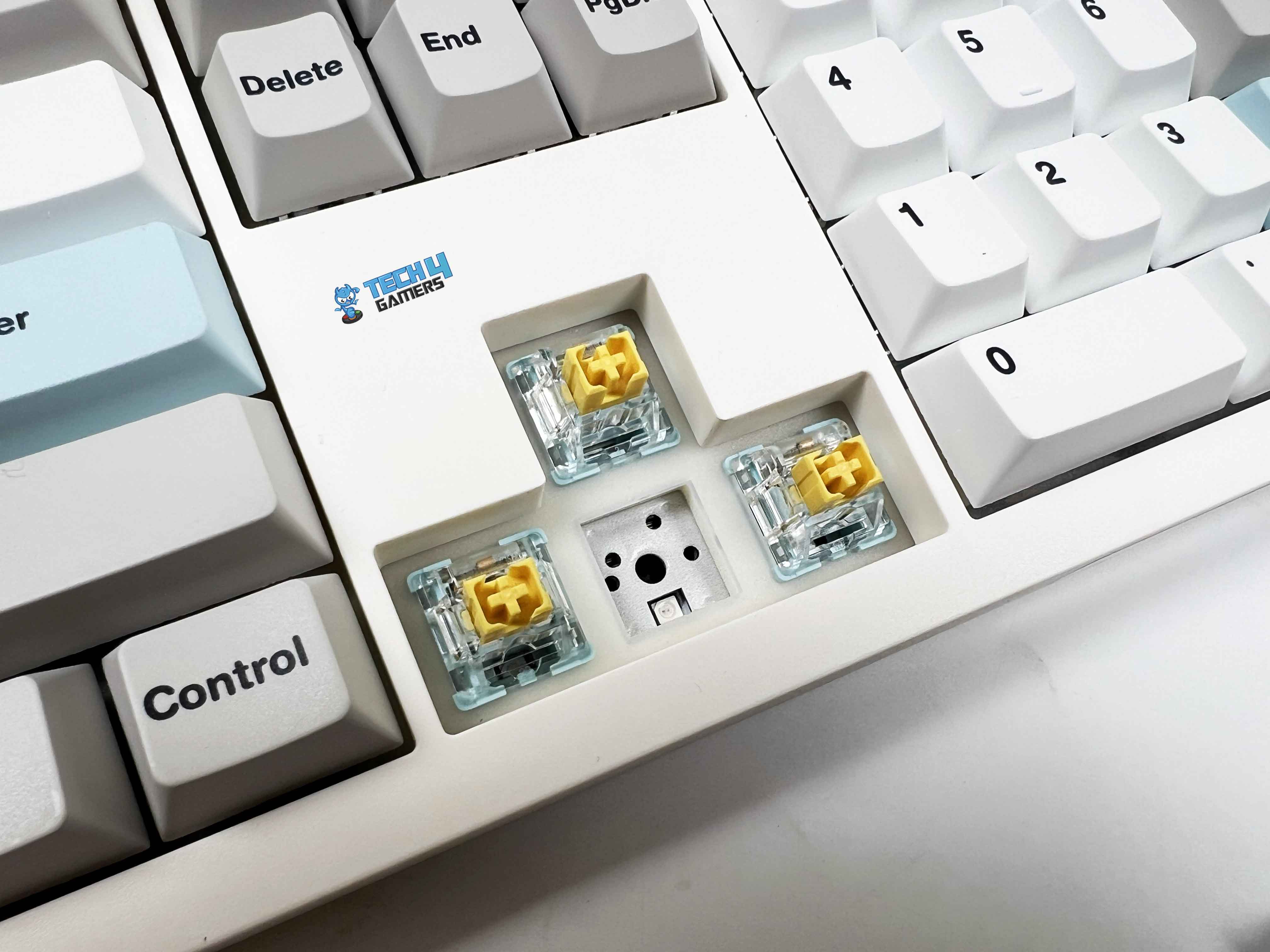
The Epomaker QK108 features Epomaker’s Sea Salt Silent V2 switches, which provide a quiet, linear typing experience. By comparison, some users prefer magnetic-switch keyboards that emphasize rapid actuation. Being silent linear switches, they noticeably reduce the bottom-out sound. They’re well-suited for shared spaces, late-night use, or anyone who prefers a calmer typing environment.
These are 5-pin mechanical switches and are pre-lubricated, which is why they feel so smooth. The trigger force is rated at around 45 gf, with a bottom-out closer to 51 gf, and that feels just about right in actual use. You don’t need to press hard to register a key, but they’re not so light that accidental inputs become an issue. Moreover, the switches feel responsive with a pre-travel of roughly 1.8mm and a total travel of around 3.5mm,
The housing features a transparent PC top and a PA66 base, which helps diffuse RGB light while keeping the structure solid. There’s also a dust-proof stem design that should help ensure longevity, especially if the keyboard is used daily. Lastly, it is fully hot-swappable, thanks to the 5-pin hot-swap sockets. If you are into customization, you can have a look at our roundup of the best custom gaming keyboards.
Connectivity
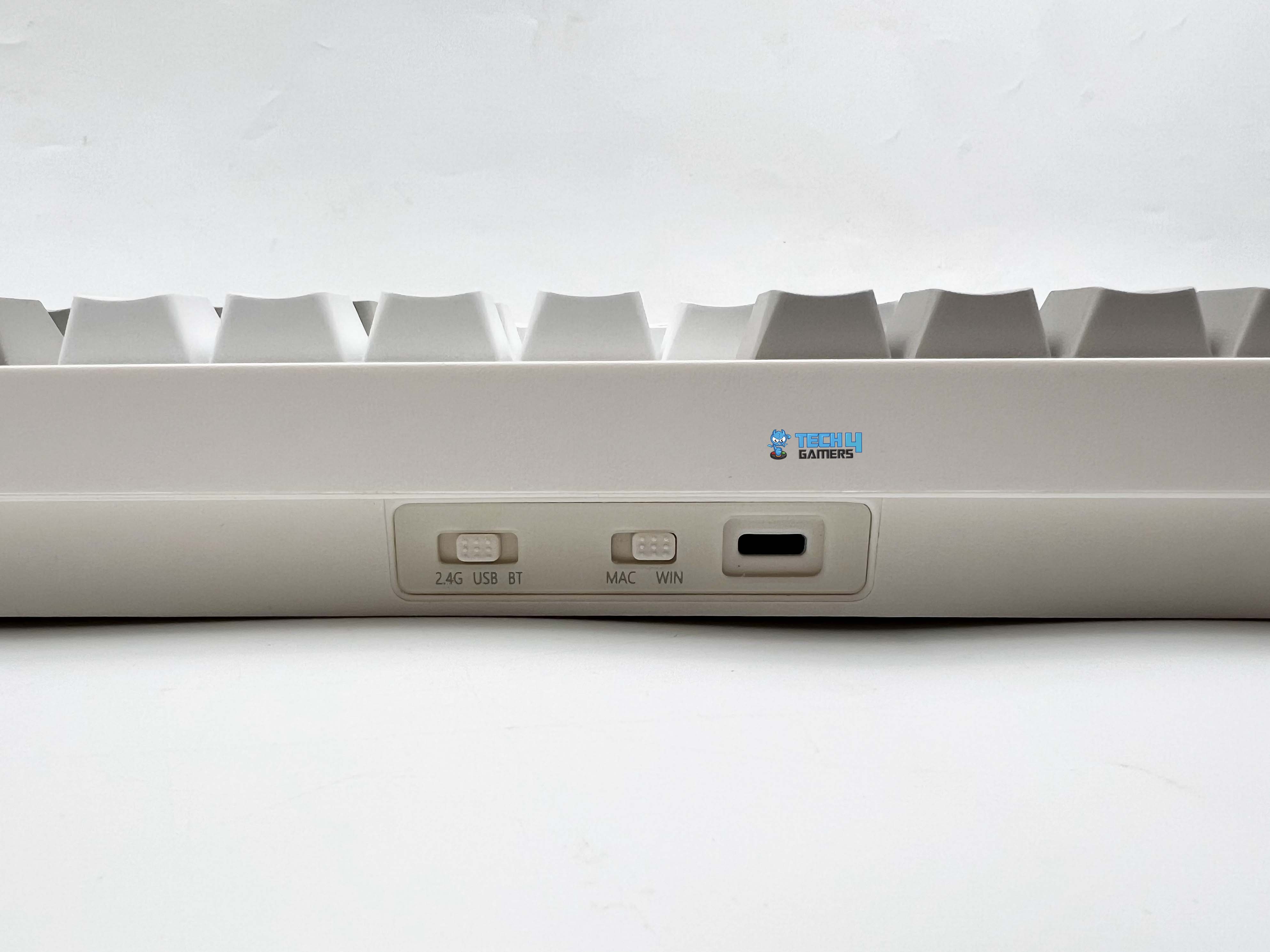
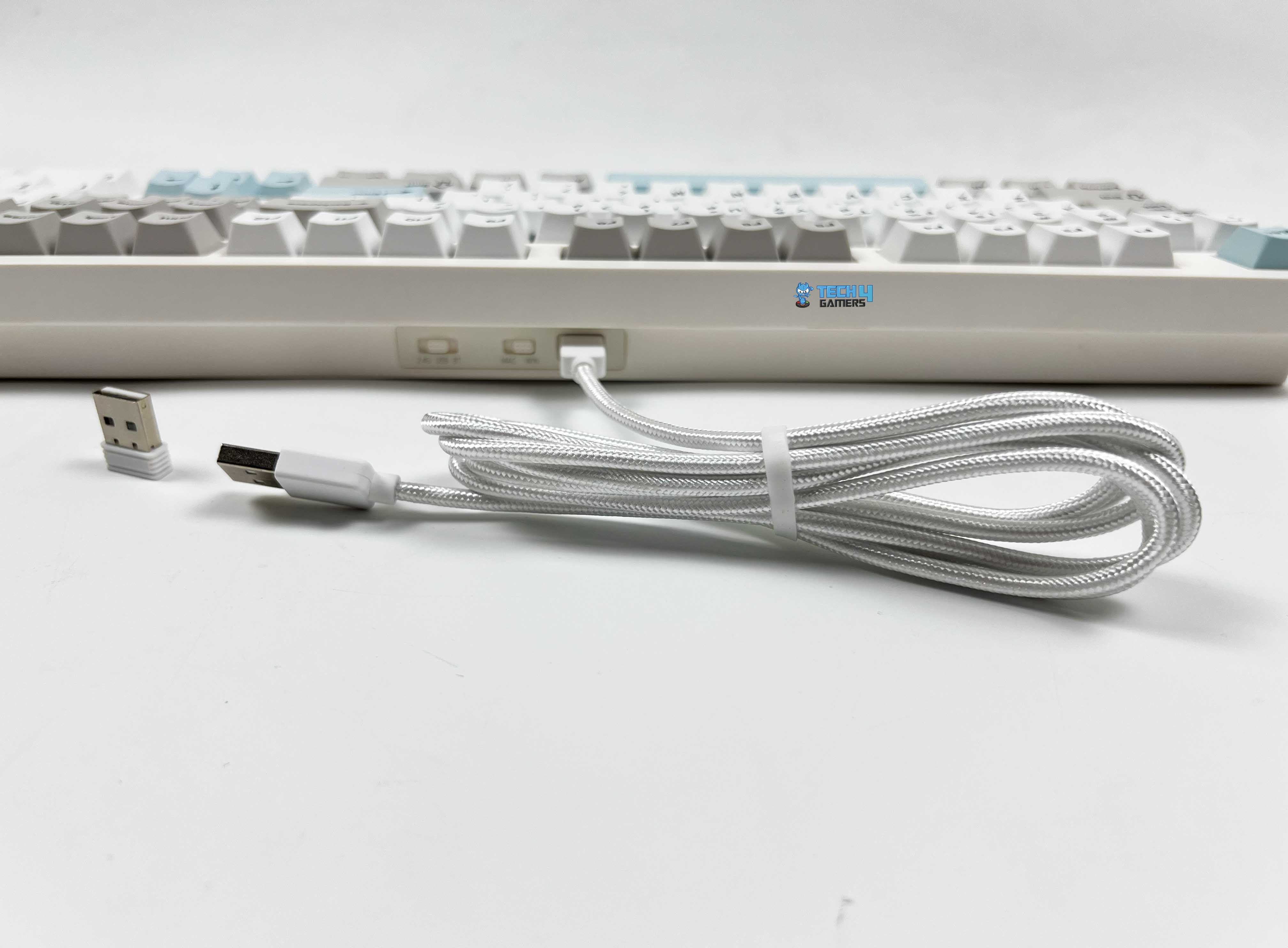
You can use Epomaker QK108 wired through a USB-A to USB-C cable, connect over 2.4GHz wireless, or pair it via Bluetooth. Starting with the wired option, the included cable is a braided USB-A-to-USB-C cable. It’s flexible enough to route easily on a desk. For wireless use, the 2.4GHz mode connects through the USB receiver. Moreover, the keyboard can remember multiple Bluetooth devices.
Switching between paired devices is done with key combinations. At the top of the keyboard, you’ll find the USB-C port along with two physical toggle switches. One switch controls the connection mode. The second toggle is for Windows and Mac modes. These switch toggles make switching between platforms and connection modes straightforward.
Typing Experience
The first thing you notice is the sound, or rather, the lack of it. Key presses land with a soft, muted tone that stays consistent across the keyboard. There’s no sharp clack, no hollow echo bouncing around the case. Even when typing quickly, it only produces minimal sound. Even in a quiet room, the noise it makes is close to silent. A significant part of that depends on how the keyboard is built internally.
It uses a gasket-mounted structure, which provides a slightly cushioned feel with each key press. The PC plate mitigates sharpness in the sound profile. Epomaker has layered the keyboard’s interior with multiple materials. Under the switches, there’s an IXPE switch pad, followed by a PET sound enhancement layer. Below that, you get sandwich latex foam, a layer of foam padding, and a silicone pad at the bottom of the case.
The result is a soft, muted, creamy thock. It’s the kind of sound profile that works well in shared spaces or late-night use. The plate-mounted stabilizers are also tuned well. Larger keys, such as the Spacebar, Enter, and Shift, have no noticeable rattle. The spacebar, in particular, feels quiet, even when pressed off-center.
Performance

In everyday use, the Epomaker QK108 feels responsive. There’s no sense of the keyboard lagging behind your input. When connected through USB-C or 2.4GHz wireless, it runs at a 1000Hz polling rate. Wired mode is the most responsive, with a rated latency of around 3ms, and it performs as claimed. The 2.4GHz wireless mode isn’t far behind. With latency hovering around 5ms, it feels nearly identical to wired in real use.
I didn’t notice any delay or missed inputs while gaming. Bluetooth behaves differently, which is expected. The polling rate drops to 125Hz, and latency increases to roughly 15ms. For typing, browsing, or general productivity, though, it’s perfectly usable. It just isn’t the mode I’d choose for competitive play. Lastly, the keyboard also supports N-key rollover with full anti-ghosting, so pressing multiple keys at once isn’t an issue.
Battery Life
The Epomaker QK108 has a relatively large 8000mAh battery, split into two 4000mAh cells inside the case. In actual use, that capacity gives the keyboard plenty of breathing room, especially if you’re using it wirelessly every day. With RGB lighting and the screen both turned on, you’re looking at around 28 hours of use. If you keep the RGB on but switch the screen off, battery life improves to about 35 hours. Turning off RGB while keeping the screen active extends battery life to around 89 hours.
Lastly, if you disable both the lighting and the screen, the keyboard can stretch up to 229 hours. At that point, charging becomes something you think about occasionally rather than regularly. Additionally, it enters sleep mode if the keyboard is idle for approximately 30 minutes. After that, the lighting turns off, and the keyboard disconnects to save power. Waking it up is as simple as pressing a key, and it reconnects almost immediately. Charging is done via the USB-C cable, and the rated input is 5V DC at 500mA.
Software
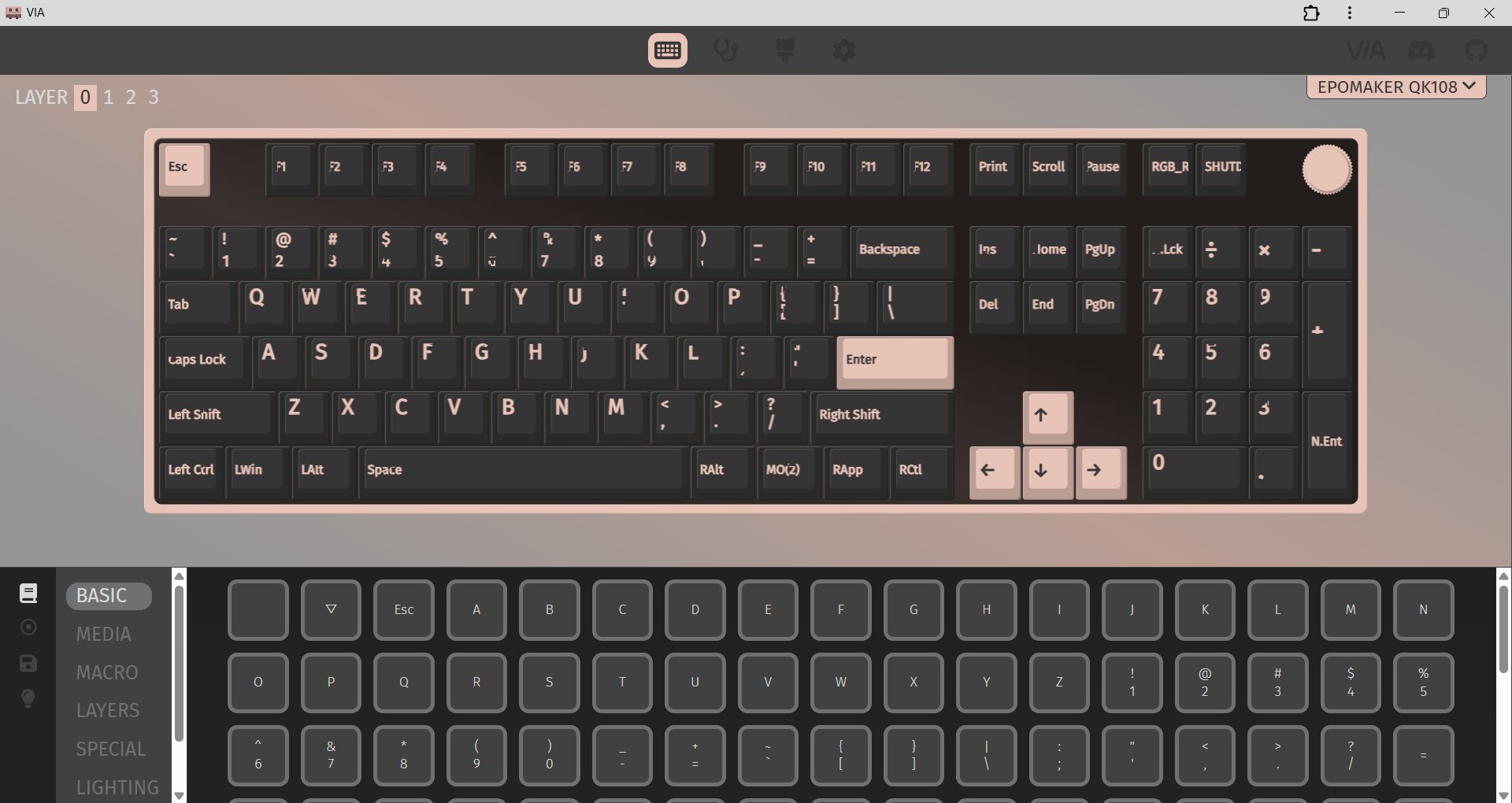
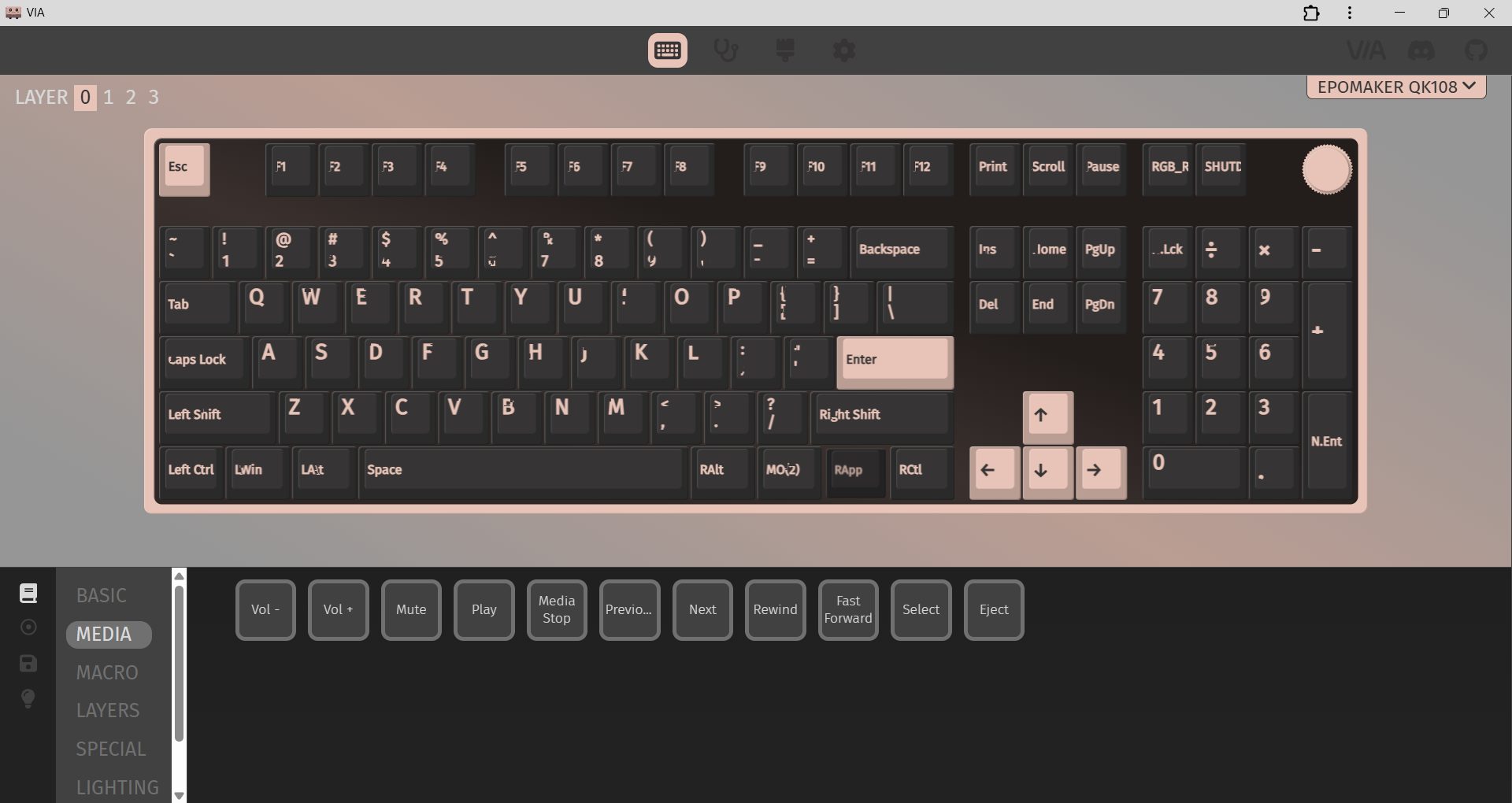
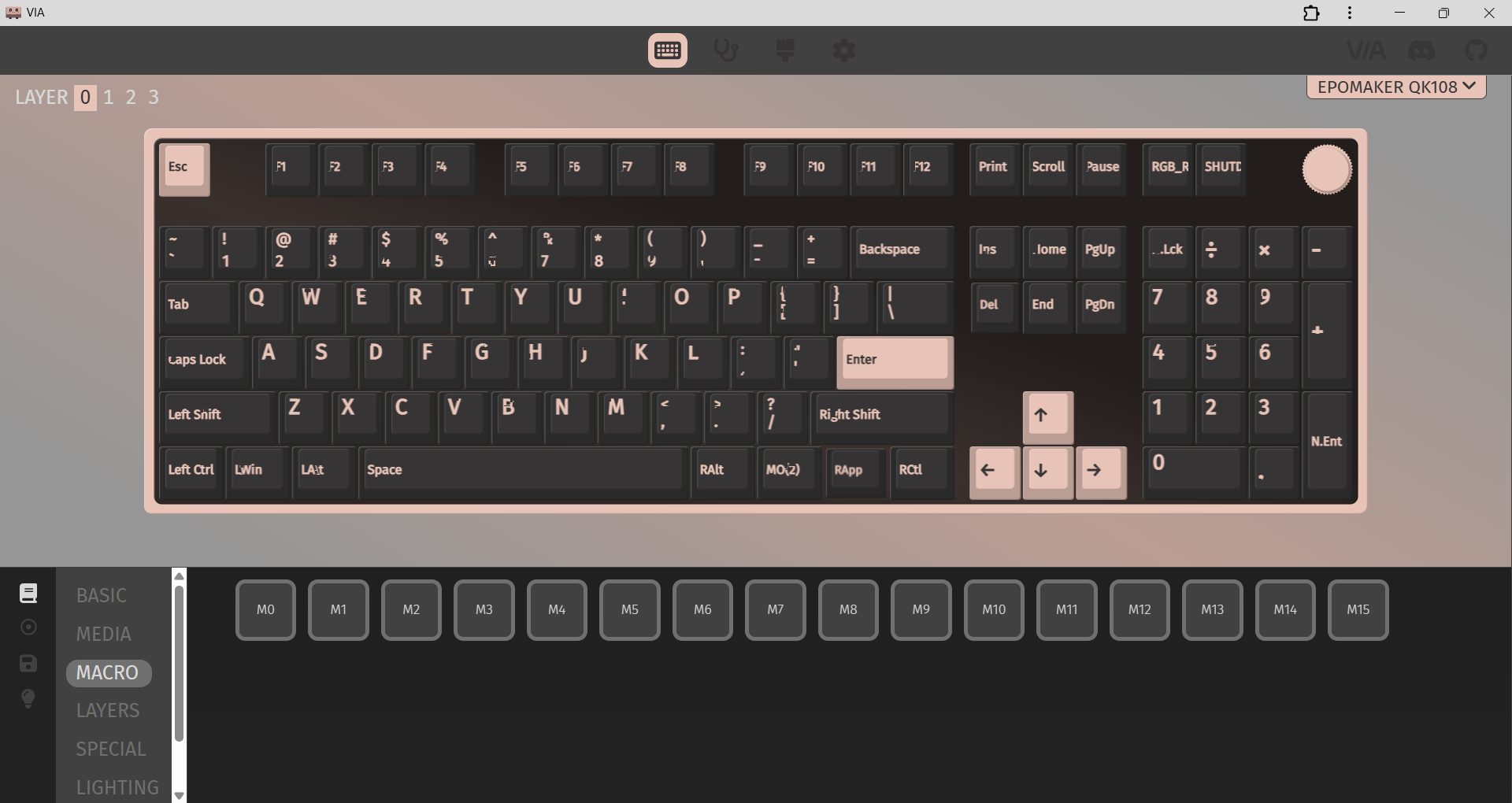
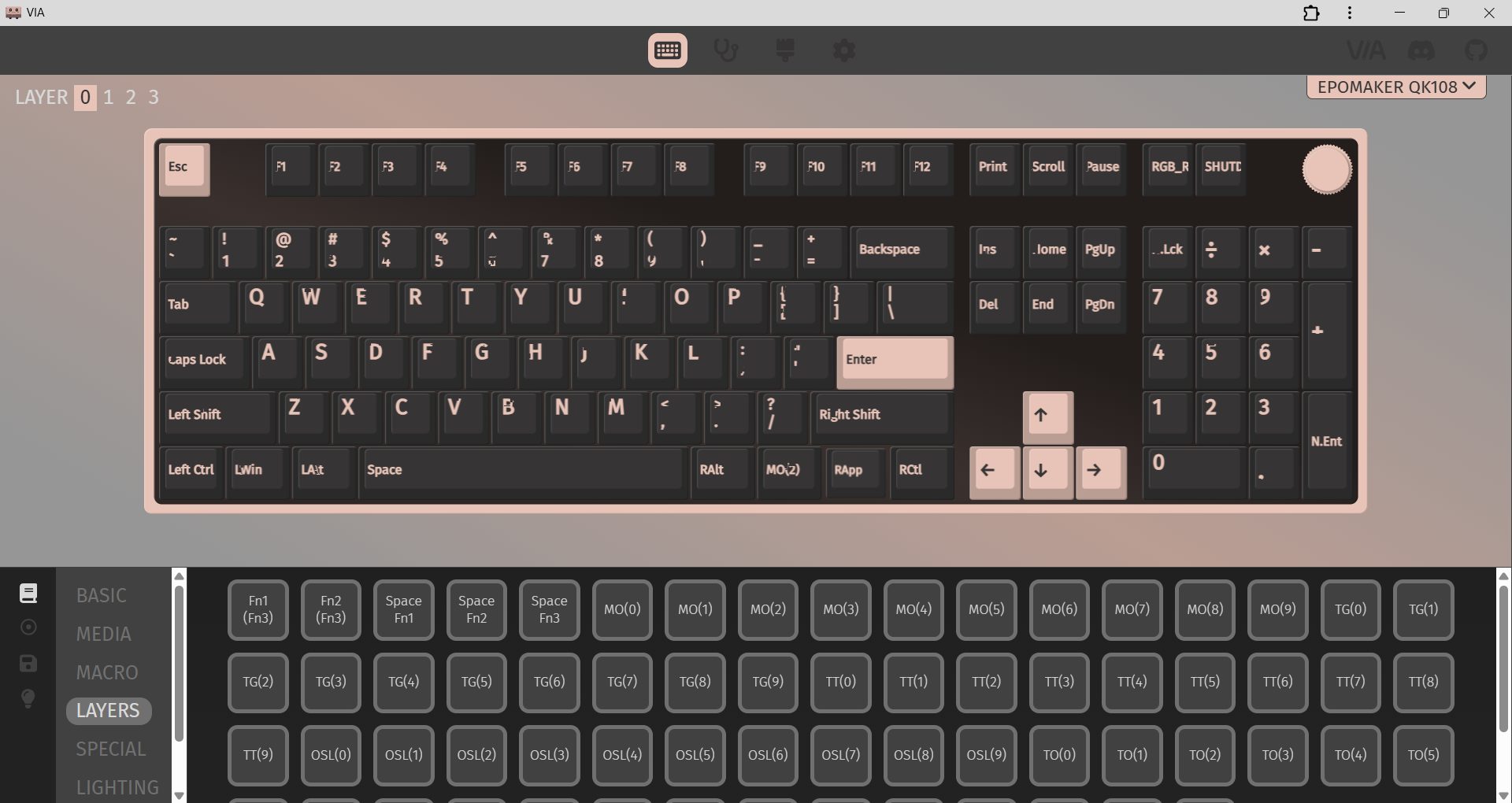
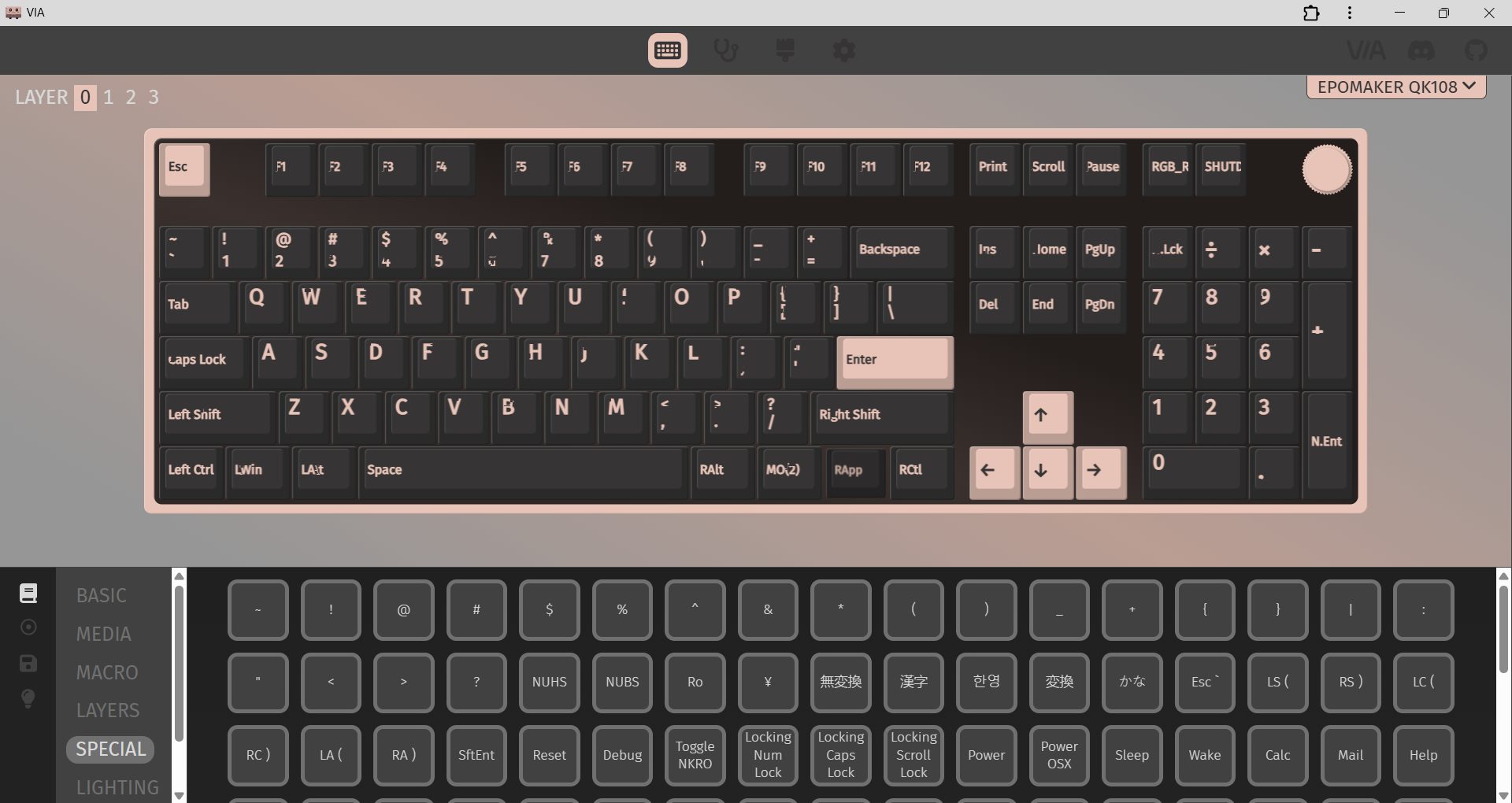
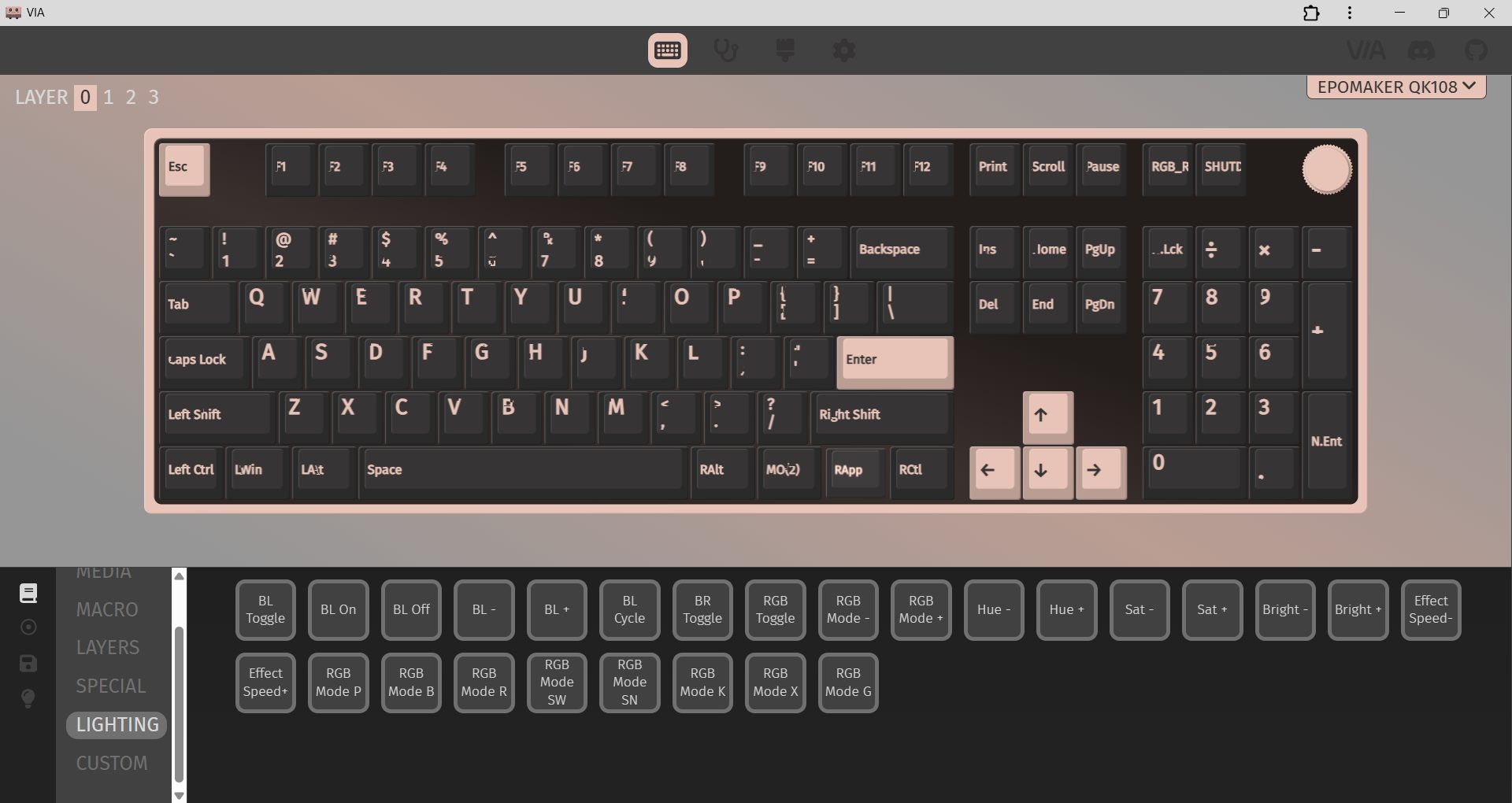
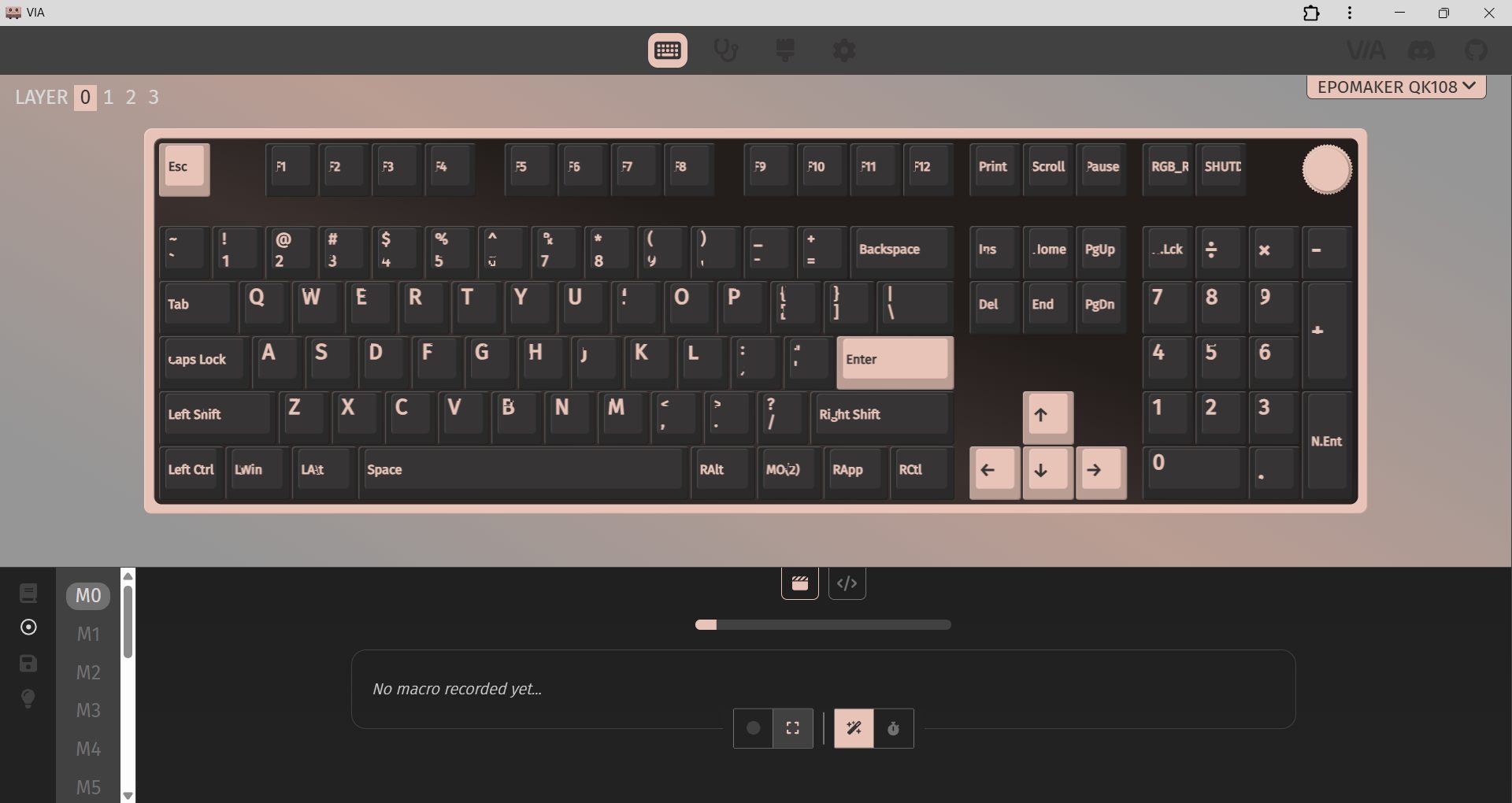
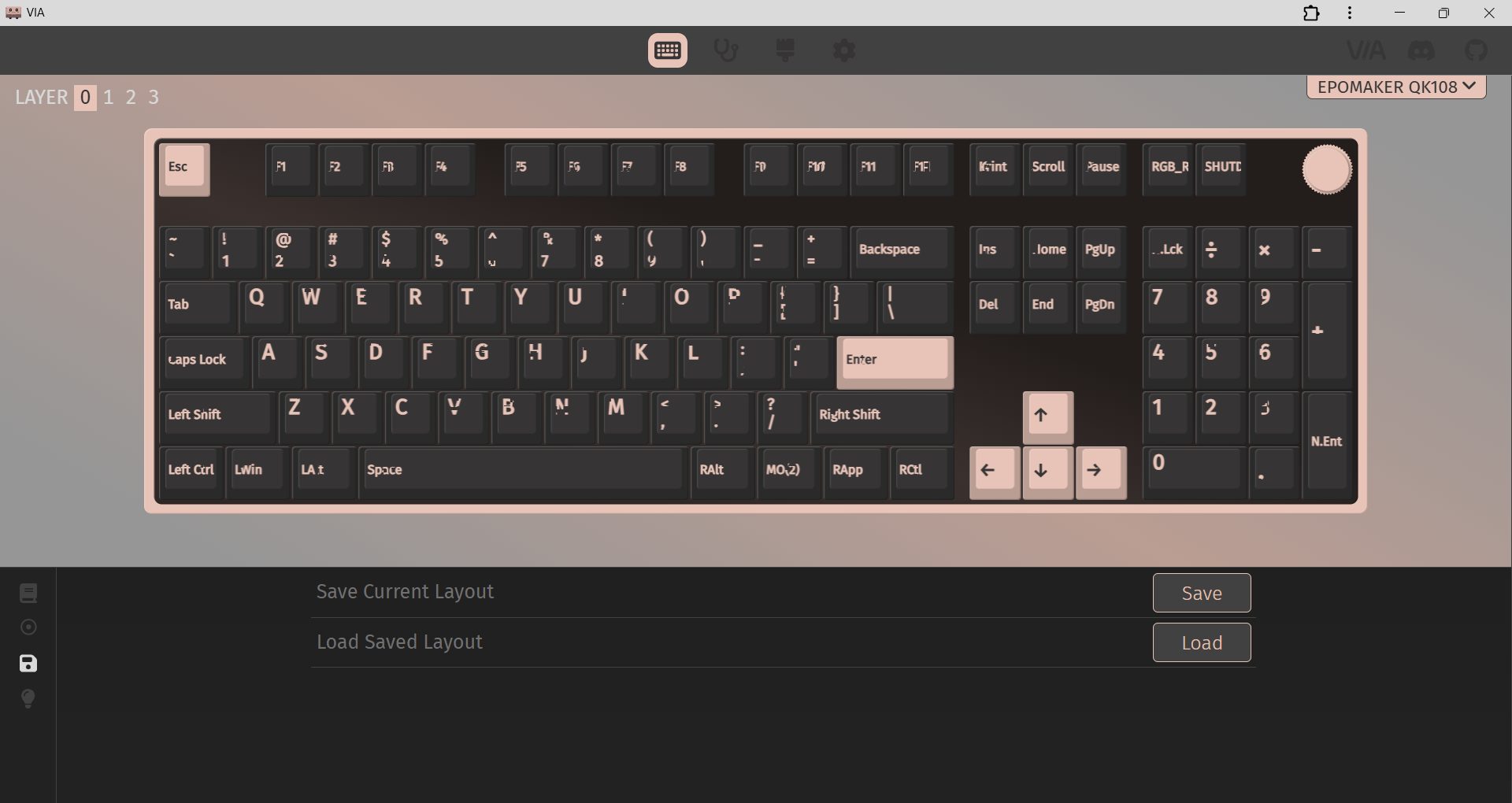
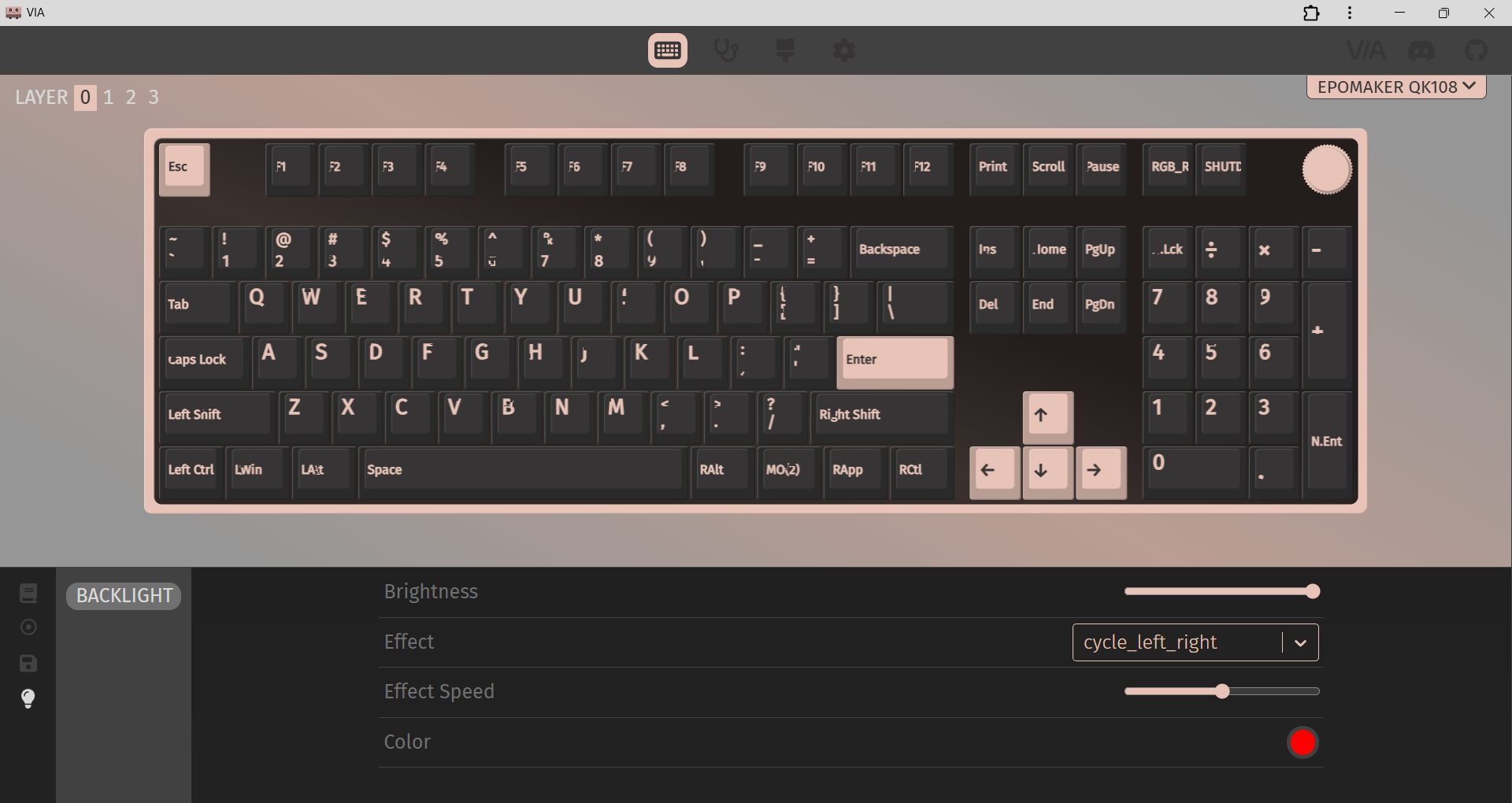
The Epomaker QK108 relies on VIA for customization and is easy to get started with. First, connect the keyboard using a USB-C cable, and ensure the “Use V2 Definition (deprecated)” option is turned off. Then, download the QK108 JSON file from Epomaker’s website and load it into VIA. Once it’s loaded, the Configure tab immediately shows your layout and all programmable functions, so you can start adjusting things.
From there, VIA lets you remap keys, create macros, and tweak function layers. The Mod-Tap function is also useful, allowing a single key to perform one action when tapped and another when held. Moreover, you can save up to four profiles directly to the on-board memory of the keyboard, so you don’t have to open VIA every time you switch devices. Lighting control is also part of the VIA interface. You can adjust RGB effects, brightness, and speed.
Should You Buy it?
Buy it if
✅ You want a full-size keyboard: It is built for users who still rely on a numpad with extra features like a screen and a rotary knob.
✅ You prefer quiet typing: With silent linear switches, a gasket-mounted structure, and multiple sound-dampening layers, it provides a soft typing experience.
Don’t buy it if
❌ You need a compact keyboard: As a full-size board, it takes up a fair amount of desk space and isn’t ideal for tight setups.
❌ You expect a premium metal build: While the ABS case feels well-built, someone specifically looking for an aluminum chassis may find the build quality a bit underwhelming.
Final Verdict
I’ve used the Epomaker QK108 for a while now, and it’s grown on me more than I expected. At $99.99, it feels like you’re getting a lot without stretching your budget for a full-size mechanical keyboard with this many features. The asking price is reasonable. It feels more like a keyboard that’s been thoughtfully designed for people who actually type and work on it every day. If you’re exploring full-size boards like it, you might also want to check out the best gaming keyboards for 2026, where we break down top picks.
Thank you! Please share your positive feedback. 🔋
How could we improve this post? Please Help us. 😔

[Hardware Reviewer & Editor]
After many years of exploiting various pieces of hardware, Abdul Hannan now serves as an editor at Tech4Gamers. He’s been in the PC hardware reviewing industry for almost a decade, and his staff of passionate geeks and reviewers is second to none.
Abdul Hannan is constantly seeking new methods, you will always see him running into New Computer Courses to improve the performance of his computer components since he is an ardent overclocker. He is well-known for providing the most extensive and unbiased analysis of the newest and greatest hardware for PC gaming, including everything from GPUs to PSUs.
 Join Our Community