- The era of purely judging a CPU by its core clock is over; the Infinity Fabric (AMD) or Ring Bus (Intel) speed is the true determinant of system latency.
- The old 1:1:1 synchronization rule is dead for modern DDR5 platforms; pushing RAM to 8000 MT/s forces a 1:2 ratio that mathematically penalizes your gaming performance.
- Unexplained system crashes and WHEA errors during memory overclocking are rarely caused by faulty RAM, but rather an unstable, over-stressed fabric clock.
I’ll get straight to the point. Your cores and your RAM are only as fast as the bridge connecting them.
For AMD Ryzen and modern Intel CPUs utilizing chiplet designs, the most critical performance metric is no longer just raw core frequency. It’s the Infinity Fabric (AMD) or the Ring Bus (Intel) clock.
This “fabric clock” is the central nervous system of your processor. It is the exact speed at which your cores, L3 cache, memory controller, and I/O die communicate with one another. If this internal highway is unstable or running at a suboptimal speed, it imposes a massive, system-wide latency penalty.
Consequently, this latency can single-handedly cripple your gaming performance, rendering those ludicrously high core clocks completely pointless.
The Synchronization Rule: A Reality Check For Zen 4 & Zen 5
Let’s rewind to the Zen 3 days. Back then, the golden rule of Ryzen was the 1:1:1 synchronization. If you had DDR4-3600 RAM, your memory clock (MCLK), memory controller clock (UCLK), and Infinity Fabric clock (FCLK) all strictly needed to run in perfect sync at 1800 MHz.
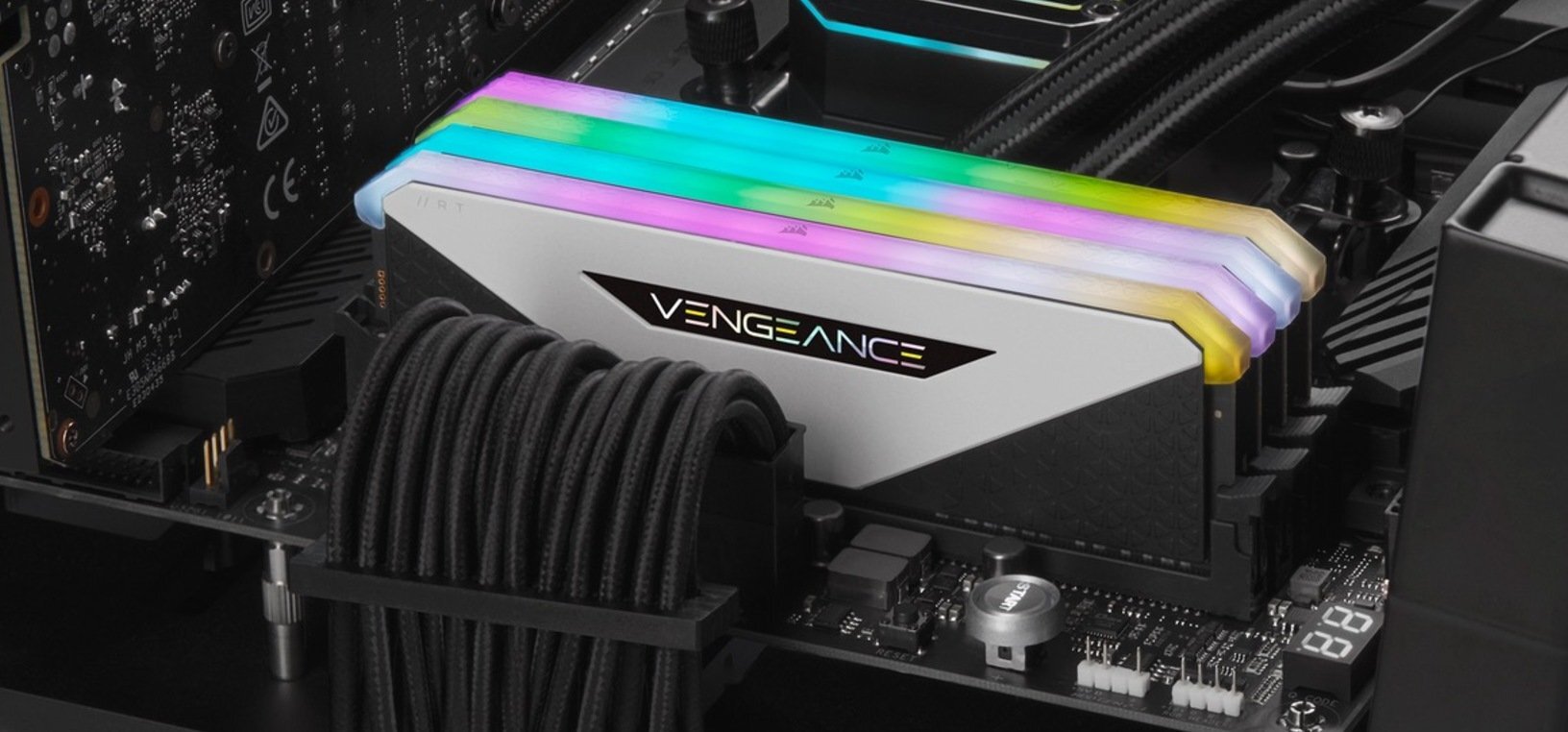
However, for optimal gaming performance on AM5 (Zen 4 & Zen 5), your sweet spot is DDR5-6000. Here, you want your MCLK and UCLK perfectly synced at 3000 MHz (a 1:1 ratio). But your Infinity Fabric (FCLK) should actually be decoupled, sitting comfortably in its own sweet spot of 2000 MHz to 2133 MHz.
So what happens when you ignore my advice and push your RAM past a blistering 8000 MT/s? Your motherboard panics, to say the least.
In order to handle those insane speeds, the memory controller is forced to desynchronize into a 1:2 mode (MCLK at 4000 MHz, UCLK at 2000 MHz). Resultantly, this architectural shift adds a catastrophic latency penalty that completely negates the raw bandwidth gains, especially in latency-sensitive eSports titles.
Intel’s Arrow Lake: The Ring Bus Tragedy
Moving on, Team Blue is currently facing its own latency nightmare.
To elaborate, Intel’s newly launched Arrow Lake CPUs transitioned to a tile-based architecture. Crucially, they moved the memory controller off the main compute tile and onto a separate SoC tile.
Think of it like moving the kitchen out of your house and into a detached garage. Sure, you have more room inside the house, but getting a snack now takes twice as long.
Because of this physical separation, data has to travel across the internal Ring Bus and hop between tiles. Early testing shows Arrow Lake suffering from a severe memory latency penalty of more than 10-20ns compared to Raptor Lake.
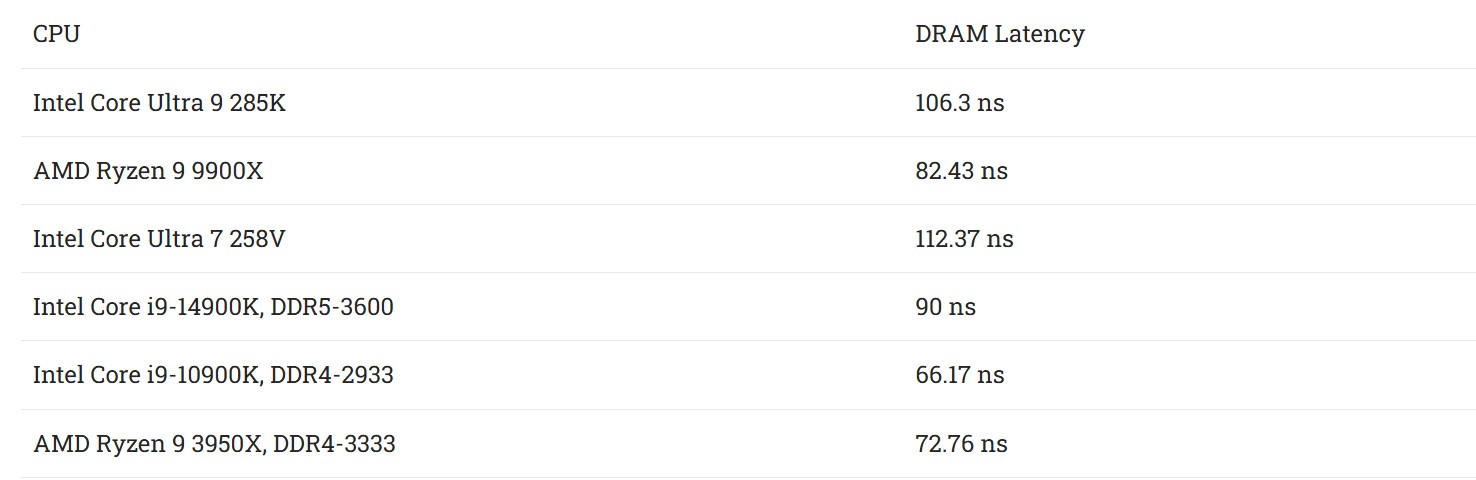
But credit where credit’s due, Intel did try its best to mitigate these abnormal latencies by issuing a series of updates, including the Microcode 0x114 Patch. Unfortunately for Team Blue, these updates only softened the impact, rather than magically augmenting gaming performance.
After all, you can’t fix a hardware-level issue with a software update.
In other words, raw memory bandwidth can’t completely eliminate the stuttering caused by this internal silicon traffic jam.
The Instability Culprit: It’s Not Your RAM
To put this dilemma into perspective, let’s talk about system crashes.
How many times have you enabled an EXPO or XMP profile, loaded into a game, and been hit with a random Blue Screen of Death or a dreaded WHEA (Windows Hardware Error Architecture) error?
Most users immediately blame bad RAM or a faulty motherboard. But in reality, the silent killer is almost always an unstable fabric clock.
When you push your memory frequencies to the absolute limit, your CPU’s internal interconnects intensely struggle to keep up with the sheer volume of incoming data. The Infinity Fabric or Ring Bus becomes incredibly unstable, dropping packets and causing silent errors that eventually crash your entire system to the desktop.
Hold Your Horses: The Overlooked Setting
So, what is the solution to this catastrophic mess? Hold your horses, and stop blindly chasing the highest number printed on the RAM box.
As I’ve mentioned before when discussing why absurdly fast RAM kits are pointless for most gamers, prioritizing latency over raw frequency is the true determinant of highly responsive gaming performance.
For starters, manually tune your system to find the absolute maximum stable FCLK or Ring Bus clock your specific CPU silicon can handle without throwing WHEA errors.
Secondly, lock your memory and memory controller into that beautiful 1:1 ratio (like DDR5-6000 on Zen 4 & Zen 5) and aggressively tighten your secondary sub-timings.
All in all, raw frequency is just a marketing gimmick if your internal fabric cannot deliver the data on time.
So if you want a buttery-smooth, stutter-free gaming experience, you meticulously need to master the fabric clock.
The bottom line? Your CPU’s internal highway dictates your actual frame rates. Treat it with the respect it rightfully deserves.
Thank you! Please share your positive feedback. 🔋
How could we improve this post? Please Help us. 😔

[Wiki Editor]
Ali Rashid Khan is an avid gamer, hardware enthusiast, photographer, and devoted litterateur with a period of experience spanning more than 14 years. Sporting a specialization with regards to the latest tech in flagship phones, gaming laptops, and top-of-the-line PCs, Ali is known for consistently presenting the most detailed objective perspective on all types of gaming products, ranging from the Best Motherboards, CPU Coolers, RAM kits, GPUs, and PSUs amongst numerous other peripherals. When he’s not busy writing, you’ll find Ali meddling with mechanical keyboards, indulging in vehicular racing, or professionally competing worldwide with fellow mind-sport athletes in Scrabble. Currently speaking, Ali’s about to complete his Bachelor’s in Business Administration from Bahria University Karachi Campus.
Get In Touch: alirashid@tech4gamers.com
 Join Our Community