The 60 series cards in the GeForce RTX 4000 lineup might be the cheapest way to make an entry in the Ada Lovelace architecture. However, it comes with a lot of caveats, especially if you are using a motherboard with an older PCIe 3.0 interface.
I believe PC gamers with older motherboards should not consider upgrading to Nvidia’s latest generation before moving on from the PCie 3.0 interface. The GeForce RTX 4060 Ti, in particular, performs poorly when paired with such motherboards.
Why it matters: The GeForce RTX 4060 series in the current Nvidia lineup is now limited to the X8 slot. This limitation cuts the bandwidth in half to 7.9 GB/s on a PCIe 3.0 interface compared to 15.8 GB/s on a card with an X16 slot.
Performance Drawbacks
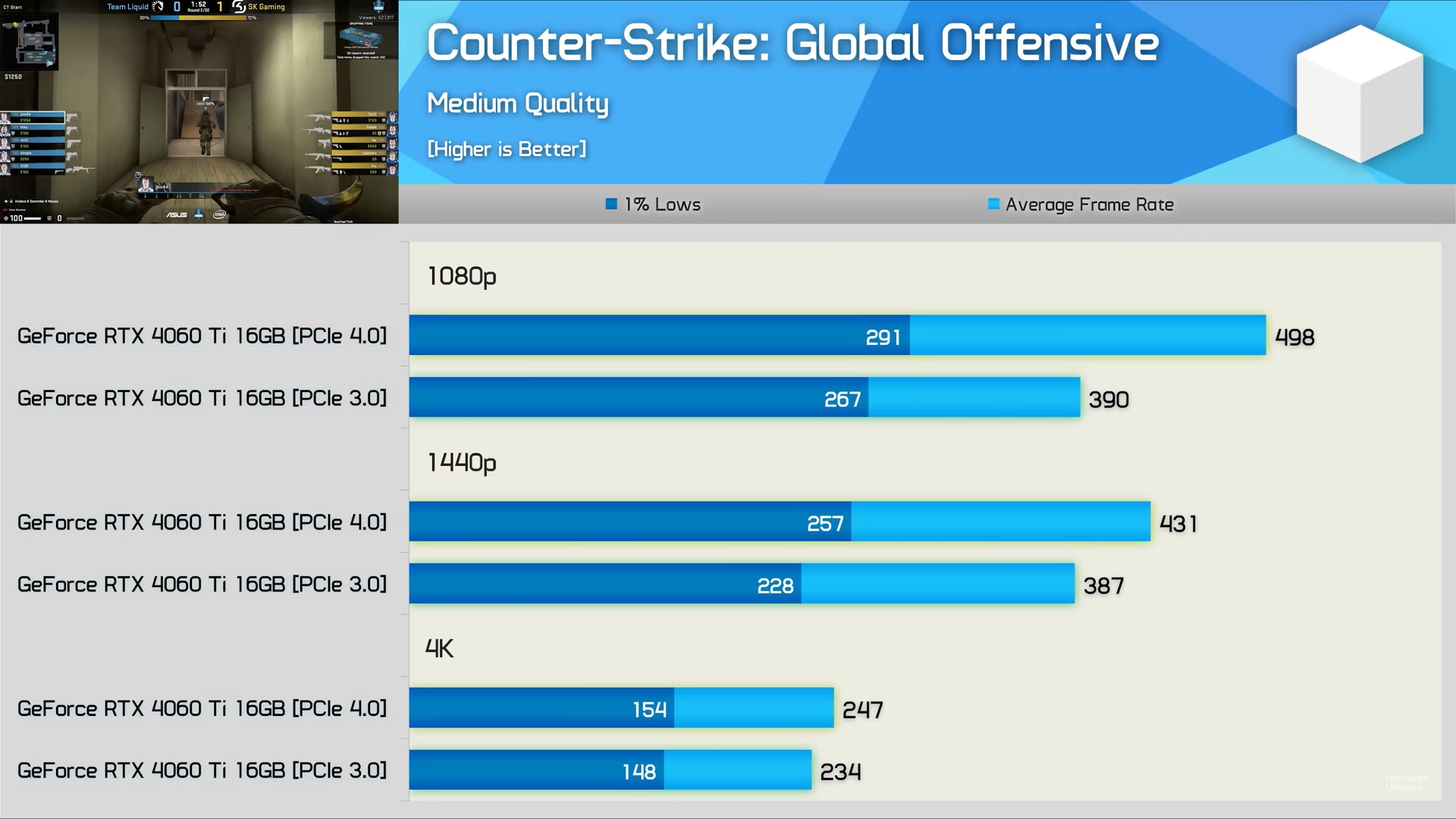
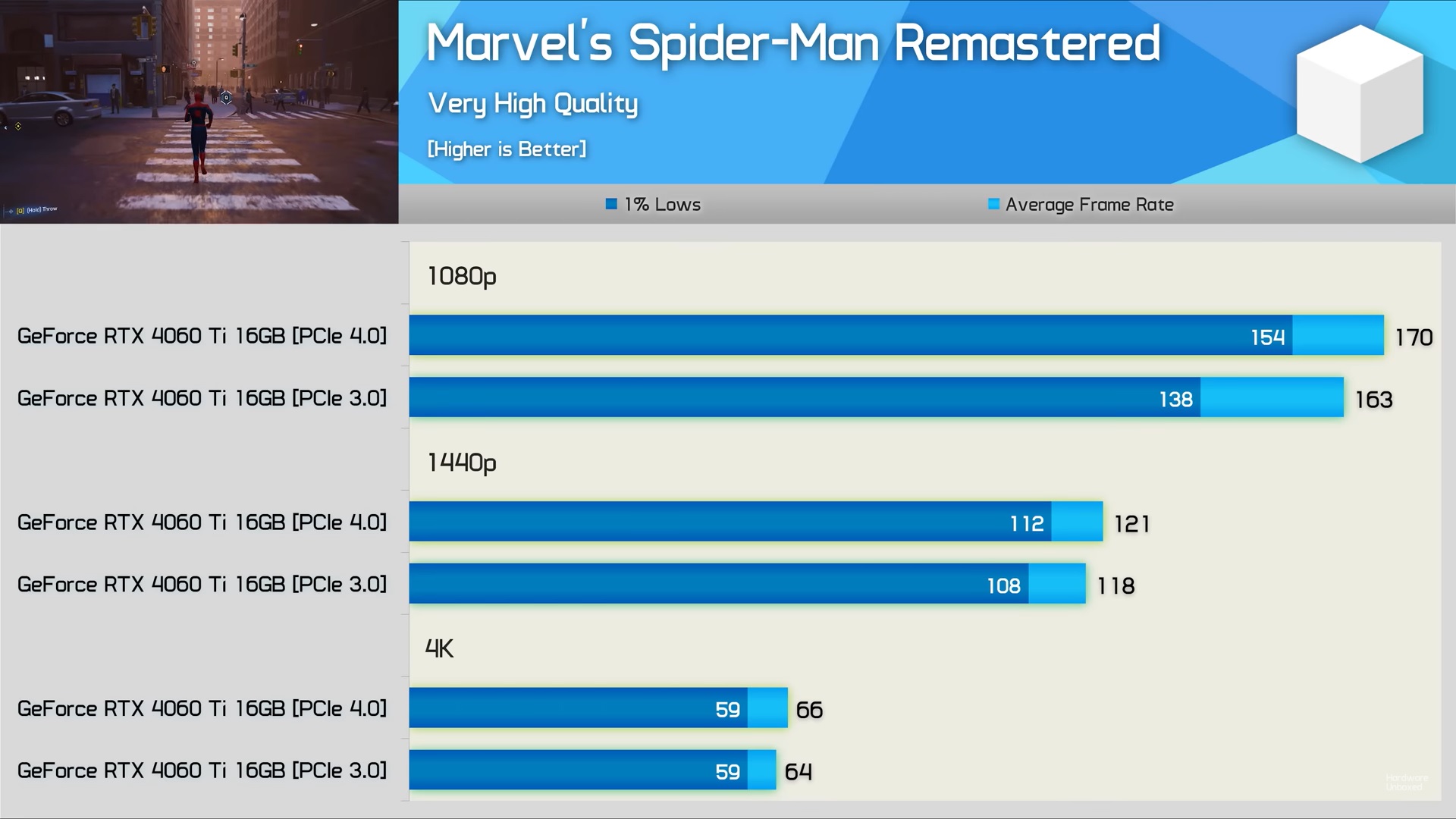
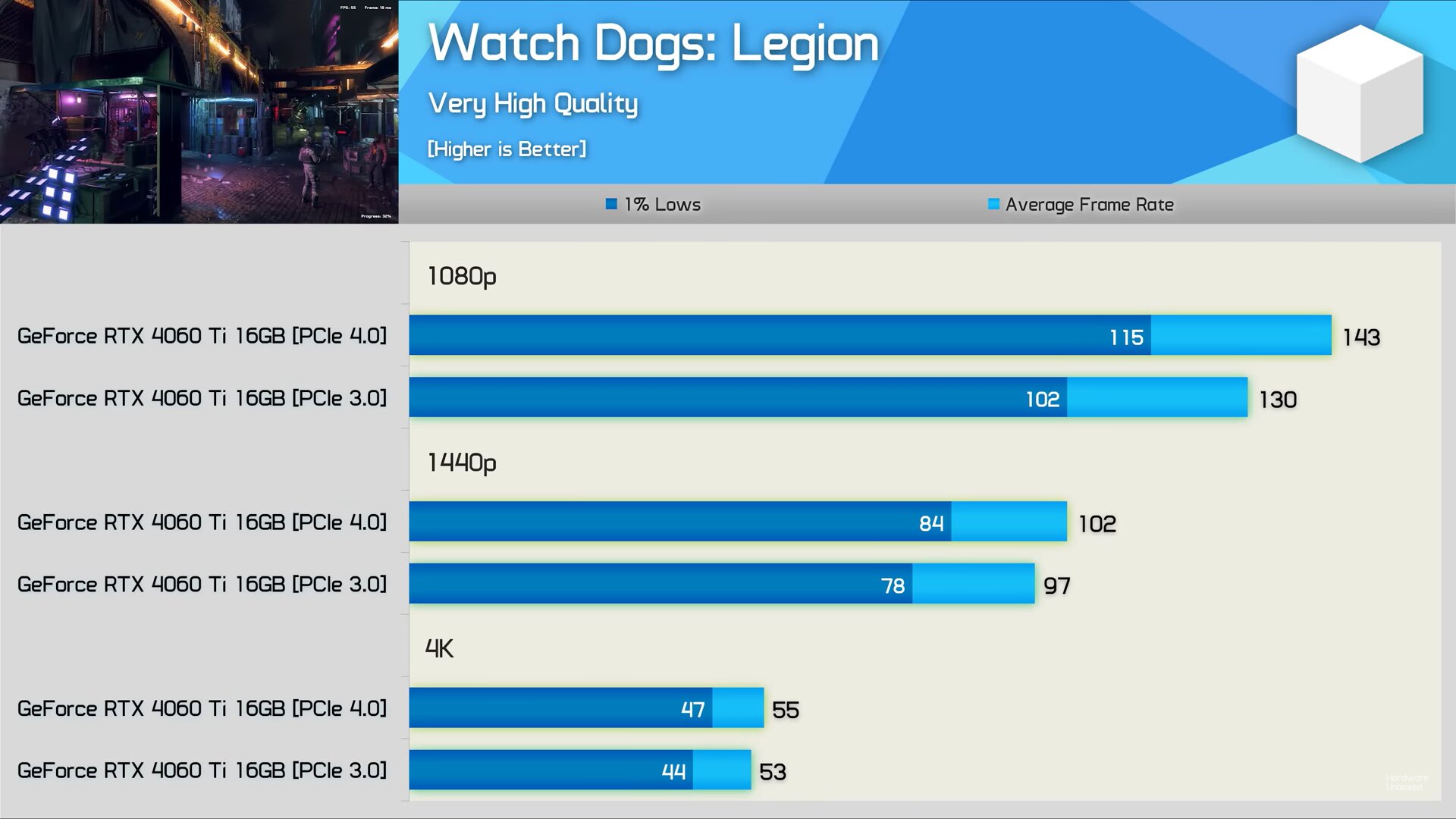
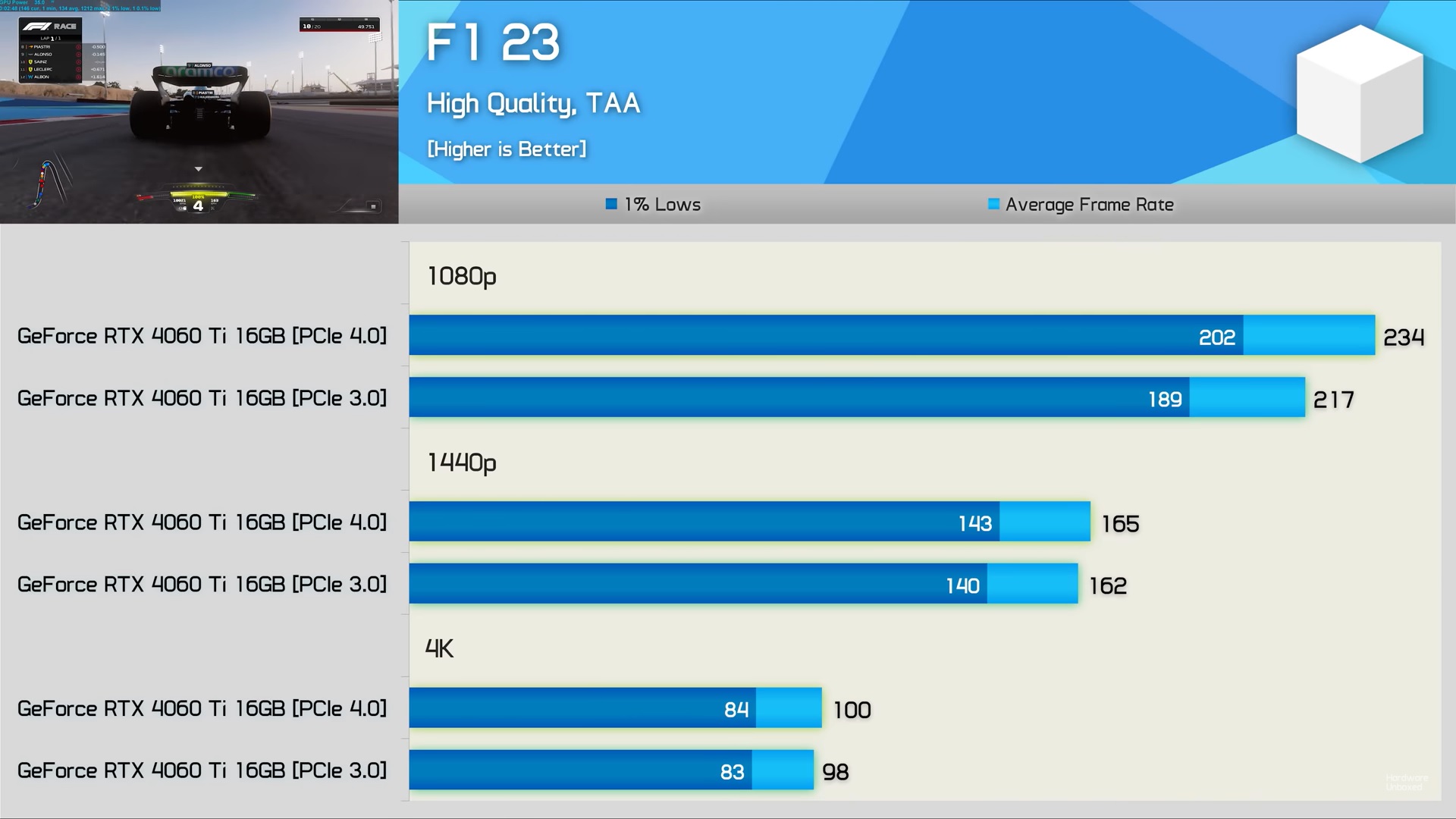
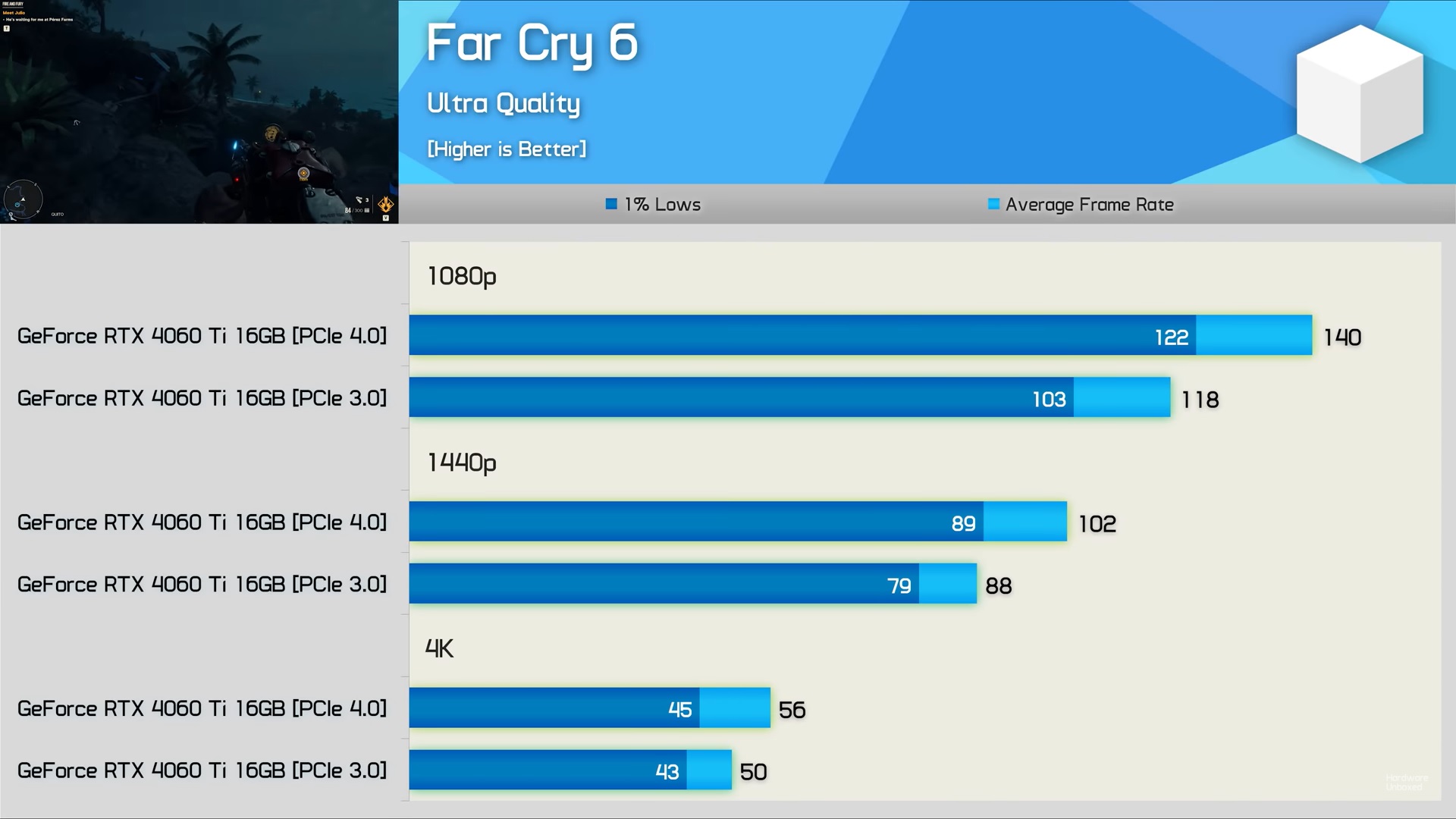
According to benchmarks from Hardware Unboxed, limited to PCIe 3.0 bandwidth, the GeForce RTX 4060 Ti was 28% slower in CS:GO, 4% slower in Spider-Man Remastered, 6% slower in Hogwarts Legacy, and 10% slower in Watch Dogs: Legion.
Games like F1 23 and Far Cry 6 also lagged behind by 8% and 19%, respectively. Fortunately, when testing the GeForce RTX 4060 series above 1080p, the difference is not that drastic.
However, it is a card aimed at 1080p resolution, so I believe it is fair to test it at the most adopted resolution in the PC gaming community.
Ray Tracing & PCie Bandwidth
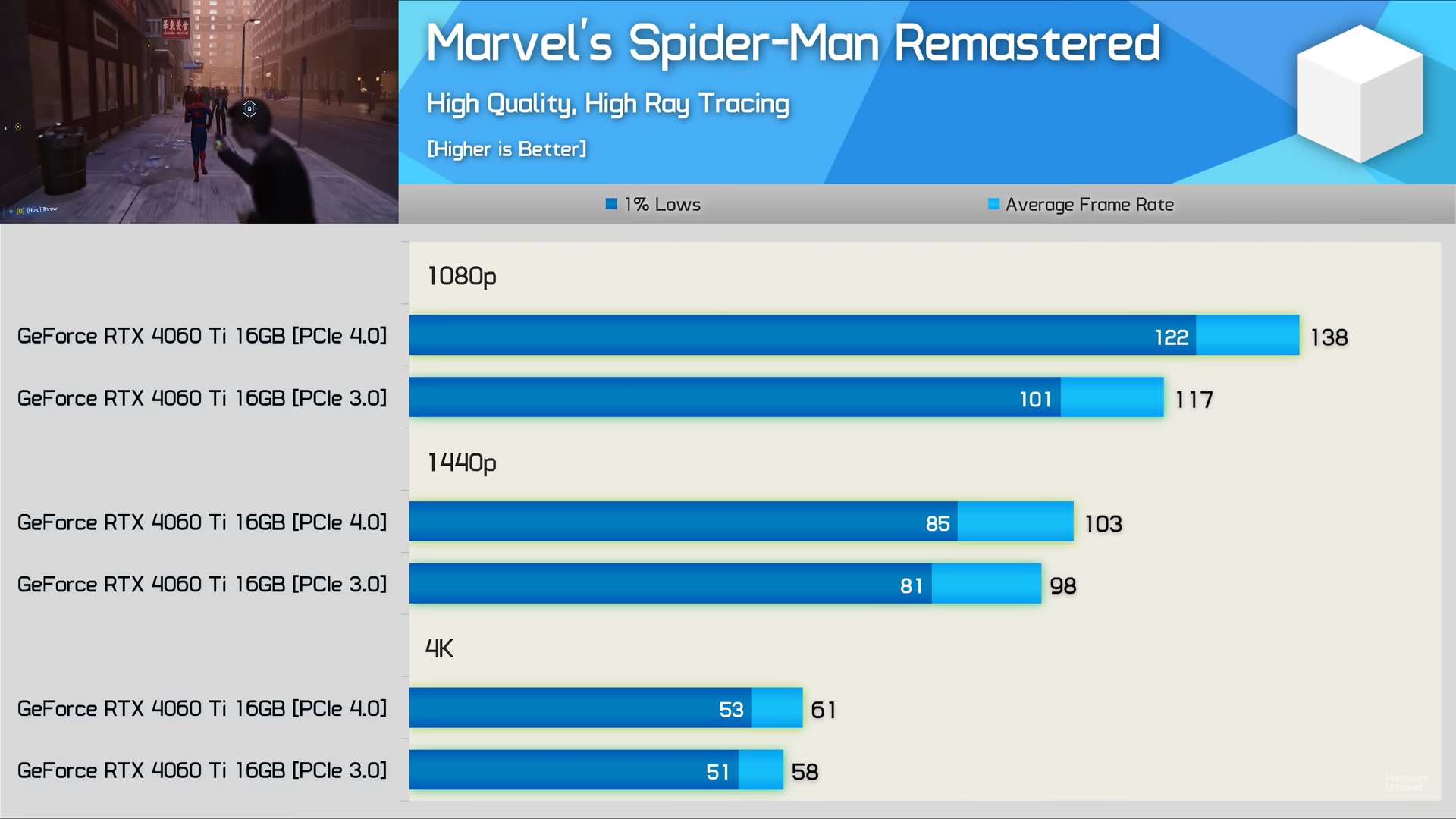
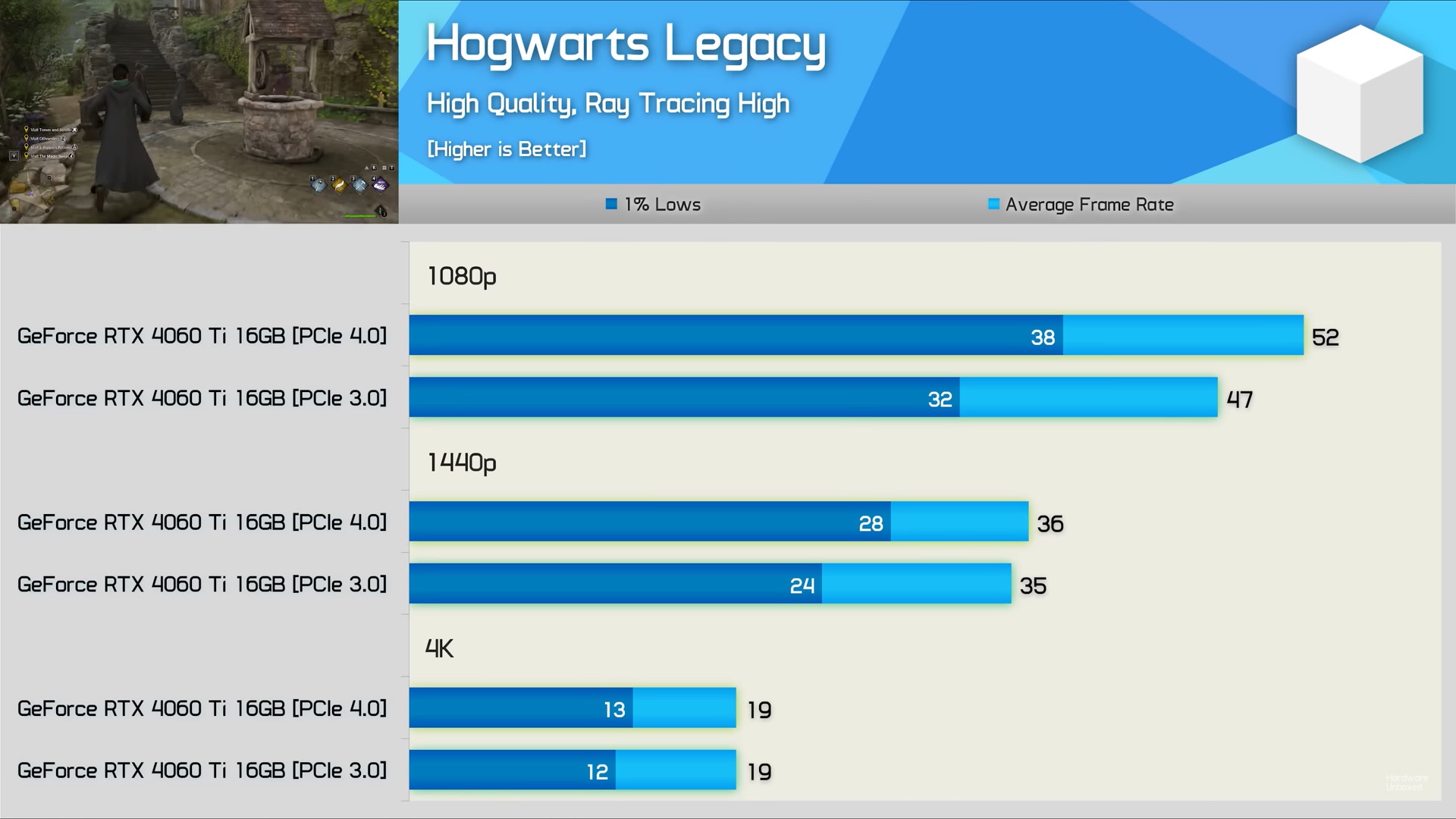
It is also interesting to note that ray tracing puts more strain on the PCIe bandwidth. Ray-tracing effects also result in an increased CPU load, especially at lower resolutions like 1080p.
With ray tracing effects turned on, the GeForce RTX 4060 Ti, at 1080p, is now 18% slower in Spider-Man Remastered, 10% slower in Hogwarts Legacy, and 18% slower in Farcry 6.
The 60 series cards in the GeForce RTX 4000 lineup from Nvidia are not the only cards limited to the X8 interface. AMD has also released GPUs with limited bandwidth to cut down on costs. As a result, the Radeon RX 6600, 6600 XT, and 7600 feature an X8 slot.
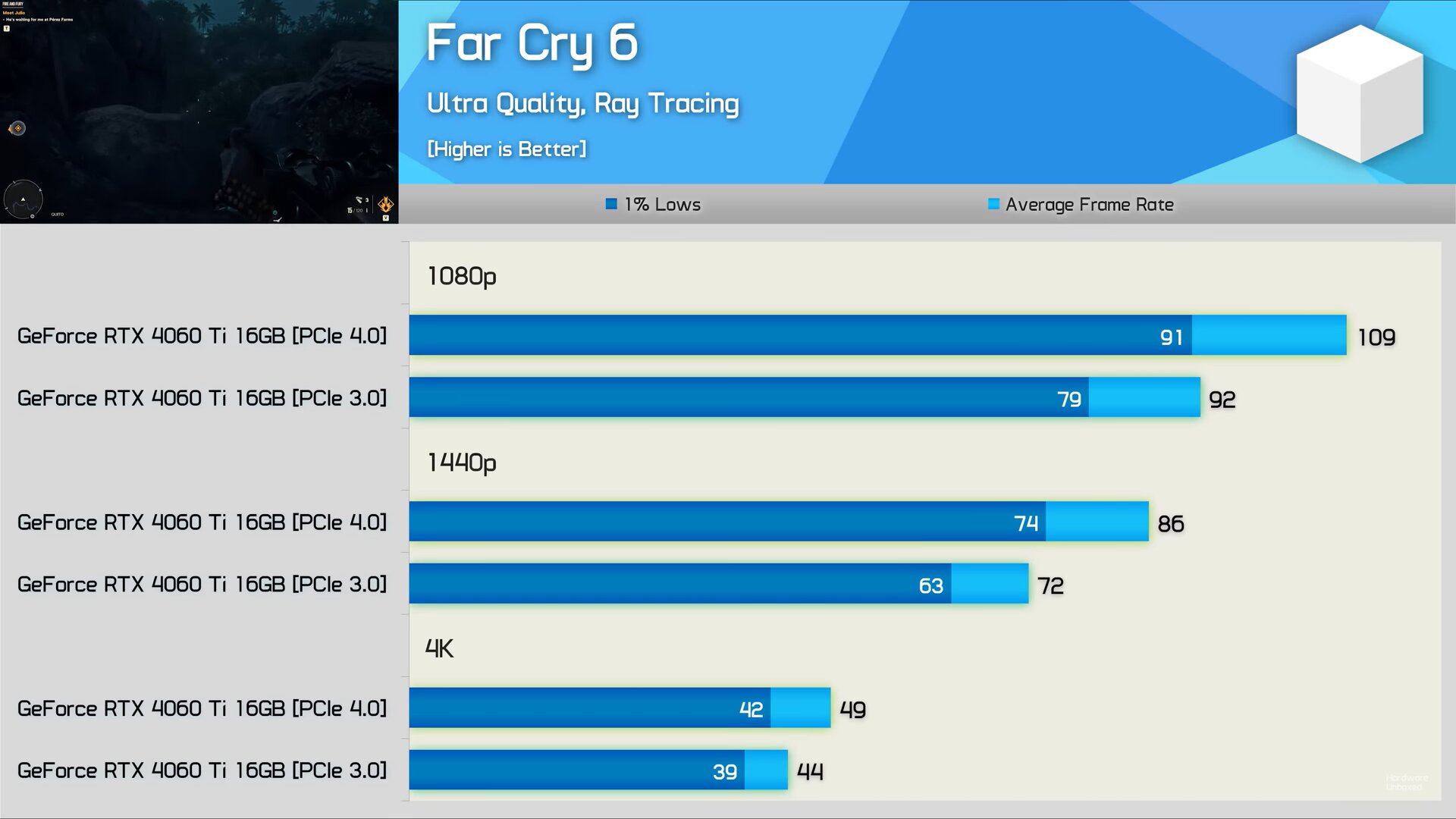
Users should note that the results shown above are only applicable when using a motherboard with an older PCIe 3.0 interface. However, recent motherboards like the B550 and X570 lineups come equipped with PCIe 4.0 interface.
The same also holds true for motherboards with support for AMD Ryzen 7000 processors. On the Intel side, you will need a 600 series motherboard starting from the B660 lineup to make use of the PCIe 4.0 interface.
Cheaper entry-level boards with chipsets like the Intel H610 and A520 from AMD, while supporting the latest generation processors, are still limited to the PCIe 3.0 interface.
Solution: The solution, as mentioned above, would be to avoid cards with an X8 interface or upgrade your motherboard to fully support the PCIe 4.0 interface. Both of these can be difficult upgrades, especially for users on older systems.
Therefore, it is better to avoid the latest 60 series cards from Nvidia and instead go with GeForce RTX 3060 or 3060 Ti, which are not limited and feature the X16 slot.
Thank you! Please share your positive feedback. 🔋
How could we improve this post? Please Help us. 😔

[News Reporter]
Malik Usman is student of Computer Science focused on using his knowledge to produce detailed and informative articles covering the latest findings from the tech industry. His expertise allows him to cover subjects like processors, graphics cards, and more. In addition to the latest hardware, Malik can be found writing about the gaming industry from time to time. He is fond of games like God of War, and his work has been mentioned on websites like Whatculture, VG247, IGN, and Eurogamer.
 Join Our Community