Threads
Worth It?
Review Summary
The Corsair Sabre v2 Pro Carbon Fiber is a performance-focused wireless mouse built for competitive FPS players. The Marksman S sensor with up to 8,000Hz polling delivers consistent tracking. Connectivity is flexible with wireless, Bluetooth, and wired modes. Corsair’s browser-based Web Hub offers customization without mandatory software installs. The high asking price makes it a niche option. However, for players who want top-tier responsiveness, it’s better than most lightweight competitors.
Hours Tested: 1 Week

Overall
-
Design - 8.5/10
8.5/10
-
Build Quality - 9/10
9/10
-
Performance - 9.5/10
9.5/10
-
Software - 8.5/10
8.5/10
Pros
- Excellent sensor tracking
- Stable 2.4GHz wireless performance
- Comfortable shape for palm grip
- Solid button feel
- Browser-based customization software
Cons
- A bit pricey
- 8K polling heavily impacts battery life


Corsair launched the Sabre V2 Pro Ultralight last year. That mouse weighed an unusually low 36g. It ended up winning over a fair number of competitive FPS players. For me, it even replaced my all-time favourite Logitech G Pro X Superlight, which says a lot about how well it nailed the basics. That’s why I have high expectations for Corsair Sabre v2 Pro Carbon Fiber going forward.
Key Takeaways
- The Corsair Sabre v2 Pro Carbon Fiber is a lightweight gaming wireless mouse that focuses on delivering low-latency for fast-paced gaming.
- You should buy the Corsair Sabre v2 Pro Carbon Fiber if you care about build quality over chasing the lowest weight, play competitive FPS, and want consistent tracking.
- You should skip the Corsair Sabre v2 Pro Carbon Fiber if you only want the lightest mouse possible, love flashy RGB, and need Bluetooth pairing with multiple devices simultaneously.
Here are the technical specifications:
| Feature | Description |
| Connectivity | Wireless, Wired, and Bluetooth |
| Battery Type | Rechargeable, Li-ion polymer |
| Battery Life | 120hr |
| Sensor | Corsair Marksman S |
| Sensor Type | Optical |
| Sensor Resolution | 33K |
| Buttons | 5 |
| USB Report Rate | 8000 Hz |
| Mouse Feet | UPE |
| Dimensions | 39 x 64 x 123 mm |
| Weight | 55g |
| Warranty | 2 Years |
| MSRP | $199.99Current price: $199.99 |
What Makes Sabre v2 Pro Carbon Fiber Different?
The Sabre v2 Pro Carbon Fiber stands out from older Sabre models by introducing a noticeable change in materials, moving away from conventional plastics to a carbon fiber chassis. Unlike the Sabre V2 Pro Ultralight, which pushed the boundaries of minimal weight down to around 36 grams, the Carbon Fiber version accepts a higher weight of around 55 grams to provide a more solid feel that some players will appreciate.
Packaging & Unboxing
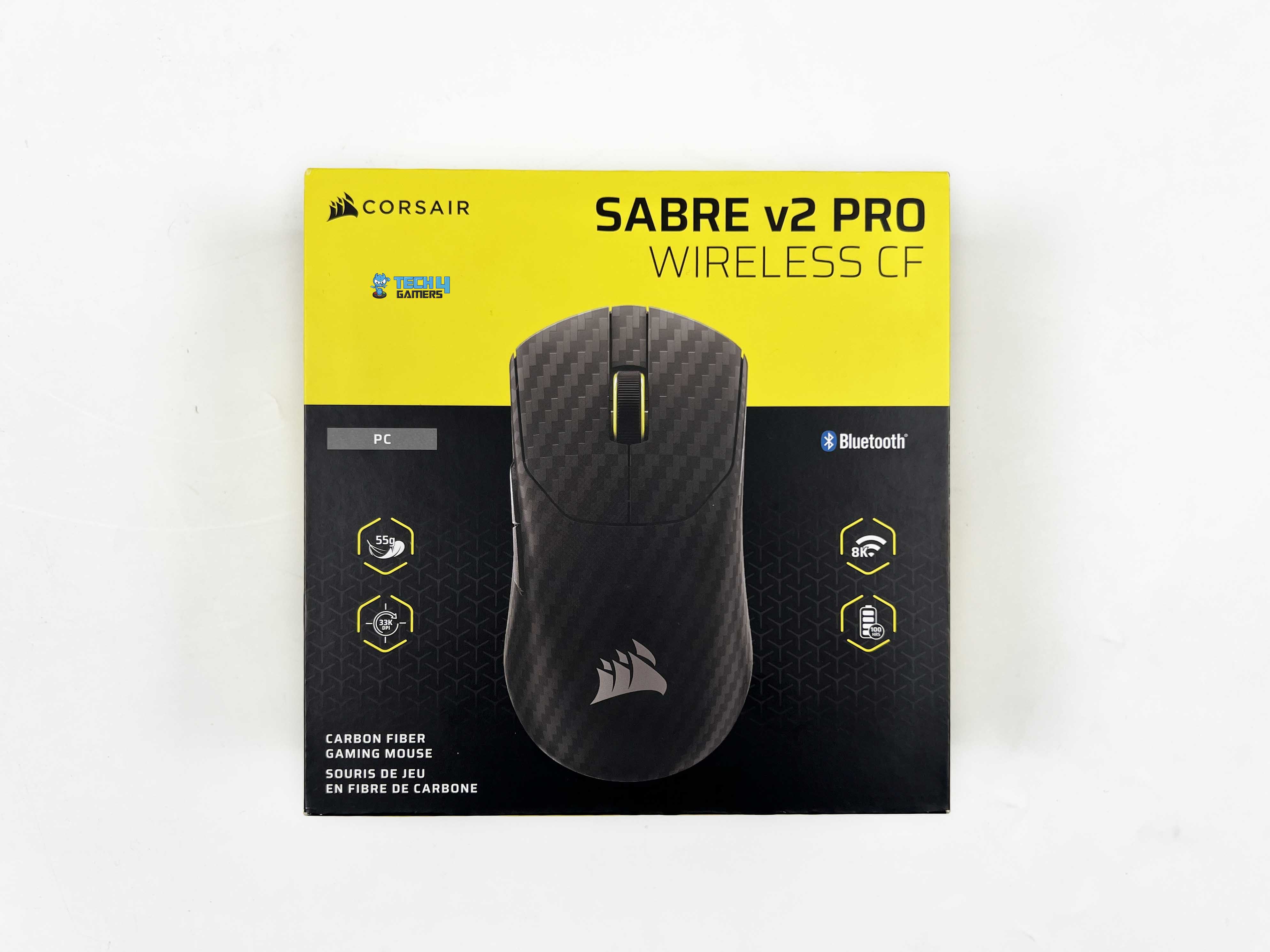
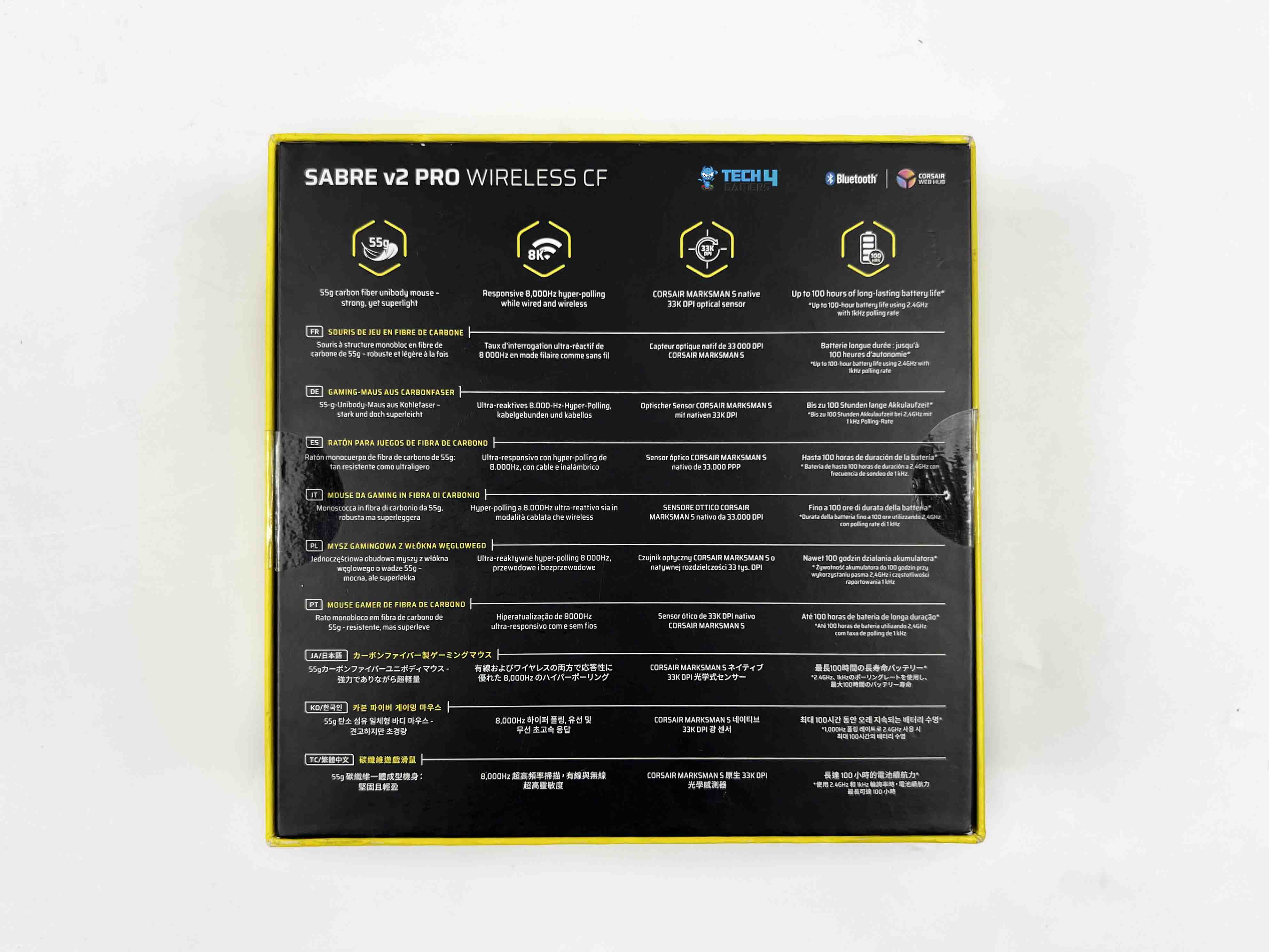
The Sabre v2 Pro Carbon Fiber comes in Corsair’s familiar yellow-and-black packaging. The front of the box shows an image of the mouse, with a few feature callouts around it. The top and sides list additional features and show what’s included inside. There’s also a side profile image of the mouse. Flip the box over, and the back is packed with technical details printed in multiple languages.
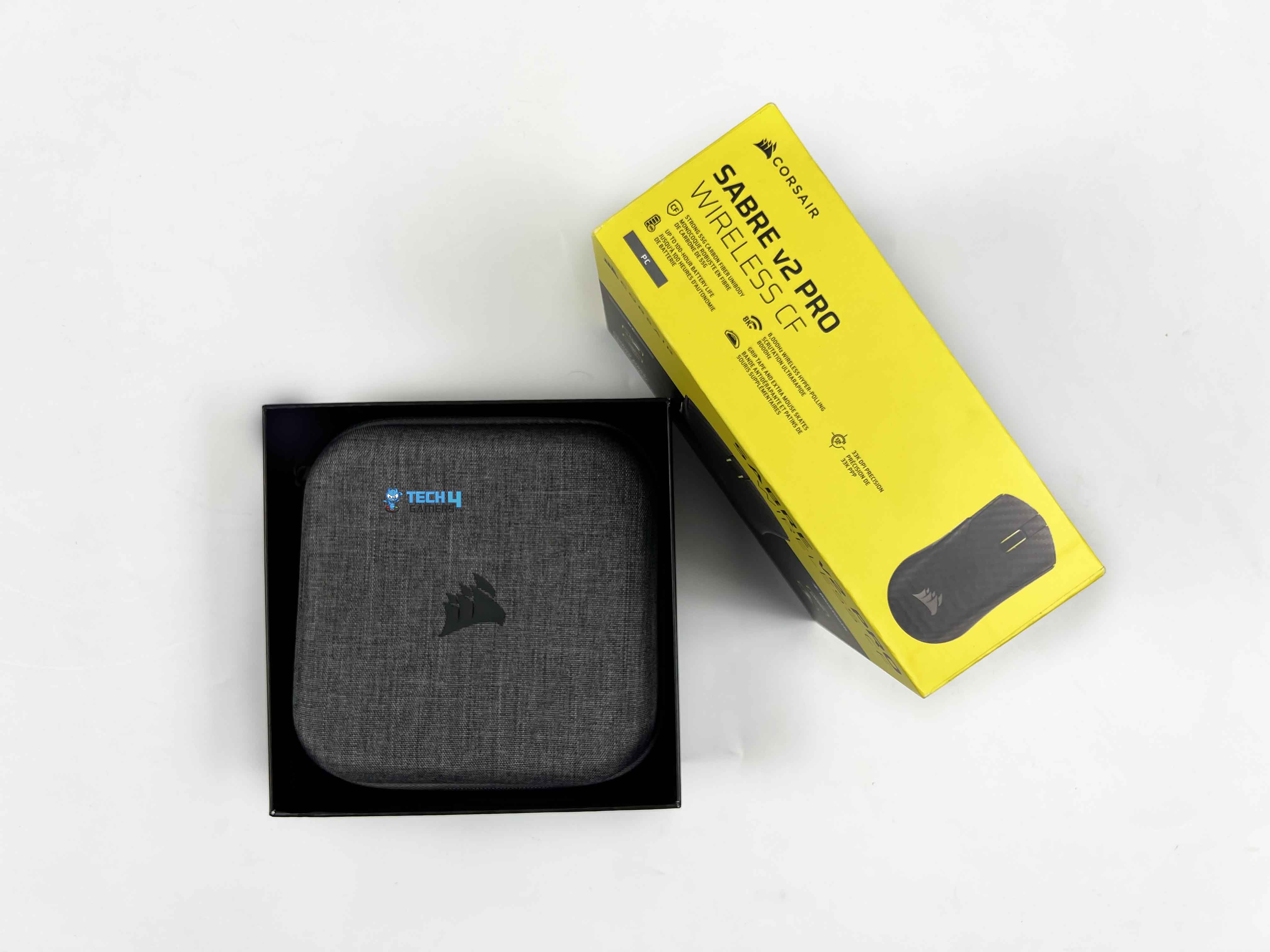
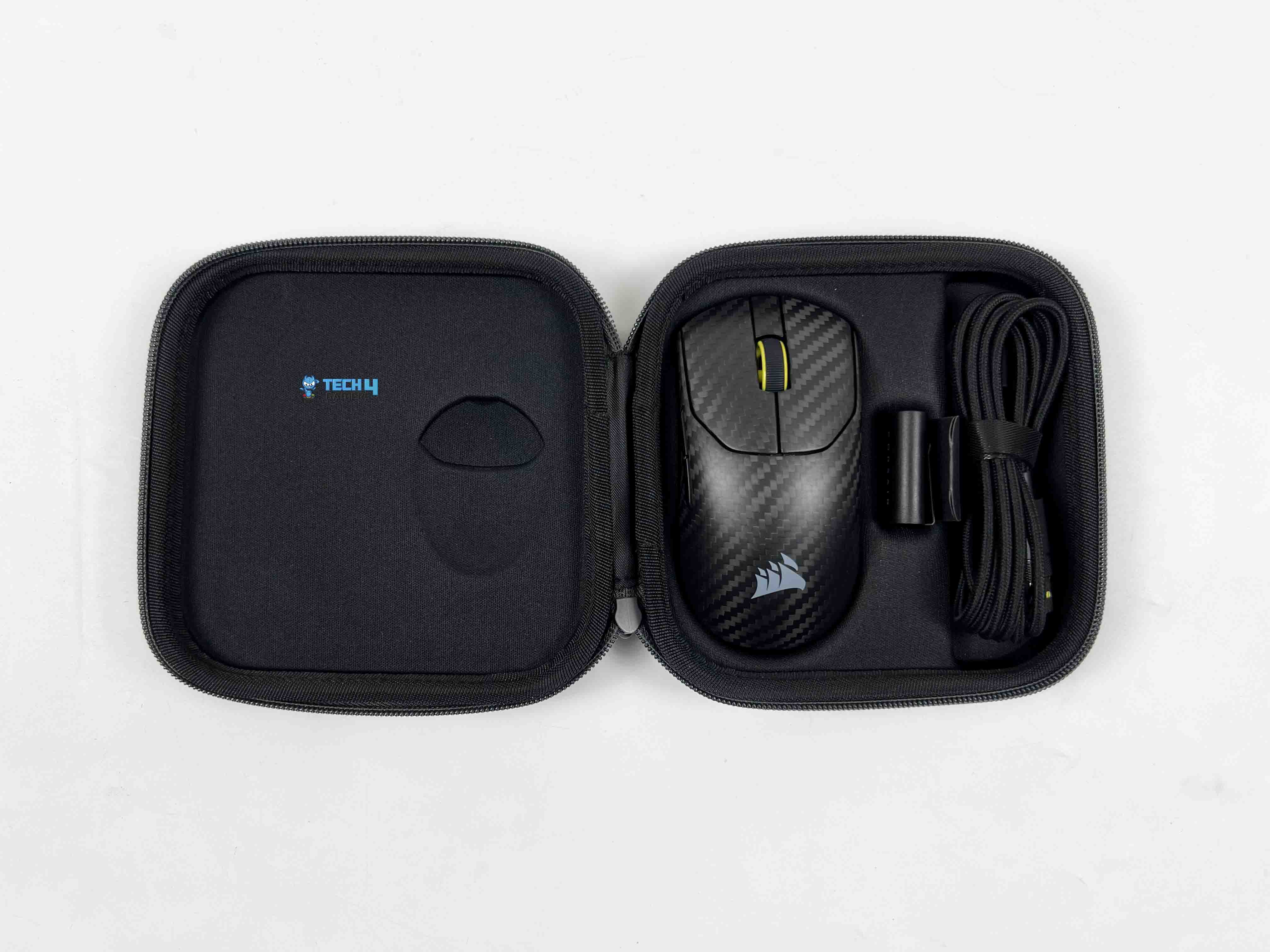
Once you open the box, the first thing you’re greeted with is a gray zipper pouch with a Corsair logo on it. Unzipping the pouch reveals the Sabre v2 Pro Carbon Fiber inside, along with the wireless USB receiver and the USB Type-C to Type-A cable. Beneath the pouch, there’s a separate card sleeve. Inside that, Corsair includes extra mouse skates, grip tape, and an alcohol pad.
Design
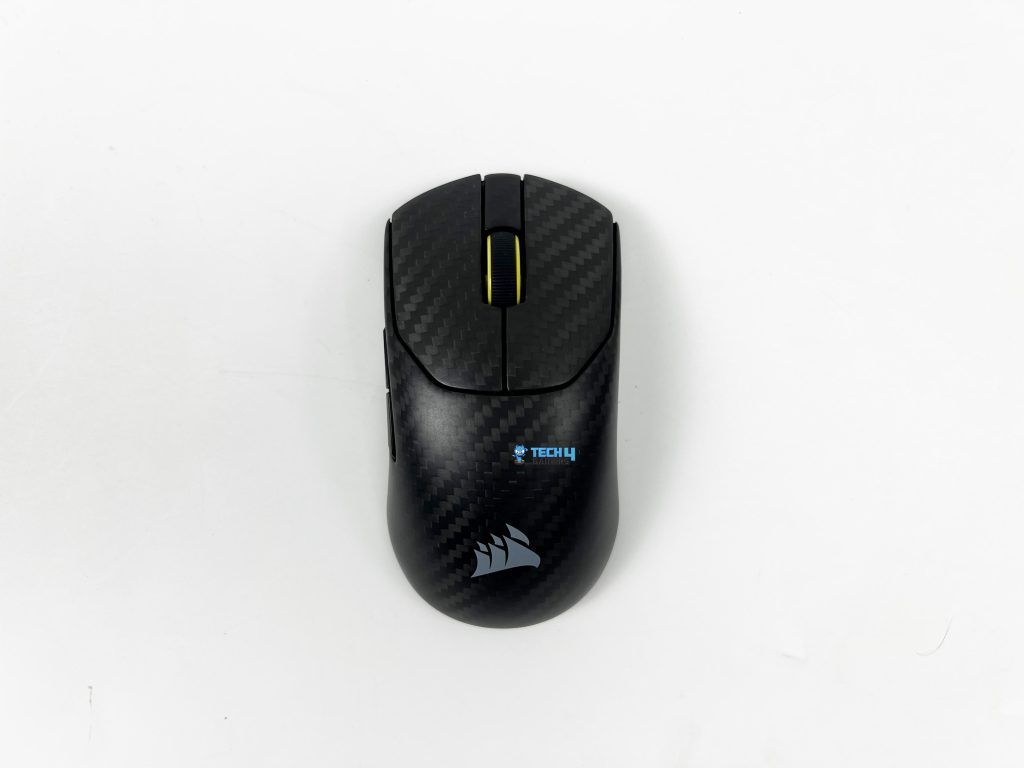
Looking at the Sabre v2 Pro Carbon Fiber as a whole, the design leans heavily into ergonomics. The contours are deliberate. There’s a gentle rise toward the back, then a gradual slope forward that keeps the hand relaxed. After using it for a couple of days, your hand would naturally adjust to it. The shape is asymmetrical, with the left side offering more support than the right. That bias is easy to feel once you start moving it around.
The thumb has a subtle place to rest on, while the opposite side stays flatter. The carbon fiber weave is present, but it’s handled adequately. You can see the pattern when light hits the shell directly, especially under brighter desk lighting. Under softer or darker lighting, it almost disappears. The weave is consistent across the surface. There’s no RGB to speak of, and the Corsair logo is kept small in the middle.
Coating
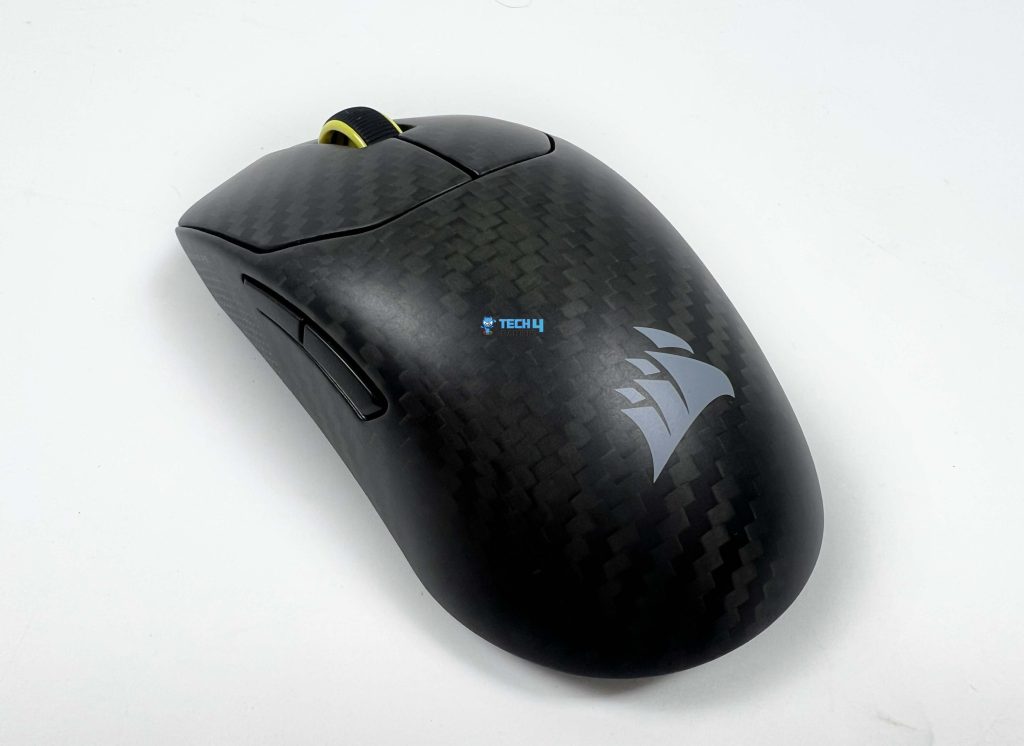
The coating on the Sabre v2 Pro Carbon Fiber feels different. It’s not the soft matte plastic you get on the Ultralight version. There’s a faint texture here that comes from the carbon fiber itself, and you can feel it mostly under your fingertips and along the sides. It’s subtle, but it changes the overall grip experience. With dry hands, the surface feels extra grippy. When my hands started to sweat a bit, the coating still held up reasonably well.
You don’t suddenly feel the need to readjust your grip every few minutes. The finish stays matte under most lighting conditions, and it doesn’t pick up fingerprints as easily as glossy coatings do. You won’t see any smudges at all across the surface. Compared to the Ultralight’s smoother shell, this coating feels a bit more grounded. I didn’t feel the need for grip tape right away, even though Corsair does include it in the box.
Weight
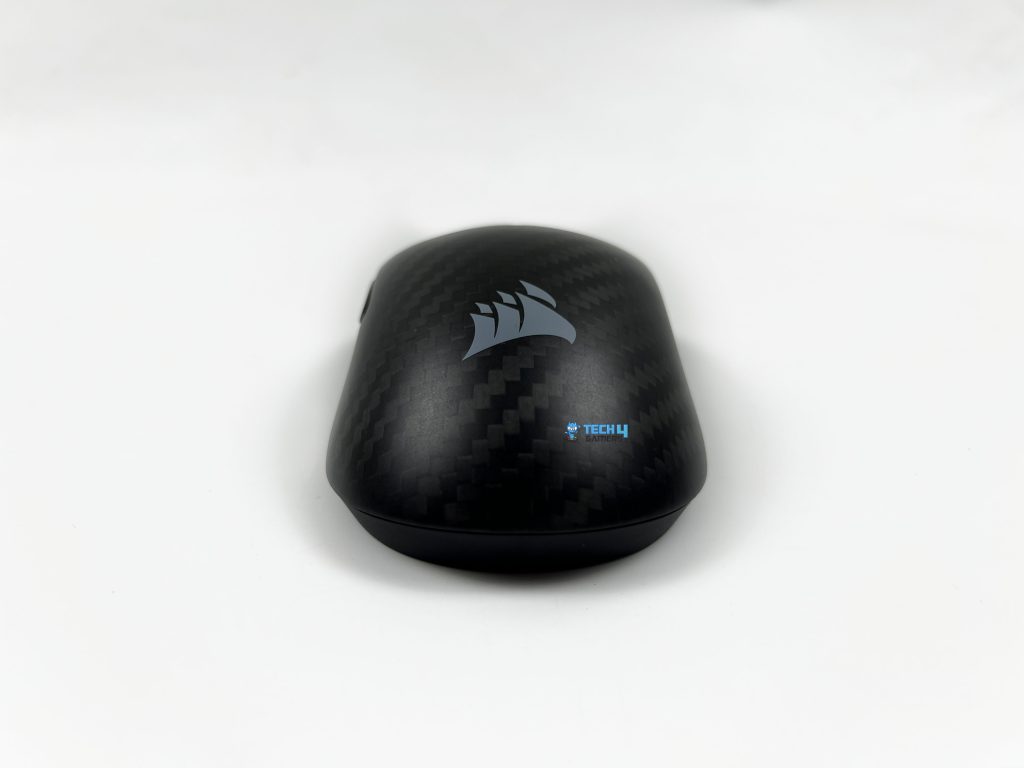
The Sabre v2 Pro Carbon Fiber weighs 55g, which is slightly higher than the Ultralight version’s 36g. It doesn’t feel as heavy as the number might suggest. You can feel that extra substance as soon as you pick it up. It’s easy to move around, just not as feather-light as the previous variant. The carbon fiber shell plays a big role here. It keeps the mouse rigid without adding unnecessary weight. Therefore, it feels lighter in movements than a similarly weighted plastic or magnesium shell might.
The balance point is right around the center. It doesn’t feel hollow at all. The shell has a noticeable density, which makes it feel premium in hand. That’s different from some lightweight designs that cut corners or rely on honeycomb shells to shave off a few grams. In FPS, I noticed that the added heft gives the movements a slightly more controlled feel compared to the Ultralight. This gives you a bit more stability in precise tracking.
Grip Styles
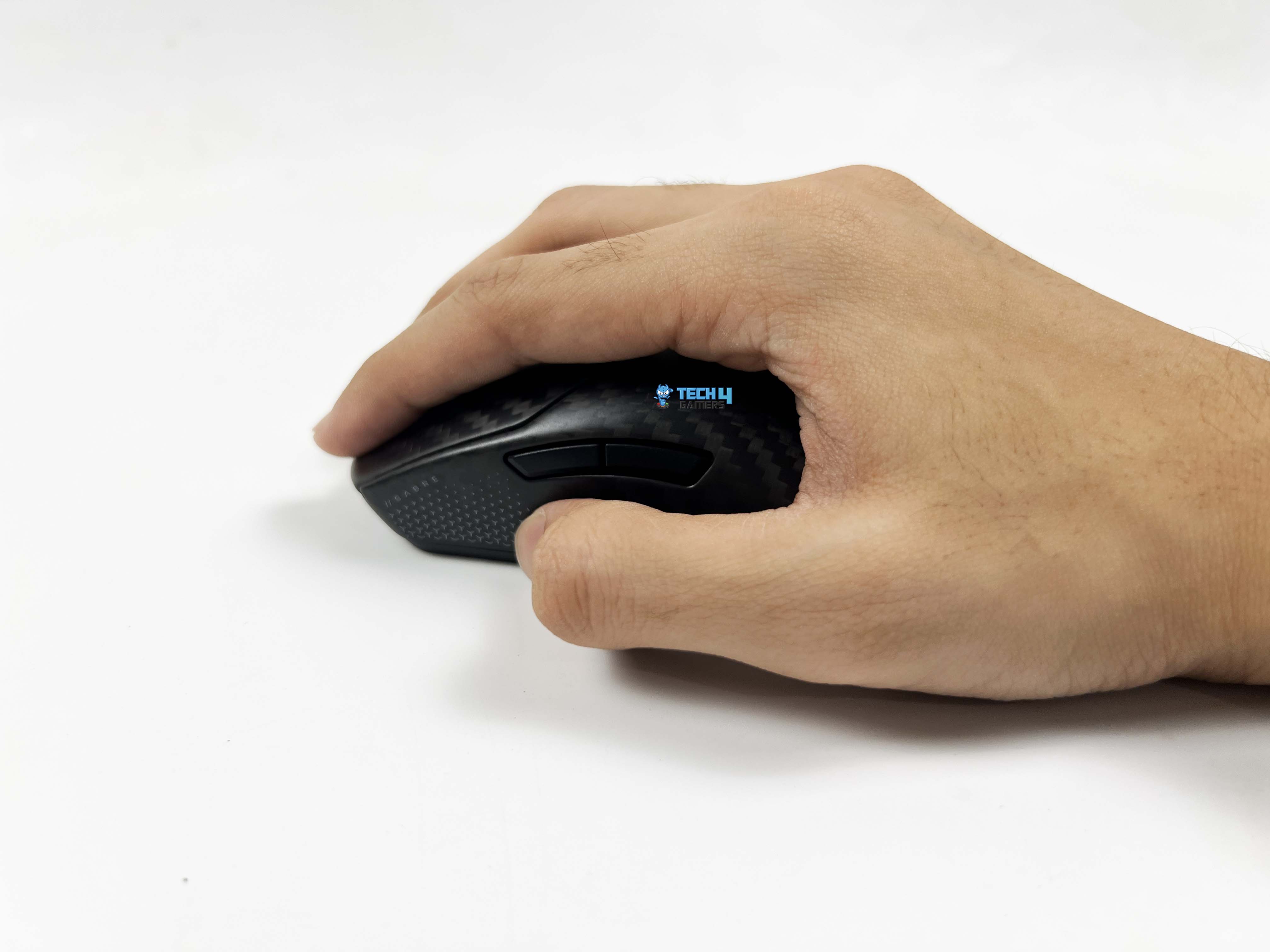
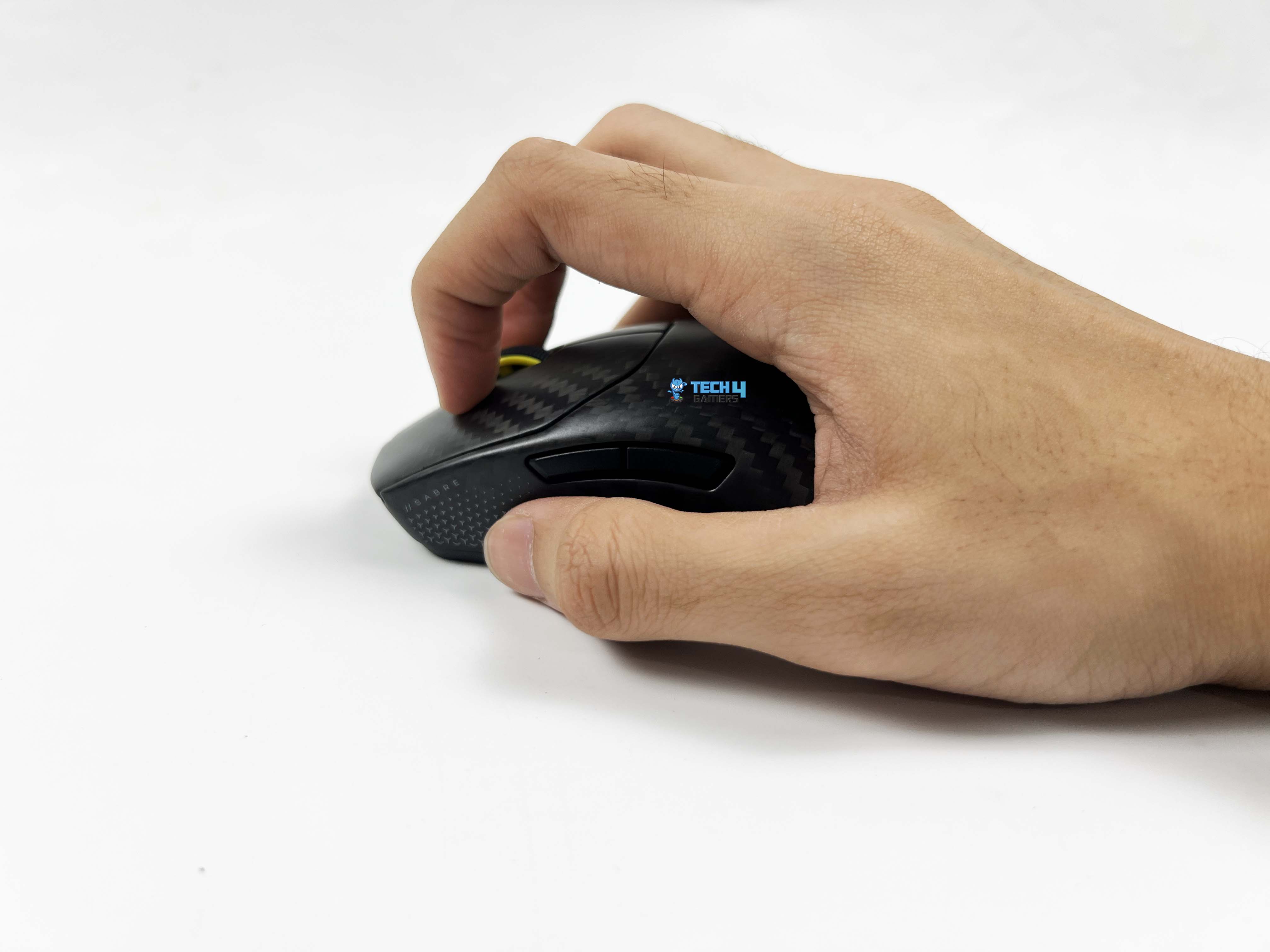
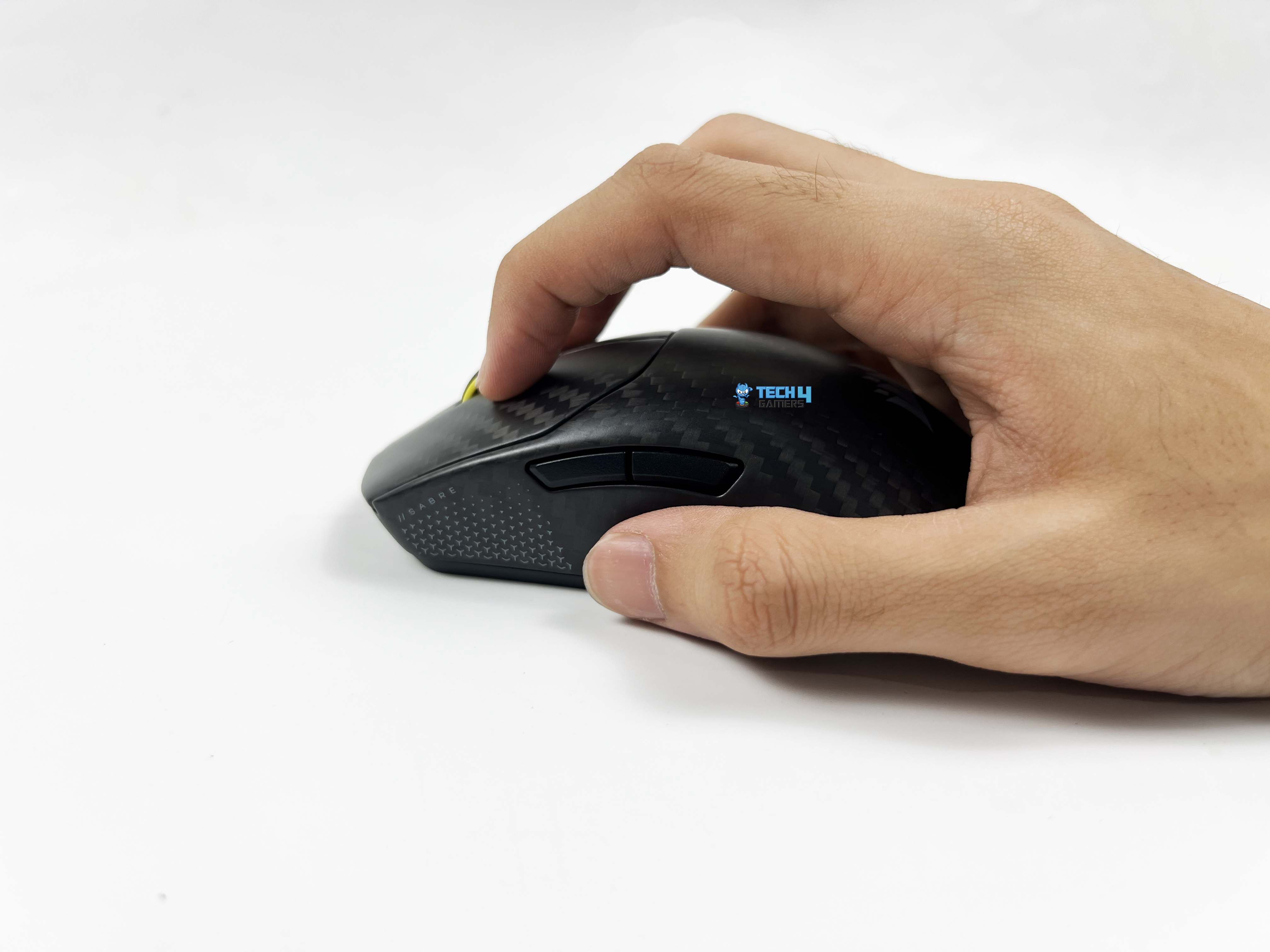
The Sabre v2 Pro Carbon Fiber is somewhat suitable for all grip styles. Palm-grip users will find that the gradual slope from the back to the front allows the hand to grip it firmly. The palm isn’t forced up or down. For claw-grip users, the higher main buttons provide a resting point for your fingers. There’s just enough space between the buttons and the body so your fingertips don’t feel cramped. The thumb groove on the left side is defined.
It gives your thumb a place to rest without locking it into a single position. Fingertip grip players might notice the weight difference more than anyone else. It doesn’t feel like it’s tipping forward or back when you lift it. I used it with a palm grip because that’s the way my hand naturally rests. It accommodates bigger hands comfortably, and I have larger hands than most people. It’s one of the few mice where I don’t feel like I’m compromising my grip.
Underside
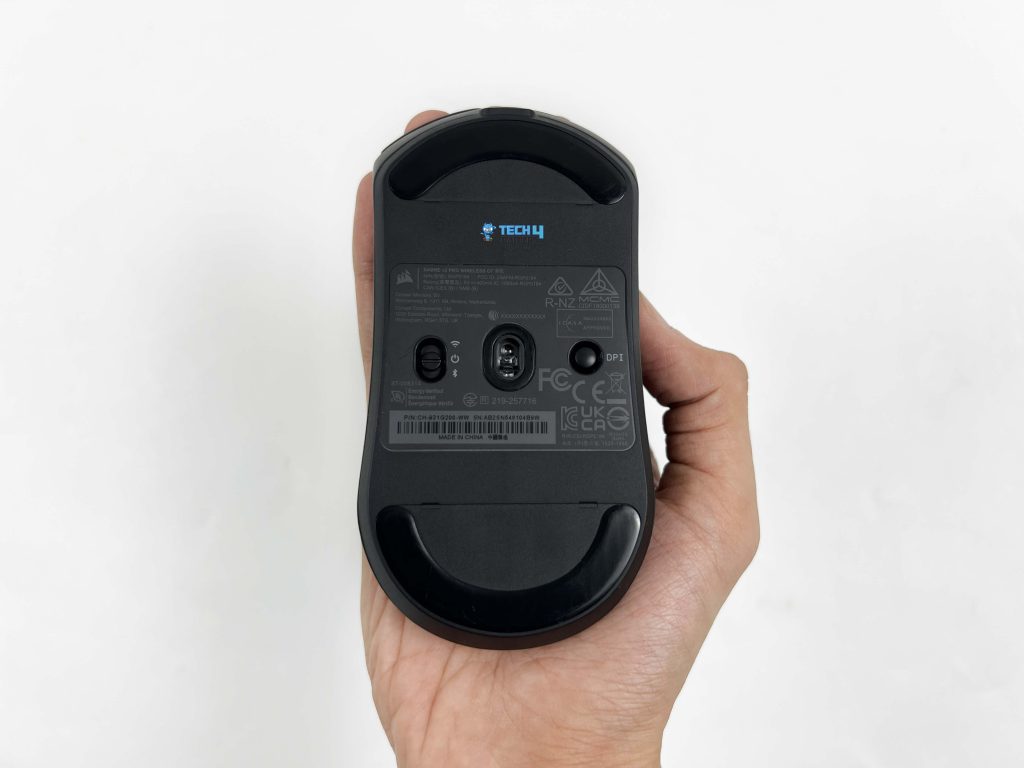
Flipping over the Sabre v2 Pro Carbon Fiber, the mouse skates are made from 100% virgin-grade UPE. It slides effortlessly across the mousepad. The skate’s shape and size are quite similar to the Ultralight version. They are large with enough surface area covered. The sensor is centered in a small circular cutout. On the left side, there’s the power and wireless mode switch. On the right, you’ll find the DPI and Bluetooth pairing button, which is slightly raised.
You can press the DPI & Bluetooth pairing button once to move to the next DPI stage. Corsair also includes replacement skates in the box. They’re the same quality as the pre-installed ones, but slightly larger. There’s even a separate skate for the sensor cutout. That said, I don’t see myself needing to replace the stock skates anytime soon. They’ve been performing perfectly fine so far, with no uneven wear during regular use.
Build Quality
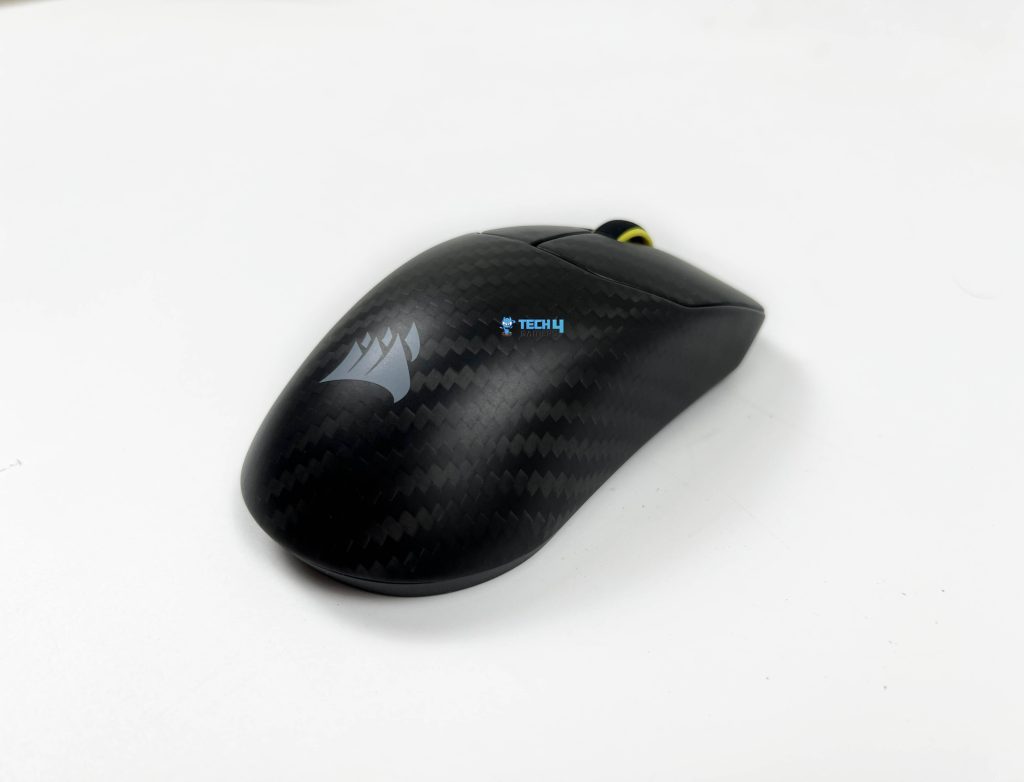
The build quality of the Sabre v2 Pro Carbon Fiber feels durable. The shell doesn’t flex, even when I applied some pressure along all sides. There’s no creaking or weird noises, which is a relief compared to some lighter mice that start feeling like they will tear apart when used aggressively. That firmness makes it feel like a well-engineered rather than a lightweight experiment. The carbon fiber shell contributes a lot to this sense of durability. It adds both rigidity and a slightly tactile feel.
The mouse feels denser and more substantial than a standard plastic mouse without adding any unnecessary weight. It feels reinforced instead of brittle. The edges and curves are rounded, with no sharp corners. Seams are aligned well throughout. There aren’t any noticeable gaps between the top shell and the sides. The underside feels like it’s been assembled properly. Lastly, the power switch and DPI button don’t feel cheap or flimsy. It stays in place when toggled and clicks normally, respectively.
Primary Buttons
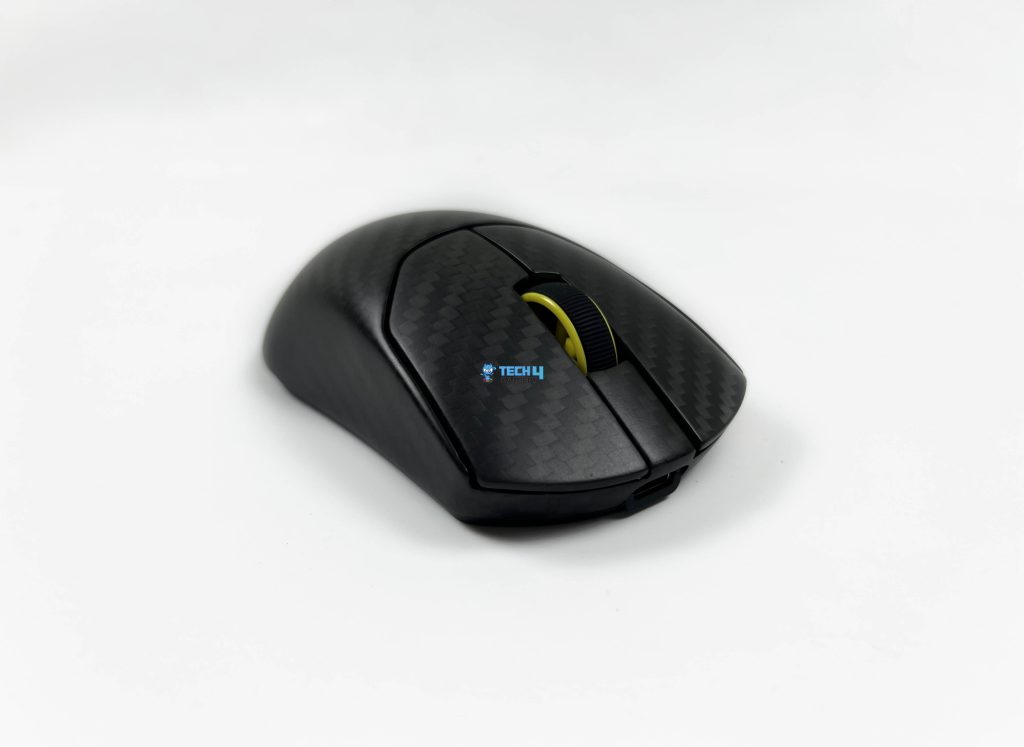
The primary buttons on the Sabre v2 Pro Carbon are at a comfortable height. My fingers naturally fell into their place without having to adjust my grip. The separation between the buttons is clear. Click latency isn’t something you consciously notice. Tapping and rapid clicking all feel consistent. Inputs register the instant you expect them to. Out of the box, the clicks have a slightly firm feel. After a few days of use, they settle in nicely. The clicks themselves feel crisp. Both buttons feel equally responsive, with matching travel and resistance.
The force required doesn’t change depending on where you press, whether it’s near the front edge or closer to the scroll wheel. Pressing hard doesn’t introduce any side-to-side wobble. The sound profile is muted enough that it doesn’t become distracting over time. It’s not overly loud, and it doesn’t have that hollow echo some lightweight mice suffer from. Double-clicking isn’t an issue here. Even with light taps or rapid presses, the mouse doesn’t register unintended inputs.
Side Buttons
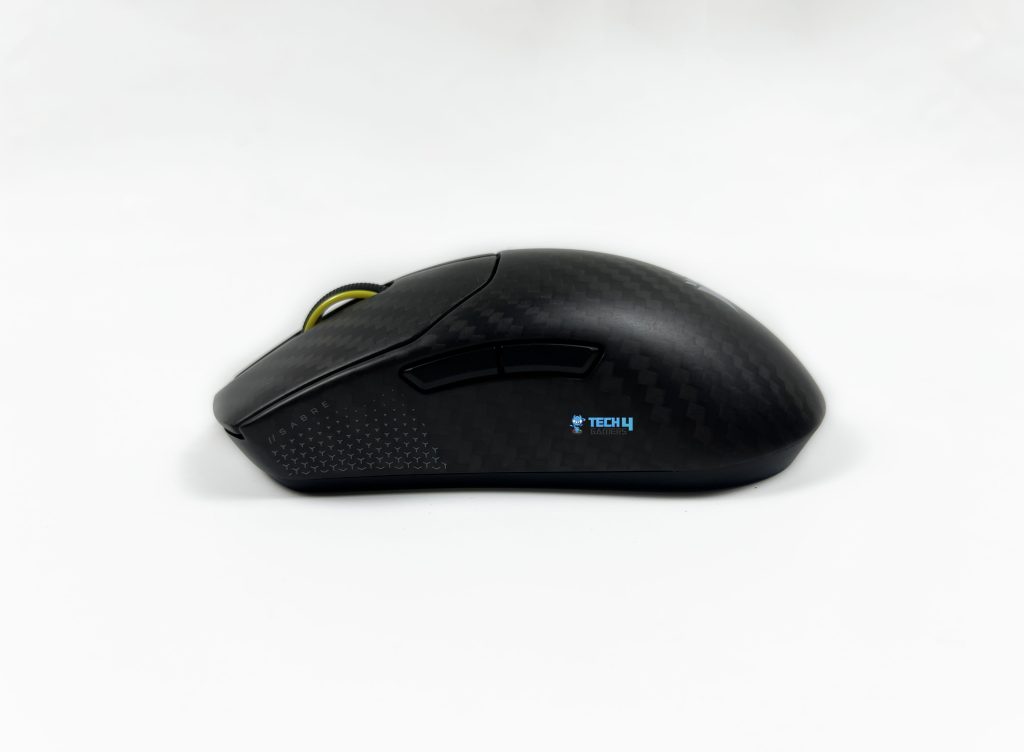
The side buttons on the Sabre v2 Pro Carbon Fiber are placed where your thumb naturally rests. You don’t have to hunt for them or shift your grip mid-game. They sit slightly forward, which feels intentional, especially if you use them often in FPS shooters or productivity tasks. Both buttons have a distinct shape and a small gap between them. That separation makes it easy to tell which one you’re pressing without looking down.
The clicks feel firm. There’s no mushiness, and they don’t sink into the shell when pressed hard. During gaming, they respond instantly and reset quickly, so repeated presses don’t feel awkward. What I appreciated most is how stable they feel. Even when gripping the mouse tightly, the side buttons don’t wobble or flex. Their sound is muted as well. You hear a soft click, but nothing sharp or distracting
Scroll Wheel
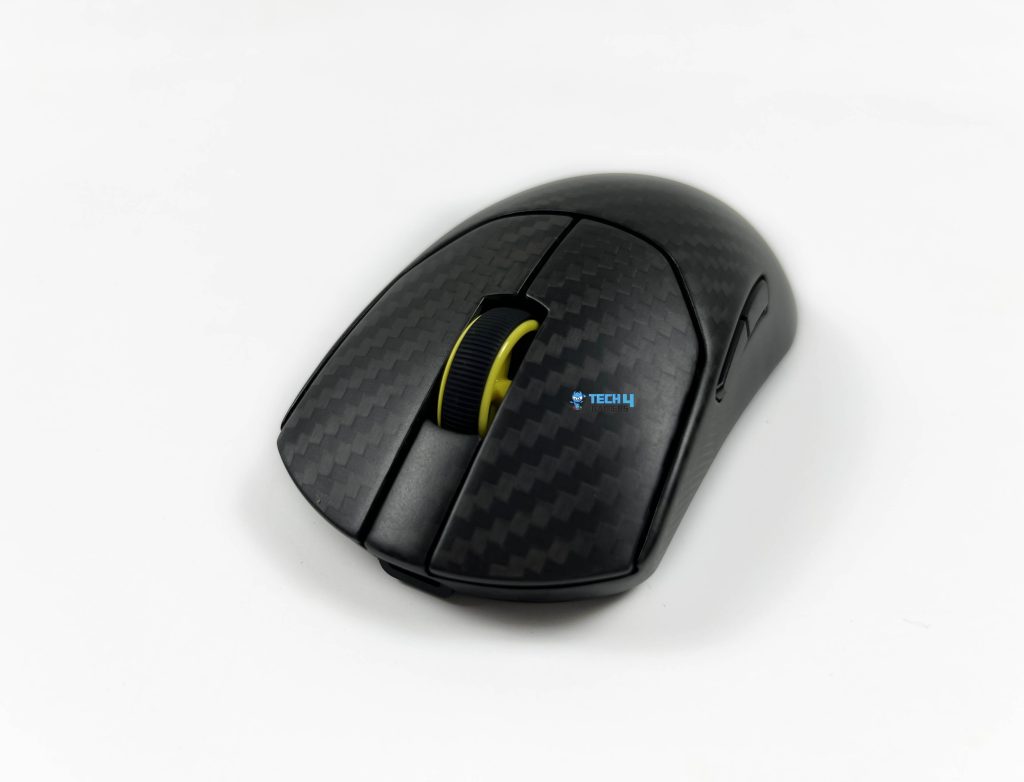
The scroll wheel on the Sabre v2 Pro Carbon Fiber has clearly defined steps, and the spacing between them feels deliberate. Each notch is easy to feel. It doesn’t blur steps together, even when you scroll quickly. There’s a good balance between smoothness and resistance. The wheel moves easily, but it never feels loose. The noise of fast scrolling remains subdued. You hear a soft, consistent tick rather than a loud rattle.
Clicking the wheel down takes a bit of intentional force. It’s firm enough to avoid accidental presses, yet not so stiff as to be uncomfortable. This works well if you use the scroll click for jump or zoom bind. Weapon switching also feels precise. You can move up or down one step at a time without overshooting. In terms of durability, the wheel feels solidly mounted and well-supported, giving surety that it’ll hold up without loosening anytime soon.
Connectivity
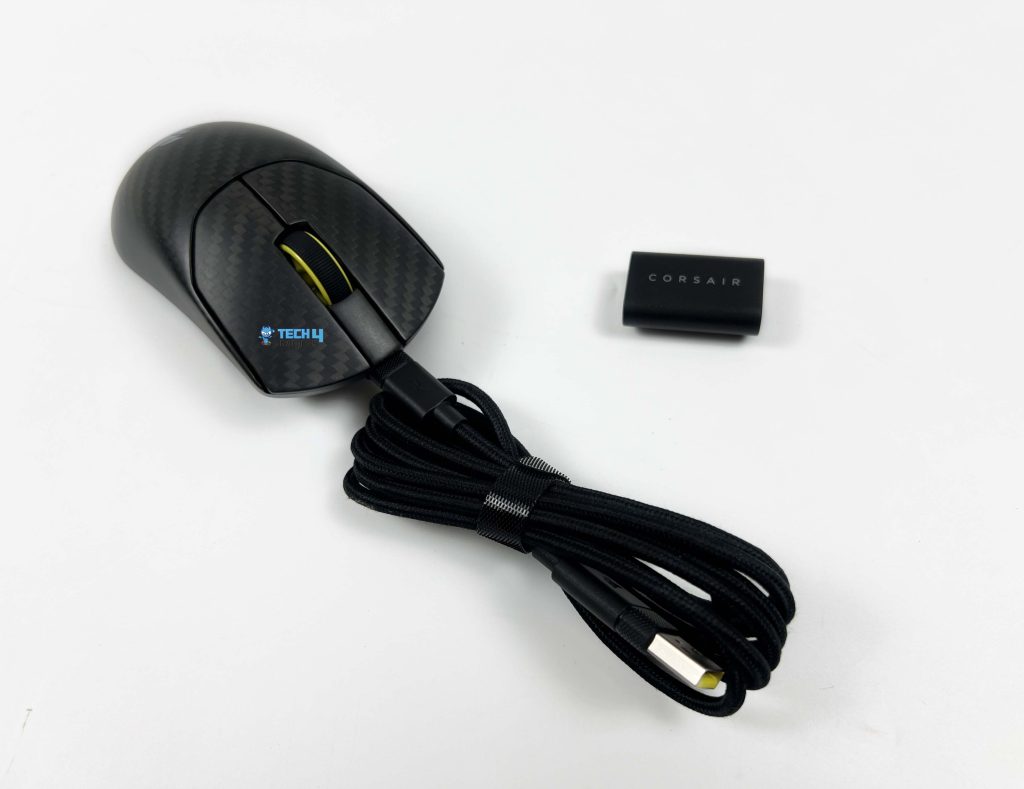
You’re not locked into a single way of using Sabre v2 Pro Carbon Fiber. For gaming, the 2.4GHz wireless mode is the obvious choice. It feels fast and consistent, and that’s the connection mode I spend most of my time with. It performs like a wired mouse without the cable getting in the way. For it, you start by plugging in the USB wireless receiver. Then, flip the power switch on the underside of the mouse.
Bluetooth is there when you want something more casual. It’s useful for switching over to a laptop without unplugging anything. For everyday tasks, it works fine and pairs quickly. Unfortunately, the mouse can only be connected to one device via Bluetooth at a time, so re-pairing is required when switching devices. Then there’s the wired option through USB-C. Plug it in, and the mouse starts working while charging.
Performance
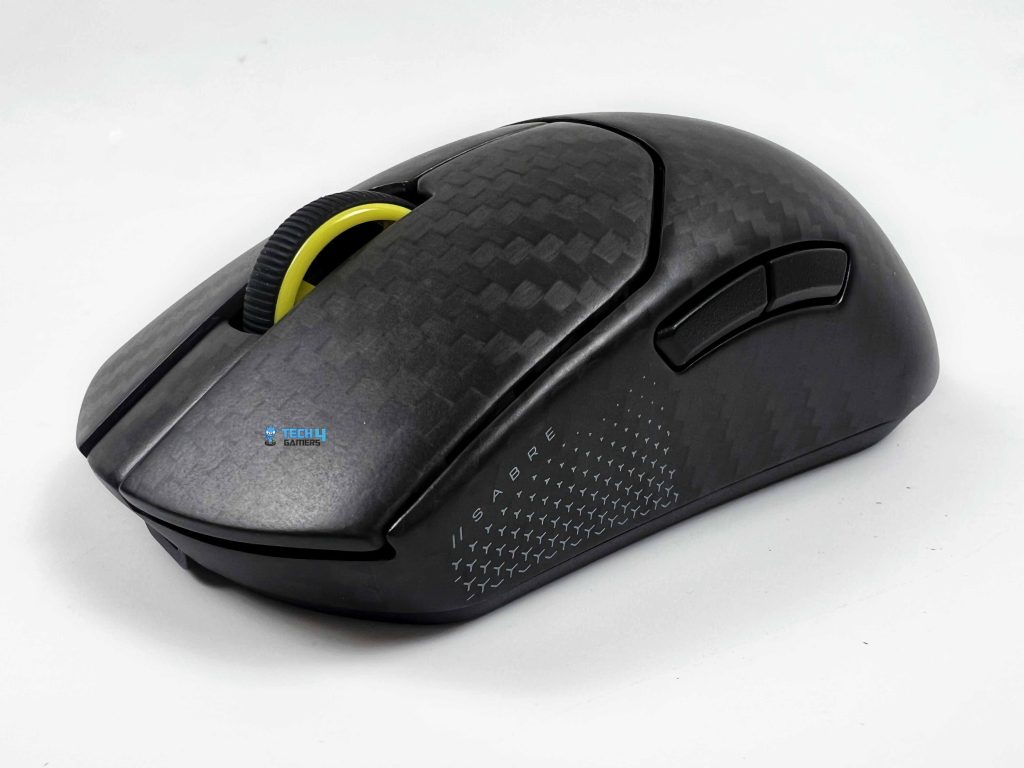
At the center of Sabre v2 Pro Carbon Fiber is the Corsair Marksman S optical sensor. Thanks to an 8,000Hz polling rate, it reports inputs incredibly fast, roughly every 0.125 milliseconds. Whether I was using it wirelessly over Slipstream or plugged in via USB-C, there was no perceptible lag, which is exactly what you want in competitive gaming. It can easily handle extremely high DPI, fast movement speeds, and acceleration without losing accuracy.
At low DPI, the movements feel smooth. There’s no stutter, which is especially noticeable when lining up precise shots. Even during rapid flicks, the sensor keeps the cursor right where I expect it to be. I could tell that every sweep, swipe, and micro-correction was faithfully tracked, making it easy to rely on for both FPS and MOBA games. The lift-off distance is well-tuned, as picking it up doesn’t register extra movement.
Battery Life
The Sabre v2 Pro Carbon Fiber features a 300 mAh battery. On the 2.4GHz wireless connection with a standard 1,000Hz polling rate, it can last several days before needing a recharge. It claims 120 hours of battery life on this combination, and my time with it was pretty close. Increasing the polling rate to 8,000Hz significantly reduces battery life, but it still gives you a day or two of usage time.
Software
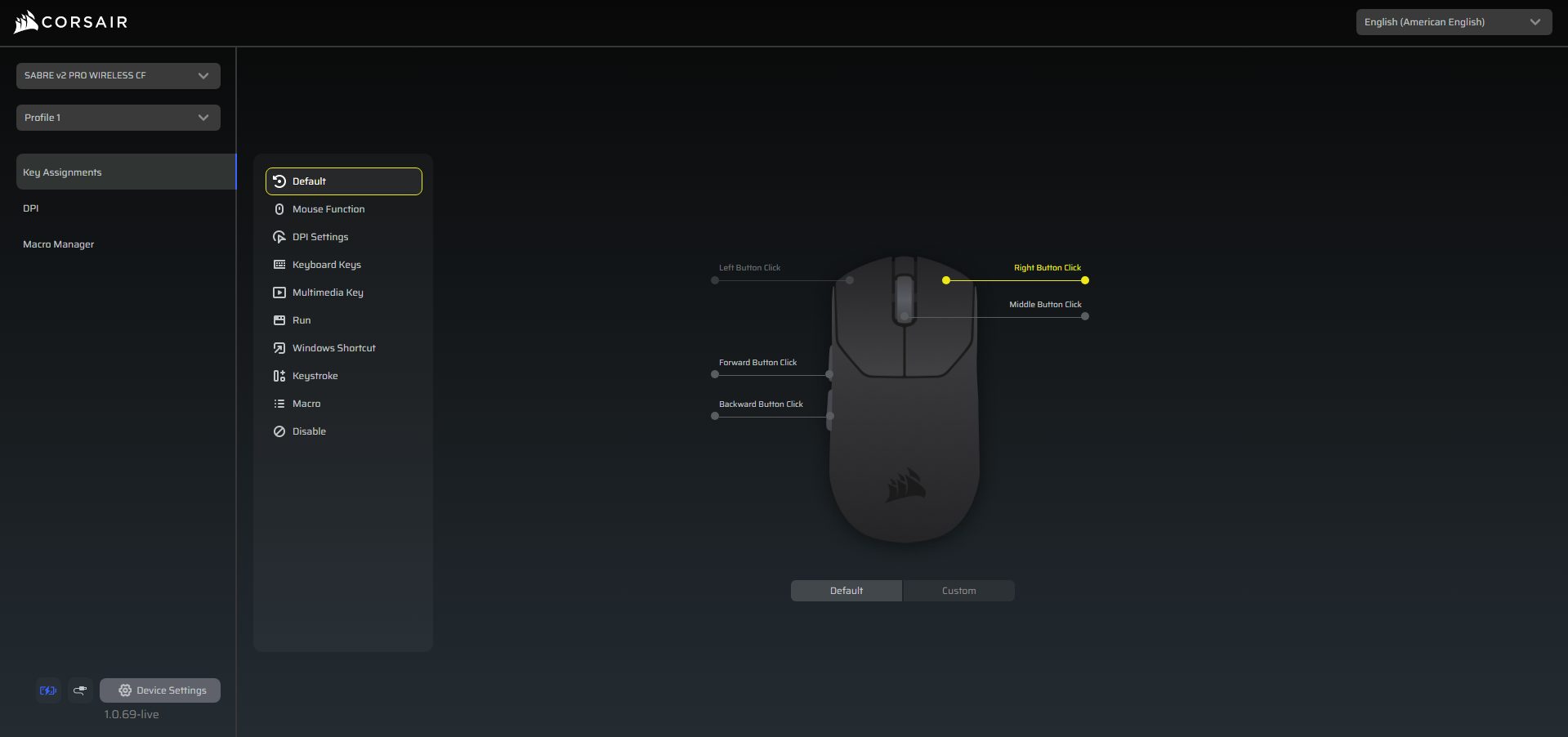
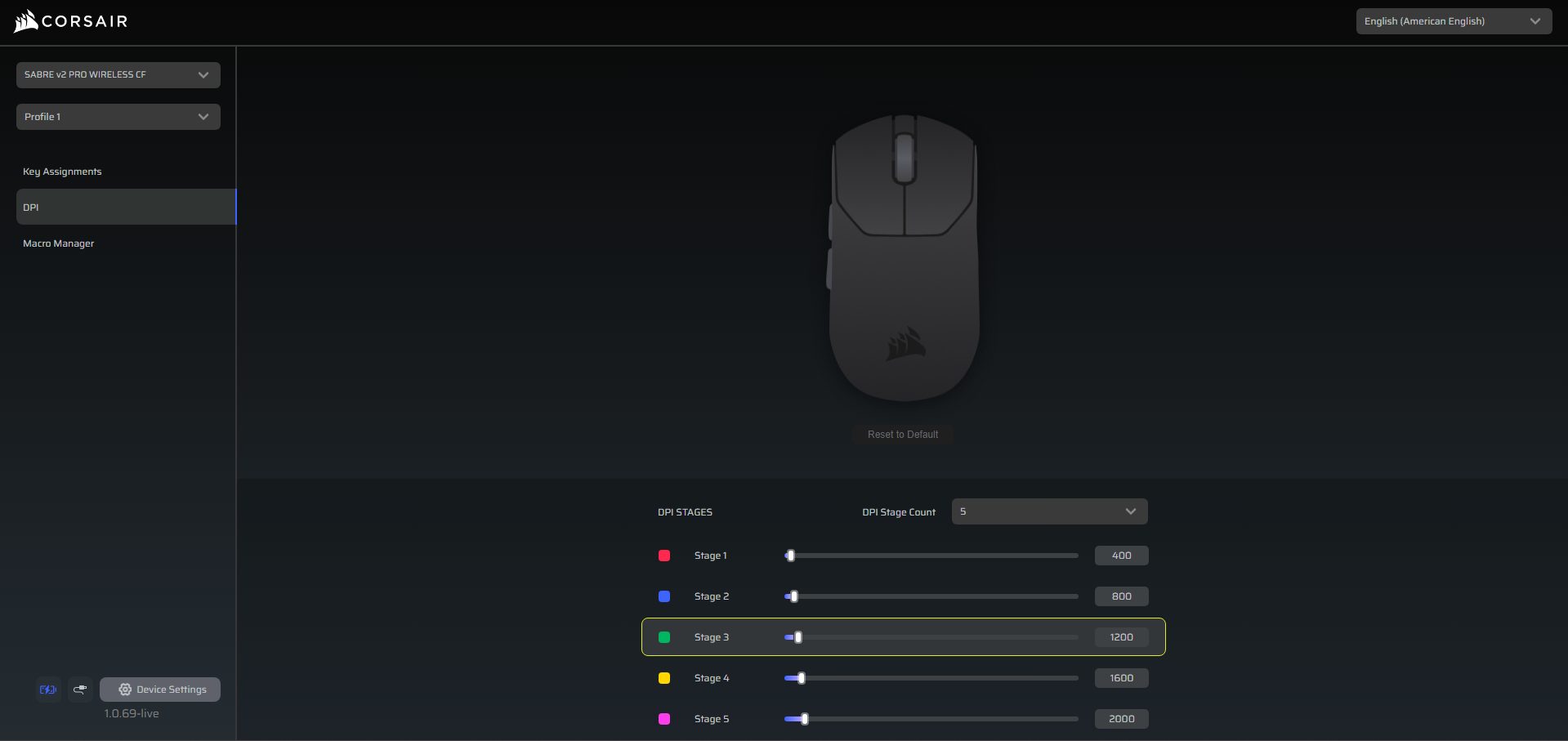
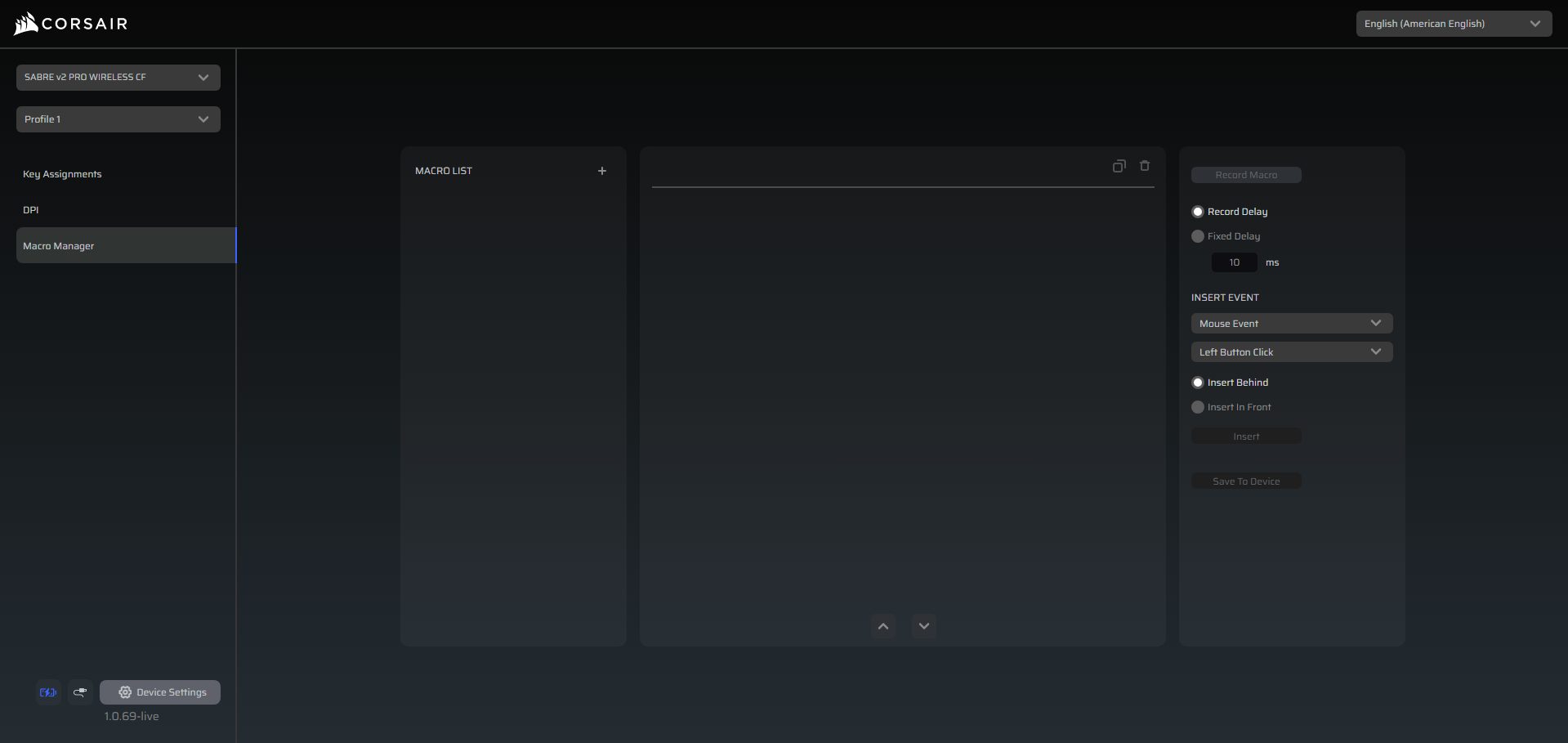
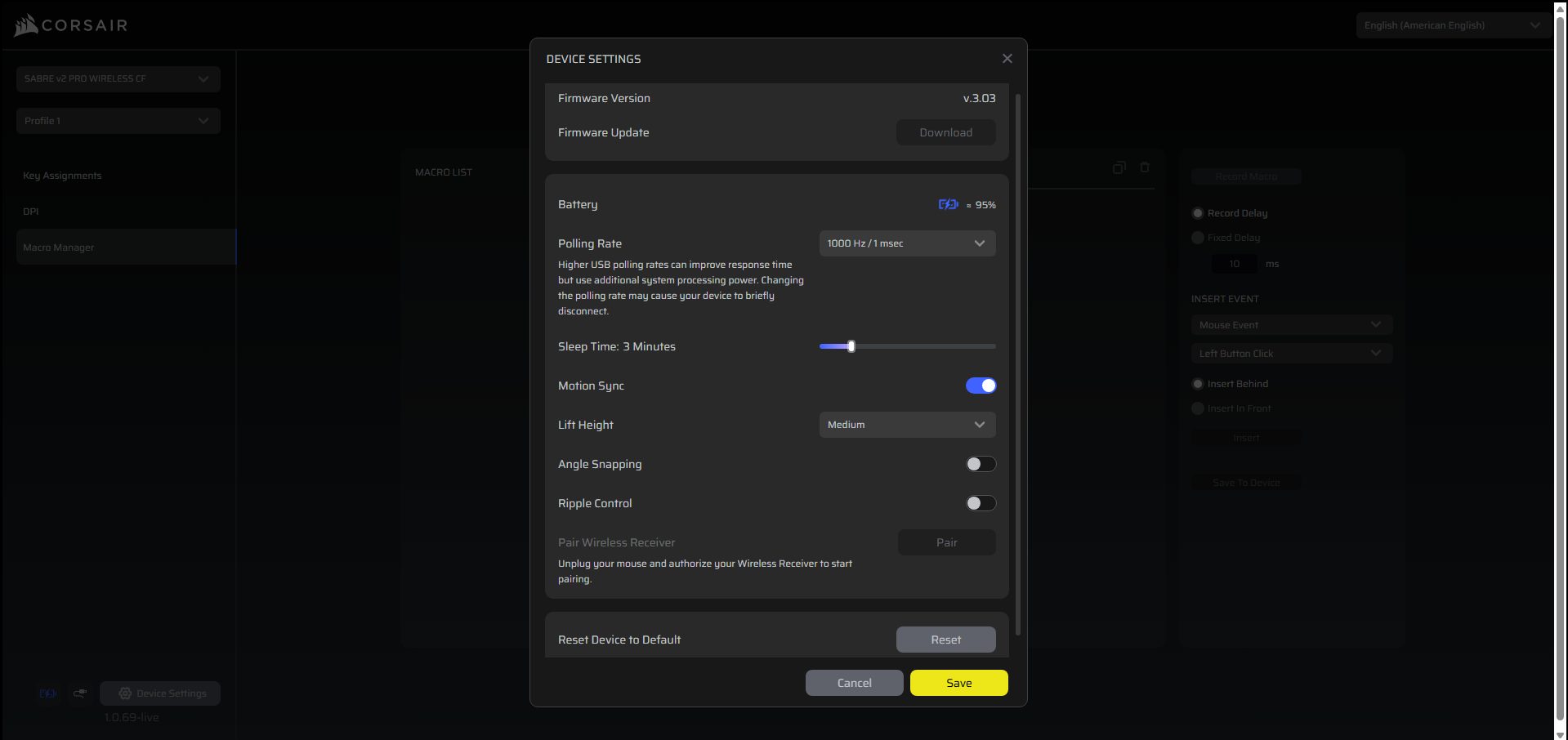
Corsair’s Web Hub is a browser-based software that’s used to customize the Corsair Sabre v2 Pro Carbon Fiber. It feels pretty straightforward once you get started. You can remap buttons, tweak DPI stages, and even assign macros. Beyond the basics, it provides access to more advanced sensor customization options. Lift-Off Distance can be adjusted so the mouse tracks exactly how you like when you pick it up.
Angle Snapping can be switched on or off depending on whether you want raw tracking or a bit of assistance. It’s a neat way to customize the mouse without committing to a full software install like iCUE. For anyone who likes to experiment or needs very specific settings for competitive games, it’s a handy option to have right in the browser. I didn’t encounter any crashes or weird behavior during my testing.
Should You Buy it?
Buy it if
✅ You care about build quality over chasing the lowest weight: The carbon fiber shell gives the Sabre v2 Pro a solid, dense feel that’s rare in the ultralight category.
✅ You play competitive FPS and want consistent tracking: The Marksman S sensor with up to 8,000Hz polling delivers extremely responsive input and reliable tracking
Don’t buy it if
❌ You only want the lightest mouse possible: If you liked the 36g Sabre Ultralight or similar ultra-minimal mice, the added weight here will be noticeable, especially for fingertip grip users.
❌ You’re price-sensitive: At $199.99, this mouse is in premium territory. There are strong competitors offering lower prices and comparable performance, with top-tier sensors.
My Thoughts
After spending enough time with the Sabre v2 Pro Carbon Fiber, I can say it’s a very purposeful mouse. It is built with serious competitive play in mind. Everything about it, from the polling rate to the shape, seems carefully designed for gaming performance. At its price point of $199.99, the Sabre v2 Pro Carbon Fiber isn’t aiming at entry-level buyers. Whether it’s good value depends on what you’re after.
Thank you! Please share your positive feedback. 🔋
How could we improve this post? Please Help us. 😔

[Hardware Reviewer & Editor]
After many years of exploiting various pieces of hardware, Abdul Hannan now serves as an editor at Tech4Gamers. He’s been in the PC hardware reviewing industry for almost a decade, and his staff of passionate geeks and reviewers is second to none.
Abdul Hannan is constantly seeking new methods, you will always see him running into New Computer Courses to improve the performance of his computer components since he is an ardent overclocker. He is well-known for providing the most extensive and unbiased analysis of the newest and greatest hardware for PC gaming, including everything from GPUs to PSUs.
 Join Our Community