Threads
Worth It?
Review Summary
The Netac WH61S is budget-friendly and functional. It is a USB 3.2 Gen 2 (10Gbps) enclosure with good build quality for the price. However, it has thermal limitations with high-end drives. The metal shell is enough for small file transfers, but high-performance drives can reach nearly 80°C. It’s a good option if you have old storage lying around and want a portable drive.
Hours Tested: 6

Overall
Pros
- Budget Friendly
- USB 3.2 Gen 2 Supported
- Reached 10Gbps Performance
- Tool-Less Design
- Good Compatibility
- 2-in-1 Cable Included
Cons
- Thermal Throttling Risks with high-end storage solution


There are many SSD enclosures on the market, and they are dominated by chunky, heavy aluminium blocks designed to combat high temperatures. This enclosure, the WH61, takes a slightly different route, focusing on ultra-compact compatibility with aggressive pricing. However, these enclosures are designed to run hot and not as fast as typical NVMe Storage Solution installed inside in the PC.
This Enclosure feels extremely light almost weighing around the 30-grams with the dimensions are 110x32x12.5mm, not much larger than the USB flash-drive, Despite it ultra-compact size, the enclosure packs the Realtek RTL9210 controller coupled with a USB 3.2 Gen 2 dual protocol support potentially providing the speeds of up-to 10Gbps.
In this review, we put the Netac Enclosure WH61 on the test bench to see whether its flash-drive convenience makes up for its thermal constraints. Let’s deep dive further.
Here are the details of this enclosure:
| Feature | Specification |
| Controller IC | Realtek RTL9210 |
| Interface | USB 3.2 Gen 2 Type-C (10 Gbps) |
| Protocol Support | M.2 NVMe (PCIe) & SATA |
| Supported Form Factors | 2230, 2242, 2260, 2280 |
| Materials & Cooling | ABS+PC Plastic Body, Aluminum Front Heatsink |
| Dimensions | 110 x 32 x 12.5 mm |
| Weight | 30g |
What Makes Netac SSD Enclosure WH61 Different?
The WH61S Enclosure offers extreme portability, thanks to its ultra-compact size and 30-gram weight. This enclosure does not use aluminium as a giant heatsink; instead, it uses an ABS+PC plastic shell. This level of extreme portability sacrifices the drop protection and passive cooling you get with the expensive metal enclosures.
Packaging
Let’s take a look at the packaging.
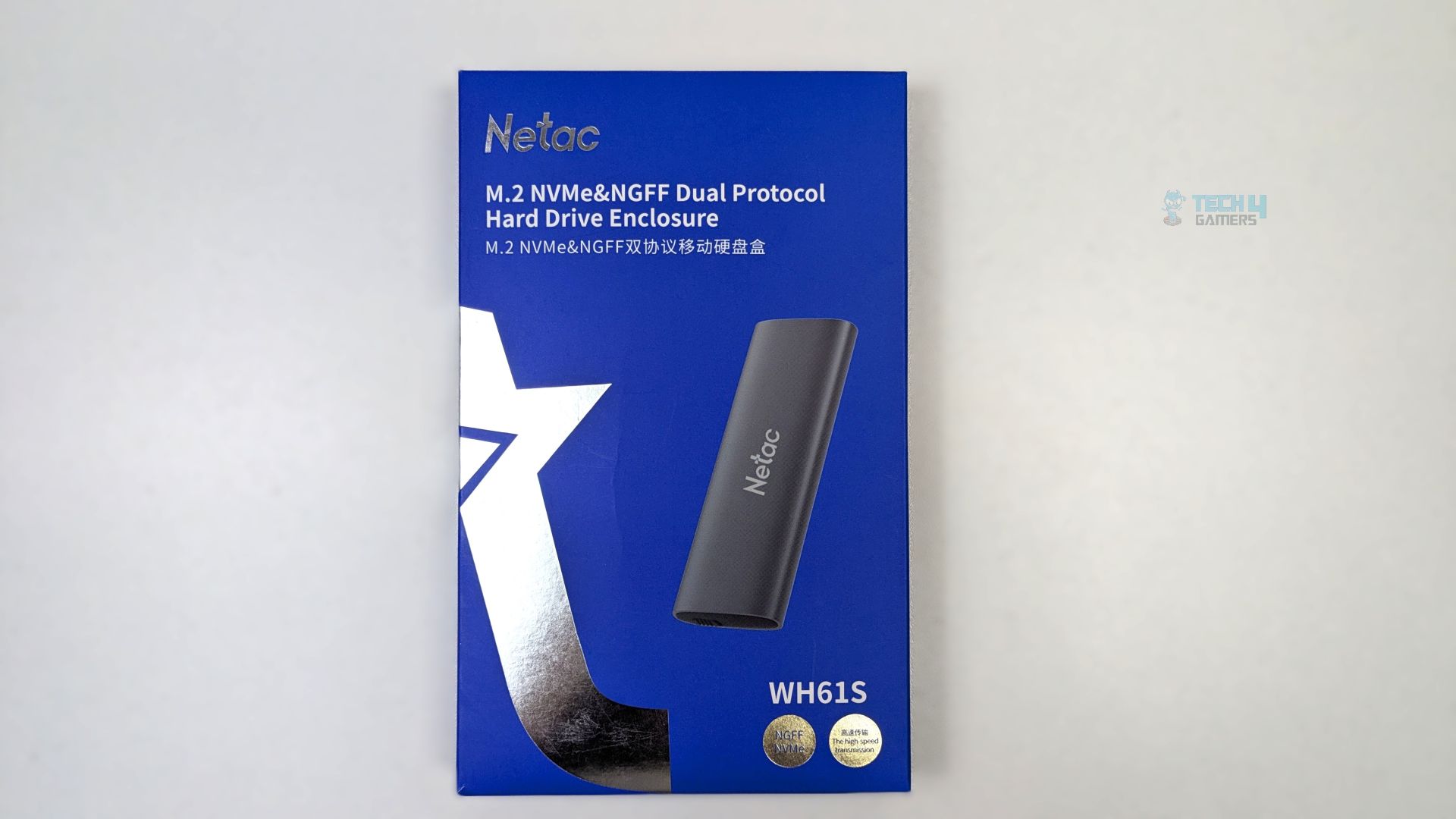
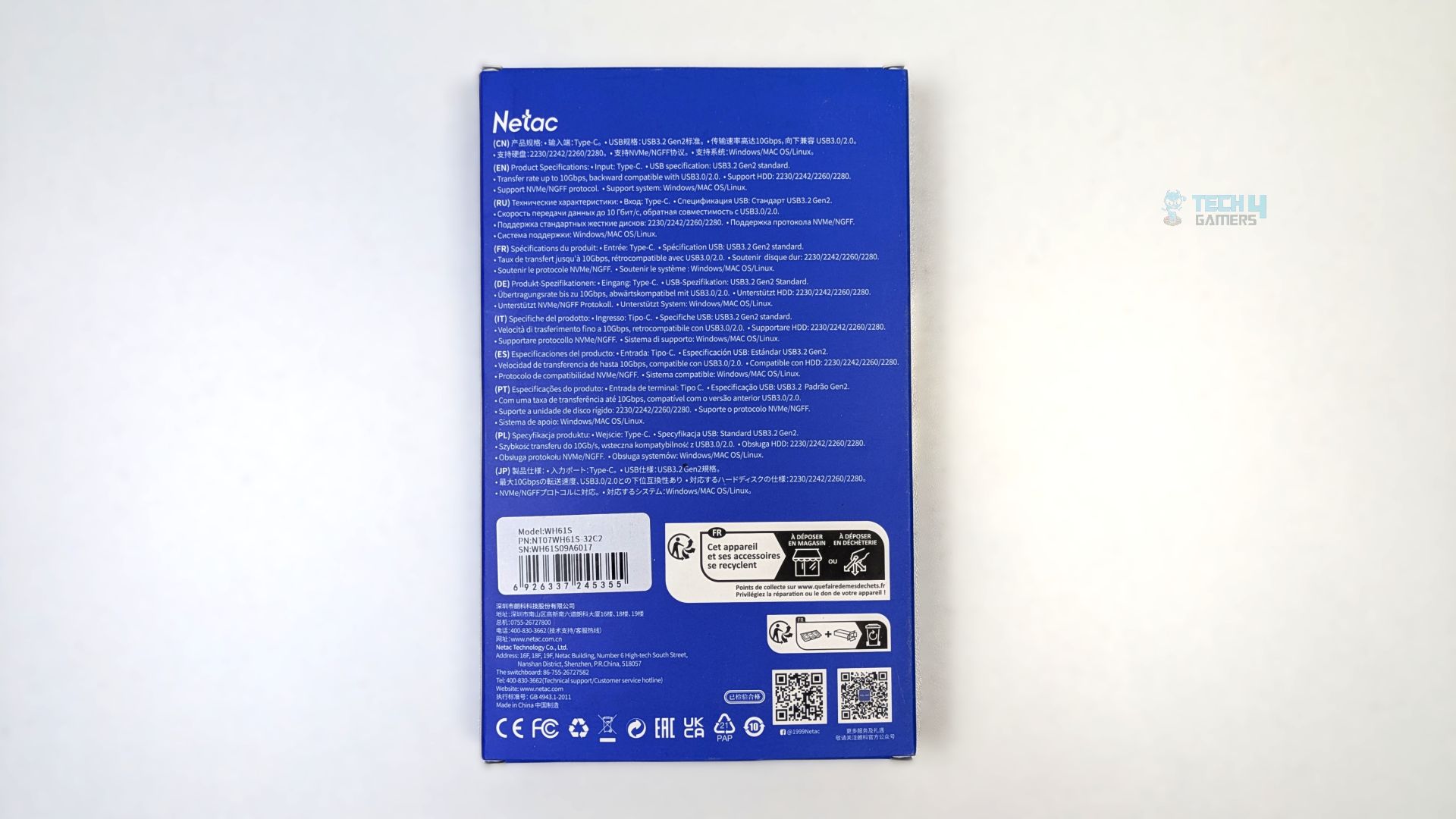
The outer box features a sleek blue background and reflective silver star motif. The rendered image of the enclosure is also visible on the box. The front prominently advertises its core feature, such as Dual Protocol Support (M.2 NVMe & NGFF/SATA). The back of the box outlines the USB 3.2 Gen 2 specification, 10 Gbps transfer rate limit and support for various M.2 lengths such as (2230, 2242, 2260 and 2280).
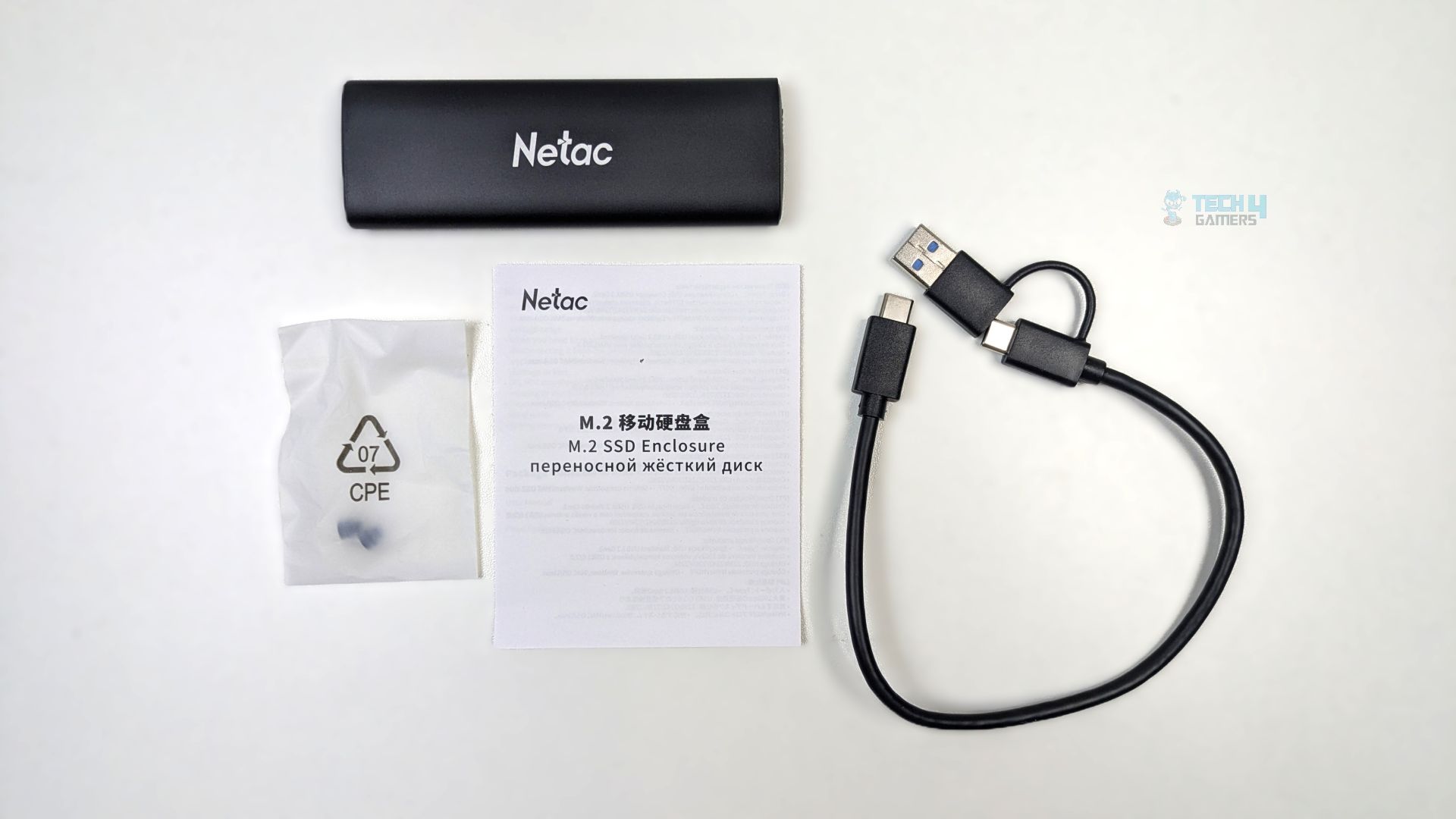
The unboxing reveals the enclosure WH61 unit itself, along with a 2-in-1 cable, which is a Type-C to Type-C cable that includes a tethered Type-A adapter on one end. The small bag contains the fasteners with the documentation.
Close Up
Let’s take a look at the enclosure.
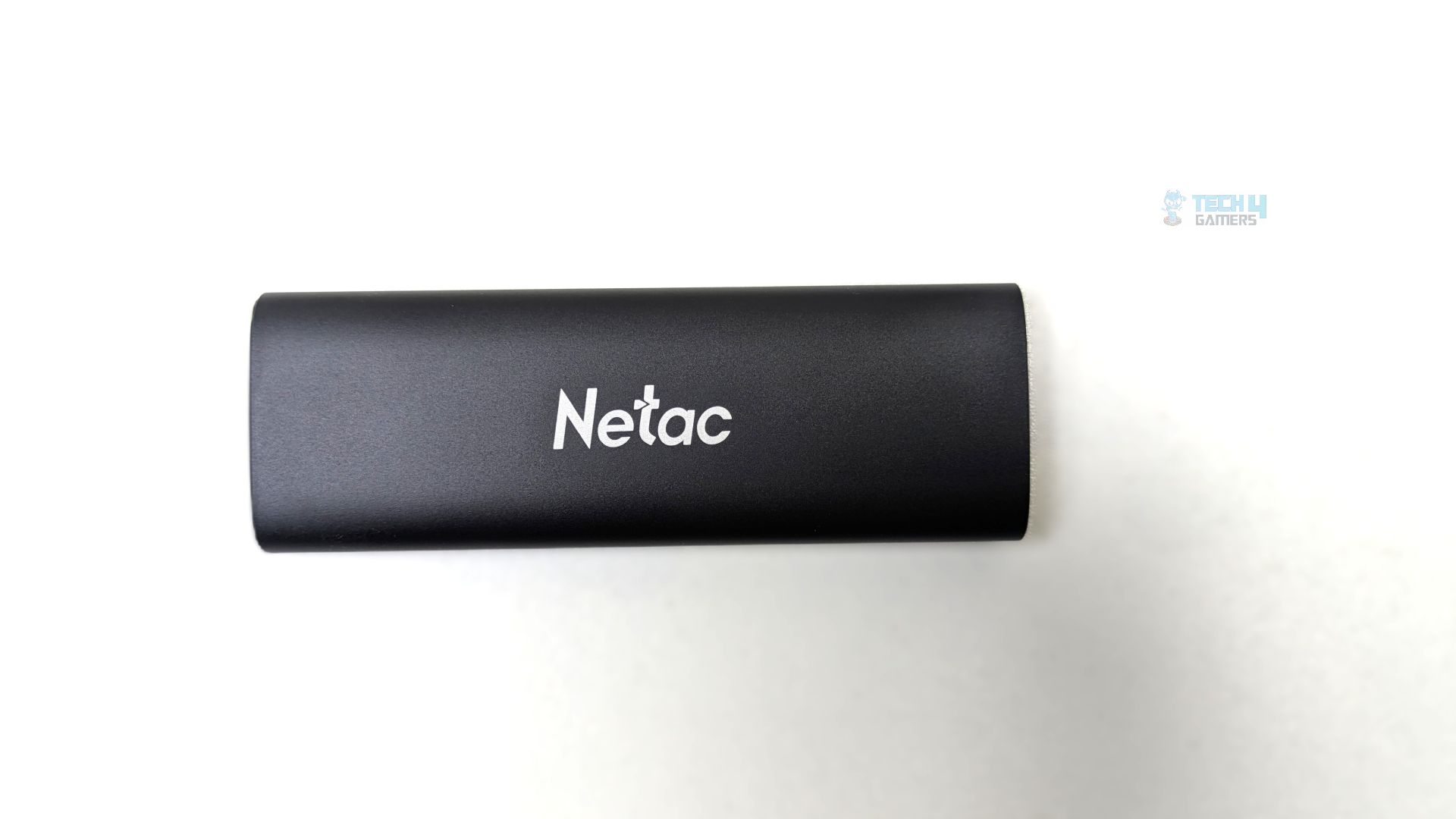
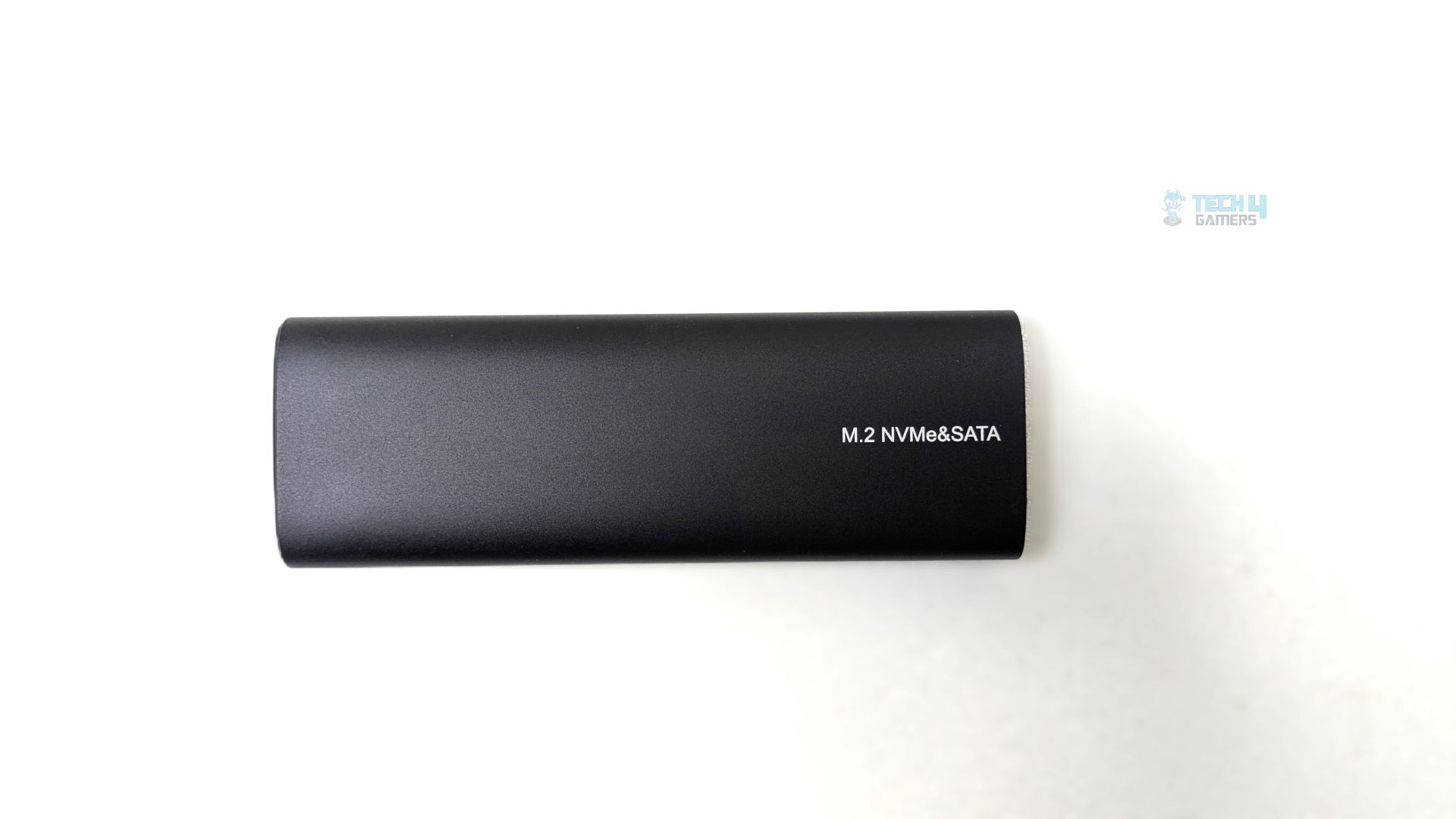
The enclosure’s outer shell is made of metal, likely an aluminum alloy, with a minimalist matte finish that is prone to fingerprints. The branding is also visible on the front, and at the back, you can also notice M.2 NVMe & SATA printed.
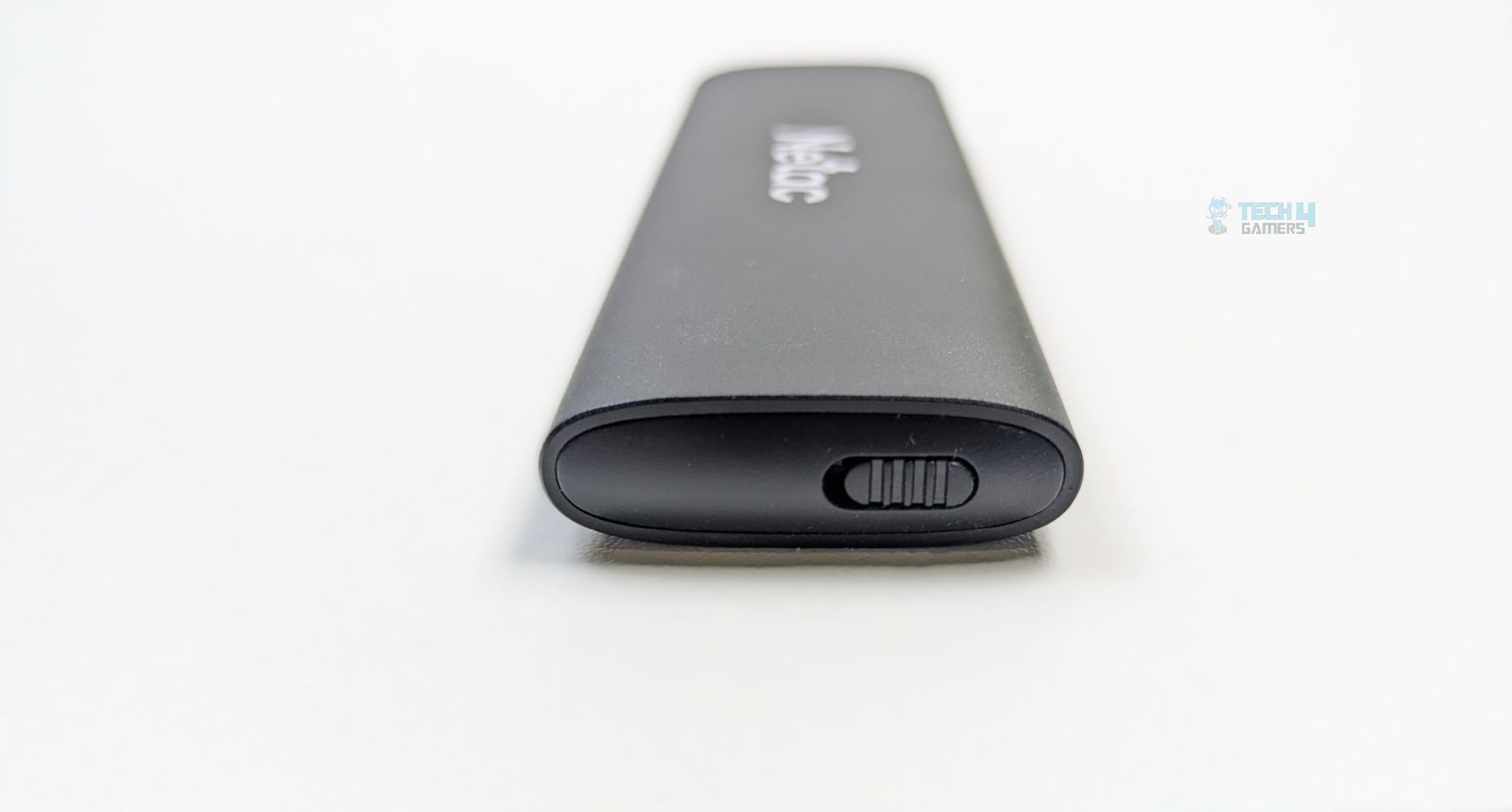
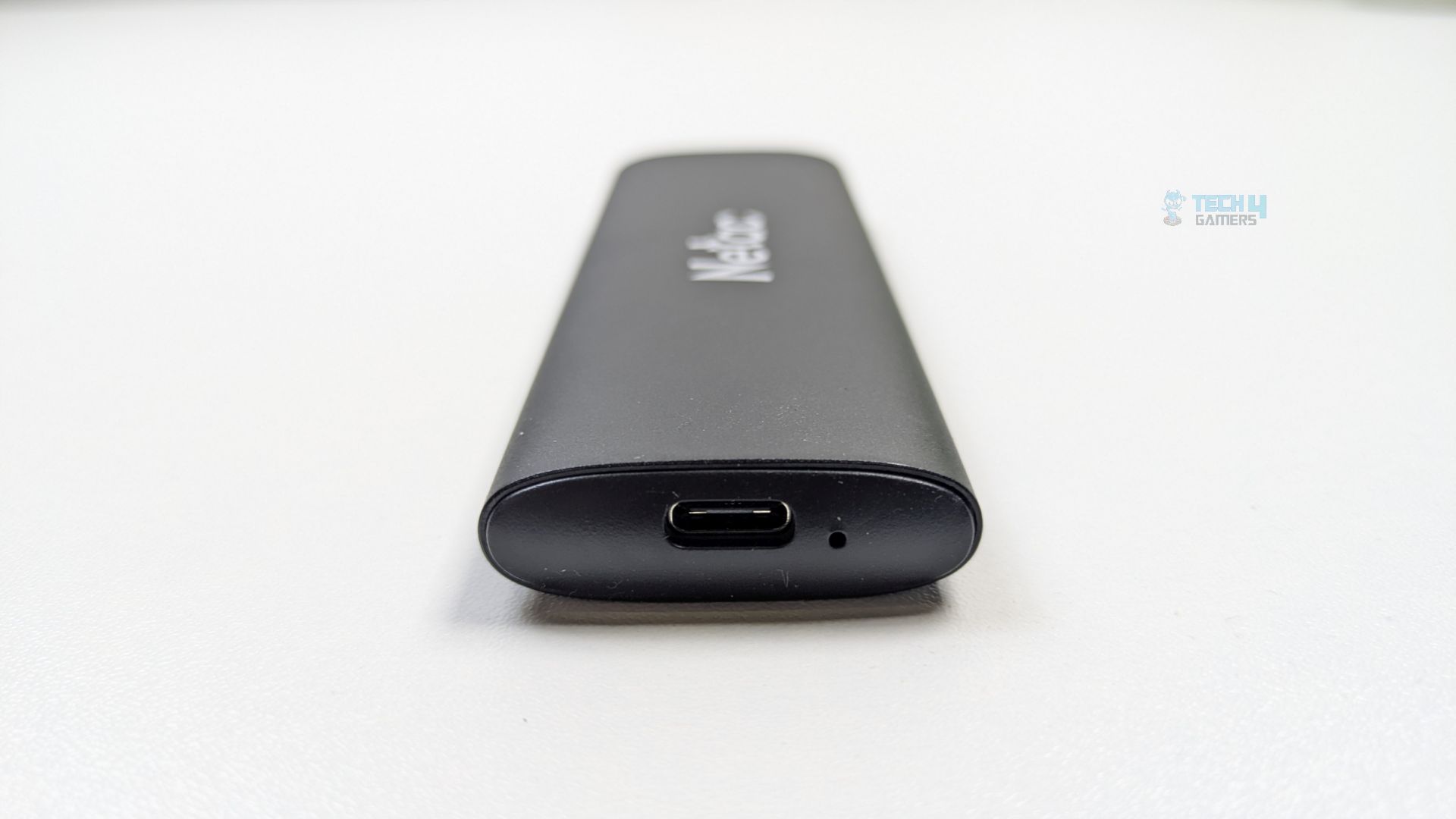
Now taking a look at the sides, one side houses the single Type-C port alongside the LED status indicator. On the other side, the locking mechanism can also be observed, which is a physical slide latch allowing the inner tray to be unlocked and pulled out quickly.
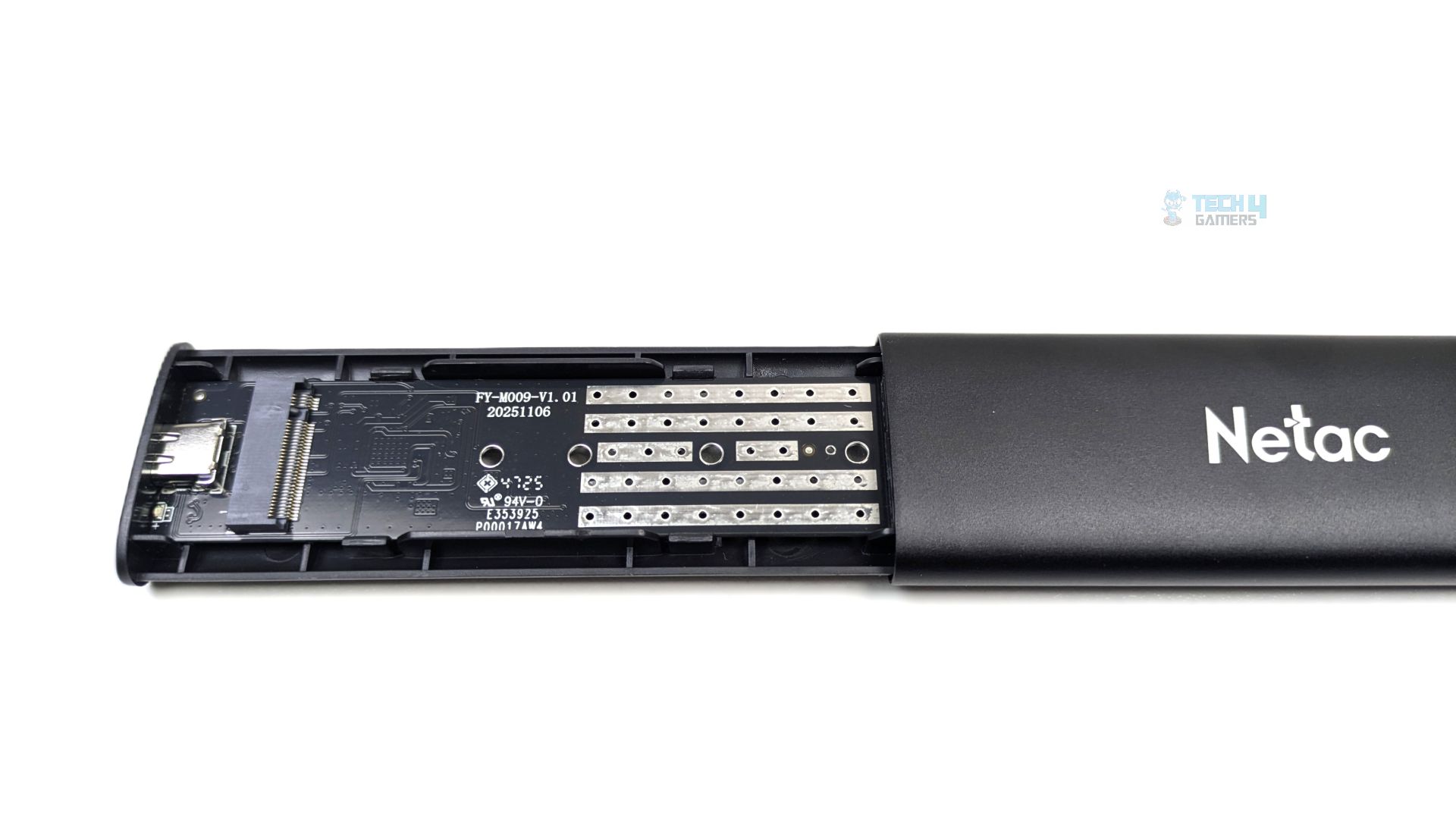
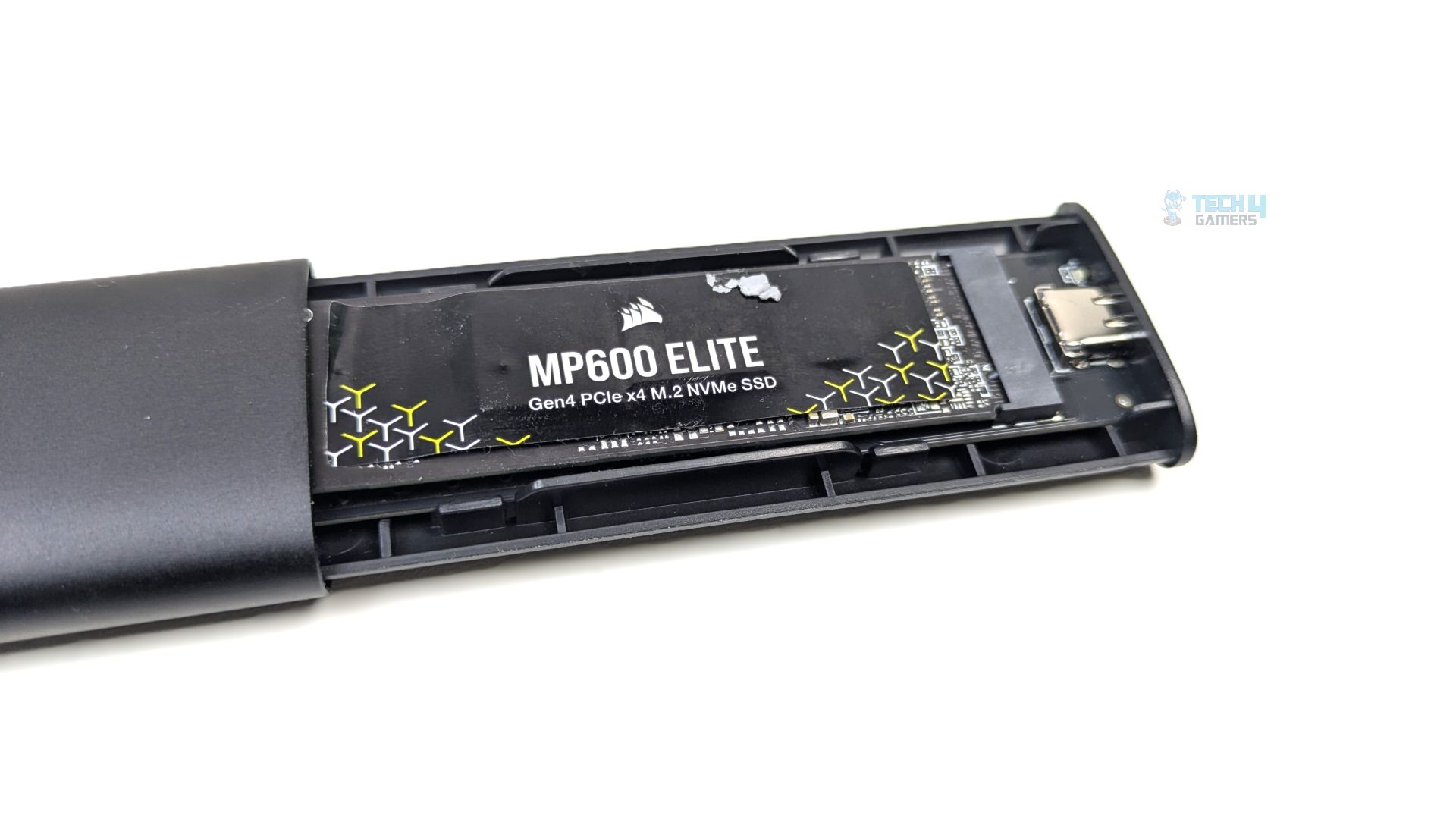
Pulling the inner tray reveals a standard NVMe Slot with M.2 pin-points. We have installed the Corsair MP600 in the enclosure.
Testing Methodology
How Do We Measure Flash-Drive Performance
We test SSD enclosures in a diverse range of software, including various real-world tests, gaming workloads, gaming loading times, synthetic benchmarks, and thermal tests.
What Tools Do We Test
We use 3DMark, PCMark 10, CrystalDiskMark, and DiskBench for our benchmarks and compare the results against those of other storage solutions.
Preparing The System
The Flash-Drive/Enclosure/SSD Case is plugged on the X870 Nova WiFi in the USB 3.2 Gen 2 port. We format the storage completely to ensure that no data is available on the drive. During the tests, we ensure that there is no background activity in the OS to maintain a clean system.
Test Setup
- CPU: AMD Ryzen 9 9950X
- RAM: XPG Lancer 16×2 6200MT/s CL28 Tuned
- Motherboard: ASRock Phantom Gaming X870 Nova WiFi
- Cooler: Ocypus Sigma L36 Pro
- GPU: ZOTAC SOLID RTX 5080
Real World Benchmarks
Let’s start with the Real World Benchmarks.
DiskBench
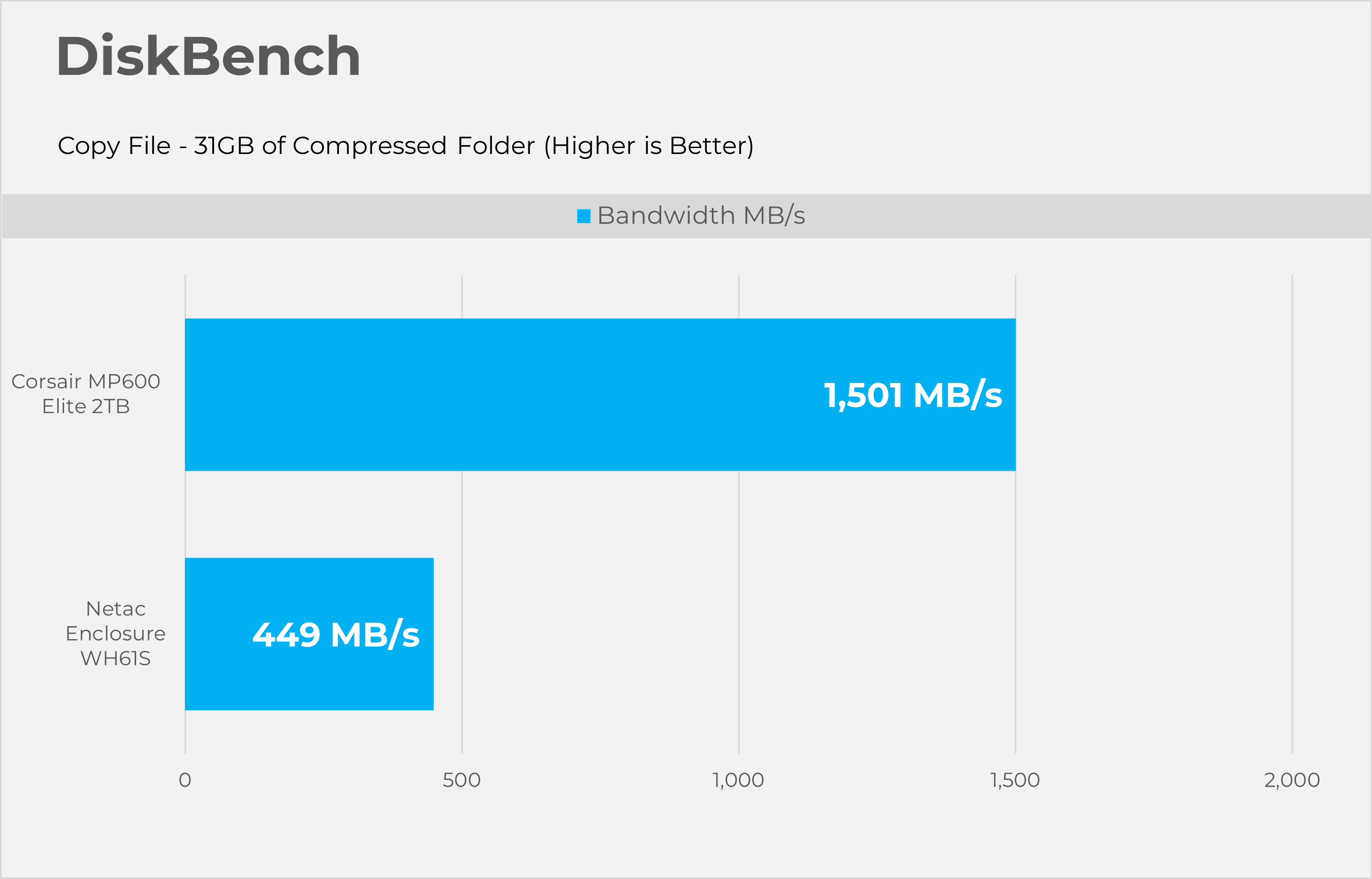
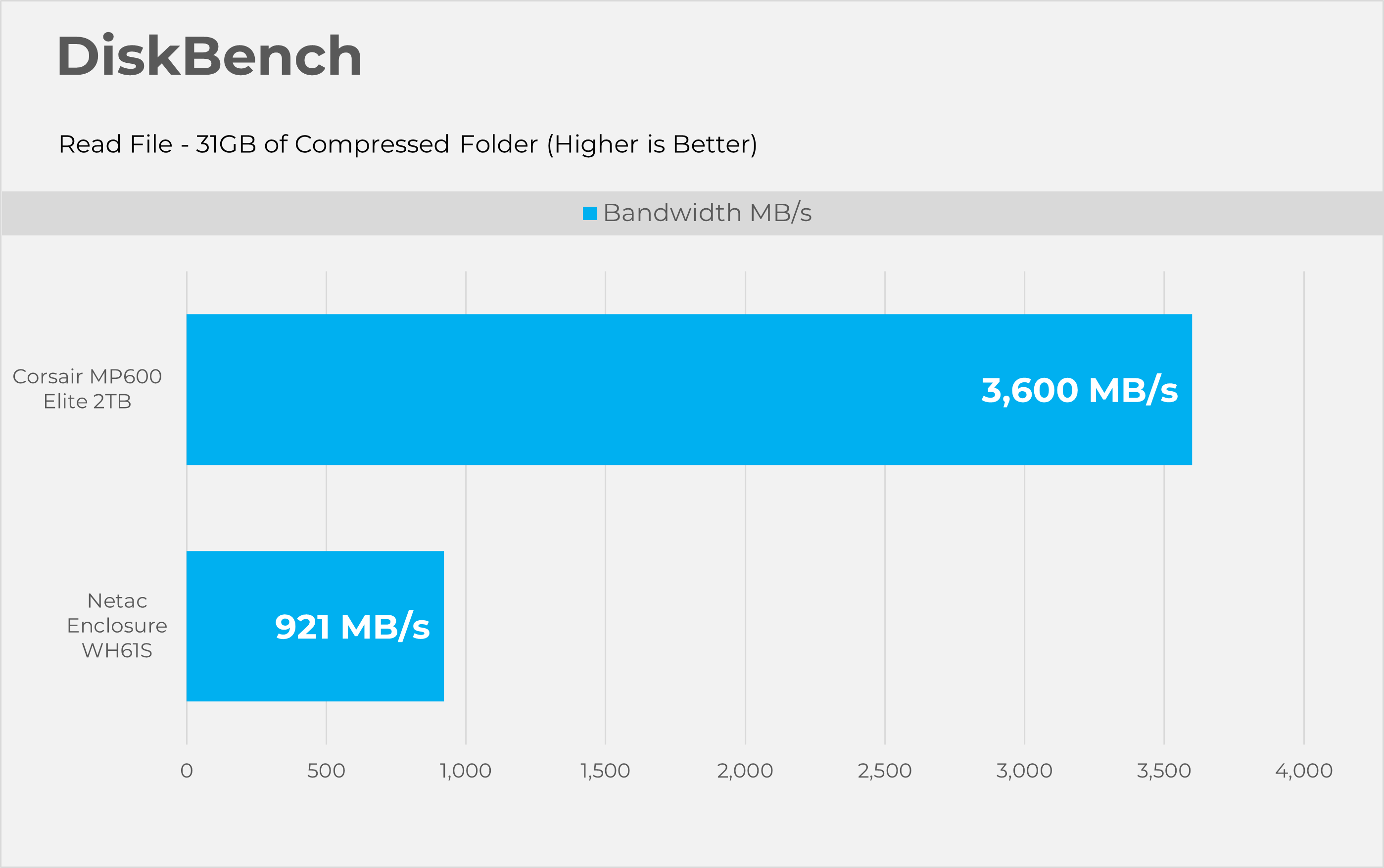
Starting with Disk bench, this program evaluates storage performance under real life performance conditions, we have made two runs here first copying the file and then reading the file. The test file set consists of 32GB of mixed data including random PSD and excel sheets.
3DMark Storage Gaming
3DMark Storage gaming is a very valuable tool that concentrates on how storage impacts gaming performance. This benchmark software simulates loading and saving game files, installing and updating games, recording game-play footage, copying game folders, and launching and loading game levels.
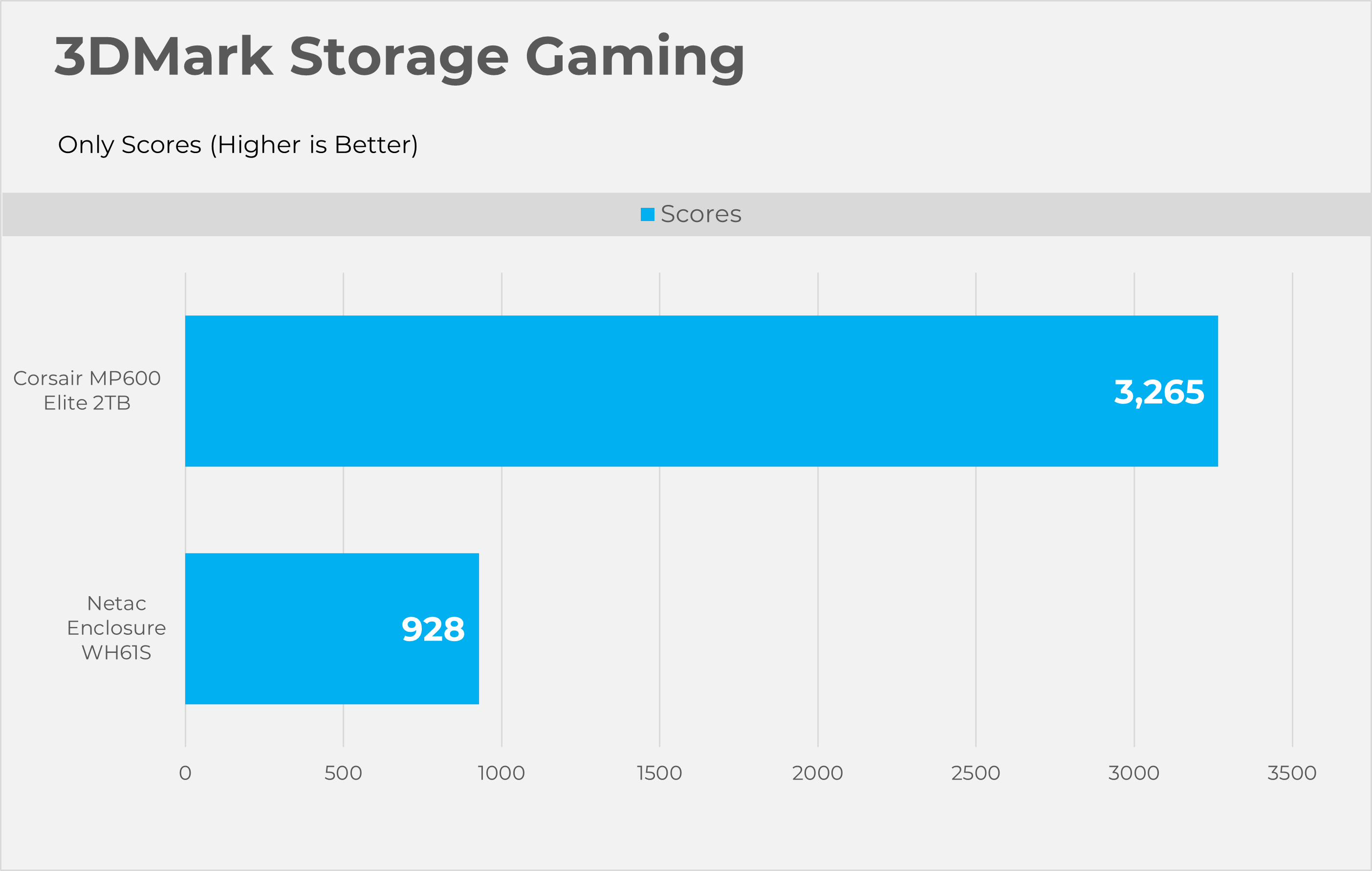
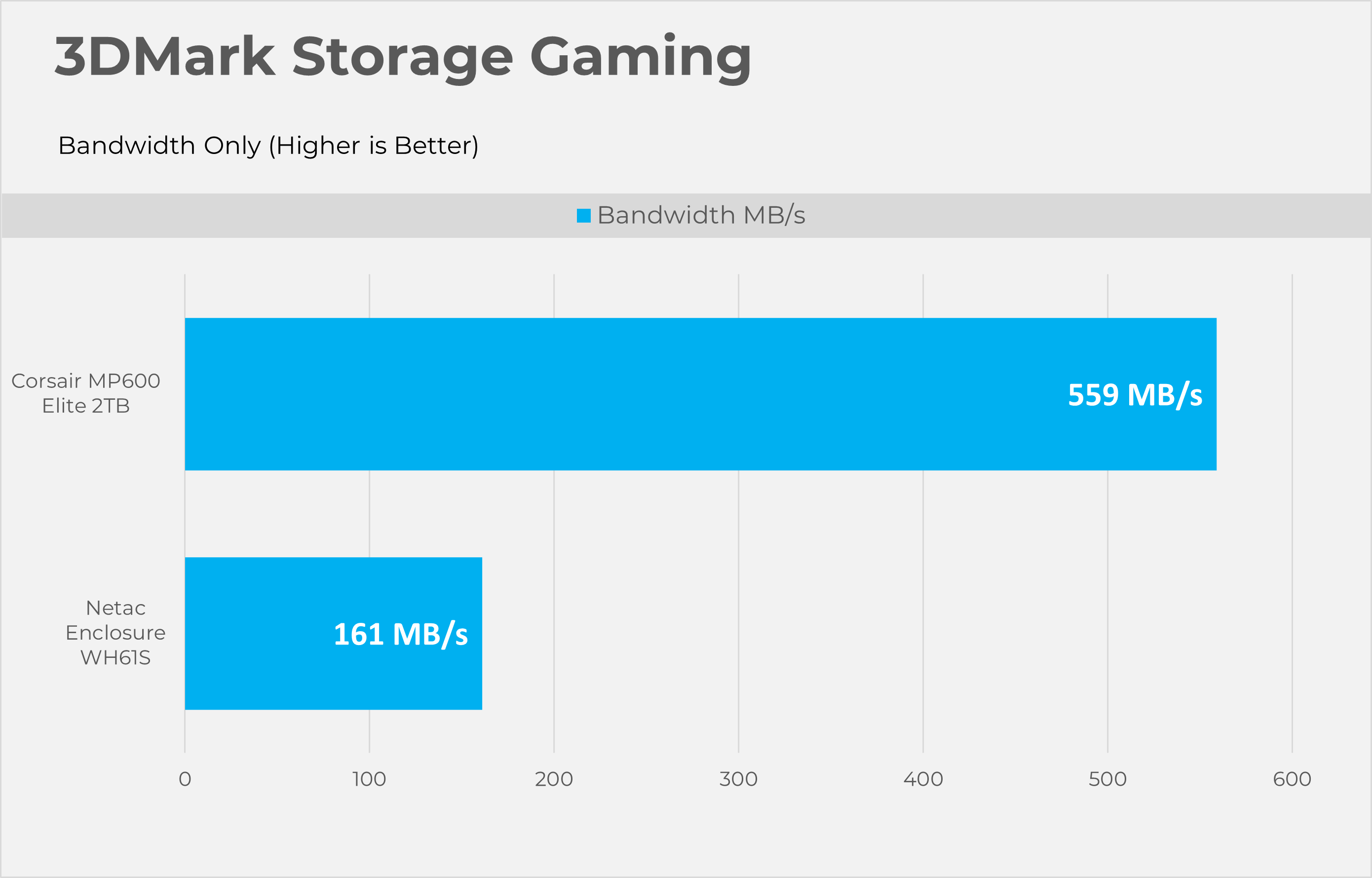
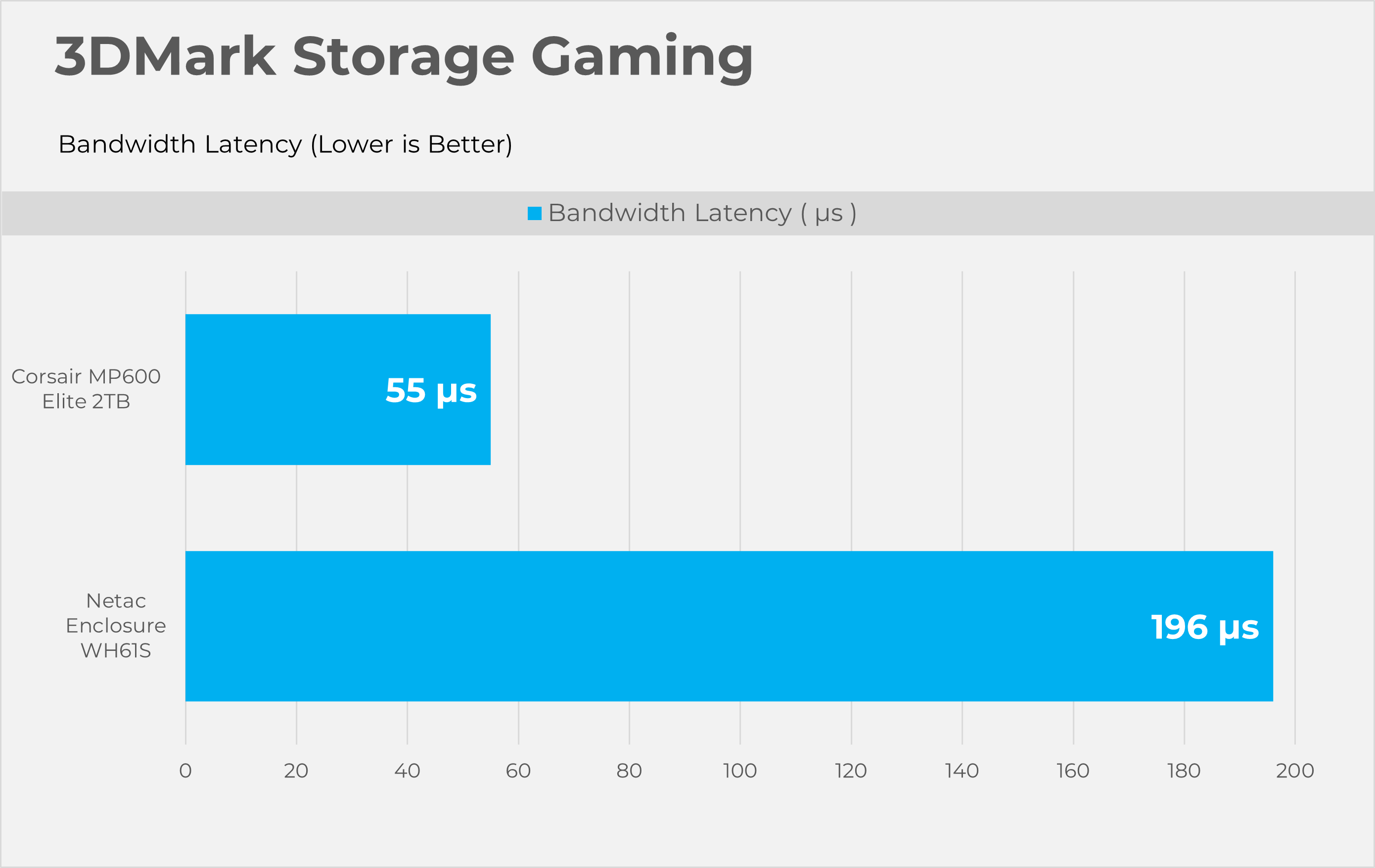
PCMark10 Storage Quick
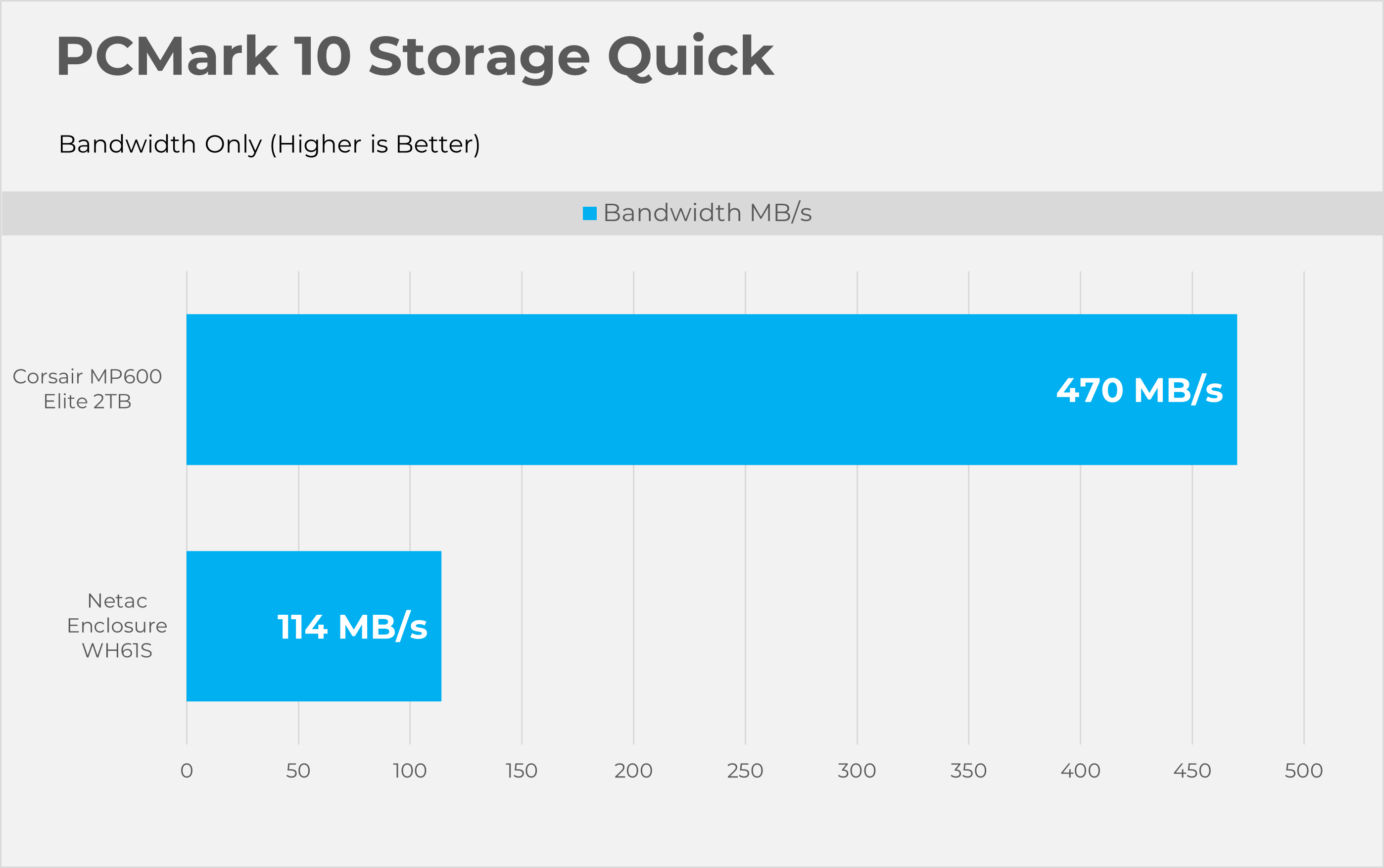
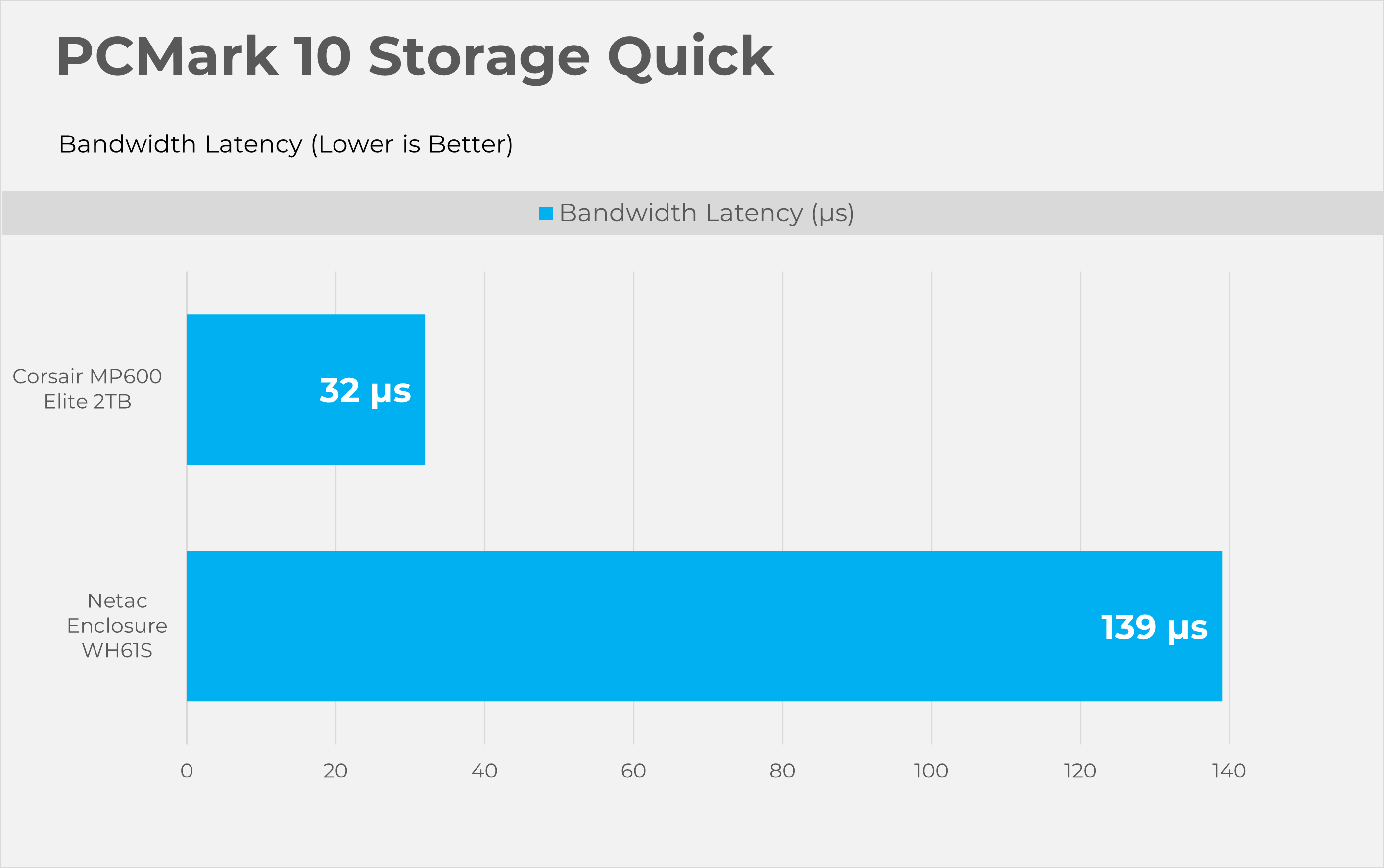
PCMark10 Quick is also considered an important tool to test the performance of the storage devices. This tool focuses on how well your PC handles common daily tasks like browsing, video calls, software start-up time, and spreadsheet and word processing tasks. This benchmark writes 23GB of data on the SSD
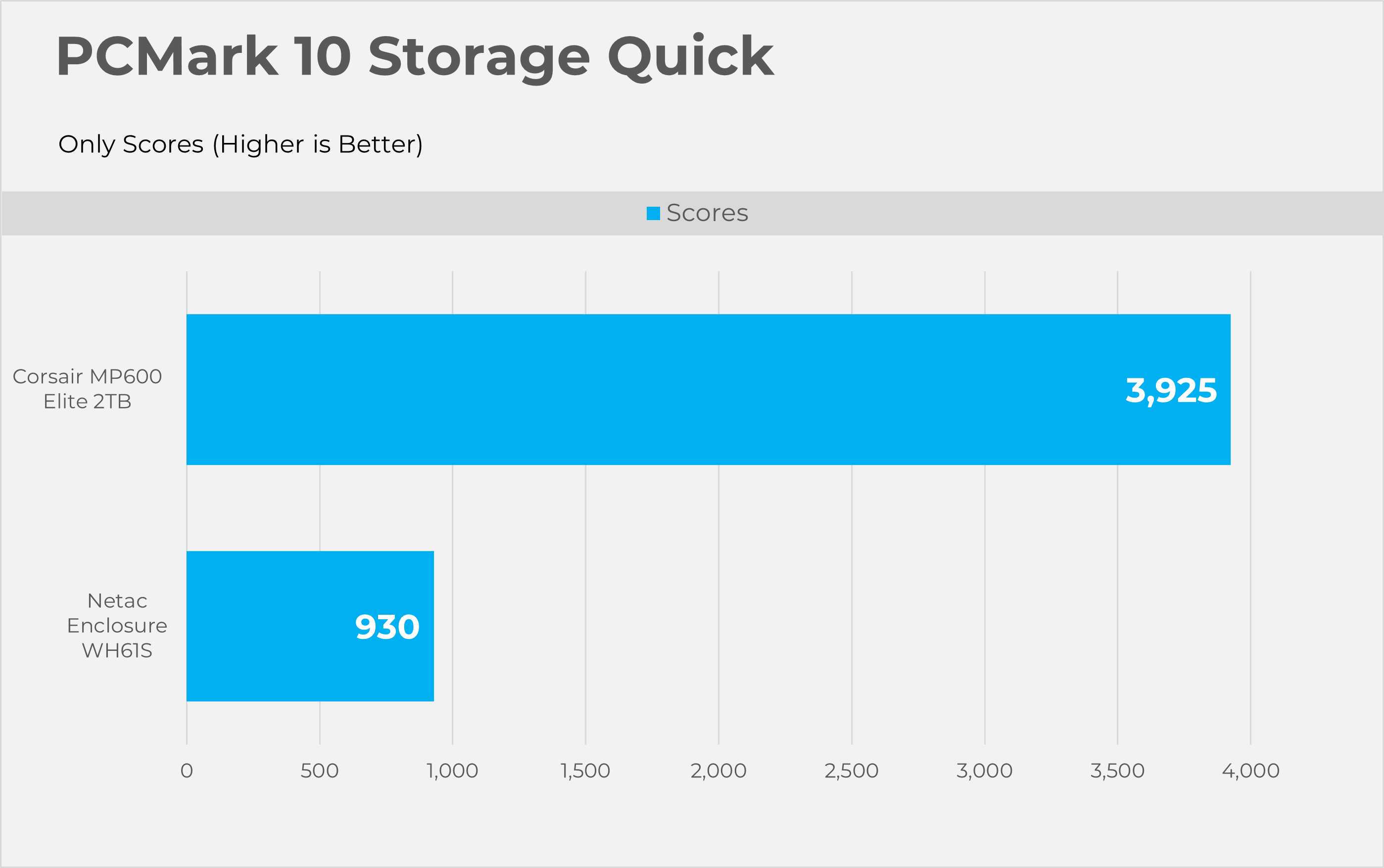
PCMark10 Full Drive
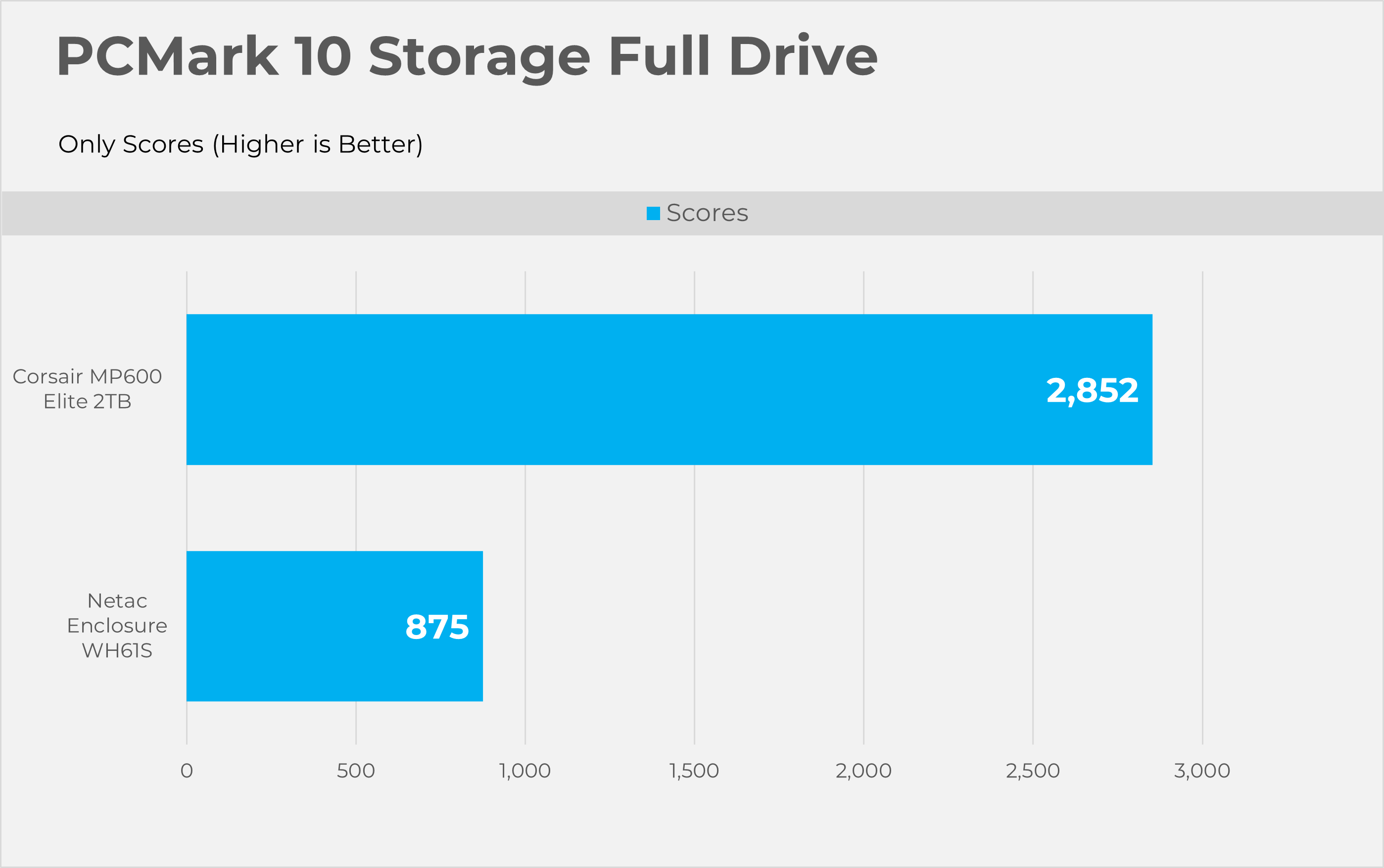
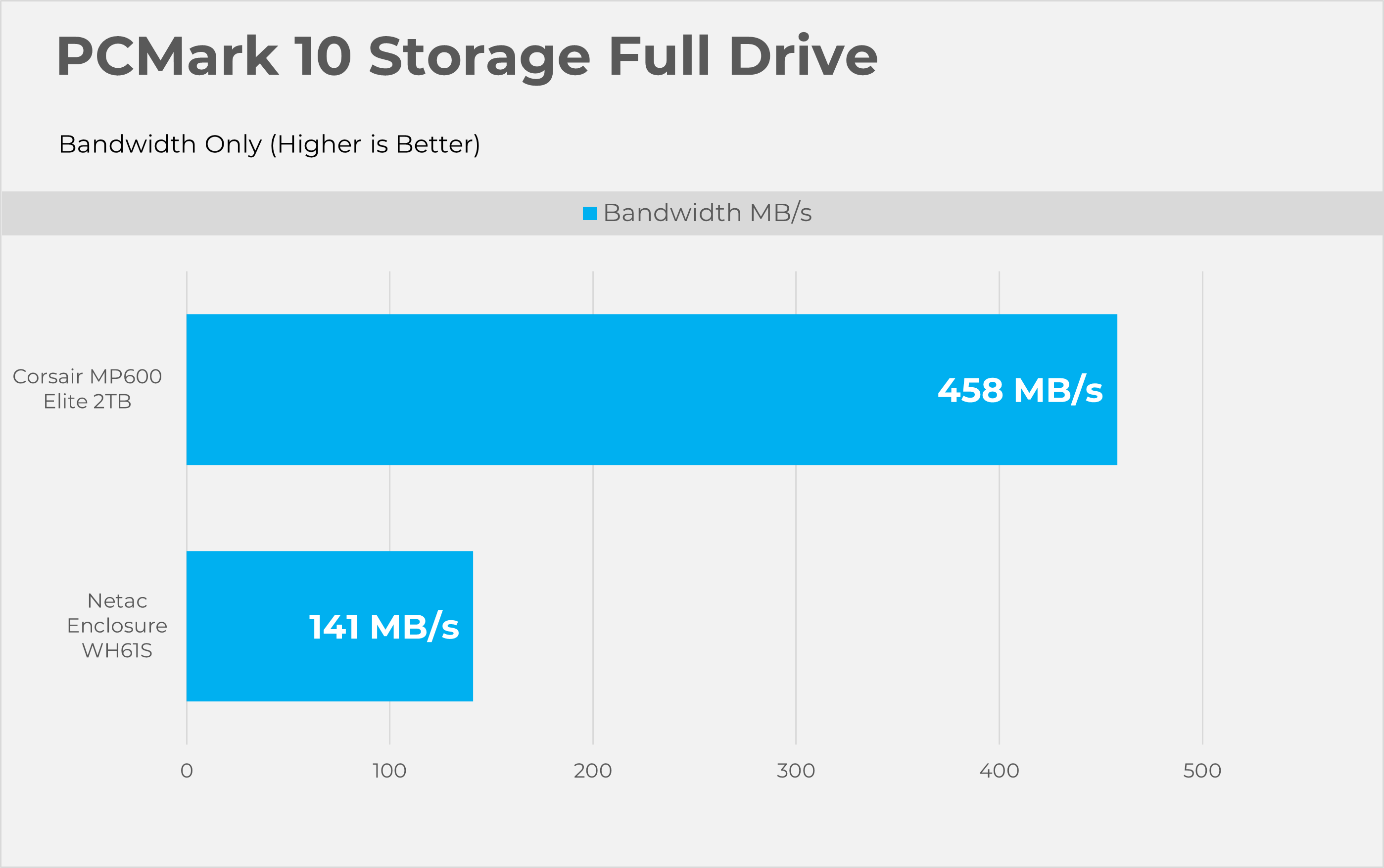
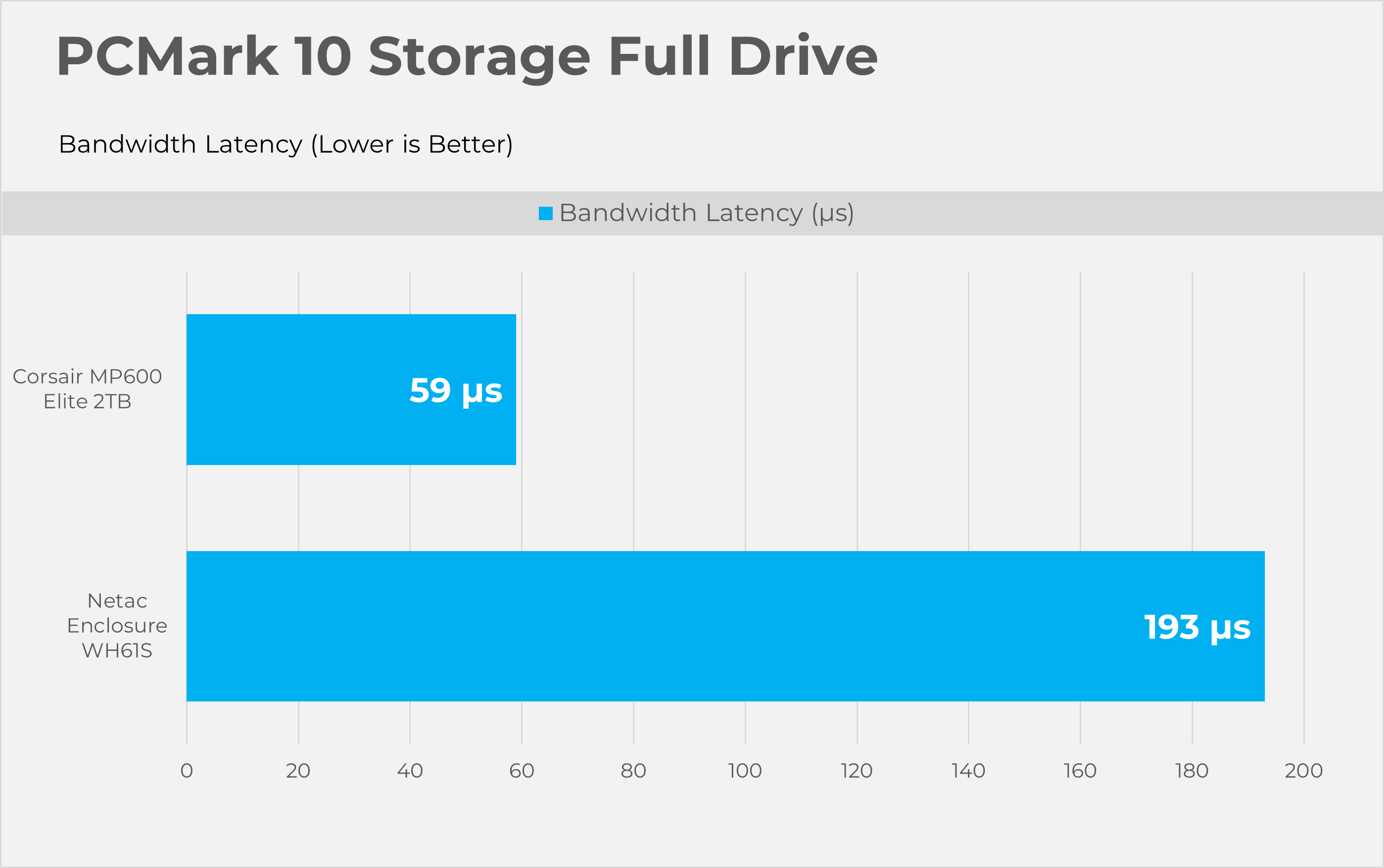
This Full Drive benchmark is more intensive than the ”quick” we have previously tested, as it writes 204GB of data. This tool also measures the real-world performance of your storage device. It simulates booting the OS, launching Adobe applications like Premiere, Photoshop, and processing the data in the Microsoft Office application, copying and saving files, and testing loading levels in the games.
Synthetic Benchmarks
Let’s take a look the RAW performance of the SSD.
Sequential
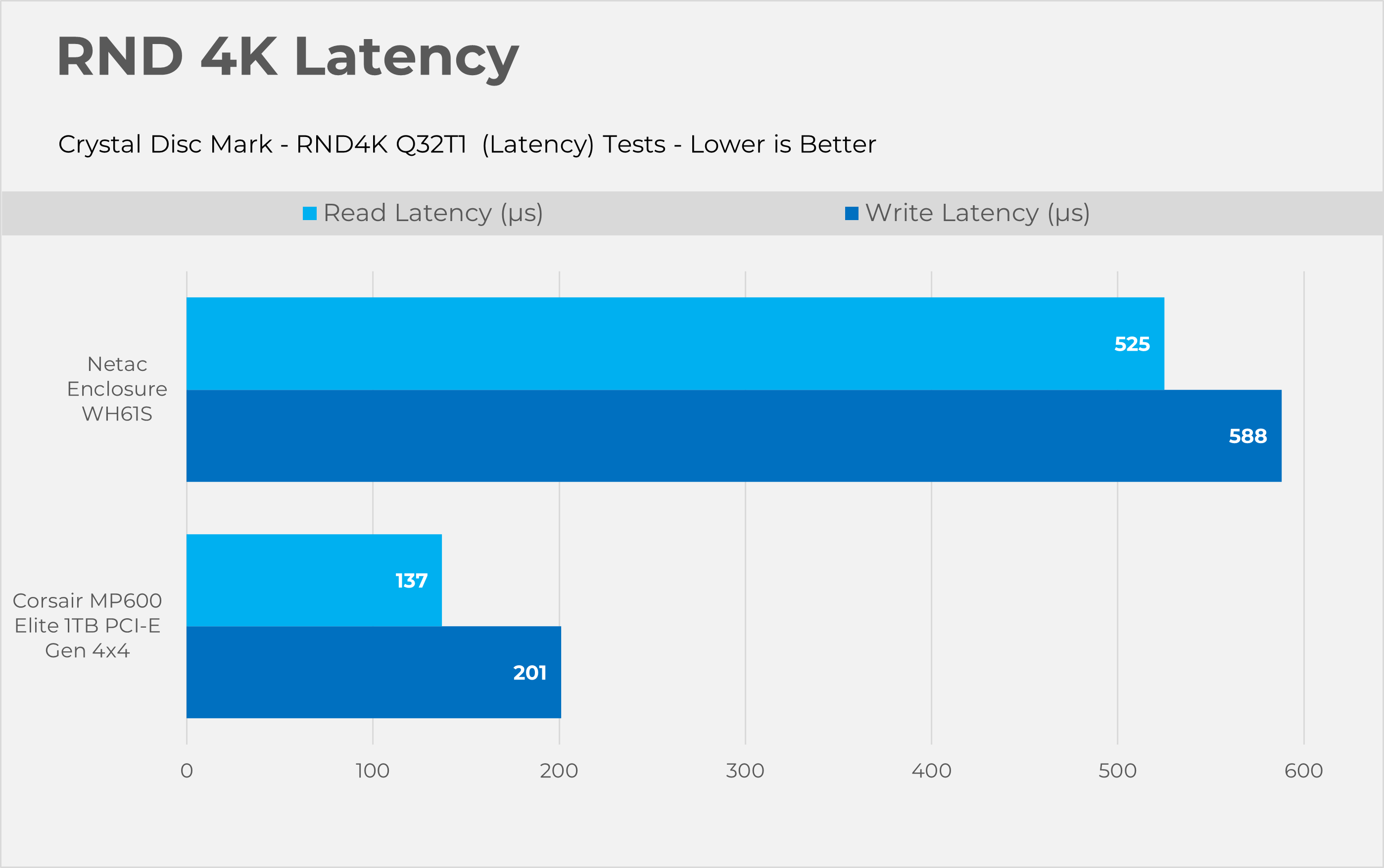
RND4K
Temperatures
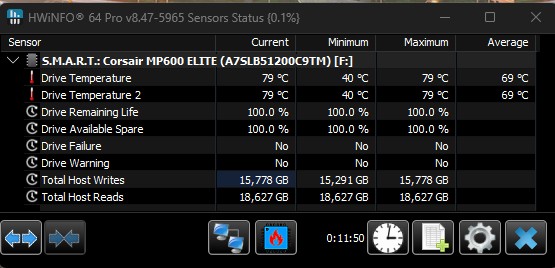
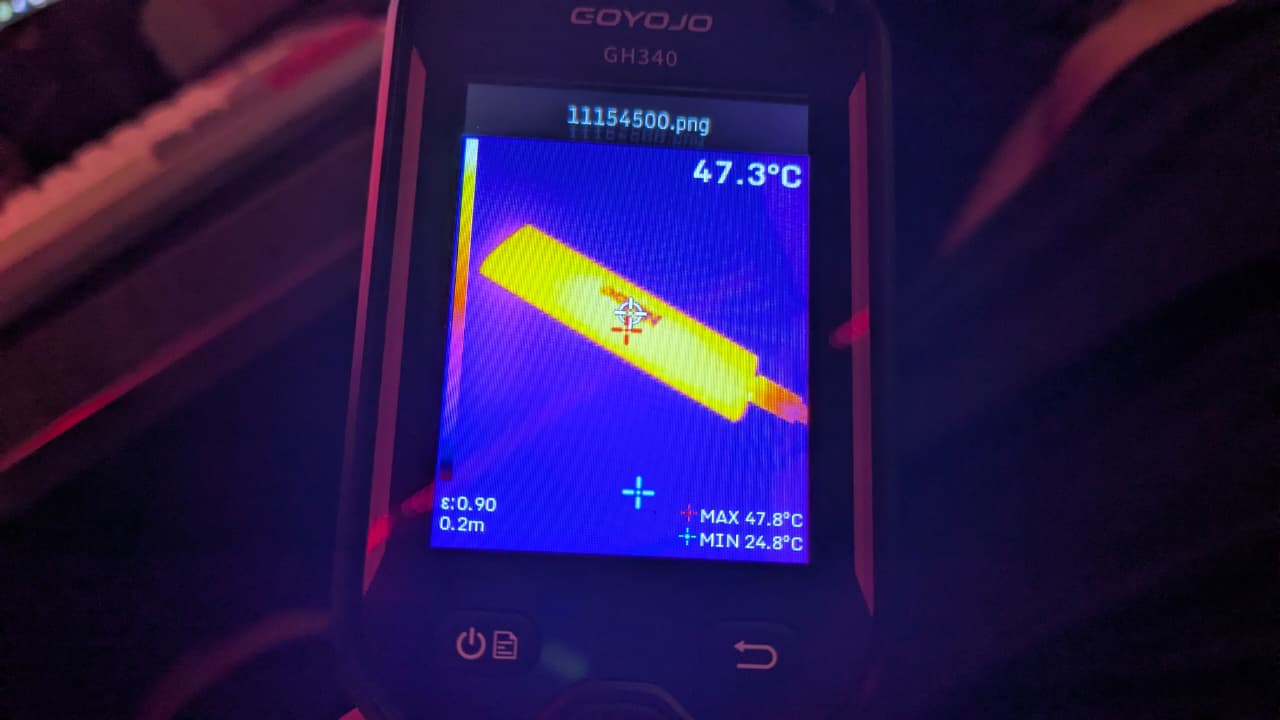
For the stress test, we ran the PCMark10 Consistency Test, which heavily loaded the SSD by writing an enormous amount of data for 10-12 minutes. According to the software, the internal SSD temperature reached a toasty 80°C, while our thermal imaging camera showed the enclosure stayed cool at around 48°C.
Should You Buy It?
Buy It if:
✅ If You’re On-The-Go User: If your goal is to transfer small or large files including photos and the videos or games, the WH61S maxes out the 10Gbps connection perfectly and the included 2-in-1 cable means it will connect to almost any laptop or the desktop.
✅ If You Have an Older Gen 3 or Entry Level Gen 4 Drive Lying Around: The enclosure is an affordable way to turn that leftover hardware into a fast, 1000MB/s portable drive.
Don’t Buy It If
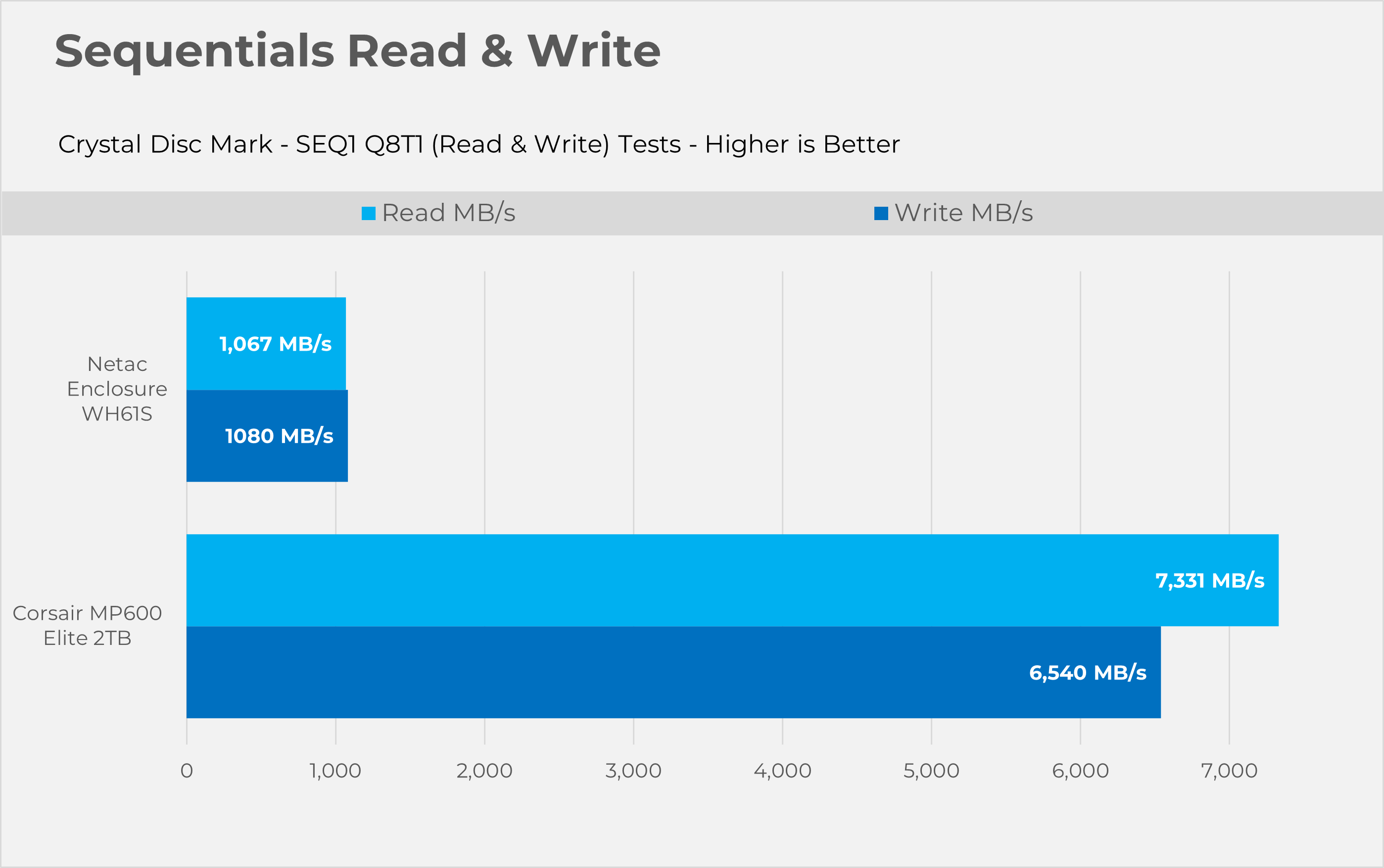
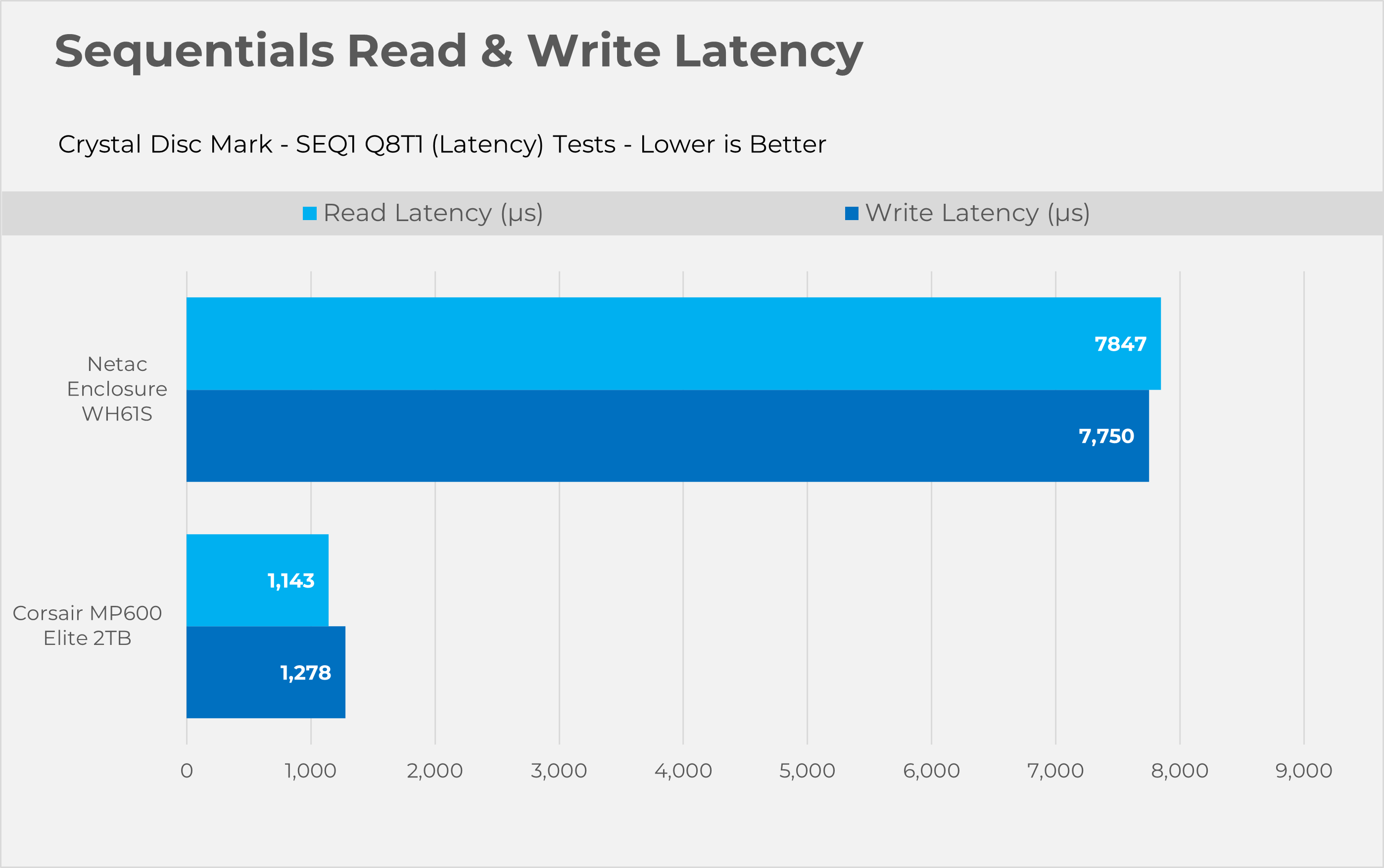
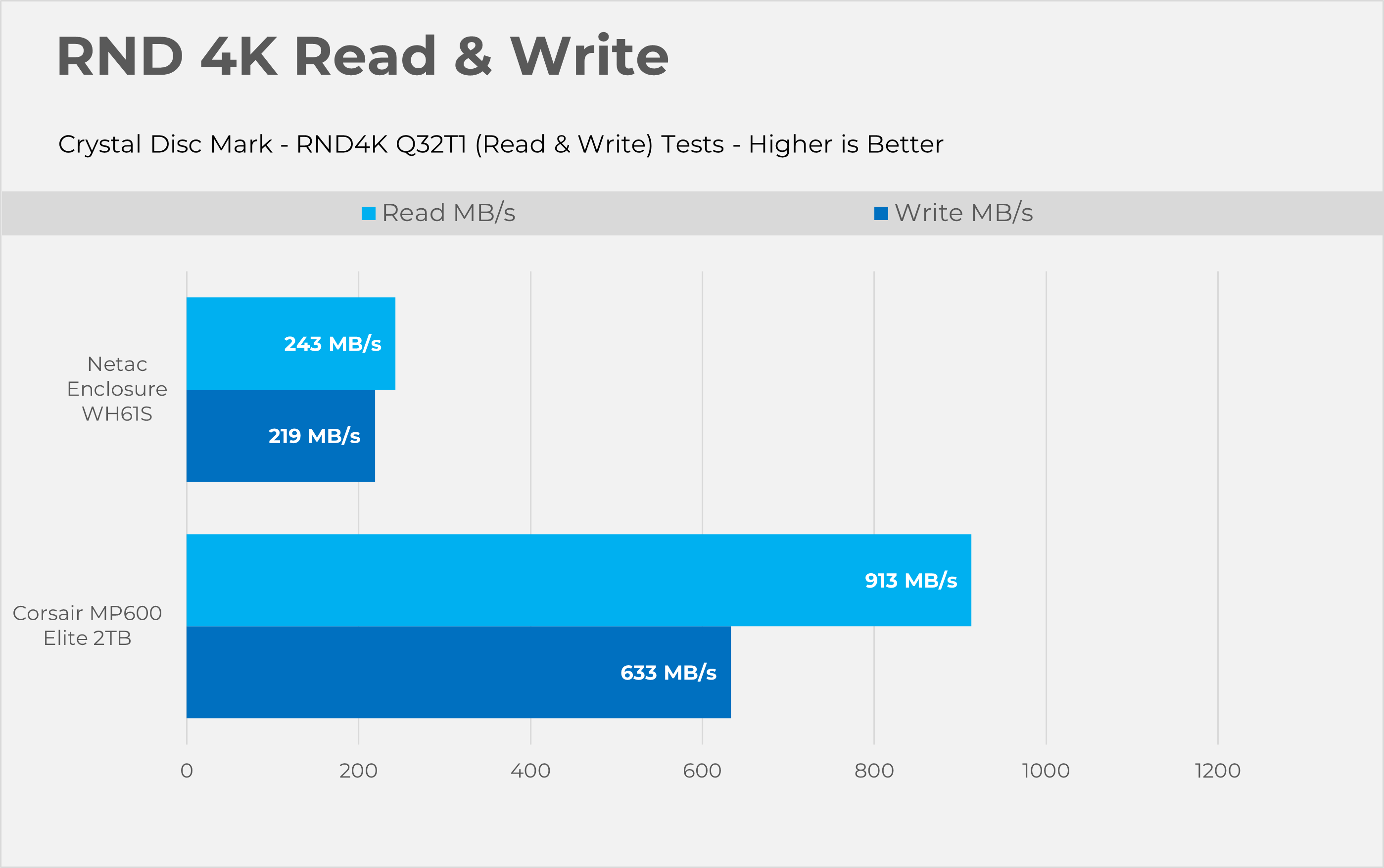
❌ If You’re Looking To Utilize your Fast/High-End Gen 4 / Gen 5 NVMe: Anyone with a premium, fast Gen 4 or Gen 5 NVMe drive, especially for external use, should know that data shows putting a high-performance drive in a 10Gbps enclosure wastes money because the USB interface bottlenecks its IOPS and latency advantages.
Final Thoughts
We reviewed and tested NETAC’s WH61 enclosure. I have mixed opinions. The price is expected to be $20-$30 USD, making the WH61S budget-friendly. The quality matches the price. The body is extruded metal, standard for NVMe enclosures, acting as a passive heatsink. The SSD reached nearly 80 °C with our PCI-e Gen4x4 Corsair MP600 Elite. This temperature could cause throttling, but for small file transfers, the heatsink is sufficient. The locking mechanism uses a small latch at the bottom to open the tray. The build quality is functional.
Performance-wise, the enclosure supports USB 3.2 Gen 2 (10 Gb/s). Compared to native performance from the Corsair MP600 Elite NVMe, the USB interface bottlenecks high-end Gen4 drives. The enclosure achieved 1067 MB/s Read and 1,080 MB/s Write, almost the theoretical maximum for a 10Gbps USB connection. It performs as a high-quality 10Gbps enclosure should. Results are satisfactory, and the enclosure works as expected.
Thank you! Please share your positive feedback. 🔋
How could we improve this post? Please Help us. 😔

Senior Hardware Reviewer at Tech4Gamers with over a decade of experience in the tech industry. My journey began in 2014 as a senior administrator for Pakistan’s largest gaming community forum. I specialize in testing and reviewing components like graphics cards, CPU coolers, and motherboards, while also sharing insights on overclocking and system optimization.
 Join Our Community