Threads
Worth It?
Review Summary
The Logitech Pro X2 Superstrike is a lightweight, esports-focused wireless mouse designed for precision and responsiveness. It features the Hero 2 sensor with up to 44,000 DPI, Lightspeed 2 wireless technology, and a 61g symmetrical design that works well for palm, claw, and fingertip grips. The Haptic Inductive Trigger System allows adjustable actuation, Rapid Trigger, and haptic feedback. With extensive G HUB software customization, it’s aimed at competitive players who want fine-tuned control.
Hours Tested: 2 Weeks

Overall
-
Design - 9/10
9/10
-
Build Quality - 9/10
9/10
-
Performance - 9.5/10
9.5/10
-
Software - 9.5/10
9.5/10
Pros
- Excellent build quality
- Superb Wireless Performance
- Customizable haptic inductive trigger system
- Remarkable Hero 2 Sensor
- Comfortable for multiple grip styles
Cons
- Premium price point


The Logitech Pro X2 Superstrike walks into a pretty crowded room, with dozens of ultra-light wireless mice on the market. Evidently, Logitech already has a strong grip on the competitive scene, and for many players, the Pro name carries weight on its own. So when I first saw this mouse, I didn’t think, “Oh wow, something totally new.” Instead, I thought, “Alright, what would they be changing this time?”
Because that’s the thing. When a brand like Logitech updates a Pro mouse, it’s rarely a wild redesign. It’s usually a careful adjustment. But in competitive gaming, small moves matter a lot. On paper, the Pro X2 Superstrike looks like it’s aiming straight at competitive esports players. This feels like a mouse built for someone who loads into ranked every night. So the real question isn’t whether this mouse is good. It’s whether it’s different enough to stand out from the rest.
Key Takeaways
- The Logitech Pro X2 Superstrike is a lightweight esports mouse that combines precision tracking with extensive customization. Its Hero 2 sensor and adjustable HITS clicks make it suitable for competitive play.
- You should buy the Logitech Pro X2 Superstrike if you want a lightweight, competitive esports mouse with fully customizable clicks and a versatile design that works across different grip styles.
- You should skip the Logitech Pro X2 Superstrike if you’re a casual gamer on a budget.
Here are the technical specifications:
| Sensor | Hero 2 |
| Resolution | 100 – 44,000 DPI |
| Max. acceleration | 88 G |
| Max. speed | 888 IPS |
| Max wired report rate | 1000 Hz |
| Max Lightspeed report rate | 8000 Hz |
| Tracking | Zero smoothing/acceleration/filtering |
| Battery Life | 90 h |
| Dimensions (HxWxD) | 125 mm x 63.5 mm x 40 mm |
| Weight | 61 g |
| Number of Buttons | 5 |
| Compatibility | Windows or macOS |
| Warranty | 2-Year Limited Hardware Warranty |
What Makes the Logitech Pro X2 Superstrike Different?
The Logitech Pro X2 Superstrike brings a fundamentally new way of thinking about mouse clicks to a market that’s been dominated by mechanical switches for years. Instead of the standard physical microswitches that most gaming mice rely on, the Superstrike uses a Haptic Inductive Trigger System (HITS) that detects how far you press and delivers real-time haptic feedback, letting you tune both actuation depth and reset points through software in ways Logitech’s previous models couldn’t offer.
Packaging & Unboxing
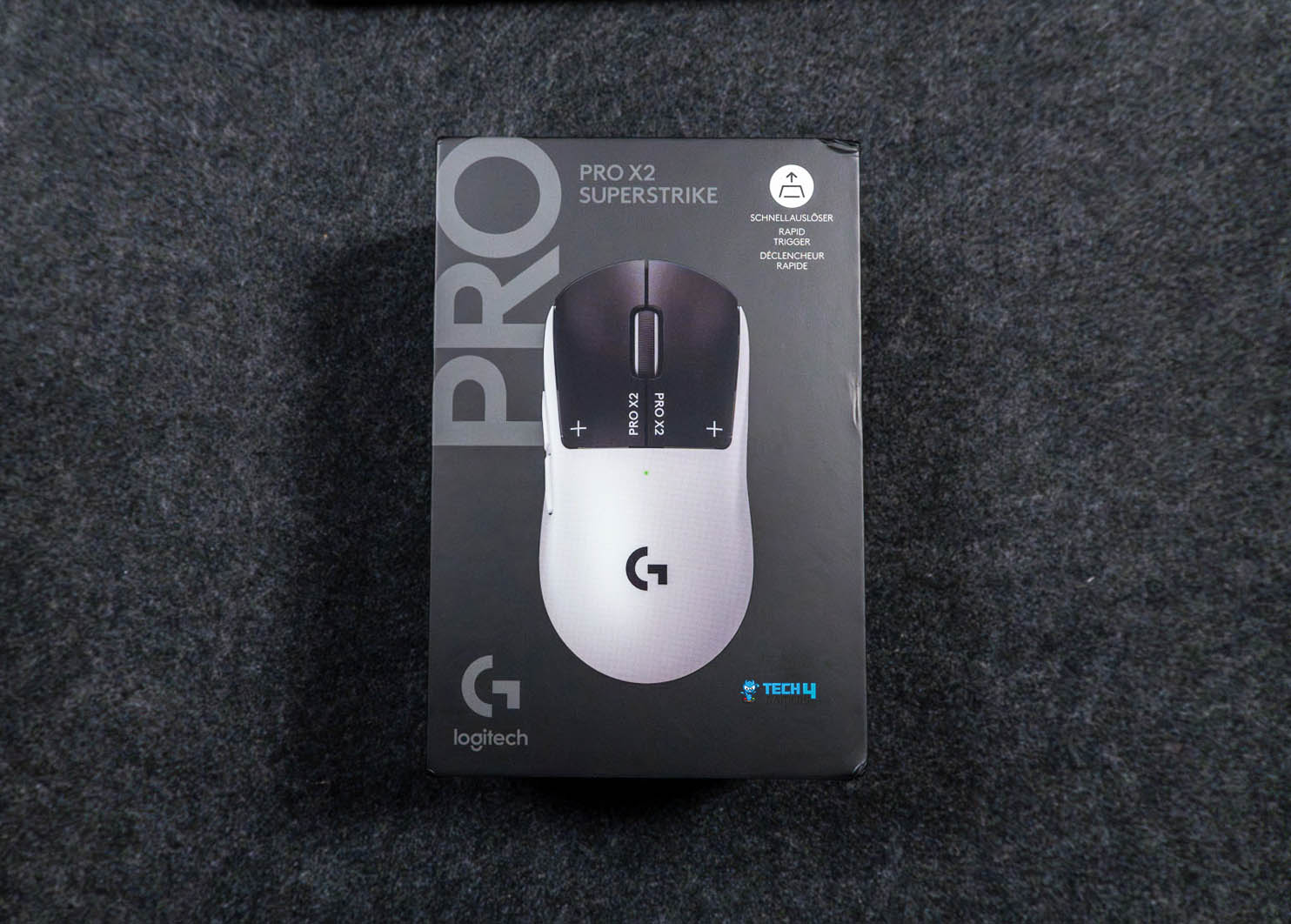
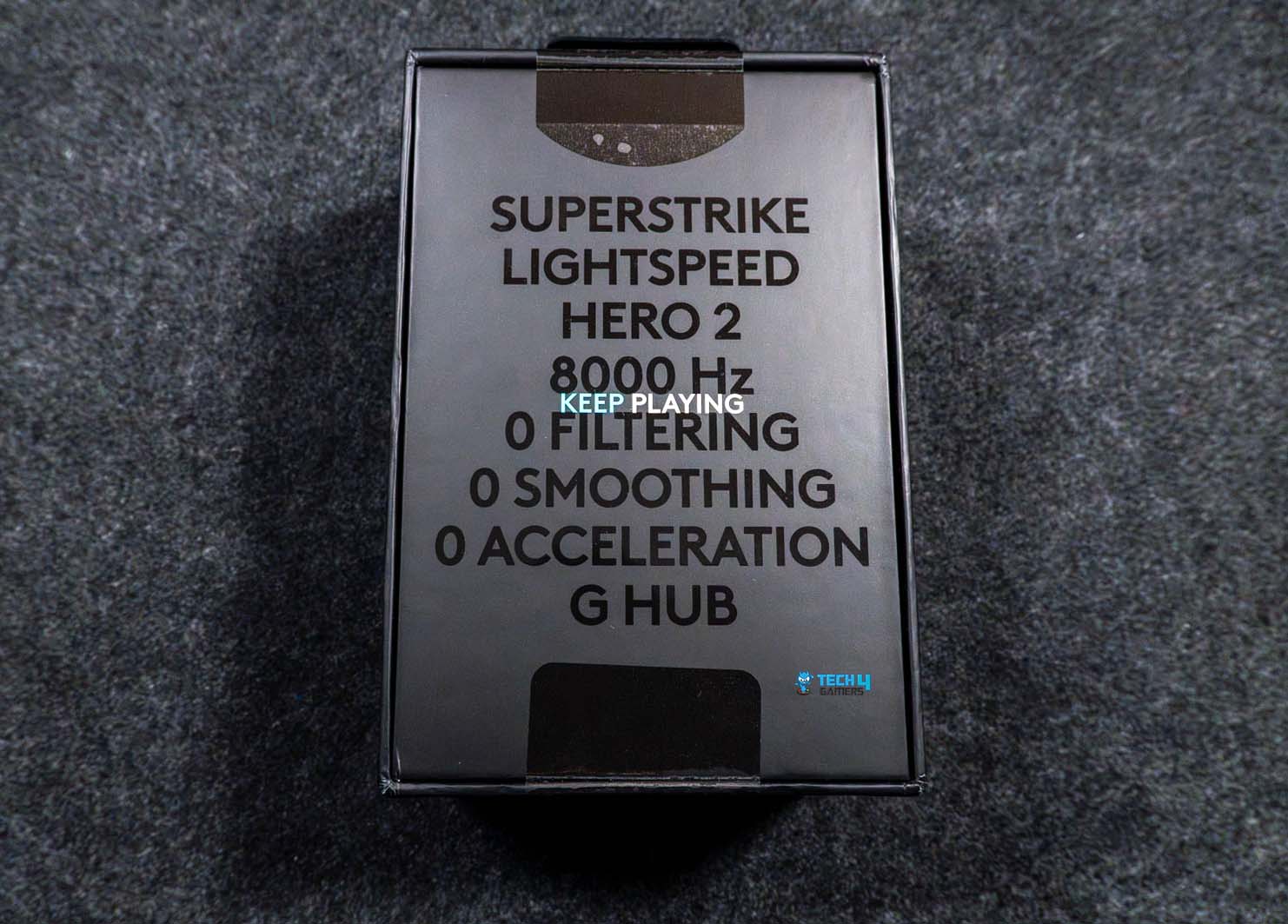
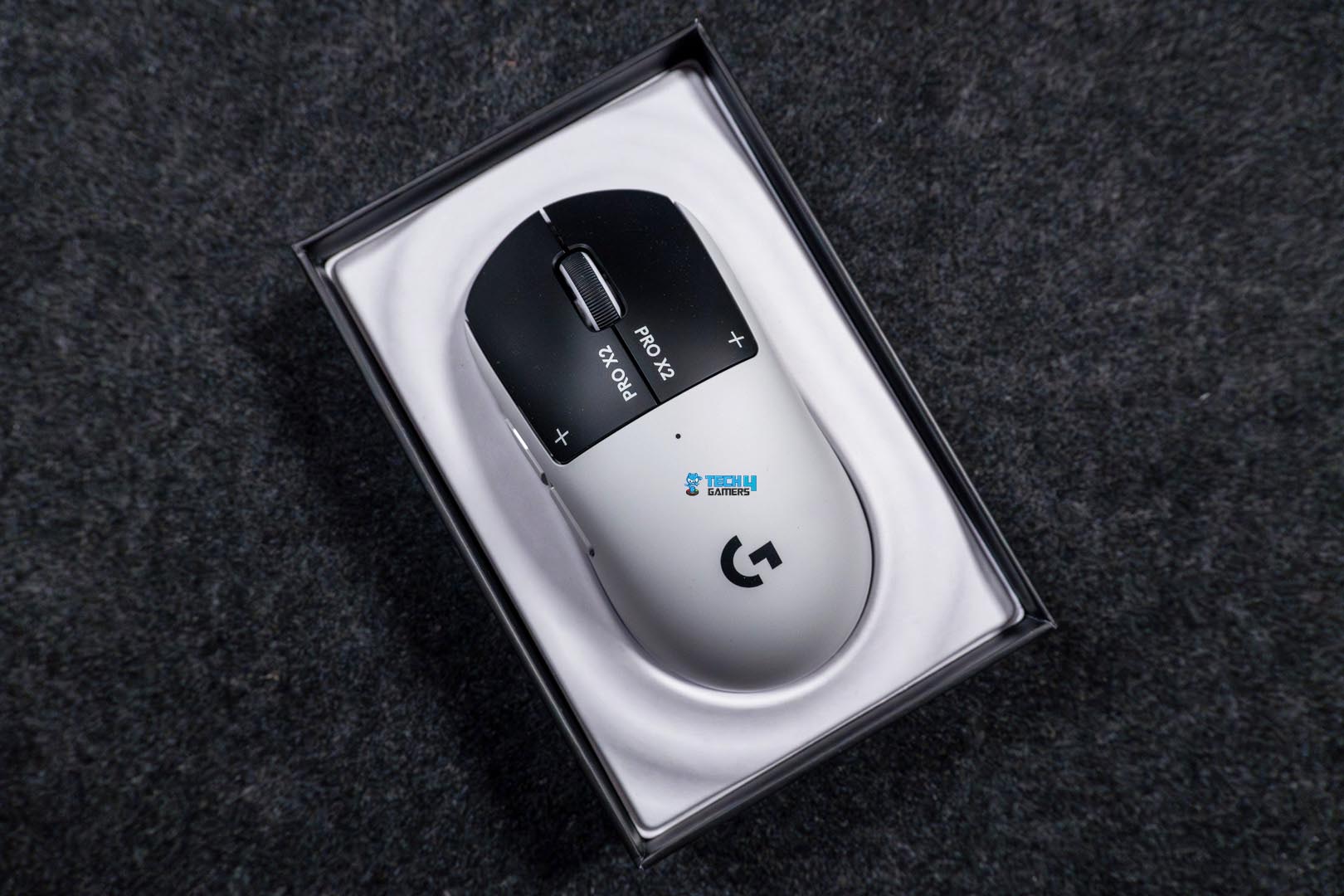
The box for the Logitech Pro X2 Superstrike is black, with a large image of the mouse on the front. Right next to it, you get the “Pro” branding and the model name. One side of the box lists the technical specs. On the other hand, you’ll spot logos of esports organizations. Flip the box around, and you’ll find a short list of notable features at the back. Now, when you open the box, the mouse is the first thing you see. It sits right on top in an insert.
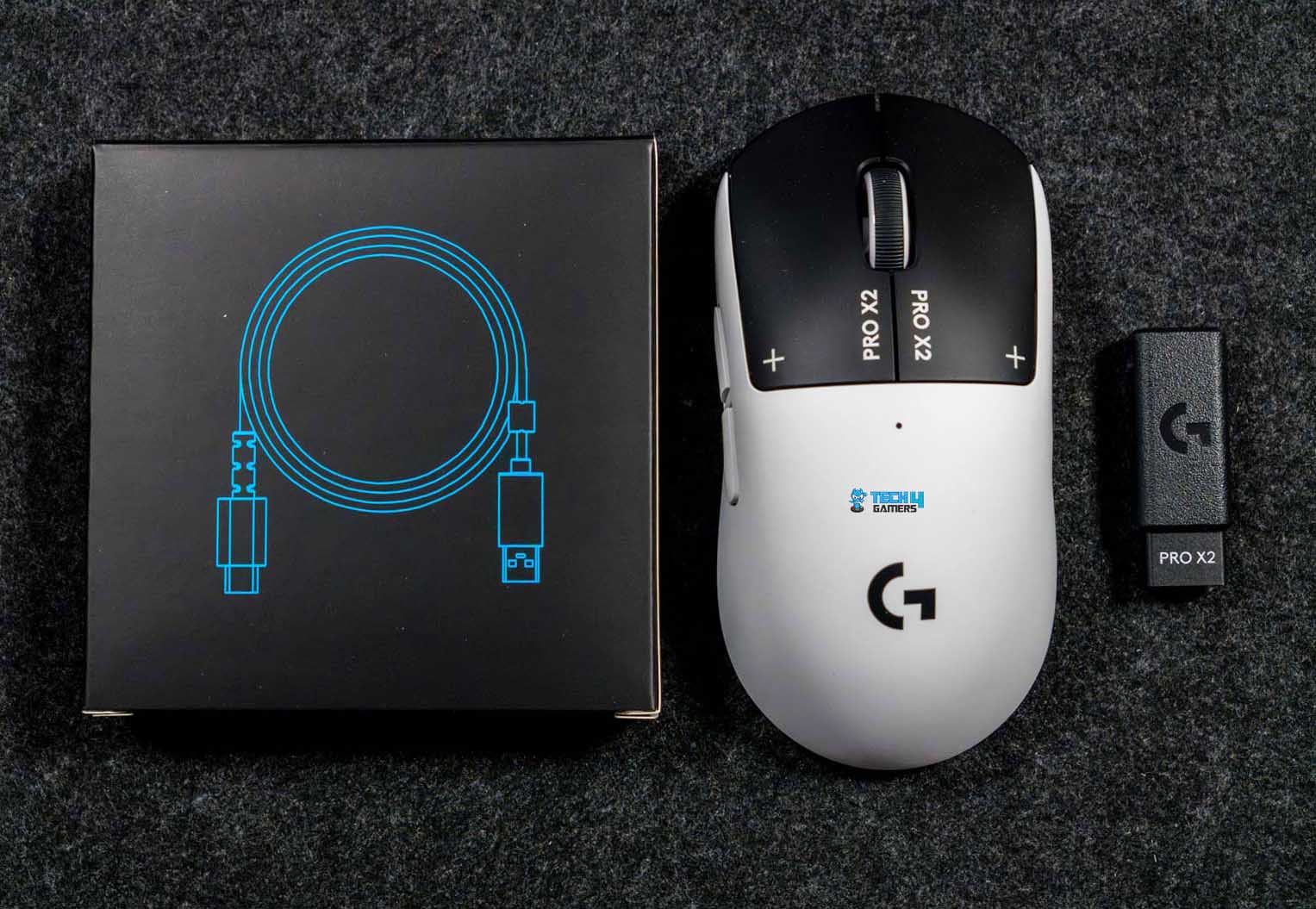
Underneath the mouse, the Lightspeed wireless receiver is already plugged into the receiver extension adapter. Above that section, there’s a separate small box holding the rest of the accessories. Inside, you’ll find the USB-A to USB-C charging and data cable. There’s also the Powerplay aperture door with a PTFE foot. Logitech also includes optional grip tape. There’s even a small cleaning cloth, which feels thoughtful. And of course, you get the usual user documentation.
Design

The Logitech Pro X2 Superstrike comes in the Lunar Eclipse colorway. In simple terms, it’s a mix of black and white. The shell and the sides are white. Then the primary buttons switch things up with a black finish. That contrast stands out right away. It’s not extravagant, but it’s noticeable. The black buttons frame the top of the mouse. It gives the design a bit of character. On the primary buttons, you’ll see “PRO X2” printed near the front. Next to it, there’s a small symbol. You could perceive it as a plus sign or maybe a crosshair.
The scroll wheel follows the same two-tone idea. The center is black, and the outer sides are white. It’s a small detail, but it ties the whole look together. Logitech calls this an iconic symmetrical design, and that description isn’t far off. If you’ve followed competitive mice over the past decade, you’ve probably used something with a very similar silhouette. Logitech also leans heavily on collaboration with esports pros for this model. According to them, over 100 players contributed to the development of this design.
Coating

The Logitech Pro X2 Superstrike has a matte finish. There’s a very light micro-texture across the shell. It adds a bit of resistance with a faint grip layer between your skin and the surface. The coating doesn’t suddenly turn slick once your hands heat up during longer sessions. If your hands get really sweaty, you’ll feel moisture, which is unavoidable. But the surface doesn’t amplify it. There’s the possibility of slight polishing on high-contact spots after a while.
The primary buttons, being black and a touch smoother, are less noticeable for their shine. The white shell might show wear sooner simply because of the color contrast. Compared to other plastic mice I have used in the past, this coating definitely has more friction. Here, there’s a subtle drag when you shift your grip. The coating feels consistent across most of the shell. The top and sides share the same matte finish, though the left side panel sometimes feels a hair more textured under the thumb.
Weight

The Logitech Pro X2 Superstrike weighs 61 grams. The weight isn’t so light that the mouse floats uncontrollably, and it’s not so heavy that small adjustments feel sluggish. Micro-adjustments feel precise. I was able to trace fine lines in aim trainers without noticing any twitchy movements. The mouse feels very balanced in motion. When I perform start-stop movements, there’s minimal perceived inertia. It doesn’t feel like it’s dragging behind your hand. That makes it easy to switch targets while aiming.
At the same time, it doesn’t overshoot unexpectedly. Flicks land where you intend them to, which is something I really pay attention to when testing esports-oriented mice. The balance of weight makes it easy to flick around without thinking too much, while still giving enough heft to feel controlled. Even when lifting and repositioning the mouse mid-game, the balance holds steady. That kind of consistency is easy to overlook in specs, but it’s immediately obvious when you start playing competitively.
Grip Styles
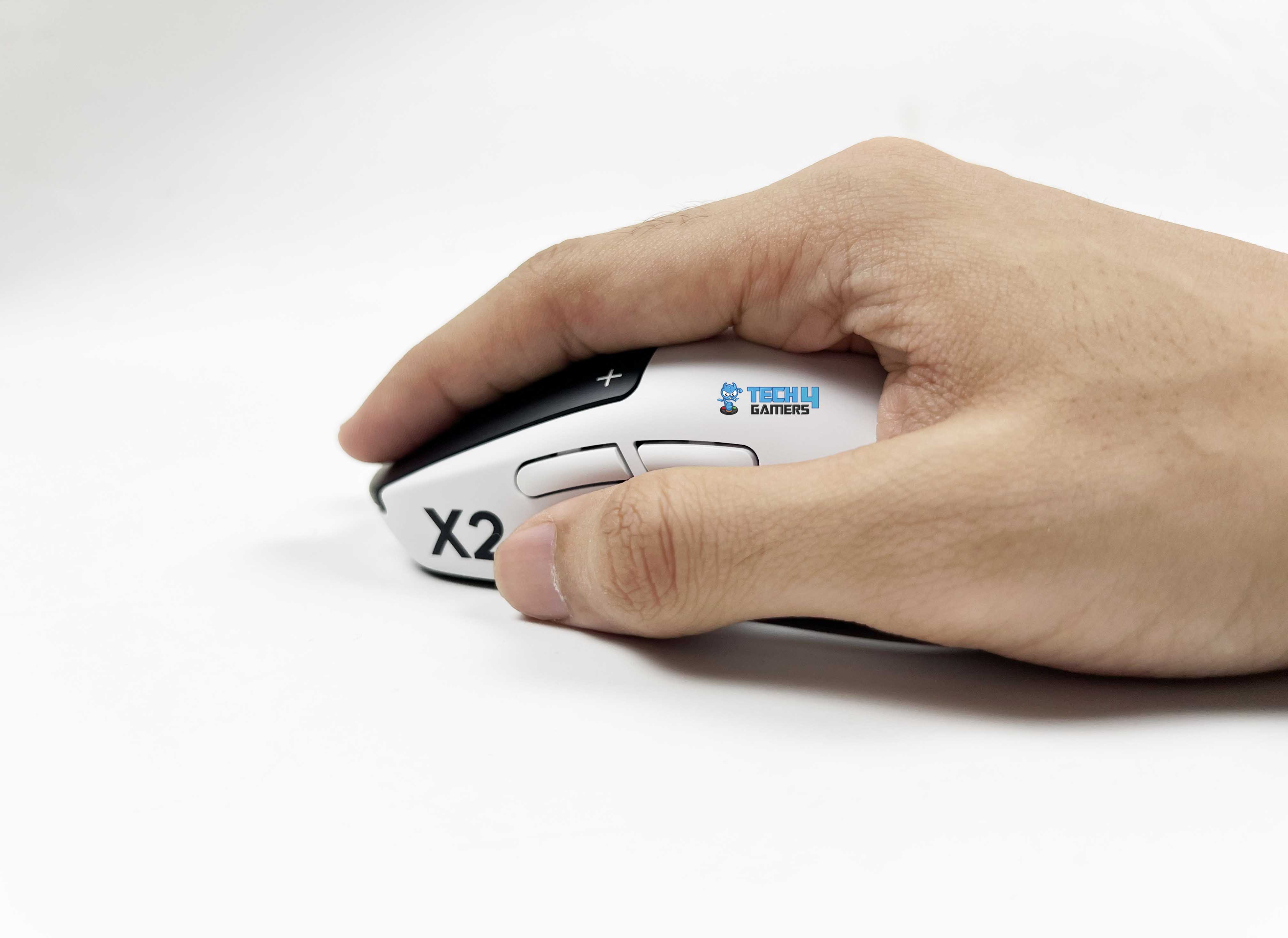
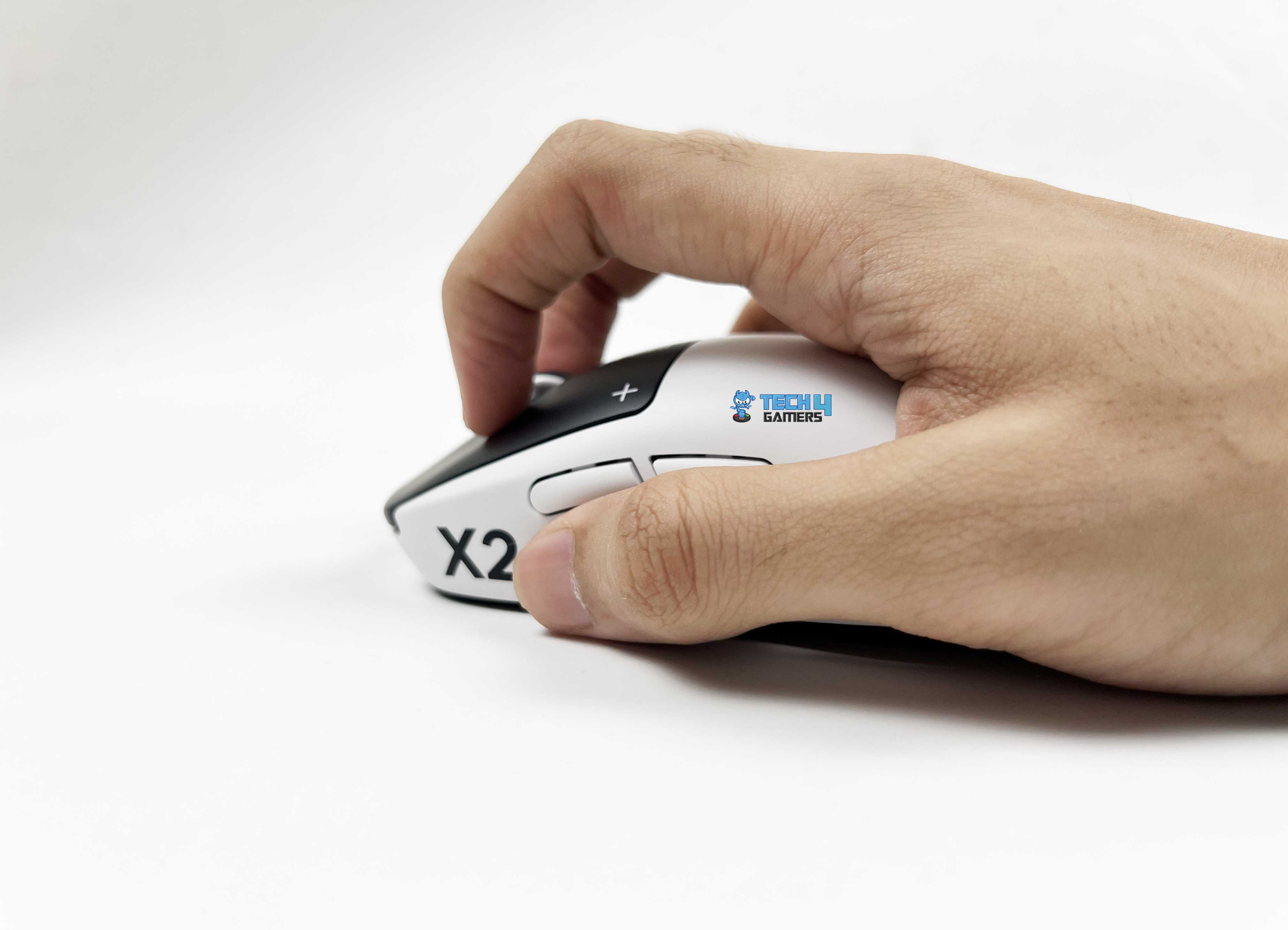
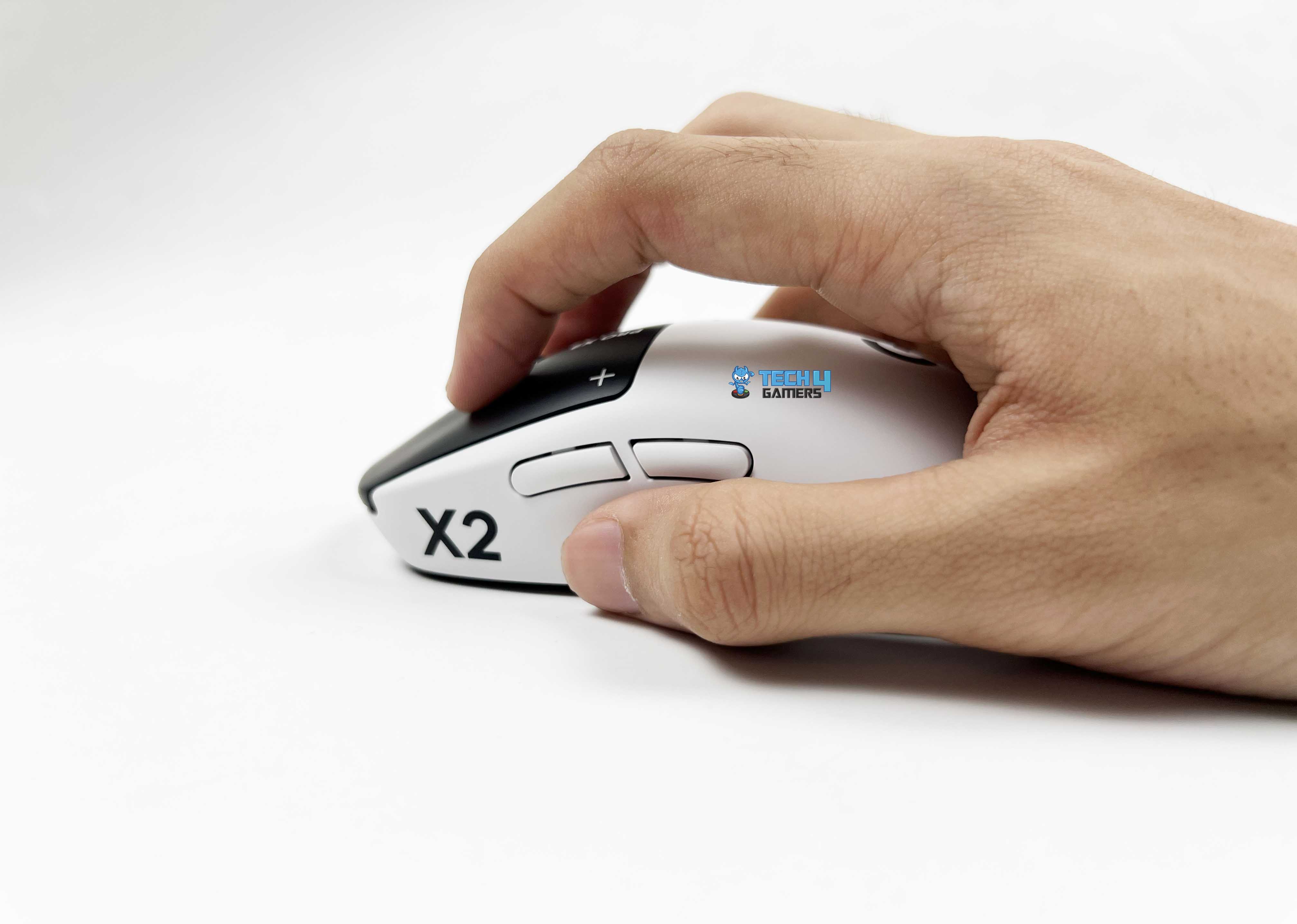
The Logitech Pro X2 Superstrike adapts to a variety of grip styles without feeling awkward, and I took some time to see how it performs across different hand sizes and playstyles. Firstly, the palm grip feels comfortable. The middle-back hump matches my hand perfectly, allowing my palm to rest comfortably. My fingers stretch naturally over the buttons, and there’s enough side support for the thumb and pinky. Even during long sessions, fatigue stays low because your hand isn’t fighting the shape.
For claw grips, the shape is surprisingly stable. Even during aggressive aim flicks, the mouse doesn’t slide under your palm. The hump provides just enough contact to stabilize the palm without forcing it down, so you can stay relaxed while still executing fast movements. Fingertip grip feels precise. The lightweight and symmetrical shell lets you maneuver the mouse easily with just your fingers. Small wrist adjustments translate smoothly to cursor movement. For high-sensitivity wrist aiming, this grip feels effortless.
Underside
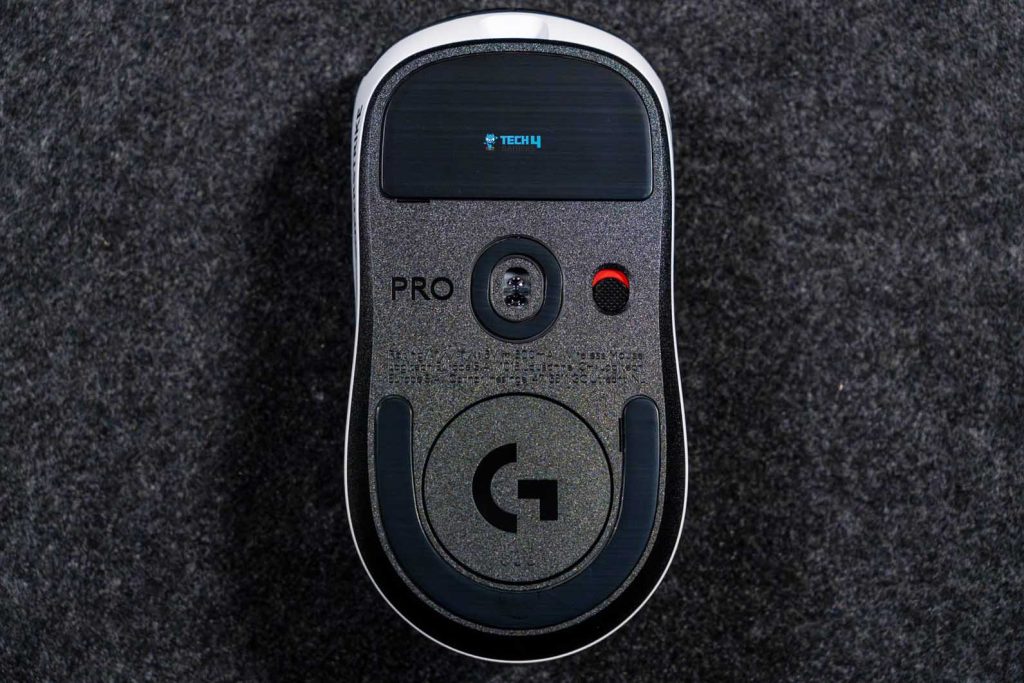
Flipping over the Logitech Pro X2 Superstrike, the underside is black, matching the primary buttons on top. Right in the middle sits the sensor cutout. Just beside that, there’s the power on/off switch and a small “Pro” branding etched into the plastic. The PTFE feet are positioned at the top and bottom of the base. The top foot is larger and covers more surface area, giving stability during glides. The bottom foot is smaller, leaving some space for the aperture door.
That difference in size doesn’t feel unbalanced. In fact, it makes lift-offs smoother and prevents any awkward sticking at the edges. You can remove the aperture door to access a little storage slot for the Lightspeed USB receiver. This keeps the receiver safe when you’re on the go. Logitech also provides an optional aperture door with an extra foot that can replace the default one. Installing it doesn’t change the glide much, but it adds a tiny bit more surface contact, which could appeal to players who want a slightly different feel on the pad.
Build Quality

The first thing I usually do with a lightweight mouse is squeeze it. Not aggressively, but just enough to see if anything flexes. With the Logitech Pro X2 Superstrike, the shell barely moves. I pressed along the sides near the thumb area, back, and the front corners. There was no creaking and no soft spots. It feels tighter than you’d expect from a lightweight mouse like this. The top shell has a solid, almost dense feel when you tap it, as there’s no hollow echo.
That’s something I’ve noticed on some ultra-light mice. They shave off weight, but you feel it in the structure. Here, the reduction in weight doesn’t come across as a structural compromise. I also checked for side flex while gripping tightly. In clutch situations, I tend to squeeze more without realizing it. The side panels hold up well. They don’t bow inward. That matters especially in high-pressure rounds where your grip tightens automatically. Even the underside feels carefully assembled. The seam lines between the top and bottom shells are clean.
Buttons
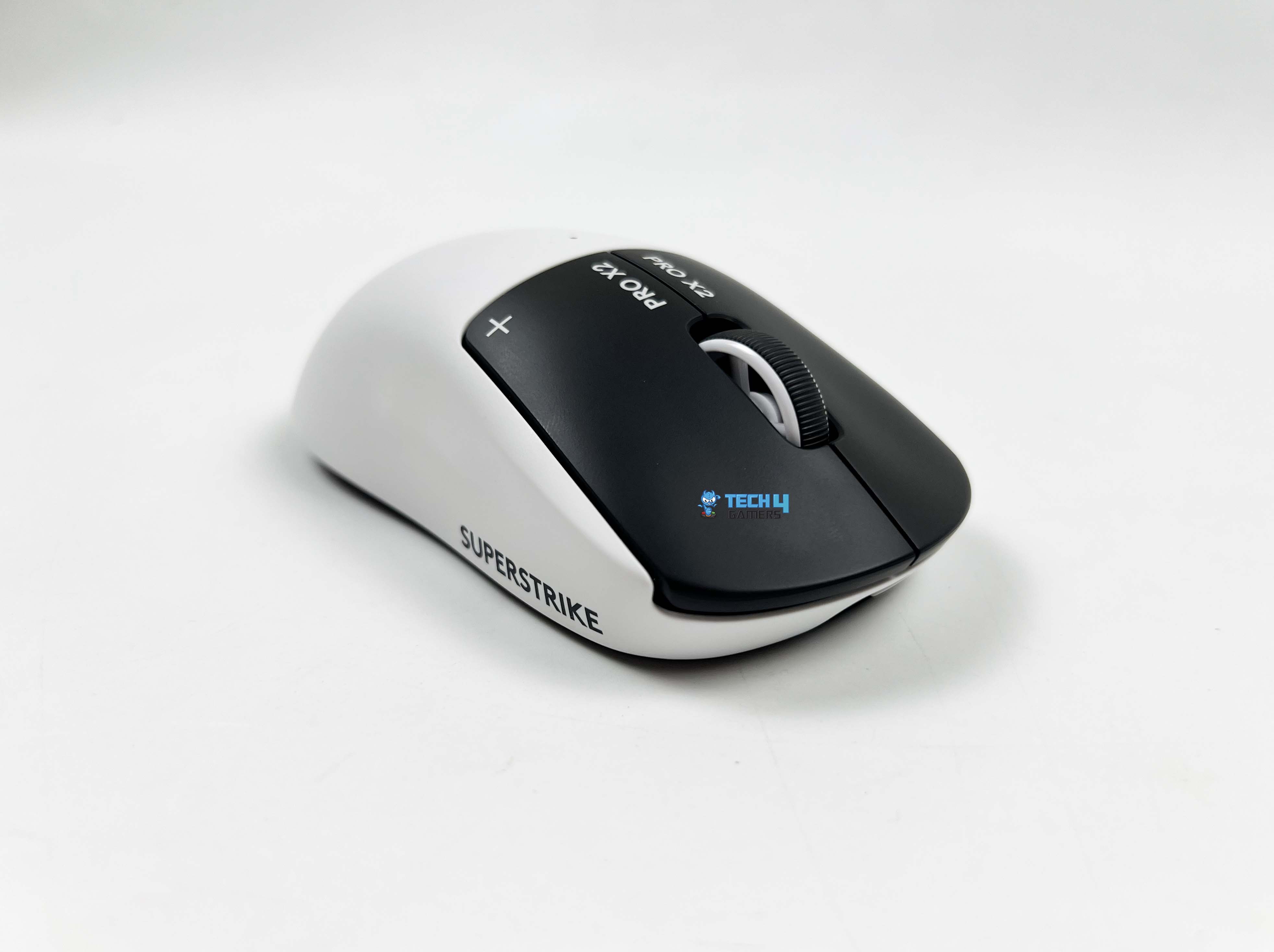
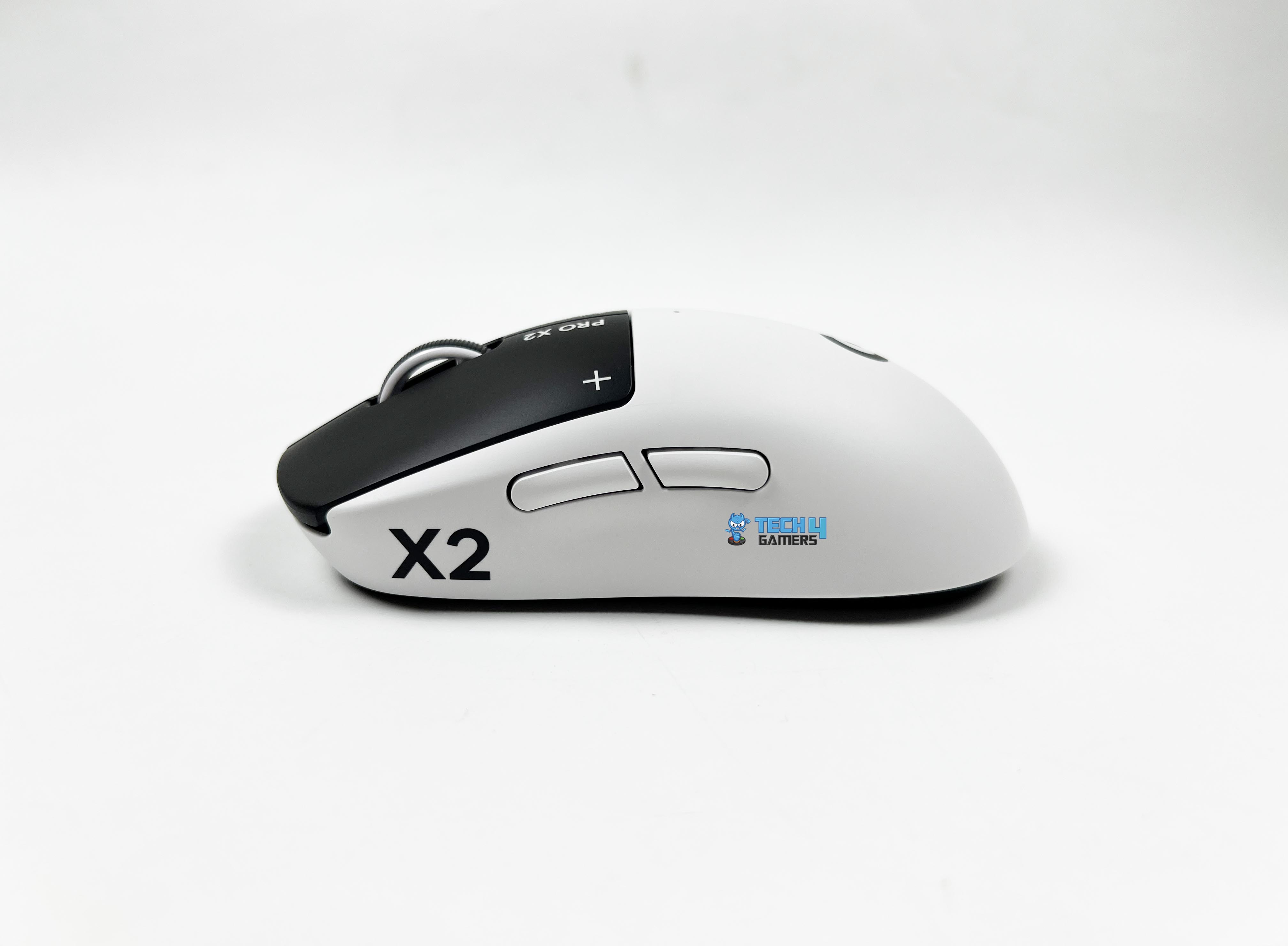
The Logitech Pro X2 Superstrike doesn’t use traditional mechanical microswitches under the primary buttons. Instead, it uses Logitech’s Haptic Inductive Trigger System. When you press the left or right click gently, you don’t get that classic metal snap you’re used to in mechanical switches. Here, the actuation feels cleaner and more controlled. The click still has tactility, but it’s delivered through a different mechanism. It feels steady rather than springy. You can adjust the actuation points; to begin with, I lowered them.
The clicks registered earlier in the travel, as you don’t have to bottom out. Then I increased it just to compare. The difference is noticeable. It changes how deep your finger needs to go before the shot fires. That’s not something you normally get to tweak on a mouse. The reset point can also be adjusted. This is where rapid trigger comes into play. Instead of waiting for the button to fully return to its original position, you can set it to reset earlier. The buttons felt more responsive on quick taps.
Because there’s no physical metal contact inside like a traditional microswitch, the click signal is registered differently. Logitech claims a 30 ms reduction in click delay, and while I can’t measure milliseconds by feel alone, the clicks do feel immediate. Then there’s the haptic feedback tuning. You can adjust how strong the tactile feedback feels when the actuation point is crossed. I tried different intensity levels. Lower settings feel softer, almost subtle. Higher settings give a more pronounced tactile bump right when the click triggers.
Scroll Wheel

The scroll wheel on the Logitech Pro X2 Superstrike feels deliberate the moment you roll it. It’s rubberized, with a defined texture running around the circumference. I tried scrolling it quickly, and it stayed consistent throughout. Each step is clearly defined. When you scroll slowly, you can feel each notch distinctly. When you scroll faster, it still tracks cleanly without skipping steps. I didn’t run into accidental double scrolls or weird jumpy behavior while cycling weapons in-game.
There’s also a scroll-wheel setting in the software that affects how the wheel behaves in-game. It’s called BHOP mode. While enabled, the mouse ignores the first scroll input. If a second scroll event happens within a short time window, which you can adjust with a slider. Then it registers the action. If nothing follows, that initial movement gets discarded. This changes how the wheel feels in competitive shooters. If you deliberately spam scroll for bunny hopping, the motion is fast enough that both scroll signals land within the defined window.
Connectivity

The Logitech Pro X2 Superstrike can be used wired and wirelessly. I used it both ways just to see if there was any meaningful difference. Wireless is handled by Logitech’s Lightspeed 2 receiver, a small USB-A dongle. Setup is straightforward. Plug the USB-A-to-USB-C cable into your PC first. Then you attach the small extension adapter to the other end of that cable. The receiver goes into that adapter. After that, turn on the mouse. It is advisable to position the receiver closer to the mouse rather than leaving it behind a PC case.
The cable is 1.8 meters long. You can run it across the desk and place the receiver right next to your mousepad. I tried it both ways, directly into the PC at the back, and extended onto the desk. Both worked, but with the receiver on the desk, the mouse feels more locked in, even if that’s partly psychological. Logitech recommends keeping the mouse within 20 cm of the receiver for optimal wireless performance. They also suggest keeping it more than 2 meters away from heavy 2.4 GHz interference sources, such as Wi-Fi routers.
Performance

The Logitech Pro X2 Superstrike uses the Hero 2 sensor, which handles everything from micro adjustments to fast swipes without breaking a sweat. Resolution ranges from 100 to 44,000 DPI. I mostly stuck to 400–800 DPI in shooters, but it’s impressive that it can scale that high if needed. Max acceleration sits at 88G, and max speed is 888 IPS. This means you can fling the mouse across a large pad without losing tracking. I tested it with fast 180-degree flicks, and it kept up perfectly, even during rapid micro-corrections with the fingertips.
Lift-off distance is consistent as well, which helps during repositioning. Wired mode goes up to 1000 Hz, and Lightspeed wireless hits 8000 Hz. Honestly, it feels almost like a wired mouse, even though it’s wireless. Swipes, flicks, and micro adjustments all feel immediate. I didn’t notice any jitter or skipped input, even in intense aim training sessions. When you move your hand, the cursor moves exactly where you expect. All of this is powered by a 32-bit ARM microprocessor. It handles sensor calculations and click input with no perceptible delay.
Battery Life

Logitech claims up to 90 hours of battery life on the Logitech Pro X2 Superstrike, and that seems believable based on my experience. Charging is done through the USB-A-to-USB-C cable. While it’s charging, the LED pulses green. If the battery drops to around 15%, the LED flashes red. The mouse also supports Logitech’s Powerplay system if you don’t want to worry about charging at all, though that’s sold separately. After a full week of mixed usage, the battery stayed consistently reliable, and I only had to charge once towards the end.
Software
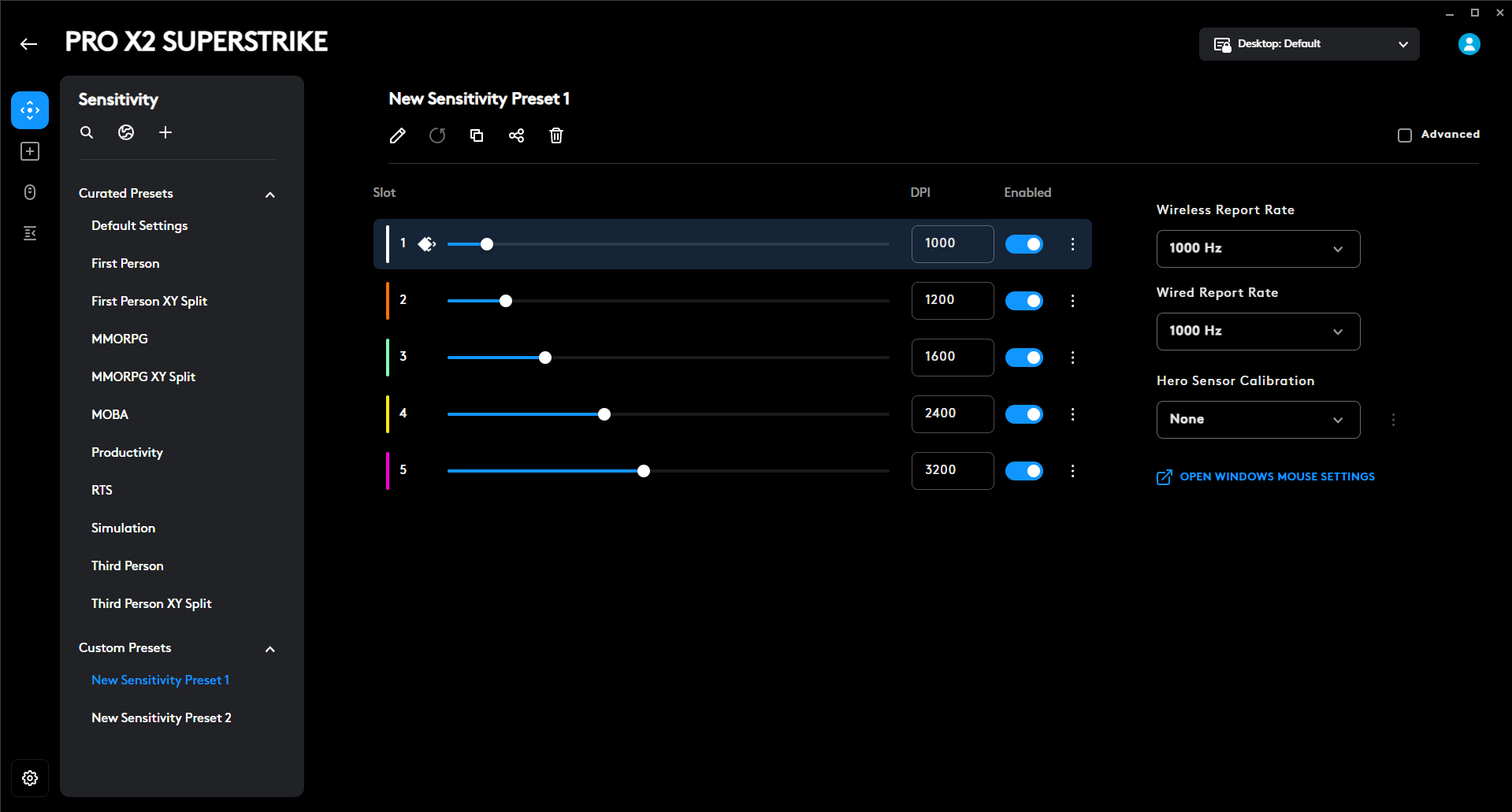
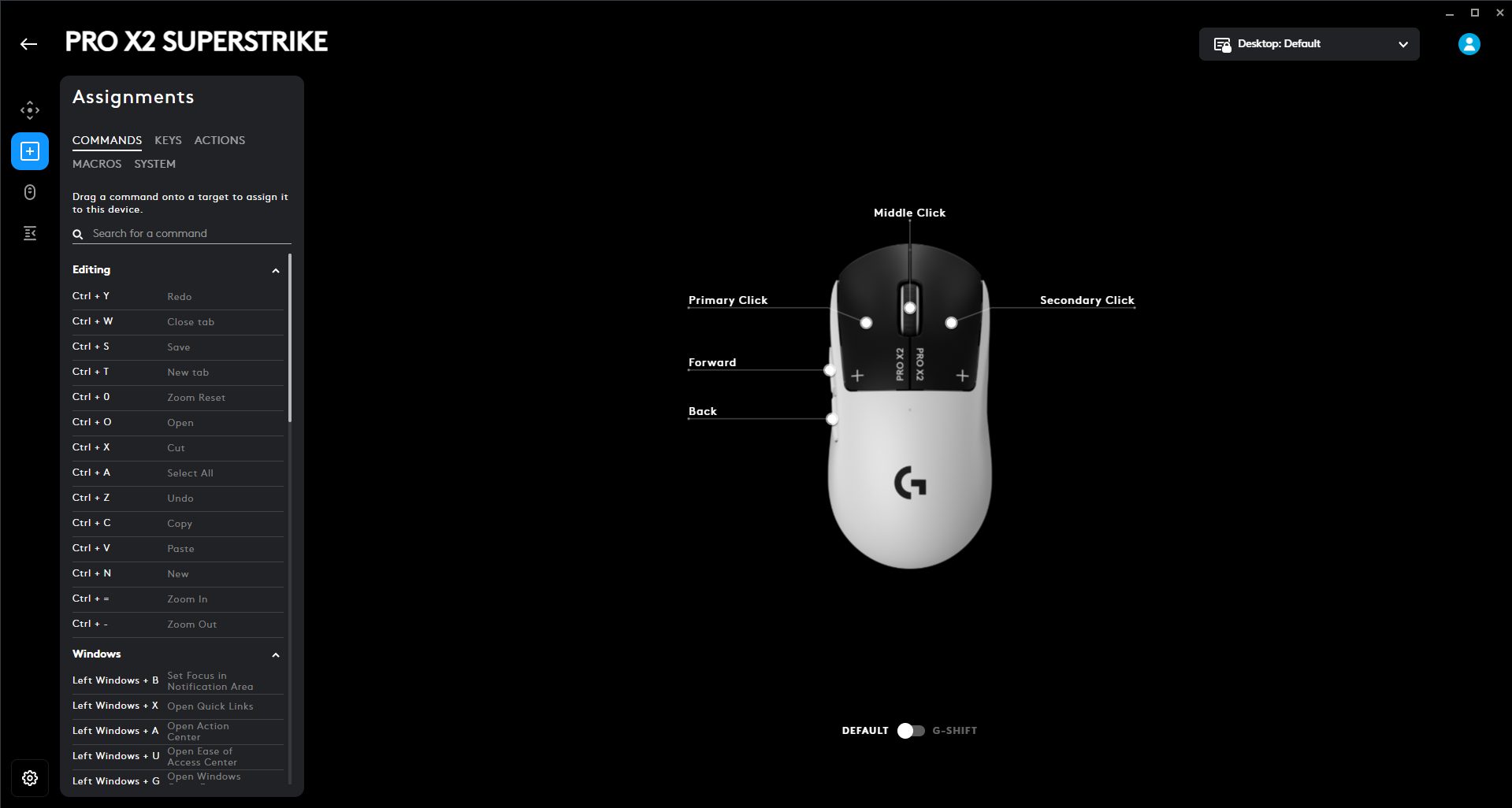
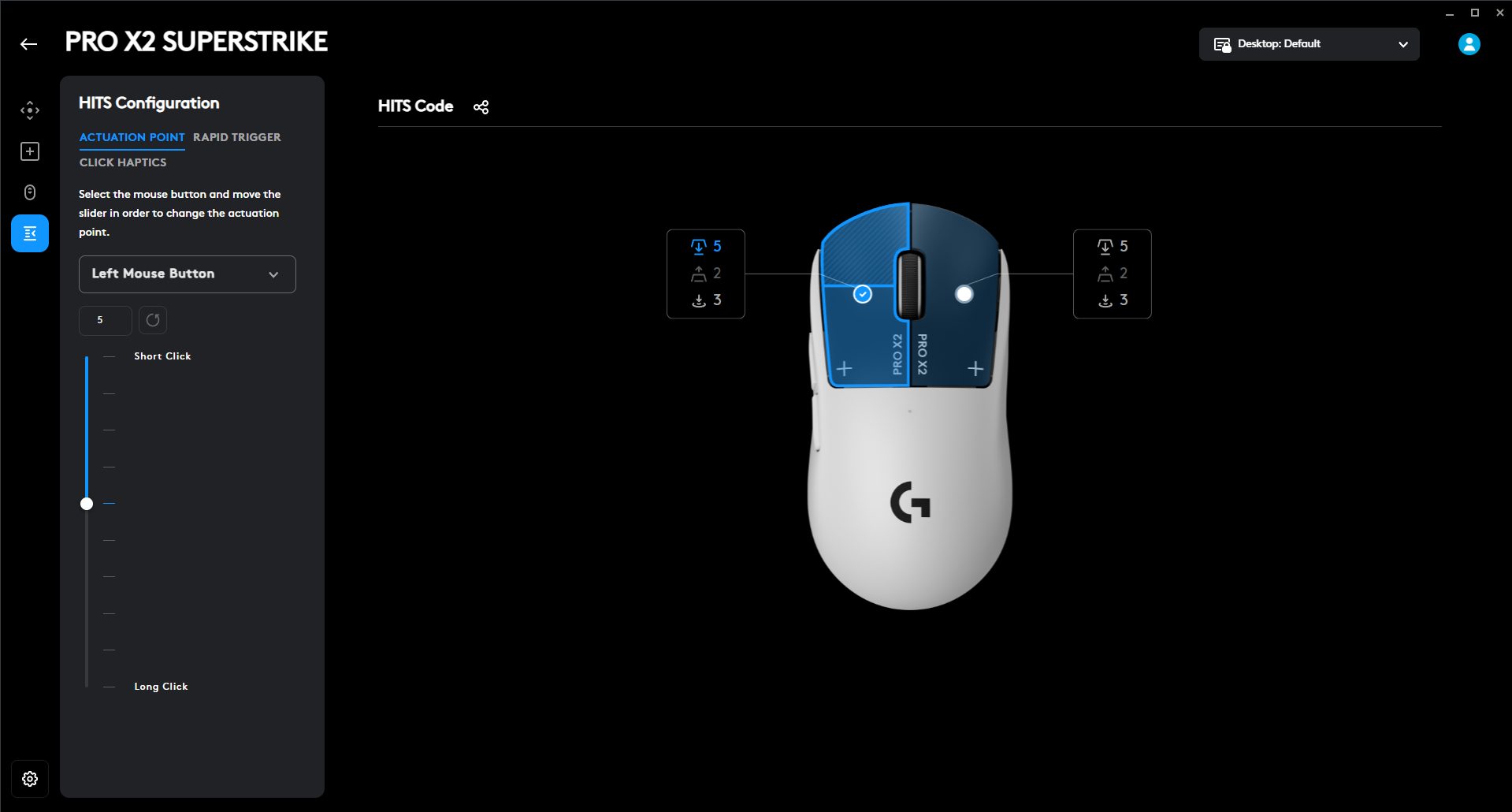
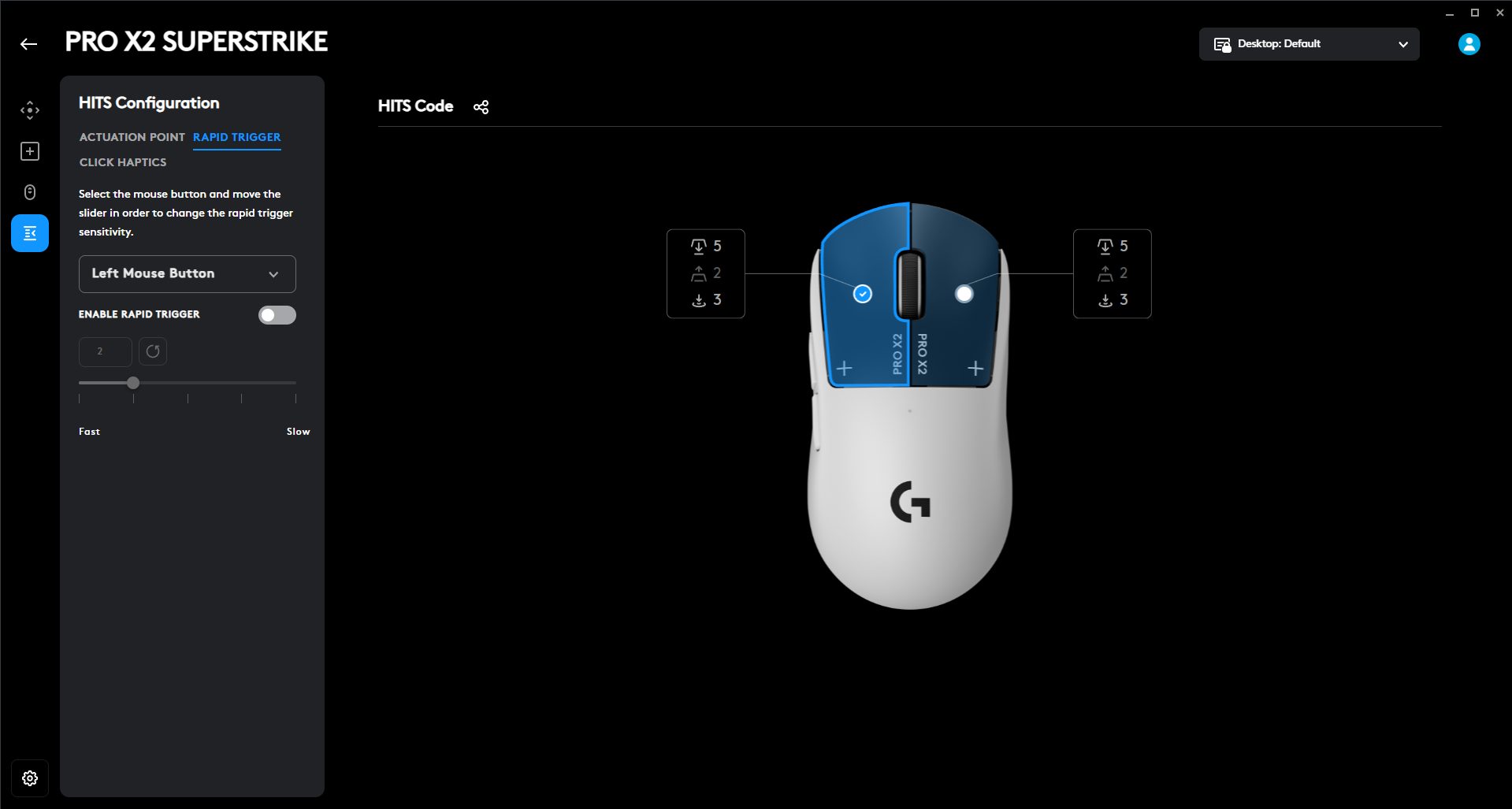
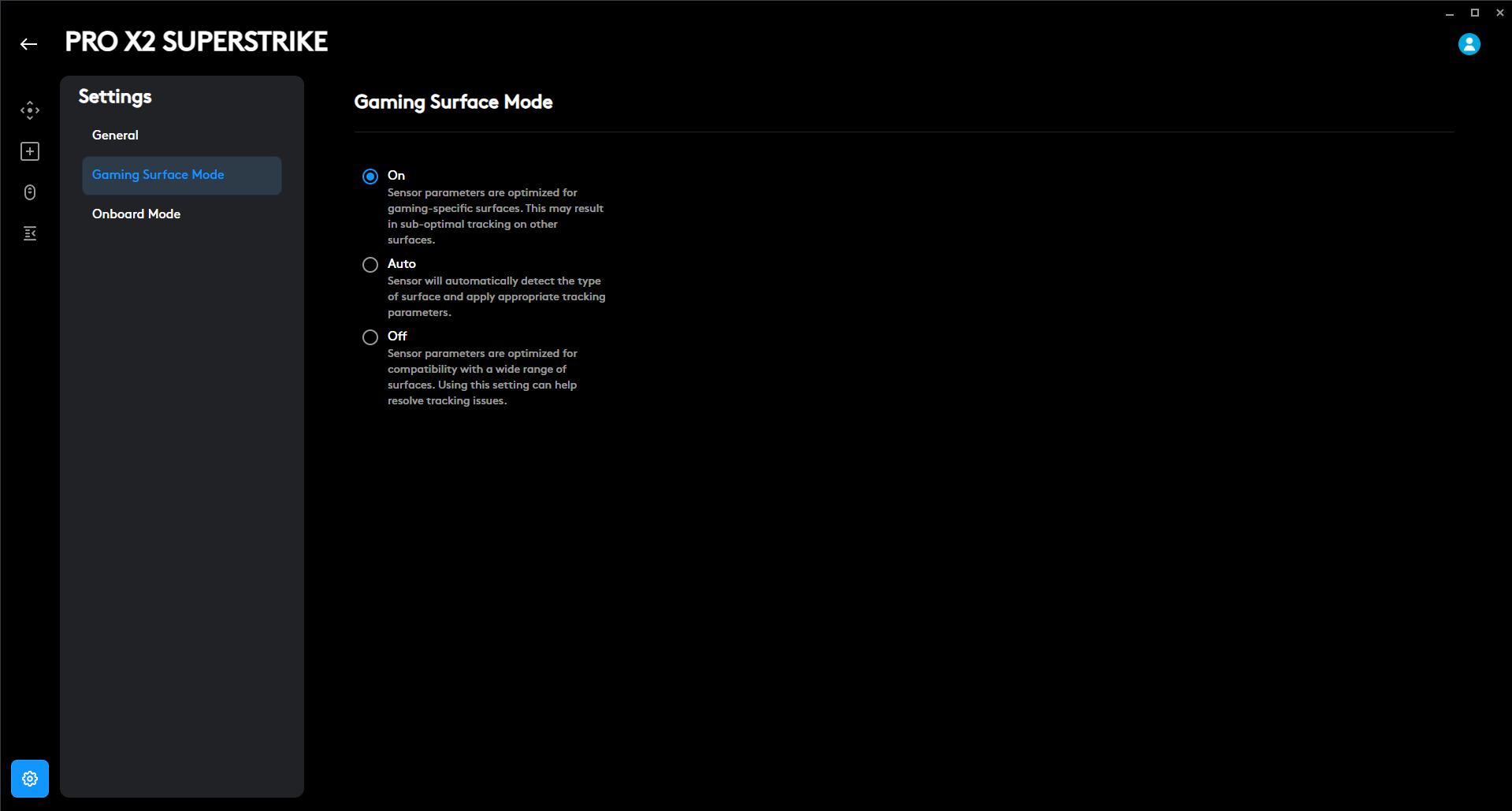
The Logitech Pro X2 Superstrike is deeply customizable with G Hub. You can tweak almost everything about how the mouse clicks, from how far you have to press to register to how quickly it resets. There are ten actuation steps, so you can dial in super-sensitive clicks or whatever suits your playstyle. You can pick which button you’re adjusting either from a dropdown menu or by clicking the mouse graphic directly in the software. The Rapid Trigger feature is adjustable with five levels, so you can experiment and find the sweet spot for yourself.
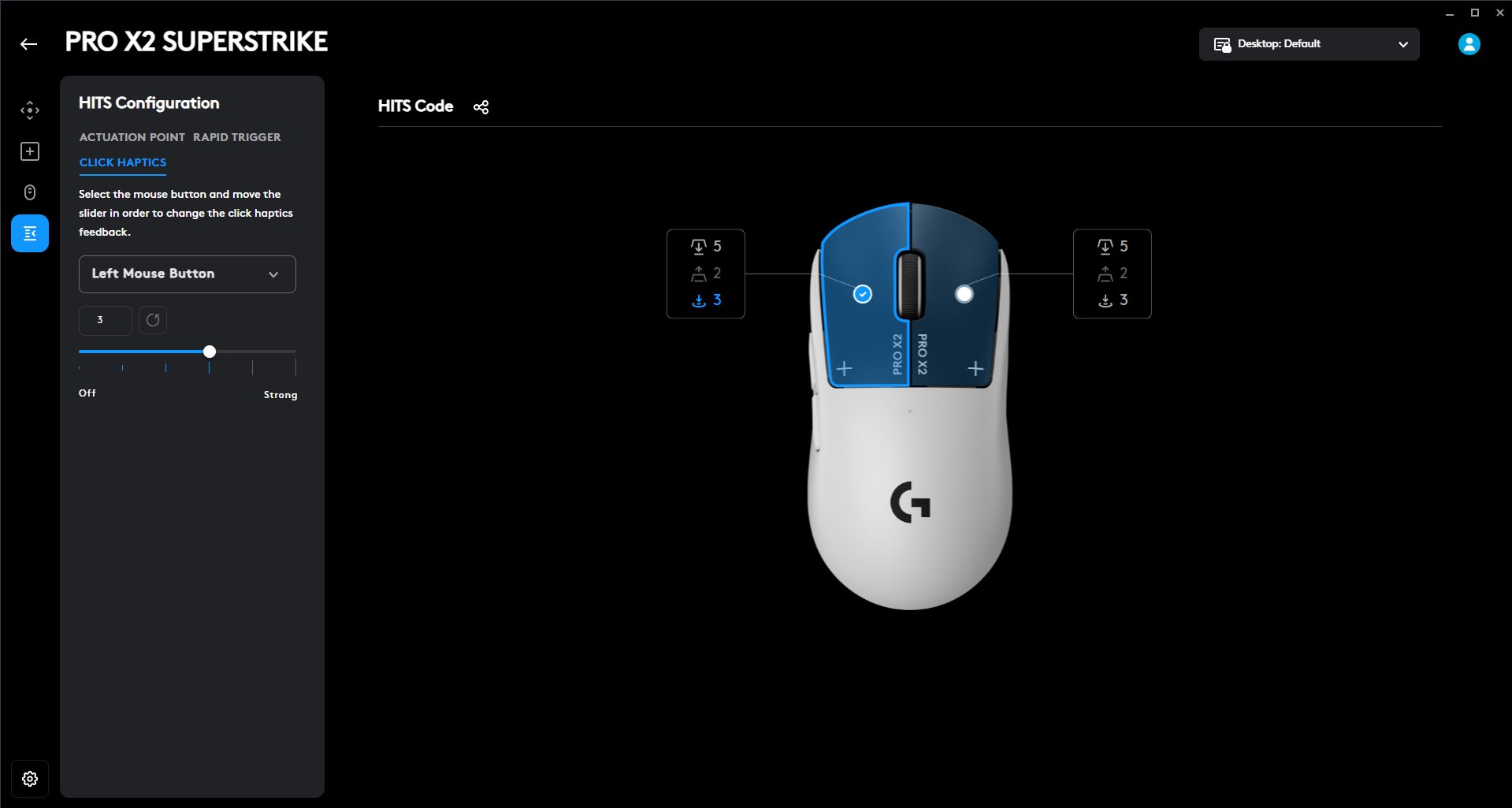
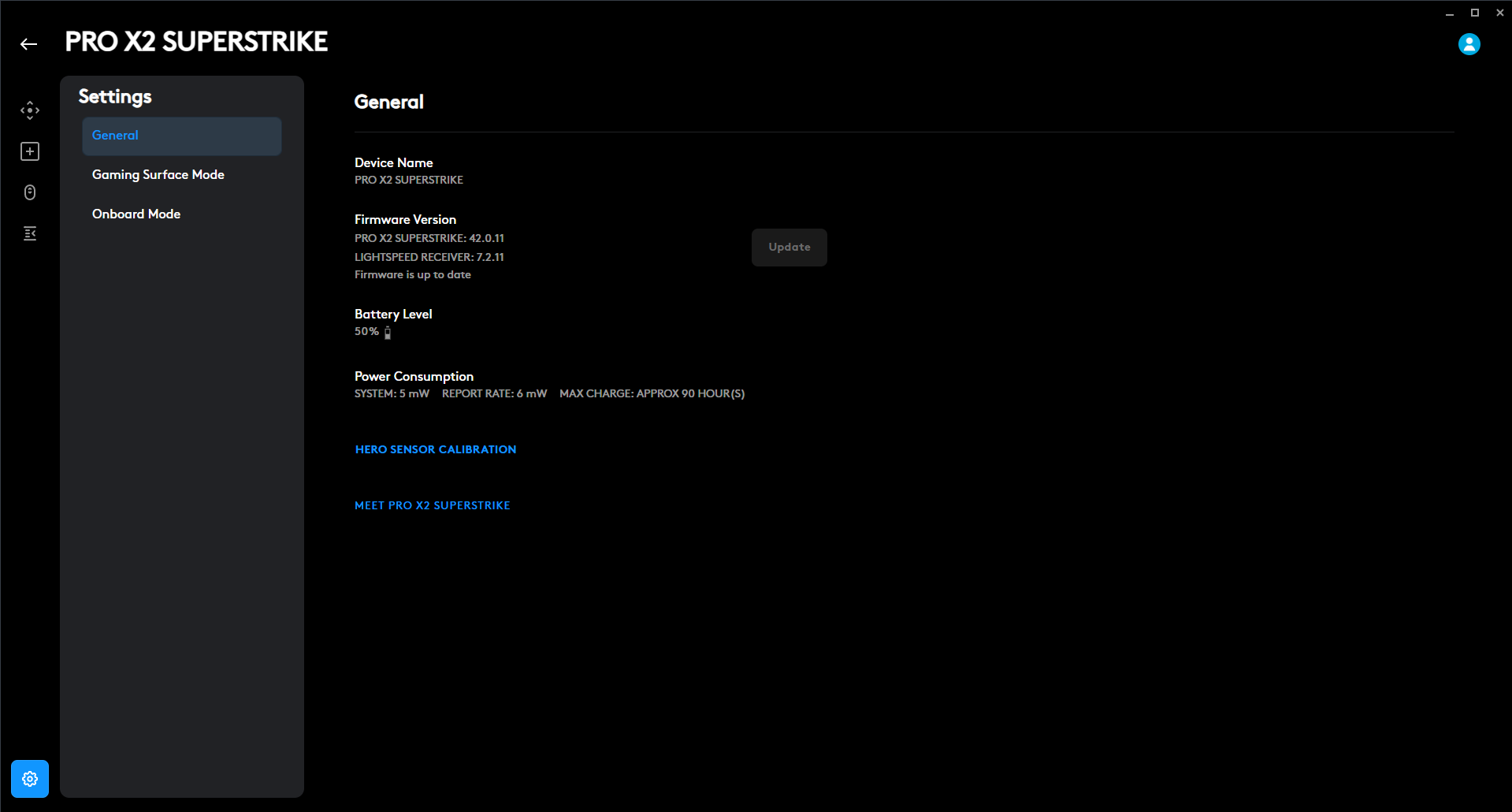
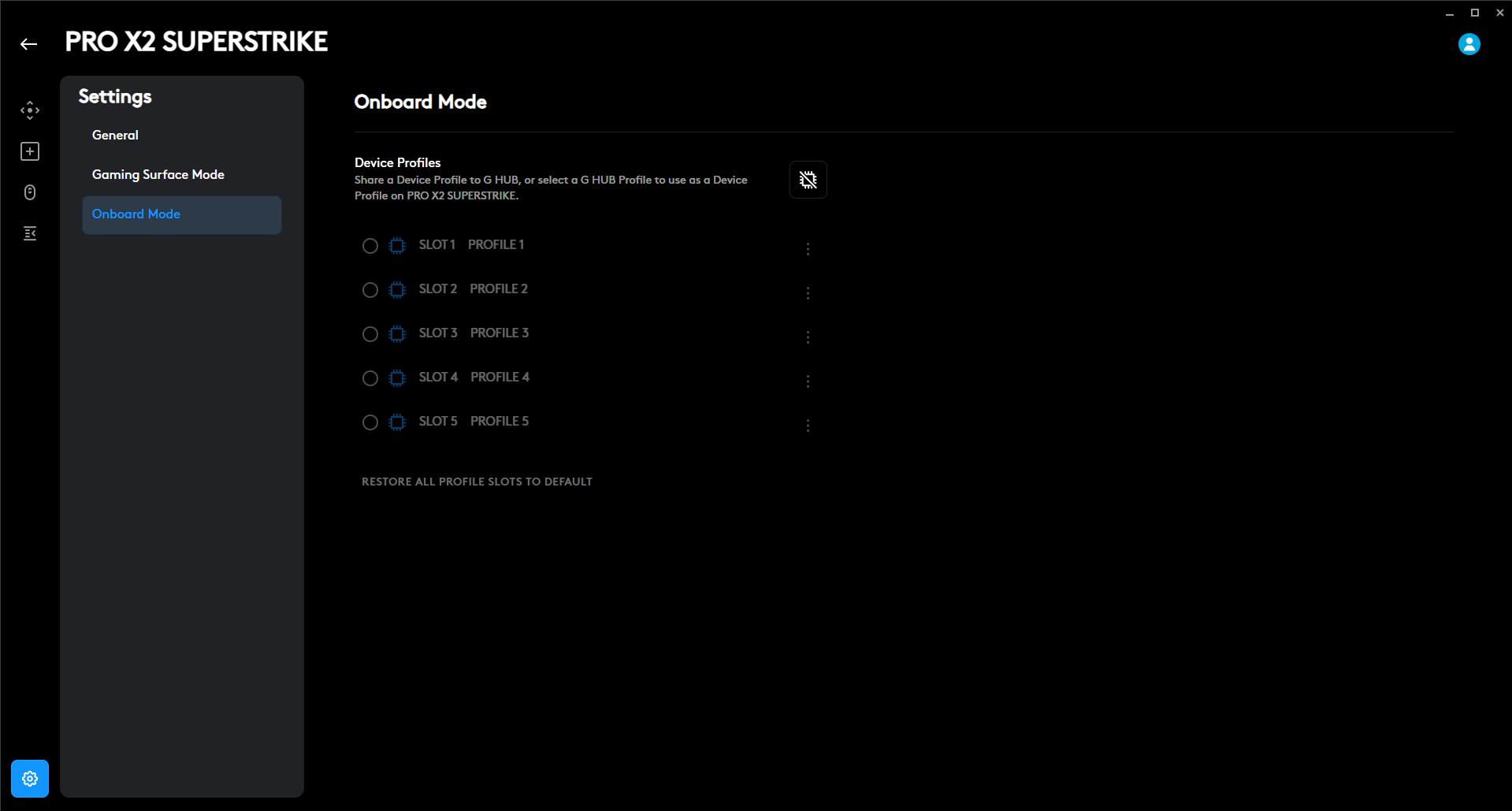
Another layer is Click Haptics. You get six levels, including an option to turn it off. Higher intensity gives a sharper tactile snap, while lower intensity keeps it subtle and slightly lighter on the battery. If you want, you can load your favorite pro gamer’s exact click setup. Just import a HITS Code, and your mouse acts like theirs. You can also share your own setup with friends if you’ve dialed in something that feels perfect. Lastly, the mouse has onboard memory, and you can store upto five profiles on it.
Should You Buy it?
Buy It If
✅You’re serious about competitive gaming: The Logitech Pro X2 Superstrike is clearly built with esports players in mind. It delivers the kind of precision and responsiveness that matters in ranked matches and professional tournaments.
✅You want click customization: The Haptic Inductive Trigger System sets this mouse apart from the rest of the competition. Being able to adjust the actuation depth and haptic feedback intensity gives you a level of control that most gaming mice simply don’t offer.
Don’t Buy It If
❌You’re a casual gamer: This mouse is a serious investment at $179.99. You may not fully benefit from what you’re paying for if you don’t plan to use the advanced customization features.
❌You’re budget-conscious: There are many high-performance wireless mice available at lower price points. The premium pricing may be hard to justify unless the advanced click tuning and esports-focused performance matter to you.
Final Verdict
For anyone looking to step up their competitive game, this mouse is made with you in mind. Of course, it won’t magically aim for you, but it does give you extensive customization options to get better. I’m a failed esports hopeful. I really tried to go pro in Valorant, but well, it didn’t happen. If I’d had this mouse back then, maybe things would’ve been different. Maybe I’d be packing for tournaments instead of writing this review. At $179.99, it’s a worthwhile purchase. It justifies the price for players who take their gaming seriously.
Thank you! Please share your positive feedback. 🔋
How could we improve this post? Please Help us. 😔

[Hardware Reviewer & Editor]
After many years of exploiting various pieces of hardware, Abdul Hannan now serves as an editor at Tech4Gamers. He’s been in the PC hardware reviewing industry for almost a decade, and his staff of passionate geeks and reviewers is second to none.
Abdul Hannan is constantly seeking new methods, you will always see him running into New Computer Courses to improve the performance of his computer components since he is an ardent overclocker. He is well-known for providing the most extensive and unbiased analysis of the newest and greatest hardware for PC gaming, including everything from GPUs to PSUs.
 Join Our Community