Threads
Worth It?
Review Summary
The QCY H3 Pro is a feature-packed budget wireless headphone that focuses on delivering strong everyday performance without pushing into premium pricing. With LDAC support, adaptive ANC rated up to 50dB, a dual-chip audio setup, and a generous 550mAh battery offering up to 40 hours with ANC on, it brings several higher-end features into an affordable segment. For commuters, students, and casual gamers, the H3 Pro stands out as a well-rounded option in the budget ANC market.
Hours Tested: 5 Days

Overall
-
Design - 8.5/10
8.5/10
-
Comfort - 8.5/10
8.5/10
-
Build Quality - 8/10
8/10
-
Sound Quality - 9/10
9/10
-
Value - 9/10
9/10
Pros
- Comfortable fit
- Intuitive control layout
- Stable Bluetooth 5.4 connection
- Dual-chip sound with LDAC and Hi-Res support
- Foldable and portable
Cons
- Earpads can get warm during long sessions
- Lightweight plastic feels less premium
- Mic performance is standard


QCY H3 Pro is one of those budget-friendly wireless headphones that promise a bit of everything without asking for much in return. I’ve spent the last few weeks with it, testing music and calls just to see if it actually holds up. On paper, it ticks a lot of boxes, but specs alone don’t tell the whole story. How it feels in your ears, how it sounds, and whether it actually blocks out that hum from your AC unit are what truly matter.
A few months ago, I had the chance to review the QCY H3S, so I already had a sense of what this brand tends to do. The H3S felt solid for its category. Coming into the H3 Pro, I was eager to see how they improved. This review isn’t going to sugarcoat anything. I’ll talk about what works, what feels a bit off, and whether the performance makes sense at this price. By the end, you’ll know whether the H3 Pro is just another budget pair or if it actually has something worth your attention.
Key Takeaways
-
- The QCY H3 Pro is a well-rounded budget ANC headphone that offers long battery life, adaptive noise canceling, and LDAC support, all in a clean, practical design.
- You should buy the QCY H3 Pro if you want flexible sound options, reliable wireless performance, personalized ANC control, long battery life, and versatility
- You should skip the QCY H3 Pro if you’re sensitive to warm earpads, want a premium build feel, expect studio-grade microphone quality, and are looking for more immersive sound.
Here are the technical specifications:
| Type | Over-ear |
| Audio codec | LDAC/SBC |
| Compatible system | iOS/Android |
| Charging port | USB Type-C |
| Weight | 231g |
| Effective Bluetooth range | 10m |
| Supported Protocols | HFP/A2DP/AVRCP |
| Battery capacity | 550mAh |
| Battery life | 40H with ANC ON, 55H with ANC OFF |
What Makes QCY H3 Pro Different?
The QCY H3 Pro stands out among budget ANC headphones by bringing Bluetooth 5.4 for a more stable connection and LDAC support with Hi‑Res Audio certification, letting compatible devices stream higher‑bitrate audio. The H3 Pro also steps up with adaptive ANC and a three‑mic setup with AI‑assisted voice pickup. Finally, the inclusion of wired 3.5 mm playback, low‑latency gaming mode, and multipoint connection gives it more flexibility than many rivals at the same price point.
Packaging & Unboxing
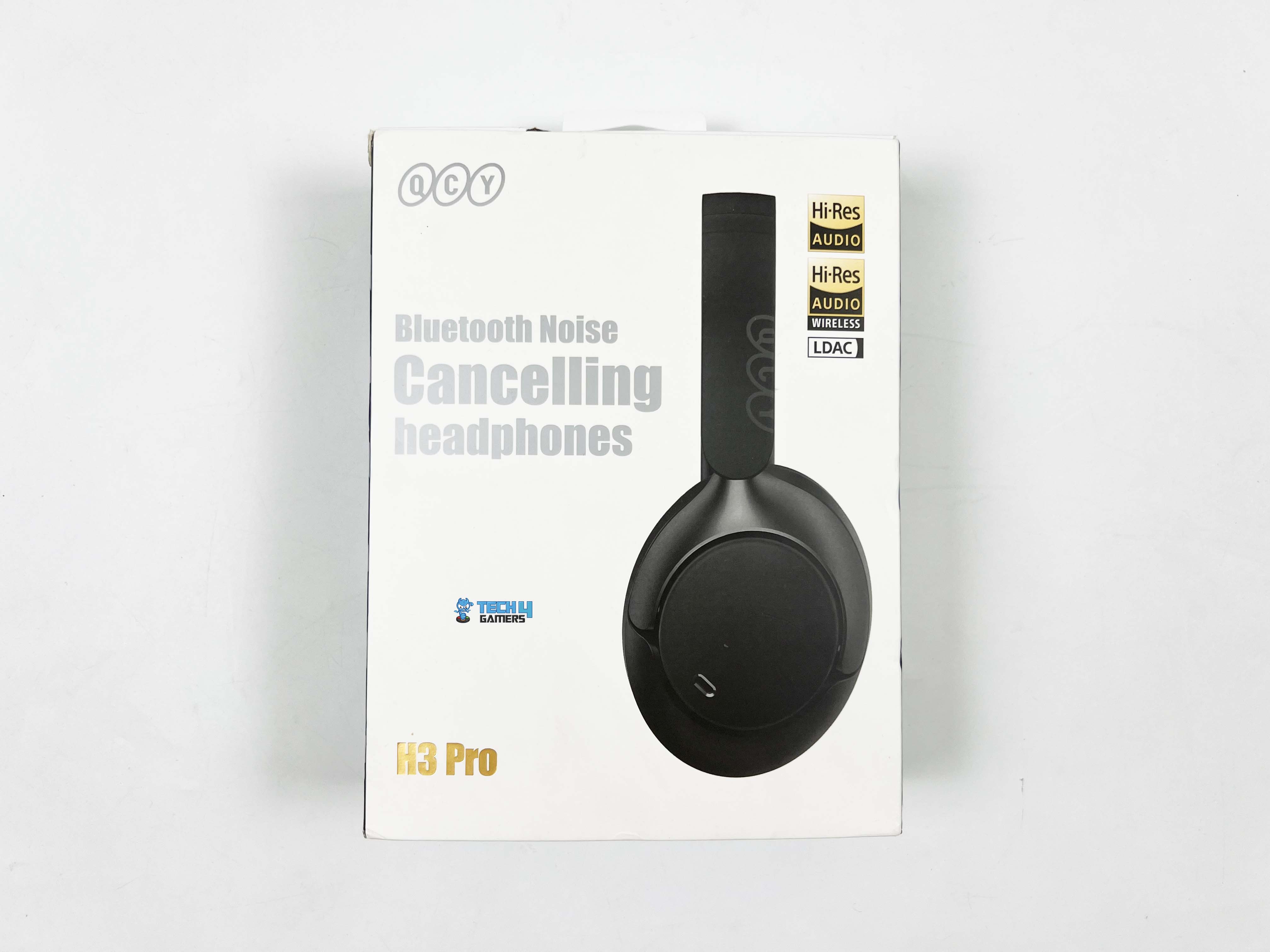
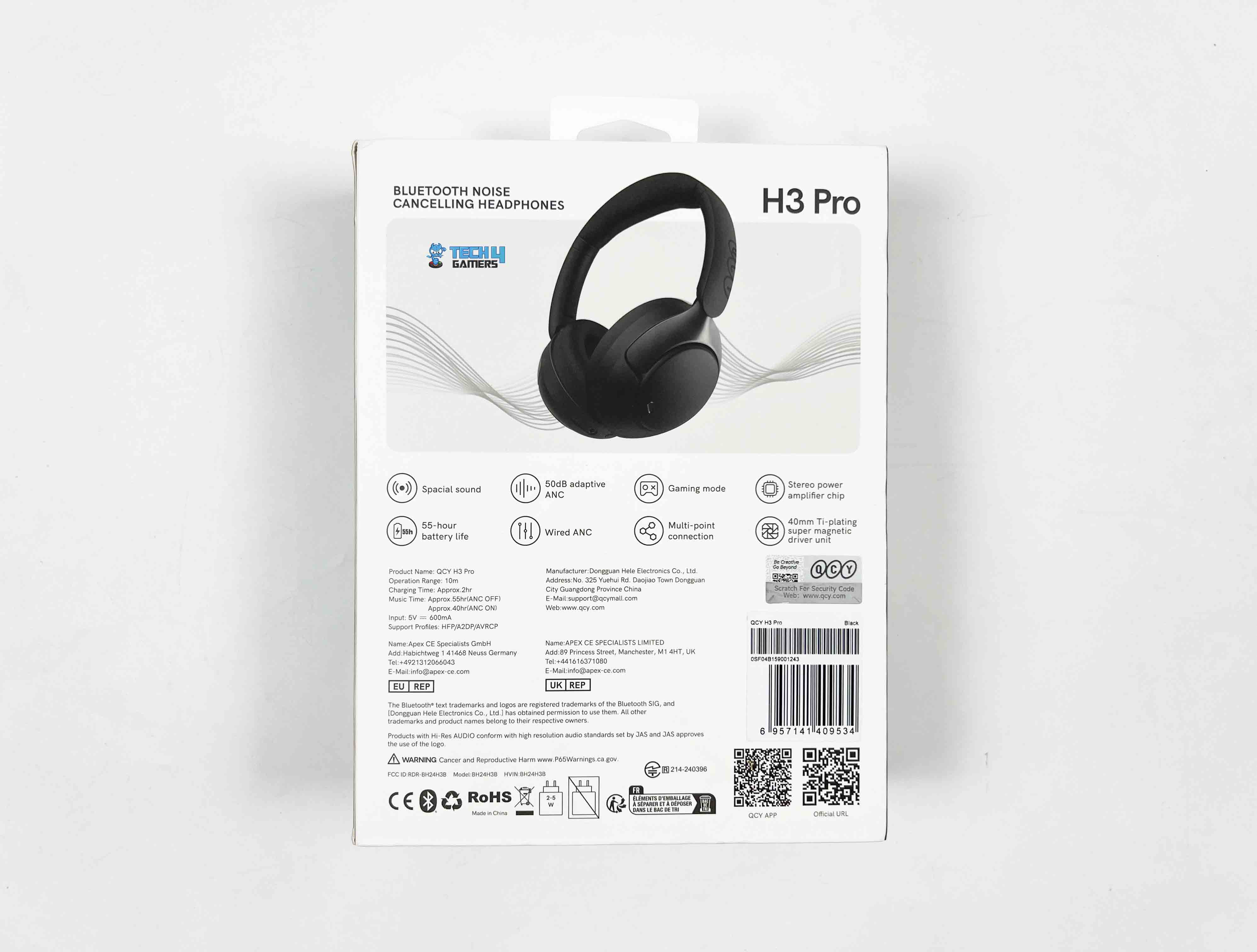
The front side of the QCY H3 Pro box shows a side profile of the headphones, and right next to it are a few badges letting you know it’s LDAC and Hi-Res Wireless certified. The front also makes it clear that these are Bluetooth noise-cancelling headphones, with the QCY logo and the model name. Flip the box over, and you’ll see a full image of the headphones. There’s a short list of notable features, technical specifications, and manufacturer info.
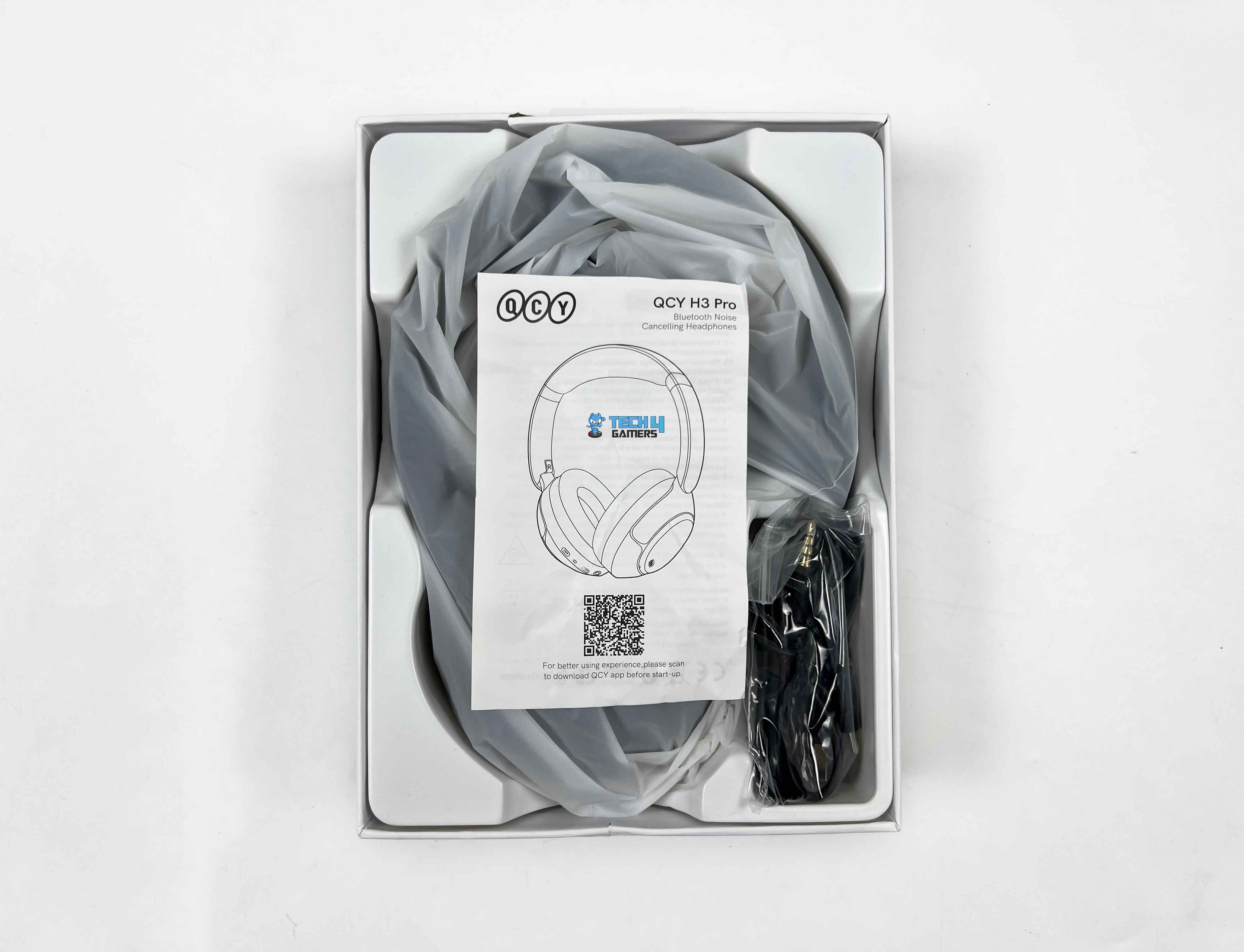
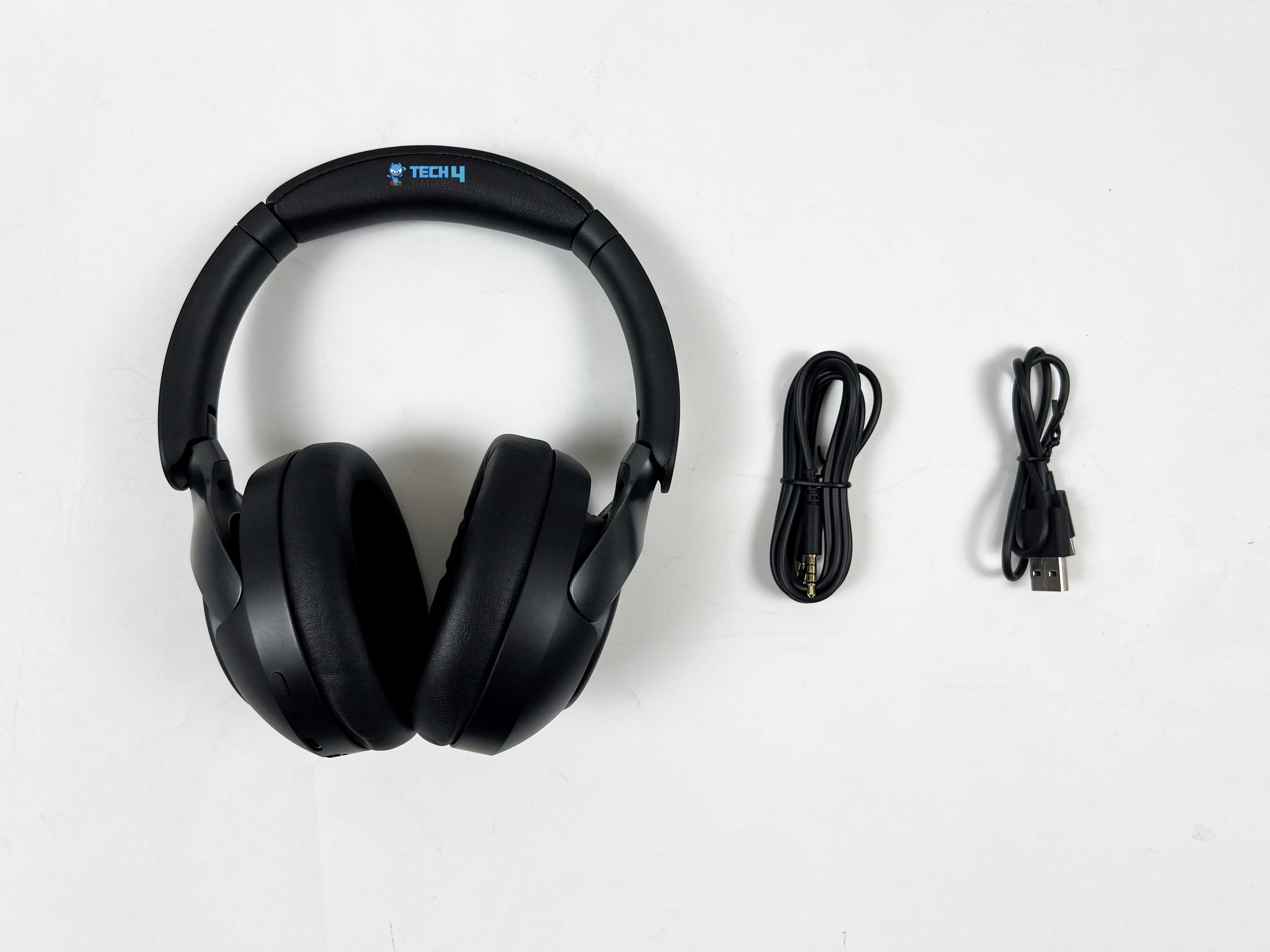
The unboxing is a little layered. There’s a sleeve over the top of the box, which you slide off first. Underneath that is the main box, the kind with a lid that lifts up to reveal its contents. Inside, the headphones are wrapped in a thin plastic sleeve to keep them pristine. Right on top of them sits the user manual. On one side of the box, you’ll find the 3.5mm aux cable and the USB Type-C charging cable, neatly tucked into their compartments.
Design
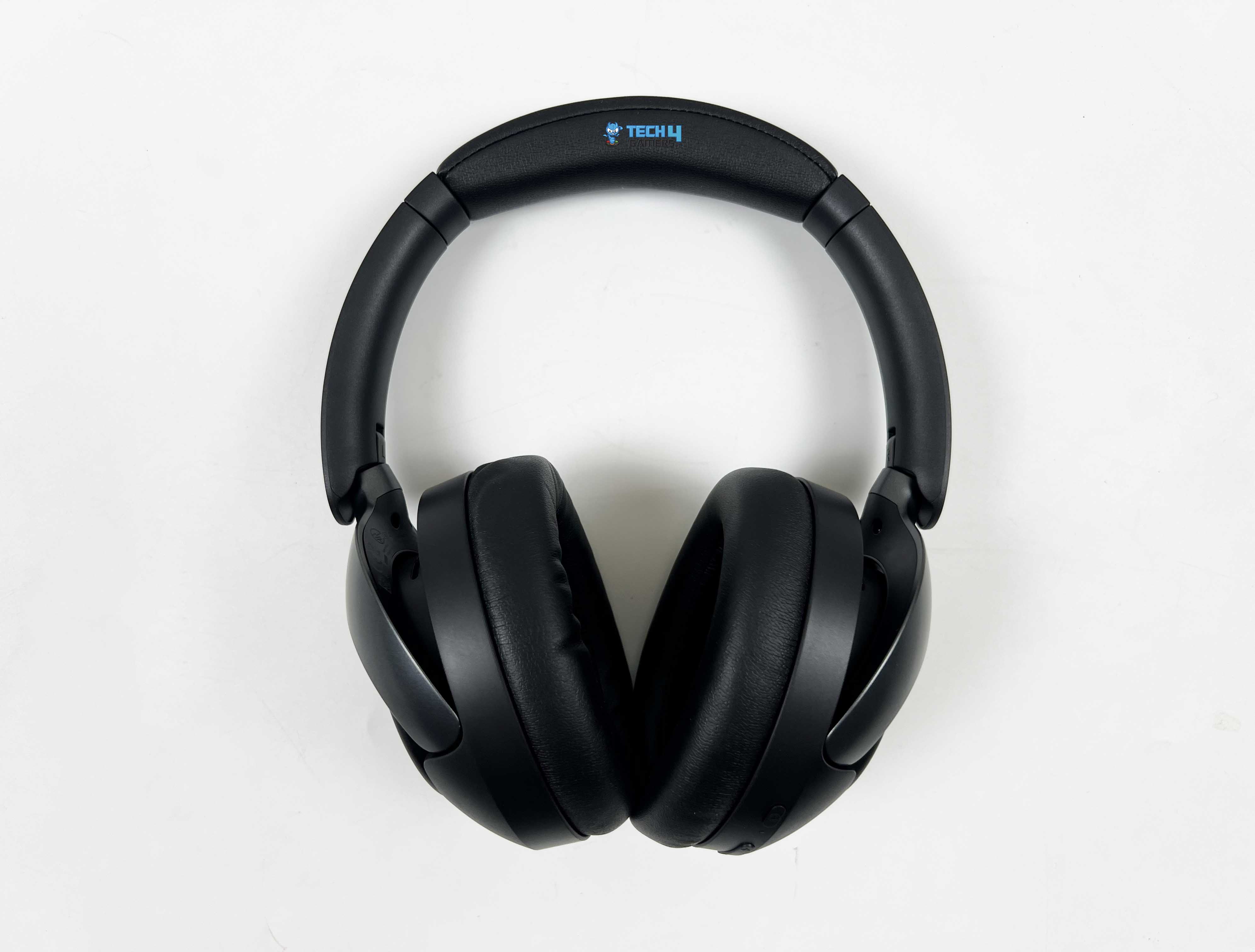
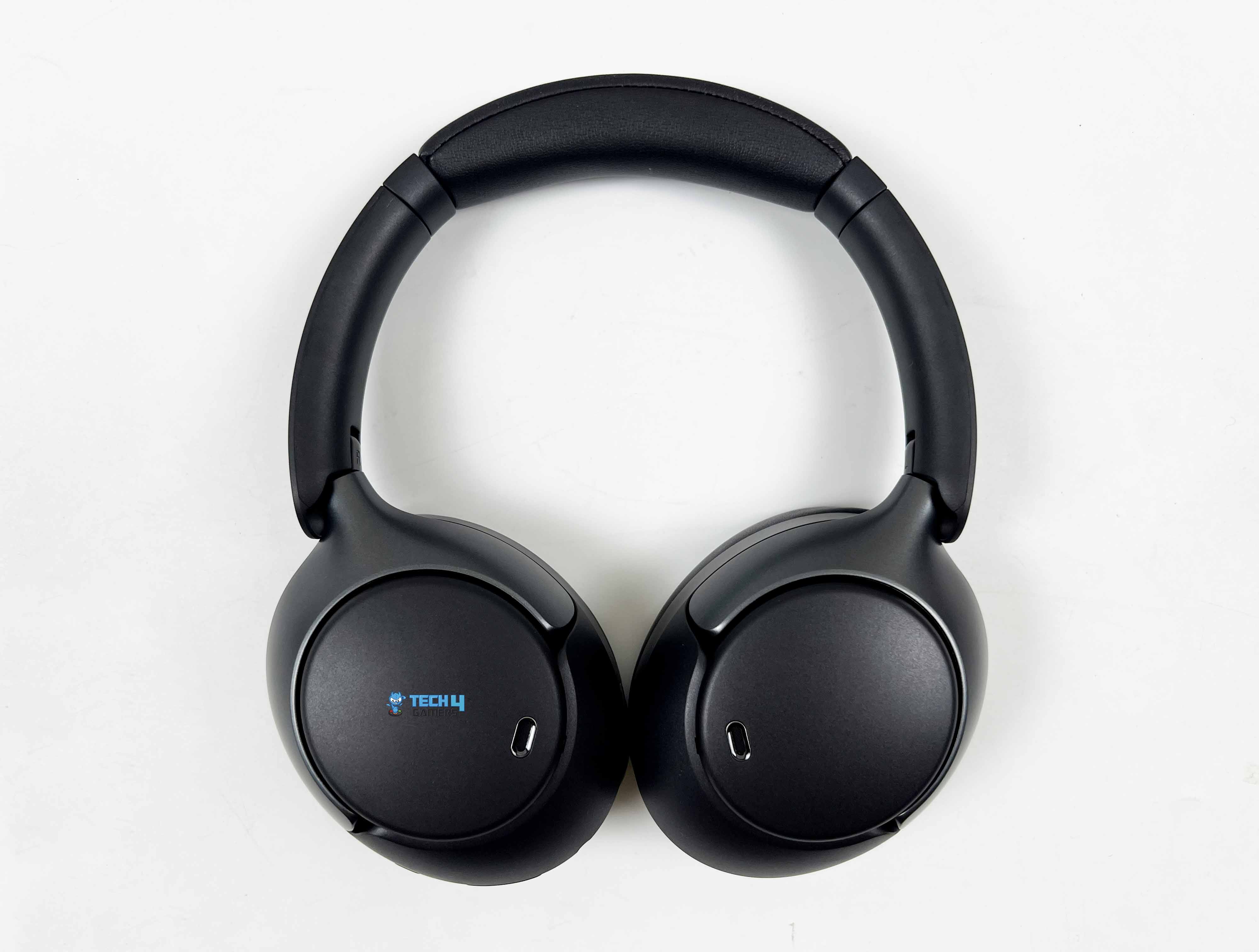
When I look at the QCY H3 Pro, the first thing that stands out is its overall silhouette. It’s minimalist with a hint of sporty flair, neither over-the-top nor flashy. You could easily wear it in an office setting without it feeling out of place. The headphones come in four color options: black, white, purple, and blue. My review unit arrived in black. The matte black finish covers the headband, earcups, and hinges uniformly, so there’s nothing that feels mismatched.
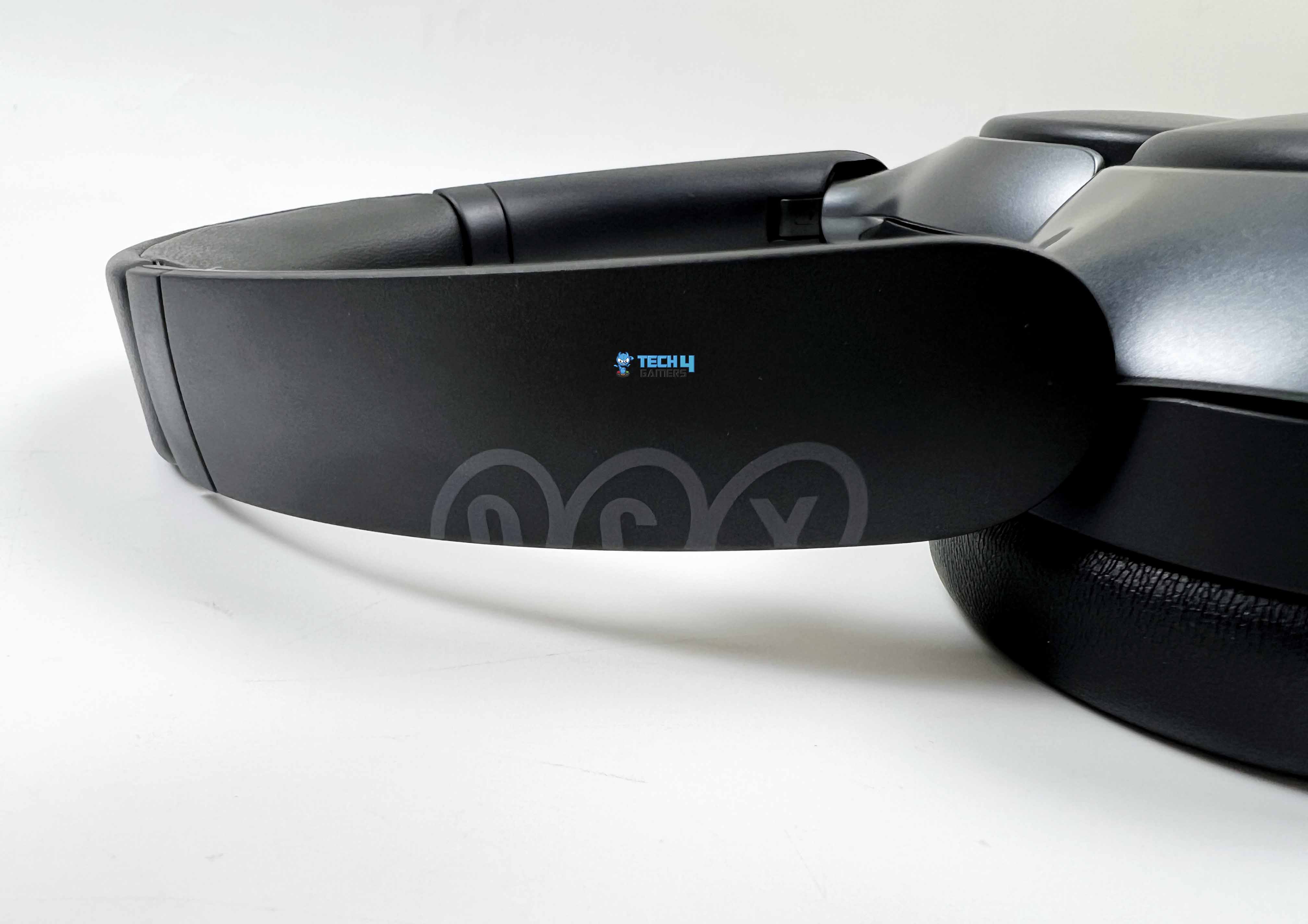
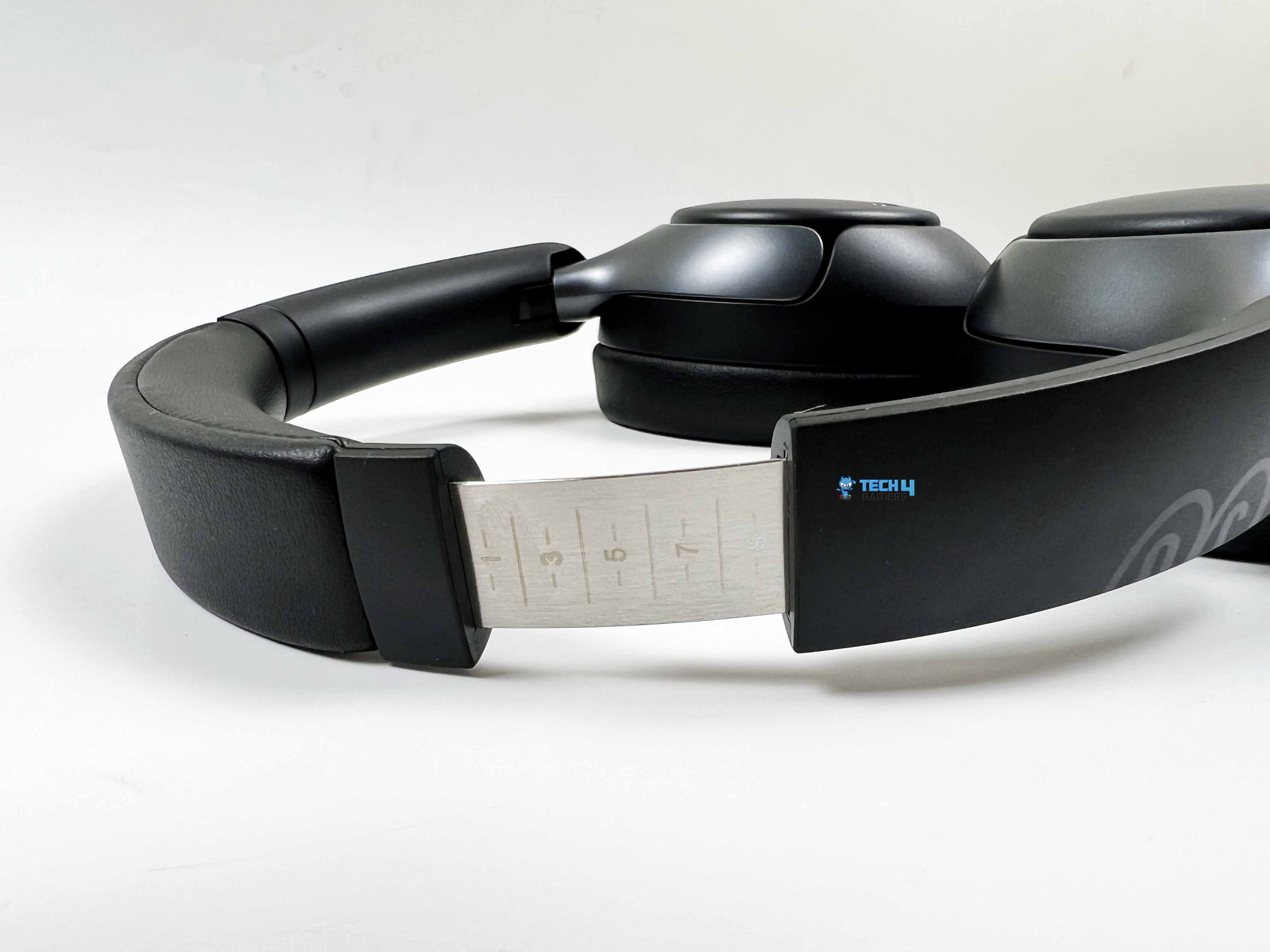
Black is also a color that blends into daily life. It won’t clash with your outfit, and it doesn’t show minor scratches or smudges as easily as lighter colors might. The earcups rotate inward, and a folding bracket built into the hinges lets you easily tuck the headphones into your bag. The headband slider has markings up to 10, which is handy for remembering your preferred size.
Instead of slapping a big logo on one side, the branding is placed across both yokes. The QCY logo is split in half, with one part on the left yoke and the other on the right. The logo itself is printed in a soft gray tone, which works really well against the black finish. In terms of size, the QCY H3 Pro measures roughly 183mm in length and 145mm in width. They are big enough to feel like proper over-ears but not so big that they become awkward to carry around.
Comfort
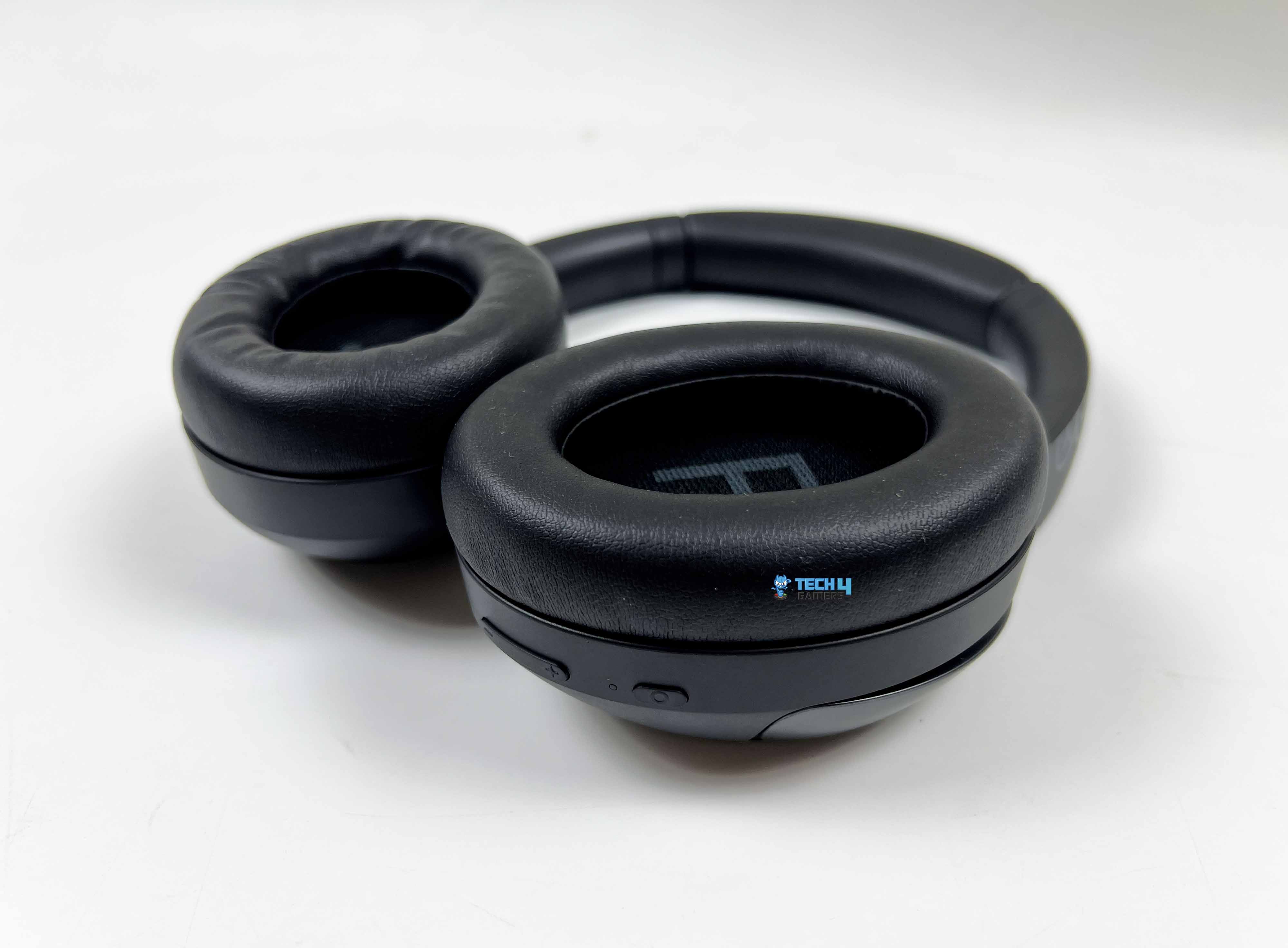
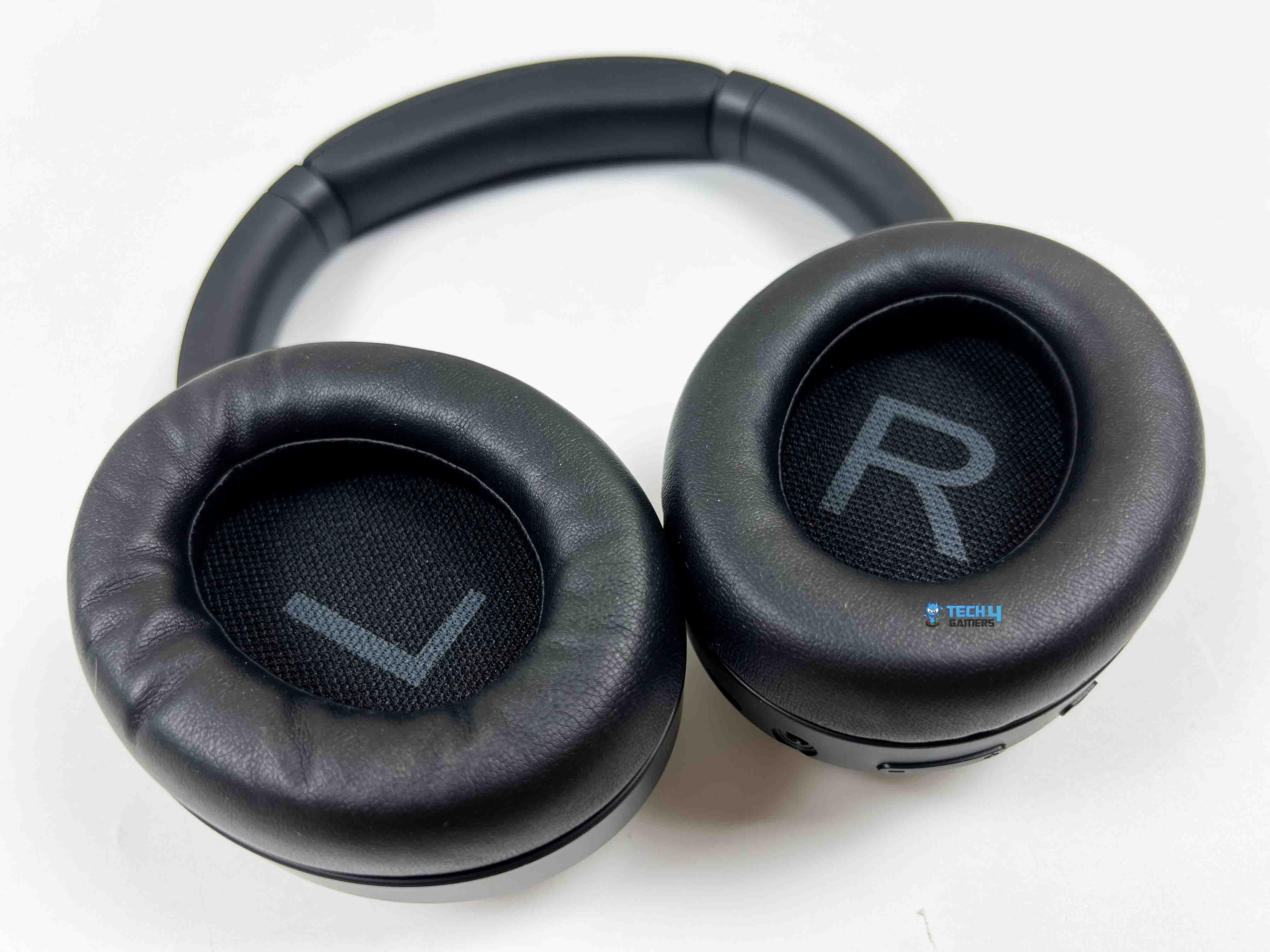
None of the features matter much if you can’t wear the headphones for more than 30 minutes. The clamping force on the QCY H3 Pro felt moderate. It is not tight enough to squeeze my head, but not loose either. I wore it for about several hours straight the first day, just listening to music while working, and I didn’t feel any sharp pressure points. The earcups are properly over-ear. My ears fit inside without touching the drivers, which is always something I check.
The padding is soft to the touch and has a slight rebound when pressed. It’s not super plush like higher-end models, but it doesn’t feel stiff. After a few hours, I noticed a bit of warmth building up around my ears. That’s expected with synthetic leather pads, especially in a warmer room. It wasn’t uncomfortable, just noticeable. Walking around with them felt stable. They didn’t shift even when I moved my head quickly.
I also tried leaning back in a chair just to see if the 231g weight would start to concentrate in one spot, but it didn’t. The weight distribution feels fairly balanced. I also tested them with glasses on. That’s usually where comfort can go sideways. Surprisingly, the seal around the earcups stayed intact without pressing too hard against the frames. There was a slight pressure after a couple of hours, but nothing that made me want to take them off immediately.
Build Quality
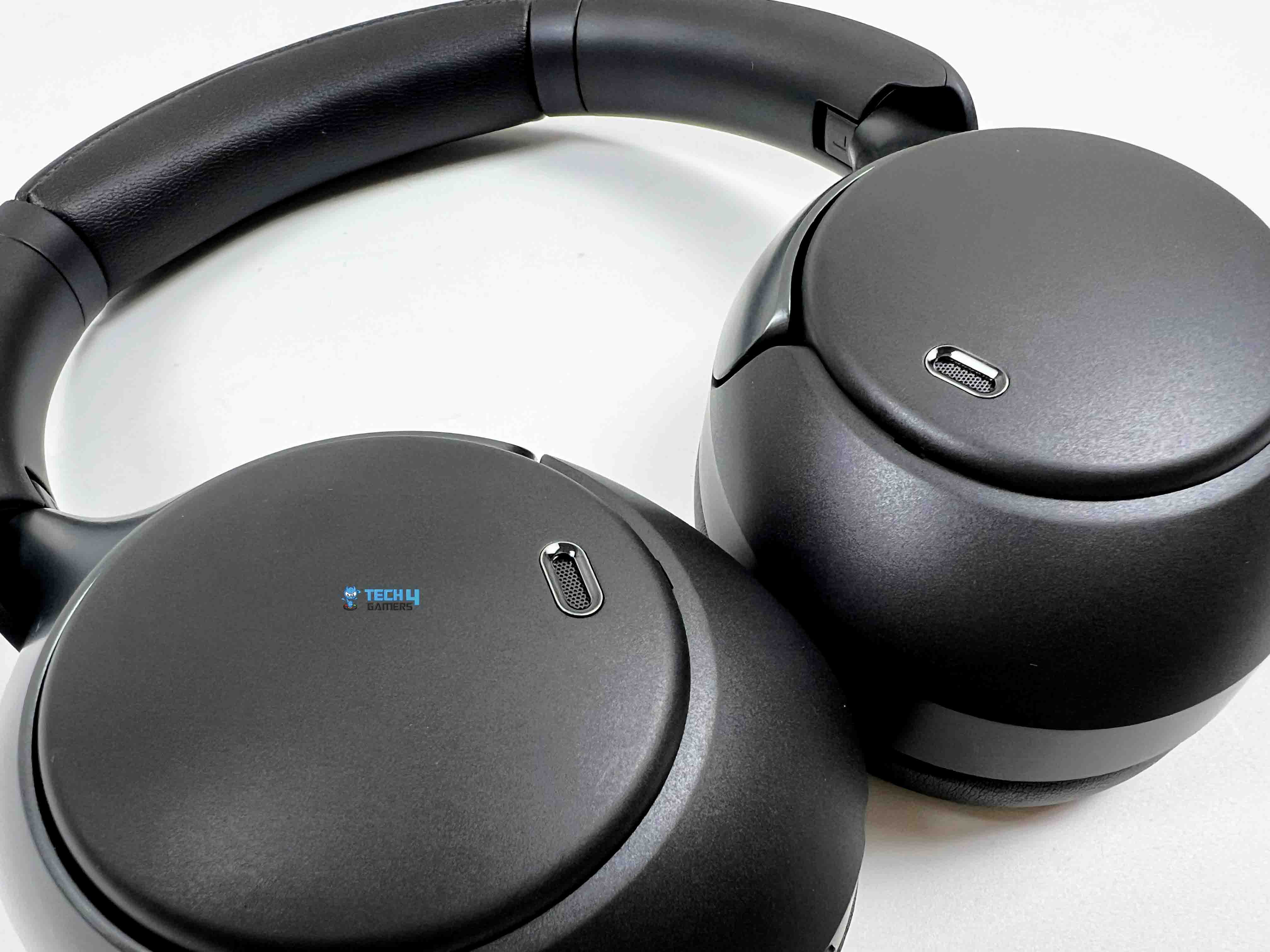
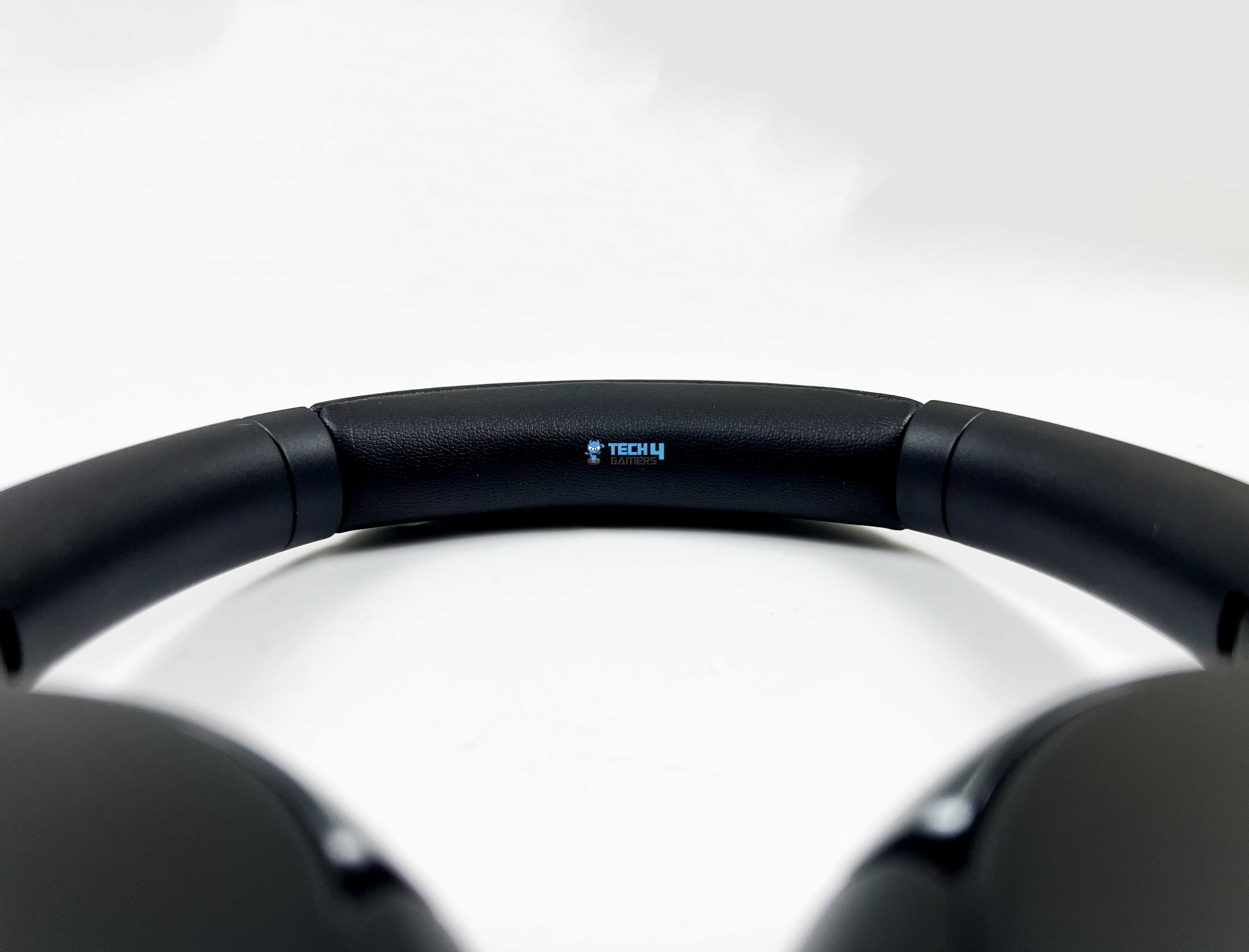
The QCY H3 Pro has a bit of substance. When you hold it in one hand and gently flex the headband, there’s some give. It bends slightly, then returns to shape without creaking. The frame is mostly plastic. That’s obvious the moment you tap on the earcups with your fingernail. The outer shell has a smooth, slightly matte finish. It doesn’t attract fingerprints the way glossy plastic does. After a few days of use, I didn’t see noticeable smudges building up.
Minor scuffs might show over time, especially if you toss them into a backpack without a case. I usually pay close attention to the hinges. This is often the weak spot in affordable headphones. On this pair, the adjustment sliders extend with a light resistance. You can hear a faint sound as you pull them down or upwards. I extended them fully a few times, then pushed them back in. The mechanism didn’t feel loose or wobbly.
The folding motion is smooth. There’s a bit of play if you deliberately wiggle them. The headband padding is wrapped cleanly. There is no uneven stitching along the edges. When you press into it, you can feel the foam compress evenly across the strip. The protein leather covering on the earcups feels decently thick. If you pinch the material between two fingers, you can feel some structure beneath it.
Control Scheme
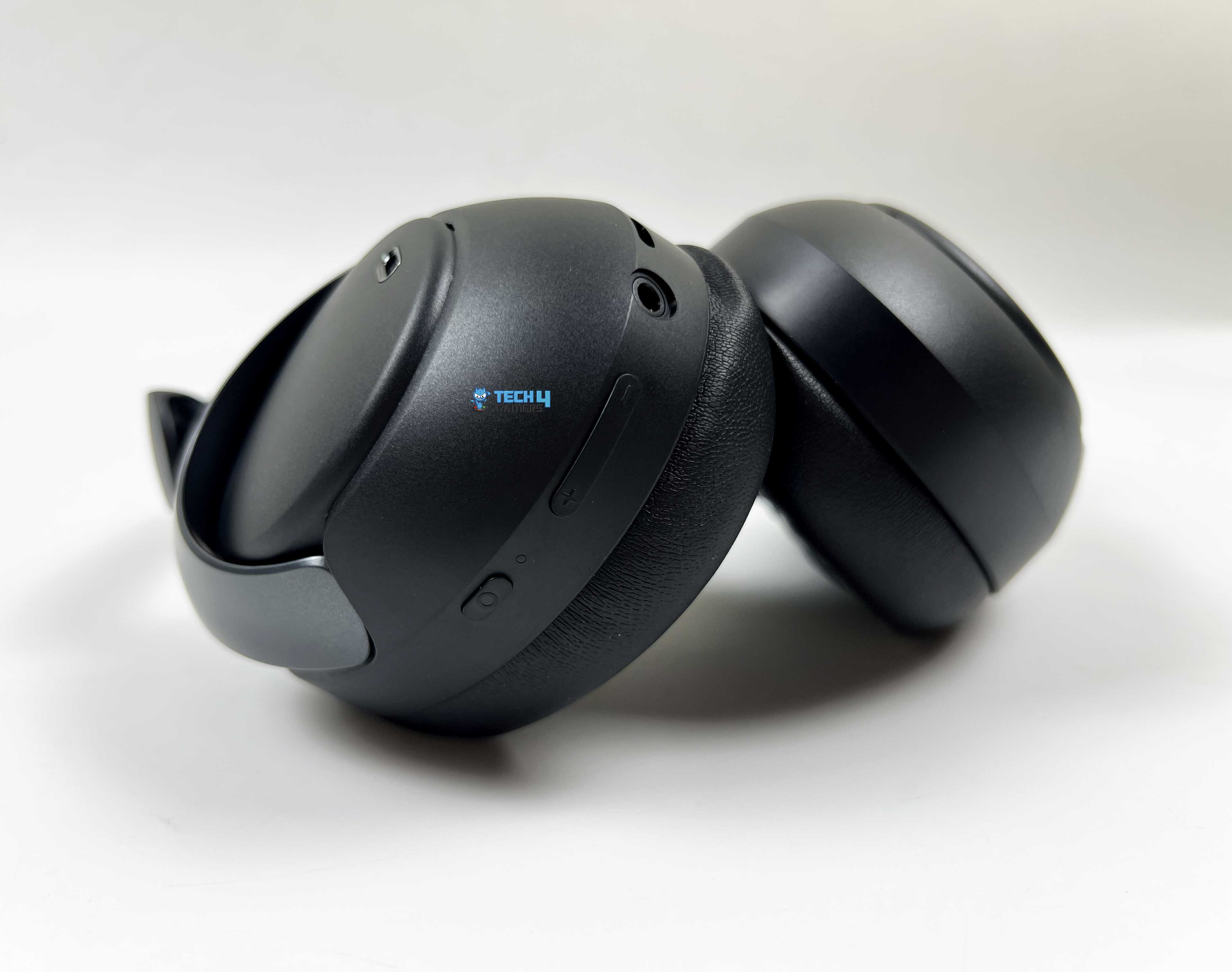
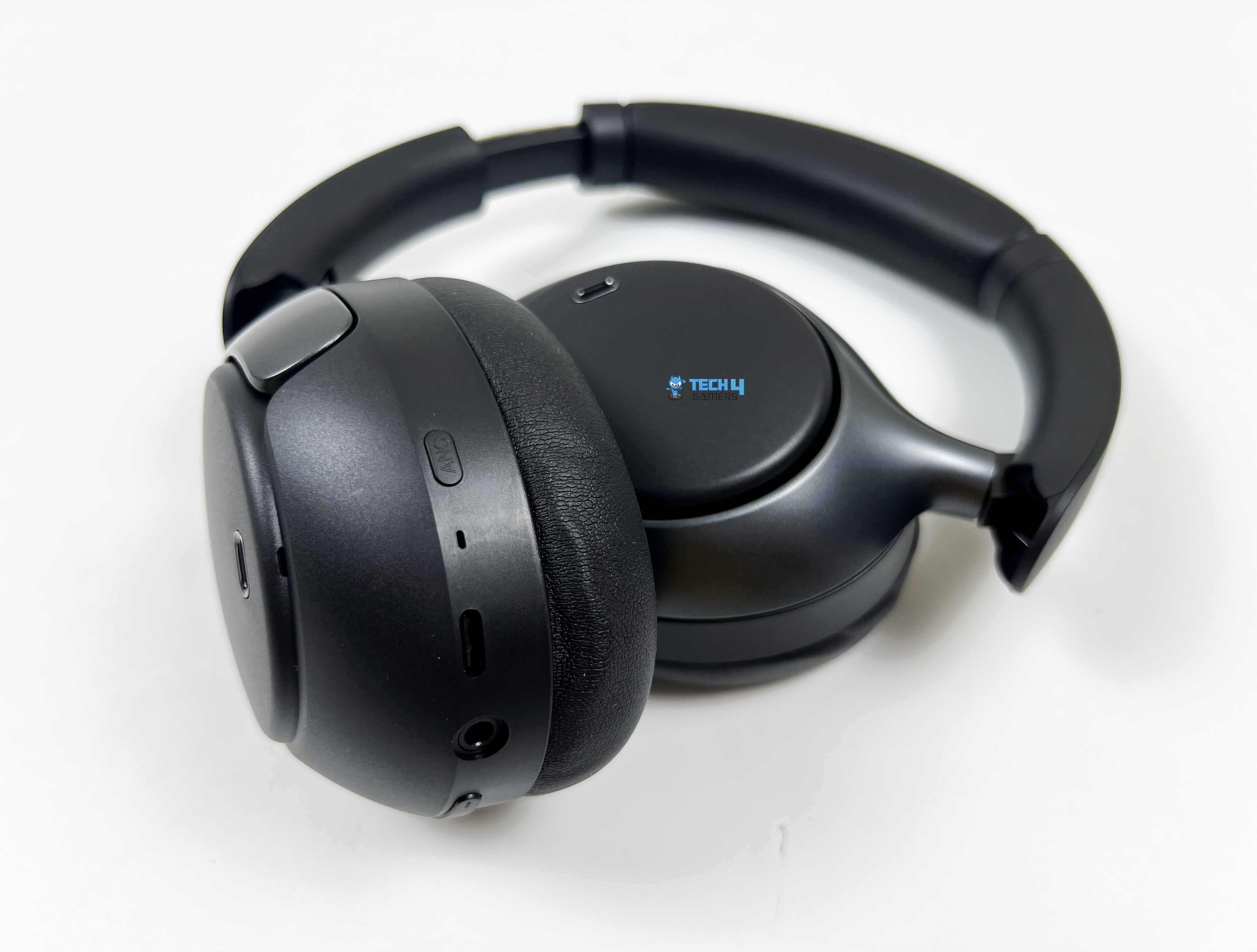
All controls are on the right earcup. That includes the multifunction button, LED indicator, volume up/down, 3.5mm aux port, USB Type-C port, and the ANC button. The left cup stays completely clean. Once you realize everything lives on the right side, it simplifies things a lot. To power it on, you hold the multifunction button for about two seconds. To power it off, hold it for about 4 seconds. For calls, a single press answers or ends them.
To ignore a call, hold the multifunction button for 2 seconds. Playback control is also tied to that same button, where a single press pauses, and another resumes. Track skipping is handled by the volume buttons. Holding Volume+ for about a second jumps to the next track. Holding Volume– for a second goes back. A quick press on Volume+ or Volume– adjusts loudness. The steps feel incremental rather than huge jumps.
Low-latency mode is triggered by double-pressing the MFB. I tried this while watching YouTube and playing a few games, and noticed slightly tighter audio sync in supported scenarios. Triple-pressing the MFB activates the voice assistant on your connected device. The ANC button is separate from the rest. A single press cycles between ANC On, ANC Off, and Transparency mode. When ANC is on, double-pressing the ANC button toggles Adaptive ANC.
Connectivity

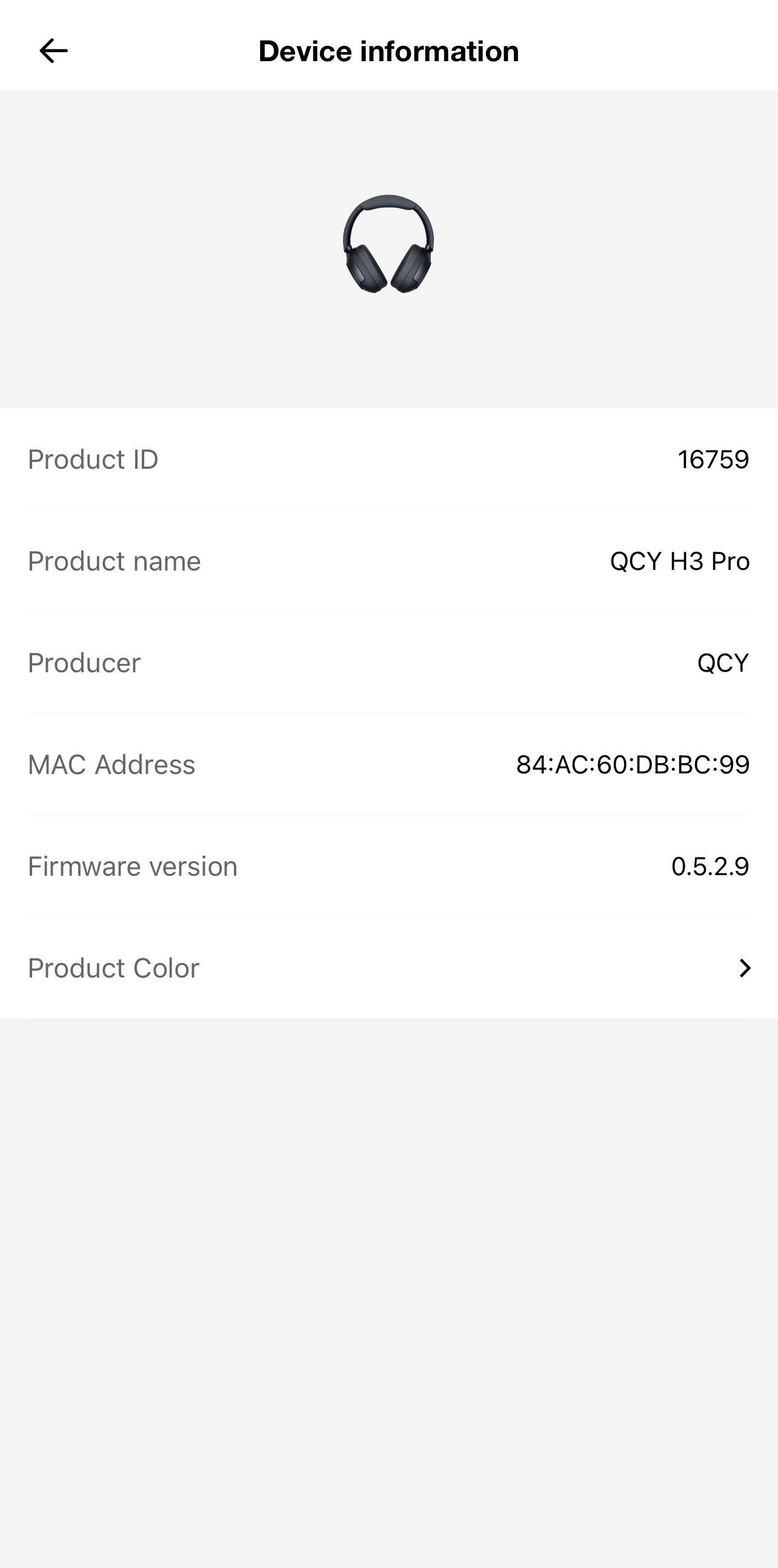
The QCY H3 Pro runs on Bluetooth 5.4. I powered on the headphones, and they automatically entered pairing mode. On my phone, the pairing name showed up as “QCY H3 Pro.” I tapped it, and within a few seconds, it was connected. The Bluetooth effective range is rated at 10 meters. Indoors, that felt about right. The connection felt steady, even when I moved around the house with my phone in my pocket.
The headphones support common Bluetooth protocols like HFP, A2DP, and AVRCP. In practical terms, that means calls worked normally, music streamed without quality degradation due to compatibility issues, and playback controls synced properly on both Android and Windows. I briefly tested the call quality, and the call connected without delay. Media controls worked as expected across apps.
There’s also multi-point support, though it’s turned off by default. You need to enable it through the QCY app first. I tried it between a phone and a laptop, and it worked flawlessly. Wired mode is available through the 3.5mm aux port. I plugged it into a PC and later into a handheld console. Both times, the audio played immediately. That’s useful if you forget to charge them.
Sound Performance
Before even getting into how it sounds subjectively, it’s worth mentioning what’s happening inside. The QCY H3 Pro uses a dual-chip setup. One chip handles signal processing, while a separate amplifier chip pushes the output. It also supports LDAC and carries Hi-Res Audio certification. When connected to a compatible Android device, LDAC enables higher-bitrate audio over Bluetooth. I tested this with a few audio files.
The difference isn’t night and day, but there’s a slight increase in clarity compared to standard SBC. Subtle background elements feel a bit more defined. The drivers inside are 40mm dynamic units with a titanium-coated diaphragm. In practice, what I noticed was controlled bass and fairly clean treble. The low end doesn’t distort when pushed. It stays rounded and composed. Bass has presence, and there’s a warm tilt to the tuning.
On tracks with deep sub-bass, you feel the rumble gently building up. QCY claims up to 50dB of noise reduction with Adaptive ANC. In real-world use, I experienced a significant reduction in low-frequency sounds. Sudden high-pitched sounds aren’t eliminated completely, but they’re softened. Adaptive ANC adjusts based on surroundings, and while you don’t see it working, you notice that background noise feels more suppressed in busier environments.
Microphone Performance
The QCY H3 Pro uses a three-microphone setup. There’s a feedforward mic, a dedicated calling mic, and a feedback mic. On top of that, QCY integrates AI-based noise processing. What it means is the headphones are constantly listening not just to your voice, but also to the noise around you. I tested the mic the way most people actually use it. Regular phone calls first, then a few WhatsApp voice notes and after that, a short Discord call on my laptop.
In a quiet room, it sounds clear enough. It’s not studio-grade clarity like a standalone mic, but natural enough that no one questioned it. There’s slight compression. You can hear that it’s being processed, and that’s expected with Bluetooth headsets. Still, consonants come through distinctly. I also tested it with background noise, with a ceiling fan running. The background didn’t vanish completely, but it faded enough that the person on the other end could focus on what I was saying.
Battery Life

The QCY H3 Pro packs a 550mAh battery. That number on its own doesn’t mean much. What matters more is how often you reach for the charger. In my case, not that often. QCY rates it at up to 40 hours with ANC on and up to 55 hours with ANC off. Those figures always depend on volume and usage habits. I kept mine around 60-70% volume most of the time.
ANC stayed on during commutes. With that usage, I was getting close to that 40-hour mark. Not in one straight stretch, obviously, but spread across several days. Charging is done via a USB Type-C port. You can use the included USB Type-C cable for it. From nearly empty to full took about 2 hours or maybe a little over. Another thing worth mentioning is that the headphones didn’t heat up noticeably while charging.
Software
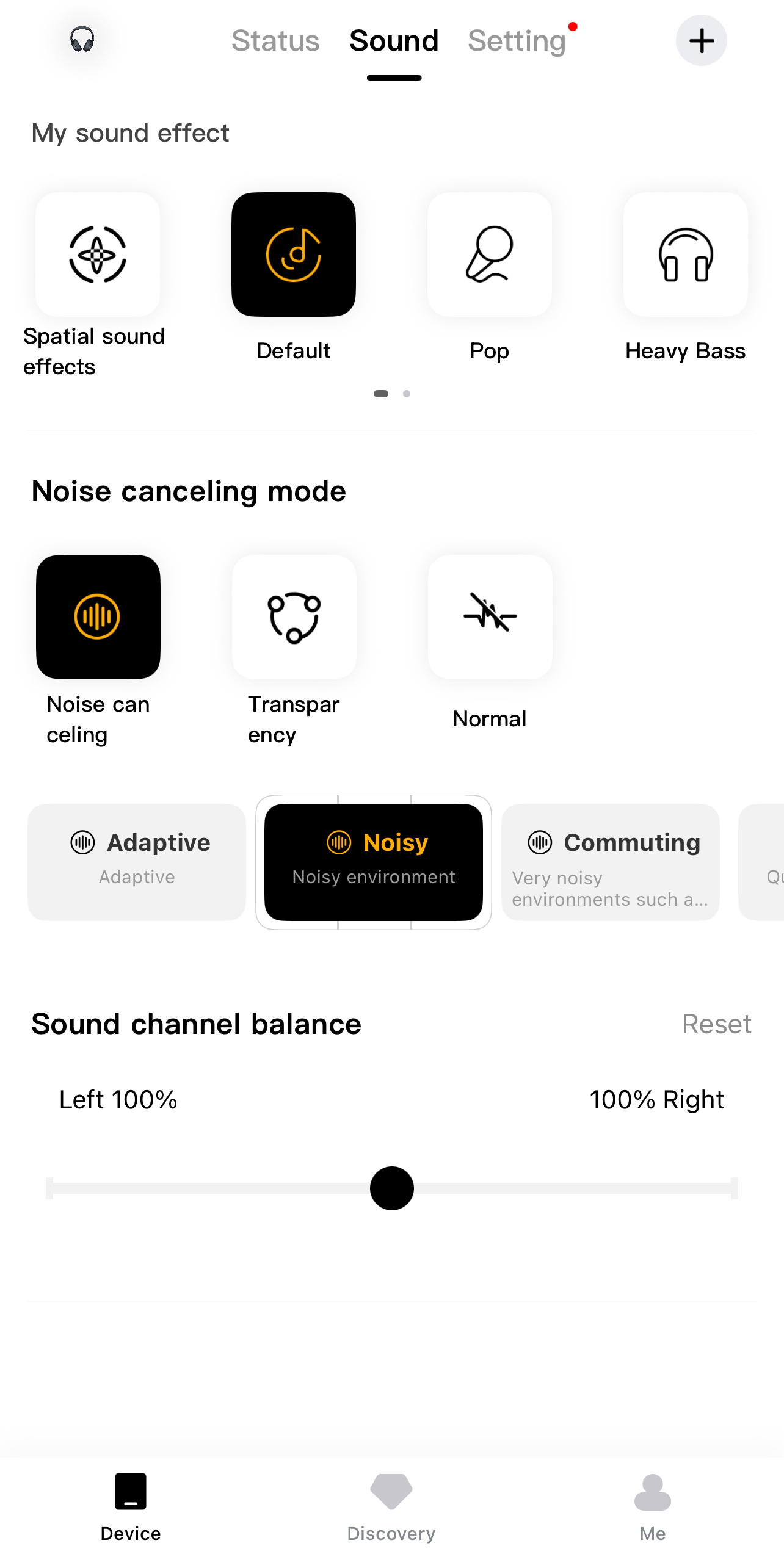
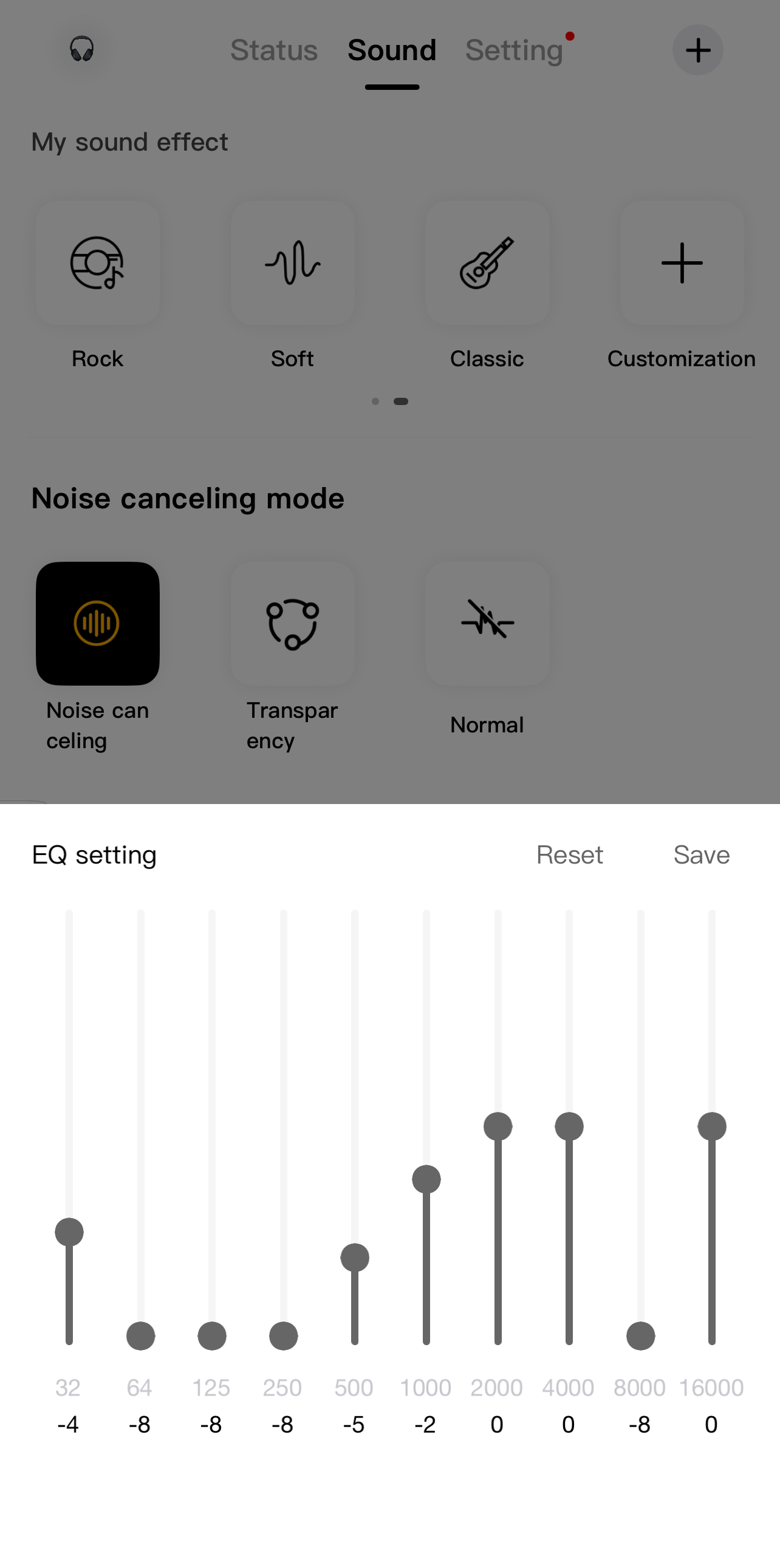
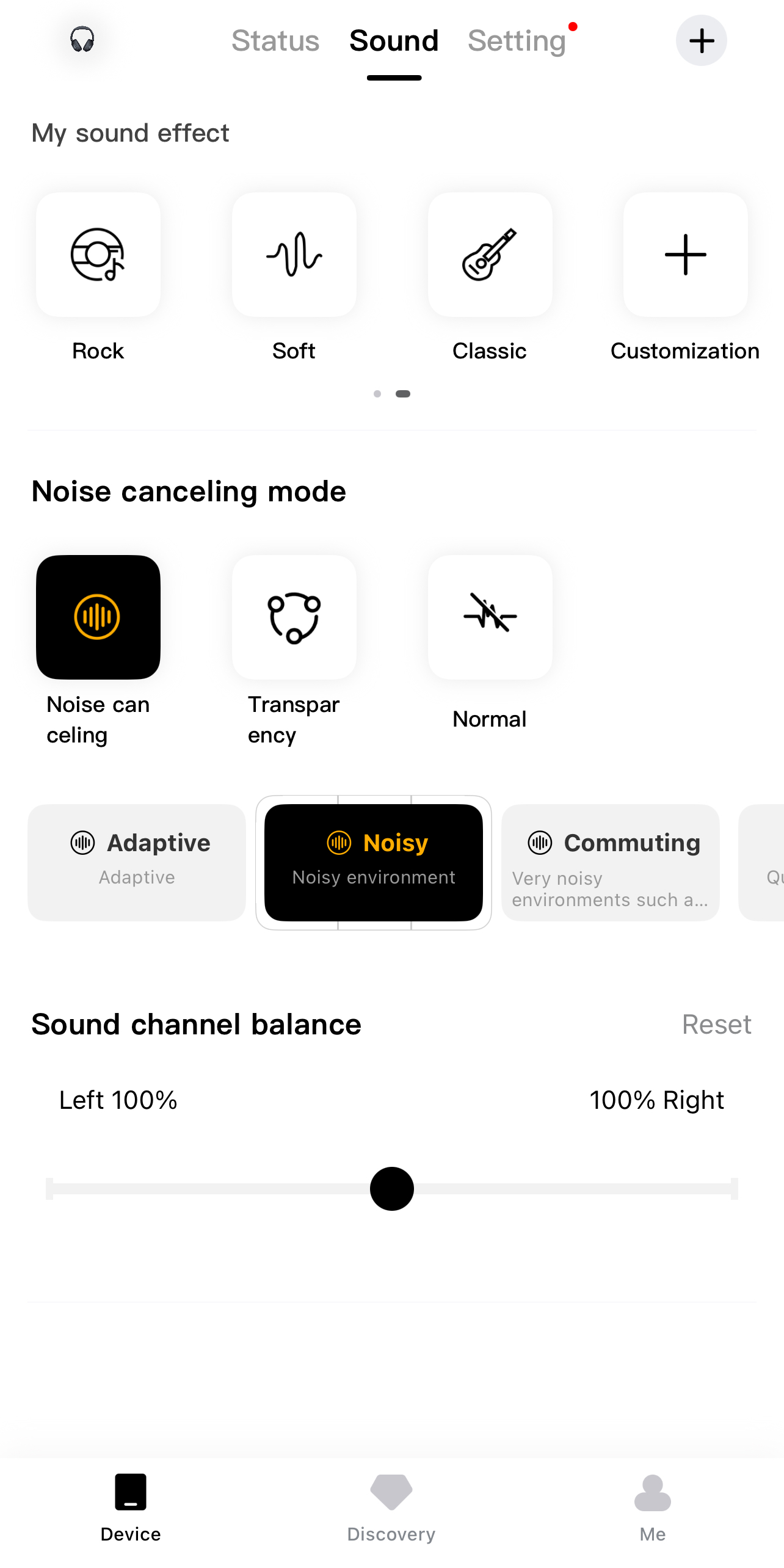
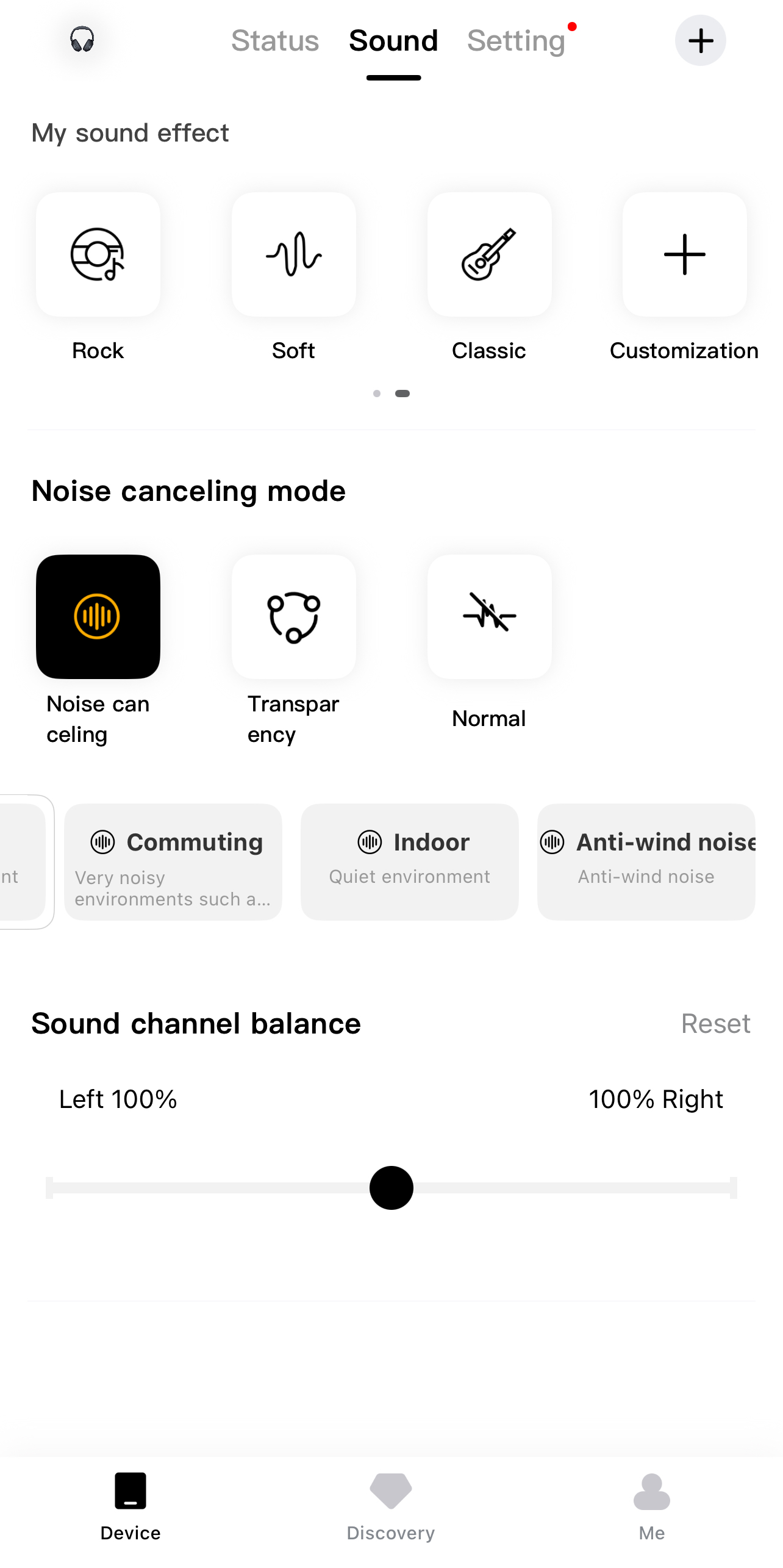
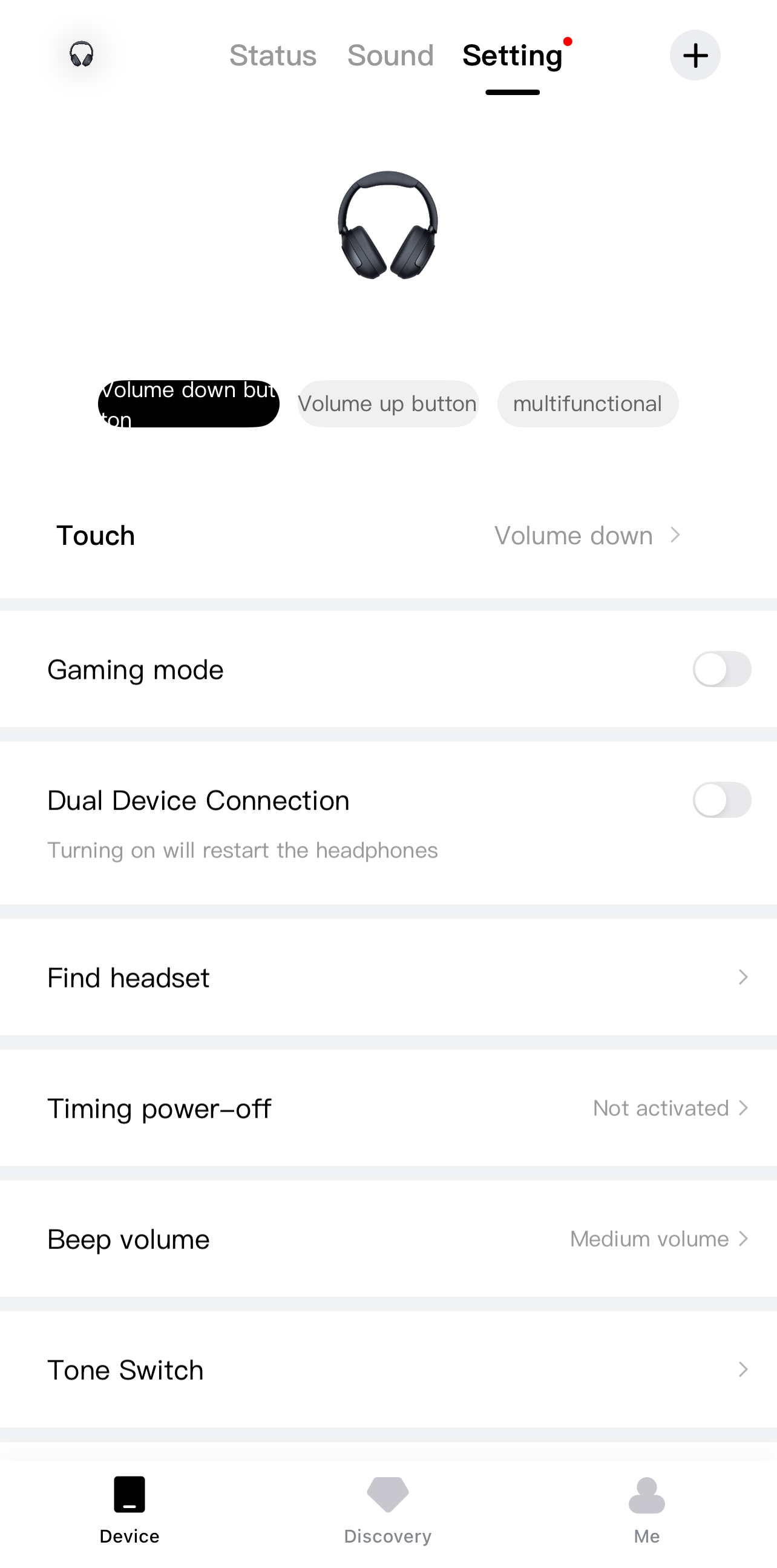
I spent a fair bit of time inside the QCY app while using the QCY H3 Pro. Once the headphones connect, you land on the status page. Right there, you can see the battery level displayed as a percentage. Next to that section is the sound settings area. There are several preset sound effects already built in. Default is the starting point. Then you have Pop, Heavy Bass, Rock, Soft, and Classic. The differences aren’t extreme between them, but they’re noticeable if you pay attention.
There’s also an option to enable spatial sound effects. When I turned it on, the soundstage felt slightly wider. If presets don’t suit you, the manual EQ is there. You can drag the frequency sliders yourself. Noise-cancelling modes have their own section as well. You can switch between normal mode and transparency. Then there are more specific ANC options, including Adaptive, Noisy, Commuting, Indoor, and Anti-wind noise mode.
Should You Buy it?
Buy it if
✅ You like flexible sound options: With LDAC support, Hi-Res certification, preset sound effects, and a manual EQ in the app, you can fine-tune the audio to your taste.
✅ You need long battery life and versatility: With up to 40 hours with ANC on and 55 hours with ANC off, plus USB Type-C charging and the option to plug in via a 3.5 mm cable, these headphones can keep up with everything.
Don’t Buy it if
❌ You want a premium build feel: If metal frames and fancy finishes matter to you, the mostly plastic construction here will feel noticeably more budget than flagship.
❌ You’re looking for a more immersive sound: These don’t create that wide, open audio feel you might hear on pricier headphones. If you like your music to feel spacious, this might feel a bit more in your head.
Final Verdict
After spending several solid weeks with the QCY H3 Pro, it’s clear that this pair of headphones knows what it’s aiming for. For everyday music, YouTube, and streaming, it performs well. At the end of the day, it covers the essentials without trying too hard to impress. You get strong battery life, adaptable noise canceling, decent call clarity, and enough sound tuning options to shape it to your taste. During my time with them, the headphones never gave me any reason to regret picking them up. At $65.99, they offer great value.
Thank you! Please share your positive feedback. 🔋
How could we improve this post? Please Help us. 😔

[Hardware Reviewer & Editor]
After many years of exploiting various pieces of hardware, Abdul Hannan now serves as an editor at Tech4Gamers. He’s been in the PC hardware reviewing industry for almost a decade, and his staff of passionate geeks and reviewers is second to none.
Abdul Hannan is constantly seeking new methods, you will always see him running into New Computer Courses to improve the performance of his computer components since he is an ardent overclocker. He is well-known for providing the most extensive and unbiased analysis of the newest and greatest hardware for PC gaming, including everything from GPUs to PSUs.
 Join Our Community