- Bootcamp enables users to natively play games in Windows on their Intel Mac.
- Intel Macs have top-of-the-line sound systems, keyboards, and screens for an immersive gaming experience.
- Older Intel Macs are available in plentiful supply, easy to source, and hold great resale value.
- Even the last of the Intel Macs are now being sold at steeply discounted prices, making them a great bang for the buck.
Bashing Macs for their lack of gaming prowess has become synonymous with being a member of the PC Master Race community.
Why, you ask?
Well, it’s mainly because macOS, or ‘OS X’ as it used to be known, was called out, and rightly so, for its flaws with regards to lacking support in terms of game ports that were optimized for Apple’s proprietary software.
Most of the popular games that were available for Windows couldn’t be natively played on macOS, and that didn’t sit well with the Windows fans, especially considering how Apple was notorious for charging ludicrous amounts of money if you wanted to get your hands on its shiny, silvery hardware.
But the narrative has changed.
Hold Your Horses
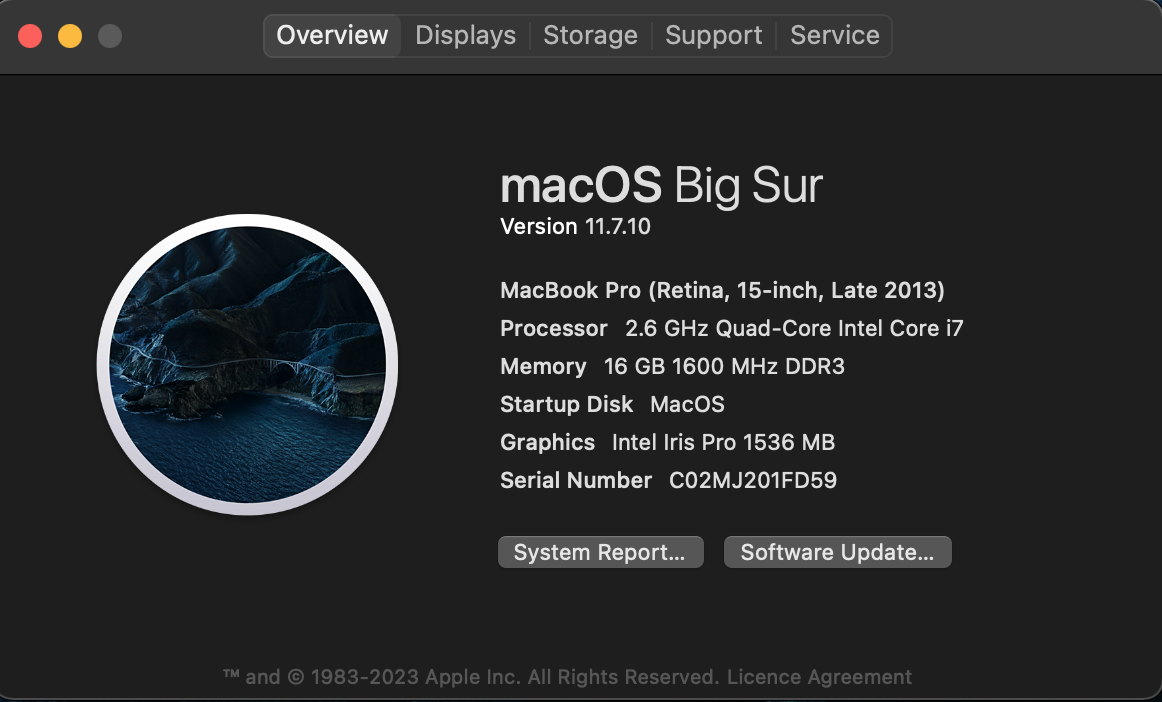
How would you react if I told you a MacBook from 2013 can double (barely, but hey, it’s an 11 year old laptop) as a gaming machine?
Or how about if I told you that the Intel-based 2019 MacBook Pro 16” is one of the best all-rounded laptops ever, both for gaming and work? Would you believe me? I’m guessing not.
So allow me to bust the myth surrounding Macs and gaming, but at the same time, it’s not all sunshine and daisies. Let’s dive into the details.
Bootcamp: Use Windows On Mac
If you’ve ever even been remotely interested in the prospect of gaming on a Mac in the yesteryears, you’ve surely heard of Bootcamp.
Bootcamp is Apple’s solution for people who want to natively run the most popular versions of Windows on just about any Intel-based Mac ranging from 2006 till 2020/2021.
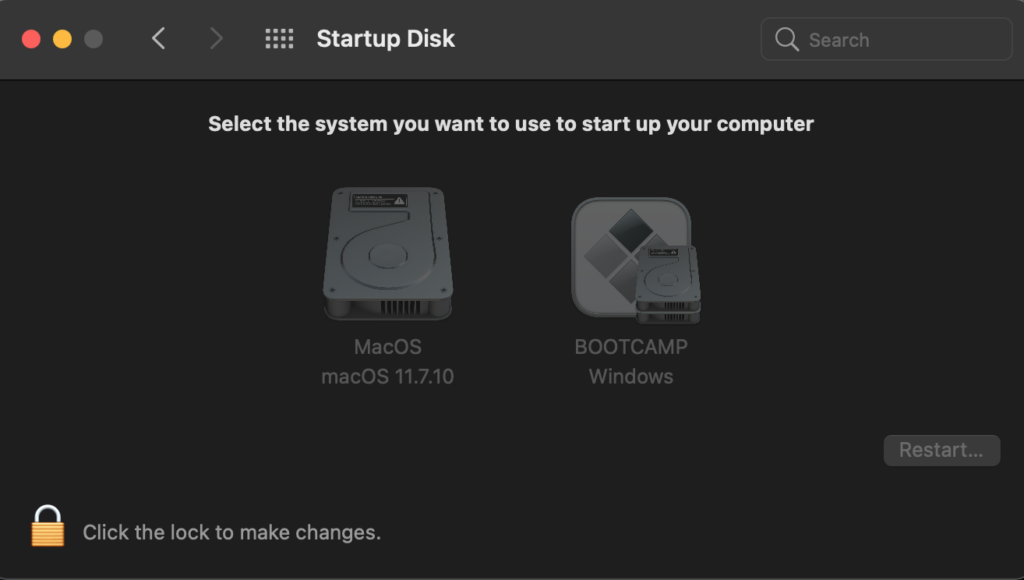
To start with, Bootcamp refers to a proprietary software utility that’s bundled into every Intel Mac, which allows users to install and side-load Windows onto their Mac by just downloading the specific ISO from Microsoft’s website.
Once you’ve downloaded the ISO, you just need to open it within the Bootcamp program and plug in a USB flash drive.
Bootcamp will take care of everything else for you (including device drivers) and will install Windows in its entirety for you by creating a second partition (in a size of your liking) on your disk drive.
There’s a reason Apple came up with its famous marketing slogan, “Windows runs better on a Mac than Windows runs on Windows”.
Optimizing Windows For Your Intel Mac
Now that your Mac’s got Windows up and running for you, there are a couple of tweaks you might want to make in order to extract the full gaming potential of your Mac.
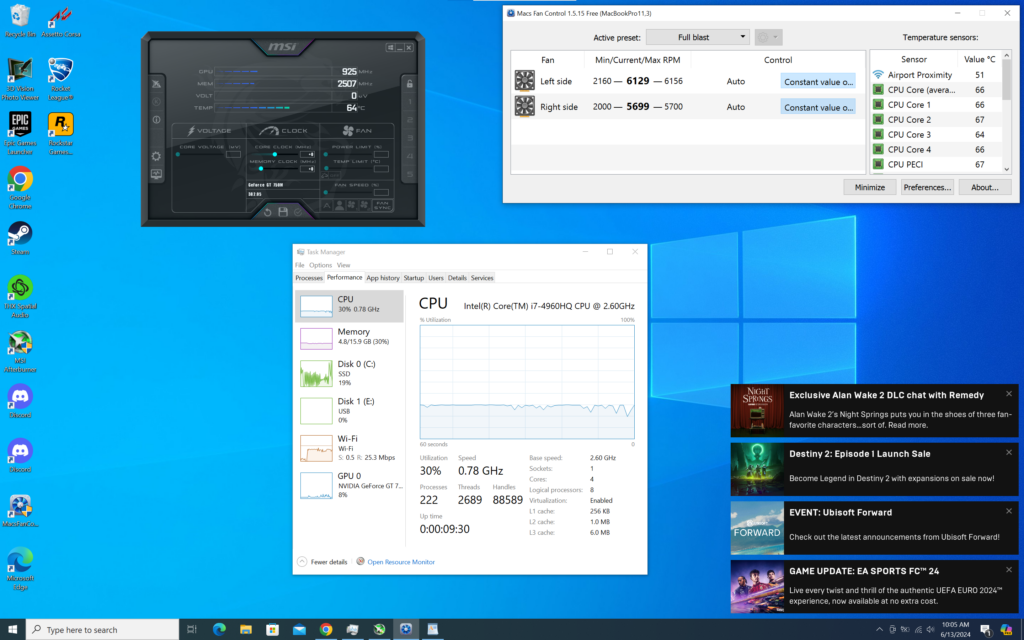
You might want to install third-party utilities like Macs Fan Control and MSI Afterburner in order to overclock your GPU and set custom fan curves for your Mac’s fans so as to prevent thermal throttling for as long as possible.
Next up, feel free to download your games from your preferred stores, i.e., Epic Games Store, Steam, or even the Microsoft Store, just to name a few examples.
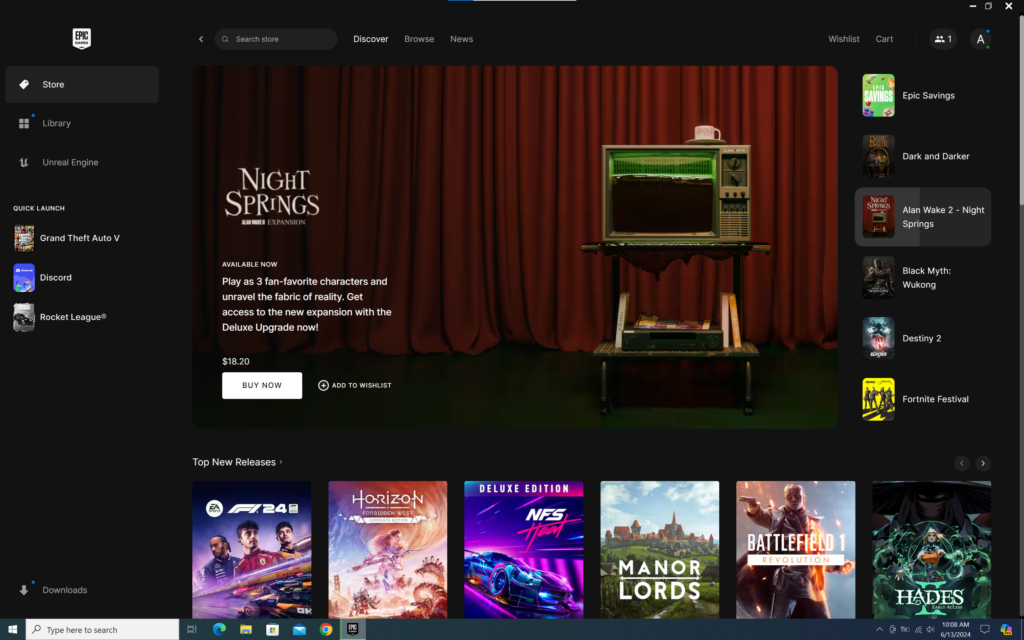
That’s it. Attach your gaming keyboard and mouse, and voila! It just works. Don’t believe me? No worries. Let’s show you what gaming on a Mac really looks like.
My Personal Experience: Gaming on a 2013 Mac
Let me take you on a personal joyride.
I ordered a CTO (Customised To Order) Late 2013 MacBook Pro 15” specced to the absolute maximum (by 2013 standards), which also included a 1 GB/s 1 TB SSD and a secondary/discrete GPU in the form of the Nvidia GeForce GT 750M with 2 GB of GDDR5 VRAM.
For work and productivity, I use macOS Big Sur, and there’s nothing like it. The 2013 MBP runs 100 tabs in Safari with Spotify, Notes, Slack, Pages, Macs Fan Control, and Mail running in the background, and still manages to yield me 7-9 hours of SoT (Screen-on-Time) at 100% screen brightness like it’s no mean feat.
But when it comes to gaming, I simply side-load Windows, which starts up within five seconds, and I have all my optimization apps, like Afterburner and Mac Fan Control, opening automatically without any intervention from my side.
When it comes to pure raw performance, my MacBook Pro definitely struggles since it is 11 years old, but nevertheless, it’s able to run lightweight games like Rocket League at 60 FPS in its native resolution at 2880×1800 and a somewhat older game like GTA V: Online at 60 FPS in 720p or 1080p with the lowest settings.
Intel Macs: Buy Them Now!
It’s the best time to be jumping on the Intel Mac bandwagon.
That’s because you’ll see even the most recent versions, i.e., the 2018-2019 15” and 16” MacBook Pros, being sold for less than $450-550 with.a 1-year warranty, which is nothing short of a miracle, keeping in mind the current prices for latest generation gaming PCs and laptops.
Even better, these Macs will hold their resale value for far longer as compared to their Windows rivals, because Macs are Macs, and the demand for these popular notebooks is evergreen.
Long story short, spend $500 and get one of the Best Intel/Gaming Macs ever.
Feel free to thank me later.
Thank you! Please share your positive feedback. 🔋
How could we improve this post? Please Help us. 😔

[Wiki Editor]
Ali Rashid Khan is an avid gamer, hardware enthusiast, photographer, and devoted litterateur with a period of experience spanning more than 14 years. Sporting a specialization with regards to the latest tech in flagship phones, gaming laptops, and top-of-the-line PCs, Ali is known for consistently presenting the most detailed objective perspective on all types of gaming products, ranging from the Best Motherboards, CPU Coolers, RAM kits, GPUs, and PSUs amongst numerous other peripherals. When he’s not busy writing, you’ll find Ali meddling with mechanical keyboards, indulging in vehicular racing, or professionally competing worldwide with fellow mind-sport athletes in Scrabble. Currently speaking, Ali’s about to complete his Bachelor’s in Business Administration from Bahria University Karachi Campus.
Get In Touch: alirashid@tech4gamers.com
 Join Our Community