We’re approaching the second quarter of 2026, which means I’ve spent the past few weeks dissecting NVIDIA’s enterprise documentation. What I found genuinely unsettles me.
While gamers obsess over frame rates and driver optimization, NVIDIA has quietly built a parallel infrastructure. One that treats your GPU architecture as a remote-controllable node in a vast network.
The question nobody asks is this: if NVIDIA’s enterprise software can remotely manage thousands of data center GPUs, what stops those same technologies from reaching into your consumer card?
The Enterprise Playbook Is Already Written
Let me show you what I uncovered.
To begin with, NVIDIA’s AI Enterprise documentation describes a comprehensive infrastructure for remotely managing entire fleets of GPUs.
Moving on, the GPU Operator tools automate “the management of all NVIDIA software components needed to provision GPUs” across Kubernetes clusters.
To elaborate, these tools enable clusters to discover GPU nodes, install drivers remotely, and make GPU resources “schedulable and usable” across entire networks.
Just to be clear, this isn’t mere speculation. This is published, documented architecture. NVIDIA’s own Data Center GPU Manager (DCGM) APIs allow for tracking “accounting, performance and errors during the lifetime of a GPU process”.
The infrastructure exists. The access protocols are defined. The only missing piece is the command to activate it on consumer hardware.
The “Optimization” Trojan Horse
Now consider how NVIDIA markets to you. They promote GeForce NOW cloud streaming, which requires ongoing driver communication with their servers through dedicated SDKs and APIs.
They advertise “enterprise-grade, GPU-optimized software” that boosts performance and reduces costs. The messaging always frames this as convenience, as unlocking hidden potential.
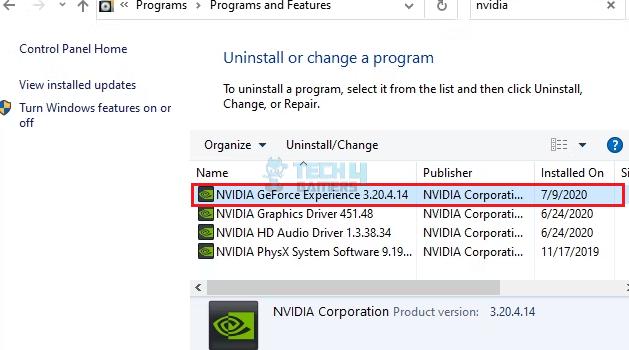
But look closer at those background processes. The “NVIDIA Container” service you see idling in Task Manager. The persistent telemetry connections. The regular callbacks to company servers. What if these are doing more than checking for driver updates?
The technology for remote GPU orchestration is already mature. NVIDIA’s cloud partners like Akamai are deploying “thousands of NVIDIA Blackwell GPUs” to create globally distributed AI platforms designed for low-latency inference across over 4,400 locations worldwide.
Yotta is building a $2 billion supercluster with over 20,000 Blackwell Ultra GPUs in India alone, supported by a four-year, $1 billion commercial agreement with NVIDIA.
The infrastructure scales seamlessly from data centers to edge devices. Your gaming PC is just another edge device on that continuum.
The Ownership Question We Must Confront
Here is the uncomfortable truth. When you buy an NVIDIA graphics card, you legally own the hardware.
But the driver software that makes it run is a black box you cannot inspect.
NVIDIA’s documentation makes it clear that GPU Operator can automatically install and manage “all software components needed to run GPU-accelerated applications” on newly added nodes.
That language describes cloud infrastructure management. Yet the same codebase, the same driver architecture, runs on your gaming PC right now.
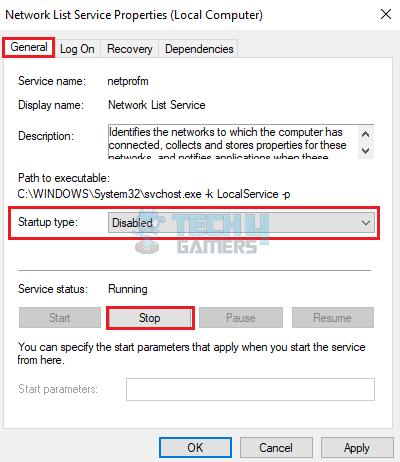
I’m not making a conspiracy claim, neither am I saying NVIDIA is currently farming your GPU cycles without consent.
What I’m saying is that the architecture to do so has already been deployed and is operational. Therefore, the monitoring capabilities exist.
Not only that, the remote management protocols are also proven. What’s more, the terms of service are written broadly enough to accommodate almost anything.
The Billion-Dollar Temptation
Let’s evaluate this ethical dilemma from an economical standpoint.
For starters, millions of gaming PCs sit idle for most of the day. Each PC contains a powerful GPU with tensor cores designed specifically for AI workloads.
Needless to say, the aggregate compute capacity is staggering, worth billions in cloud rental value. And for better or for worse, the technical infrastructure to tap that capacity exists today. The only barriers are legal and ethical.
To be perfectly clear, the question is not whether this technology exists. It does.
The question is whether we trust any corporation, let alone one as dominant and influential as NVIDIA, to resist the temptation of millions of idle GPU cycles, cycles that could be repurposed for inference workloads and sold back to enterprises at premium prices.
You never know, your next driver update might deliver more than performance improvements.
It might quietly onboard your GPU into a distributed cloud network.
And you will never see a notification, never click a consent box, never know your hardware is working a second shift.
Like I said, the architecture is already in place.
The only question is when they decide to flip the switch.
Thank you! Please share your positive feedback. 🔋
How could we improve this post? Please Help us. 😔

[Wiki Editor]
Ali Rashid Khan is an avid gamer, hardware enthusiast, photographer, and devoted litterateur with a period of experience spanning more than 14 years. Sporting a specialization with regards to the latest tech in flagship phones, gaming laptops, and top-of-the-line PCs, Ali is known for consistently presenting the most detailed objective perspective on all types of gaming products, ranging from the Best Motherboards, CPU Coolers, RAM kits, GPUs, and PSUs amongst numerous other peripherals. When he’s not busy writing, you’ll find Ali meddling with mechanical keyboards, indulging in vehicular racing, or professionally competing worldwide with fellow mind-sport athletes in Scrabble. Currently speaking, Ali’s about to complete his Bachelor’s in Business Administration from Bahria University Karachi Campus.
Get In Touch: alirashid@tech4gamers.com
 Join Our Community