- Laptops tend to get heated as heat gets trapped in the vents, and while raising them is one solution, it isn’t effective in the long run.
- Cheaper laptop coolers drop the temperature by around 5°C-6°C, whereas the premium ones can drop temperatures up to 16°C.
- It is worth investing in a premium laptop cooler if you frequently use your laptop for intensive workloads.
Laptops often heat up more than they should, especially when under a heavy workload. This is when laptop coolers come in, but the question is: Do they work? If yes, then how good are they? Let’s answer these questions so you don’t burn your laps.
Laptop’s Common Heat Issues
Before answering these questions, let’s uncover what actually goes on inside the laptop when it gets hot. See, when you run an intensive workload, the fans start blasting, and it feels like you’re touching a burning cooking pot.
How Does A Laptop Get Heated
Under heavy workload, such as a heavy game or a CPU-intensive video render, the heat pipes heat a liquid inside the laptop, forming hot vapors that are transferred outward with the help of a fan. And since laptops are compact, these heat pipes and fans are designed to be extremely small, which limits their ability to dissipate heat.
Additionally, the trapped heat raises the CPU temperature, which causes thermal throttling. This is when the CPU starts lowering its performance by reducing clock speeds, so it doesn’t overheat. It is one of the reasons why gaming laptops aren’t worth it.
Solutions
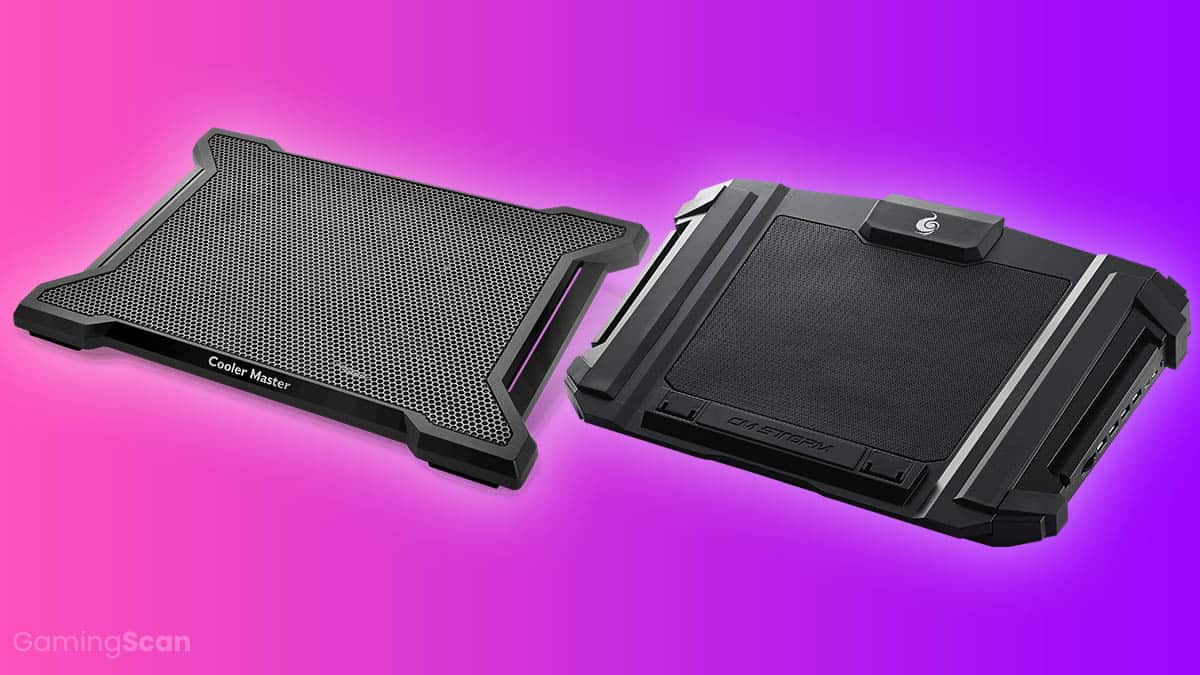
While lifting the laptop slightly also helps dissipate heat, it isn’t the long-term solution. This is where laptop coolers come in. These coolers provide external cooling from the base of the laptop, where some even align with the laptop’s internal vent layout to push air where it’s most needed. While that’s good on paper, let’s see how good they are in reality.
Laptop Coolers For The Rescue
Laptop coolers do work, but it is worth noting that not all coolers perform the same. The more premium they are, the more features they’re packed with, and they’re also on the more expensive side.
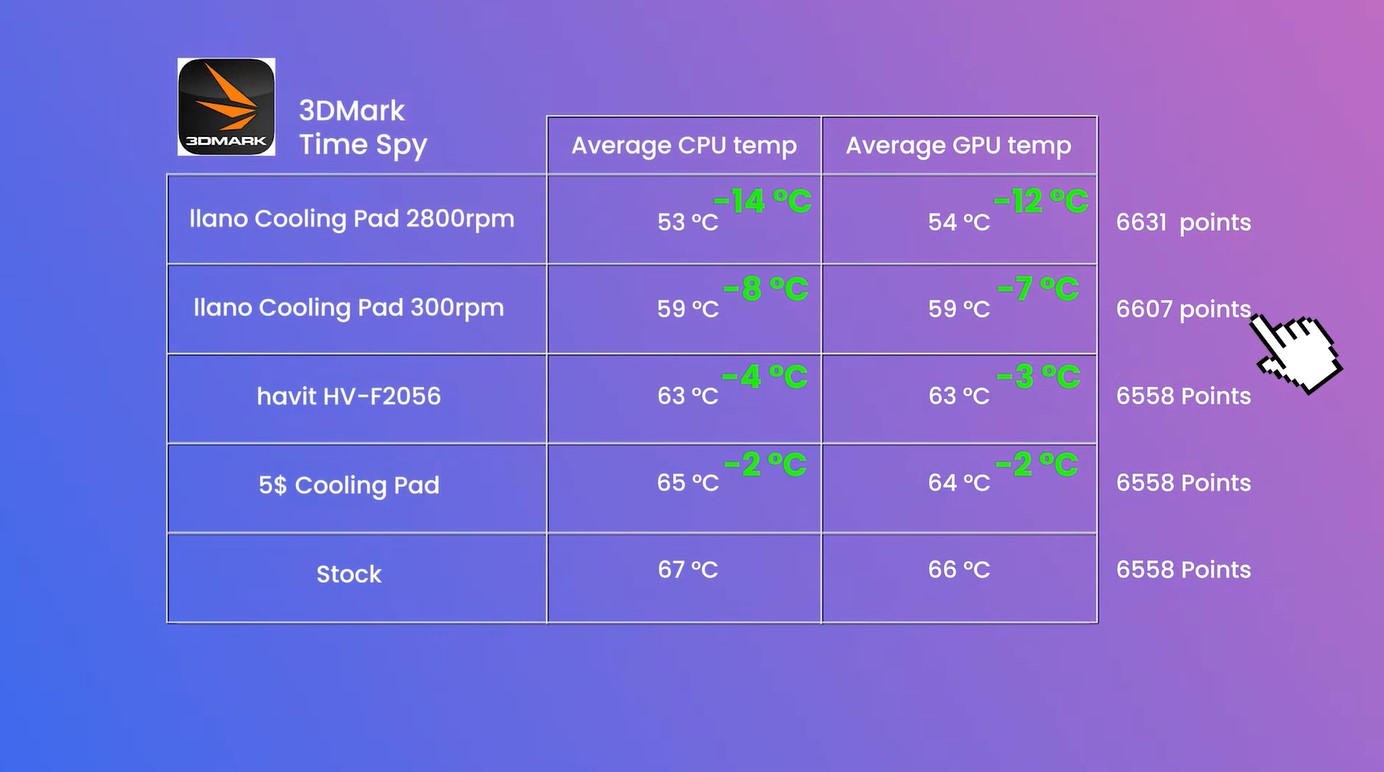
To compare, let’s look at one of Amazon’s best-selling $25 coolers and compare it with two other coolers, each of which is better than the other. The results are surprising in the performance mode and testing on 3DMark TimeSpy.
The cheapest option shaved off around 2°C for CPU and GPU temperatures. The Havit HV-F2056 was slightly better. The premium Llano cooling pad running at 300 RPM showed an 8°C drop in temperature.
Ramping up the speed of the Llano cooler to the max gives you the best performance since it can cool down the CPU by a whopping 14°C and the GPU by 12°C. Now, let’s see their performance in games.
Note: (The $5 cooler is now around $25 on Amazon, and you can check the updated prices on your own as well.)
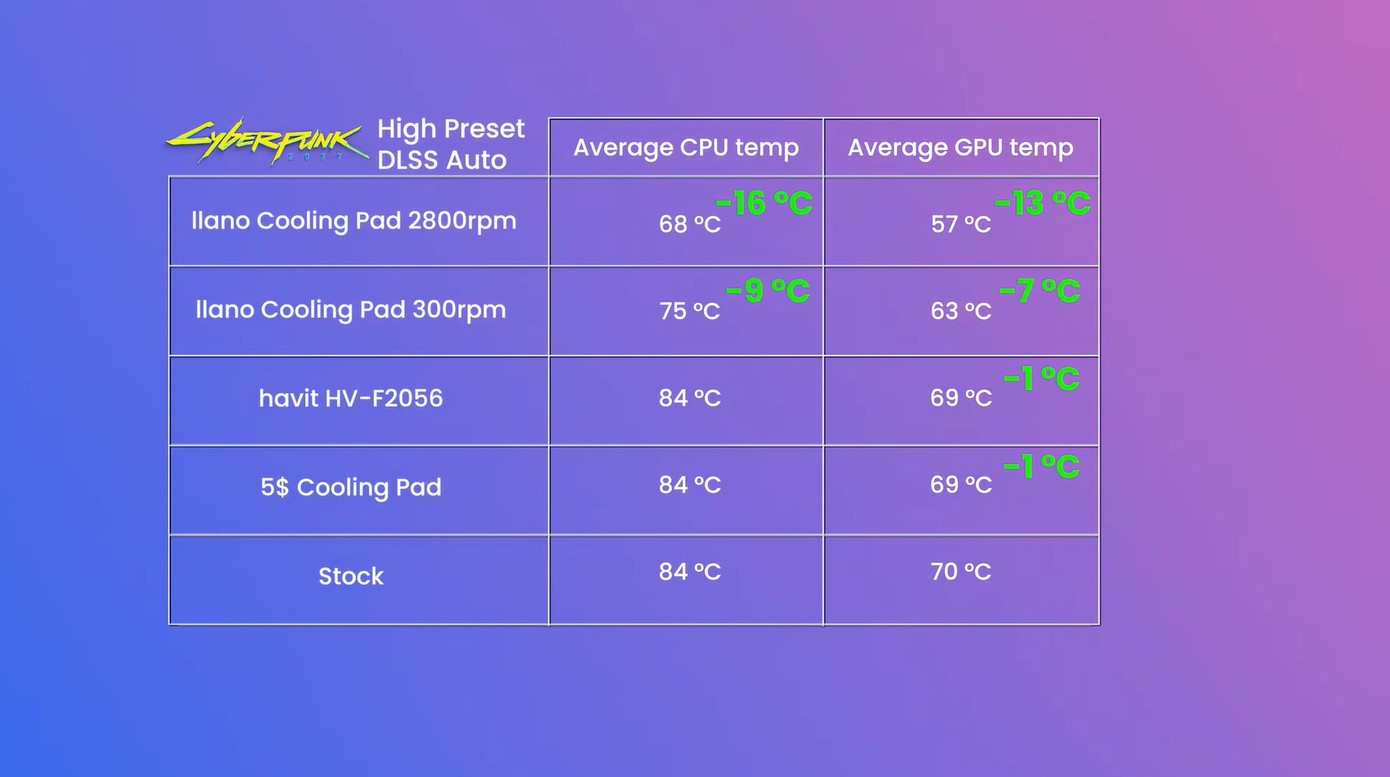
In Cyberpunk 2077, there wasn’t much change on the other two cooling pads, and the difference only started to pick up when the Llano cooler was at 300 RPM. Here it was around 9°C, and with the maximum RPM, the temperature dropped to around 16°C.
This shows that laptop coolers aren’t just a gimmick because they actually work. But what if we ramp it up with another premium cooler, which is from Razer? It would be interesting to see how well Llano performs comparatively.
While testing 3DMark Timespy, Razer’s cooling pad was slightly better than Llano’s, as it shaved around 6°C more than Llano’s. Needless to say, the more you’re willing to invest in a cooler, the better thermals you’re going to get.

Another feature that the Razer and Llano coolers have is the dust protection. These premium coolers are designed in a way that the laptop sits on a structure with foam borders to avoid getting dust in the vents.
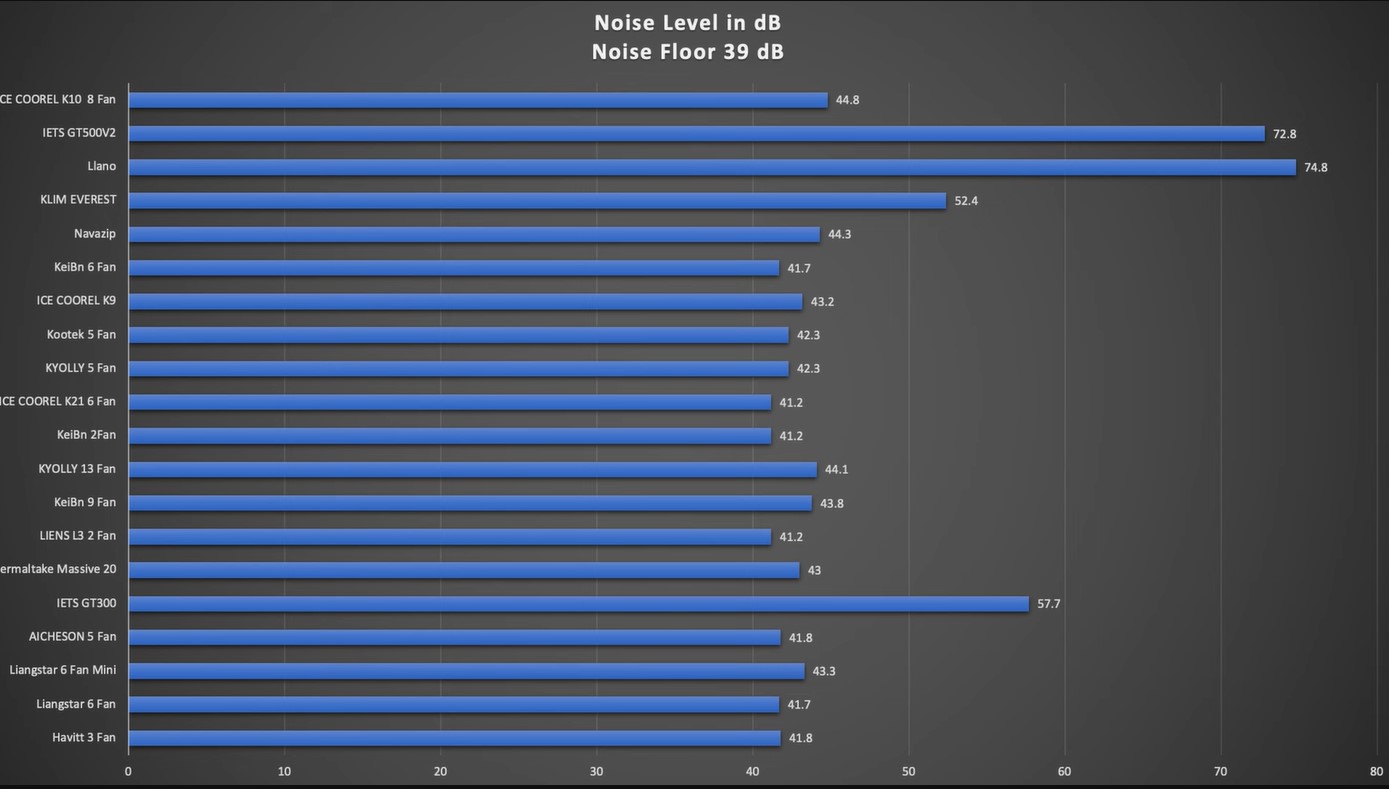
Now comes the big part: the noise levels. The cheaper ones have no issue when it comes to the noise levels, and most stay within a bearable level, but that comes with a cost of not performing as well.
In contrast, the premium coolers perform great and do their job perfectly, but they tend to get very loud. The Razer one is also on par with the Llano cooler when it comes to the noise levels.
Verdict
Now, you know that laptop coolers work, and the more you invest in a premium one, the more worthwhile it is if you’re an avid user, as it’ll be a more substantial investment. Sadly, you can’t optimise more than that, unlike on a gaming PC, where you would simply swap your stock cooler with a quieter and more affordable one.
Thank you! Please share your positive feedback. 🔋
How could we improve this post? Please Help us. 😔

Moiz Banoori, with a decade of experience in gaming and tech journalism and a degree in journalism, is a notable figure in the industry. He has contributed to various esteemed platforms, showcasing his expertise in both reporting and opinion writing.
 Join Our Community