Threads
Worth It?
Review Summary
The Corsair Galleon 100 SD is a highly specialized keyboard designed for users who want more than a standard gaming keyboard. It provides a solid mechanical foundation with Stream Deck integration. The price is firmly on the higher side, and it’s clearly not meant for everyone. However, it will serve well those streamers and competitive players who will use the extra controls. For them, it can stand out as a one-of-a-kind keyboard at a fair price.
Hours Tested: 1 Week

Overall
-
Design - 9/10
9/10
-
Build Quality - 9.5/10
9.5/10
-
Typing Experience - 9.5/10
9.5/10
-
Performance - 9/10
9/10
Pros
- Stream Deck integration
- Solid aluminum build
- MLX Pulse switches
- Hot-swappable PCB
- Lightweight, browser-based software
Cons
- High price tag
- Niche target audience
- Large footprint


Keyboards have started to blur together a bit. The same lighting tricks and the same performance promises. The Corsair Galleon 100 SD doesn’t try to hide the fact that it’s doing something different. It feels closer to a control panel than a standard keyboard. So instead of treating this like just another keyboard, this review looks at how the Galleon 100 SD fits into day-to-day use to determine what works and what feels unnecessary.
Key Takeaways
- The Corsair Galleon 100 SD is a premium, performance-focused keyboard that combines solid mechanical fundamentals with built-in Stream Deck functionality.
- You should buy the Corsair Galleon 100 SD if you want a keyboard that goes beyond typing, care about competitive-level performance, and like customization without heavy software.
- You should skip the Corsair Galleon 100 SD if you just want a straightforward mechanical keyboard, won’t use the Stream Deck keys or dials, and are sensitive to price-to-function value.
Here are the technical specifications:
| Media and Volume Controls | Yes |
| Keyboard Size | Extended |
| Wrist Rest Included | Magnetic detachable, with a leatherette cover and a memory foam cushion. |
| Keyboard Report Rate | Up to 8,000Hz |
| Keyboard Form Factor | Full Size |
| Keyboard Color | Black |
| Switch Type | Mechanical |
| On Board Memory | 8MB |
| Adjustable Height | Yes |
| Wired Connectivity | USB Type-A |
| Keyboard Connectivity | Wired |
| Keyboard Cable Material | Braided |
| WIN Lock | Dedicated Hotkey |
| Media Keys | Dedicated Media Keys, Volume Roller, Control Wheel |
| Key Rollover | Full Key (NKRO) with 100% Anti-Ghosting |
| Keyboard Layout | NA (North America) |
| Keyboard Warranty | 2 Year |
| Keyboard Compatibility | PC or Mac | Windows 10 or macOS®10.15 | CORSAIR WEB HUB & ELGATO Stream Deck |
| Weight | 1.392kg |
| USB Passthrough | USB 2.0 Type-A |
What Makes Corsair Galleon 100 SD Different?
The Corsair Galleon 100 SD stands apart from its predecessors and most competitor keyboards by combining a keyboard with a built-in Stream Deck interface, while still providing the functionality of the traditional numpad, along with 12 programmable LCD keys and two multi-function dials. Corsair designed the Galleon from the ground up as a control center rather than treating additional controls as an add-on.
Packaging & Unboxing
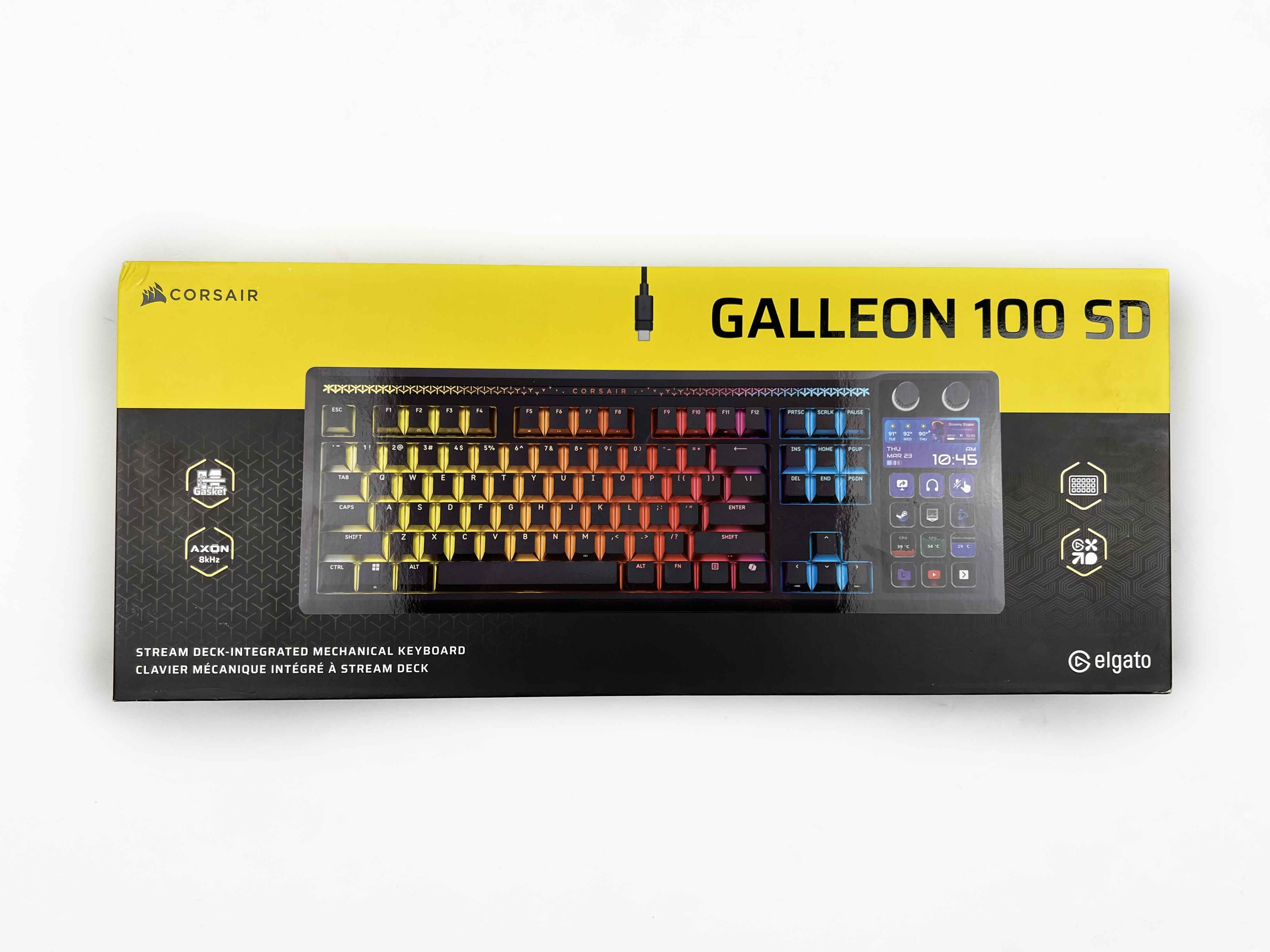
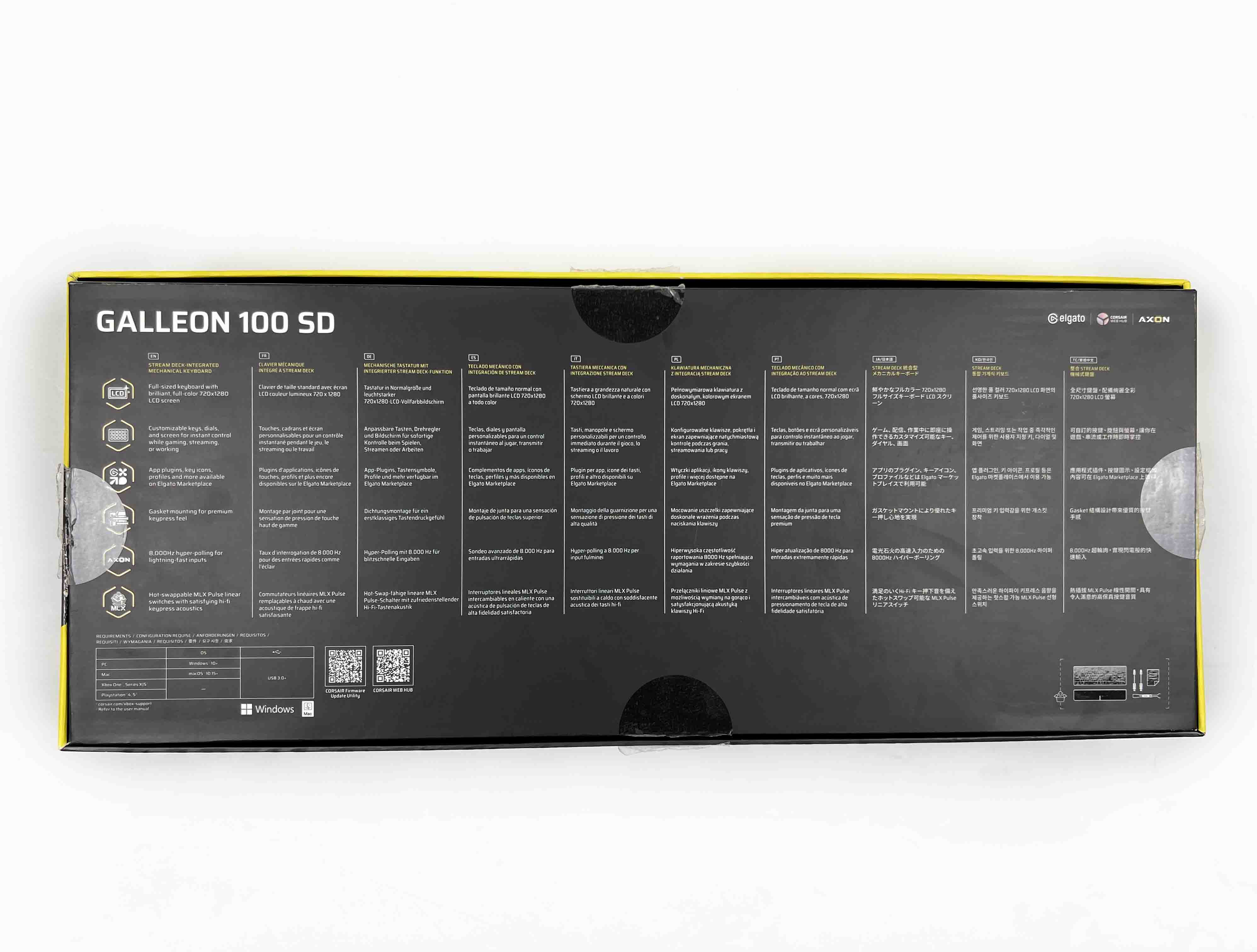
The Corsair Galleon 100 SD comes in a fairly large box with Corsair’s familiar yellow-and-black packaging. On the front of the box, there’s an image of the keyboard. Around it, Corsair highlights a few key features. Along the sides and the top, you’ll find a handful of technical specifications. Flip it around, and the back is more spec-heavy.
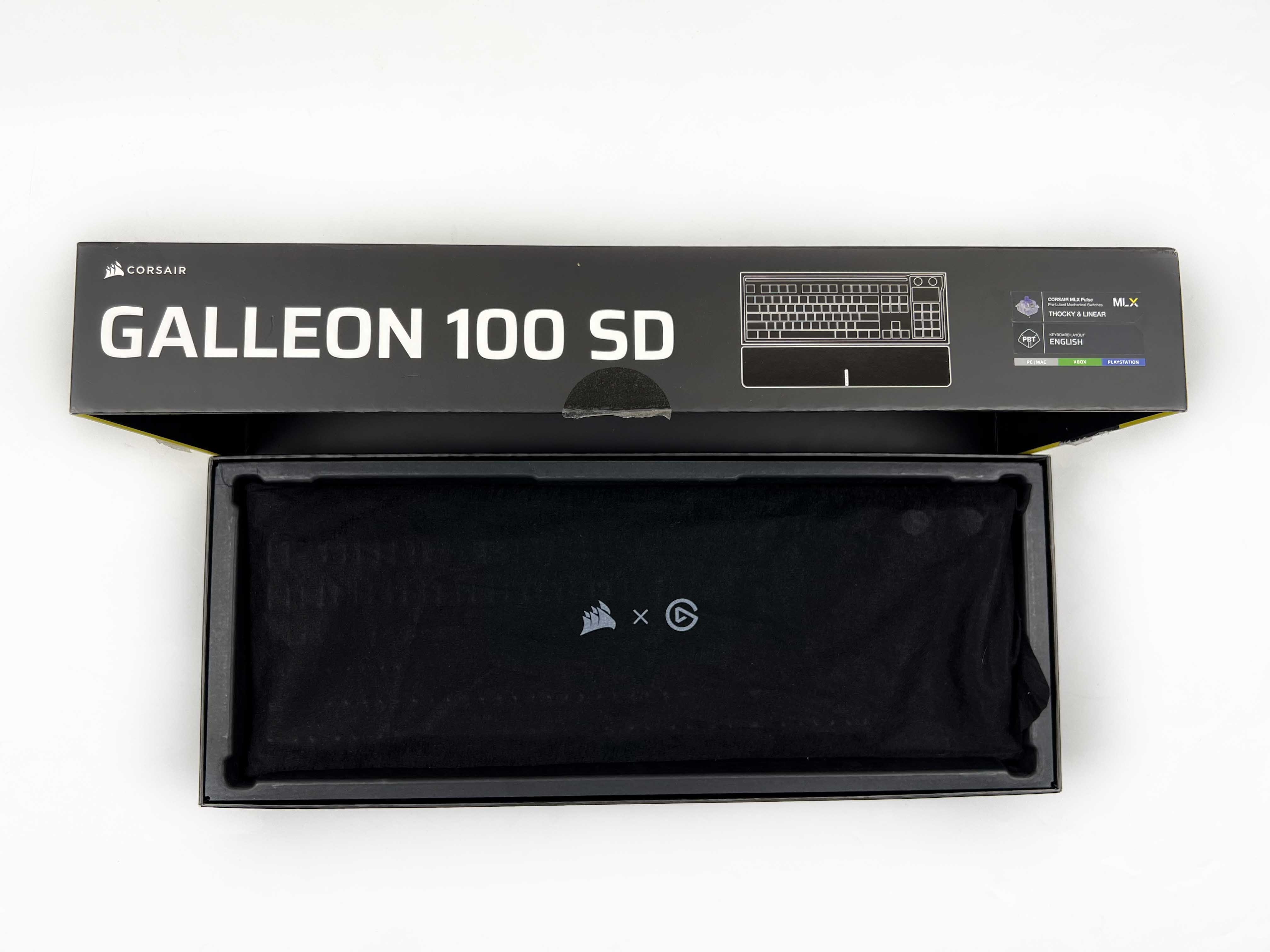
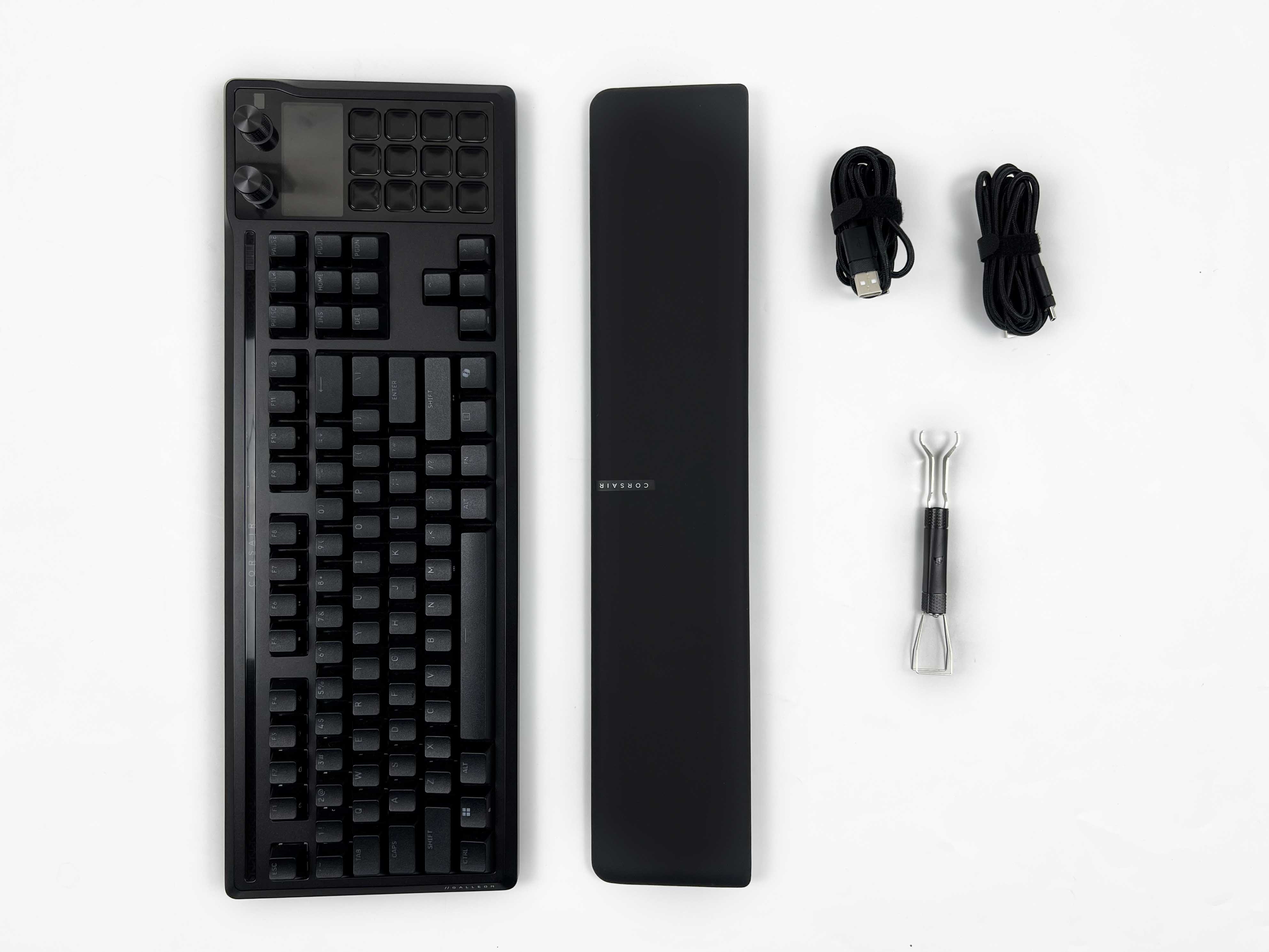
Opening the box, the keyboard is the first thing you see. It’s wrapped in a black cloth sleeve. Underneath, the rest of the box contents are arranged. You get two braided USB Type-C cables. along with a 2-in-1 switch and key puller. There’s also a safety leaflet and a wrist rest wrapped in paper.
Design
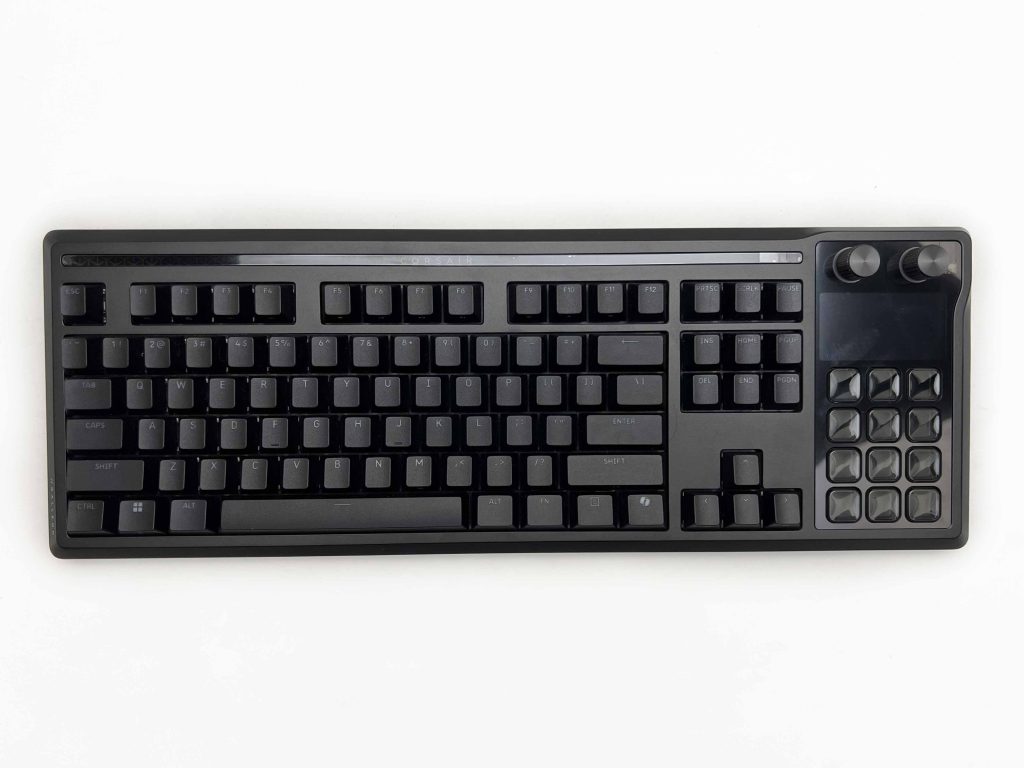
The design of the Corsair Galleon 100 SD feels busy at first glance. It doesn’t fully commit to one identity. There’s a professional side to it, especially when the lighting is off. At the same time, the extra controls and screens clearly point toward gamers and streamers. Corsair seems comfortable letting all those ideas coexist, even if that means the keyboard won’t appeal to everyone. The keyboard’s shape leans toward soft curves rather than sharp lines.
It gives the keyboard a smoother, more approachable feel. The rounded shape actually helps the keyboard blend in better. It comes in black only, which adds to that professional vibe. It doesn’t call attention to itself unnecessarily. The glossy surface finish is subtle. Here, Corsair has done a decent job of keeping fingerprints from becoming too noticeable. I didn’t feel the need to constantly wipe it down. After a few weeks of usage, it still looked tidy.
Layout
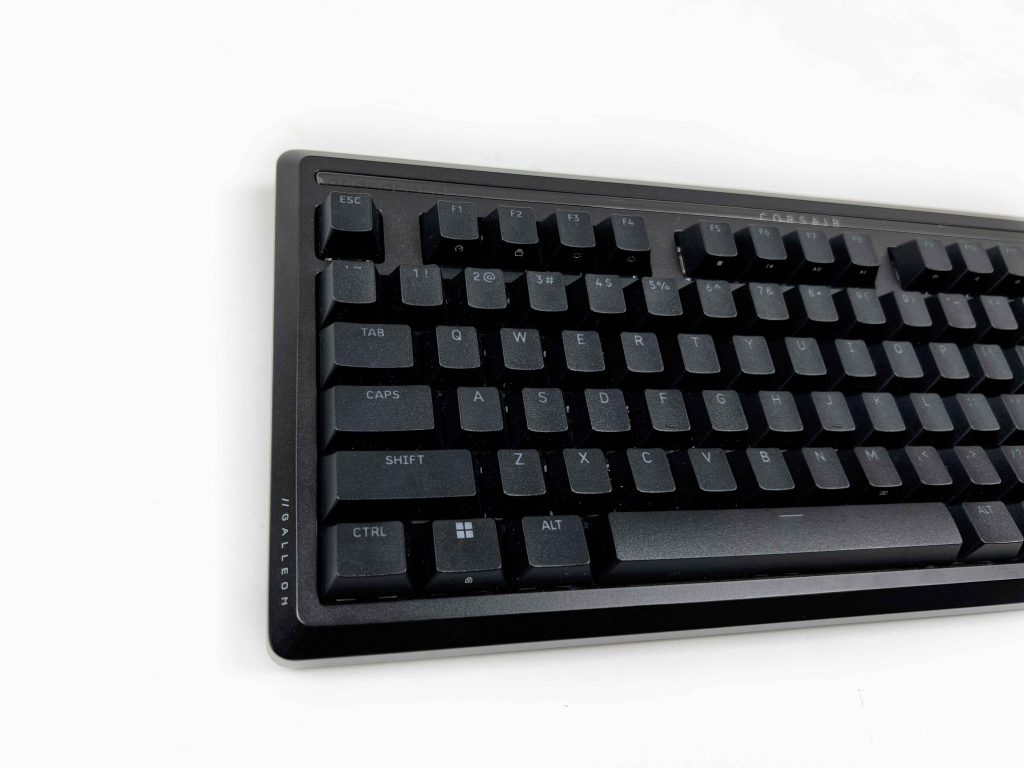
The Corsair Galleon 100 SD’s layout is easy to get used to. It’s the extra add-ons that change how you interact with the keyboard. The Stream Deck section is placed on the left, separate from the main cluster. At first, I wasn’t sure if I would reach for it naturally. However, after a short while, it began to feel like a natural extension of the keyboard. The keyboard is what I’d call an extended full-size. Corsair has kept the North American layout.
The dimensions are fairly substantial at 448 x 159 x 42 mm. It takes up more space than a typical full-size board. You don’t feel like you’re losing space, but it does occupy a noticeable presence. Nevertheless, that extra footprint gives the Stream Deck, screen, and rotary dials room to exist without feeling crowded. The spacing between keys is comfortable. Your hands naturally settle on the regular keys first, and reaching over to the extra controls feels intentional.
Stream Deck
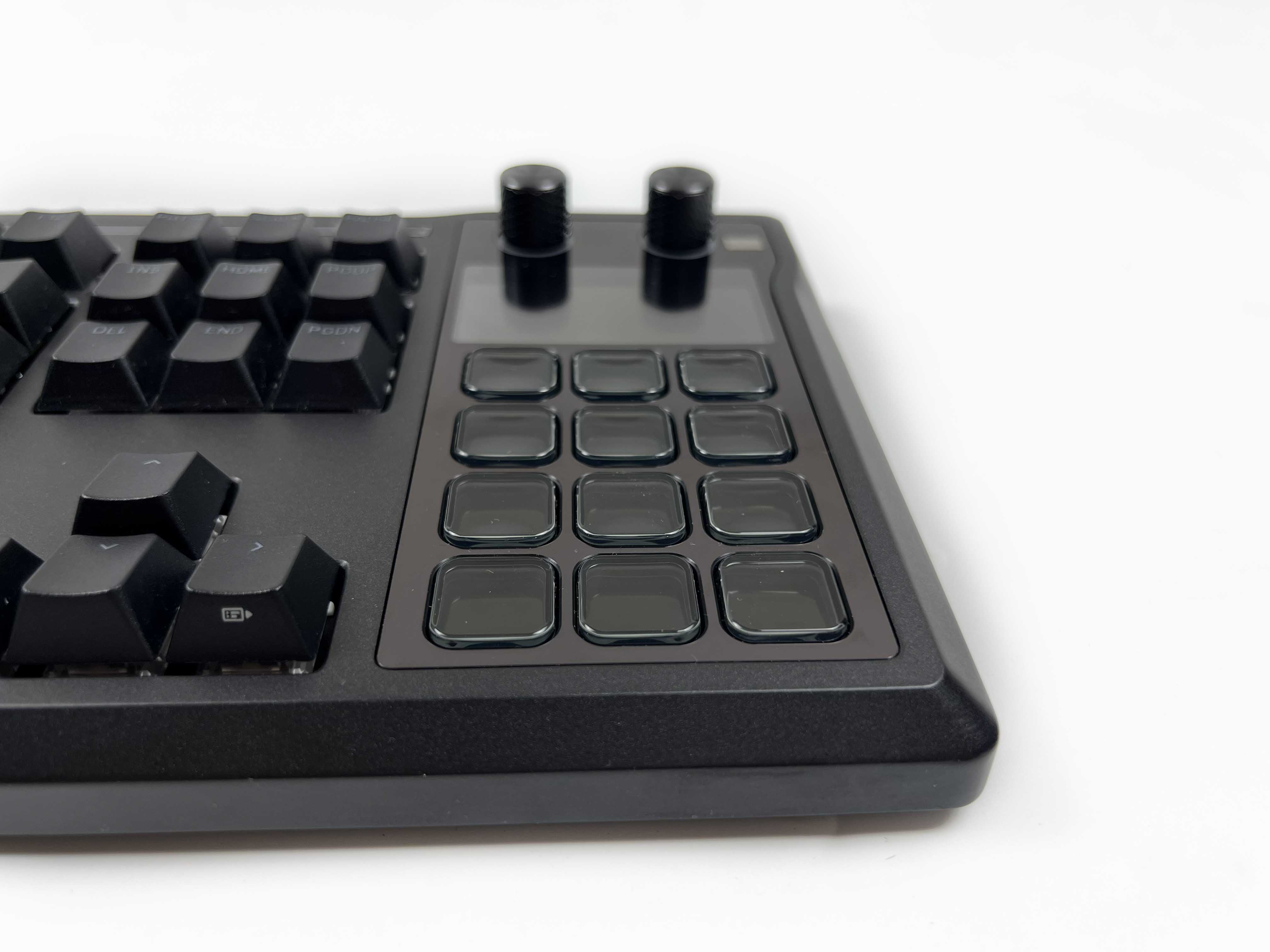
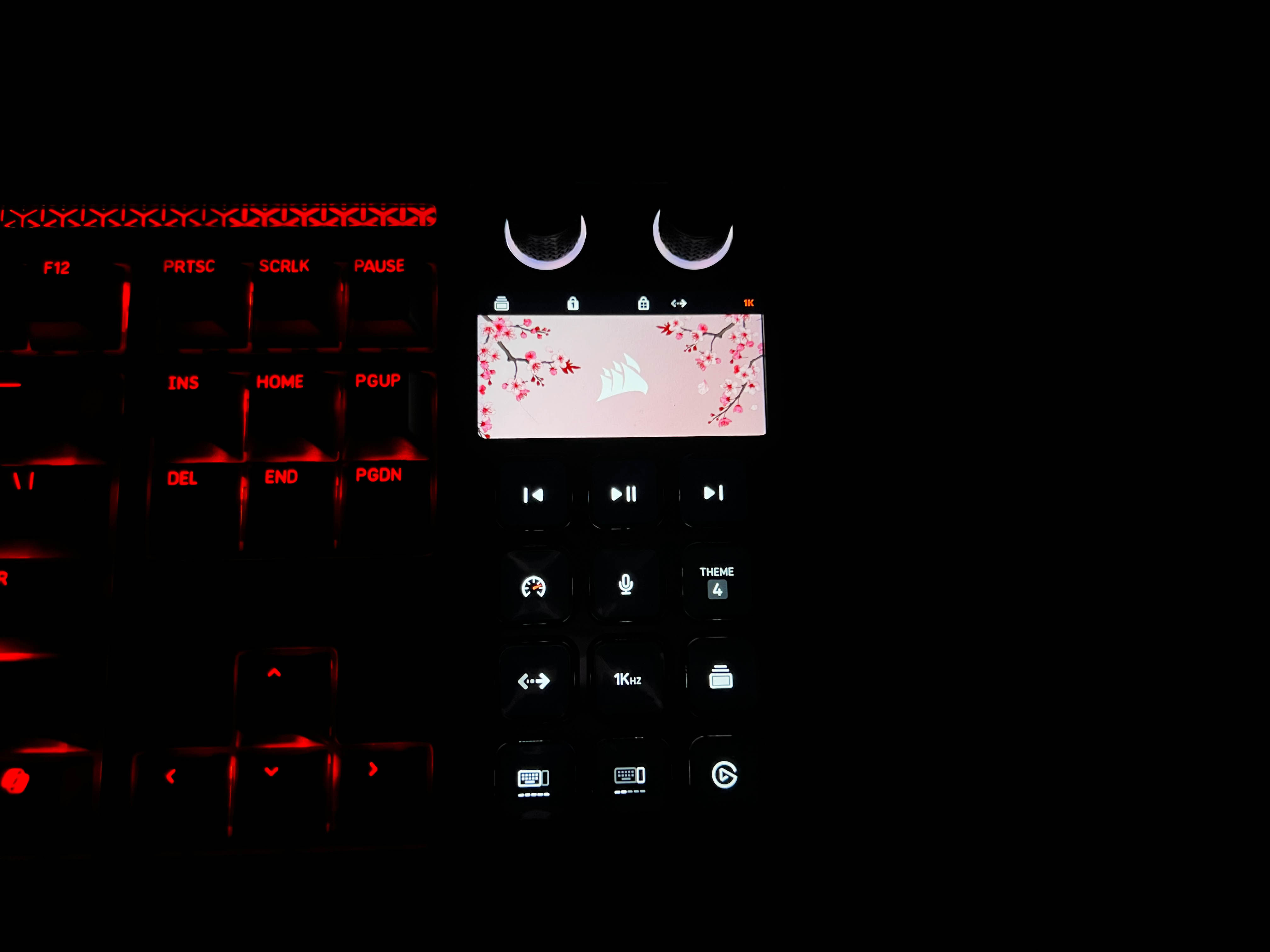
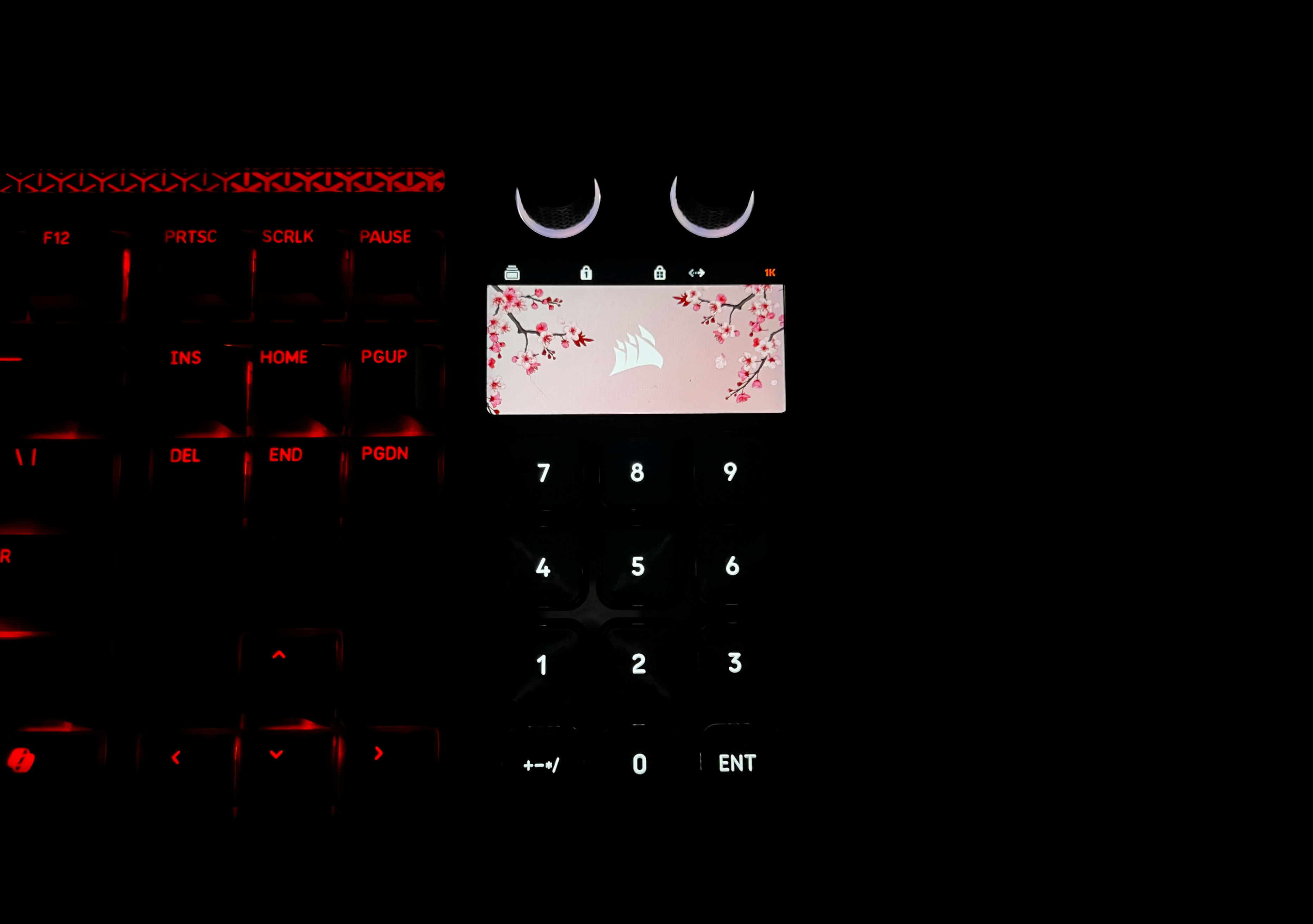
The Stream Deck on the Galleon 100 SD has twelve keys, each with its own tiny display, and they are customizable. You can set custom icons, folders, or assign multiple actions with Multi Actions. In practical terms, that means one key can do several things at once. It can start a recording, mute a mic, or even launch an app. I found that really useful for both streaming and productivity. Outside of streaming, you can assign the keys to music playback or creative tools.
Essentially, it lets you combine many repetitive tasks into a single press. The Stream Deck handles two different operating modes. There’s Hardware Mode, which runs entirely on the keyboard’s onboard memory. In this mode, everything works immediately when you plug the keyboard in, with no software required. Then there’s Stream Deck Mode, which uses the Elgato Stream Deck software. Here, the keys become fully software-driven. It’s ideal if you want extensive automation.
LCD Screen
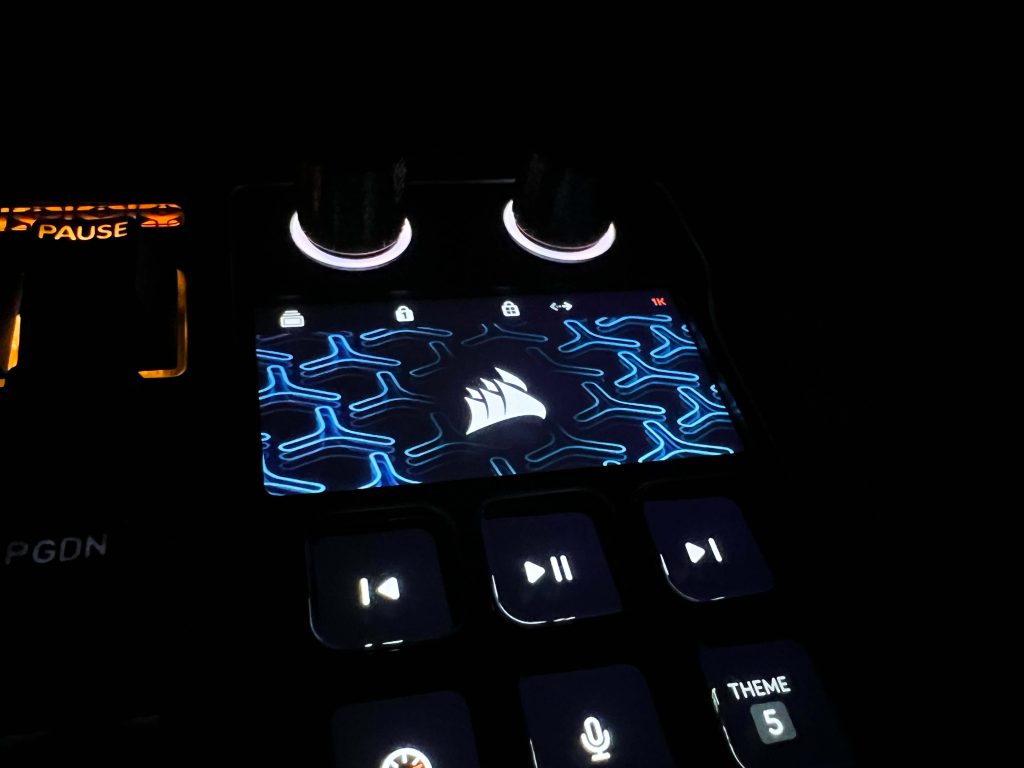
The LCD screen on the Corsair Galleon 100 SD is placed right above the Stream Deck keys. The display has a sharp 720×1280 resolution. You can use it to monitor system performance, view active stream indicators, or track timers. It can even display custom visuals, like wallpapers or animations. When you switch to Stream Deck mode, the screen becomes more interactive. It reacts to the keys below it, showing shortcuts or visual feedback for actions.
In actual usage, this made it easier to keep track of multiple things at once without constantly switching windows. This keeps everything within one field of view. The integration into the keyboard feels natural. You look at it when needed and ignore it otherwise. Over time, it actually made multitasking smoother. I caught myself using it more than I expected. It’s practical and integrated in a way that makes sense once you start using it.
Rotary Dials
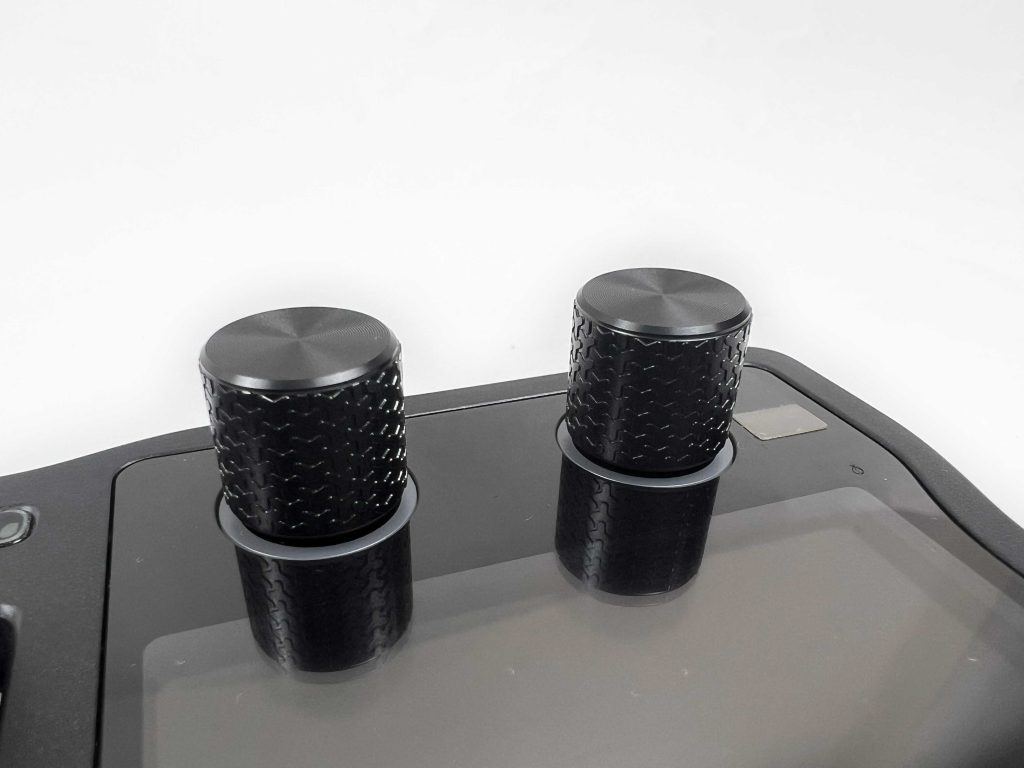
The Corsair Galleon 100 SD comes with two physical rotary dials. They look simple, but their usefulness becomes clear once you start using them. These dials give you precise control. You can adjust things in small increments. Rolling them is smooth but tactile enough that you feel each step. Pressing them down also registers, which opens up extra layers of control. I found them handy because you can make small adjustments.
Each dial can handle multiple actions depending on what mode you’re in. A single dial might adjust system volume in one layer or control lighting brightness in a second. Switching between these layers is simple. You only need to press the dial for three seconds to change the active function. A subtle indicator shows you which layer you’re using. This way, you get a lot of versatility without cluttering the keyboard with more knobs or buttons.
Underside
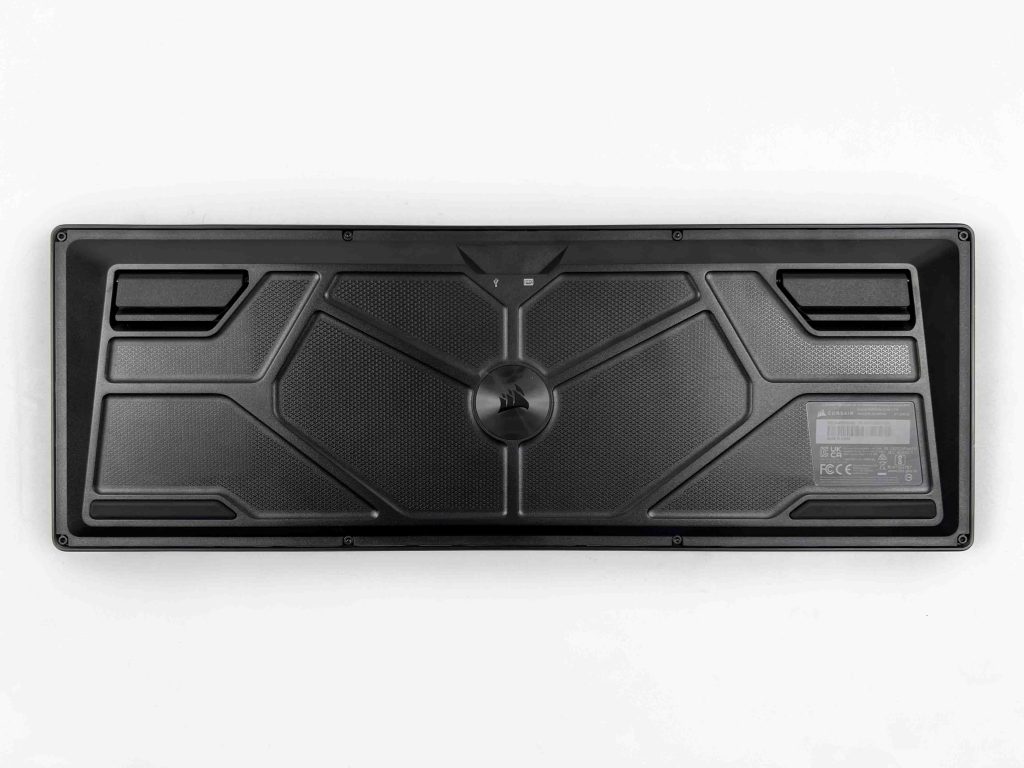
Flipping the Galleon 100 SD over there are two substantial rubber feet at the bottom corners that keep the keyboard in place. On my desk, which can sometimes let keyboards creep forward or slide around, this one stayed stable. You don’t have to worry about the keyboard shifting during aggressive usage. At the top, there are two flip-out feet that let you adjust the angle. They feel sturdy and click into place firmly.
Once extended, the tilt offers a comfortable wrist position. It’s subtle, but it makes long typing sessions more enjoyable. With it, my wrists felt at ease. The plastic has a pattern etched into it, making the underside feel more appealing than a flat slab. Thinking long-term, the rubber pads and flip-out feet feel durable. The rubber seems thick enough to resist wear, and the feet don’t wobble, so I don’t expect them to get loose over time.
Build Quality
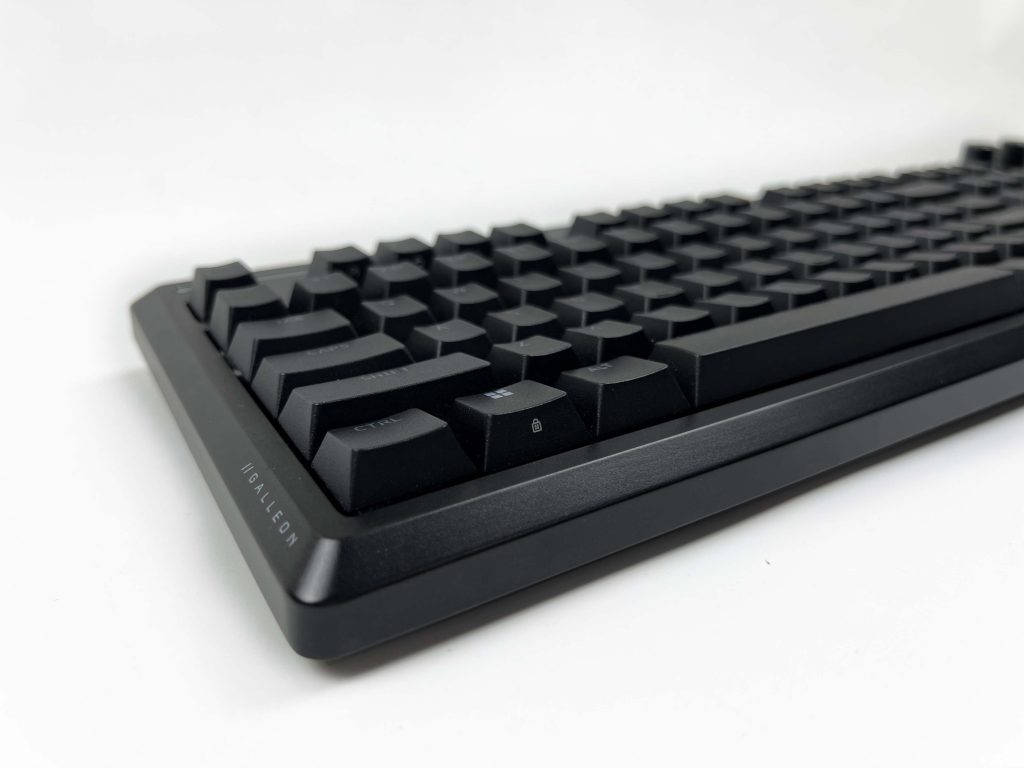
The Galleon 100 SD feels solid when you pick it up. There’s a sense of rigidity right away. The keyboard doesn’t flex, even when pressing rigorously on the edges. That sturdiness comes partly from the top plate, which is made of sleek aluminum. It gives the keyboard a premium look and feel while also making it resistant to bending. This kind of material feels more high-end than typical plastic tops. The weight distribution is thoughtful, and it doesn’t feel heavy from any side.
I tried pressing down in the middle and along the corners to test pressure flex, and there’s none. Even when I gave it a firmer push, the keyboard didn’t make any unusual noises. Speaking of which, there’s no structural noise. Everything feels tight and consistent across the keyboard, which speaks volumes about build consistency and quality control. I’d expect this keyboard to hold up well. Everything seems sturdy enough to survive years of regular use.
Keycaps
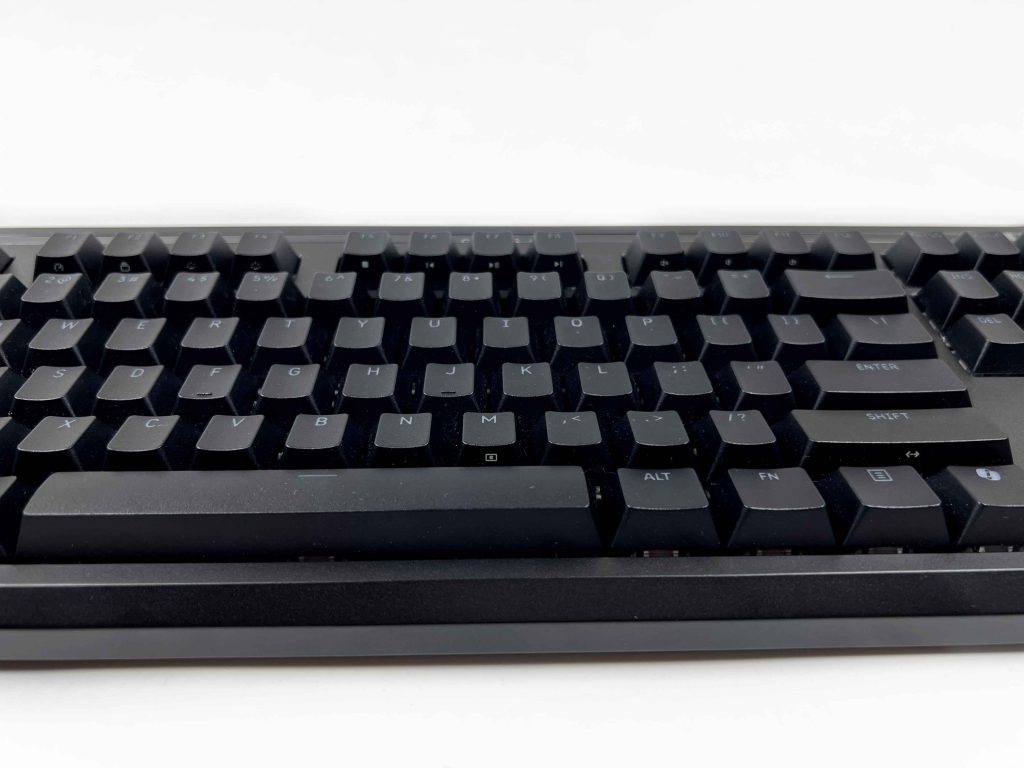
The Galleon 100 SD’s keycaps are made from durable PBT plastic. That thickness gives them a solid feel without being heavy, and it contributes to their long-term durability. Over time, these keys won’t develop the glossy, worn-down look that cheap keycaps often get. The texture feels right under my fingers. It’s slightly matte, which gives enough grip. However, it’s smooth enough that your fingers slide naturally.
Even after long sessions, my hands didn’t feel tired, which is important to someone like me who writes thousands of words every day. Legends are clear and perfectly aligned across every key. Each key looks just as good from a normal sitting position as it does up close. The consistency across all keys is impressive. While the integrated Stream Deck keys are different, the main keyset is compatible with standard aftermarket keycaps.
RGB Lighting
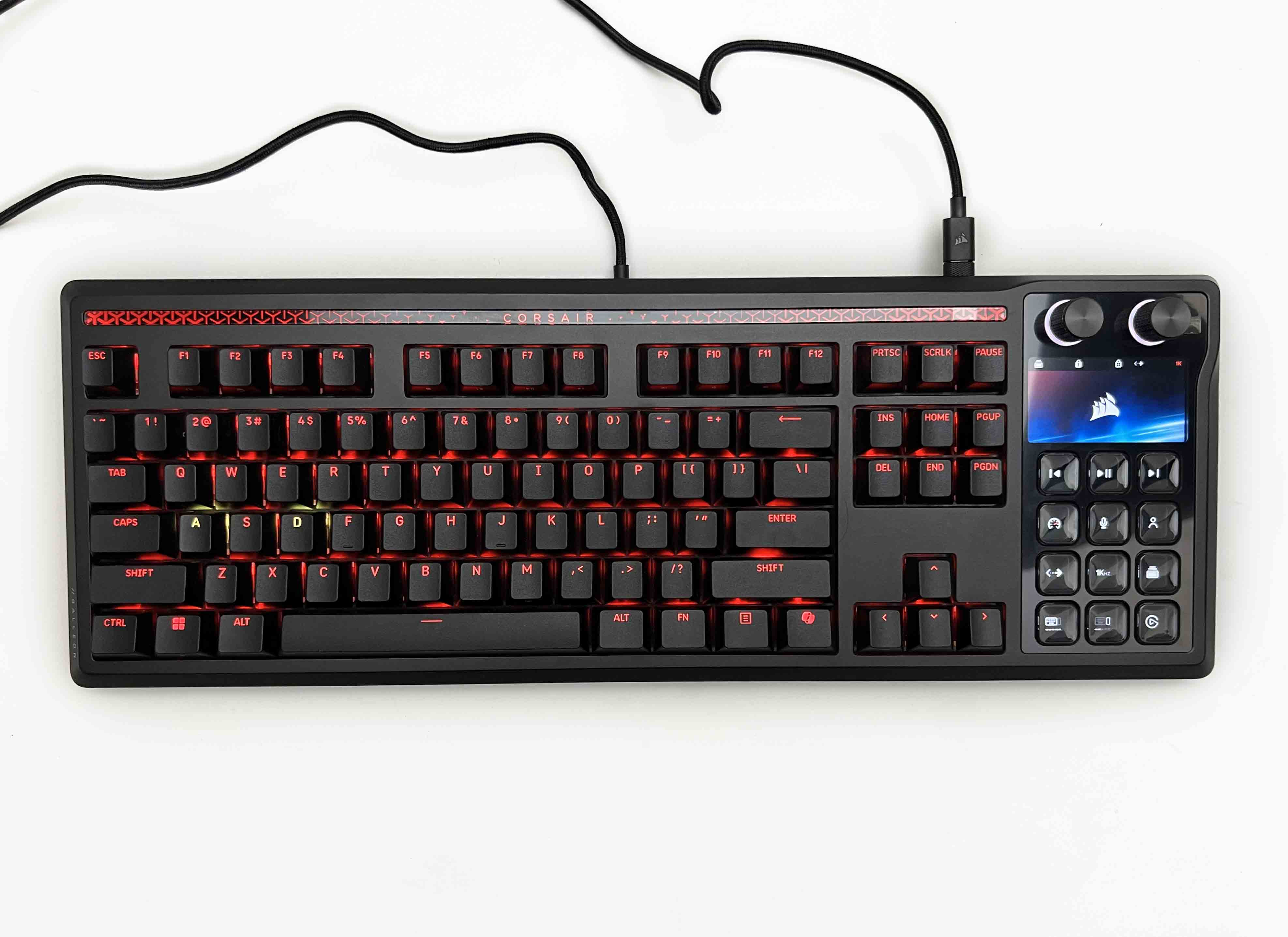
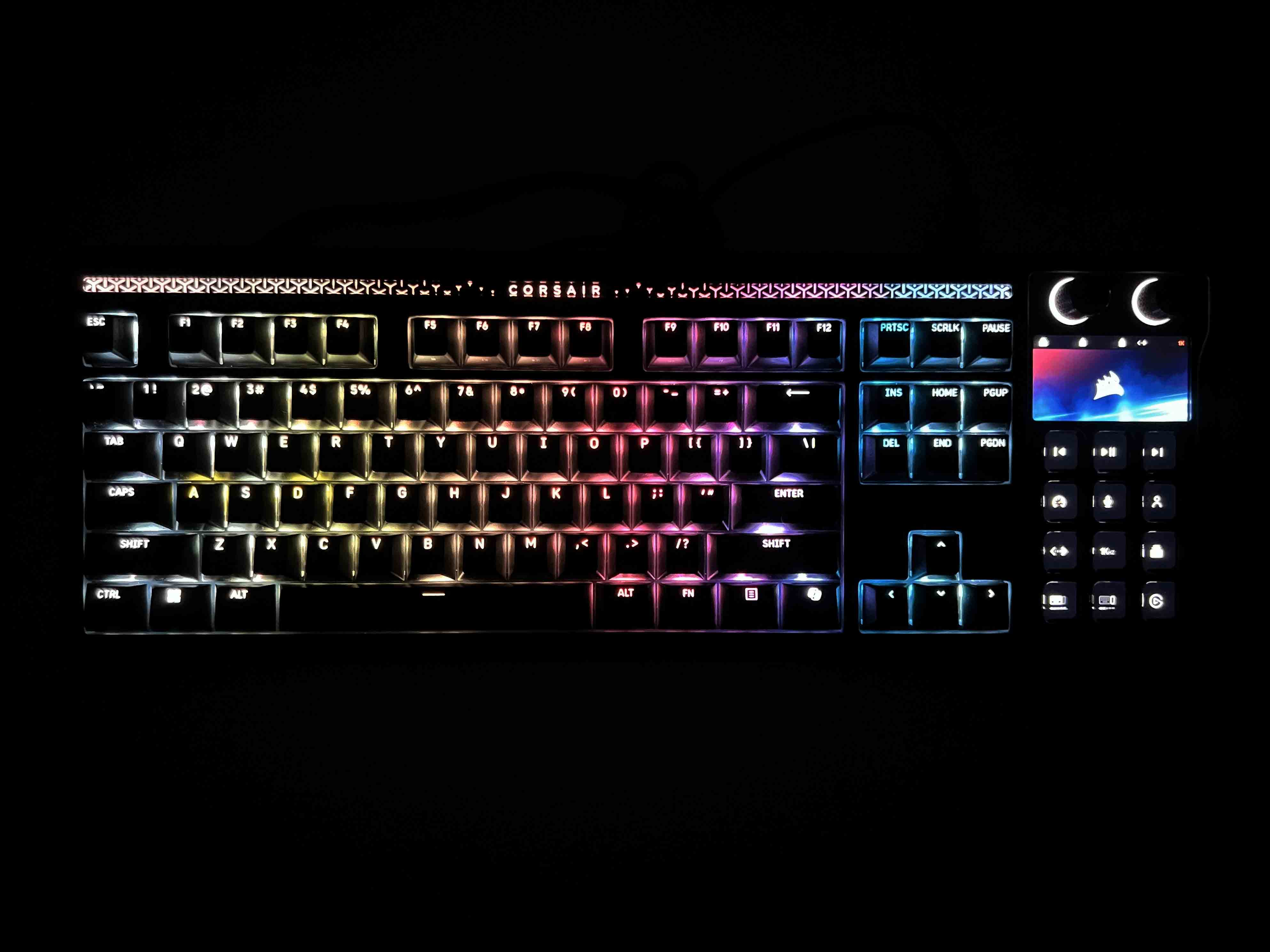
The RGB lighting on the Galleon 100 SD feels understated rather than flashy. LEDs are neatly placed under each key, providing a clean glow through the legends. There’s no noticeable gap or dim spots, and the lighting spreads evenly, which makes the keyboard look coherent from any angle. At the top of the keyboard, there’s a dedicated RGB panel with the Corsair logo and subtle patterns. Brightness levels are impressive.
In a well-lit room, the keys are easy to read, whereas in darker environments, the colors really stand out. Light diffusion is well handled, with every key receiving smooth, uniform illumination. The Stream Deck keys get their own lighting, which integrates nicely with the main keyboard. When the LCD screen is active or showing animations, the keys’ glow doesn’t clash. Effects like breathing, waving, or reactive typing are smooth.
Switches
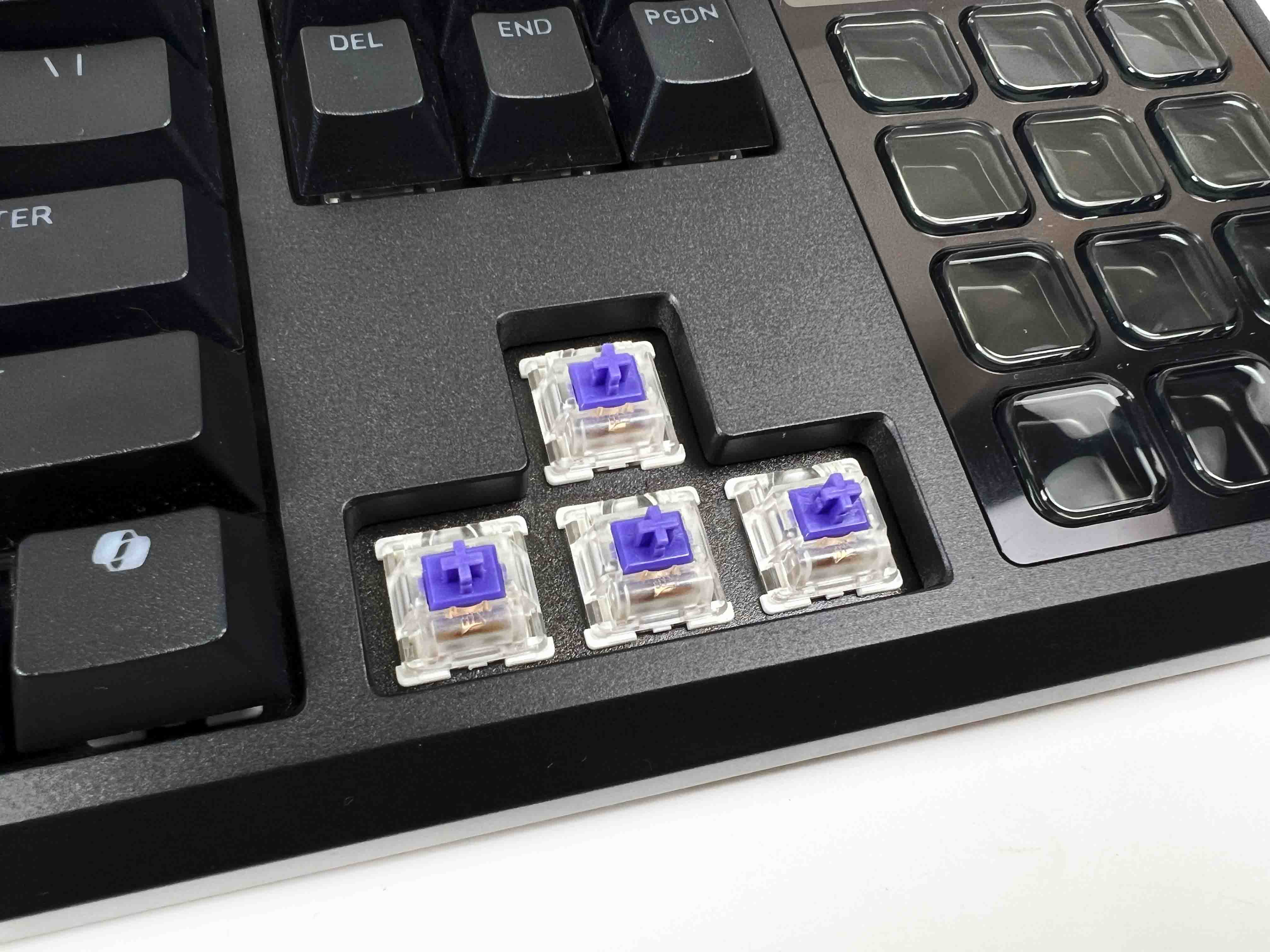
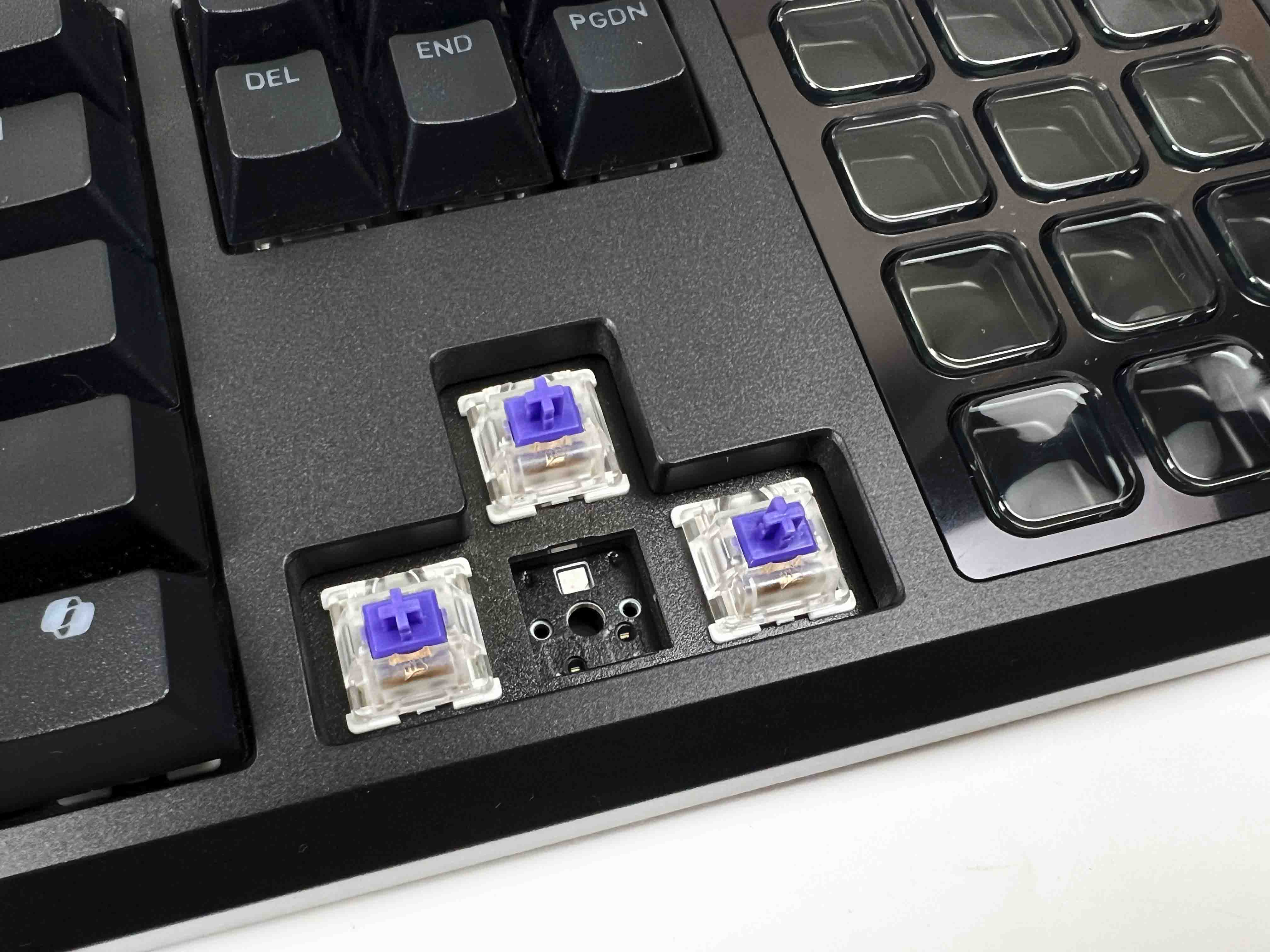
Corsair went with its MLX Pulse Thocky switches here. These are tactile switches, but not the sharp kind. The bump is rounded. They’re long-pole switches, and that changes the character of each keystroke more than you might expect. The force rating is at 45g, which lands in a comfortable middle ground. Light enough to move quickly and heavy enough that accidental presses don’t happen. The actuation point is at 2.0mm.
The keyboard is hot-swappable. You can switch between both 3-pin and 5-pin switches. If customizing the look and feel of your board is something you prefer, be sure to explore our best custom gaming keyboards list. Corsair rates these switches for 80 million keystrokes, which sounds like marketing until you actually use them for a while. Nothing about the feel suggests they’ll soften or degrade quickly, as the tactility doesn’t feel fragile.
Typing Experience
Typing on the Galleon 100 SD feels comfortable from the start. There’s a gasket mount underneath all of this, and you can feel it once you get into long writing sessions. The thocky sound is controlled. You get a deeper note on bottom-out, with very little extra noise layered on top. There is no sharp snap or hollow echo from the case. It stays quiet, even when you’re typing quickly. A lot of that comes from the switches being pre-lubed.
Even slow presses feel smooth. The inclusion of a wrist rest enhances the experience more than you might expect. It’s a full-width piece that lines up cleanly with the keyboard, measuring 447 x 89 x 21 mm. At 224.6 grams, it doesn’t slide around when you rest your hands on it or shift position. The attachment is magnetised and snaps into place without fuss. Underneath, the memory foam compresses slightly when your wrists are placed, then holds its shape.
Connectivity
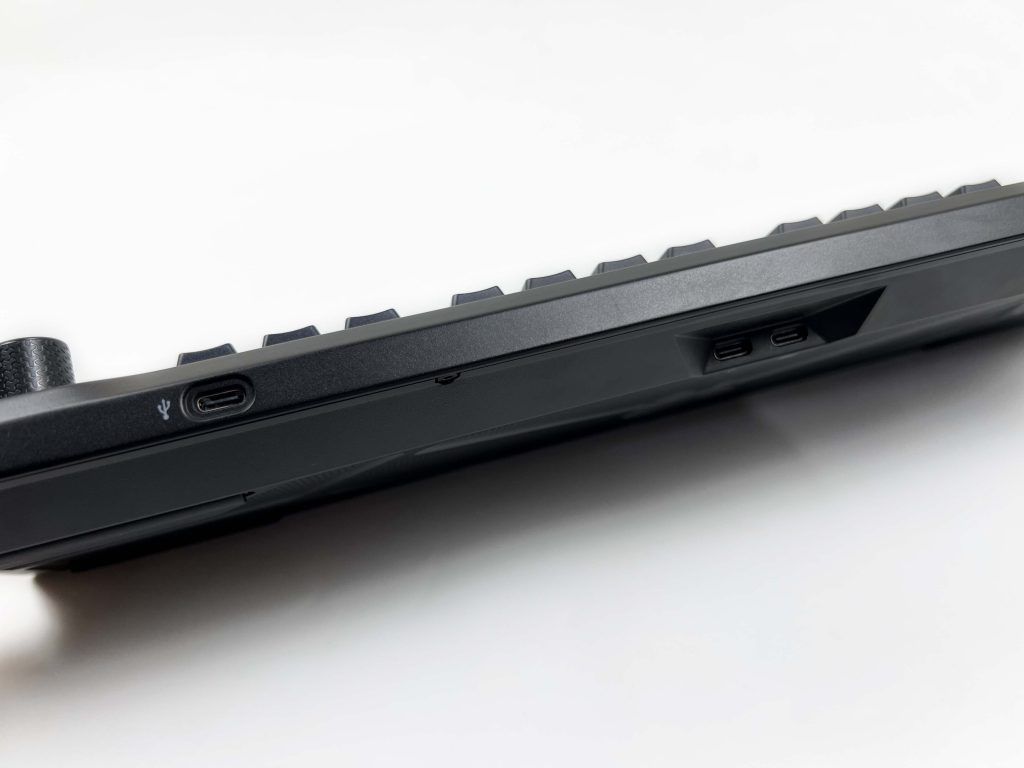
The Galleon 100 SD is a wired keyboard, but it doesn’t run off a single cable. Corsair went with a dual-USB setup here. There are two USB Type-C ports on the back. One handles the keyboard itself. This port tucked neatly into a recessed cutout so the cable doesn’t stick out awkwardly or bend at a sharp angle. In use, it feels rock-solid with no hiccups. The second port exists for a different reason. It’s there purely for USB passthrough.
You can plug in a mouse dongle, a headset receiver, or even a USB drive. It behaves as if it’s connected directly to your PC. On a crowded desk, this ends up being genuinely useful. It helps clean up cable routing a bit, especially if your PC is placed under the desk. Since this review focuses on a wired powerhouse, you might also be interested in our best wireless gaming keyboards guide, which explores top keyboards that ditch cords without sacrificing performance.
Performance
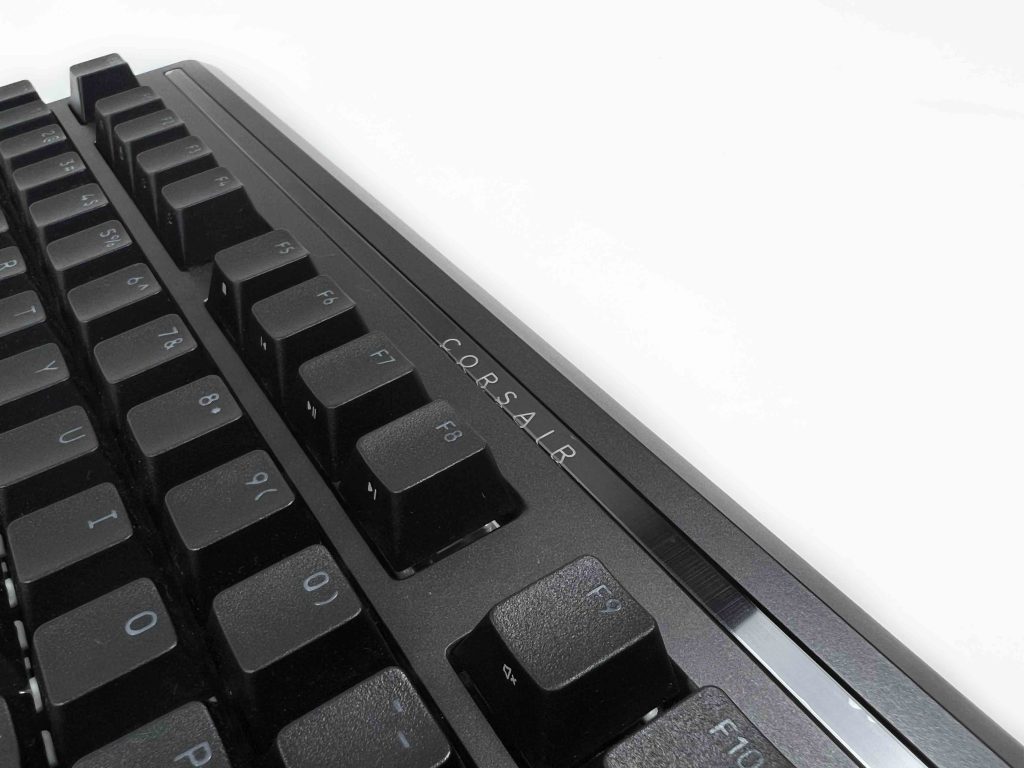
Every keypress on the Galleon 100 SD registers instantly, with almost zero perceptible lag. With full N-key rollover and anti-ghosting, you can smash combos or spam multiple keys at once. That performance carries over into competitive gaming. In FPS games, movement keys respond immediately. For MMO or MOBA games, where you’re pressing dozens of abilities or macros, the keyboard handles simultaneous presses comfortably.
While gaming, you can turn on Game Mode. It stops accidental presses from interrupting your gameplay. The Windows key or other inputs get blocked while playing. Its 8,000Hz polling rate keeps input consistent. Alongside this, it includes FlashTap SOCD handling. Even under heavy use, such as repeated rapid keystrokes or intense combos, the keyboard performed remarkably well. There are no awkwardly stuck inputs.
Software
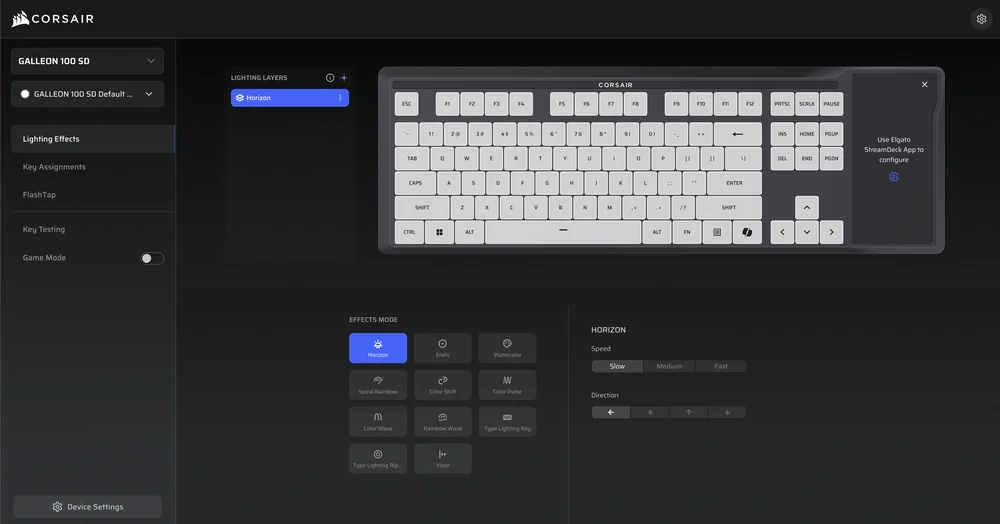
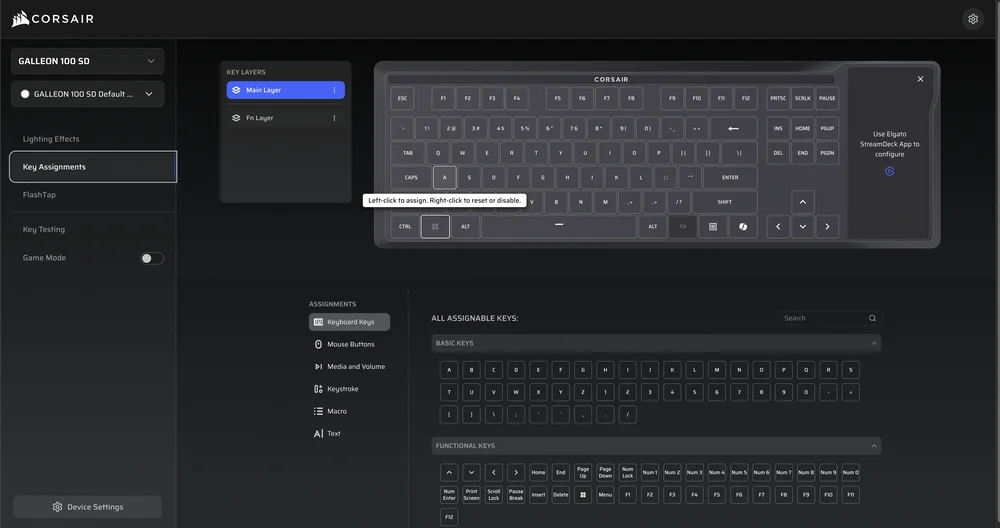
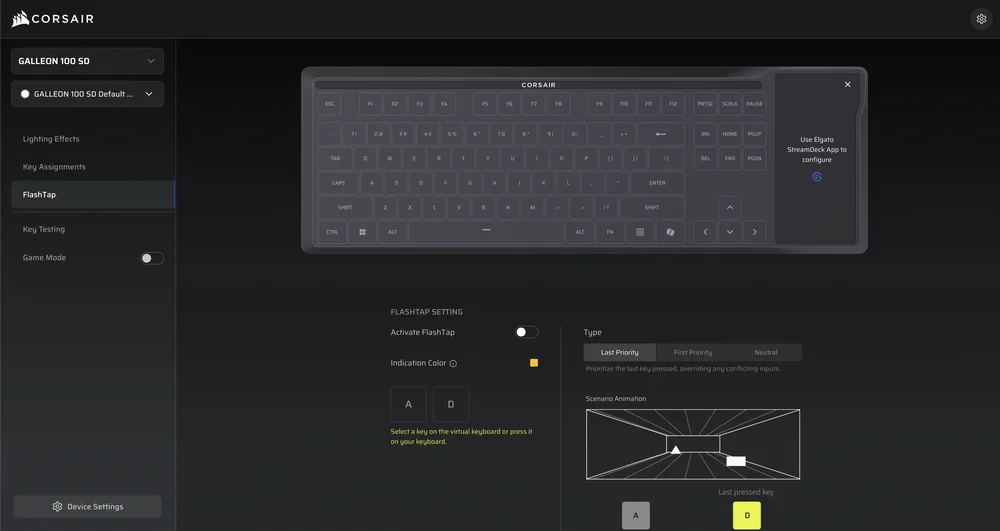
The Galleon 100 SD supports Corsair Web Hub, which is browser-based software. You just need to open it, connect the keyboard, and make changes on the go. The settings are stored directly on the keyboard, with its 8 MB of onboard memory. It means once you configure something, it is kept saved even if you close your browser or move the keyboard to a different PC. Web Hub covers all the essentials. The interface helps visually.
It lets you see your changes in real time, so you don’t have to guess what will happen before hitting apply. You can remap keys, assign secondary functions, or adjust how inputs work to better fit your workflow. Unlike Stream Deck settings, which happen in Elgato’s software, these changes affect the primary keyboard functions. The learning curve is simple. However, there’s enough depth for those who like to fine-tune every aspect of their keyboard.
Should You Buy it?
Buy it if
✅ You want a keyboard that goes beyond typing and gaming: The built-in Stream Deck keys and dials genuinely change how you interact with games, apps, and workflows, especially if you’re streaming, editing, or multitasking.
✅ You care about competitive-level performance: With high polling rates, low latency, FlashTap SOCD, this keyboard is clearly made for competitive players who prioritize input responsiveness.
Don’t buy it if
❌ You just want a straightforward mechanical keyboard: If your needs stop at good switches, solid build quality, and basic RGB, this will feel excessive. Many cheaper boards can cover that without the added complexity.
❌ You won’t use the Stream Deck keys or dials: The extra hardware is the core of the product. If those controls stay unused, a large part of the keyboard’s appeal and cost goes to waste.
My Thoughts
The Galleon 100 SD leaves a strong impression. It’s a keyboard that clearly has thought put into every detail, especially the integration of the Stream Deck. It doesn’t feel like a collection of features thrown together. Instead, it feels like a single, cohesive device for both gaming and productivity. At US$349.99, it’s on the higher side and definitely aimed at a niche audience. That said, it’s a unique keyboard that makes the price justifiable for the right user.
Thank you! Please share your positive feedback. 🔋
How could we improve this post? Please Help us. 😔

[Hardware Reviewer & Editor]
After many years of exploiting various pieces of hardware, Abdul Hannan now serves as an editor at Tech4Gamers. He’s been in the PC hardware reviewing industry for almost a decade, and his staff of passionate geeks and reviewers is second to none.
Abdul Hannan is constantly seeking new methods, you will always see him running into New Computer Courses to improve the performance of his computer components since he is an ardent overclocker. He is well-known for providing the most extensive and unbiased analysis of the newest and greatest hardware for PC gaming, including everything from GPUs to PSUs.
 Join Our Community