Threads
Setup Goals?
Review Summary
The Womier DUO87 tries to do more than just deliver a simple keyboard experience. It combines a gasket-mounted structure with layered foam for a softer feel, but the main highlight is the modular screen system that can be mounted on the keyboard or used separately on your desk. Along with a small decorative figure, it leans heavily into desk aesthetics rather than pure functionality. Overall, it’s best suited for users who want something visually different on their desk.
Hours Tested: 1 Week

Overall
-
Design - 9/10
9/10
-
Build Quality - 8/10
8/10
-
Typing Experience - 8.5/10
8.5/10
-
Performance - 8/10
8/10
Pros
- Unique modular screen system
- Strong typing foundation for a prebuilt
- Desk presence is genuinely strong
- Good balance of sound tuning layers
- Flexible VIA-based customization
Cons
- Non-shine-through keycaps limit RGB impact
- Basic included cable
- Split software ecosystem adds setup friction
- Wired-only connectivity


The Womier DUO87 doesn’t look like your usual TKL. There’s a bit more going on here. Recently, I’ve been going through a few Womier keyboards in a row. The WD75, the SK75 TMR, and the ERA75 all passed through my desk not too long ago. So at this point, I have a rough idea of how Womier approaches their keyboards. They like to experiment a bit with how the keyboard feels as a whole product.
With the Womier DUO87, that idea feels a bit more intentional. It almost comes across like the keyboard is trying to play two roles at once. On the one hand, it’s still a regular TKL you’d use for typing or gaming. Then there’s the screen, which changes how you interact with it. It depends on how much you actually care about that kind of thing. So that’s what I’ll be focusing on here.
Key Takeaways
- The Womier DUO87 mixes solid typing performance with a strong focus on visual design. The overall experience leans more toward desk presence and customization rather than pure enthusiast-level refinement.
- You should buy the Womier DUO87 if you want a keyboard that offers more than just typing, and enjoy a strong visual desk setup with a modular screen and added decorative elements.
- You should skip the Womier DUO87 if you prefer a clean, minimal keyboard, don’t care about screen-based features or extra desk accessories, and want something more focused on pure performance.
Here are the technical specifications:
| Case Color Option | Black/Retro Gray |
| Anti-Ghosting (NKRO) | Supported |
| Supported Layout | ANSI/ISO |
| Screen Dimension | 54.46*82.99*2.1 (MM) (W*H*T) |
| Animated GIF Supported Sizes | 320*480 MM |
| Total Key | 88 Keys |
| Layout Size | TKL |
| Screen Type | TFT Screen |
| Hot-Swap | Supported |
| Case Material | ABS |
| Case Processing | Injection Molding |
| PCB | 1.2MM, FR4 Material with Flex Cuts |
| Software | VIA (Keyboard)/ PC Software (Screen) |
| Lighting | Full RGB |
| Backlight LED | South-Facing RGB |
| Switch Compatibility | 3/5 Switches Compatible |
| Stabilizer | Plate-Mounted & Pre-Lubed Stabilizers |
| Mounting Style | Gasket Mounted |
| Plate | ABS Material, Flex Cuts |
| Sound Dampening Foam | Poron Plate Foam, IXPE Switch Pad, PET Acoustic Pad, EPDM Case Foam, Silicone Sound Dampening Pad |
| Connection | Wired |
| Polling Rate | 1000Hz |
| Interface | USB Type-C |
| Open-Source Firmware | Supported |
| Compatible System | Windows/macOS |
| Keycaps | Cherry Profile Double-Shot |
| Switches | Womier POM Switches |
| Weight | 1102g |
| Dimension | 368.2*144*44.3 (MM) |
| Warranty | 1 Year |
What Makes the Womier DUO87 Different?
The Womier DUO87 sits in an interesting spot within Womier’s own lineup. Instead of focusing purely on typing feel or materials, it introduces the modular screen system as a core part of the identity. That alone shifts how you interact with the keyboard on a daily basis. Most keyboards in this price range try to win on performance. Instead, Womier adds a visual layer you don’t really see elsewhere.
Packaging & Unboxing
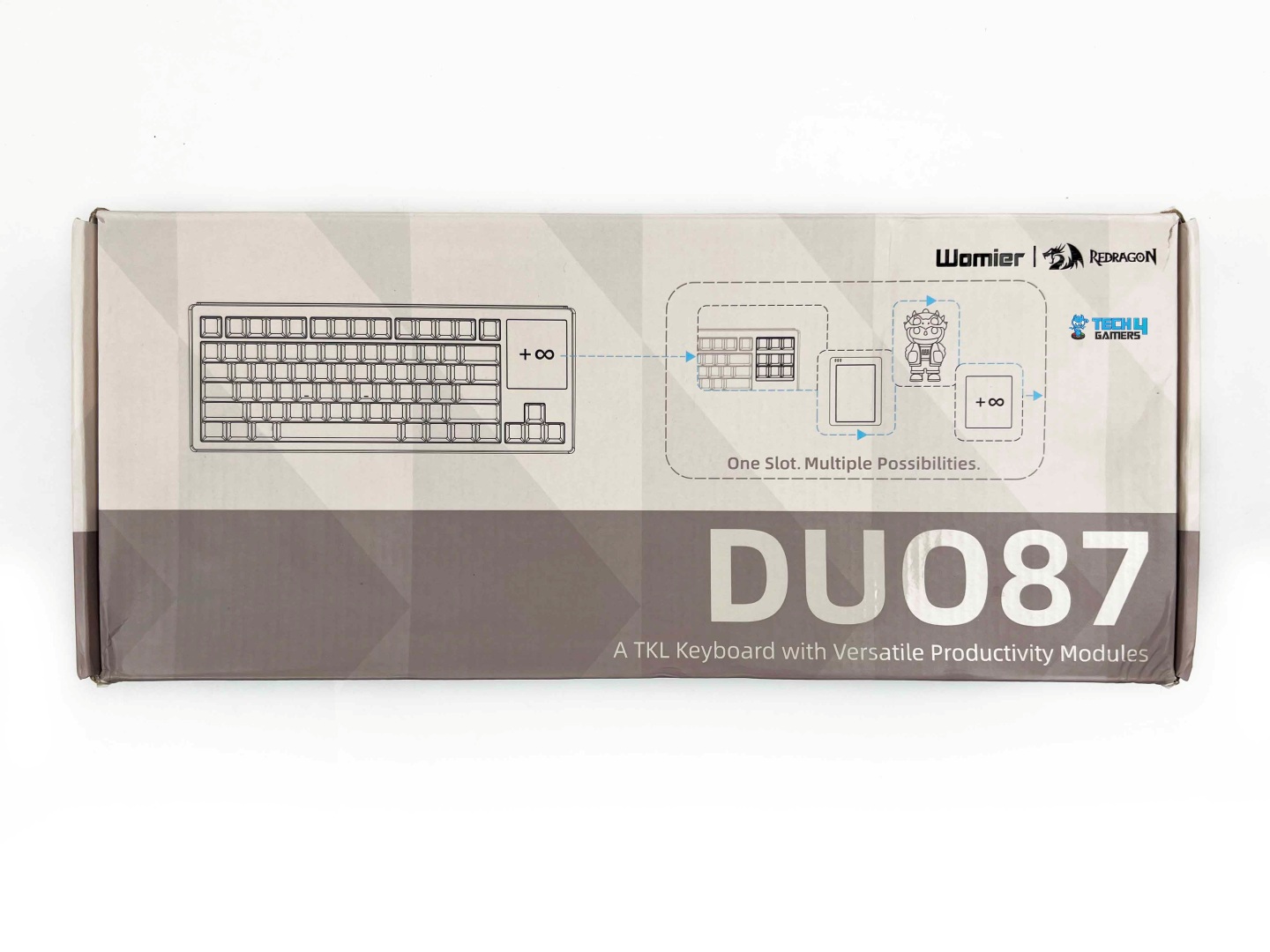
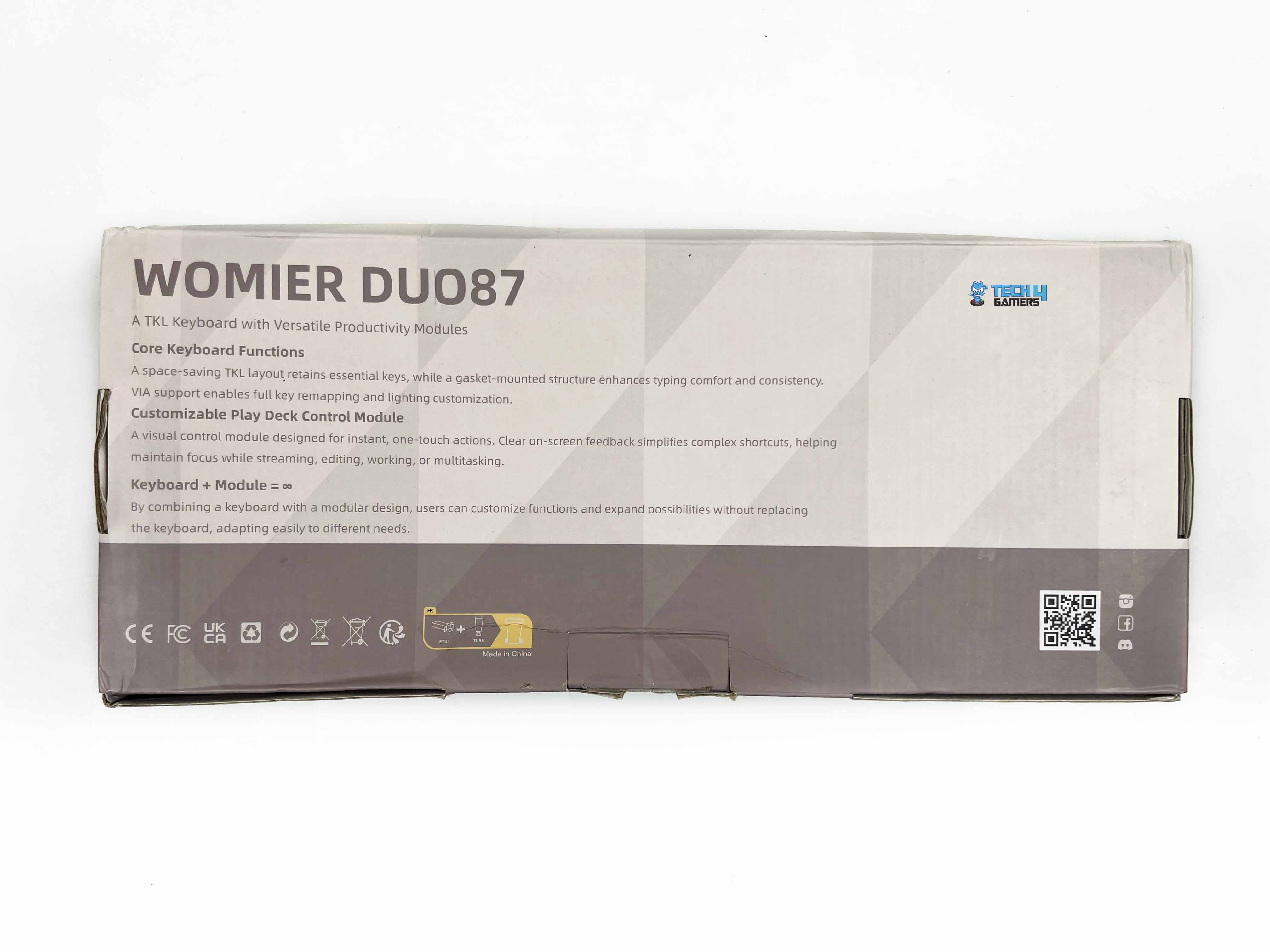
The Womier DUO87 comes in a gray-and-white box. On the front, you get a printed layout of the keyboard, along with the small screen and the little figure Womier includes. The model name also sits right on top. Turn the box over, and you’ll see a bunch of highlighted features that lean toward function and customization. Now, when you open it, the accessories are laid out right at the top.
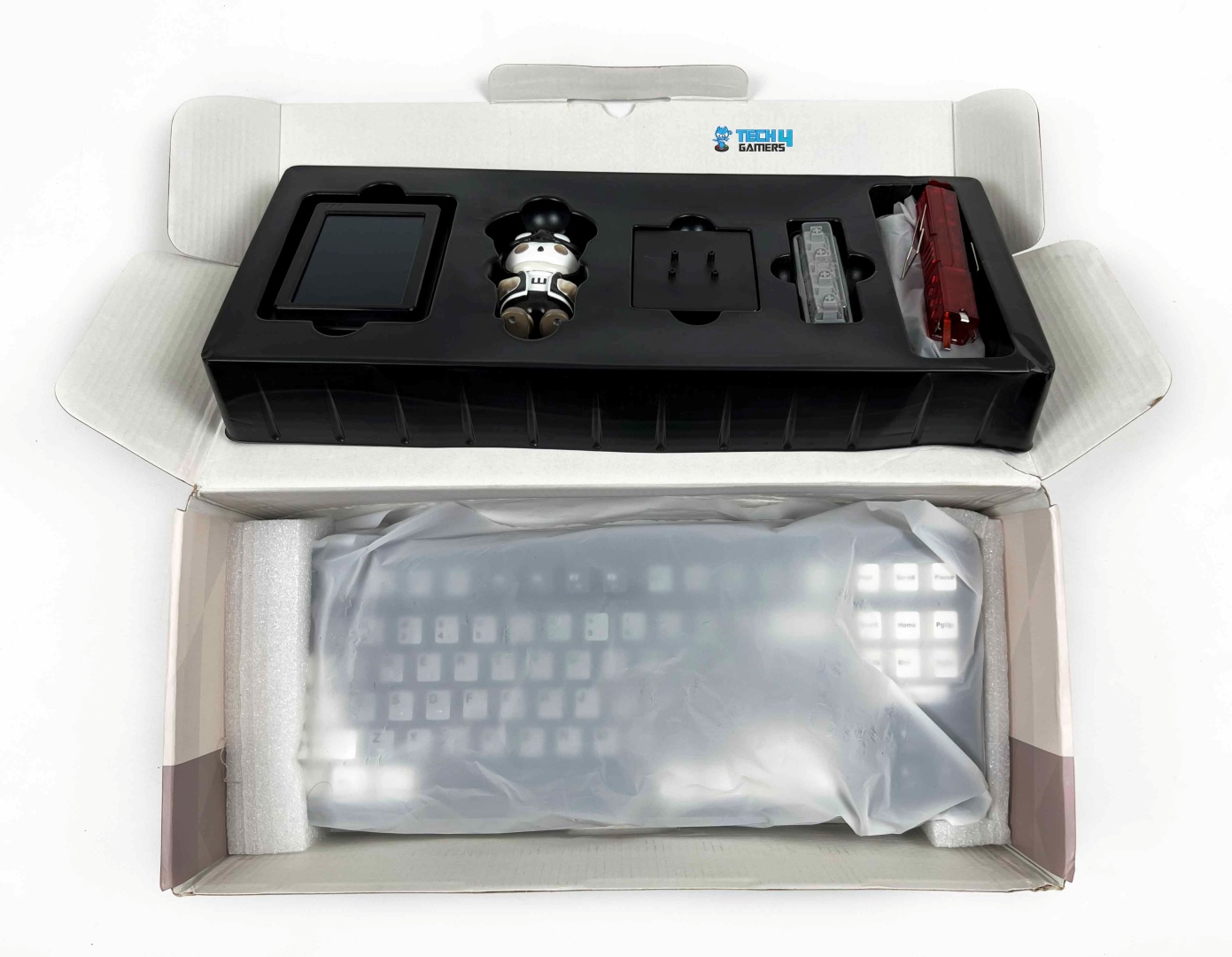
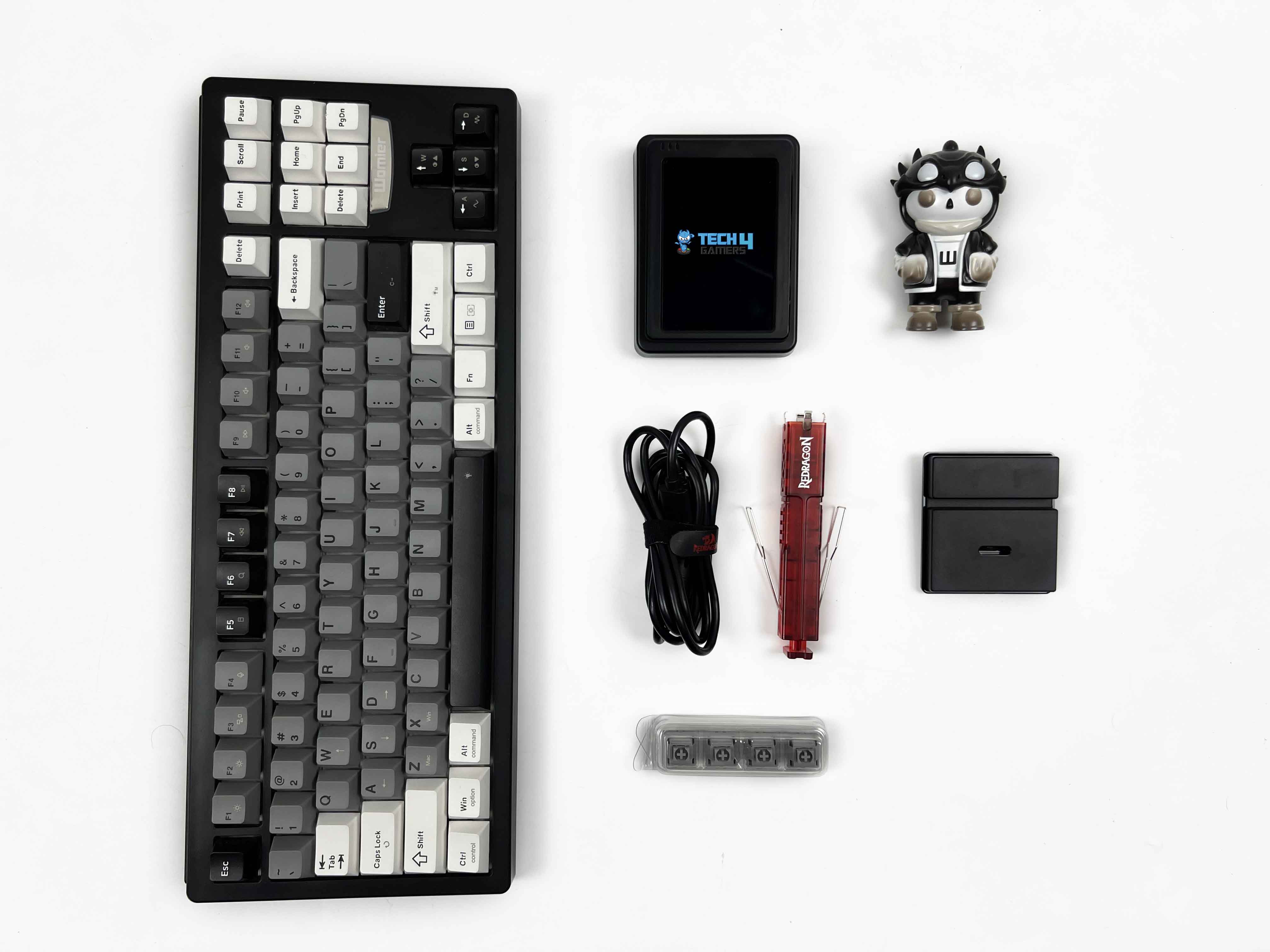
Starting from the left, there’s the external screen along with its base. Right next to it, you’ll find the small duo figure, also with its own stand. Moving along, there are four extra switches. Then you get a 2-in-1 puller for both keycaps and switches, along with a USB-A-to-USB-C cable and the user manual tucked in. Once you take all of that out, the keyboard itself sits underneath wrapped in a thin plastic sleeve.
Design

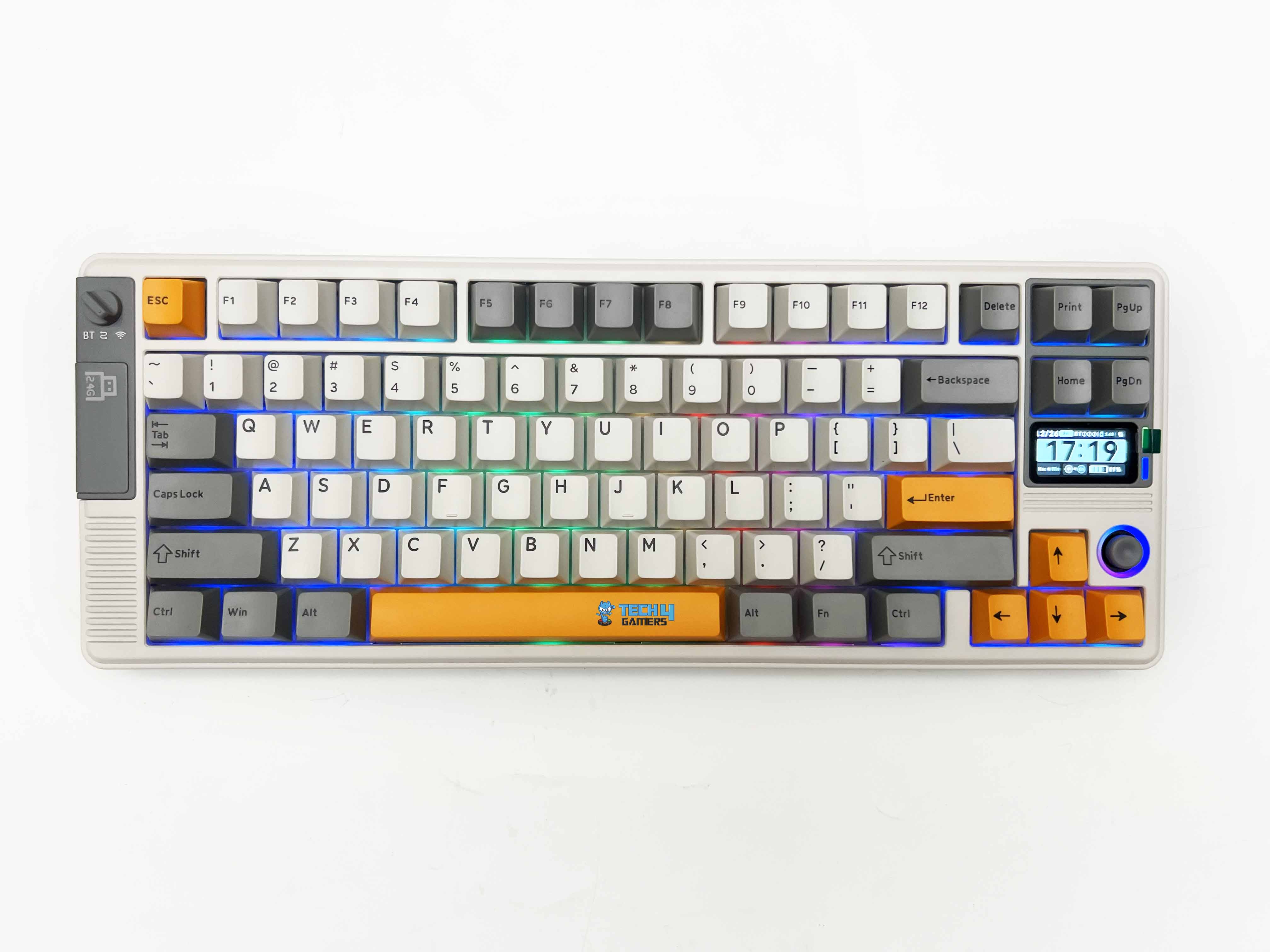
The Womier DUO87 leans more toward an experimental look, but not exactly a gamer look in the loud, aggressive sense. It sits somewhere in between. A bit playful, a bit custom-inspired, and honestly, a little busy depending on how you look at it. The brand offers two color options here. There’s a retro gray version that sticks closer to a classic theme. The unit I’ve been using is the black one.
However, calling it just black doesn’t really tell the full story. It’s a mix. You’ve got black, grey, and white keycaps spread across the keyboard, and they’re not arranged in a strict pattern. At first glance, it feels slightly chaotic. Some keys are darker, then you suddenly get a lighter cluster. It doesn’t follow the usual layout where everything is neatly separated by color. After a bit, though, it starts to make sense visually.
Layout

The Womier DUO87 sticks to a TKL layout. You’re looking at 88 keys in total. That includes the function row and the navigation cluster, but no numpad. If you’re coming from a full-size board, that’s the only thing you really lose. It doesn’t take long to adjust. Your hands fall into place pretty naturally. The spacing between keys feels standard. After a few minutes, you stop thinking about the layout and just type.
Womier supports both ANSI and ISO layouts here. The unit I have is ANSI, so the Enter key is the usual horizontal one. It’s good that both options exist, though, since layout preference can be pretty personal. I didn’t run into accidental presses while working or gaming, which usually happens when spacing is off by even a slight amount. At the same time, it doesn’t feel overly compact either.
Screen
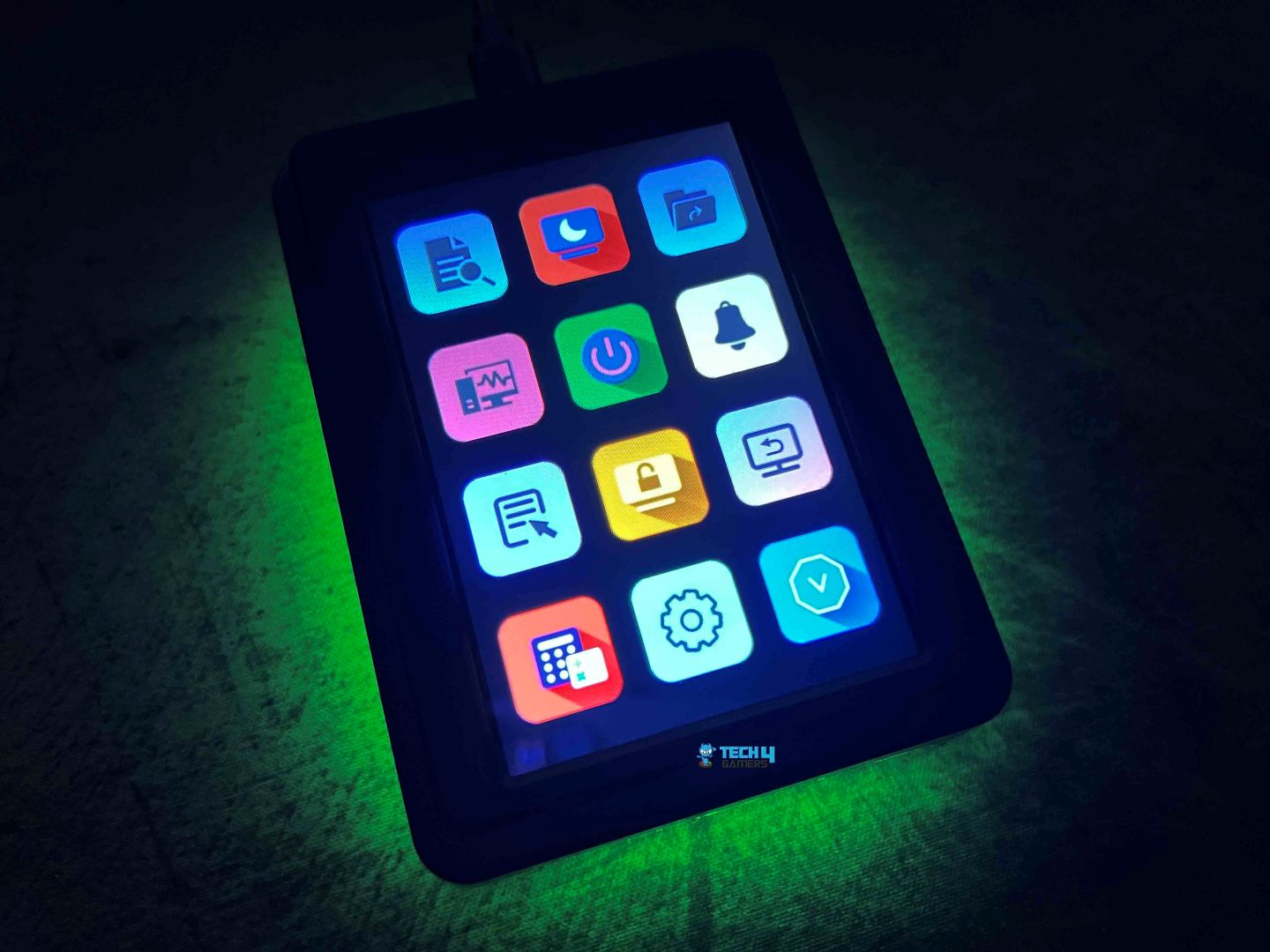

The screen doesn’t just sit inside the Womier DUO87 like some built-in displays. Instead, Womier treats this as something you can move around. The navigation cluster is where this module fits in. To install the screen directly onto the keyboard, you have to remove the keycaps and switches from that specific area. You’re not limited to keeping the screen attached to the keyboard either.
A separate base is included, so you can place the screen on your desk instead. Once connected through USB-C, the screen powers on and starts displaying whatever you’ve set through the software. It supports animations, static images, and a few functional layouts. I tried using it for system shortcuts at first, then switched to a simple animation after a while. You can treat it like a small control panel if you want quick adjustments.
Art Module

In addition to the screen, Womier includes what they call an art module. It’s the small figure you get in the box, along with its base. At first, I wasn’t sure what to make of it. You don’t usually see something like this included with a keyboard. The figure sits on its base and can be placed wherever you want on your desk or directly on top of your keyboard instead of the navigation cluster.
However, I placed it next to the screen on the desk, which felt most natural. Once it’s there, it becomes part of the overall look. Over time, I stopped thinking of it as an extra accessory and began to see it as part of the theme Womier is going for with this keyboard. The Womier DUO87 isn’t just about typing. It’s trying to build a specific desk setup, and the figure fits right into that idea.
Underside

Flipping the Womier DUO87 over, the surface has a consistent pattern running across it. You’ll notice it on both the left and right sides. It keeps things uniform. Nothing feels out of place or randomly designed. There are four rubber feet, one on each corner. They’re decent size with a good grip. Once the keyboard is on the desk, it stays there. I tried nudging it a bit while using it, and it didn’t slide around.
You also get adjustable feet if you prefer a bit of tilt. There are two height levels to choose from. The lower angle feels subtle, while the higher one gives you a bit more lift. I mostly used it flat, but switching between the angles felt stable. There is no wobble, no creaking when pressing down. The hinges on the feet feel solid enough, and they snap into place smoothly.
Build Quality

The Womier DUO87 uses an ABS plastic case. What matters more is how it’s executed. Here, it feels more solid than you’d expect from basic ABS. When you pick it up, it’s heavy enough to give it some presence. On paper, it weighs around 1102 grams. In hand, that translates to something that feels sturdy without being bulky. The surface has a matte finish. After a few days of use, I didn’t notice many fingerprints building up.
It stayed fairly clean. You don’t feel the need to wipe it down constantly. Pressing down on different areas didn’t really cause any bending. It gives the impression that the parts were fitted properly, not rushed through production. In terms of longevity, it should hold up well over time. The materials aren’t premium in the traditional sense, but they don’t feel fragile either. With normal use, I don’t see it wearing down quickly.
Keycaps

On the Womier DUO87, the brand is using a Cherry profile set. In terms of thickness, they feel decent. If you’ve used Cherry profile before, this will feel familiar. If not, there’s a short adjustment period. For me, it didn’t take long. Maybe a few minutes of typing before it felt natural. These are double-shot keycaps as well. So they won’t fade or wear off over time. I checked closely, and the legends look clean.
Even on the smaller keys, the text stays sharp. The material is PBT, and you can feel it. I also checked how stable they feel on the switches. There’s a bit of movement if you push them side to side, but nothing unusual. During actual use, it doesn’t affect anything. Womier has printed extra function legends on the keycaps. So instead of constantly checking the manual for FN shortcuts, you can just glance down at the keys.
RGB Lighting

The Womier DUO87 uses full RGB lighting, so each key has its own LED underneath. In a darker room, it stands out immediately. You can dial that brightness down, though. I ended up lowering it after the first day. At full brightness, it felt a bit too strong for close use. At lower levels, it settles into something easier on the eyes. One thing to keep in mind here is that the keycaps are not shine-through.
So the light doesn’t pass through the legends at all. Instead, it glows around the base of each key. Because of the south-facing LEDs, the glow spreads underneath. At first, that can feel a bit underwhelming if you’re expecting glowing letters. But after a while, it starts to make sense. There are quite a few built-in preset lighting effects. I found myself sticking to slower effects or static colors after trying them all out.
Switches

The Womier DUO87 comes with POM gray switches. The actuation point sits around 2mm, give or take a bit. That’s fairly standard, but you can feel how quickly the key registers. The total travel is just under 4mm. So you still get that full key press if you bottom out. I found myself doing that most of the time. The bottom-out force is around 65g, while actuation sits closer to 55g.
All the main parts of the switch are made from POM, including the stem, top housing and bottom housing. The spring inside is a 20mm single-stage spring. In use, it feels consistent. The return is quick enough. When you release a key, it comes back up cleanly. In terms of durability, these are rated for around 50 million keystrokes. That’s pretty standard for switches in this category.
Typing Experience
The Womier DUO87’s typing experience is not extreme in any direction. There’s a bit of softness when you press down, but it doesn’t feel bouncy. At the same time, it’s not overly firm either. It kind of sits in the middle. You get a slightly cushioned press, followed by a controlled bottom-out. That comes from the whole internal setup working together. The gasket mount, the flex cuts in both the PCB and plate, and the foam layers all play a part.
Sound-wise, it lands somewhere between a deeper thock and a lighter clack. It’s not fully one or the other. When typing at a steady pace, you get a mix of both tones depending on how hard you press. Lighter presses lean quieter. Harder bottom-outs bring out a bit more of that sharper sound. It stays consistent, though with no sudden changes across different areas. The stabilizers are plate-mounted and pre-lubed, and for the most part, they do their job well.
Connectivity
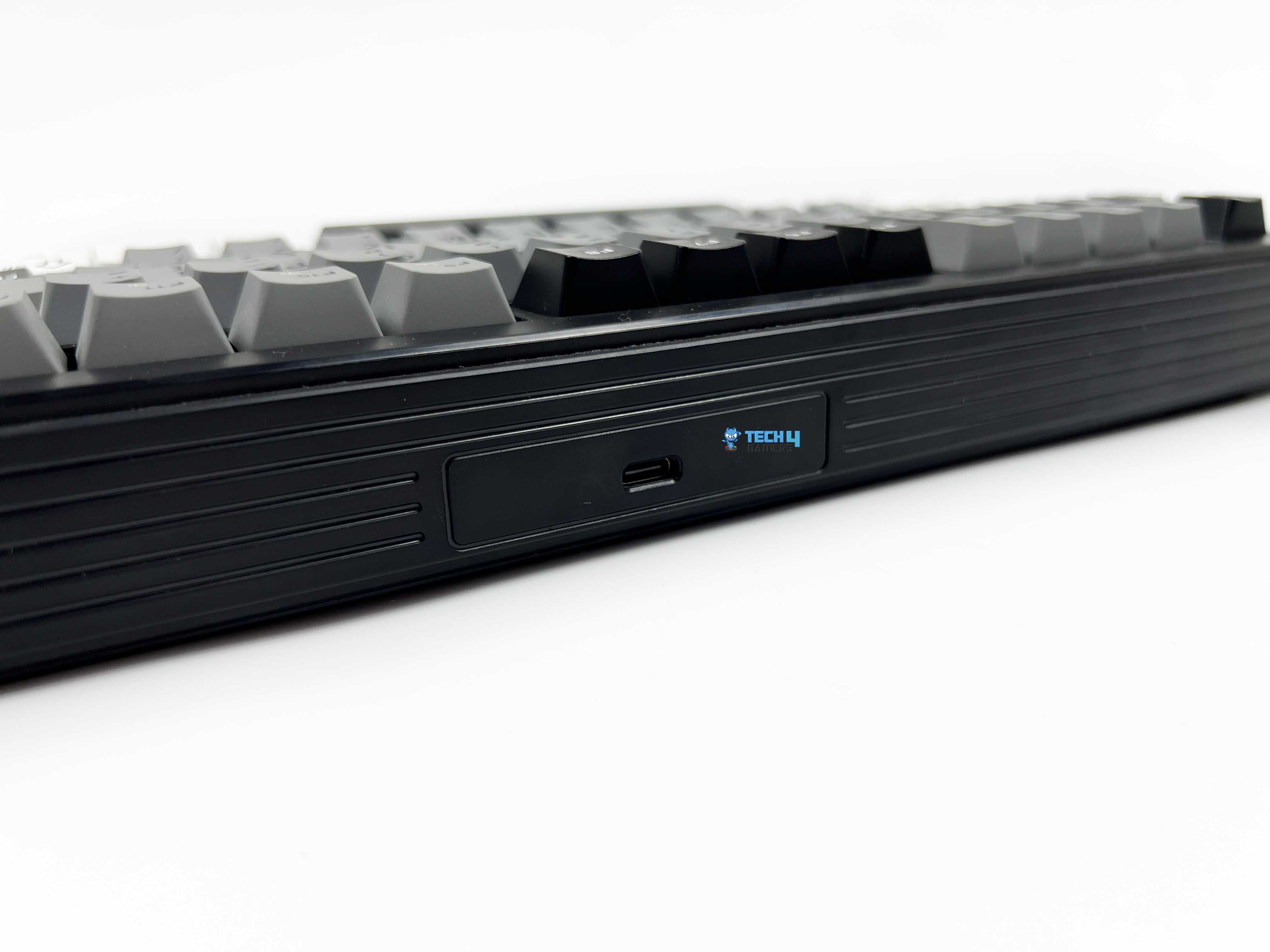
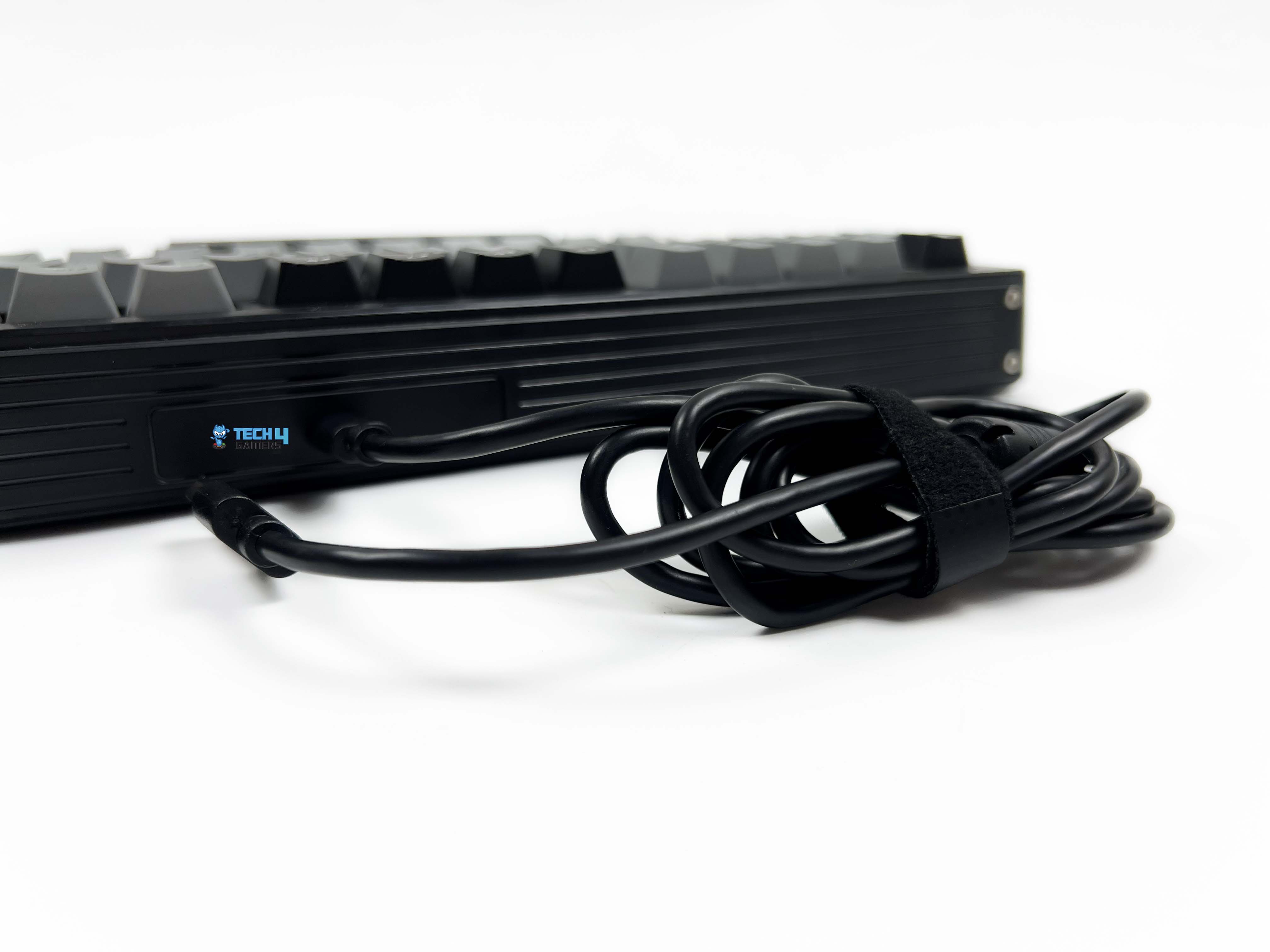
The Womier DUO87 keeps things simple, being a wired-only keyboard. There are no wireless modes. You plug it in, and that’s it. It uses a USB Type-C port and connects via a USB-A-to-USB-C cable. The port sits in the middle at the top edge, so the cable runs straight out toward the back of your desk. I didn’t run into any issues with placement. It feels like a natural spot, and the cable doesn’t get in the way during use.
Once connected, it works instantly. I tried it on Windows first, and it was recognized right away. Then I plugged it into a macOS, and it behaved the same way. The downside, of course, is the lack of wireless options. If you’re used to Bluetooth or switching between multiple devices, this might feel limiting. There’s no quick way to jump from one system to another without physically unplugging the cable.
Performance

The Womier DUO87 feels consistent in everyday usage. It runs at a 1000Hz polling rate, which is pretty standard, but I didn’t notice any delay between pressing a key and seeing it register on screen. Input responsiveness stays solid across different use cases. Whether I was typing normally or tapping keys quickly, the response felt the same. The keyboard supports full N-key rollover, so anti-ghosting isn’t something you have to worry about.
I tried pressing multiple keys at once, just to see how it handles it. All inputs were picked up correctly. I also spent some time playing Valorant with it, just to see how it holds up in a fast-paced scenario. Movement felt responsive. It kept up with strafing, quick direction changes and repeated key taps without any issues. I didn’t notice any missed inputs, even during more intense moments. The keyboard just registered what I pressed, every time.
Software
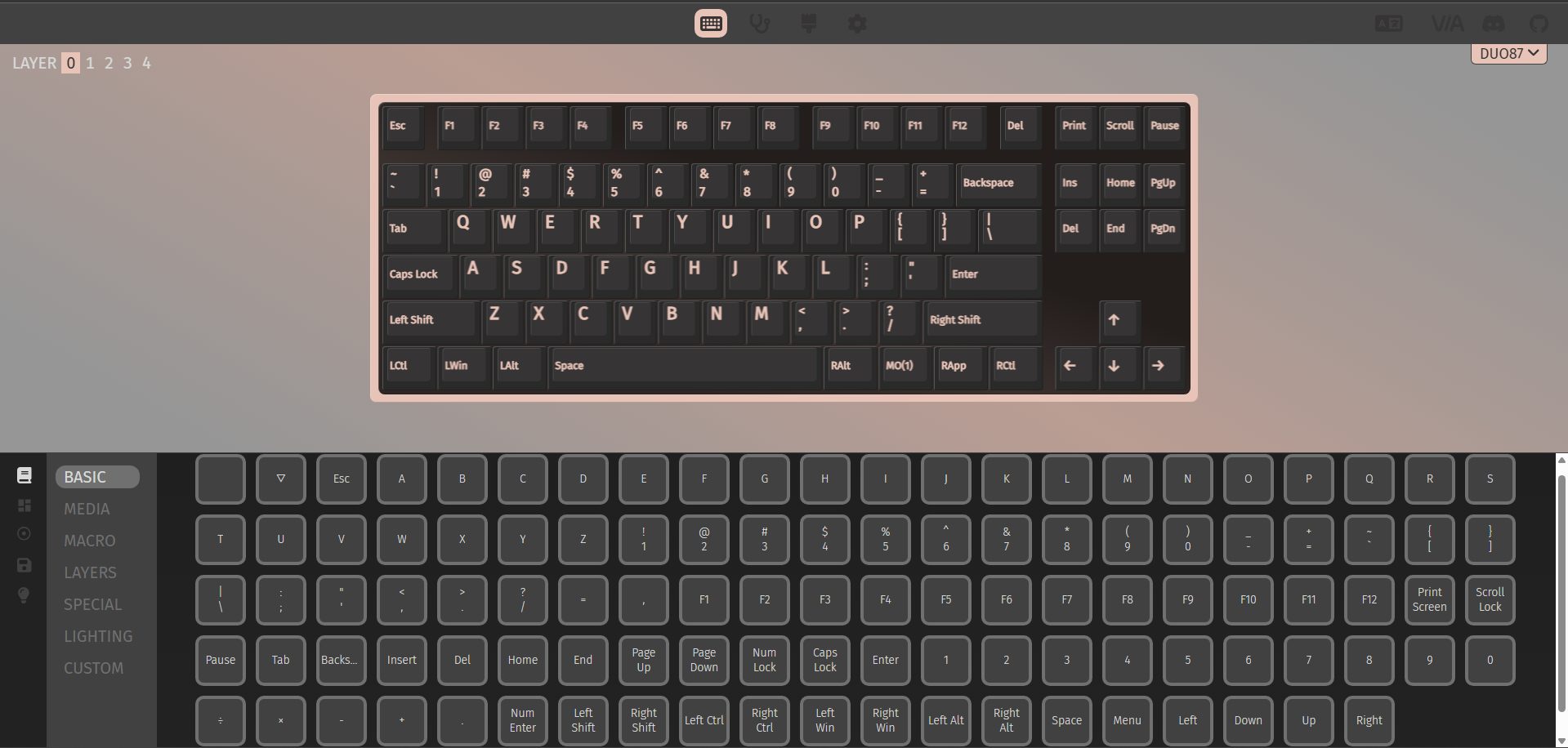
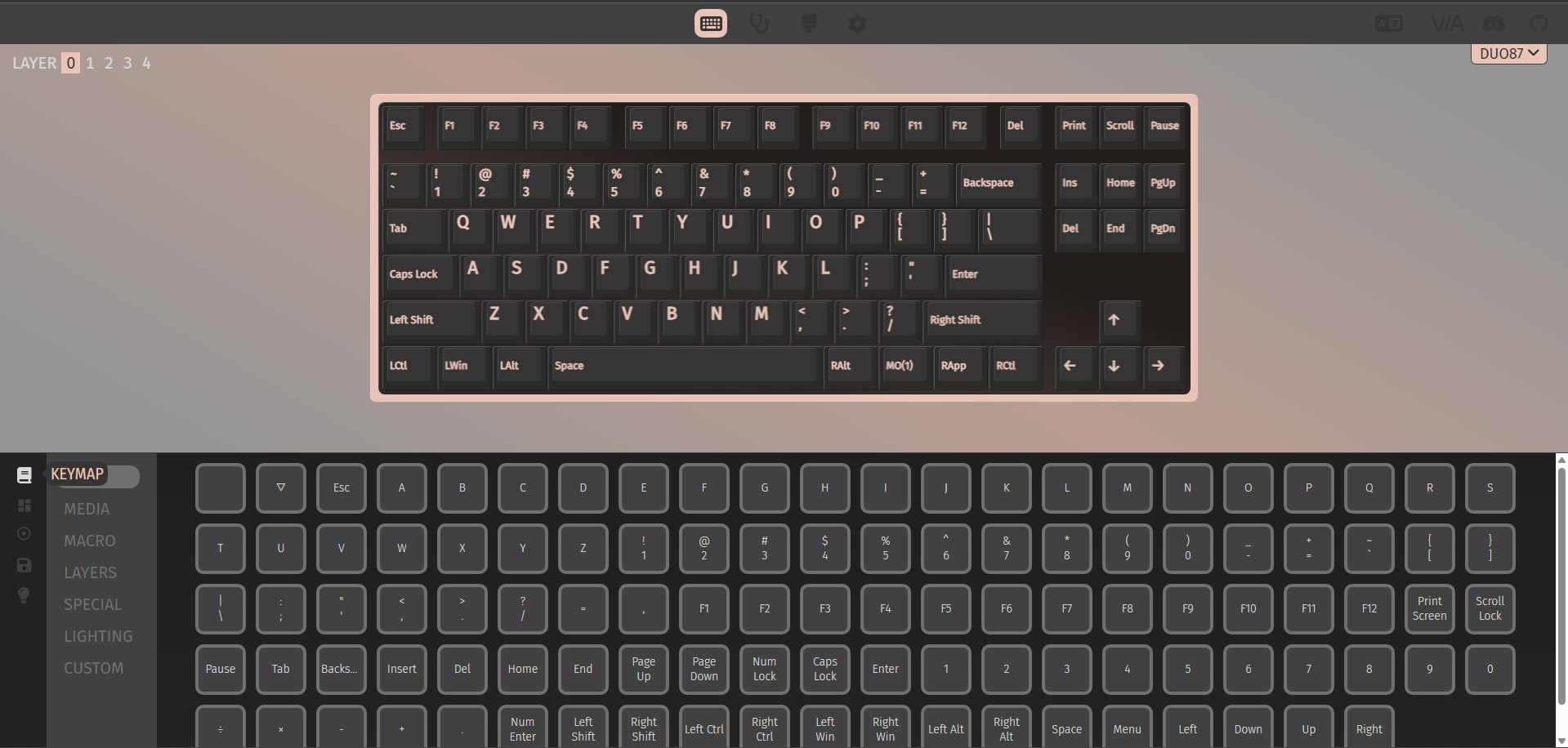
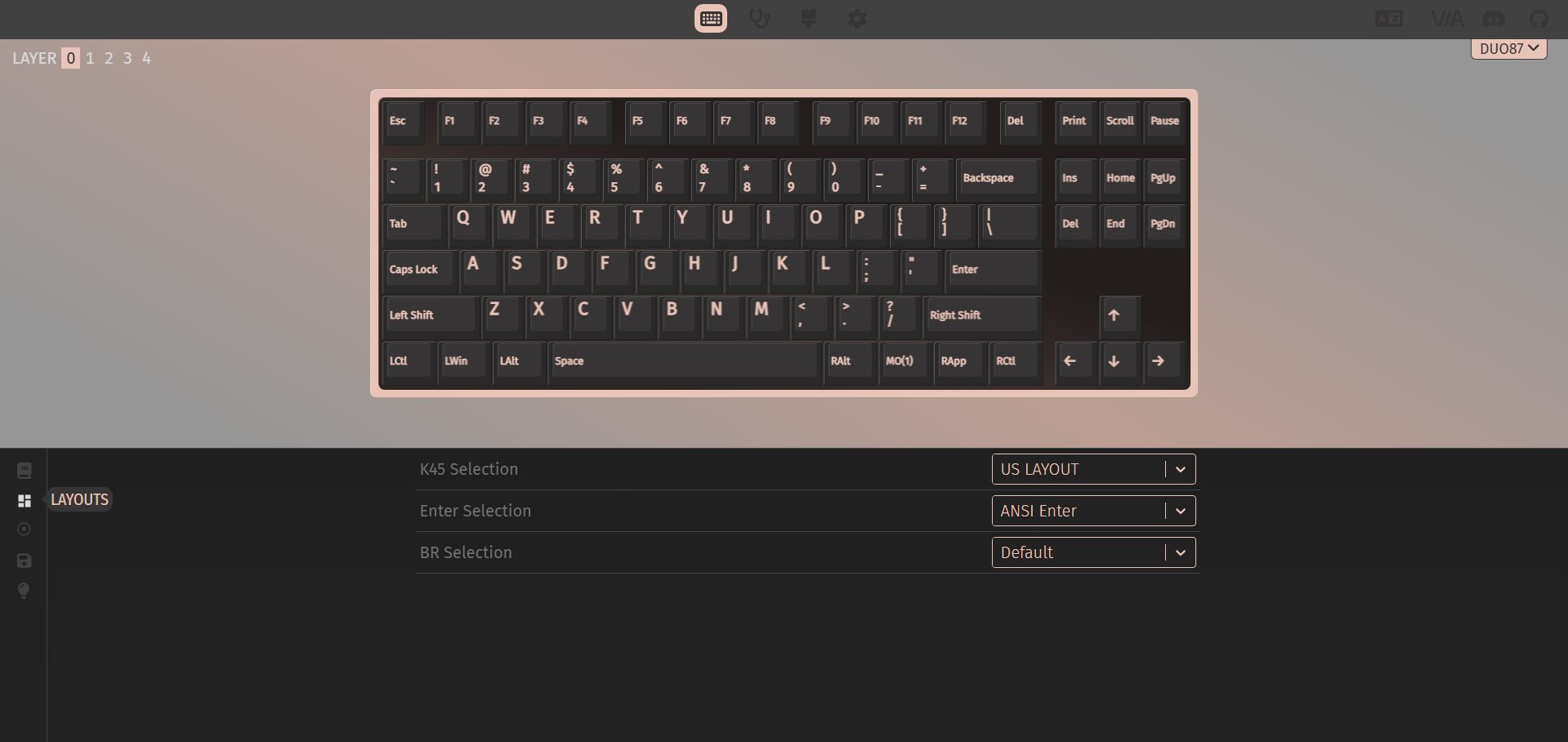
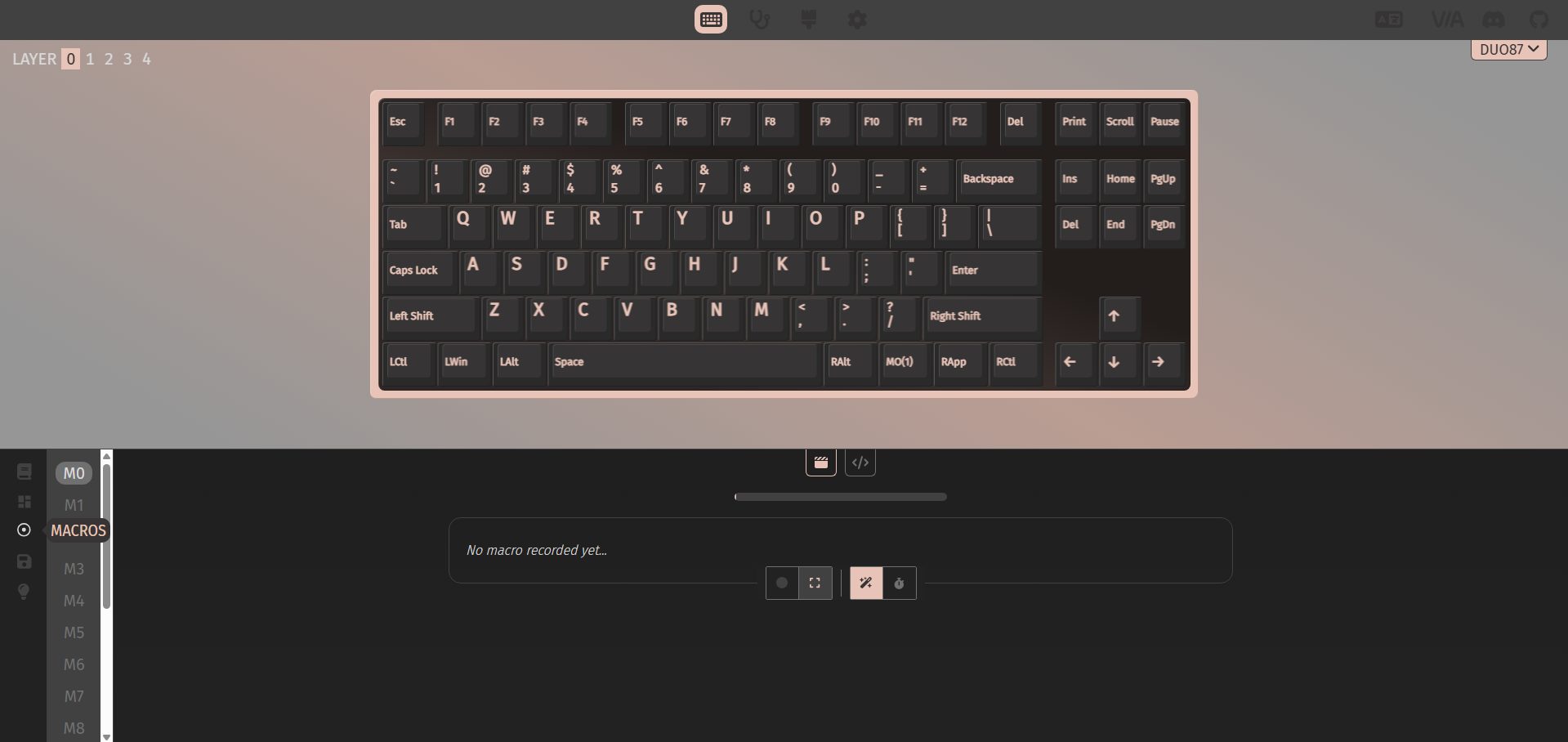
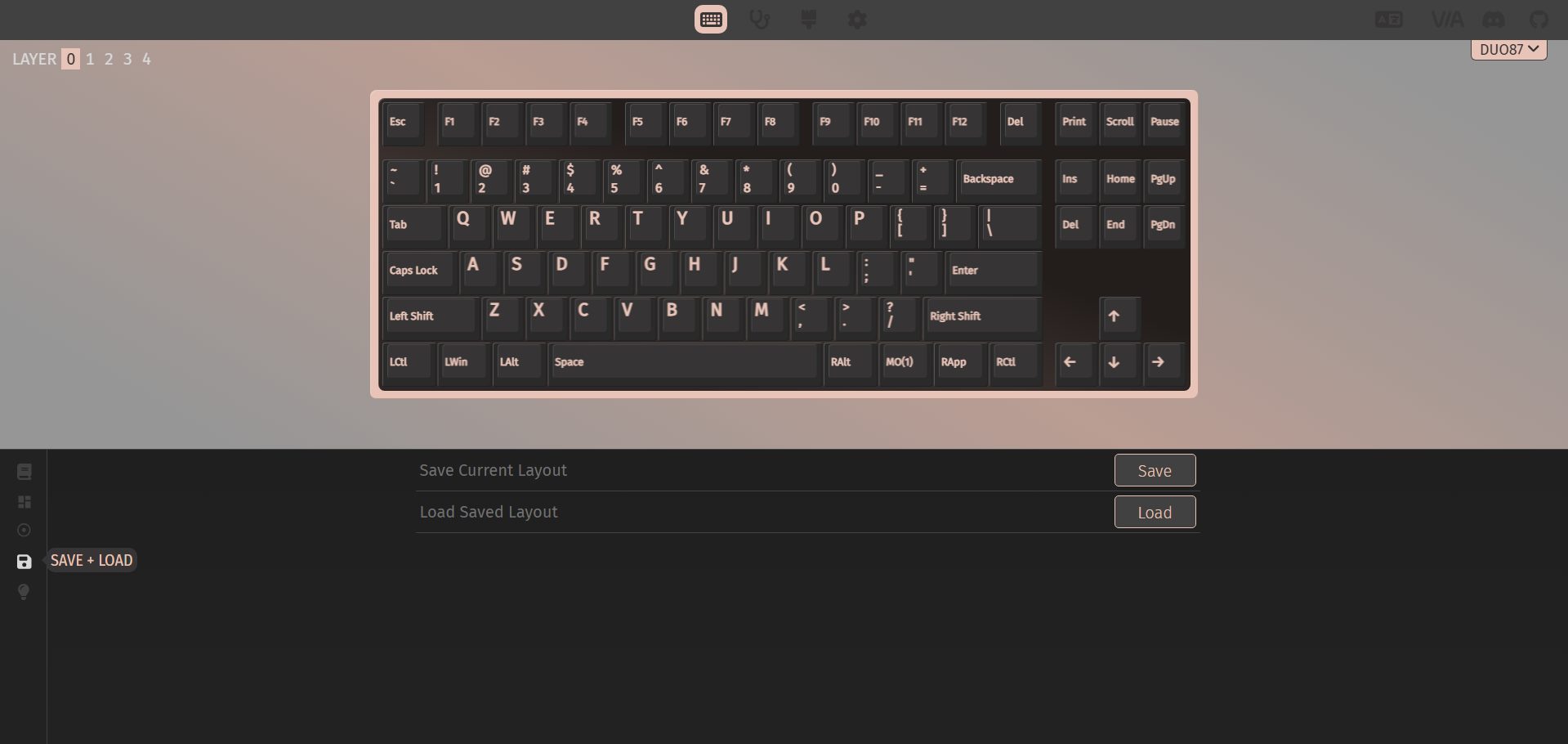
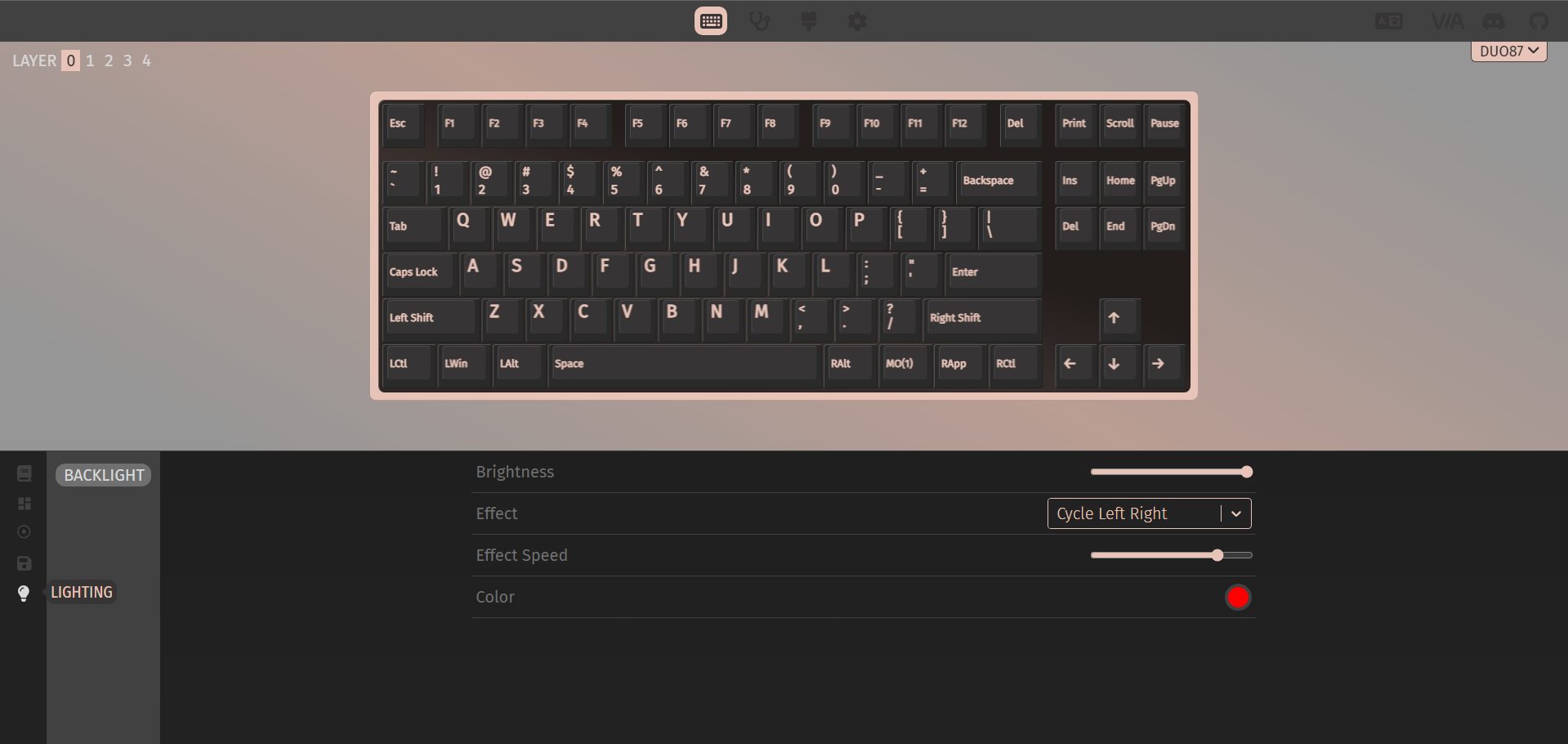
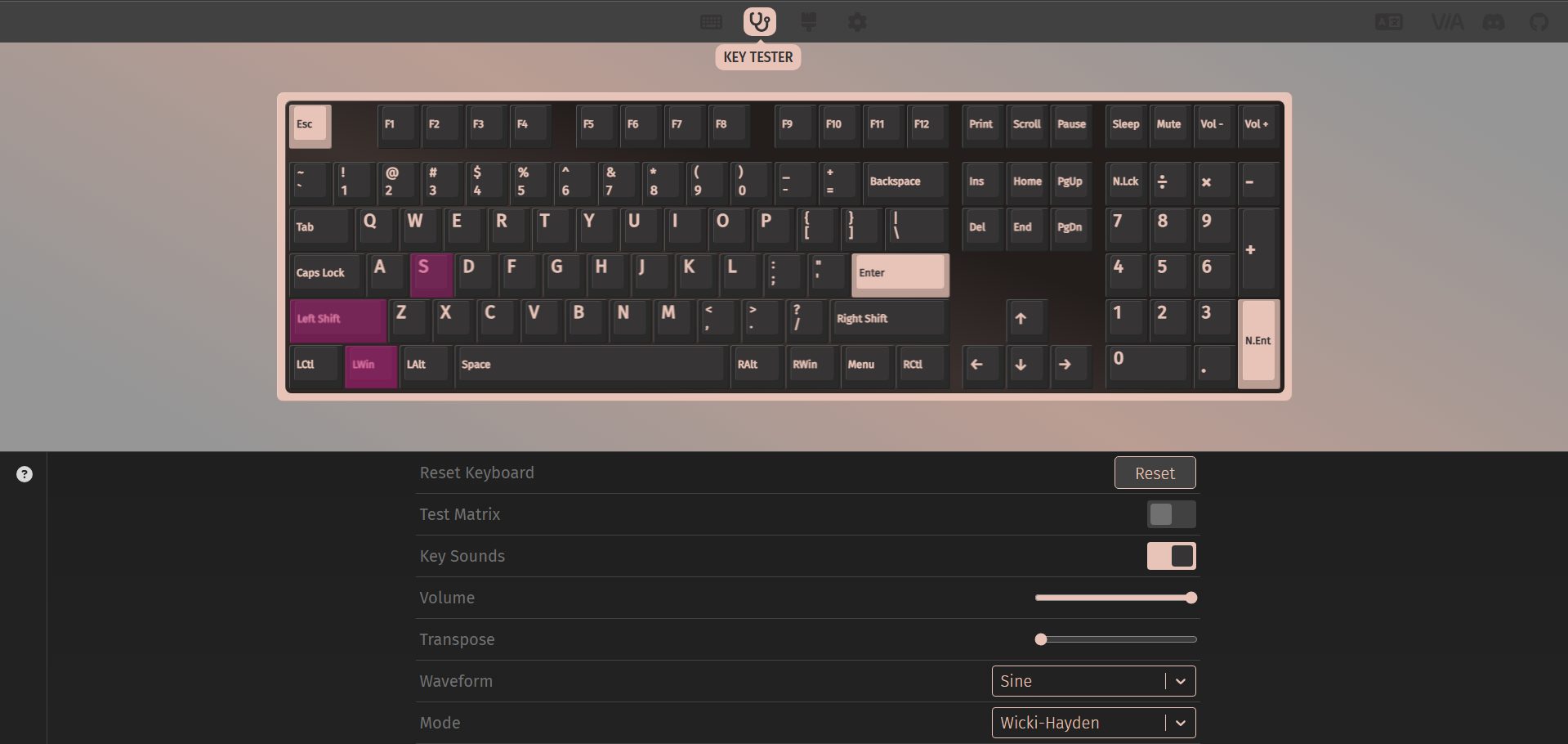
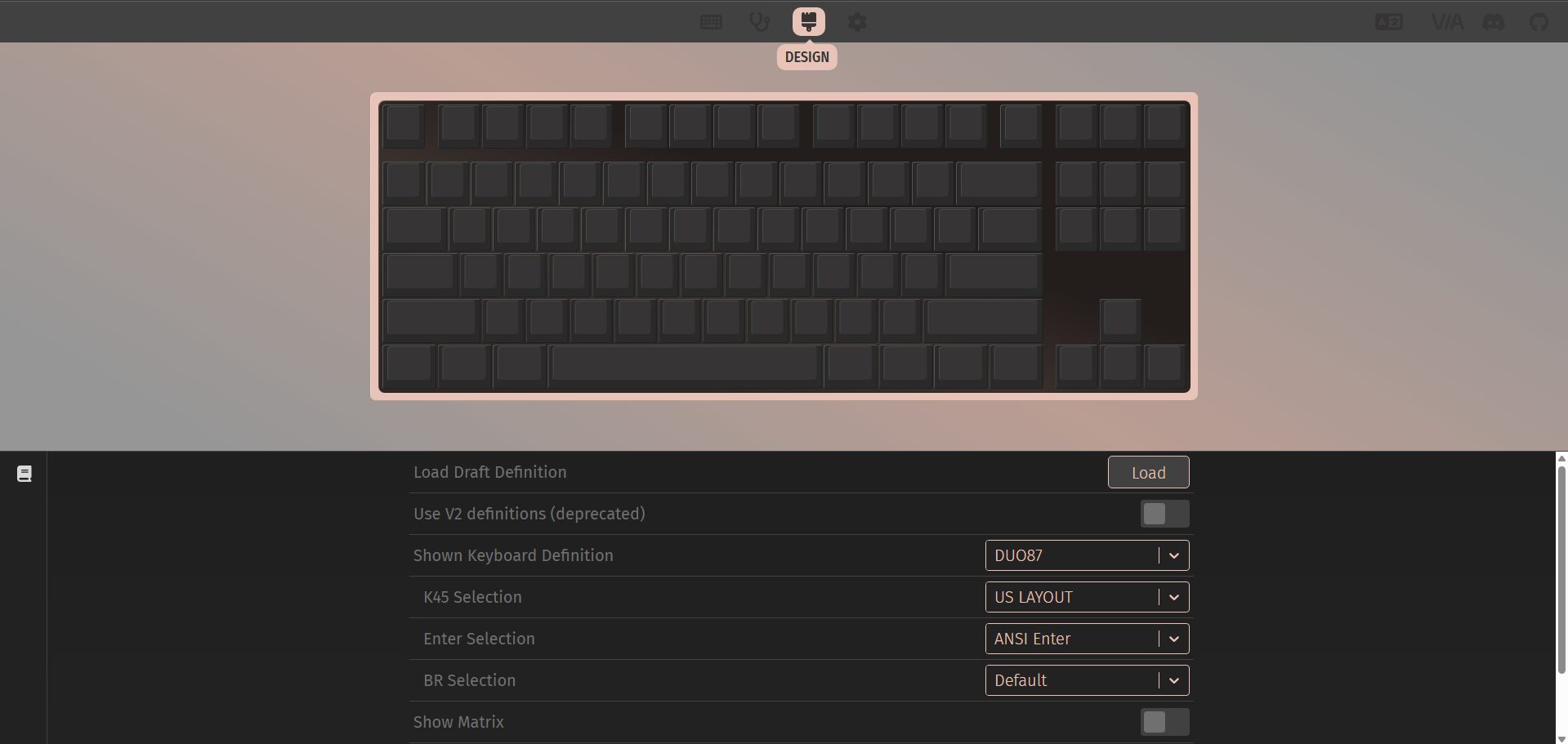
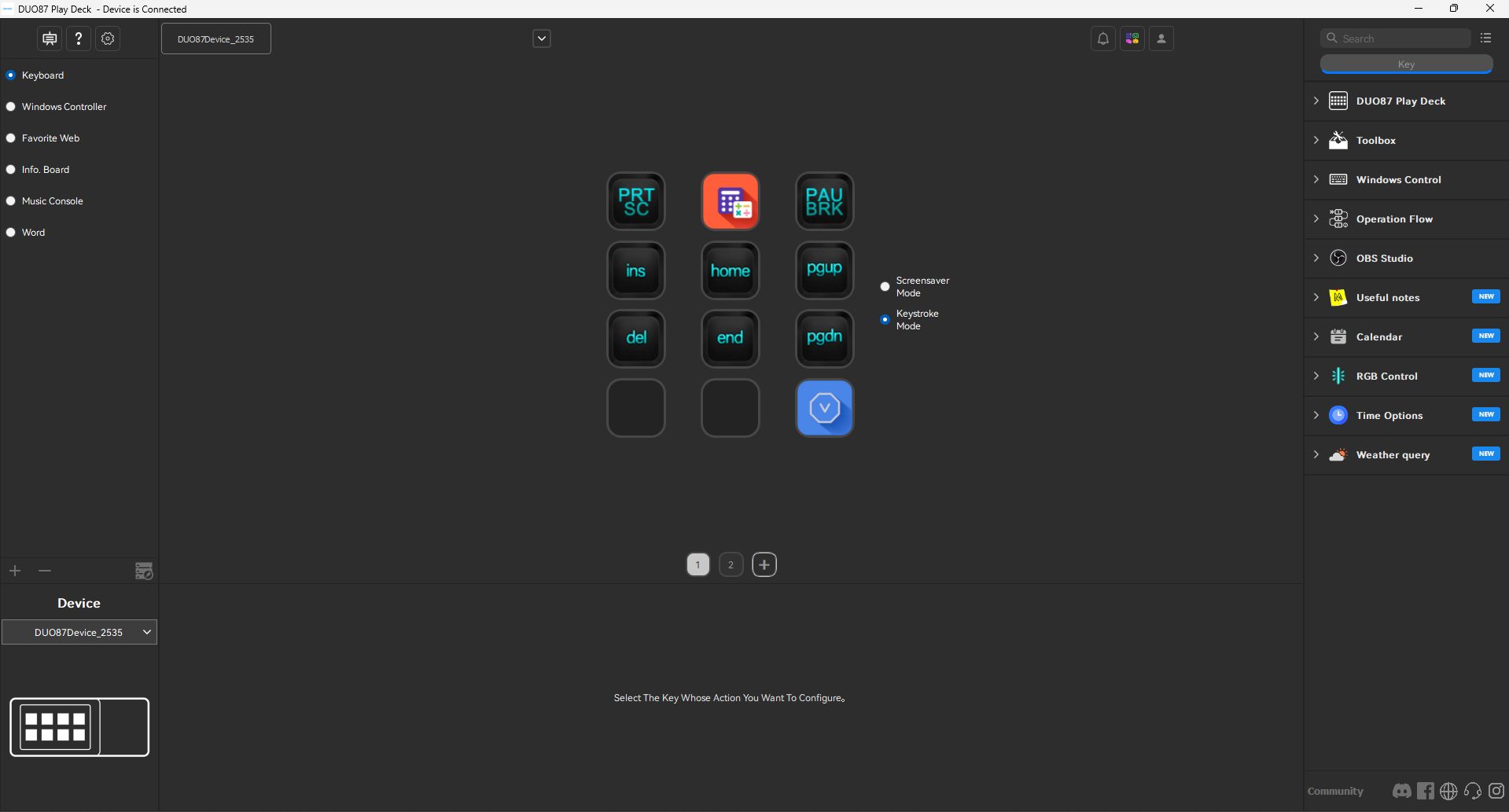
The Womier DUO87 splits its software experience into two programs, and you end up using each for a slightly different purpose. It’s not complicated once everything is set up. For the keyboard side, VIA is the main software. The process starts by grabbing the DUO87 JSON file from Womier’s support page. After that, plug the keyboard in, open VIA in a browser, and enable the design tab so it can actually load.
From there, it’s the usual VIA workflow. Click a key, assign a function, and it updates instantly. There’s also a second layer tied to Womier’s own software ecosystem, mainly for the screen module, which is called Play Deck. The software’s screen is more structured than VIA’s. You spend a bit more time arranging things, especially if you’re setting up shortcuts or visual elements for the display.
Should You Buy it?
Buy it if
✅ You want a keyboard that doubles as a desk setup piece: The Womier DUO87 has a visual identity that changes how your desk looks day-to-day. If you like setups that feel more alive rather than purely functional, this fits that space quite well.
✅ You care about visual customization: Between VIA for key remapping and Play Deck for screen content, there’s enough control to personalize things without going too deep into complexity like hardcore enthusiast boards.
Don’t Buy it if
❌ You need wireless flexibility or multi-device switching: It’s strictly wired with no Bluetooth, no wireless mode and no convenience for switching between devices without unplugging.
❌ You care a lot about keycap lighting visibility: Because the keycaps are not shine-through, RGB doesn’t interact with legends. It becomes more of an ambient glow instead of functional lighting.
Final Verdict
The Womier DUO87 ends up being one of those keyboards that’s easier to understand once you’ve actually lived with it for a while. On paper, it seems to be juggling a few ideas at once. In practice, it mostly comes together without feeling messy. There’s also the pricing angle to consider. They’re launching on Kickstarter on May 10th, and early buyers can save $54, which brings the Super Early Bird price down to $102.
At the early-bird pricing, it feels more reasonable, especially if you care about the screen module and the overall desk setup experience. At full price, it starts to feel more like a lifestyle-focused keyboard rather than a pure performance pick. Final recommendation is a conditional yes. It works if you’re buying into the full concept, especially at the early pricing window. Without that, it becomes harder to justify solely on keyboard performance.
Thank you! Please share your positive feedback. 🔋
How could we improve this post? Please Help us. 😔

[Hardware Reviewer & Editor]
After many years of exploiting various pieces of hardware, Abdul Hannan now serves as an editor at Tech4Gamers. He’s been in the PC hardware reviewing industry for almost a decade, and his staff of passionate geeks and reviewers is second to none.
Abdul Hannan is constantly seeking new methods, you will always see him running into New Computer Courses to improve the performance of his computer components since he is an ardent overclocker. He is well-known for providing the most extensive and unbiased analysis of the newest and greatest hardware for PC gaming, including everything from GPUs to PSUs.
 Join Our Community