Threads


Hall Effect keyboards used to feel like a niche thing. Something you’d hear about on forums or see in the setups of very competitive players. Lately, that’s been changing. More brands are stepping in, and the prices are slowly drifting away from the hard-to-justify zone. The DrunkDeer X60HE is part of that shift. This is actually my first time reviewing a keyboard from DrunkDeer. I’d seen the name come up more often over the past year, usually in discussions around Hall Effect switches.
Still, this is my first time sitting down with one of their keyboards and seeing how it holds up outside of spec sheets and marketing claims. There’s always a bit of curiosity that comes with trying a new manufacturer, especially in a space that’s getting crowded pretty fast. If you’re coming from a standard mechanical keyboard, this isn’t meant to feel like a small step forward. The goal of this review is to see how this keyboard performs in real-world use and whether it makes sense to upgrade over more traditional options at the same price.
Key Takeaways
- The DrunkDeer X60HE delivers fast, responsive performance with its magnetic switches, rapid trigger, and 8000Hz polling rate. It features a solid aluminum build and a compact 60% design with a distinctive look.
- You should buy the DrunkDeer X60HE if you want a fast, competitive-focused keyboard with adjustable actuation, high responsiveness, and don’t mind adapting to a 60% layout for better in-game control.
- You should skip the DrunkDeer X60HE if you prefer a straightforward typing experience, rely heavily on dedicated keys and shortcuts, or don’t want to spend time adjusting sensitivity and learning its advanced features.
Here are the technical specifications:
| Layout | ANSI 60% |
| Color | Starship Gray |
| Switch Type | Magnetic Switch |
| Switch | DrunkDeer The Qian Switch |
| Keycaps | Frosted Transparent PC Keycaps |
| Case | Full Metal Hollow Case |
| Hot-swap Support | Yes |
| Backlight Position | South Facing |
| Backlight Type | LED |
| Response Delay | 0.2ms |
| RT Adjustment Range | 0.01-3.5mm |
| Supported Systems | Mac / Windows / Linux |
| Structure Type | Non-Standard Frame |
| Connection Method | Wired Connection, USB |
| Key Polling Rate | 8000hz |
| Key Lifespan | 100 Million Times |
| Power Consumption | 0.0001mA Sleep Power Consumption |
| Temperature Drift | – 600 ~ + 2500ppm/℃ |
| High Resolution | Recognize Changes in Gaussian Resolution of 0.5 |
| Size | 297.5mm x 107.5mm x 43.1mm (LxWxH) |
| Weight | 840g |
| Driver | WEB Driver |
What Makes DrunkDeer X60HE Different?
The DrunkDeer X60HE feels like the brand taking what it learned from earlier keyboards and stripping it down into something more focused and aggressive. Compared to its predecessors, it leans harder into performance with features like rapid trigger, adjustable actuation, and 8000Hz polling pushed to the forefront rather than relegated to secondary status. It also moves toward a more refined physical design, especially with the full-aluminum case and a more distinctive visual identity that wasn’t always as polished in earlier models.
Packaging & Unboxing
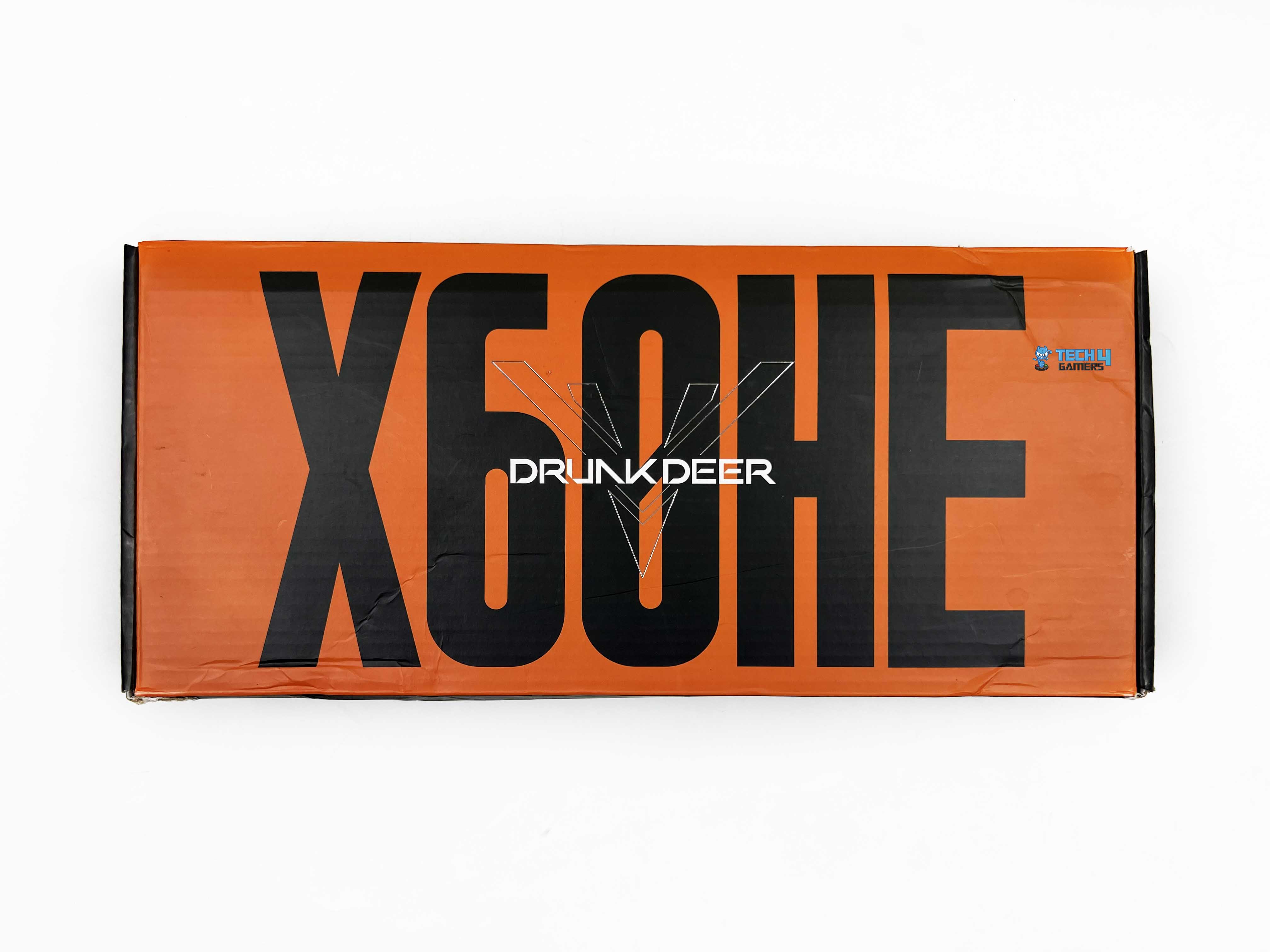
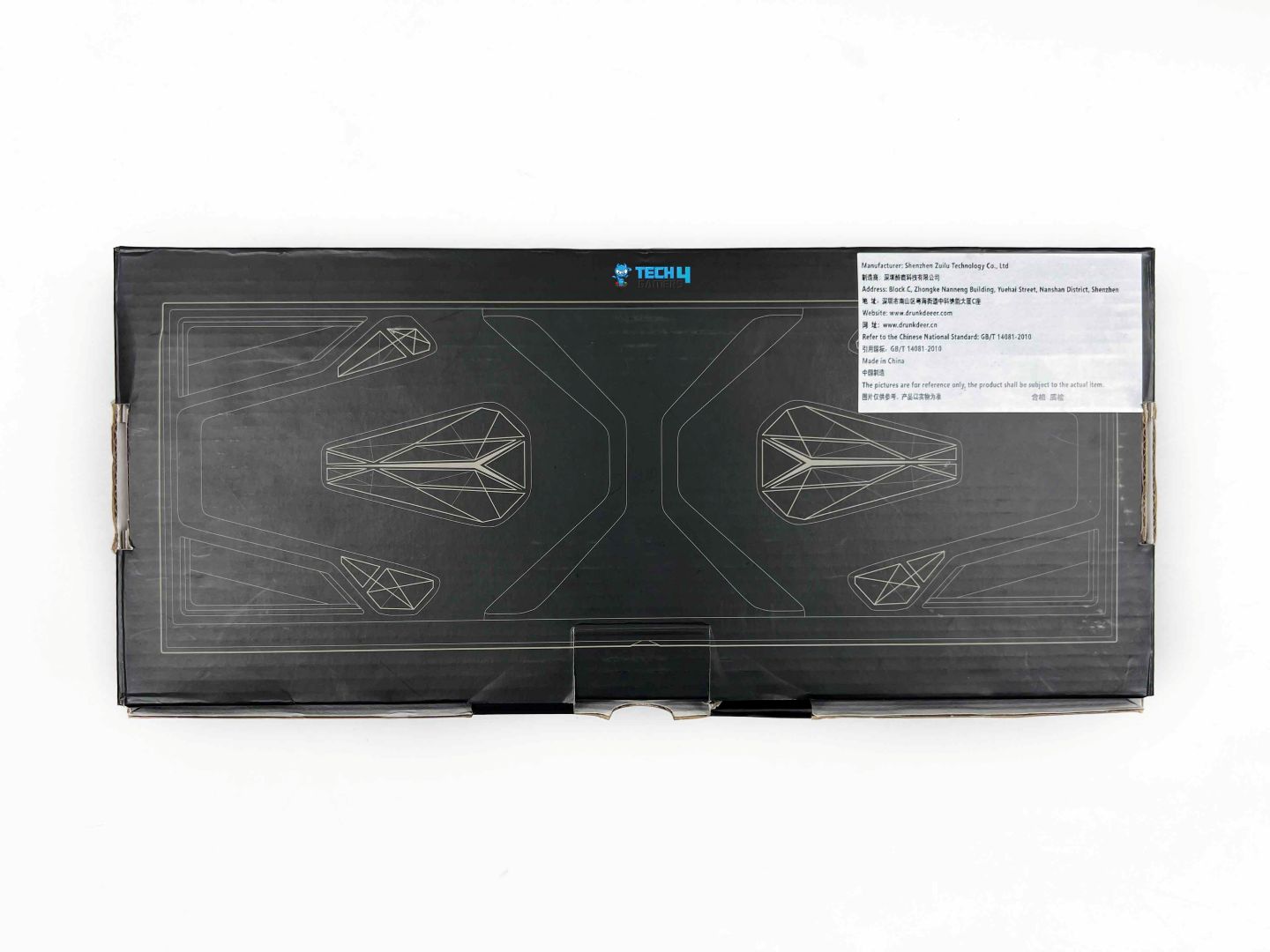
The DrunkDeer X60HE arrives in a fairly plain black-and-orange box. The front displays the model name and DrunkDeer branding. Along the sides of the box, the keyboard is shown from several angles and lists a few standout features. On the back, the underside of the keyboard is printed in a nearly blueprint-like format. That’s also where you’ll find the usual manufacturer information.
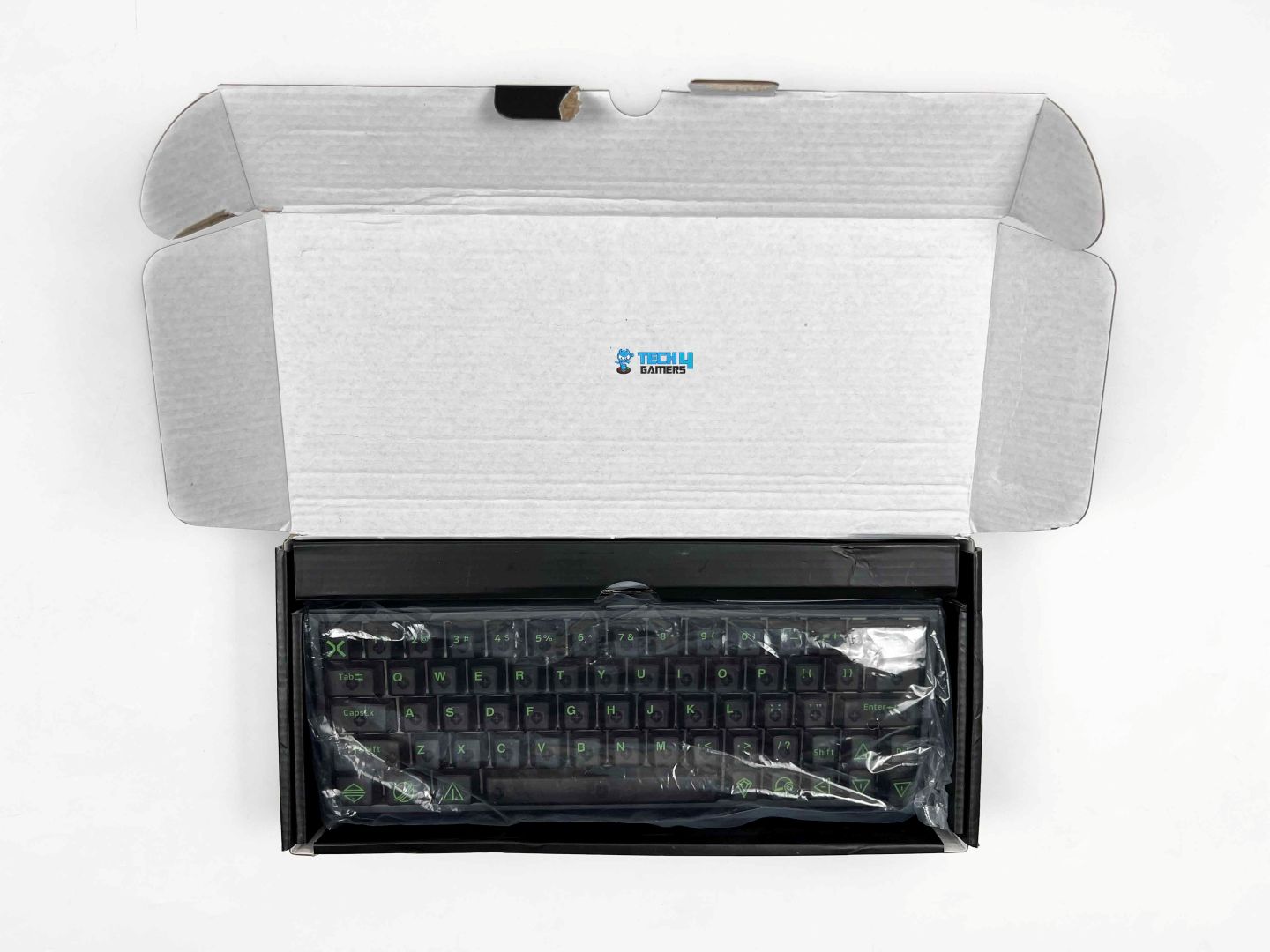
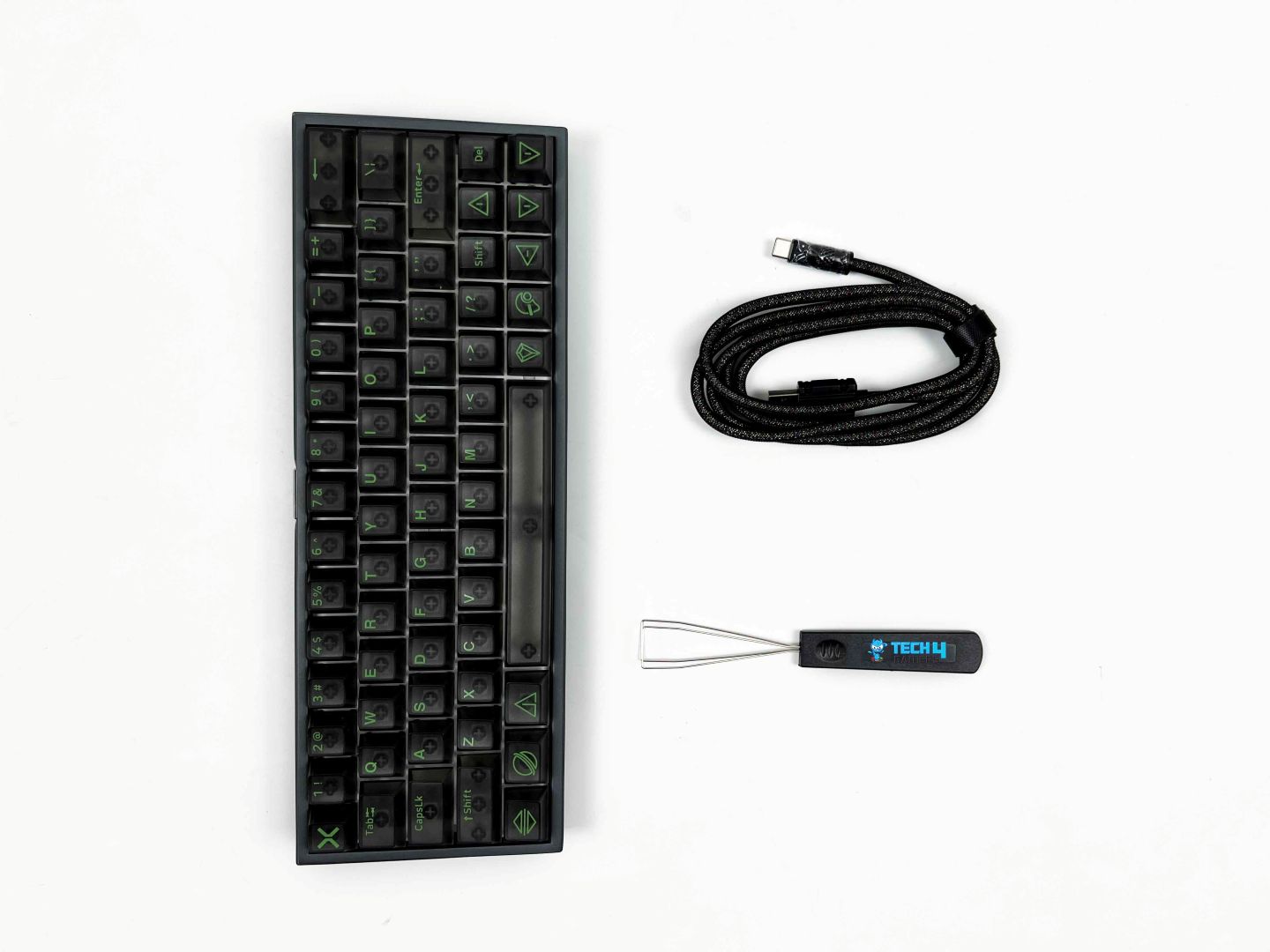
Opening the box, the first thing you see is the keyboard itself. It’s wrapped in a thin plastic sleeve, and the Quick Start Guide is placed alongside it. On top of the keyboard, there’s a separate compartment containing the USB cable and the keycap puller. The keyboard feels secure in the packaging and doesn’t slide around. Everything is neatly organized, so you don’t have to dig around to find what you need.
Design

The DrunkDeer X60HE definitely leans toward an esports vibe. It has that purposeful, gamer-focused look without being over-the-top. The color, Starship Gray, helps with that. It’s a darker, slightly metallic shade that gives the keyboard a sleek, high-tech look. The edges are solid, with nicely chamfered corners. They’re subtle, but they give the case a more refined feel than many budget keyboards. The two halves of the case line up well. There’s no uneven gap or misalignment.
It is one of those small things that matter when you’re looking at the keyboard every day. The finish across the surfaces is consistent as well. Another thing I noticed is that it doesn’t attract fingerprints too much, thanks to its matte surface. The keyboard stays mostly clean even after several hours of usage. With the RGB off, the keyboard keeps that low-profile look. On my desk, which has a mix of colours of peripherals and a monitor with a fairly simple stand, it fits in without looking out of place.
Layout

The DrunkDeer X60HE uses an ANSI 60% layout with 64 keys, and that choice shapes how you use the keyboard from day one. With dimensions of 297.5mm x 107.5mm x 43.1mm (LxWxH), it barely takes up space on the desk. That’s easy to appreciate during games, especially if you play with a large mousepad and low sensitivity. The keyboard stays out of the way, and your hands can be closer together. Because it’s a 60% keyboard, there’s no dedicated function row. Instead, the F-keys can be accessed from the number row.
Pressing Fn with the numbers 1 through 0 triggers F1 through F10. Similarly, F11 and F12 can be registered through the minus and equals keys. The logic itself makes sense once you learn it, but there’s no visual reminder on the keycaps. Early on, I kept the quick-start guide on my desk to avoid guessing. Media controls and system shortcuts work the same way. Everything runs through Fn combinations. There’s no navigation cluster to fall back on, so you end up relying on memory more than usual.
Underside

Most keyboards don’t really bother with the underside. You flip them over, look once, and move on. That’s why this one caught me off guard. In a strange way, I actually like the bottom of the DrunkDeer X60HE more than the top. Obviously, once it’s on your desk, you never see it. That almost feels like a quiet flex. When you turn it over, there’s a clear sense that DrunkDeer cared about how this part looks, even if most people won’t notice. The standout is the fiberglass panel near the bottom section.
It has a reflective finish, and the etched design adds visual depth. It’s not loud or flashy. Just interesting enough that you stop and look for a second. The rest of the underside keeps things simple. Each corner has a rubber foot, and they’re placed right at the edges. On my desk, the keyboard stays planted. At first, it does come off a bit like a gimmick. The shapes feel busy, and the cutouts seem unnecessary. After spending more time with it, though, that initial reaction fades.
Build Quality

The longer I used the DrunkDeer X60HE, the more confident I became in its construction. You can feel the thickness of the aluminum case when you grip the keyboard from the sides. It doesn’t flex, even if you try to squeeze it a bit. That alone says a lot about the level of internal reinforcement at work beneath the surface. Pressing down on the center of the keyboard feels the same as pressing near the edges. I tried it a few times, partly out of curiosity. There’s no soft spot anywhere. The corners don’t dip, and the middle doesn’t give.
The plate feels rigid, and whatever mounting style DrunkDeer used here distributes pressure evenly rather than concentrating it in one area. I also gave it the usual shake test. No loose sounds came from inside the case. Consistency across the keyboard is another thing that stood out. It gives the impression that this wasn’t assembled with shortcuts just to hit a price point. In terms of long-term wear, the case feels like it’ll age well. I don’t get the sense that normal desk use or frequent repositioning will wear it down quickly.
Keycaps

The keycaps on the DrunkDeer X60HE are frosted and transparent, which makes a noticeable difference in both feel and appearance. The frosted texture provides a light grip without feeling rough. They don’t show smudges much, which is nice for a darker keyboard like this. What really stands out is the way the legends are done. They’re green on top of the Starship Gray-ish tone of the keycaps. That contrast works surprisingly well. It’s subtle but still pops enough to see clearly.
On top of that, DrunkDeer added small shapes and icons to some of the keys. It’s playful without feeling childish and gives the keyboard a little character. Because the keycaps are transparent, you can actually see the switches through them. That gives the keyboard a slightly techy, layered look. The switches peek out beneath each key, which adds depth that you don’t get with opaque keycaps. Even with the lights off, the transparency makes the keyboard feel less blocky than a standard keycap set.
RGB Lighting
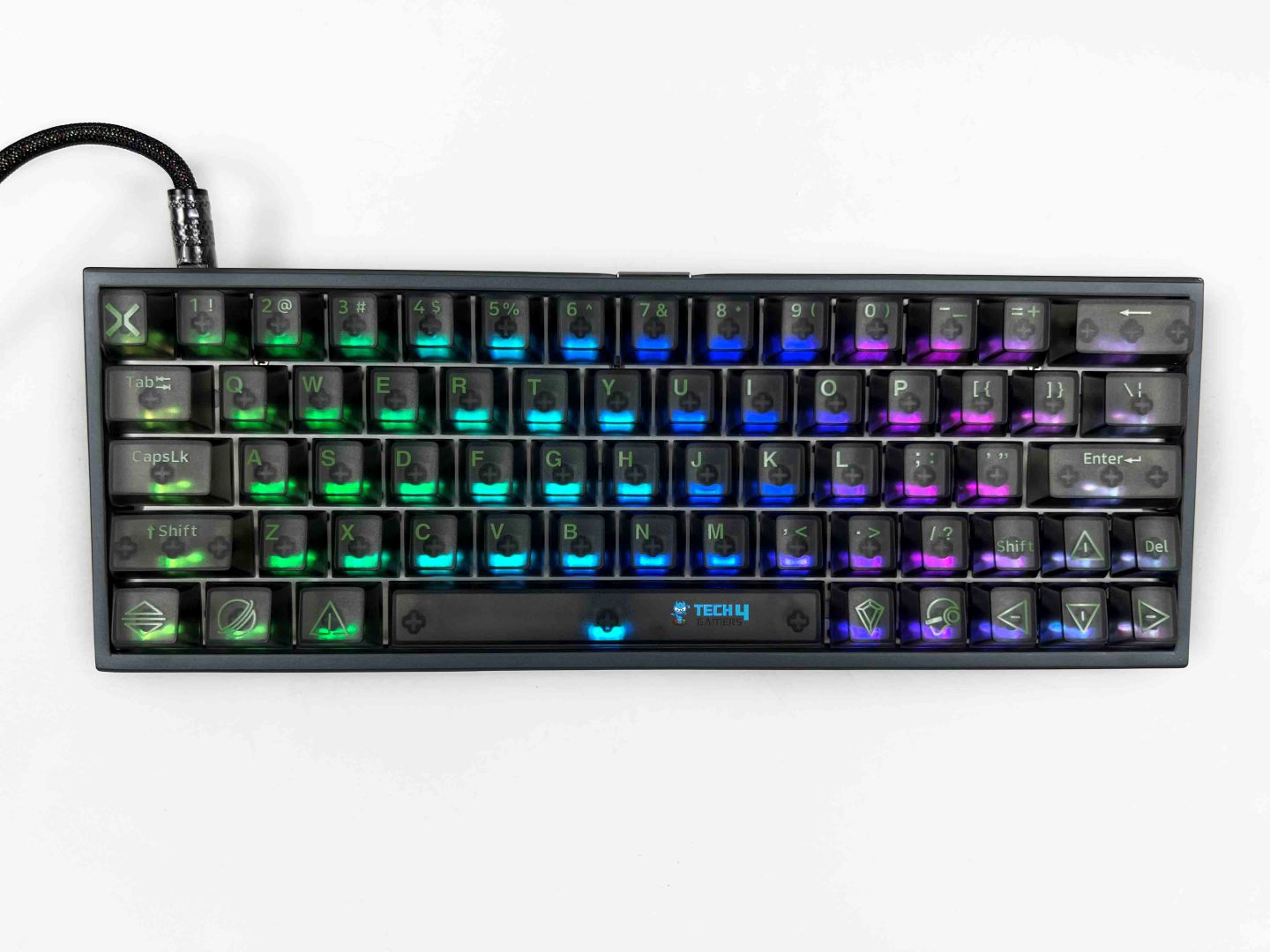
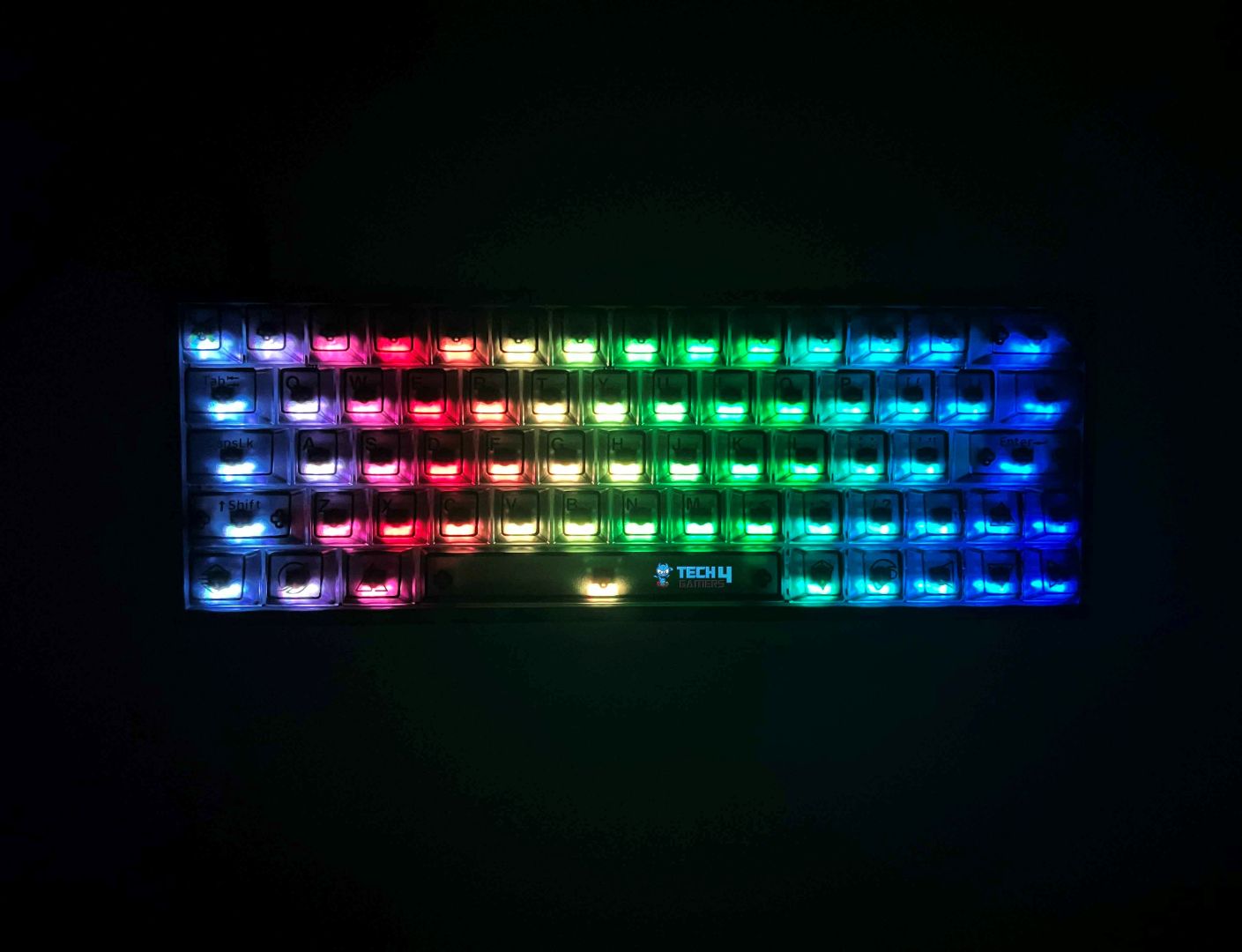
The RGB on the DrunkDeer X60HE isn’t subtle, but it’s not overwhelming either. It has a brightness that catches your eye without making the keyboard feel like a disco. It uses south-facing LED backlighting, which changes how the light hits the keycaps. Since the LEDs sit toward the bottom of the switches, the glow spreads evenly across the frosted, transparent caps. That’s one reason the RGB feels so bright. The light doesn’t get lost at the bottom of the key but comes over the surface in a soft, even way.
The highest level of brightness itself is quite noticeable. Even at lower brightness levels, the colors remain accurate. The green legends still stand out against the gray keycaps, and the icons and symbols remain clear. Another small detail is the consistency of the lighting across the keyboard. Every key seems equally bright, which keeps the effects looking smooth whether you’re on a static color or wave modes. You can customize the lighting per key using the Fn combinations and software.
Switches
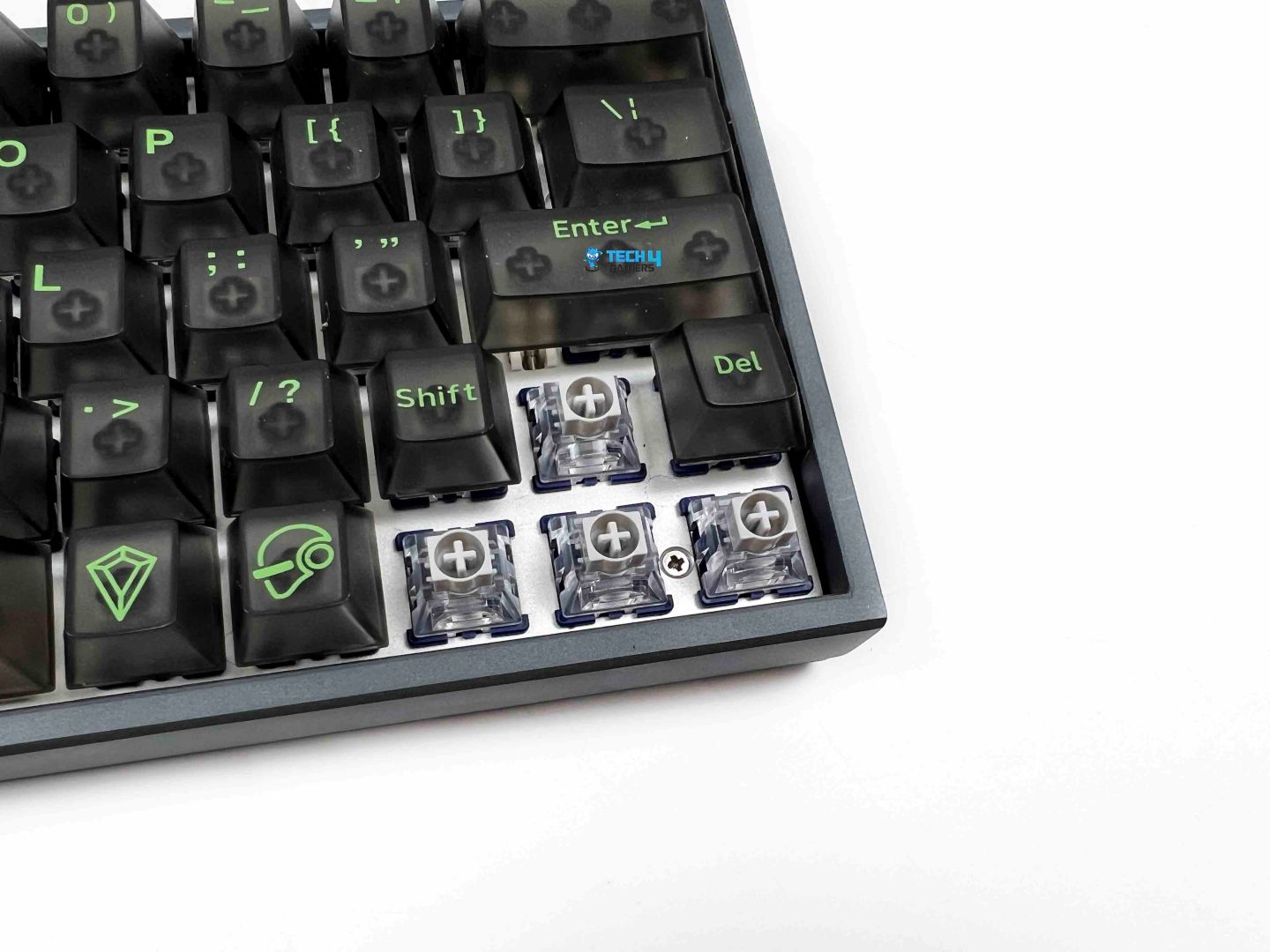
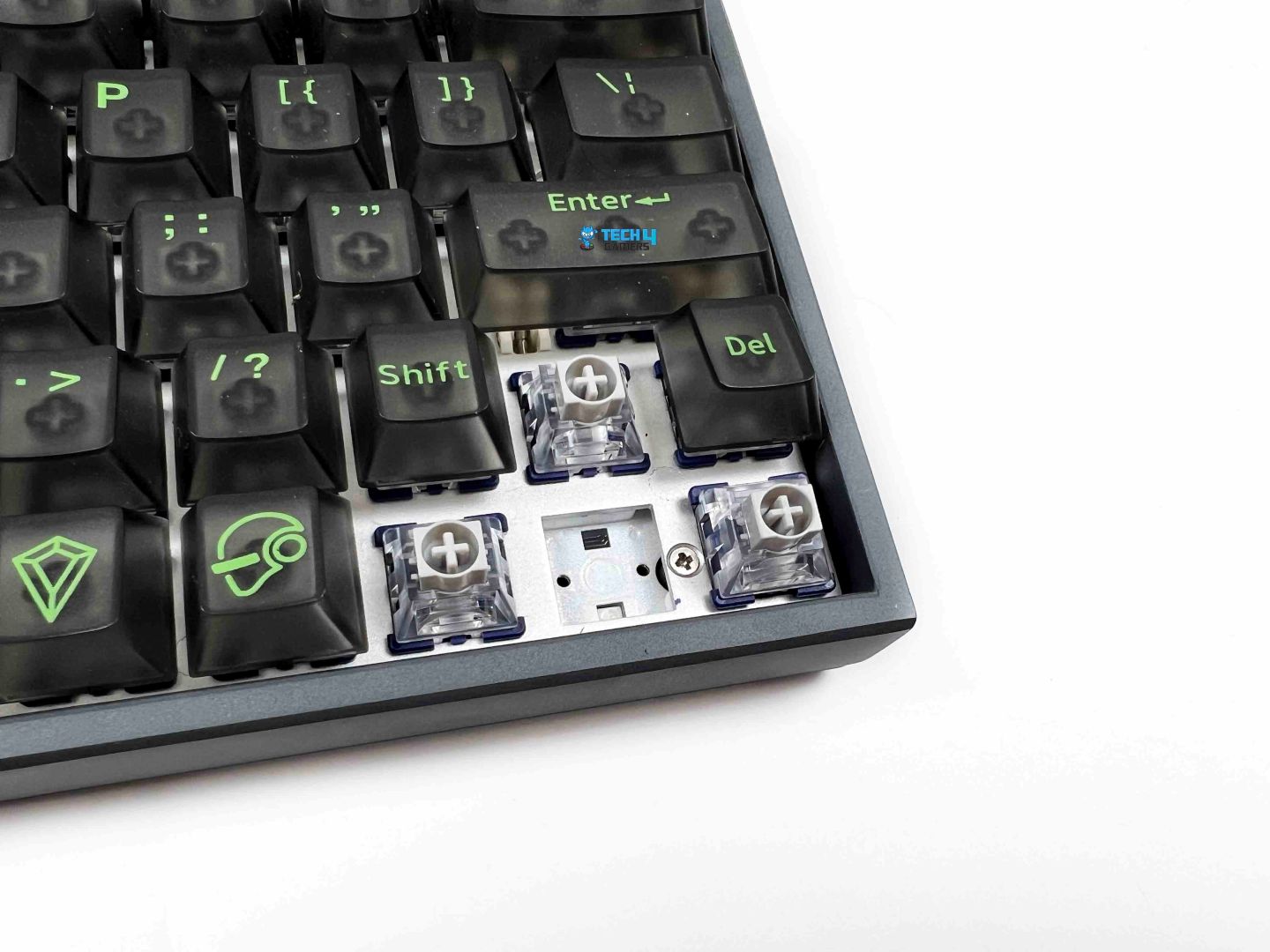
The DrunkDeer X60HE comes pre-installed with DrunkDeer’s own Qian switches, which use a magnetic design rather than physical contacts. It’s a smooth press from top to bottom, and the key keeps moving without any interruption. What changes the experience is how the keyboard reads that movement. Since these are magnetic switches, the keyboard tracks how far a key travels instead of waiting for a fixed point. That’s where the advertised 0.01mm rapid trigger accuracy comes in. At first, that level of sensitivity feels almost too sharp.
I found myself triggering inputs earlier than expected, especially during the first few gaming sessions. After some time, it starts to feel more controlled. The Qian switches are also easy to remove, which adds a bit of flexibility. The board is fully hot-swappable, but it supports only center-magnet switches. In terms of durability, these switches are rated for around 100 million keypresses. If you’re curious how they compare across different brands, our guide on the best magnetic gaming keyboards gives a broader look at what this technology can offer.
Typing Experience
Typing on the DrunkDeer X60HE don’t ask for much force. A light press is enough, and sometimes even less than you expect. In the first hour or two, I kept triggering keys earlier than intended. A big part of that comes from the rapid trigger adjustment range. You can set it anywhere between 0.01mm and 3.5mm. At the lower end, the keyboard becomes extremely sensitive. Even the slightest movement registers, and that’s where most of the early typing mistakes came from for me. I settled on a slightly higher setting for daily typing.
Once you find a comfortable setting, the typing experience starts to smooth out. Your fingers adjust, and their fatigue stays low, even after a few hours of continuous typing. Sound-wise, the keyboard leans toward a clacky and slightly poppy profile. Each keypress has a short, sharp note. In a quiet room, you’ll hear it clearly, but it never turns into something distracting. The structure plays a role here, too. With the non-standard frame and full metal hollow case, the sound has a bit of presence without turning hollow or echo-heavy.
Connectivity

The DrunkDeer X60HE is a wired keyboard, and that’s the only option here. You’re connecting over USB, no Bluetooth and no wireless dongle. The cable connects through a port at the back of the keyboard. The fit feels snug. Once it’s in place, it doesn’t move around. The cable itself stands out more than I expected. It’s braided, and it feels thick and durable. Not the soft, flexible kind you can easily bend into any shape. When you first take it out of the box, it holds its form a bit. It doesn’t drape loosely across the desk right away.
That stiffness has its pros and cons. On the one hand, it feels high-quality. It doesn’t tangle easily, and it gives off the impression that it’ll hold up over time. On the other hand, it takes a little effort to route it cleanly, especially if you’re trying to keep your setup minimal. Once you position it, though, it stays where you put it, which can actually help with cable management. In terms of compatibility, the keyboard works across Mac, Windows, and Linux. I used it on Windows, and it was plug-and-play. On other systems, it should behave the same.
Performance

The DrunkDeer X60HE has an 8000Hz polling rate paired with ultra-low latency around 0.2ms. That combination just feels immediate. Keypresses don’t sit around waiting to be processed. They go through almost instantly, and during fast gameplay, that tight response becomes noticeable in small but consistent ways. Quick direction changes don’t feel delayed. It’s the kind of thing you stop noticing once you get used to it, but when you switch back to a normal keyboard, the difference is easy to pick up.
One of the bigger shifts comes from how the keyboard handles actuation and travel. Rapid Trigger is where things get more noticeable in actual gameplay. Keys reset the moment you release them, even slightly. There’s also SOCD handling. When it’s working in the background, movement feels smoother, especially during rapid inputs. Then there’s DKS support, which adds another layer of control. You can assign different actions depending on how far you press a key. All of these features sit under the same idea.
Software
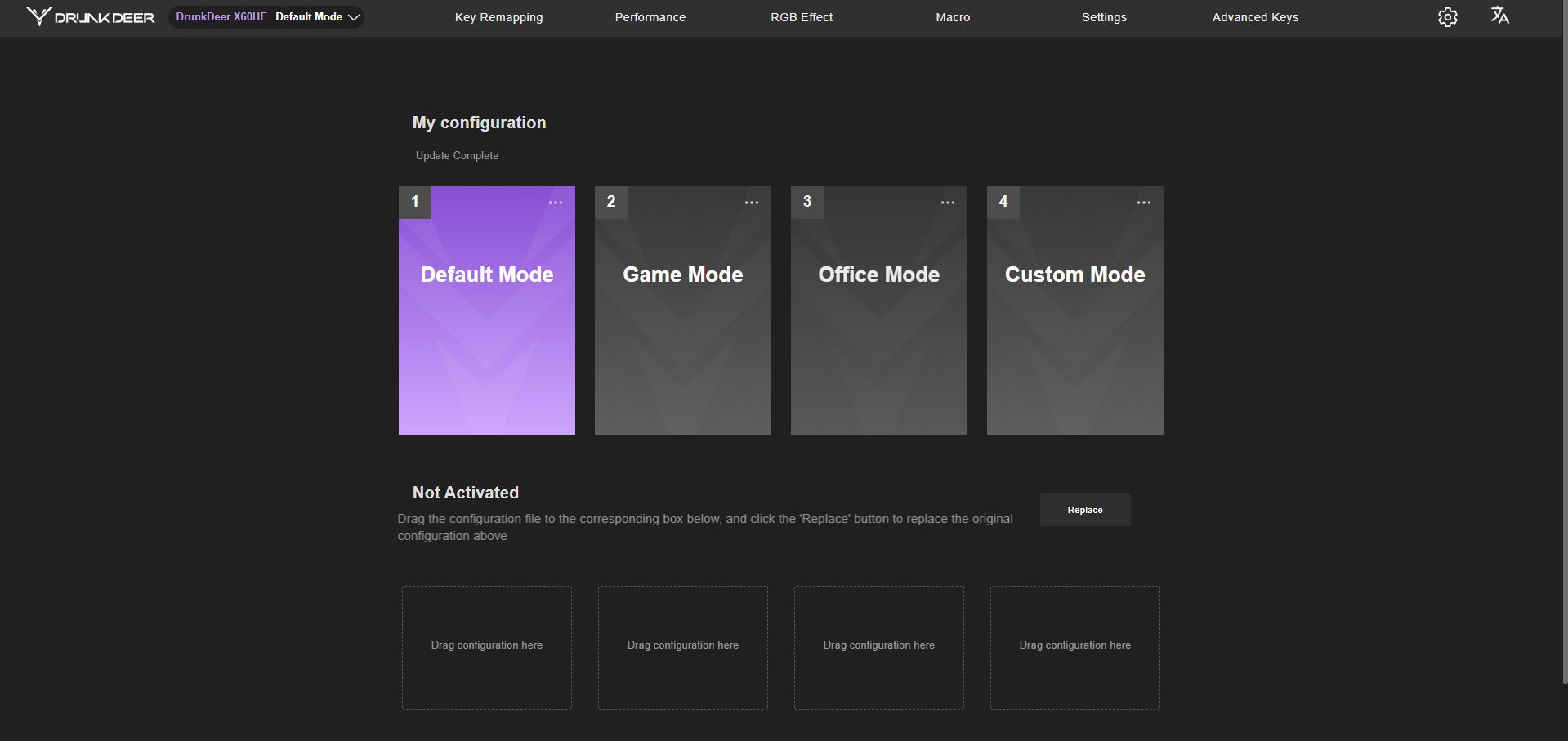
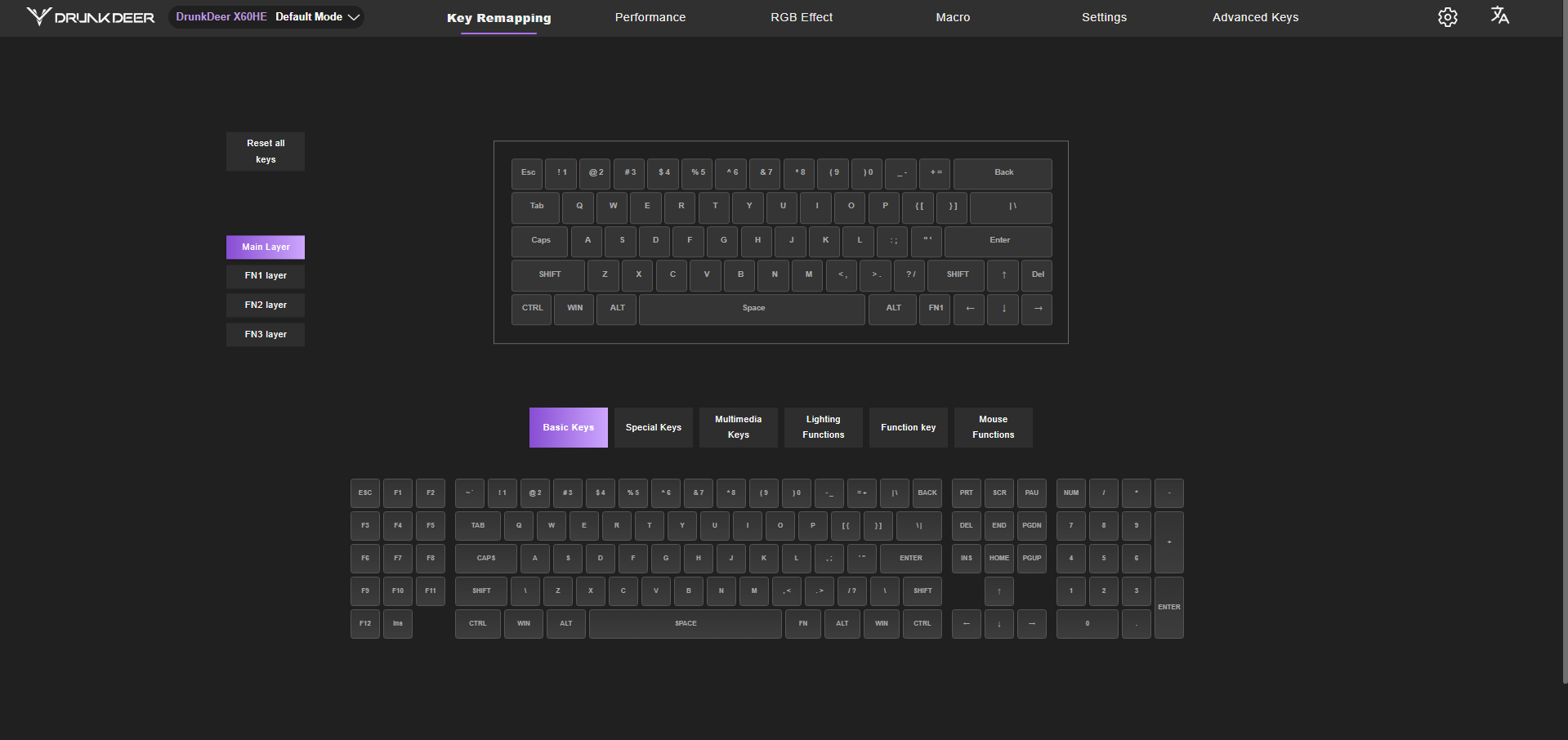
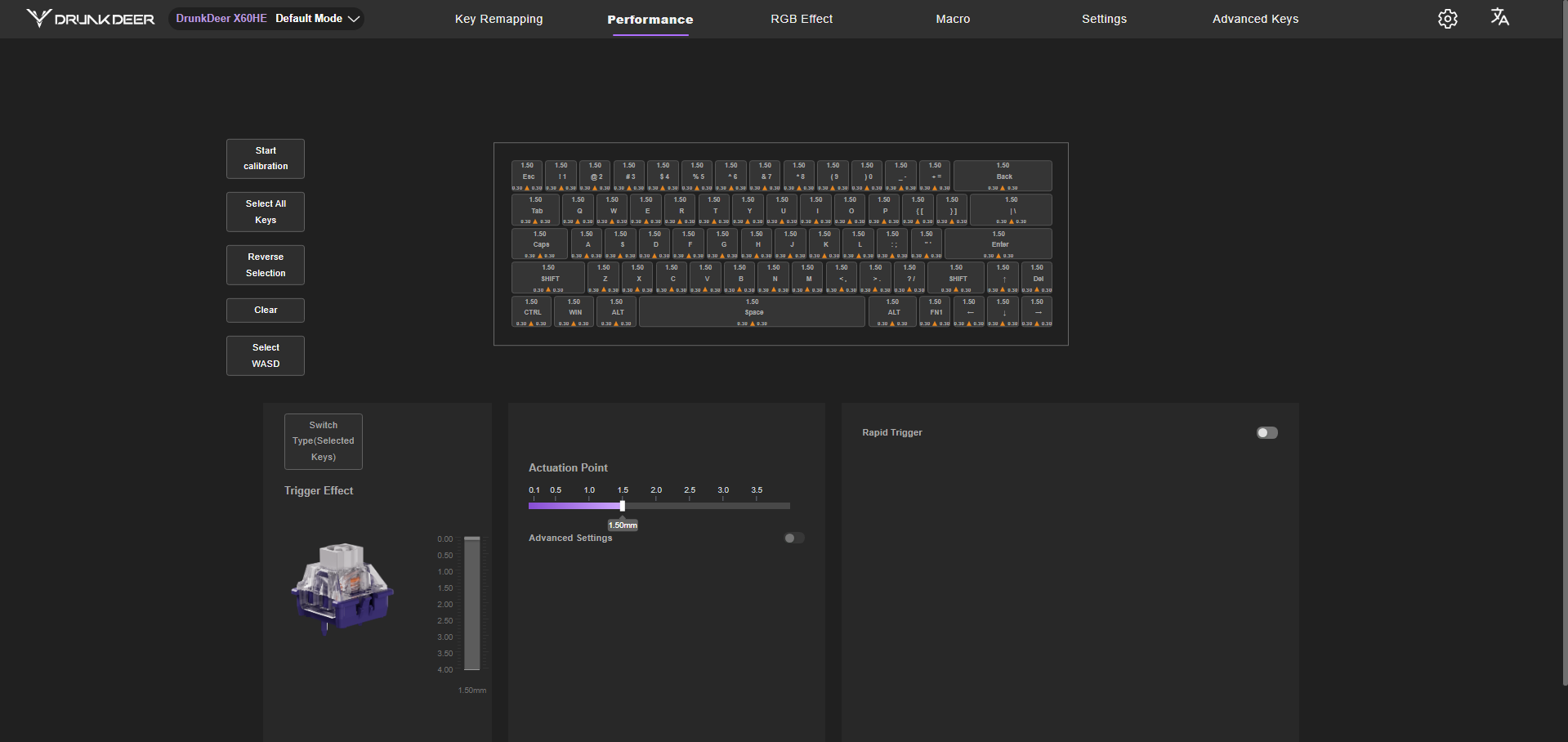
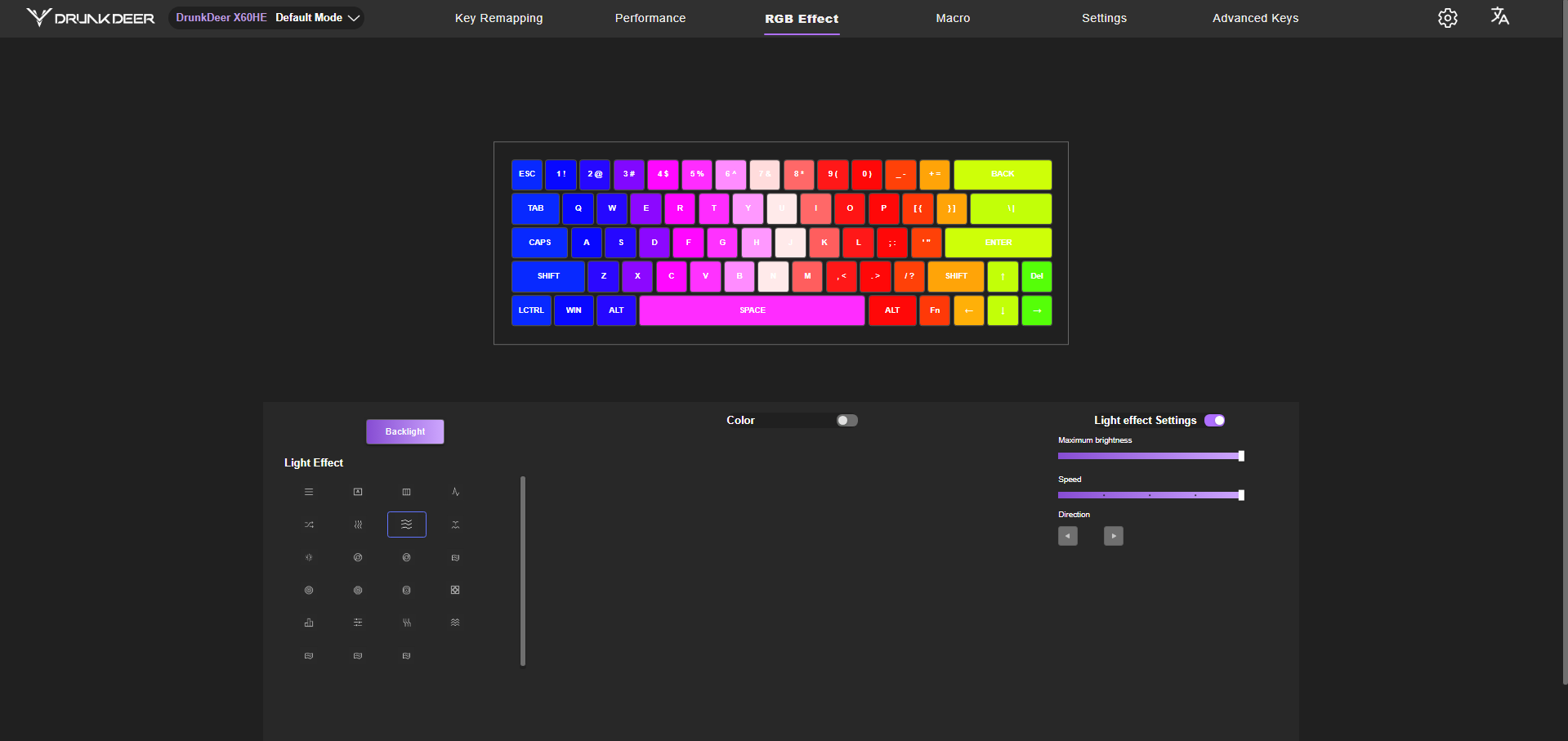
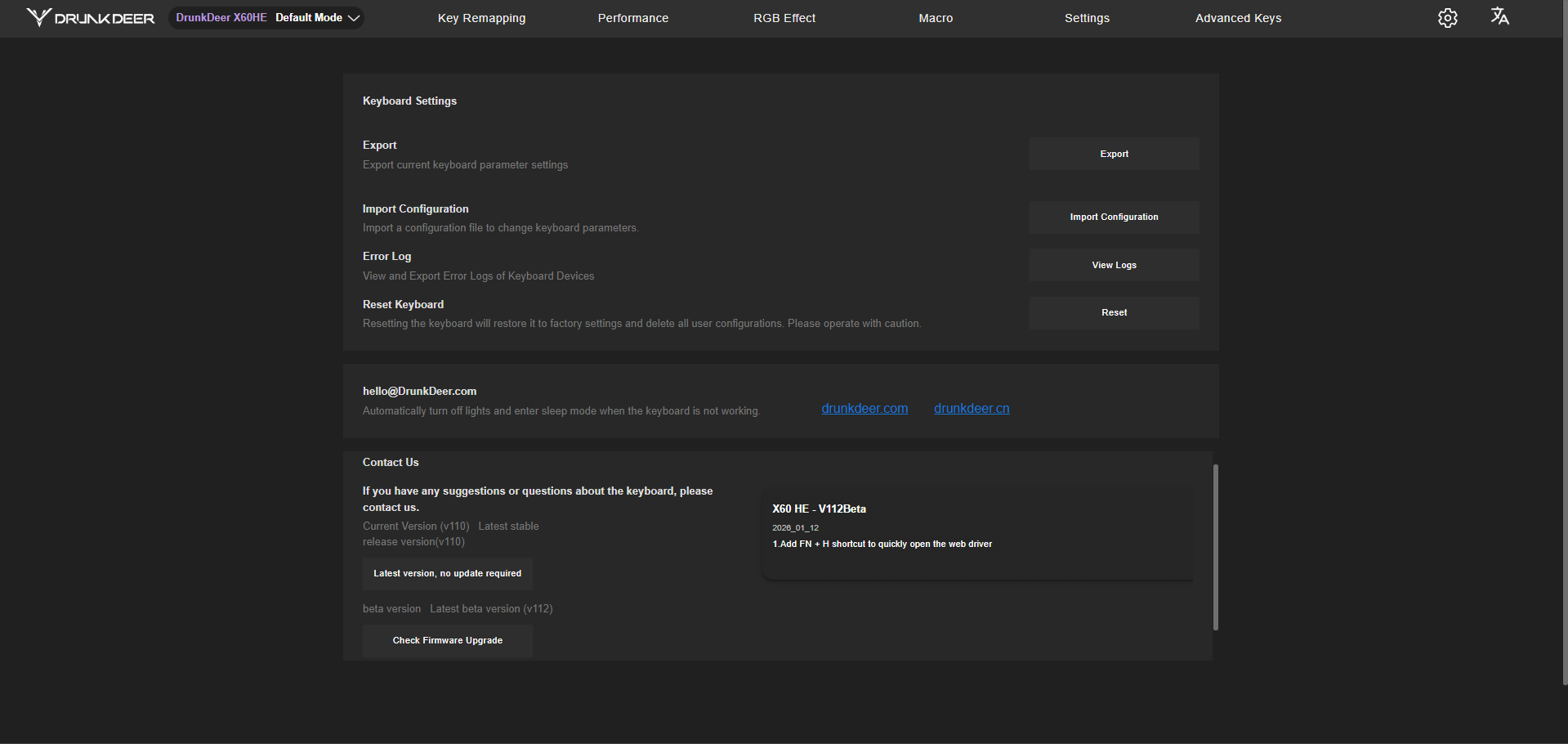
The software for the X60HE runs through a web-based driver. The first thing you land on is the configuration page. There are four preset modes already set up. After that comes key remapping. You click a key, assign a new function, and it updates instantly. The performance section is where you adjust the actuation point. Then there’s the RGB section. There are quite a lot of lighting effects available, from simple static colors to more animated patterns. You can adjust brightness, speed, and even the direction of some effects.
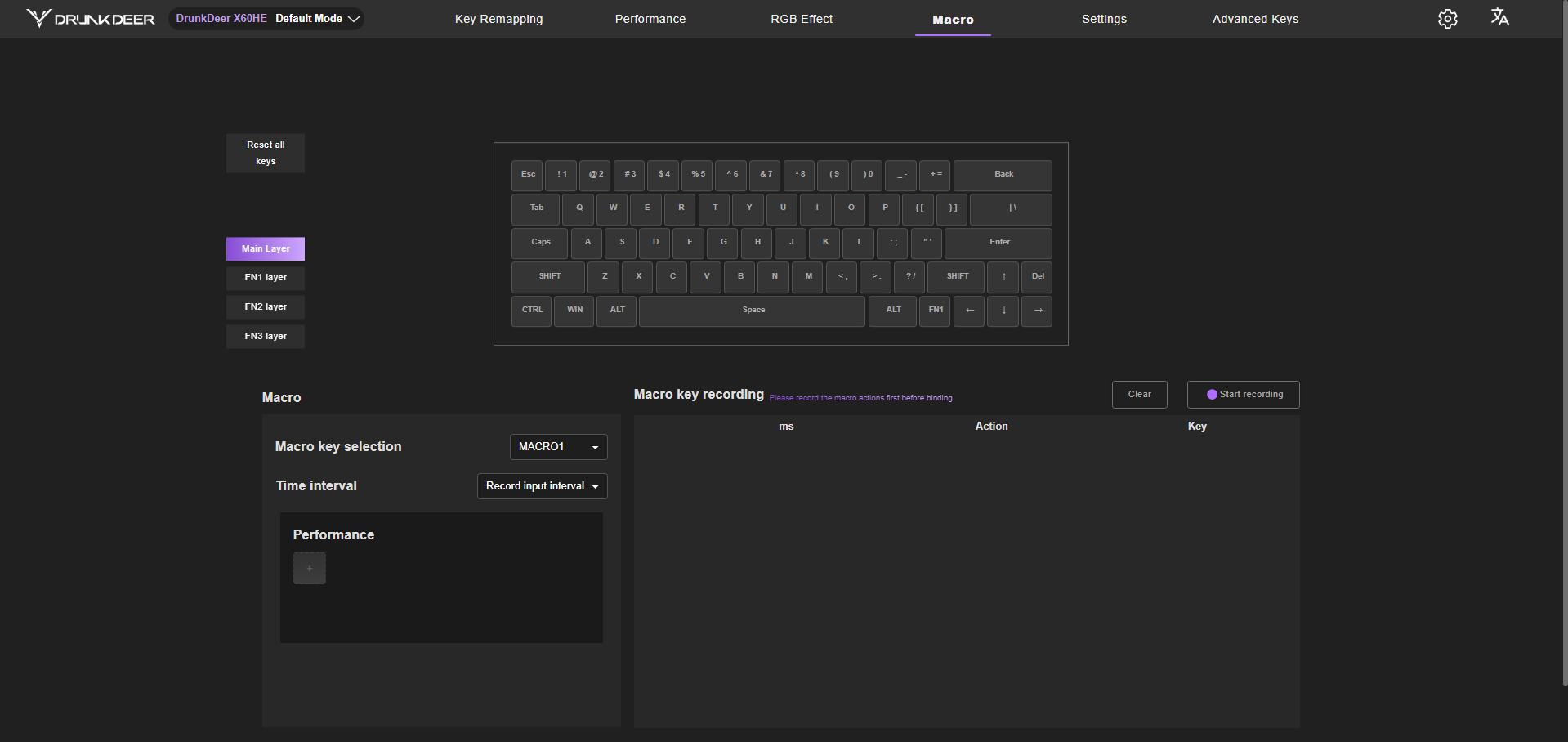
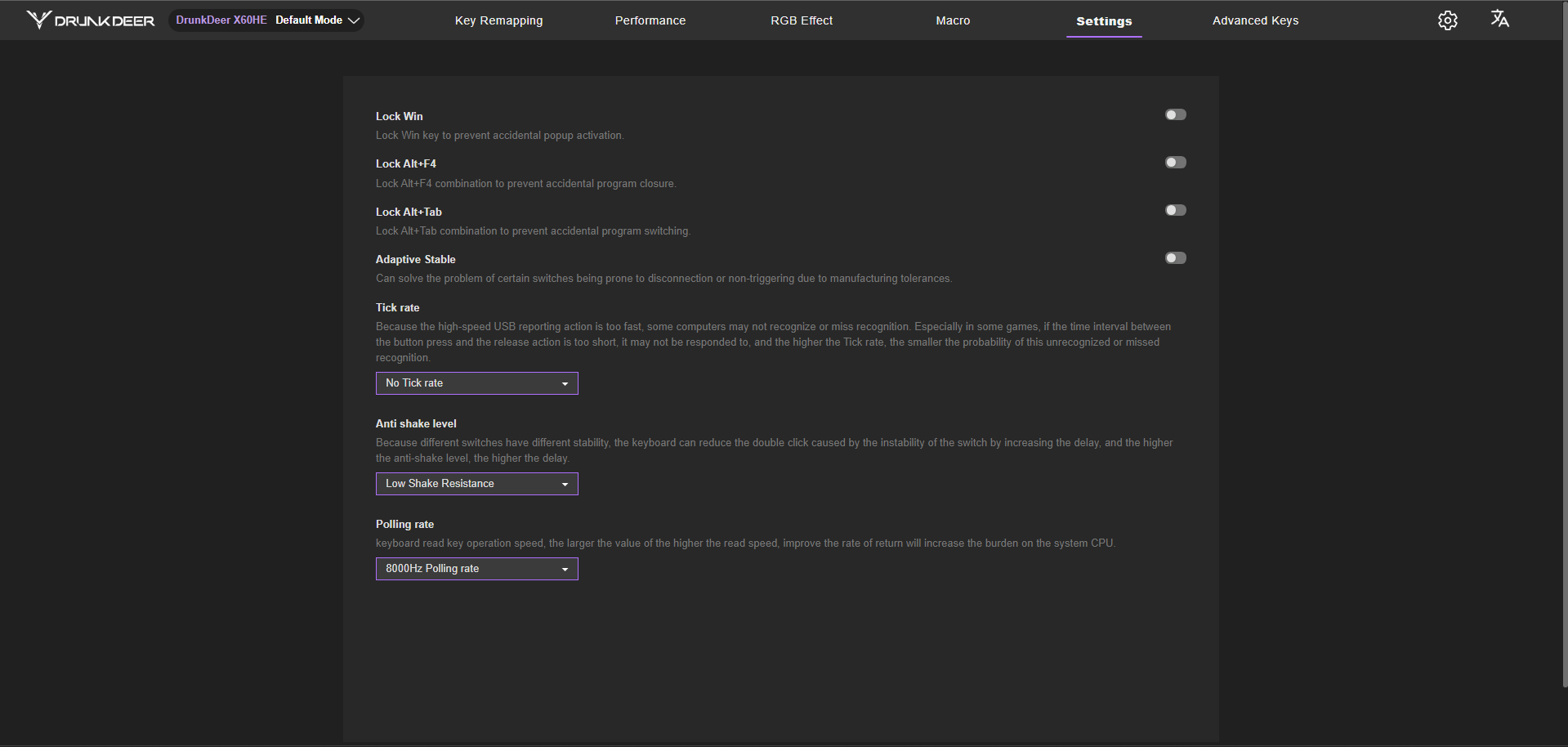
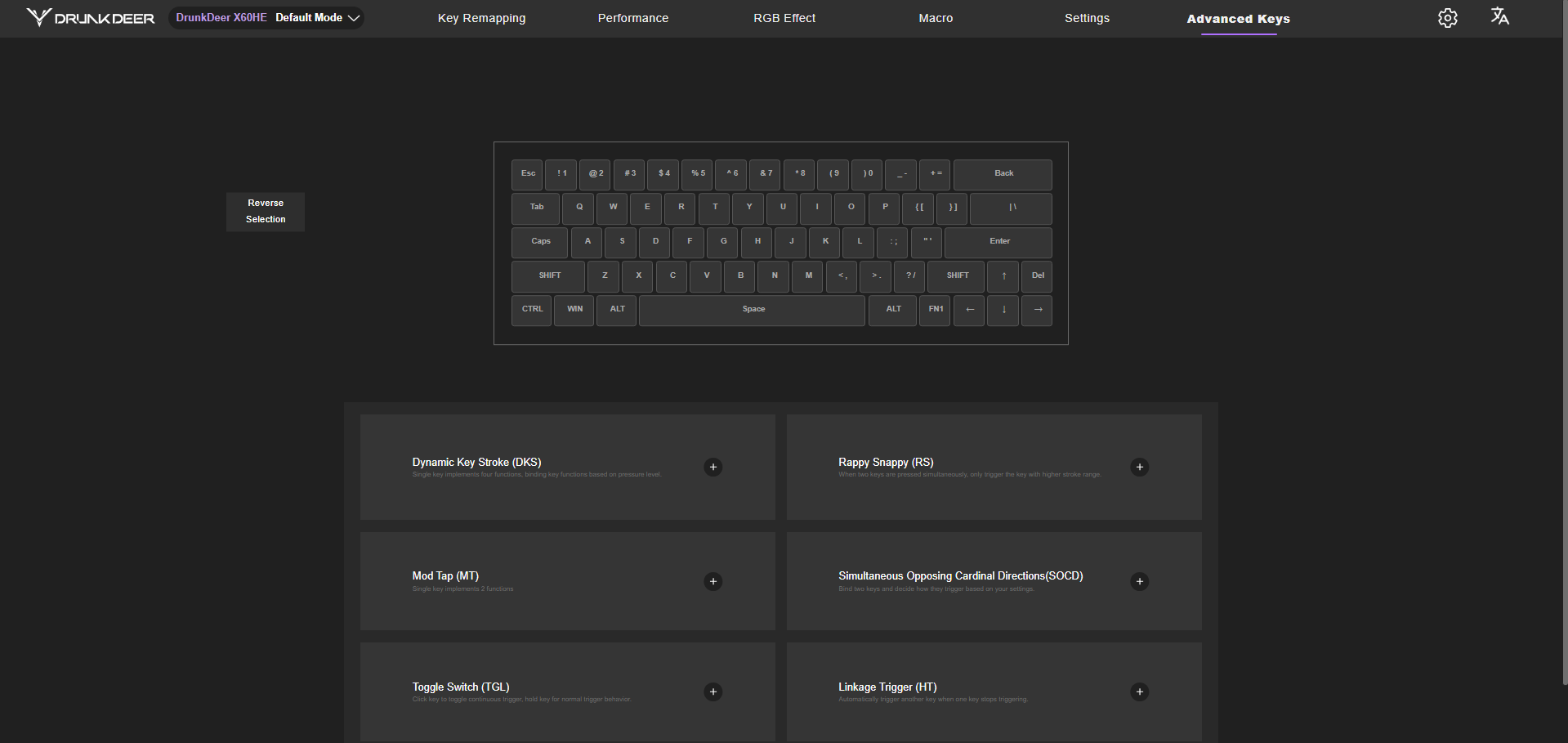
Along with it is the macro section where you record inputs, assign them to a key, and save them. In the settings section, you can disable certain keys, especially the ones that usually get in the way during gaming. The advanced keys section provides access to features such as Dynamic Keystroke, Rappy Snappy, Mod Tap, SOCD handling, Toggle Switch, and Linkage Trigger. Some of them take a bit of time to understand fully, and most users won’t touch all of them at once. But they’re there if you want to go deeper into customization.
Should You Buy it?
Buy it if
✅ You want top-tier gaming performance without spending too much: The X60HE delivers fast, responsive input with rapid trigger and adjustable actuation that actually change how the keyboard feels in-game.
✅ You’re curious about Hall Effect keyboards: At $109.99, it’s an accessible way to experience magnetic switches and advanced input features without going premium.
Don’t Buy it if
❌ You rely on function keys and shortcuts: The 60% layout means heavy use of FN combinations, which can slow things down for everyday tasks.
❌ You prioritize productivity over gaming: It works for typing, but the layout and tuning are clearly focused on gaming first.
Final Verdict
The DrunkDeer X60HE turned out to be a bit different from what I expected going in. This was my first time using a keyboard from this brand, and it doesn’t really try to follow the usual path. It leans heavily into performance, and you feel that in almost every part of the experience. As for who this is for, it makes the most sense for competitive players. If you’re into fast-paced shooters or anything where timing matters, this keyboard feels right at home.
At $109.99, it sits well below most Hall Effect keyboards while still offering the same core features. That makes it feel like a strong value for what you’re getting. If performance is your main priority and you want to try a Hall Effect keyboard without spending a lot, the X60HE is easy to recommend. It’s also worth checking out our full roundup of the best gaming keyboards to see how keyboards like this stack up against more traditional mechanical options.
Thank you! Please share your positive feedback. 🔋
How could we improve this post? Please Help us. 😔
Worth It?
Review Summary
The DrunkDeer X60HE is a performance-focused Hall Effect keyboard aimed at gamers who want fast, responsive input without spending premium money. It combines features like rapid trigger, adjustable actuation, and an 8000Hz polling rate in a solid aluminum build, offering a noticeably different feel from traditional mechanical boards. While the 60% layout and sensitivity take time to adjust to, it delivers where it matters most, making it a strong value option for competitive gaming.
Hours Tested: 1 Week
Overall
-
Design - 9/10
9/10
-
Build Quality - 9/10
9/10
-
Performance - 9.5/10
9.5/10
-
Typing Experience - 9/10
9/10
Pros
- Fast and responsive
- Solid build
- Unique design
- Clacky/poppy sound profile
- Great value
Cons
- 60% layout limits usability
- Not ideal for productivity
- Software lacks polish
- Cable is stiff and less flexible

[Hardware Reviewer & Editor]
After many years of exploiting various pieces of hardware, Abdul Hannan now serves as an editor at Tech4Gamers. He’s been in the PC hardware reviewing industry for almost a decade, and his staff of passionate geeks and reviewers is second to none.
Abdul Hannan is constantly seeking new methods, you will always see him running into New Computer Courses to improve the performance of his computer components since he is an ardent overclocker. He is well-known for providing the most extensive and unbiased analysis of the newest and greatest hardware for PC gaming, including everything from GPUs to PSUs.
 Join Our Community